Product Updates
Get the latest platform updates, features, and announcements—all in one place.
Boost Video Accessibility with the GenAI Video PowerPack!
Try Now
Supercharge Your Compliance Efforts with AutoPilot Remediation Max!
Try Now
Strengthen Your PDF Accessibility Efforts with Structural Remediation Max!
Try Now
Don't Miss Any of Our Upcoming Webinars—Save Your Spot!
Register
The YuJa Community is here! Connect, get updates, and access exclusive content.
Join Now

Get the latest platform updates, features, and announcements—all in one place.
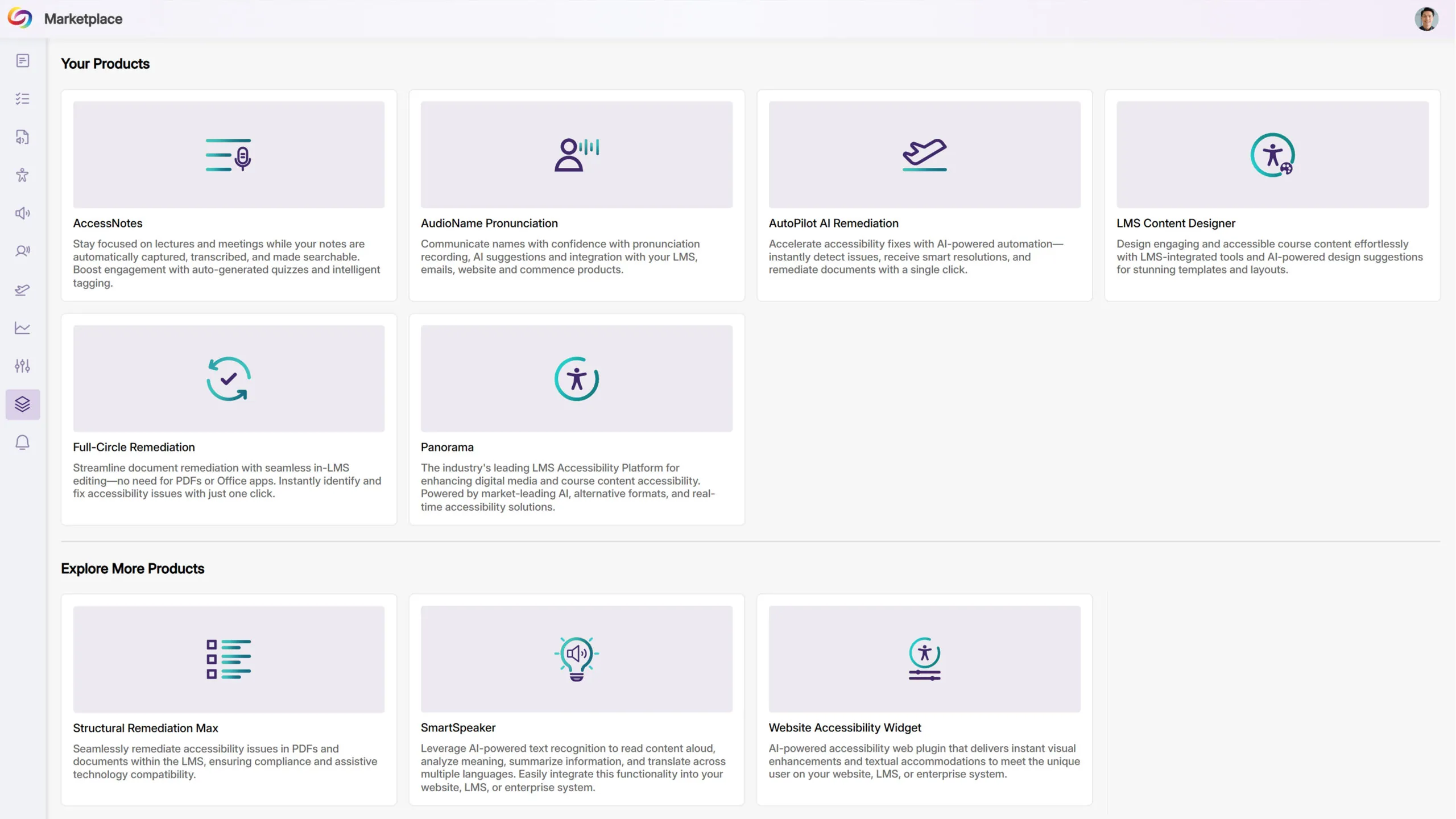
We have successfully pushed an update to all YuJa Panorama LMS Accessibility Platform instances residing in the US, Canada, Australia, Singapore, the Middle East, and the European Union. This update includes a new marketplace of accessibility products, an option to reorder the Alternative Formats Menu, customize the DocHub Experience by creating default folders, options to treat images as decorative, and more.
Explore Our Brand New Marketplace of Accessibility Products to Help You Create, Remediate, and Engage With Your LMS Content
When it comes to accessibility, there is a wide range of tools that specialize in how your content looks and feels. Whether you’re looking to create a welcoming home page on your LMS or want to give your users the freedom to customize elements to suit their needs, the Marketplace is a one-stop shop with everything you need. Browse our catalog of products and see what you like. When something catches your eye, contact your dedicated Customer Success Manager, who can help you learn more and set things up for your institution.
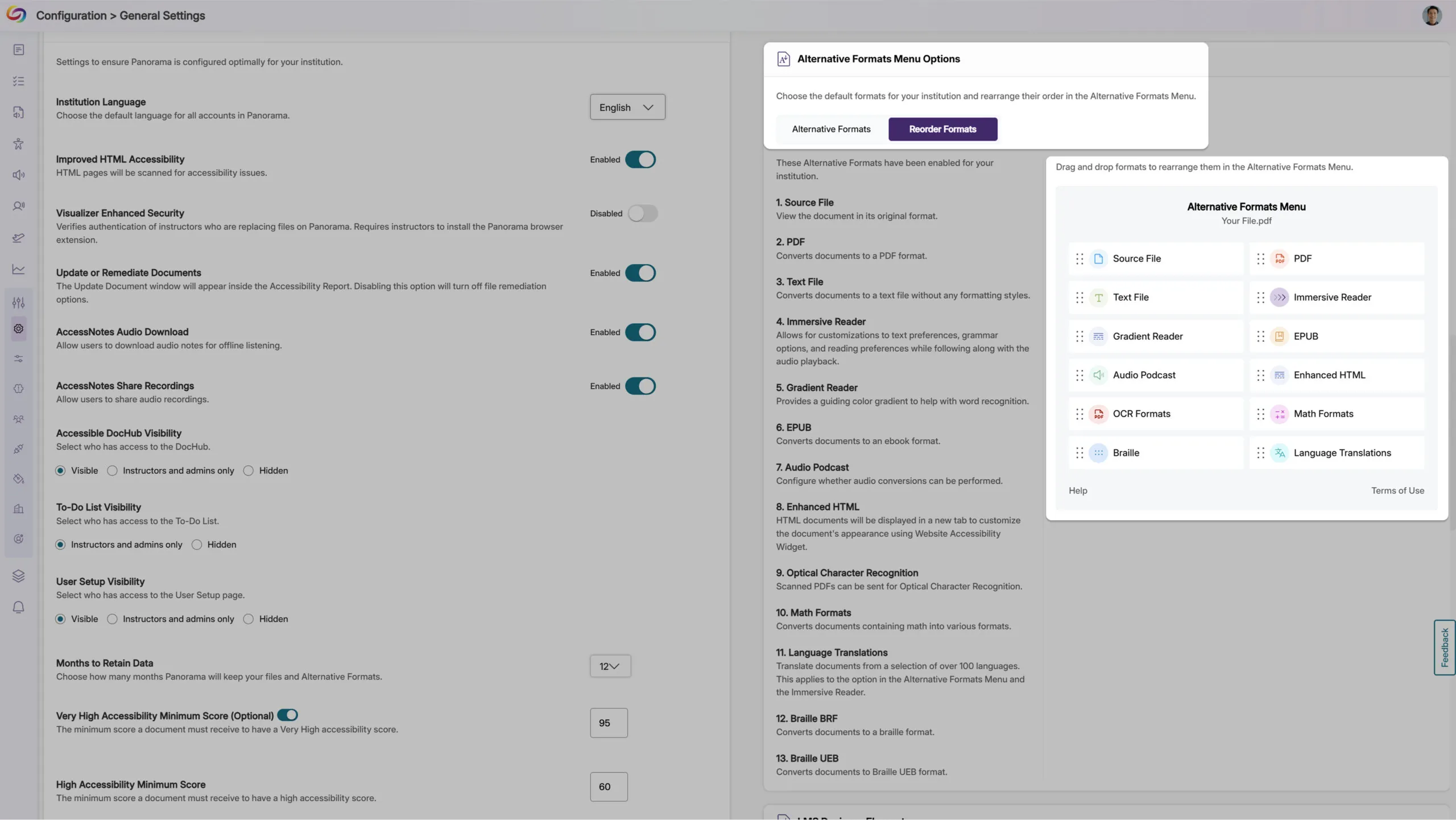
Customize the Alternative Formats Menu by Reordering the Placement of Formats
As an administrator, you can now reorder the formats in the Alternative Formats Menu to suit your institution’s preferences. For example, you can prioritize frequently used formats and display them at the top of the menu for more convenient access across your institution.
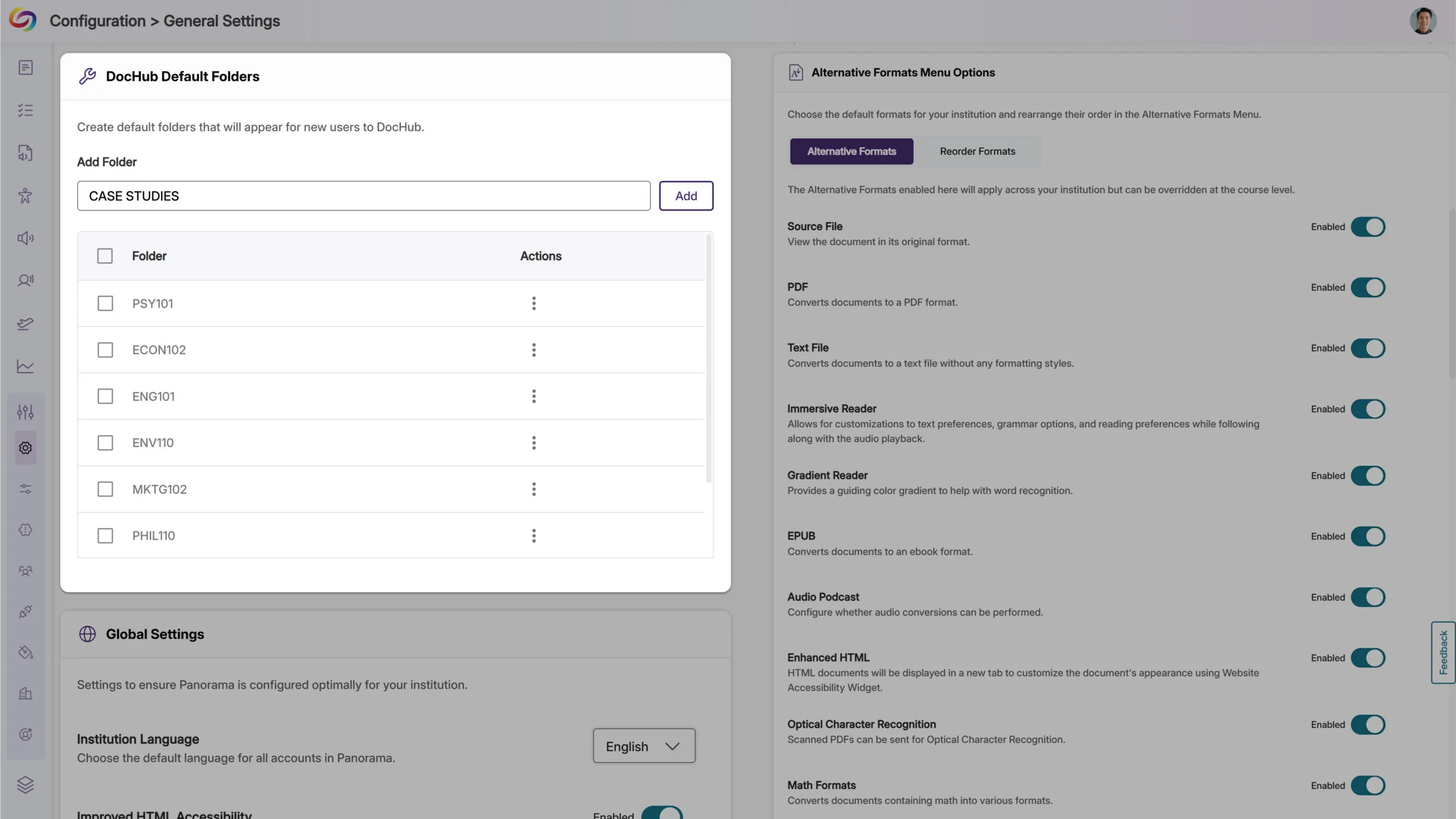
Customize the DocHub Experience by Creating Default Folders
As an administrator, you can now create default DocHub folders, allowing you to set up specific folder structures based on your institution’s preferences for content management. Please note that users must be added after creating default folders for those folders to appear to them.
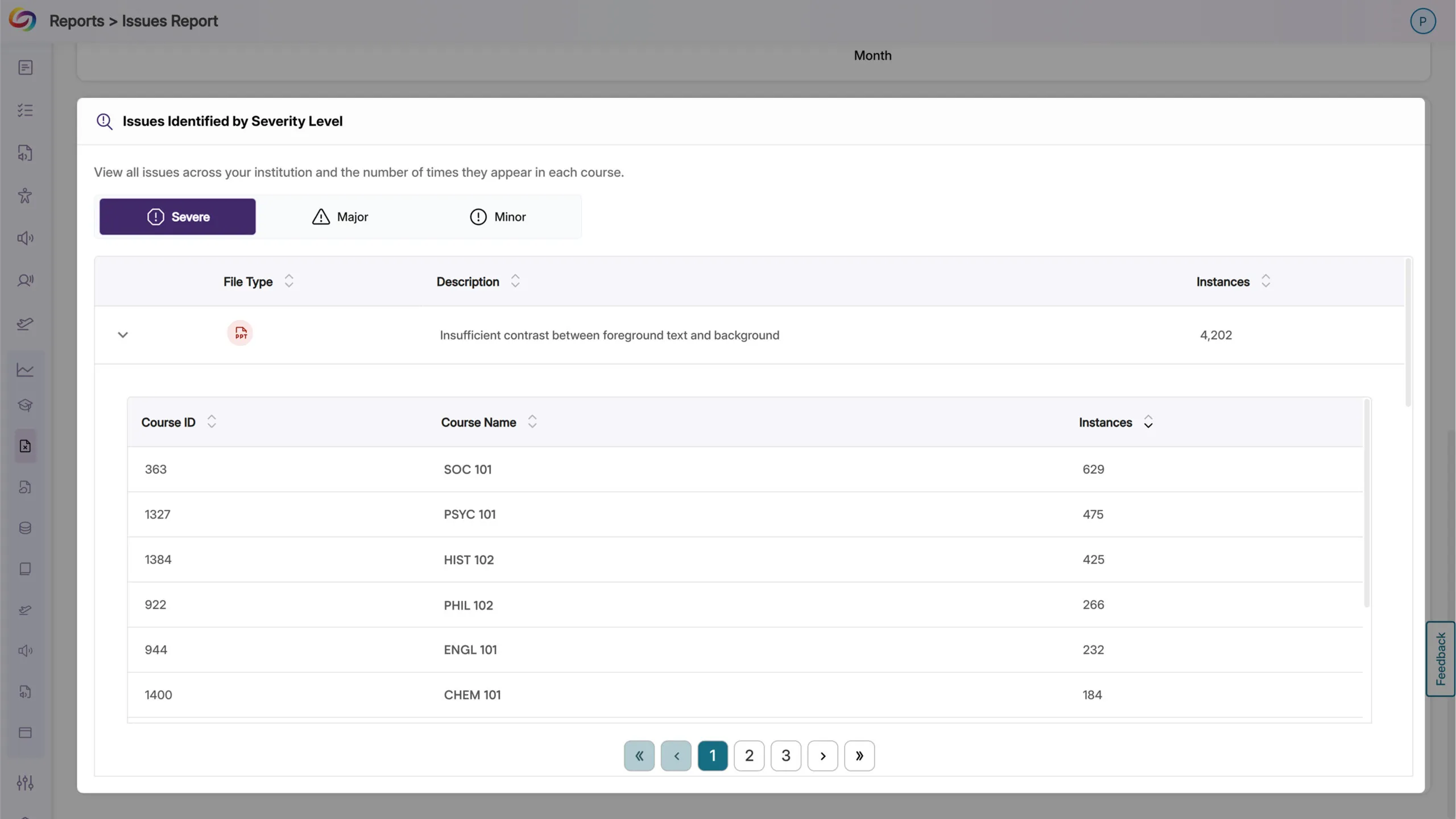
The Issues Report Provides an Overview of All Issues and in Which Courses They Occur
When reviewing the issue report, administrators can now see all courses with a specific accessibility issue, along with the number of occurrences. This allows you to quickly locate courses with the highest instances of any particular issue and address them efficiently.
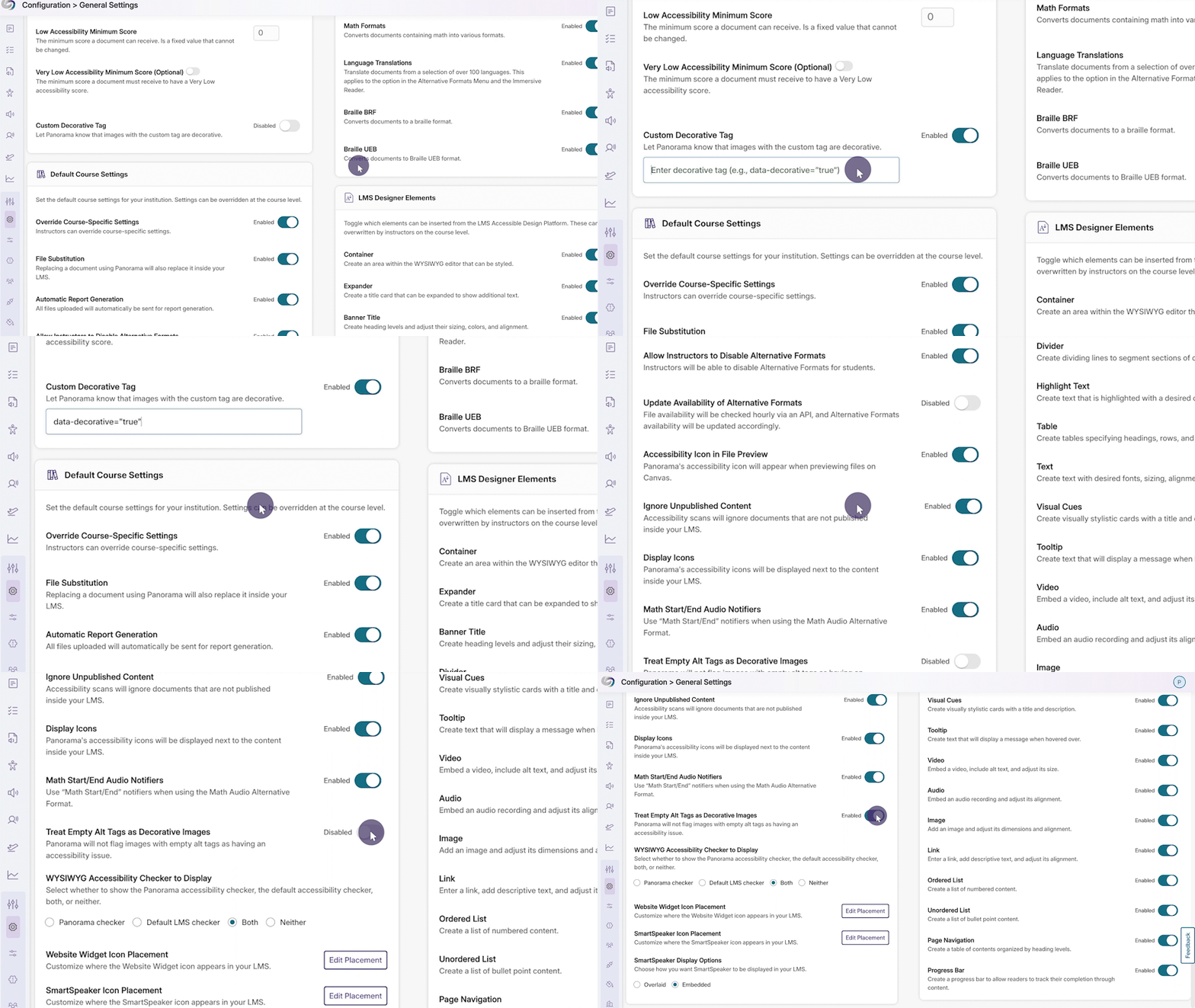
New Option to Automatically Exclude Decorative Images from Being Flagged as Issues
In certain cases, your content may contain images marked as decorative with an empty alt tag (alt=””) or a custom decorative tag. To ensure that these types of images are not flagged as issues, YuJa Panorama now offers more flexibility for you to treat these images as decorative.
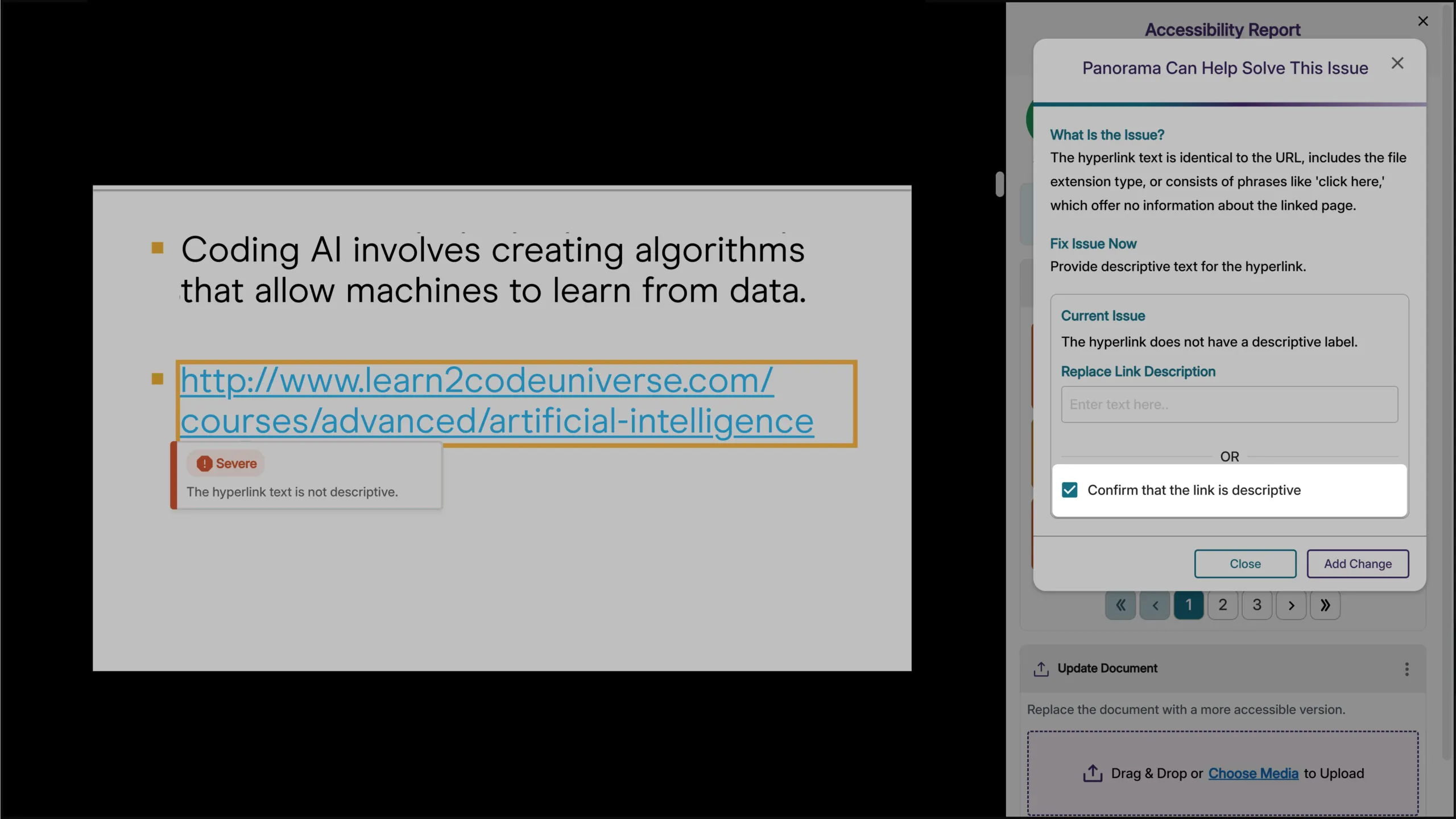
Verify that Hyperlinked Text is Descriptive
Descriptive text for hyperlinks can be useful so that users have context on where the link will take them. However, in cases where the full URL needs to be displayed, such as a work cited page, you can now verify that it is not to be flagged as an issue in the Accessibility Report.
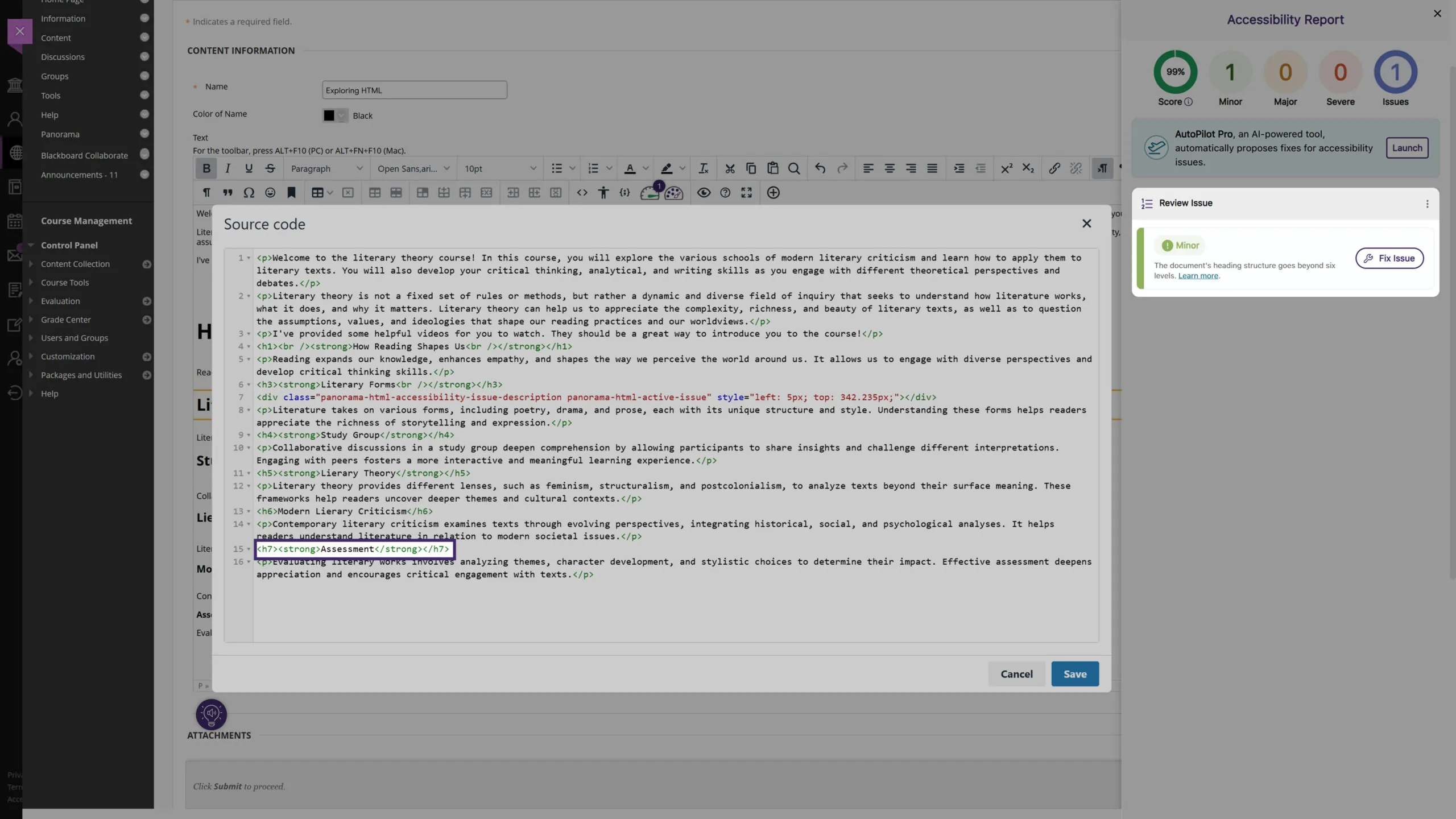
New Accessibility Check for Excessive Heading Levels in HTML Content
We’ve expanded Panorama’s capabilities in detecting heading tags that exceed six levels for HTML content in the WYSIWYG editor, ensuring better compliance with the latest WCAG accessibility guidelines.
Expanded Branding Options for Enhanced Customization
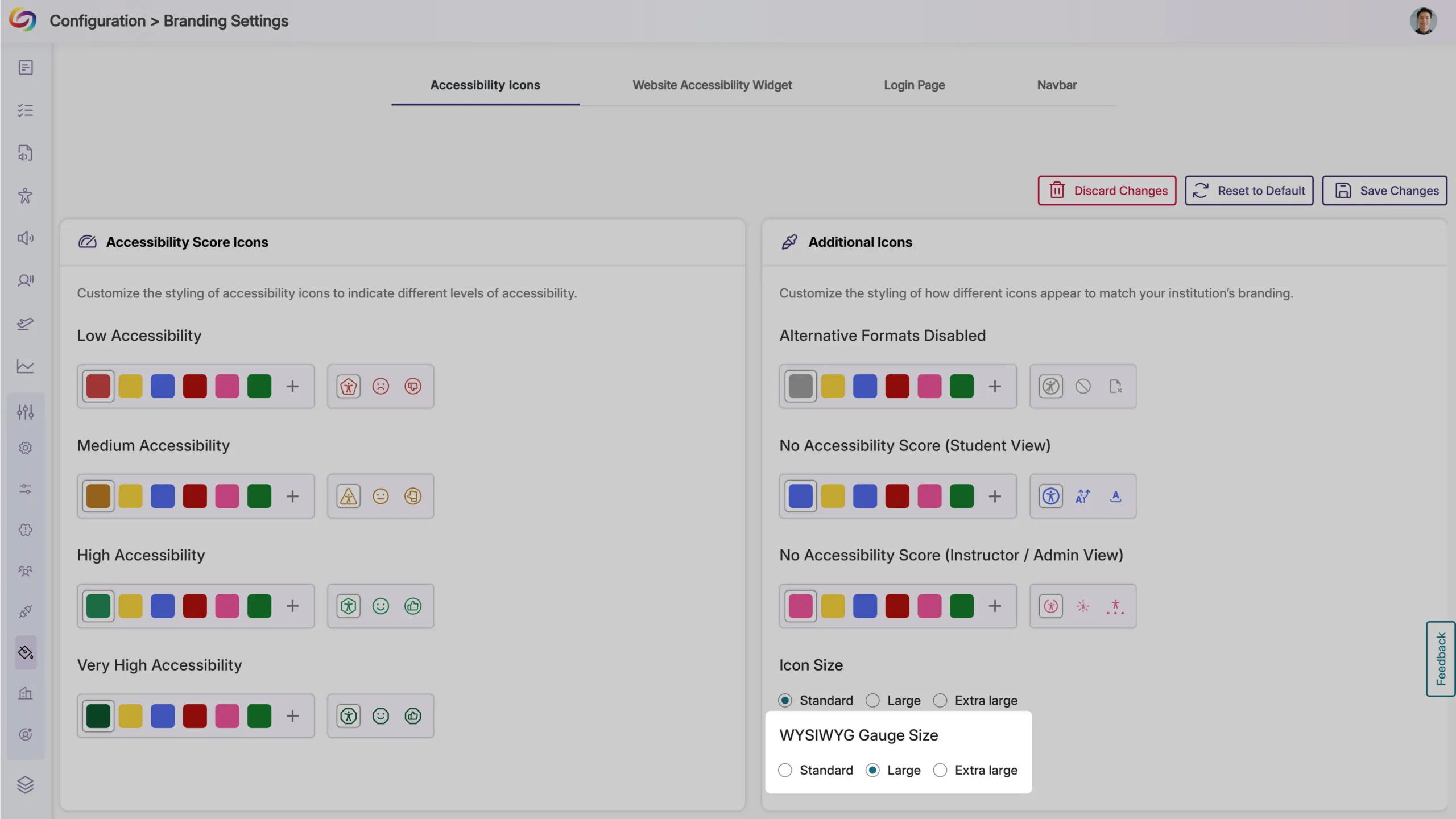
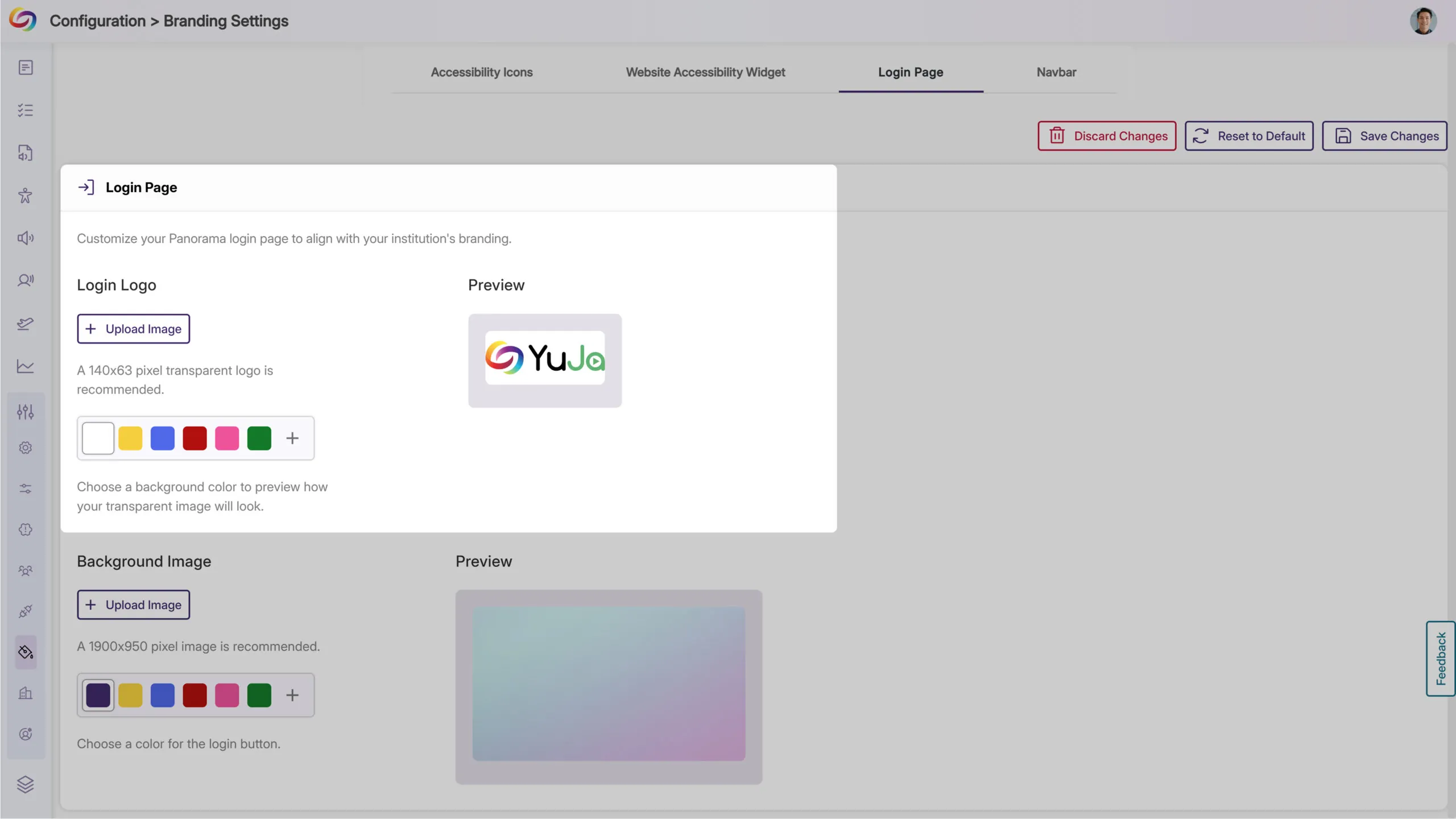
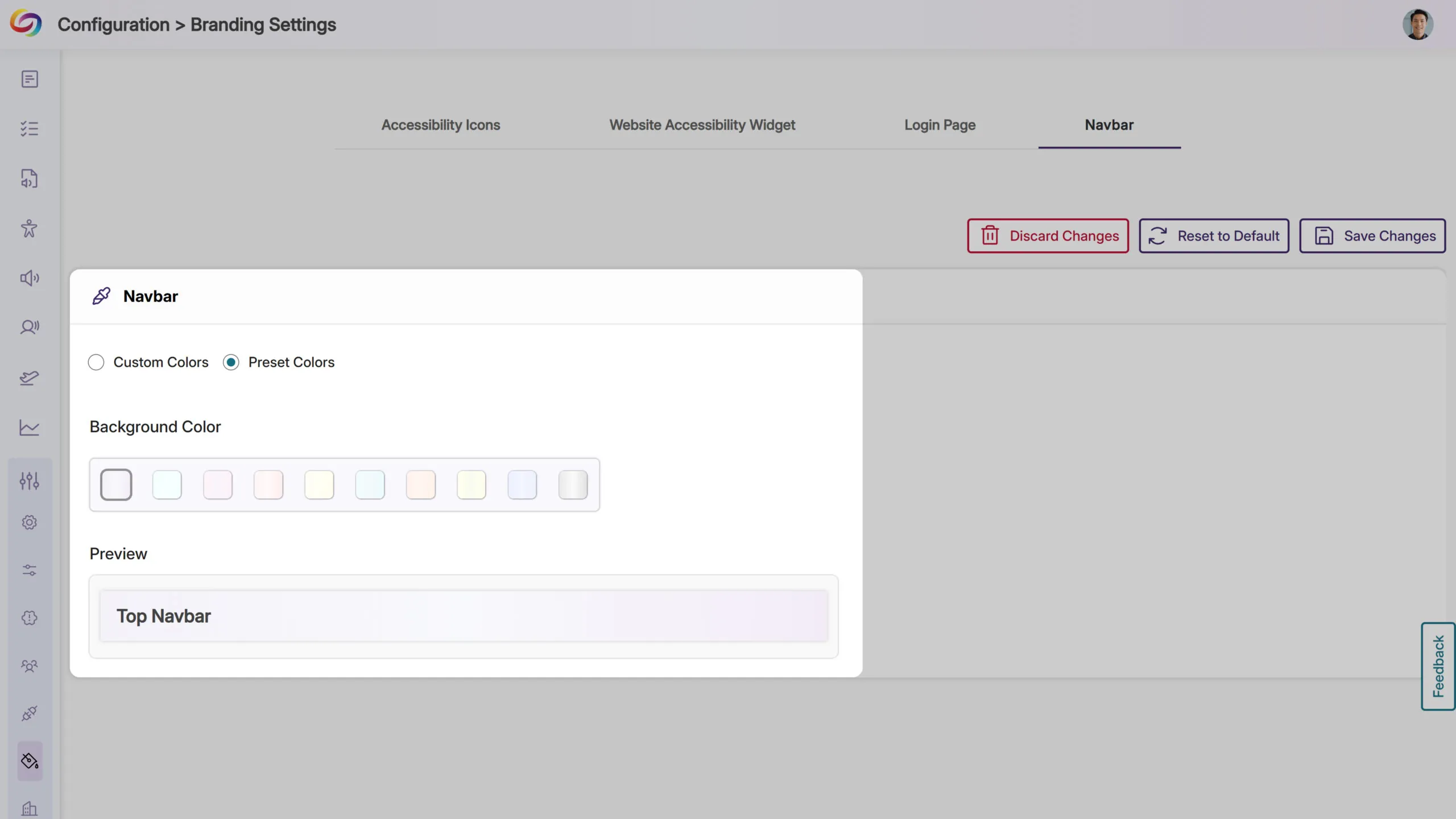
We’ve expanded the branding settings to offer greater flexibility in customizing icons and the interface to match your institution’s preferences. Key updates include:
WYSIWYG Gauge Size: Customize its size to ensure a consistent display alongside other icons within your LMS’s WYSIWYG editor.
Login Page Branding: Upload a preferred logo for the login page to better align with your institution’s branding.
Predefined Color Options for Top Bar: Choose from modernized, high-contrast color options to maintain visual accessibility while matching your institution’s branding.
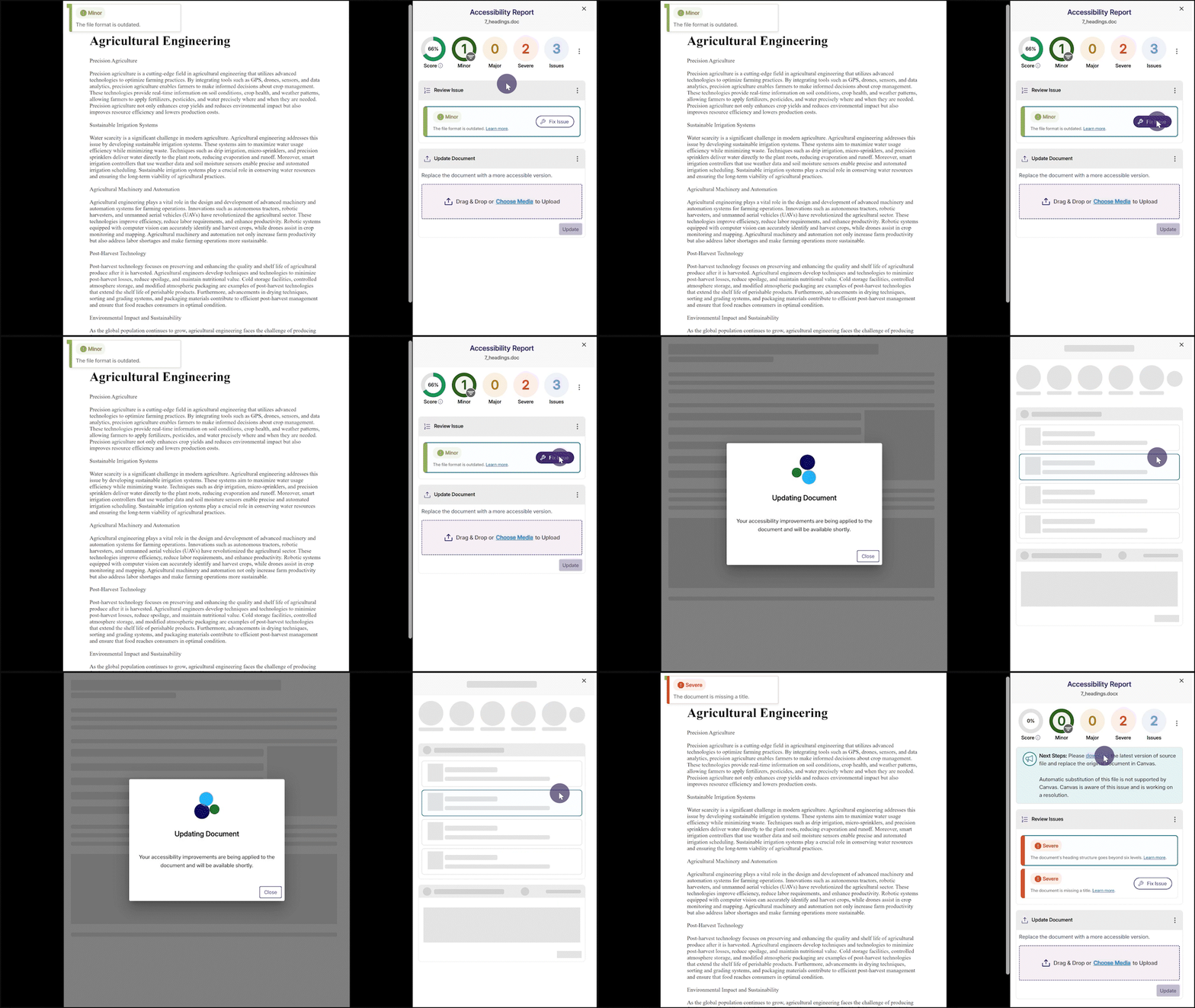
Fix Outdated File Formats Issue Within the Accessibility Report
We’ve enhanced YuJa Panorama’s capabilities to not only identify outdated file formats and provide how-to-fix suggestions, but also offer an instant fix. Simply click the Fix Issue button to update your file format to the latest version.
We have successfully pushed an update to all YuJa Panorama LMS Accessibility Platform instances residing in the US, Canada, Australia, Singapore, the Middle East, and the European Union. This update includes an activity tracker to view a history of events on YuJa Panorama, support for automatic file replacement in Moodle and D2L, real-time progress of course scans, enhanced screen reader capabilities, and more.
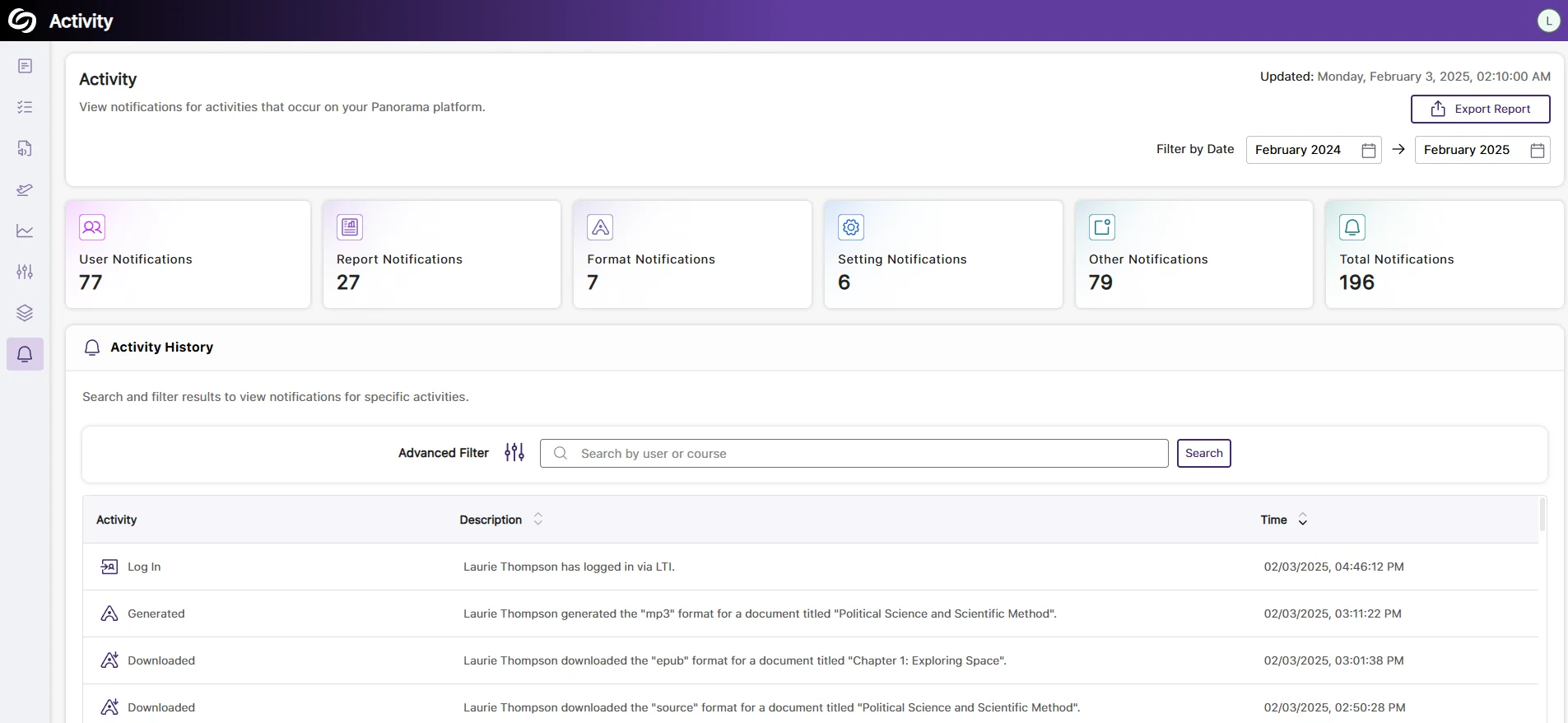
Comprehensive Activity Tracking and Audit Logging to Capture Platform Actions
The new Activity panel in YuJa Panorama now tracks activity by capturing detailed user actions across the platform, providing administrators with deeper insights into user behavior. Additionally, administrators can export activity reports for record-keeping or advanced data visualization.
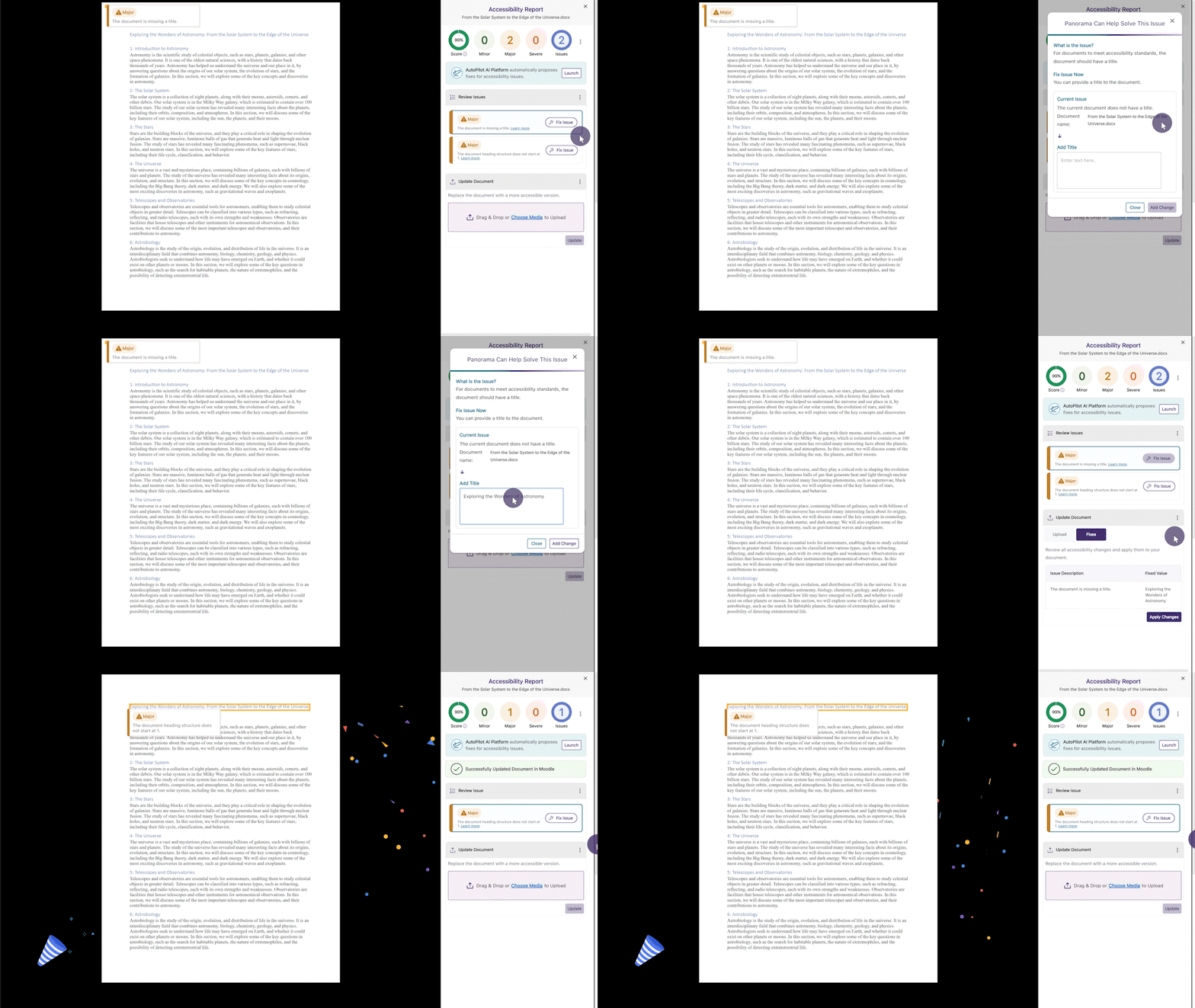
Support for Automatic File Replacement in Moodle After Remediating the Document
For documents added as files through the activity or resource section in Moodle, YuJa Panorama will support instant document replacement after accessibility issues have been remediated. This ensures that all resolved issues are automatically reflected in the original corresponding documents, providing students with the most up-to-date versions.
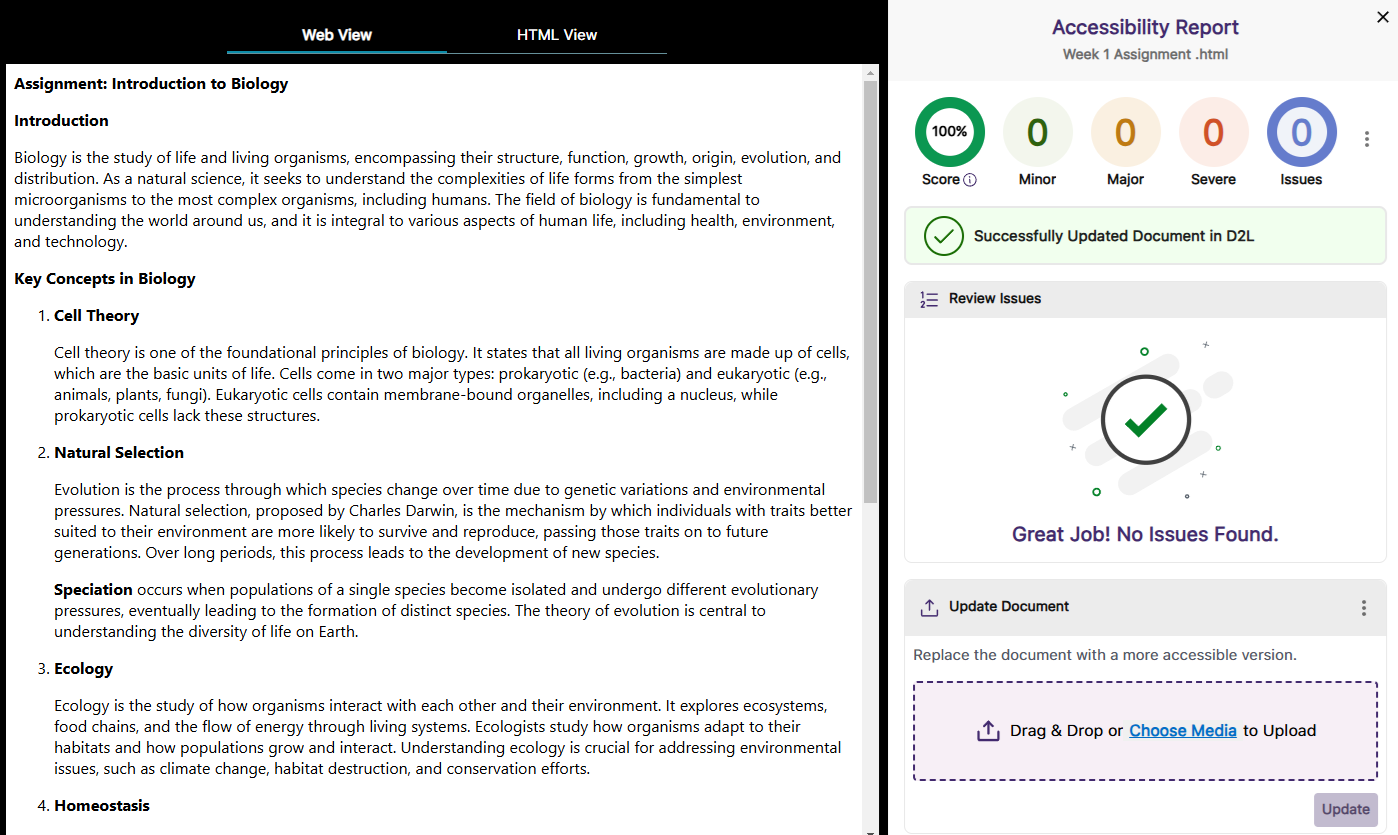
Support for Automatic D2L Document and HTML Content Replacement After Remediating the Document
Whether you are remediating documents or HTML content in D2L, YuJa Panorama will automatically update the original files or content to reflect the changes without requiring you to manually reupload them.
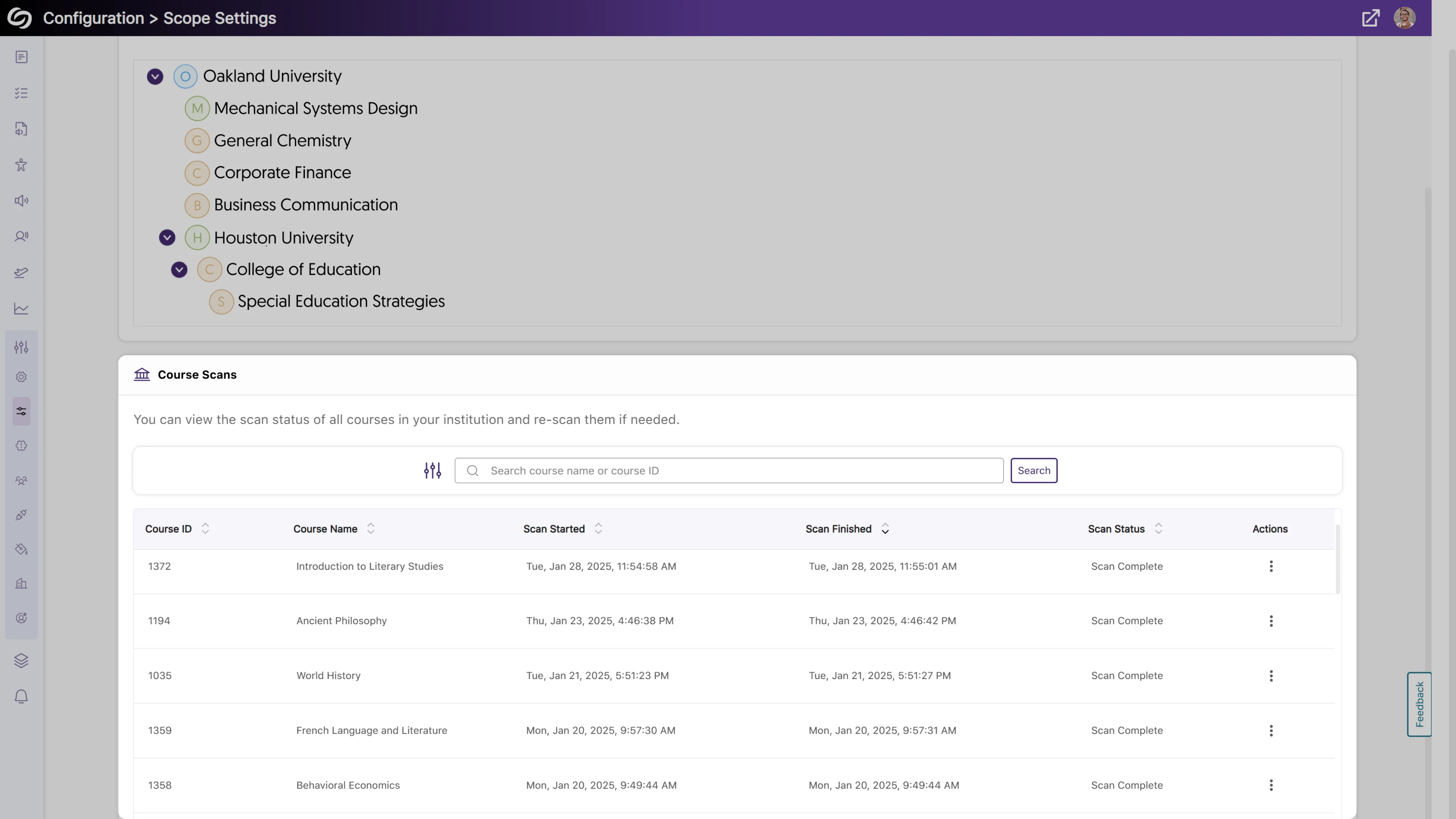
View Real-Time Progress of Course Scans That Are Processing
Institutions with YuJa Panorama enabled for selected accounts, organizations, or nodes can now access a detailed course scan log. This allows administrators to monitor the scan status of courses in real time, providing insights into whether the scan is in progress, complete, or has failed.
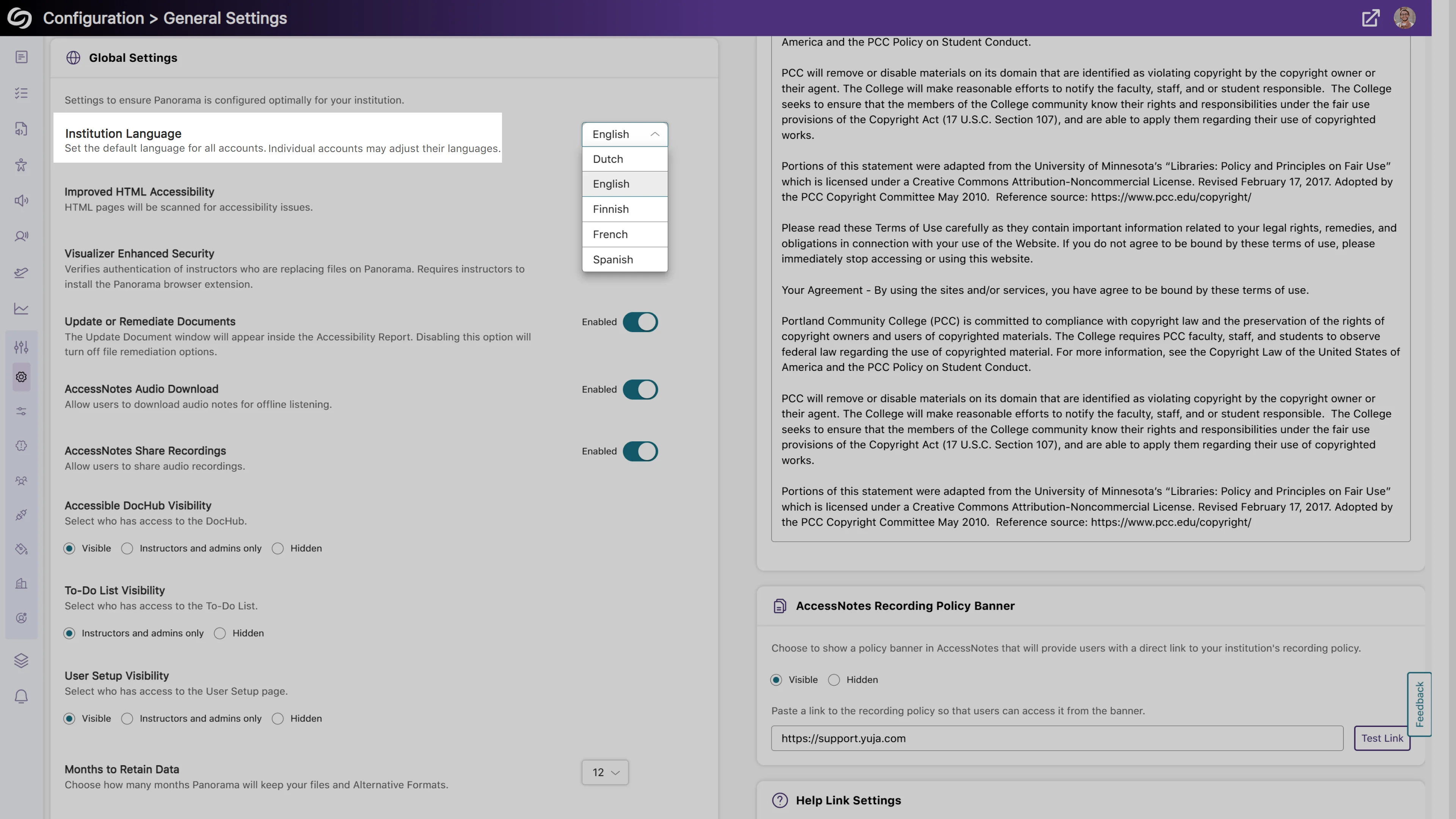
The Flagged Broken Links Issue Will Provide Specific Error Codes
When broken links are now flagged, specific error codes will be provided, helping you know what is wrong with the link without trying to access it.
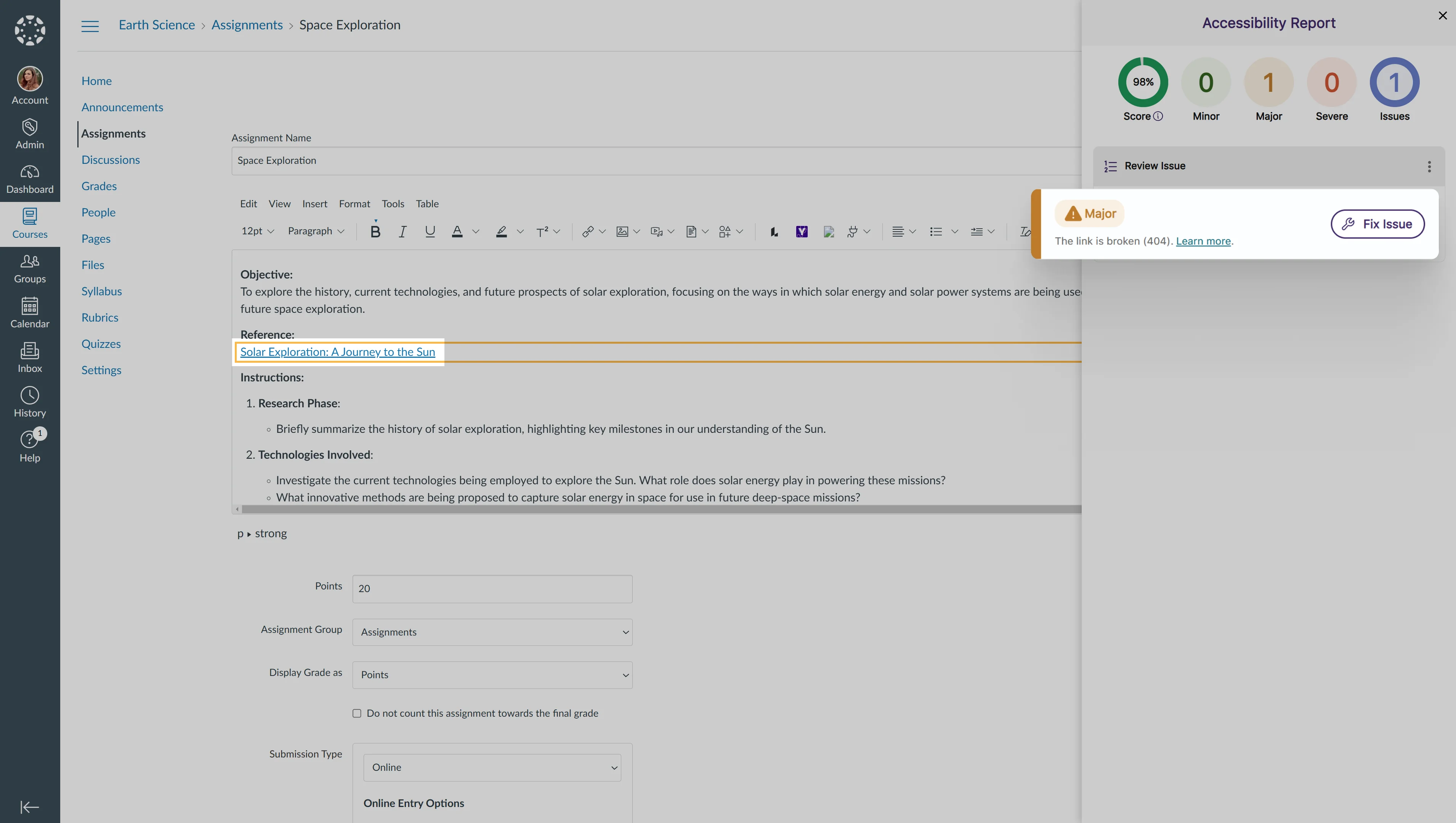
New Search Bar to Locate Courses in the Scope Setting
As an administrator, you can now use a search bar within the Scope Settings to more easily locate courses you wish to manage.
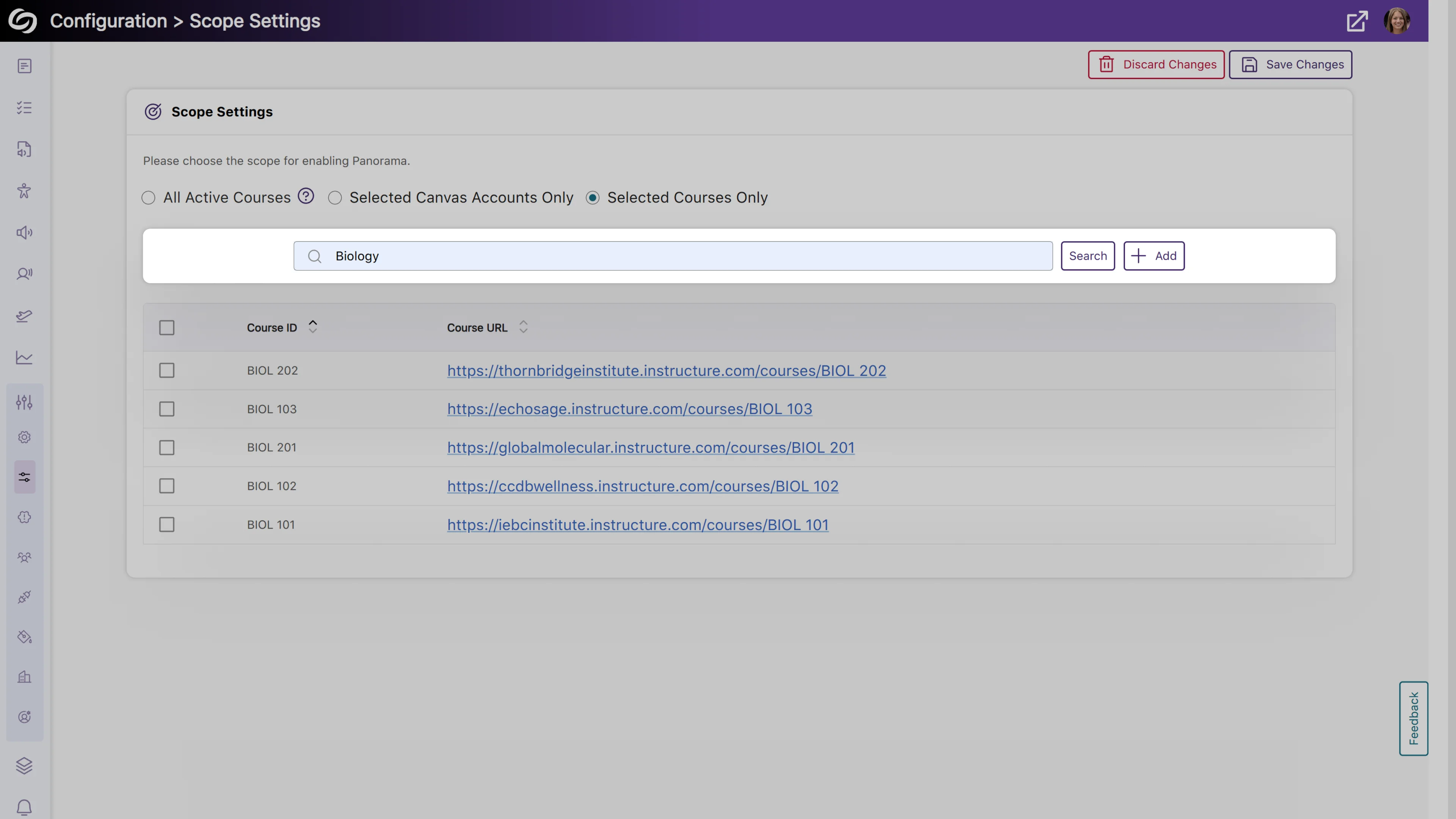
More Flexibility to Set a Default Language for Your Institution
Building on our previous localization support for individual language customization, administrators can set a default language for all users within the institution. To select a preferred language, go to Global Settings > Institution Language.
Enhanced Compatibility with Screen Readers for Improved Accessibility
We’ve improved compatibility with screen readers to ensure comprehensive content accessibility. Key updates include:
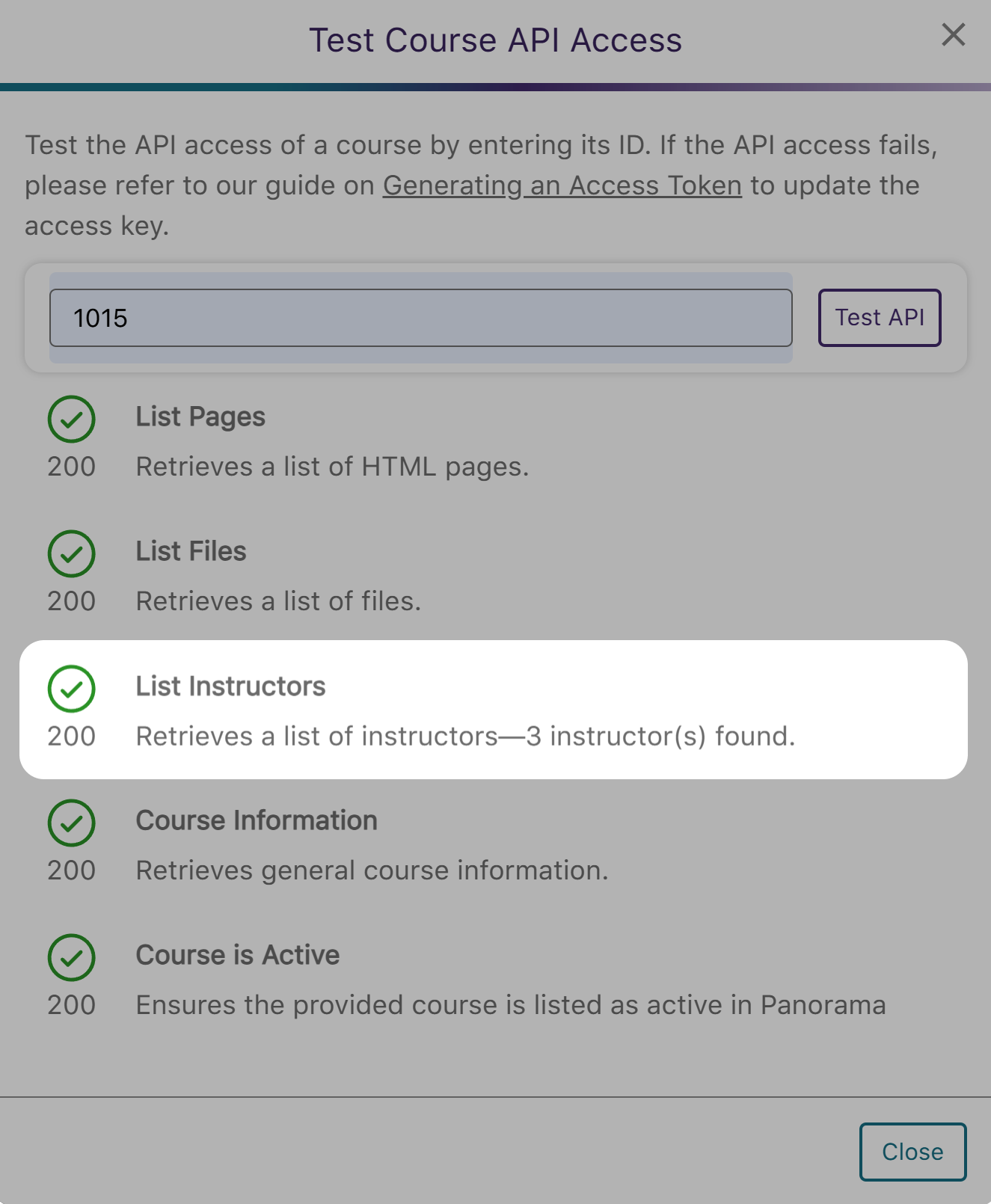
More Comprehensive API Checks to Ensure a List of Instructors is Retrieved
Administrators will be able to test their LMS API access to ensure a list of instructors can be retrieved.
We have successfully pushed an update to all YuJa Panorama LMS Accessibility Platform instances residing in the US, Canada, Australia, Singapore, the Middle East, and the European Union. This update includes a new alternative format of library reference, new how-to-fix guides and tutorials for HTML content, a new option to organize content by transferring items across folders, and more.
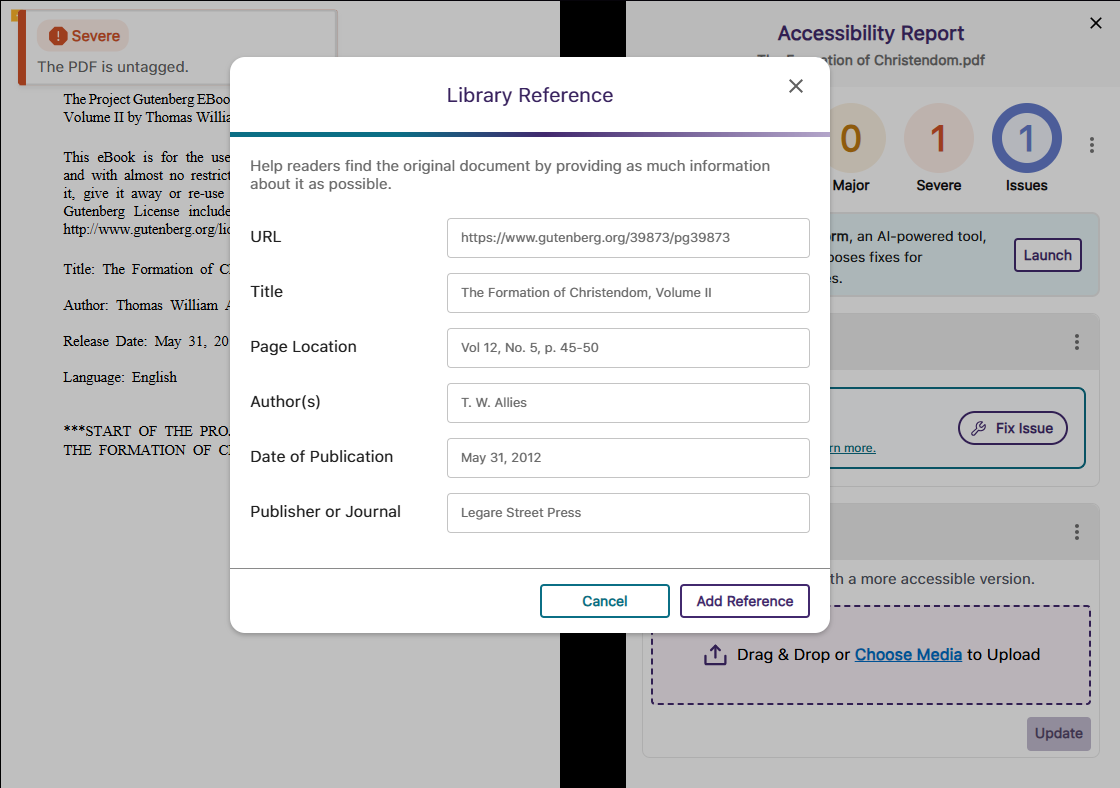
New Alternative Format: Create a Library Reference to Help Locate Your Reading Material
In certain situations, such as when only a chapter of a text is provided, your readers may want the complete reference for material so they can find it on their own. To assist them, we have introduced a new Library Reference Alternative Format that allows you to include details about the reading material, such as the author’s name, date of publication, and publisher.
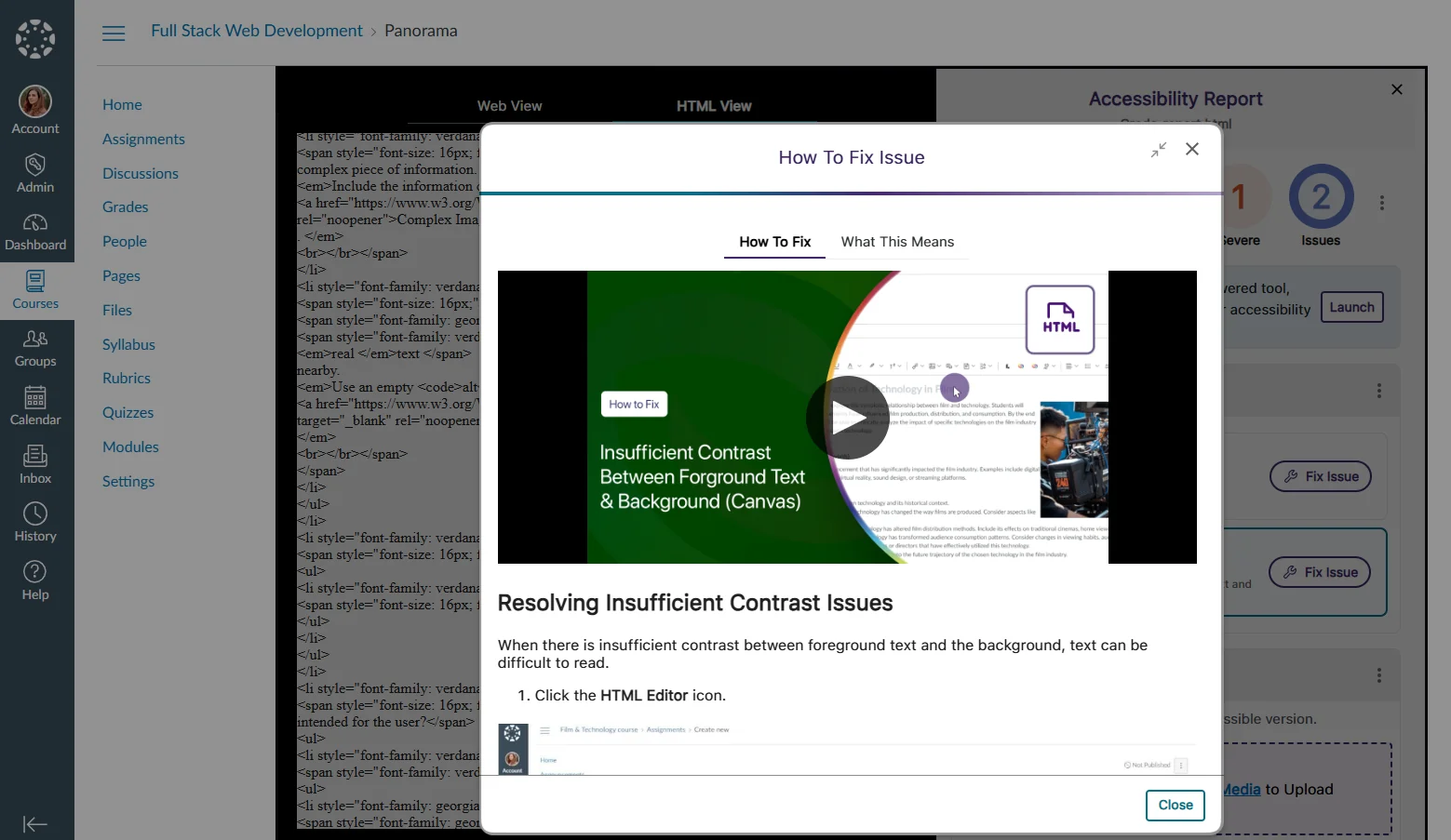
New How-to-Fix Guides and Video Tutorials for HTML Content Specific to the LMS
To make our embedded “How to Fix” guides more accessible and easier to follow, we have focused our efforts on an industry-first project to create over 90 guides and video tutorials that address HTML accessibility issues specific to D2L Brightspace, Canvas, and Moodle. This will ensure that whenever you are unsure how to resolve an issue manually, each guide is tailored to your LMS so that you can follow the steps exactly as they are shown.
Organize Content by Transferring Items from One Folder to Another in DocHub
With our new options for moving items between folders, organizing content in DocHub is easier than ever. You can select the content you want to move and click the Move button to transfer files or folders. Alternatively, you can simply drag and drop your items into and out of folders.

Optimized First-Time Scans for D2L Brightspace Courses to be More Efficient
By optimizing how we handle our API calls for D2L Brightspace, we’ve addressed throttling issues to ensure that first-time scans for newly created courses start immediately and are completed within 20 minutes or less rather than being delayed to a later date.
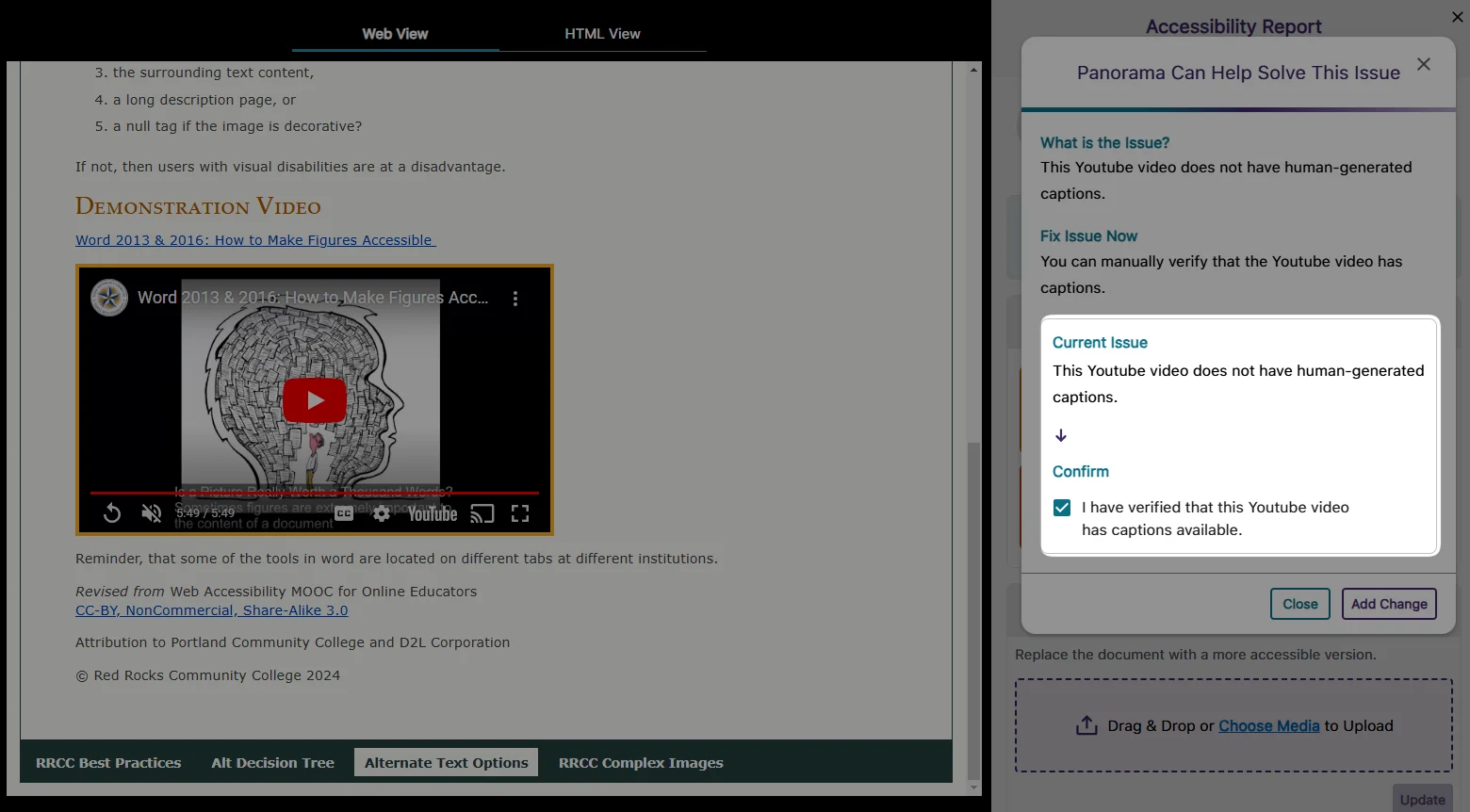
Resolve Missing Human-Generated Caption Issues by Manually Verifying that Captions are Present for Video Content
In cases where human-generated captions are not required or feasible for all videos, YuJa Panorama will identify the issue and allow you to override it by confirming that the video has at least auto-generated captions.
High-Performance Administrator Audit Log to Track All Major Activities on the Platform
In this release, we have set up our backend infrastructure to fully support in-depth audit logging for administrators to monitor user actions and changes performed on YuJa Panorama. Administrators will soon have access to the audit logs, allowing them to view users’ activities, such as deleted items, configured settings, downloaded reports, and more. Keep an eye out for the next YuJa Panorama update alert, which will provide a full-featured release of our audit logging capabilities.
User-Friendly Improvements to the Remediation Process
We have made a couple of tweaks to the remediation process to help you fix your documents more quickly.
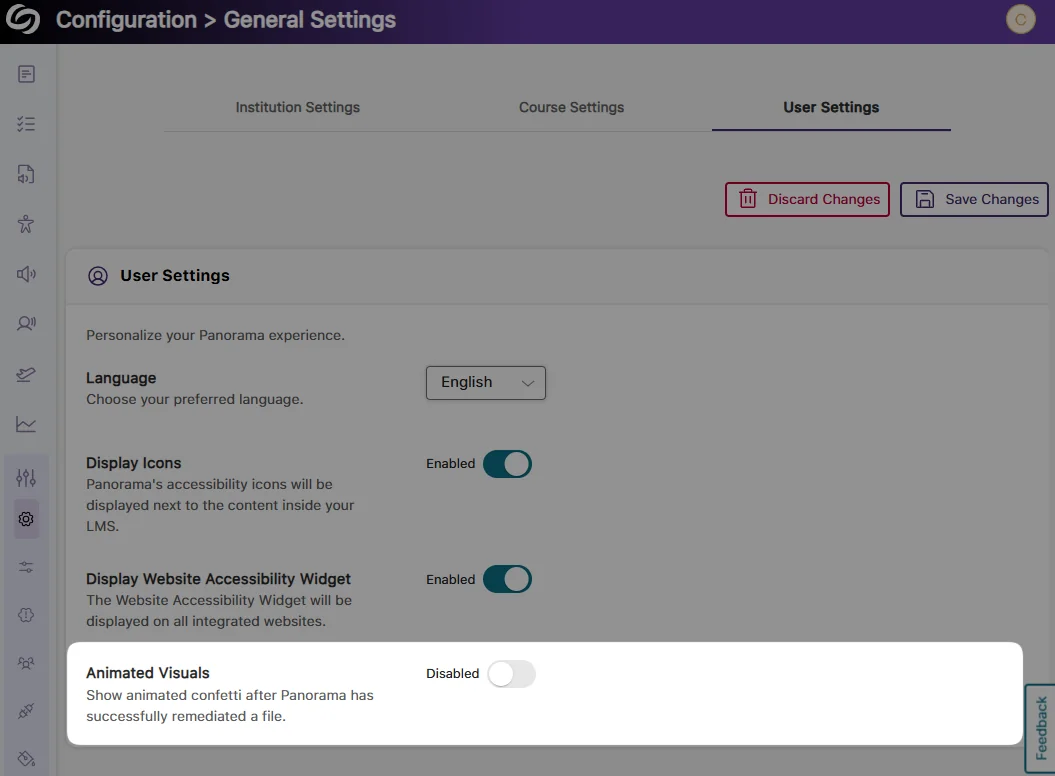
Turn off the Confetti Animation:
To make remediating many documents less disruptive, you can disable the confetti animation that activates after a document is remediated.
Updated Buttons in the Accessibility Report:
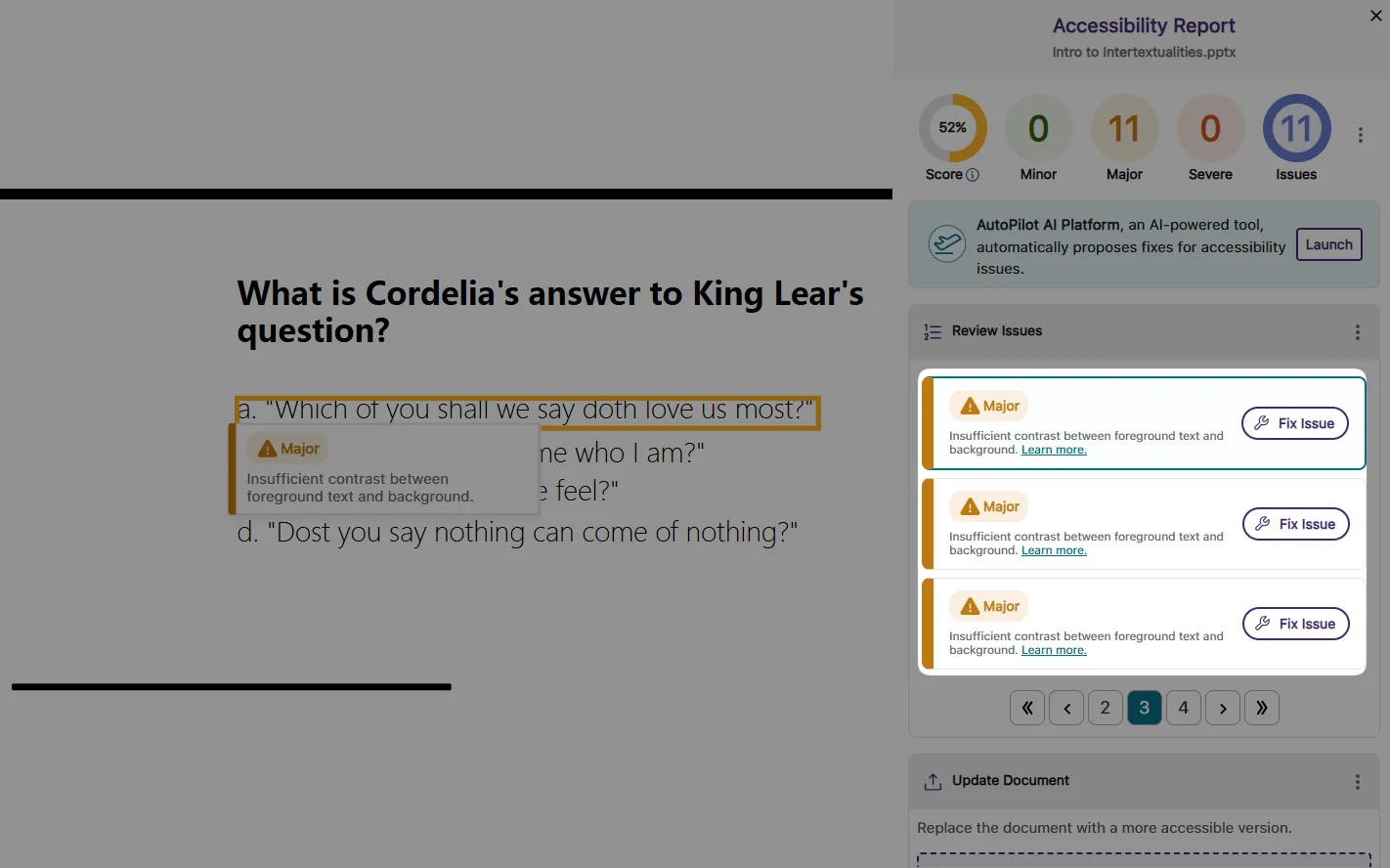
The “Fix Issue” button is now the primary indicated action you can take to fix issues. If you prefer to manually know how to fix issues, the “Learn more” link replaces the “How to Fix” button, providing access to our step-by-step guides.
Significantly Faster Accessibility Report Generation for HTML Content
We have improved the process for generating Accessibility Reports for HTML content, ensuring reports are generated up to 60% faster.
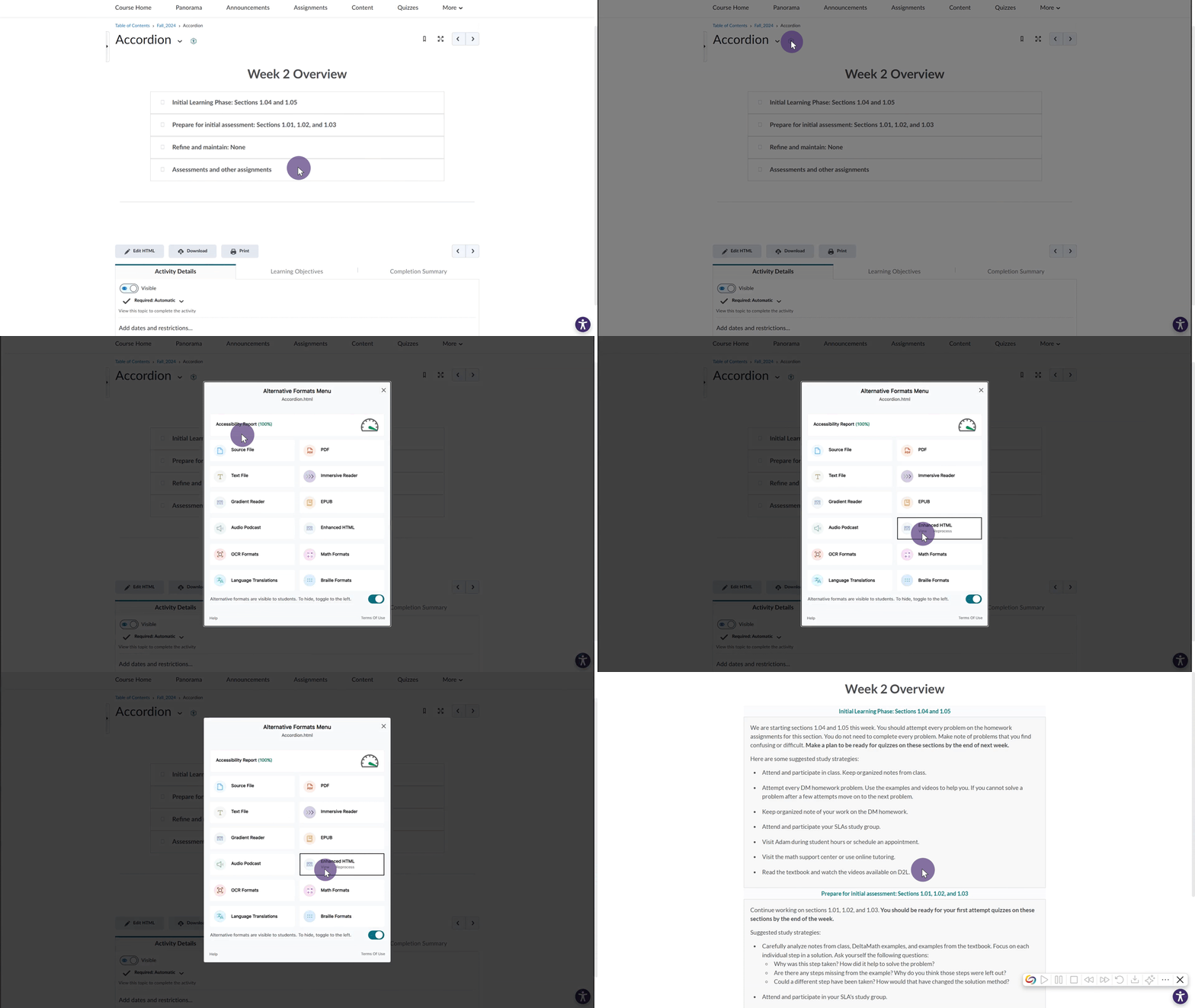
D2L Brightspace Support for Viewing “Accordion” Content in the Gradient Reader and Enhanced HTML
We have expanded YuJa Panorama to new areas of D2L Brightspace. Now, for Content pages that organize items using an “accordion,” the Gradient Reader and Enhanced HTML formats can be generated to display content within the layout.
Improved Capabilities for Retrieving Files in Moodle Instances Using AWS Storage
For institutions that utilize AWS storage with their Moodle instance, we have updated YuJa Panorama to retrieve these files more accurately, allowing Accessibility Reports to be generated more consistently.
We have successfully pushed an update to all YuJa Panorama LMS Accessibility Platform instances residing in the US, Canada, Australia, Singapore, the Middle East, and the European Union. This update includes improved transparency of document accessibility scores, a new Power BI report template, a redesigned side bar with animated icons, the option to detect missing captions in the Video Platform’s videos, hide the To-Do List, view remediated documents and their analytics in the Course Report, and more.
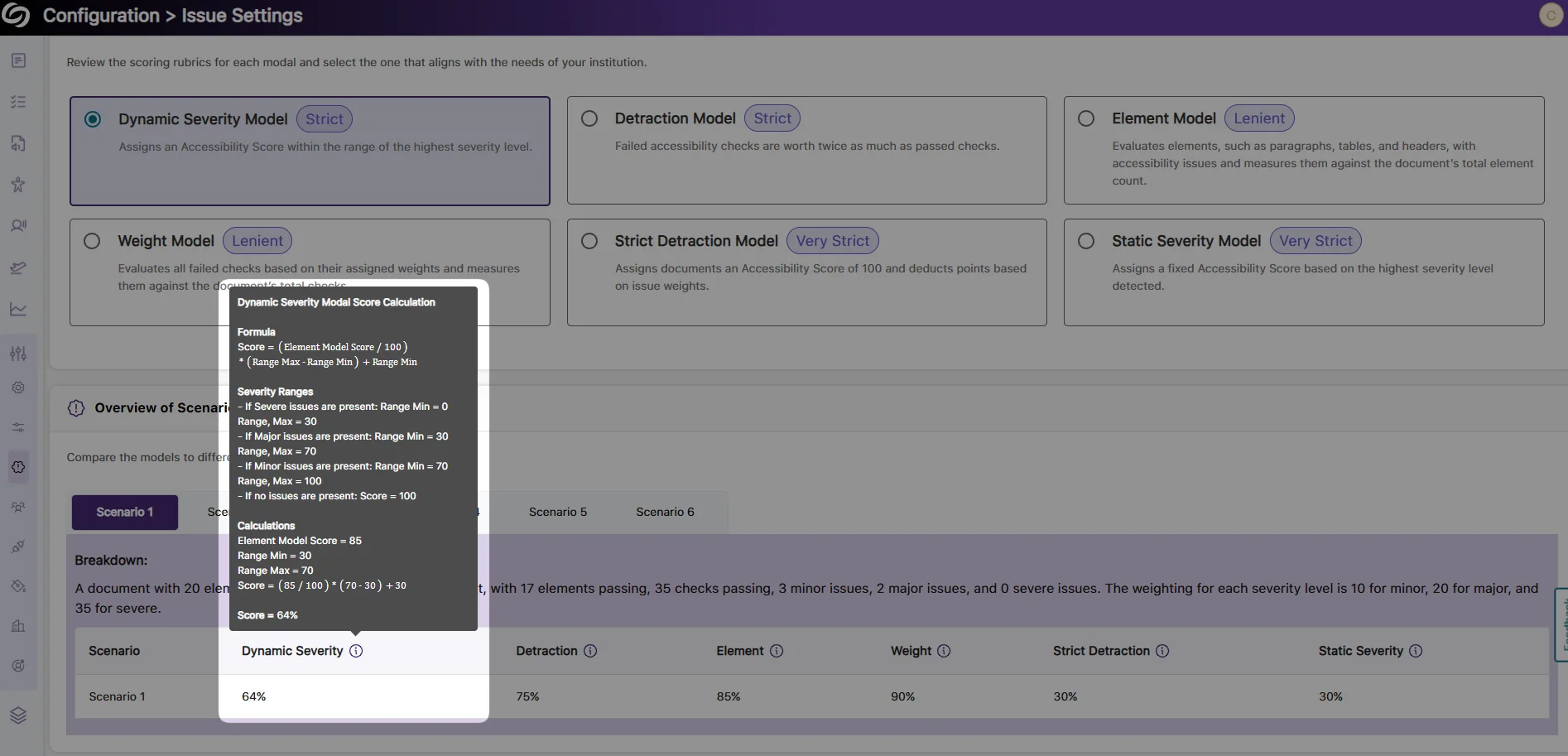
Improved Transparency of Document Accessibility Scores with Detailed Calculation Breakdown
As an administrator, you can now view a detailed breakdown of scoring rubrics for your documents across different accessibility models. Each model’s accessibility score is calculated using specific formulas based on the number of elements scanned and the proportions of minor, major, and severe issues. Simply hover over the info icon to view the calculation formulas and sample scenarios for each model, providing greater transparency into your accessibility scores.
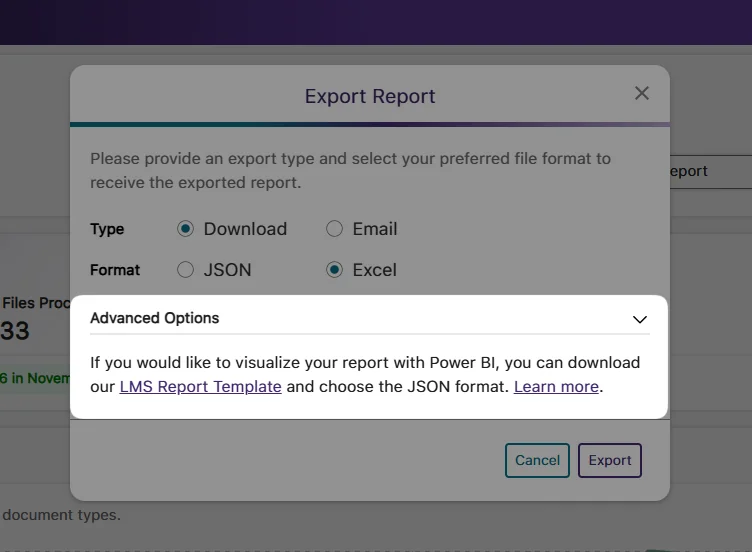
New Report Template for Presenting Accessibility Analytics in Power BI
As an administrator, you can now present your accessibility analytics easily in Power BI using our LMS report template. Simply upload the template along with your exported report in a JSON format to visualize your accessibility report.
Integrate the YuJa Enterprise Video Platform With YuJa Panorama to Detect Missing Captions in Videos
You can now easily integrate the YuJa Enterprise Video Platform with YuJa Panorama by adding an access key. After the integration is complete, any videos embedded from the Video Platform into WYSIWYG content that YuJa Panorama can scan will automatically be checked for the presence of captions. If a video has missing captions, you will receive detailed instructions on how to add auto-captions through the Video Platform.
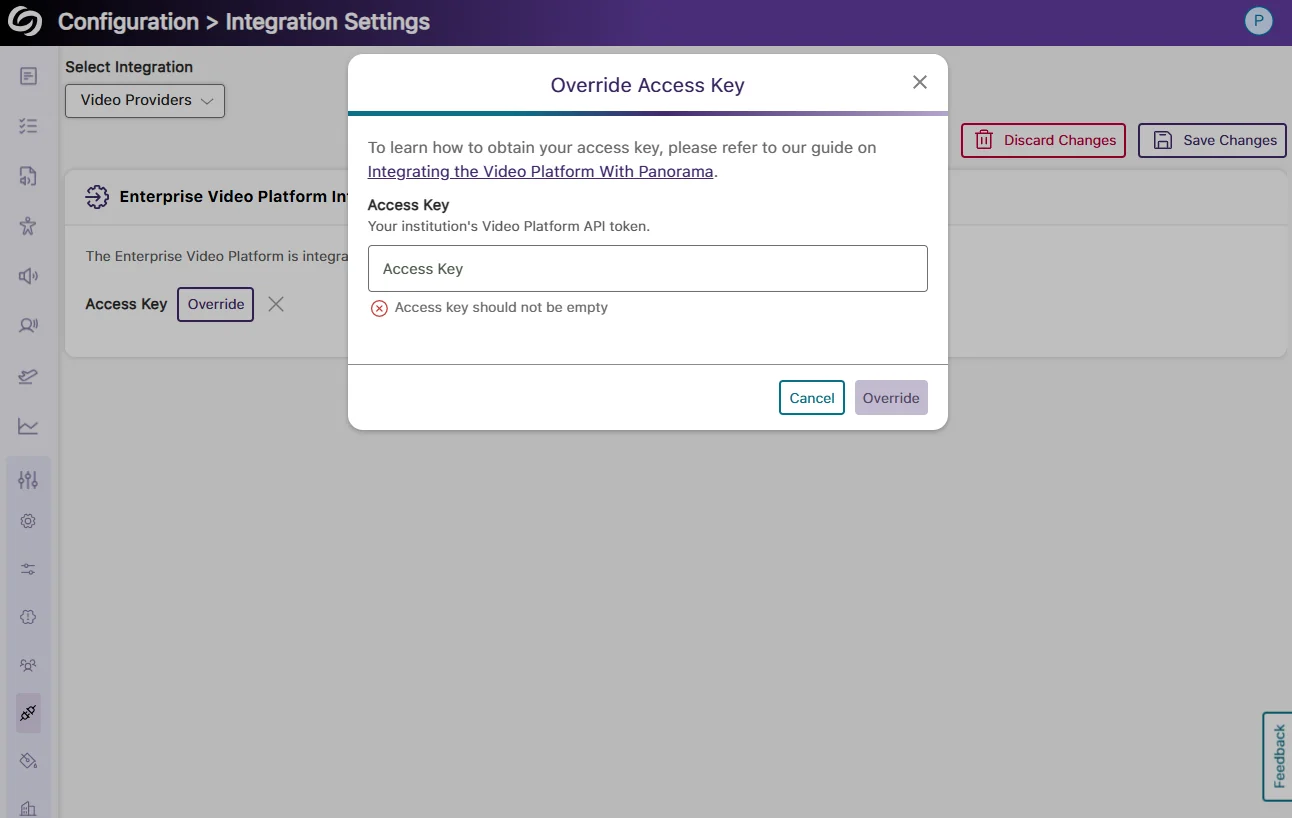
Updated Sidebar Iconography with Subtle Animation Element
Panorama’s sidebar has been redesigned with new animated icons for all menu items and improved keyboard accessibility for navigation.
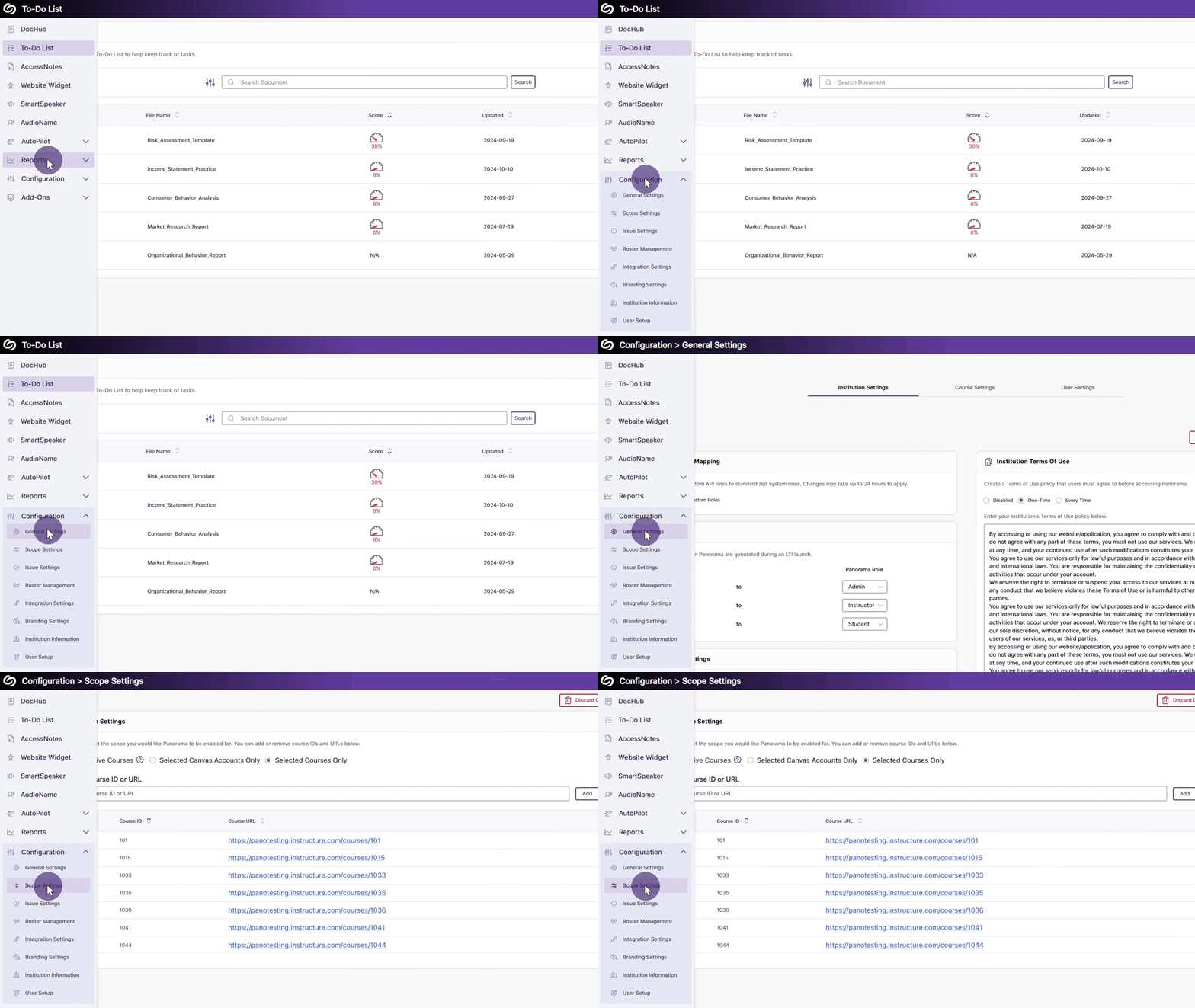
New Institution-Wide Setting to Hide the To-Do List
If Panorama’s To-Do List is no longer required, we’ve added a new setting that allows administrators to hide it across your institution. This will ensure that any items in the To-Do List are preserved in case instructors and administrators are granted access to the feature again.
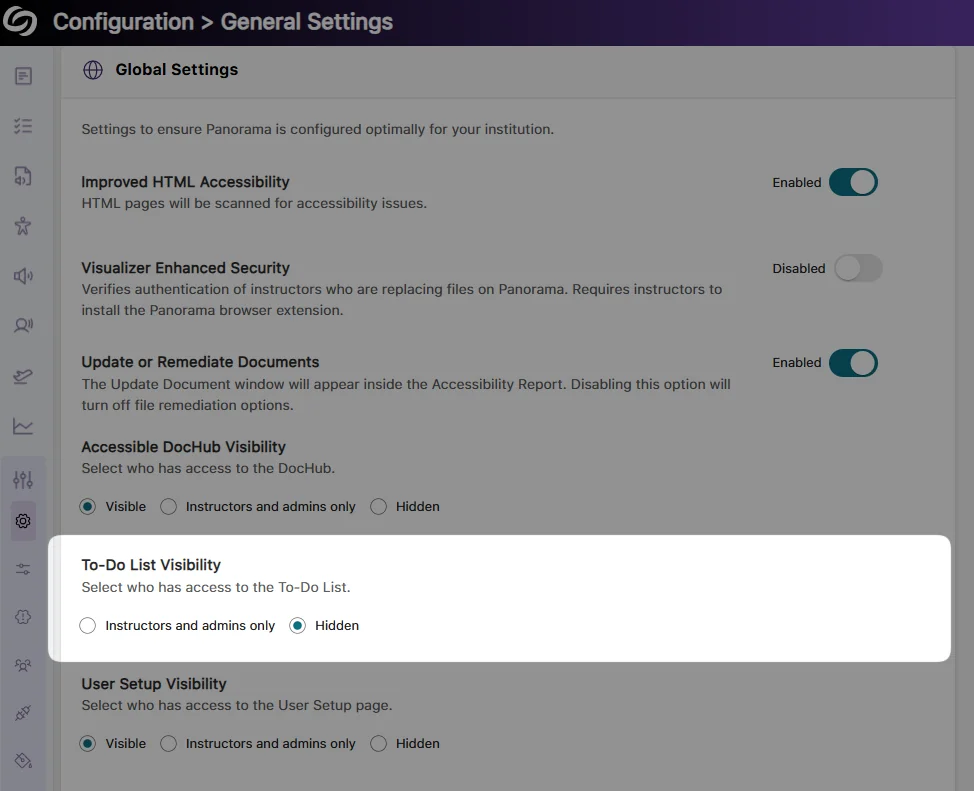
View Remediated Documents and Their Analytics in the Course Report
We’ve improved our course report to provide an overview of all remediated documents within a selected course. This allows you to see remediation types, compare document scores before and after remediation, and track your file remediation history.
Enhanced Arrow key Navigation With NVDA Screen Reader
We’ve updated Panorama’s screen reader compatibility with NVDA, ensuring the Alternative Formats Menu can be navigated using arrow keys. Previously, this functionality was restricted if certain NVDA settings were enabled.
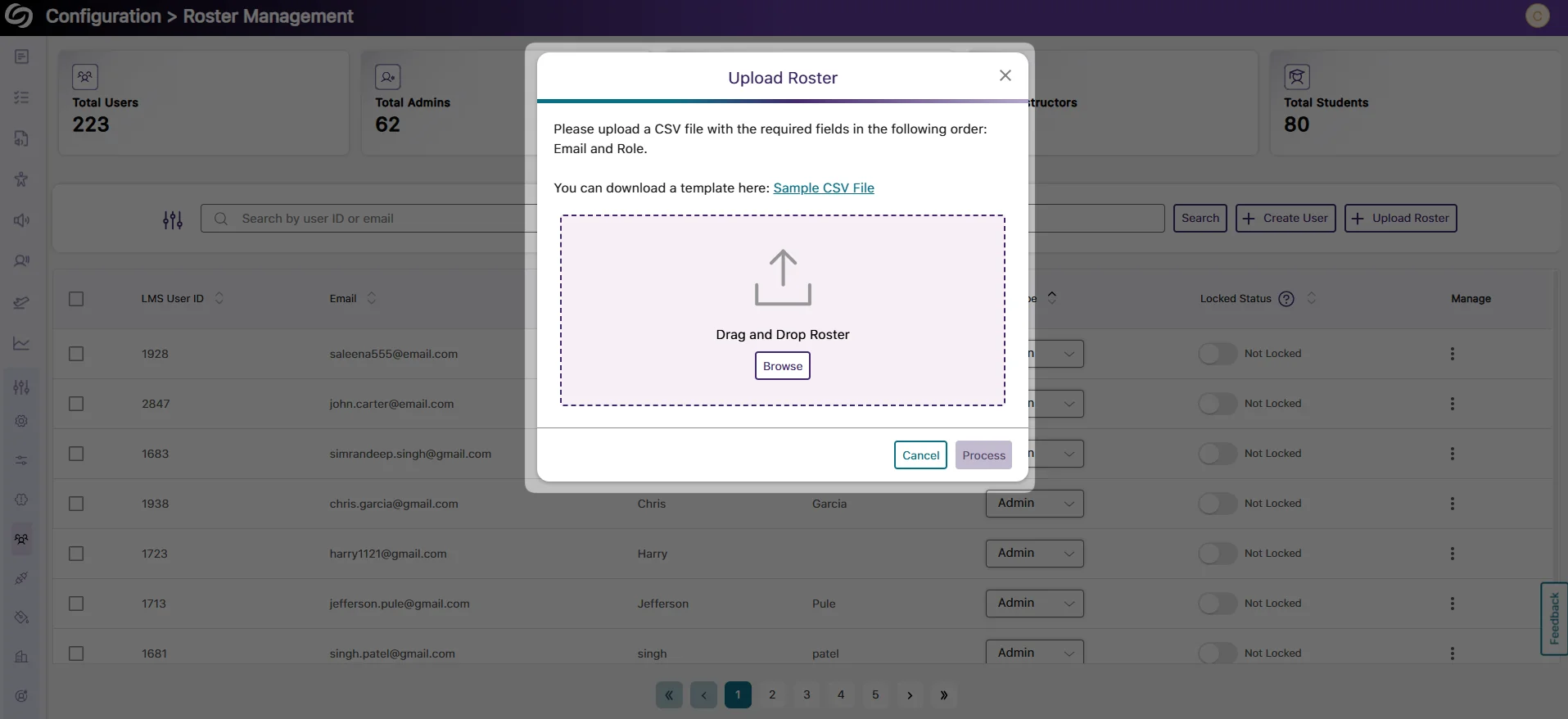
Bulk Upload Users to the YuJa Panorama Roster Via CSV File Upload
As an administrator, you can now avoid the hassle of individually adding users to your YuJa Panorama roster. Update the YuJa Panorama roster by bulk uploading a CSV file containing a list of users and their required information.
We have successfully pushed an update to all YuJa Panorama LMS Accessibility Platform instances residing in the US, Canada, Australia, Singapore, the Middle East, and the European Union. This update includes the Unified English Braille Alternative Format, an upgraded accessible DocHub, the option to set the default landing page per role, filter items in the To-Do List, a redesigned installation page for users, and the option to assign one-time credits for Gen AI.
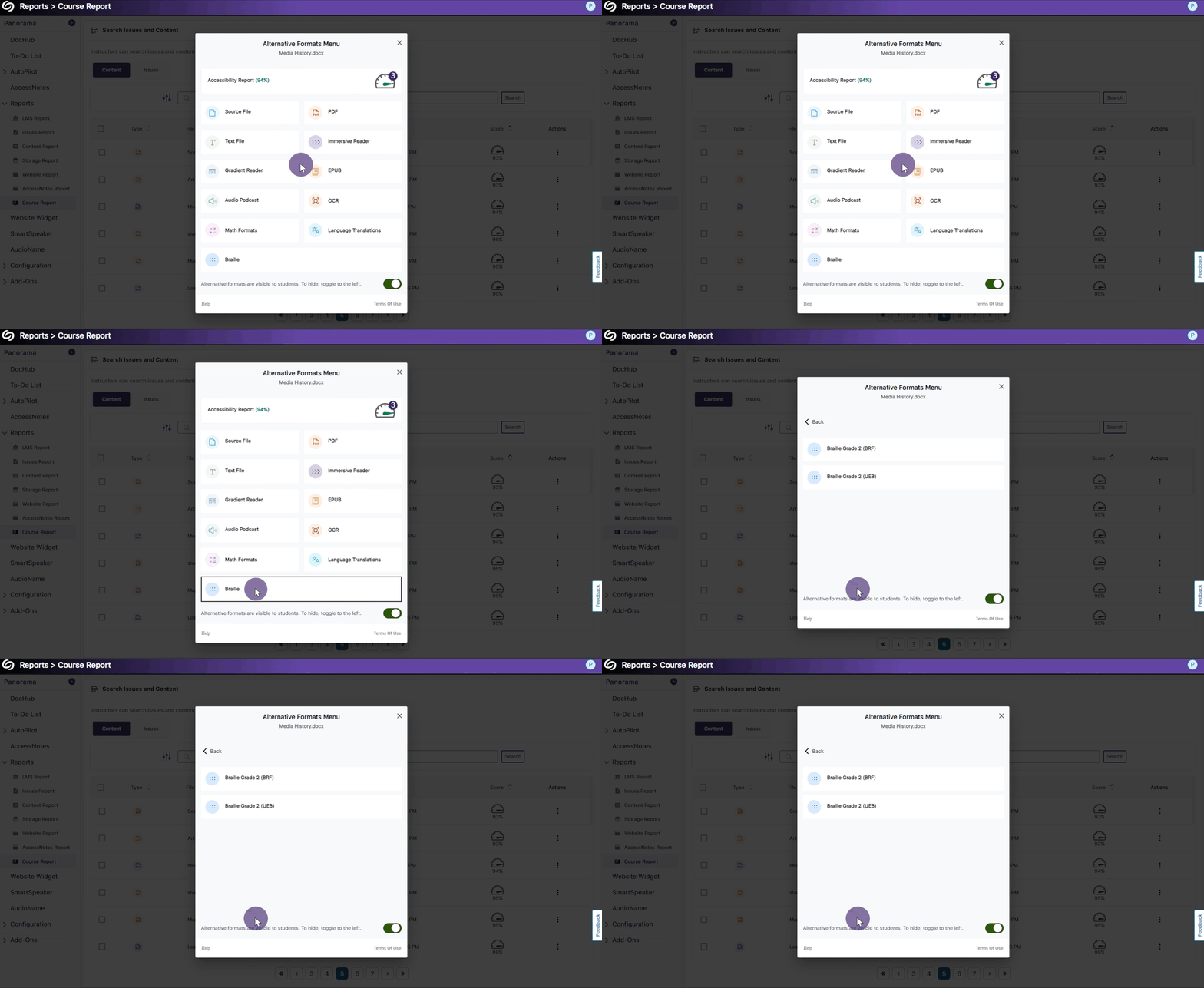
Support for Unified English Braille Alternative Format
To align with the latest standards for Braille, Panorama now supports the Unified English Braille format alongside our existing BRF format.
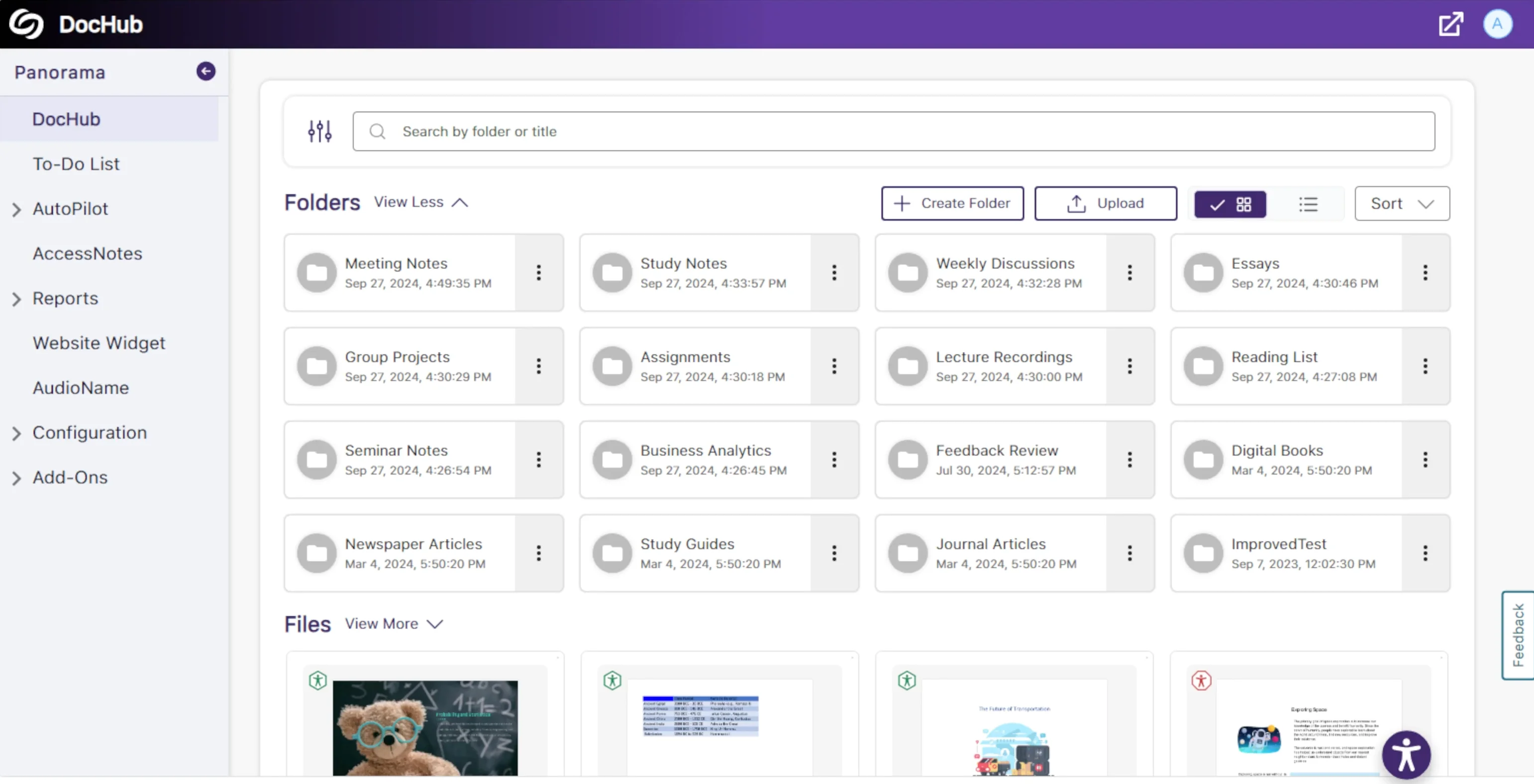
Upgraded Accessible DocHub with Improved User Interface
We have rebranded the My Content tab to “DocHub,” which features new UI components to match our branding, an expandable view of all folders and files, and improved functionality to sort content by name or creation date.
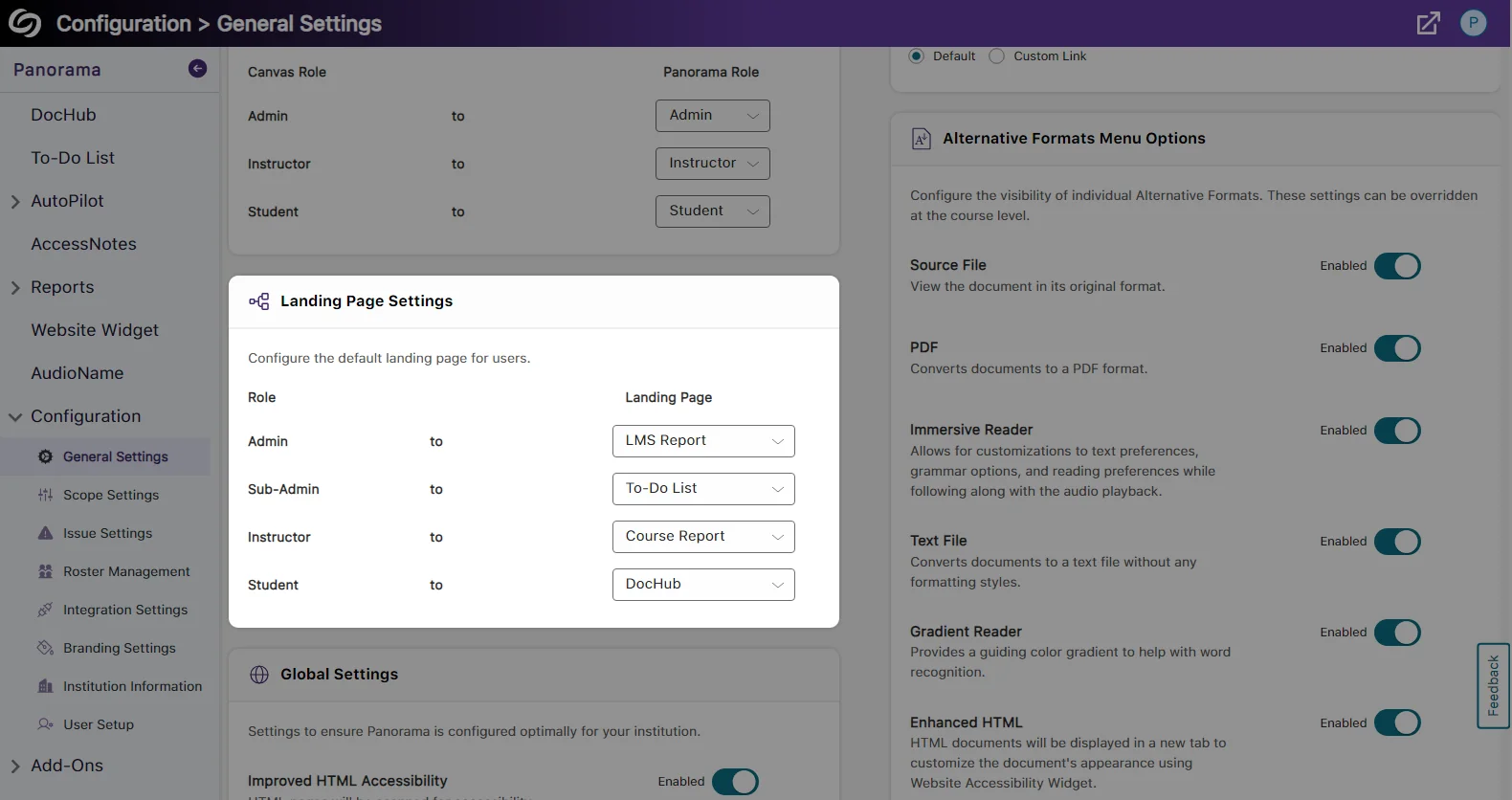
Set the Default Landing Page on Panorama for Each Role
Administrators can configure the default landing page for users in Panorama, automatically directing them to specific pages based on their user role.
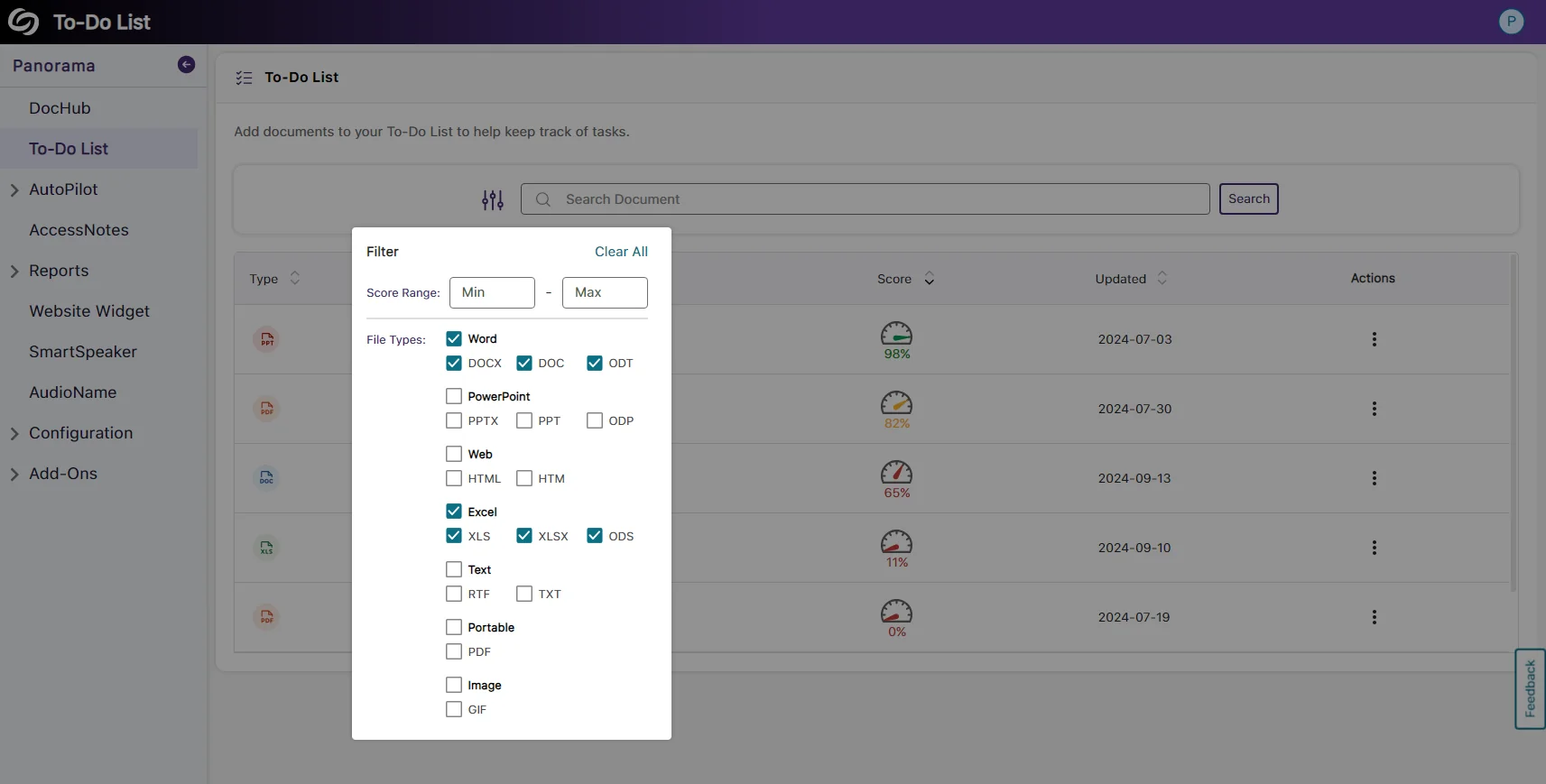
Filter Items in the To-Do List by File Type
Content Creators who have a large number of files on their to-do list now have the option to filter results based on the file type.
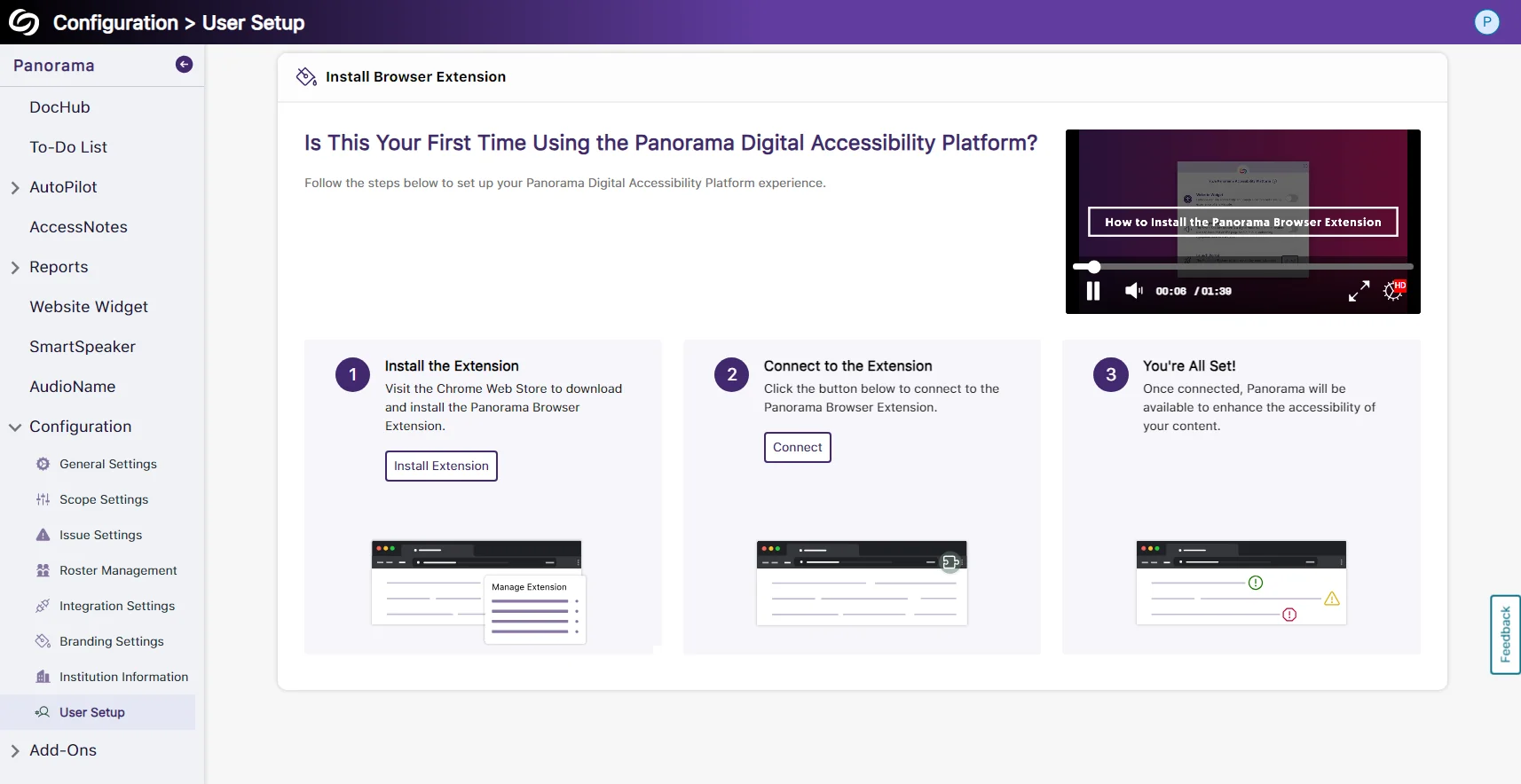
Redesigned Installation Page for User Setup
The installation page now offers a new visual interface with clearer step-by-step instructions, making it easier for Content Creators to install the Panorama Browser Extension on their device. We have also included a tutorial video directly on the installation pages for those who would like to listen and follow along.
Assign One-Time Credits to Panorama’s Gen AI
In one-off cases where an institution requires more credits than their monthly limit for Gen AI, they can contact their Client Success Manager to add additional credits that will remain on their platform until used.
Join the 1,000+ Organizations Deploying High-Impact Solutions