






Online
Feb 23, 2026
Boost Video Accessibility with the GenAI Video PowerPack!
Try Now
Supercharge Your Compliance Efforts with AutoPilot Remediation Max!
Try Now
Strengthen Your PDF Accessibility Efforts with Structural Remediation Max!
Try Now
Don't Miss Any of Our Upcoming Webinars—Save Your Spot!
Register
The YuJa Community is here! Connect, get updates, and access exclusive content.
Join Now

Create, enhance, and refine both video and image content directly YuJa Lumina. Whether you’re an educator, content creator, or business professional, you can streamline your workflow and produce polished content without relying on complex software.

Scrolling logos of YuJa’s clients such as SUNY Corning, University of Cambridge and University of Calgary, etc.
YuJa’s core features are designed to help you work efficiently while maintaining high-quality content. From multilingual captions to non-destructive edits, each tool ensures your videos meet professional standards and remain accessible to all audiences.
You can edit captions in multiple languages, making your videos inclusive and accessible for diverse learners. This allows you to reach a wider audience and ensures that everyone can engage with your content effectively.
All edits are non-destructive, so your original files remain intact. This means you can experiment freely with trims, cuts, and insertions without worrying about losing your source material.
With intuitive visual audio waveforms, you can quickly locate silent segments or pauses in your recordings and trim them efficiently. This saves time and ensures your final videos are concise and professional.
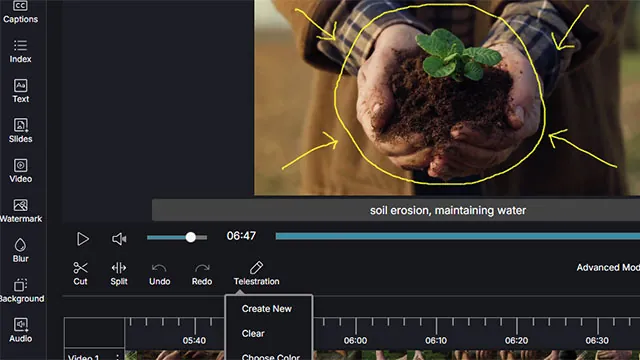
Enhance videos with virtual backgrounds, telestration overlays, and integrated slides. Highlight key points, replace backgrounds, and combine content seamlessly to create engaging, visually rich presentations and learning experiences.
Upload any image as a virtual background to enhance the visual appeal of your videos. The platform uses advanced AI capabilities to seamlessly re-encode your video, giving your content a polished, professional appearance without additional software.
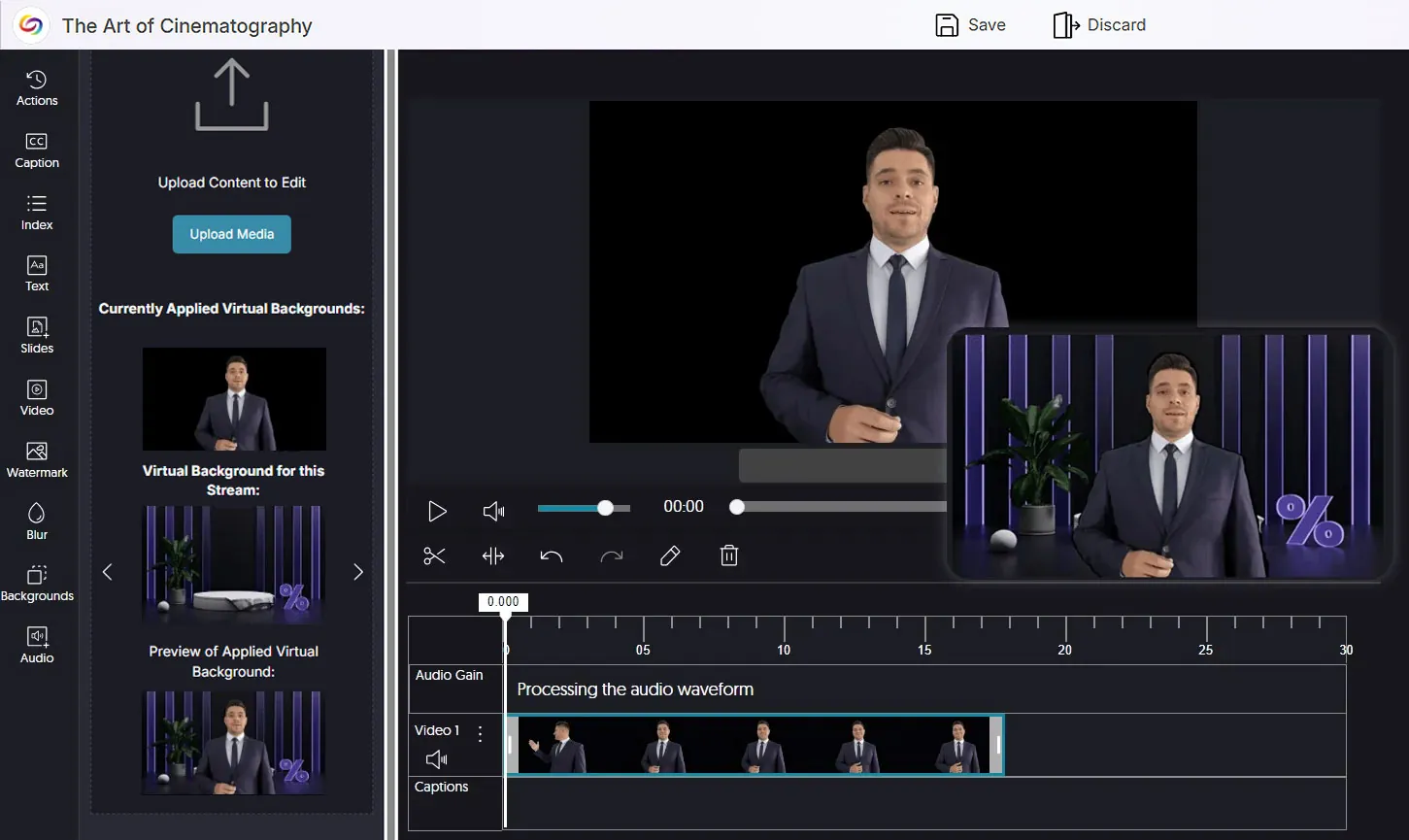
You can draw and annotate directly onto video streams with multi-colored pens, highlighting important points or guiding your audience’s focus. This interactive approach makes your content more engaging and easier to follow.
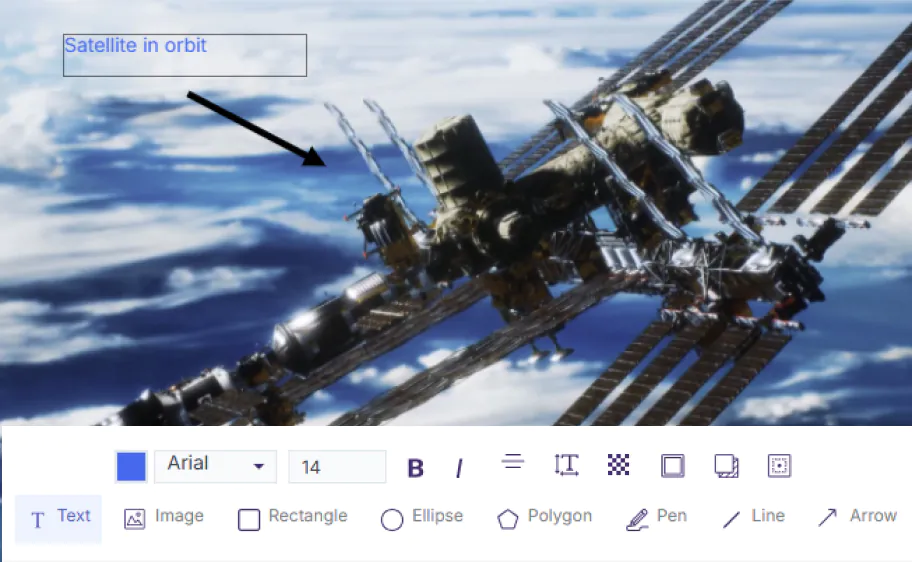
Our comprehensive Image Editor is designed to allow users to edit images directly within YuJa Lumina. It offers tools for cropping, resizing, rotating, and annotating images. Users can also add text, shapes, and highlights to images, making it easier to enhance visual content for educational and professional purposes.
Easily fine-tune your images to achieve your desired look. Adjust the brightness, contrast, hue, saturation, value, blur your image, or add warmth – all by dragging a slider within the image editor, empowering you with comprehensive control over every aspect of your visual elements.
Transform your photos into visual narratives with just a few clicks. Enhance colors, adjust the balance, add an artistic feel to an image, or simply express creativity by applying a filter to your image, with dozens of filter effects to choose from, so you can get the exact look and feel you need.
Elevate your institution’s identity and safeguard your creative work by adding personalized watermarks to images and videos. This ensures originality, reinforces your brand, and provides an extra layer of protection for all media assets.
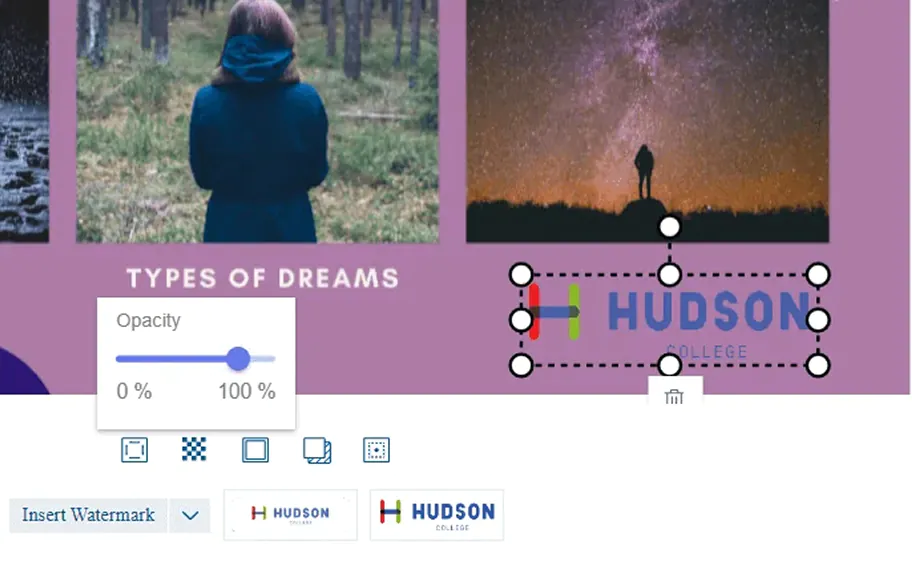
In addition to the basic video editing tools, instructors can add freehand drawings, arrows, text, images, and shapes using the draw feature. Adjust the color, opacity, stroke, and add shadows to help illustrate or add emphasis to your images.


The core functions of YuJa’s Video Platform – media creation, storage and management – remain widely used at Endicott College, but as the institution evolves and needs change, YuJa has been able to keep pace.
Read the case studyThe platform’s workflow ensures that all edits preserve the original files, giving you the confidence to upload, modify, and enhance content without ever risking your source material.

Import video and image files quickly into the platform, starting your editing process immediately. This eliminates the need for file conversions or multiple tools, keeping your workflow simple and efficient.

Perform video and image edits with complete control. You can adjust content to your vision while ensuring a seamless, professional final product.

All changes are non-destructive, keeping your original files safe while allowing you to refine, experiment, and perfect your assets without concern.
February 4, 2026

Join the 1,000+ Organizations Deploying High-Impact Solutions