



How Transcoding Helps Make Video Content Available to All
Read the article >
Boost Video Accessibility with the GenAI Video PowerPack!
Try Now
Supercharge Your Compliance Efforts with AutoPilot Remediation Max!
Try Now
Strengthen Your PDF Accessibility Efforts with Structural Remediation Max!
Try Now
Don't Miss Any of Our Upcoming Webinars—Save Your Spot!
Register
The YuJa Community is here! Connect, get updates, and access exclusive content.
Join Now

YuJa Software Capture provides simple deployment of software-based lecture capture and live-streaming tools onto a podium machine or laptop, available for both iOS and Android.
Scrolling logos of YuJa’s clients such as SUNY Corning, University of Cambridge and University of Calgary, etc.
A podium computer or personal laptop can be a cost-effective way to lecture capture and live stream. Capture multiple video, audio, and screen sources with a powerful desktop software application, available on iOS and Android devices.
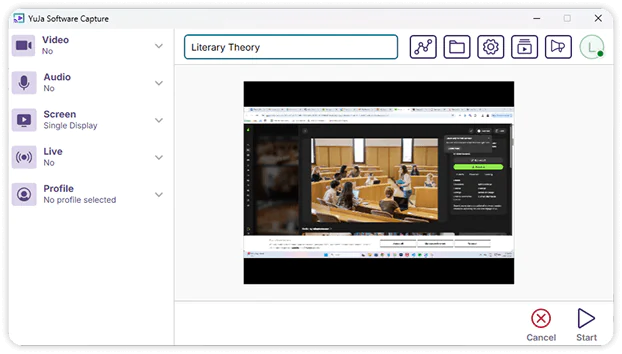
YuJa Software Capture is a desktop application, available for both iOS and Android, that simplifies lecture capture and live streaming. Whether you’re using a podium machine—like the YuJa Hardware Hub—or your laptop, YuJa Software Capture is renowned for its simplicity and ease-of-use.
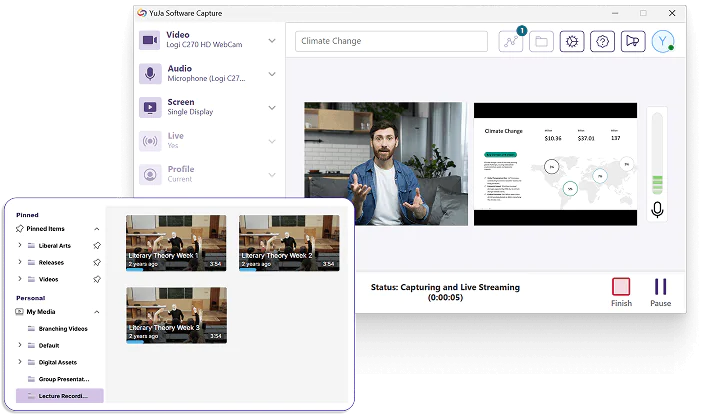
Instructors can pre-record lectures, leveraging multiple screens and camera angles to curate course content. These options make it easier to create micro-lessons, flip classrooms, teach asynchronously, and re-purpose course content.
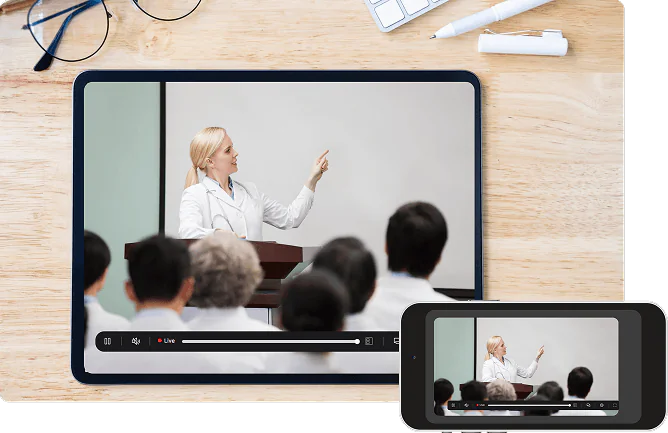
Broadcast lecture content to students through high-quality live streams, accessible by viewers using any device. Upload automatically recorded live streams to your course’s media repository for students to review at any time after the session.

Stream and record from multiple angles and screens using multiple video and audio streams.

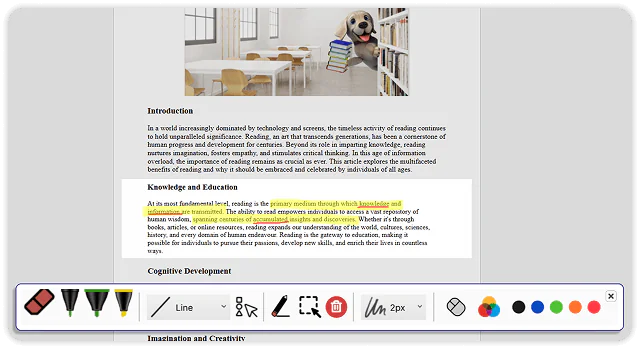
Broadcast your screen contents with comprehensive annotation capabilities.

Capture lectures and micro-lessons to publish to the course LMS.

Create course live streams using our classroom recording software and broadcast to any audience on any device.

Upload video content in bulk and combine different file types into a single stream.

Record and live stream directly from an IP/wireless camera located in another room.
“No matter the type of student – traditional or nontraditional, in person or online – we’ve had really positive experiences with our interactions.”
Read the case studyIntegrate YuJa Software Capture with your existing LMS, including Blackboard, Canvas, D2L Brightspace, and Moodle. No matter what the size of your institution, YuJa Software Capture scales to meet your requirements, ensuring cohesive lecture capture and live streaming.




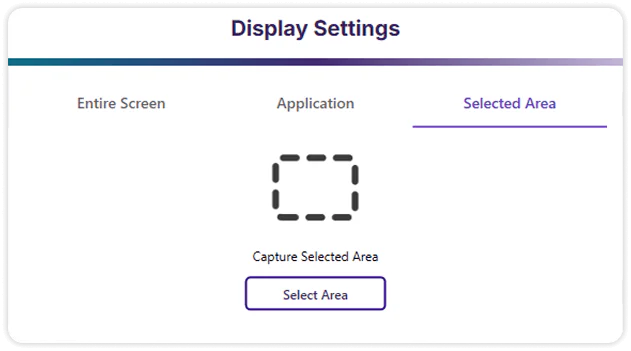
Before sharing your screen, you can move and resize an on-screen overlay to better define your recording area. Using this preview, you can better protect your sensitive information from appearing on screen.
Use the annotations toolbar to emphasize key points, direct viewer attention, and promote active learning on your screen during a live stream. By leveraging visual guidance, you can deliver clearer instructions and reduce ambiguity.
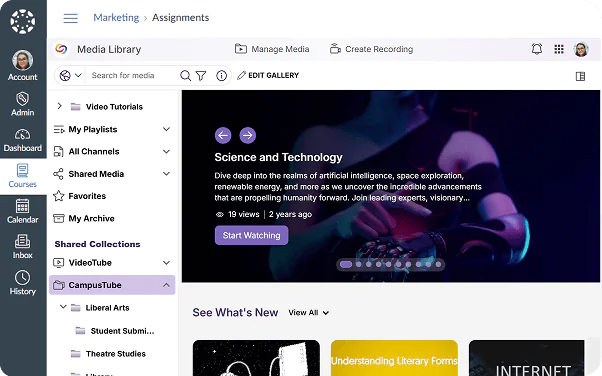
YuJa’s Lecture Capture Software integrates with all major learning management systems, enabling you to publish recorded lectures directly to your course pages and simplifying content distribution. It also integrates with existing IT infrastructure and supports single sign-on authentication.
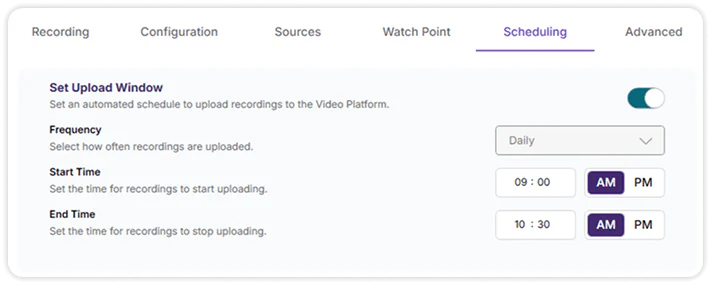
YuJa’s capture solutions integrate remote management capabilities that include automated recording and remote-start and monitoring, with the ability to set the frequency with which recordings are uploaded to the YuJa Lumina Video Platform.
Join the 1,000+ Organizations Deploying High-Impact Solutions