Product Updates

Get the latest platform updates, features, and announcements—all in one place.

Help Shape What's Next

Join discussions, request features, and vote on ideas.

Join Community

Built With Passion

Learn about the people behind YuJa.

About Us

Trial Program

We offer an opportunity to try our products.

Request a Demo
  • October 23, 2024

    Enterprise Video Platform: October 2024 Release

    Greetings, my ghoulish fiends. I hope you’ve been enjoying Spooky Season. I, for one, have been holed up in the attic here at YuJa Headquarters, where they keep only the most dastardly of employees, and which I’m told is haunted. I regret to inform you that I’ve yet to experience anything overtly supernatural, though I have heard a curious growling which has twice given me pause… though that may have just been my stomach. Before I head out for lunch, come along as I traverse the fog in search of some exciting new features… if you dare.

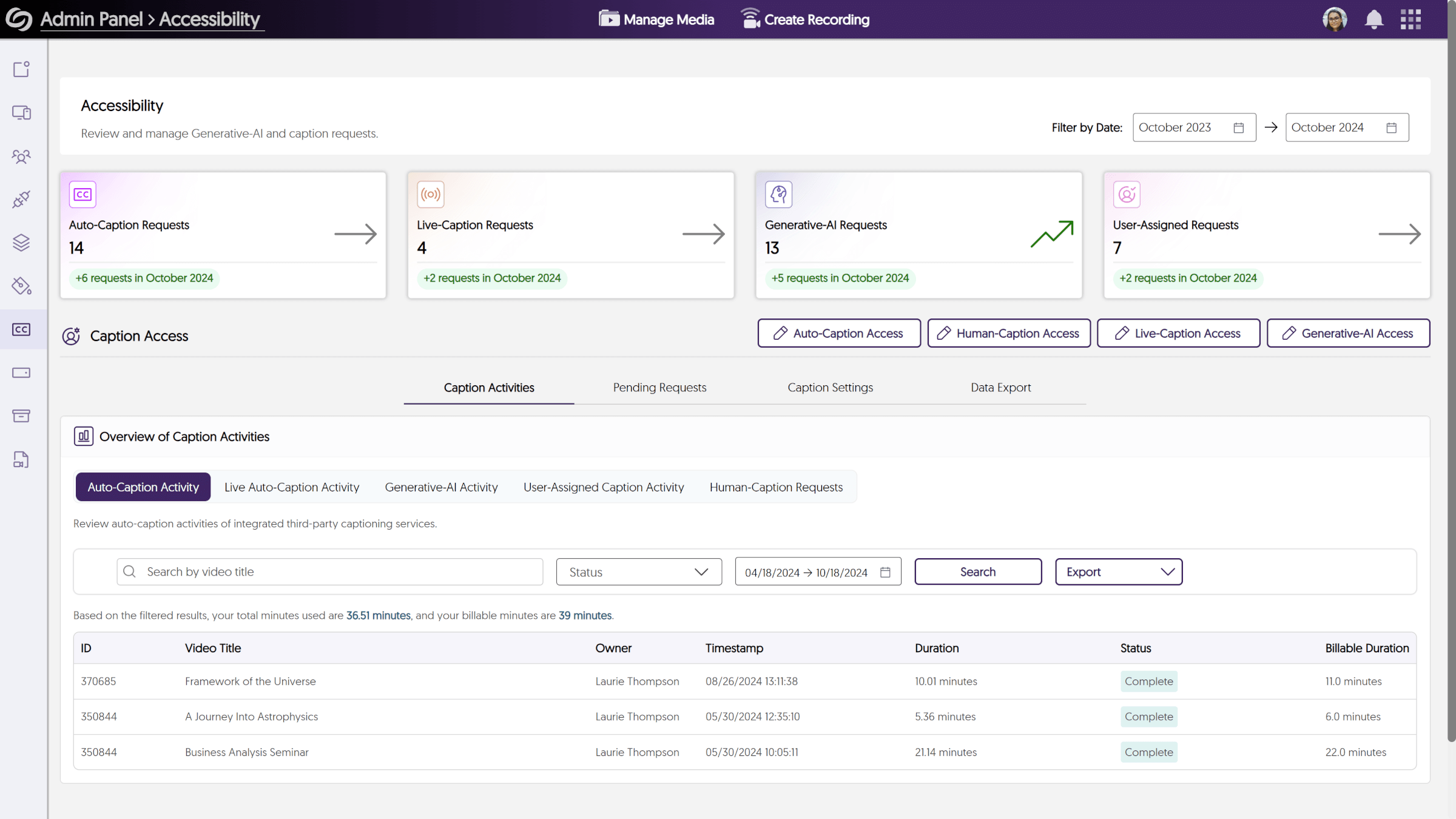
    Redesigned Accessibility Dashboard Within the Admin Panel

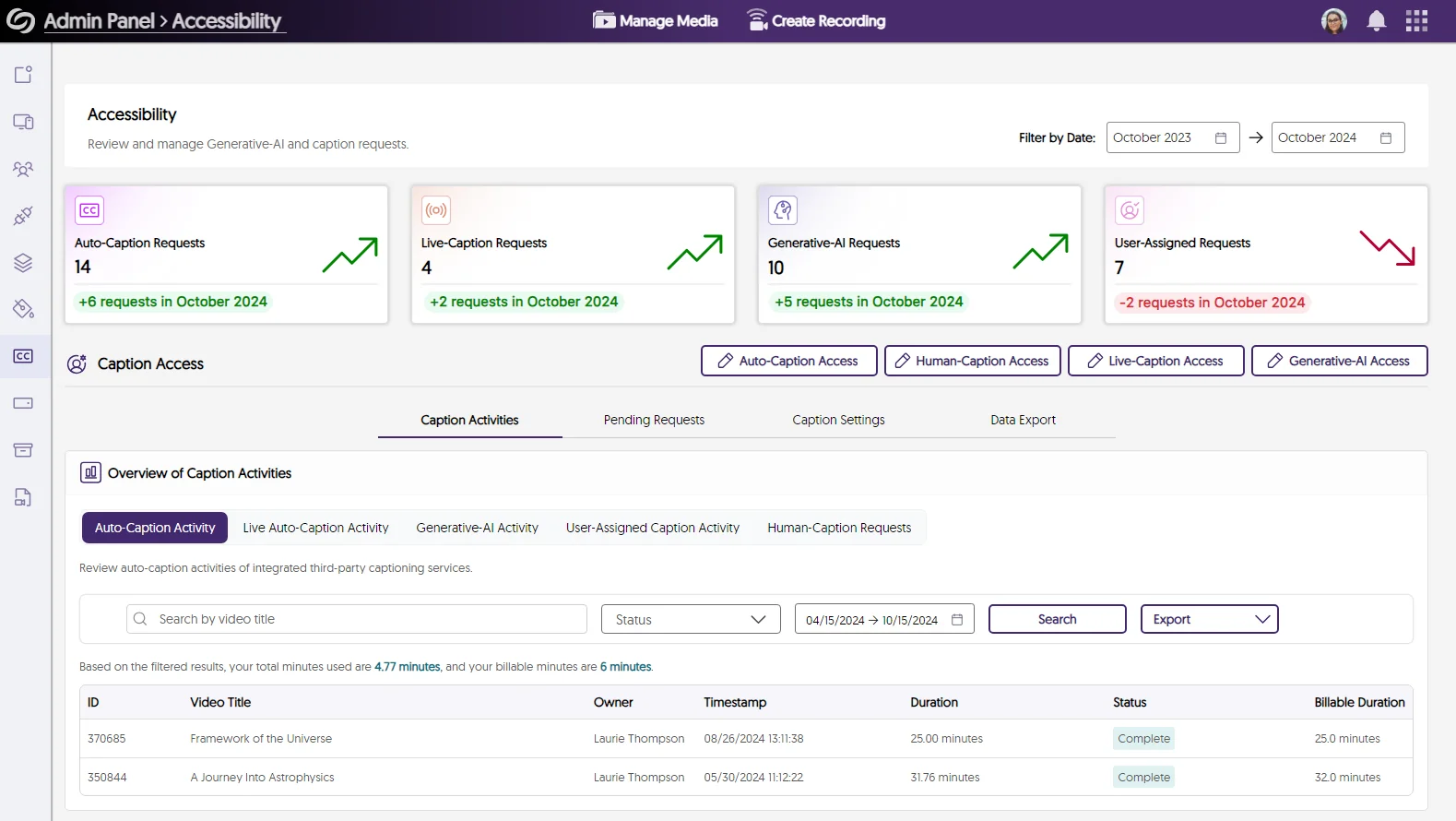
    The Accessibility Dashboard has been redesigned from the hallowed ground up to provide actionable insights into video accessibility within the Video Platform. New capabilities include:
    • Summary Cards highlighting key aspects of video accessibility.
    • Filterable tables detailing On-Demand and Live ASR Captioning Activity, Pending Requests, and Accessibility Settings.
    • Visibility on use of GenAI capabilities in enhancing accessibility.
    The redesigned Accessibility Dashboard within the Admin Panel.

    Bulk Archive or Restore Courses in Courses & Groups

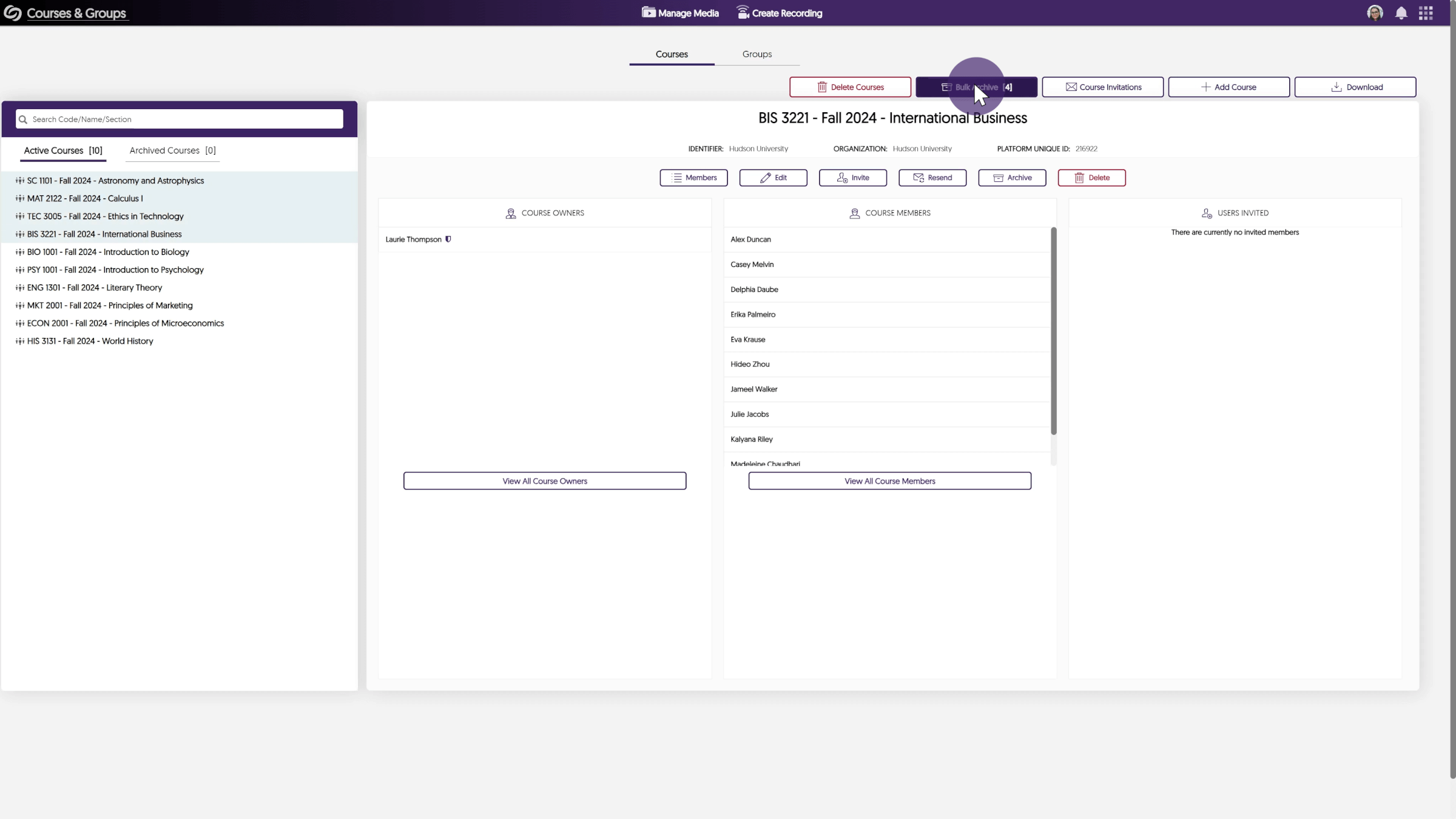
    If you’re an admin or an instructor managing dozens or even thousands (yikes!) of courses on the Video Platform, you can now Bulk Archive and Bulk Restore multiple courses. Wait. You were doing each one manually before? Now that’s scary. I swear I didn’t know. The new Bulk Archive feature in Courses & Groups.

    Refreshed Design for My Account Includes Improved Workflow

    The My Account page has been refreshed with a new design, consolidating multiple sections into a few easy-to-navigate pages.
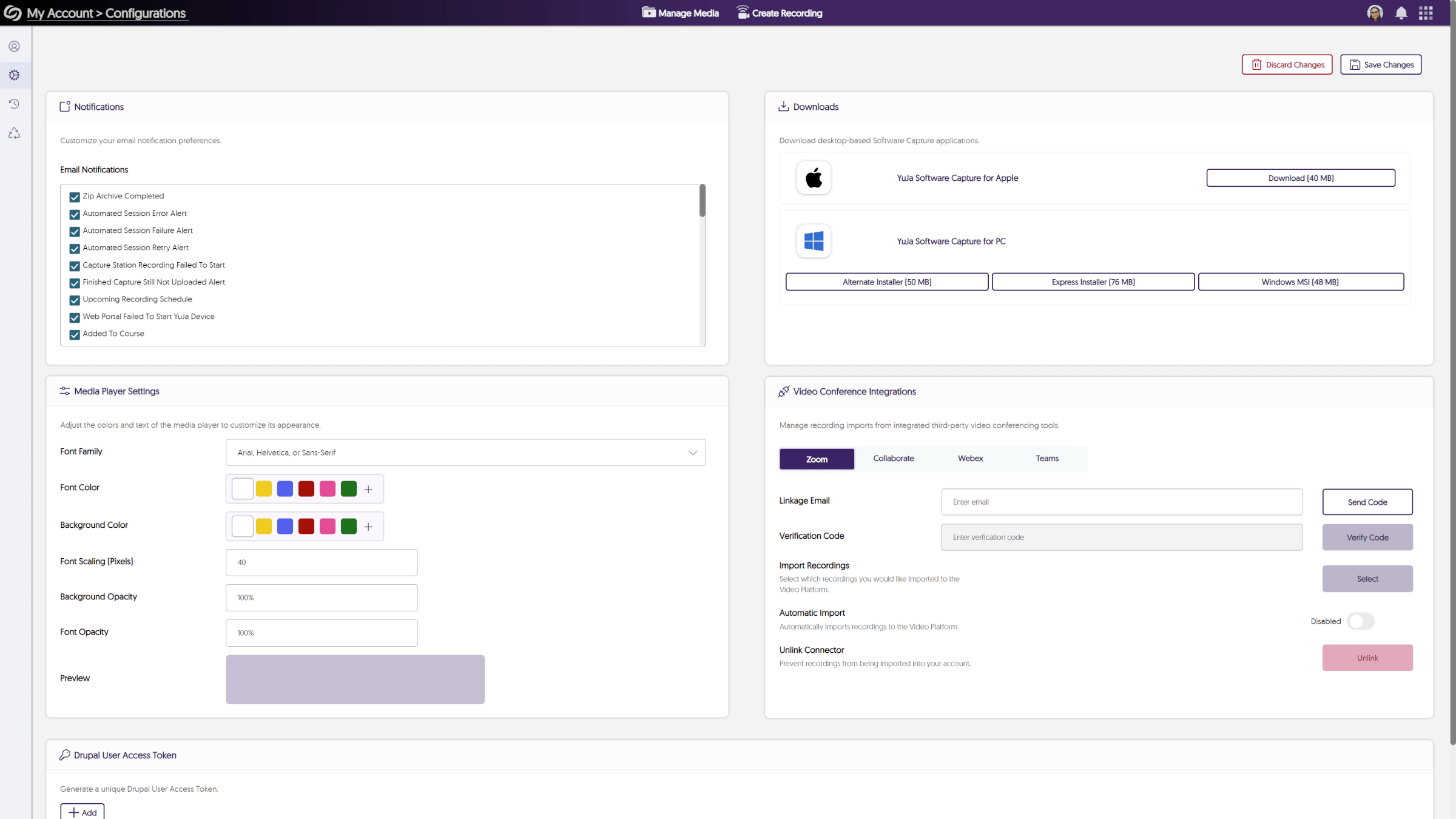
    • The new Configurations page lets you manage your settings for notifications, downloads, integrations, and the media player in one place.
    • The Recycle Bin and Watch History pages have been updated with our new branding, making it easier to view deleted content or videos you’ve previously watched.
    • A number of screens with overlays have been re-designed to be more screen-reader and keyboard-navigation friendly.
    The new My Account page, which features a fresh redesign and includes an improved workflow. That’s all I have… for now. Until we meet again, I hope you enjoy using the Enterprise Video Platform. For more exciting news and updates, subscribe to our newsletter, and stay tuned for more amazing new releases coming soon. For a full list of features, please visit the YuJa Enterprise Video Platform Update – October 2024.
  • October 15, 2024

    YuJa Enterprise Video Platform Update – October 2024

    We have successfully pushed an update to all YuJa Enterprise Video Platform instances residing in the European Union, Australia, the Middle East, Canada, and Asia. The United States geographic zone will be updated later this week. The highlights for this update include a redesigned Accessibility dashboard, the option to bulk archive courses, a redesigned My Account, more in-depth activity tracking for courses, the Multi-Select metadata type, and more.


    1. Redesigned Accessibility Dashboard with the Admin Panel

      The Accessibility Dashboard has been redesigned from the ground up to provide actionable insights into video accessibility within the enterprise. New capabilities include:

      • Summary Cards highlighting key aspects of video accessibility.
      • Filterable tables detailing On-Demand and Live ASR Captioning Activity, Pending Requests, and Accessibility Settings.
      • Visibility on use of Generative AI capabilities in enhancing accessibility.
      The Accessibility panel features analytics for captioning requests.
    2. Bulk Archive or Restore Courses in Courses & Groups

      If you’re an admin or an instructor managing dozens or even thousands of courses on the Video Platform, you can now Bulk Archive and Bulk Restore multiple courses.

      Several courses are selected in the Courses & Groups page for archiving.
    3. Redesigned My Account, Including Tab Unification, Workflow Improvements, and Refreshed Design

      The My Account page has been refreshed with a new design, consolidating multiple sections into a few easy-to-navigate pages.

      • New Configurations Page to Manage Personal Settings – The new Configurations page lets you manage your settings for notifications, downloads, integrations, and the media player in one place.
      • Upgraded Recycle Bin and Watch History Pages With a New Interface – The Recycle Bin and Watch History pages have been updated with our new branding, making it easier to view deleted content or videos you’ve previously watched.
      • Improved Accessibility – A number of screens with overlays have been re-designed to be more screen-reader and keyboard-navigation friendly.
      The My Accounts configuration page is shown.
    4. In-Depth Activity Tracking for Courses

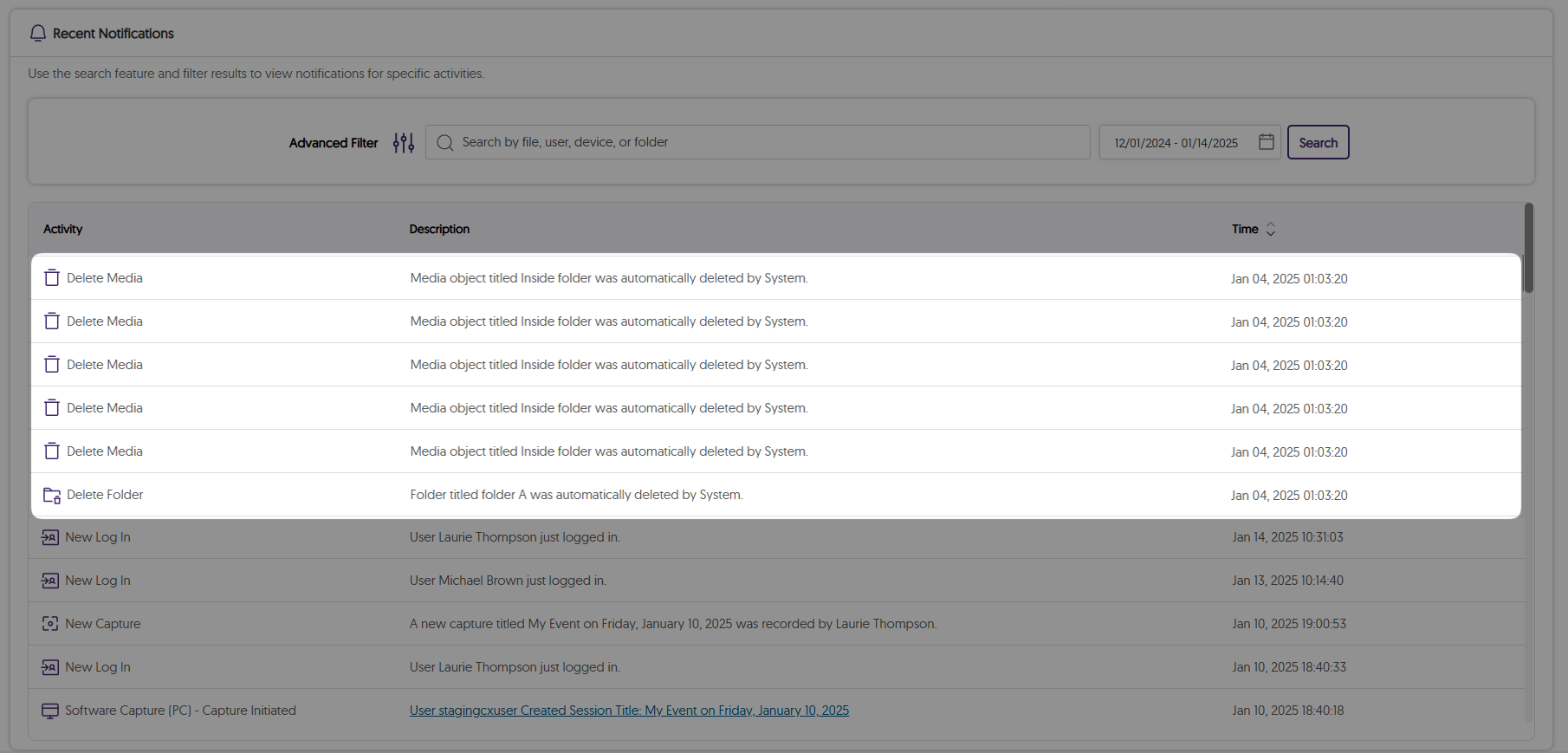
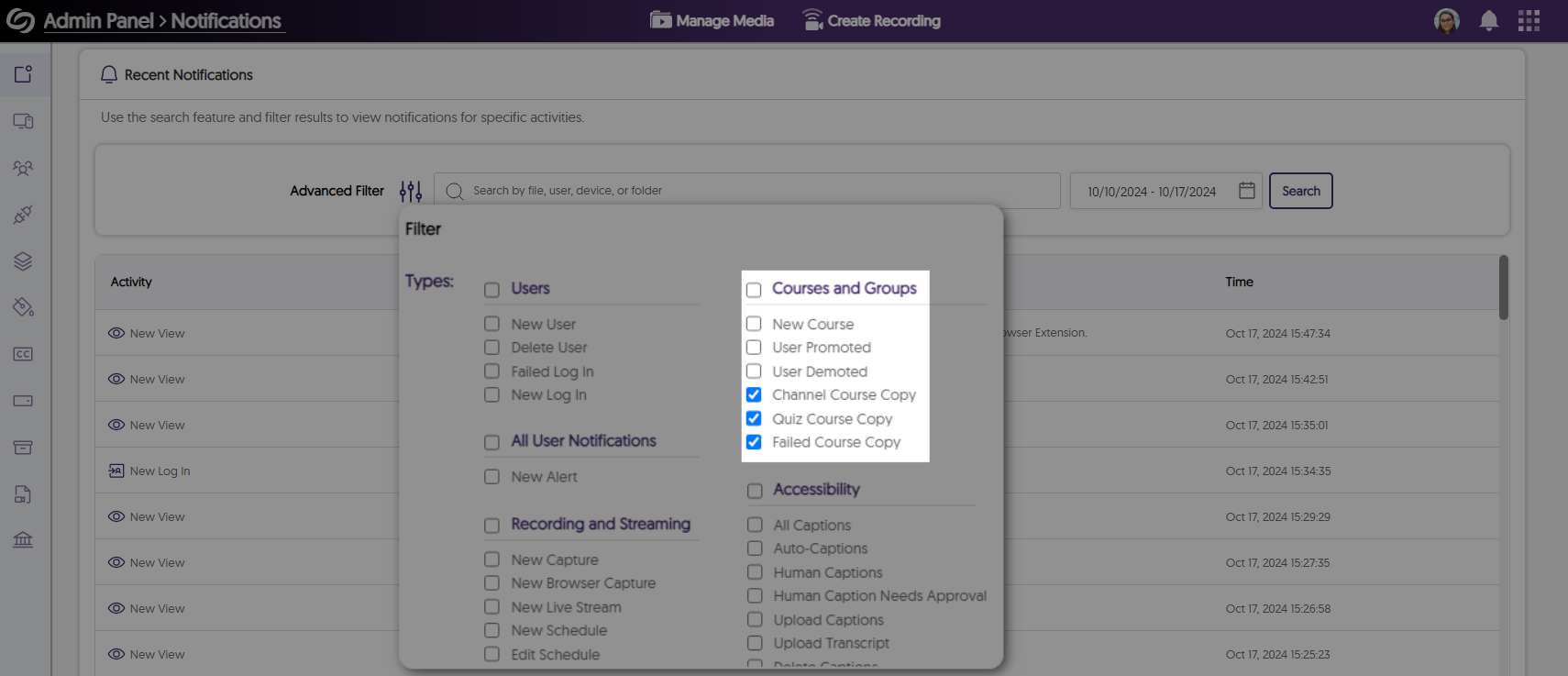
      The Activity panel now offers enhanced audit log tracking for course channel management, allowing you to see whether a course was successfully copied or if any errors were encountered.

      Notifications for course copy are shown on the Activity page.
    5. New Set of APIs for NL-LOM Metadata Harvesting

      As an administrator, you can now use our NL-LOM APIs for your metadata harvesting, a standardized format designed for educational institutions in the Netherlands to ensure consistency in managing resources.

    6. New Metadata Type – Multi-Select

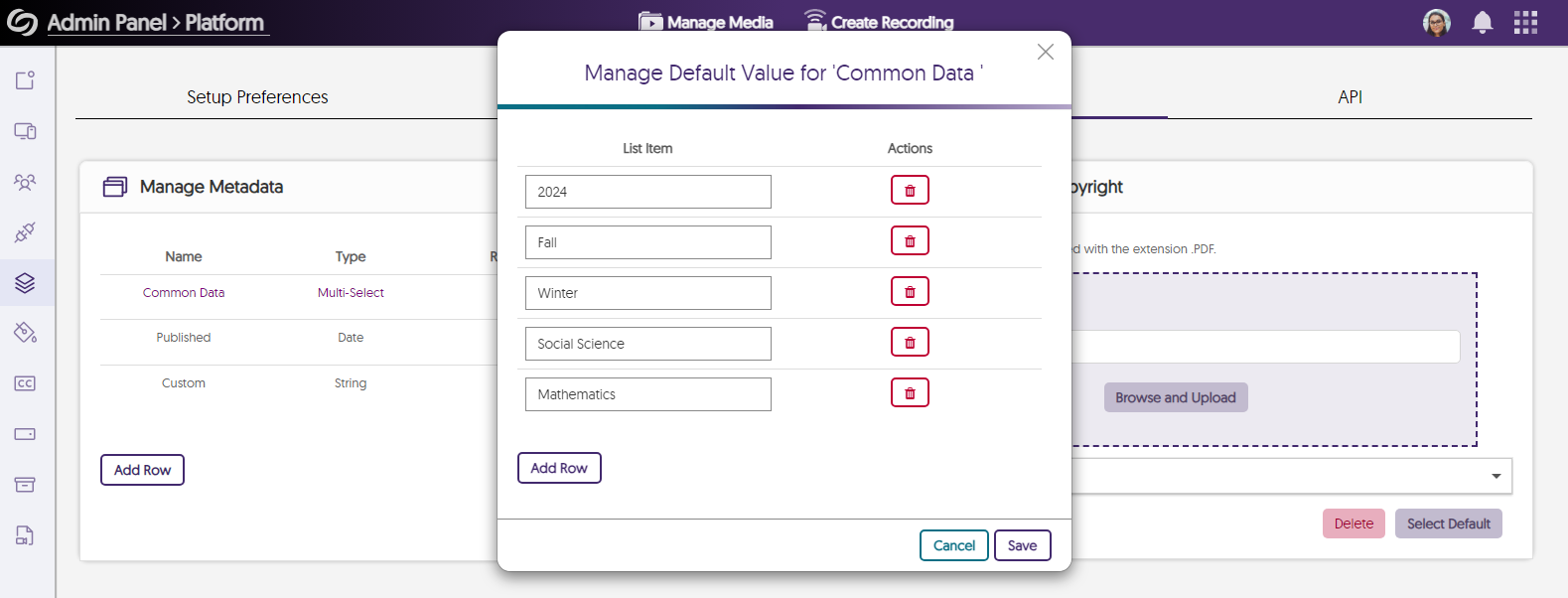
      The new Multi-Select metadata type allows you to create a list of values and choose one or more to apply to your content.

      The option to add values for the multi-select metadata is shown.
    7. Improved the Underlying Infrastructure of Our Generative AI Capabilities for Multi-Language Audio Dubbing

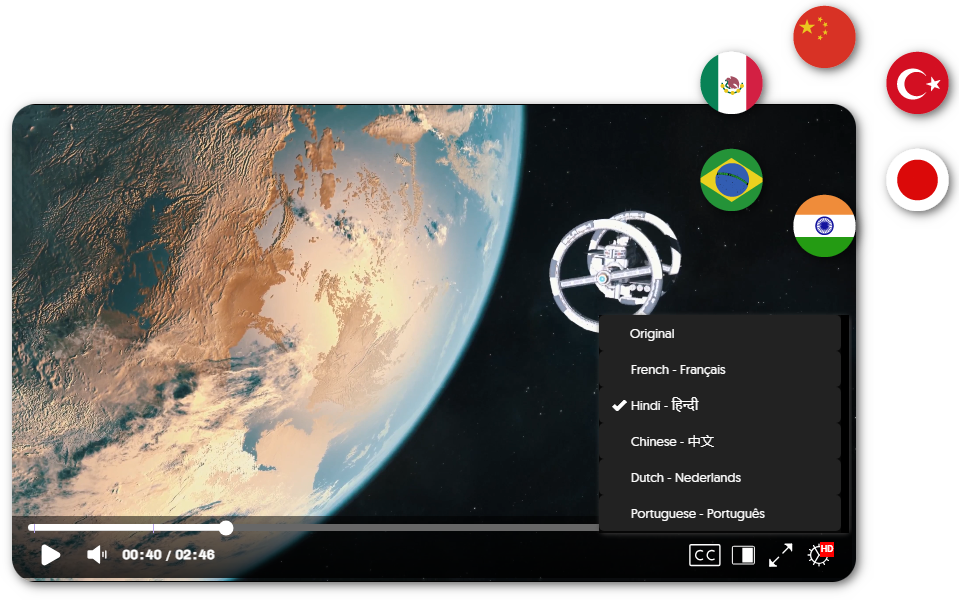
      You can now automatically generate more precise audio tracks for videos originally in English with our improved multi-language dubbing capabilities. Simply choose from over 25 languages to dub your video, allowing your viewers to select their preferred listening experience.

      The YuJa Media Player shows multiple audio languages that can be selected.
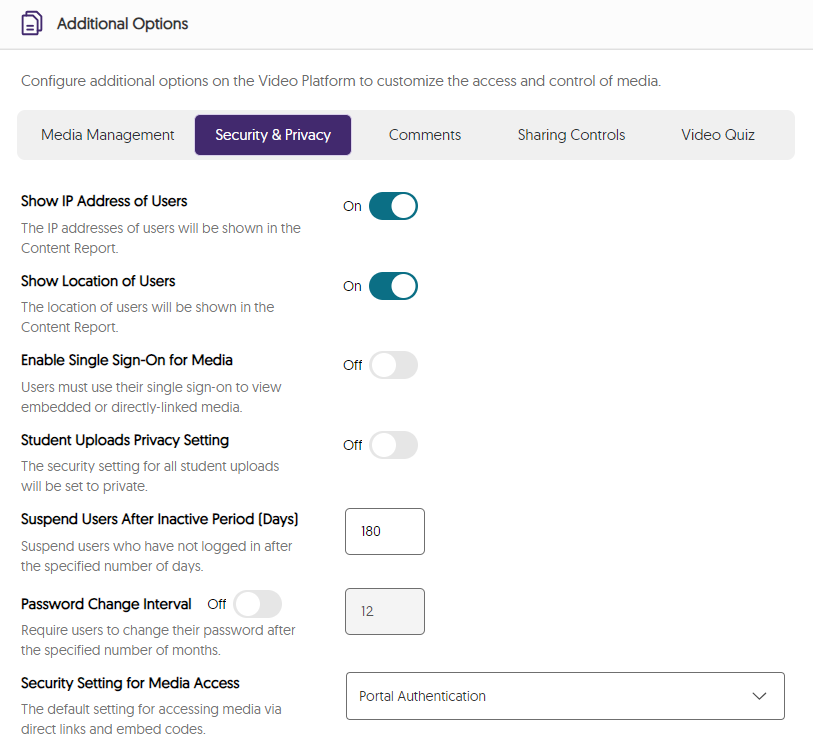
    8. Usability Improvement in Platform-Level Settings with Clearer Explanations of Each Option

      With increased settings and configurations, we have introduced a new user interface style to explain each of the options more clearly.

      Additional option settings are shown.
    9. Faster Processing Speeds for Generating Content Reports

      Previously, generating a Content report may have taken almost two minutes for results to appear. Now, you can expect results to appear in under a minute.

      The Content report is shown.
  • September 6, 2024

    Enterprise Video Platform: September 2024 Release

    I hope you’ve all enjoyed your first week back at school. Oh, who am I kidding? You’re probably already exhausted, disheveled, and pining for the weekend. But if you can pause counting the seconds until you’re free for just a few minutes, I’d like to share some exciting new features hitting the Video Platform this week. So sit back and (try to) relax, because this one is plentiful.    

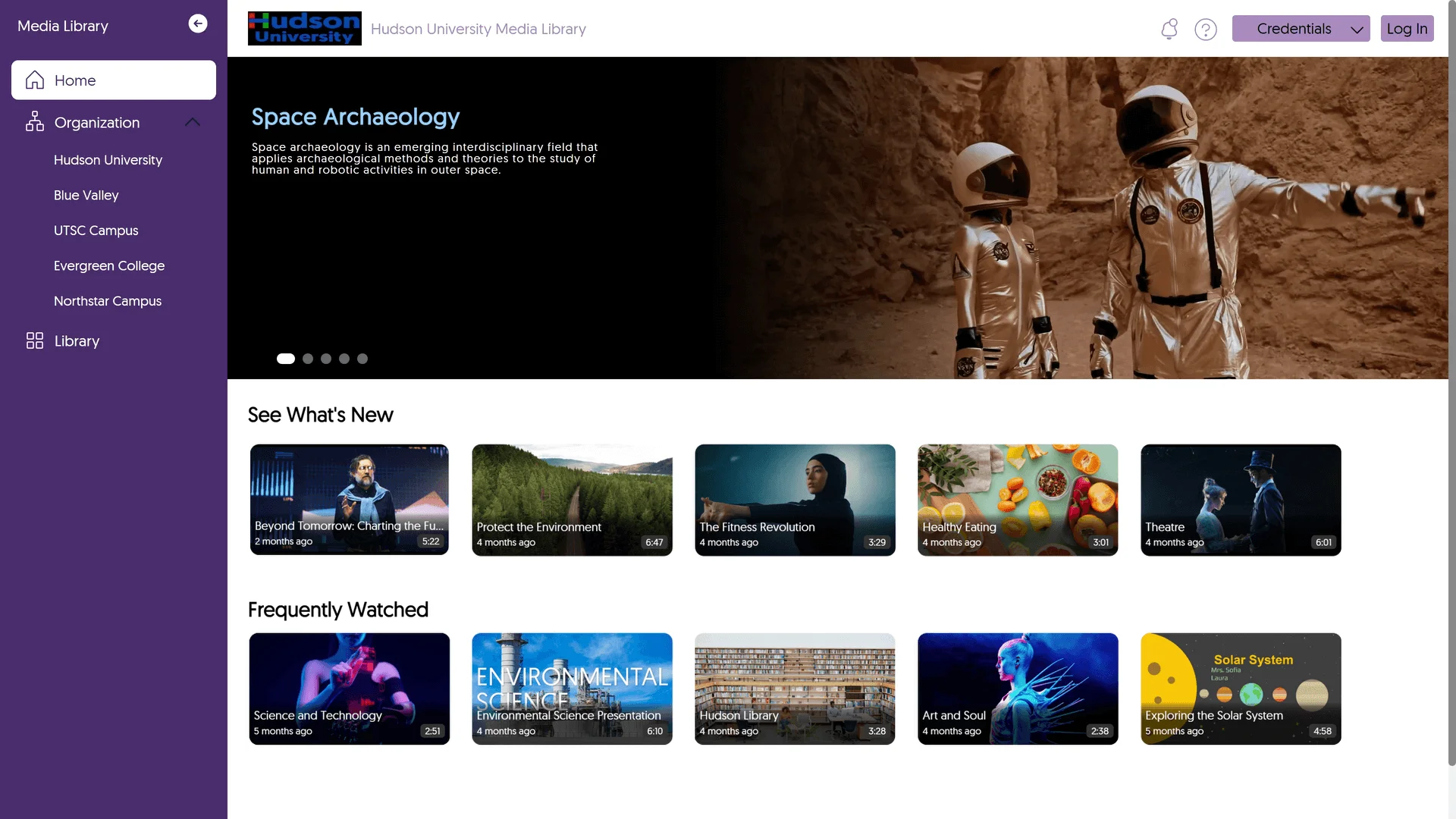
    Slide-Out Channel Bar and Branding Options for Enterprise VideoTube

    The Enterprise VideoTube now features a slide-out Channel Bar, which displays public channels in an easy-to-view list. Admins can also update the branding by customizing background and text colors, as well as personalizing the masthead image. In future releases, we’ll introduce the ability to create custom pages and playlists, along with new permission management capabilities. Stay tuned so you don’t get FOMO! The new Enterprise VideoTube, featuring a new slide-out channel bar.

    New Data Visualization Capabilities for Content Report

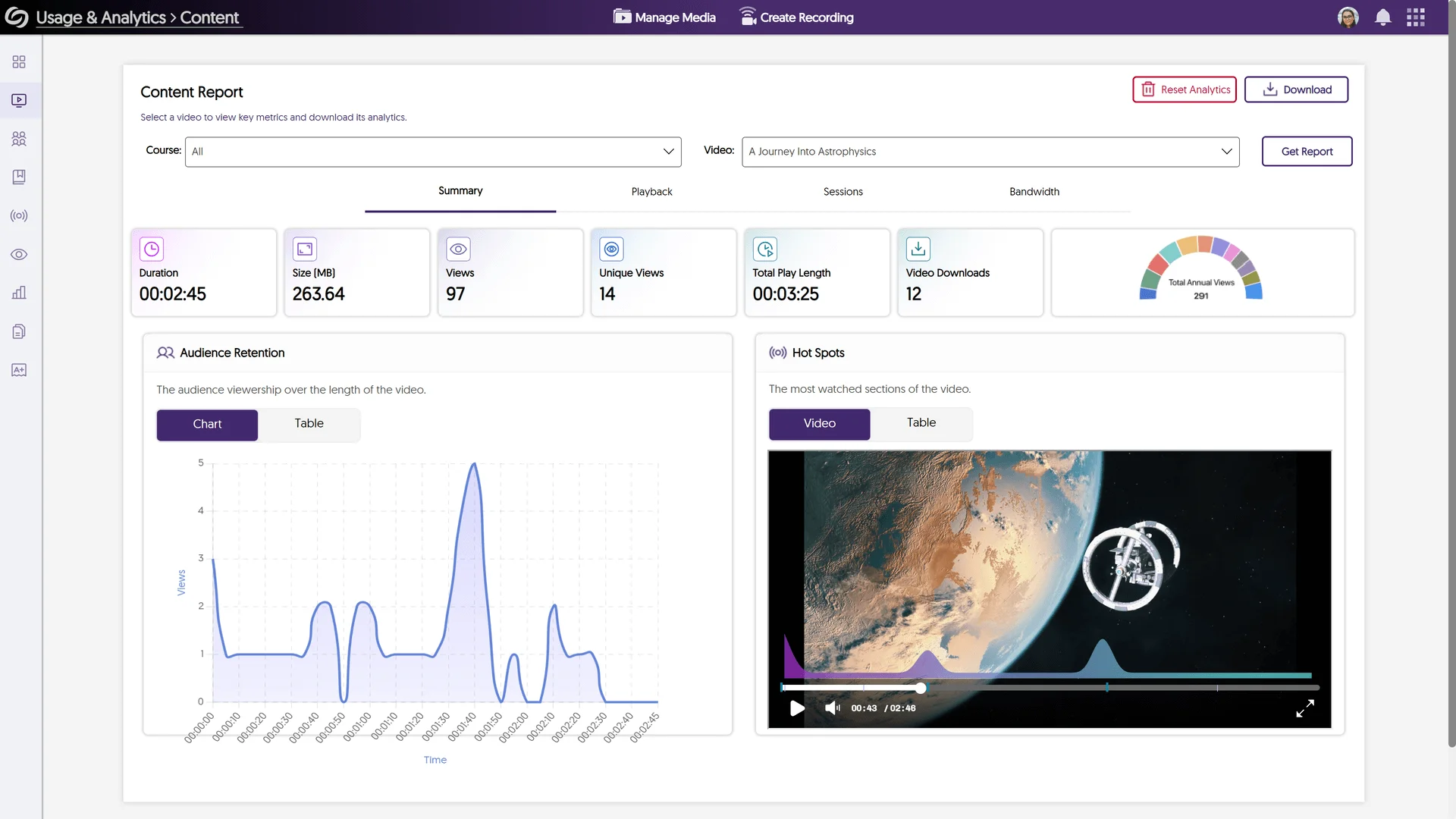
    We’ve streamlined our Content Report by merging multiple tabs into a unified, engaging interface. Key highlights include: 
    • Updated Summary Cards with at-a-glance statistics and integrated graphs.
    • The Hot Spots panel now features a video overlay with highlighted segments to indicate the most-viewed parts.
    • An improved Playback list with analytics detailing audience retention.
    The new Content Report page, featuring updated summary cards, a redesigned Hot Spots panel, and improved analytics.

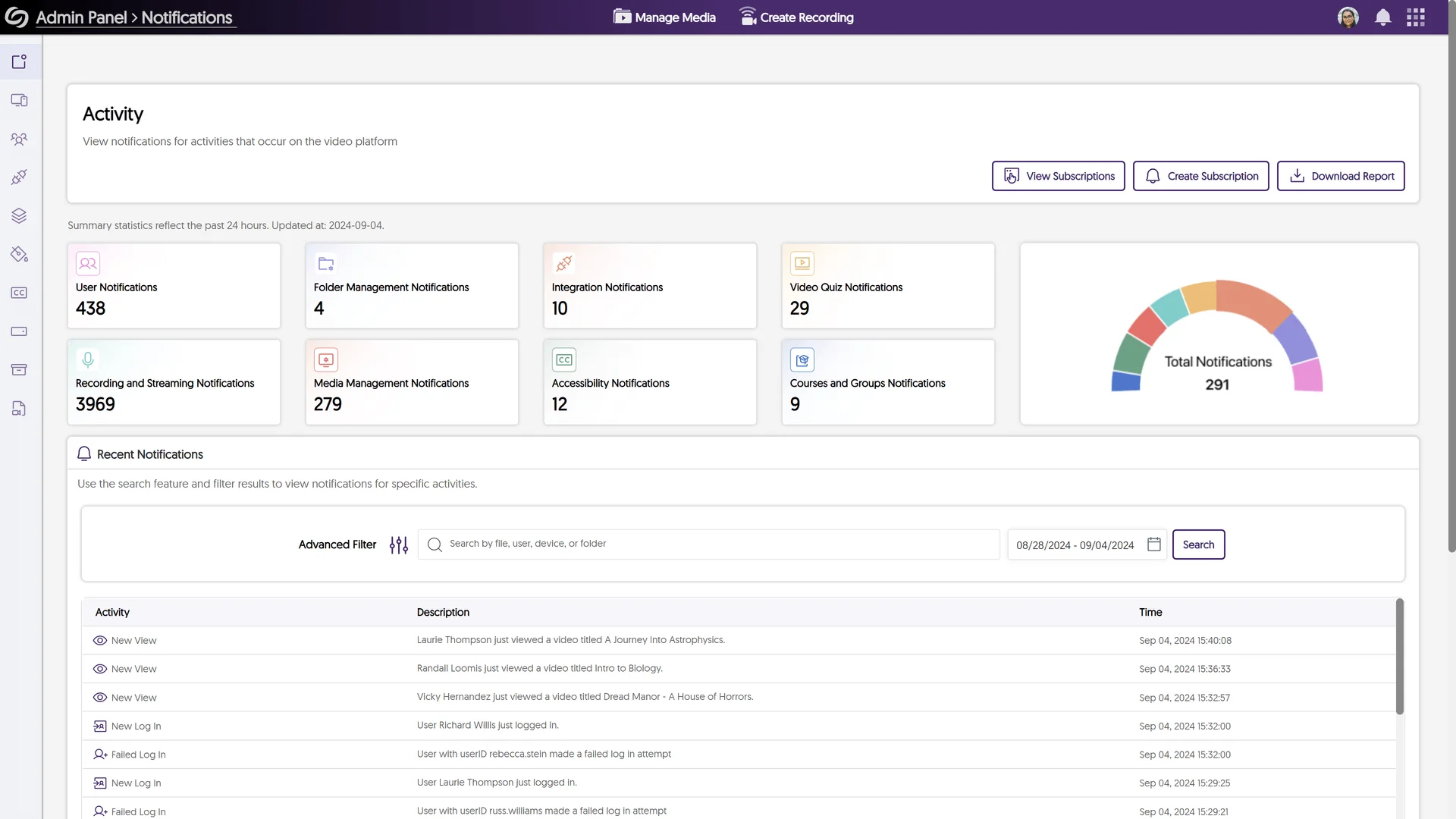
    Upgraded Activity Panel With Improved User Interface

    We’ve rebranded the Notifications Panel. That’s right. From here on out, it shall be known as… wait for it… the Activity Panel! But that’s not all: we’ve also added valuable insights, data summarization, and filtering tools. Just trust me, it’s cute, you’ll love it. The redesigned Activity panel, formerly known as the Notifications panel.

    New Audio Player Interface With On-Screen Visual Waveform

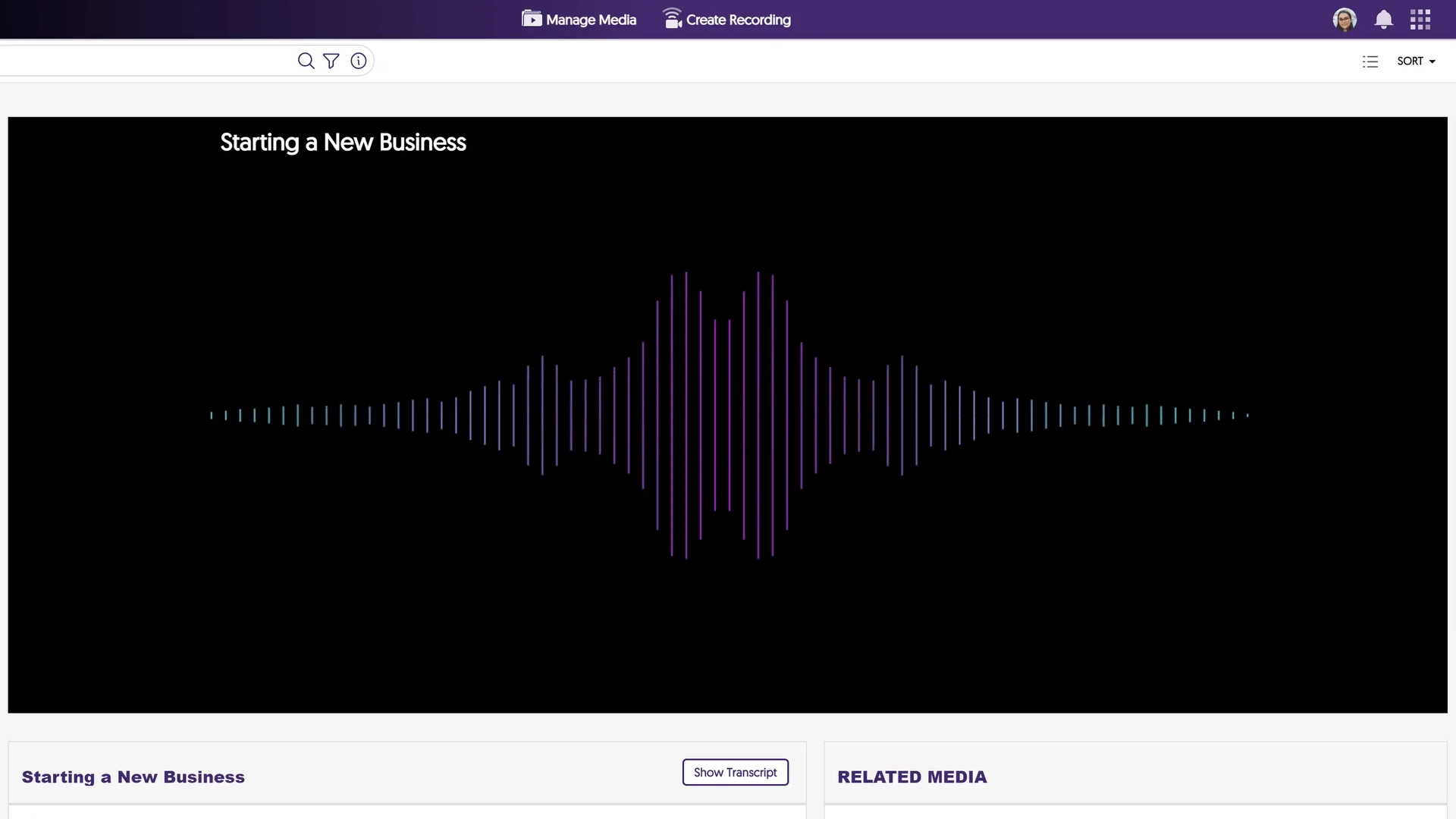
    A new, more modern Audio Player provides listeners with an upgraded experience when listening to audio-only content. The new player design introduces an on-screen visual indicator, featuring a colorful waveform that synchronizes with the active audio. This waveform will also dynamically adjust in response to the audio’s volume. The new Audio Player interface with an on-screen visual waveform.

    New Sub-Admin Permission Management Console and Framework

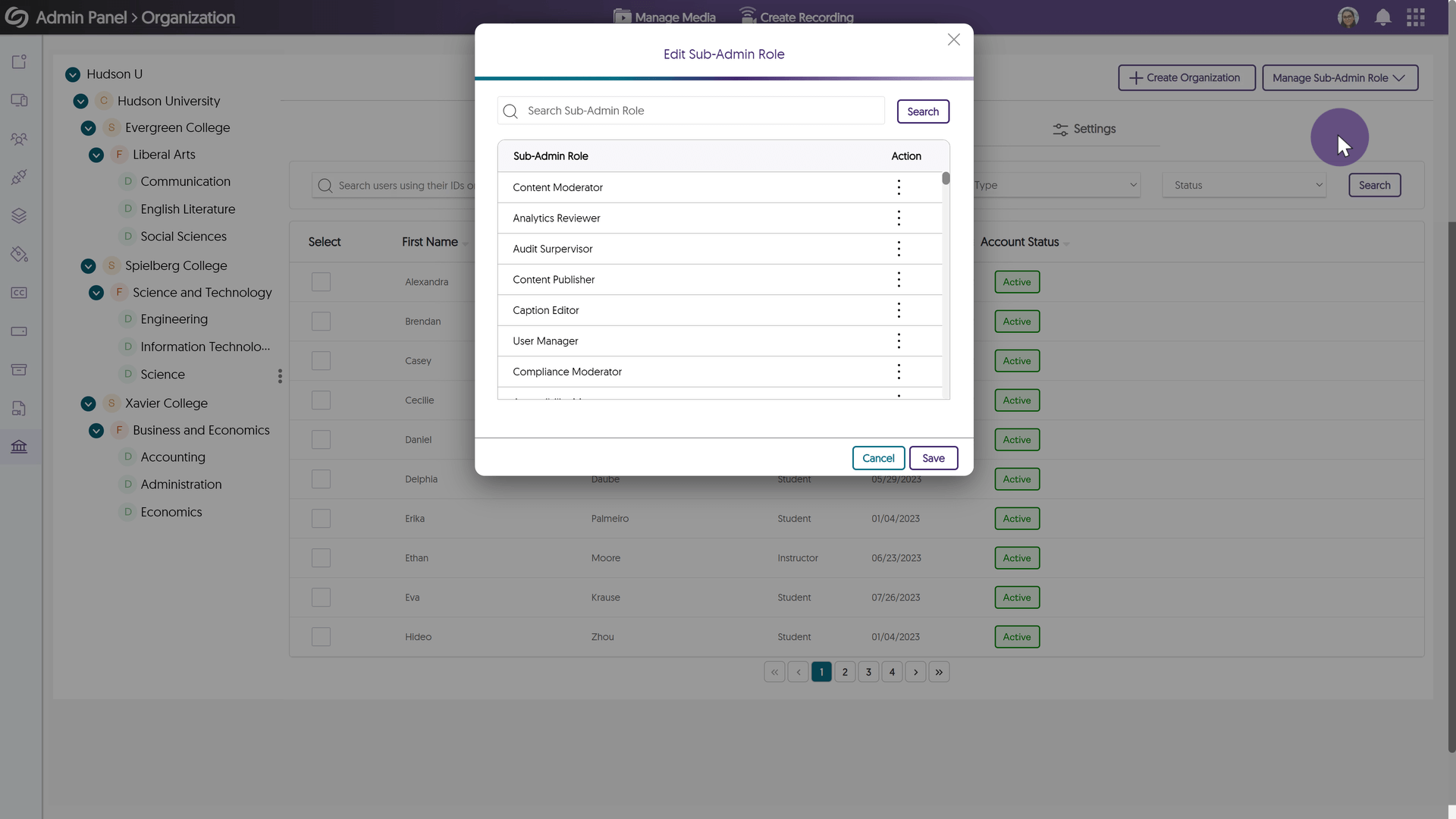
    Over the coming releases, the Sub-Admin role configuration will become more flexible. We’re talkin’ contortionist levels of flexibility here, people. Anyway, to support this, we’ve introduced a new Sub-Admin Permission Management Console™ alongside a Capabilities Framework™ (our lawyers have been busy). This will enable Sub-Admin roles to better align with Admin Panel and, most importantly, platform-level capabilities. The new Sub-Admin Permission Management Console.

    Video Editor Now Offers Light Mode and Dark Mode Options

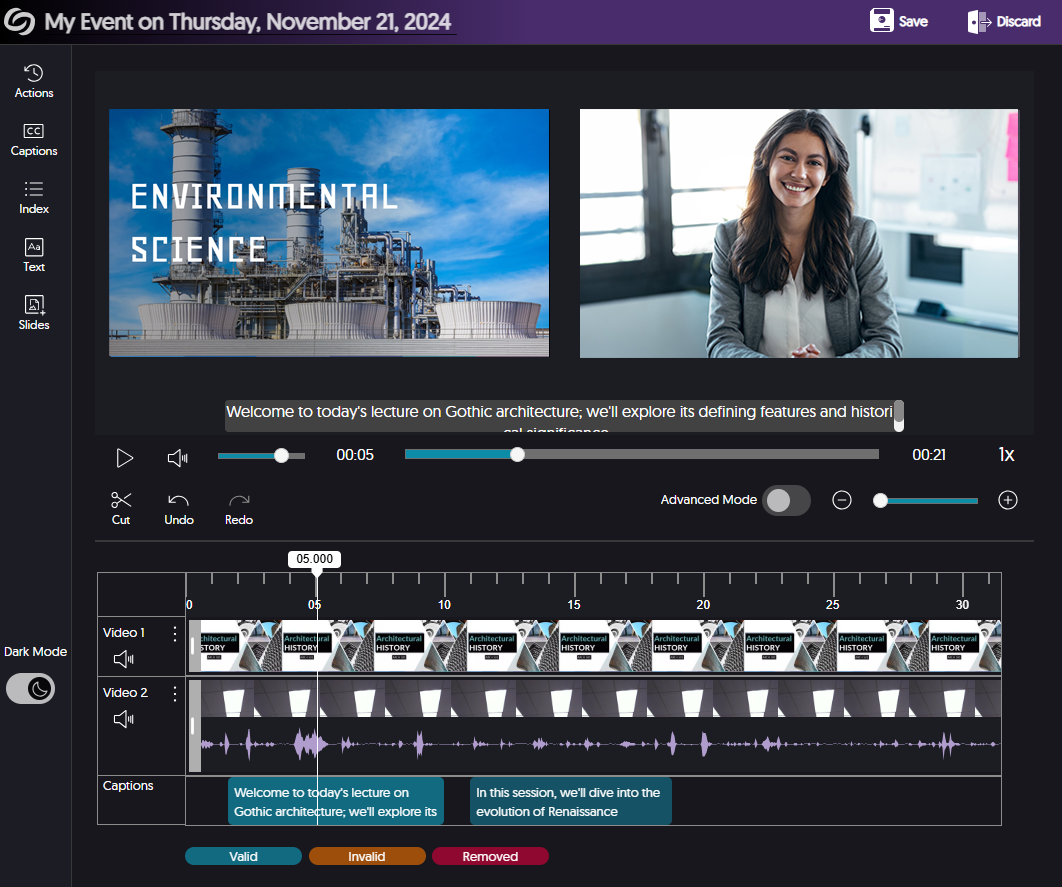
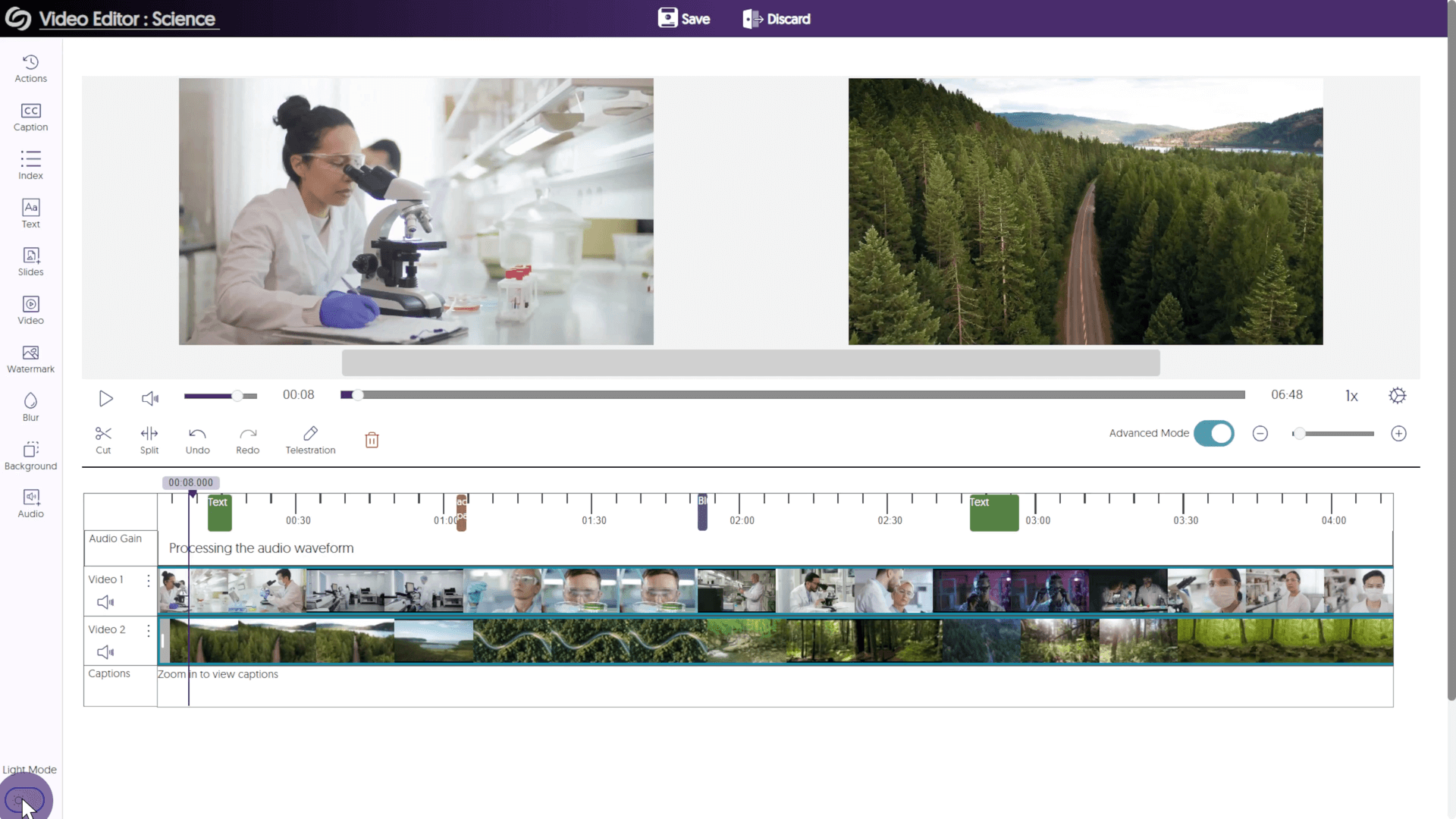
    In a previous release—May, to be exact—we introduced a fully redesigned Video Editor, with a dark theme to help alleviate eye strain. Well, we’re now offering the option to choose Light Mode, for those of you who prefer eye strain. Or just… you know, a brighter interface. The Video Editor, showcasing the brand new Light Mode.

    Increased Import Speed for Zoom Recordings Ingestion

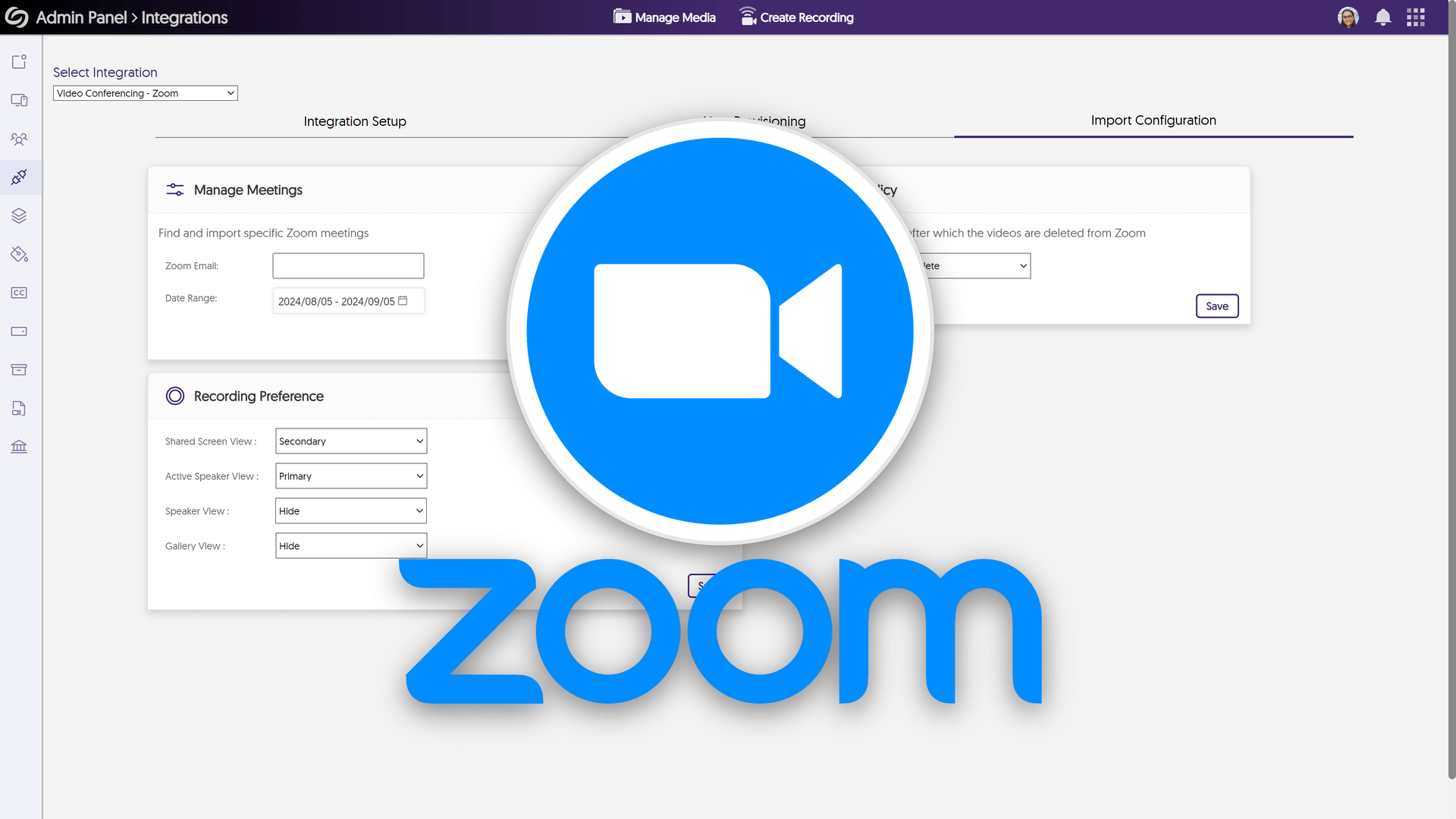
    We’ve enhanced our import time for Zoom recordings by introducing a new Zoom architecture that transitions from an hourly “pull” to a synchronized “listener” model. I don’t know what that means either. But rest assured you can expect your recordings within minutes (or so I’m told). The Zoom logo over the Integrations panel. We’ll, it’s been a slice. Thanks for taking time out of your day to listen to me ramble. I hope I was an adequate distraction. As always, I hope you enjoy using the YuJa Enterprise Video Platform. For more exciting news and updates, subscribe to our newsletter and YouTube channel, and stay tuned for more amazing new releases coming soon. For a full list of features, please visit the YuJa Enterprise Video Platform – September 2024 Update.
  • September 3, 2024

    YuJa Enterprise Video Platform Update – September 2024

    We have successfully pushed an update to all Enterprise Video Platform instances residing in the European Union, Australia, the Middle East, Canada, and Asia. The United State geographic zone will be updated later this week. The highlights for this update include an upgraded view of the Enterprise VideoTube, enhanced visuals for the content report, an upgraded Activity panel, a new audio player interface, sub-admin permission management, users with edit access can change media ownership, new import schedule wizard, remotely stop active recording sessions, and more.

     
    1. Upgraded Enterprise VideoTube with Slide-Out Channel Bar and New Branding Options

      The Enterprise VideoTube has been redesigned with a new slide-out Channel Bar that displays available public channels in an easy-to-view list. Administrators can also update the Enterprise VideoTube branding by customizing the background and text colors of both the Channel Bar and the landing page, as well as using a static masthead image. Over the coming releases, we will be incorporating the ability to create custom pages, playlists, and adding new permission management capabilities.

      The Enterprise VideoTube featuring a sidebar showcasing sub-organizations.
    2. Upgraded Content Report with New Data Visualization Capabilities

      We’ve significantly enhanced our Content Report by streamlining multiple tabs into a unified, engaging interface. Key highlights of this improvement include:
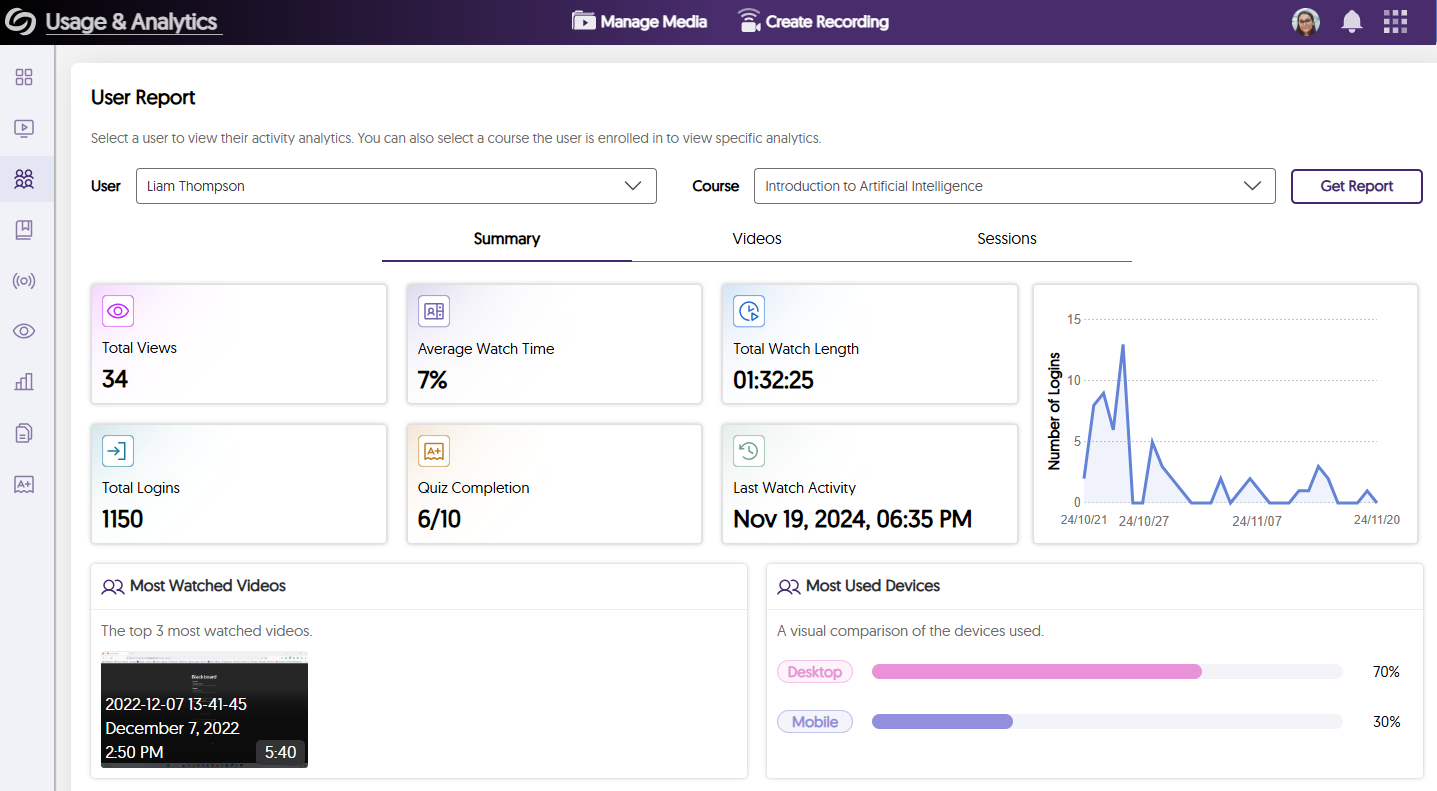
      • Improved Summary Cards with at-a-glance statistics and integrated graphs
      • The Hot Spots panel features a view of the video with highlighted segments indicating the most-watched parts.
      • Improved Playback list featuring drop-down analytics that reveals audience retention and time jumps.
      Content Report showing analytics for a video.
    3. Upgraded Activity Panel of the Admin Panel with Improved User Interface

      We have rebranded the Notifications tab to “Activity,” and added valuable insights, data summarization, and filtering tools.

      The Activity page shows a list of notification on the platform.
    4. New Audio Player Interface with On-Screen Visual Waveform

      A new, more modern Audio Player provides listeners with an upgraded experience when listening to audio-only content. The new player design introduces an on-screen visual indicator featuring a colorful waveform that synchronizes with the active audio. This waveform will also dynamically adjust in response to the audio’s volume.

      The waveform for an audio file is shown playing.
    5. New Sub-Admin Permission Management Console and Framework

      Over the coming releases, the Sub-Admin role configuration will become increasingly flexible. To support this, we have introduced a new Sub-Admin Permission Management Console alongside a Capabilities Framework. This will enable Sub-Admins roles to be more flexibly aligned to Admin Panel Capabilities and, most importantly, Platform-level Capabilities. This more powerful Capabilities framework lays the foundation for unique Sub-Admin job classifications.

      The modal to edit a sub-admin role is shown.
    6. Video Editor Now Offers Light Mode and Dark Mode Options

      With recent updates to the Video Editor introducing a dark theme to alleviate eye strain, we are also offering the option to choose a Light Mode for those who prefer a brighter interface.

      The video editor is shown switching to light mode.
    7. Increased Import Speed for Zoom Recordings Ingestion

      We have enhanced our import time for Zoom recordings using a newer Zoom architecture that transitions from an hourly “pull” to a synchronized “listener” model where recordings arrive within minutes.

      Zoom logo
    8. Comprehensive Activity Tracking and Audit Logging for Video Editor Actions

      The Admin Panel’s Activity panel will now track granular actions and will keep track of actions performed within a Video Editor session. This provides admins and our support staff with better tools to support users.

      A list of actions performed on the video editor are shown in the activity page.
    9. Allow Users With Edit Access to Change Media Ownership

      We’ve introduced a new setting allowing users with edit access to reassign content ownership. Access the settings from the Admin Panel -> Platform -> Platform Settings.

      The setting to change ownership.
    10. Institution-Wide Security Privacy Configuration of Student Uploads

      To safeguard the content of students, administrators can enable a new security setting that automatically sets all student uploads as private by default. Access the settings from the Admin Panel -> Platform -> Platform Settings.

      The option to mandate student uploads to be private.
    11. New Sub-Admin Capability Framework to Publish Content to Featured Videos in the Enterprise VideoTube

      Leveraging the new Sub-Admin Capability Framework, Administrators can allow Sub-Admins more control over their institution’s Enterprise VideoTube by permitting them to publish content directly within the Feature Videos section.

      Option to allow videos to be published to the Enterprise VideoTube's featured videos section when creating a sub-admin.
    12. Watch Browser Capture Videos While They Are Being Transcoded and Processed

      We’ve improved our Browser Capture processing pipeline, allowing users to view and select recordings in the Media Chooser even while they are being actively processed.

      A video that is processing is being watched.
    13. Option to Enable Metadata Harvesting for Specific Roles

      With the implementation of metadata harvesting, which enables users to utilize APIs for collecting information related to their content’s metadata, we have introduced a new option to restrict API usage according to specified roles: IT Managers, instructors, and students. Access the settings from the Admin Panel -> Platform -> Metadata.

      The option to control which role has access to metadata harvesting options.
    14. More Granular Branding Options: Customize My Media Sidebar Folder Icon Colors

      We have introduced a new branding setting enabling administrators to customize the color of My Media Sidebar folder icons on the Manage Media page, ensuring the icons are accessible with various background colors. Access the settings from the Admin Panel -> Branding -> Platform Colors -> Sidebar Folder Selection.

      Branding options to adjust sidebar colors.
    15. New Available Functions for the YuJa Video Player API

      The YuJa Video Player API, which integrates YuJa’s Media Player controls into third-party software, now offers APIs to retrieve both the current playback time and the total video duration.

    16. More Accessible Design for Media Library Folders in List View

      Previously, we updated the look of our folders to offer a more accessible design so that users could easily select folders or their action menus. In this release, we’re including the same design to be featured when viewing folders in a list view.

      Folders on the Video Platform are shown in a list view.
    17. New Import Schedule Wizard to Show a List of Successful and Unsuccessful Imports

      The Import Schedule modal for devices has been updated to feature a two-step process, allowing users to upload XML or CSV files, followed by a review of successfully and unsuccessfully imported schedules.

      The import schedule shows a list of successful and failed imported schedules.
    18. Stop Active Recording Sessions by Remotely Managing Recording Tools

      Recording sessions through Software Capture, Browser Capture, and the Hardware Hub can now be stopped remotely through the Video Platform by selecting the Stop button on the recording thumbnail.

      The stop action for an active recording is shown on the Video Platform.
    19. Reduced Visual Clutter in the More Action Menu by Organizing Items into Headings

      The More Actions menu categorizes all items under specific headings, helping content creators locate the desired action for their content.

      The Actions drop-down menu shows a list of organized settings.
    20. Visible and Invisible Dates Moved to Additional Options for Content Publishing

      As we explore new strategies for publishing content to channels, we’ve introduced an Additional Options setting that will offer new methods for publishing content. In anticipation of these updates, we have relocated the Visible and Invisible Date options to this section.

      Additional options to set an invisible and visible dates are shown when publishing content.
    21. Clear Labels and Improved Visibility for Video Editor Tools

      To help Content Creators easily differentiate between various tools in the Video Editor and enhance their visibility, we have added clearly defined labels to the cut, split, undo, and redo tools.

      The Video Editor's cut, split, undo, and redo options are shown with labels.
    22. Enhanced Visual Search Capabilities for Selecting Users to Share Media With

      When selecting a user to share media with, the drop-down list will no longer auto-populate with all users. Instead, it will filter results based on the search query entered.

      A user is shown being searched in the Share This Resource modal.
    23. Compact List View for Publishing Video Quizzes to Courses

      For institutions with a large number of courses, the list of courses available for publishing Video Quizzes could take considerable time to load. We have addressed this by introducing a compact list view, which can be expanded to load additional courses and filtered through the search bar.

      A list of courses are shown to publish a quiz to.
  • July 12, 2024

    YuJa Enterprise Video Platform: July 2024 Release

    Did you miss me? You did, didn’t you? It’s okay, you can tell me. Either way, I sure did miss you! And although this isn’t the same medium that we’ve grown accustomed to over the past year (they kicked me off the videos because I have an “attitude problem.” Whatever that means), I’m sure we can make the most of it. And what better time to make my valiant return than to a release filled with, like, twenty new features? They’re really throwing me to the wolves here, people, and I’m taking you all with me. So, as always, strap yourselves in as we explore some of the key features hitting the Video Platform this week.

    Unified Video Editor Slide-Out Sidebar with Access to All Advanced Editing

    To improve the lives of all you would-be content creators out there, we’ve consolidated the previous right-side menu, as well as the advanced editing tools on the center panel, into a single unified slide-out menu, which will now appear on the left side of the preview window in the YuJa Video Editor.

    Video Editor Supports Ability to Remove Only Audio Track

    And while we’re on the subject of the Video Editor, I’d also like to point out that we’ve added the option to mute audio tracks while still retaining the source video. You know, in case you’re in the middle of creating your magnum opus and right now is the time that your dog decides to play with his favorite squeaker toy. No reason that should ruin the whole shot, am I right?

    Updated Interface for the Admin Panel’s Branding Page

    The Branding page has been redesigned to feature a more organized structure with clear headings, along with new icons and colors to help stimulate you. Over the coming releases, each panel of the Admin Panel will receive a major makeover, so stay tuned!

    Analytical Tracking for Video-Timeline Jumps by Users

    Admins can now get a better understanding of how users interact with videos by being able to plainly see the boring parts they skipped over when they were too much to bear, and the good parts they jumped back to when they just couldn’t get enough. A blessing and a curse, believe me.

    New Add-On (Yay): Integrate the Media Chooser with Drupal to Embed Content Into Your Website

    And finally, the moment you’ve all been waiting for (no, not for this blog to end): We’re introducing the latest Panorama Add-On! Through Drupal’s rich text editor, content creators can now use the Media Chooser to embed videos, documents, and playlists into their Drupal websites. This will allow those navigating the website to experience faster load times due to bandwidth offloading. Well, that wasn’t so bad, was it? Kinda like slipping into an old, heavily worn shoe. I have to say, it feels good to be back. Thanks for watching reading, and we hope you enjoy using the YuJa Enterprise Video Platform. For more exciting news and updates, subscribe to our newsletter, and stay tuned for more amazing new releases coming to a blog near you. For a full list of features, please visit the YuJa Enterprise Video Platform Update – July 2024.

Join the 1,000+ Organizations Deploying High-Impact Solutions

A collection of logos representing various organizations and institutions that use YuJa’s platform.