

Product Updates
Get the latest platform updates, features, and announcements—all in one place.
Boost Video Accessibility with the GenAI Video PowerPack!
Try Now
Supercharge Your Compliance Efforts with AutoPilot Remediation Max!
Try Now
Strengthen Your PDF Accessibility Efforts with Structural Remediation Max!
Try Now
Don't Miss Any of Our Upcoming Webinars—Save Your Spot!
Register
The YuJa Community is here! Connect, get updates, and access exclusive content.
Join Now

Get the latest platform updates, features, and announcements—all in one place.
Over the next few weeks, YuJa Lumina Software Capture will be rolling out enhancements to give you greater control and flexibility over your recordings. Key highlights include a Mirror Video feature, which allows you to flip your screen horizontally while recording, a customizable capture area to record sections of your screen with precision, and improved video settings that can be saved and applied each time you start a new recording for a seamless recording experience.
YuJa Lumina Software Capture is our new recording architecture platform that if being offered alongside our existing YuJa Software Capture. Over time, we will continue to build feature-parity with the two recording platforms.
Enhanced Video Settings for Easy Access and Optimized Quality
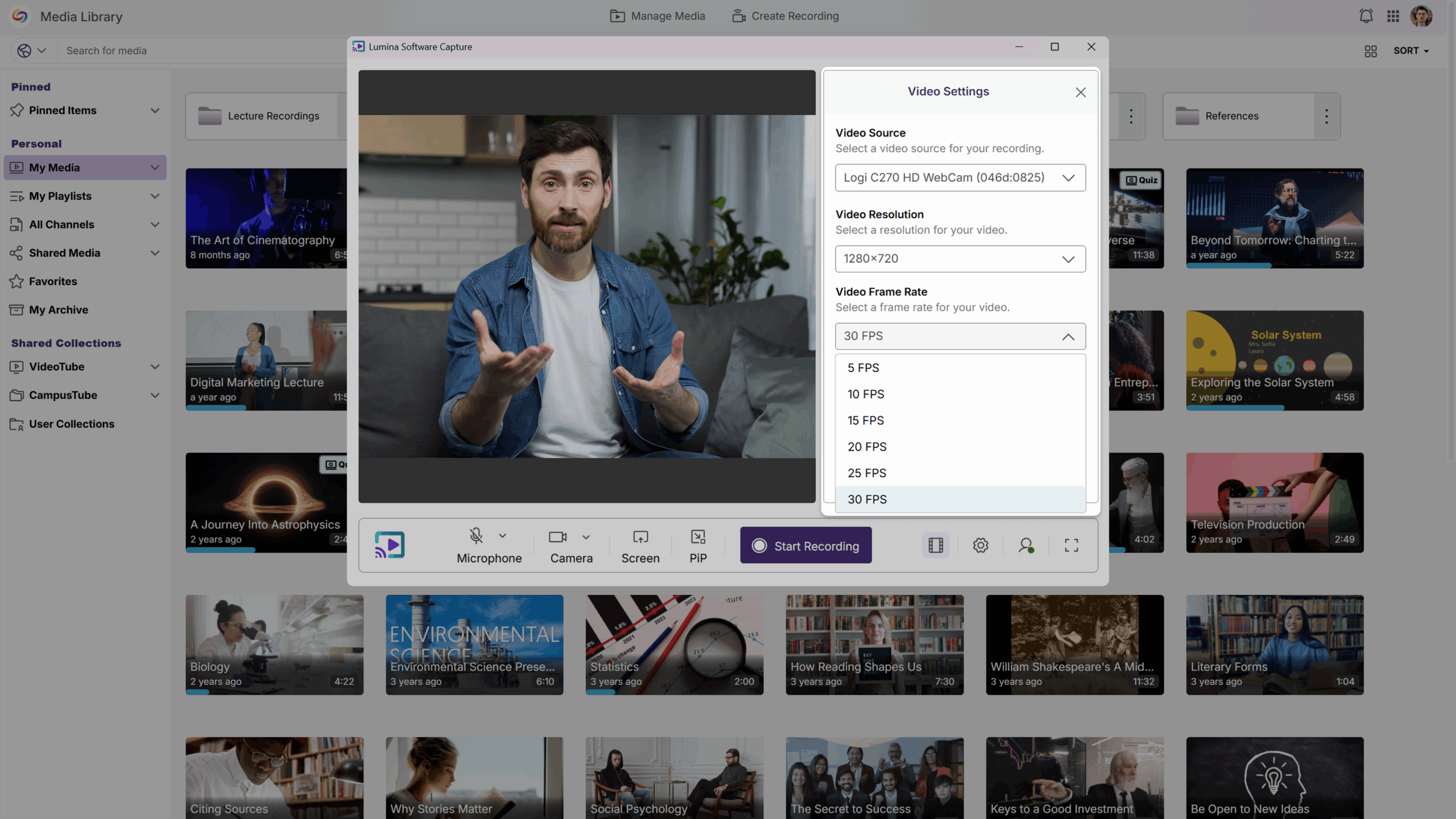
YuJa Lumina Software Capture now lets you set the frame rate and resolution before starting your recordings, giving you more control over video quality and performance efficiency. This allows you to match each recording to the use case. And the best part? You can save these settings so they’re automatically applied each time you start a new recording, ensuring consistent video recordings with optimized quality and performance.
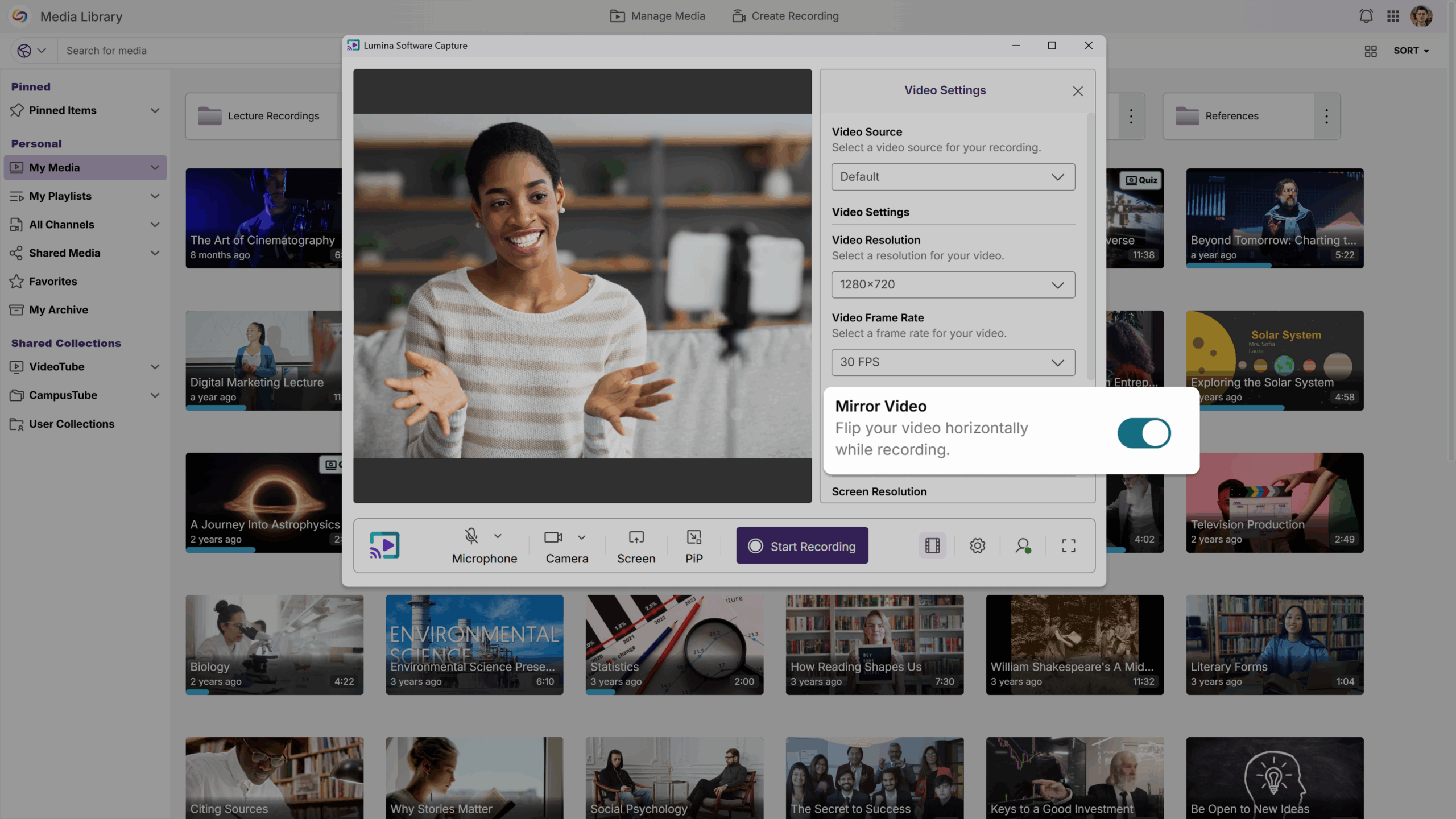
Like Looking in a Mirror: Use “Mirror Video” for a More Natural and Intuitive Recording Experience
You can now use Mirror Video to improve your confidence and make you more comfortable on camera. This feature enables you to flip your screen horizontally while recording—like looking in a mirror—making it easier to adjust your appearance, modify your positioning, and coordinate your gestures. Mirror Video can be enabled or disabled as needed, and saved for future recordings, allowing you to record your tutorial, lecture, or demo with ease, without any unnecessary distractions.
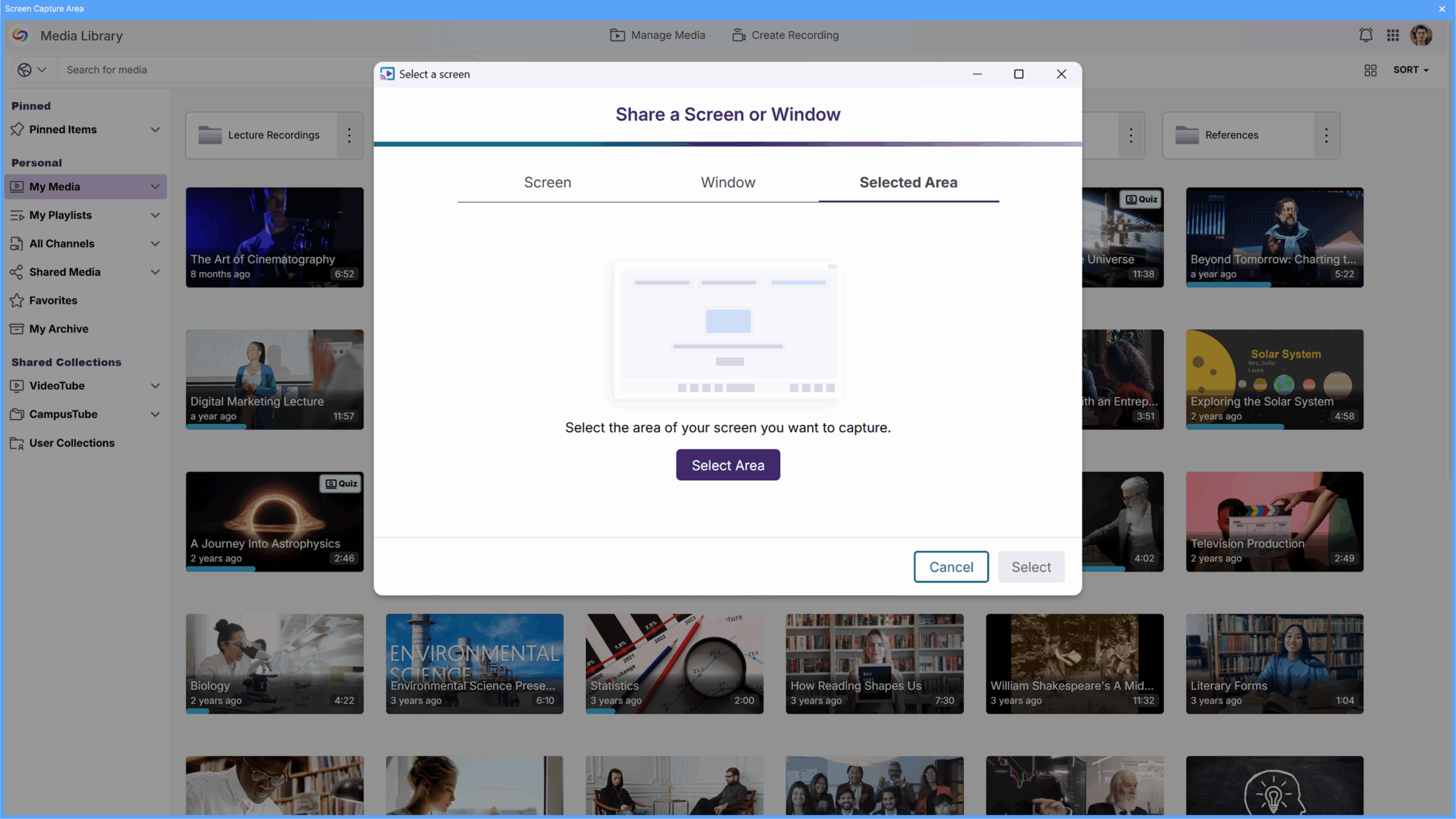
Customizable Recording Area for Precise Screen Capture
You can now select exactly what you want to record by using our new on-screen overlay. Before sharing your screen, you can move and resize the overlay to better define your recording area and preview it to make sure your screen sharing is focused, clean, and exactly how you want it. This allows you to direct the viewer’s attention to exactly what matters, protects sensitive or confidential information from appearing on screen for improved privacy and security, and keeps your videos looking polished and intentional.
This week, we’ll be updating the YuJa Hardware Hub to make managing classroom recordings easier than ever.
Highlighted Active Recording Display for Quick Device Identification
When recording your classroom lecture through the Hardware Hub, the display of the device that is actively recording is now highlighted in a red border. This makes it instantly clear which camera is currently recording your session. With multiple cameras connected to your Hardware Hub, you can quickly confirm your setup at a glance, giving you confidence that every lecture is being recorded accurately.
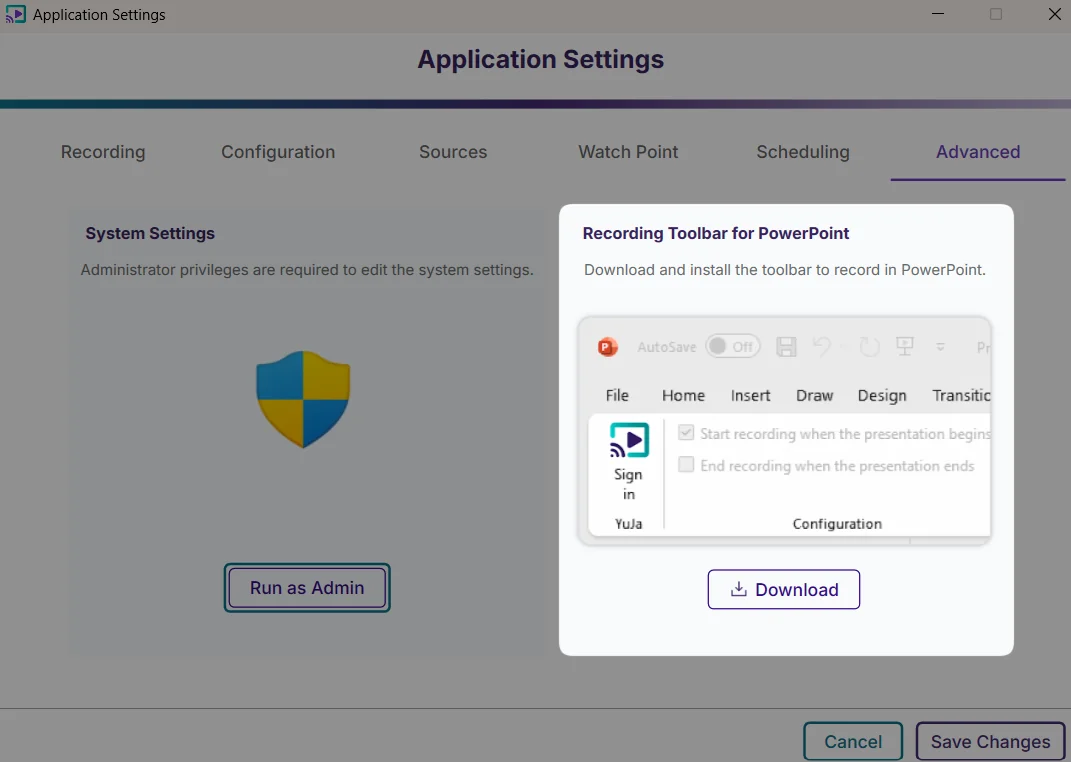
One-Click Download and Installation for the PowerPoint Add-On
Previously, you were required to download and then install the PowerPoint add-on. Now, simply click the “Download” button, and Software Capture will automatically download and install the add-on.
Notification Alerts for Low Video Frame Rate During Recordings
The recording toolbar will now display a timer showing elapsed recording time to provide visibility into session duration without accessing the confidence monitor.
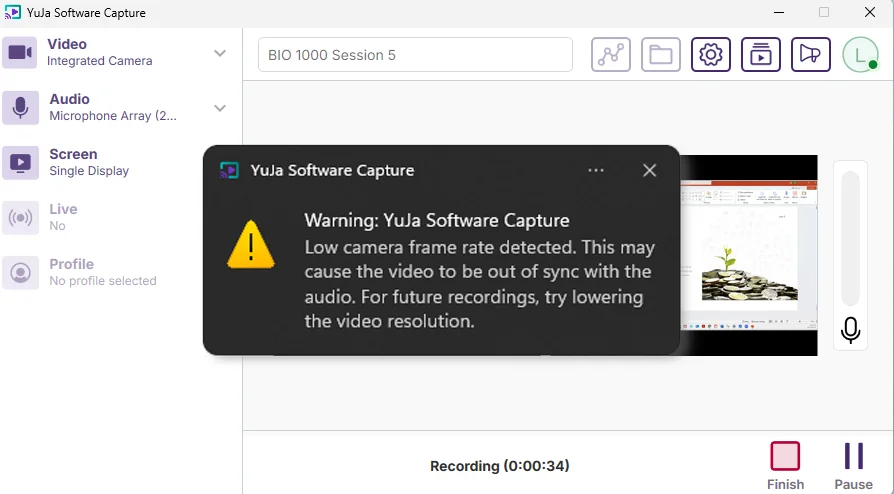
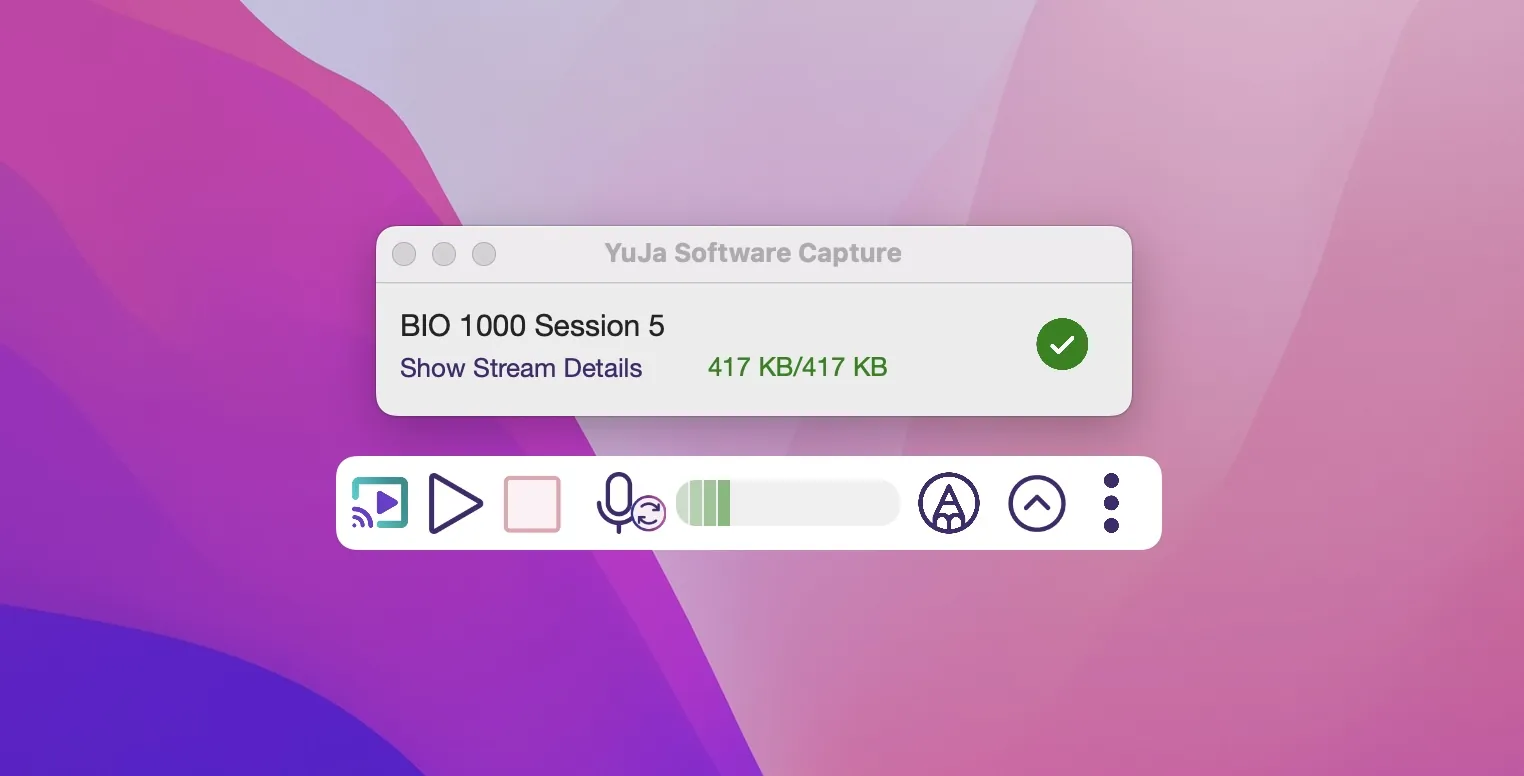
Fixed an Issue with the Mini Toolbar Hiding the Upload Status of Recordings
Previously, turning on the Mini Toolbar hid the recording’s upload status. We have fixed this issue, allowing you to see the upload progress even when the Mini Toolbar is enabled.
Over the next few weeks, we’ll roll out updates to Software Capture for PC. This update focuses on enhanced user experience and system reliability with automatic updates enabled by default, improved session monitoring through toolbar timer displays, and streamlined administrator tools.
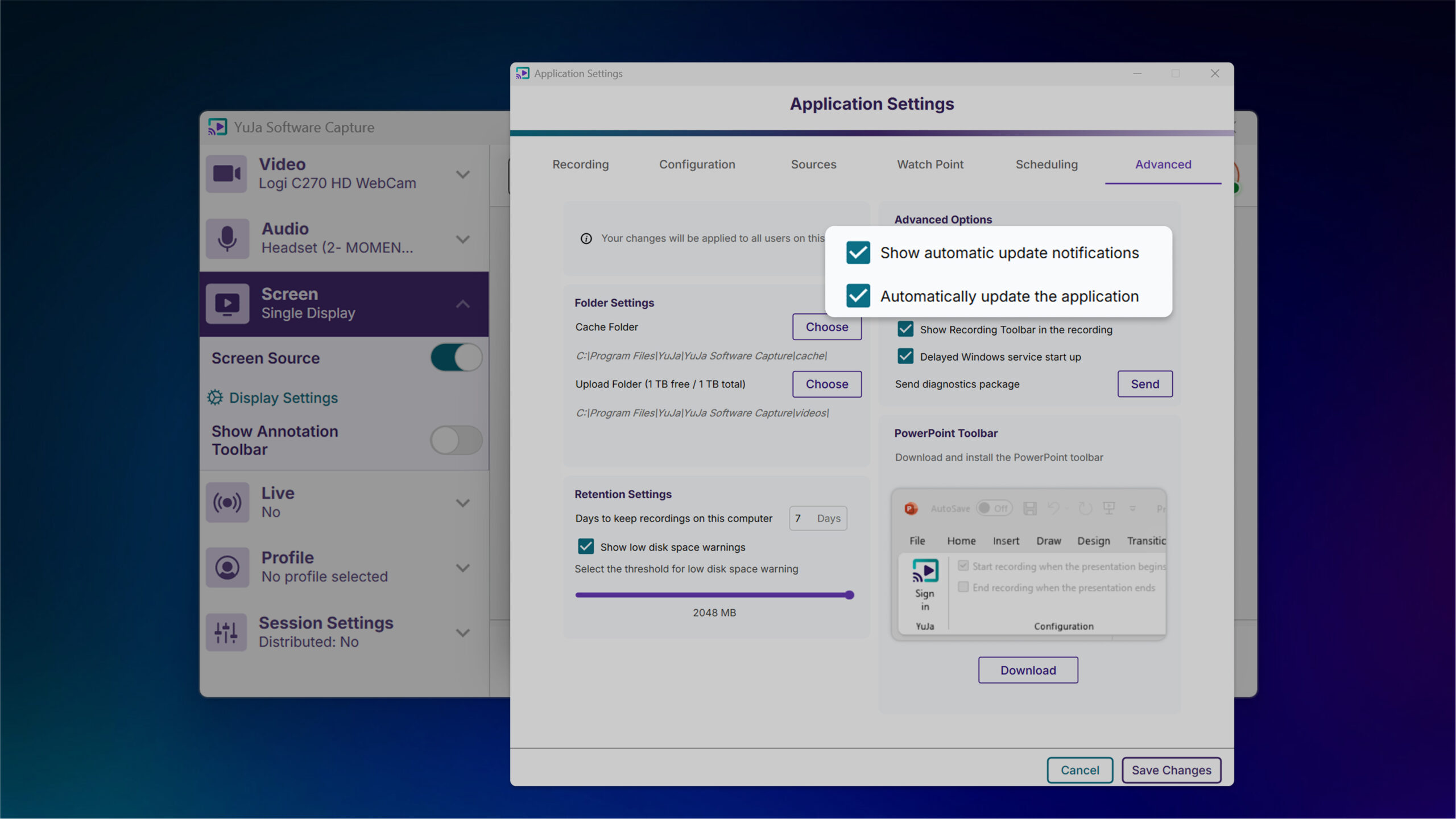
Automatic Updates Ensure Latest Features and Updates
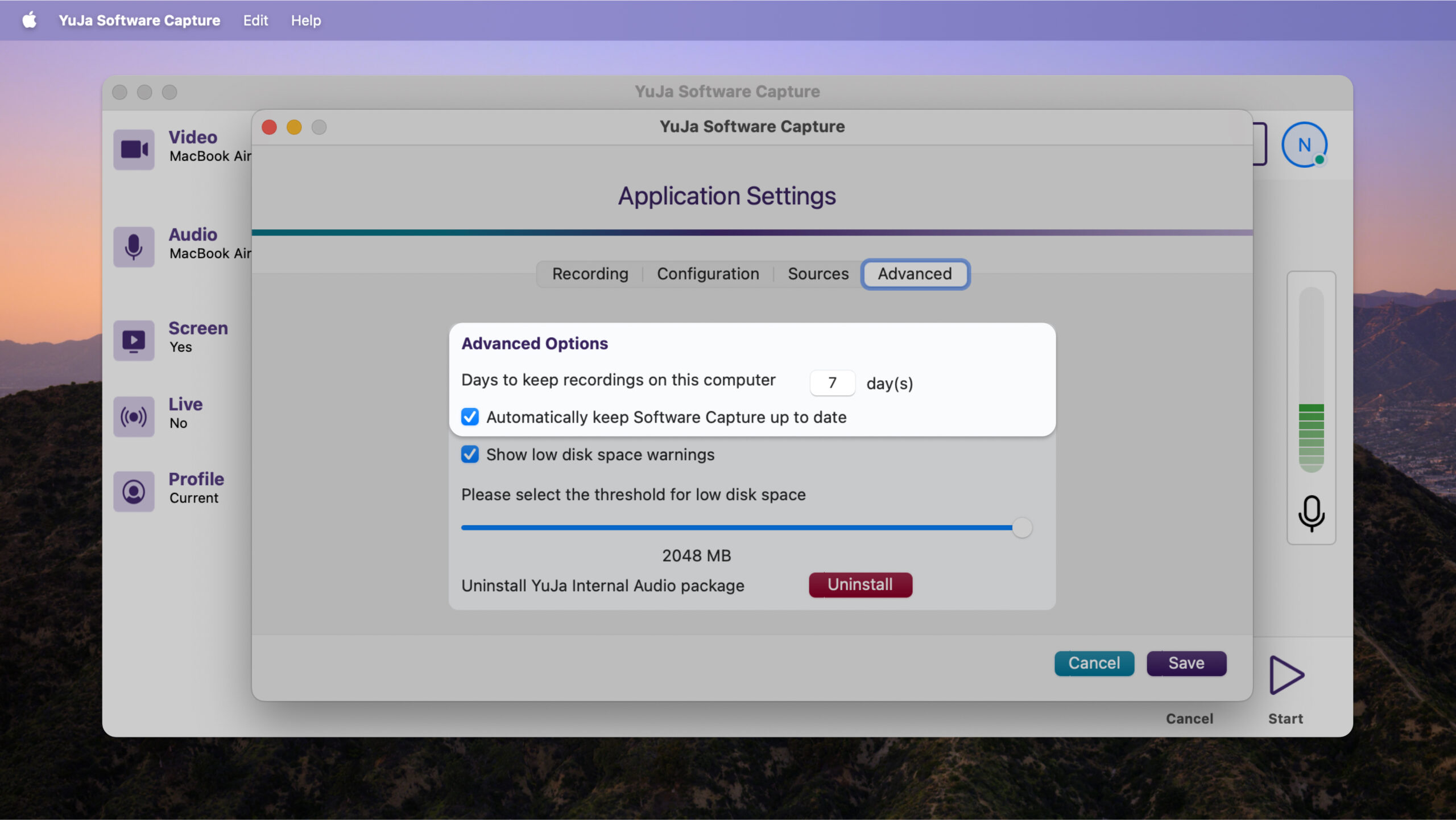
YuJa Software Capture for PC will now automatically update by default, ensuring users always have the latest improvements and security fixes without manual intervention. Users who prefer to control update timing can opt out through application settings, providing flexibility while maintaining optimal software performance for most installations.
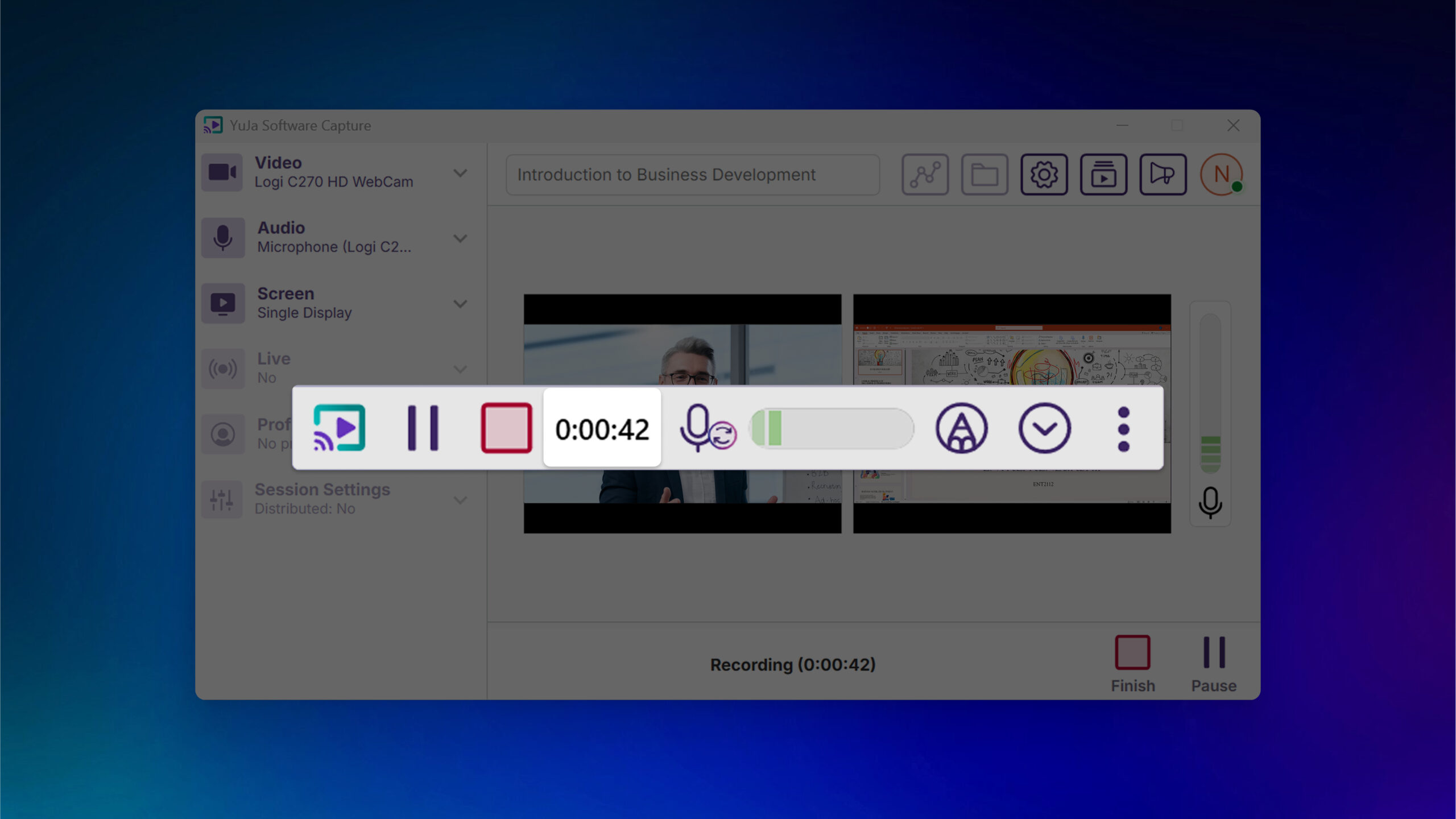
Recording Timer Added to Toolbar for Improved Session Monitoring
The recording toolbar will now display a timer showing elapsed recording time to provide visibility into session duration without accessing the confidence monitor.
Enhanced System Monitoring Helps Prevent Recording Disruptions
When CPU resources reach critical levels, PC Capture will log events to the audit trail for administrator review, helping prevent crashes and frozen screens by alerting IT staff to potential hardware issues.
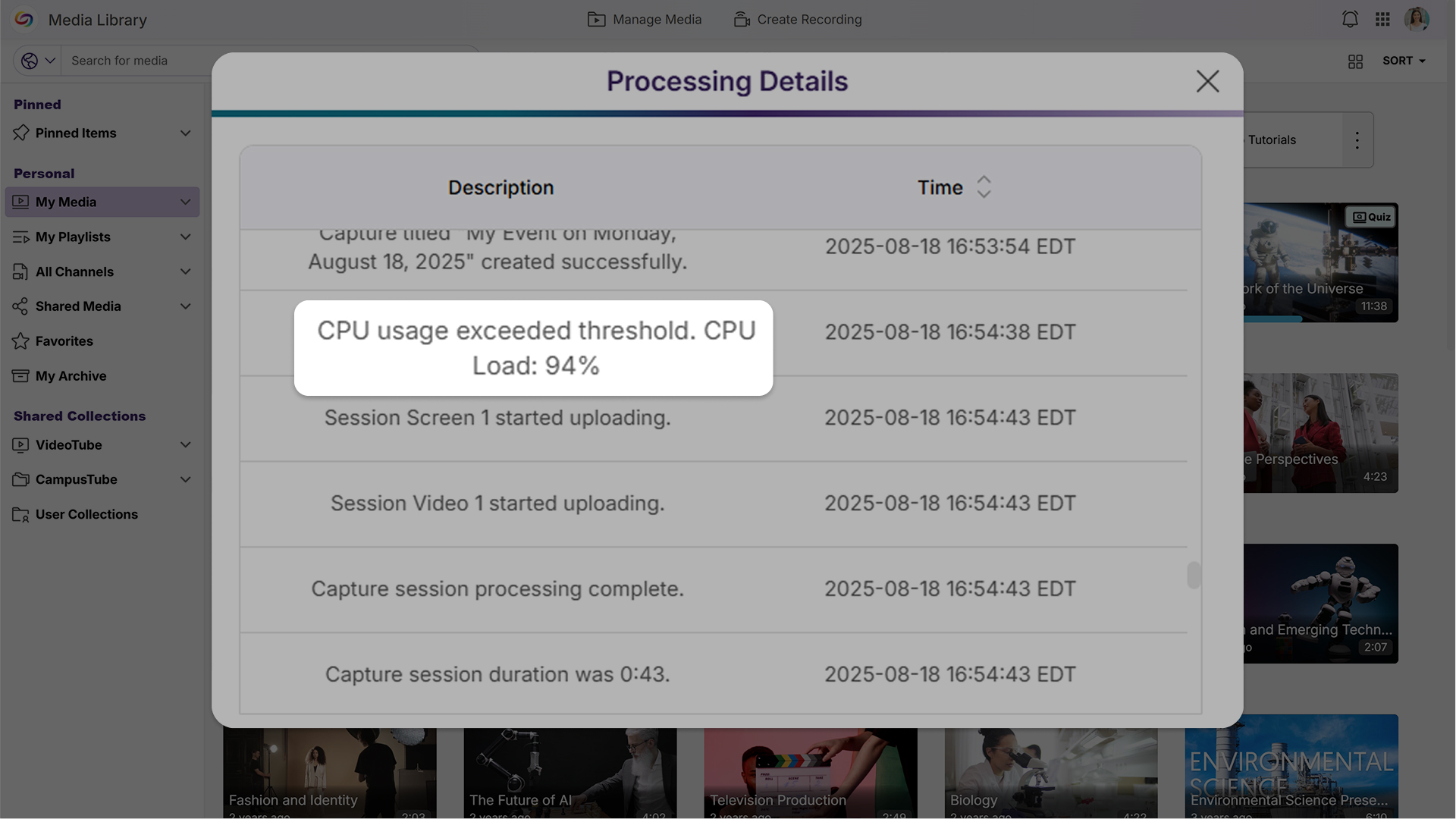
Streamlined Audit Logs Improve Readability
Audit logs will now display simplified device names like “Screen 1” and “Camera 2” instead of technical file IDs, while reducing technical details that are primarily useful for support troubleshooting to create a cleaner, more user-friendly experience for administrators.
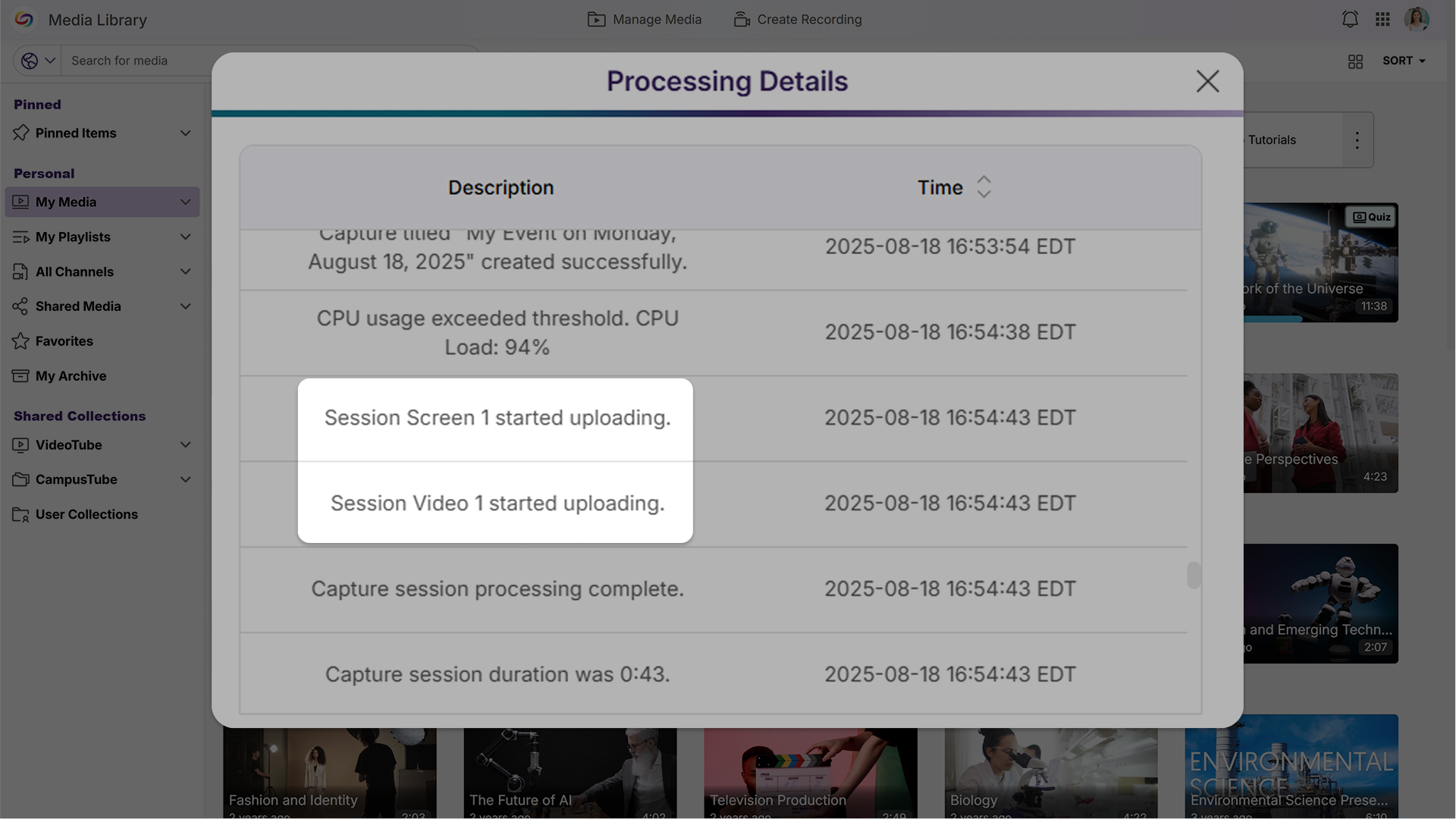
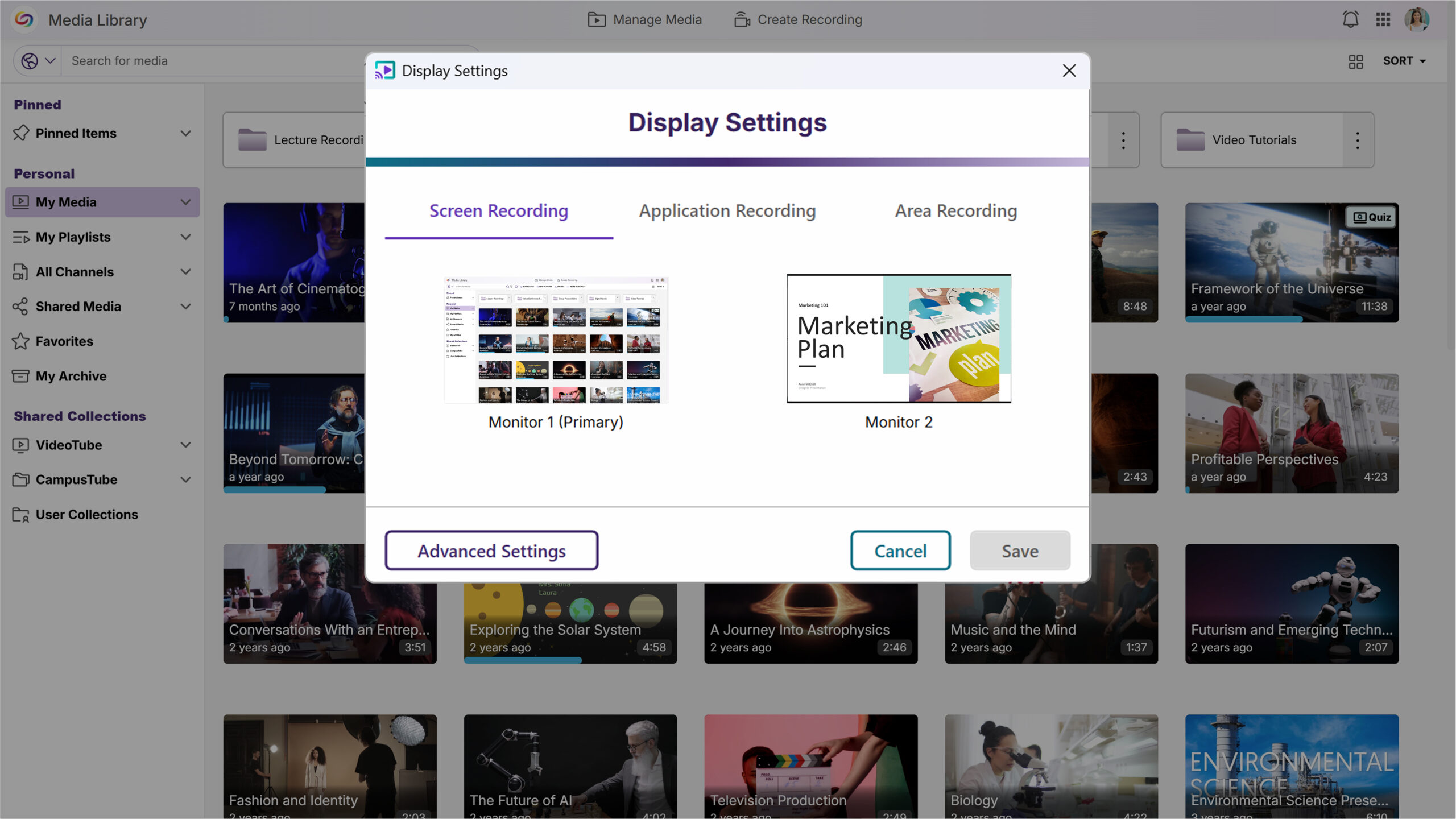
Screen Selection Previews Simplify Display Configuration
A new screen selection preview will allow users to quickly verify which display they’ve chosen, eliminating guesswork when configuring multi-monitor recording setups.
For YuJa Software for Apple, this update will deliver enhanced workflow efficiency and recording precision with automatic updates enabled by default, direct one-click access to My Media in the Lumina Video Platform, and new application window recording capabilities.
Enable Automatic Updates by Default for Optimized Performance
Updates will now be automatically installed to help ensure users benefit from the latest bug fixes and feature improvements. An opt-out setting will be available for users who prefer manual update control.
Direct ‘My Media’ Access Streamlines Content Management
A new button will provide one-click access to My Media in the Lumina Video Platform, automatically logging users in and eliminating the need to navigate separately between applications for content management.
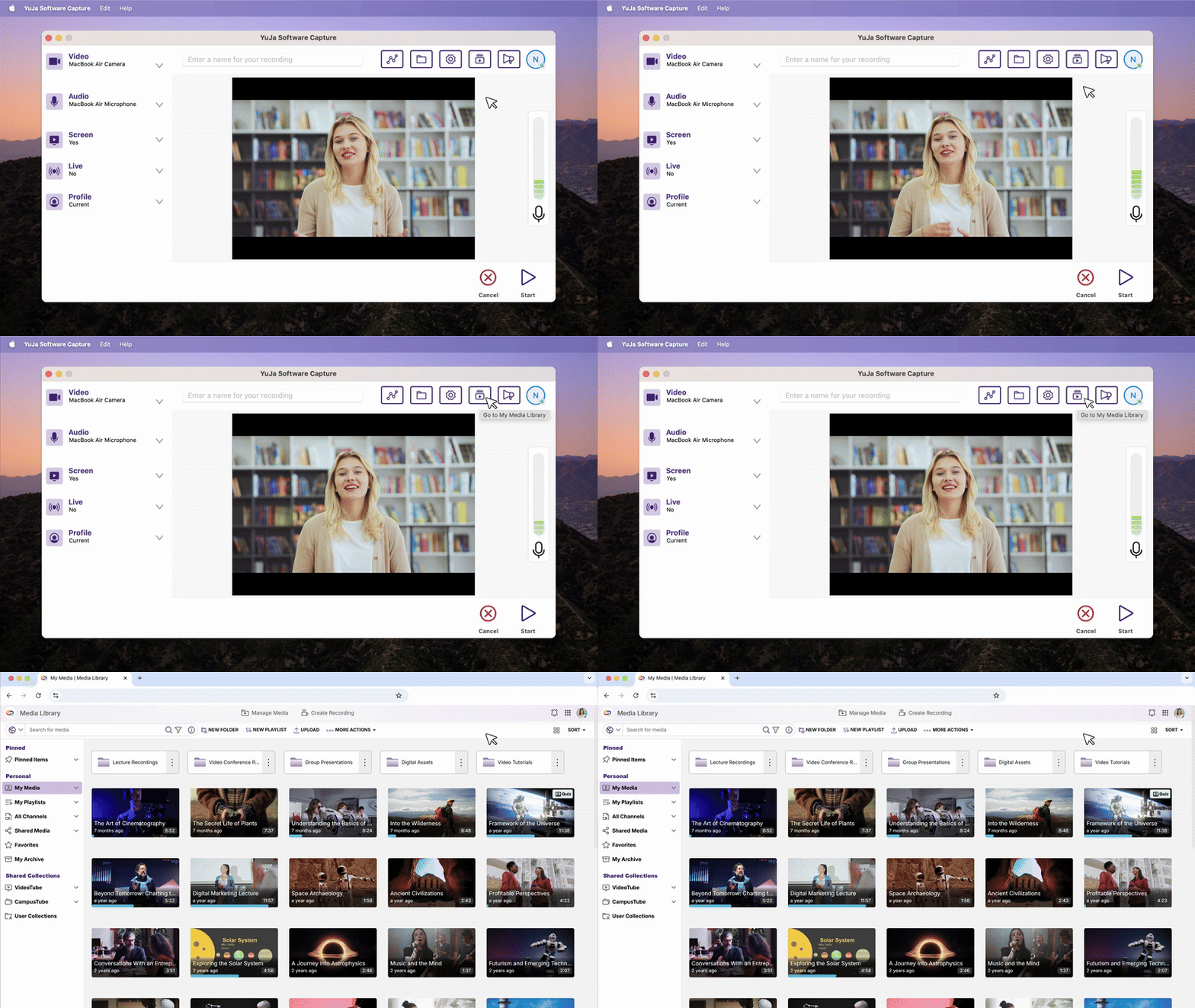
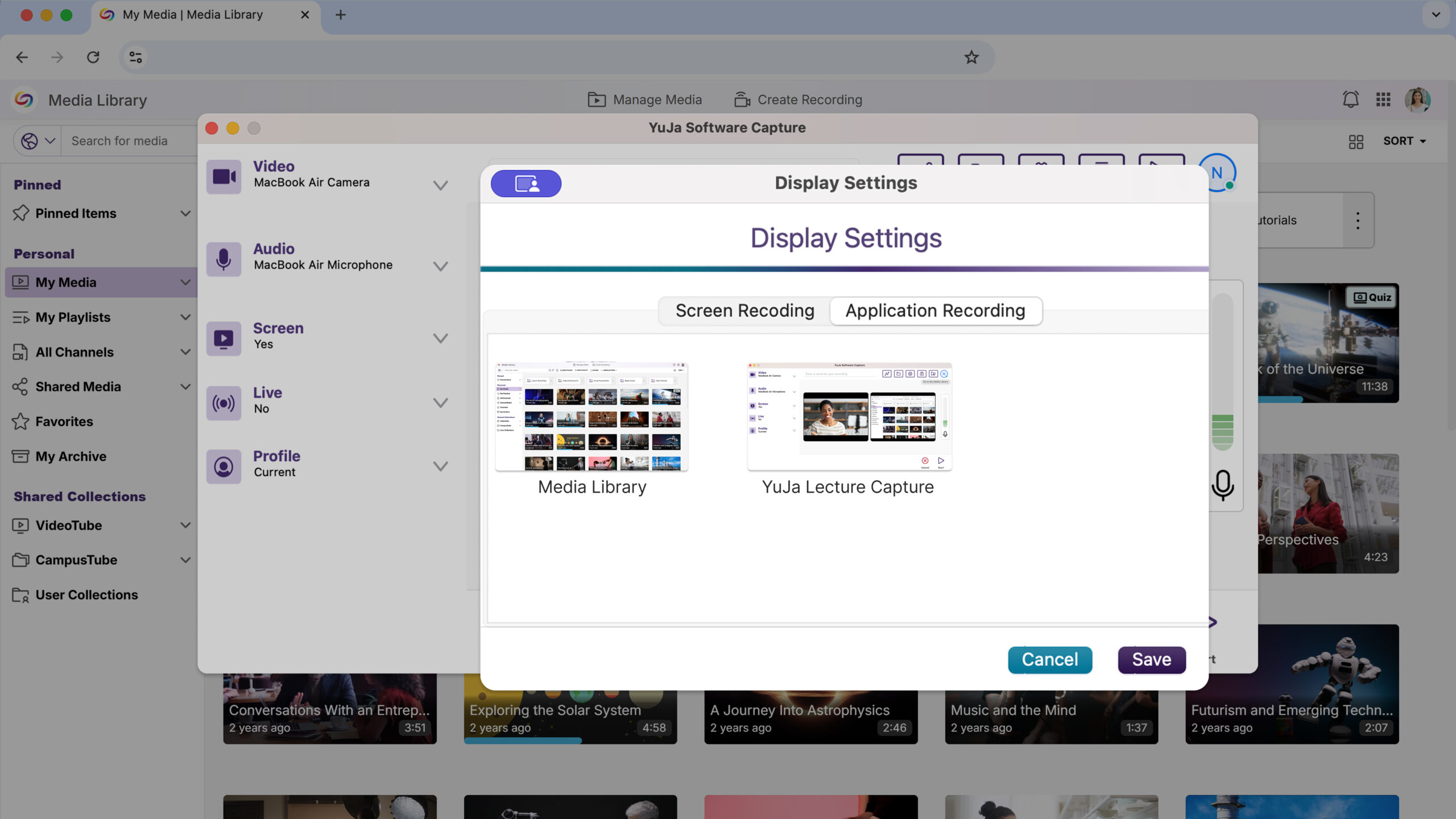
Application Window Recording Provides Focused Content Capture
Users can now record specific application windows instead of the entire screen, offering more precise content capture and reducing distractions from other desktop activities during recording sessions.
This Hardware Hub update will significantly expand device compatibility and management capabilities with support for NDI sources in Hub Profiles and unlimited device connections.
Flexible Device Management Expands Recording Capabilities
The YuJa Hardware Hub will now support adding any connected device, including NDI cameras and USB peripherals, replacing the previous limitation to just three PCI devices. Users will be able to see and manage all connected hardware through an updated interface for more versatile recording setups.
We’re rolling out YuJa Software Capture for PC updates, including a new visual application selection interface, streamlined shared profile creation for administrators, improved microphone device naming in audio controls, and quick access to your Media Library with a single click.
New Application Window Selection Interface
Select which applications to capture with a new window selection interface. Users will see a visual grid of all open, non-minimized windows and can choose up to two applications for recording, eliminating guesswork about which content is being captured. This gives users complete control over what gets recorded to help ensure they capture the right applications every time without having to resize or rearrange windows beforehand.

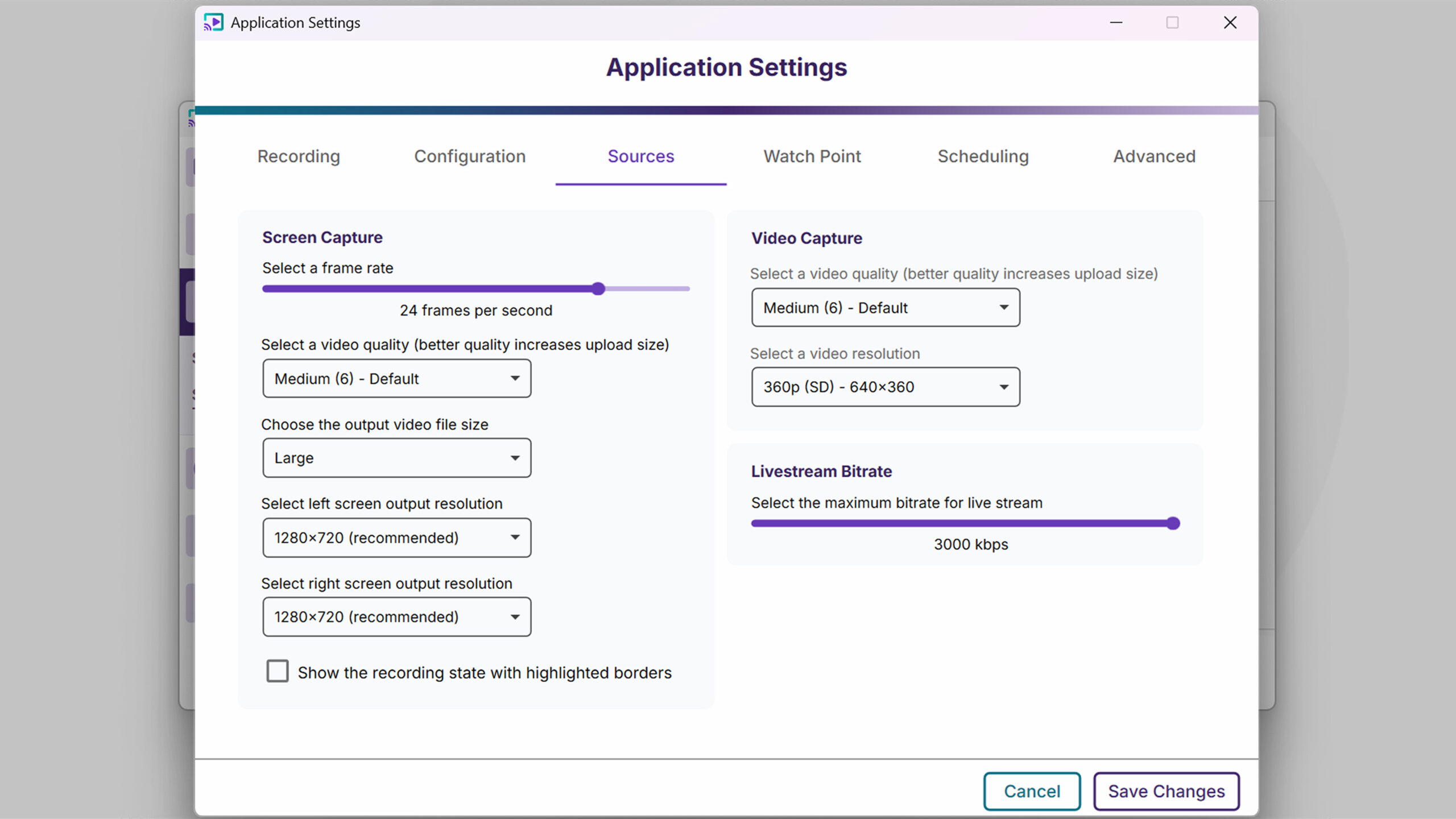
Set Default Video Capture Resolution in Application Settings
Admins can now configure their preferred video capture resolution once in Application Settings rather than adjusting it for each recording session. This default applies to new recordings while preserving any resolution settings already configured in saved profiles.
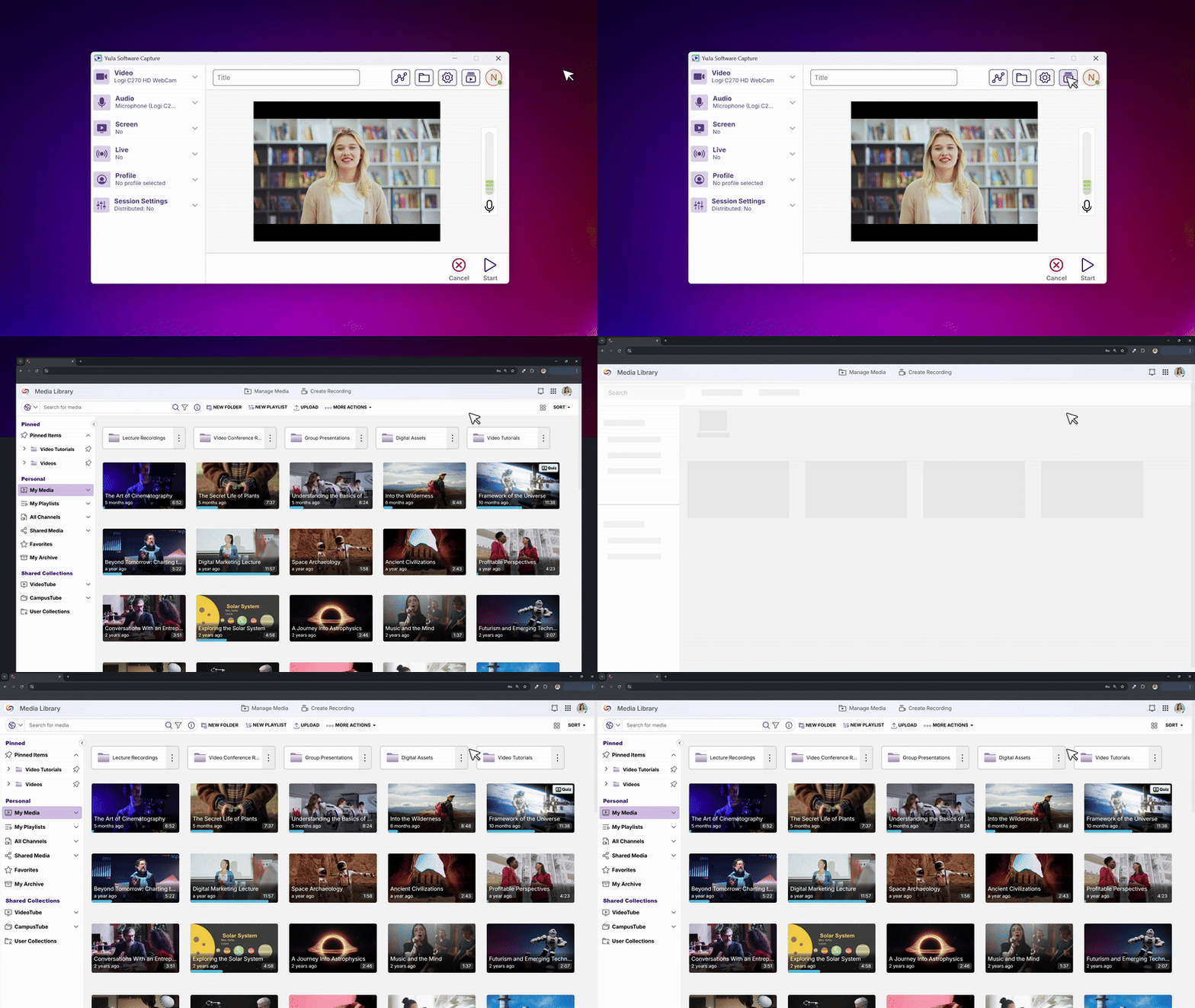
New Quick Access Button to Access the Media Library
Instructors will be able to launch their browser and jump directly to the Media Library with a single click from the Software Capture interface. This streamlined workflow eliminates the need to navigate through your LMS when you want to quickly edit recordings or manage your content after capturing.
Improved Microphone Device Naming in Audio Controls
Audio indicators will now show your microphone device names instead of generic “Mic Source” labels. Users can hover over any audio bar in the Confidence Monitor or recording toolbar to see which specific microphone they are monitoring.

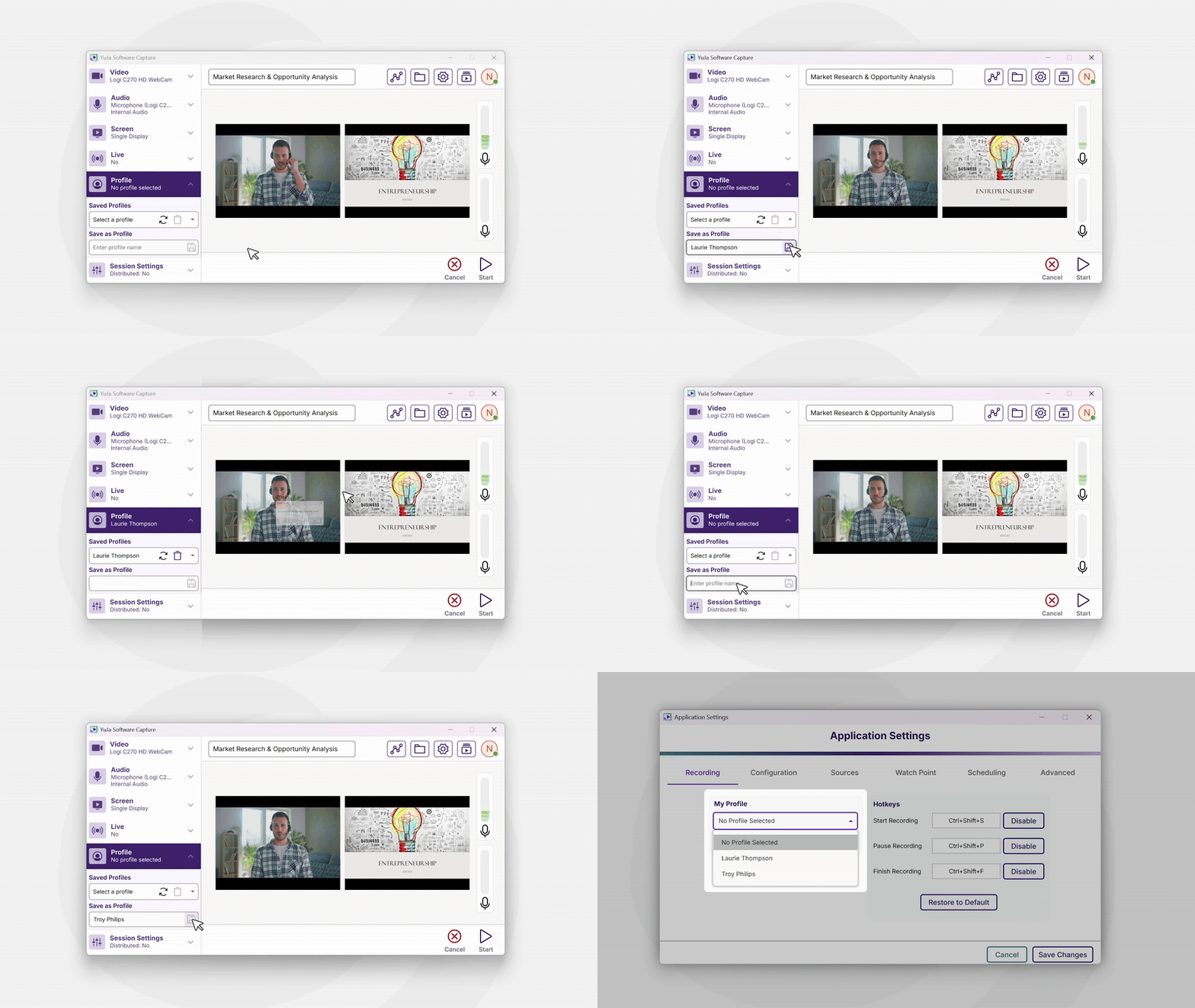
Streamlined Shared Profile Creation for Administrators
Administrators will now be able to create shared profiles directly from the main profile section, making it easier for IT managers to set up profiles that other team members can access and schedule.
Simplified Livestream Link Sharing
When broadcasting live, Software Capture will now display the direct livestream URL at the bottom of the main window with a convenient copy button. Share your stream link instantly without needing to navigate to the Video Platform or remember complex URLs.

For the YuJa Hardware Hub, this update includes enhanced NDI camera support with a new Network Peripherals interface for simplified device configuration and management.
Enable NDI Device Support Through Device Configuration
Campus administrators and support staff can now enable or disable NDI devices directly from the Hardware Hub’s device configuration panel. A new Network Peripherals tab provides a simple toggle to control NDI camera availability, automatically showing or hiding the NDI interface based on the selection.
Simplified NDI Camera Configuration and Management
Users will now be able to configure and manage NDI cameras directly through the Hardware Hub’s new Network Peripherals interface. Users can search for available NDI devices, enable them with a click, and adjust individual camera settings once they’re connected.
We’re rolling out a product update across our Lecture Capture Portfolio. For YuJa Software Capture for PC, this release includes an updated interface with a redesigned Add a Source to Get Started experience for clearer setup guidance. Enhanced channel navigation now automatically loads subfolders for easier browsing, while a new Allow Monitoring setting gives instructors local control over remote monitoring capabilities.
Updated “Add a Source to Get Started” Interface
We’ve updated the YuJa Software Capture interface when no video or screen sources are available, providing a clearer and more helpful experience when troubleshooting or setting up recording sources.

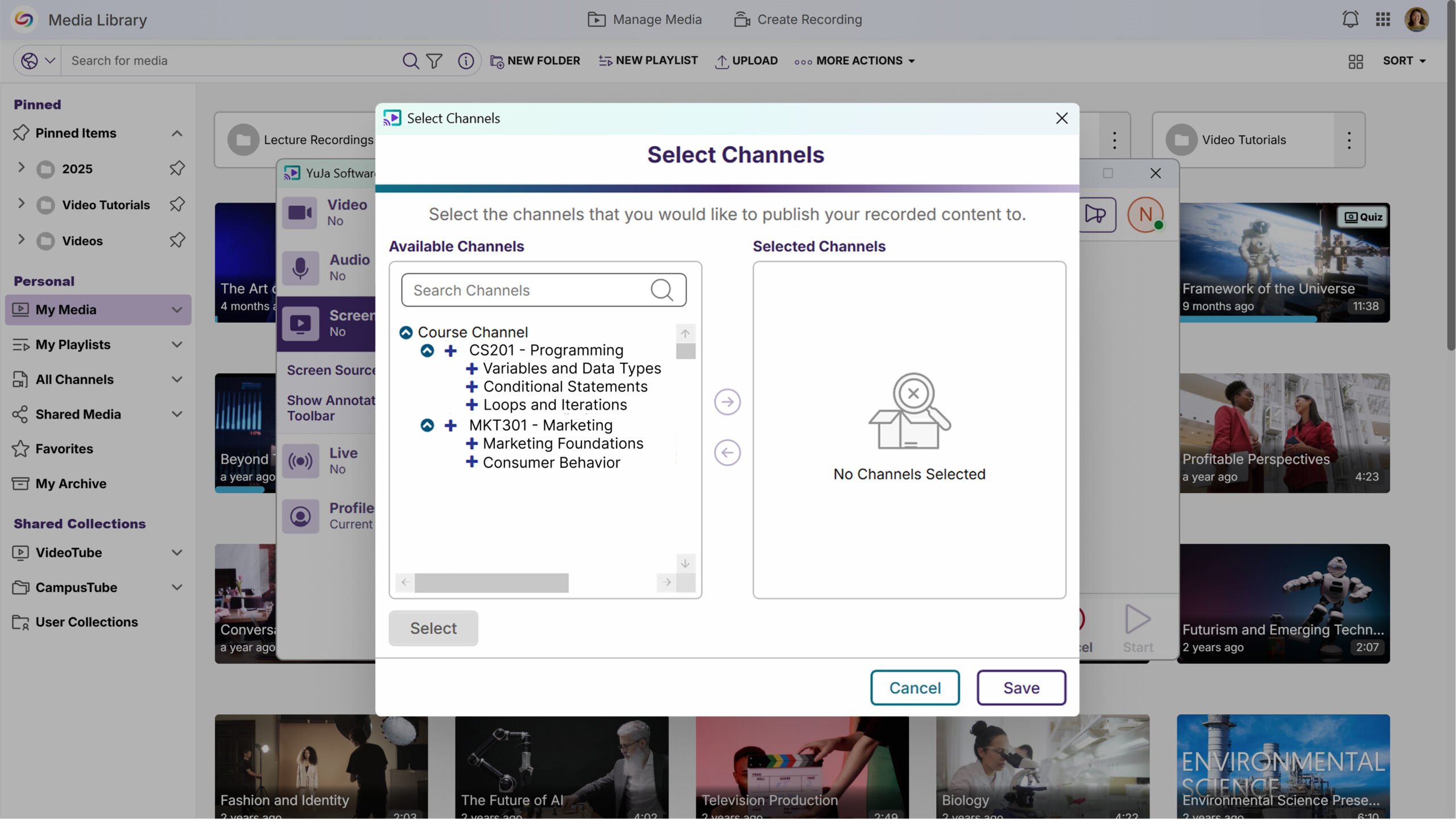
Enhanced Channel Navigation with Subfolder Support
The Select Channel modal has been improved to automatically load all subchannels when expanding folders, making it easier to navigate complex course structures. Users can now expand parent channels to view and select from all available subchannels without needing to search, streamlining the channel selection process.
Enhanced Control Over Remote Monitoring
We’ve added a new “Allow Monitoring” option in the Software Capture settings that gives instructors control over remote monitoring capabilities for their devices. This feature allows instructors to explicitly disable monitoring locally while maintaining the existing admin panel controls, providing transparency and peace of mind about when their recording devices are being monitored.

For YuJa Software Capture for Apple, this update includes the Add a Source to Get Started interface for more clear guidance when no video sources are available during setup.
Redesigned “Add a Source to Get Started” Interface
The YuJa Software Capture for Mac interface was updated to more clearly show when no video sources are available, and users are guided toward selecting their recording sources.

Join the 1,000+ Organizations Deploying High-Impact Solutions



