Product Updates
Get the latest platform updates, features, and announcements—all in one place.
Boost Video Accessibility with the GenAI Video PowerPack!
Try Now
Supercharge Your Compliance Efforts with AutoPilot Remediation Max!
Try Now
Strengthen Your PDF Accessibility Efforts with Structural Remediation Max!
Try Now
Don't Miss Any of Our Upcoming Webinars—Save Your Spot!
Register
The YuJa Community is here! Connect, get updates, and access exclusive content.
Join Now

Get the latest platform updates, features, and announcements—all in one place.
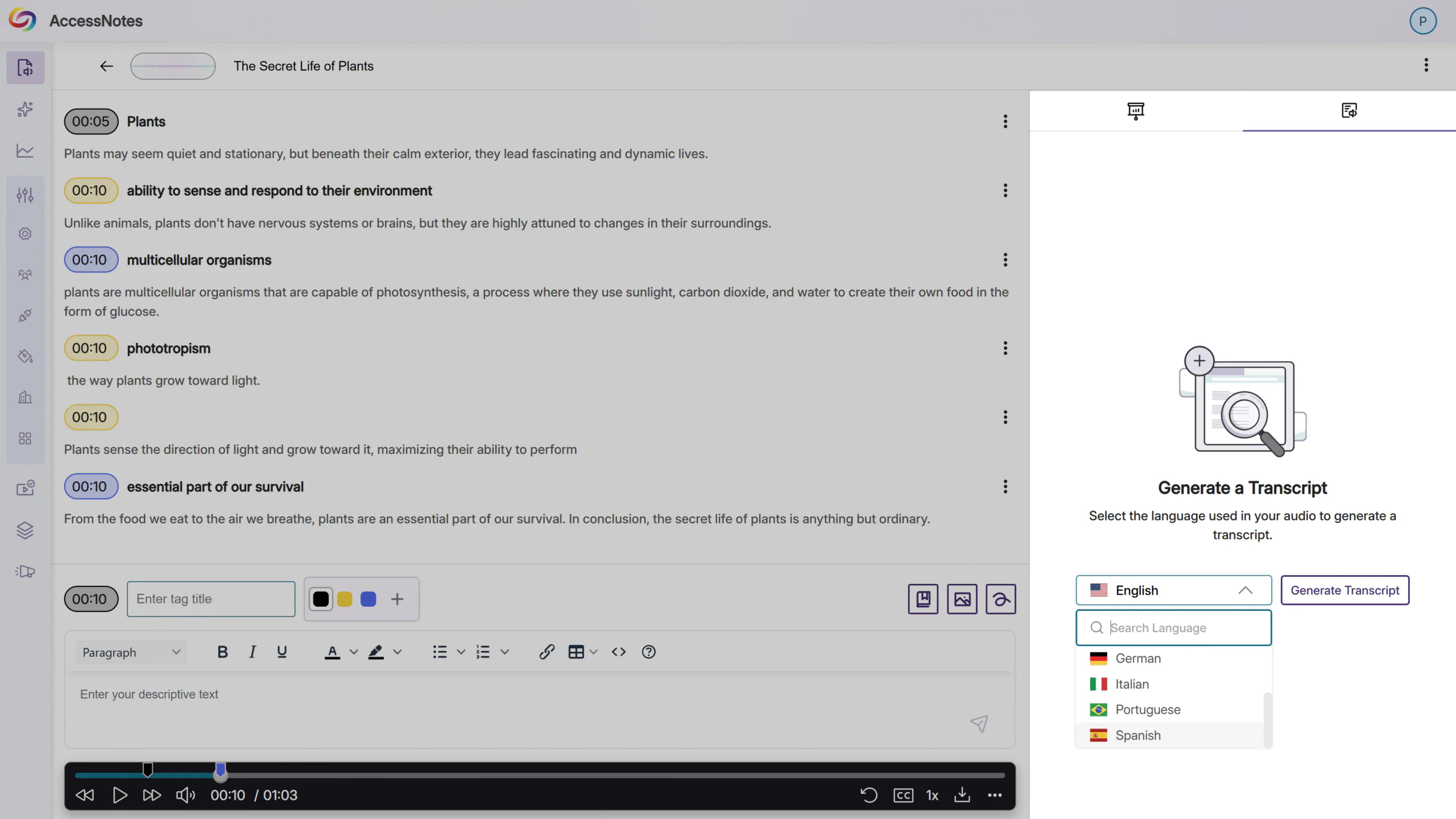
Over the next few weeks, YuJa Intelio AI will be adding a new feature that allows users to generate transcripts in different languages.
Generate Multilingual Transcripts with Intelio AI
Intelio AI now lets users choose the language of their recordings and generate transcripts in that same language. With seven common languages to choose from, users can break down language barriers and enhance learning by leveraging AccessNotes to create accurate transcripts, creating an overall more accessible experience for users learning from audio content.
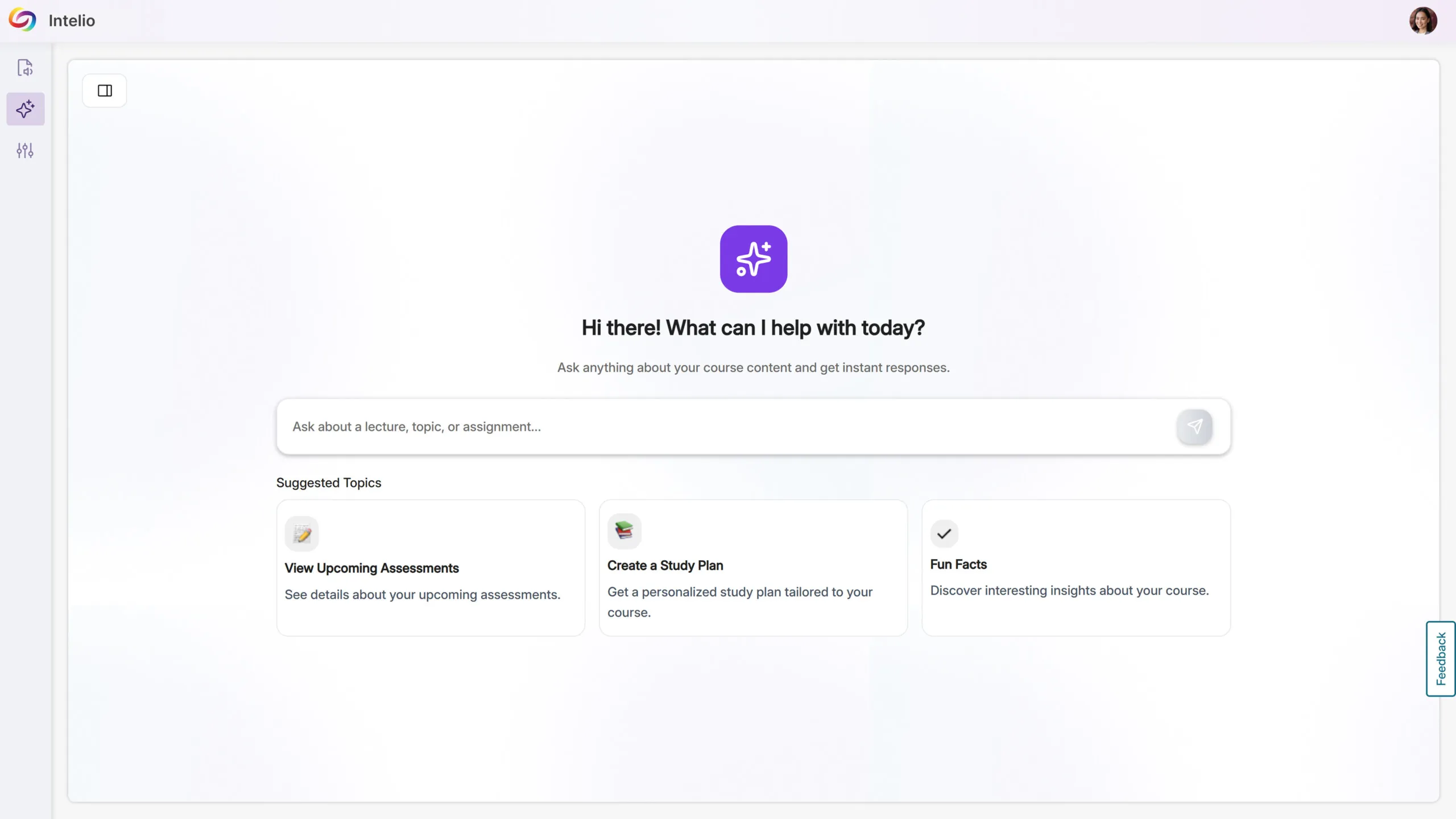
The YuJa AccessNotes Note-Taking Platform is now the YuJa Intelio AI Knowledge Assistant, reflecting an expanded focus beyond note-taking to a personal, AI-powered student assistant that delivers instant, course-specific guidance, supports ongoing conversations, and centralizes course content for a more seamless learning experience.
YuJa Intelio AI: Your Personal Knowledge Assistant
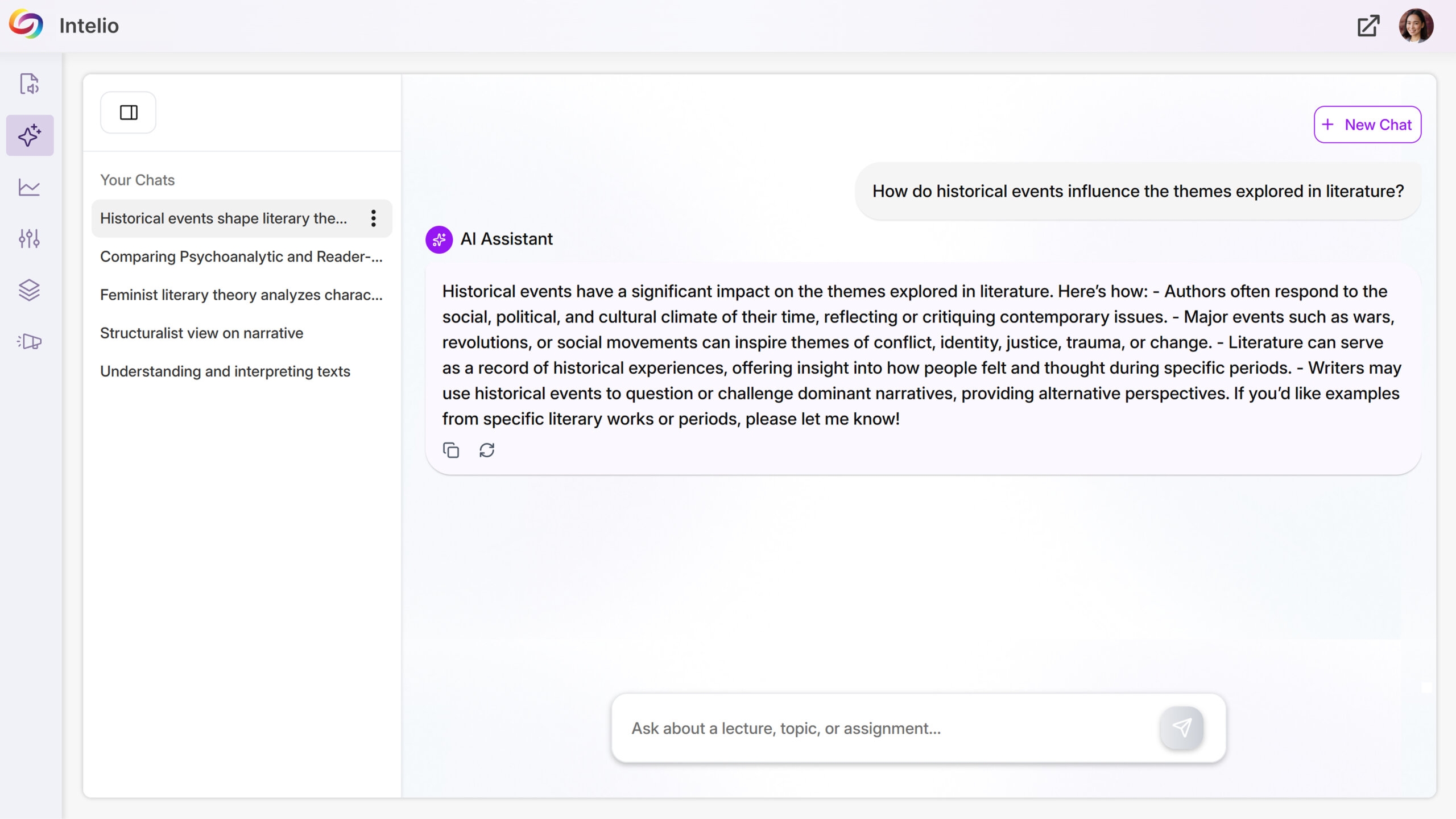
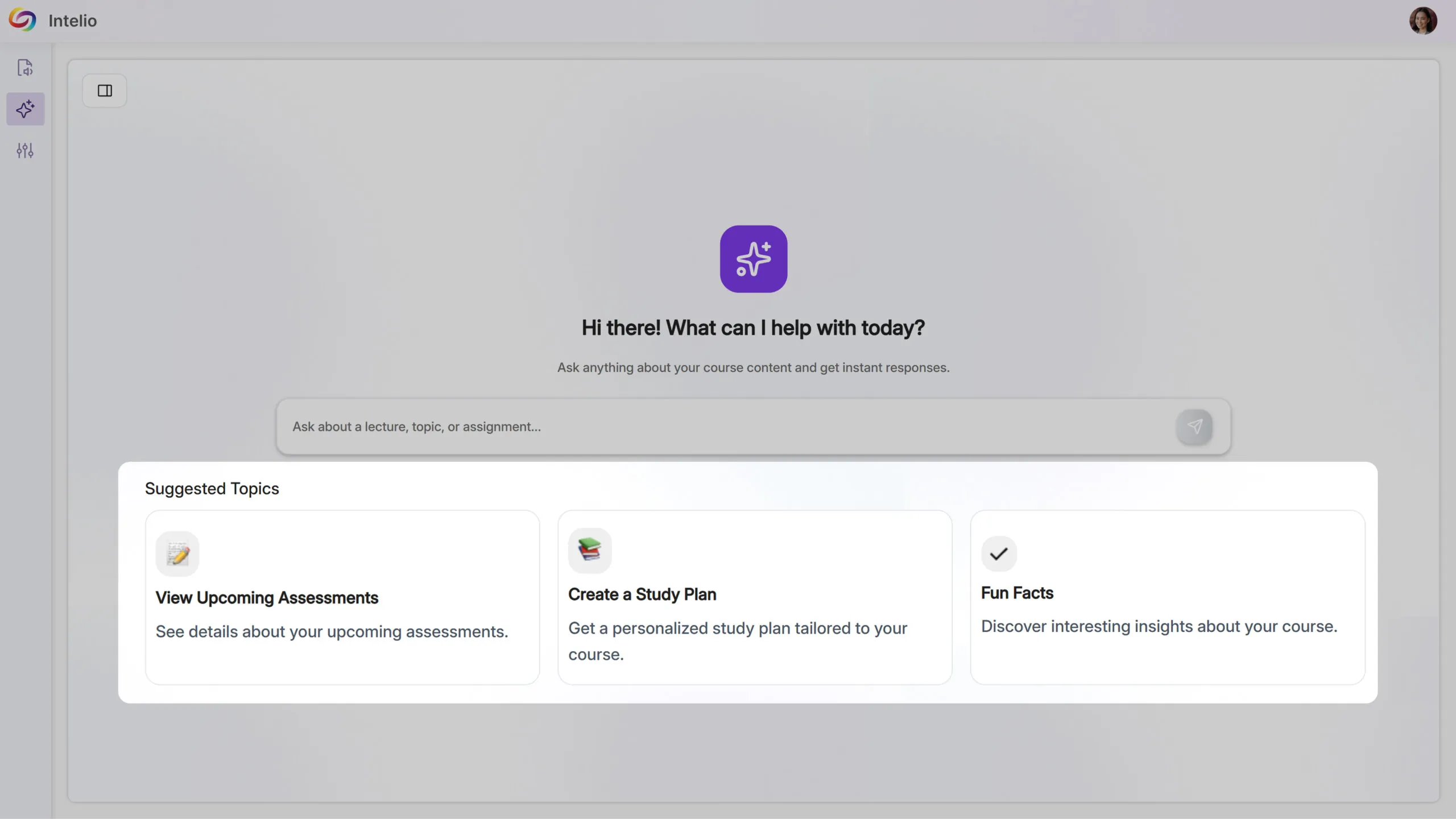
Intelio AI transforms course content into an interactive, AI-powered study assistant, helping students stay organized, informed, and supported throughout their courses. Accessible from the sidebar, students can ask course-specific or general questions and revisit previous conversations for continuous guidance.
Key benefits include:
Instant, Personalized Support: Students get immediate answers about assignments, quizzes, deadlines, and announcements, keeping them on track without searching through course materials.
Seamless Study Experience: New chats can be created while older conversations remain accessible, allowing students to manage multiple questions and study sessions efficiently.
Centralized Course Guidance: Intelio AI provides one place for students to explore course content, reducing confusion and making learning more intuitive and efficient.
We have successfully pushed an update to all YuJa AccessNotes Note-Taking Module instances residing in the US, Canada, Australia, Singapore, the Middle East, and the European Union. This update includes an improved interface for better navigation and a new ability to regenerate and remove transcriptions.
Improved Interface for Better Navigation
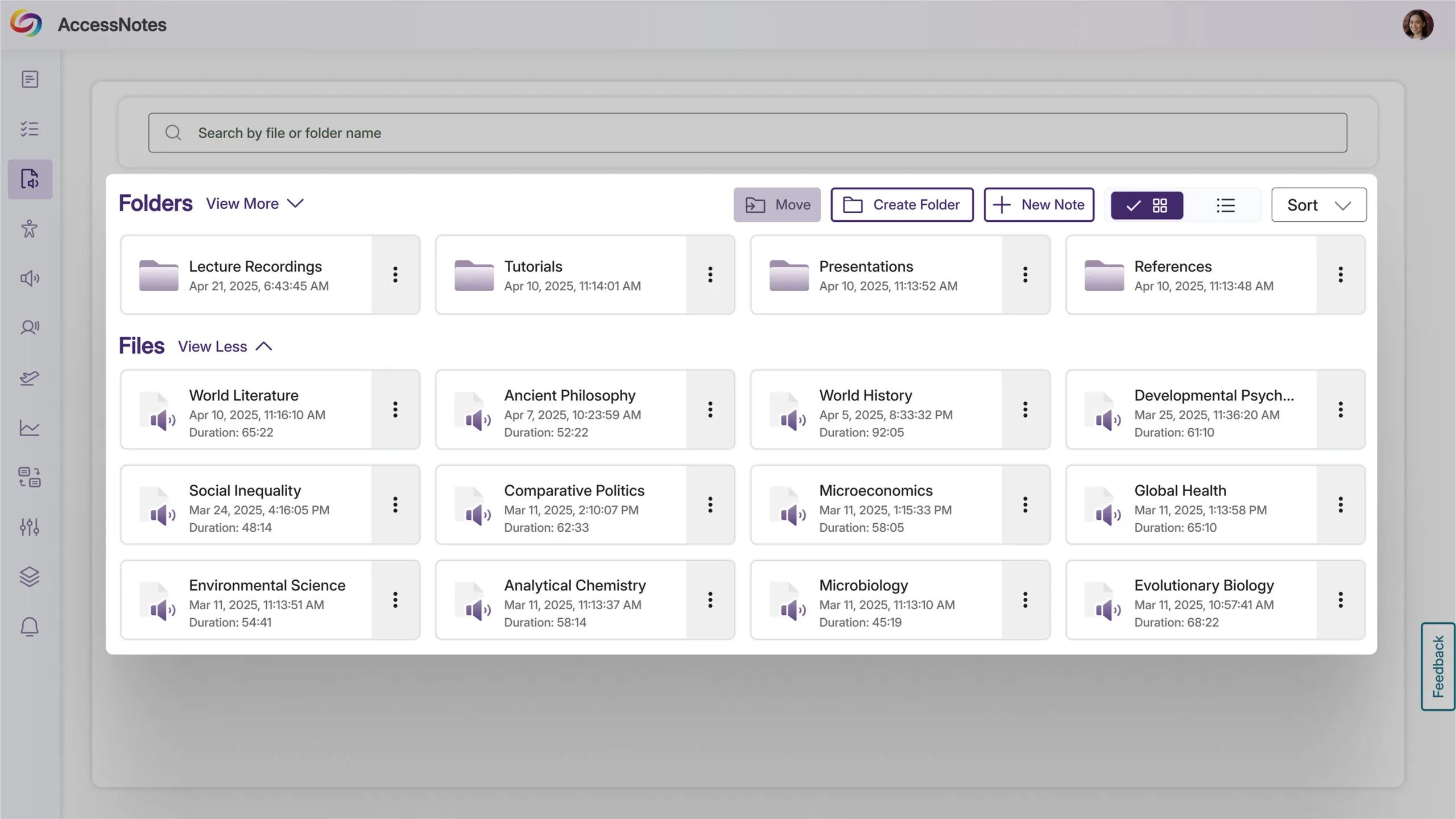
The interface has been updated to provide a clearer visual distinction between folders and files in the library, including unique icons for file types, unbolded status indicators, and an updated sidebar tab icon. These adjustments simplify navigation, especially as your library grows with notes and organizational structures.
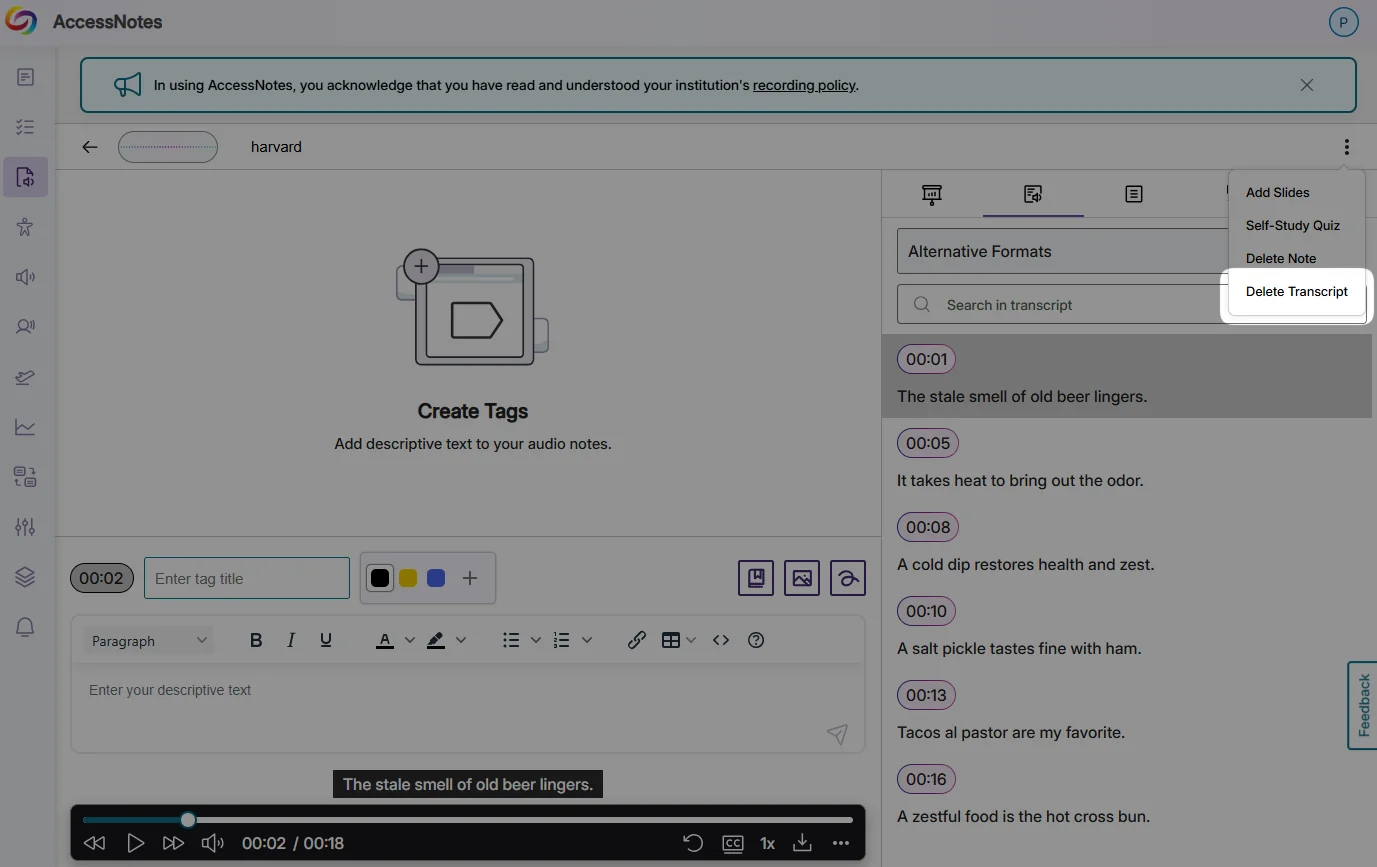
New Ability to Regenerate and Remove Transcriptions
Delete or regenerate transcripts in AccessNotes with new management controls. After generating a transcript for your audio note, you’ll find a delete option in the More Actions menu. Any previously created summaries and outlines remain accessible even after transcript deletion.
We have successfully pushed an update to all YuJa AccessNotes Note-Taking Platform instances residing in the US, Canada, Australia, Singapore, the Middle East, and the European Union. This update includes sharing audio recordings, supporting external audio devices, importing images from a web search, and embedding articles in tags to describe complex concepts.
Add Descriptions to Your Tags to Understand Complex Terms
When you’re unsure about a complex topic or concept and would like further clarification, adding descriptions allows you to search for and embed articles in your tags. By entering a few keywords, you can browse a catalog of search results to find the one that best clarifies the topic you’re struggling with.

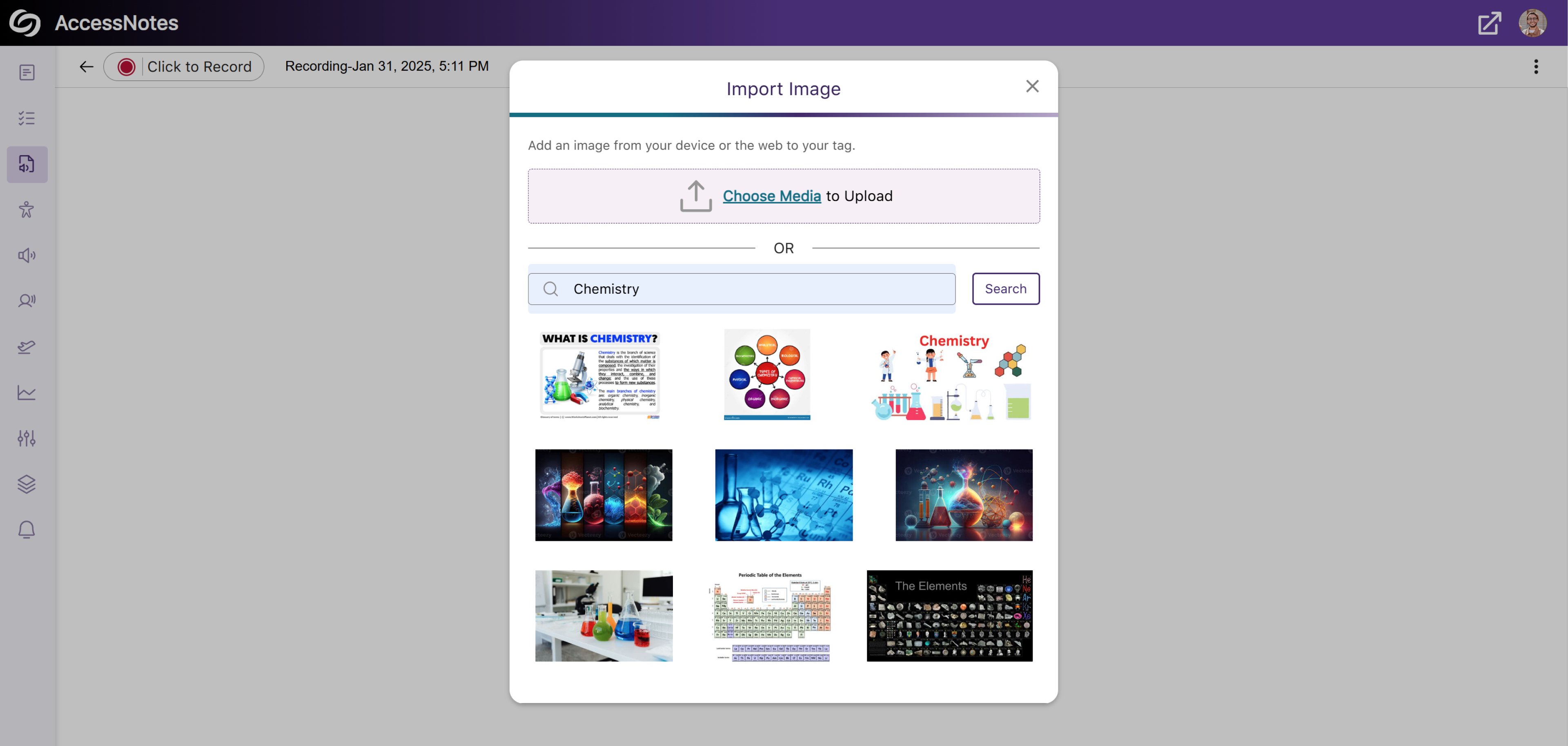
Import Images to Tags Through the Built-In Web Search
In addition to embedding images from your device to a tag, AccessNotes now supports direct image import from the web through the built-in search engine. This allows instant embedding of visuals or illustrations without the need to download images. Simply search for an image, choose the one you like, and add it to the tag.
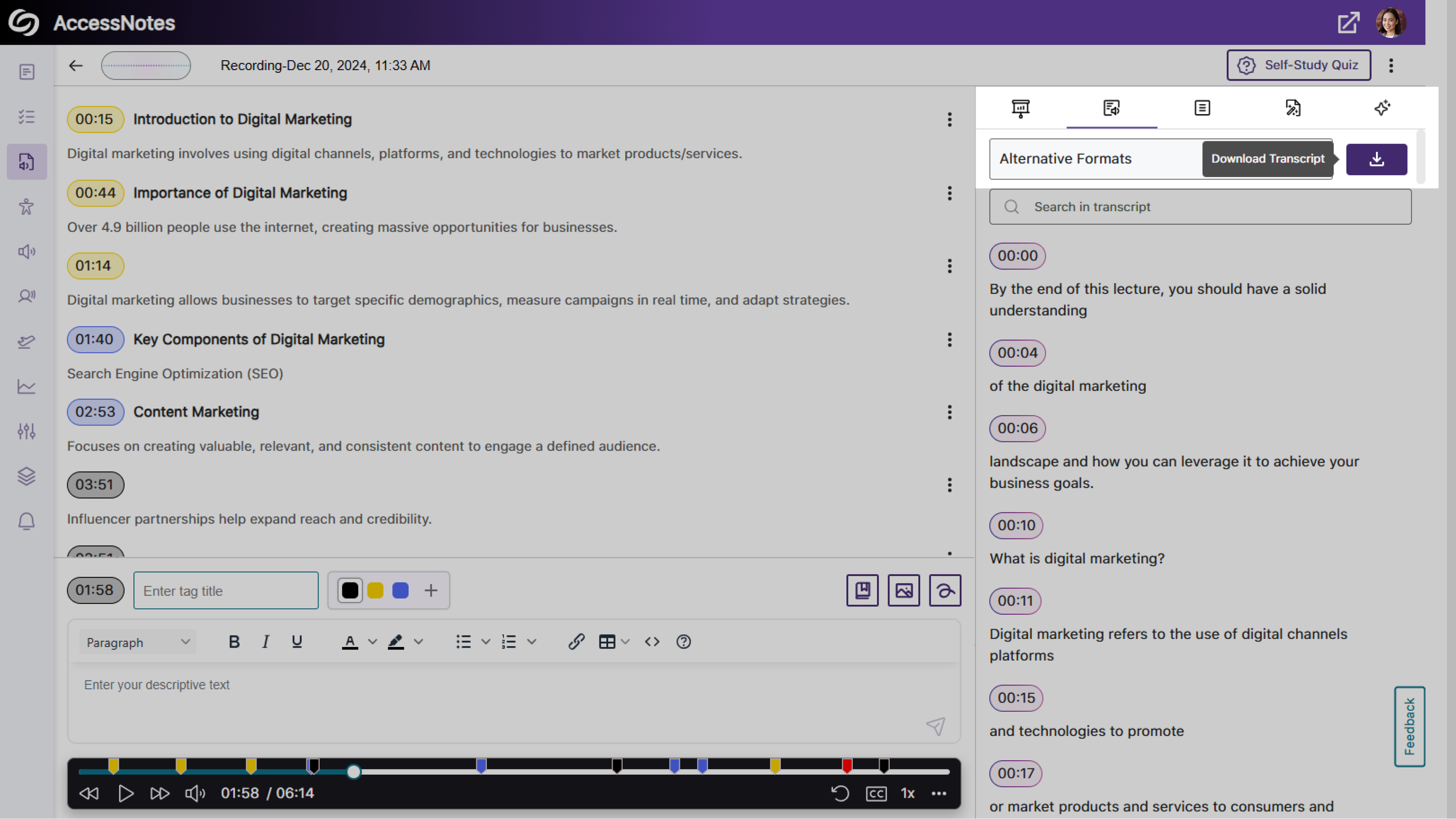
Dedicated Option to Download Audio Transcripts as a TXT File
We’ve updated AccessNotes to include a Download button in the Transcript panel, offering easier access to the audio transcripts in a TXT format.
Expanded Audio Source Options for Note Recording
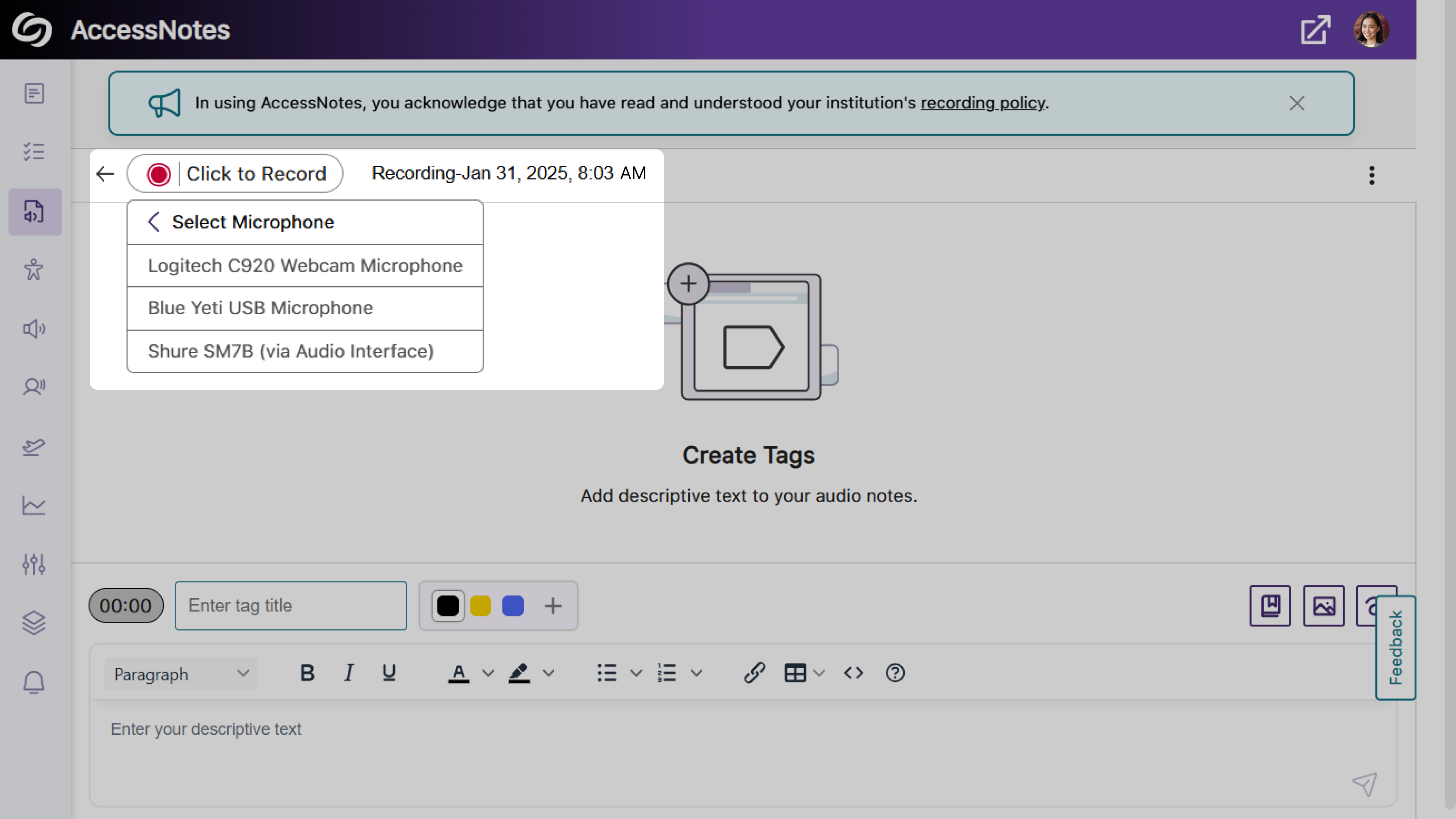
Previously, audio notes could only be recorded using your device’s built-in audio source. With this update, AccessNotes detects and displays all external audio sources connected to your device, allowing you to select the source that best meets your recording preferences.
Share Your Audio Recordings with Anyone
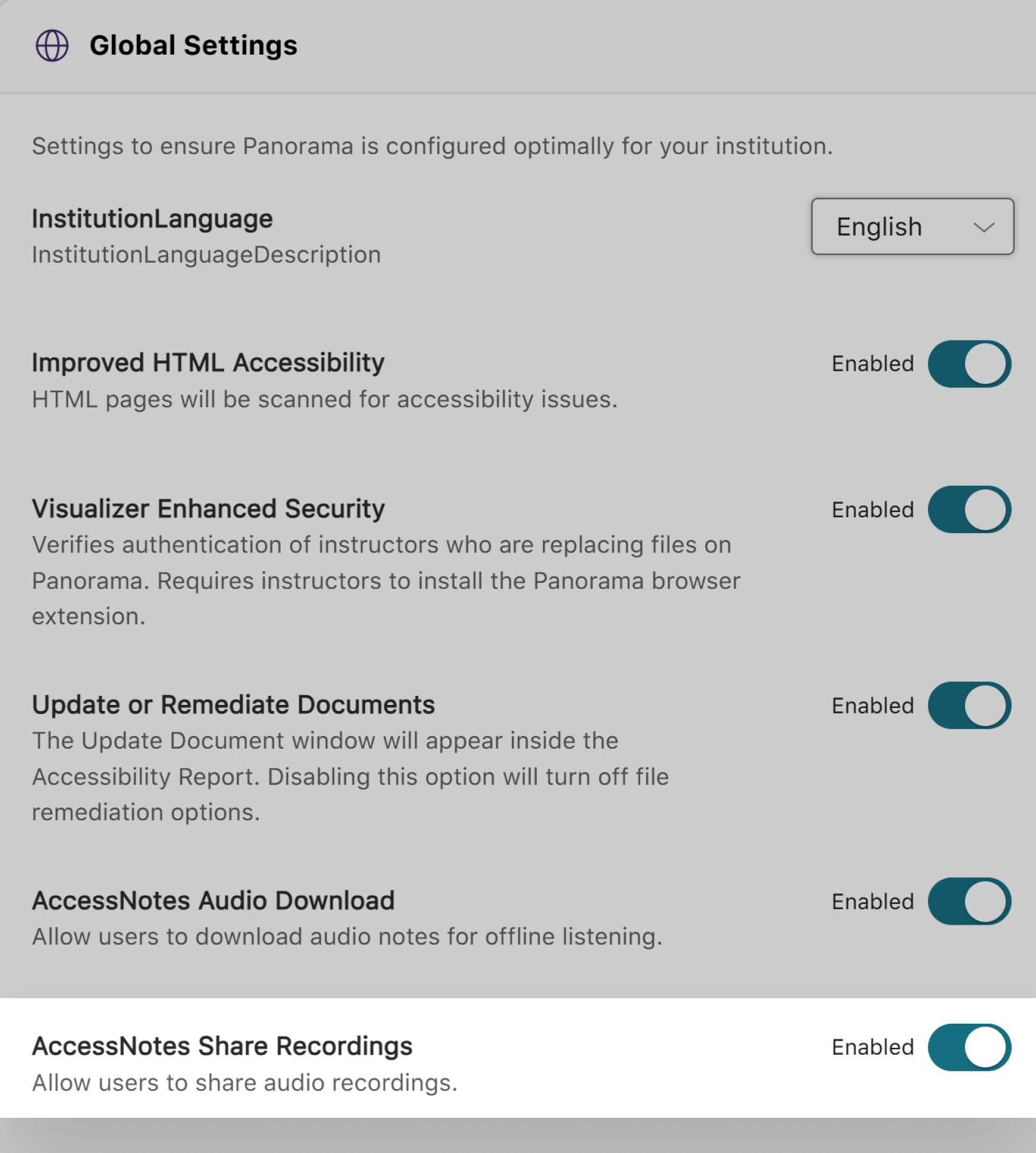
AccessNotes now supports audio note sharing through email, allowing materials to be easily distributed amongst peers or colleagues. Once an audio note is shared, recipients can download the shared note without requiring an AccessNotes login. You can enable this feature as an administrator by navigating to Configurations > General Settings > Institution Settings.
We have successfully pushed an update to all YuJa AccessNotes Note-Taking Platform instances residing in the US, Canada, Australia, Singapore, the Middle East, and the European Union. This update includes the option to ask AI Assistant to auto-create quizzes based on recordings, enable auto-transcript scrolling with audio playback, a new search bar in transcripts to search content, a new option to disable the audio file downloads, and more.
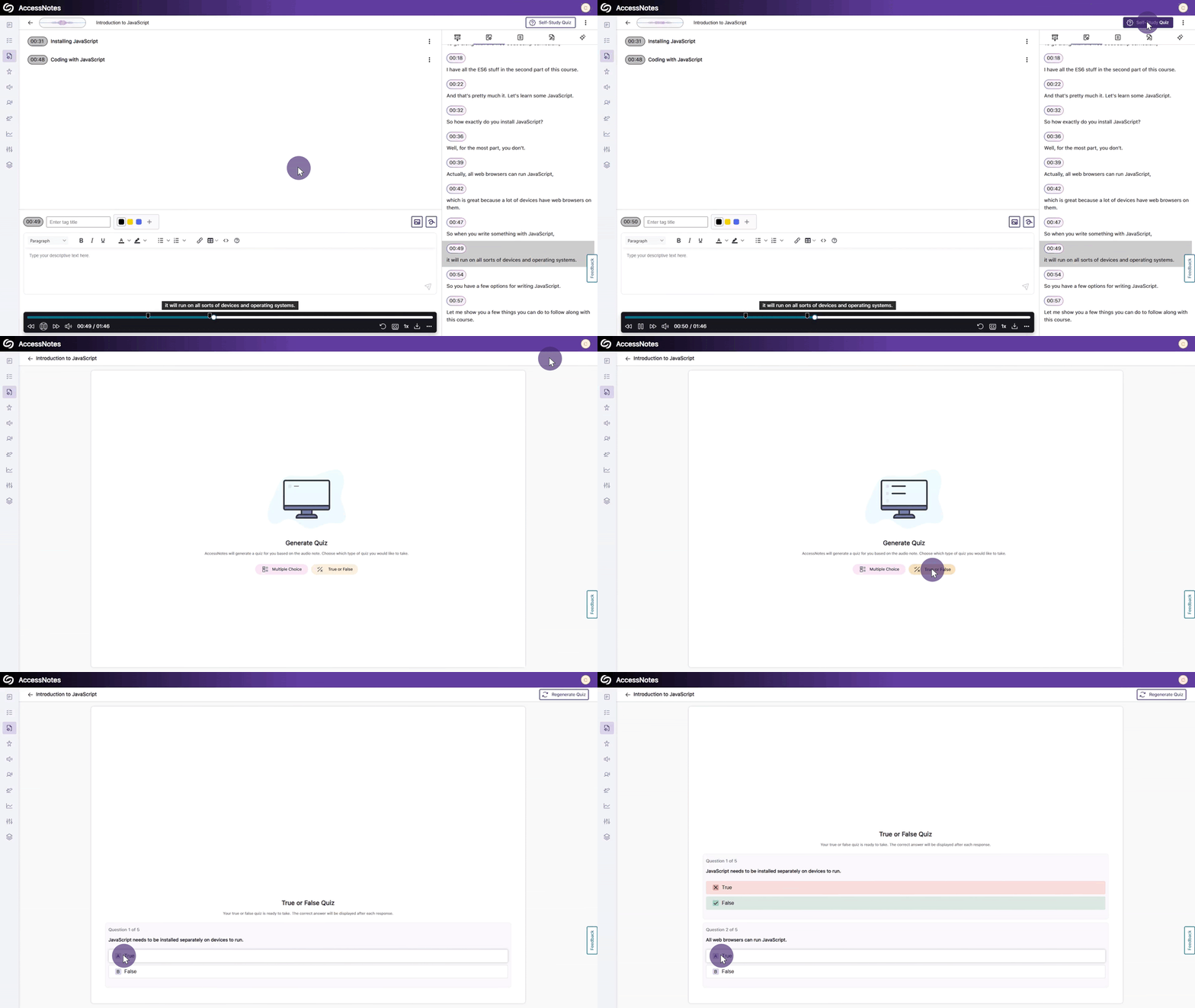
Use GenAI to Auto-Create Quizzes Based on Your Recording to Help You Study
Using our genAI capabilities, YuJa AccessNotes can help you replace traditional flashcard-based studying by analyzing your notes and generating self-study quizzes in multiple-choice or True/False formats. As you take the quiz, answers are provided immediately after responses, allowing you to immediately identify areas of improvement. If you didn’t perform well, you can retake the quiz, or for an additional challenge, create a new set of questions to further test your understanding.
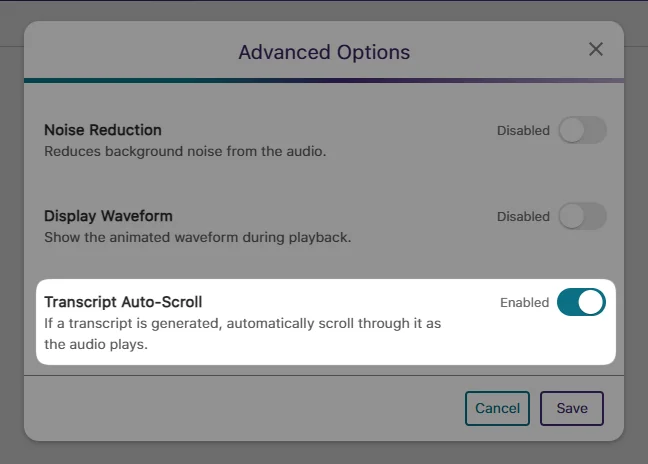
Enable Auto-Transcript Scrolling That Syncs with Audio Playback
During audio playback, you will no longer be required to manually scroll through the transcript when reading along. Simply enable the new auto-scroll setting from Advanced Options > Transcript Auto-Scroll.
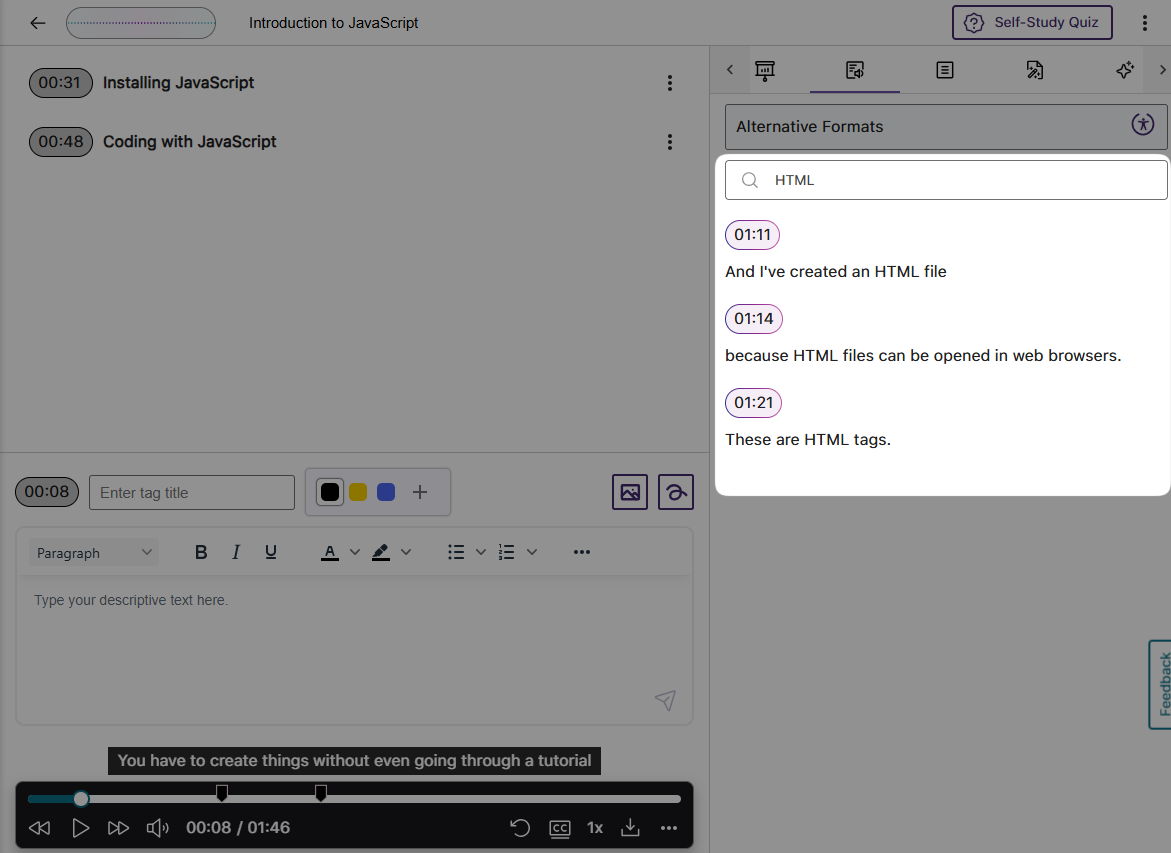
Generated Transcripts Feature a Search Bar to Help Find Content
We have provided a search bar that shows results alongside their audio timestamps to help you locate content more easily in your transcripts. You can then click on the search result to begin playing your audio note.
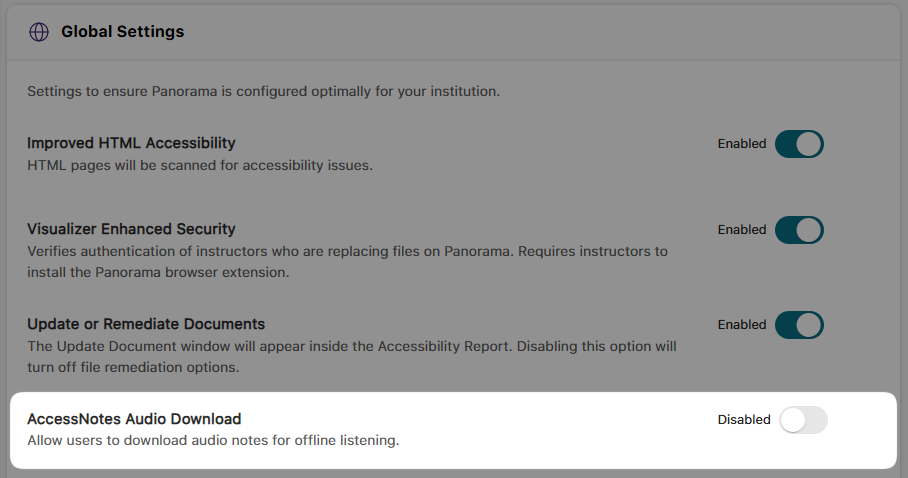
Administrators Can Disable the Downloading of Audio Files
As an administrator, you can disable audio file downloads to protect content privacy. This ensures that recordings, such as lectures or business presentations, remain accessible only within YuJa AccessNotes and cannot be downloaded to personal computers.
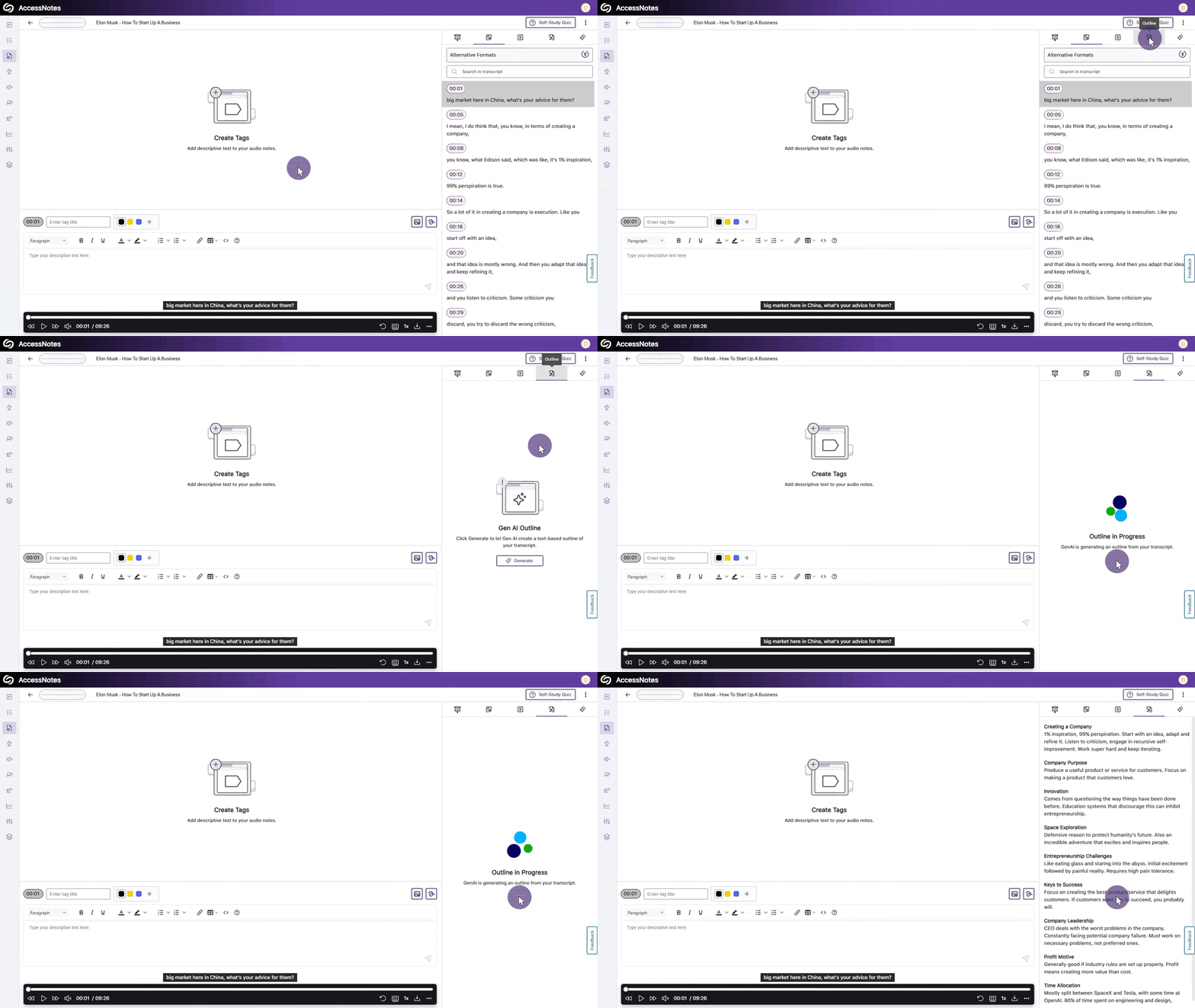
Create Organized Outlines of Your Notes Using Clear Headings
When a presentation or lecture lacks structure and a simple summary is not enough to understand the content, YuJa AccessNotes can help by generating an outline. Outlines structure entire presentations into clear, text-based formats, including headings and descriptions that summarize the discussions held in each identified audio section.
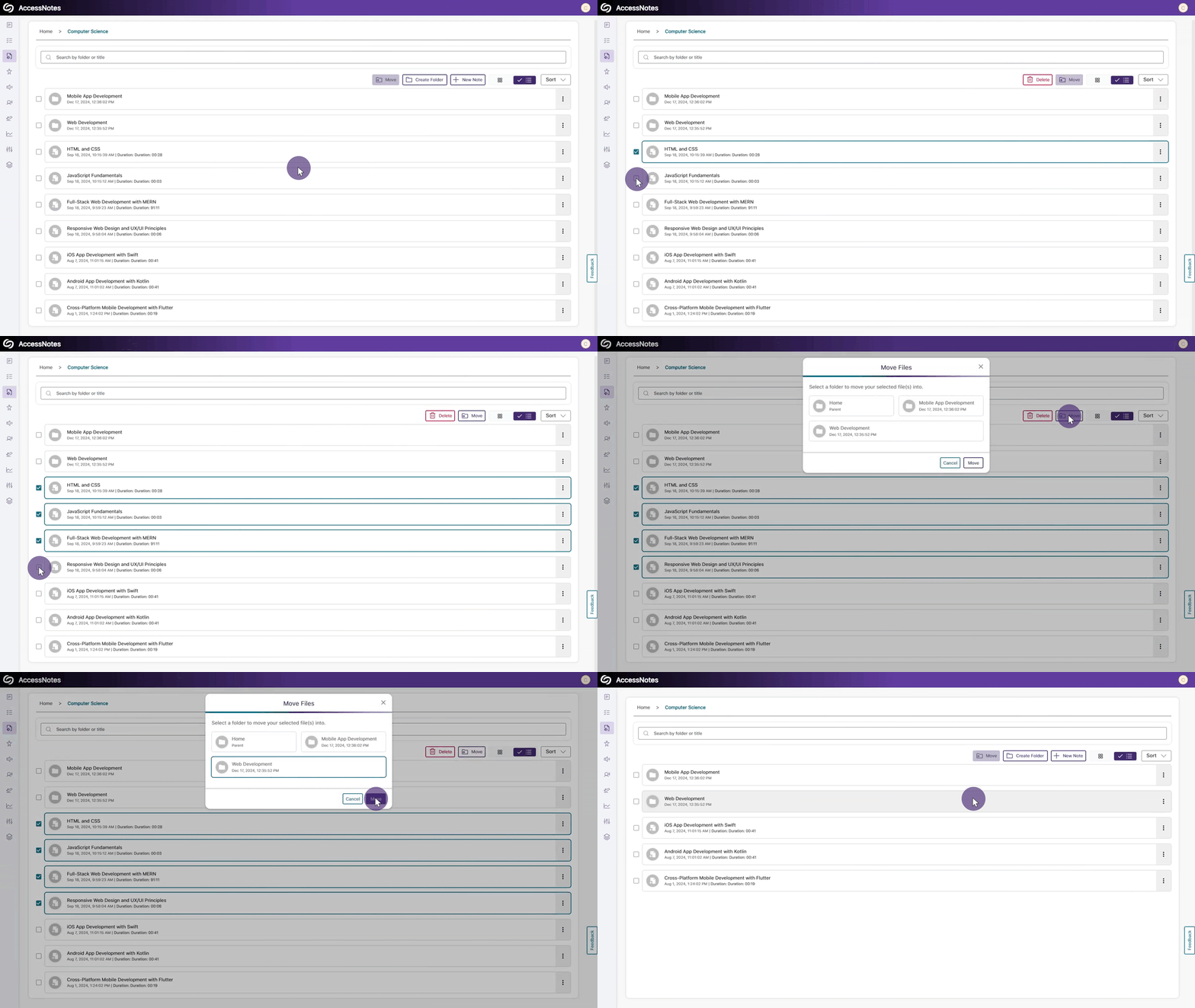
Organize Content by Transferring Items from One Folder to Another
With our new options for moving items between folders, organizing content in YuJa AccessNotes is easier than ever. You can select the items you want to relocate and click the Move button to transfer files or folders. Alternatively, you can simply drag and drop your items into and out of folders.
Join the 1,000+ Organizations Deploying High-Impact Solutions