

Product Updates
Get the latest platform updates, features, and announcements—all in one place.
Boost Video Accessibility with the GenAI Video PowerPack!
Try Now
Supercharge Your Compliance Efforts with AutoPilot Remediation Max!
Try Now
Strengthen Your PDF Accessibility Efforts with Structural Remediation Max!
Try Now
Don't Miss Any of Our Upcoming Webinars—Save Your Spot!
Register
The YuJa Community is here! Connect, get updates, and access exclusive content.
Join Now

Get the latest platform updates, features, and announcements—all in one place.
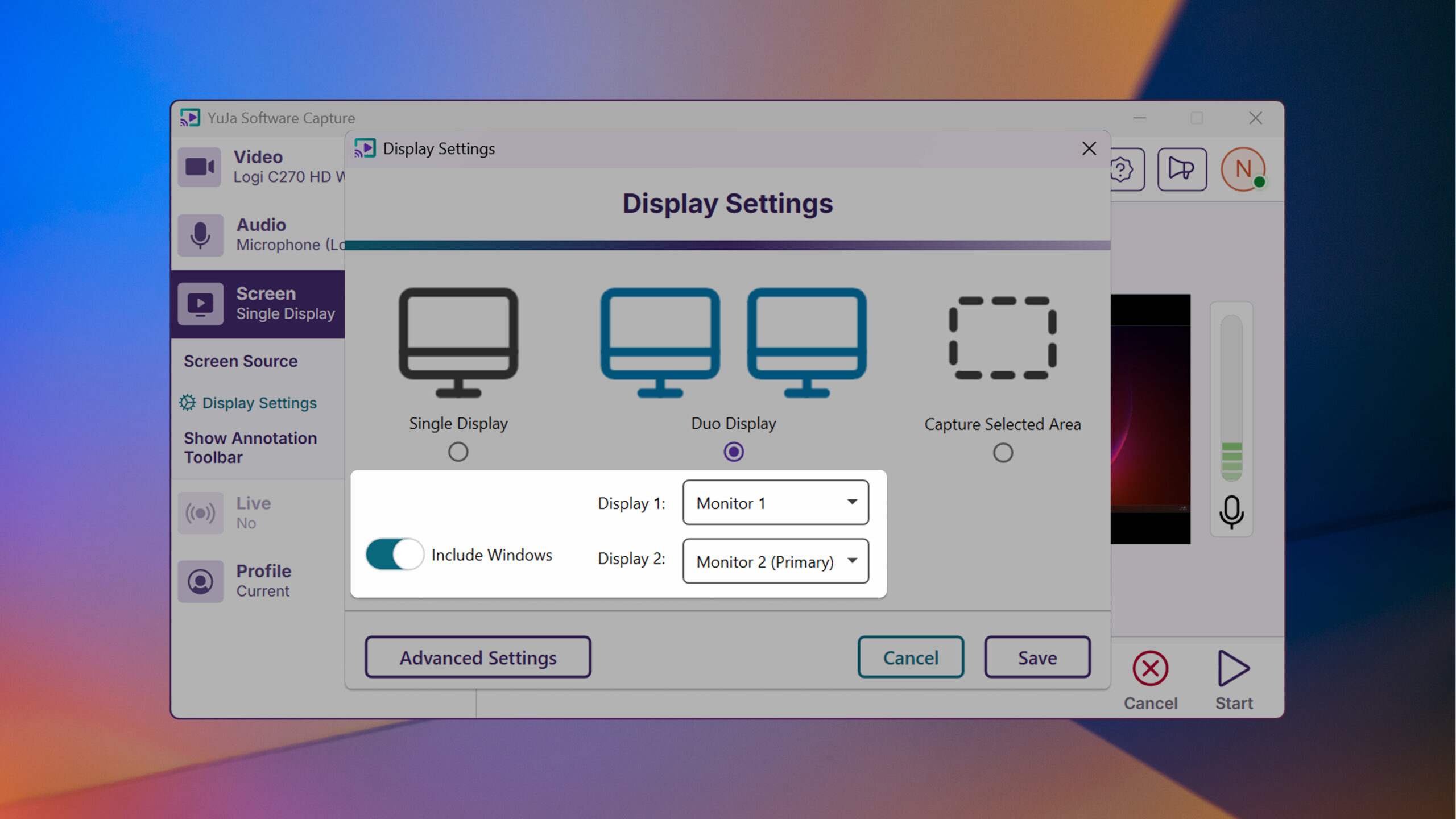
This week, we’re rolling out enhancements across the YuJa Lecture Capture Module. For YuJa Software Capture for PC, we’ve added a targeted application window recording option.
We’ve enhanced YuJa Software Capture with a new window recording option that gives you more flexibility and precision when creating content. In addition to full-screen recording and region selection, you can now capture specific application windows while ignoring other on-screen content for a cleaner, more focused recording experience.
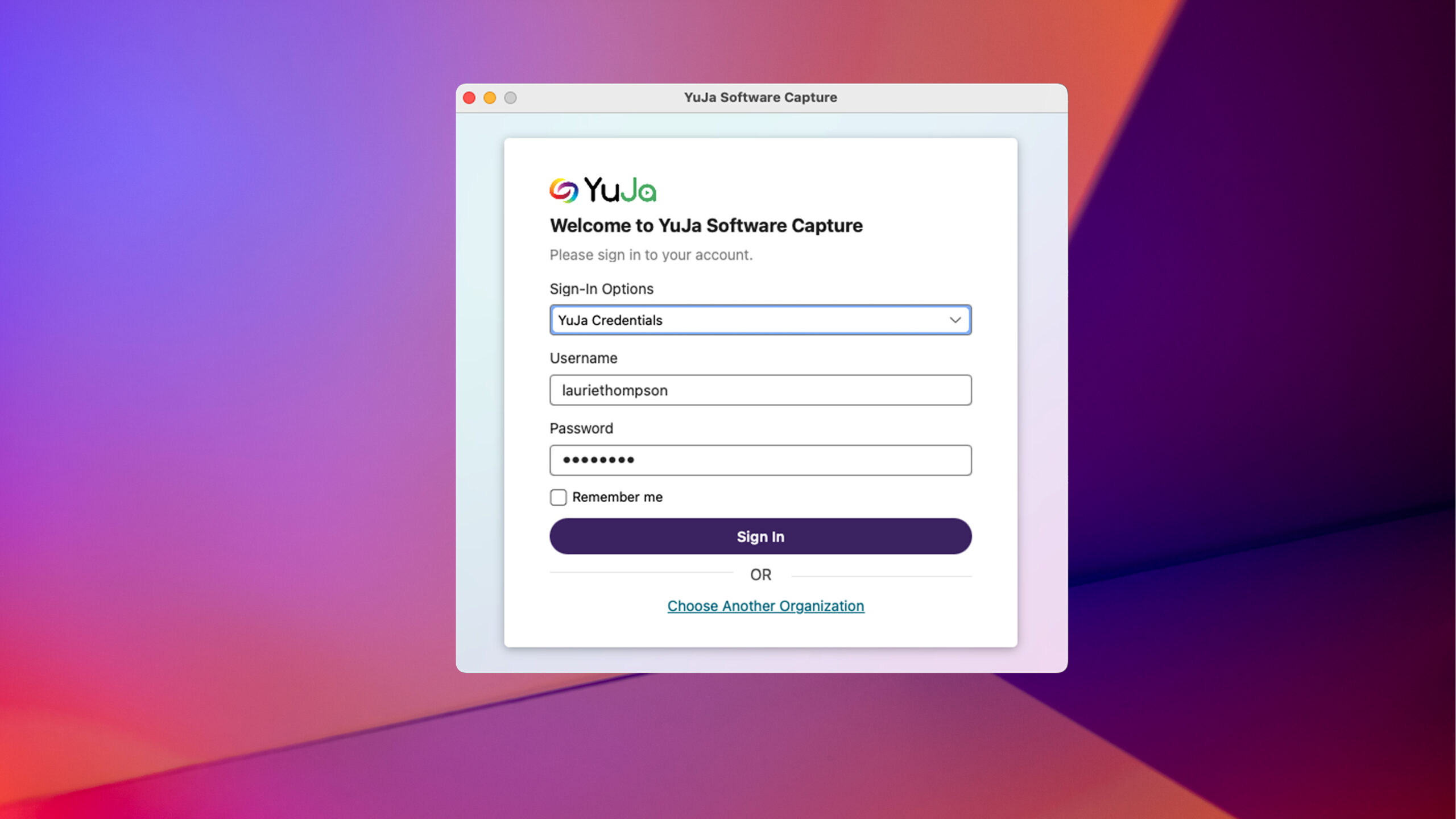
For YuJa Software Capture for Mac, we’ve improved the overall login experience.
YuJa Software Capture has an improved user experience and login interface with field-specific error messaging and a “remember me” option to simplify the login process.
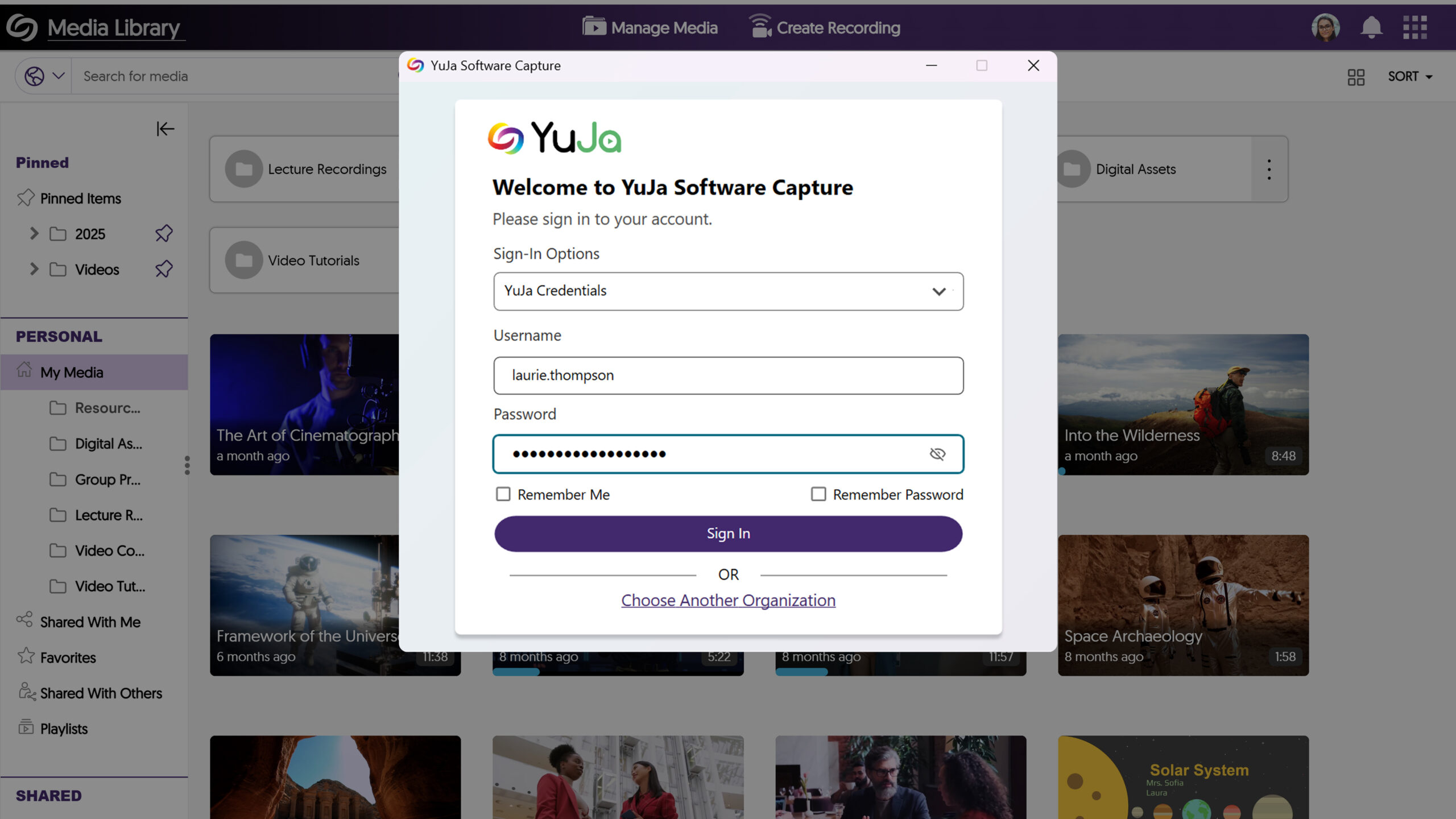
Exciting news! This week, we’re rolling out a significant product update across our Lecture Capture Portfolio! For the YuJa Software Capture for PC, this update includes a redesigned login page to align with that of the Video Platform.
Redesigned Login Page to Align with the Video Platform
The login page of Software Capture PC has been revamped with a modernized design to align with the Video Platform’s login page, ensuring consistency across both platforms when logging in.
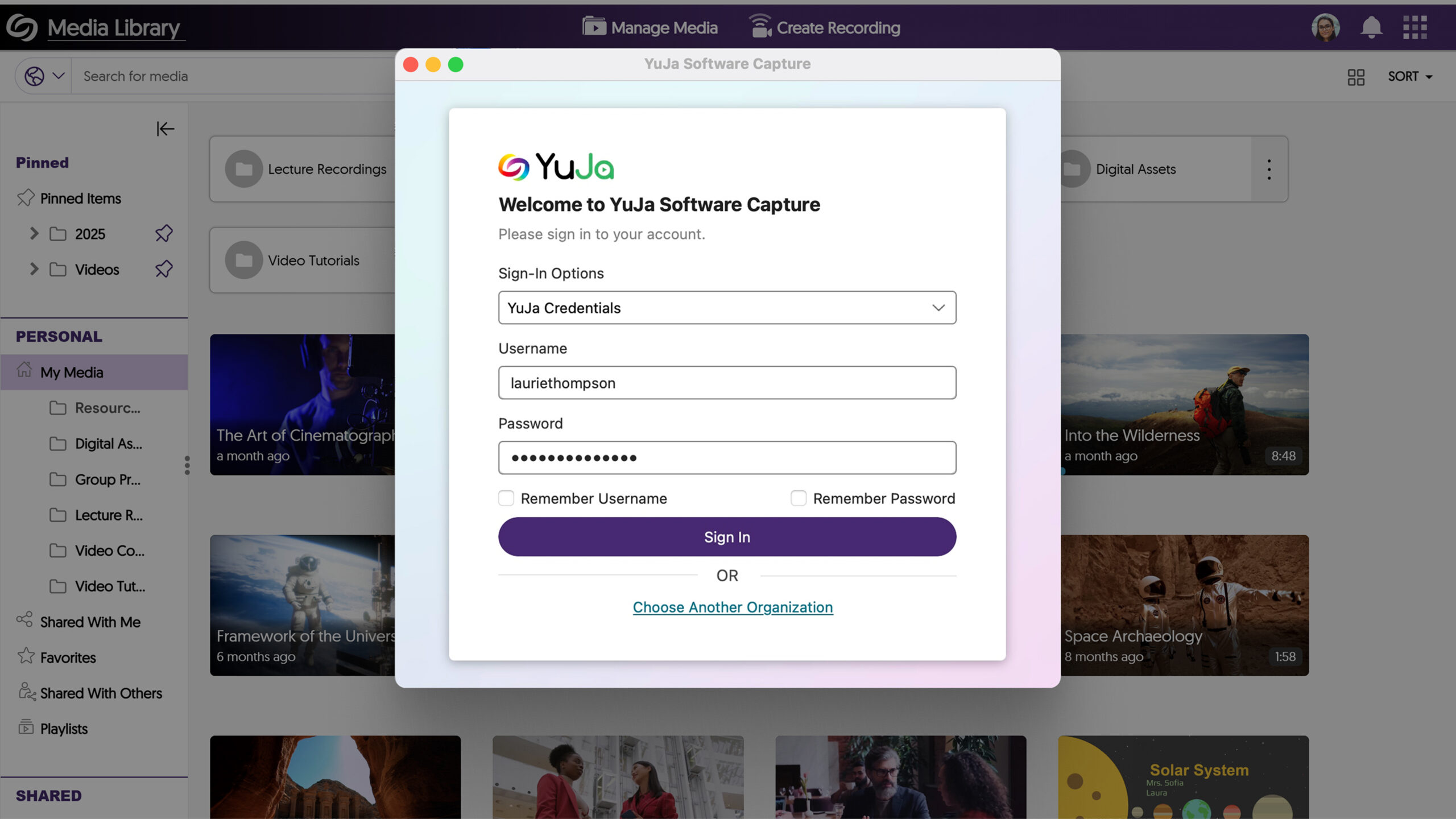
For the YuJa Software Capture for Apple, this update includes a redesigned login page to align with that of the Video Platform.
Redesigned Login Page to Align with the Video Platform
The login page of Software Capture Apple has been revamped with a modernized design to align with the Video Platform’s login page, ensuring consistency across both platforms when logging in.
Exciting news! This week, we’re rolling out a significant product update across our Lecture Capture Portfolio! For the YuJa Software Capture for PC, this update includes improved screen reader compatibility with enhanced navigational focus, an audible countdown before recordings start, and integrated support for Kuando Busylight.
YuJa Software Capture Will Automatically Switch to the Legacy Engine for ARM-Based Processors
Currently, devices with ARM-based processors are only compatible with YuJa Software Capture’s Legacy Engine. To ensure the correct engine is always selected, YuJa Software Capture automatically detects ARM-based processors and switches to the Legacy Engine.

Improved the Performance of YuJa Software Capture
For this update, we have made major improvements to address dozens of defects that could affect your ability to record and upload content in more niche circumstances.
For the YuJa Software Capture for Apple, this update includes the option to remotely update YuJa Software Capture though Video Platform, remotely stop recording from the Video Platform, and set the default resolution for video captures, as well as the new toast notification to indicate issues during recordings, and a streamlined installation process with built-in internal audio script.
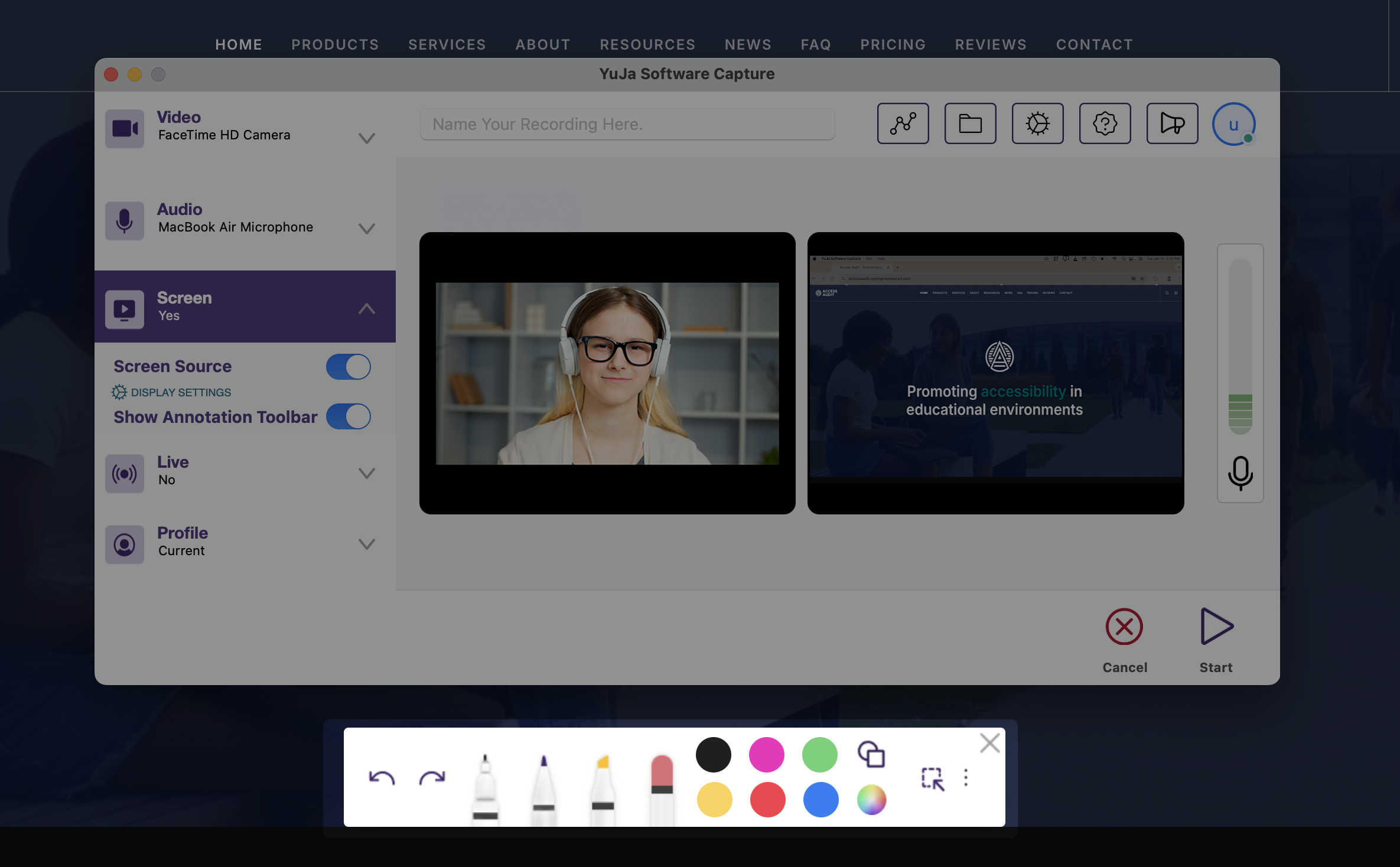
The Annotation Toolbar Has Been Redesigned and Includes New Features
The Annotation Toolbar now offers more features for creating on-screen text and drawings.
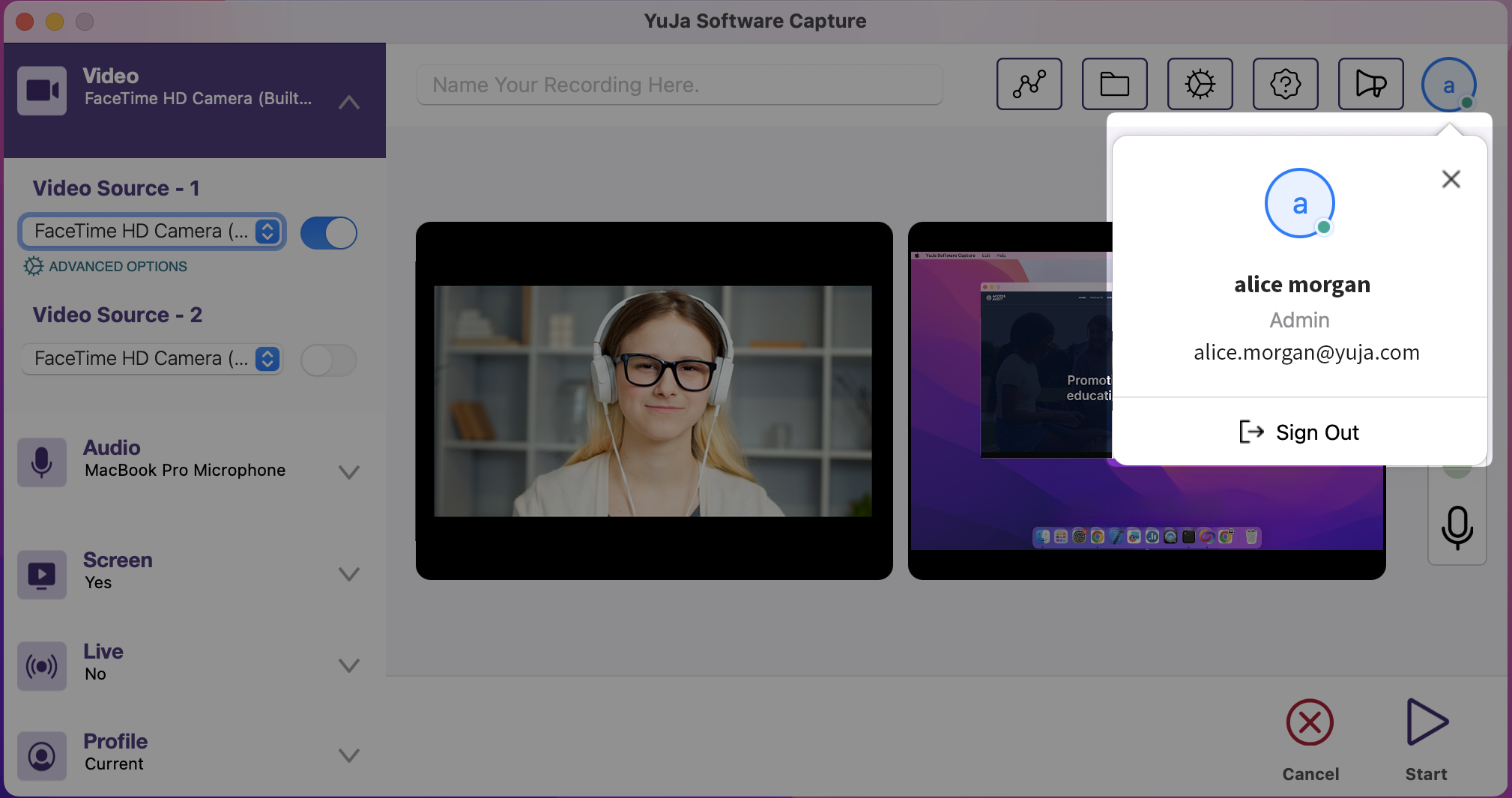
View Who Is Logged in on the YuJa Software Capture Application
For institutions that utilize a single device shared among multiple users, you can now view who is signed in to the YuJa Software Capture application by clicking the profile icon.
We have successfully pushed an update for YuJa Software Capture for PC and Mac to all Enterprise Video Platform instances residing in Canada, the European Union, Australia, the Middle East, and Asia. The United States will be updated later this week.
For the YuJa Software Capture for PC, this update includes improved screen reader compatibility with enhanced navigational focus, an audible countdown before recordings start, and integrated support for Kuando Busylight.
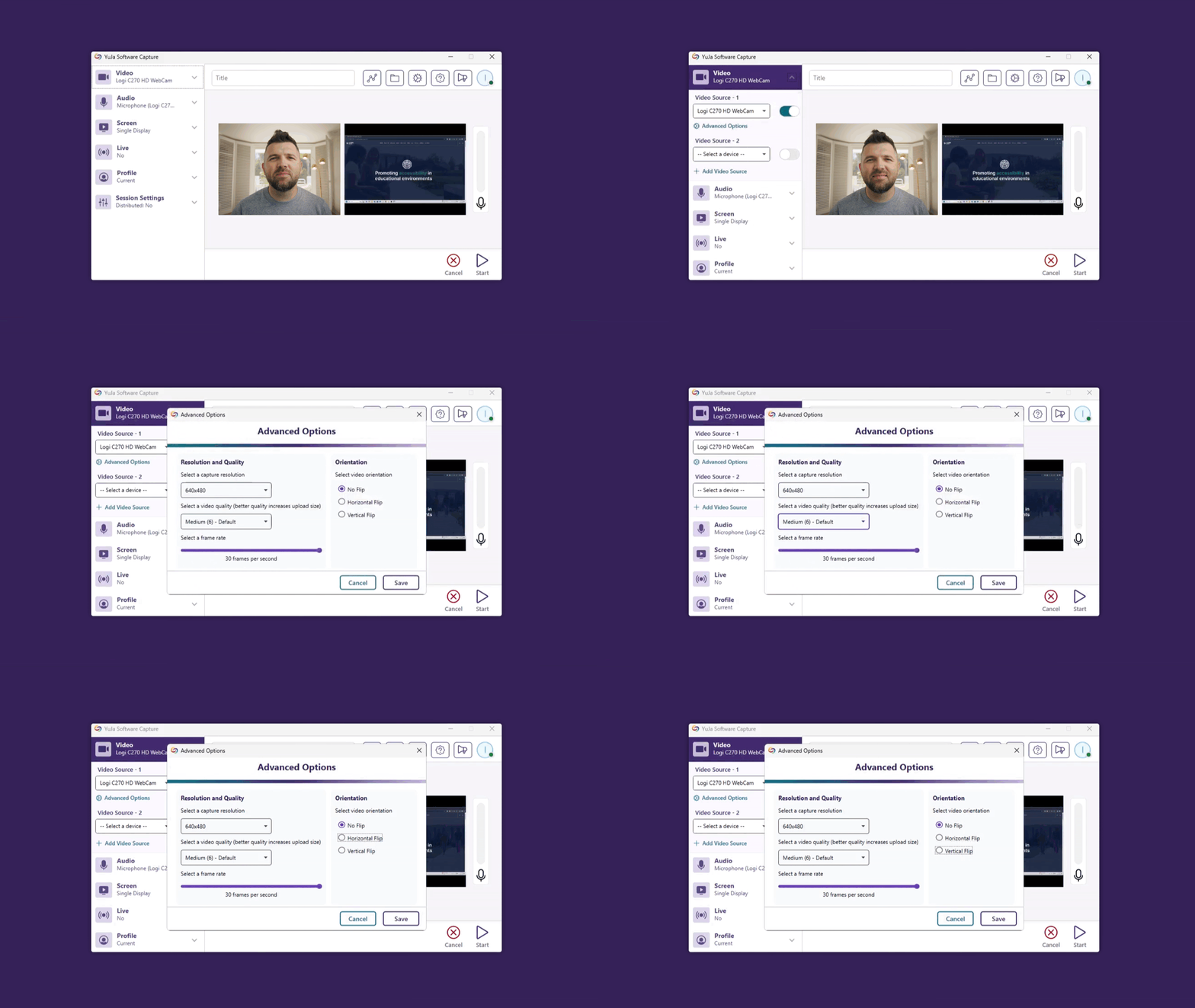
Improved Screen Reader Compatibility with Enhanced Navigational Focus
We’ve improved YuJa Software Capture’s screen reader compatibility with detailed button labels and enhanced keyboard navigation, including better focus indicators.
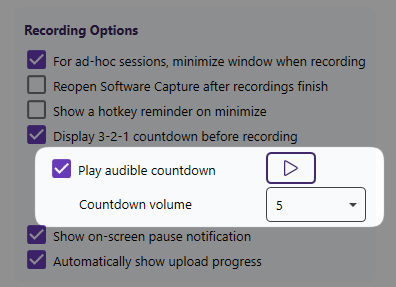
Improved Accessibility with Audible Countdown Before Recordings Start
We’ve added an option for playing the audible countdown before a recording starts to allow better recording control for users with visual impairments. Additionally, they can customize the countdown volume during setup by simply going to Application Settings > Configuration > Recording Options.
Integrated Support for Kuando Busylight
Administrators can connect their Kuando Busylight to their PC device and configure preferred color options on the Device page to indicate whether a recording is active, paused, not recording, or if an error has occurred.
For the YuJa Software Capture for Apple, this update includes the option to remotely update YuJaSoftware Capture though Video Platform, remotely stop recording from the Video Platform, and set the default resolution for video captures, as well as the new toast notification to indicate issues during recordings, and a streamlined installation process with built-in internal audio script.
Fleet Management Capabilities – Remotely Update YuJa Software Capture Through the Video Platform’s Device Panel
As an administrator, you can now remotely update YuJa Software Capture for connected Mac devices within your organization through the Video Platform’s Device Panel.

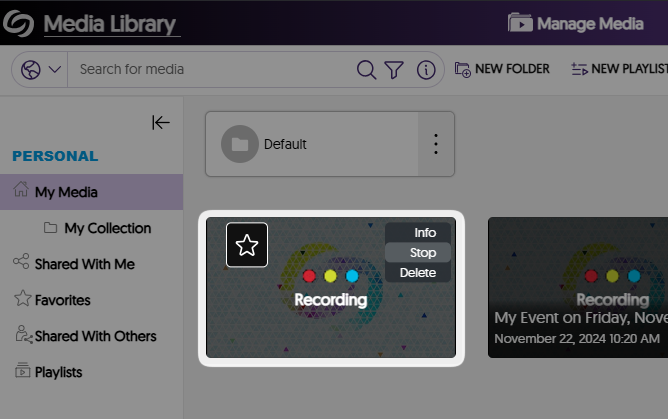
Fleet Management Capabilities – Remotely Stop YuJa Software Capture Recordings from the Video Platform
If you’ve started a recording in YuJa Software Capture, you can now remotely stop it from the Video Platform. Once stopped, they will be automatically uploaded to your My Media folder.
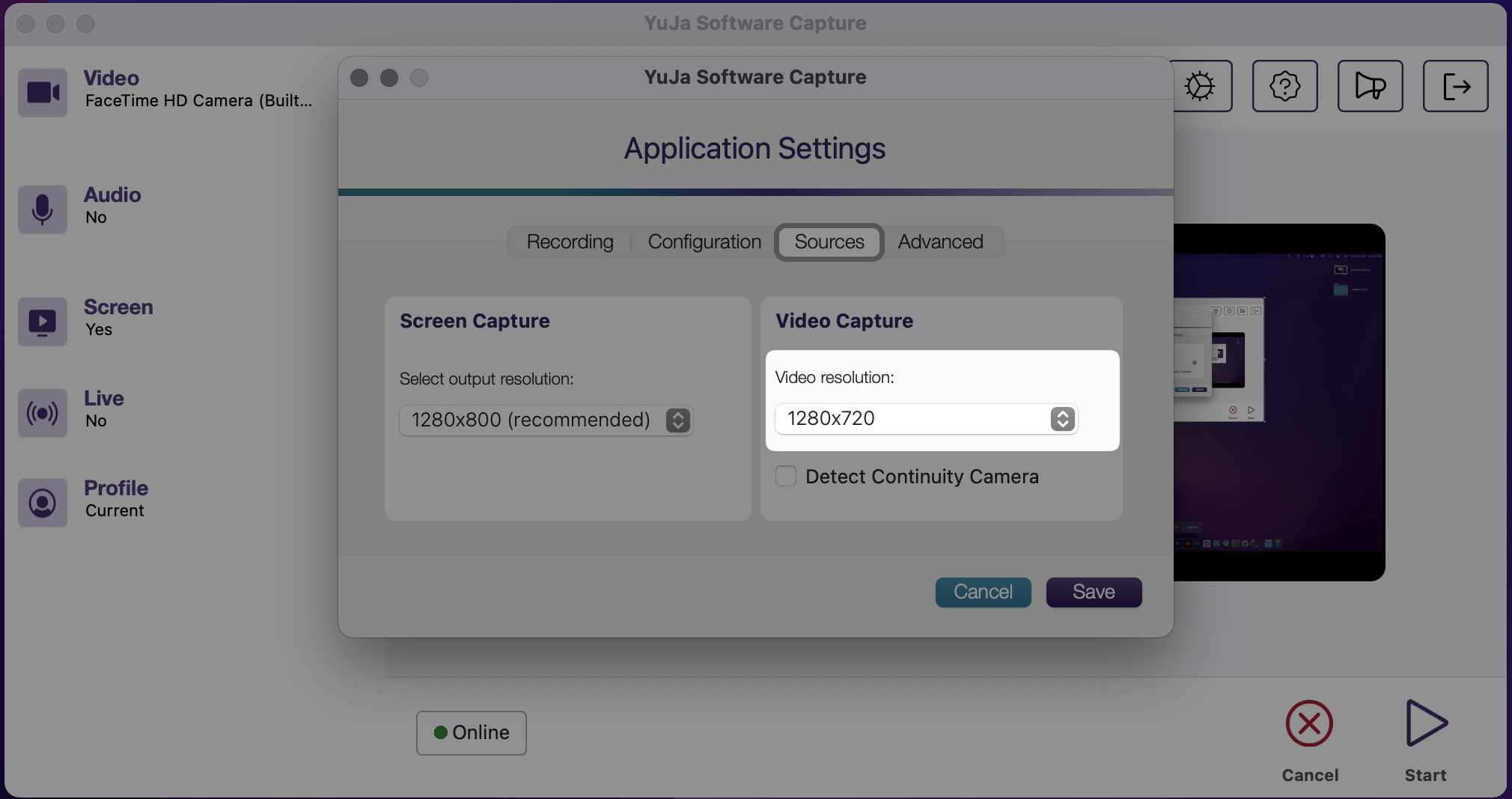
Set the Default Video Capture Resolution for Recordings
We’ve set a default resolution for video captures that can be configured in the application settings so that it does not need to be set for each recording.
New Toast Notifications to Indicate Issues During Recordings
Previously, you had to close the pop-up windows after being notified of issues during recordings. Now, we’ve introduced new toast notifications that temporarily appear to alert you to any issues, ensuring you stay informed without interrupting your recording process.

Streamlined Installation Process with Built-in Internal Audio Script
Previously, a secondary audio installation was required to record internal audio on your Mac. Now, it is automatically included with the initial YuJa Software Capture installation.
For the YuJa Hardware Hub, this update includes the option to start an offline impromptu recording from your Hub devices using the Delcom button or RS232 touch panel, and auto-connection for new Hub Peripherals.
Better Offline Resilience to Start Impromptu Recordings With Delcom Buttons and RS232 Touch Panels
You can now start an offline impromptu recording from your Hub devices using the Delcom button or RS232 touch panel, allowing you to manually start the recordings when your internet is unavailable or unstable.

Auto-Connection for New Hub Peripherals on the Video Platform
Previously, connecting new media devices to the Video Platform required manual source configuration after plugging them in to activate. Now, devices are automatically connected and activated upon registration.
We have successfully pushed an update for YuJa Software Capture for PC and Mac to all Enterprise Video Platform instances residing in Canada, the European Union, Australia, the Middle East, and Asia. The United States will be updated later this week.
For the YuJa Software Capture for PC, this update includes the option to remotely uninstall YuJa Software Capture and the option to deploy YuJa Software Capture to multiple devices using Microsoft Software Installer.
Fleet Management Capabilities – Remotely Uninstall YuJa Software Capture
Building on our existing ability to remotely deploy YuJa Software Capture, we’ve now added the option to remotely uninstall it from any computer through the Device panel.

Fleet Management Capabilities – Large-Scale YuJa Software Capture Deployment to Devices Using Microsoft Software Installer
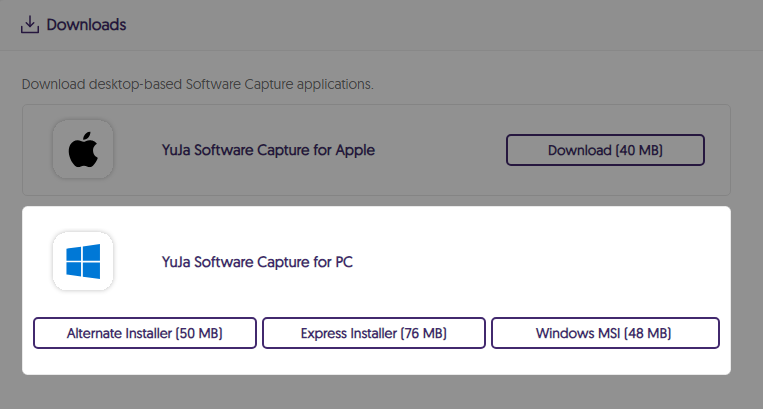
Administrators can now download YuJa Software Capture as an MSI file in addition to the existing formats. If you’re a network administrator, this will allow you to configure and deploy YuJa Software Capture across your entire institution.
For the YuJa Software Capture for Apple, this update includes significantly reduced times for processing recordings, the option to resize selected screen areas for recordings, real-time status updates for sessions, and a new setting to enable or disable your iPhone’s camera as a video source.
Significantly Reduced the Processing Times of Recordings
We’ve reduced the processing time for YuJa Software Capture recordings, enabling video playback in just a few seconds.

Resize the Selected Screen Area for Recordings
Previously, you could select a capture area on your screen for recording, but adjustments were not possible once it was set. Now, you have the flexibility to modify the size of the capture area right up until you start recording, allowing you to fine-tune it to your preference.
Real-Time Status Updates for Active YuJa Software Captures
The Devices panel now provides real-time updates to the activity status of YuJa Software Capture sessions, letting you know when it is actively recording and paused.

New Setting to Enable or Disable Your iPhone’s Camera as a Video Source
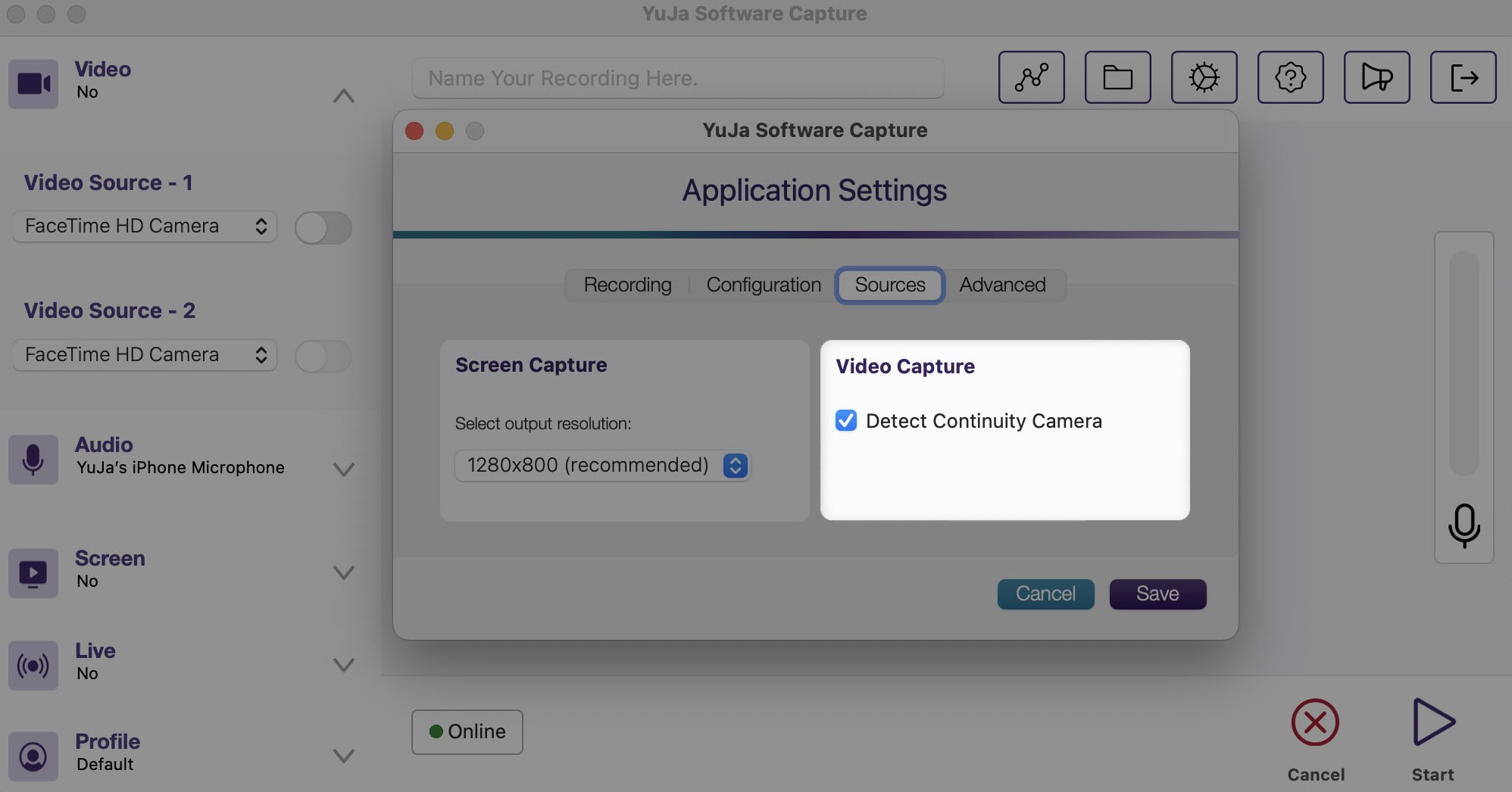
With Apple’s latest updates, your iPhone can now connect to YuJa Software Capture, using its camera as a video feed. If you prefer not to use this feature, simply uncheck the new Continuity Camera setting in YuJa Software Capture.
For the YuJa Hardware Hub, this update includes a new modal to configure peripheral devices, customize the frame rate of video sources, and imporved offline resilience to start scheduled sessions.
Better Offline Resilience to Start Scheduled Sessions During Unreliable Internet Connectivity
Previously, scheduled Hub sessions would be delayed if there were repeated connectivity issues. We’ve enhanced this feature so sessions can begin immediately, even when the network connection is unstable (repeatedly connects and disconnects).

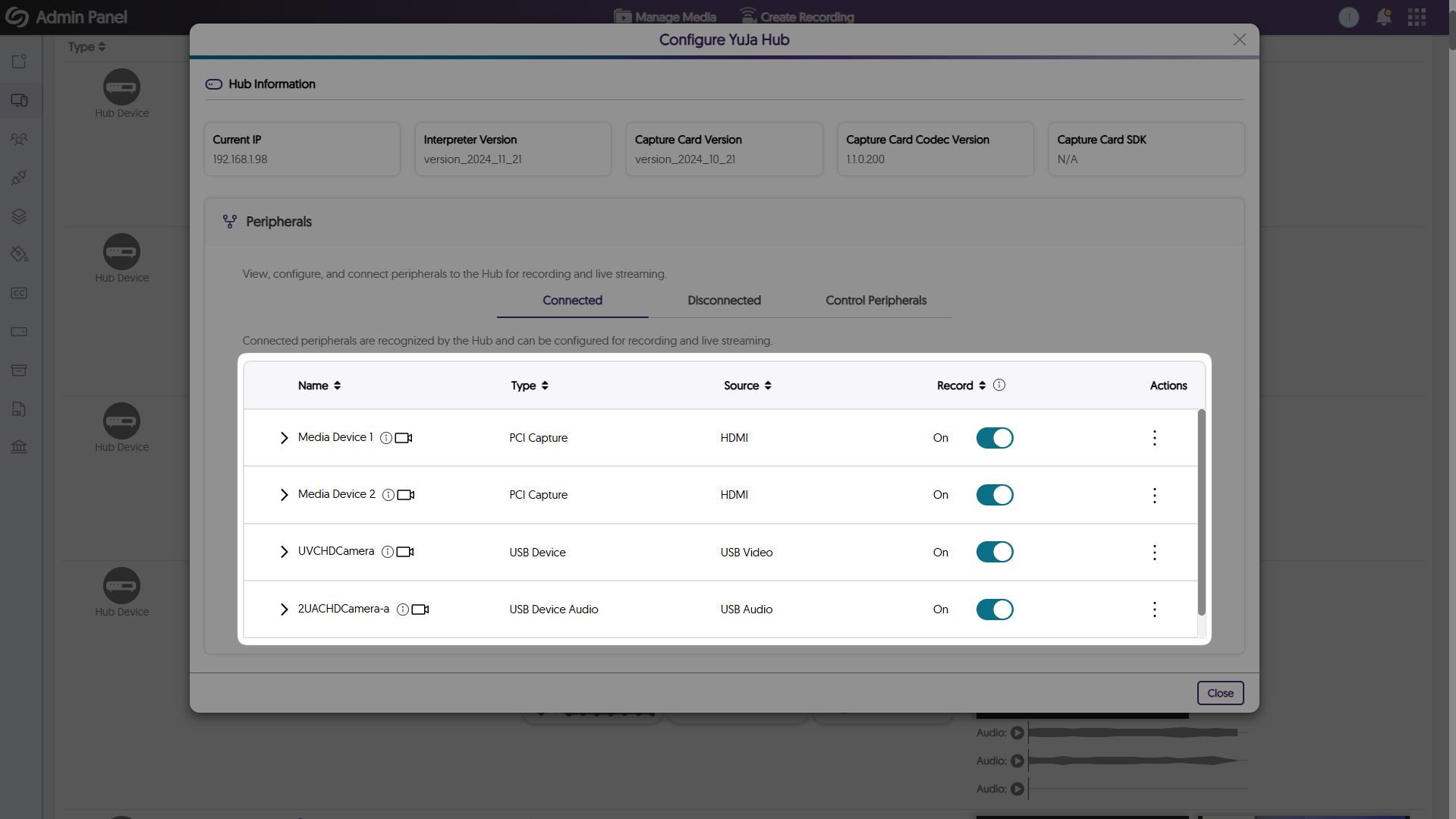
Configure Peripheral Devices for the Hardware Hub in Our Enhanced Modal
We’ve updated the Hardware Hub’s configuration modal to offer a more intuitive layout that displays all sources, such as NDI cameras, and their connection status.

Customize the Frame Rate of Video Sources for Recordings
Video sources connected to the Hardware Hub can now be configured through the Devices panel, allowing frame rates to be adjusted from 30 fps to 60 fps.

Join the 1,000+ Organizations Deploying High-Impact Solutions



