

Product Updates
Get the latest platform updates, features, and announcements—all in one place.
Boost Video Accessibility with the GenAI Video PowerPack!
Try Now
Supercharge Your Compliance Efforts with AutoPilot Remediation Max!
Try Now
Strengthen Your PDF Accessibility Efforts with Structural Remediation Max!
Try Now
Don't Miss Any of Our Upcoming Webinars—Save Your Spot!
Register
The YuJa Community is here! Connect, get updates, and access exclusive content.
Join Now

Get the latest platform updates, features, and announcements—all in one place.
Over the next few weeks, the YuJa Lumina Video Platform will be releasing various streamlined workflows for setting up RTMP live streams, customizing interface layouts, editing elements of your videos, such as captions and thumbnails, and much more. With these improvements, users will have more control over their media library and live streaming options.
Personalize Your Interface With Custom Layouts in Enhanced Enterprise VideoTube
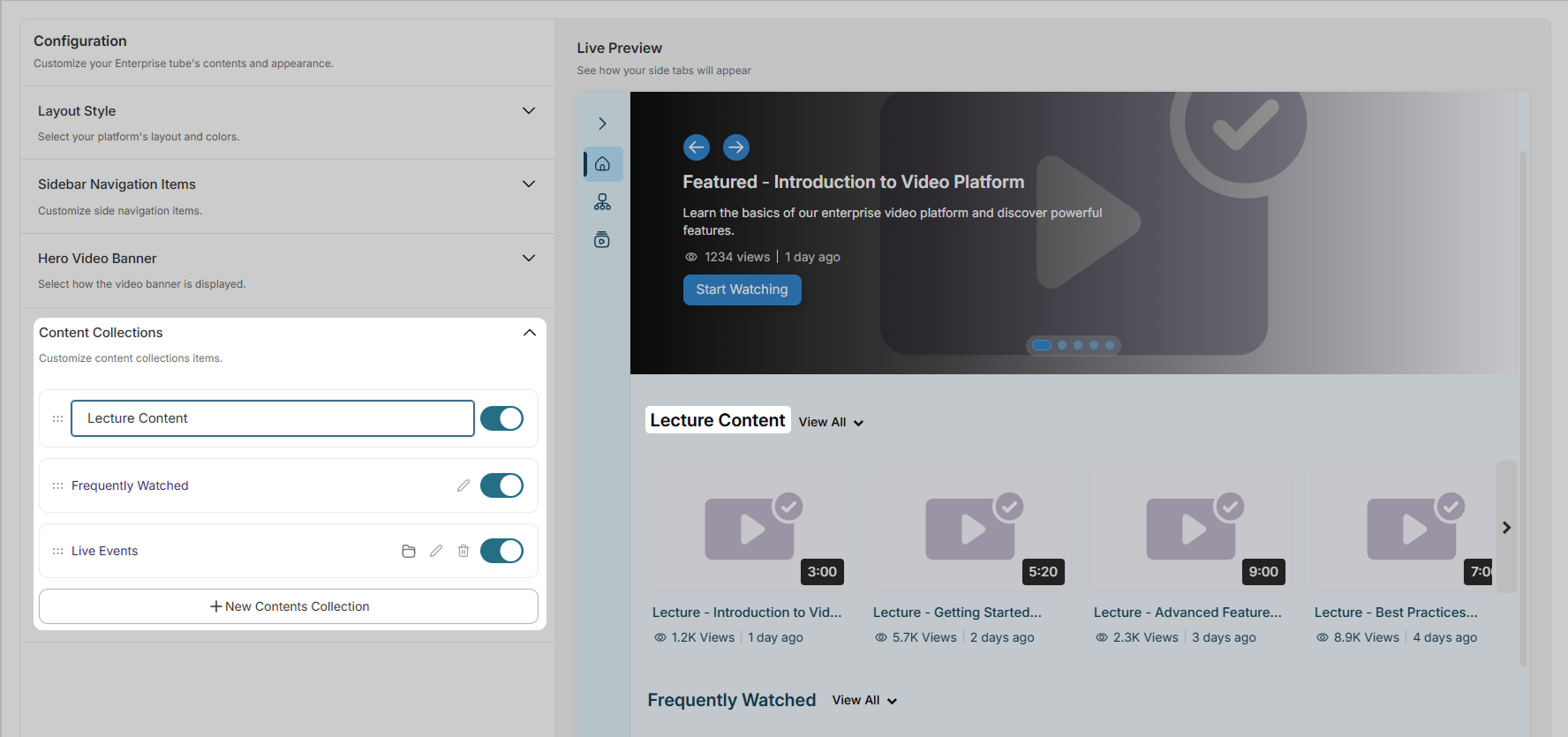
Admins can now modify the appearance of their Enterprise VideoTube Platform to tailor to specific needs, themes, and preferences. Using the dynamic live preview, you can try out new page designs before applying the customization to your page.
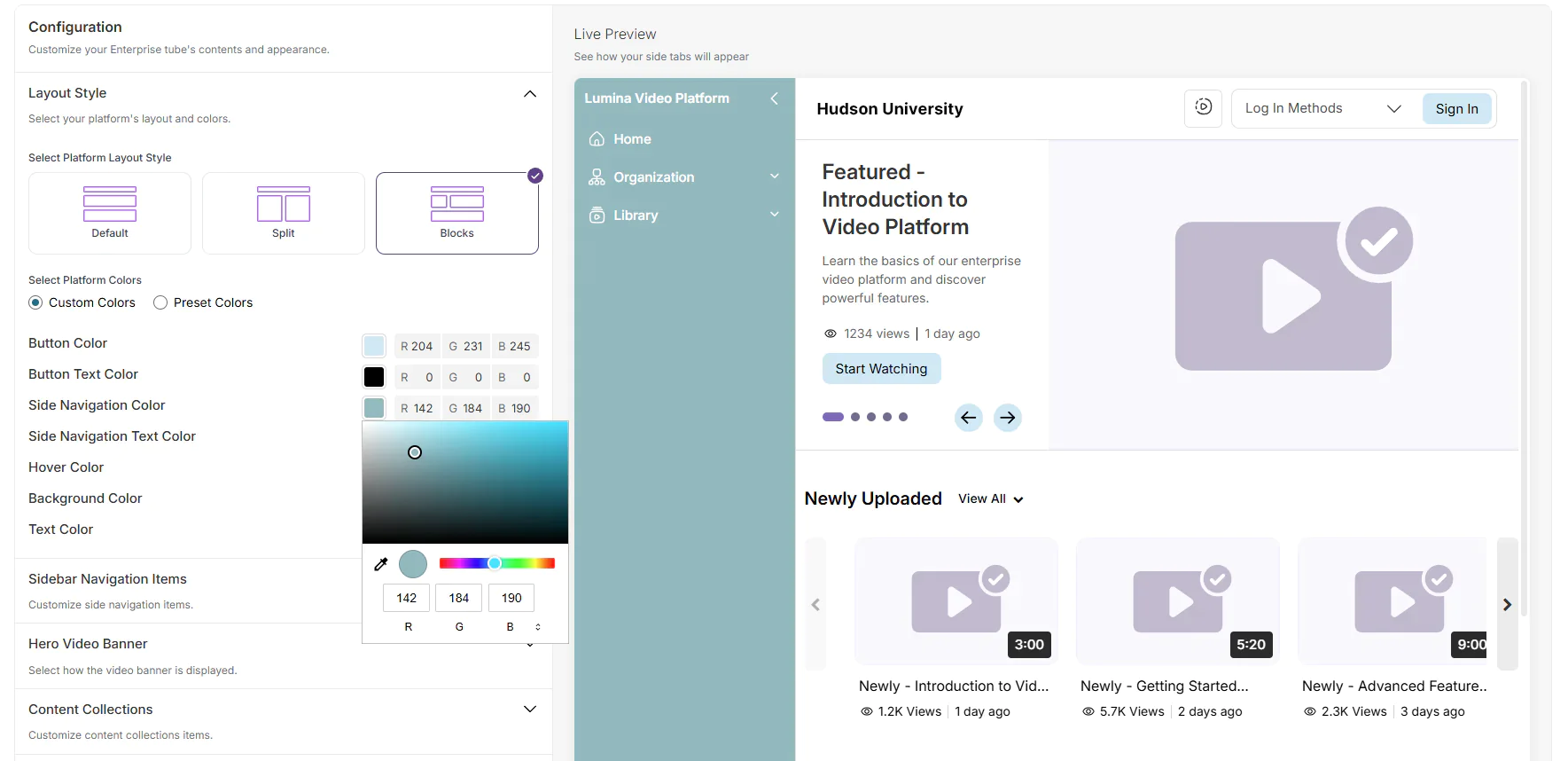
The following customizations are available:
Layout Style: Choose the general layout of content sections on your VideoTube. Available styles include: default, split, and blocks. You can also choose from preset or custom colors for buttons and text.
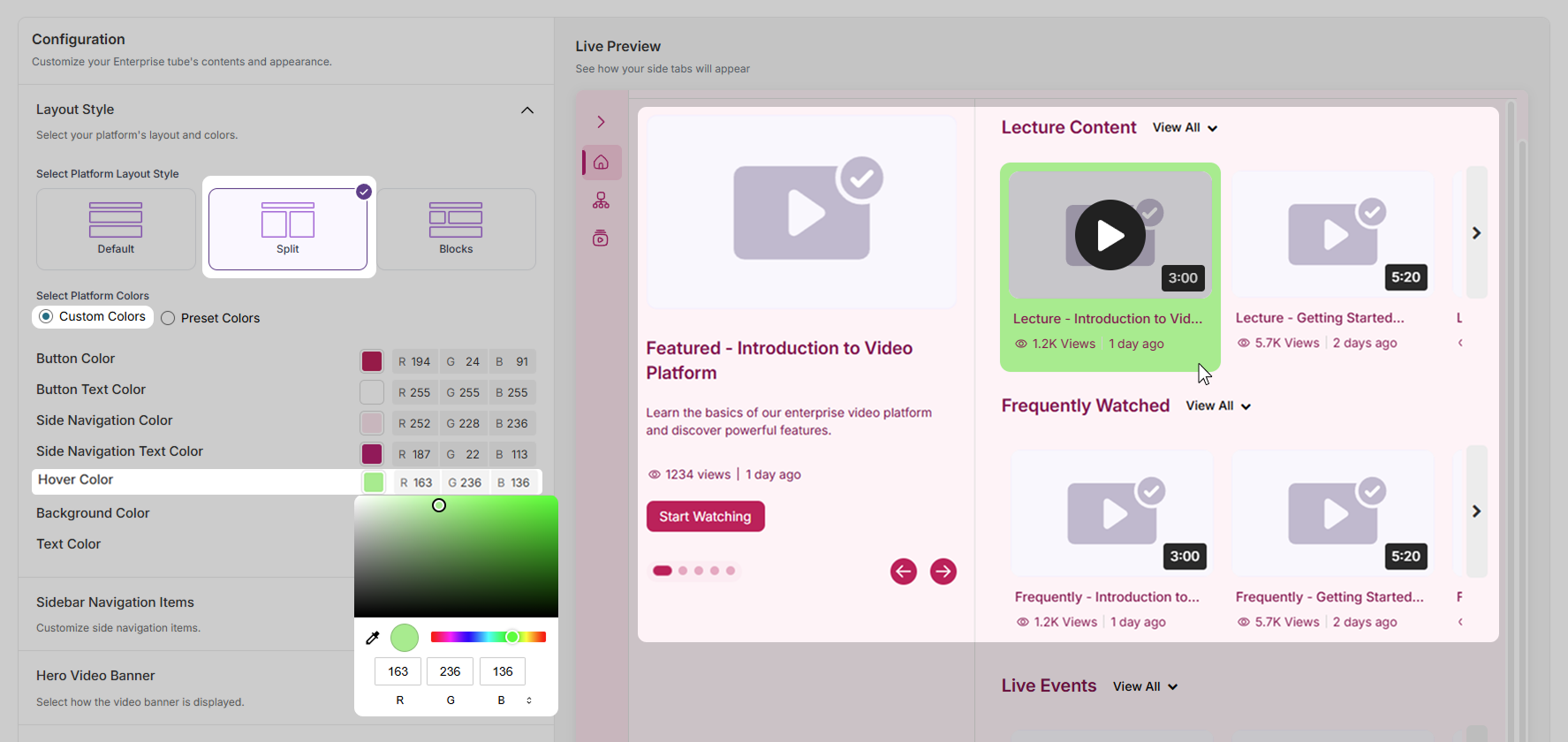
Sidebar Navigation Items: Choose tabs to include or exclude from your side navigation bar. You can also create a custom new tab.
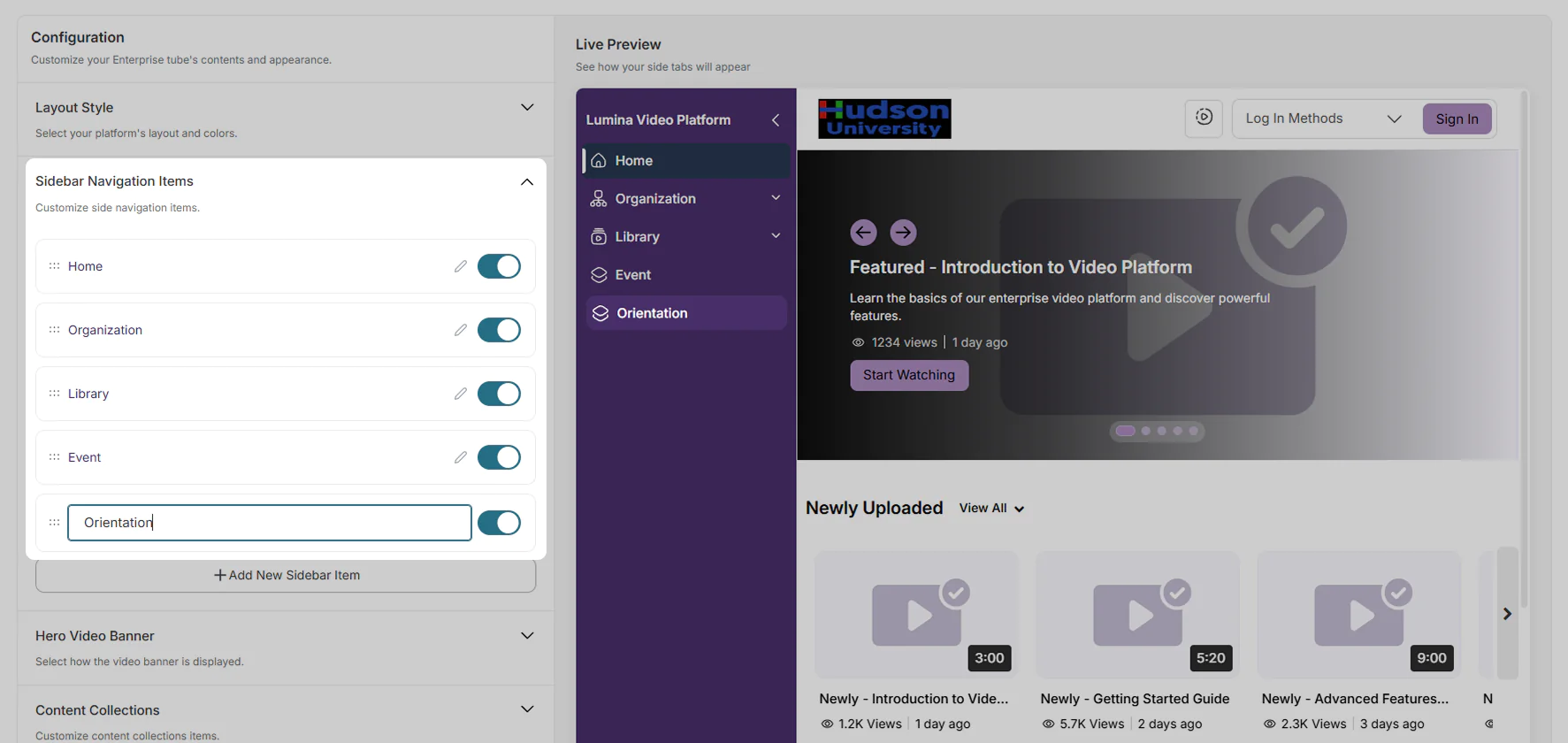
Hero Video Banner: Choose the visual style of the video banner and the number of videos to display in the carousel.
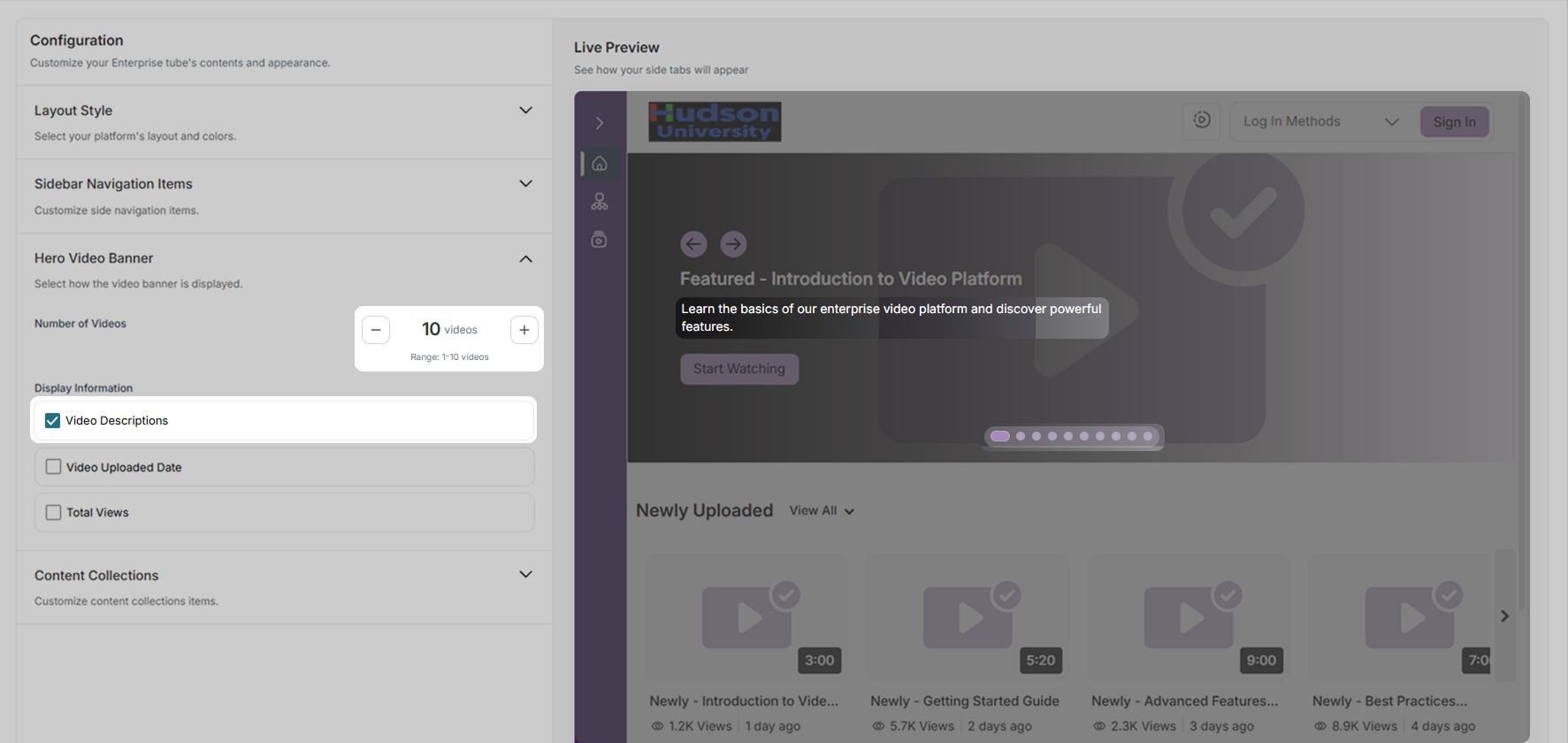
Content Collections: Choose the content collections to display on your VideoTube page. You can also add a new collection.
New RTMP Stream Workflow Simplifies Streaming Experience
The look and workflow of the RTMP live stream experience has been refreshed to introduce a more intuitive user experience. Key features include:
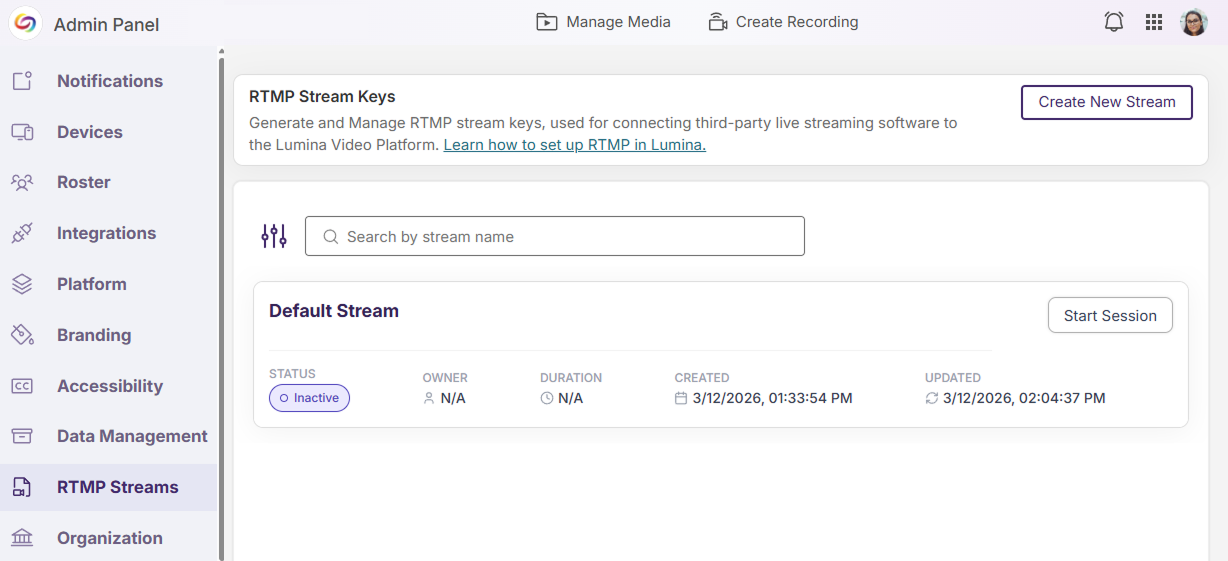
Default RTMP Stream Session: A default RTMP stream session is now automatically added in YuJa Lumina when an institution has no existing streams, allowing instructors to start a session directly without needing to create a new stream.
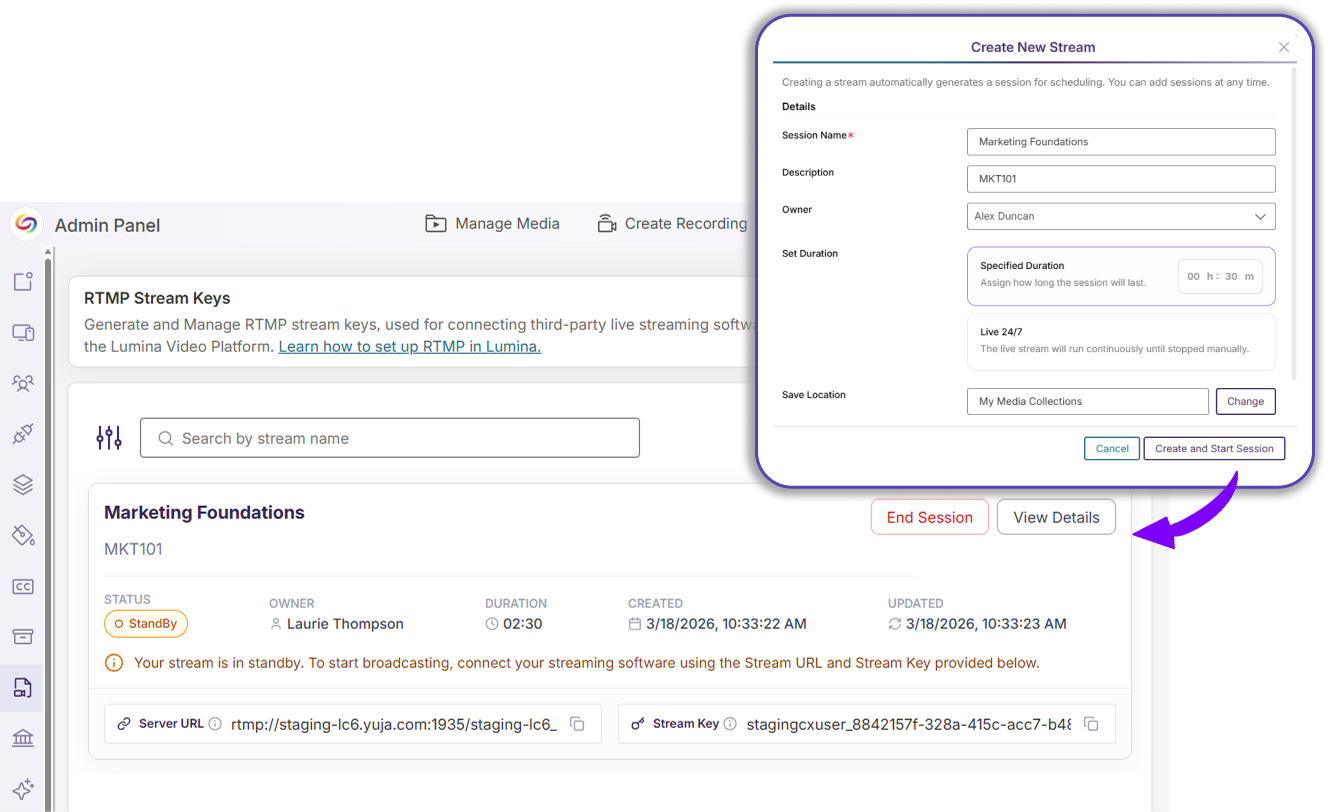
Automatically Created Sessions: A session is automatically generated when a new stream is created, allowing instructors to immediately start broadcasting.
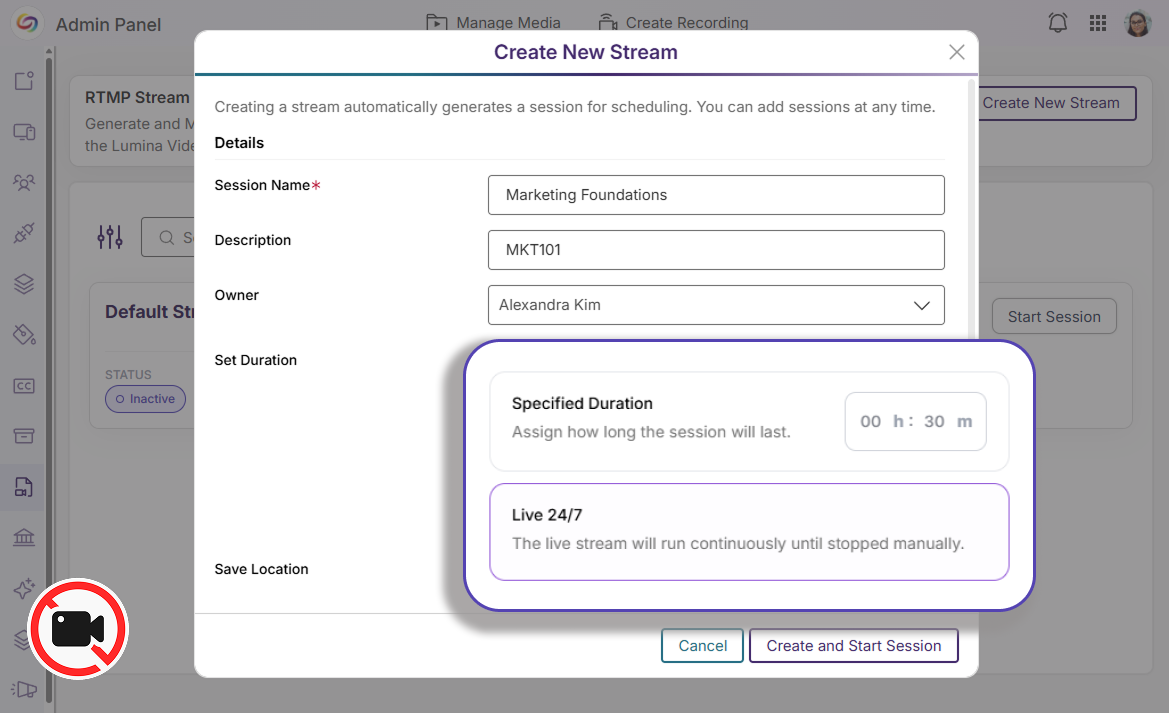
24/7 Sessions: Recording is automatically disabled for 24/7 sessions to minimize the risk of overloading storage. The save and publish location is also hidden when recording is disabled.
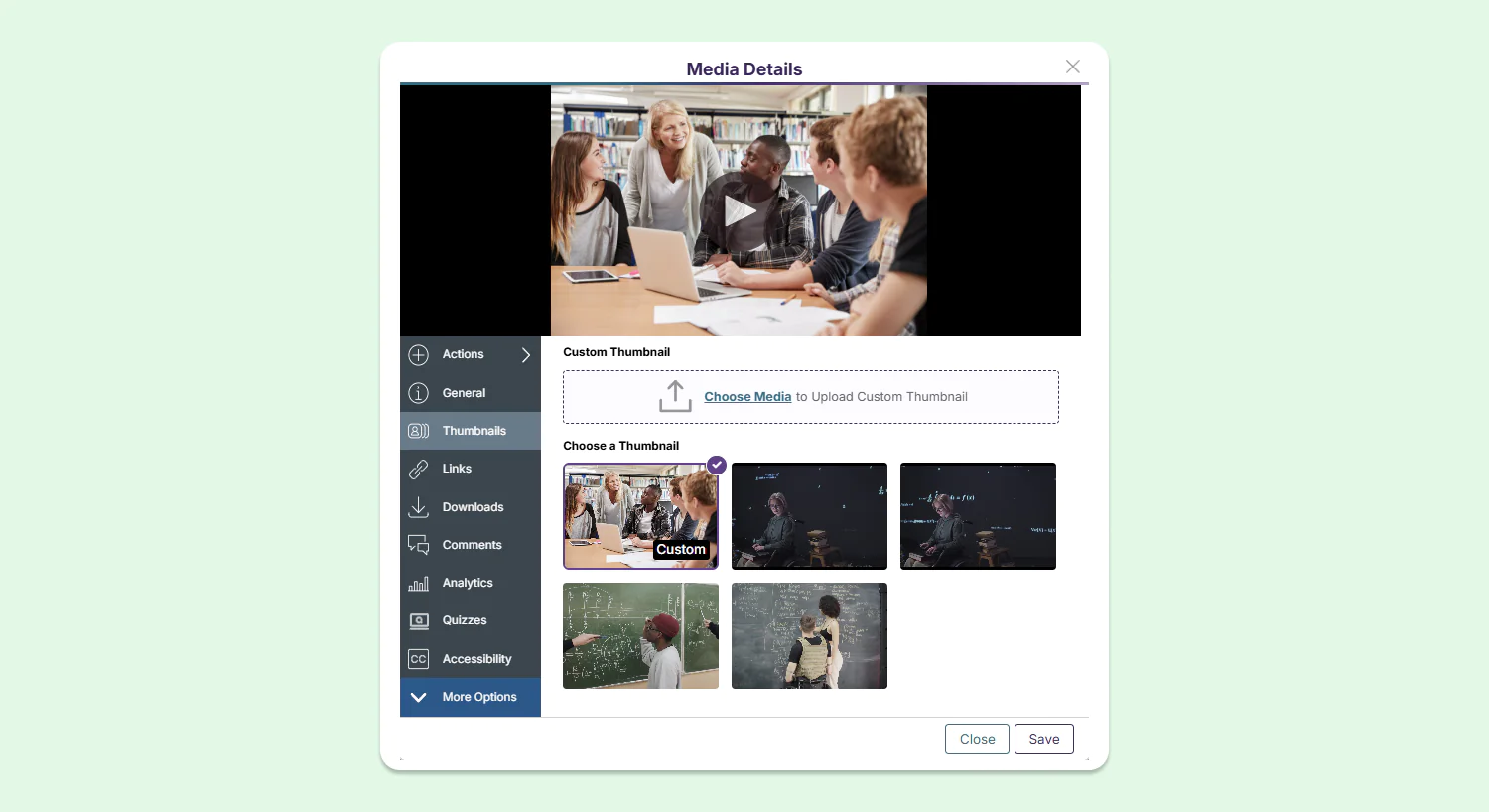
Streamlined Experience for Managing Video Thumbnails
When a new thumbnail is uploaded to a video in YuJa Lumina, it is now automatically saved to the list of thumbnails and is chosen as the current thumbnail for the video by default. This enhanced workflow allows users to update the look of their videos in a simple and efficient process.
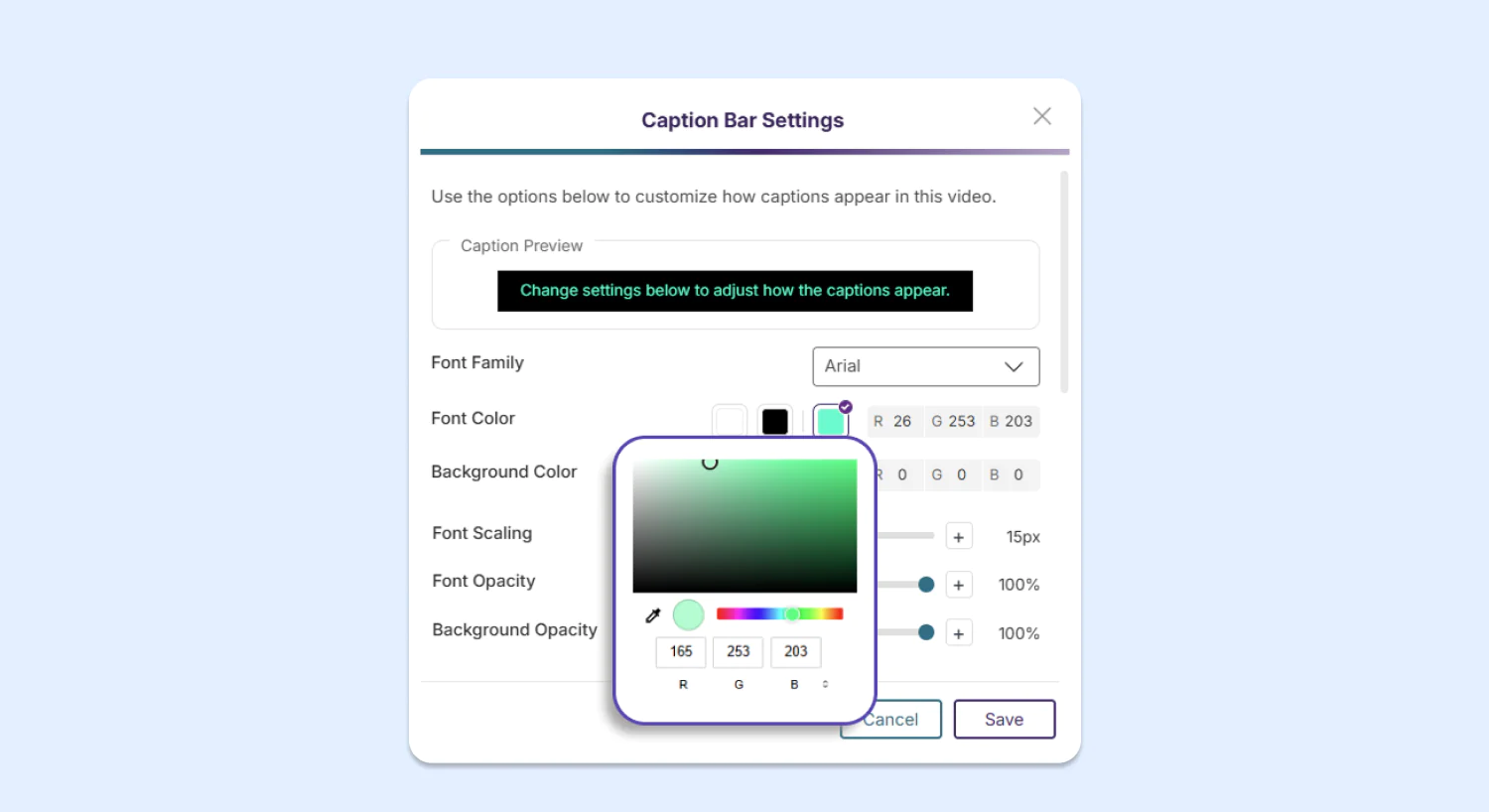
Designing Accessible Captions Now Faster With New Modal
The Caption Bar Modal has been redesigned to introduce more font and color customization options for video captions. Users can use the built-in color picker, font settings sliders, and the caption preview to ensure that their captions are clearly visible and readable in their video.
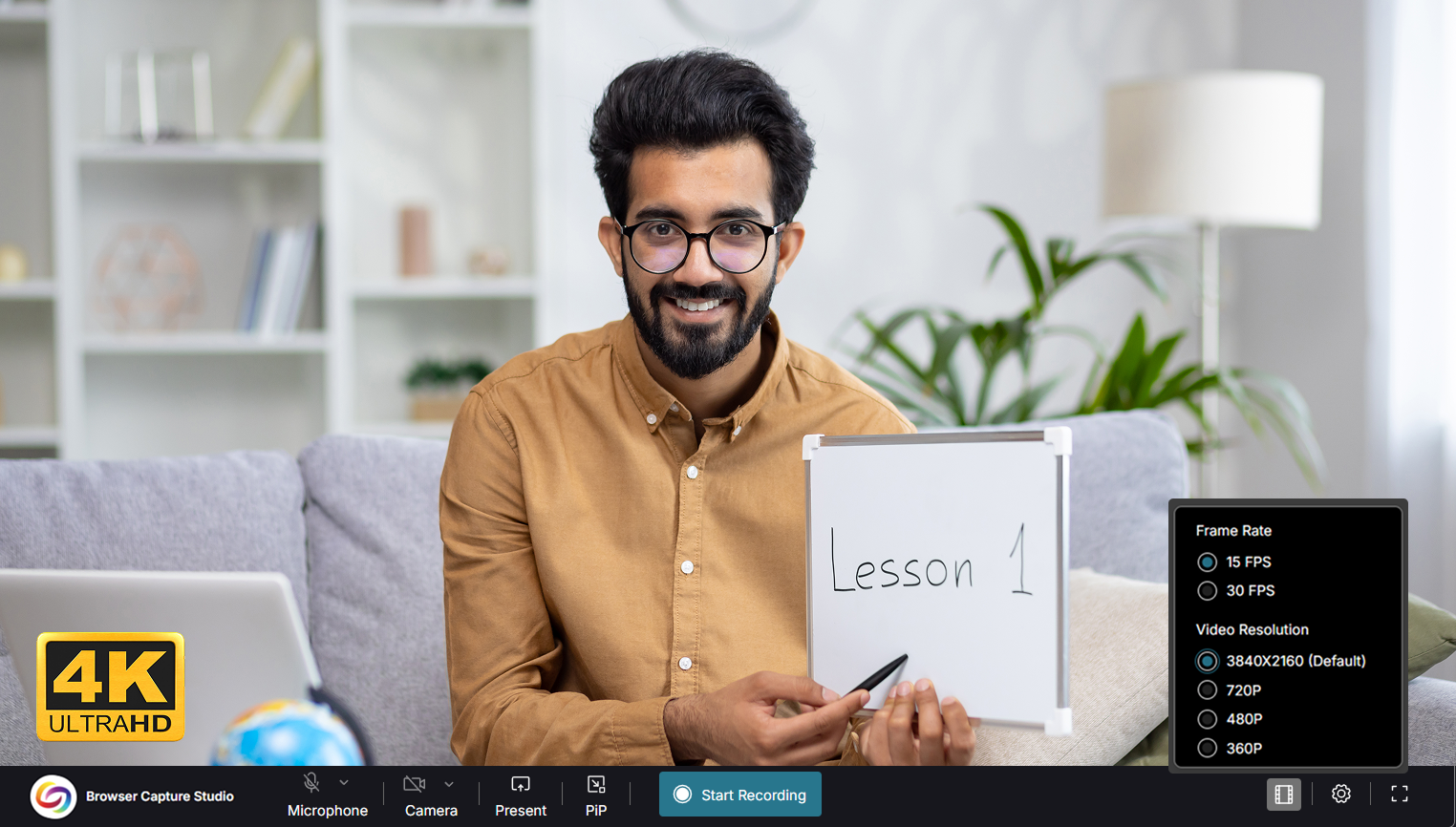
Record Every Detail With 4K Browser Capture
YuJa Lumina Browser Capture now offers recording up to 4K with a supported camera stream. With four times the resolution of 1080p, 4K offers Ultra High Definition (UHD) image clarity to viewers and provides more flexibility during video editing without sacrificing the quality of video clips.
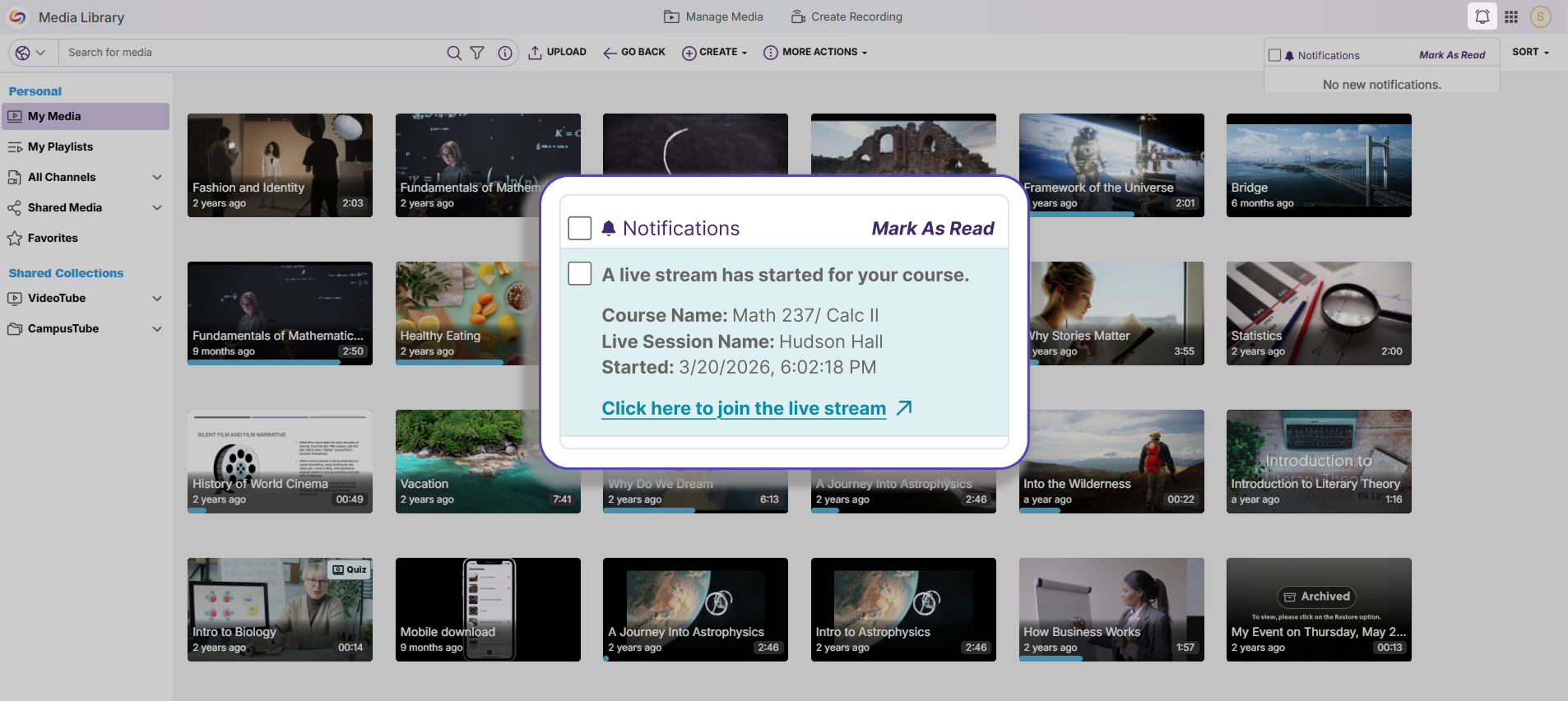
Keep Up With Live Streams Using Notifications
Class members are now notified via email and via a message in their Notifications Tab whenever a live stream has started, helping them keep track of scheduled streams and attending them on time.
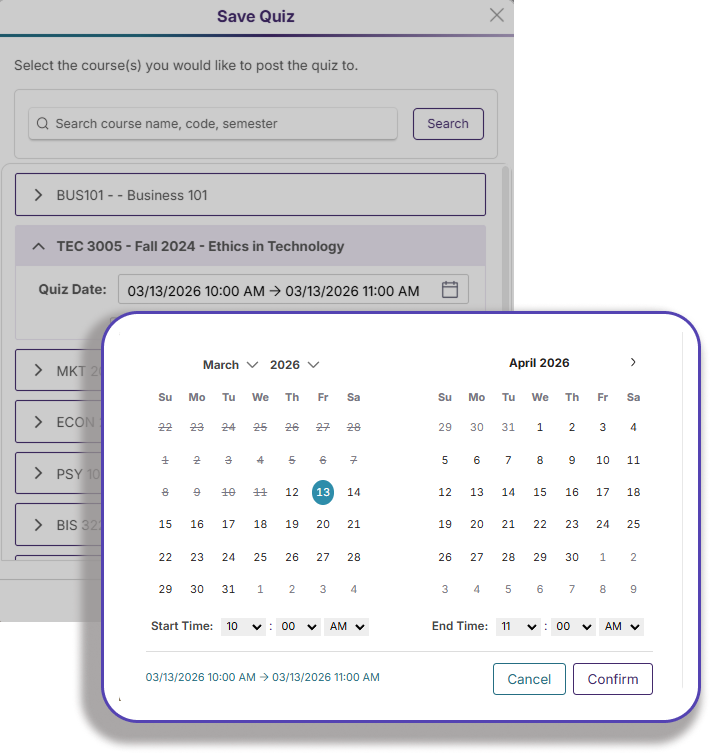
Regulate Student Submissions With Specific Quiz Closing Times
Instructors can now choose to set specific times for quizzes to close in YuJa Lumina, further mimicking a real-life classroom schedule and encouraging students to complete their assessments within a designated time frame.
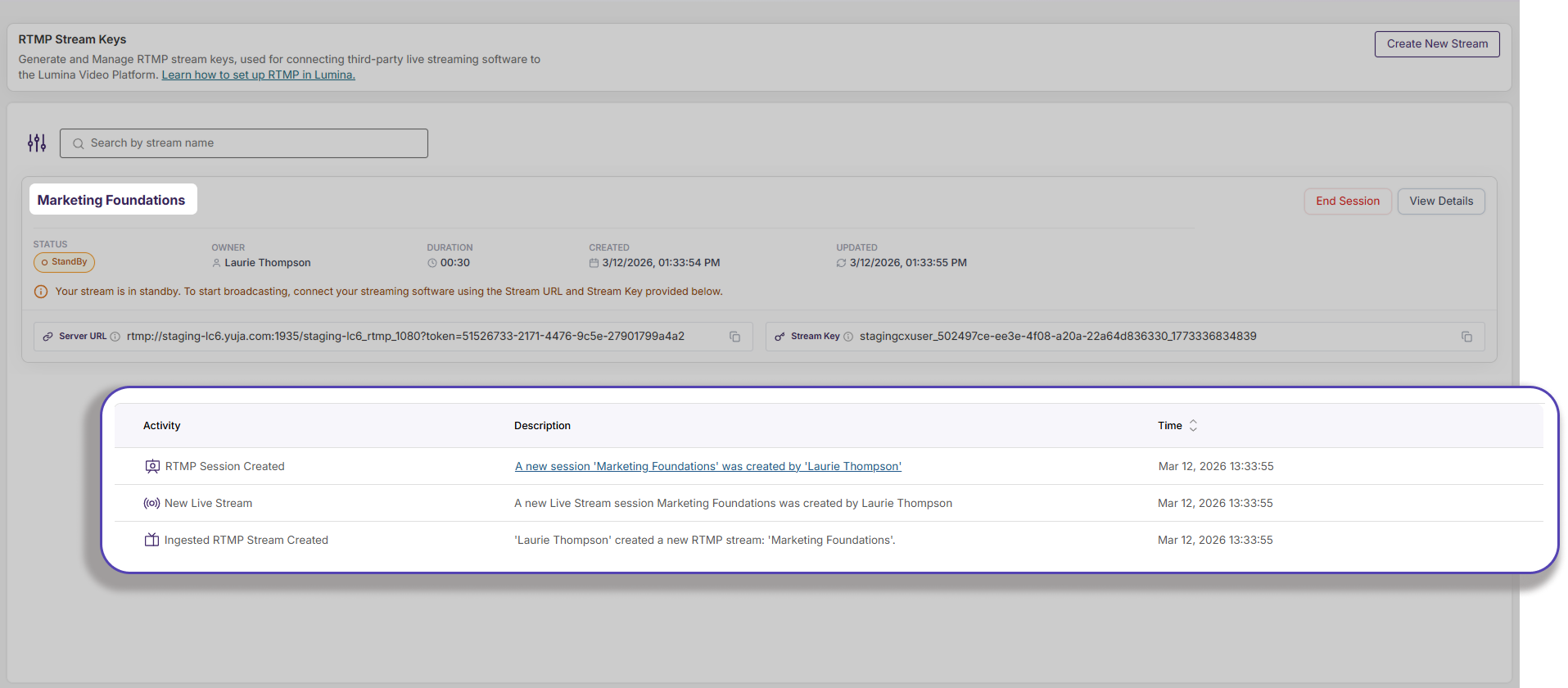
New Audit Logs for Live Streams Provide Additional Transparency
Audit logs have been added to a live stream session, documenting comprehensive details on stream sessions that provide essential information to instructors. The following logs are now available:
Stream session started successfully/unsuccessfully
Stream session waiting for video input
Stream session in progress
Stream session ended successfully
Stream session video uploaded
Over the next few weeks, the YuJa Lumina Video Platform will be adding new features that allow users to review side-by-side captions for easier translation review, view folder-level activity logging for greater transparency, view video playback after quizzes are submitted, and more.
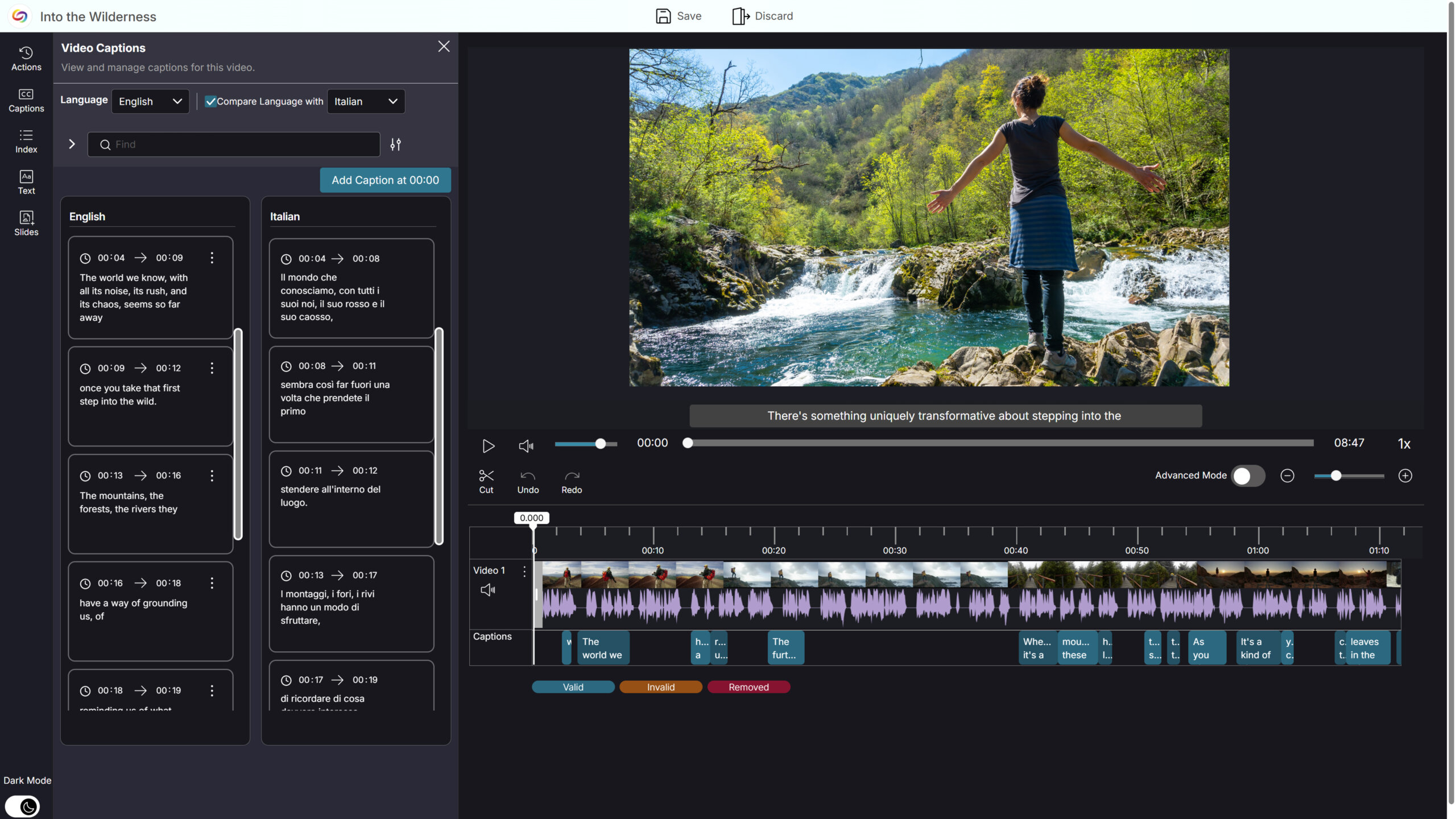
Side-by-Side Caption Comparison for Easier Translation Review in the YuJa Video Editor
The YuJa Video Editor now supports side-by-side caption comparison, making it easier to review, validate, and refine translated captions. When a video includes multiple caption languages, users can select a primary language to edit and a secondary language to view alongside it, allowing for quick comparison without switching views. This enhanced workflow simplifies translation verification, reduces friction when working across languages, and improves overall efficiency when managing multilingual captions.
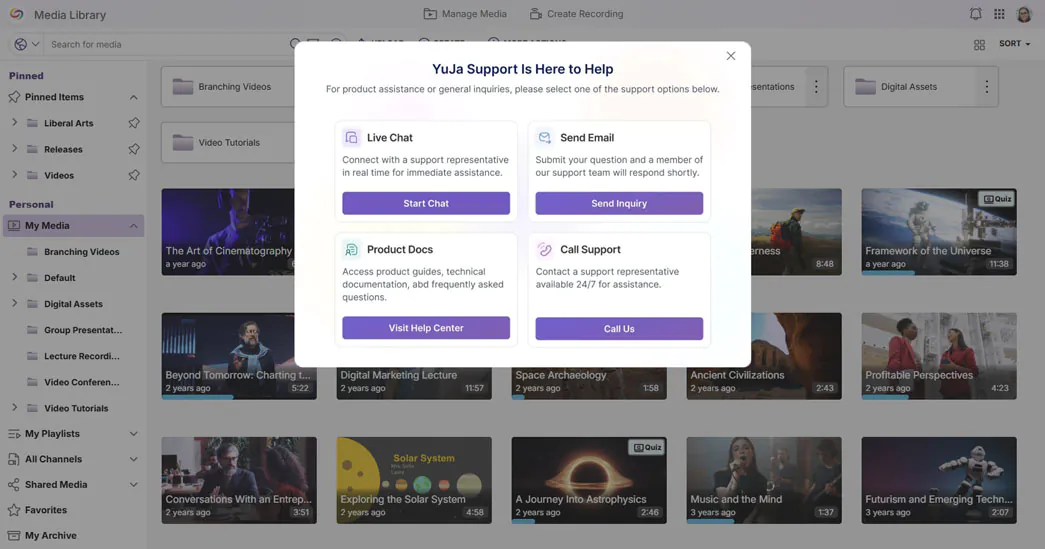
Get Help Faster with Integrated Live Chat and Support Options
The support experience has been redesigned to make getting help faster and more intuitive. Live Chat is now fully integrated, opening instantly from the Support modal for real-time assistance without navigating away from the platform. By centralizing all support options in one modal, instructors and admins can quickly find the help they need and resolve issues more efficiently.
Folder-Level Activity Logging for Greater Transparency
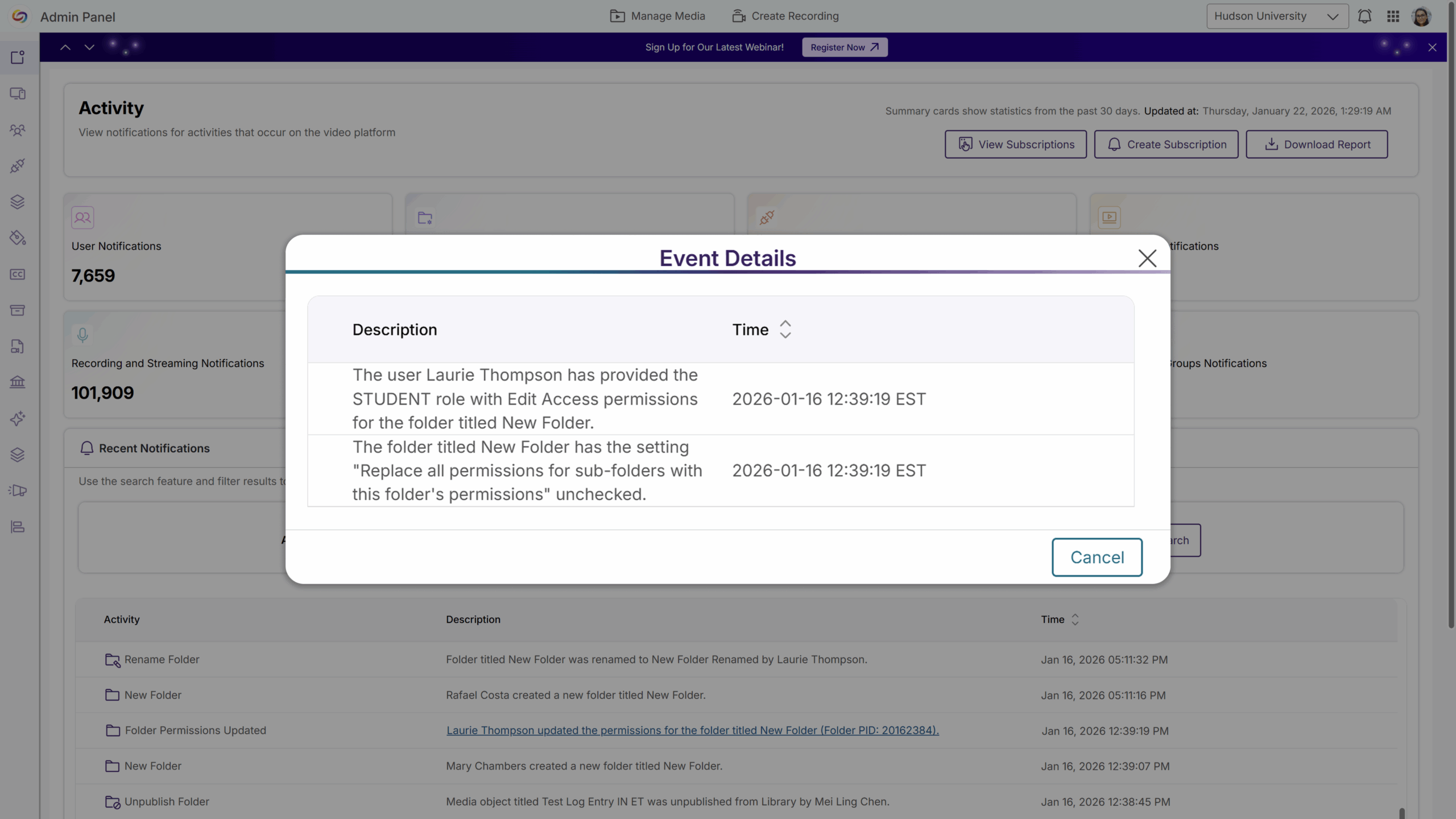
Folder-level activity logging is now available, giving admins clear visibility into changes such as permission updates, user or group access changes, folder renaming, and folder moves. Each action is recorded with the timestamp, the user who made the change, the affected folder, and before-and-after details where applicable, making it easier to diagnose access issues and maintain auditability across shared and departmental folders.
Ensure Videos Remain a Learning Resource After Quizzes Are Submitted
Instructors can now allow students to watch the underlying video after completing all allowed quiz attempts, without waiting for a quiz’s close date. Once students submit the quiz, they can continue accessing the video content without reopening the quiz, creating new attempts, or affecting grades. This improves learner access to instructional content while preserving assessment integrity.
Refreshed Email Experience with Dark Mode Support
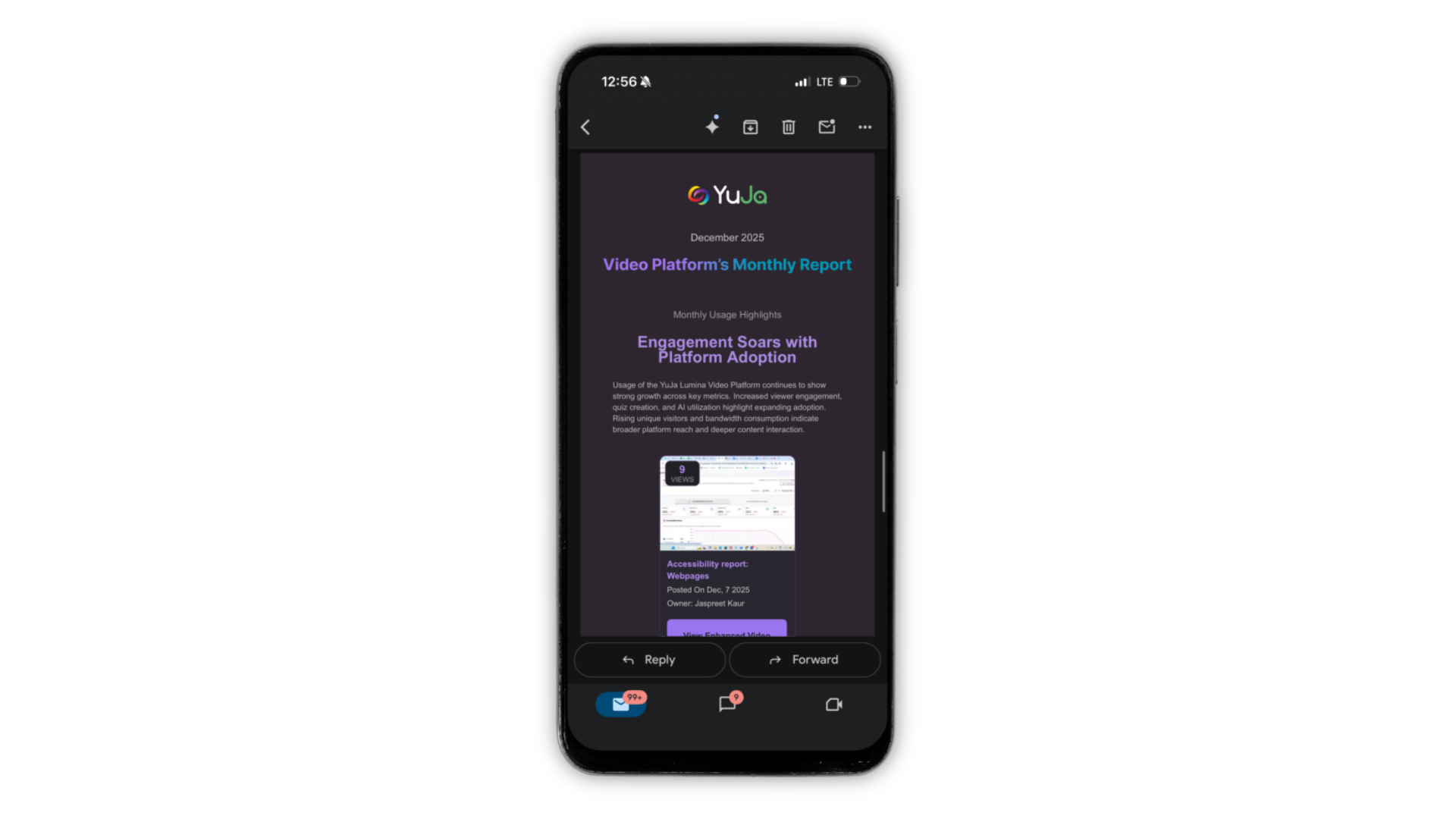
All Lumina emails have been refreshed with an updated look, including Dark Mode support for iOS and Android, making messages easier to read and visually consistent across the platform. This update ensures that all communications are clear, polished, and accessible for users utilizing Dark Mode.
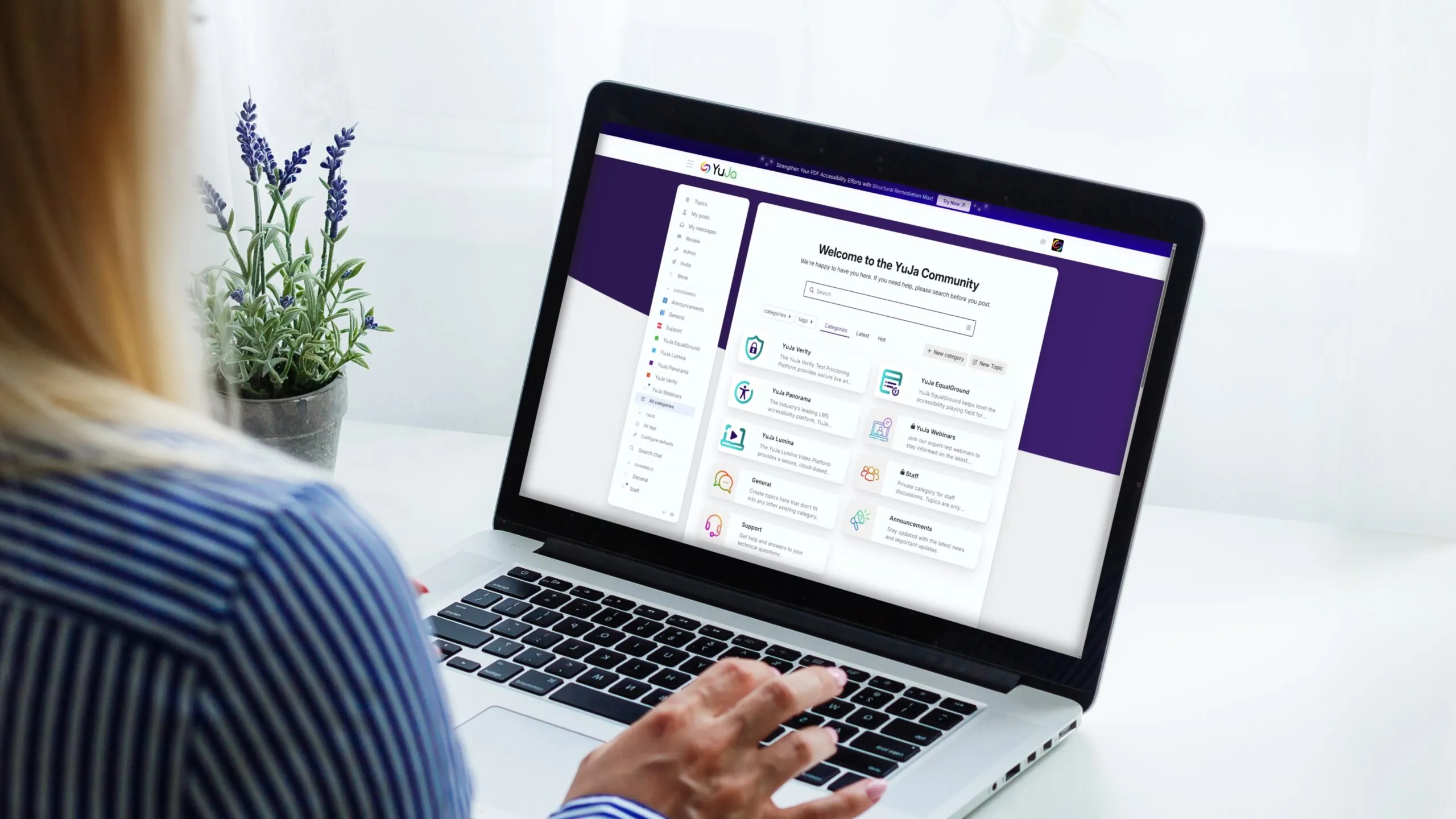
The YuJa Community has a new home! 🎉 We’re excited to announce that the YuJa Community has moved to a brand-new space designed to make connecting, learning, and sharing easier than ever. You can connect with peers, collaborate and exchange ideas, get the latest product updates, release notes, and feature announcements, watch exclusive content, and get support—all in one centralized hub! Join the YuJa Community today!
Over the next few days, we’ll be adding several YuJa Lumina Video Platform updates to make reviewing, analyzing, and managing content easier and more efficient. New enhancements include a new workflow that reimagines the course experience to streamline course creation, free and automatic application of Enhanced Audio Descriptions to your 3 most popular videos monthly, the ability to edit quizzes without making a copy, and so much more.
A New Workflow Reimagines the Course Experience
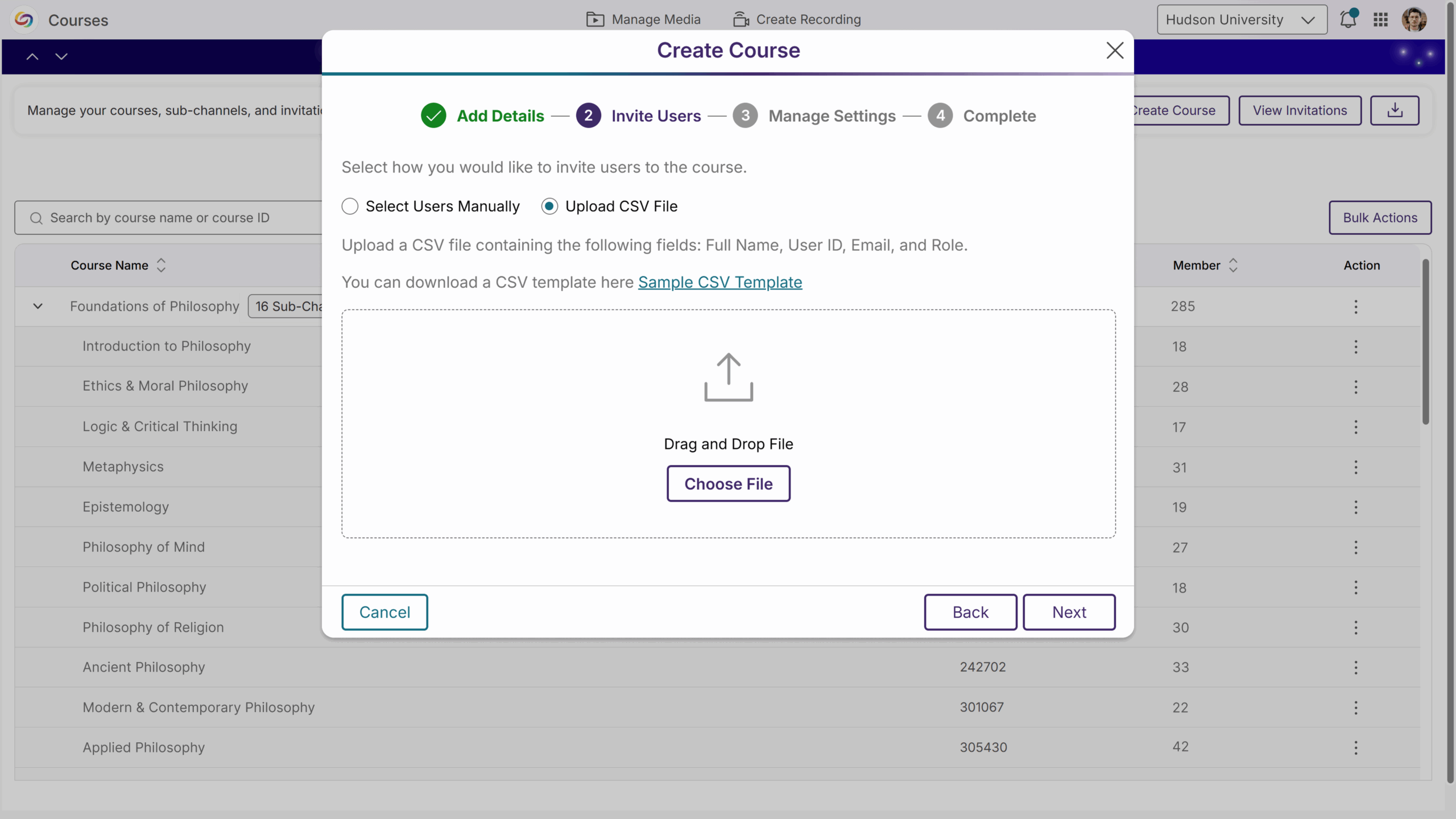
The YuJa Lumina course workflow has been reimagined to streamline course creation, enrollment, organization, and management to deliver a clearer, more engaging experience for both instructors and students. Key highlights include:
Create Courses Faster: Instructors can now use the new Course Creation Widget to set up a course quickly. Invitations are automatically sent to all added users, so you can get your course up and running right away.
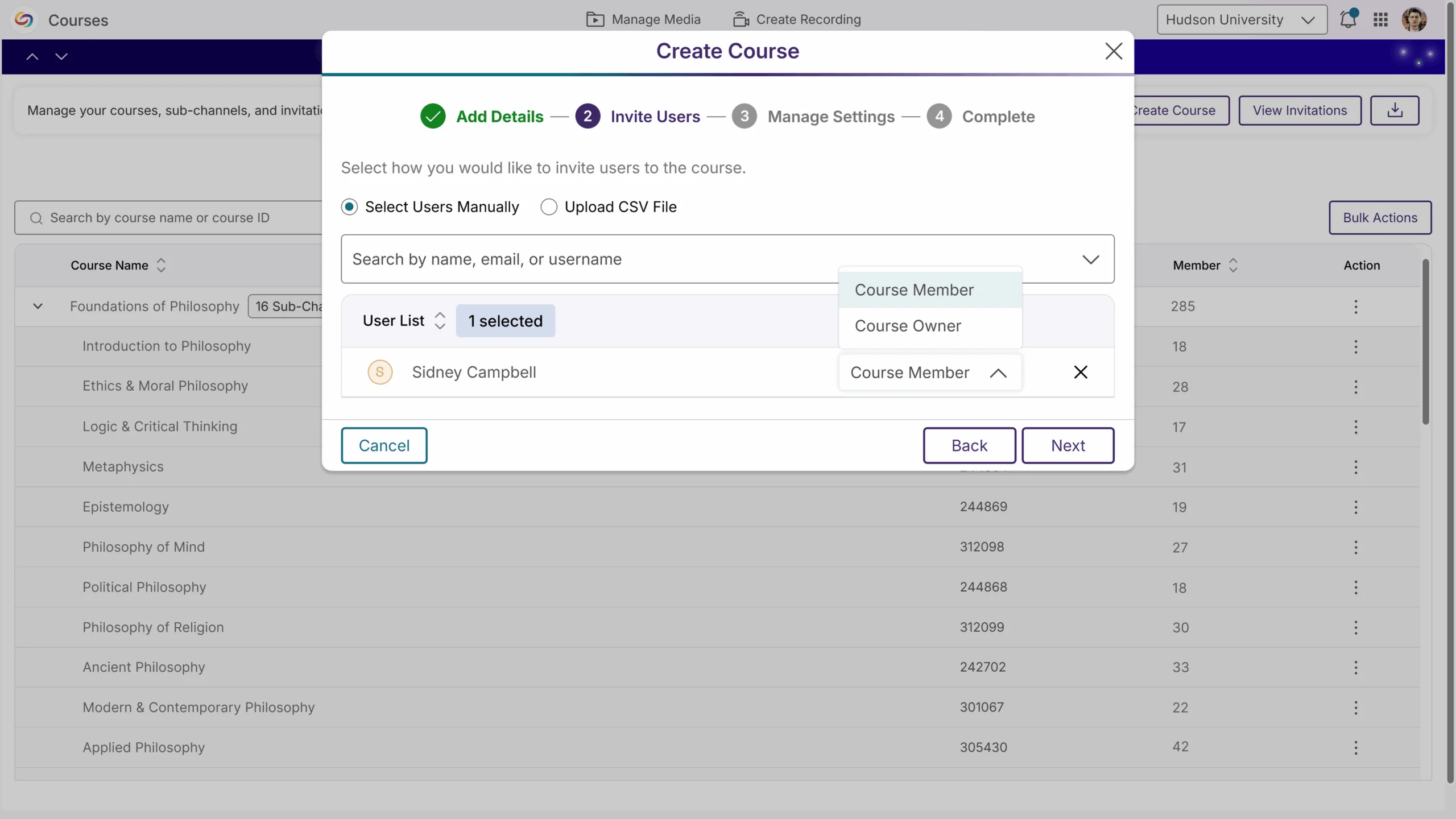
Flexible Invitations: Invite students to your course by adding them manually or uploading a CSV file. The refreshed, user-friendly email ensures users can join quickly and seamlessly. You can also resend invitations whenever you need.
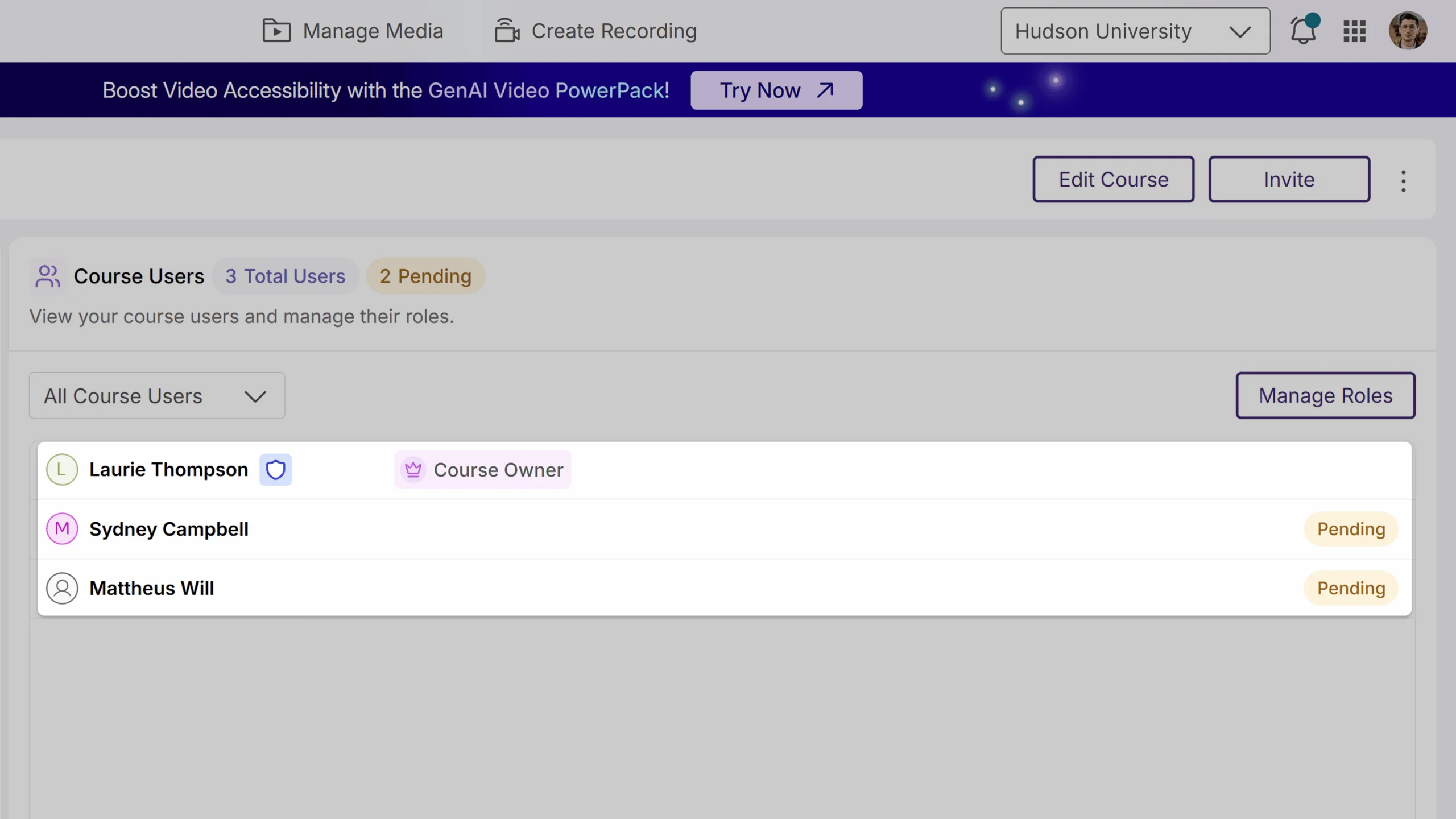
Clear Role Management: Badges now appear next to each person’s name, so you can quickly see whether they are a course owner, member, or pending member. You can easily change roles or lock them to prevent LMS updates from overriding your settings.
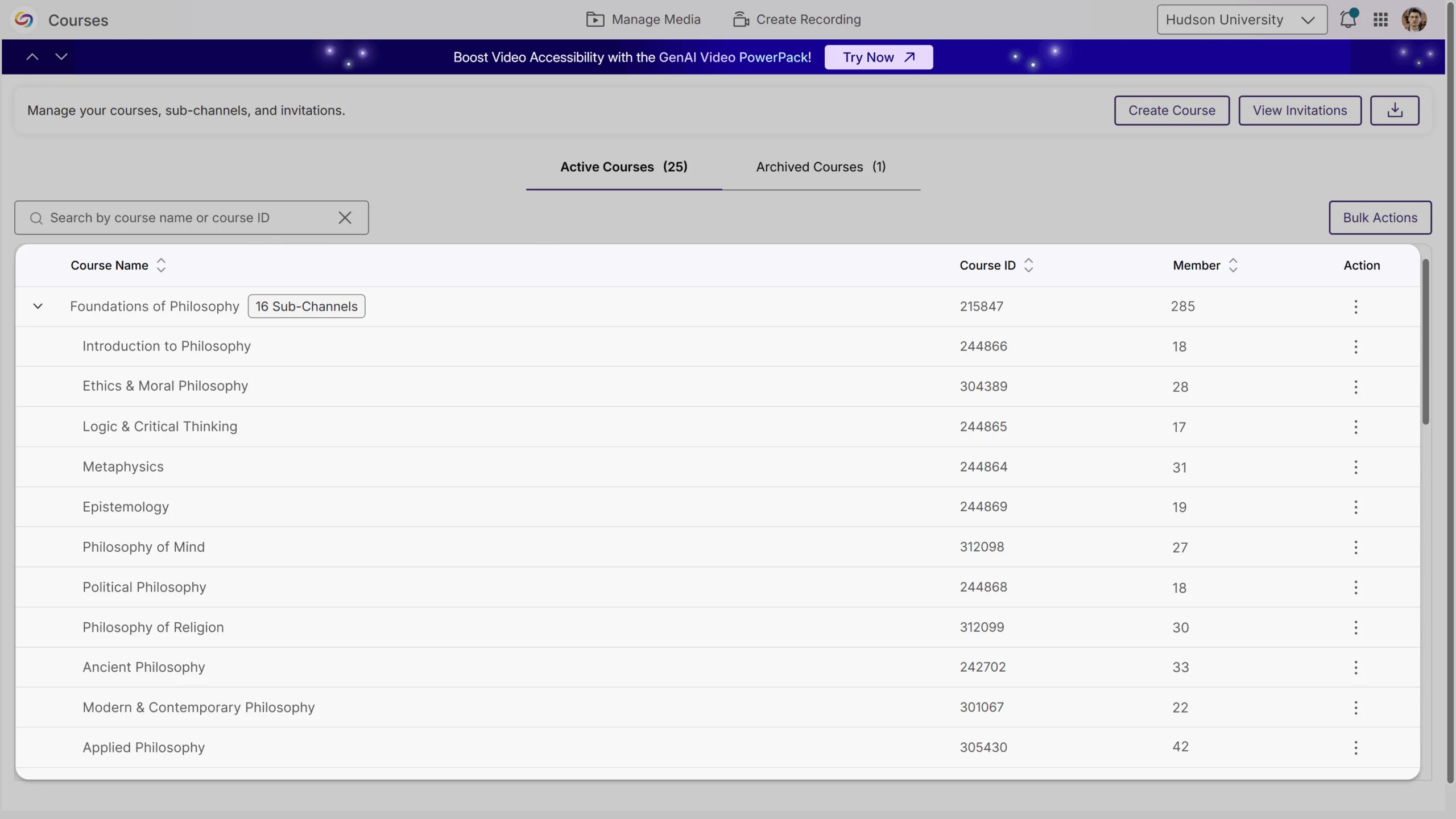
Organize with Sub-Channels: Instructors can break the course into sub-channels to keep content, discussions, and members more organized.
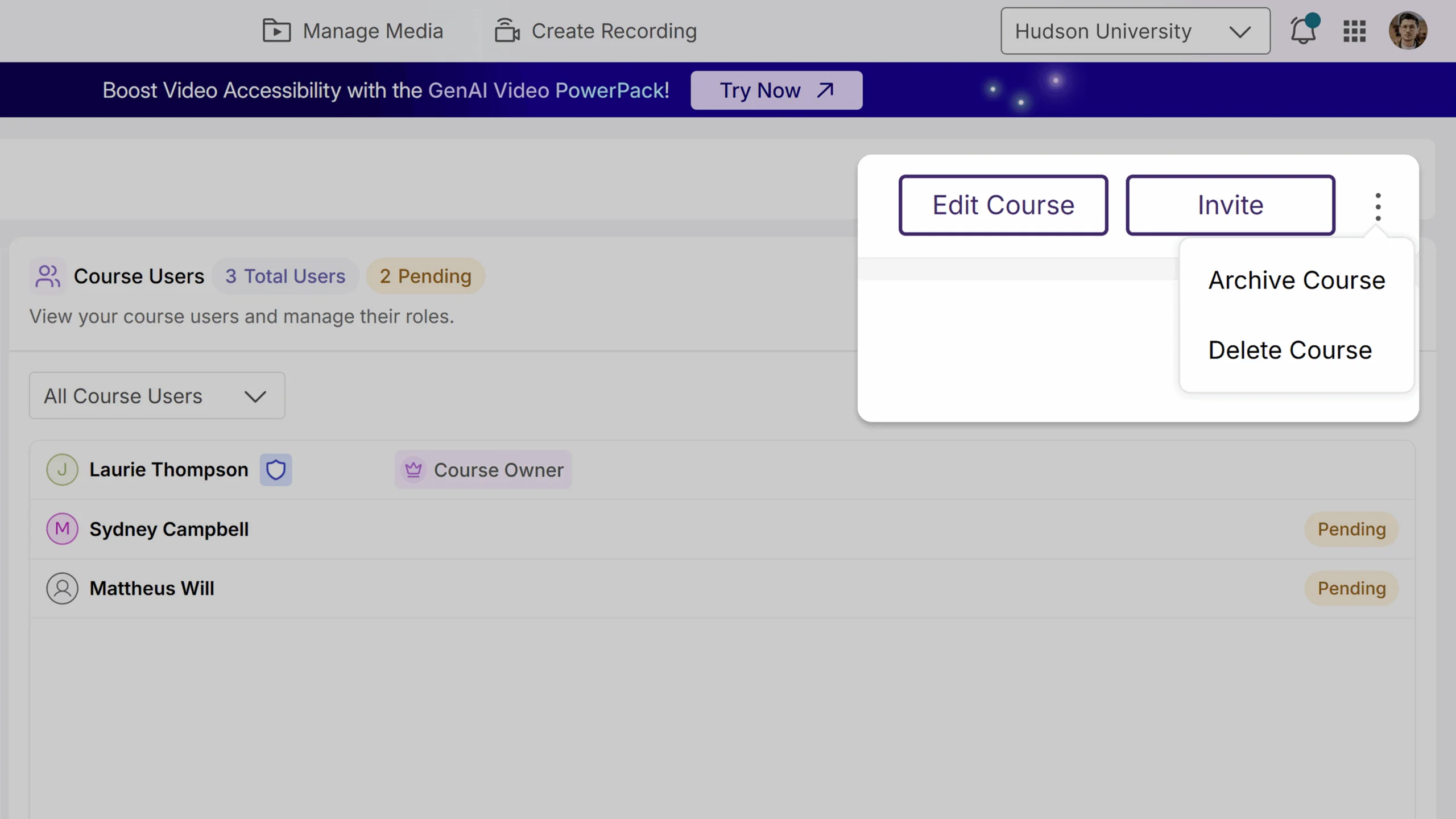
Easier Course Settings: Your course settings are now organized into tabs, and common actions like archive and delete are available in the kebab menu, making course management more simple and intuitive.
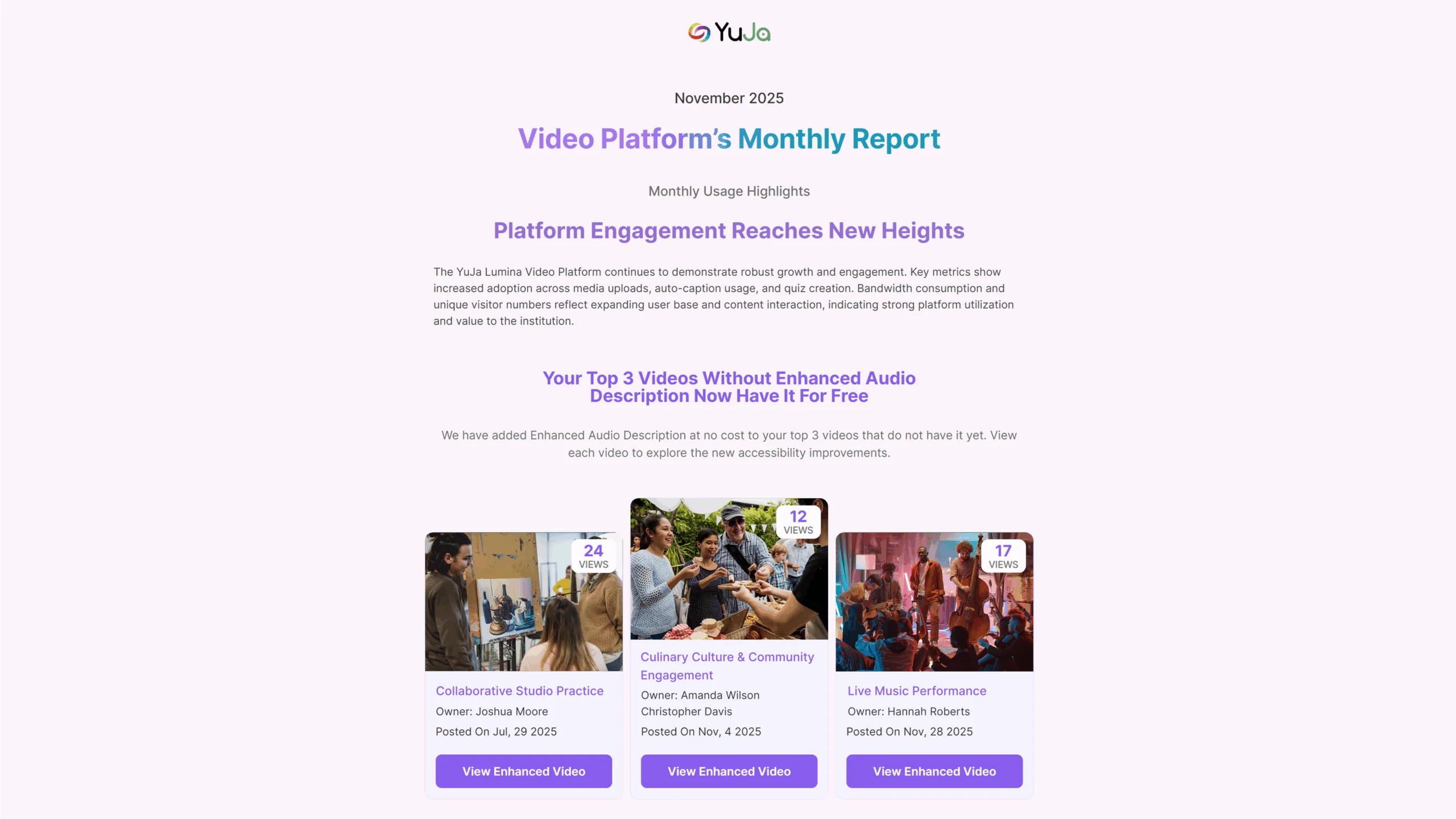
AlwaysOn Audio Descriptions for Video Accessibility Now Included at No Cost
We’re introducing AlwaysOn Audio Descriptions, an automated accessibility enhancement for YuJa Lumina at no additional cost. Each month, Enhanced Audio Descriptions will be automatically applied to your top three most-viewed videos, ensuring high-impact content is accessible without any manual effort. When Audio Descriptions are applied, you’ll receive a notification email, and the updates will also be reflected in your Monthly Usage Report. This automated approach helps institutions maintain accessible video content by default, while keeping you informed and in control.
Edit Quizzes Without Making a New Copy
You now have more control and flexibility over your video quizzes. You can update video quiz titles, adjust question wording, or tweak quiz settings, such as disabling fast-forwarding or allowing unlimited attempts, without creating a new copy of the video quiz. A clear warning will appear if a change could affect existing data, giving you the choice to edit the current quiz or create a new one. These video quiz improvements help keep your quizzes accurate and up to date.
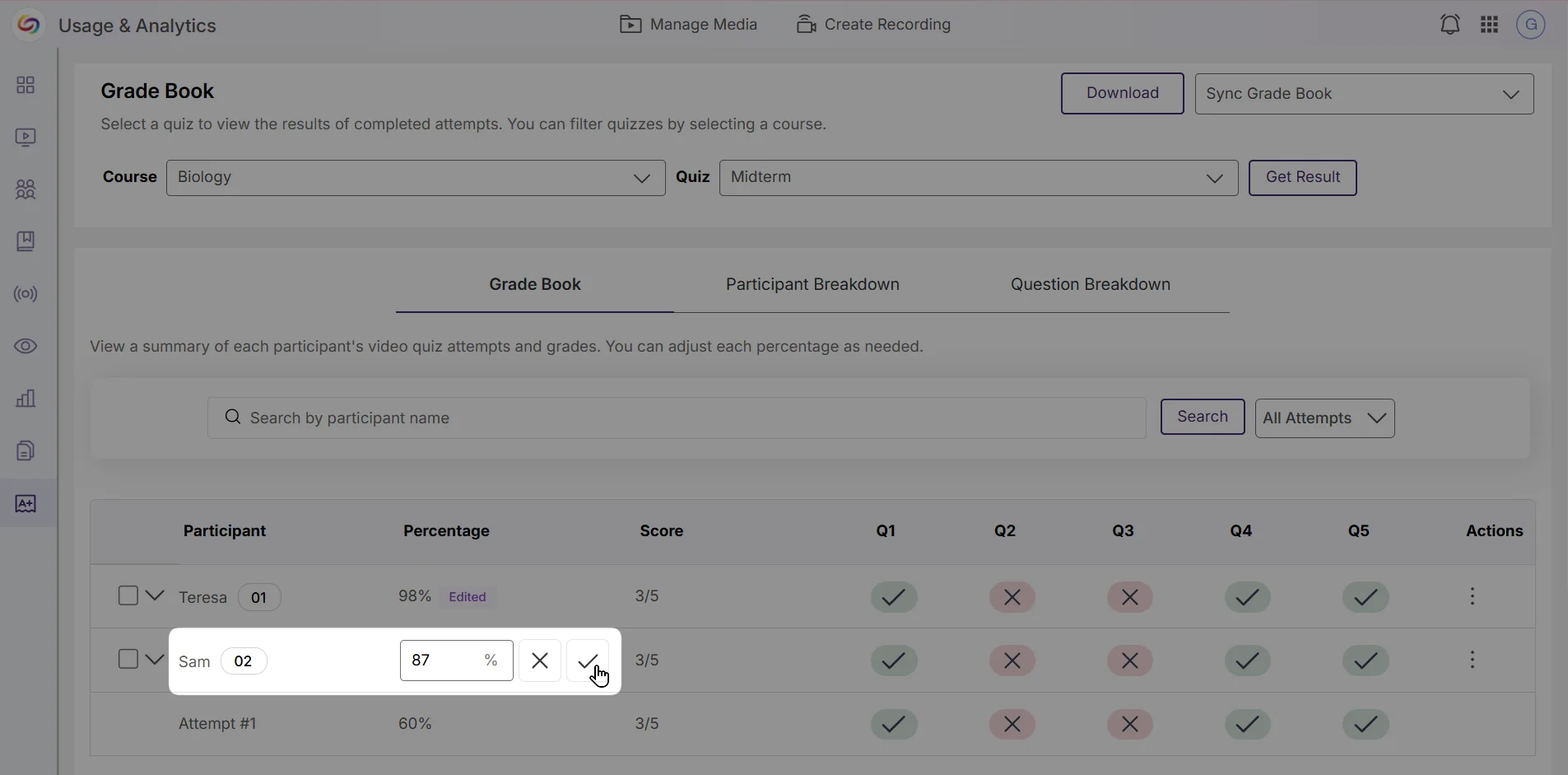
Easily Review, Adjust, and Sync to Grades to the Grade Book
You can now review each student’s video quiz grades and answers in one place, giving you the ability to make adjustments and ensure that every grade is accurate. All grade adjustments will automatically sync to the grade book, saving you time and making grading a smoother process.
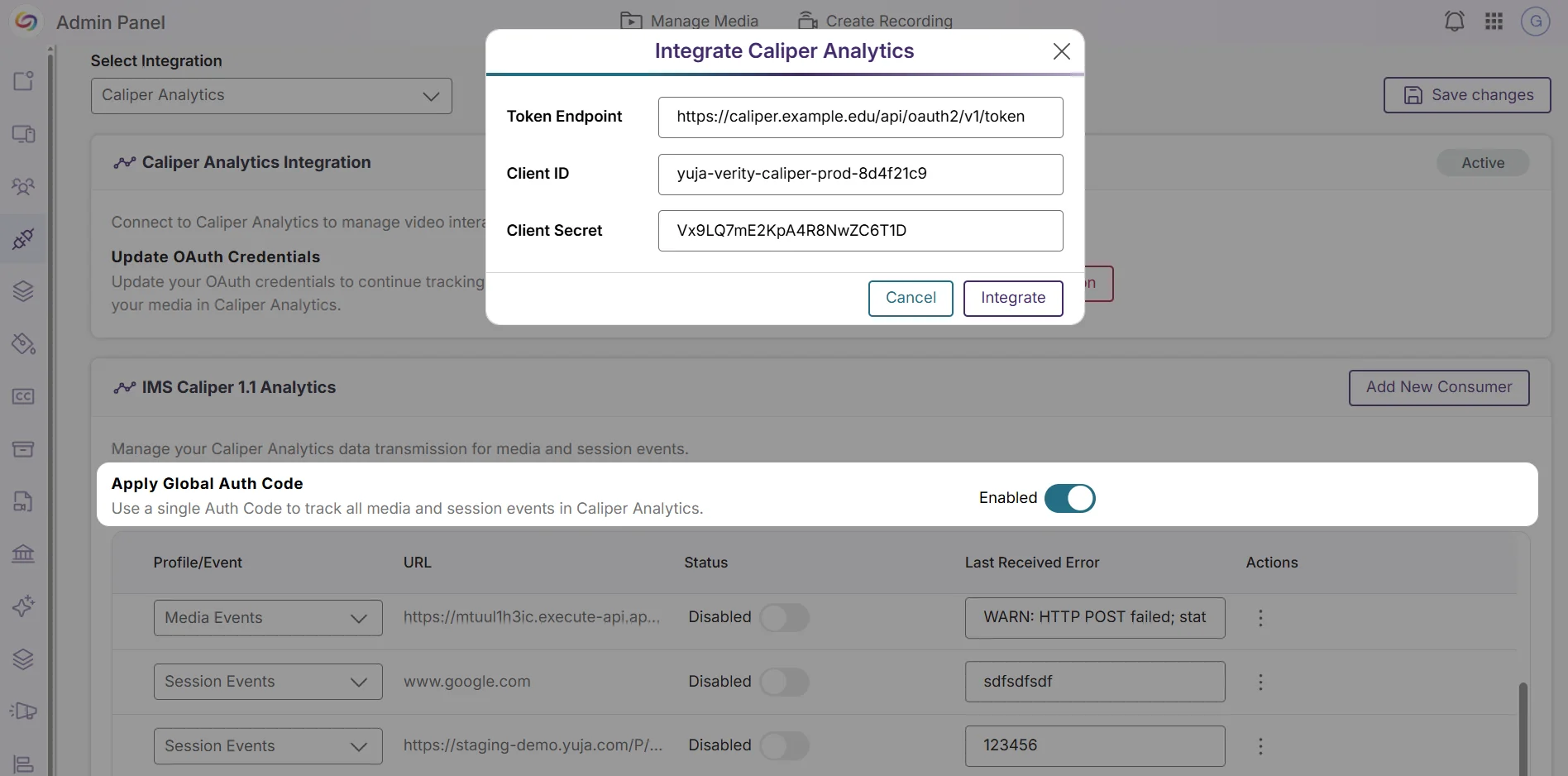
New Caliper Analytics Integration to Track Video Interaction Data
You can now connect YuJa Lumina with Caliper Analytics to manage and track video interaction data more efficiently. Once you add your OAuth credentials, Caliper Analytics will automatically capture detailed interaction data for all your videos in the background. You can also choose to use a single global authorization code to track all media and session events at once, eliminating the need to set up tracking for each video individually. With this new integration, it is now easier to see how students are engaging with your video content, helping you identify which parts are most effective and where adjustments may be needed to improve learning outcomes.
Over the next few weeks, the YuJa Lumina Video Platform will receive significant enhancements to interactive learning and analytics capabilities. Key highlights include a new interactive Video Branching feature that enables choose-your-own-adventure learning experiences with a visual canvas editor and path analytics, customizable analytics reports that allow administrators and instructors to generate insights with flexible date ranges and content filtering, and expanded monthly usage reports with comprehensive engagement metrics.
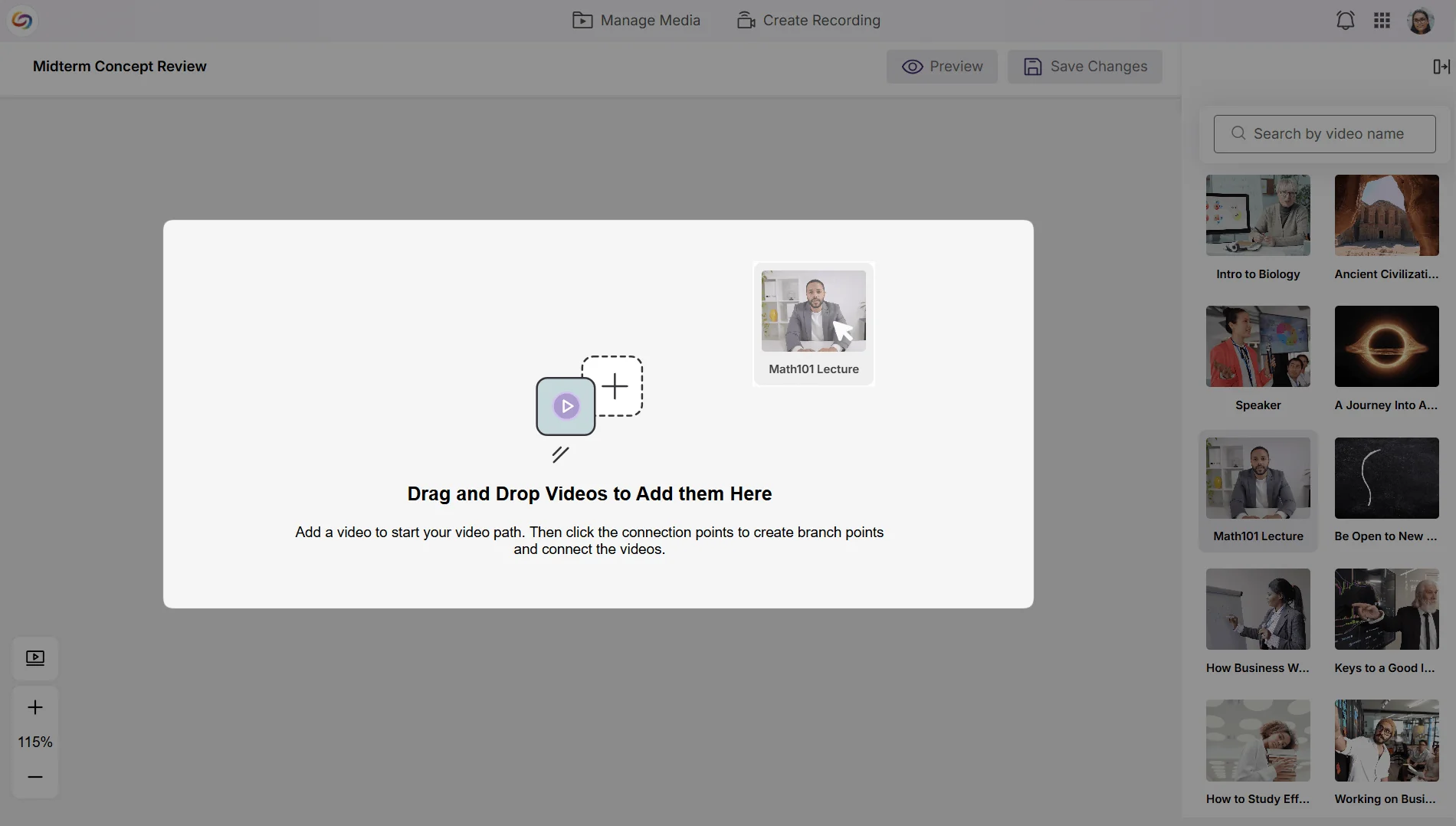
Create Immersive, Choose-Your-Own-Path Experiences – Use Interactive Video That Puts Learners in Control of Their Learning Journey
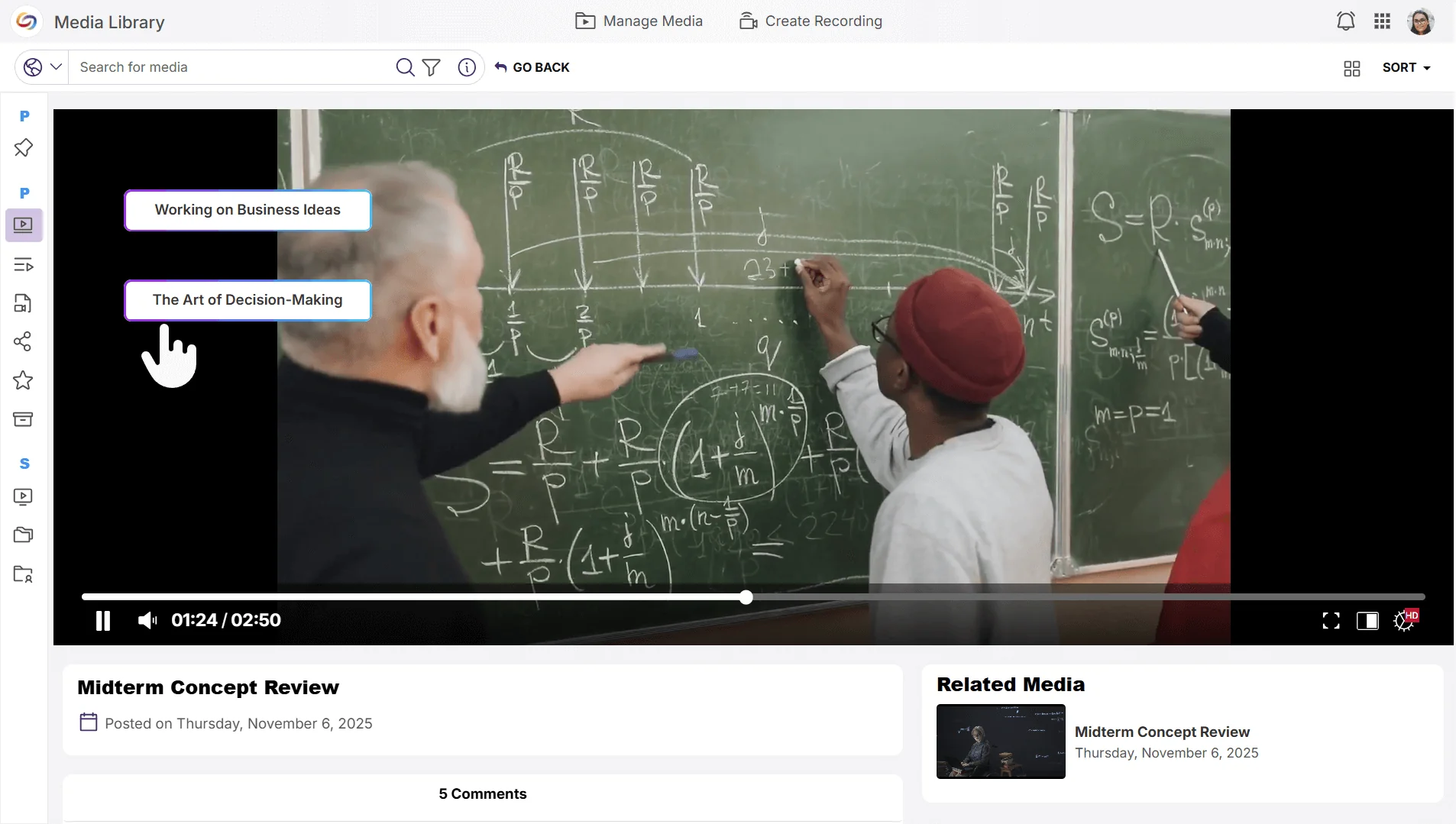
Instructors will now be able to create interactive branching videos that allow students to make choices throughout playback, choosing their own learning paths based on responses or decisions. Key capabilities will include:
Visual Canvas Editor: A drag-and-drop interface that enables instructors to build complex interactive scenarios by connecting videos from your media library.
Flexible Branch Points: The ability to add up to three decision points per video, each offering up to three branch options.
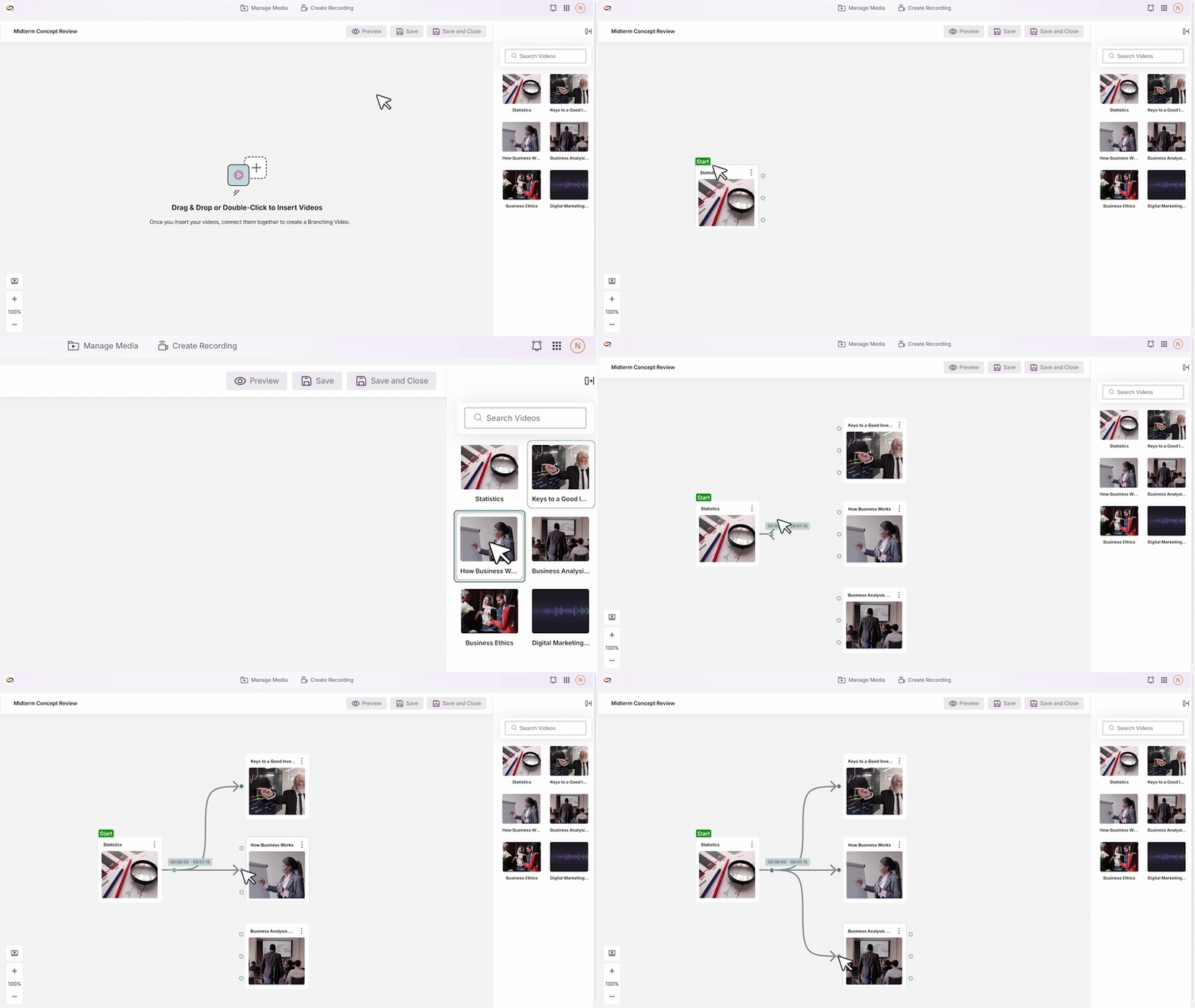
Seamless Playback: Students will be able to interact with branch-point buttons that transition to the next video segment based on their selections.
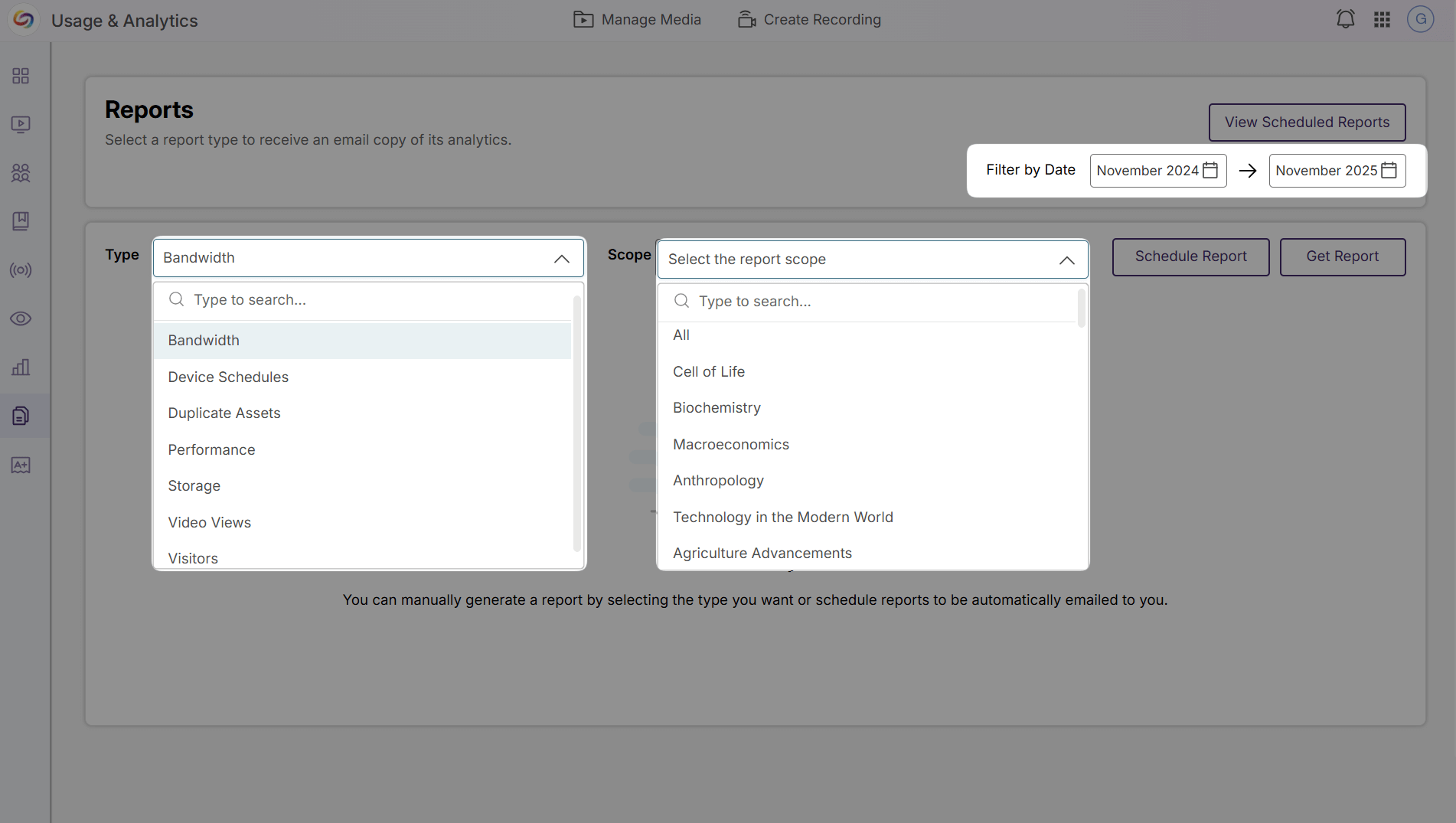
Customizable Analytics Reports Enable Data-Driven Decision-Making
Instructors will now be able to create personalized analytics reports with custom date ranges and content-specific filtering to gain deeper insights into video engagement. Already available to admins and sub-admins, instructors will now be able to analyze their content performance while administrators access institution-level reporting across courses, users, and individual videos.
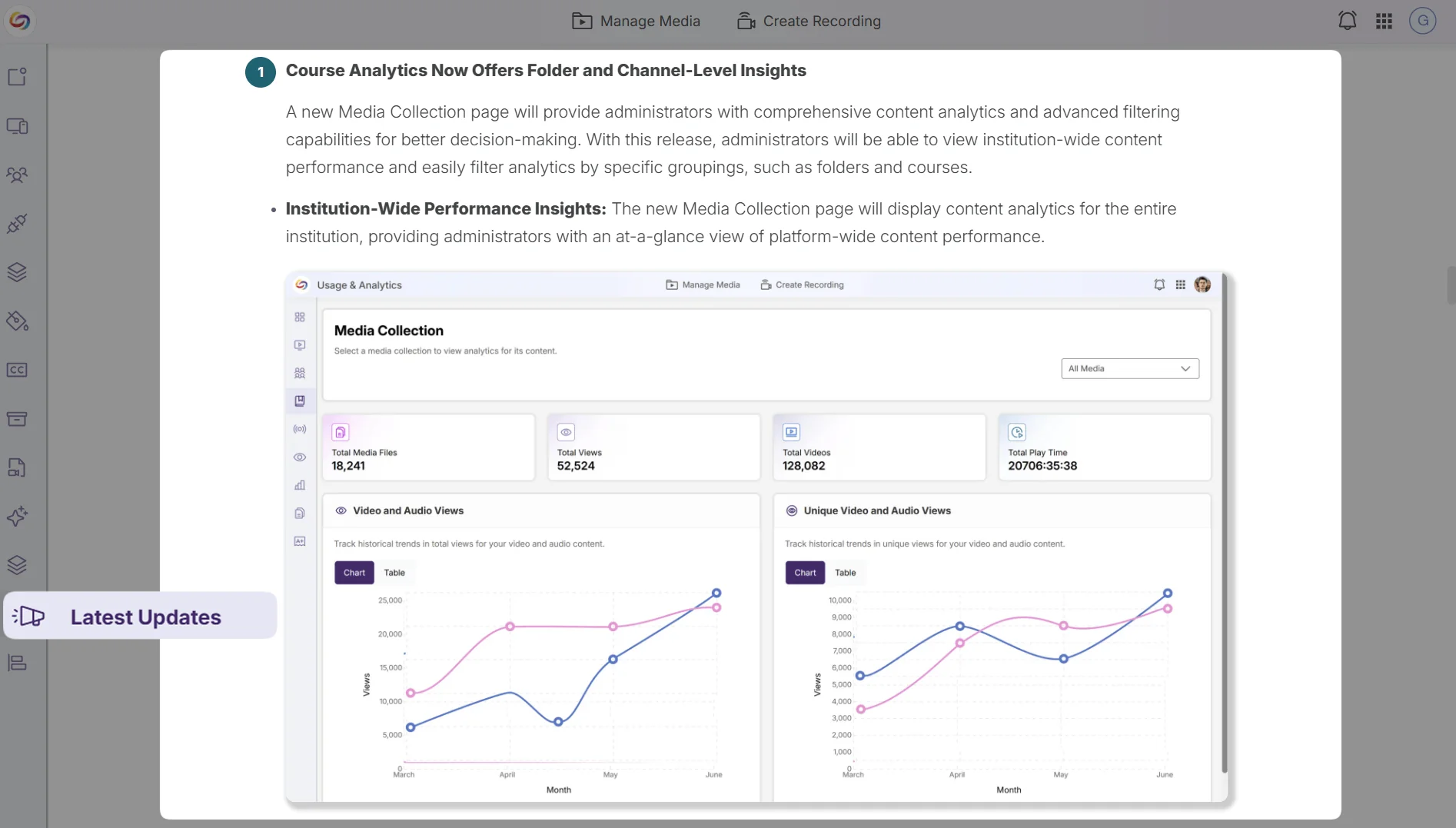
Release Notes Will Now Be Available in the Admin Panel
Administrators will be able to access the latest platform updates and feature announcements through a dedicated Release Notes tab in the Admin Panel sidebar, eliminating the need to navigate to external resources to stay informed about new capabilities and improvements.
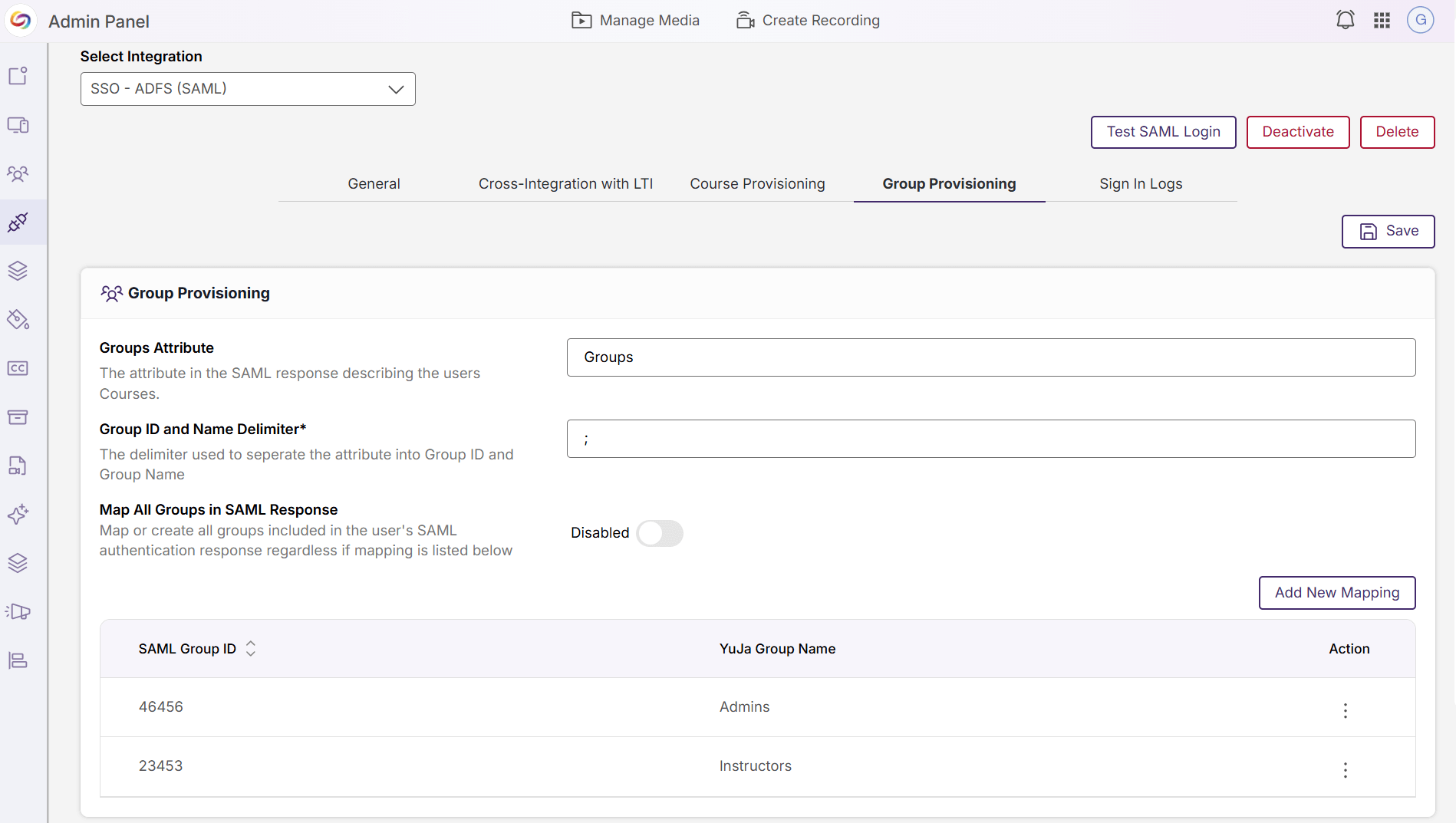
Integration Management Pages Redesigned for Improved Usability
The Admin Panel’s integration configuration pages have been redesigned with an updated interface for SSO/SAML settings, video-conferencing connections, scheduling integrations, and analytics configurations, providing administrators with a more intuitive and consistent experience when managing platform integrations.
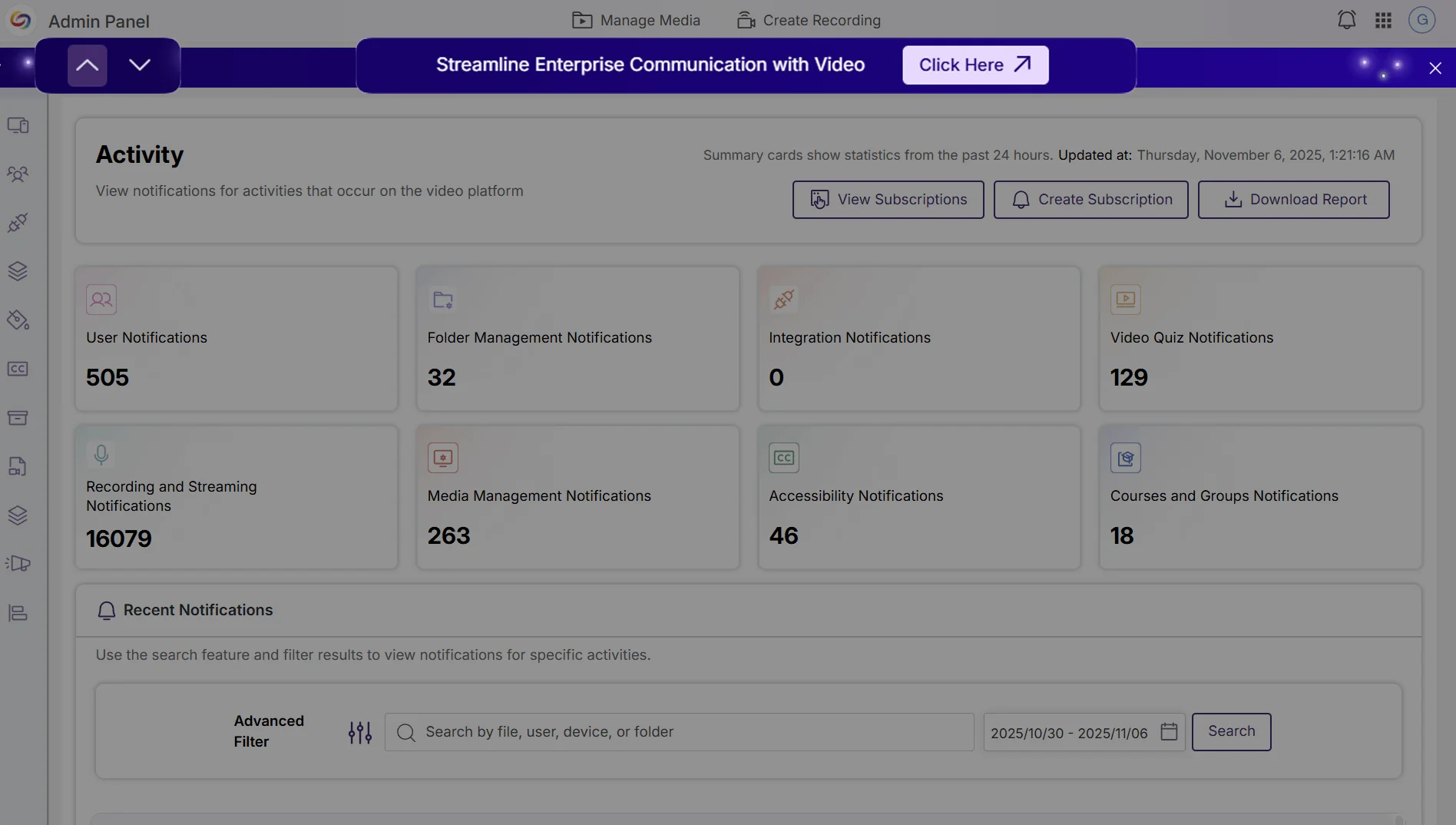
Event Banners Provide Visibility Into Upcoming Webinars and Product Announcements
Administrators can now view upcoming webinar events and important announcements through event banners in the Admin Panel. Multiple active banners can be navigated with arrows or dismissed for the current session to avoid repeated interruptions.
Over the next few weeks, the YuJa Lumina Video Platform will see improvements to course management, analytics capabilities, and administrative workflows. Key highlights include automated quiz publishing for seamless LMS integration, enhanced video engagement analytics with per-section heat map visualization, and streamlined administrative tools for usage reporting and integration management.
Heat Map Analytics Will Support Per-Section and Sub-Course Data Visualization
The video engagement heat map will now include per-section and sub-course analysis capabilities, allowing administrators to view detailed interaction patterns for specific course sections or sub-courses through an integrated dropdown menu. This enhancement will provide granular insights into student video engagement across different sections within the same course in your LMS, enabling more targeted instructional decisions and comprehensive analytics reporting.

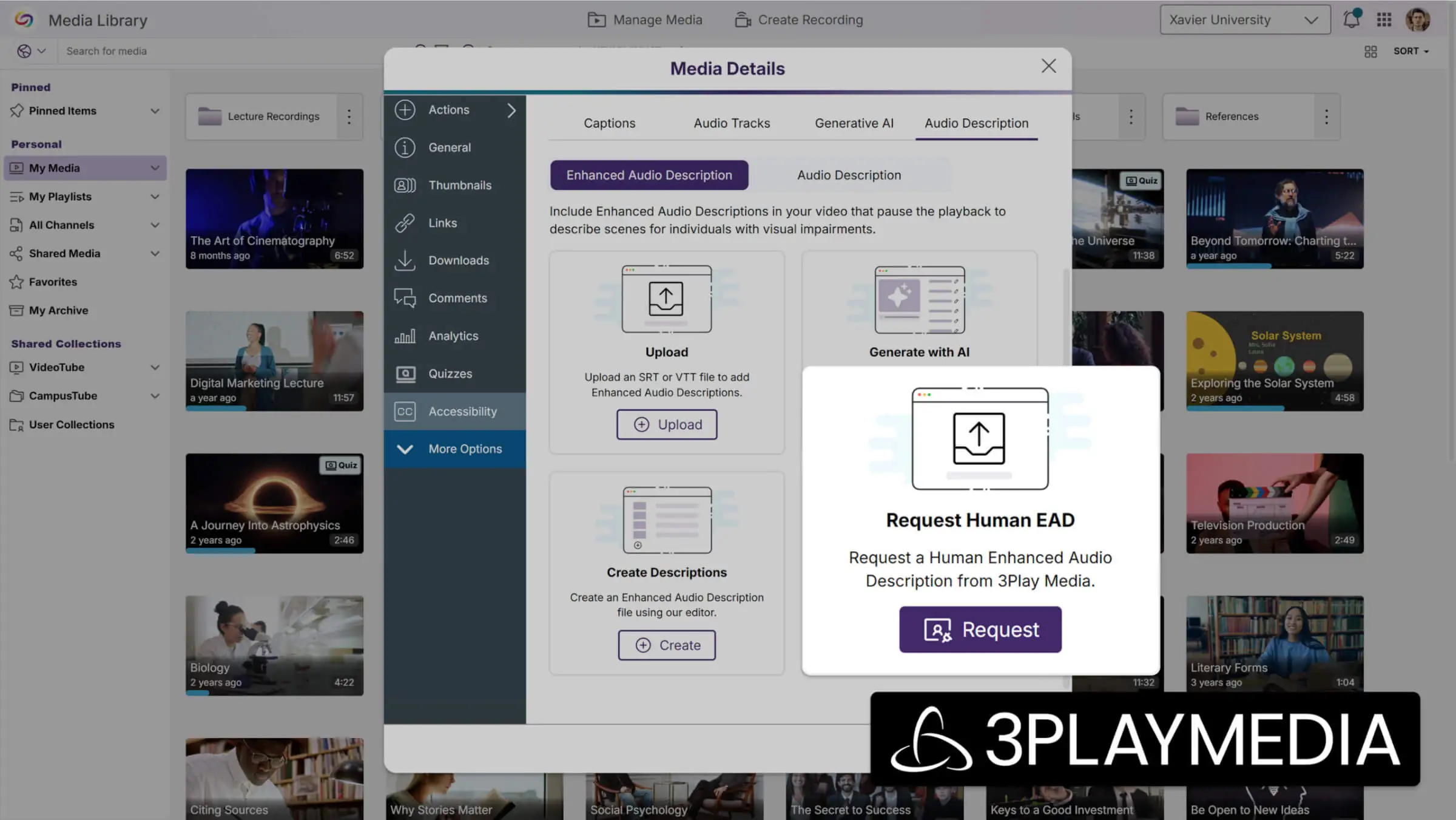
Support for Human-Generated Enhanced Audio Descriptions with Partnership with 3Play Media
Instructors can now request human-generated Enhanced Audio Descriptions through their existing 3Play Media integration, providing professional-quality accessibility content within 24 hours. This feature expands audio description options beyond AI-generated content to ensure the highest quality accessibility standards for critical video materials.
Migrated Quiz Links Now Support Automatic Grade Sync
Quiz links that have been migrated from other video products to YuJa through the link replacement tools will now automatically sync grades when students access them. This helps ensure grade tracking for converted quizzes without requiring manual course association from administrators.
Monthly Usage Reports Will Be Accessible In the Admin Portal
Administrators will be able to view historical monthly usage reports directly within the admin portal, with automatic pop-up notifications displaying the previous month’s data upon first login each month. The dedicated Usage Reports section will provide easy access to past reports through a dropdown menu, with new monthly options added automatically over time.

Captioning Integration Setup Streamlines Provider Configuration Management
All captioning provider integration pages will now feature an enhanced interface that simplifies the setup and management of multiple caption providers through improved modal workflows. The streamlined configuration process includes robust validation to prevent incomplete setups, ensuring reliable captioning services across 3Play Media, Rev, AST, Verbit, and Cielo24 integrations.

LMS Integration Pages Will See Interface Updates With Enhanced Configuration Control
Admin pages used to connect YuJa to LMSs have been improved to make the setup process more organized. The new interface organizes LTI and API settings in a cleaner, more intuitive layout, which helps administrators manage multiple LMS connections more efficiently.

Hardware Hub Profile Device Management Expands to Support All Connected Devices
Hardware Hub profiles will now support adding any connected device, including NDI cameras and other specialized equipment, rather than being limited to the previous three PCI devices and Line In Audio. The updated interface provides a comprehensive connected devices table that allows users to view, add, and remove any USB or NDI device from their profile, providing greater flexibility for diverse recording setups.
Join the 1,000+ Organizations Deploying High-Impact Solutions



