

Product Updates
Get the latest platform updates, features, and announcements—all in one place.
Boost Video Accessibility with the GenAI Video PowerPack!
Try Now
Supercharge Your Compliance Efforts with AutoPilot Remediation Max!
Try Now
Strengthen Your PDF Accessibility Efforts with Structural Remediation Max!
Try Now
Don't Miss Any of Our Upcoming Webinars—Save Your Spot!
Register
The YuJa Community is here! Connect, get updates, and access exclusive content.
Join Now

Get the latest platform updates, features, and announcements—all in one place.
The YuJa Enterprise Video Platform is now the YuJa Lumina Video Platform. The name reflects the platform’s role in providing clear insights and enhanced user experiences. Over the next few weeks, we’re rolling out significant improvements to multi-campus management, video processing performance, and analytics capabilities. Key highlights include streamlined umbrella system administration with unified campus navigation, dramatically faster video editing with up to 8x speed improvements for cut operations, and enhanced analytics featuring heat map visualizations and folder-based reporting.
Accelerated Video Processing Delivers Dramatically Faster Cut Operations
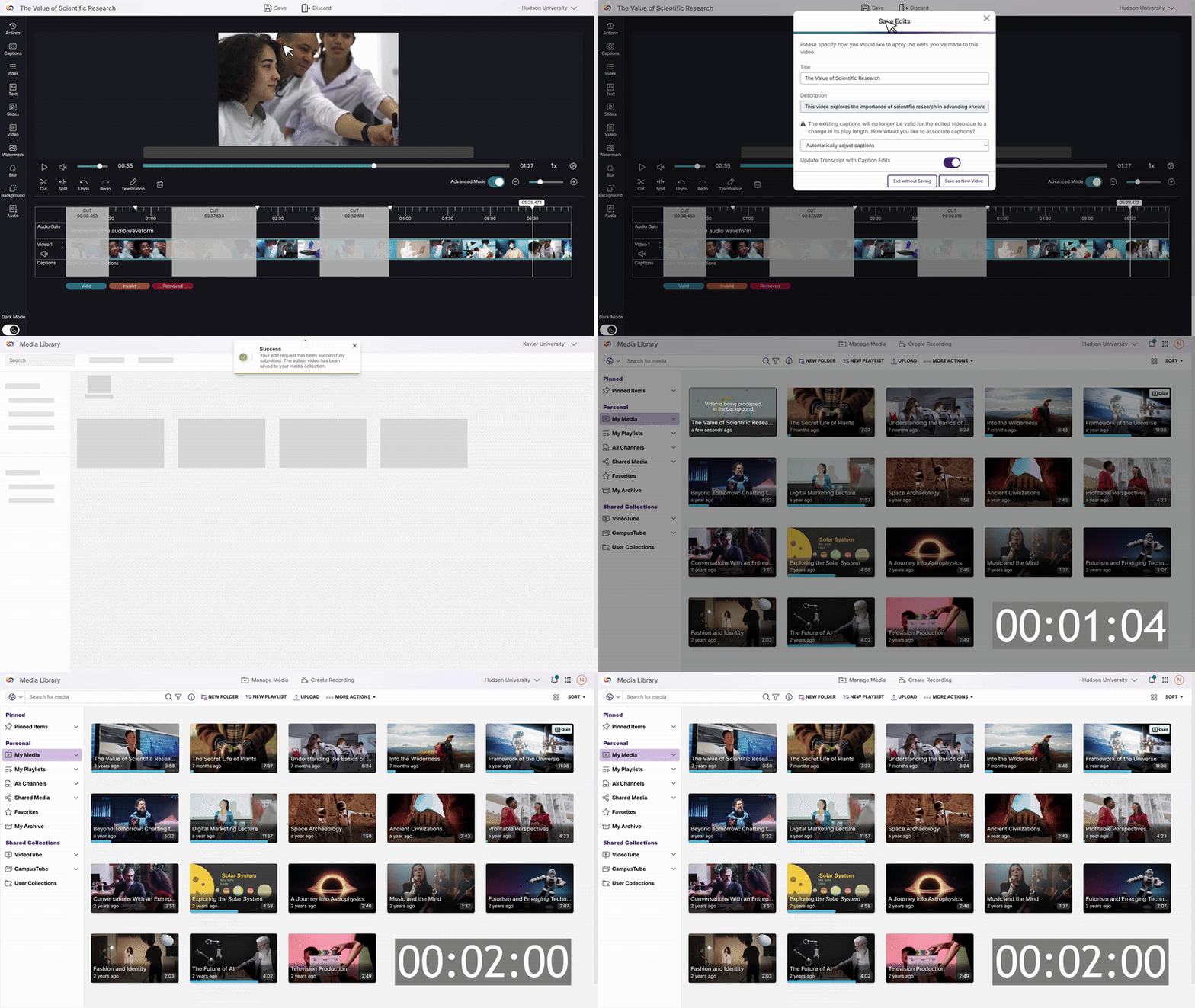
Video editing cuts will now process significantly faster, making quick content edits far more efficient for content creators. The enhanced cut functionality transforms editing workflows with substantial performance improvements—processing time for hour-long videos with multiple cuts can be reduced from 15 minutes to just 2 minutes. This update allows content creators to quickly trim and refine their videos, eliminating lengthy processing delays that previously interrupted productive editing sessions.
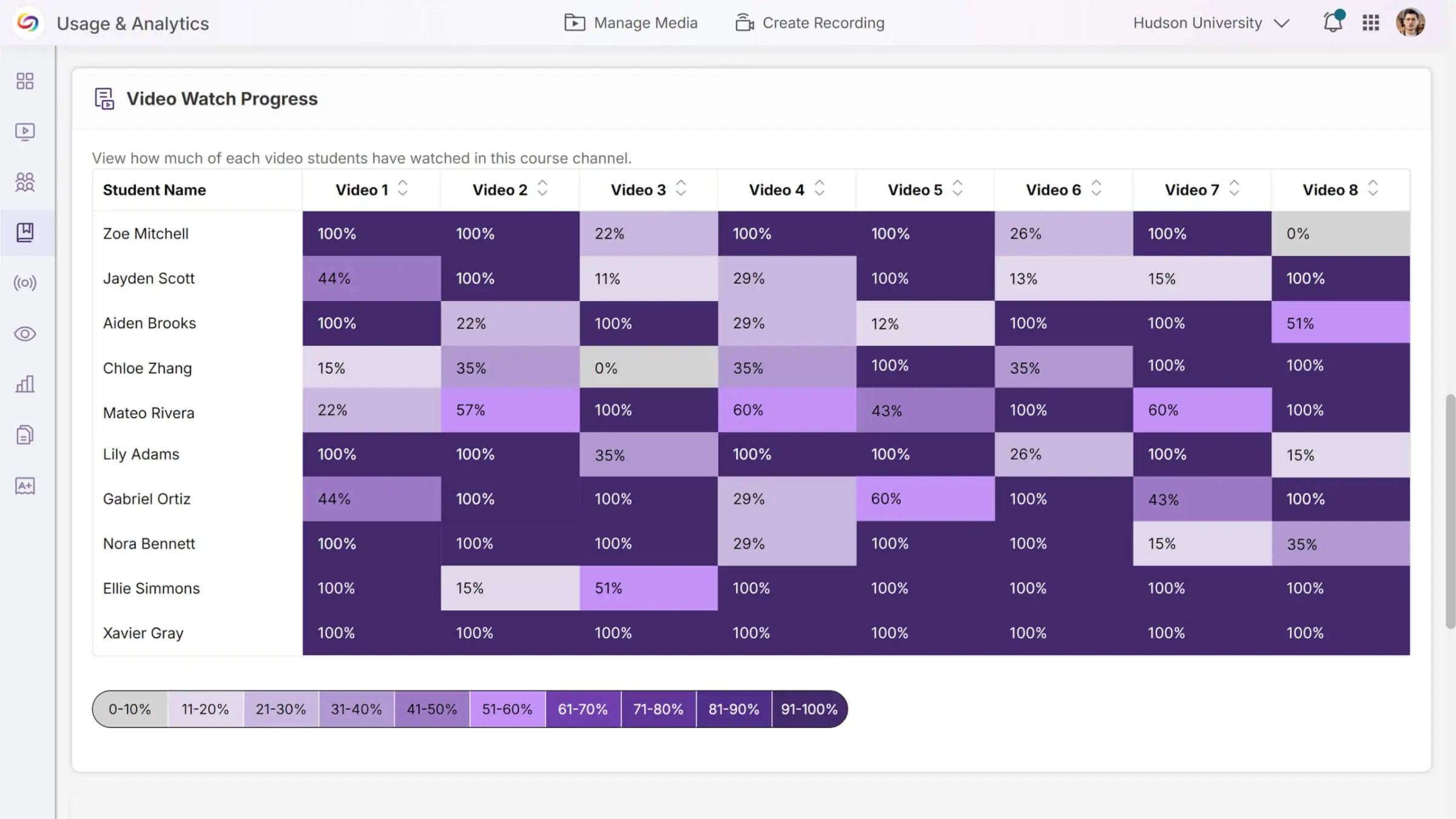
Video Engagement Heat Map Visualizes Course Activity Patterns
A new heat map report in Usage & Analytics provides visual insights into video viewing patterns across courses, allowing administrators and instructors to quickly identify engagement trends by student. The interactive visualization shows how students interact with course videos, with downloadable data for deeper analysis and reporting needs.
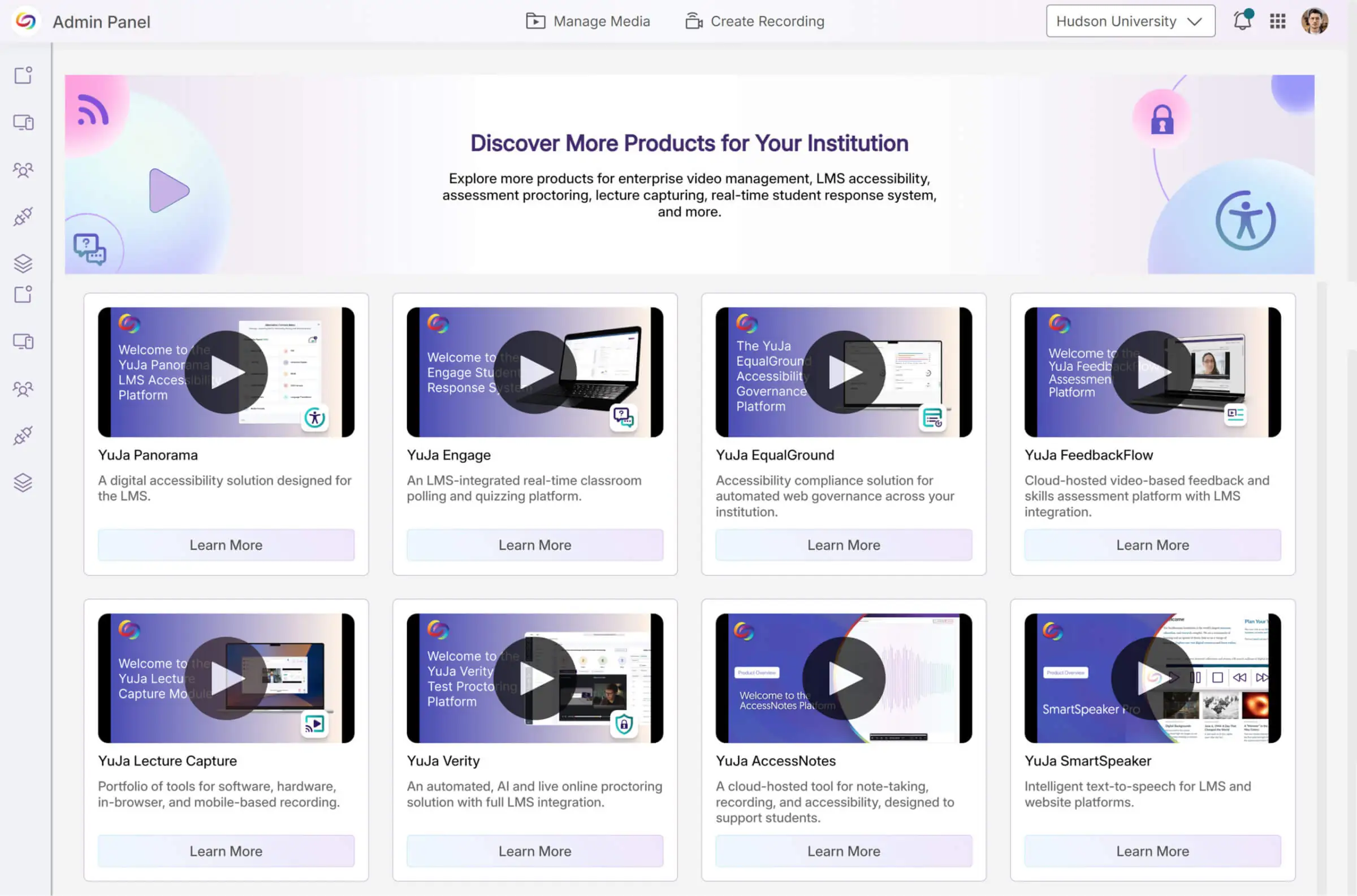
Explore a Marketplace of Platform Additions to Enhance Your Experience
When it comes to maximizing your video platform capabilities, there’s a wide range of specialized tools and integrations available to meet your unique needs. The Marketplace will provide a one-stop destination for platform enhancements. Browse the catalog of solutions and discover what works best for your institution. When something catches your eye, contact your dedicated Customer Success Manager to learn more and get everything set up.
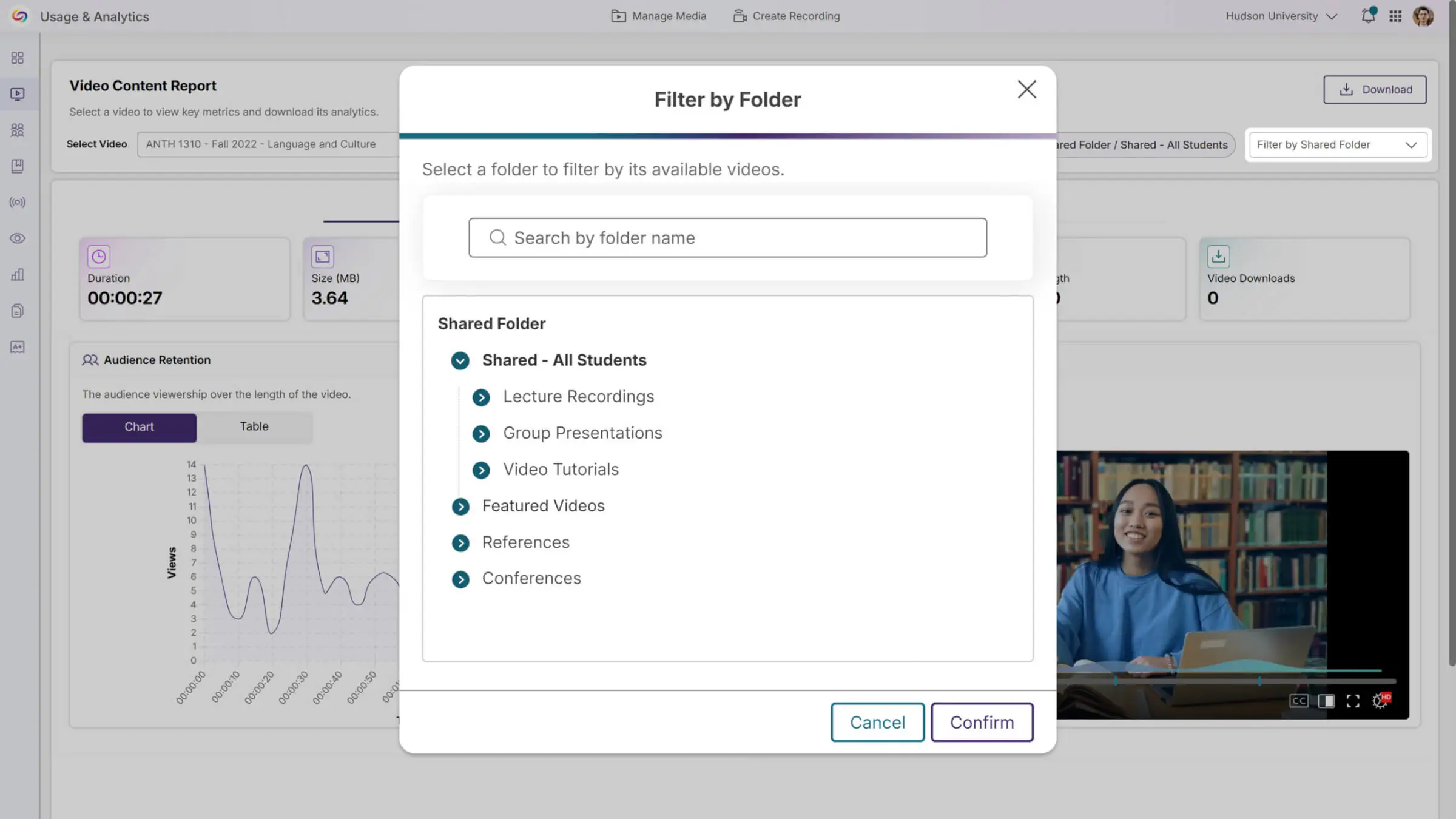
Folder-Based Analytics Provide Comprehensive Content Insights
Usage & Analytics will now support detailed reporting for both regular and shared folders, allowing instructors to track engagement patterns beyond traditional course channels. The enhanced Content report features dropdown filtering to select videos from specific folders or courses, with location-specific analytics that show where and how content is being accessed across the platform.
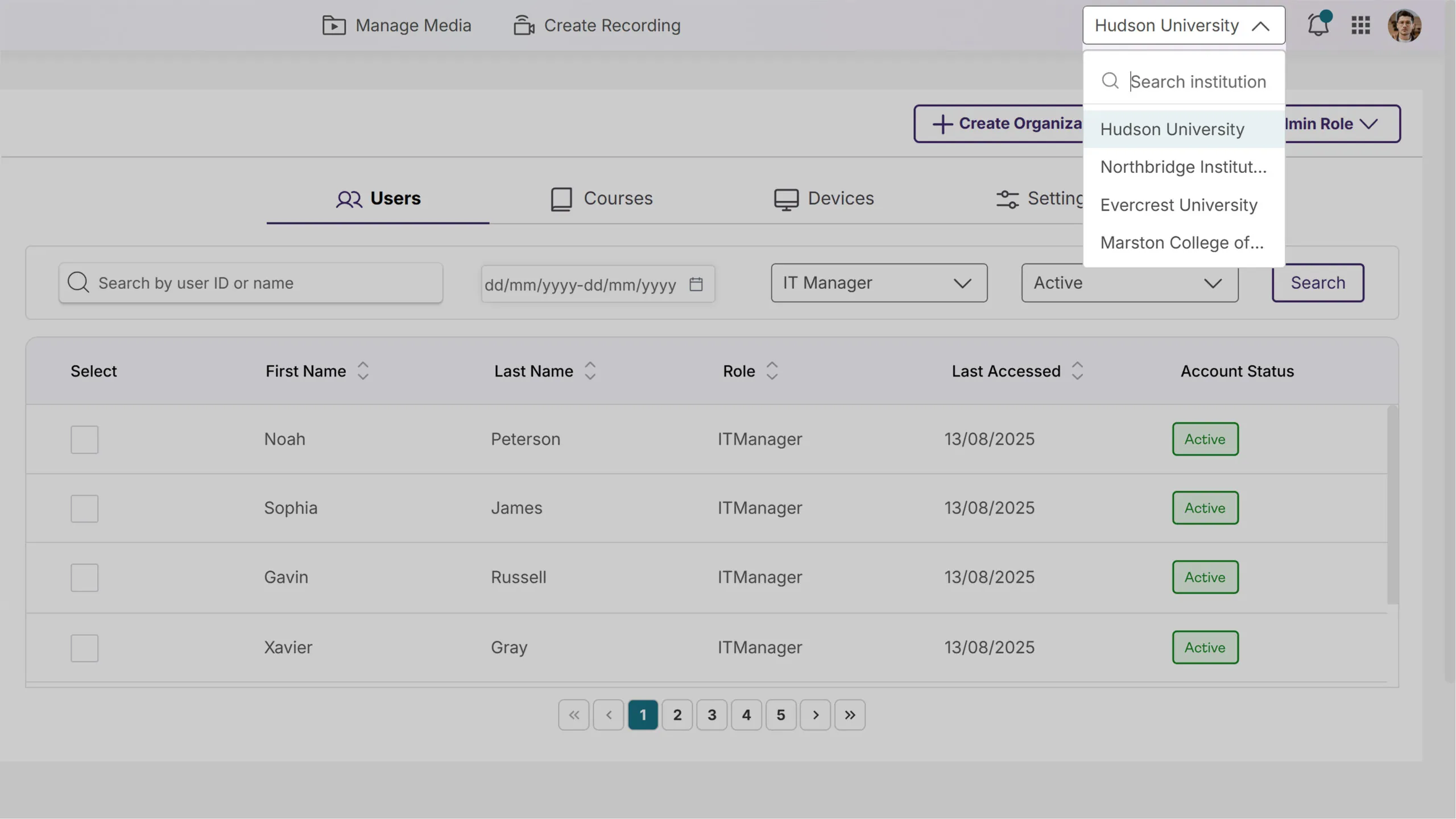
Updated Umbrella System Structure Streamlines Multicampus Management
Parent institution IT managers will now have complete administrative access across all campus organizations through a simplified role structure. A new campus navigation dropdown in the top bar will enable seamless switching between institutions, providing unified oversight and control from a single interface.
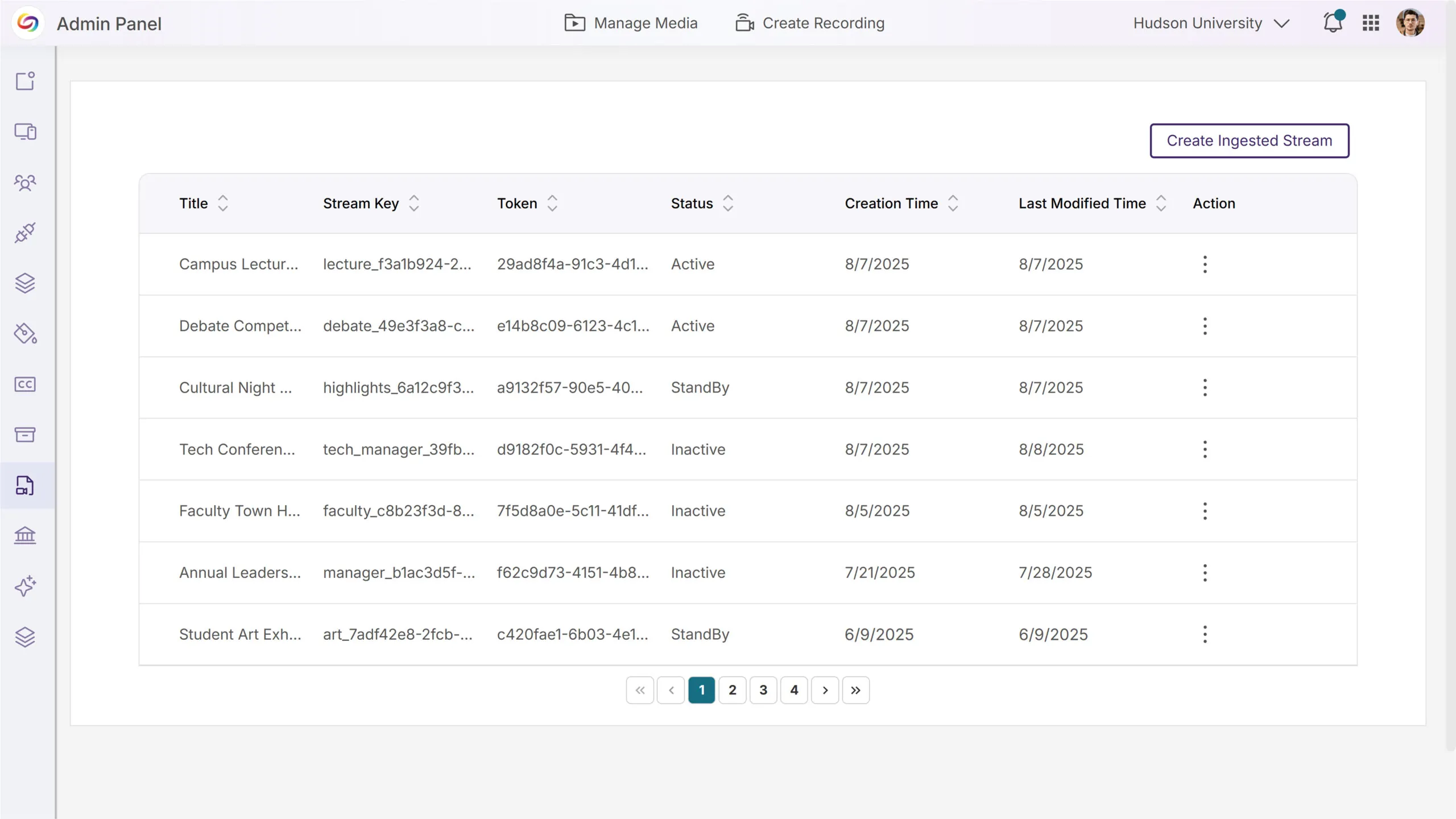
Streamlined RTMP Management with a Refreshed Interface
The RTMP Streams admin page now features an updated design aligned with the platform’s design system, including improved table layouts and clearer navigation. Enhanced explanatory content helps administrators better understand RTMP functionality, with a comprehensive UX overhaul coming in future releases.
This release, rolling out over the next few weeks, will introduce a comprehensive Media Collection page within the Usage and Analytics Courses page that includes course-wide content analytics and advanced filtering capabilities, while enhancing video management with in-player metadata editing and real-time video comment subscriptions. Other key updates will include the addition of automated monthly usage reports for administrators, folder hierarchies in the “Shared With Me” section, and enhanced account security with failed login protection.
Course Analytics Now Offers Folder and Channel-Level Insights
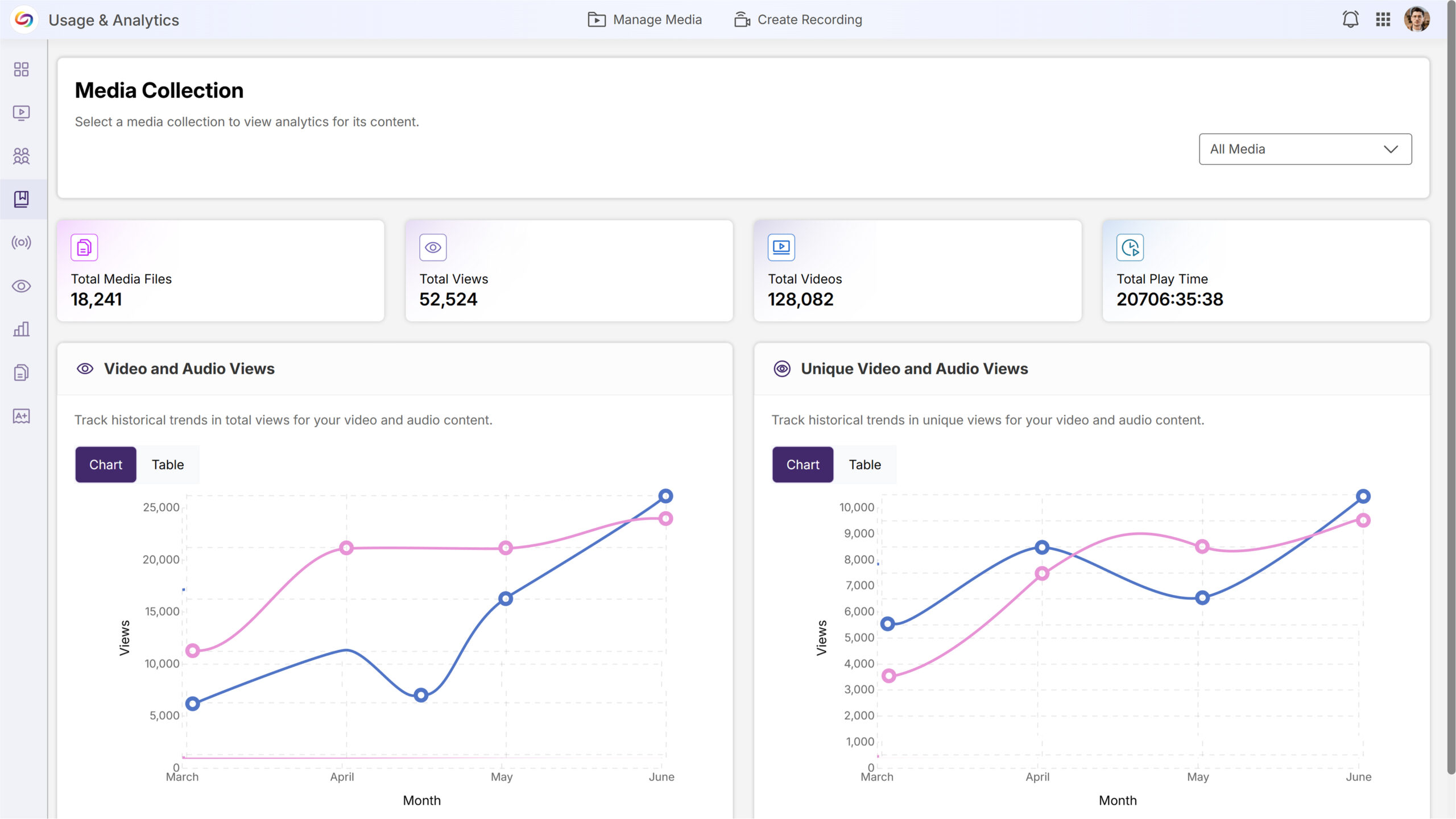
A new Media Collection page will provide administrators with comprehensive content analytics and advanced filtering capabilities for better decision-making. With this release, administrators will be able to view institution-wide content performance and easily filter analytics by specific groupings, such as folders and courses.
Institution-Wide Performance Insights: The new Media Collection page will display content analytics for the entire institution, providing administrators with an at-a-glance view of platform-wide content performance.
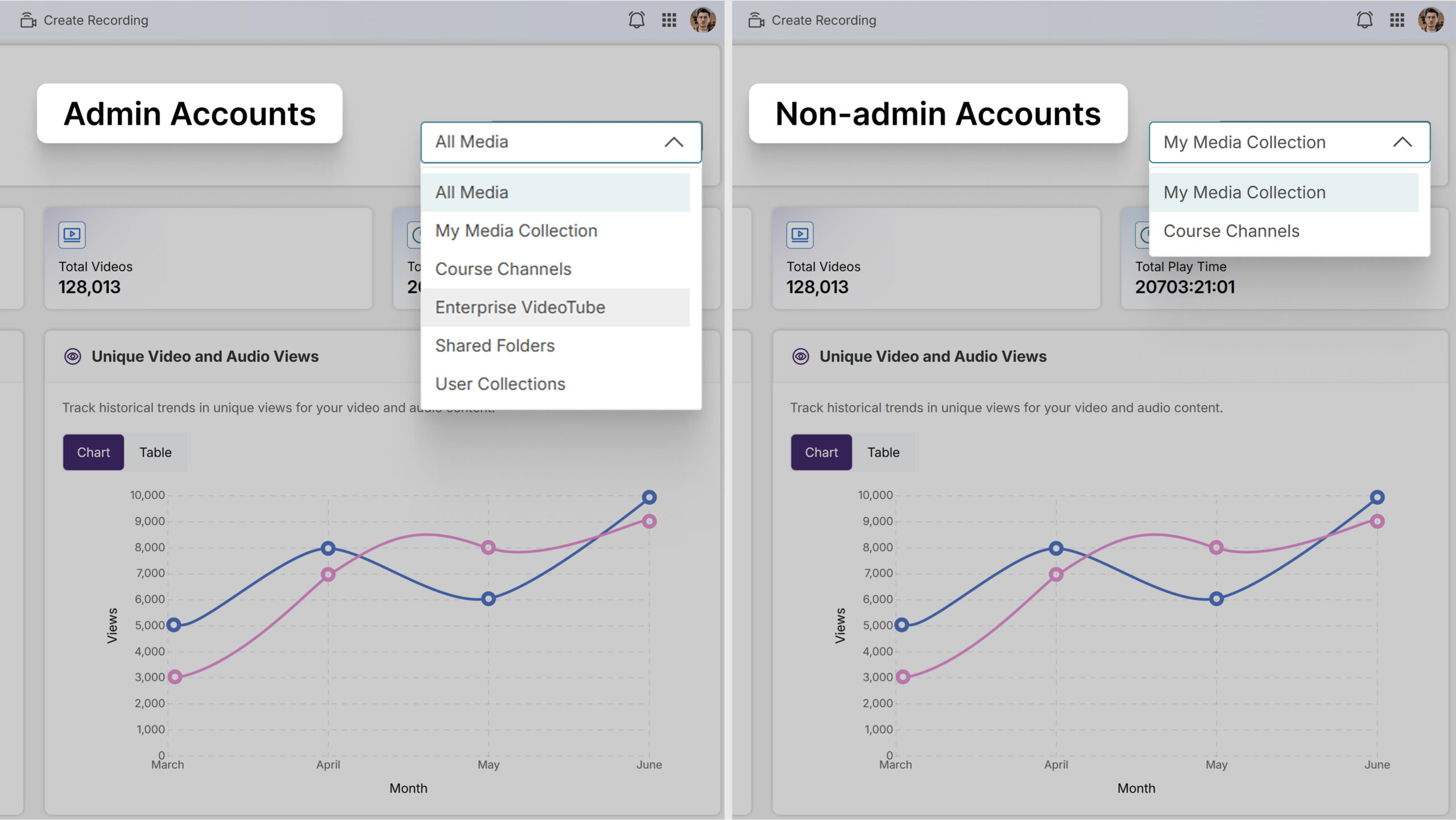
Advanced Filtering: Users can filter analytics by Course Channels, Folders, User Collections, and Enterprise VideoTube through an intuitive dropdown and modal selection interface, with selected filters displayed as removable badges.

Role-Based Access Control: Admin accounts will have access to all content groupings, including Enterprise VideoTube, Course Channels, Shared Folders, and User Collections, while non-admin accounts will see only My Media Collection and Course Channels.
Seamless Video-Level Analysis: Users can click on individual videos within their selected grouping to be redirected to the dedicated video analytics page for detailed performance insights.

“Shared With Me” Section Will Support Folder Hierarchies
Users will be able to create folders and sub-folders within the Shared With Me section to organize shared content more effectively.

Improved Display of Portal Cards on Wide Monitors
The portal interface will implement maximum width constraints to optimize content display on ultrawide monitors and large screens.
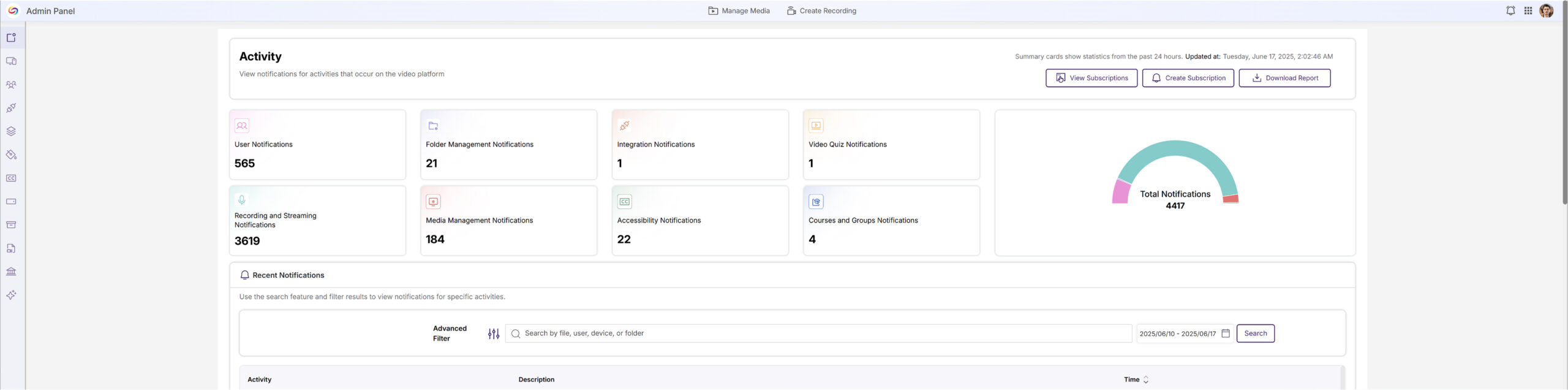
Quarterly NPS Survey Will Collect Administrator Feedback
Administrators will receive a quarterly Net Promoter Score (NPS) survey to gather feedback on platform satisfaction and administrative experience. This will help improve the Video Platform based on direct administrator input.
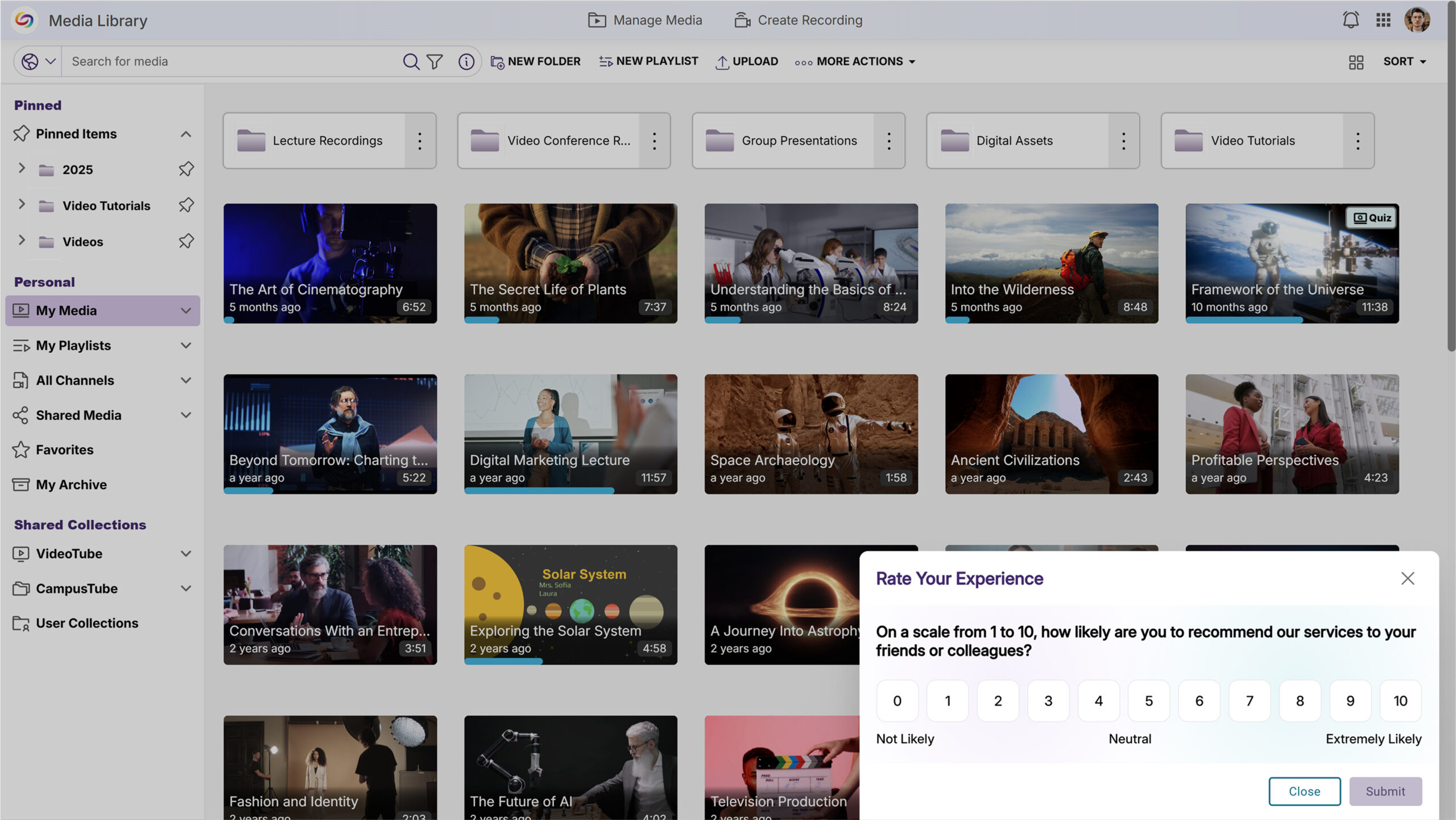
Video Comment Subscriptions Will Enable Real-Time Notification Alerts
Users will be able to subscribe to in-video comments to receive email notifications when new comments are added to videos they’re watching.
Video Metadata Editing Will Be Available Directly Within the Video Player
Content owners will be able to edit video metadata directly from the video player’s Resources panel without navigating to separate pages. The Video Info section will allow users with appropriate permissions to modify titles, descriptions, and tags through inline editing controls.

Monthly Usage Reports Will Be Automatically Emailed to Platform Administrators
Administrators will receive automated monthly email reports highlighting platform usage and trends. Emails will provide administrators with at-a-glance insights into platform performance and user engagement.

Account Security Enhancement Will Suspend Users After Consecutive Failed Login Attempts
A new security setting will allow administrators to automatically suspend user accounts after 10 consecutive failed login attempts within a 3-day period. This feature will send email notifications to both the affected user and all IT managers when an account is suspended.

Video Metadata Will Be Accessible in All Viewing Contexts
Video description and copyright information will be available in the Media Player sidebar for all viewing contexts, including direct links and LMS-embedded videos.

New API Endpoint Will Retrieve Enhanced Audio Description Data for Videos
A new API endpoint will allow developers to check whether videos have Enhanced Audio Descriptions and retrieve the description data if available.
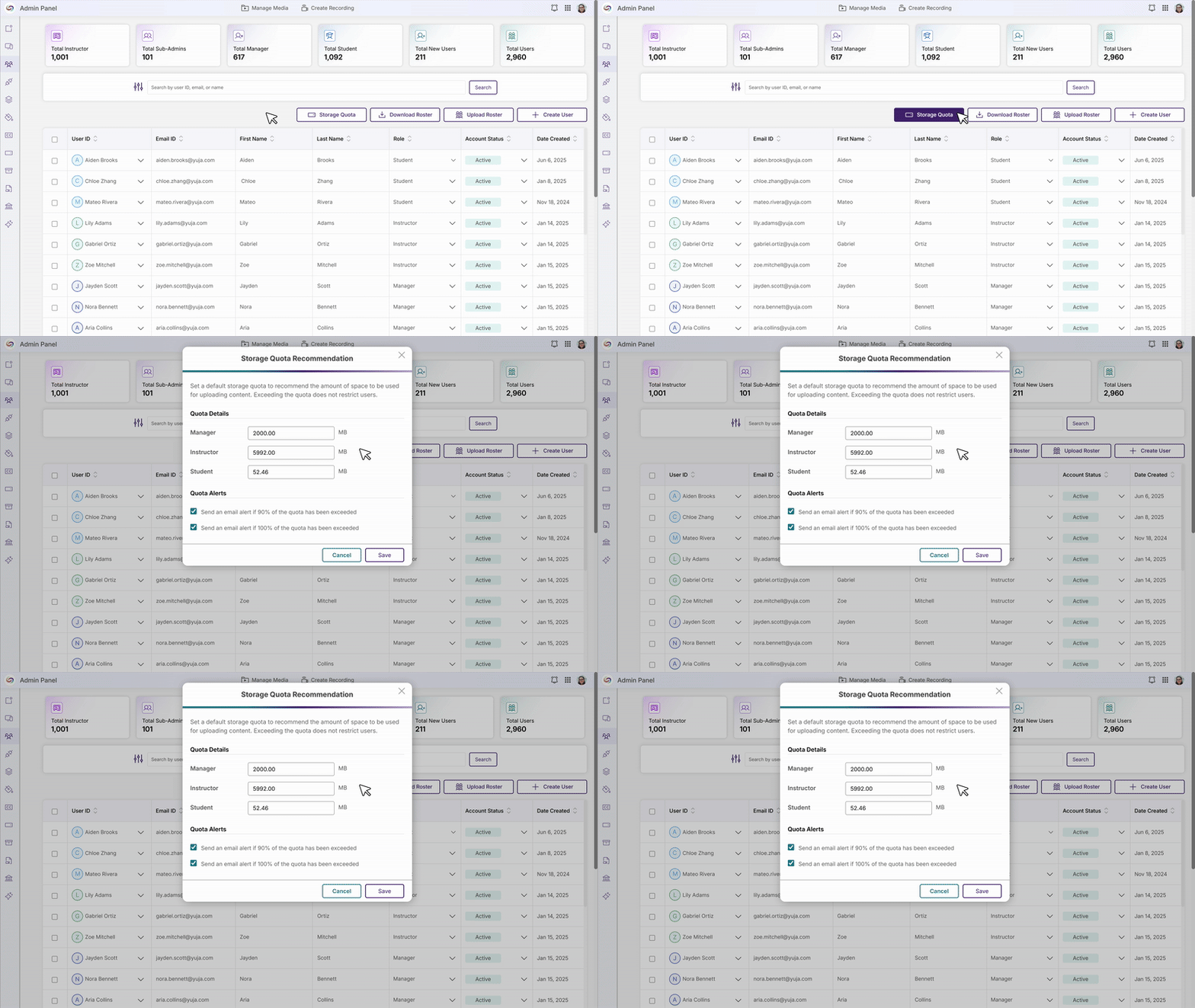
The Storage Quota Tab Content Will be Moved Into the Roster for Simplified Administration
In this release, the Storage Quota tab content will be consolidated into the Roster page, allowing administrators to manage user information and storage allocations from a single location. Quota settings and alerts will be accessible through a new “Storage Quota” button, while individual user quotas will be managed through the “More Actions” dropdown, eliminating the need to navigate between multiple admin sections.
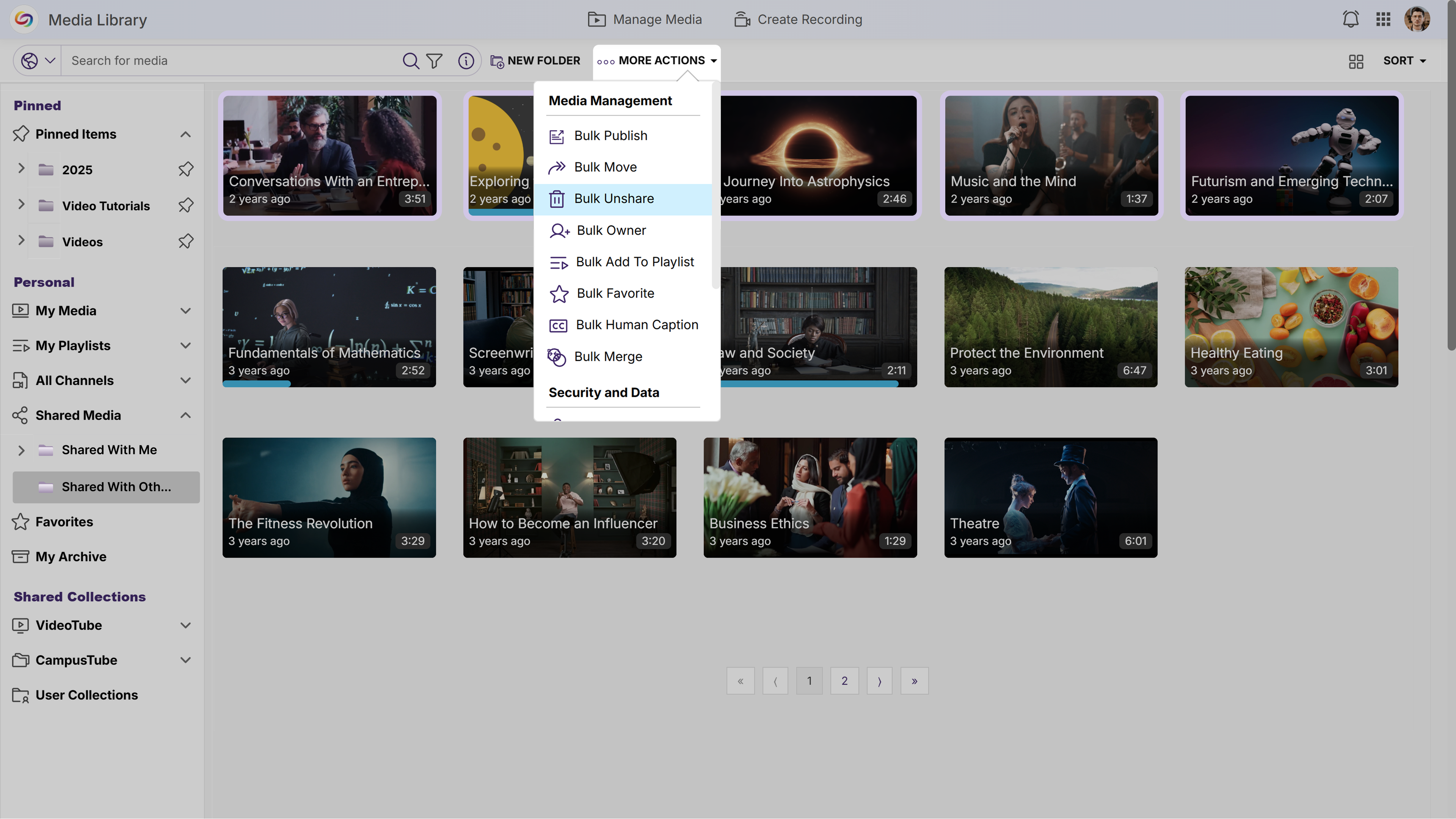
New Unshare Actions Will Be Added to the ‘Shared With Others’ Folder
The “Shared With Others” folder will introduce an “Unshare” action and a “Bulk Unshare” action that allows users to stop sharing content while preserving original files. This enhancement provides clearer control over sharing permissions and ensures content remains safely stored in its original location.
Sub-Channel Creation Limit Removed
Instructors will now be able to create unlimited sub-channels within course channels allowing for better content structure and management within courses.
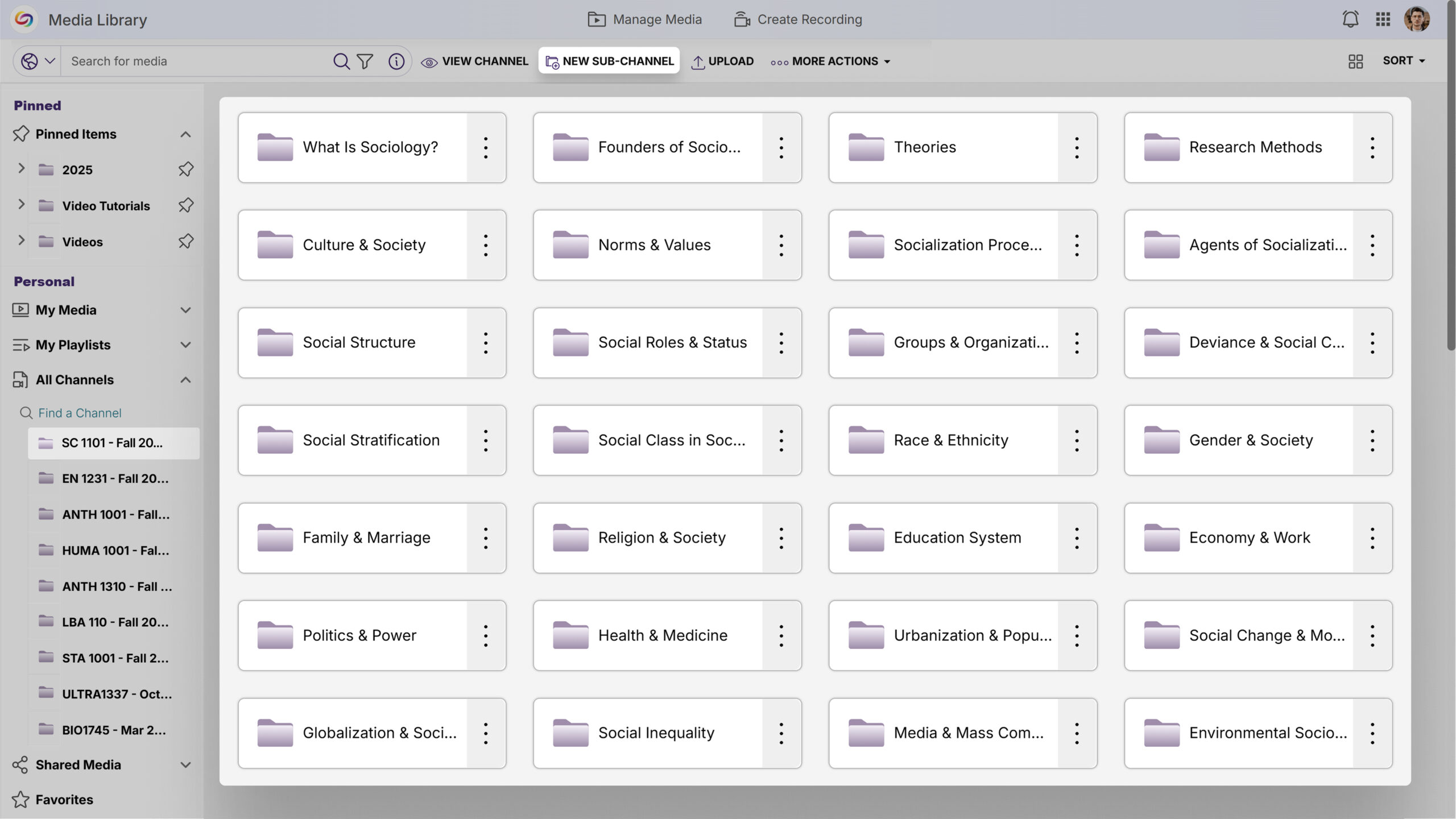
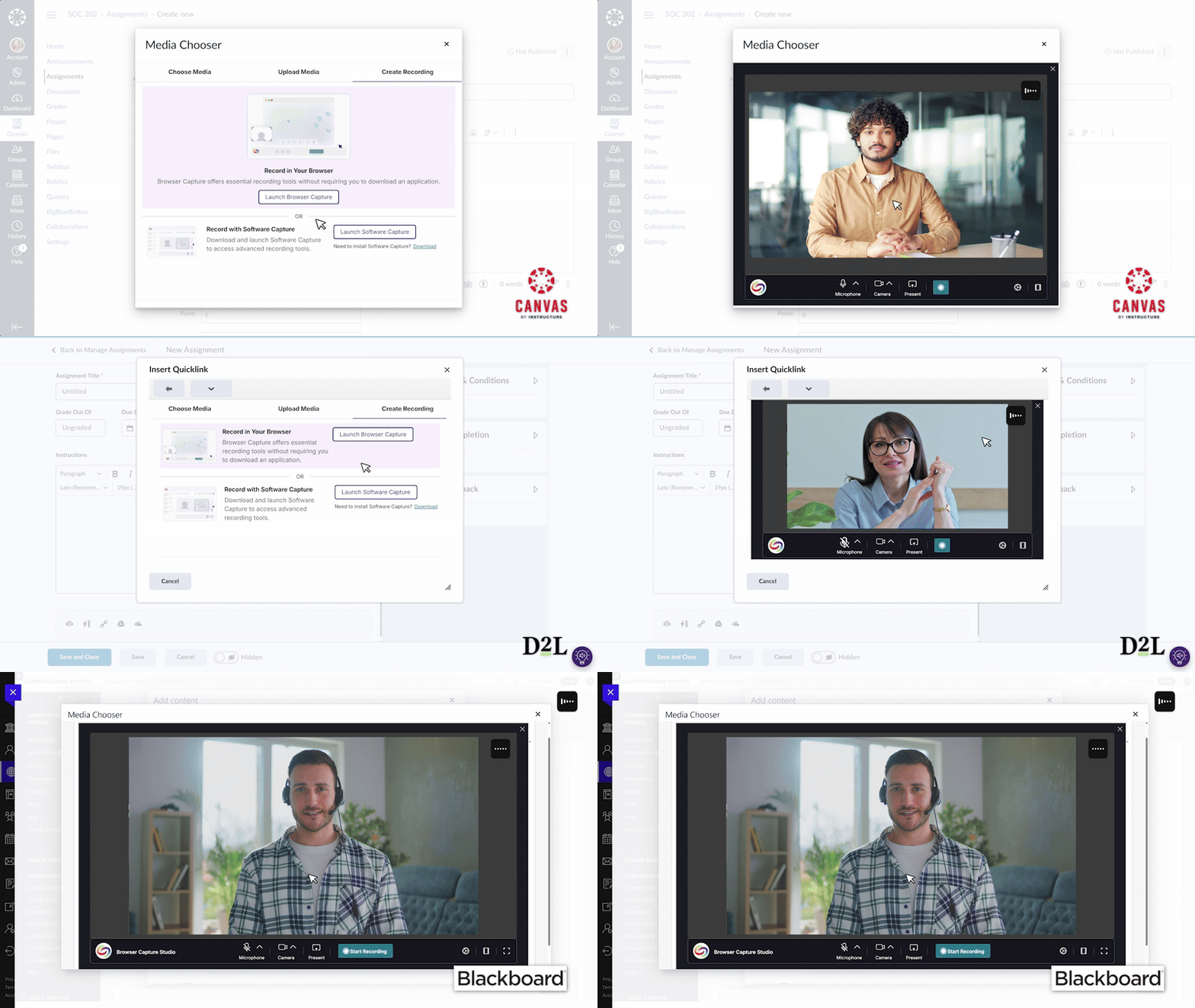
This release modernizes the Media Chooser interface with integrated Browser Capture for seamless video recording in Canvas, D2L, and Blackboard environments, while introducing live human captioning through 3Play Media for enhanced accessibility. Additional updates include redesigned admin panels for roster management and GenAI features, improved video analytics access, and iOS HEIC image support to eliminate display issues for iPhone users.
Media Chooser Modernized to Streamline Workflows
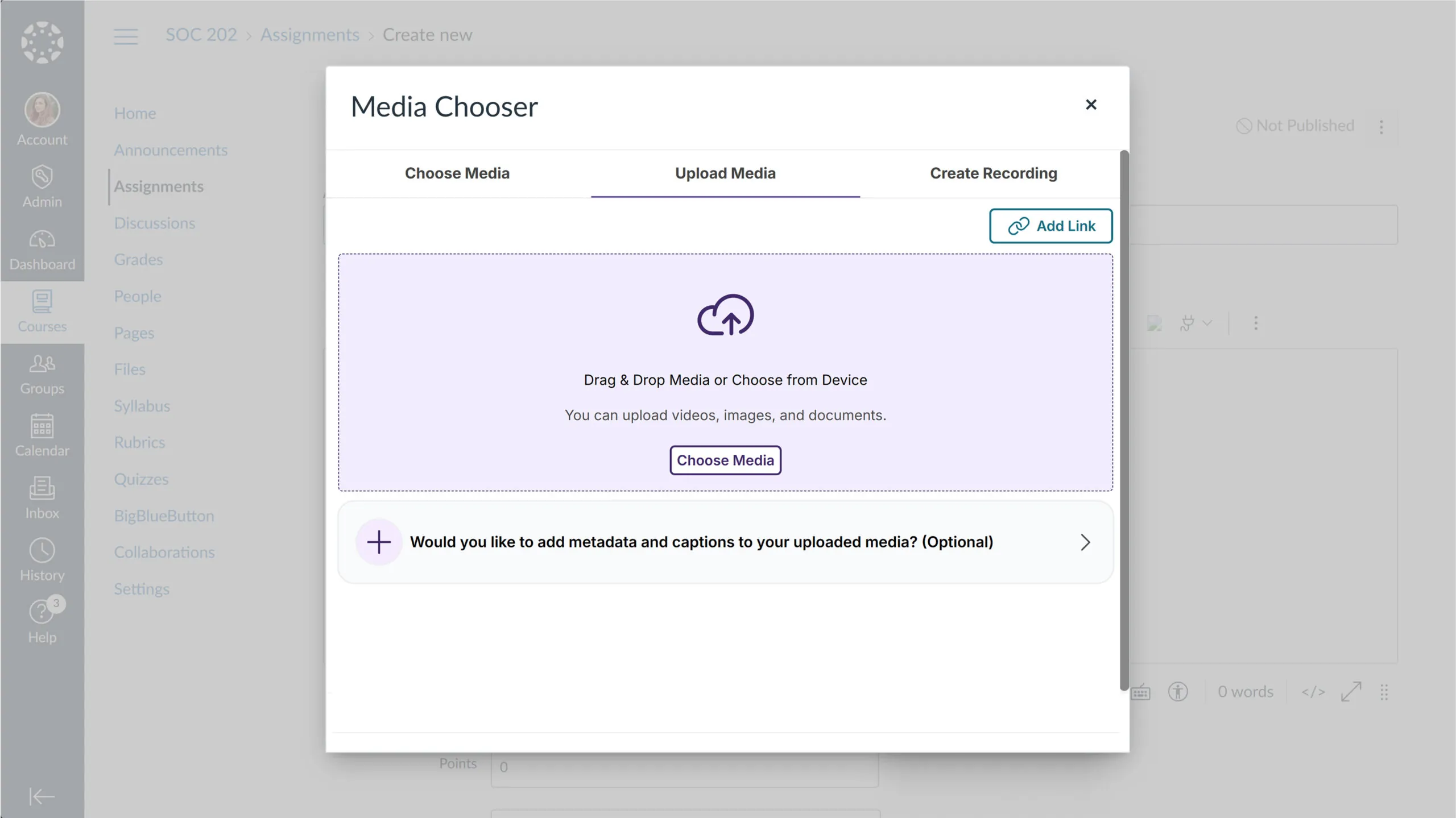
The Media Chooser interface has been redesigned to streamline content workflows across Canvas, D2L Brightspace, and Blackboard LMS environments. Key updates include:
Integrated Browser Capture: An enhanced Browser Capture integration for Canvas, D2L, and Blackboard loads and processes recordings inline, enabling users to record videos directly within the Media Chooser without leaving their LMS.
Improved Upload Experience: A new Upload and Insert functionality automatically processes media and places it in the course.
Unified Media Management: Video, audio, images, links, and other media types now share a consistent interface with an improved Grid View for improved visualization.
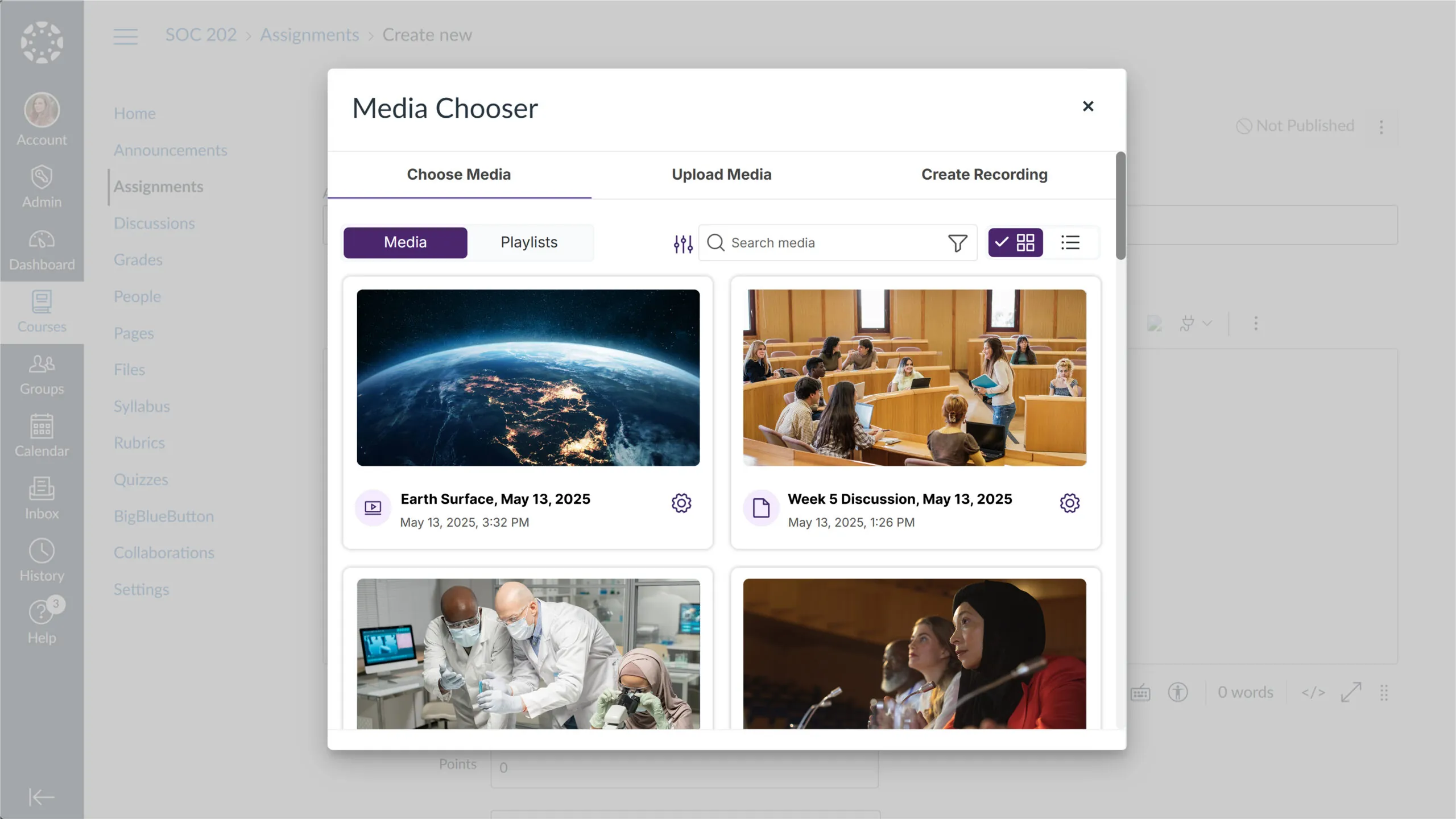
Enhanced Search and Filtering: The search functionality has been relocated to the filter menu, and filtering options have been improved.
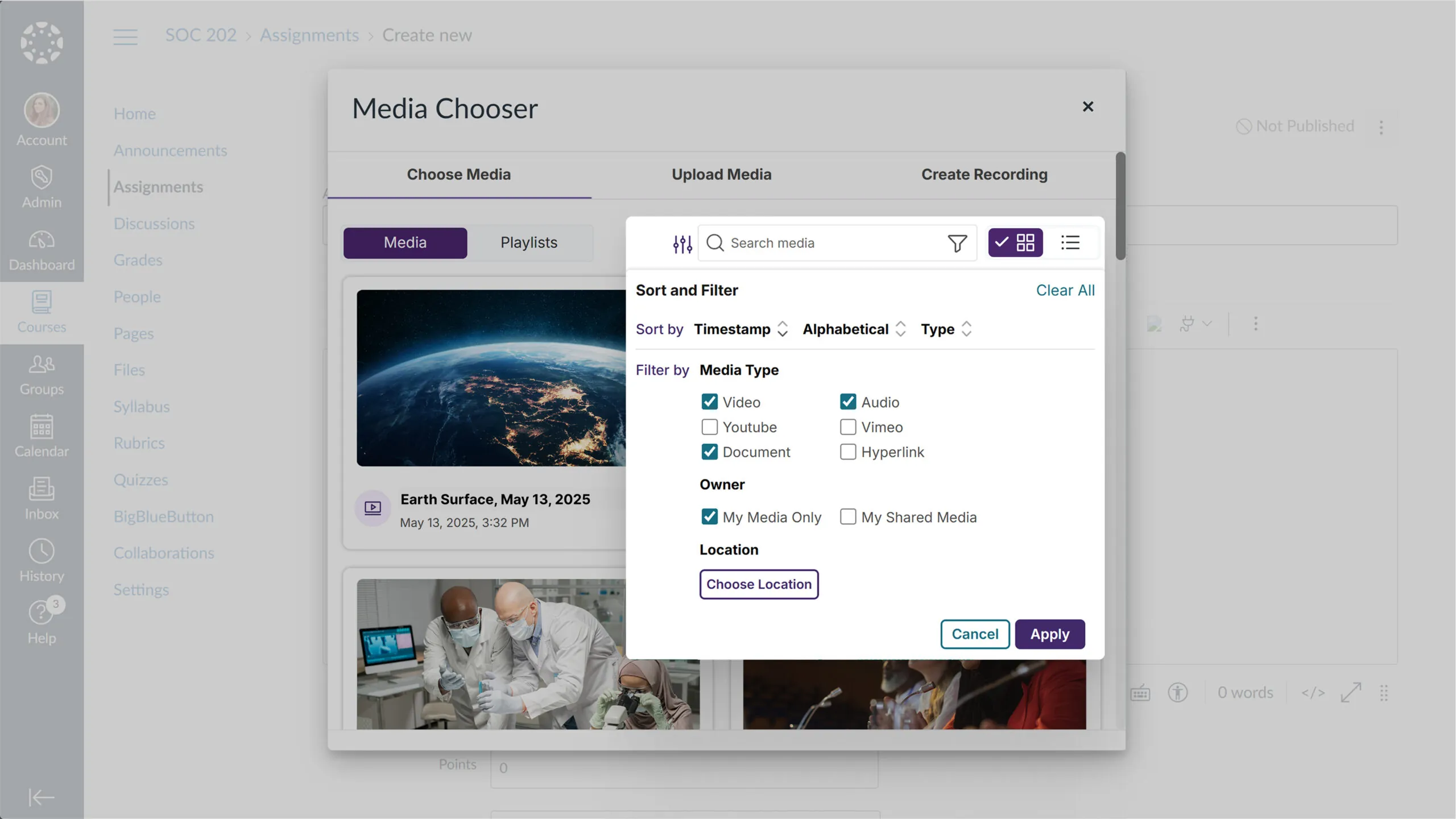
LMS-Optimized Performance: The Browser Capture recording option now opens in a streamlined popup window instead of a new tab, creating a more seamless experience for users working within their LMS. The post-recording workflow has also been simplified to help users embed their newly recorded videos more quickly.
Media Player Side Panel Redesigned for Optimized Interactivity
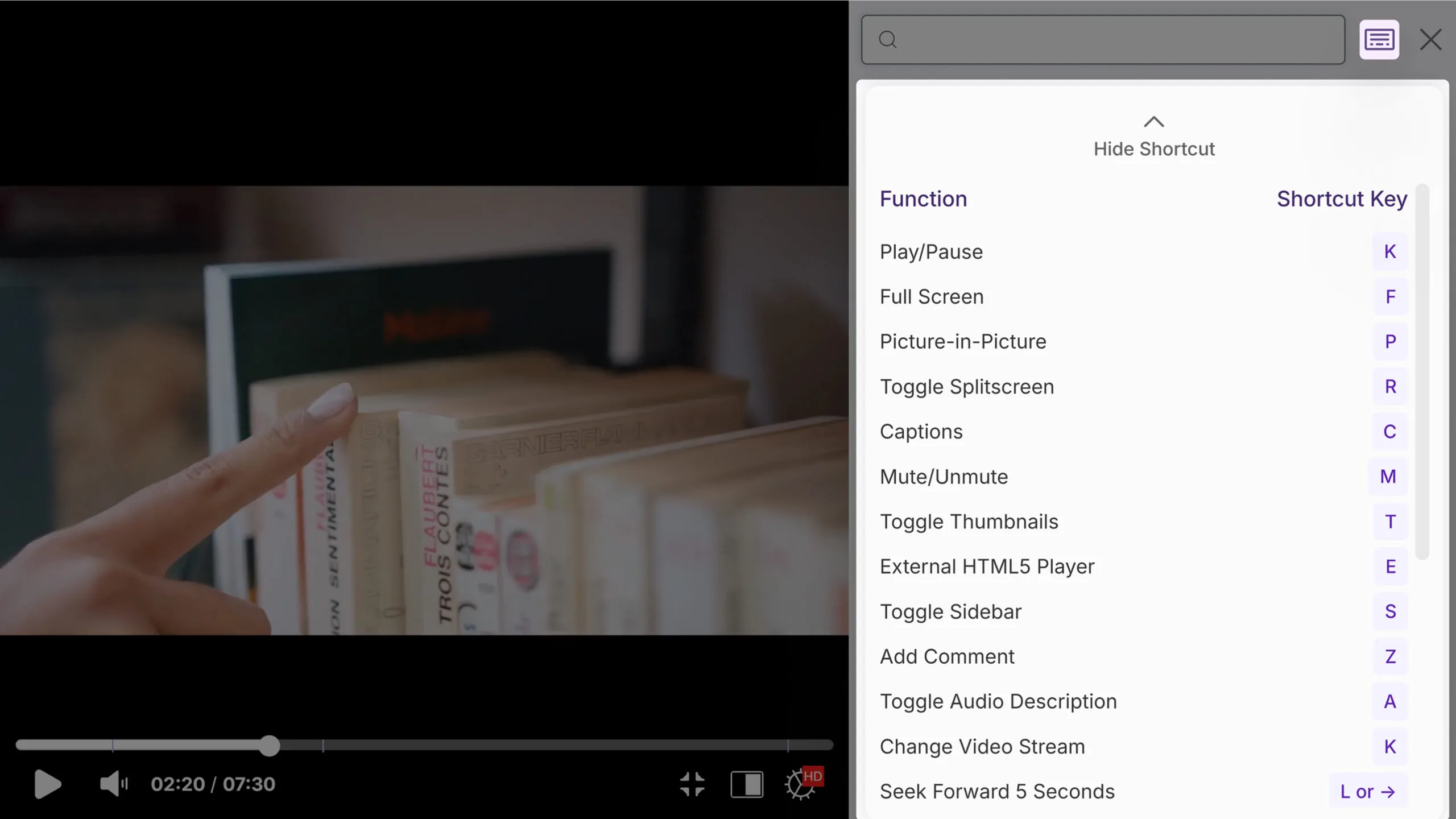
The Video Player’s side panel has been redesigned with a cleaner, more intuitive, modern design to provide improved access to captions, chapters, indexes, notes, comments, resources, and keyboard shortcuts.
A new search function allows quick content discovery across all panel tabs, enhancing the video navigation experience.
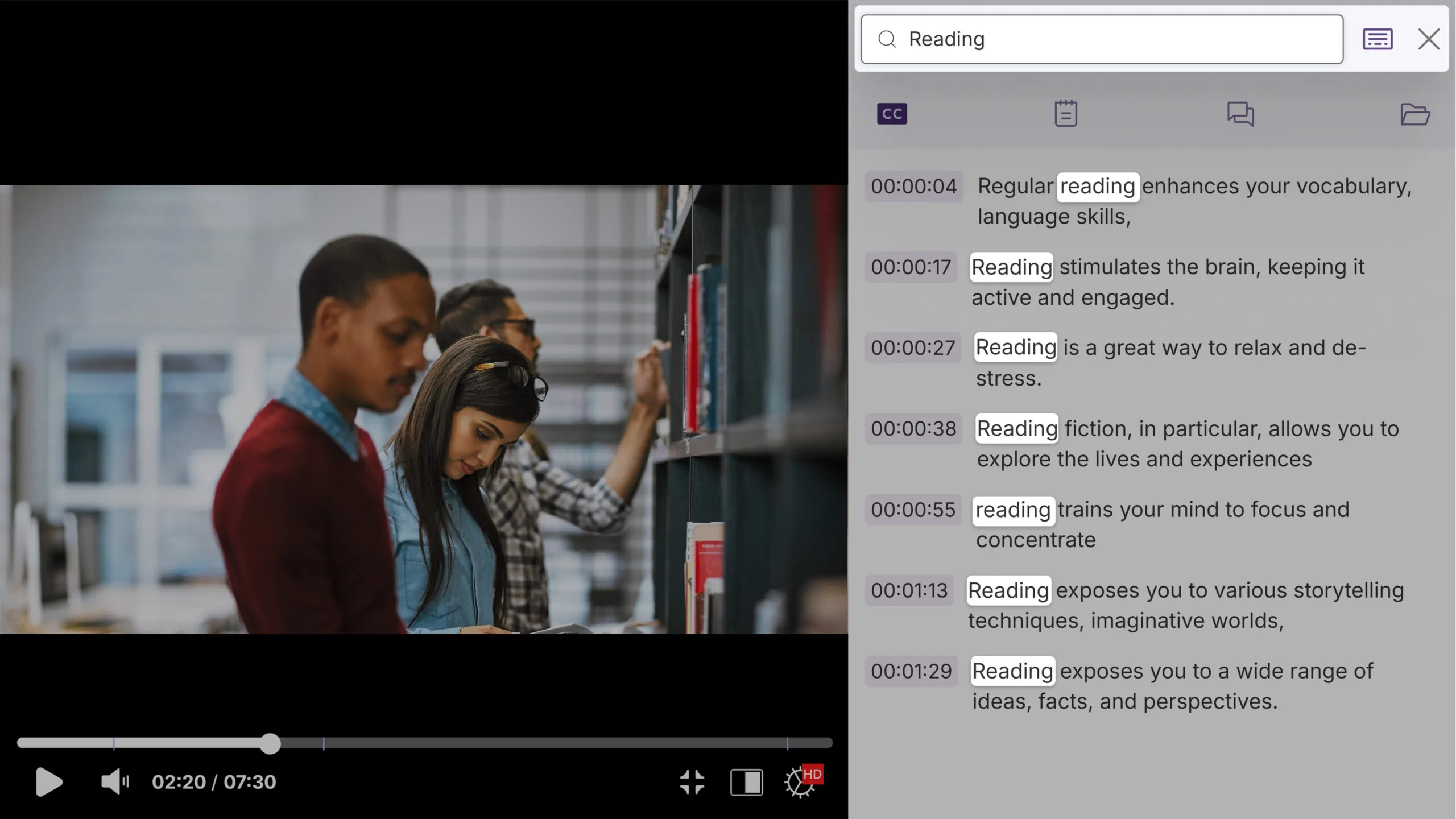
The redesigned side panel intelligently displays tabs based on available content, showing caption, chapter, and index tabs only when those elements exist for the video.
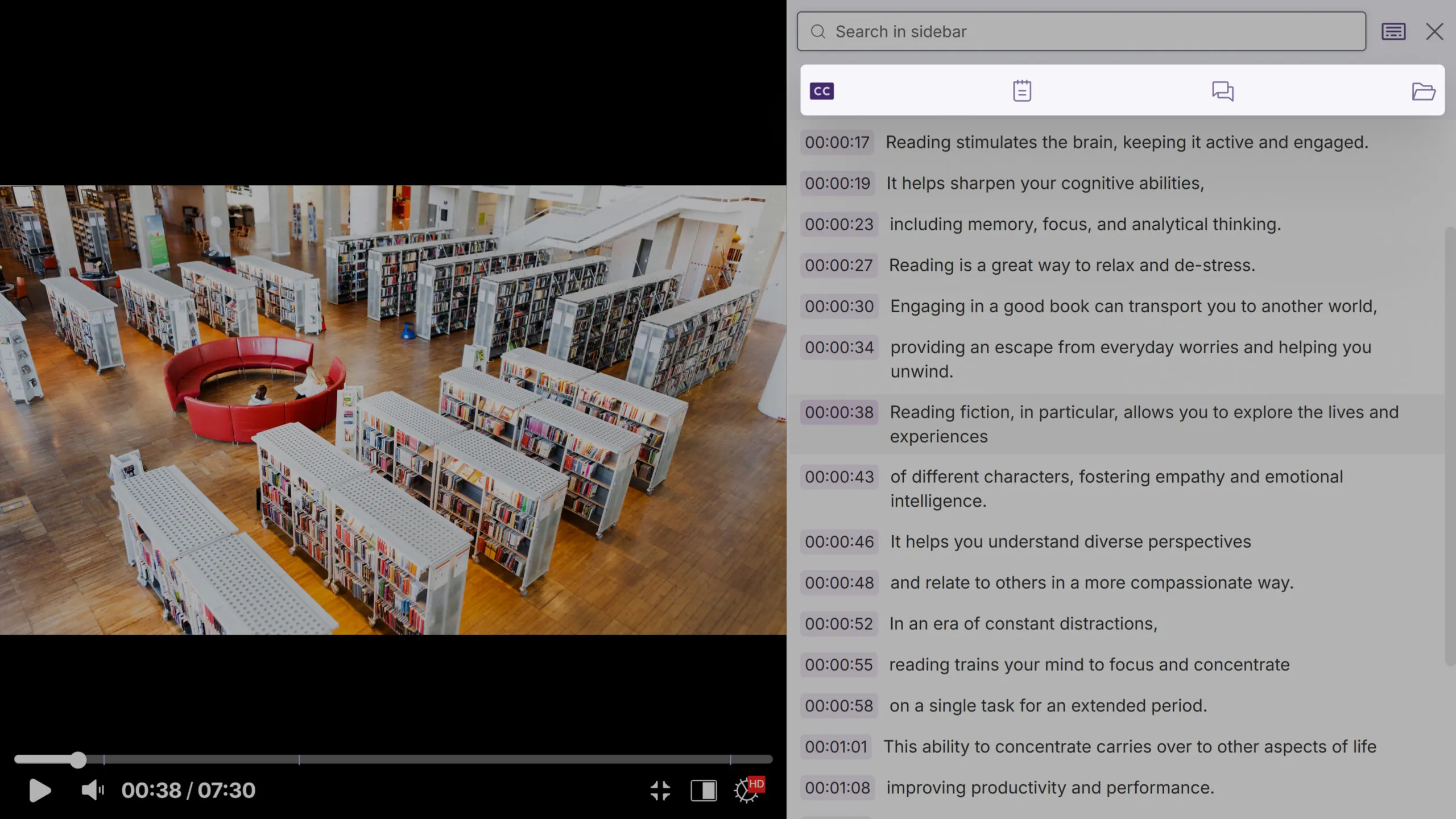
Enhanced highlighting automatically tracks the user’s position during playback, while clicking any content item instantly seeks to that timestamp.
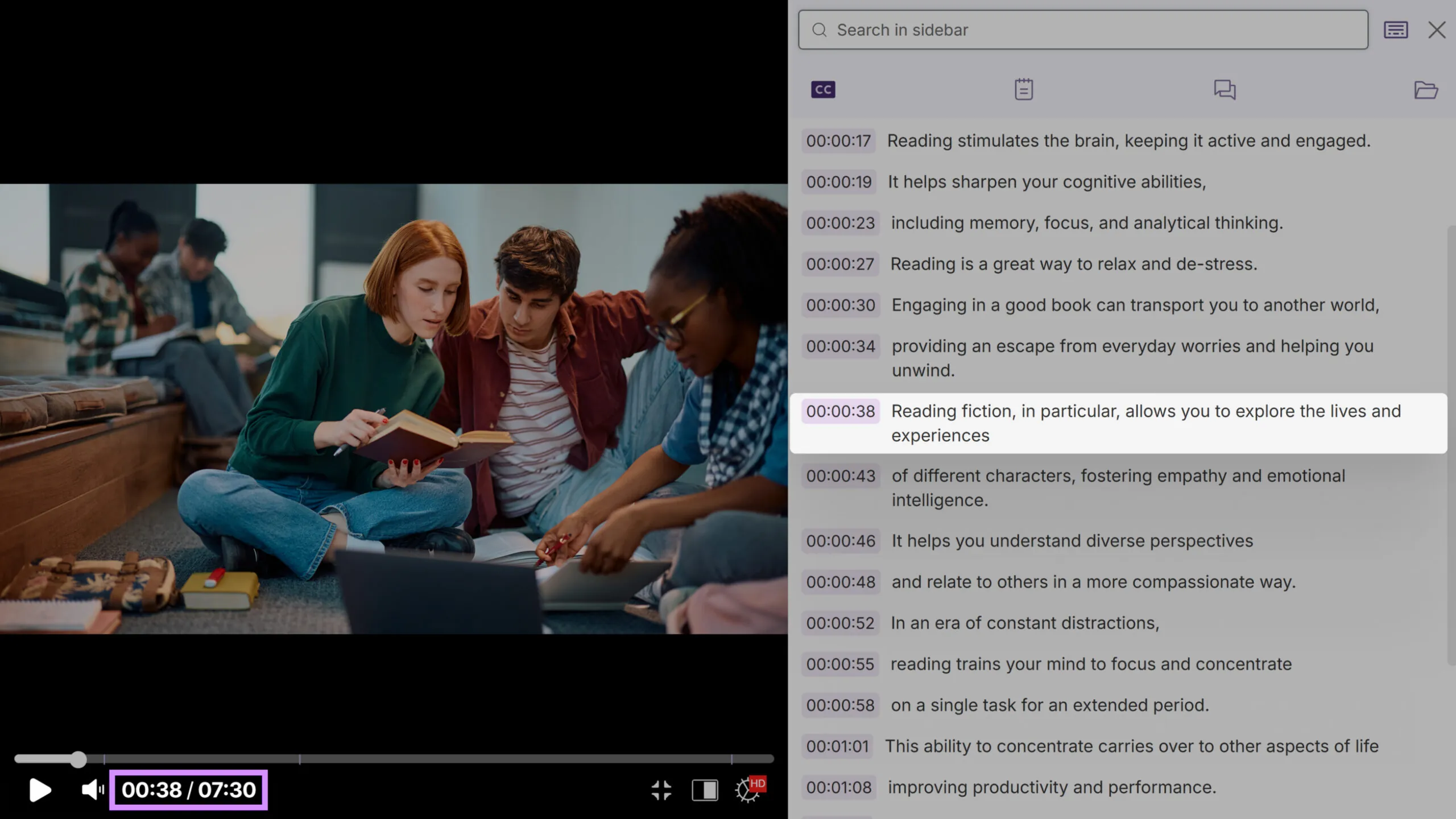
We’ve also improved note-taking with a rich-text editor, streamlined commenting with nested replies, and added a comprehensive keyboard-shortcuts reference to help viewers navigate videos more efficiently.
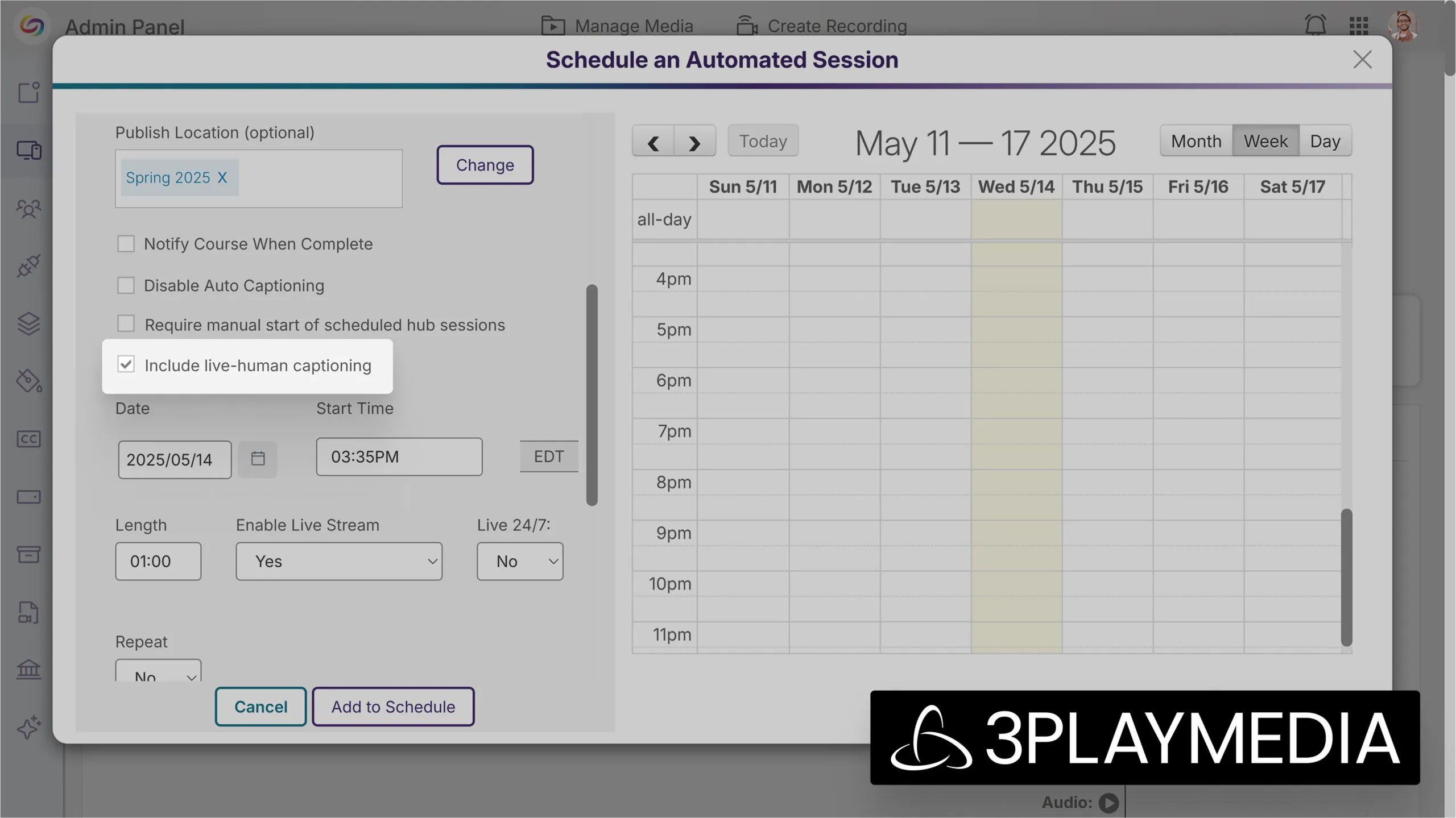
Live Stream Now Offers Professional Communication Access Realtime Translation (CART) Services via 3Play Media Partnership
We’ve partnered with 3Play Media to offer support for live human captioning during scheduled livestream sessions through 3Play Media to improve accessibility for deaf and hard of hearing participants. Organizers can enable professional Communication Access Realtime Translation (CART) services by checking the Live human captioning box when scheduling a session.
Once administrators provide their 3Play Media API key, the new integration connects your live stream directly with professional captioners who provide real-time, high-accuracy captions that sync with your content.
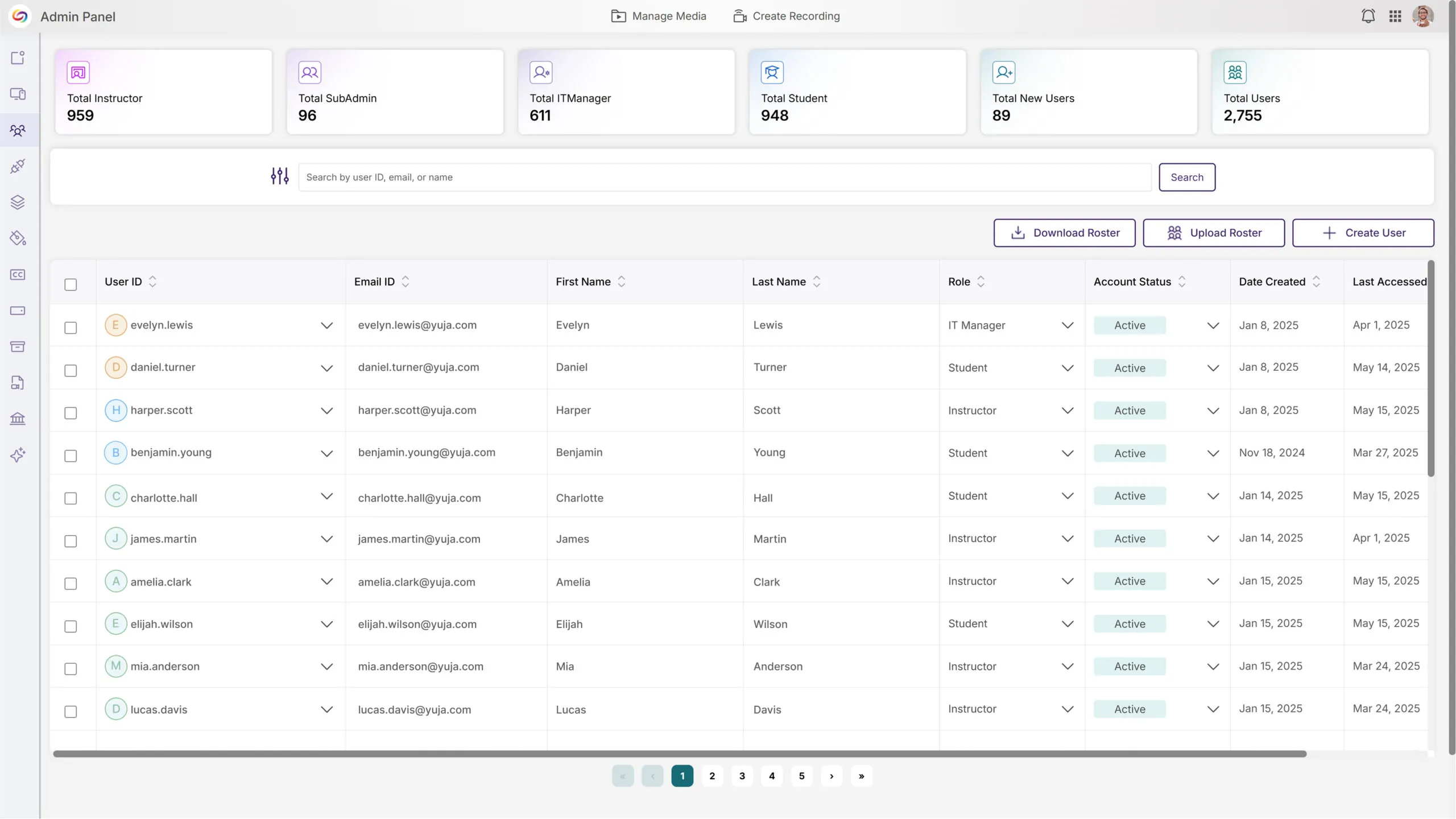
Admin Panel Roster Page Updated for Simplified Management
We’ve completely revamped the Admin Panel Roster page with a modern design that improves usability while maintaining all existing functionality. The upgrade introduces a new Total New Users card and streamlines dropdown interactions with instant updates. Additional improvements include a scrollable table interface that keeps the page header visible, and an optional UserID column display.
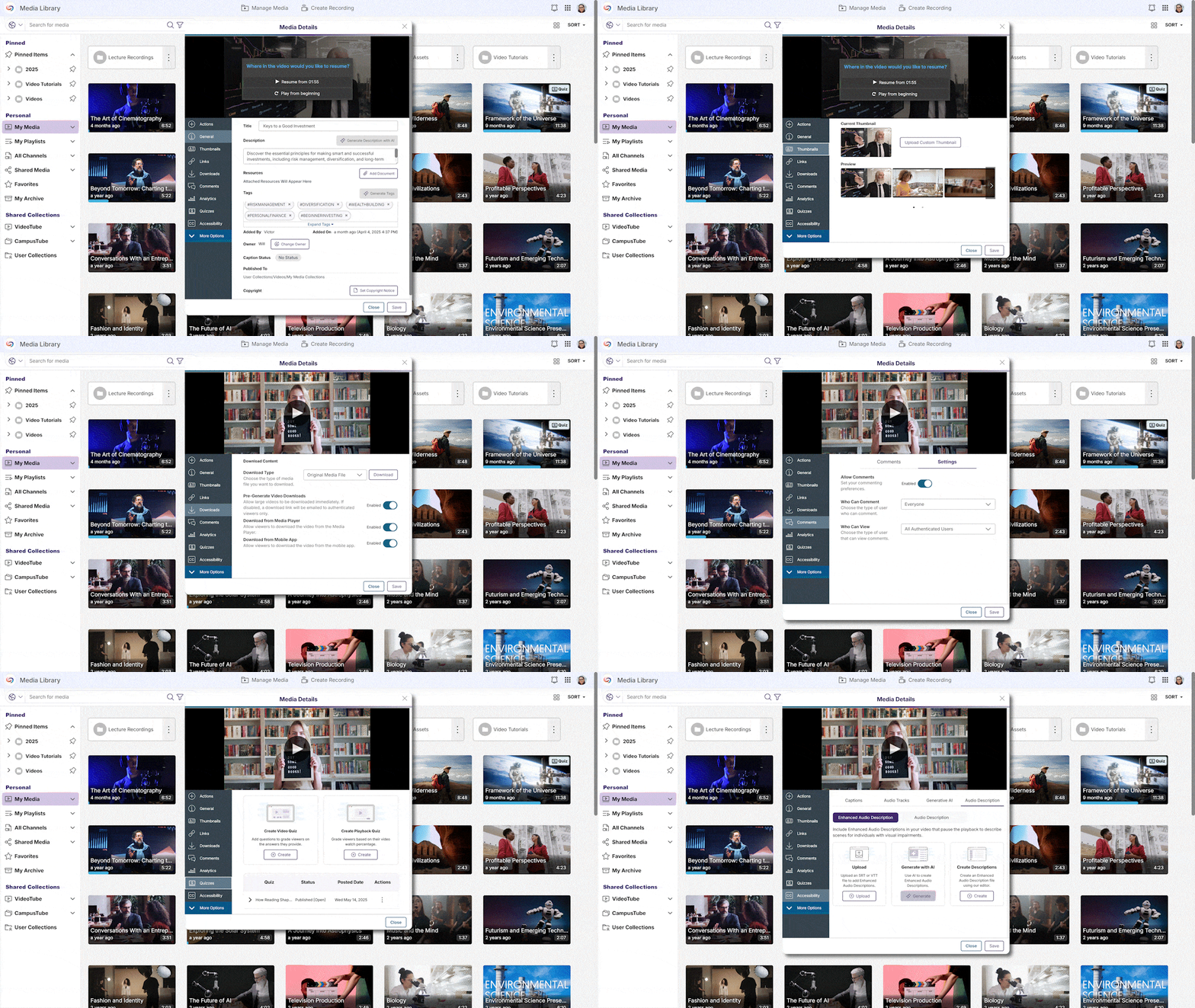
Improved Video Details Interface to Match the New Design System
In an ongoing effort to create a cohesive visual experience across the Video Platform, the Video and Media File More Details menu has received a visual refresh to improve content management and usability for instructors and administrators. The update maintains all existing functionality while improving the visual presentation of each tab.
Improved Quiz Access for IT Support for Better Troubleshooting
Administrators and IT Managers can now view and manage users’ video quizzes without using the Act As User tool. This improvement provides immediate access to quizzes through the More menu when viewing a user’s video, streamlining the troubleshooting process.
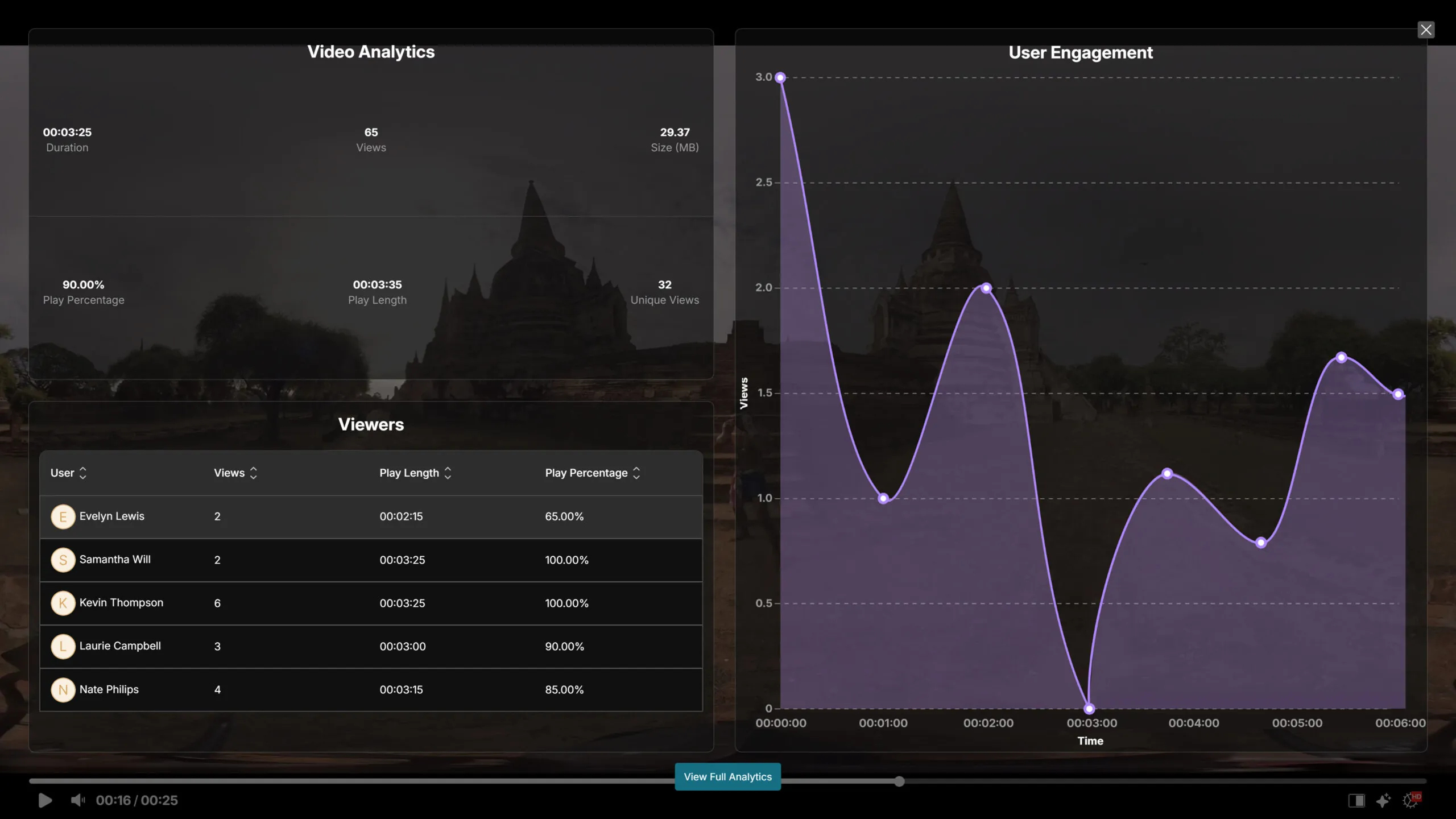
Video Analytics Are Now Available in the Media Player
Instructors and administrators can now access video analytics directly within the Media Player. The new Analytics button in the player settings menu displays total views, unique viewers, and individual completion rates without requiring navigation to a separate page. For more comprehensive data, users can click View Full Analytics to access detailed engagement metrics for the video.
Added Support for iOS HEIC Images to Improve Media Sharing for Apple Users
The Video Platform processing system now supports HEIC format photos taken on iOS devices. Previously, iPhone users would only see black boxes when sharing photos,but now, users can view and download HEIC images directly in the browser and view iPhone photos across all platforms.
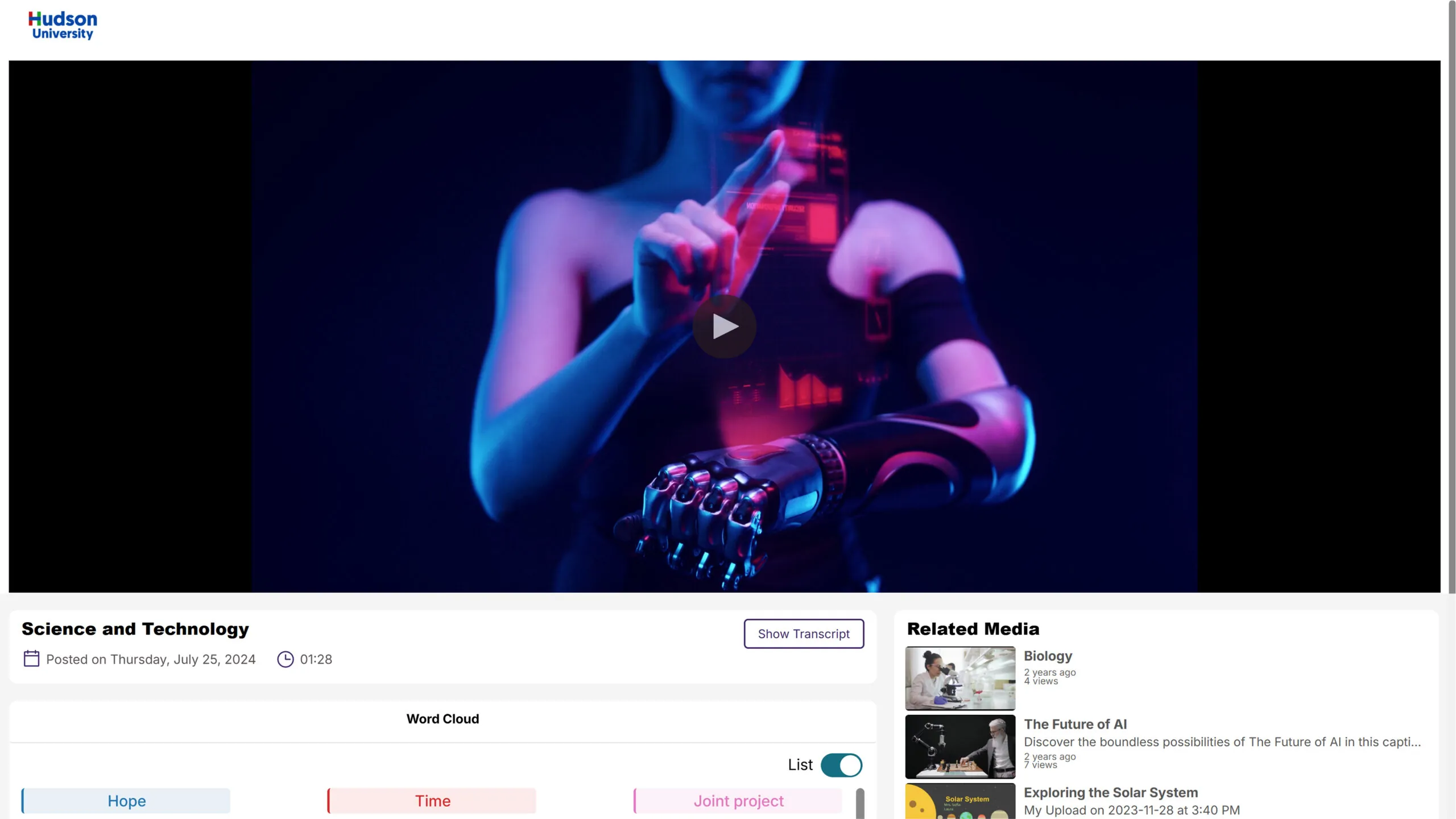
Redesigned Enterprise VideoTube Media File Viewer Provides a Consistent Viewing Experience
The Enterprise VideoTube media file viewer has been updated to match the in-portal design to provide a consistent viewing experience across all platforms. This update helps institutional users maintain visual continuity between public-facing content and internal materials.
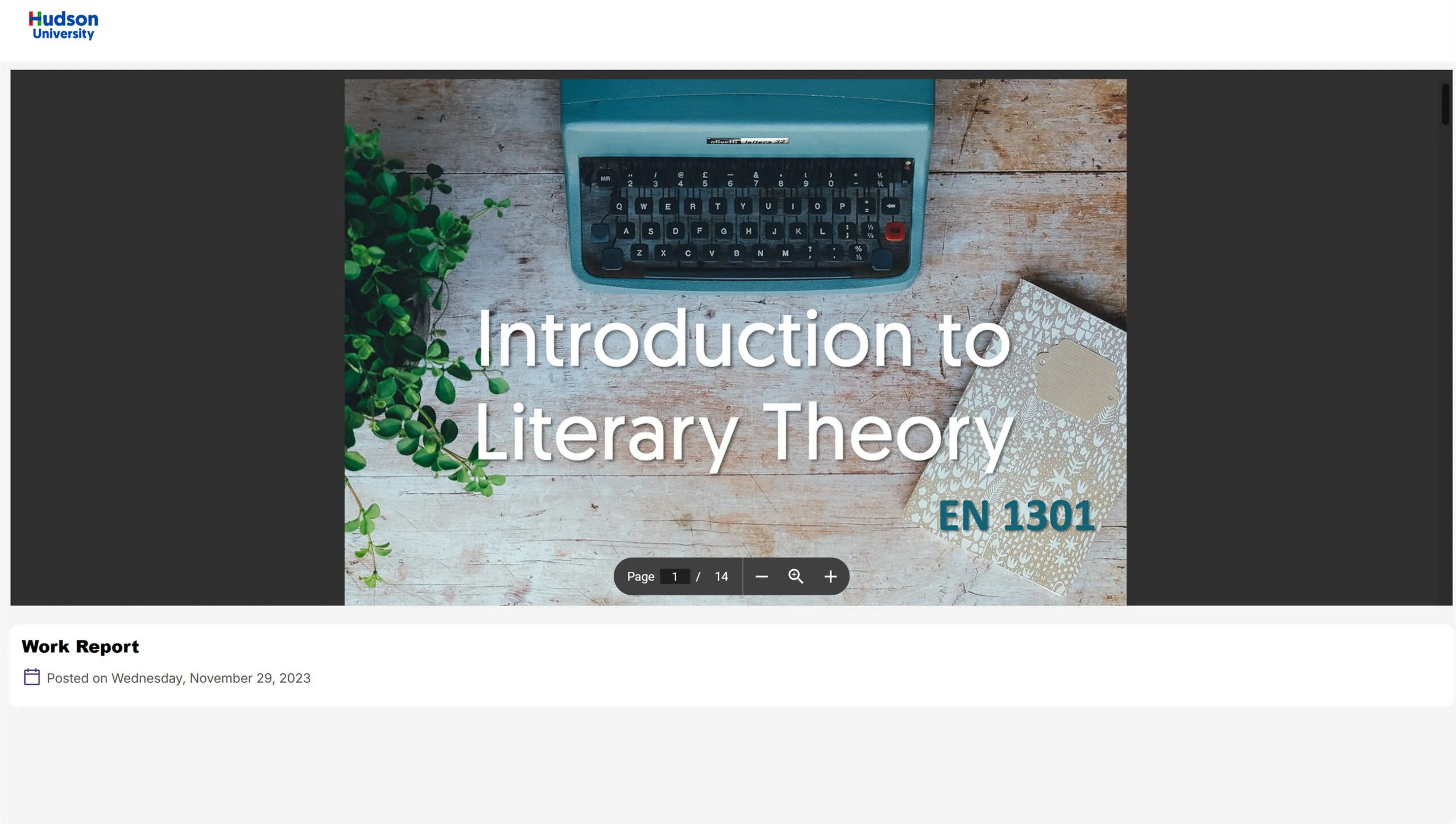
Enterprise VideoTube Now Has a More Consistent Viewing Experience
We’ve upgraded our Enterprise VideoTube player with a modern architecture that matches our in-portal design, delivering a consistent viewing experience across all access points. The new player ensures seamless playback regardless of how you access content, whether you’re logged in, logged out, using security links, viewing via Enterprise VideoTube, or through LMS embeds.
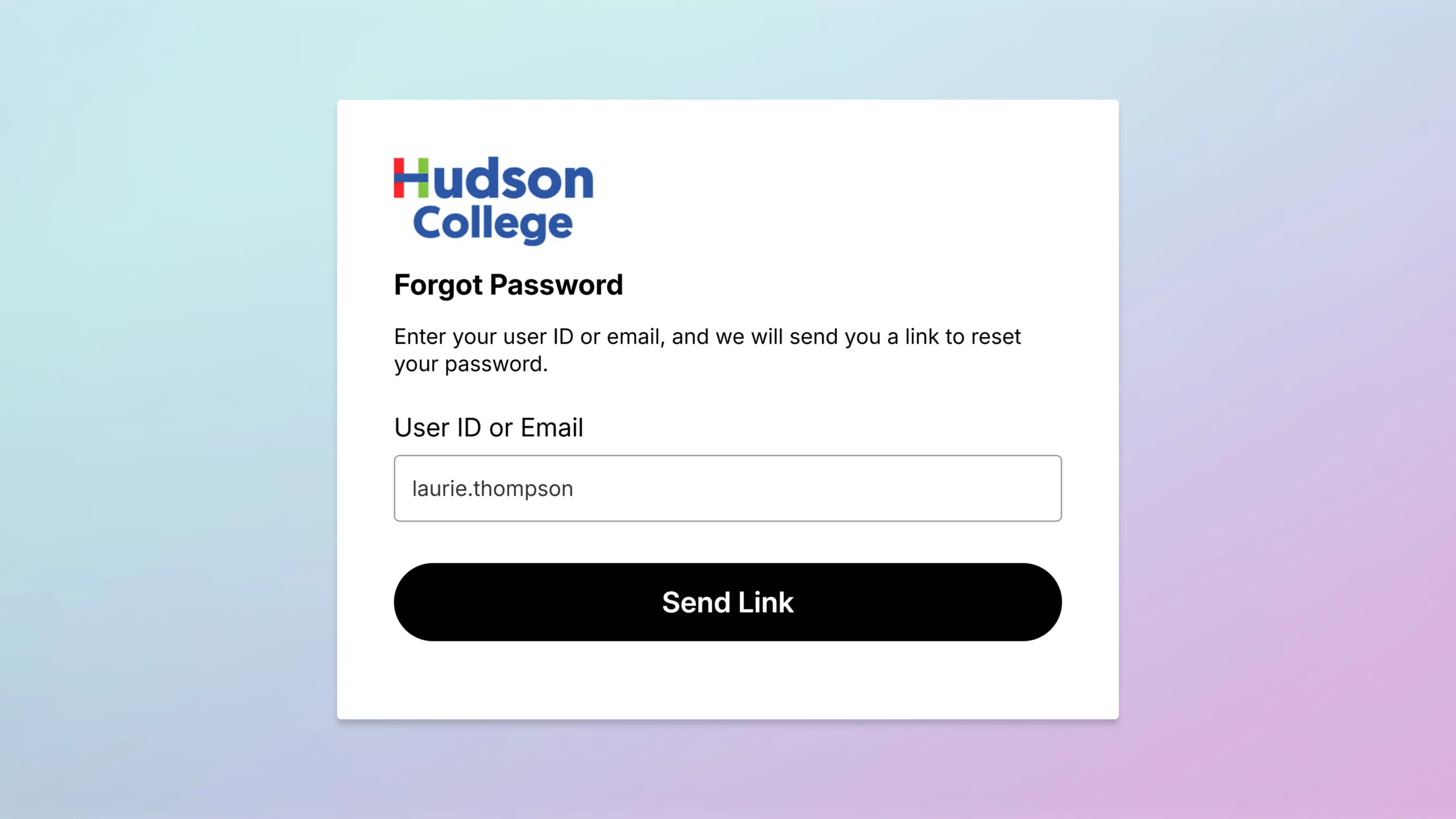
Forgot Password Page Redesigned for Improved User Experience
We’ve updated our Forgot Password page with a modern design that matches the new login interface, ensuring a consistent user experience throughout the authentication process. The redesign maintains all existing functionality while providing clearer visual guidance for users attempting to recover their accounts. Users can now easily request password reset emails through the updated interface with the same password recovery process they’re familiar with.
Automatically Transfer Quiz Ownership
When a video’s ownership is changed, any associated quizzes automatically transfer to the new owner to help ensure that new video owners gain complete access to all quizzes, quiz grade books, and analytics without manual reassignment. The transfer maintains all quiz configurations while providing the new owner with full management capabilities.
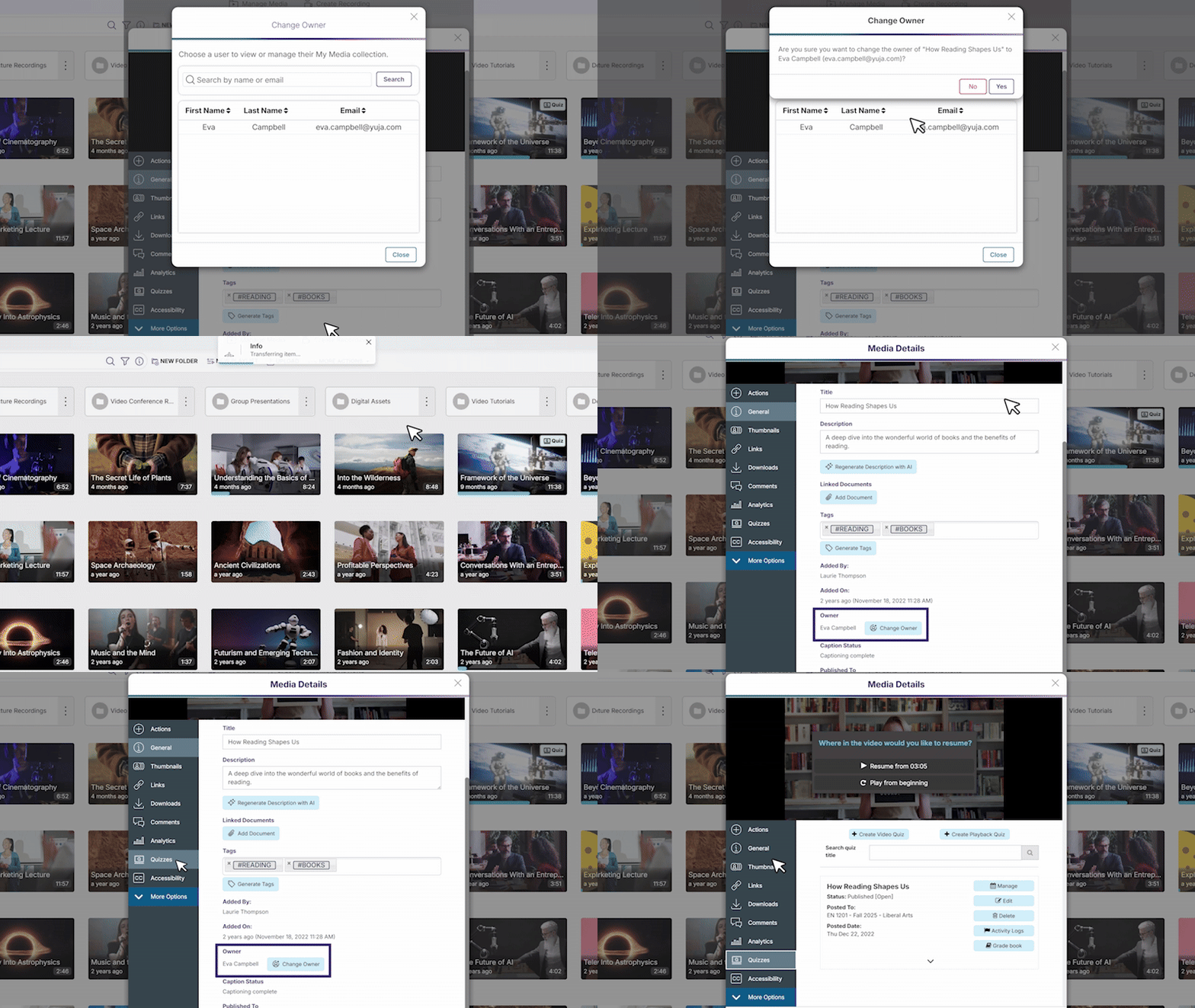
Anonymous Quiz Identification Provides More Flexibility
We’ve introduced a new Allow quiz to be taken anonymously setting for video quizzes shared via Direct Link or Embed Code. When enabled, this setting gives test-takers three options: proceed anonymously, provide a guest name for better identification in the Gradebook, or authenticate through the portal. By default, users are now directed to portal authentication unless anonymous access is specifically enabled by the content creator. This balances the need for institutions requiring guest participation tracking.
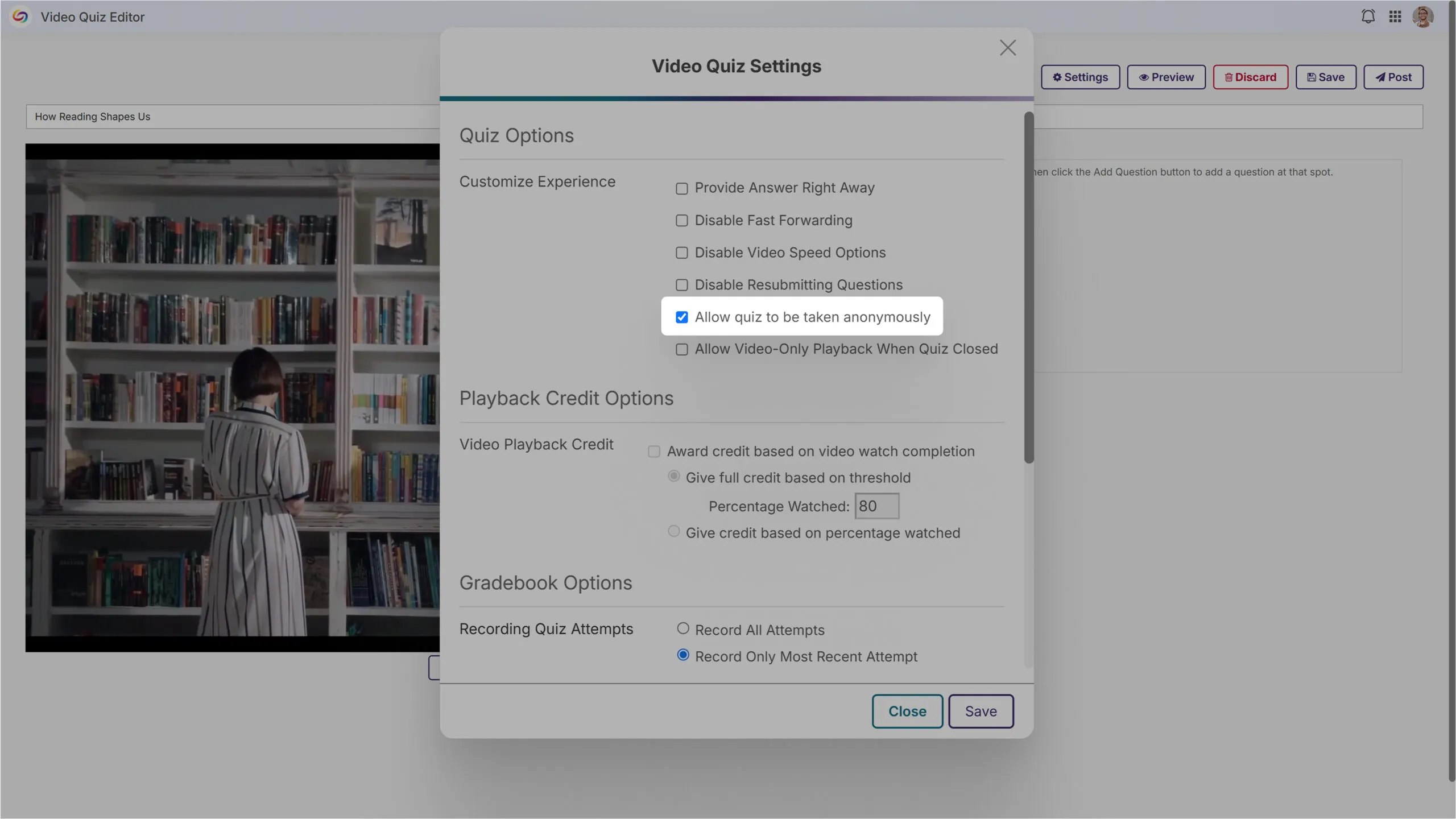
New GenAI PowerPack Admin Page Consolidates AI Feature Management
A new GenAI PowerPack admin page consolidates all generative AI features into one central location for streamlined management. The improved interface allows administrators to easily toggle AI features on or off, monitor credit usage in real-time, and manage permissions without navigating through multiple menu levels. The new Analysis tab provides insightful usage trends, request history, and detailed breakdowns by request type, allowing administrators to optimize their AI content generation workflows while maintaining better oversight of resource consumption.
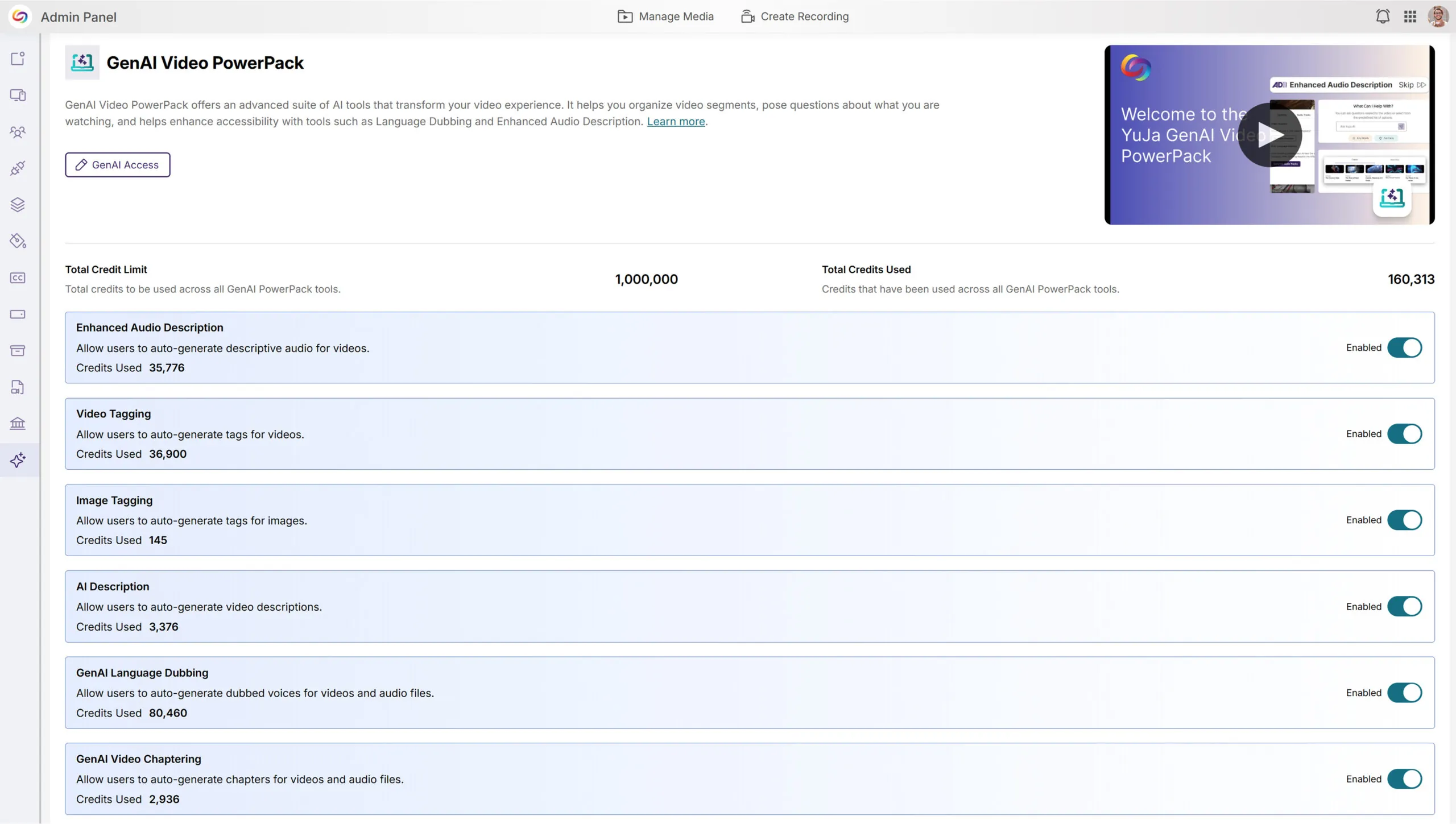
This week, we’re rolling out a major product update across all YuJa Lumina Video Platform instances. This update includes a modernized live-stream player with improved RTMP streaming, new master course and blueprint course quiz-copying functionality, a refined Analytics Bandwidth visuals, and so much more.
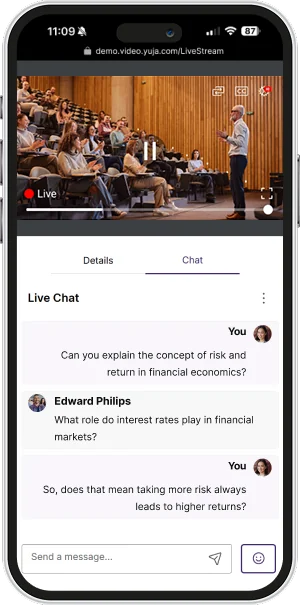
We’ve redesigned our Live Stream Player with a React-based architecture, featuring a modernized interface that enhances functionality and user experience, including stable video delivery, pause and rewind functionality, and improved captioning support.
Other updates include:
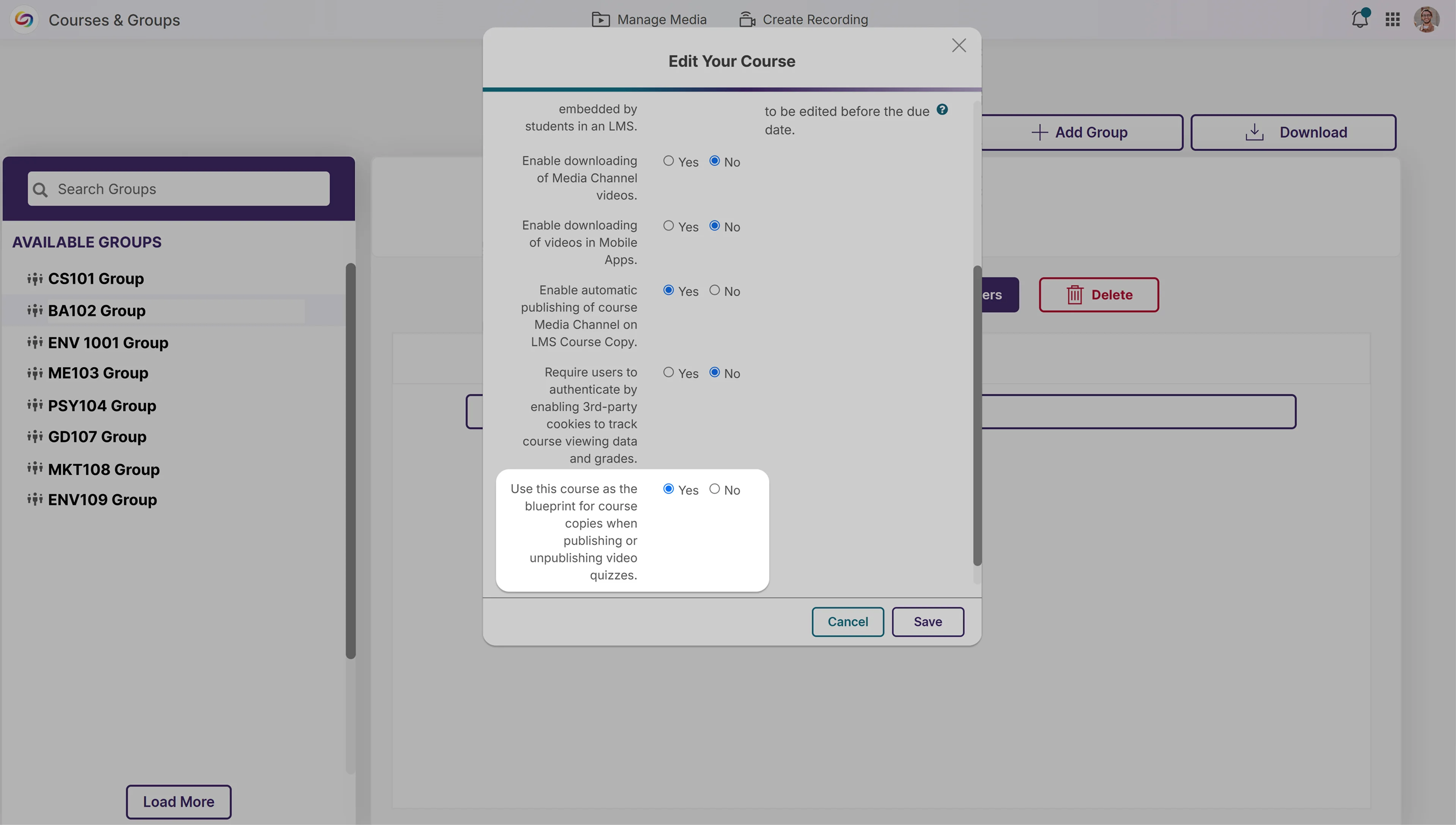
We’ve introduced a new blueprint course functionality that automatically publishes quizzes across copied courses. When enabled, a master, or “blueprint” course, serves as the blueprint for all linked courses, automatically adding quizzes to all copied courses. This eliminates manual republishing when updating content. The feature works with all quiz publishing methods and also applies when unpublishing content.
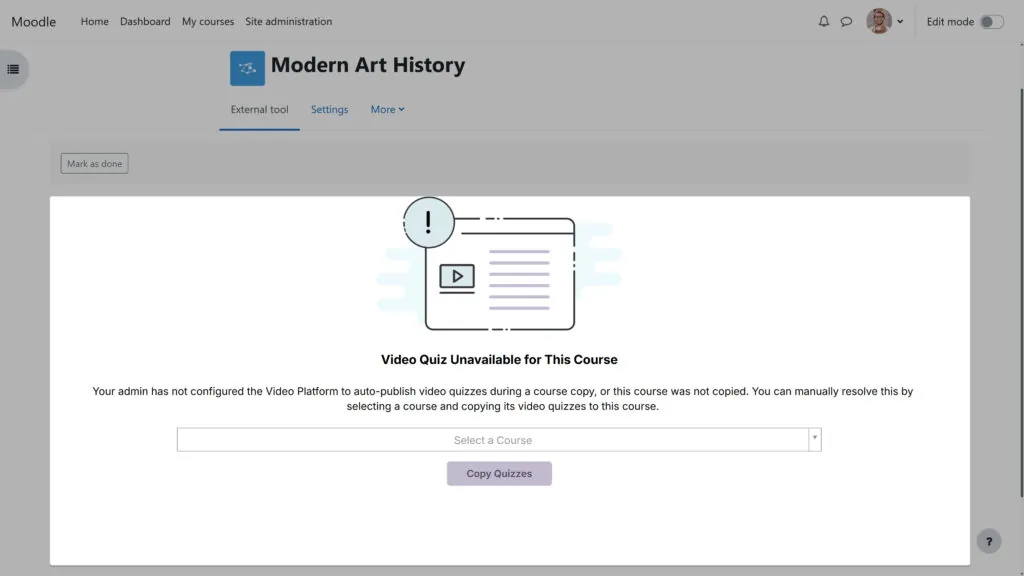
We’ve improved the error messaging for video quiz course copies to provide clearer guidance when issues transpire. Users now get specific information about why a quiz failed to copy and help troubleshoot problems that occur.
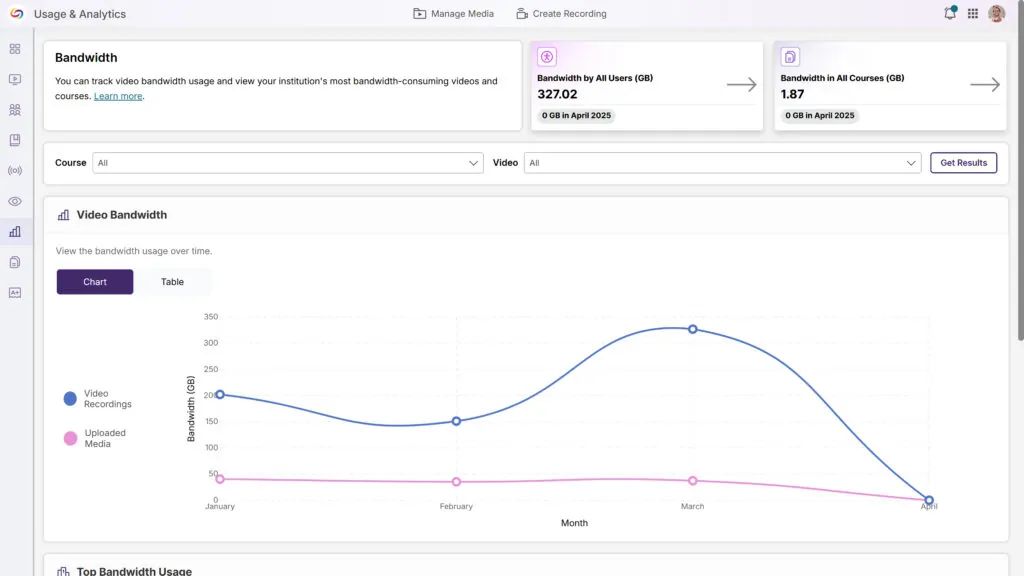
We’ve updated the Analytics Bandwidth tab with a modern interface featuring an enhanced color palette, improved data visualization, and a more intuitive layout. The redesign delivers a cleaner, more accessible experience while maintaining all the robust tracking capabilities you rely on to monitor bandwidth usage across your organization.
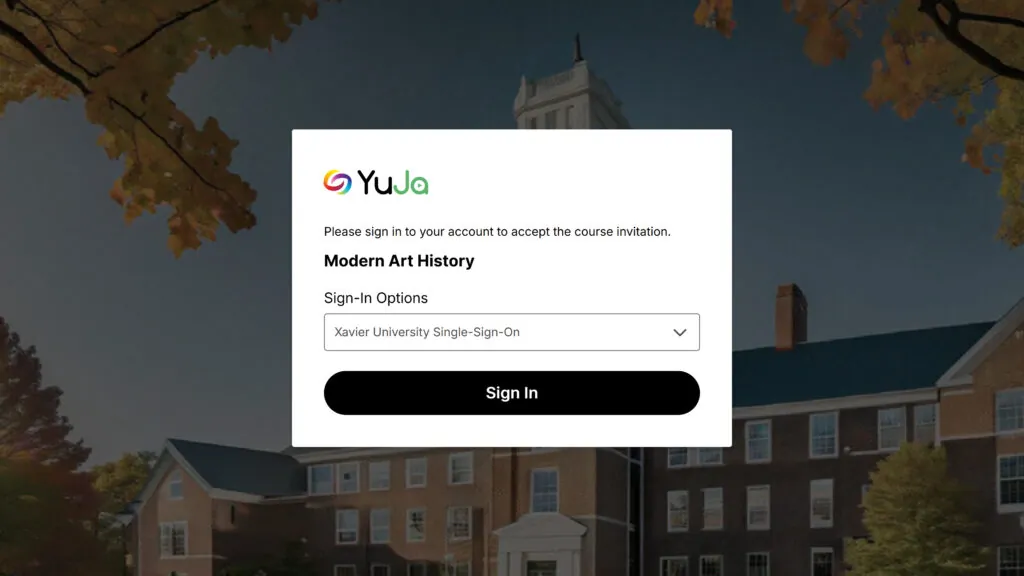
When users are invited to a course via email, they’ll see a redesigned and simplified user interface. When they click the link, they’ll be automatically added to the course.
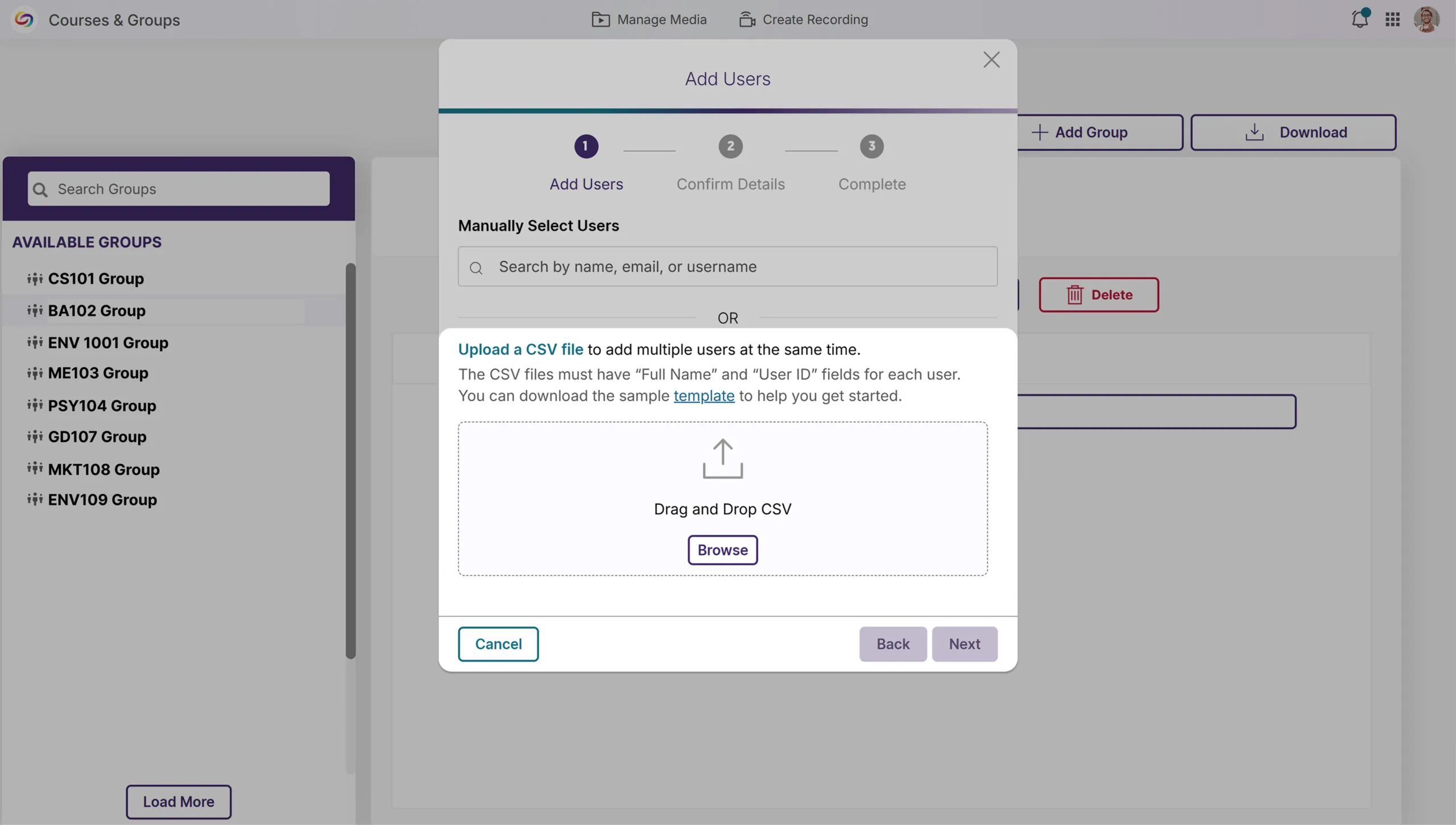
We’ve enhanced Groups management with a new bulk user upload feature, allowing administrators to add multiple users to Groups via CSV file upload. This time-saving functionality mirrors our existing Course Channels workflow, eliminating the need for manual user addition and streamlining permission management for departmental shared folders across your organization.
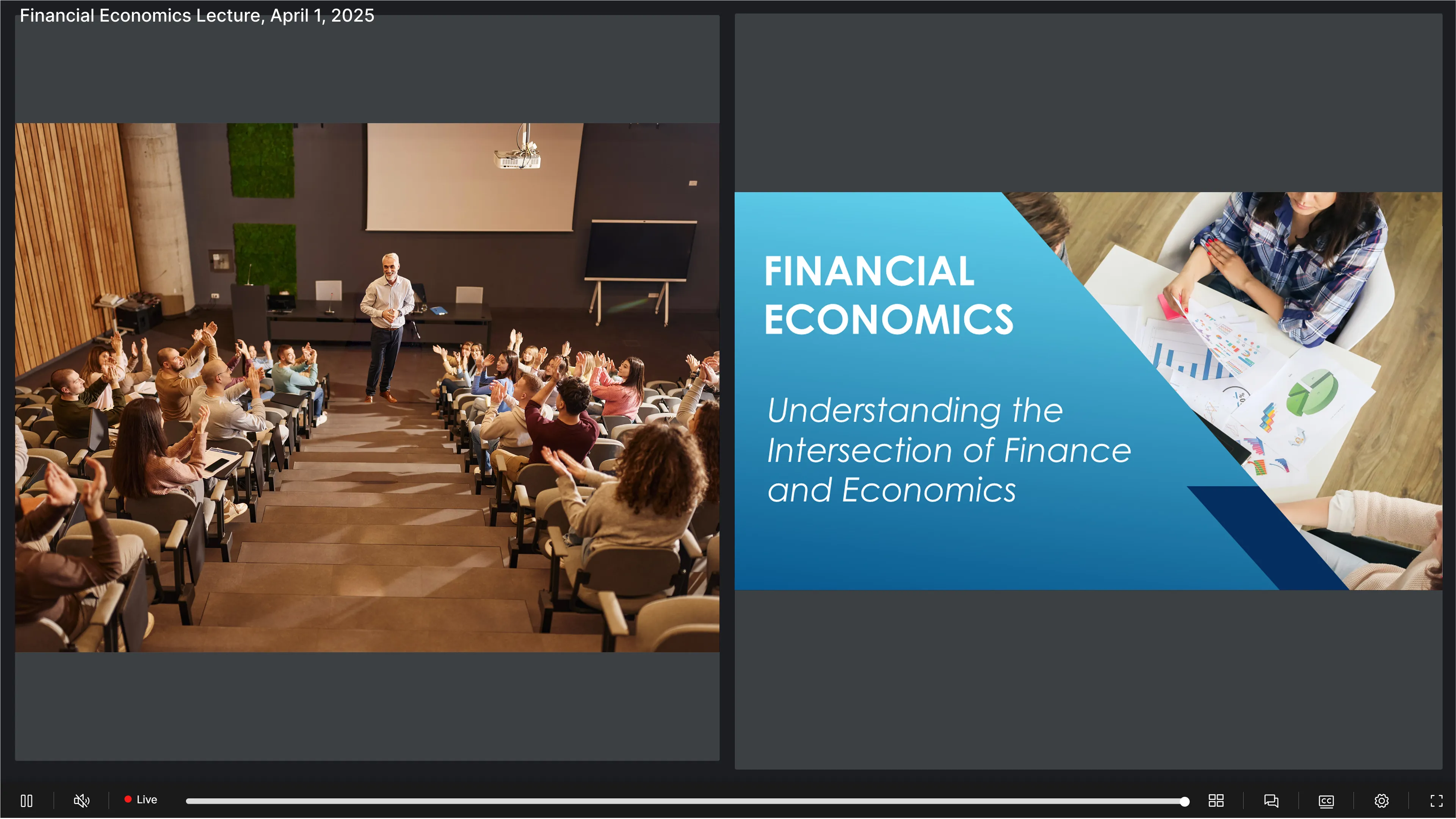
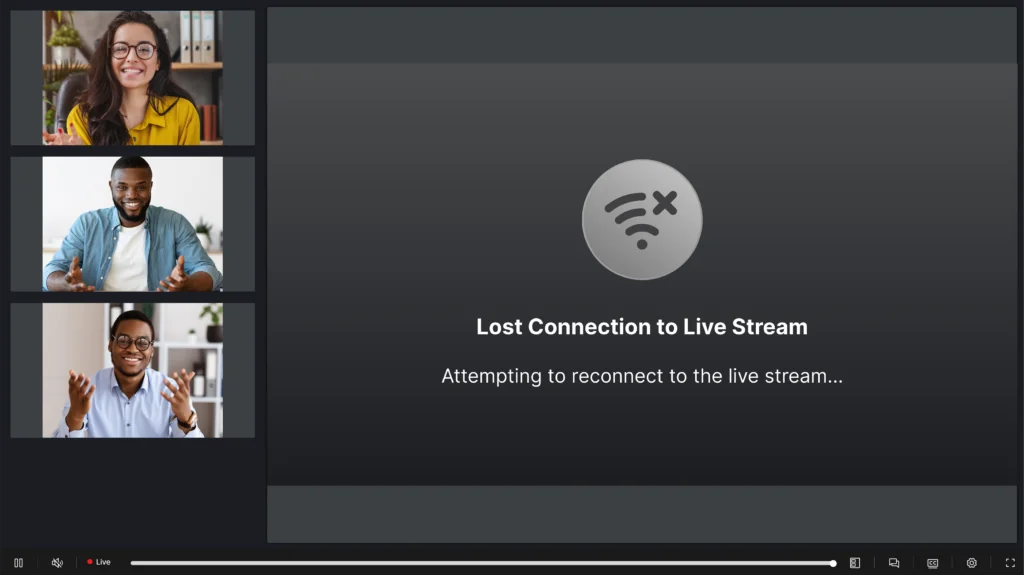
We’ve improved the live-streaming experience with intelligent connection management that maintains stream continuity during network interruptions. When a connection is lost, viewers now see a “Connection lost” notification while the system attempts reconnection. The system automatically resumes the stream if the connection is restored or removes the notification if the interruption persists.
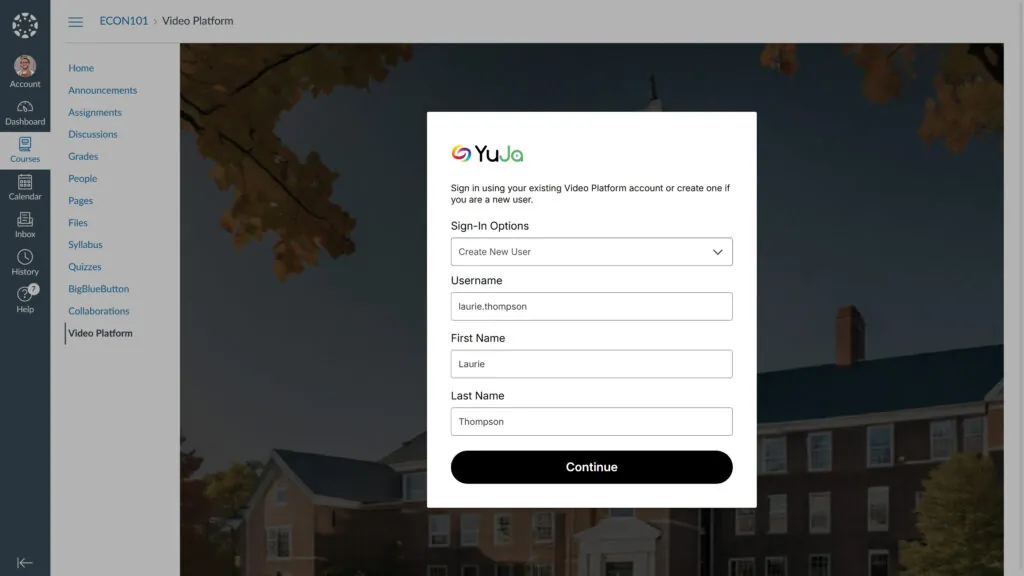
We’ve modernized the manual user provisioning UI in the LMS with a new, more aesthetic page design. The revamped interface enhances the user experience for “Create New User” and “Use Existing Account” workflows while adding multi-factor authenticator validation for existing accounts with MFA enabled.
The platform’s top bar can now be customized through the Admin Panel’s Branding settings, including by personalizing background and text color combinations to align with your institution’s branding.
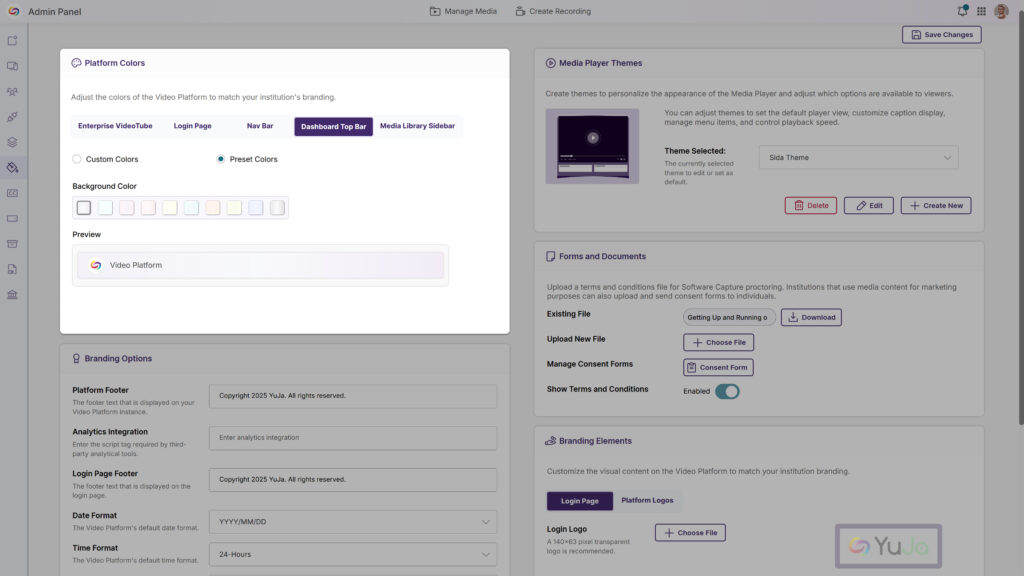
This week, we’re rolling out a major product update across all YuJa Lumina Video Platform instances. The highlights for this update include an option to customize the Media Library Sidebar for consistent branding alignment, a reorganized Media Library sidebar to prioritize key sections, an option to specify the Media Player’s language when linking or embedding videos, and more.
Enhanced Audio Description Now Supports Multi-Stream Videos
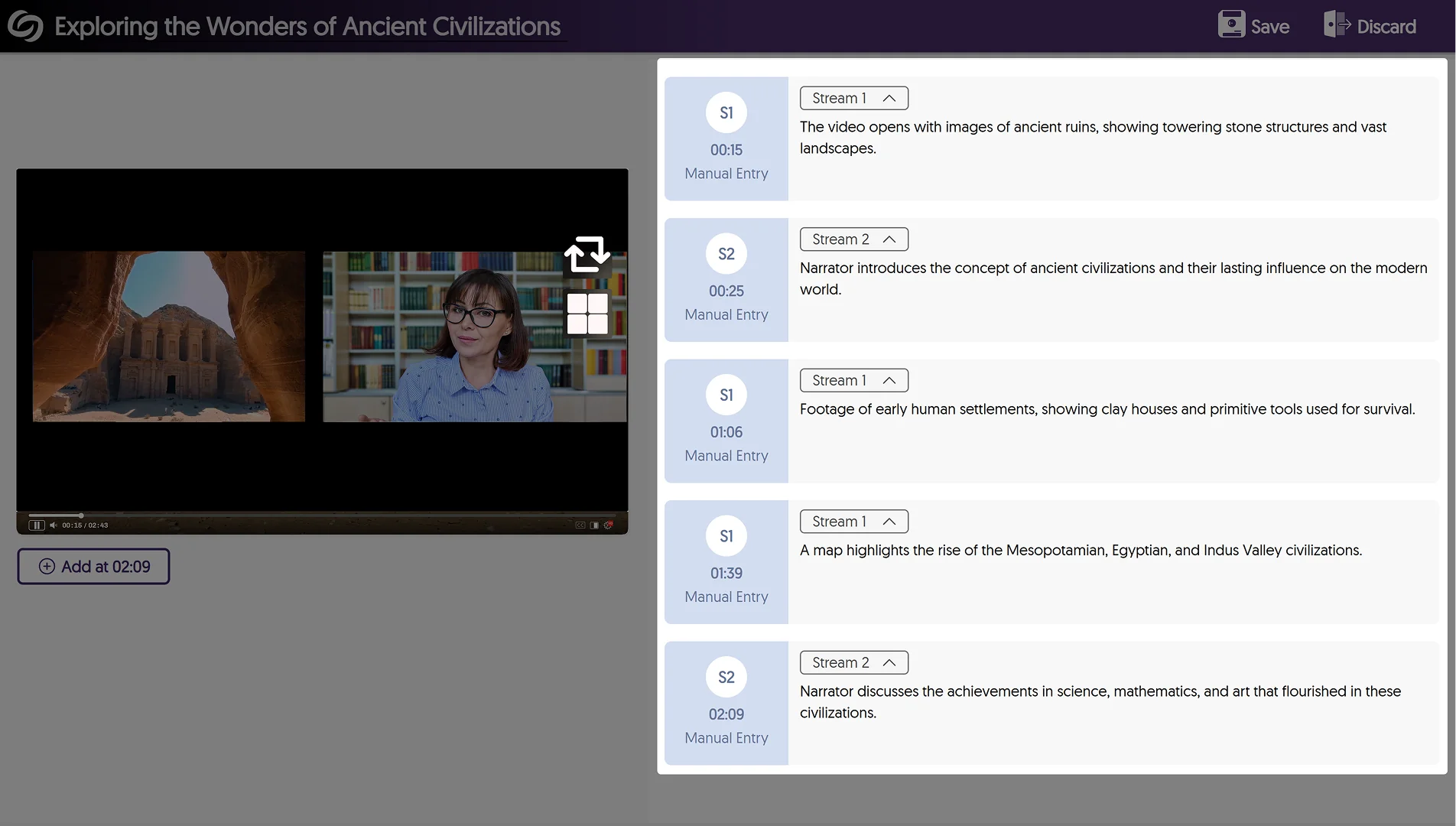
Enhanced Audio Descriptions can now be added to multi-stream videos, allowing you to use our built-in editor to create descriptions for specific streams or our AI capabilities to auto-generate descriptions for selected streams.
Reorganized the Media Library Sidebar to Prioritize Key Sections
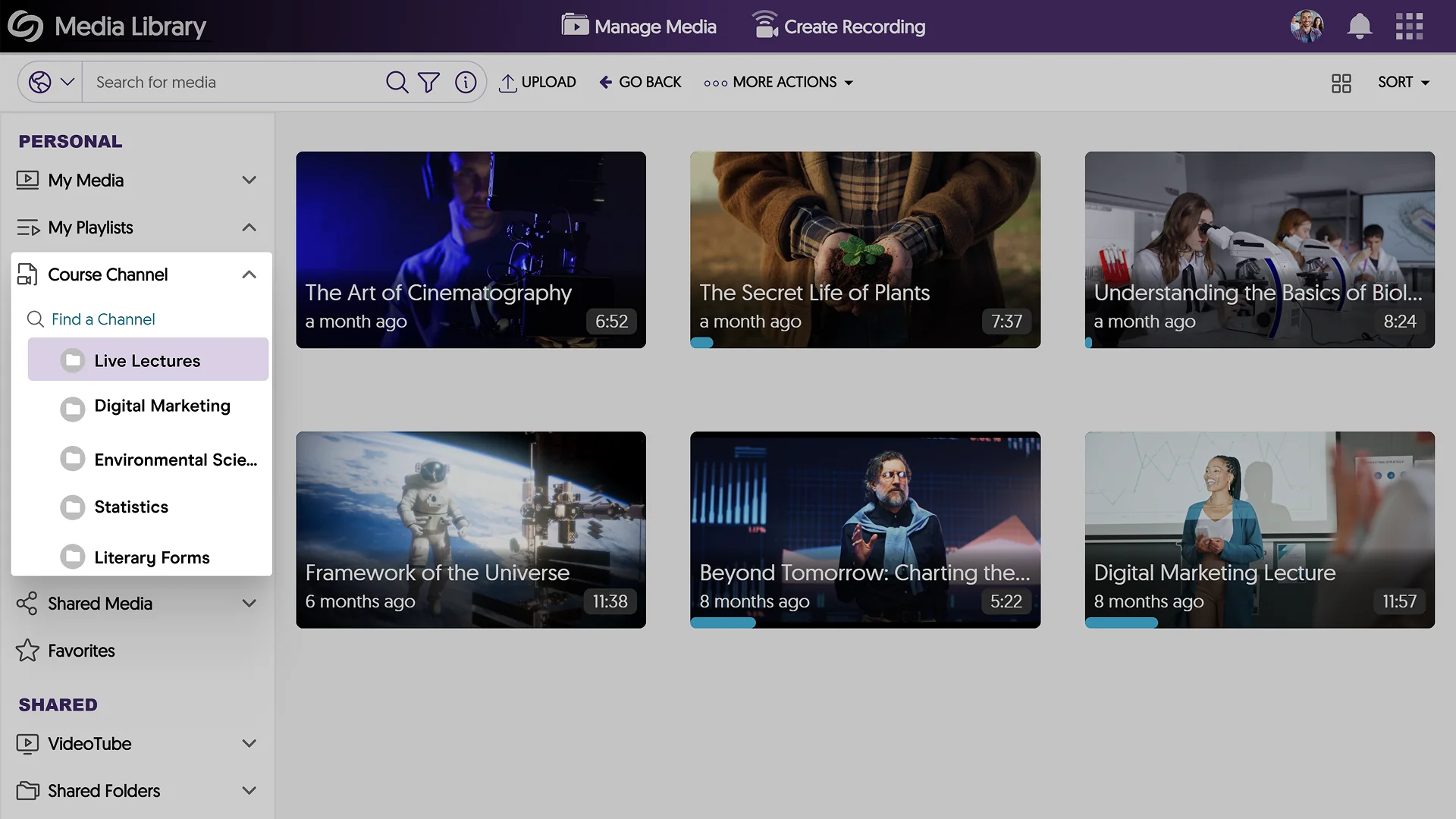
The Media Library sidebar has been reorganized to prioritize key sections over others, such as the Course Channels now appearing in your Personal collection.
Customize the Media Library Sidebar for Consistent Branding Alignment
Expanding on existing branding options for the login page and navigation bars, administrators can now customize the header font and background colors of the Media Library Sidebar, ensuring consistent brand alignment across the Video Platform.
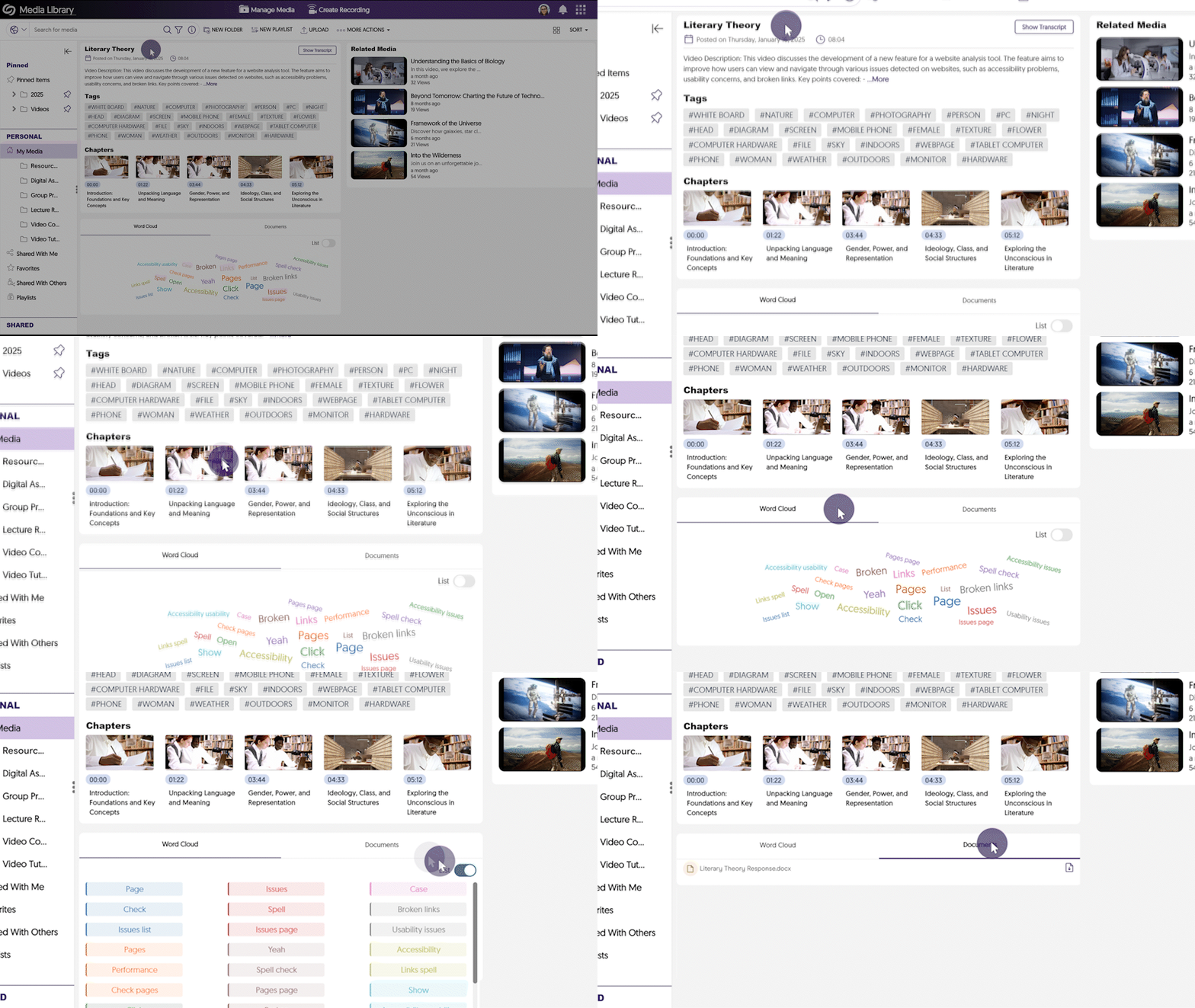
Improved the Visual Display of information for Media Content
We’ve refined the Media Player Page to present media-related information in a more structured and accessible format. Key updates include:
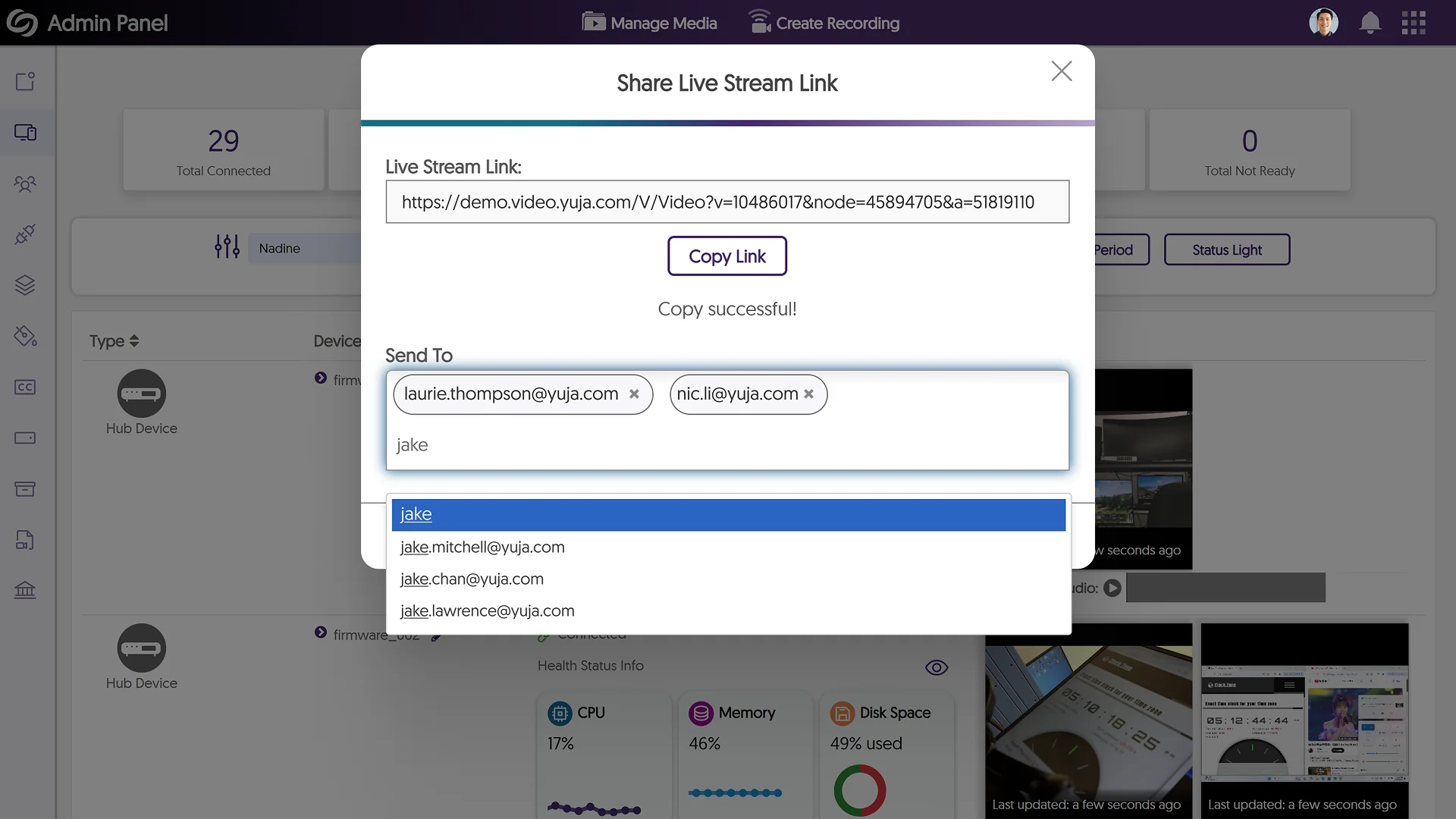
Share Live Stream Links Via Email
As an administrator, you can now email the link to live stream sessions directly to your audiences from within the Video Platform, allowing for quicker distribution and broader access to your live events.
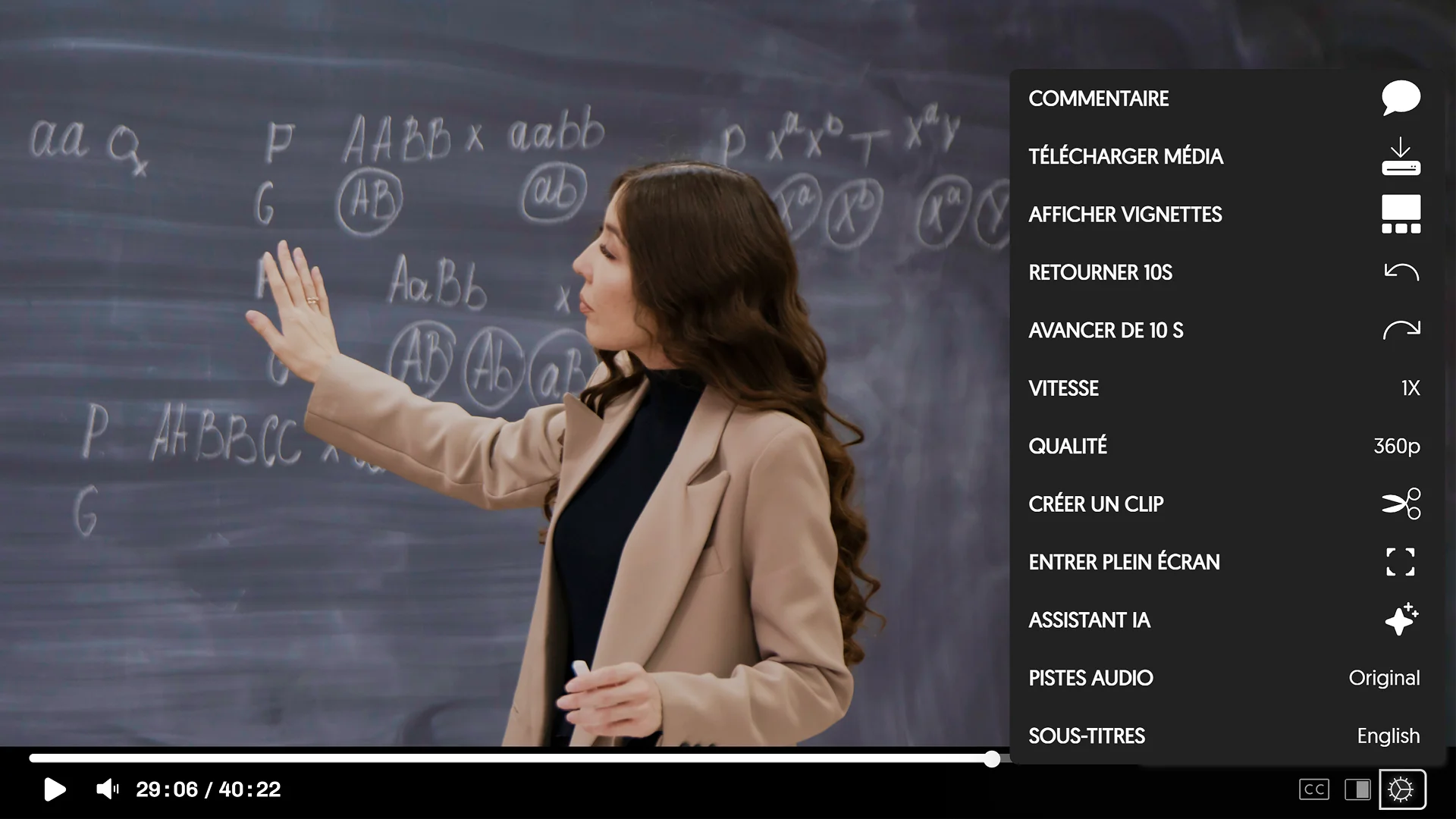
Specify the Media Player’s Language When Directly Linking or Embedding Videos
To meet multilingual accessibility standards across websites, the YuJa Video Platform now allows you to specify the language of the Media Player interface before embedding or directly linking to a video. The supported languages are Dutch, Finnish, Portuguese, French, and Spanish. Simply copy the link of a media file and add “&lang=” followed by the short form of your desired language.
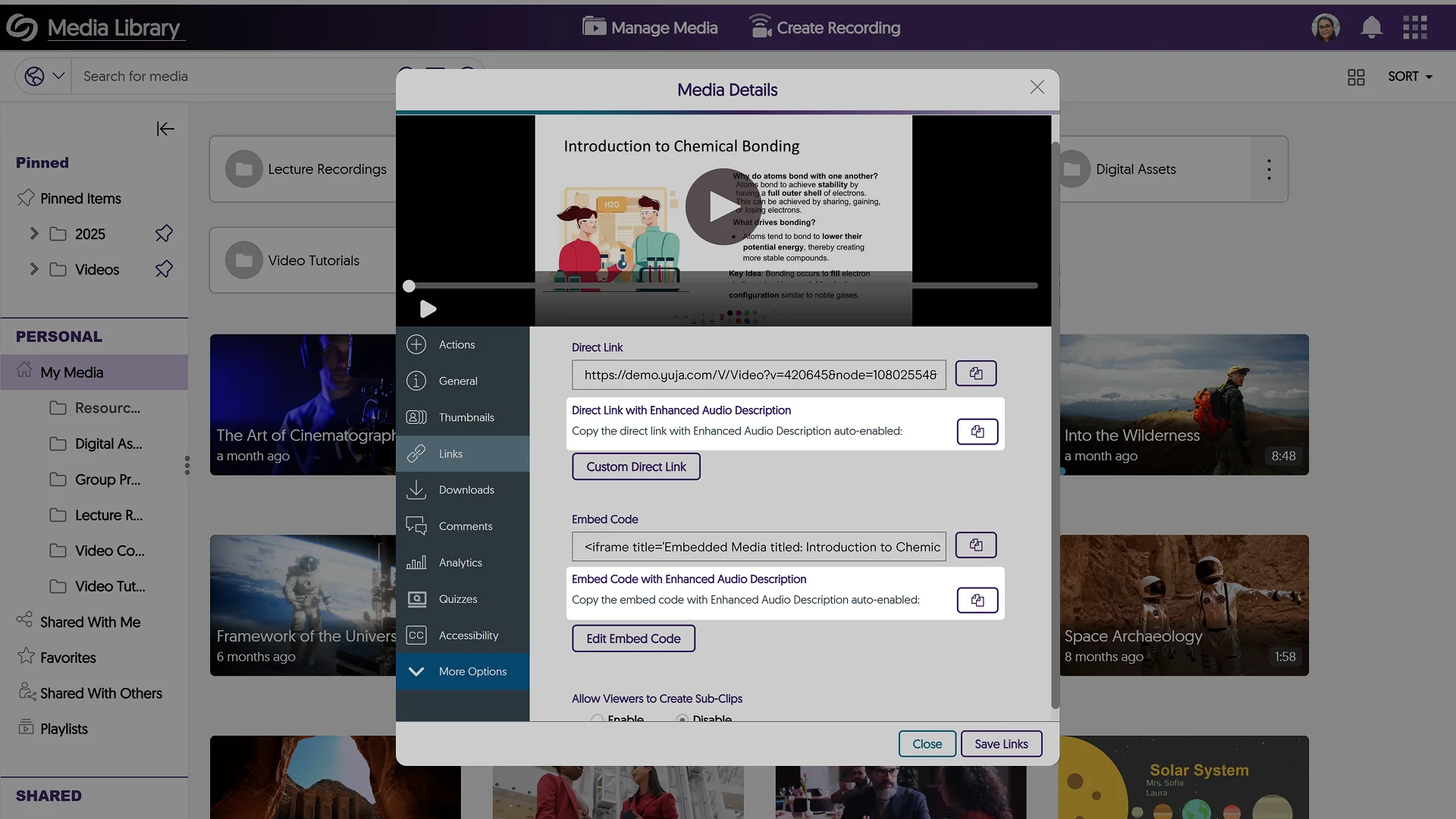
Share Direct Links or Embed Codes of Media Files with Enhanced Audio Description Enabled
After generating Enhanced Audio Descriptions for your media files, you can now share the media link or copy the embed code with Enhanced Audio Descriptions automatically enabled.
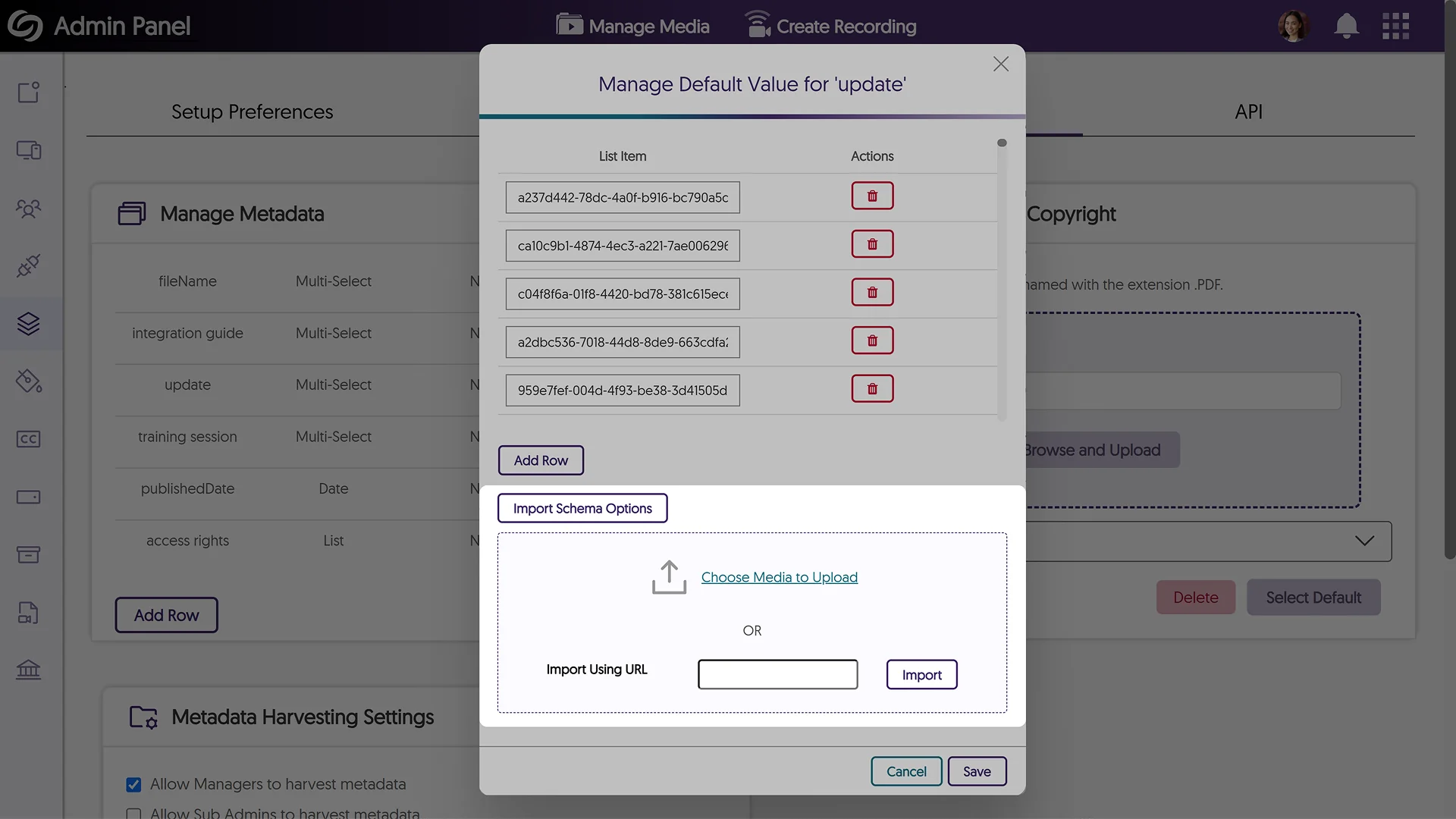
Bulk Import an XML File to Upload Metadata Values for the Multi-Select Feature
If you have a predefined list of metadata values to import as an XML file, you can now do so when creating a Multi-Select metadata field. Simply upload the file or paste its link to auto-fill your values.
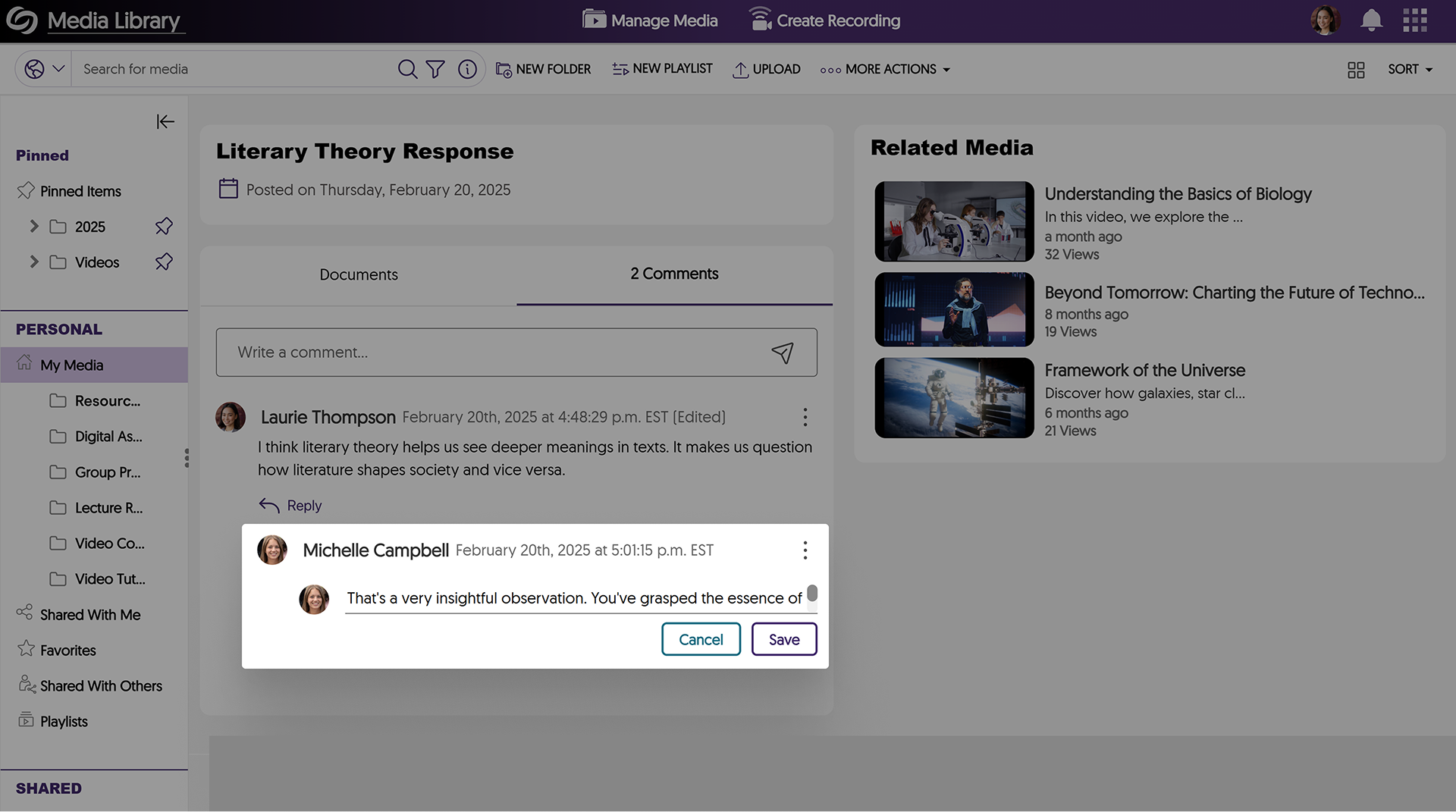
New Option to Edit Comments
Need to correct your comment? You can now simply edit it instead of having to delete and rewrite your thoughts.
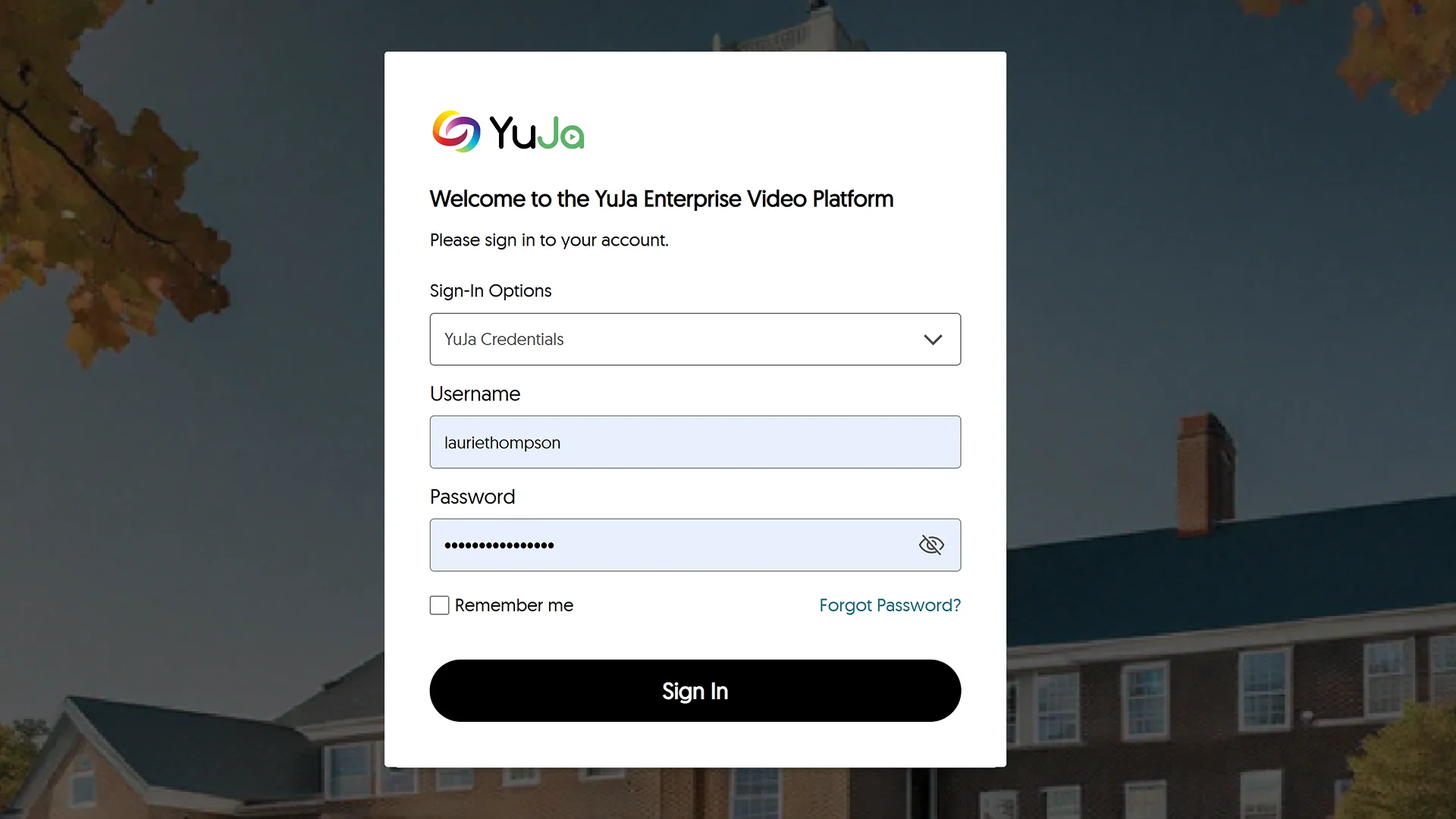
Redesigned Login and Authentication Pages to Match Our Updated Branding
The sign-in, password reset, and 2-step verification pages have been redesigned with a modern and consistent interface, offering a more intuitive login experience.
Revamped the Visualization of the Loading Spinner in the Media Player
We’ve improved the loading visualization in the Media Player with a new rainbow spinner to provide a clearer view of when videos are loading.
New API to Automatically Update the Account Status of Users
We have added a new API that allows you to update the status of users on your platform to Active or Suspended.
Join the 1,000+ Organizations Deploying High-Impact Solutions



