Product Updates
Get the latest platform updates, features, and announcements—all in one place.
Boost Video Accessibility with the GenAI Video PowerPack!
Try Now
Supercharge Your Compliance Efforts with AutoPilot Remediation Max!
Try Now
Strengthen Your PDF Accessibility Efforts with Structural Remediation Max!
Try Now
Don't Miss Any of Our Upcoming Webinars—Save Your Spot!
Register
The YuJa Community is here! Connect, get updates, and access exclusive content.
Join Now

Get the latest platform updates, features, and announcements—all in one place.
This week, we’re rolling out a major product update across all YuJa Lumina Video Platform instances. The highlights for this update include an option to create your enhanced audio descriptions with our built-in editor, upload a SRT or VTT file for enhanced audio descriptions, narrate video scenes with embedded audio descriptions and automatic speech-to-text, pin frequently used folders and channels to the video platform’s sidebar, and more.
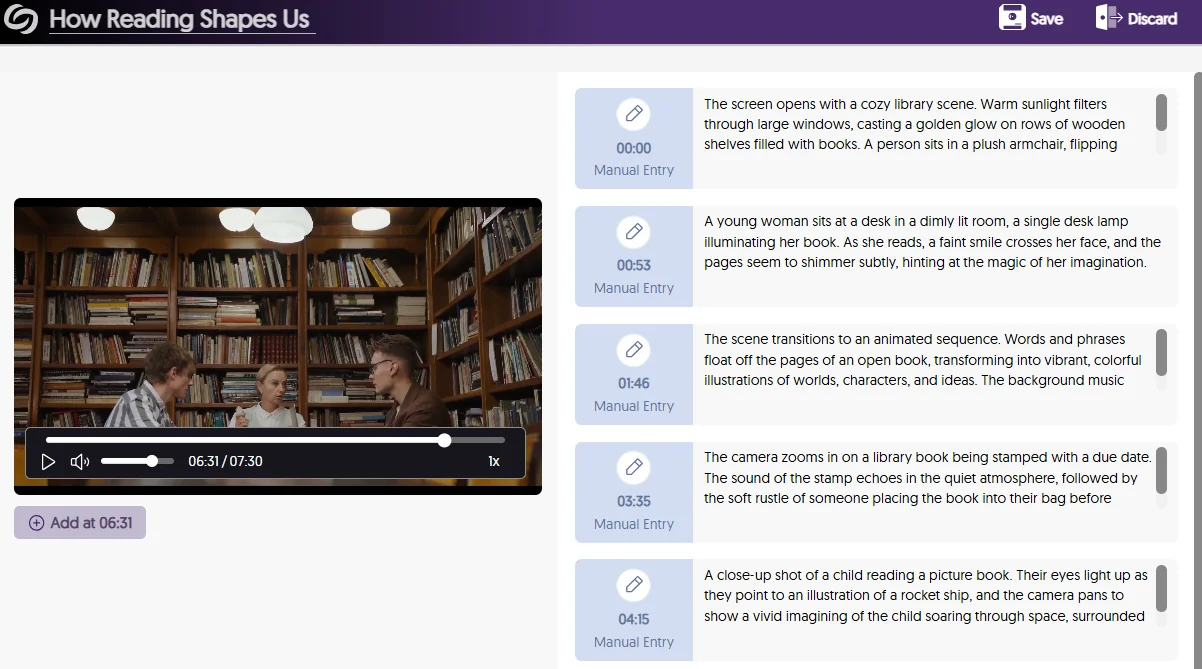
Create Your Own Enhanced Audio Descriptions with Our Built-in Audio Description Editor
We’re introducing a new Audio Description Editor to help institutions create and edit Enhanced Audio Descriptions directly within the Video Platform to describe scenes for those who are visually impaired. This allows for pinpoint accuracy on where you would like the Enhanced Audio Descriptions to be read, by positioning the playback bar at the desired scene and writing out your descriptions.
Not sure how to describe a scene? If you have GenAI PowerPack enabled on your Video Platform, our Gen AI comes integrated with our editor to help you write enhanced descriptions with a simple click of a button.
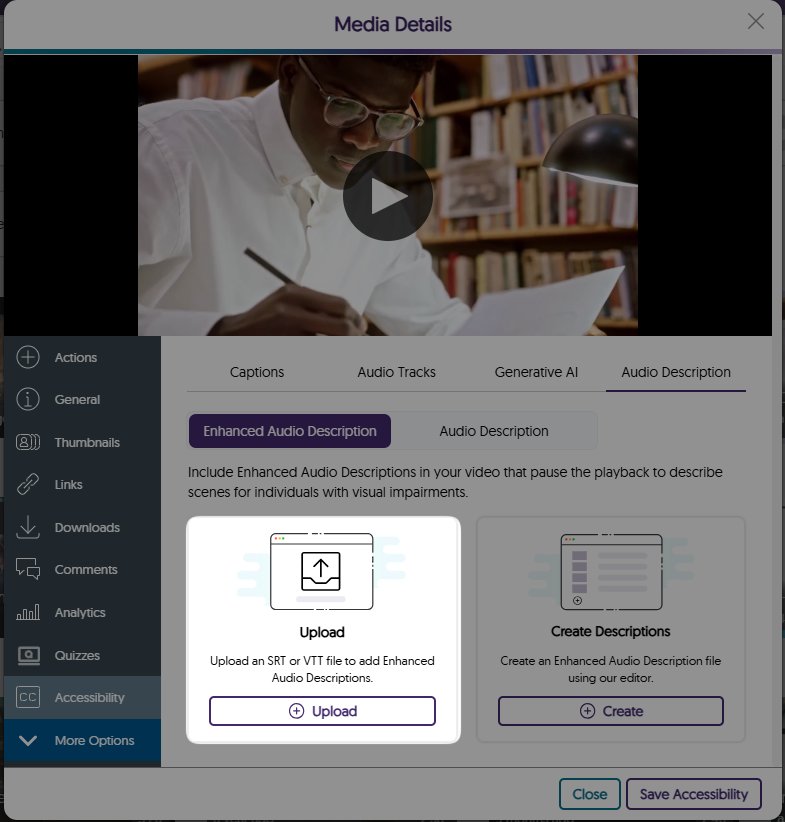
Upload a SRT or VTT File for Enhanced Text-to-Speech Audio Descriptions and Use Our Editor to Make Updates
Have an SRT or VTT file ready for your Enhanced Audio Descriptions? Simply upload it directly to your video for Enhanced text-to-speech Audio Descriptions. If you need to update the file, our Enhanced Audio Description editor makes it easy to make manual adjustments. Plus, if your platform has the GenAI PowerPack enabled, you can use Gen AI to enhance and update your existing descriptions.
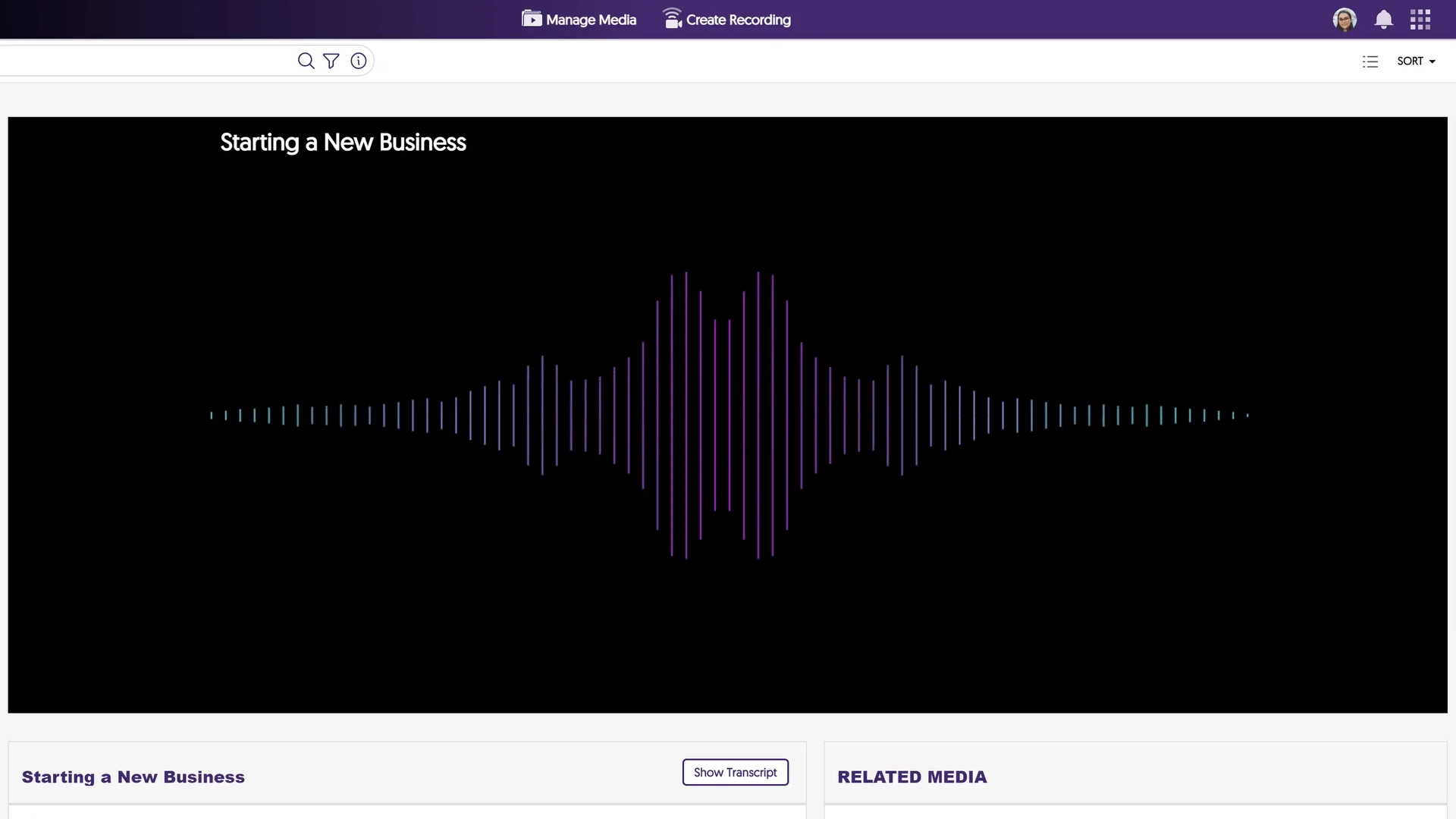
The Media Player Pauses and Narrates Videos with Embedded Text-to-Speech Audio Descriptions
In traditional cases where audio descriptions are provided, natural pauses in dialogue may not provide sufficient time to describe the scenes for those who need assistance. To address this issue, the Media Player automatically pauses videos to read your Enhanced Audio Descriptions in a natural way that provides enough time for viewers to understand the entire context of the scene.

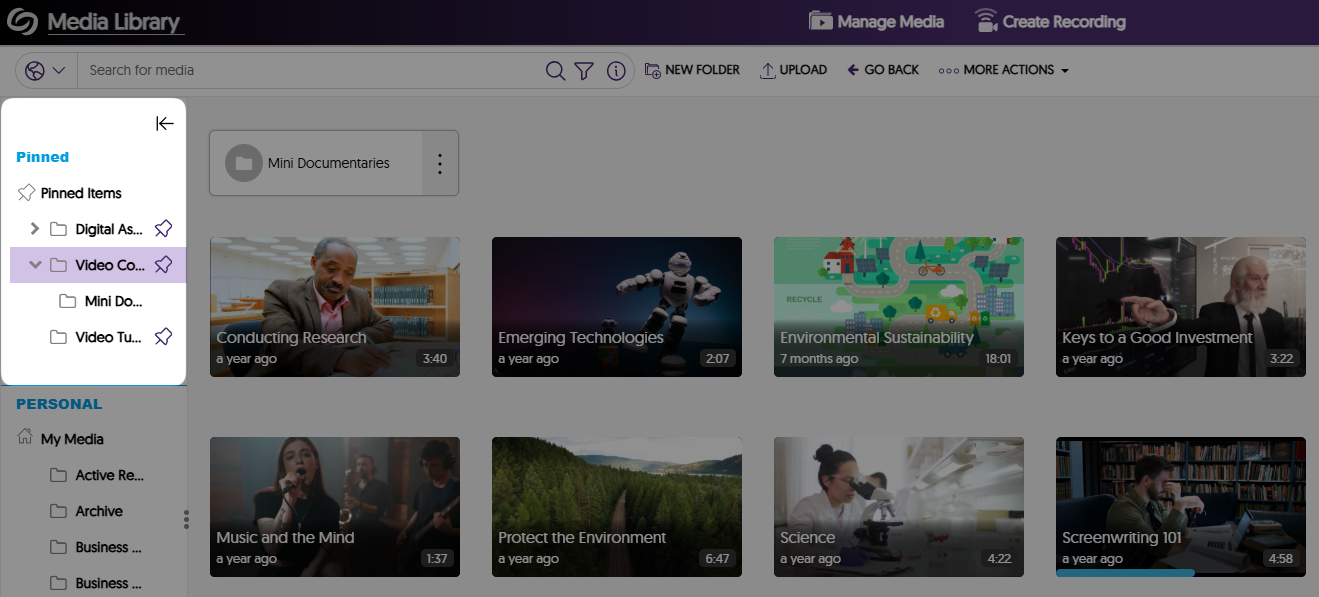
Pin Frequently Used Folders and Channels to the Video Platform’s Sidebar
Easily keep track of important folders and channels by pinning them to the sidebar on the Manage Media page. In a future release, we will provide additional account-level and institutional-level customization capabilities.
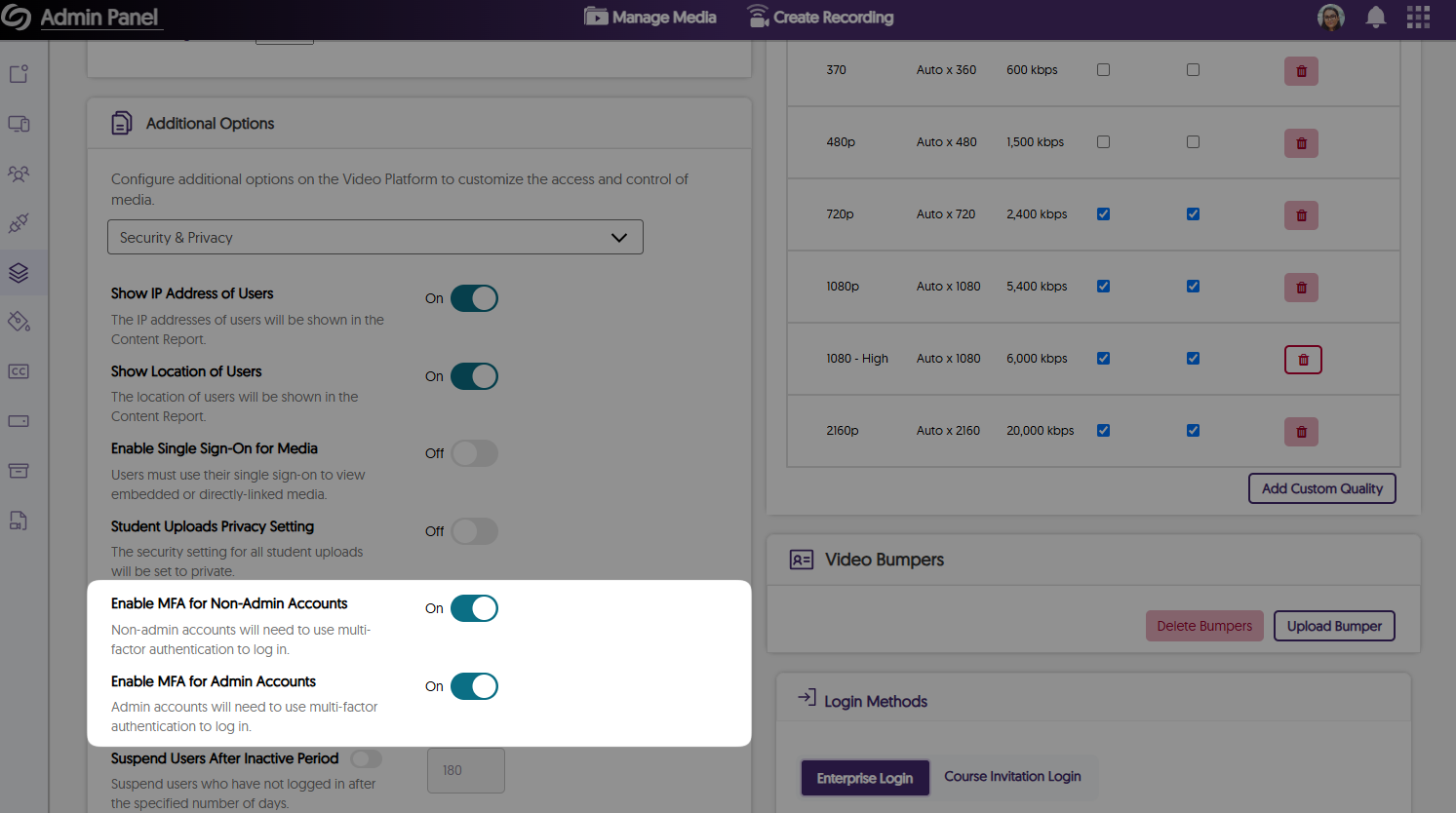
Protect Your Account With Two-Factor Authentication
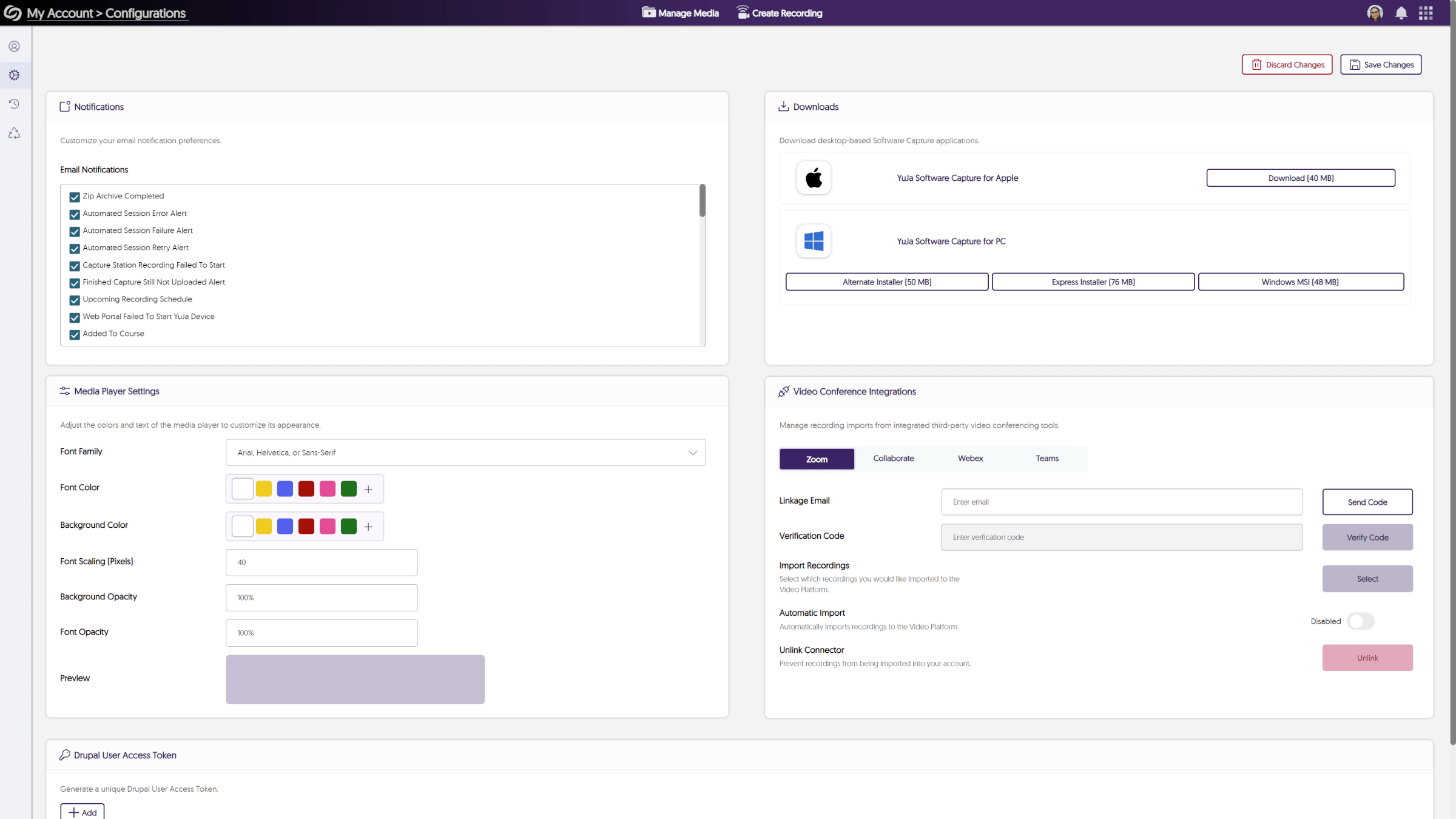
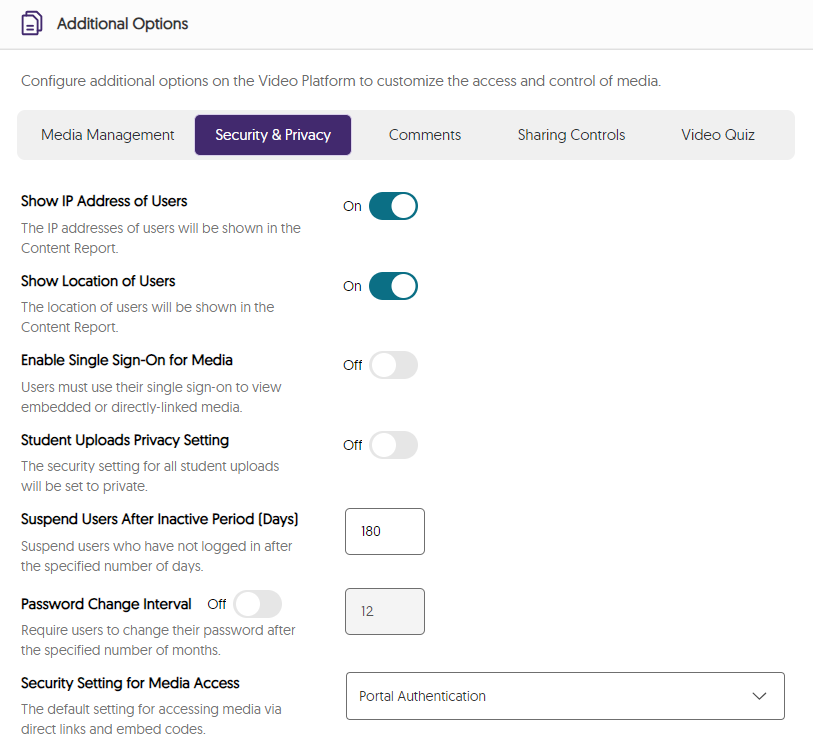
As an institution admin, you can manage two-factor authentication on a role basis for all non-admin and admin users. This will ensure that when you or other users attempt to sign in to the Video Platform, they will be required to enter a six-digit authentication code sent to their email. By default, this feature is enabled for admins and can be managed for all roles by navigating to the Admin Panel > Platform > Platform Settings > Additional Options > Security & Privacy.
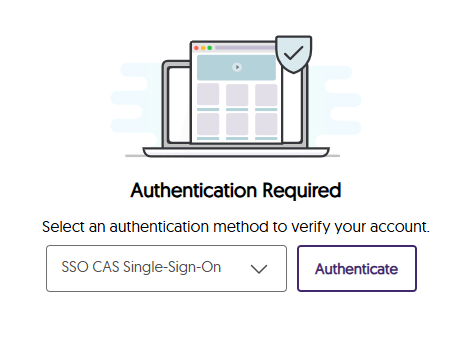
The Authentication Page Has Been Updated With a New Modernized Interface
If you are not logged into the Video Platform when you access a direct link, you will see our new authentication page, which is better aligned with our branding theme by providing an updated color palette and visuals.
Instructors Can Access the Content Report for Videos Through the Media Details Window
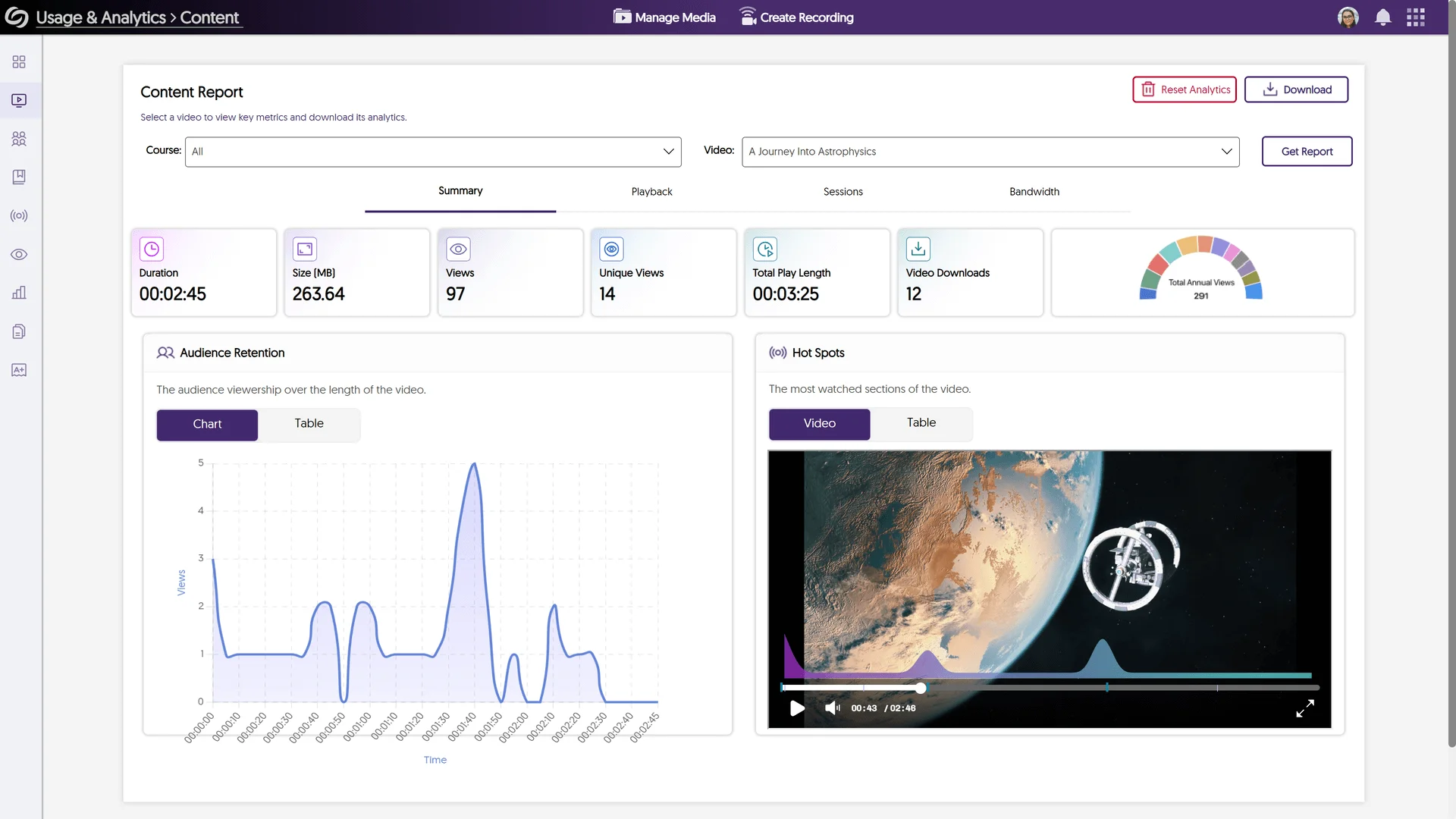
As an instructor and course owner, you can now easily access the Content Report for any video through its Media Details window. This will ensure when you’re in a course, you never have to manually navigate to the Content Report to see video analytics.
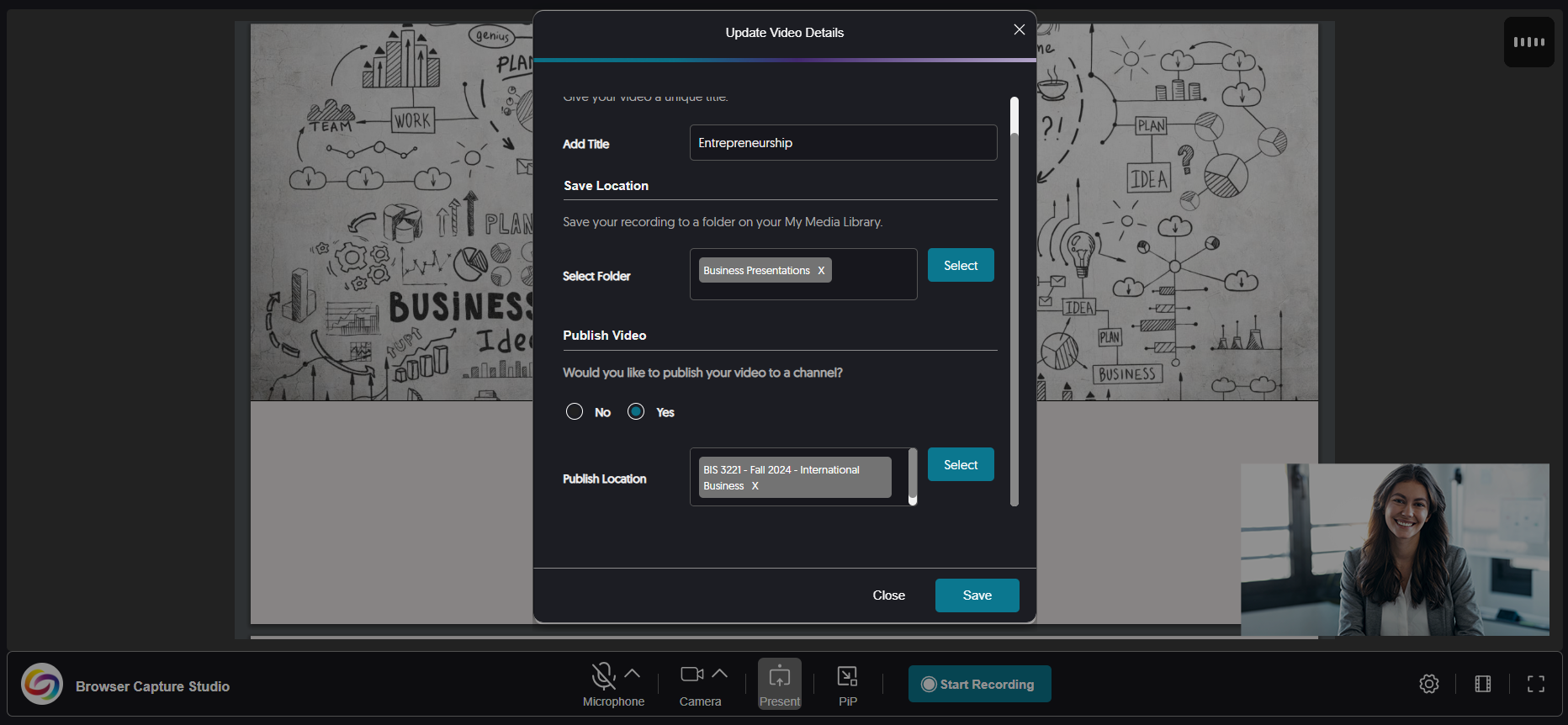
More Streamlined Publishing Capabilities for Recordings
Previously, only after creating a recording did you have the option to publish it to your desired channels and save it to personal folders. Now, you can customize the publish and save locations anytime before or after the recording by accessing the settings for the Browser Capture.
Improved the Responsiveness for the Usage & Analytics Content Report
We have updated the Content Report in Usage & Analytics to be more responsive on various screen sizes by adjusting spacing and alignment issues.
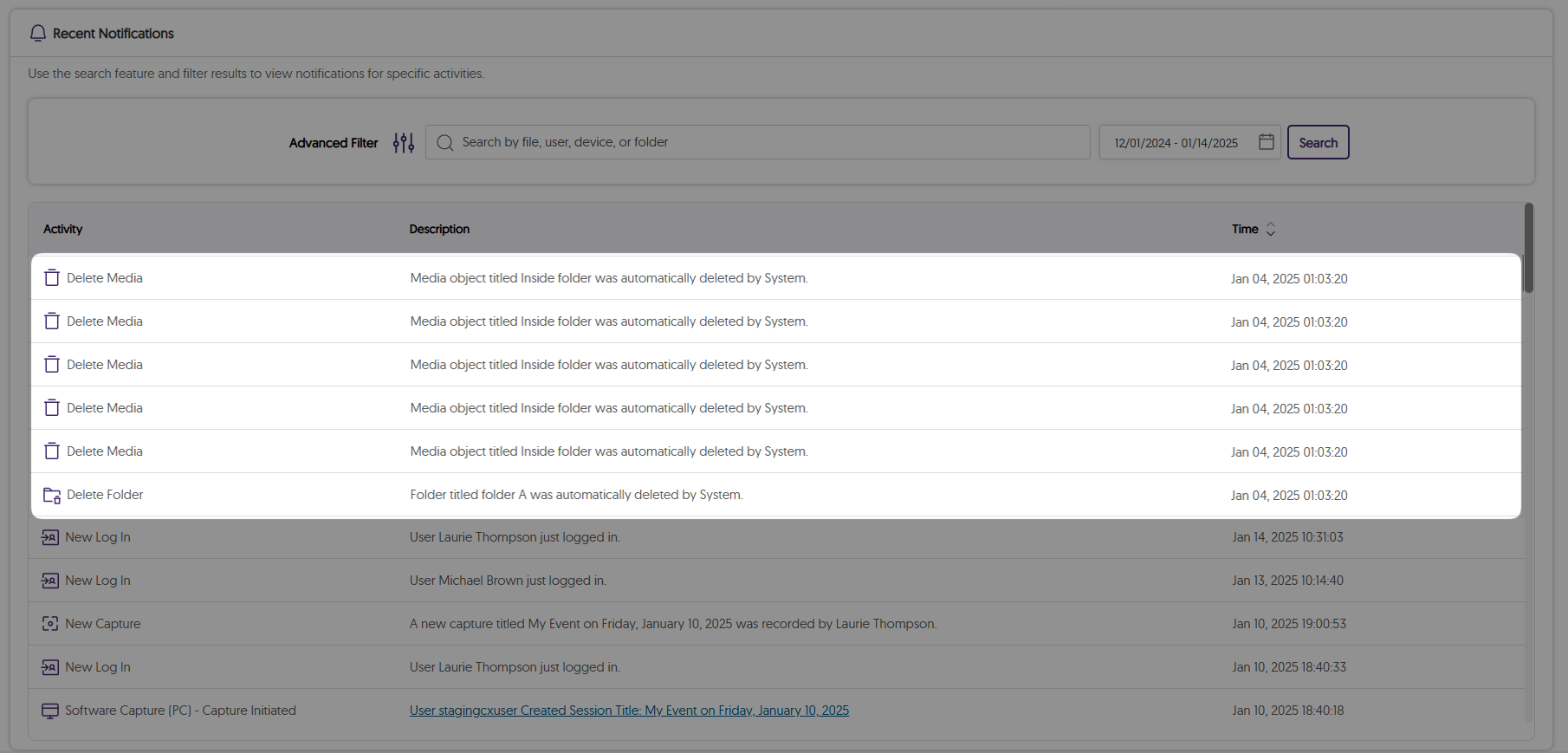
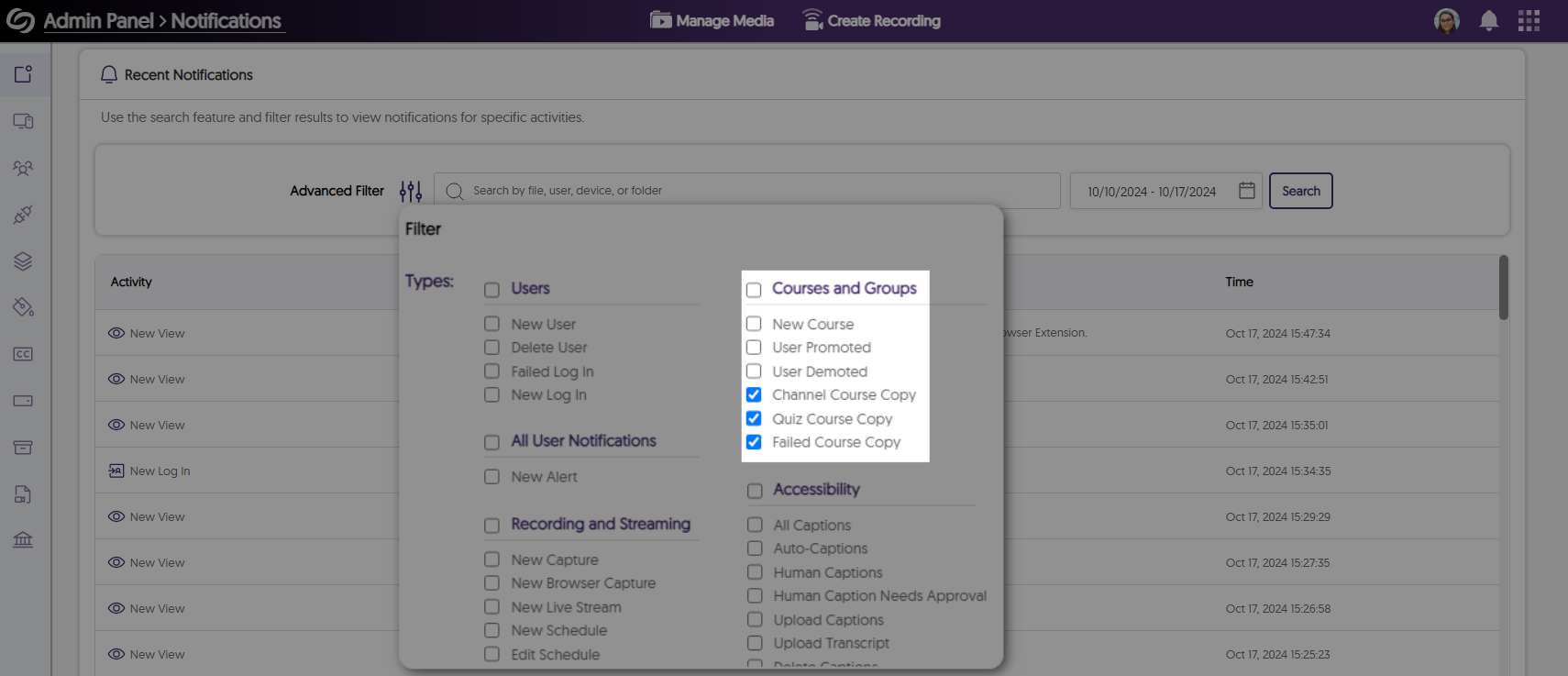
We’ve expanded our audit logs to track files that are permanently deleted from the Recycle Bin according to the retention policy.
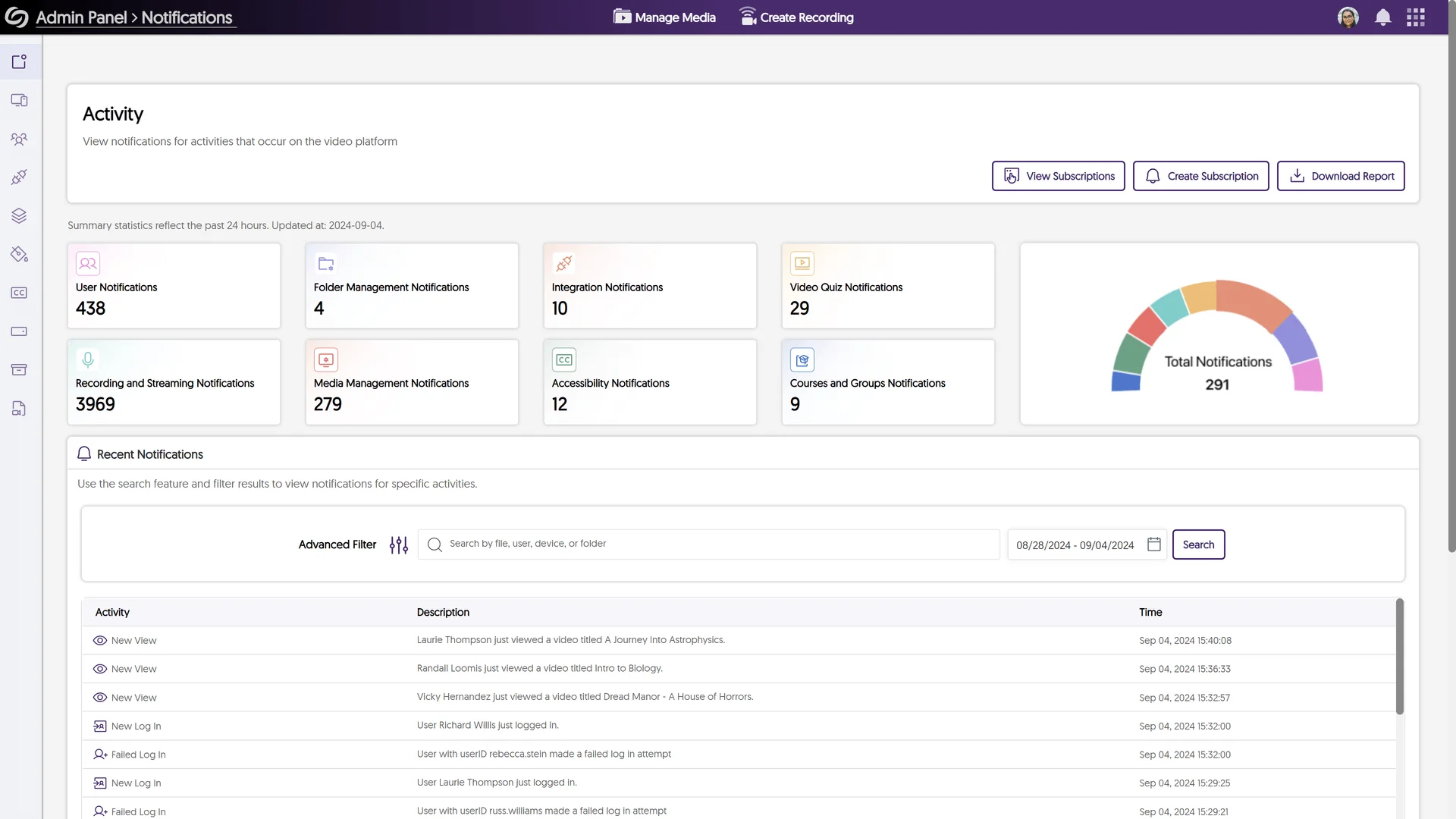
We have successfully pushed an update to all YuJa Enterprise Video Platform instances residing in the European Union, Australia, the Middle East, Canada, and Asia. The United States geographic zone will be updated later this week. The highlights for this update include a brand new Browser Capture Studio UI with auto-upload, a redesigned user report, faster Grade Book’s result visualization, the option to view detailed responses of a participant or quiz question, filter Usage & Analytic reports by dates, and more.
Brand New Browser Capture Studio UI With Auto-Upload Capabilities
We’ve modernized the Browser Capture interface to streamline your recording process by including the following:
An updated control bar: We’ve replaced the recording control panel with a control bar featuring a modernized design, intuitive navigation buttons, and clearly labeled controls.
Enhanced recording experience with full-screen capture: Record in full-screen mode while simultaneously sharing both your screen and video, replacing the previous side-by-side view.
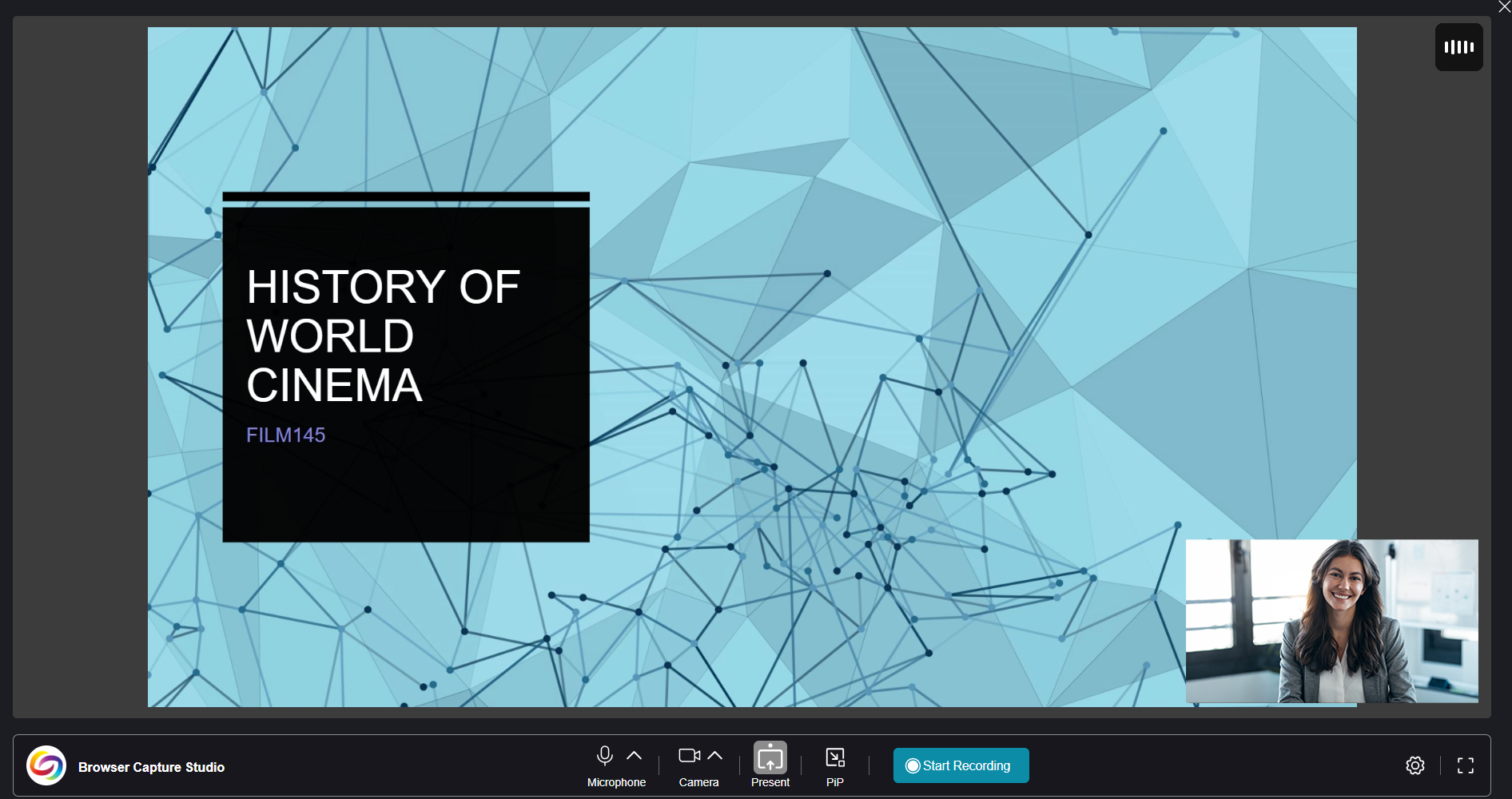
New Picture-in-Picture mode: View your current recording in a floating window that stays visible while you browse other web pages.
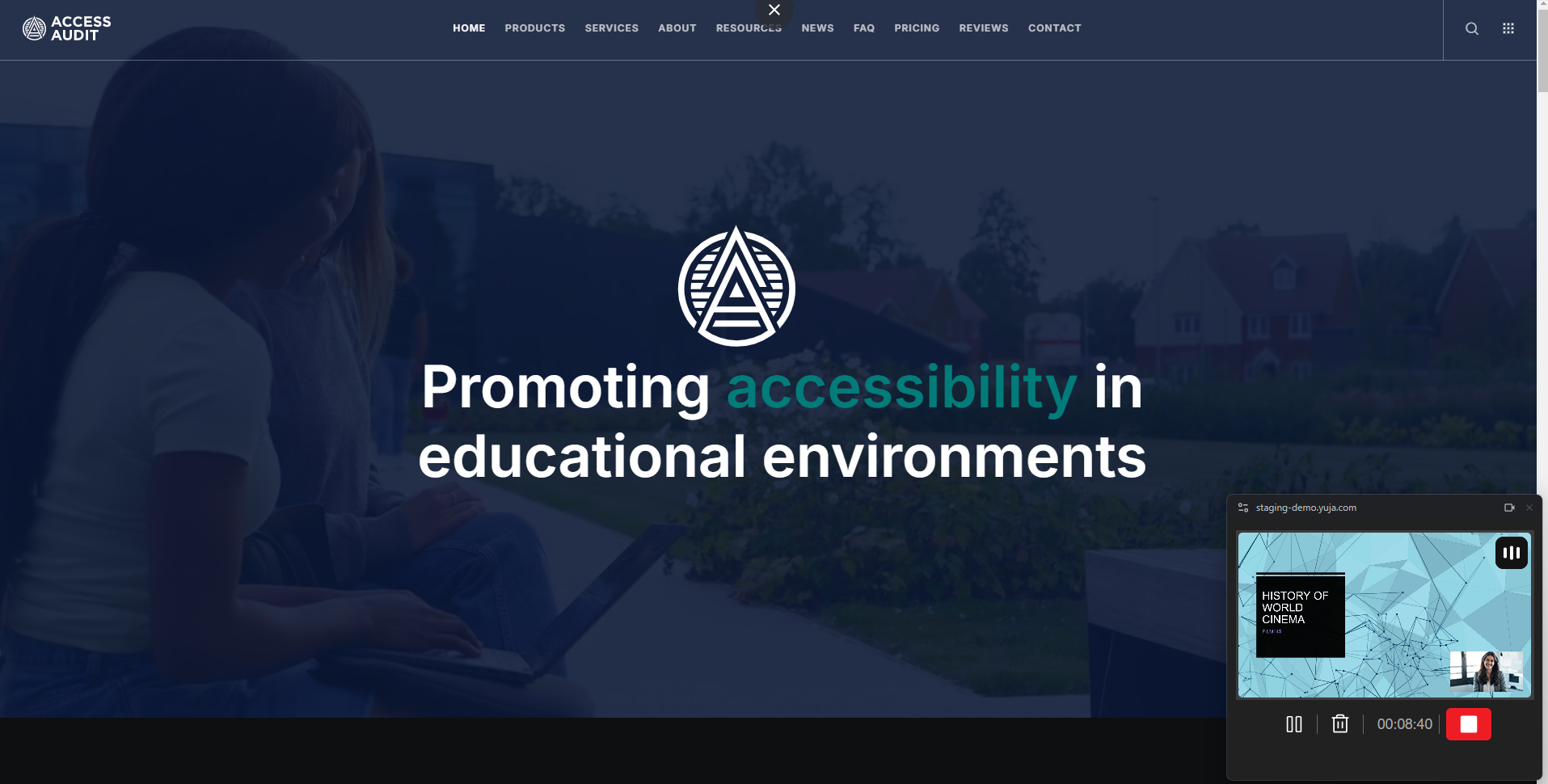
Clear countdown displayed before recording: A 3-second countdown timer is now displayed to help you prepare before recording starts.

Automatically upload recordings: Your recording will now be automatically uploaded to My Media folder to prevent the loss of your video content.

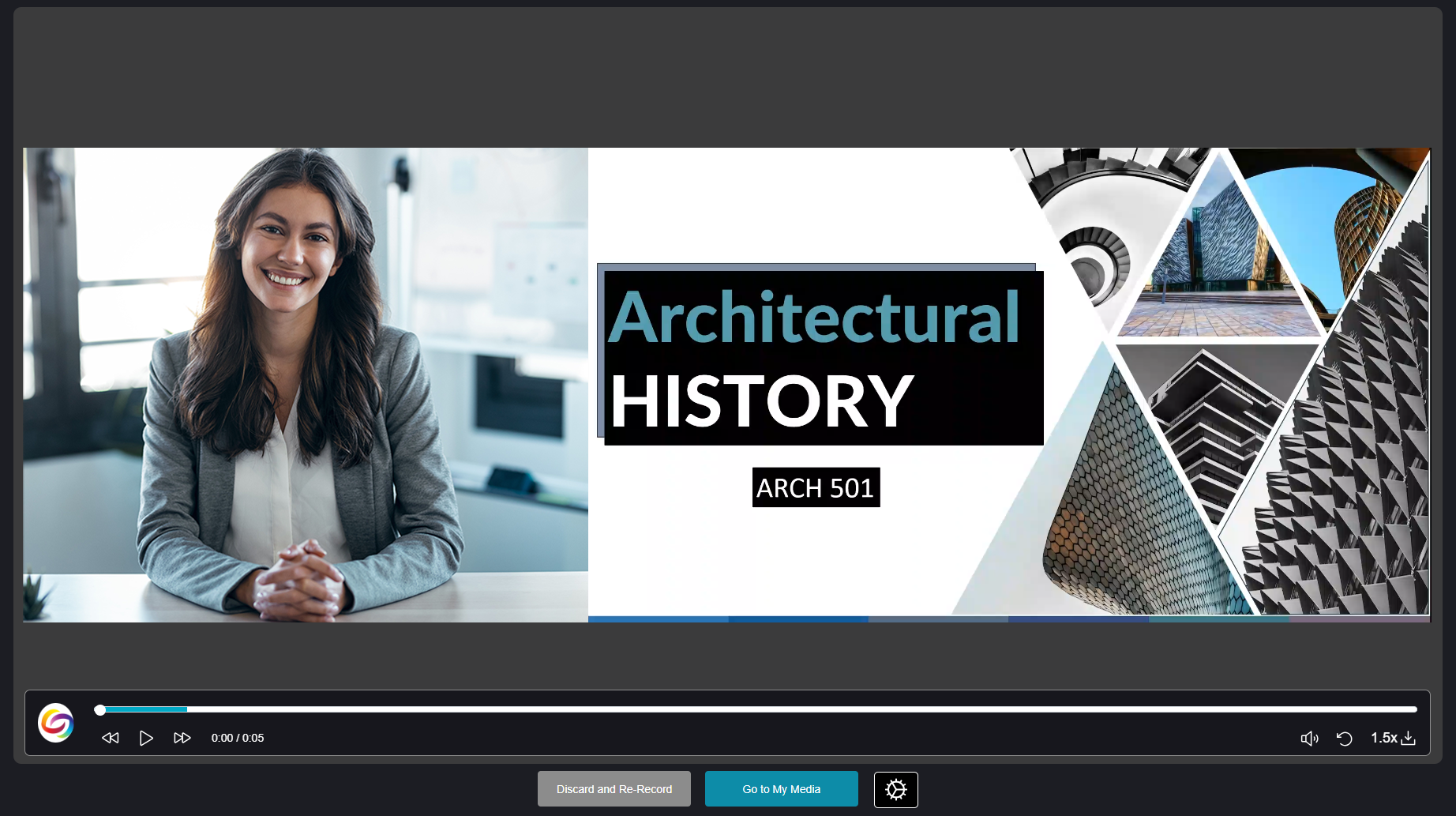
Streamlined post-recording workflow: After recording, you can now preview your video and update its title, save location, and publish location simply by clicking the Gear icon.
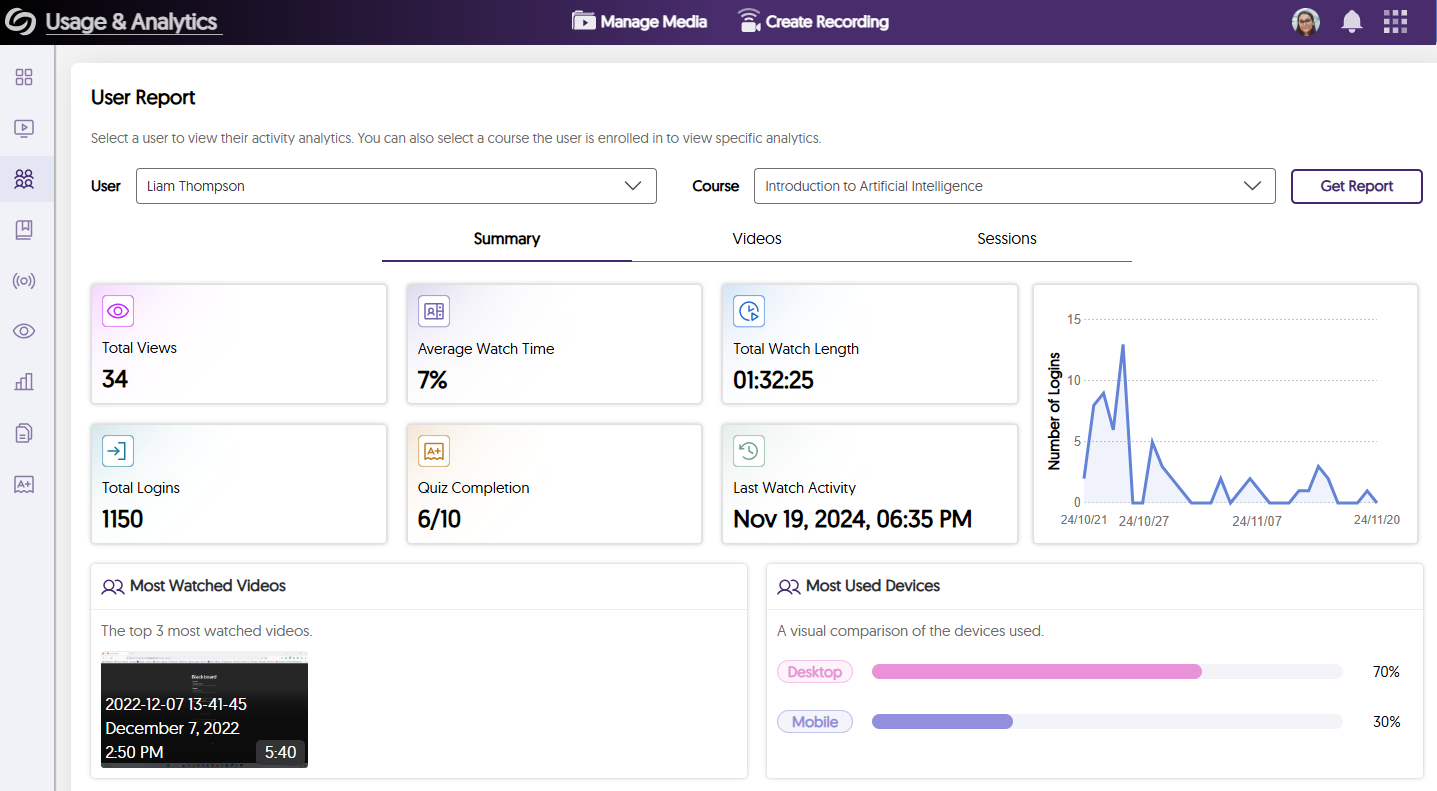
Redesigned User Report Within Usage & Analytics
We’ve modernized our User Report with a unified, more engaging interface. Key highlights of this improvement include:
Improved Grade Book’s Result Visualization for Fast and Accurate Grading
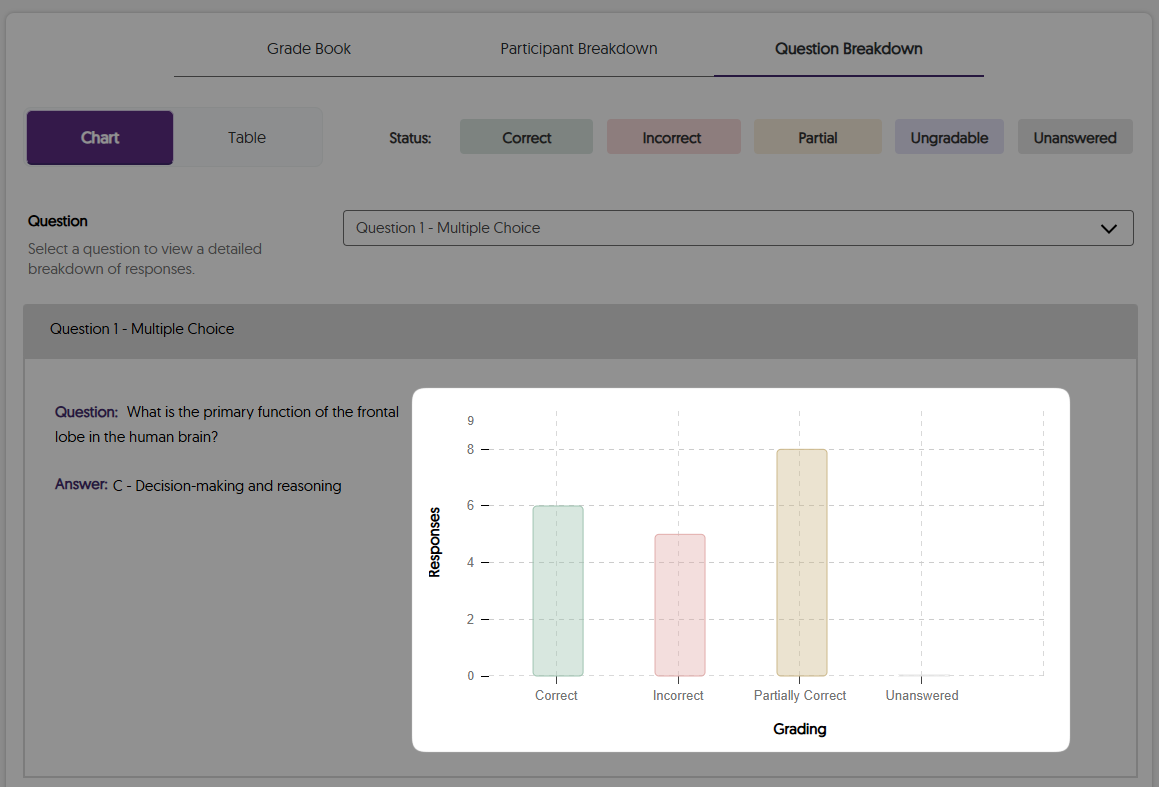
We’ve redesigned the Grade Book’s result visualization for quick overviews and more efficient grading, including:
Color-coded answer statuses with easily identifiable icons for at a glance quiz results.

Introduced new answer statuses: Ungradable and Unanswered, for more accurate responses.

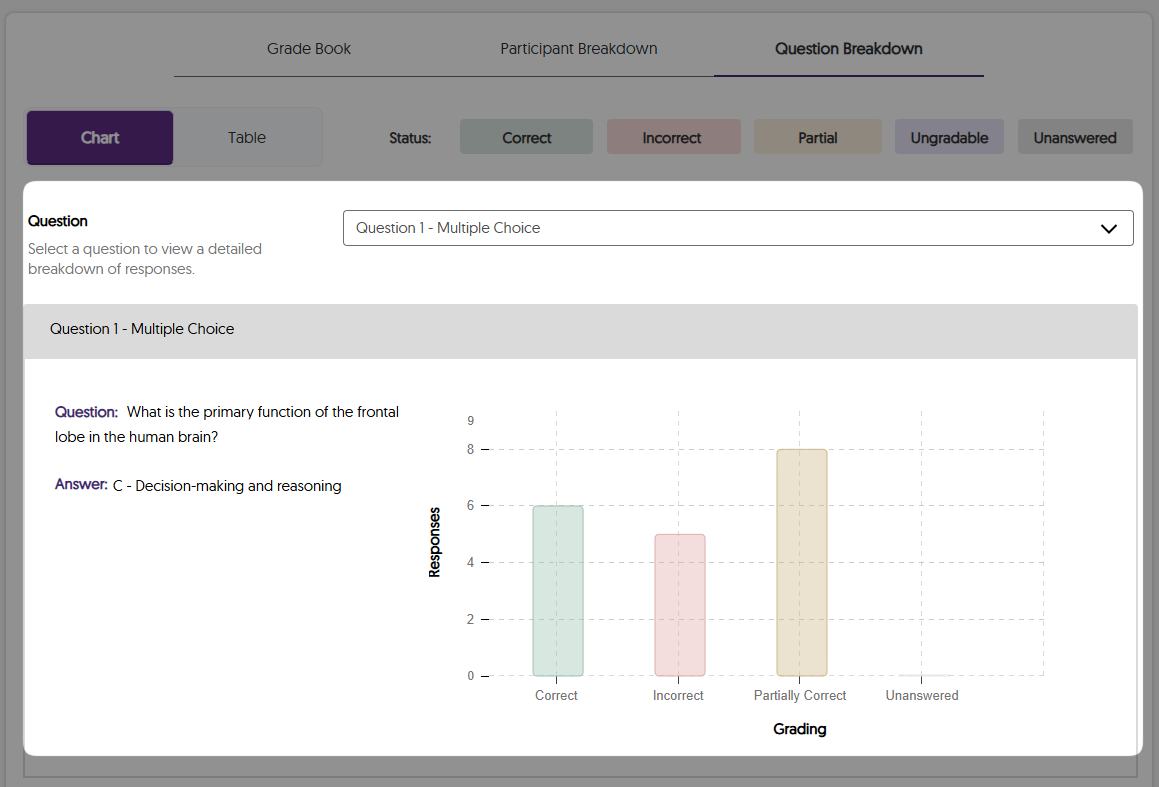
Modernized bar charts with clearer visualizations of performance on each question.
Access Detailed Performance Insights for a Specific Participant or Quiz Question
We’ve introduced new search and sort options in the Grade Book to help you view detailed responses from a specific participant or quiz question. You can now:
Search quiz results by participant or quiz question in the Grade Book for more focused insights.

Sort participants’ attempts by highest score, most recent, or first attempt to quickly find the quiz result that matches your criteria.

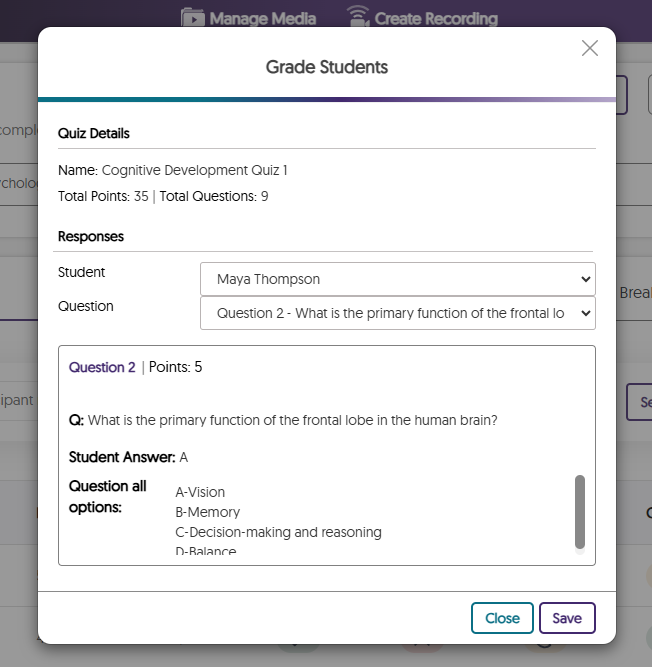
View detailed responses from a specific participant for all question types instead of being limited to short answer questions.
View detailed question information when reviewing results, including the question, its correct answer, and the distribution of attempts.
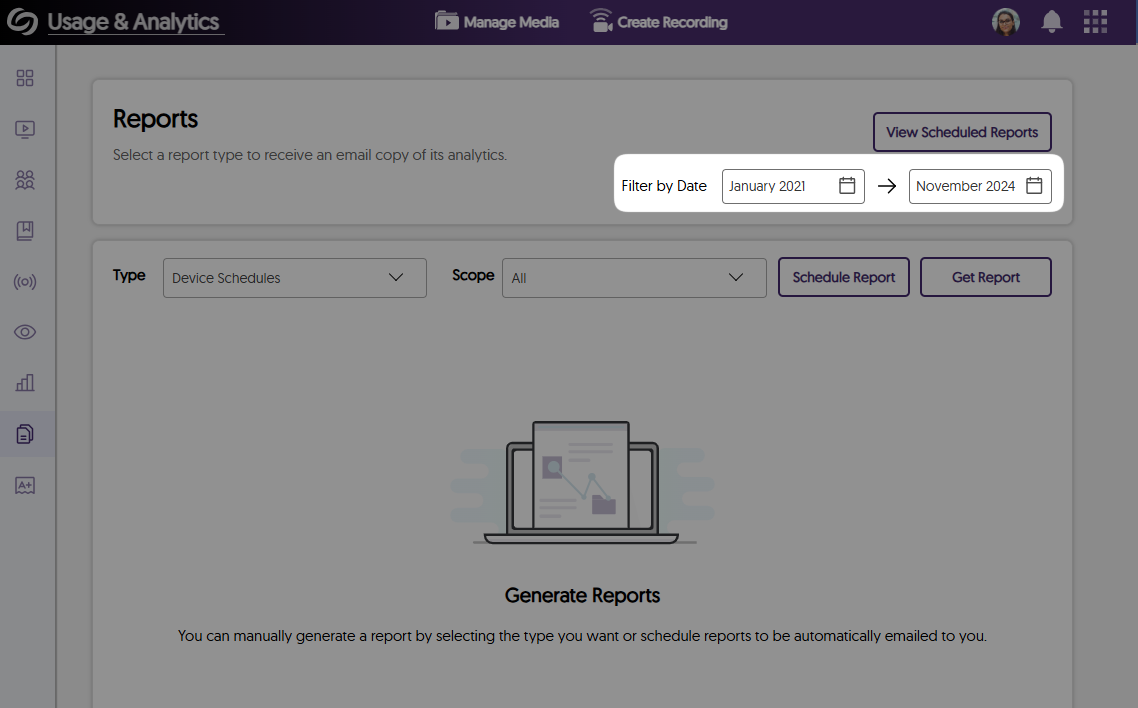
Filter Usage & Analytic Reports by Dates
Previously, Usage & Analytics Reports were limited to a maximum 12-month period. Now, you can filter reports by date, allowing you to customize the duration and track analytics over multiple years.
As an Epiphan and Extron devices user, you can now access direct links and embed codes for scheduled live sessions in your Hub devices’ session calendar, allowing you to easily share the session details with participants.

Add Shared Media Files to Your New or Existing Playlists
If you have edit access to shared media files in your Media Library, you can now add them to your existing or new playlists from the Shared With Me folders, making it easier to access these videos. If you’re an administrator, you can also add media files from the Enterprise Tube or User Collections to your playlists.
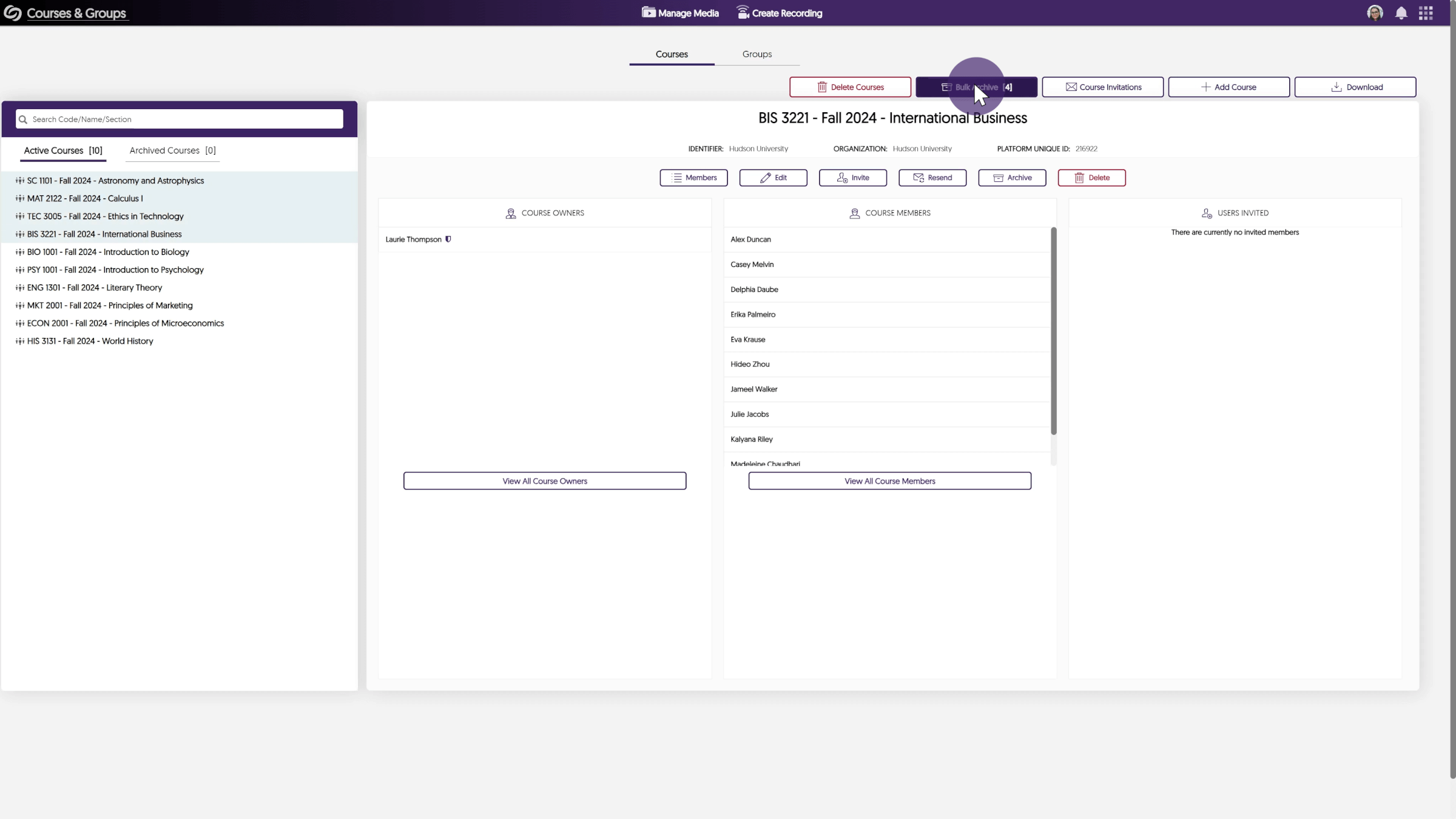
New User Interface to Streamline the Course Invitation Workflow and Review Invitee List
After adding users to your course, you can now review and sort the invitee list by name or email to ensure everyone is included. Invited users will receive notifications in both the Video Platform’s notification panel and their email, directing them to the Course Invitation page to review requests.

Newly Designed Course Invitation Pop-Up Window
We’ve redesigned the course invitation pop-up window that appears when users log in to the Video Platform to be more aligned with our branding by updating its colors and icons.

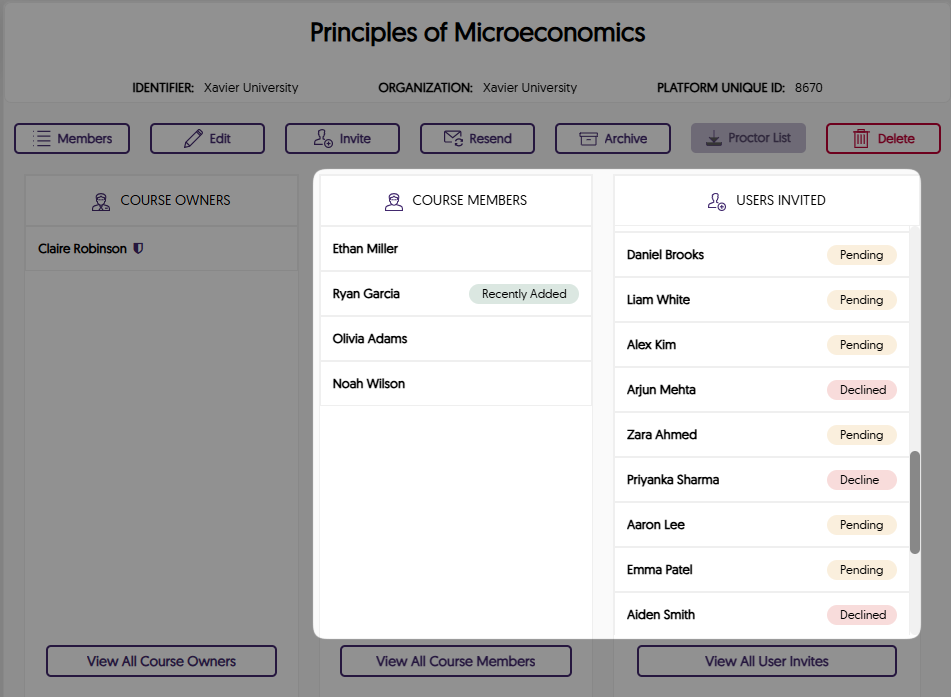
New Status Labels to Track Invitation Acceptance of Invited Users
You can now check the acceptance status of course invitations for invited users directly on the Courses & Groups page.
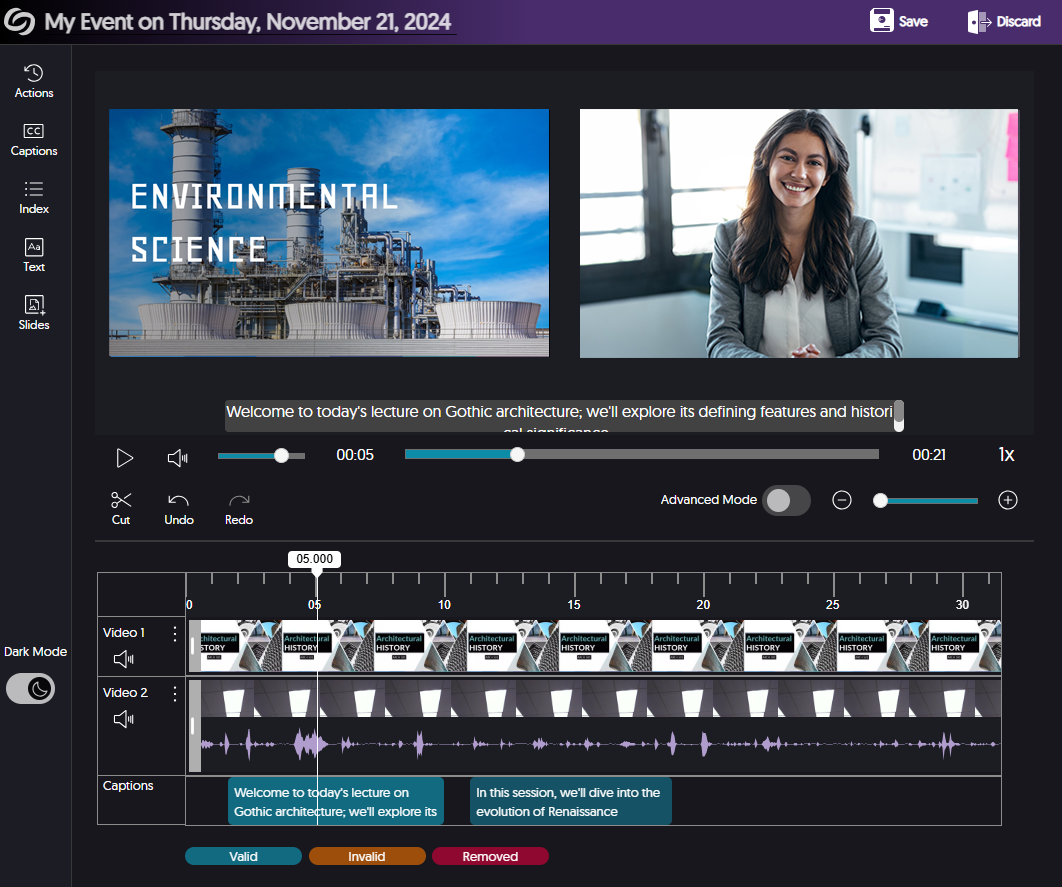
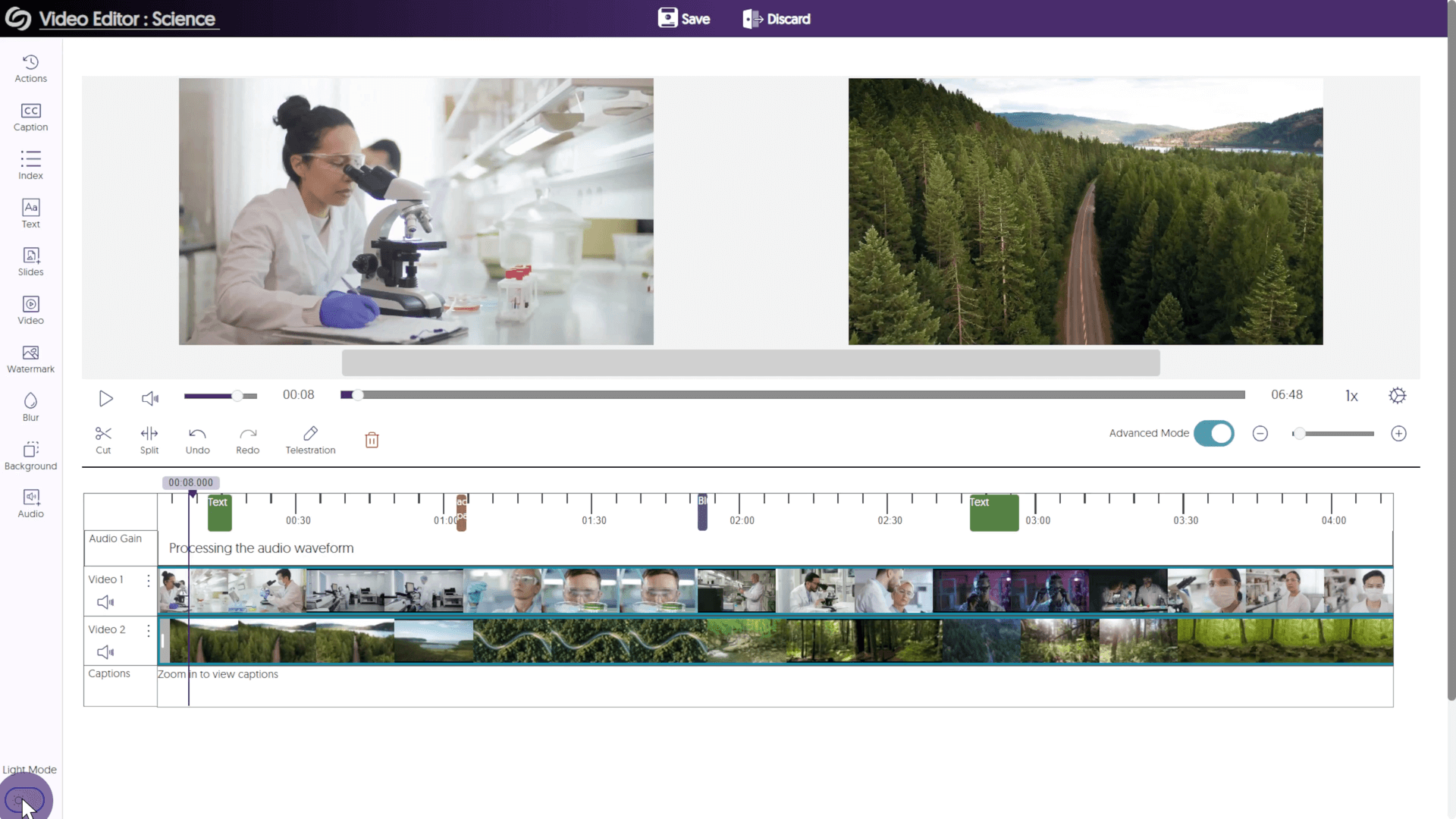
Improved Responsiveness of Video Editor With Different Screen Sizes
We’ve enhanced the responsiveness of the editing timeline, along with various buttons in the Video Editor, ensuring a consistent editing experience across devices and screen sizes.
Streamlined Folder Navigation in Media Library for Single-Click File Access
We’ve updated folder navigation in the Media Library to allow single-click access and provide clearer hover indicators for additional actions, allowing faster access to your desired media file.

Refined Tooltips for Media Player Control Bar
We’ve refined the tooltips for the buttons on the Media Player control bar by providing clearer explanations when hovering over them, ensuring new Content-Creators are aware of the available features.

Upgraded Enterprise Tube Page with Enhanced User Interface
We’ve improved the Enterprise Tube home page with an improved user interface for a consistent browsing experience. The updates include:

 That’s all I have… for now. Until we meet again, I hope you enjoy using the Enterprise Video Platform. For more exciting news and updates, subscribe to our newsletter, and stay tuned for more amazing new releases coming soon.
For a full list of features, please visit the YuJa Enterprise Video Platform Update – October 2024.
That’s all I have… for now. Until we meet again, I hope you enjoy using the Enterprise Video Platform. For more exciting news and updates, subscribe to our newsletter, and stay tuned for more amazing new releases coming soon.
For a full list of features, please visit the YuJa Enterprise Video Platform Update – October 2024.



 We’ll, it’s been a slice. Thanks for taking time out of your day to listen to me ramble. I hope I was an adequate distraction. As always, I hope you enjoy using the YuJa Enterprise Video Platform. For more exciting news and updates, subscribe to our newsletter and YouTube channel, and stay tuned for more amazing new releases coming soon.
For a full list of features, please visit the YuJa Enterprise Video Platform – September 2024 Update.
We’ll, it’s been a slice. Thanks for taking time out of your day to listen to me ramble. I hope I was an adequate distraction. As always, I hope you enjoy using the YuJa Enterprise Video Platform. For more exciting news and updates, subscribe to our newsletter and YouTube channel, and stay tuned for more amazing new releases coming soon.
For a full list of features, please visit the YuJa Enterprise Video Platform – September 2024 Update.
Join the 1,000+ Organizations Deploying High-Impact Solutions