Product Updates

Get the latest platform updates, features, and announcements—all in one place.

Help Shape What's Next

Join discussions, request features, and vote on ideas.

Join Community

Built With Passion

Learn about the people behind YuJa.

About Us

Trial Program

We offer an opportunity to try our products.

Request a Demo
  • January 20, 2024

    YuJa Accessibility AutoPilot Add-On Platform Update – January 2024

    We have successfully pushed a new tool for all YuJa Panorama Digital Accessibility Platforms residing in the United States, Canada, European Union, and Australia.
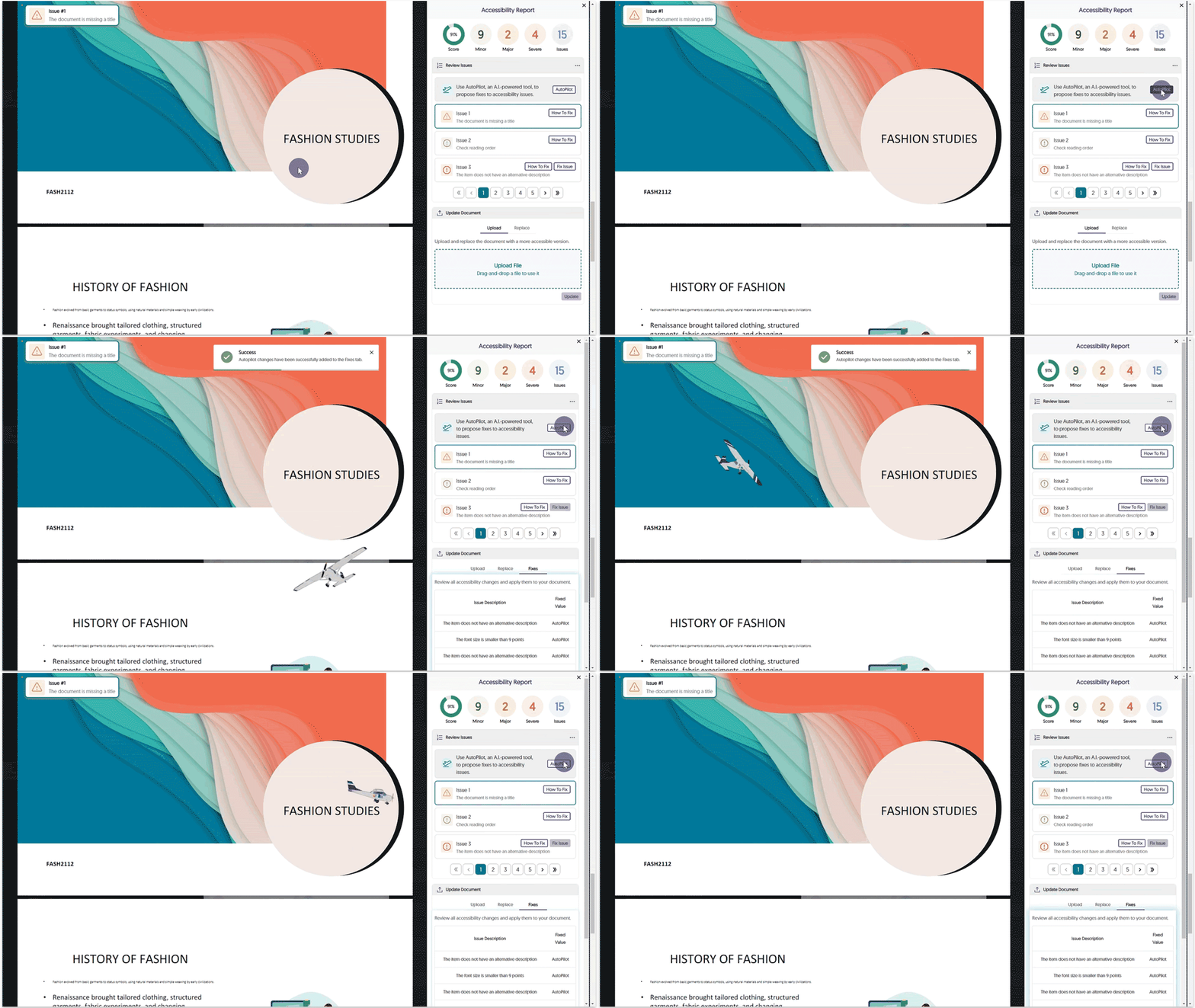
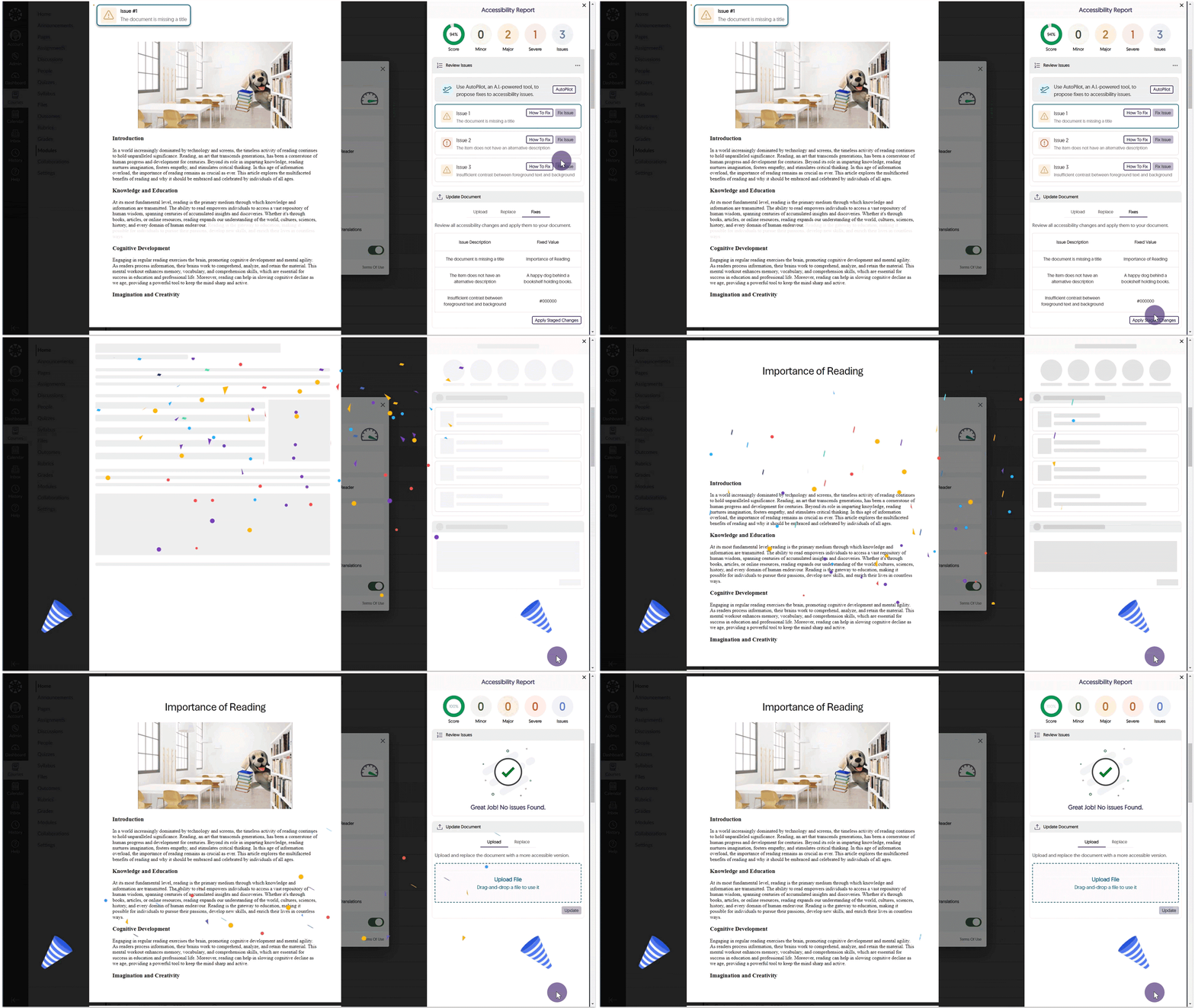
    1. New Tool! AutoPilot: AI-Powered Tool to Propose Accessibility Fixes We’re introducing an industry-first feature by launching AutoPilot, an AI-powered tool that automatically proposes document accessibility fixes for PDF, DOCX, PPTX, and HTML files. With just one click, AutoPilot users can send proposed fixes to the Remediation Engine, which will automatically remediate the document. In the future, AutoPilot will propose fixes for other issue types, as well as broaden the scope to Course and the full LMS. AutoPilot will currently propose fixes for the following issue types:
      • Font size
      • Color contrast
      • Missing alt-text
      The AutoPilot button is selected and proposed fixes are automatically applied.
  • January 20, 2024

    YuJa Structural Remediation Max Add-On Platform Update – January 2024

    We have successfully pushed a new tool for all YuJa Panorama Digital Accessibility Platforms residing in the United States, Canada, European Union, and Australia.
    1. New Tool! PDF Remediation MAX Engine: A Premium Engine Available to Customers with Deeper PDF Remediation Workflows A new PDF Remediation MAX Engine powers a new class of PDF remediation that enables users to address more complex PDF-related accessibility issues directly within the LMS, including contrast, font size adjustments, provision of alternative text for images, and more. As always, the Standard PDF Accessibility Engine is available to institutions.Issues within a PDF document are automatically remediated.
  • January 19, 2024

    YuJa Enterprise Video Platform Update – “Banyan” Released to CAN, AU and EU Zones

    We have successfully pushed an update to all Enterprise Video Platform instances residing in Canada, Australia, and the European Union. The highlights for this update include the option to update Software Capture remotely, rewind live streams, establish custom transcoding profiles, new thumbnails for file types, preview slides and watermarks in the Video Editor, new IMS Caliper Analytics support, live stream placeholders, publish Software Capture recordings to EnterpriseTube and CampusTube folders, and so much more.
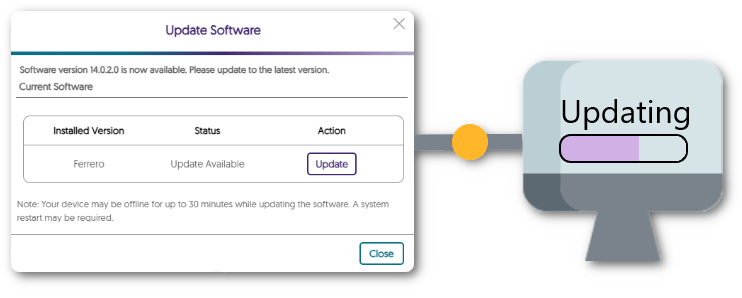
    1. New Fleet Management Capability – Update Software Capture Versions Remotely Adding to our fleet management capabilities, Administrators can click a button on the Admin Panel’s Devices tab to remotely deploy the latest Software Capture version to a classroom computer (requires upcoming Software Capture Version 14.1). Update modal for software capture showing an update is available for download.
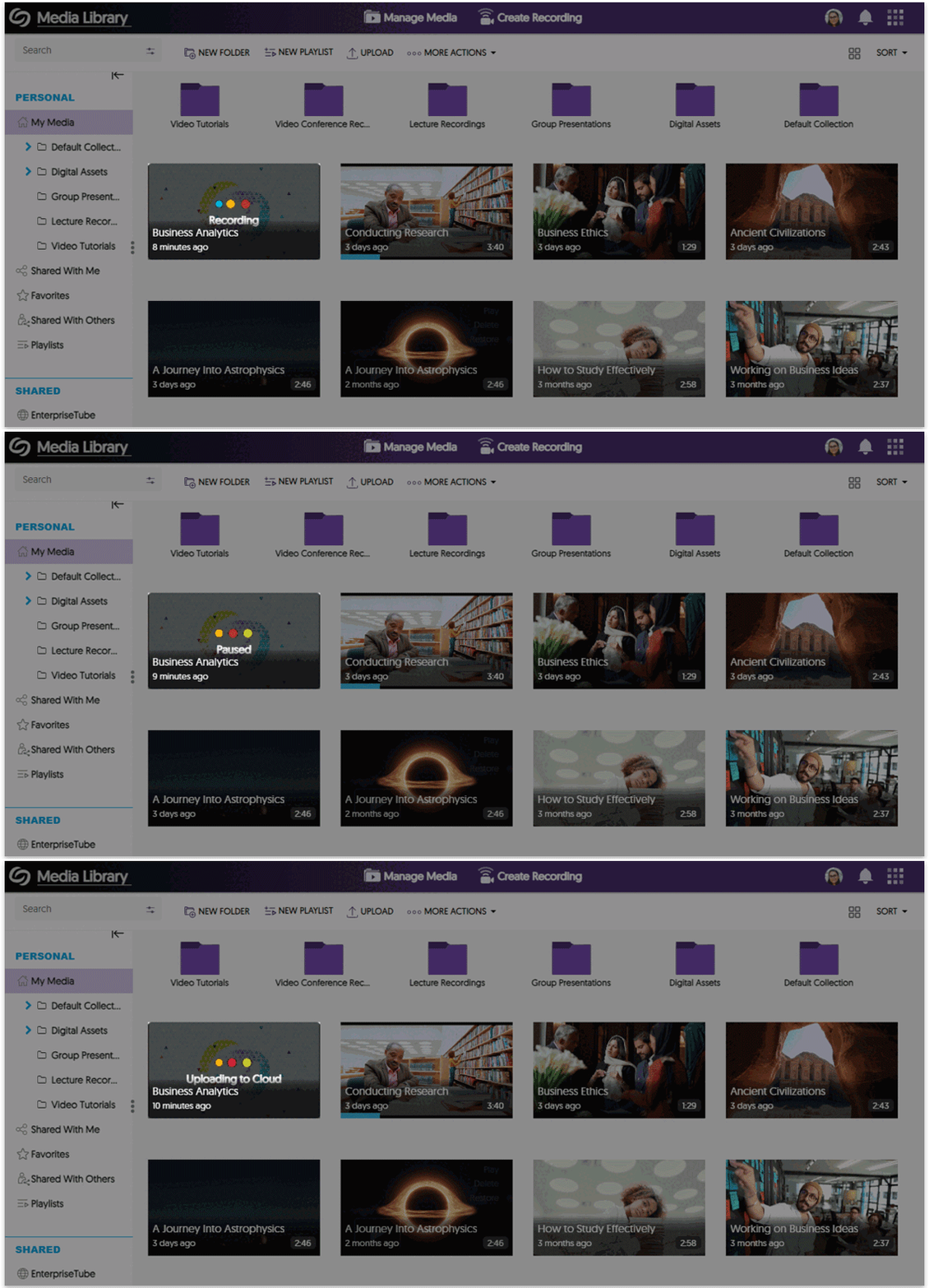
    2. My Media Now Shows Real-Time Recording Status Updates for Active Software Captures To accurately reflect the status of a Software Capture session in real-time, we have introduced new placeholder states, such as Recording, Paused, and Uploading to Cloud. We have a few more state to add in an upcoming release such as Upload Failed and Upload Stalled when the classroom or user’s computer is switched off.Thumbnail for Software Capture session updates from recording, paused, to then uploading.
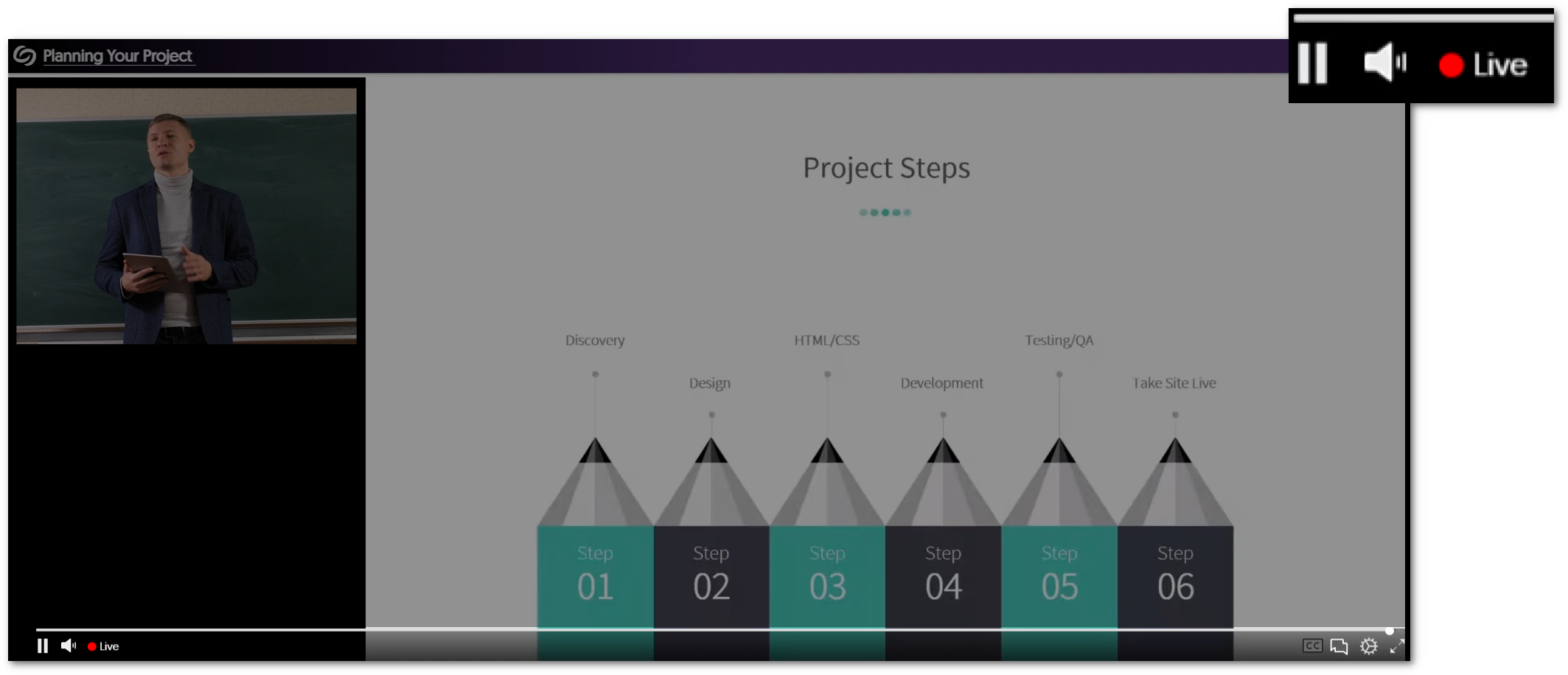
    3. Rewind a Live Stream with a Refreshed Live-Stream Media Player with Integrated DVR-Style Rewind Controls We are introducing a refreshed Live Stream Media Player interface with new capabilities to rewind live streams and then jump to live at the click of a button. We also refreshed the iconography, scrubber bar, and player controls, with more to come in upcoming releases. A view of the new icons for the live stream player.
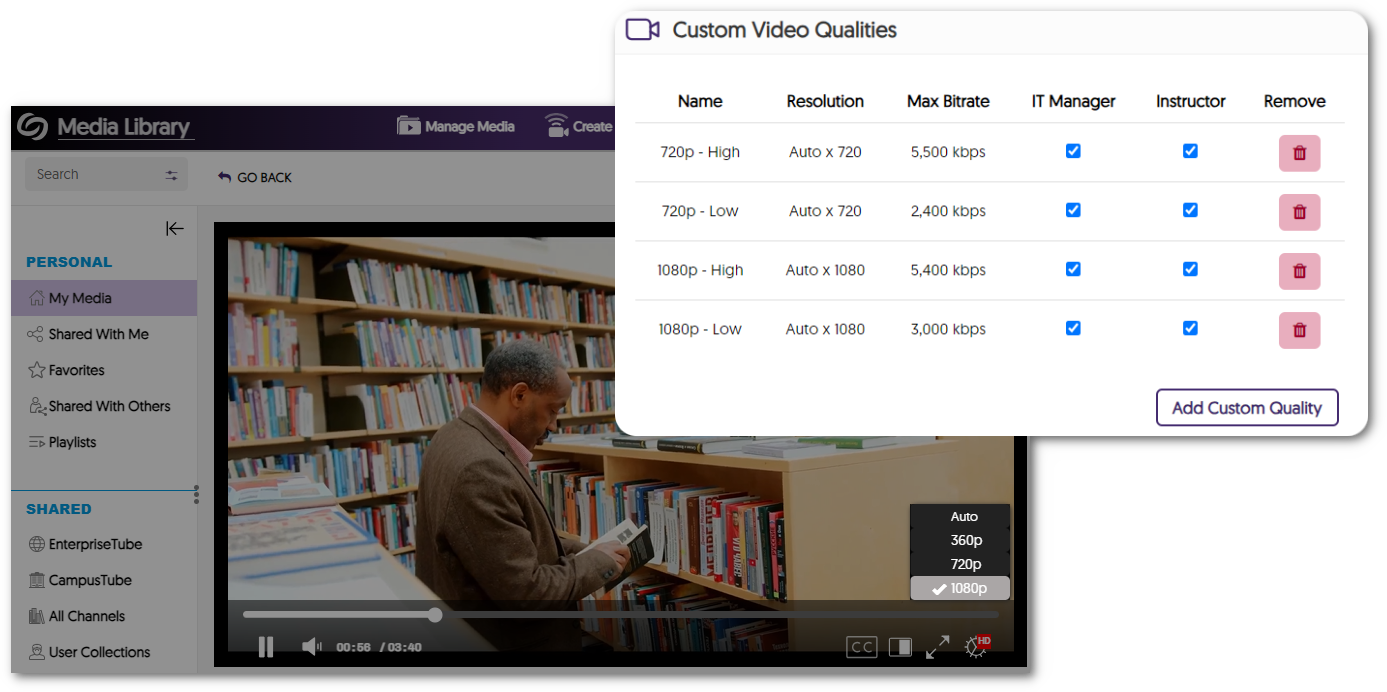
    4. Establish Custom Transcoding Profiles to Encode a Video with a Specific Resolution and Bitrate Administrators can create a customized Transcoding Profile that Content Creators can subsequently apply to their videos. a table showcasing custom video qualities that have been added.
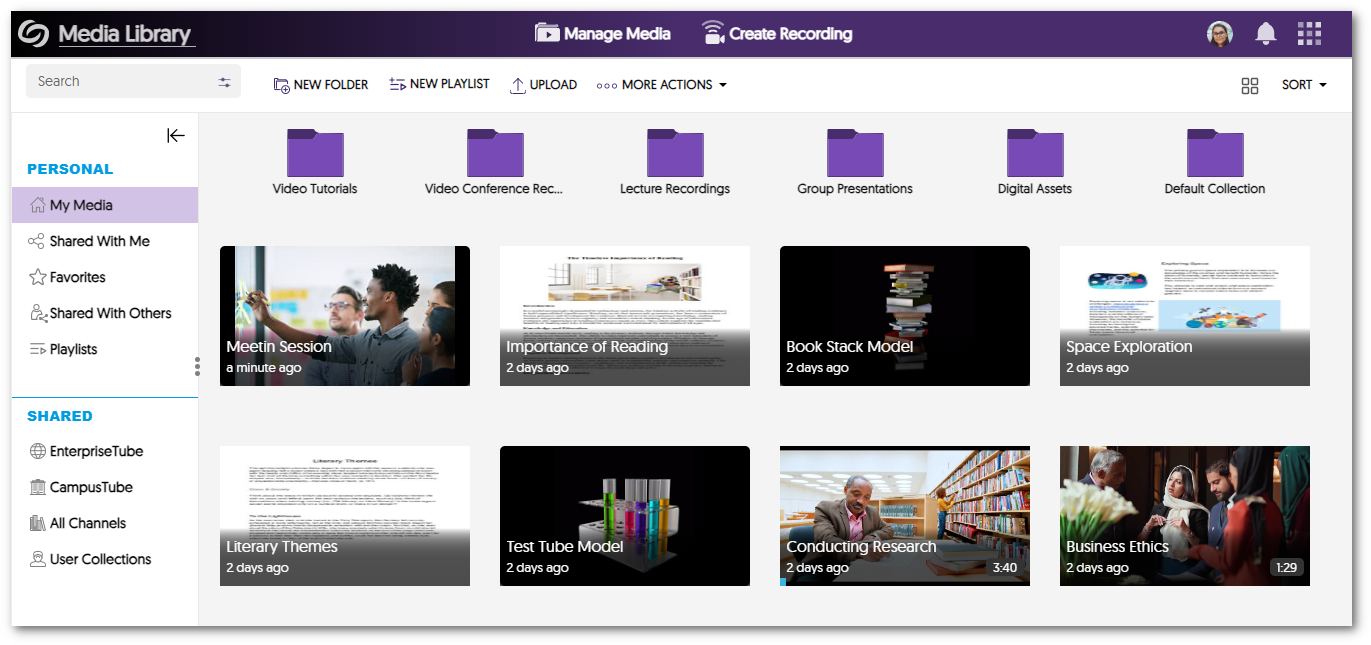
    5. New Digital Asset Management Capabilities with Auto-Generated Thumbnails for a Variety of File Types We now support auto-generating preview thumbnails for various new file types, such as TIFF, NEF, RAW, EPS, SVG, PDF, and PSD. Media gallery view of various file formats with their thumbnail.
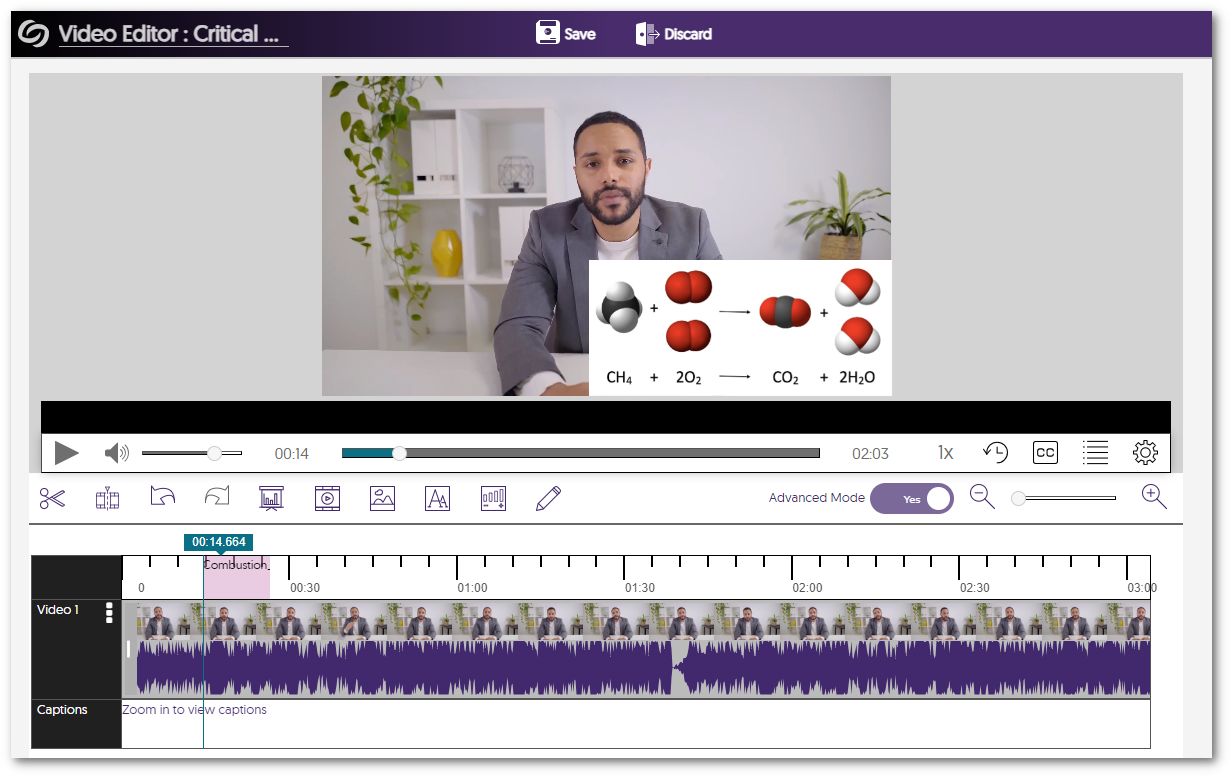
    6. Video Editor Now Offers the Ability to Preview Slides, Watermarks, and Overlay Changes Content Creators can now preview their watermarks, slides, and overlay edits within the Video Editor without having to save their videos. The Video Editor shows a preview of an image inserted.
    7. New IMS Caliper Analytics Support – In-Depth Integration of Video Viewership Data We have integrated additional data with our third-party Caliper Analytics integration that enables administrators to make more informed decisions about their content. Our analytics now provide information on whether videos were restarted, the points to which the videos were forwarded, and whether captions were enabled. Caliper analytics logo.
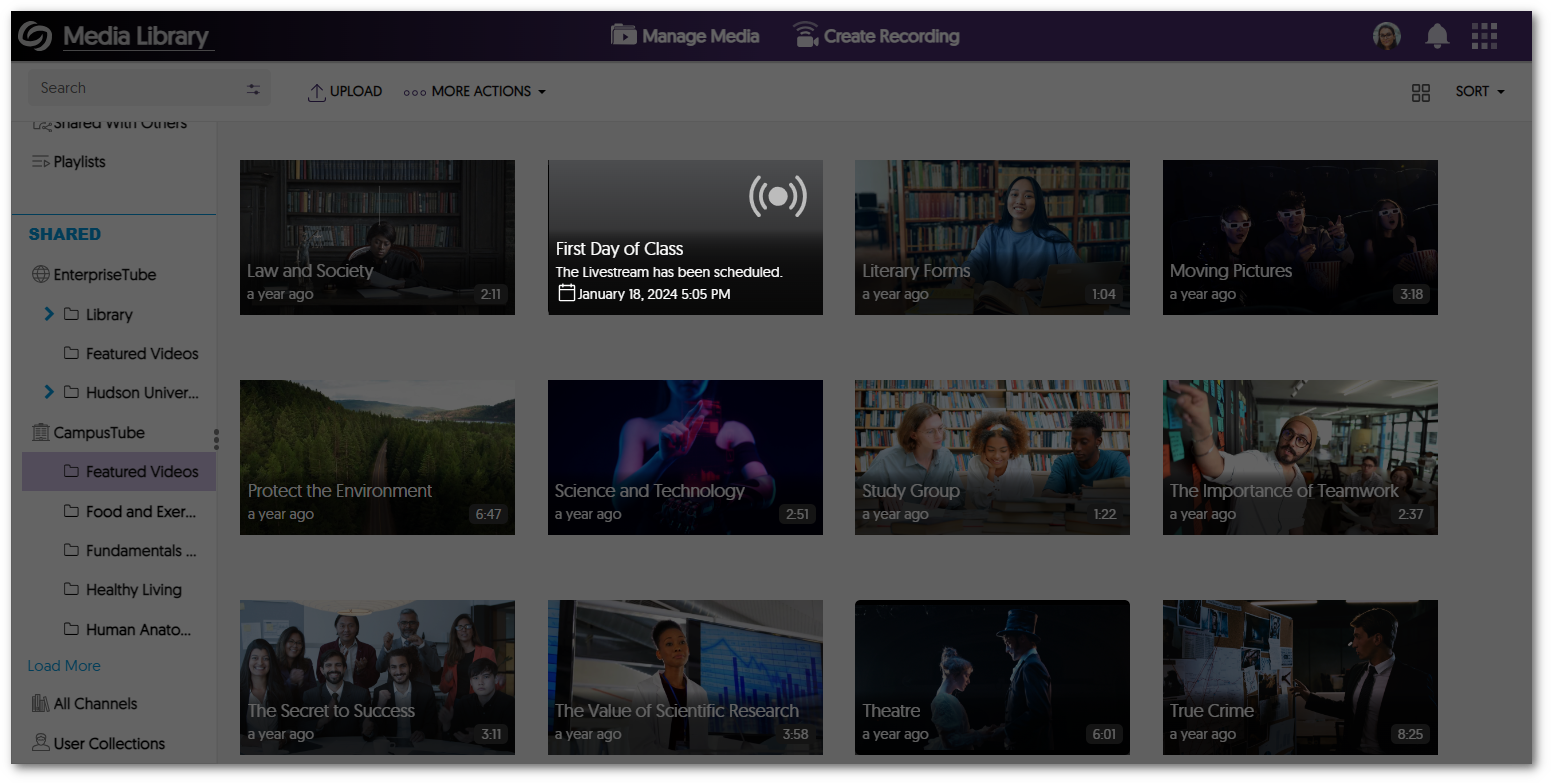
    8. New Live Stream Placeholder for Upcoming Live Streams in Both CampusTube (Shared Folders) and Course Channels Scheduled live streams within the CampusTube (Shared Folders) and Course Channels will have an improved live stream placeholder thumbnail detailing the start date and time of the event. A thumbnail for a scheduled live stream letting the user know when the live stream will occur.
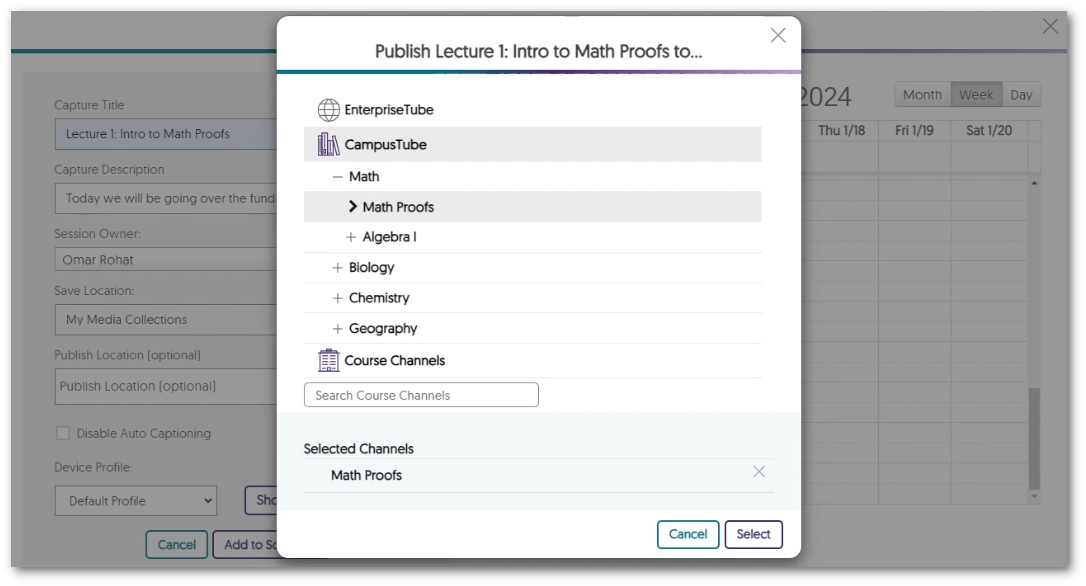
    9. Publish Auto-Scheduled Software Capture Recordings to EnterpriseTube and CampusTube Folders When scheduling Software Capture sessions through the Devices panel, Administrators can publish auto-scheduled recordings directly to EnterpriseTube and CampusTube folders. Option to select a folder from the EnterpriseTube for a software capture recording.
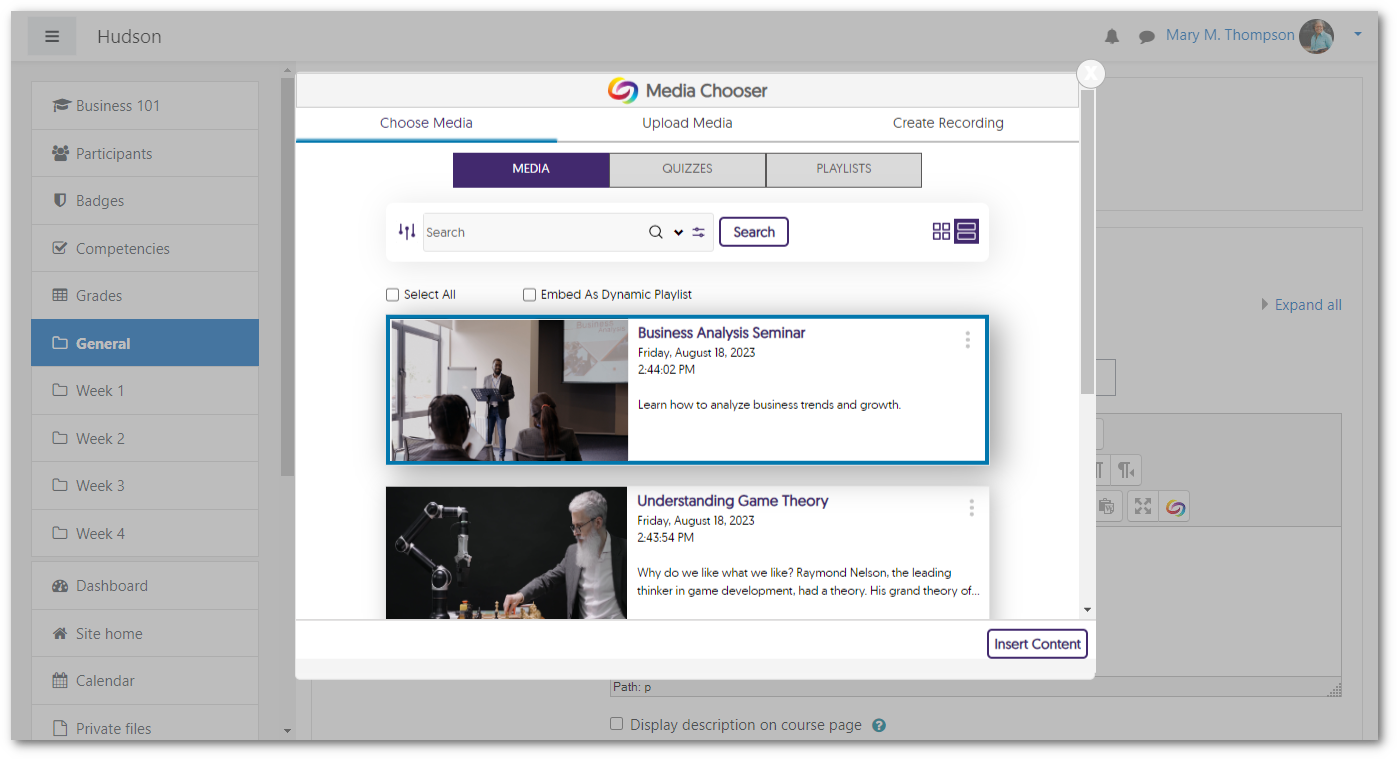
    10. Media Chooser LTI 1.3 Support for Moodle Plugins Our previous release provided an update to support the Media Chooser in the new TinyMCE plugin for Moodle version 4.1 and up, using LTI 1.1. In this release, for Moodle 4.1 and up, we have added LTI 1.3 support for the Media Chooser in the new TinyMCE plugin and the Atto and Legacy TinyMCE plugins. We highly recommend upgrading your Moodle plugins to take advantage of the new capabilities. The Media Chooser is shown inside of Moodle.
    11. Use JavaScript to Control the YuJa Media Player For web designers looking to create enhanced video experiences, we have introduced a new API that enables the creation of custom JavaScript to control various functions, including starting, pausing, resuming, showing/hiding captions, adjusting volume, and skipping to a specified time. Additionally, certain events can be tracked with custom JavaScript to provide information on how viewers interact with the media player.
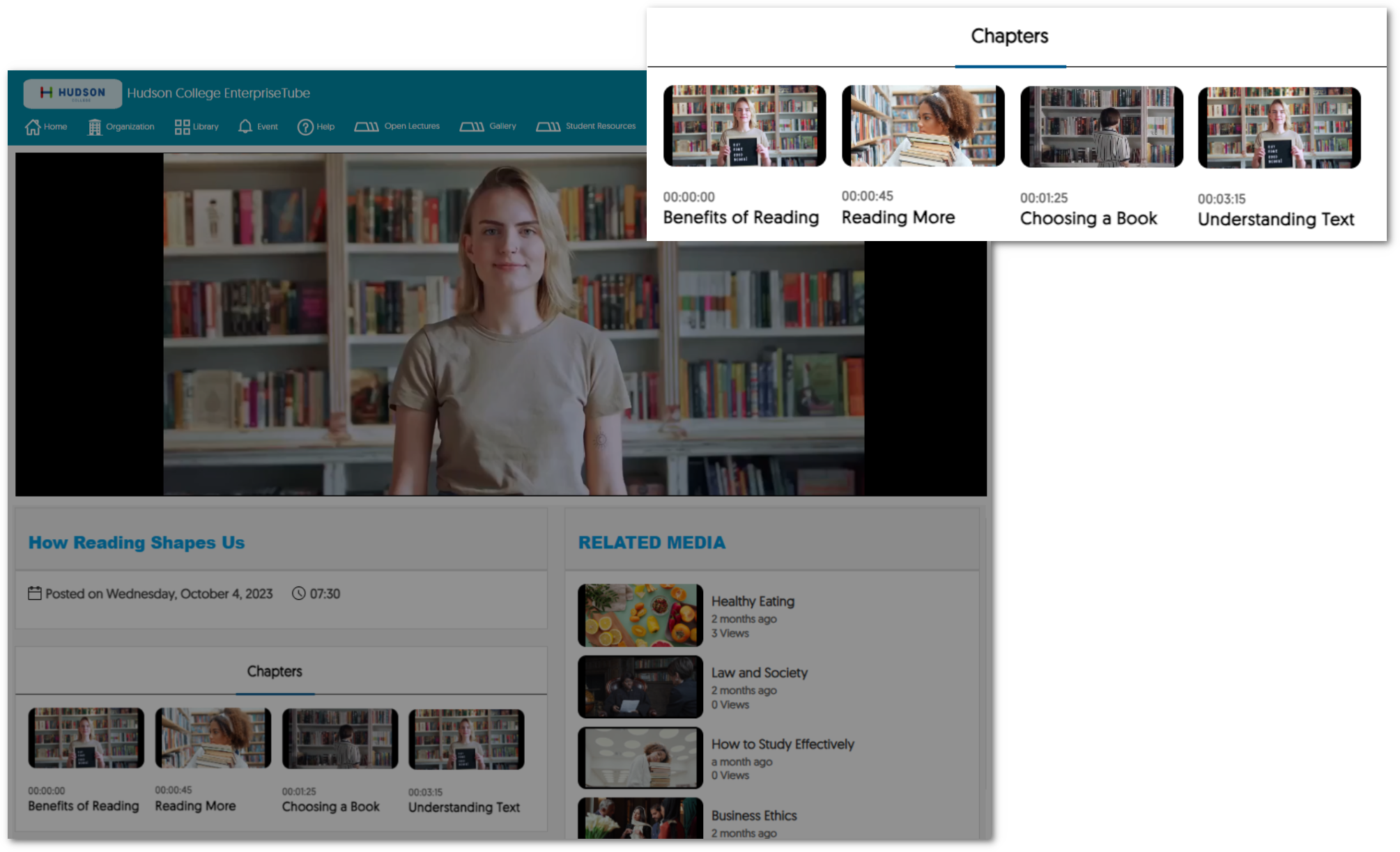
    12. AI-Generated Video Chapters Are Now Available to Unauthenticated Viewers Viewers watching content within an institution’s EnterpriseTube can now view AI-generated Video Chapters, allowing them to select key moments of impact within the recording. Previously this was only available to authenticated users. Video Chapters are shown within an institution's EnterpriseTube channel.
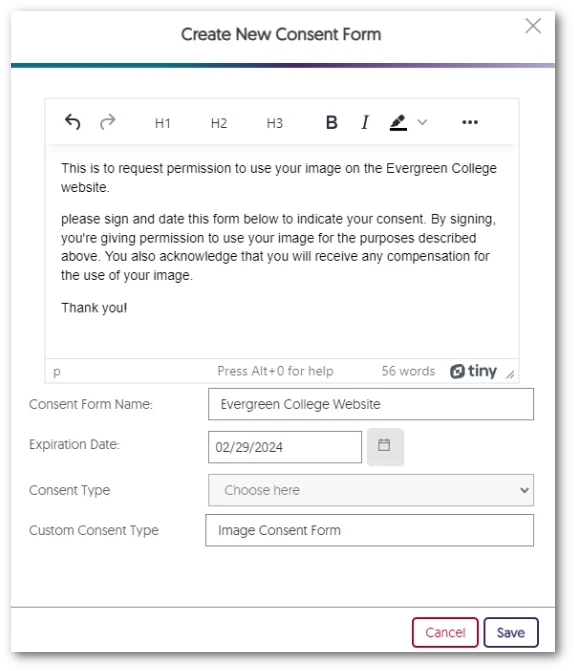
    13. Admins Can Create Digital Consent Forms Within the New Text Editor Administrators now have the option to create consent forms directly within the Video Platform instead of uploading a PDF form. A text editor that allow users to write create their consent forms.
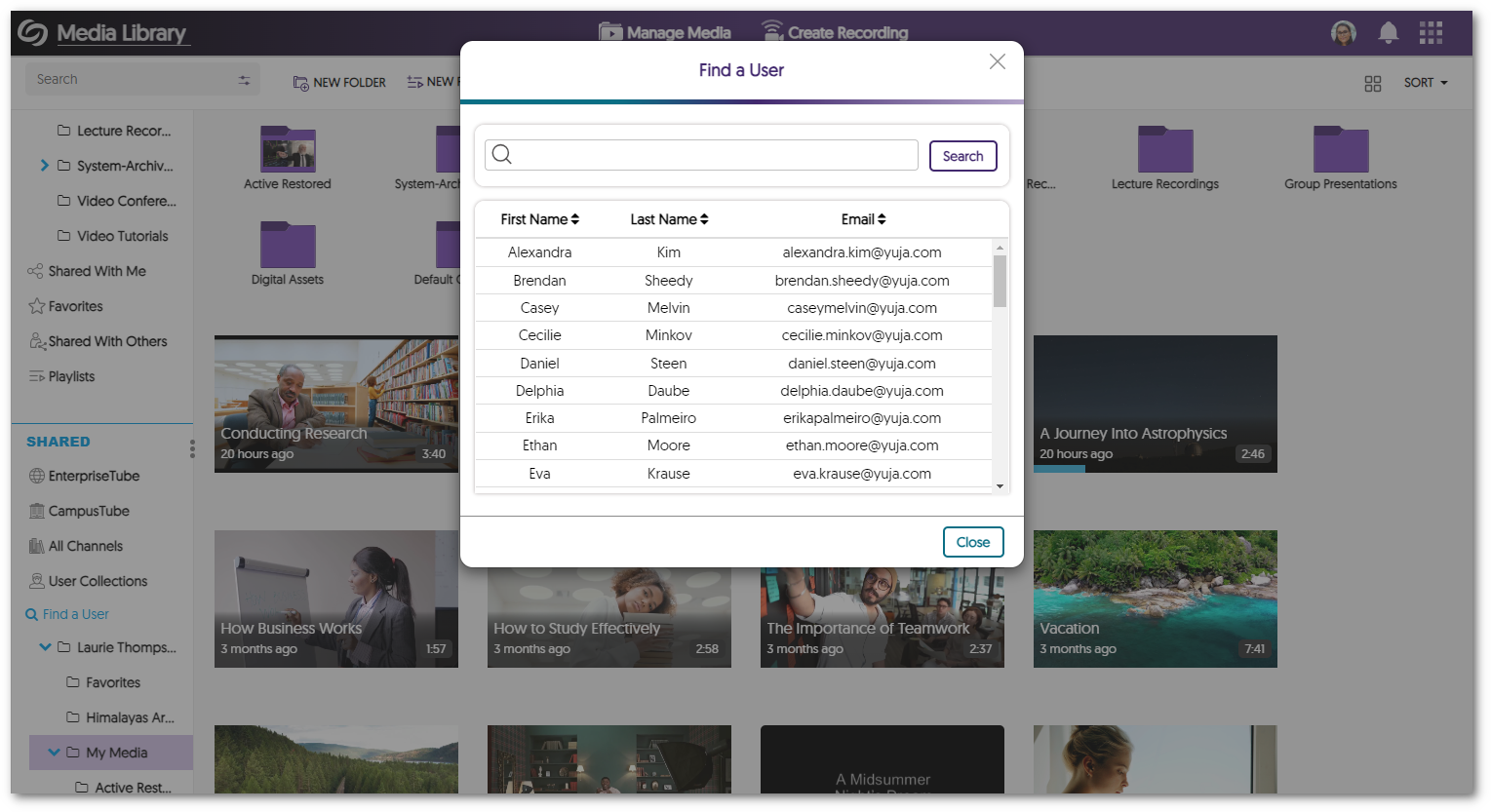
    14. Enhanced Search Modal for Find a User We have enhanced the search modal for Find a User by providing a searchable table list view of users and their associated email addresses. A user search modal within the Video Platform.
    15. New APIs for Scheduling and Content Management We have added new APIs to schedule and manage content. To learn how to use these and any of our other APIs, please visit our API Support guide.
      • Hub Live Streaming: Schedule a live-stream session through the Hardware Hub.
      • EnterpriseTube and CampusTube Content Management: Publish and unpublish content within EnterpriseTube and CampusTube folders. 
      • Manual Start for the Hardware Hub: Hardware Hub sessions can now be scheduled with a manual start option.
  • January 19, 2024

    YuJa Himalayas Data Archiving Platform Update – “Banyan” Released to CAN, AU and EU Zones

    We have successfully pushed an update to all YuJa Himalayas Data Archiving Platform instances residing in Canada, Australia, and the European Union. This update provides the ability for search results to show cold-archived content, minor UI and Accessibility Improvements to the dashboard, and optimizations to the Delete Transcode policy.
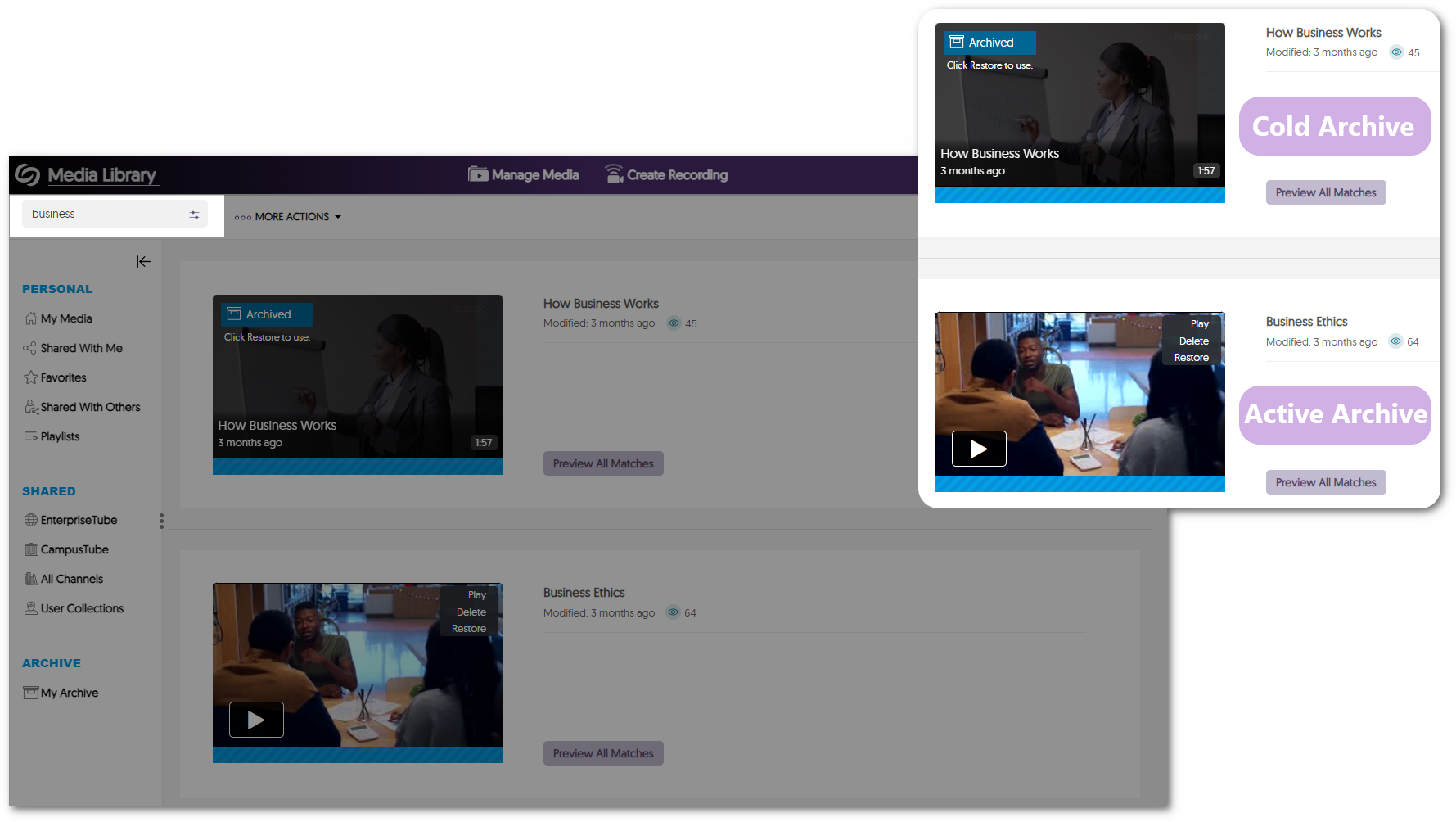
    1. Cold-Archived Content Now Appears in Visual Search Results The Video Platform’s search bar will now show results for Active and Himalayas Cold Archived content. This enables institutions to seamlessly find content across storage tiers with a single search. Search results are shown for cold and active archived content.
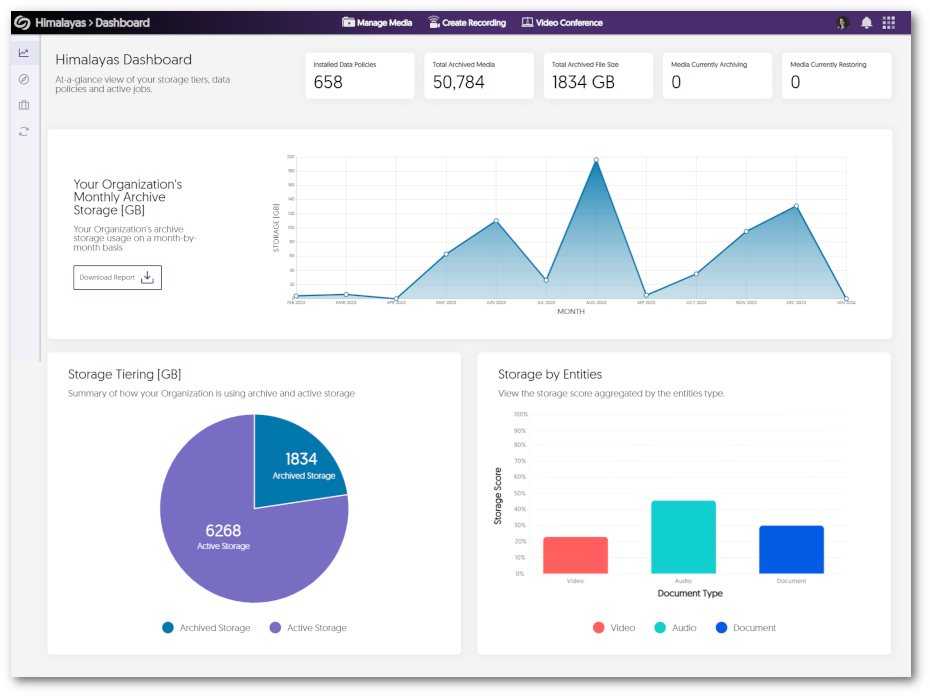
    2. Minor UI and Accessibility Improvements to the Dashboard We have made minor adjustments to center the elements and text within the dashboard and enhanced the dashboard’s responsiveness by providing graphs that adapt to various screen sizes. Himalayas Dashboard shows graphs for monthly archive storage, archived storage vs active storage, and stored by type.
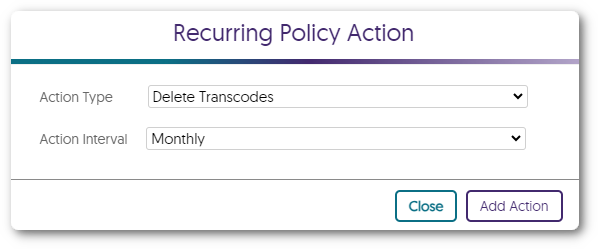
    3. Optimized Delete Transcode Policy The Delete Transcode policy has been updated to not remove transcodes for videos viewed within the last 30 days or have not been on the Video Platform for more than 30 days. Delete Transcode policy
  • January 12, 2024

    YuJa Verity Test Proctoring Platform – “Quartz” Released to US, CAN, AUS, and EU Zones

    We have successfully pushed an update to all instances residing in the United States, Canada, Australia, and the European Union. This update includes text and audio chat for the Live Proctoring, a new accessible design for Verity’s proctor settings, new restrictions to disable right-clicking and printing, the option to enforce screen recording, view website links visited by students, a redesign of the Verity Browser Extension, updated list view of Profiles, and overall usability enhancements.
     
    1. Verity Live: Integrated Text Chat for Automated Browser Extension and Lockdown App Proctoring For live proctoring sessions, proctors and students can communicate with each other through our built-in chat feature. Chat messages between a proctor and a student.
    2. Verity Live: Audio Chat for Automated and Lockdown App Proctoring Proctors and students can communicate with each other during a live assessment by establishing a two-way audio connection. Icon of two people talking with headsets.
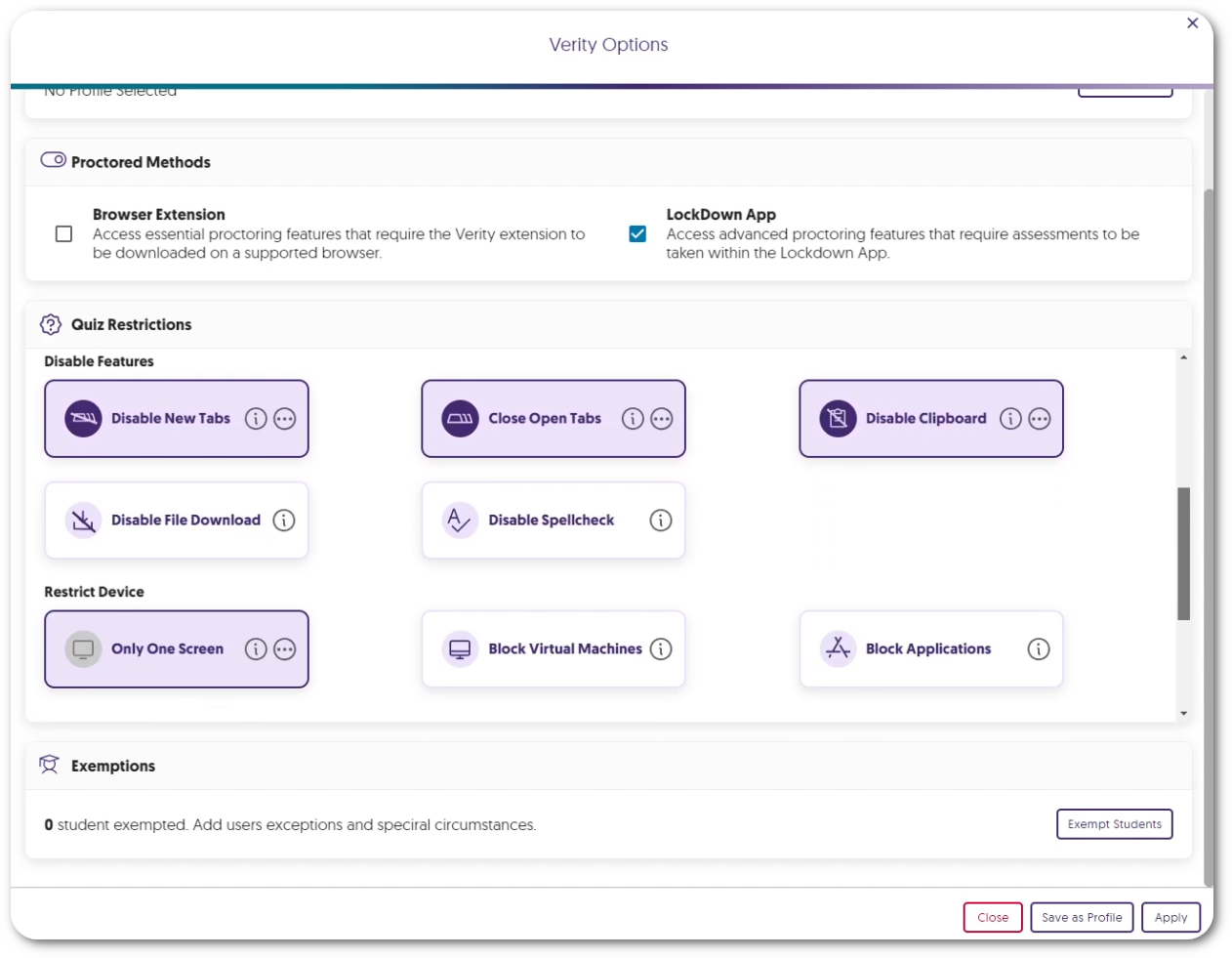
    3. New Accessible Design for Verity’s Proctor Settings We have redesigned the Verity proctor settings to better suit smaller screens. By designing smaller UI elements and reorganizing each proctor setting, instructors can easily view and navigate to their desired settings on any screen size. Verity Options menu.
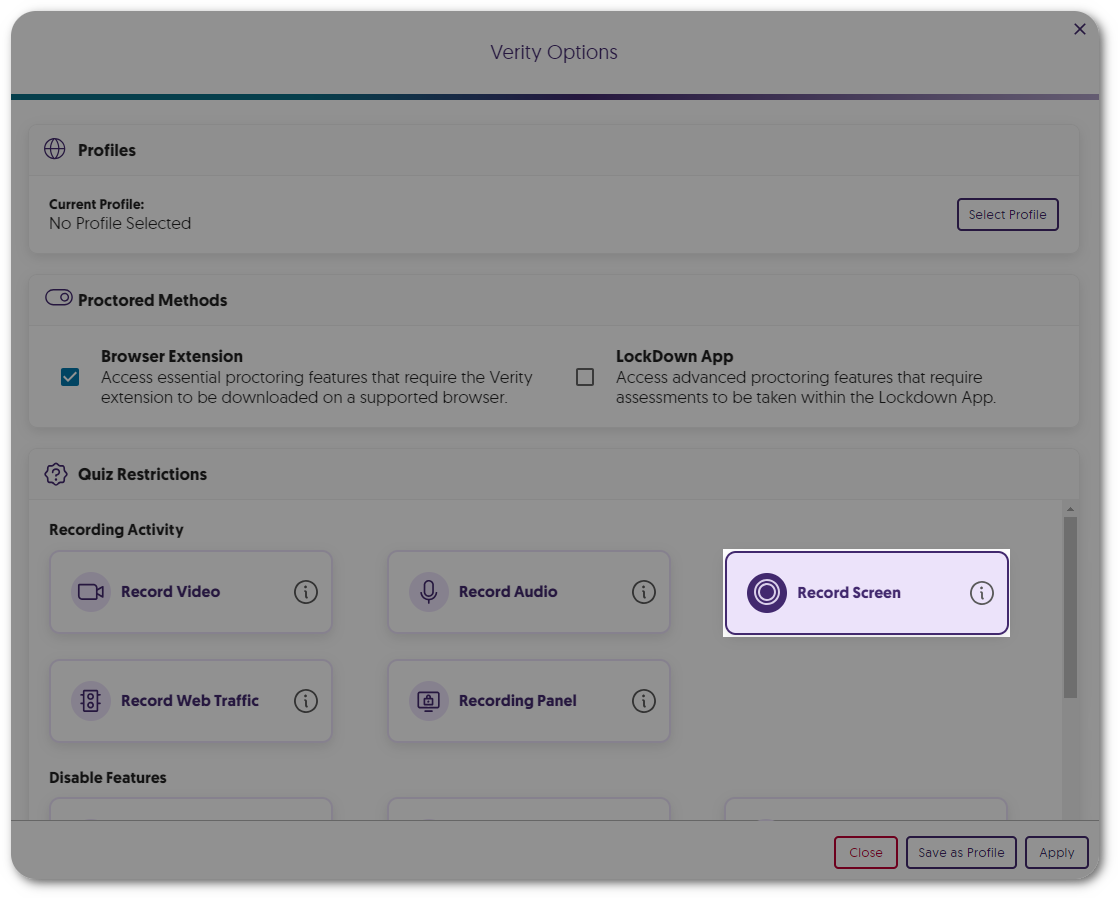
    4. Screen Recording Is Now an Optional Proctor Setting Instructors can enable our screen recording feature on a per-assessment basis to provide proctoring features that are only necessary for paper-based assessments within a remote environment. Record Screen option within Quiz Restrictions.
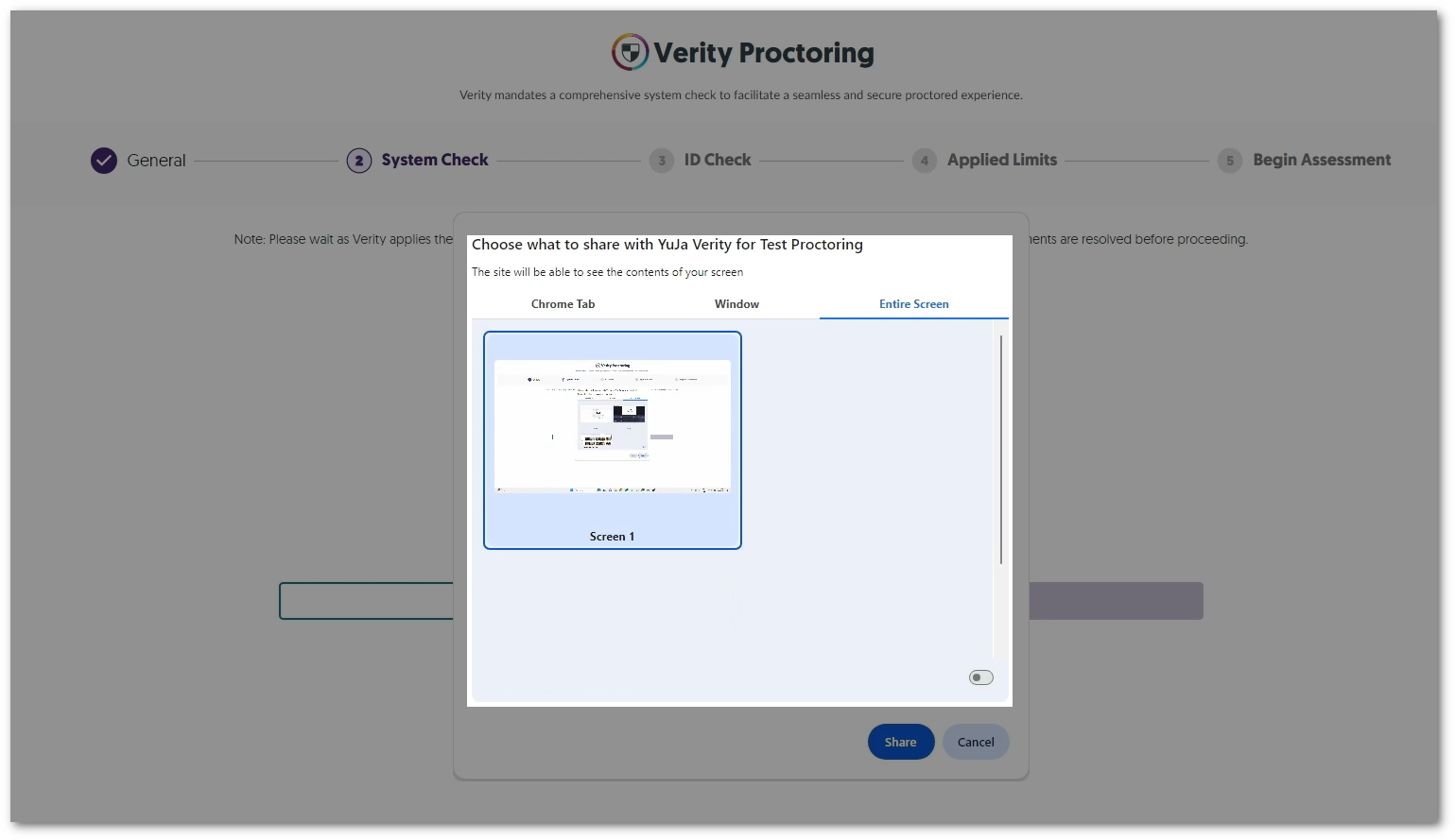
    5. Enhanced System Check to Enforce Screen Recording To increase security measures, the Verity System Check will now require students to share their entire screen instead of having the option to share a tab or window for recording. The Windows option to select the screen to record.
    6. Review a List of Websites Visited by Students Instructors can enable Record Web Traffic to track and review specific websites visited by each student during an assessment. Websites a student has visited can be seen in the Verity Results table.
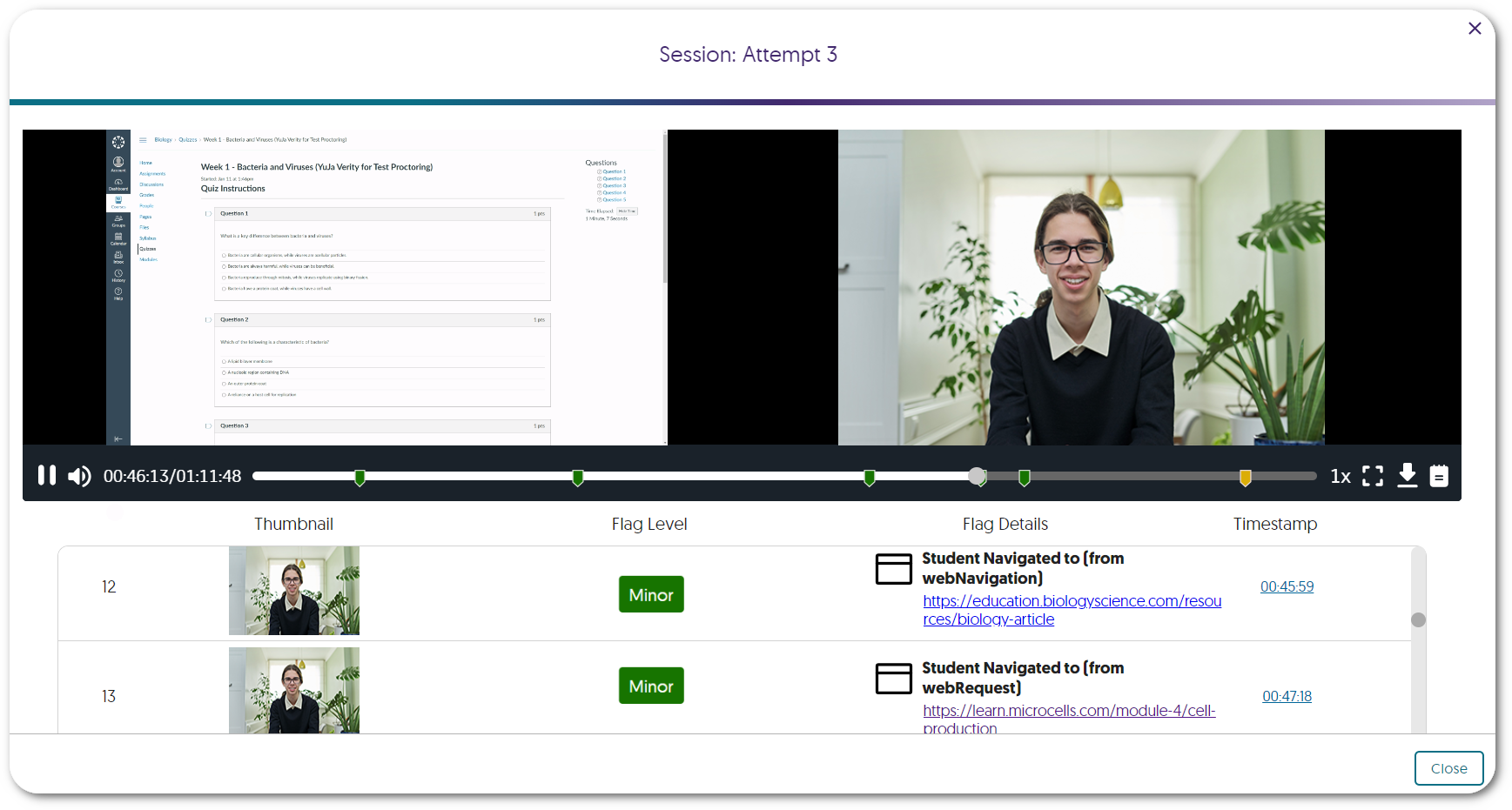
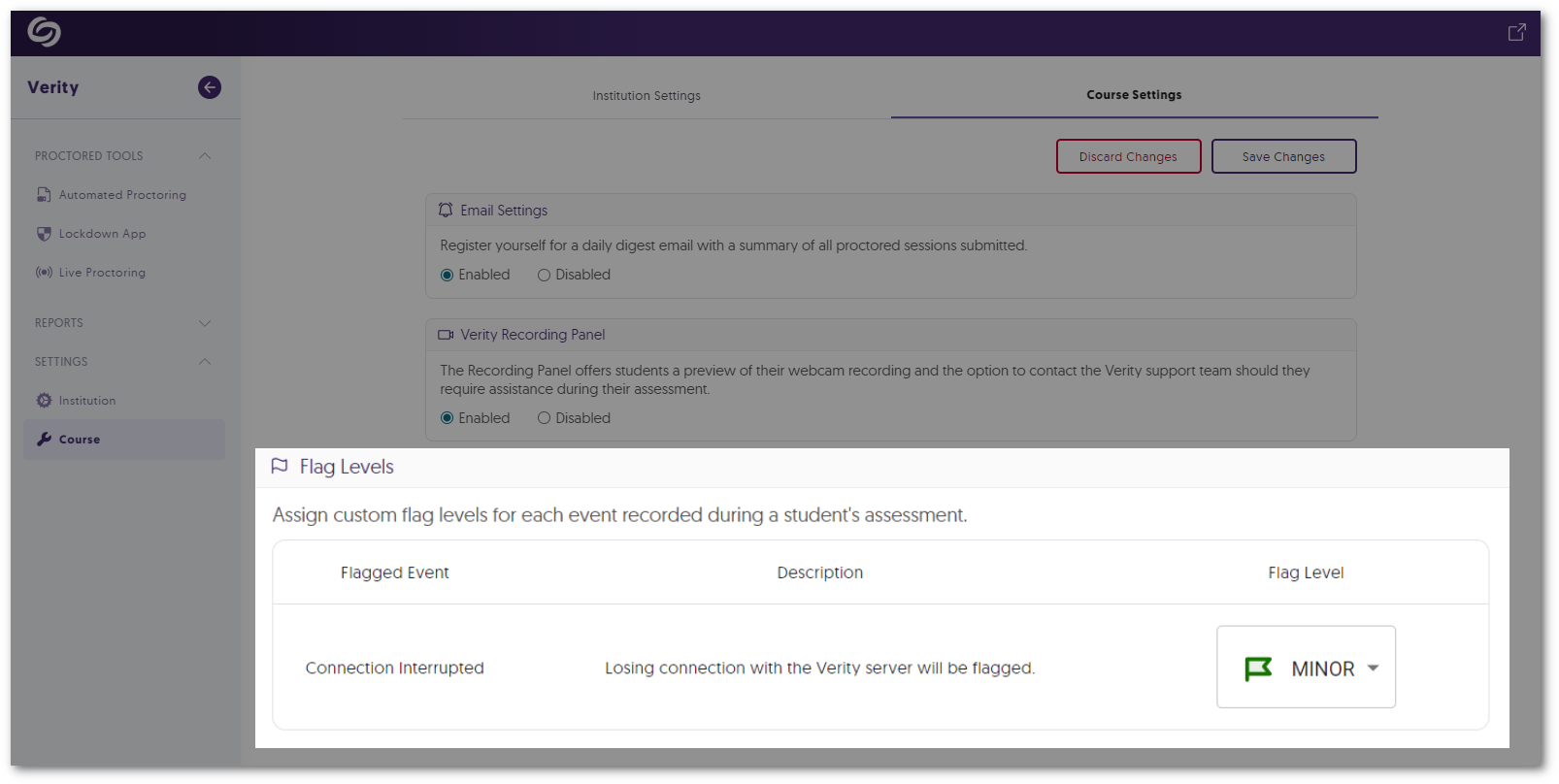
    7. Flagged Event for Server Disconnections In cases where a student’s device may become disconnected from Verity’s servers, such as losing internet connection, Verity will flag the issue for instructors to review. Verity's Course Settings option to adjust the flag level of Connection Interrupted.
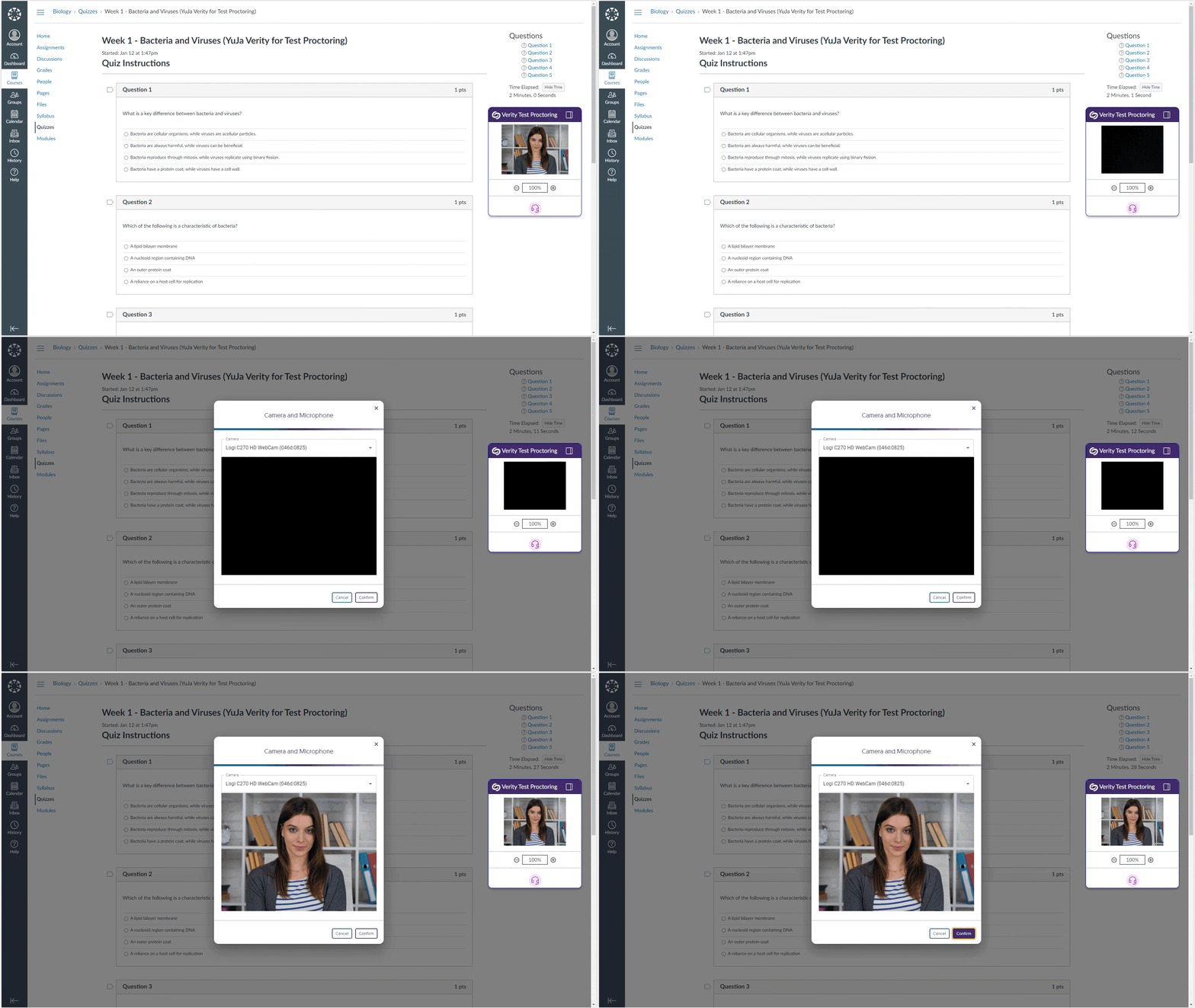
    8. Automated Proctoring: Flagged Event for When Webcam Feed Goes Dark If Verity cannot detect a student’s environment for reasons such as a covered webcam, the event will be flagged for instructors to review. Video feed for an assessment goes black. The option to re-enable their camera appears.
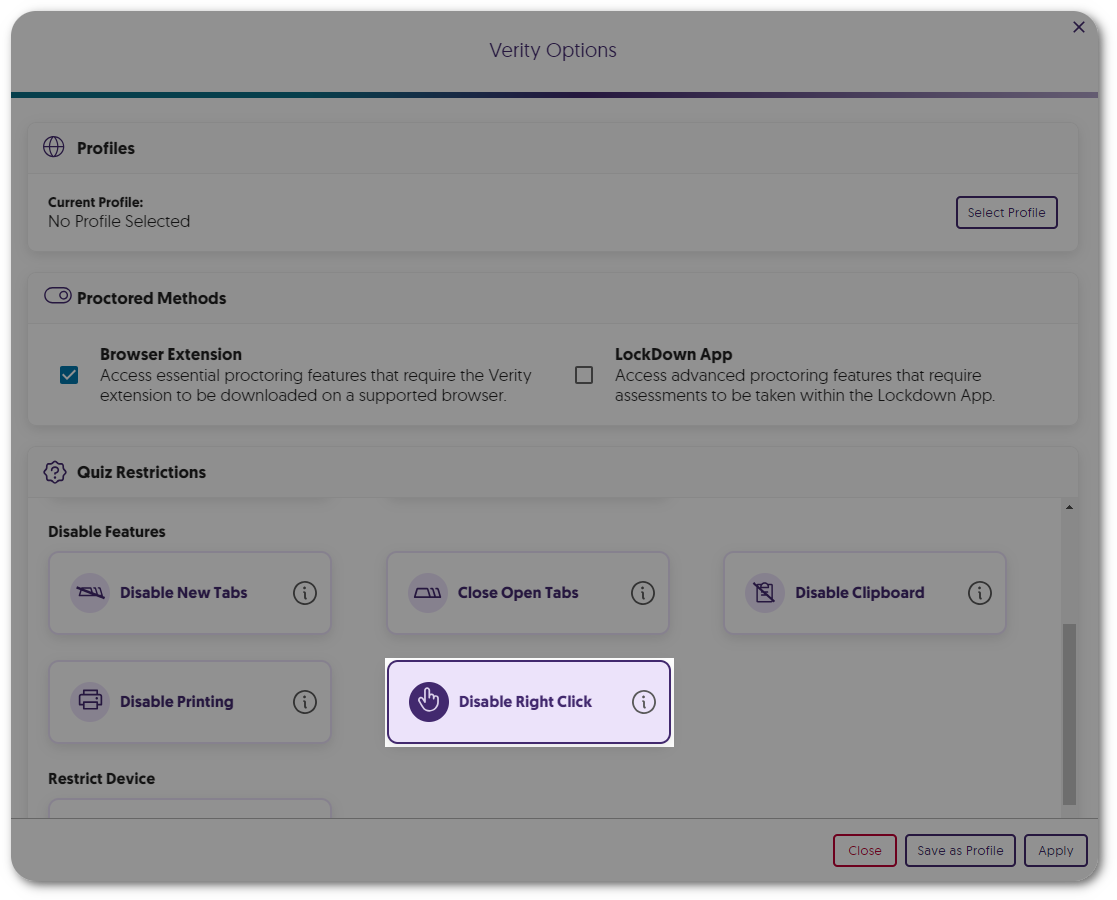
    9. New Automated Proctor Setting: Disable Right-Click Similar to our built-in feature to disable right-click in the Lockdown App, instructors can now prevent students from using the right-click function during their Automated assessments. Verity Quiz Restriction to disable right-click.
    10. New Automated Proctor Setting: Disable Printing Instructors can now prevent students from using the print function during their Automated assessments. Verity Quiz Restriction to disable print.
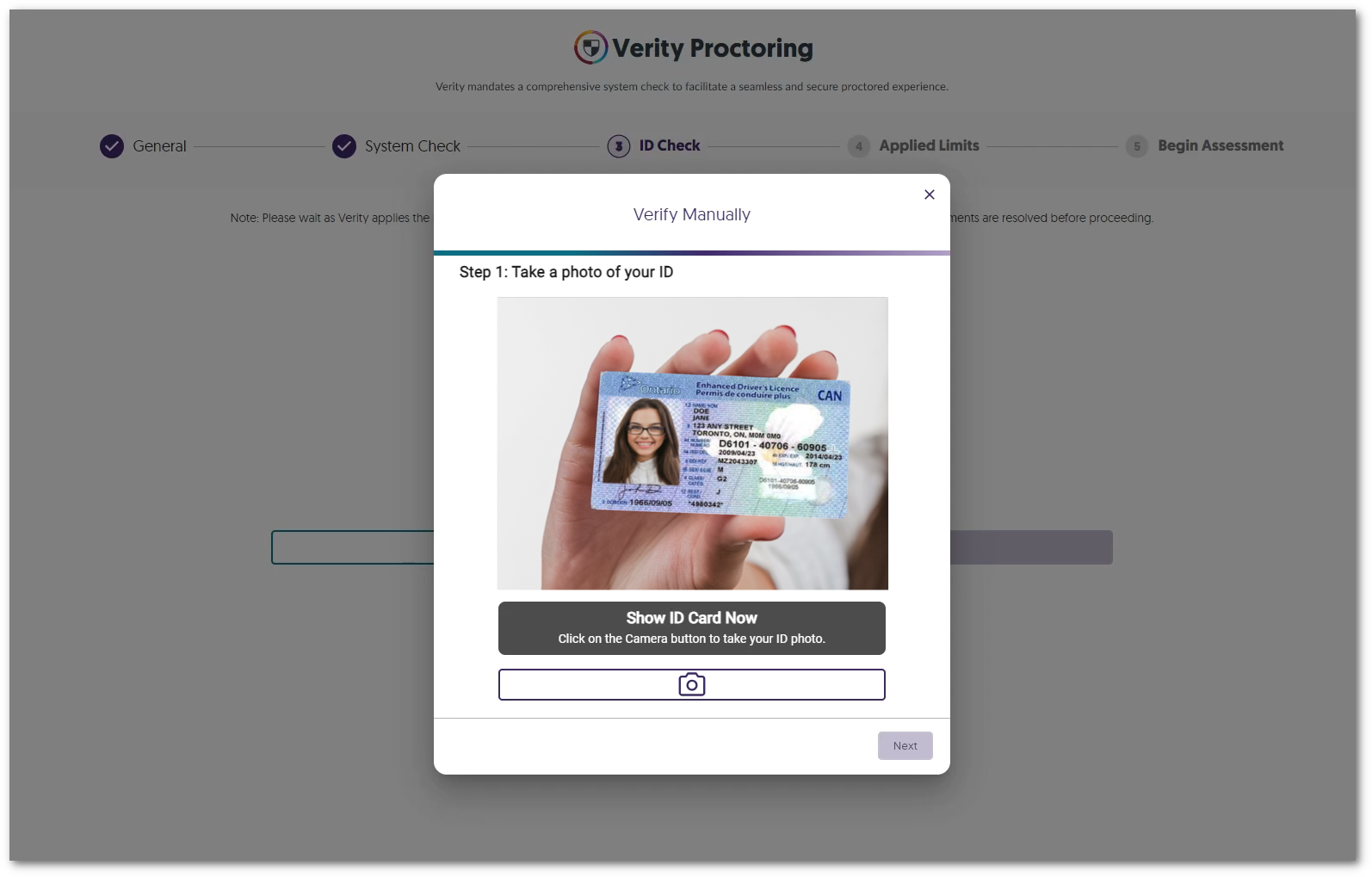
    11. Choose to Enable Manual ID Verification Instructors can select manual ID verification in favor of AI-enhanced verification when reviewing student IDs. A student is holding their card up to the camera to manually take a picture.
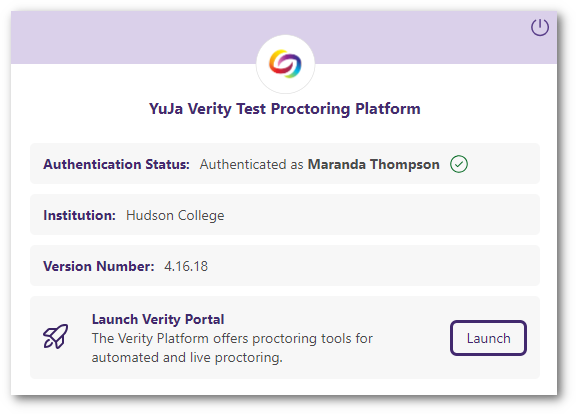
    12. Launch the Verity Portal from the Redesigned Browser Extension We have provided a more modern look to the Verity Browser Extension and have included direct access to the Verity Portal through the new Launch Portal button. Verity's new browser extension UI features a button to launch the Verity portal.
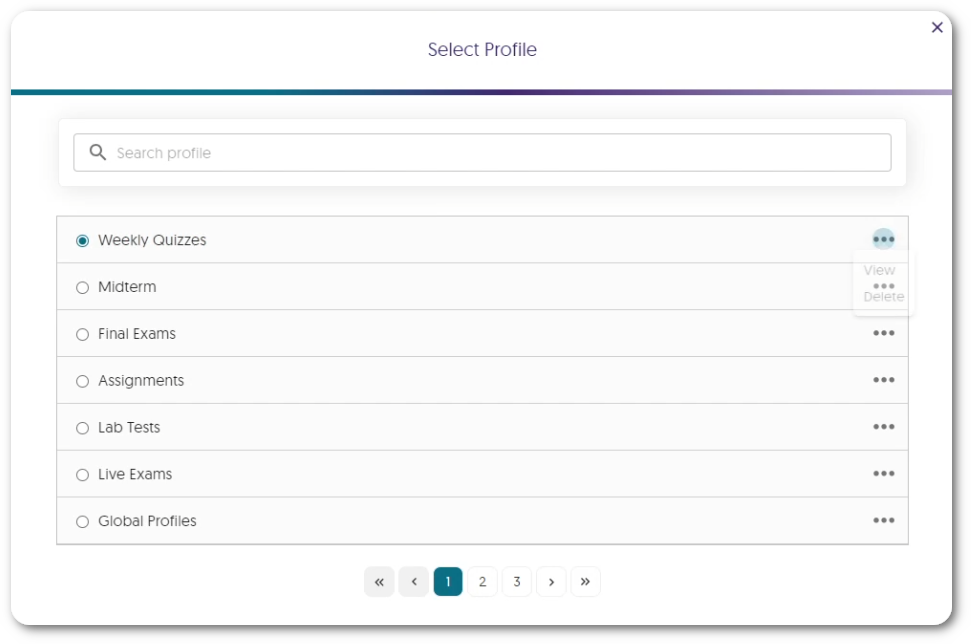
    13. Search for Profiles Within the New List View Instructors can access a dedicated window to view and select profiles, which includes a searchable list to quickly find their desired profile. A list view of profiles created.
    14. Overall Usability Enhancements Verity is committed to providing the best experience for instructors and students, which is why we’ve been hard at work providing some usability enhancements, such as:
      • The new Exemptions UI provides an at-a-glance view of the number of students who have been exempted from Verity.
      • The System Check will automatically skip steps that are not required.

Join the 1,000+ Organizations Deploying High-Impact Solutions

A collection of logos representing various organizations and institutions that use YuJa’s platform.