Product Updates

Get the latest platform updates, features, and announcements—all in one place.

  • May 30, 2023

    YuJa Engage Student Response System Update – “Lakewood” Released to US, CAN, AUS, and EU Zones

    We have successfully pushed an update to all YuJa Engage Student Response System instances residing in the United States, Canada, Australia, and the European Union. This release provides our users with a new mobile app for instructors, Single Sign-On support for the student mobile app, the ability to adjust Gradebook results, navigate through Poll questions, and enhanced security for the PowerPoint plugin.
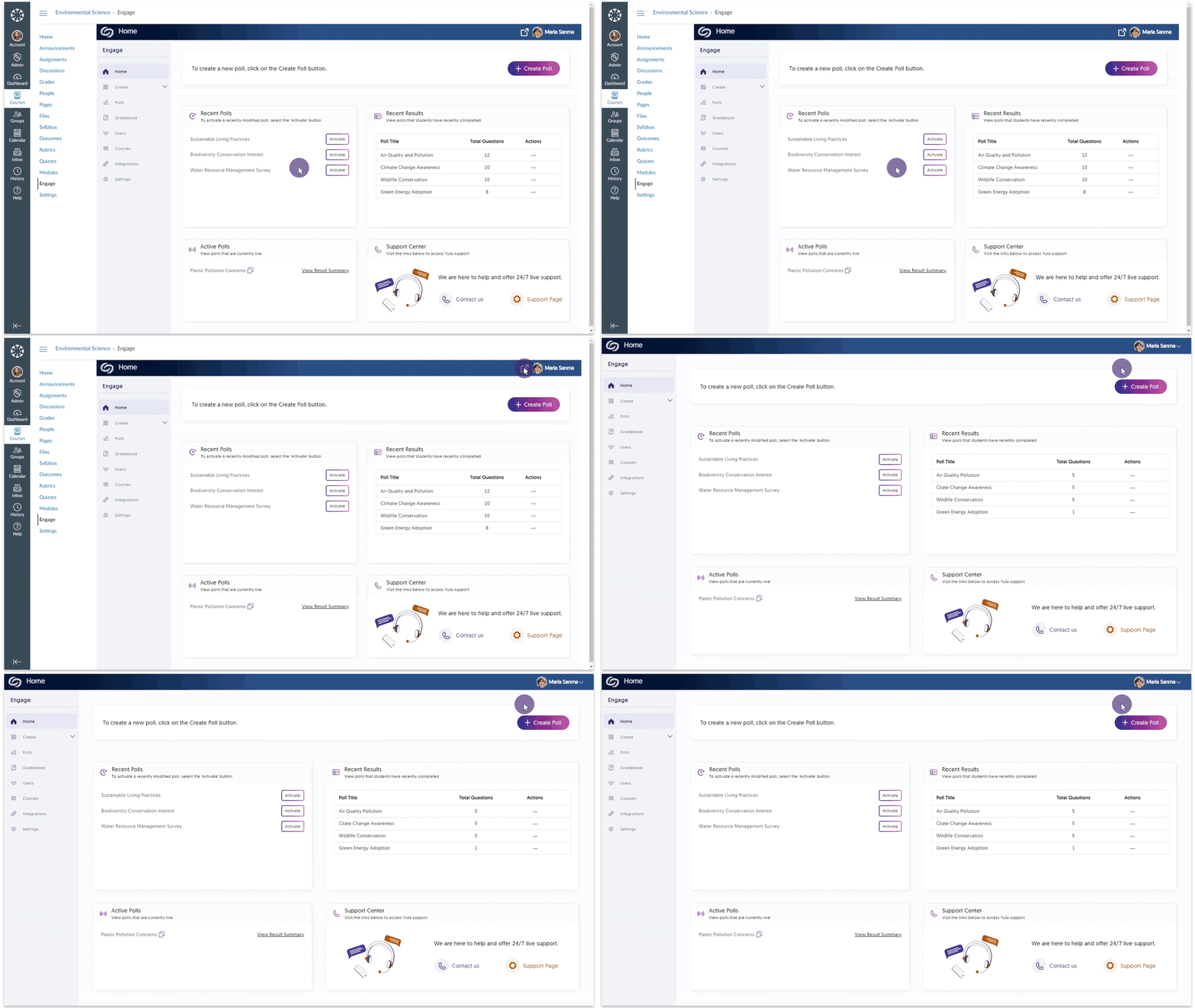
    1. Mobile App for Instructors We are pleased to announce the launch of our iOS and Android apps designed for instructors seeking convenient and seamless access to our Poll activation feature. The app allows instructors to activate Polls directly from their smartphones, ensuring they can engage with students and gather valuable insights anytime. Instructor mobile app Home dashboard.
    2. Student SSO Login for the Mobile App We are introducing the option for students to conveniently access their accounts by utilizing their Single Sign-On (SSO) credentials. This new feature offers a seamless and streamlined login process while protecting the user’s data and upholding authentication protocols. Student SSO Log in
    3. Join Active Polls Instantly Students can now conveniently choose and participate in Polls by accessing the Active Polls panel directly from their Home Dashboard. Student Home dashboard featuring the Active Polls panel.
    4. Manually Adjust Gradebook Results Instructors now have the ability to manually modify students’ grades through the Gradebook within YuJa Engage. This will allow instructors to seamlessly tailor the grading process to better align with individual student progress and ensure accurate evaluation of their academic performance. Within the Gradebook a student's grade is adjusted under the Score column.
    5. Manually Override Results for Short Answer Questions Similar to our override for Gradebooks, instructors can now manually access the Gradebook to override results for short-answer questions. Grade Student Answer module for short answer questions.
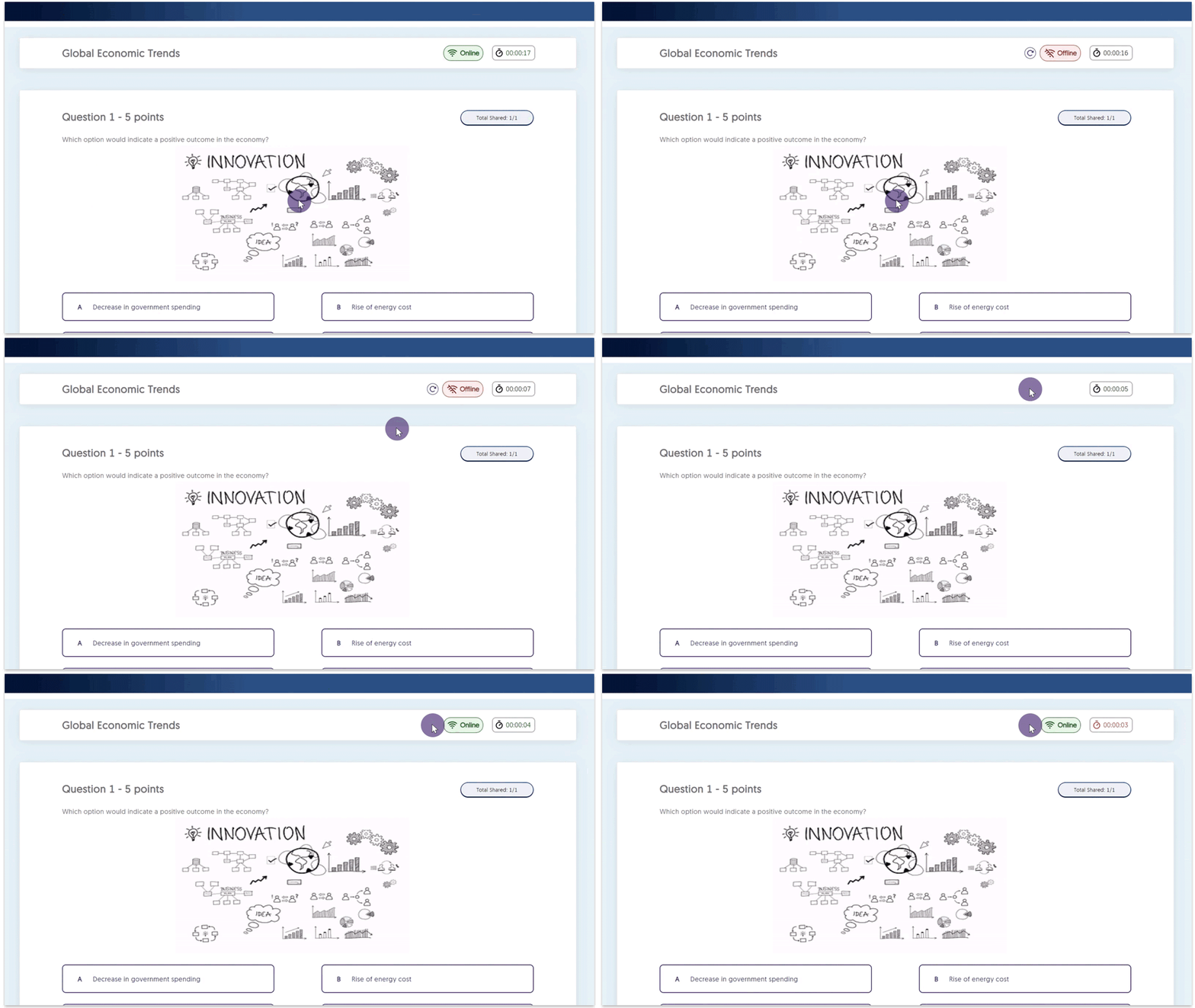
    6. Students Can Navigate Through Poll Questions To provide greater flexibility to students during Polls, we now allow them to navigate through questions and offer an automatic check to ensure all questions have been answered before they submit their Poll. Student Participating in a live Poll.
    7. Add Clickable Image Questions to PowerPoint Presentations We have added support to allow Clickable Image question types to be added to PowerPoint presentations. Clickable image question inserted into a PowerPoint.
    8. PowerPoint Plugin Security Enhancements The Poll Creator will be required to authenticate themselves by signing in to the YuJa Engage platform before questions can be shared. This enhanced security measure guarantees that only authorized Poll Creators are granted the ability to share Poll questions during presentations. YuJa Engage login for PowerPoint.
  • May 19, 2023

    YuJa Enterprise Video Platform Update – “Willow Tree” Released to CAN, AU and EU Zones

    We have successfully pushed an update to all Enterprise Video Platform instances residing in Canada, Australia, and the European Union. This release provides our users with several updates. Highlights include: “no cookies” LTI implementation, integrating hierarchical accounts into the Video Platform, the YuJa app for Microsoft Teams, importing audio clips to the Video Editor, creating custom playlists, improved functionality for consent forms, and so much more. This update will be released to US zones next Friday.  
    1. Look, ‘Ma, No Cookies! Deeper Implementation of New 1EdTech Protocol That Eliminates the Need for Third-Party Cookies The Video Platform has a long-standing, IMS-certified implementation of the LTI 1.3 / LTI Advantage protocol with both LTI 1.3 Core, LTI Advantage Deep Linking, and IMS Caliper. Until recently, these protocols relied on third-party cookies for a security handshake with integrated tools. With 1EdTech’s release of an enhanced protocol, we are now able to eliminate the need for third-party cookies.The YuJa Enterprise Video Platform is the first LMS-integrated video solution to no longer require cookies. This simplifies product use particularly on Apple-based products – such as iOS devices and Safari – which often disable third-party cookies by default. To enhance the privacy and security of institutions, users can now access the Video Platform from within their LMS without enabling third-party cookies. No Cookie Symbol
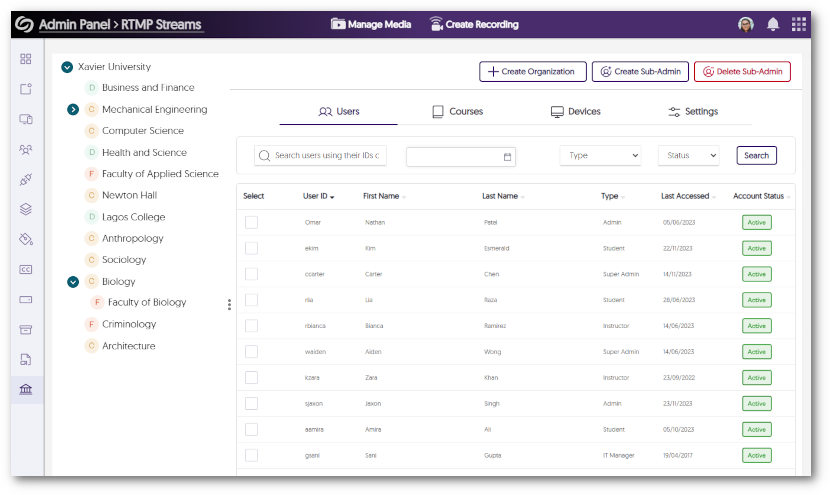
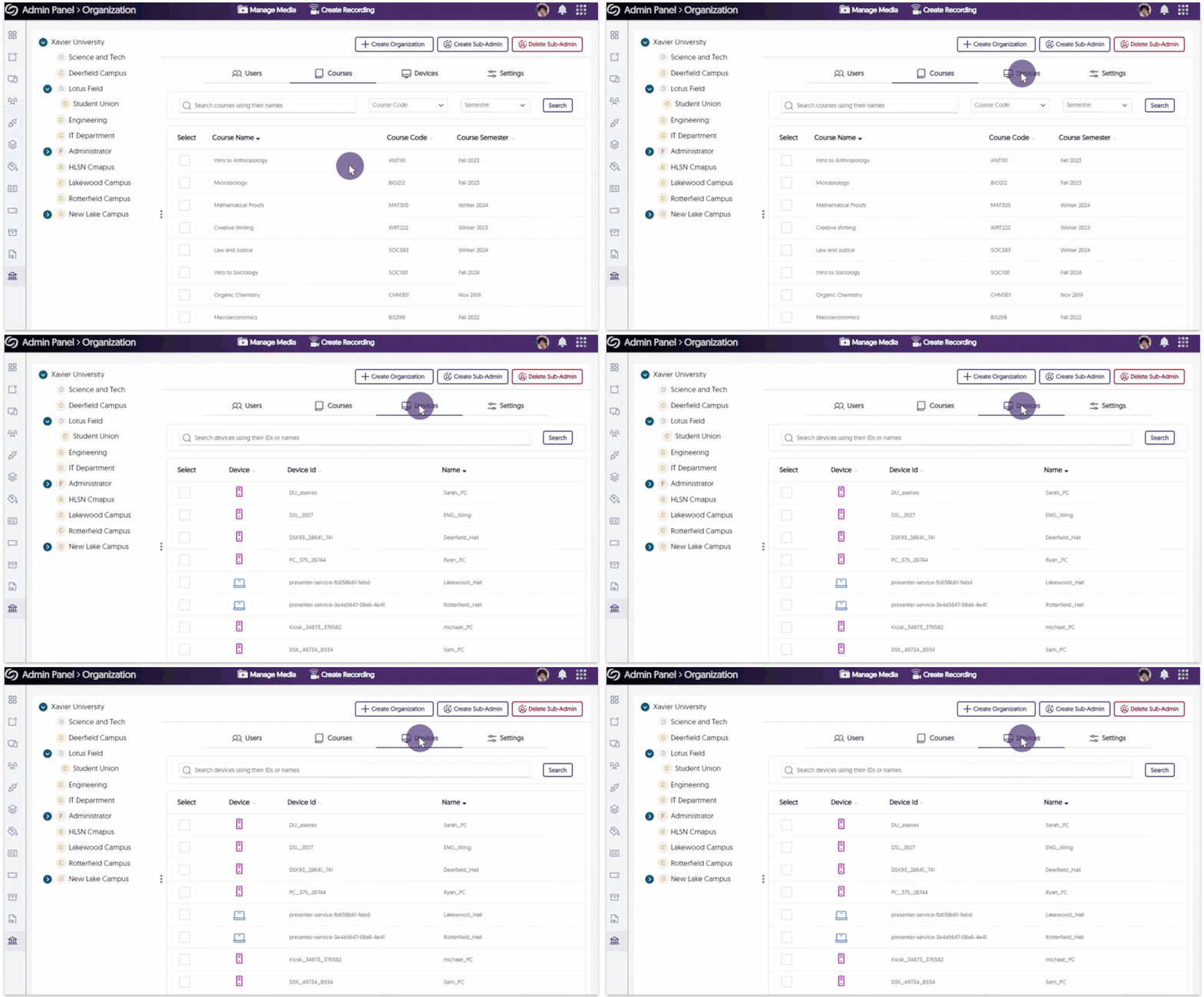
    2. Launching Umbrella System Infrastructure for Distributed Administration of Multi-Tenant College Systems To support our partner system and state-level institutions who often have centrally managed IT with distributed college-level sub-administration, we are rolling out multi-tenant capabilities within the context of a single, large Video Platform instance. These capabilities will allow Super Admins to centrally manage a state or system-level deployment while offering Sub-Admins at the individual college level with management capabilities of their individual colleges.The Umbrella System architecture is aligned to a multi-release product roadmap that will be done in consultation with partners who are actively adopting this model. In this release, we are introducing Umbrella System infrastructure for Blackboard Nodes and D2L Brightspace Org Units to be able to provision courses, users, and devices into the correct hierarchical element using existing attributes from upstream infrastructure (LMS, SIS, SSO). The Video Platform's Organization tab features a hierarchical viewing of sub-accounts.
    3. New Client-Side Microsoft Teams App Available in Microsoft App Store We have created a streamlined video-sharing workflow between Microsoft Teams and the Video Platform that complements our existing server-side Microsoft Teams API-level integration. This new approach provides greater flexibility to institutions in managing imports compared to our existing integration, which restricts the setup of Teams recordings imports to group administrators on behalf of users.Whether institutions want this increased flexibility or prefer administrators to control imports, the Video Platform will enable them to select the integration that best suits their needs. With the new YuJa app available in the Microsoft Teams App Store, Content Creators can view a list of recordings and choose whether they would like to manually or automatically import their recordings to the Video Platform. To learn more about the new YuJa app, please visit our guide on How to Use the YuJa App for Microsoft Teams. The YuJa app is featured within Microsoft Teams. The app features a table with a list of recordings, and options to automatically or manually sync recordings.
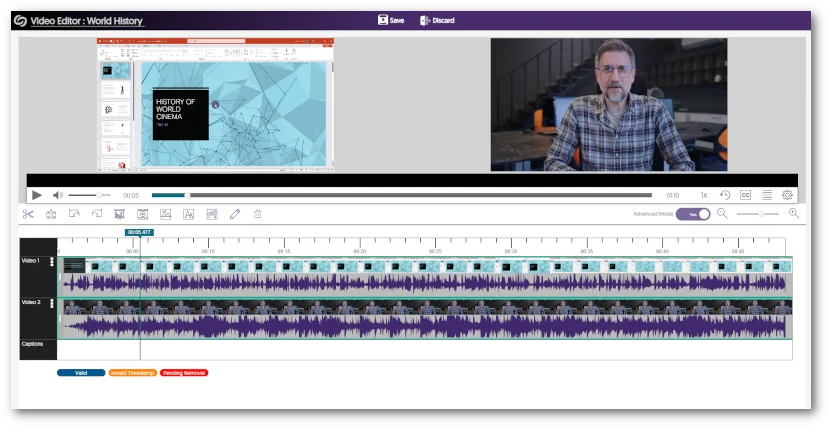
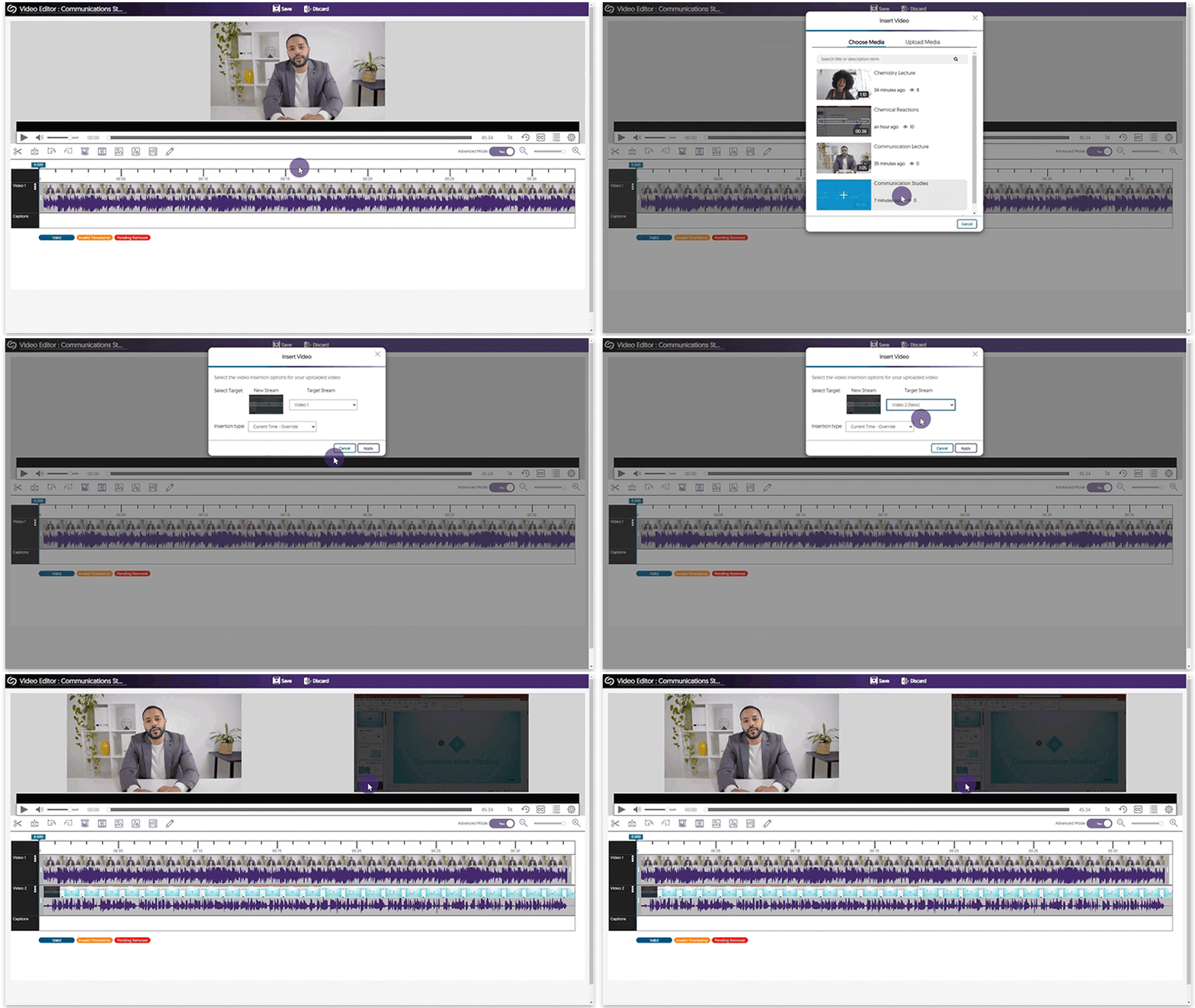
    4. The Video Editor Now Offers the Ability to Import Audio-Only Files into Multi-Stream Videos Content Creators can now import audio files into single and multi-streams videos to add audio excerpts, soundtracks, and more. The Video Editor's insert video option showcasing MP3 files that can be added.
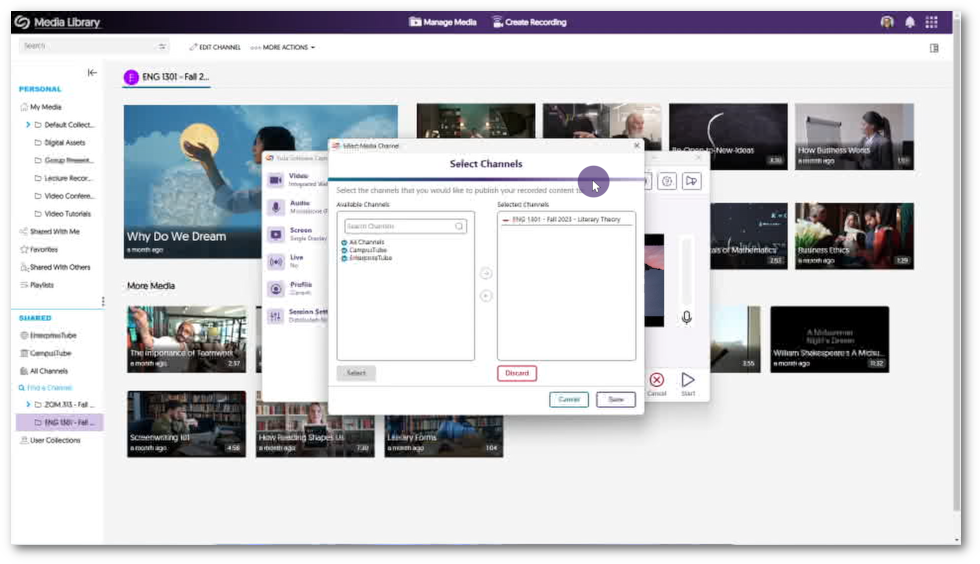
    5. New Customized Playlist Creation Tool The Video Platform has always supported the ability to associate related content into sequential, course-linked Media Channels; however, an increasing need to provide the ability to associate non-course content into sequential playlists led to the introduction of Playlists.Now available from the My Media Navigation Bar, Content Creators can create a custom playlist by adding and rearranging media content in any sequence they desire. Once a playlist has been created, it may then be directly linked or embedded for viewing on any desired website. Future updates will enhance the Playlist feature to provide custom branding, the option to publish playlists to courses, and more. The Add to Playlist window featuring Playlists users can select to insert media into.
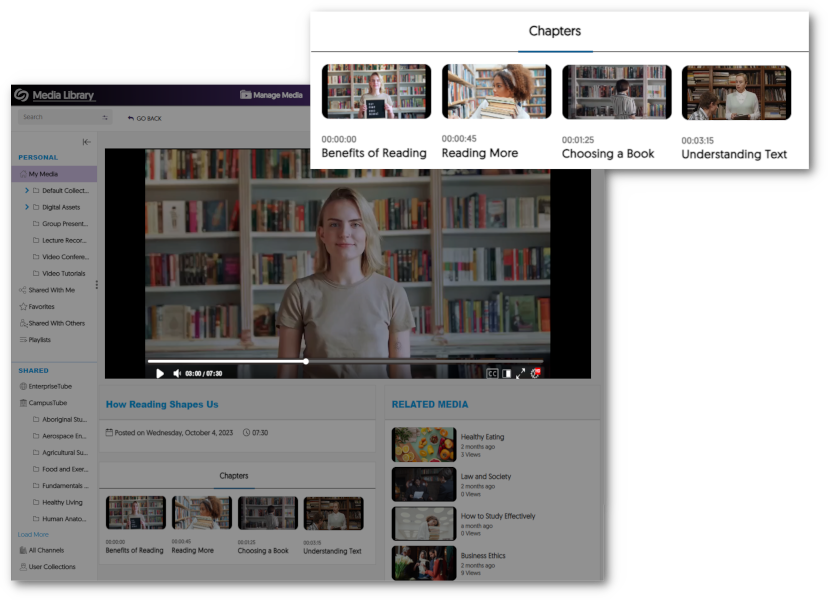
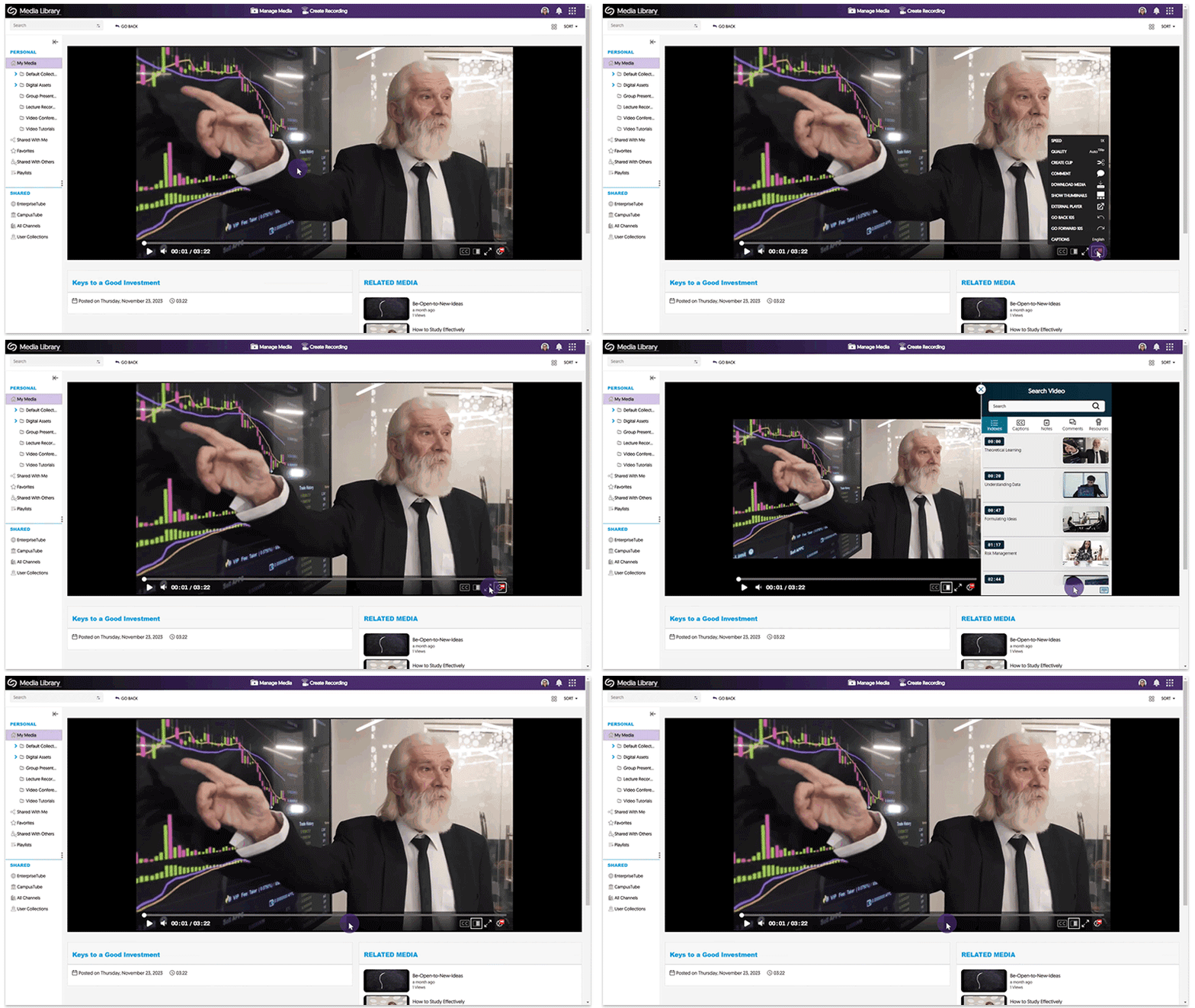
    6. Create a Personalized List of Related Media Content We have expanded the options for Content Creators to personalize and curate the viewing experience of users on the Video Platform. When viewing media content, users can now be presented with a carefully chosen list of related media by the Content Creator. This enhancement allows Content Creators to have greater control over their environment, ensuring that every piece of media contributes to the overall learning experience. Two images are shown with an arrow in between them. The first image showcases the Media Details Branding tab to add custom media assets. The second image features the assets in the Related Videos panel on the Video Platform.
    7. New Protocol Between Video Platform and YuJa Hardware Hub Enables Fault Tolerance for Long-Term Offline Performance Our new network protocols allow the YuJa Hardware Hub to cache a long-running schedule and continue to record the scheduled captures even amidst longer durations of Internet outages. Once Internet connectivity is restored, all the recordings will automatically upload to the Video Platform for seamless playback.
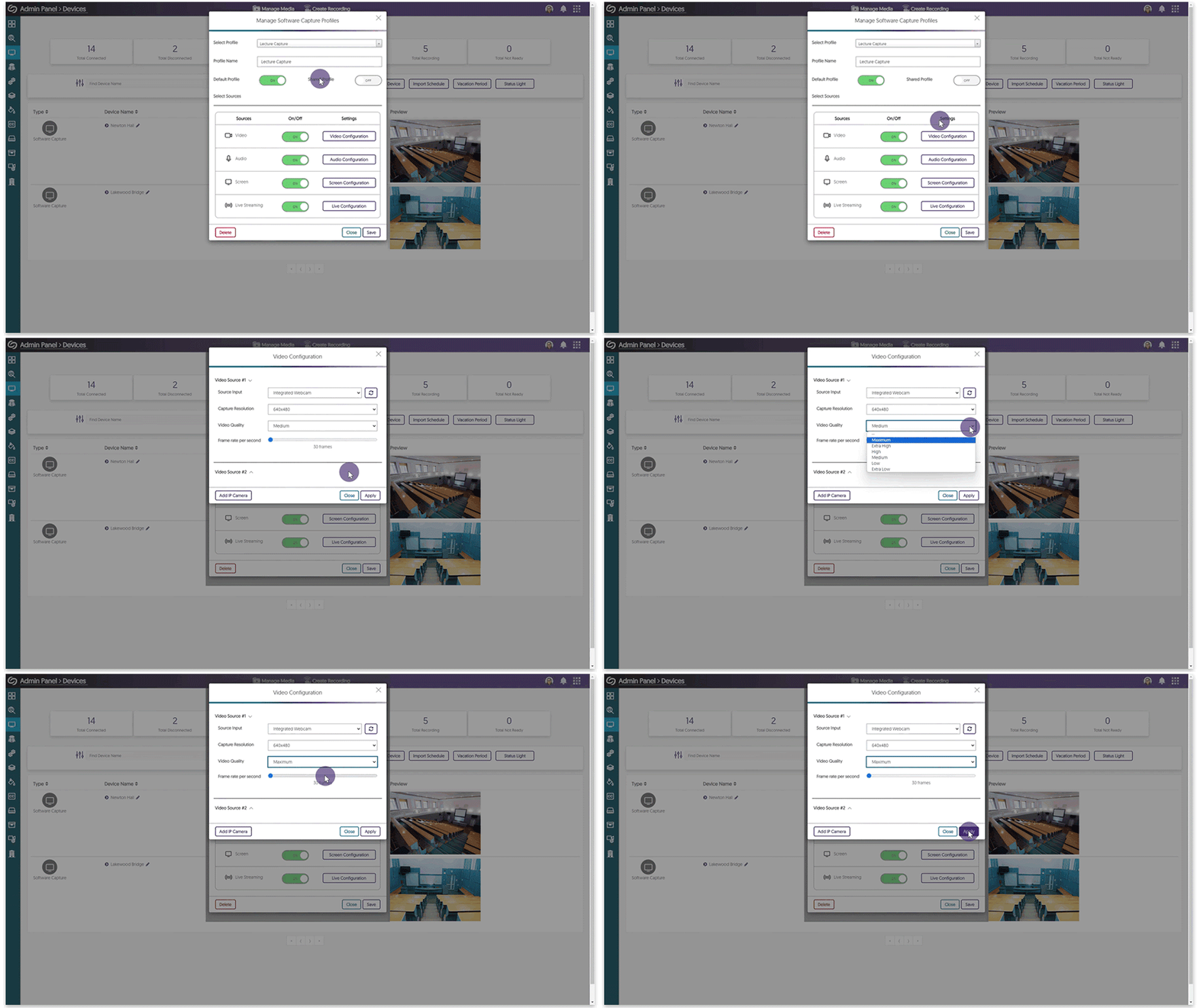
    8. Advanced Video Quality Options for Browser Capture The Browser Capture application will now offer advanced video quality options for users based on their selected video camera. With this new feature, users can easily adjust their camera settings to select from a range of video quality options that best fit their needs. Additionally, users can also adjust the framerate of their screen recording up to 30 frames per second for a smoother and more seamless recording experience. The Browser Capture features Advanced Screen Options and Advanced Video Options.
    9. Institutions Can Now Apply Electronic Consent Forms to Media Content We have implemented a new feature to facilitate the management of consent forms for Content Creators. With this update, it’s now possible to apply accepted consent forms to media content, providing an efficient way to keep track of forms. Once the forms are submitted, users can conveniently access and review all accepted responses within the Branding tab or the Media Details panel for individual content. To learn more on how to apply consent forms to media and review responses, please visit our guide on Uploading and Sending Consent Forms. A list of QR Accepted consent forms in the Media Details window.
    10. Multi-Folder ZIP Files for Bulk Downloads of Multiple Video Files We now support downloading a ZIP file that contains their selected media content but, unlike before, will now place video in their own individual folder. Once the files have been extracted, all of the content will be available in segmented folders. Additionally, for multi-stream videos, users can choose to download the entire video or each stream separately. Download Request Window featuring videos to be downloaded.
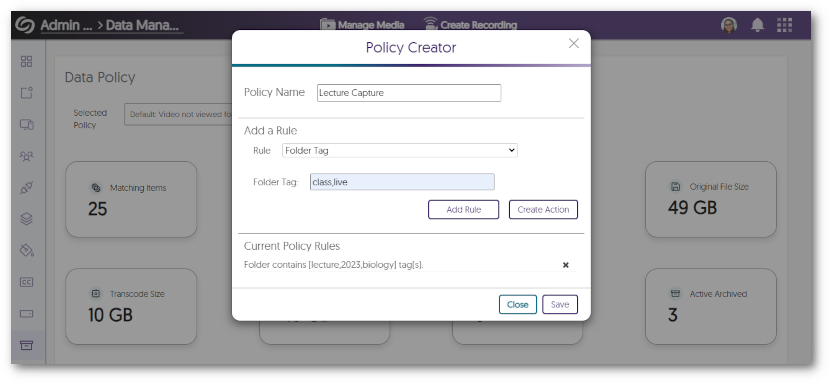
    11. New Data Management Policy for Inactive Users Administrators can create a recurring policy to detect and delete users who haven’t logged into the Video Platform for a specific number of days. If the institution has access to Himalayas, all video content associated with the user will be archived in Himalayas, and other media will be archived in the Video Platform before the user is deleted. For institutions without access to Himalayas, all media content will be archived in the Video Platform. The Policy Creator featuring the new rule.
    12. NORDUnet Cloud Now Integrates with the Video Platform for Zoom Recordings Our European users who have integrated Zoom with NORDUnet’s cloud-based storage will be pleased to know that the Video Platform now supports integration with NORDUnet. Once integrated, the Video Platform will automatically scan NORDUnet’s cloud storage to retrieve and upload any Zoom recordings securely. NORDUNet Logo
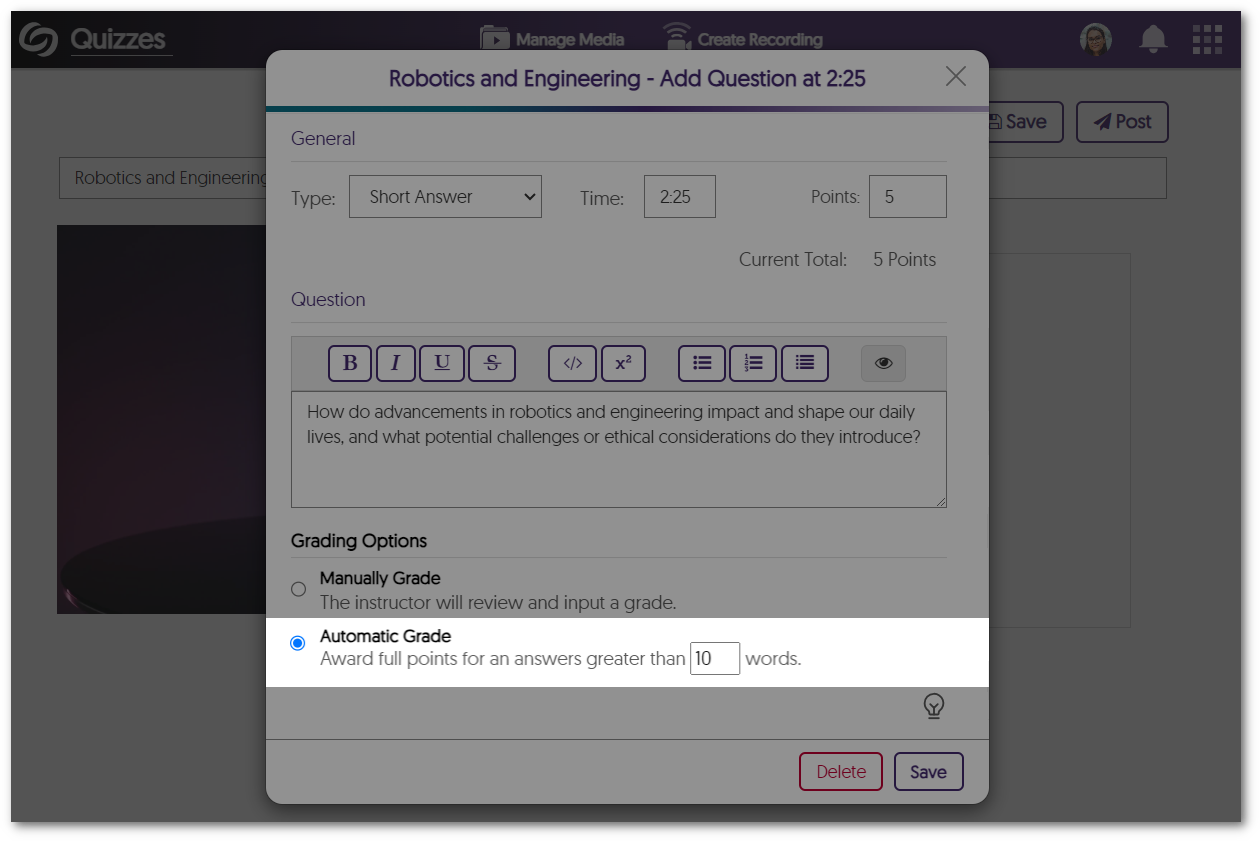
    13. Downloadable CSV Files for Quiz Results Instructors can now access a comprehensive report of their students’ quiz results in the form of a downloadable CSV file. This report will allow instructors to compare individual student responses to the quiz questions and view scores for video playback quizzes. To view the file, simply access the Gradebook to review and download results for the selected quiz. CSV file for a playback quiz. Student names, ID, and score for each student is shown.
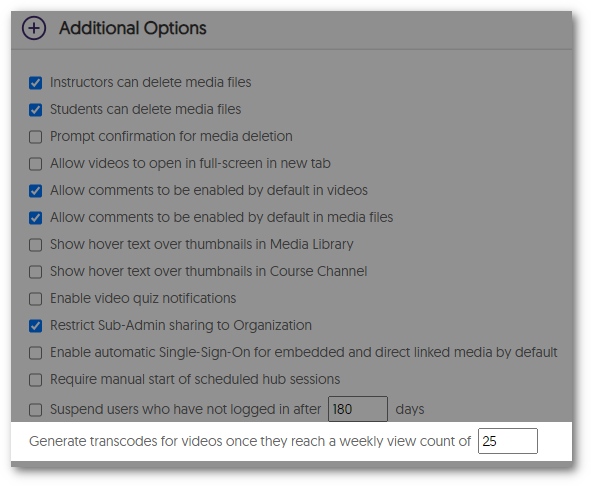
    14. Enable Institution-Wide Single Sign-On for Embedded or Linked Media Content In addition to the existing auto Single Sign-On (SSO) for recorded content, administrators can now choose to enable auto-SSO as the default setting when a new video is added to the Platform. This new feature enhances the platform’s security by requiring SSO authentication when accessing recorded media through direct links or embed codes. Setting to check Enable automatic Single sign-on for embedded and direct linked media content.
    15. Customize Bitrate Encoding Flavor to Optimize File Storage & Network Performance  Administrators and instructors can now adjust the preset of videos to reduce the overall size of their files and maintain optimal network performance during playback, or alternatively re-encode to improve the quality. Media Details panel showing the Transcode tab. The tab features option to optimize bandwidth.
  • May 8, 2023

    YuJa Engage Student Response System Update – “Kingston” Released to US, CAN, AUS, and EU Zones

    We have successfully pushed an update to all YuJa Engage Student Response System instances residing in the United States, Canada, Australia, and the European Union. This release provides our users with a new mobile app for Android, Single Sign-On support for the PowerPoint add-in, the option to republish Polls to courses and share the content of Polls with other users, direct links to Polls, and an improved Poll response experience for students.
    1. Mobile Android App for Students Similar to our IOS app release, YuJa Engage is now available for download through the Google Play store. Students will have on-the-go access to join Polls and view results directly from their smartphones. A poll is taken using the YuJa Engage mobile app for Android.
    2. Single Sign-On Support for the YuJa Engage PowerPoint Ribbon Add-In To provide users with ease of access in signing into the YuJa Engage add-in for PowerPoint, we now allow users to log in with their Single Sign-On integration. YuJa Engage SSO login options within PowerPoint.
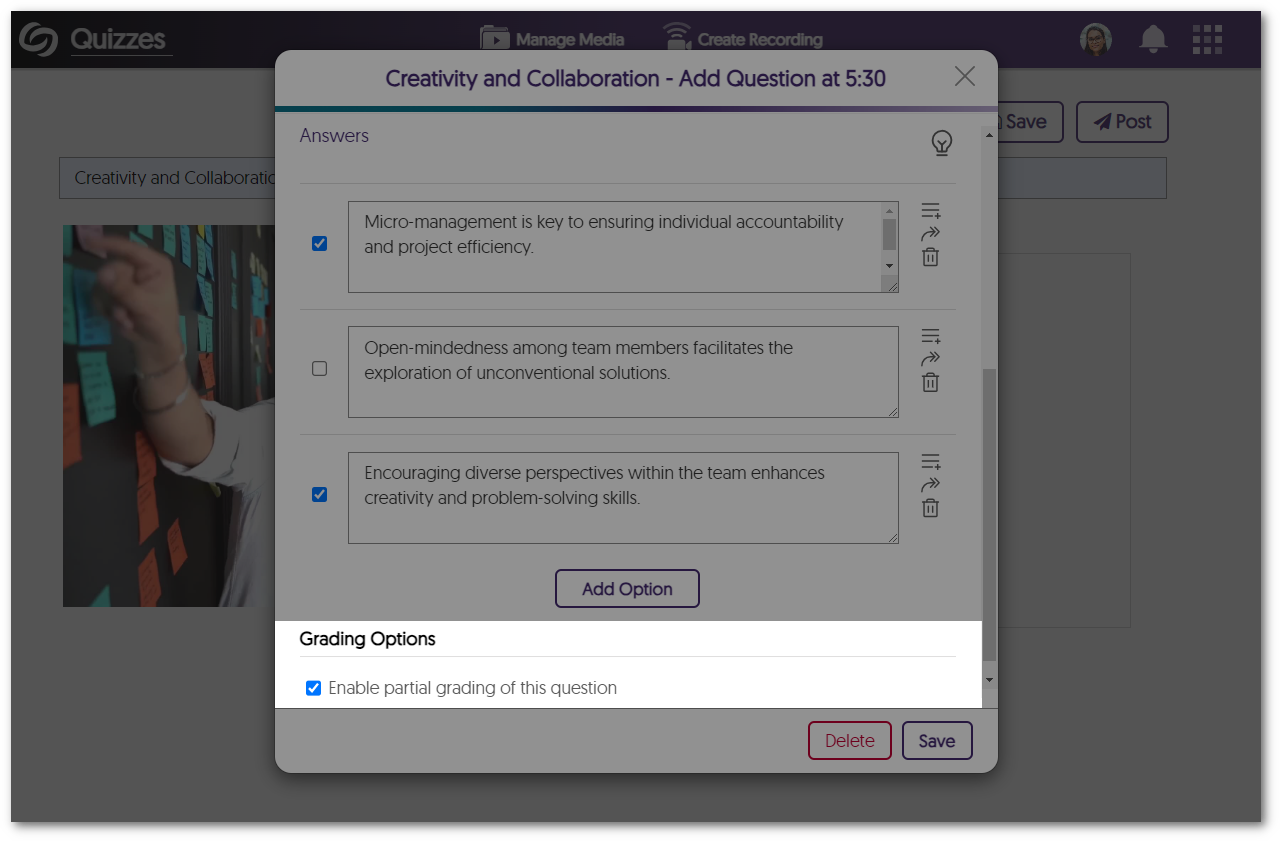
    3. Republish Polls to Courses Poll Creators can now republish polls to courses allowing for greater flexibility and efficiency when managing their Polls. Reactivate a Poll module is shown within the Polls tab.
    4. Share the Contents of a Poll with Other Users To facilitate collaboration between Poll Creators, we have introduced a new feature that enables quick and efficient sharing of Polls with other users in their institution. This feature allows Poll Creators to easily send a copy of their Polls, which can be activated by other users for their own use. The Share Polls module is shown within the Polls tab.
    5. Direct Links for Polls To provide a more streamlined and efficient experience for Poll Creators to share their active Polls, we have implemented a new feature that provides direct links to Polls. Simply copy the direct link, and share the Poll with users instantly. Within an active Poll, the direct link is shown alongside the Poll code and QR code.
    6. Improved Student Experience with Poll Response In an effort to create an intuitive and user-friendly experience, we have introduced an improved UI that provides students with more detailed information about their Polls. Students will now be able to easily track their progress by seeing how many questions they have answered and how many are remaining. Additionally, Engage will now notify students when a Poll has ended, ensuring that they are aware of the Poll status at all times. The student waiting screen for the next question shows 7/10 questions are left.
  • May 5, 2023

    YuJa Panorama Digital Accessibility Platform – “Glacier Peak” Version Released to US, CAN, AUS, and EU Zones

    We have successfully pushed an update to all YuJa Panorama Digital Accessibility Platform instances residing in the United States, Canada, and the European Union. This release provides our users with the use of Panorama without the browser extension In D2L Brightspace, expanded support for HTML formats, new infrastructure to support zero downtime during product updates, support for Moodle 4.1, improvements to the WYSIWYG editor, sharing and uploading capabilities for the Panorama Content Repository, our new Roster Management and Scope setting capabilities, assign sub-admins to hierarchical accounts, new Storage Reports, automatic accessibility scans, and more.
    1. D2L Brightspace Does Not Require the Browser Extension We have expanded our partnership with D2L’s Business Development Team and worked together to eliminate the need for the Browser Extension. All Panorama’s tools, including reports and alternative formats, are now accessible in D2L Brightspace without requiring the use of the Panorama browser extension. Please contact your Customer Success Manager to use this new integration.
    2. Expanded Support for HTML Formats and Reports Inside D2L Brightspace We now support HTML formats and reports in the D2L Lessons View, allowing Panorama to access even more areas of D2L Brightspace. With these enhancements, administrators, and instructors will benefit from increased accuracy in accessibility scores for both institution and course-level reporting. Panorama Alternative Formats inside D2L Lessons View.
    3. View Reports and Alternative Formats for HTML Content Within the Panorama LTI App Previously, HTML reports were only accessible within the location of their respective file. We have now broadened Panorama’s ability to assess the accessibility of institutions by taking into consideration Accessibility Scores for files and embedded HTML content. This updated functionality allows Panorama to precisely evaluate the accessibility of an institution’s content when generating Institution Reports and individual Course Reports during scans.
    4. Zero Downtime During Releases Previously, a brief period of downtime was required for updates to appear on Panorama. We are pleased to announce that we have implemented a zero downtime release cycle, ensuring users have uninterrupted access to Panorama.
    5. Panorama Now Supports Moodle 4.1 In continuing to ensure Panorama is available to all our users, we’re pleased to announce our latest support for Moodle 4.1. Moodle 4.1 Logo
    6. Real-Time Color Contrast Ratio Detection within WYSIWYG Editor To provide Content Creators with a high degree of contrast accuracy, Panorama will now calculate the contrast ratio between text and background color. With ratios ranging from 1 to 21, content creators can confidently select the color that provides the most sufficient contrast. Contrast Ratio Detector in the WYSIWYG editor that allows users to adjust the contrast levels to improve accessibility.
    7. Improved Contrast Detection for Gradient Background To provide accessible content, we’ve improved Panorama’s ability to detect when there isn’t enough contrast between the text and gradient backgrounds. Insufficient Contrast reporting for a Gradient background.
    8. New Real-Time HTML Header Checks within WYSIWYG Editor As part of our ongoing efforts to ensure comprehensive accessibility checks for our WYSIWYG editor, we have implemented new measures to identify missing table headers and skipped heading orders. These checks are essential in ensuring content is accurately labeled and defined for individuals who utilize accessibility tools such as screen readers. WYSIWYG table header check.
    9. Improved Upload and Sharing Capabilities for the Content Repository To make sharing and uploading content more convenient for users, we have introduced a new feature that enables users to drag and drop files directly into their personal content repository. Additionally, users can now share items via email, allowing for seamless and effortless content-sharing with any individual. Sharing a file inside Panorama's My Content repository.
    10. Panorama Will Accurately Identify User Roles Across Courses and Distinguish Between User Role and Course Role We are pleased to announce that Panorama has been updated to provide complete accuracy in identifying user roles across courses in an LMS. With this enhancement, Panorama now detects the user’s specific role in each course, allowing for seamless navigation and appropriate access levels within each course. This means if a user is an instructor in one course and a student in another, Panorama will automatically recognize the user and assign the appropriate user role.
    11. New Roster Management to Manage Users and Adjust User Role Mapping We are pleased to announce the addition of our new Roster Management tab, which provides administrators with a comprehensive list of all users associated with their institution. The tab displays each user’s role within the institution, whether it be Admin, Sub-Admin, Instructor, or Student. Administrators can easily adjust role mappings through the Roster Management tab to provide users with customized access to Panorama’s role-specific features. Panorama's new Management Roster page.
    12. Assign Hierarchical Accounts to Sub-Admins Our latest role mapping feature allows administrators to assign LMS hierarchical accounts to sub-admins, allowing them access to view institutions, issues, content, and storage reports for all courses within their assigned accounts. With this feature, administrators can delegate tasks efficiently to review the accessibility content of their institution. For detailed instructions on assigning sub-accounts to sub-admins, please visit our guide on Assigning Sub-Accounts to Sub-Admins in the Panorama Platform. Assign hierarchical accounts to sub-admins from the Institution Report page in Panorama.
    13. Upload Improved Documents to Canvas from Course Reports To facilitate the seamless upload of improved documents within Canvas, users will no longer have to refresh their Canvas environment for uploaded documents to appear. This functionality ensures that any uploaded documents within the Course Report will automatically be reflected in the corresponding documents within Canvas. Unfortunately, this feature will only be available in Canvas due to LMS restrictions. Document being updated through Panorama’s Course Report page which is reflected in Canvas.
    14. Access Comprehensive Storage Reports at a Glance To help administrators manage their storage usage, Panorama now provides a new Storage Report containing a summary of key storage details, which can be filtered by term or sub-accounts. These details include the average file size, total storage used, the number of files processed, and a breakdown of file sizes based on the document type. This allows administrators to gain a clear overview of their institution’s storage usage and manage their storage resources more efficiently. New Storage Report page featuring a graph for cumulative storage file size.
    15. Enhanced UI & Instant Reports Analysis for Scope Settings  We have enhanced the user interface and functionality of our Scope Settings to enable the Panorama LTI app to scan and evaluate the accessibility of courses instantly. The updated display now features a straightforward toggle switch that can be easily adjusted from Visible to Hidden for any course. By adding and designating courses as either Visible or Hidden, Panorama is now able to generate all analytical reports without requiring administrators to access each course individually. The new scope settings page featuring a list of selected courses.
    16. Automatic Accessibility Scans for New Courses Administrators have the option to set up regular scans each night to find newly created courses. Any detected course will automatically be sent for processing, allowing administrators to keep up with accessibility reports for their institution. If administrators prefer, they also have the option to scan for new courses manually every hour.New Scope settings page features a panel for Schedules Scans.
  • May 2, 2023

    Software Capture for PC – Minor Update v12.1.5.0 Released to US, CAN, AU, and EU Zones

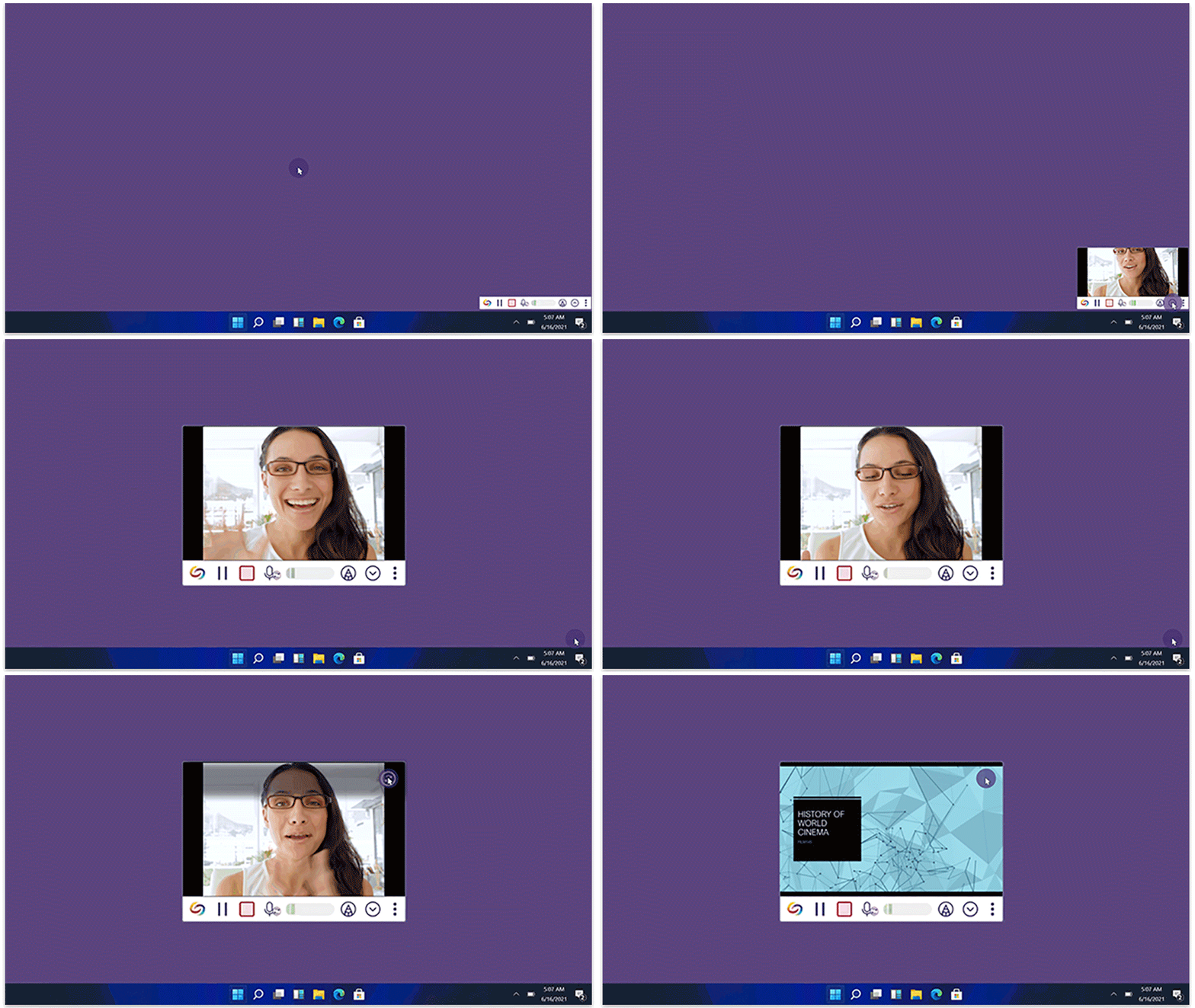
    We have successfully pushed a minor update for Software Capture for PC to all instances residing in the US, Canada, Australia, and the European Union. This update provides enhancements to the fleet management configuration file, improved previewing for live sessions, resolved profile selection issues, and resolved concerns related to monitors without default displays.
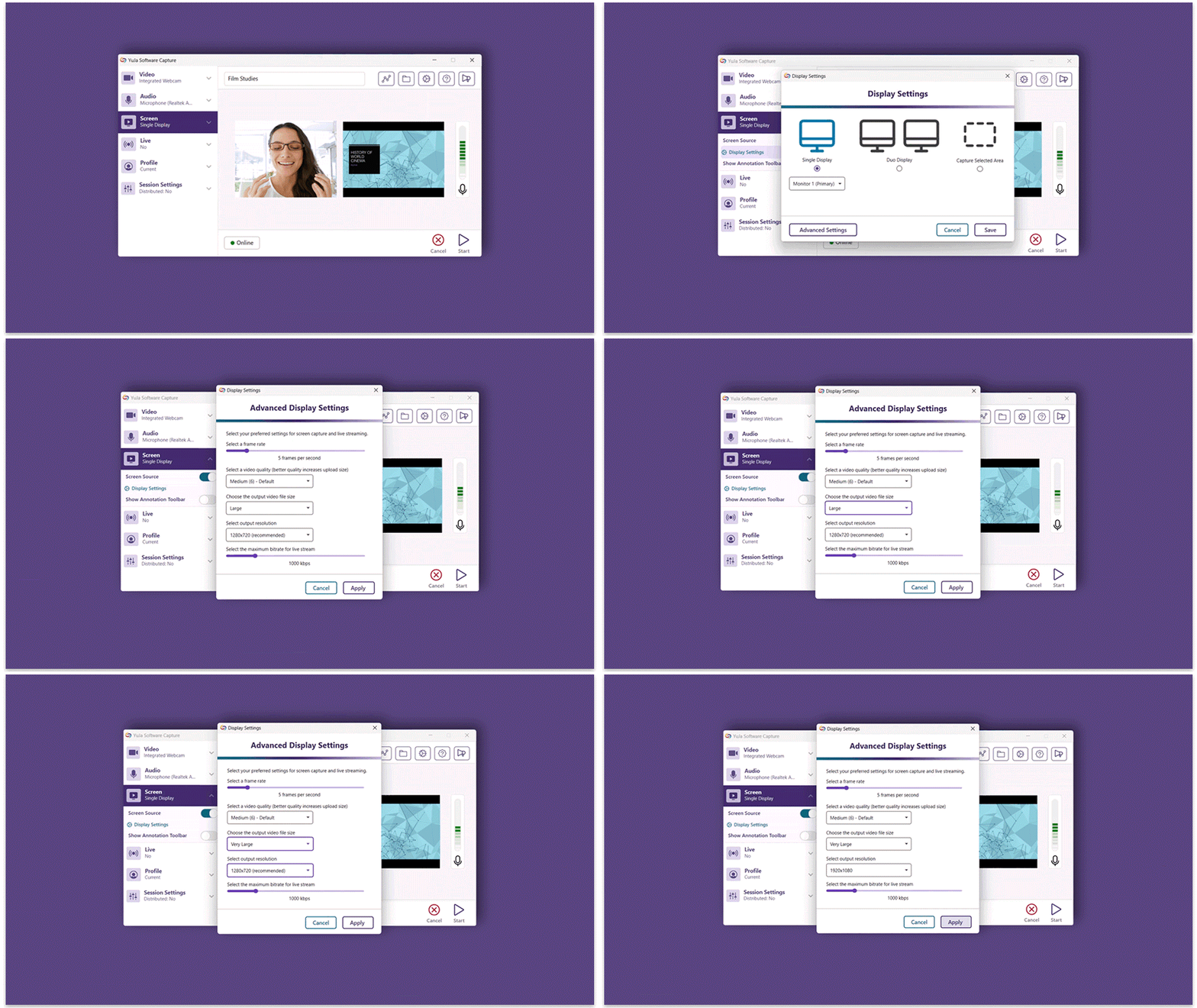
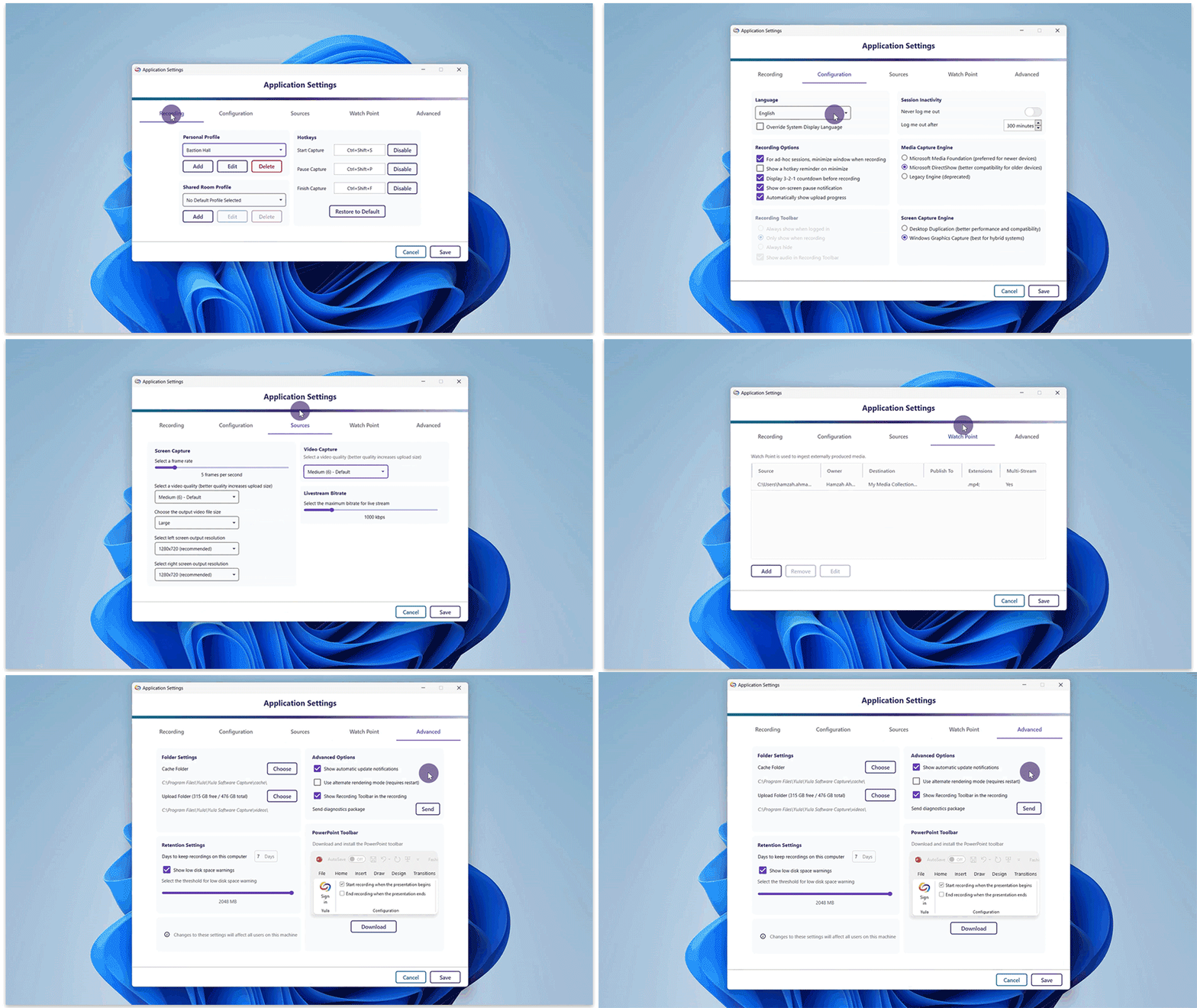
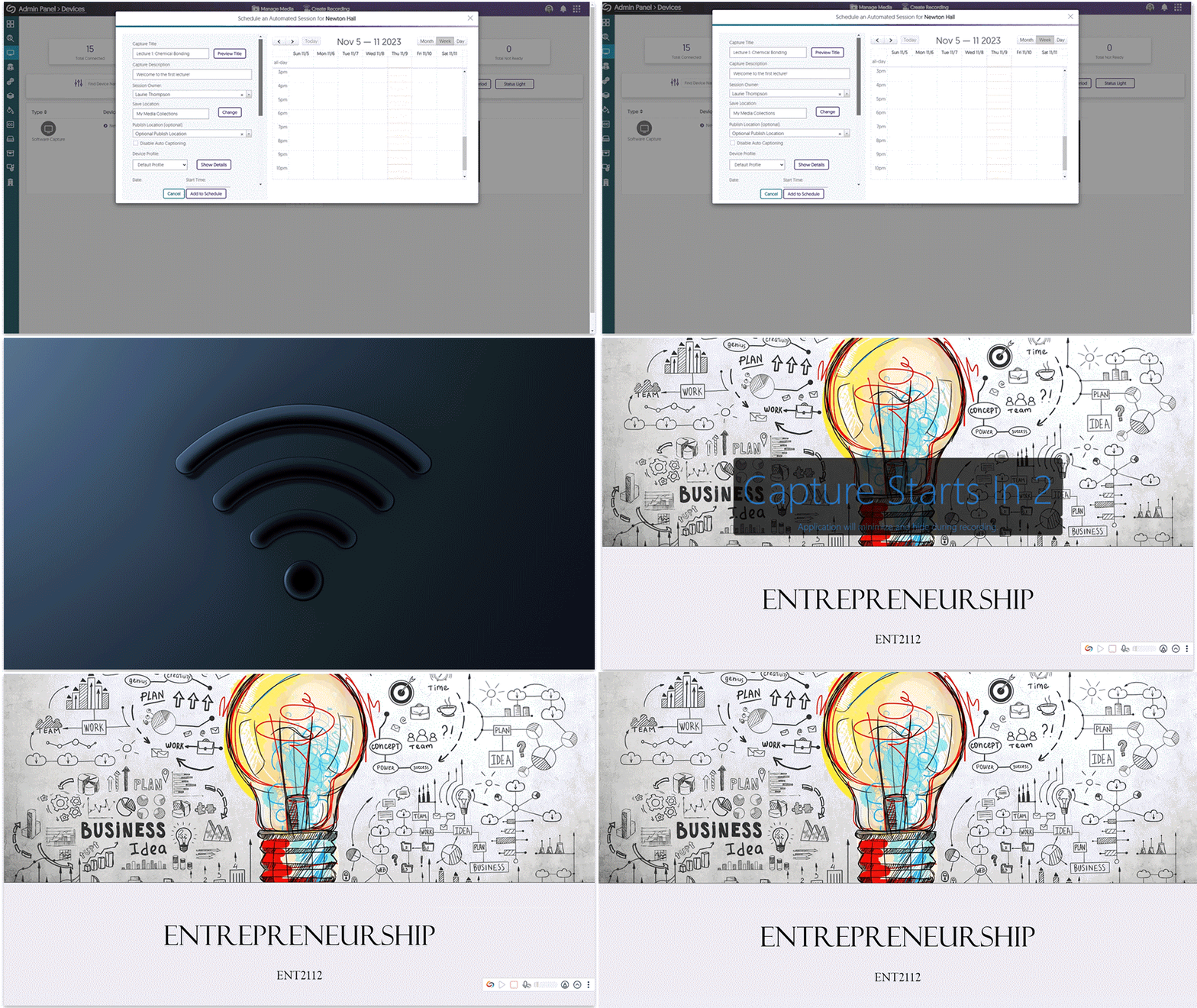
    1. Enhanced Fleet Management Capabilities to Allow Remote Software Capture Setup for Non-Classroom Deployments Building upon our large-scale remote deployments, institutions can now pre-configure their Software Capture using configuration files without the need to auto-register the Software Capture application to the Video Platform’s Devices tab (previously remote configuration with the config sidecar file required registration). To learn how to download, edit, and deploy the configuration file for your institution, please refer to our guide on Auto-Registering and Configuring the Software Capture Application for PC. Software Capture configuration file.
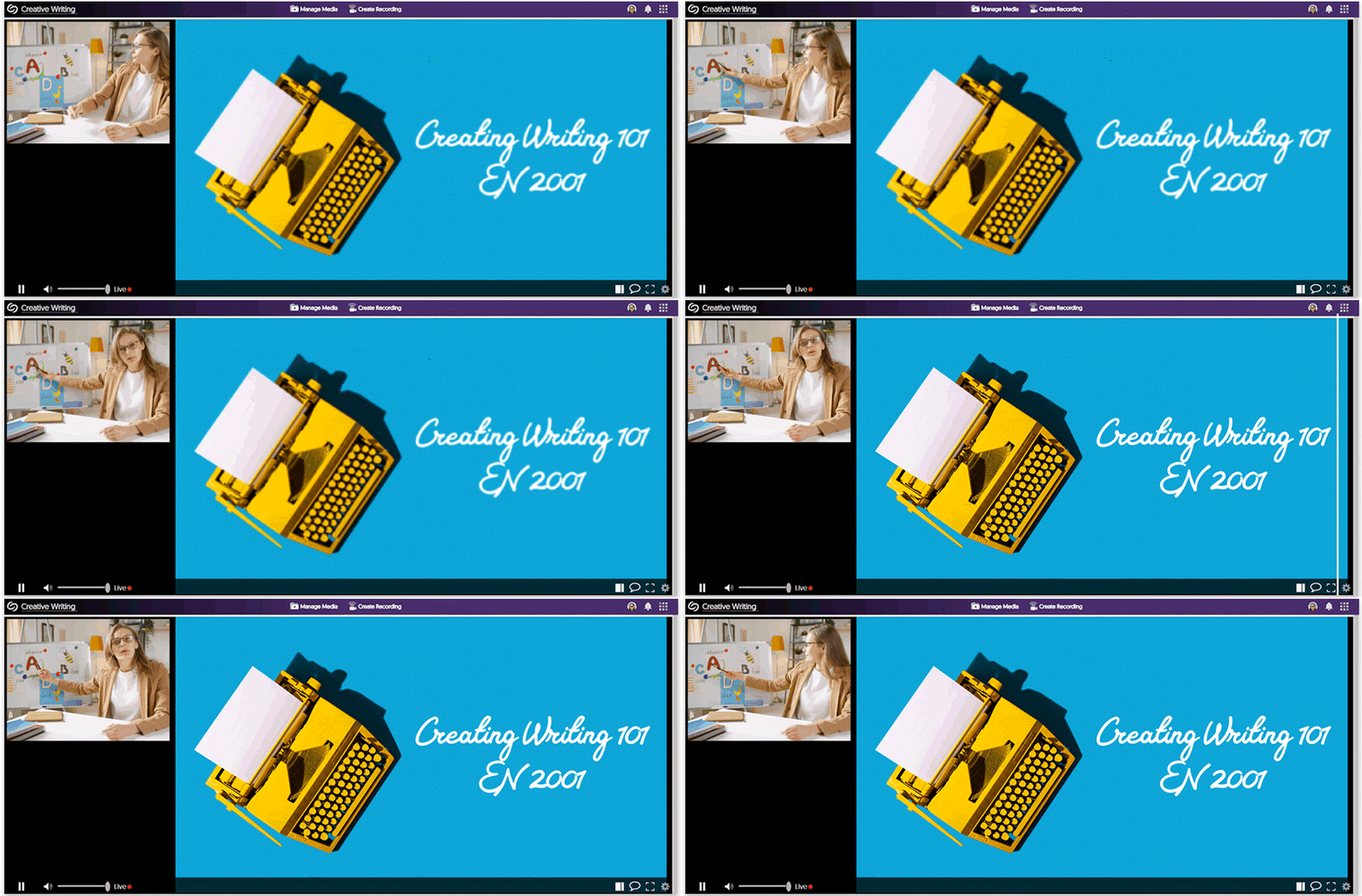
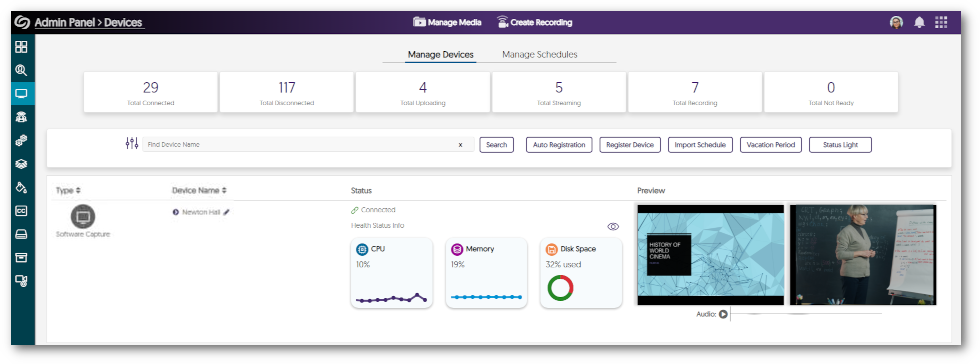
    2. Improved Performance for Remote Preview Monitoring We’ve fixed an issue that was causing previews to not appear in the Admin Panel for some institutions. Devices tab showing a preview of a live session.
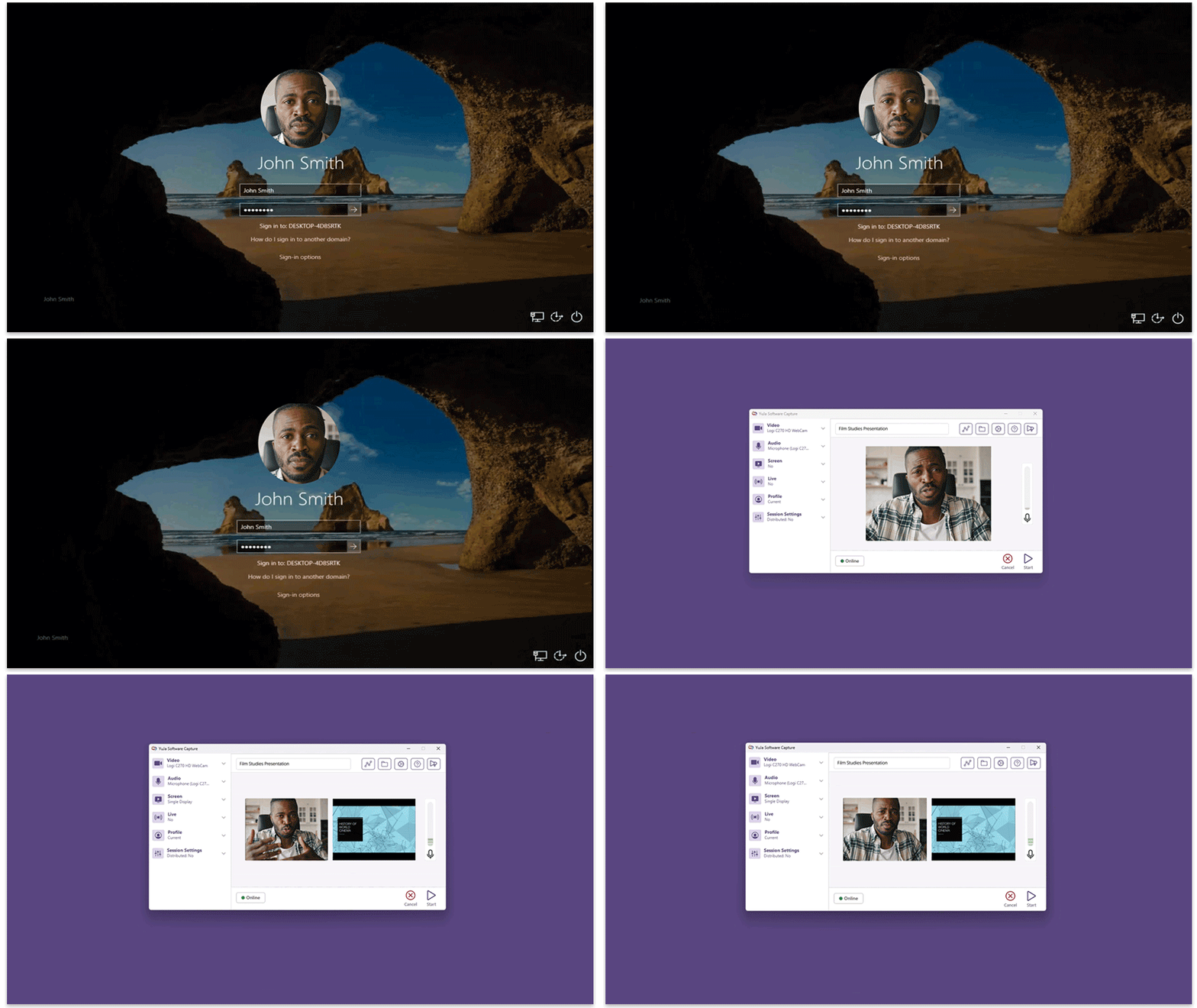
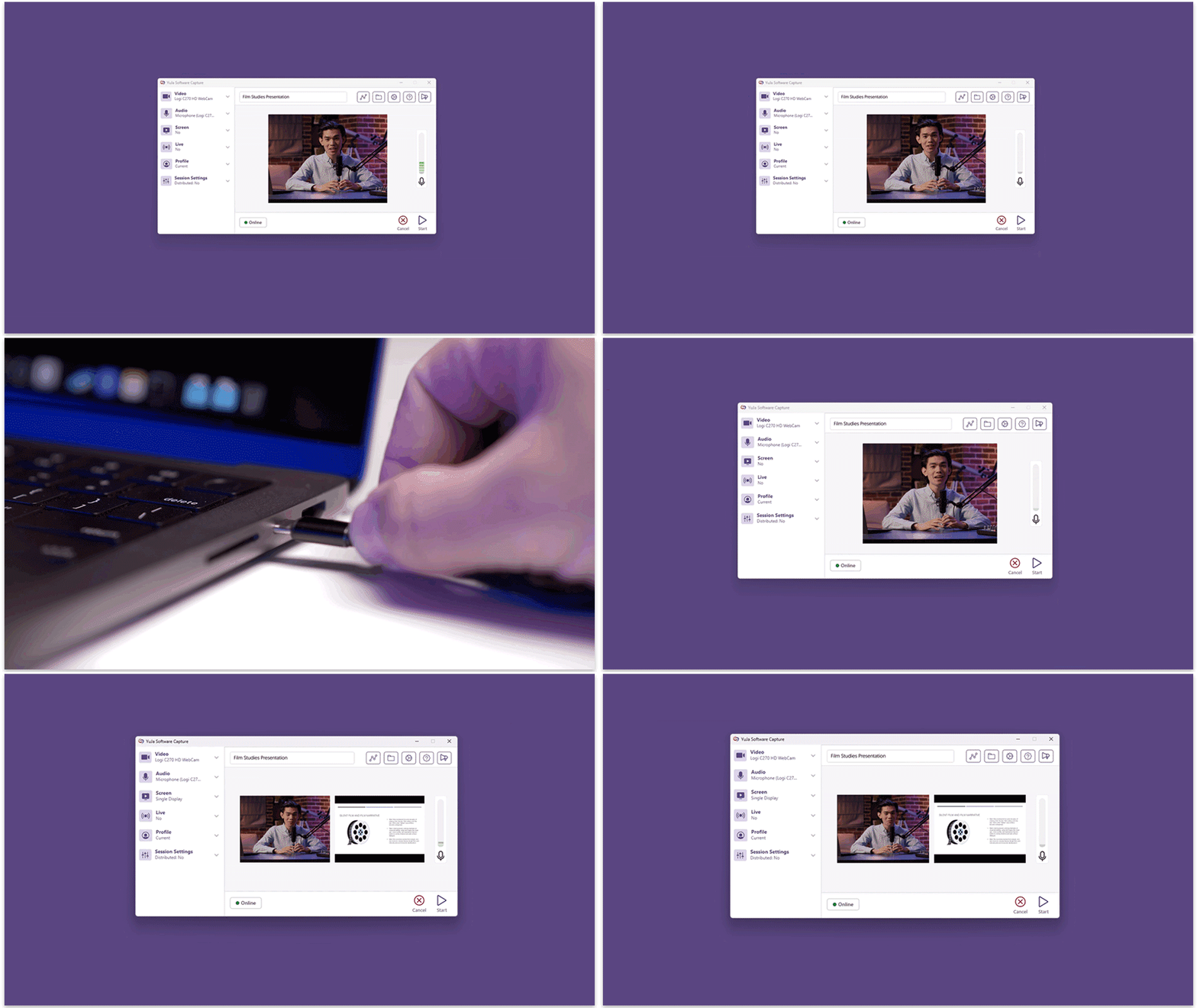
    3. Resolved Profile Selection Issues for Remote and Manual Sessions We have identified instances where automated sessions were not applying user profiles, and some users encountered difficulties when selecting their default profile. We have resolved these issues to ensure users can transition seamlessly between their profiles for remote and manual sessions. Software Capture confidence monitor highlighting profile selection.
    4. Automated Sessions Will Now Detect Monitors With No Recommended Resolutions In some cases, automated sessions would fail if the primary monitor did not have a recommended resolution. We have resolved this issue to allow the Software Capture application to identify such monitors and begin the automated session.

Join the 1,000+ Organizations Deploying High-Impact Solutions

A collection of logos representing various organizations and institutions that use YuJa’s platform.