Product Updates

Get the latest platform updates, features, and announcements—all in one place.

Help Shape What's Next

Join discussions, request features, and vote on ideas.

Join Community

Built With Passion

Learn about the people behind YuJa.

About Us

Trial Program

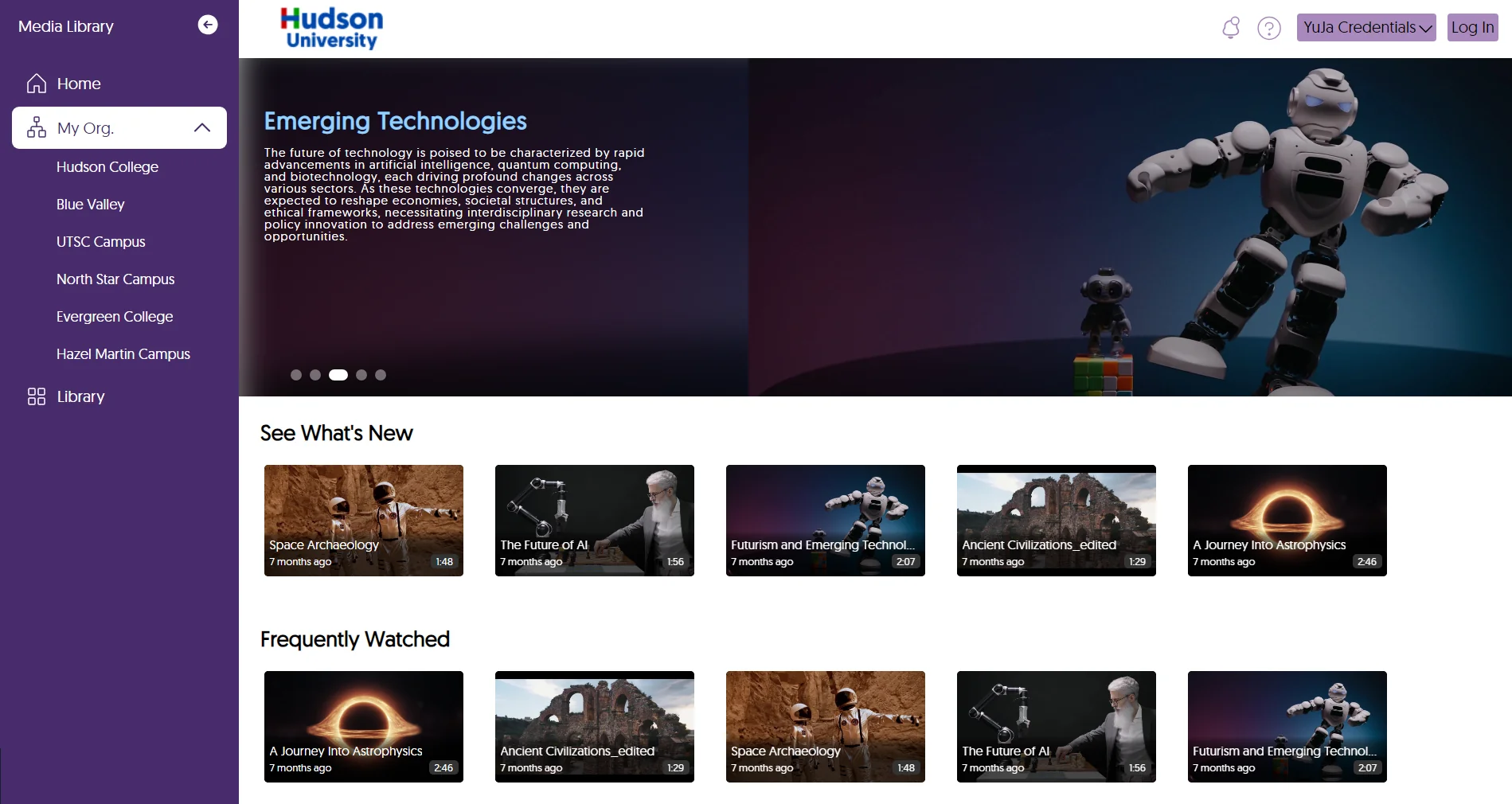
We offer an opportunity to try our products.

Request a Demo
  • July 9, 2024

    YuJa Enterprise Video Platform Update – July 2024

    We have successfully pushed an update to all Enterprise Video Platform instances residing in Canada and the European Union. Zones residing in the United States, Australia, the Middle East, and Asia will be updated later this week. The highlights for this update include improvements to the Video Editor, a dedicated Overview page for Campuses under the Umbrella System, updated design interfaces across several areas of the platform, new security ID support PINs, quality-of-life improvements to the Media Chooser, automatic imports for Zoom Room recordings, analytical tracking for time jumps by users, enhanced captioning for live streams, and more.
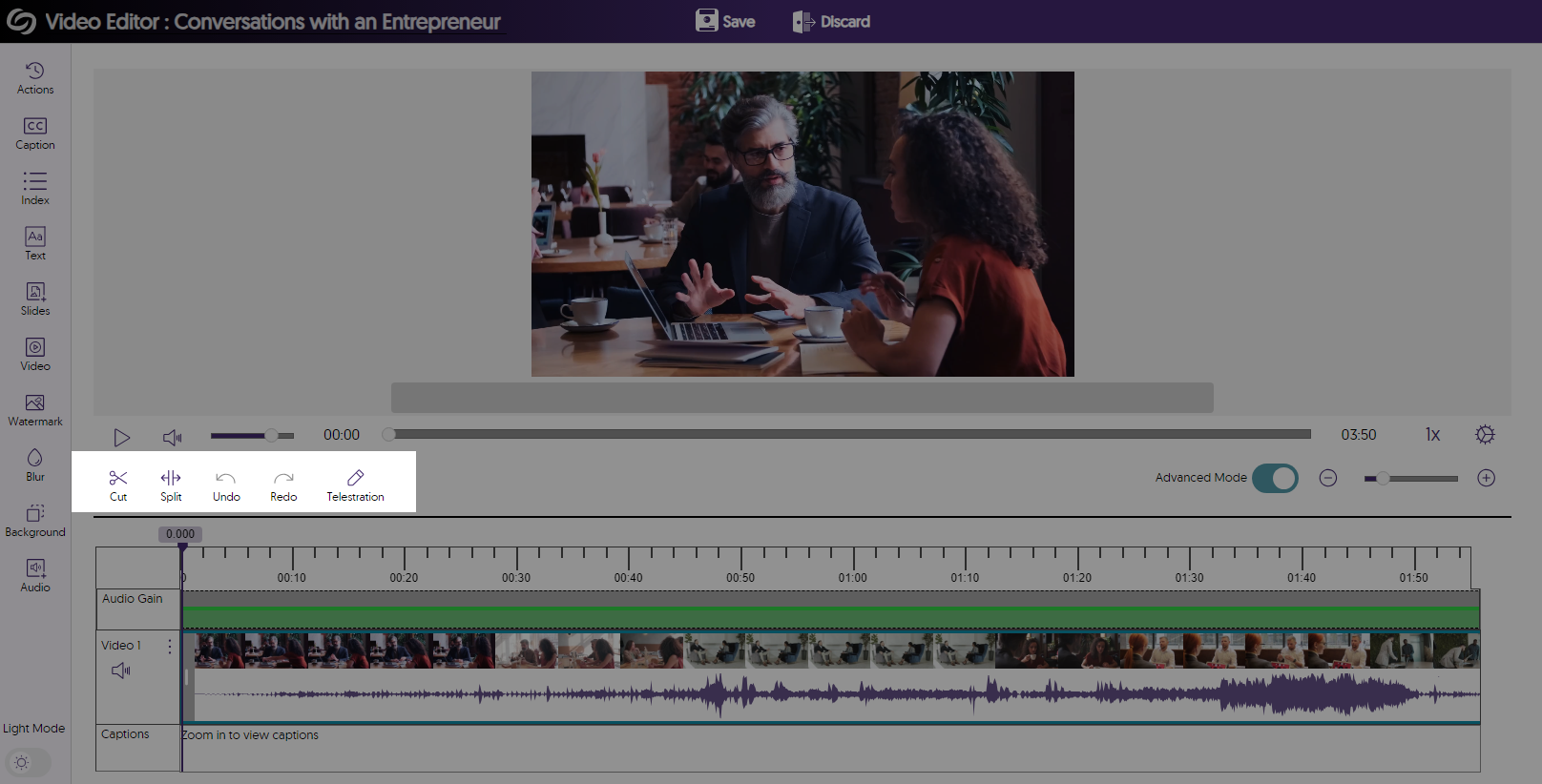
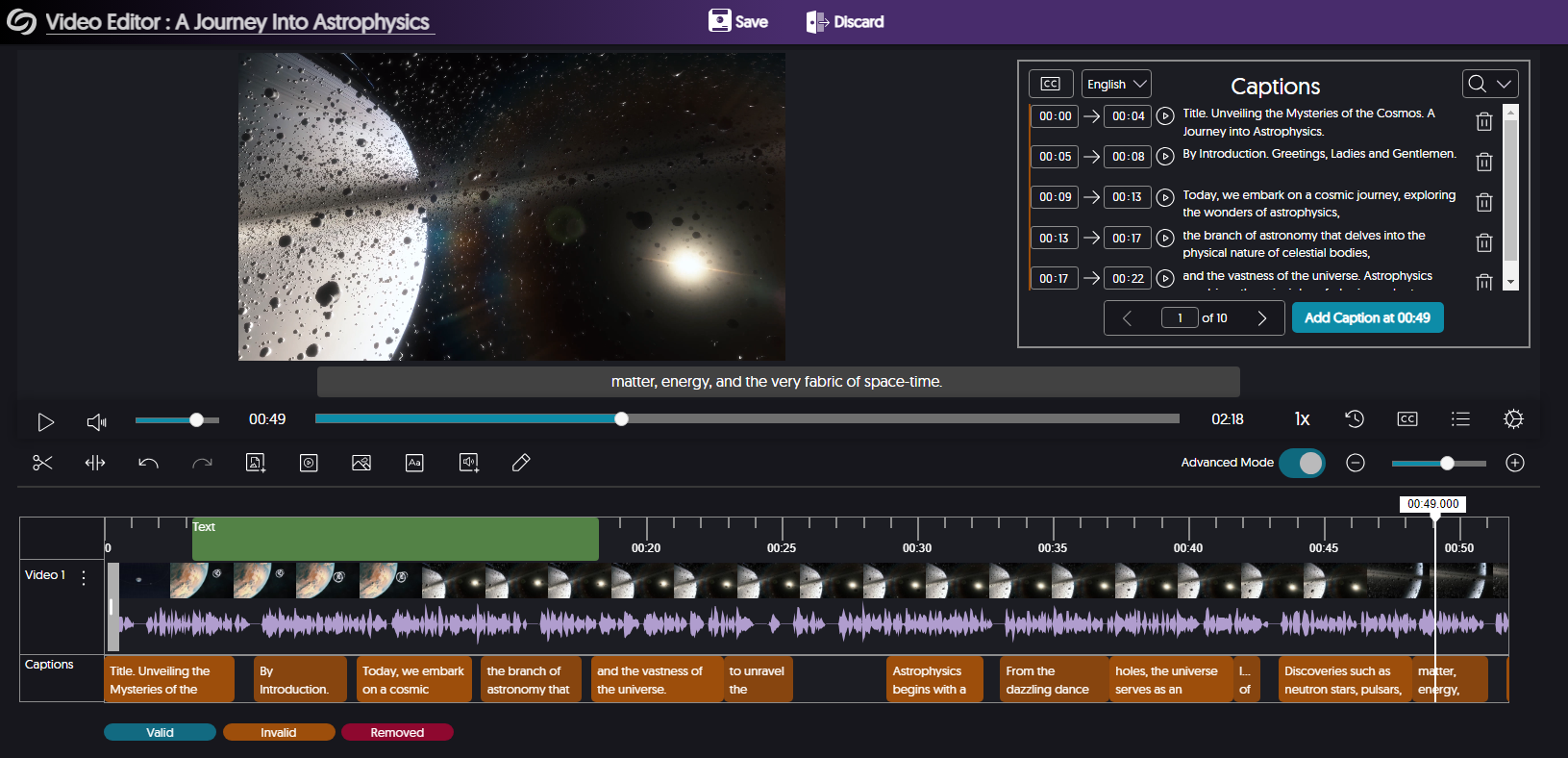
    1. Unified Video Editor Slide-Out Sidebar with Access to All Advanced Editing Tools To enhance the Video Platform’s usability, it now features a sidebar menu for Content Creators to quickly access advanced tools and settings. This consolidates the previous right-hand side panel and the advanced editing tools on the center panel into a single, unified slide-out toolbar. the sidebar is selected to show the slide-out feature.
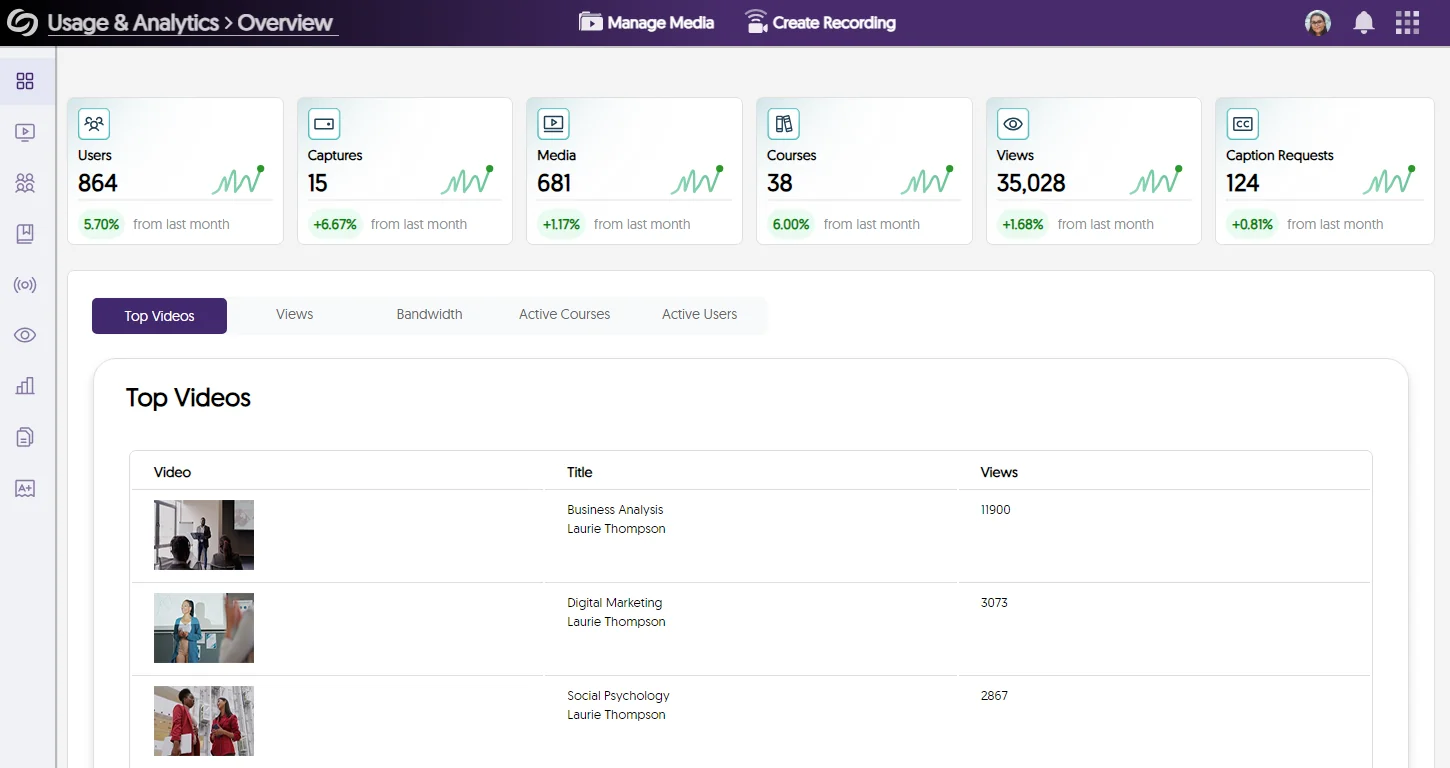
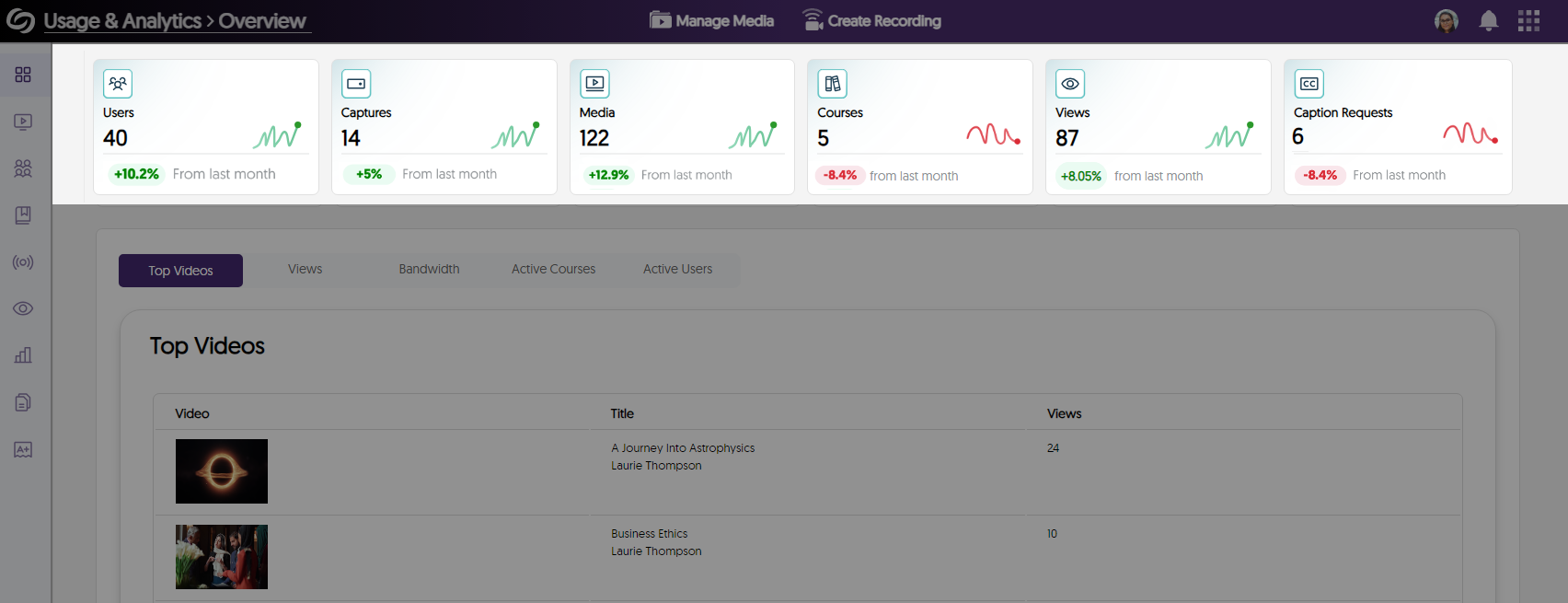
    2. Umbrella System – Dedicated Usage & Analytics Overview Page for Campuses For institutions deploying the Umbrella System Architecture, Administrators responsible for managing campuses within their institution’s hierarchical structure will have access to a dedicated Overview page. This page will display analytics specific to their campus, including data on top-performing videos, active users, and views. Overview page showing top videos.
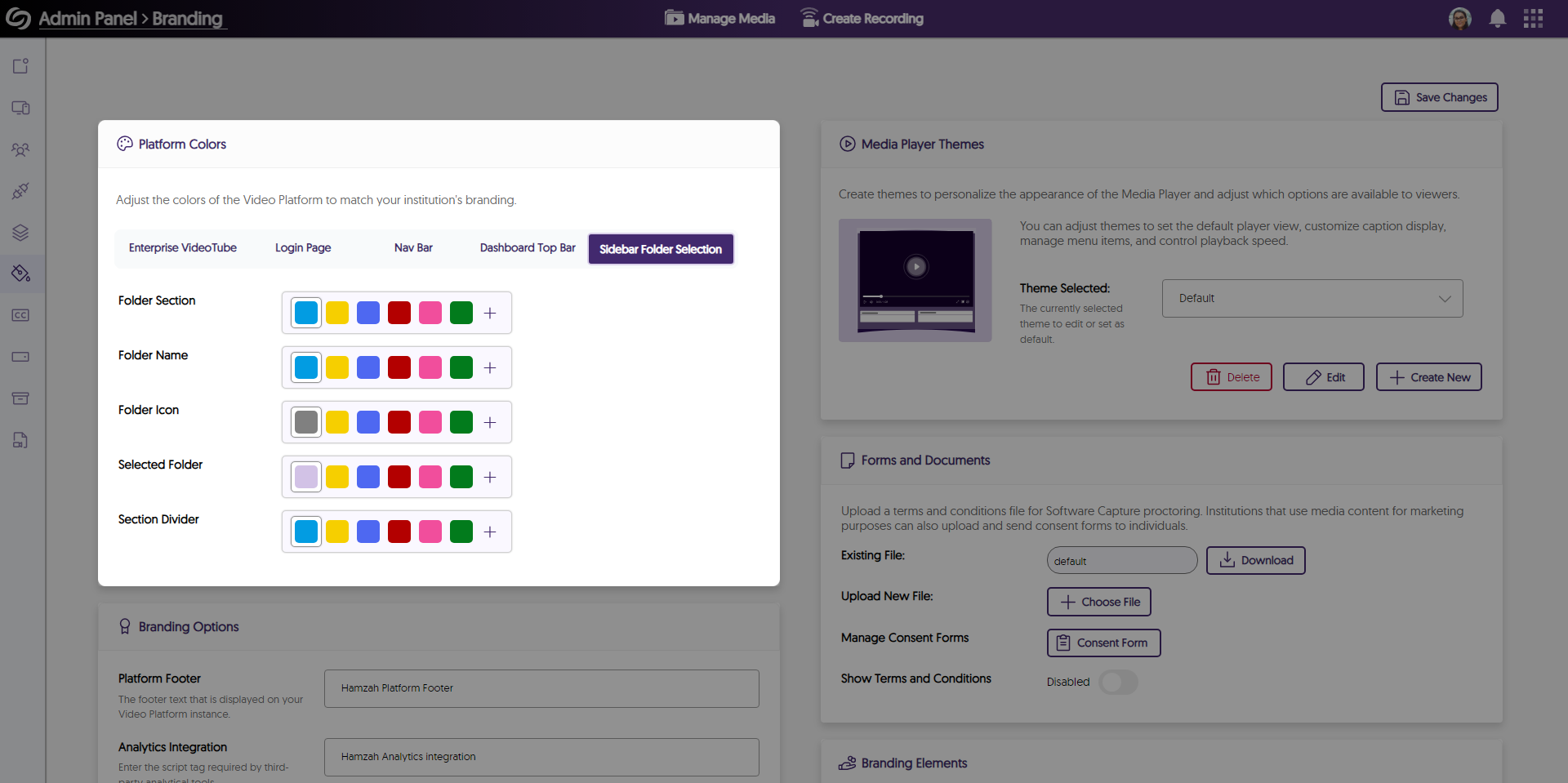
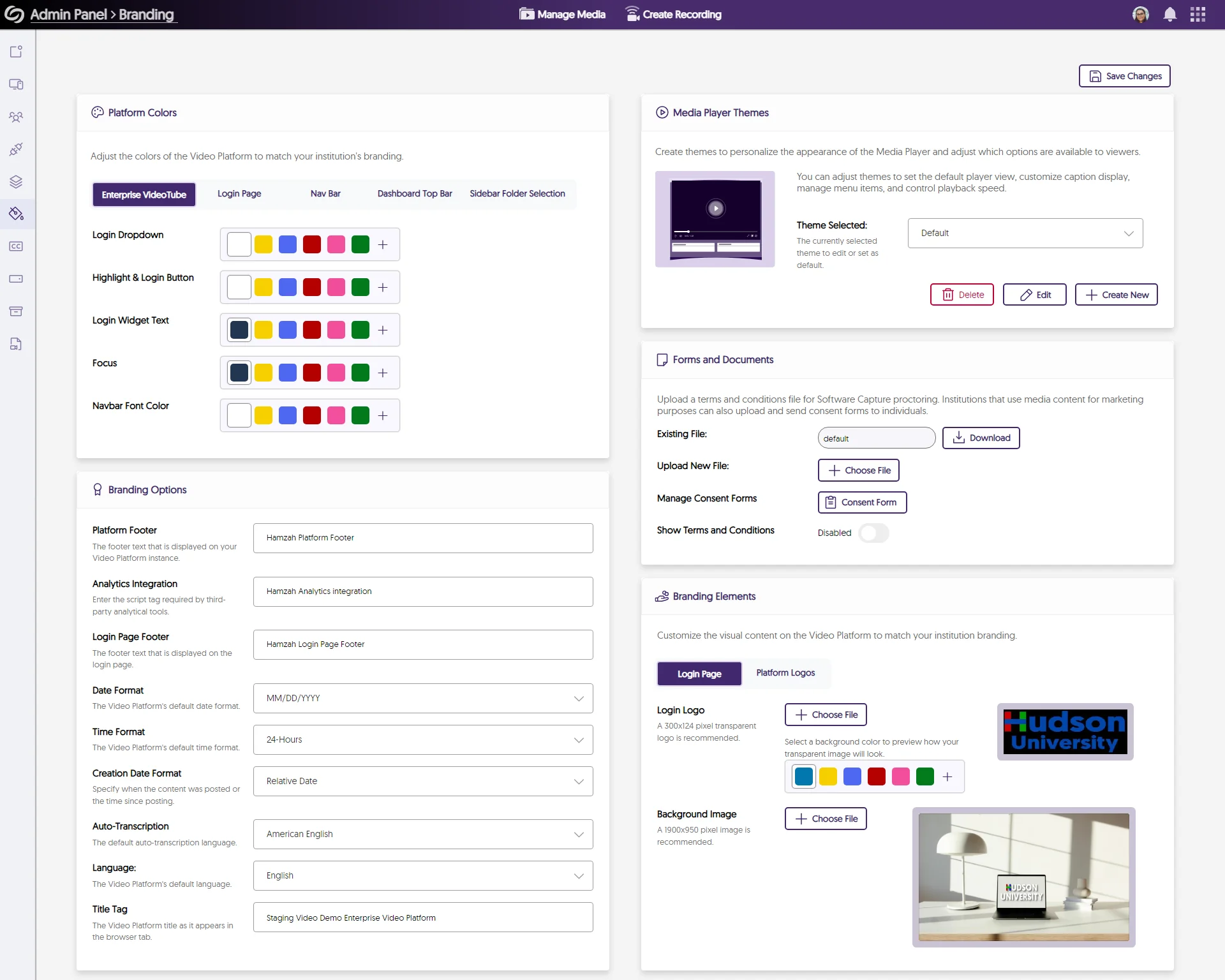
    3. Updated Interface for the Admin Panel’s Branding Page The Branding page has been redesigned to feature a more organized structure with clear headings and new icons and colors across the page. Over the coming releases, each panel of the Admin Panel will be significantly updated. New branding page.
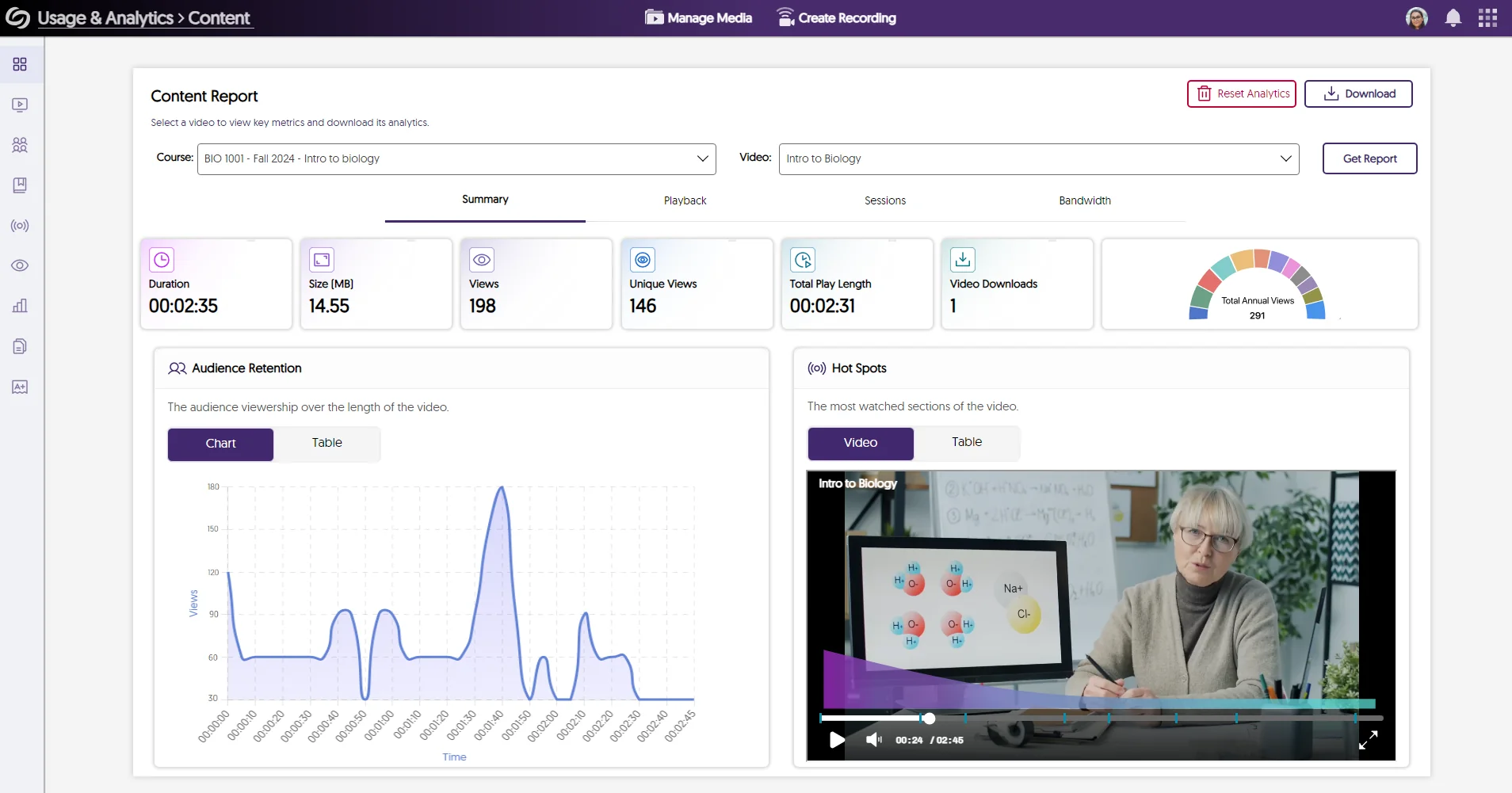
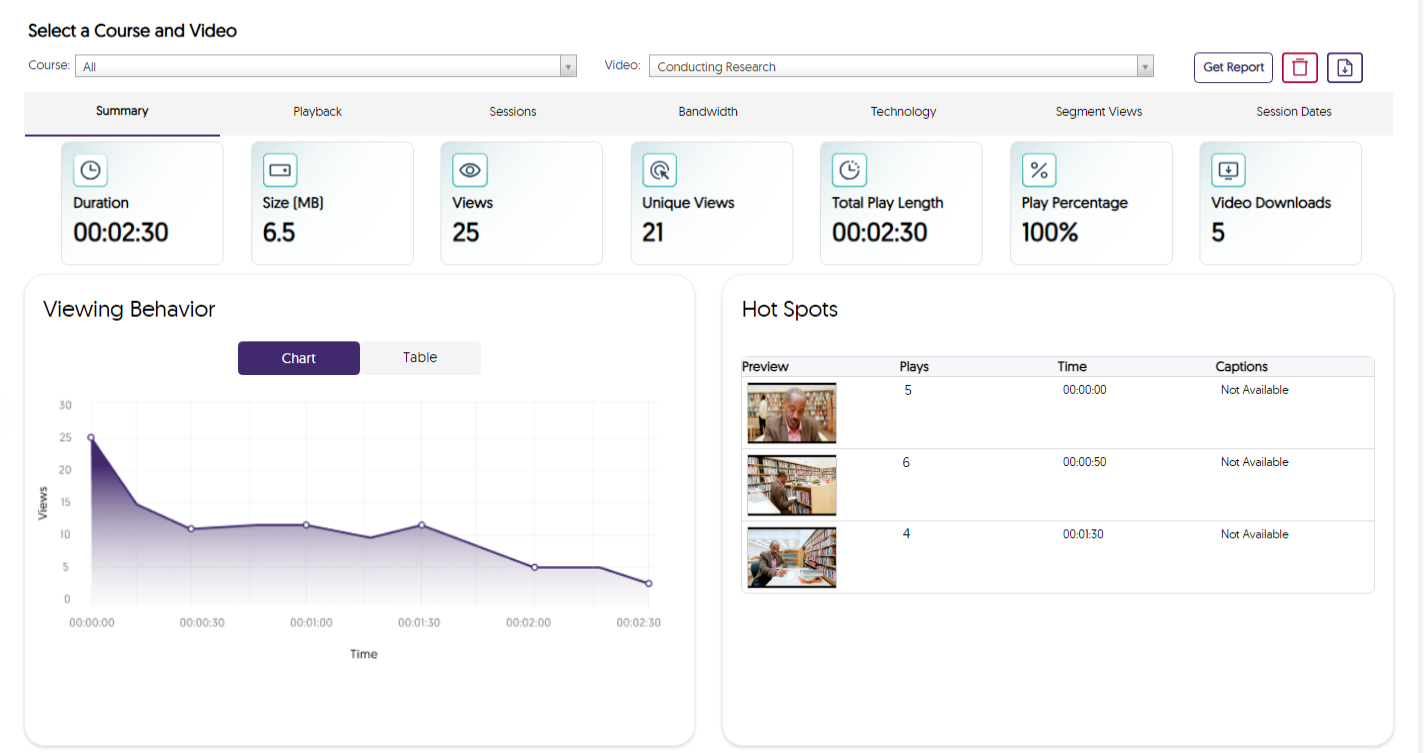
    4. Update Graphs and Analytic Displays for the Content Report in Usage & Analytics We’re continuing to transition the Video Platform to our new design system by introducing it to new areas, such as the Content page, to update the visual esthetics of graphs and how data is displayed. Viewing behavior for a video is shown.
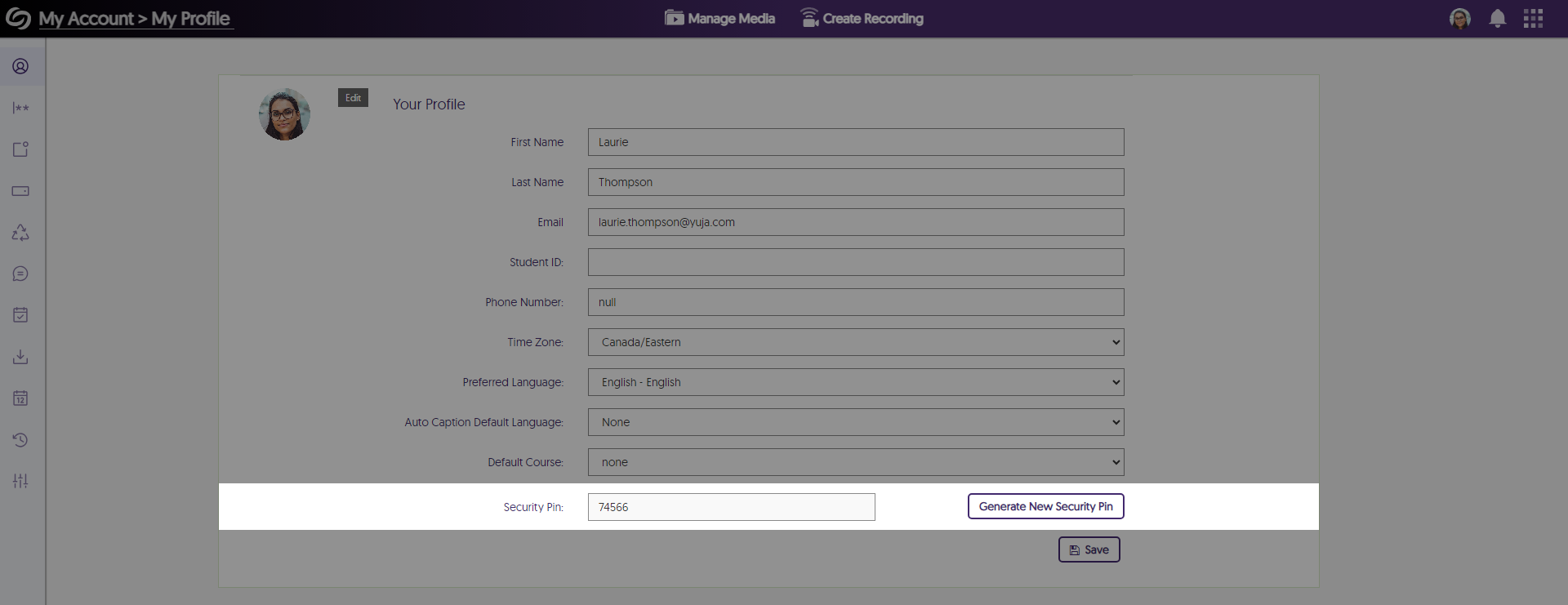
    5. Security ID PINs to Help Verify Account Access We’ve introduced unique ID pins for each account, which automatically change every 24 hours. Users can relay their PIN to our support staff to confirm they have access to the account they need help on. Security pin shown in My Profile.
    6. New Third-Party Hardware Smart Connectors Required for Integration with Video Platform Hardware Smart Connectors ensure the integrity of the Video Platform and align with permitted use, similar to integration with third-party video conference tools. Now, all third-party hardware device integrations will require a licensed Smart Connector. All users who use these capabilities should have had their Client Success Manager reach out to them to ensure continued operations of the integration.
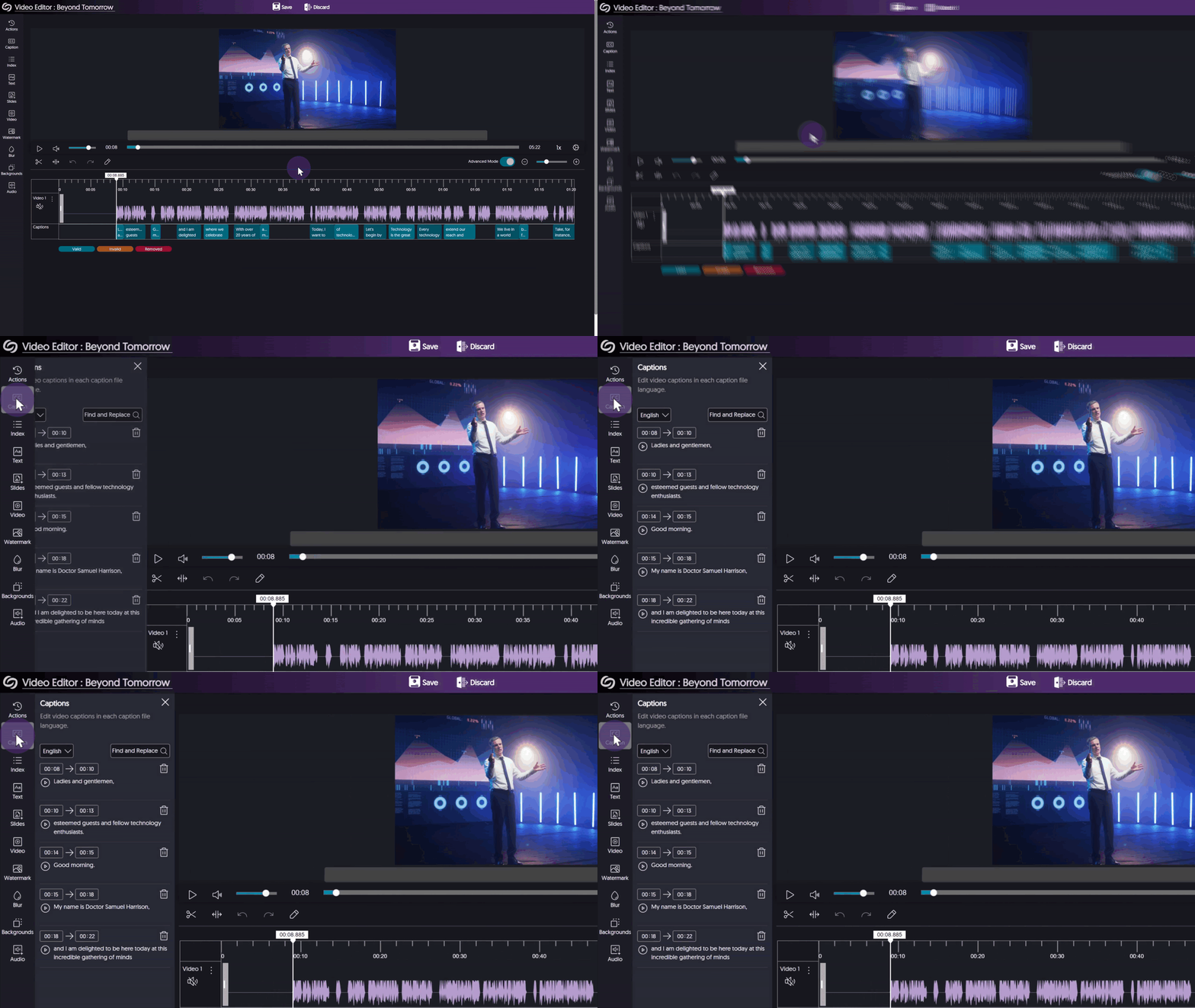
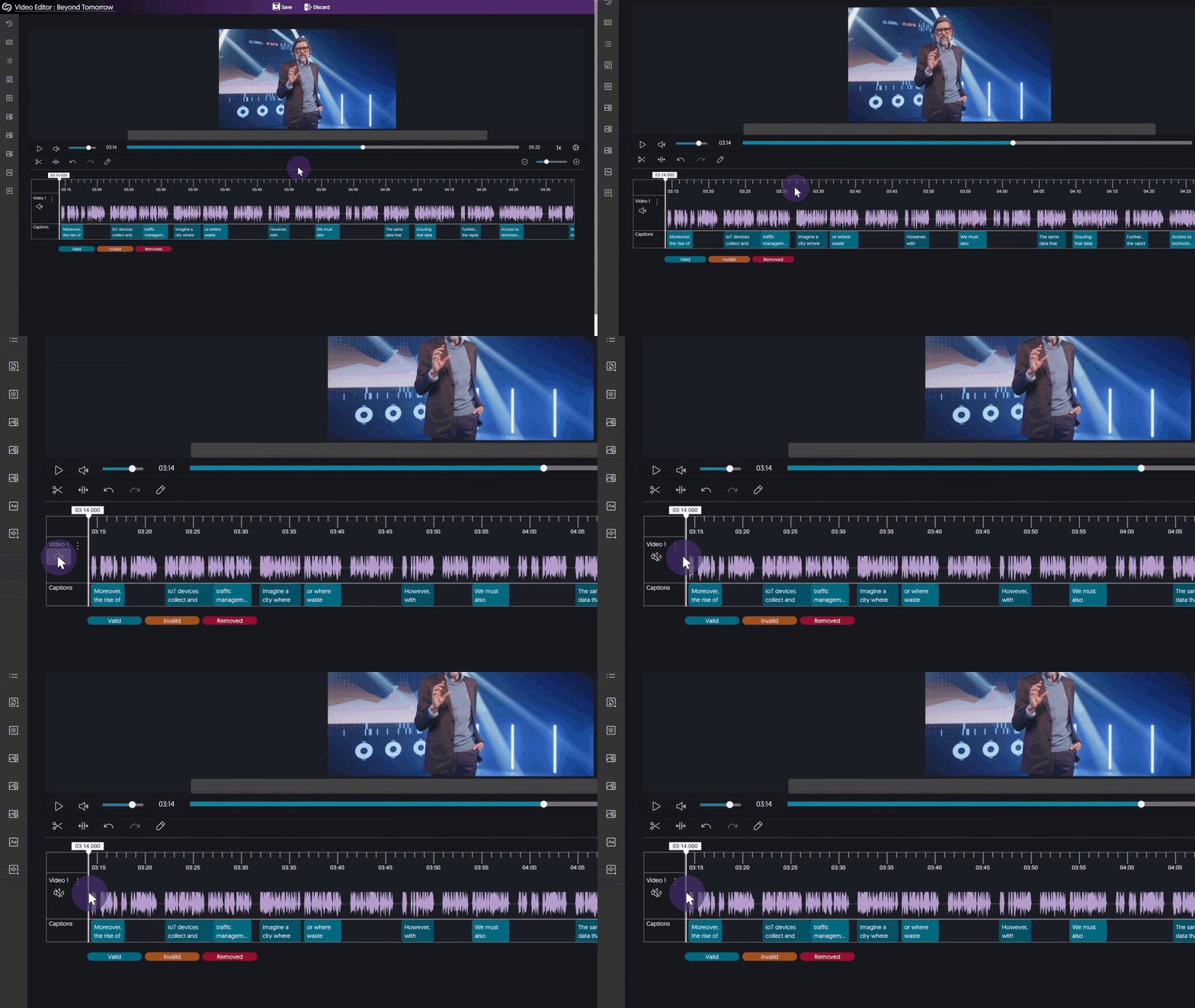
    7. Video Editor Supports Ability to Mute Audio Tracks of a Unified Audio-and-Video Stream The Video Editor features the option to mute audio streams while retaining the video source, allowing Content Creators to remove unwanted audio. An audio track is muted in the video editor.
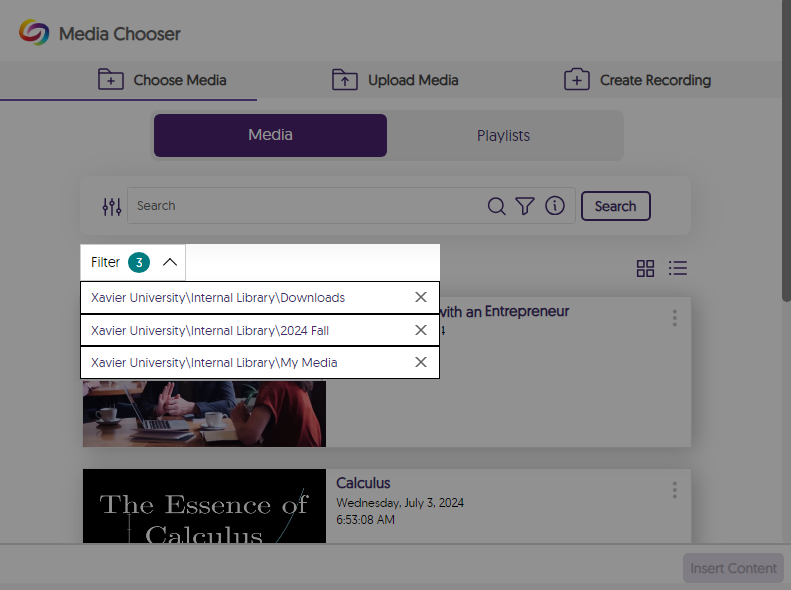
    8. View Selected Folders within the Media Chooser The Media Chooser allows users to view which folders they’re searching within. Folders selected in the media chooser are shown.
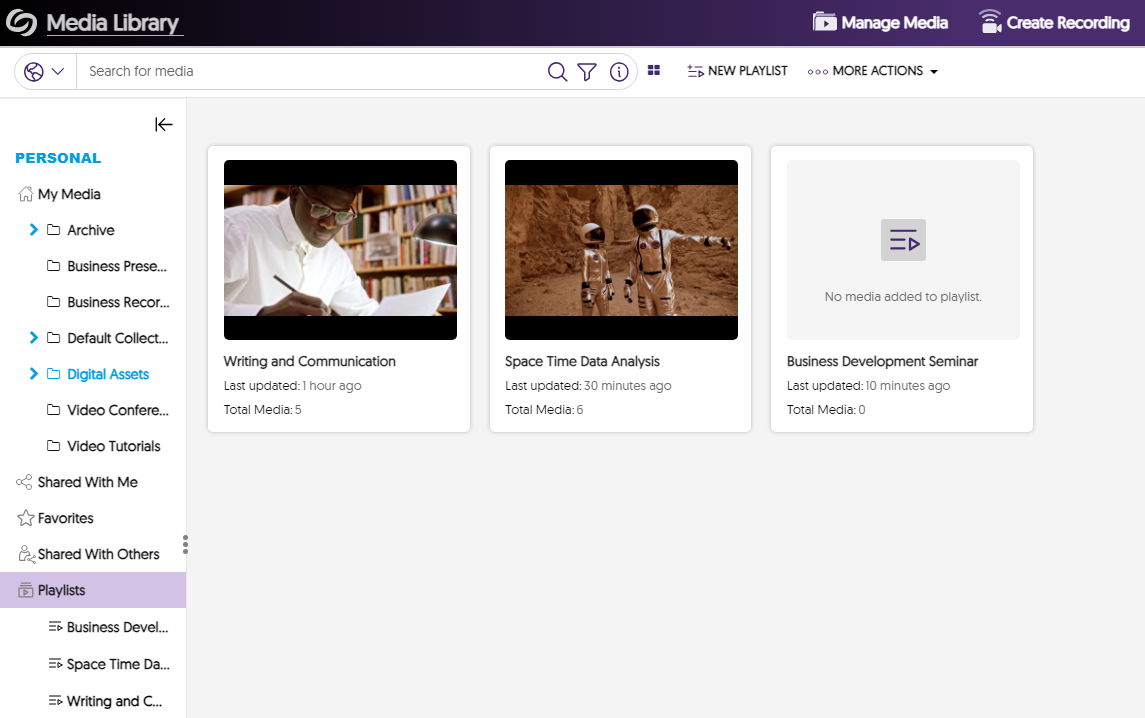
    9. New UI to Improve Visual Distinctiveness of Playlists Playlists feature a new UI that distinguishes them from folders, allowing Content Creators to easily recognize them within their personal library and channels. New folder UI is shown.
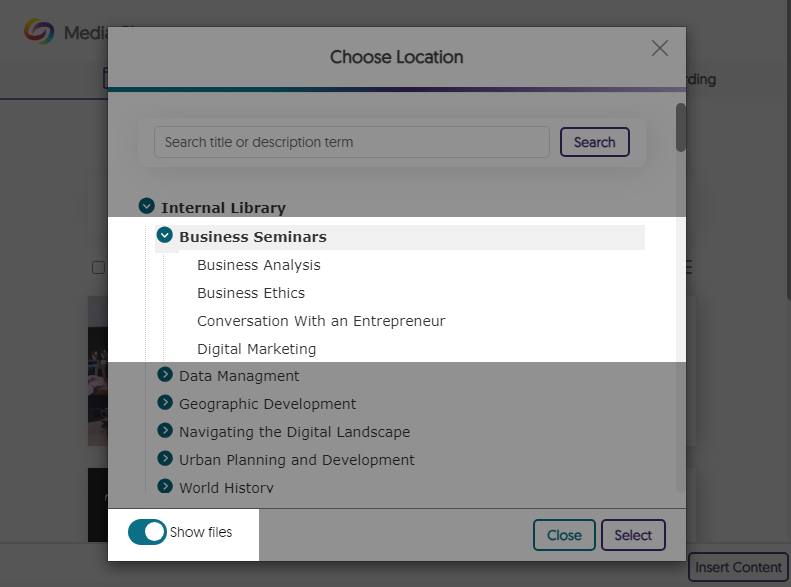
    10. Media Chooser – Browse Files Within Folders When Filtering by Location in the Media Chooser When choosing a location to filter results, users can toggle the “Show Files” option to view all media content within folders. Files are shown within a folder in the Media Chooser.
    11. Automatic Imports for Recorded “Zoom Rooms” Meetings Our existing Zoom integration, which supports automatic imports for Zoom video conference recordings, will also support automatic imports for Zoom Room recordings. Zoom Room logo.
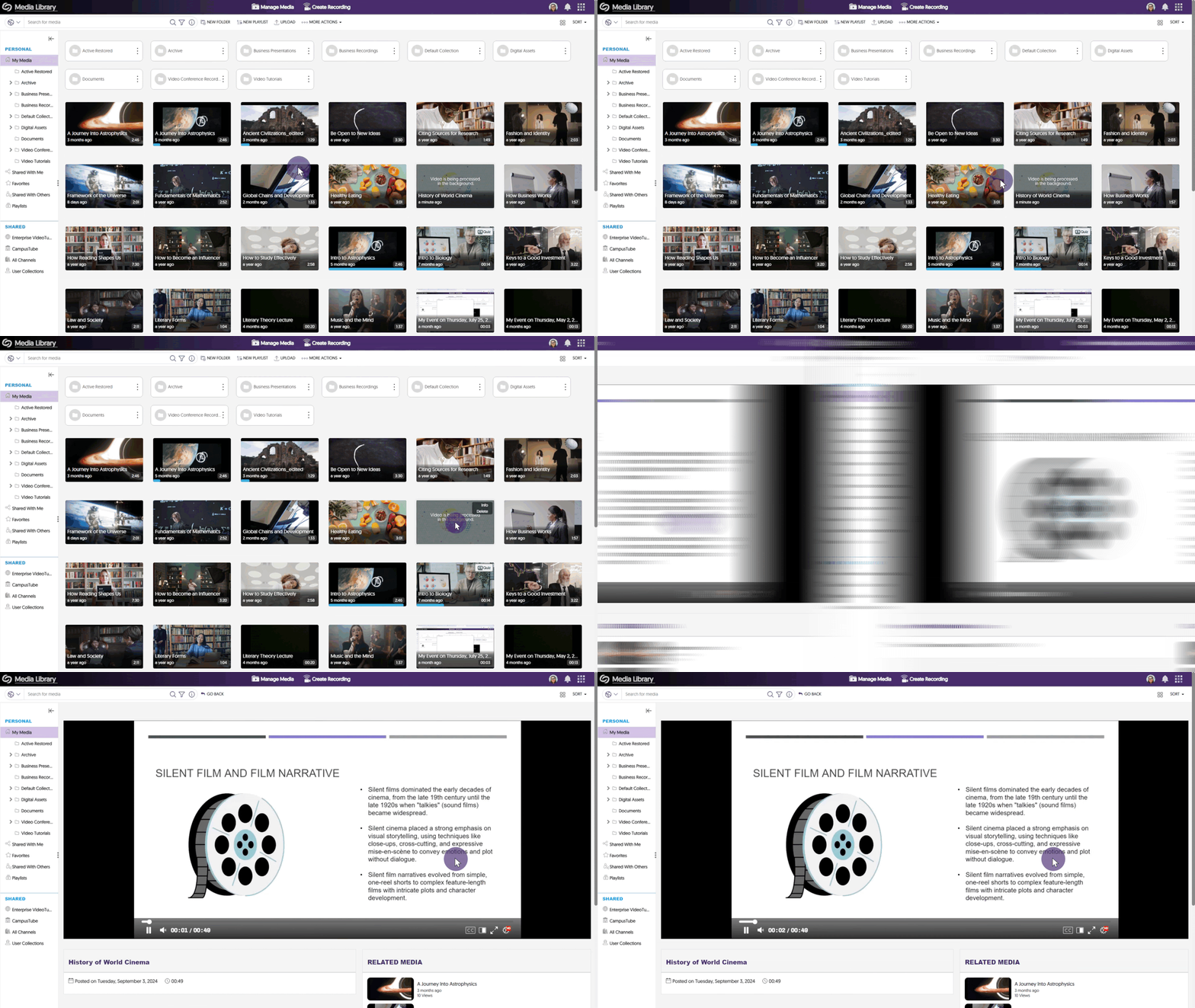
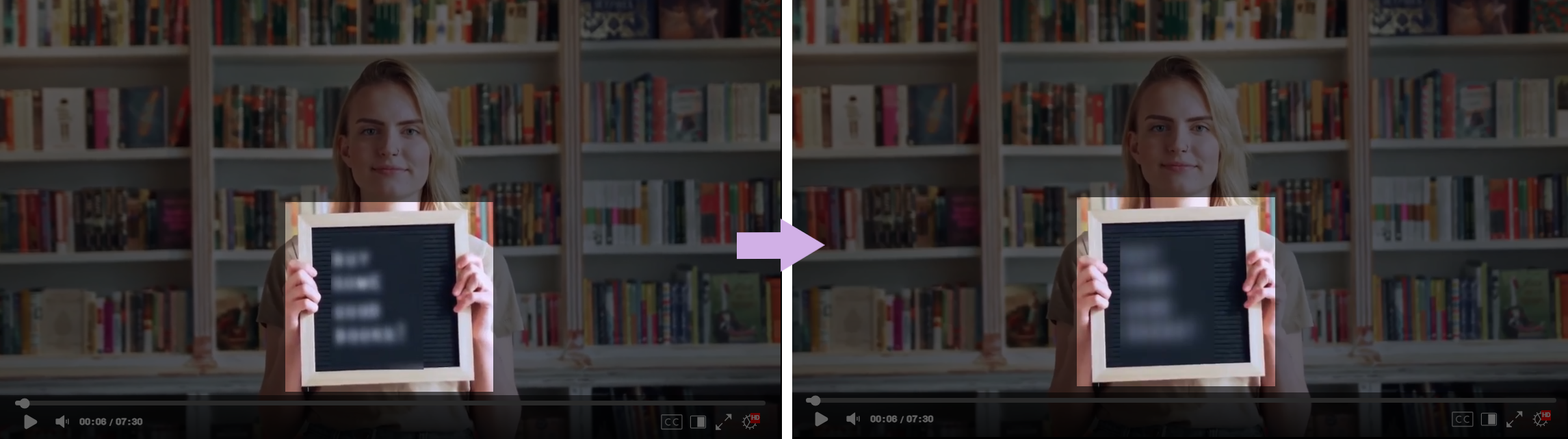
    12. Video Editor – Updated the Blur Tool to a More Intense Blur Effect The Blur tool has been updated to a much more intense blur effect to help ensure that textual material is illegible. Side by side blurred images are shown showcasing the more intense blur effect.
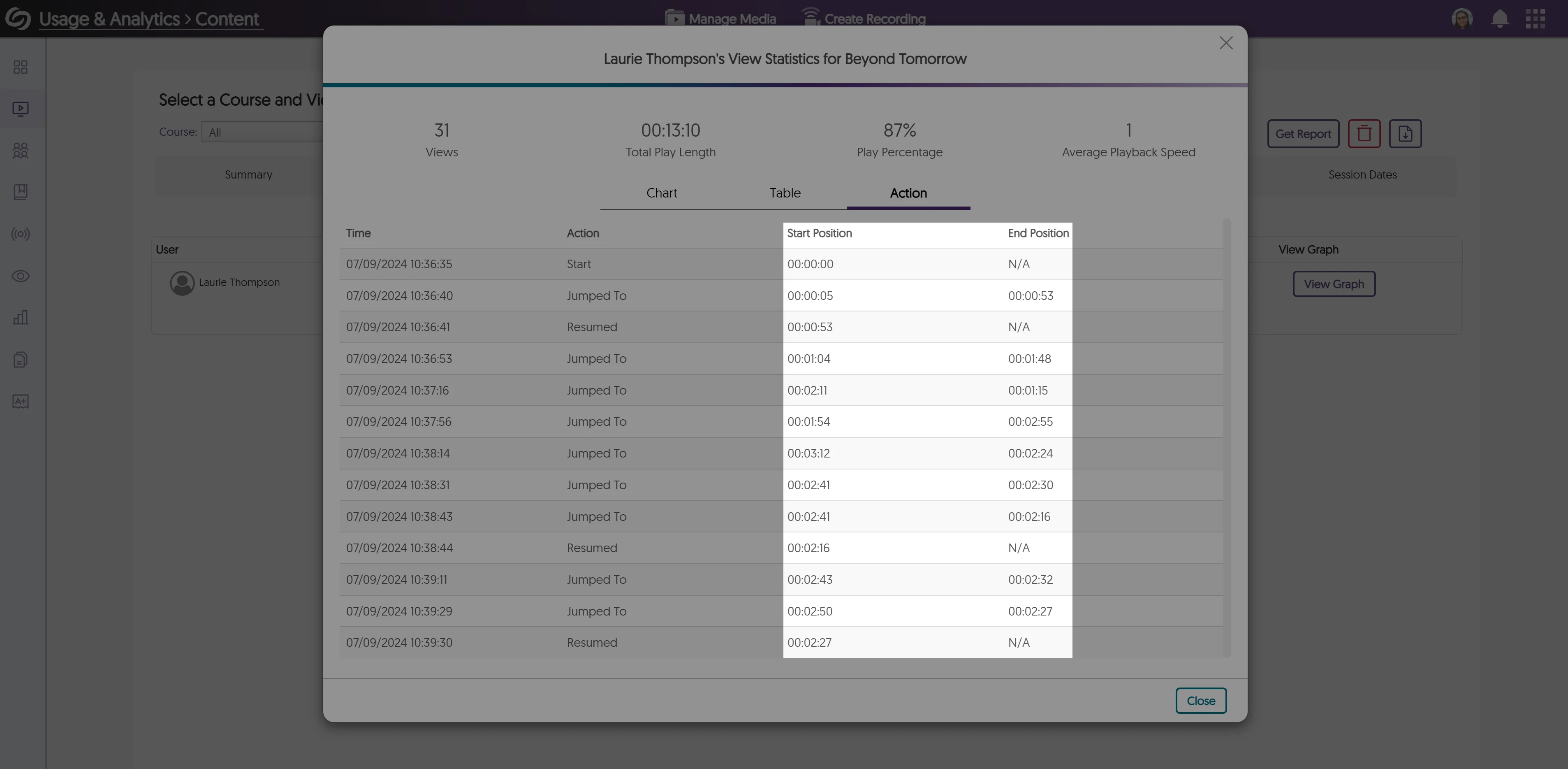
    13. Analytical Tracking for Video Timeline Jumps by Users Administrators can view how users interact with a video by seeing parts they go back to or jump to when watching content. Analytics for a user showing timeline jumps.
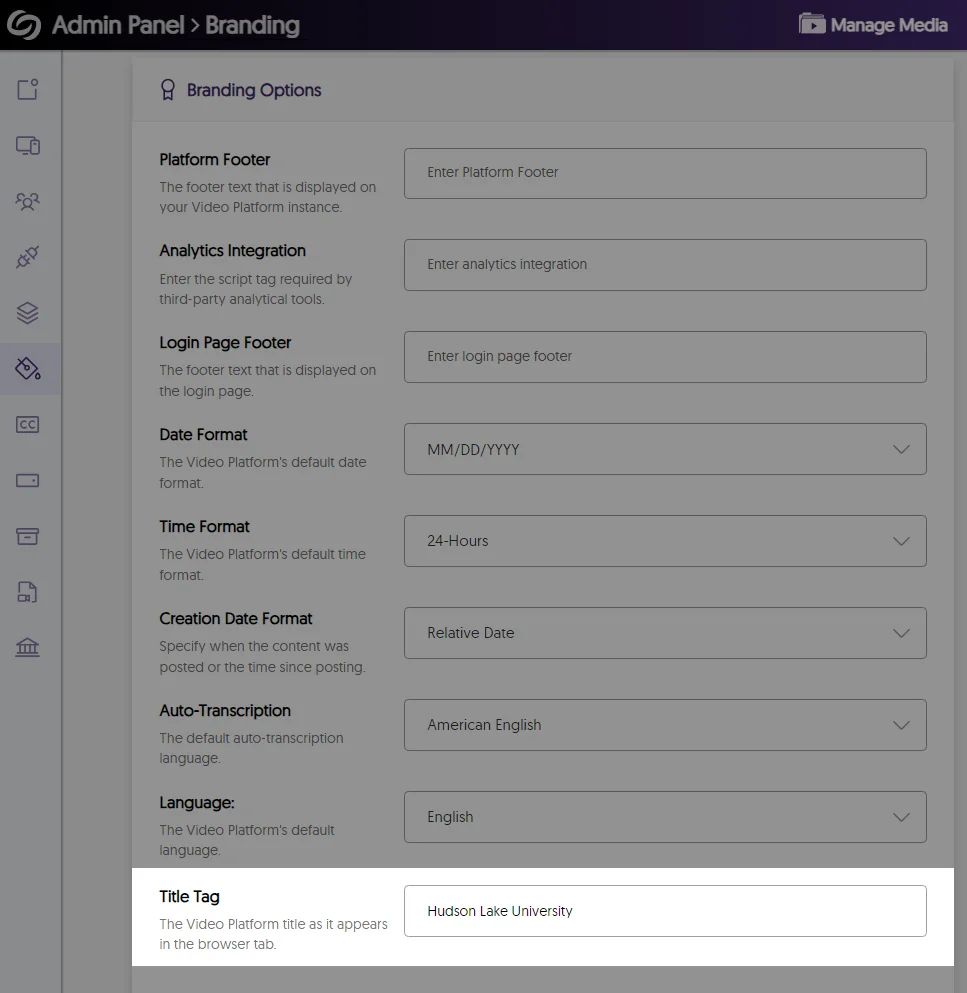
    14. Customize the Title Tag of the Video Platform Administrators can adjust the title tag of their Video Platform to match their institution’s branding. The option to add a title tag.
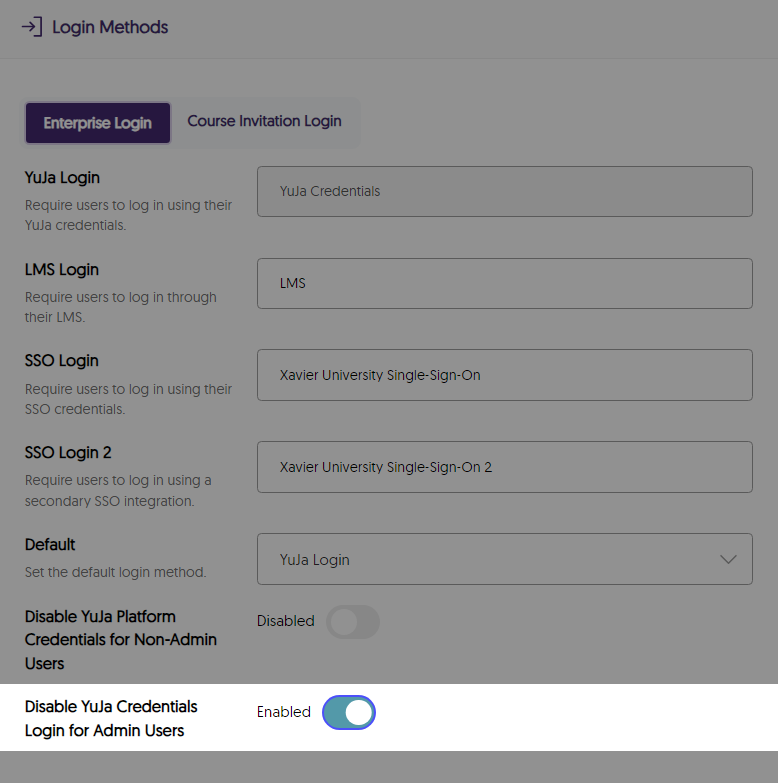
    15. Option to Require SSO Login for Administrators To protect the privacy and security of an institution’s Video Platform instance, we’ve added a new optional setting that requires administrators to log in through their SSO instead of their YuJa credentials. Option to disable YuJa credentials for admins.
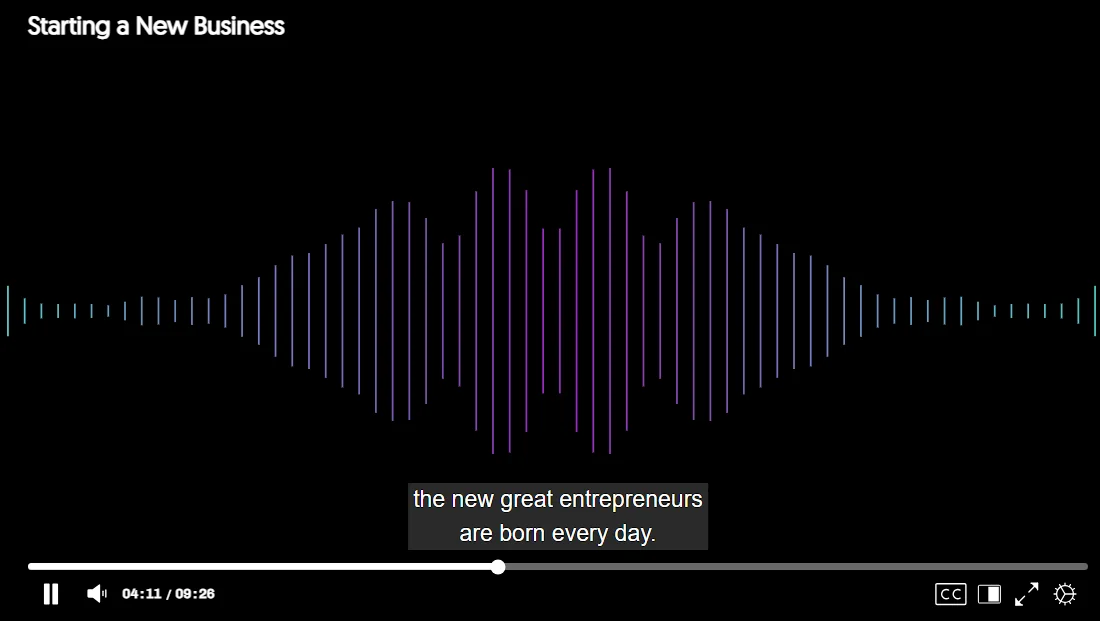
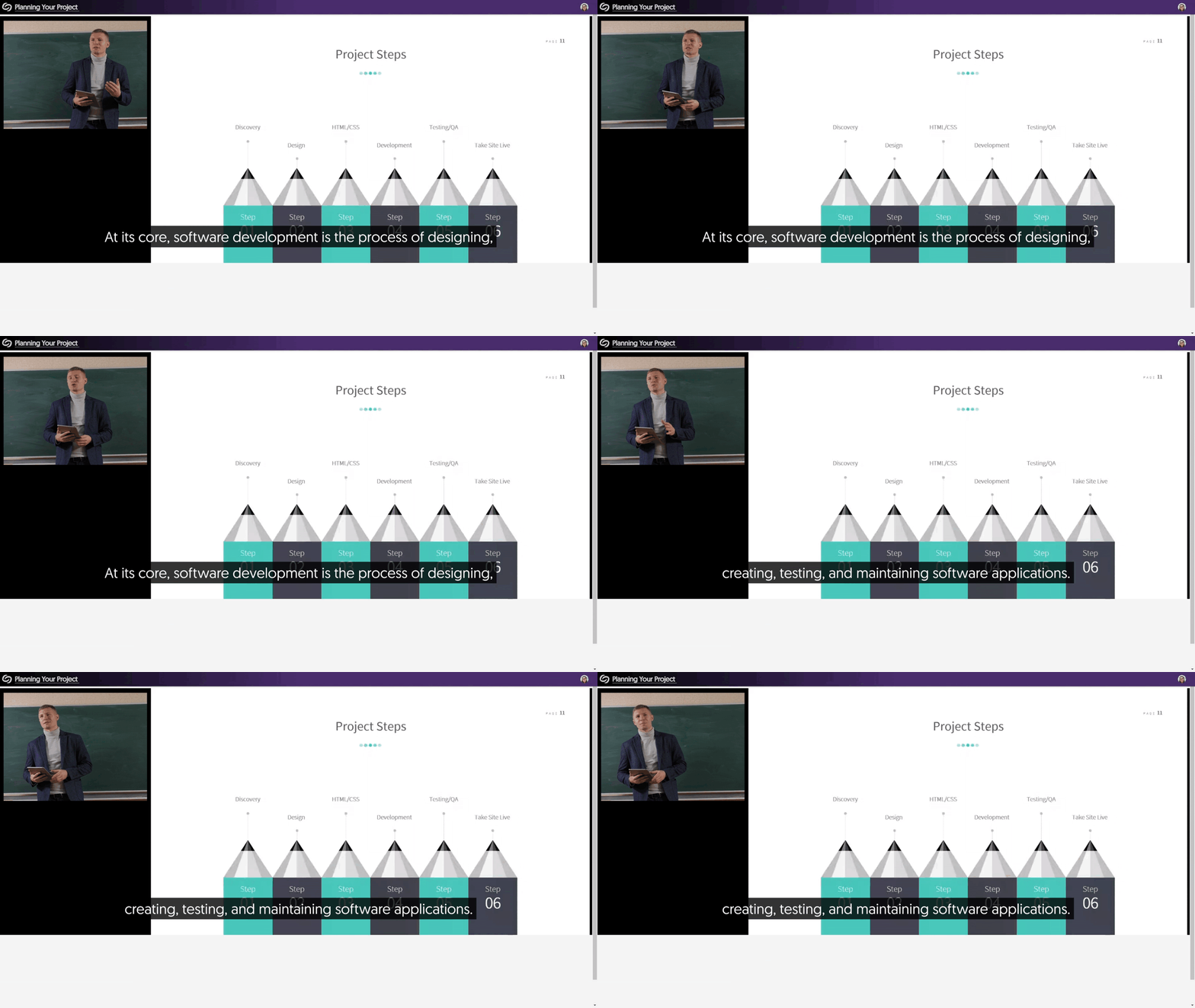
    16. Improved Live Caption Quality and Stream Sync We’ve addressed inconsistencies in live captioning, resulting in more accurate captions that will sync with the live stream. Captions are shown for a live stream.
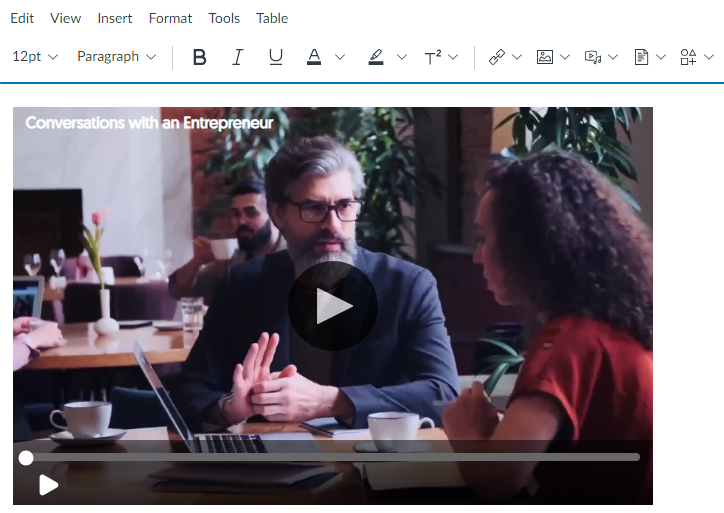
    17. Video Title Preview for Embedded Media To help viewers understand what they are about to watch, embedded videos show their titles directly on the thumbnail. An embedded videos with its title is shown.
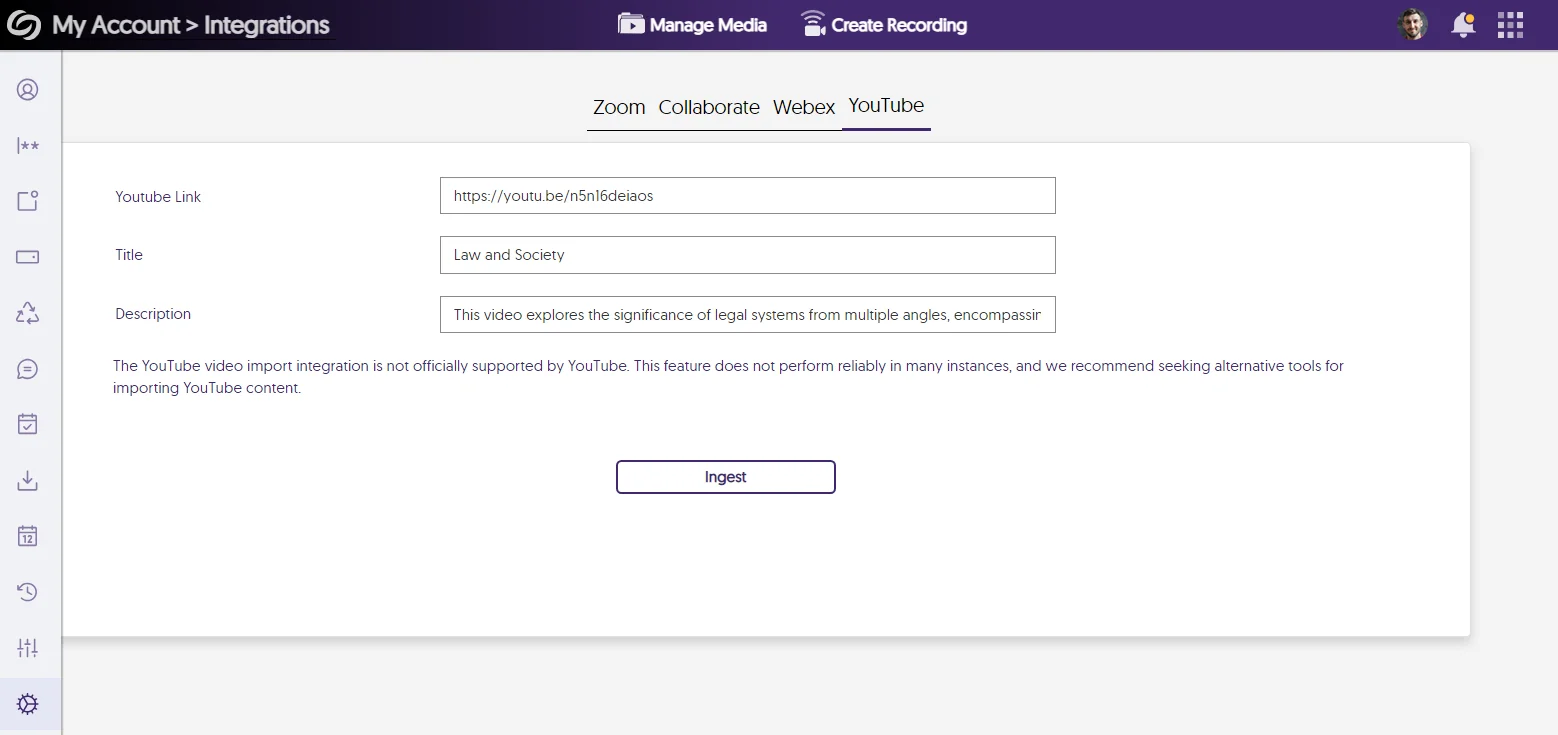
    18. Phasing Out Support for YouTube Video Imports Given YouTube’s lack of official support for importing videos into third-party platforms, we will gradually phase out the option of importing YouTube videos to the Video Platform. While we phase out the feature, users who still wish to utilize it can find it under My Account > Integrations. Settings in my account to import YouTube videos.
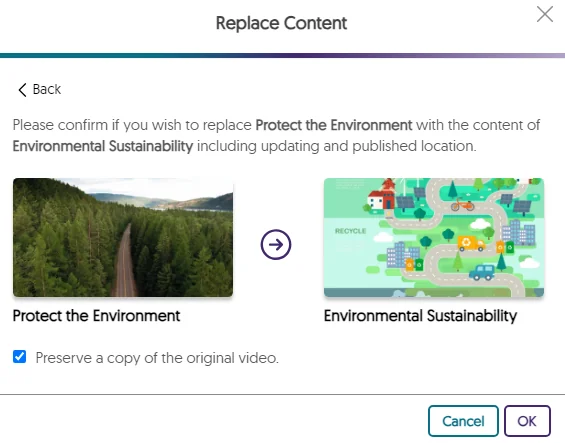
    19. Visual Display of Content When Replacing Media We’ve created a visual display of the content that will be replaced, allowing users to more intuitively recognize the media they’re updating. Replace Content modal showing the video that will be replaced.
     

    New Add On! New Drupal CMS Plugin with Media Chooser Capabilities

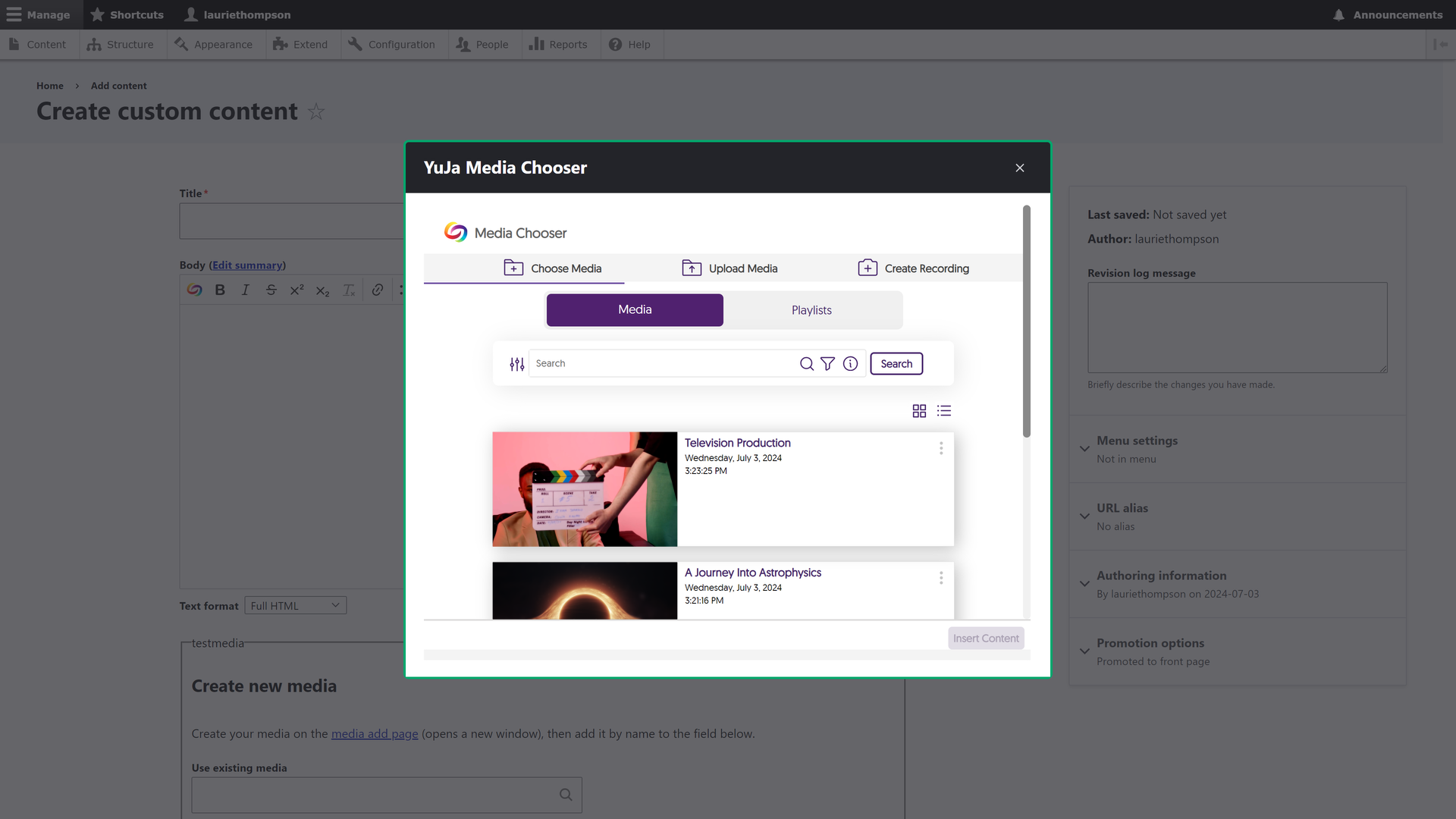
    1. Integrate the Media Chooser with Drupal to Embed Content Into Your Website Through Drupal’s rich text editor, Content Creators can use the Media Chooser to embed videos, documents, and playlists into their websites. This will allow those navigating the website to experience faster load times due to bandwidth offloading. The media chooser is shown inside Drupal.
  • June 20, 2024

    YuJa Website Accessibility Widget Update – June 2024

    We have successfully pushed an update to the YuJa Website Accessibility Widget for those residing in the United States, Canada, European Union, and Australia.
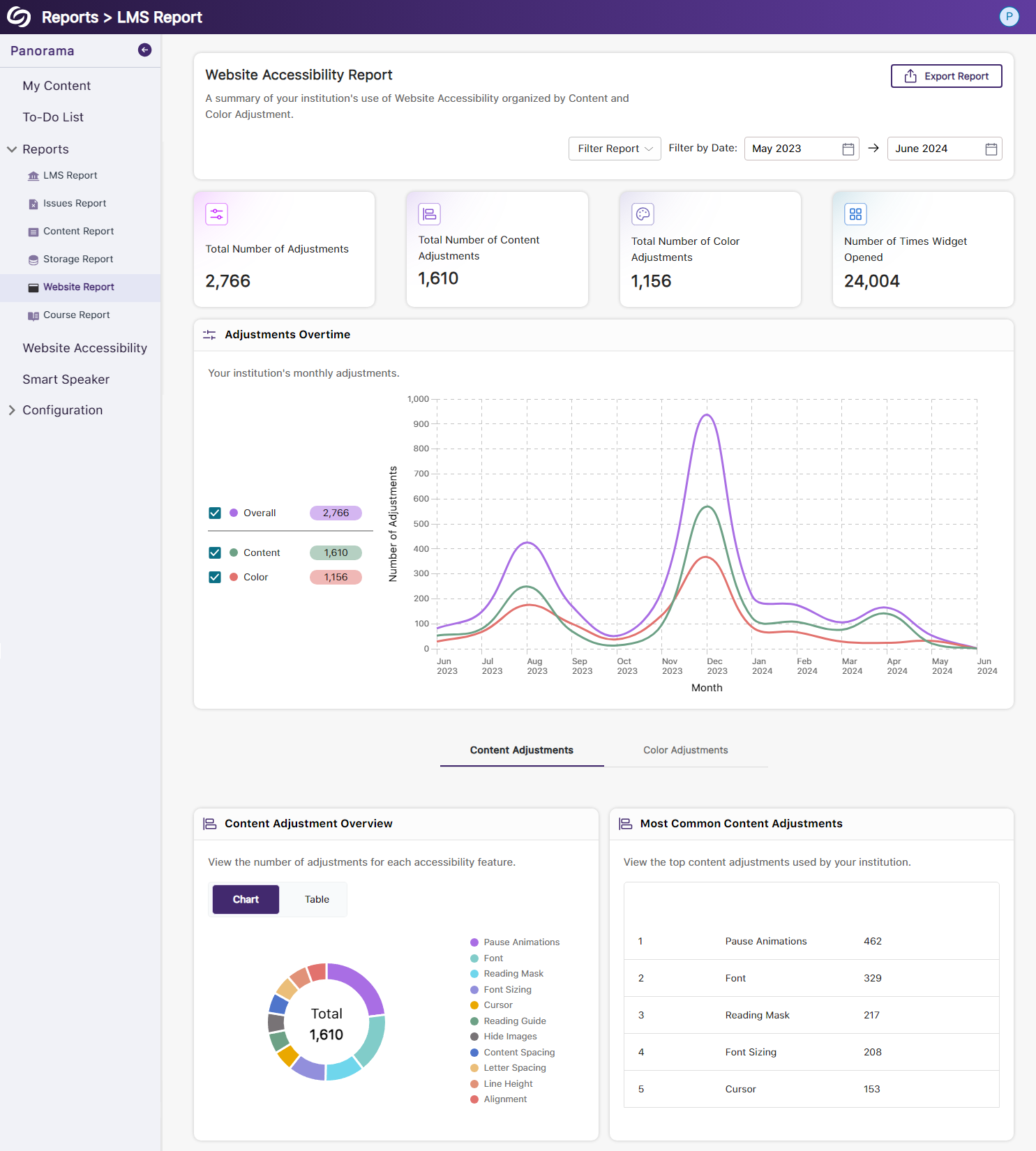
    1. New Redesign of the Website Report – Compare Content and Color Adjustments Over Time We’ve improved the Website Report graph, enabling administrators to compare color and content adjustments over time. Additionally, we’ve introduced a tabular structure to declutter the report and display only relevant information. The website report featuring the new graphs.
  • May 28, 2024

    YuJa Enterprise Video Platform Update – May 2024

    We have successfully pushed an update to all Enterprise Video Platform instances residing in Canada and the European Union. Zones residing in the United States, Australia, the Middle East, and Asia will be updated later this week. The highlights for this update include a new visual search experience with improved search capabilities, an update of the Video Editor theme to a dark theme, IMS Caliper Analytics support for YouTube videos, direct links to video quizzes will record grades for users, performance report tracking for the Video Editor, more accurate tracking of unique video views using IP address, enhanced screen reader capabilities, overall UI enhancements, and much more.

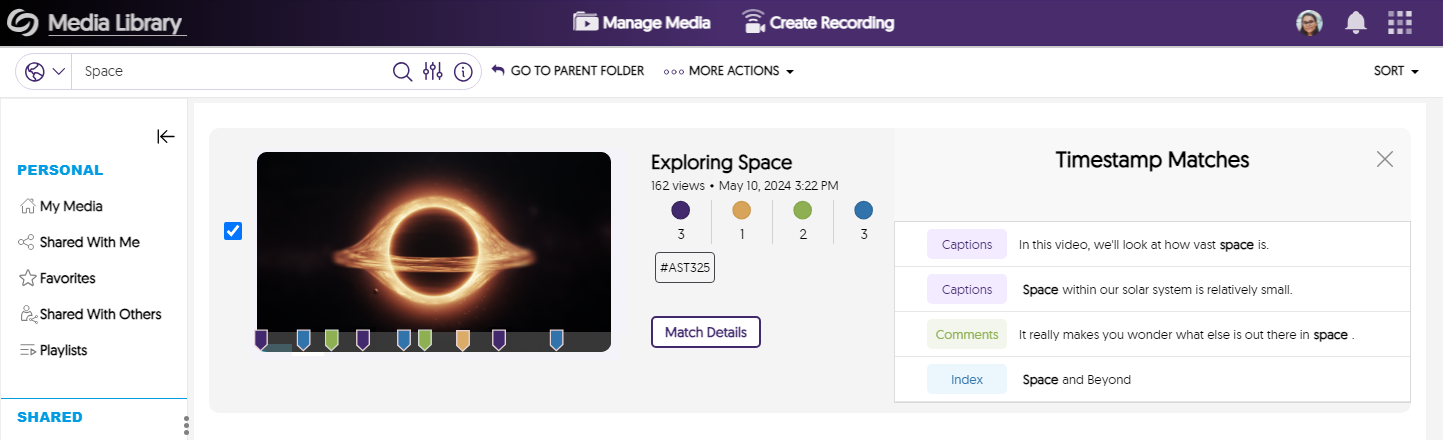
    1. New Visual Search User Experience with Slide-out Drawer with Time-Sequenced Results We have redesigned the user experience of the Visual Search to provide improved at-a-glance search match information, along with the ability to quickly review more detailed metadata match information. New capabilities include:
      • Visually Summary Bar: Clear color-aligned search match summary information that shows how a particular search term matched within the captions, slides (OCR), in-video comments, and indexes
      • Slide-Out Match Details: Clicking Match Details now presents a slide-out drawer with time-sequenced, color-coded search matches along
      • Improved Timeline Indicators: The search matches are now better annotated along the timeline bar of the video thumbnail
      • Improved Accessibility and Responsiveness: The user experience now offers a more modern, responsive and screen-reader-accessible design.
      • Multi-Selection of Search Results: A convenient multi-selection of search results to perform bulk actions is now available.
      Results page showing time sequenced events for a video.
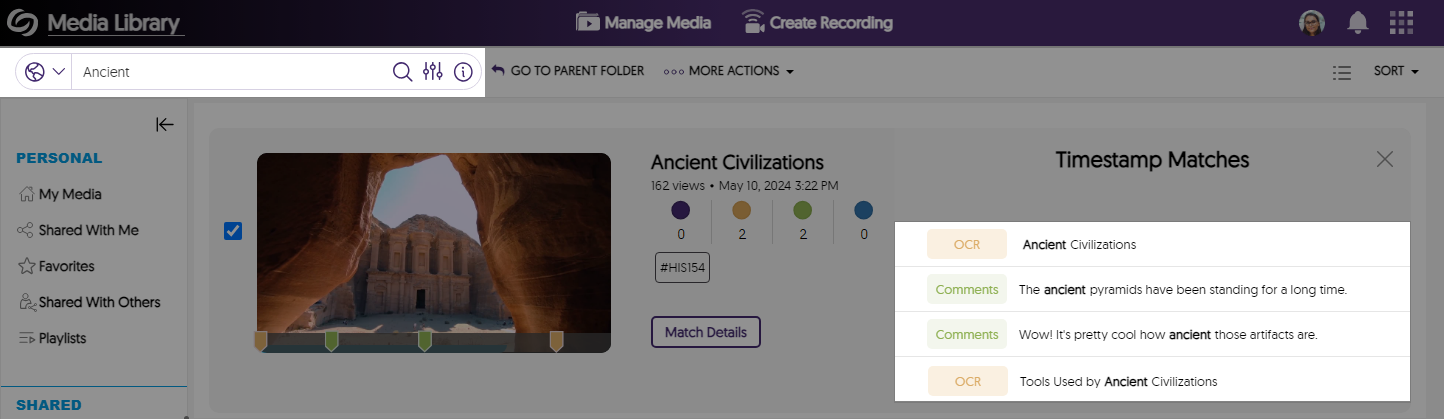
    2. Improved Search Capabilities to Locate OCR, Captions, Table of Contents, and Comments We’ve optimized that search infrastructure to ensure search results are quickly displayed across all metadata layers. The search results page shows results for comments and OCR content
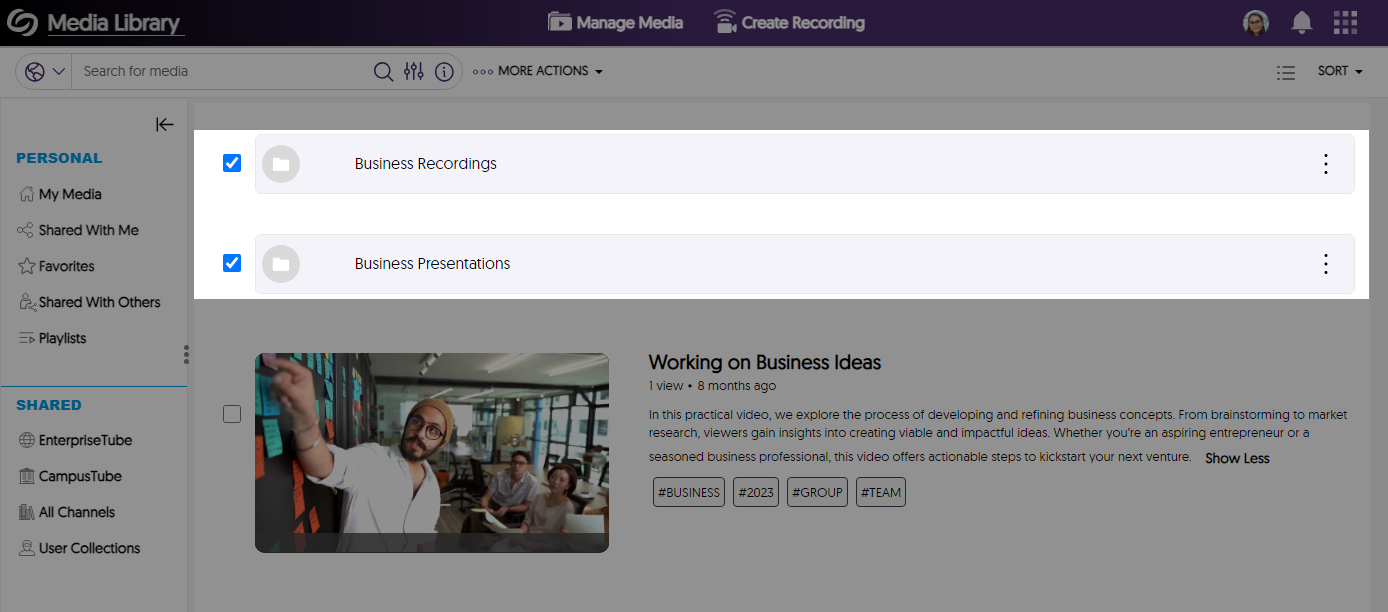
    3. Search for Folders on the Video Platform When Using Basic Search When using the Video Platform’s basic search, users will find relevant folders on the search results page. Folders are shown in the search results page.
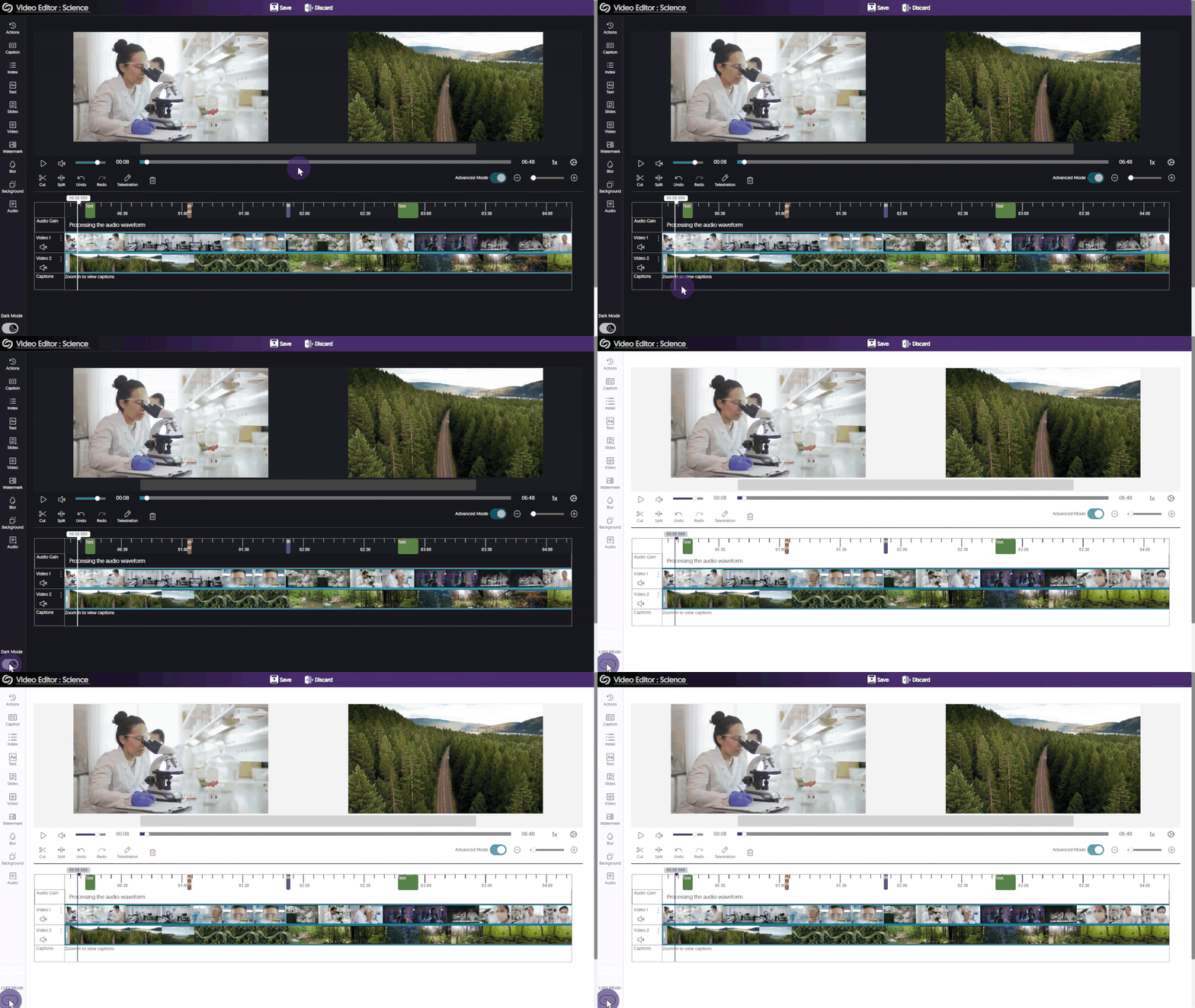
    4. Video Editor Now Uses Dark Theme to Improve the Contrast of Editable Elements and Reduce Eye Strain Our Video Editor has been redesigned with a dark theme to reduce eye strain and improve the ability to edit the video content. The Video Editor is shown in dark mode.
    5. IMS Caliper Analytics – In-Depth Integration of Video Viewership Data for YouTube Videos Previously, we added additional data with our third-party Caliper Analytics integration to help administrators make more informed decisions about their content uploaded to the Video Platform. We’ve now expanded our analytic capabilities to include video viewership metrics for uploaded YouTube content, monitoring the following information:

      • Points on the video timeline viewers play the video.
      • Points on the video timeline viewers pause the video.
      • Specific points selected on the video timeline.
      Caliper Analytics logo.
    6. Visual Analytics Overview Now Offers New Directional Summary Cards With Integrated Directional Graphs Each panel in the Overview tab for Usage & Analytics offers a graphical representation of the trend line of the given metric. The goal is to provide improved at-a-glance information to administrators. Over the coming quarters, we expect to roll out this new analytics representation to other reports. Graph icons are shown in the overview panels.
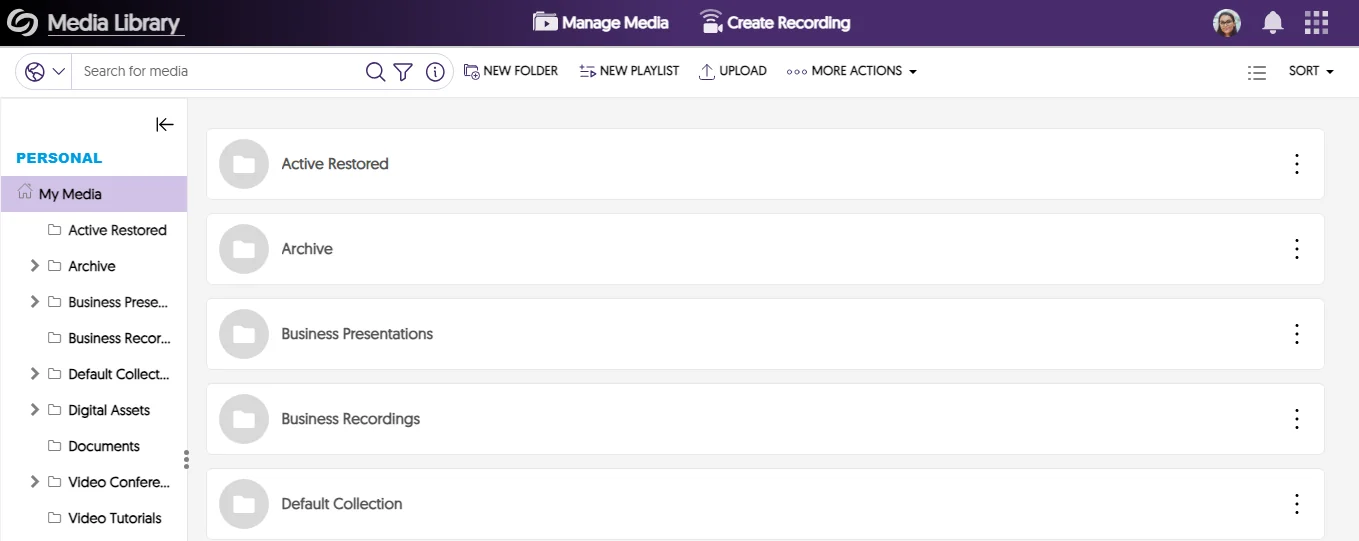
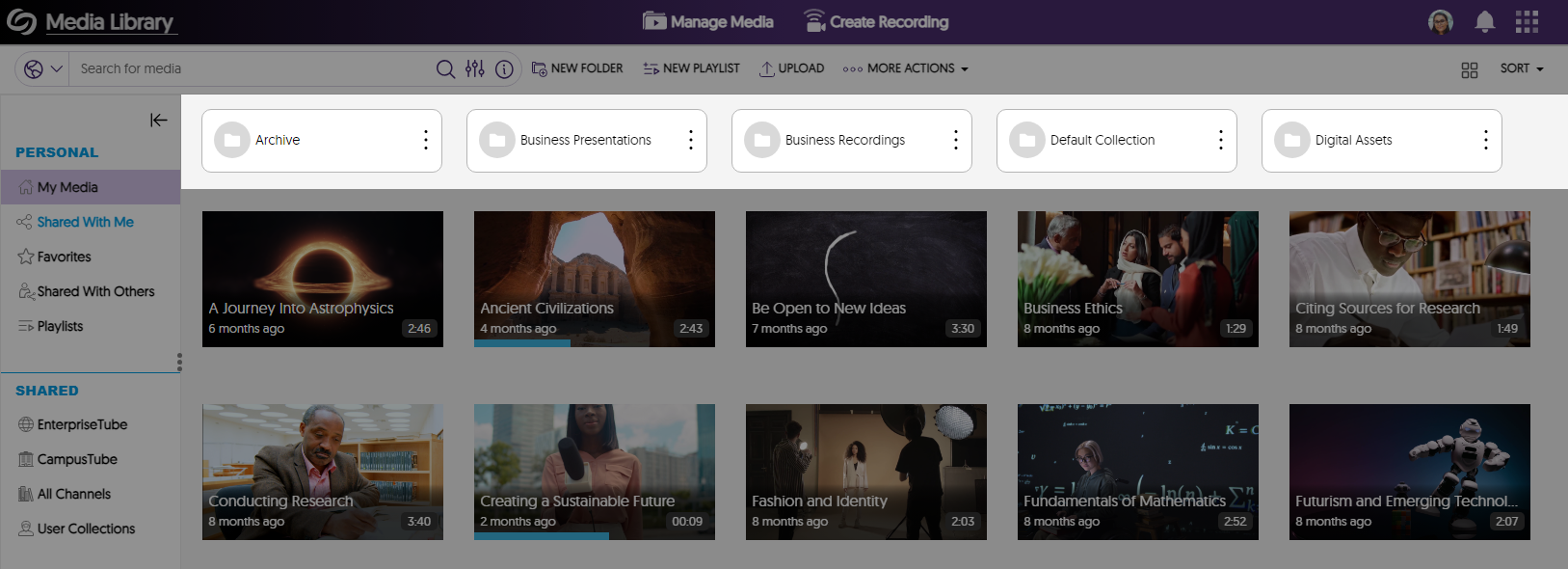
    7. New Compact Design for Media Library Folders with More Accessibility Action Menu The Media Library folder design now offers a more compact design with a clearer pop-out menu style. New folder design is shown.
    8. Video Quizzes: Direct Links to Video Quizzes Will Record Grades for Users Previously, grades from Video Quizzes accessed through direct links were assigned to an “anonymous” user within the Video Platform. With the recent update, authenticated users who take a quiz using a direct link will have their grades automatically recorded and synched with the gradebook in the Video Platform. A video quiz is shown being taken.
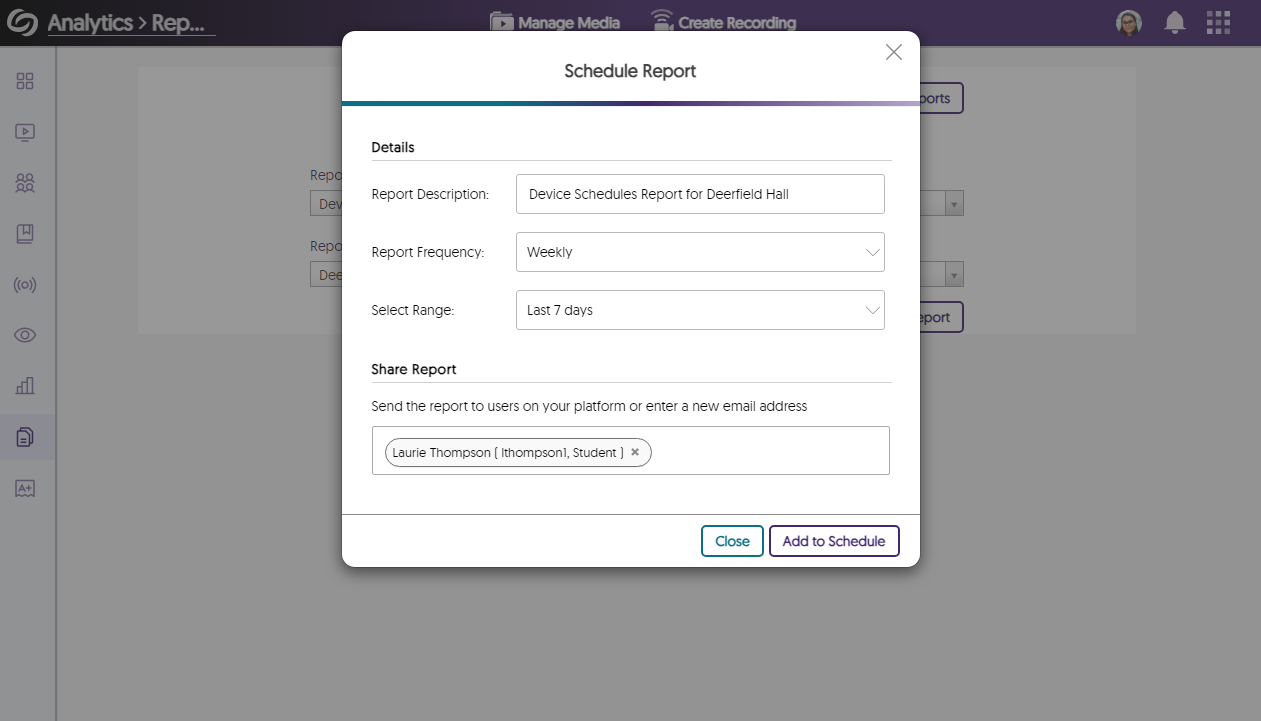
    9. Administrations Can Receive Automatic Emails for Device Schedules Administrators can schedule reports for devices on their platform to obtain a CSV file containing a list of past or upcoming automated recording sessions within a specified period of time. A modal to schedule a device report.
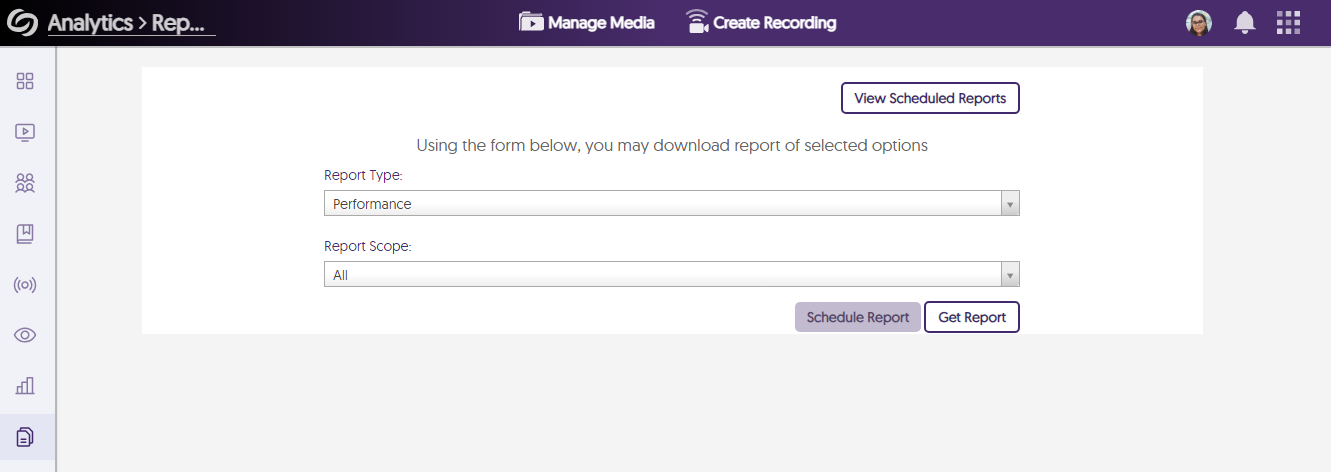
    10. New Report for Tracking the Historical Computational and Delivery Performance of the Video Platform The Report panel in Usage & Analytics offers administrators the option to request a performance report. This report provides insights into the Video Platform’s speed in processing requests, such as:

      • Media processing time.
      • Completion of auto-captions.
      • Time taken for videos to be playable.
      • Load times for various information, including the Roster, Devices, Campus Tube, and Gradebook pages.
      The Video Platform's report page.
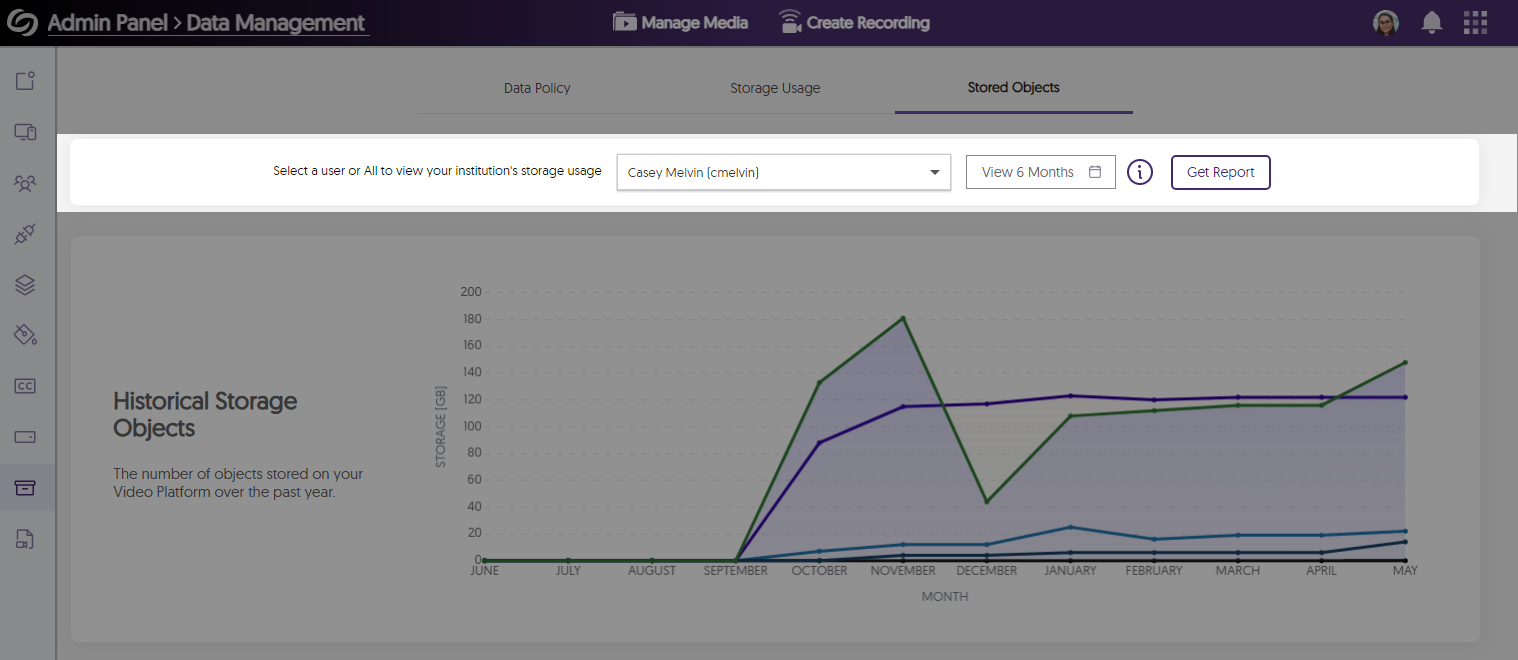
    11. Consolidated Usage and Object Reports Within the Data Management Tab In our previous release, we updated the Data Management page by consolidating information from the Overview page in Usage & Analytics and the Admin Panel. We are continuing to update the Data Management page, which now offers the option to retrieve reports for storage usage and stored objects. The Data Management page in the Admin panel.
    12. Configurable Email Notifications for Media Deletion and Recycle Bin Actions We’ve expanded customization options for administrators, allowing for personalized automatic email notifications when media content owned by a user is deleted and when media is moved to the recycle bin. The option to edit an email is shown.
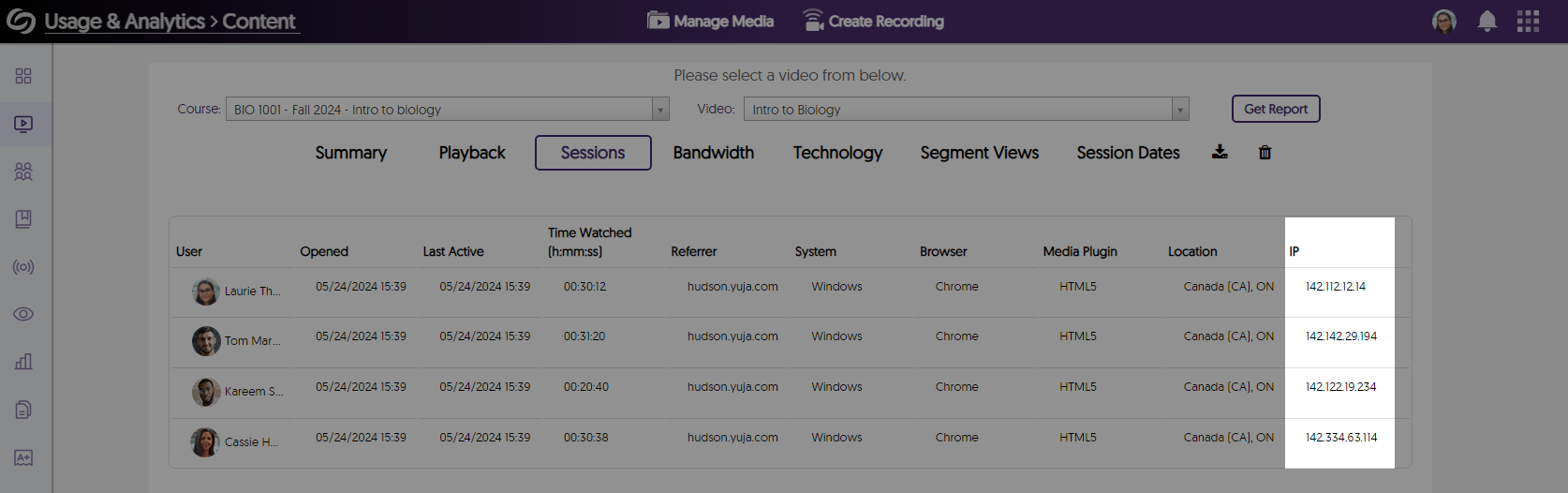
    13. More Accurate Tracking of Unique, Unauthenticated Video Views Using IP Address We’ve implemented an IP-based approach to tracking unique video view counts for authenticated and unauthenticated users. IP tracking shown in sessions report.
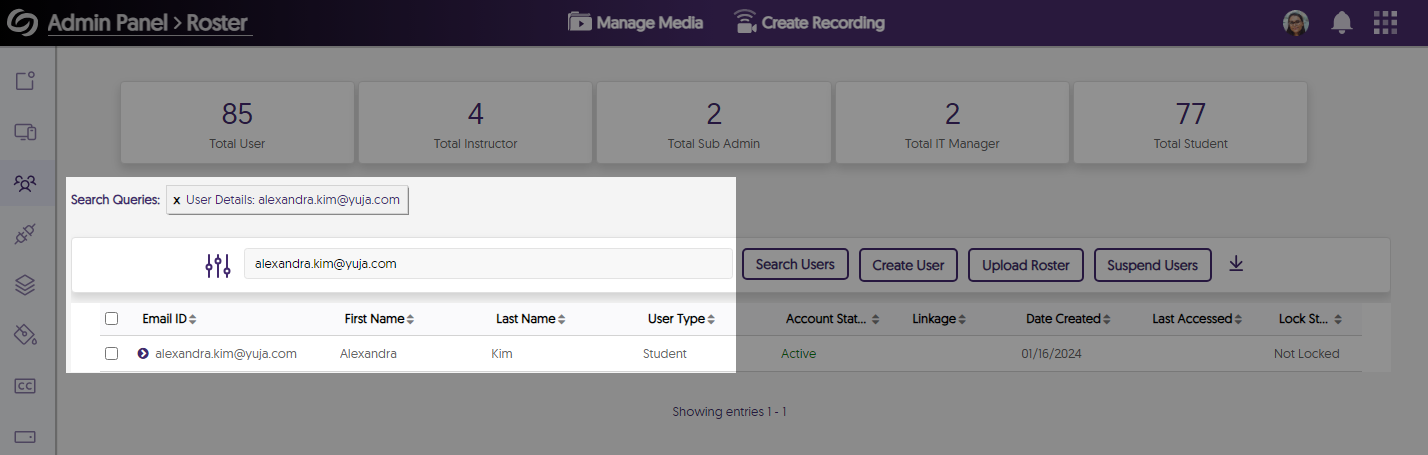
    14. Roster Panel Supports Email-Based Search Administrators have the option to look up users on the Roster panel by using their email addresses. A roster search is performed using an email address.
    15. Enhanced Screen Reader Accessibility for Mouse-Hover Actions Users who require screen reader assistance will find improved functionality in scenarios where mouse-hover actions are required to select content.
    16. Updated Color Scheme and Text for the Advanced Search Console We’ve improved the Advance Search Console’s overall color palette and text to align more closely with our brand goals. The Advance Search Console is shwon.
    17. New APIs to Add or Delete Users from Shared Folders We’ve added new APIs which can add and delete users from shared folders (1.2.12 and 1.2.13).

    Himalayas Add-On

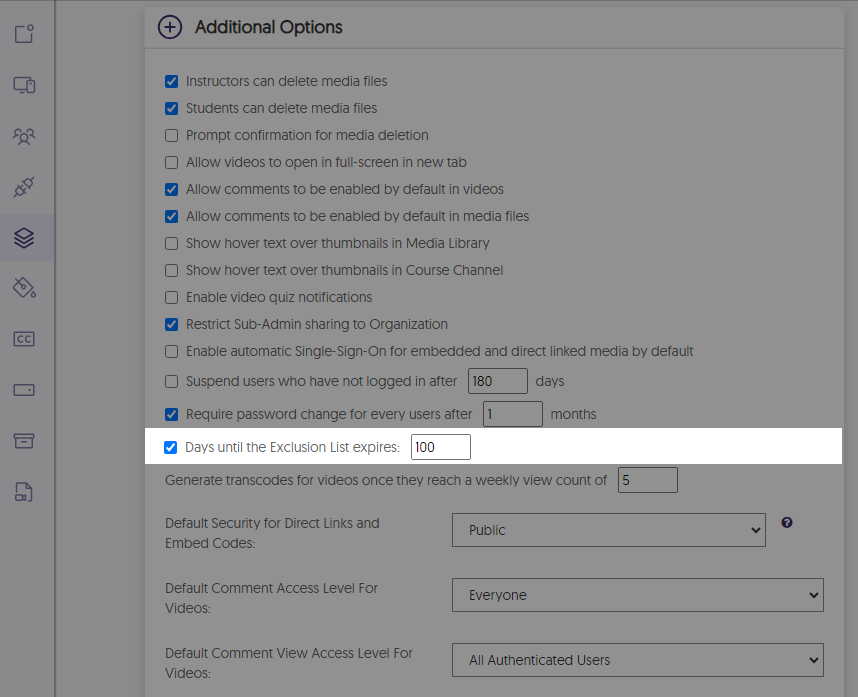
    1. Specify the Number of Days Media Will Remain in the Exclusion List Previously, content would remain in the exclusion list for 90 days. We have now provided the option for administrators to set a custom amount of days to keep items in the exclusion list. The option to set days for the exclusion.
     
  • April 15, 2024

    YuJa Enterprise Video Platform Update – “Douglas Fir”

    We have successfully pushed an update to all Enterprise Video Platform instances residing in Canada, Australia, Middle East, Asia and the European Union. The highlights for this update include click-and-drag functionality for overlays in the Video Editor, consolidation of the Overview analytics into the Data Management Page, the option to map custom LMS roles, new media player for embedded YouTube videos, grade book sync for YouTube playback quizzes, a new option to allow only course channel members to view course video comments, the option to download a device’s schedule, and so much more.
     
    1. Video Editor: Click and Drag Image Overlays and Watermarks Within the Timeline to Adjust Their Timestamp Content creators can drag and reposition their watermarks and other overlays directly within their tracks to precisely adjust timestamp placements. Overlay text is dragged across a track on the Video Editor.
    2. Consolidated the Overview Analytics into the Data Management Page With Enhanced UI We’ve enhanced the color schemes and improved the visual representation of graphs for tracking storage usage and stored objects. Previously accessible on the Overview page within the Admin Panel, this information has now been integrated into the Data Management section. Storage usage and stored object analytics are shown.
    3. Map Custom LMS Roles With the Video Platform Canvas and D2L Brightspace administrators will be able to map their custom LMS roles to existing roles on the Video Platform. In future releases, this will also be available to Blackboard and Moodle users. LMS integration settings page showing user role mapping for custom roles.
    4. New Media Player UI for Embedded YouTube Videos We’ve updated the look and functionality of YouTube videos embedded on the Video Platform with our familiar branded media player, which includes features like speed control, fast forward, and rewind options, all of which are keyboard accessible. An Embedded YouTube video is being played in the Video Platform
    5. Usage and Analytic Data for Users Will Include YouTube Videos Users’ viewership analytics will now include YouTube videos, ensuring more accurate tracking of metrics such as the most viewed videos, average view percentage, and quiz completion. Usage and analytics report is shown for a user.
    6. Gradebook Sync for YouTube-Embedded Playback Quizzes Create playback quizzes for YouTube videos, complete with gradebook sync across both the Video platform and the LMS grade book. a playback quiz is created for a YouTube video.
    7. Improved the LTI Launch Speed When Accessing the Video Platform When accessing the Video Platform via an LTI launch, users will experience significantly faster load speeds, especially for institutions with extensive course channels and media libraries.
    8. Specify a Default Global Language Across the Video Platform Administrators can access their branding settings to select a default language to apply across their Video Platform instance. Default language settings in the branding page.
    9. New Option to Allow Only Course Channel Members to View Course Video Comments When configuring comment settings for media files, Content Creators now have the option to restrict comment visibility to course members only. This ensures that media published across various course channels will display comments exclusively from members within those courses. Who can view setting is shown on the Comment page in the Media details window.
    10. Video Quizzes Will Be Preserved When Changing or Deleting Owners If a Content Creator is removed from the Video Platform or the ownership of a video changes, any associated video quizzes will be preserved and made available to the new owner of the video.
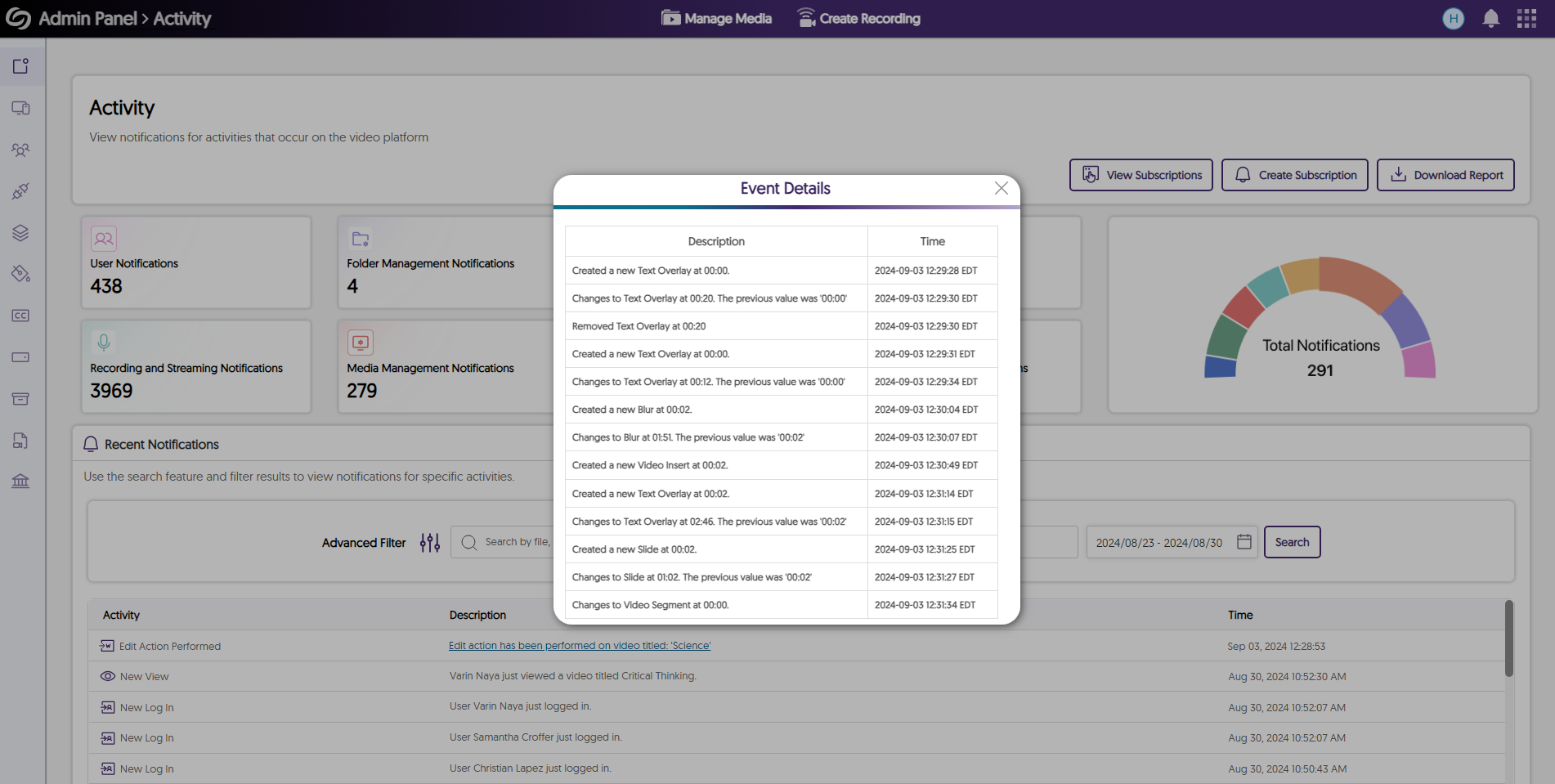
    11. Event Logging for Newly Created SSO-Integrated Groups Administrators now receive real-time notifications when a group is created on the Video Platform through their SSO integration. A notification for a SAML SSO group is shown.
    12. Unique Group IDs for Groups Provisioned With SAML Groups provisioned with SAML will include a unique ID to differentiate them from other groups with the same name. A group with a group ID.
    13. Enhanced Canvas and Moodle Gradebook Sync for Institutions With Multiple Domains For institutions with multiple domains registered under a single integration on the Video Platform, administrators can include their LMS vanity URLs to provide more accurate gradebook synchronization. Register a LMS Vanity URL option for API Configuration.
    14. Download Device Schedules as an Excel File Administrators can download an Excel file containing a comprehensive list of their filtered schedules when viewing device schedules. Download Device schedule modal
    15. Enhanced UI for the Visual Search Bar We’ve enhanced the visual search bar’s UI, introducing new icons and making it easier to locate the option to search within the current folder or across all media on the platform. new search media bar.
    16. API to Create Device Sessions in Multiple Channels and Folders We have updated our existing API to create a session (4.2.8), allowing content creators to publish the session into multiple channels and folders.
  • March 5, 2024

    YuJa Enterprise Video Platform Update – “Cashew” Released to CA, AU, EU, ME, AP Zones

    We have successfully pushed an update to all Enterprise Video Platform instances residing in Canada, Australia, Middle East, Asia and the European Union. The highlights for this update include new protocols to support metadata harvesting enabling interoperable search, real-time recording updates for active Software Captures, creating exceptions for groups to access suites, a new option to select Verbit for closed captioning,  assigning specific sub-admins to manage captions and generative AI, user provisioning and SSO integration for our Umbrella System,  and so much more.

    1. Full Open Archives Initiative (OAI) Support Protocol for Metadata Harvesting Enabling Interoperable Search We are introducing a new set of APIs that can retrieve relevant metadata to identify direct video links. Institutions can leverage this retrieved metadata to optimize their internal search engines and locate videos imported from the Video Platform onto their websites. For more information, please visit sections 5.2.47 – 5.2.51 on our YuJa API guide. Open Archives logo.
    2. New Real-Time Recording Status Updates for Active Software Captures New Thumbnail Placeholder provides real-time updates to the activity status of an active Software Capture session. Available now are Pause, Recording, Processing, and Uploading states. Coming soon with Software Capture Version 14.2 are Stalled and Failed states to inform the user when, perhaps, their computer enters Sleep Mode. The thumbnail status for a software capture session updates from recording, to paused, and then finally to uploading.
    3. Umbrella System – Institution-Level View and Provisioning of Courses & Groups To improve support for large university and community college systems operating with a single Video Platform instance, School Admins who manage an individual institution will only see their institution’s courses within the Courses & Groups tab. The course page in the video platform shows a list of active courses.
    4. Umbrella System – Ability to Establish Single Sign-On Integrations for Individual Institutions within an Umbrella System Umbrella System now enables multi-campus institutions to establish independent Single Sign-On tools for each campus within an Umbrella System.
    5. Create Custom Exceptions for User Group Access to Available Product Suites Administrators can choose to override role-based access to Product Suites for desired groups. By adding exceptions for specific groups, all members within those groups gain access to their assigned suites, regardless of their individual roles. The Exceptions for Groups modal shows a list of suites that can be enabled for a selected group.
    6. Enhanced UI for the Admin Panel Devices Pop-Out Menu We have updated the pop-out menu for devices with a more modern UI design. Each setting is now organized within a dedicated section allowing administrators to easily locate their desired settings. An organized list of menu options for a device.
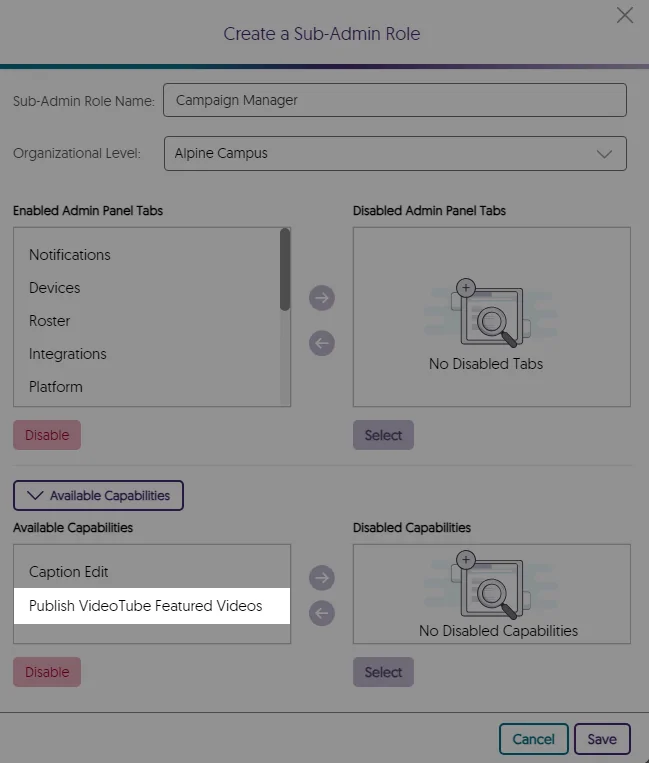
    7. Assign Specific Sub-Admins to Manage Captions and Generative AI Tools Administrators can now customize captioning and generative AI permissions, granting specific sub-admins access to these tools. Human captioning permissions show sub-admins that can be selected.
    8. Verbit: Branded Closed Captioning Provider Within the Video Platform We’ve partnered with Verbit for years, however we’ve recently added a new direct interface to Verbit. With our new partnership, our goal is to continue to offer our customers extensive choices in their captioning provider. YuJa + Verbit logo.
    9. Password Reset for Inactive Users Before Reactivation Administrators have the option to require users who haven’t accessed the Video platform within a specified number of months to reset their password when attempting to log into the Video Platform.
    10. Bulk-Add IP Addresses to the Security Settings for Media Content Content Creators seeking to restrict access to their media across a broad range of IP addresses can create a single list of addresses to add to their security settings. Security settings with a list of IP addresses added.
    11. Integrate a Secondary Zoom Account with the Video Platform For institutions with a secondary Zoom enterprise license, they now have the option to integrate this secondary account with the Video Platform instance. This will allow the secondary account to import users to the Video Platform while the primary account will still have full access to all integration settings. Zoom integration setup shows the option to add a secondary zoom account.
    12. Enhanced Single Sign-On Security by Automatically Assigning a Fingerprint Value The Video Platform ensures secure user logins by automatically assigning a fingerprint value if none was added during SSO SAML integration. Administrators can also add a secondary fingerprint for enhanced security in case the primary one becomes invalid.
    13. Improved Search Accuracy When Locating Media Content The Video Platforms media search bar has been improved to provide more accurate search results for media content and faster load times when displaying results. A list of videos searched for on the Video Platform.
    14. New APIs to Retrieve Media Content Information and Create Placeholder Thumbnails We have added new APIs to retrieve information related to media content and the option to create placeholder thumbnails. To learn how to use these and any of our other APIs, please visit our API Support guide.
      • Retrieve Platform ID for Scheduled Recording: Updated the API to include the platform ID related to upcoming scheduled events (API guide section 4.2.6).
      • Retrieve Folders for Groups: Returns a list of folders a group has access to (API guide section 3.2.11).
      • Create a Placeholder Thumbnail: Creates a placeholder thumbnail for a scheduled session in a specified folder (API guide section 4.2.8).

Join the 1,000+ Organizations Deploying High-Impact Solutions

A collection of logos representing various organizations and institutions that use YuJa’s platform.