










Add the script to your institution’s website.
YuJa Website Accessibility Widget
YuJa Accessibility Widget improves website readability
The YuJa Website Accessibility Widget enables institutions to improve digital inclusion and accessibility across your entire website footprint. With the toggle of a switch, users can control the UI, design and readability of a website.
Scrolling logos of YuJa’s clients such as SUNY Corning, University of Cambridge and University of Calgary, etc.
Accessibility Interface
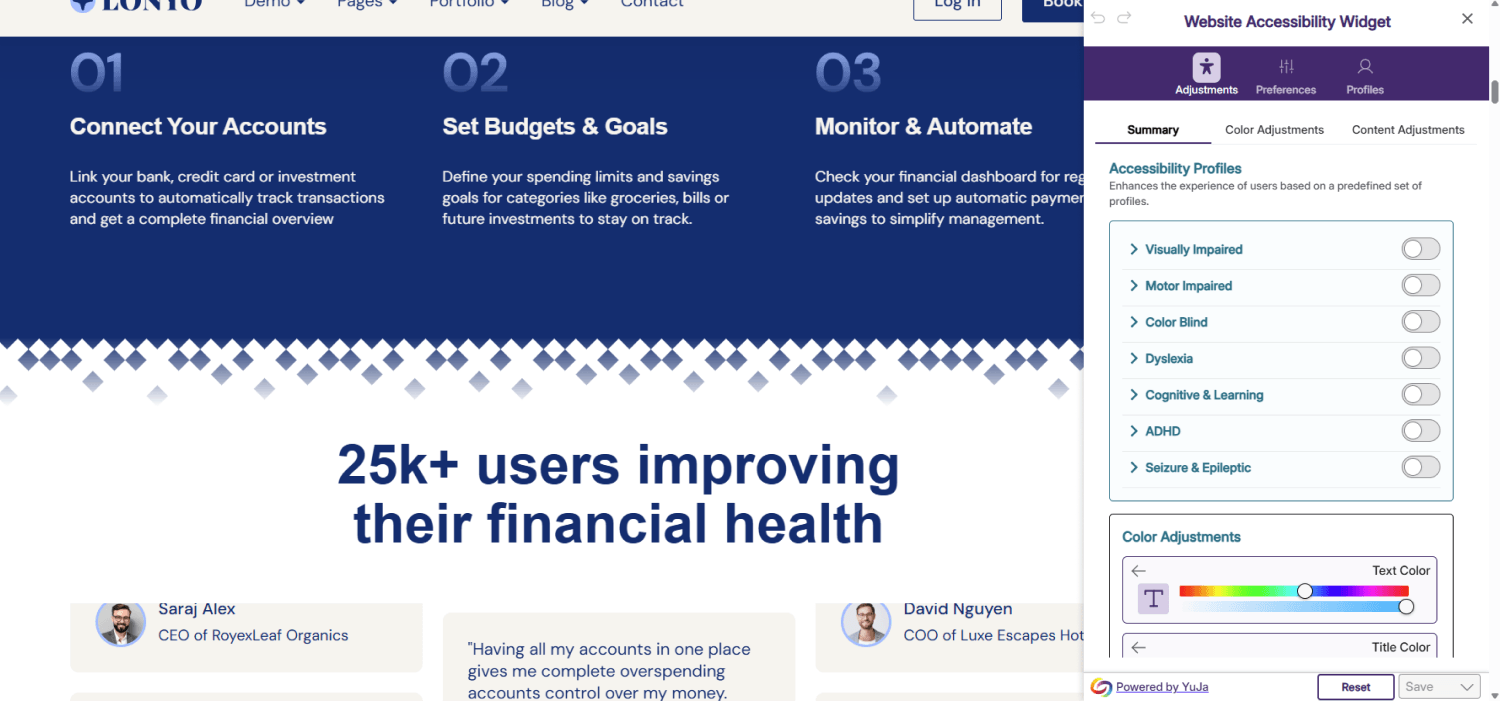
Website Accessibility Widget for enhanced readability across pages
The YuJa Website Accessibility Widget enables you to improve accessibility across your entire website. From content like spacing, font sizing and line height, to color, saturation and color blind filters, the YuJa Accessibility Widget allows you to take full control overc how content appears on your screen.
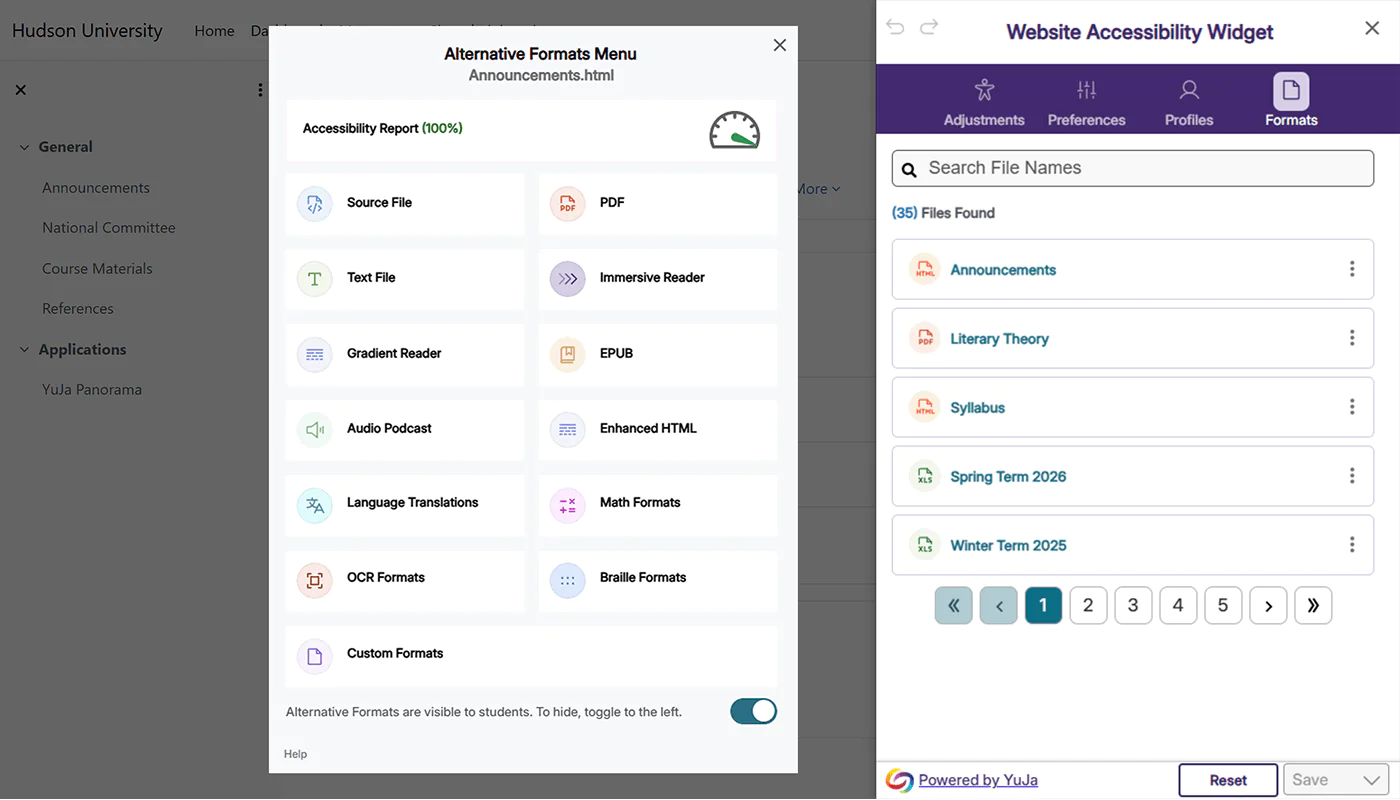
Access Alternative Formats
Files automatically generate in alternative formats
Website Accessibility automatically scans for documents and generates accessible alternatives. Users can set their language and generate alternative formats to files, from high contrast, to text-to-speech, EPUB, Braille, and more. YuJa Panorama supports doc, docx, ppt, pptx, html, and PDF files.
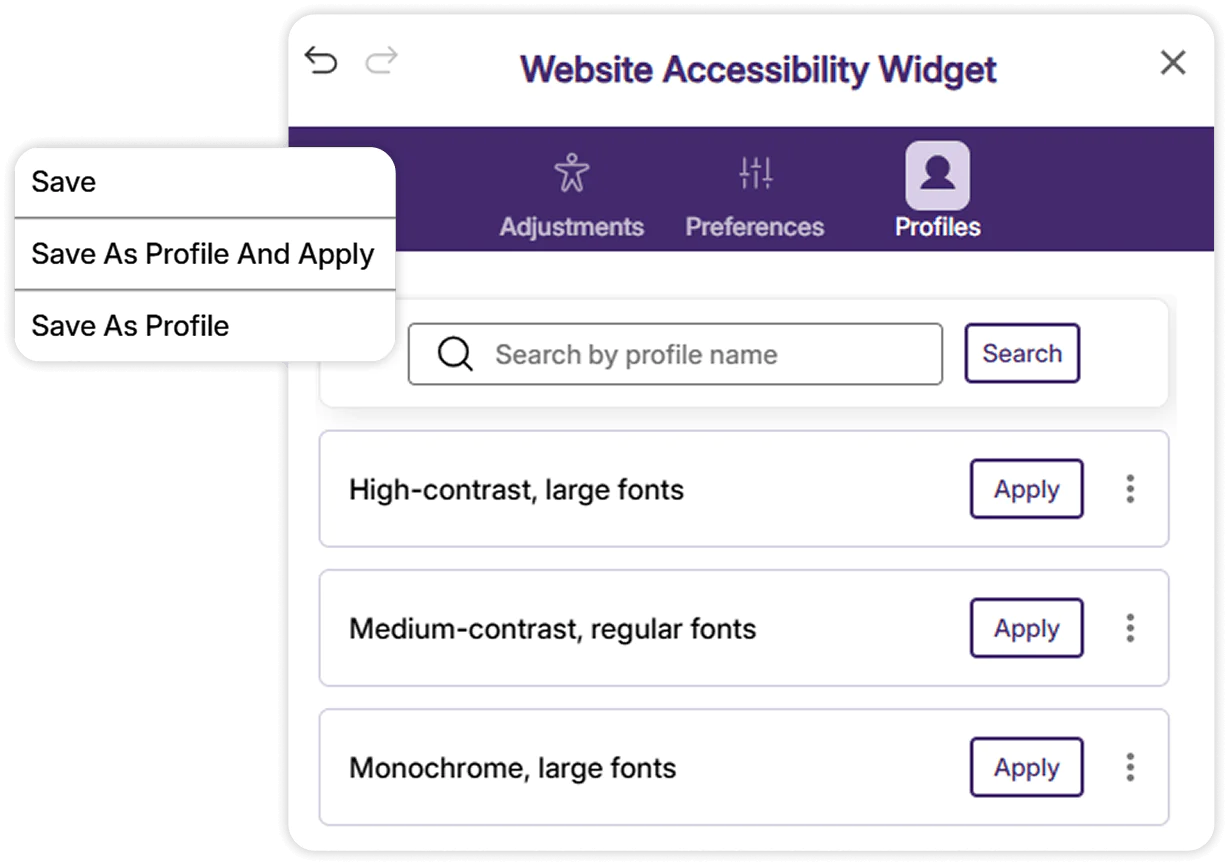
Multiple Profiles
Personalize your accessibility needs with custom profiles
Create multiple profiles tailored to different accessibility settings. Each profile can automatically apply preferred settings, like contrast and content adjustments so users can navigate websites with ease.
Easy Integration


Install the YuJa Website Accessibility Widget on your website in 5 minutes
Setting up the YuJa Website Accessibility Widget for the first time is quick and easy.
Set the position of the icon on your website.
YuJa Panorama will display profiles and adjustments.


Delgado Community College
Accessibility has always been an important goal in course design at Delgado Community College. That’s one of the reasons the institution signed a five-year contract for site-wide deployment of YuJa Panorama for Digital Accessibility, an innovative tool to help make learning more inclusive for all students.
Read the case study
Color Adjustments
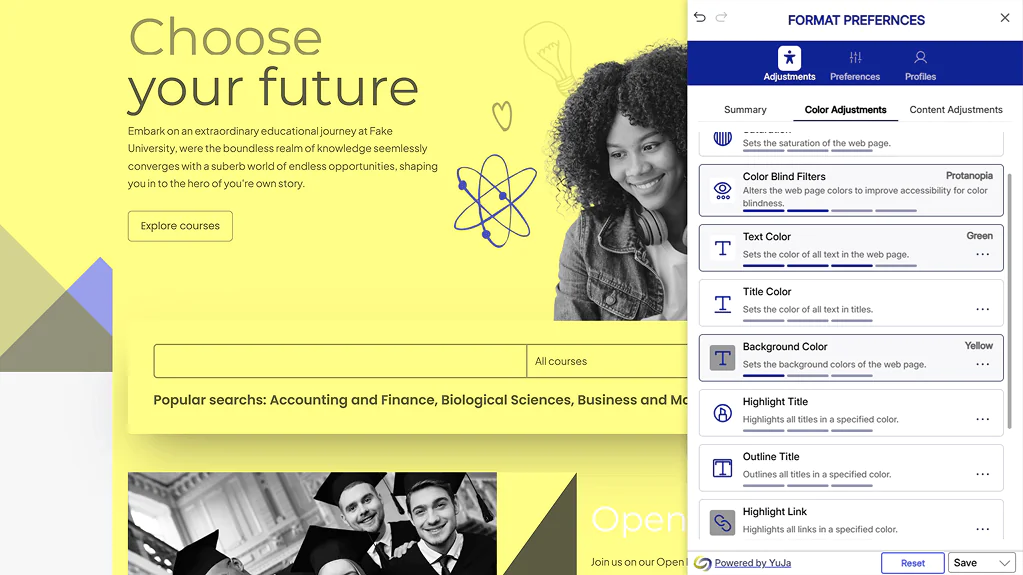
Users can adjust colors with a single click
To help those with low contrast sensitivity or those who cannot distinguish between certain colors, YuJa Panorama enables users to manually adjust elements like contrast, saturation, text colors, background colors and more. Users can also create a unique profile and save it for future use on all web pages they visit.
Content Adjustments
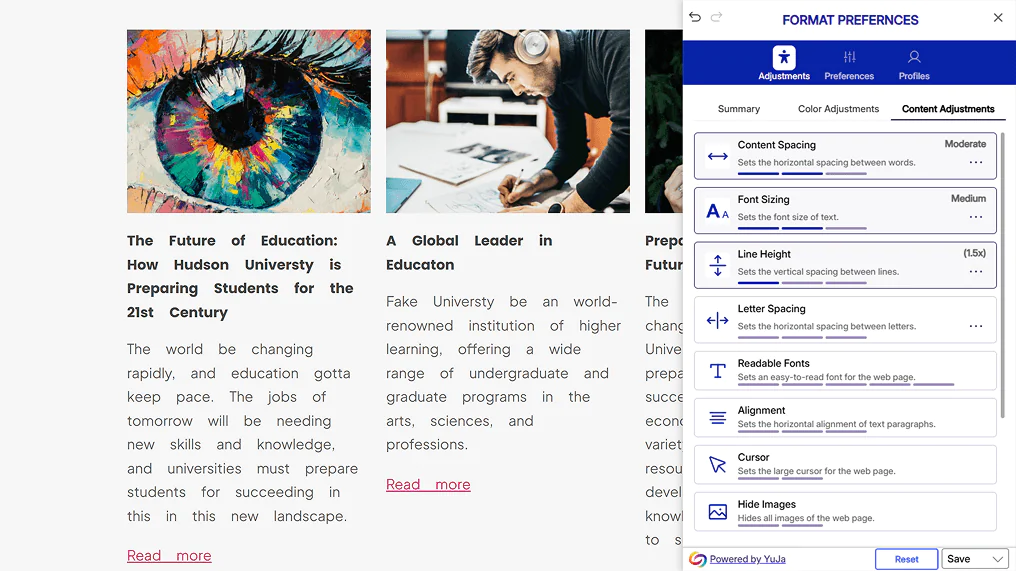
Control how content appears on screen
In addition to having the ability to select a profile that automatically enhances their web experience, students and staff can fine-tune how content appears, from spacing to alignment and font. Users can even hide images, pause animations, apply a reading mask or toggle on a reading guide.
More resources
Join the 1,000+ Organizations Deploying High-Impact Solutions
A collection of logos representing various organizations and institutions that use YuJa’s platform.