









The Power of Alternative Formats in Digital Learning
Read more >
Boost Video Accessibility with the GenAI Video PowerPack!
Try Now
Supercharge Your Compliance Efforts with AutoPilot Remediation Max!
Try Now
Strengthen Your PDF Accessibility Efforts with Structural Remediation Max!
Try Now
Don't Miss Any of Our Upcoming Webinars—Save Your Spot!
Register
The YuJa Community is here! Connect, get updates, and access exclusive content.
Join Now

Address accessibility issues at the point of content creation. The YuJa Panorama Microsoft Office Add-in brings our remediation capabilities into Microsoft Word and PowerPoint, enabling instructors and content creators to identify and resolve accessibility problems as they write.
Scrolling logos of YuJa’s clients such as SUNY Corning, University of Cambridge and University of Calgary, etc.
The YuJa Panorama In-App Remediation Add-In integrates accessibility remediation into Microsoft Word and PowerPoint, so you can discover and remediate accessibility issues before documents are uploaded to your LMS. The Add-In detects issues and provides remediation guidance using the same YuJa Panorama capabilities your institution relies on for LMS accessibility.
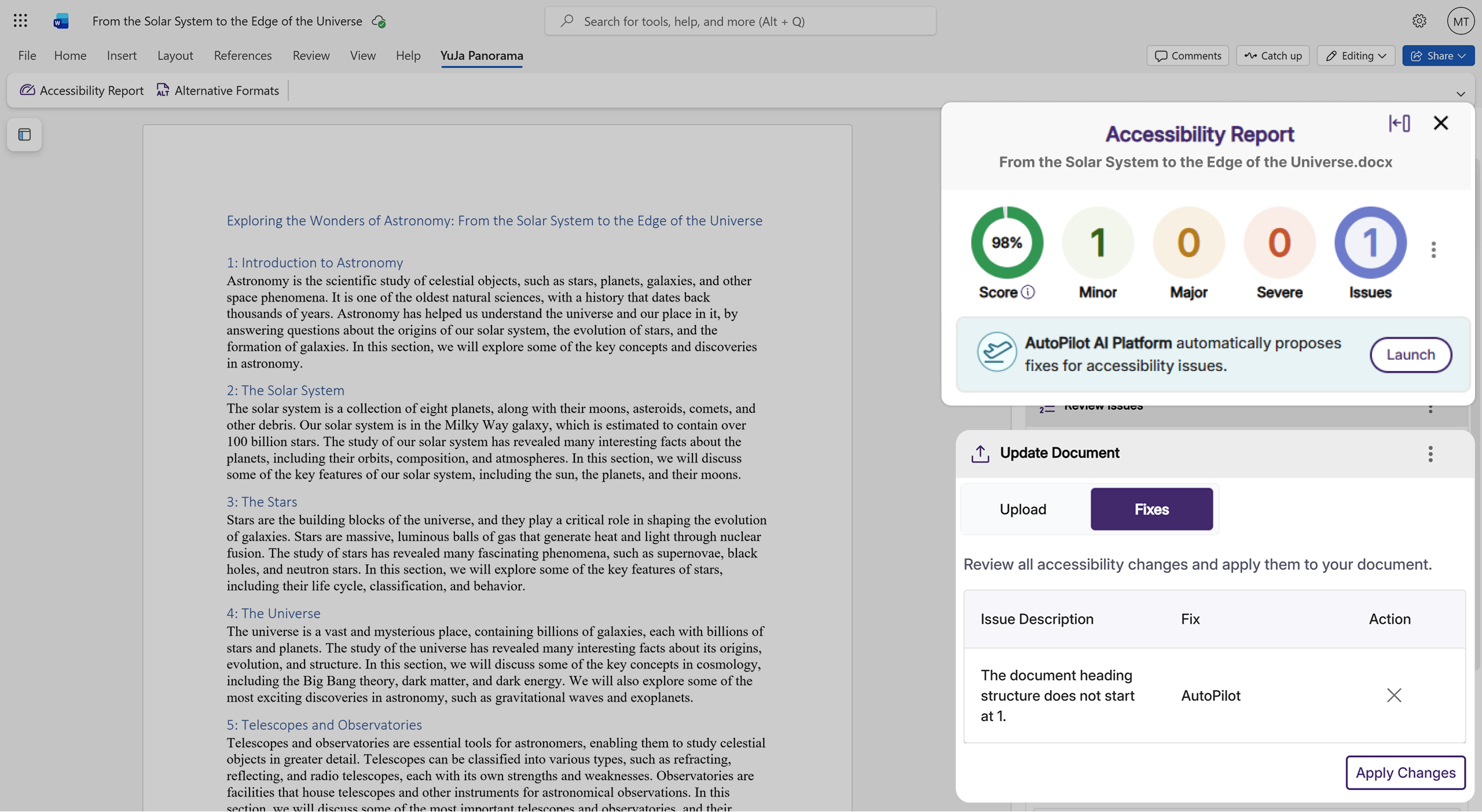
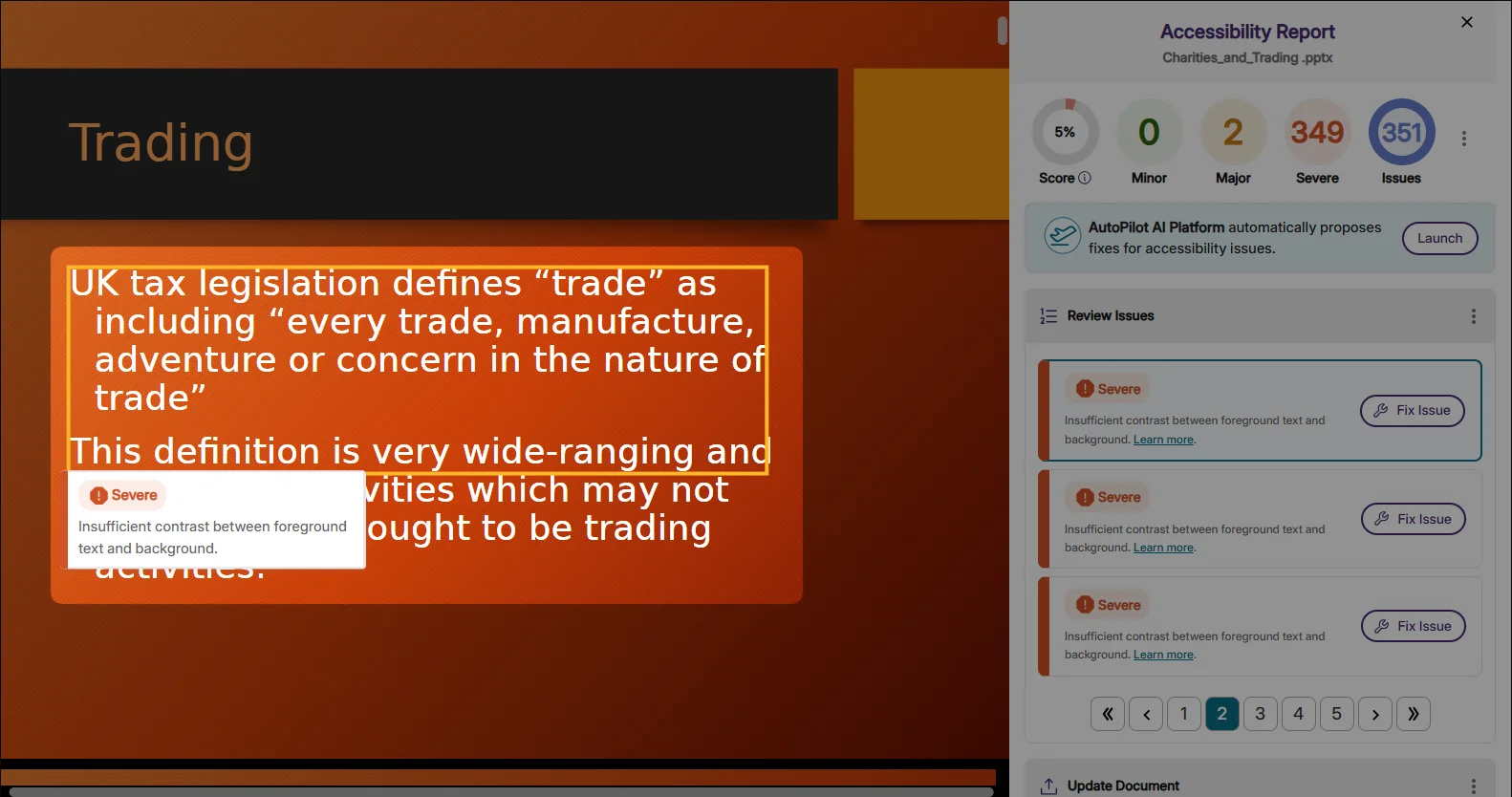
The Add-in targets common accessibility issues, including low contrast, font size, missing alt text, and many more, to help you ensure that your files are fully accessible for all learners.

Automatically detects and corrects low-contrast text and elements to ensure they meet WCAG readability standards.

Improves legibility by adjusting font size, weight, and spacing to meet accessibility best practices.

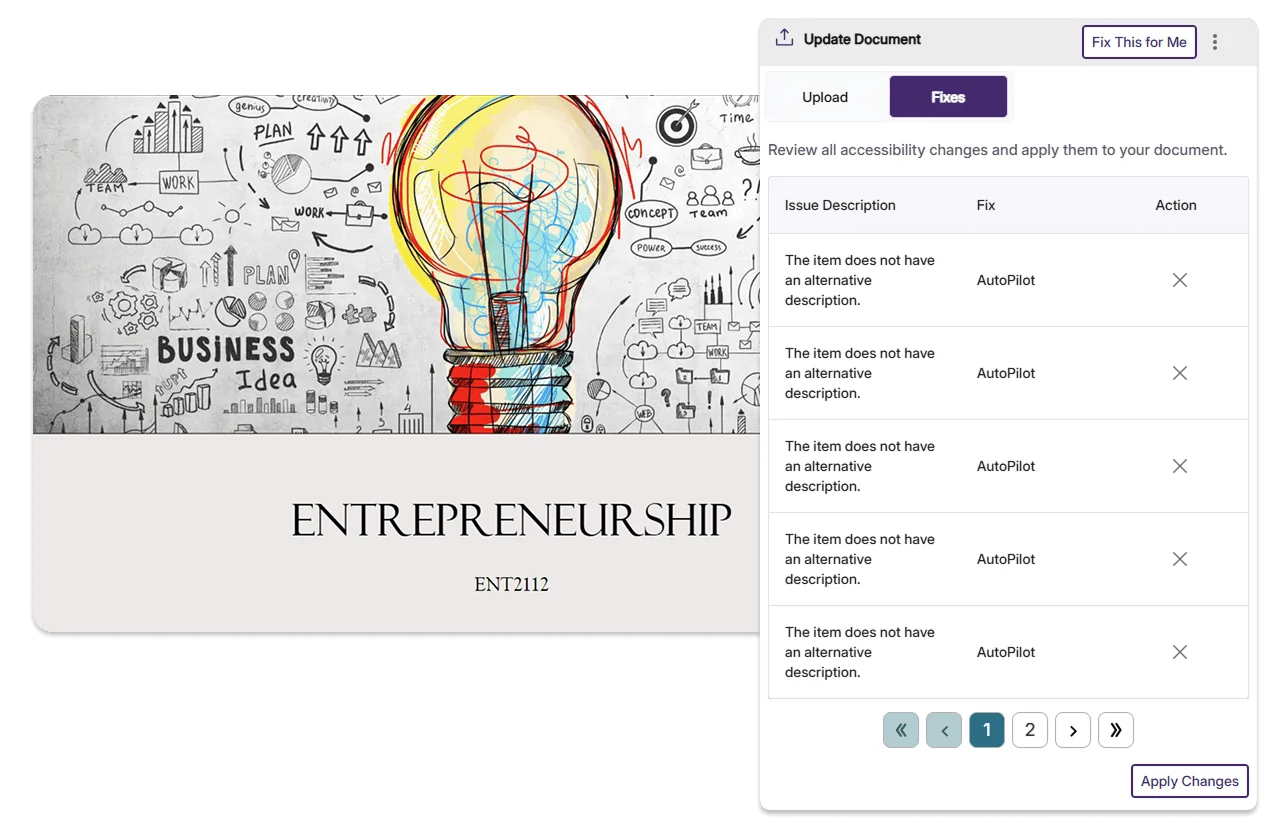
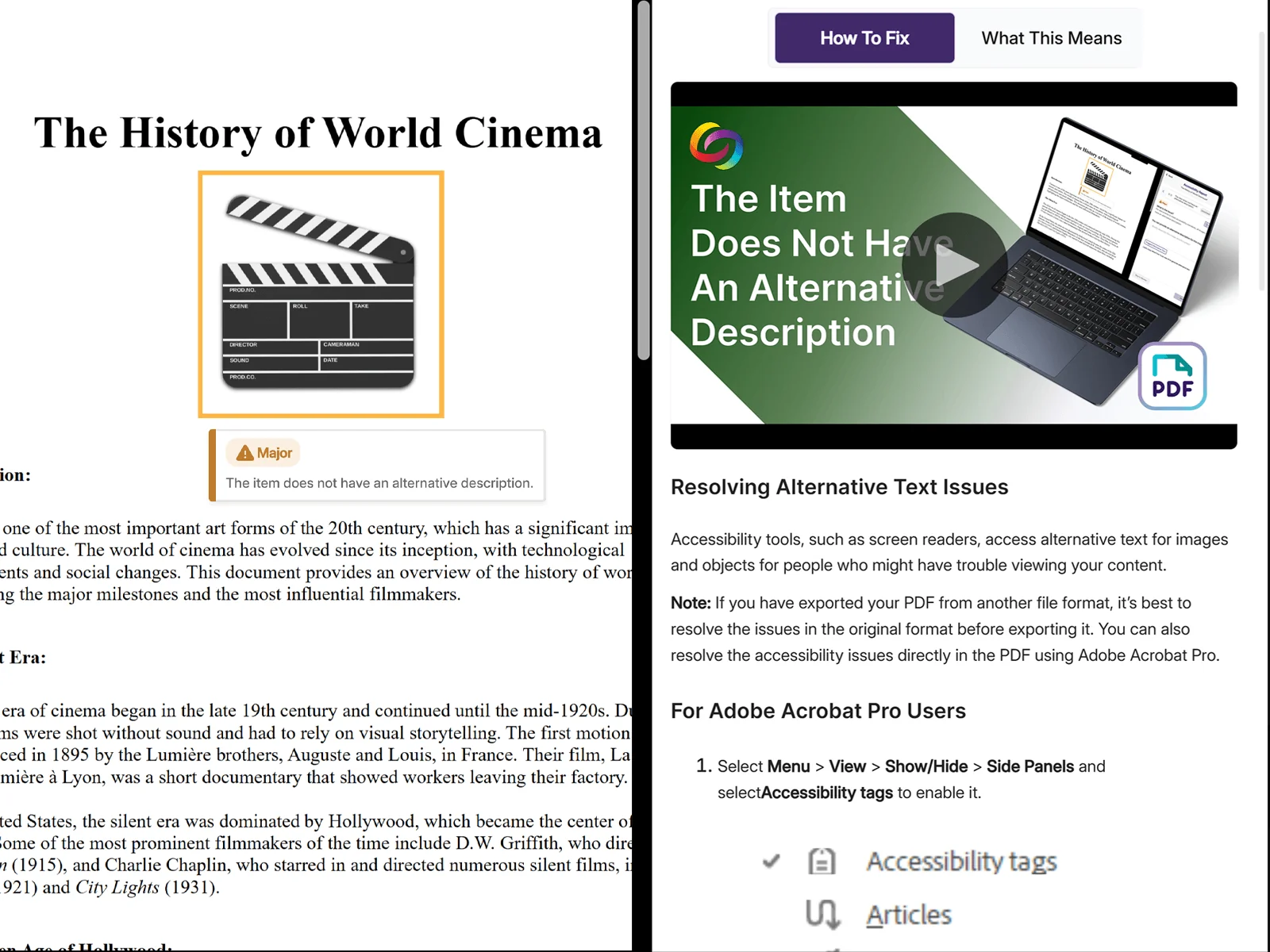
Identifies missing or poor alt text and provides clear, descriptive alternatives for screen readers.

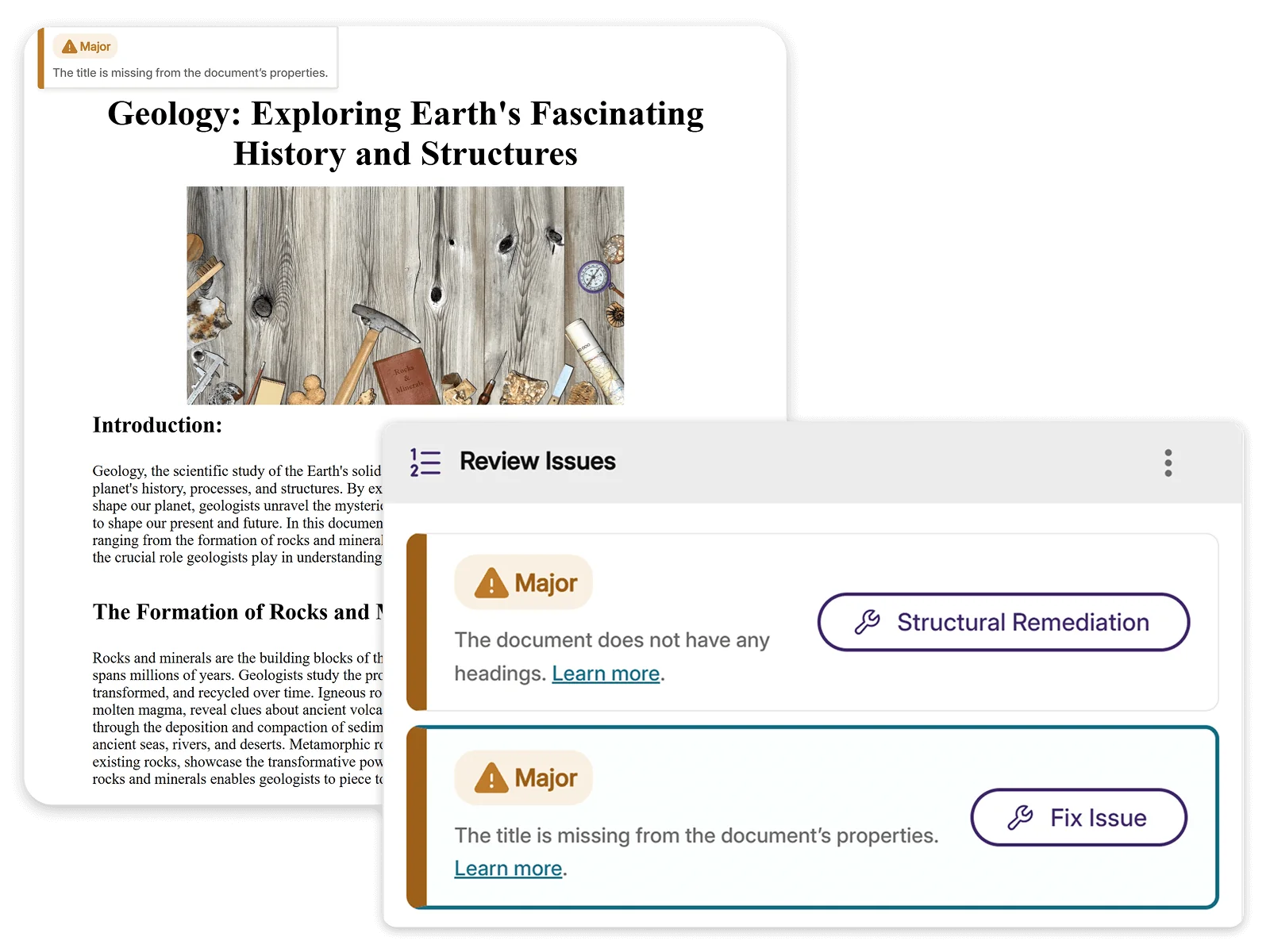
Ensures every document includes a clear title so users and assistive technologies can understand its purpose.

Converts scanned documents into readable, selectable text and applies structure for compliant files.

AI automatically optimizes reading order so screen readers can navigate content logically, even in complex, multi-column layouts.

AI detects and corrects improper heading hierarchies to help ensure documents have a logical structure that assistive technology can follow.

AI engines automatically detect and structure tables with proper semantic meaning, making rows, columns, and headers accessible to screen readers and assistive tech.
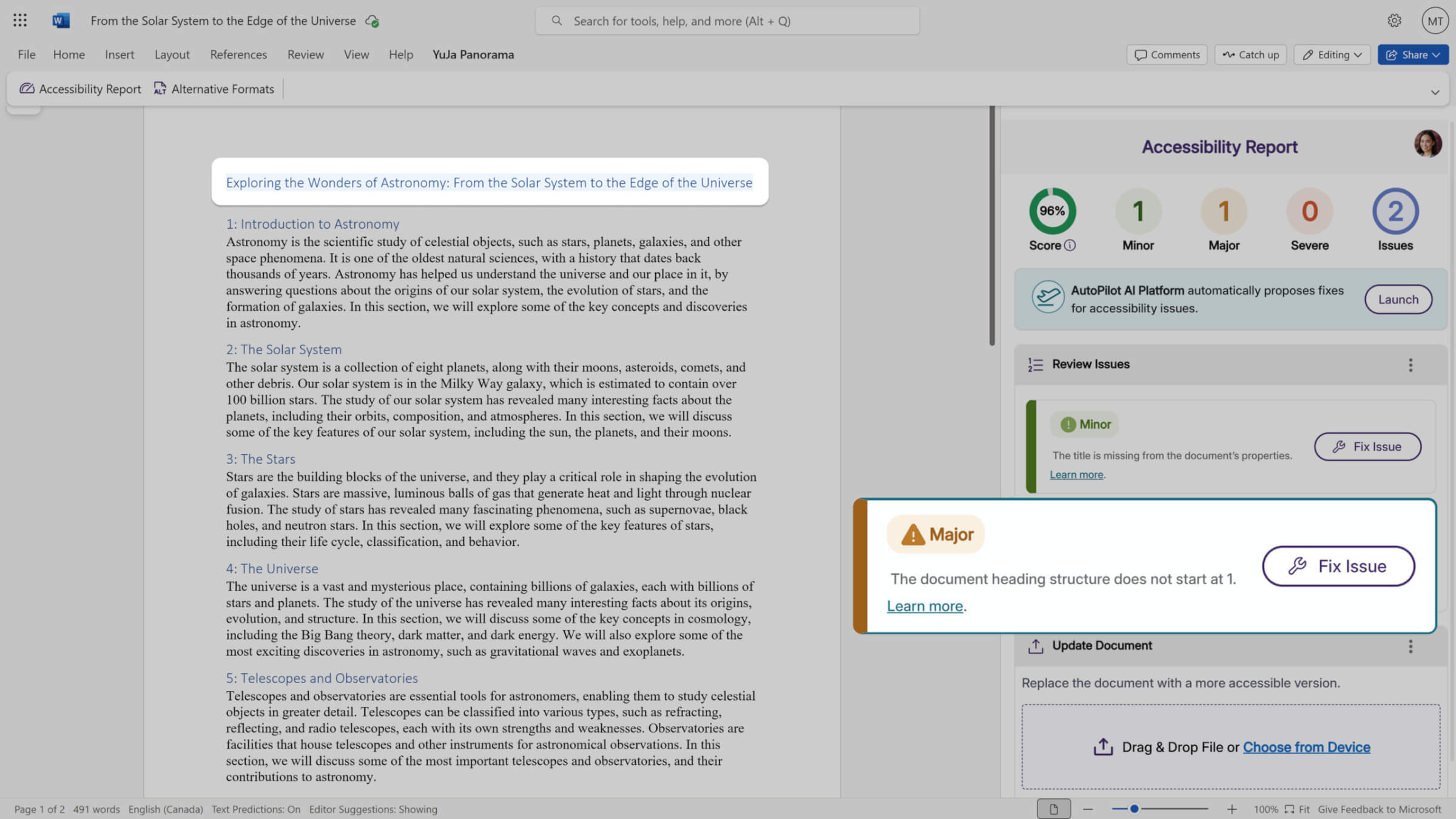
Identify and resolve accessibility problems directly within Microsoft Word and PowerPoint. The Add-In performs comprehensive WCAG-aligned accessibility checks and flags issues in real-time, providing clear indicators of problem areas within your document. The upstream approach enables instructors to address accessibility issues from the start.


Institutional leaders were drawn to the YuJa Video Platform’s storage, management, and editing capabilities, and the ease of use for instructors and students.
Read the case studyAddress diverse accessibility requirements without switching applications. The Add-In detects a wide range of accessibility issues from missing alternative text for images to improper heading hierarchies, insufficient color contrast, table structure issues, document language settings, and more.
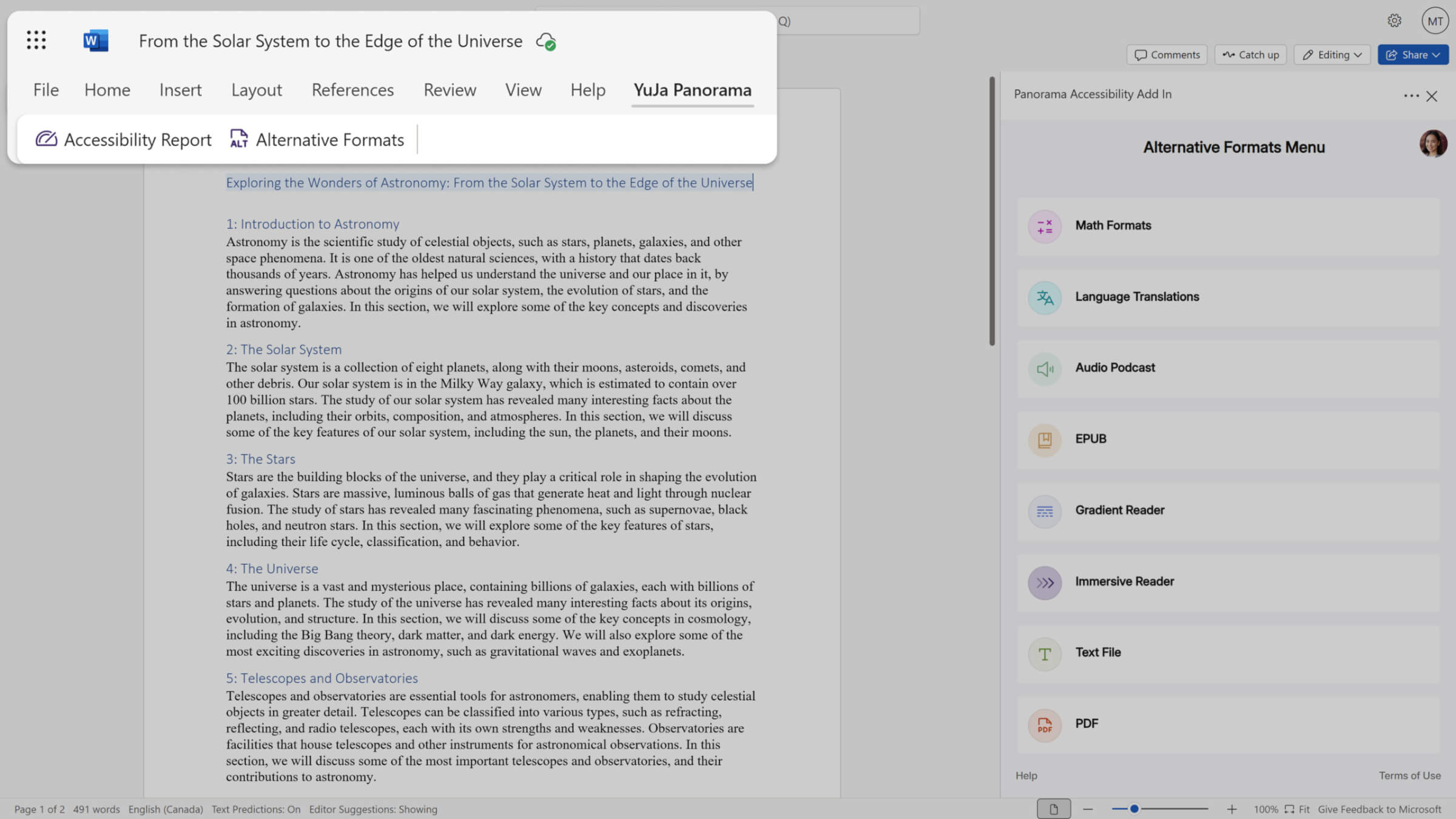
Generate accessible versions directly within Microsoft Word and PowerPoint to support students diverse accommodation needs. Create and deliver accessible materials from the same authoring environment, helping institutions provide timely access without switching applications.


If your institution also uses the YuJa Panorama AutoPilot AI Remediation Module, you can run automated remediation directly within Microsoft Word and PowerPoint. AutoPilot’s AI-powered fixes address accessibility issues with a single click, accelerating your compliance efforts without application switching.
The industry’s leading AI-powered accessibility automation tool, YuJa AutoPilot Remediation automates content accessibility for documents and LMS WYSIWYG content areas.
Access a breakdown of accessibility scores to prioritize high-impact fixes. This breakdown includes details on how the score was calculated based on the number of tests performed and the issues identified at each level.
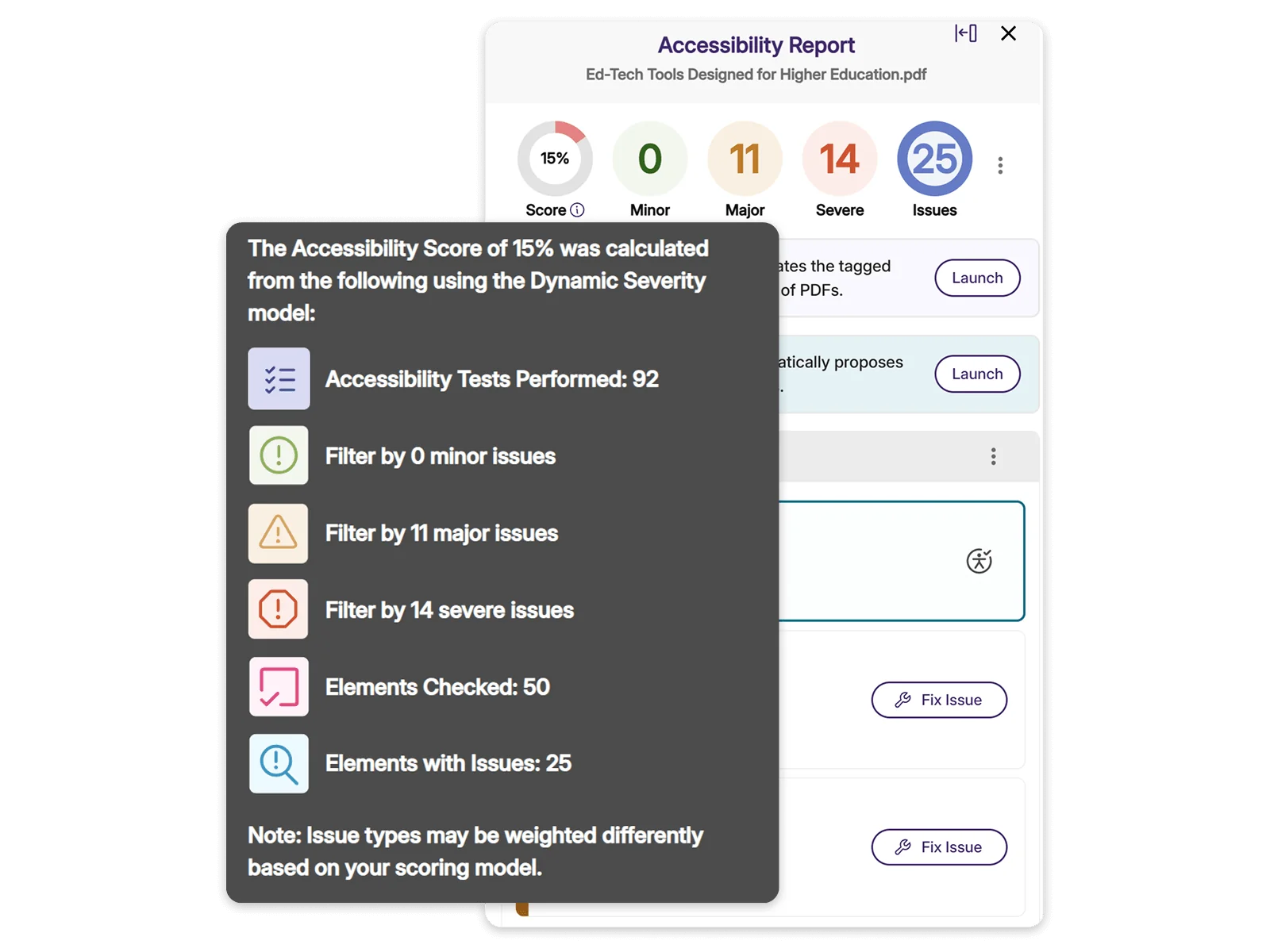
Each document displays a clear accessibility score with actionable insights that highlight what needs improvement. This makes it easy to prioritize files that require the most attention, address issues, and monitor how accessibility improves over time.
Integrated “How to Fix” guides walk you through each accessibility issue, providing clear explanations and detailed steps for remediation. This makes it easy to understand the problem, apply the right fix, and ensure your content is accessible to all learners.
Join the 1,000+ Organizations Deploying High-Impact Solutions