





Online
May 13, 2026
Boost Video Accessibility with the GenAI Video PowerPack!
Try Now
Supercharge Your Compliance Efforts with AutoPilot Remediation Max!
Try Now
Strengthen Your PDF Accessibility Efforts with Structural Remediation Max!
Try Now
Don't Miss Any of Our Upcoming Webinars—Save Your Spot!
Register
The YuJa Community is here! Connect, get updates, and access exclusive content.
Join Now

The YuJa Panorama LMS Accessibility Platform provides a centralized, cloud-based digital accessibility media repository to help instructors and departments organize content and see accessibility scoring in one place.
Scrolling logos of YuJa’s clients such as Nashville State Community College, Yale, etc.
YuJa Panorama’s Accessible DocHub delivers a centralized, cloud-based solution for managing documents with accessibility at its core. Built for educators and accessibility teams, it provides intuitive folder structures for organization, powerful filtering capabilities, and comprehensive remediation guidance that streamlines workflows while supporting WCAG and Section 508 compliance.
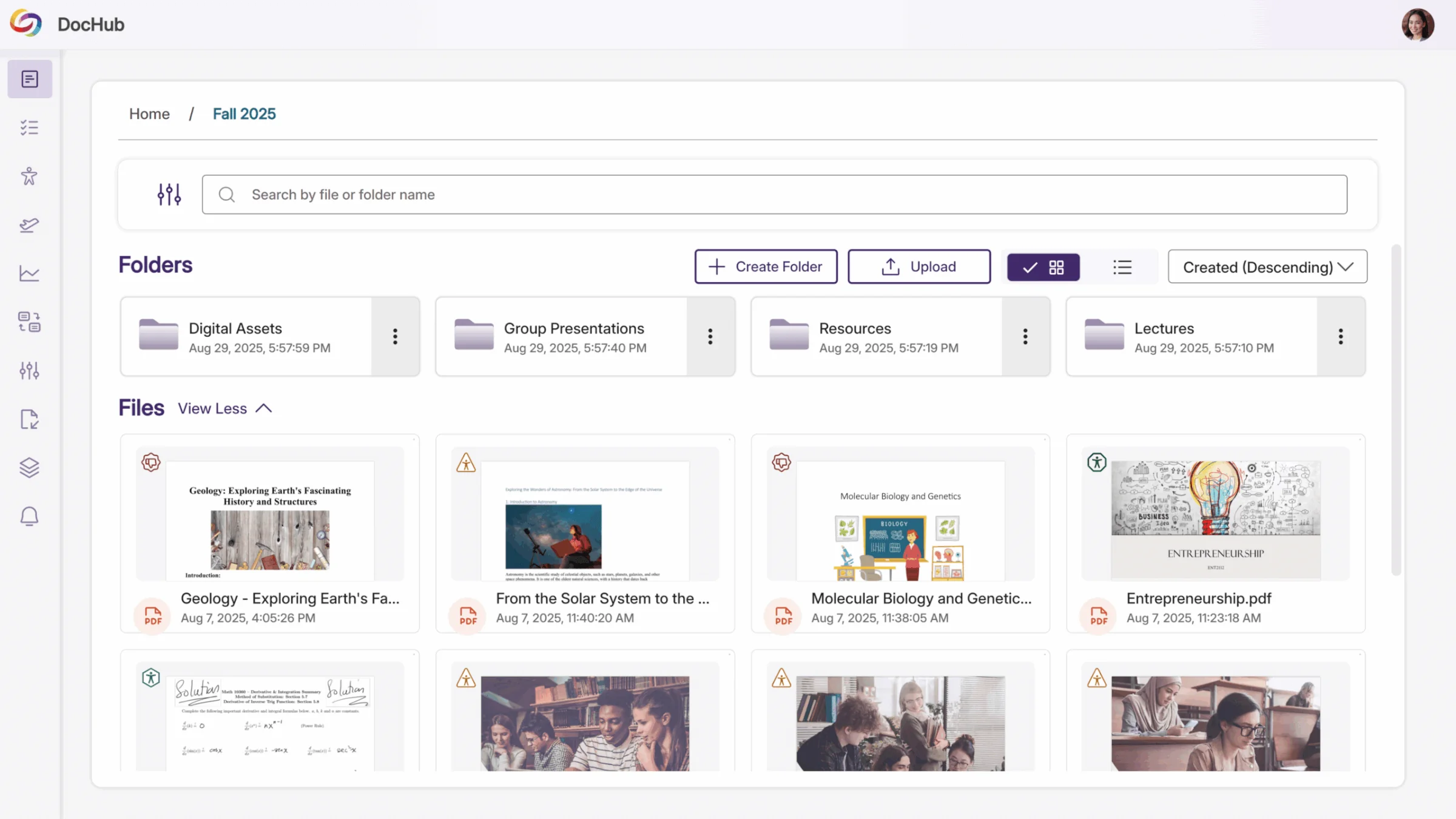
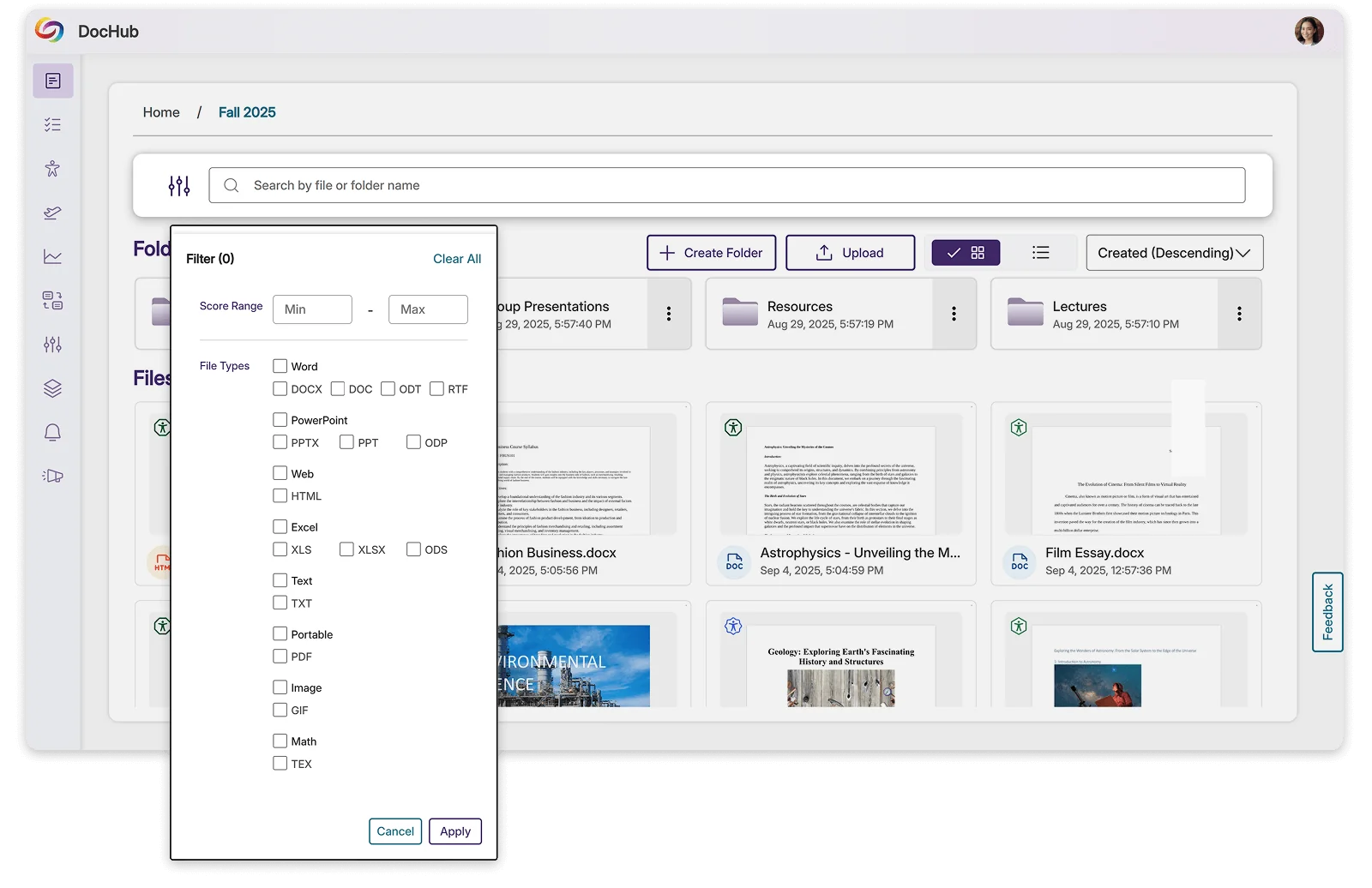
Locate documents using keyword search, filters, and tags across individual folders or your entire library with global search. DocHub also enables bulk actions and automated workflows for managing larger content libraries.
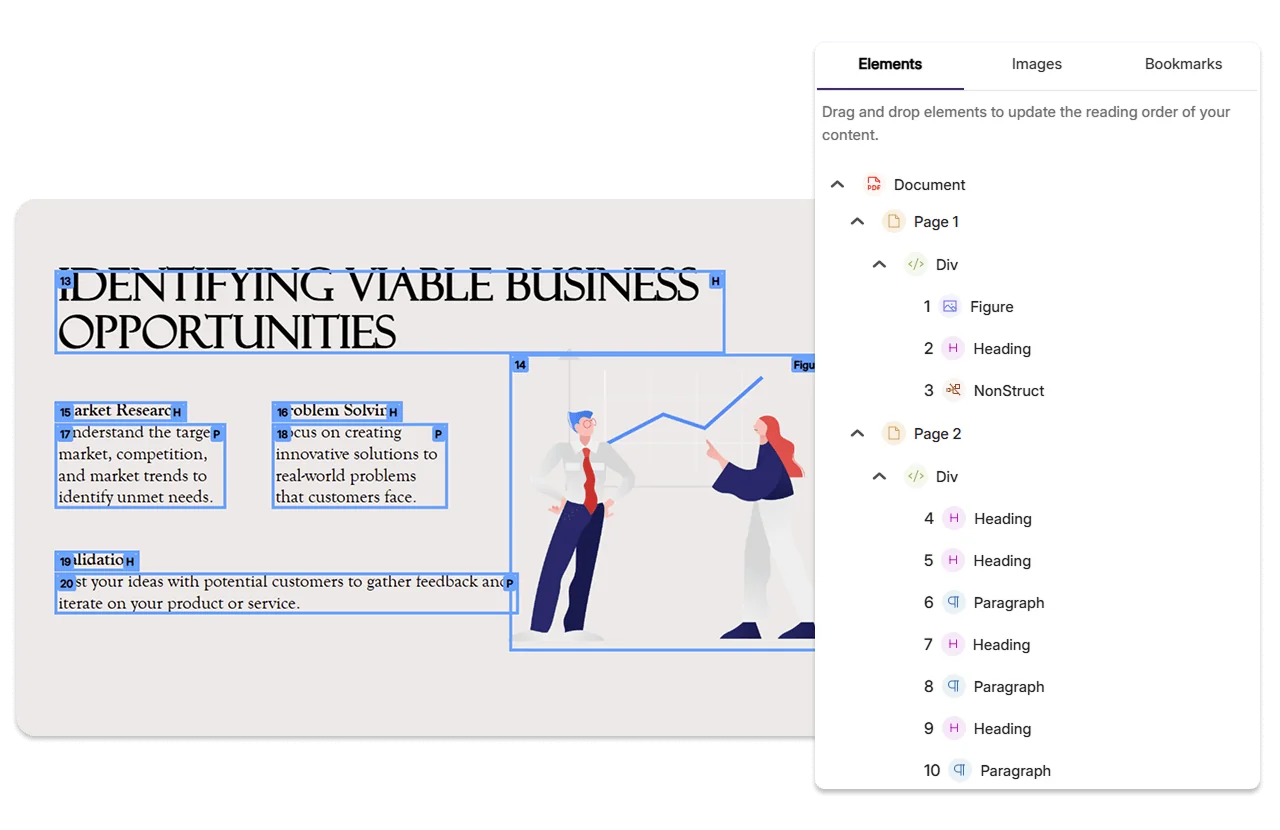
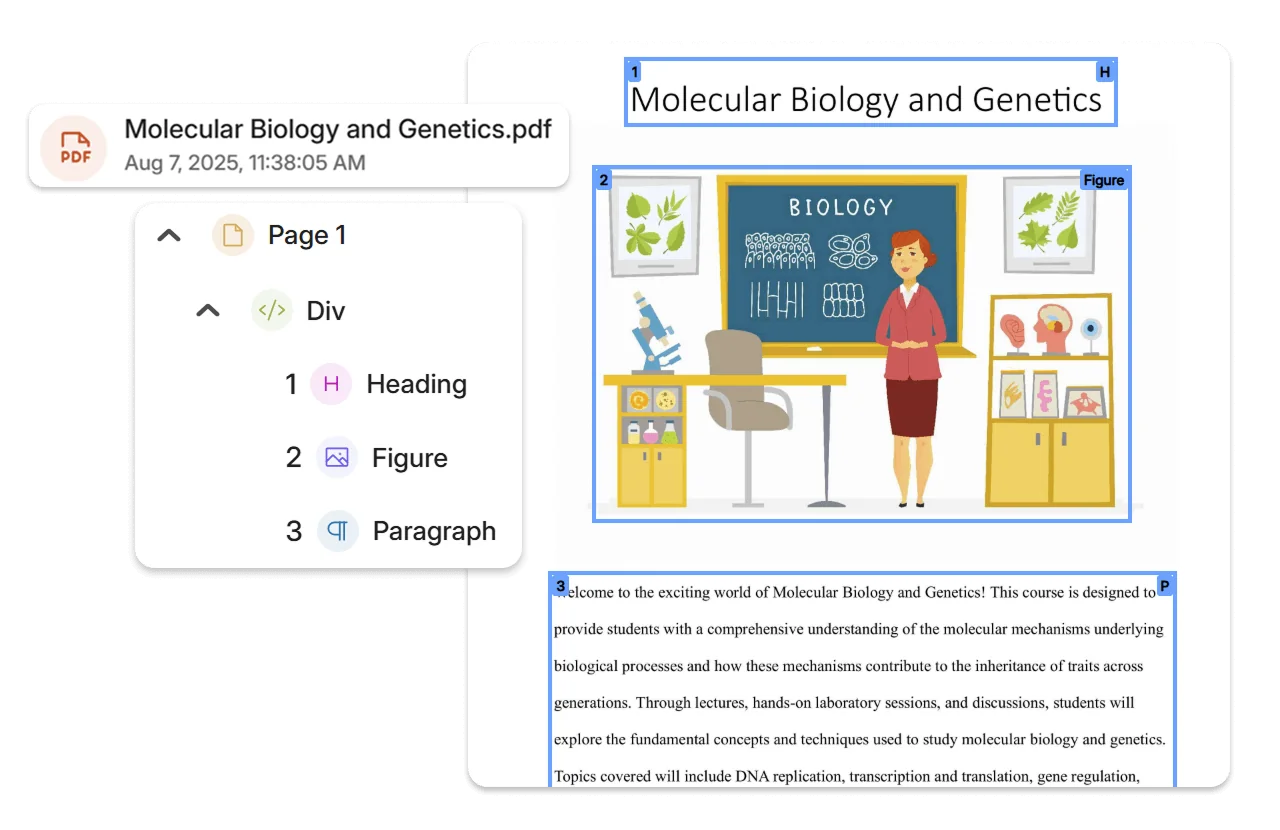
Use YuJa Structural Remediation Max—a blend of intelligent automation and human-centric review—to help transform even the most complex PDFs into WCAG-aligned, fully structured, accessible documents. Advanced AI detects and repairs complex PDF accessibility issues, eliminating hours of manual remediation work. From scanned documents to malformed files, our AI-powered engine handles structural tagging, reading order optimization, and semantic markup instantly.
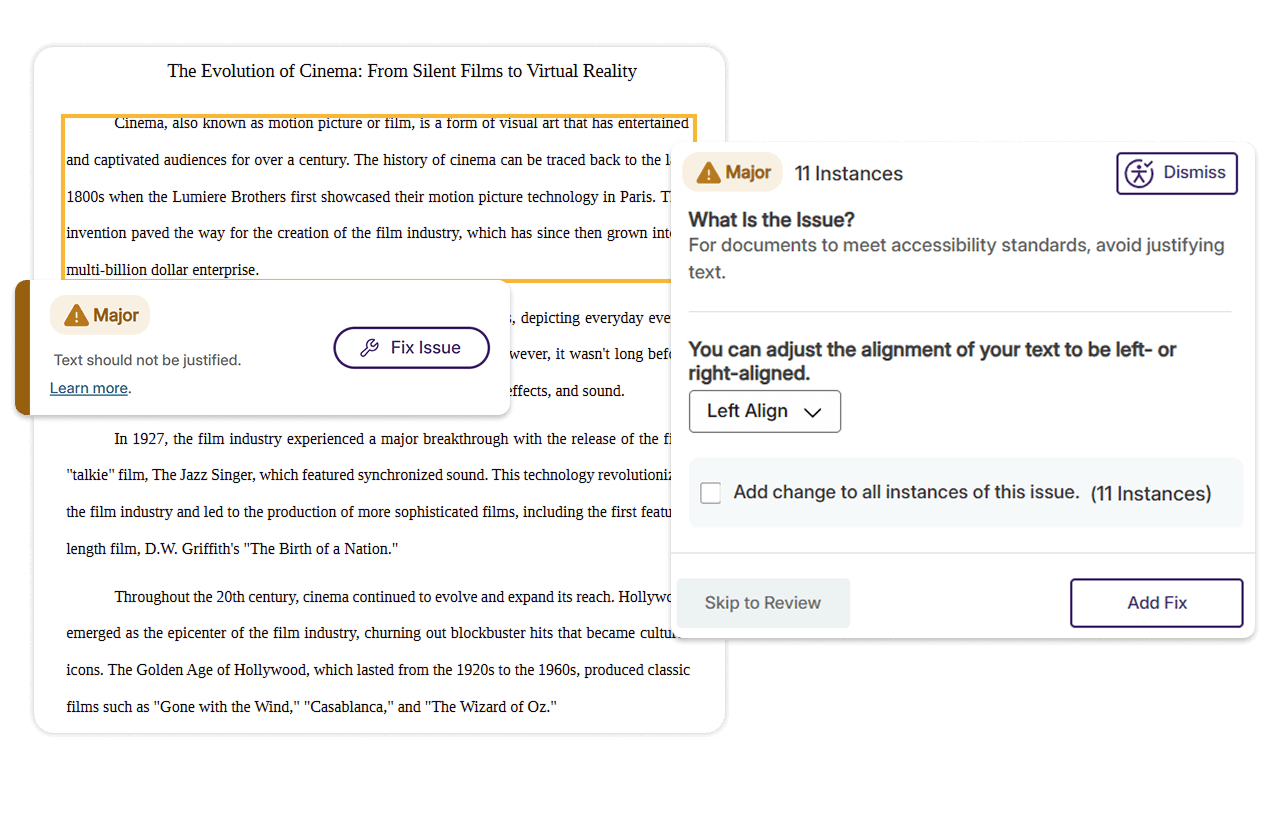
YuJa Inline Full-Circle Content Remediation allows you to fix accessibility issues at the source, removing the need to manually fix accessibility issues and re-upload documents to DocHub. With the click of a button, you can automatically remediate accessibility issues for PDF, Word, PowerPoint, Excel, HTML, and GIF files.
Get clean, accurate tags that protect your content and file size, without the bloat common in other solutions, so every PDF stays accessible and compliant.
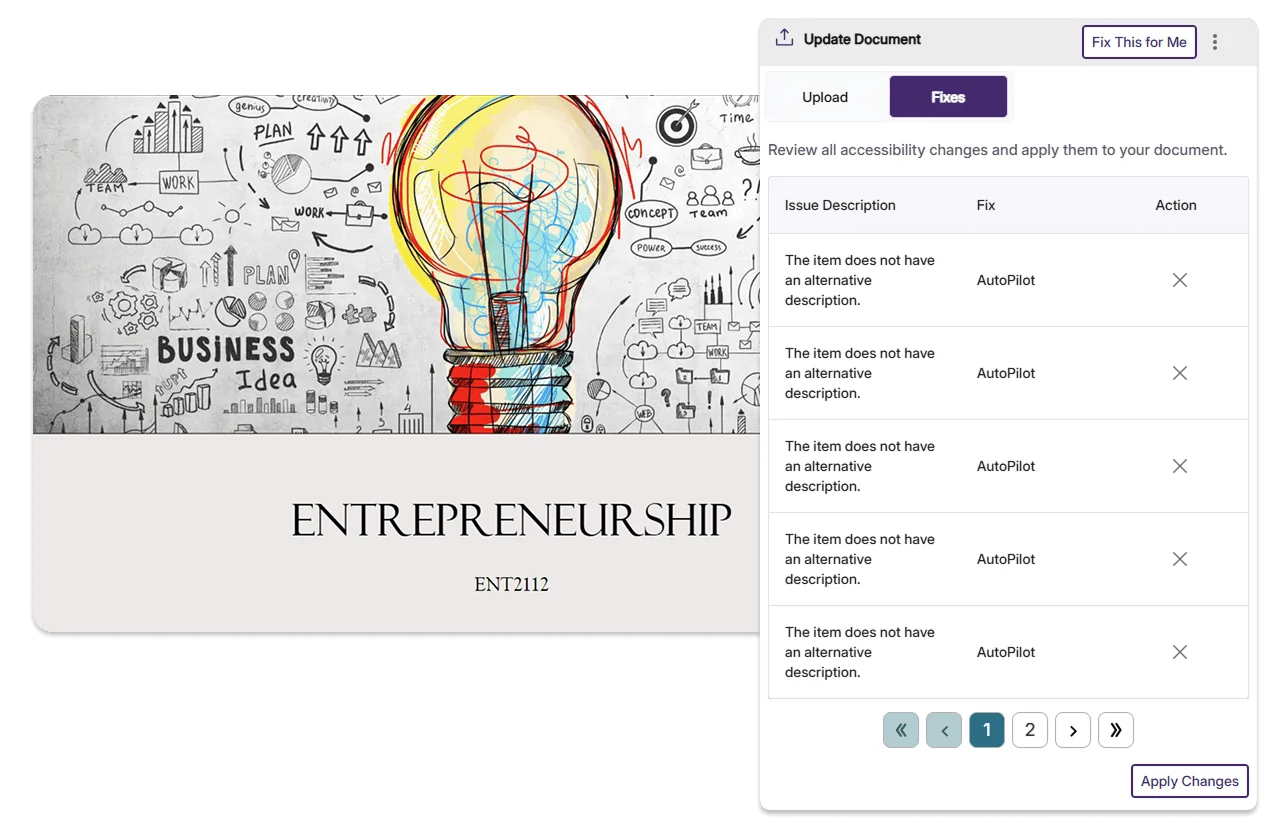
The industry’s leading AI-powered accessibility automation tool, YuJa AutoPilot Remediation automates content accessibility for documents and LMS WYSIWYG content areas.
Access a breakdown of accessibility scores to prioritize high-impact fixes. This breakdown includes details on how the score was calculated based on the number of tests performed and the issues identified at each level.
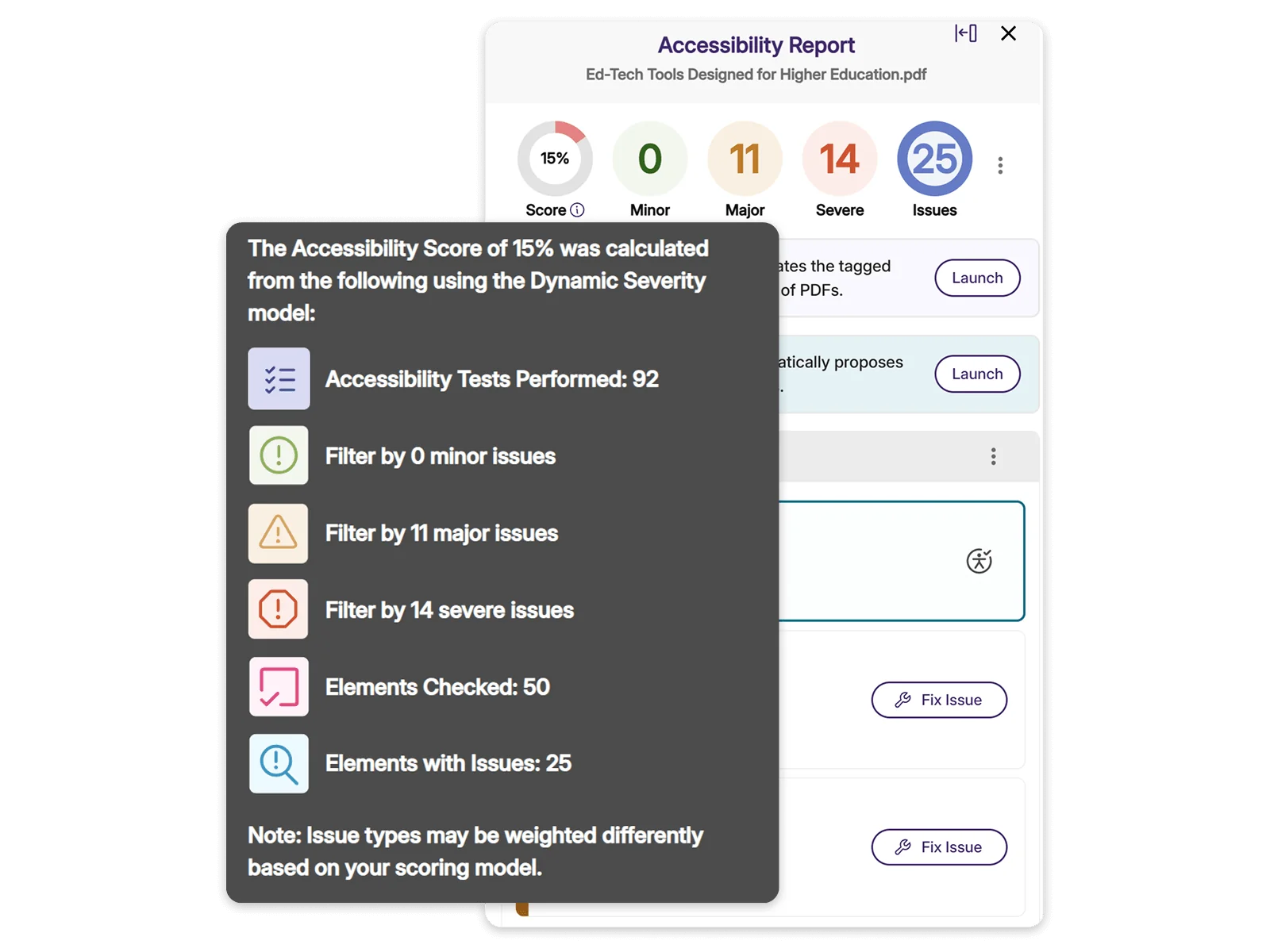
Each document displays a clear accessibility score with actionable insights that highlight what needs improvement. This makes it easy to prioritize files that require the most attention, address issues, and monitor how accessibility improves over time.
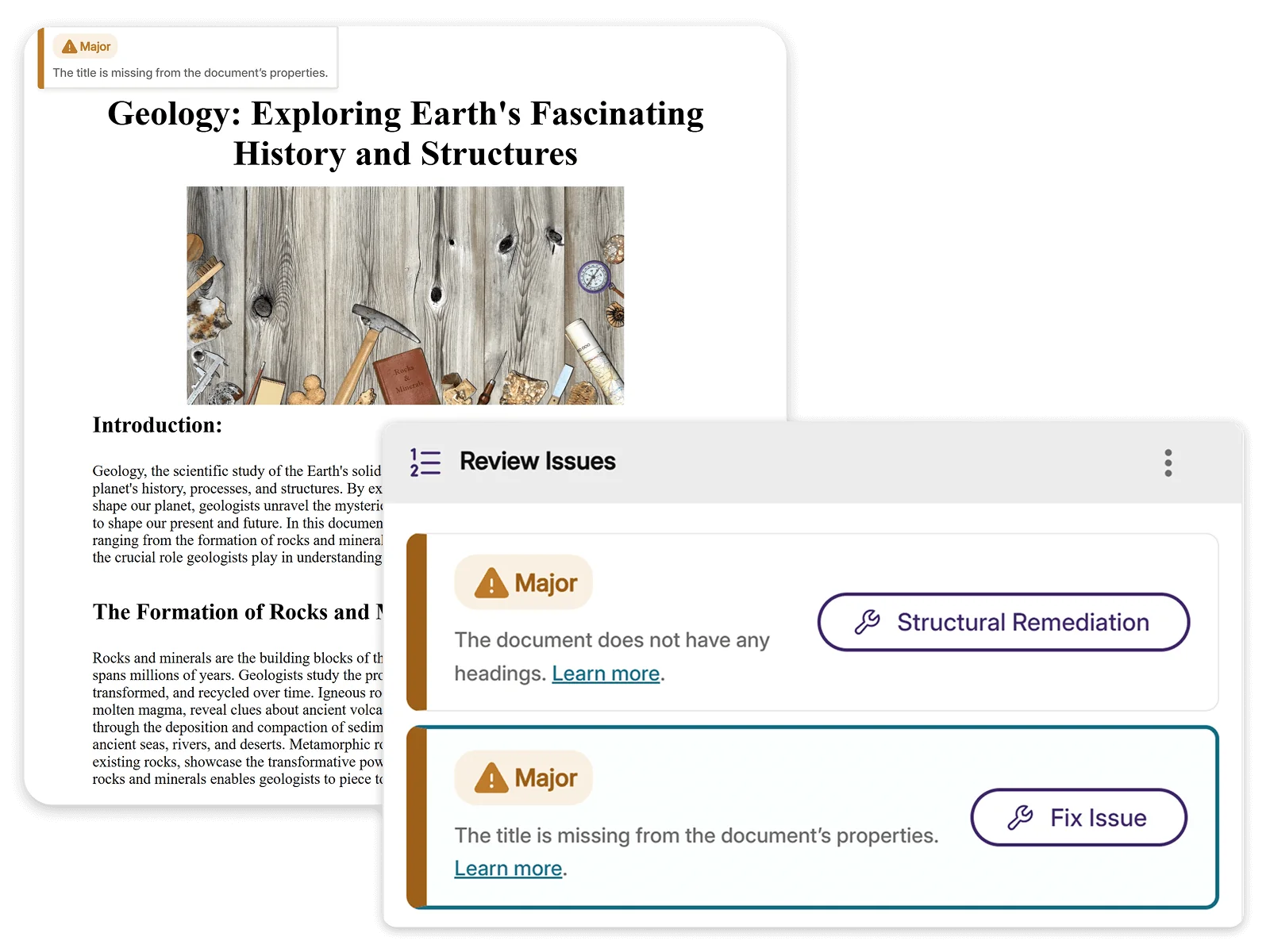


YuJa Panorama provides a centralized location with reporting for all content, which has been helpful for instructors. “I don’t want to say it’s magic, but it really does help that our faculty can look in one location to see what their course looks like, issues, and not only that, how to remedy issues. Then, you can remedy most of those issues in the same place,” McCrary said.
Read the case studyIntegrated “How to Fix” guides walk you through each accessibility issue, providing clear explanations and detailed steps for remediation. This makes it easy to understand the problem, apply the right fix, and ensure your content is accessible to all learners.
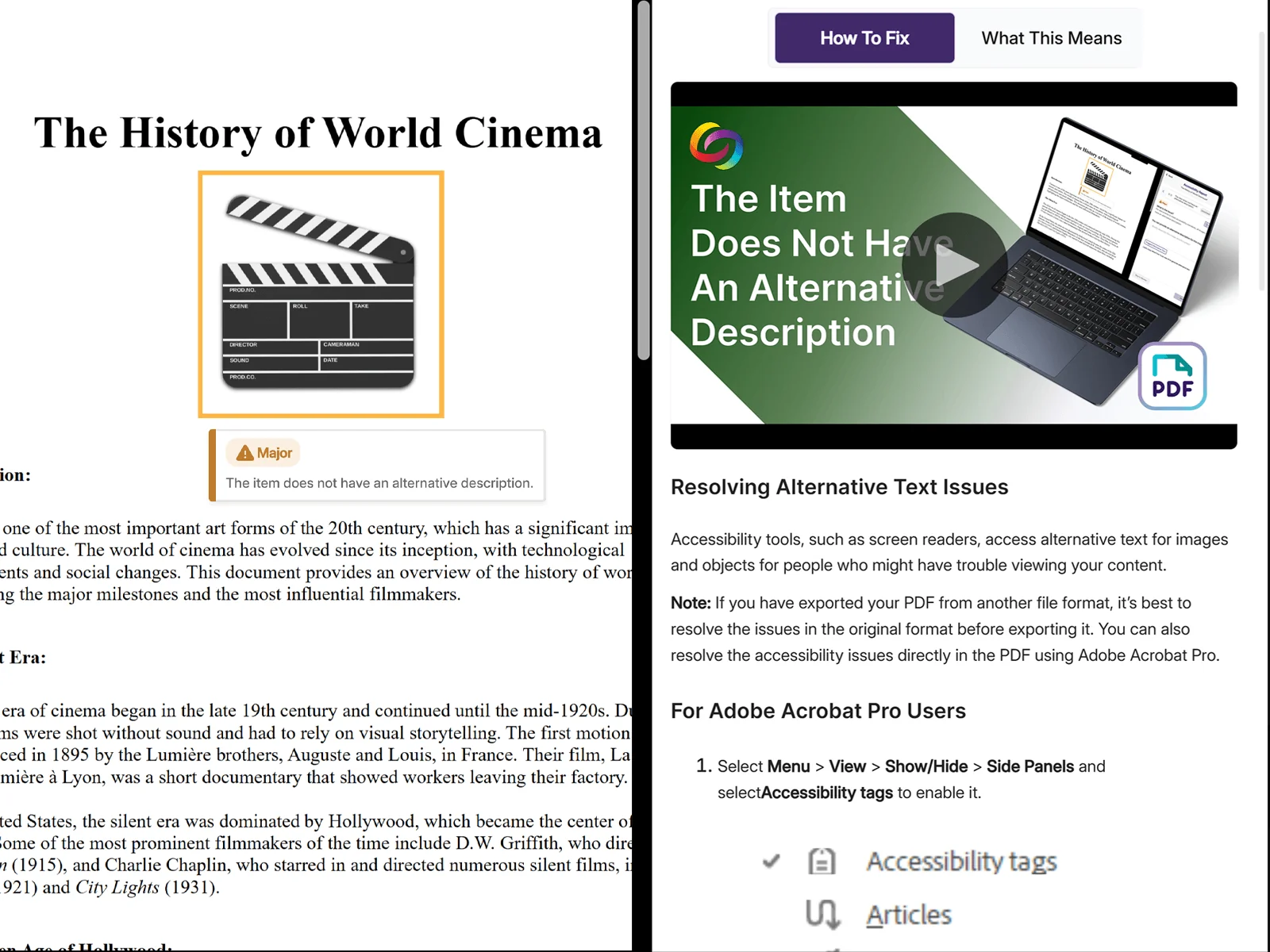
Access a plethora of alternative file types, such as PDF, EPUB, Audio, Braille, OCR, translation options, and more, directly from the LMS. Users can also upload their personal documents to generate and access alternative formats for individual use.

Download the PDF >
Download the PDF >
Visit the page >
May 7, 2026

Join the 1,000+ Organizations Deploying High-Impact Solutions