Product Updates

Get the latest platform updates, features, and announcements—all in one place.

Help Shape What's Next

Join discussions, request features, and vote on ideas.

Join Community

Built With Passion

Learn about the people behind YuJa.

About Us

Trial Program

We offer an opportunity to try our products.

Request a Demo
  • March 2, 2023

    Panorama Digital Accessibility Platform – Update RC20230302 Released to US, CAN, AUS, and EU Zones

    We have successfully pushed an update to all Panorama Digital Accessibility Platform instances residing in the US, Canada, and the European Union. This update includes a personal repository to upload and test the accessibility of documents, synced document uploads, YouTube caption detection, and the ability to adjust the access to Alternative Formats at the institution or course level.
    1. New Content Repository for Creating Accessible Media Panorama’s goal is to provide a centralized Digital Accessibility strategy with Learning Organizations. This release, we are delivering the next major part of this vision with the introduction of new Contents Repository for use by both individual users, as well as, Departments. Use cases include:
      • Instructor Repository – Organize a personal repository of documents with detailed Accessibility Scoring, as well pre-generated Accessibility Alternatives.
      • Library and Reserve Desk – The University Library can manage their digital reserves and provide resources to students in an accessible way.
      • Student Content Store – Students are now empowered to self-manage their digital content with their private repository for digital contract
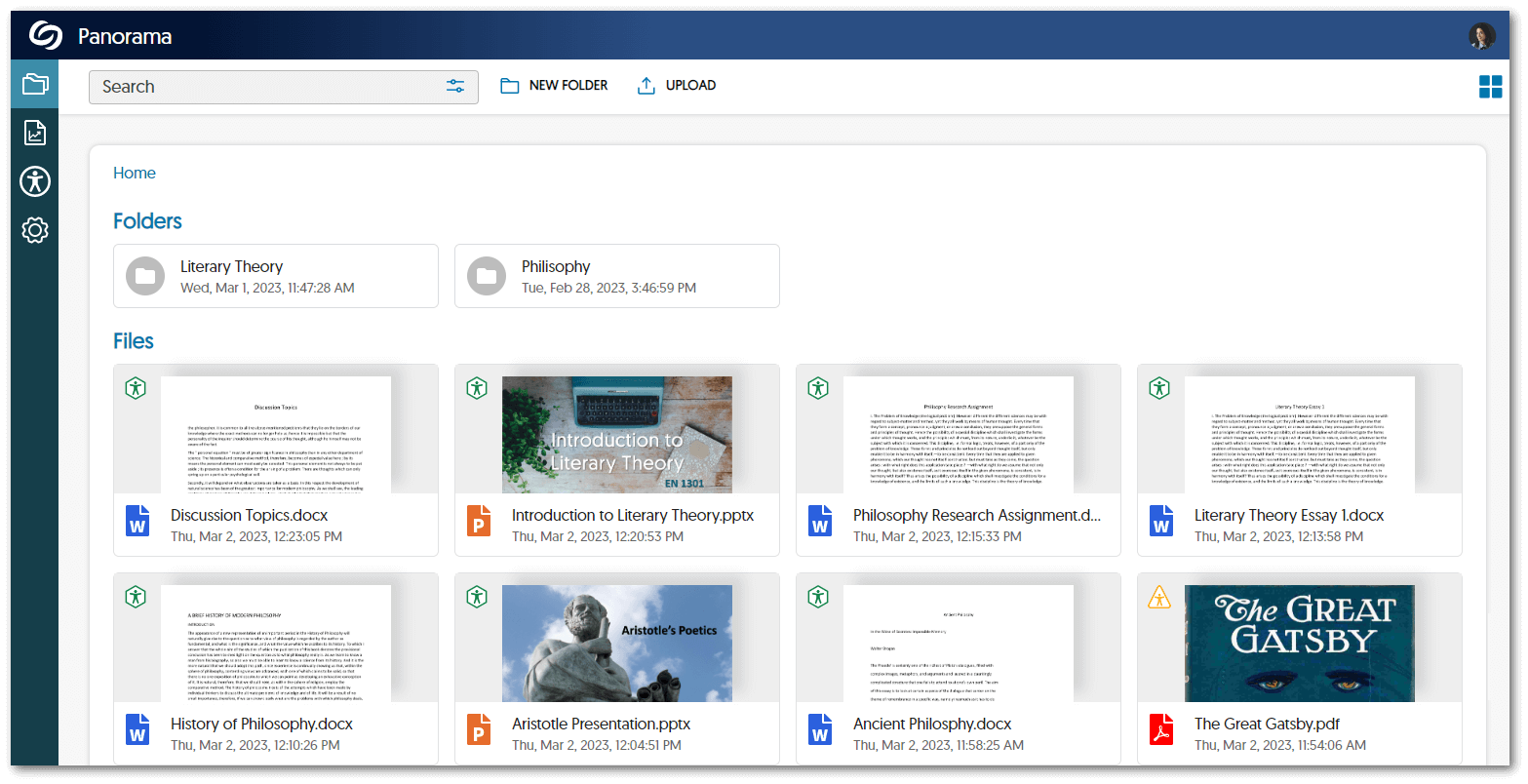
      Panorama's My Content Environment page showcases various folders that can be added and files with their accessibility badge icons.
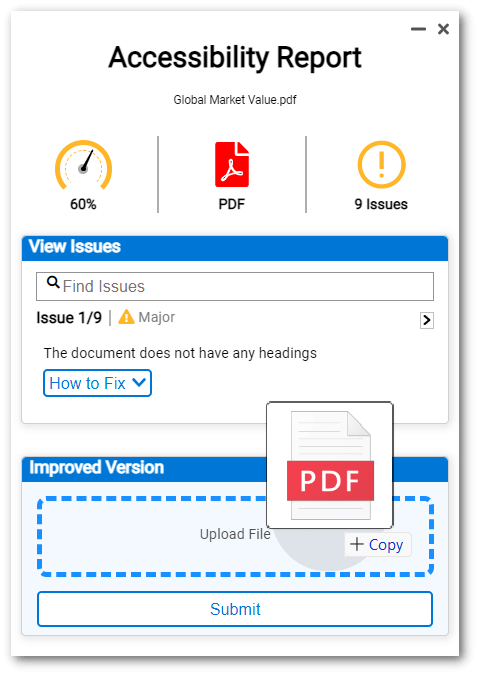
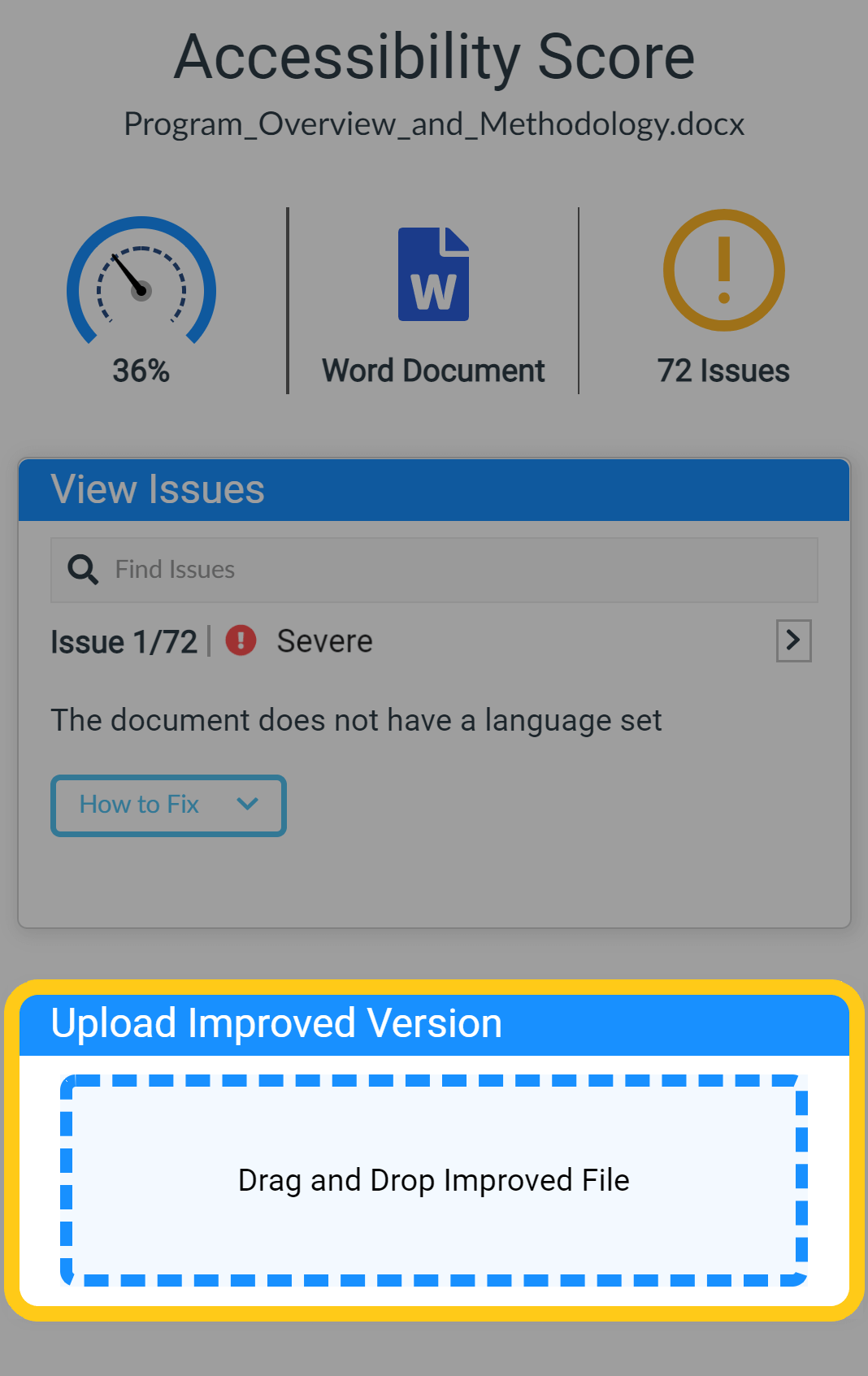
    2. Improved Versions Automatically Update to Canvas Our Canvas users will be pleased to know that improved versions of documents uploaded within the Panorama Platform will automatically update to the underlying LMS course. Panorama's Accessibility Report showcases a file being dropped into the Improved Version box.
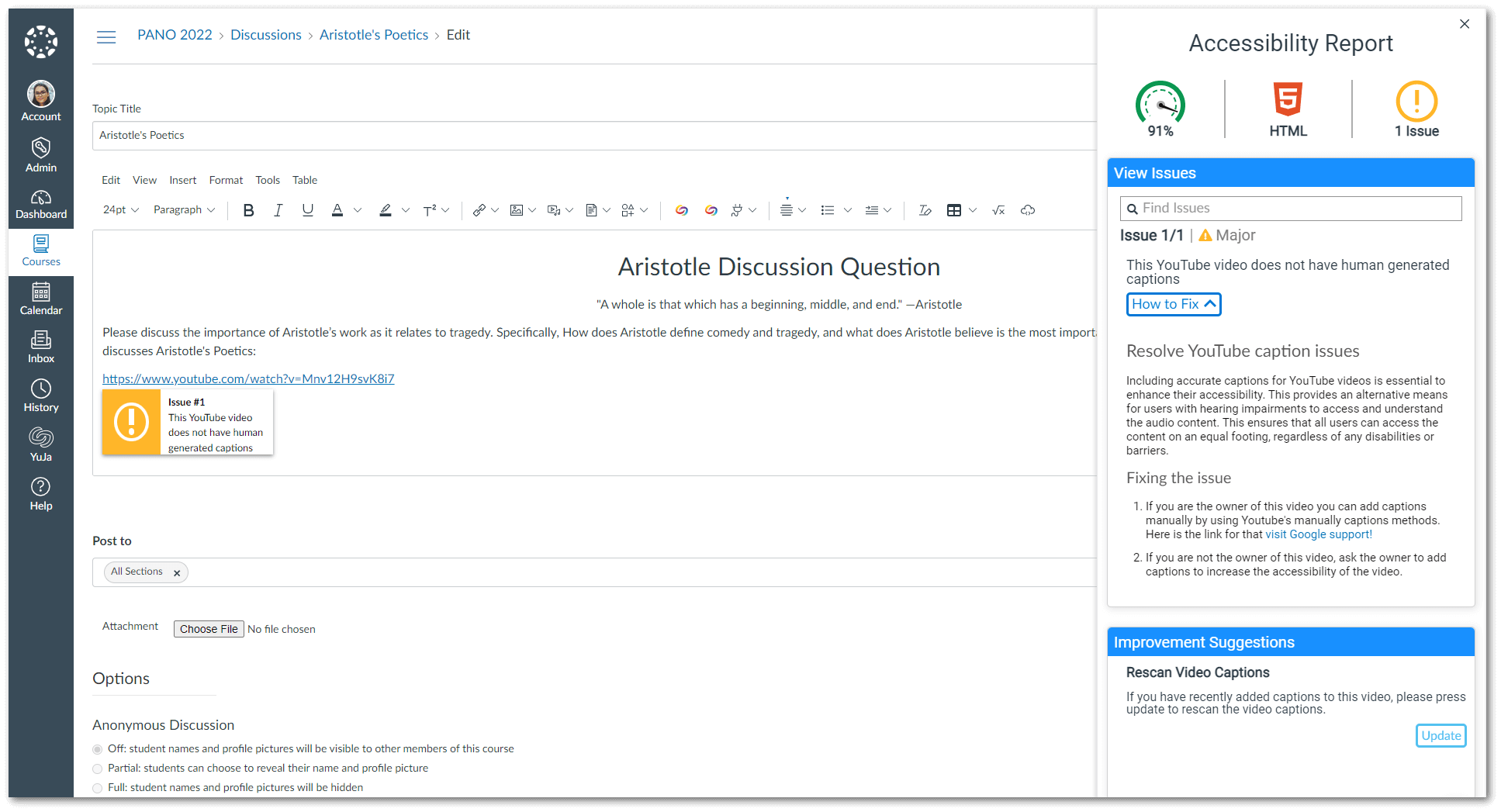
    3. YouTube Caption Detection Added as a Real-Time Accessibility Suggestion Building upon the Real-Time Accessibility Engine capabilities, we have added a new accessibility suggestion that will detect if captions are available for linked YouTube videos. Accessibility Report for HTML content showing an issue for a youtube video not containing human-based captioning.
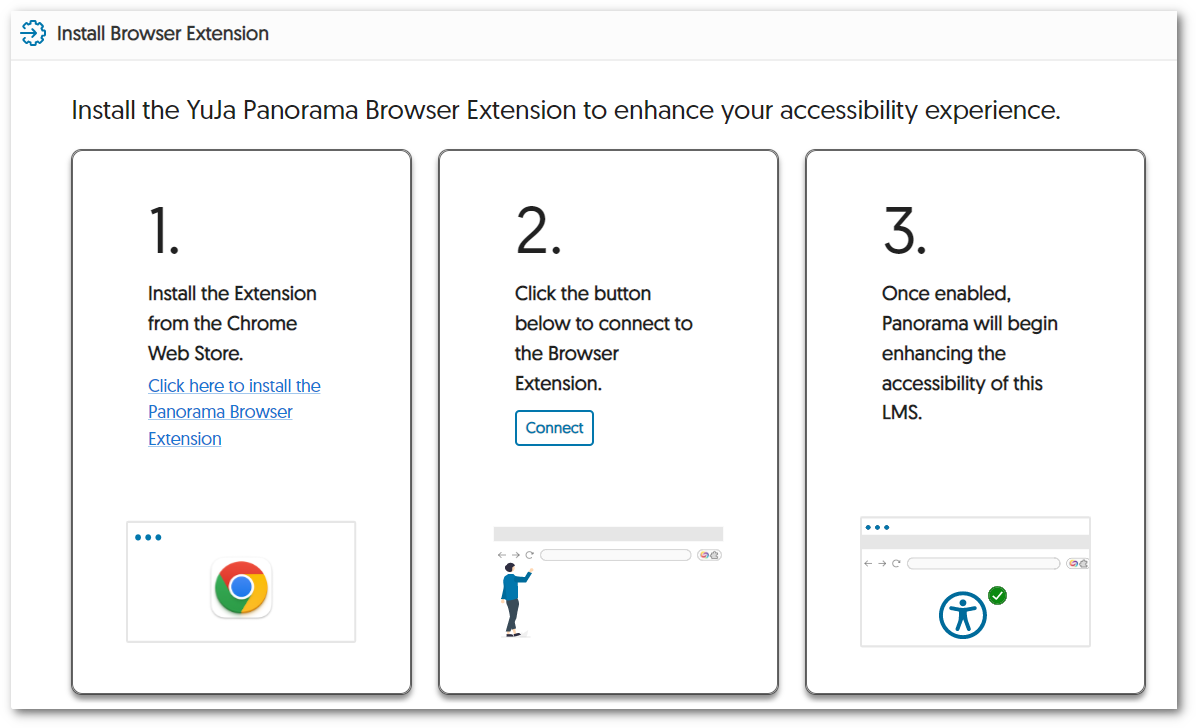
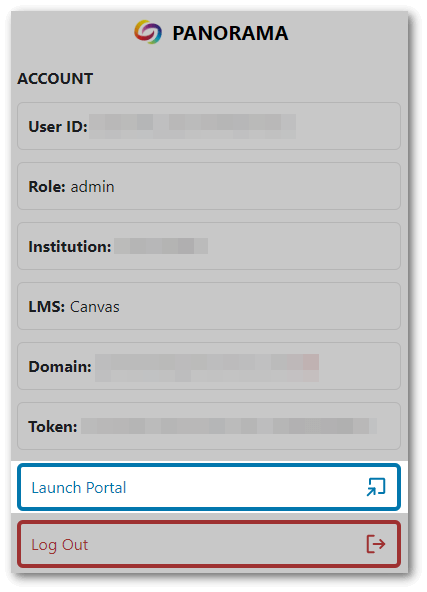
    4. Launch the Panorama Platform from the Redesigned Browser Extension We have provided a more modern look to the Panorama browser extension and have included direct access to the Panorama Portal through the new Launch Portal button. Panorama's browser extension showcases the new UI featuring User ID, Role, Inistution, LMS, Domain, token, Launch Portal, and log-out buttons.
    5. Instant Access to Panorama-Enabled Courses Previously, newly added courses to Panorama would require instructors to wait 24 hours before their course reports could be viewed. We have improved this to allow instructors access to Panorama-enabled courses as soon as a course has been added.
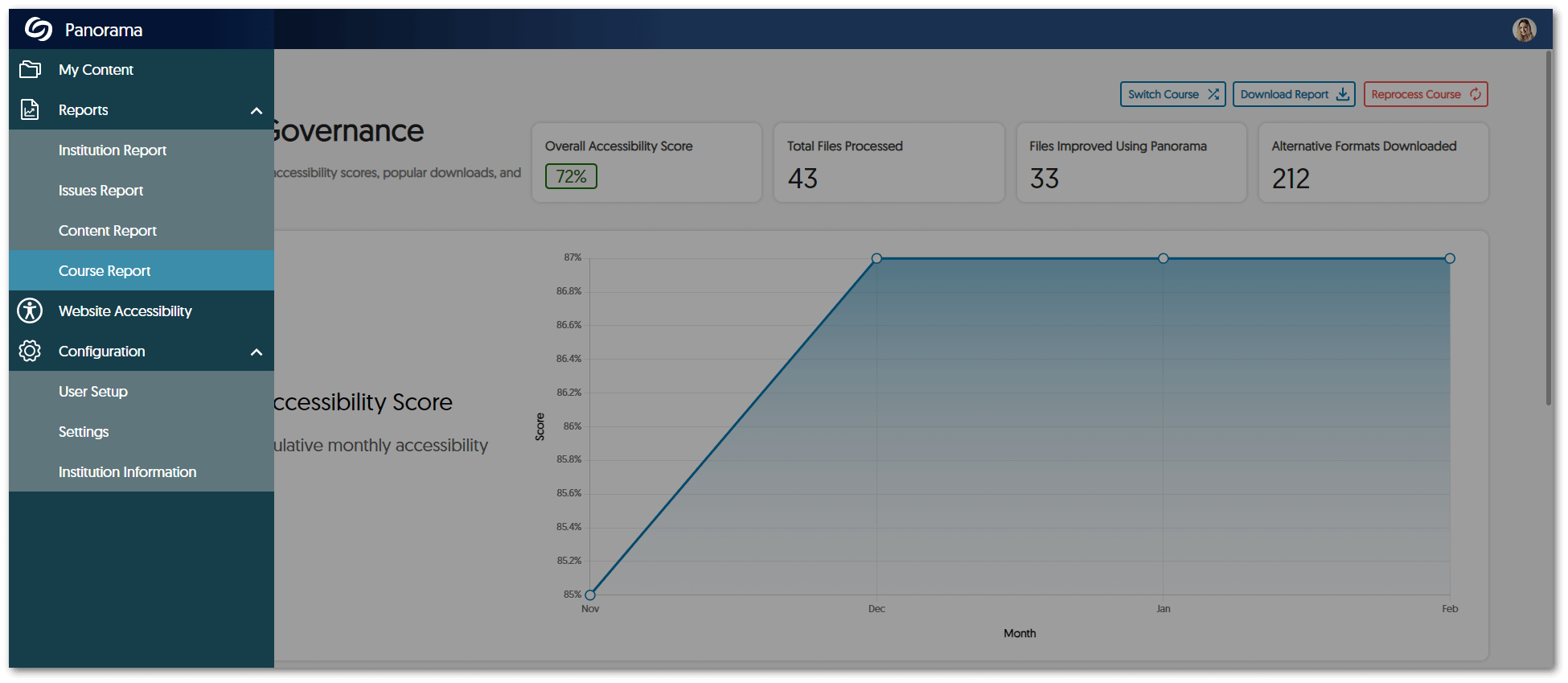
    6. Enhanced Navigation Sidebar To easily navigate the Panorama Platform, we have organized the navigation menu into specific drop-down menu sections for reports and configurations. Panorama's navigation menu with a drop-down menu style for organizing Reports and configurations.
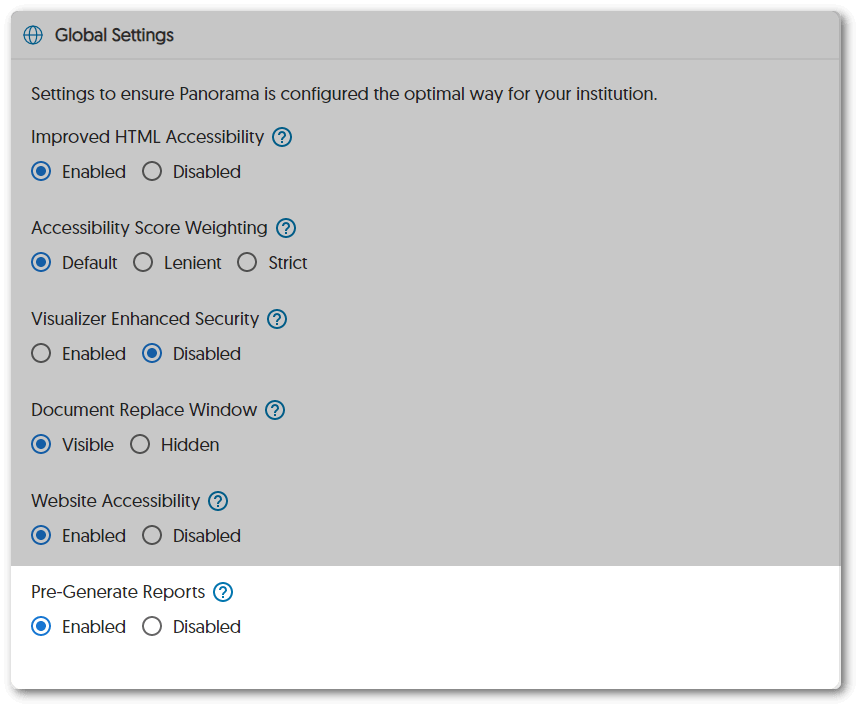
    7. Pre-Generate Panorama Reports Institutions with a large data sets can choose to pre-generate their Institution, Issues, and Content Reports to provide instant access to their analytics. Panorama will automatically suggest this feature when generating reports take longer than expected, or admins may directly access this feature from their Panorama settings. Global Settings shows the option to enable Pre-Generate Reports.
    8. View All Documents for Each Issue Type Panorama’s Course Report now offers admins and instructors the option to view a list of documents generated by any issue. Users may view the Accessibility Report of the documents and upload improved versions to fix accessibility issues.
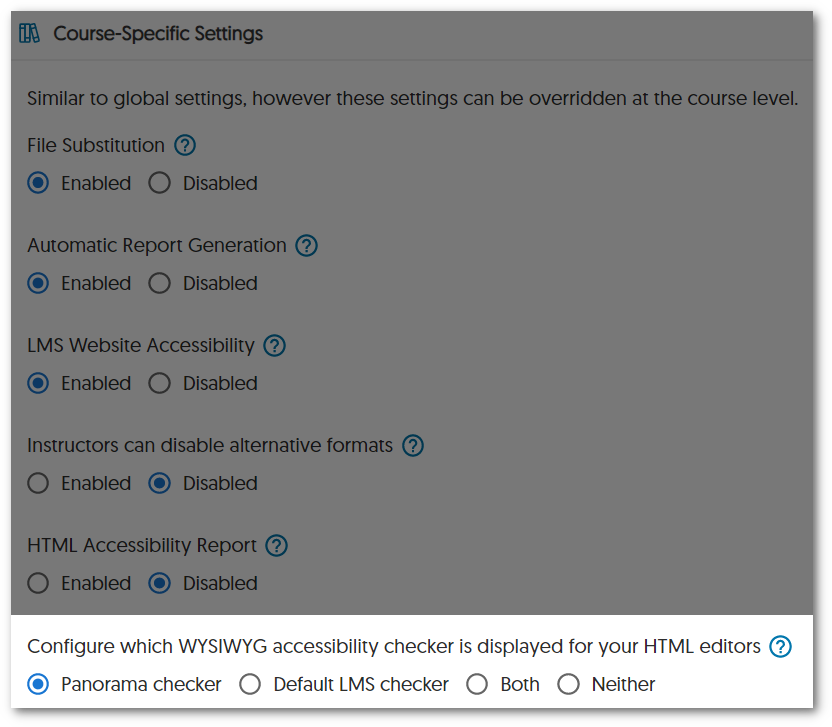
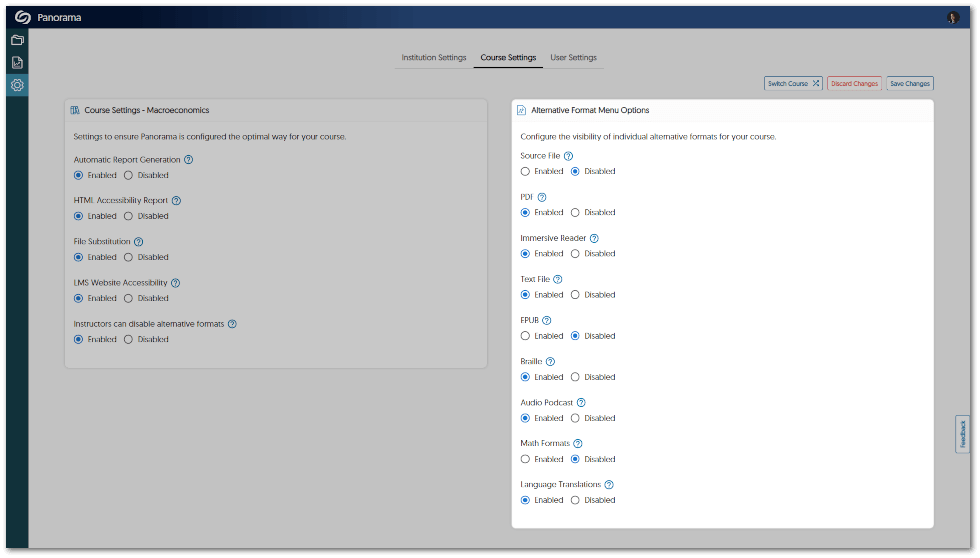
    9. Adjust the Access to Alternative Formats at the Institution or Course Level Admins that want to adjust the access to alternative formats can do so within their Panorama institution settings. Instructors may then enable or disable alternative formats for their specific course, such as disabling translations for language courses. Course Alternative Formats setting shows formats users can enable or disable.  
    10. Improved Accessibility and Responsiveness of the Website Accessibility Panel The Website Accessibility panel can now be translated into French and Spanish and will automatically adjust to either language if they are the browser’s preferred setting. Additionally, we have improved its responsiveness to allow for comfortable viewing on any screen size. The Website Accessibility Tool inside a website with Spanish translations.
  • January 31, 2023

    YuJa Panorama for Digital Accessibility – Minor Update RC20230131 Released to US, CAN, and EU Zones

    We have successfully pushed an update to all YuJa Panorama for Digital Accessibility instances residing in the United States, Canada, and the European Union. This minor update provides our users with improvements to our new LTI app and standalone Panorama Portal, released in December. Users can expect enhanced responsiveness in the Panorama Portal, custom role mapping in D2L Brightspace, improved text and language support, and downloadable XLSX reports across the Panorama platform.
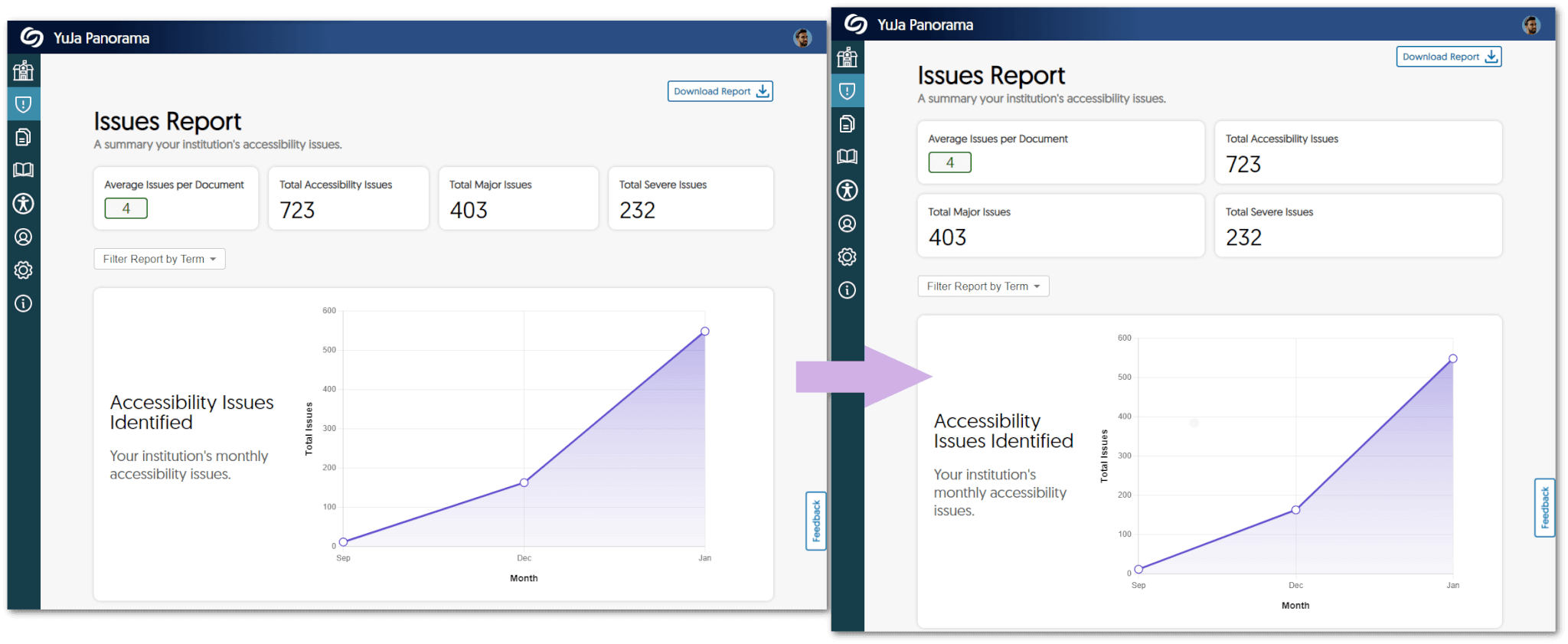
    1. Increased Responsiveness of the Panorama Portal Users will notice instant UI improvements across the Panorama Portal, which will now automatically fit any screen size and can be manually resized to provide users with a seamless experience.
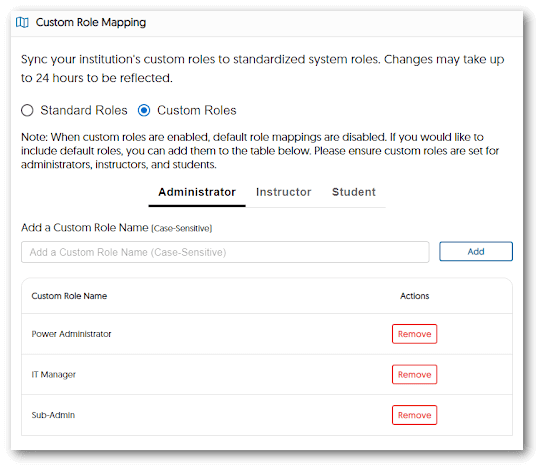
    2. Custom Role Mapping Available For D2L Brightspace Institutions using D2L Brightspace can now add their custom role list for administrators, instructors, and students to standardized system roles. Please note that when custom roles are enabled, default roles are disabled, and changes may take up to 24 hours to be reflected. The Custom Role Mapping window open inside D2L Brightspace featuring Custom Role Names.
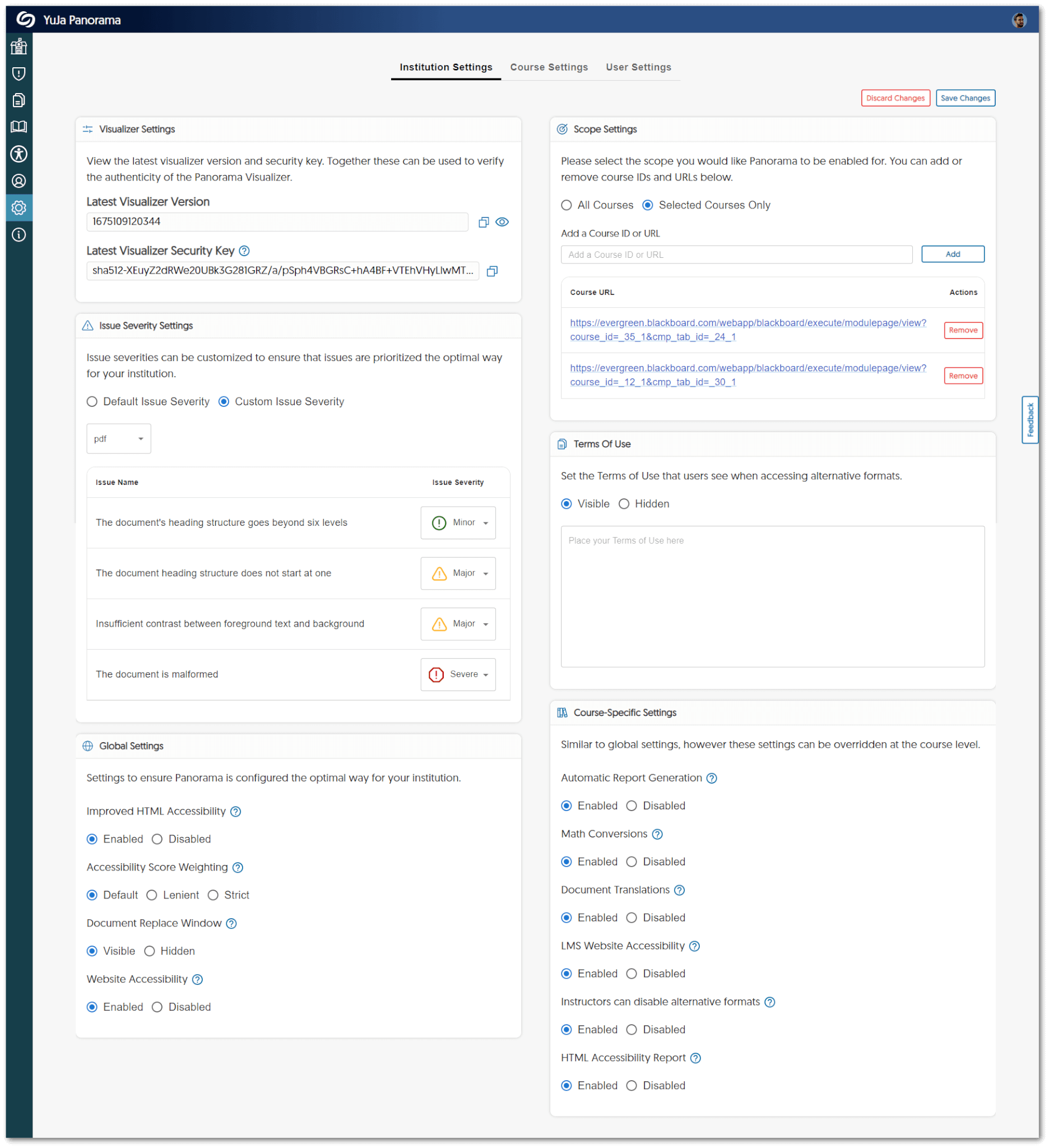
    3. New Accessible Layout for Institution Settings We have updated the panels for Institution Settings to provide a two-column view for admins to access quickly. The new two-column view shown in the Panorama Settings panel.
    4. Improved UI Text We have standardized all text across the LTI app and the Panorama Portal to provide users with clear information about their institution and courses.
    5. Download Content Report Data Admins can now download a summary of their Content Report from the Panorama Portal.
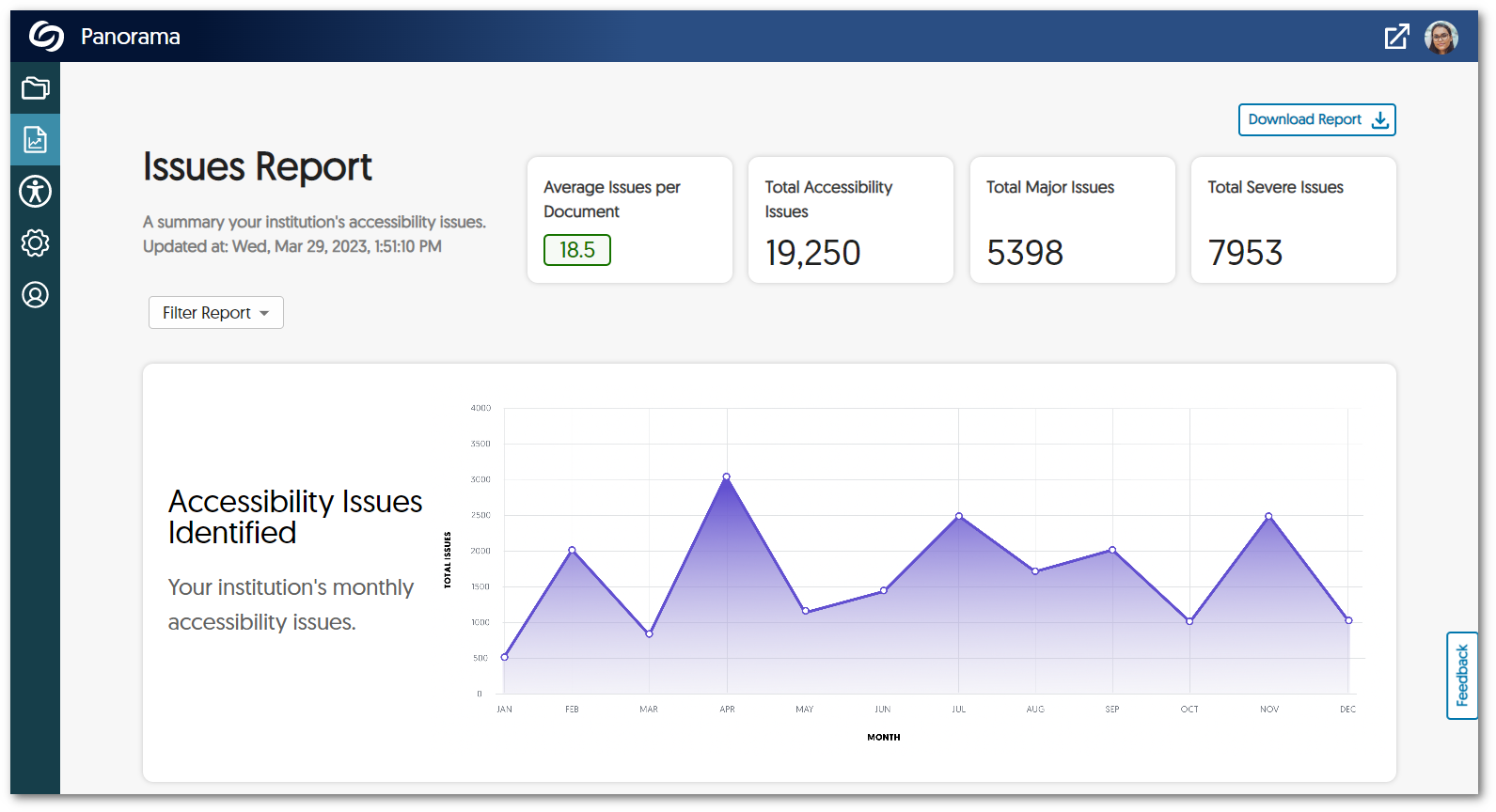
    6. All Downloadable Reports are Available in XLSX All reports will be available to download as XLSX files to help admins and instructors identify trends and organize data.
    7. Spanish and French Language Support for the Panorama Portal The entirety of the Panorama Portal now has language support for Spanish and French.
  • January 6, 2023

    YuJa Panorama for Digital Accessibility – Minor Update RC20230106 Released to US, CAN, and EU Zones

    We have successfully pushed an update to all YuJa Panorama for Digital Accessibility instances residing in the United States, Canada, and the European Union. This minor update provides our users with access to Alternative Formats and Accessibility Reports from the LTI app, optimizations to the Feedback form, improved sign-up for the Panorama Management Platform, faster HTML to PDF processing speeds, and several minor UI improvements to the LTI app. 
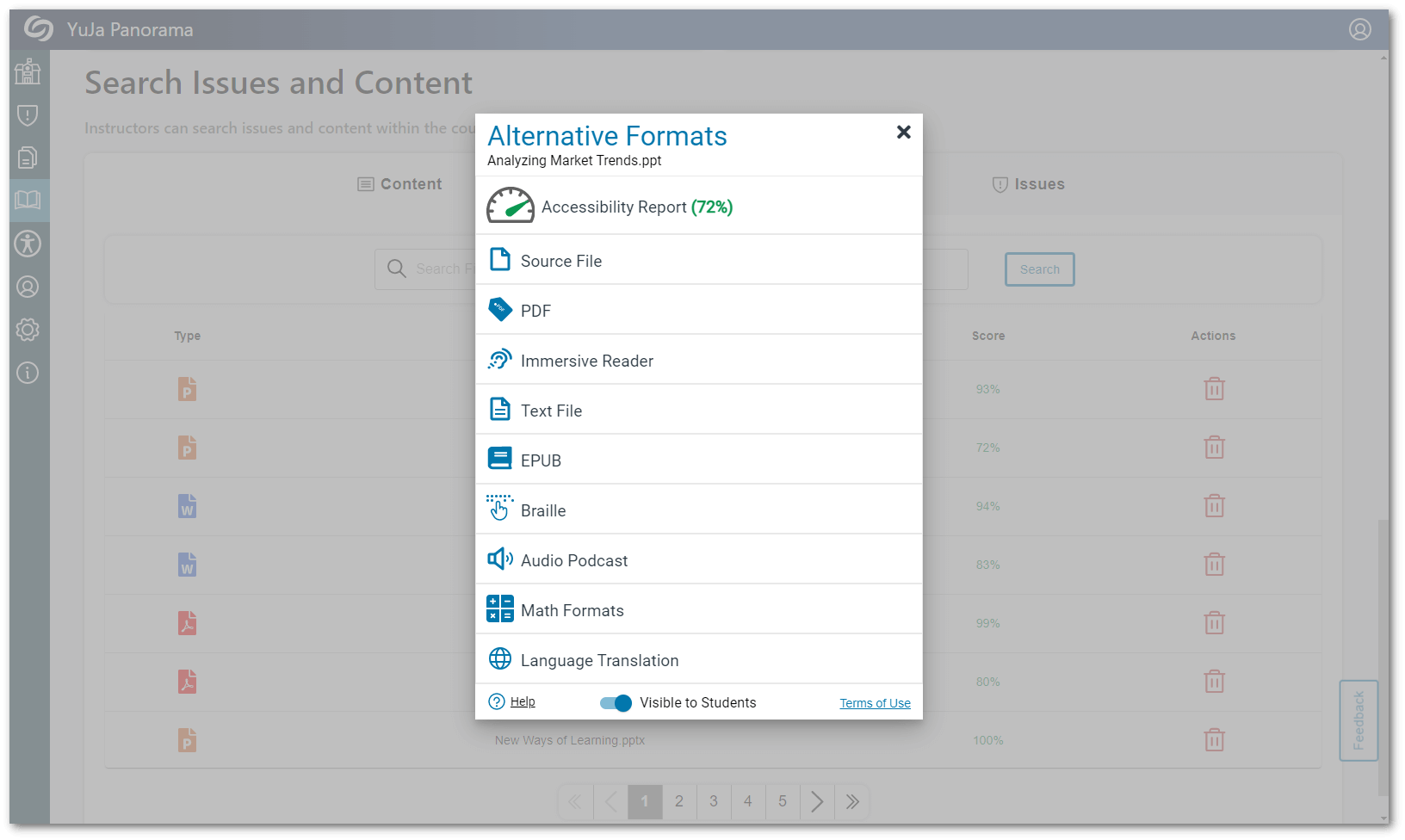
    1. Access Full Alternative Formats and Accessibility Reports from the LTI App We have improved our LTI app to allow administrators and instructors to view Alternative Formats and Accessibility Reports from the content menu within their Course Report. In addition to viewing Alternative Formats, admins and instructors may also download and reprocess their documents. Alternative Formats menu within the LTI app.
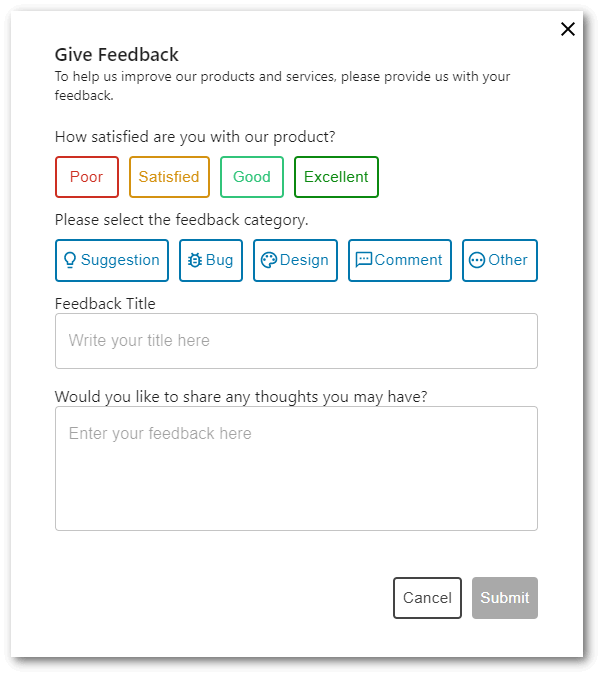
    2. Optimized Submission Forms for Feedback As Panorama continues to grow, we’d like to have your input on new suggestions, designs, and other comments you may have to enhance your overall experience when using Panorama. To help facilitate transparent communication on feedback, submitted forms will receive timely responses to requests. Give Feedback submission form.
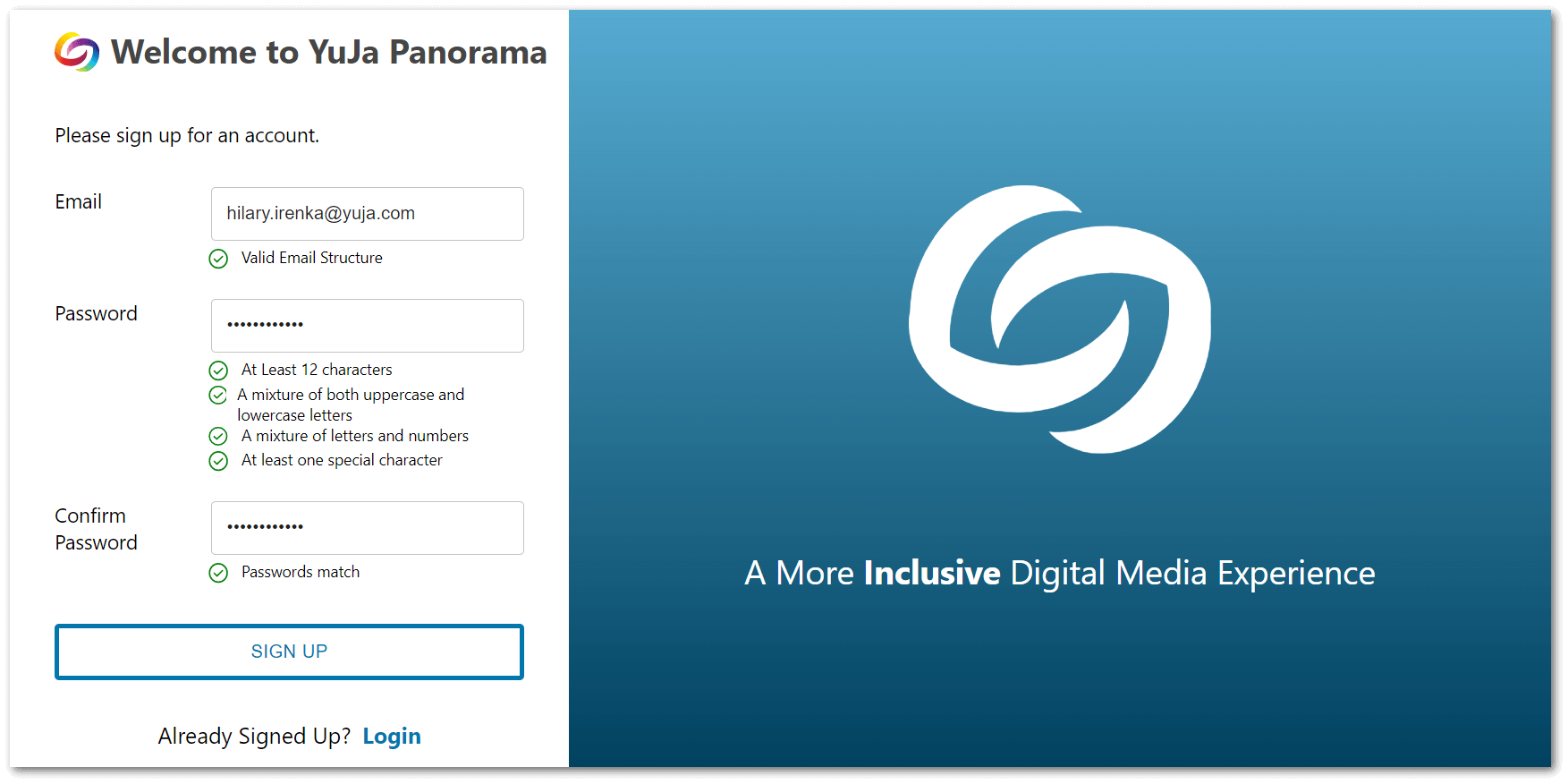
    3. Enhanced Sign-up for the Panorama Management Platform Users will no longer be required to sign up using an access token. Simply navigate to the User Setup page on the LTI app, and click Create Account to sign up for the Panorama Platform. For more information on how to sign up for the Platform, please visit our guide on Signing Up for the Panorama Management Platform. Sign up screen for the Panorama Platform
    4. Optimized HTML to PDF Conversion We have optimized our HTML to PDF conversion rates for faster processing speeds.
    5. UI Enhancements for the LTI App As Panorama has recently migrated to a new LTI App, we’ve touched up some finer details with our UI. Expect more of these enhancements in future releases.  
  • May 7, 2021

    YuJa Panorama for Digital Accessibility – Update RC20210506 Released to All Zones

    We have successfully pushed an update to all Panorama instances residing in the United States, Canada and the European Union.
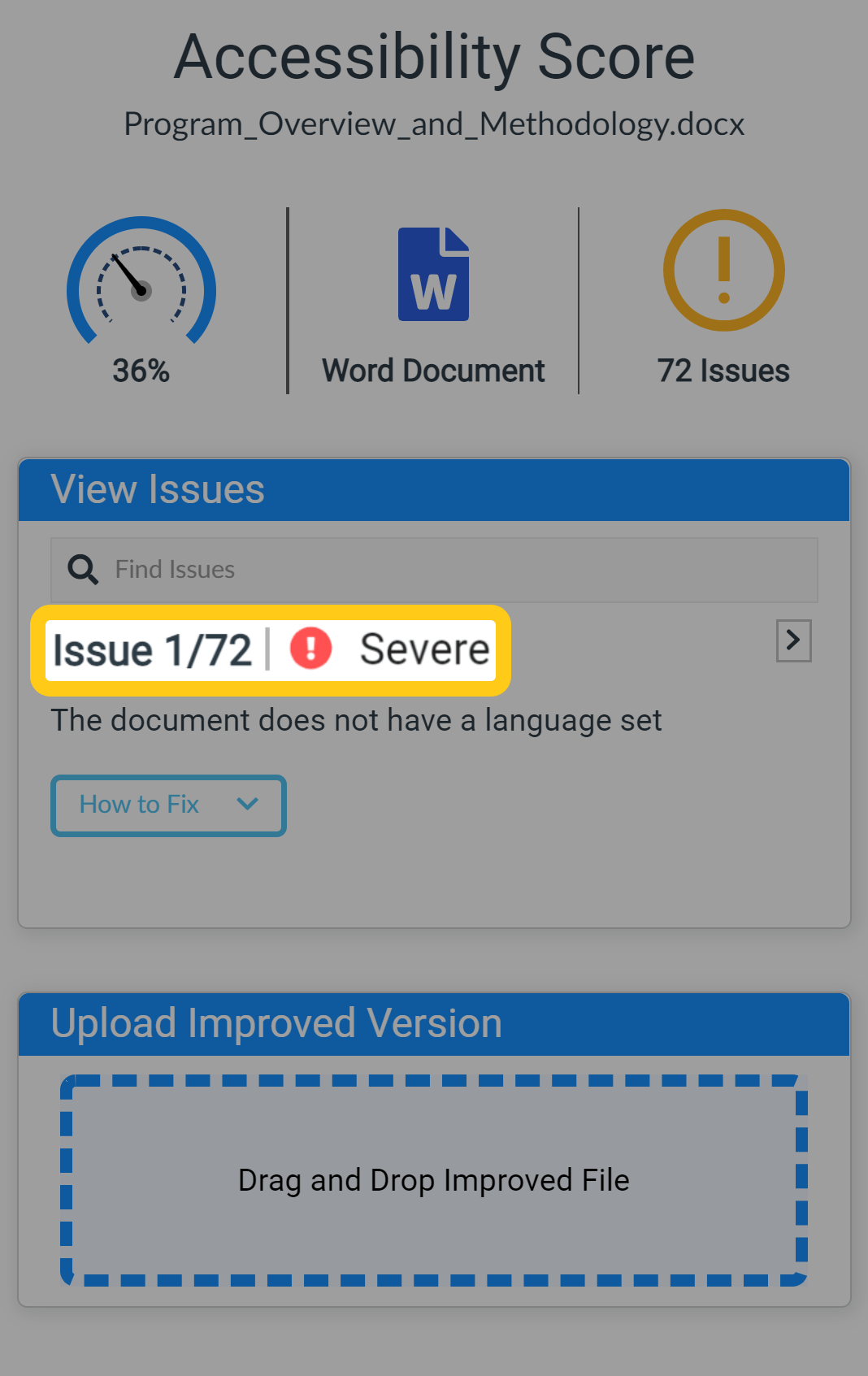
    1. Drag & Drop Document Replacement with LMS Mirroring of Replaced Version With a refreshed UI, the Accessibility Report allow instructors to Drag & Drop edited documents that they have improved the accessibility for. This provides a quick-and-easy way to update documents. Previously, instructors needed to edit the LMS post, remove the old document and upload the new version.
    2.  
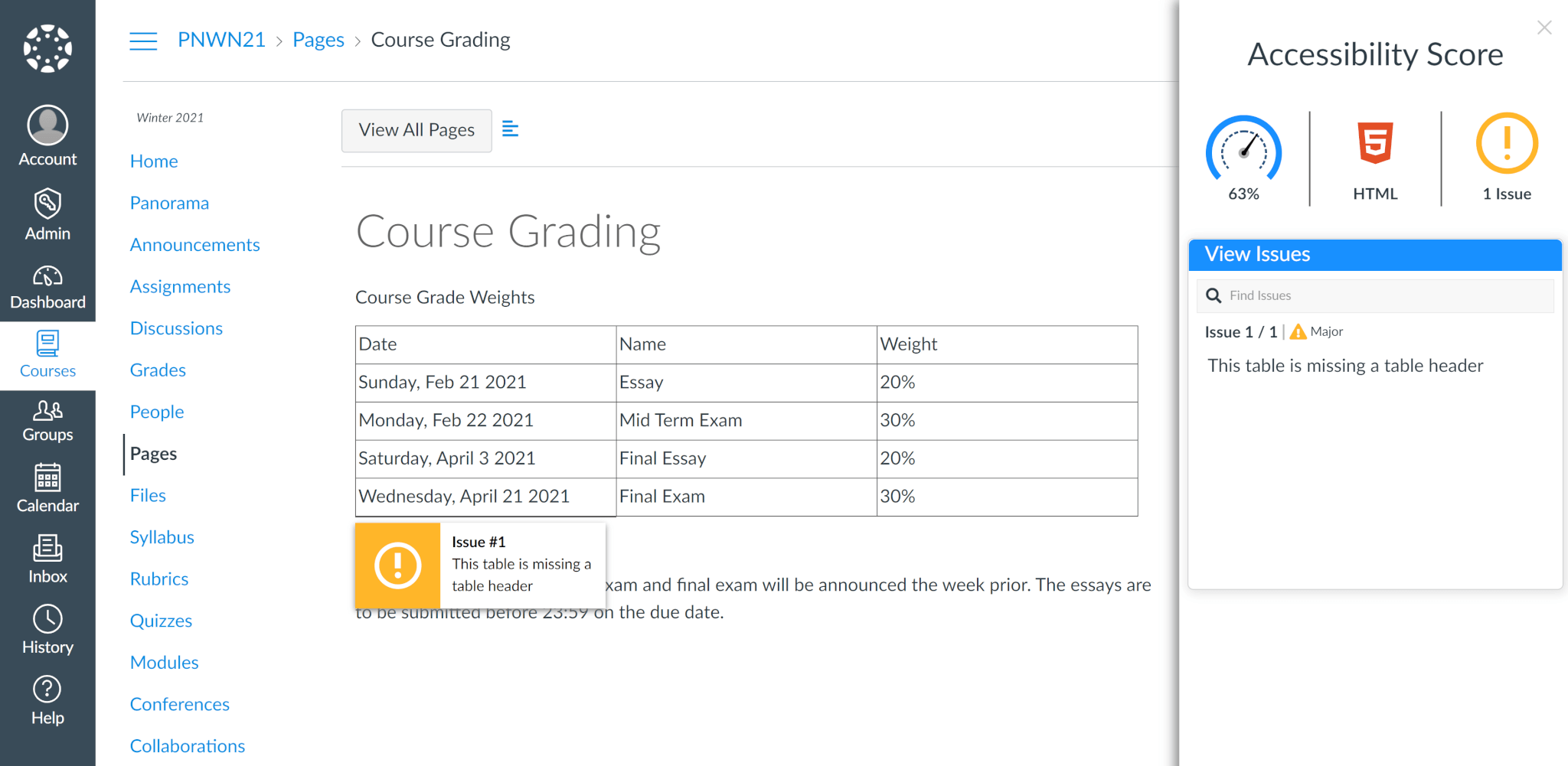
    3. Native HTML Accessibility in Canvas Panorama now provides accessibility reporting for HTML files and native HTML webpages in Canvas including Assignments, Discussions, Pages and Syllabus. Users can also access alternative formats of the HTML file and webpage’s text in PDF, Braille, EPUB and more.  
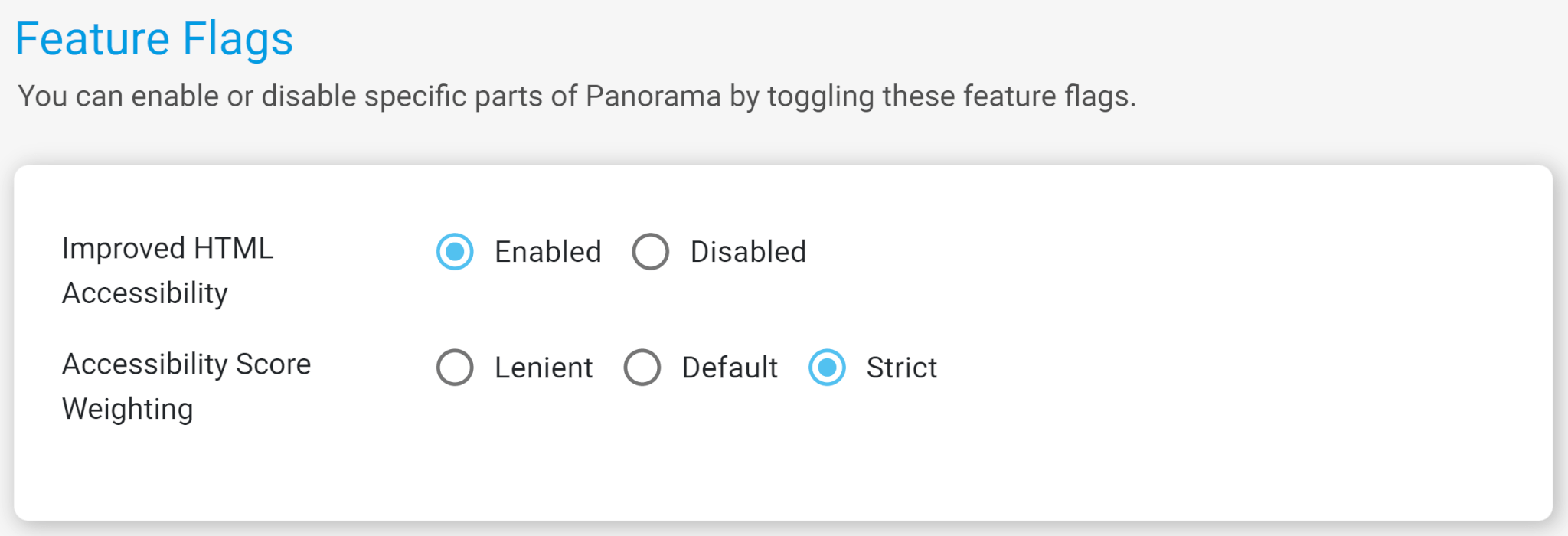
    4. Configurable Feature Flags in Canvas New settings are available to let Organizations control Panorama behavior using Feature Flags. These flags support toggling new HTML Accessibility features and Accessibility Score Weighting.  
    5. Severity Grade Now Visible in Accessibility Reports In our ongoing effort to provide additional transparency to accessibility scores, we’ve added Severity Scores to each accessibility issue flagged by Panorama’s AI to show Minor, Major and Severe issues.  
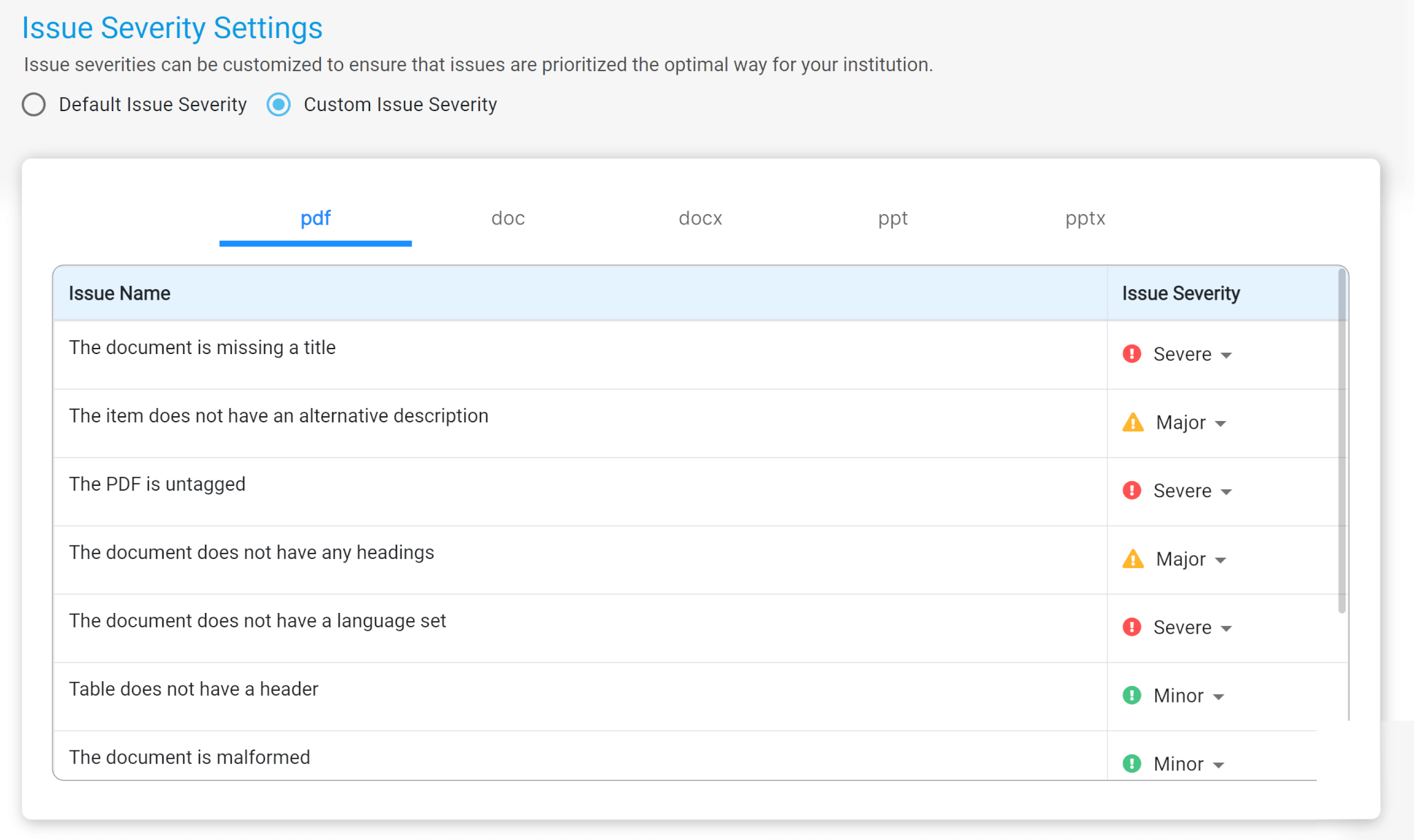
    6. Customize the Severity of the Accessibility Checks Panorama supports custom Issue Severity Scores that are configurable by an Administrator for PDF, DOC, DOCX, PPT and PPTX file types. Organizations can now provide prioritization of accessibility issues that are unique to their users.  
    7. Monitor Files Still Processing in Panorama Panorama will now identify and mark files that have not been processed allowing instructors to monitor when a document is ready for review.  

Join the 1,000+ Organizations Deploying High-Impact Solutions

A collection of logos representing various organizations and institutions that use YuJa’s platform.