








How to Create a User-Friendly Online Test Proctoring Experience
Read the article >
Boost Video Accessibility with the GenAI Video PowerPack!
Try Now
Supercharge Your Compliance Efforts with AutoPilot Remediation Max!
Try Now
Strengthen Your PDF Accessibility Efforts with Structural Remediation Max!
Try Now
Don't Miss Any of Our Upcoming Webinars—Save Your Spot!
Register
The YuJa Community is here! Connect, get updates, and access exclusive content.
Join Now

With direct LMS and SSO integration, YuJa Verity makes it easy to create and manage proctored assessments in one continuous workflow.

Scrolling logos of YuJa’s clients such as SUNY Corning, University of Cambridge and University of Calgary, etc.
YuJa Verity integrates with your LMS through a certified-LTI integration, adapts to instructor and student needs, and consolidates the proctoring experience into one interface. Students no longer need to navigate between different systems and interfaces, creating a unified and intuitive experience all in one place.
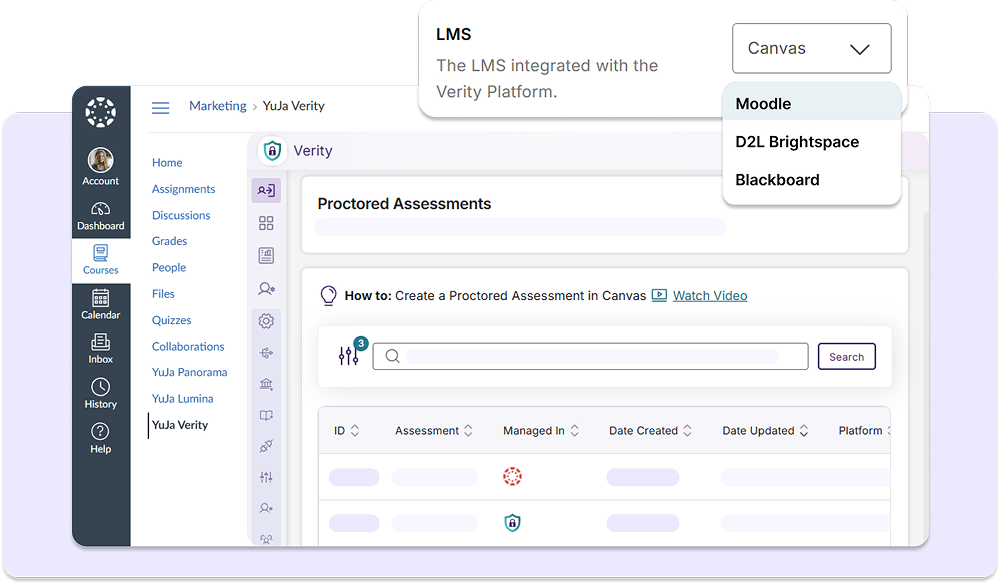
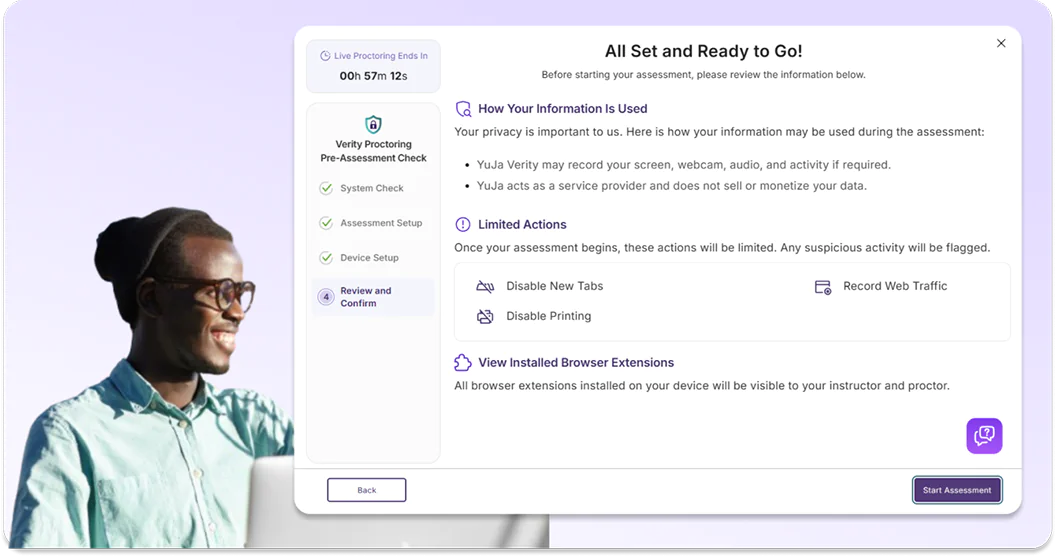
With a direct integration, proctored assessments are directly embedded in the test-taker’s existing LMS assessment workflow, helping them complete assessments with limited barriers. Test-takers can check their system compatibility, learn about assessment restrictions, and start their proctored assignment in one centralized interface.
YuJa Verity works within your existing setup with native integrations across all major learning management systems, including Blackboard, Canvas, Moodle, D2L Brightspace, and PowerSchool.


With one integration, YuJa Verity will automatically sync with your existing LMS login, LMS roles, student gradebook, and other campus and department systems. You can also manually map new settings and configure each course or department separately in the Verity interface.
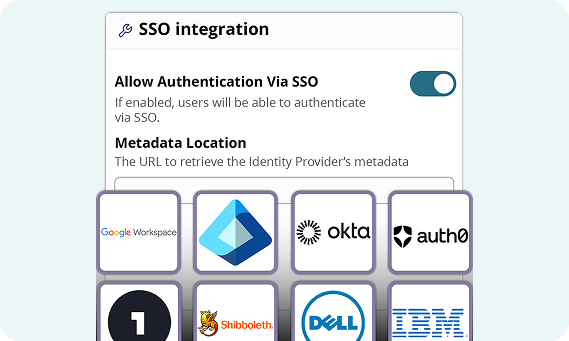
YuJa Verity is compatible with virtually all SSOs, including CAS, Shibboleth, OpenID, PingFederate, LDAP, Active Directory, OneLogin, and more, facilitating a secure and singular login process.
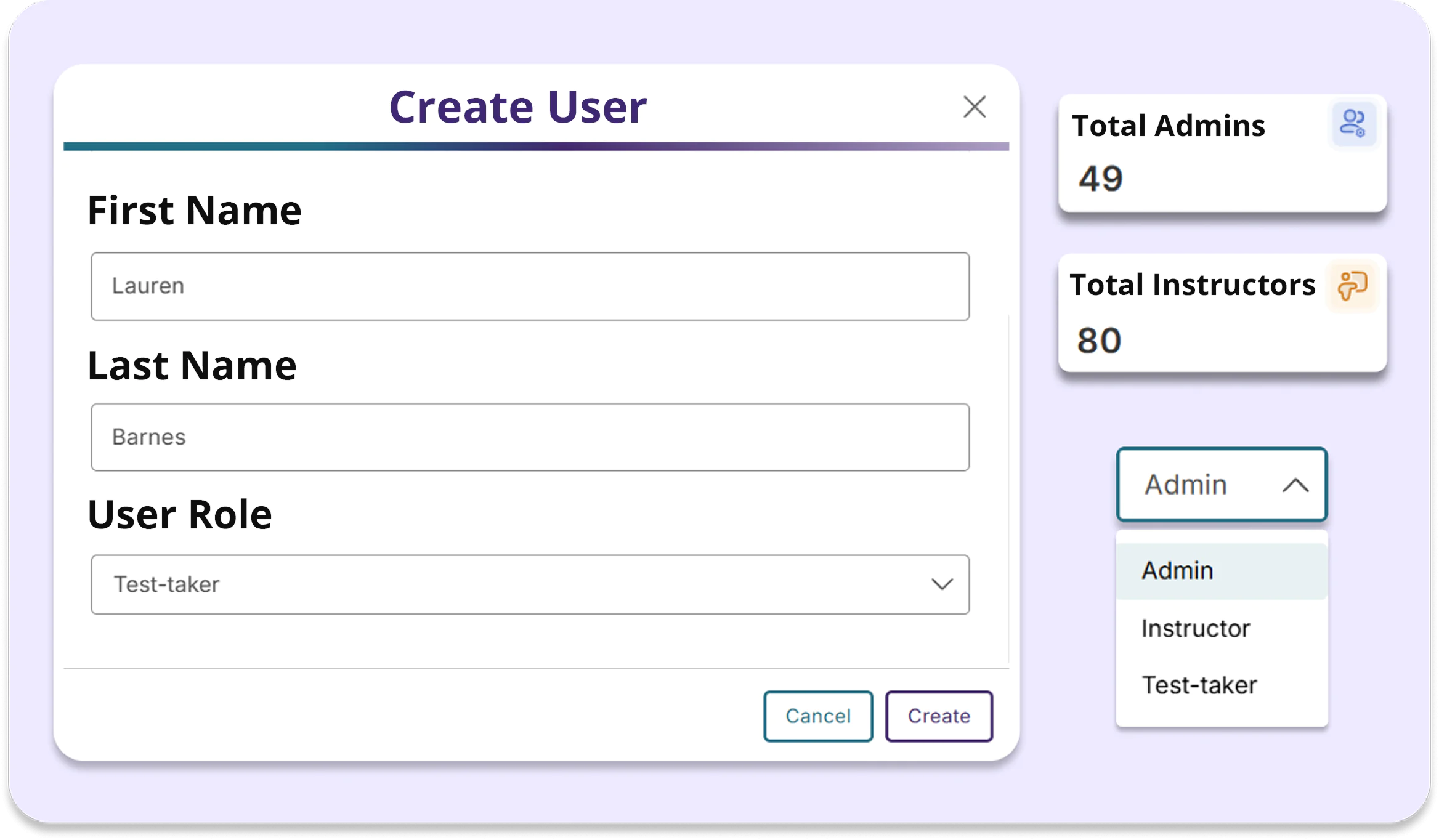
Automatically map your existing LMS roles into Verity to maintain a consistent user experience and access permissions without manual reconfiguration. You can also assign new roles, edit existing permissions, and delete roles accordingly.
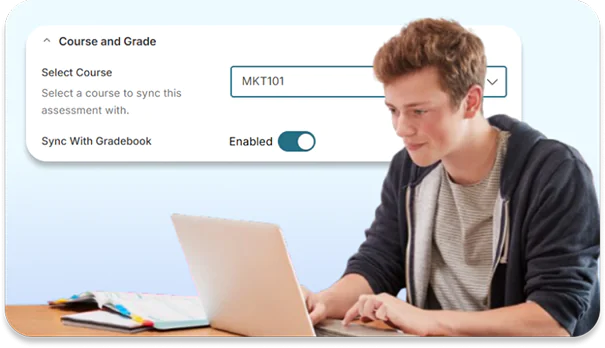
As students complete Verity proctored assessments, scores are automatically synced to their gradebook. Instructors can also access detailed post-assessment reports and adjust scores if misconduct is detected.
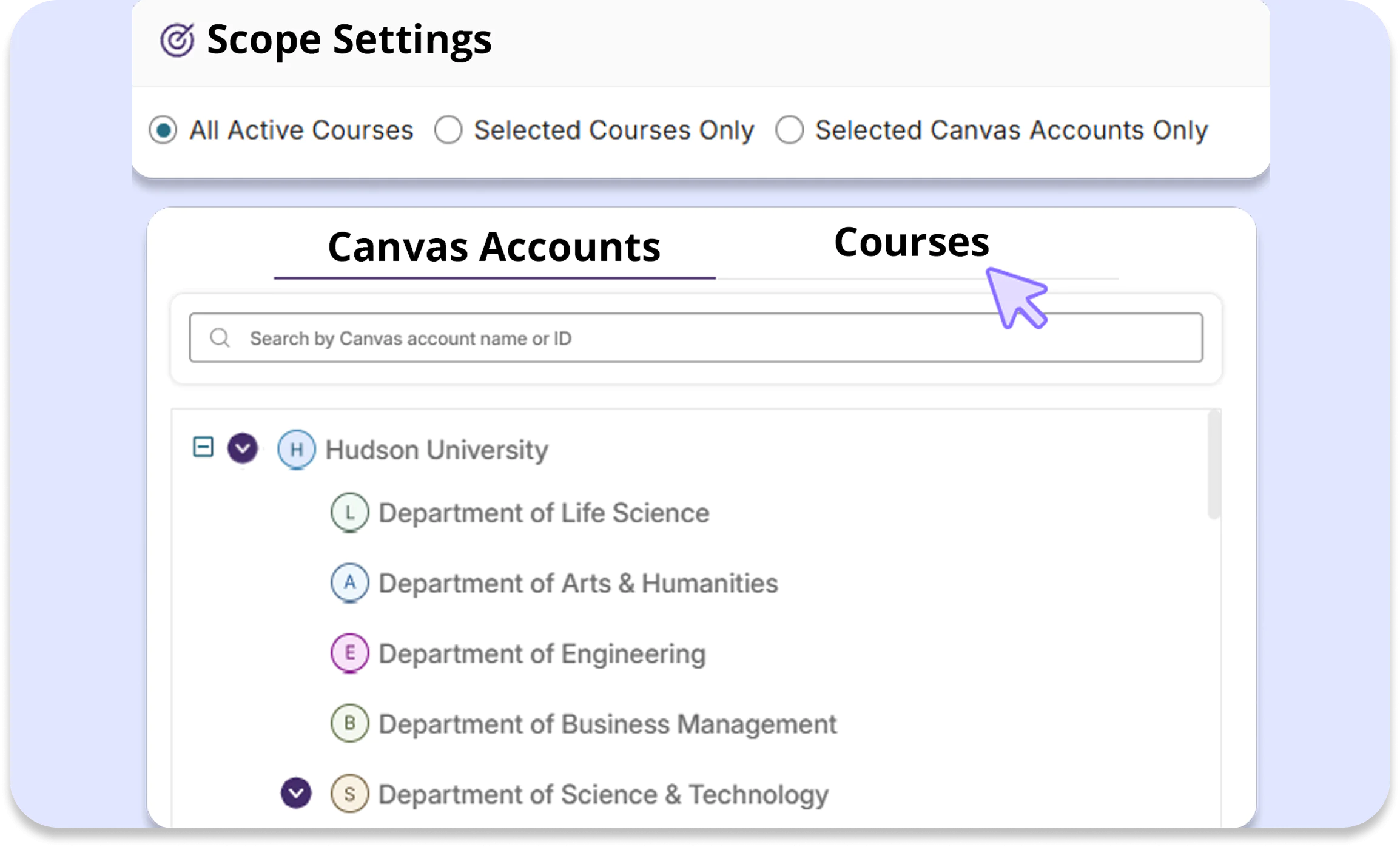
You can enable proctoring tools for select sub-accounts to manage institutions with multiple campuses, departments, or courses with different expectations, simplifying compliance and customization across different campus systems.

As instructors and students continue to discover and use YuJa Panorama, Pellissippi State will continue expanding its accessibility initiatives, Dr. Markowitz said, adding that there are plans to implement YuJa’s PDF Remediation tool, PDF Remediation Max Platform. This addition will help address one of the most common accessibility challenges faced by faculty.
Read the case study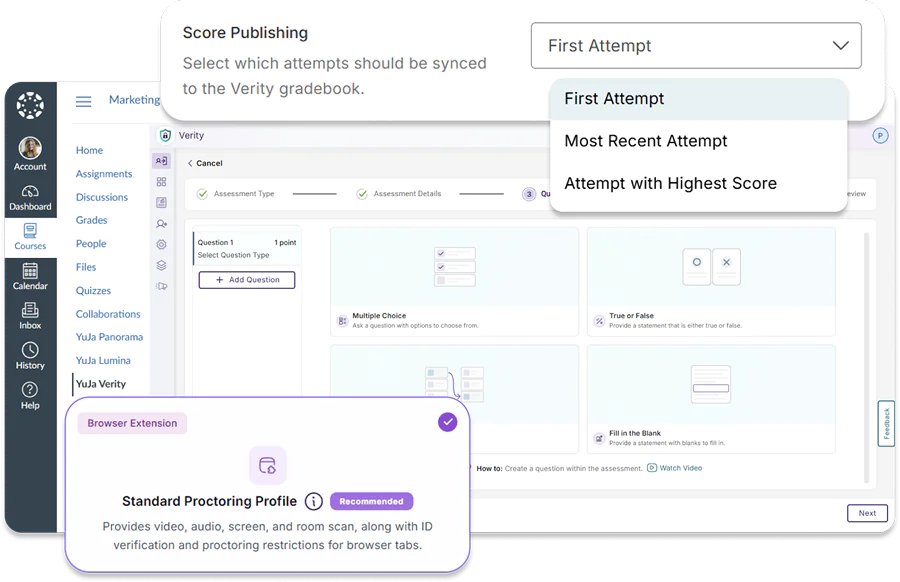
The Verity Assessment Builder is a consolidated set up process that eliminates the need for you to create assessments in your LMS before configuring proctoring settings, allowing you to complete the entire assessment publishing workflow in the YuJa Verity Interface.
Join the 1,000+ Organizations Deploying High-Impact Solutions