









How Transcoding Helps Make Video Content Available to All
Read the article >
Boost Video Accessibility with the GenAI Video PowerPack!
Try Now
Supercharge Your Compliance Efforts with AutoPilot Remediation Max!
Try Now
Strengthen Your PDF Accessibility Efforts with Structural Remediation Max!
Try Now
Don't Miss Any of Our Upcoming Webinars—Save Your Spot!
Register
The YuJa Community is here! Connect, get updates, and access exclusive content.
Join Now

The YuJa Himalayas Archiving Module provides powerful tools to manage, archive, and restore large volumes of video and multimedia content securely and efficiently.
Scrolling logos of YuJa’s clients such as SUNY Corning, University of Cambridge and University of Calgary, etc.
Accessibility reports can be exported to multiple formats directly from the YuJa EqualGround interface, allowing you to perform in-depth analysis in your preferred data management software. You can also schedule reports to be emailed, streamlining record keeping and resource management workflows in your own organization.

Create automated and recurring data policies to manage your videos.

Create a central backup strategy with cloud and offsite endpoints.

Download comprehensive dashboard reports on storage statistics.

Get notified when assets in your library are handled by the system or a user.

Review audit logs that documents all system events and user activities.

Restore all metadata and assets associated with your video resource.
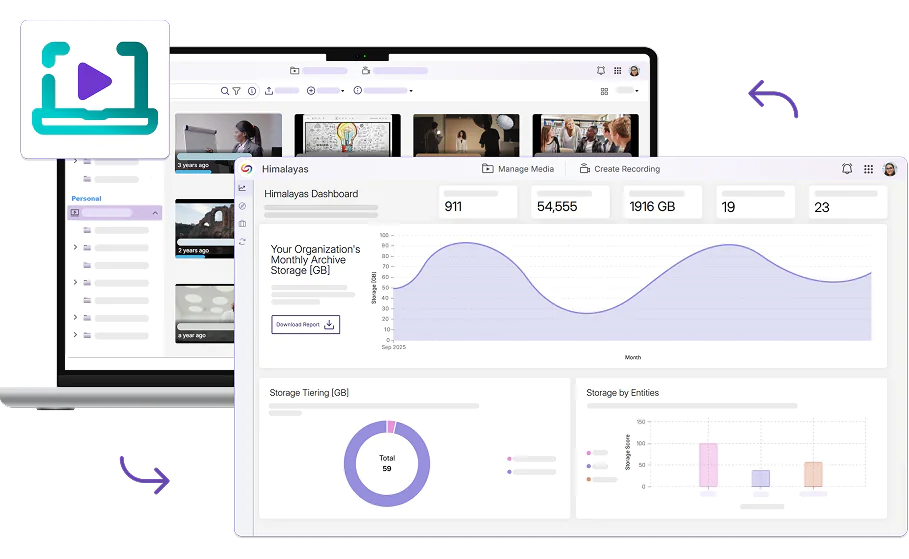
Designed to streamline video archiving processes, the YuJa Himalayas Archiving Module automatically ingests and archives videos from your existing media library in the YuJa Lumina Video Platform. Effectively manage storage costs while maintaining data integrity, all in one automated workflow.
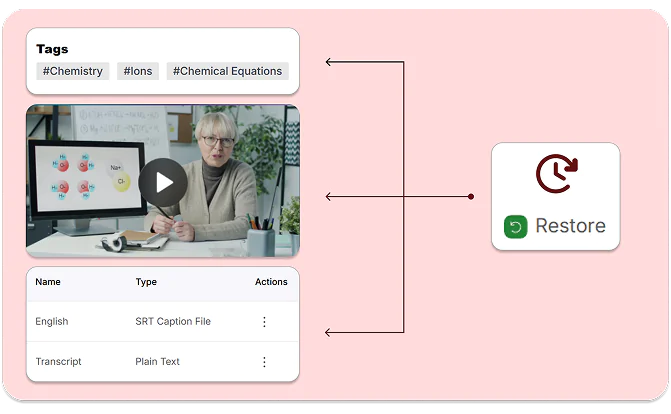
When video content from YuJa Lumina is automatically ingested into Himalayas, all metadata and associated assets, such as embedded chats, quizzes, and transcripts, are preserved so you don’t have to worry about losing assets if you need to restore any media content.
With YuJa Lumina’s connection to video conferencing solutions including Zoom, Microsoft Teams, Google Meet, and more, you can archive, manage, and restore meeting recordings along with any transcripts or metadata that were automatically ingested.





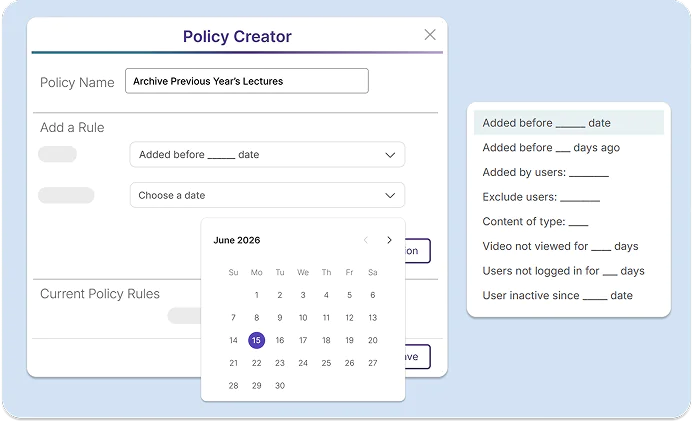
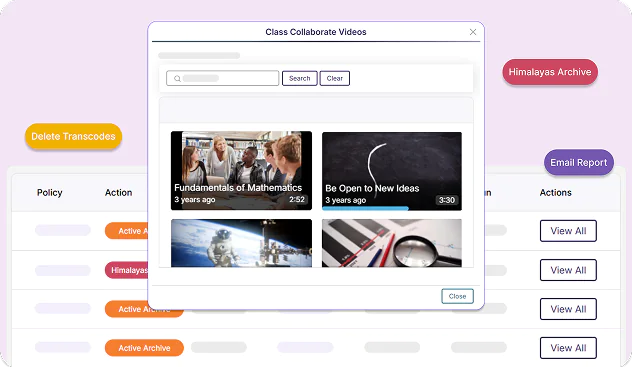
Create specific policies for video, audio, and document files by defining conditions that automatically govern how content is archived, retrieved, purged, or segmented across your digital ecosystem. Set custom exclusion periods to prevent automatic re-archiving of recently restored content, and maintain complete visibility over the archiving process.


The YuJa Video Platform has enhanced teaching at the University of Calgary with features such as auto captioning and the addition of different languages to captioning, along with the ability to do simple editing and add indexes or chapters — all of which can help instructors facilitate learning and support diverse learners.
Read the case study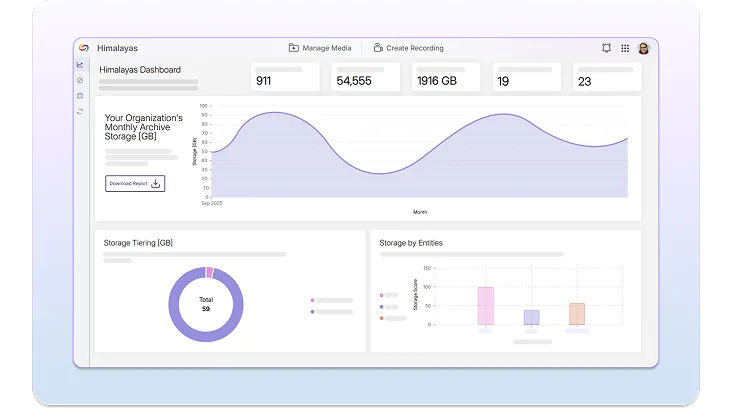
Gain insights into your digital ecosystem with the Himalayas Dashboard and make data driven decisions about resource allocation. The dashboard documents your monthly storage usage, provides breakdowns of active and archived files, and creates an analysis of the types of formats stored on the platform, helping you optimize your storage utilization.
Monitor all existing and upcoming archiving requests using metrics like real-time status updates, success rates, and detailed file statistics. With granular control over specific jobs, you can troubleshoot issues and optimize resource allocation while maintaining a detailed audit trail of actions.
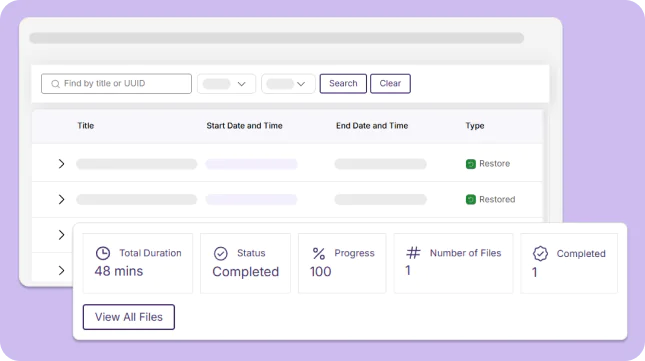
Use the Recurring Jobs dashboard to see an overview of all scheduled recurring tasks in Himalayas, including information on the type of policy, its frequency, its previous runs, and the date of its next run. Expand each job to review the specific content that will be archived or deleted.
Join the 1,000+ Organizations Deploying High-Impact Solutions