





How to Create a User-Friendly Online Test Proctoring Experience
Read the article >
Boost Video Accessibility with the GenAI Video PowerPack!
Try Now
Supercharge Your Compliance Efforts with AutoPilot Remediation Max!
Try Now
Strengthen Your PDF Accessibility Efforts with Structural Remediation Max!
Try Now
Don't Miss Any of Our Upcoming Webinars—Save Your Spot!
Register
The YuJa Community is here! Connect, get updates, and access exclusive content.
Join Now

YuJa Verity provides secure test proctoring that supports automated, hybrid, and live proctoring for institutions of all sizes. It enables instructors to schedule, deliver, and monitor assessments in a unified interface to maintain academic integrity.
Scrolling logos of YuJa’s clients such as SUNY Corning, University of Cambridge and University of Calgary, etc.
Protect the security and integrity of your virtual assessments with YuJa Verity, a comprehensive test proctoring platform that helps you create, deploy, monitor, and review proctored assessments. Bringing together live and automated monitoring, behavioral analytics, and detailed reporting, YuJa Verity fully integrates with your LMS and can also be easily accessed by test-takers outside of the LMS environment.
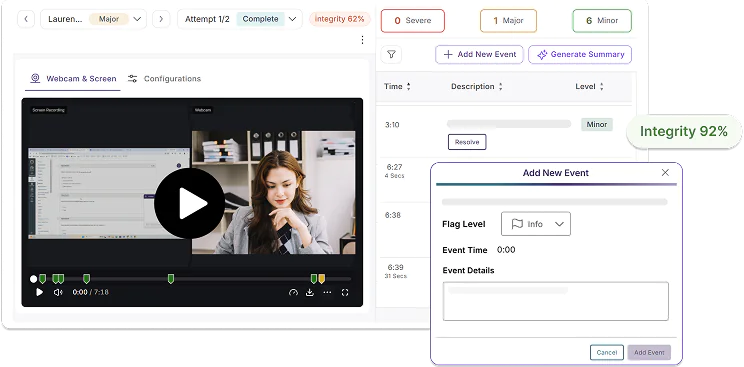
With over 30 types of proctoring flags that instructors can enable or disable, YuJa Verity helps institutions detect potential cheating during virtual assessments. YuJa Verity will flag suspicious activity, disruptions to a test-taking environment, and unauthorized tools in real-time, providing instructors with a timestamped report to conduct further review and evaluation after the assessment.
Learn MoreWith a seamless integration into the exam environment, YuJa Verity offers automated proctoring, hybrid proctoring, and live proctoring options for all your assessment needs. Whether you’re using YuJa Verity’s AI capabilities to automatically detect suspicious activity or monitoring the session using a designated proctor, you can manually add or resolve events after the assessment is completed.
YuJa Verity utilizes AI-powered detection to automatically flag and document suspicious events during a proctored session and provides instructors with a timestamped report after the assessment to help validate academic integrity.
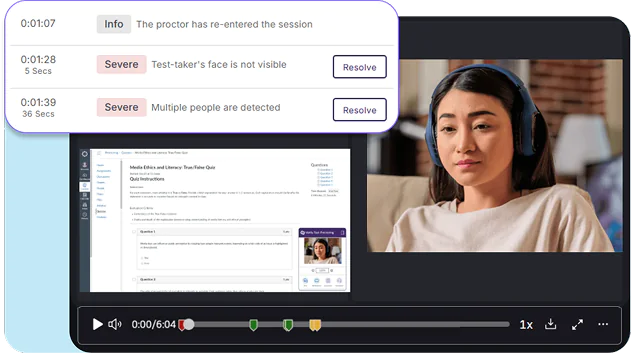
Proctors can monitor and live proctor test-taker activity in real-time, allowing them to address any concerns and flag any detected suspicious activity. Events documented during the session will be timestamped for post-assessment review.
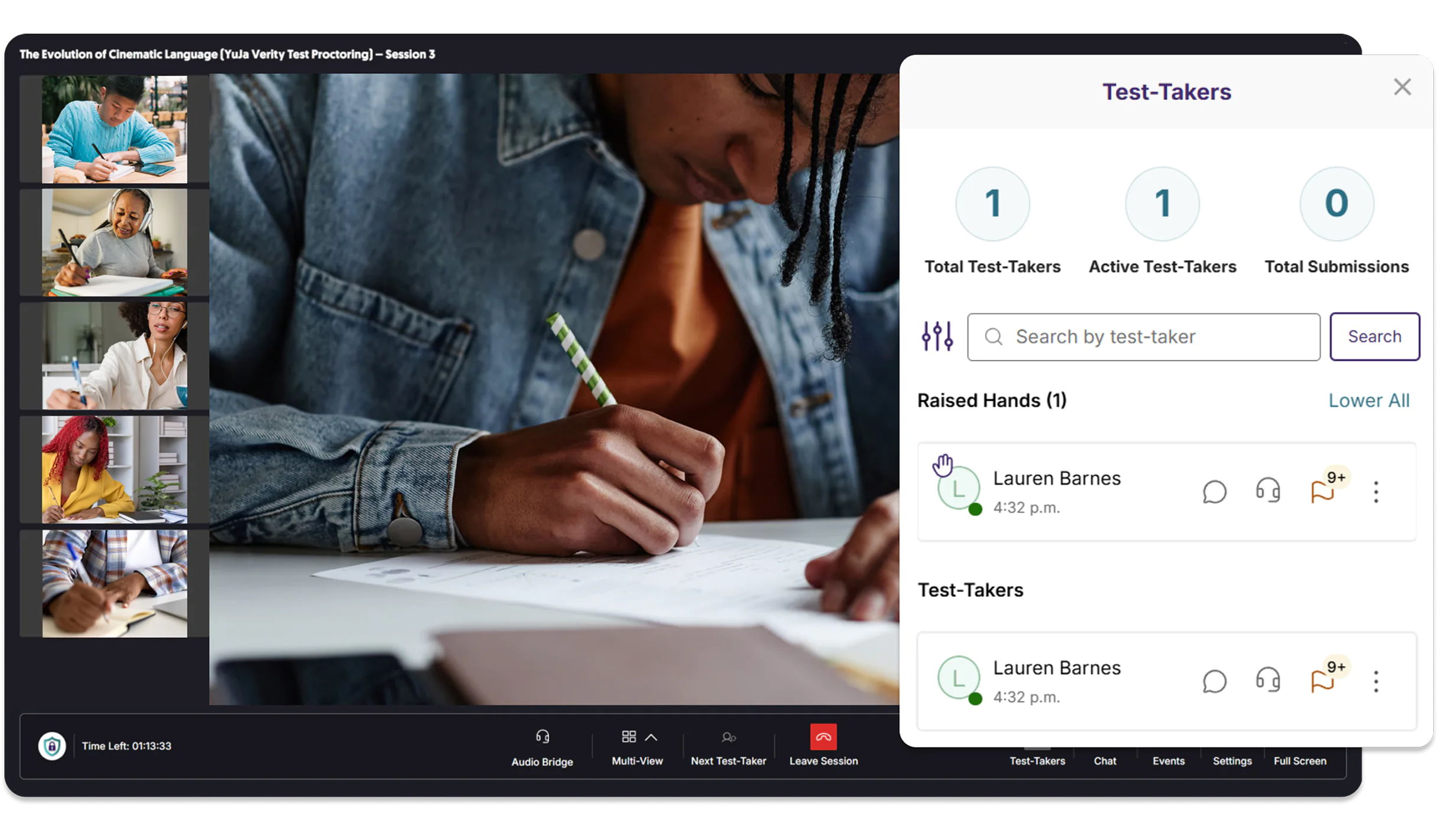
Proctors have the option to join the session only when suspicious activity is flagged by YuJa Verity’s automated detection, creating a less intrusive proctoring experience while meeting student needs and protecting academic integrity with human validation.
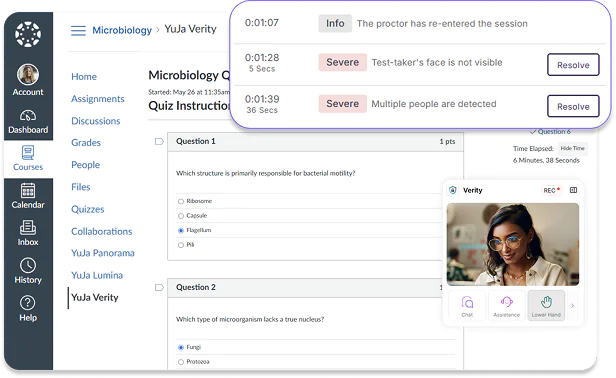
Assign your own instructors and administrators as proctors, or use YuJa’s professionally trained proctors to help you monitor any proctored session according to your own schedule and institutional guidelines.
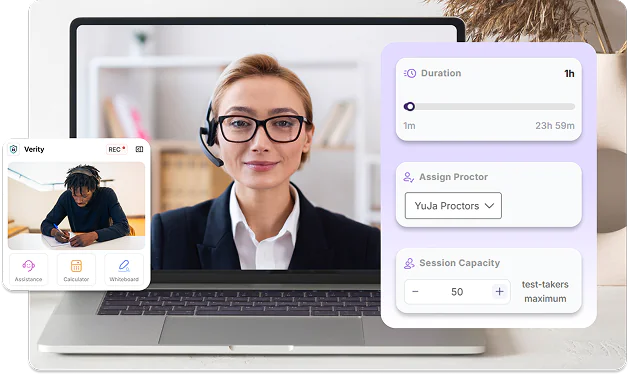
Using a secure LTI 1.3 connection, YuJa Verity seamlessly integrates with all major LMSs including Blackboard, Canvas, D2L Brightspace, Moodle, and PowerSchool LMS. With automatic assessment publishing and LMS gradebook sync, this integration eliminates the need to manually update course content and student records on both platforms.



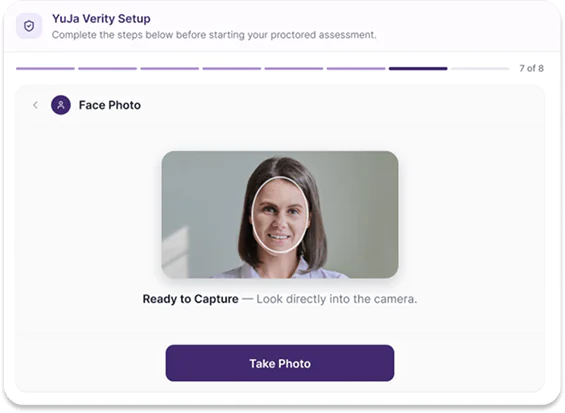
Instructors can enable AI-based ID verification to help ensure that the person taking the assessment is the correct student. YuJa Verity’s AI capabilities check whether each test-taker’s photo matches a photo of their ID, preventing impersonation and unauthorized individuals from accessing the assessment.
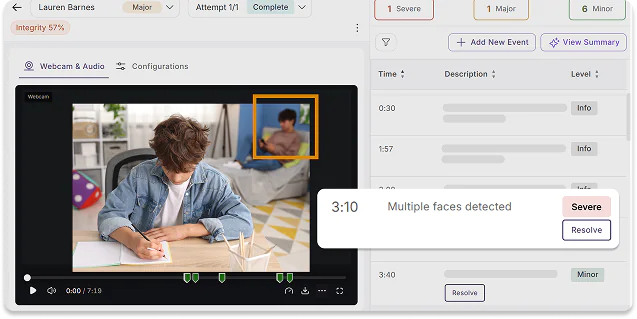
YuJa Verity’s AI capabilities scan and ensure that the test-taker is alone in the room, and that the test-taker’s face is always visible. If a second face enters the camera frame, the system automatically logs a flag. AI also monitors whether the test-taker’s gaze strays away from the screen, indicating that they may be looking at unauthorized materials.
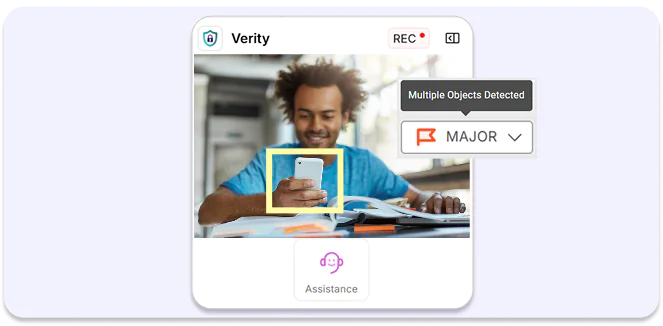
With the Detect Suspicious Objects feature enabled, YuJa Verity monitors the test-taker’s environment for objects that shouldn’t be present including cell phones, smartwatches, secondary computers and monitors, textbooks, and physical notes. When this setting is toggled on, YuJa Verity’s AI tool continuously scans for these items and flags them as potential violations.

As instructors and students continue to discover and use YuJa Panorama, Pellissippi State will continue expanding its accessibility initiatives, Dr. Markowitz said, adding that there are plans to implement YuJa’s PDF Remediation tool, PDF Remediation Max Platform. This addition will help address one of the most common accessibility challenges faced by faculty.
Read the case study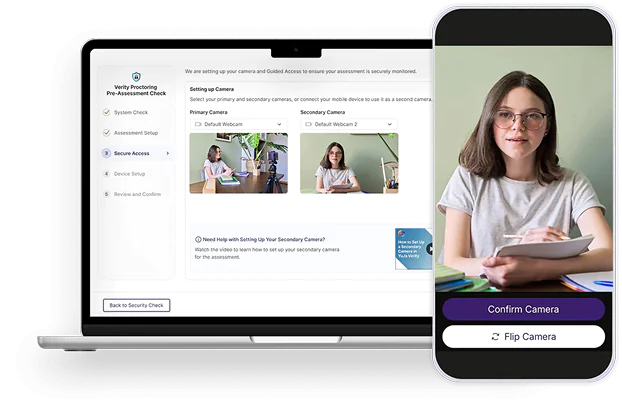
Instructors can request that test-takers capture their environment using two different camera sources (i.e., default computer webcam and one additional webcam) to help ensure that all movements and objects are properly recorded. Test-takers with the YuJa Verity Mobile Lockdown App can also use their phone as a secondary camera.
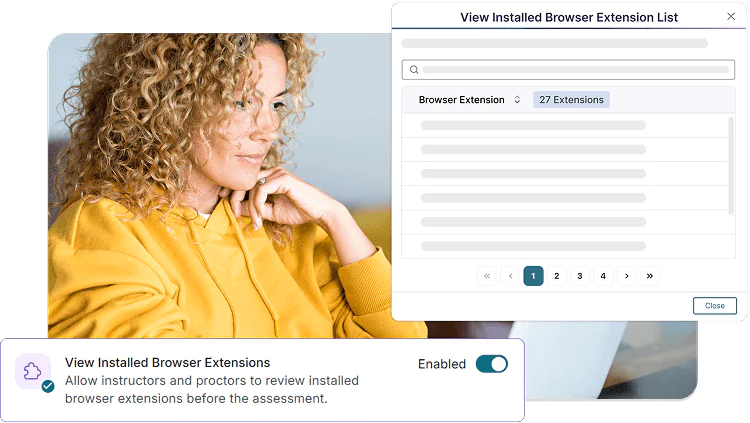
Instructors can configure proctoring settings to prevent test-takers from using AI chat bots, browser extensions, and virtual assistants during an assessment. YuJa Verity also enables instructors to monitor each test-taker’s side panel activity for additional transparency and security.
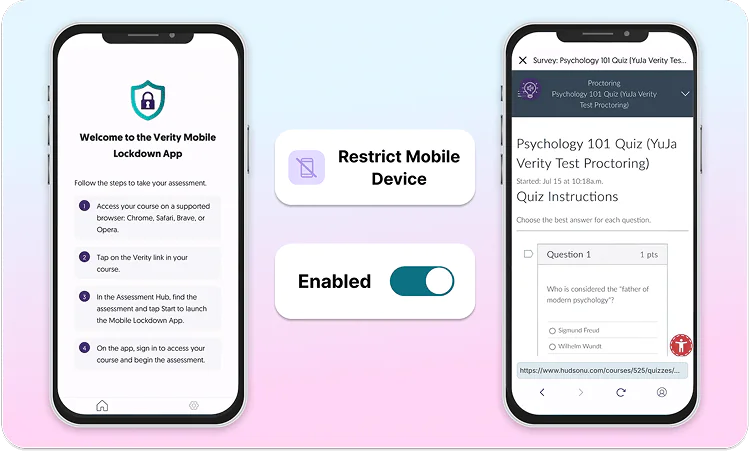
With the Restrict Mobile Device setting enabled, students must connect via the YuJa Verity Mobile Lockdown App to restrict them from using smartphones throughout the duration of the assessment. If the test-taker’s mobile device is disconnected at any point, it will be flagged.
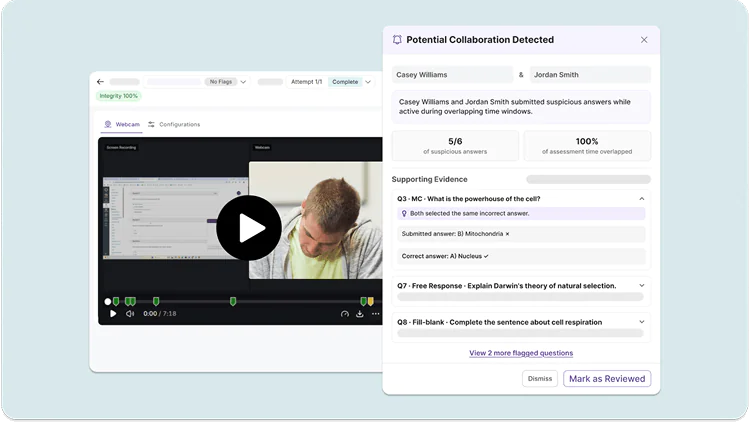
YuJa Verity provides advanced AI-based pattern analysis, using information such as submission timing, IP address, location data, and response similarity across participants to identify patterns indicative of potential unauthorized collaboration between students.
YuJa Verity integrates with a wide selection of third-party assessment platforms such as Pearson, McGraw Hill, ALEKS, and others, enabling instructors to embed and proctor these assessments directly in their LMS.














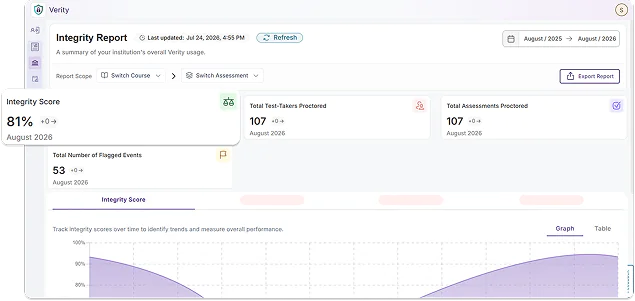
YuJa Verity offers insight reporting into both your institution and individual courses, helping you identify gaps in knowledge and student pain-points. These reports are exportable and will show you trends in test-taker performance, overall platform usage, and assessment information. You can also generate AI-powered summary analytics to quickly identify key trends and solutions.
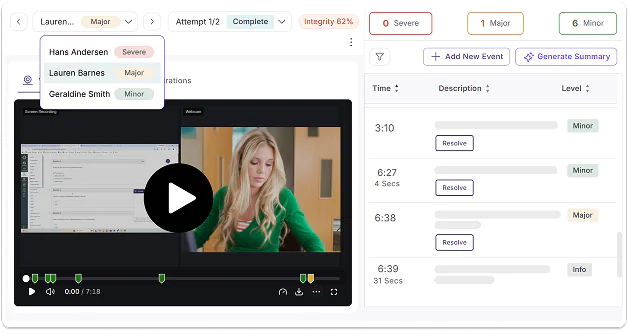
Instructors can review a detailed, timestamped post-assessment report as soon as test-takers complete a proctored assignment. Using the integrated media player and events list, instructors can review test-taker performance, validate academic integrity, and raise any new flags manually.
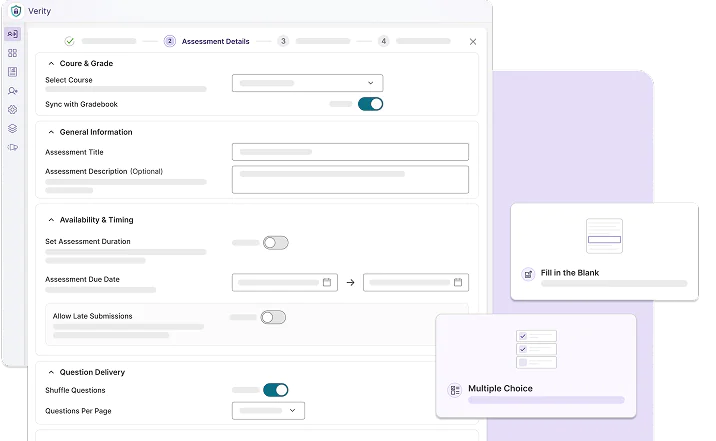
Eliminate the need to navigate between two separate interfaces by using the YuJa Verity Assessment Builder to create, configure proctoring, and publish assessments to your LMS in one consolidated process, directly in YuJa Verity.
Learn MoreJoin the 1,000+ Organizations Deploying High-Impact Solutions