In the coming weeks, the YuJa Panorama LMS Accessibility Platform will release a new DocHub Report, optimized workflows for issue remediation in Microsoft Word and PowerPoint, the ability to exclude terms from LMS Reports, and additional enhancements that simplify the management of LMS accessibility.
-
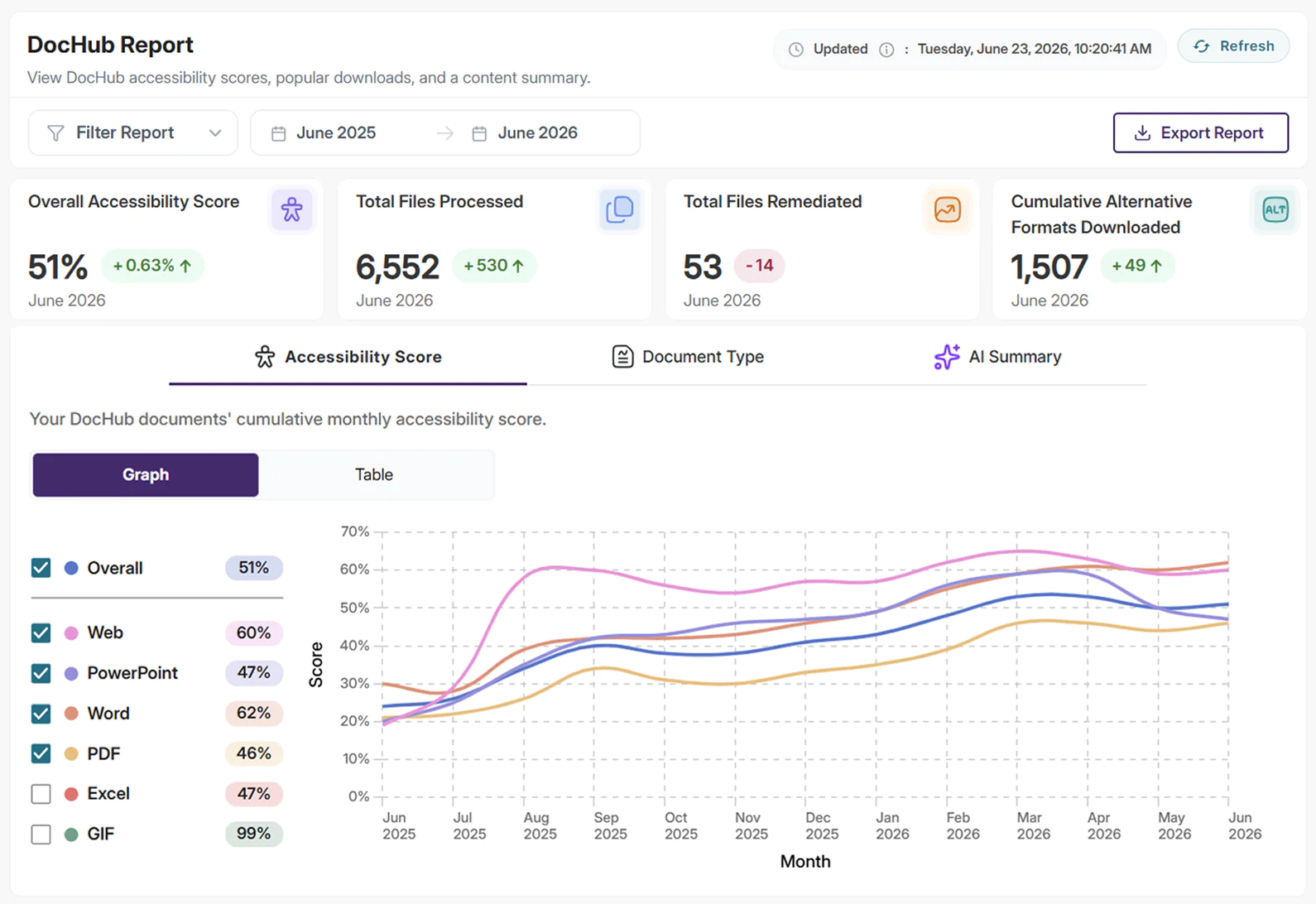
Leverage the New DocHub Report to Gain Accessibility Insights on Your DocHub Files
YuJa Panorama will now generate a new DocHub Report that details the overall accessibility score of a user’s DocHub library and their most popular downloads. The report provides date and account filters, allowing users to narrow the report scope to reflect the information they need most. Admins can also view each user’s DocHub usage within the report to help get a sense of storage usage across their organization.
-
View How Your Institution’s Accessibility Is Improving, Directly From Your Inbox
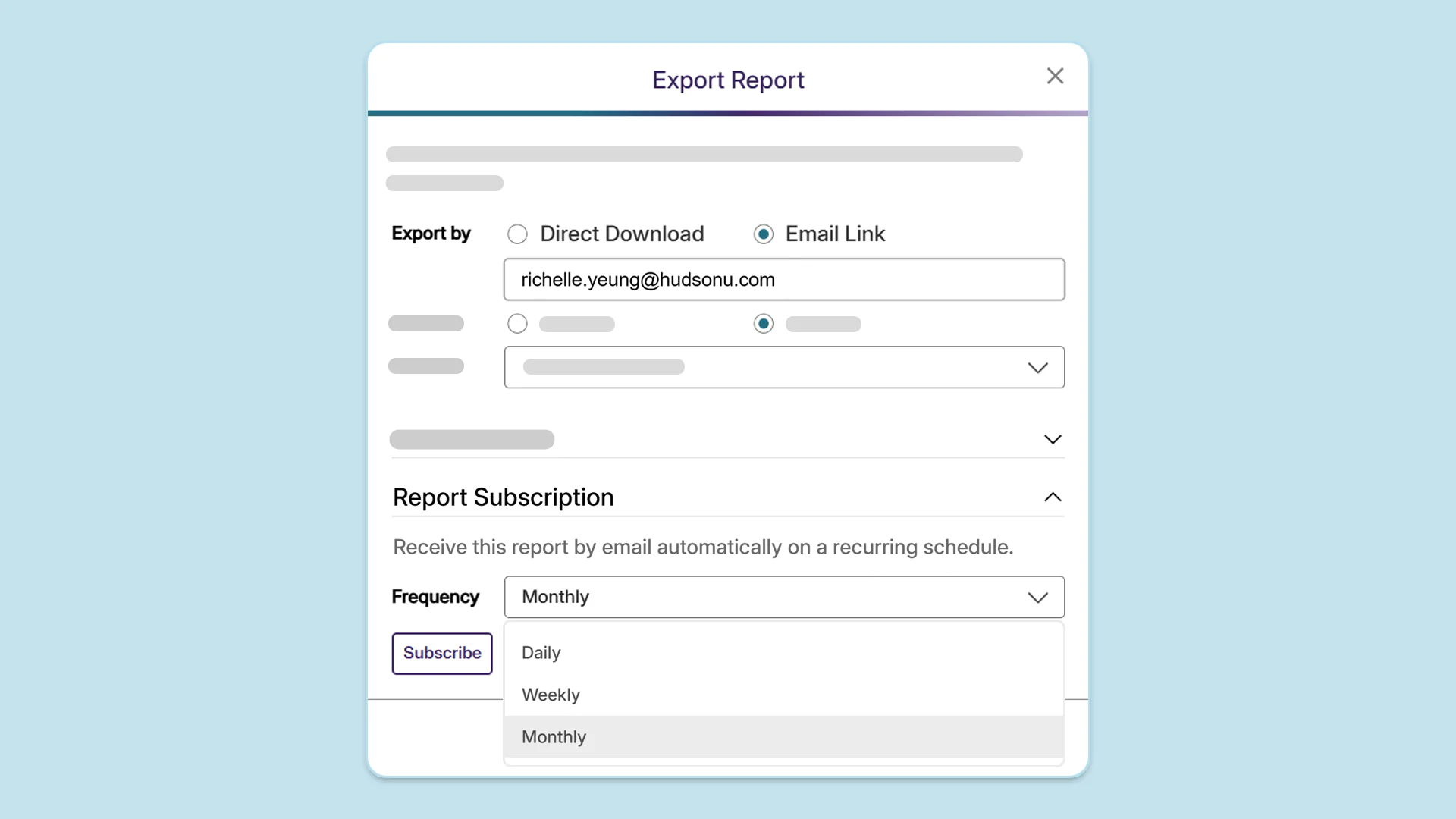
Users can now sign up to receive periodic emails summarizing all the YuJa Panorama Reports they’ve exported in a given period, removing the need to navigate between multiple emails. Users can choose to receive emails automatically on a recurring schedule:
-
Daily: A default RTMP stream session is now automatically added in YuJa Lumina when an institution has no existing streams, allowing instructors to start a session directly without needing to create a new stream.
-
Weekly: An email will be sent every Monday, covering the exported reports from the start of the month to the current day.
-
Monthly: An email will be sent on the first day of the month, covering the exported reports from the previous month.
-
-
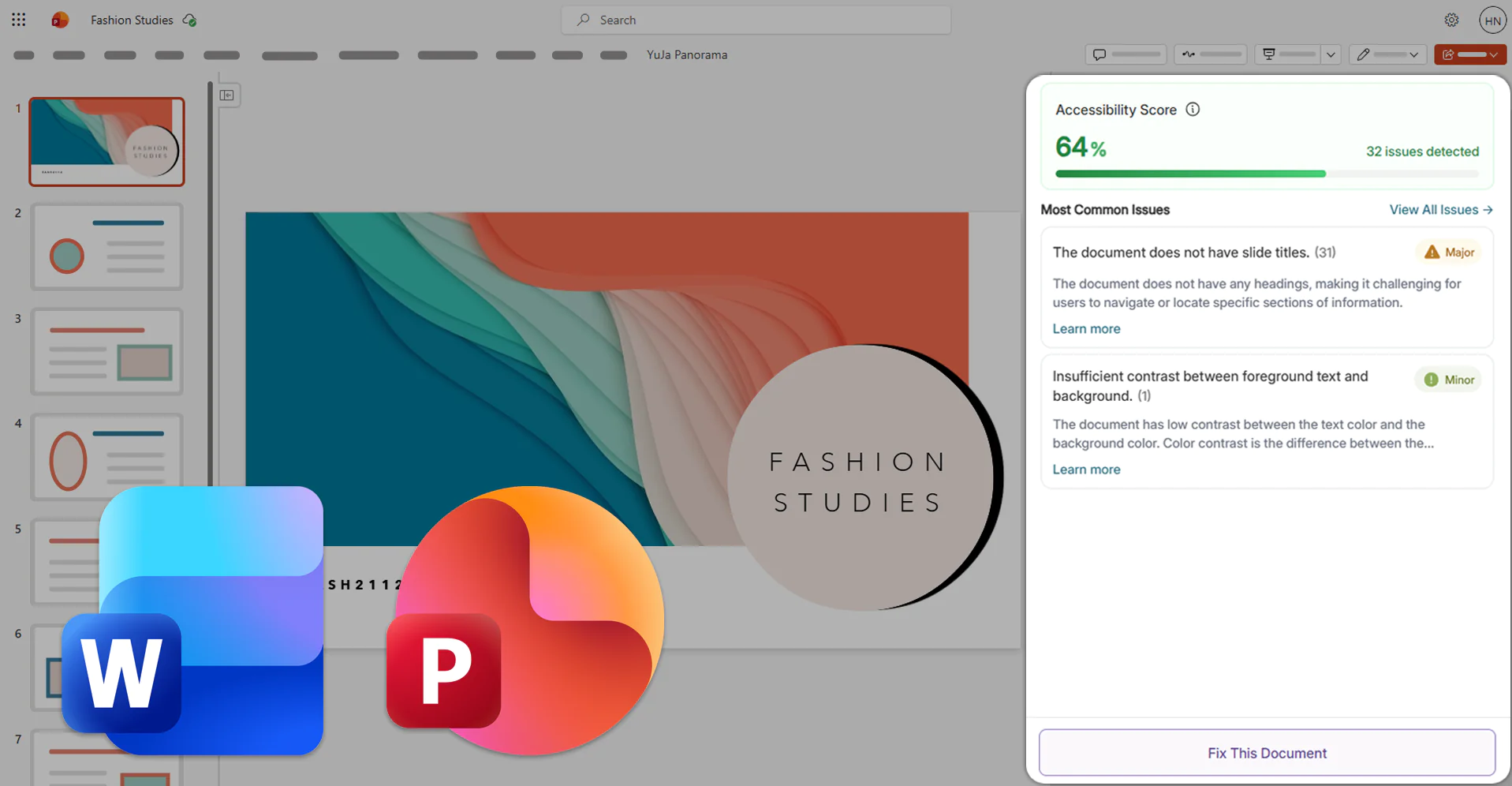
Optimize Issue Remediation in Microsoft Word, PowerPoint, and LMS WYSIWYG Editors Using the Redesigned Accessibility Report
The Microsoft Office 365 Add-in and LMS WYSIWYG Editor will update their Accessibility Report to feature a streamlined interface that offers intuitive access to essential remediation workflows, such as guided remediation with suggestions and AI-powered YuJa AutoPilot suggestions. With its sleek new interface, the Accessibility Report helps users quickly identify and prioritize the most critical accessibility issues within their documents.
-
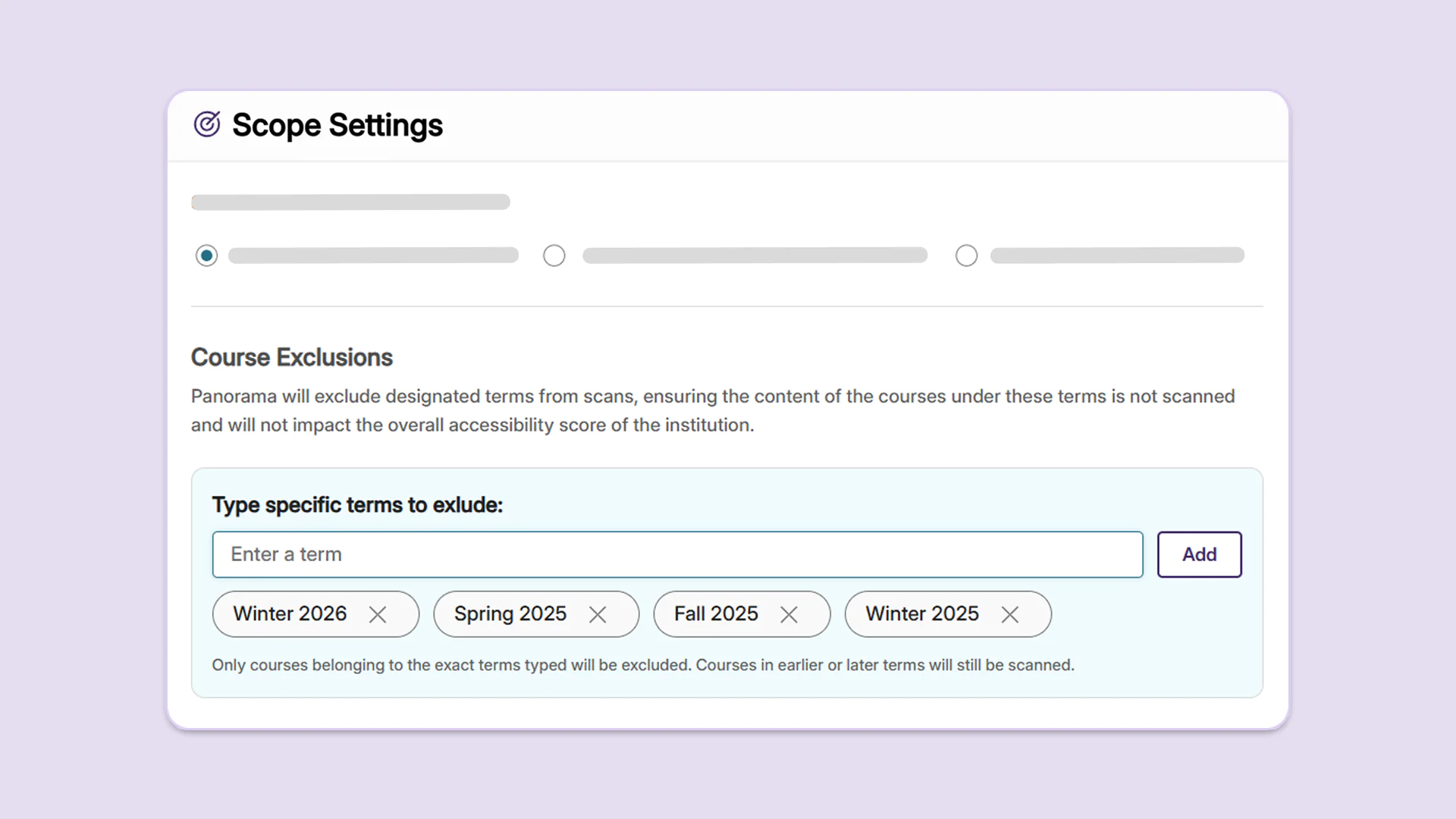
Ensure Your Institution’s Accessibility Score Is Up-to-Date by Excluding Previous and Prospective Terms from Scans
Administrators can now choose to omit previous and future terms from their scope settings to prevent courses in these terms from impacting the overall accessibility score of the institution. By excluding specific terms, administrators can ensure that their accessibility scores accurately reflect the current state of their institutions’ LMS content.
-
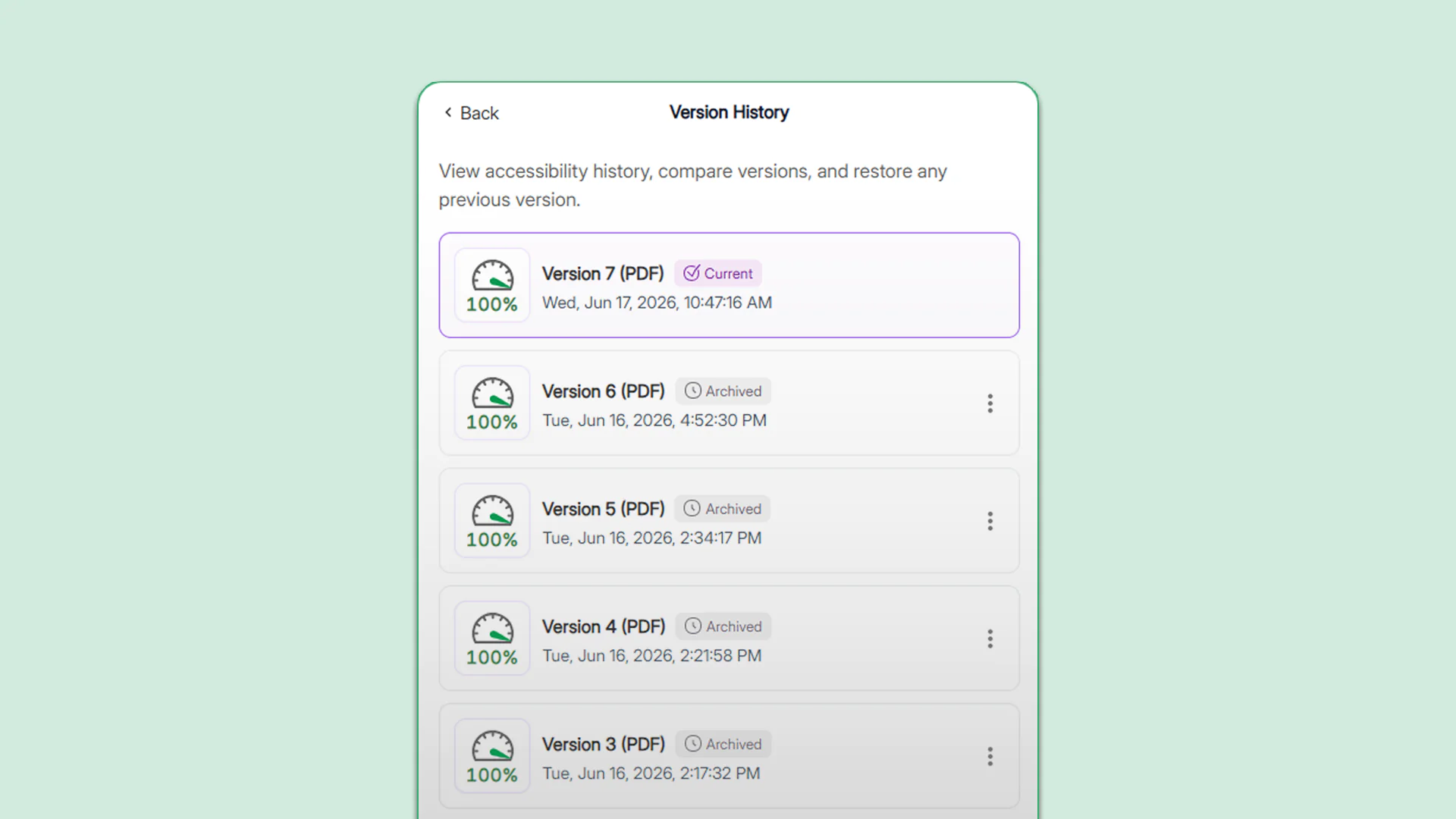
Track Accessibility Improvements Through a Document’s Complete Version History
Users will now retain full access to their document’s version history, even after reprocessing a course, allowing them to track historic changes in document accessibility and restore previous versions. In the Version History panel, users will see their most up-to-date document marked as “Current” and previous versions included in prior course processing marked as “Archived” with precise timestamps to help identify the version.
-
Improve the Alignment of YuJa Panorama’s Issue Flags with Your Institution’s Compliance Goals
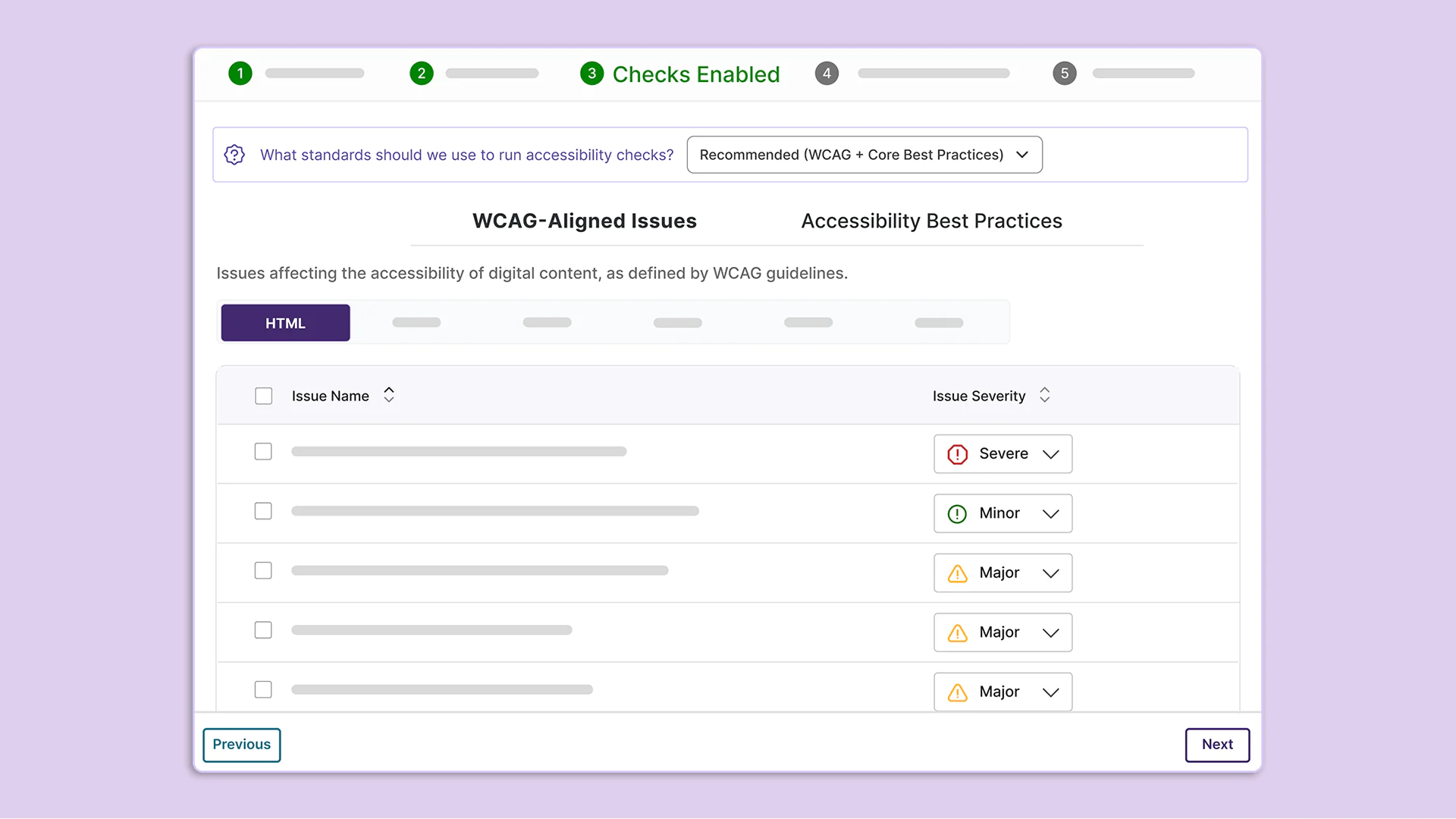
When an institution configures its Scoring Model, users will now be able to select what standards the platform should use to run accessibility checks. For institutions focusing on achieving WCAG compliance, this breakdown will help clearly delineate which issue flags should be prioritized. This breakdown can also be used to create customized issue severity levels that more accurately reflect an institution’s accessibility goals.
Institutions will be able to choose from the following three standards:
-
Essential: Includes checks that only align with WCAG guidelines.
-
Recommended: Includes all checks that align with WCAG guidelines and core accessibility best practices.
-
Comprehensive: Includes all checks that align with WCAG guidelines and all accessibility best practices.
-