Over the next few weeks, the YuJa Verity Test Proctoring Platform will be rolling out enhancements to improve the security and integrity of proctored assessments. Key highlights include support for geofenced assessments with IP and geolocation detection, enhanced assessment security with virtual camera detection, streamlined third-party quiz access across LMSs, and more.
-
Get Immediate Insights with AI-Powered Assessment Summaries
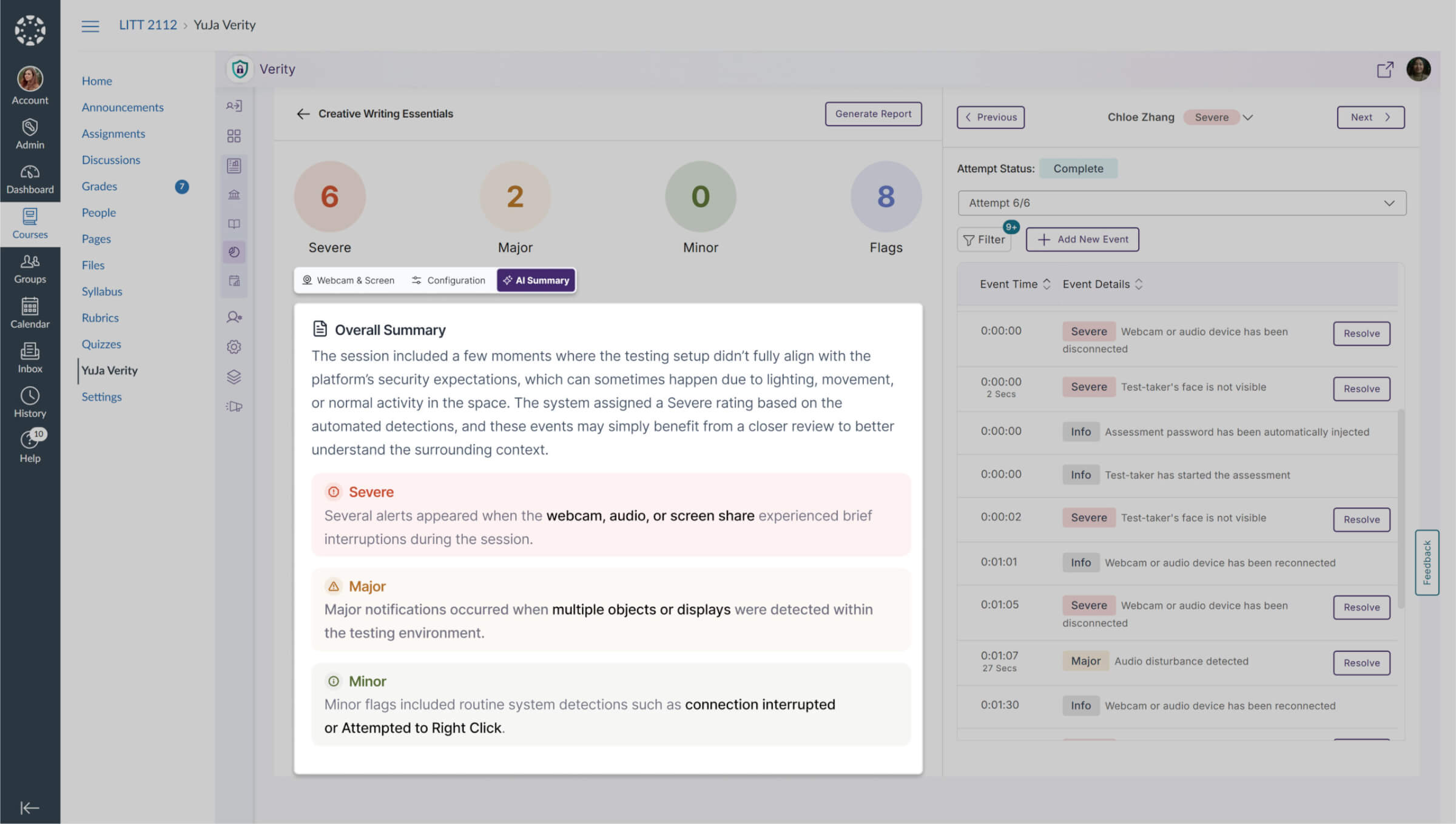
We now provide an AI-generated summary of a test-taker’s assessment results for Automated Proctoring, available on demand once results are ready. For Live Proctoring, the summary will instead show the proctor’s observations, giving instructors immediate, relevant insights into each student’s performance while ensuring context-appropriate reporting for every proctoring type.
-
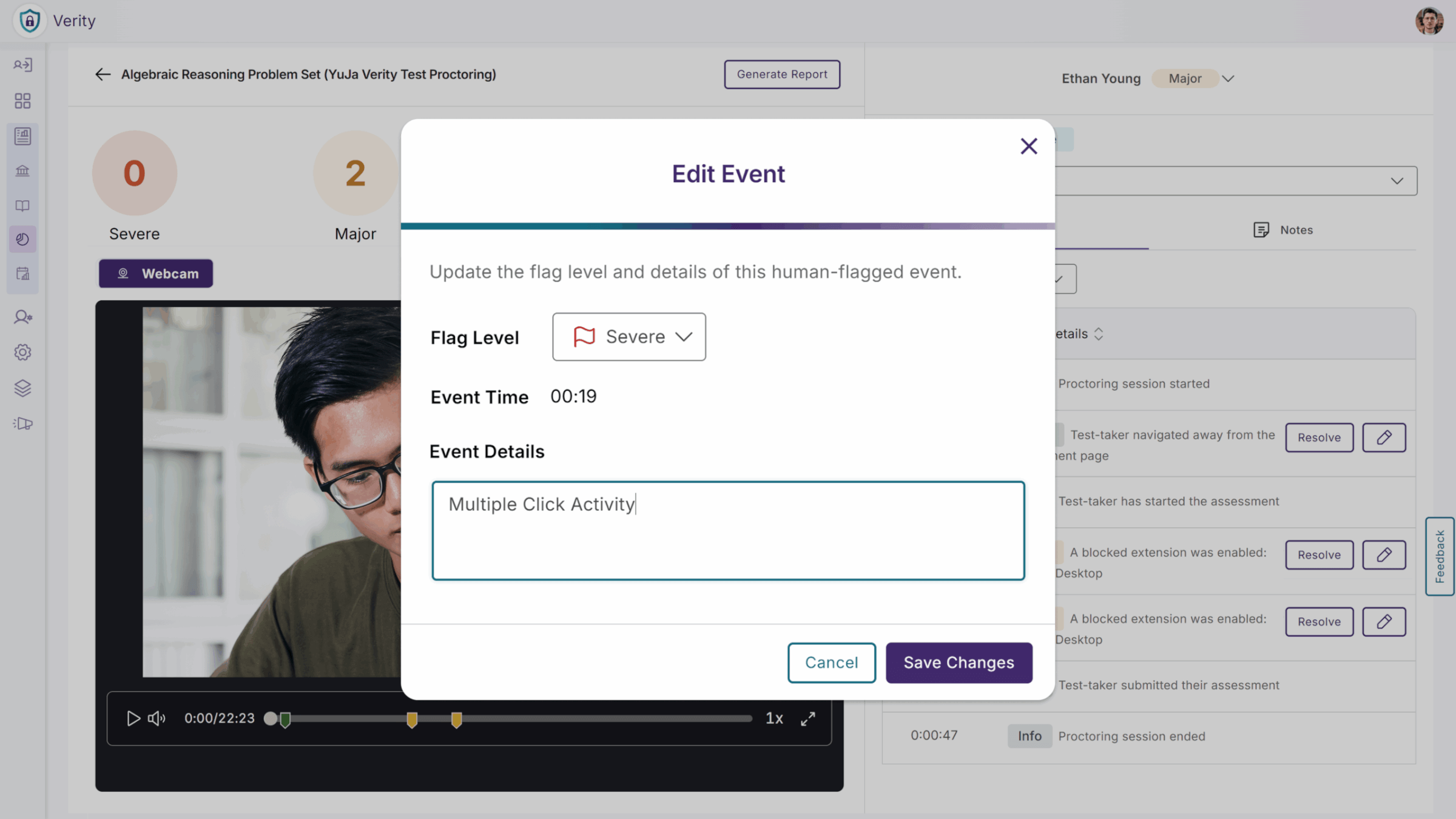
Catch What AI Misses with Manual On-Demand Flags
Instructors and proctors can now add manual flags to a test-taker’s proctoring submission when they notice concerning behavior that the AI may not detect, such as another person in the room or a mobile device on the desk. While reviewing a proctor recording on the Verity submission page, they can now create a new flagged event, ensuring all potential issues are captured for grading and review. This gives instructors greater control and accuracy in maintaining exam integrity.
-
Simplify Chromebook Exams with Flexible Lockdown Controls
We’ve added a new Unrestricted Lockdown option for Chromebook users, giving instructors more control over how students access quizzes on Chrome OS. Instructors can now choose whether to require Managed Guest Access or allow students to continue their attempts using the Verity Browser Extension, with a secondary checkbox enabled by default and supported by a tooltip for clarity. When enabled, students can take exams on Chromebooks without logging out or switching to Guest Access, reducing confusion and setup issues. When disabled, the existing full lockdown behavior remains in place. This flexibility helps institutions balance exam security with a smoother, more accessible testing experience for Chromebook users.
-
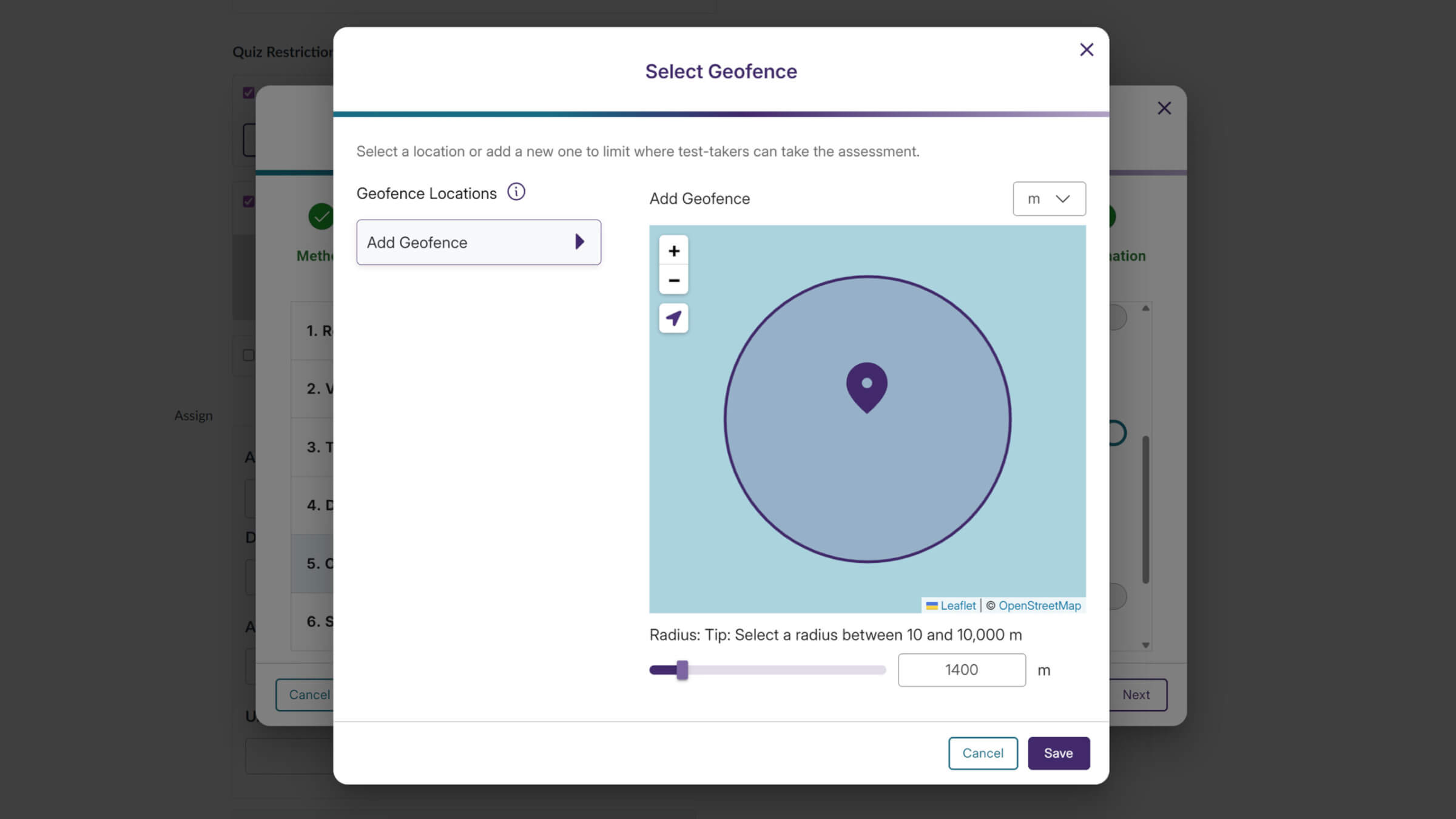
Support for Geofenced Assessments with IP and Geolocation Detection
YuJa Verity now supports geofenced assessments by enforcing IP address and geolocation restrictions, ensuring assessments are taken only from approved locations. Together, these safeguards help institutions reduce unauthorized access, uphold assessment policies, and deliver a more secure, compliant testing environment without adding complexity for instructors or students.
-
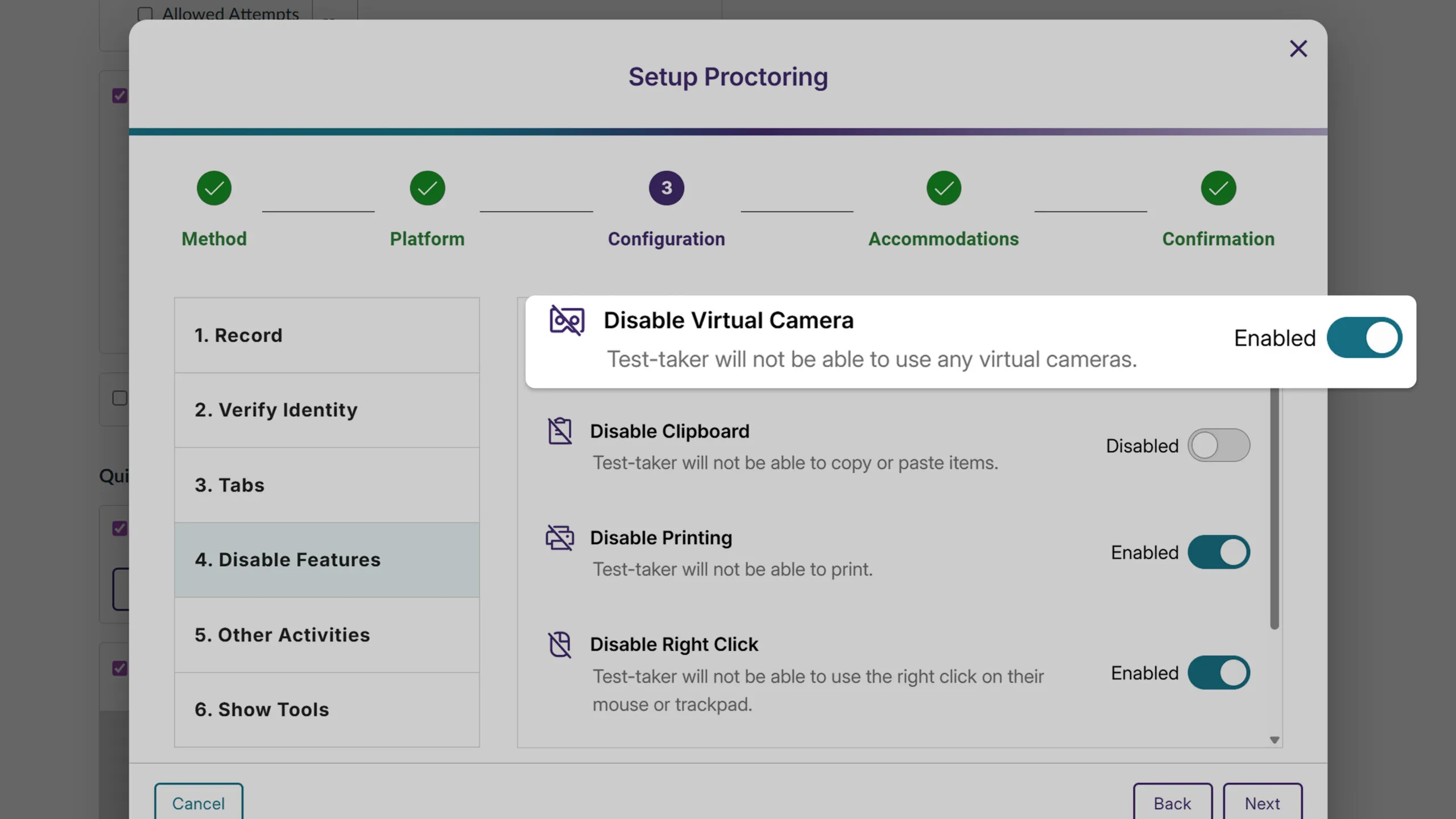
Block Virtual Cameras to Protect Exam Integrity
YuJa Verity now lets instructors disable virtual cameras when configuring proctored sessions, removing them entirely from a test-taker’s camera options. This helps prevent video manipulation, simplifies device selection for students, and reinforces the integrity of proctored assessments.
-
Streamlined Third-Party Quiz Access Across LMSs
YuJa Verity now makes it easier for instructors and students to use third-party quizzes through External Learning Tools in any LMS. Instructors no longer need to manually copy LTI links as Verity can be activated directly within the External Learning Tool activity, reducing setup errors and simplifying the process. Students can also start a Verity proctored quiz directly through the External Learning Tool activity, ensuring a smoother, more intuitive experience and helping instructors deliver assessments efficiently across platforms like D2L and Moodle.
-
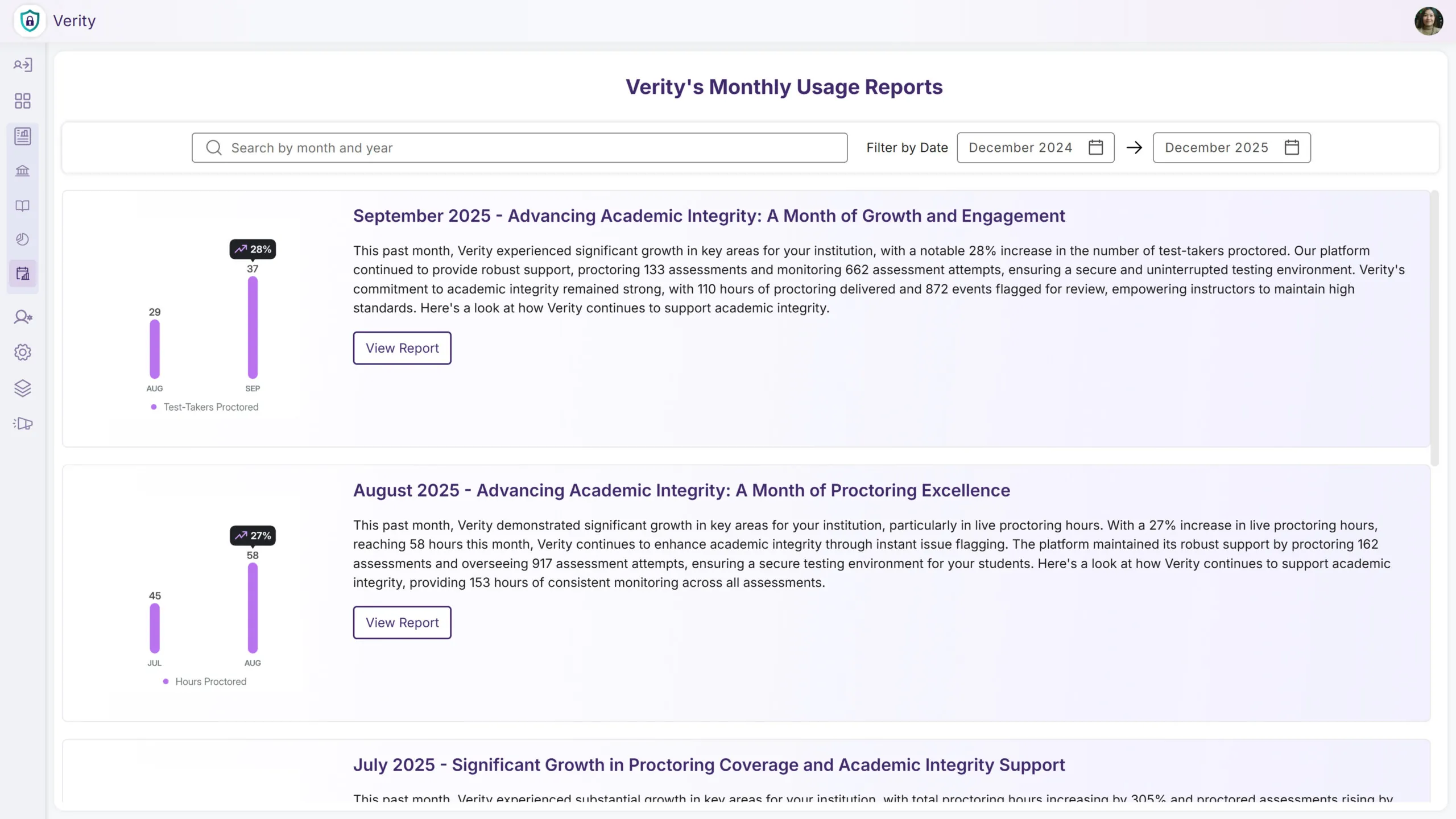
Easily Access Historical Monthly Usage Reports Directly Within YuJa Verity
You can now view Monthly Reports directly within YuJa Verity. This allows you to make data-driven decisions and keeps you aware of key metrics immediately upon login. You can also easily reference past Monthly Usage Reports to help you track adoption, growth, and engagement over time to measure trends.
-
Secure Proctored Exams Without Requiring an LMS
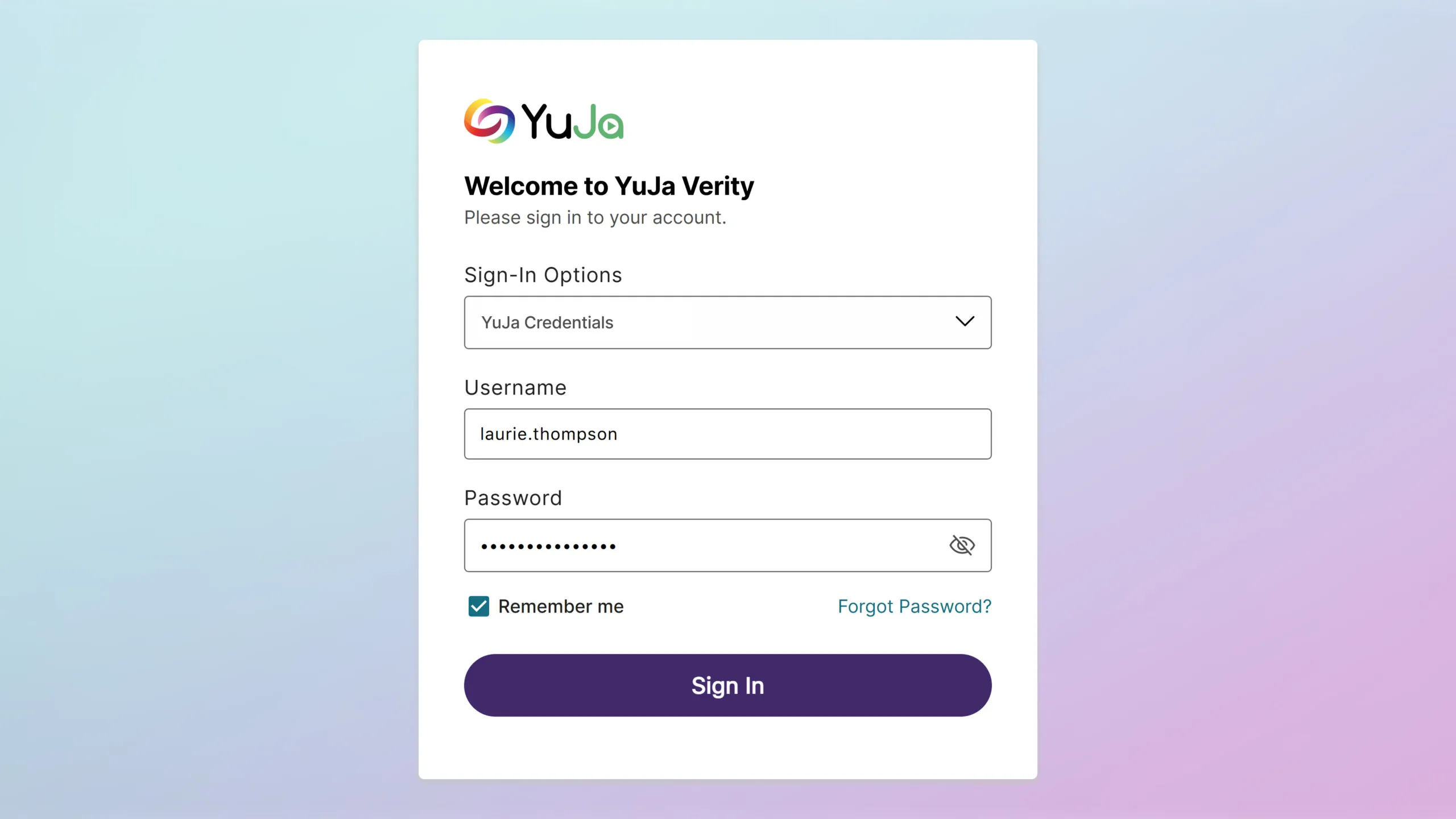
YuJa Verity now supports a standalone experience, allowing institutions to use Verity even without an LMS. Previously, access to Verity required users to be part of an LMS environment; now, institutions can deliver secure, proctored assessments through a standalone portal. This flexibility expands access to Verity, making it easier to support assessments in non-LMS workflows while maintaining proctoring integrity.
-
Modernized Email Design for Clearer, More Engaging Insights
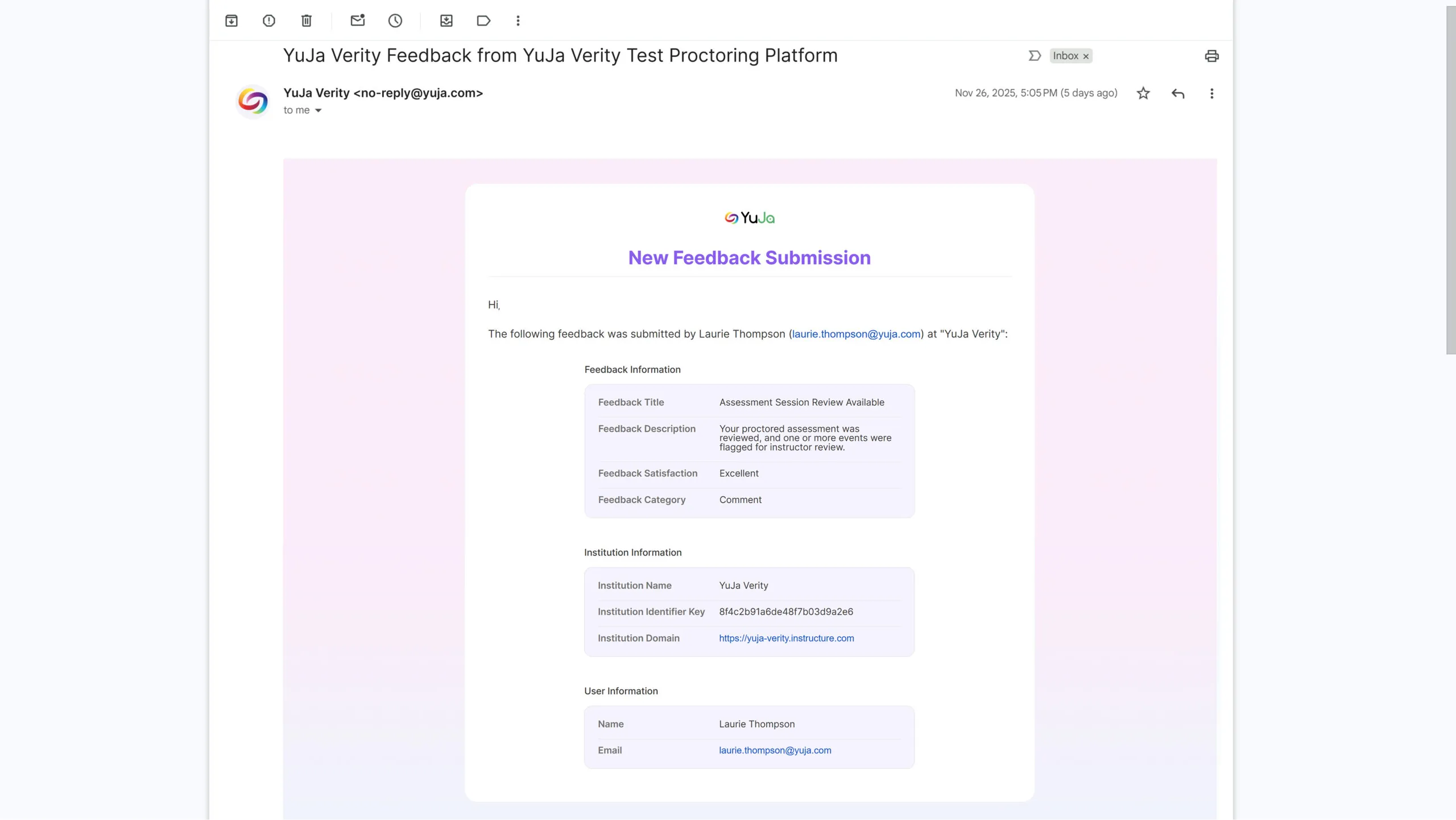
We’ve refreshed the design and format of emails reporting on Verity assessment usage, creating a more modern and visually engaging experience. The updated style highlights key usage statistics and insights, making it easier for recipients to quickly understand assessment activity and performance trends. This enhancement improves readability, emphasizes critical data, and ensures email communications align with current design standards and best practices.
-
Stay Ahead of Limits with Proctoring Usage Insights
For institutions with usage limits, we now track Automated Proctoring, Live, and Live Check-In by both sessions and hours, helping admins monitor proctoring activity more effectively. Soft limits have been introduced, sending email notifications when usage exceeds predefined thresholds, allowing admins to manage capacity proactively without interrupting ongoing assessments. This provides better visibility, prevents unexpected overages, and supports efficient planning for proctoring resources.
-
Get Up and Running Fast with Our New Quick Setup Guide
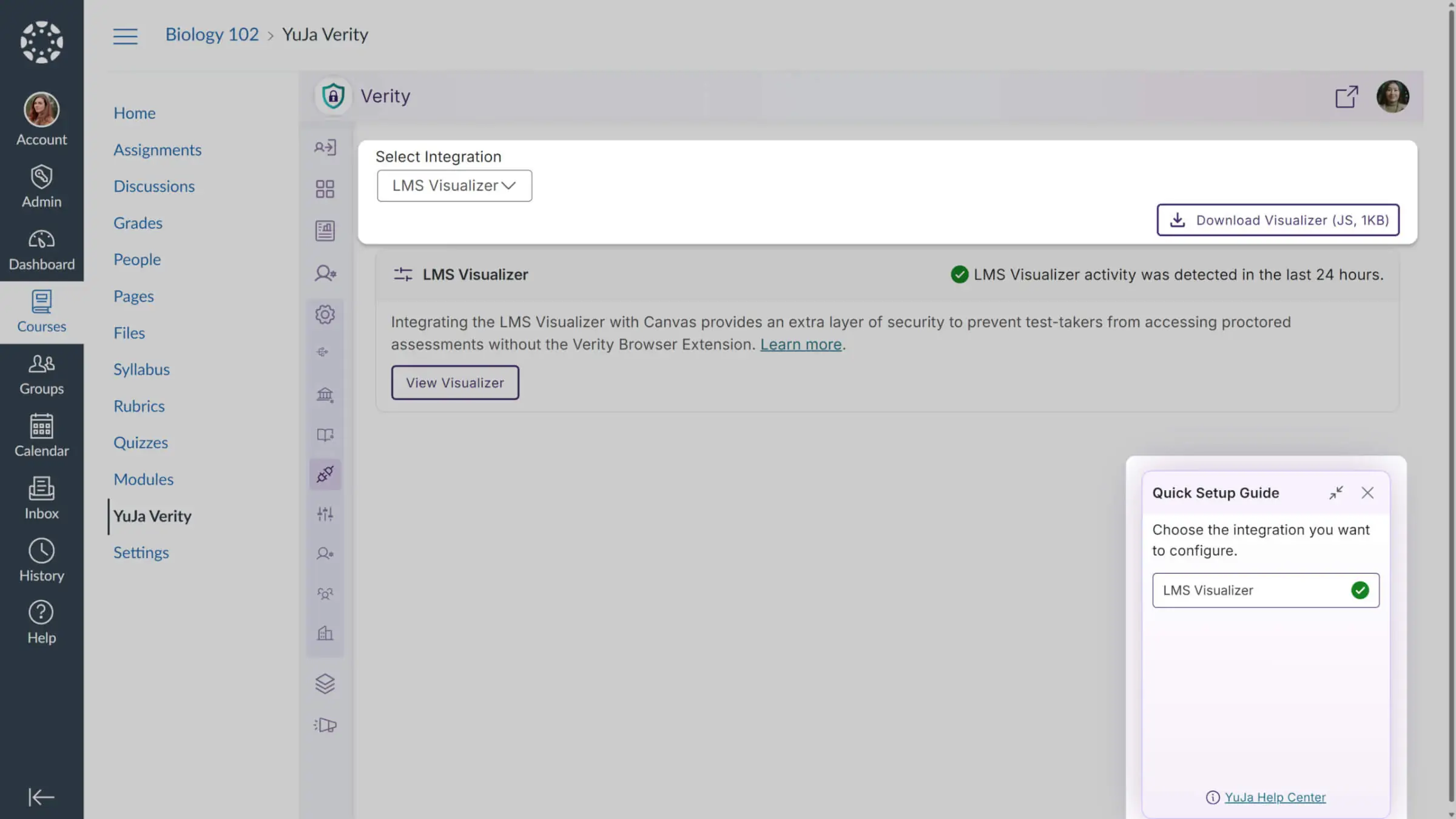
Admins now get a guided Quick Setup to configure LMS integrations, with LMS Visualizer (Canvas, D2L, Moodle) and LMS API (Moodle only) steps. The guide appears on first login, completes automatically when requirements are met, and mirrors Panorama’s style and functionality for a smooth, intuitive setup.
-
Non-Proctored Assessments Hidden in the YuJa Verity Assessment Hub for Clearer Visibility and Improved Efficiency
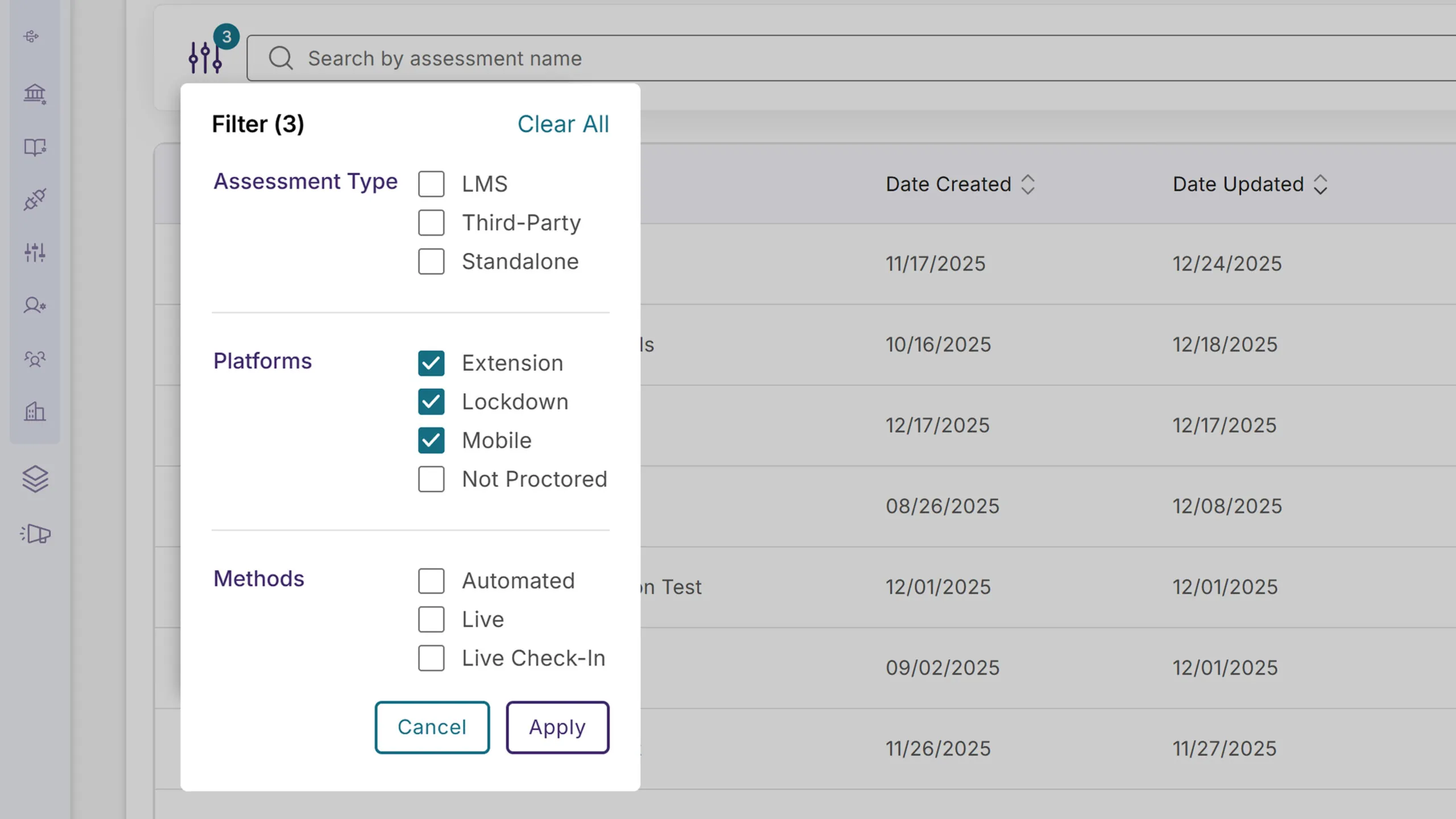
The YuJa Verity Assessment Hub now hides non-proctored quizzes and assignments by default to reduce confusion and keep the focus on proctored assessments. For instructors, non-proctored assessments are hidden but can be viewed at any time by either selecting the “Not Proctored” filter or clearing all filters. For students, all non-proctored assessments are fully hidden. This ensures a clearer, more intuitive experience and improves efficiency for both instructors and test-takers when searching for proctored assessments.