Over the next few weeks, we’ll be introducing new features to strengthen the integrity of online assessments, such as the ability to add exam aids for students, multiple usability updates to the YuJa Verity Lockdown App, and extended proctoring support to the YuJa Verity Proctoring Platform for improved user flexibility.
-
Multi-Day Live Sessions and Clearer Registration Details Improve the Live Proctoring Student Experience
Instructors and students now have more practical features when using live proctoring in YuJa Verity.
Key features include:
-
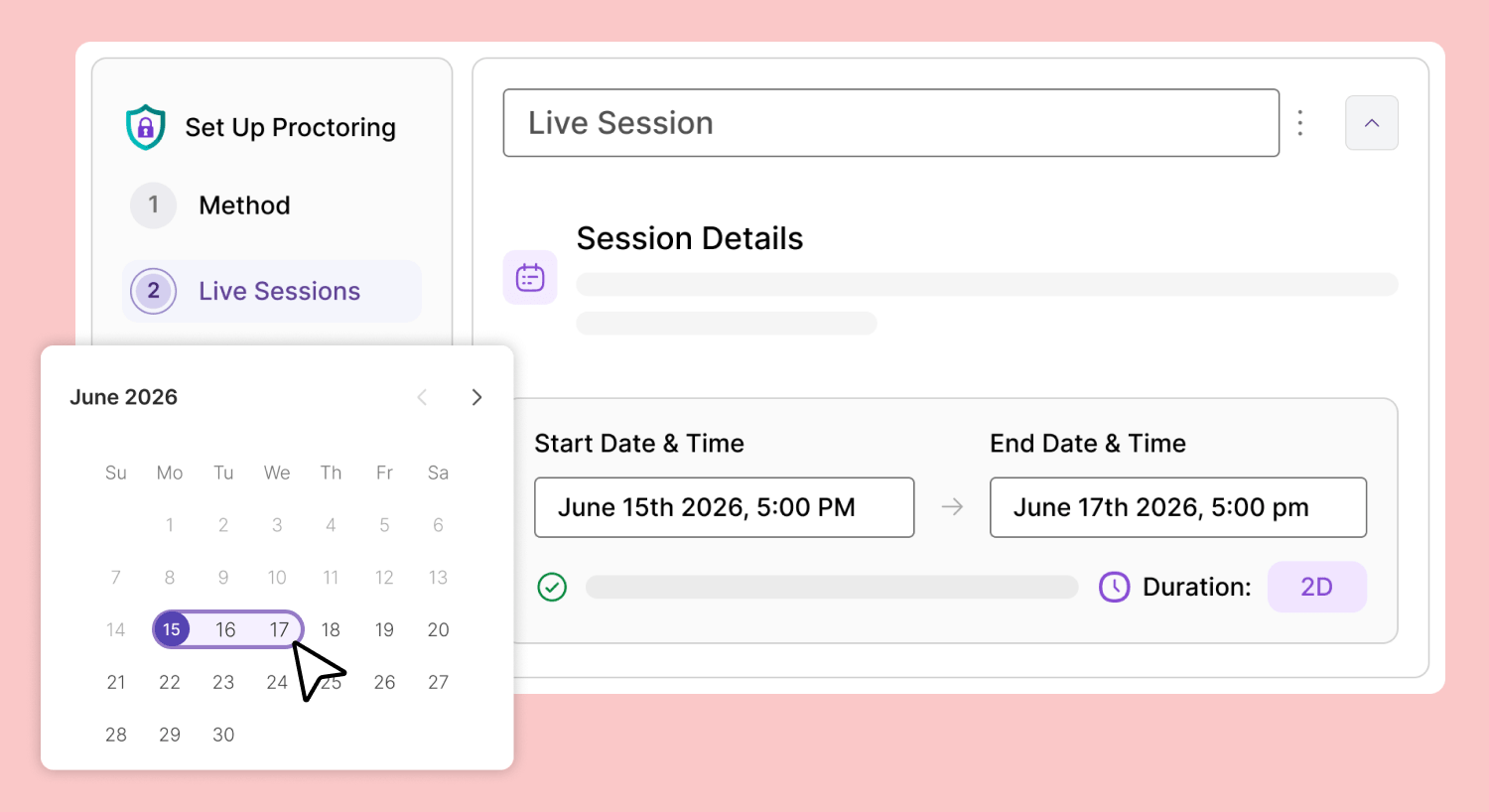
Increased flexibility for instructors: Instructors will now be able to host a single live session across multiple days instead of only 24 hours. The length of live sessions will also now populate into YuJa Verity depending on the LMS quiz settings.
-
Informative student emails and post-registration messages prior to assessments: Students who register for any live proctoring assessments will receive detailed session information on the post-registration confirmation page and the automated follow-up email, allowing them to take assessments with peace of mind knowing that they are not missing crucial details right before a test.
-
View upcoming live sessions for multiple-day assessments: Students can see the upcoming live-proctoring sessions for an assessment in one space on their Live Registration page.
-
-
Live Proctor Standalone Assessments Outside of Your LMS
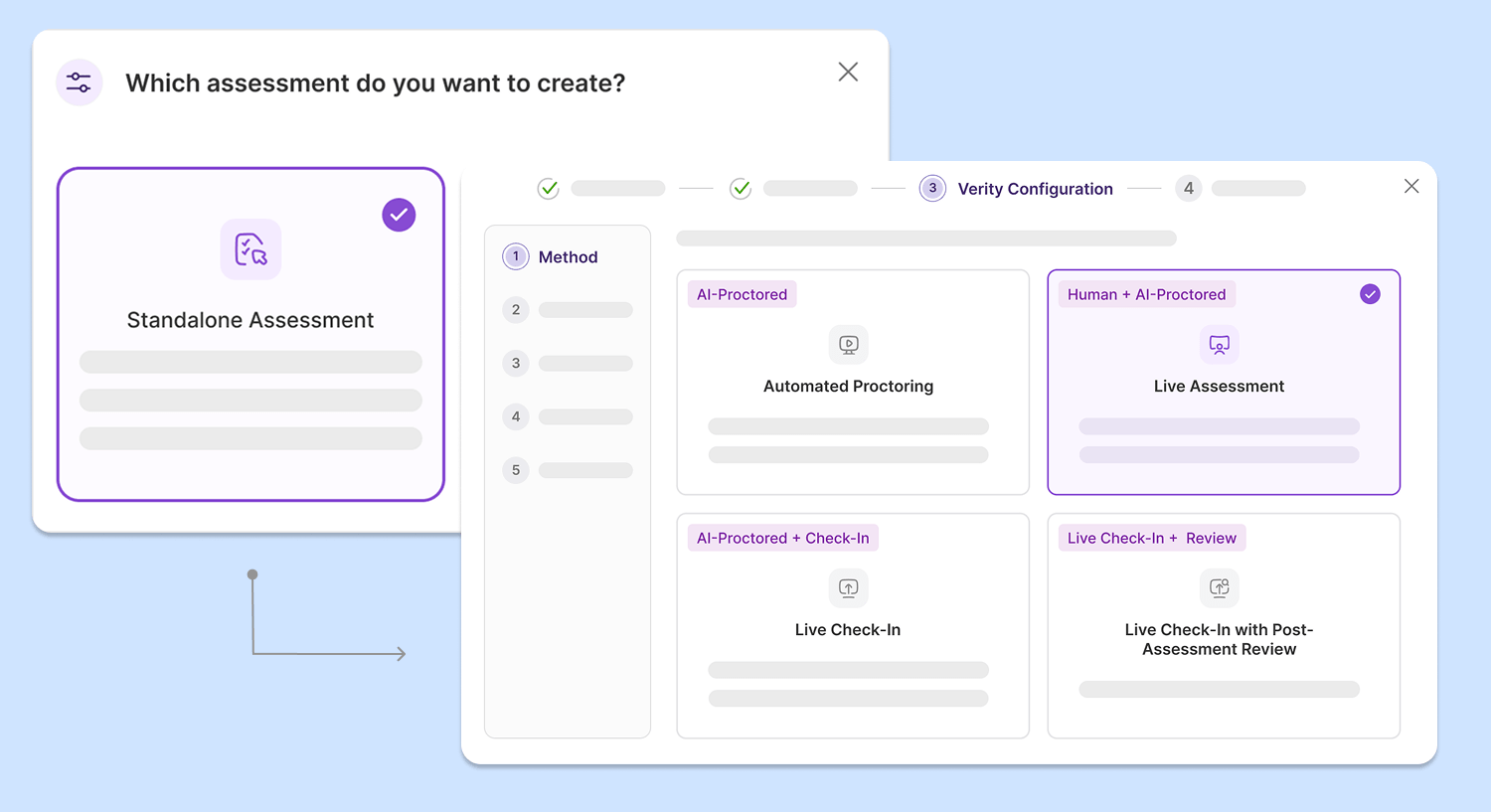
All proctoring methods are now supported for standalone assessments in YuJa Verity, giving instructors more freedom and customization for their assessment needs without relying on an LMS environment.
-
Assign proctors for live sessions: With Live Proctoring, instructors can designate their own staff or YuJa’s official proctors to monitor assessments in real-time.
-
Enter the session only when suspicious activity is detected: Instructors can intervene and resolve questions and potential academic misconduct in the assessment session only when alerted by Verity’s automatic proctoring system.
-
Review test-taker performance after intervention: Instructors can choose to manually review each test-taker’s performance after the live session ends to add or remove any flagged events.
In addition to Automated Proctoring, instructors can now:
-
-
Refreshed Lockdown App Launch Workflow Helps Students Start Assessments Faster
The YuJa Verity Lockdown App has been refreshed with a new and upgraded launch workflow that allows students to set up and take assessments in the lockdown browser faster.
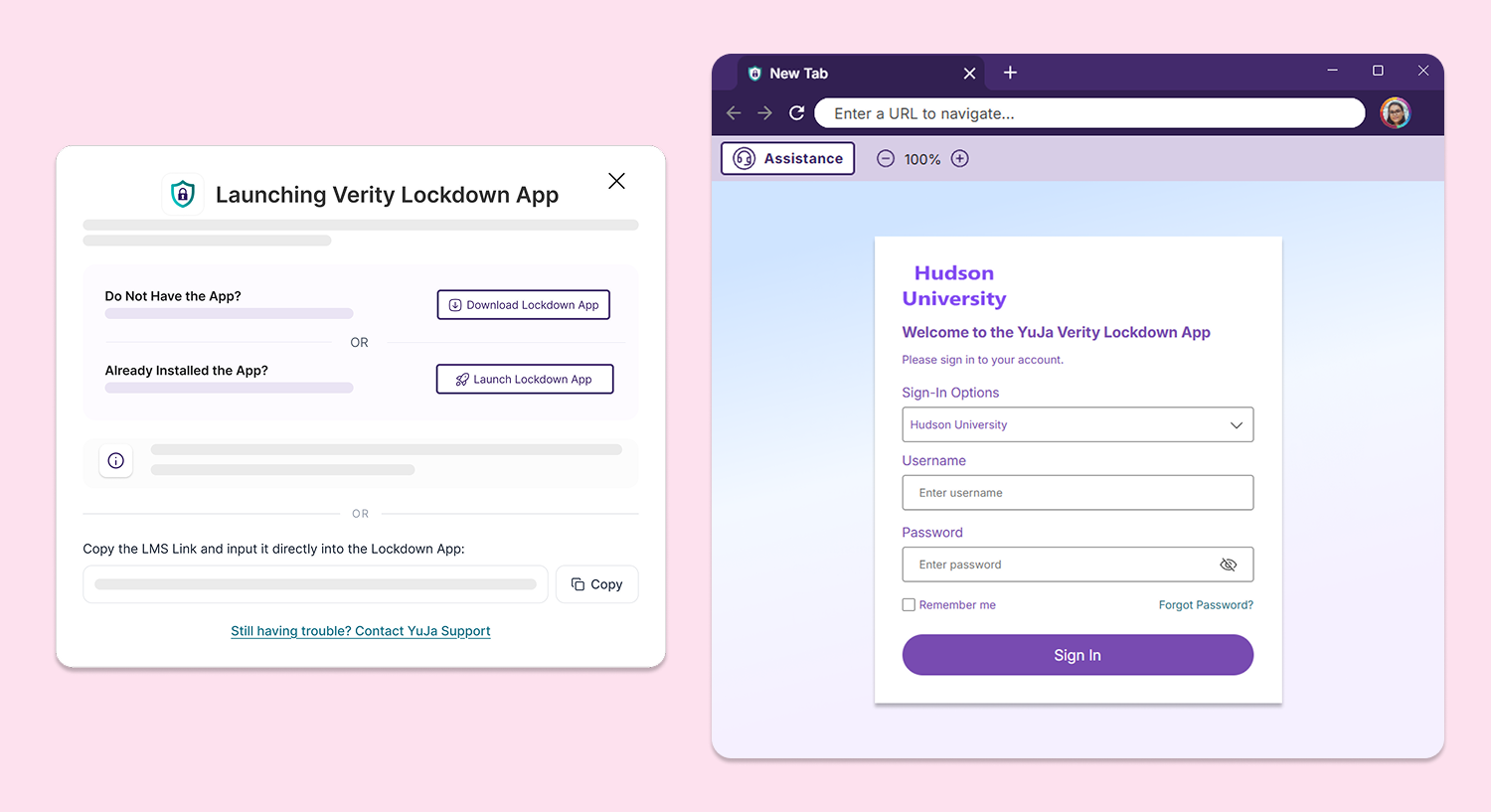
Key features include:
-
Launch modal redesign:Additional clarity is now provided to students when they are prompted to launch the Verity Lockdown App to complete their assessment, allowing them to easily identify whether they already have the app installed.
-
Intuitive loading indication: A splash screen will automatically appear when the Verity Lockdown App is launched to provide visual indication of background progresses, providing students with an ease of mind.
-
Automatically authenticate students: Upon installation, students will be directed to log in through their institution and will be automatically authenticated, eliminating manual authentication processes and allowing students to start their assessments immediately.
-
-
Start Assessments Faster in Moodle With Automatic Student Authentication
Students are now automatically authenticated when they open a Verity proctored assessment in Moodle, allowing them to start the assessment or install the browser extension directly in the assessment workflow without locating and navigating to the Verity portal link first in their LMS environment.
-
Updated Confirmation Page Shows All Proctoring Configurations for a Convenient Review Process
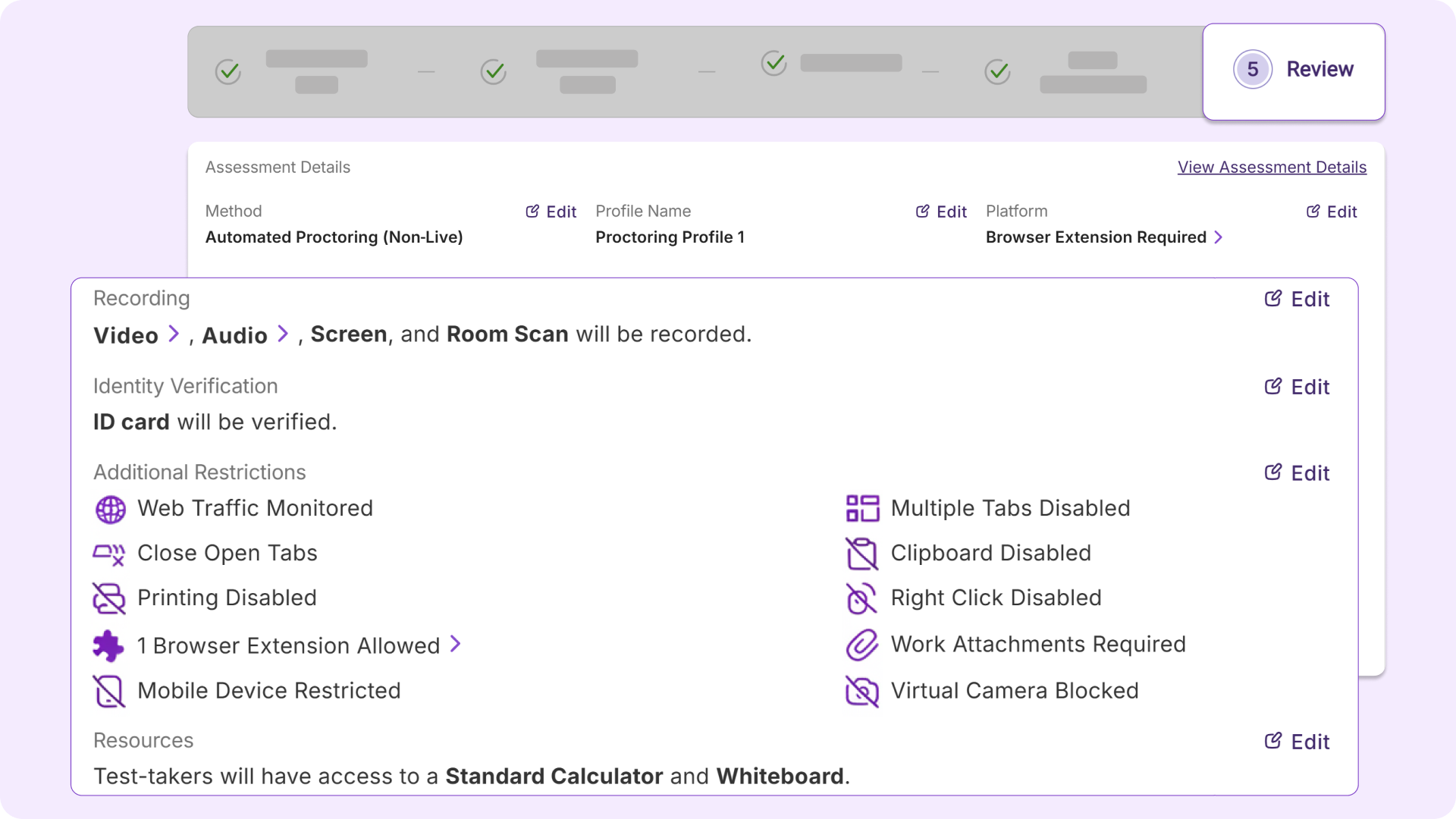
The Confirmation page has been updated to provide a comprehensive overview of the configurations applied to a proctored assessment. Instructors can now:
-
Review configurations using a clear table overview: Instructors can now see an overview of their chosen configurations in a clear and succinct table. All restrictions are now displayed at-a-glance without needing to scroll through the page, or return to previous tabs in the workflow.
-
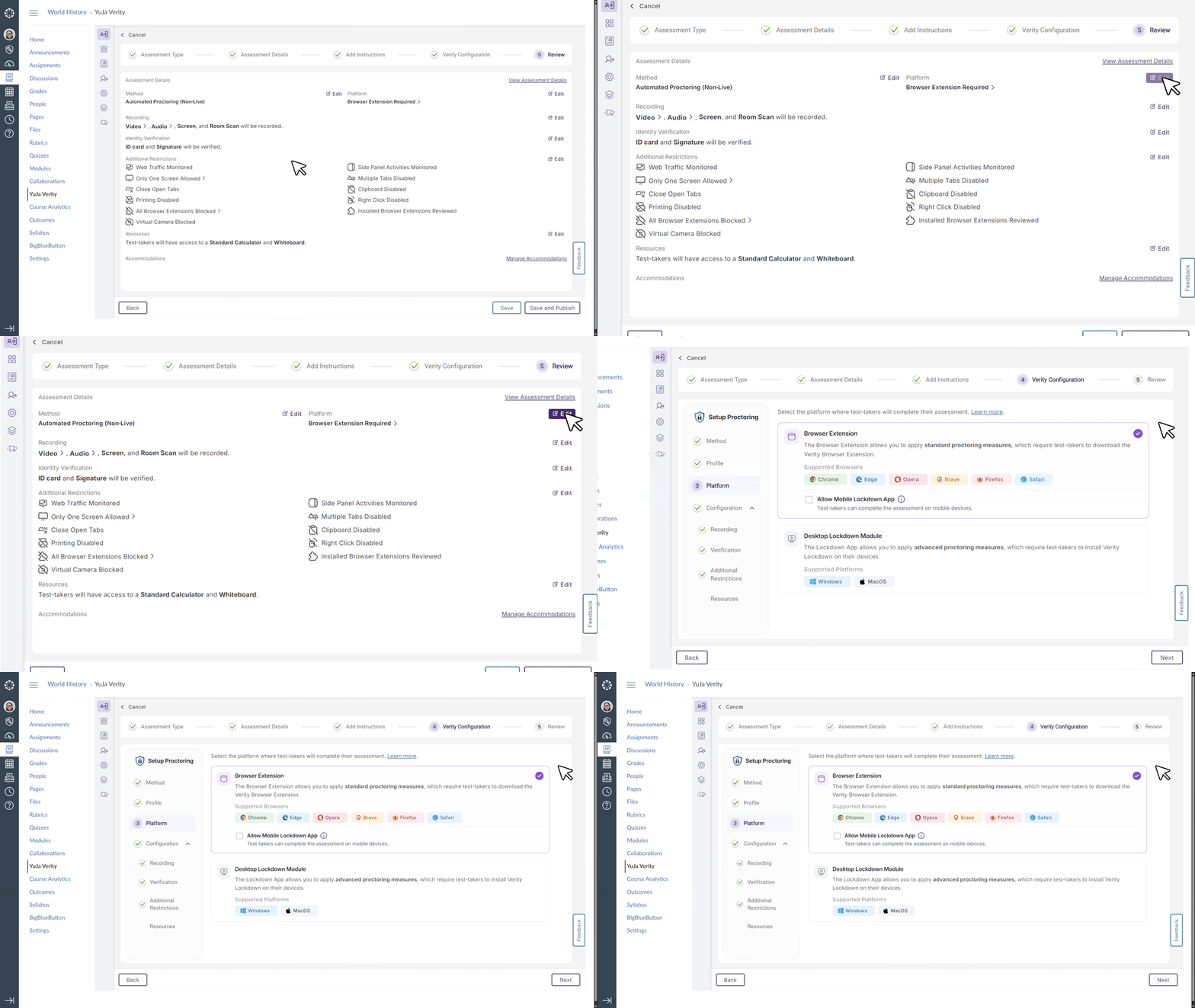
Navigate through the workflow quickly using buttons: New buttons have been added to the Confirmation page which allows instructors to return to the specific tab to edit their configurations directly without needing to repeatedly use the back button.
-
-
Hide “End Proctoring” Button to Prevent Accidental Session Ending
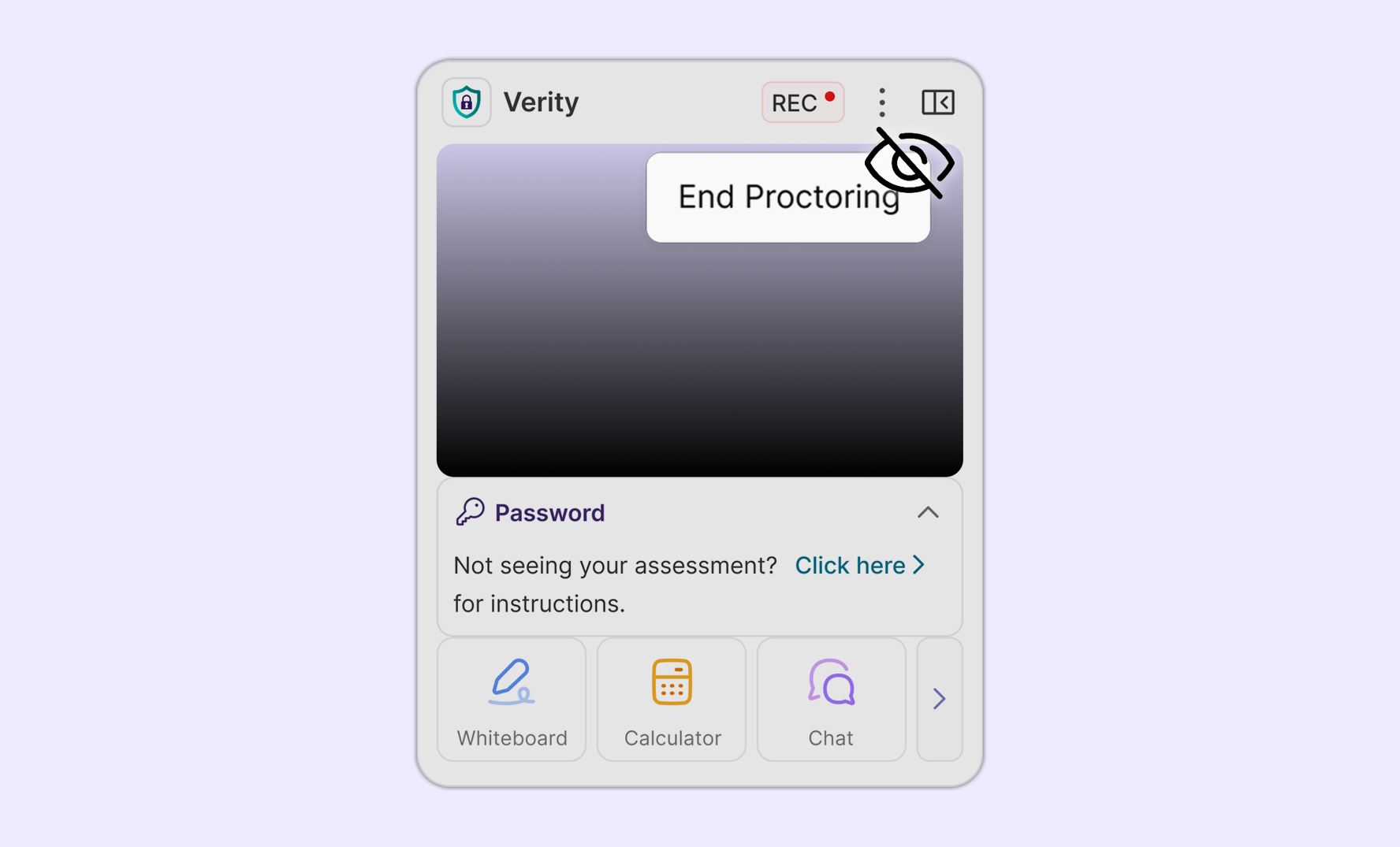
Instructors can choose to hide the End Proctoring button from students taking assessments in their institutions’ learning management system. This feature safeguards against unintentional clicks during assessments.
-
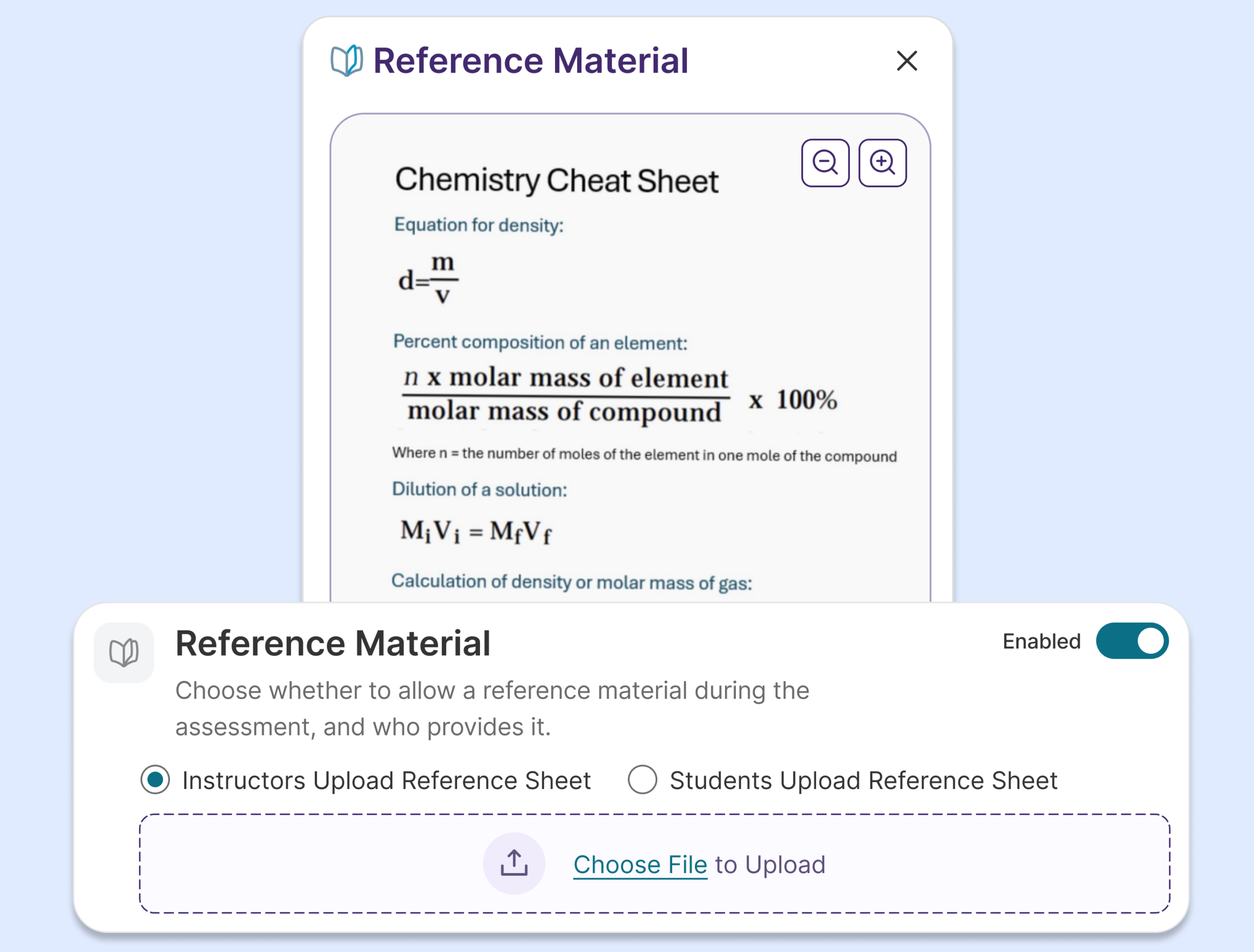
Provide Reference Material During Assessments to Simulate Traditional Exam Environment
Instructors can now provide reference material to students during proctored assessments to facilitate a more traditional exam environment, simplifying the assessment set up process while providing additional assessment flexibility.
-
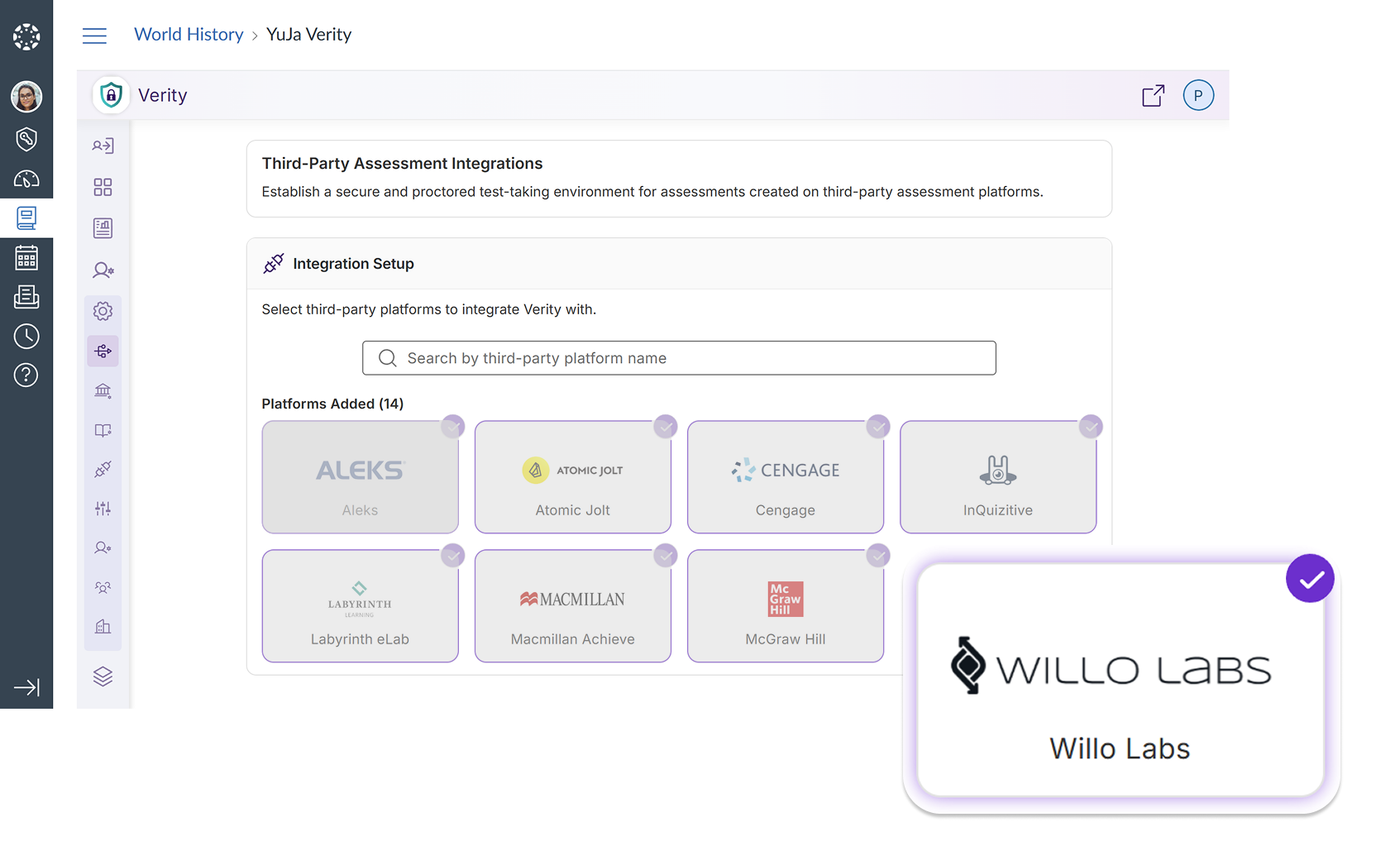
New Third-Party Integration with Willolabs Expands Assessment Flexibility
Verity is introducing a new third-party integration with Willolabs, allowing instructors and students to create and take assessments on Willolabs using Verity’s proctoring configurations. Verity will also automatically inject assessment passwords for students, shaping a seamless and efficient assessment workflow without any new interruptions.
-
Verity Extends Proctoring Support to D2L’s New Learner Experience
The YuJa Verity proctoring experience is now available in D2L Brightspace’s New Learner Experience, allowing existing and future users of the new interface to use all of Verity’s proctoring features for their assessment needs.
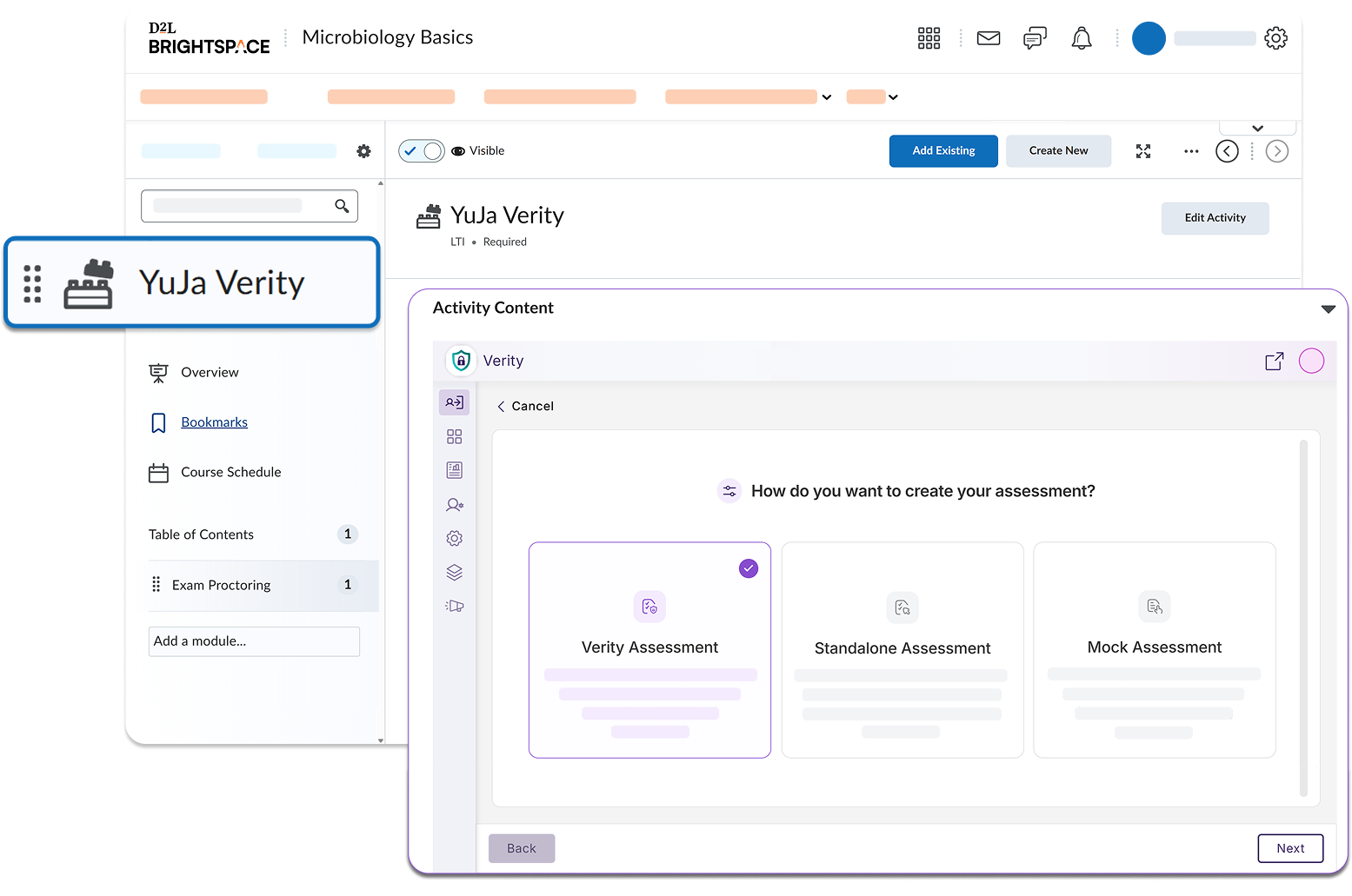
This includes:
-
Enabling proctoring for assessments: Instructors can configure proctoring settings on all types of assessments, including LMS assessments, standalone assessments, and assessments created using the Verity Assessment Builder.
-
Choosing from different proctoring methods: Instructors can choose from automated, live, and hybrid proctoring options for different assessments according to their course goals and institutional standards.
-
Reviewing test-taker performance using comprehensive reports: Each test-taker can be carefully evaluated for potential academic integrity violations using Verity’s timestamped post-assessment report.
-
Gaining clearer insight into institution-wide performance: Administrators and instructors can see institution and course-wide reports to evaluate behavior trends on a larger scale.
-