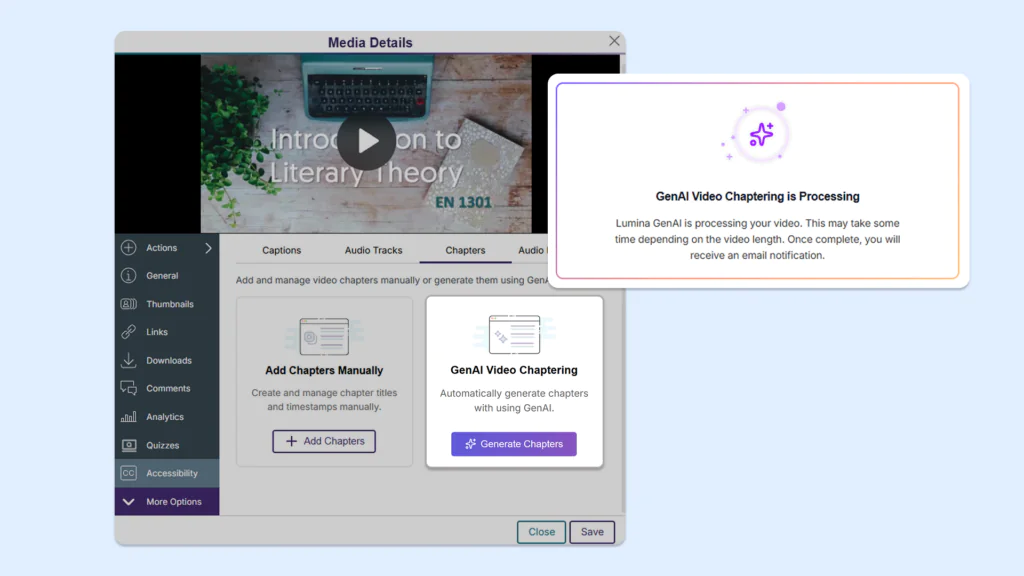
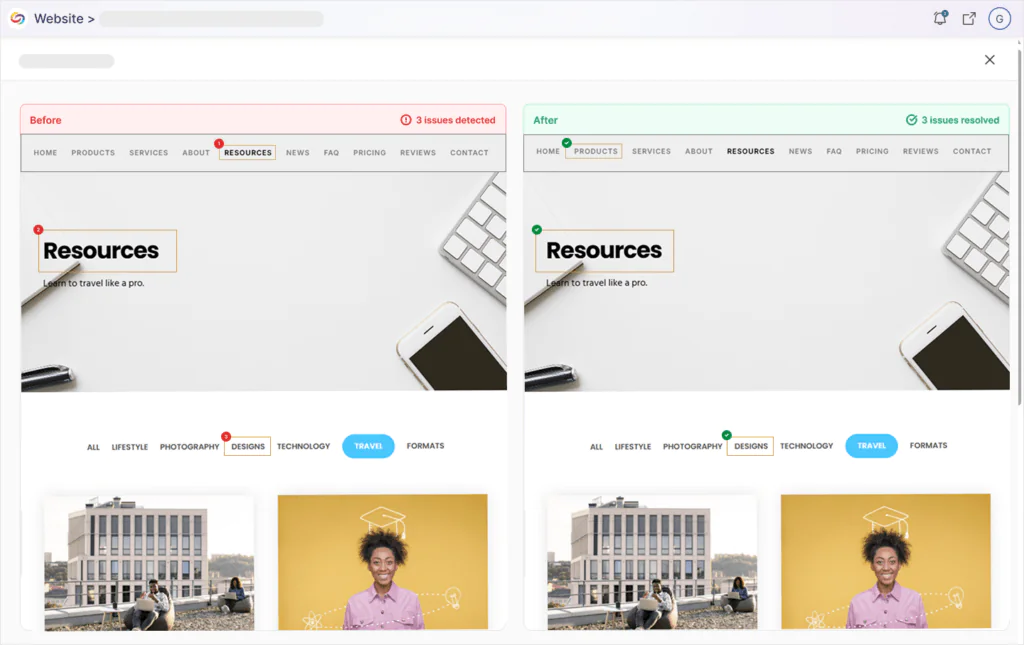
In the weeks ahead, YuJa Lumina will release several features that make video delivery and media management more accessible, including richer AI-generated audio descriptions, a redesigned live streaming player with built-in captions and chat, one-click institution branding, and Custom Terms.
-
Stream multi-source content with lower latency and better synchronization using YuJa Lumina’s upgraded live stream player
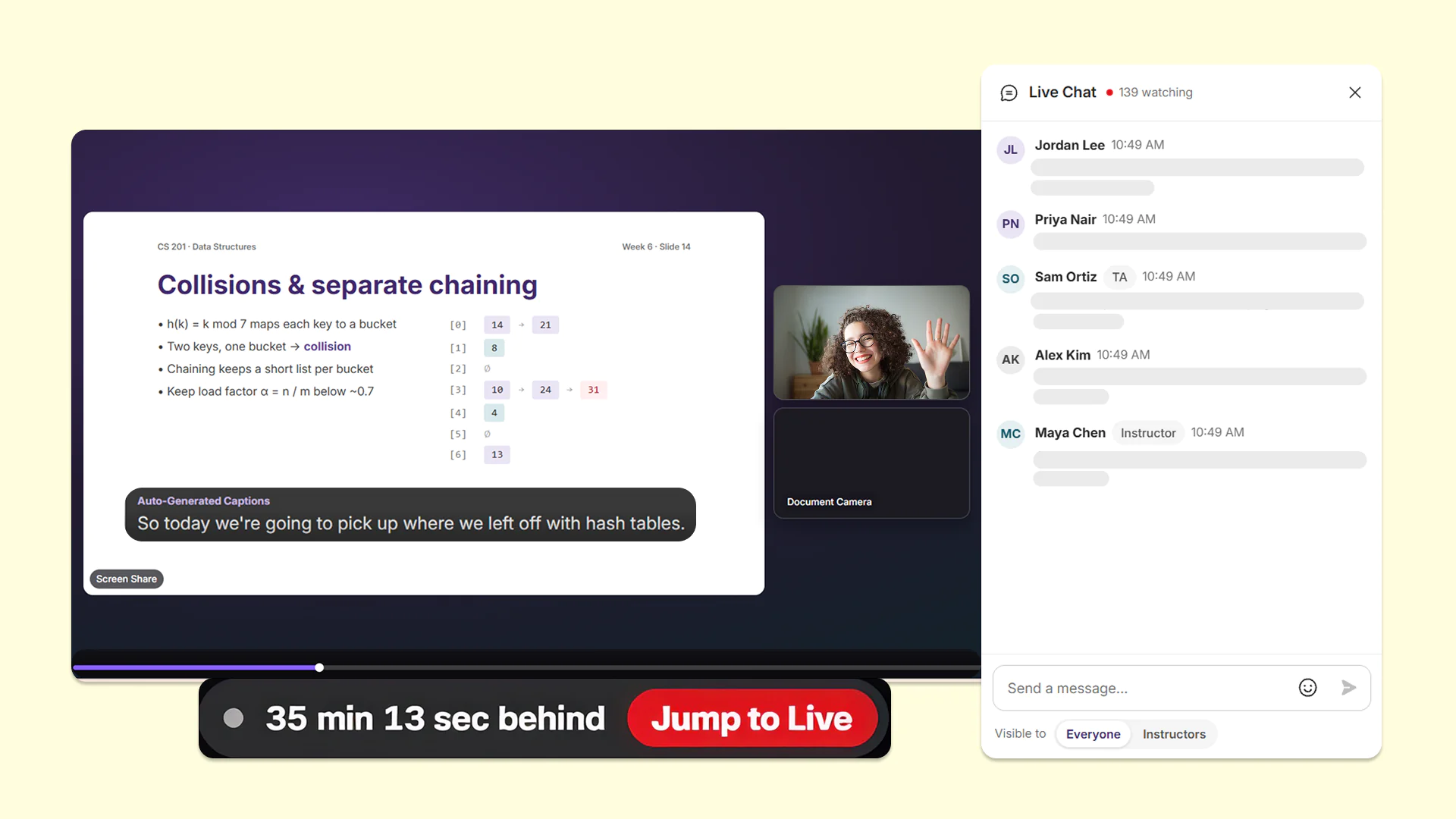
YuJa Lumina is launching a redesigned live streaming player that lets viewers follow live sessions on desktop, tablet, or phone browsers with captions, chat, and stream controls all in one interface.
The new player includes:
-
Countdown waiting screen: Displays a countdown to the scheduled start time, keeping viewers informed while they wait.
-
Rewind during a live stream: Lets viewers scrub back to catch missed moments during the livestream and return to the current timestamp with Jump to Live, keeping them caught up.
-
Lower latency streaming: Delivers live sessions closer to real time, so viewers can follow along and take part in presentations with less delay.
-
Strong multi-stream synchronization: Keeps every stream in sync, with support for up to six sources in a single live stream so viewers see the presenter, their screen and other sources together in one place.
-
Multiple stream views: Switches between a presenter’s camera view and screen share view to allow viewers to focus on the perspective that matters most.
-
Adjustable quality: Allows viewers to choose their desired resolution and adjusts quality automatically to keep playback steady on slower connections.
-
Live chat: Lets signed-in viewers message everyone in the session or only the moderators, right from the player.
-
Clear on-screen messages: Informs viewers if streams are private, password-protected, or have been paused by the presenter.
-
Adapted mobile and tablet layouts: Enables comfortable viewing on smaller screens, including full-screen on iPhone.
-
-
Unlimited audio descriptions for all users without credit consumption using the new EAD add-on
YuJa Lumina is offering a new affordable method of reaching video compliance with a new Unlimited Enhanced Audio Descriptions add-on. Institutions who purchase this add-on can allow permitted users to request audio descriptions for up to 5 videos per day while they are viewing them without consuming any GenAI Video PowerPack credits. Administrators can choose which roles and users can request EADs from the Admin Panel, and review generated EADs for accuracy.
-
Create customized end-to-end accessible video experiences with expanded controls for Enhanced Audio Descriptions
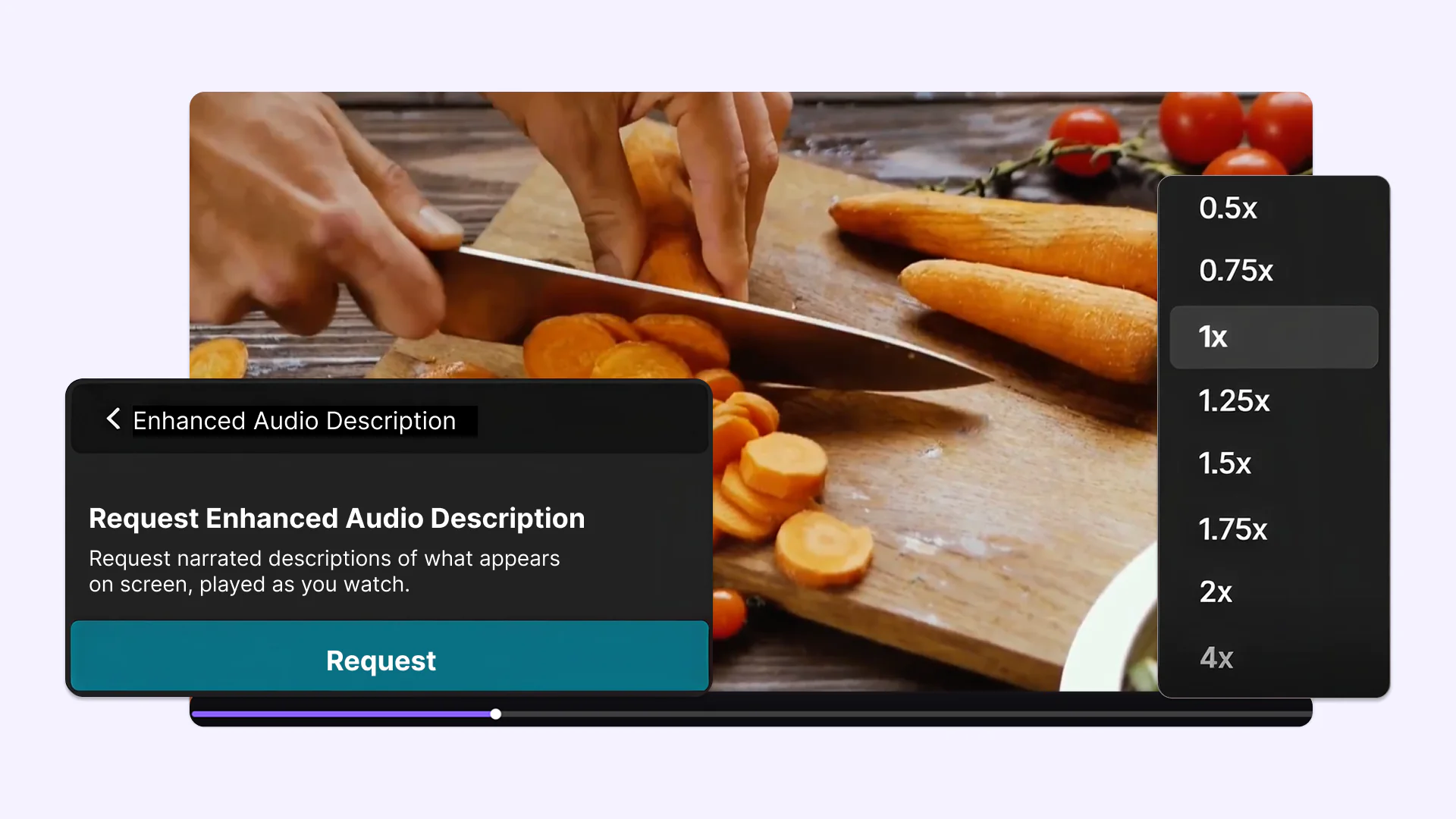
Expanded controls for Enhanced Audio Descriptions have been added to YuJa Lumina, allowing users to curate accessible video experiences for native videos and inline YouTube videos according to their needs.
New features include:
-
Replay EAD at custom speeds: Viewers can replay Enhanced Audio Descriptions at a tailored pace that suits their learning style, which can replay at a rate independent from the video’s playback speed.
-
Generate EAD with inline YouTube videos: Instructors can upload audio descriptions or generate EADs with AI for inline YouTube videos, helping mirror the accessibility features that can be applied to native YuJa Lumina videos. The video pauses during each description and resumes automatically, including in video quizzes, supporting learners who rely on audio descriptions to follow YouTube content.
-
More comprehensive AI-generated audio descriptions: EADs now cover videos from start to finish, giving viewers who are blind or have low vision additional context on the colors, settings, and layouts that appear on screen.
-
-
Personalize automated captions to match your institution’s unique vocabulary with Custom Terms
YuJa Lumina is introducing new configuration settings for automated captions, allowing users to generate captions in bulk with improved accuracy using a more streamlined process.
Users can now:
-
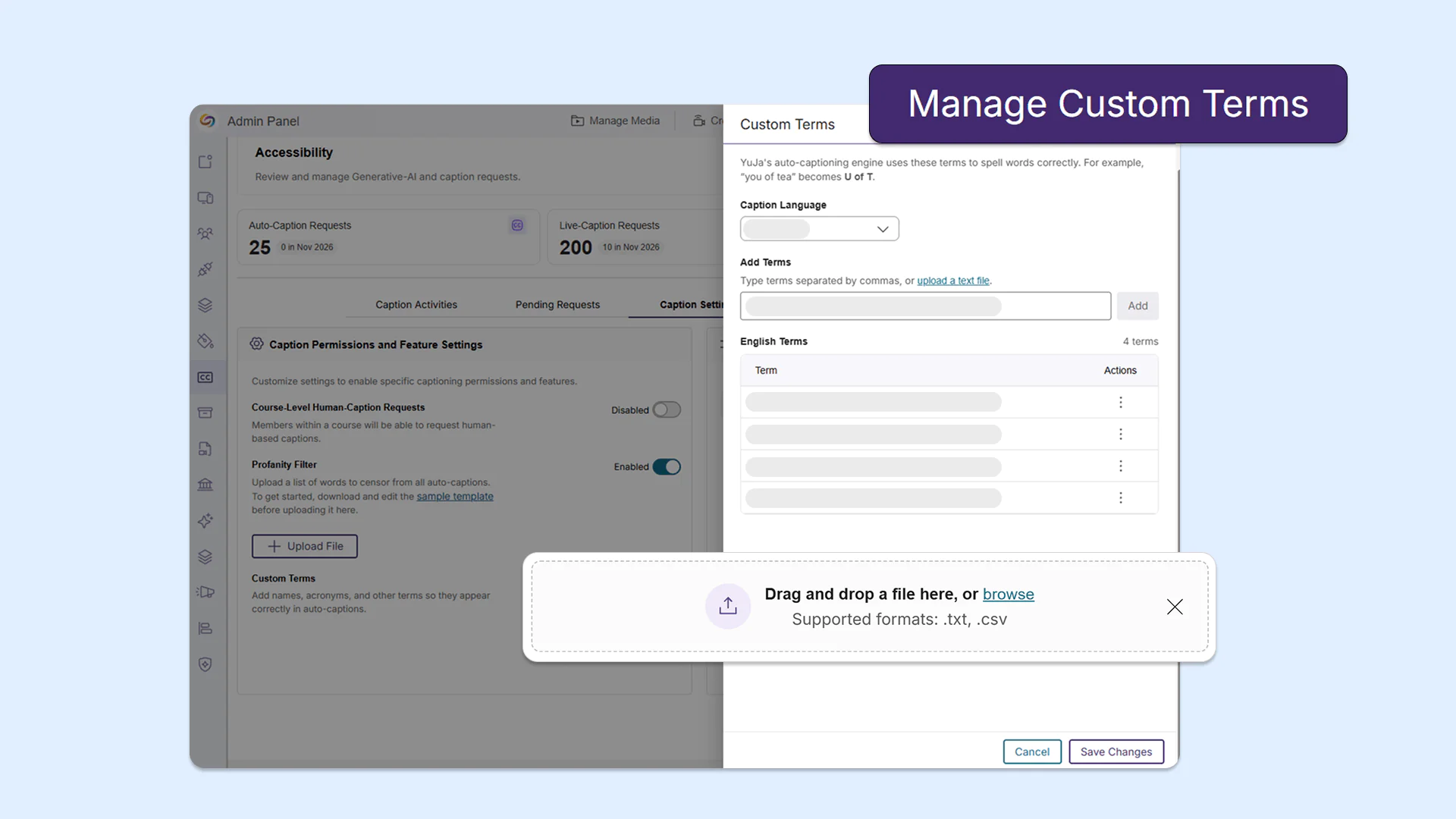
Establish custom vocabulary terms: Administrators can add terms specific to their institution, such as names, acronyms, buildings, and course codes in the Custom Terms tab of the Admin Panel. Terms can be manually entered, or uploaded from a .txt or .csv file, which reduces manual editing and keeps spelling consistent across an institution’s videos.
-
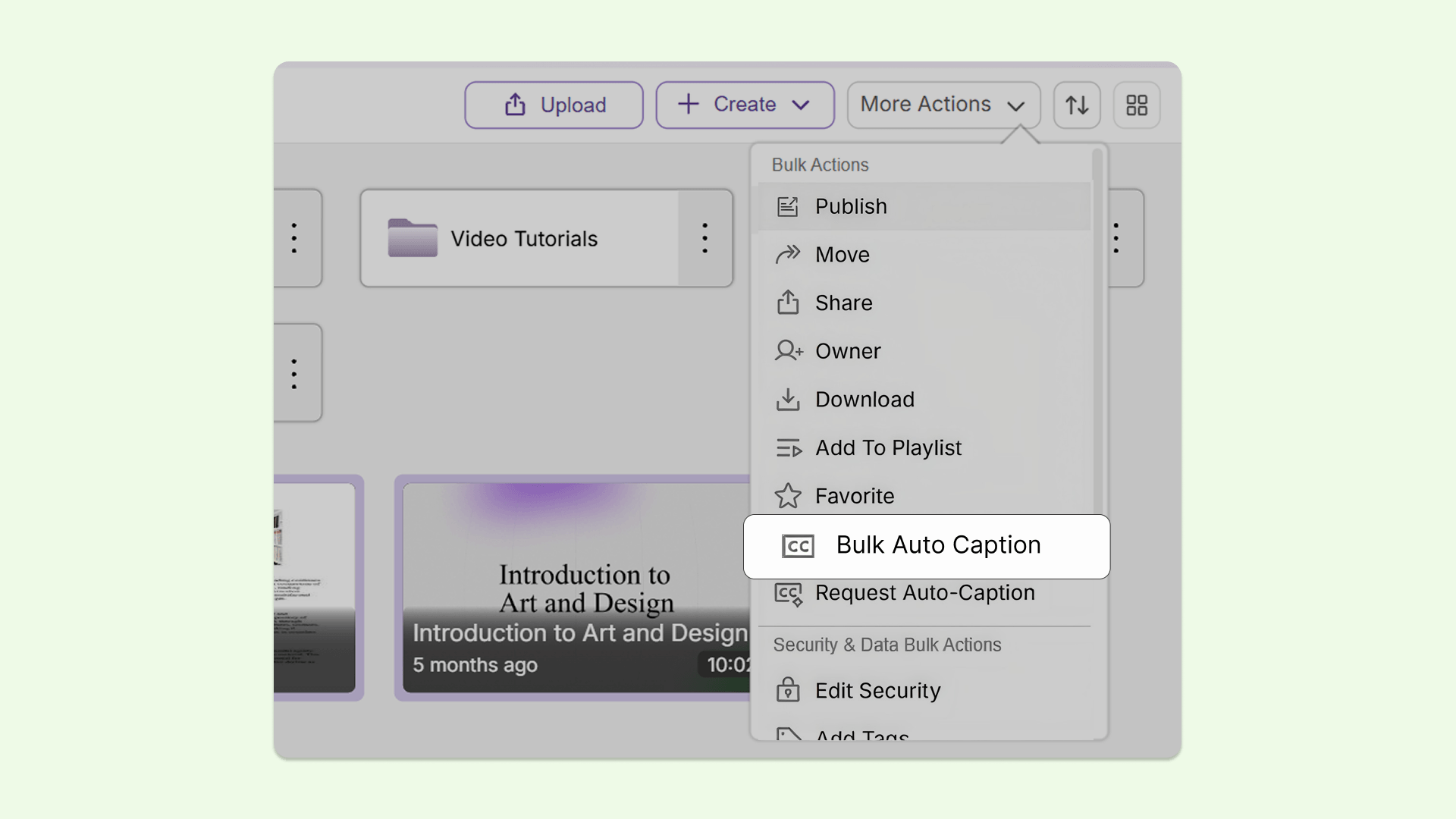
Request captions in bulk from More Actions: Admins and instructors can request auto-captions directly from the Media Library for several videos at once using the More Actions dropdown menu, saving time from opening each video individually.
-
-
Automatically align the YuJa Lumina platform to your institution’s brand and identity with new AI-powered tools
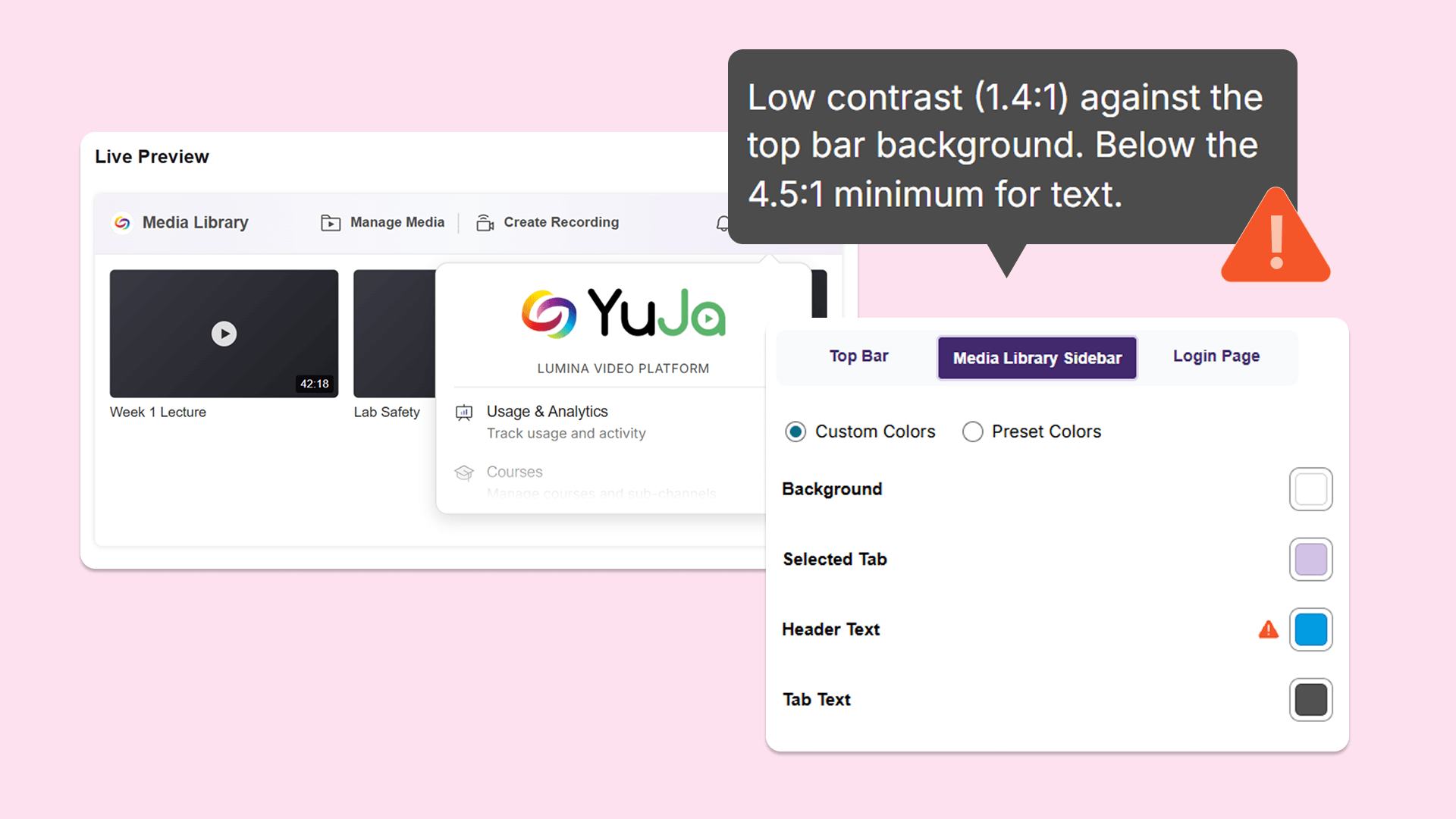
YuJa Lumina is providing admins with a new button that uses AI to transform their platform’s color theme to match their institution’s colors, a Live Preview tab, and the ability to see if any selected custom colors are not compliant with accessibility standards.
-
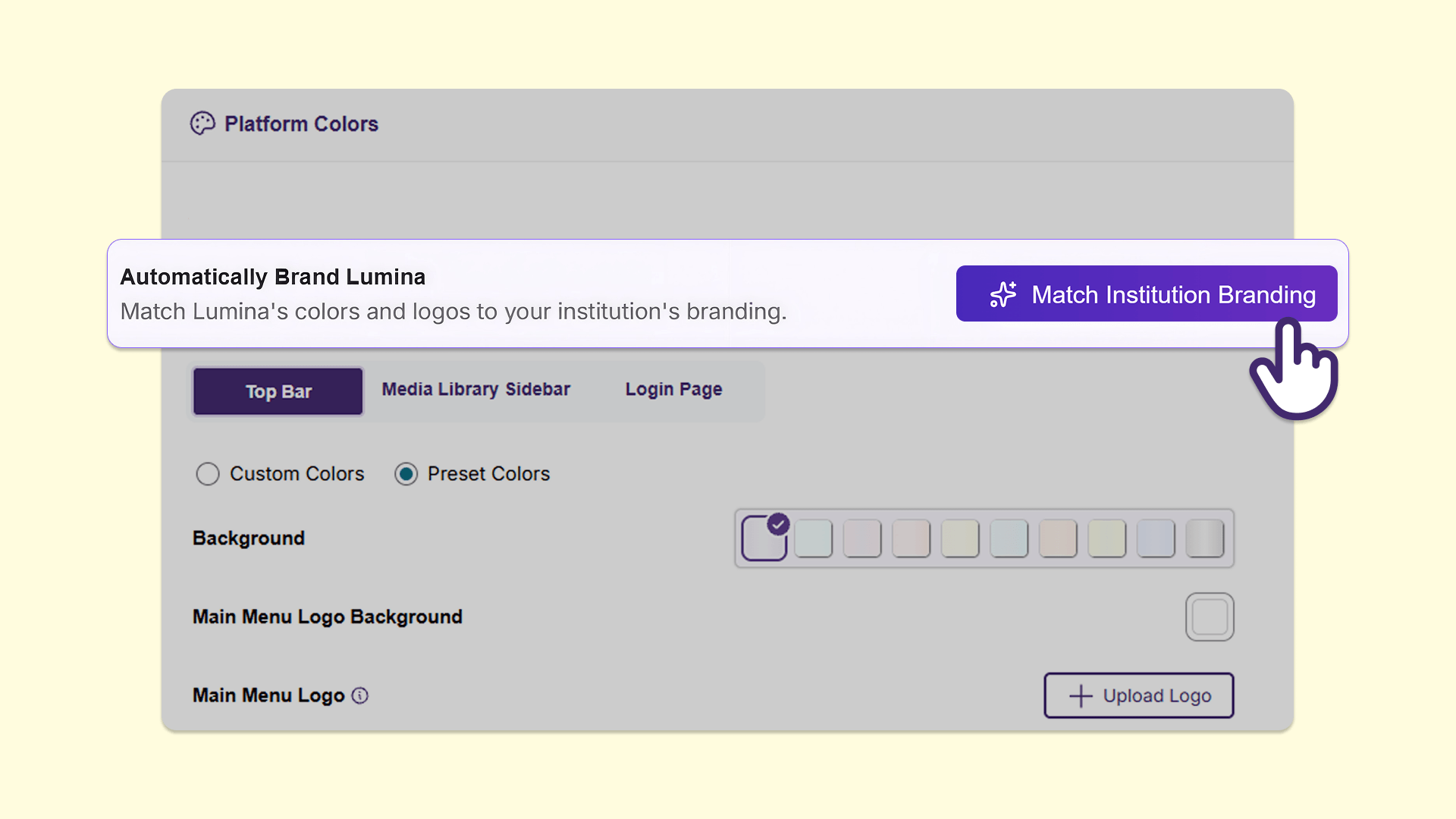
Transform your platform’s look with the click of a button: Administrators can now automatically give their YuJa Lumina platform a look that matches their institution with the new Match Institution Branding button found in the Branding page, and Platform Colors card within EnterpriseTube Settings. This AI-powered feature reads the institution’s website and applies matching colors to the platform’s main menu logo, login logo and background, and EnterpriseTube site header logo, reducing manual work for administrators.
-
See how the platform will appear to users before publishing changes: The new Live Preview tab in the branding page illustrates how color and branding changes will appear to users once they are applied to their platform, giving administrators peace of mind before making changes live.
-
-
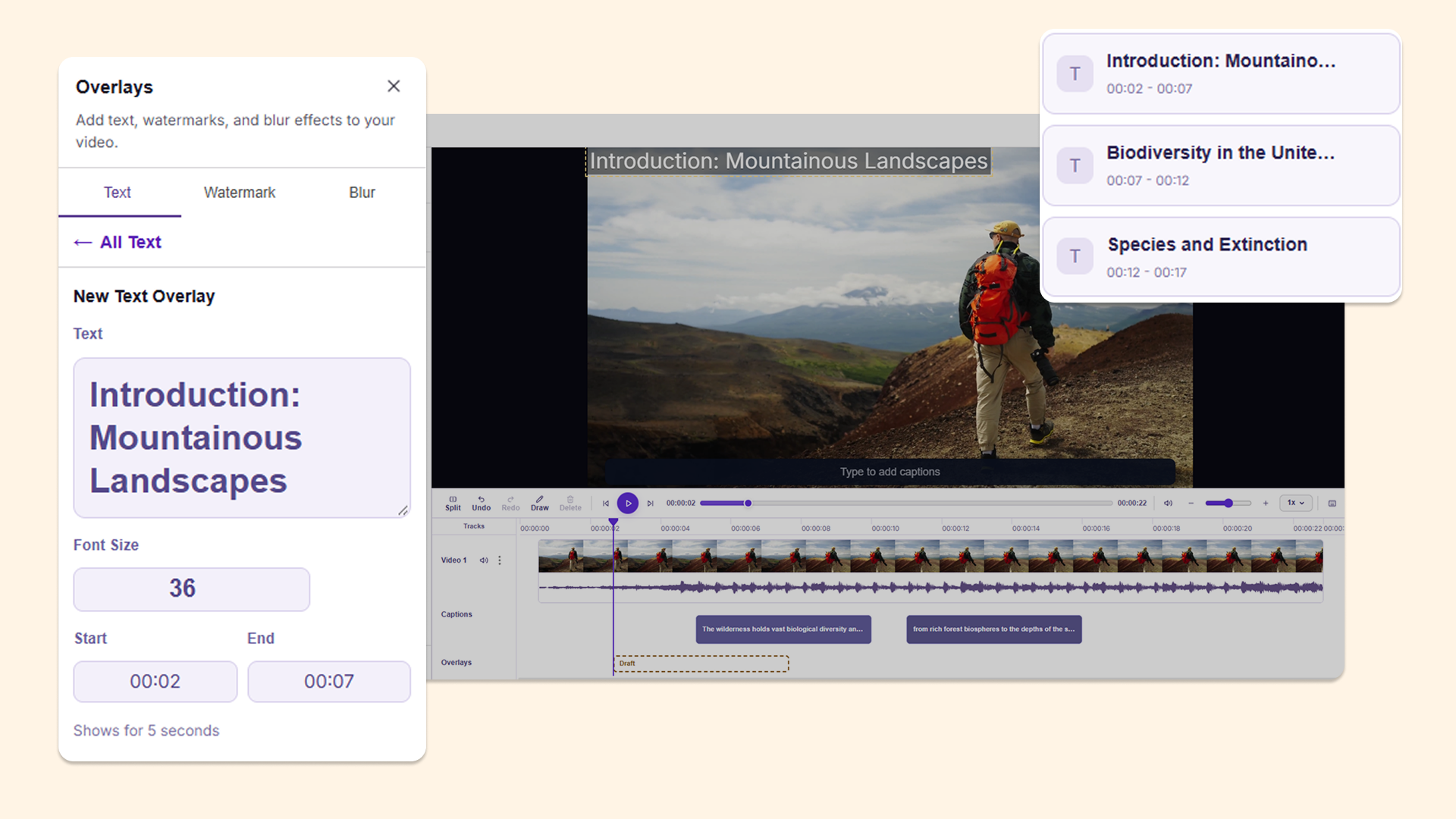
Edit multiple layers of text with confidence using a clear-cut overlay workflow in the Video Editor
Instructors can now track changes to their video text with greater ease in the Video Editor so they see exactly when an overlay change is applied. Additionally, text overlays are clearly editable as drafts with Cancel, Add to Video, and Apply Changes buttons, which make the process of working with several overlays at once well-organized.
-
Take charge of user permissions and platform settings with new Admin Panel capabilities
YuJa Lumina is rolling out various updates to the Admin Panel to provide administrators a clearer view of their changes and faster access to the settings they manage most in roster management, video qualities, and caption type access.
The following updates have been added:
-
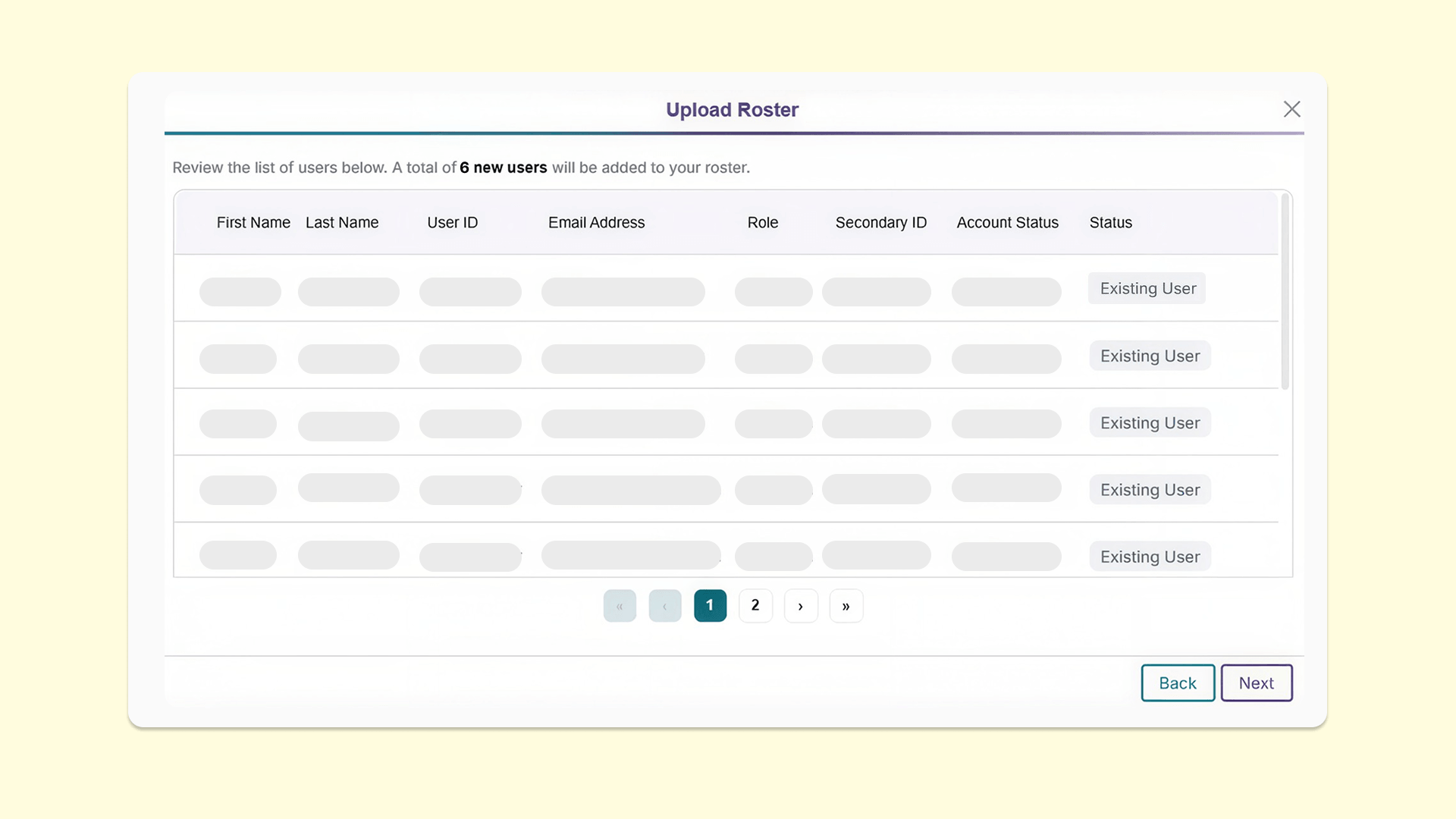
Preview roster uploads before importing: Administrators can now view whether each roster entry is a new user, an existing user, or an invalid entry in a neat table format before anything is saved. This functionality helps ensure accurate and unduplicated user entries when institutions are onboarding and managing users.
-
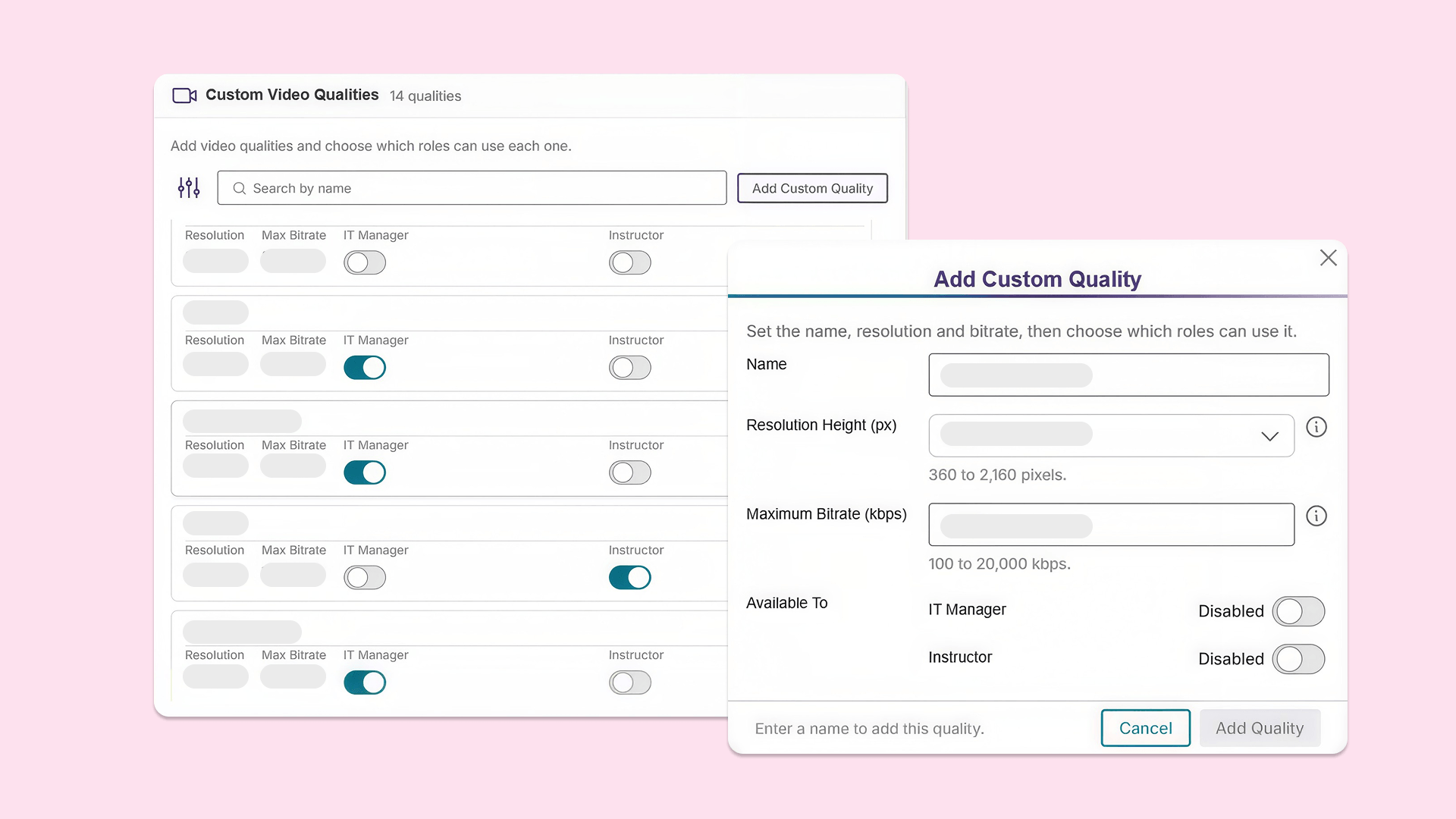
Manage custom video qualities easily: Administrators can now add or remove custom video qualities in an easy-to-read table format with search, filters, and scrolling, allowing them to configure custom video qualities quickly.
-
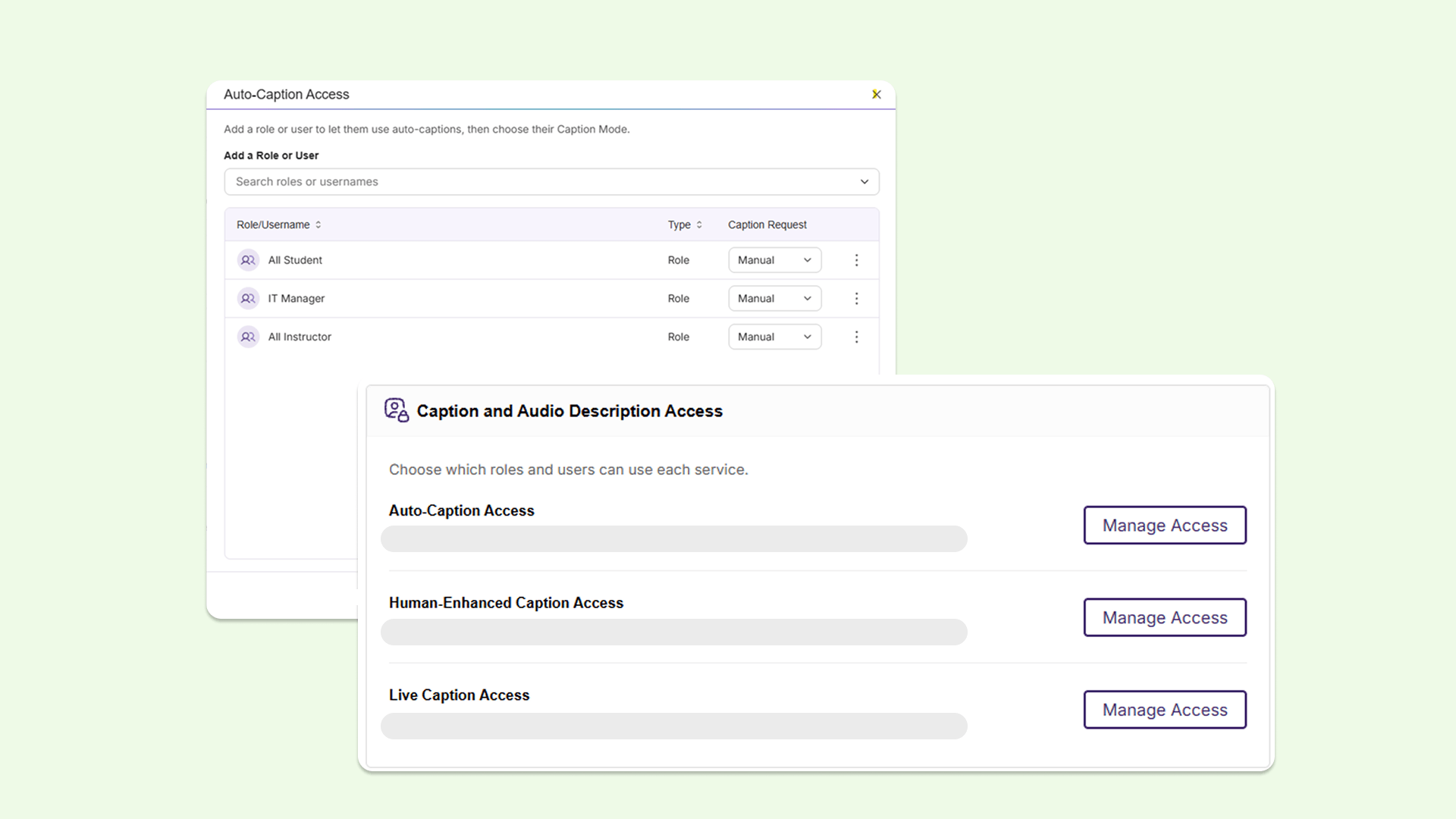
Control access to captioning from one place: Administrators can now manage which roles and users can access each captioning and audio description service directly from a new Access Permissions tab under the Admin Panel. The tab helps administrators manage accessibility permissions in an orderly manner, with clear labels on pending changes and the ability to undo or recover edits before saving.
-
-
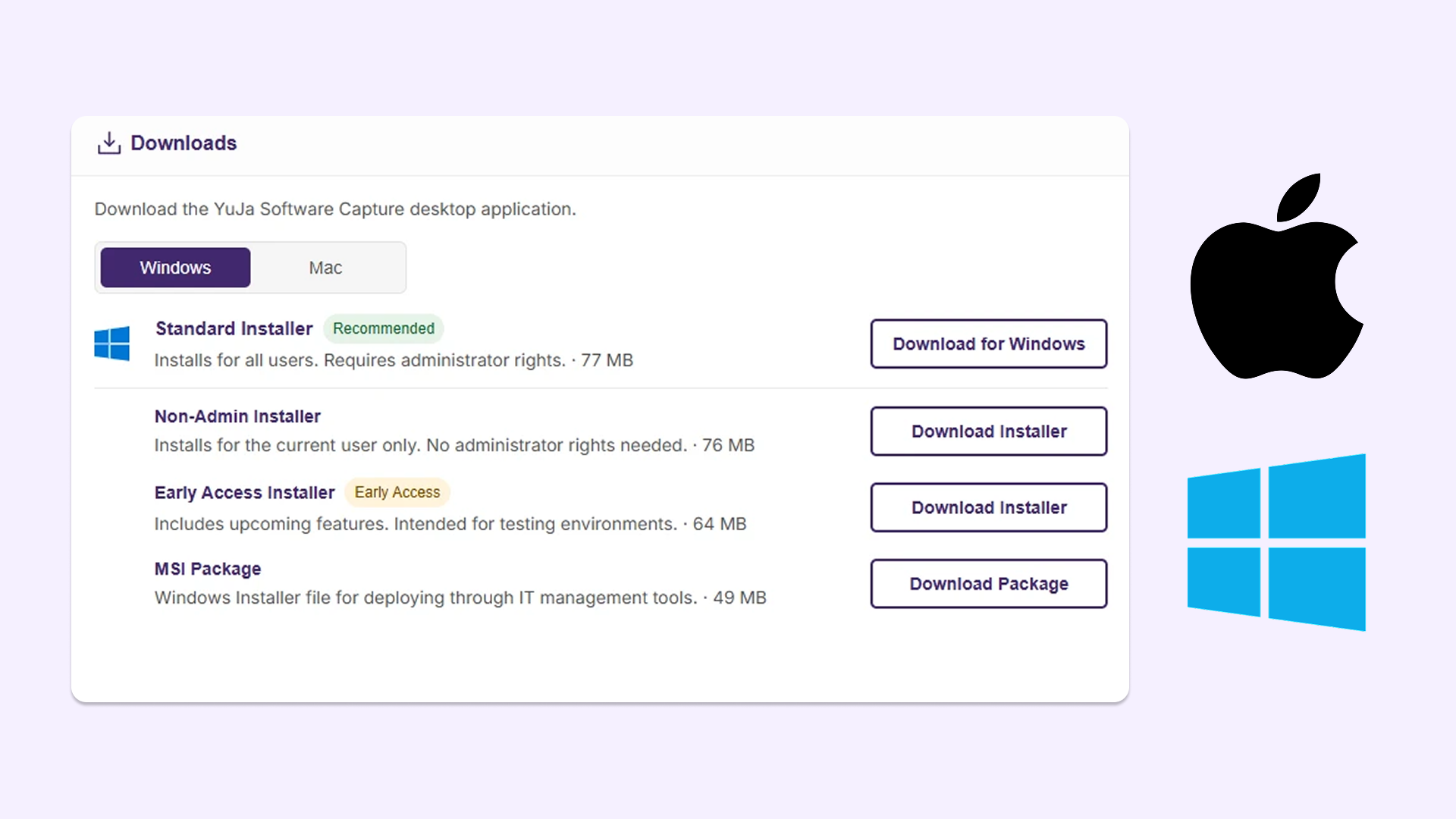
An easier YuJa Software Capture download experience with clarified download buttons
Users can now install YuJa Software Capture with ease using an organized Downloads card in YuJa Lumina’s configuration settings. The newly designed card neatly groups Windows and Mac tabs, emphasizes the recommended installer, and provides a succinct description for the uses of other options.
-
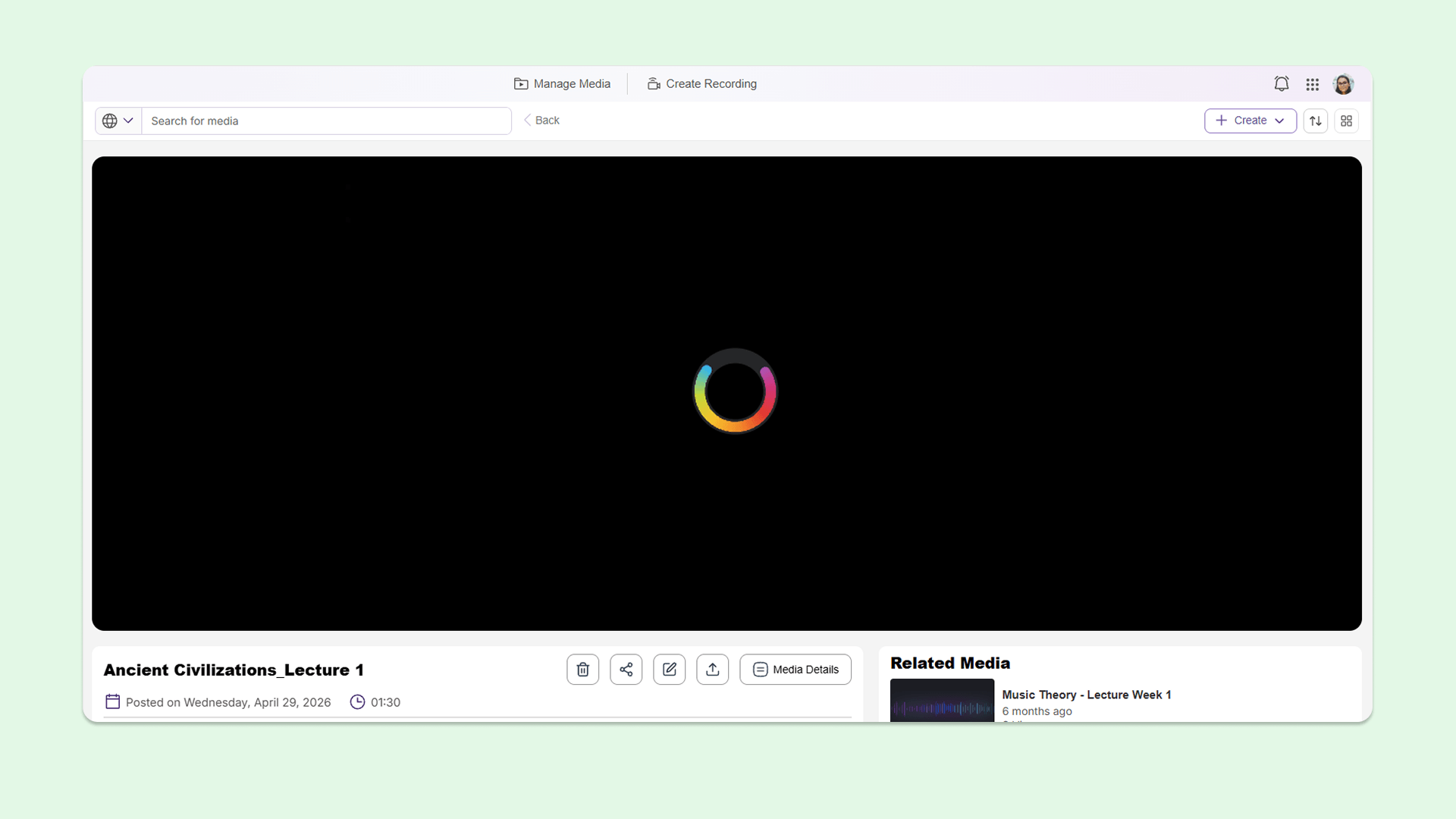
A smoother, uninterrupted video playback experience with a new high-contrast loading indicator
The video playback experience has been upgraded to eliminate loading gaps and confusion for users when they start any video. When videos are opened from the Media Library, YuJa Lumina now displays a high-contrast loading spinner, clearly indicating to the user that the video is about to start regardless of the contrast of the background, preparing them to dive straight into content.
-
Manage devices easily with a clearly displayed MAC address on the YuJa Hardware Hub
The YuJa Hardware Hub now indicates its MAC address on the front display, offering users clear insight into the technical specifications needed for device management at a glance. Users no longer need to look for the MAC address and can register the Hardware Hub on their institution’s network and start recording faster.