









The University of Alabama at Birmingham Partners with YuJa to Strengthen LMS Accessibility
February 27, 2026
Boost Video Accessibility with the GenAI Video PowerPack!
Try Now
Supercharge Your Compliance Efforts with AutoPilot Remediation Max!
Try Now
Strengthen Your PDF Accessibility Efforts with Structural Remediation Max!
Try Now
Don't Miss Any of Our Upcoming Webinars—Save Your Spot!
Register
The YuJa Community is here! Connect, get updates, and access exclusive content.
Join Now

An institution’s LMS is the vehicle for delivering content to learners. YuJa Panorama integrates seamlessly with all major LMS platforms, including Canvas, Blackboard, Moodle, and D2L Brightspace.
Scrolling logos of YuJa’s clients such as SUNY Corning, University of Cambridge and University of Calgary, etc.
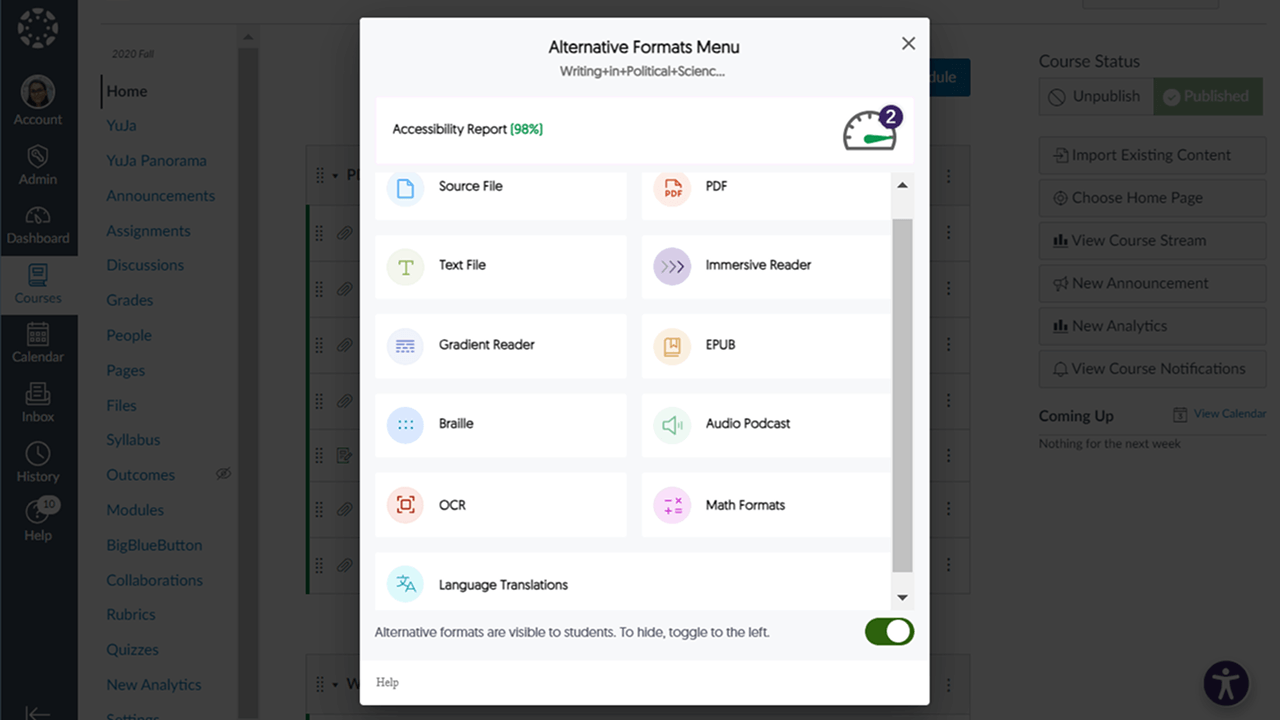
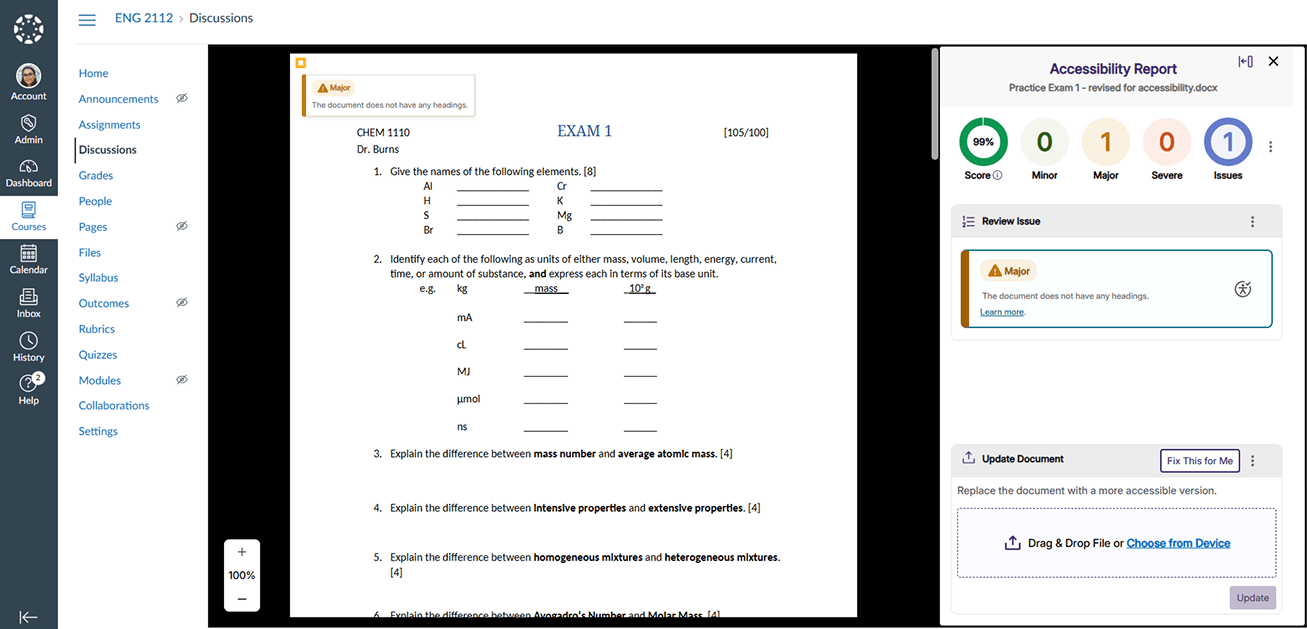
YuJa Panorama allows course creators, instructors, and students to view and fix accessibility issues and access content directly within the LMS. Users can see a file-by-file accessibility gauge, view the severity of issues with color-coded icons, replace files, select from 110+ languages, and extract math equations from documents, all without ever leaving the LMS.
Work within your existing institutional infrastructure with native integrations across presentation software, learning management systems, and authentication platforms. Features direct LTI integration with automatic gradebook sync for all major LMSs, Microsoft PowerPoint and Apple Keynote add-ons with full feature parity, and enhanced Single Sign-On security with ADFS integration.




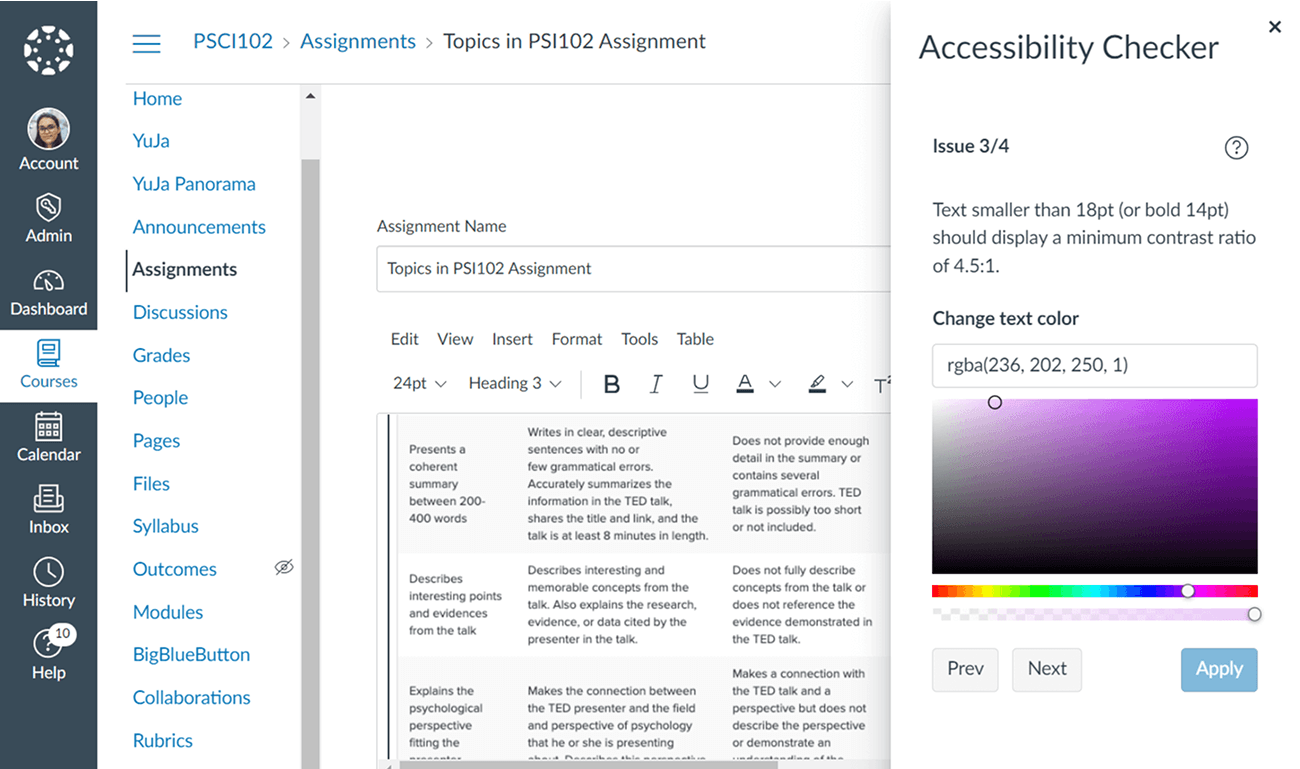
Content created and embedded in the HTML WYSIWYG Editor is analyzed and assigned an Accessibility Score to help ensure that content meets the highest accessibility standards. Instructors receive intuitive, real-time feedback on the accessibility of their original so they can remediate accessibility concerns on the spot.


While the institution initially started with the YuJa Enterprise Video Platform, it has added the Panorama LMS Accessibility Platform and Test Proctoring to its suite of products. YuJa Panorama is a tool that improves the accessibility of digital media and course content. It ingests, inspects, and converts files to various formats, and can do the same with audio.
Read the case study
Streamline course setup with the ability to copy course settings between courses. Instructors and administrators can replicate settings from one course to any available course to maintain consistency and standards as courses are created. Get courses up and running more quickly while still upholding standards with efficient course management tools.
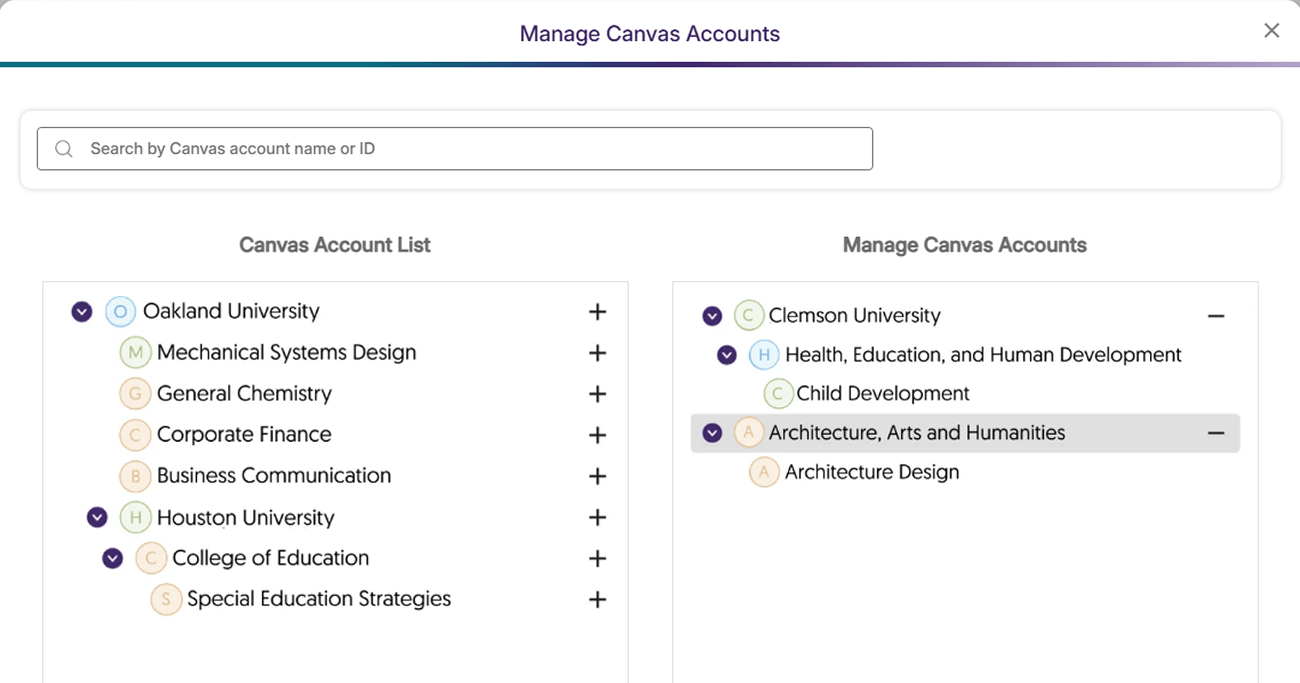
From system-wide implementations to department-specific controls, administrators can manage accessibility tools, permissions, and reporting across every level of their organization. YuJa Panorama automatically syncs with existing LMS organizational structures, eliminating manual hierarchy management. The platform updates within 24 hours of any LMS hierarchy changes, ensuring accessibility tools and permissions always reflect the current institutional structure.
Manage permissions and access through intuitive roster management tools. These tools let you assign and adjust roles from admin to instructor levels, ensuring everyone has the access they need. Administrators can see users, adjust, add, or remove roles, and lock their status from their dashboard.
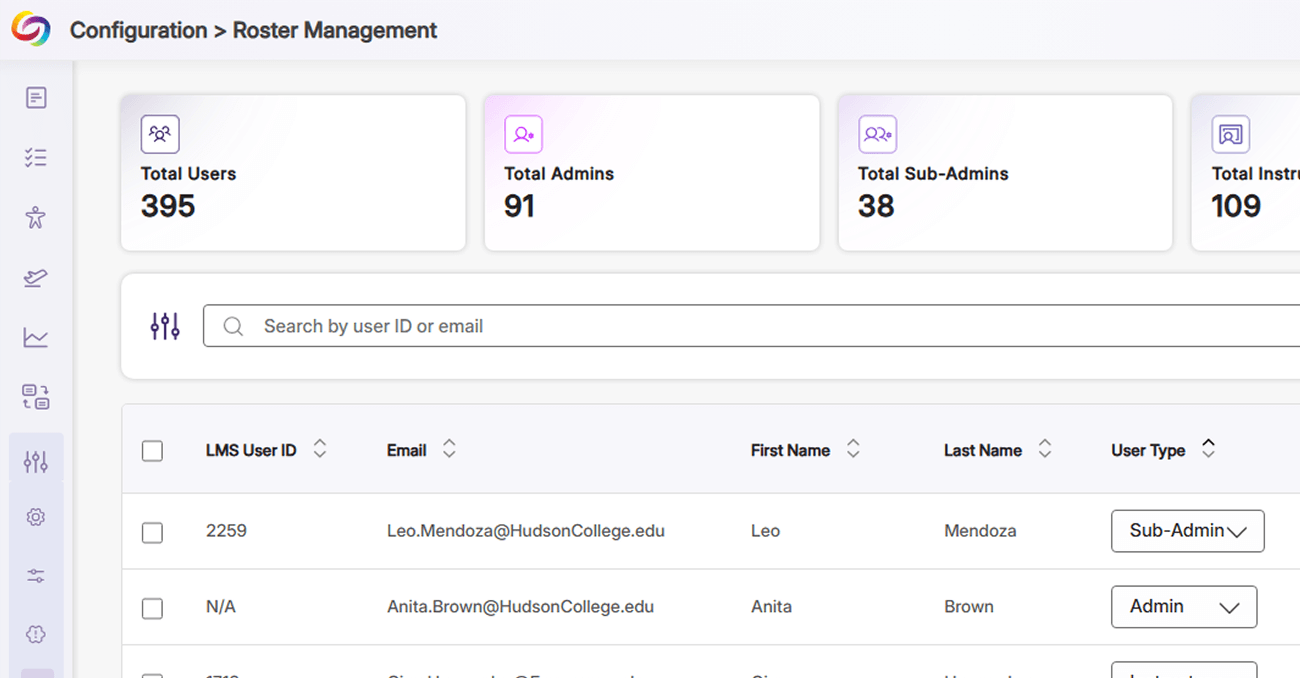
Administrators can assign sub-organization or sub-admin roles, enabling oversight of specific institutional units. This allows system administrators to delegate management while maintaining control over which reports and features each sub-admin can access within their assigned accounts.
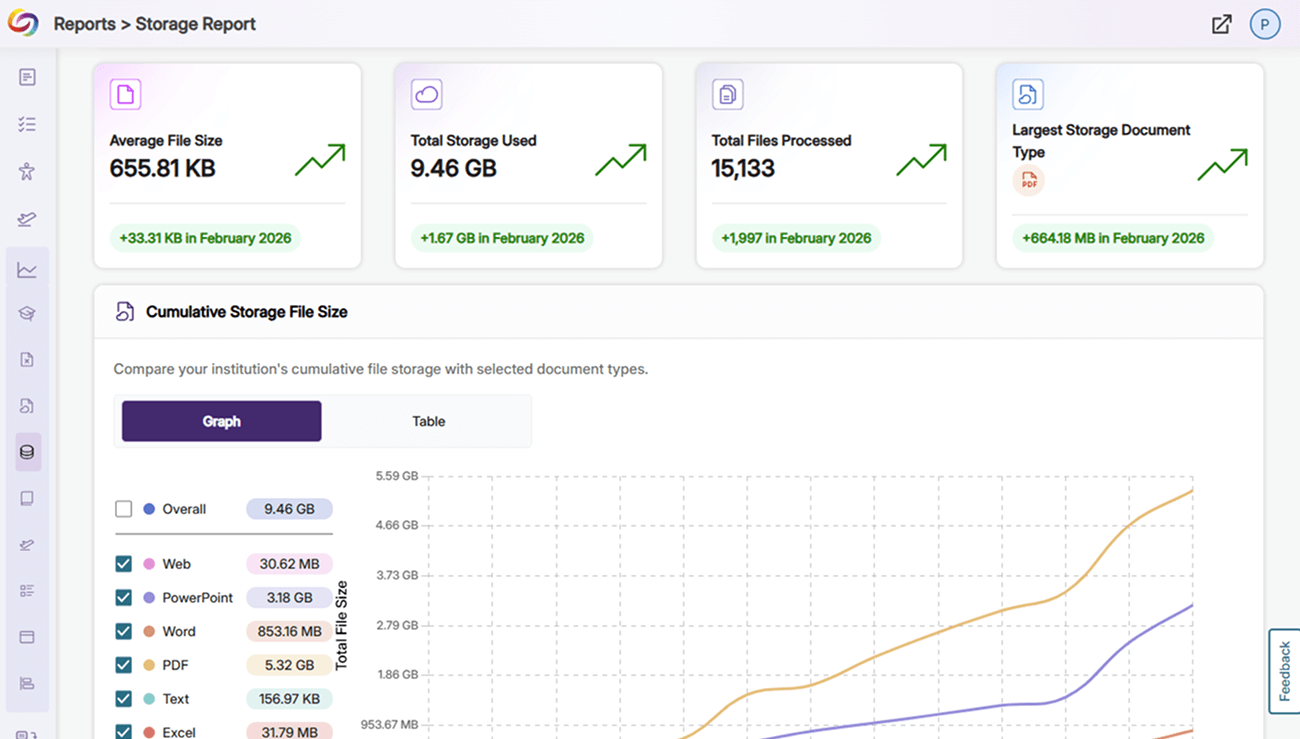
YuJa Panorama’s Storage Report enables administrators to manage storage usage institution-wide or at the sub-account level. The report shows a breakdown of file sizes, document types, and total storage used to help institutions see departmental and campus storage use at a glance.
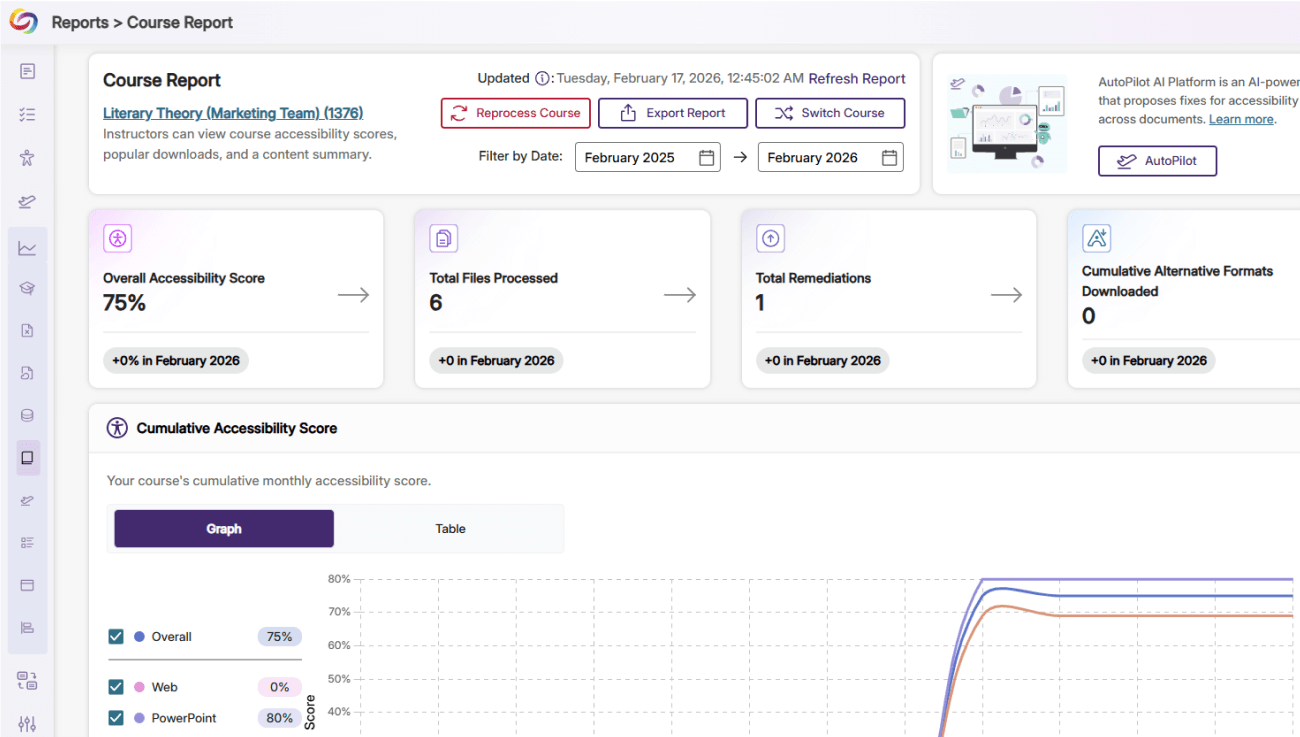
Gain actionable insights into accessibility with YuJa Panorama’s reporting tools. Administrators can filter by sub-account, department, or term, providing clear visibility into scores, usage patterns, and areas for improvement. Targeted reporting ensures that your institution can track and enhance its accessibility progress.
Download the PDF >
Download the PDF >
Visit the page >
February 27, 2026
Join the 1,000+ Organizations Deploying High-Impact Solutions