










Online
Mar 12, 2026
Boost Video Accessibility with the GenAI Video PowerPack!
Try Now
Supercharge Your Compliance Efforts with AutoPilot Remediation Max!
Try Now
Strengthen Your PDF Accessibility Efforts with Structural Remediation Max!
Try Now
Don't Miss Any of Our Upcoming Webinars—Save Your Spot!
Register
The YuJa Community is here! Connect, get updates, and access exclusive content.
Join Now

YuJa Structural Remediation Max uses a blend of intelligent automation and human-centric review to help transform even the most complex PDFs into WCAG-aligned, fully structured, accessible documents.
Scrolling logos of YuJa’s clients such as SUNY Corning, University of Cambridge and University of Calgary, etc.
Structural Remediation Max uses advanced AI to detect and repair complex PDF accessibility issues, eliminating hours of manual remediation work. From scanned documents to malformed files, our AI-powered engine handles structural tagging, reading order optimization, and semantic markup instantly.
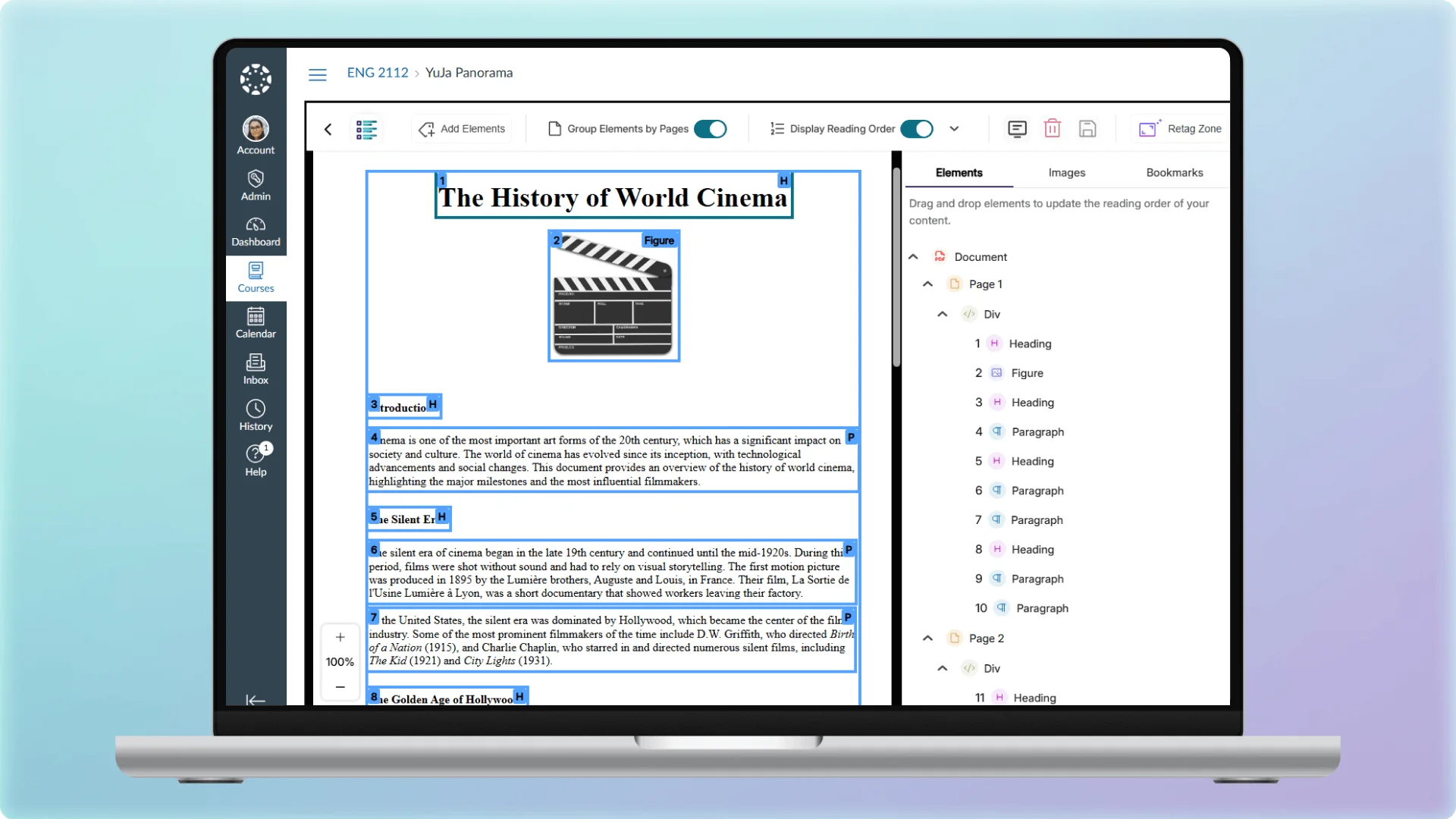
Our tools provide an advanced suite of remediation capabilities designed to enhance document accessibility, structure, and readability, empowering institutions to deliver compliant, user-friendly content at scale with significantly reduced manual effort.
 Auto-Regenerate Documents
AI automatically regenerates your entire document structure in one click, helping ensure screen readers can access content in the correct reading order. Advanced zone detection handles complex layouts, multi-column designs, and nested content to eliminate hours of manual tagging.
 AI Alt Text
Generate AI-powered alt text suggestions automatically, then refine as needed to match your content’s context and tone. Quickly add descriptive alternatives to PDFs, which make visual content accessible to screen readers and assistive technologies.
 Intelligent OCR
Turn scanned documents and image-based PDFs into accessible content automatically. AI-powered OCR extracts text and structure, repairs problematic files, and creates properly tagged documents that work with screen readers. AI automatically detects and structures tables with semantic meaning for assistive devices.
 Retagging
Accelerate remediation for documents that already have accessibility tags. AI processes structural adjustments on previously tagged PDFs, reducing wait times and improving workflow efficiency for updates and refinements.
 Granular Tag Control
Add new and merge overlapping tags into cleaner document structures for granular control when needed. Create complex accessibility structures like lists, or split text blocks into proper heading hierarchies within YuJa Verity.
 Zone Retagging
Whether you need to fix a single section or restructure multiple areas, you can select and retag specific zones of your document to make targeted improvements without regenerating the entire document.
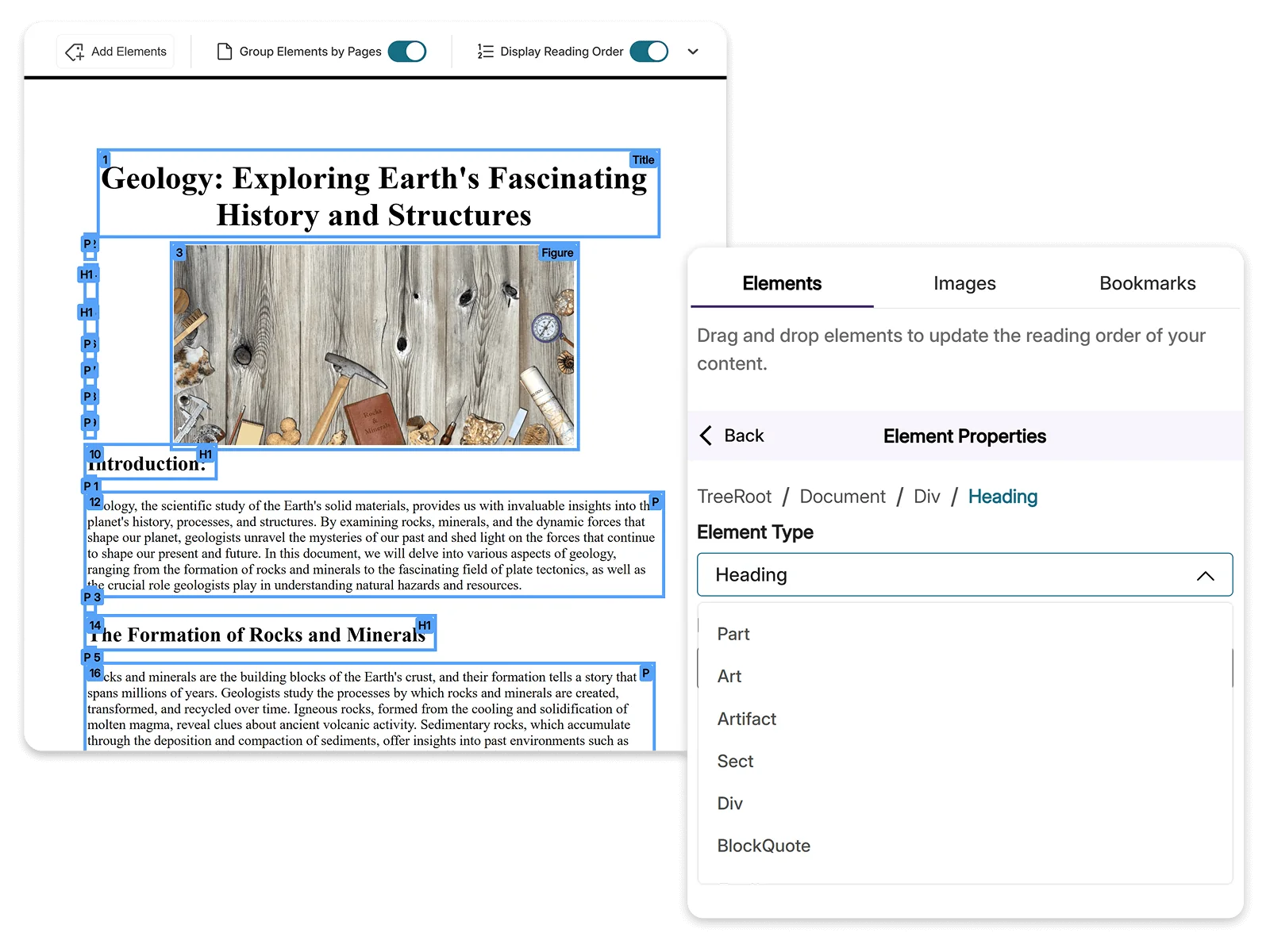
Tagging your PDF provides the essential structure needed to improve accessibility for anyone using assistive technologies. With semantic meaning applied to your content, technology can accurately interpret and present your information exactly as you intended.
Logical structure supports the accessibility of documents to users with disabilities. With the YuJa Remediation Max Engine, users can organize a document’s structure with chapters, headings, paragraphs and sections of special elements like figures, tables, and footnotes.
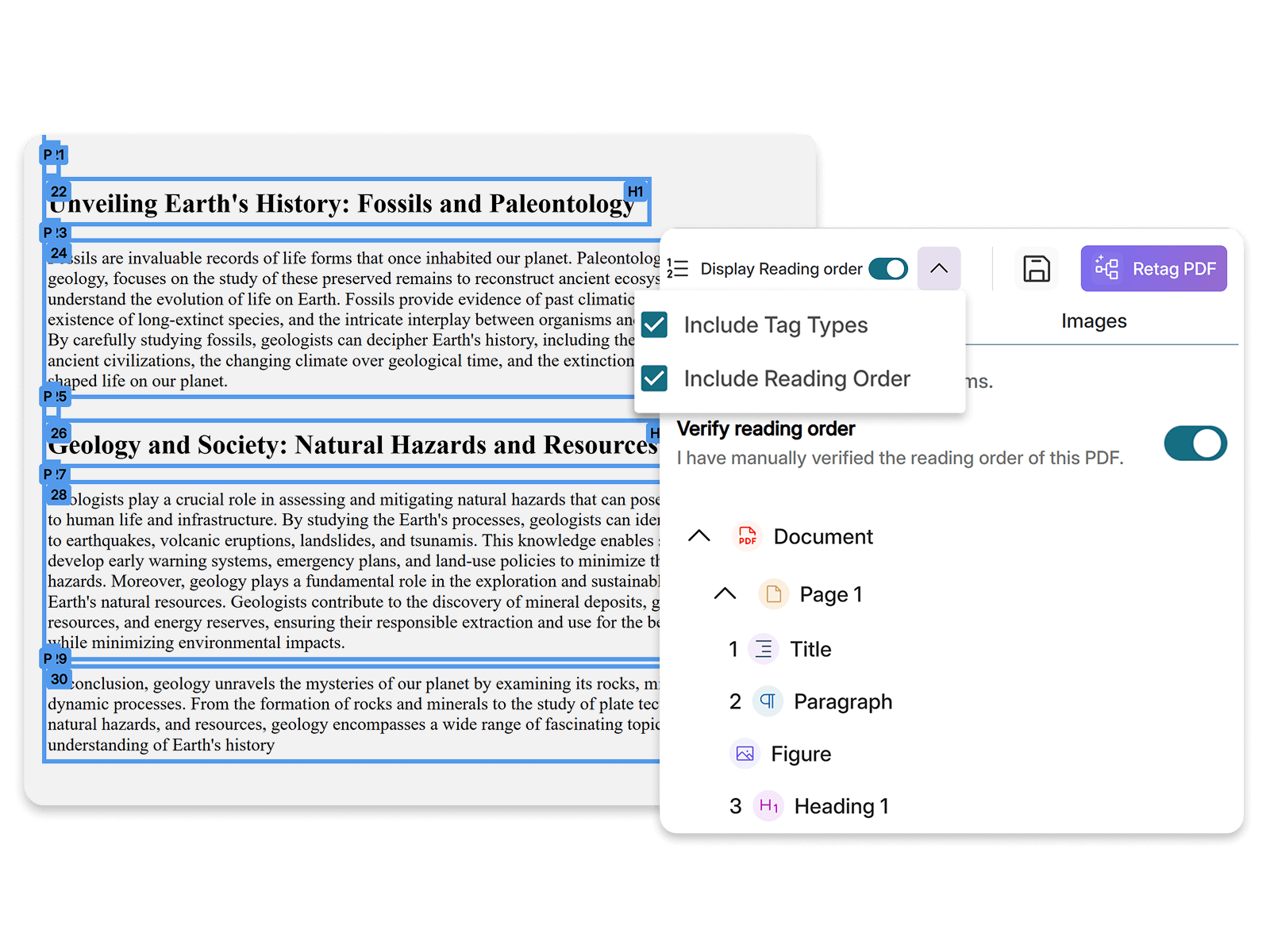
When viewing a document’s structural hierarchy, elements will automatically be highlighted when hovered over, allowing users to easily identify which content they are adjusting.

YuJa Structural Remediation Max targets common PDF accessibility issues, including low contrast, font size, missing alt text, and many more, to help you ensure that your PDFs are fully accessible for all learners.
Automatically detects and corrects low-contrast text and elements to ensure they meet WCAG readability standards.
Improves legibility by adjusting font size, weight, and spacing to meet accessibility best practices.
Identifies missing or poor alt text and provides clear, descriptive alternatives for screen readers.
Adds proper structural tags to PDFs, making documents fully navigable and accessible to assistive technologies.
Ensures every document includes a clear title so users and assistive technologies can understand its purpose.
Converts scanned documents into readable, selectable text and applies structure for compliant files.
AI automatically optimizes reading order so screen readers can navigate content logically, even in complex, multi-column layouts.
AI detects and corrects improper heading hierarchies to help ensure documents have a logical structure that assistive technology can follow.
AI engines automatically detect and structure tables with proper semantic meaning, making rows, columns, and headers accessible to screen readers and assistive tech.

YuJa Structural Remediation Max integrates with Canvas, Blackboard, D2L Brightspace, and Moodle, bringing AI-powered PDF remediation directly into your existing workflows.
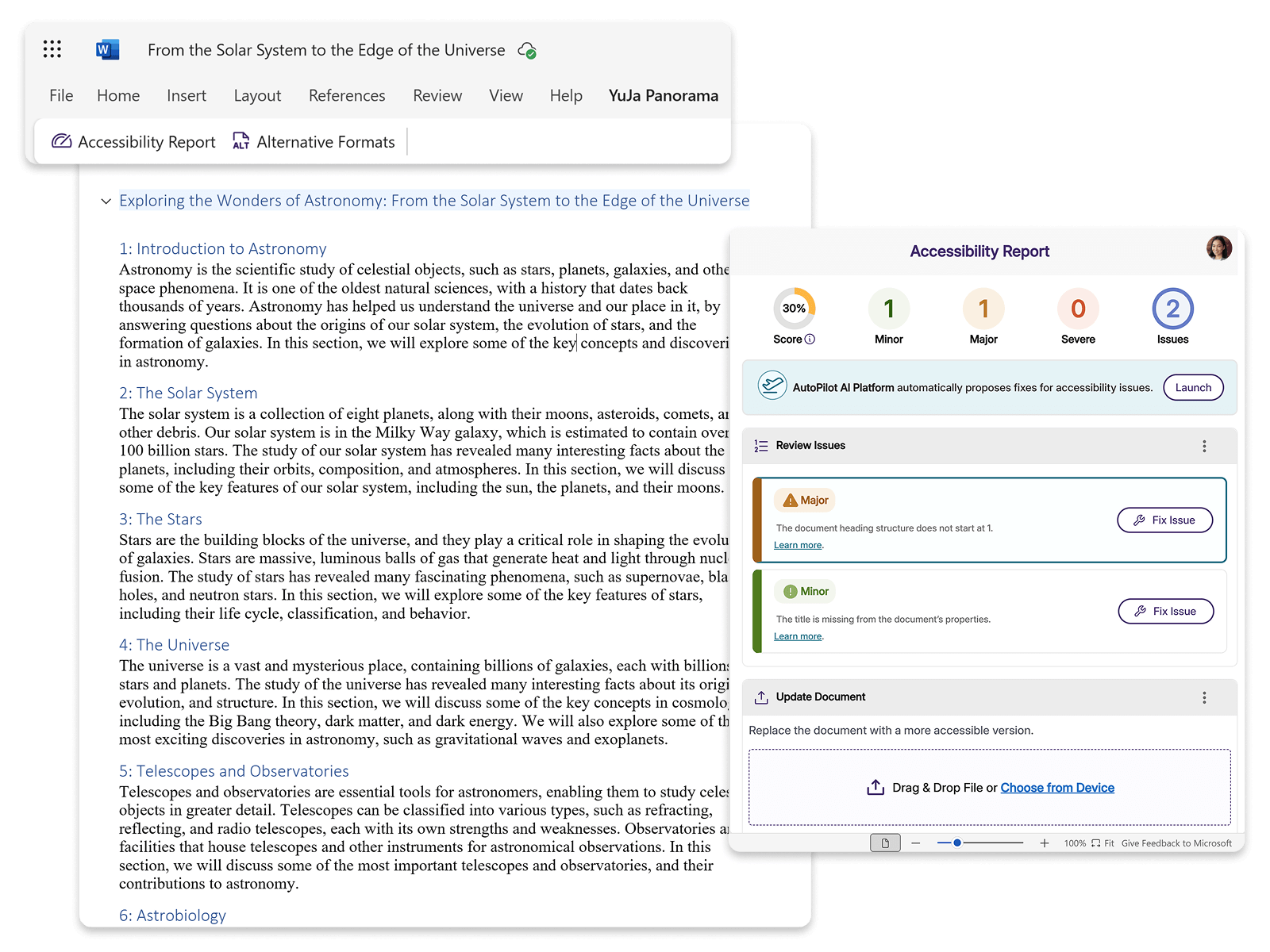
Fix accessibility issues without leaving Microsoft Word. Direct integration brings remediation capabilities into your familiar environment, allowing you to address accessibility concerns as you create and edit documents.
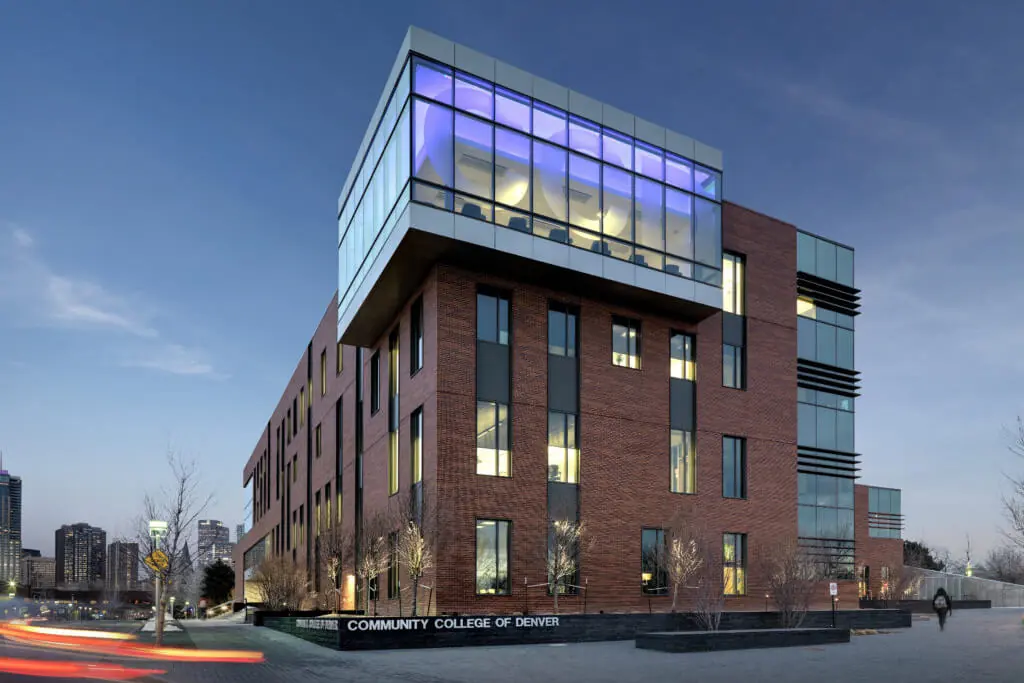

Together, the institutions that form the Colorado Community College System have helped Colorado earn a reputation as one of the nation’s leaders in two-year academic and technical education. CCCS is a national leader in remedial reform, enhancing college success rates for students who need to improve their college readiness.
Read the case studyYuJa offers two AI-powered document accessibility solutions to meet different institutional needs. Standard Document Remediation provides streamlined fixes for essential accessibility issues, while the Structural Remediation Max Module delivers comprehensive AI automation for advanced document structures. Compare the tools below.
| Remediation Capability | Standard Document Remediation | Structural Remediation Max |
|---|---|---|
| The document is missing a title |  |
|
| The item does not have an alternative description | |
|
| Insufficient contrast between foreground text and background | |
|
| The document’s heading structure is not properly nested | – | |
| Check reading order | – | |
| The document heading structure does not start at one | – | |
| The document’s heading structure goes beyond six levels | – | |
| The document is malformed | – | |
| The document is scanned | – | |
| Table does not have a header | – | |
| The PDF is untagged | – | |
| The language set is not specified for this content | – | |
| The document does not have any headings | – | |
Join the 1,000+ Organizations Deploying High-Impact Solutions