Product Updates

Get the latest platform updates, features, and announcements—all in one place.

  • August 18, 2023

    YuJa Panorama Digital Accessibility Platform – “Mount Jasper” Version Released to US, CAN, and EU Zones

    We have successfully pushed an update to all YuJa Panorama Digital Accessibility Platform instances residing in the United States, Canada, and the European Union. This release provides our users with reports for webpage accessibility scanning, a new interface for Website Accessibility, the option to adjust Accessibility Icon colors, unified HTML reporting, map Canvas custom roles to Panorama, the option to scan newly added courses, and more.

    1. New WCAG 2.1-Aligned Webpage Scanning and Reporting To expand on Panorama’s Website Accessibility Widget, the Platform can now perform WCAG 2.1-aligned accessibility analysis on webpages and its linked content.

      Website Administrators can easily view low-scoring webpages within a dedicated table to identify web pages that may hinder students’ learning or compromise an institution’s commitment to website accessibility. In an upcoming release, we will be adding optional, automated domain-level website traversal to provide fully automated scanning of websites which can replace legacy website accessibility scanning tools.Websites shown in the Panorama Webpage Accessibility table.
    2. Refreshed Website Accessibility Interface The Website Accessibility Widget, designed to improve the usability and accessibility of any website, now offers an improved user interface with a tabular view organizing Color Adjustments, Content Adjustment, and Accessibility Profiles. Select any adjustment or Profile to quickly apply an accessible preset or apply custom granular adjustments for accessibility issues such as text color, background color, font sizing, letter spacing, and so much more. Website Accessibility features shown in Canvas.
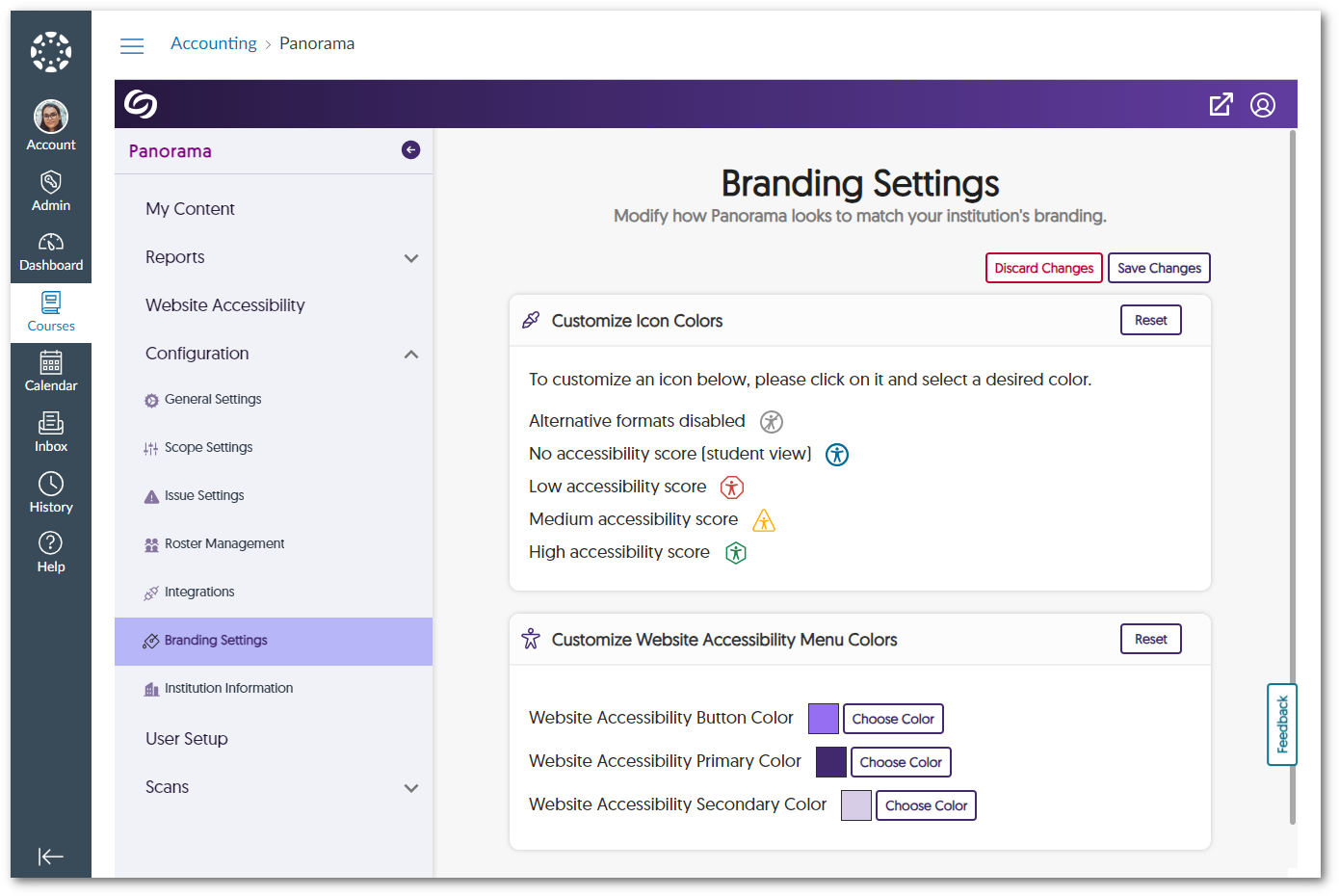
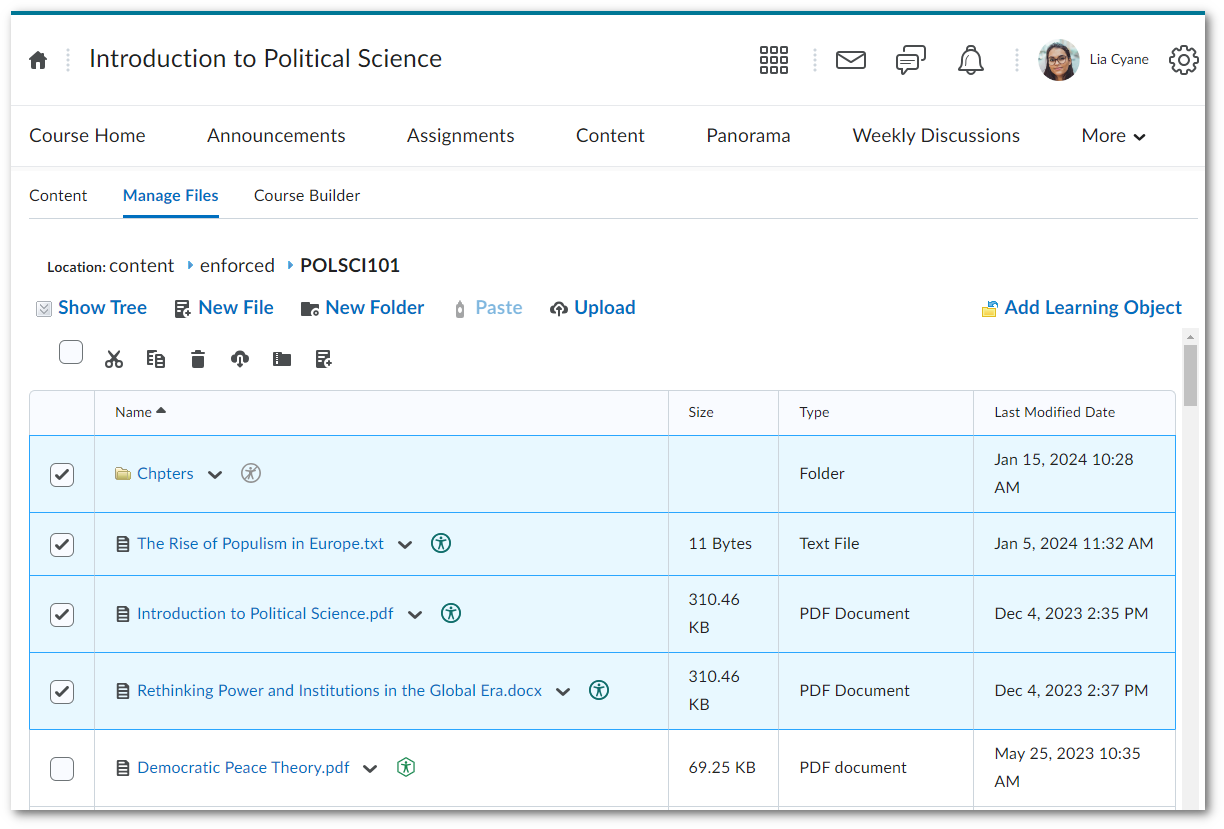
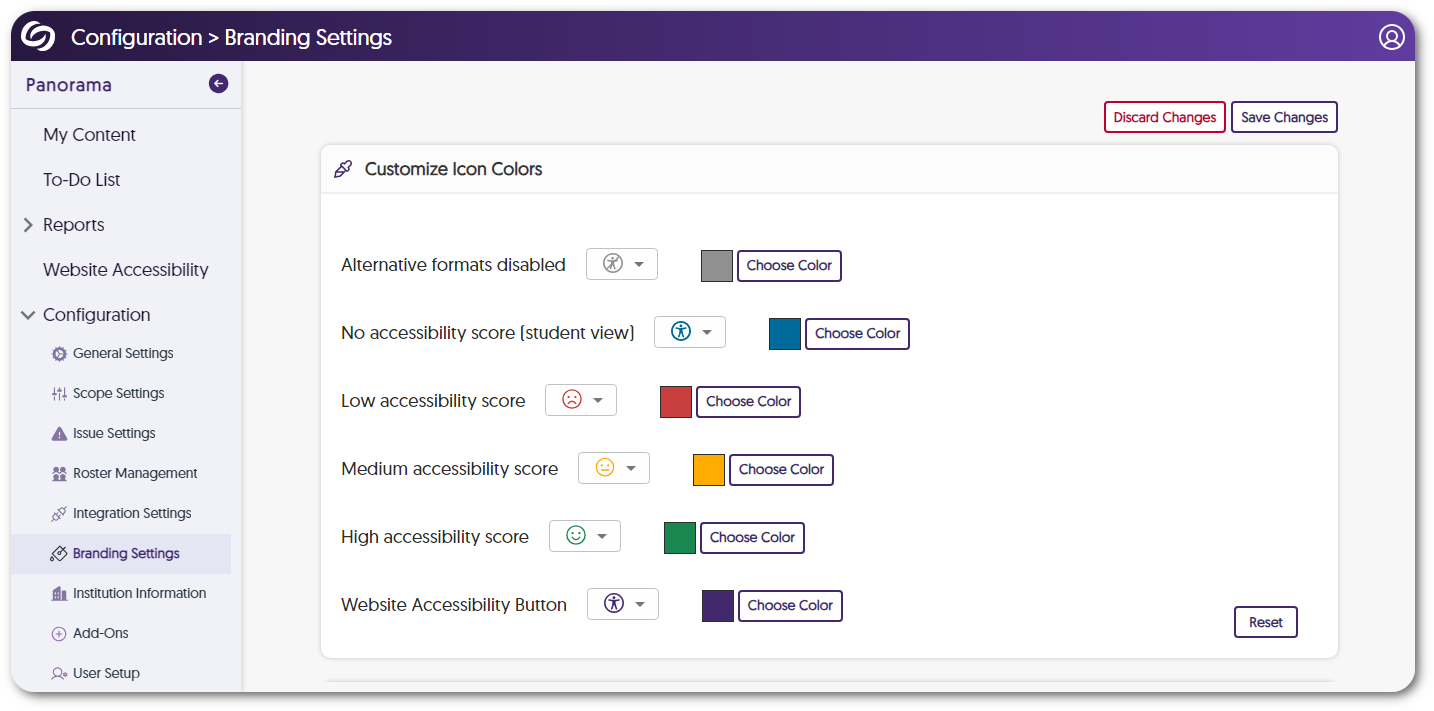
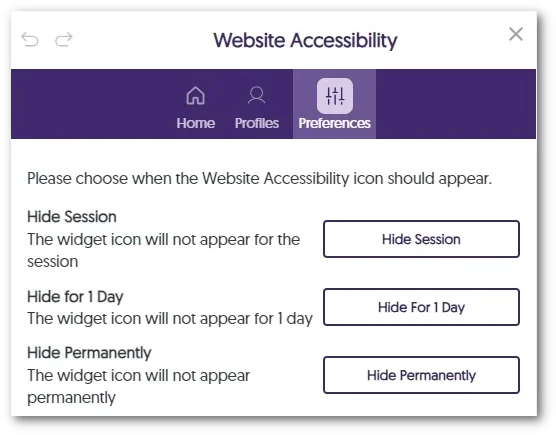
    3. Adjust Branding Colors for Accessibility Icons  Recognizing the diverse branding and accessibility requirements of different institutions, Panorama now offers administrators the flexibility to adjust color preferences for icons. Simply navigate to your institution settings and add any color to the accessibility icons. Accessibility Icon colors are being adjusted.
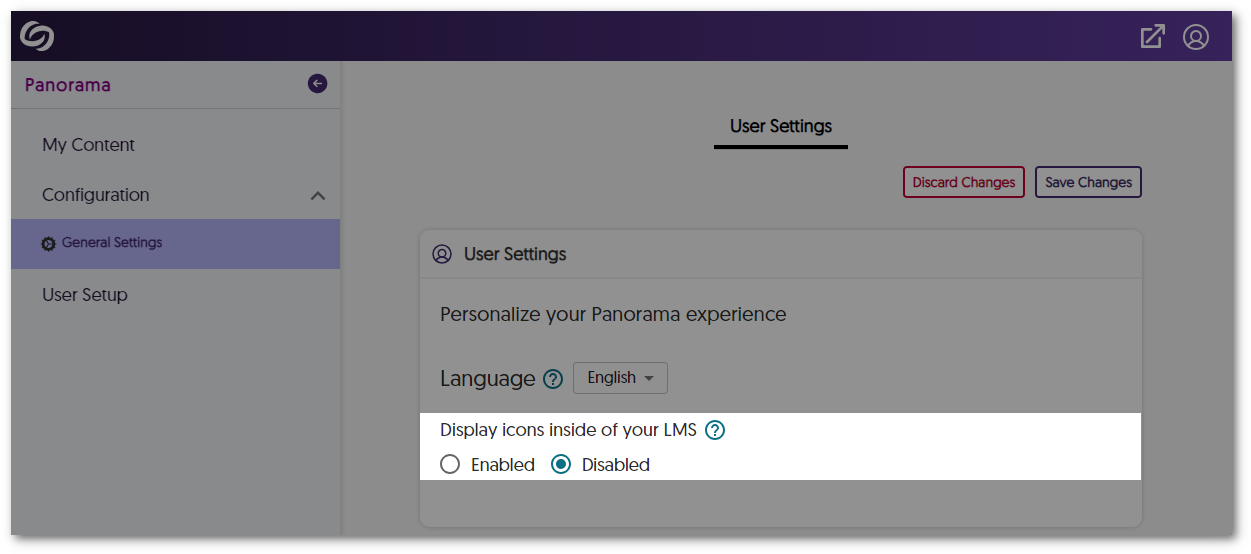
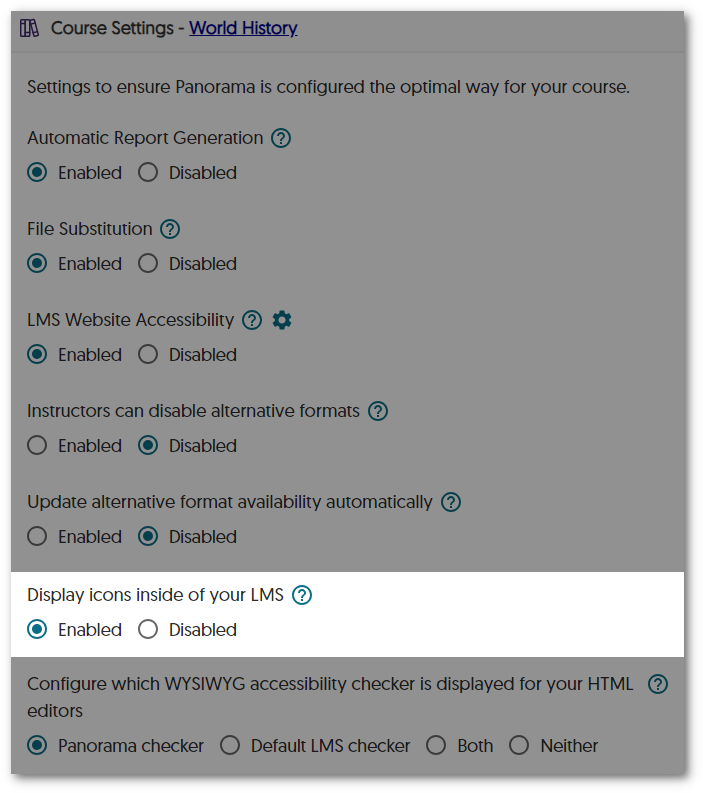
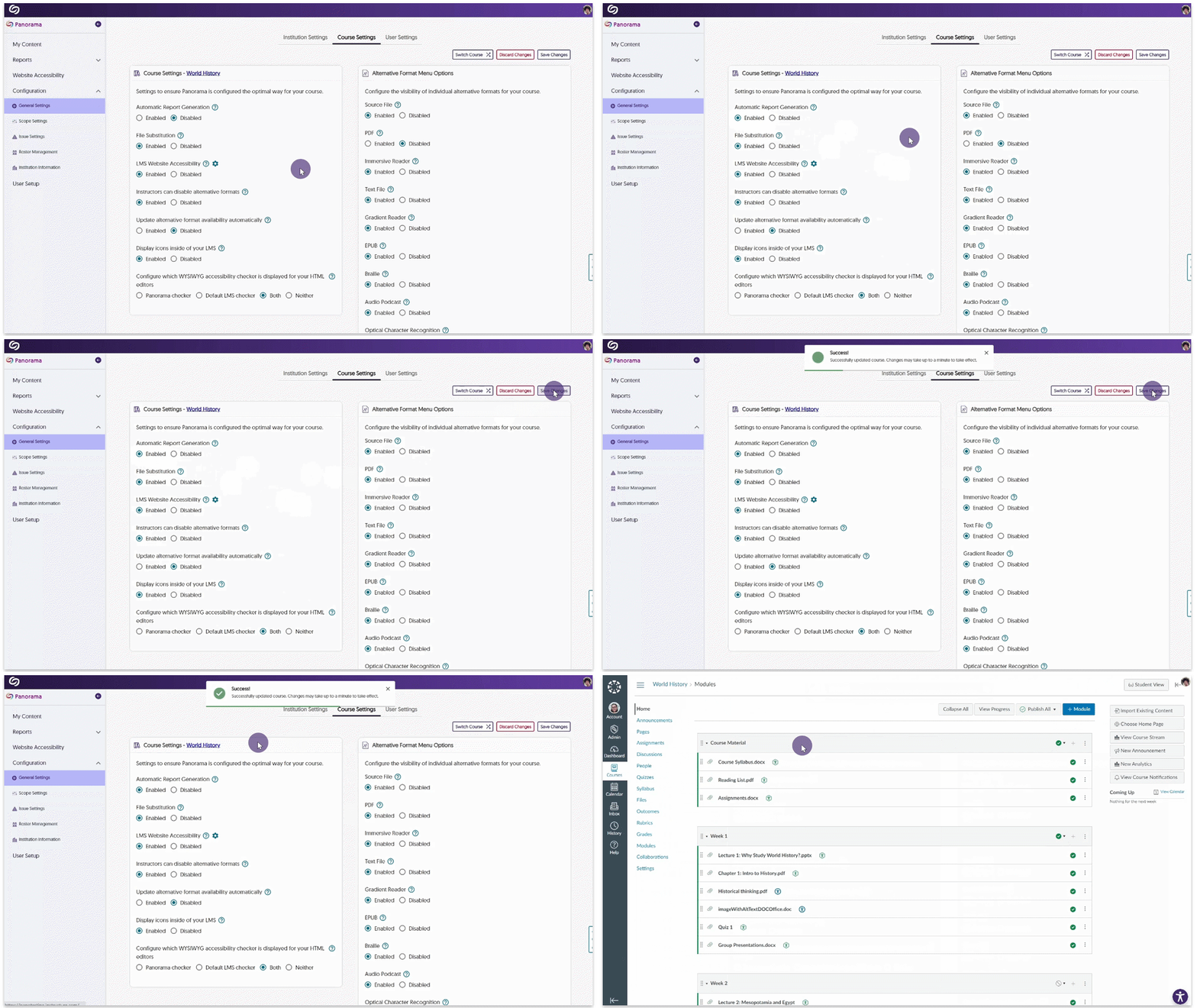
    4. Unified Accessibility Reporting for HTML Regions and Documents In an effort to unify how we present Accessibility Reports across Learning Management Systems, HTML pages will feature only the Accessibility Icon to access Alternative Formats and Accessibility Reports when additional HTML gauges are disabled. Option to disable additional HTML pages.
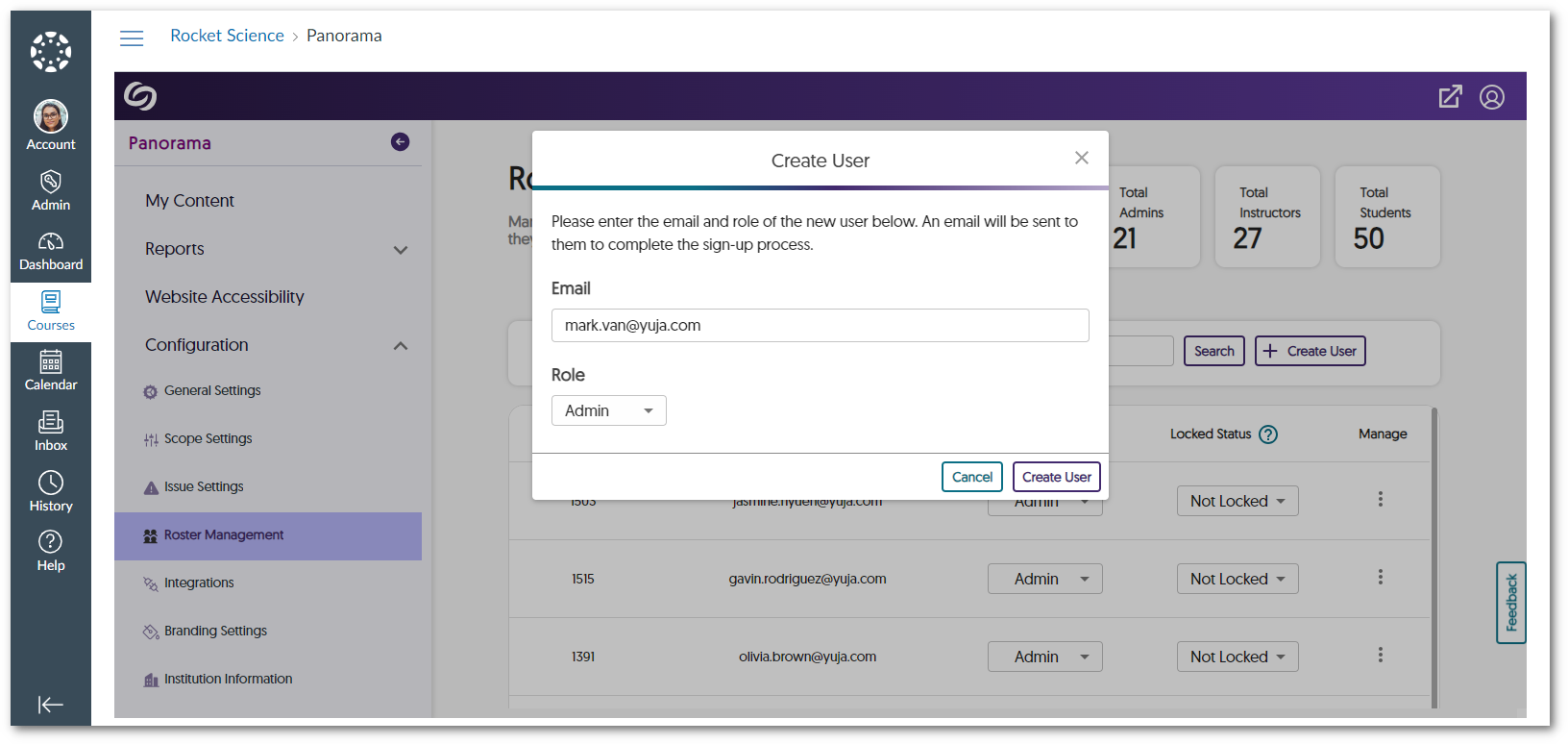
    5. Map Any Custom Canvas Role to a Panorama Role Administrators have the option to align their custom Canvas roles with Panorama’s Administrator, Instructor, or Student roles. This integration will allow unique institution roles to be recognized by Panorama, ensuring controlled access to accessibility features. To learn how to align custom Canvas roles with Panorama, please visit our support guide on How to Add Custom Canvas Roles to Panorama. Adding a custom admin role in Panorama.
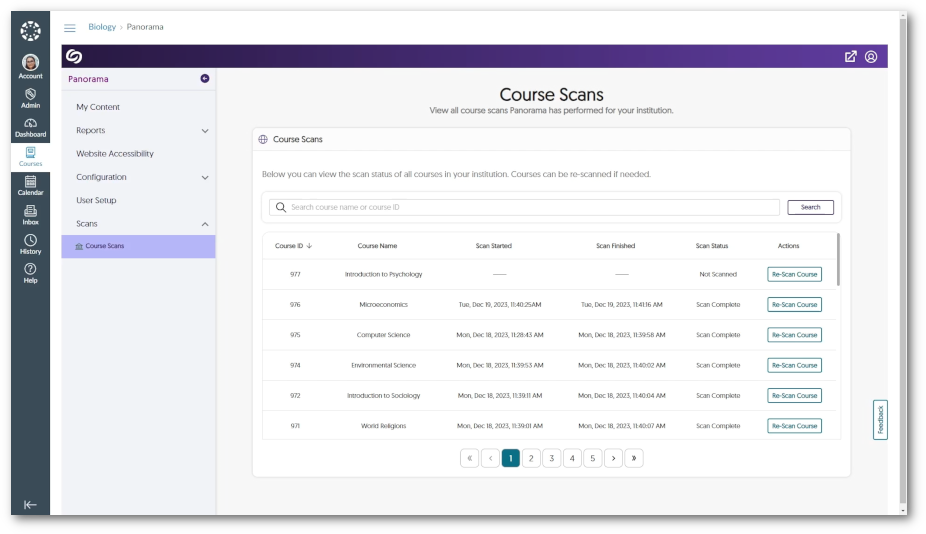
    6. Enhanced Scan Management Tools to Scan New Courses or Re-Scan All Courses To enhance administrators’ control over scanning and processing courses, the Scheduled Scans panel offers new tools to scan newly added courses and rescan all existing courses. This will allow administrators to exclusively scan and process newly added courses or re-scan all existing courses according to their needs.Dialogue message when scanning a new course.
    7. Self-Service Tools to Test the Correct API Access on the Institution and Course Level Administrators will be able to test Panorama’s LMS API access to ensure APIs can retrieve relevant information about the institution or course, such as a list of roles, the names of courses, files added to a course, HTML pages created, etc. Test results for course API access.
    8. The Course Report Content Search Can Filter by Dates To allow admins and instructors to locate documents efficiently within a course, we have introduced a filtering option for the Content table that organizes search results by recently added.Content table organized by upload date of files.
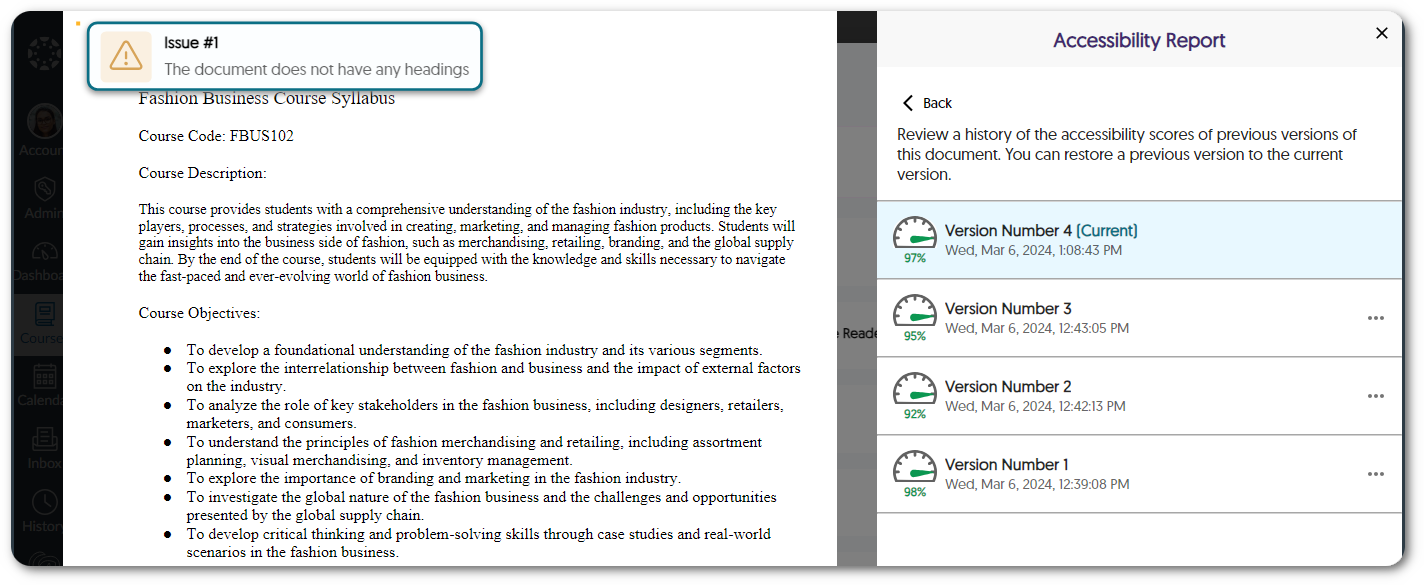
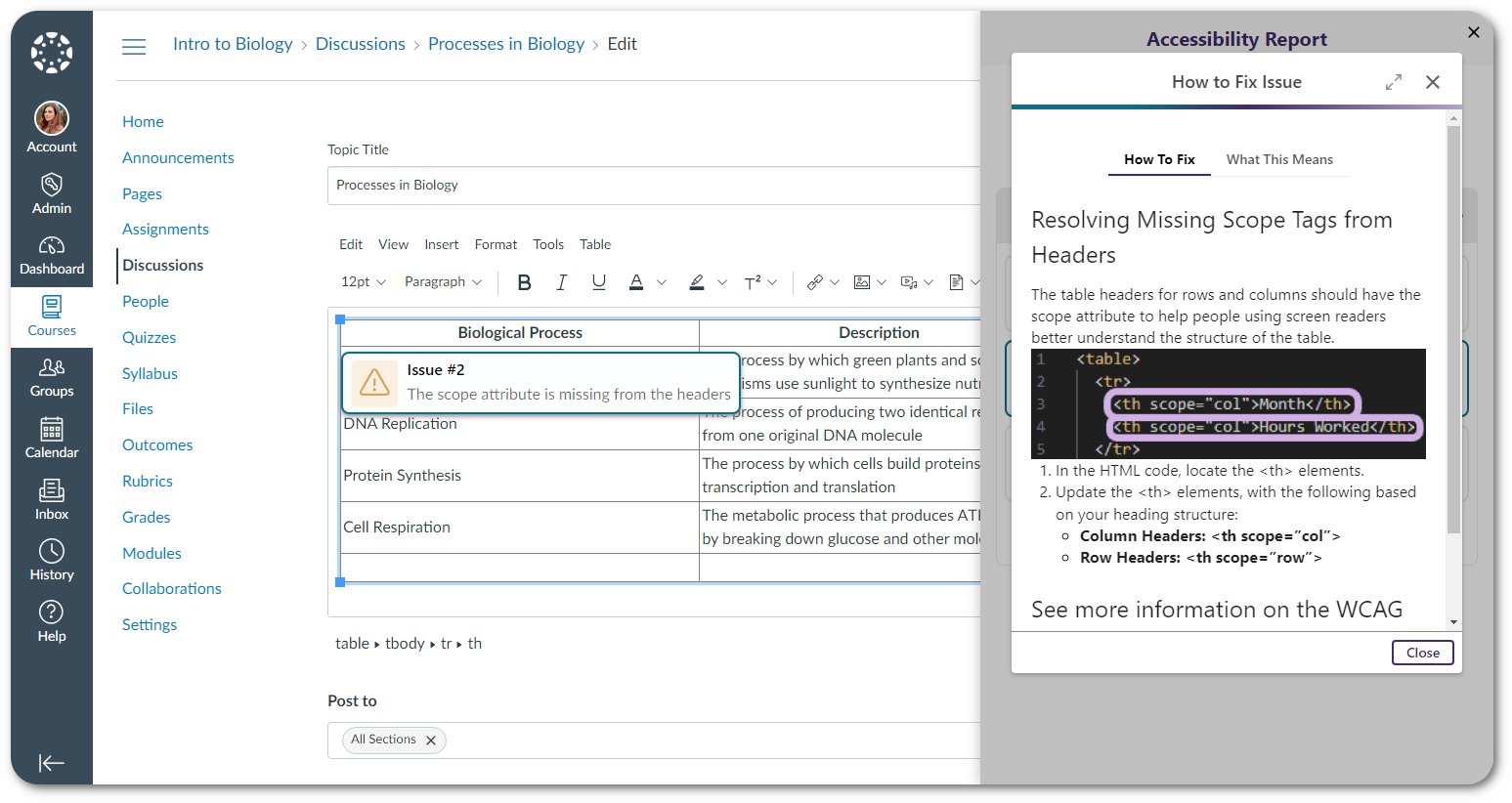
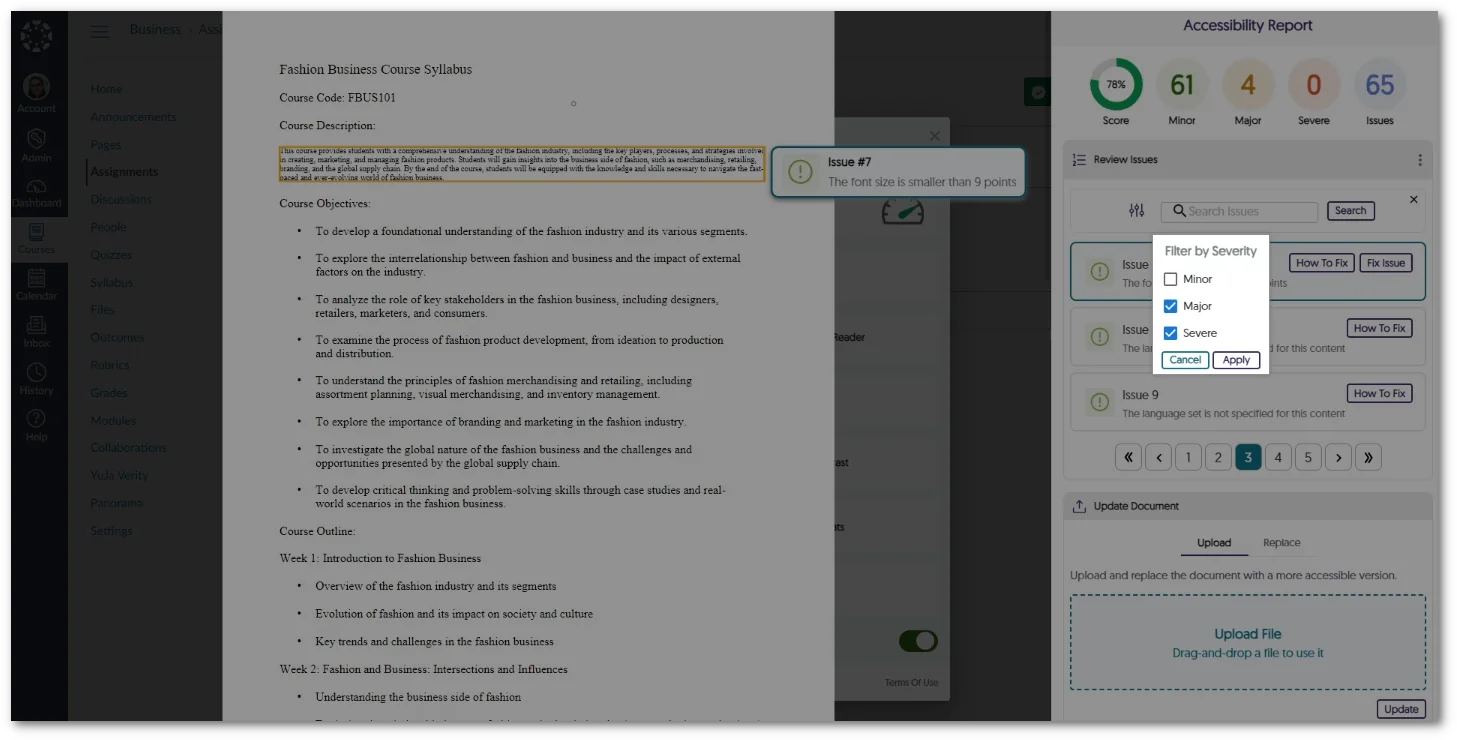
    9. The Accessibility Report Will Prioritize Showing Document-Wide Issues We’ve enhanced our Accessibility Report layout to prioritize listing document-wide issues at the top of the issues list, organized by severity. For instance, concerns such as malformed or untagged documents now appear before issues such as alt text or hyperlinks. This can be used to focus on and resolve critical accessibility issues that have affected the entire document. Accessibility Report showcasing document-wide issues.
  • July 14, 2023

    YuJa Panorama Digital Accessibility Platform – “Iceberg Peak” Version Released to US, CAN, and EU Zones

    We have successfully pushed an update to all YuJa Panorama Digital Accessibility Platform instances residing in the United States, Canada, and the European Union. This release provides our users with automatic font size adjustments through our new Remediation Engine, a comprehensive report for Website Accessibility, a student-centric tool to display Website Accessibility on any page, the option to add downloadable files from any page to My Content, new improvements to the WYSIWYG Editor, filters for content search in the Course Report, new admin-specific settings, and more.
    1. Remediation Engines: A New Class of Accessibility Tools With our latest update, we’re introducing an industry-first by launching a new class of Engines to Panorama called Remediation Engines. This type of Engine complements our existing set of Engines with the distinction that while an Accessibility Engine identifies accessibility issues, a Remediation Engine can actually remediate the issue within the document. In upcoming releases, we plan to broaden the scope of available Remediation Engines that will perform document remediations across a wider set of accessibility concerns and supported file formats. 
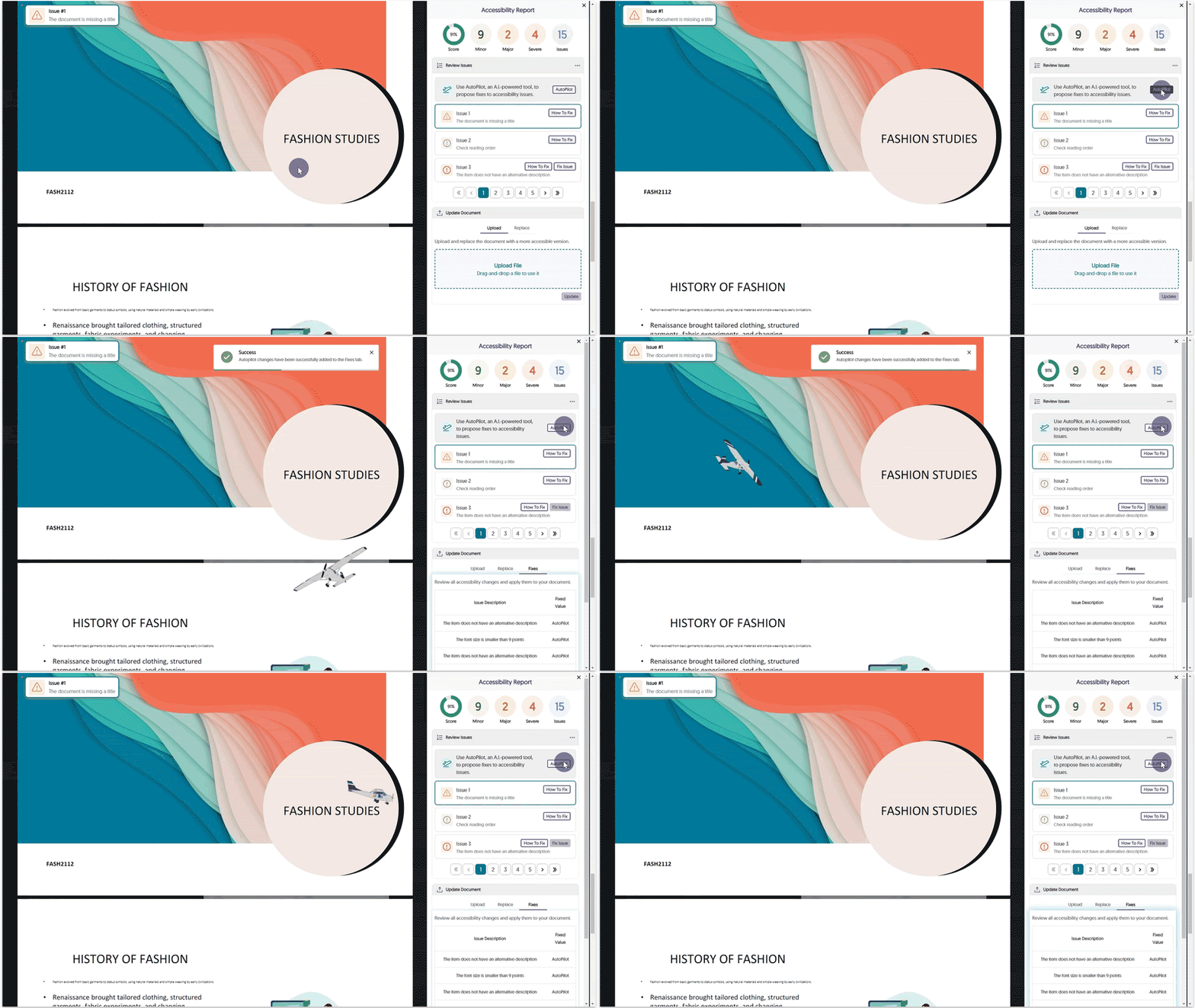
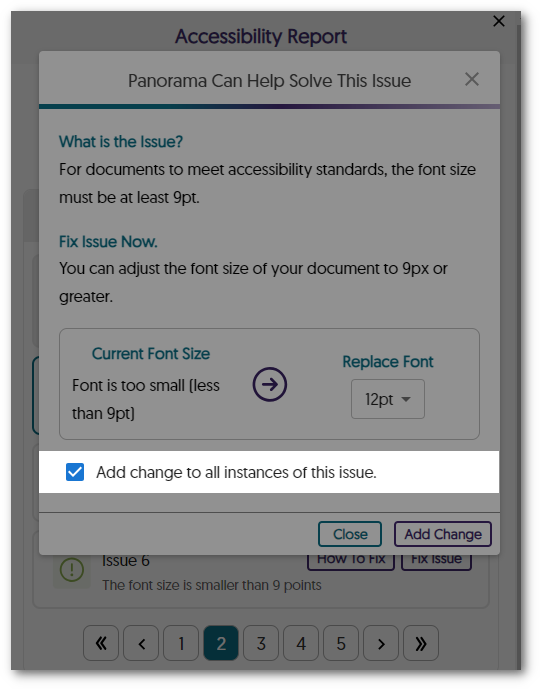
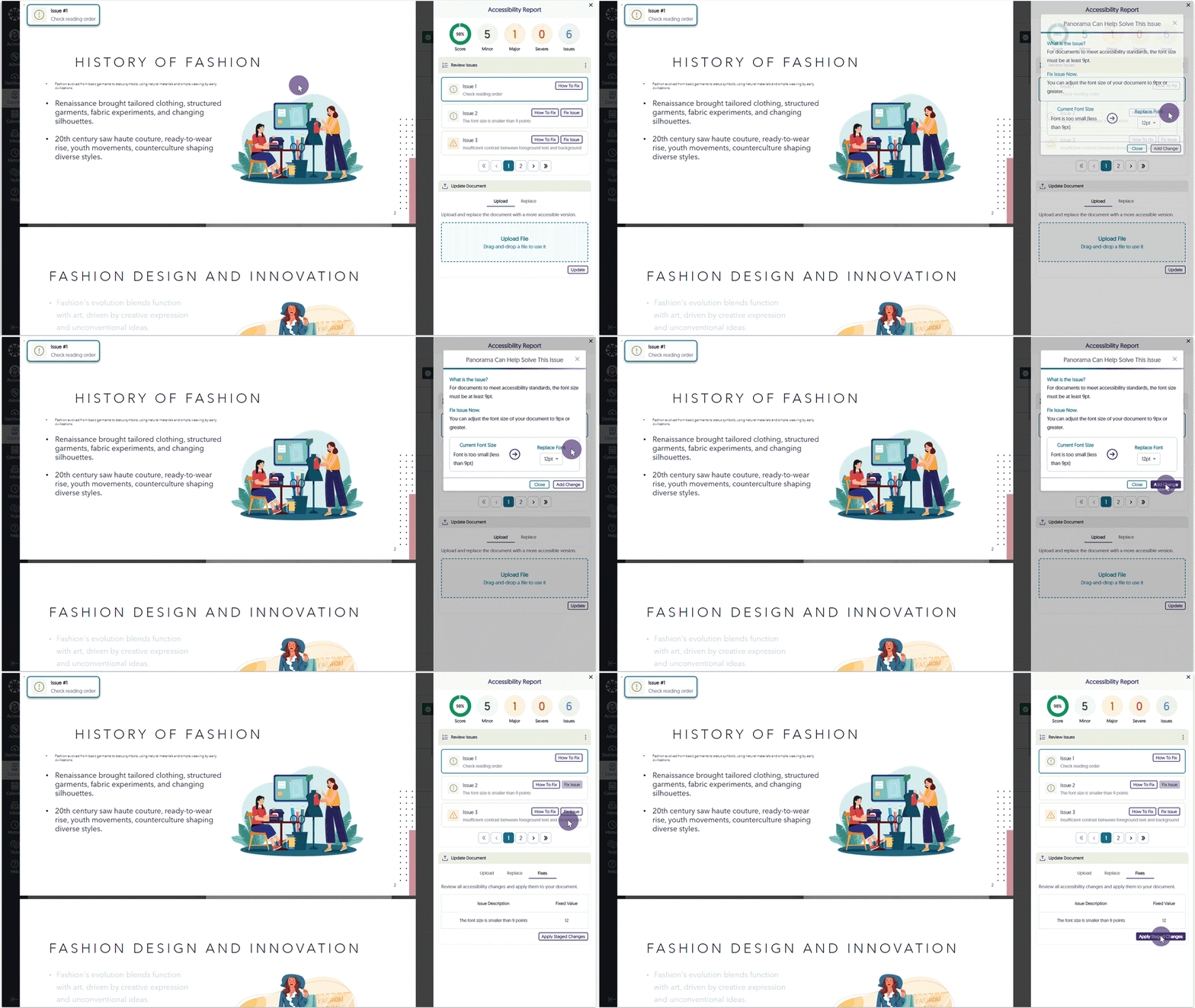
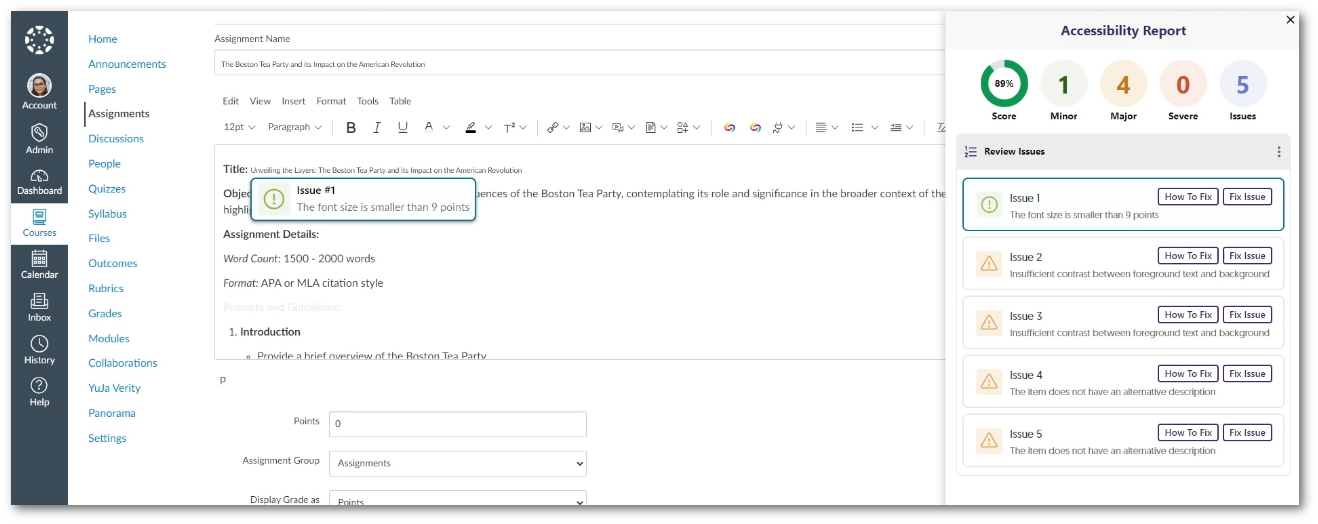
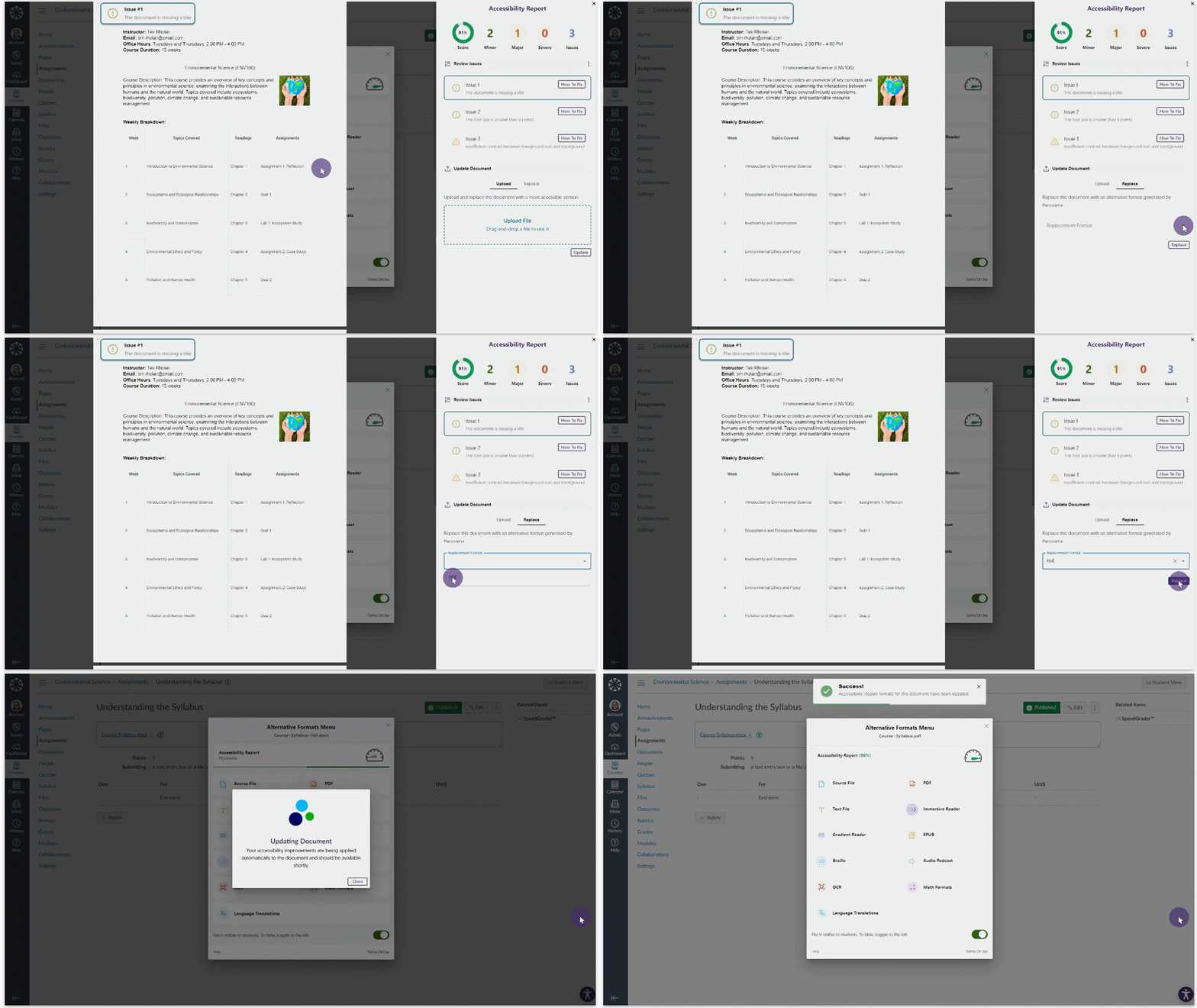
    2. New Microsoft Word Remediation Engine Capability – Adjust Font Size Issues for all Word Documents Our first innovation in the Remediation Engine space is a new Microsoft Word Remediation Engine which allows content owners to select specific font size adjustments for each issue, review their selection, and then directly apply the change to their actual document. Change Font Size.
    3. Comprehensive Website Accessibility Reporting Based on the Website Accessibility Widget Panorama now provides a new Website Accessibility Report, offering a comprehensive summary of key accessibility modifications performed when using the Website Accessibility Widget. This report includes:
      • The total number of adjustments, encompassing Content and Color Adjustments.
      • Most frequently utilized Content and Color Adjustments.
      • A detailed breakdown of each Content and Color Adjustment employed.
      By taking advantage of this feature, administrators gain valuable insights into students’ preferences for the accessibility of their Learning Management Systems (LMS) and external websites. Website Accessibility Report
    4. New Accessibility Tool Built for Students to Improve Accessibility of Any Website Our 2023 Four Quadrant Accessibility Strategy focused on delivering accessibility solutions on four quadrants:
      • LMS Accessibility
      • Website Accessibility
      • Content Library Accessibility
      • Student Self-Service Accessibility
      We are now delivering on the last quadrant – Student Self-Service Accessibility- with a Panorama Browser Tool that a user can apply to any website to create a more personalized and accessible web browsing environment. This means that students can traverse any website in their learning journey that is outside of university-managed infrastructure and benefit from Panorama’s accessibility tools.
    5. Website Accessibility Scans for Documents to Add to My Content When students have access to My Content, Website Accessibility seamlessly scans and presents a comprehensive list of downloadable files found on the web page. This intuitive feature allows students to effortlessly view files and conveniently add them to their personal repository, My Content. Alternative Formats option within Website Accessibility.
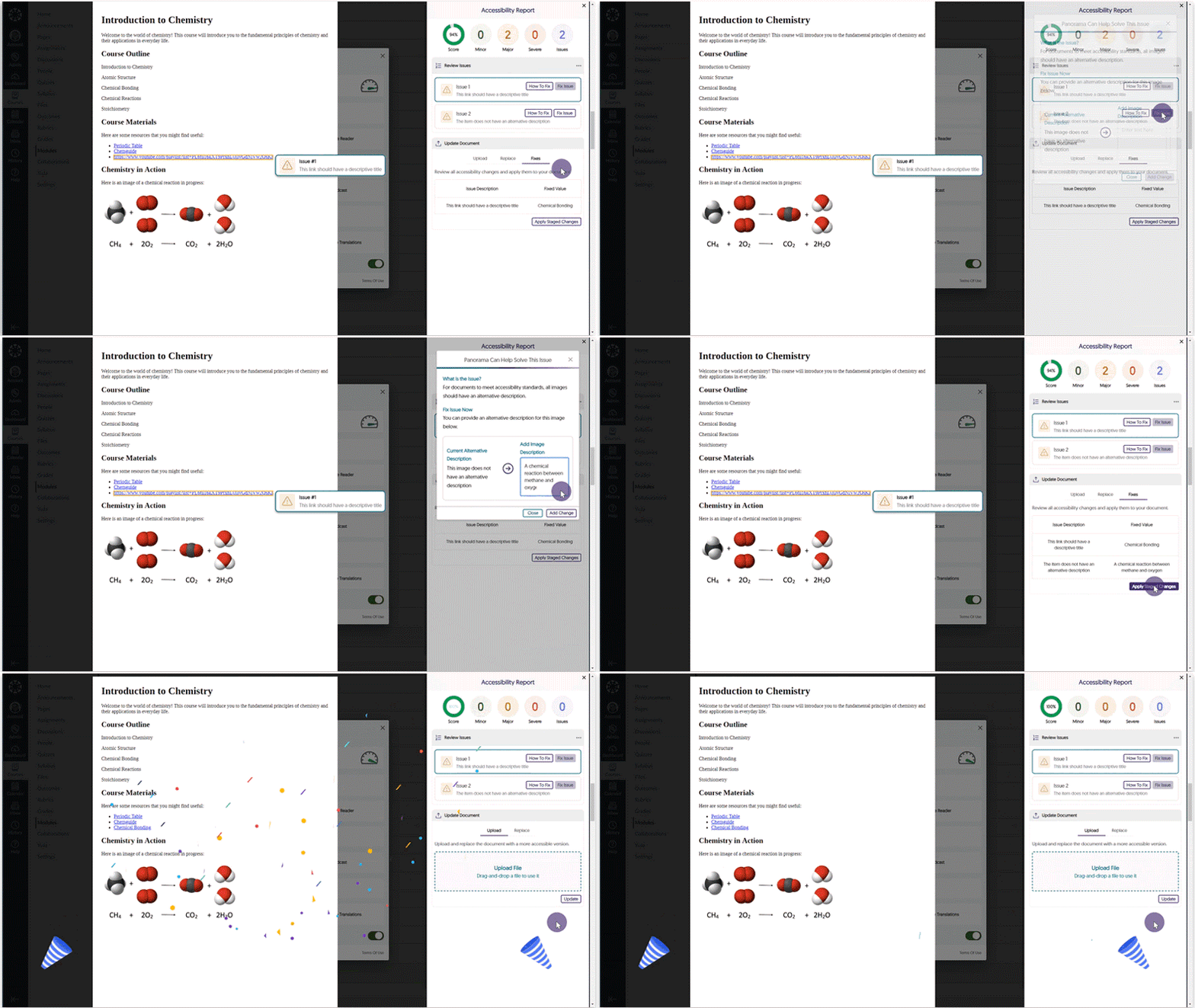
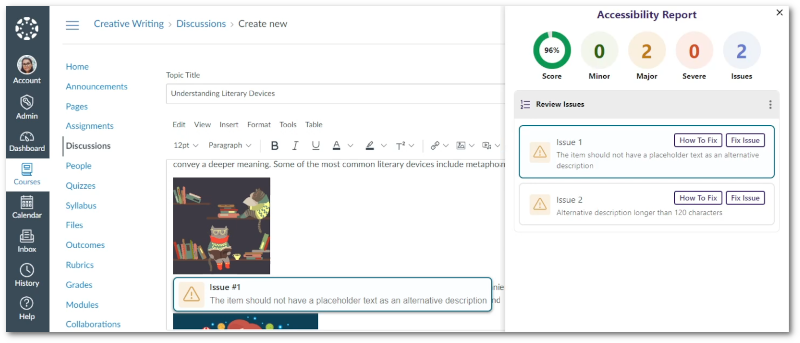
    6. New WYSIWYG Real-Time Engine Improvement: Detection of Unhelpful Descriptive Texts for URLs URL Descriptions provide users with information about the content contained within a website. Understanding that certain descriptive texts may not be helpful, the WYSIWYG Editor identifies common unhelpful descriptions, such as “click here” and “click more,” and allows users to adjust the descriptive text for their URLs. Accessibility Report issue for undescriptive URL text.
    7. New WYSIWYG Real-Time Engine Improvement: HTML Table Caption Check As part of our ongoing efforts to ensure comprehensive accessibility checks for our WYSIWYG editor, we have implemented a check for missing table captions. This check is essential in ensuring the content within tables is accurately described to users.Table Caption check
    8. New WYSIWYG Real-Time Engine Improvement: Classify Images as Decorative Decorative images are specifically intended for visual enhancement and do not provide any additional information. By categorizing an image as decorative with the WYSIWYG Editor, assistive technologies, such as screen readers, will disregard it, enabling users to navigate through relevant content in their learning environment. Decorative Image within the accessibility report.
    9. New WYSIWYG Real-Time Engine Improvement: HTML Lists will be Checked for Proper Formatting To generate precise accessibility reports for content, Panorama’s WYSIWYG Editor verifies the adherence to proper HTML formatting for ordered and unordered lists. This ensures that content meets the required standards, enhancing the overall accessibility of the material. Ordered List check
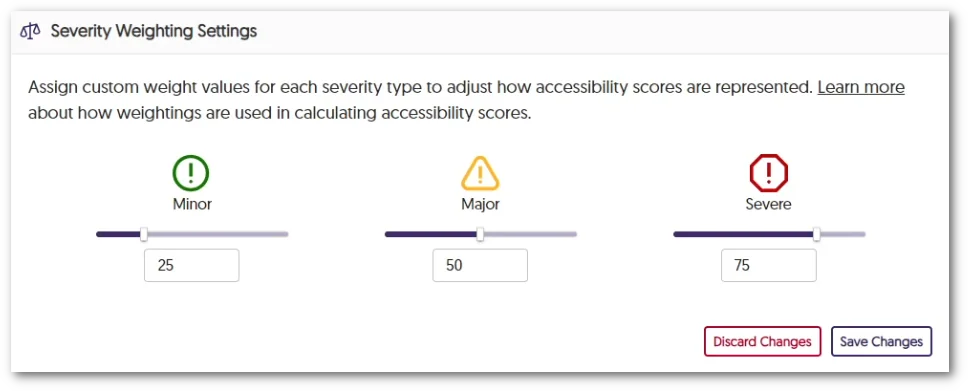
    10. Adjust the Visibility of User Setup at the Institution Level Similar to how administrators can adjust the visibility of My Content, we are now extending this feature to include the User Setup page. Simply adjust the visibility under Global Settings to be visible to all, available to instructors and administrators, or completely hidden from view. user Setup Visibility setting.
    11. Customize the “Help” Link for the Alternative Formats Menu The Alternative Formats menu offers a Help button which can now be customized by the administrator, allowing for a custom link to be specified.
    12. The Course Report Content Search Now Offers Filters by File Type To facilitate easy navigation for administrators and instructors, we have introduced a filtering option that organizes search results for Content in Course Reports based on file type. The Course Report Search Issues and Content Filter
    13. Administrators can Disable Course Settings for Instructors To provide administrators with complete control over the accessibility of learning environments for courses, we now allow them to turn off course-specific settings for instructors. Override course specific settings for instructors.
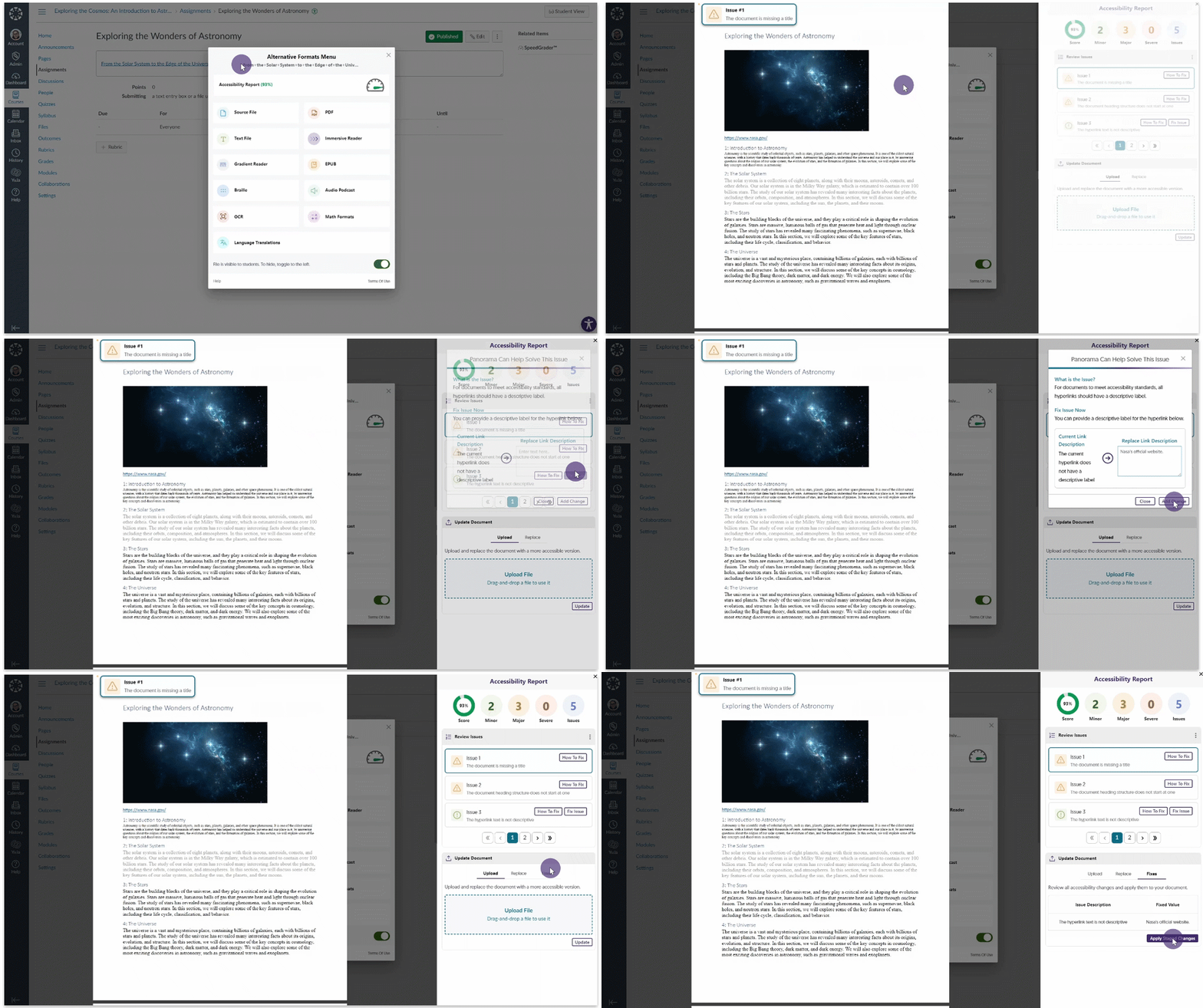
    14. Panorama will Verify Document Availability for Accessible Alternative Formats in Canvas Canvas offers instructors the option to mark specific documents as unavailable. When generating alternative formats, Panorama conducts a check every hour to verify that students have access to the document before proceeding with the generation of alternative formats. This ensures that alternative formats are created only for documents that are accessible to the student. Alternative format availability setting.
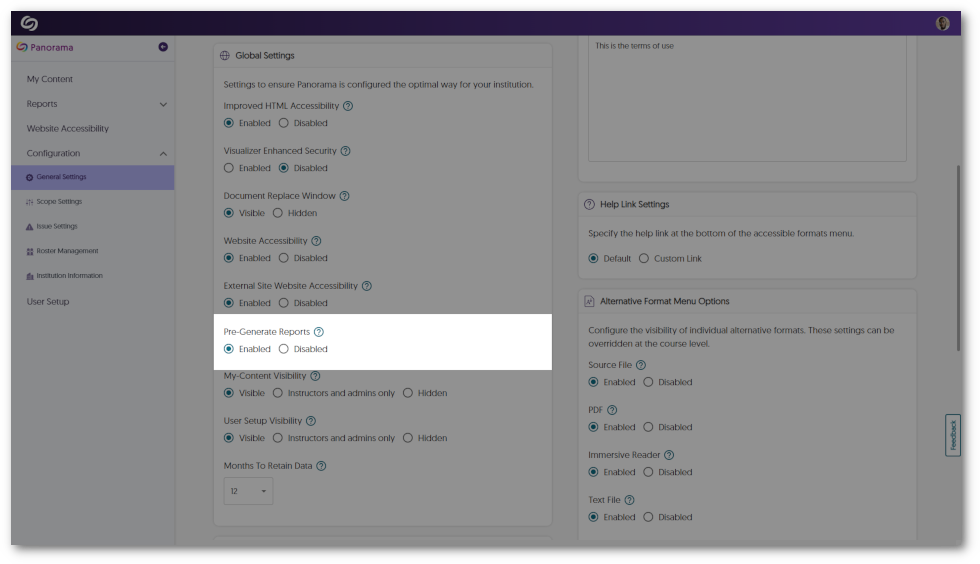
    15. Pre-Generation of Analytics Reporting will be Automatically Enabled As institutions incorporate more campuses into Panorama, we will automatically enable Pre-Generate Reports when All Courses are selected in the Scope Settings. This will provide institutions with increased performance results for their institution reports. Scope setting for Panorama has been enabled for All Active Courses.
    16. Enhanced Scanning of Courses for Large Institutions We have enhanced our backend infrastructure to facilitate efficient scanning for institutions with thousands of courses.
    17. Custom Placement for the Website Accessibility Icon on Individual Domains Previously, administrators could designate a single location for the Website Accessibility icon on web pages. We have enhanced this feature to provide administrators with the flexibility to set custom icon placements for each domain, offering greater control over the visual integration of Website Accessibility. Icon placement for individual domains
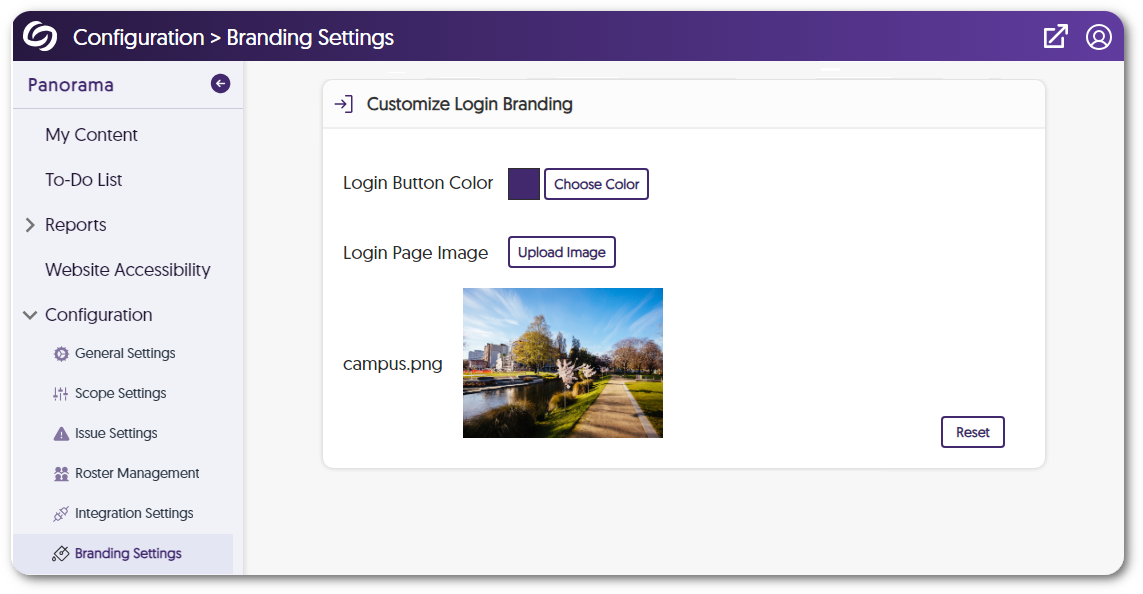
    18. Enhanced Branding Across the Panorama Platform As we continue to grow and partner with more institutions, we’re dedicated to providing a modern look and feel to the Panorama Platform. To achieve our branding goals, we have refined our designs for buttons and dialog boxes. Future releases will focus on color schemes for layouts, icon enhancements, and updates to our fonts. Modal displaying new branding for Panorama.
  • June 15, 2023

    YuJa Panorama Digital Accessibility Platform – “Mount Haltia” Version Released to US, CAN, and EU Zones

    We have successfully pushed an update to all YuJa Panorama Digital Accessibility Platform instances residing in the United States, Canada, and the European Union. This release provides our users with video tutorials for all “How-to-Fix” guides, Custom LTI Role Mapping, expanded support for D2L Brightspace, enhanced scanning for Powerpoint presentations, Accessibility Reports regeneration for HTML content, Shared files no longer include Accessibility Reports, and enhanced security for the panorama LTI app.
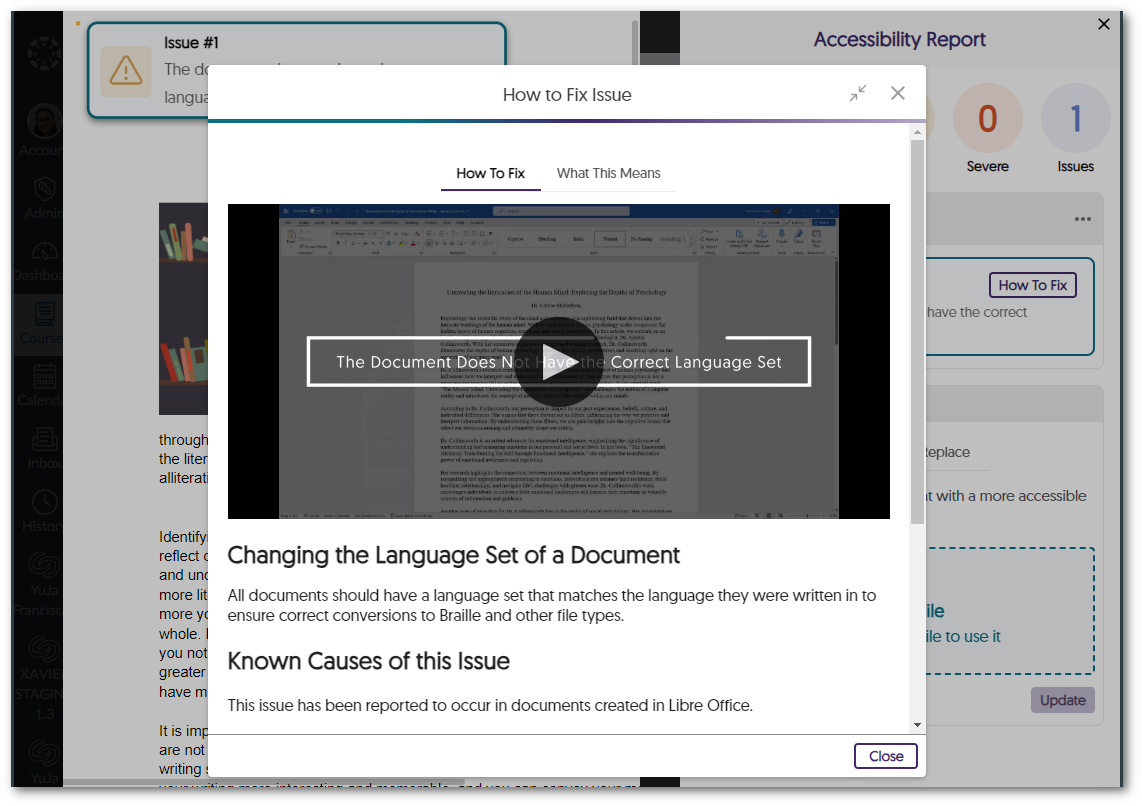
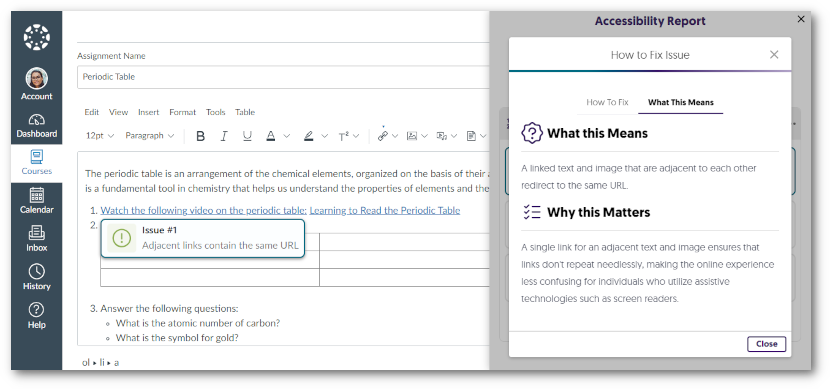
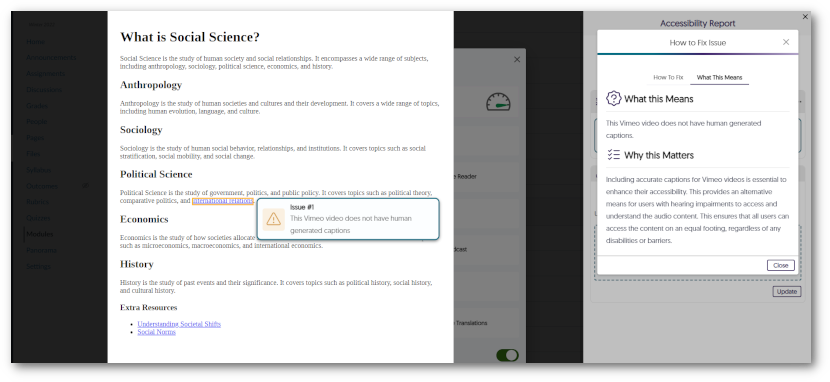
    1. Every “How to Fix” Guide Now Includes a Video Tutorials We have enhanced the Panorama “How-to-Fix” guides by introducing short video tutorials for every accessibility concern. Embedded directly within the Accessibility Report, these videos aim to assist users in creating accessible documents. Video for How-to-Fix guide.
    2. Custom LTI Role Mapping Administrators now have the option to configure how users are signed into the Panorama LTI app upon launch. By configuring their LTI role mapping, LMS-specific roles can be adjusted to match the institution’s needs for their Panorama role structure. LTI Role Mapping Panel
    3. Real-Time Updates for Accessibility Scores in Course Reports We have implemented an auto-update feature for the Accessibility Scores of documents within Course Reports. Now, whenever a file is updated, the Accessibility Score will be updated immediately, enabling users to receive instant insights into the accessibility status of their documents. Real-time update for Accessibility Scores in Course Reports.
    4. Expanded Support to Identify Files and Content Areas within D2L Brightspace As part of our ongoing commitment to enhancing the accessibility of D2L Brightspace, Panorama has been updated to detect files in additional areas. Specifically, Panorama will now detect files inside HTML areas in Lessons View, ensuring comprehensive accessibility coverage across the platform. D2L Lessons View.
    5. Automatic File Scans During the Creation of HTML-Based Pages in D2L Brightspace To streamline the accessibility workflow on D2L Brightspace, Panorama now incorporates real-time scanning for files added to HTML pages being created. This ensures that when files are added to a page, Panorama will automatically perform a scan before the page is saved, providing immediate accessibility analysis. Documents are attached to a D2L Brightspace announcement that is being created.
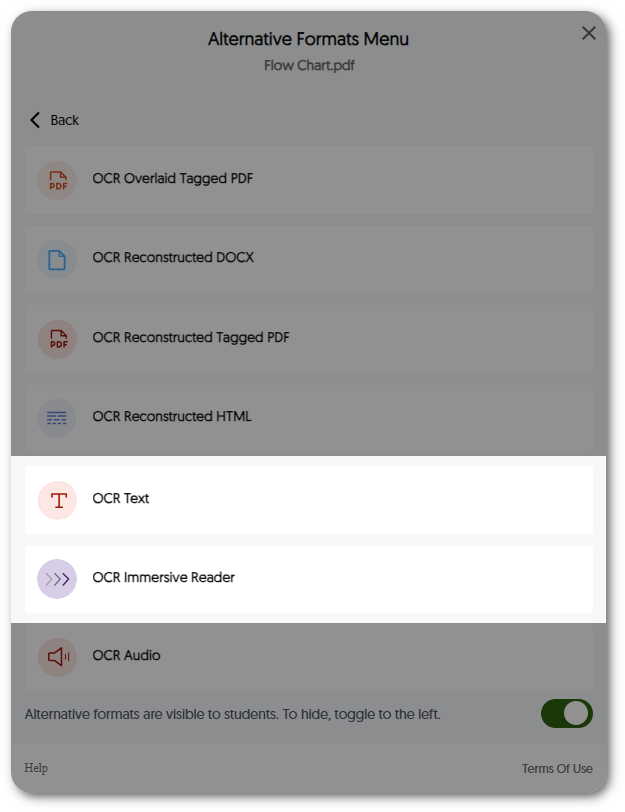
    6. Enhanced PowerPoint Scanning for Generating Alternative Formats We have expanded Panorama’s scanning capabilities to include improved recognition and detection of various background colors and images in PowerPoint presentations. This ensures Panorama can recognize any PowerPoint and generate its Alternative Formats in a timely manner. Alternative Formats Menu for a PowerPoint presentation.
    7. Editing an HTML Page Will Regenerate its Accessibility Report To provide the most accurate reports for HTML pages, we have implemented an automatic process that regenerates the Accessibility Report whenever an HTML page is edited. This real-time regeneration guarantees that the report always reflects the most up-to-date information, allowing for improved accuracy and timely identification of accessibility issues.
    8. Improved Panorama’s Compliance with JAWS We have aligned Panorama more closely with JAWS, one of the most widely used screen reader software. We have extended keyboard navigation to additional areas like the My Content page and ensured consistent labeling of elements. Jaws Logo
    9. Shared Files No Longer Include Their Accessibility Report  When sharing files from your personal repository, My Content, the associated Accessibility Report will no longer be shared. This allows you to have exclusive access to accessibility improvements, relieving the intended recipients from the need to interpret the report.
  • June 5, 2023

    YuJa Panorama Digital Accessibility Platform – “Huron Peak” Version Released to US, CAN, and EU Zones

    We have successfully pushed an update to all YuJa Panorama Digital Accessibility Platform instances residing in the United States, Canada, and the European Union. This release provides our users with several updates. Highlights include: UI enhancements to the Alternative Formats menu, options to customize How-to-Fix guides, new Course Analytics for Institution Reports, expanded support for the WYSIWYG editor inside D2L Brightspace, Accessibility Reports for content created with TinyMCE 6.0, expanded support for Panorama in Blackboard Ultra, new Panorama rest APIs to retrieve reports, and the option to set a data retention policy. 
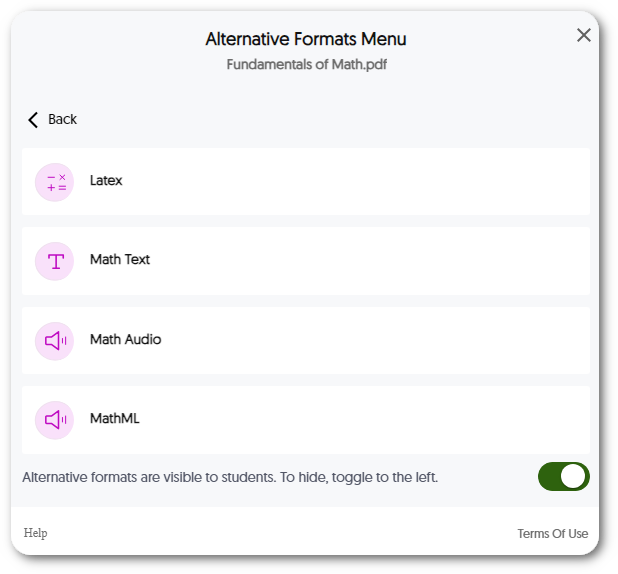
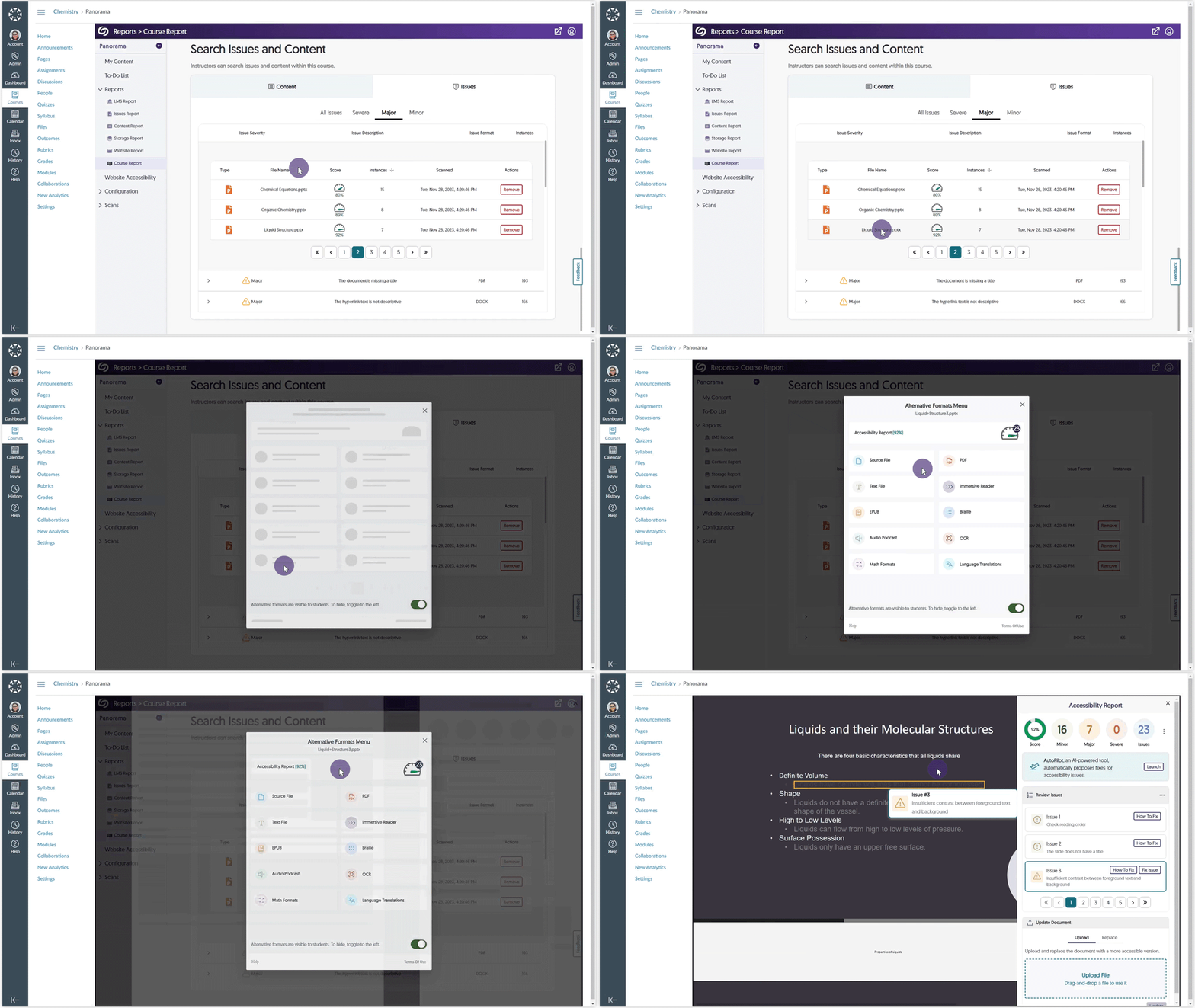
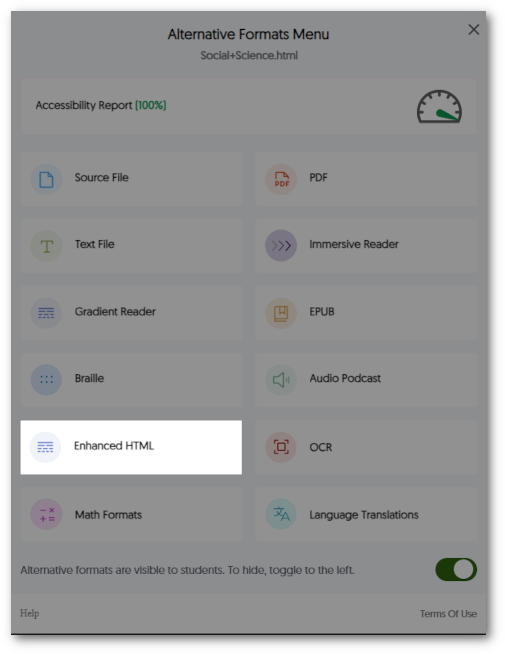
    1. Refreshed Alternative Formats Menu Interface We have updated the Alternative Formats Menu with a refreshed and modernized UI that showcases all available alternative formats while minimizing the steps required to view a preferred format. In future releases, we aim to provide custom branding through icon colors and font adjustments to meet the branding needs of institutions. New Alternative Formats menu.
    2. Editable “How-to-Fix” Guides to Meet the Unique Needs of Institutions Administrators can edit the “How-to-Fix” guides using an integrated WYSIWYG editing interface to meet the exact needs and protocols of their institutions. Add new text, images, and links, and adjust formatting for guides. To provide guidelines on accessible content, each issue will now be accompanied by a link to its relevant Web Content Accessibility Guidelines to provide more information when editing the “How-to-Fix” guides. Editing a How-to-Fix guide.
    3. Upgraded Text and Images within Each “How-to-Fix” Guide We have upgraded the Panorama “How-to-Fix” guides by improving all texts and images to provide more easy-to-follow instructions for improving the accessibility of content. In a near-term release, we will focus on bringing short video tutorials for each issue to help users create accessible content for their documents. How-to-Fix guide for Panorama.
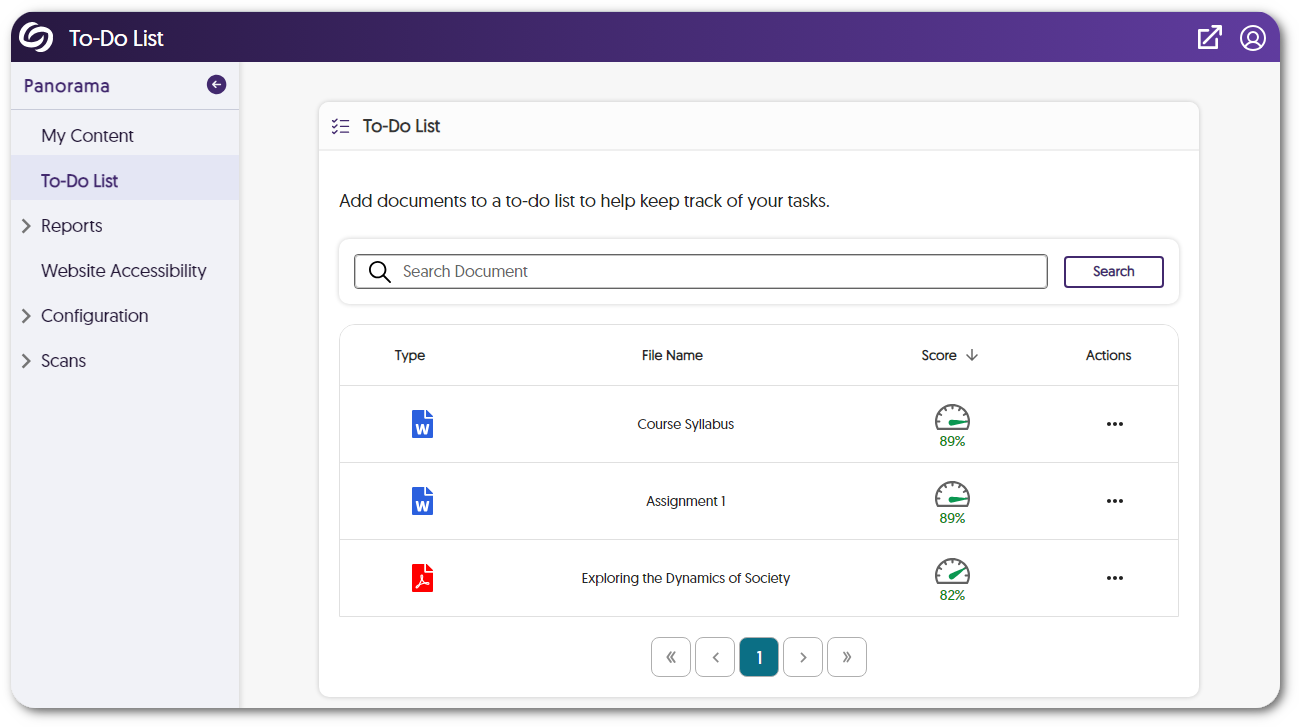
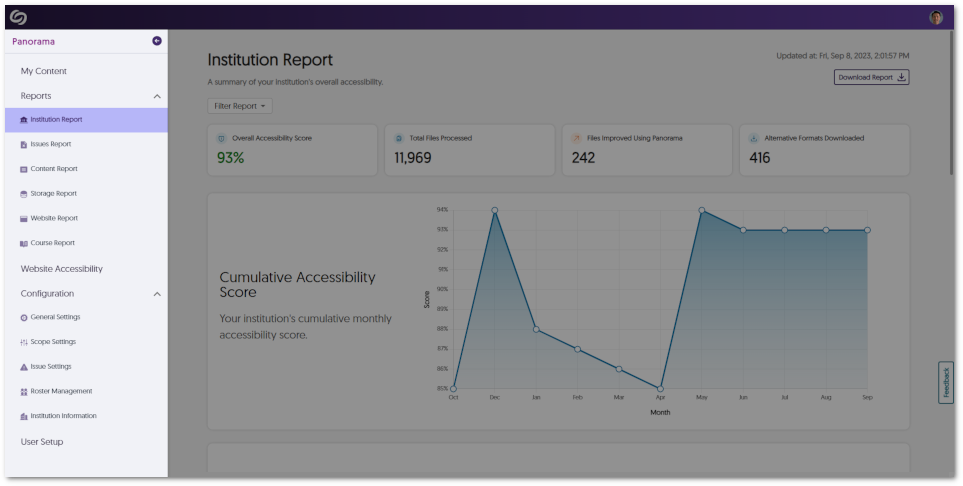
    4. Institution Report Offers Viewing for Key Course Metrics The Institution Report provides a greater depth of analysis for admins looking to quickly gain more information about courses in their institution. Administrators now have access to key metrics, such as accessibility scores, storage sizes, and the number of files and downloads for all courses. If more detailed reports for courses are required, administrators can select any course to view its corresponding Course Report. Course Analytics in the Institution Report.
    5. Expanded Support for WYSIWYG Editor Inside D2L Brightspace Lessons View As part of our ongoing efforts to increase accessibility in all areas of D2L Brightspace, we now support real-time accessibility checks with our WYSIWYG editor in the new Lessons View. By offering real-time analysis and actionable suggestions, Content Creators can create accessible content within their D2L Brightspace environment. Our checks are essential in ensuring content is accurate and in compliance with Web Content Accessibility Guidelines (WCAG). Accessibility Report for D2L Lessons View.
    6. Accessibility Score Support for TinyMCE 6.0 in Moodle 4.1 With the recent TinyMCE 6.0 release available to all Moodle 4.1 users, Panorama can now assess the accessibility of content created using the TinyMCE 6.0 editor. This enables Panorama to accurately evaluate the accessibility of content created using TinyMCE 6.0 and provide users with accessibility scores. Accessibility Report being viewed when using Tiny MCE 6.0.
    7. Expanded Support for Panorama in Blackboard Ultra To increase accessibility scans for our Blackboard Ultra users, during course scans, files are now identified in the Content and Assignment sections of Blackboard. In addition, if HTML reporting is enabled, files from the Discussion section and Assessment region will also be included in the reports. With these enhancements, administrators and instructors will benefit from increased accuracy in accessibility scores for both institution and course-level reporting. Accessibility Report for a PowerPoint in Blackboard Ultra.
    8. Apply Multiple Filters to the Roster Management To enhance the Roster Management experience, administrators can now apply multiple filters that provide greater precision when viewing the roster. Panorama Roster filter.
    9. Accessibility Scores for HTML-Based Pages in List View Previously, instructors would have to click on each HTML-based page to review its accessibility score. We have now refined how instructors view accessibility scores by providing accessibility icons in sections where HTML pages are listed. List view of HTML-based content pages showcasing Accessibility Icons next to each page.
    10. Enhanced Panorama’s Screen Reader Compliance In line with our dedication to fostering inclusivity and accessibility, we have significantly improved Panorama’s screen reader compliance. Screen readers can now efficiently and more accurately interpret content found within Panorama, such as the LTI App, Website Accessibility, LMS Visualizer, and more.
    11. Course Reports Provide Average Accessibility Scores of Documents Institution and Course Reports now provide a graph showcasing the average accessibility score for each file type. Course Report graph for each document type and it's average accessibility score.
    12. Panorama REST API to Retrieve Reports We have added support for third-party API integration to allow administrators and instructors to access information regarding document accessibility issues and institution and course-level reporting. To learn how to use our APIs, please visit our Panorama API guide.
    13. View Accessibility Impact Scores Administrators can view impact scores for each course to see how they affect the overall institution score. This feature will allow administrators to focus on the least accessible courses and view changes to the impact score as users adjust courses. Impact Score for a course.
    14. Improved Color Adjustments for Website Accessibility Previously, adjusting the Contrast, Saturation, and Monochrome settings for Website Accessibility would, in certain circumstances, change the formatting of pages. We have updated these settings to ensure the original formatting of pages is kept intact. Website Accessibility featuring the contrast, saturation, and monochrome settings.
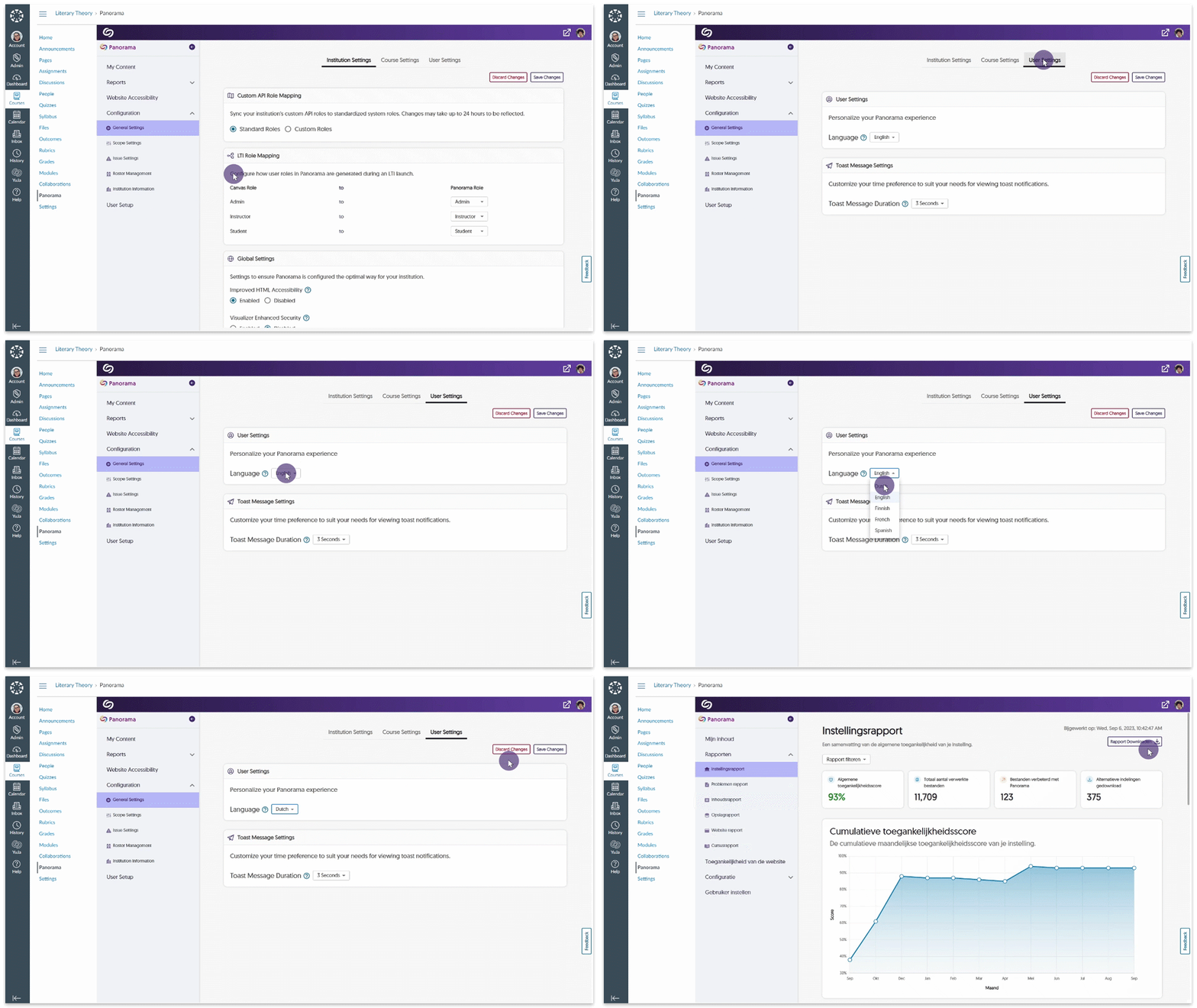
    15. Administrators Can Now Create Data Retention Policy Administrators can set Panorama to remove all data after a specified number of months automatically. This feature gives administrators and instructors a clean slate when using Panorama between semesters or school years. Setting for Data retention policy.
    16. Adjust the Visibility of My Content Administrators can adjust the visibility of My Content, the personal repository for users, to be visible to all, available to instructors and administrators, or completely hidden from view. Setting to set My Content visibility.
  • May 5, 2023

    YuJa Panorama Digital Accessibility Platform – “Glacier Peak” Version Released to US, CAN, AUS, and EU Zones

    We have successfully pushed an update to all YuJa Panorama Digital Accessibility Platform instances residing in the United States, Canada, and the European Union. This release provides our users with the use of Panorama without the browser extension In D2L Brightspace, expanded support for HTML formats, new infrastructure to support zero downtime during product updates, support for Moodle 4.1, improvements to the WYSIWYG editor, sharing and uploading capabilities for the Panorama Content Repository, our new Roster Management and Scope setting capabilities, assign sub-admins to hierarchical accounts, new Storage Reports, automatic accessibility scans, and more.
    1. D2L Brightspace Does Not Require the Browser Extension We have expanded our partnership with D2L’s Business Development Team and worked together to eliminate the need for the Browser Extension. All Panorama’s tools, including reports and alternative formats, are now accessible in D2L Brightspace without requiring the use of the Panorama browser extension. Please contact your Customer Success Manager to use this new integration.
    2. Expanded Support for HTML Formats and Reports Inside D2L Brightspace We now support HTML formats and reports in the D2L Lessons View, allowing Panorama to access even more areas of D2L Brightspace. With these enhancements, administrators, and instructors will benefit from increased accuracy in accessibility scores for both institution and course-level reporting. Panorama Alternative Formats inside D2L Lessons View.
    3. View Reports and Alternative Formats for HTML Content Within the Panorama LTI App Previously, HTML reports were only accessible within the location of their respective file. We have now broadened Panorama’s ability to assess the accessibility of institutions by taking into consideration Accessibility Scores for files and embedded HTML content. This updated functionality allows Panorama to precisely evaluate the accessibility of an institution’s content when generating Institution Reports and individual Course Reports during scans.
    4. Zero Downtime During Releases Previously, a brief period of downtime was required for updates to appear on Panorama. We are pleased to announce that we have implemented a zero downtime release cycle, ensuring users have uninterrupted access to Panorama.
    5. Panorama Now Supports Moodle 4.1 In continuing to ensure Panorama is available to all our users, we’re pleased to announce our latest support for Moodle 4.1. Moodle 4.1 Logo
    6. Real-Time Color Contrast Ratio Detection within WYSIWYG Editor To provide Content Creators with a high degree of contrast accuracy, Panorama will now calculate the contrast ratio between text and background color. With ratios ranging from 1 to 21, content creators can confidently select the color that provides the most sufficient contrast. Contrast Ratio Detector in the WYSIWYG editor that allows users to adjust the contrast levels to improve accessibility.
    7. Improved Contrast Detection for Gradient Background To provide accessible content, we’ve improved Panorama’s ability to detect when there isn’t enough contrast between the text and gradient backgrounds. Insufficient Contrast reporting for a Gradient background.
    8. New Real-Time HTML Header Checks within WYSIWYG Editor As part of our ongoing efforts to ensure comprehensive accessibility checks for our WYSIWYG editor, we have implemented new measures to identify missing table headers and skipped heading orders. These checks are essential in ensuring content is accurately labeled and defined for individuals who utilize accessibility tools such as screen readers. WYSIWYG table header check.
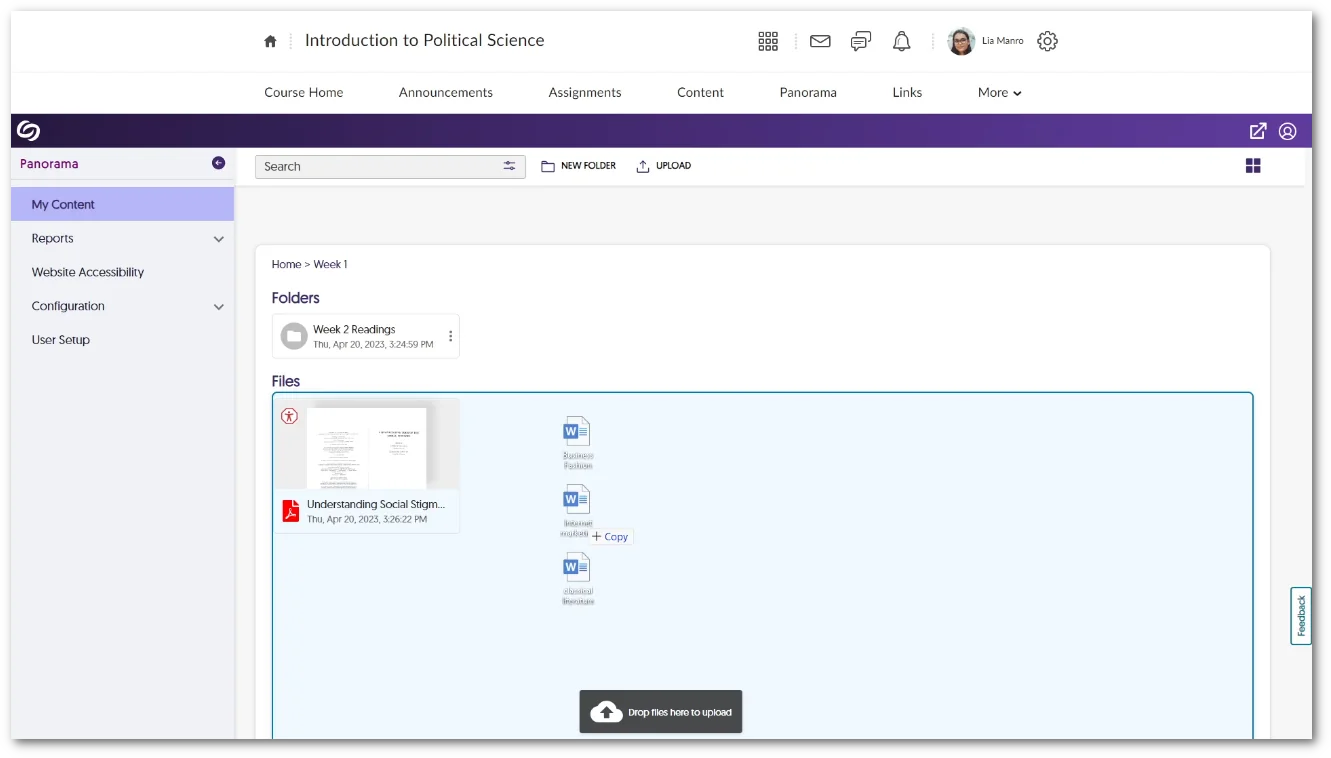
    9. Improved Upload and Sharing Capabilities for the Content Repository To make sharing and uploading content more convenient for users, we have introduced a new feature that enables users to drag and drop files directly into their personal content repository. Additionally, users can now share items via email, allowing for seamless and effortless content-sharing with any individual. Sharing a file inside Panorama's My Content repository.
    10. Panorama Will Accurately Identify User Roles Across Courses and Distinguish Between User Role and Course Role We are pleased to announce that Panorama has been updated to provide complete accuracy in identifying user roles across courses in an LMS. With this enhancement, Panorama now detects the user’s specific role in each course, allowing for seamless navigation and appropriate access levels within each course. This means if a user is an instructor in one course and a student in another, Panorama will automatically recognize the user and assign the appropriate user role.
    11. New Roster Management to Manage Users and Adjust User Role Mapping We are pleased to announce the addition of our new Roster Management tab, which provides administrators with a comprehensive list of all users associated with their institution. The tab displays each user’s role within the institution, whether it be Admin, Sub-Admin, Instructor, or Student. Administrators can easily adjust role mappings through the Roster Management tab to provide users with customized access to Panorama’s role-specific features. Panorama's new Management Roster page.
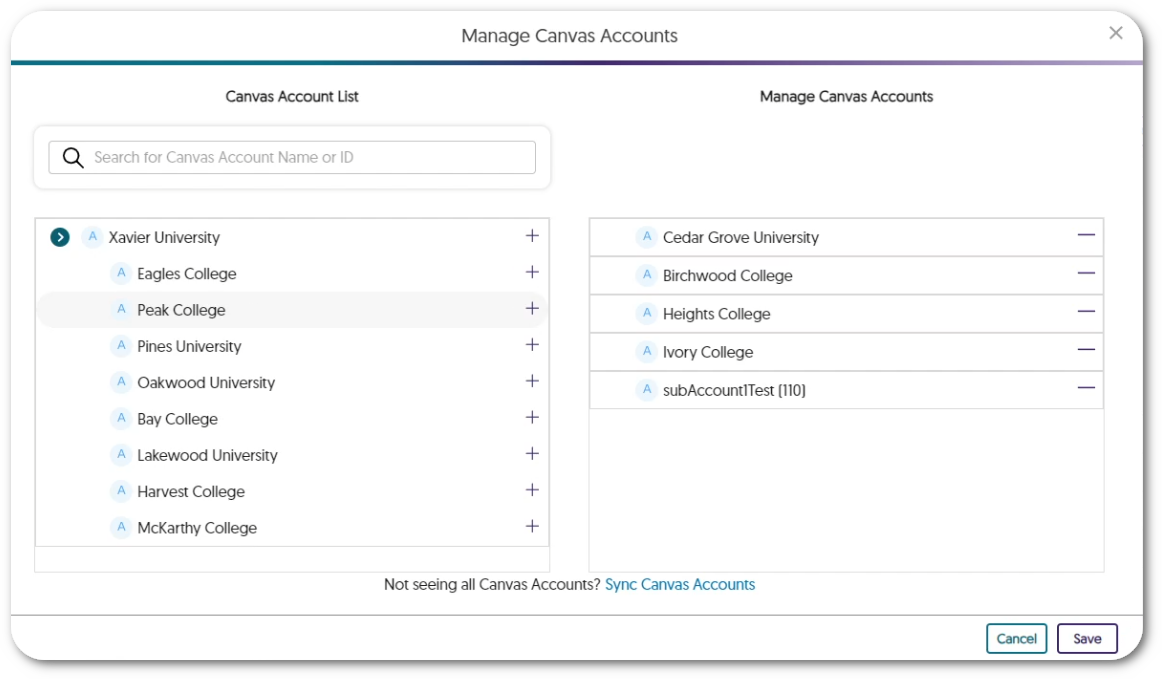
    12. Assign Hierarchical Accounts to Sub-Admins Our latest role mapping feature allows administrators to assign LMS hierarchical accounts to sub-admins, allowing them access to view institutions, issues, content, and storage reports for all courses within their assigned accounts. With this feature, administrators can delegate tasks efficiently to review the accessibility content of their institution. For detailed instructions on assigning sub-accounts to sub-admins, please visit our guide on Assigning Sub-Accounts to Sub-Admins in the Panorama Platform. Assign hierarchical accounts to sub-admins from the Institution Report page in Panorama.
    13. Upload Improved Documents to Canvas from Course Reports To facilitate the seamless upload of improved documents within Canvas, users will no longer have to refresh their Canvas environment for uploaded documents to appear. This functionality ensures that any uploaded documents within the Course Report will automatically be reflected in the corresponding documents within Canvas. Unfortunately, this feature will only be available in Canvas due to LMS restrictions. Document being updated through Panorama’s Course Report page which is reflected in Canvas.
    14. Access Comprehensive Storage Reports at a Glance To help administrators manage their storage usage, Panorama now provides a new Storage Report containing a summary of key storage details, which can be filtered by term or sub-accounts. These details include the average file size, total storage used, the number of files processed, and a breakdown of file sizes based on the document type. This allows administrators to gain a clear overview of their institution’s storage usage and manage their storage resources more efficiently. New Storage Report page featuring a graph for cumulative storage file size.
    15. Enhanced UI & Instant Reports Analysis for Scope Settings  We have enhanced the user interface and functionality of our Scope Settings to enable the Panorama LTI app to scan and evaluate the accessibility of courses instantly. The updated display now features a straightforward toggle switch that can be easily adjusted from Visible to Hidden for any course. By adding and designating courses as either Visible or Hidden, Panorama is now able to generate all analytical reports without requiring administrators to access each course individually. The new scope settings page featuring a list of selected courses.
    16. Automatic Accessibility Scans for New Courses Administrators have the option to set up regular scans each night to find newly created courses. Any detected course will automatically be sent for processing, allowing administrators to keep up with accessibility reports for their institution. If administrators prefer, they also have the option to scan for new courses manually every hour.New Scope settings page features a panel for Schedules Scans.

Join the 1,000+ Organizations Deploying High-Impact Solutions

A collection of logos representing various organizations and institutions that use YuJa’s platform.