







Online
Feb 12, 2026
Boost Video Accessibility with the GenAI Video PowerPack!
Try Now
Supercharge Your Compliance Efforts with AutoPilot Remediation Max!
Try Now
Strengthen Your PDF Accessibility Efforts with Structural Remediation Max!
Try Now
Don't Miss Any of Our Upcoming Webinars—Save Your Spot!
Register
The YuJa Community is here! Connect, get updates, and access exclusive content.
Join Now

YuJa Verity’s Lockdown Module enables you to lock down the testing environment to prevent cheating during proctored assessments.
Scrolling logos of YuJa’s clients such as Carl Sandberg, Bristol Community College, Doane University, etc.
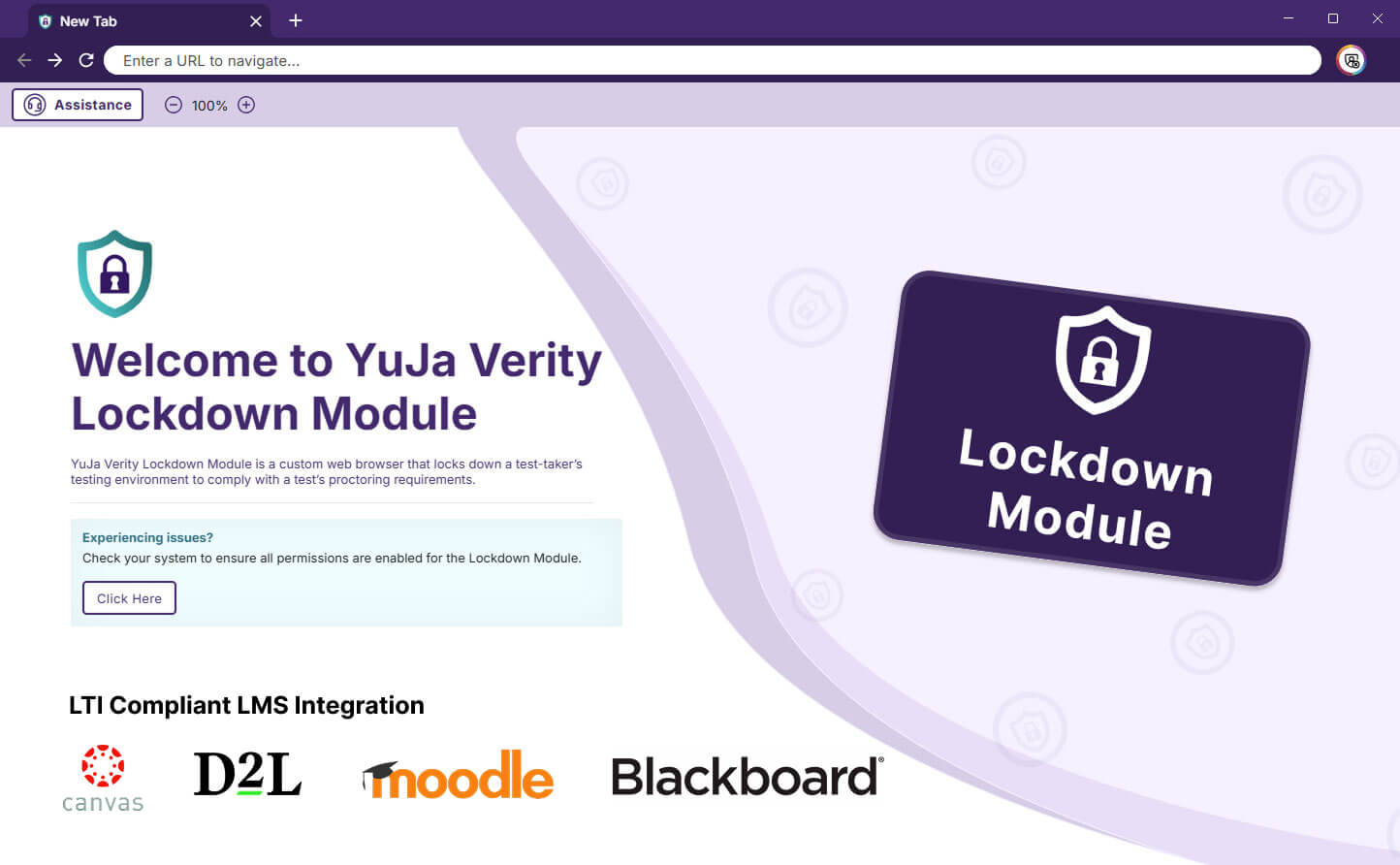
The YuJa Verity Lockdown Module is a specialized, secure web browser designed to maintain academic integrity during online, proctored assessments. The module integrates seamlessly with your LMS, allowing you to create and deploy secure assessments without requiring complex setups for test-takers.
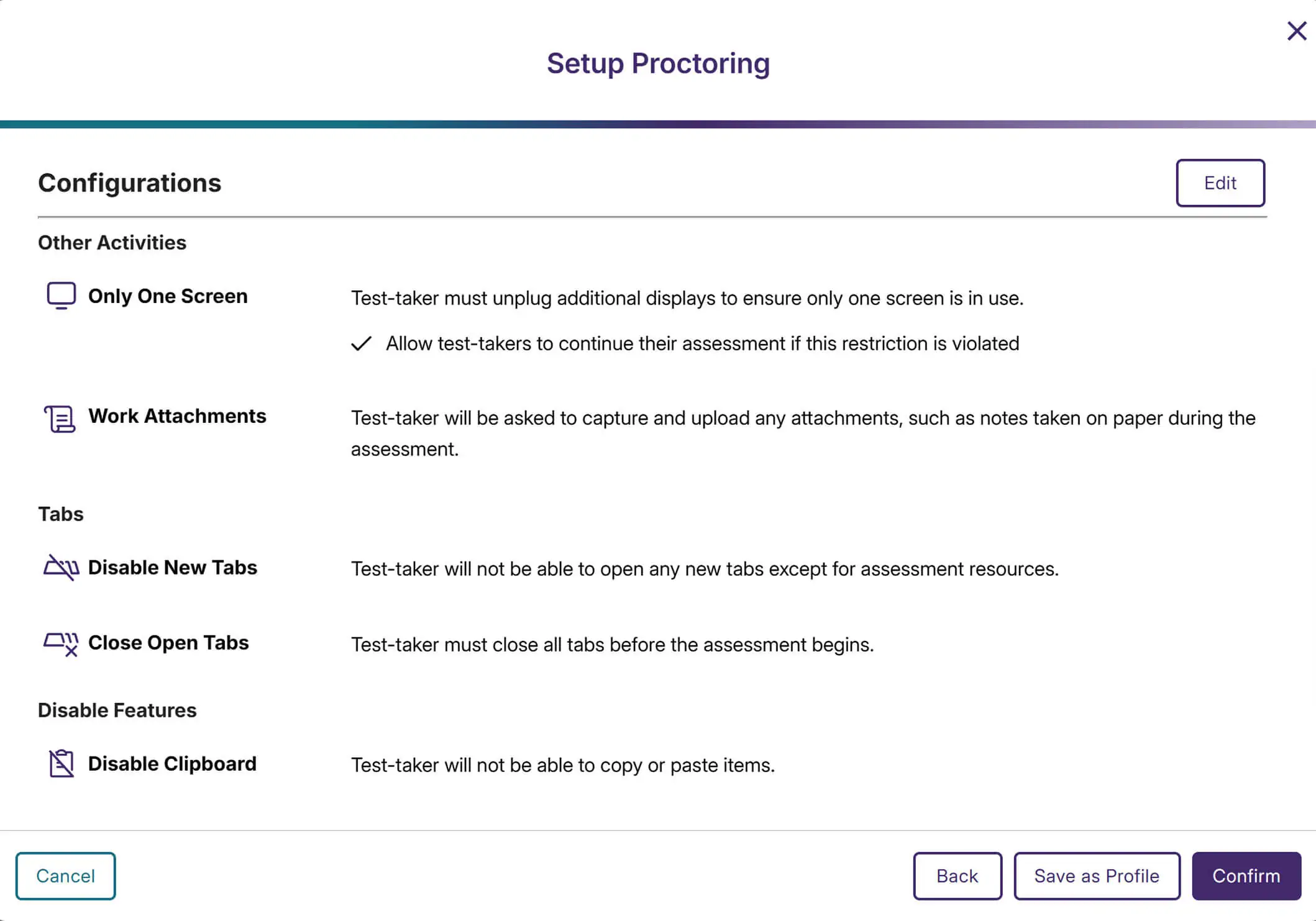
You can configure a range of YuJa Verity features to strengthen the security of your online assessments by locking down your students’ desktops. Decide whether to allow only one screen, disable new tabs, close all open tabs, or disable the clipboard during a test. You can also enable specific links so your students can access approved URLs while taking the exam.


The University of Maryland Eastern Shore (UMES) adopted the YuJa Verity Test Proctoring Platform, along with YuJa’s flagship Lumina Video Platform, Panorama LMS Accessibility Platform, and Engage Student Response System.
Read the case studyThe YuJa Verity Lockdown Module features a comprehensive set of proctoring tools that safeguard assessment security by limiting device functionality, monitoring behavior in real time, and preventing access to external resources.
Prevent students from downloading images, documents, or web pages during the exam, ensuring protected content can’t be saved, copied, or circulated.
Disable spell-check so test-takers can’t rely on automated corrections or word suggestions, ensuring that every written response reflects their language ability.
Require students on Apple devices to disable the Handoff feature to prevent the transfer of assessment content to another device.

Block students from launching assessments inside virtual machines, which are often used to bypass security or capture test content.

Control which desktop apps test-takers can access during assessments and receive real-time logs for any app use.
Capture keyboard inputs and monitor all copy, cut, and paste actions throughout assessments for deep visibility.
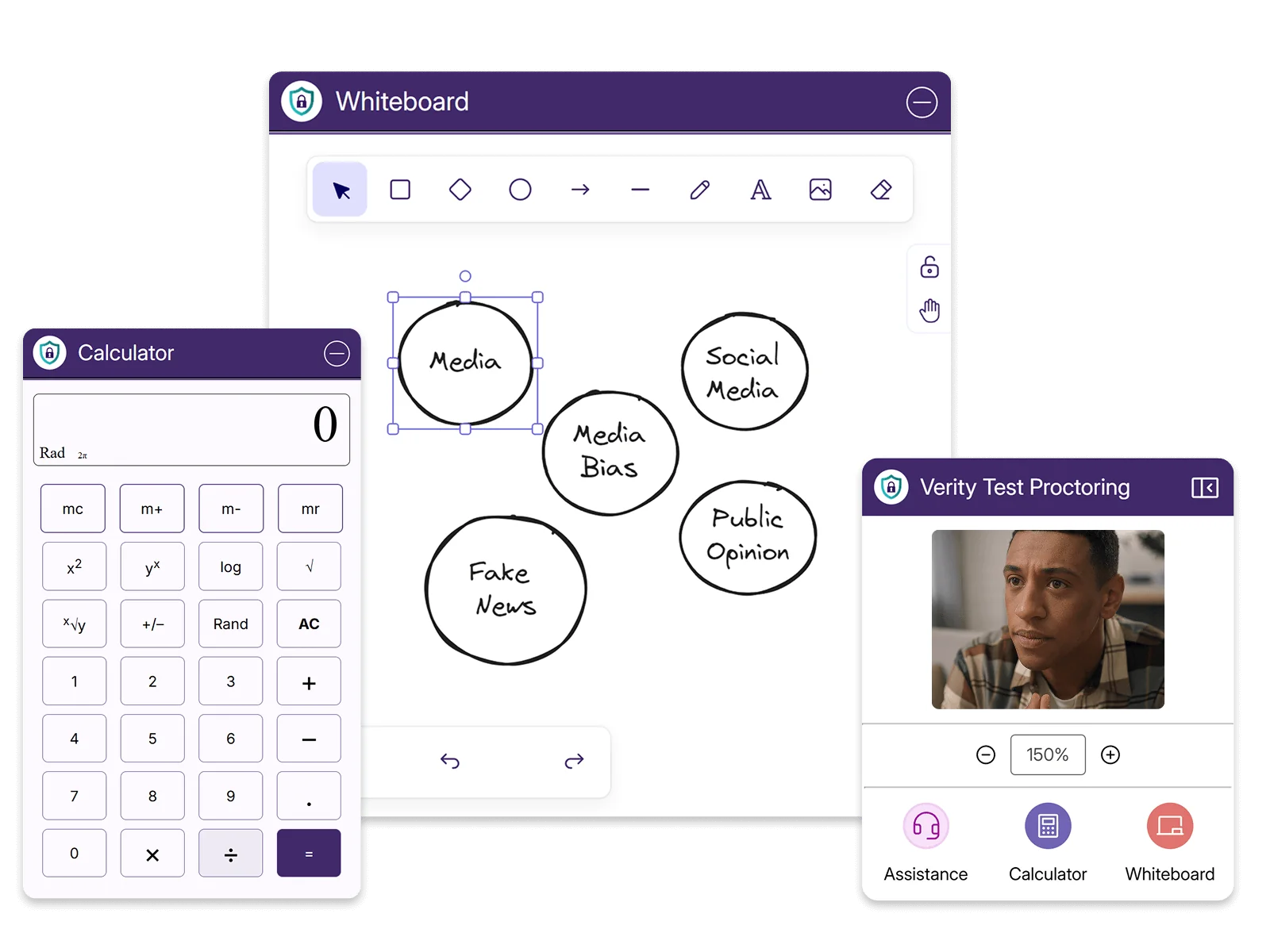
Give test-takers the resources they need without compromising exam security. Turn on the interactive whiteboard for notes, sketches, or typed work, and enable the integrated scientific calculator to solve advanced math functions. Everything they need stays inside the testing environment, with no extra materials or third-party apps required.
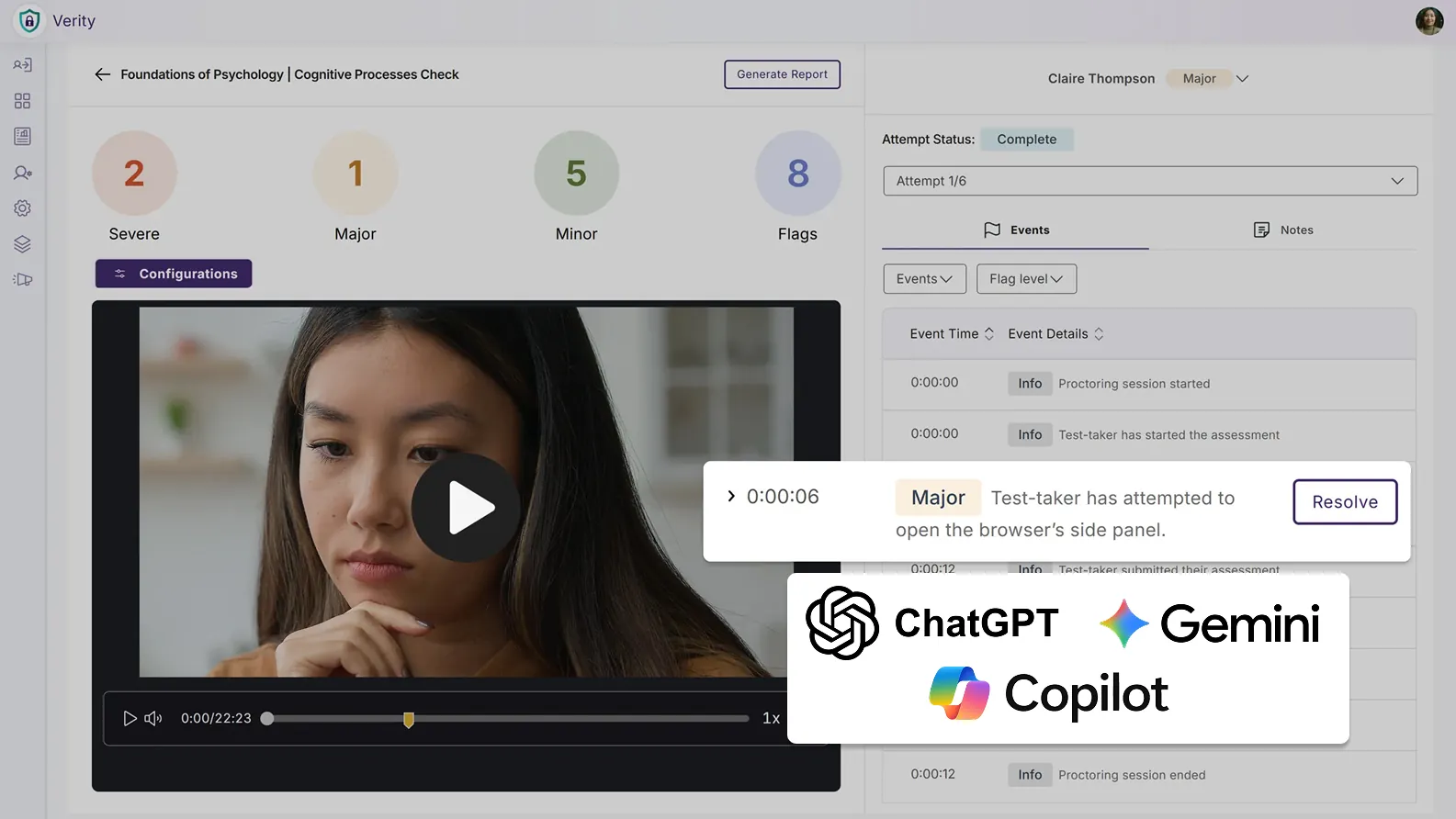
The YuJa Verity Lockdown Module can detect the use of browser sidebars, allowing you to deter test-takers from accessing generated answers and summaries from in-browser AI assistants, including ChatGPT, Copilot, Gemini, and more. Any detected use of browser sidebars will be flagged as a violation.
Reinforce your testing environment with an additional suite of security tools purpose-built to enhance assessment integrity, ensuring that every assessment remains fair, compliant, and fully secure. From advanced monitoring to proactive restriction controls, these features help prevent misconduct before it happens.
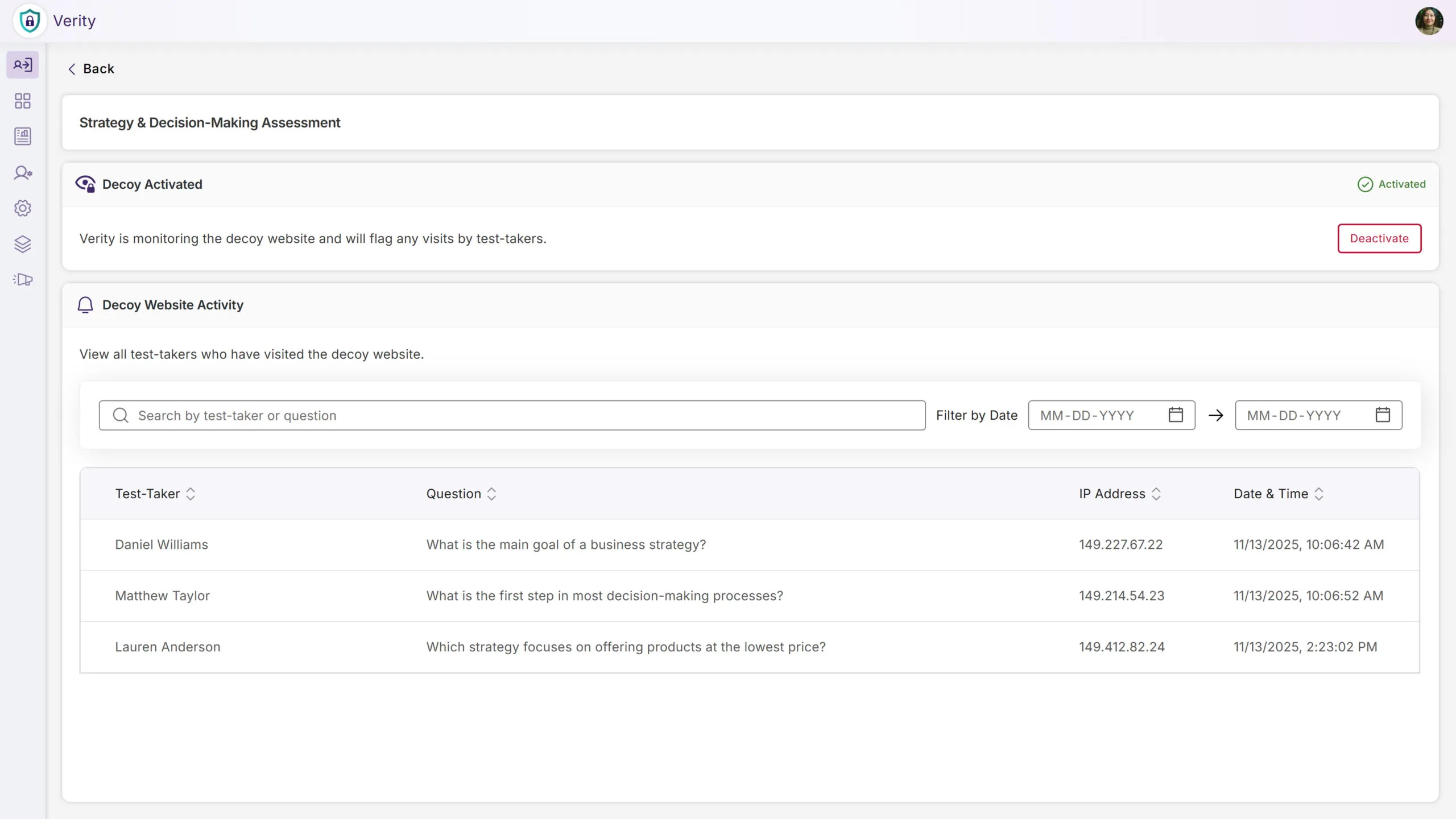
You can activate decoy websites seeded with fake assessment answers that are detectable through leading search engines. If test-takers access one of our decoy sites when searching for answers online, we’ll flag the potential cheating attempt as suspicious behavior. This works in conjunction with our other proctoring tools to help deter or eliminate academic dishonesty and ensure assessment integrity.
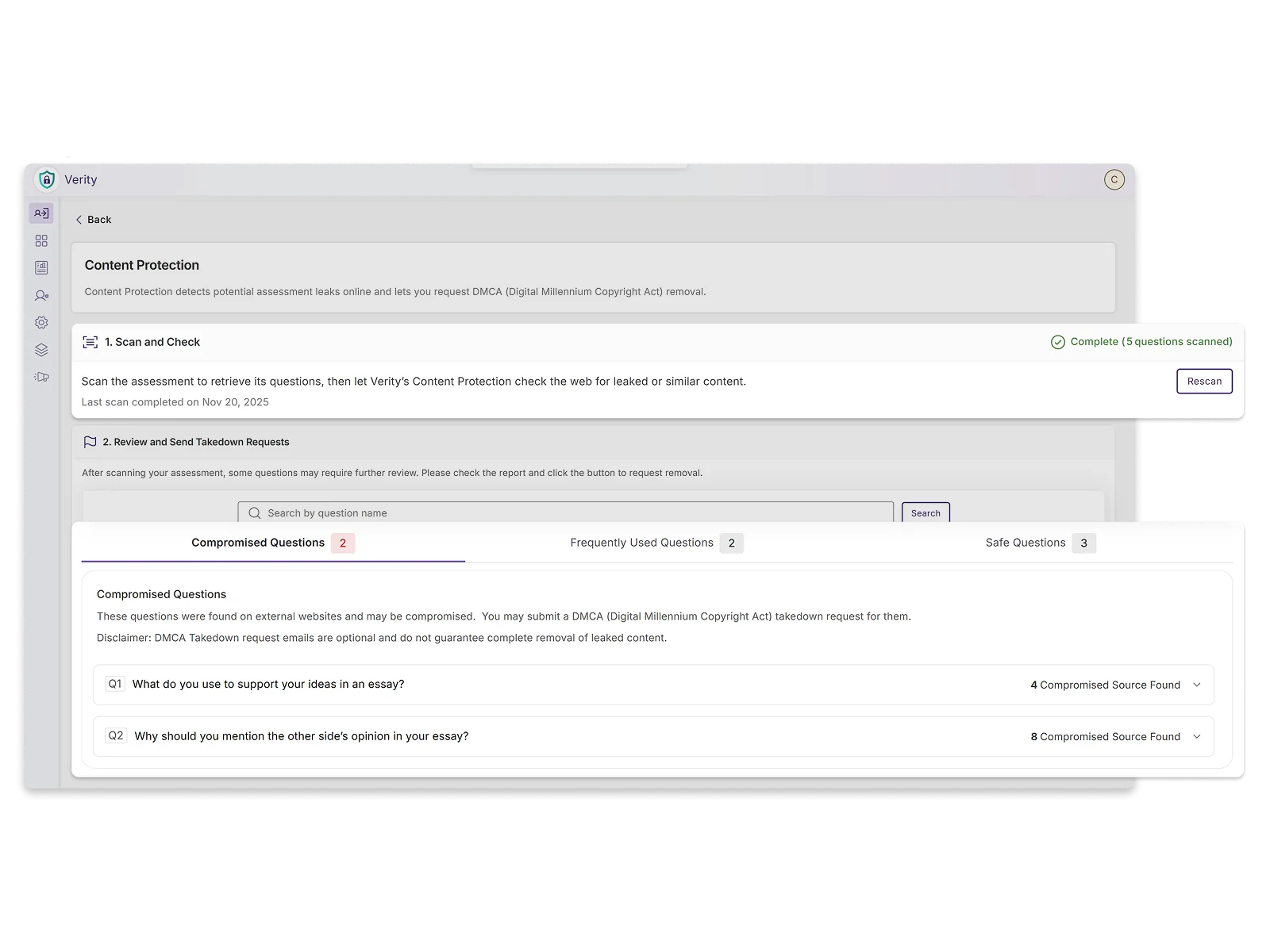
You can scan assessment questions to quickly determine whether they have been posted online or shared on third-party sites. This helps ensure that test-takers don’t gain an unfair advantage by accessing leaked materials, protecting the integrity of proctored assessments. This proactive security check allows you to change or modify compromised questions before assessments are administered.
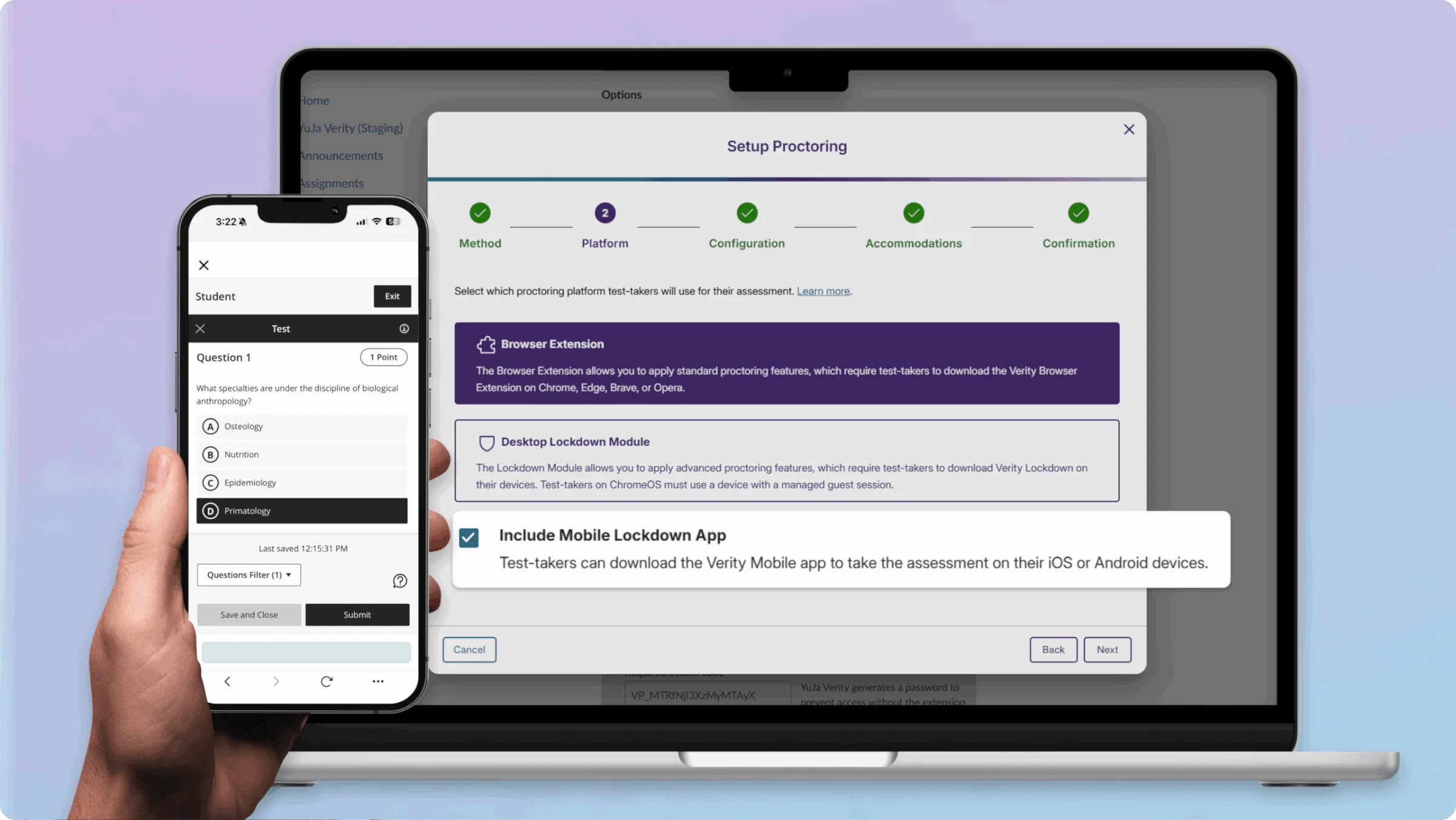
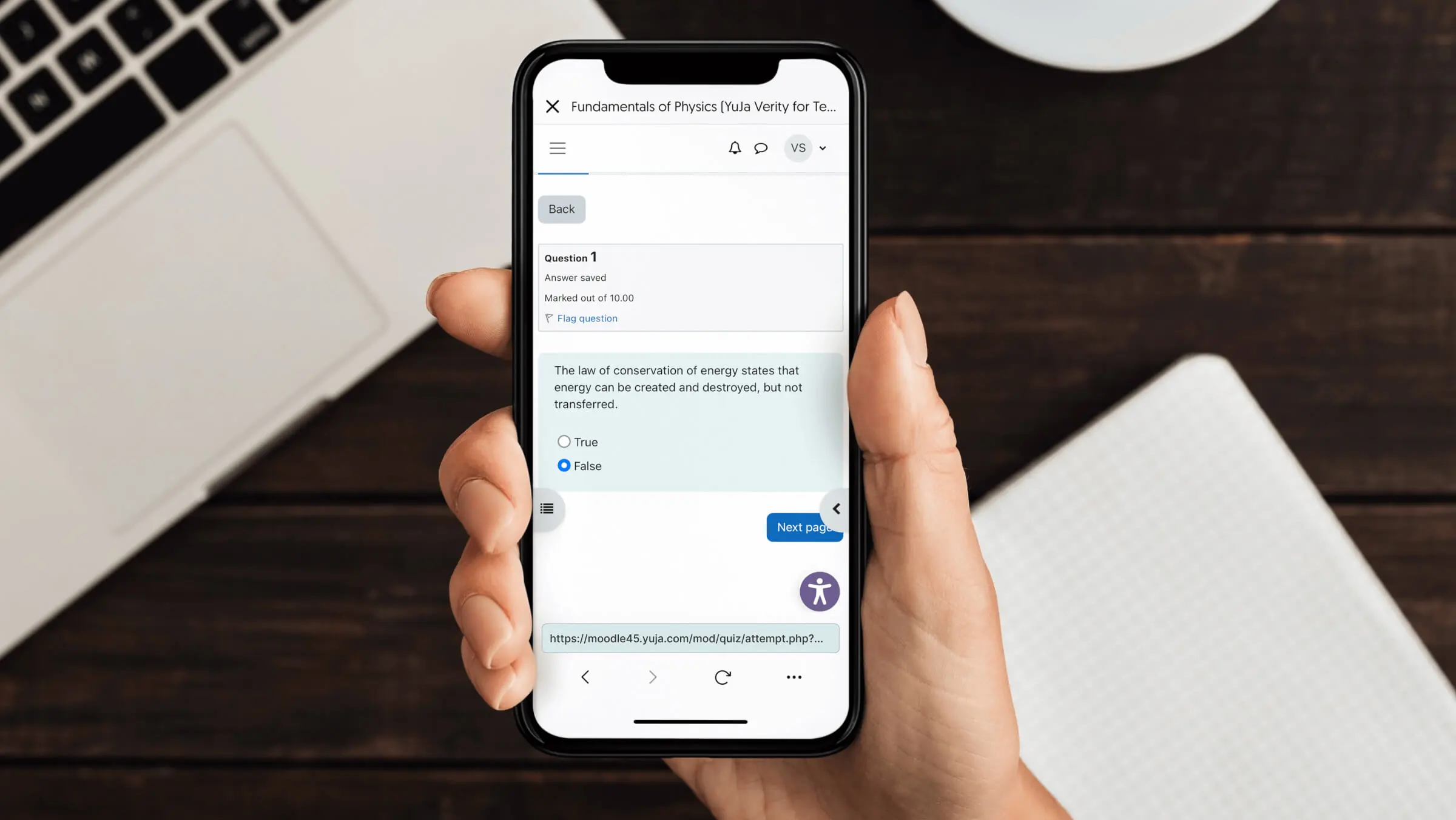
With YuJa Verity’s Mobile Lockdown App, you can enable proctoring on mobile devices, giving test-takers the flexibility to take assessments on their iOS or Android devices. This ensures that test-takers without access to traditional desktops or laptops can still participate in secure, proctored exams.
Enable students to take assessments on the YuJa Verity Mobile Lockdown App, available for both iOS and Android devices. The app supports both automated and live proctoring to ensure secure, flexible testing wherever test-takers are.
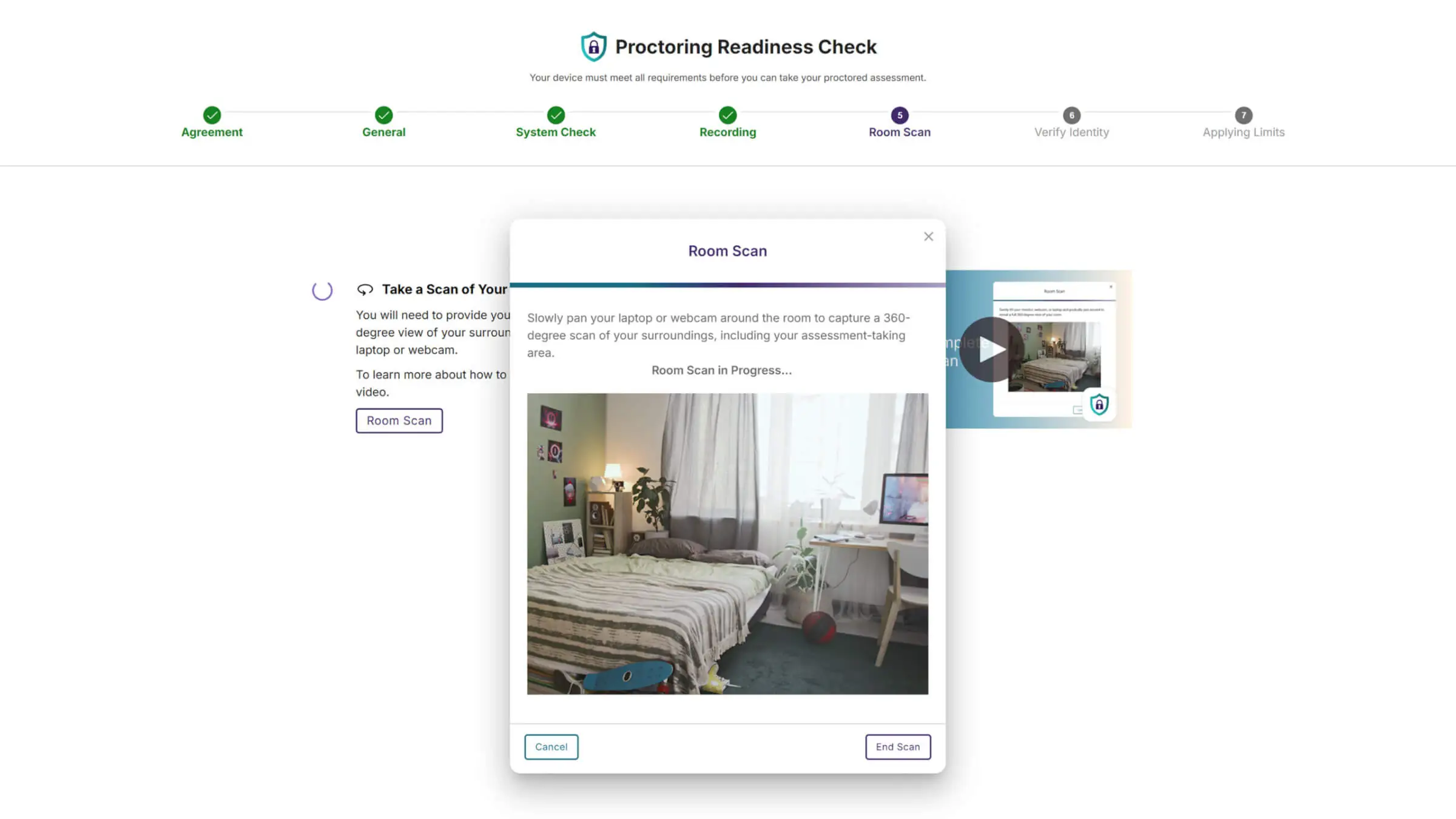
Ensure academic integrity with an optional room scan feature available in the YuJa Verity Lockdown Module to verify whether testing environments are free from prohibited materials, giving you added confidence that every assessment is secure.
Join the 1,000+ Organizations Deploying High-Impact Solutions