

Product Updates
Get the latest platform updates, features, and announcements—all in one place.
Boost Video Accessibility with the GenAI Video PowerPack!
Try Now
Supercharge Your Compliance Efforts with AutoPilot Remediation Max!
Try Now
Strengthen Your PDF Accessibility Efforts with Structural Remediation Max!
Try Now
Don't Miss Any of Our Upcoming Webinars—Save Your Spot!
Register
The YuJa Community is here! Connect, get updates, and access exclusive content.
Join Now

Get the latest platform updates, features, and announcements—all in one place.
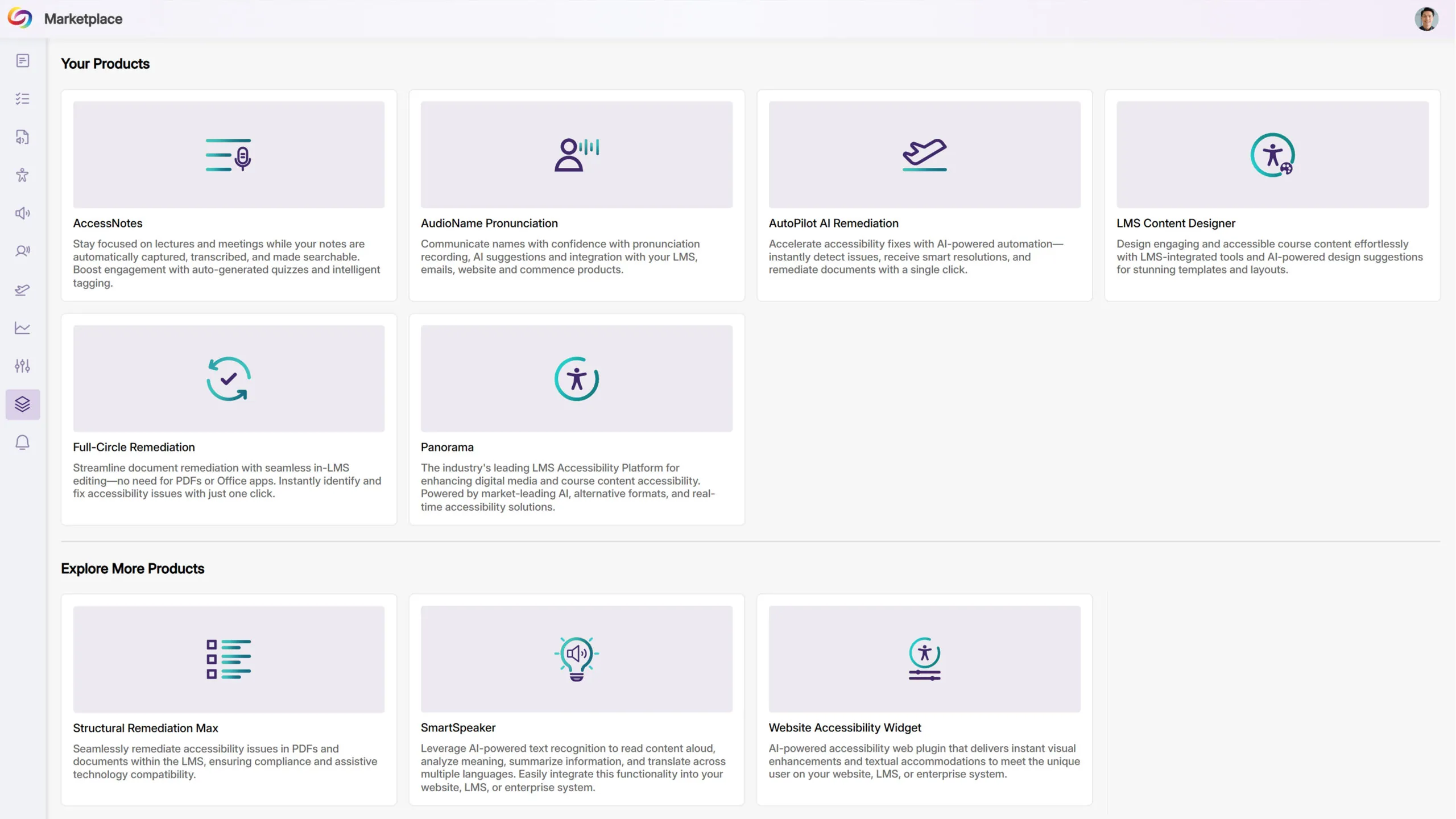
We have successfully pushed an update to all YuJa Panorama LMS Accessibility Platform instances residing in the US, Canada, Australia, Singapore, the Middle East, and the European Union. This update includes a new marketplace of accessibility products, an option to reorder the Alternative Formats Menu, customize the DocHub Experience by creating default folders, options to treat images as decorative, and more.
Explore Our Brand New Marketplace of Accessibility Products to Help You Create, Remediate, and Engage With Your LMS Content
When it comes to accessibility, there is a wide range of tools that specialize in how your content looks and feels. Whether you’re looking to create a welcoming home page on your LMS or want to give your users the freedom to customize elements to suit their needs, the Marketplace is a one-stop shop with everything you need. Browse our catalog of products and see what you like. When something catches your eye, contact your dedicated Customer Success Manager, who can help you learn more and set things up for your institution.
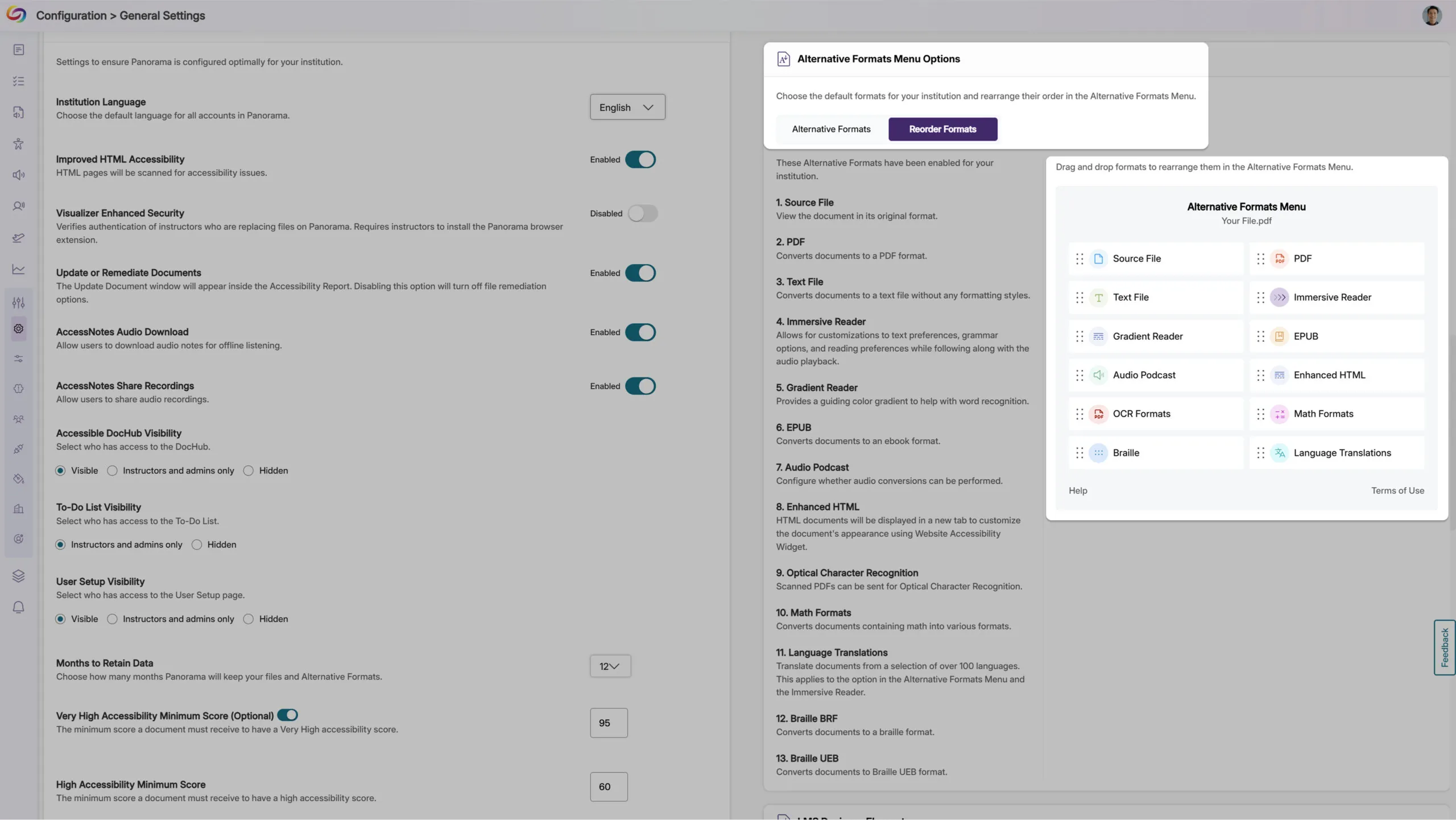
Customize the Alternative Formats Menu by Reordering the Placement of Formats
As an administrator, you can now reorder the formats in the Alternative Formats Menu to suit your institution’s preferences. For example, you can prioritize frequently used formats and display them at the top of the menu for more convenient access across your institution.
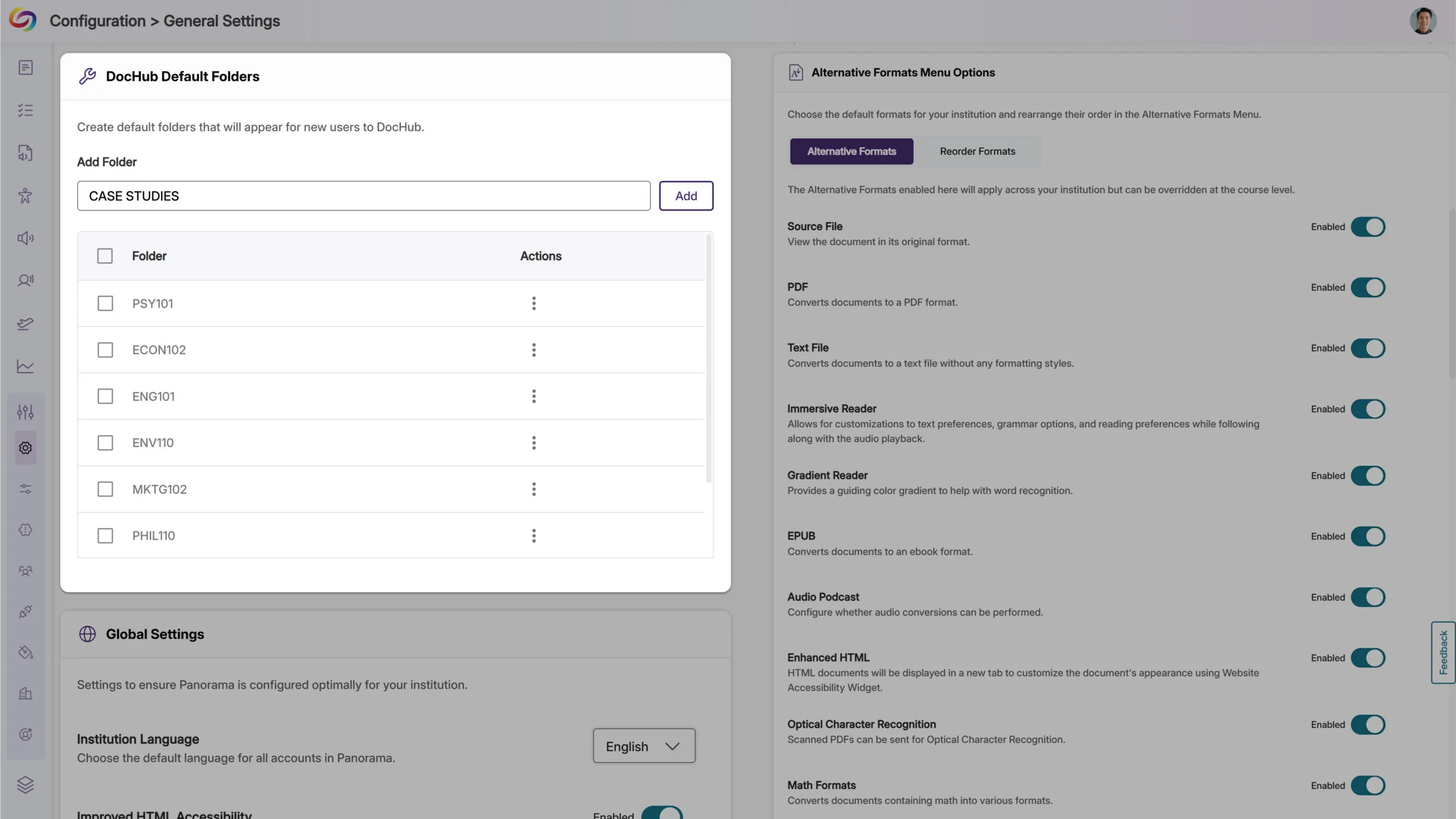
Customize the DocHub Experience by Creating Default Folders
As an administrator, you can now create default DocHub folders, allowing you to set up specific folder structures based on your institution’s preferences for content management. Please note that users must be added after creating default folders for those folders to appear to them.
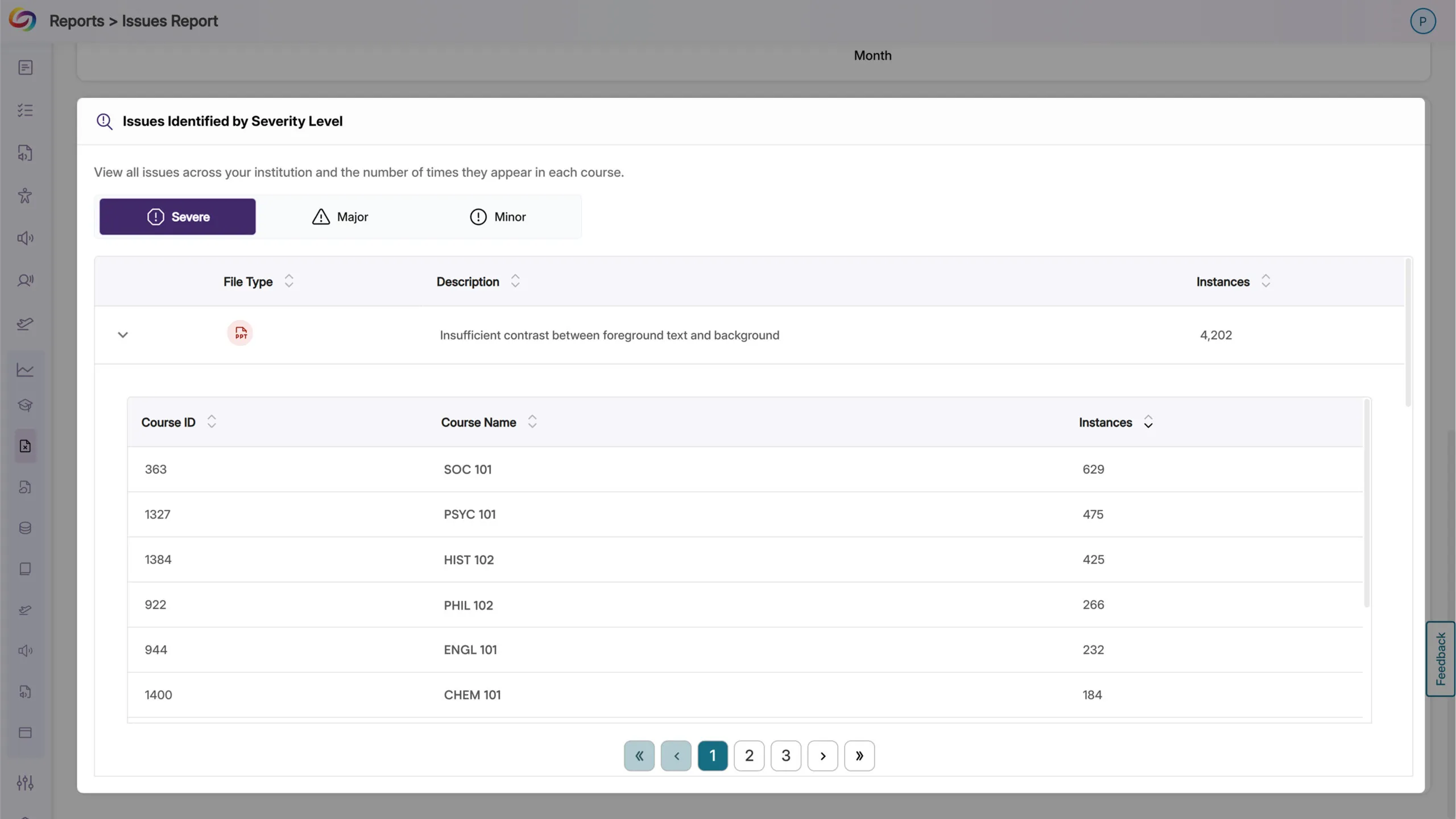
The Issues Report Provides an Overview of All Issues and in Which Courses They Occur
When reviewing the issue report, administrators can now see all courses with a specific accessibility issue, along with the number of occurrences. This allows you to quickly locate courses with the highest instances of any particular issue and address them efficiently.
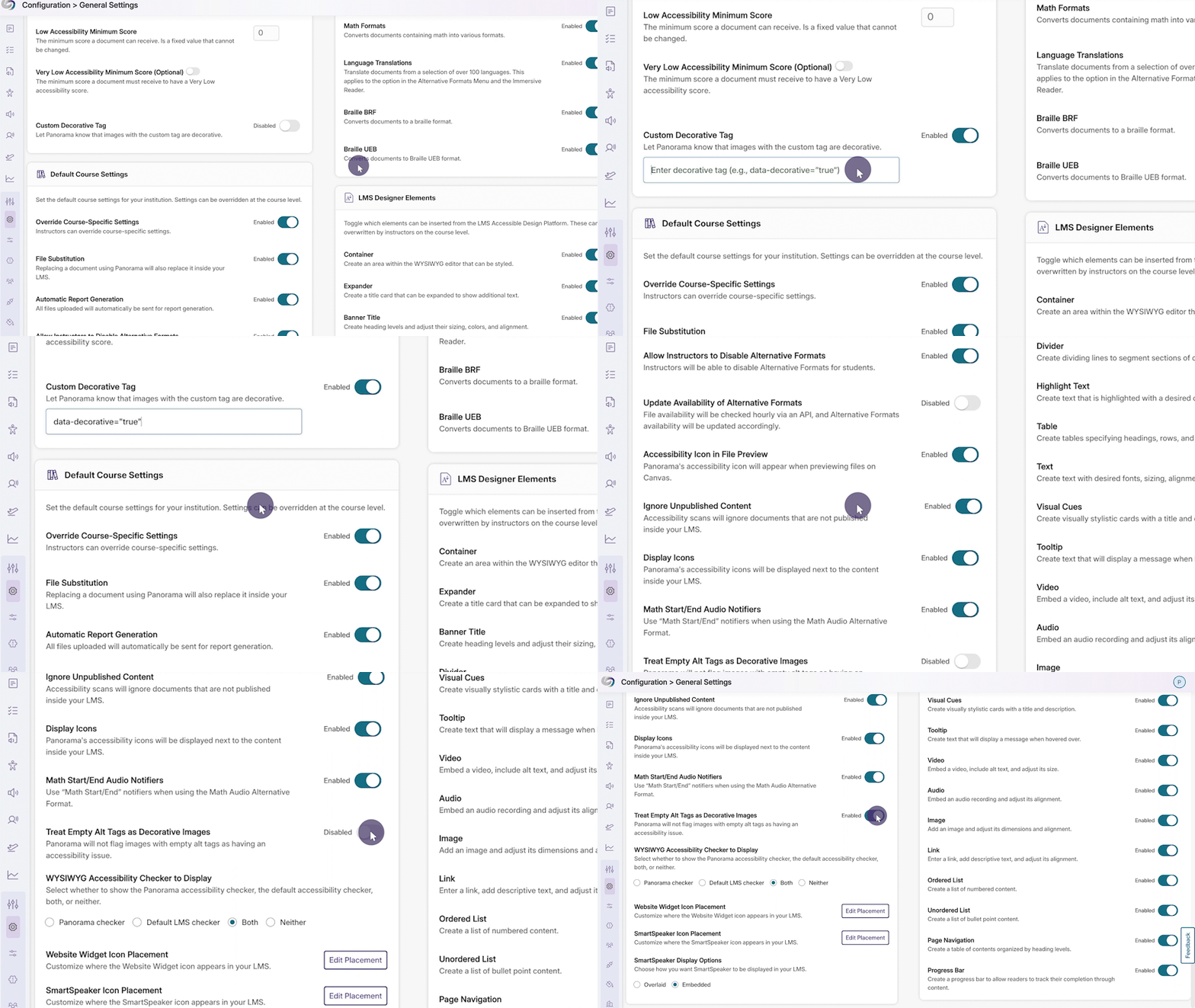
New Option to Automatically Exclude Decorative Images from Being Flagged as Issues
In certain cases, your content may contain images marked as decorative with an empty alt tag (alt=””) or a custom decorative tag. To ensure that these types of images are not flagged as issues, YuJa Panorama now offers more flexibility for you to treat these images as decorative.
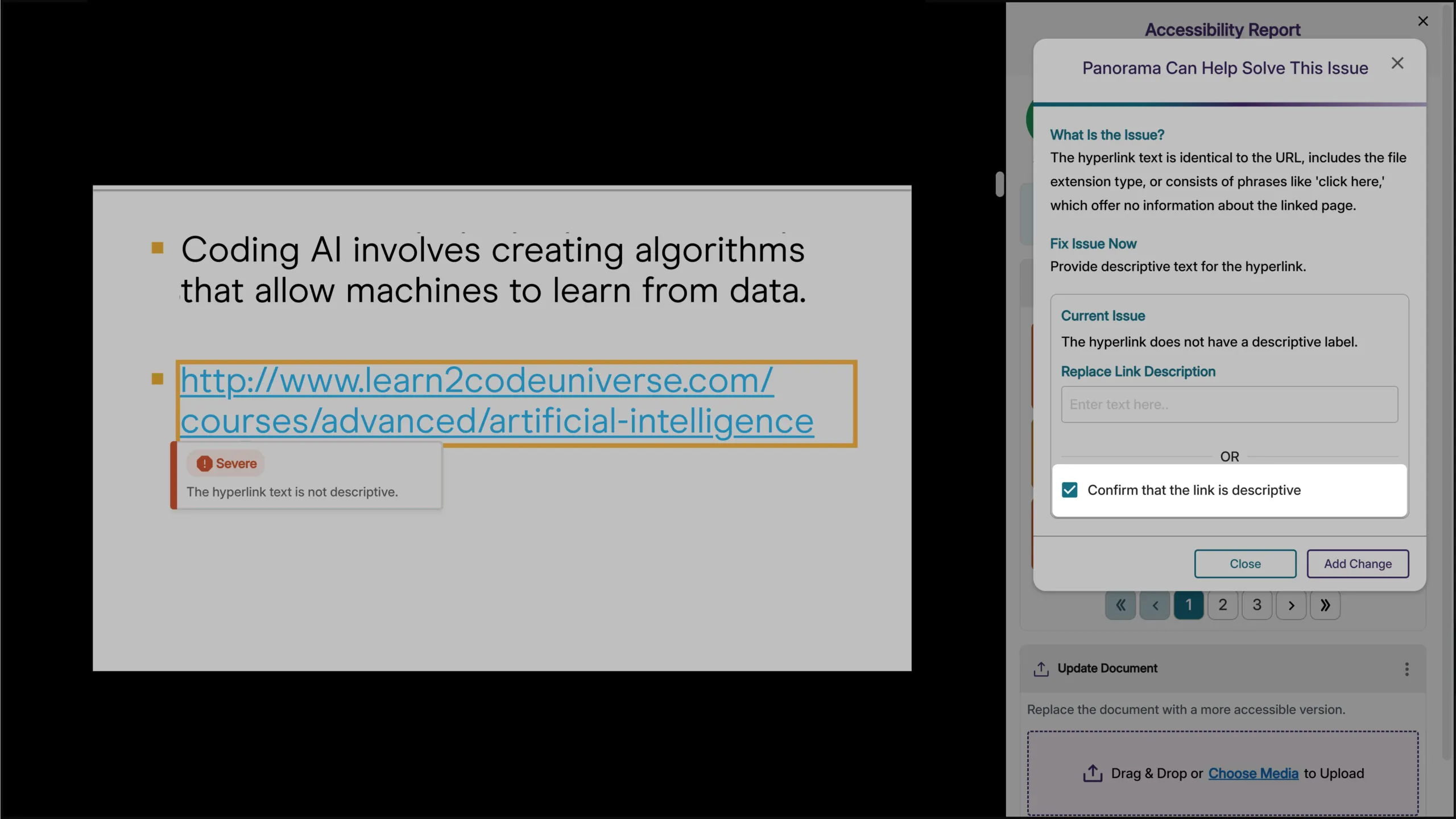
Verify that Hyperlinked Text is Descriptive
Descriptive text for hyperlinks can be useful so that users have context on where the link will take them. However, in cases where the full URL needs to be displayed, such as a work cited page, you can now verify that it is not to be flagged as an issue in the Accessibility Report.
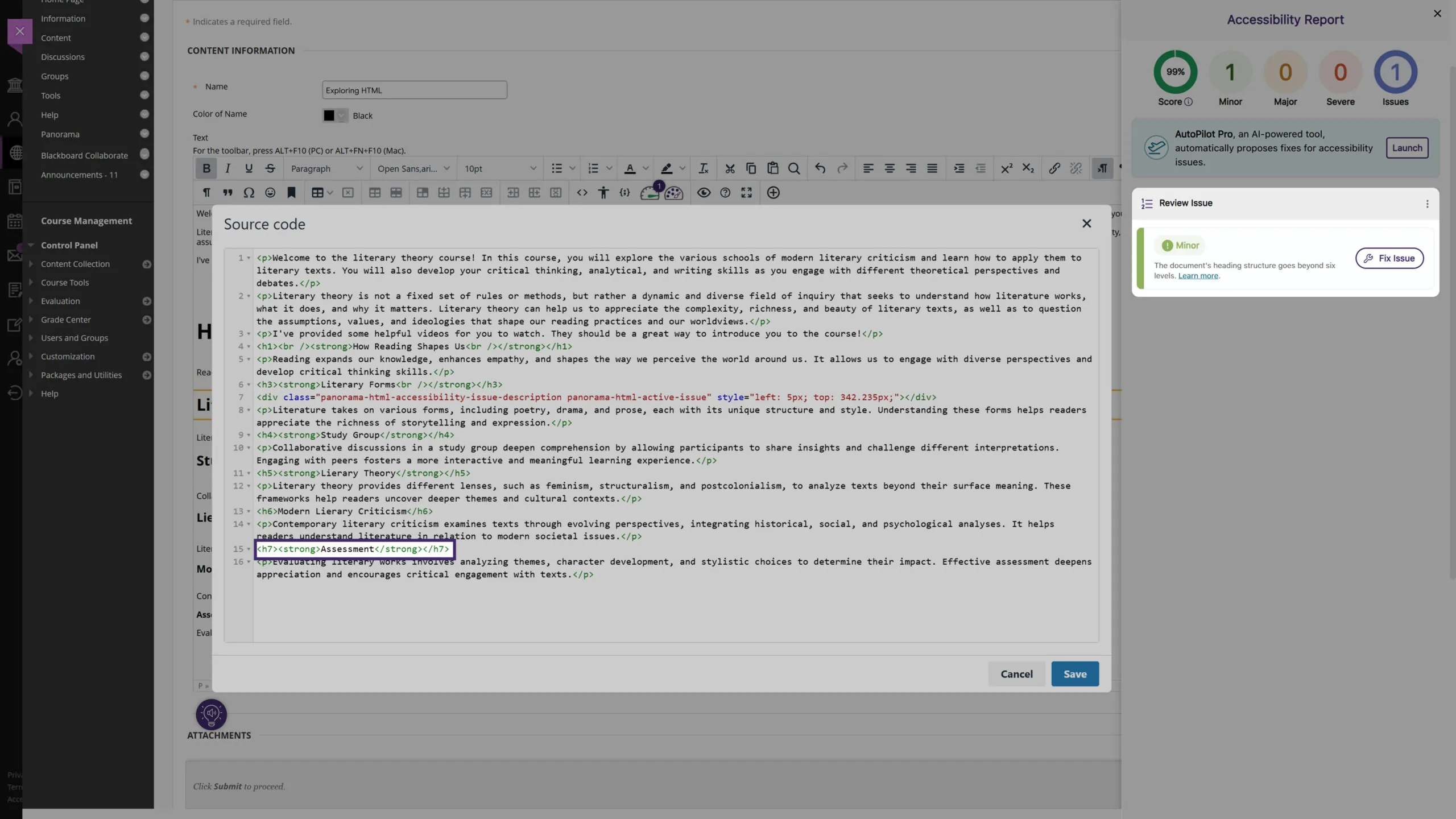
New Accessibility Check for Excessive Heading Levels in HTML Content
We’ve expanded Panorama’s capabilities in detecting heading tags that exceed six levels for HTML content in the WYSIWYG editor, ensuring better compliance with the latest WCAG accessibility guidelines.
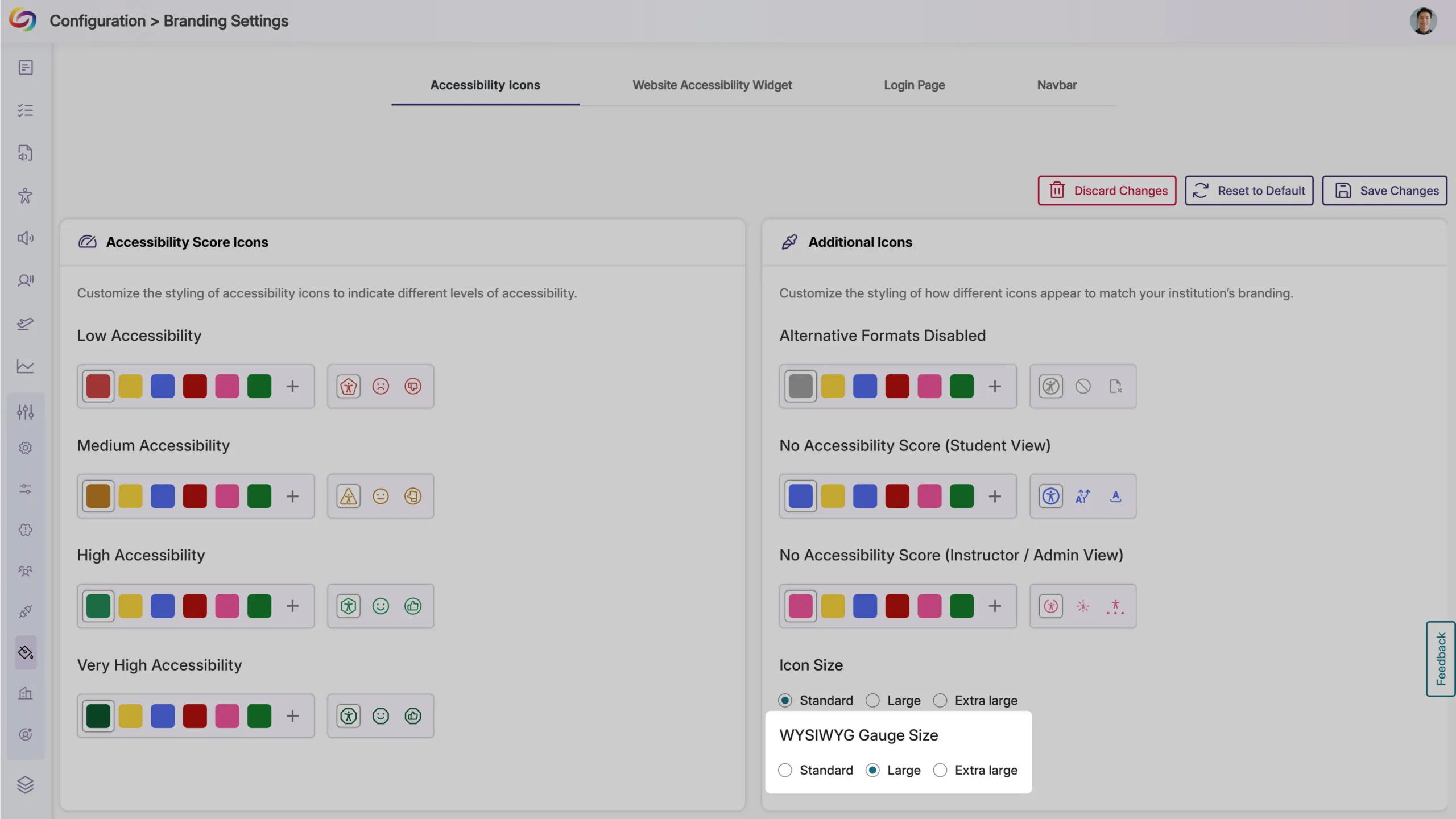
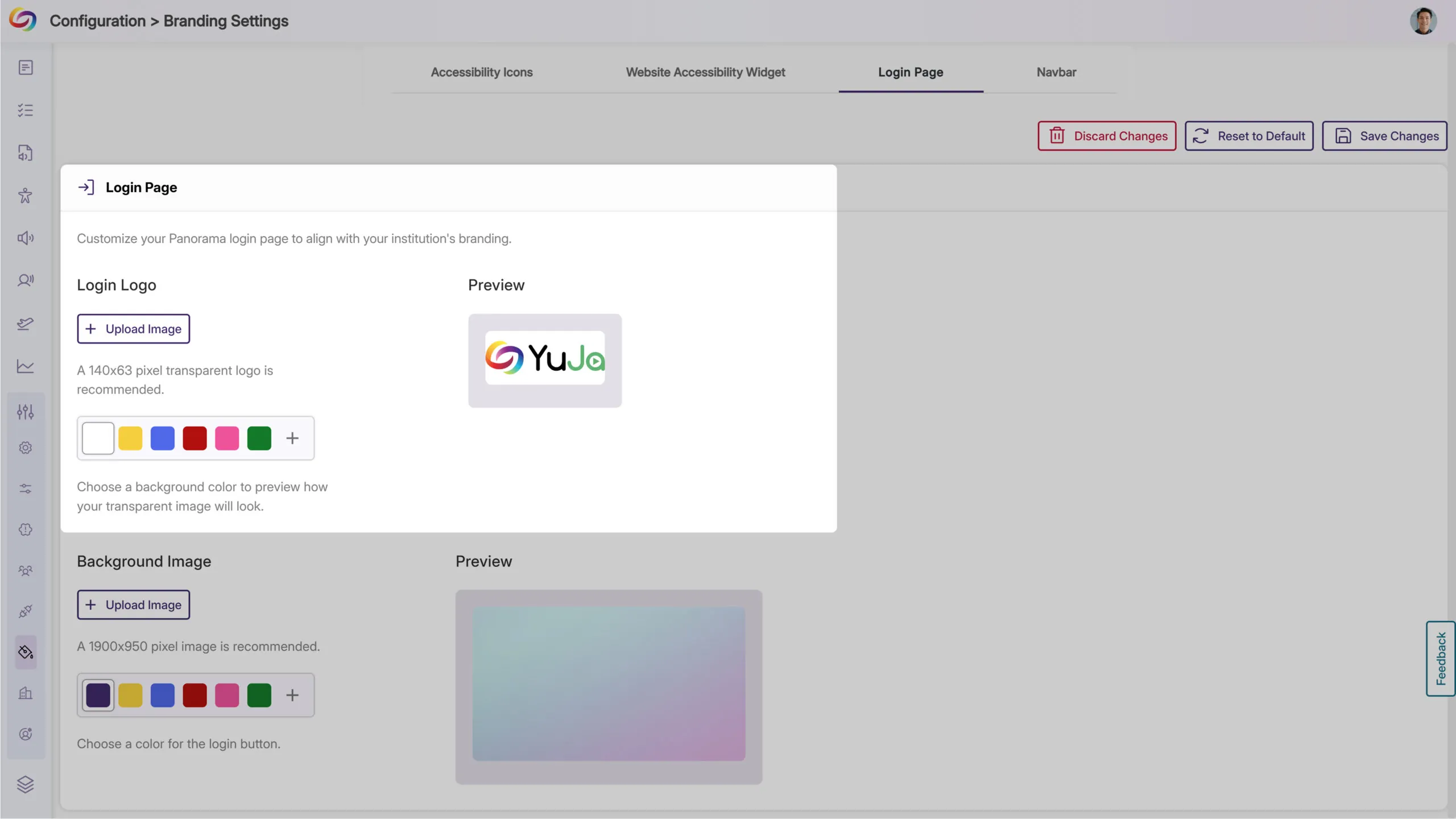
Expanded Branding Options for Enhanced Customization
We’ve expanded the branding settings to offer greater flexibility in customizing icons and the interface to match your institution’s preferences. Key updates include:
WYSIWYG Gauge Size: Customize its size to ensure a consistent display alongside other icons within your LMS’s WYSIWYG editor.
Login Page Branding: Upload a preferred logo for the login page to better align with your institution’s branding.
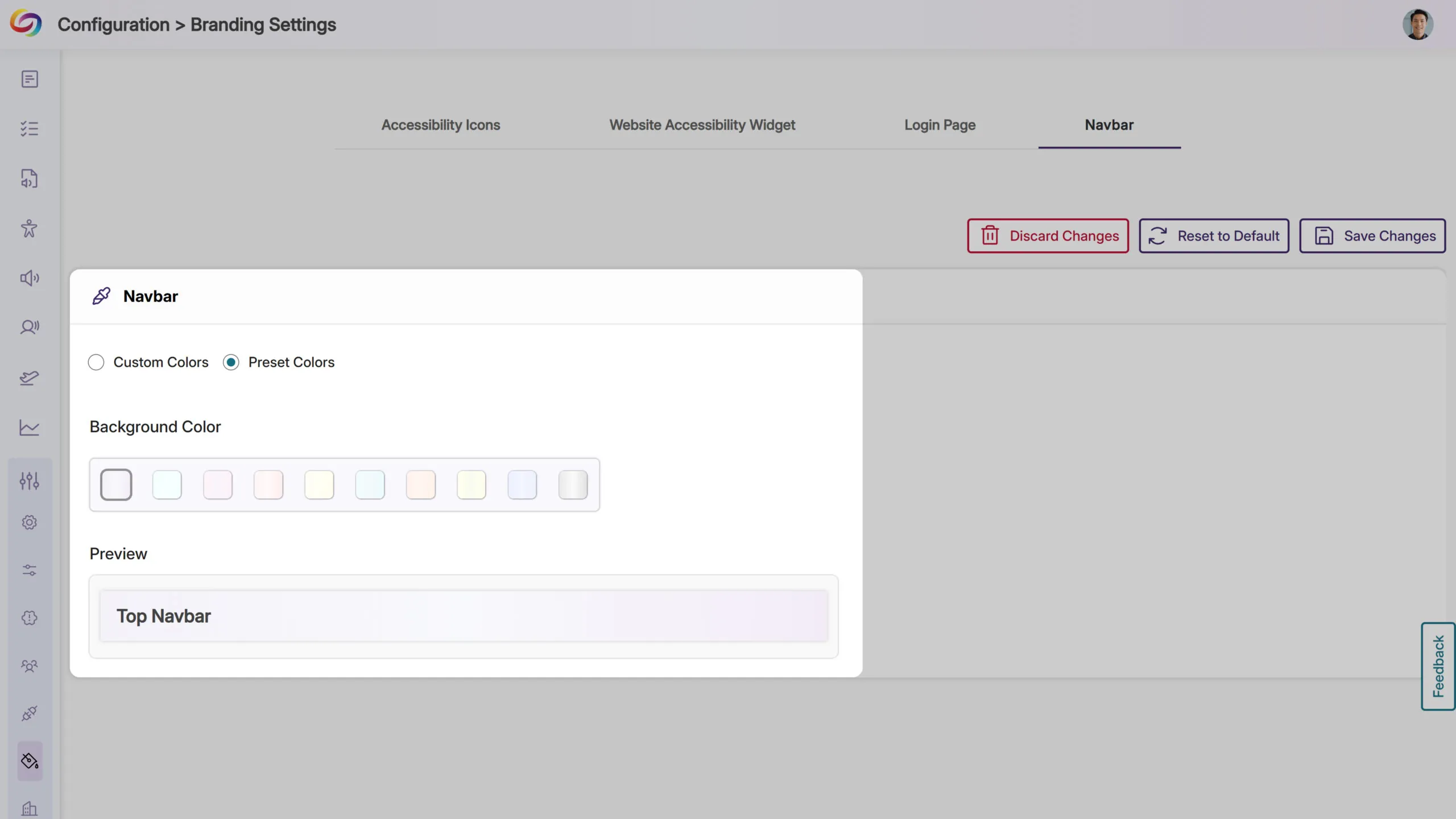
Predefined Color Options for Top Bar: Choose from modernized, high-contrast color options to maintain visual accessibility while matching your institution’s branding.
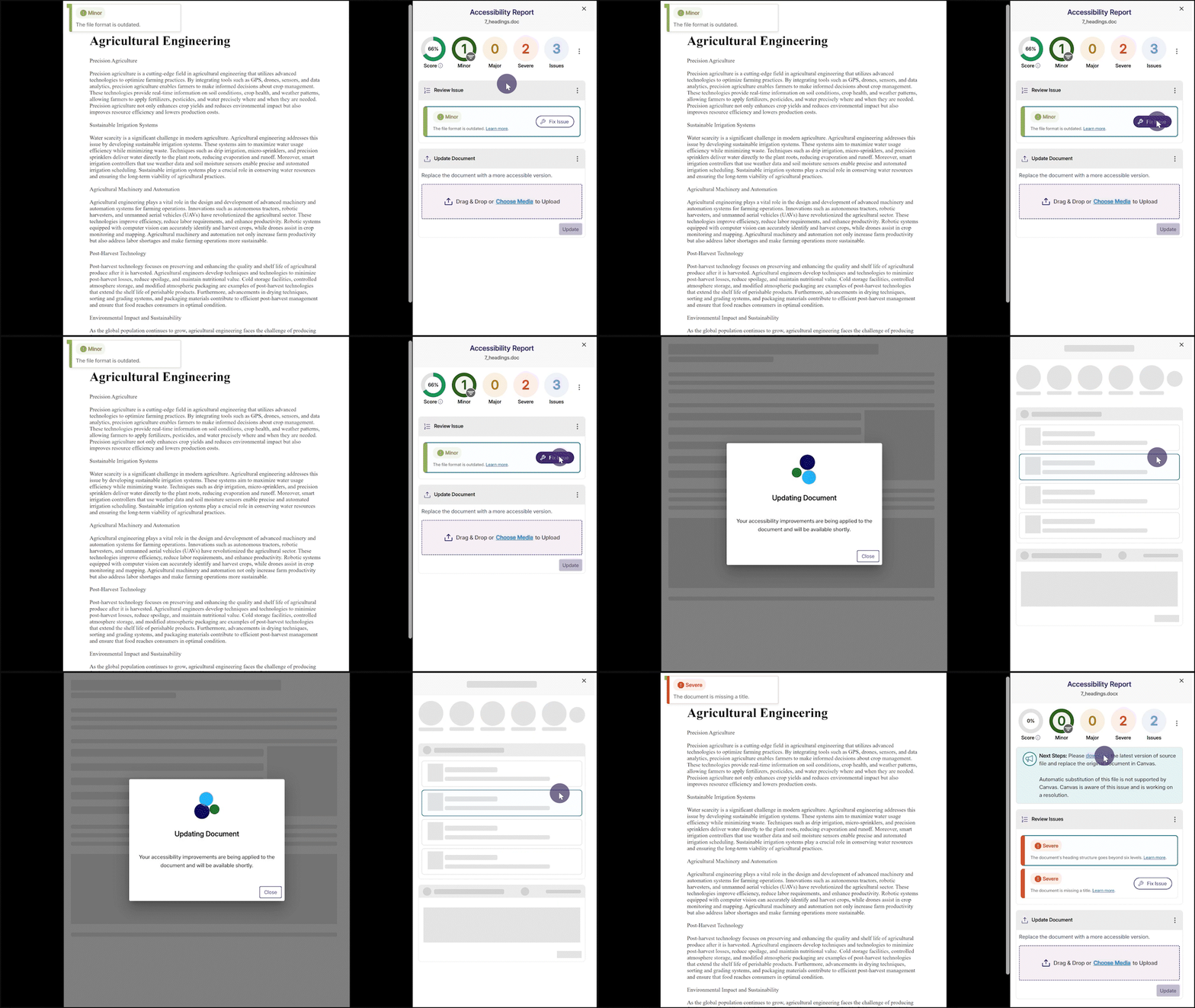
Fix Outdated File Formats Issue Within the Accessibility Report
We’ve enhanced YuJa Panorama’s capabilities to not only identify outdated file formats and provide how-to-fix suggestions, but also offer an instant fix. Simply click the Fix Issue button to update your file format to the latest version.
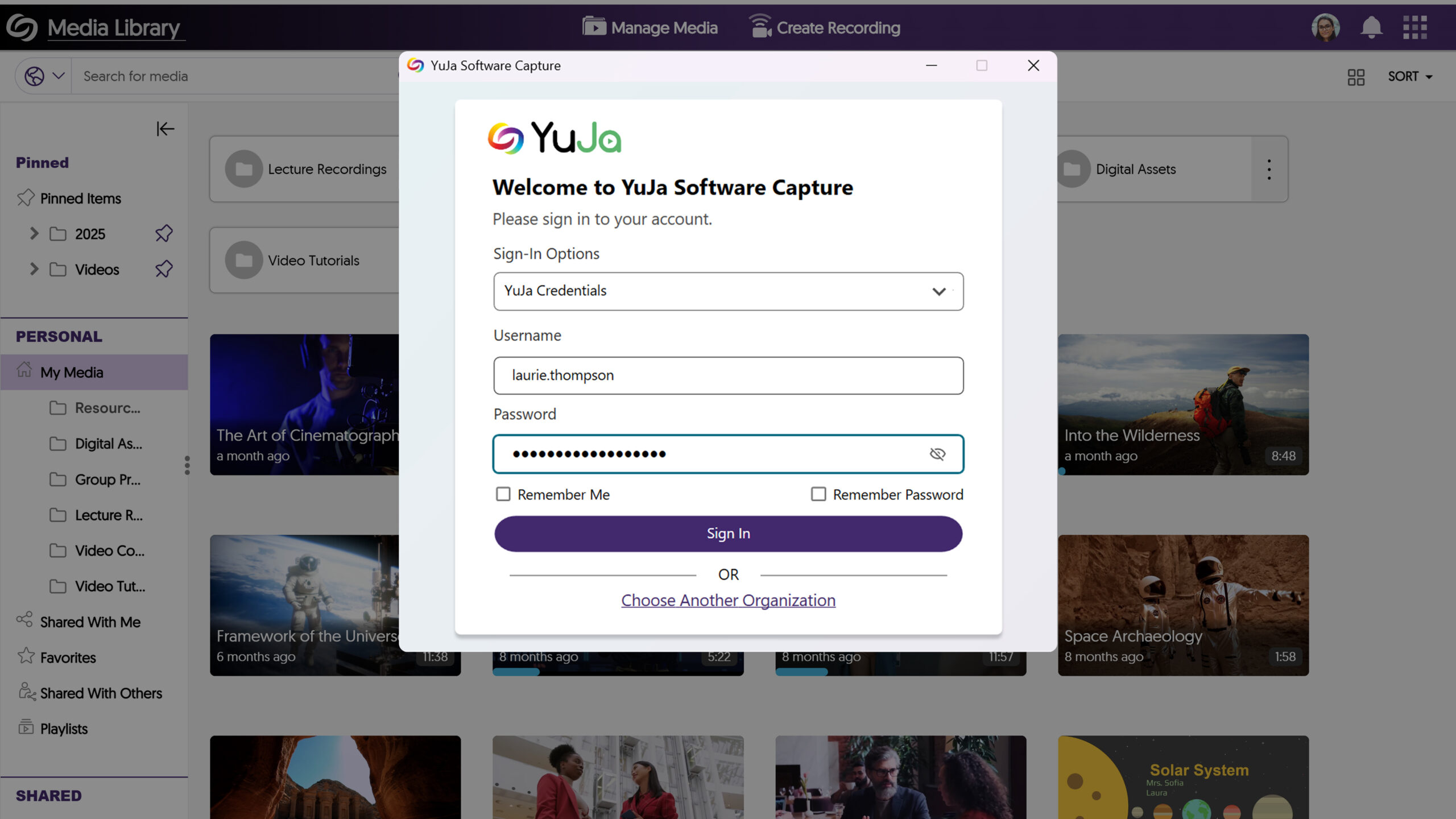
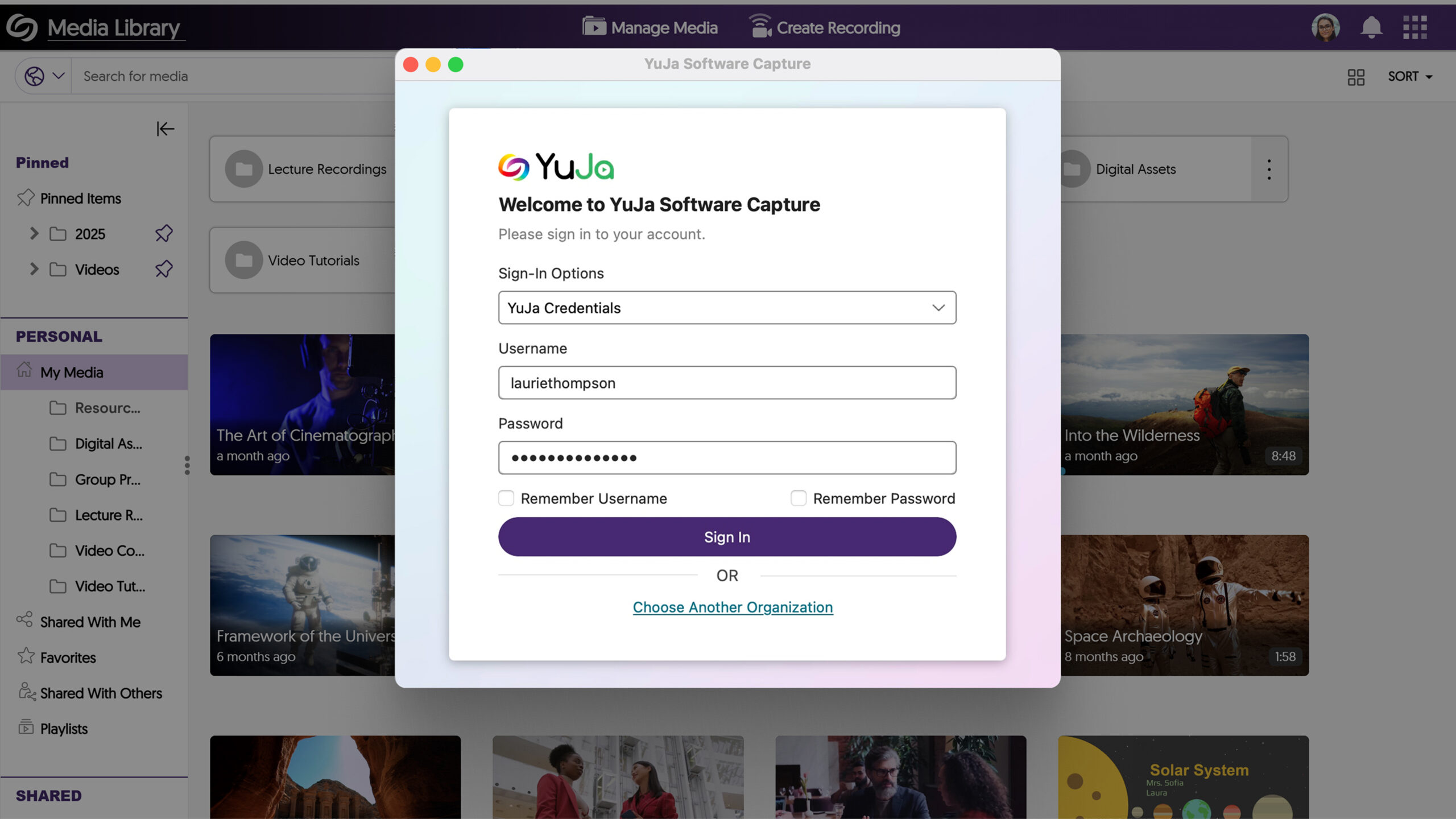
Exciting news! This week, we’re rolling out a significant product update across our Lecture Capture Portfolio! For the YuJa Software Capture for PC, this update includes a redesigned login page to align with that of the Video Platform.
Redesigned Login Page to Align with the Video Platform
The login page of Software Capture PC has been revamped with a modernized design to align with the Video Platform’s login page, ensuring consistency across both platforms when logging in.
For the YuJa Software Capture for Apple, this update includes a redesigned login page to align with that of the Video Platform.
Redesigned Login Page to Align with the Video Platform
The login page of Software Capture Apple has been revamped with a modernized design to align with the Video Platform’s login page, ensuring consistency across both platforms when logging in.
This week, we’re rolling out a major product update across all YuJa Lumina Video Platform instances. The highlights for this update include an option to customize the Media Library Sidebar for consistent branding alignment, a reorganized Media Library sidebar to prioritize key sections, an option to specify the Media Player’s language when linking or embedding videos, and more.
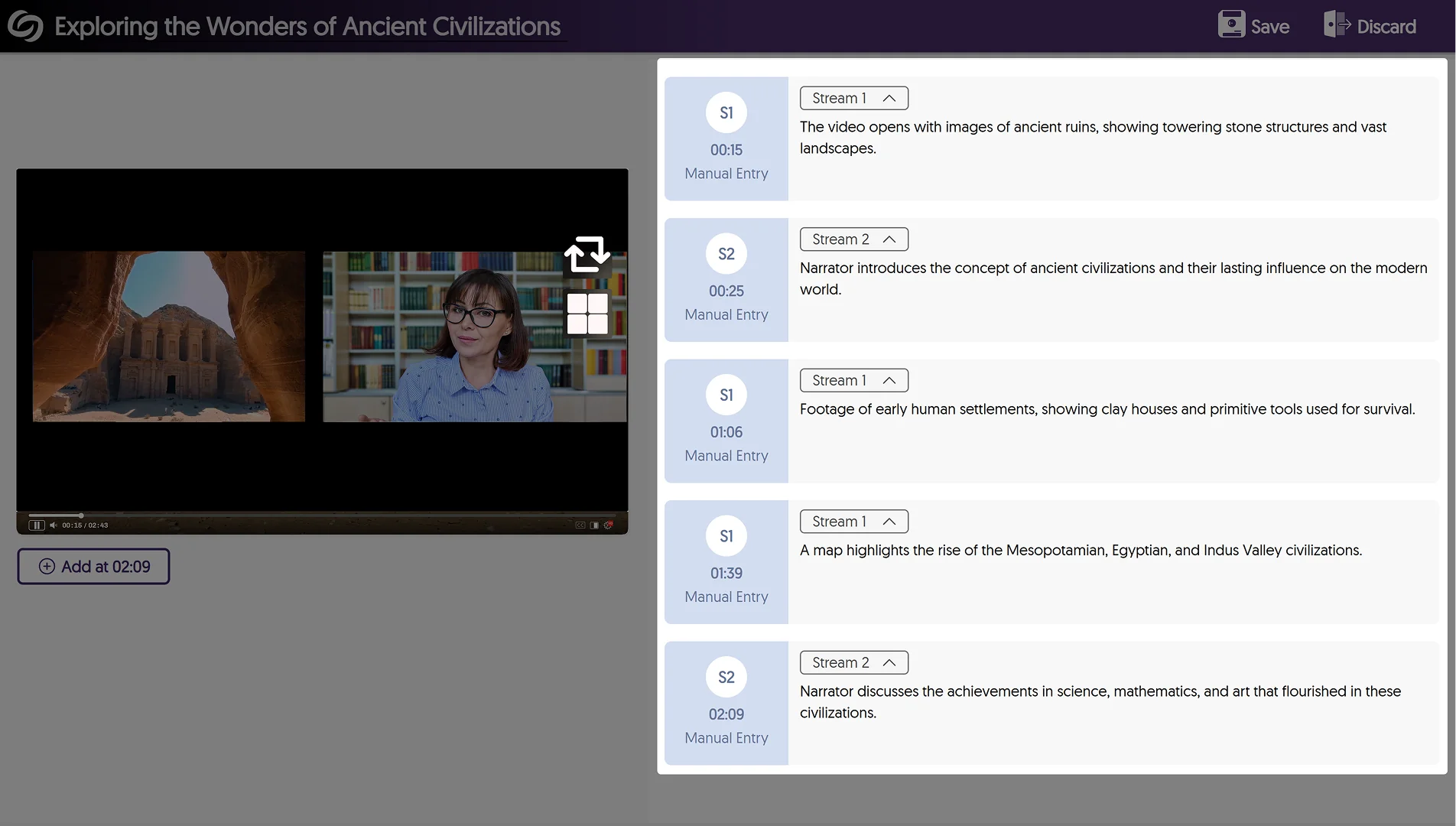
Enhanced Audio Description Now Supports Multi-Stream Videos
Enhanced Audio Descriptions can now be added to multi-stream videos, allowing you to use our built-in editor to create descriptions for specific streams or our AI capabilities to auto-generate descriptions for selected streams.
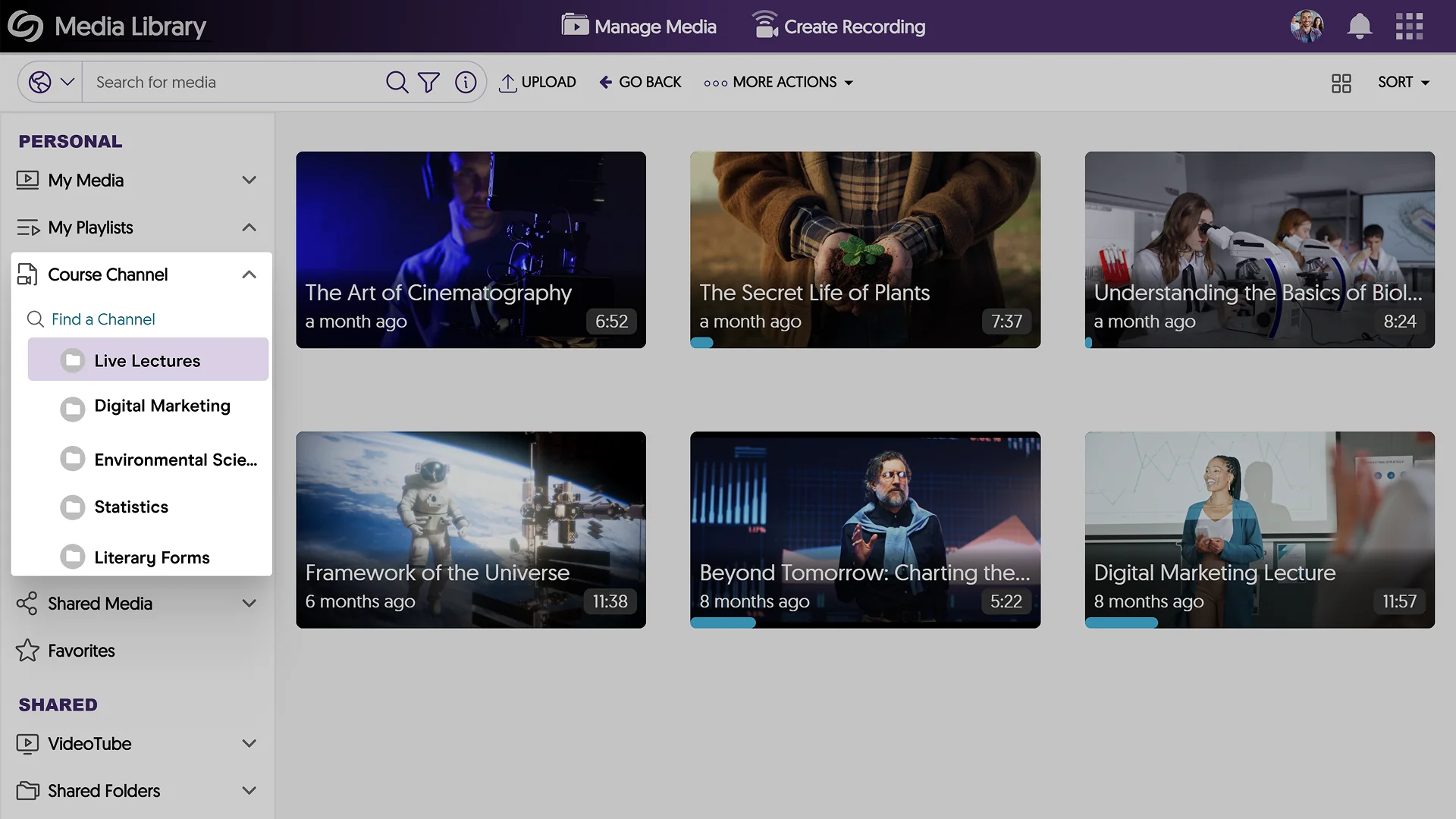
Reorganized the Media Library Sidebar to Prioritize Key Sections
The Media Library sidebar has been reorganized to prioritize key sections over others, such as the Course Channels now appearing in your Personal collection.
Customize the Media Library Sidebar for Consistent Branding Alignment
Expanding on existing branding options for the login page and navigation bars, administrators can now customize the header font and background colors of the Media Library Sidebar, ensuring consistent brand alignment across the Video Platform.
Improved the Visual Display of information for Media Content
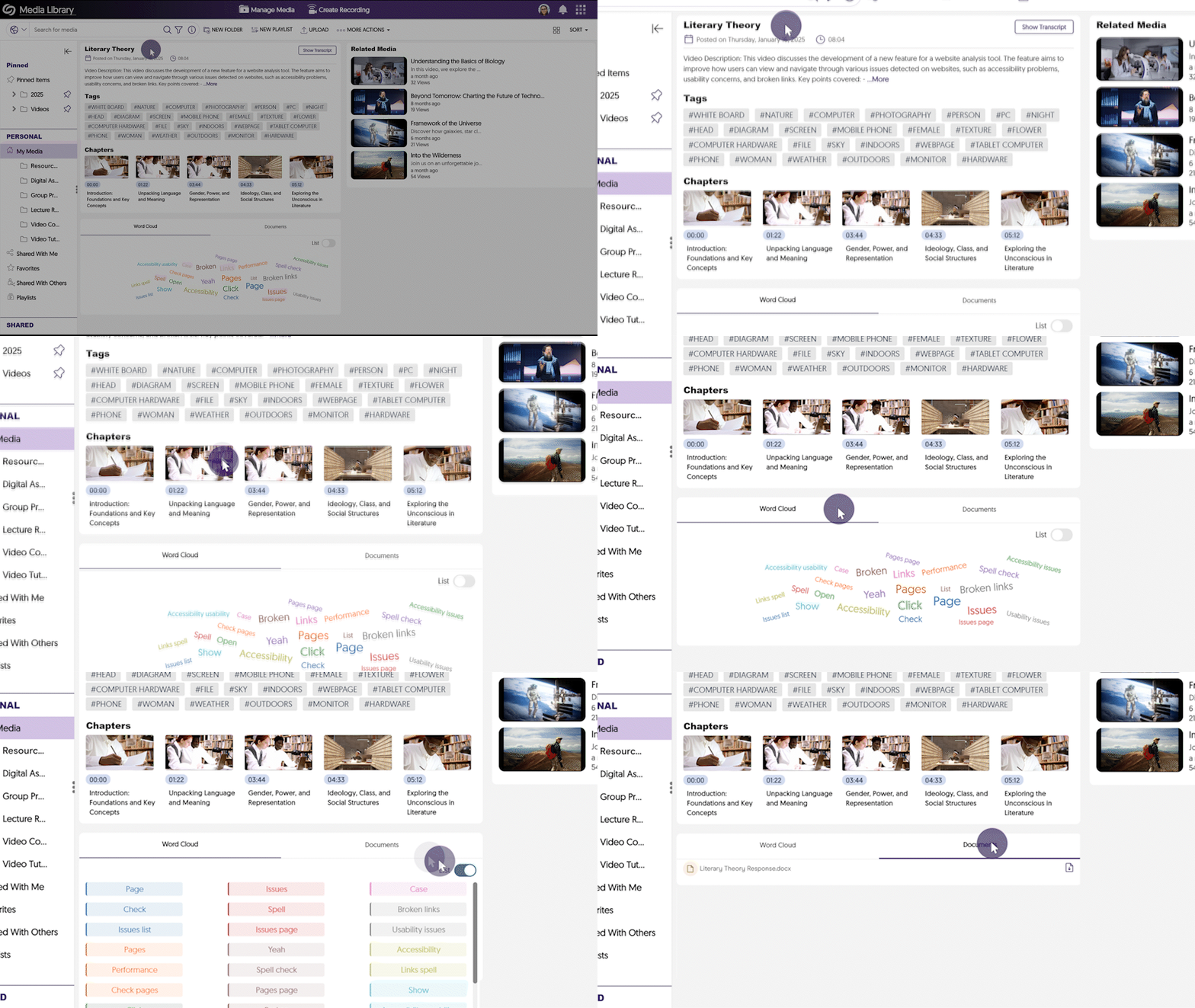
We’ve refined the Media Player Page to present media-related information in a more structured and accessible format. Key updates include:
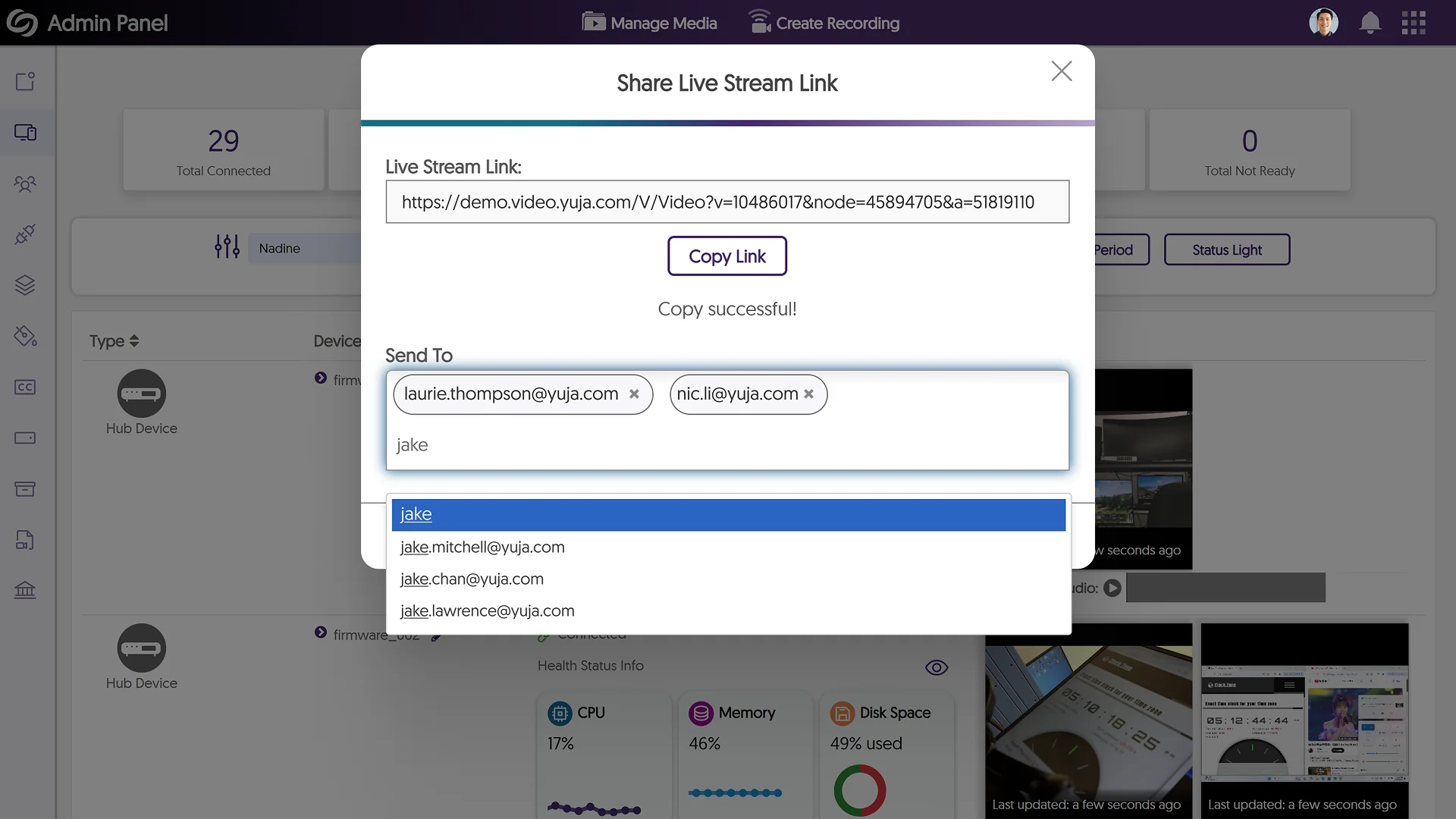
Share Live Stream Links Via Email
As an administrator, you can now email the link to live stream sessions directly to your audiences from within the Video Platform, allowing for quicker distribution and broader access to your live events.
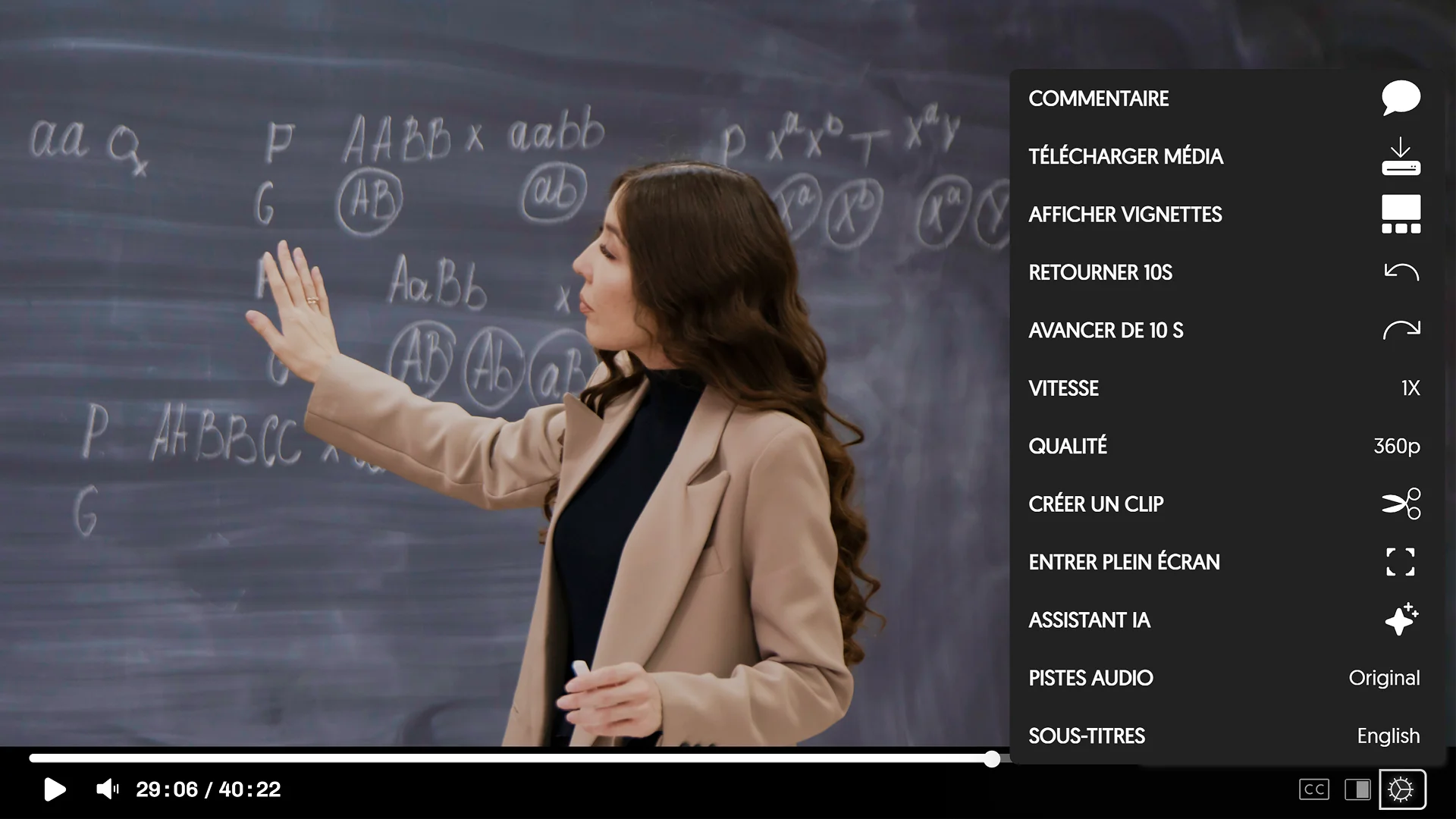
Specify the Media Player’s Language When Directly Linking or Embedding Videos
To meet multilingual accessibility standards across websites, the YuJa Video Platform now allows you to specify the language of the Media Player interface before embedding or directly linking to a video. The supported languages are Dutch, Finnish, Portuguese, French, and Spanish. Simply copy the link of a media file and add “&lang=” followed by the short form of your desired language.
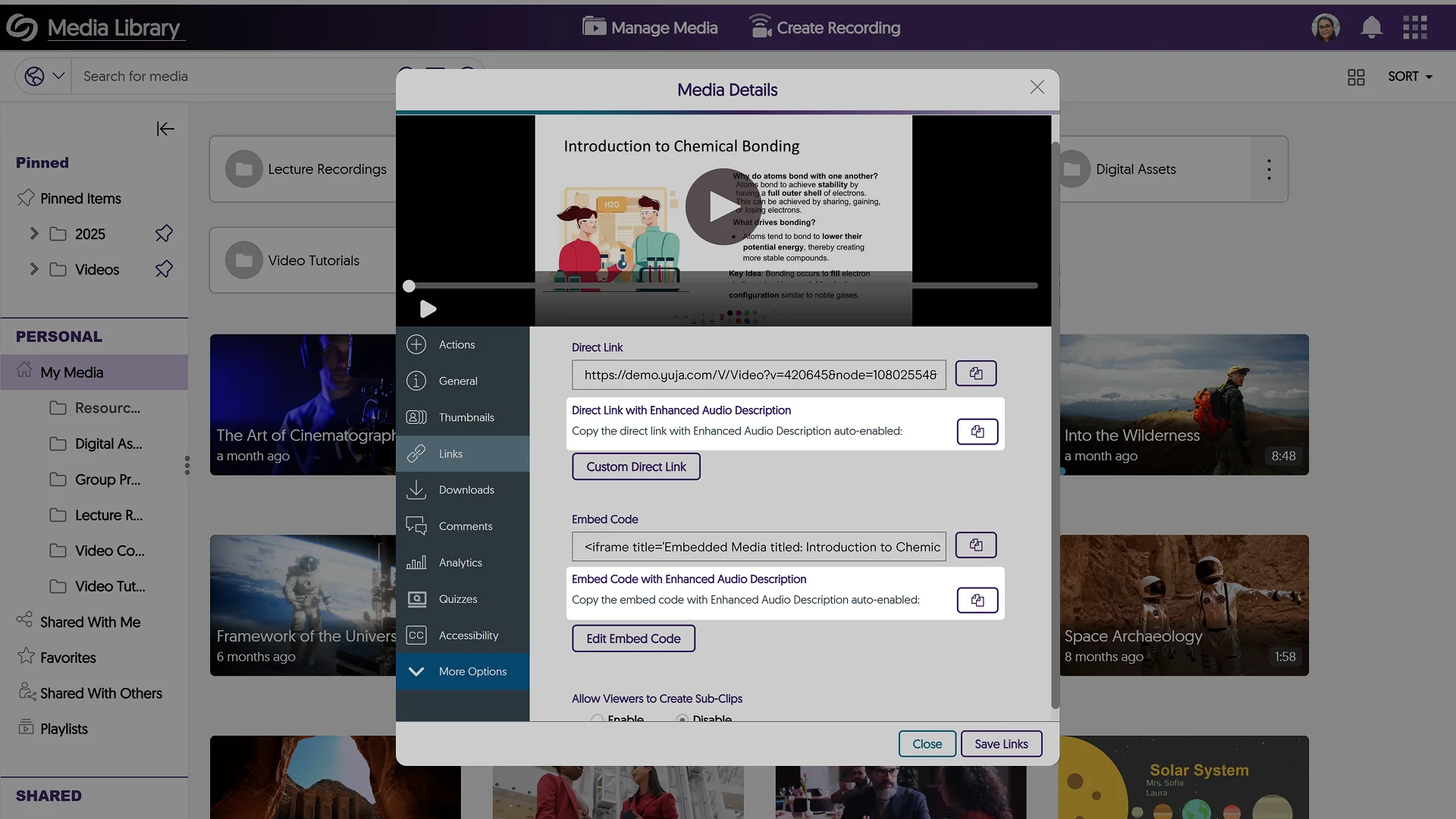
Share Direct Links or Embed Codes of Media Files with Enhanced Audio Description Enabled
After generating Enhanced Audio Descriptions for your media files, you can now share the media link or copy the embed code with Enhanced Audio Descriptions automatically enabled.
Bulk Import an XML File to Upload Metadata Values for the Multi-Select Feature
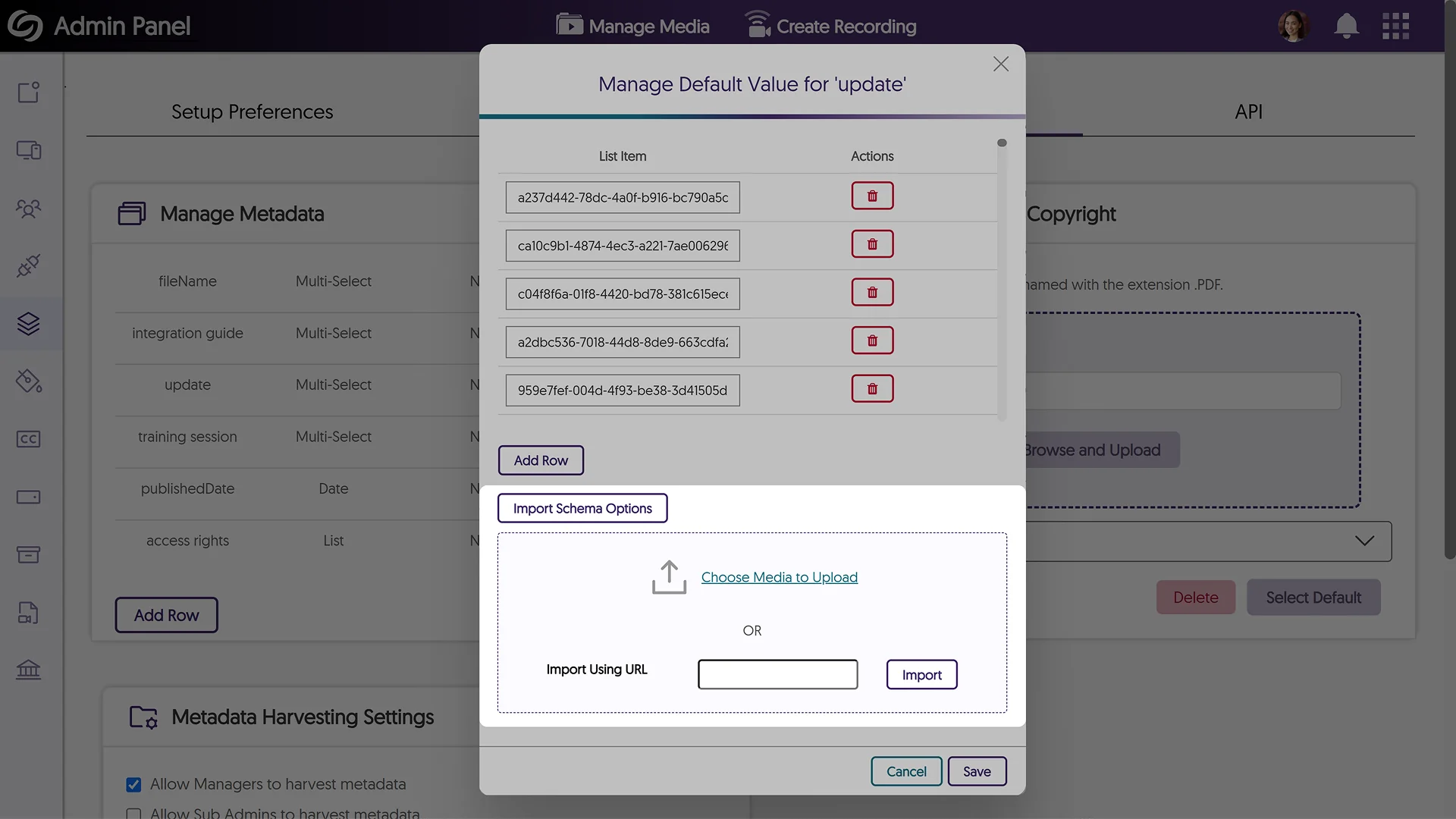
If you have a predefined list of metadata values to import as an XML file, you can now do so when creating a Multi-Select metadata field. Simply upload the file or paste its link to auto-fill your values.
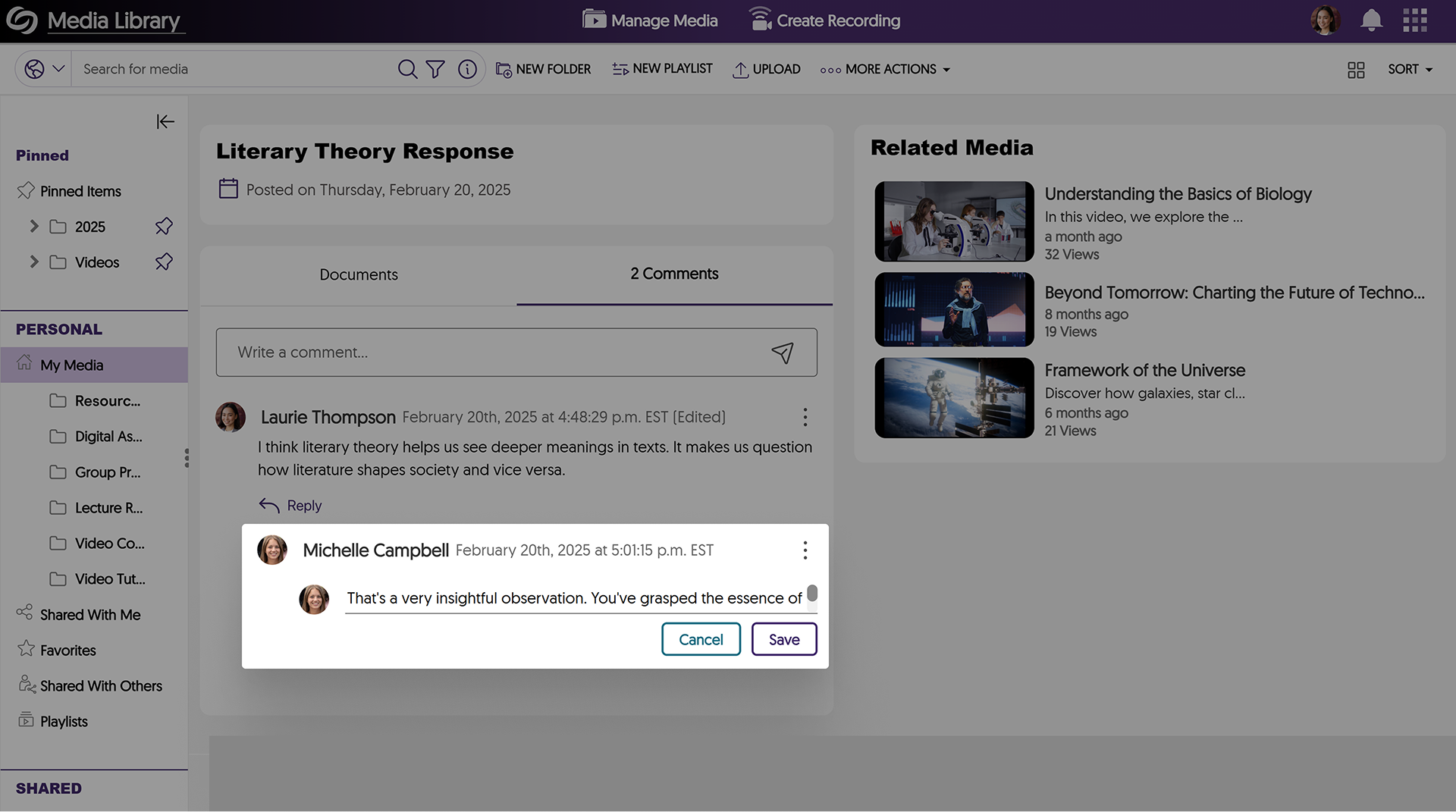
New Option to Edit Comments
Need to correct your comment? You can now simply edit it instead of having to delete and rewrite your thoughts.
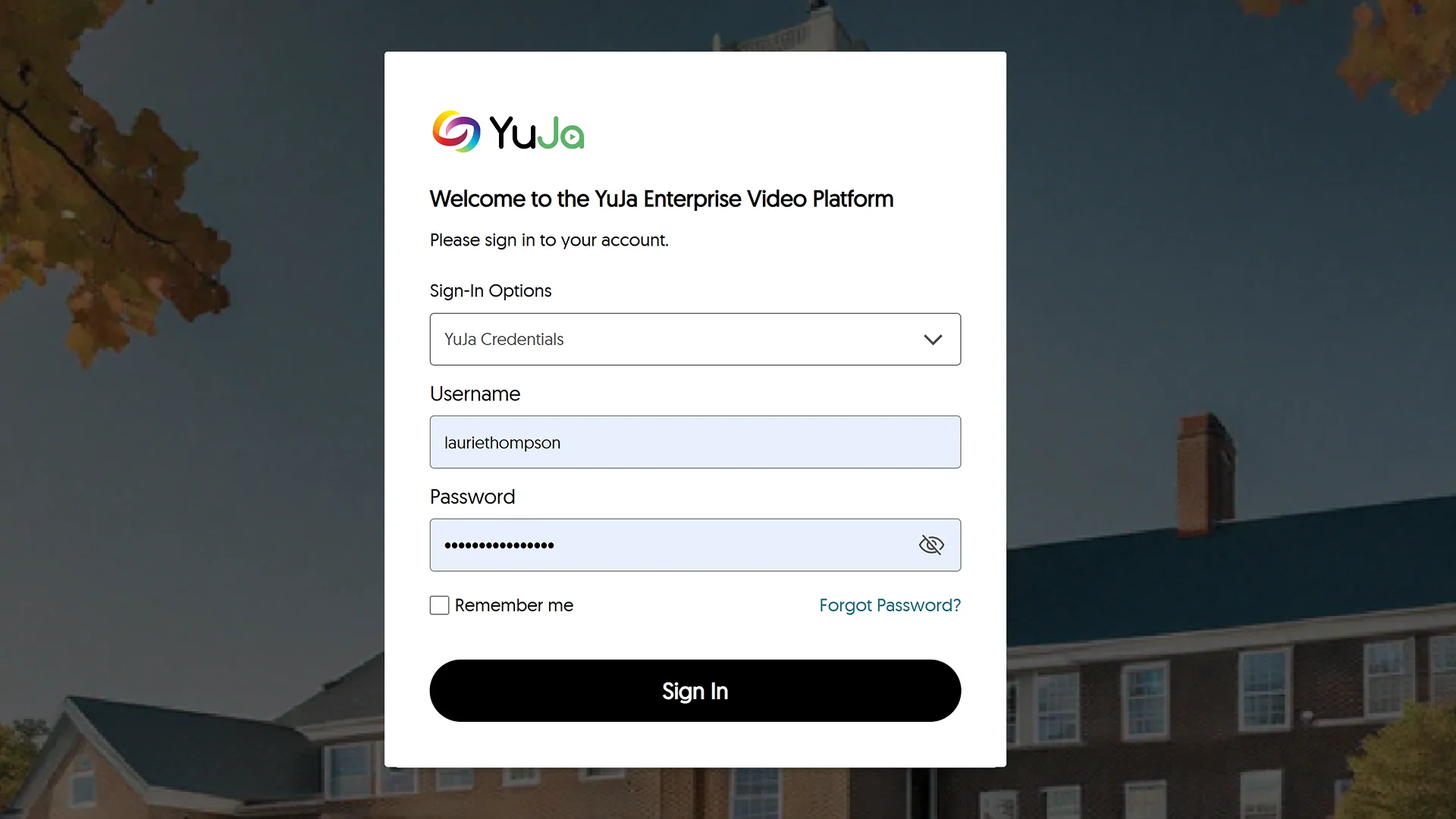
Redesigned Login and Authentication Pages to Match Our Updated Branding
The sign-in, password reset, and 2-step verification pages have been redesigned with a modern and consistent interface, offering a more intuitive login experience.
Revamped the Visualization of the Loading Spinner in the Media Player
We’ve improved the loading visualization in the Media Player with a new rainbow spinner to provide a clearer view of when videos are loading.
New API to Automatically Update the Account Status of Users
We have added a new API that allows you to update the status of users on your platform to Active or Suspended.
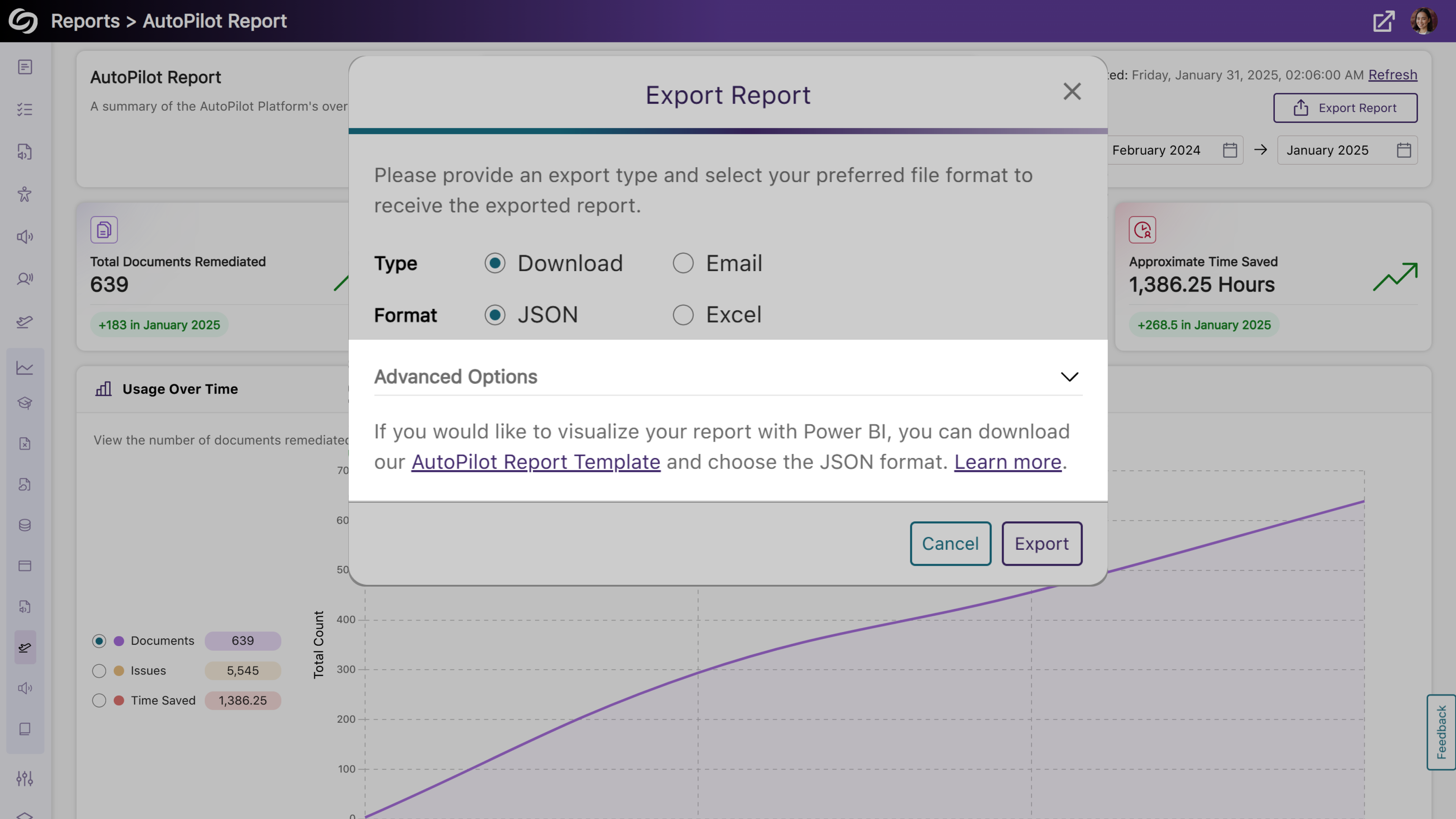
We have successfully pushed an update to all YuJa AutoPilot AI Platform instances residing in the US, Canada, Australia, Singapore, the Middle East, and the European Union. This update includes the option to download and edit a template, which can then be uploaded into Power BI.
New Report Template for Presenting AutoPilot Analytics in Power BI
As an administrator, you can now present your AutoPilot analytics easily in Power BI using our report template. Simply upload the template along with your exported report in a JSON format to visualize your AutoPilot report.
We have successfully pushed an update to all YuJa AccessNotes Note-Taking Platform instances residing in the US, Canada, Australia, Singapore, the Middle East, and the European Union. This update includes sharing audio recordings, supporting external audio devices, importing images from a web search, and embedding articles in tags to describe complex concepts.
Add Descriptions to Your Tags to Understand Complex Terms
When you’re unsure about a complex topic or concept and would like further clarification, adding descriptions allows you to search for and embed articles in your tags. By entering a few keywords, you can browse a catalog of search results to find the one that best clarifies the topic you’re struggling with.

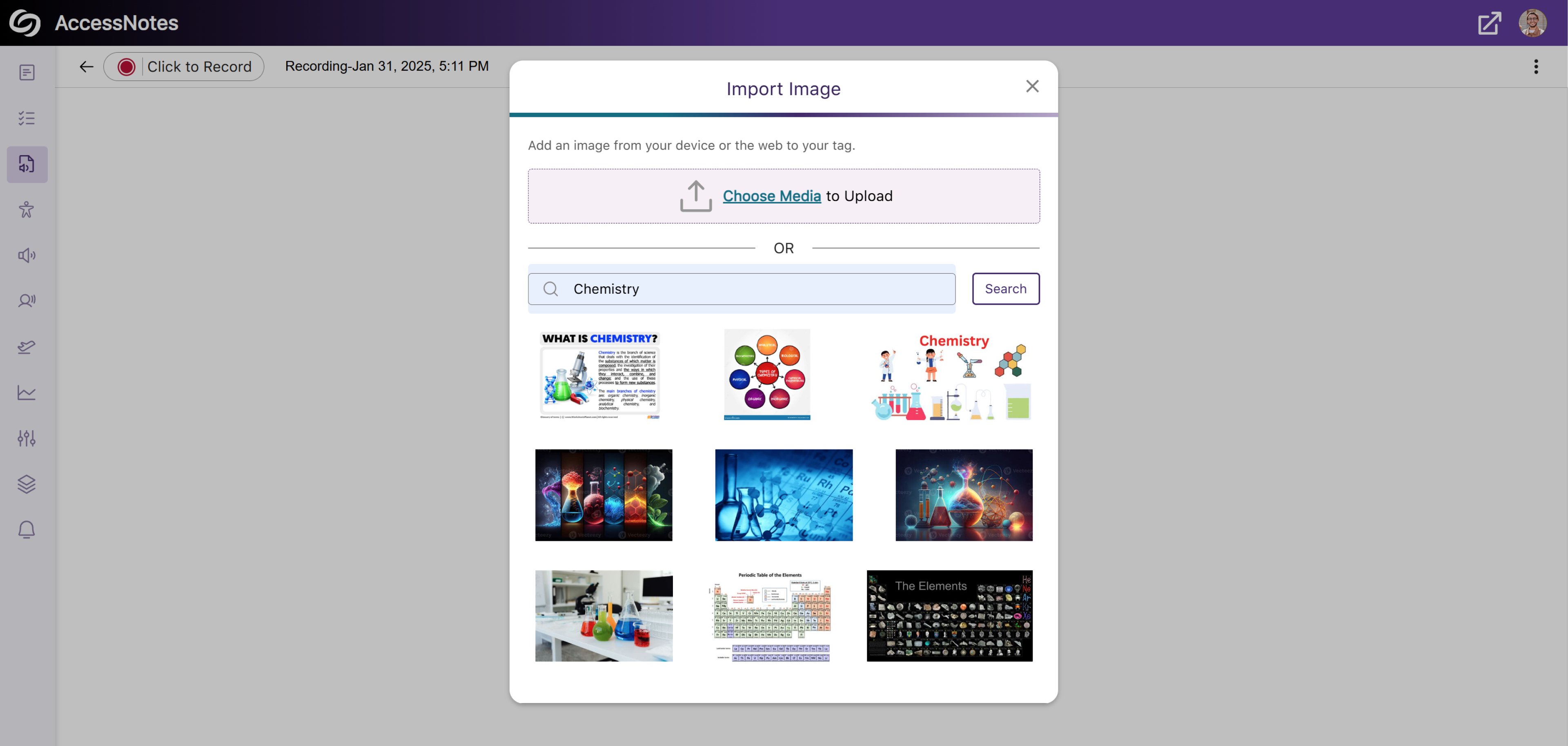
Import Images to Tags Through the Built-In Web Search
In addition to embedding images from your device to a tag, AccessNotes now supports direct image import from the web through the built-in search engine. This allows instant embedding of visuals or illustrations without the need to download images. Simply search for an image, choose the one you like, and add it to the tag.
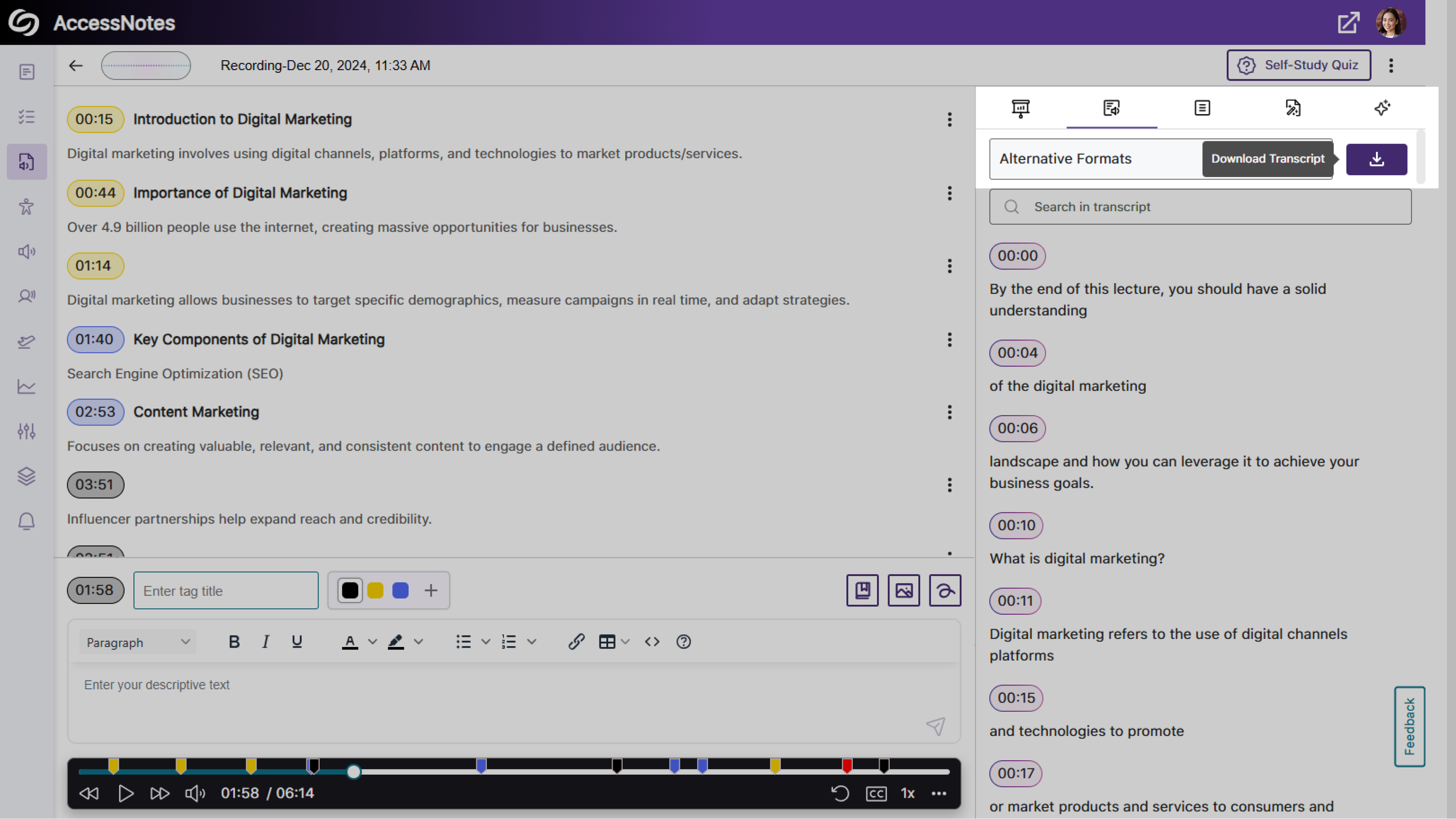
Dedicated Option to Download Audio Transcripts as a TXT File
We’ve updated AccessNotes to include a Download button in the Transcript panel, offering easier access to the audio transcripts in a TXT format.
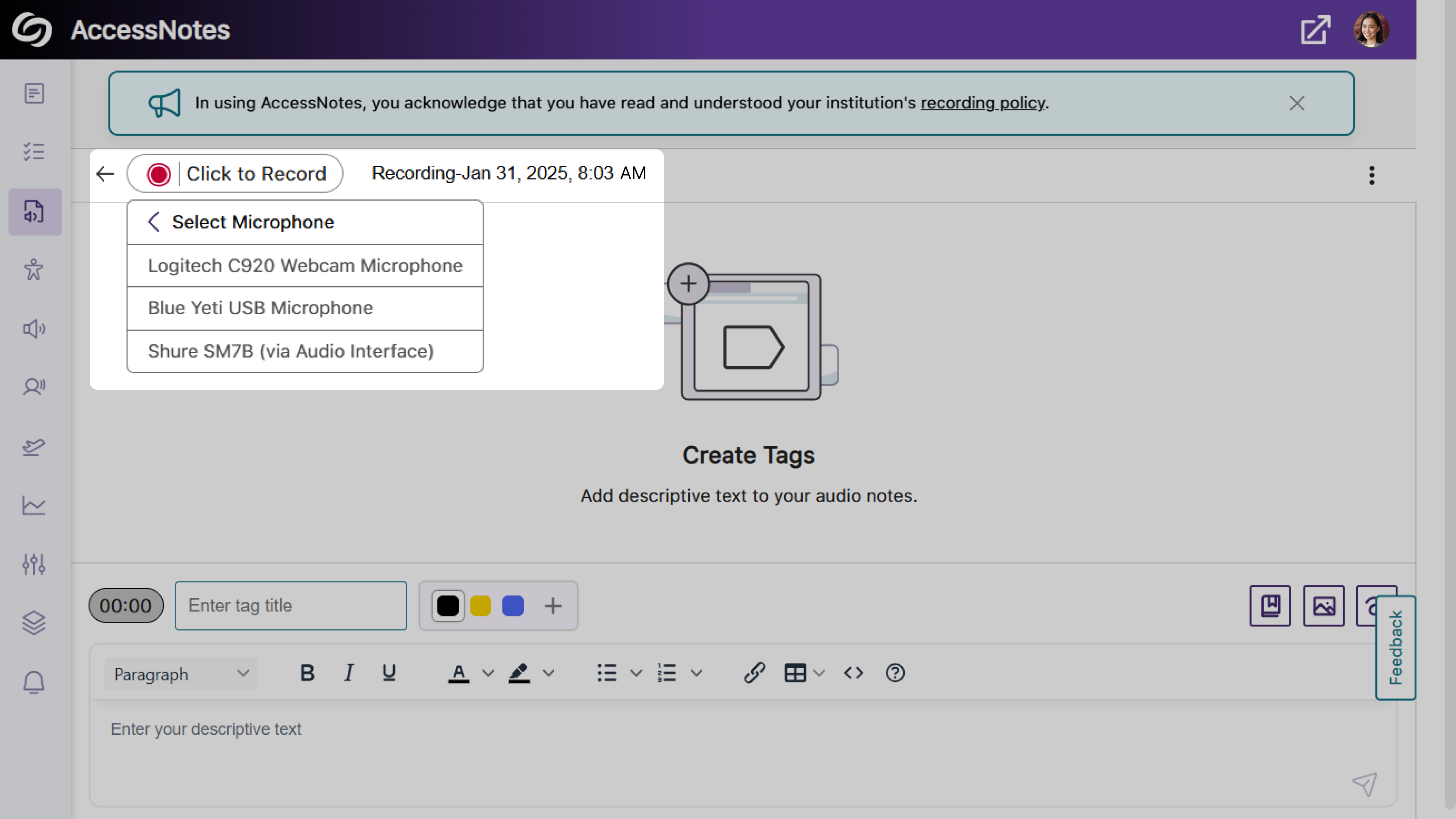
Expanded Audio Source Options for Note Recording
Previously, audio notes could only be recorded using your device’s built-in audio source. With this update, AccessNotes detects and displays all external audio sources connected to your device, allowing you to select the source that best meets your recording preferences.
Share Your Audio Recordings with Anyone
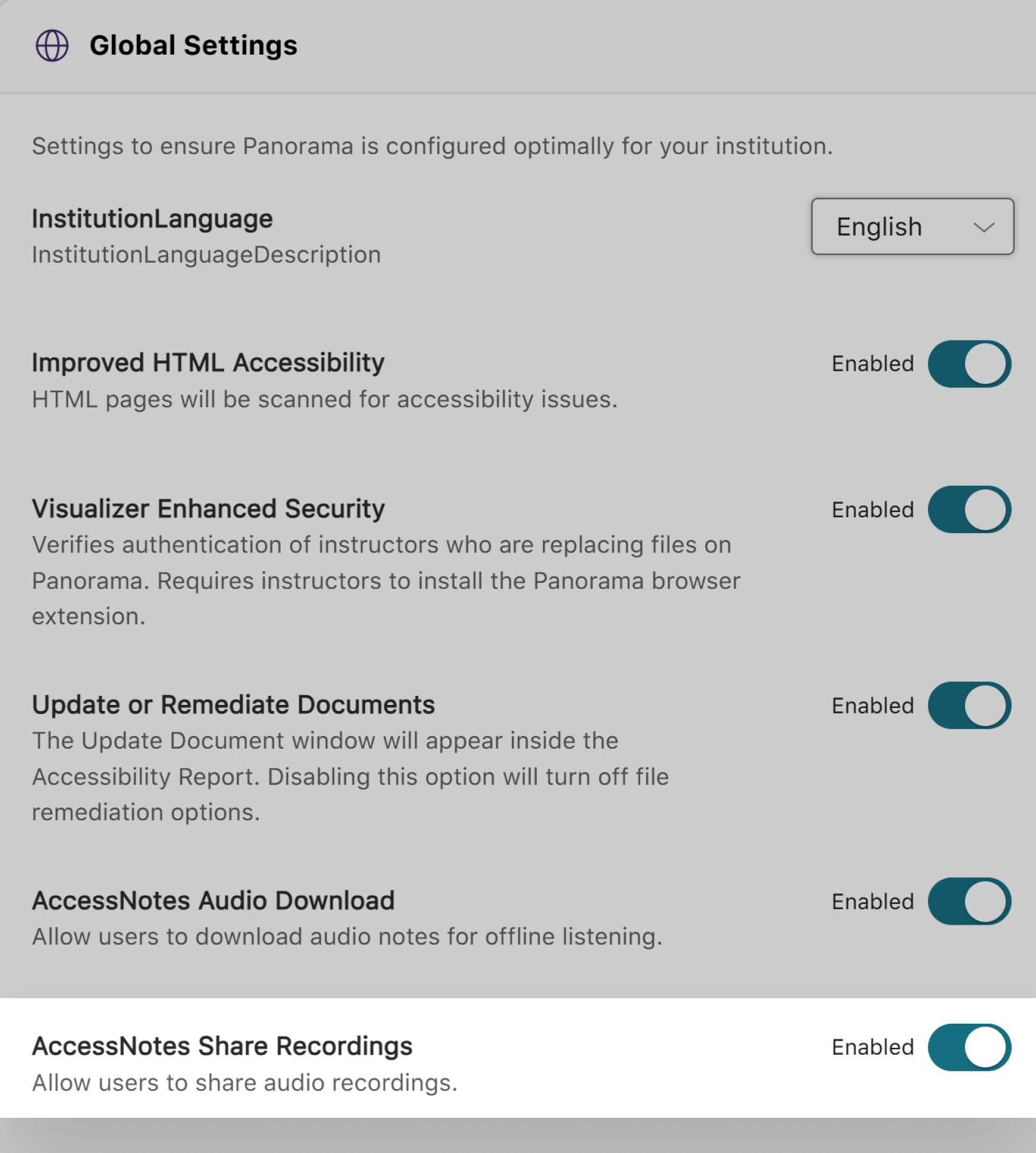
AccessNotes now supports audio note sharing through email, allowing materials to be easily distributed amongst peers or colleagues. Once an audio note is shared, recipients can download the shared note without requiring an AccessNotes login. You can enable this feature as an administrator by navigating to Configurations > General Settings > Institution Settings.
Join the 1,000+ Organizations Deploying High-Impact Solutions














