

Product Updates
Get the latest platform updates, features, and announcements—all in one place.
Boost Video Accessibility with the GenAI Video PowerPack!
Try Now
Supercharge Your Compliance Efforts with AutoPilot Remediation Max!
Try Now
Strengthen Your PDF Accessibility Efforts with Structural Remediation Max!
Try Now
Don't Miss Any of Our Upcoming Webinars—Save Your Spot!
Register
The YuJa Community is here! Connect, get updates, and access exclusive content.
Join Now

Get the latest platform updates, features, and announcements—all in one place.
This week, we’re rolling out a major product update across all YuJa Lumina Video Platform instances. The highlights for this update include an option to create your enhanced audio descriptions with our built-in editor, upload a SRT or VTT file for enhanced audio descriptions, narrate video scenes with embedded audio descriptions and automatic speech-to-text, pin frequently used folders and channels to the video platform’s sidebar, and more.
Create Your Own Enhanced Audio Descriptions with Our Built-in Audio Description Editor
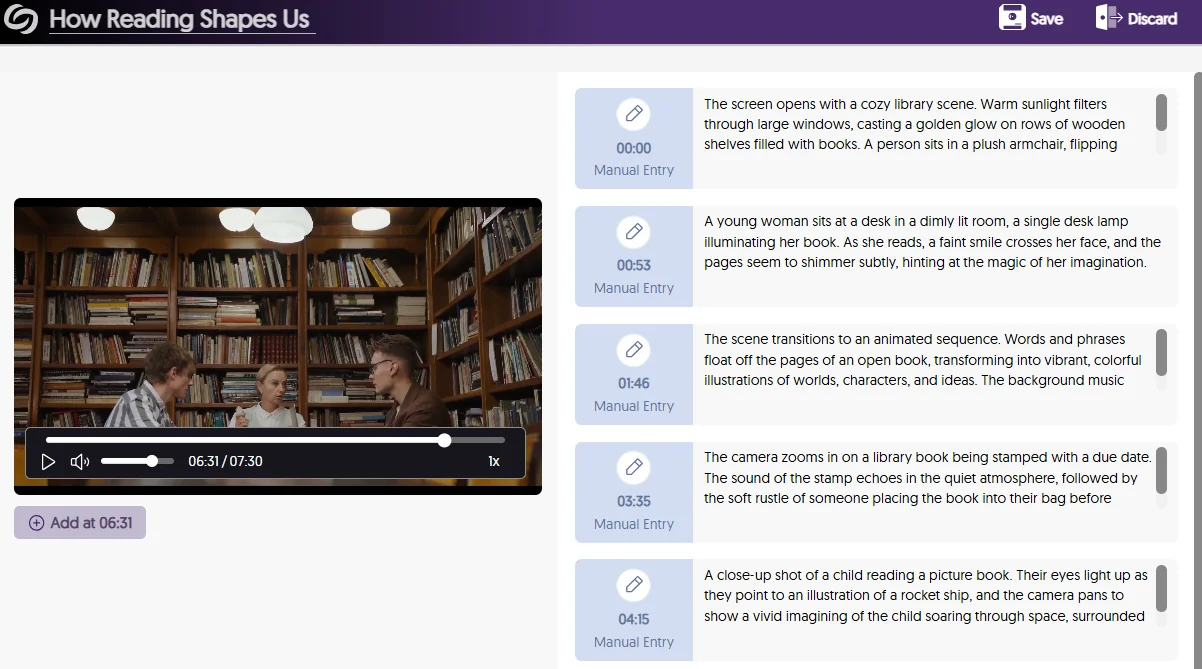
We’re introducing a new Audio Description Editor to help institutions create and edit Enhanced Audio Descriptions directly within the Video Platform to describe scenes for those who are visually impaired. This allows for pinpoint accuracy on where you would like the Enhanced Audio Descriptions to be read, by positioning the playback bar at the desired scene and writing out your descriptions.
Not sure how to describe a scene? If you have GenAI PowerPack enabled on your Video Platform, our Gen AI comes integrated with our editor to help you write enhanced descriptions with a simple click of a button.
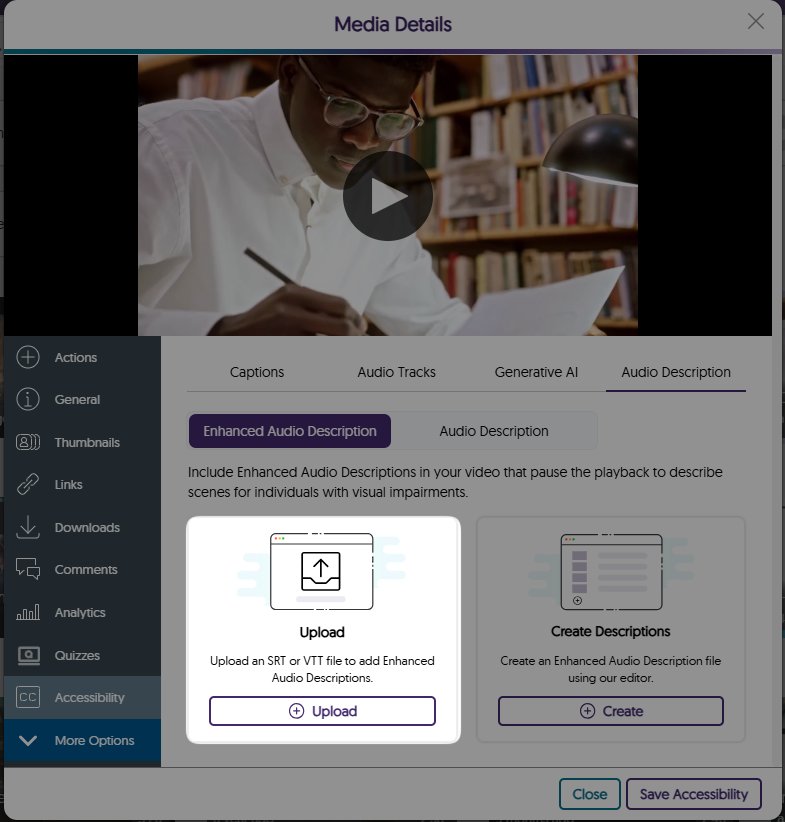
Upload a SRT or VTT File for Enhanced Text-to-Speech Audio Descriptions and Use Our Editor to Make Updates
Have an SRT or VTT file ready for your Enhanced Audio Descriptions? Simply upload it directly to your video for Enhanced text-to-speech Audio Descriptions. If you need to update the file, our Enhanced Audio Description editor makes it easy to make manual adjustments. Plus, if your platform has the GenAI PowerPack enabled, you can use Gen AI to enhance and update your existing descriptions.
The Media Player Pauses and Narrates Videos with Embedded Text-to-Speech Audio Descriptions
In traditional cases where audio descriptions are provided, natural pauses in dialogue may not provide sufficient time to describe the scenes for those who need assistance. To address this issue, the Media Player automatically pauses videos to read your Enhanced Audio Descriptions in a natural way that provides enough time for viewers to understand the entire context of the scene.

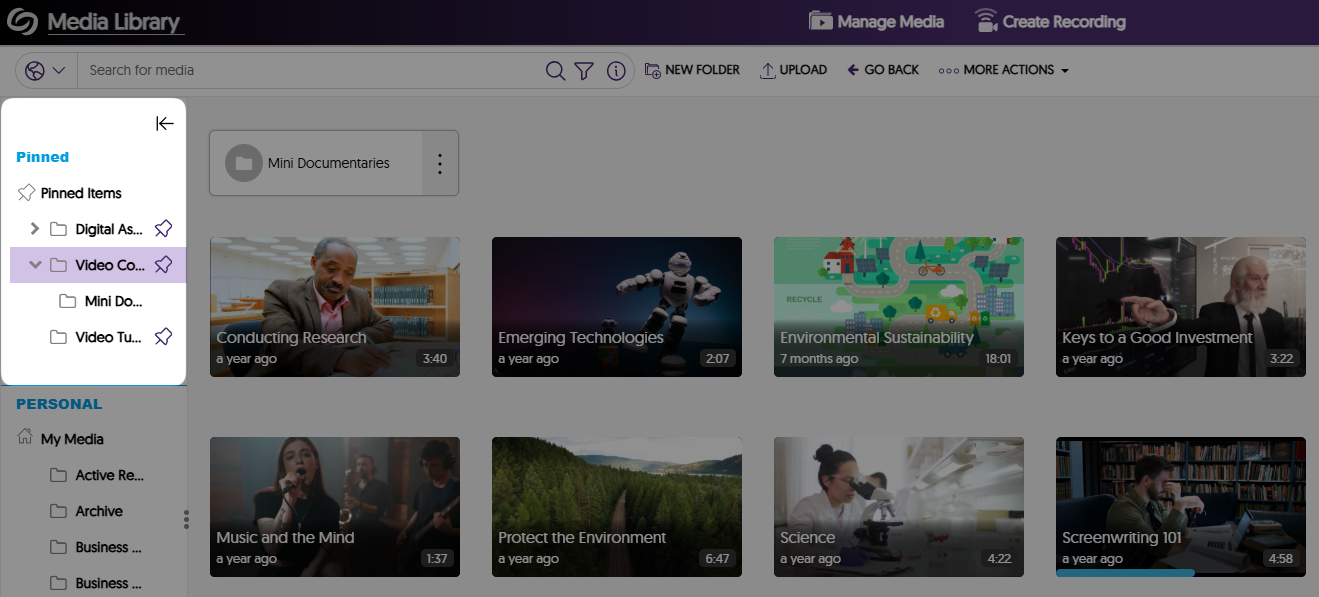
Pin Frequently Used Folders and Channels to the Video Platform’s Sidebar
Easily keep track of important folders and channels by pinning them to the sidebar on the Manage Media page. In a future release, we will provide additional account-level and institutional-level customization capabilities.
Protect Your Account With Two-Factor Authentication
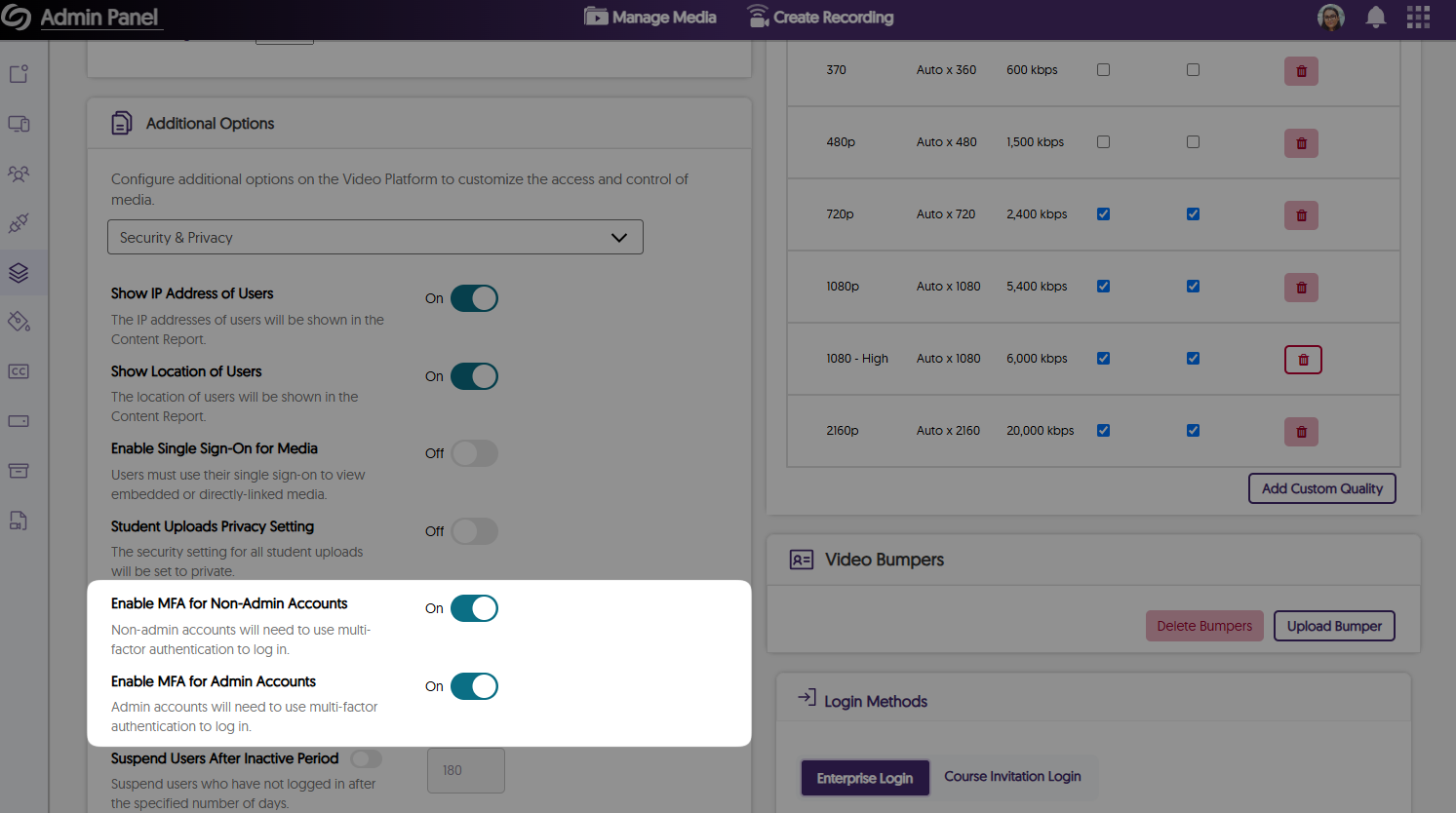
As an institution admin, you can manage two-factor authentication on a role basis for all non-admin and admin users. This will ensure that when you or other users attempt to sign in to the Video Platform, they will be required to enter a six-digit authentication code sent to their email. By default, this feature is enabled for admins and can be managed for all roles by navigating to the Admin Panel > Platform > Platform Settings > Additional Options > Security & Privacy.
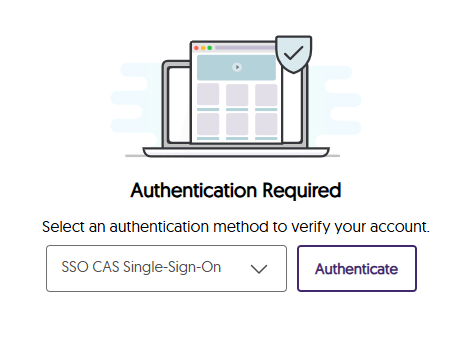
The Authentication Page Has Been Updated With a New Modernized Interface
If you are not logged into the Video Platform when you access a direct link, you will see our new authentication page, which is better aligned with our branding theme by providing an updated color palette and visuals.
Instructors Can Access the Content Report for Videos Through the Media Details Window
As an instructor and course owner, you can now easily access the Content Report for any video through its Media Details window. This will ensure when you’re in a course, you never have to manually navigate to the Content Report to see video analytics.
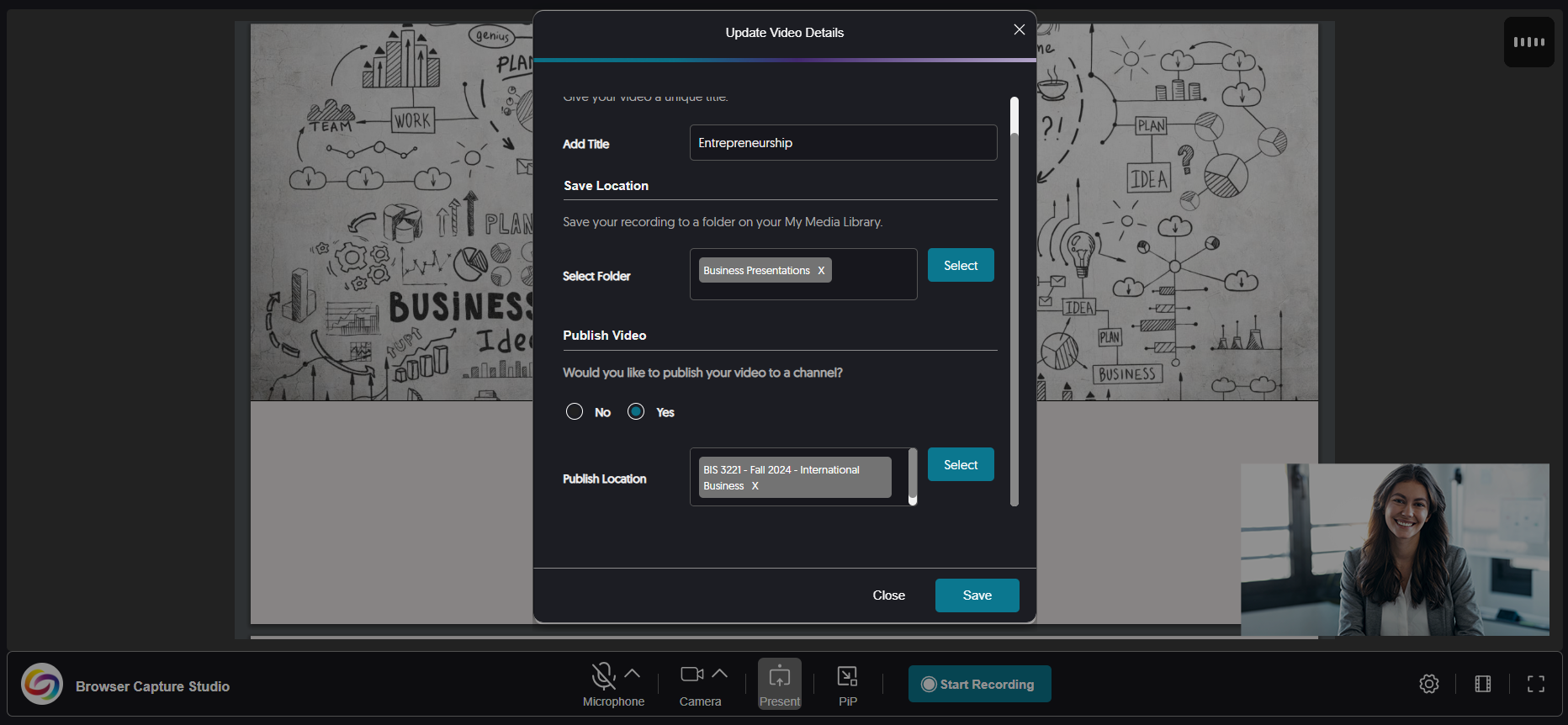
More Streamlined Publishing Capabilities for Recordings
Previously, only after creating a recording did you have the option to publish it to your desired channels and save it to personal folders. Now, you can customize the publish and save locations anytime before or after the recording by accessing the settings for the Browser Capture.
Improved the Responsiveness for the Usage & Analytics Content Report
We have updated the Content Report in Usage & Analytics to be more responsive on various screen sizes by adjusting spacing and alignment issues.
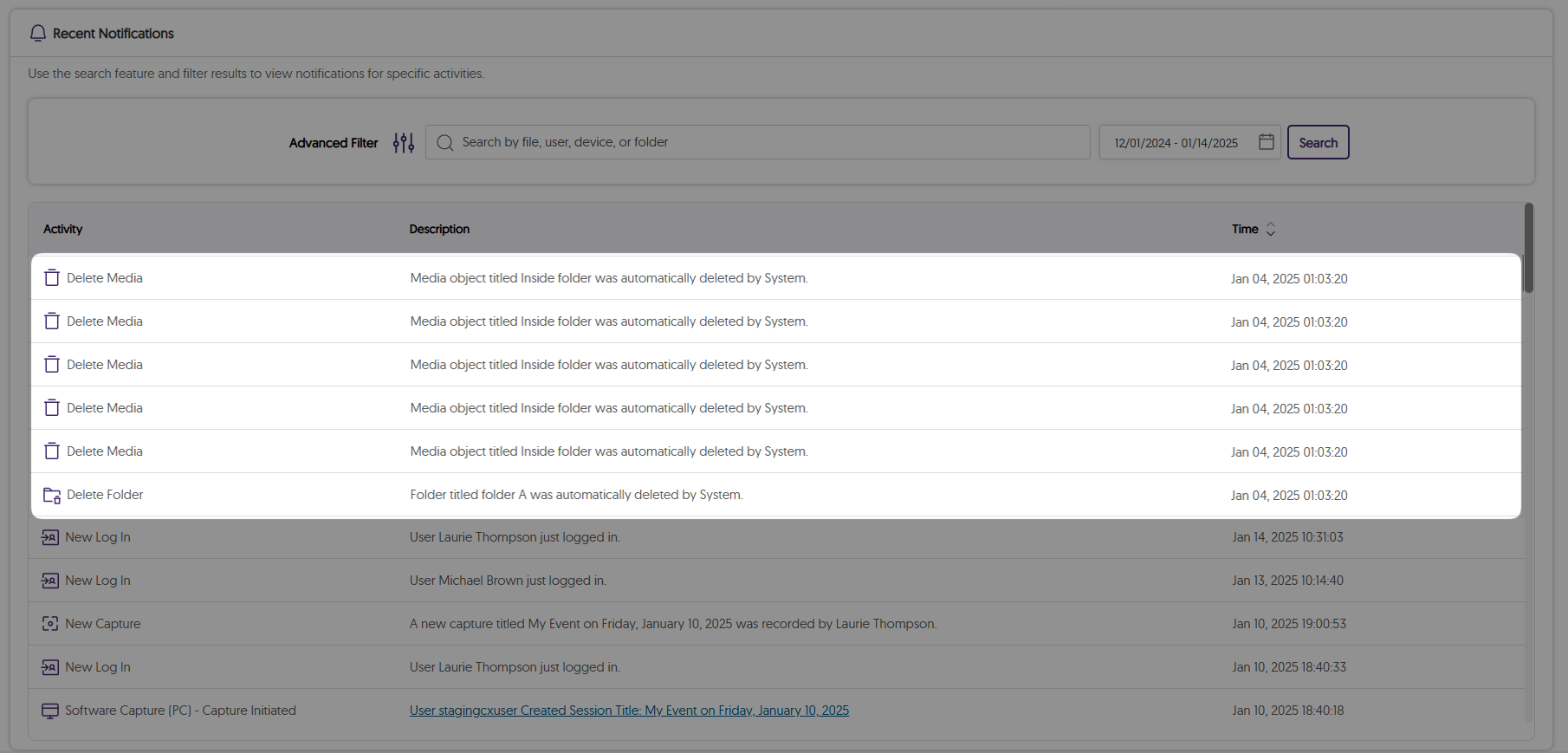
We’ve expanded our audit logs to track files that are permanently deleted from the Recycle Bin according to the retention policy.
Exciting news! This week, we’re rolling out a significant product update across our Lecture Capture Portfolio! For the YuJa Software Capture for PC, this update includes improved screen reader compatibility with enhanced navigational focus, an audible countdown before recordings start, and integrated support for Kuando Busylight.
YuJa Software Capture Will Automatically Switch to the Legacy Engine for ARM-Based Processors
Currently, devices with ARM-based processors are only compatible with YuJa Software Capture’s Legacy Engine. To ensure the correct engine is always selected, YuJa Software Capture automatically detects ARM-based processors and switches to the Legacy Engine.

Improved the Performance of YuJa Software Capture
For this update, we have made major improvements to address dozens of defects that could affect your ability to record and upload content in more niche circumstances.
For the YuJa Software Capture for Apple, this update includes the option to remotely update YuJa Software Capture though Video Platform, remotely stop recording from the Video Platform, and set the default resolution for video captures, as well as the new toast notification to indicate issues during recordings, and a streamlined installation process with built-in internal audio script.
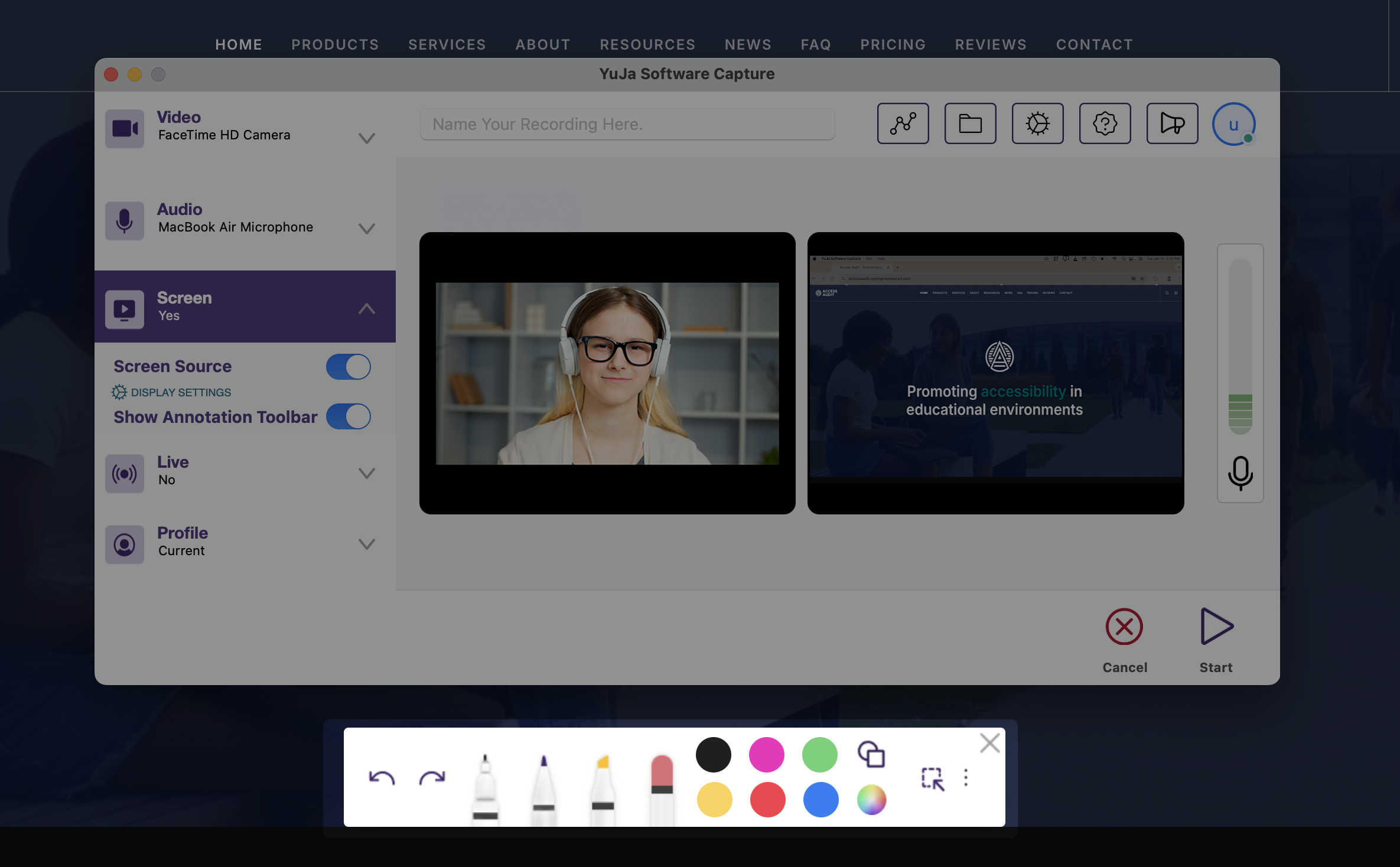
The Annotation Toolbar Has Been Redesigned and Includes New Features
The Annotation Toolbar now offers more features for creating on-screen text and drawings.
View Who Is Logged in on the YuJa Software Capture Application
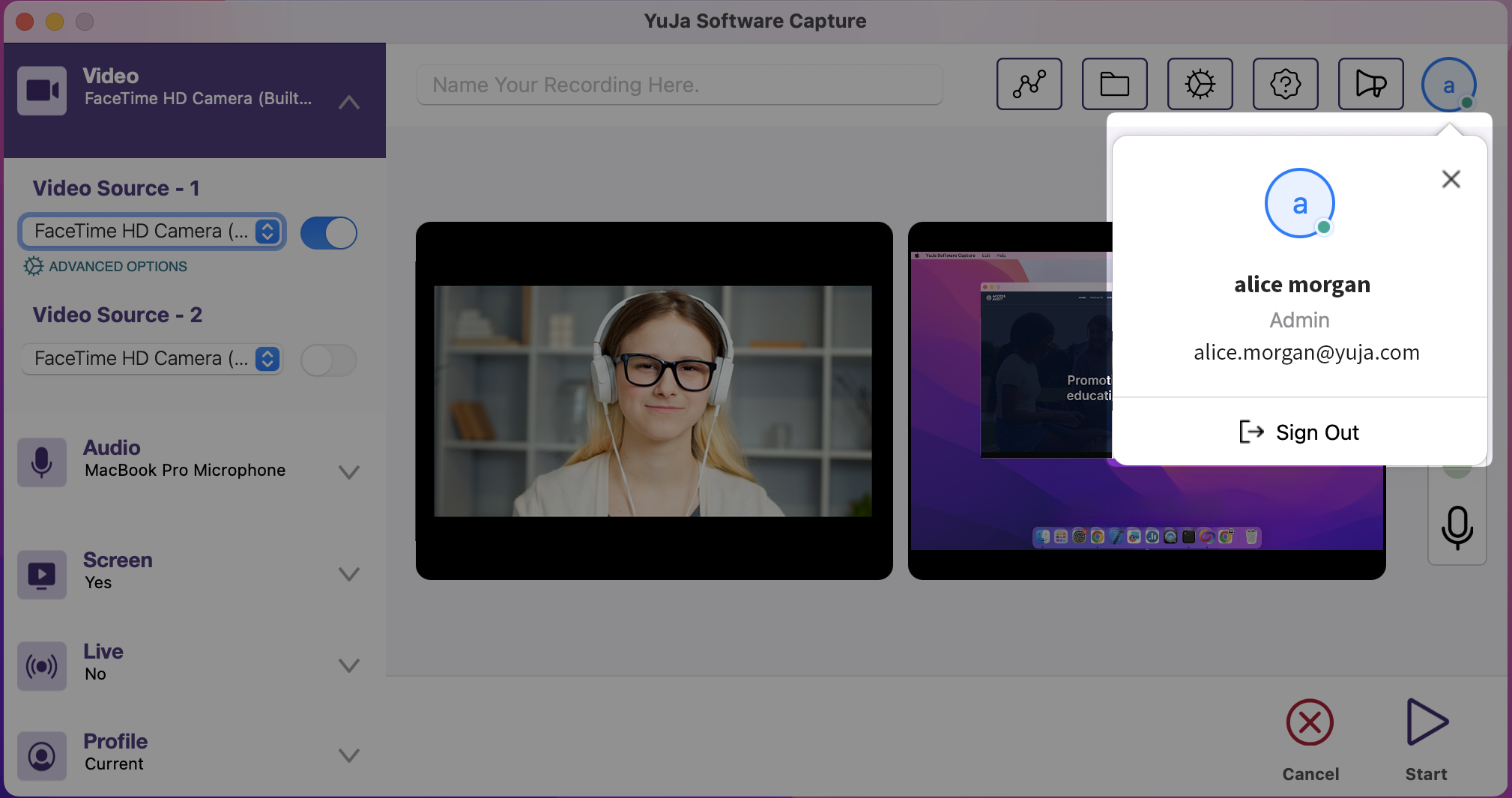
For institutions that utilize a single device shared among multiple users, you can now view who is signed in to the YuJa Software Capture application by clicking the profile icon.
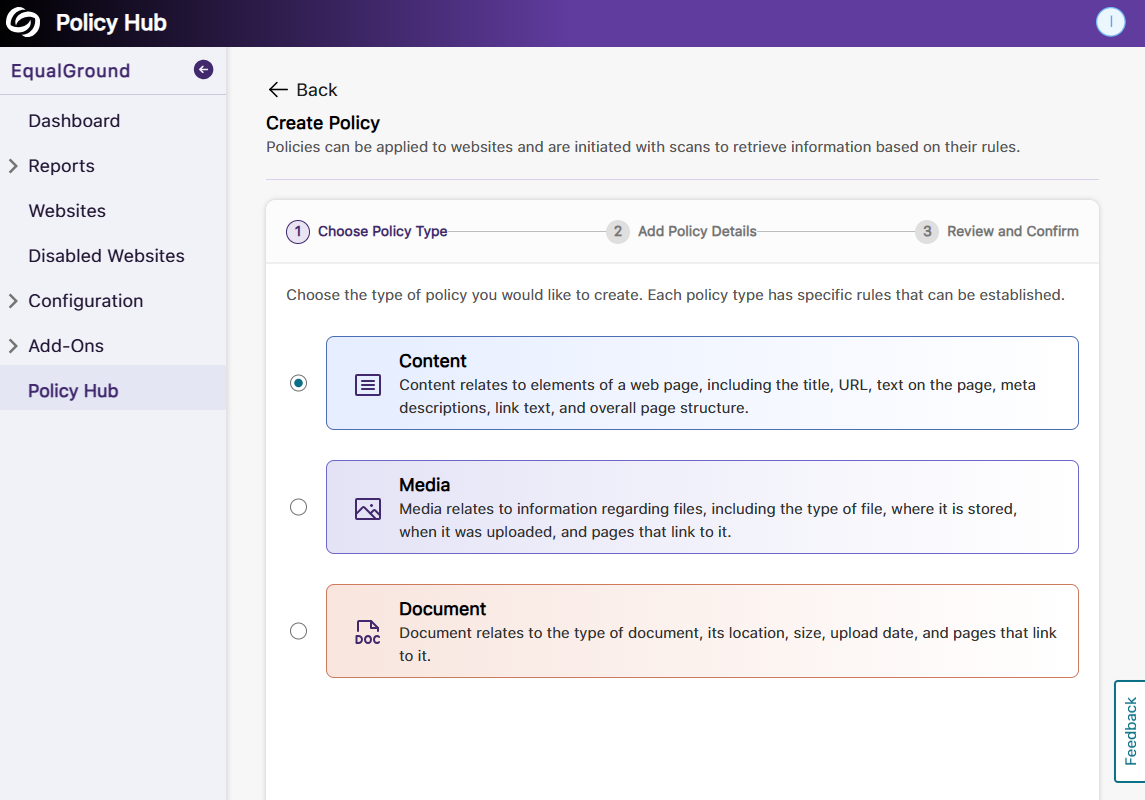
The release includes a new Policy Hub to create specific rules to retrieve content, media, and documents on websites, a new usability report to view overall scores and scores for individual issues, new checks of personal information and unsafe domains from the usability engine, and information on how usability scores will be improved when each issue is resolved.
New Policy Hub to Create Specific Rules to Retrieve Information on Website Content, Media, and Documents
Your organization’s website will constantly need to be updated as things change, and it can be tedious to locate all the items that need updating. To help you locate such items, we’re introducing the Policy Hub, which allows for the automatic identification of specific types of content, media, or documents across your web pages. For example, in certain situations where you need to locate specific images to replace on your website, you can create a policy to match the exact image name and find them across all web pages. You can even run multiple policies at once on a website to:
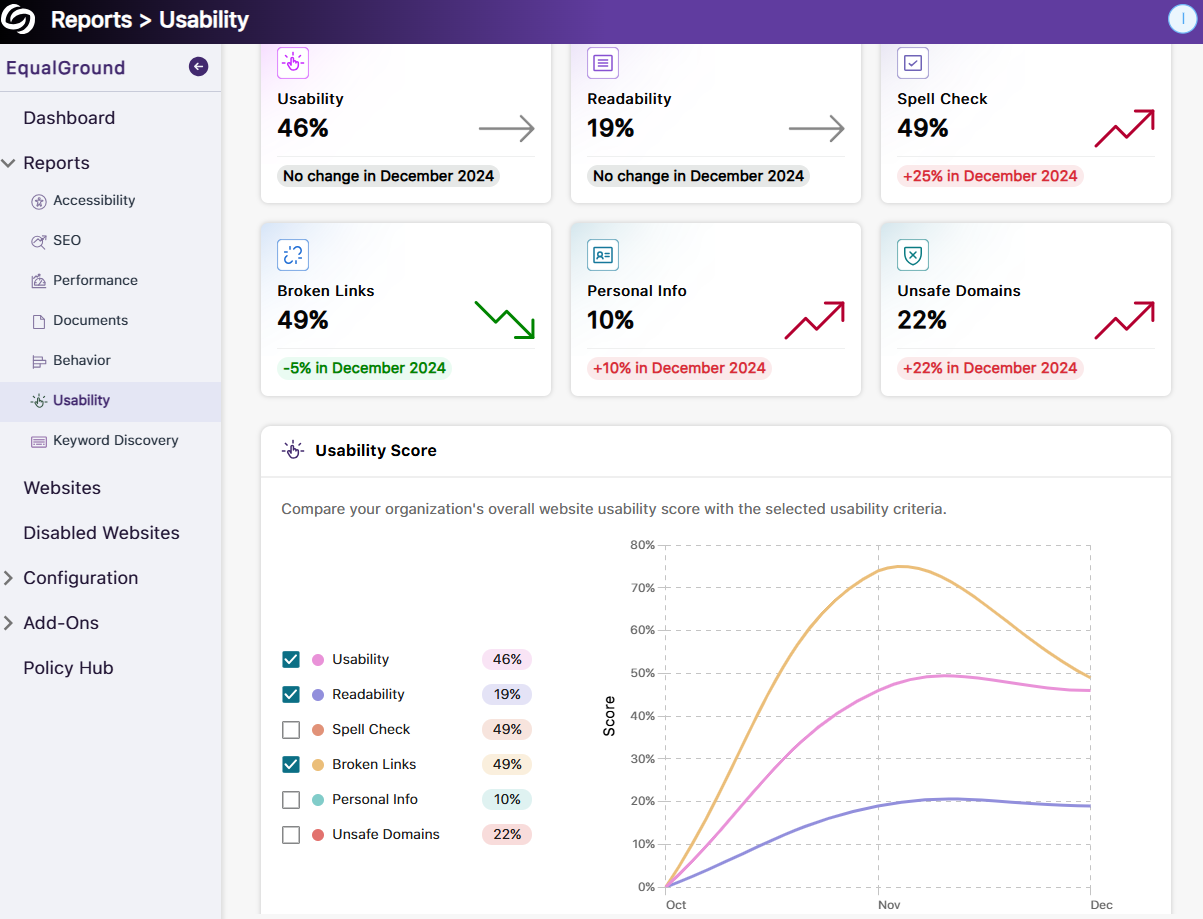
New Usability Report to View Scores for Individual Issues and the Overall Score Over Time
The new Usability Report provides an overview of your organization’s usability scores, along with detailed insights into individual usability criteria. This allows you to monitor usability performance over time and offers actionable insights to improve user interactions and engagement across your sites. Key highlights of the report include:
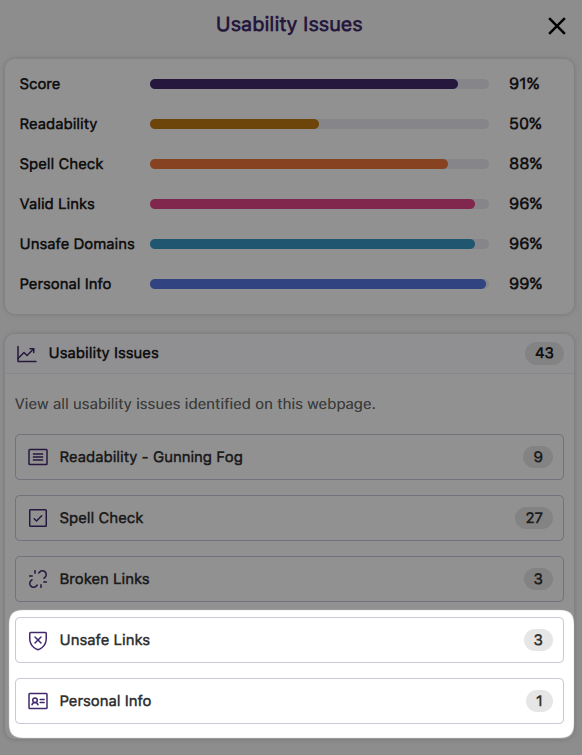
The Usability Engine Provides More Checks to Ensure the Privacy of Content and Safety of Visitors
YuJa EqualGround now includes more advanced checks on your web pages to prevent the public exposure of sensitive data and enhance your visitors’ safety. The new checks include:
For cases where certain information, such as an organization’s email or phone number, needs to be publicly displayed, you can add them to the exclusion list to prevent unnecessary flagging.
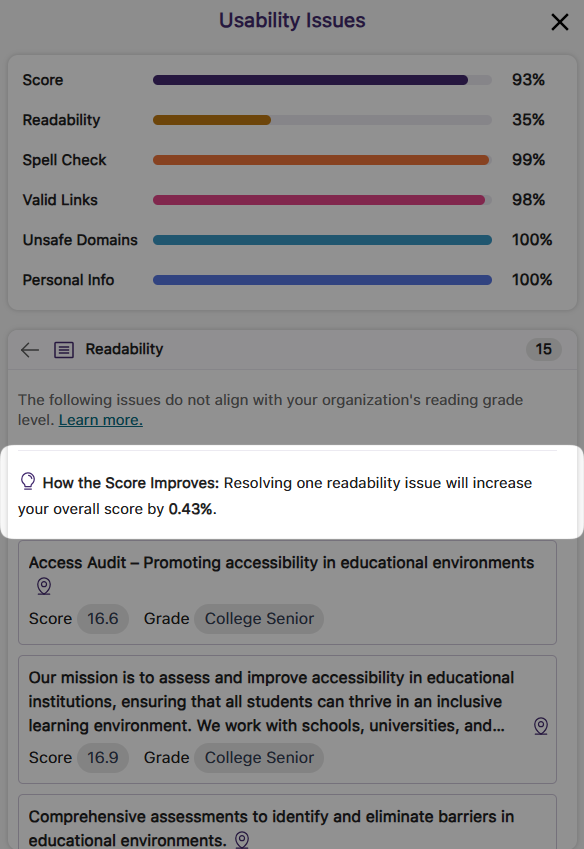
Information on How Your Score Will Improve When Usability Issues Are Resolved
The new usability score improvement indicator lets you know the percentage increase in the overall score when a usability issue is resolved, providing a more accurate forecast of improvements and helping you to prioritize which issue to address first.
We have successfully pushed an update to all YuJa Panorama LMS Accessibility Platform instances residing in the US, Canada, Australia, Singapore, the Middle East, and the European Union. This update includes a new alternative format of library reference, new how-to-fix guides and tutorials for HTML content, a new option to organize content by transferring items across folders, and more.
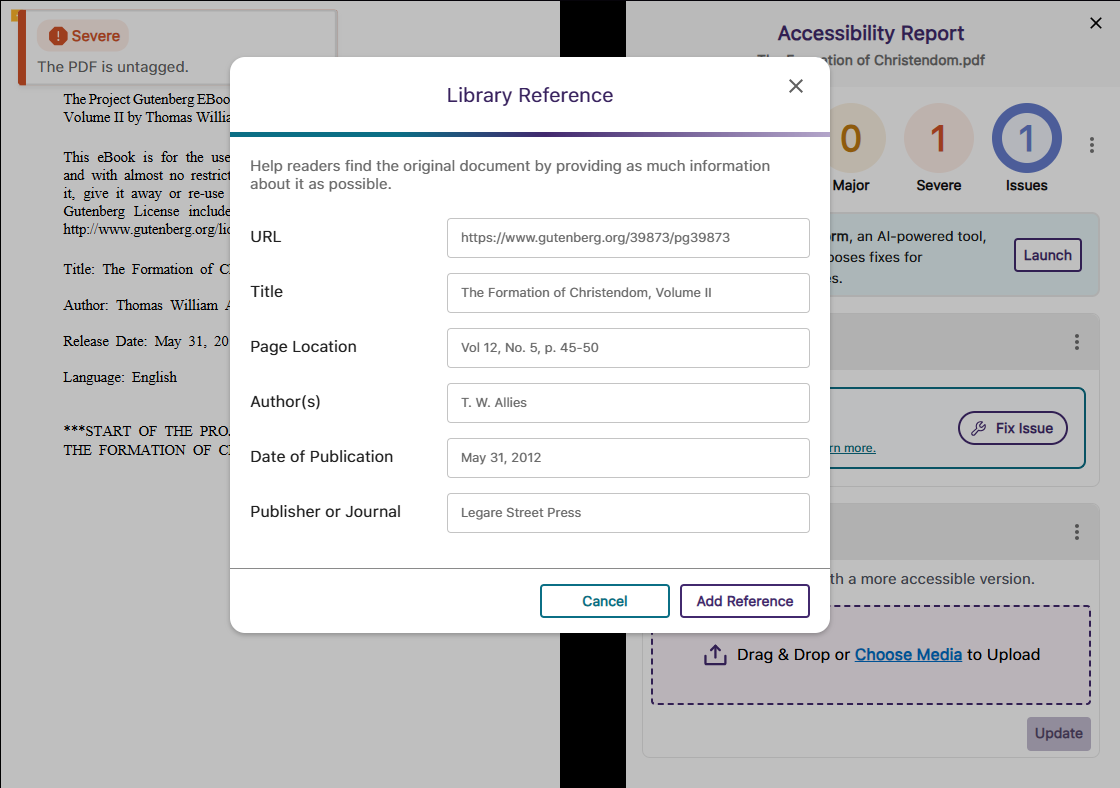
New Alternative Format: Create a Library Reference to Help Locate Your Reading Material
In certain situations, such as when only a chapter of a text is provided, your readers may want the complete reference for material so they can find it on their own. To assist them, we have introduced a new Library Reference Alternative Format that allows you to include details about the reading material, such as the author’s name, date of publication, and publisher.
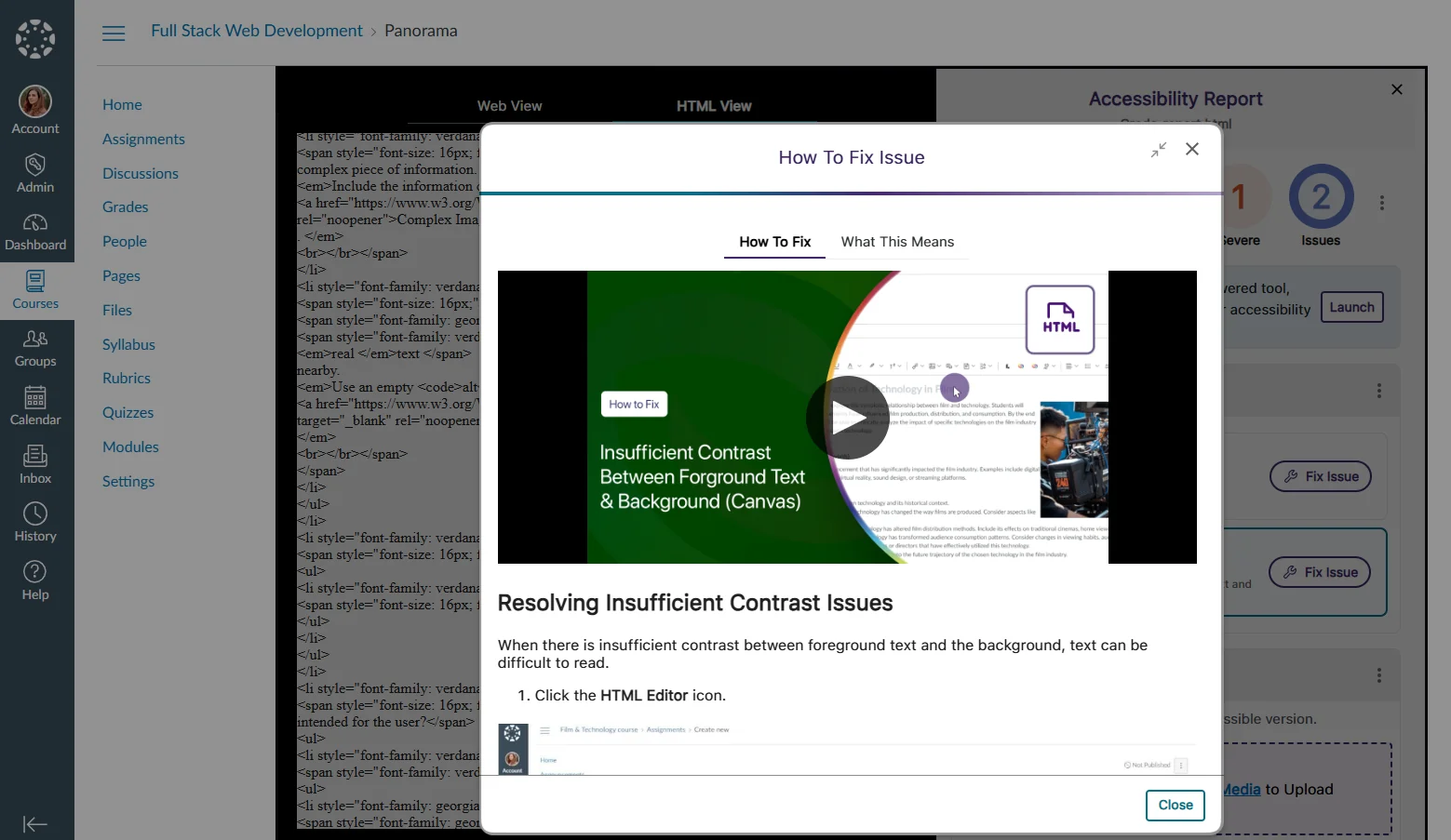
New How-to-Fix Guides and Video Tutorials for HTML Content Specific to the LMS
To make our embedded “How to Fix” guides more accessible and easier to follow, we have focused our efforts on an industry-first project to create over 90 guides and video tutorials that address HTML accessibility issues specific to D2L Brightspace, Canvas, and Moodle. This will ensure that whenever you are unsure how to resolve an issue manually, each guide is tailored to your LMS so that you can follow the steps exactly as they are shown.
Organize Content by Transferring Items from One Folder to Another in DocHub
With our new options for moving items between folders, organizing content in DocHub is easier than ever. You can select the content you want to move and click the Move button to transfer files or folders. Alternatively, you can simply drag and drop your items into and out of folders.

Optimized First-Time Scans for D2L Brightspace Courses to be More Efficient
By optimizing how we handle our API calls for D2L Brightspace, we’ve addressed throttling issues to ensure that first-time scans for newly created courses start immediately and are completed within 20 minutes or less rather than being delayed to a later date.
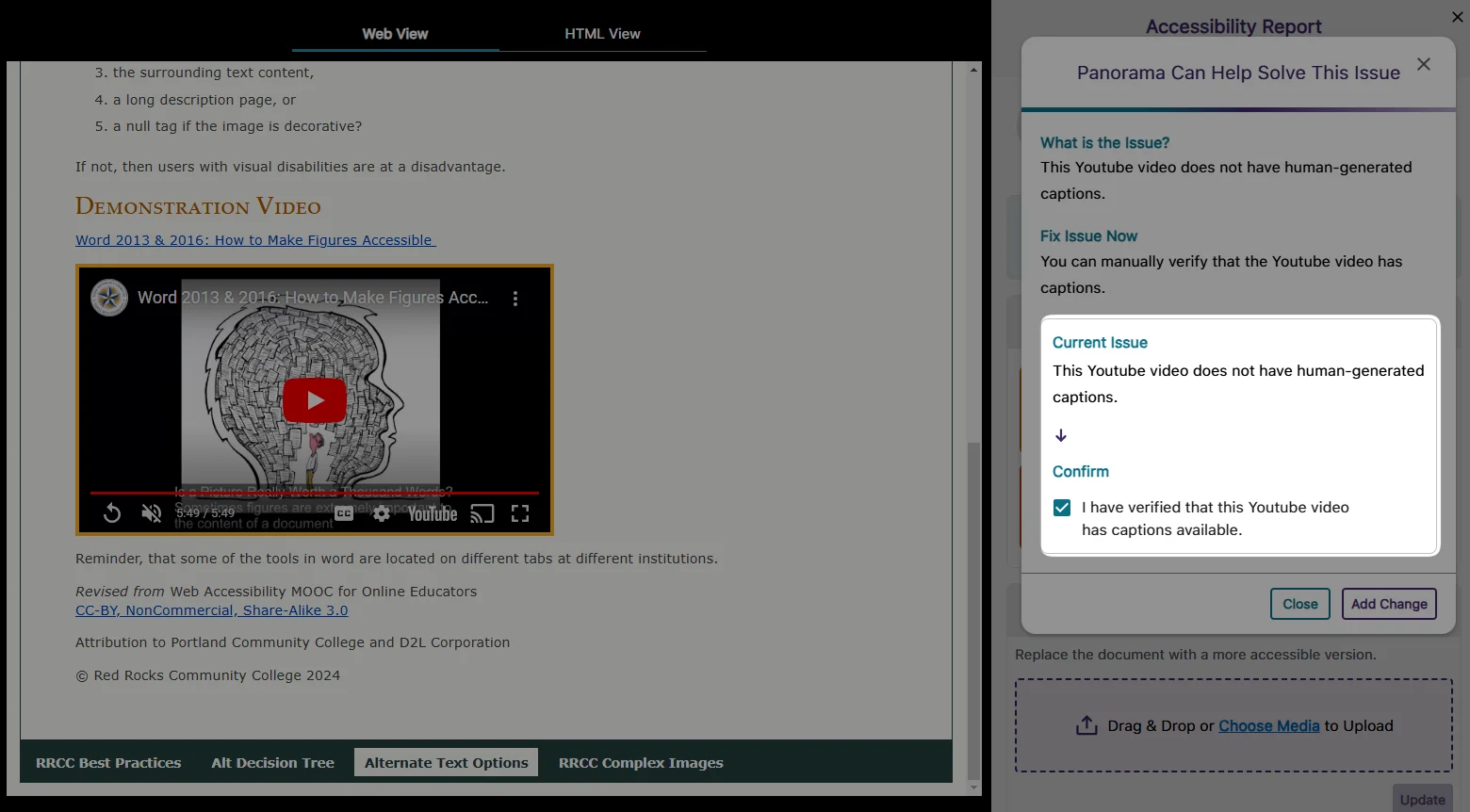
Resolve Missing Human-Generated Caption Issues by Manually Verifying that Captions are Present for Video Content
In cases where human-generated captions are not required or feasible for all videos, YuJa Panorama will identify the issue and allow you to override it by confirming that the video has at least auto-generated captions.
High-Performance Administrator Audit Log to Track All Major Activities on the Platform
In this release, we have set up our backend infrastructure to fully support in-depth audit logging for administrators to monitor user actions and changes performed on YuJa Panorama. Administrators will soon have access to the audit logs, allowing them to view users’ activities, such as deleted items, configured settings, downloaded reports, and more. Keep an eye out for the next YuJa Panorama update alert, which will provide a full-featured release of our audit logging capabilities.
User-Friendly Improvements to the Remediation Process
We have made a couple of tweaks to the remediation process to help you fix your documents more quickly.
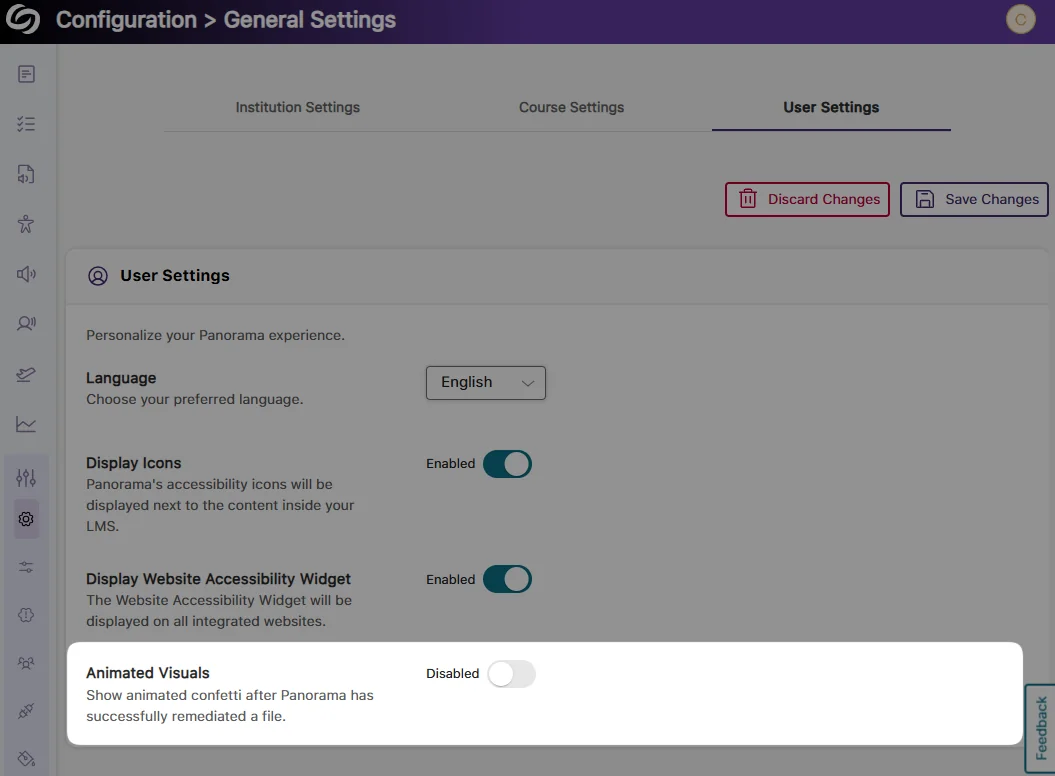
Turn off the Confetti Animation:
To make remediating many documents less disruptive, you can disable the confetti animation that activates after a document is remediated.
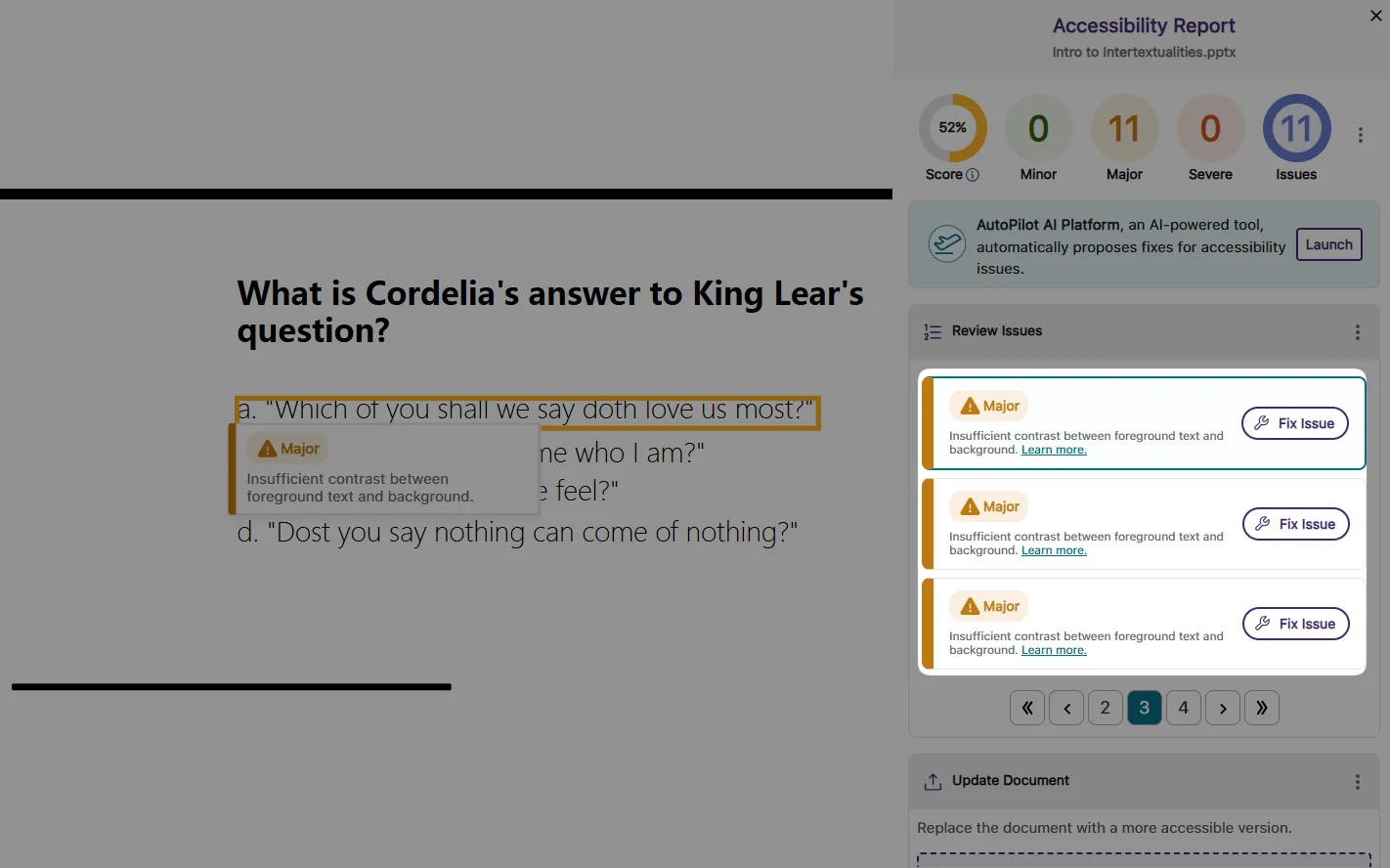
Updated Buttons in the Accessibility Report:
The “Fix Issue” button is now the primary indicated action you can take to fix issues. If you prefer to manually know how to fix issues, the “Learn more” link replaces the “How to Fix” button, providing access to our step-by-step guides.
Significantly Faster Accessibility Report Generation for HTML Content
We have improved the process for generating Accessibility Reports for HTML content, ensuring reports are generated up to 60% faster.
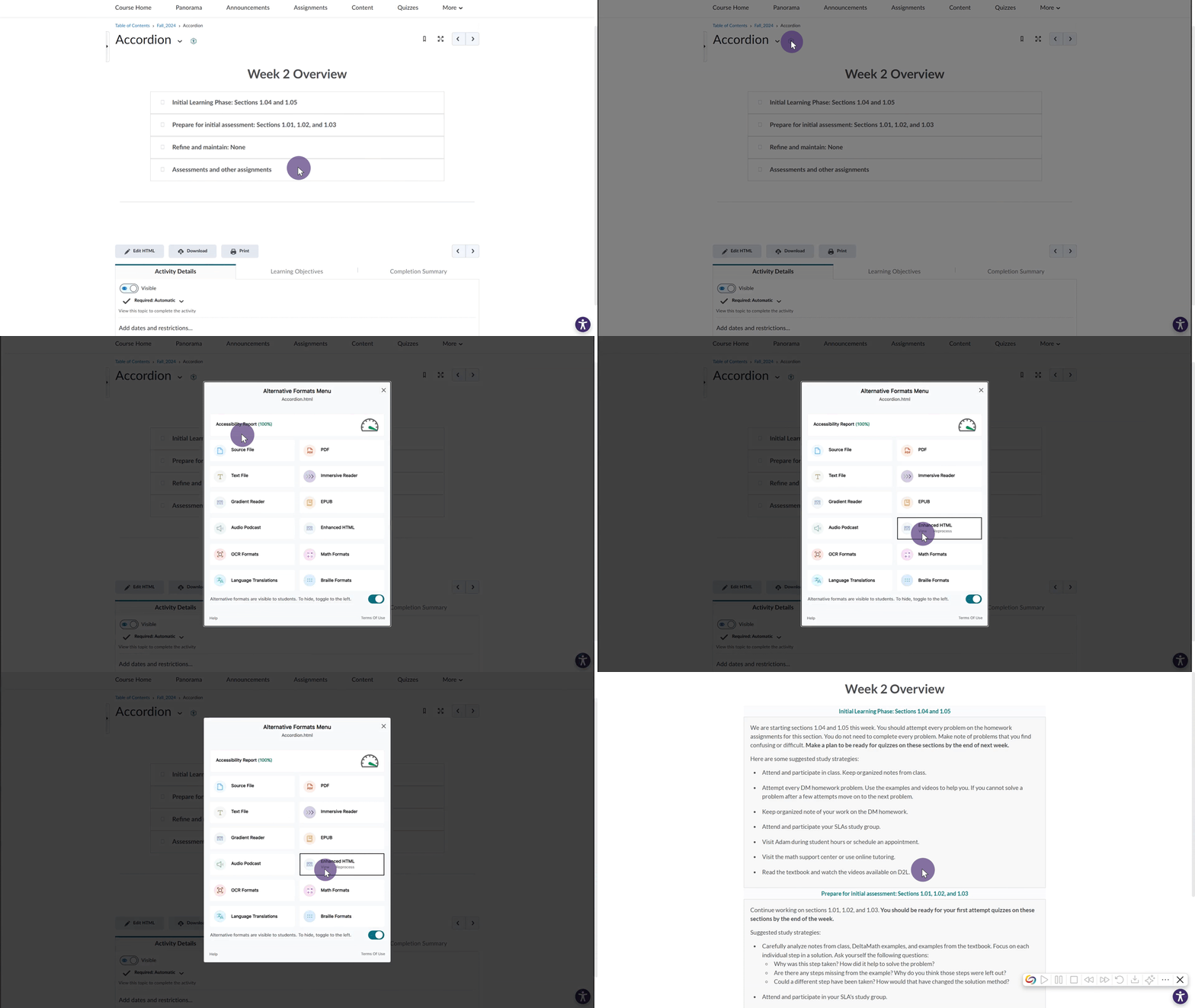
D2L Brightspace Support for Viewing “Accordion” Content in the Gradient Reader and Enhanced HTML
We have expanded YuJa Panorama to new areas of D2L Brightspace. Now, for Content pages that organize items using an “accordion,” the Gradient Reader and Enhanced HTML formats can be generated to display content within the layout.
Improved Capabilities for Retrieving Files in Moodle Instances Using AWS Storage
For institutions that utilize AWS storage with their Moodle instance, we have updated YuJa Panorama to retrieve these files more accurately, allowing Accessibility Reports to be generated more consistently.
We have successfully pushed an update to all YuJa AccessNotes Note-Taking Platform instances residing in the US, Canada, Australia, Singapore, the Middle East, and the European Union. This update includes the option to ask AI Assistant to auto-create quizzes based on recordings, enable auto-transcript scrolling with audio playback, a new search bar in transcripts to search content, a new option to disable the audio file downloads, and more.
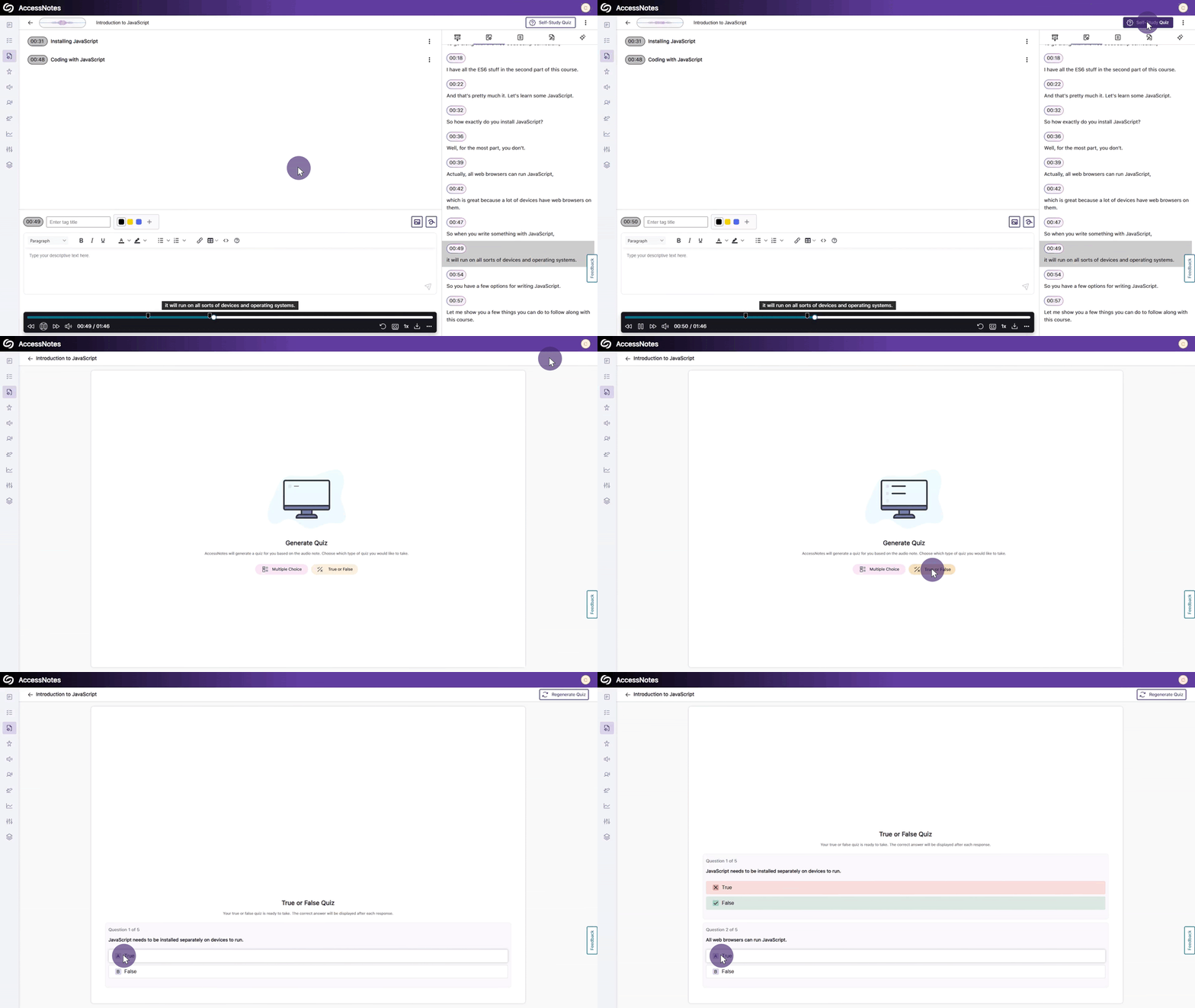
Use GenAI to Auto-Create Quizzes Based on Your Recording to Help You Study
Using our genAI capabilities, YuJa AccessNotes can help you replace traditional flashcard-based studying by analyzing your notes and generating self-study quizzes in multiple-choice or True/False formats. As you take the quiz, answers are provided immediately after responses, allowing you to immediately identify areas of improvement. If you didn’t perform well, you can retake the quiz, or for an additional challenge, create a new set of questions to further test your understanding.
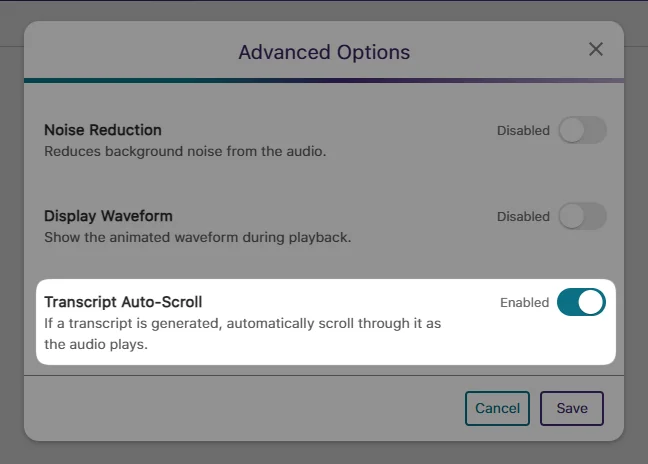
Enable Auto-Transcript Scrolling That Syncs with Audio Playback
During audio playback, you will no longer be required to manually scroll through the transcript when reading along. Simply enable the new auto-scroll setting from Advanced Options > Transcript Auto-Scroll.
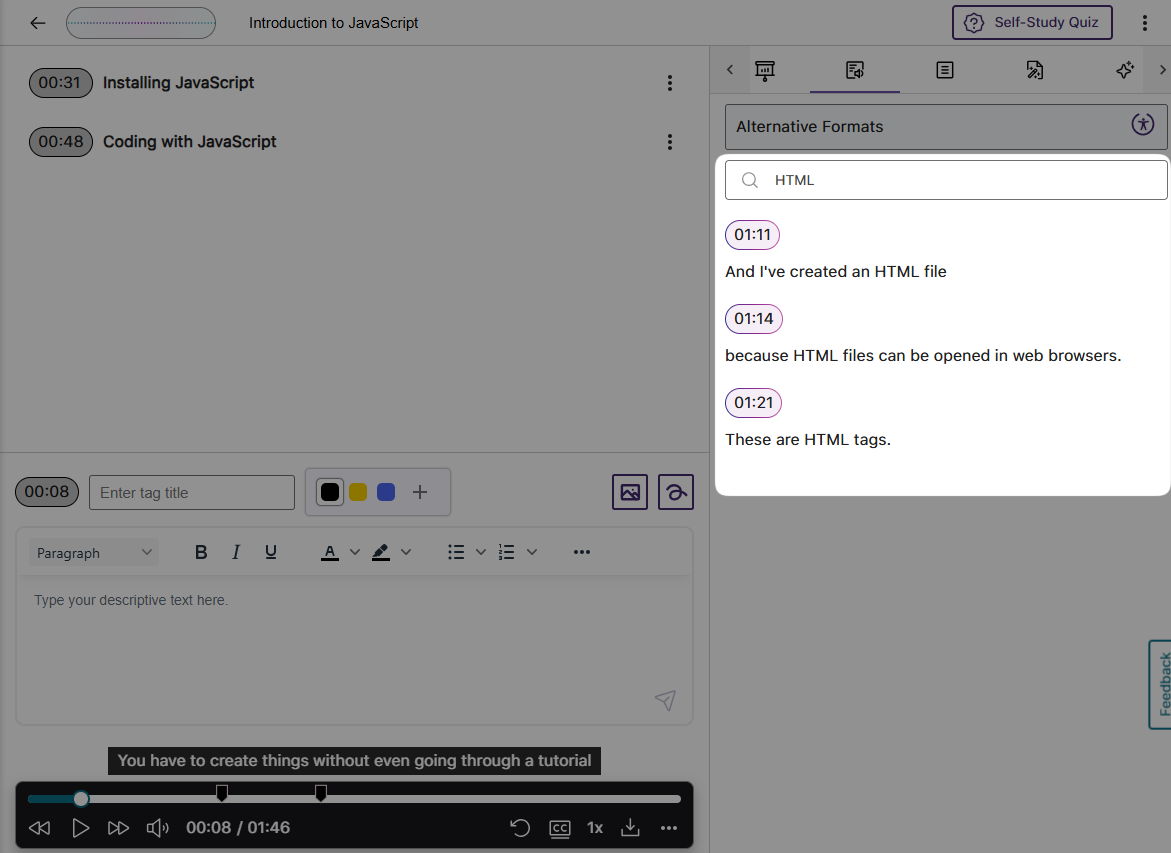
Generated Transcripts Feature a Search Bar to Help Find Content
We have provided a search bar that shows results alongside their audio timestamps to help you locate content more easily in your transcripts. You can then click on the search result to begin playing your audio note.
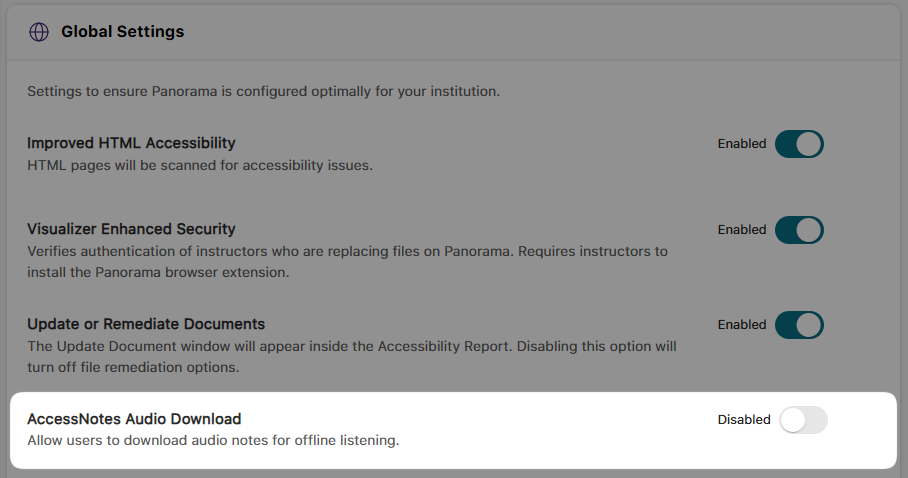
Administrators Can Disable the Downloading of Audio Files
As an administrator, you can disable audio file downloads to protect content privacy. This ensures that recordings, such as lectures or business presentations, remain accessible only within YuJa AccessNotes and cannot be downloaded to personal computers.
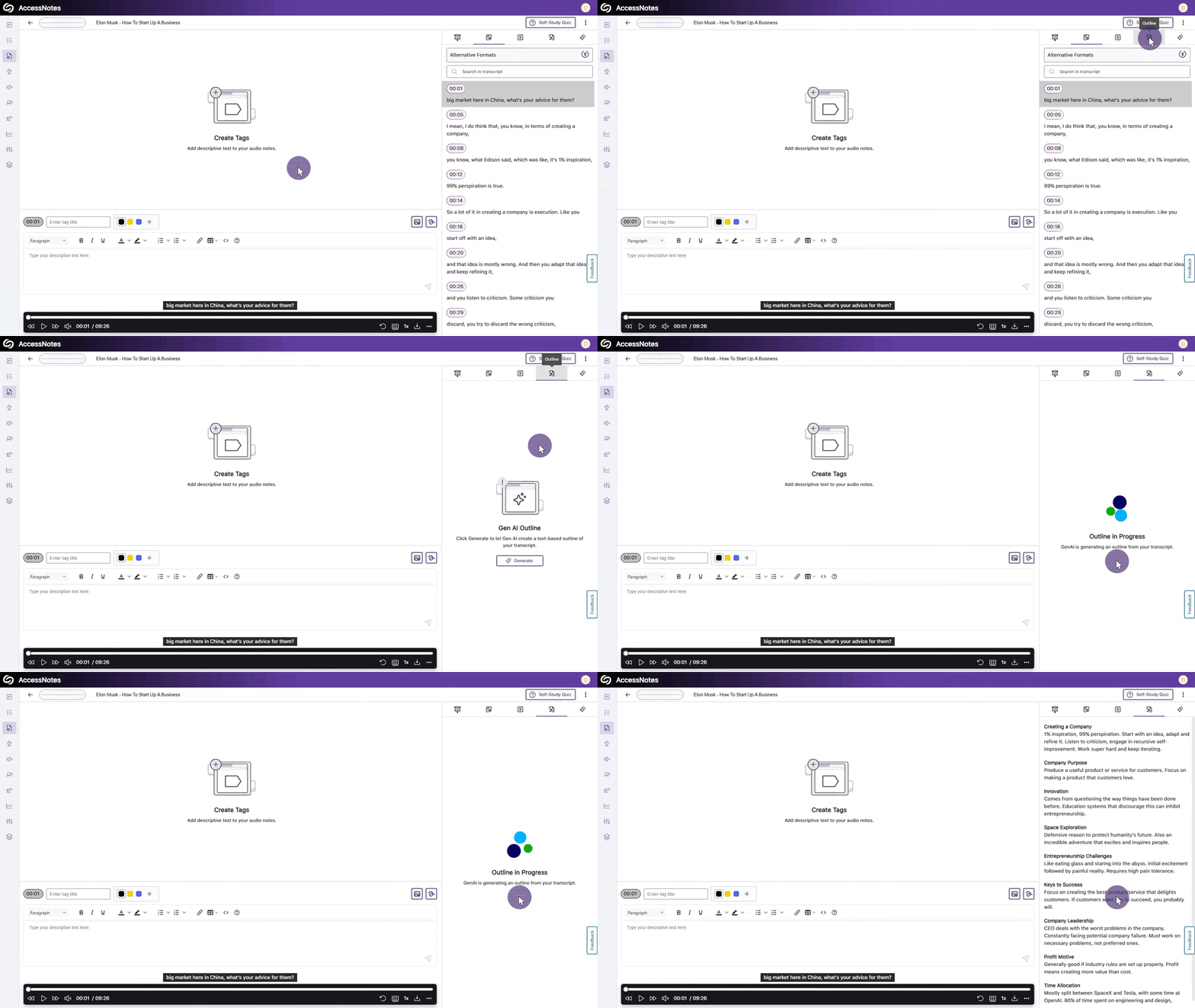
Create Organized Outlines of Your Notes Using Clear Headings
When a presentation or lecture lacks structure and a simple summary is not enough to understand the content, YuJa AccessNotes can help by generating an outline. Outlines structure entire presentations into clear, text-based formats, including headings and descriptions that summarize the discussions held in each identified audio section.
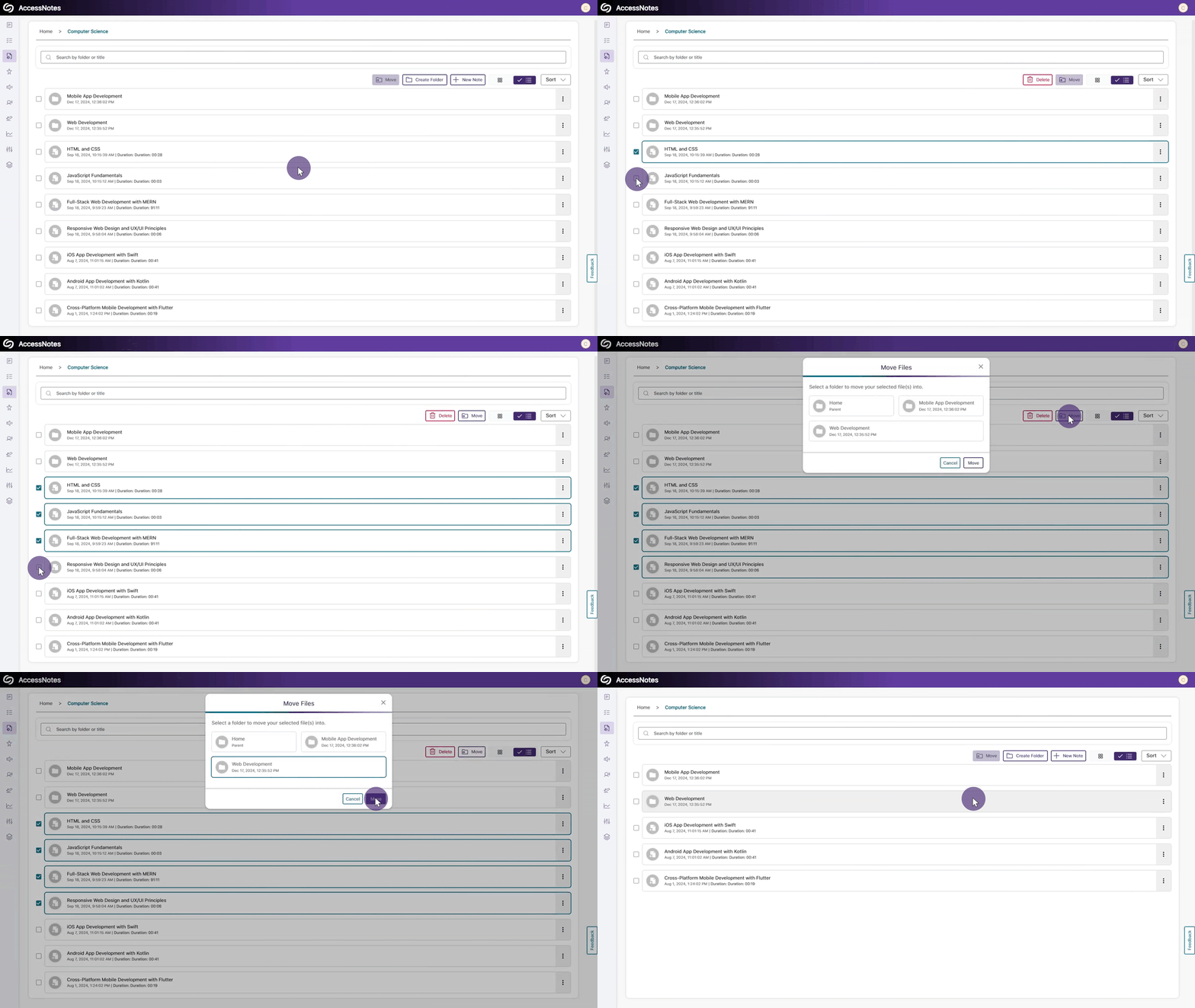
Organize Content by Transferring Items from One Folder to Another
With our new options for moving items between folders, organizing content in YuJa AccessNotes is easier than ever. You can select the items you want to relocate and click the Move button to transfer files or folders. Alternatively, you can simply drag and drop your items into and out of folders.
Join the 1,000+ Organizations Deploying High-Impact Solutions














