

Product Updates
Get the latest platform updates, features, and announcements—all in one place.
Boost Video Accessibility with the GenAI Video PowerPack!
Try Now
Supercharge Your Compliance Efforts with AutoPilot Remediation Max!
Try Now
Strengthen Your PDF Accessibility Efforts with Structural Remediation Max!
Try Now
Don't Miss Any of Our Upcoming Webinars—Save Your Spot!
Register
The YuJa Community is here! Connect, get updates, and access exclusive content.
Join Now

Get the latest platform updates, features, and announcements—all in one place.
This release will enhance the GenAI Video PowerPack experience with an interactive demo platform and improved chapter visualization.
GenAI Video Powerpack – Try YuJa’s GenAI Video PowerPack Tools
A new interactive demo platform will allow users to experience the full range of AI-powered video tools, including GenAI Video Quizzing, GenAI Video Chaptering, GenAI Language Dubbing, Enhanced Audio Descriptions, Ask YuJa AI, and Sentiment AI. Users can explore pre-generated examples or upload their own videos to see personalized enhancements in action across all available tools.

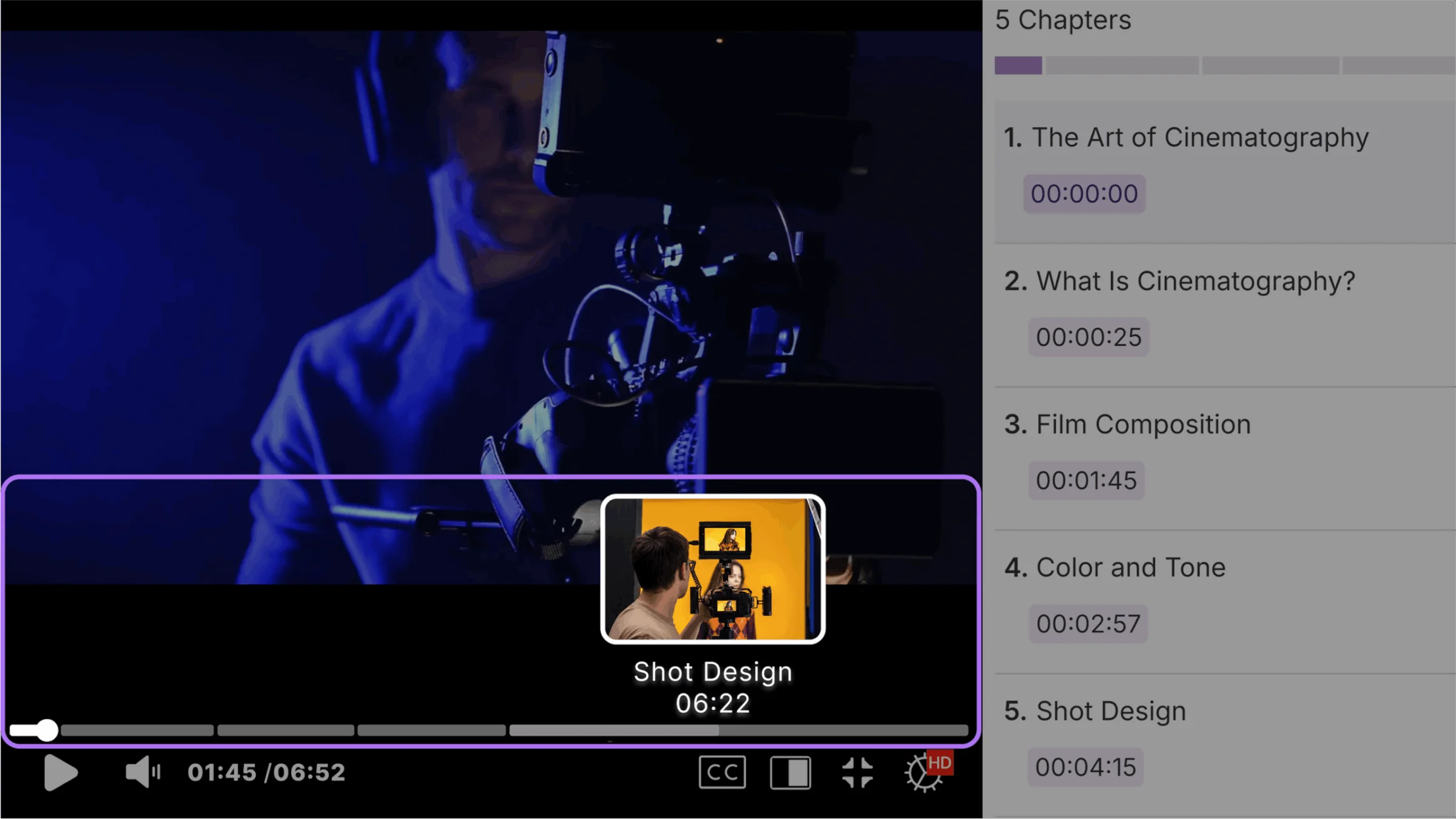
GenAI Video Chaptering- AI-Generated Chapters Now Display on Video Timeline for Enhanced Navigation
AI-generated video chapters will now appear directly on the video timeline with interactive segment previews and clickable navigation points. Users can hover over timeline segments to see chapter titles and timestamps, while clicking any segment instantly seeks to that specific content section.
We have successfully pushed an update to all YuJa SmartSpeaker instances residing in the US, Canada, Australia, Singapore, the Middle East, and the European Union. This update includes expanded Canvas New Quizzes support for read-aloud functionality and automatic AI tool disabling during quiz-taking across all major LMS platforms to maintain assessment integrity while preserving accessibility features.
SmartSpeaker Will Be Available in Canvas New Quizzes
The YuJa Panorama Browser Extension will now enable SmartSpeaker functionality within Canvas New Quizzes, allowing students to have quiz content read aloud during assessments. SmartSpeaker will support reading both question text and student answers within text boxes and other question types.
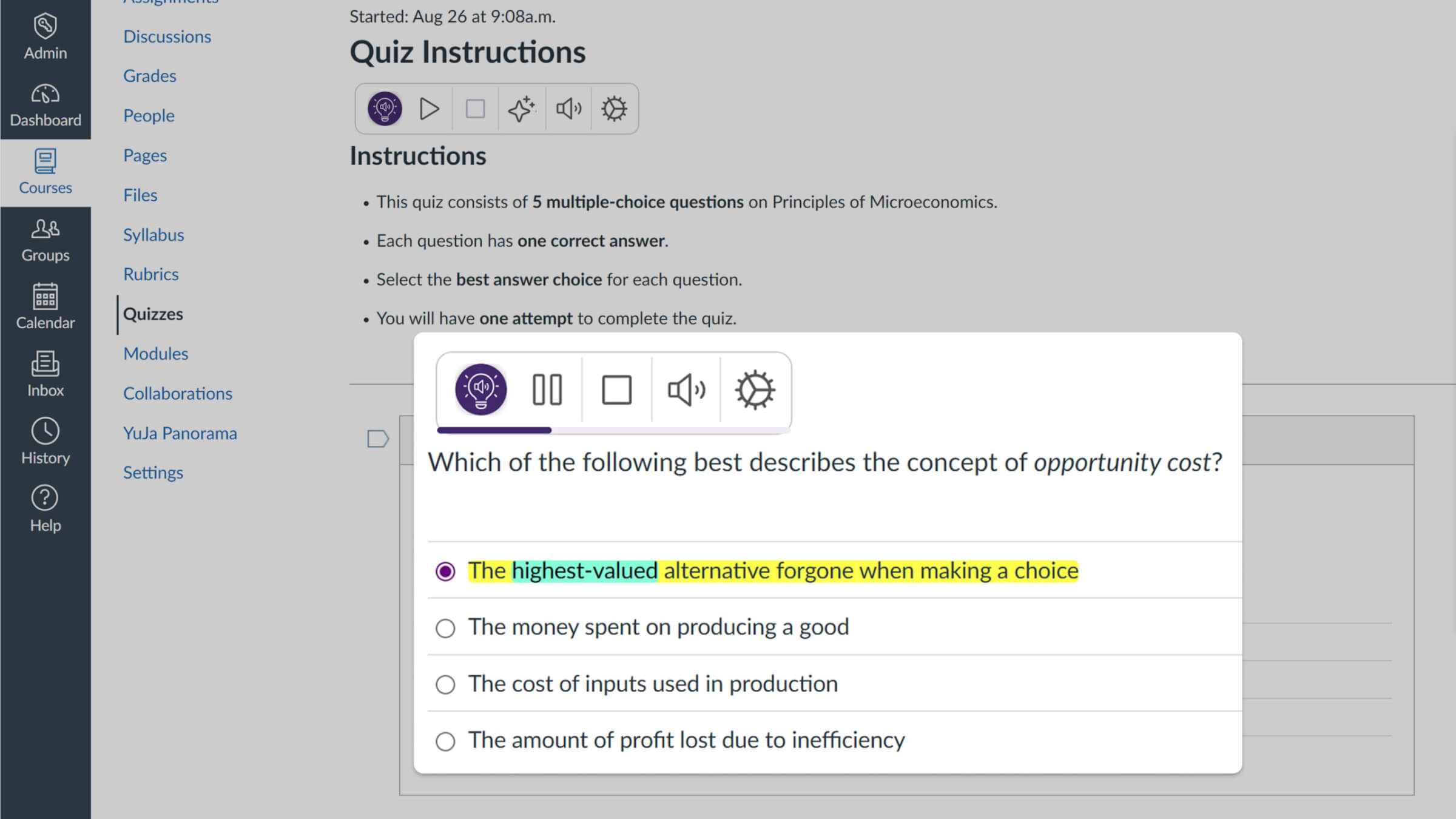
Auto-Disable AI Tools During Quizzes to Maintain Assessment Integrity
SmartSpeaker will automatically disable AI features like summarization and translation when students are taking quizzes across all major LMS platforms. This setting ensures assessment security by preventing students from using AI tools that could provide unfair advantages during exams while maintaining read-aloud functionality for accessibility.

We’re pushing an update to all YuJa Structural Remediation Max Module instances residing in the United States, Canada, European Union, and Australia. Over the next few weeks, key updates you’ll see will include the introduction of comprehensive tag management capabilities that enable manual PDF tag manipulation without external software and new administrator controls to restrict module access by user and role for strategic credit management.
Advanced Tag Management Tools Provide Complete PDF Structure Control
Structural Remediation Max will now support comprehensive tag manipulation, allowing users to create complex document structures without external software. These advanced tagging capabilities provide the granular control needed to ensure PDFs meet full accessibility compliance standards.
Manually Add New Tags: Users will be able to manually add new tags within Structural Remediation Max, enabling the creation of complex accessibility structures like lists from scratch. When newly added tags cover multiple existing tags completely, they’ll automatically merge into the new tag, creating cleaner document structures.
Split Single Tags into Multiple Elements: Complex text blocks can now be broken down into multiple separate tags, allowing users to create proper heading hierarchies and list structures.
Retag Entire Document Zones with Advanced Zone Detection: The new Zone Detector will allow users to select and retag entire sections of a document, automatically generating appropriate tag structures for complex layouts.
Faster Re-tagging Performance for Previously Tagged PDFs: Re-tagging operations on documents that already contain accessibility tags will process significantly faster, reducing wait times when making structural adjustments.
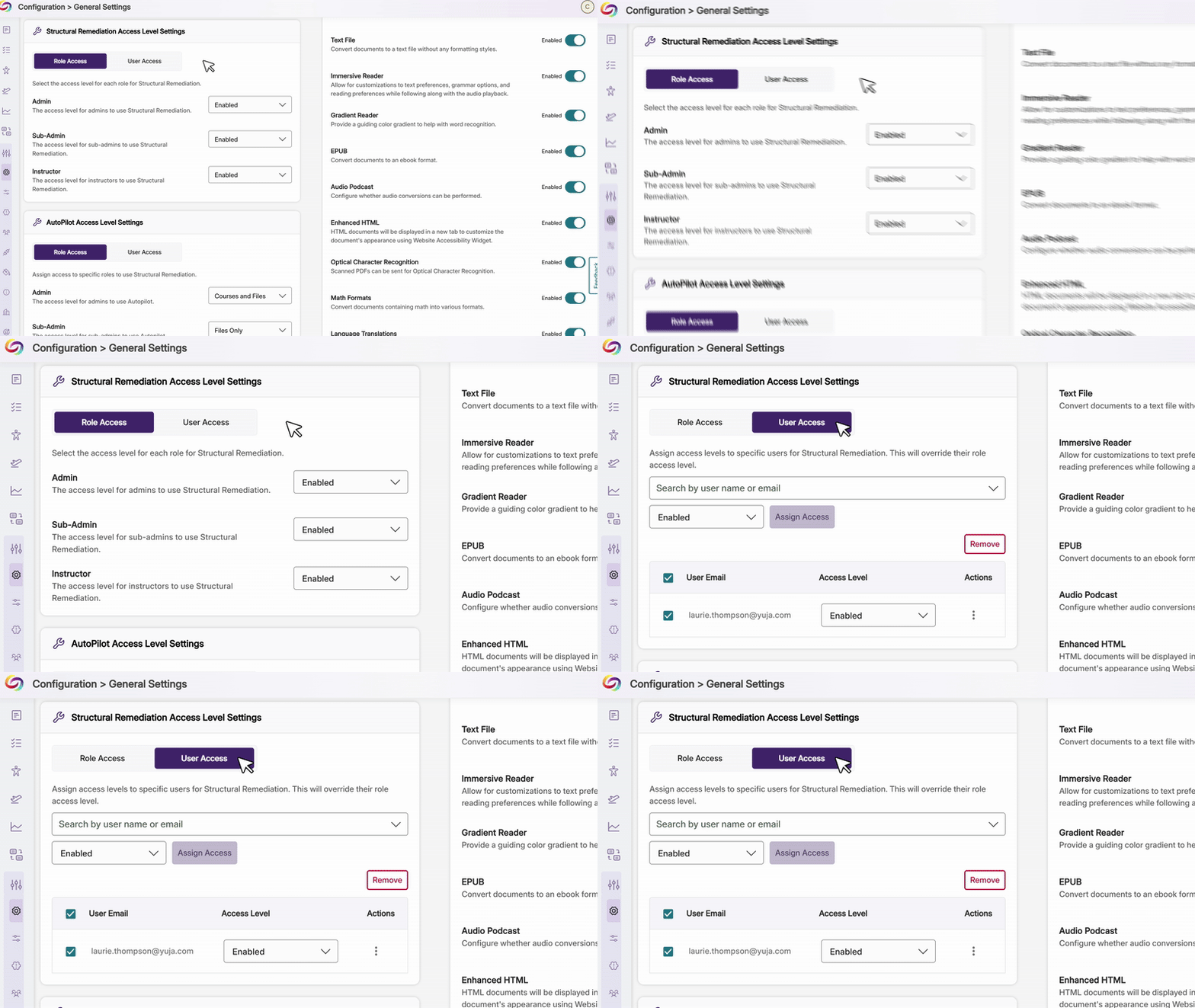
Ability to Restrict Access by User and Role
Administrators will now be able to control which users and roles can access Structural Remediation, helping institutions strategically manage credit use.
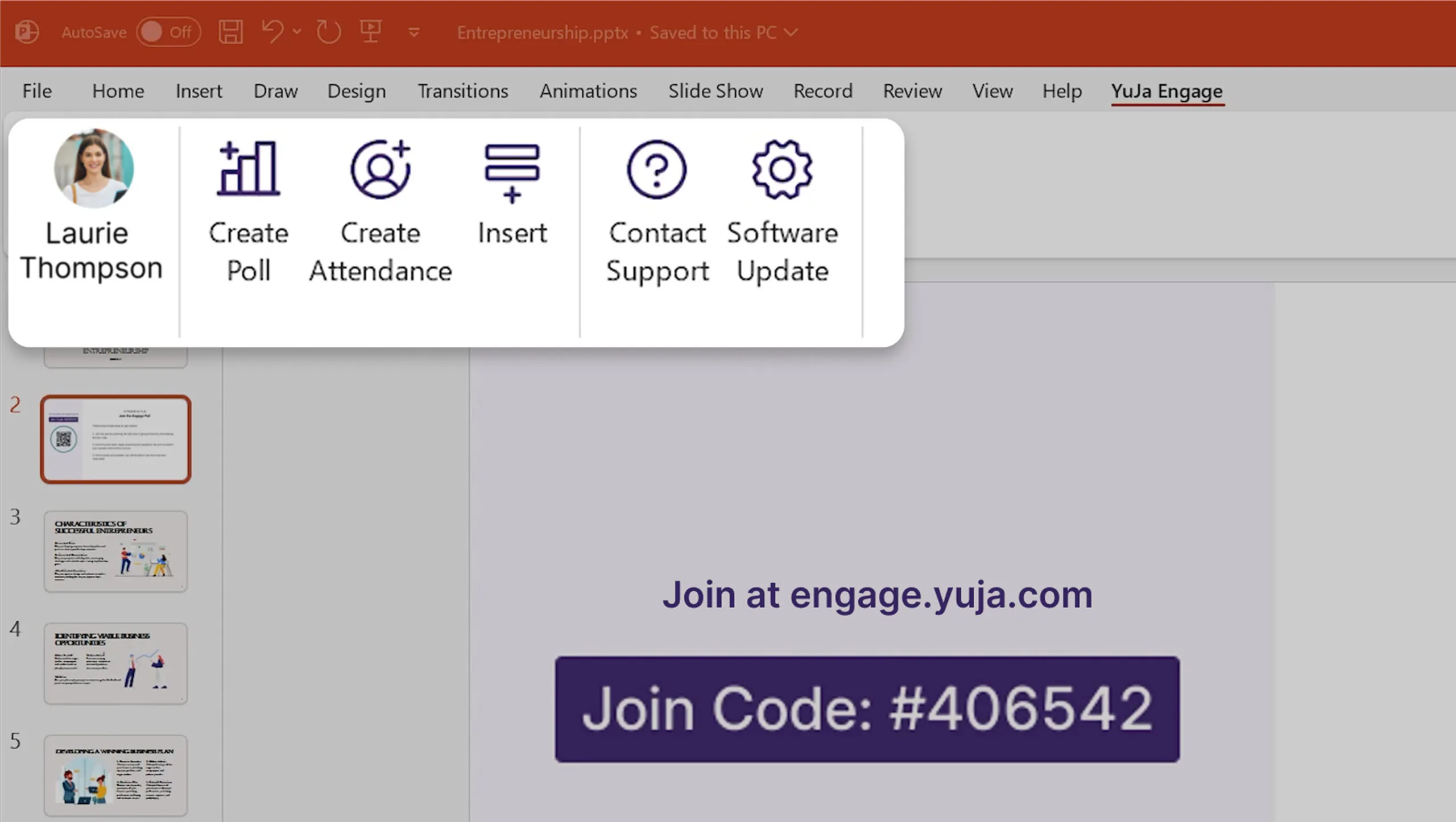
This release enhances the PowerPoint integration experience with streamlined workflows and improved presenter controls and introduces automated monthly usage reports that deliver key platform insights directly to administrators via email.
Enhanced PowerPoint and Keynote Integration Streamlines Presentation Workflows
Both PowerPoint and Keynote plugins deliver significant workflow improvements and enhanced user control:
Improved UI Experience: Expanded from simple question title slides to full-width screenshot slides that capture complete question and activity details.
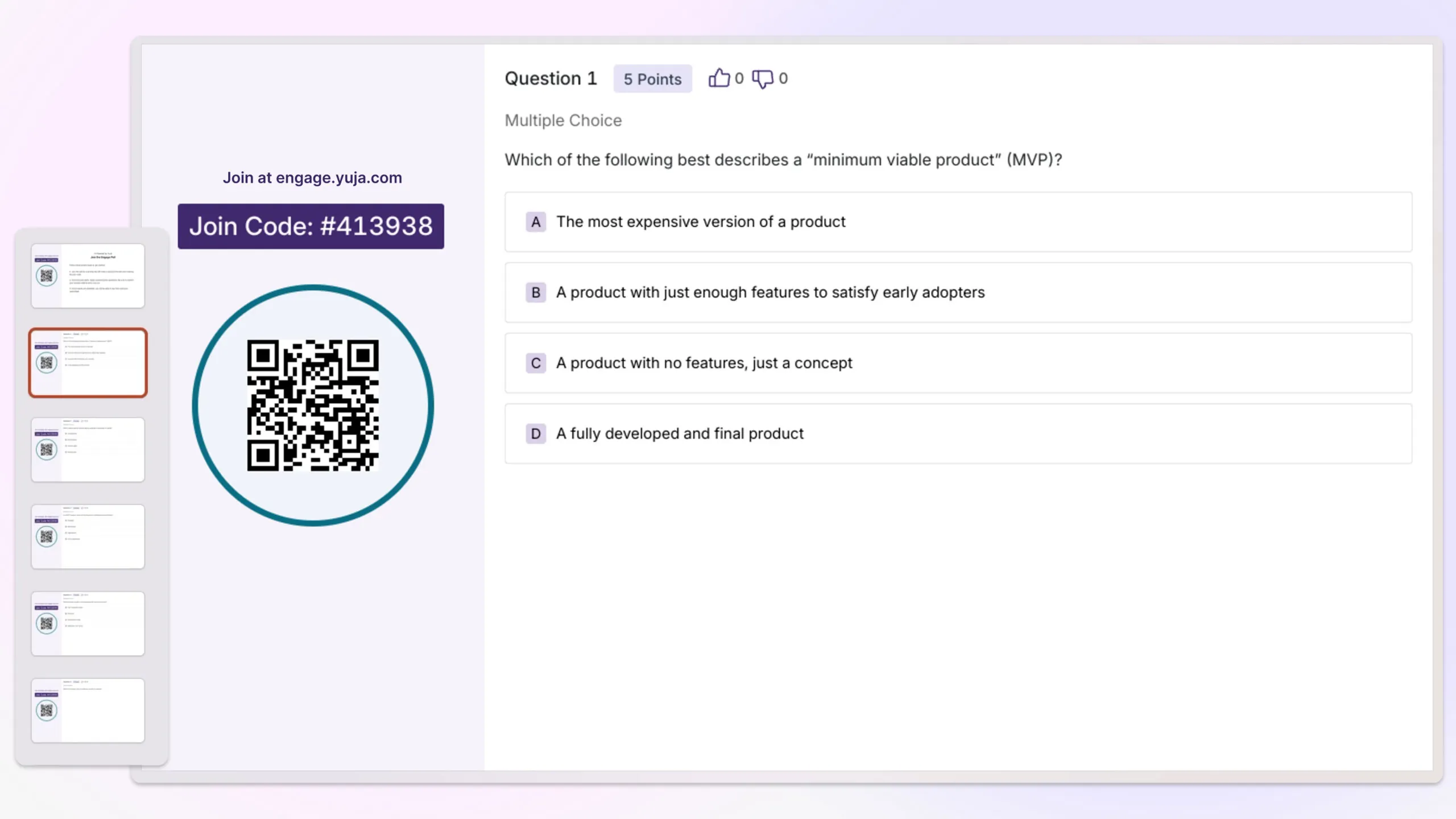
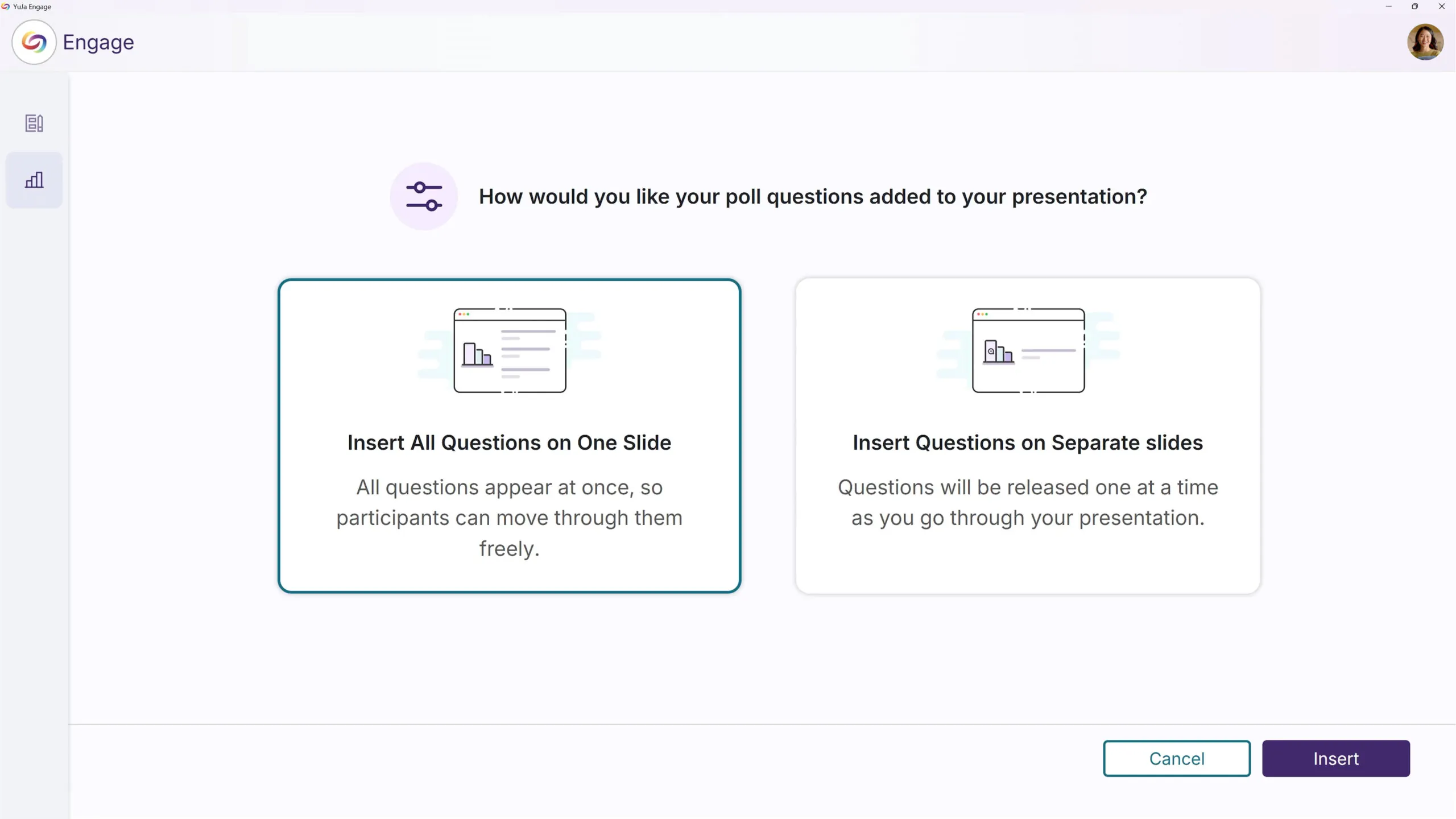
New Workflow Option: In addition to inserting individual question slides, users can now insert all questions into a single slide. The Release button then publishes all questions at once for streamlined activity management.
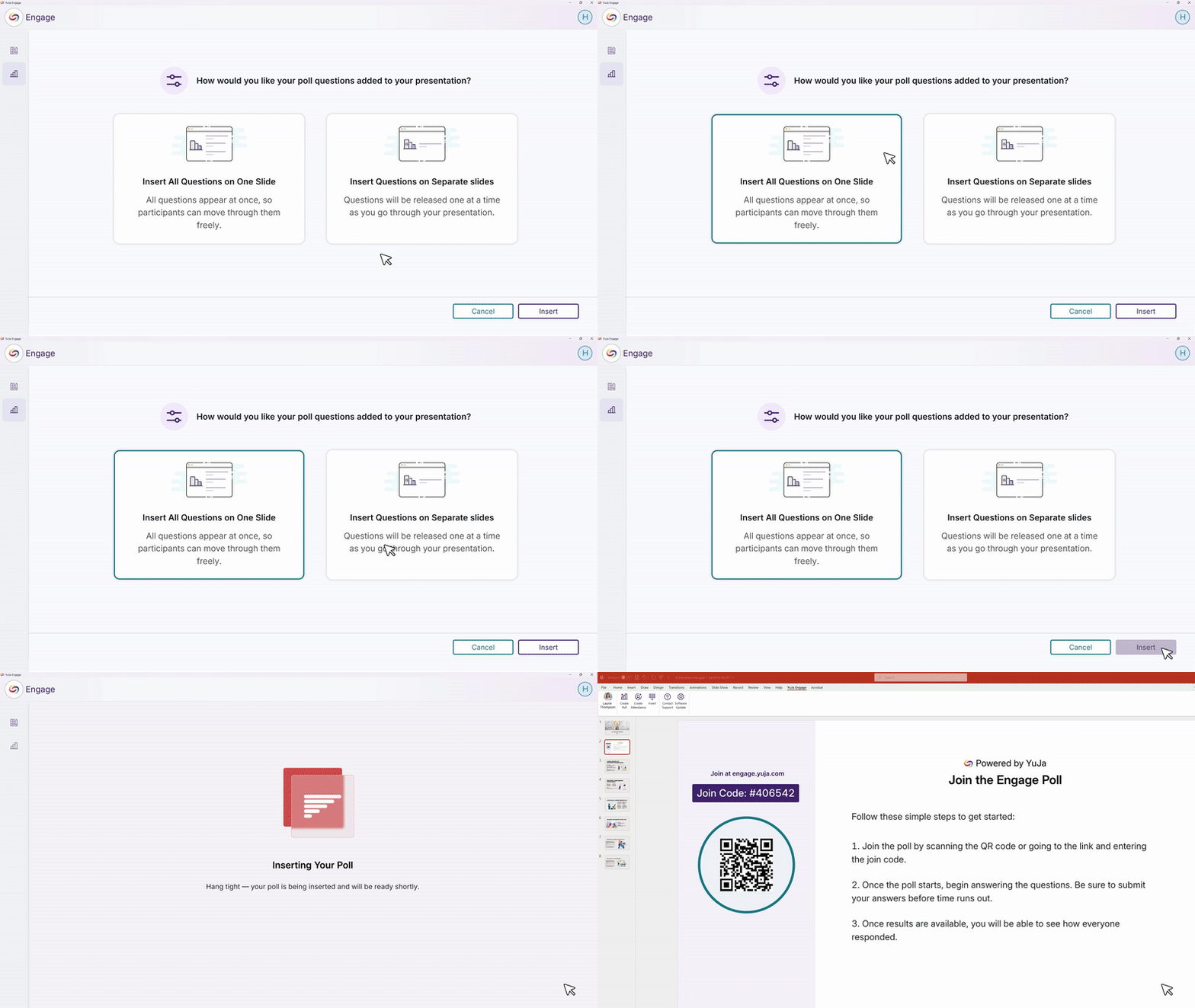
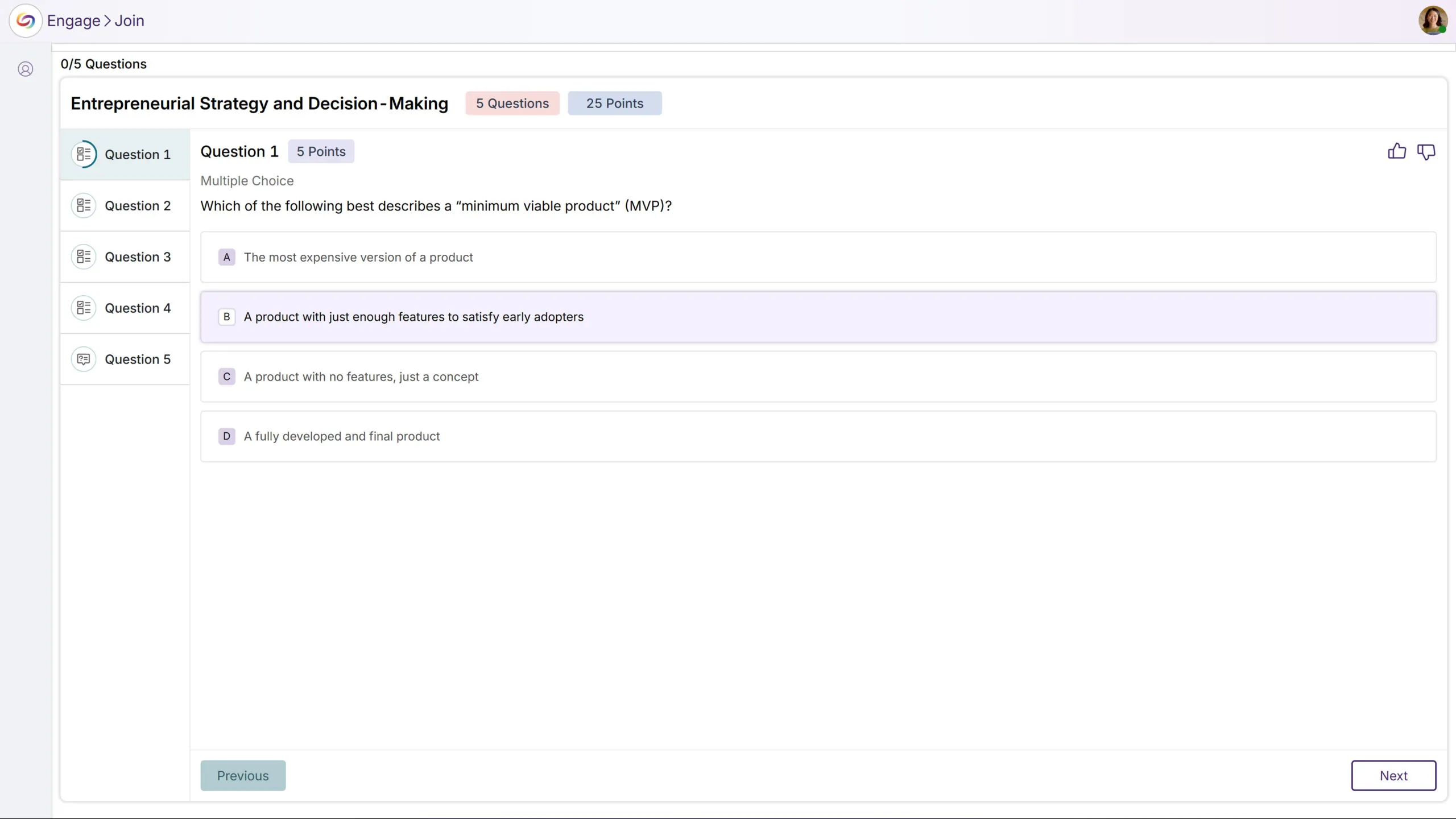
Presentation Page Redesign: Enhanced the in-presentation experience to match the web application’s design style, providing a consistent and modern interface.
Controlled Question Sharing: Previously, questions were shared automatically when presenting slides. Now, presenters have full control to decide when to share or stop sharing questions and activities.
Additional PowerPoint Plugins updates include:
Enhanced User Guide: Added tutorial videos and intuitive visuals to make installation and updates easier to follow.
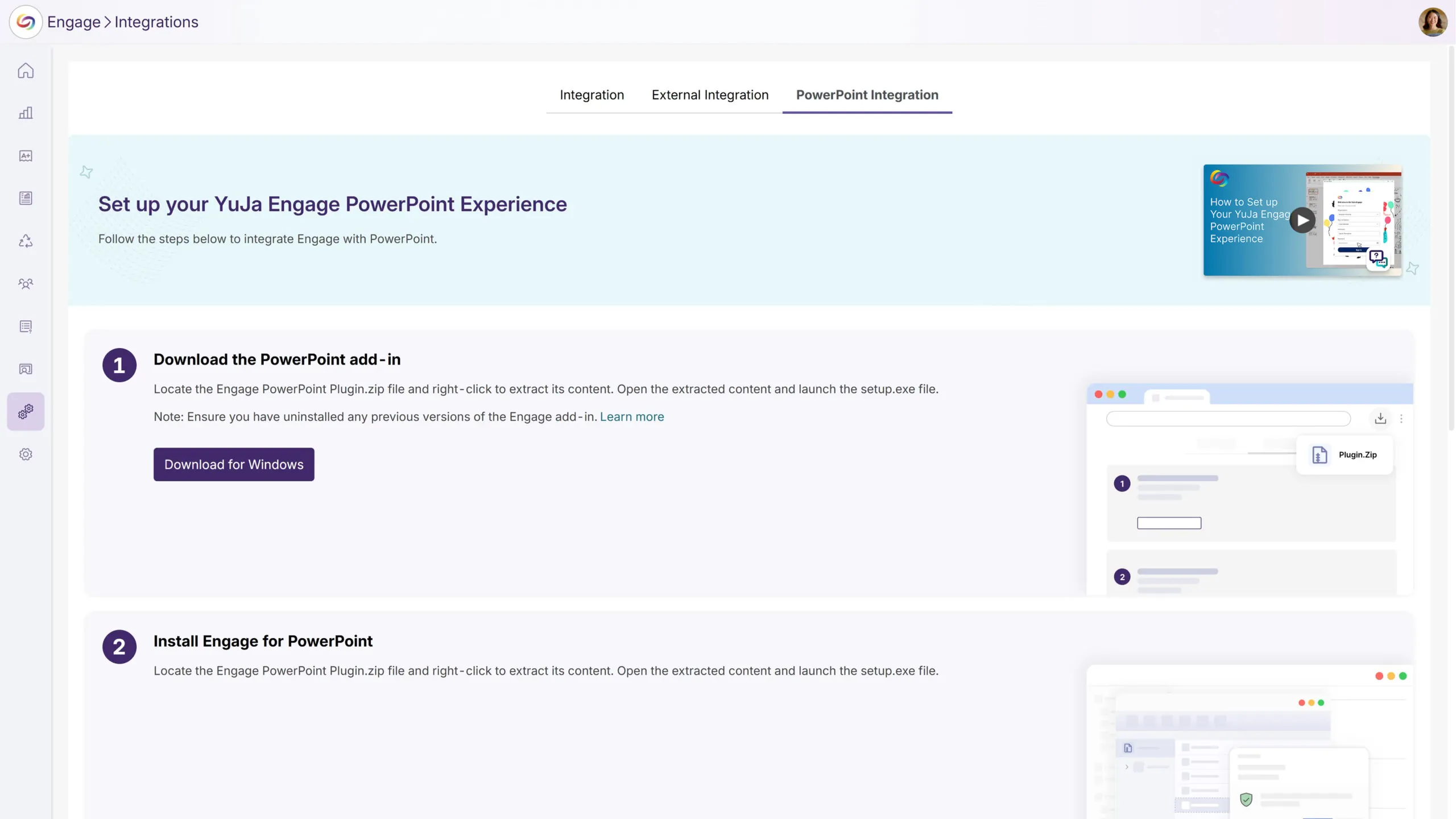
Refined Menu Design: Updated menu icons to align with the company design system, and removed ribbon menus to minimize confusion and create a cleaner interface.
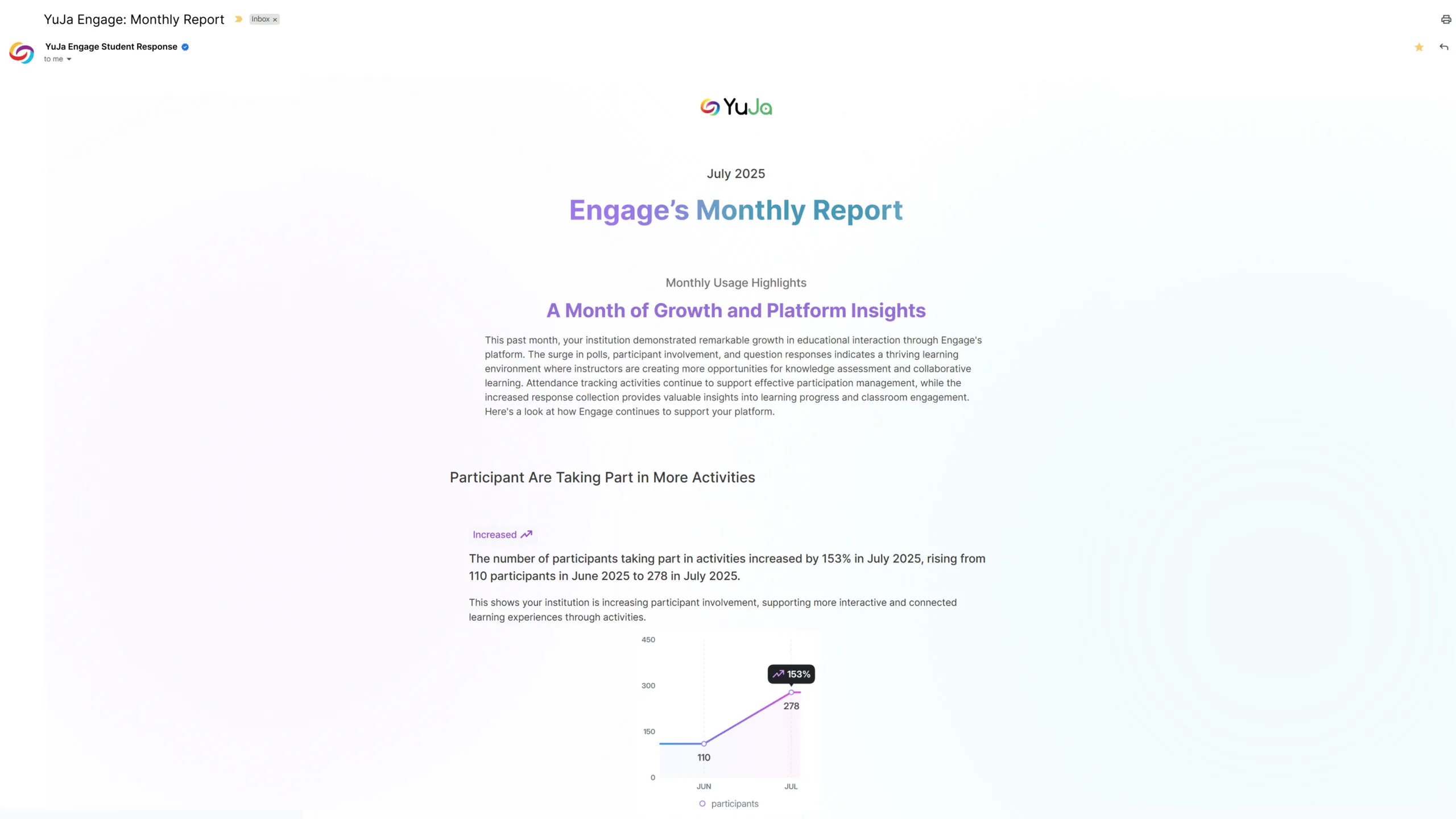
Monthly Usage Reports Will Be Automatically Emailed to Platform Administrators
Administrators will receive automated monthly email reports highlighting platform usage and trends. Emails will provide administrators with at-a-glance insights into platform performance and user engagement.
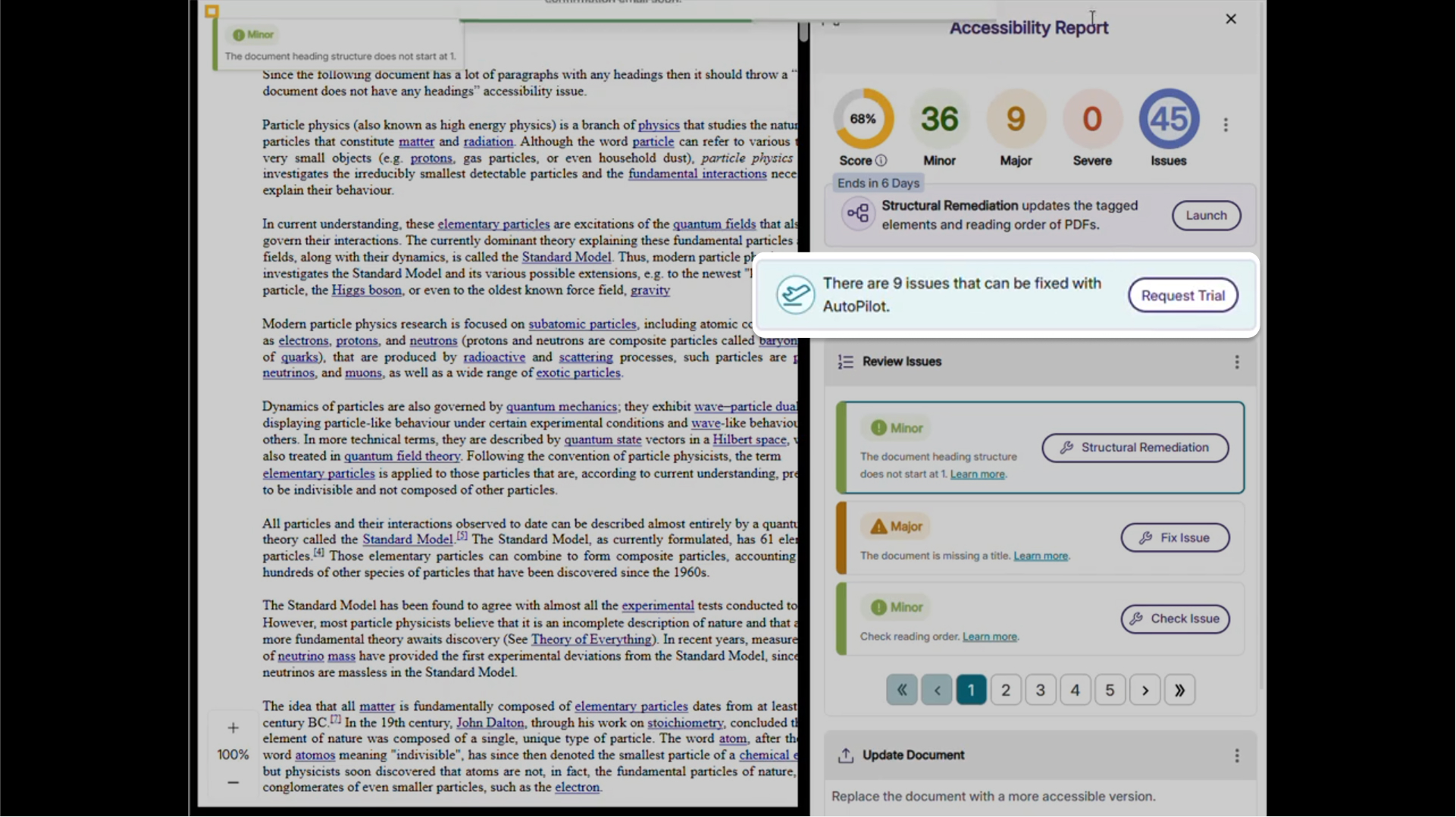
We’re rolling out new updates across YuJa AutoPilot AI Remediation Max, including the ability to request a trial, run the module across multiple courses at once, and to customize user roles.
Request a Trial of YuJa AutoPilot AI Remediation
Administrators can now request a trial of YuJa AutoPilot AI Remediation in the Accessibility Products Marketplace. Explore how to reduce document remediation time by up to 95 percent and remediate documents in bulk to optimize your remediation efforts.
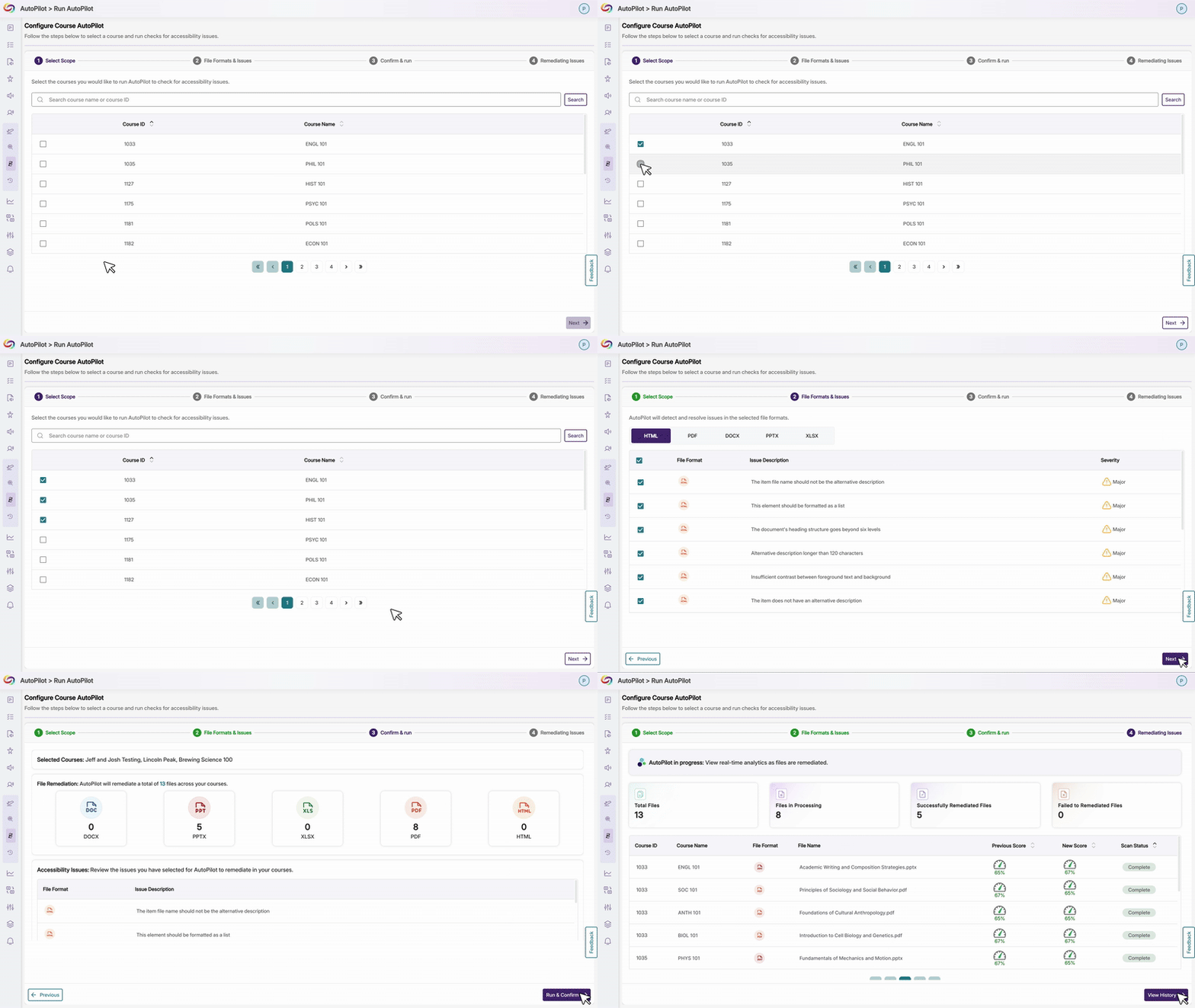
Run YuJa AutoPilot Across Multiple Courses at Once
Users will be able to run the YuJa AutoPilot AI Remediation Module across multiple courses at once, with full filtering capabilities to target specific document types or issues. This streamlined approach enables institutions to efficiently remediate large volumes of content while maintaining precise control over what gets processed.
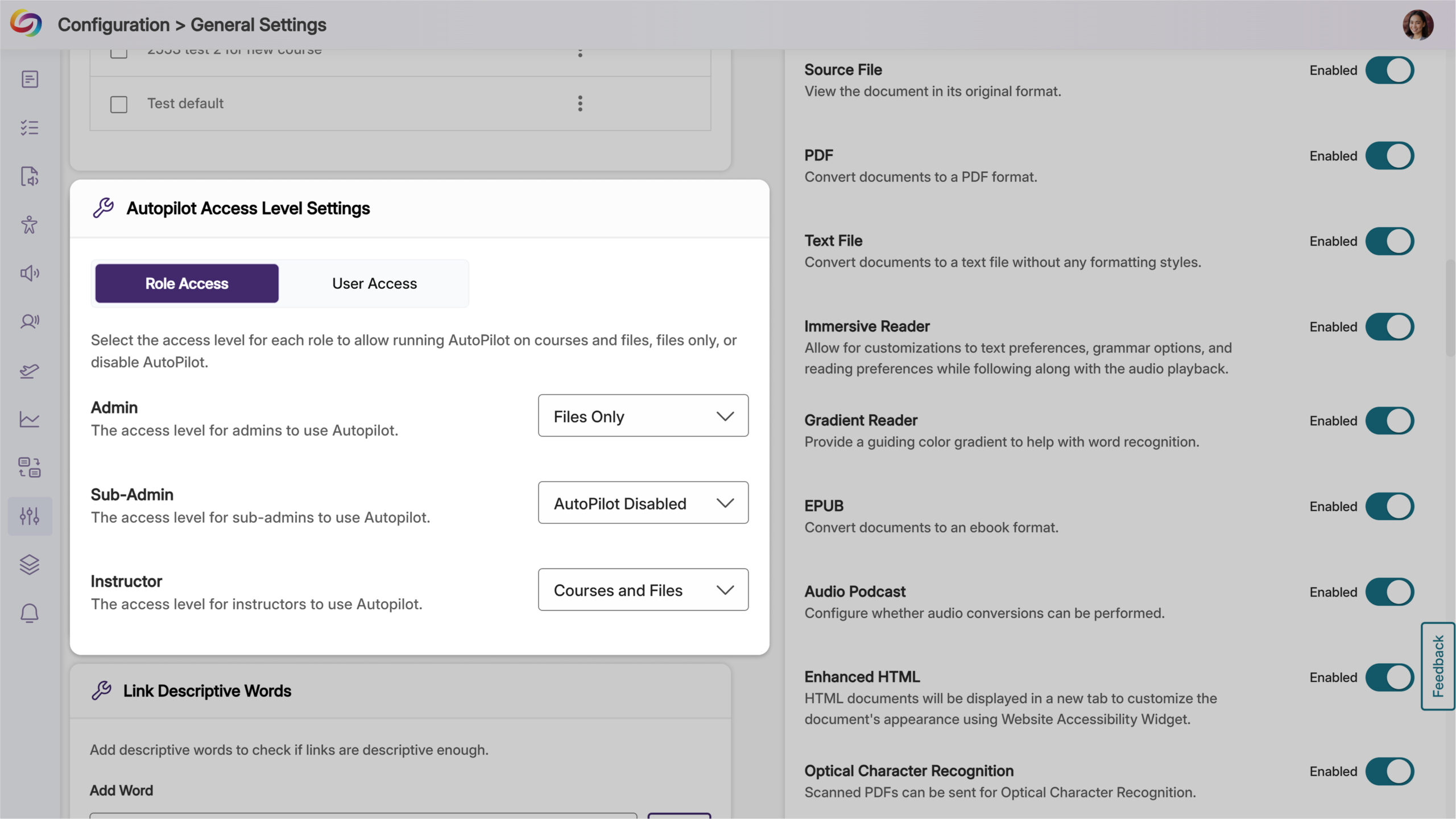
Ability to Restrict AutoPilot by User Role
Administrators will now have control over access, allowing them to limit usage to specific users or roles, such as instructional designers, giving them the ability to optimize credit use while maintaining oversight of automated remediation. Administrators can also set permissions at the role level and create user-level overrides for more flexible access management.
Join the 1,000+ Organizations Deploying High-Impact Solutions














