Product Updates

Get the latest platform updates, features, and announcements—all in one place.

  • June 10, 2022

    Video Conference Platform – Update RC20220524 Released to all Zones

    We have successfully pushed an update to all instances residing in the United States, Canada and the European Union. This release focuses on implementing the ability to add a virtual background, enhancing sharing capabilities and providing Meeting Owners with the option to manage the Waiting Room.
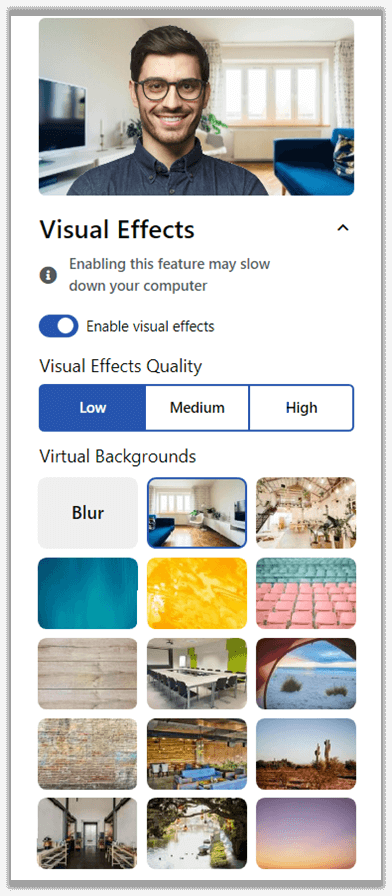
    1. Ability to Use Virtual Backgrounds during Video Conference Sessions Virtual Backgrounds can be used to create a sense organization when participating in a Video Conference. With real time technology, Meeting Owners and all participants can utilize Visual Effects, choosing between various virtual backgrounds to utilize. In future releases, we look to optimize the Visual Effects so they can efficiently run on all hardware setups. To learn more about this feature, please click here.
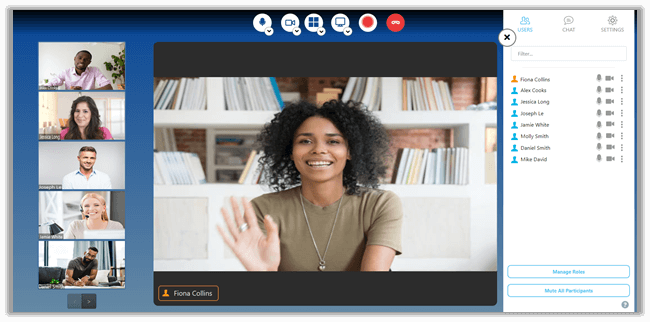
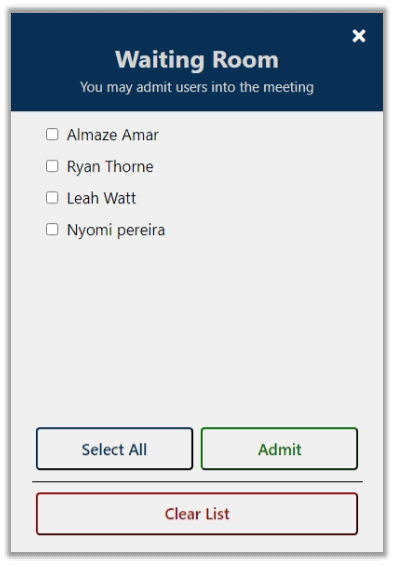
    2. Improved Waiting Room Experience Previously, the Waiting Room was only active until the moment the Meeting Owner joined a meeting. In an effort to make the Waiting Room more dynamic and provide Meeting Owners with the power to manage the Waiting Room. They now have the option to let in users on an individual basis or all at once. They also have the ability to delegate this responsibility to an admitted user.
    3. Enhanced Compatibility with Microsoft Edge Continuing our efforts to deliver a seamless user experience in all browsers, Microsoft Edge users will now be able to utilize screen sharing capabilities.

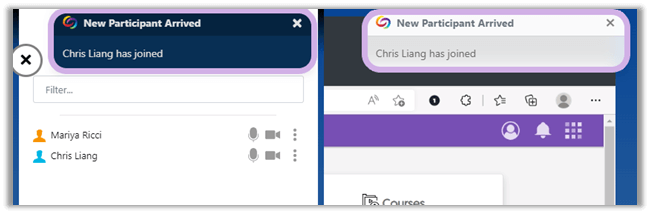
    4. New “Dark Mode” Notification Theme Available Notifications are now easier to view with dark and light themes on contrasting panels.
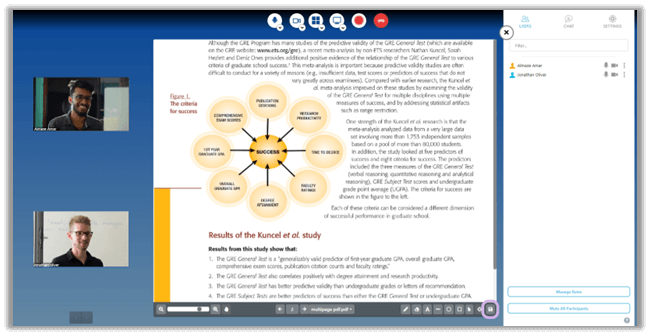
    5. Enhanced Document and Whiteboard Sharing and Downloading Experience To optimize the document and Whiteboard sharing experience, all uploaded documents and Whiteboard creations are no longer infinitely scrollable, making it easier to track where users are currently viewing. The document and Whiteboard download experience has been enhanced to seamlessly allow users the ability download the document and Whiteboard to their device.
    6. Improved Video Conference Stability In an effort to significantly improve user experience, we have adjusted our front-end support for document uploads. For future releases, we intend to increase file sharing size while continuing to provide stability on our video conference platform.
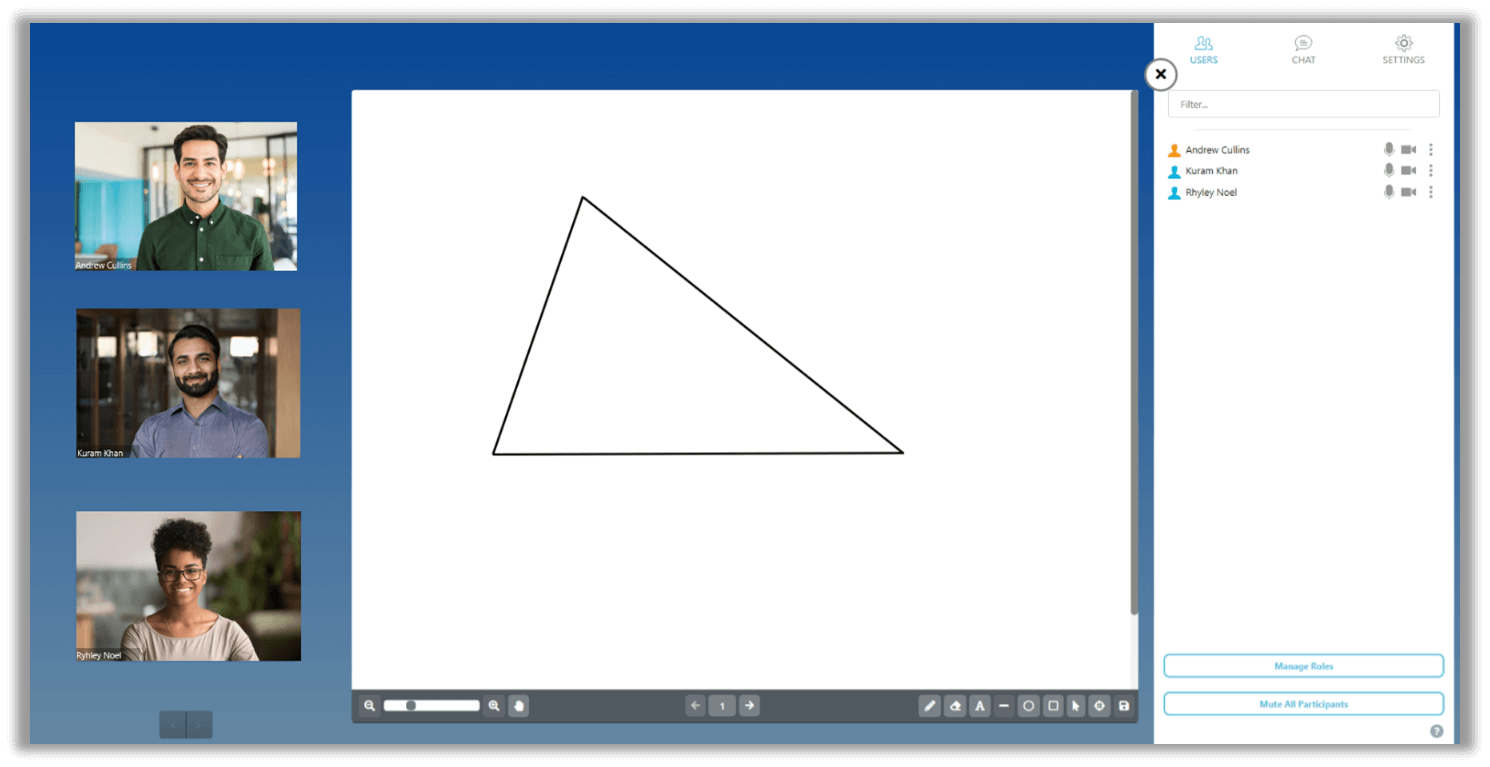
    7. New “Line” Tool Available in Whiteboard Adding to the tools available in the Whiteboard, Meeting Owners and Presenters will be able to utilize the Line Tool to facilitate discussions. To learn more about this feature, please click here.
    8. Mobile Compatibility Release Updated versions of the Video Conference app for iOS and Android are now available.
  • May 13, 2022

    Video Conference Platform – Update RC20220513 to all Zones

    We have successfully pushed an update to all instances residing in the United States, Canada and the European Union. This release focuses on adding additional participants on video, improving connection stability and improving speaker detection.
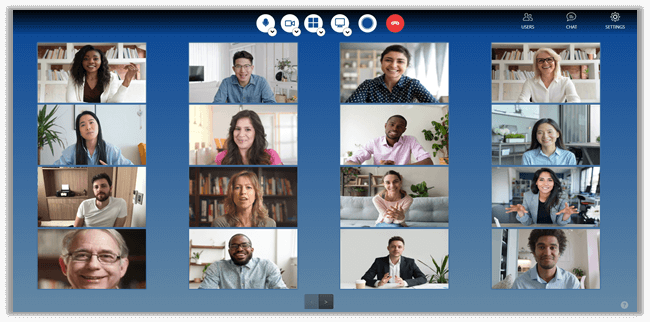
    1. Expansion of Gallery View to Allow 25 Users with the use of Pagination Continuing our efforts to facilitate large user Video Conference sessions, the Gallery View has been updated to show up to 25 users to a page. Working in conjunction with our enhanced speaker detection.
    2. Improved Speaker Detection A new speaker logic was implemented to more accurately recognize the direct speaker, as opposed to catching background noise, bringing the speaker to the main view. In addition, this improvement will lower CPU usage, allowing your device to perform at a more optimal level.
    3. Updated UI to Mirror Performance Optimization and Enhanced Speaker Detection Logic Adding the use of pagination to make better use of the space and colored indicators to indicate who is speaking.
    4. Support Video Conference Access via Microsoft Edge We are pleased to announce our compatibility with Microsoft Edge. In addition to Google Chrome, Firefox and Safari, users will now be able to launch and access Video Conference sessions with Microsoft Edge.
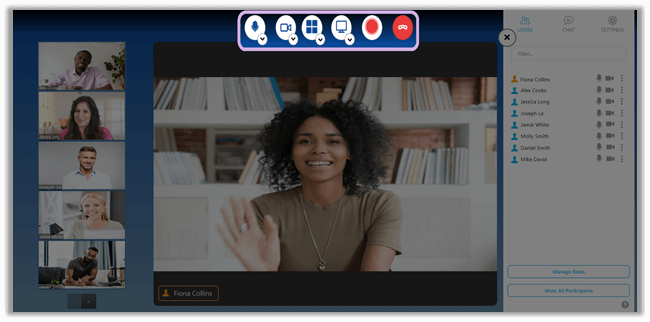
    5. Enhance Responsiveness of Media Sources To improve the user experience, the audio and video source can be toggled on/off in a seamless manner, allowing users to quickly and easily participate in the discussion.
    6. Improve Stability of Video Conference Sessions Through a bundle of changes, including the use of a dedicated server and a centralized connection state store, users will now experience fewer connection-related issues and faster response times when utilizing source selection toggles.
  • May 7, 2021

    YuJa Panorama for Digital Accessibility – Update RC20210506 Released to All Zones

    We have successfully pushed an update to all Panorama instances residing in the United States, Canada and the European Union.
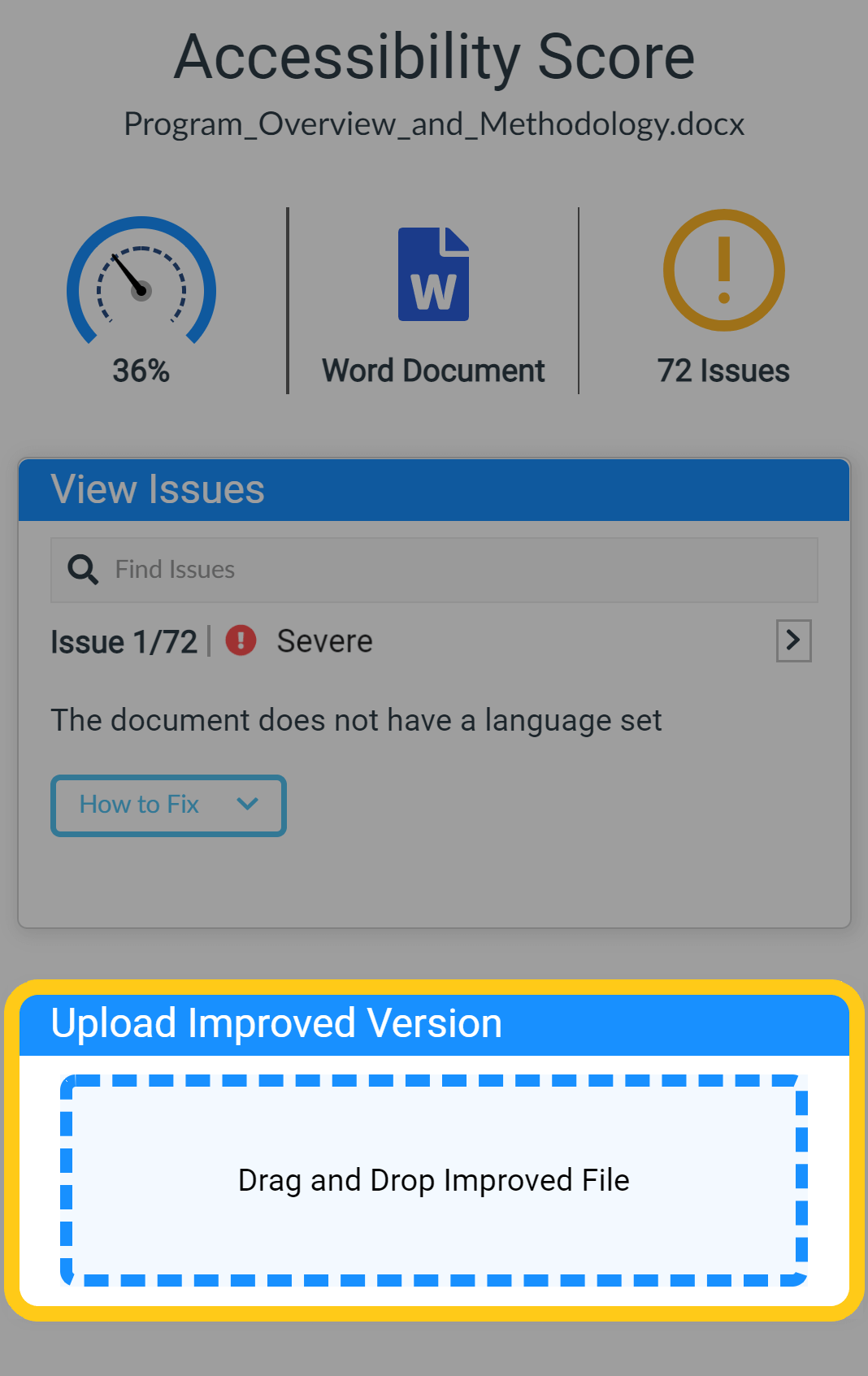
    1. Drag & Drop Document Replacement with LMS Mirroring of Replaced Version With a refreshed UI, the Accessibility Report allow instructors to Drag & Drop edited documents that they have improved the accessibility for. This provides a quick-and-easy way to update documents. Previously, instructors needed to edit the LMS post, remove the old document and upload the new version.
    2.  
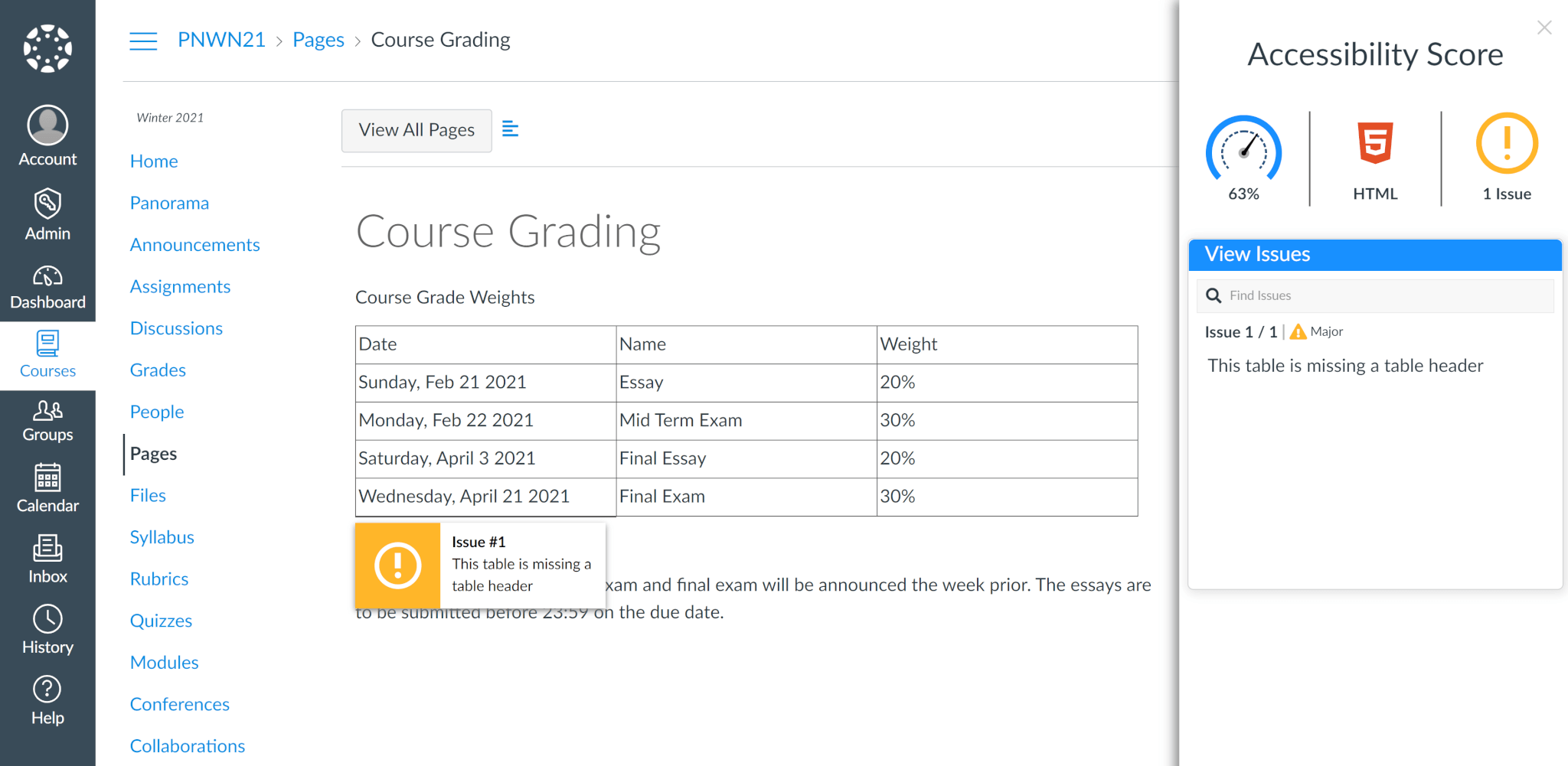
    3. Native HTML Accessibility in Canvas Panorama now provides accessibility reporting for HTML files and native HTML webpages in Canvas including Assignments, Discussions, Pages and Syllabus. Users can also access alternative formats of the HTML file and webpage’s text in PDF, Braille, EPUB and more.  
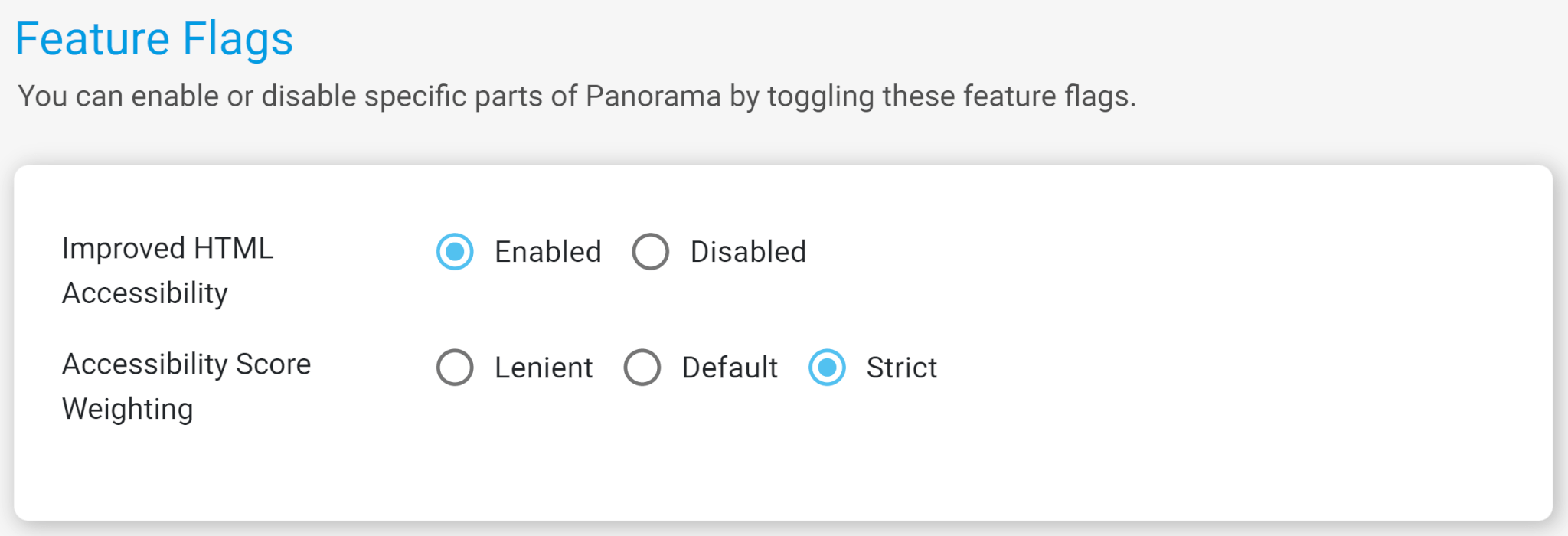
    4. Configurable Feature Flags in Canvas New settings are available to let Organizations control Panorama behavior using Feature Flags. These flags support toggling new HTML Accessibility features and Accessibility Score Weighting.  
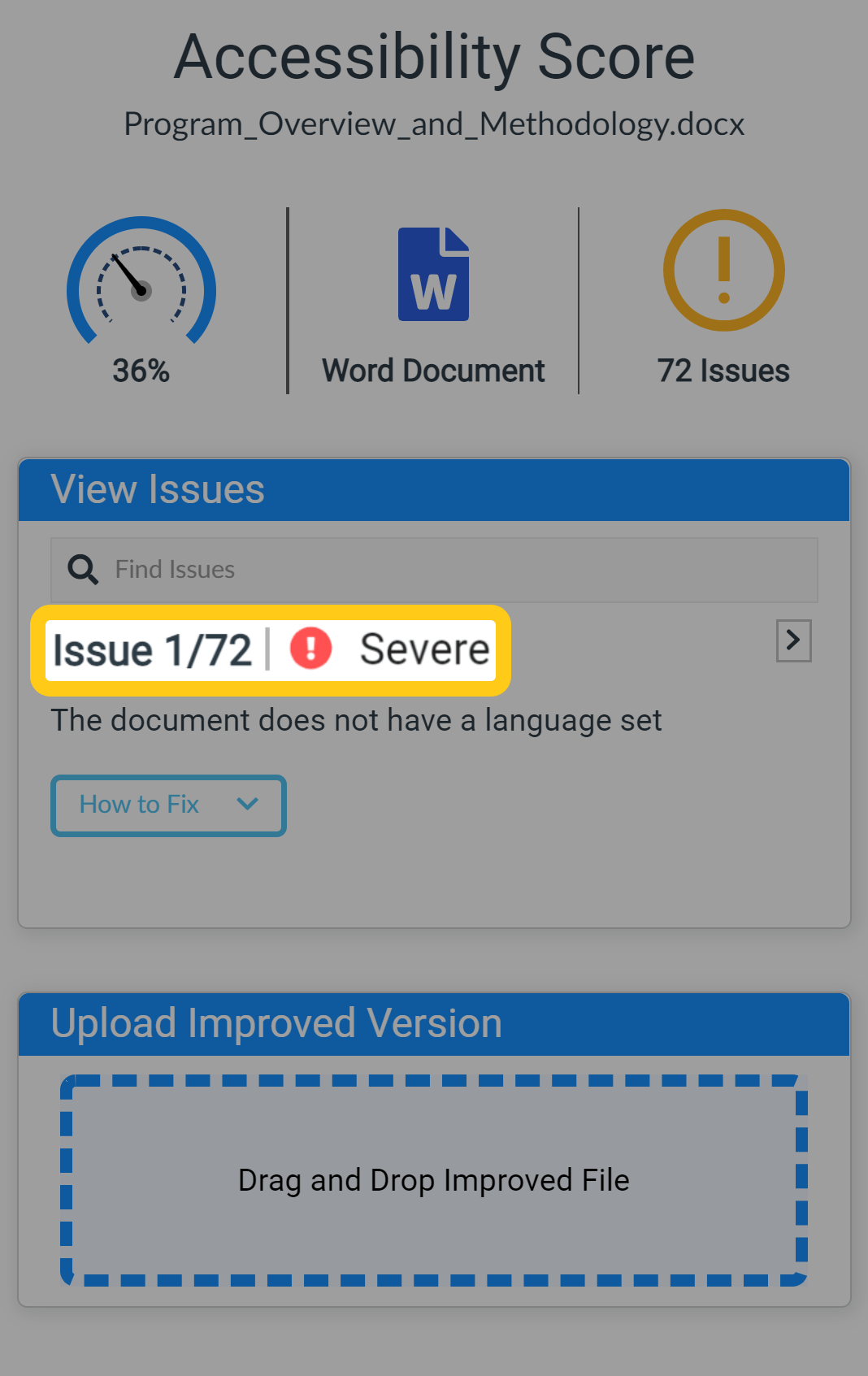
    5. Severity Grade Now Visible in Accessibility Reports In our ongoing effort to provide additional transparency to accessibility scores, we’ve added Severity Scores to each accessibility issue flagged by Panorama’s AI to show Minor, Major and Severe issues.  
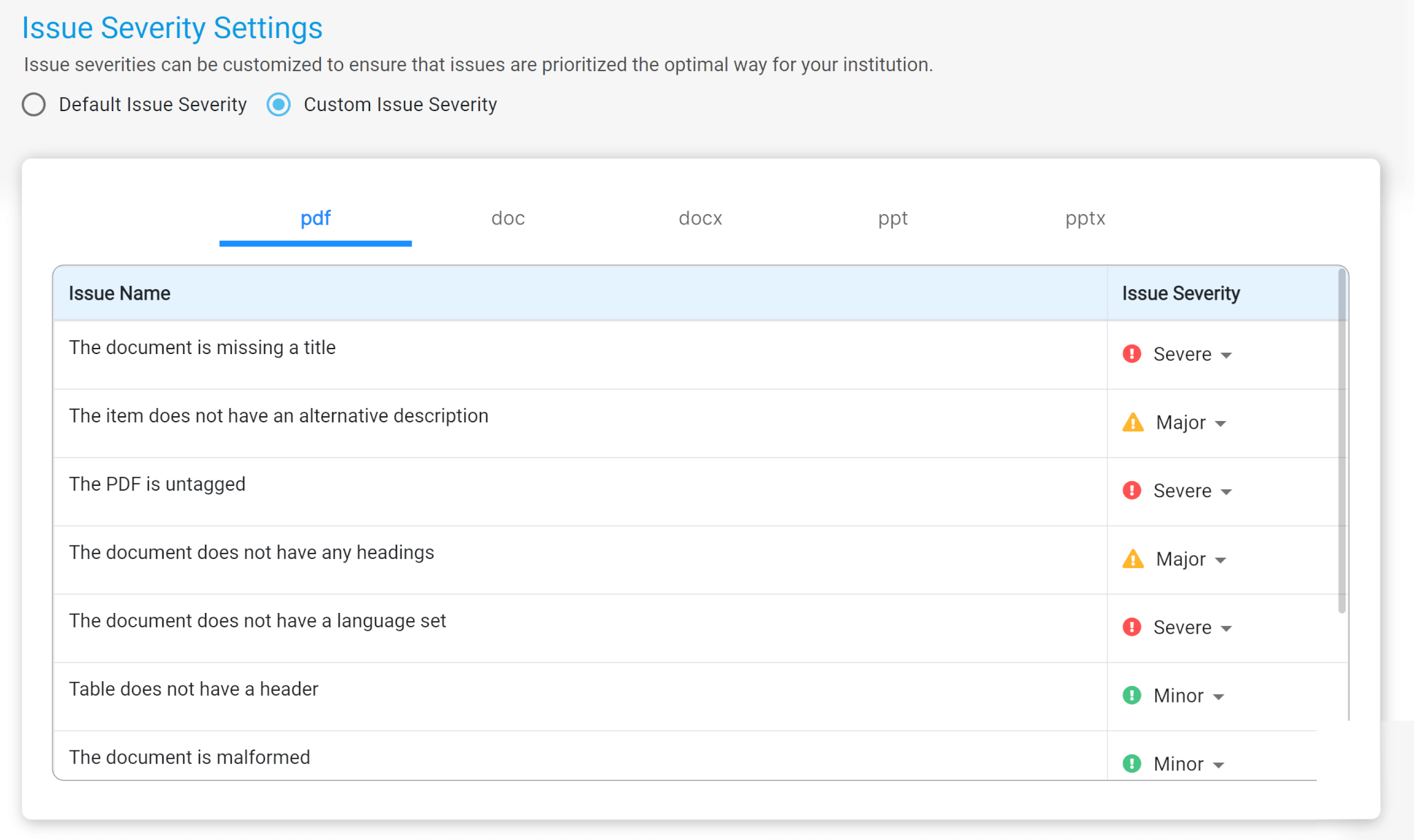
    6. Customize the Severity of the Accessibility Checks Panorama supports custom Issue Severity Scores that are configurable by an Administrator for PDF, DOC, DOCX, PPT and PPTX file types. Organizations can now provide prioritization of accessibility issues that are unique to their users.  
    7. Monitor Files Still Processing in Panorama Panorama will now identify and mark files that have not been processed allowing instructors to monitor when a document is ready for review.  

Join the 1,000+ Organizations Deploying High-Impact Solutions

A collection of logos representing various organizations and institutions that use YuJa’s platform.