

Product Updates
Get the latest platform updates, features, and announcements—all in one place.
Boost Video Accessibility with the GenAI Video PowerPack!
Try Now
Supercharge Your Compliance Efforts with AutoPilot Remediation Max!
Try Now
Strengthen Your PDF Accessibility Efforts with Structural Remediation Max!
Try Now
Don't Miss Any of Our Upcoming Webinars—Save Your Spot!
Register
The YuJa Community is here! Connect, get updates, and access exclusive content.
Join Now

Get the latest platform updates, features, and announcements—all in one place.
Over the next few weeks, we’re rolling out updates to all YuJa Panorama LMS Accessibility Platform instances residing in the US, Canada, Australia, Singapore, the Middle East, and the European Union. Key updates include self-service trials for Structural Remediation Max, enhanced CSV upload capabilities for bulk course management, a new Custom Accessibility Formats add-on for specialized student requests, improved mobile app support for Canvas users, and expanded filtering options for unpublished content across all major LMSs.
Filter Unpublished Content Across All LMSs
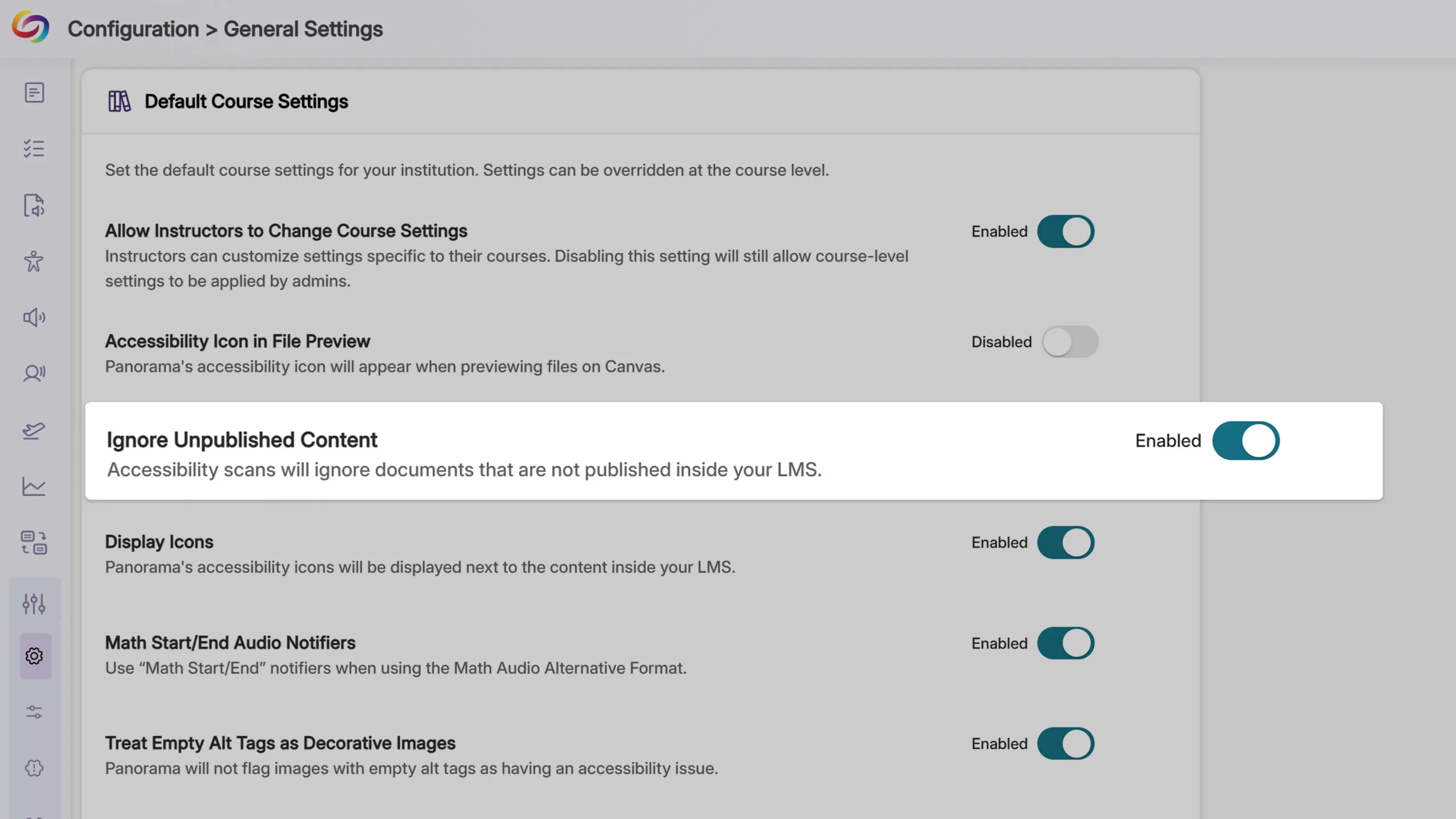
Unique to Panorama, Administrators will be able to disable accessibility scans, alternative format generation, and analytics tracking for unpublished content across Blackboard, D2L Brightspace, and Moodle, extending functionality previously available only in Canvas. This update will help ensure that institutional accessibility scores and analytics reflect only the content that students can access.
Multi-Institution Analytics with Umbrella Organizations
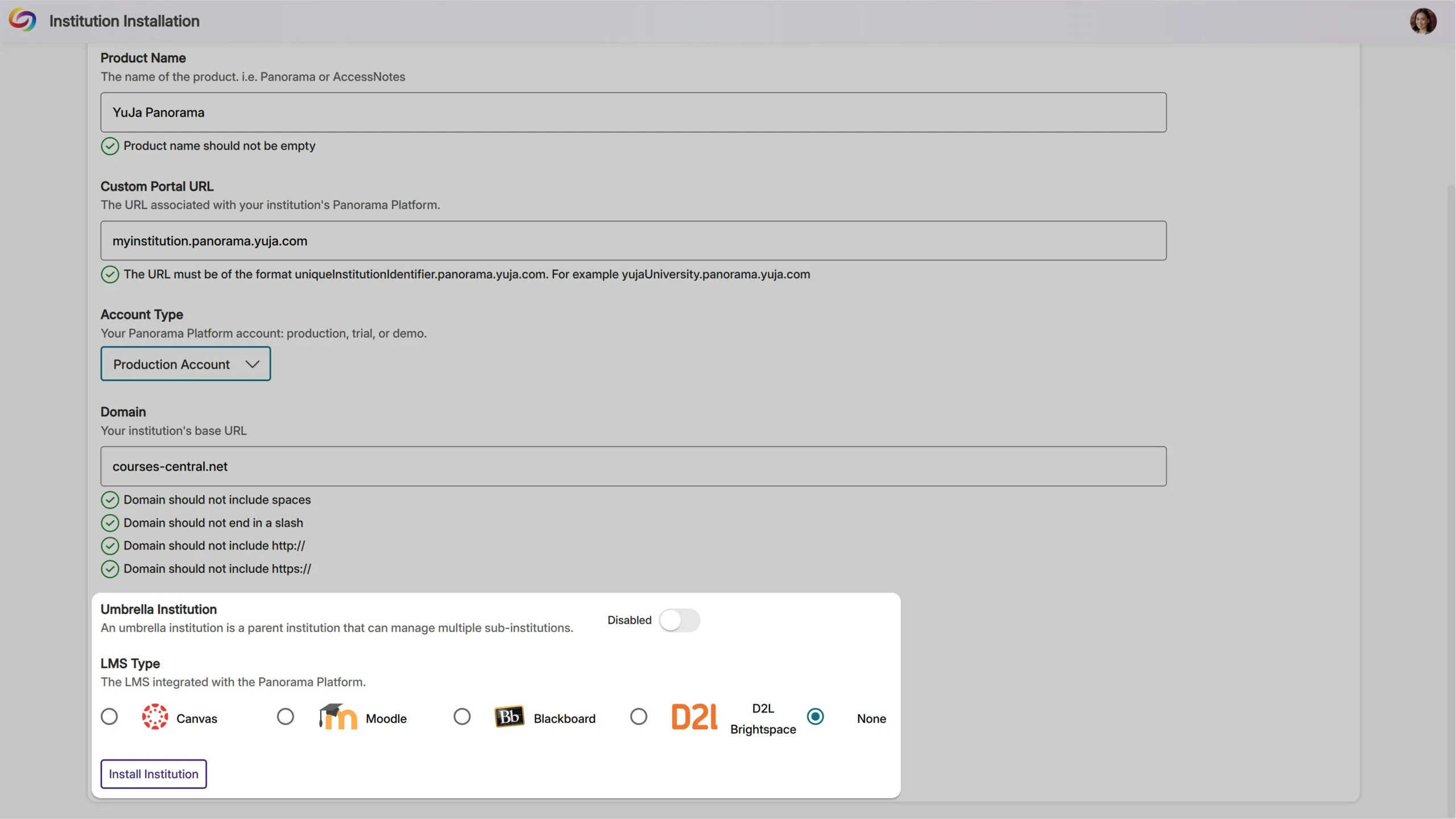
Large educational networks and multi-campus institutions will now have the ability to view aggregated accessibility analytics across all their sub-institutions through a new umbrella organization structure, providing comprehensive oversight for complex institutional hierarchies.
Filter Issue Reports by Accessibility Impact Type
Administrators and instructors will be able to filter the Issue Report by accessibility impact type, including visual, auditory, and cognitive categories. This targeted filtering enables more focused remediation efforts, allowing instructors to quickly address specific accessibility needs.

Introducing the New CustomAccess Formats Module
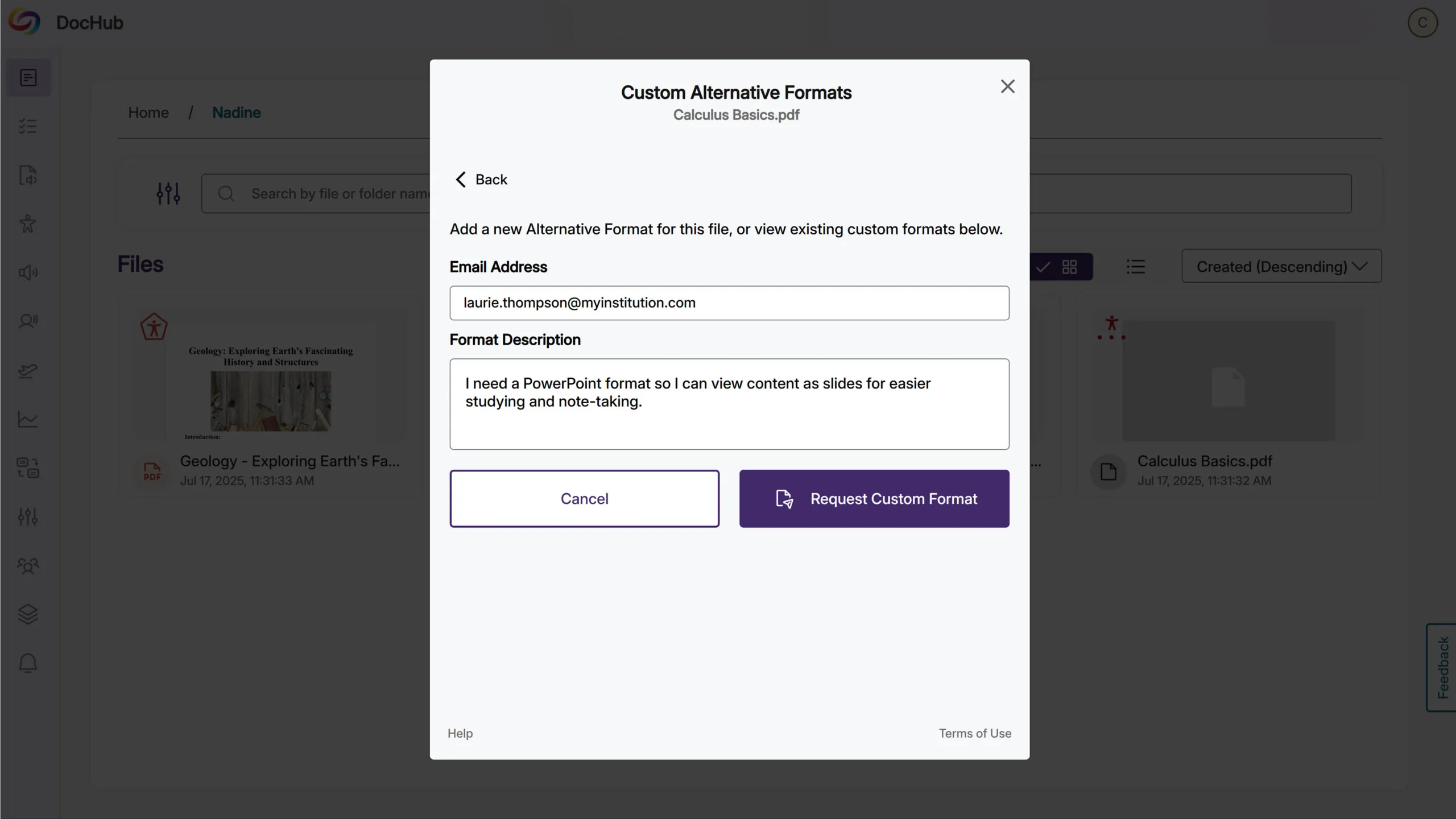
Available as an add-on, the new CustomAccess Formats Module empowers students to request specialized alternative formats directly from the Alternative Formats menu when standard options don’t meet their unique accessibility requirements.
This solution offers institutions flexible fulfillment options: they can handle requests internally through their accessibility department using the dedicated Format Requests tab, or leverage YuJa’s accessibility specialists for professional custom format creation. Administrators gain full visibility into request workflows, tracking, and completion status while ensuring every student receives the precise accessibility support they need.
Canvas Mobile App Support Added
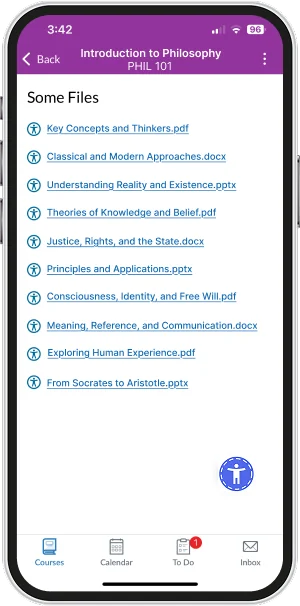
Students will be able to access alternative formats and instructors will be able to view accessibility reports directly within the Canvas mobile app for content in Pages, Announcements, and Discussions. Accessibility icons will appear next to embedded document links, providing access to alternative formats and accessibility information while learning or working on mobile devices.
Expanded Marketplace with Dedicated Add-Ons Section
YuJa’s Accessibility Products Marketplace will be restructured into two sections: Add-Ons for current product enhancements and an expanded Marketplace showcasing YuJa’s full product ecosystem. Each product will feature an overview video and a video with the latest updates to help administrators explore solutions that best fit their institution’s needs.
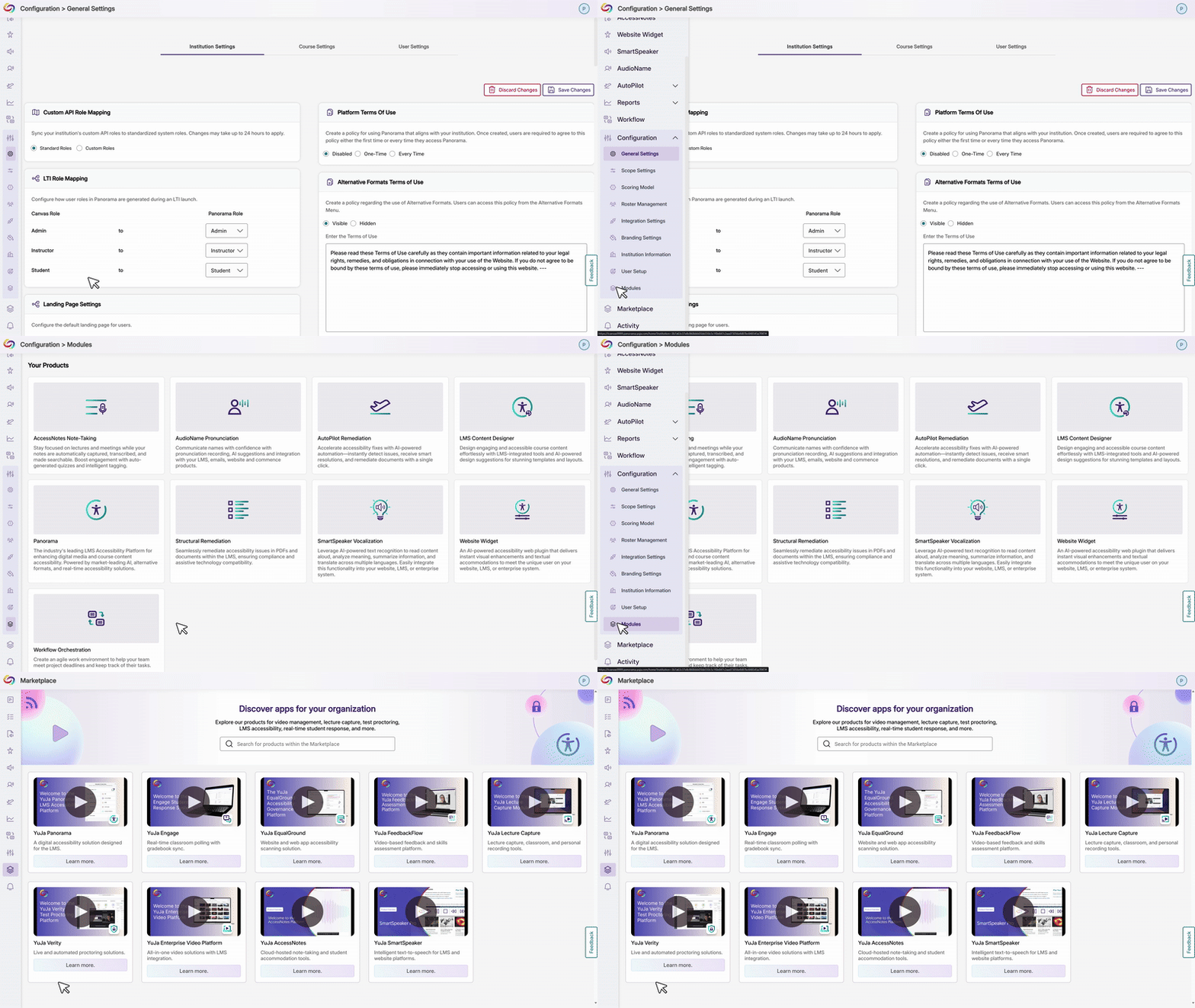
Ability to Customize Non-Descriptive Link Terms
Administrators will be able to define custom terms that Panorama flags as non-descriptive hyperlink text beyond the default list of “click here,” “learn more,” “read,” “read more,” and “more.” This customization ensures institutions can enforce their specific accessibility standards for meaningful link descriptions across all content.
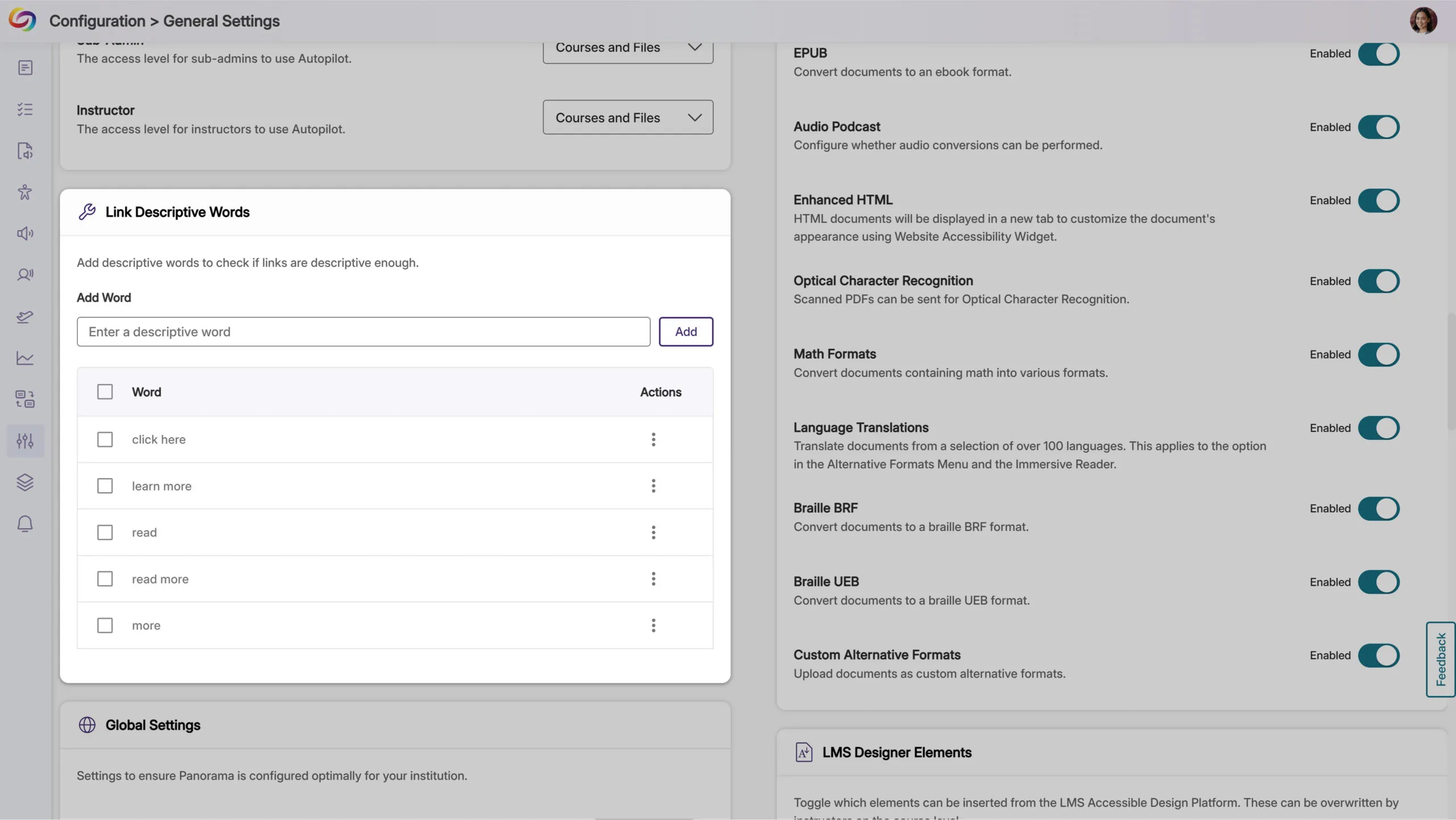
Improved Error Handling for Invalid Routes
Invalid routes within the platform will now display custom 404 error pages instead of unhandled errors, providing a more polished experience when technical issues occur.
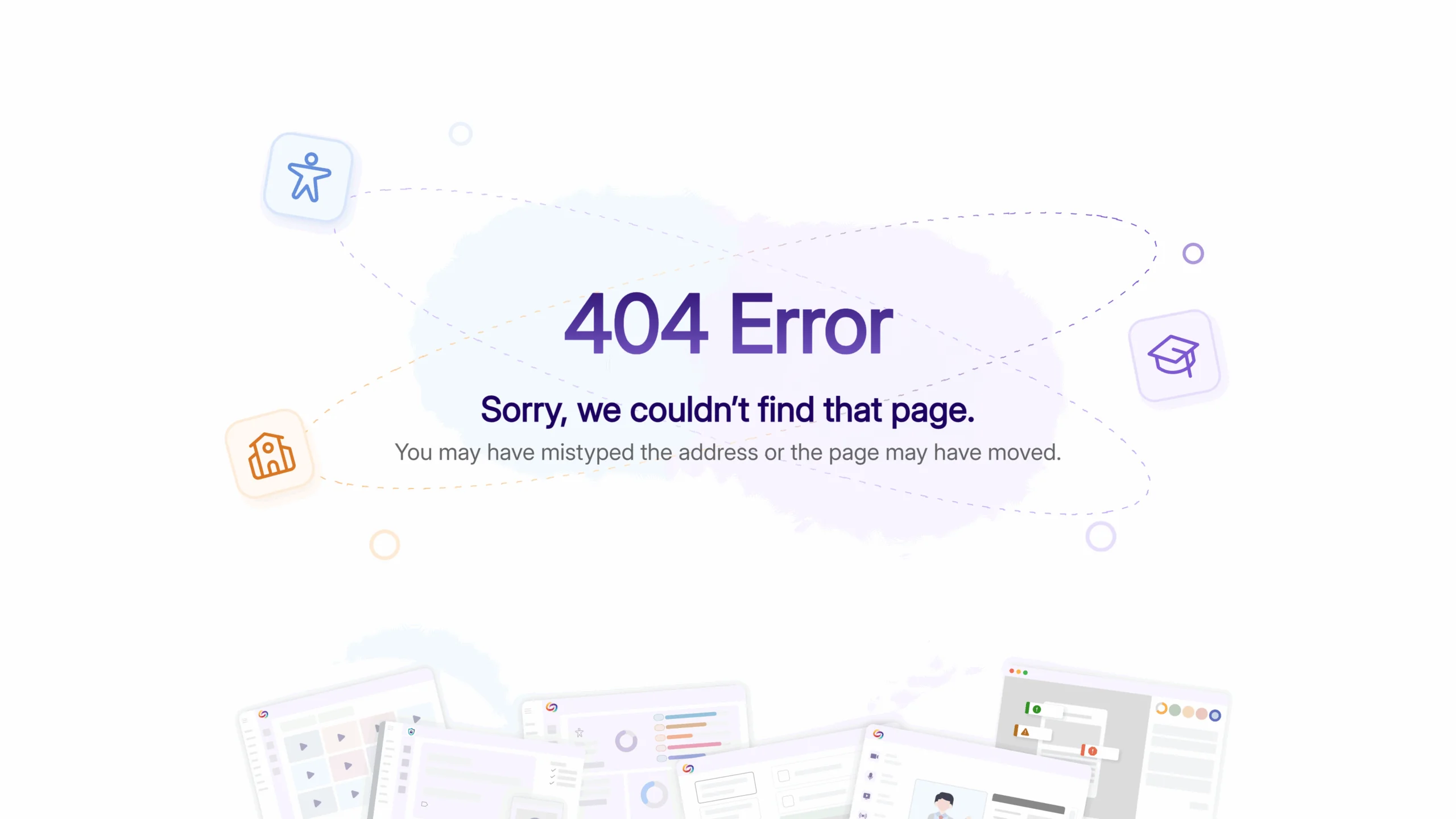
Improved LMS API Domain Setup
The platform will now validate domain formats in LMS API settings to prevent configuration errors caused by incorrectly formatted entries, helping ensure reliable API connections by catching common formatting mistakes during setup.
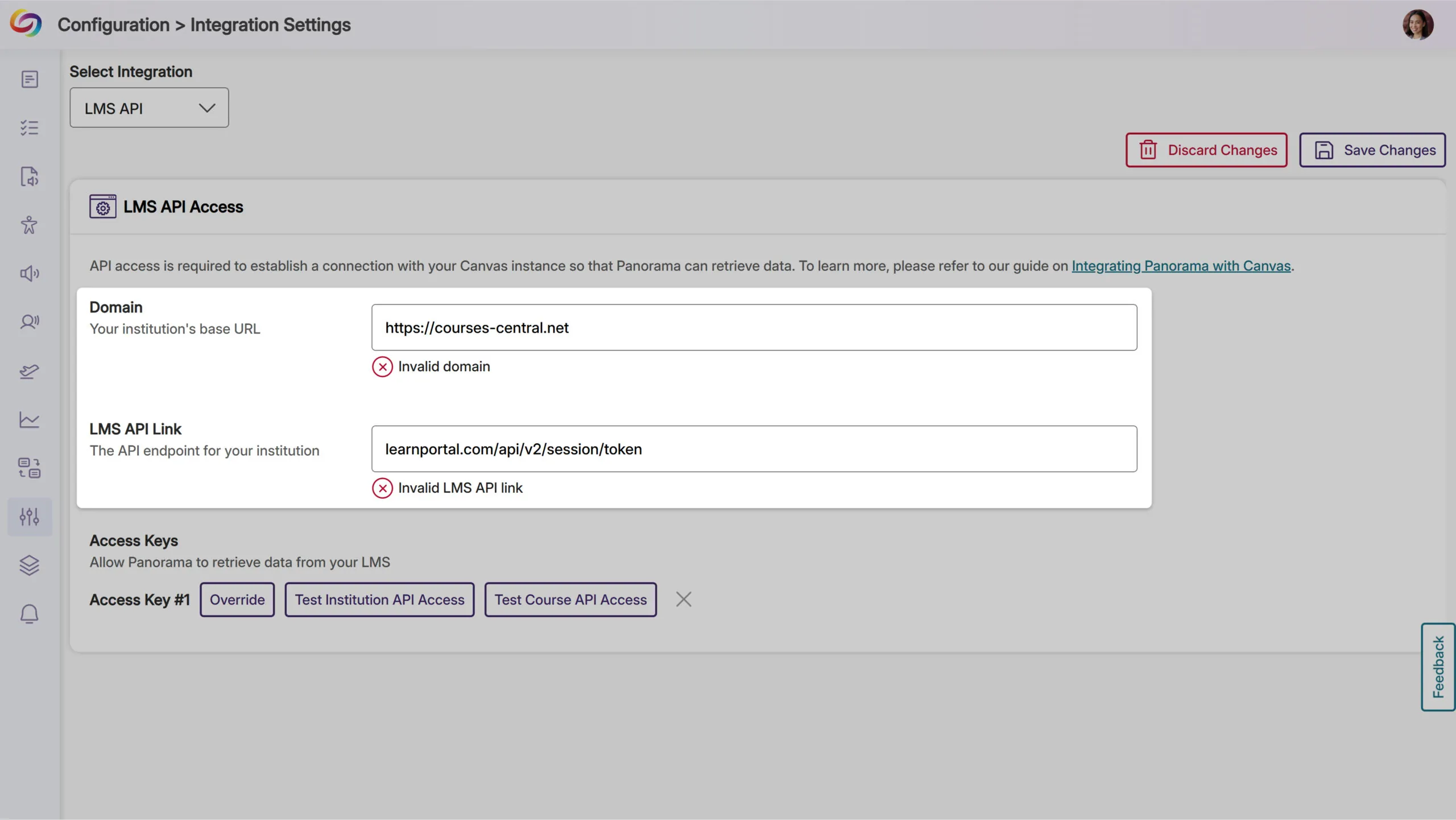
Bulk Course Management with CSV Upload
Administrators will be able to upload CSV files containing course IDs to quickly add multiple courses to Panorama’s scope settings. This bulk selection process includes validation to ensure proper formatting and provides clear feedback on successful additions and invalid course IDs.
CSV Upload for Course Rescanning
Administrators will be able to upload CSV files to trigger rescans of multiple existing courses simultaneously. The system will validate course availability and provide detailed feedback on which courses were successfully queued for rescanning versus those outside the current scope settings.

Refreshed How-To-Fix Guides
The How-To-Fix guides will feature a streamlined tabbed interface that accelerates remediation workflows by providing faster access to both instructions and explanations across DocHub and LTI environments. This refreshed design is the first of several upcoming improvements aimed at reducing the time needed to resolve accessibility issues.
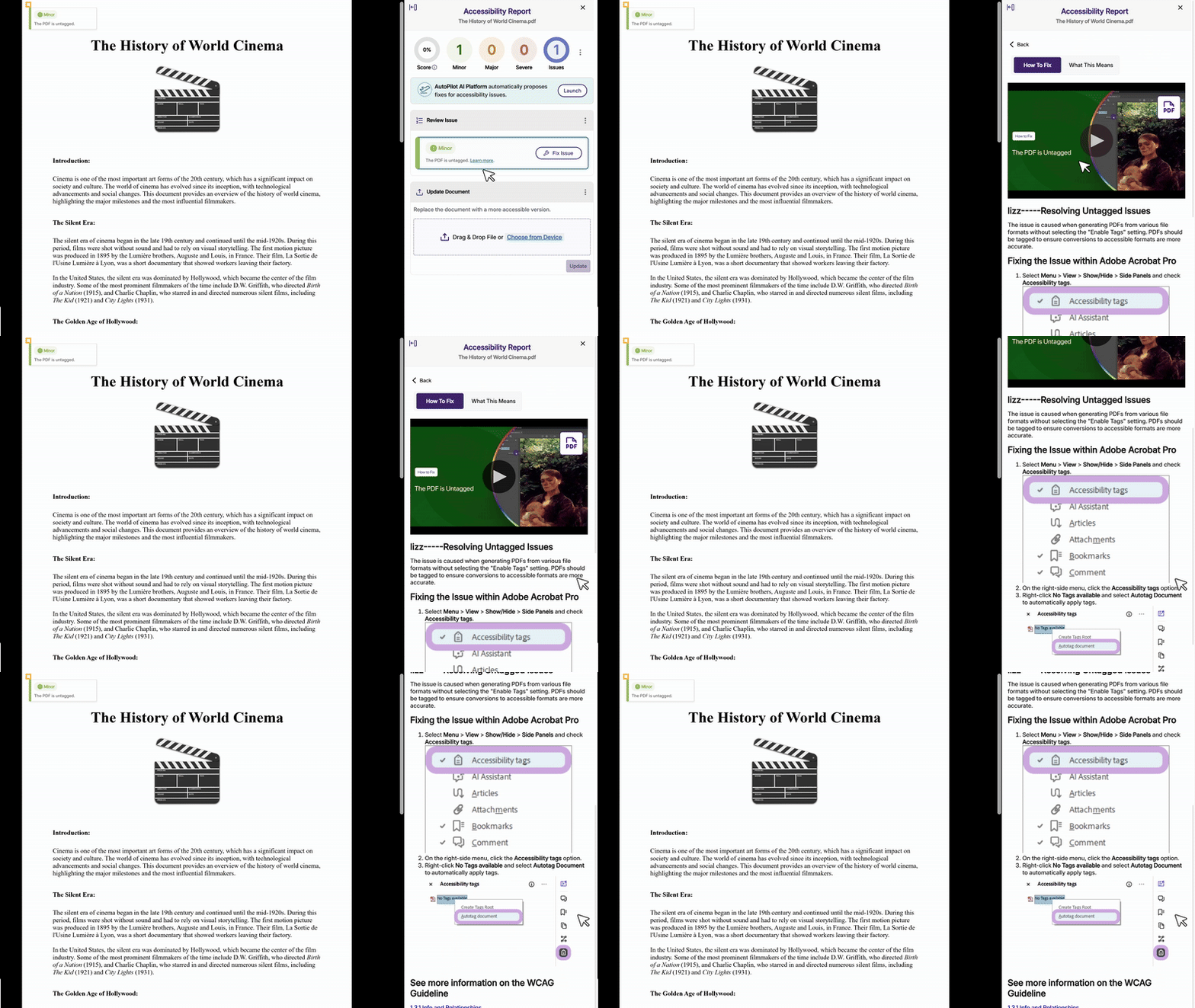
Improved Visualization of Accessibility Compliance Standards
Administrators will now see enhanced visual displays showing how the Platform’s accessibility checks align with WCAG, Section 508, and EN 301 549 compliance standards within the scoring rubric interface, providing transparency into how their scores support regulatory requirements and international standards.
Over the next few weeks, we’ll be updating all YuJa Verity Test Proctoring Platform instances residing in the US, Canada, Australia, and the European Union. This update will include enhanced mobile lockdown capabilities for computer-based assessments, streamlined student payment processing through Stripe integration, improved focus monitoring with advanced head gesture detection, and more.
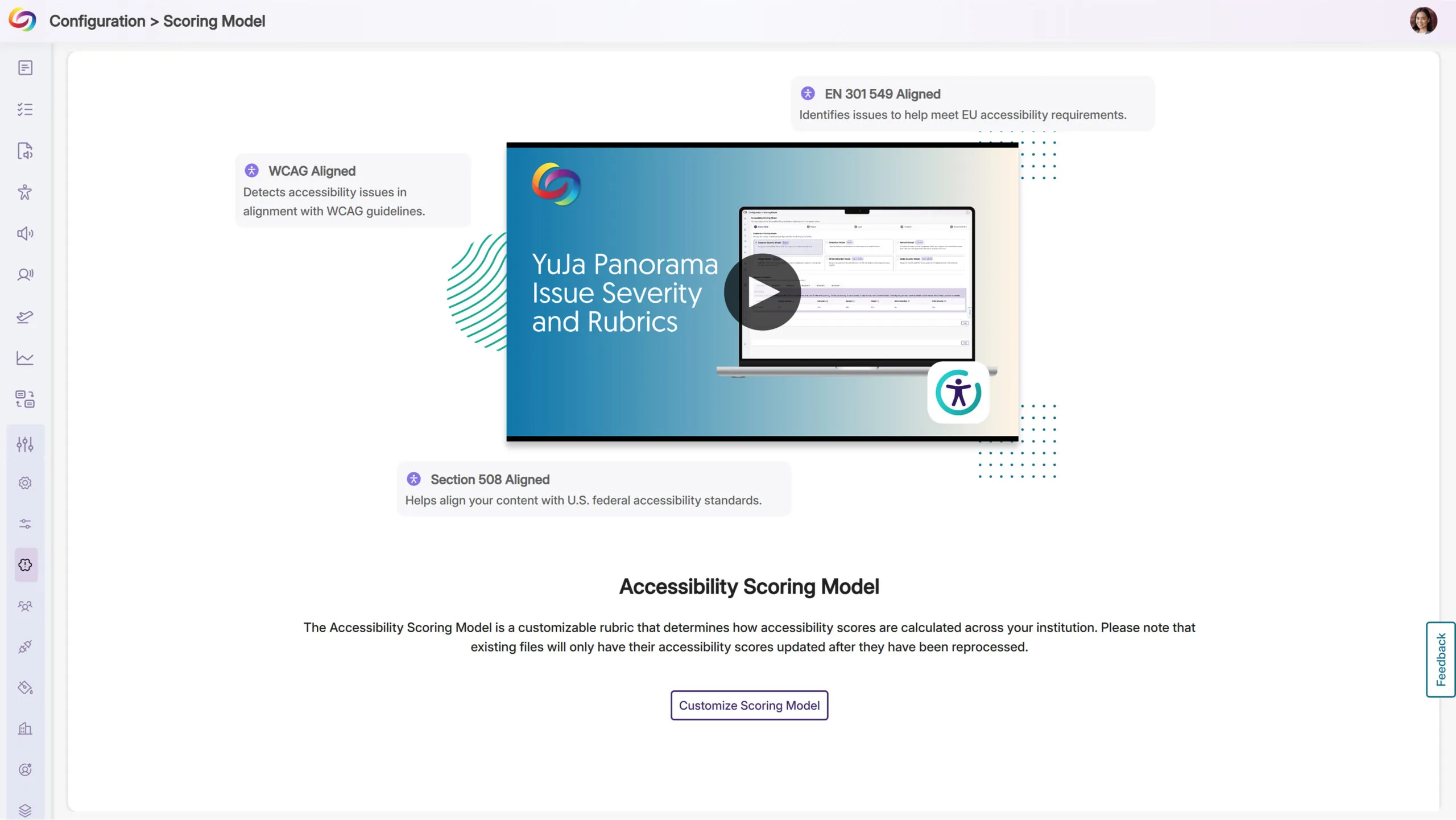
Ability to Restrict Mobile Phone Use During Computer-Based Lockdown Quizzes
Students taking computer-based assessments can now be required to lock down their mobile phones through a new configuration option in Verity settings (Mobile Lockdown SKU required). When enabled, students scan a QR code during setup that launches the Verity Mobile app and guides them through the phone lockdown process, preventing access to unauthorized resources or communication during proctored exams.
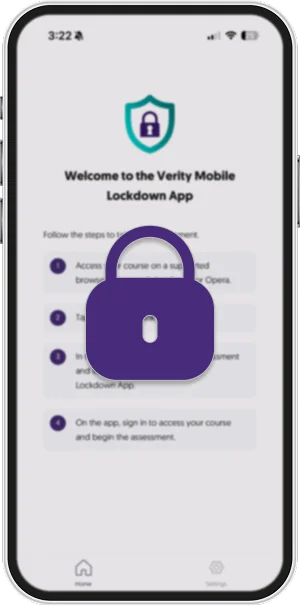
Option to Bill Student Directly Using Industry-Leader Stripe Global Payment Processor
Institutions can now charge students directly for proctored assessments through integrated Stripe payment processing, with customizable pricing for Live, Check-In, and Automated proctoring methods. Students complete secure payments before accessing their assessments, with saved payment methods for future use, while instructors can preview assessments without payment requirements.
Enhanced Head Gesture Detection for Improved Focus Monitoring
The platform will now track facial direction and gaze to better identify when students look away from their proctored exams. This will provide more granular monitoring by tracking where students are looking, not just face position.
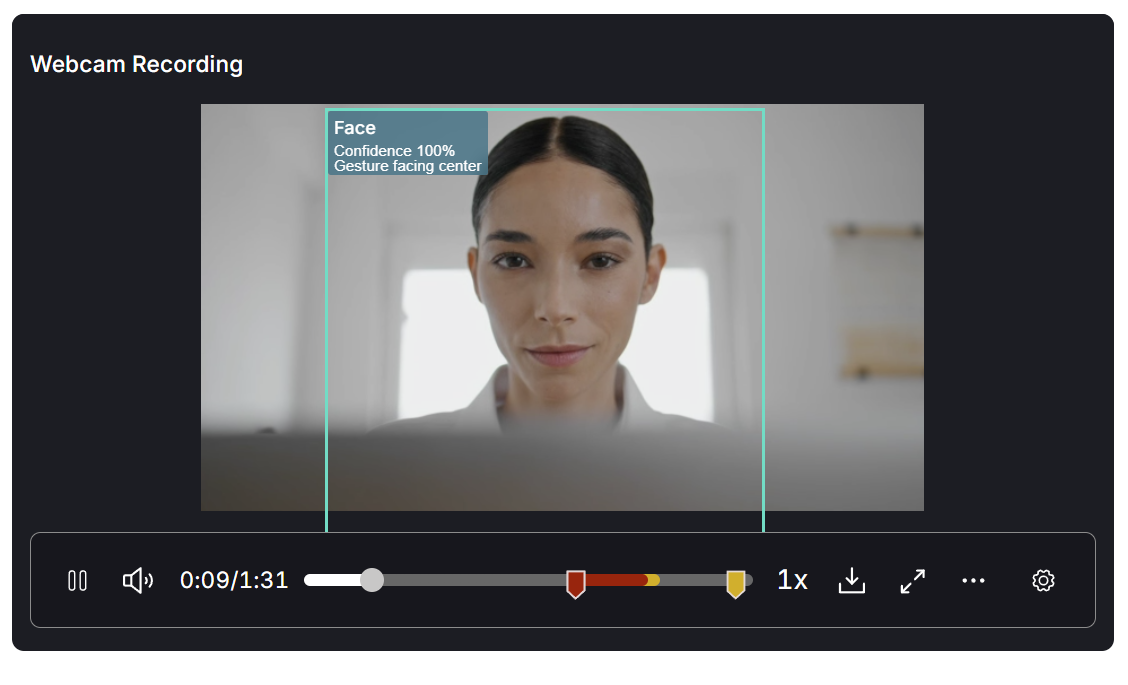
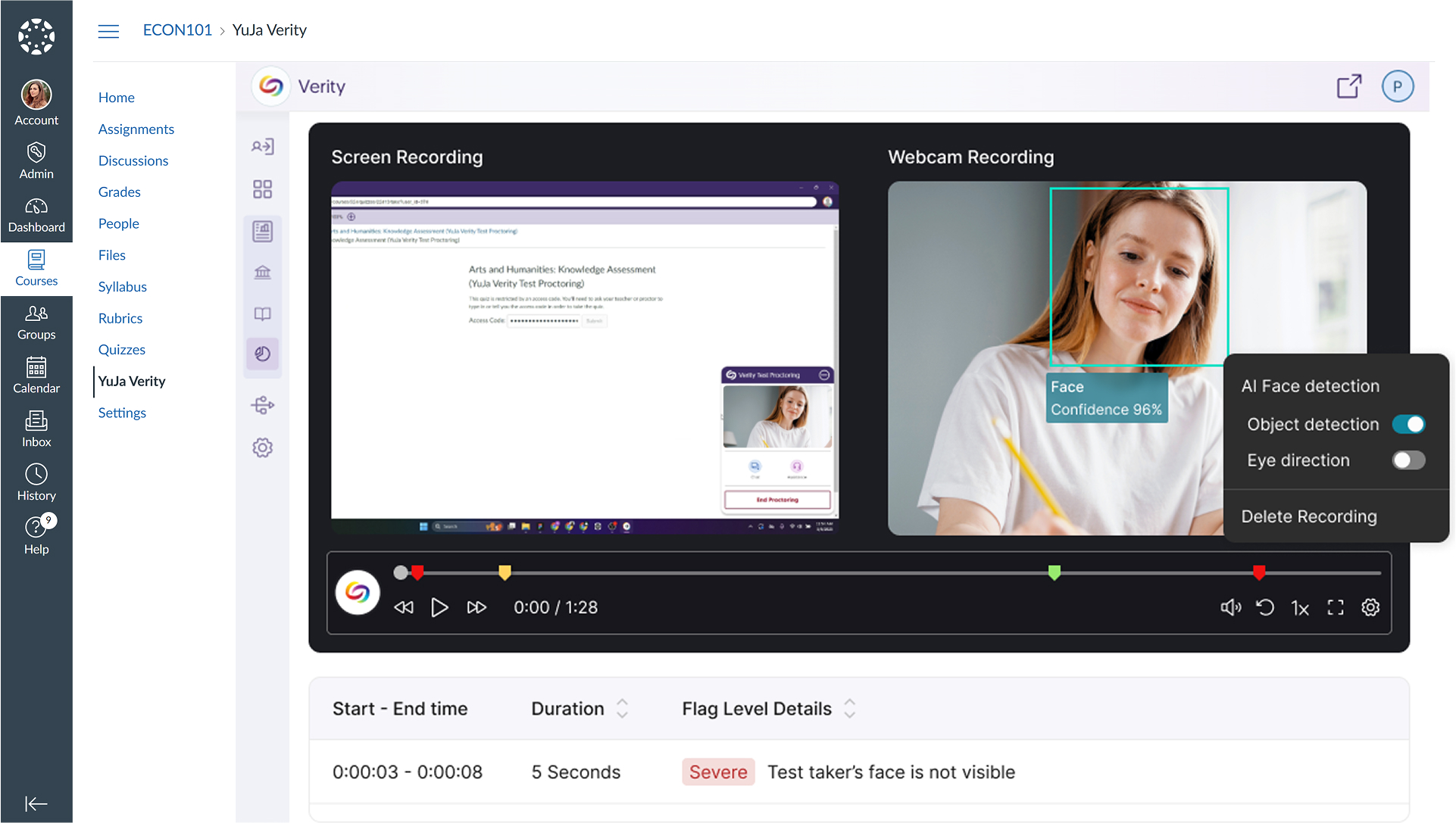
Enhanced Video Review with AI Detection Overlay
With this release, instructors will be able to view visual overlays on video recordings that highlight AI-detected faces and objects during assessment review. This will make it easier to quickly spot and verify flagged incidents without having to watch entire recordings.
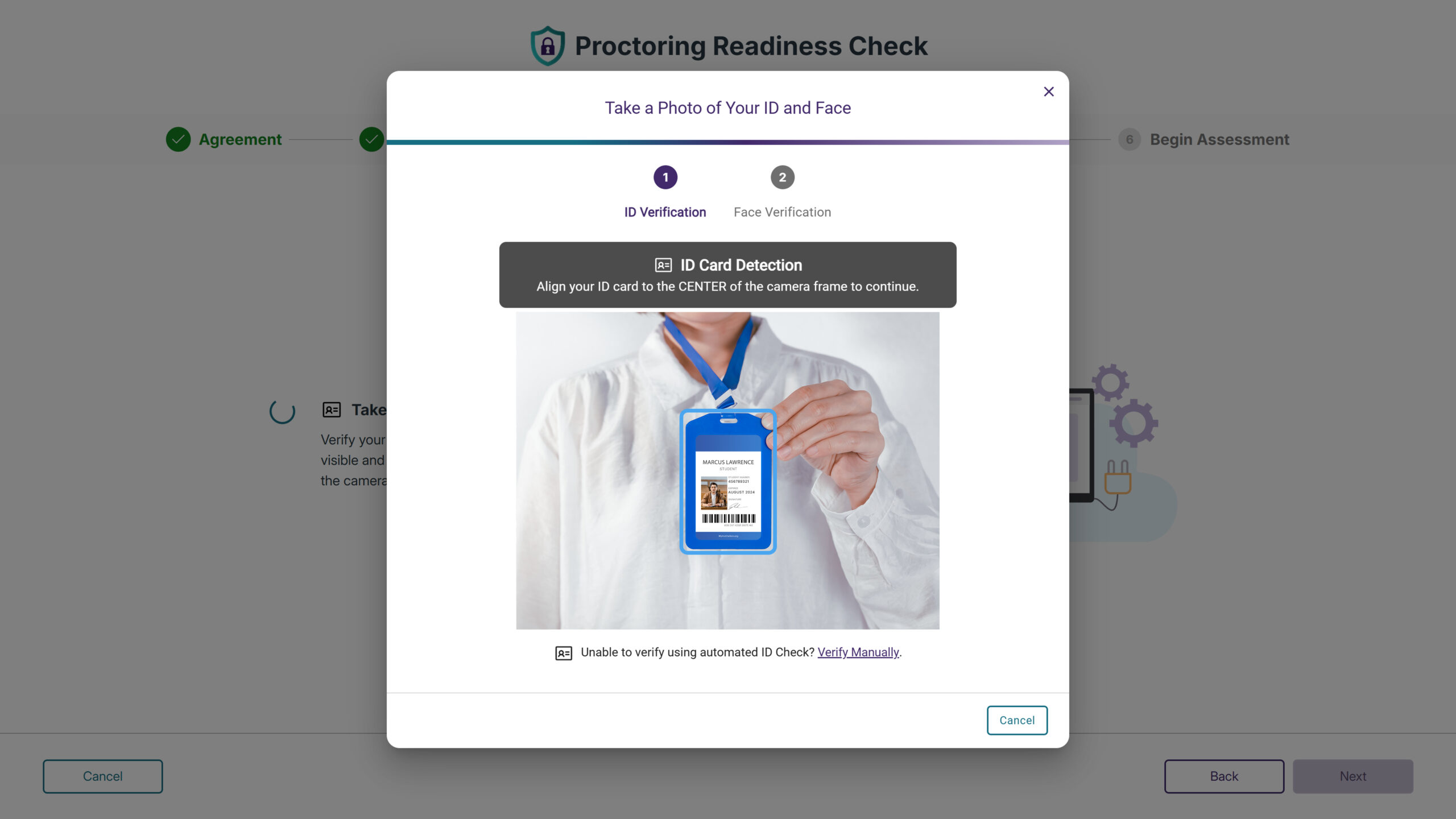
Improved ID Verification for Vertical Format Cards
A new toggle option will allow test-takers to rotate the ID verification interface for vertical format identification cards for portrait-oriented IDs.
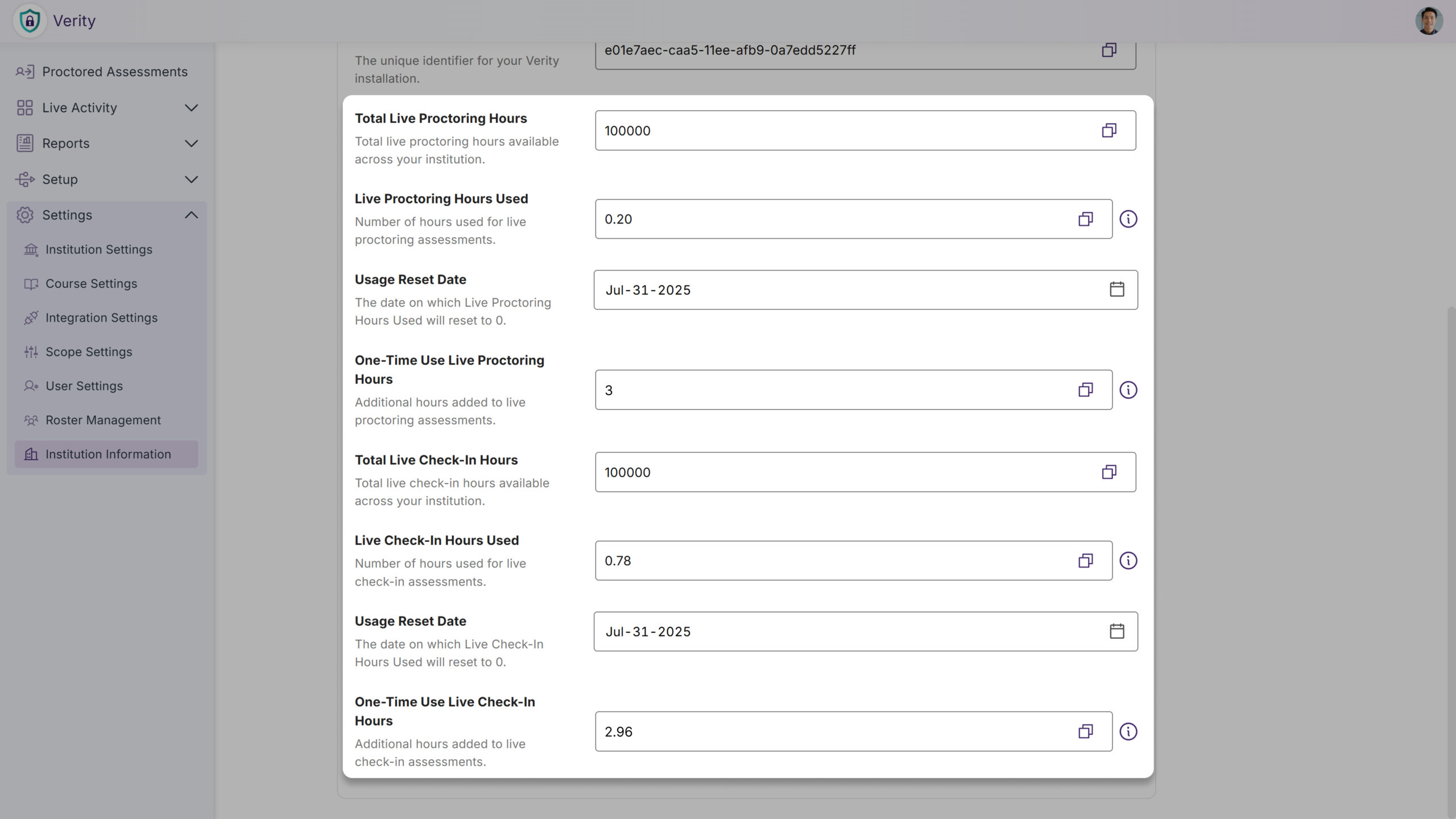
Live and Live Check-in Credit Management and Tracking Added
Administrators will now be able to monitor credit allocations for Live Proctoring and Live Check-in sessions directly within the institution information page in the LTI app, with real-time visibility into limits and remaining balance.
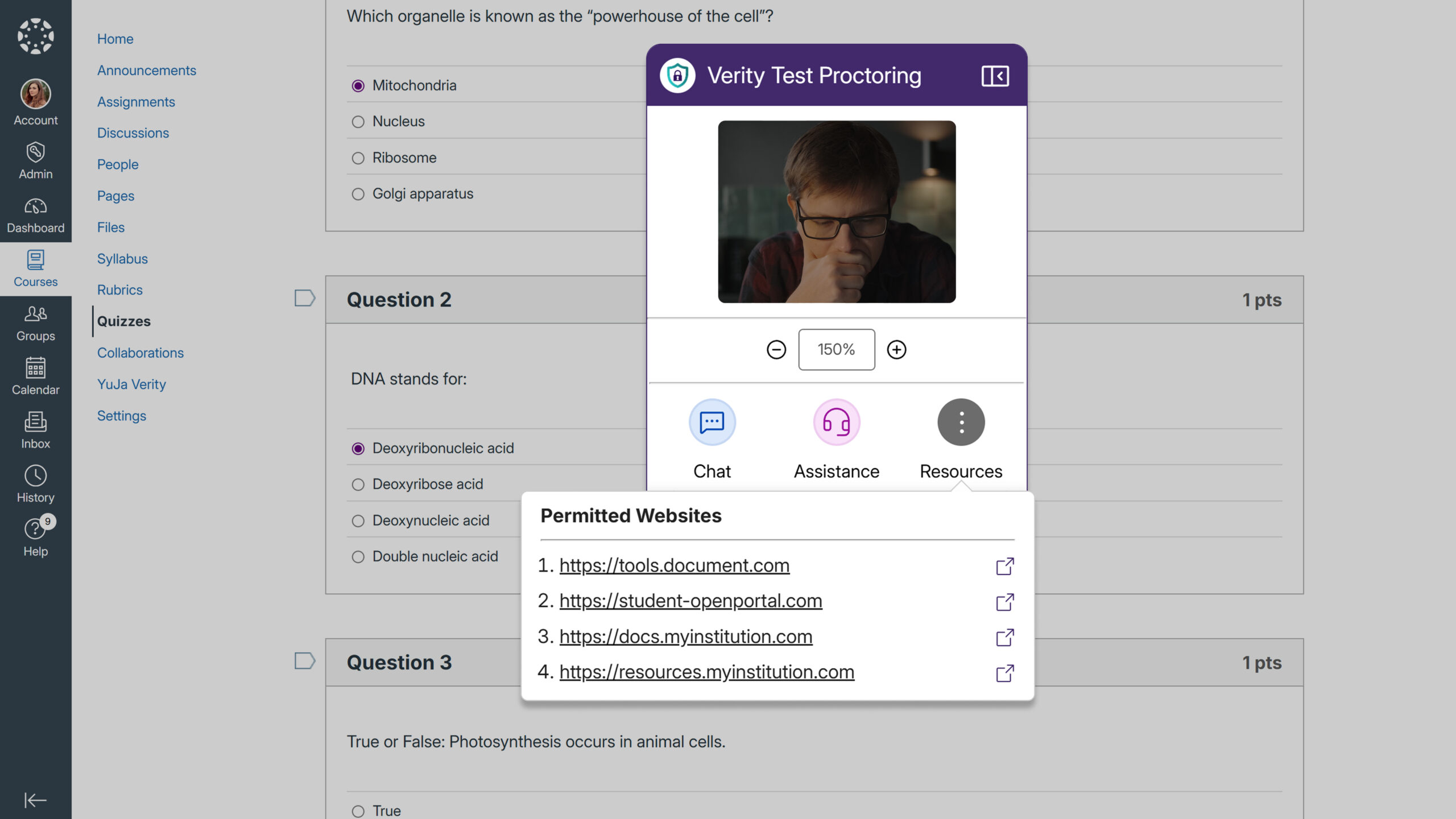
Permitted Website List Will be Shown in the Recording Toolbar
Test-takers will be able to easily access approved websites they can visit during proctored assessments through a new Resources button in the recording toolbar. The feature displays all allowlisted URLs in a dropdown menu, allowing students to navigate directly to permitted sites without confusion about what resources are available.
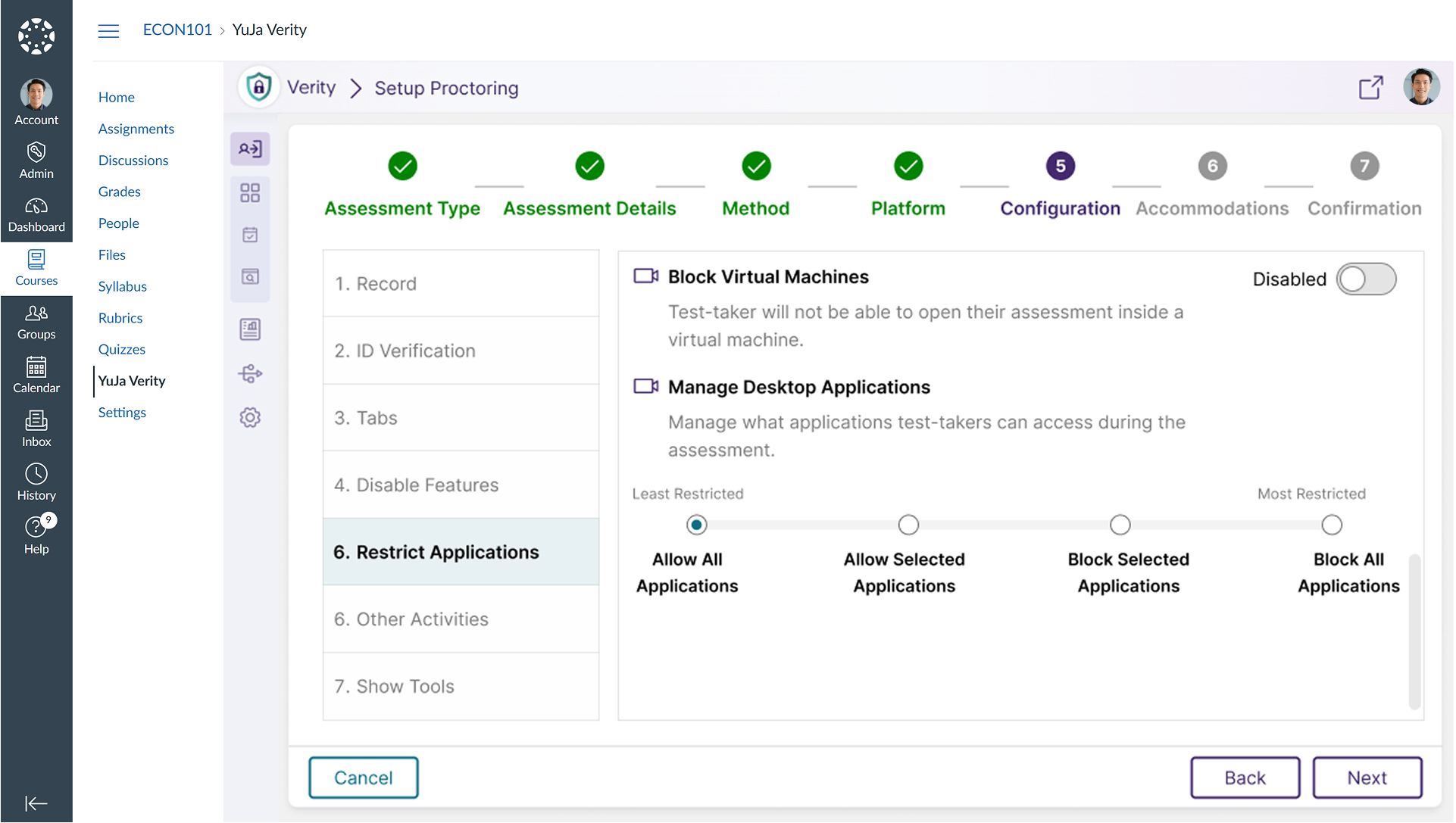
Allow Only Specific Applications During Lockdown Assessments
Administrators can now create an allowlist of approved applications for lockdown assessments, automatically blocking all other programs on the student’s device.
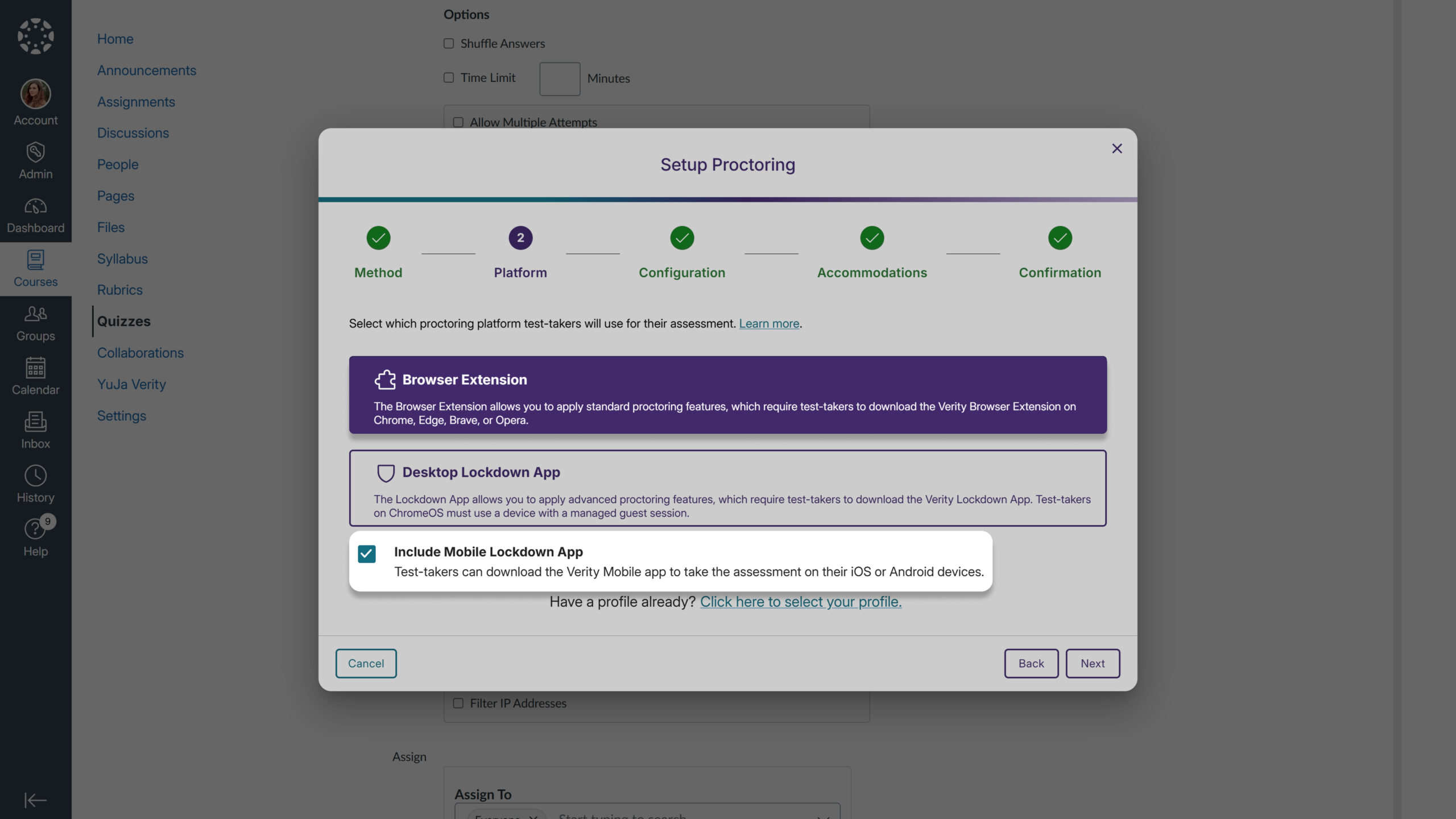
Mobile Quiz Access Through Canvas Student App
Students using the Canvas mobile app will now be automatically directed to Verity Mobile App assessments through the same streamlined navigation used in web browsers, providing consistent access whether students launch Canvas from their mobile app or desktop browser.
Mobile App Access for Extension Quizzes
Instructors can now optionally enable the Verity Mobile App for extension-based quizzes through a new configuration setting, addressing student requests to take assessments on mobile devices. Previously, mobile app access was only available when selecting the Lockdown Browser option, but this enhancement provides flexibility for institutions wanting to offer mobile testing across different proctoring methods.
We’re rolling out YuJa Software Capture for PC updates, including a new visual application selection interface, streamlined shared profile creation for administrators, improved microphone device naming in audio controls, and quick access to your Media Library with a single click.
New Application Window Selection Interface
Select which applications to capture with a new window selection interface. Users will see a visual grid of all open, non-minimized windows and can choose up to two applications for recording, eliminating guesswork about which content is being captured. This gives users complete control over what gets recorded to help ensure they capture the right applications every time without having to resize or rearrange windows beforehand.

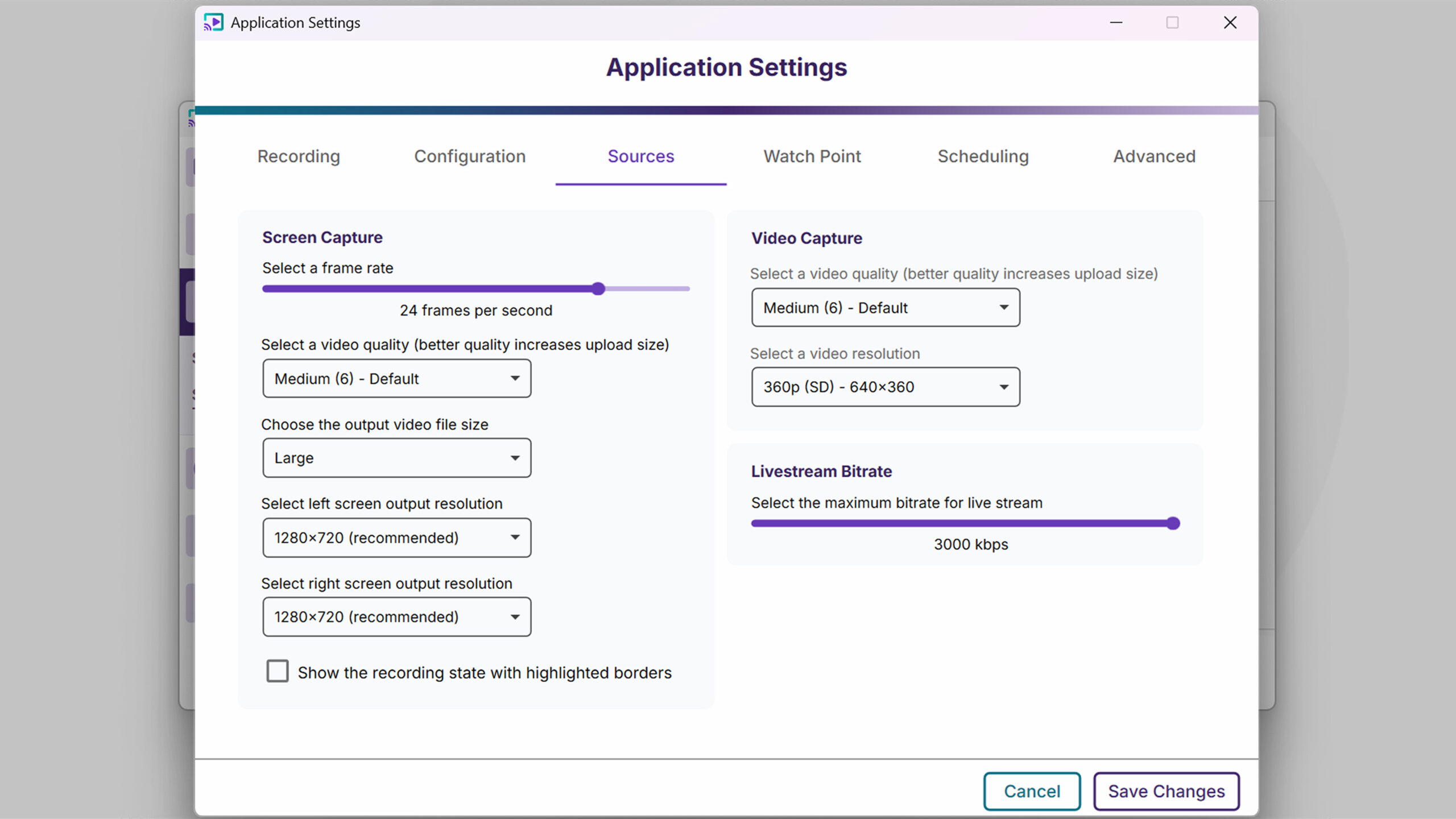
Set Default Video Capture Resolution in Application Settings
Admins can now configure their preferred video capture resolution once in Application Settings rather than adjusting it for each recording session. This default applies to new recordings while preserving any resolution settings already configured in saved profiles.
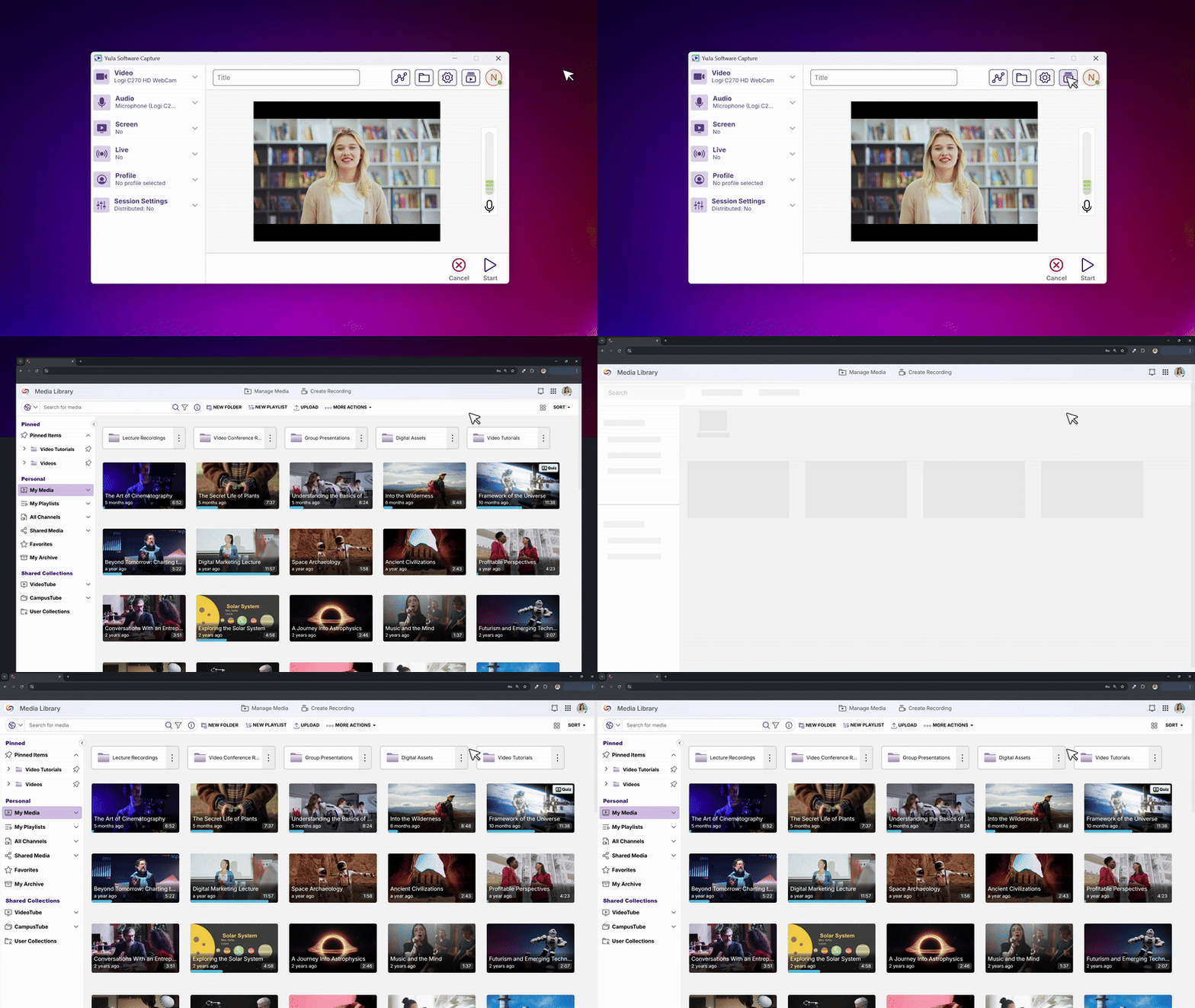
New Quick Access Button to Access the Media Library
Instructors will be able to launch their browser and jump directly to the Media Library with a single click from the Software Capture interface. This streamlined workflow eliminates the need to navigate through your LMS when you want to quickly edit recordings or manage your content after capturing.
Improved Microphone Device Naming in Audio Controls
Audio indicators will now show your microphone device names instead of generic “Mic Source” labels. Users can hover over any audio bar in the Confidence Monitor or recording toolbar to see which specific microphone they are monitoring.

Streamlined Shared Profile Creation for Administrators
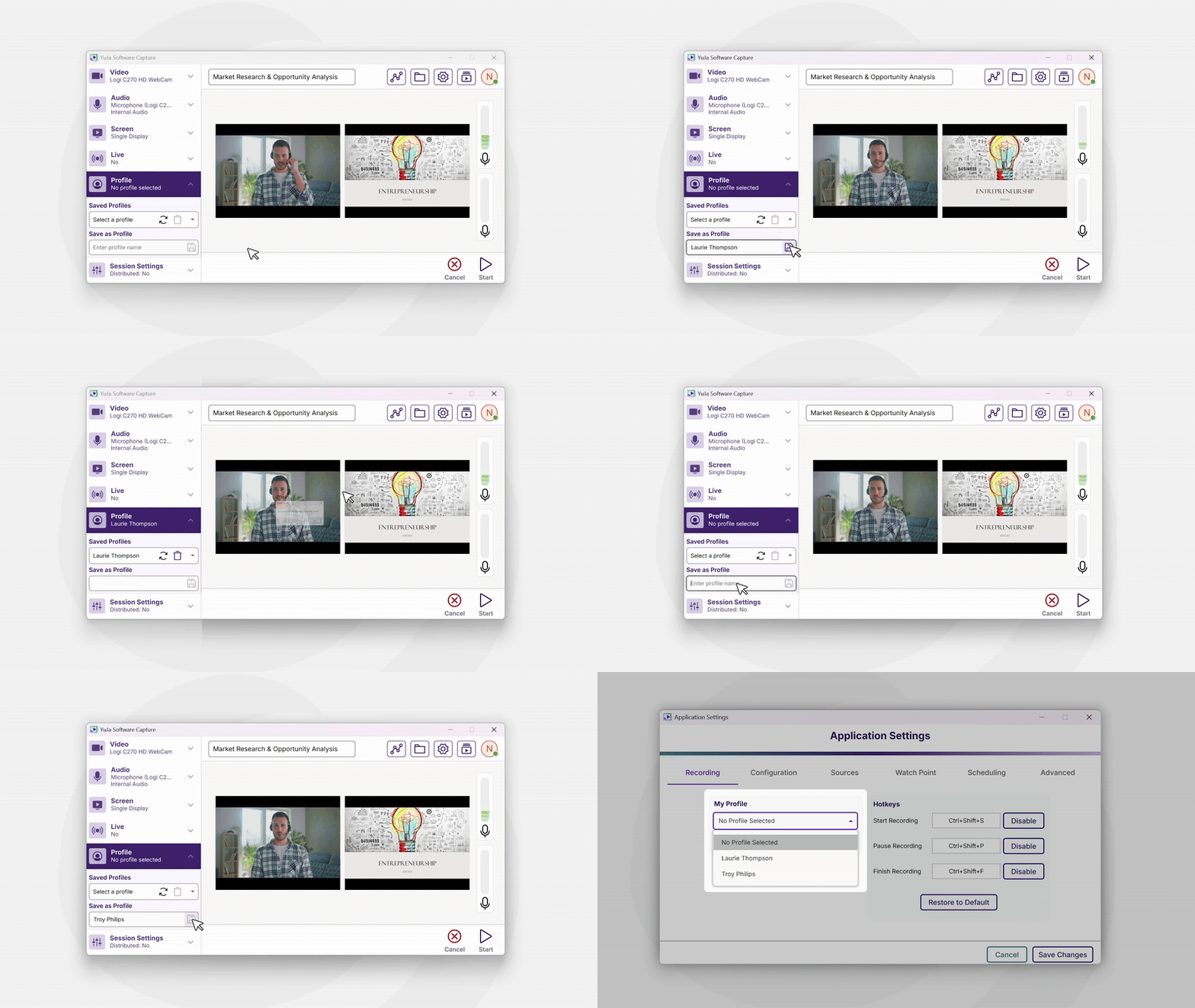
Administrators will now be able to create shared profiles directly from the main profile section, making it easier for IT managers to set up profiles that other team members can access and schedule.
Simplified Livestream Link Sharing
When broadcasting live, Software Capture will now display the direct livestream URL at the bottom of the main window with a convenient copy button. Share your stream link instantly without needing to navigate to the Video Platform or remember complex URLs.

For the YuJa Hardware Hub, this update includes enhanced NDI camera support with a new Network Peripherals interface for simplified device configuration and management.
Enable NDI Device Support Through Device Configuration
Campus administrators and support staff can now enable or disable NDI devices directly from the Hardware Hub’s device configuration panel. A new Network Peripherals tab provides a simple toggle to control NDI camera availability, automatically showing or hiding the NDI interface based on the selection.
Simplified NDI Camera Configuration and Management
Users will now be able to configure and manage NDI cameras directly through the Hardware Hub’s new Network Peripherals interface. Users can search for available NDI devices, enable them with a click, and adjust individual camera settings once they’re connected.
We’re rolling out enhancements over the next few weeks that streamline poll configuration, simplify poll management, and introduce quarterly administrator surveys to gather feedback for continuous platform improvements. These updates reduce repetitive tasks and make it easier for instructors to create and launch engaging activities.
Simplified Poll Access and Release Process
Poll management will be more intuitive with:
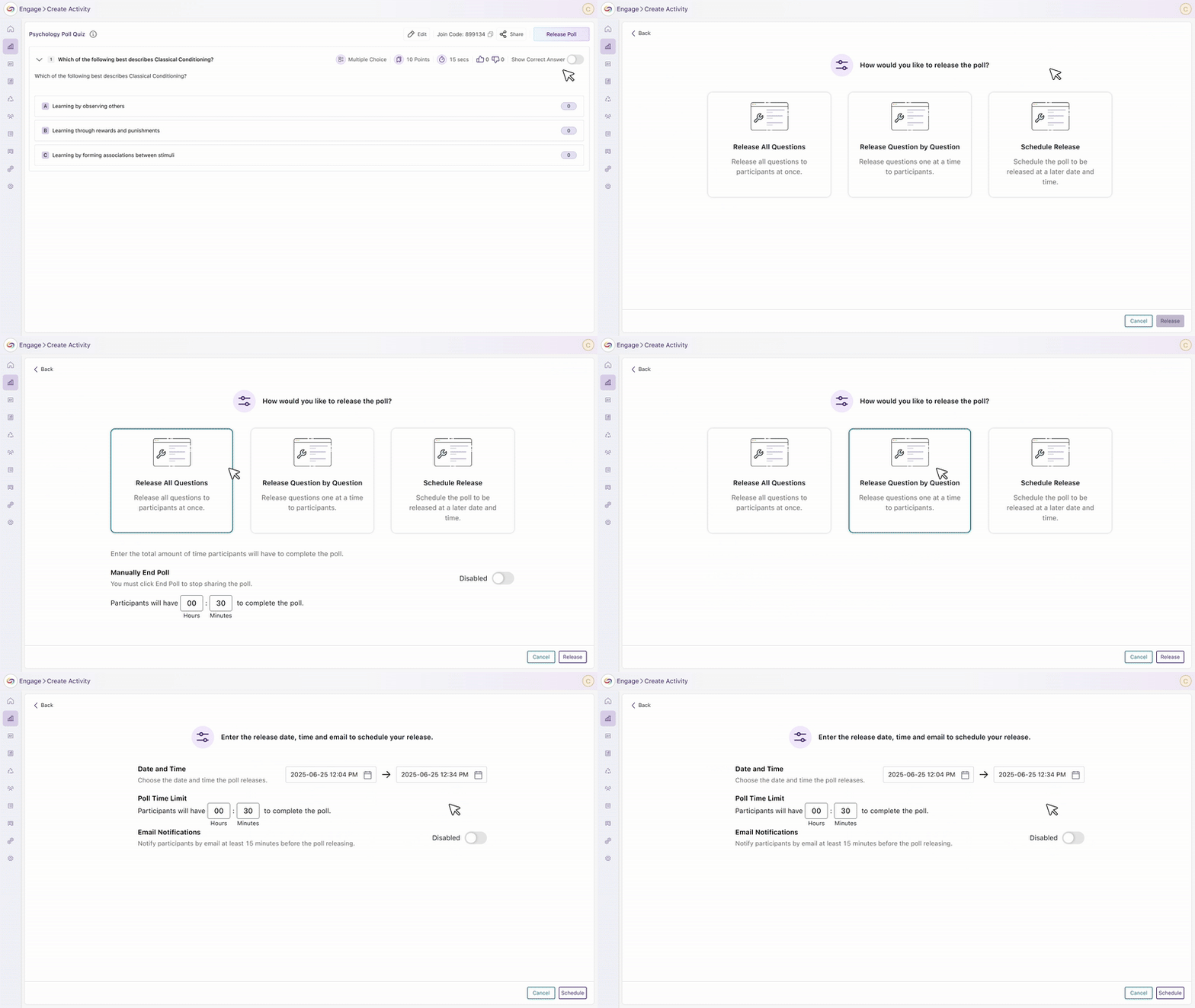
Improved Poll Creation Workflow: A new configuration step has been introduced during poll creation that allows instructors to easily configure all poll settings in one place, reducing setup time and minimizing errors.
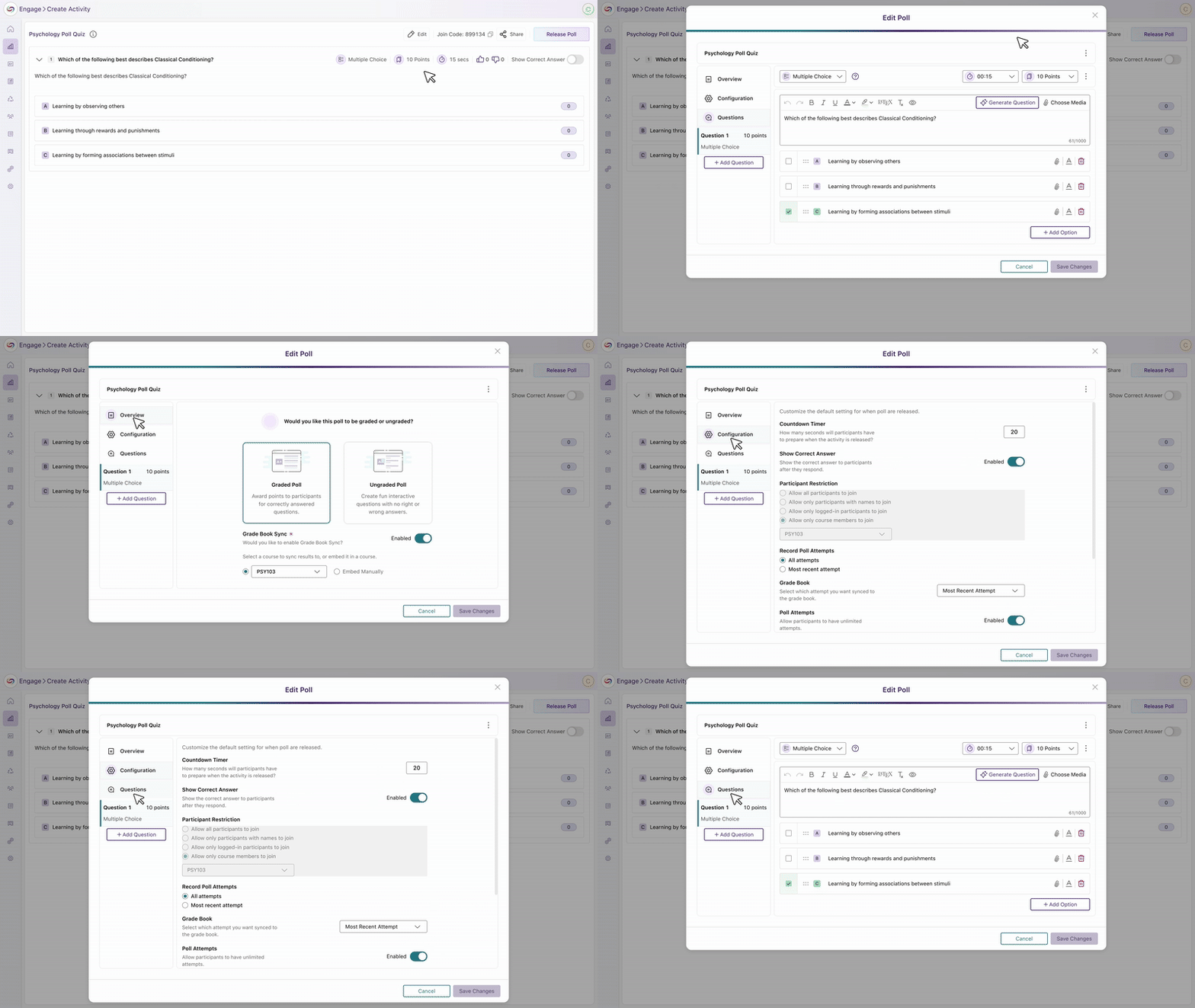
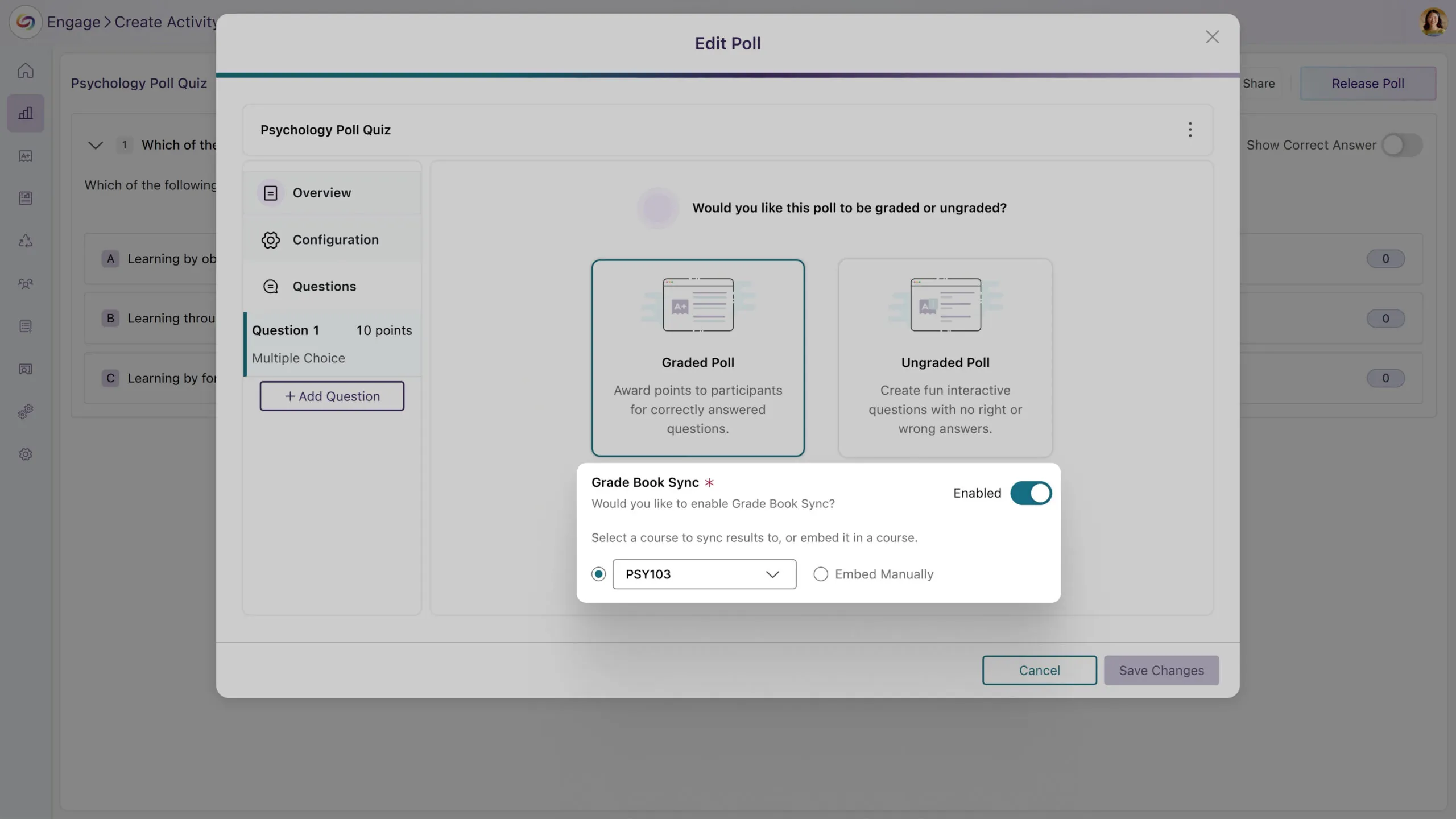
Enhanced Grading and Embedding Options: Instructors can now decide whether a poll should be graded and whether it should be embedded in the LMS, all within the poll creation flow, helping eliminate confusion around gradebook synchronization and improves overall workflow clarity.
An All-New Metrics Dashboard: After a poll concludes, instructors can now access a dedicated Metrics page that consolidates all poll results and analytics into a single, easy-to-navigate view.
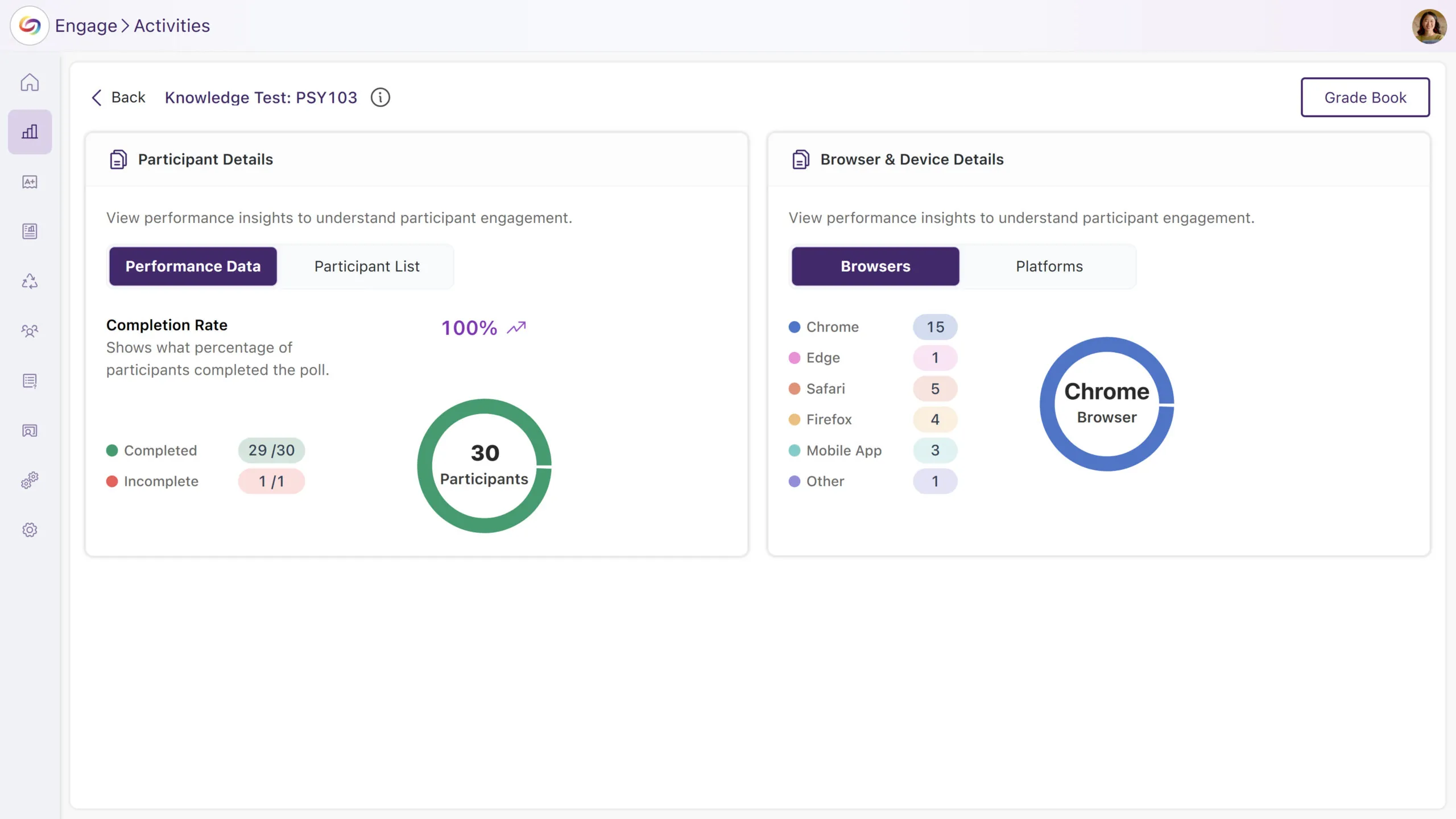
Streamlined Poll Release Flow: The updated Release Poll screen allows instructors to release, edit, and manage questions directly from one interface. Instructors can also view real-time metrics, making the process more efficient and centralized.
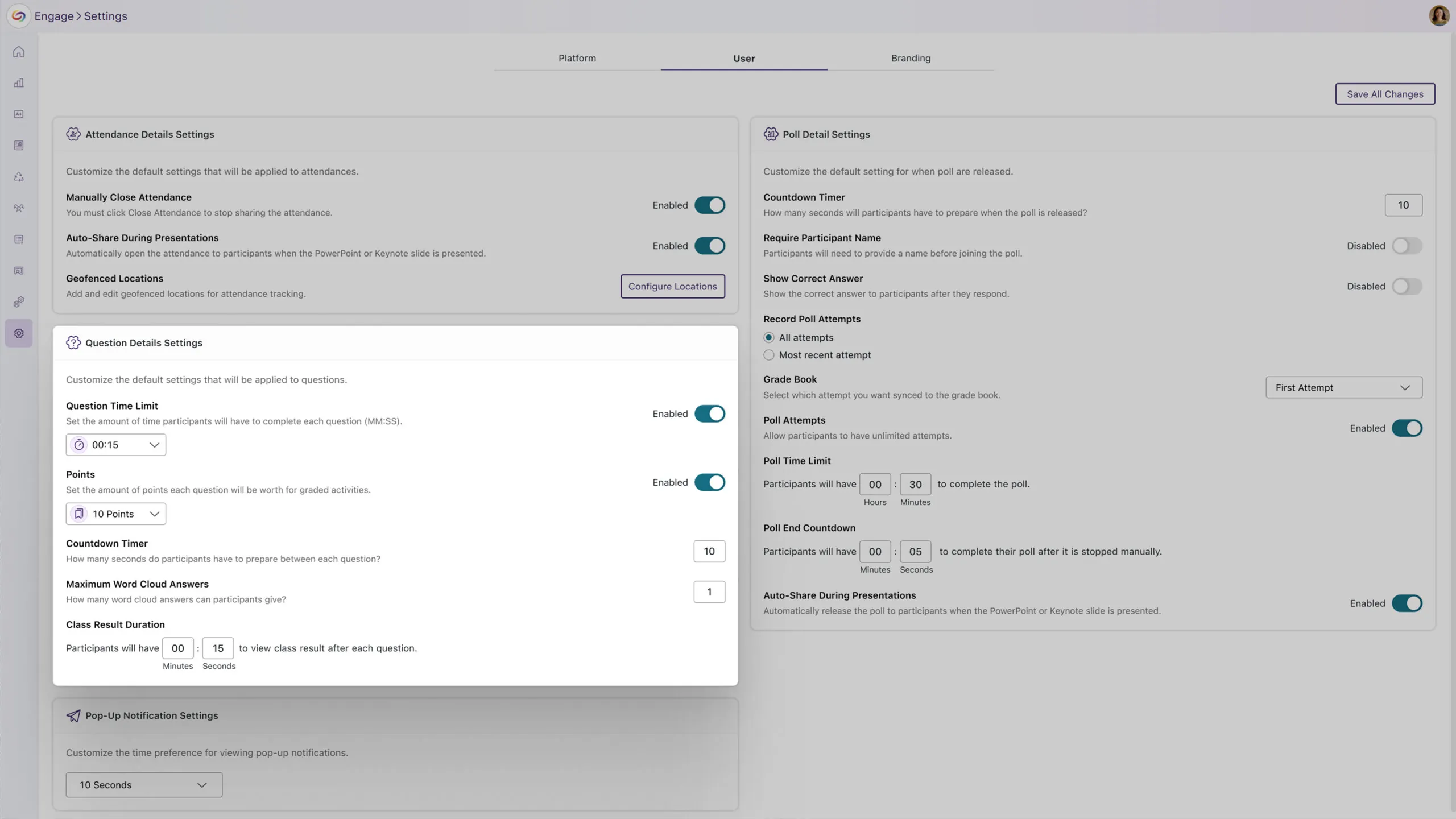
Enhanced User Settings Page with Streamlined Poll Configuration
The user settings page will now include dropdowns for setting default question time limits and points. These personalized default settings will automatically apply to new polls, streamlining the configuration steps for activities.
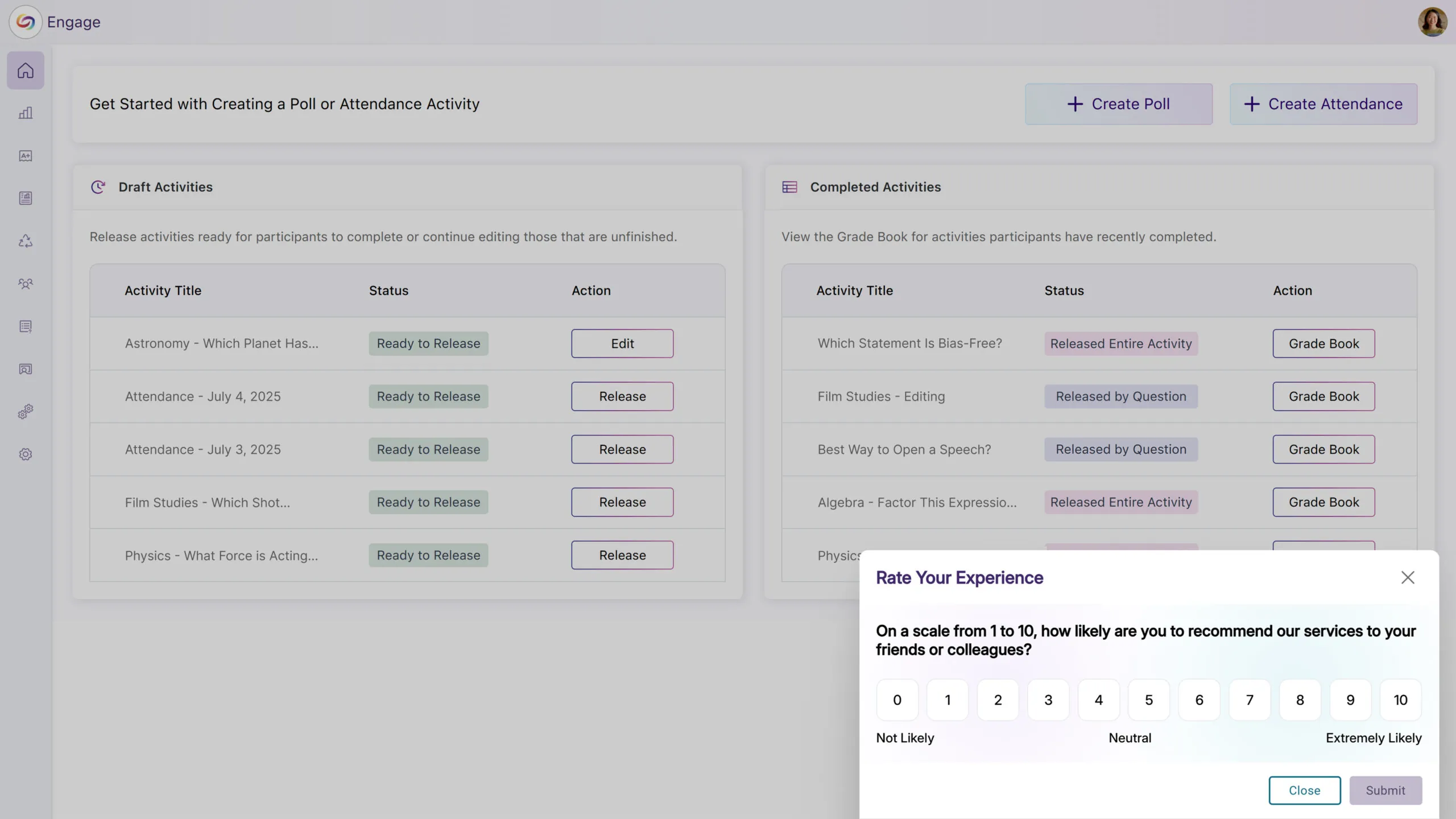
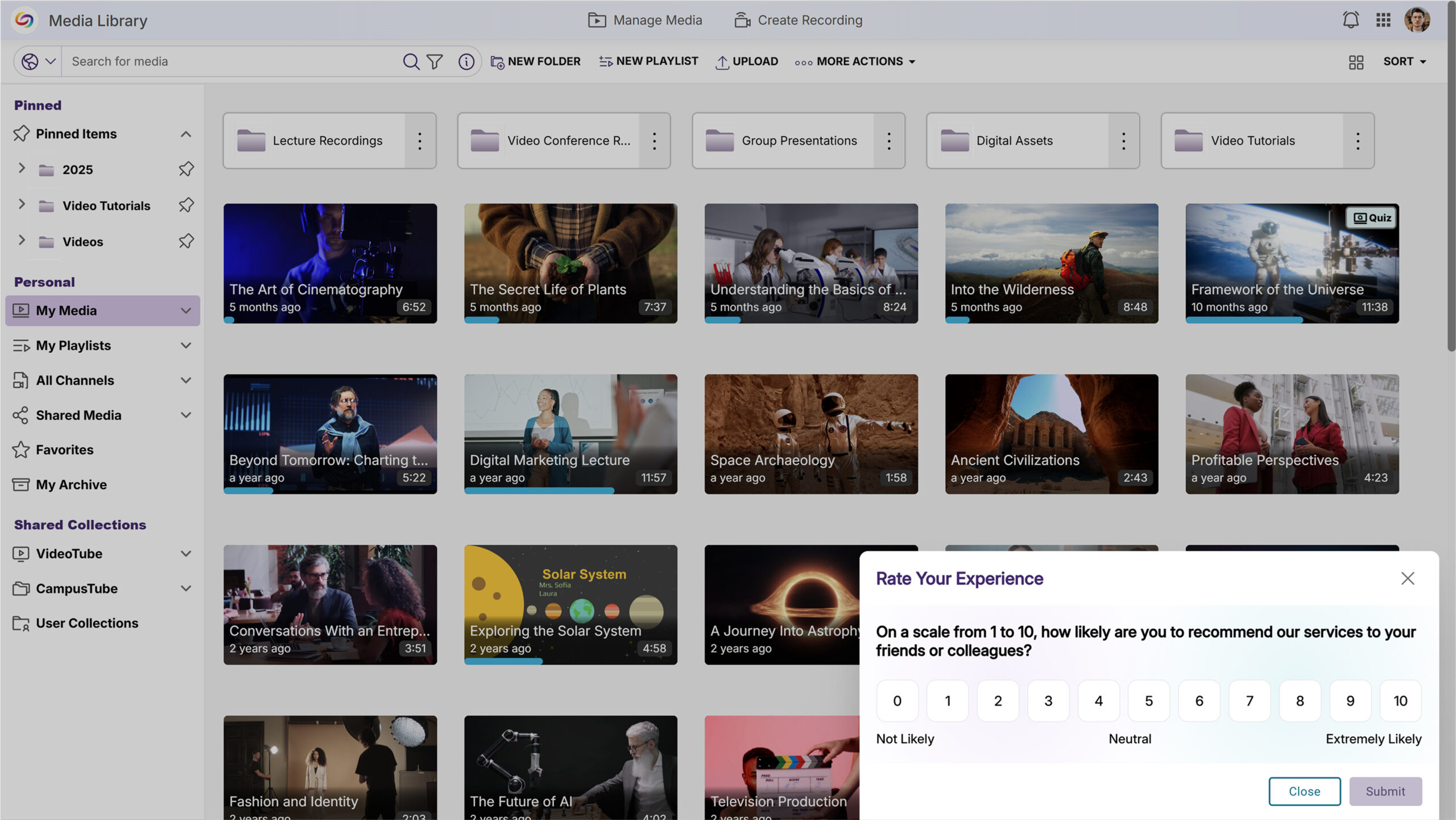
Quarterly NPS Survey Will Collect Administrator Feedback
Administrators will receive a quarterly Net Promoter Score (NPS) survey to gather feedback on platform satisfaction and administrative experience. This will help improve YuJa Engage based on direct administrator input.
This release, rolling out over the next few weeks, will introduce a comprehensive Media Collection page within the Usage and Analytics Courses page that includes course-wide content analytics and advanced filtering capabilities, while enhancing video management with in-player metadata editing and real-time video comment subscriptions. Other key updates will include the addition of automated monthly usage reports for administrators, folder hierarchies in the “Shared With Me” section, and enhanced account security with failed login protection.
Course Analytics Now Offers Folder and Channel-Level Insights
A new Media Collection page will provide administrators with comprehensive content analytics and advanced filtering capabilities for better decision-making. With this release, administrators will be able to view institution-wide content performance and easily filter analytics by specific groupings, such as folders and courses.
Institution-Wide Performance Insights: The new Media Collection page will display content analytics for the entire institution, providing administrators with an at-a-glance view of platform-wide content performance.
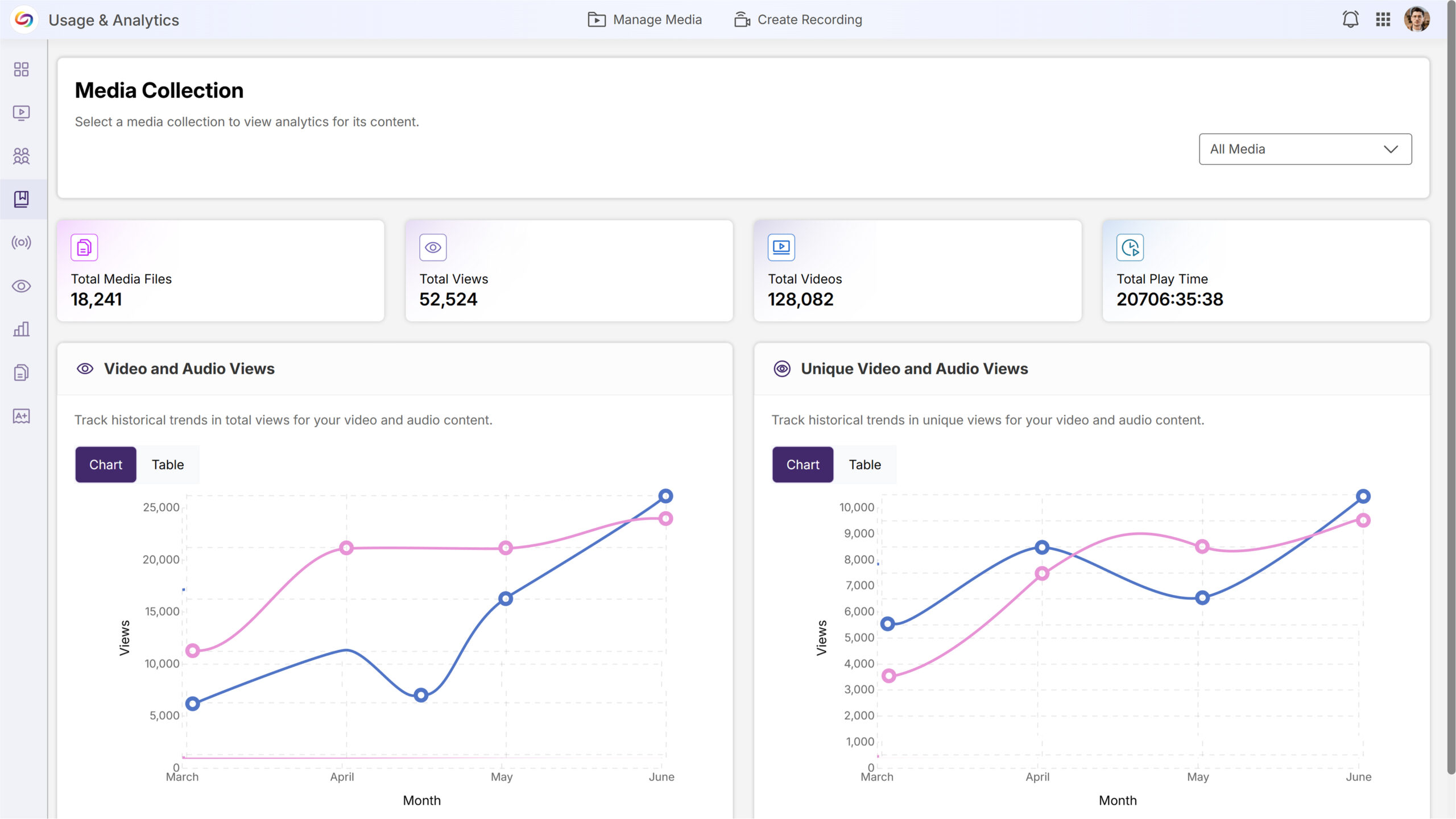
Advanced Filtering: Users can filter analytics by Course Channels, Folders, User Collections, and Enterprise VideoTube through an intuitive dropdown and modal selection interface, with selected filters displayed as removable badges.

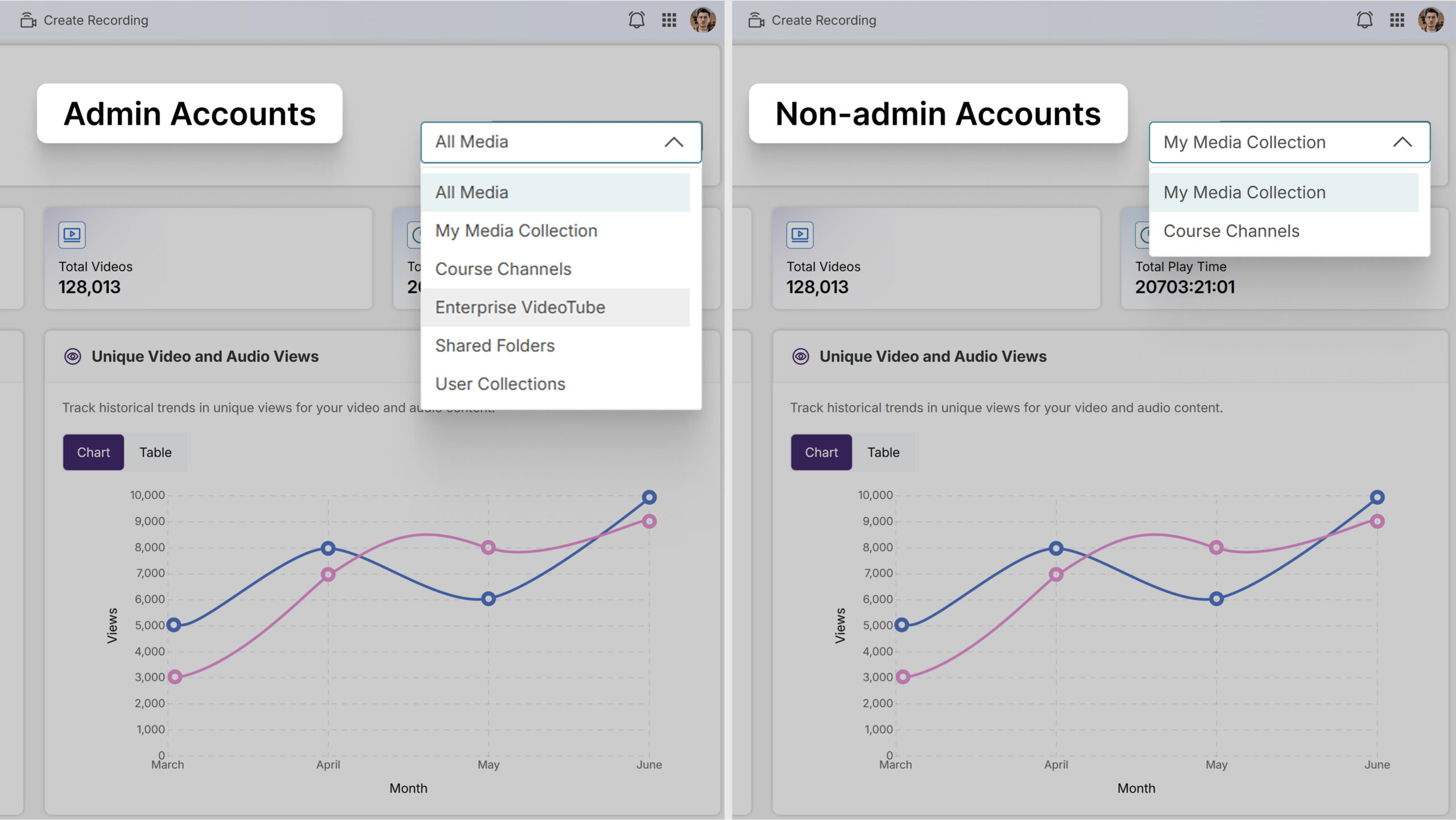
Role-Based Access Control: Admin accounts will have access to all content groupings, including Enterprise VideoTube, Course Channels, Shared Folders, and User Collections, while non-admin accounts will see only My Media Collection and Course Channels.
Seamless Video-Level Analysis: Users can click on individual videos within their selected grouping to be redirected to the dedicated video analytics page for detailed performance insights.

“Shared With Me” Section Will Support Folder Hierarchies
Users will be able to create folders and sub-folders within the Shared With Me section to organize shared content more effectively.

Improved Display of Portal Cards on Wide Monitors
The portal interface will implement maximum width constraints to optimize content display on ultrawide monitors and large screens.
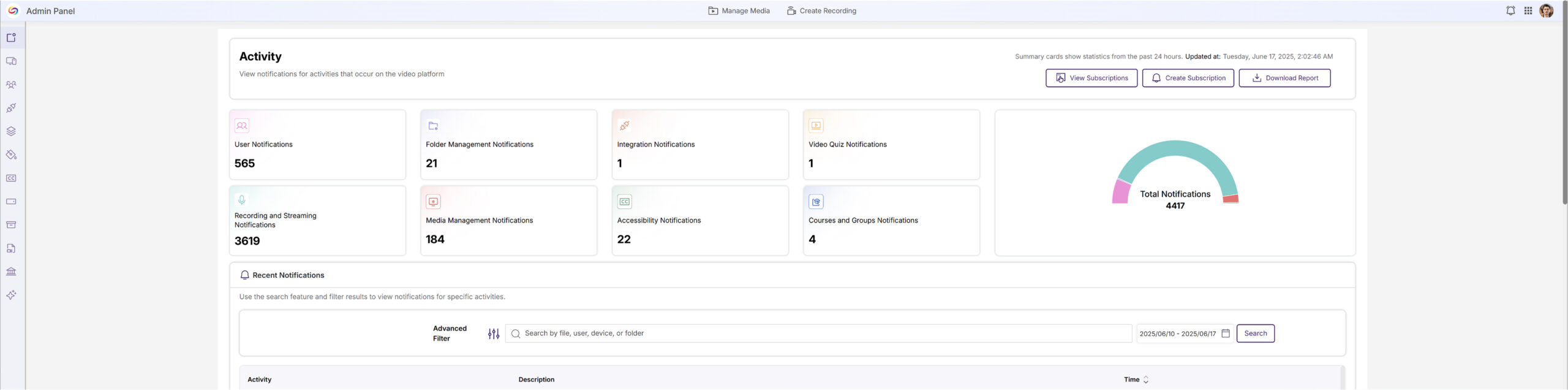
Quarterly NPS Survey Will Collect Administrator Feedback
Administrators will receive a quarterly Net Promoter Score (NPS) survey to gather feedback on platform satisfaction and administrative experience. This will help improve the Video Platform based on direct administrator input.
Video Comment Subscriptions Will Enable Real-Time Notification Alerts
Users will be able to subscribe to in-video comments to receive email notifications when new comments are added to videos they’re watching.
Video Metadata Editing Will Be Available Directly Within the Video Player
Content owners will be able to edit video metadata directly from the video player’s Resources panel without navigating to separate pages. The Video Info section will allow users with appropriate permissions to modify titles, descriptions, and tags through inline editing controls.

Monthly Usage Reports Will Be Automatically Emailed to Platform Administrators
Administrators will receive automated monthly email reports highlighting platform usage and trends. Emails will provide administrators with at-a-glance insights into platform performance and user engagement.

Account Security Enhancement Will Suspend Users After Consecutive Failed Login Attempts
A new security setting will allow administrators to automatically suspend user accounts after 10 consecutive failed login attempts within a 3-day period. This feature will send email notifications to both the affected user and all IT managers when an account is suspended.

Video Metadata Will Be Accessible in All Viewing Contexts
Video description and copyright information will be available in the Media Player sidebar for all viewing contexts, including direct links and LMS-embedded videos.

New API Endpoint Will Retrieve Enhanced Audio Description Data for Videos
A new API endpoint will allow developers to check whether videos have Enhanced Audio Descriptions and retrieve the description data if available.
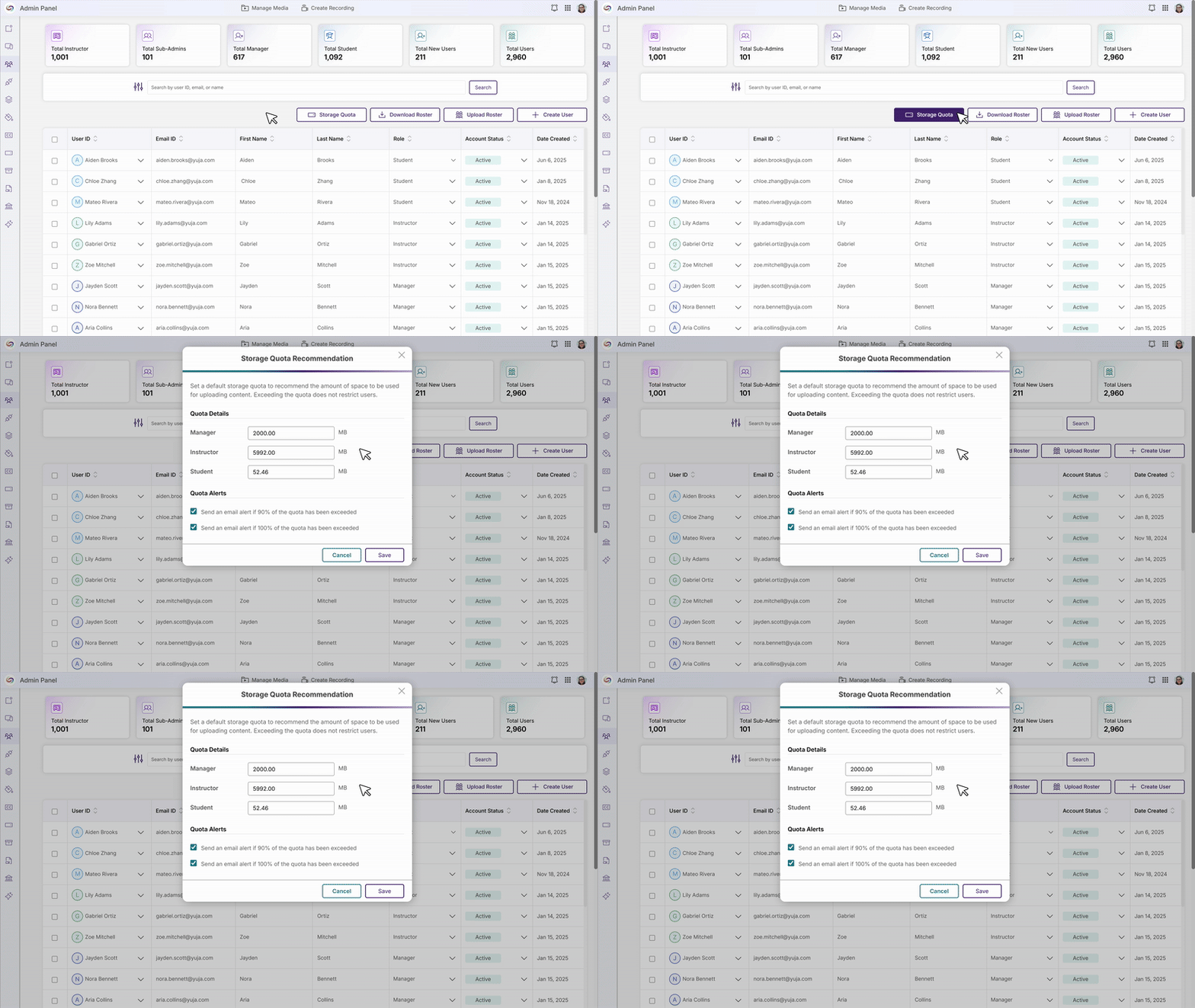
The Storage Quota Tab Content Will be Moved Into the Roster for Simplified Administration
In this release, the Storage Quota tab content will be consolidated into the Roster page, allowing administrators to manage user information and storage allocations from a single location. Quota settings and alerts will be accessible through a new “Storage Quota” button, while individual user quotas will be managed through the “More Actions” dropdown, eliminating the need to navigate between multiple admin sections.
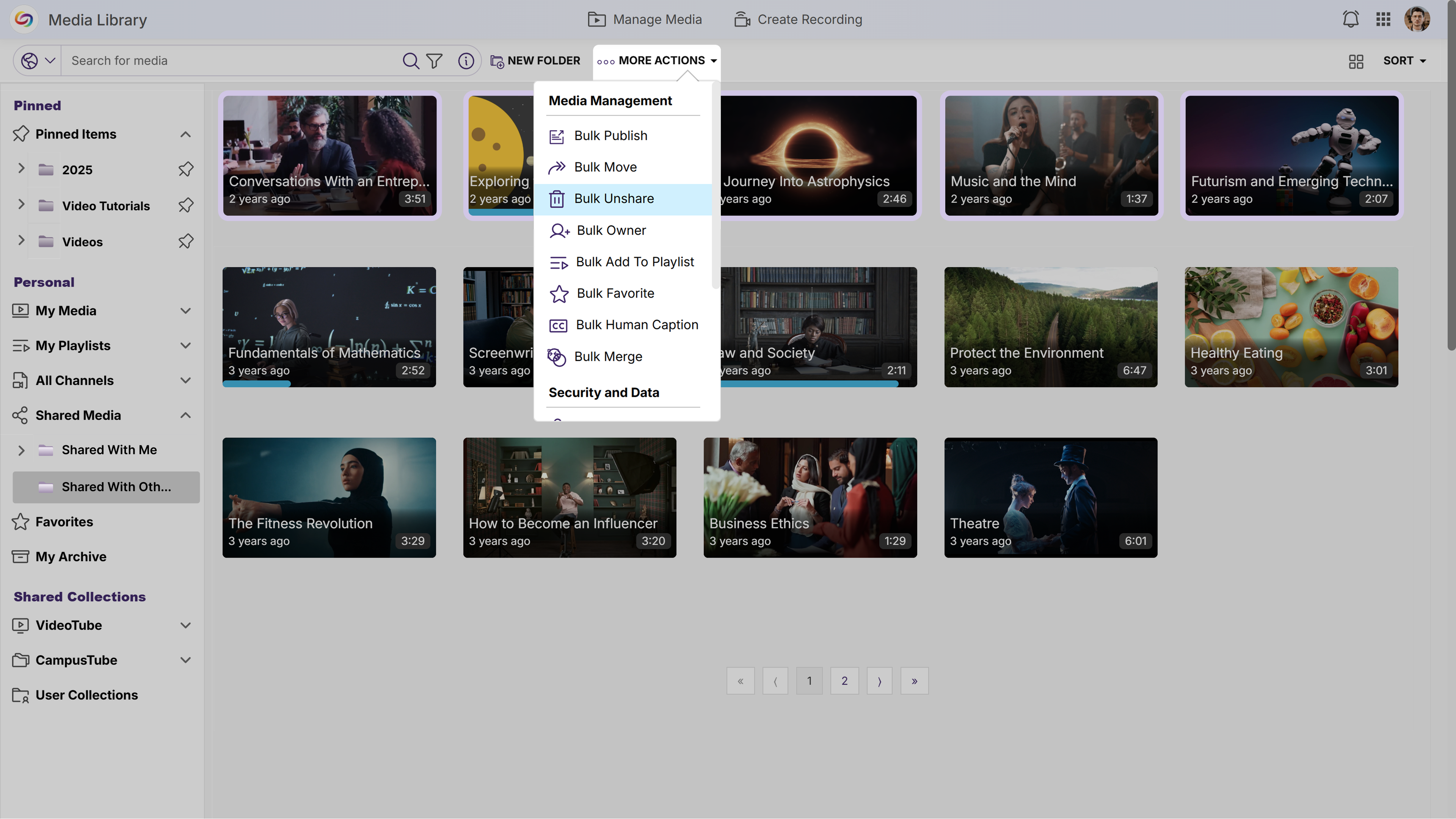
New Unshare Actions Will Be Added to the ‘Shared With Others’ Folder
The “Shared With Others” folder will introduce an “Unshare” action and a “Bulk Unshare” action that allows users to stop sharing content while preserving original files. This enhancement provides clearer control over sharing permissions and ensures content remains safely stored in its original location.
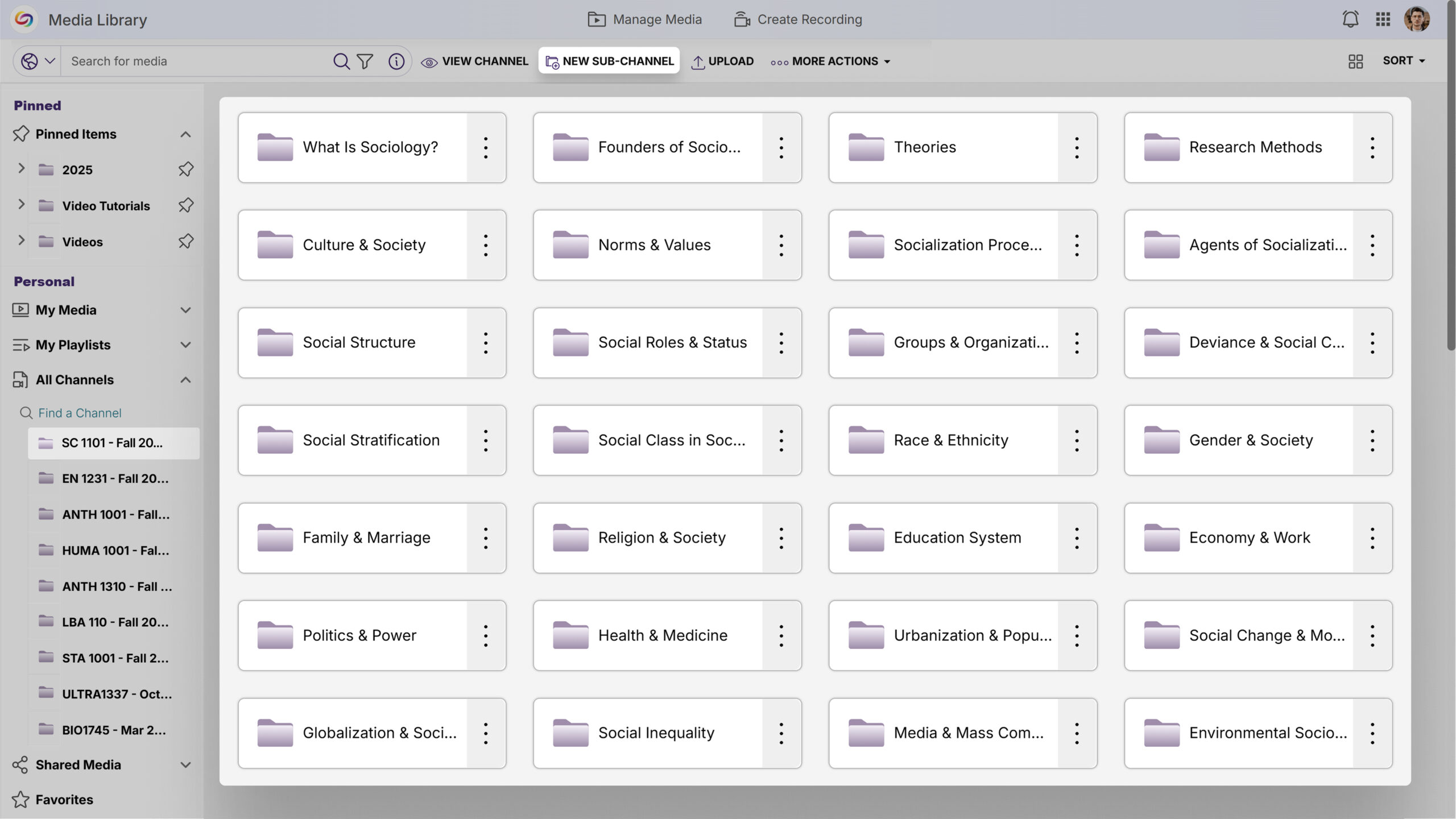
Sub-Channel Creation Limit Removed
Instructors will now be able to create unlimited sub-channels within course channels allowing for better content structure and management within courses.
Join the 1,000+ Organizations Deploying High-Impact Solutions














