

Product Updates
Get the latest platform updates, features, and announcements—all in one place.
Boost Video Accessibility with the GenAI Video PowerPack!
Try Now
Supercharge Your Compliance Efforts with AutoPilot Remediation Max!
Try Now
Strengthen Your PDF Accessibility Efforts with Structural Remediation Max!
Try Now
Don't Miss Any of Our Upcoming Webinars—Save Your Spot!
Register
The YuJa Community is here! Connect, get updates, and access exclusive content.
Join Now

Get the latest platform updates, features, and announcements—all in one place.
Over the next few weeks, the YuJa Verity Test Proctoring Platform will be releasing a new browser extension for Safari, an integrated workflow for proctored assessments in Blackboard, and other updates to advance the security and usability of the platform.
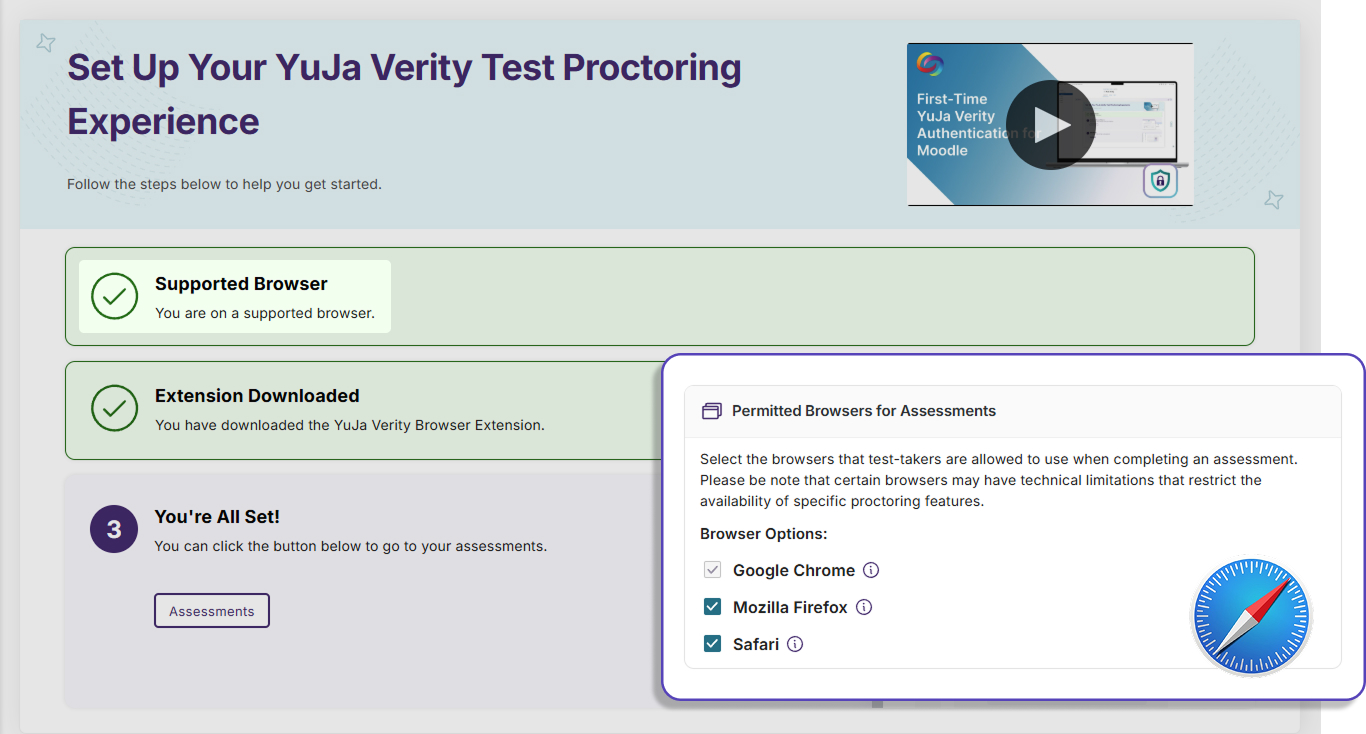
Protect Academic Integrity with Proctored Assessments on Safari
The YuJa Verity browser extension is now available on Safari, allowing instructors to provide test-takers with more browser options to take secure assessments while enabling Verity’s wide range of proctoring capabilities to help ensure academic integrity.
Create Proctored Assessments Directly Within Blackboard Courses
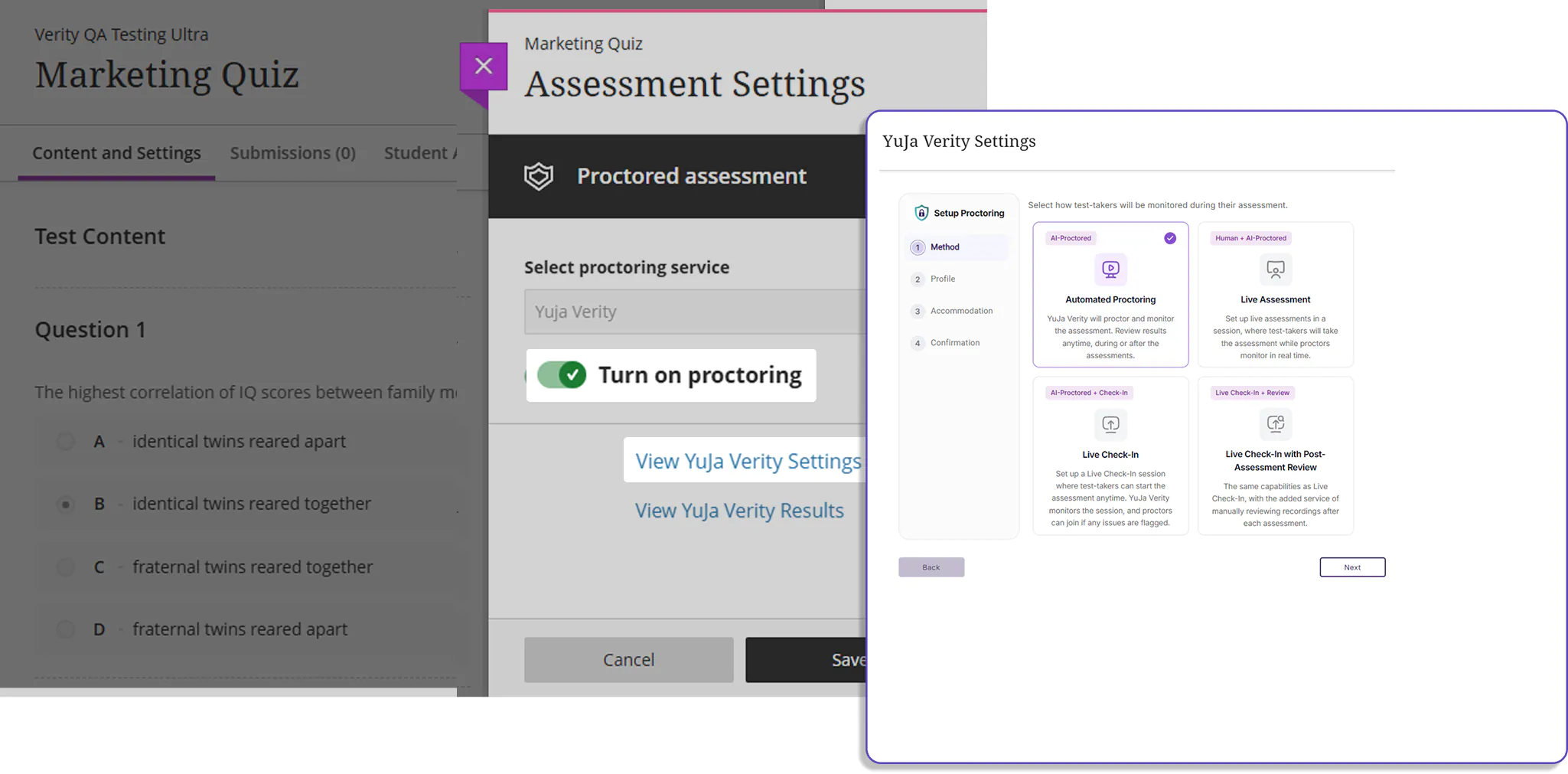
Instructors are now able to create Verity proctored assessments straight within the Blackboard LMS without needing to navigate to the Verity platform separately. This updated integration streamlines and eliminates confusion in the assessment setup process for instructors using Blackboard.
Manage Your Data With Time-Based Retention Policies
Users can now configure Verity to delete or archive data before it is automatically deleted after 1 year. This allows instructors to better manage the lifecycle of their data, meet security compliance standards of their organization, and reduce security risks.
Secure Verity Plugin Updates In OpenLMS
The YuJa Verity plugin update workflow for OpenLMS clients has been upgraded to eliminate manual handoffs and reduce crashes. OpenLMS clients can now install Verity updates automatically through a private GitHub repository, improving overall data security and workflow efficiency.
Over the next few weeks, the YuJa Verity Test Proctoring Platform will be releasing a brand new module that allows interviewers to disable certain actions while monitoring behaviors to secure and advance interview processes.
Advance Your Interview Experience Using Candidate AI
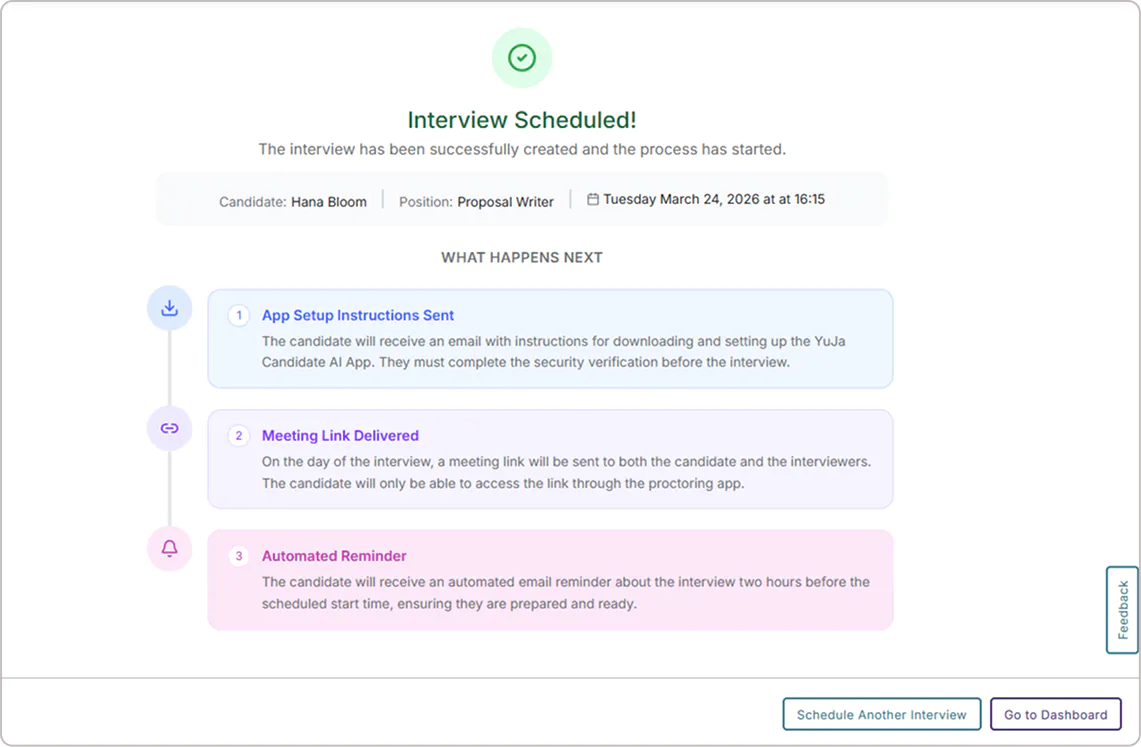
Users can now integrate Candidate AI, a new interview proctoring platform in YuJa Verity, with Zoom and Microsoft Teams in Human Resource Management Systems (HRMS) to provide a secure and fair interview experience. With this new streamlined integration, interviewers can limit device functionality and monitor metrics in real-time to make informed hiring decisions.
Key features include:
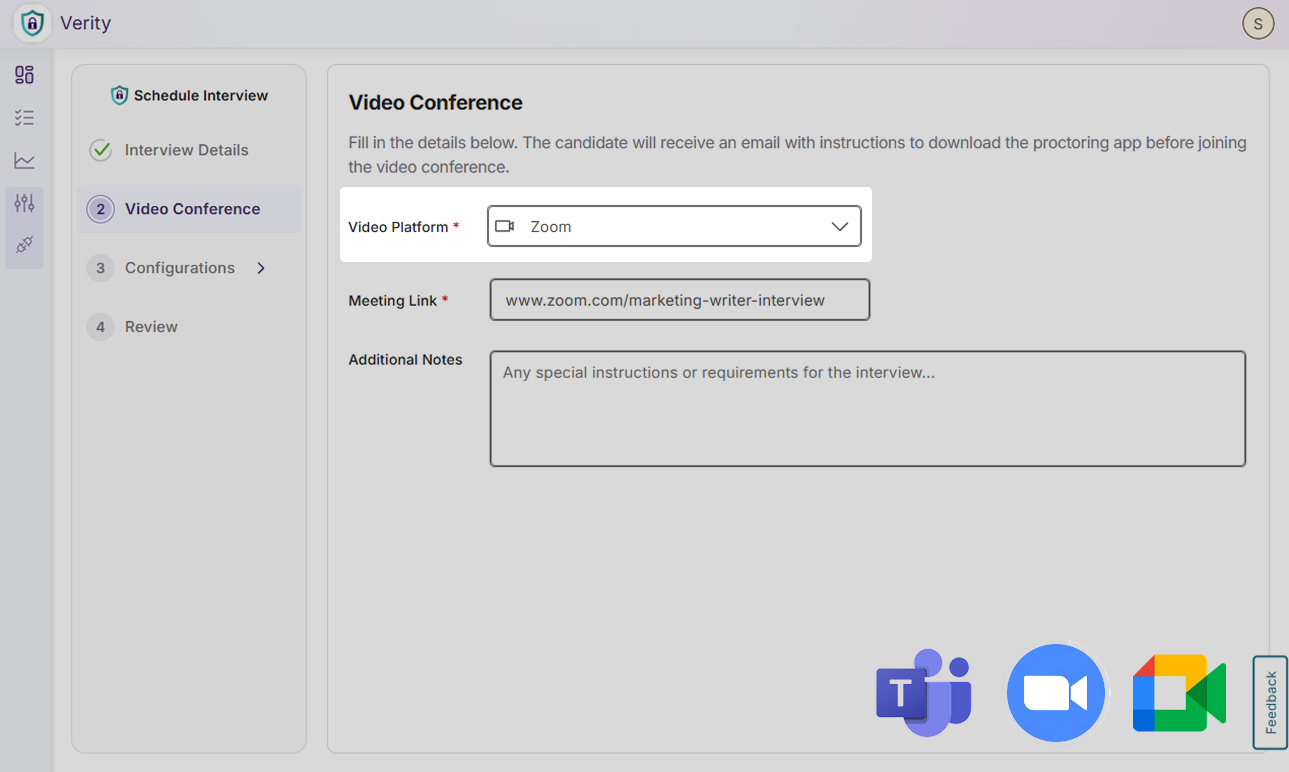
Integration with Video Platforms: Candidate AI is available with major video conferencing platforms such as Microsoft Teams, Zoom, and Google Meet, and others.
Interview Proctoring Configurations: Interviews can select a range of activities to be proctored during an interview, and set severity flags for each activity to align with their policies.
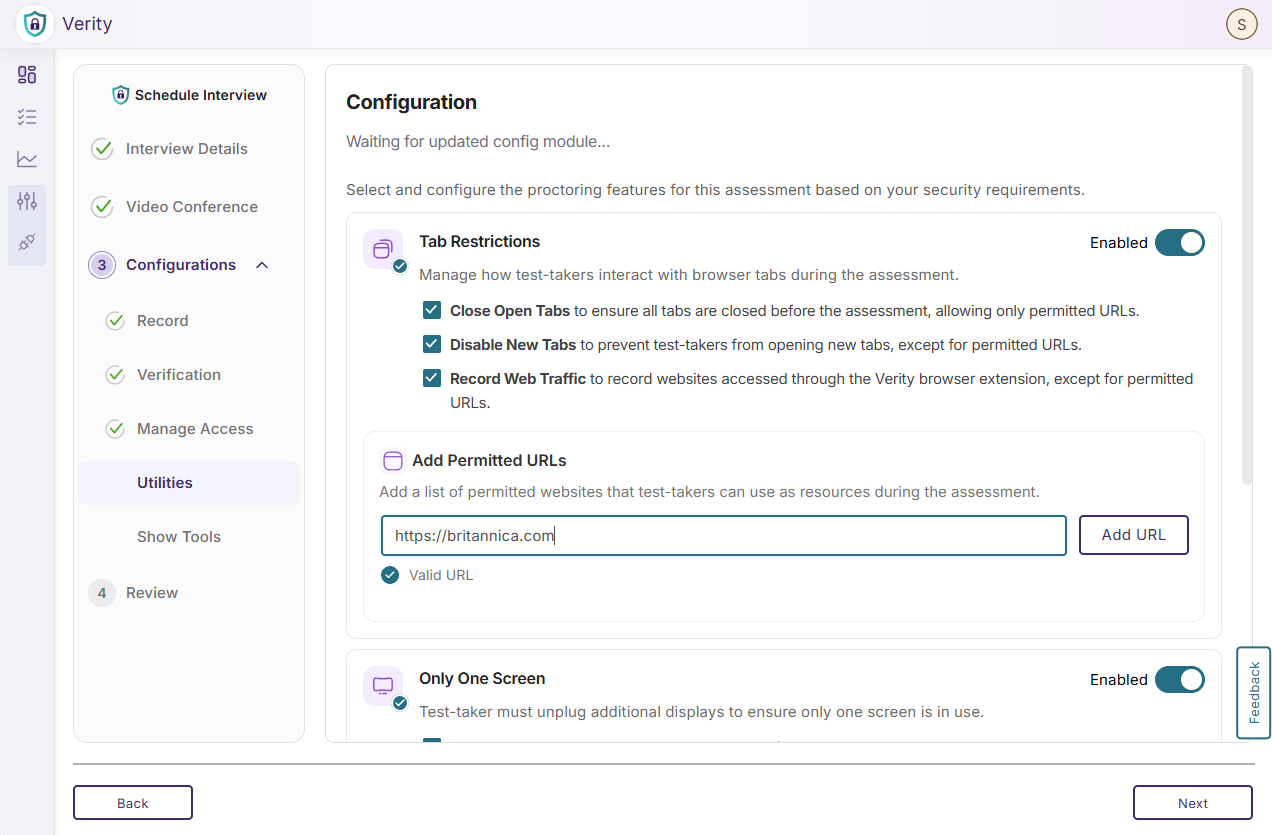
Some configurations include:
Recording Configurations: Candidates’ video, audio, and screen activity will be recorded. A 360-degree room scan of the interview environment will be required.
Disable Screen and Keyboard Activity: Candidates have restricted access to tools such as spell-check, clipboard, print, screen-capture, file download, virtual cameras, Apple Handoff, and right clicks.
Verification: Candidates will be asked to verify their ID and signature.
Tab Configurations: Candidates cannot open or close tabs, unauthorized websites, browser extensions, decoy websites, and side panels.
Block Items: Candidates cannot access virtual machines, unauthorized desktop applications, mobile devices, and multiple screens.
Other Activities: Activity such as system performance, candidate location, keyboard activity, web traffic, and internet connection can be tracked or disabled.
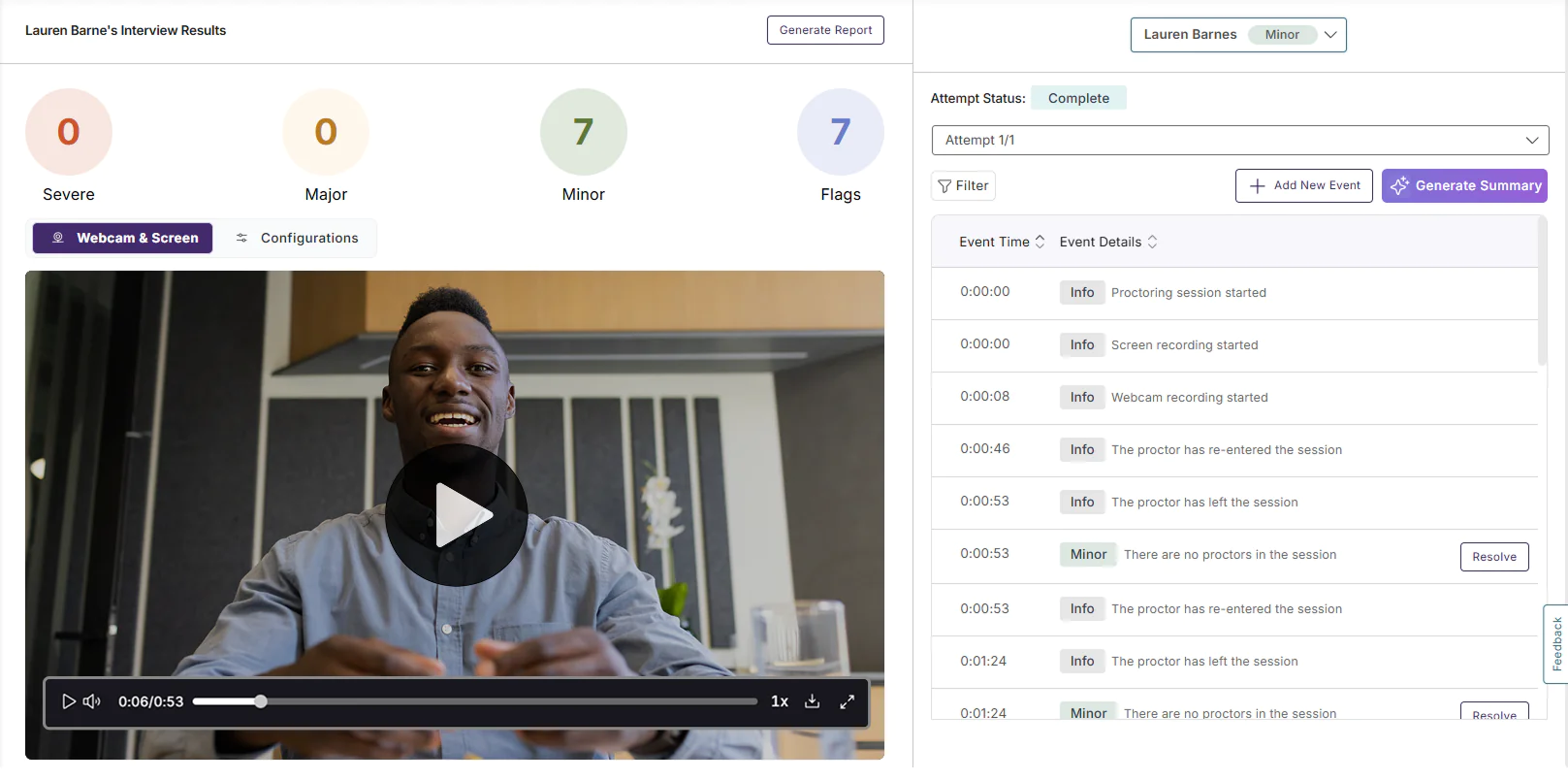
Proctoring Reports: Interviewers will receive a detailed, timestamped report after the interview to review flags that were raised to make an ultimate hiring decision. Interviewers can raise new flags, resolve existing flags, and download the session report.
In the coming weeks, the YuJa Engage Student Response System will introduce the ability to integrate questions and quizzes from all major learning management systems and a new support modal.
Create Interactive Learning Experiences Using LMS Quiz Questions in Engage
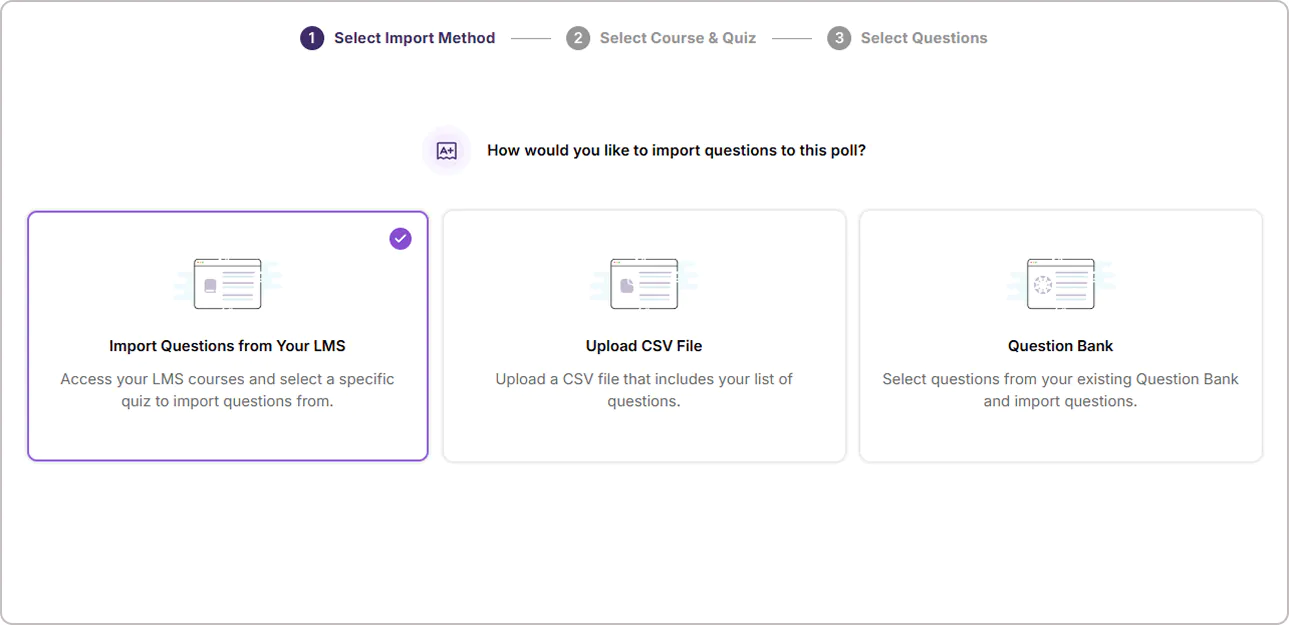
Quizzes for all 4 major LMS: Canvas, Moodle, D2L Brightspace, and Blackboard, can now be imported into YuJa Engage in addition to CSV and question bank import options, allowing instructors to reuse questions they previously created in their LMS without needing to recreate them in Engage.
Get Help Faster With Live Chat Support Options
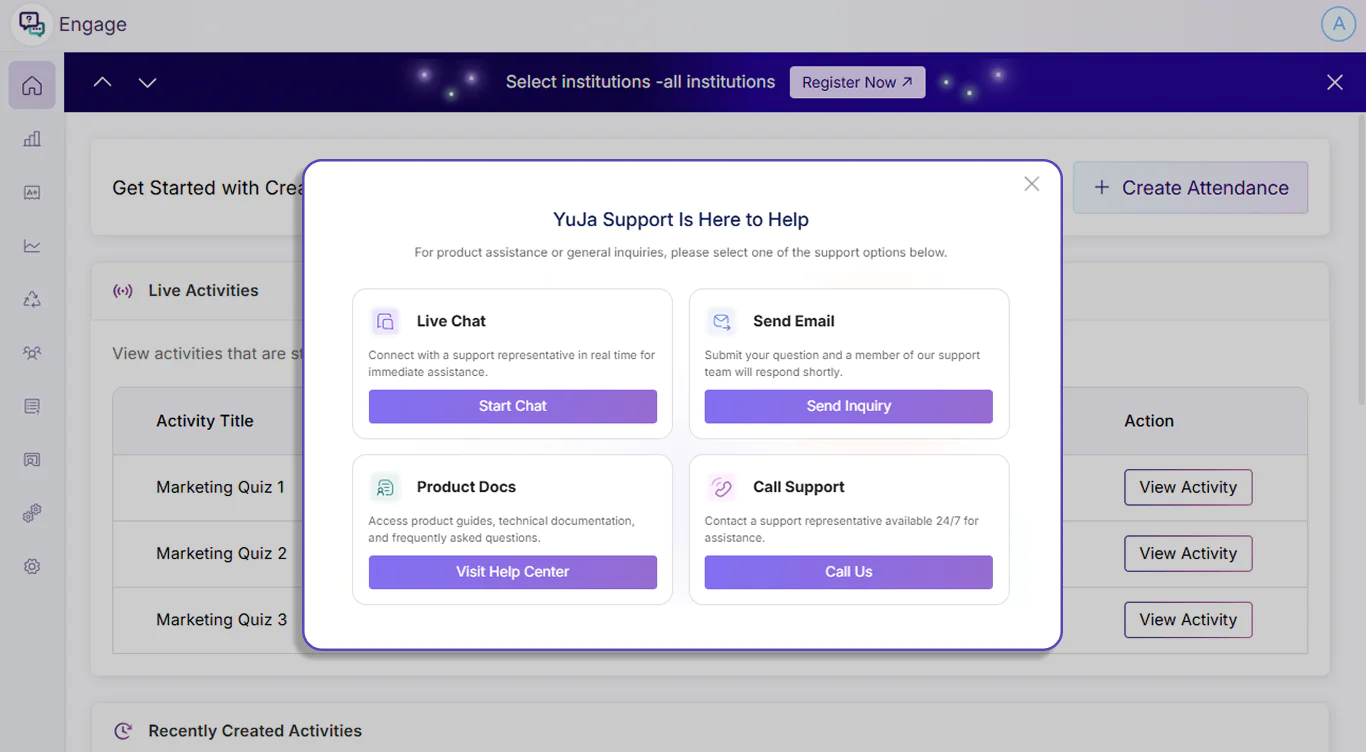
The support modal in YuJa Engage has been updated to introduce more support options to help instructors without navigating away from the Engage platform. Instructors can now start a live chat with YuJa’s support team to get assistance with their concerns and questions in real-time.
Over the next few weeks, the YuJa Lumina Video Platform will be releasing various streamlined workflows for setting up RTMP live streams, customizing interface layouts, editing elements of your videos, such as captions and thumbnails, and much more. With these improvements, users will have more control over their media library and live streaming options.
Personalize Your Interface With Custom Layouts in Enhanced Enterprise VideoTube
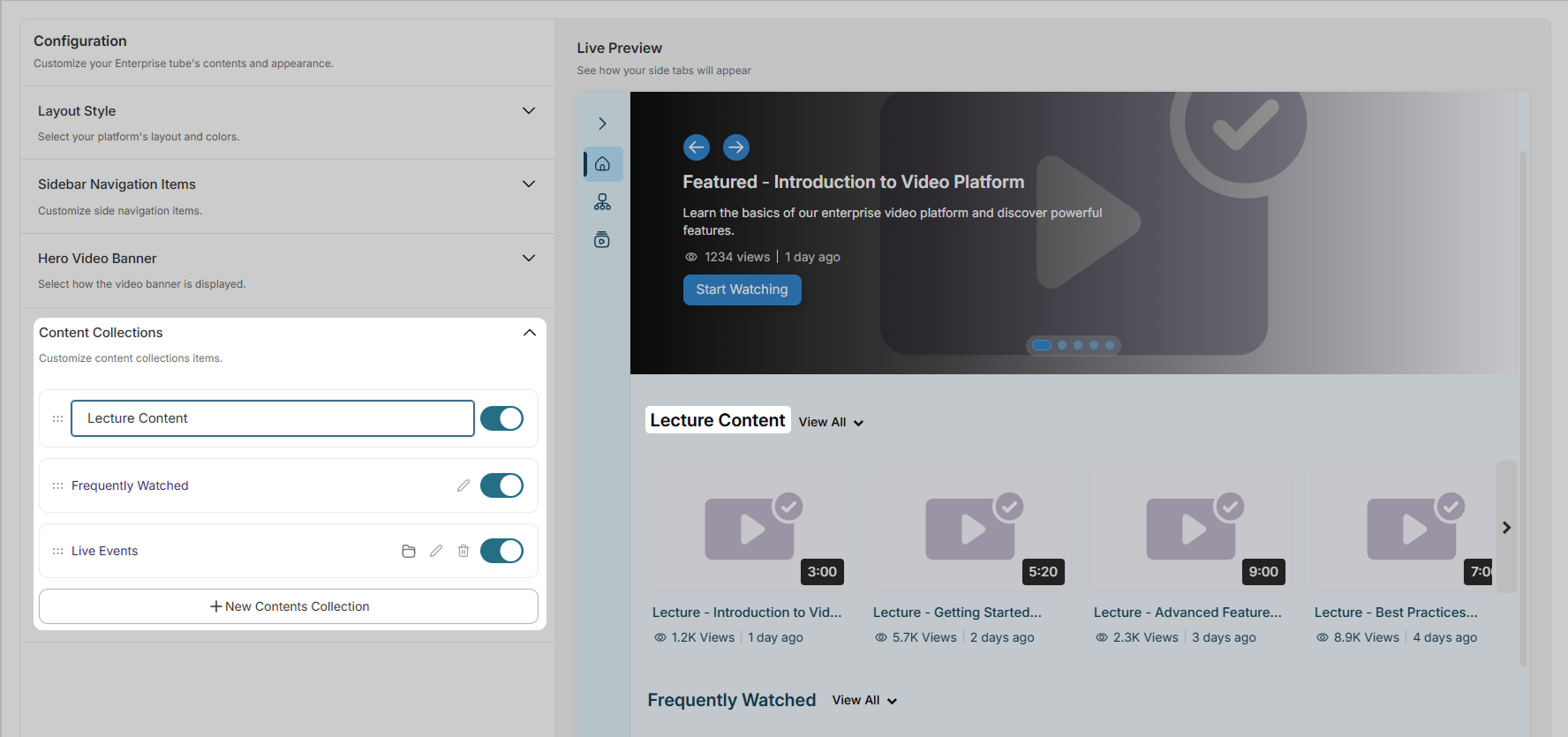
Admins can now modify the appearance of their Enterprise VideoTube Platform to tailor to specific needs, themes, and preferences. Using the dynamic live preview, you can try out new page designs before applying the customization to your page.
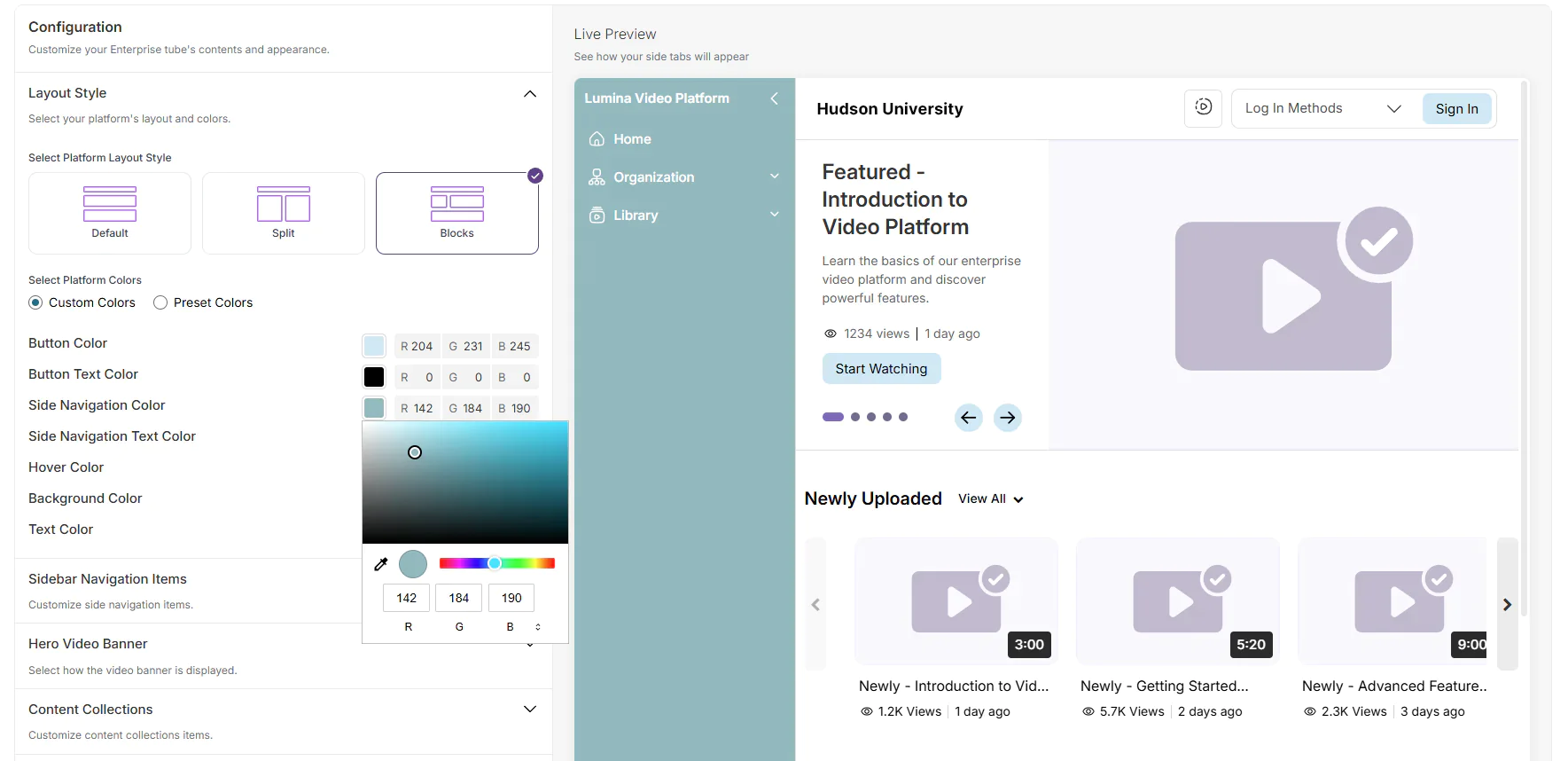
The following customizations are available:
Layout Style: Choose the general layout of content sections on your VideoTube. Available styles include: default, split, and blocks. You can also choose from preset or custom colors for buttons and text.
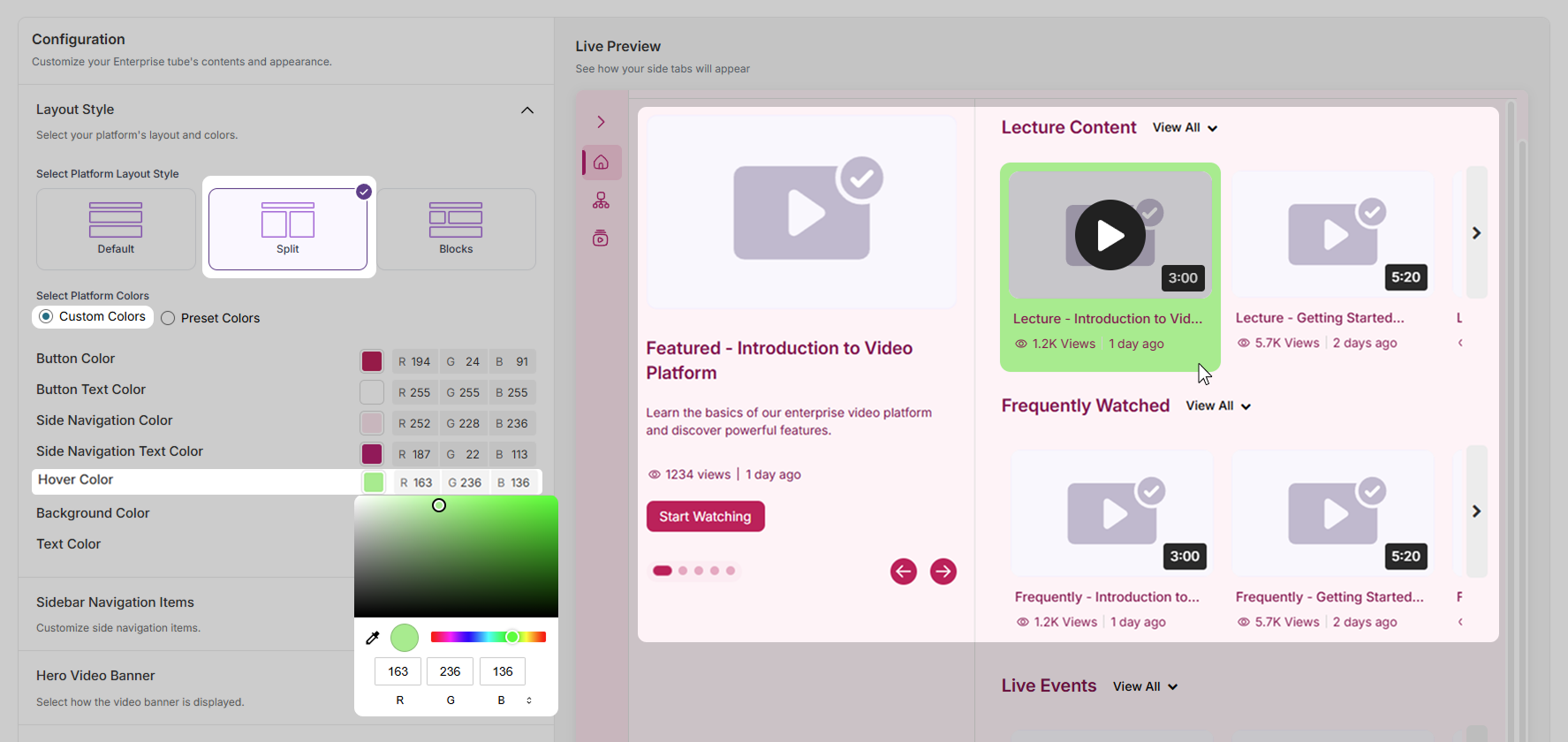
Sidebar Navigation Items: Choose tabs to include or exclude from your side navigation bar. You can also create a custom new tab.
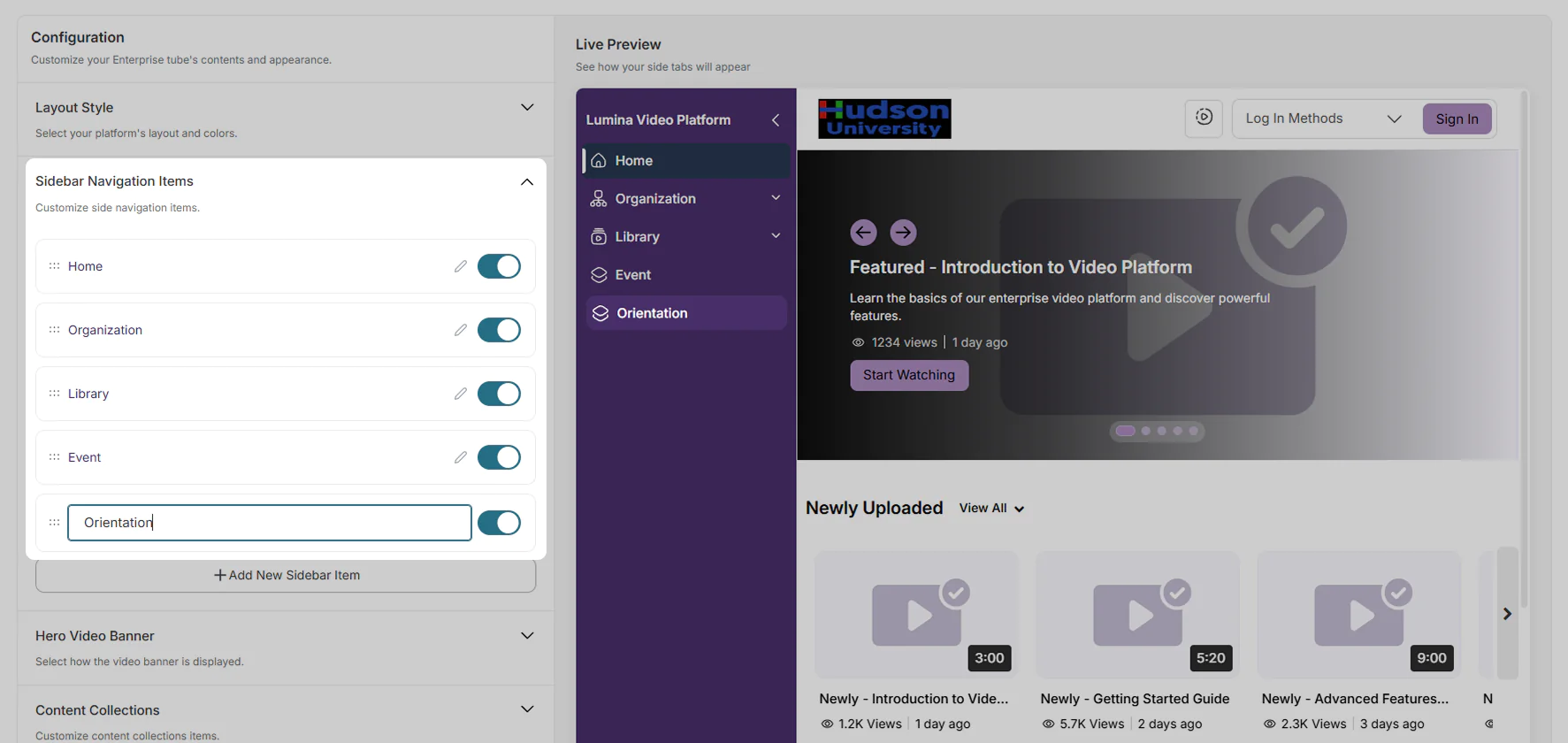
Hero Video Banner: Choose the visual style of the video banner and the number of videos to display in the carousel.
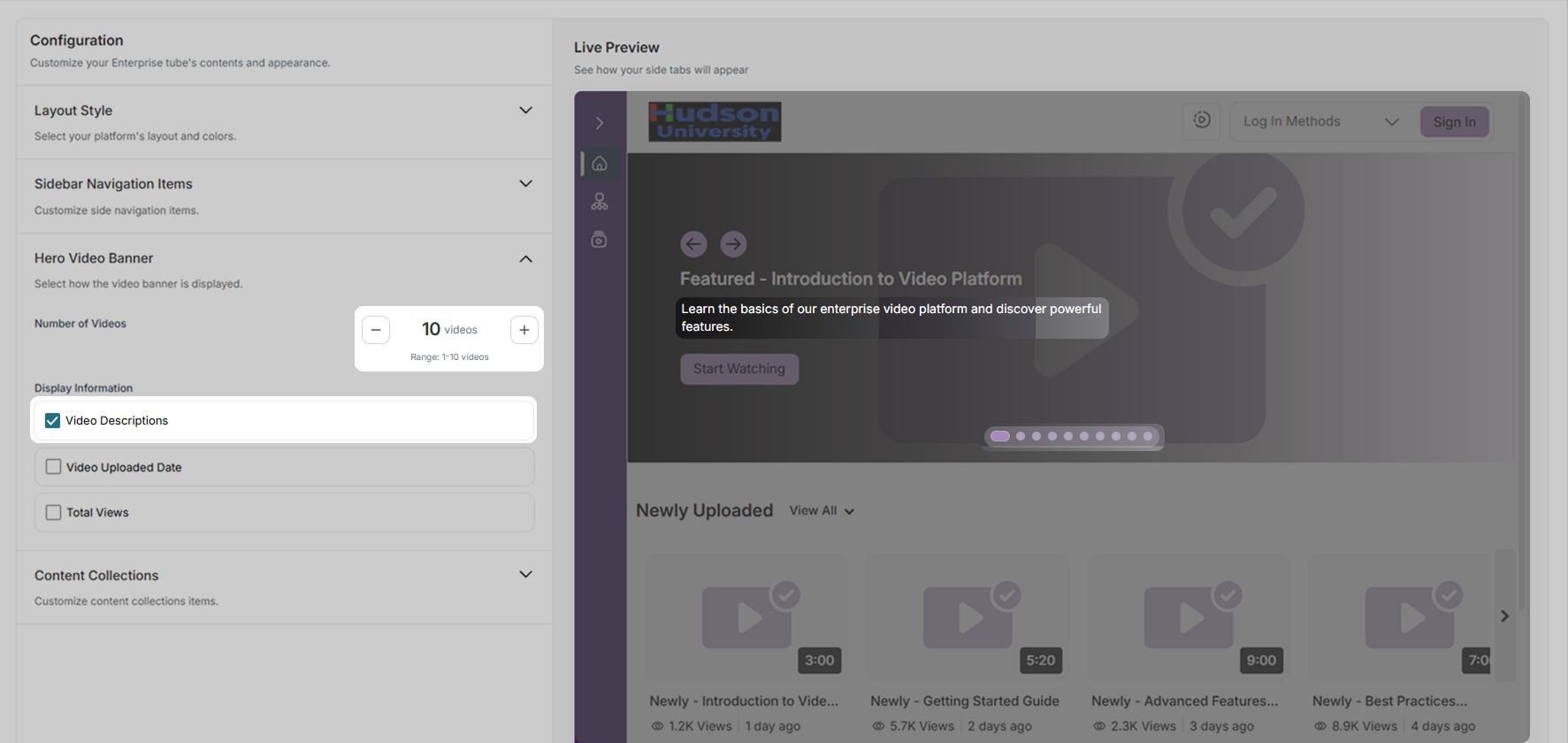
Content Collections: Choose the content collections to display on your VideoTube page. You can also add a new collection.
New RTMP Stream Workflow Simplifies Streaming Experience
The look and workflow of the RTMP live stream experience has been refreshed to introduce a more intuitive user experience. Key features include:
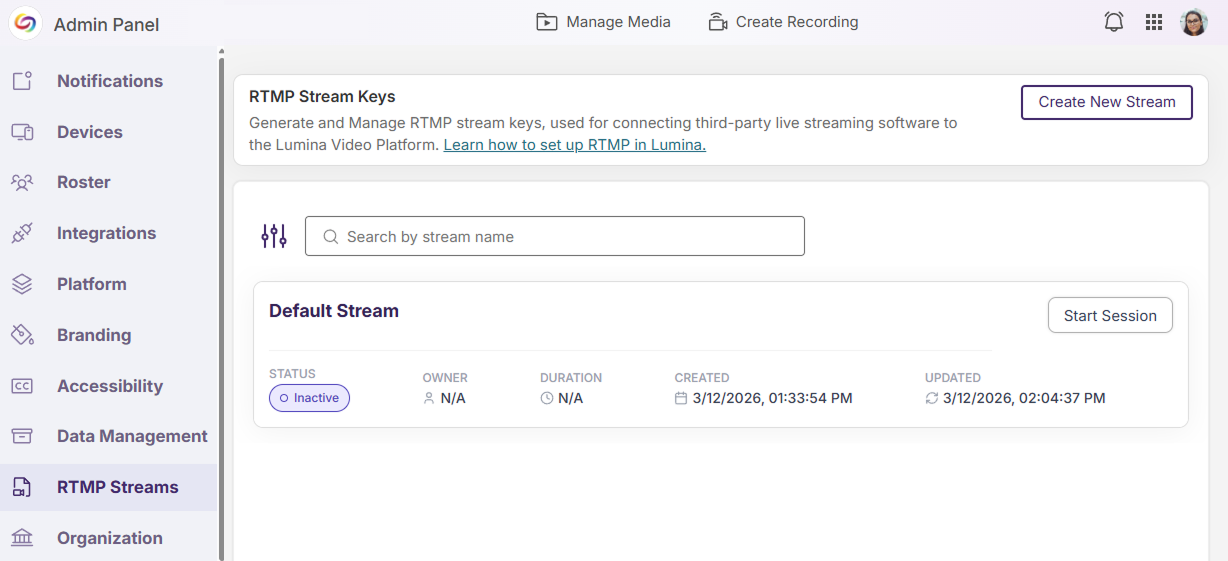
Default RTMP Stream Session: A default RTMP stream session is now automatically added in YuJa Lumina when an institution has no existing streams, allowing instructors to start a session directly without needing to create a new stream.
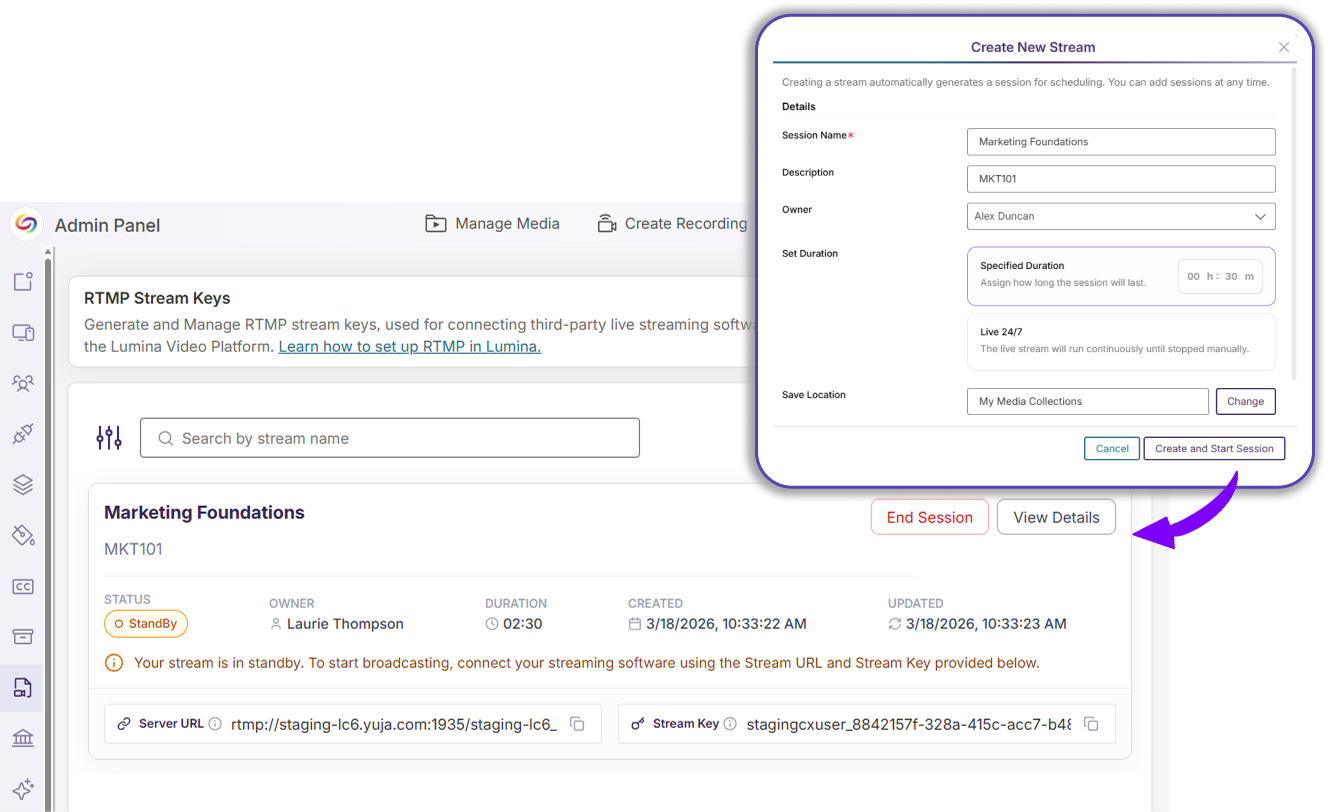
Automatically Created Sessions: A session is automatically generated when a new stream is created, allowing instructors to immediately start broadcasting.
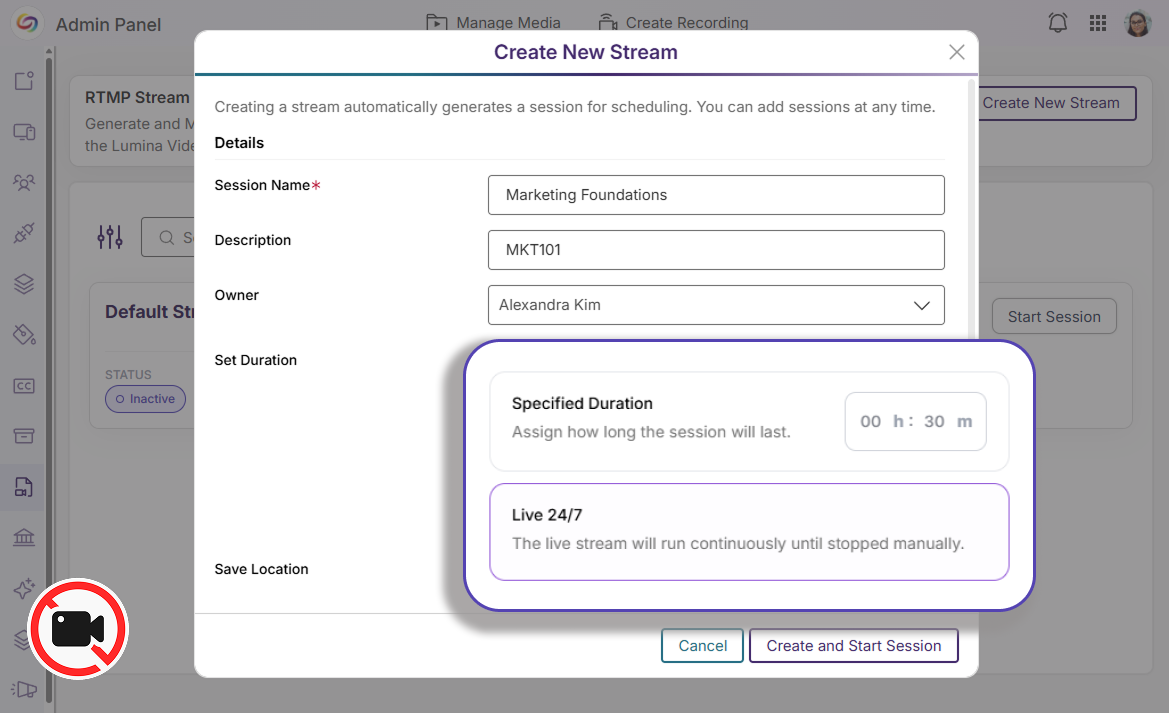
24/7 Sessions: Recording is automatically disabled for 24/7 sessions to minimize the risk of overloading storage. The save and publish location is also hidden when recording is disabled.
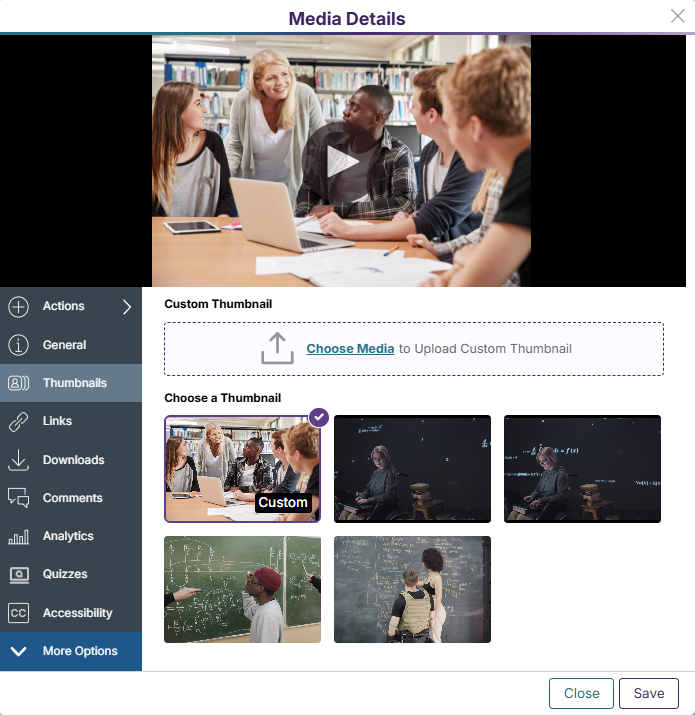
Streamlined Experience for Managing Video Thumbnails
When a new thumbnail is uploaded to a video in YuJa Lumina, it is now automatically saved to the list of thumbnails and is chosen as the current thumbnail for the video by default. This enhanced workflow allows users to update the look of their videos in a simple and efficient process.
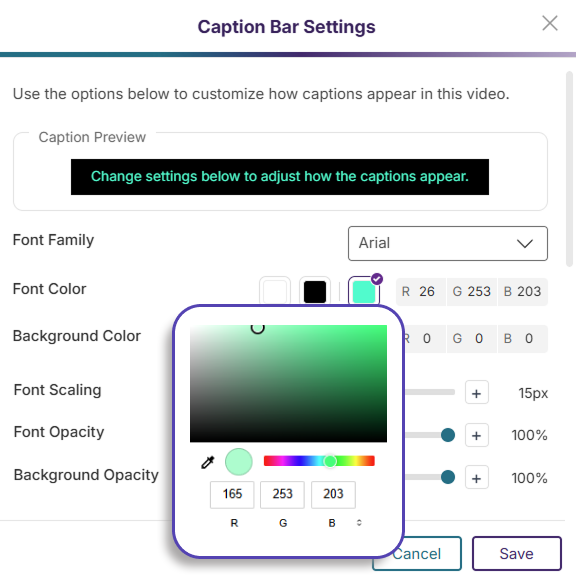
Designing Accessible Captions Now Faster With New Modal
The Caption Bar Modal has been redesigned to introduce more font and color customization options for video captions. Users can use the built-in color picker, font settings sliders, and the caption preview to ensure that their captions are clearly visible and readable in their video.
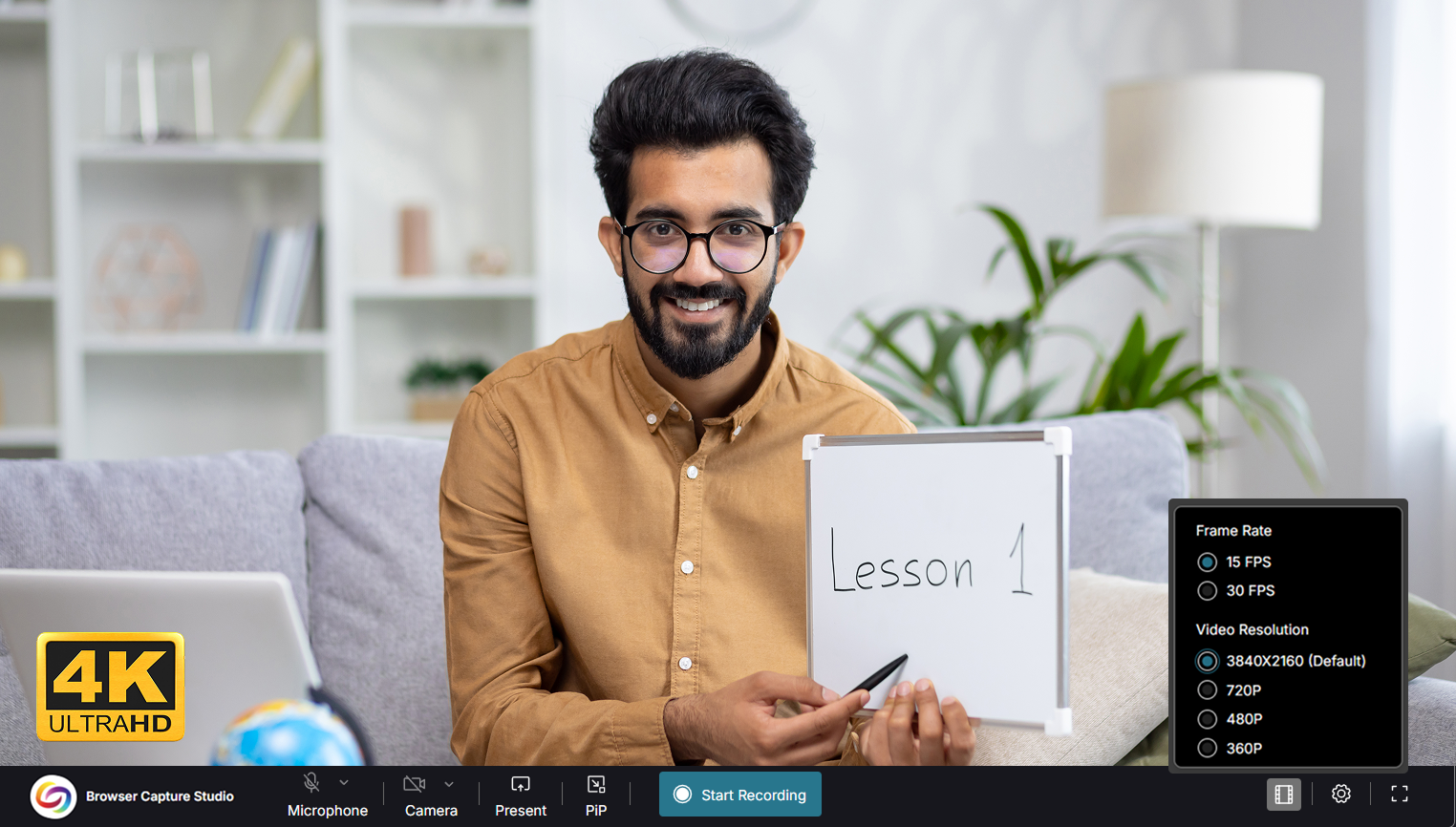
Record Every Detail With 4K Browser Capture
YuJa Lumina Browser Capture now offers recording up to 4K with a supported camera stream. With four times the resolution of 1080p, 4K offers Ultra High Definition (UHD) image clarity to viewers and provides more flexibility during video editing without sacrificing the quality of video clips.
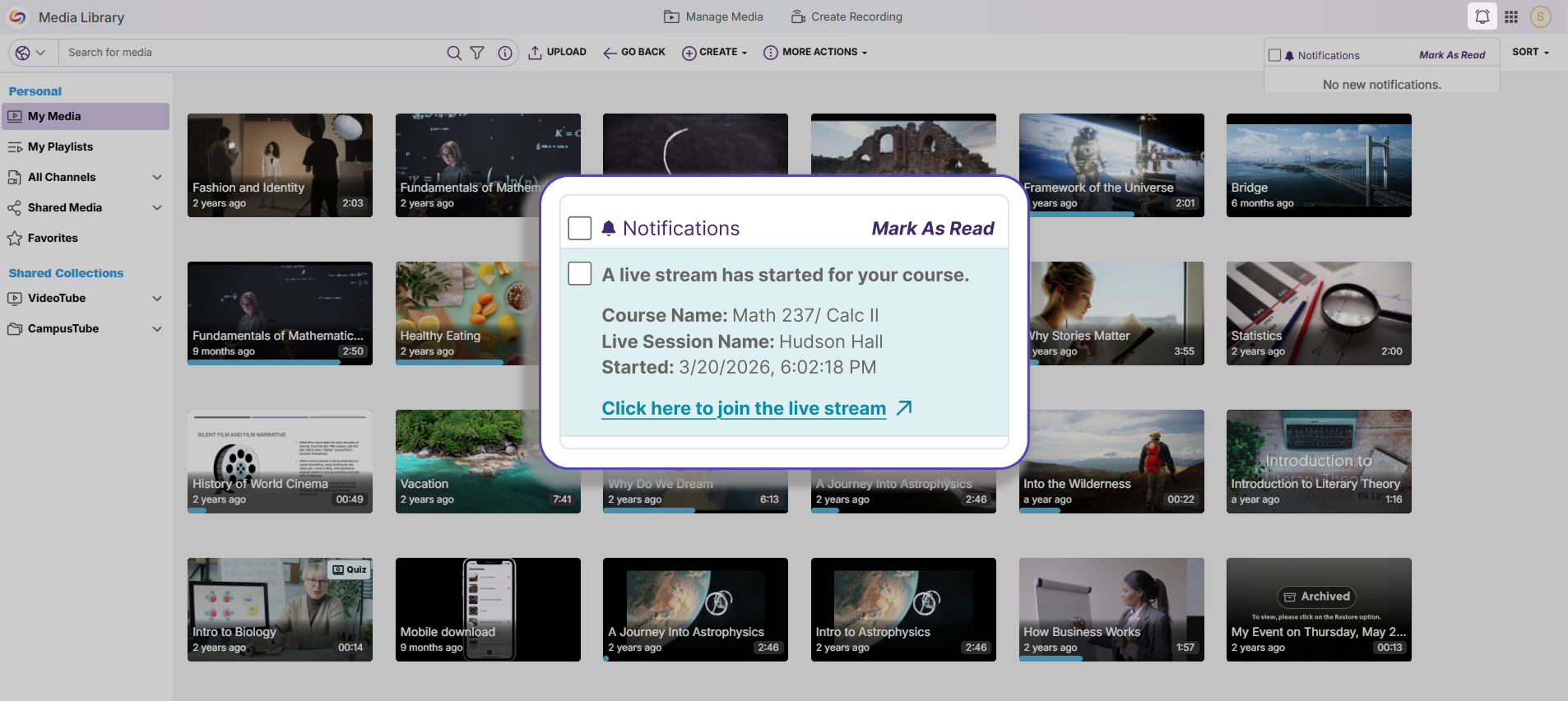
Keep Up With Live Streams Using Notifications
Class members are now notified via email and via a message in their Notifications Tab whenever a live stream has started, helping them keep track of scheduled streams and attending them on time.
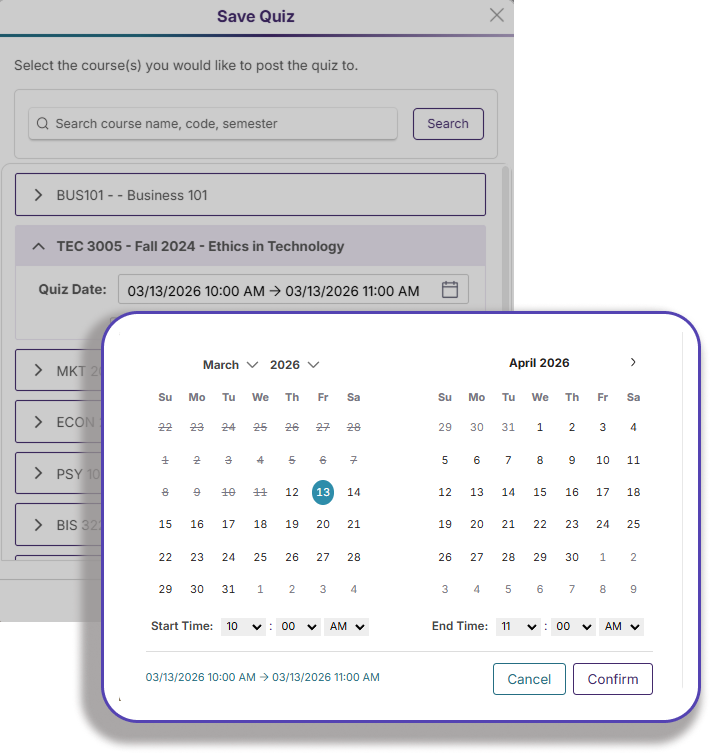
Regulate Student Submissions With Specific Quiz Closing Times
Instructors can now choose to set specific times for quizzes to close in YuJa Lumina, further mimicking a real-life classroom schedule and encouraging students to complete their assessments within a designated time frame.
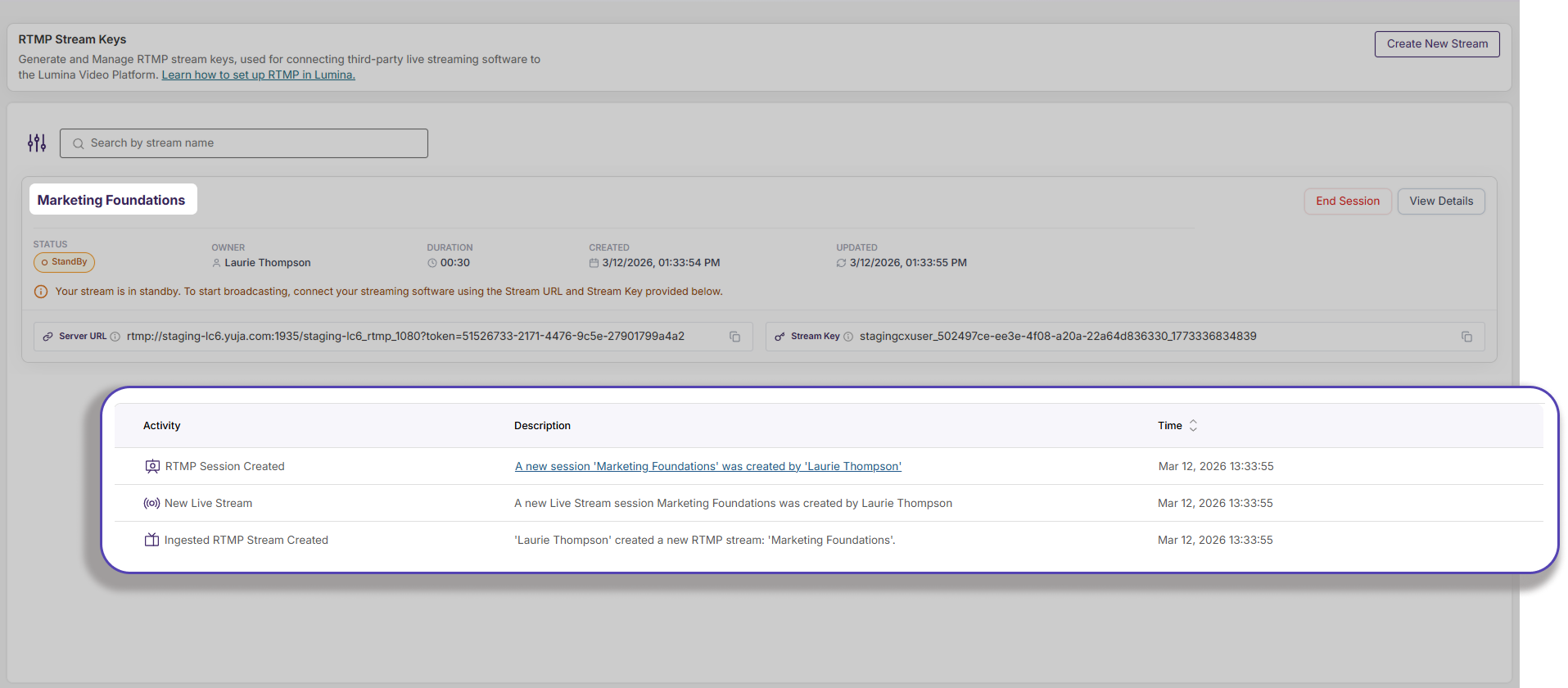
New Audit Logs for Live Streams Provide Additional Transparency
Audit logs have been added to a live stream session, documenting comprehensive details on stream sessions that provide essential information to instructors. The following logs are now available:
Stream session started successfully/unsuccessfully
Stream session waiting for video input
Stream session in progress
Stream session ended successfully
Stream session video uploaded
Over the next few weeks, the YuJa EqualGround Accessibility Governance Platform will be adding new features that alert users of accessibility issues as they are developing the website, allow users to exclude certain webpages from being scanned, and so much more. This release will also feature several interface updates and consolidations that simplify the user experience and provide better readability and usability for users.
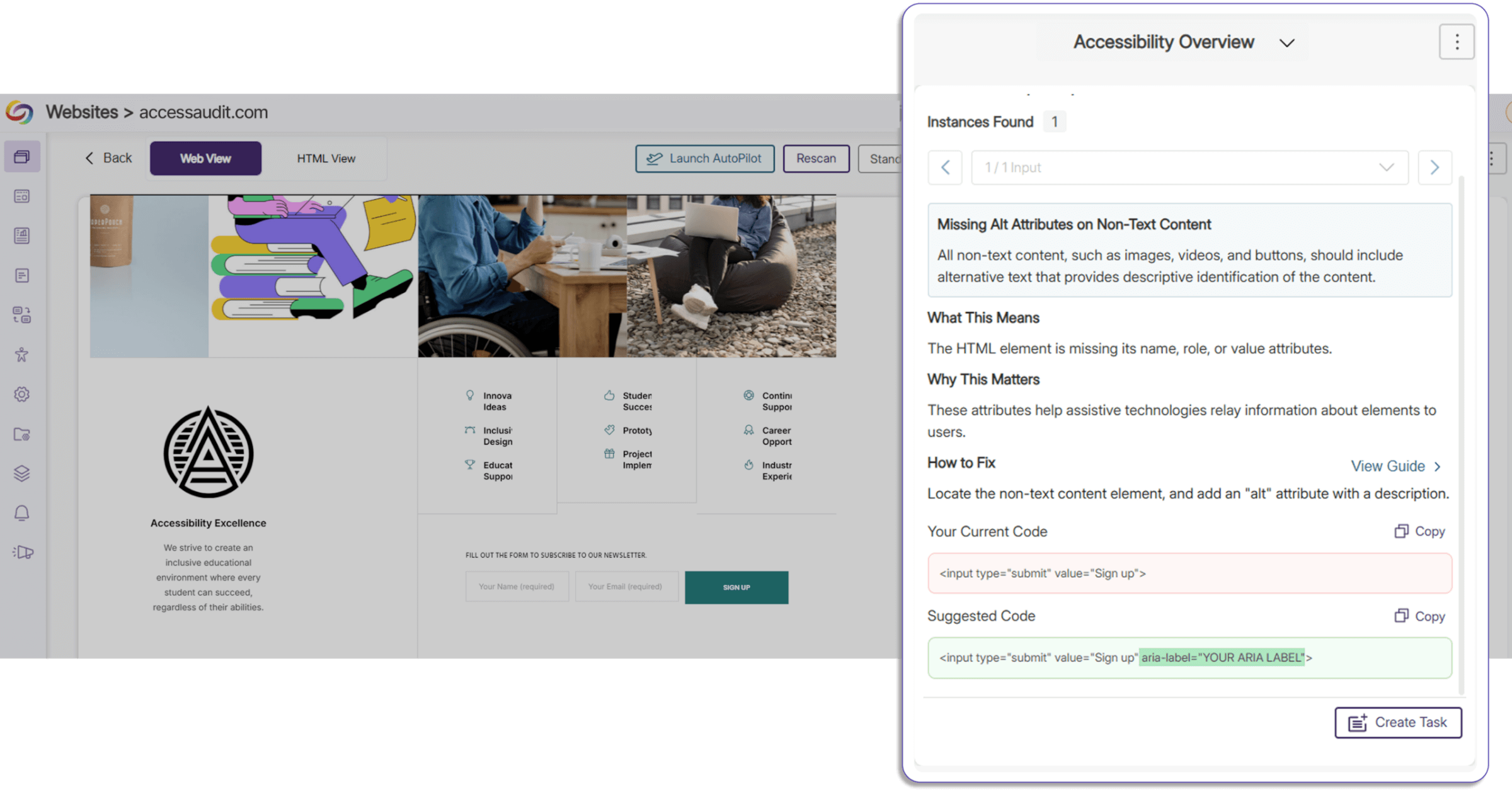
Implement Code Best Practices Using Proposed Fixes
Proposed fixes for improper code structure, incorrect code elements, and accessibility issues have been added to the Accessibility Report. Users now have a clear overview of improper code segments and the option to directly copy and paste proposed fixes, saving time on manual remediation while ensuring that your website has correct semantic structure and best practices.
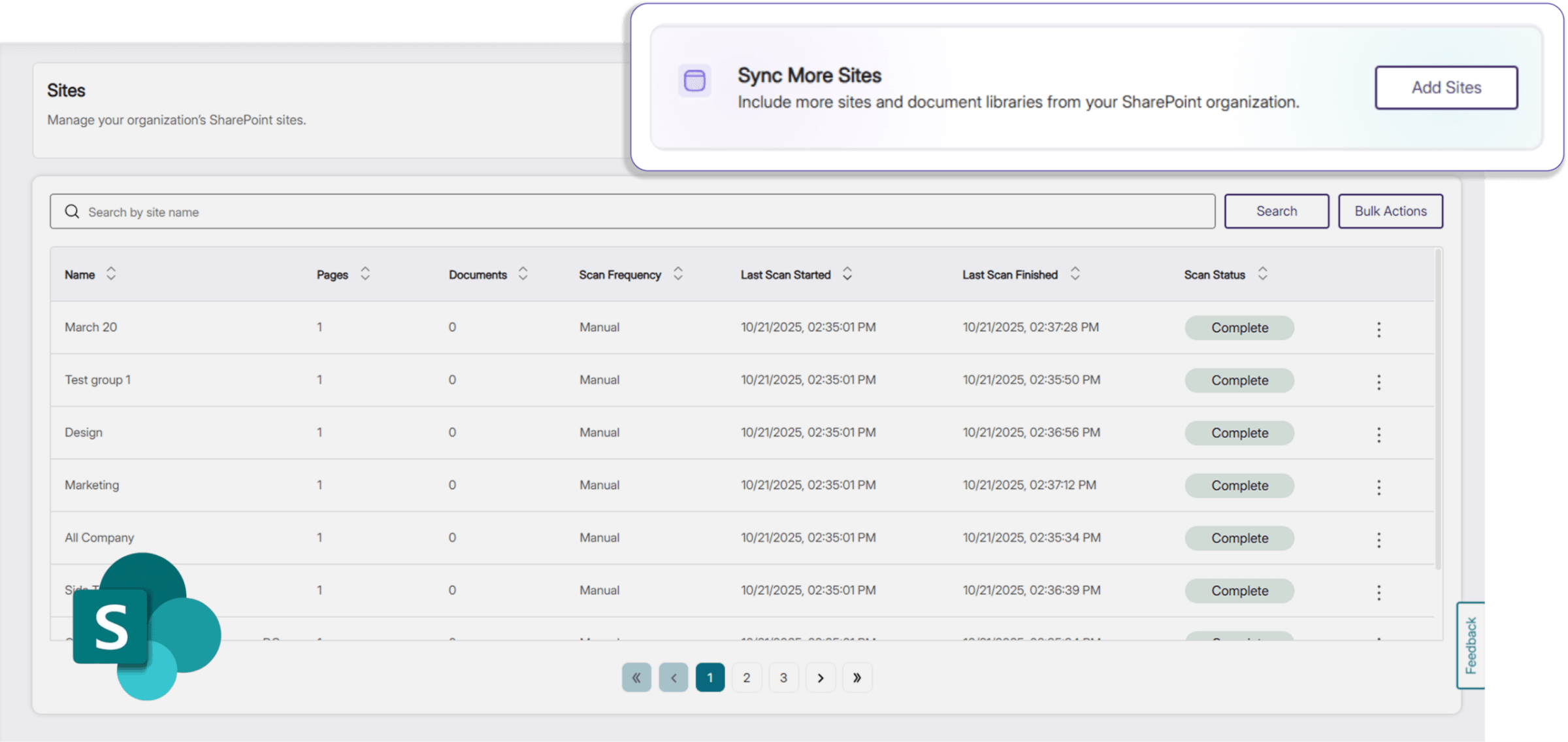
Add Sites in Bulk from SharePoint Directly in YuJa EqualGround
Users can now add and sync additional sites and documents from their SharePoint organization in EqualGround. In addition to a simplified workflow, SharePoint sites are now differentiated from the rest of the user’s sites in their website overview, introducing better visibility and management of their integrations.
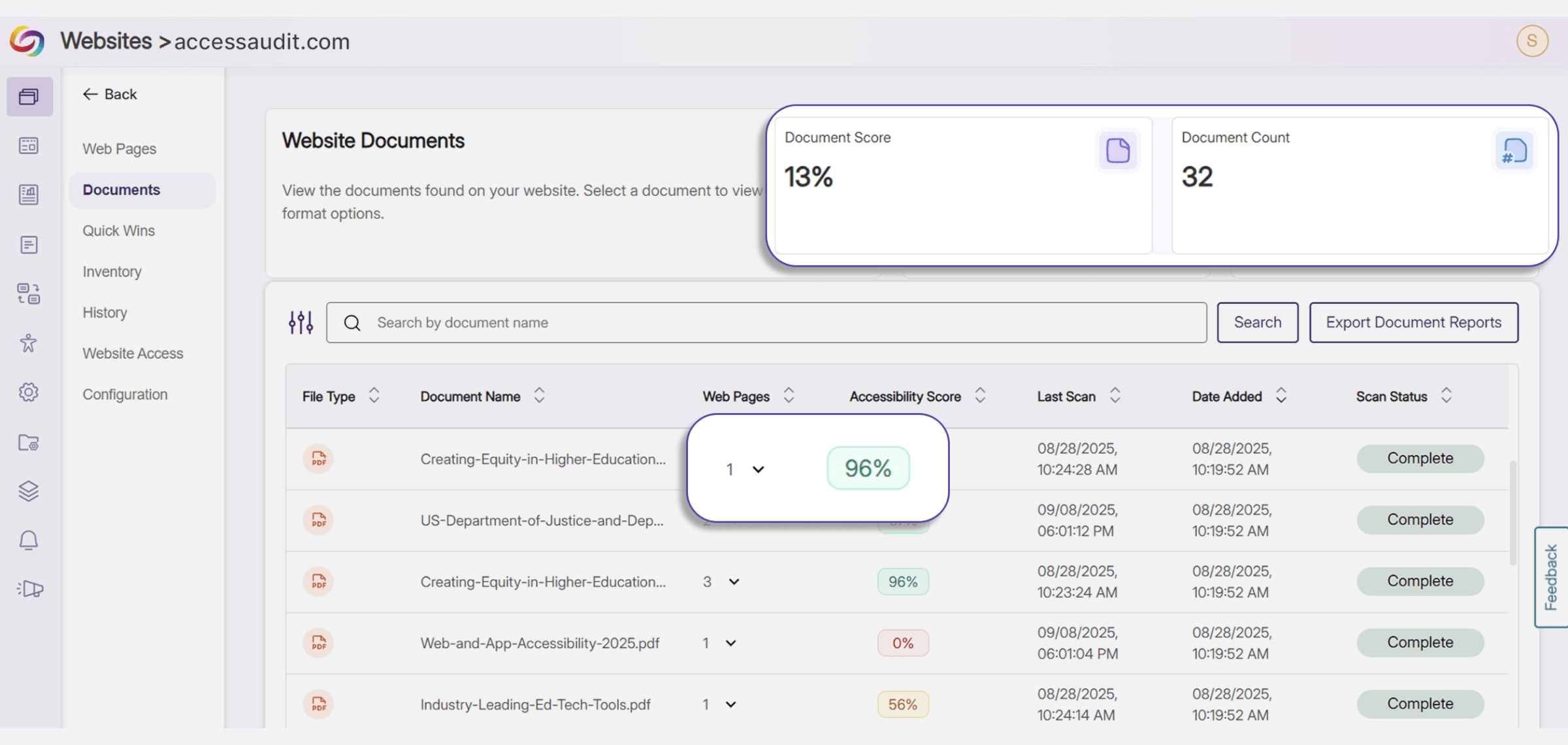
Track Document Deployment Across Web Pages
In the Document Tab, users can now see the total number of instances that a certain document is embedded in all their websites, and the particular website URLs that currently display the document. This provides more visibility for users to better manage and keep track of their documents, and allows them to have a reference of how the accessibility of their documents impacts the overall accessibility score of the webpage that they are embedded on.
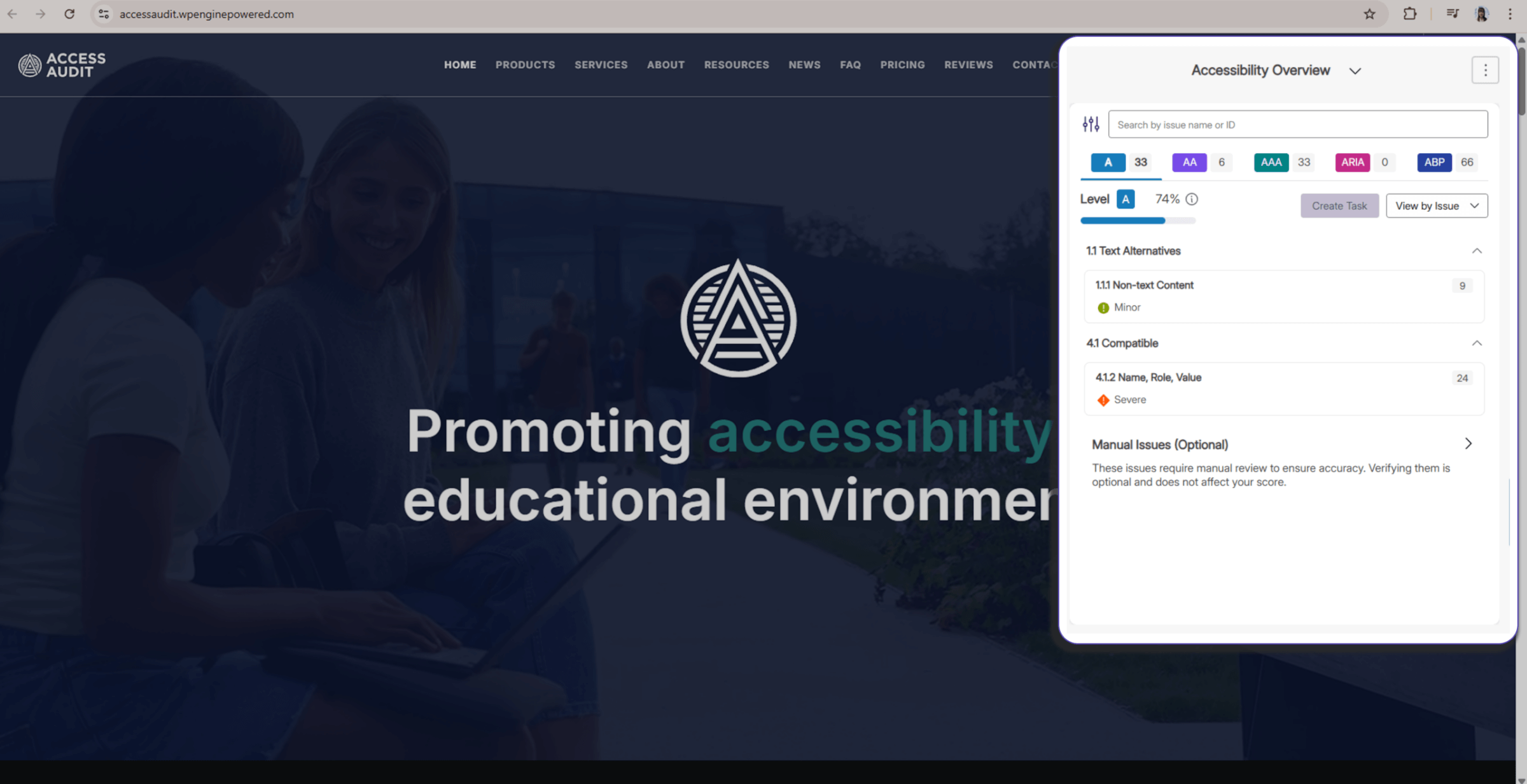
Improved Accessibility Report Experience Across EqualGround Portal and Web Extension
The EqualGround Accessibility Report UI is now consistent between the YuJa EqualGround portal and the YuJa EqualGround browser extension, providing users with a uniform workflow, better readability, and improved usability across web interfaces. The browser extension widget is also collapsible, allowing users to see highlighted elements on their page to make any adjustments with ease.
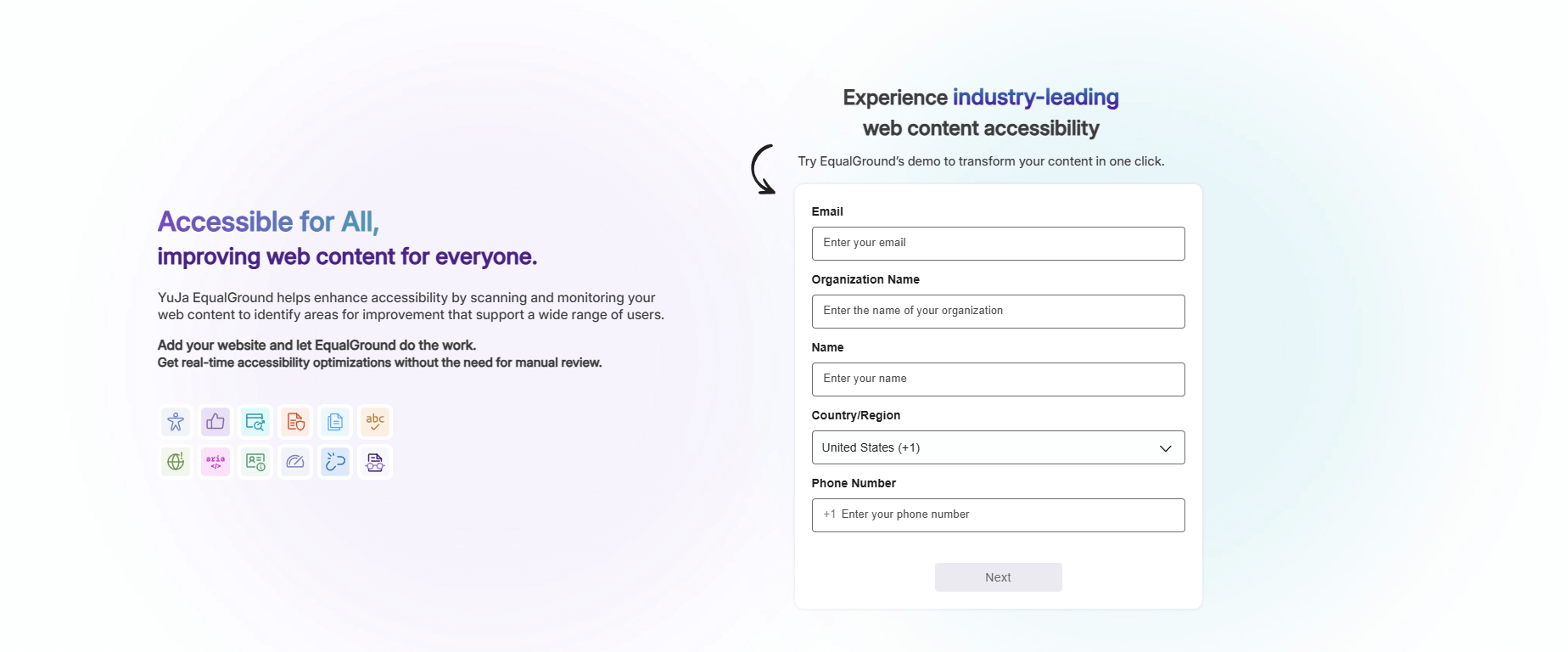
Experiment with EqualGround Capabilities for Free
A free trial of YuJa EqualGround is now available on the YuJa website. Users can test EqualGround’s wide range of scanning and remediation capabilities on their website, helping them select the right YuJa product for their own organizational needs and policies.
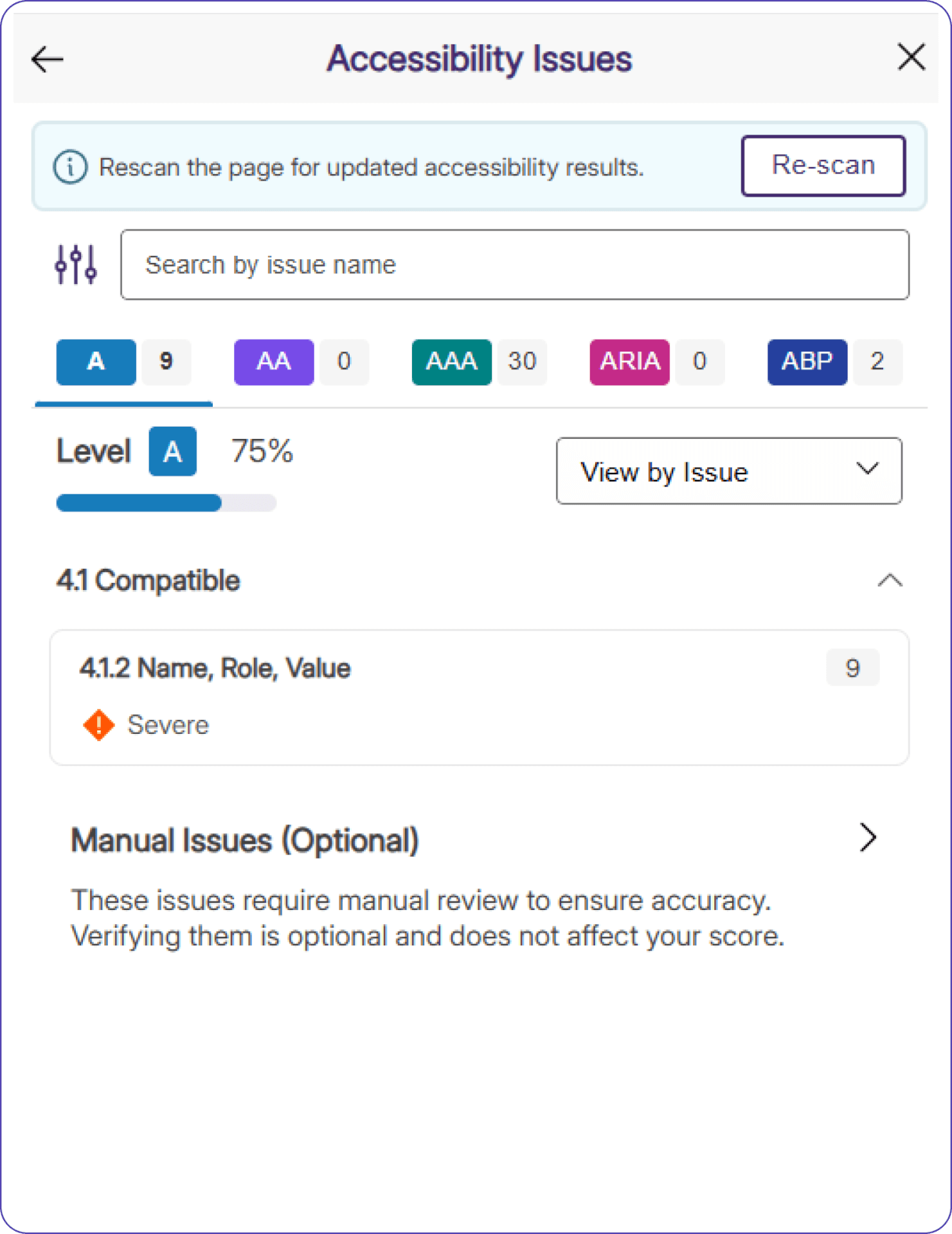
Assess Real-Time Accessibility Improvements Using the YuJa EqualGround Accessibility Widget
A Re-Scan button has been added to the YuJa EqualGround Accessibility Widget, allowing users to see updated results immediately after they make changes to their website using Element Inspector. Users no longer need to refresh the page to see updated accessibility scores, and can directly assess how their changes impact the accessibility of their webpage in real-time.
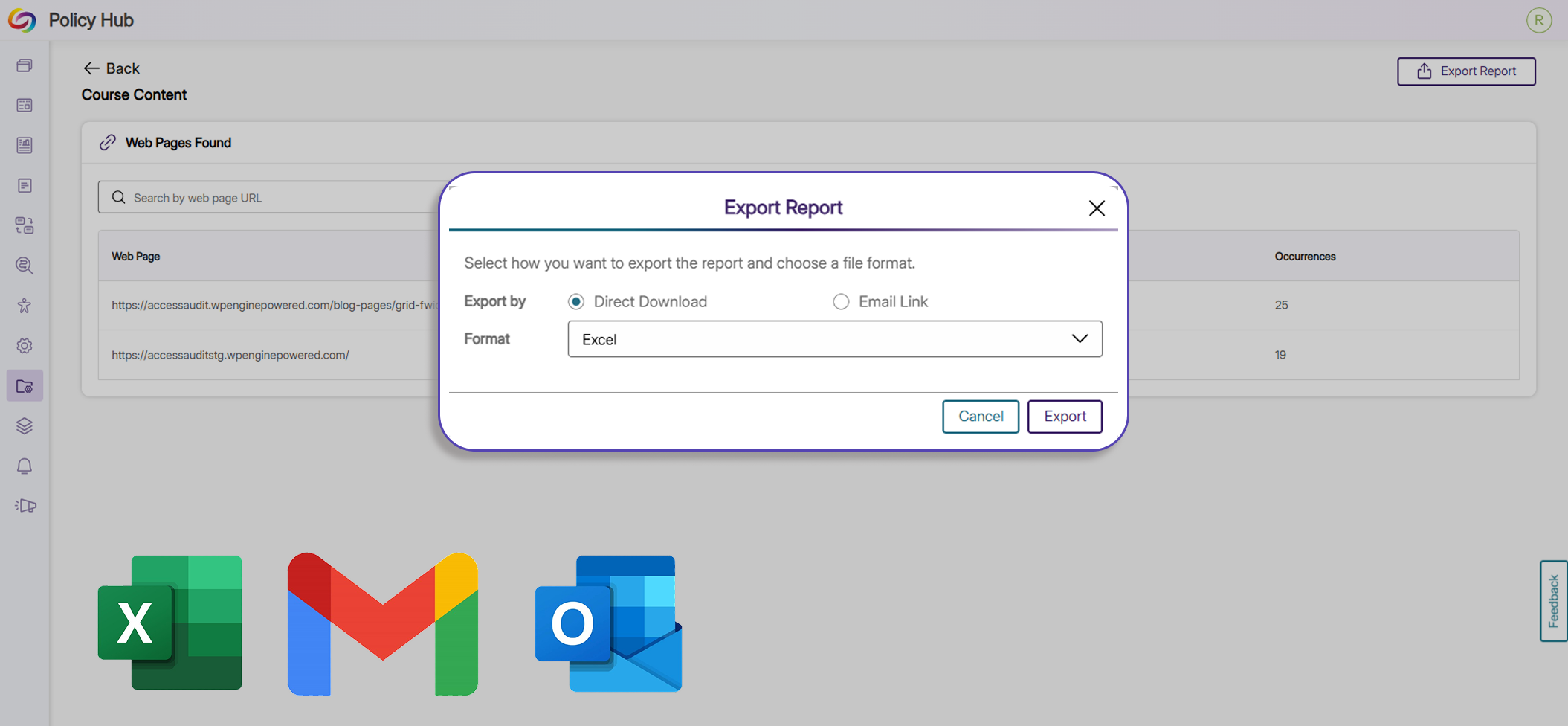
Export Policy Matches to Excel and Email
Users can now export reports for policy matches to XLSX and email for data analysis, future reporting, and record keeping. With this added functionality, users have more flexibility, governance, and control over their data and policies.
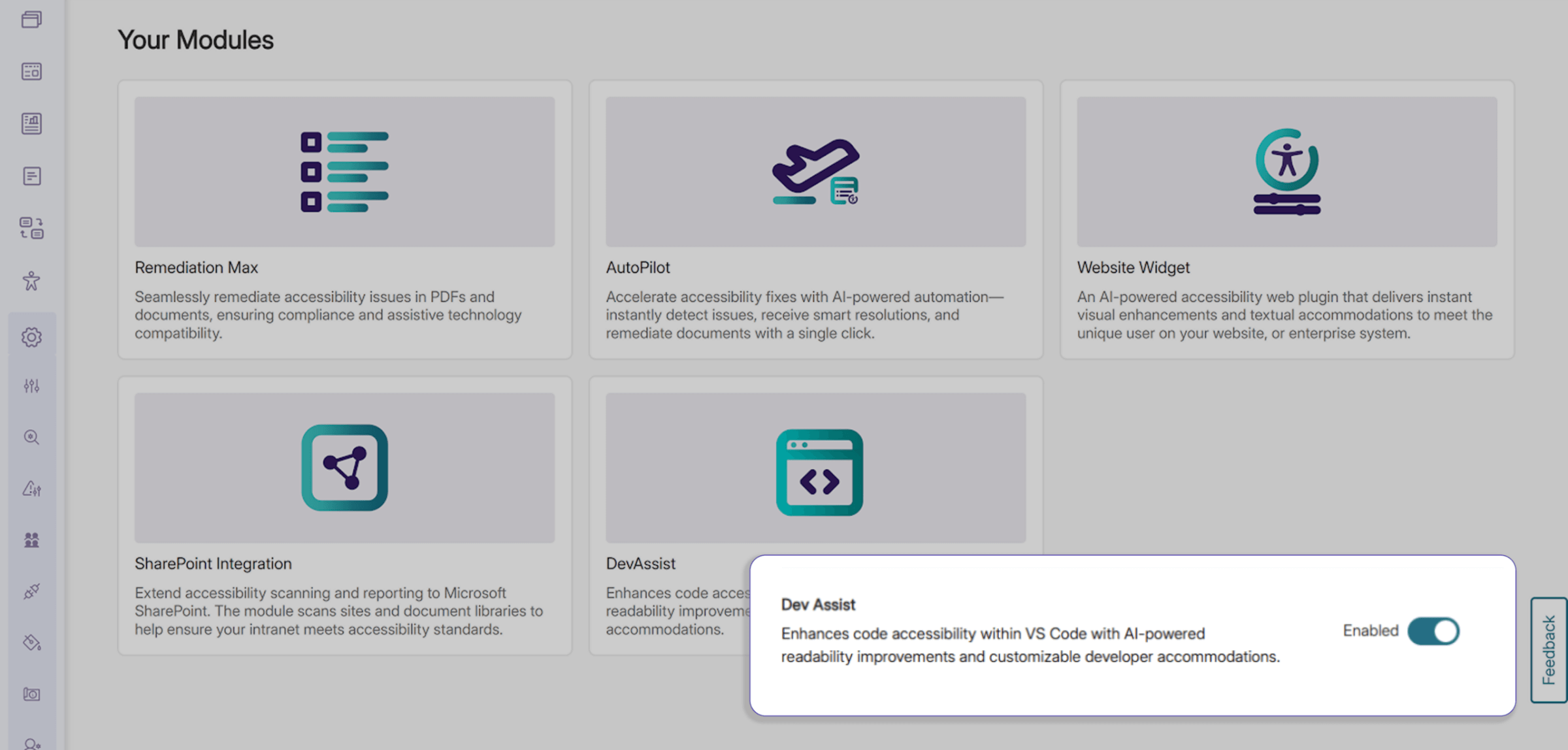
Browse All Modules In a Consolidated Marketplace Menu
Explore available and enabled add-on modules in EqualGround using a new consolidated menu in the Modules tab. Users can browse a wide range of optional features directly from this upgraded Marketplace without extra navigation away from or within the platform.
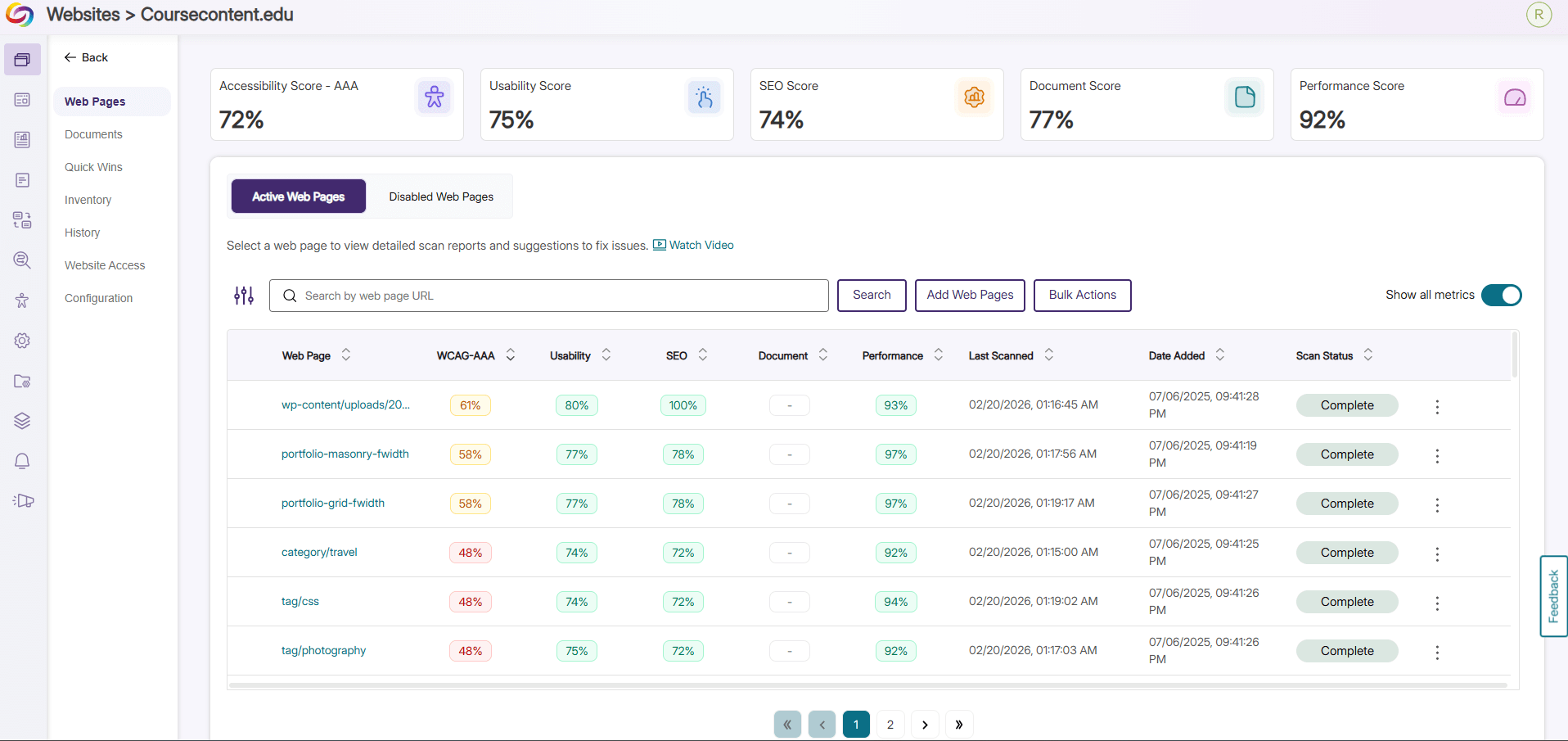
Get Instant Insight on Website Performance with New Color-Coded Percentage Analytics
The Web Pages tab has been revamped with a fresh, consolidated look, letting users see percentages of the accessibility compliance, SEO optimization, usability, and general performance of all their websites. Websites requiring attention are visually communicated to the user with color coded statistics so issues can be addressed directly and promptly.
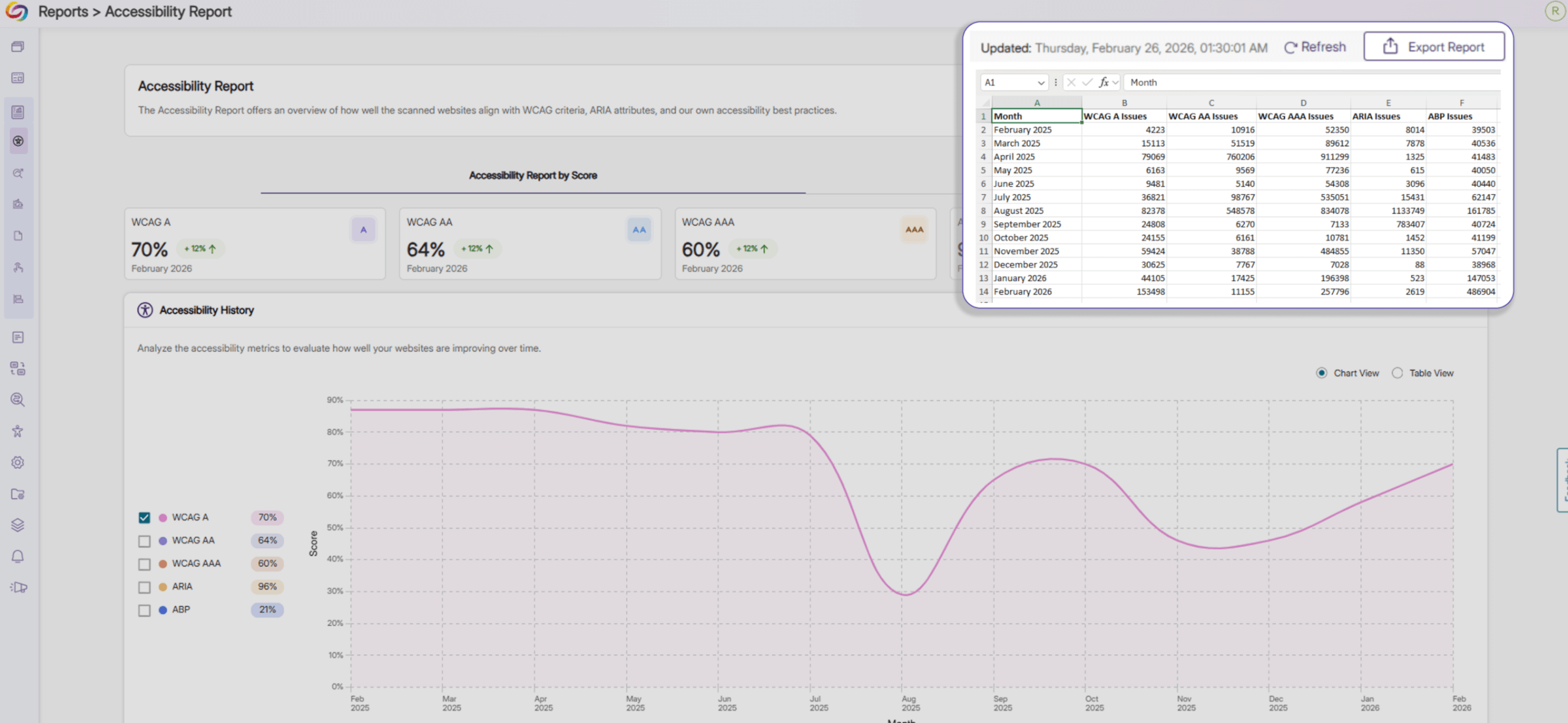
Analyze Your Webpage Using Expanded Insights in Exported Reports
Exported Accessibility Reports now include additional insights into the overall accessibility of your webpages. On top of providing an accessibility score for each accessibility compliance standard, the report now shows the total number of issues associated with each standard across your webpages in Excel, JSON, and CSV formats, helping you prioritize remediation efforts.
Join the 1,000+ Organizations Deploying High-Impact Solutions














