

Product Updates
Get the latest platform updates, features, and announcements—all in one place.
Boost Video Accessibility with the GenAI Video PowerPack!
Try Now
Supercharge Your Compliance Efforts with AutoPilot Remediation Max!
Try Now
Strengthen Your PDF Accessibility Efforts with Structural Remediation Max!
Try Now
Don't Miss Any of Our Upcoming Webinars—Save Your Spot!
Register
The YuJa Community is here! Connect, get updates, and access exclusive content.
Join Now

Get the latest platform updates, features, and announcements—all in one place.
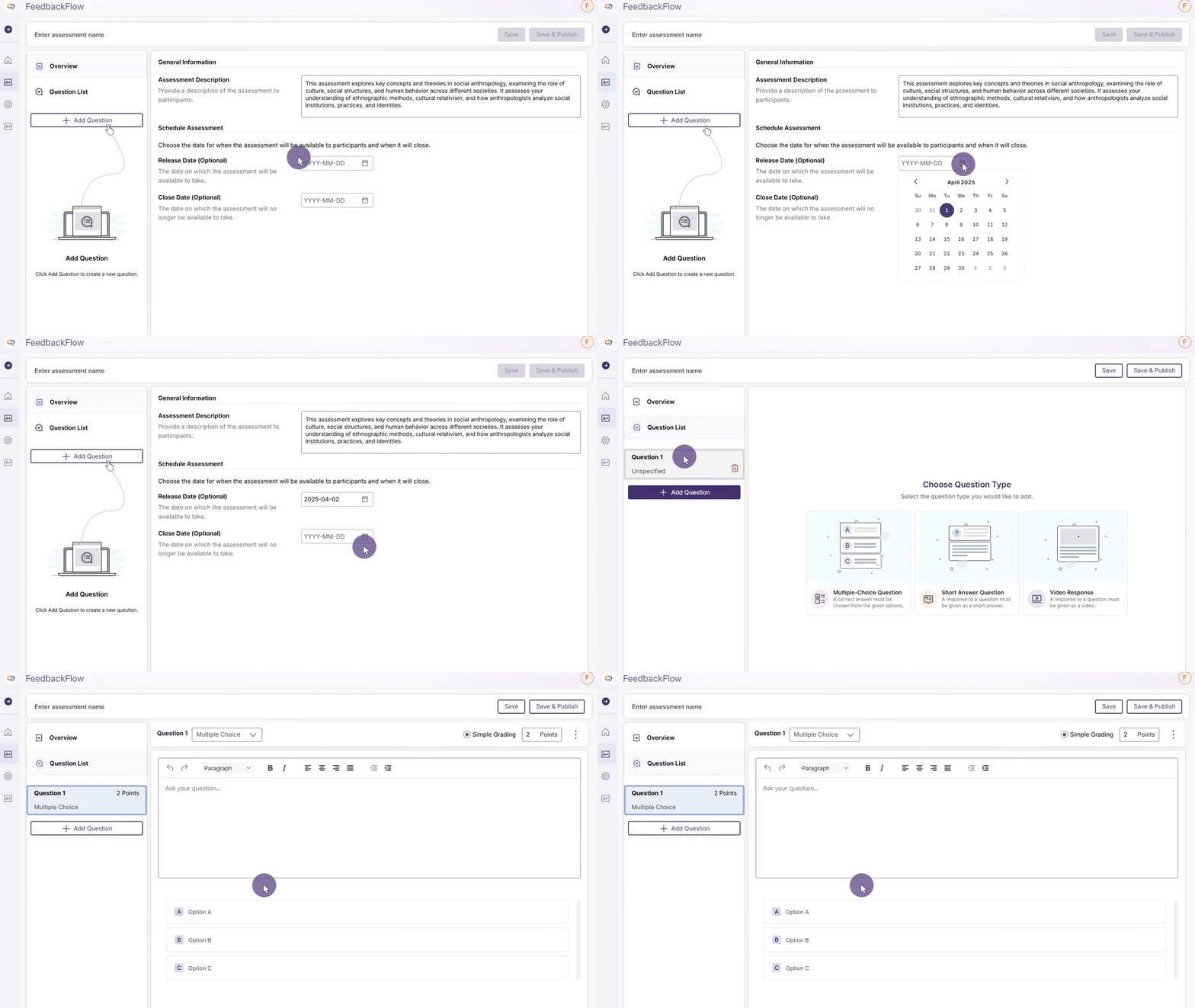
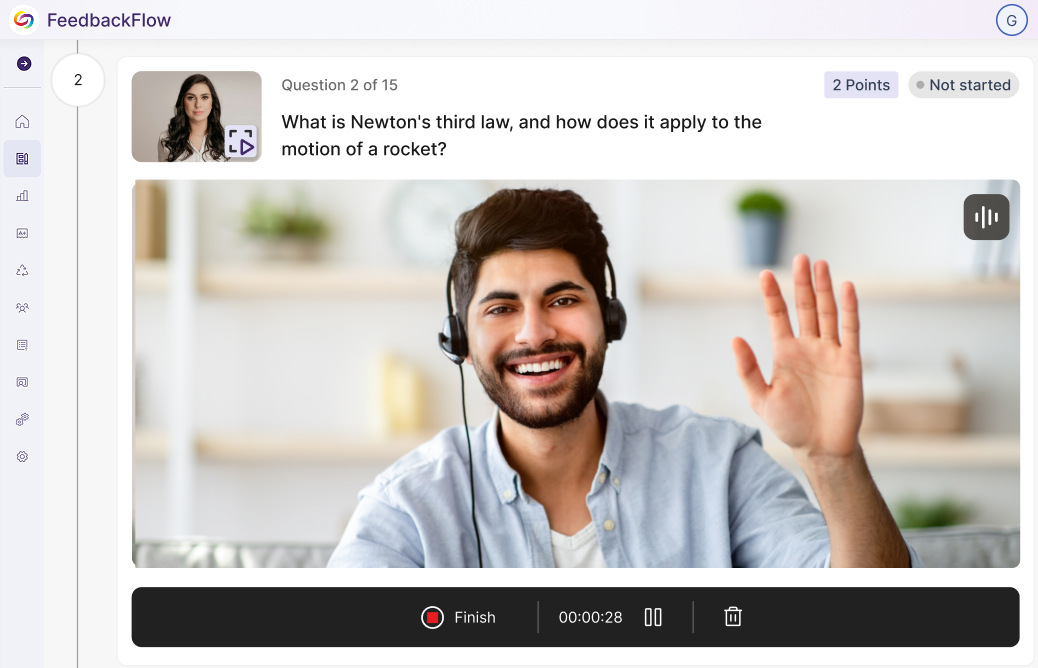
We have successfully pushed an update to all YuJa FeedbackFlow Assessment Platform instances residing in the US, Canada, Australia, and the European Union. This update includes simplified assessment creation to streamline navigation, improved grading-method creation, and a new split-screen assessment interface.

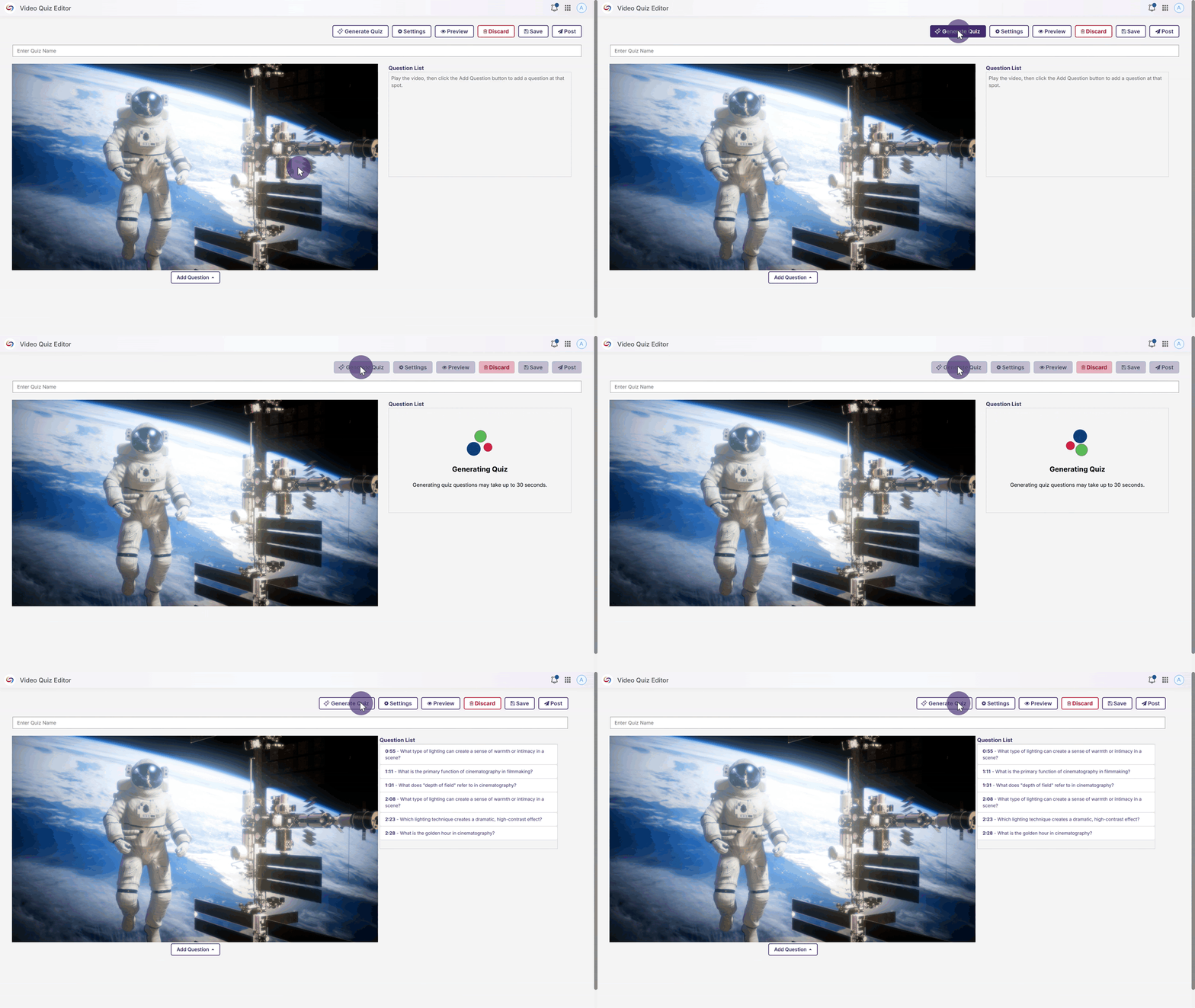
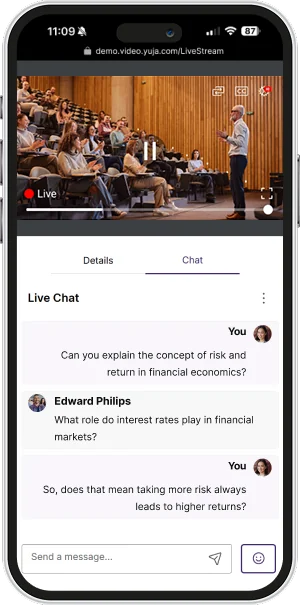
This week, we’re rolling out a major product update across all YuJa Lumina Video Platform instances. This update includes a modernized live-stream player with improved RTMP streaming, new master course and blueprint course quiz-copying functionality, a refined Analytics Bandwidth visuals, and so much more.
We’ve redesigned our Live Stream Player with a React-based architecture, featuring a modernized interface that enhances functionality and user experience, including stable video delivery, pause and rewind functionality, and improved captioning support.

Other updates include:
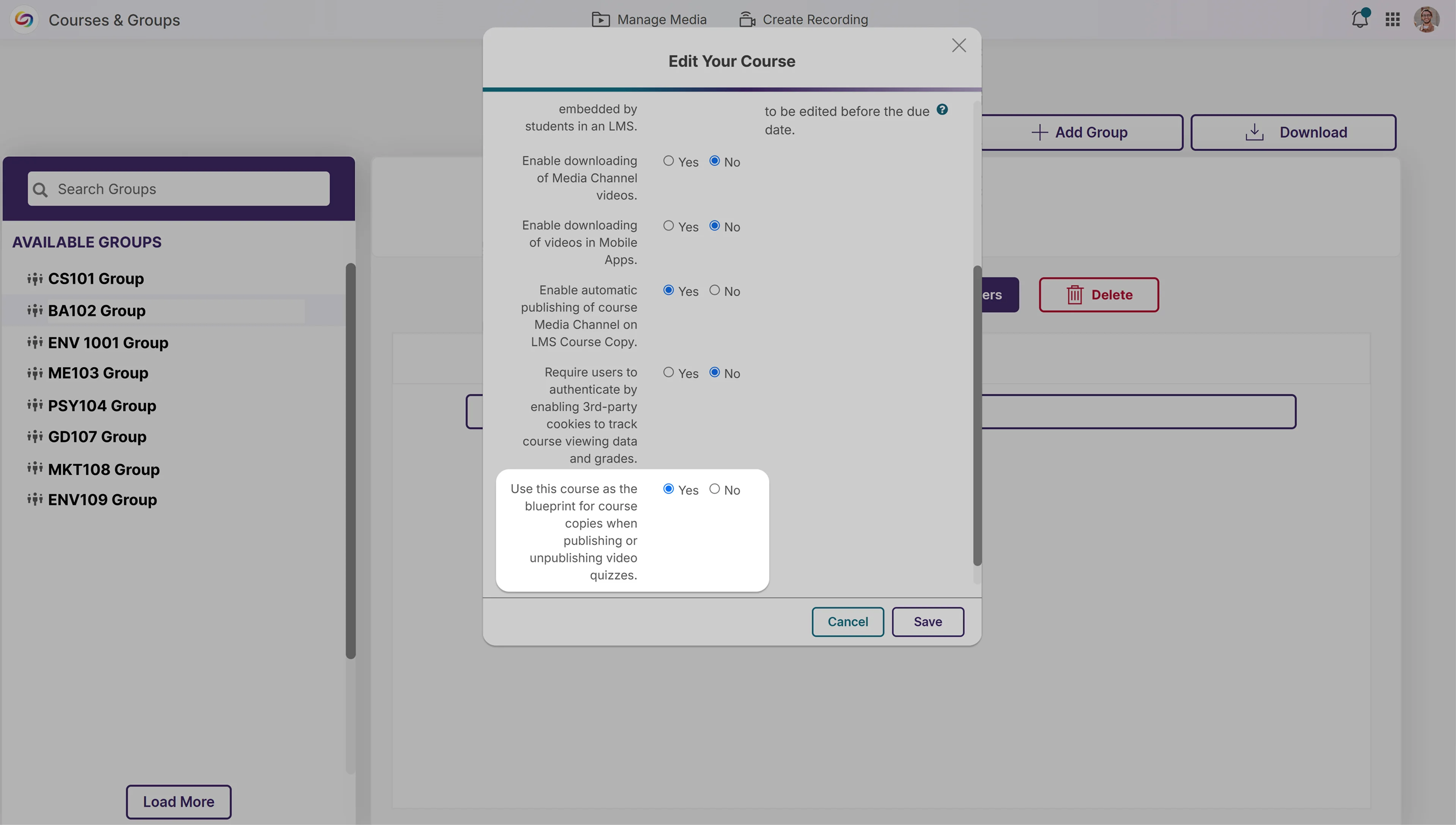
We’ve introduced a new blueprint course functionality that automatically publishes quizzes across copied courses. When enabled, a master, or “blueprint” course, serves as the blueprint for all linked courses, automatically adding quizzes to all copied courses. This eliminates manual republishing when updating content. The feature works with all quiz publishing methods and also applies when unpublishing content.
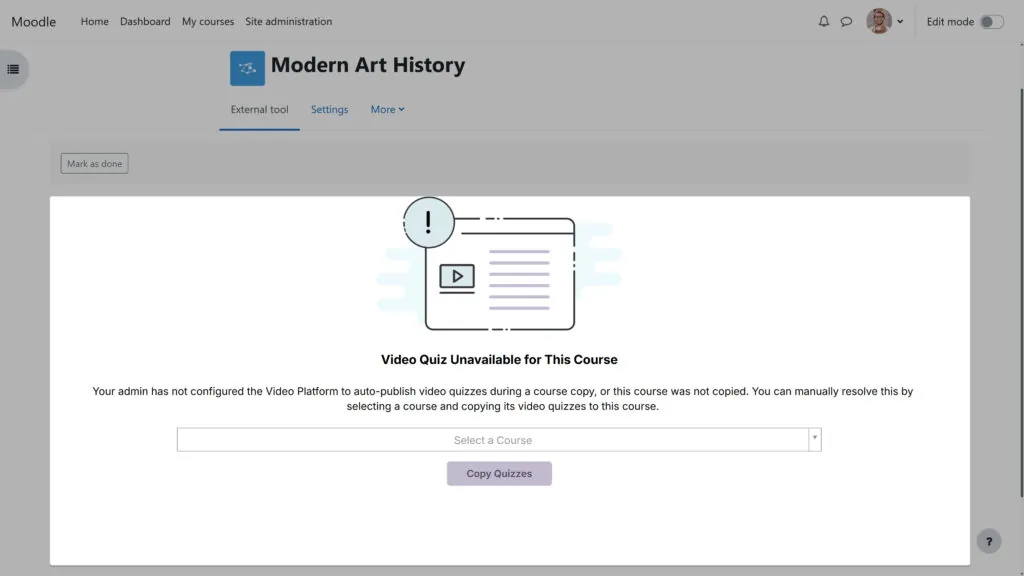
We’ve improved the error messaging for video quiz course copies to provide clearer guidance when issues transpire. Users now get specific information about why a quiz failed to copy and help troubleshoot problems that occur.
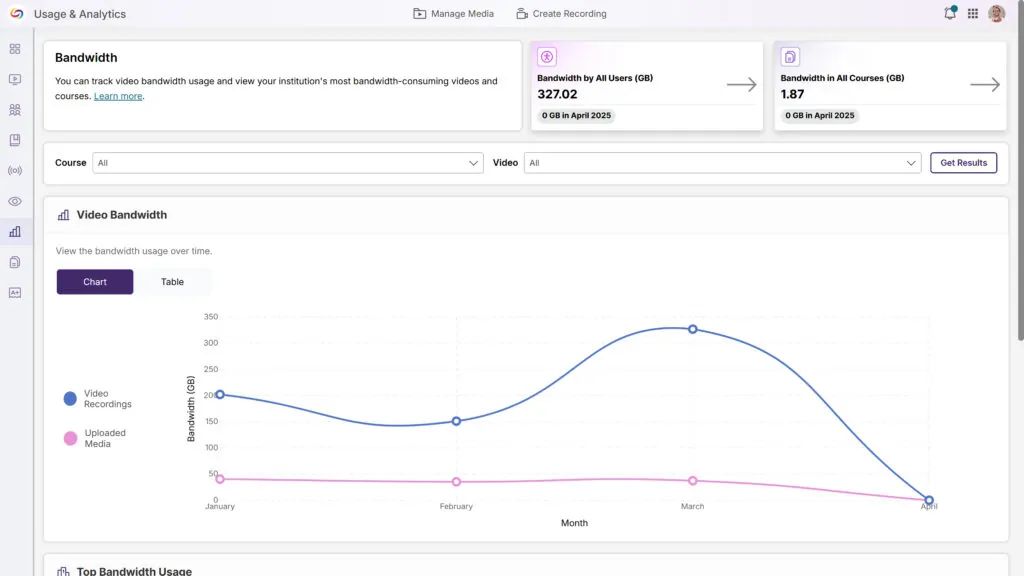
We’ve updated the Analytics Bandwidth tab with a modern interface featuring an enhanced color palette, improved data visualization, and a more intuitive layout. The redesign delivers a cleaner, more accessible experience while maintaining all the robust tracking capabilities you rely on to monitor bandwidth usage across your organization.
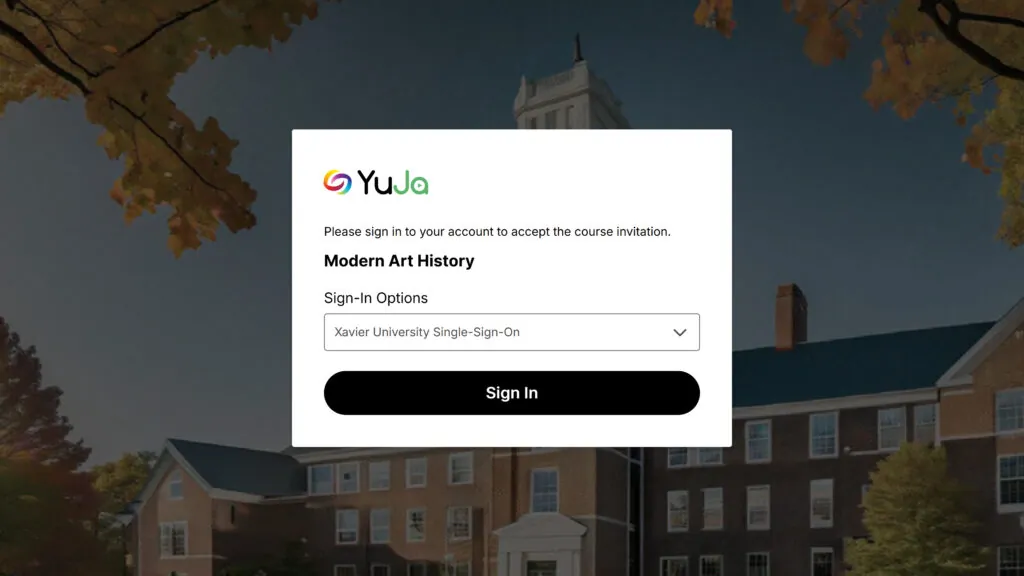
When users are invited to a course via email, they’ll see a redesigned and simplified user interface. When they click the link, they’ll be automatically added to the course.
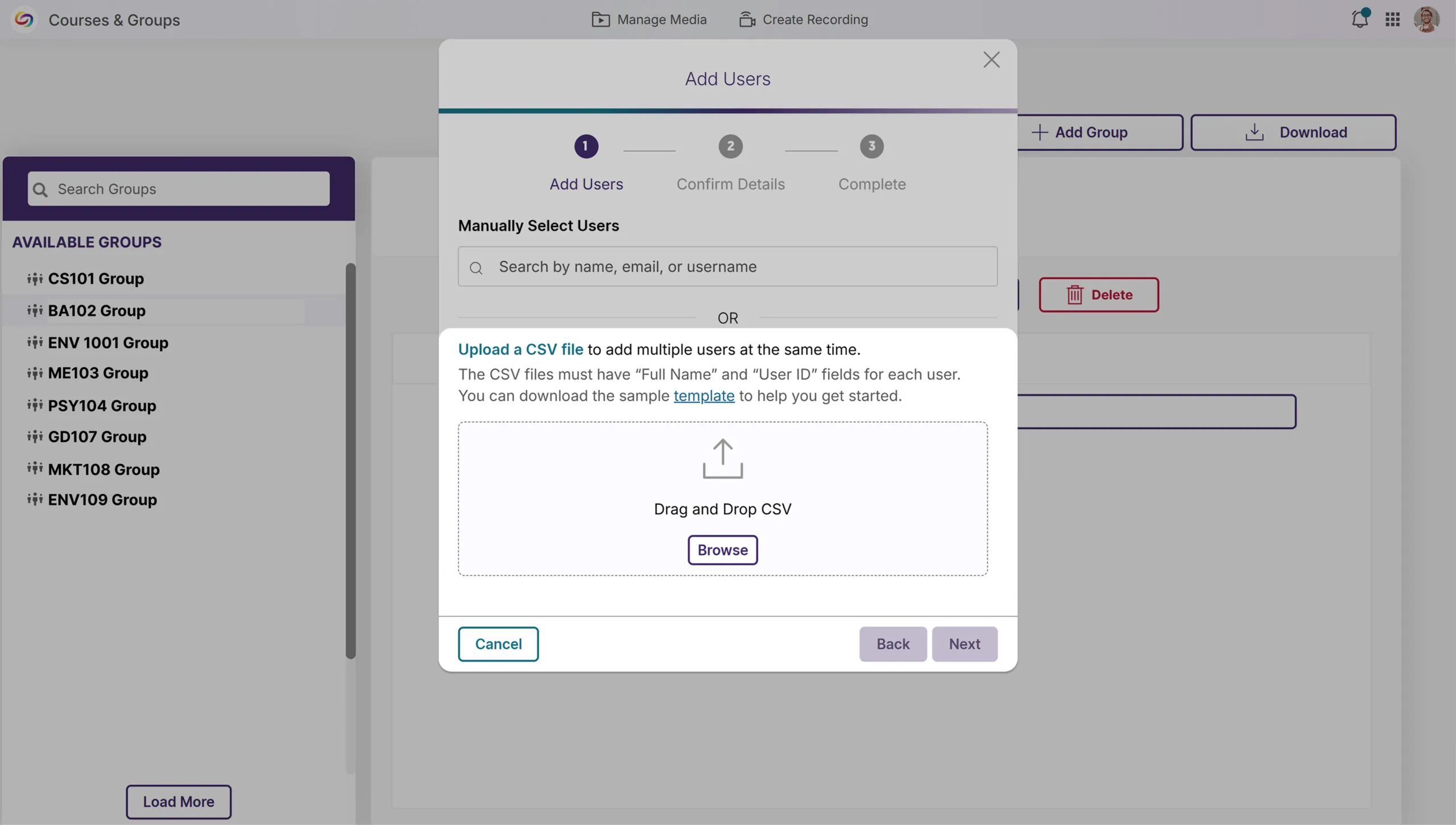
We’ve enhanced Groups management with a new bulk user upload feature, allowing administrators to add multiple users to Groups via CSV file upload. This time-saving functionality mirrors our existing Course Channels workflow, eliminating the need for manual user addition and streamlining permission management for departmental shared folders across your organization.
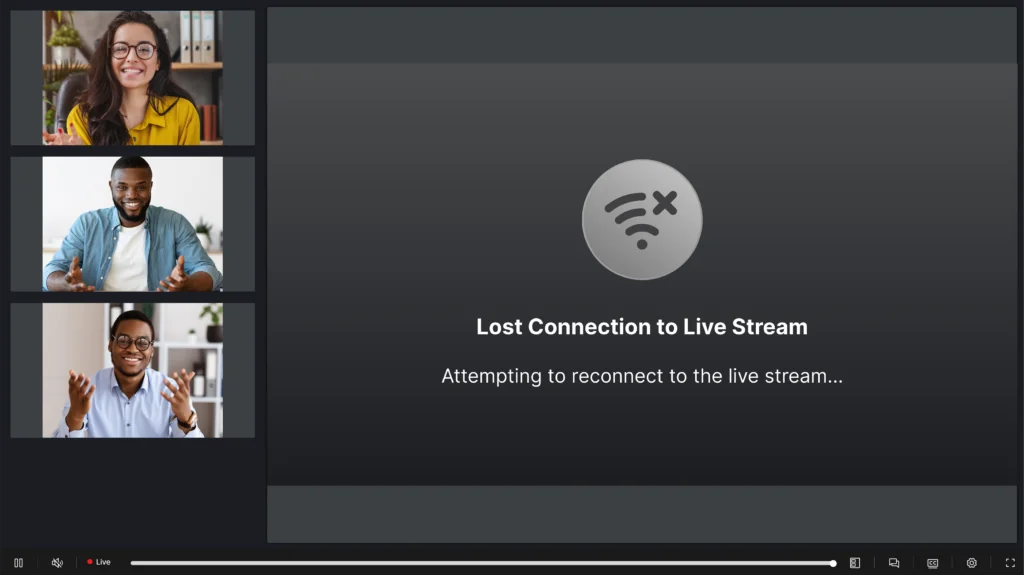
We’ve improved the live-streaming experience with intelligent connection management that maintains stream continuity during network interruptions. When a connection is lost, viewers now see a “Connection lost” notification while the system attempts reconnection. The system automatically resumes the stream if the connection is restored or removes the notification if the interruption persists.
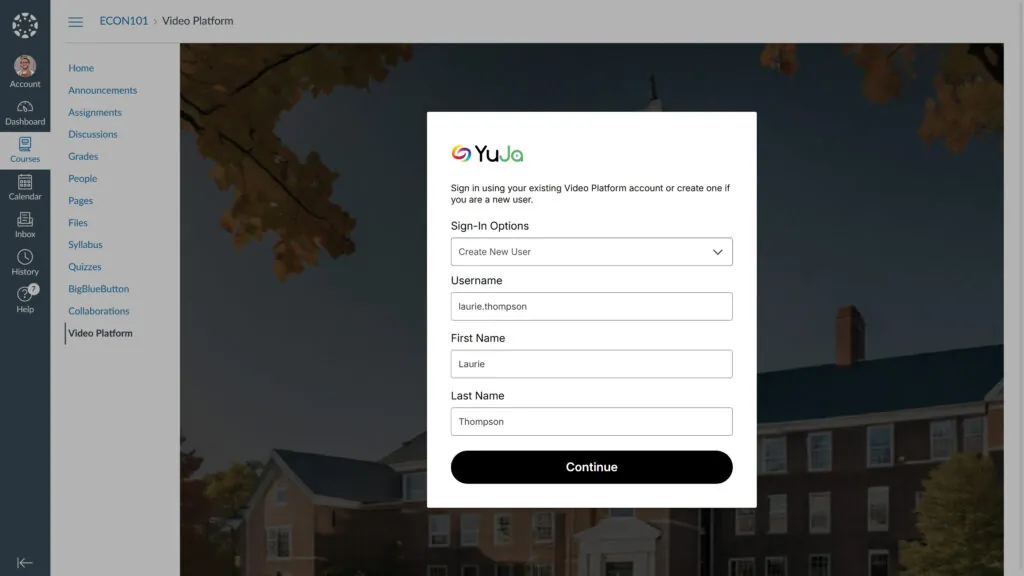
We’ve modernized the manual user provisioning UI in the LMS with a new, more aesthetic page design. The revamped interface enhances the user experience for “Create New User” and “Use Existing Account” workflows while adding multi-factor authenticator validation for existing accounts with MFA enabled.
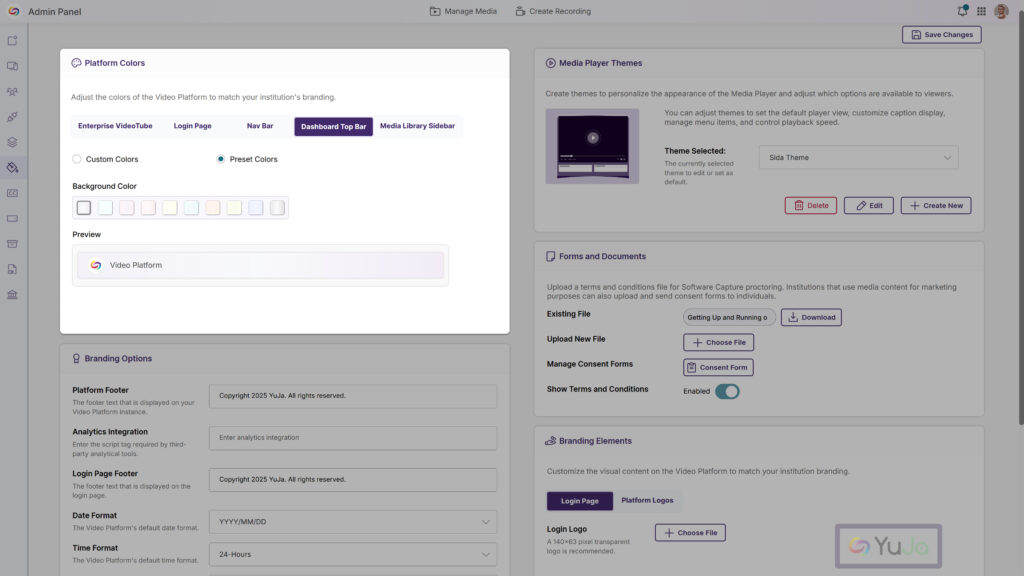
The platform’s top bar can now be customized through the Admin Panel’s Branding settings, including by personalizing background and text color combinations to align with your institution’s branding.
We have successfully pushed an update to all YuJa EqualGround Accessibility Governance Platform instances residing in the US, Canada, Australia, and the European Union. The release introduces an option to assign teams to manage specific page groups, an intuitive approach to start your website scan in minutes with our setup wizard, an option to scan and crawl multiple websites and page groups, and more.
Start Your Website Scan in Minutes With Our Setup Wizard
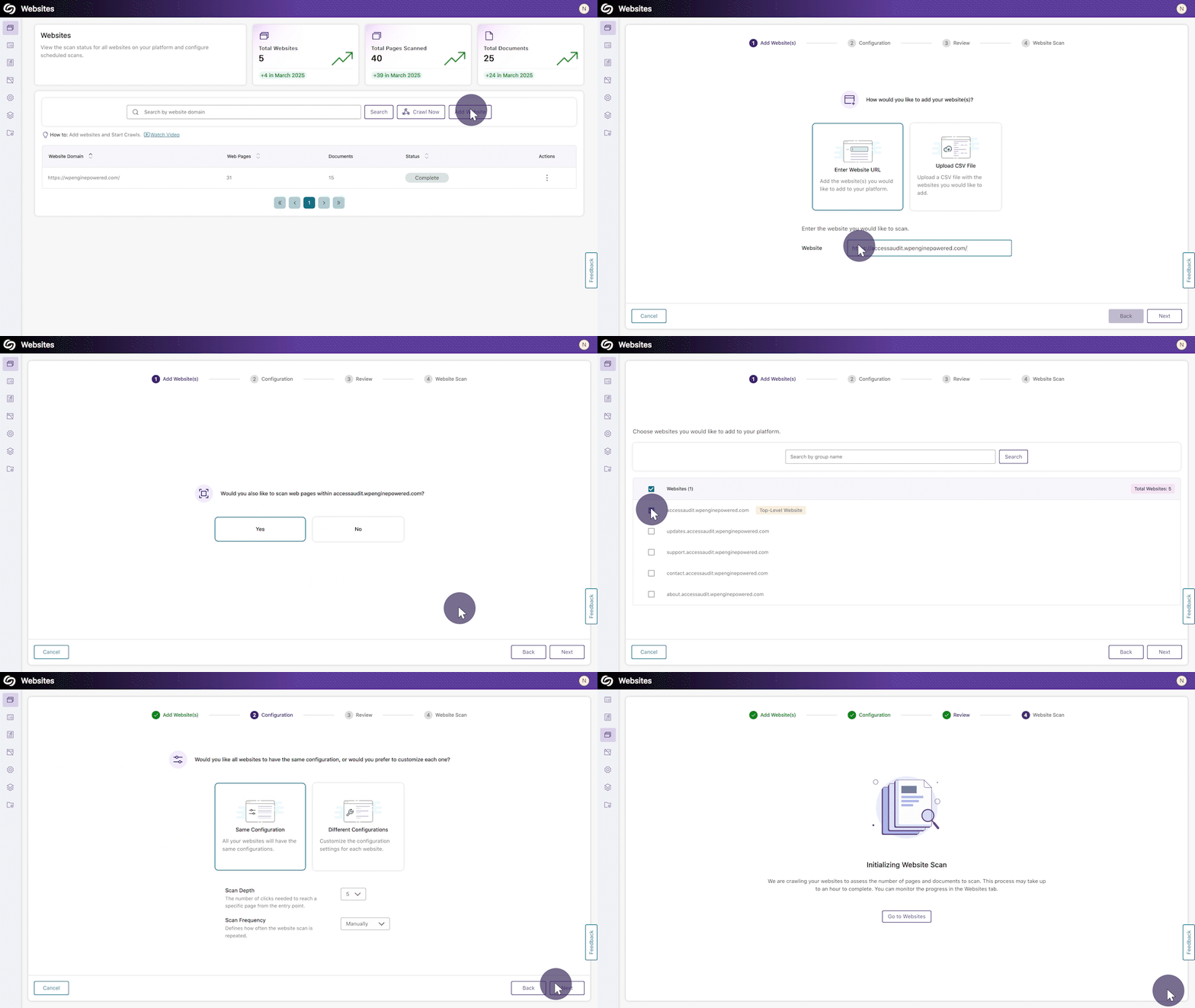
YuJa EqualGround now features an intuitive setup wizard that streamlines your website scanning experience, guiding you through every essential step in one centralized flow. Within four simple steps, you can add or bulk upload websites to the platform, configure the scan scope and frequency, and initiate a scan to detect accessibility issues across your web pages and documents.
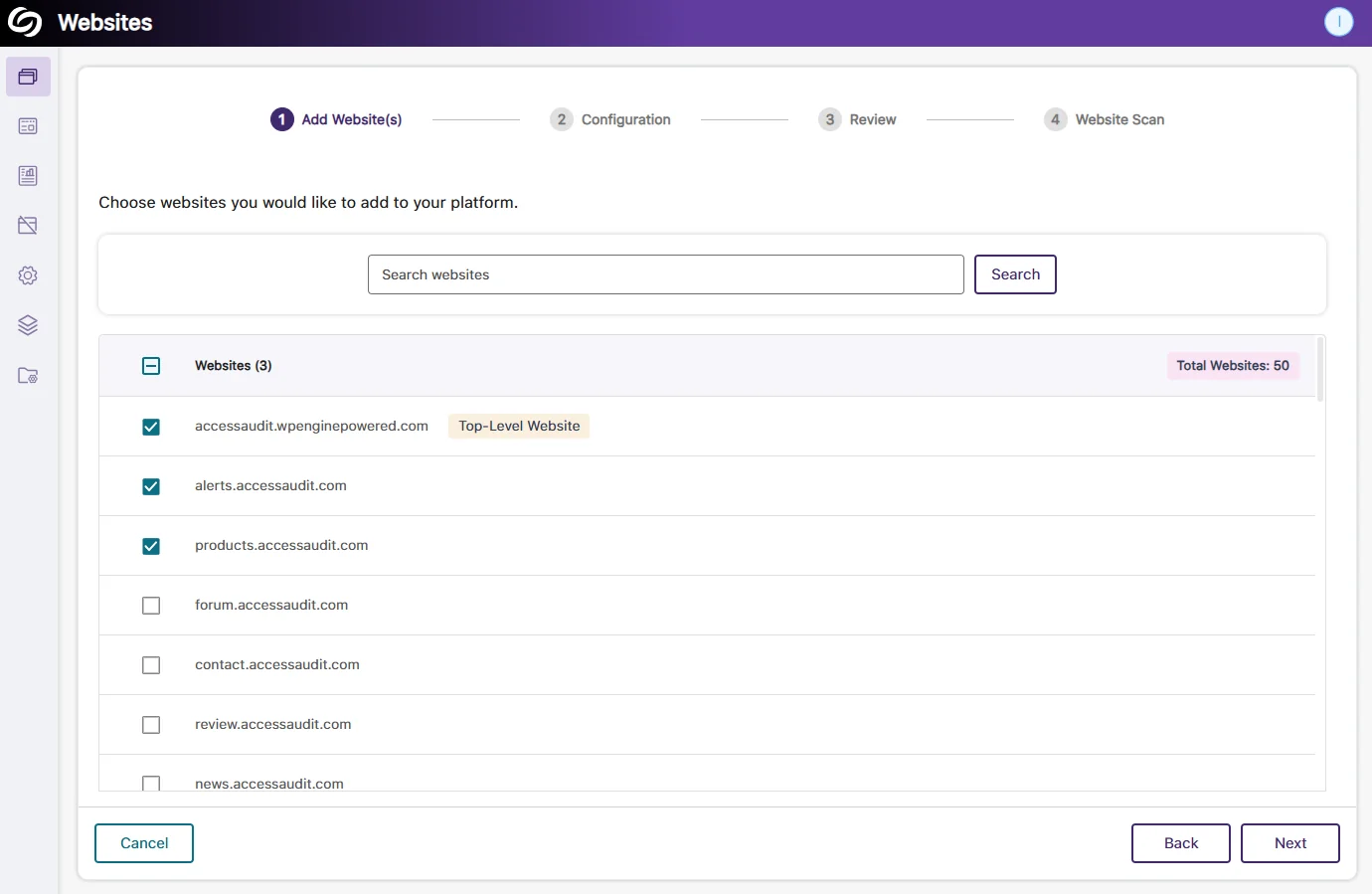
Website Scan Setup: Automatic Detection of All Websites Within the Top-Level Website
Organizations that manage hundreds of websites will no longer have to enter each URL manually. YuJa EqualGround will automatically detect all websites under your top-level website (domain), allowing you to select the publicly accessible websites you want to configure for scans.
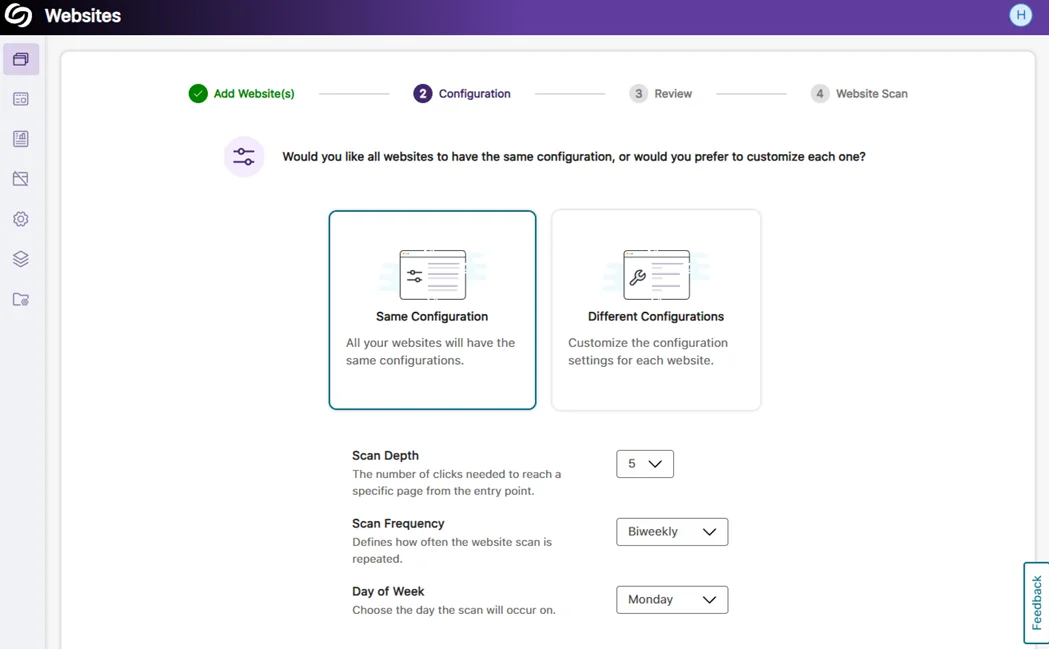
Website Scan Setup: Bulk Apply the Same Configuration Across All Websites
When all selected websites require the same configuration for the scan depth and frequency, you can save time by applying the settings to all websites and beginning the scan immediately.
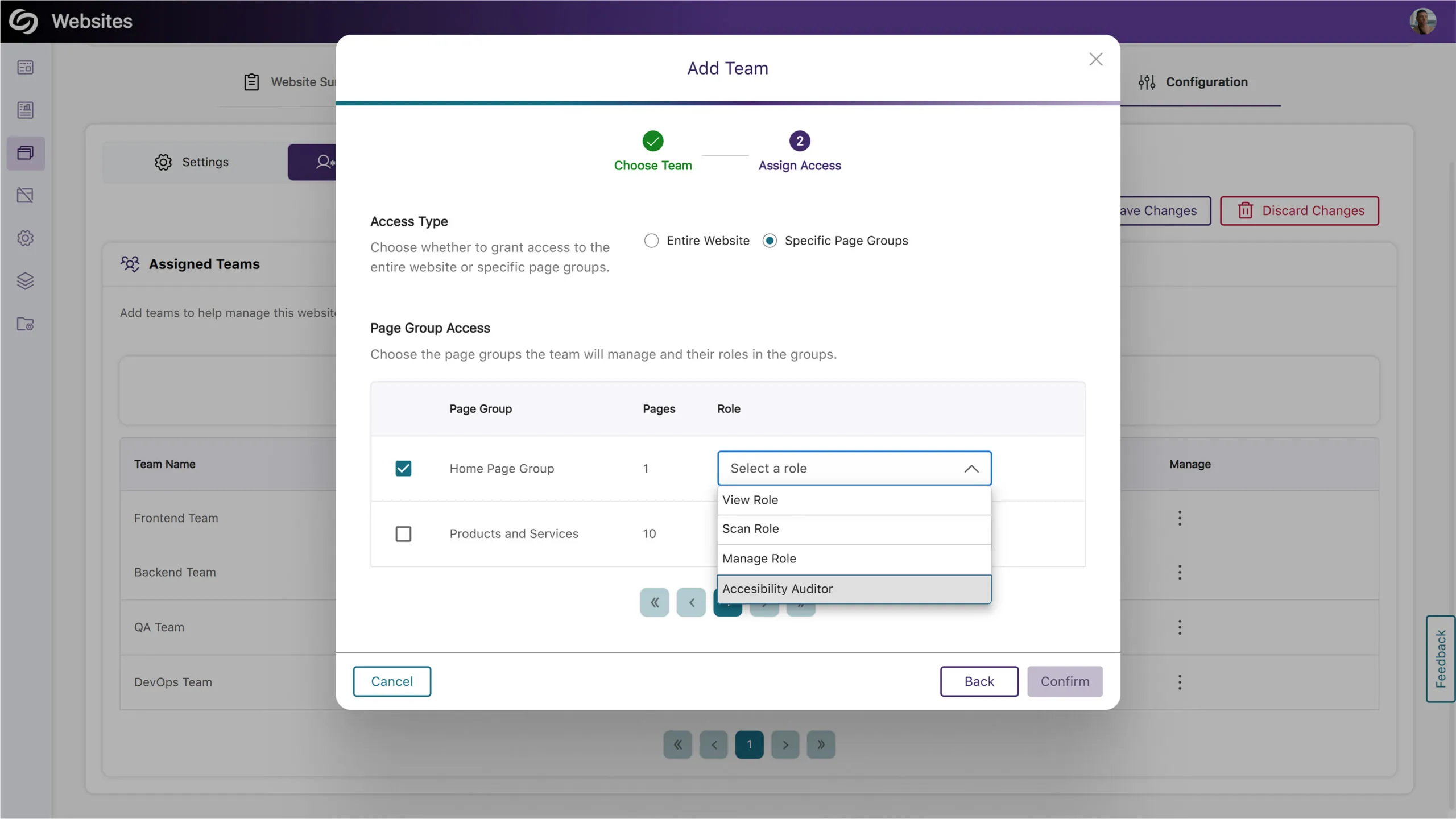
Assign Teams to Manage Specific Page Groups
Building on our previous release, which allowed for assigning teams to manage an entire website, your organization can now designate teams to manage specific website sections by assigning them to page groups. This ensures each team has the necessary permissions, such as configuring scans, viewing accessibility reports, and analyzing web page performance for their assigned page group.
Scan and Crawl Multiple Websites and Page Groups
Institutions with many sites can now choose to crawl or scan multiple websites or page groups rather than individually scanning each one.
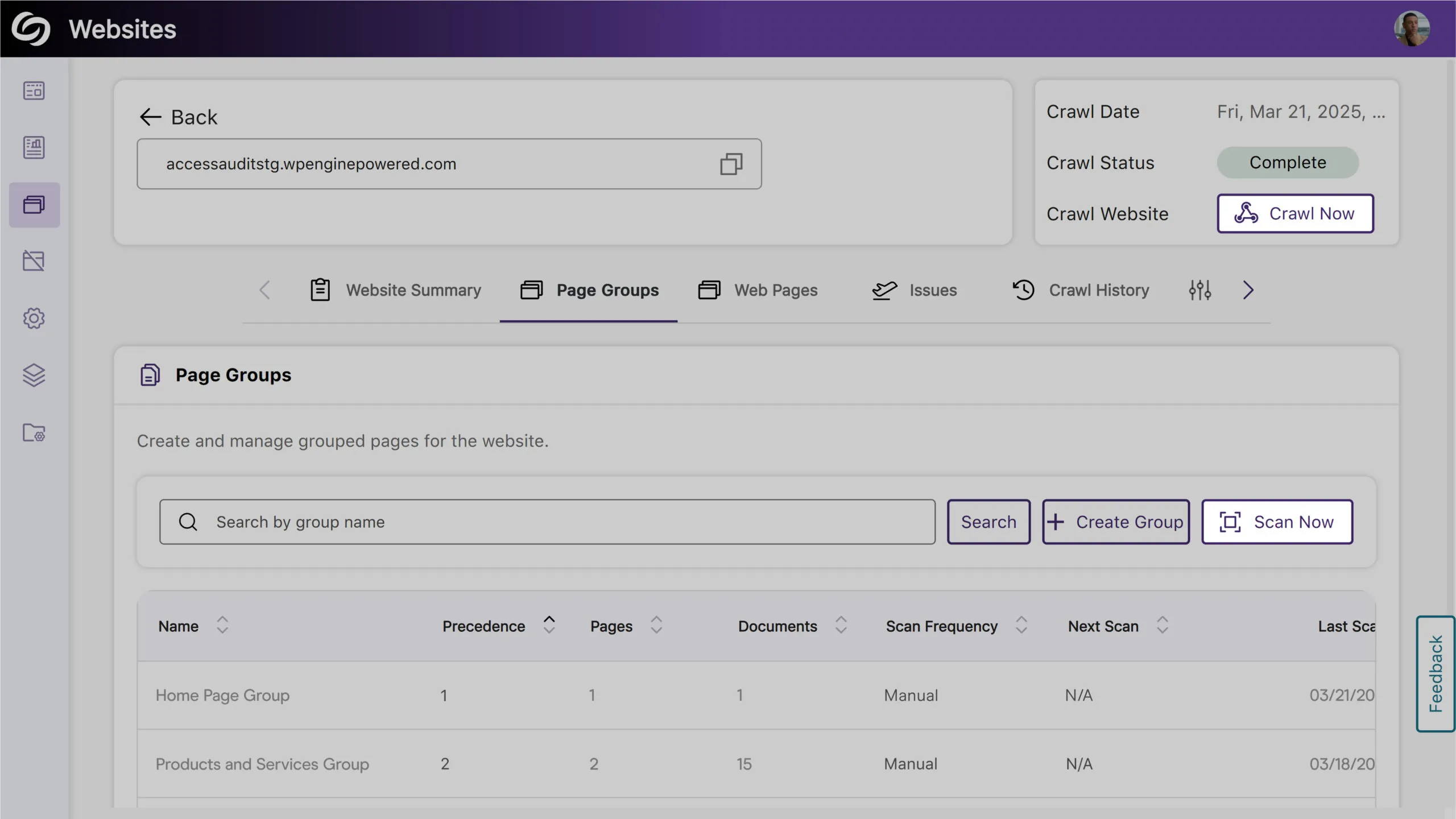
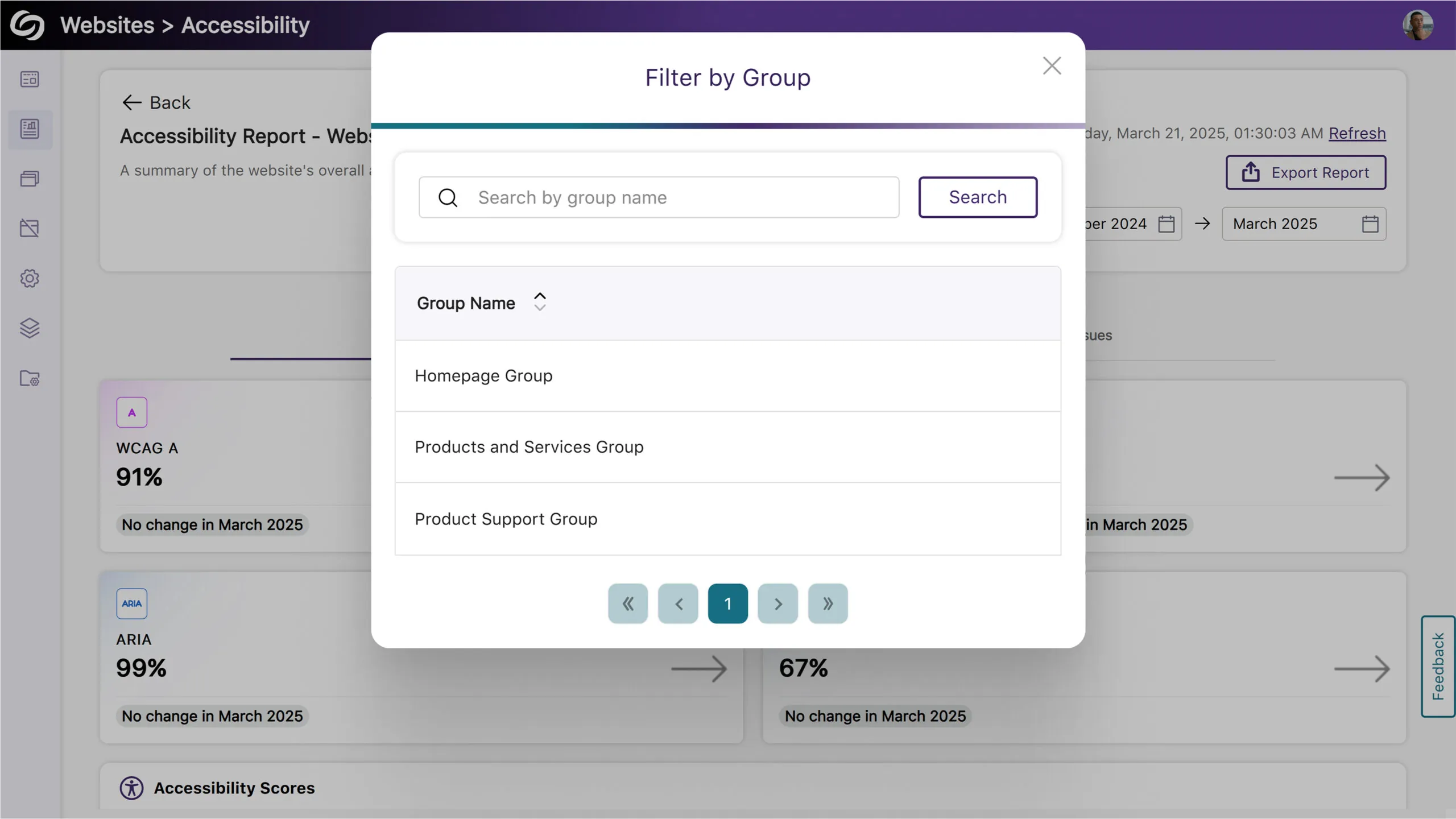
Filter Website Reports by Page Groups
You can now filter reports by selecting a page group, allowing you to focus on specific areas of your website for more detailed insights.
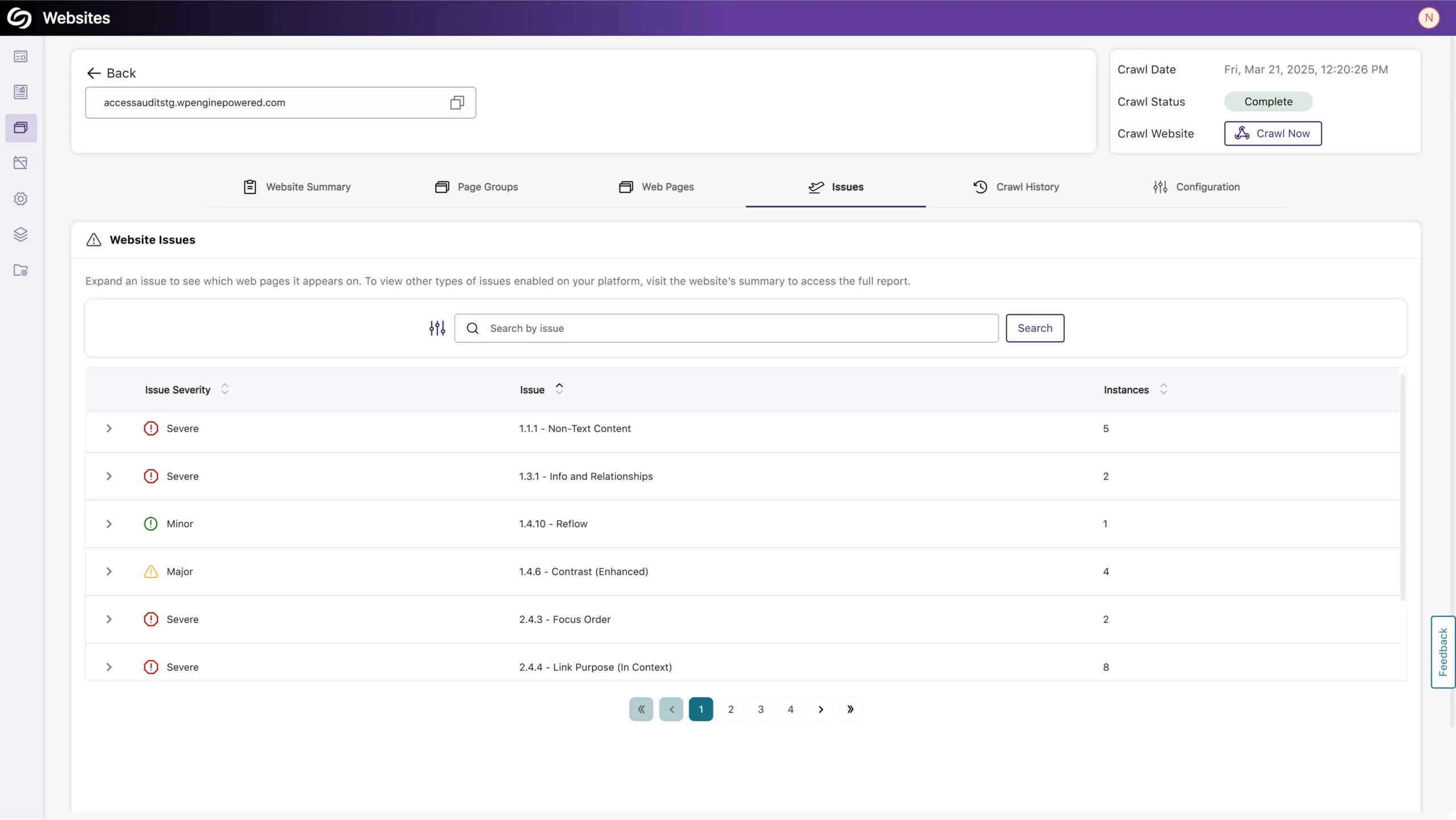
View Issues on Your Site and the Specific Pages Where They Occur
You can now access a detailed list of issues detected on your website in the new Issues tab. This includes the number of occurrences and the specific web pages affected by each issue, allowing you to easily identify areas of concern.
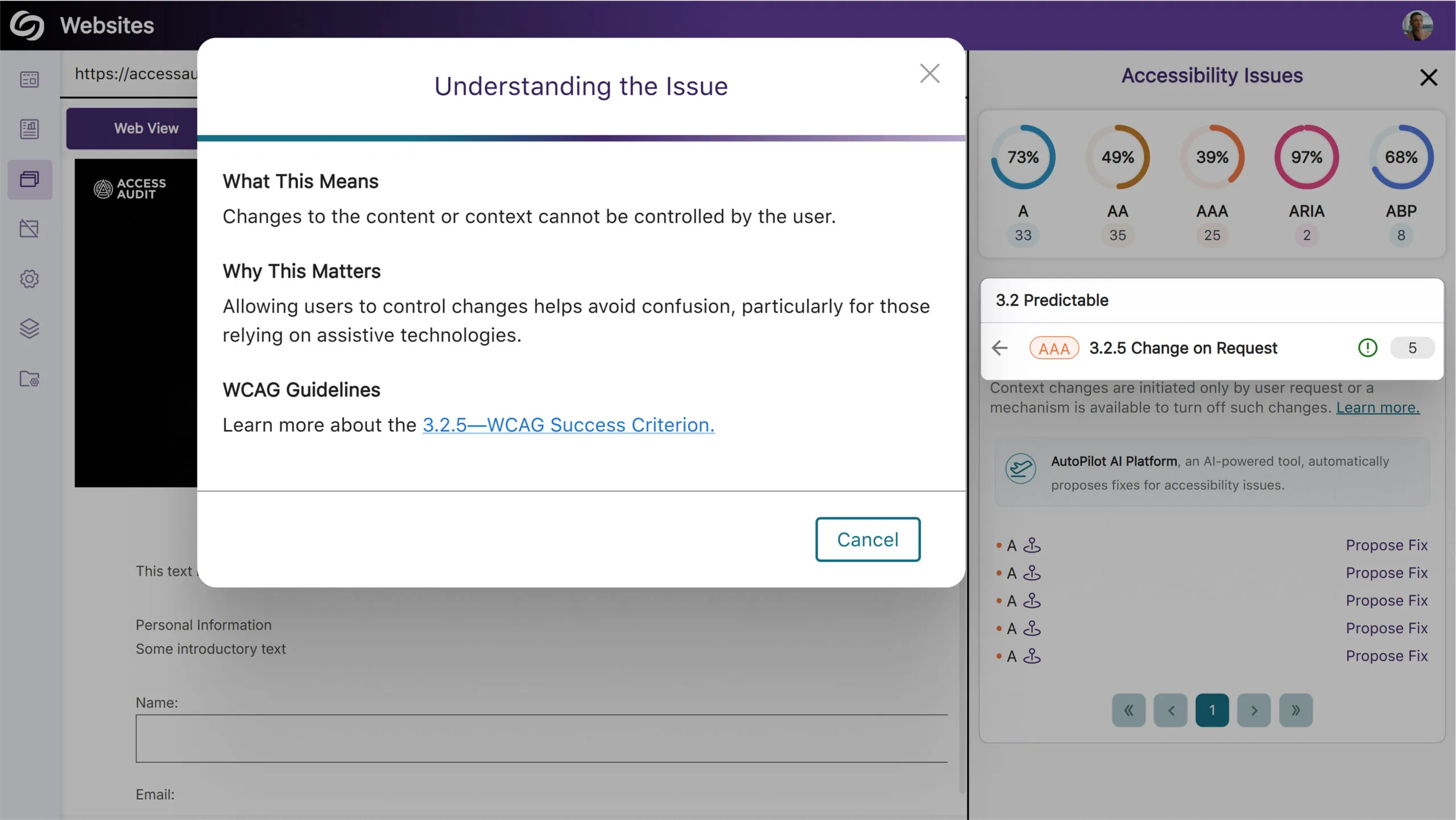
More In-Depth AA and AAA Issue Detection for Web Accessibility
Expanding on our existing accessibility checks, YuJa EqualGround now includes more detections for AA and AAA-related issues. Some of these checks include:
View Full SEO Issue Names in Exported Report
We’ve improved our exported SEO report to display descriptive names for all issue types to help you clearly understand the issues found.
Ability to Re-Run AutoPilot to Address Newly Flagged Issues
You can now run AutoPilot multiple times on your files to ensure that any subsequent issues discovered can be resolved automatically instead of fixing them yourself. This is particularly useful when dealing with an untagged document, as AutoPilot may reveal underlying issues after tagging that would otherwise require manual intervention.

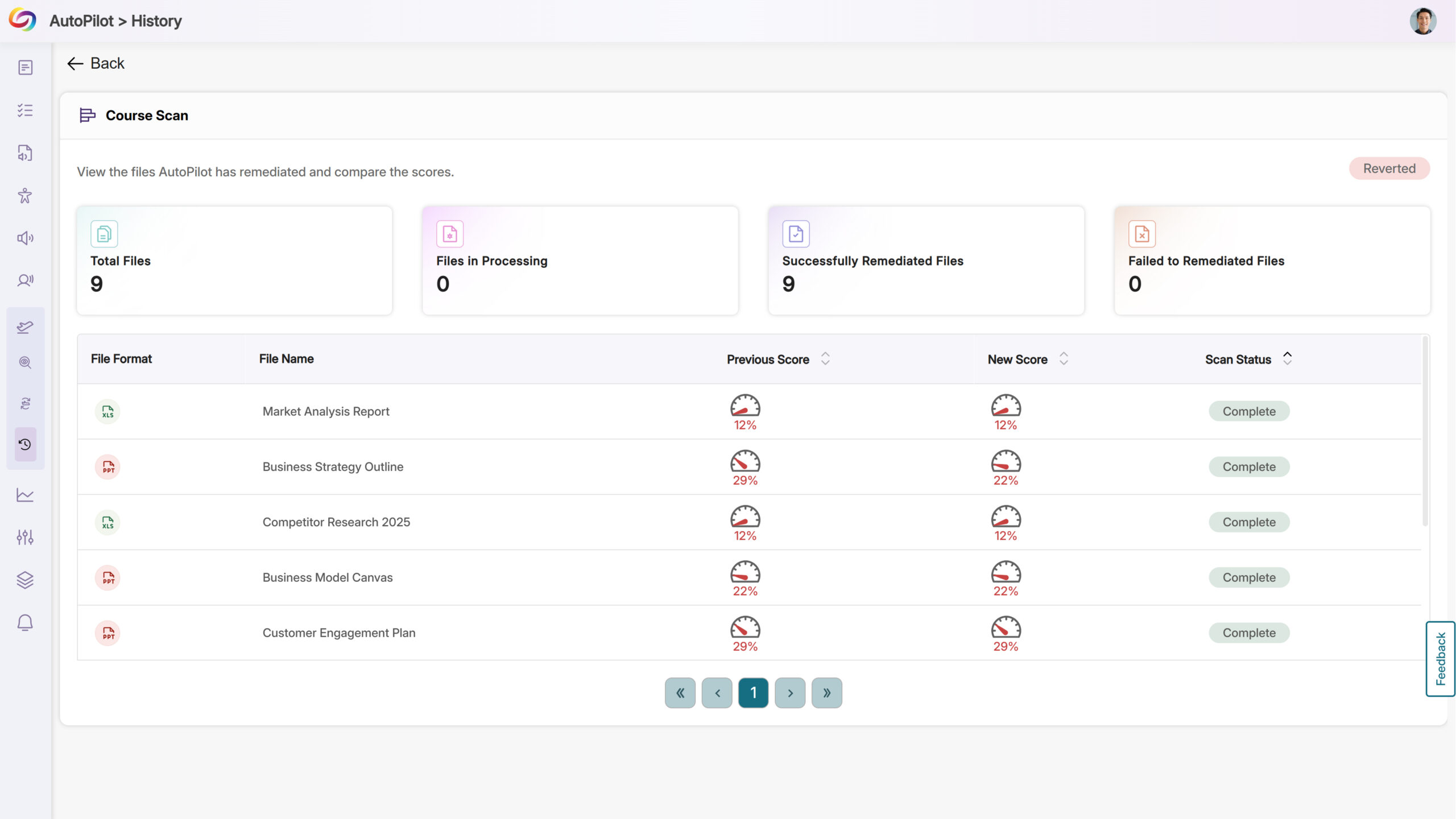
Revert Changes from AutoPilot’s Course Scans
After successfully remediating an entire course using AutoPilot, you will now be given the option to revert all accessibility changes if desired.
Join the 1,000+ Organizations Deploying High-Impact Solutions














