

Product Updates
Get the latest platform updates, features, and announcements—all in one place.
Boost Video Accessibility with the GenAI Video PowerPack!
Try Now
Supercharge Your Compliance Efforts with AutoPilot Remediation Max!
Try Now
Strengthen Your PDF Accessibility Efforts with Structural Remediation Max!
Try Now
Don't Miss Any of Our Upcoming Webinars—Save Your Spot!
Register
The YuJa Community is here! Connect, get updates, and access exclusive content.
Join Now

Get the latest platform updates, features, and announcements—all in one place.
We have successfully pushed an update to all YuJa EqualGround Accessibility Governance Platform instances residing in the US, Canada, Australia, and the European Union. The release introduces an option to assign teams to manage specific page groups, an intuitive approach to start your website scan in minutes with our setup wizard, an option to scan and crawl multiple websites and page groups, and more.
Start Your Website Scan in Minutes With Our Setup Wizard
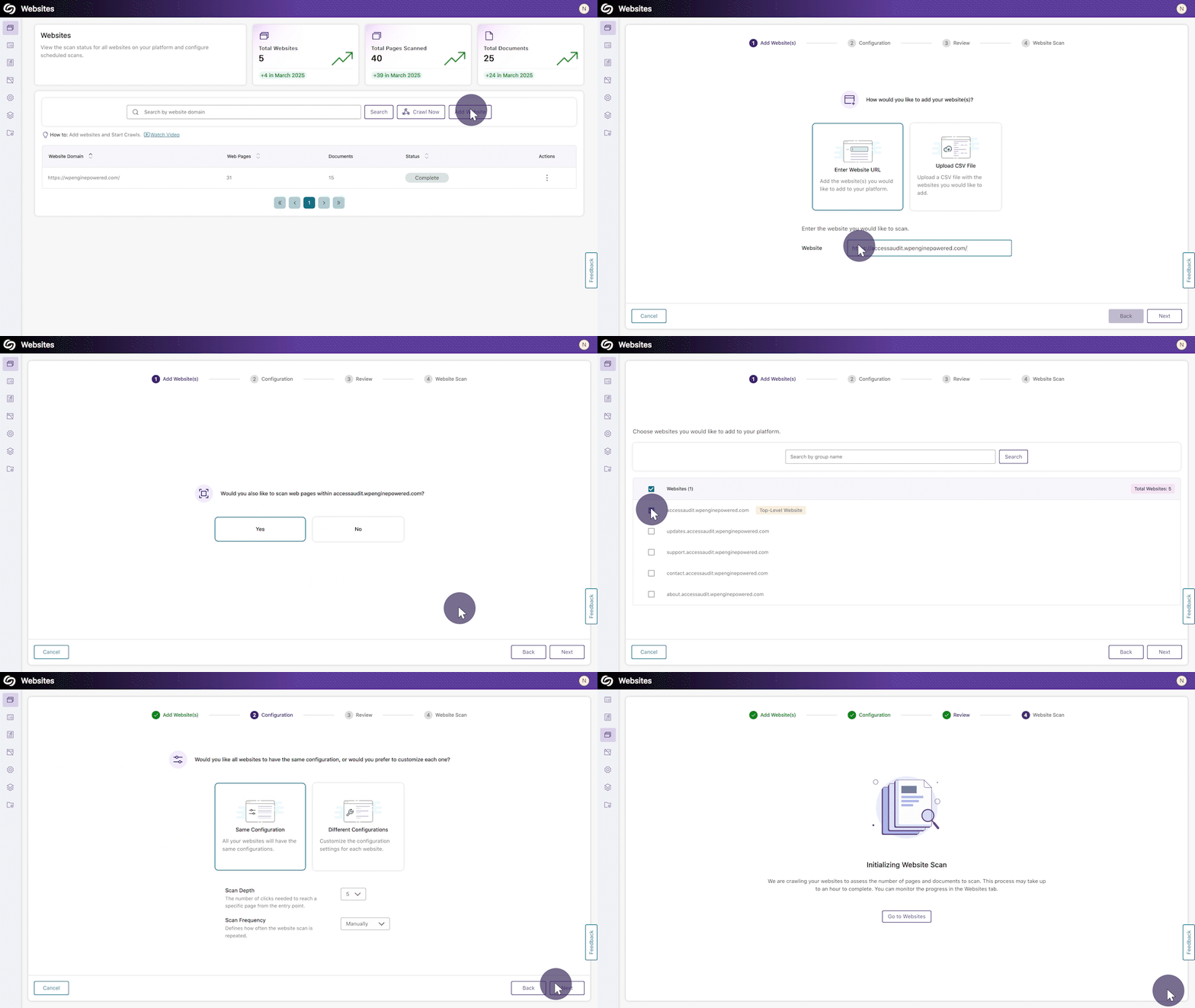
YuJa EqualGround now features an intuitive setup wizard that streamlines your website scanning experience, guiding you through every essential step in one centralized flow. Within four simple steps, you can add or bulk upload websites to the platform, configure the scan scope and frequency, and initiate a scan to detect accessibility issues across your web pages and documents.
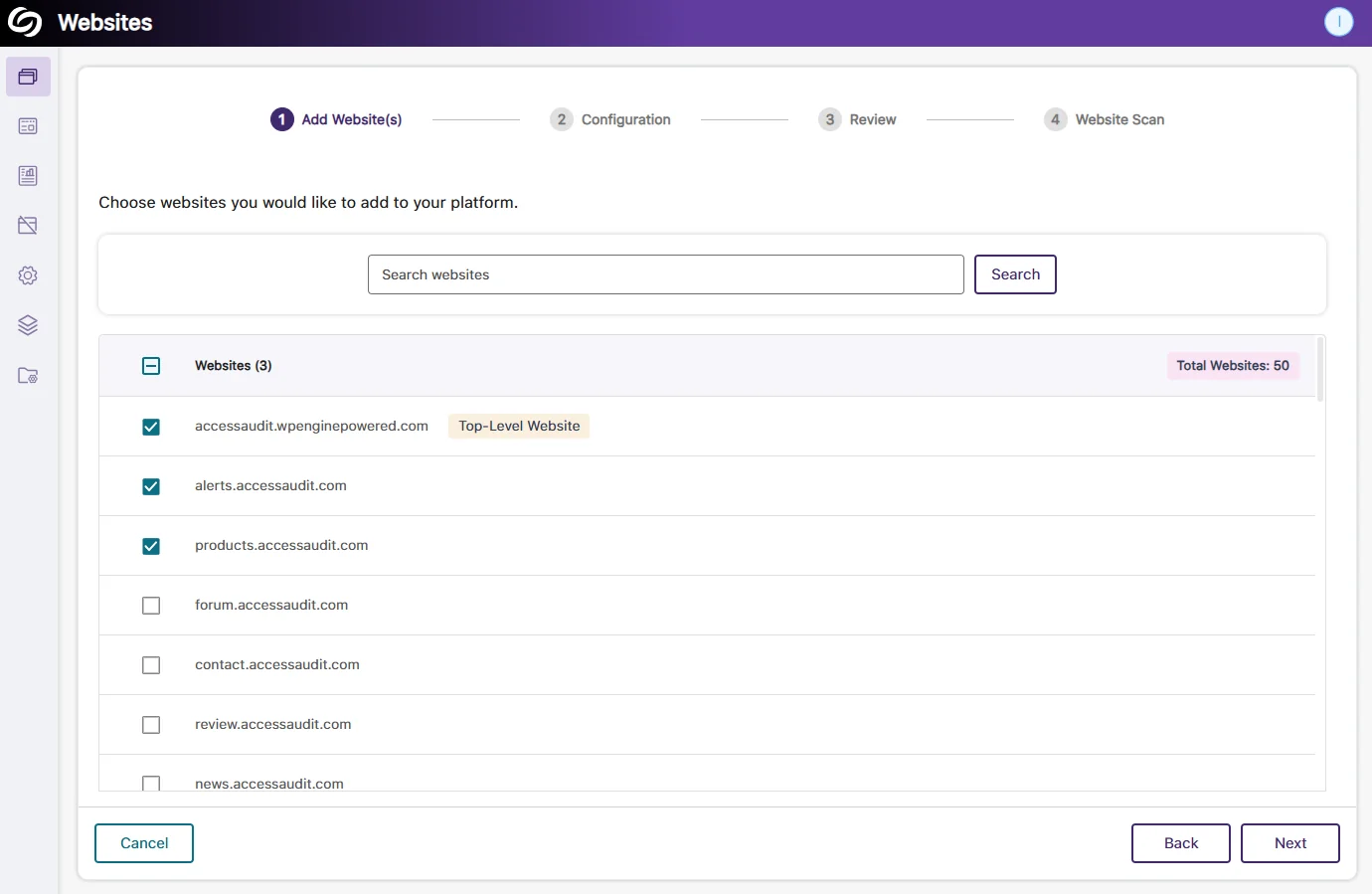
Website Scan Setup: Automatic Detection of All Websites Within the Top-Level Website
Organizations that manage hundreds of websites will no longer have to enter each URL manually. YuJa EqualGround will automatically detect all websites under your top-level website (domain), allowing you to select the publicly accessible websites you want to configure for scans.
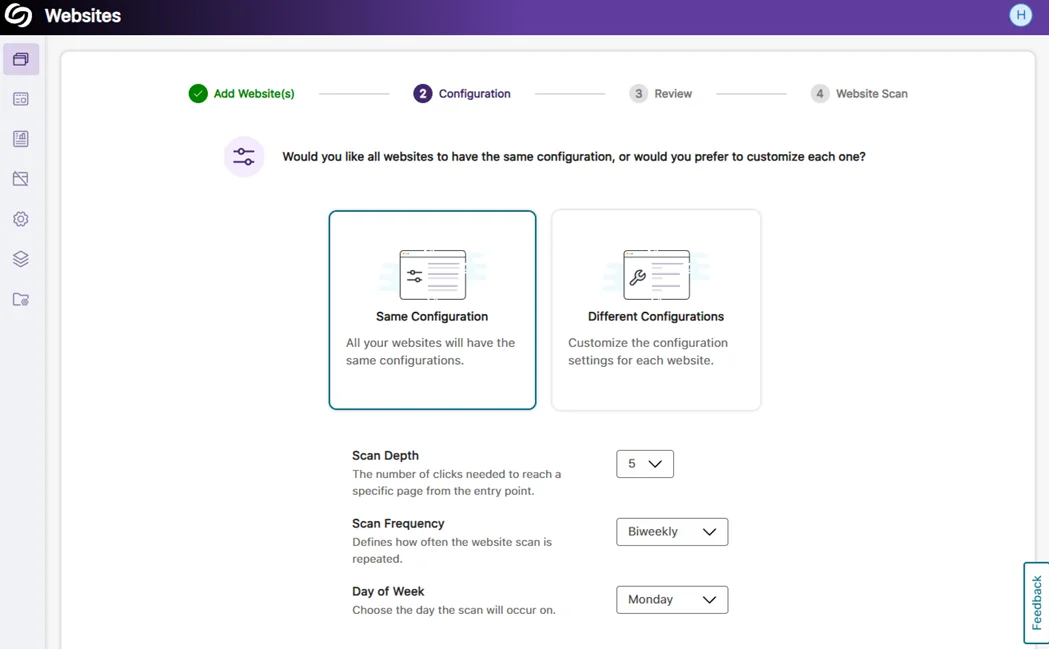
Website Scan Setup: Bulk Apply the Same Configuration Across All Websites
When all selected websites require the same configuration for the scan depth and frequency, you can save time by applying the settings to all websites and beginning the scan immediately.
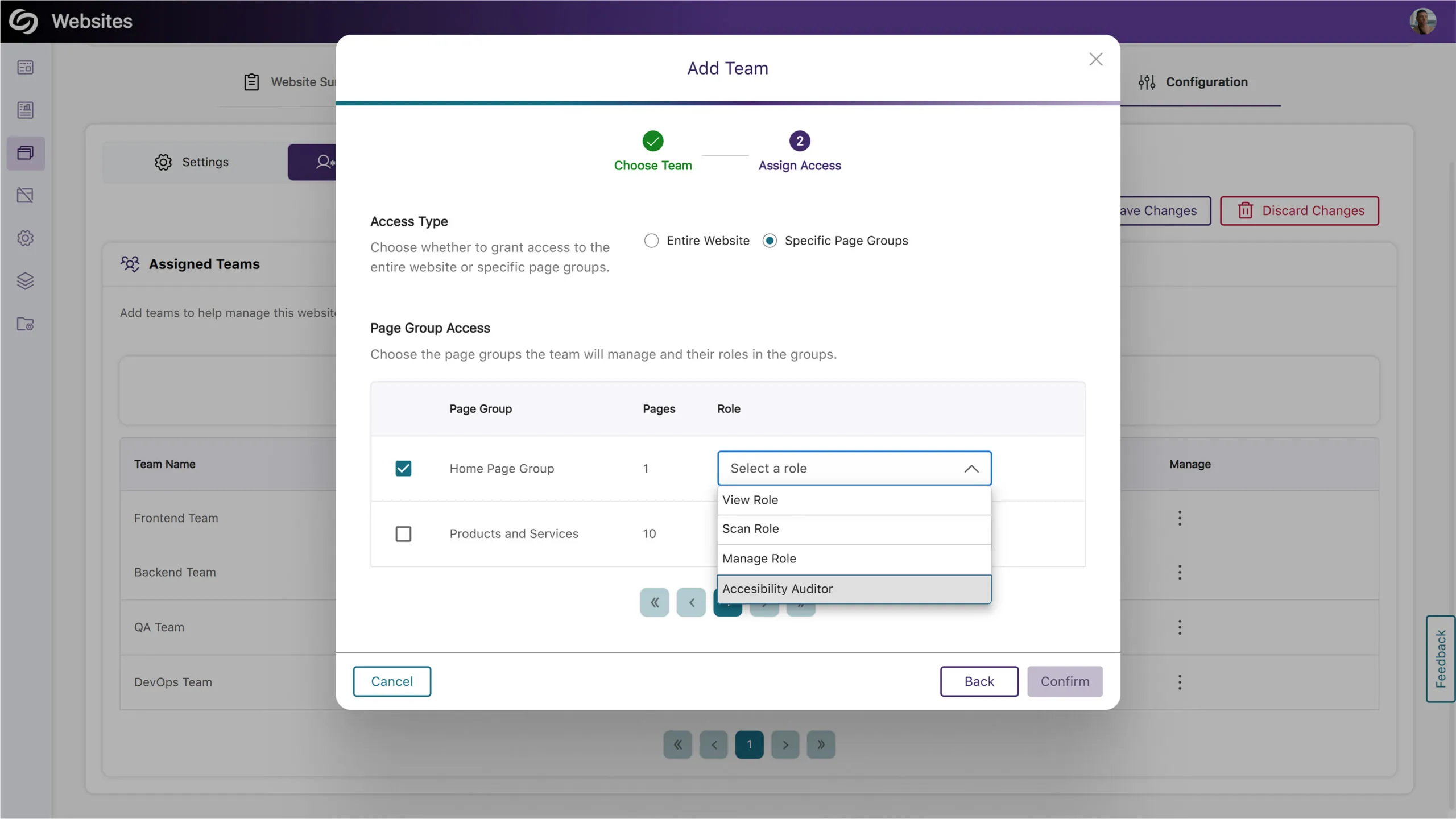
Assign Teams to Manage Specific Page Groups
Building on our previous release, which allowed for assigning teams to manage an entire website, your organization can now designate teams to manage specific website sections by assigning them to page groups. This ensures each team has the necessary permissions, such as configuring scans, viewing accessibility reports, and analyzing web page performance for their assigned page group.
Scan and Crawl Multiple Websites and Page Groups
Institutions with many sites can now choose to crawl or scan multiple websites or page groups rather than individually scanning each one.
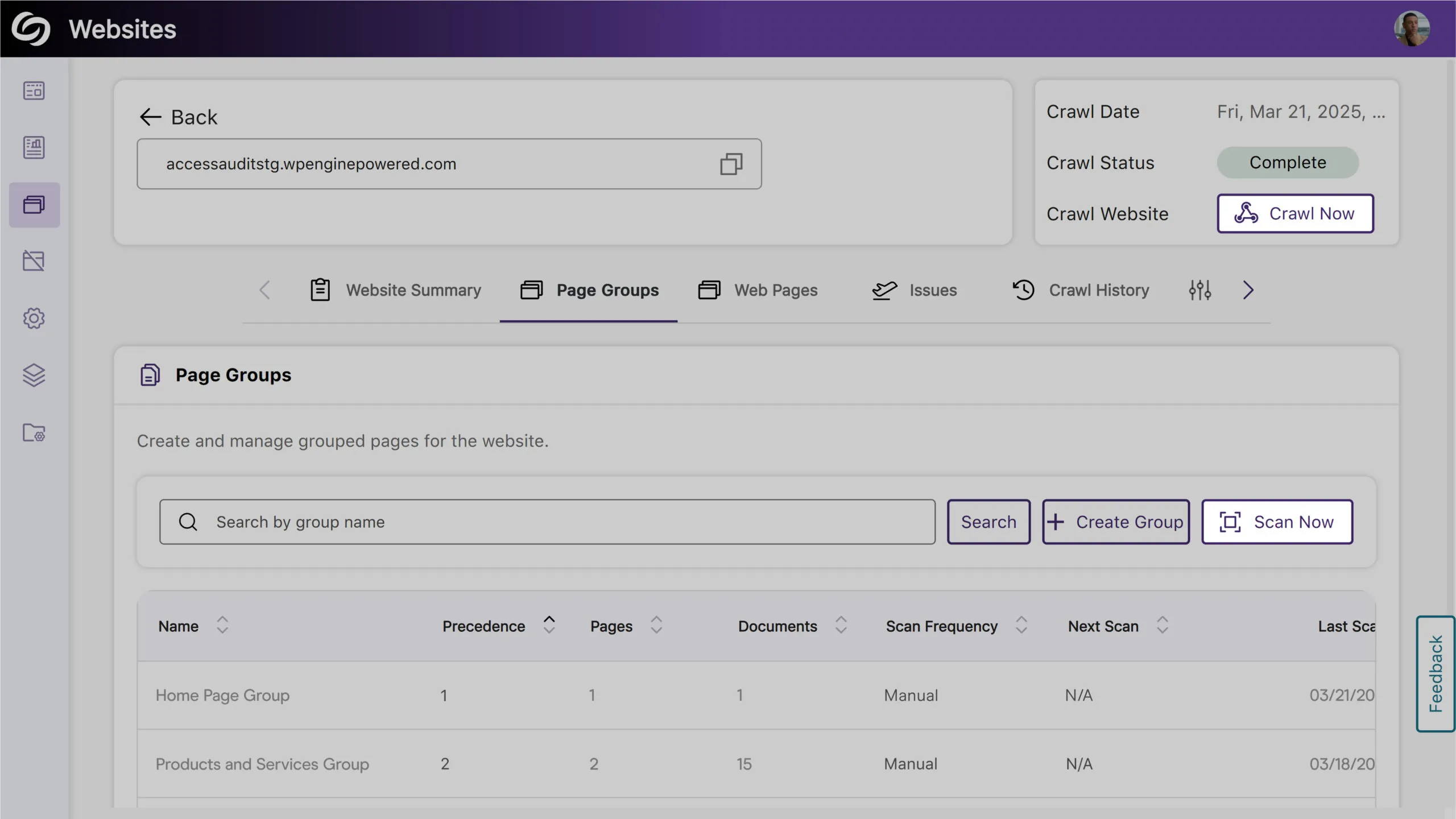
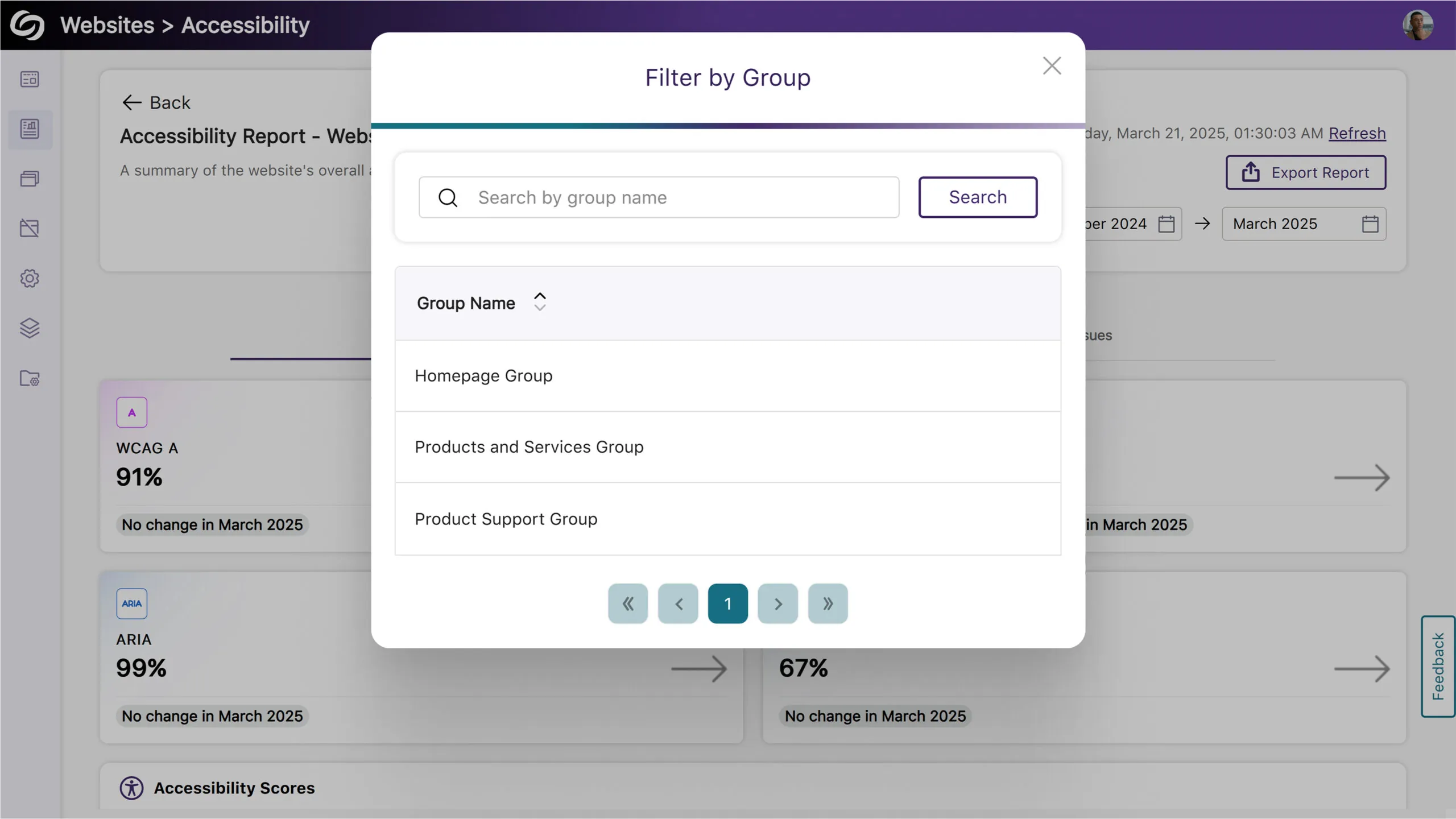
Filter Website Reports by Page Groups
You can now filter reports by selecting a page group, allowing you to focus on specific areas of your website for more detailed insights.
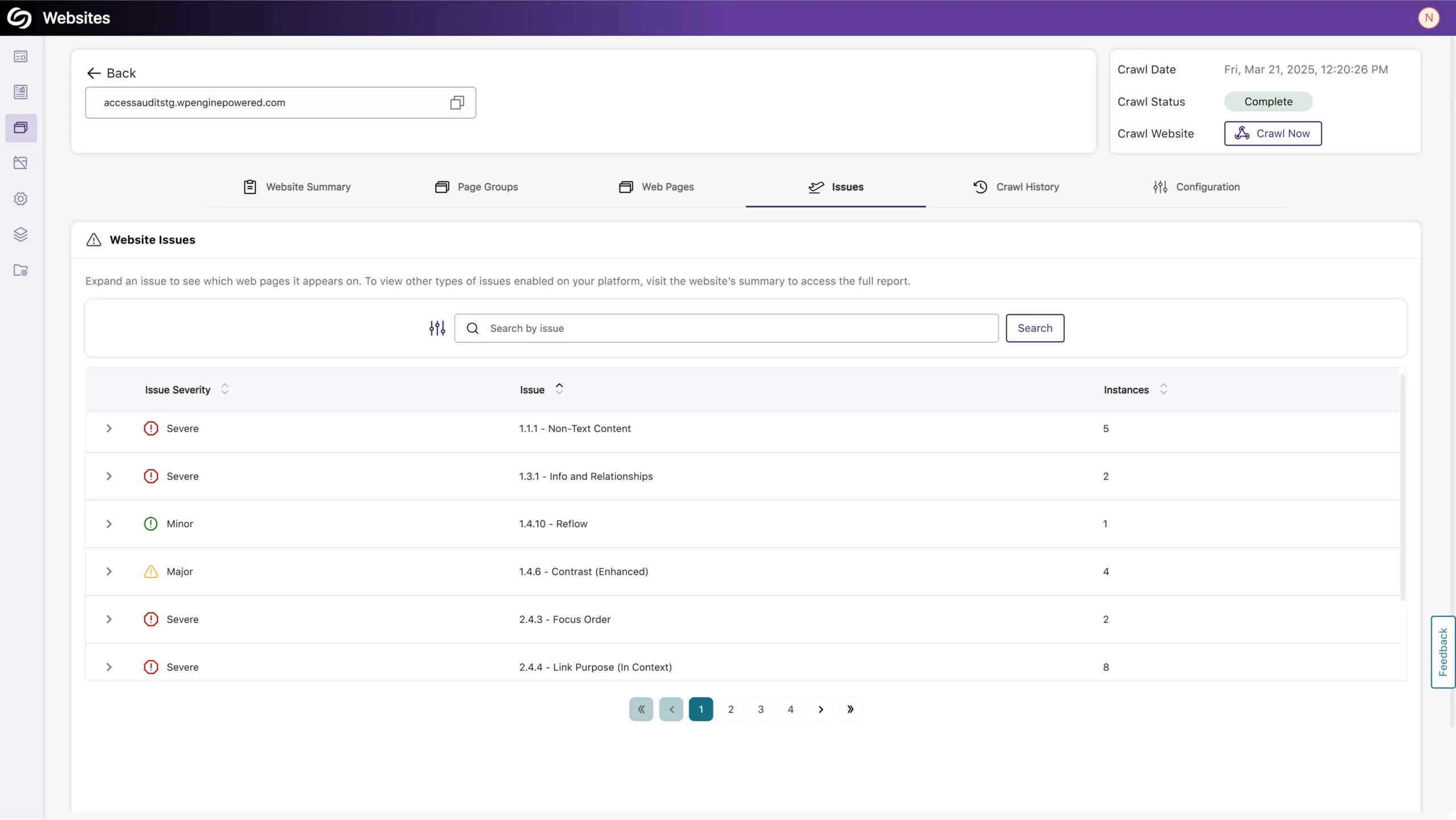
View Issues on Your Site and the Specific Pages Where They Occur
You can now access a detailed list of issues detected on your website in the new Issues tab. This includes the number of occurrences and the specific web pages affected by each issue, allowing you to easily identify areas of concern.
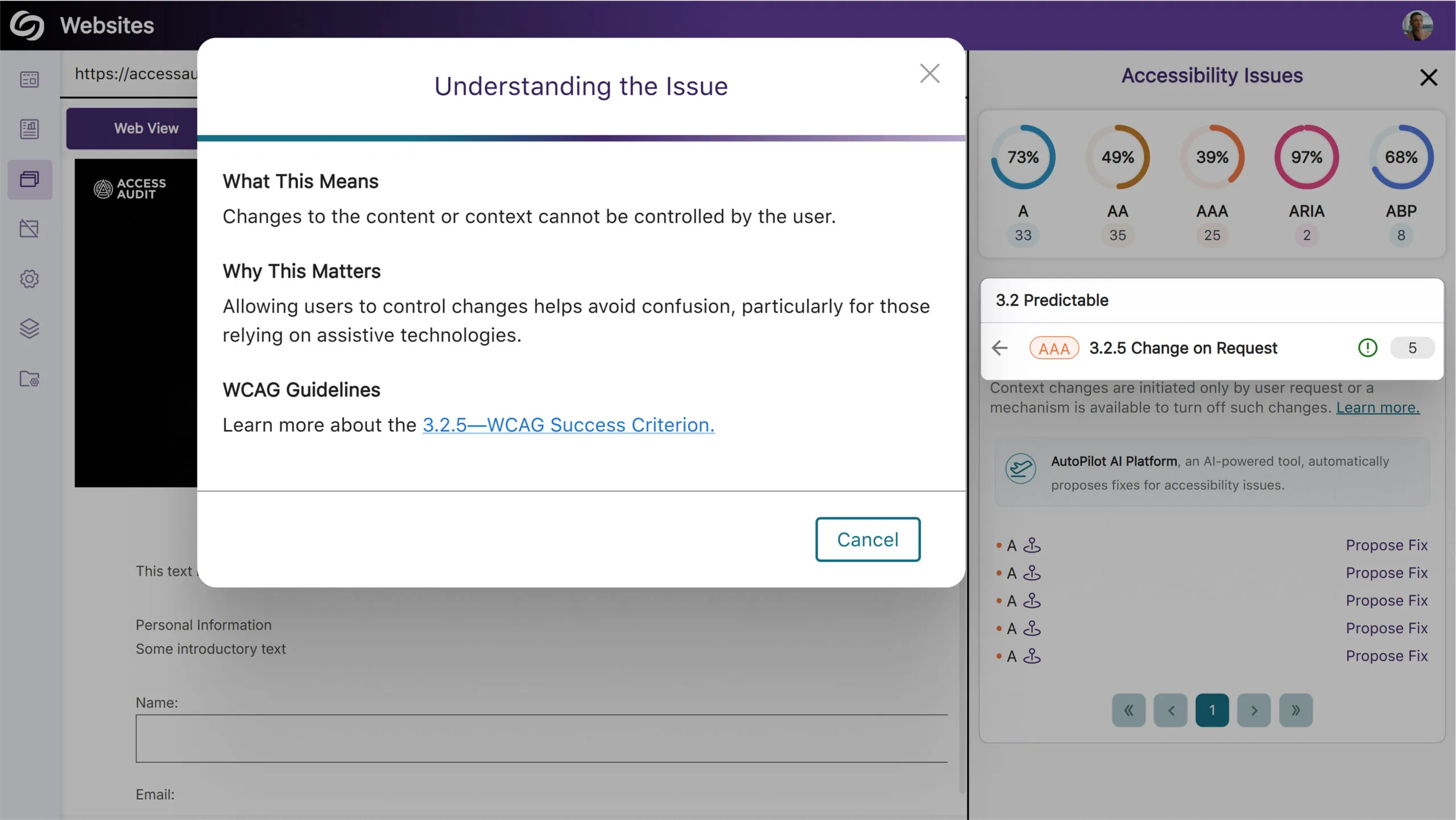
More In-Depth AA and AAA Issue Detection for Web Accessibility
Expanding on our existing accessibility checks, YuJa EqualGround now includes more detections for AA and AAA-related issues. Some of these checks include:
View Full SEO Issue Names in Exported Report
We’ve improved our exported SEO report to display descriptive names for all issue types to help you clearly understand the issues found.
Ability to Re-Run AutoPilot to Address Newly Flagged Issues
You can now run AutoPilot multiple times on your files to ensure that any subsequent issues discovered can be resolved automatically instead of fixing them yourself. This is particularly useful when dealing with an untagged document, as AutoPilot may reveal underlying issues after tagging that would otherwise require manual intervention.

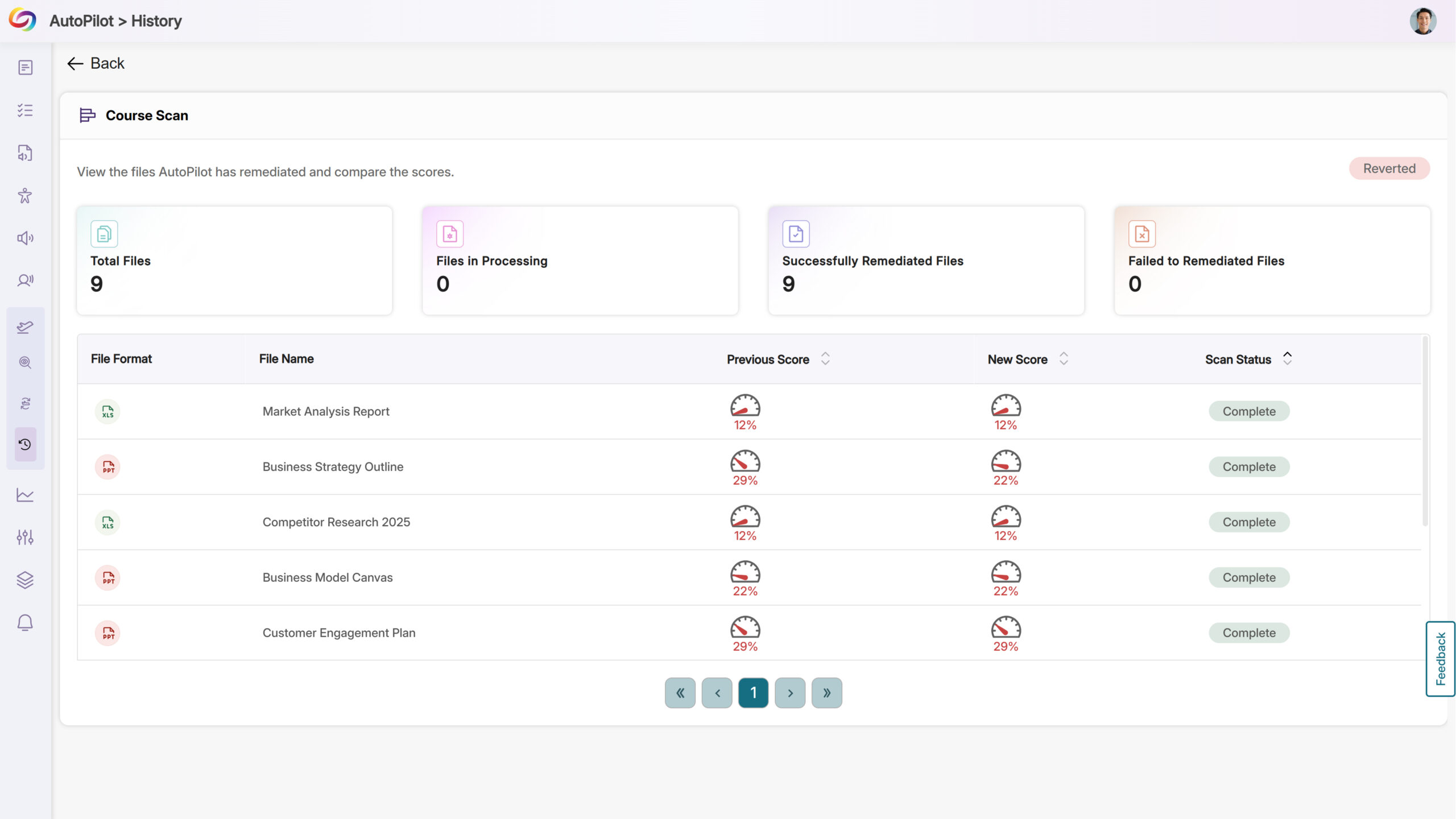
Revert Changes from AutoPilot’s Course Scans
After successfully remediating an entire course using AutoPilot, you will now be given the option to revert all accessibility changes if desired.
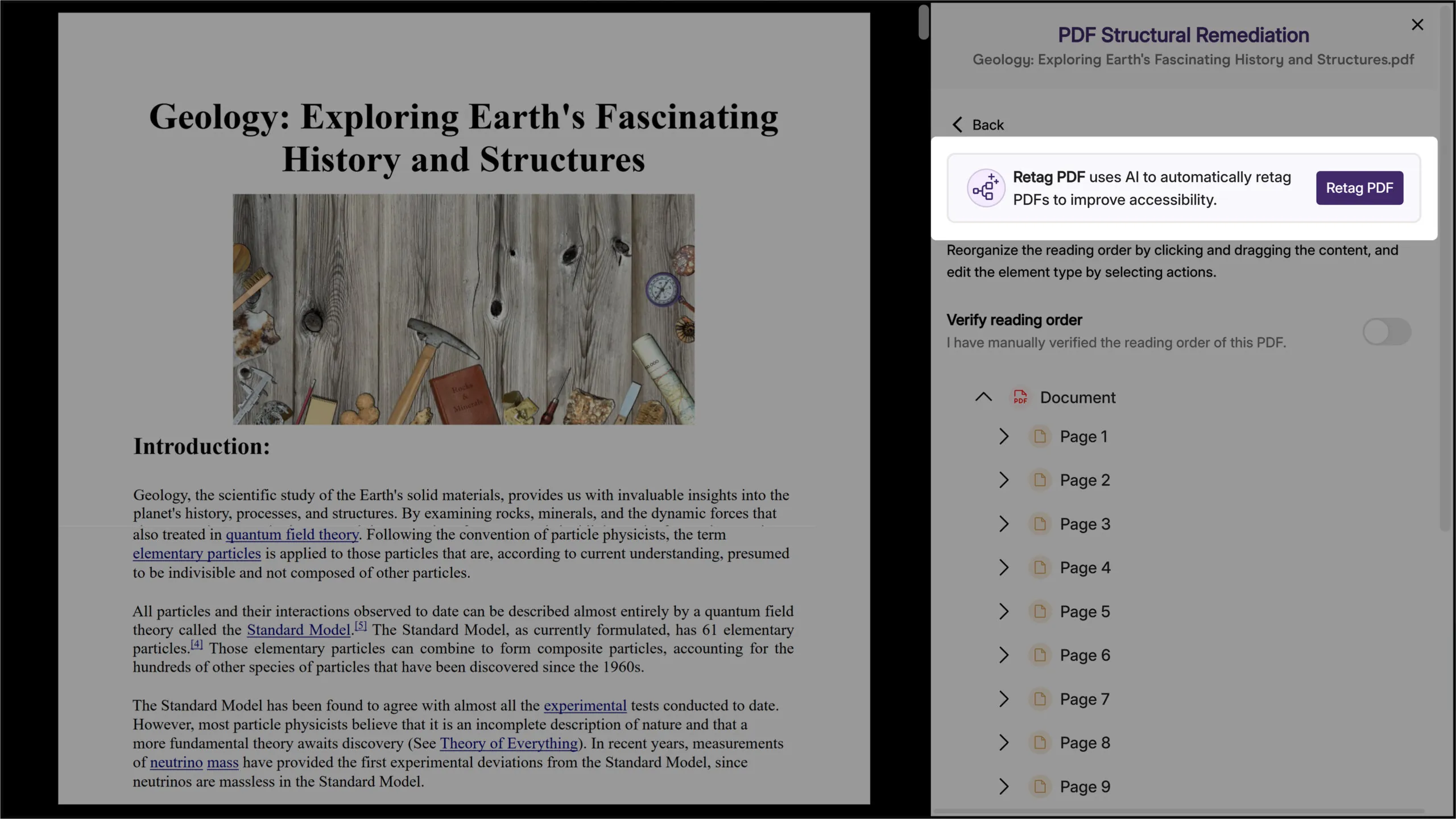
We have successfully pushed an update to all YuJa Structural Remediation Max Add-On Platform instances residing in the United States, Canada, European Union, and Australia. This release provides an option to automatically generate a new tagged structure of your PDF document.
Automatically Generate a New Tagged Structure of Your PDF Document
Ensuring a correct tagged structure in PDF documents is crucial for accessibility tools such as screen readers to access content in the right reading order. Structural Remediation Max now offers a one-click solution to automatically regenerate the tagged structure of your PDF documents, ensuring they are accessible.
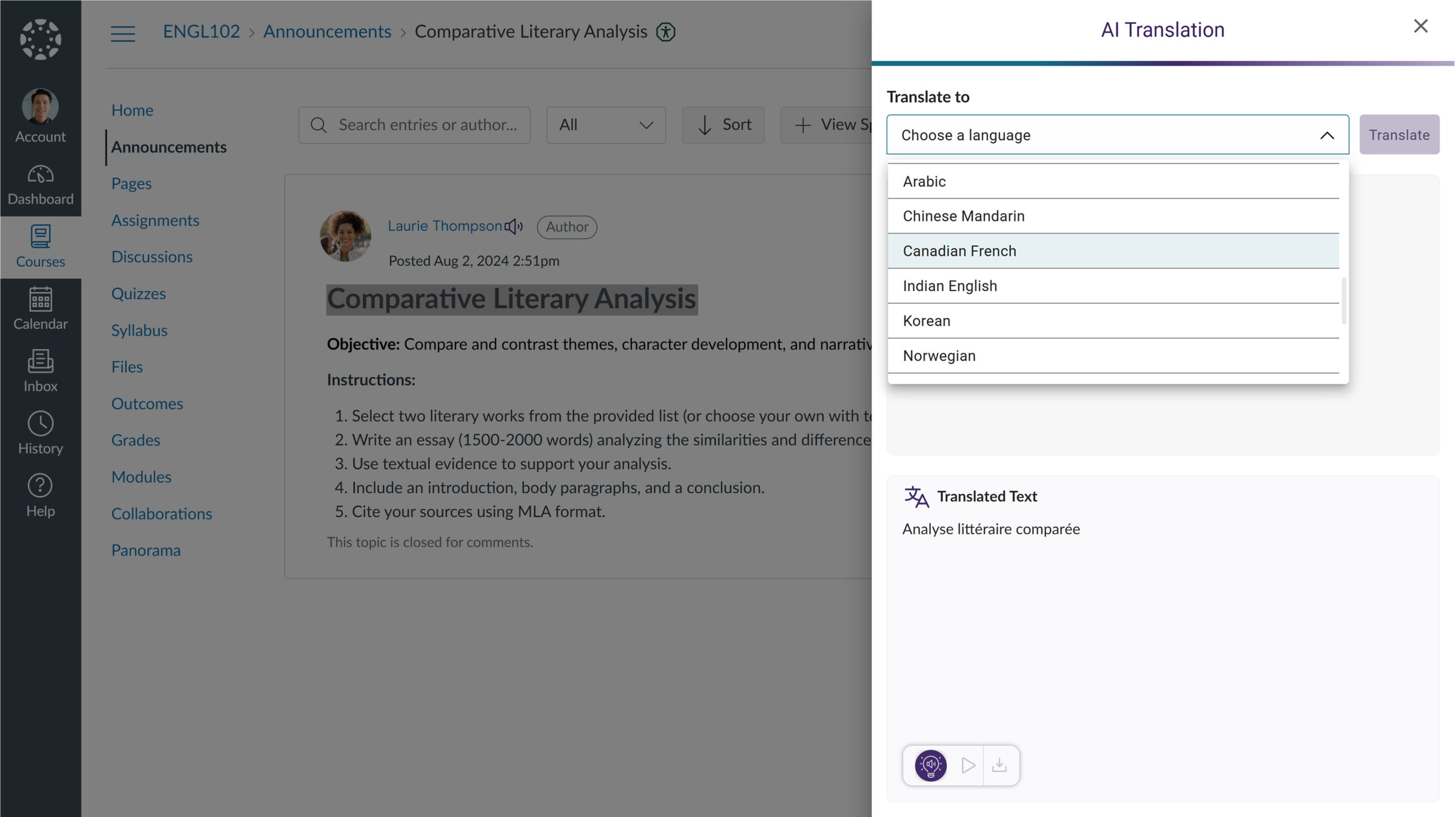
We have successfully pushed an update to all YuJa SmartSpeaker instances residing in the US, Canada, Australia, Singapore, the Middle East, and the European Union. This update includes the option to instantly look up definitions for complex terms and translate content with AI-text recognition software.
Instantly Look Up Definitions For Complex Terms
Expanding on its GenAI capability, SmartSpeaker now provides instant definitions for selected words or phrases, helping you to understand complex concepts easily.

Translate Content with AI-Text Recognition Software
In situations where the web content is not in your preferred language, you can now translate text into any of our over 100 supported languages using SmartSpeaker’s AI text recognition.
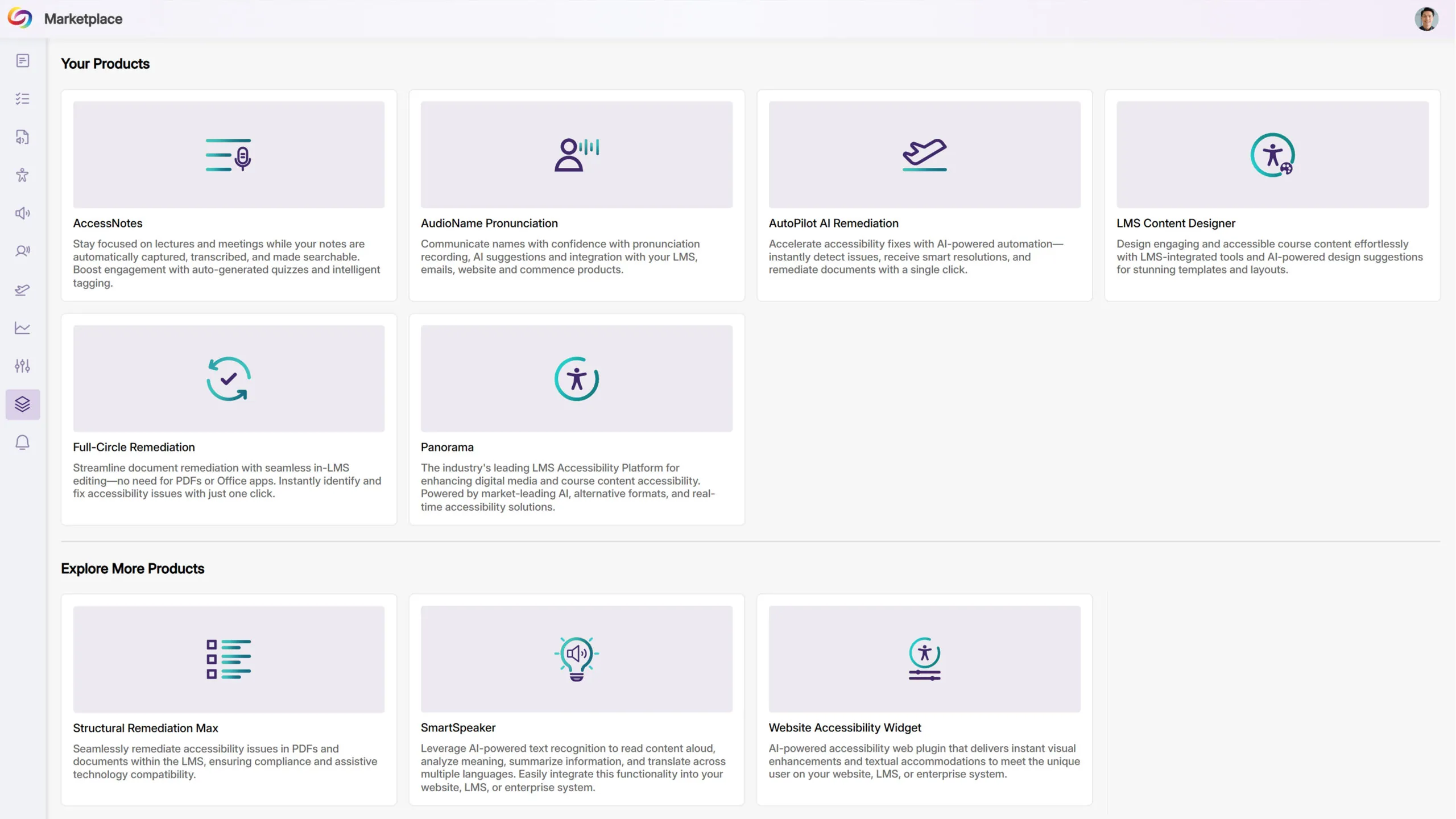
We have successfully pushed an update to all YuJa Panorama LMS Accessibility Platform instances residing in the US, Canada, Australia, Singapore, the Middle East, and the European Union. This update includes a new marketplace of accessibility products, an option to reorder the Alternative Formats Menu, customize the DocHub Experience by creating default folders, options to treat images as decorative, and more.
Explore Our Brand New Marketplace of Accessibility Products to Help You Create, Remediate, and Engage With Your LMS Content
When it comes to accessibility, there is a wide range of tools that specialize in how your content looks and feels. Whether you’re looking to create a welcoming home page on your LMS or want to give your users the freedom to customize elements to suit their needs, the Marketplace is a one-stop shop with everything you need. Browse our catalog of products and see what you like. When something catches your eye, contact your dedicated Customer Success Manager, who can help you learn more and set things up for your institution.
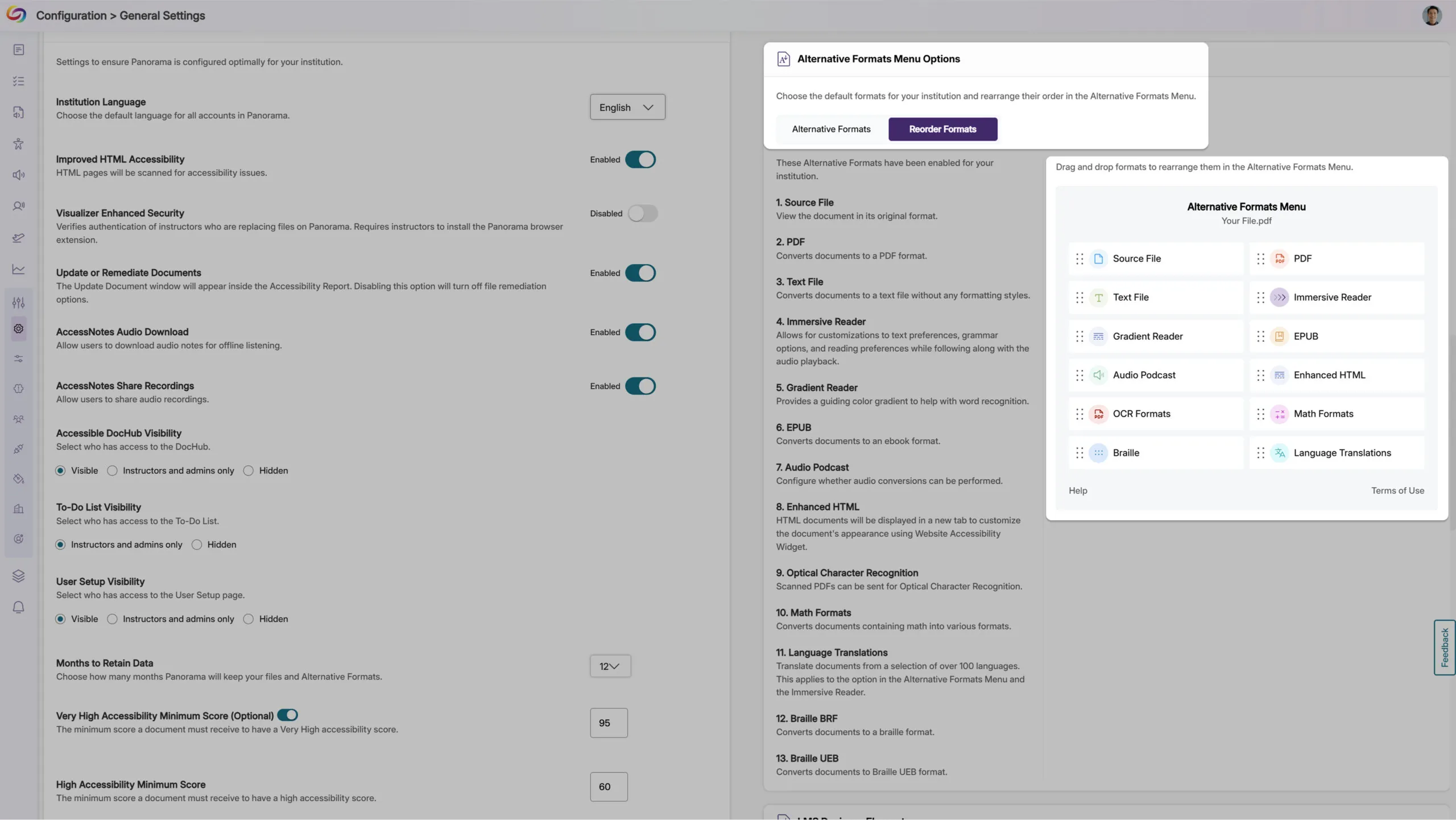
Customize the Alternative Formats Menu by Reordering the Placement of Formats
As an administrator, you can now reorder the formats in the Alternative Formats Menu to suit your institution’s preferences. For example, you can prioritize frequently used formats and display them at the top of the menu for more convenient access across your institution.
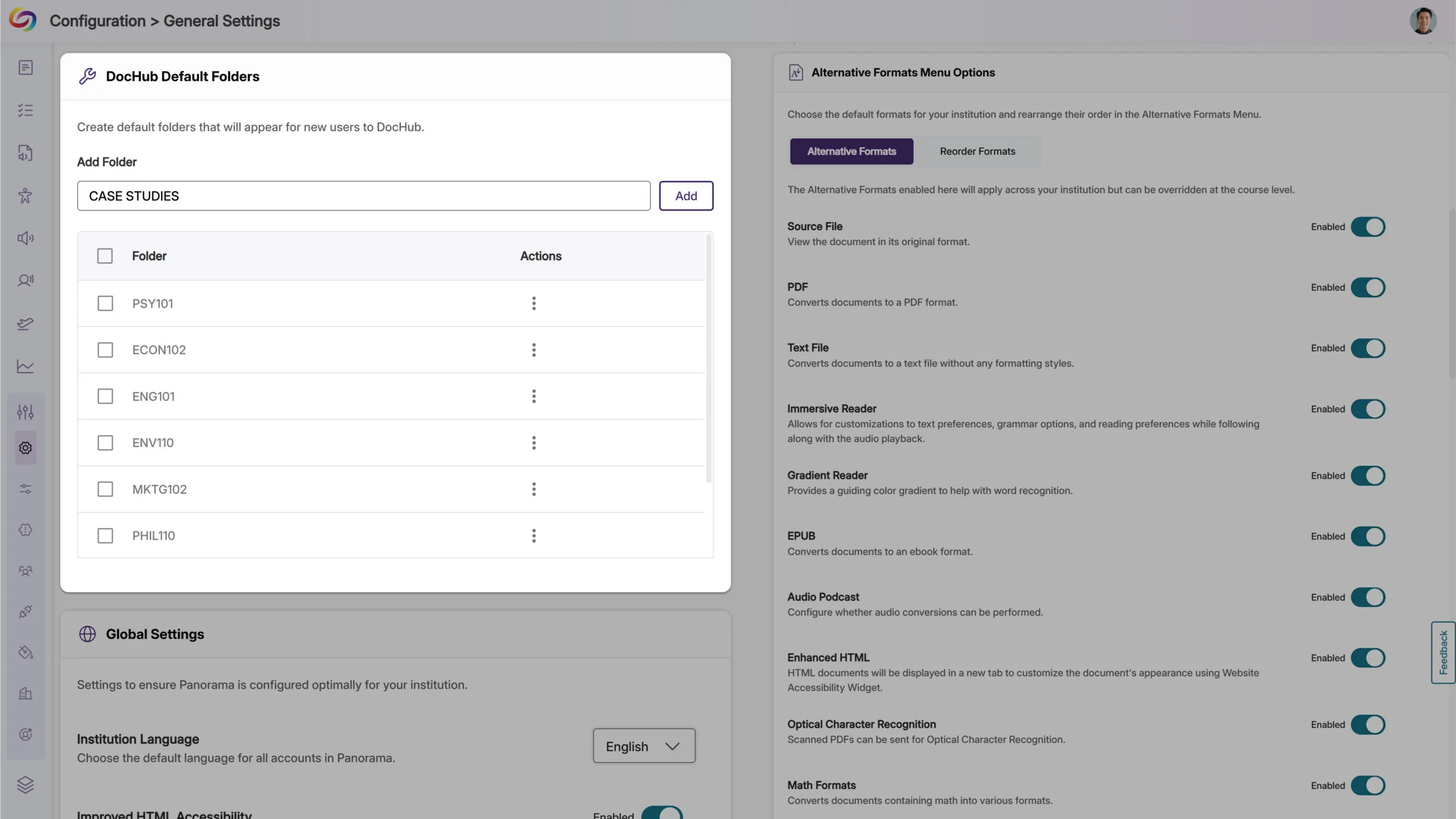
Customize the DocHub Experience by Creating Default Folders
As an administrator, you can now create default DocHub folders, allowing you to set up specific folder structures based on your institution’s preferences for content management. Please note that users must be added after creating default folders for those folders to appear to them.
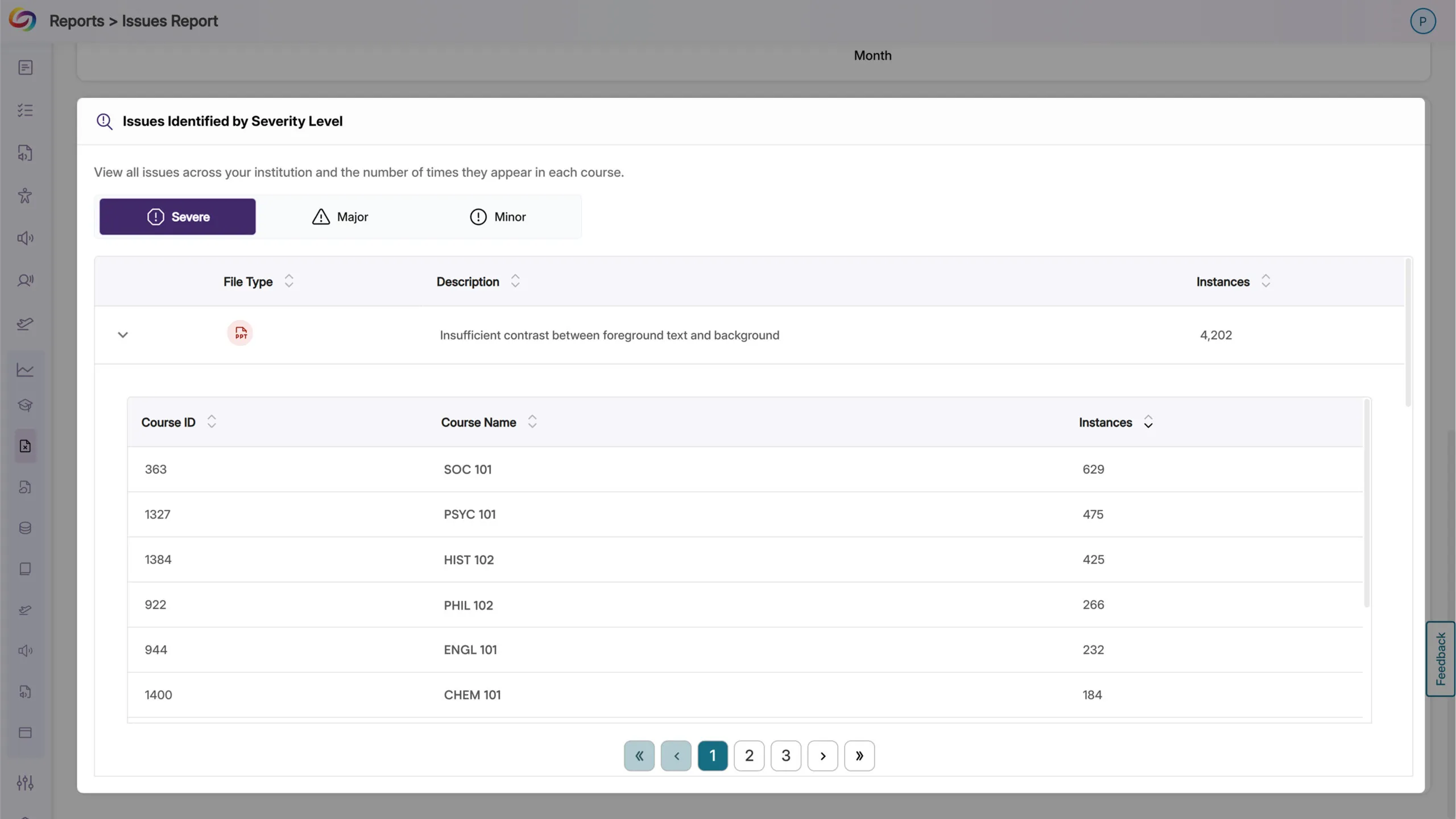
The Issues Report Provides an Overview of All Issues and in Which Courses They Occur
When reviewing the issue report, administrators can now see all courses with a specific accessibility issue, along with the number of occurrences. This allows you to quickly locate courses with the highest instances of any particular issue and address them efficiently.
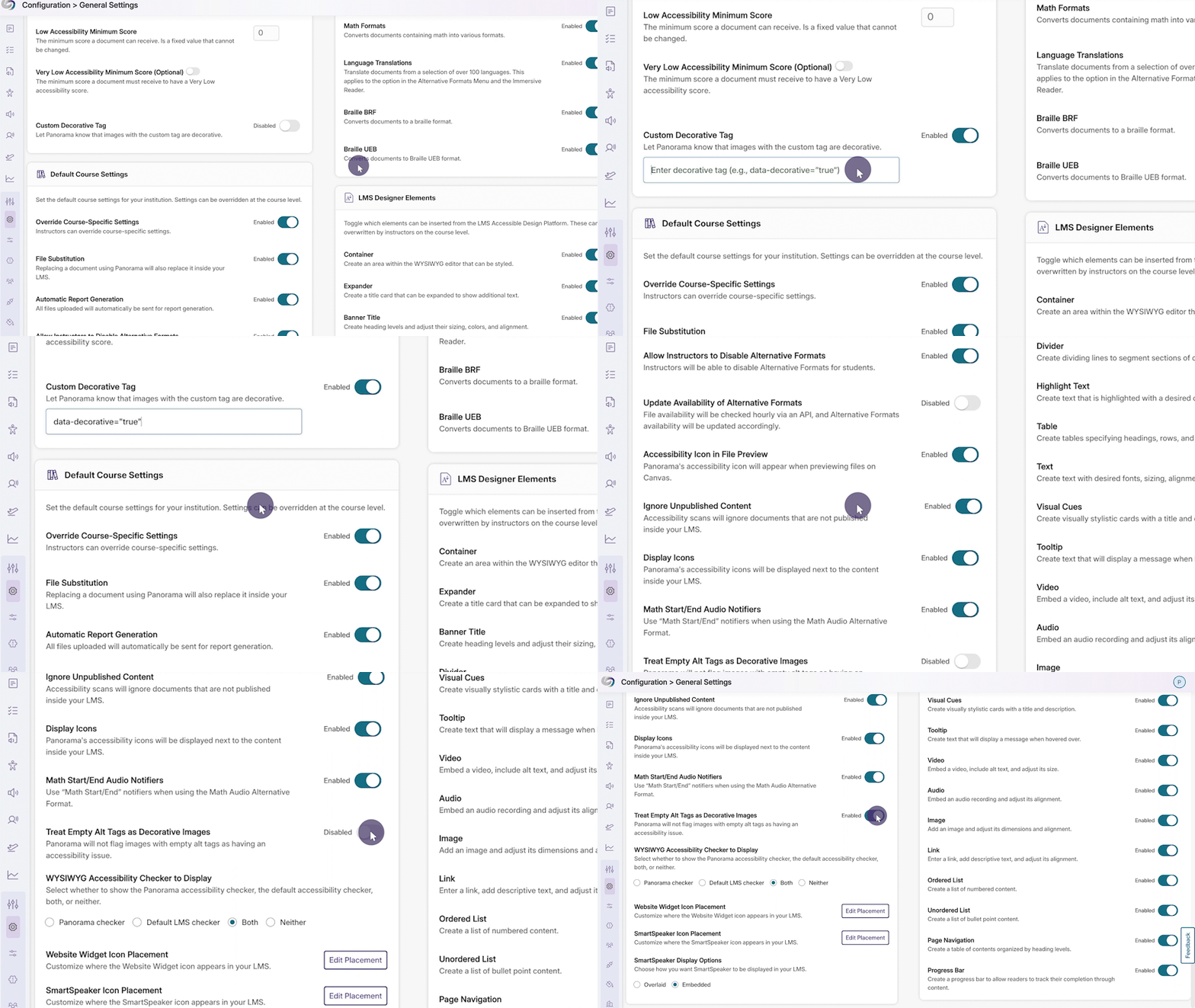
New Option to Automatically Exclude Decorative Images from Being Flagged as Issues
In certain cases, your content may contain images marked as decorative with an empty alt tag (alt=””) or a custom decorative tag. To ensure that these types of images are not flagged as issues, YuJa Panorama now offers more flexibility for you to treat these images as decorative.
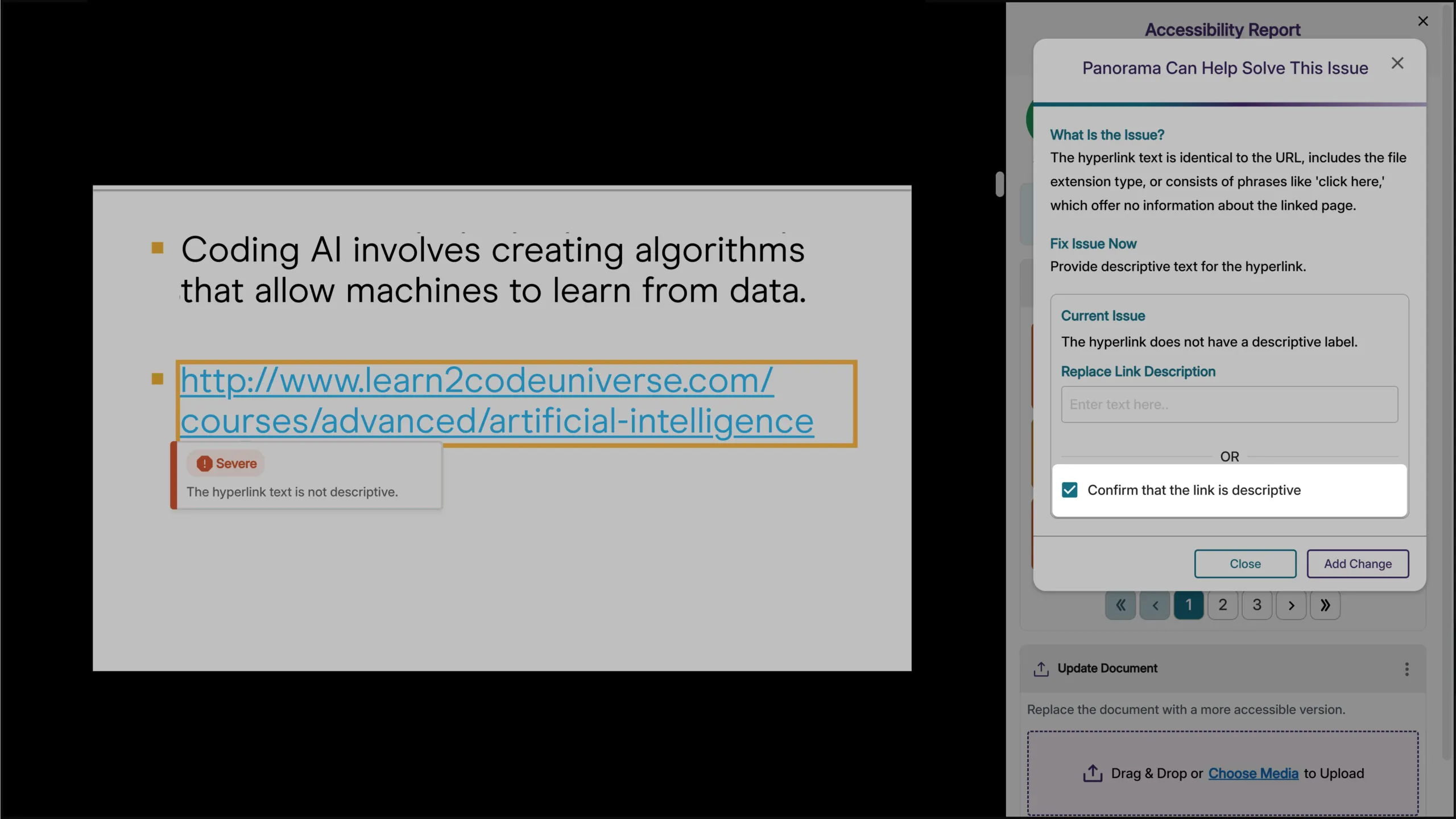
Verify that Hyperlinked Text is Descriptive
Descriptive text for hyperlinks can be useful so that users have context on where the link will take them. However, in cases where the full URL needs to be displayed, such as a work cited page, you can now verify that it is not to be flagged as an issue in the Accessibility Report.
New Accessibility Check for Excessive Heading Levels in HTML Content
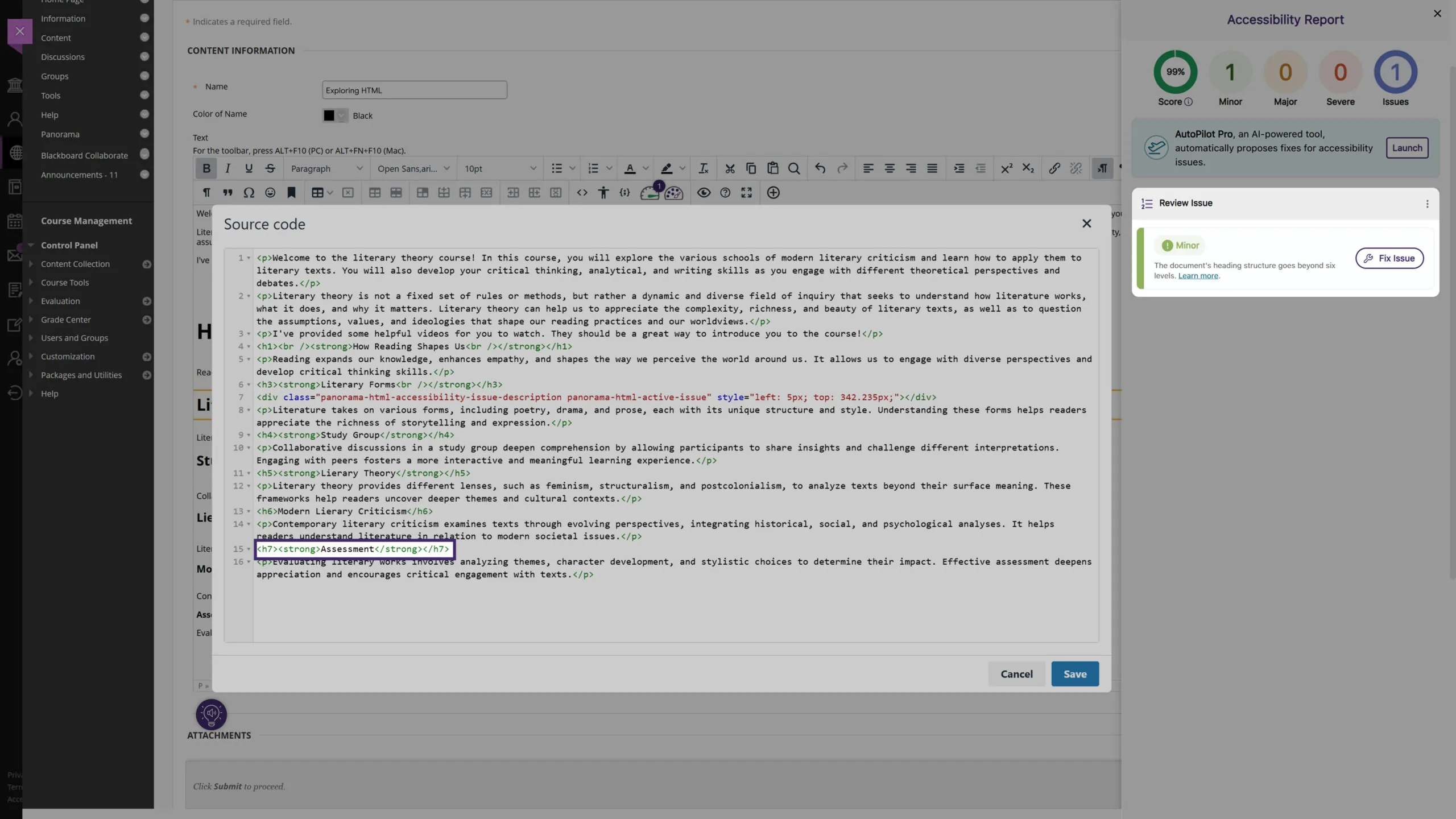
We’ve expanded Panorama’s capabilities in detecting heading tags that exceed six levels for HTML content in the WYSIWYG editor, ensuring better compliance with the latest WCAG accessibility guidelines.
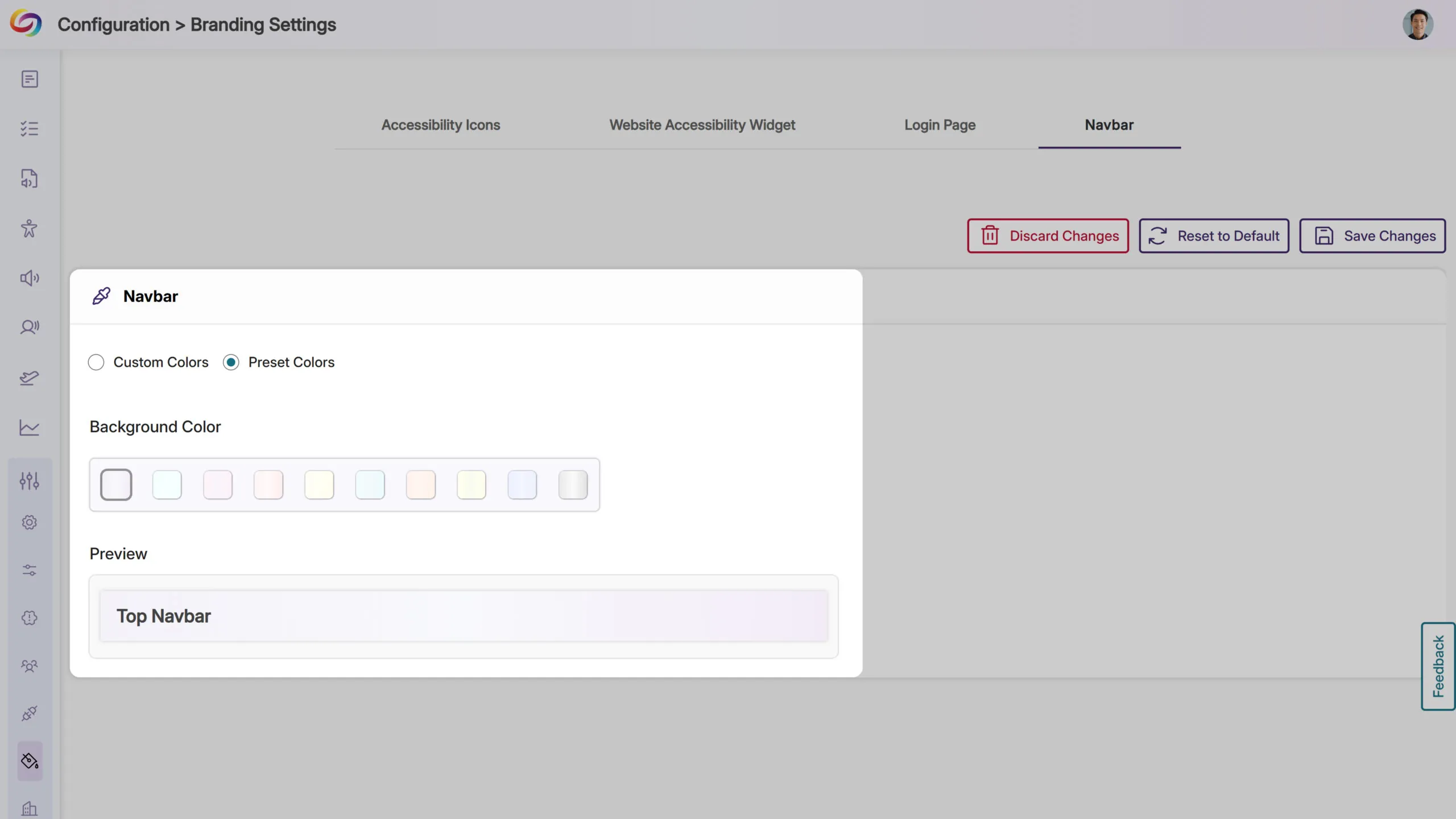
Expanded Branding Options for Enhanced Customization
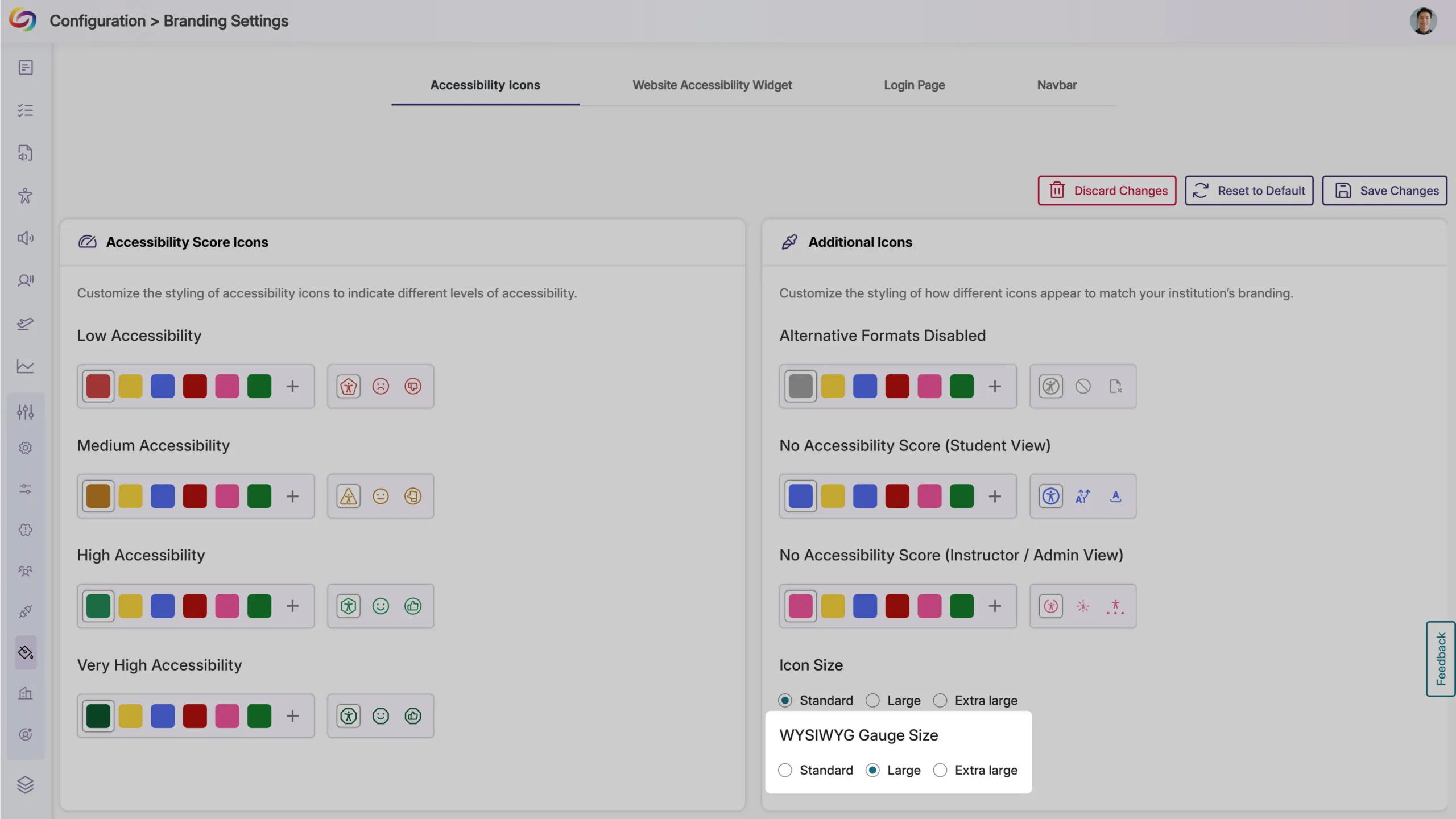
We’ve expanded the branding settings to offer greater flexibility in customizing icons and the interface to match your institution’s preferences. Key updates include:
WYSIWYG Gauge Size: Customize its size to ensure a consistent display alongside other icons within your LMS’s WYSIWYG editor.
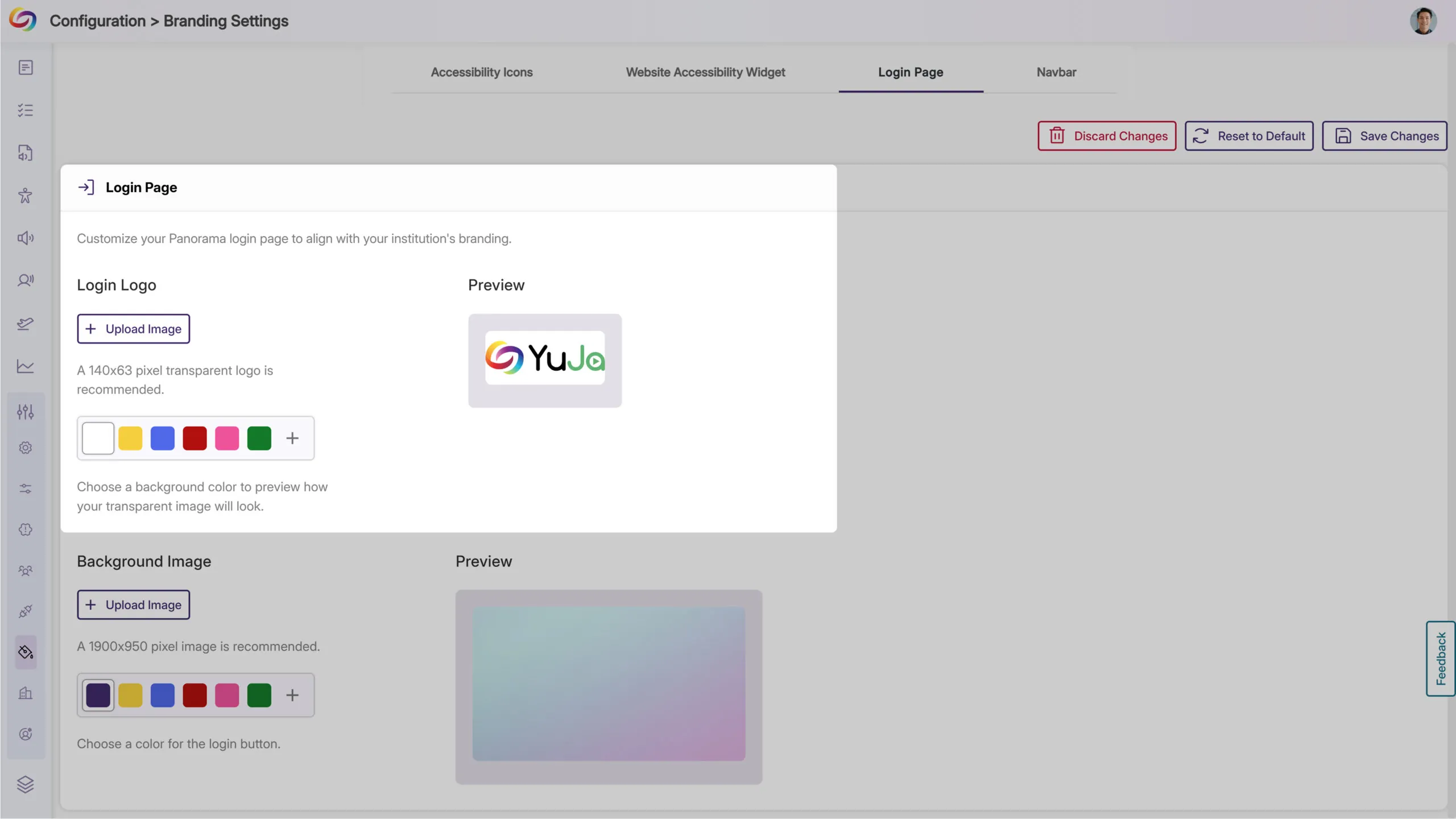
Login Page Branding: Upload a preferred logo for the login page to better align with your institution’s branding.
Predefined Color Options for Top Bar: Choose from modernized, high-contrast color options to maintain visual accessibility while matching your institution’s branding.
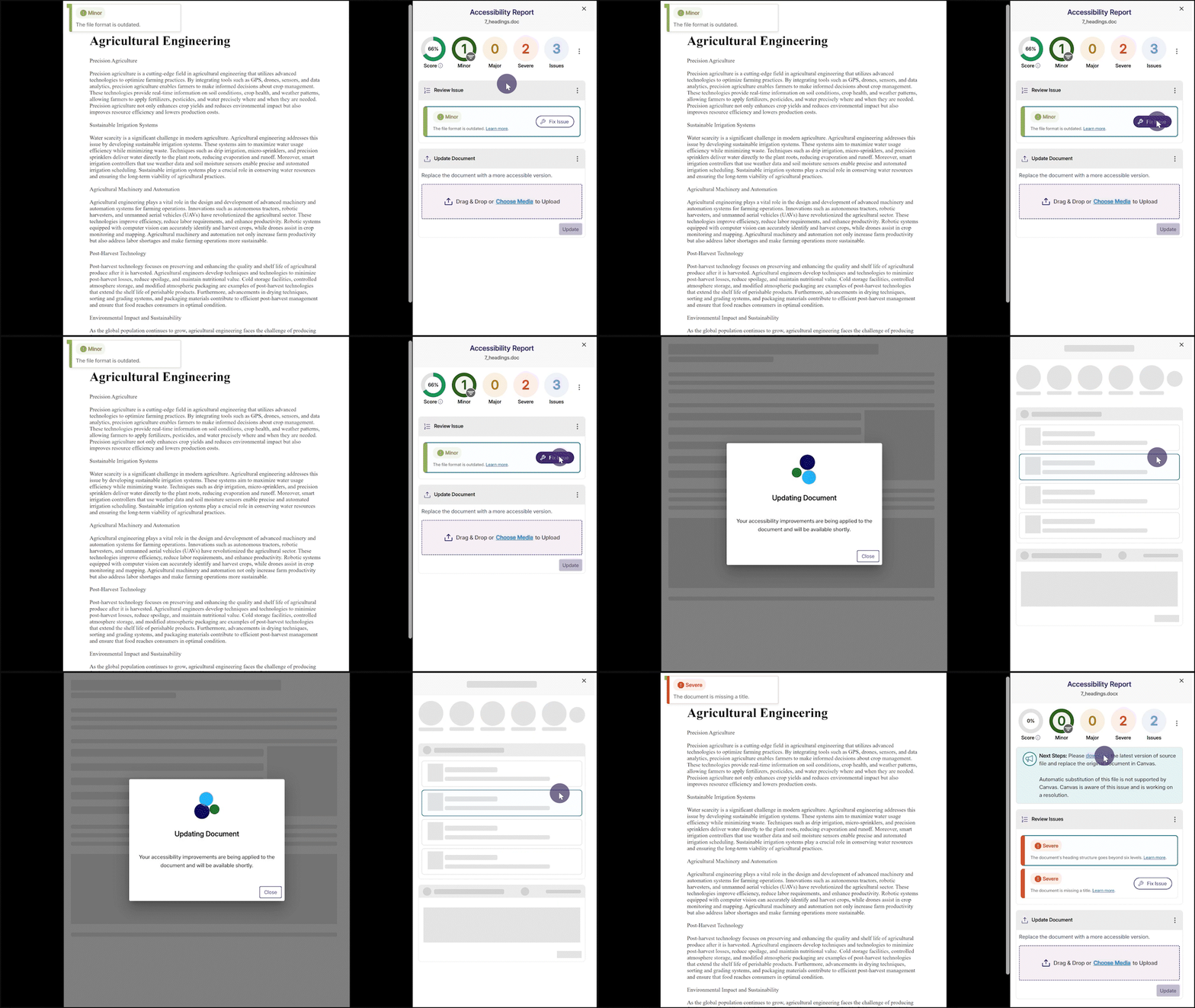
Fix Outdated File Formats Issue Within the Accessibility Report
We’ve enhanced YuJa Panorama’s capabilities to not only identify outdated file formats and provide how-to-fix suggestions, but also offer an instant fix. Simply click the Fix Issue button to update your file format to the latest version.
Join the 1,000+ Organizations Deploying High-Impact Solutions














