

Product Updates
Get the latest platform updates, features, and announcements—all in one place.
Boost Video Accessibility with the GenAI Video PowerPack!
Try Now
Supercharge Your Compliance Efforts with AutoPilot Remediation Max!
Try Now
Strengthen Your PDF Accessibility Efforts with Structural Remediation Max!
Try Now
Don't Miss Any of Our Upcoming Webinars—Save Your Spot!
Register
The YuJa Community is here! Connect, get updates, and access exclusive content.
Join Now

Get the latest platform updates, features, and announcements—all in one place.
We have successfully pushed an update to all YuJa LMS Accessible Design Add-On Platform instances residing in the United States, Canada, European Union, and Australia. This release provides new option to enable necessary designer elements, specify your preferred image padding, and save your recently selected colors.
New Administrator Option to Enable Necessary Designer Elements
If you’re an administrator, you can customize which LMS Designer elements are available to faculty. Simply access your General Settings and enable the elements your institution requires to structure content more efficiently.

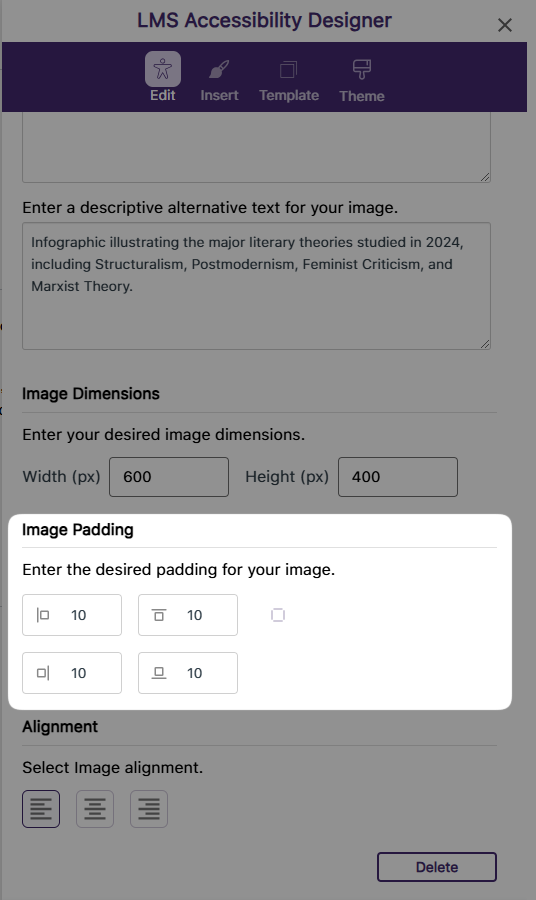
Specify Your Preferred Image Padding Within the LMS Designer
Previously, you had to adjust image padding in the HTML code editor after embedding the image. Now, you can simply enter your desired padding during the image embedding Process in the LMS Designer.
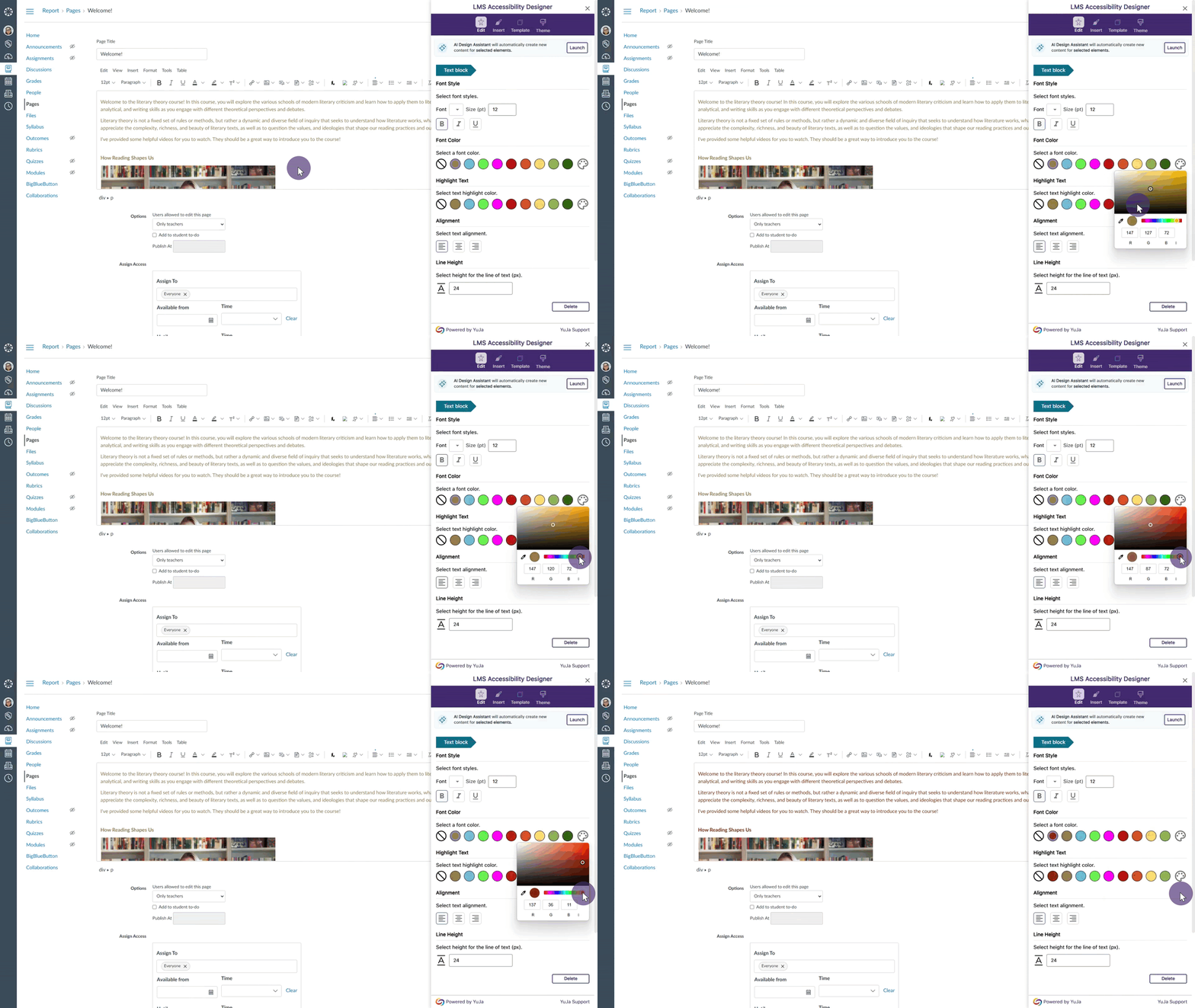
Recently Selected Colors Are Saved in the LMS Designer
Previously, you had to manually select the color for each design element. Now, you can easily choose from your recent selections in the LMS Designer, allowing you to quickly apply your frequently used colors to different content elements.
We have successfully pushed an update to all YuJa Panorama LMS Accessibility Platform instances residing in the US, Canada, Australia, Singapore, the Middle East, and the European Union. This update includes improved transparency of document accessibility scores, a new Power BI report template, a redesigned side bar with animated icons, the option to detect missing captions in the Video Platform’s videos, hide the To-Do List, view remediated documents and their analytics in the Course Report, and more.
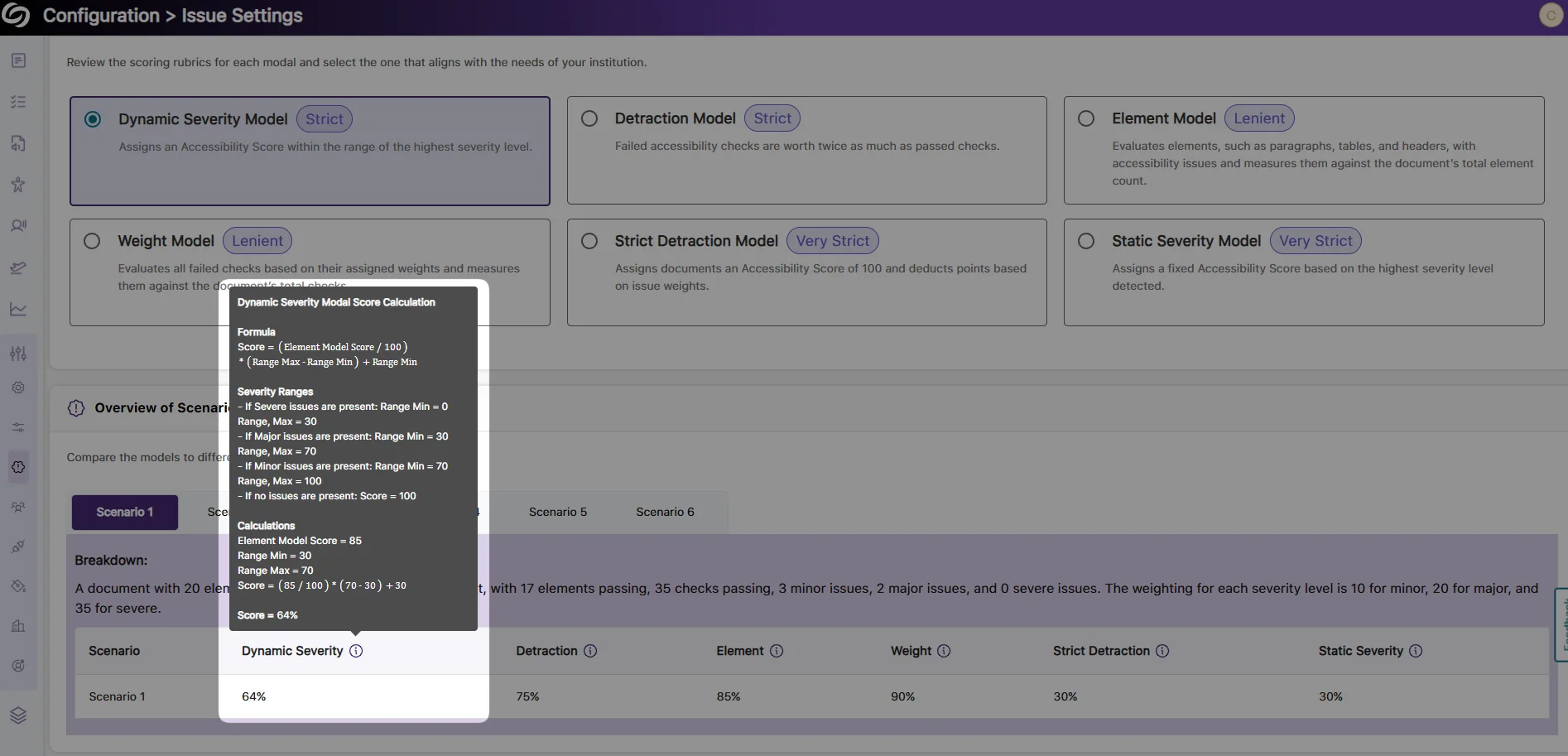
Improved Transparency of Document Accessibility Scores with Detailed Calculation Breakdown
As an administrator, you can now view a detailed breakdown of scoring rubrics for your documents across different accessibility models. Each model’s accessibility score is calculated using specific formulas based on the number of elements scanned and the proportions of minor, major, and severe issues. Simply hover over the info icon to view the calculation formulas and sample scenarios for each model, providing greater transparency into your accessibility scores.
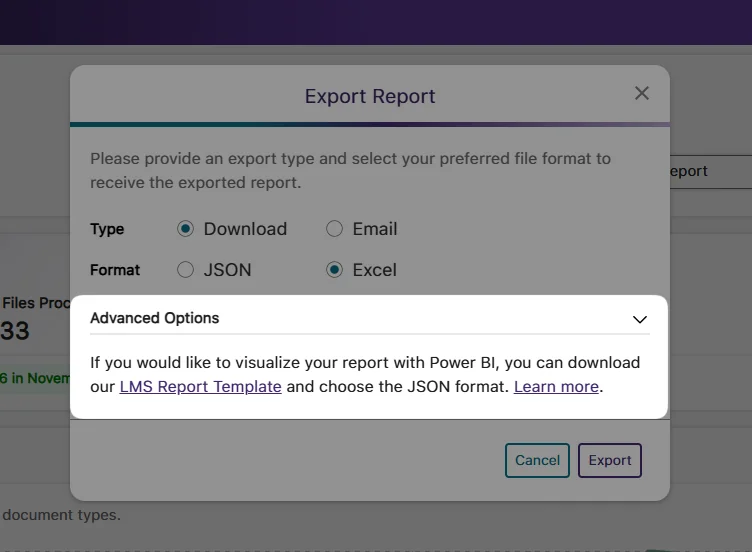
New Report Template for Presenting Accessibility Analytics in Power BI
As an administrator, you can now present your accessibility analytics easily in Power BI using our LMS report template. Simply upload the template along with your exported report in a JSON format to visualize your accessibility report.
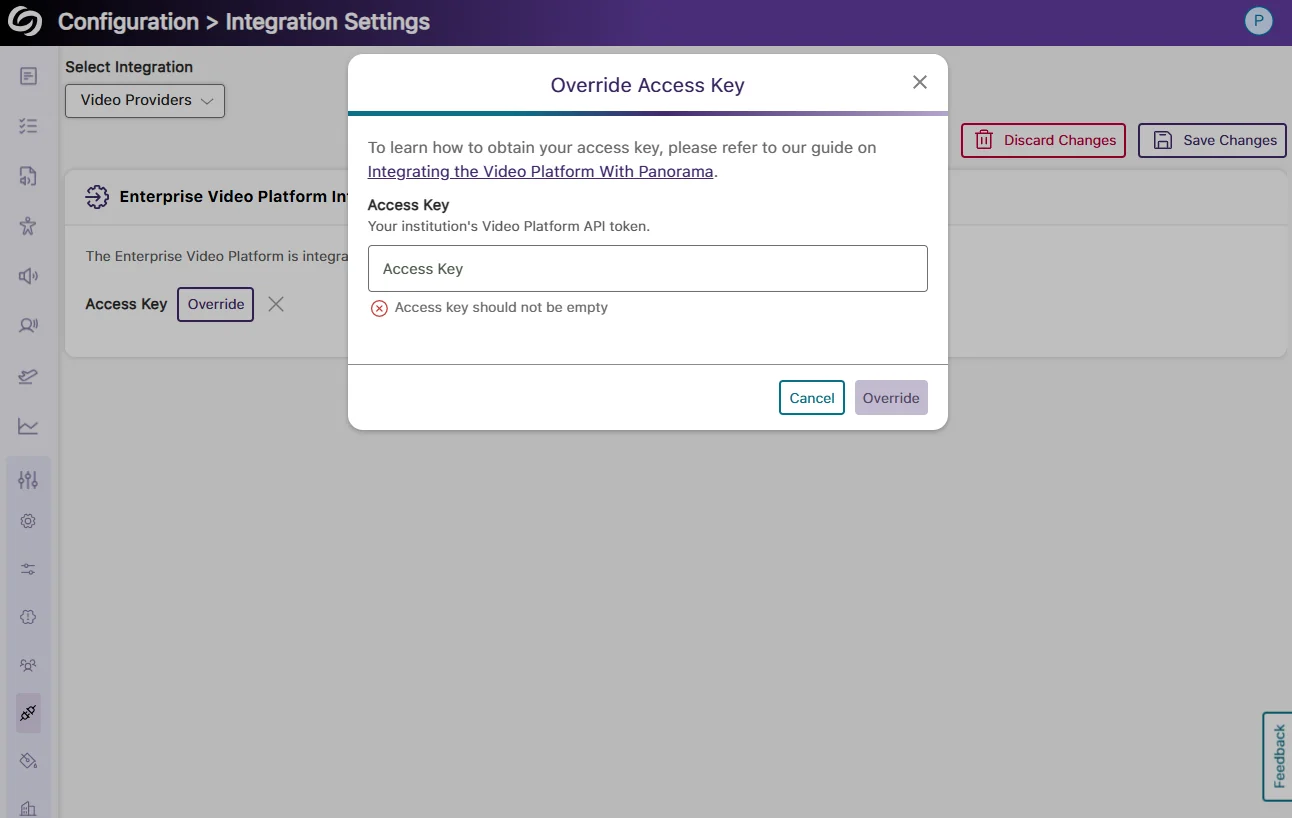
Integrate the YuJa Enterprise Video Platform With YuJa Panorama to Detect Missing Captions in Videos
You can now easily integrate the YuJa Enterprise Video Platform with YuJa Panorama by adding an access key. After the integration is complete, any videos embedded from the Video Platform into WYSIWYG content that YuJa Panorama can scan will automatically be checked for the presence of captions. If a video has missing captions, you will receive detailed instructions on how to add auto-captions through the Video Platform.
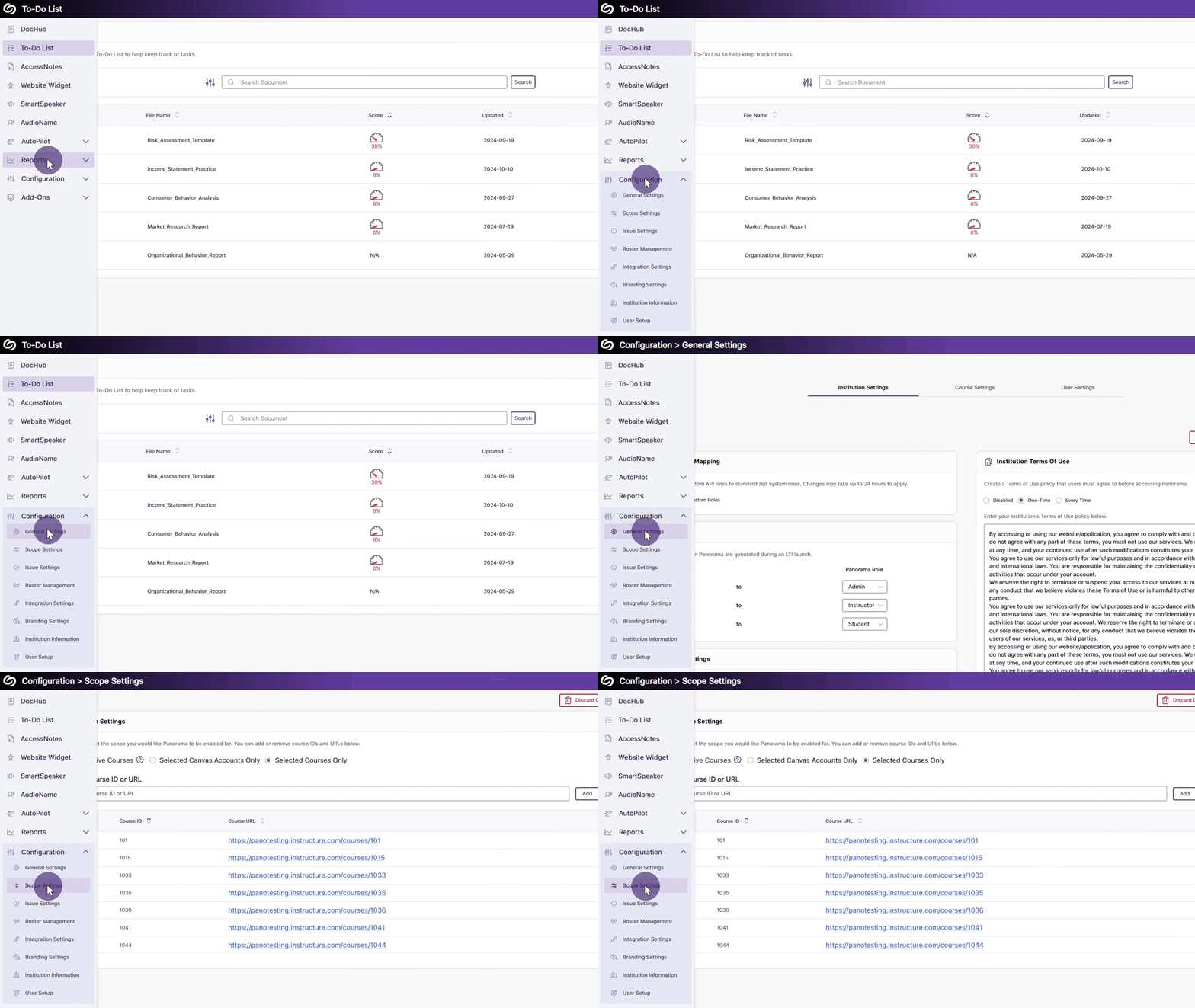
Updated Sidebar Iconography with Subtle Animation Element
Panorama’s sidebar has been redesigned with new animated icons for all menu items and improved keyboard accessibility for navigation.
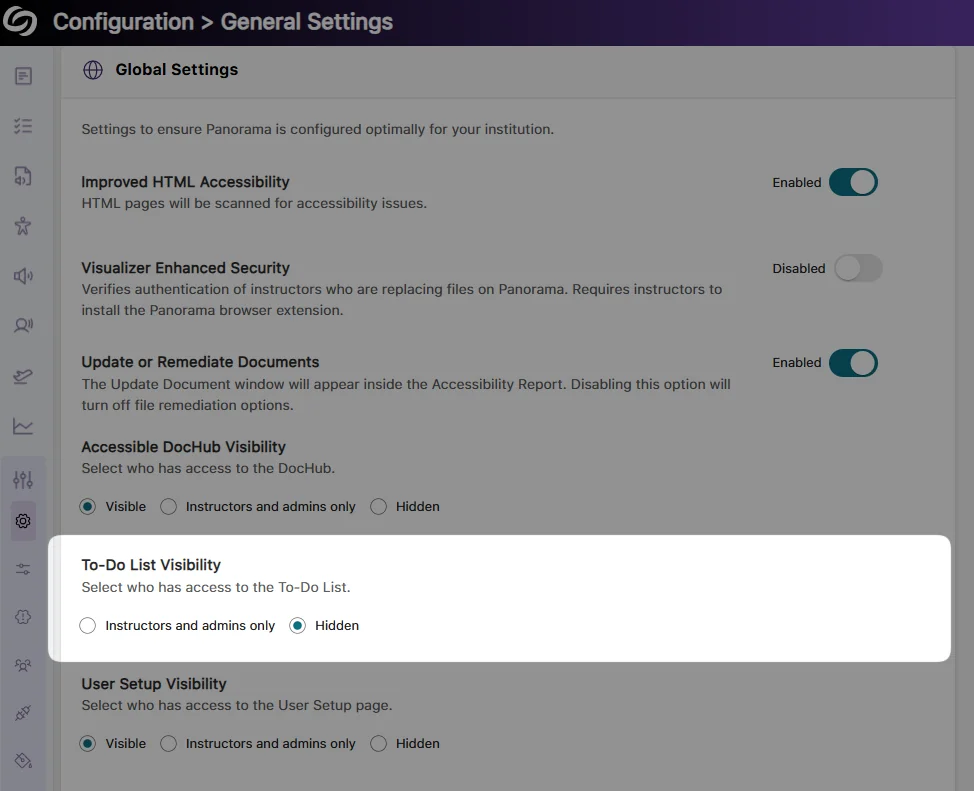
New Institution-Wide Setting to Hide the To-Do List
If Panorama’s To-Do List is no longer required, we’ve added a new setting that allows administrators to hide it across your institution. This will ensure that any items in the To-Do List are preserved in case instructors and administrators are granted access to the feature again.
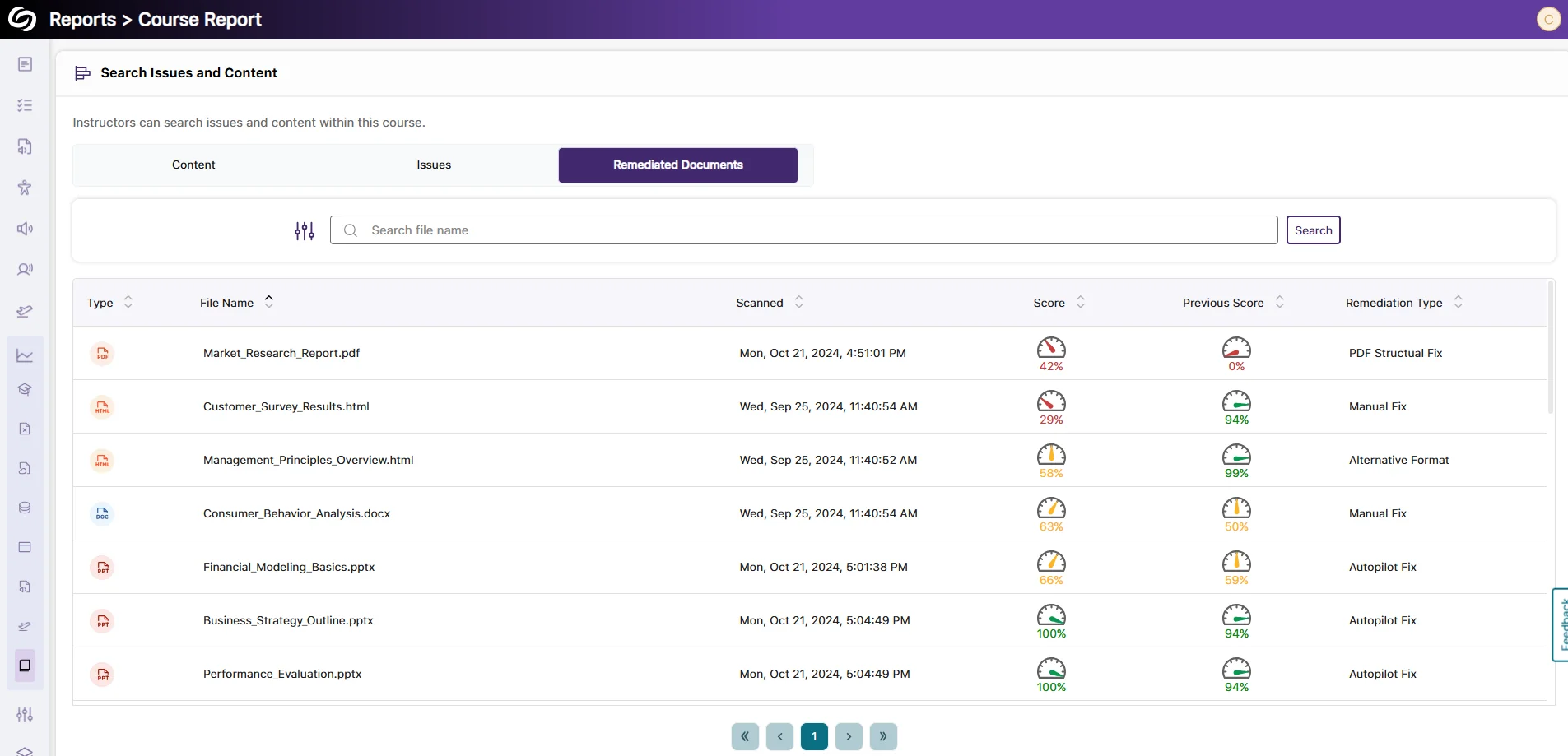
View Remediated Documents and Their Analytics in the Course Report
We’ve improved our course report to provide an overview of all remediated documents within a selected course. This allows you to see remediation types, compare document scores before and after remediation, and track your file remediation history.
Enhanced Arrow key Navigation With NVDA Screen Reader
We’ve updated Panorama’s screen reader compatibility with NVDA, ensuring the Alternative Formats Menu can be navigated using arrow keys. Previously, this functionality was restricted if certain NVDA settings were enabled.
Bulk Upload Users to the YuJa Panorama Roster Via CSV File Upload
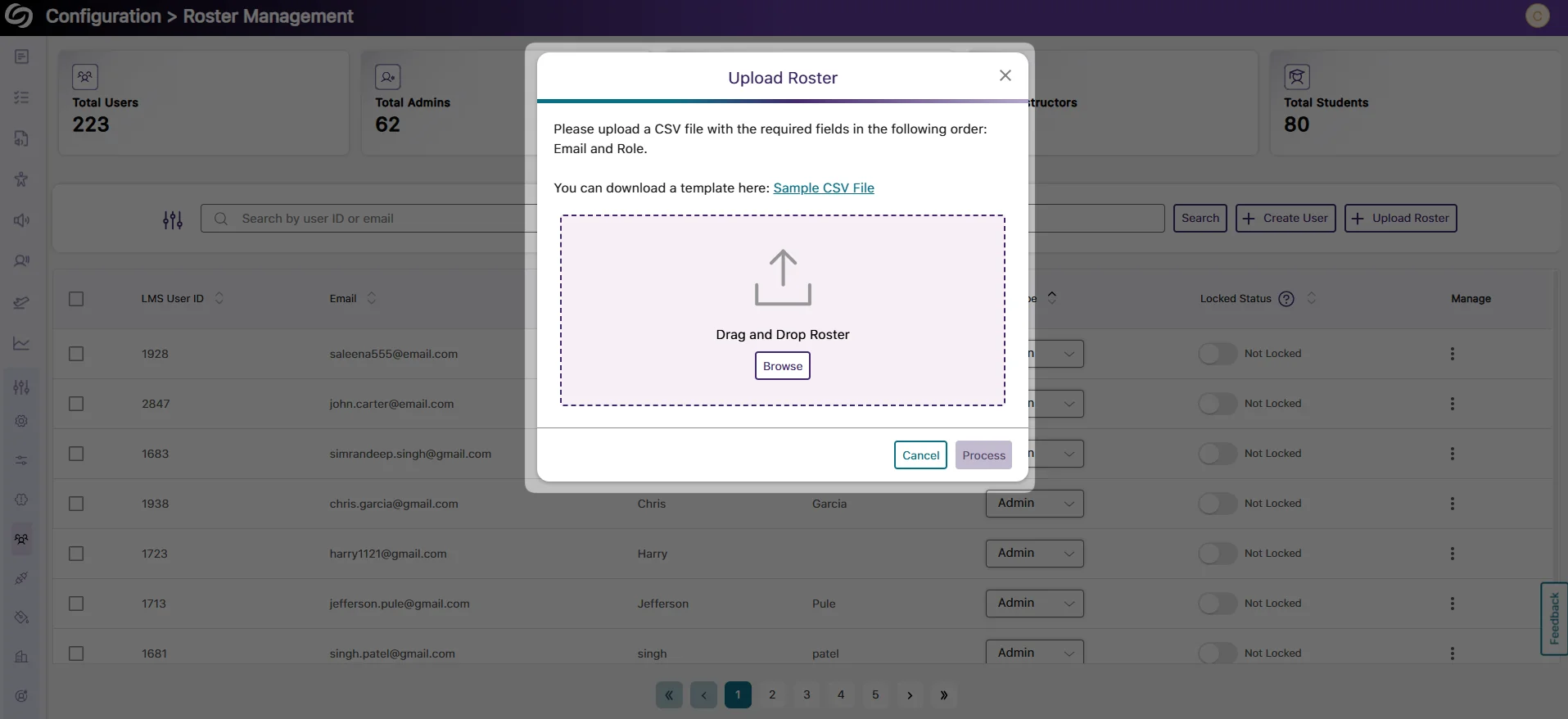
As an administrator, you can now avoid the hassle of individually adding users to your YuJa Panorama roster. Update the YuJa Panorama roster by bulk uploading a CSV file containing a list of users and their required information.
We have successfully pushed an update to all instances residing in the United States, Canada, Australia, and the European Union. This update includes integrated live proctoring sessions within the proctoring setup wizard, an updated YuJa Verity results page allowing you to switch between test-takers, a redesigned institution report and course report to provide more in-depth insights, centralized proctoring analytics in the new assessment report, and more.
Integration of Live Proctoring Session Within Proctoring Setup Wizard
YuJa Verity now offers a unified workflow for live and non-live proctoring setup. Previously, as an instructor, you could only create a live assessment after setting up a proctored assessment within YuJa Verity. Now, we’ve simplified the process by integrating steps for creating a live assessment within our Setup Proctoring wizard.

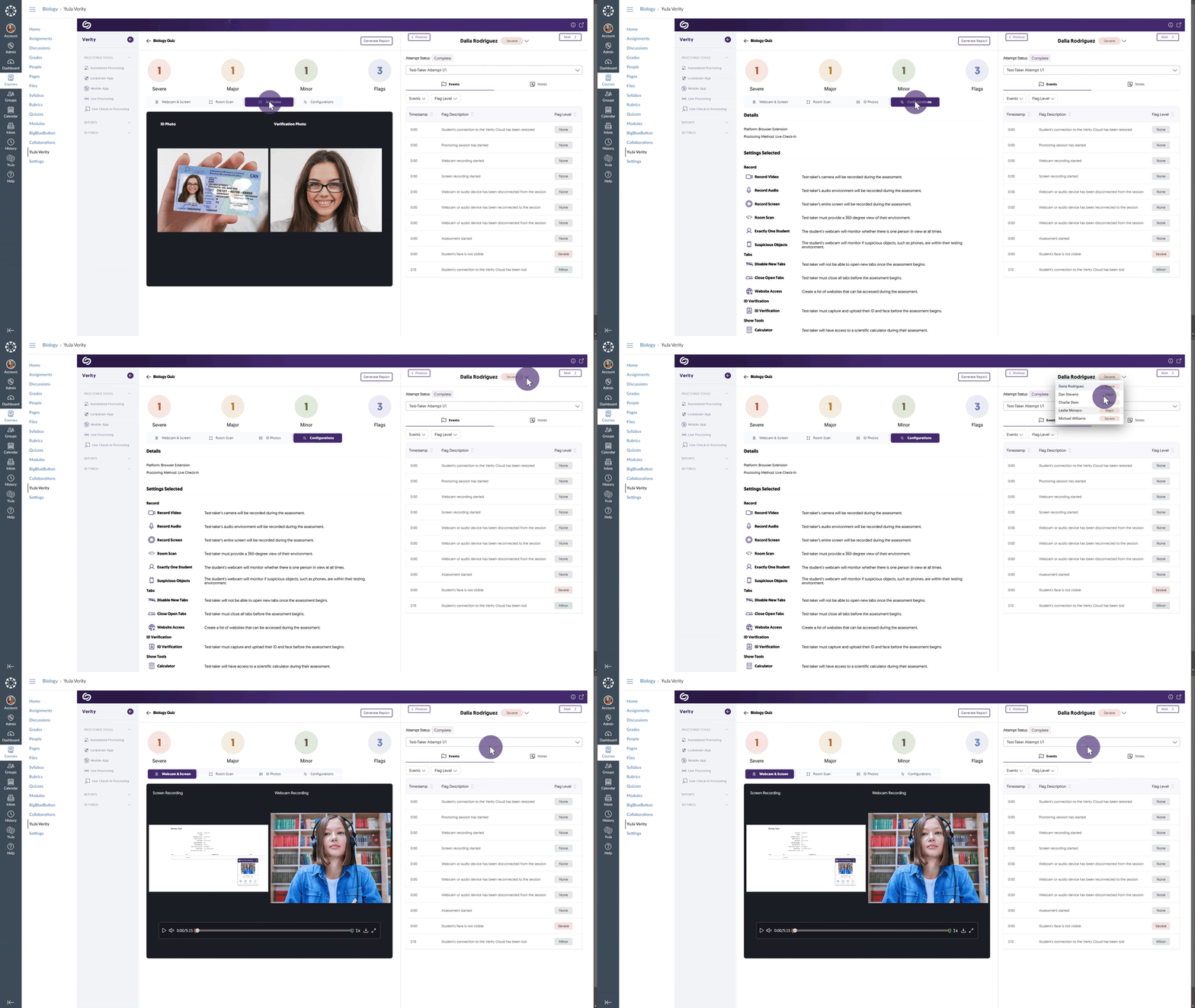
New “Speed-Grader” Results Page Features Ability to Flip Through All Test-Takers in a Single View
When reviewing proctored assessments, you can now quickly switch between a test-taker’s attempts and those of others all within the same view. Simply select a test-taker from the drop-down list and their attempts to begin reviewing recordings and relevant information, including room scans, ID photos, and configuration details. Additionally, you can also filter test-taker events by flag level, allowing you to analyze the most concerning issues.
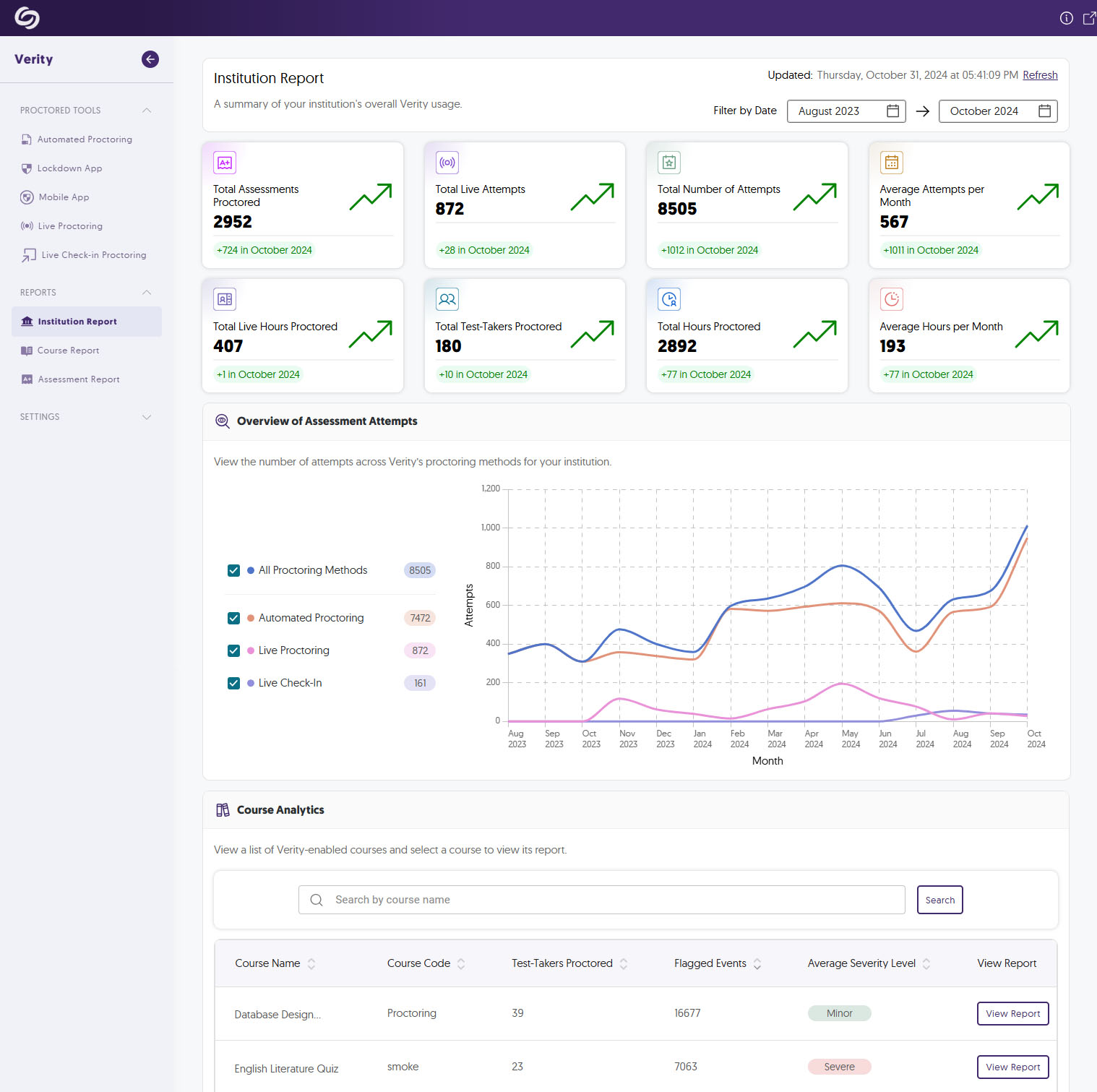
The Institution Report Offers More In-Depth Analytics to Track YuJa Verity’s Usage
We’ve improved our institution report to offer more key metrics that administrators can utilize to track YuJa Verity’s usage over time, along with Course Analytics showcasing an overview of YuJa Verity’s usage in particular courses. Some of the analytics include:
Improved Course Report Provides New Data Representations to Assess Test-Taker Performance
The new course report offers insights into flag levels within your course, helping you assess the frequency of severe, major, and minor events flagged in assessments. Additionally, Assessment Analytics provides an overview of each assessment, showing the total number of test-takers, the number of flagged events, and the highest flag level recorded.

Centralized Proctoring Analytics in the New Assessment Report
The new Assessment Report offers proctoring analytics for any assessment you wish to review. It summarizes the status of completed assessments, the number of test-takers marked with Severe, Major, or Minor events, and access detailed analytics for individual test-takers.

Modernized Video Player Interface with Redesigned Progress Bar and Icons
With the modernized video player, you can now view test-takers’ recordings with a redesigned progress bar and icons, making it easier to navigate through the content and quickly access key moments in the recordings.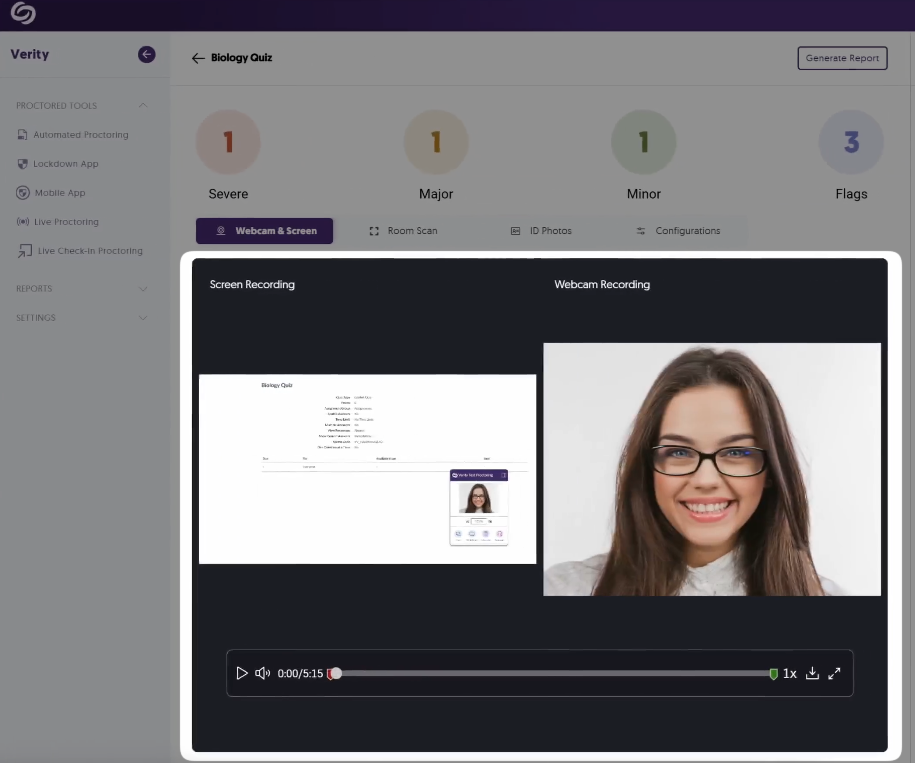
YuJa Verity Mobile Lockdown App Support for Blackboard
Building on our support for proctored assessments on mobile devices in D2L Brightspace and Moodle, test-takers can now take proctored assessments in Blackboard on their mobile devices.

Enhanced Guidance for Screen Sharing in the YuJa Verity Lockdown App
We’ve added a how-to video in the YuJa Verity Lockdown app setup process to help test-takers resolve issues related to screen setup for assessments.

Resolved Session Time-Outs During Assessments in Blackboard
Previously, test-takers experienced session time-outs when accessing assessments on Blackboard. Now, we’ve resolved this issue, and test-takers can expect questions to appear within a few seconds.
System Check No longer Required for Exempted Test-Takers
Previously, exempted test-takers were required to undergo a system check before taking an assessment in the Lockdown app. Now, we’ve resolved this issue, and they can proceed to an assessment without any restriction.

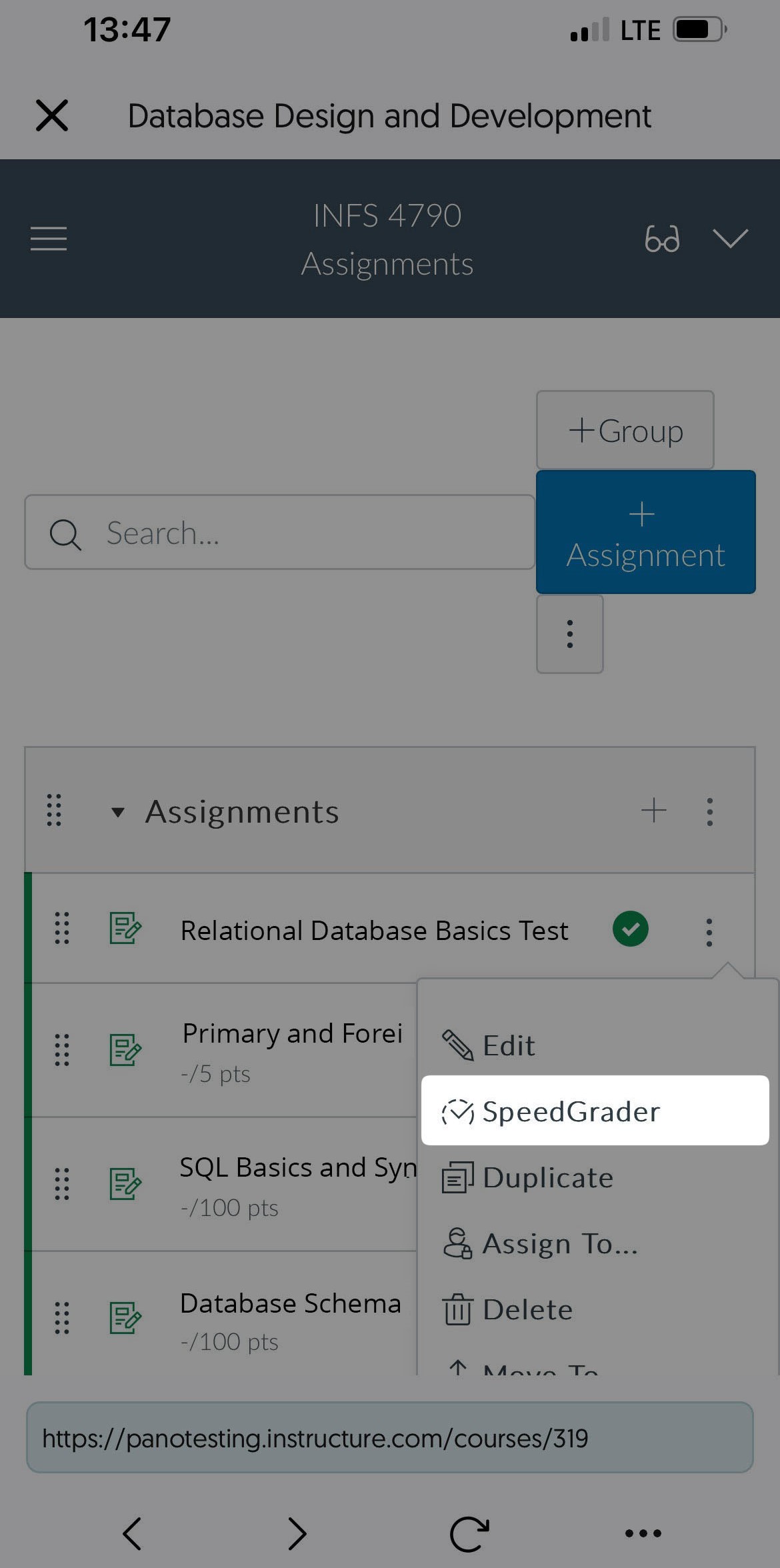
Canvas Instructors Can Grade Proctored Assessments Without Requiring the YuJa Verity Browser Extension
Canvas instructors no longer need to download the YuJa Verity Browser Extension to grade proctored assessments. They can directly click on their assessment within the YuJa Verity Platform, allowing them to grade results on a wider range of browsers and devices, including Safari and iPads.
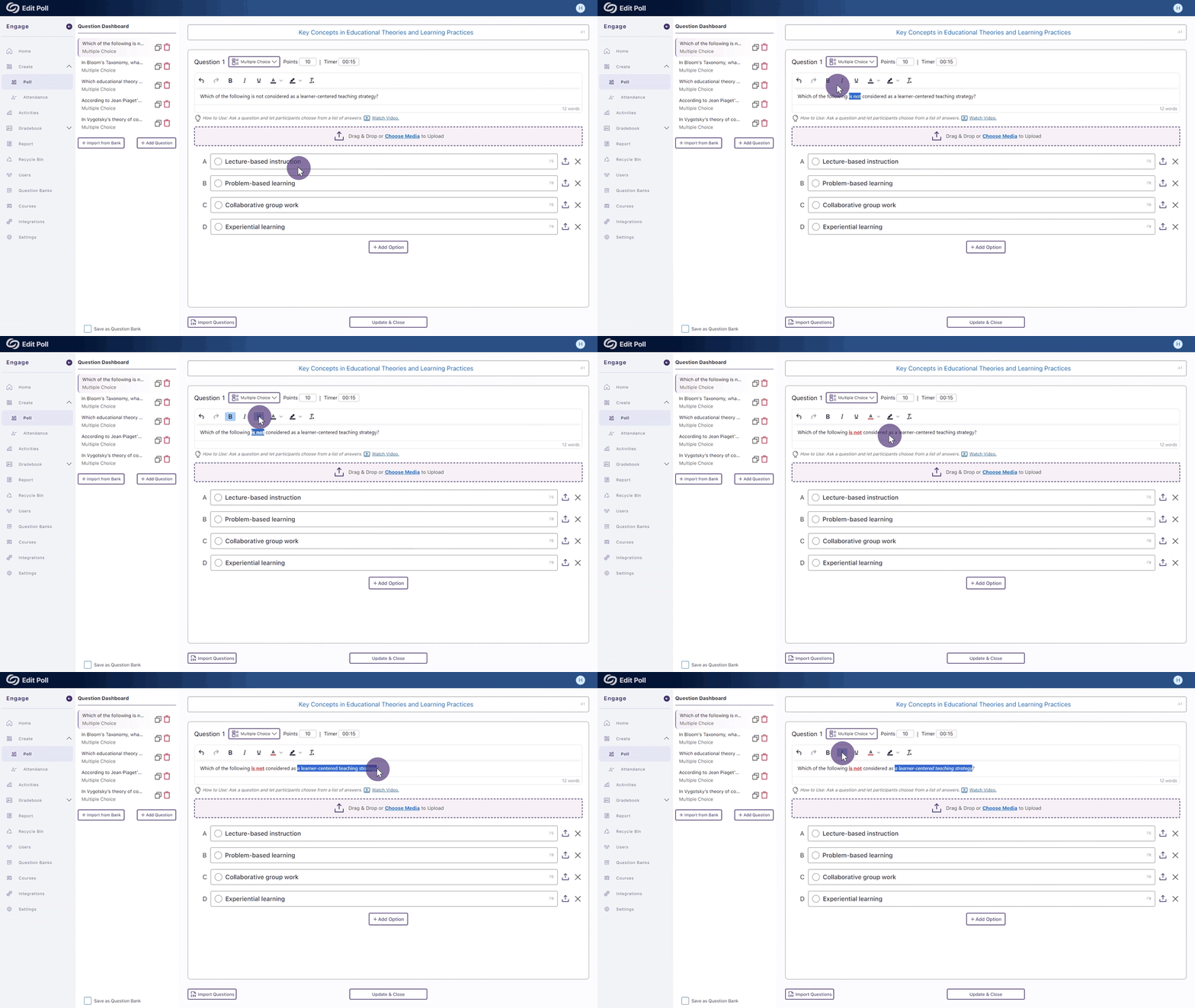
We have successfully pushed an update to all YuJa Engage Student Response System instances residing in the United States, Canada, Australia, and the European Union. This release includes multiple rich-text styling options for question titles, new activity reports for creators, and geofence location configuration in administrator accounts.
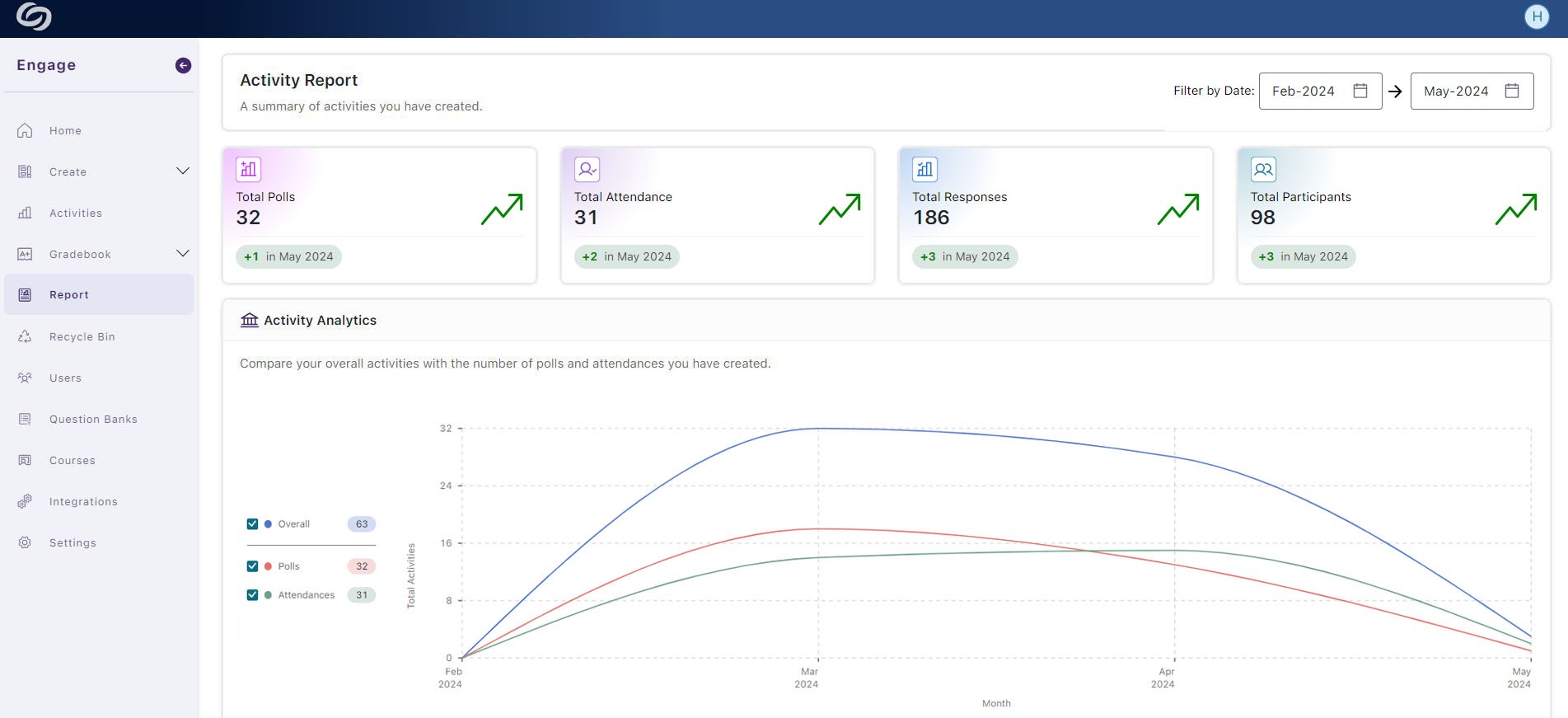
New Creator’s Activity Report – View Analytics of Your Activities
As a creator, you can now access detailed reports of your personal activities, including analytics for standalone activities and those published in courses. Additionally, you can gain insights into participant engagement by reviewing reports for individual activities.
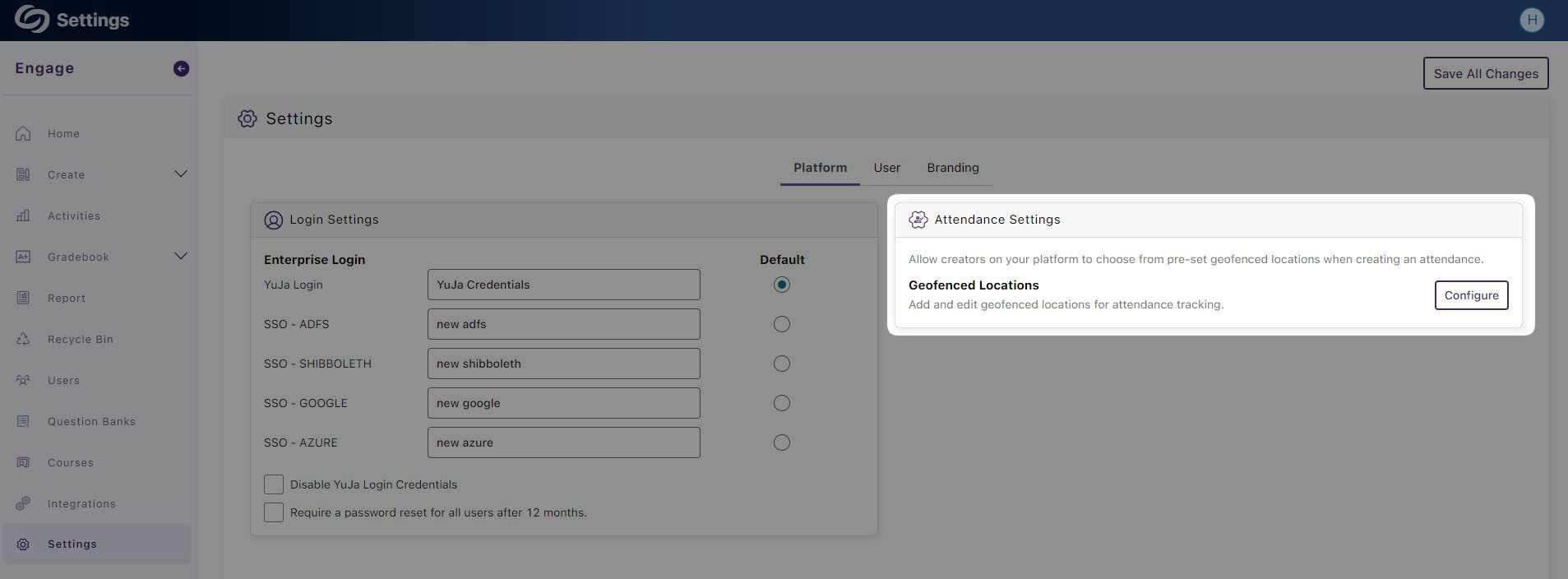
Set Up the Default Geofence Locations for Your Institution
As an administrator, you can now set up multiple geofence locations for your entire institution, allowing attendance creators to select from a predefined list of locations.
The release provides real-time accessibility integration with WordPress and Drupal, comprehensive insights into accessibility issues, a new Performance Report metric, use AutoPilot.AI to propose fixes for entire web pages, disable websites from being scanned, at-a-glance accessibility scores for documents, and assign one-time credits to scan pages.
Real-Time Accessibility Integration for WordPress and Drupal CMS Including AutoPilot.AI
If you’re an administrator, you can now integrate your YuJa EqualGround Platform into WordPress and Drupal to detect accessibility issues in real time as you create websites. In addition, you will have complete access to AutoPilot to help suggest fixes for issues as they’re found.
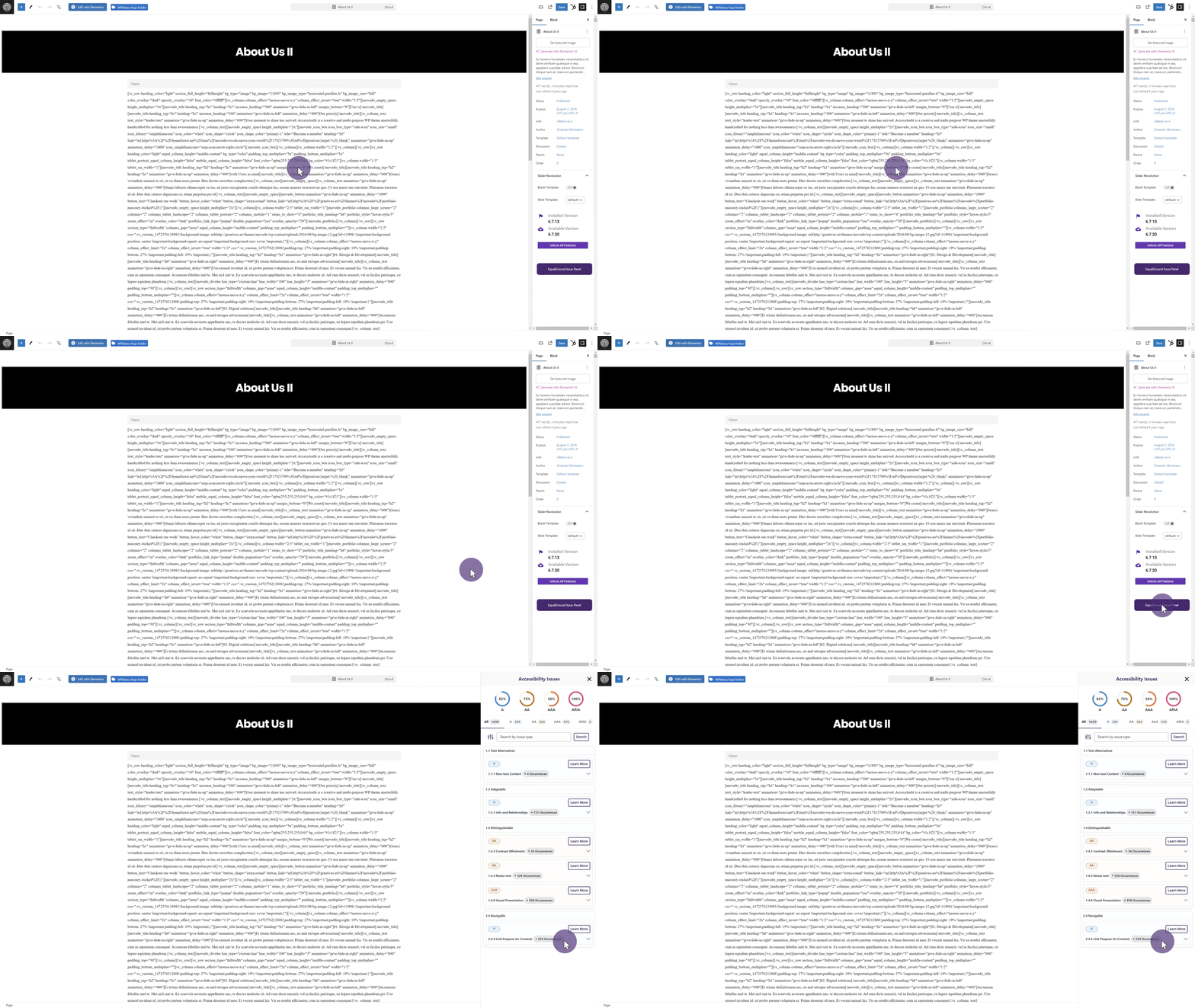
Comprehensive Insights on Issues: What They Mean and Why They Matter
YuJa EqualGround scans for over 100 potential issues, and we understand that you may not be familiar with each one. To simplify things, when an issue is detected, we now provide concise summaries explaining its significance and why resolving it is important.

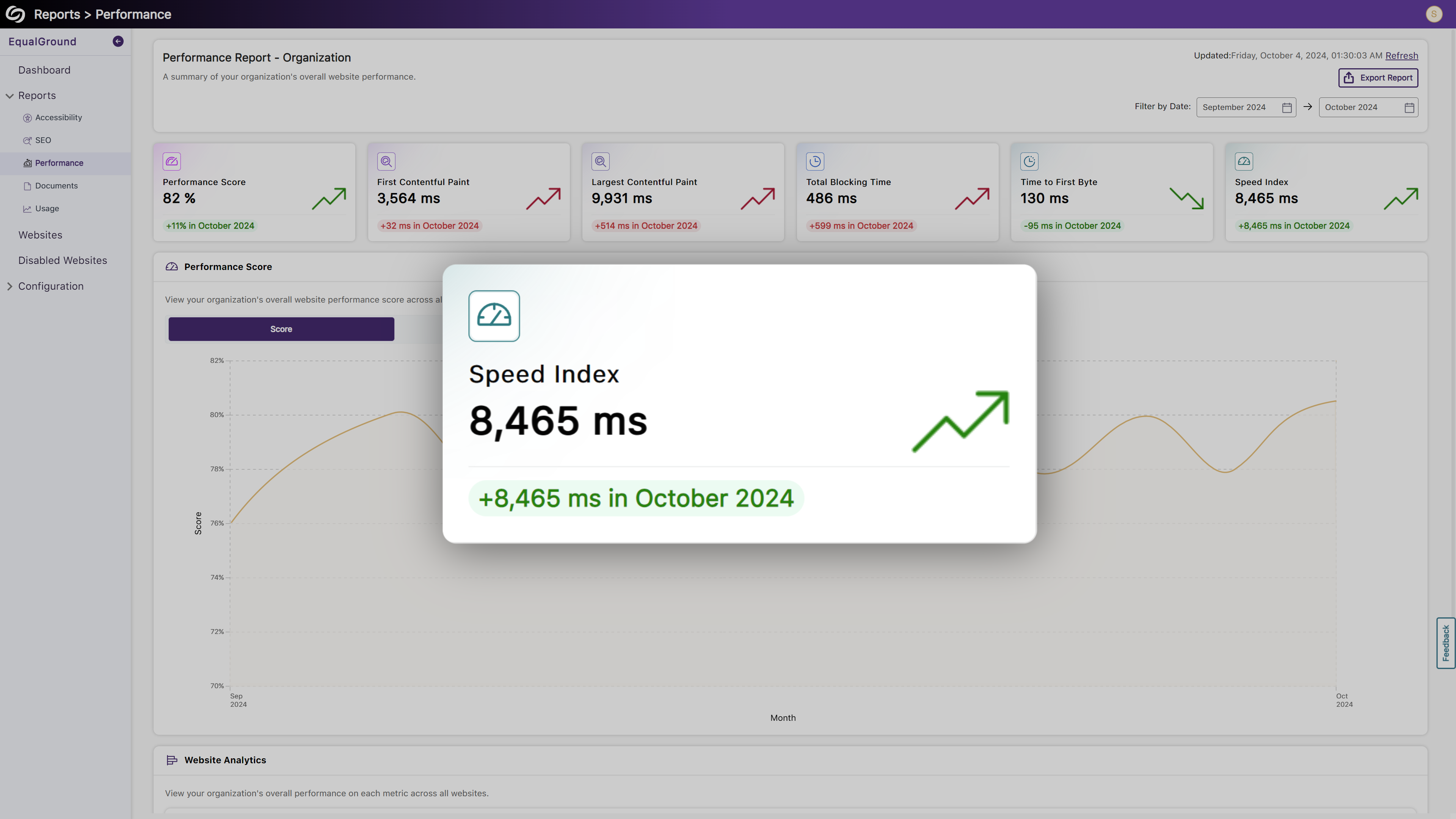
New Performance Report Metric: Speed Index
We’ve introduced a new Performance Report metric, the Speed Index, which measures how quickly content becomes visually available during page load.
Use AutoPilot.AI to Help Propose Fixes for Entire Web Pages
In our previous release, we introduced the option to select an issue and for AutoPilot.AI to suggest how to fix it. Now, you can streamline the processby running AutoPilot.AI across an entire web page, allowing you to review all proposed fixes for accessibility issues at once.

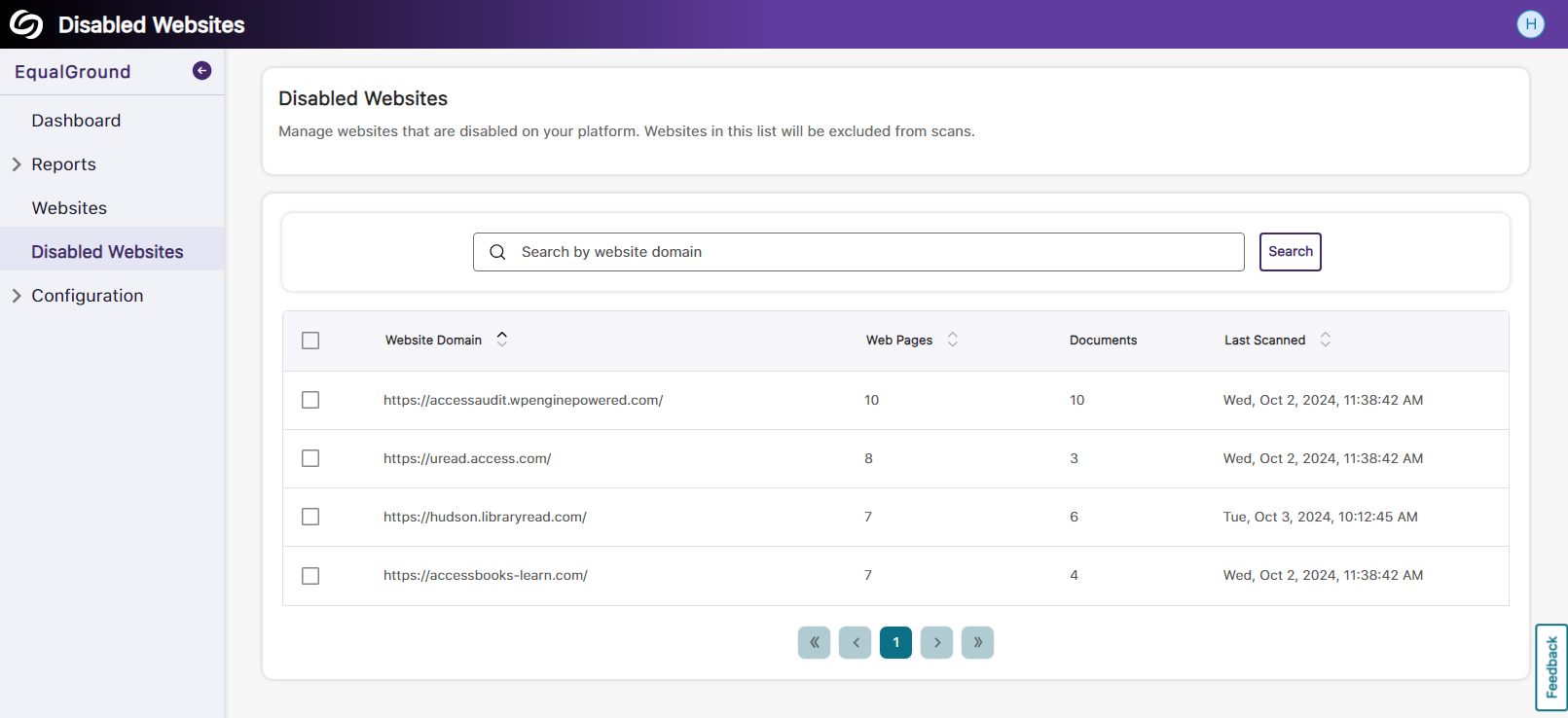
Disable Websites from Being Scanned
If you’re looking to pause recurring scans for specific websites, you can now disable those sites from being scanned by YuJa EqualGround.
At-a-Glance Accessibility Scores for Documents Detected on Web Pages
When reviewing a document scan of a web page, detected files will display an accessibility score next to them, allowing you to prioritize and address the most concerning documents first.

Assign One-Time Credits to Page Scans
In one-off cases where you require more credits than your monthly limit for page scans, you can contact your Client Success Manager to add additional credits that will remain on YuJa EqualGround until used.
Join the 1,000+ Organizations Deploying High-Impact Solutions














