Product Updates
Get the latest platform updates, features, and announcements—all in one place.
Boost Video Accessibility with the GenAI Video PowerPack!
Try Now
Supercharge Your Compliance Efforts with AutoPilot Remediation Max!
Try Now
Strengthen Your PDF Accessibility Efforts with Structural Remediation Max!
Try Now
Don't Miss Any of Our Upcoming Webinars—Save Your Spot!
Register
The YuJa Community is here! Connect, get updates, and access exclusive content.
Join Now

Get the latest platform updates, features, and announcements—all in one place.
We have successfully pushed an update to all YuJa FeedbackFlow Assessment Platform instances residing in Canada, Australia, and the European Union. This update includes the option to create interactive assessments featuring video-based questions and responses, customize grading methods for individual questions, embed YuJa FeedbackFlow Assessments to LMS with Grade Book Sync, and evaluate submissions using YuJa FeedbackFlow Grading Tool.
Create Unique and Interactive Assessments Featuring Video-Based Questions and Responses
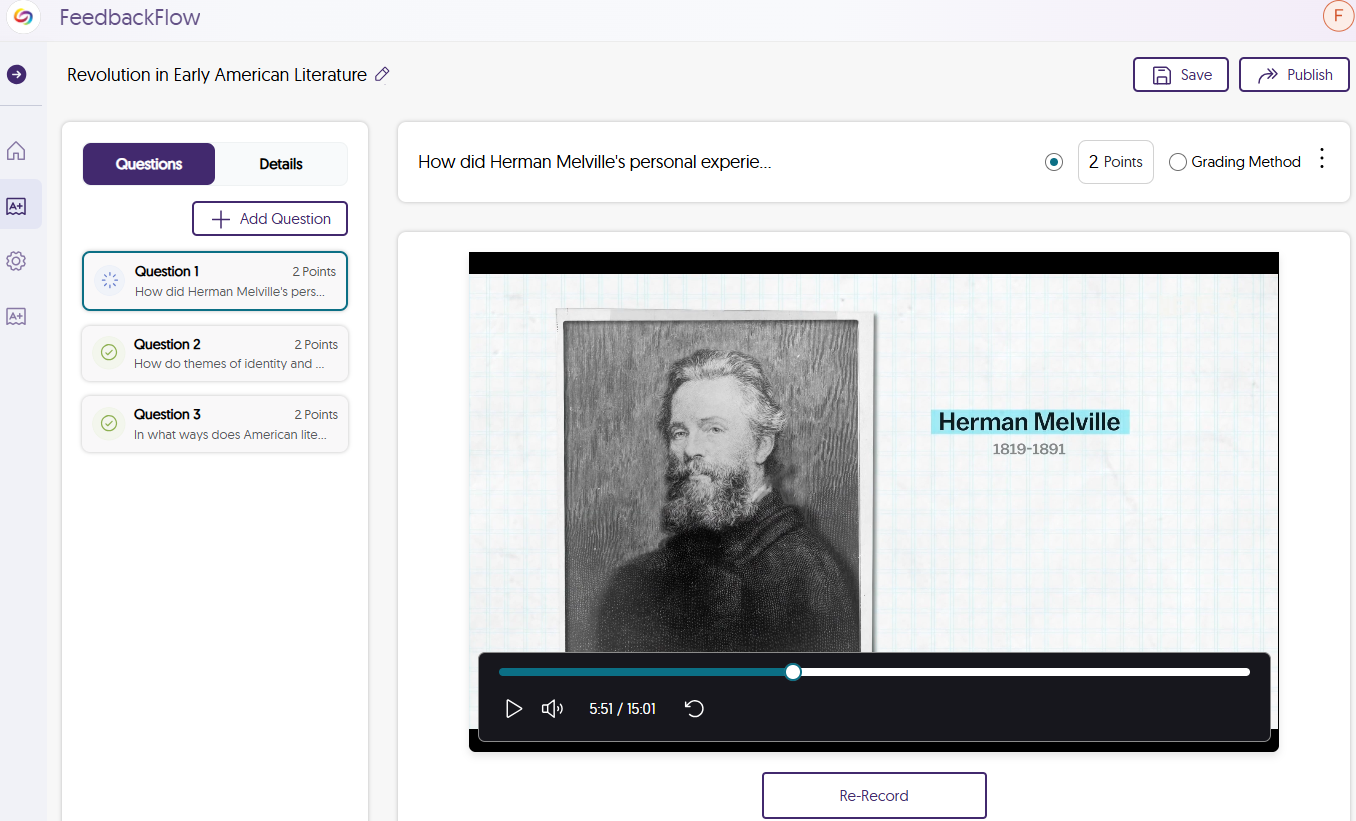
When text-based interactions aren’t enough, video-based questions and responses provide a richer, more dynamic range of expression. Simply record or upload a video of your question, and participants will respond with their own recording using YuJa FeedbackFlow’s built-in video recorder.
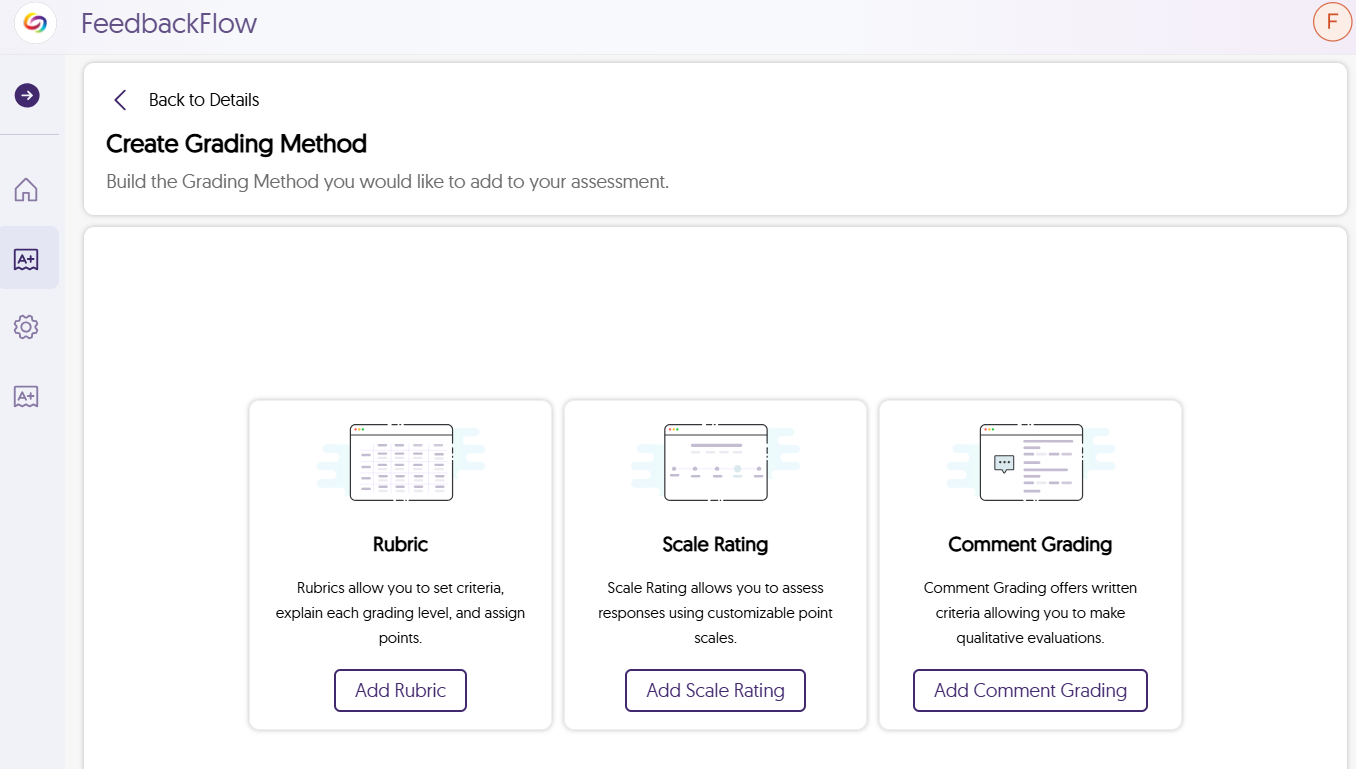
Choose Your Preferred Grading Method for Individual Questions
Each question can have its own grading method assigned to it to determine how many points the question is worth. These grading methods include:
After creating your grading method, you can save it as a template to use in future assessments.
Embed YuJa FeedbackFlow Assessments in Your LMS with Grade Book Sync
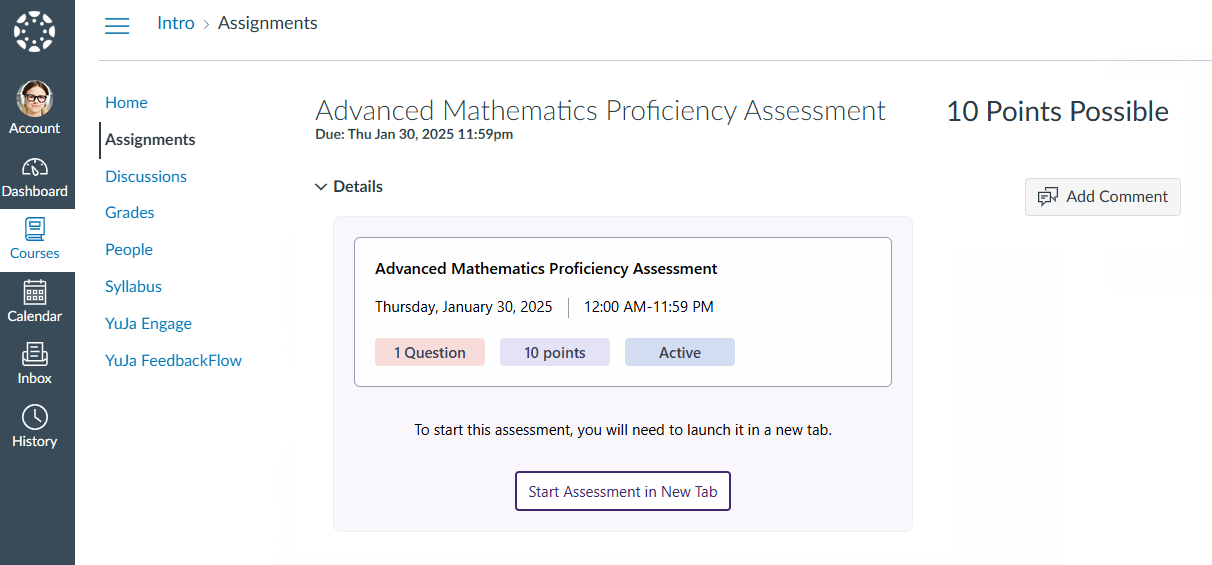
With the YuJa Video Platform’s Media Chooser, you can easily embed assessments as LMS assignments, allowing students to participate directly in their course. Once you grade the assessment, the results are automatically synced to the LMS grade book.
Evaluate Submissions Using YuJa FeedbackFlow Grading Tool
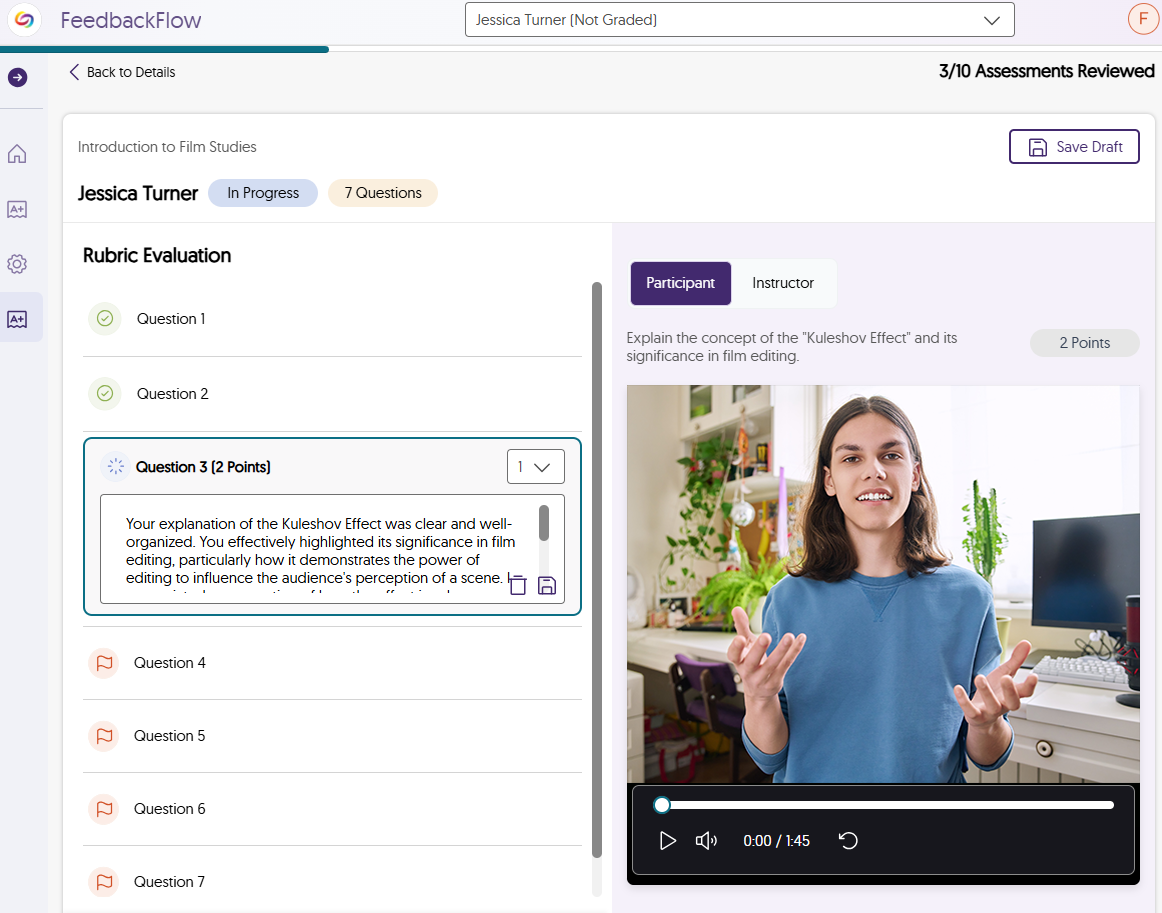
As participants complete their assessment, you will be able to use the grading tool to evaluate results. After reviewing each answer, you can assign a grade based on the grading method that was chosen. To help participants do better for future assessments, you have the option to provide constructive feedback, offering help on how they can improve their responses.
Join the 1,000+ Organizations Deploying High-Impact Solutions