Product Updates
Get the latest platform updates, features, and announcements—all in one place.
Boost Video Accessibility with the GenAI Video PowerPack!
Try Now
Supercharge Your Compliance Efforts with AutoPilot Remediation Max!
Try Now
Strengthen Your PDF Accessibility Efforts with Structural Remediation Max!
Try Now
Don't Miss Any of Our Upcoming Webinars—Save Your Spot!
Register
The YuJa Community is here! Connect, get updates, and access exclusive content.
Join Now

Get the latest platform updates, features, and announcements—all in one place.
Over the next few weeks, the YuJa Verity Test Proctoring Platform will be rolling out enhancements to improve the security and integrity of proctored assessments. Key highlights include support for geofenced assessments with IP and geolocation detection, enhanced assessment security with virtual camera detection, streamlined third-party quiz access across LMSs, and more.
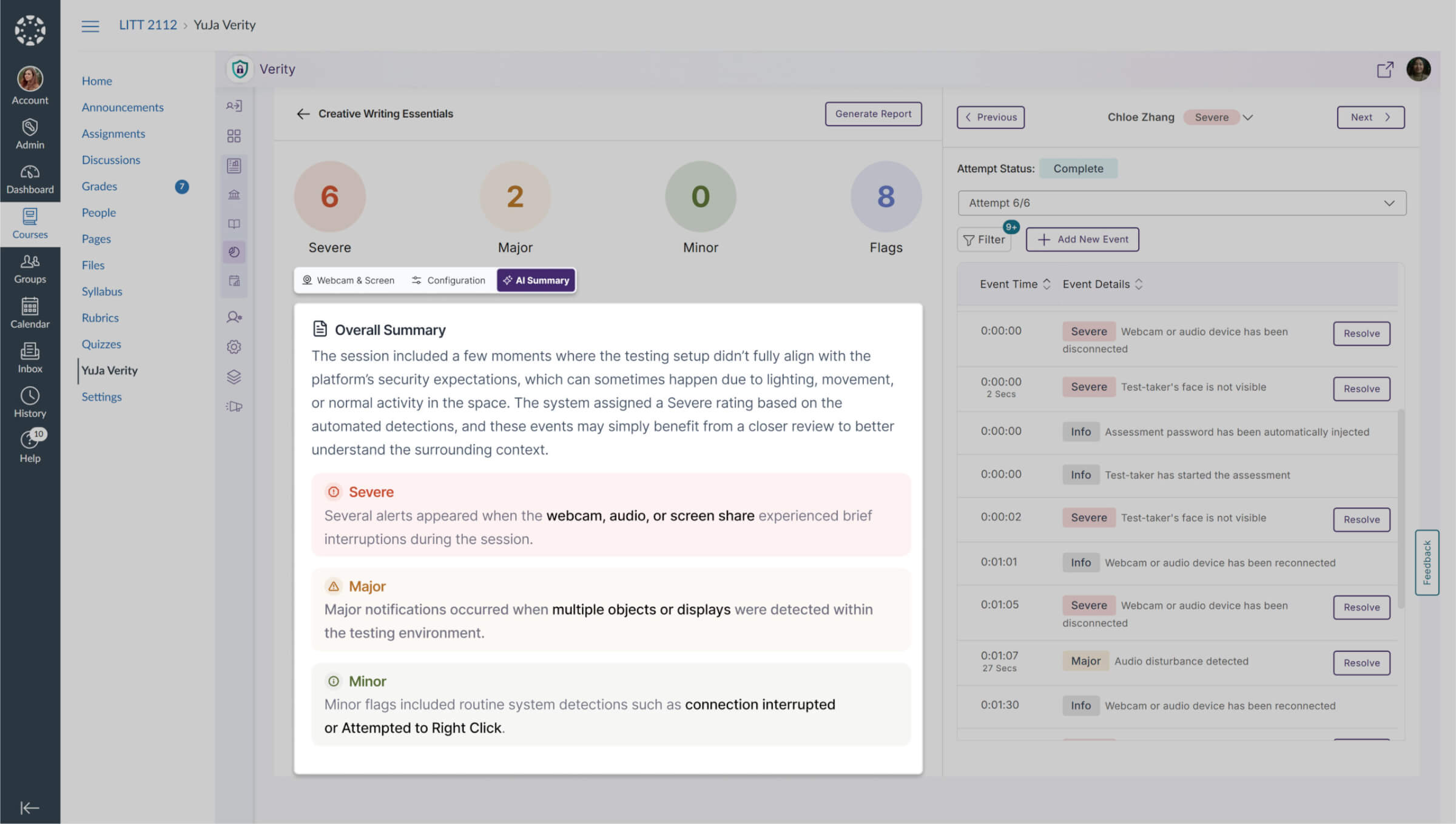
Get Immediate Insights with AI-Powered Assessment Summaries
We now provide an AI-generated summary of a test-taker’s assessment results for Automated Proctoring, available on demand once results are ready. For Live Proctoring, the summary will instead show the proctor’s observations, giving instructors immediate, relevant insights into each student’s performance while ensuring context-appropriate reporting for every proctoring type.
Catch What AI Misses with Manual On-Demand Flags
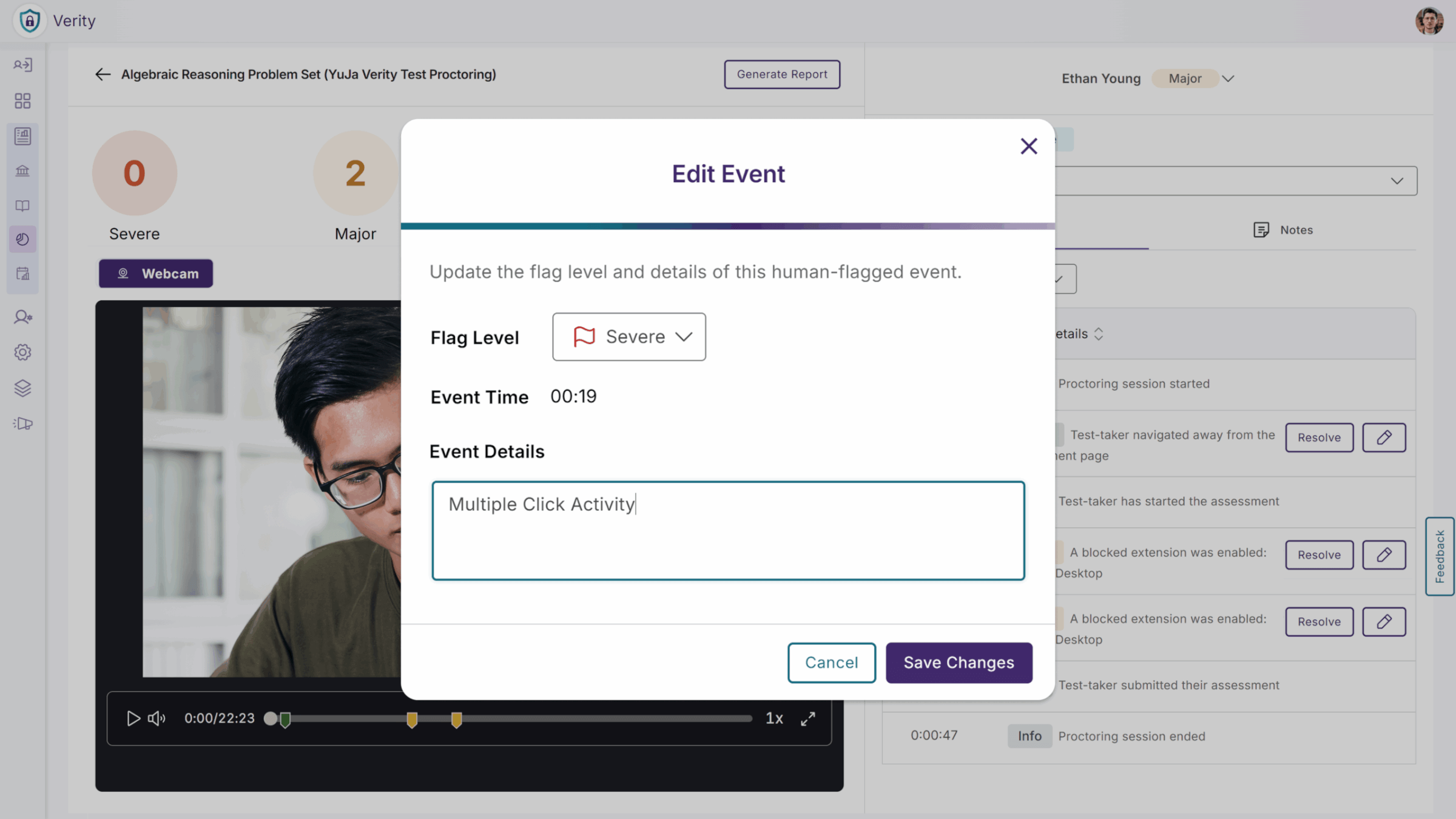
Instructors and proctors can now add manual flags to a test-taker’s proctoring submission when they notice concerning behavior that the AI may not detect, such as another person in the room or a mobile device on the desk. While reviewing a proctor recording on the Verity submission page, they can now create a new flagged event, ensuring all potential issues are captured for grading and review. This gives instructors greater control and accuracy in maintaining exam integrity.
Simplify Chromebook Exams with Flexible Lockdown Controls
We’ve added a new Unrestricted Lockdown option for Chromebook users, giving instructors more control over how students access quizzes on Chrome OS. Instructors can now choose whether to require Managed Guest Access or allow students to continue their attempts using the Verity Browser Extension, with a secondary checkbox enabled by default and supported by a tooltip for clarity. When enabled, students can take exams on Chromebooks without logging out or switching to Guest Access, reducing confusion and setup issues. When disabled, the existing full lockdown behavior remains in place. This flexibility helps institutions balance exam security with a smoother, more accessible testing experience for Chromebook users.
Support for Geofenced Assessments with IP and Geolocation Detection
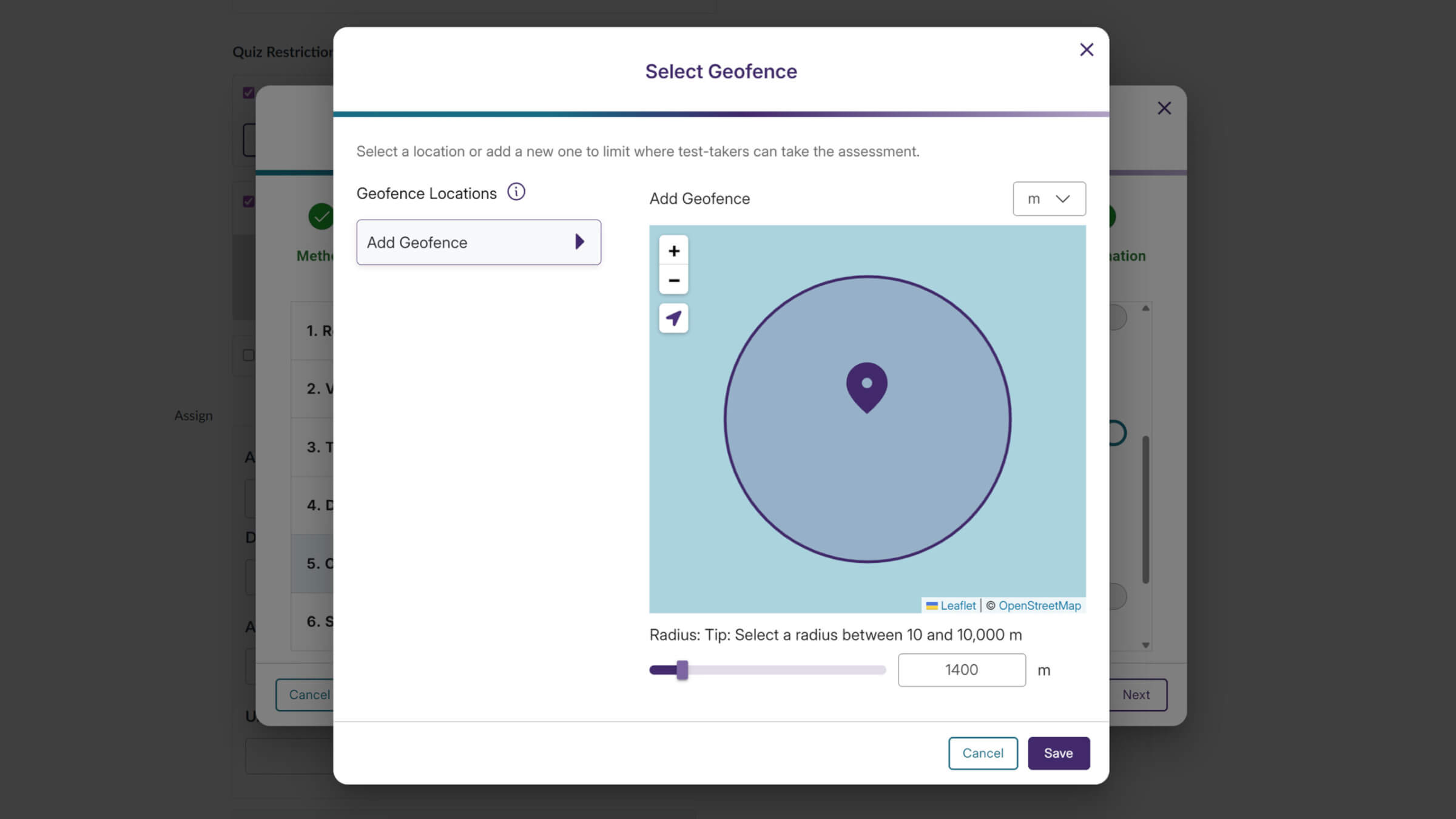
YuJa Verity now supports geofenced assessments by enforcing IP address and geolocation restrictions, ensuring assessments are taken only from approved locations. Together, these safeguards help institutions reduce unauthorized access, uphold assessment policies, and deliver a more secure, compliant testing environment without adding complexity for instructors or students.
Block Virtual Cameras to Protect Exam Integrity
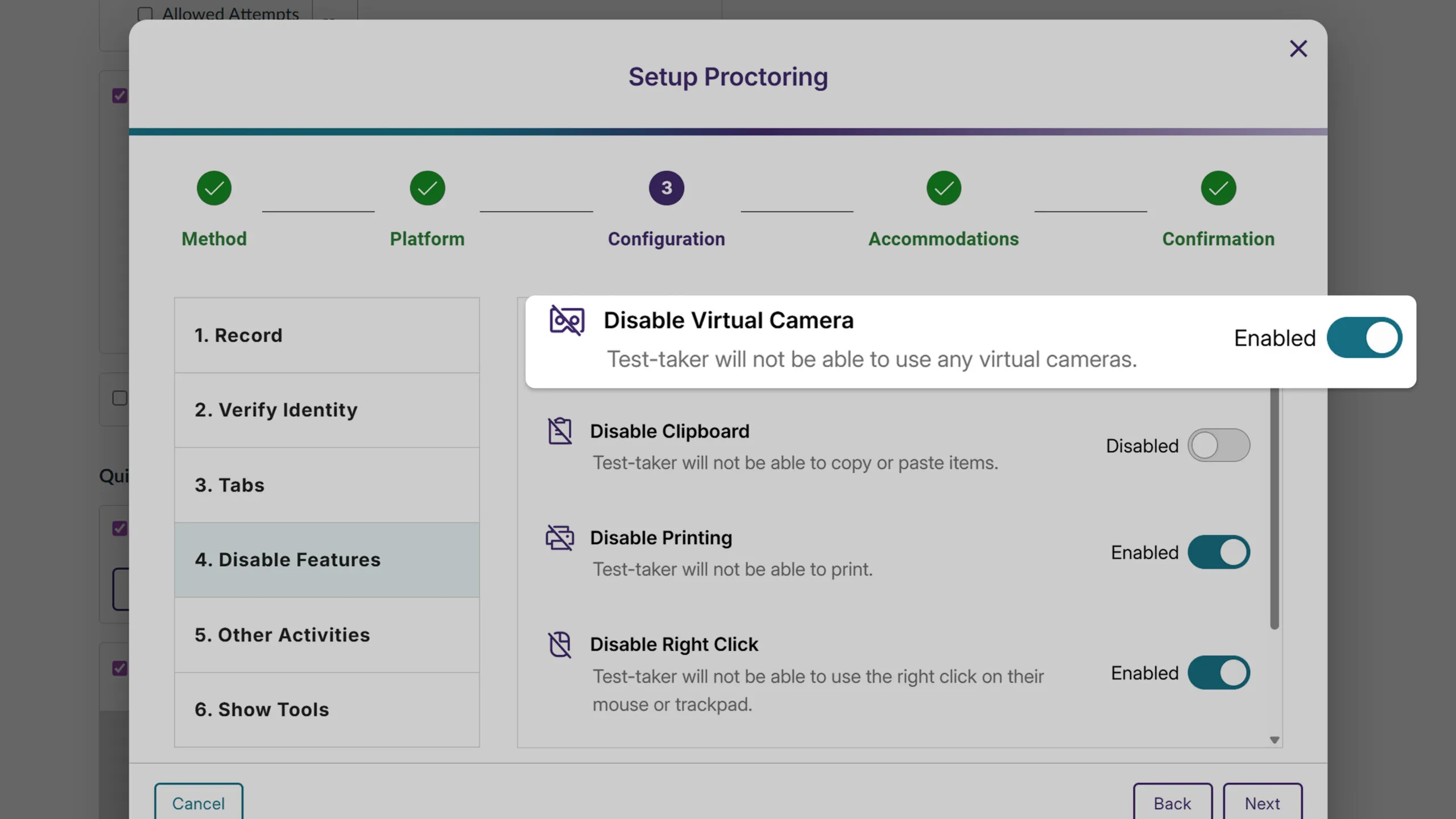
YuJa Verity now lets instructors disable virtual cameras when configuring proctored sessions, removing them entirely from a test-taker’s camera options. This helps prevent video manipulation, simplifies device selection for students, and reinforces the integrity of proctored assessments.
Streamlined Third-Party Quiz Access Across LMSs
YuJa Verity now makes it easier for instructors and students to use third-party quizzes through External Learning Tools in any LMS. Instructors no longer need to manually copy LTI links as Verity can be activated directly within the External Learning Tool activity, reducing setup errors and simplifying the process. Students can also start a Verity proctored quiz directly through the External Learning Tool activity, ensuring a smoother, more intuitive experience and helping instructors deliver assessments efficiently across platforms like D2L and Moodle.
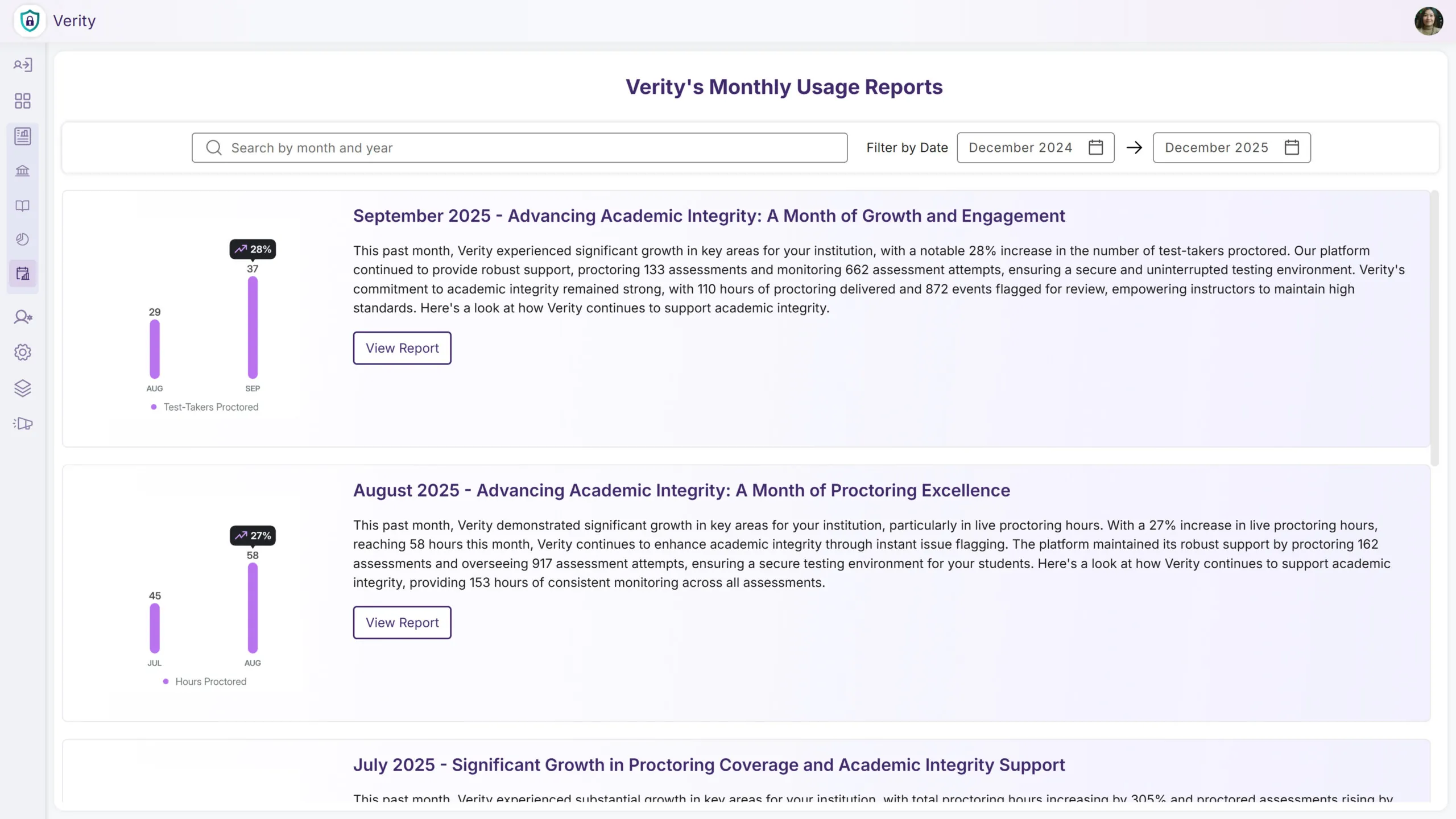
Easily Access Historical Monthly Usage Reports Directly Within YuJa Verity
You can now view Monthly Reports directly within YuJa Verity. This allows you to make data-driven decisions and keeps you aware of key metrics immediately upon login. You can also easily reference past Monthly Usage Reports to help you track adoption, growth, and engagement over time to measure trends.
Secure Proctored Exams Without Requiring an LMS
YuJa Verity now supports a standalone experience, allowing institutions to use Verity even without an LMS. Previously, access to Verity required users to be part of an LMS environment; now, institutions can deliver secure, proctored assessments through a standalone portal. This flexibility expands access to Verity, making it easier to support assessments in non-LMS workflows while maintaining proctoring integrity.
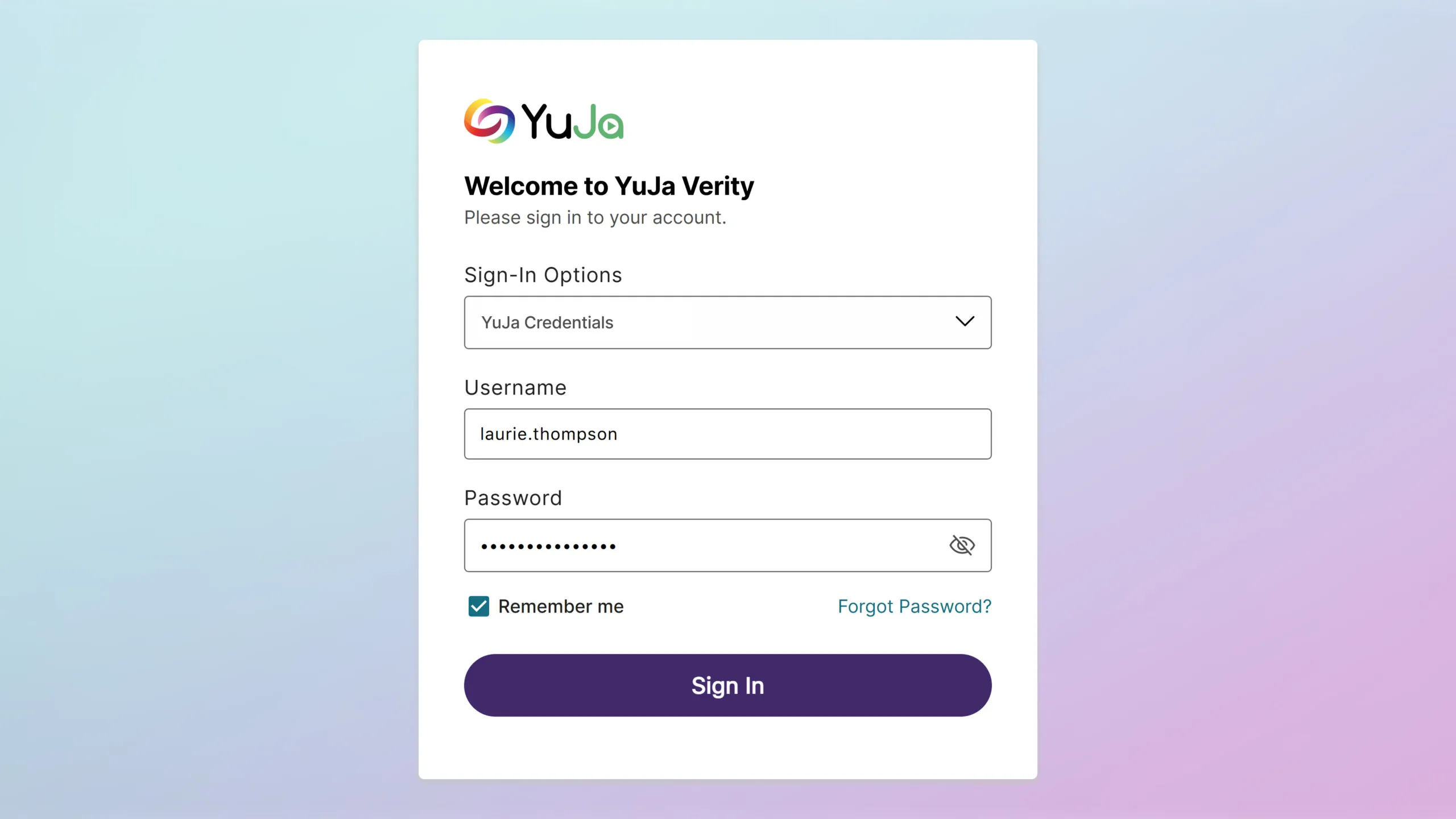
Modernized Email Design for Clearer, More Engaging Insights
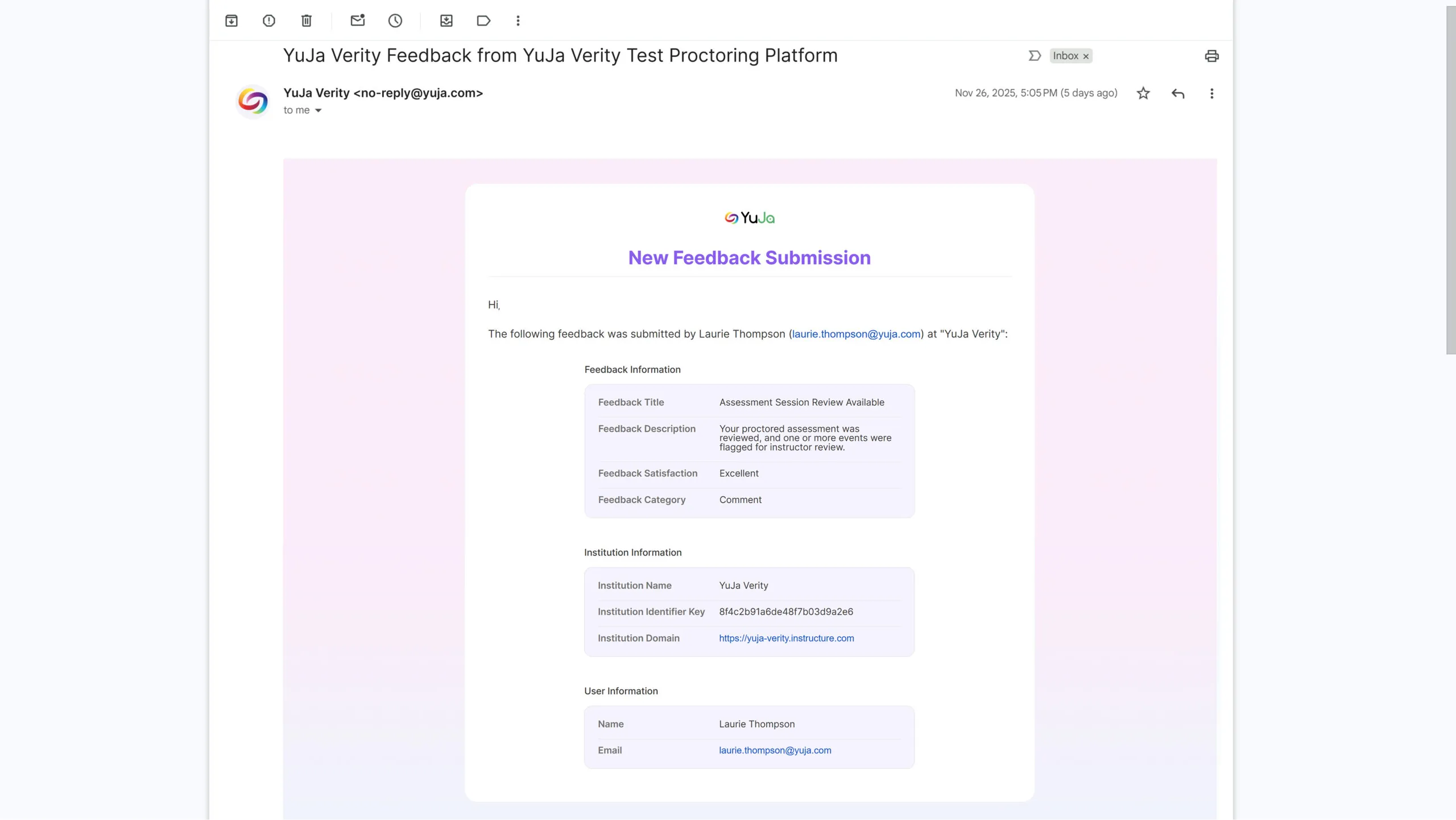
We’ve refreshed the design and format of emails reporting on Verity assessment usage, creating a more modern and visually engaging experience. The updated style highlights key usage statistics and insights, making it easier for recipients to quickly understand assessment activity and performance trends. This enhancement improves readability, emphasizes critical data, and ensures email communications align with current design standards and best practices.
Stay Ahead of Limits with Proctoring Usage Insights
For institutions with usage limits, we now track Automated Proctoring, Live, and Live Check-In by both sessions and hours, helping admins monitor proctoring activity more effectively. Soft limits have been introduced, sending email notifications when usage exceeds predefined thresholds, allowing admins to manage capacity proactively without interrupting ongoing assessments. This provides better visibility, prevents unexpected overages, and supports efficient planning for proctoring resources.
Get Up and Running Fast with Our New Quick Setup Guide
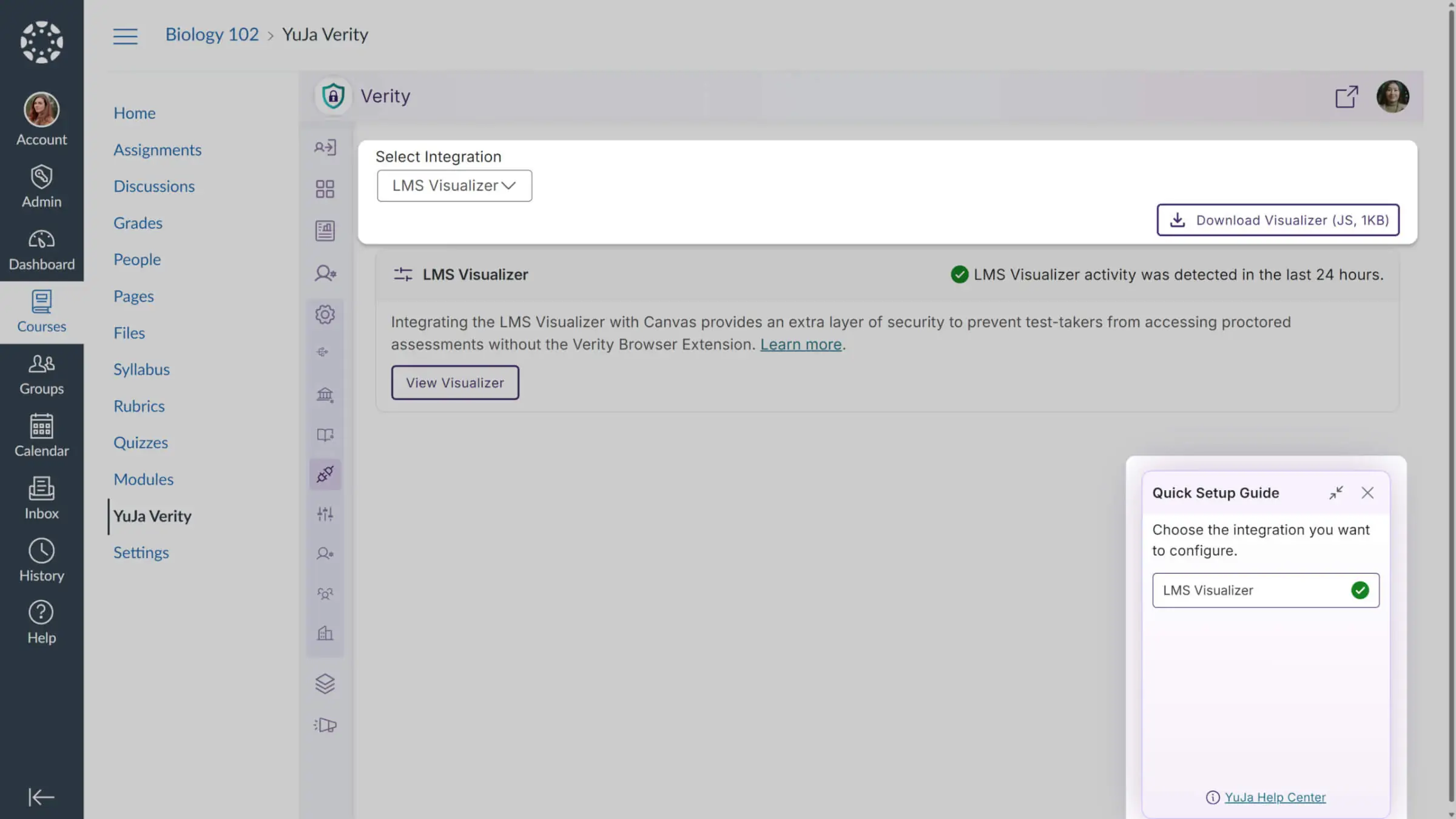
Admins now get a guided Quick Setup to configure LMS integrations, with LMS Visualizer (Canvas, D2L, Moodle) and LMS API (Moodle only) steps. The guide appears on first login, completes automatically when requirements are met, and mirrors Panorama’s style and functionality for a smooth, intuitive setup.
Non-Proctored Assessments Hidden in the YuJa Verity Assessment Hub for Clearer Visibility and Improved Efficiency
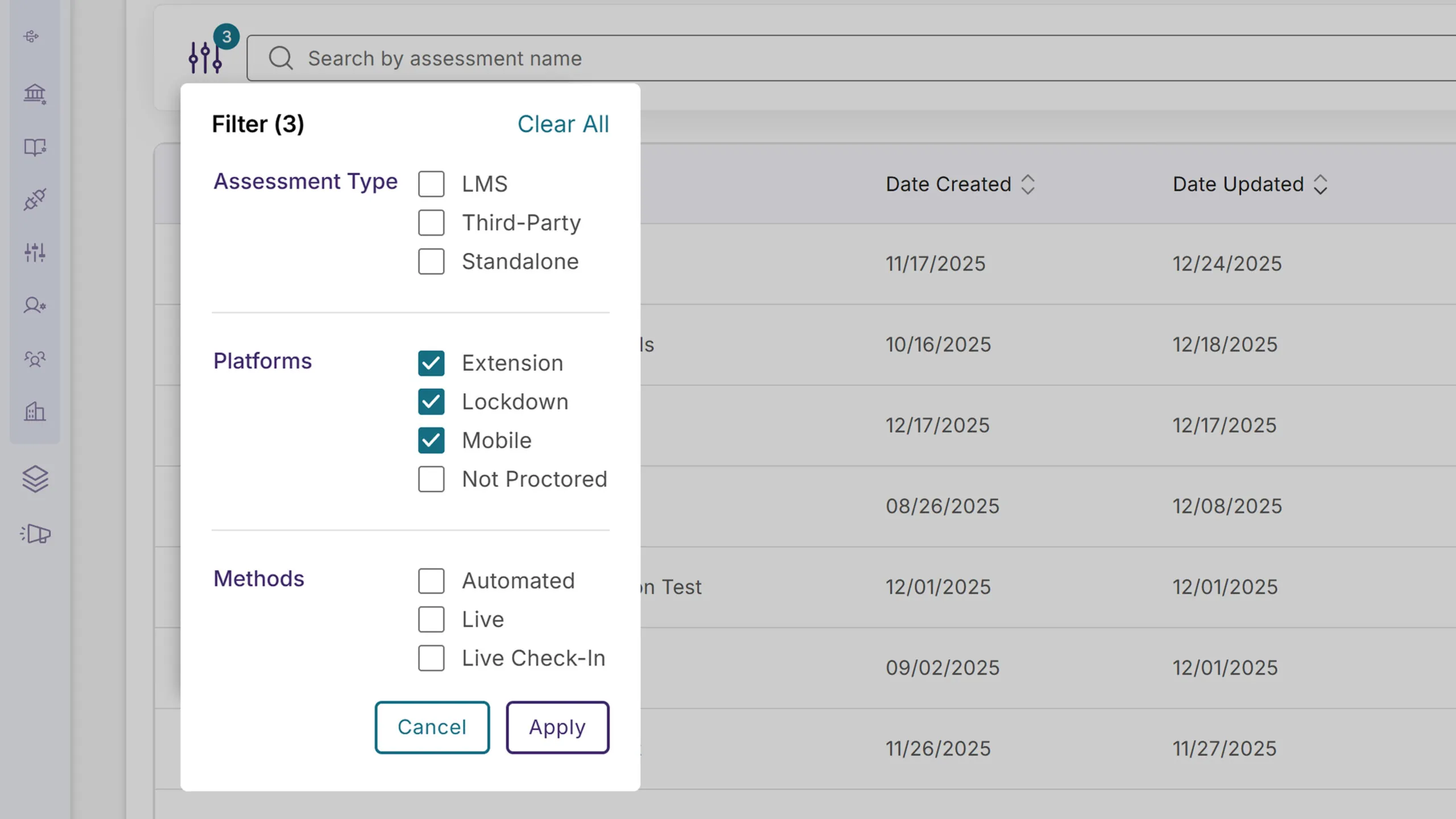
The YuJa Verity Assessment Hub now hides non-proctored quizzes and assignments by default to reduce confusion and keep the focus on proctored assessments. For instructors, non-proctored assessments are hidden but can be viewed at any time by either selecting the “Not Proctored” filter or clearing all filters. For students, all non-proctored assessments are fully hidden. This ensures a clearer, more intuitive experience and improves efficiency for both instructors and test-takers when searching for proctored assessments.
Over the next few weeks, the YuJa Verity Test Proctoring Platform will receive significant enhancements to improve the security and integrity of proctored assessments. Key highlights include the ability to activate decoy websites to monitor and flag potential cheating attempts, detect the use of browser sidebars to prevent the use of in-browser AI assistants, block unwanted third-party browser extensions for added assessment integrity, and so much more.
A Refreshed Readiness Check UI for a Smoother, More Continuous Setup Process
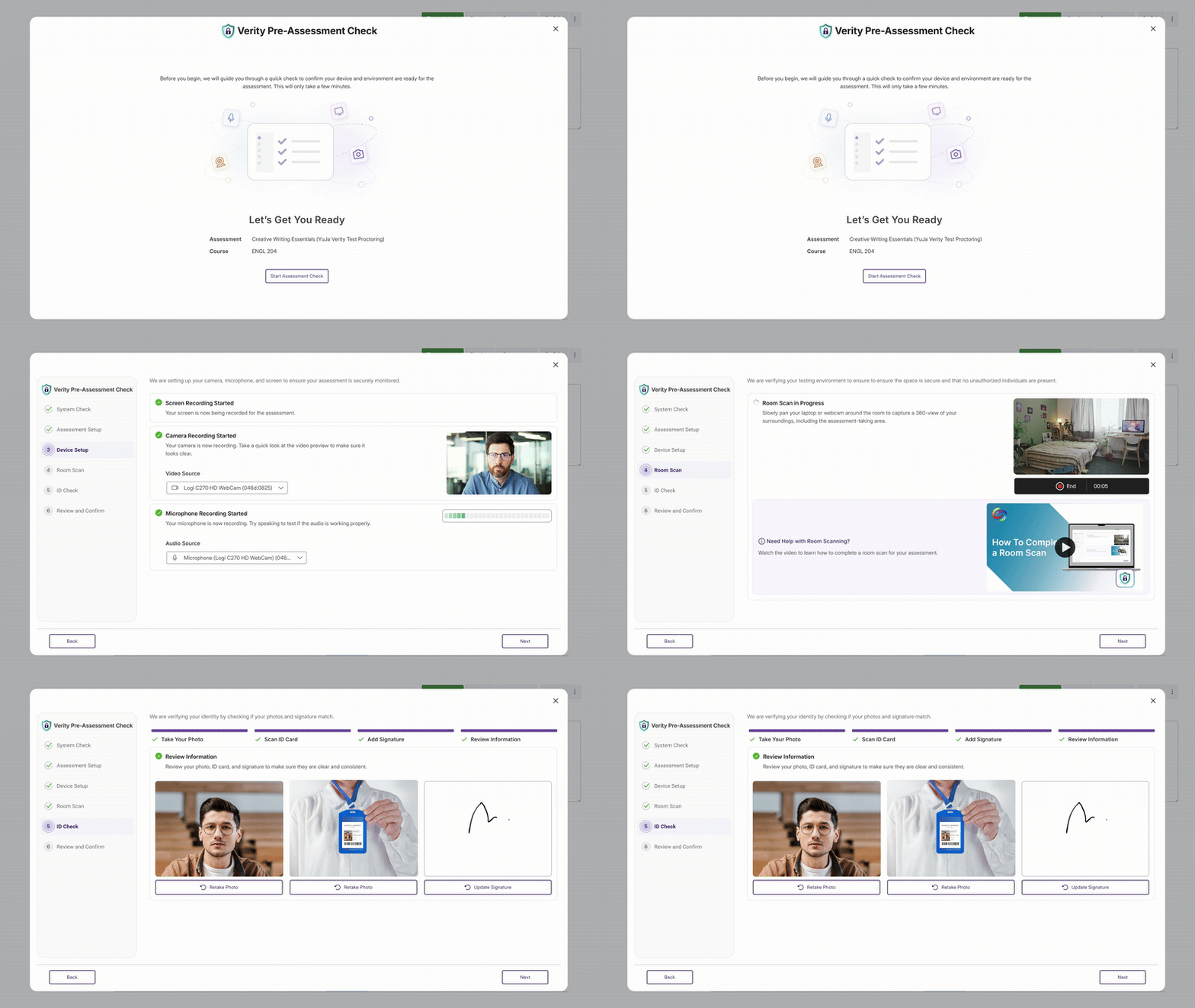
Those using the Verity browser extension will notice that we’ve redesigned the Readiness Check UI to provide test-takers with a smoother setup process, eliminating interruptive modals and consolidating proctoring setup steps into one unified flow. This streamlined workflow makes it easier than ever to ensure that a test-taker’s device, environment, and permissions are properly configured before their assessment begins, providing a continuous guided setup that is more scalable for future enhancements.
Activate Decoy Websites to Monitor and Flag Potential Cheating Attempts
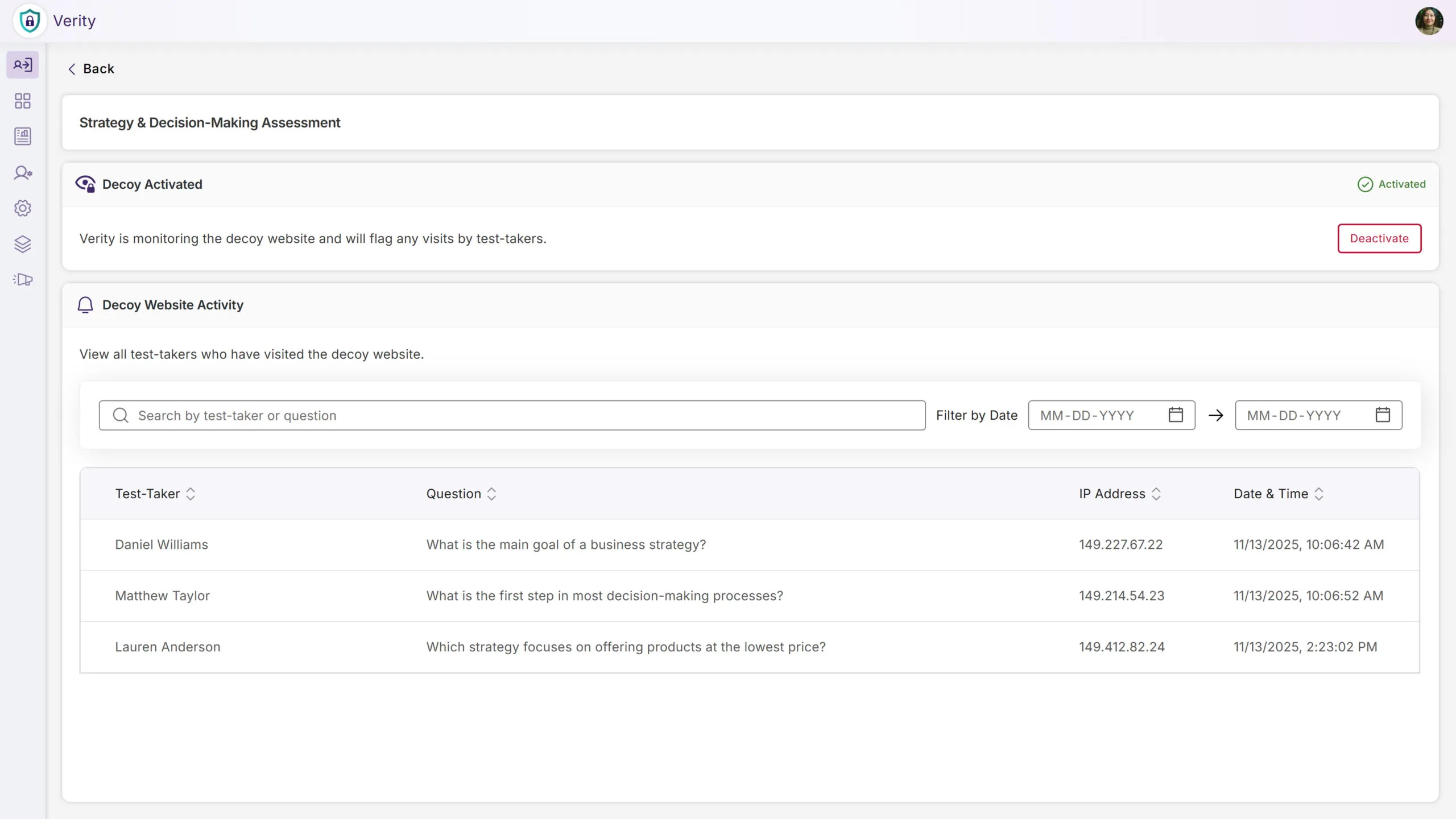
We’ll now create decoy websites seeded with fake assessment answers that are detectable through leading search engines. If test-takers access one of our decoy sites when searching for answers online, we’ll flag the potential cheating attempt as suspicious behavior. This works in conjunction with our other proctoring tools to help deter or eliminate academic dishonesty and ensure assessment integrity.
Ability to Flag the Use of In-Browser AI Tools During Proctored Exams
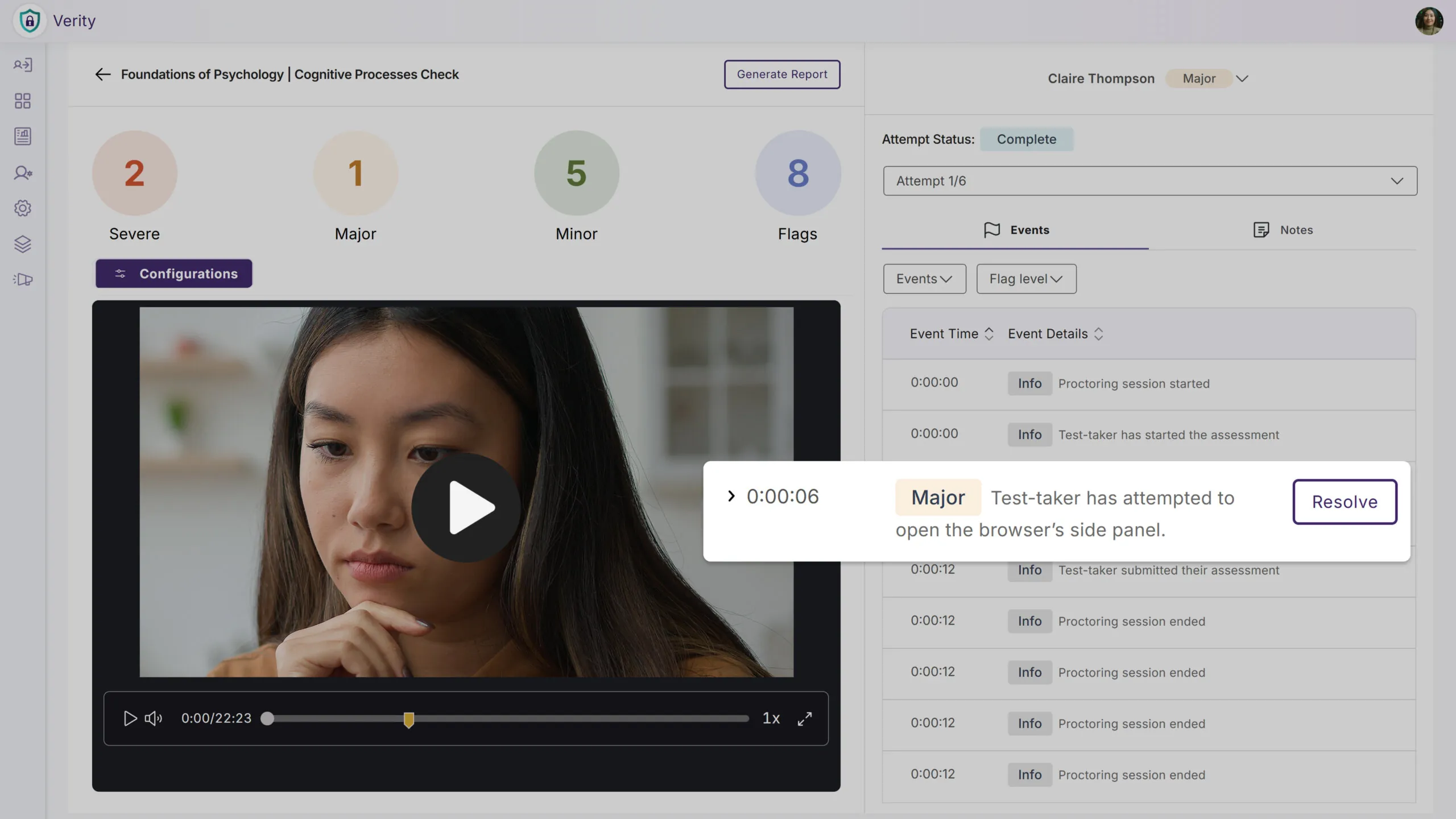
To reduce the number of cheating attempts and ensure stronger academic integrity, we’re introducing a new feature that detects the use of browser sidebars, allowing institutions to deter test-takers from accessing generated answers and summaries from in-browser AI assistants, including ChatGPT, Copilot, Gemini, and more. Any detected use of browser sidebars will be flagged as a violation.
AI Monitoring to Ensure Active and Reliable Proctoring on Older Devices
We’ve expanded our proctoring capabilities to provide consistent, accurate proctoring for every test-taker, regardless of their hardware limitations. When older devices struggle to support on-device monitoring, processing now automatically shifts to our secure Proctoring Cloud, maintaining the same level of assessment integrity you’re used to without unnecessary performance issues or interruptions. This establishes a safeguard to the proctored experience and allows test-takers to focus on their assessments.
Prevent Mobile Devices From Auto-Locking During Live Assessments
We’ve enhanced the mobile assessment experience by eliminating false flags caused by device inactivity, providing a more consistent experience for both proctors and test-takers. This further improves the accuracy of mobile proctoring and ensures that devices remain securely within the proctored environment for the duration of the assessment.
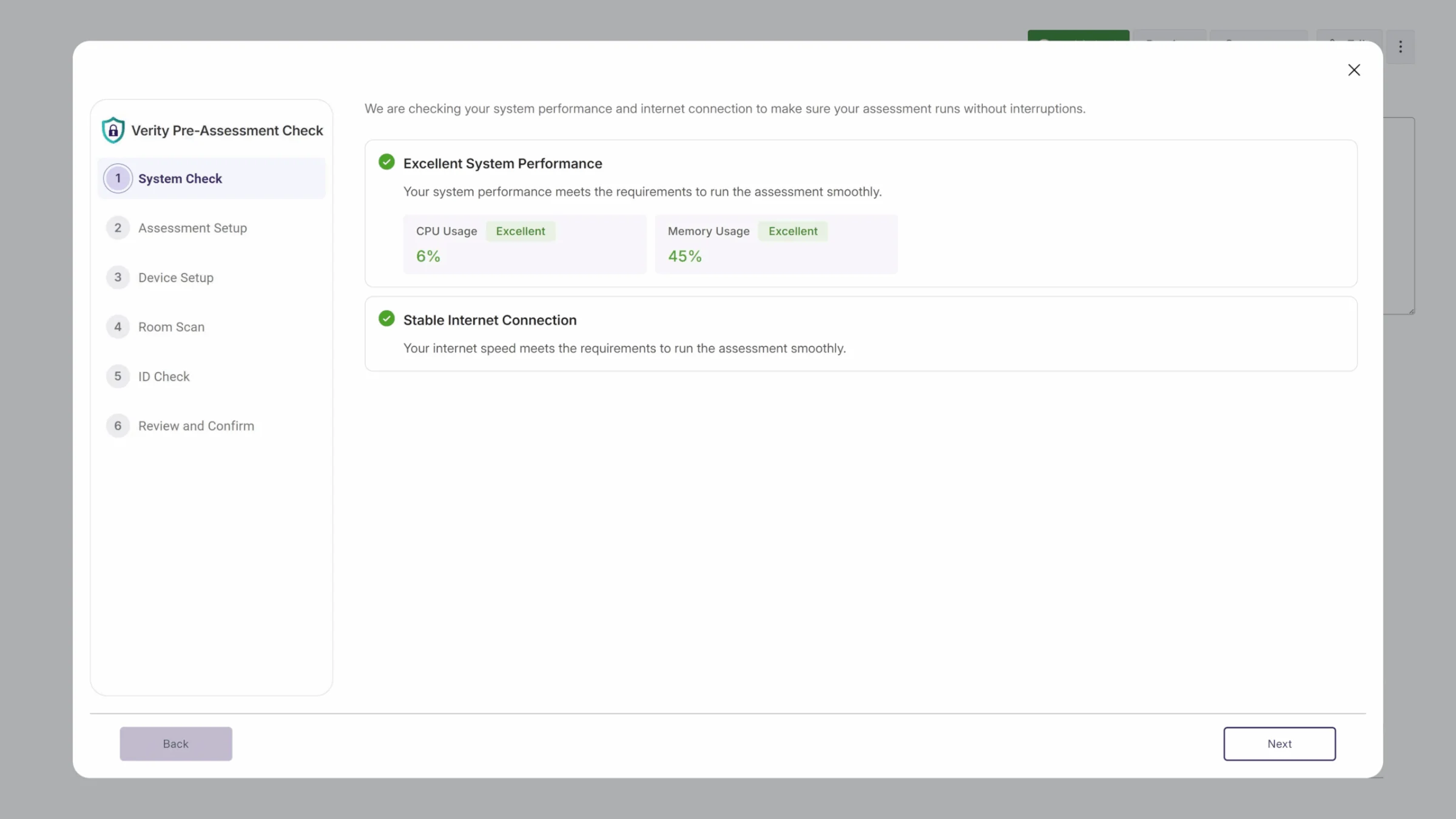
New System Resources Check to Detect and Prevent High CPU/Memory Usage for Improved Performance
To give instructors greater visibility of potential device performance issues, we’ll now check to ensure that a test-taker has the recommended system resources to ensure an optimal proctoring experience. In the event of a failed System Resources check, test-takers will be provided guidance on how to improve device performance before the assessment.
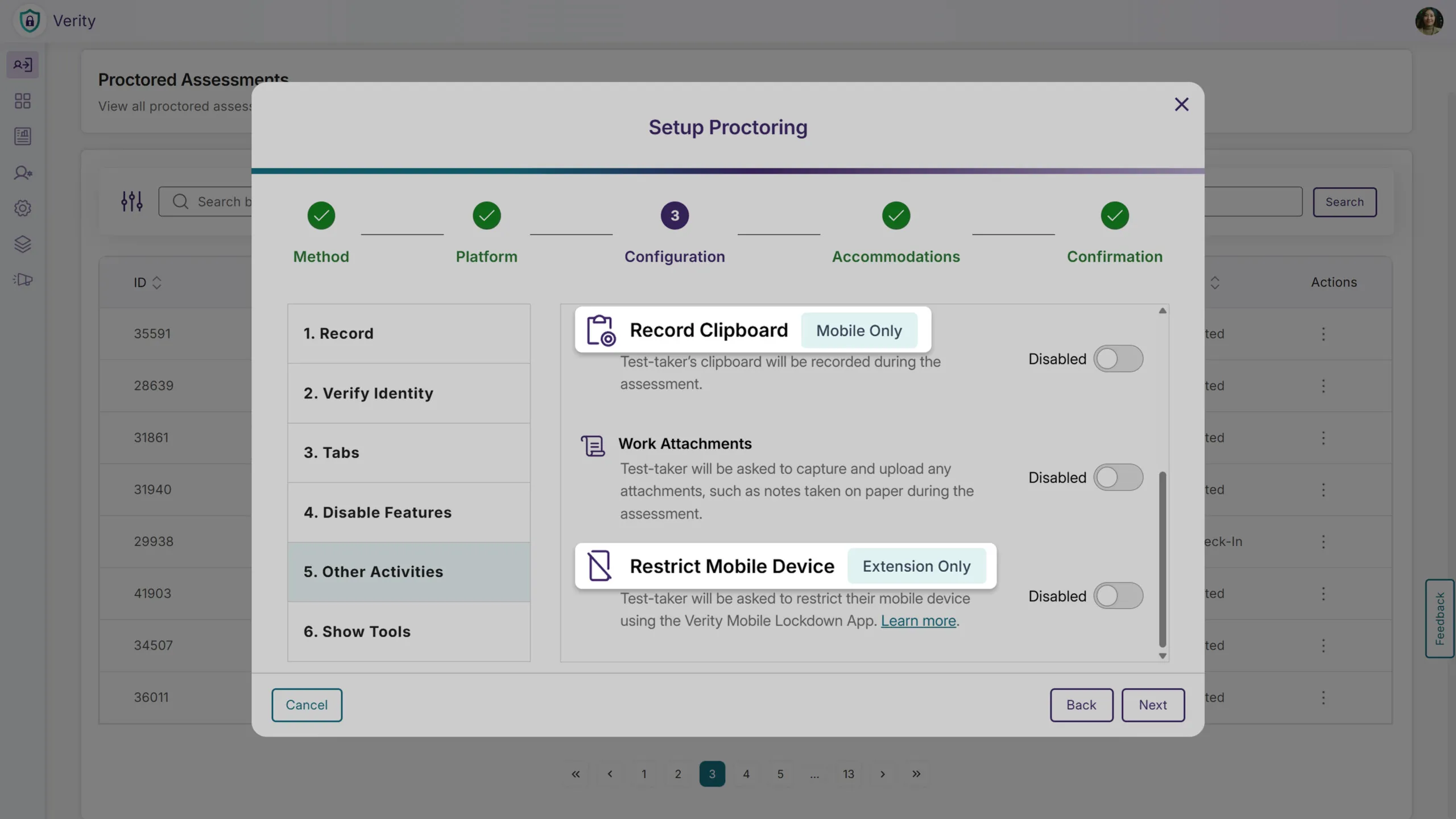
Full Configuration Visibility With Platform Badges for Clearer Proctoring Setup
We’ve added platform badges to the Proctoring Setup page when the Mobile Lockdown App is enabled alongside the Browser Extension or Desktop Lockdown Module. Previously, the UI only displayed configurations that applied to both platforms, which limited visibility into the full range of available restrictions. Now, all proctoring configurations are visible, and the new badges clearly indicate which settings apply only to specific platforms. This added transparency helps instructors understand how each configuration behaves across devices and make intentional choices that align with their assessment goals.
Block Third-Party Browser Extensions for Added Assessment Integrity
To help maintain exam integrity, instructors now have the ability to block third-party browser extensions during the proctoring setup process, and any blocked extensions enabled by a test-taker will be flagged. Alternatively, certain extensions can be added to the Allow list, giving instructors even greater control over proctored assessments. As with other proctoring settings, test-takers can be exempted from these restrictions. Any extensions critical to accessibility can therefore be clearly permitted to reduce test-taker anxiety and maintain a fair assessment environment.
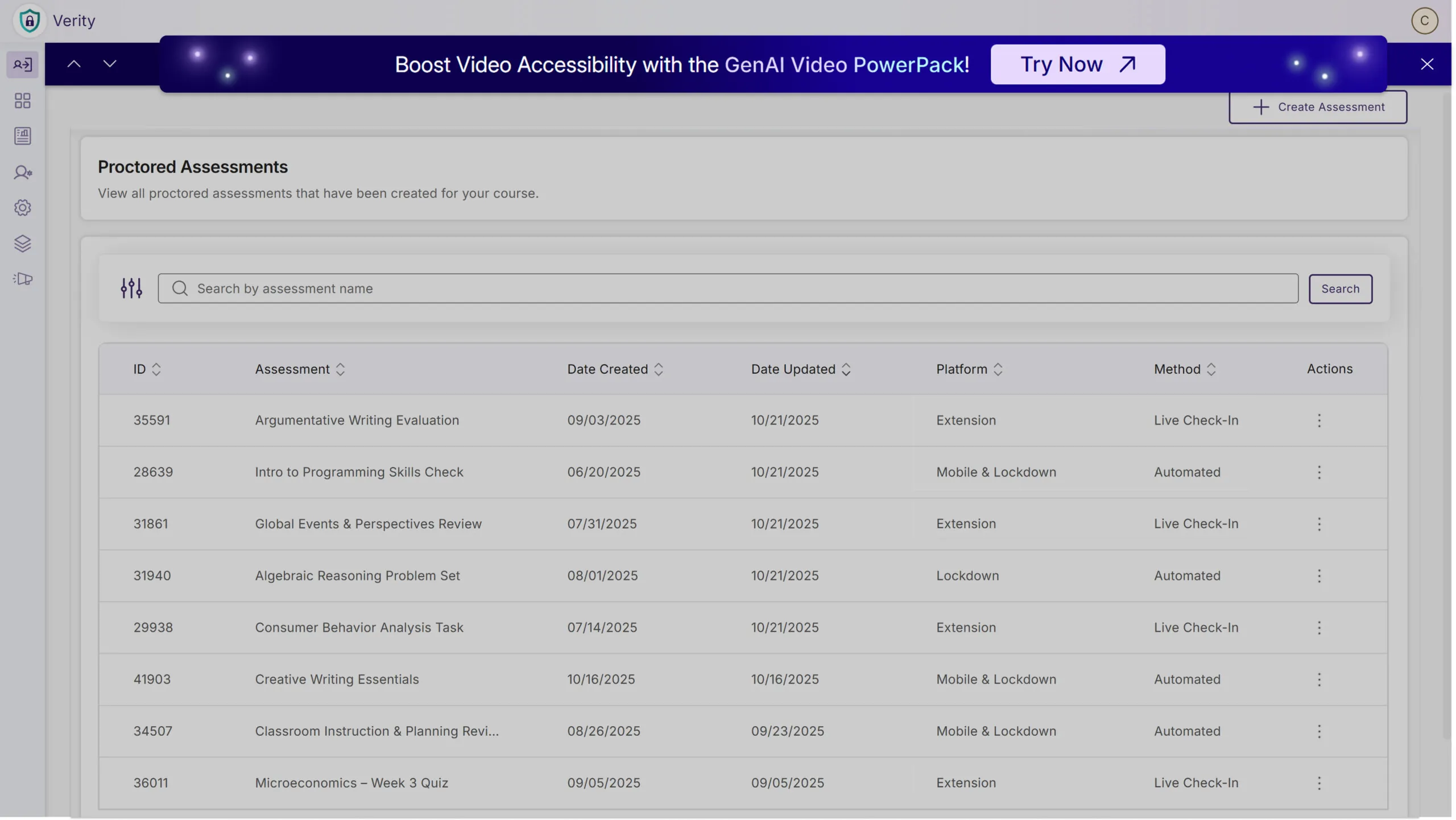
Event Banners to Provide Visibility Into Upcoming Webinars and Product Announcements
Switching gears, administrators can now view event banners directly within Verity to provide institutions with important announcements and new opportunities to register for upcoming webinars. With insights from experienced product experts, discover new features or shortcuts to improve efficiency and stay informed on the industry’s latest trends. And don’t worry: event banners can be dismissed for current sessions to avoid repeated interruptions.
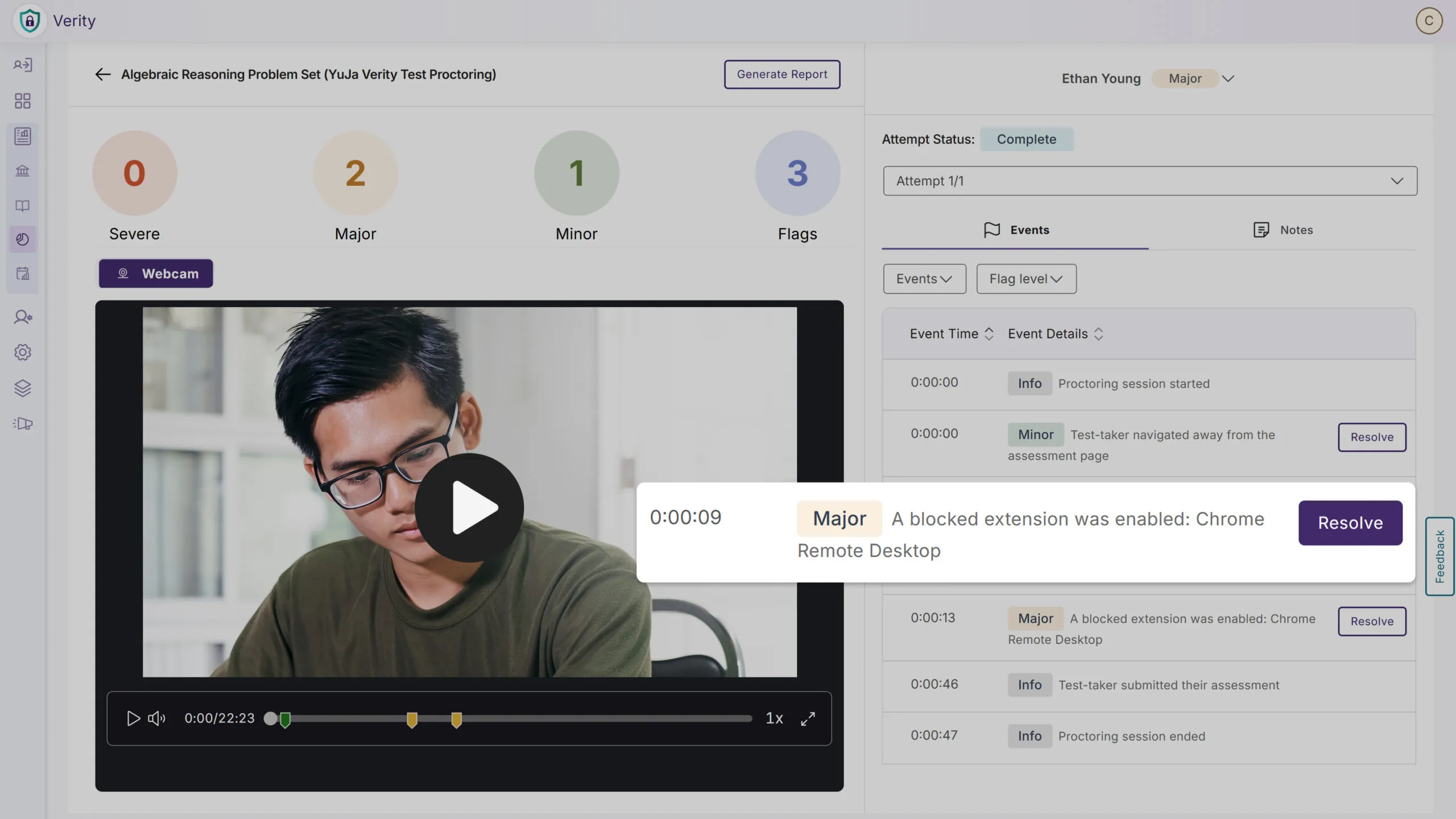
Manually Adjust Flagged Events to Reduce the Number of Violations
We’ve enhanced the proctoring interface to allow instructors to fine-tune flagged events to reduce the number of assessment violations. This can help minimize false positives, such as those triggered by unavoidable behavior, to prevent test-takers from potentially being misled and make reports more accurate. Any manually adjusted flagged events are still added to audit logs to ensure transparency, provide accountability, and maintain trust in the proctoring process.
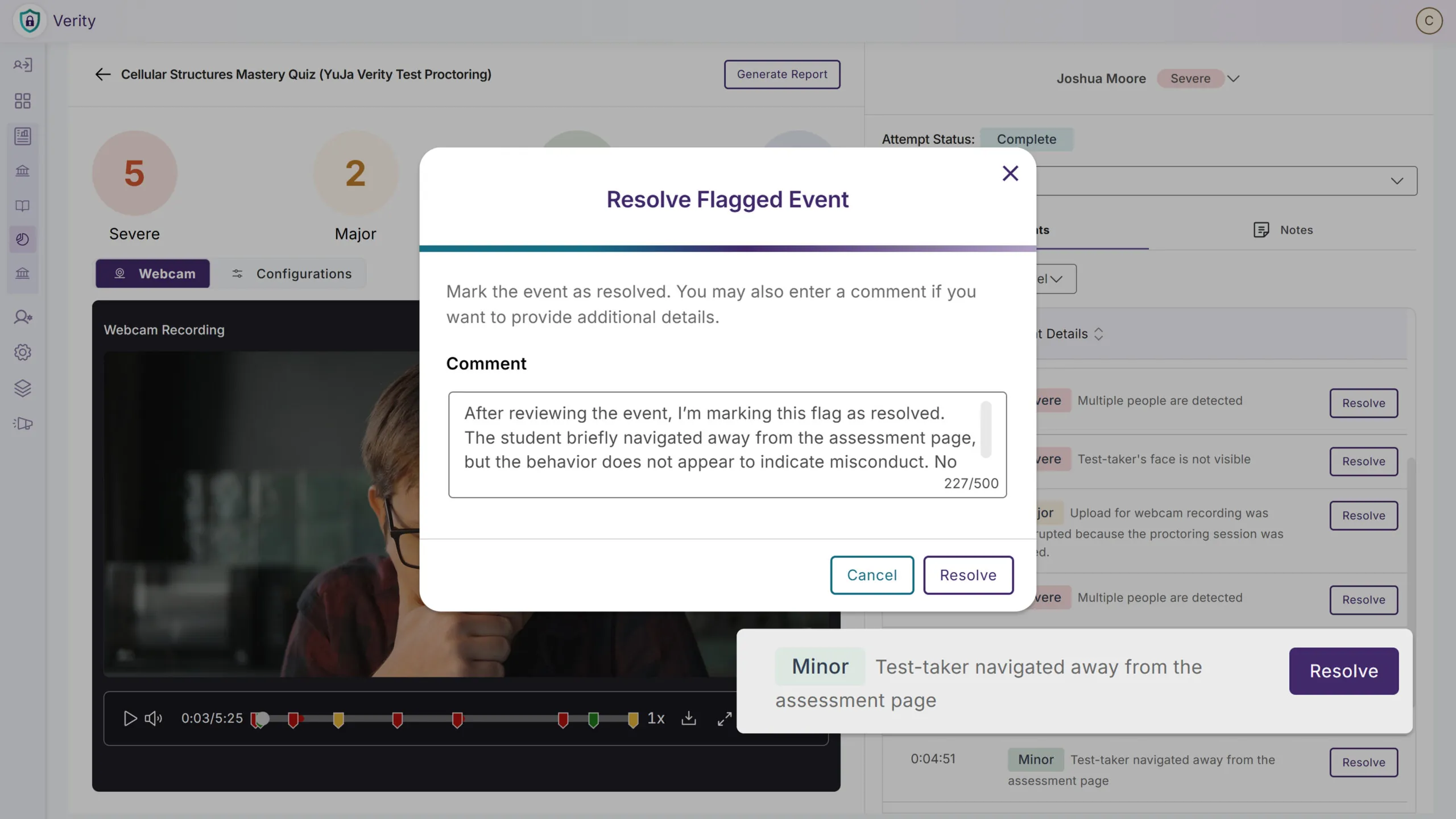
Scan Assessments to See if Questions Have Leaked Online
Instructors can now scan assessment questions to quickly determine whether they have been posted online or shared on third-party sites. This helps ensure that test-takers don’t gain an unfair advantage by accessing leaked materials, protecting the integrity of proctored assessments. Our new tool acts as a proactive security check that allows instructors to change or modify compromised questions before an assessment is ever administered. Taking this a step further, we’ll even assist you with submitting a request for a DMCA takedown to remove access to the leaked content.
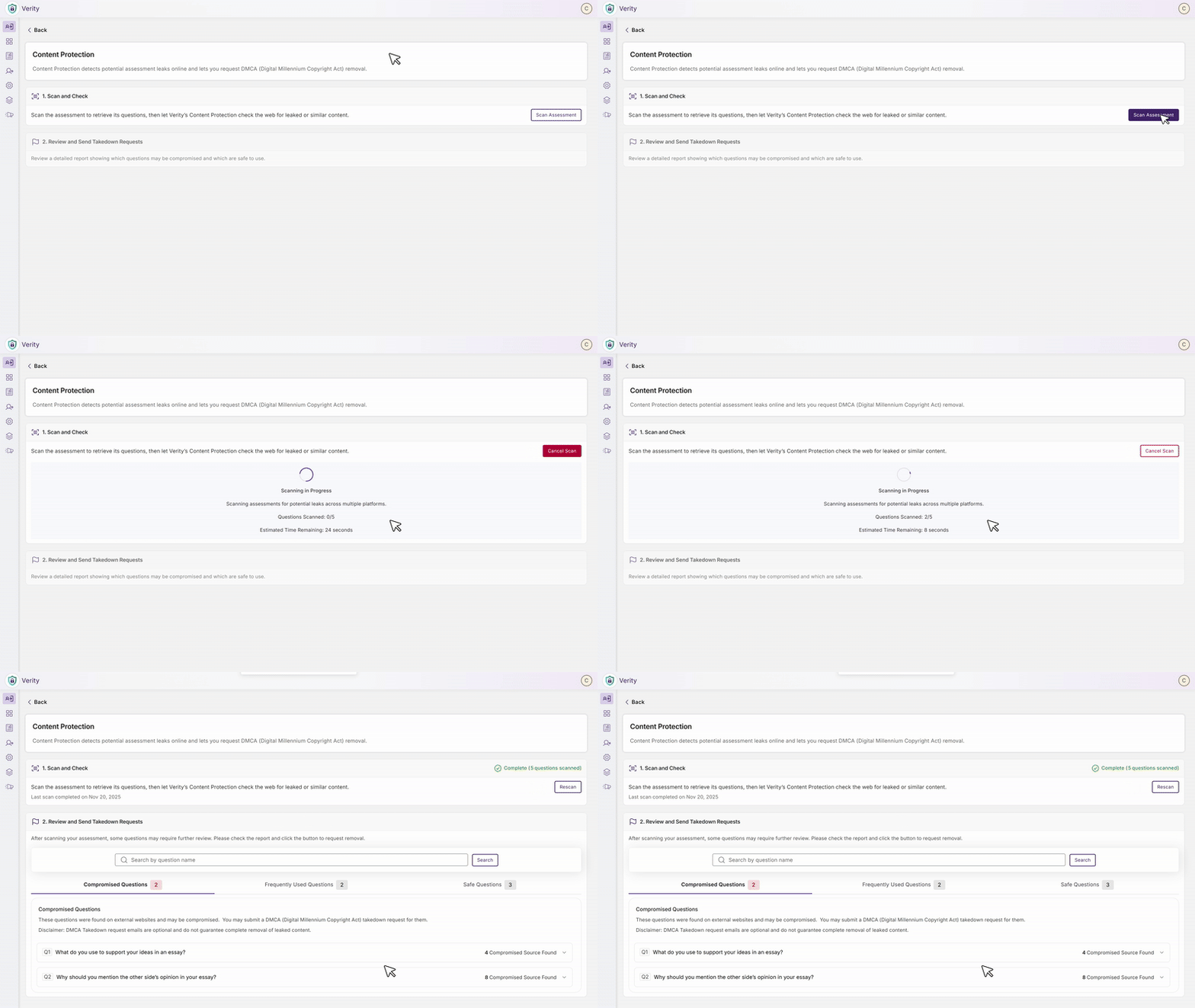
Release Notes Will Now Be Available in the Sidebar for Key Announcements
Admins will be now able to access the latest platform updates and feature announcements directly through a dedicated Release Notes tab in the sidebar, eliminating the need to navigate to external resources to stay informed about new product capabilities and improvements.
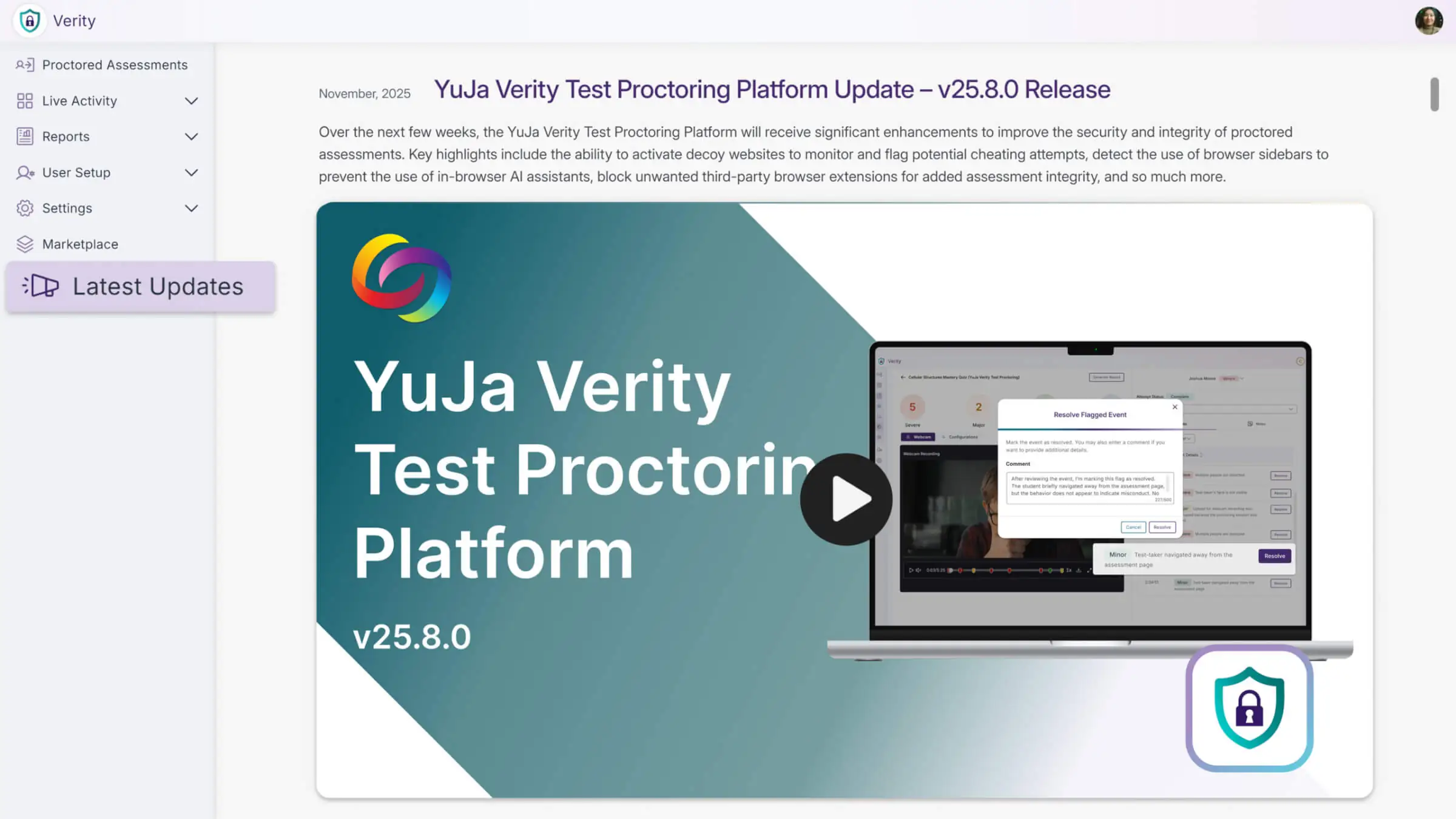
Over the next few weeks, YuJa Verity will receive several new updates, including more customized settings to prevent cheating attempts, improved analysis tools, faster review of flagged events, expanded third-party integrations, and more.
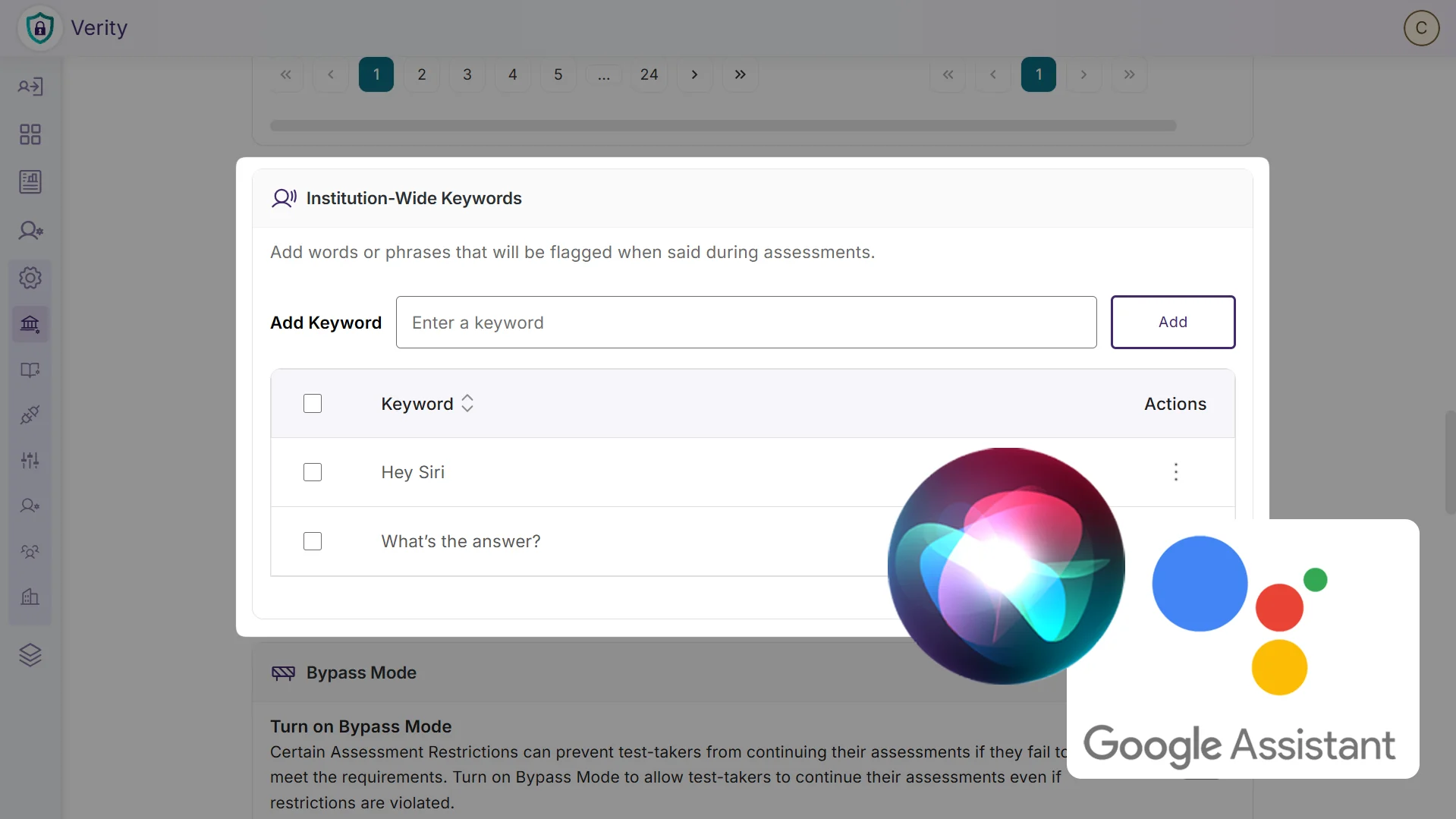
Detect Spoken “Keywords” to Flag Potential Misconduct
Admins and instructors can add keywords that automatically trigger a flagged event when they are detected in the test-taker’s audio. These keywords are customizable in the institution-wide settings or individual assessment proctoring settings. For example, you can set keywords such as “Hey Siri” or “What’s the answer?” to flag and review potential misconduct.
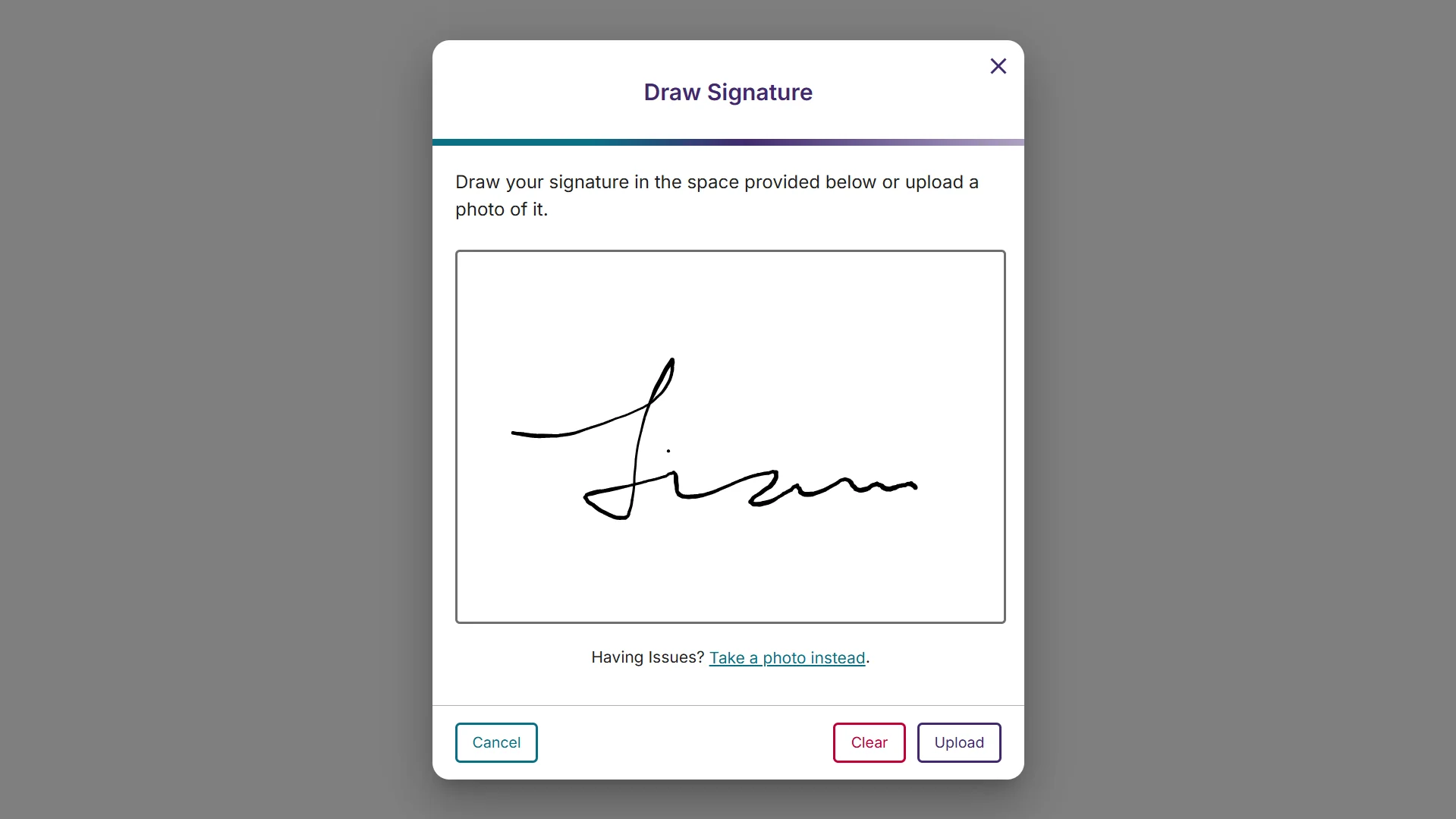
Enhance Security with Signature Verification for Test-Takers
Signature verification requires test-takers to draw or upload a photo of their signature, which instructors can review afterward to confirm if it matches the signature on their ID Card.
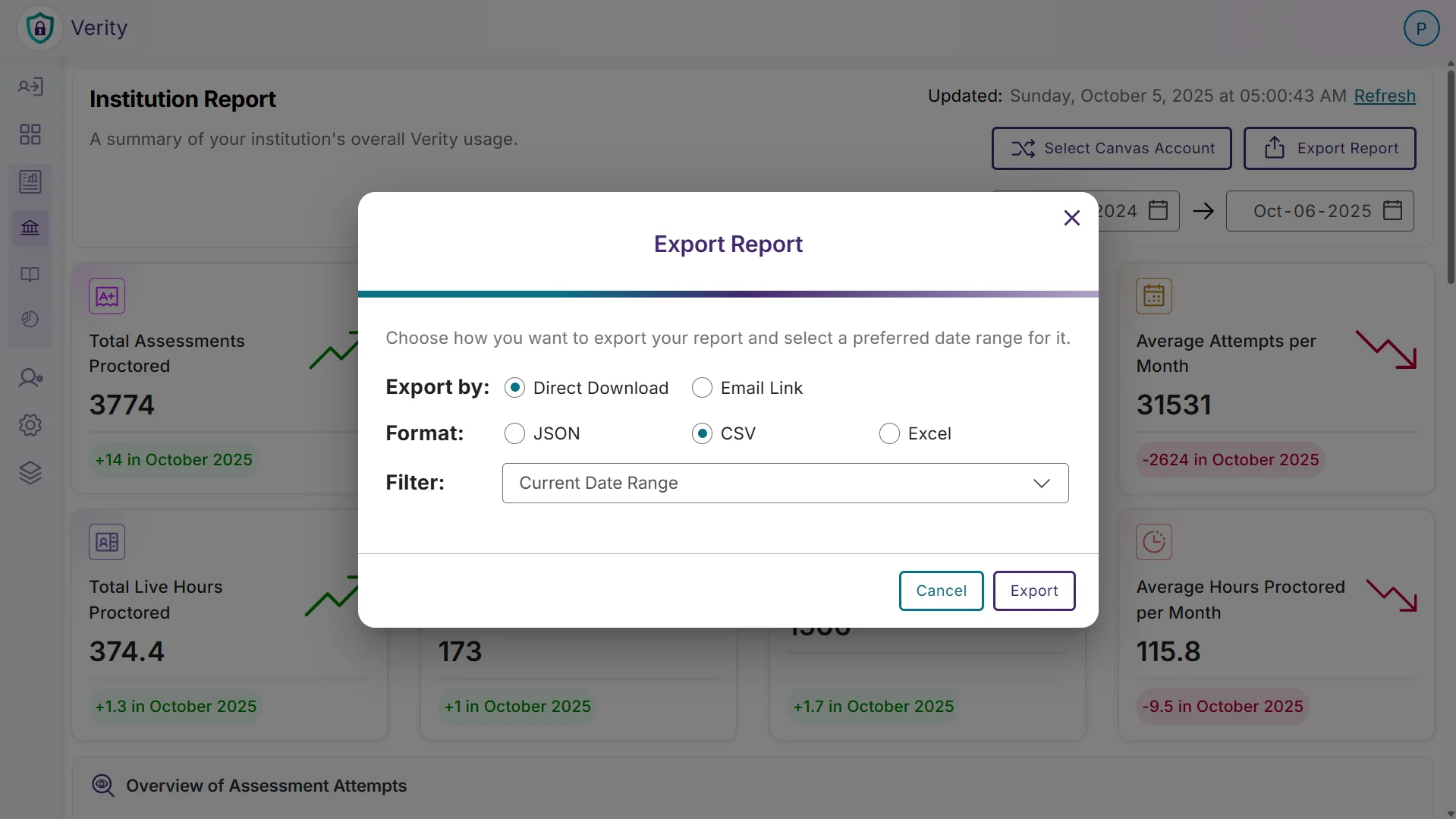
Export Reports for Offline Viewing
Admins and instructors can now export their Institution, Course, and Assessment reports in JSON, CSV, or XLSX format for offline viewing.
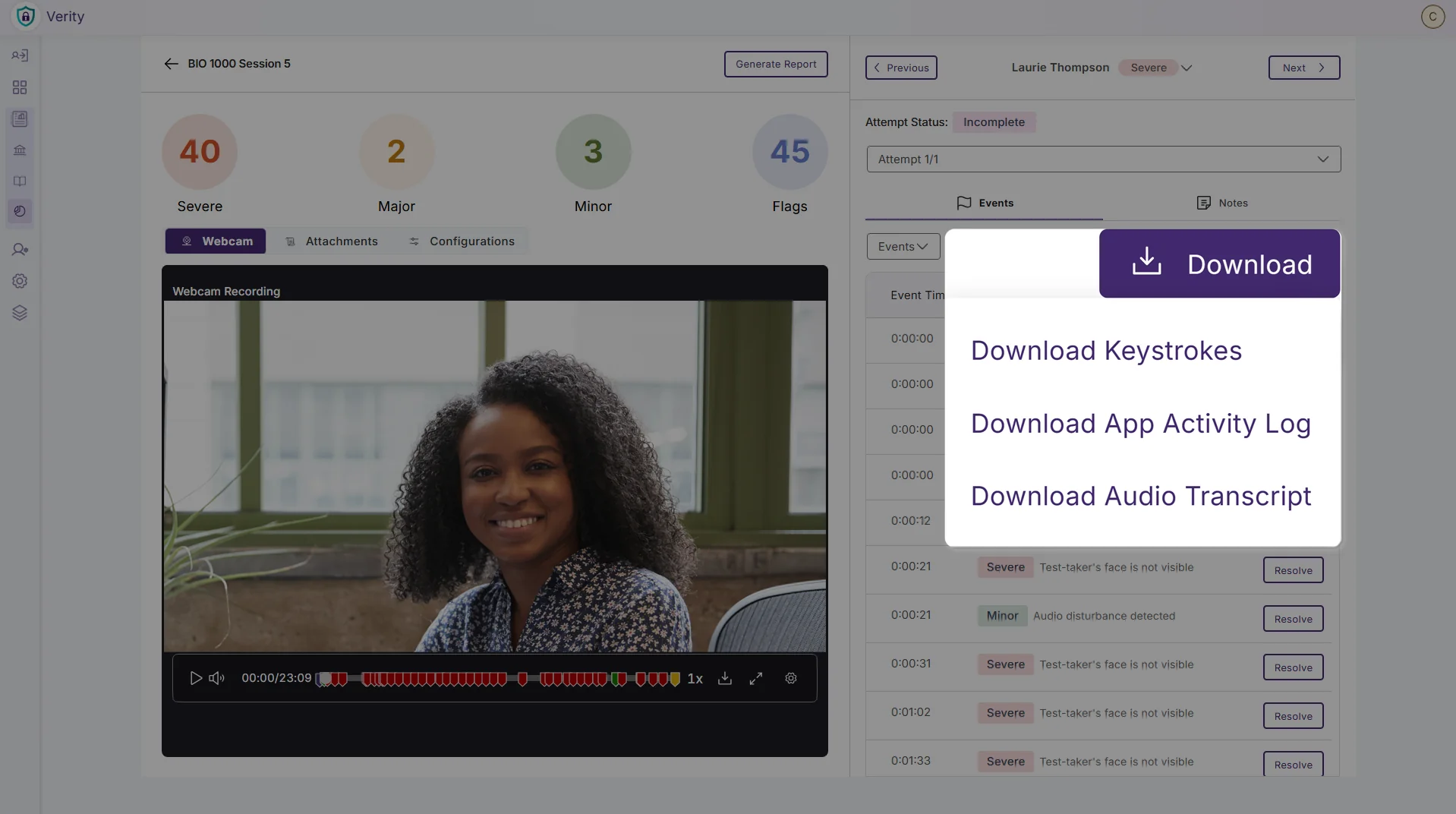
Transcribe Audio from Proctored Sessions
Instructors can now generate and download a transcript of a test-taker’s recorded audio from any proctored session. Transcripts make it easy to locate relevant moments, scan for key phrases, and verify what was said.
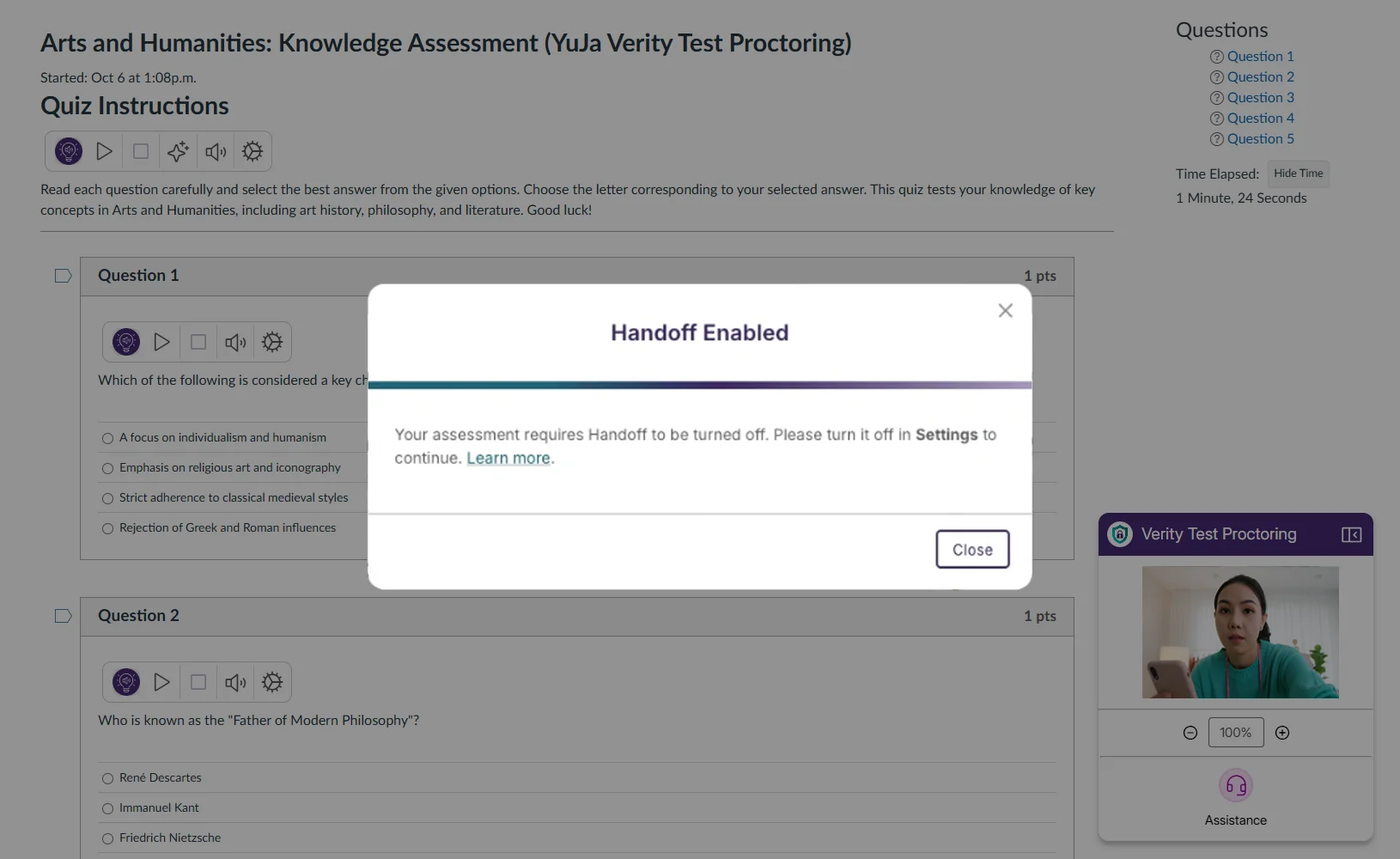
Disable Apple Handoff to Prevent Content Sharing
Instructors can now require test-takers to turn off Apple Handoff on their Mac, iPhone, or iPad before an exam. By requiring test-takers to turn off Handoff, you will reduce cross-device sharing of app activity and help maintain a secure testing environment.
Resolve Flagged Proctoring Events as Non-Issues
Verity now includes a “Resolve” action for flagged events to address false positives and keep proctored assessment records fair and reliable. With this option, instructors can review the recording, document any notes they wish, and mark the event as resolved if the behavior is acceptable.
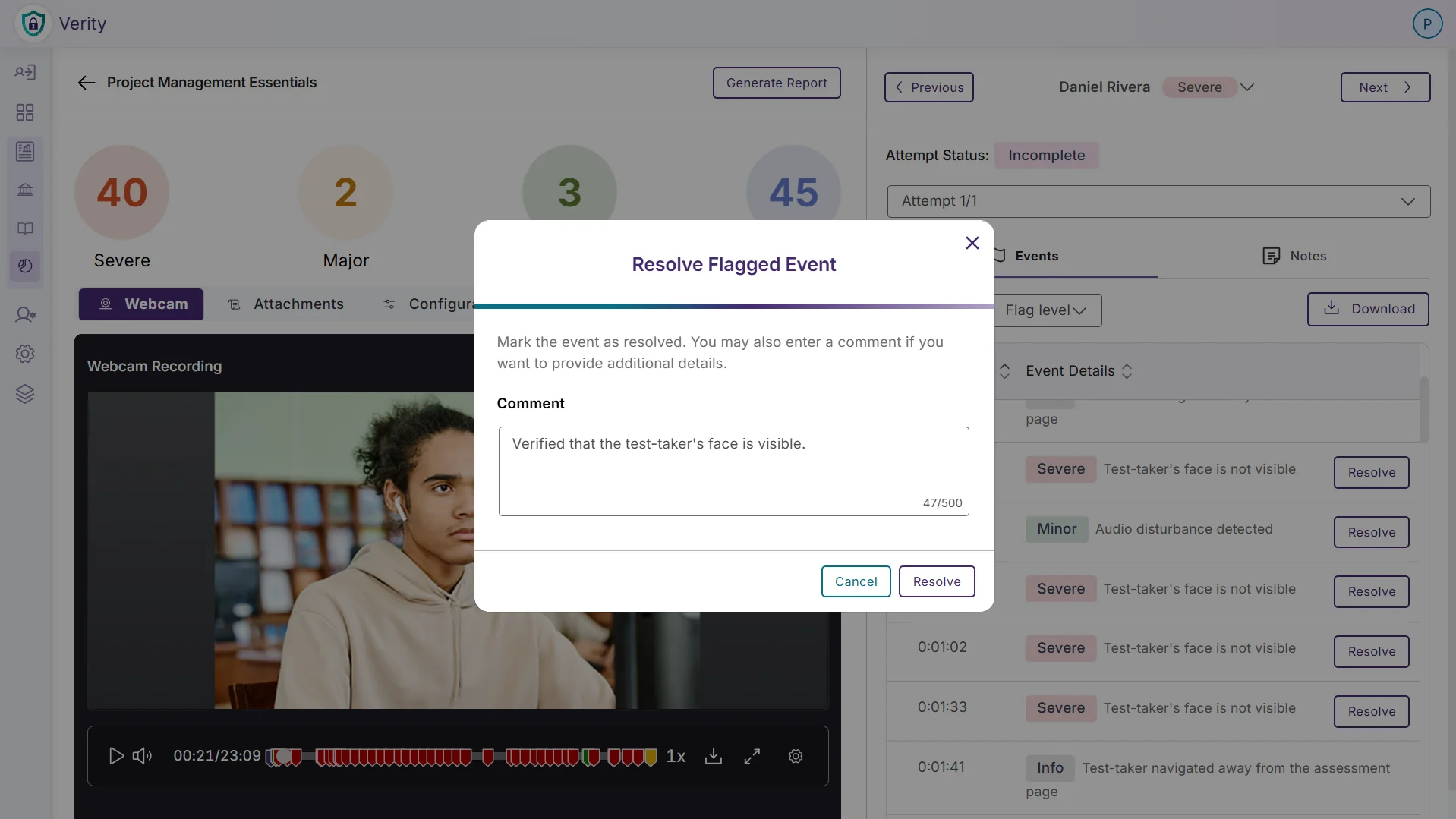
Atomic Assessments Now Available as a Third-Party Assessment Tool
Adding to the growing list of supported third-party assessment tools, Verity is now integrated with Atomic Assessments, providing institutions with even more comprehensive proctoring options across diverse academic disciplines.
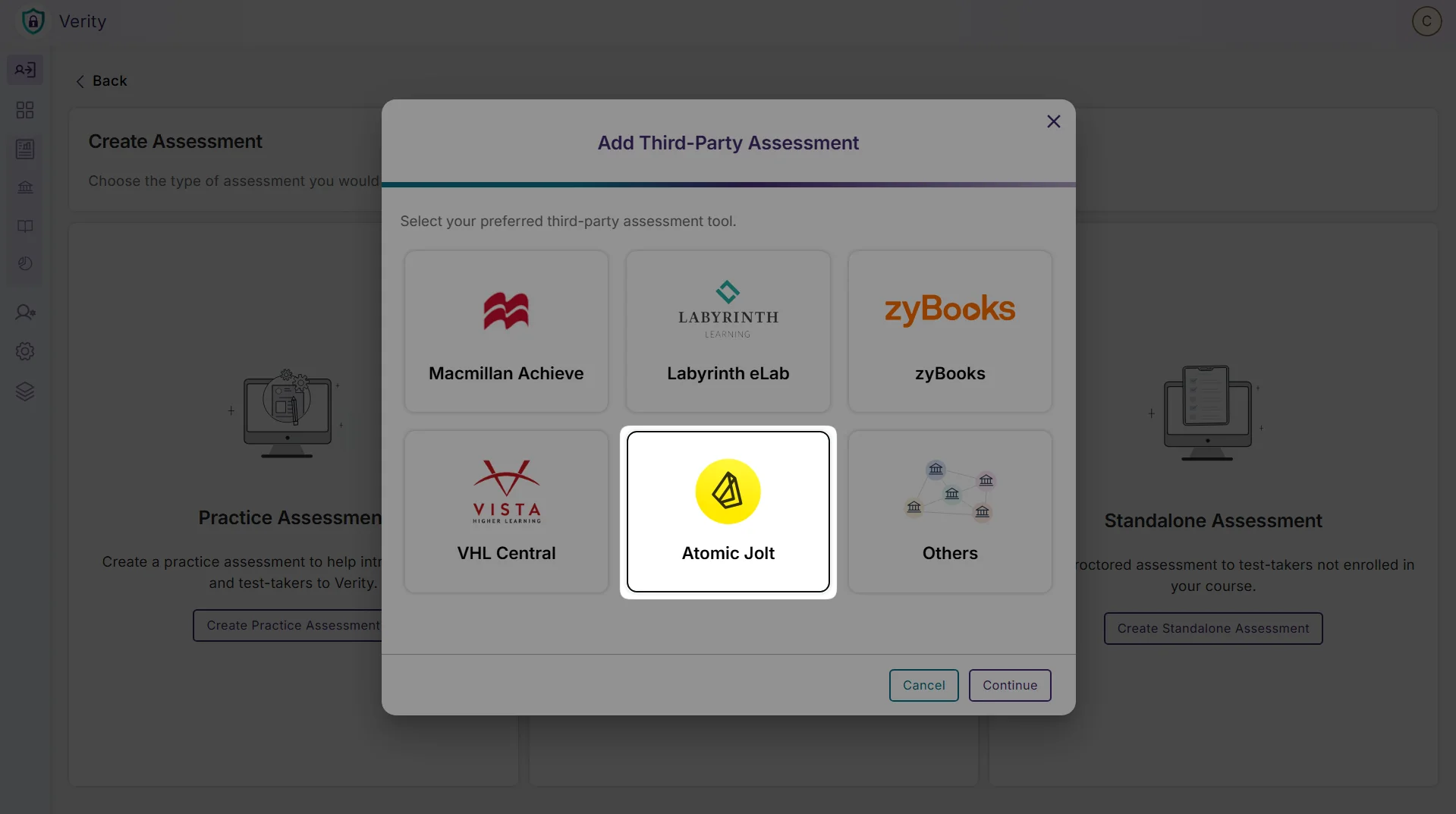
Over the next few weeks, YuJa Verity will receive several new updates, including comprehensive application monitoring and control capabilities for lockdown assessments, expanded third-party assessment integrations, automated identity verification flagging, a more streamlined setup process for managed Chromebooks, and more.
Comprehensive Application Monitoring and Control for Lockdown Assessments
YuJa Verity will now provide complete visibility and control over applications during lockdown assessments through a redesigned approach that offers flexible security options:
Default Application Blocking: All applications are blocked by default, eliminating the need for manual configuration
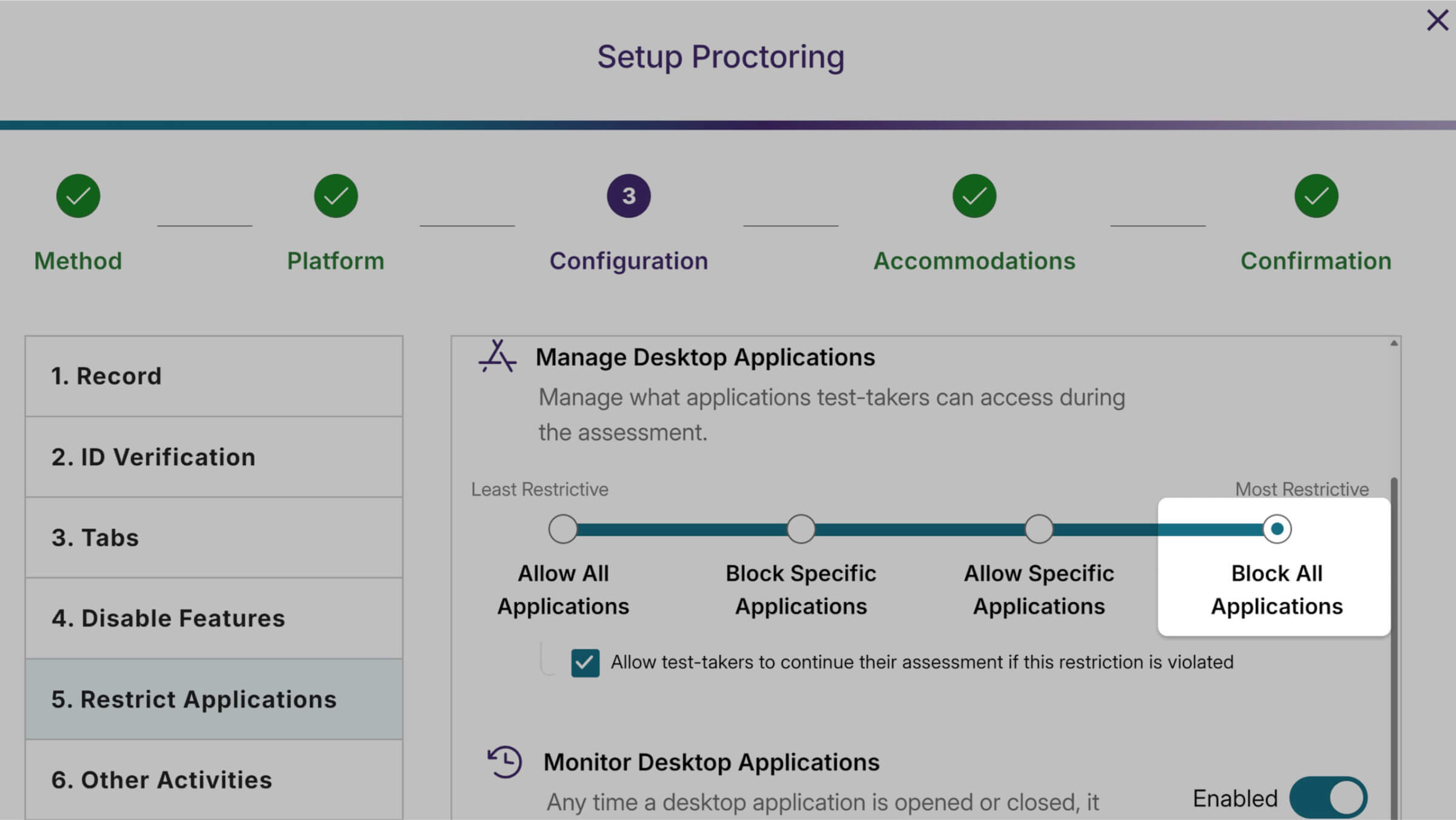
Detailed Activity Logging: View comprehensive logs of all applications opened, closed, or running during sessions
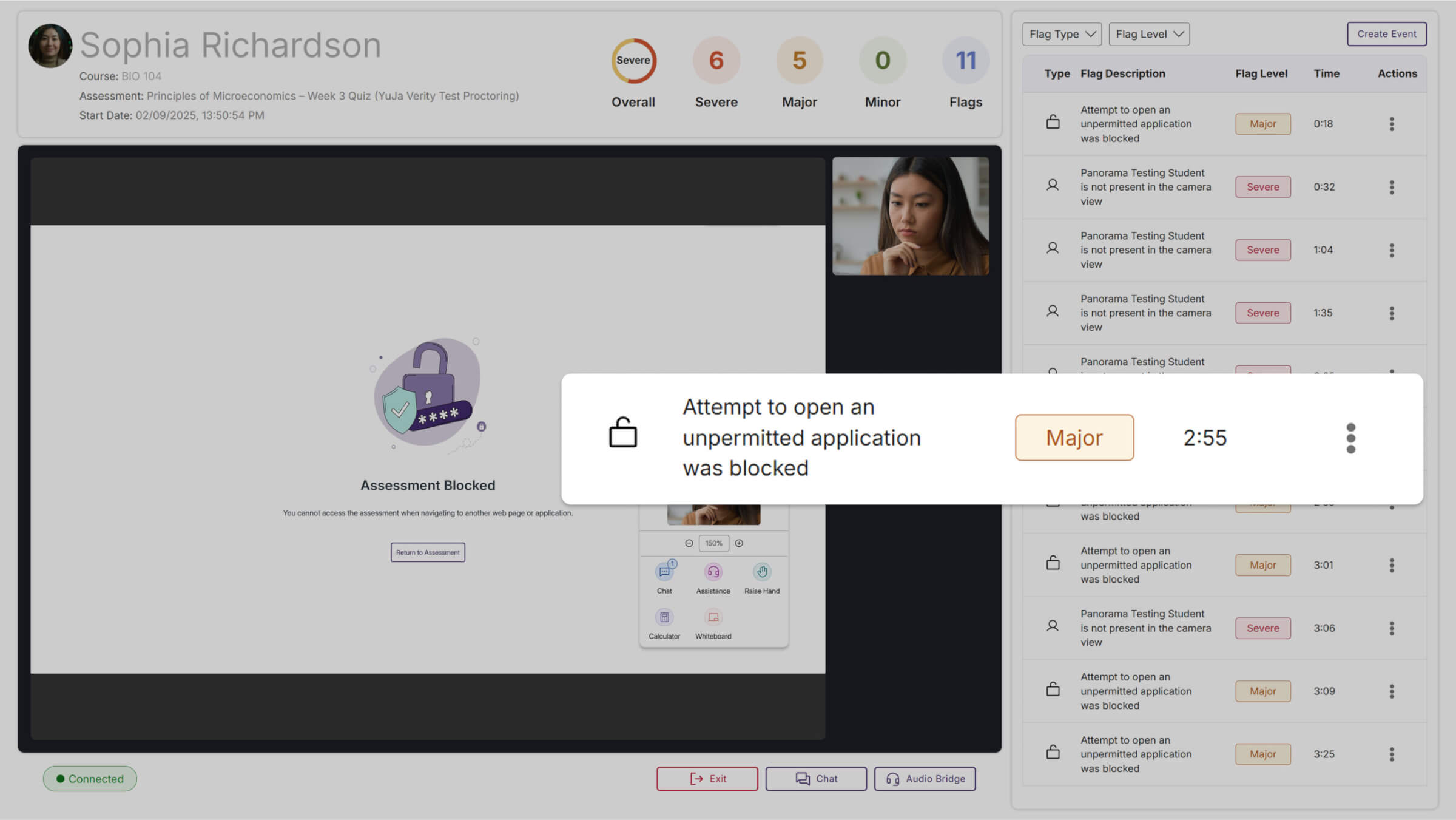
Specific Application Identification: See exact names of blocked programs instead of generic “blocked application” messages
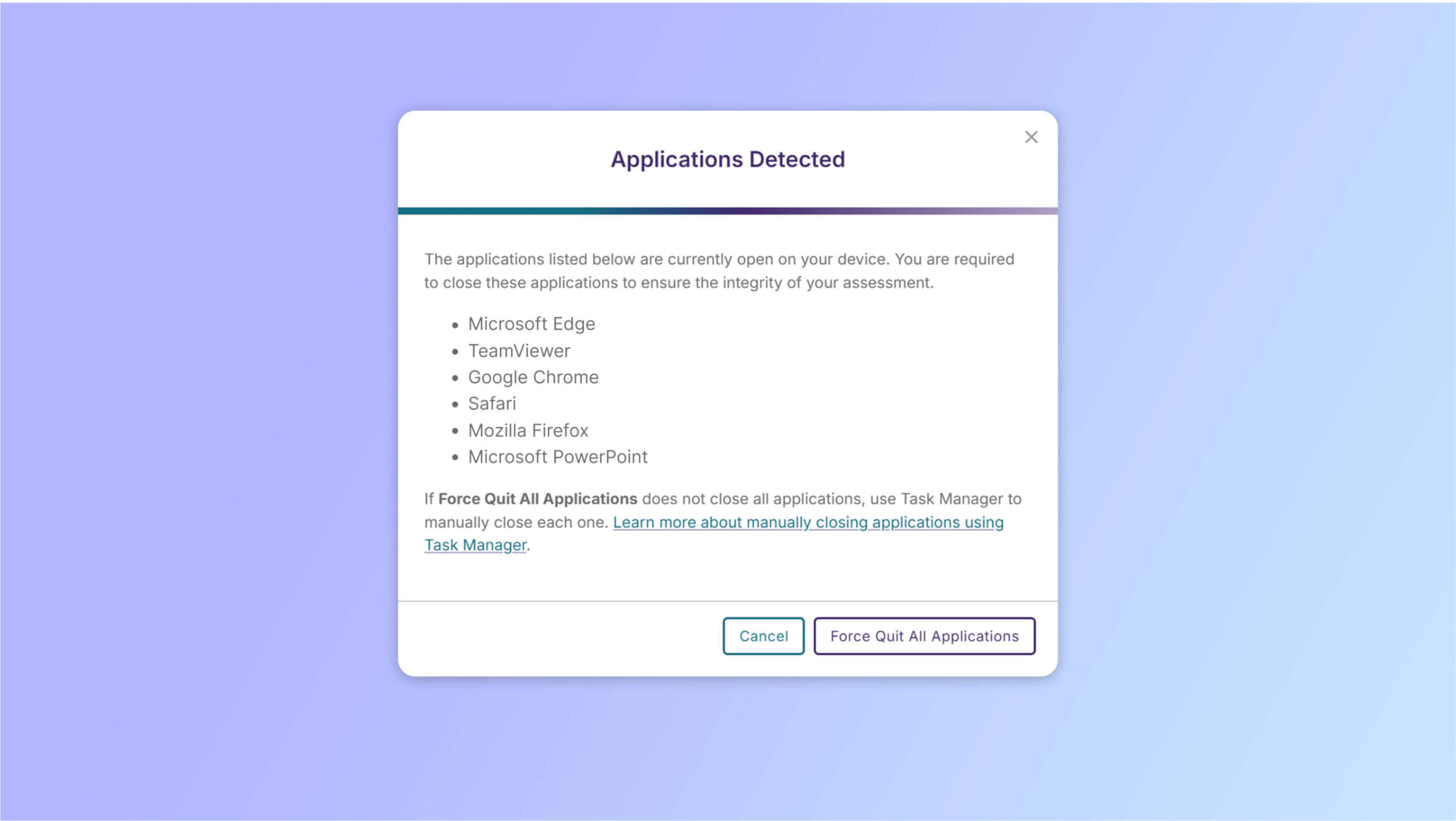
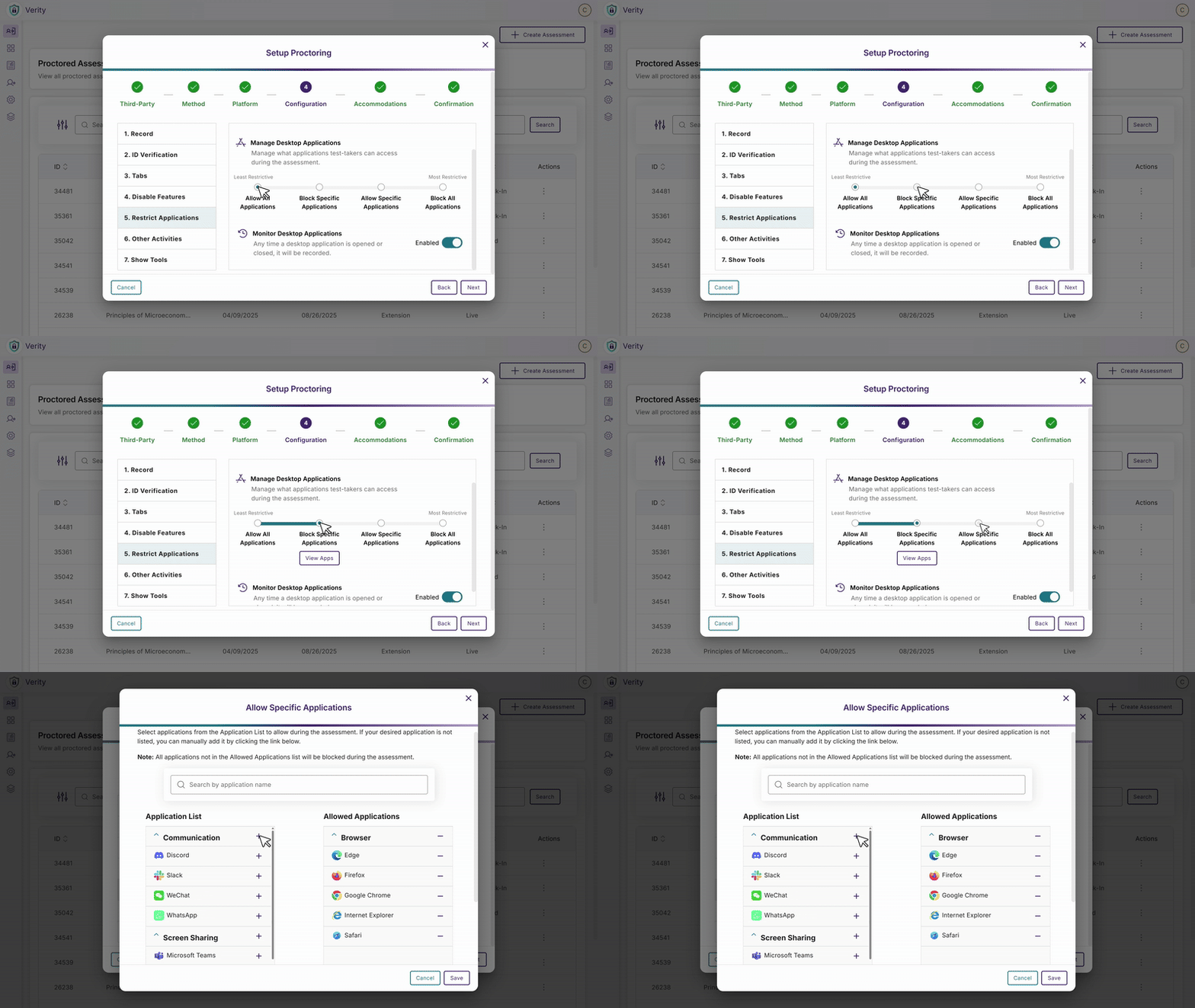
Flexible Management Options: Choose between comprehensive blocking, selective allowlists, or detailed monitoring based on institutional needs
Expanded Third-Party Assessment Integration Support
YuJa Verity will significantly expand its third-party assessment capabilities, adding support for multiple new platforms to provide institutions with comprehensive proctoring options across diverse academic disciplines. All integrations support both Extension and Lockdown proctoring methods, maintaining consistent security protocols while streamlining the testing workflow for both instructors and test-takers:
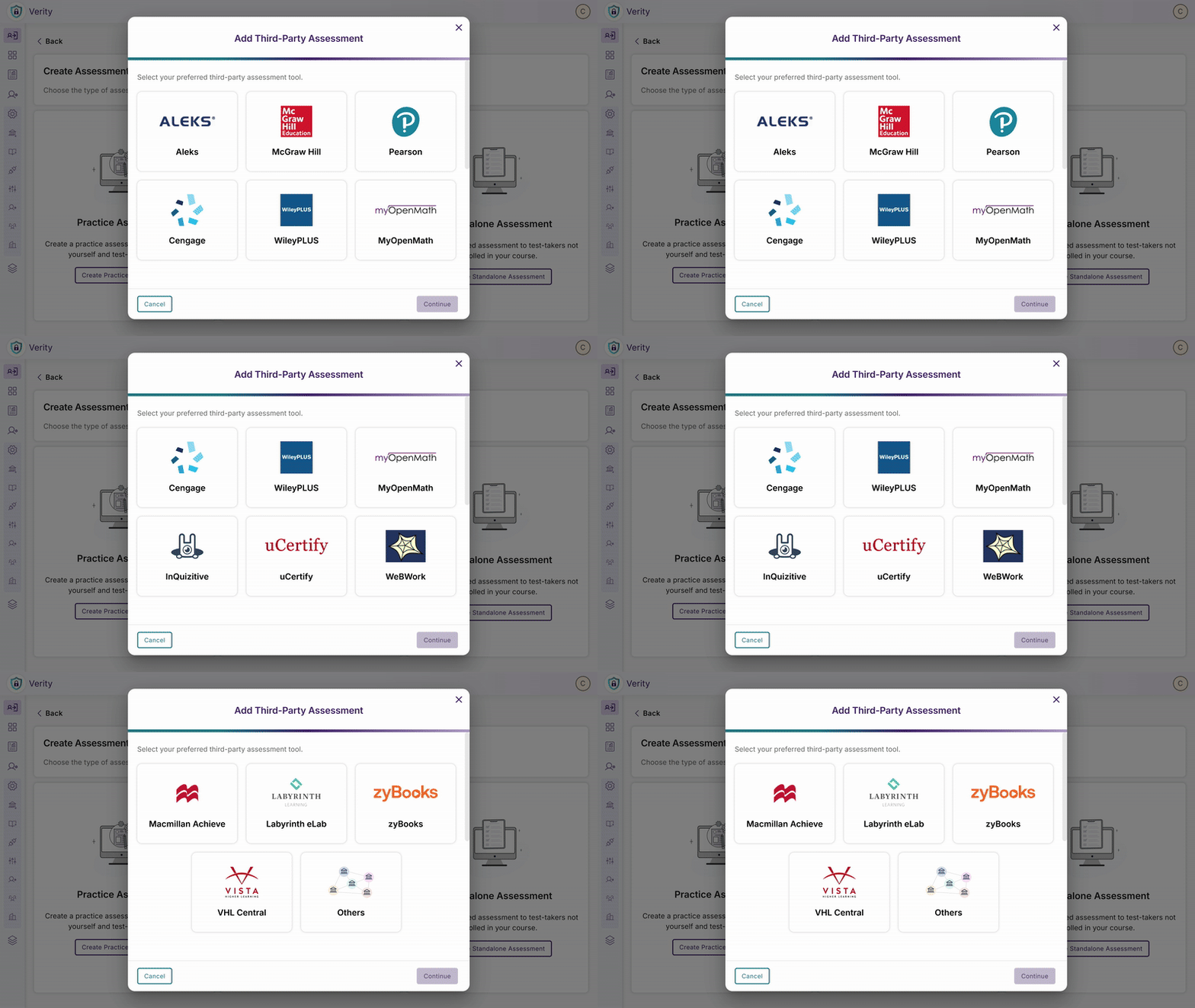
VHL: Language learning assessments
ZyBooks: Programming and computer science coursework
WWNorton – Educational content and assessments across multiple subject areas
Labyrinth eLab: Specialized laboratory and technical training assessments
Macmillan Achieve: Comprehensive academic content and testing solutions
WeBWorK: Mathematics and STEM problem sets with automated grading
Wiley: Textbook-integrated assessments and course materials
MyOpenMath: Open-source mathematics assessment platform
uCertify: Professional certification and skills-based testing
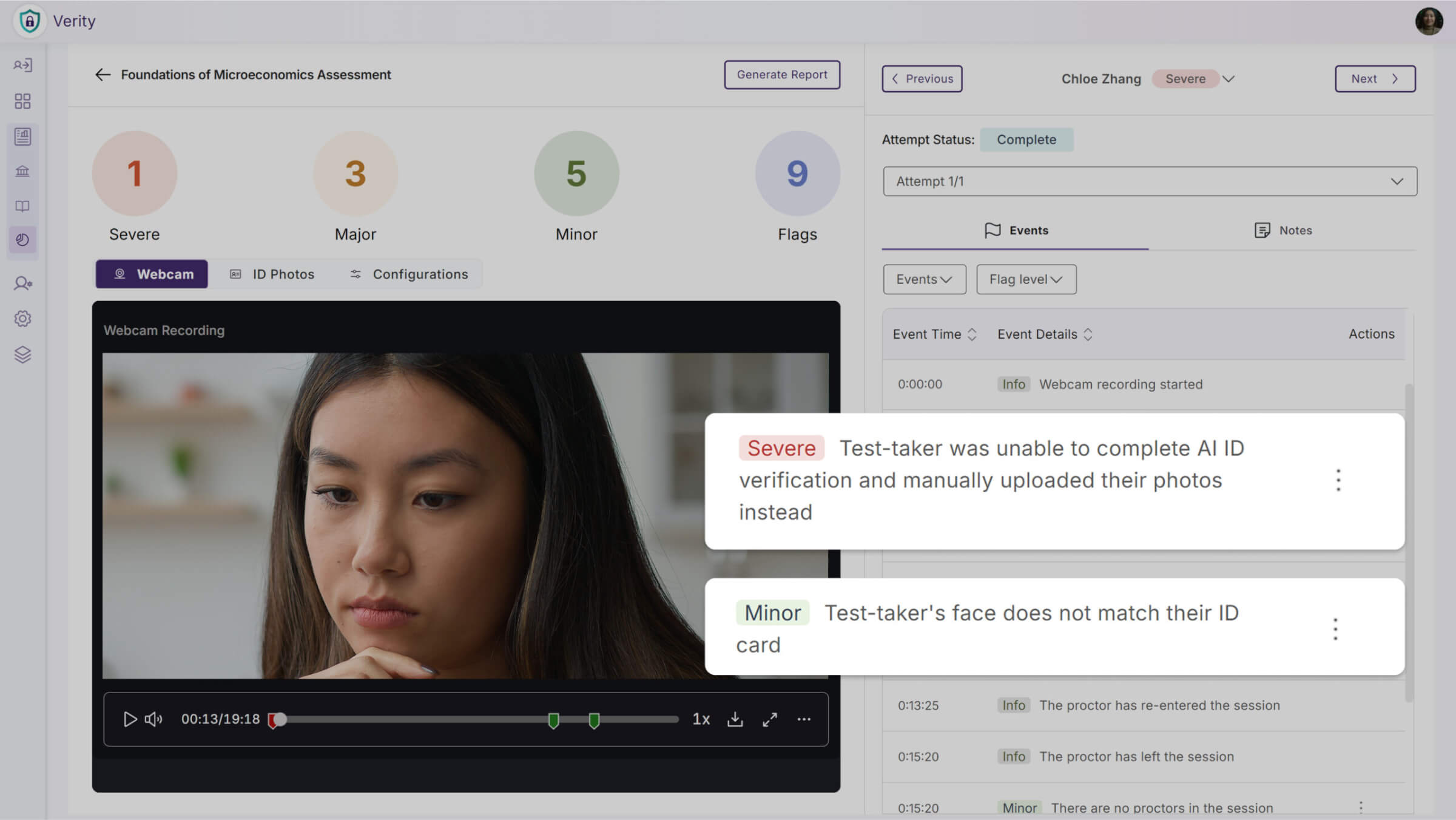
Automated Flagging for ID and Face Verification Mismatches
AI-powered identity verification will now automatically create flags when there’s a mismatch between a test-taker’s face and their submitted ID document. The system will handle different verification scenarios intelligently, creating flags when switching from AI to manual verification in bypass mode or when mismatches are detected during automated processing.
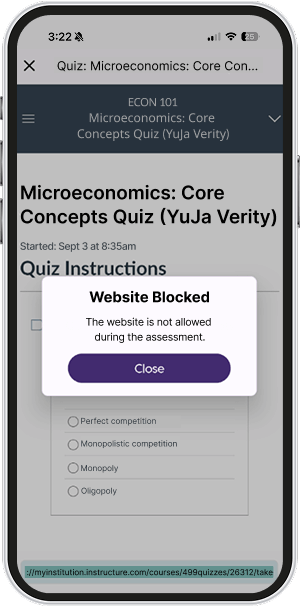
Website Access Controls Will Now Apply to Mobile Assessments
Website access restrictions will now function consistently across all YuJa Verity platforms, including the Mobile Lockdown App. Mobile test-takers will be automatically redirected when attempting to navigate to non-approved URLs, maintaining the same level of security whether they take assessments on desktop or mobile devices.
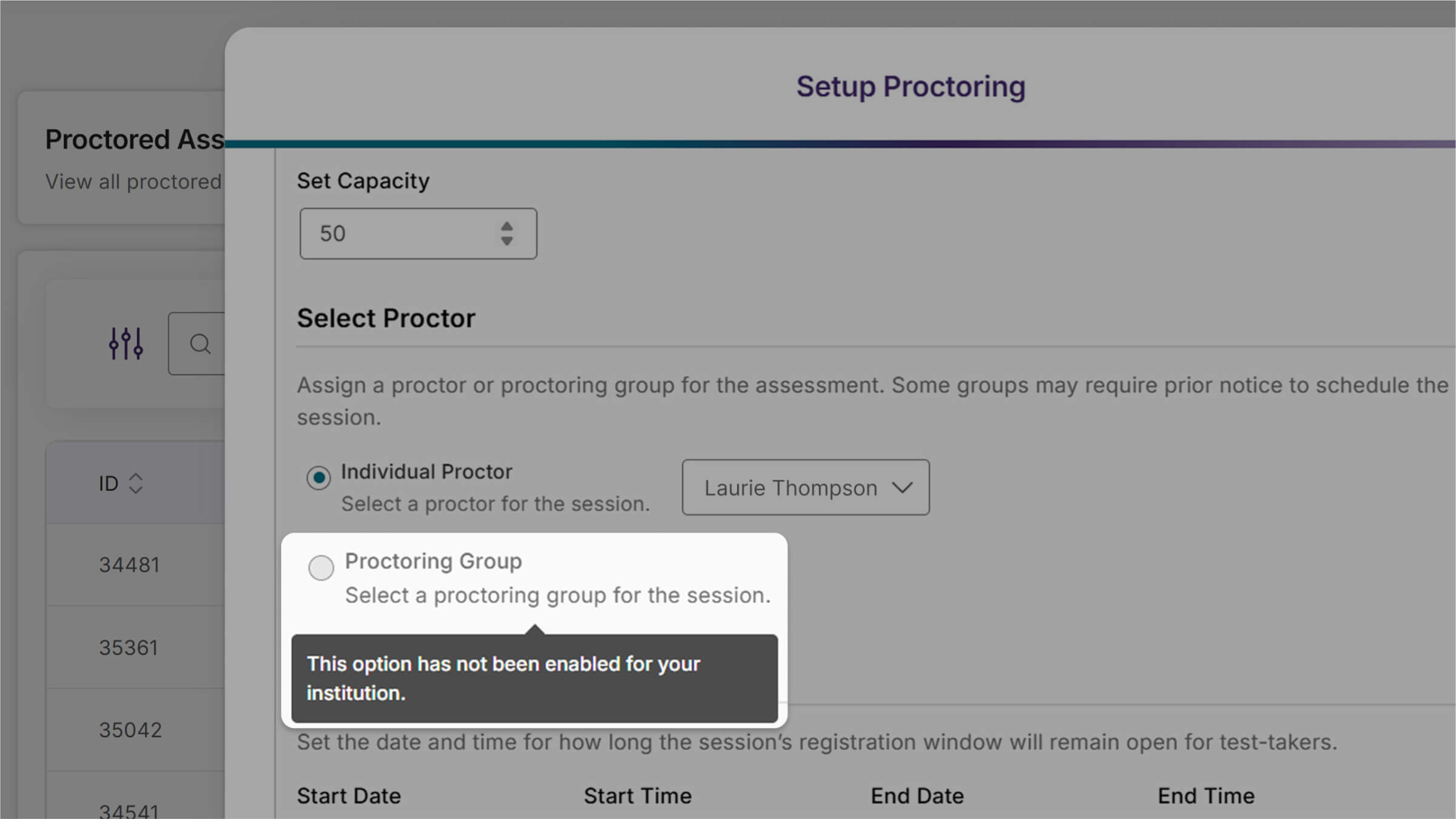
Proctor Group Options Now Reflect Institution-Level Availability
The Live Session Setup will now automatically disable the “Proctoring Group” option for institutions that don’t have access to YuJa proctors, and guide instructors toward available proctoring options to ensure they can only select services active for their institutional setup.
Enhanced Setup Guidance Through In-App Visualizer Notifications
Administrators and instructors using Canvas, D2L, and Moodle will receive banner notifications within the Verity LTI app when the theme or plugin isn’t installed. This will help ensure a seamless student experience by directing users to install the appropriate components, even before all integrations are fully configured.

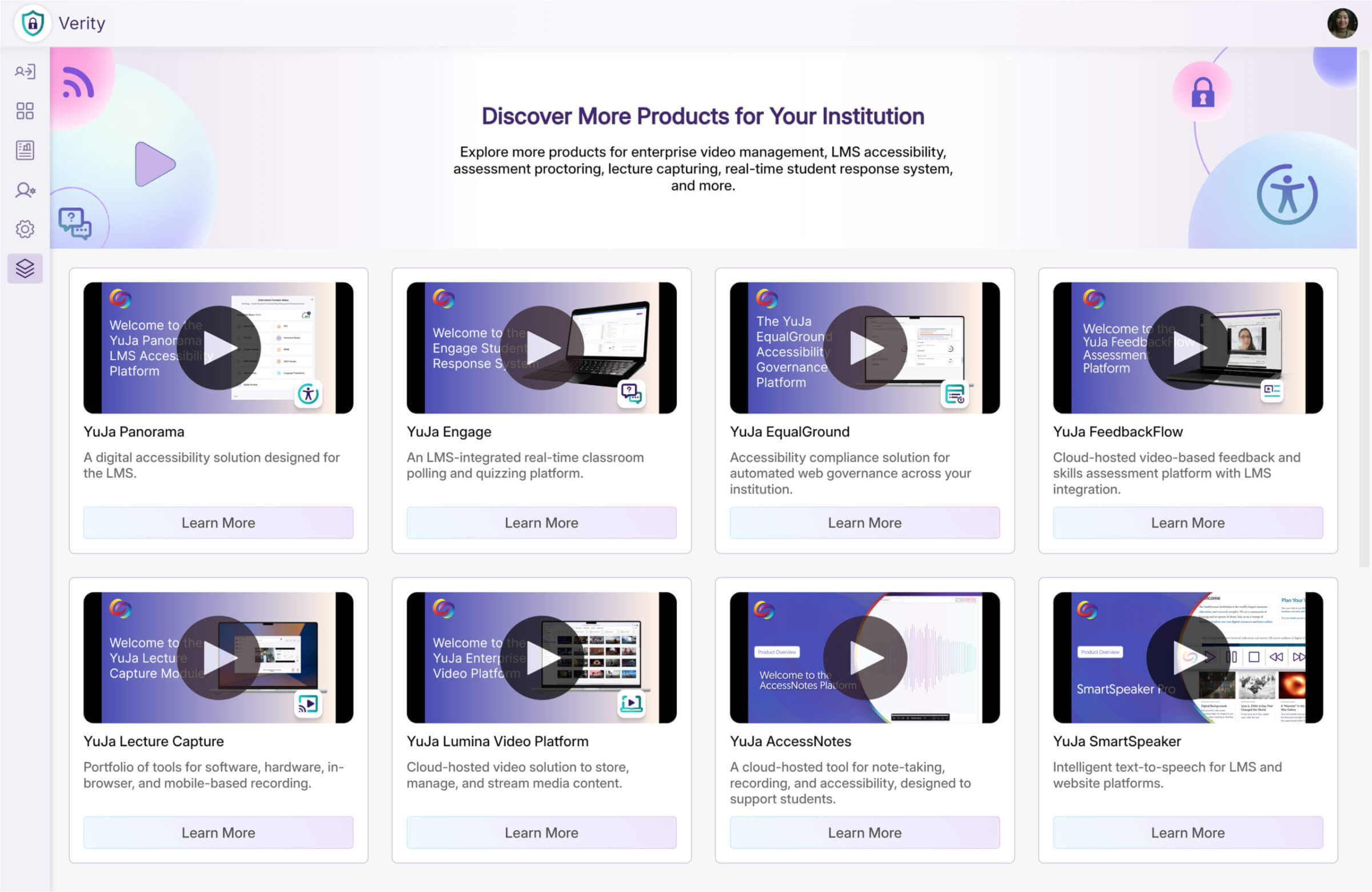
Explore a Marketplace of Platform Additions to Enhance Your Experience
When it comes to maximizing your institution’s educational technology capabilities, there’s a wide range of YuJa products available to complement your proctoring platform. The Marketplace will provide a one-stop destination to discover other YuJa solutions like YuJa Panorama LMS Accessibility Platform, YuJa Engage Student Response System, the Lumna Video Platform, and more, that work alongside YuJa Verity to meet your institution’s needs. When something catches your eye, contact your dedicated Customer Success Manager to learn more and get everything set up.
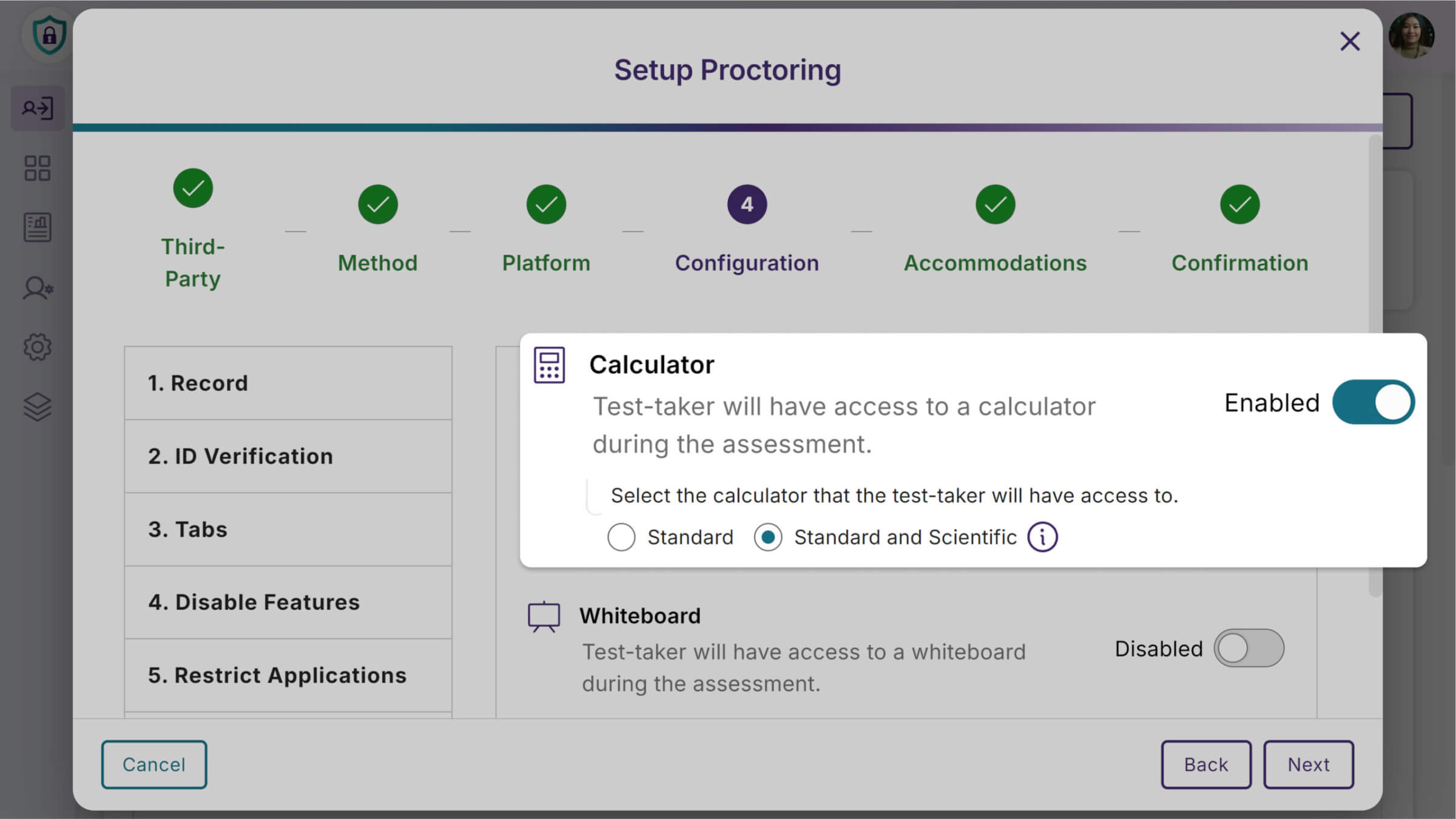
Ability to Select Calculator Type During Assessment Setup
Instructors will now be able to choose between standard and scientific calculators when configuring assessments, providing greater flexibility to match calculator functionality with test requirements.
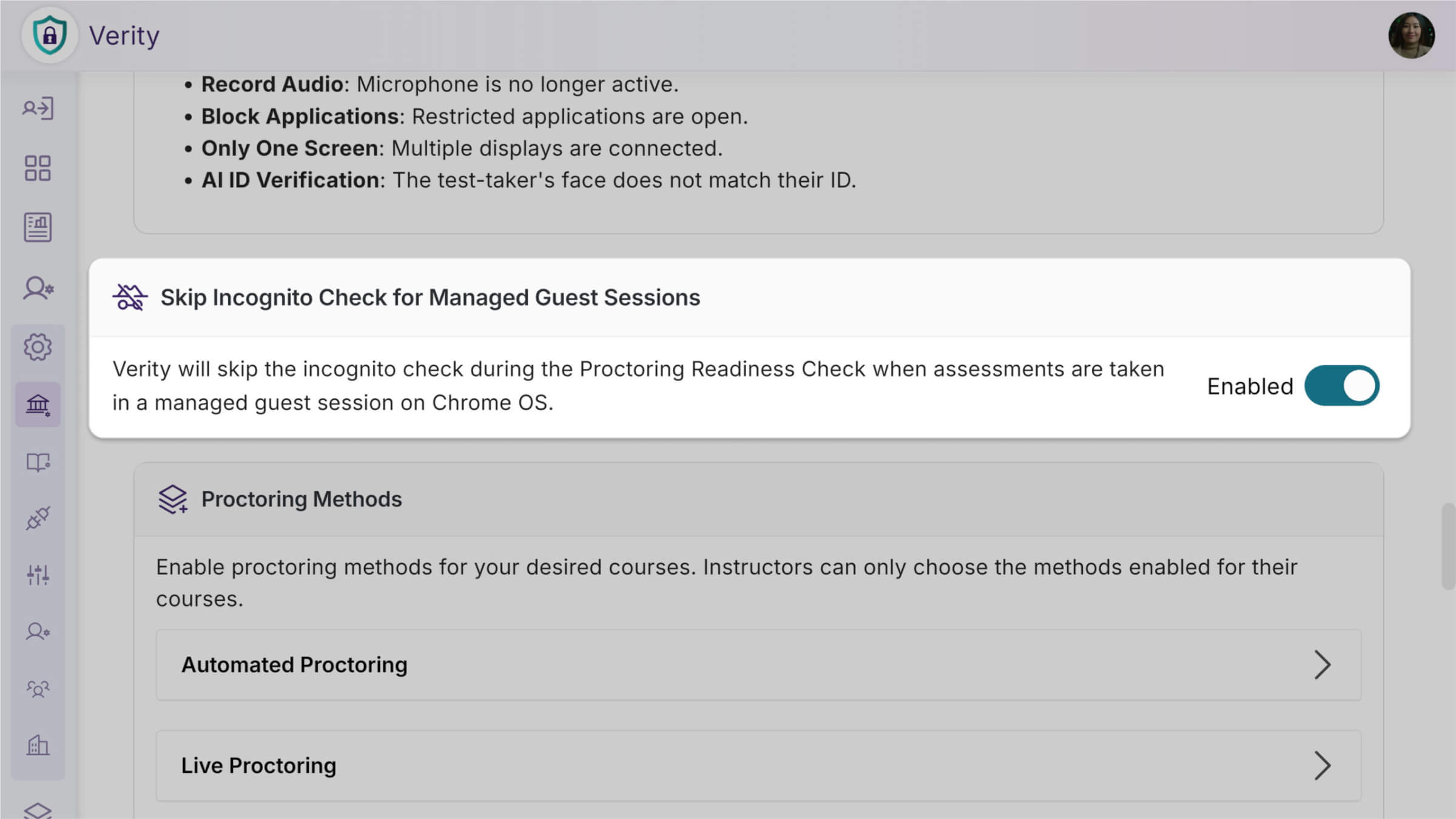
Streamlined Chromebook Setup for Managed Guest Sessions
Administrators will be able to enable a new setting that automatically handles incognito requirements for managed Chromebooks where test-takers don’t have access to these controls. This eliminates setup barriers for institutions using managed devices while maintaining full security functionality for web traffic monitoring and tab restrictions.
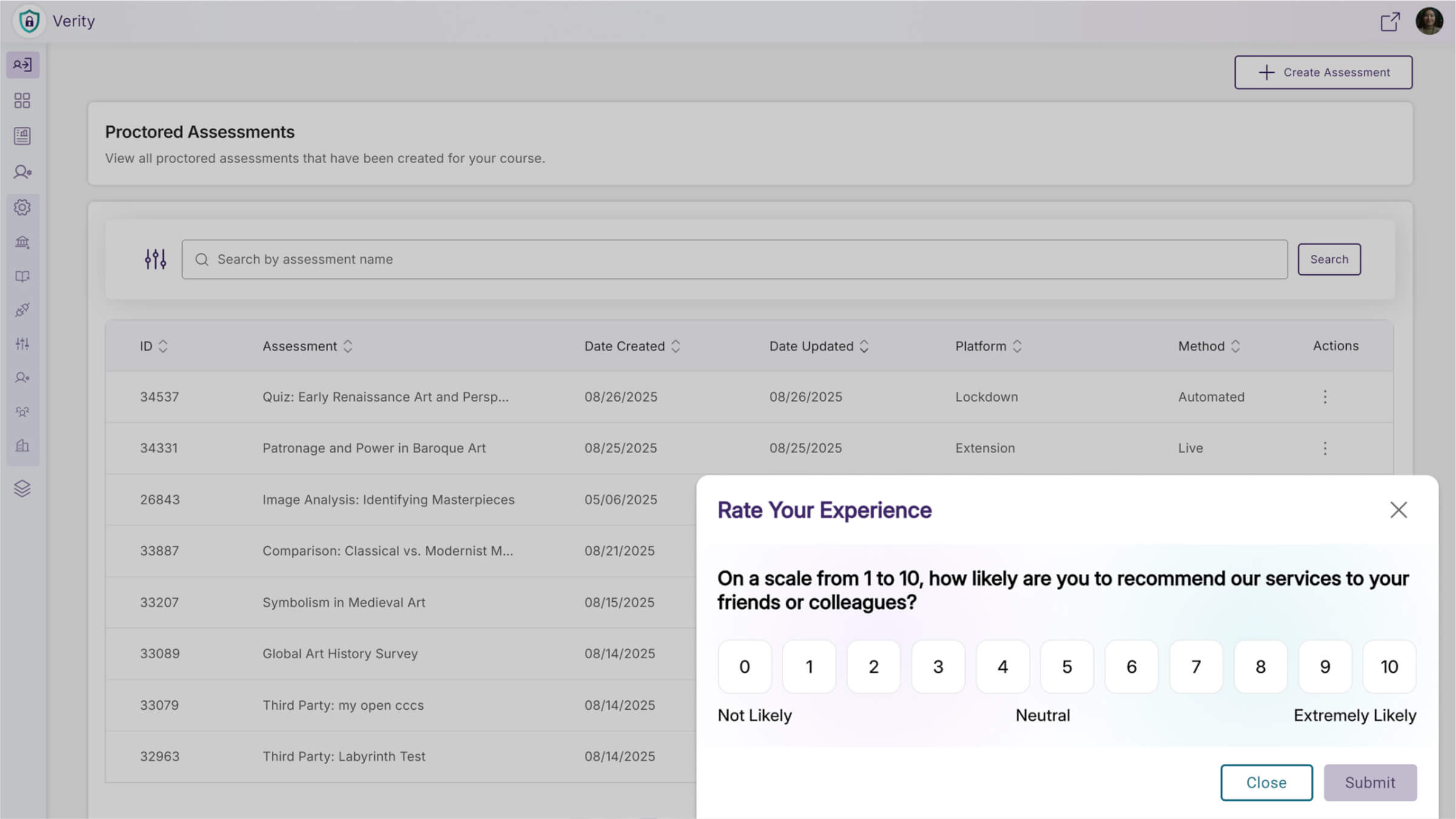
Quarterly NPS Survey Will Collect Administrator Feedback
Administrators will receive a quarterly Net Promoter Score (NPS) survey to gather feedback on platform satisfaction and administrative experience. This will help improve YuJa Verity based on direct administrator input.
Over the next few weeks, we’ll be updating all YuJa Verity Test Proctoring Platform instances residing in the US, Canada, Australia, and the European Union. This update will include enhanced mobile lockdown capabilities for computer-based assessments, streamlined student payment processing through Stripe integration, improved focus monitoring with advanced head gesture detection, and more.
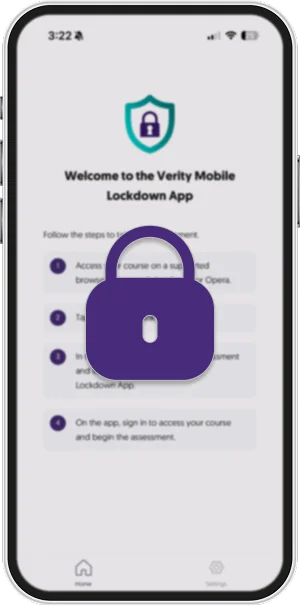
Ability to Restrict Mobile Phone Use During Computer-Based Lockdown Quizzes
Students taking computer-based assessments can now be required to lock down their mobile phones through a new configuration option in Verity settings (Mobile Lockdown SKU required). When enabled, students scan a QR code during setup that launches the Verity Mobile app and guides them through the phone lockdown process, preventing access to unauthorized resources or communication during proctored exams.
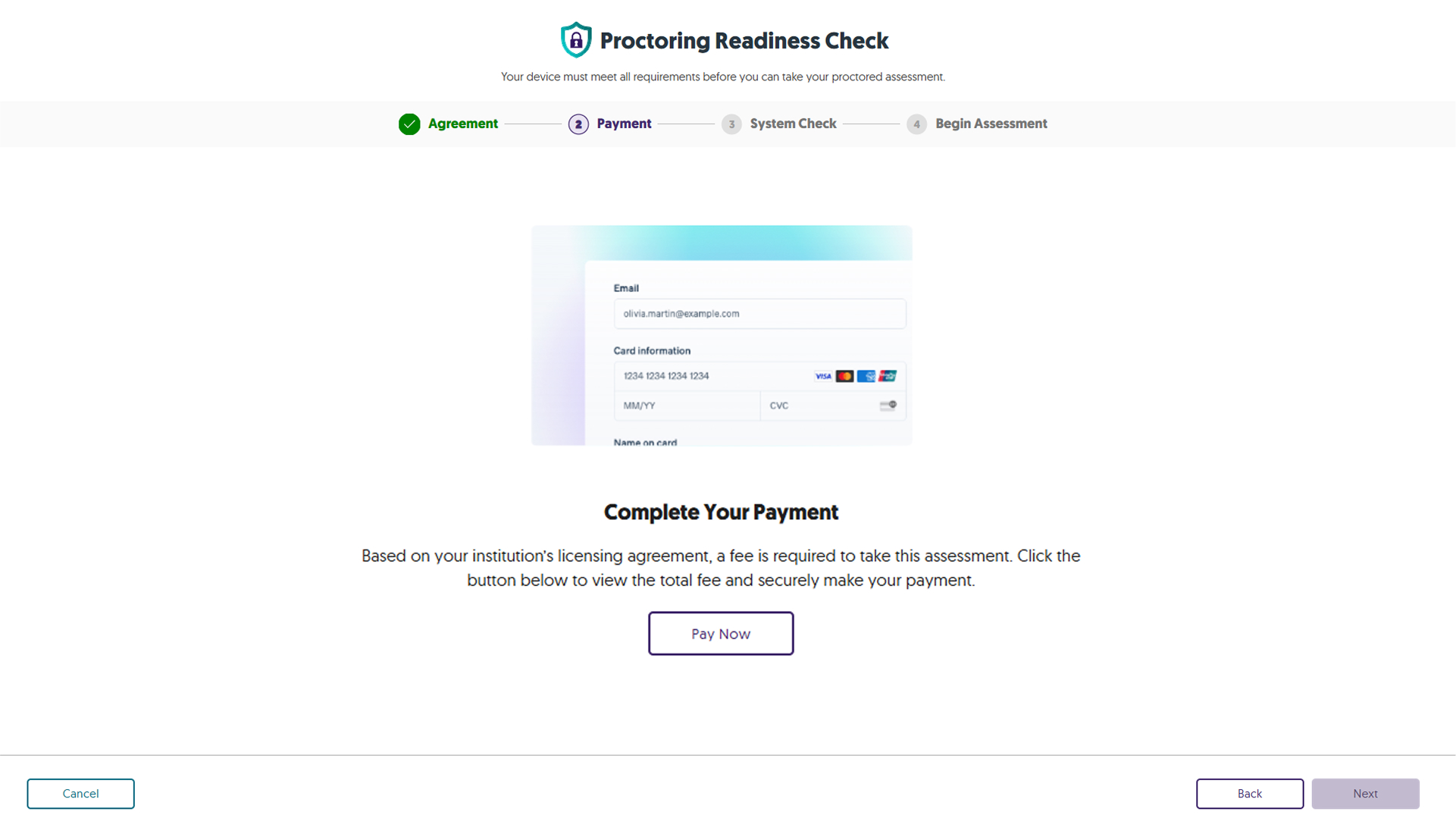
Option to Bill Student Directly Using Industry-Leader Stripe Global Payment Processor
Institutions can now charge students directly for proctored assessments through integrated Stripe payment processing, with customizable pricing for Live, Check-In, and Automated proctoring methods. Students complete secure payments before accessing their assessments, with saved payment methods for future use, while instructors can preview assessments without payment requirements.
Enhanced Head Gesture Detection for Improved Focus Monitoring
The platform will now track facial direction and gaze to better identify when students look away from their proctored exams. This will provide more granular monitoring by tracking where students are looking, not just face position.
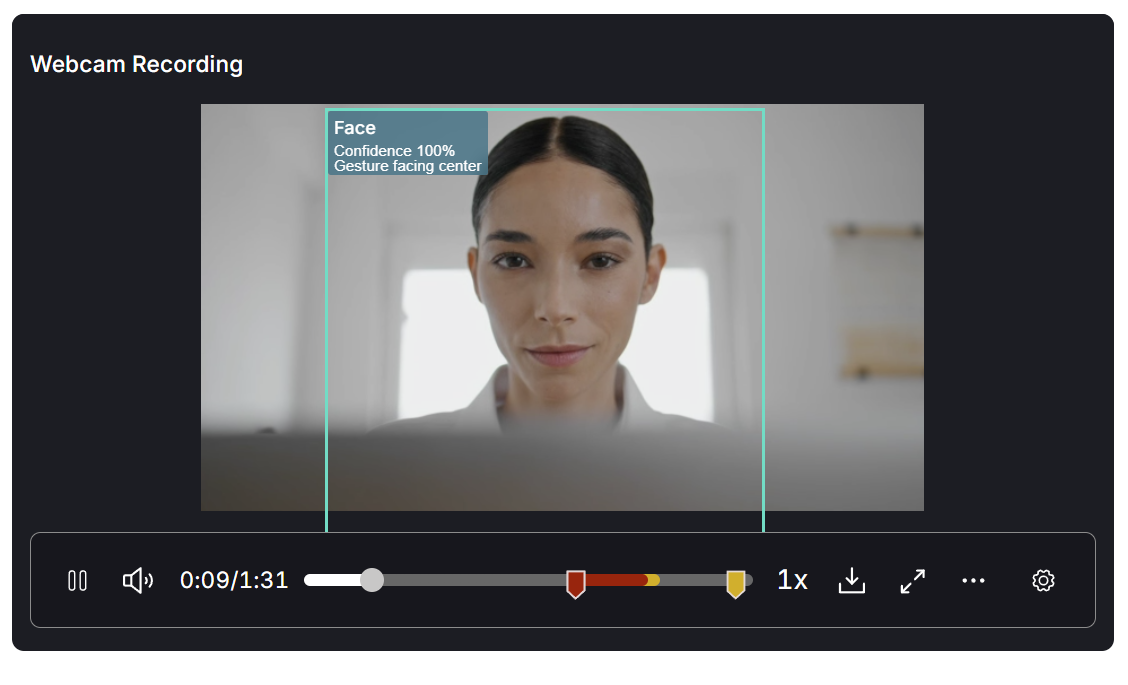
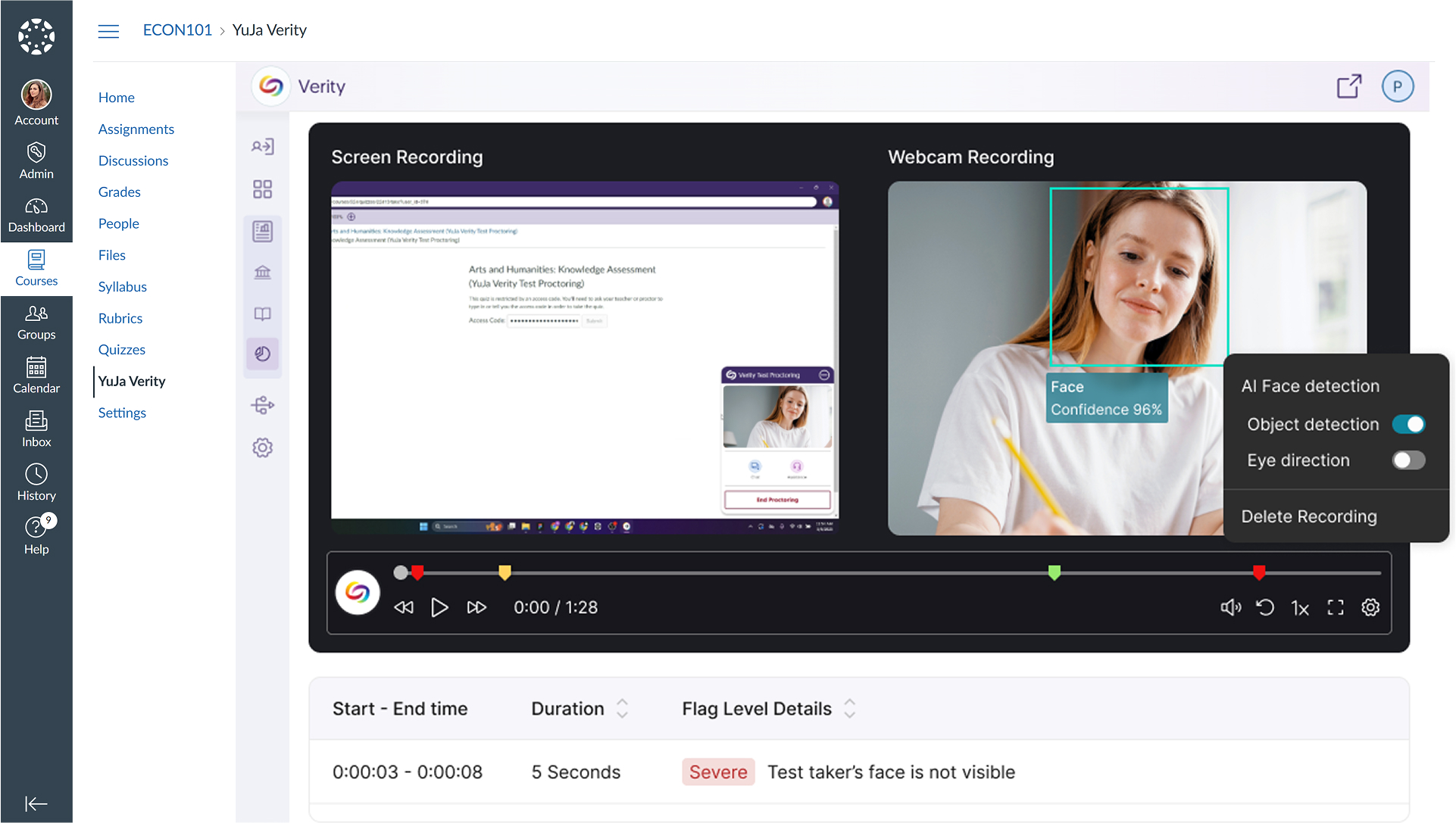
Enhanced Video Review with AI Detection Overlay
With this release, instructors will be able to view visual overlays on video recordings that highlight AI-detected faces and objects during assessment review. This will make it easier to quickly spot and verify flagged incidents without having to watch entire recordings.
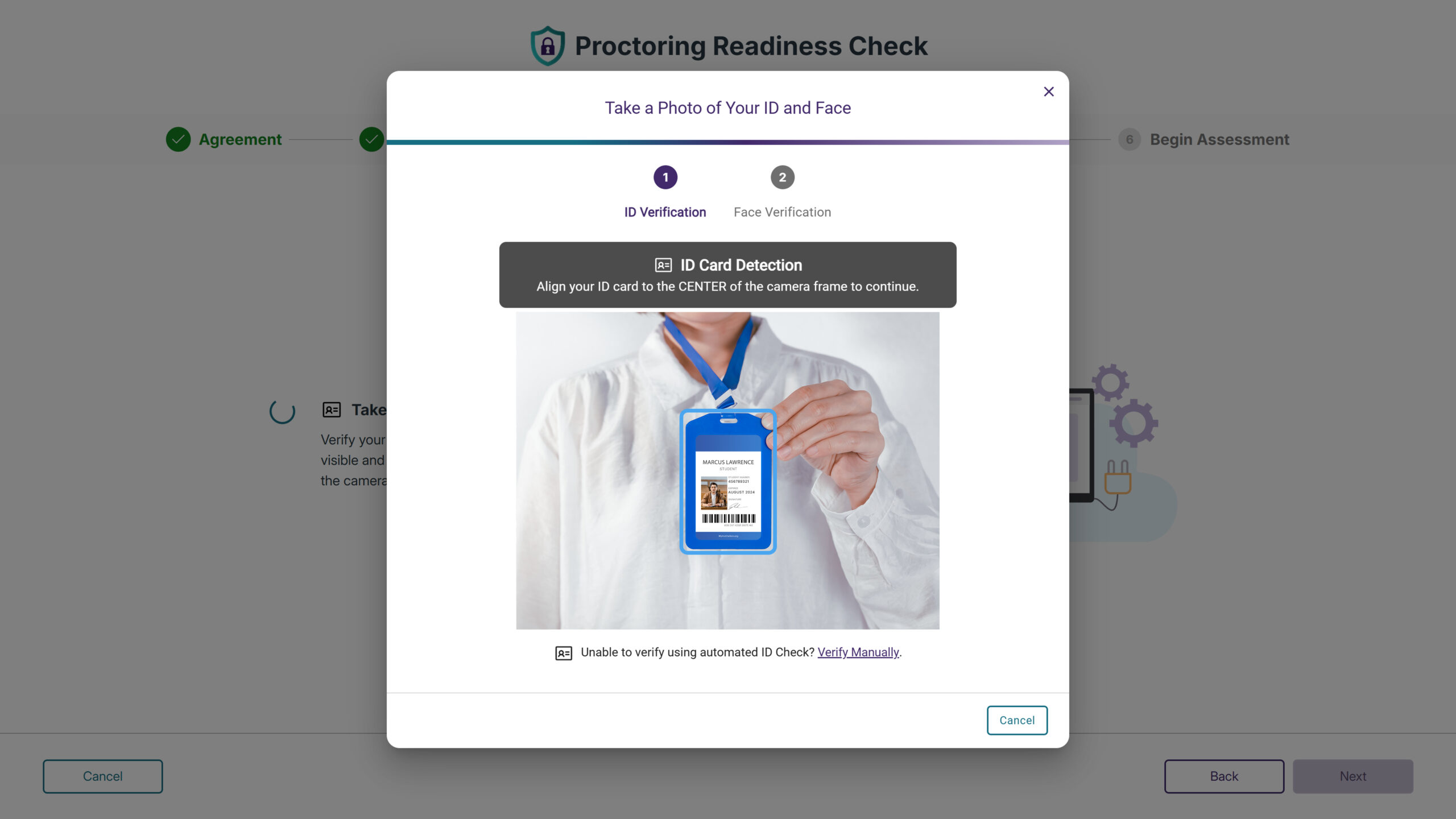
Improved ID Verification for Vertical Format Cards
A new toggle option will allow test-takers to rotate the ID verification interface for vertical format identification cards for portrait-oriented IDs.
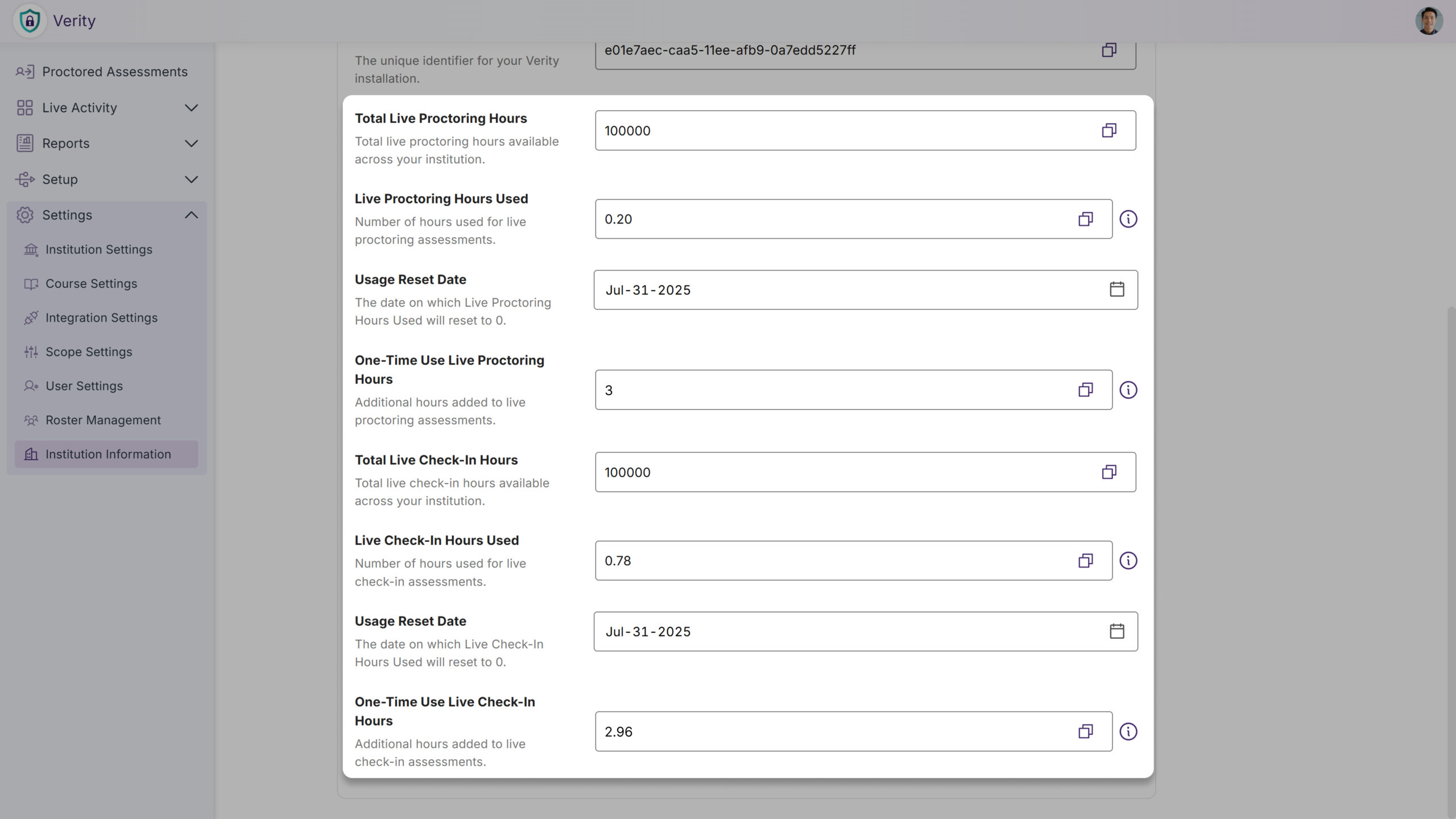
Live and Live Check-in Credit Management and Tracking Added
Administrators will now be able to monitor credit allocations for Live Proctoring and Live Check-in sessions directly within the institution information page in the LTI app, with real-time visibility into limits and remaining balance.
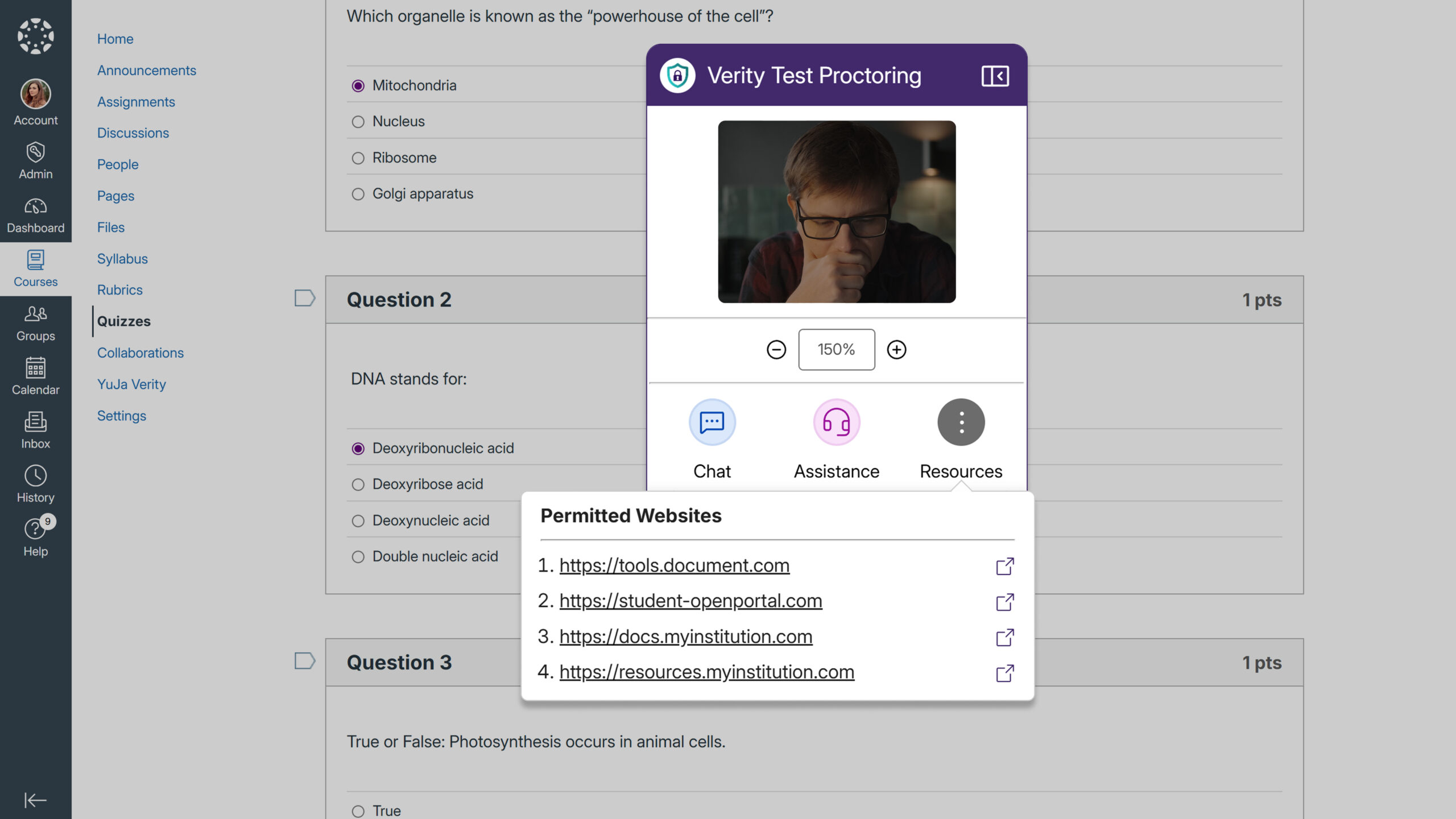
Permitted Website List Will be Shown in the Recording Toolbar
Test-takers will be able to easily access approved websites they can visit during proctored assessments through a new Resources button in the recording toolbar. The feature displays all allowlisted URLs in a dropdown menu, allowing students to navigate directly to permitted sites without confusion about what resources are available.
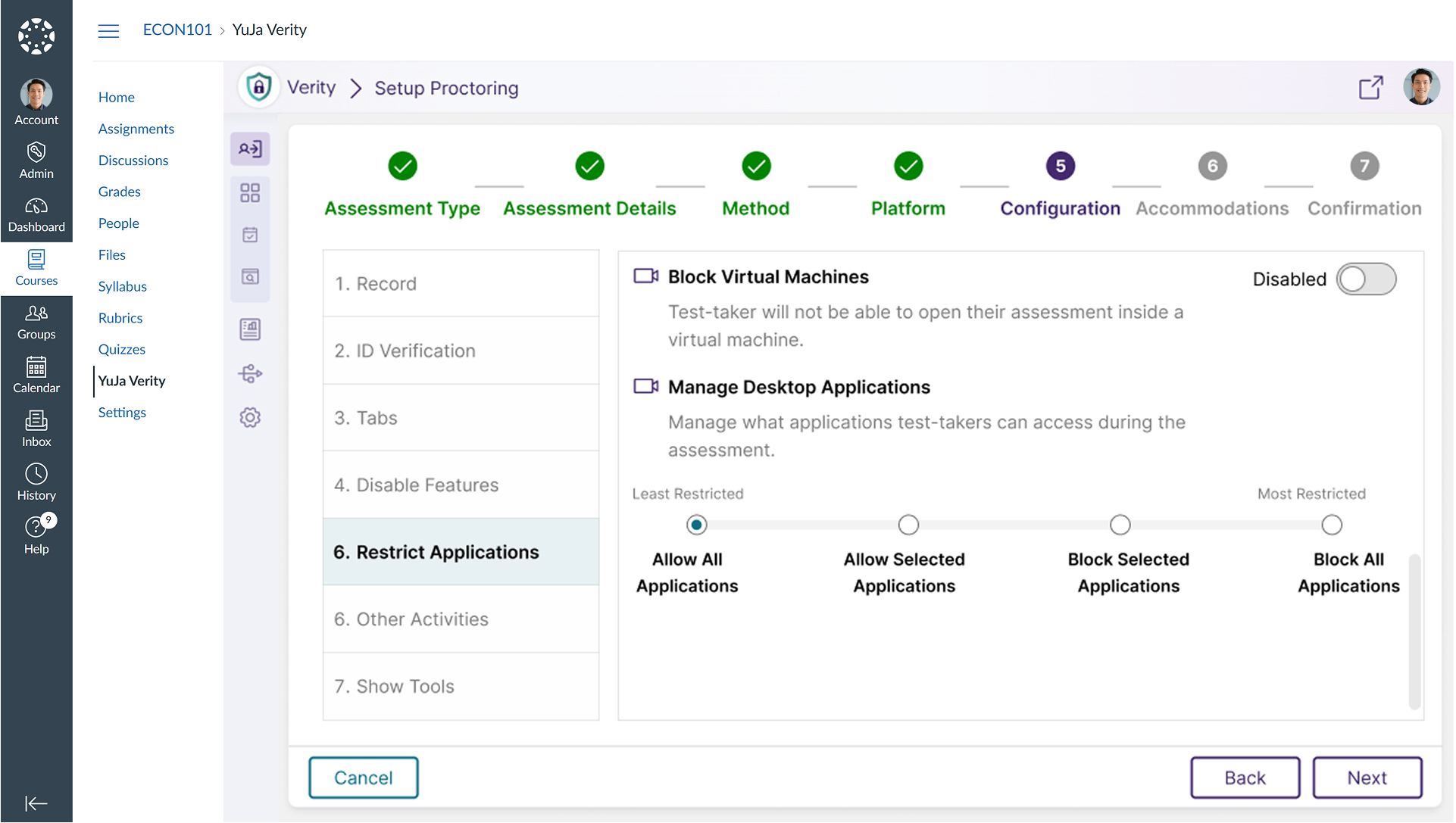
Allow Only Specific Applications During Lockdown Assessments
Administrators can now create an allowlist of approved applications for lockdown assessments, automatically blocking all other programs on the student’s device.
Mobile Quiz Access Through Canvas Student App
Students using the Canvas mobile app will now be automatically directed to Verity Mobile App assessments through the same streamlined navigation used in web browsers, providing consistent access whether students launch Canvas from their mobile app or desktop browser.
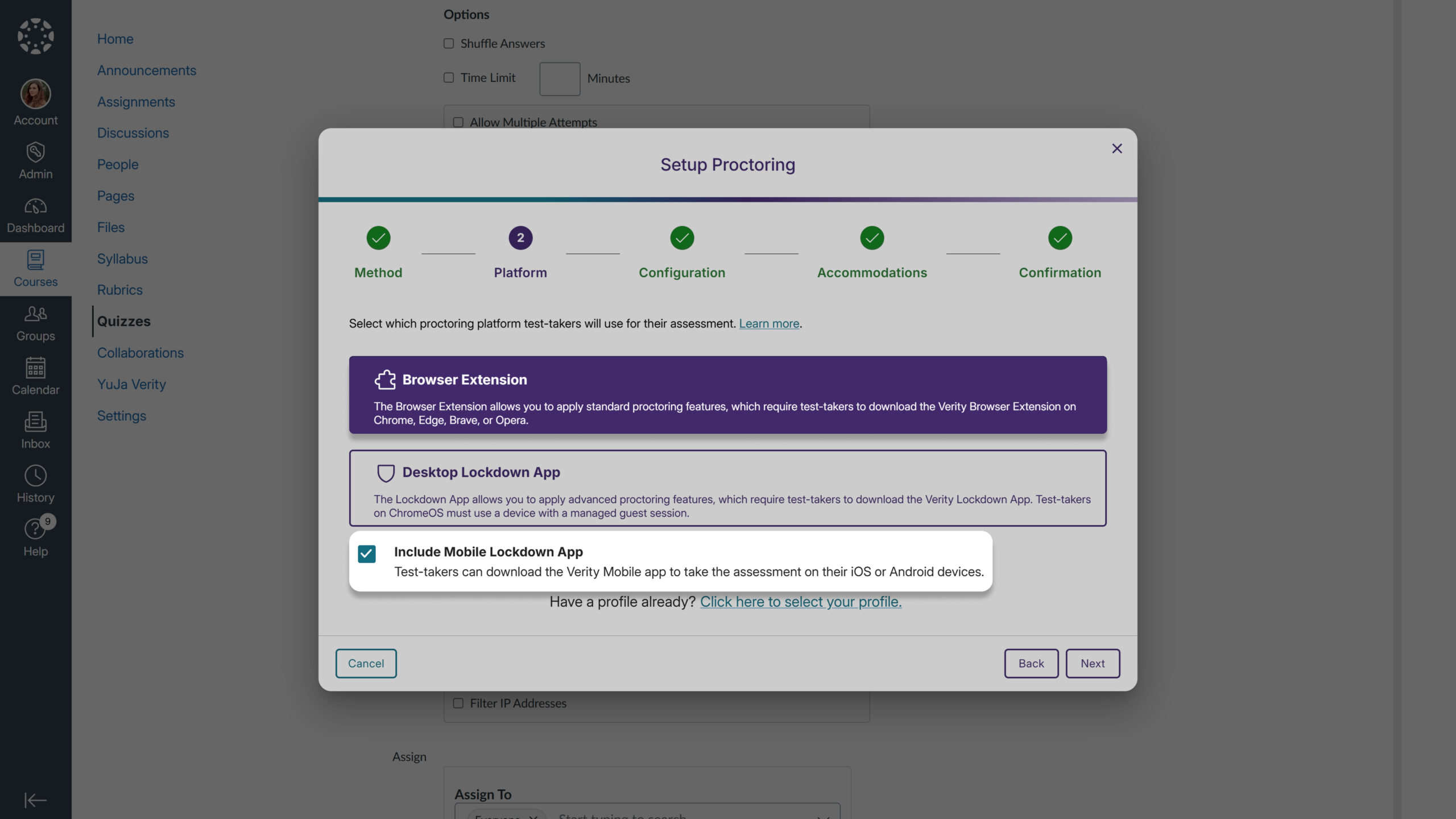
Mobile App Access for Extension Quizzes
Instructors can now optionally enable the Verity Mobile App for extension-based quizzes through a new configuration setting, addressing student requests to take assessments on mobile devices. Previously, mobile app access was only available when selecting the Lockdown Browser option, but this enhancement provides flexibility for institutions wanting to offer mobile testing across different proctoring methods.
Join the 1,000+ Organizations Deploying High-Impact Solutions