Product Updates
Get the latest platform updates, features, and announcements—all in one place.
Boost Video Accessibility with the GenAI Video PowerPack!
Try Now
Supercharge Your Compliance Efforts with AutoPilot Remediation Max!
Try Now
Strengthen Your PDF Accessibility Efforts with Structural Remediation Max!
Try Now
Don't Miss Any of Our Upcoming Webinars—Save Your Spot!
Register
The YuJa Community is here! Connect, get updates, and access exclusive content.
Join Now

Get the latest platform updates, features, and announcements—all in one place.
We have successfully pushed an update to all YuJa Engage Student Response System instances. This release includes a redesigned poll-taking experience for participants to track the progression of their polls, a new results page to view the correct answer after completing a poll, and a revamped grading experience for both polls and attendance in the Grade Book.
Redesigned Poll-Taking Page with Side Navigation Panel and Indication of Question Progress
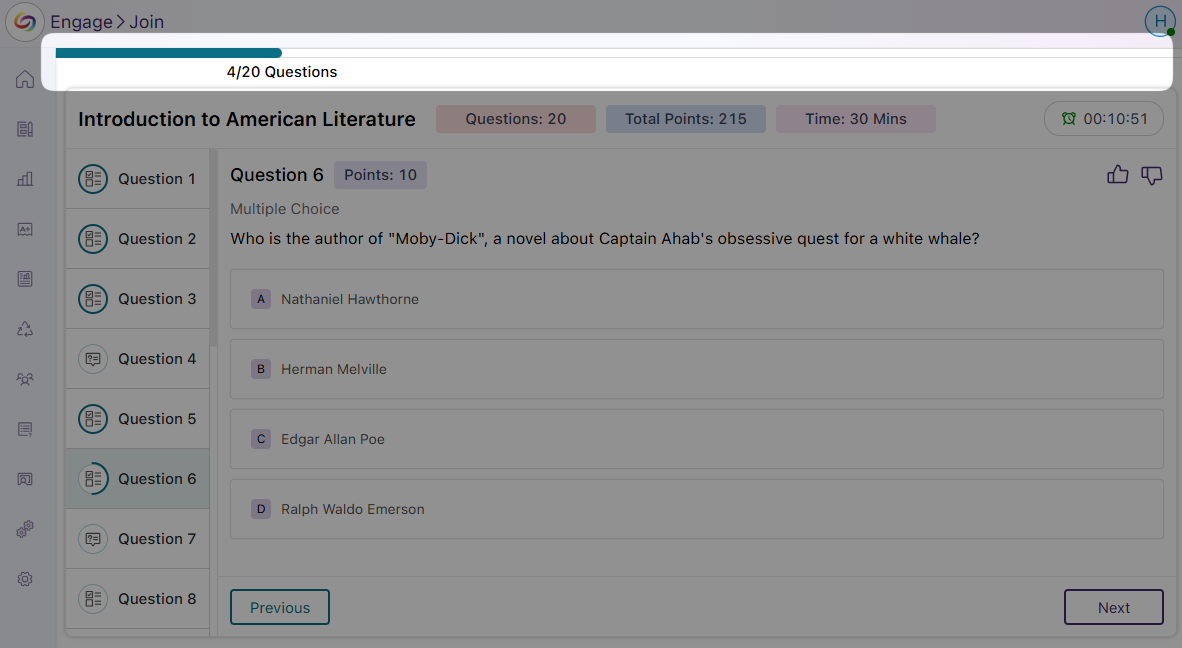
To help participants keep track of answered and unanswered questions, we have designed a new side panel that displays all poll questions, along with their respective points. As participants complete the poll, at-a-glance progression rings around questions will indicate answered, unanswered, and in-progress questions.

New Progress Bar to Track the Completion of the Entire Poll
The new progress bar on the poll-taking page offers a clear view of how much of the poll has been completed, helping participants manage their pace and complete the poll within the time limit.
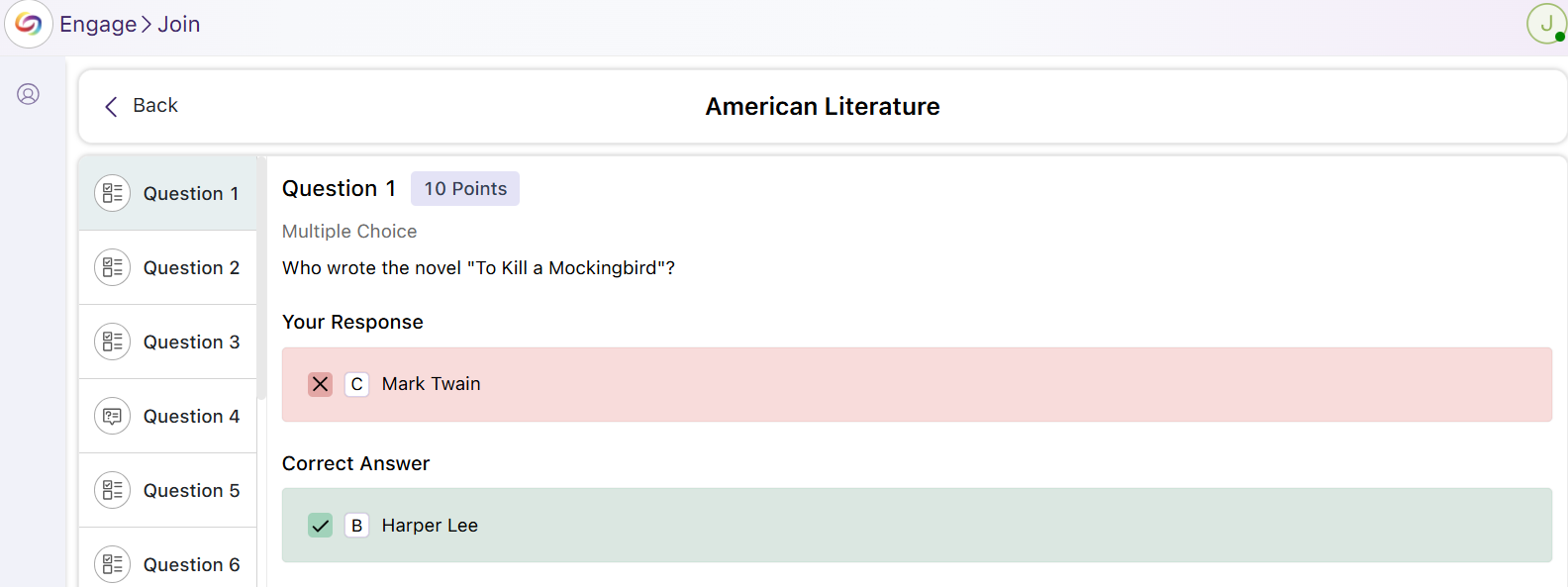
New Results Page with Color-Coded Indicators for Correct Answers
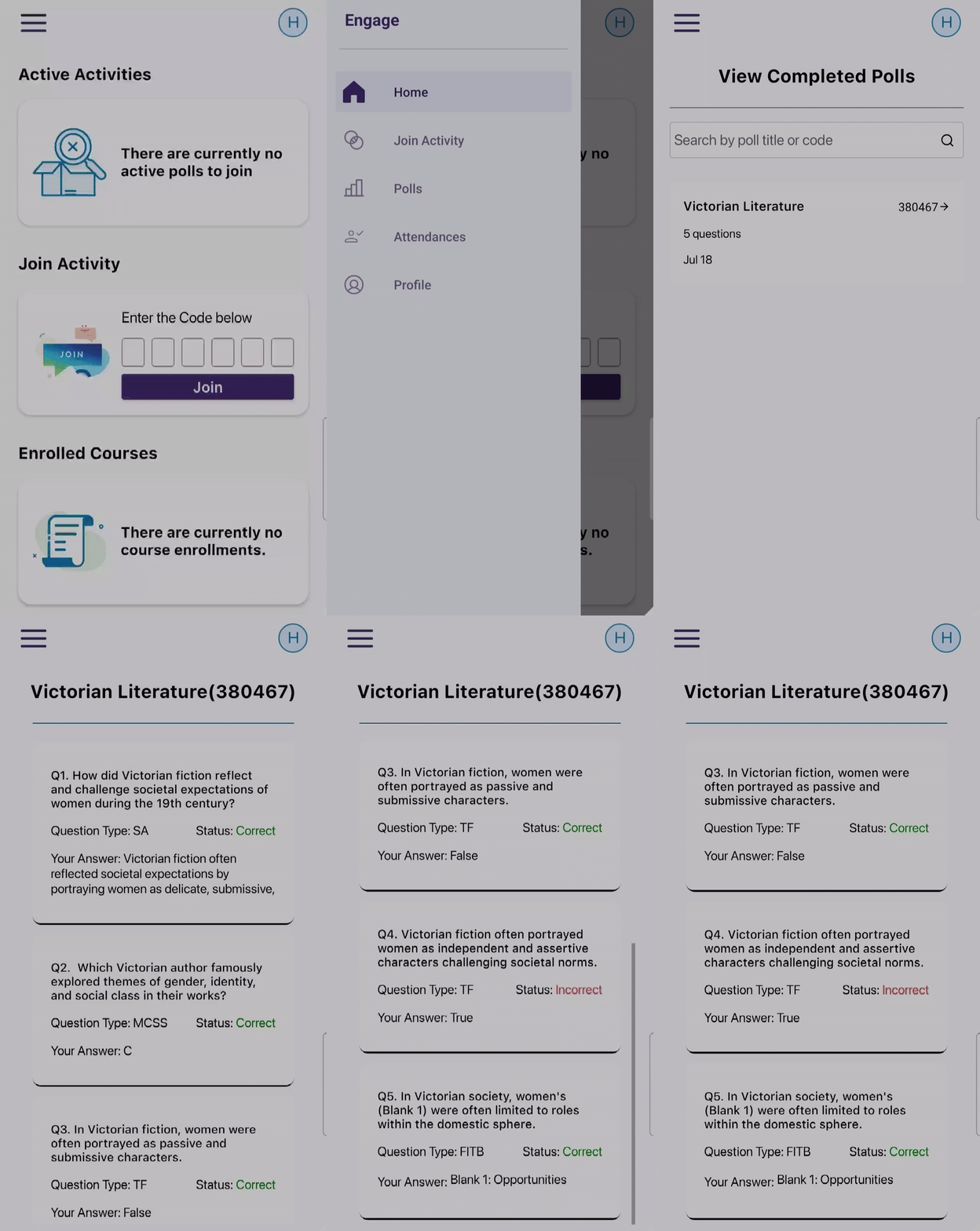
When participants review their responses after completing a poll, the results page will now feature new color-coded indications of whether they chose the correct answer, which will be highlighted in green, or the incorrect answer, highlighted in red.
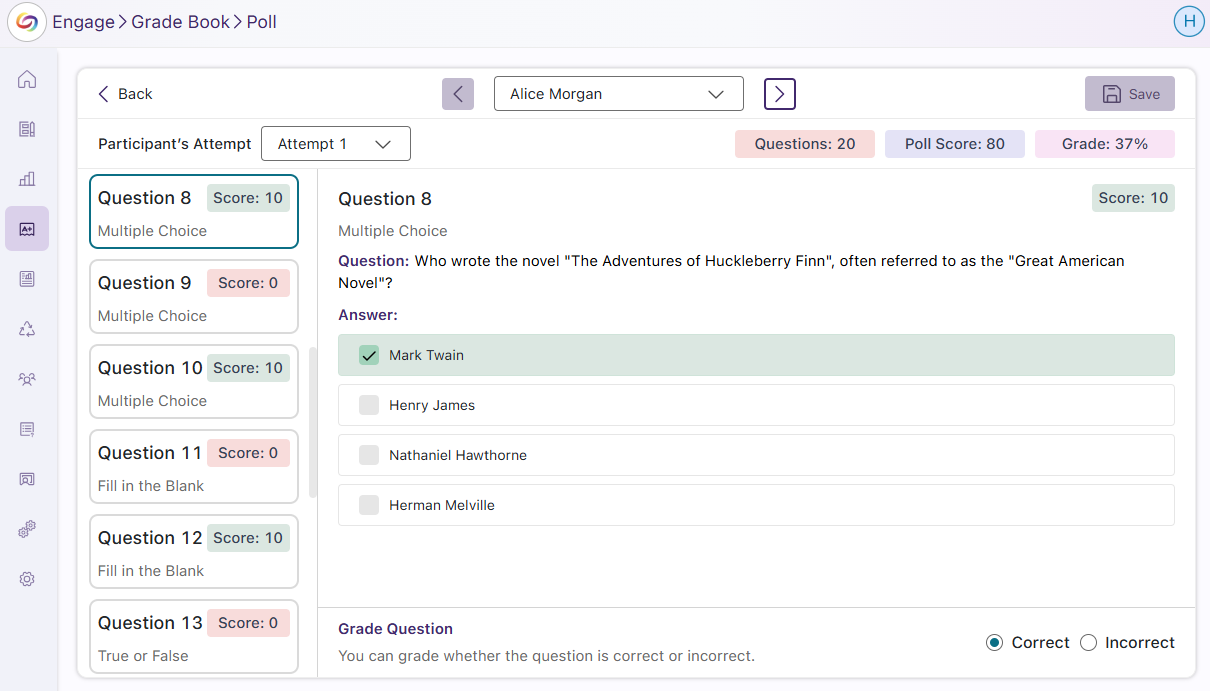
Revamped Poll Grading Page with New Question Side Panel and Summary Badges
The updated poll grading page features a side panel that shows all poll questions, along with new badges indicating the scores participants received for each question. It also includes overall summary badges displaying the participants’ final grades.
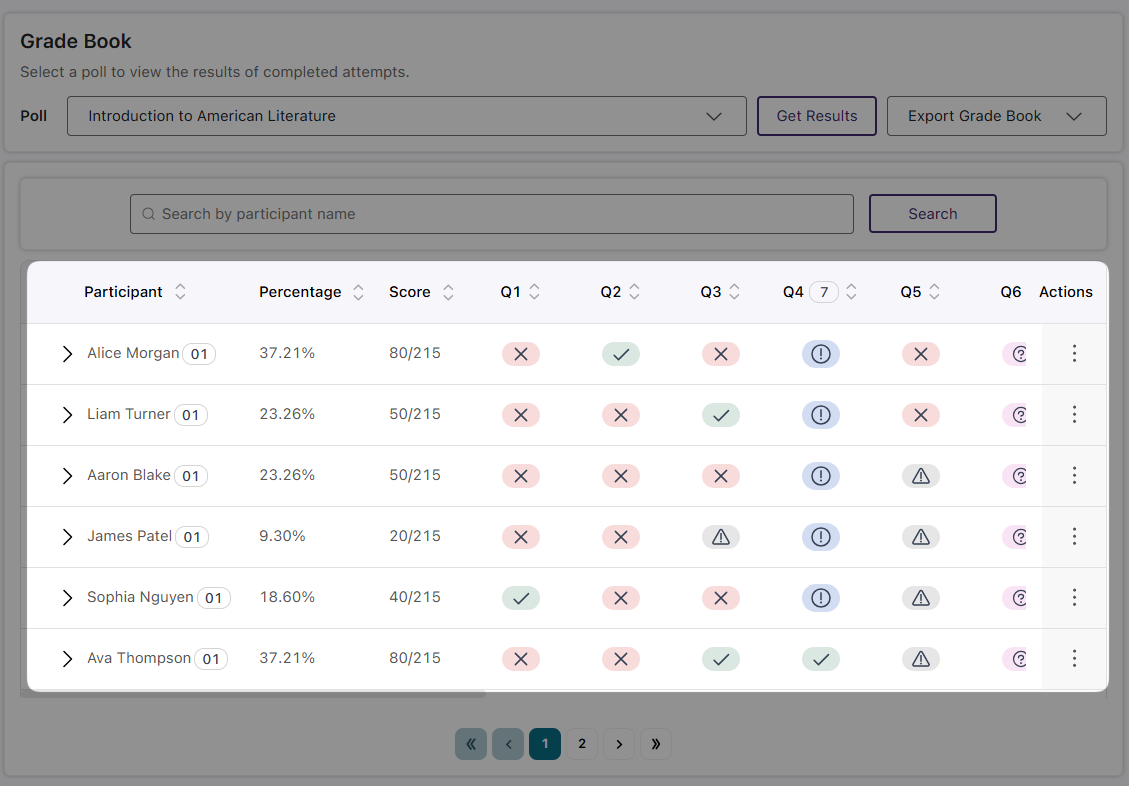
New Grade Book Question Statuses and Color-Coded Icons
We’ve replaced the previous text-based grading statuses with modernized color-coded icons to ensure less visual clutter. This also introduces new grading statuses to accommodate different question types and conditions:
The Grade Book Will Display Correct Answers Alongside Participant Responses
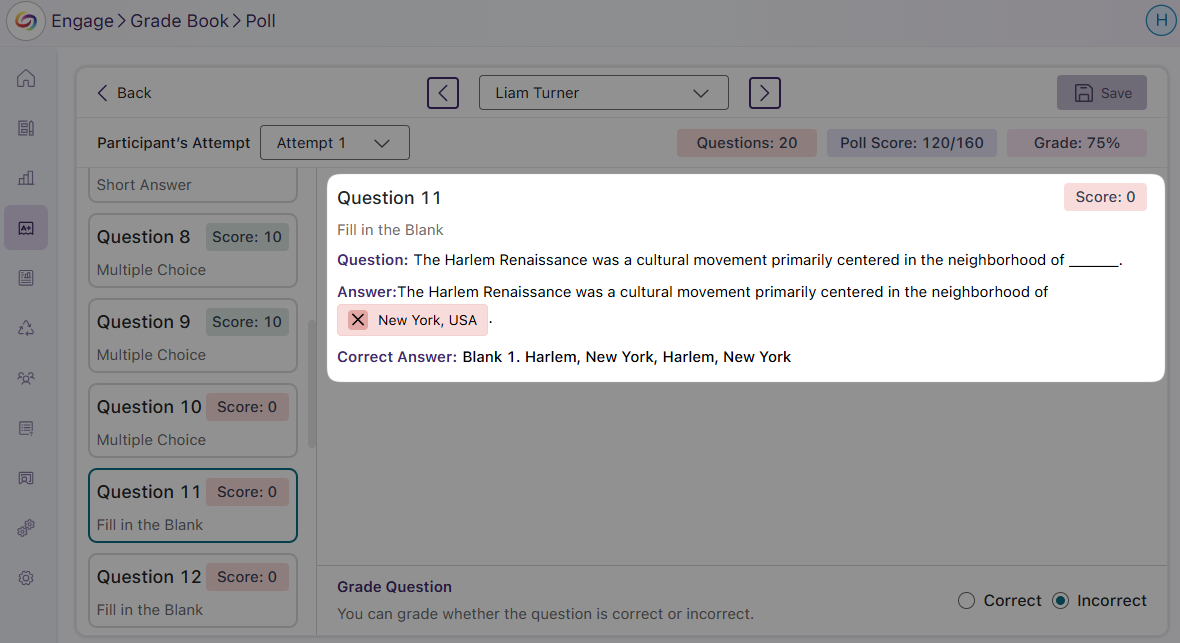
When manually grading responses in the Grade Book, you will now see the correct answer for any response marked as incorrect. This will allow for more accurate grading for certain question types, such as fill-in-the-blank, where responses may vary but still be considered correct, allowing you to compare the participant’s answer with the correct one.
New Attendance Grading Window to Provide Greater Level of Details on Results
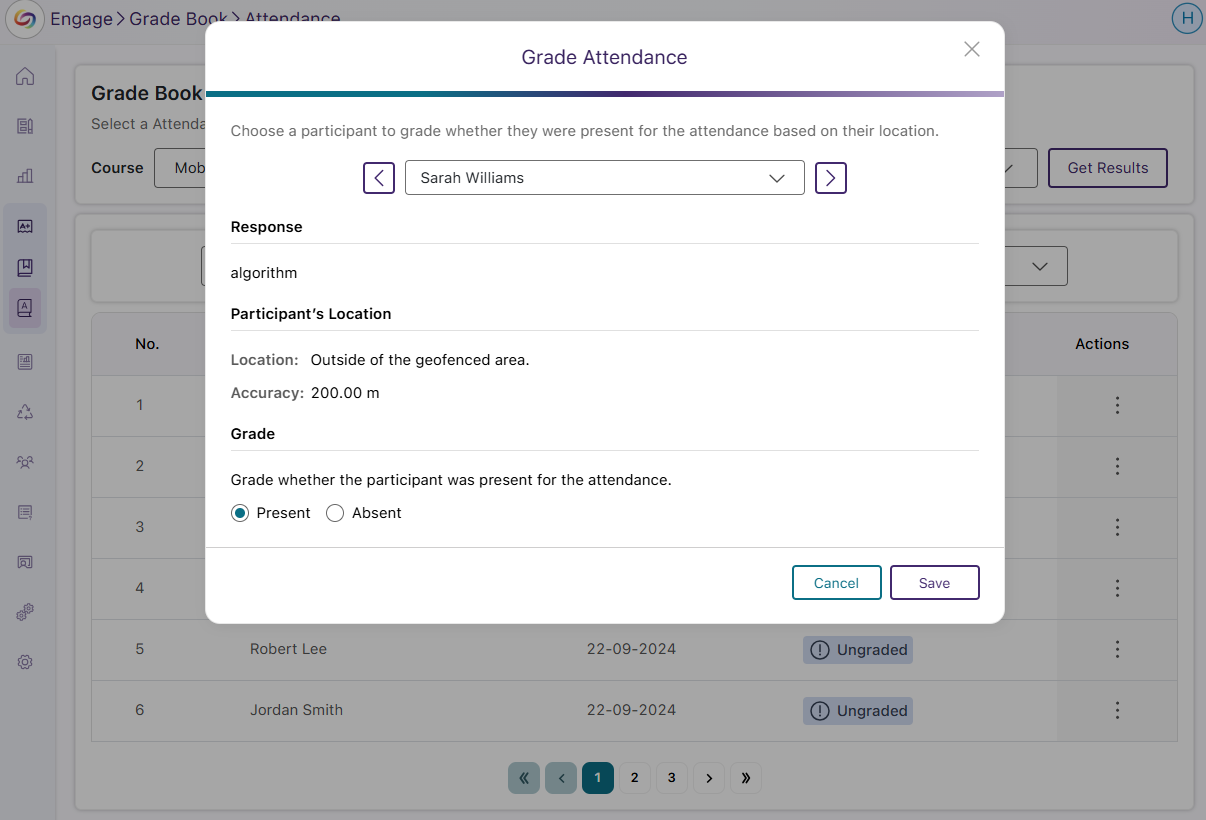
The grade Book now includes a new attendance grading window to easily swap between participants and provides an overview of their geofence locations. This will help you more easily know the approximate location of the student to the geofence to ensure attendance accuracy.
We have successfully pushed an update to all YuJa Engage Student Response System instances residing in the United States, Canada, Australia, and the European Union. This release includes the option to select multiple correct answers for multiple choice questions, take polls through the web or mobile app with automatic Blackboard grade book sync, and a redesigned poll release page.
New Option to Select Multiple Correct Answers for Multiple Choice Questions
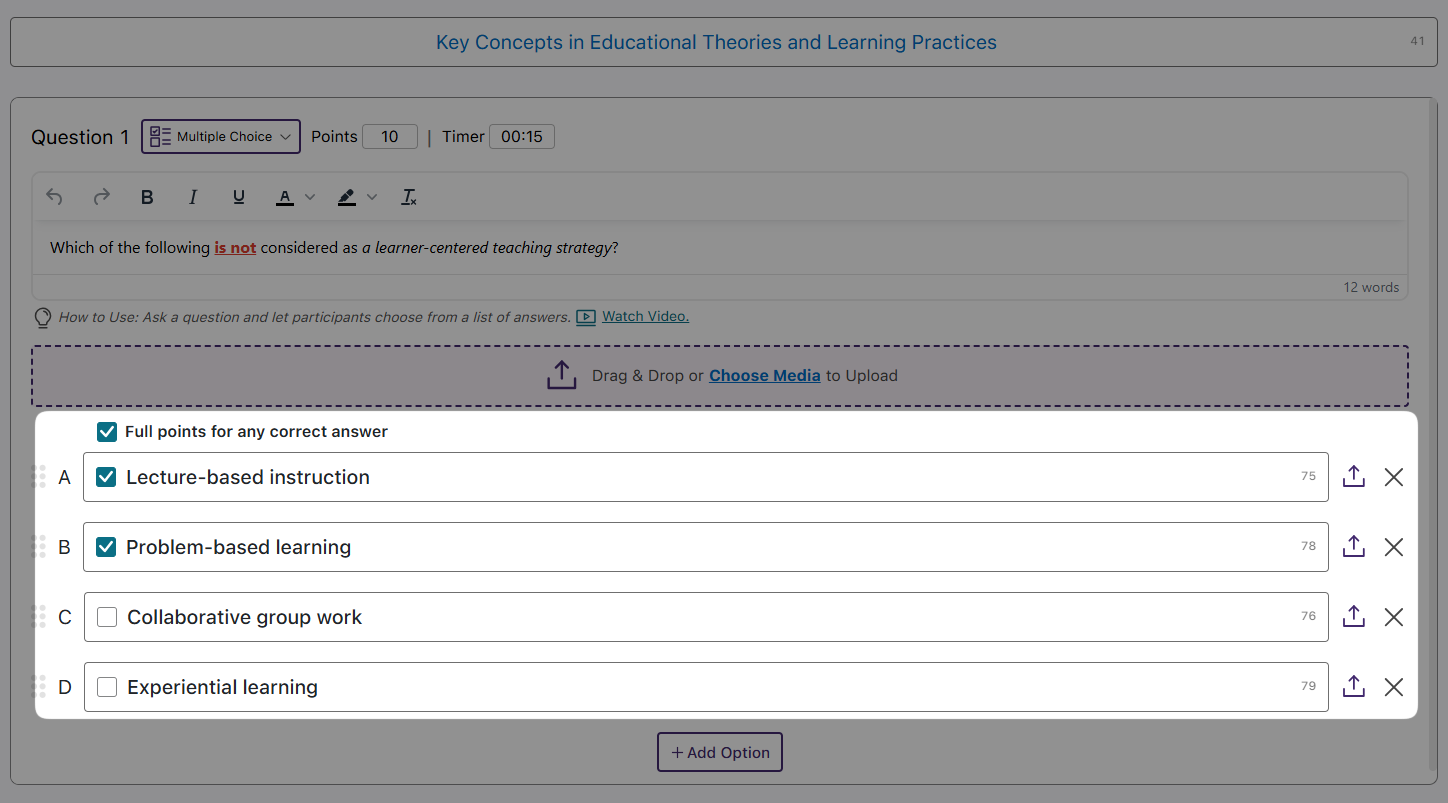
Multiple-choice questions with more than one correct answer can have multiple selections as correct options. This will allow you to test the full scope of participants’ understanding by allowing them to earn full points when all correct answers are selected. Alternatively, you can award full points if they select at least one correct answer.
Allow Participants to Take Polls on the Web or Mobile App With Automatic Blackboard Grade Book Sync
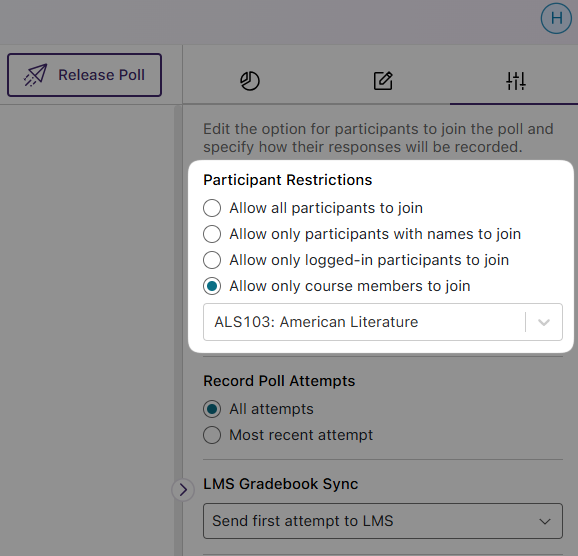
Previously, participants were required to log in to Blackboard to take polls and have their results synced to the Blackboard grade book. Now, their results are automatically synced to the grade book after completing polls through the YuJa Engage mobile app or website, eliminating the need to log in to Blackboard. To configure this option, simply select Allow only course members to join under Participant Restrictions, and assign the poll to your desired course from the drop-down menu.
Redesigned Poll Release Page with Enhanced Web Responsiveness and Centralized Configuration Settings
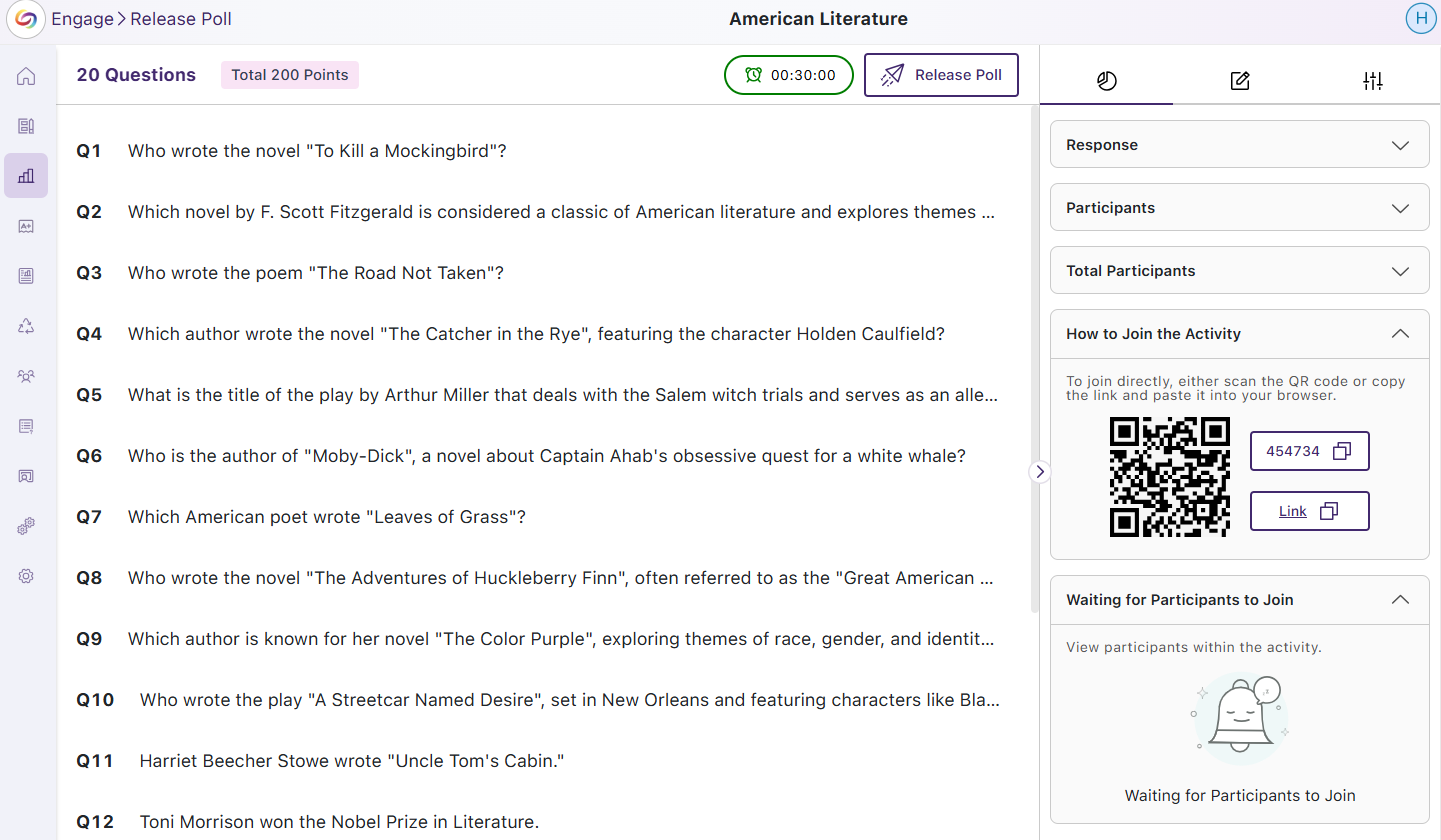
We’ve revamped the Poll Release page with a redesigned interface, new icons for improved navigation, and enhanced web responsiveness. Additionally, poll settings are now consolidated into the side panel, allowing you to view analytics, add questions, and adjust settings in a centralized panel.
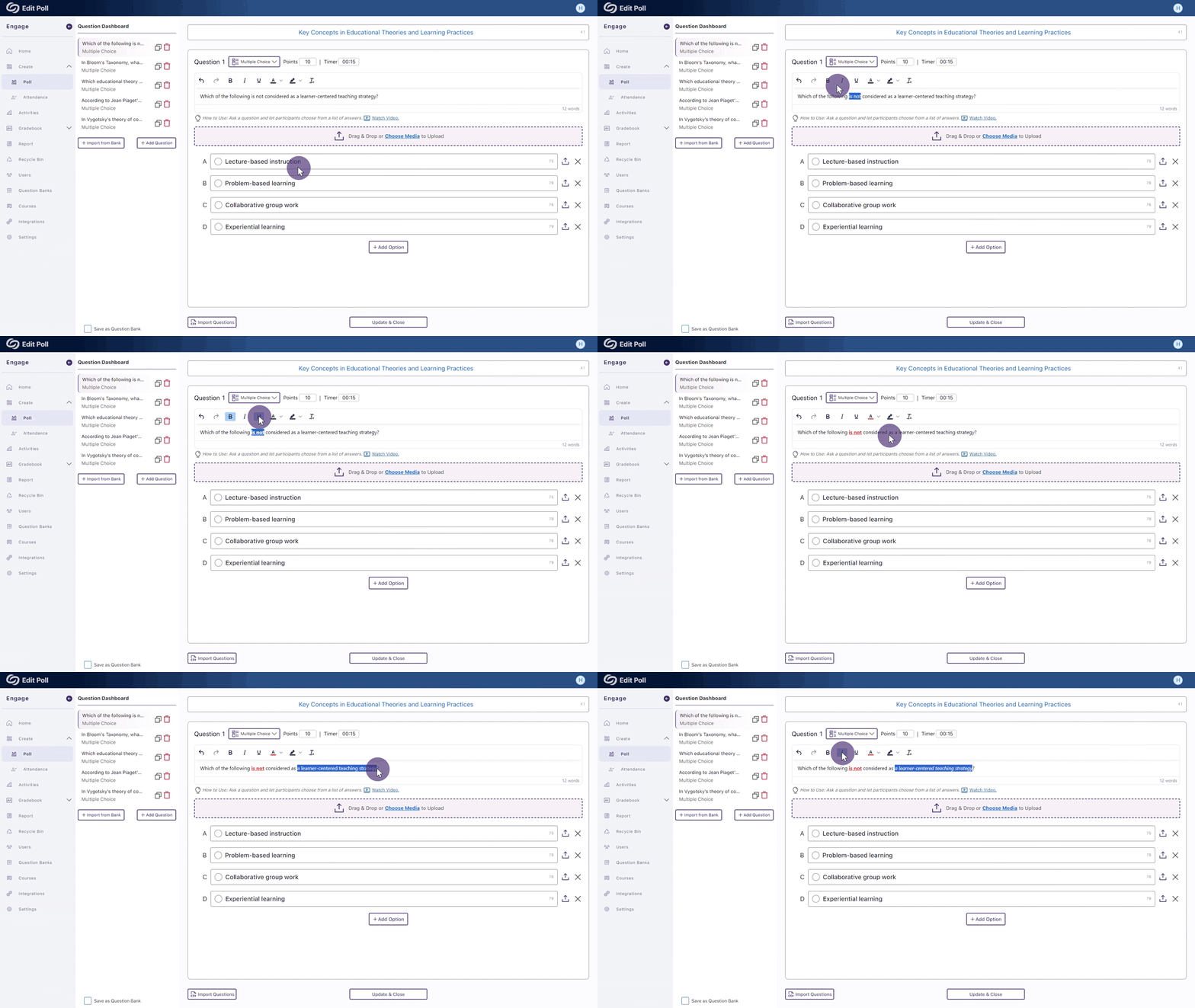
We have successfully pushed an update to all YuJa Engage Student Response System instances residing in the United States, Canada, Australia, and the European Union. This release includes multiple rich-text styling options for question titles, new activity reports for creators, and geofence location configuration in administrator accounts.
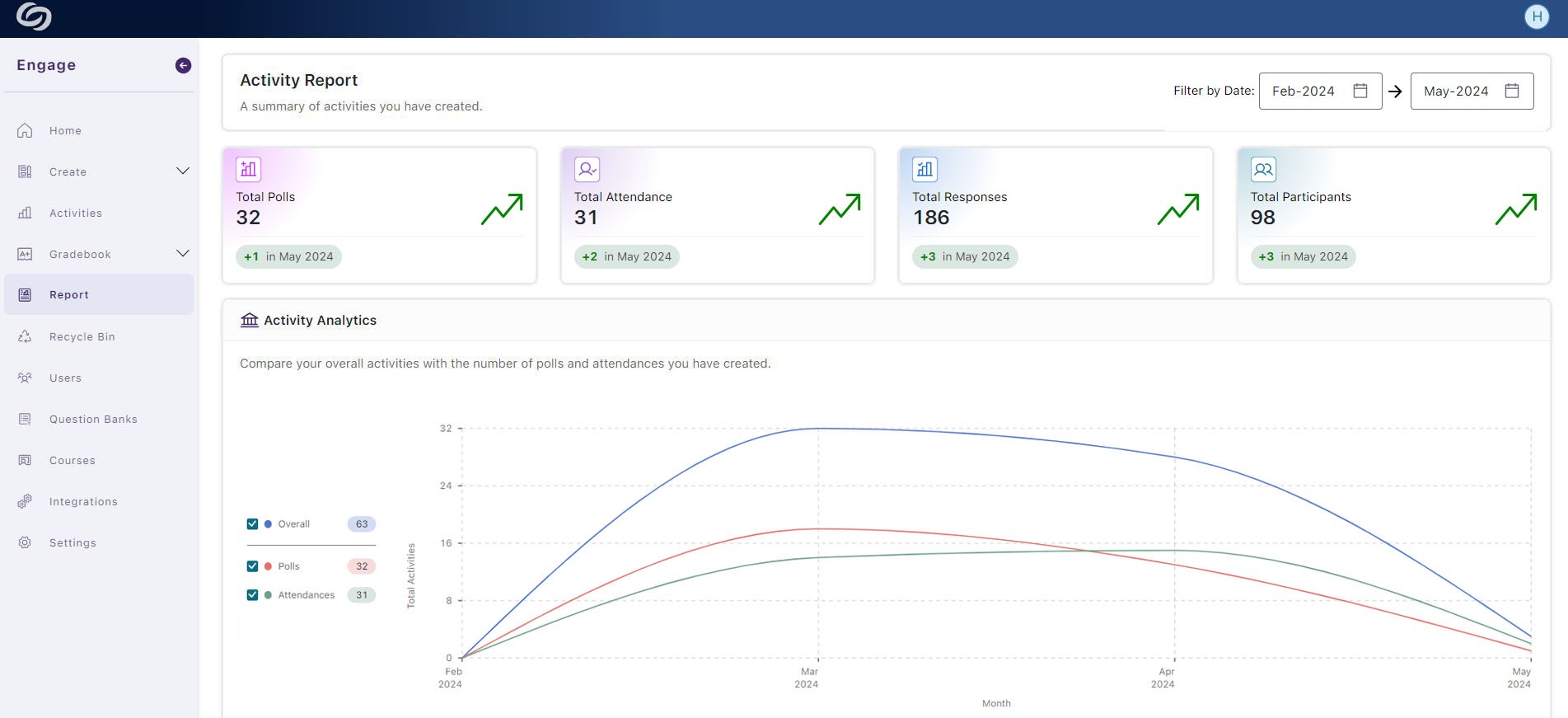
New Creator’s Activity Report – View Analytics of Your Activities
As a creator, you can now access detailed reports of your personal activities, including analytics for standalone activities and those published in courses. Additionally, you can gain insights into participant engagement by reviewing reports for individual activities.
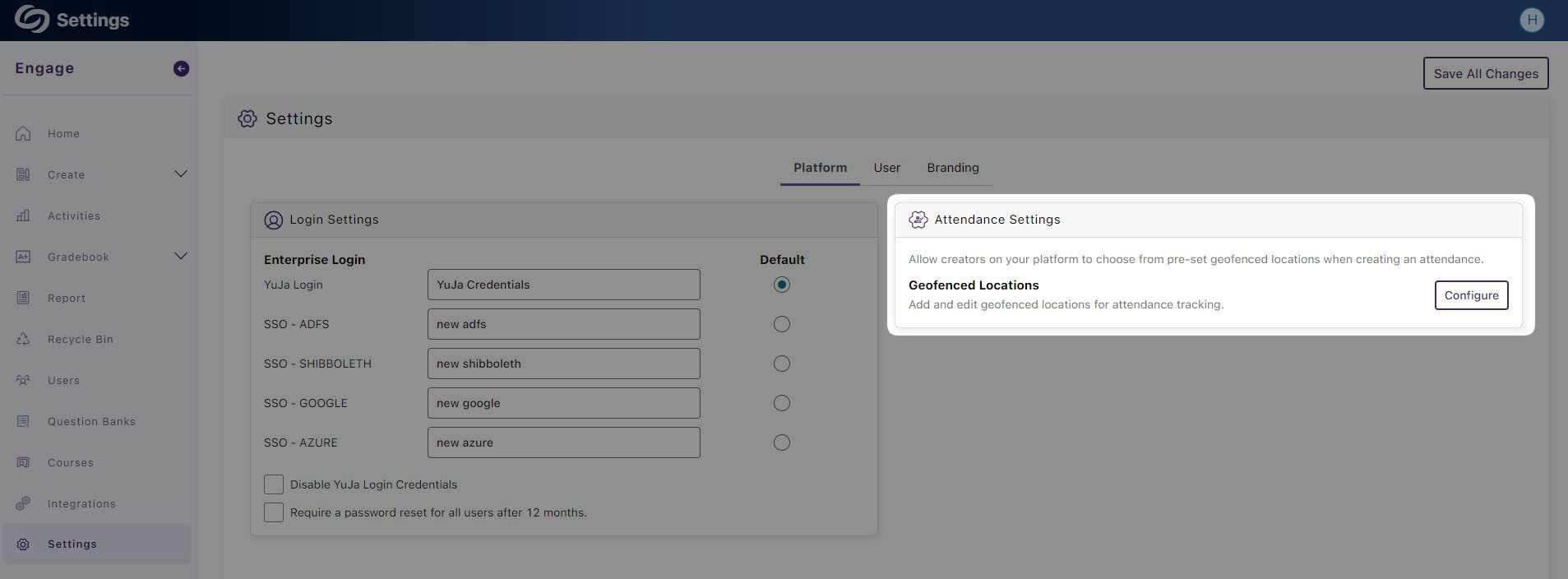
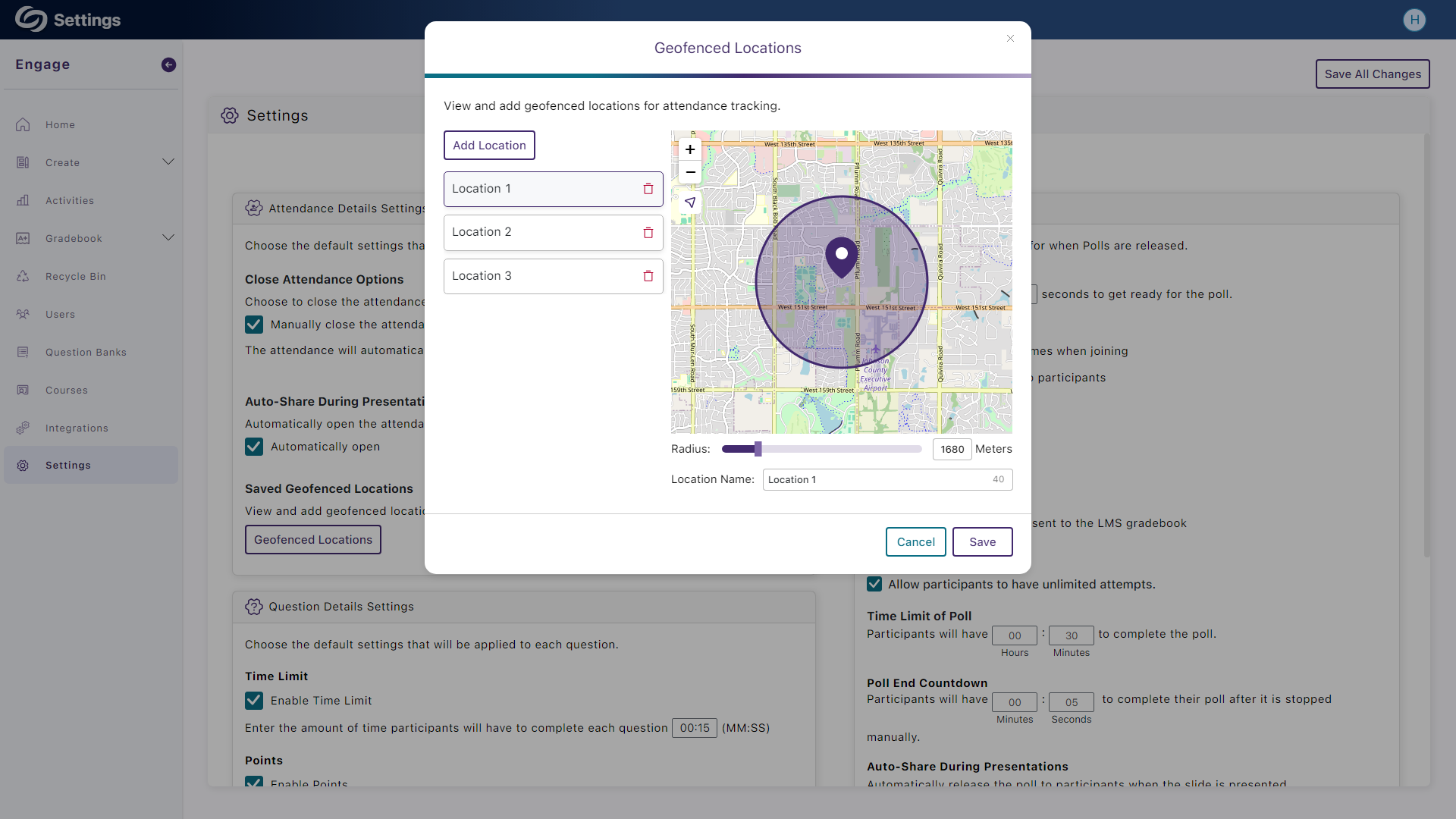
Set Up the Default Geofence Locations for Your Institution
As an administrator, you can now set up multiple geofence locations for your entire institution, allowing attendance creators to select from a predefined list of locations.
We have successfully pushed an update to all YuJa Engage Student Response System instances residing in the United States, Canada, Australia, and the European Union. This release provides new analytical reports for activities, a live carousel view of short answer submissions, direct links to video tutorials to help create polls, and updates to the Engage add-on for PowerPoint and Keynotes.
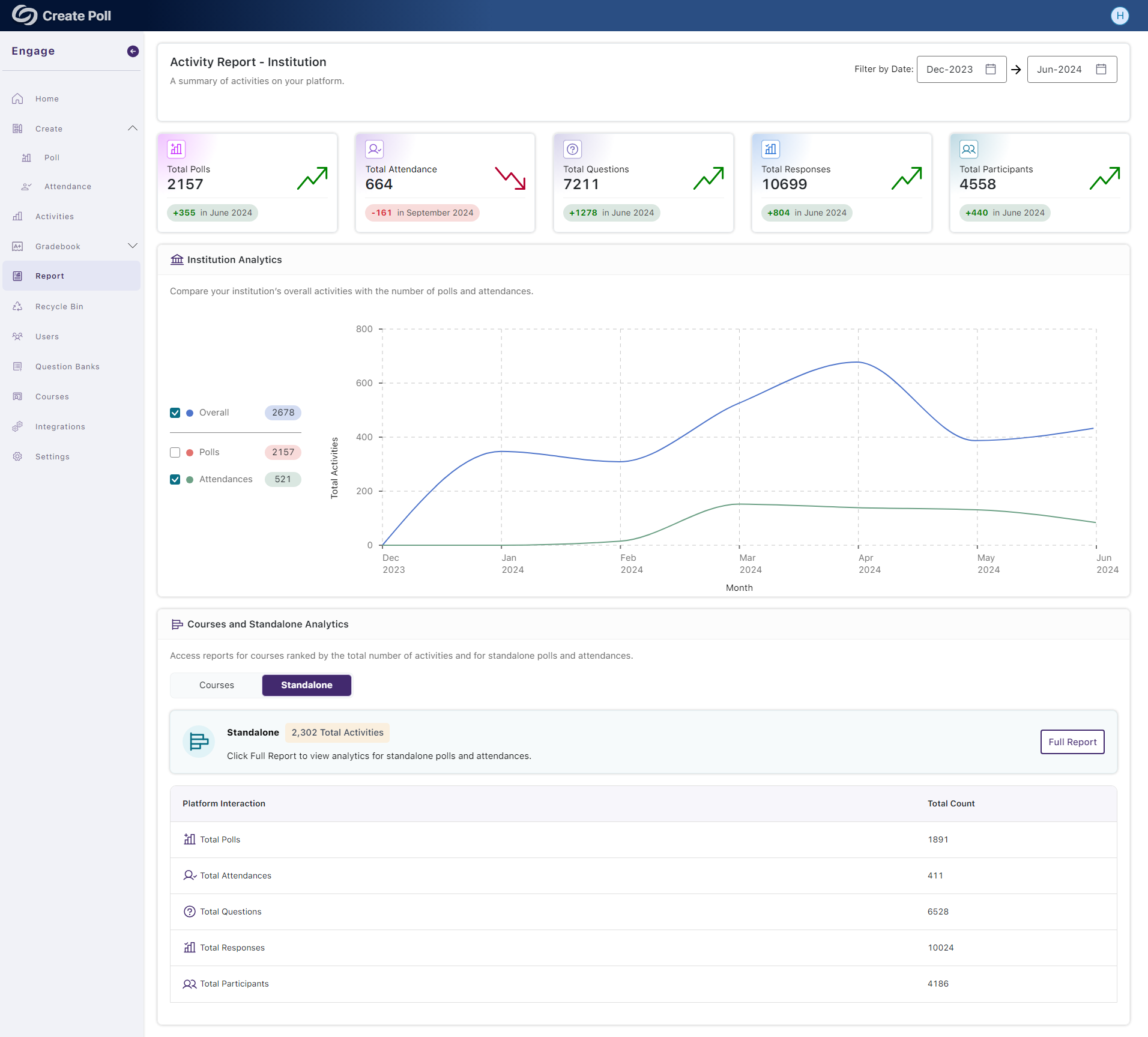
New Institution Report – View a Summary of Analytics for Activities on the Platform
We have incorporated an at-a-glance summary of statistics for platform activities and engagement by tracking the total number of participants and responses. Engage IT managers can also access a comprehensive list of courses, with the option to view reports for each course to gain deeper insights.
Live Carousel View of Short Answer Submissions
As participants submit responses to short answer questions, a live, rotating carousel will be displayed, allowing creators to see all responses in a single view.

New Course Report – View Course Analytics to Track Engagement Over Time
Creators can monitor course engagement by tracking the total number of polls and attendance activities created, along with the number of responses participants have provided.

New Standalone Report – View Analytics of Activities Not Released in a Course
For activities not released within a course, creators can monitor their polls and attendance, allowing them to track and compare key metrics over time, such as the number of questions created and total participant engagement.

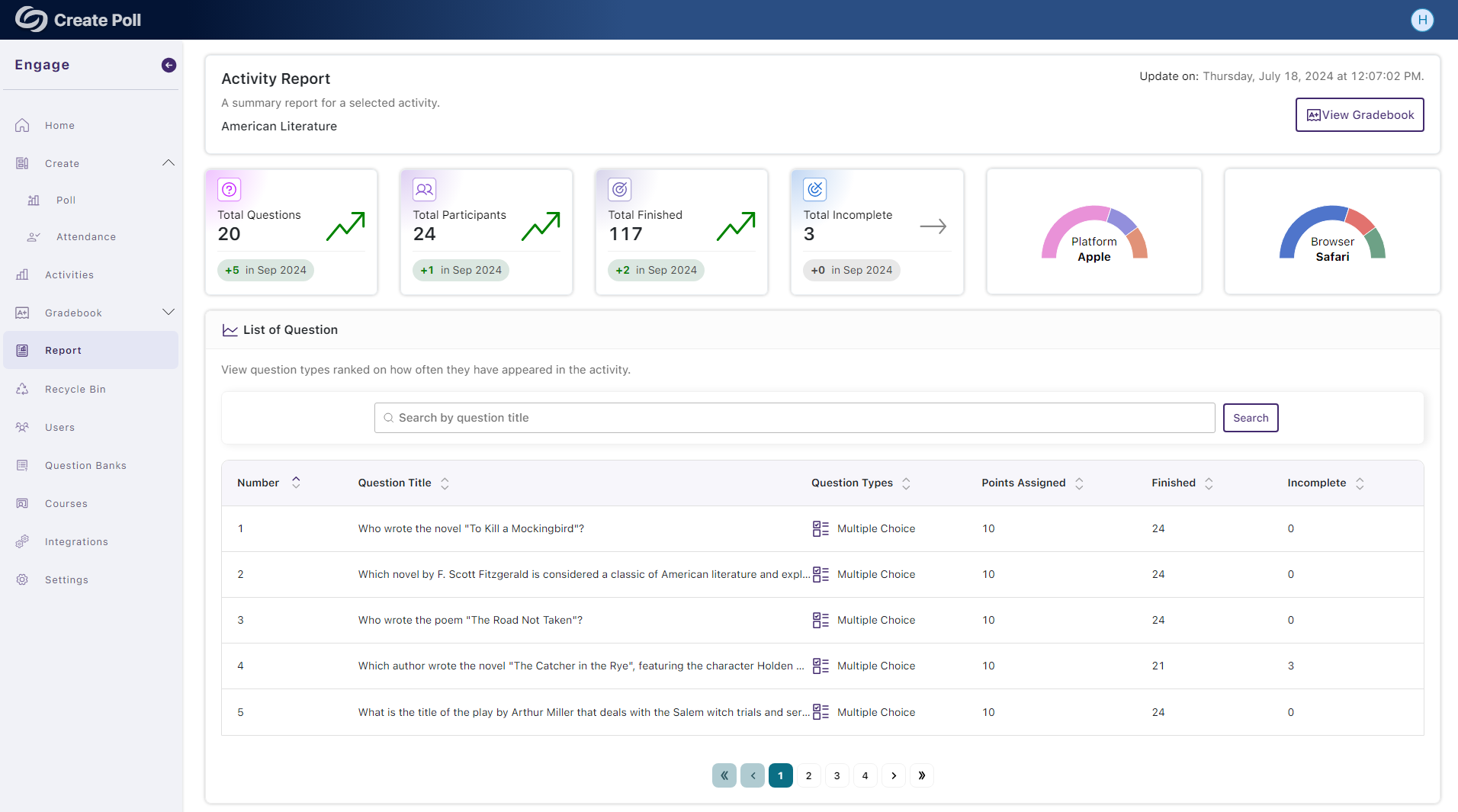
New Activity Report – View Analytics for Specific Activities on the Platform
The Activity report summarizes statistics for a selected poll or attendance, allowing creators to view associated questions and the total number of participants that completed the activity.
Direct Links to Video Tutorials for Creating Poll Questions
To assist new activity creators in understanding the various question types available on Engage, we have added direct links to video tutorials, offering step-by-step instructions on creating each question type.

Engage PowerPoint Add-in and Keynotes: Import and Create Question Banks
To ensure feature parity between the Engage web and desktop apps for PowerPoint and Keynote, creators can import questions from the Question Bank into their presentations or create a new Question Bank with their custom list of questions.

Engage PowerPoint Add-in: The Activity Feed Provides a List of Live Participants
We have updated the Engage PowerPoint add-in to align more closely with the web app by providing the Activity Feed panel, which displays a list of live participants joining the poll or attendance.




Join the 1,000+ Organizations Deploying High-Impact Solutions