Product Updates

Get the latest platform updates, features, and announcements—all in one place.

  • August 3, 2023

    YuJa Verity Test Proctoring Platform – Minor Update Released to US, CAN, AUS, and EU Zones

    We have successfully pushed a minor update to all instances residing in the United States, Canada, Australia, and the European Union. This update focuses on enhancing the user experience for the Verity Lockdown App and includes a modal to launch the app from any LMS, a new welcome page, and a comprehensive system check to ensure all requirements are met.
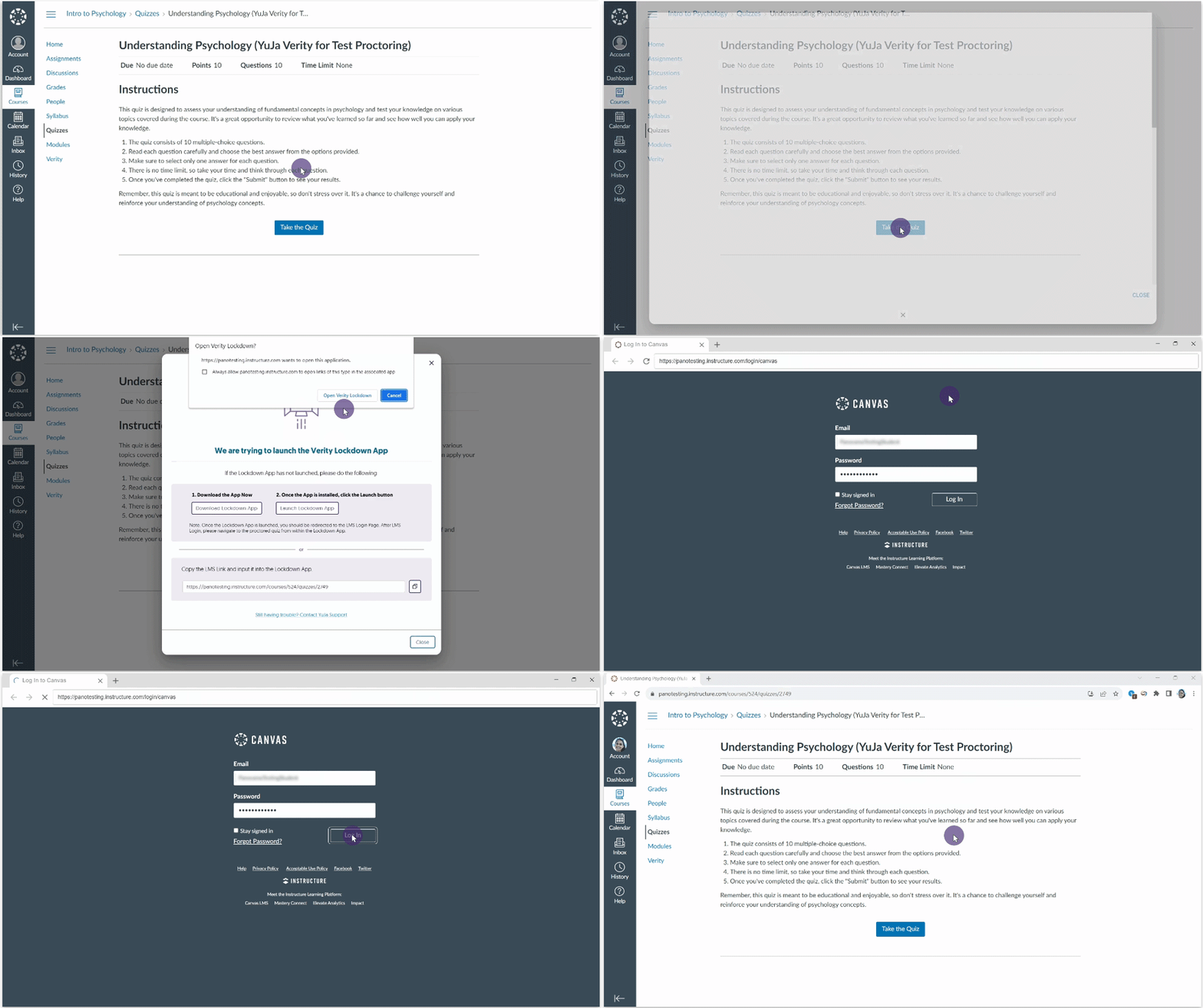
    1. Launch Lockdown App Assessments Directly from the LMS In response to providing students with seamless access to the Lockdown App, we have implemented an automatic launch feature. Now, when students click to begin their assessments within their Learning Management System, the Lockdown App will launch, if installed, granting them access to their assessments.
    2. First-Time Steps to Access Lockdown App Assessments For students attempting to access a Lockdown assessment for the first time, we have introduced a new, user-friendly two-step process. This process ensures quick access to the app by guiding them through a seamless download and launch experience that will give them direct access to their assessment.
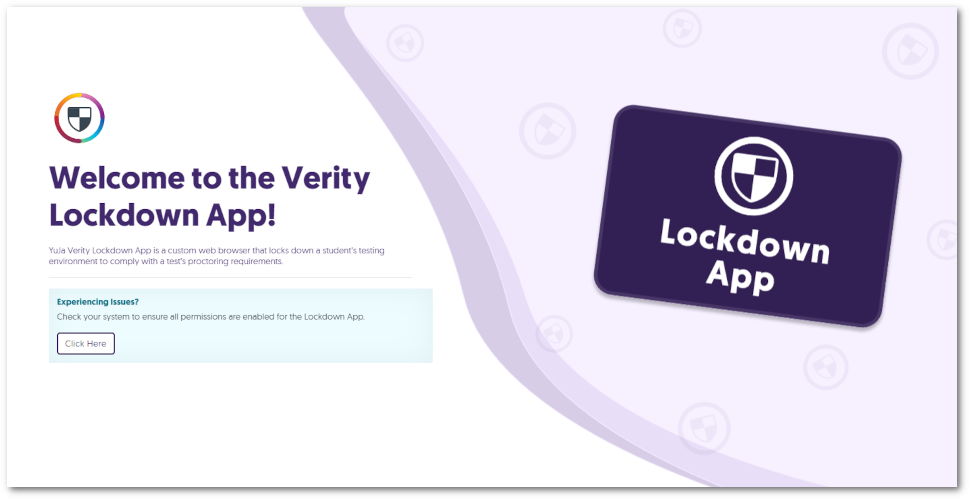
    3. New Welcome Page for the Lockdown App In the event that the Lockdown App is unable to launch an active assessment, we have implemented helpful instructions in our new welcome page directing students to navigate to their Learning Management System and launch the assessment. The home page for the Verity Lockdown App.
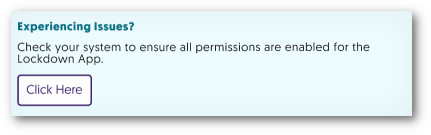
    4. Detect System Requirements for the Lockdown App In certain situations, the Lockdown App might encounter permissions that need attention before launching an assessment. To address this, we have introduced a comprehensive system check that can be accessed when the Lockdown app is launched. This check will inform students of any unresolved issues that need to be addressed, ensuring that all necessary permissions are met before the assessment can begin. Experiencing issues text with a button to Click Here to check system compatibility.
  • July 31, 2023

    Software Capture for PC – Update v12.2.0.0 – Eclair Released to CAN, AU, and EU Zones

    We have successfully pushed an update to all Software Capture for PC instances residing in the Canada, Australia, and the European Union. This update includes our new feature to distribute recordings with multi-application hosting/join capabilities, auto-detection of repeatedly disconnected devices, a new screen capture engine for dual-display adapters, automatic notifications to switch to software encoding, improved detection of Windows display adjustments during recordings, and improved labeling for Shared Profiles in the Confidence Monitor. This update will be released to US zones next Monday.
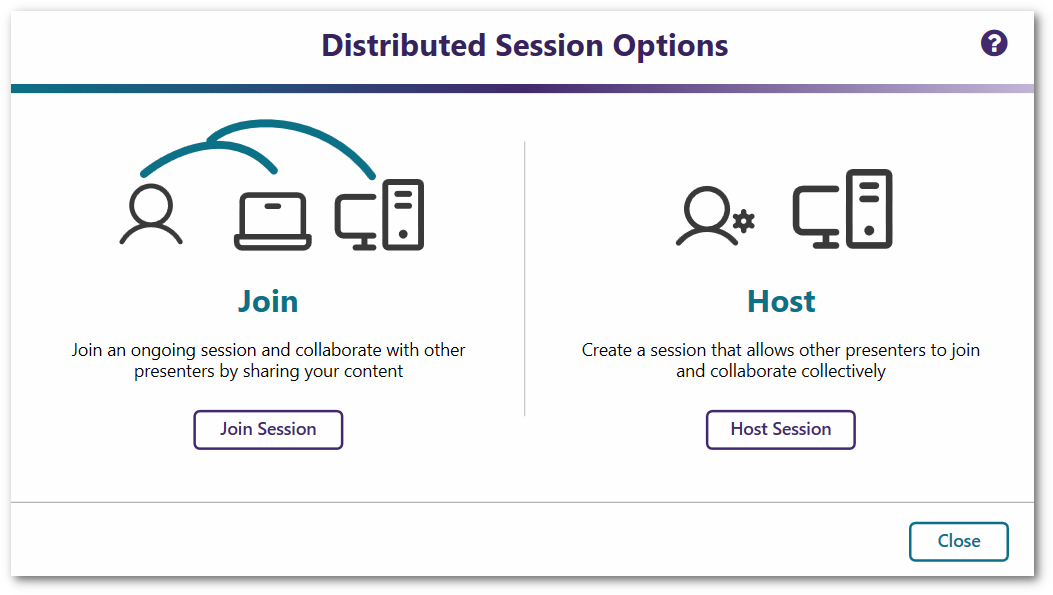
    1. Distributed Recordings with Multi-Application Hosting / Join Capabilities The Software Capture application introduces a new feature called Distributed Recording to capture recordings across two independently operating Software Capture applications. Use cases for this include one Software Capture application capturing the podium computer in the front of the classroom while another application captures the A/V feeds in the rear of the classroom. With distributed recordings, users can effortlessly host or join sessions to create dynamic streams using two independently running Software Capture applications. Whether it’s multiple screen capture sources, video feeds, or audio inputs, recordings are seamlessly joined in the cloud for a rich, multi-stream experience. To learn how to use this feature, please visit our guide on How to Use Distributed Recordings for the Software Capture Application for PC. Distribute Session Options to join or host session.
    2. “Fuzzy Profiles”: Detection of Repeatedly Disconnected Devices Across Underlying System Device ID Reassignment When devices linked to Profiles are disconnected or updated repeatedly, the Software Capture application could encounter retrieval issues leading to a profile invalidation error. While technically accurate, it would be ideal if the profile could self-heal and use the re-connected devices for recording, even if the underlying system Device ID has changed. To improve this, we have implemented an update to enhance profile validity by implementing additional device ID identification methods. These methods ensure seamless device retrieval by updating their unique IDs to the Software Capture application and ensuring the integrity of the Profiles.
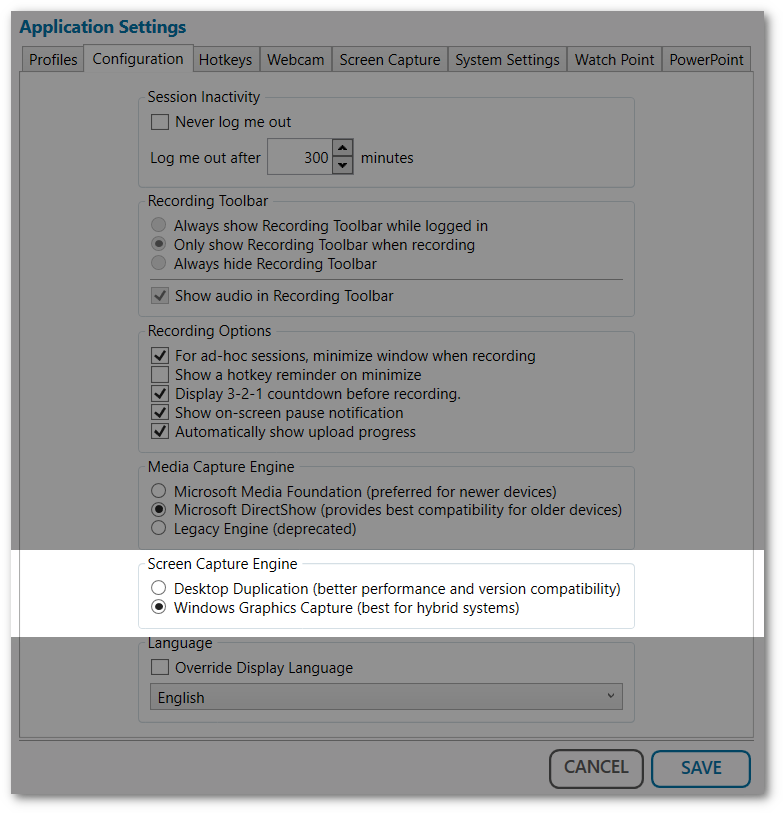
    3. New Screen Capture Engine for Dual-Display Adapters Some devices contain dual graphic adapters to increase their performance under heavy use. To ensure the Software Capture application maintains accurate screen recordings, we’re introducing our new Windows Graphic Capture engine to ensure the correct adapter is always used. Screen Capture Engine options in Configuration settings.
    4. Automatic Notification to Switch to Software Encoding for Computers Maintaining High-End Framerates By default, the Software Capture application utilizes hardware encoding for both screen and video captures. However, for devices that might face difficulties in maintaining high-end framerates and video quality, the application automatically detects this issue and will recommend switching to Software Encoding.
    5. Improved Labeling for Shared Profiles in the Confidence Monitor In identifying the need for users to distinguish between identically named regular and shared profiles in the Confidence Monitor, we’ve implemented a minor update to recognize shared profiles. Simply look for the label “(shared)” next to all shared profiles to ensure the correct selection is made. Profile options in the Confidence Monitor showcasing identical profile names.
    6. Improved Detection of Windows Display Adjustments During Recordings The Software Capture application now detects adjustments to Windows Display settings. When settings such as resolution or extending the display are modified, the Software Capture application will automatically recognize these adjustments and restart the screen recording process to reflect the new settings.
  • July 26, 2023

    YuJa Engage Student Response System Update – “Nottingham” Released to US, CAN, AUS, and EU Zones

    We have successfully pushed an update to all YuJa Engage Student Response System instances residing in the United States, Canada, Australia, and the European Union. This release provides our users with a new “Word Cloud” question type for surveys, the option to save questions in Question Banks, Live reactions to Polls, multiple attempts for Polls with LMS Gradebook Sync support, real-time response viewing for Short Answers and Fill in the Blank questions, and downloadable QR codes for Polls and Surveys.
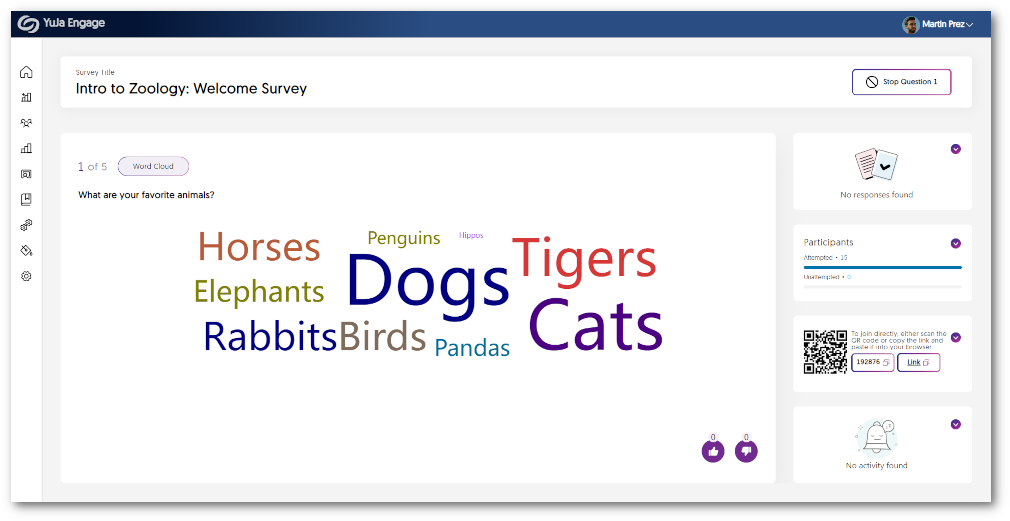
    1. New “Word Cloud” Question Type for Surveys Word Cloud question types are designed to gather participants’ ideas and present them for everyone to view. As participants contribute their answers, they will be visually displayed, allowing the perspectives of those engaging with the Poll to show. When multiple participants provide the same answer, it will appear larger in the Word Cloud, representing the collective view shared among participants. Word Cloud answers shown in the Release Poll dashboard.
    2. Create Question Banks to Save Questions for Future Use With Question Banks, Creators can save frequently used questions for easy access when creating Polls and Surveys. Simply select the relevant Question Bank and effortlessly copy your desired questions into new Polls or Surveys. Questions are added to a Poll from the Question Bank.
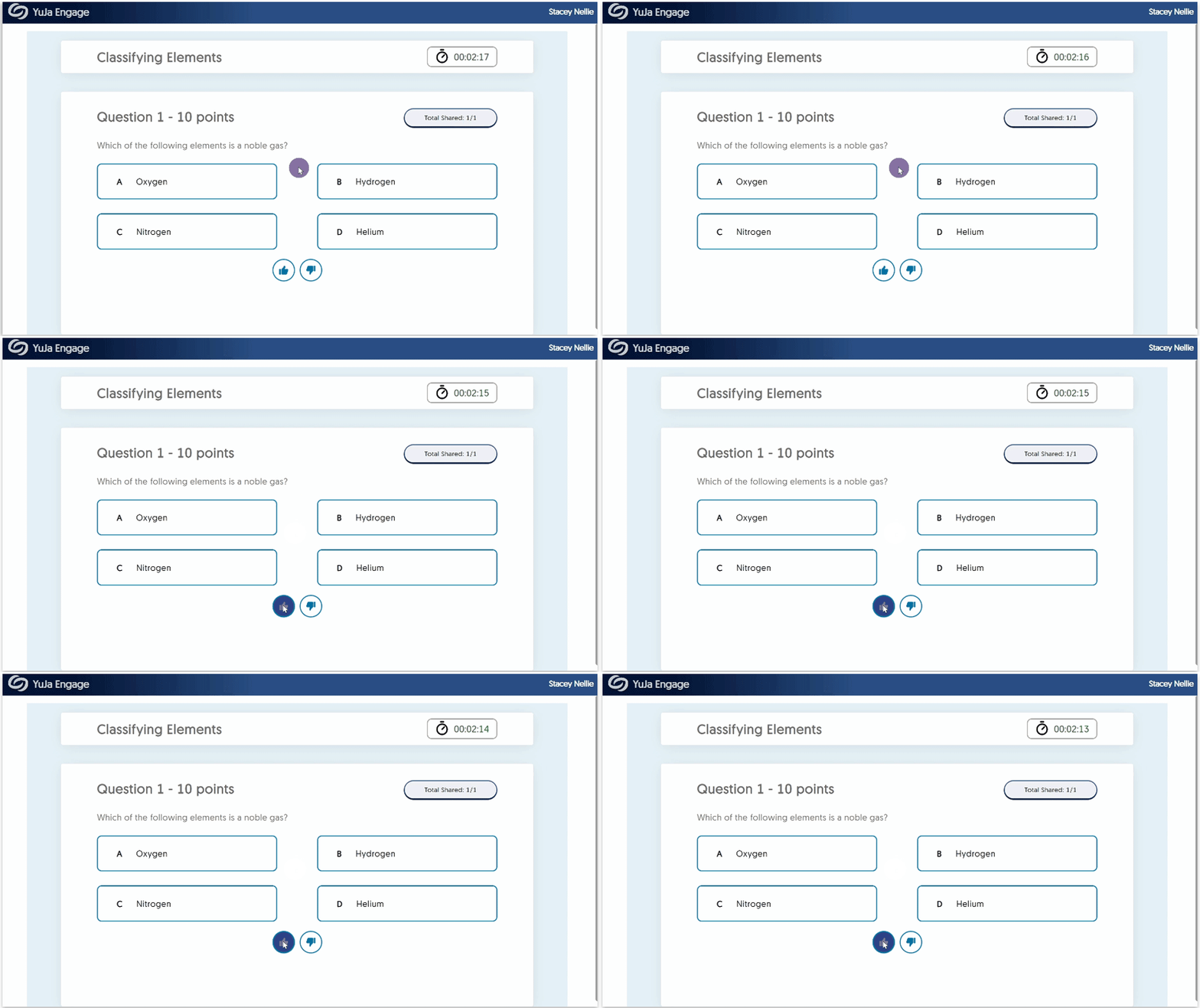
    3. Live “Thumbs Up” or “Thumbs Down” Reactions to Poll Questions Participants can now effortlessly express their opinions on questions using the “thumbs up” or “thumbs down” feature. Voting thumbs up for a question.
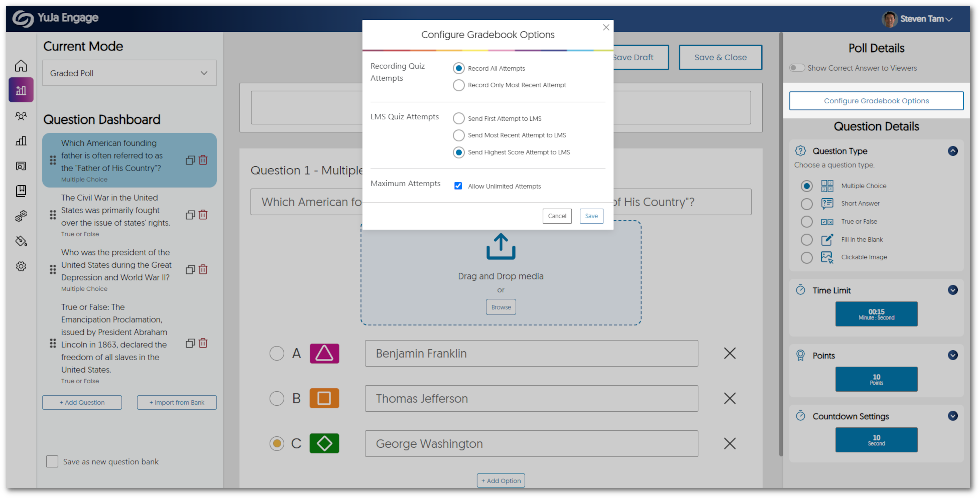
    4. Configure Poll Attempts for LMS Gradebook Sync YuJa Engage allows Creators to grant participants extra attempts on their Polls and choose between recording all attempts or the most recent attempt. When selecting “Record All Attempts,” Engage will securely store all attempts for Creators to review within the Engage Gradebook, enabling comprehensive analysis.If IT Managers have integrated Engage with their LMS, these attempts will then be seamlessly synced with the LMS gradebook through one of several options:
      • Send First Attempt to LMS.
      • Send Most Recent Attempt to LMS.
      • Send Highest Score Attempt to LMS.
      Configure Gradebook Options menu.
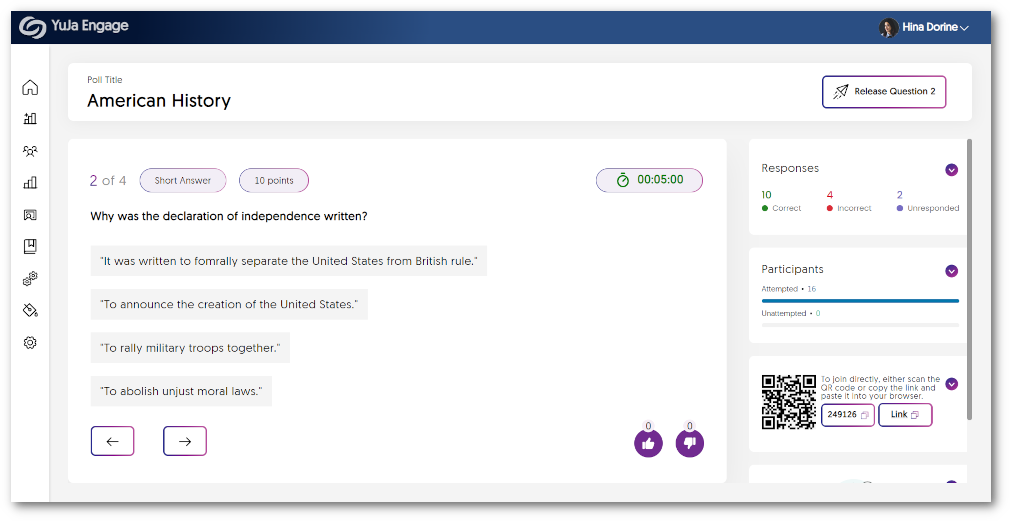
    5. Real-time Response Viewing for Short Answers and Fill in the Blank Questions Similar to other question types, Creators can now seamlessly view responses in real-time for short answers and fill-in-the-blank questions within the Release Poll dashboard. As participants submit their answers, they will appear under each question, providing instant responses to Creators. Short answers displayed in the Poll Release Dashboard.
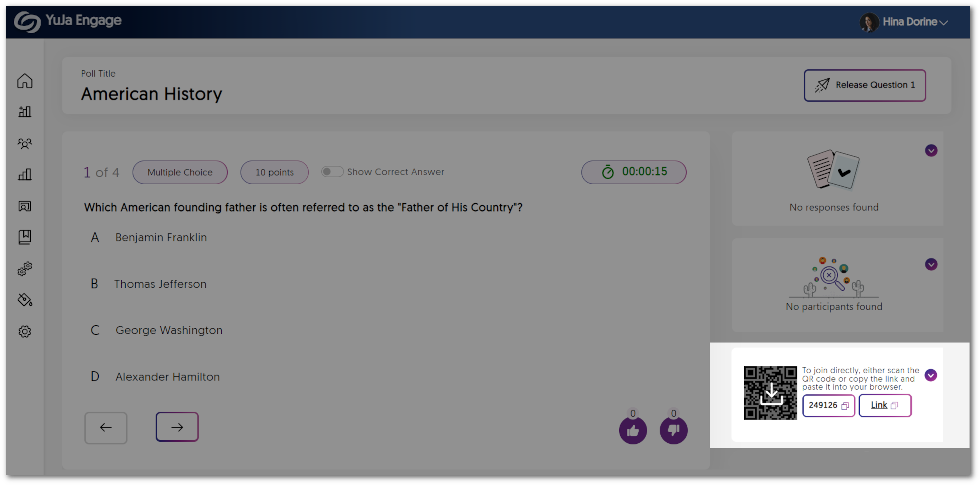
    6. Downloadable QR Codes for Polls and Surveys Creators can now download Poll or Survey QR codes as images and seamlessly embed them anywhere they desire, ensuring convenient access for participants. Whether on discussion boards, PowerPoint slides, or via email, YuJa Engage makes it easier than ever for anyone to join. Download QR code icon displayed in the Poll Release dashboard.
  • July 19, 2023

    YuJa Verity Test Proctoring Platform – “Microcline” Version Released to US, CAN, AUS, and EU Zones

    We have successfully pushed an update to all instances residing in the United States, Canada, Australia, and the European Union. This update includes third-party assessment support for the Lockdown App and Live Proctoring, AI-enhanced ID verification for the Lockdown App, a new Assessment tab for the LTI app, presets settings for Automated Proctoring and the Lockdown App, and new analytics for Institution and Course Reports.
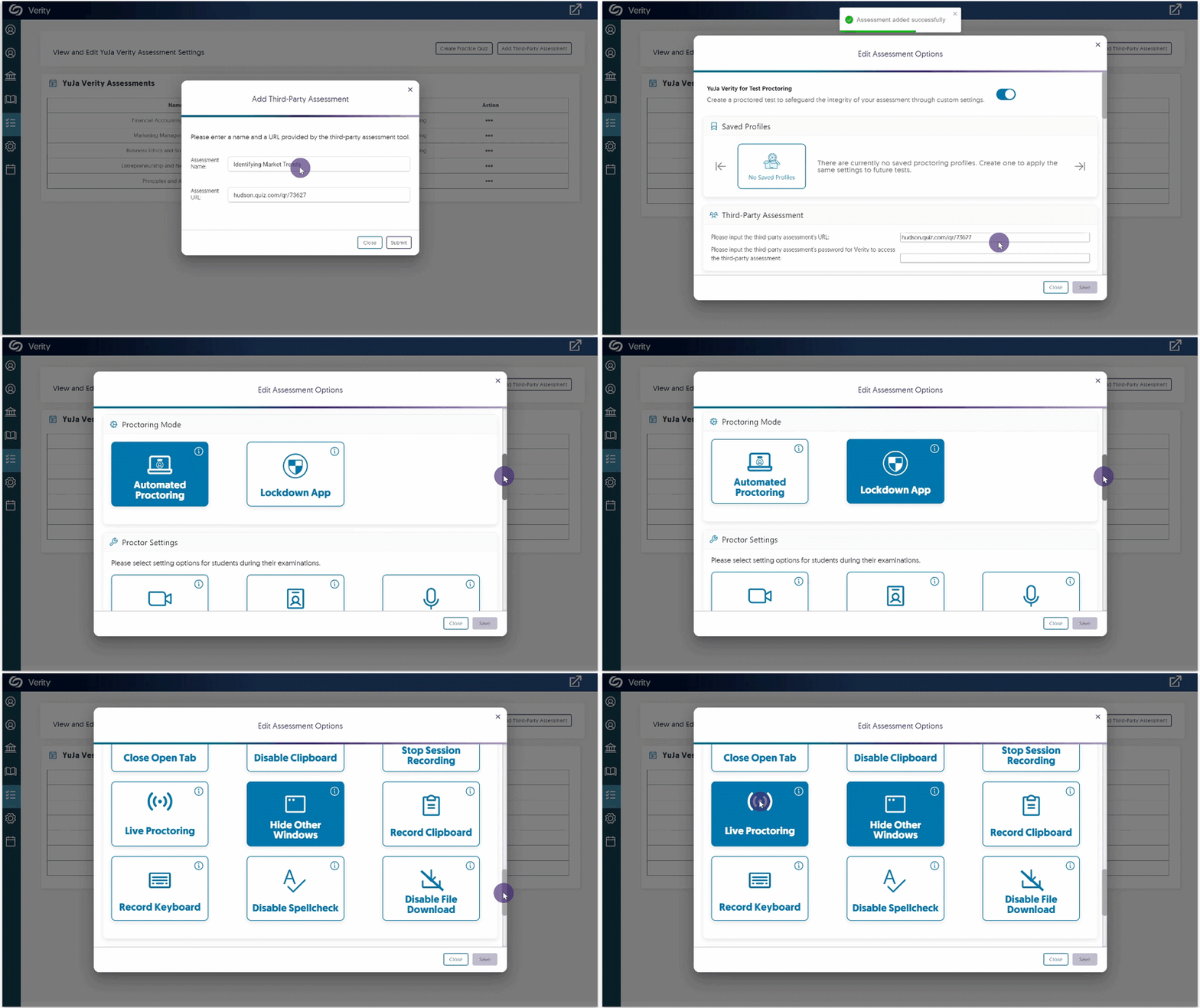
    1. Monitor Third-Party Assessments Integrated With Either Verity Lockdown App or Live Proctoring Building on our support for third-party assessments through the Verity Browser Extension, we now provide the monitoring of assessments through the Verity Lockdown App and Live Proctoring. The Lockdown App offers robust measures to enforce strict assessment protocols, including:
      • Access to only the Lockdown App during assessments.
      • Recording of user inputs, such as keystrokes and clipboard activity.
      • Disabling file downloads.
      In addition, Live Proctoring provides live video recordings of students as they complete their assessments. By choosing either one or both, users can create the most secure environment for their third-party assessments.
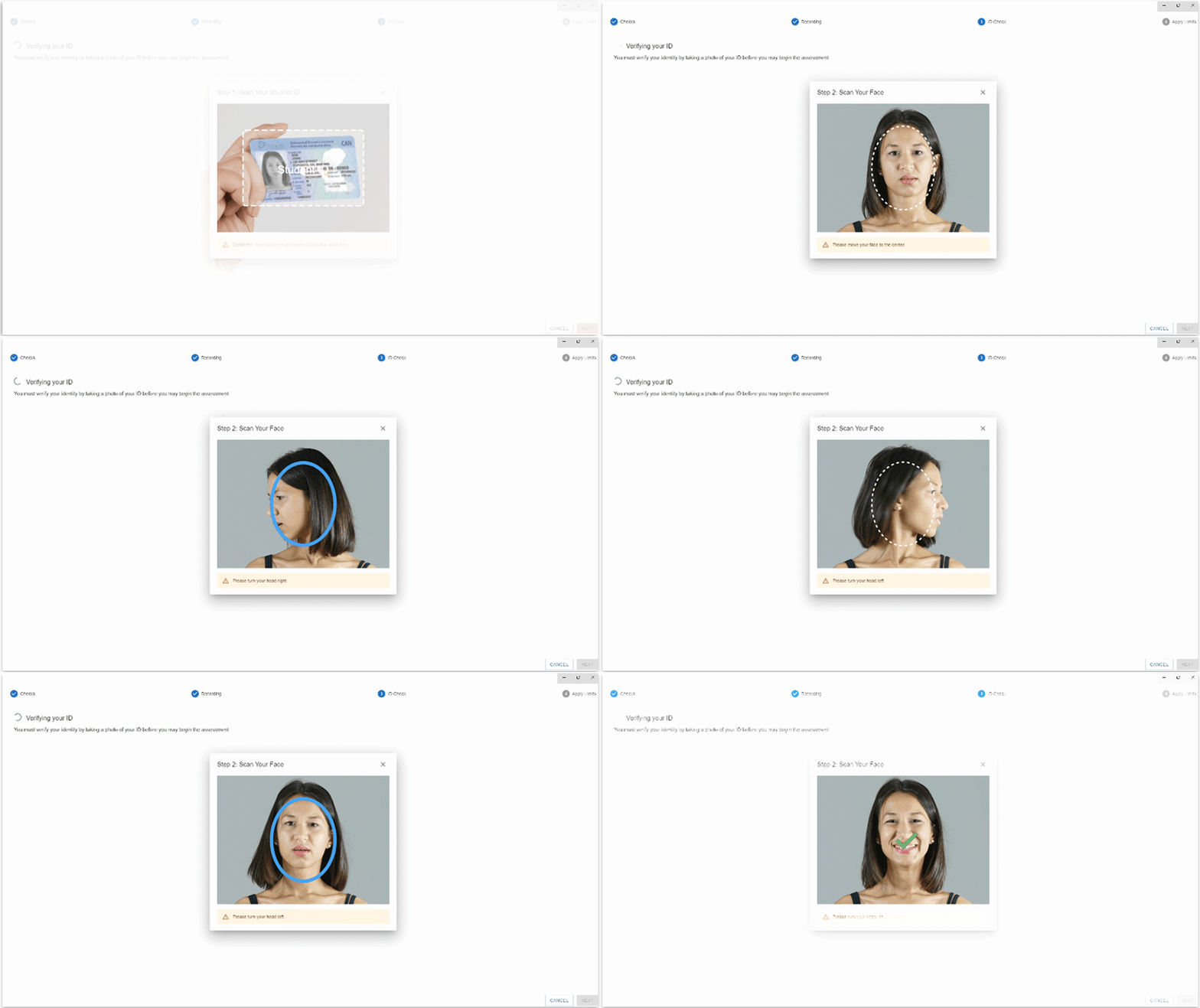
    2. Optional AI-Enhanced ID Verification The Verity Lockdown App provides ID verification through AI-enhanced facial recognition software. Users can seamlessly capture and upload an image of their ID and face, allowing Verity Lockdown to perform advanced analysis to determine the authenticity of the match. We expect to release a similar capability to the Verity Browser Extension in a near-term release.
    3. Access All Proctored Assessments Directly from the LMS-Integrated Verity App To optimize the student experience, we have established a centralized location that contains all proctored assessments. From the new Assessment tab, students can select their desired quiz or third-party assessment and access it through their browser or the Verity Lockdown App.
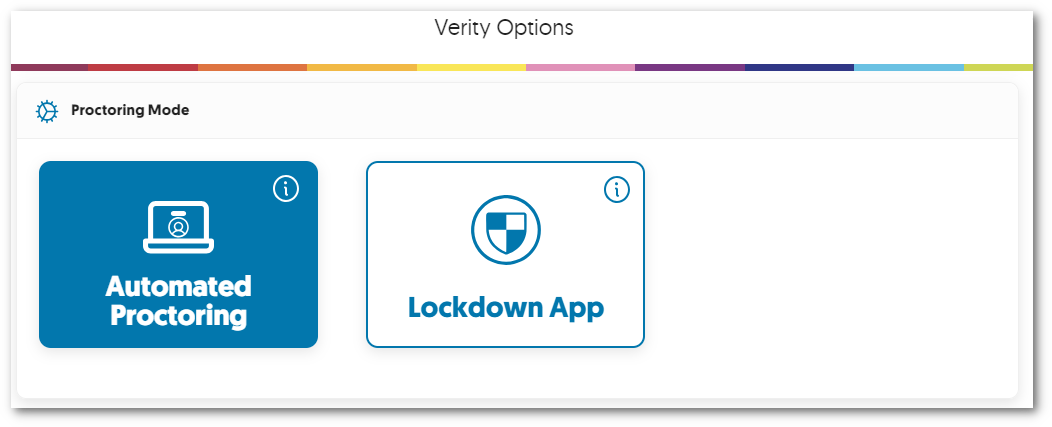
    4. Proctor Setting Presets for the Browser Extension and Lockdown App To conveniently access the preferred proctoring mode for assessments, we have added presets to select either Automated Proctoring or Lockdown App settings. Institution Reportshadow
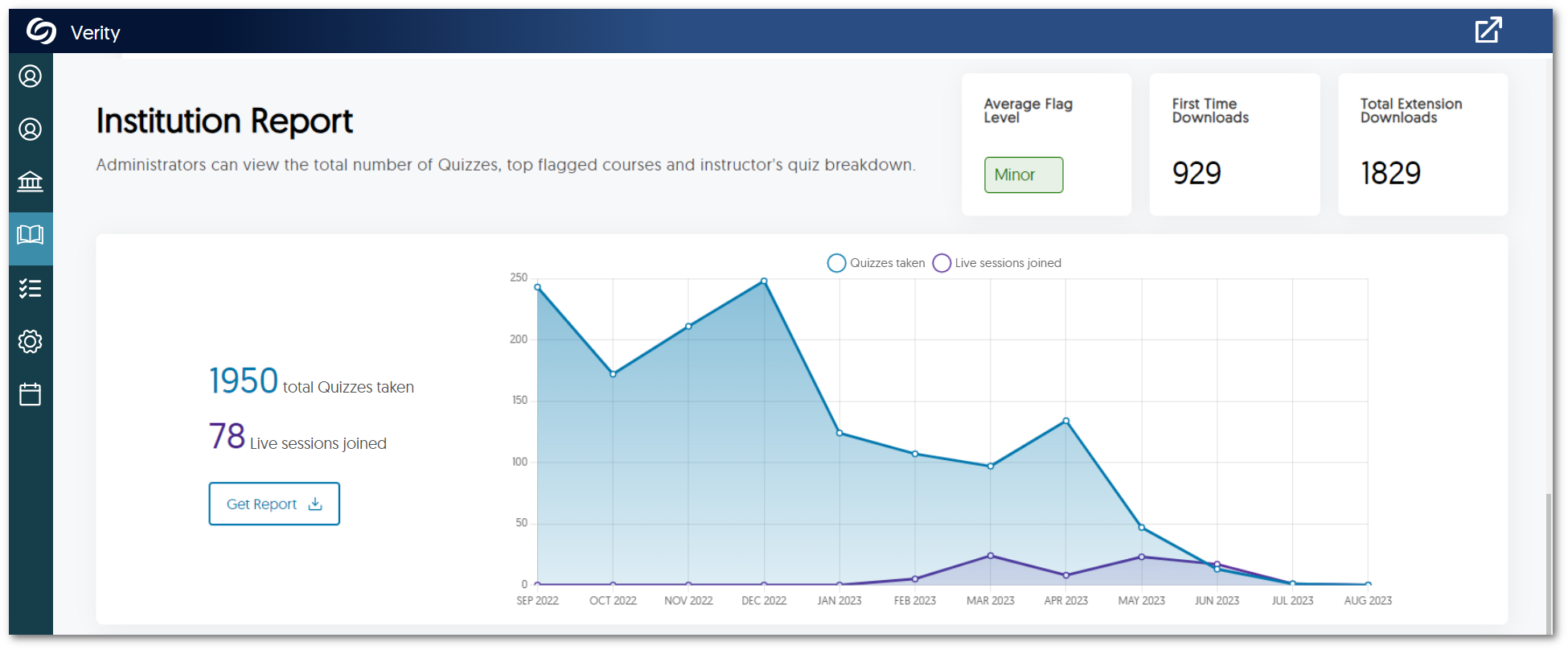
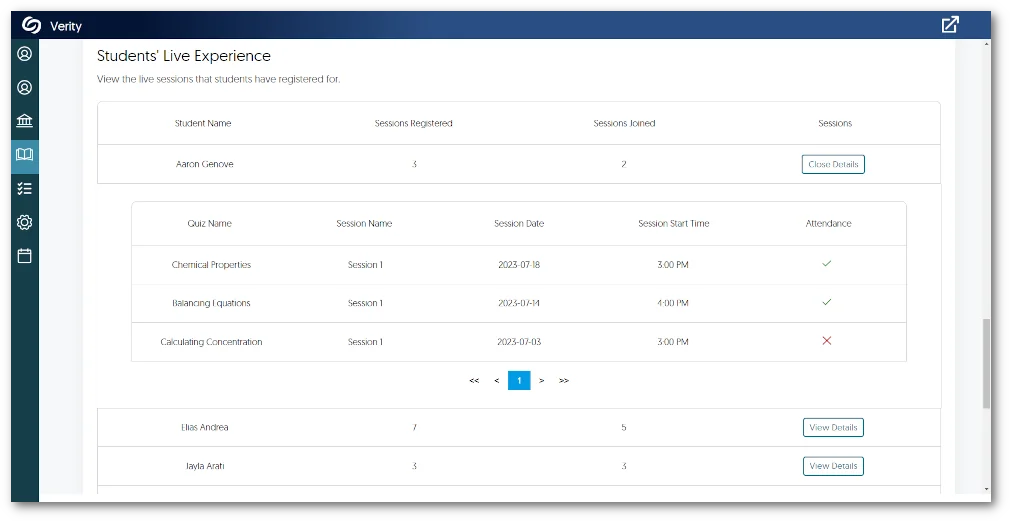
    5. New Live Proctoring Analytics for Institution and Course Reports To provide a greater depth of analysis for our reports, institution reports will now feature a monthly count of quizzes taken and live sessions created. Administrators can review these analytics to determine the needs of their institution for various proctoring modes. Institution Report graph displaying total quizzes taken and live Sessions Joined. The Course Report offers a comprehensive table showcasing Students’ Live Experience, which includes a detailed list of registered sessions for each student and their corresponding attendance record. Students' Live Proctoring table
  • July 7, 2023

    YuJa Enterprise Video Platform Update – “Xanthium” Released to CAN, AU and EU Zones

    We have successfully pushed an update to all Enterprise Video Platform instances residing in Canada, Australia, and the European Union. Release highlights include: independent Admin Panels for institutions with multiple schools within an Umbrella System structure, ability to rearrange streams by drag-and-drop in the Video Editor, ability to set download permissions for CampusTube folders, ability to archive courses within Courses & Groups, dynamic user-language support for Dutch and Finnish languages, ability to embed playlists through the Media Chooser, and so much more. This update will be released to US zones next Friday.
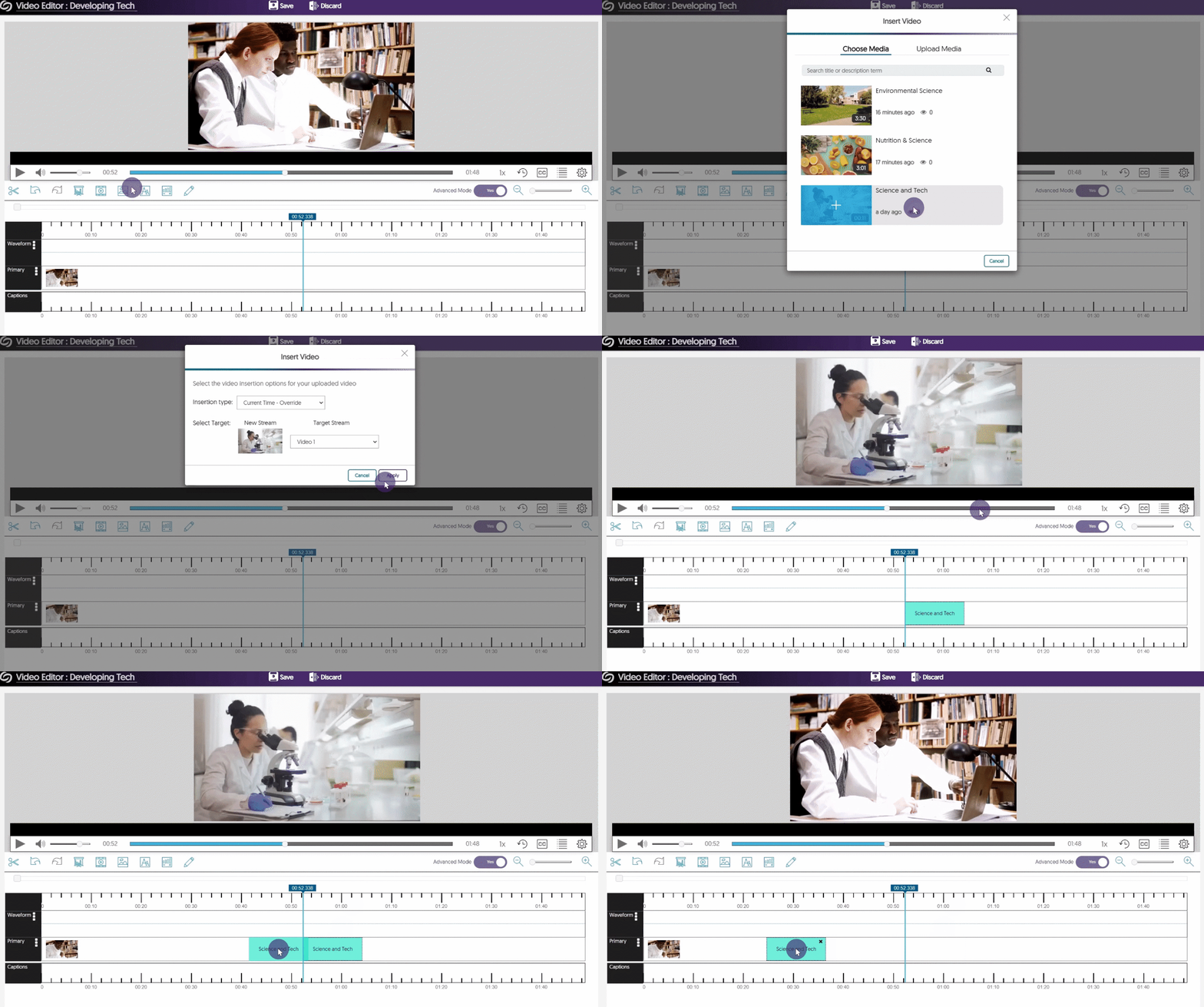
    1. Drag-and-Drop, Multi-Stream Adjustment in the Video Editor As part of a multi-release plan to enhance the Video Editor, the tool now enables Content Creators to move inserted video clips along their timeline via drag-and-drop. Simply add a clip to your video and drag it to your desired location. For a complete list of features available in the Video Editor, please visit our guide on the Video Editor Overview.A stream being moved in the Video Editor.
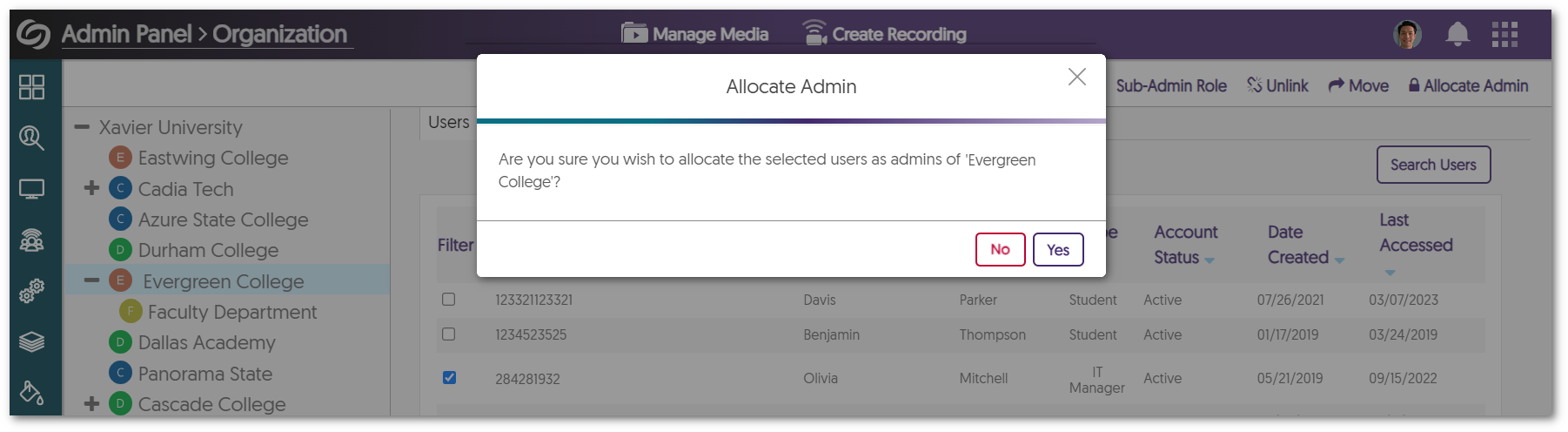
    2. Custom Admin Panel Management for Each School within an Umbrella System  In our initial phase, we provided our partnered Umbrella System institutions the option to provision courses and users into the correct hierarchical element (sub-institution) using existing attributes from upstream infrastructure (LMS, SIS, SSO). Building on this, our latest release introduces Admin Panel management for each school, along with synchronized viewing of Video Platforms.
      • Administrator Allocation: Each top-level element can have an allocated System Administrator that will grant the sub-institution its own dedicated Video Platform instance.
      • Admin Panel Management: Administrators can efficiently access and manage multiple Video Platform instances with respect to Branding and Platform settings.
      • Synchronized Management: Administrators, instructors, and students can access their complete Media Libraries, courses, roster, or devices across different Video Platforms they are members of. 
      Allocate Admin confirmation window.
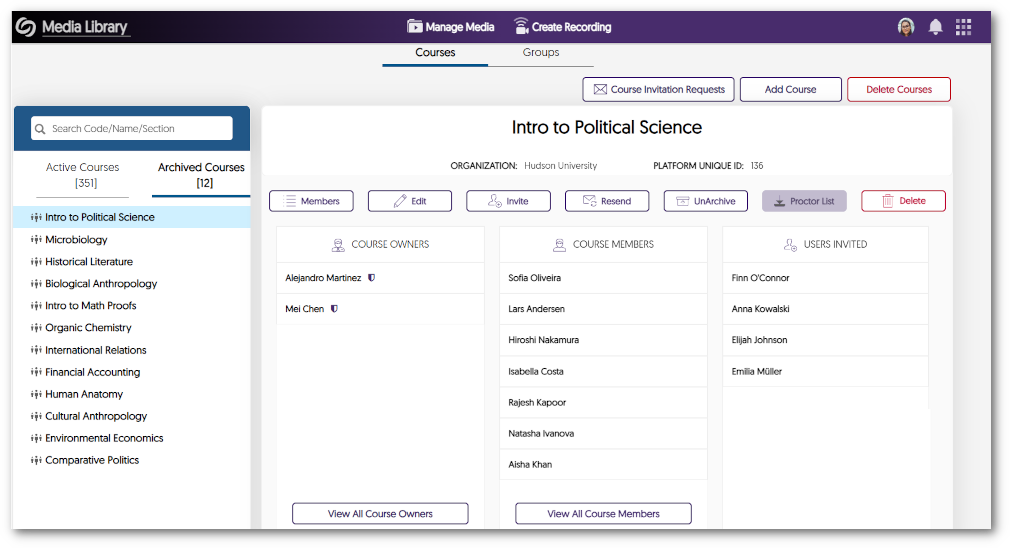
    3. Ability to Archive Courses within Courses & Groups Administrators and instructors can now archive and unarchive courses within the Video Platform. When courses are required, a simple Unarchive action brings them back to the active Courses tab. Course tab in Courses & Groups.
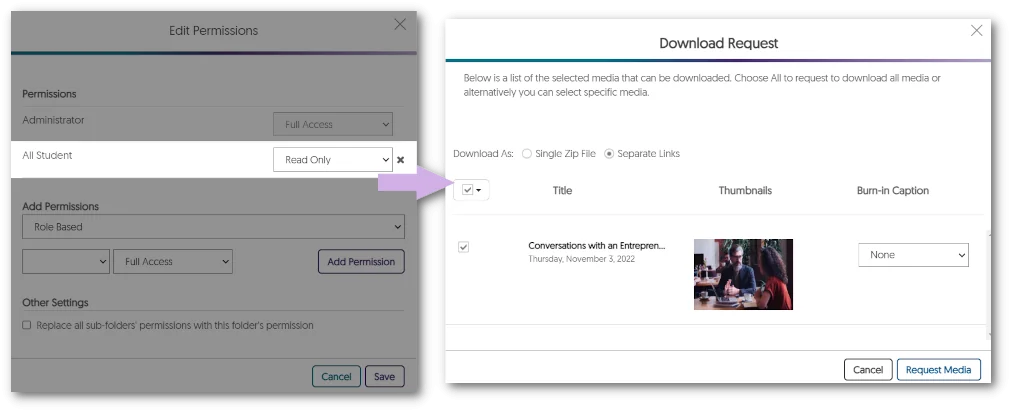
    4. Set Permission to Download Videos within CampusTube Folders Content Owners now have the option to grant users with Read Only permission the ability to download videos within designated folders for their CampusTube. By conveniently configuring folder permissions, users can not only view but also download media content within CampusTube. Permission Read Only settings applied to students and download video window.
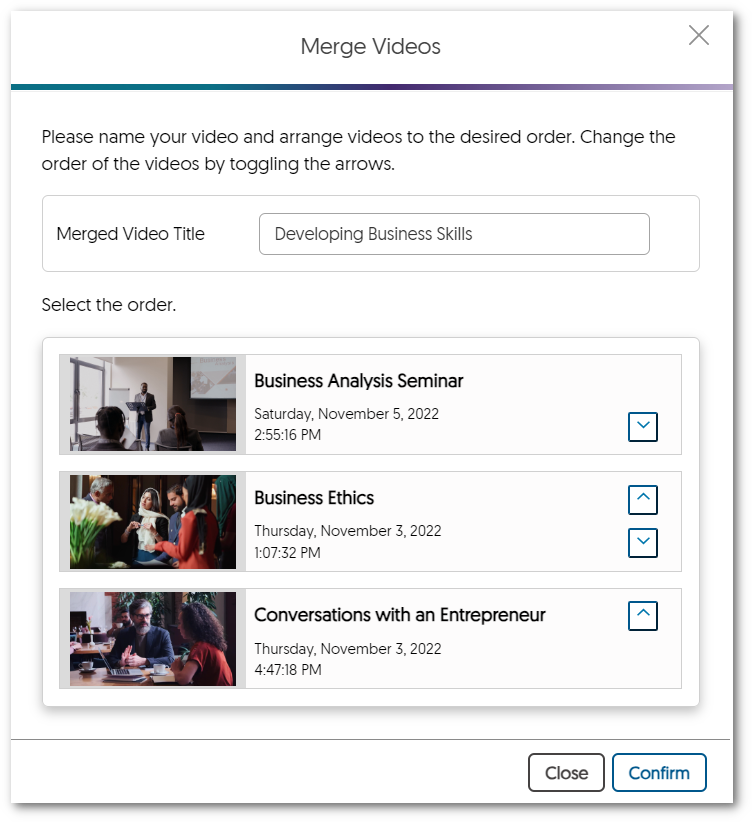
    5. Bulk-Merge Videos Tool Enhanced to Filter “Shared With Me” Content In previous updates, we enhanced the Bulk Merge functionality to provide Content Creators with the capability to merge videos within shared folders. In this current release, we now provide Bulk Merge functionality for videos located within “Shared With Me”. This feature enables Creators to conveniently select multiple videos, rearrange their order, and effortlessly generate a new video that combines group projects, assignments, and other relevant content. Merge Video window.
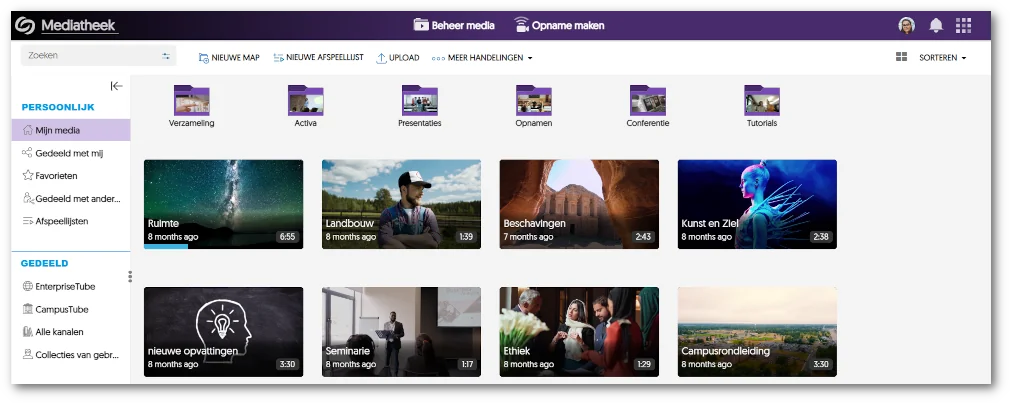
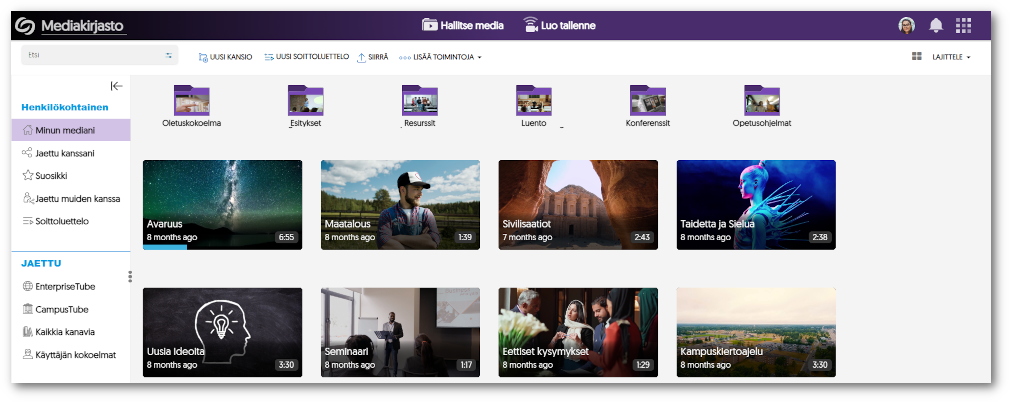
    6. Support for Dutch and Finnish Languages As the Video Platform continues to expand into new regions, we’re committed to providing local language support to our users. The Video Platform will now fully support Dutch and Finnish languages across the entire Platform. Simply access your My Account settings to adjust your language preferences.
      • Dutch Language Support Video Platform with Dutch language support.
      • Finnish Language Support Video Platform with Finnish language support.
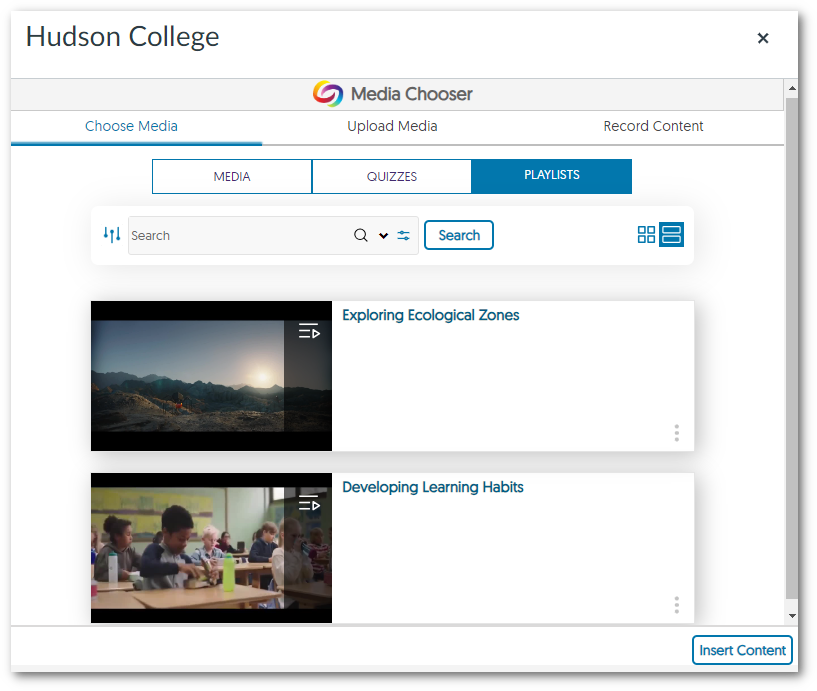
    7. Embed Playlist Objects Through the Media Chooser We have added a dedicated tab within the Media Chooser for Content Creators to effortlessly select and embed their Playlists within their Learning Management System. By using the LTI 1.3 integration, Playlists can be embedded without the need to enable cookies, simplifying the process when using the Media Chooser. Playlists within the Media Chooser.
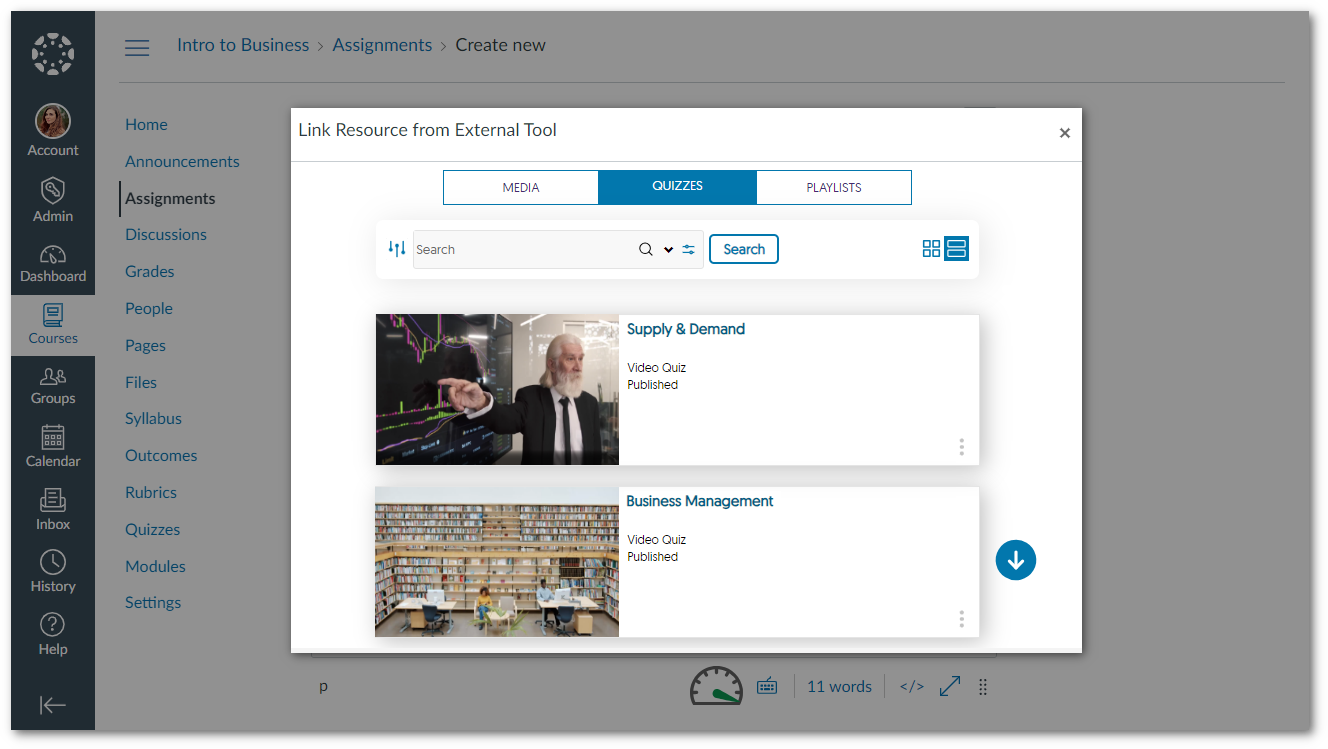
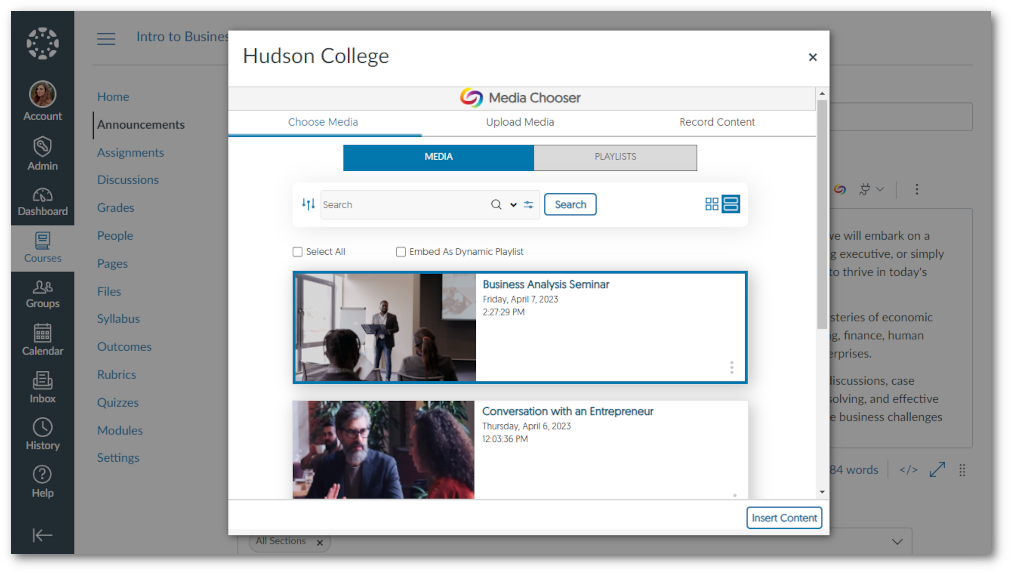
    8. Media Chooser Will Auto-Detect Gradeable Areas for Video Quiz Insertions To optimize the integration of Video Quizzes into the gradebook of Learning Management Systems (LMSs), the Media Chooser will only permit Video Quizzes to be embedded into gradable areas of the LMS. With this feature, grades will be accurately synced to the LMS gradebook and reduce potential user errors of insertion of a Video Quiz in an area the LMS does not support gradebook synchronization.
      • Gradeable Areas Media Chooser within a gradable area of Canvas.
      • Non-Gradeable Areas The media chooser within a non-gradable area in Canvas.
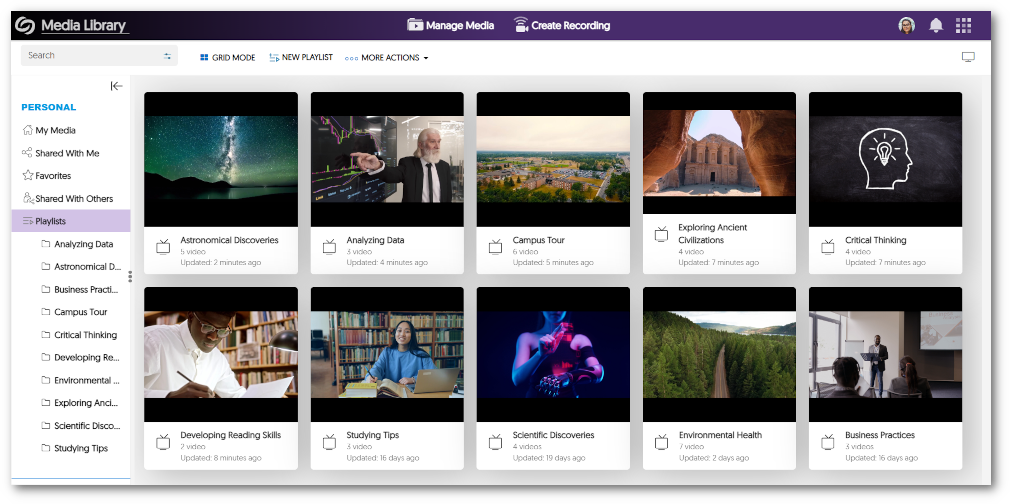
    9. Simplified the Playlist Creation Process We have further improved the process for creating Playlists within the Video Platform. By following our step-by-step process, you can generate a personalized playlist to share or embed using the Media Chooser. For more information on how to create and share your own custom Playlists, simply visit our guide on How to Create and Share Playlists. A view of the Playlist inside the Video Platform.
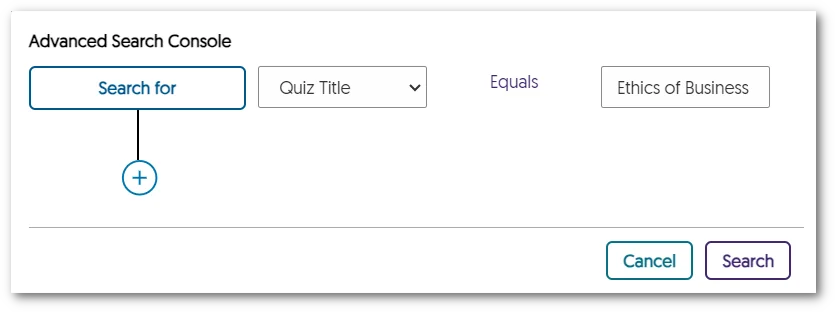
    10. Locate Video Quizzes with our Search Features In response to the growing use of Video Quizzes, quizzes can be easily located using the Search bar and Advanced Search Console. Content Creators will no longer be required to locate the corresponding video for a quiz and can instead search for the Video Quiz title, streamlining the workflow for quiz management. Advanced Search Console featuring a search for Quiz Title.
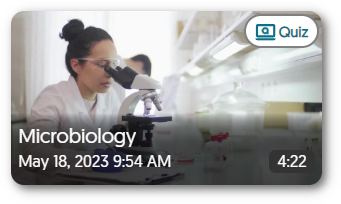
    11. Visual Video Quiz Badge on Video Thumbnails with Quizzes We have added a visual enhancement to thumbnails to help users identify Video Quizzes without accessing the Media Details window for their selected media. Simply look for the Quiz indicator in the top-right corner of thumbnails to identify Video Quizzes. Video Quiz thumbnail.
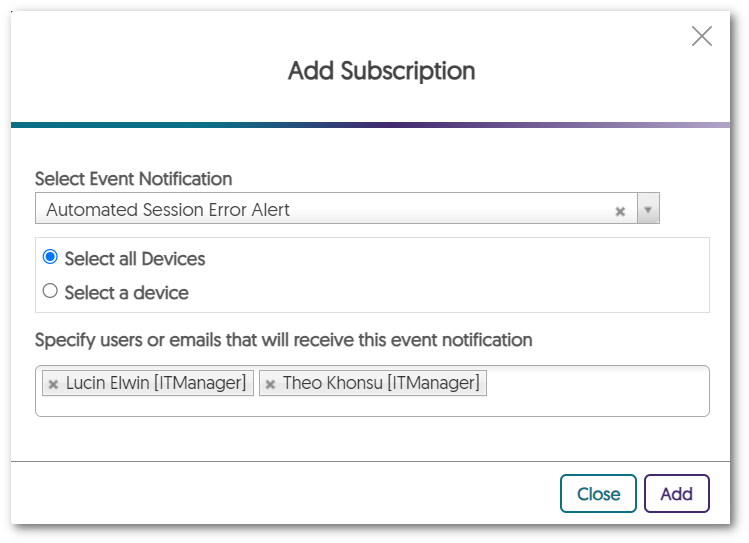
    12. Improved Subscription Management of Hub Hardware Alert Emails We understand that administrators may have preferences regarding email notifications for Hub Hardware issues and alerts. To provide flexibility, Administrators can selectively enable specific email notifications based on their unique requirements. Add Subscription window.
    13. Courses and Groups Offer Distinct APIs With our transition into creating a distinction between Courses and Groups, we now provide separate APIs for each instance. This will give administrators results targeted toward their desired space.
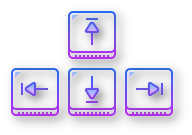
    14. Video Player Keyboard Accessibility Shortcuts now Mirror YouTube The Video Platform has always supported keyboard accessibility shortcuts for our Video Player. We have now redesigned our accessibility keys to match YoutTube’s by recognizing the need to provide familiar and intuitive shortcuts. With this, viewers can effortlessly use keyboard shortcuts to adjust speed, video quality, volume, screen display, sidebar actions, and so much more. Arrow keys on a keyboard.
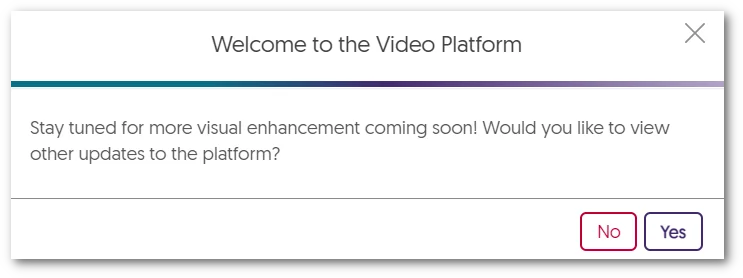
    15. Enhanced Branding Across the Video Platform As we continue to grow and partner with more institutions, we’re dedicated to providing custom branding for institutions while maintaining a consistent look and feel to the Video Platform. To achieve our branding goals, we have refined our designs for buttons and dialog boxes. Future releases will focus on color schemes for default layouts, icon enhancements, and updates to our fonts. Welcome to the Video Platform Dialogue Window.

Join the 1,000+ Organizations Deploying High-Impact Solutions

A collection of logos representing various organizations and institutions that use YuJa’s platform.