

Product Updates
Get the latest platform updates, features, and announcements—all in one place.
Boost Video Accessibility with the GenAI Video PowerPack!
Try Now
Supercharge Your Compliance Efforts with AutoPilot Remediation Max!
Try Now
Strengthen Your PDF Accessibility Efforts with Structural Remediation Max!
Try Now
Don't Miss Any of Our Upcoming Webinars—Save Your Spot!
Register
The YuJa Community is here! Connect, get updates, and access exclusive content.
Join Now

Get the latest platform updates, features, and announcements—all in one place.
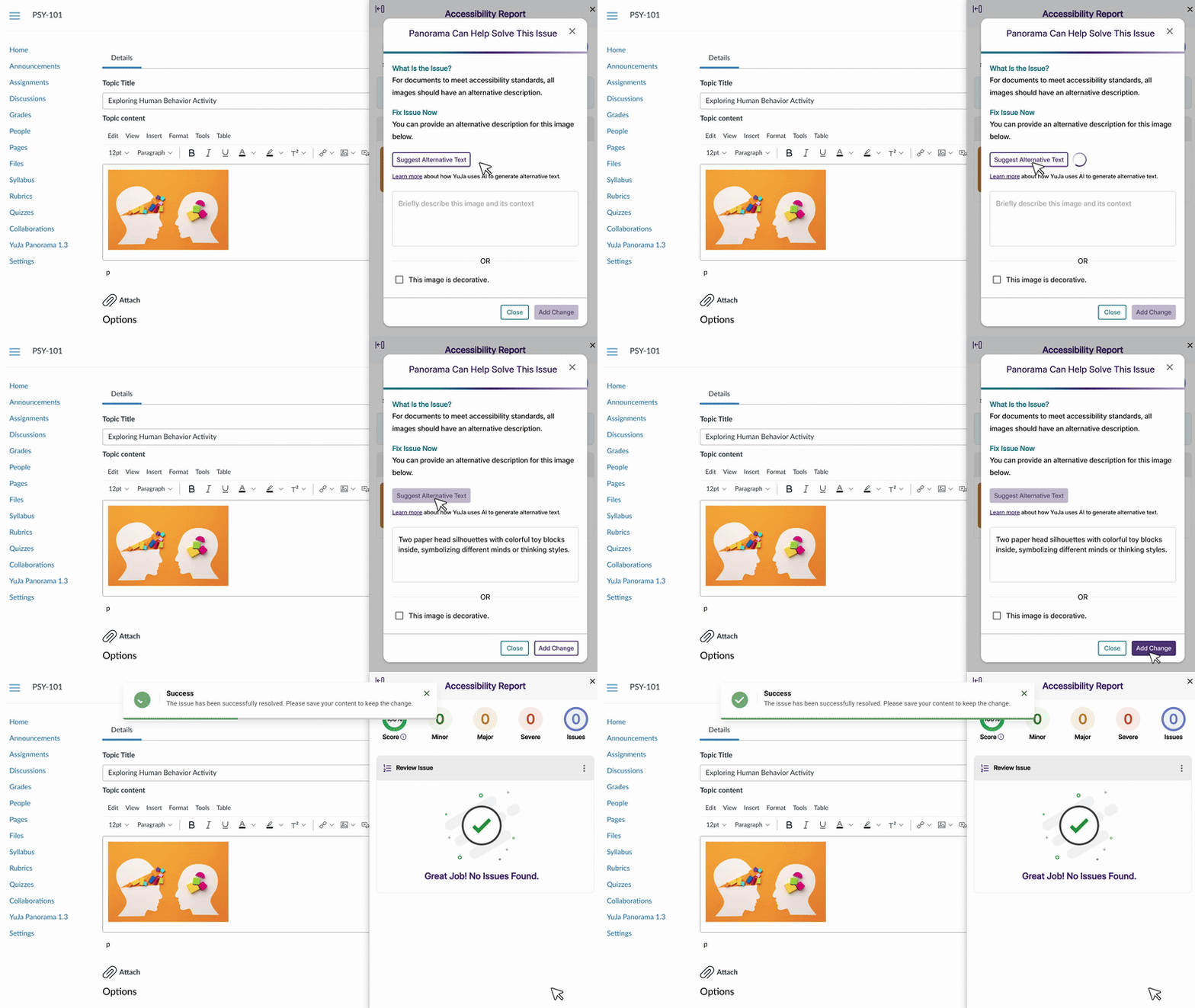
We have successfully pushed an update to all YuJa AutoPilot AI Platform instances residing in the US, Canada, Australia, Singapore, the Middle East, and the European Union. This update includes enhanced AI-powered alternative text generation using advanced GenAI technology.
Introducing Enhanced AI-Powered Alternative Text Generation
AutoPilot now uses advanced GenAI technology for generating alternative text descriptions, providing more accurate and contextually relevant image descriptions. This enhancement improves both the “Suggest Alternative Text” feature in the WYSIWYG editor and AutoPilot’s automatic remediation capabilities, ensuring more precise accessibility solutions for images across all supported document formats.
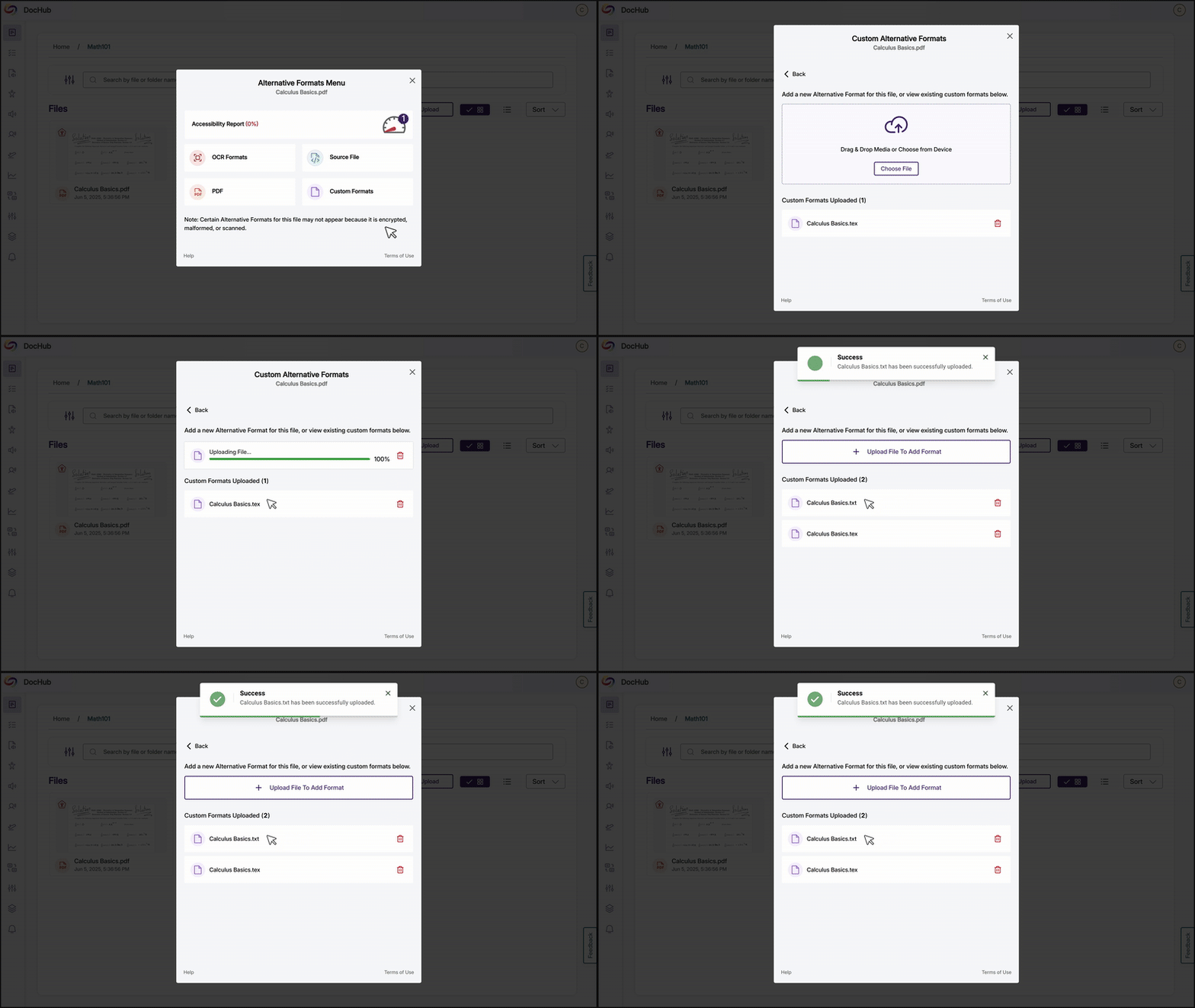
We have successfully pushed an update to all YuJa Panorama LMS Accessibility Platform instances residing in the US, Canada, Australia, Singapore, the Middle East, and the European Union. This update includes new alternative format editing capabilities, enhanced OCR processing, expanded workflow management features, improved accessibility reporting, and dozens of user experience enhancements across the platform.
New Ability to Edit and Replace Alternative Formats
You can now edit, replace, and create custom alternative formats to ensure the accuracy of automatically generated content, which is especially useful for math formats and scanned documents. This update includes drag-and-drop file replacement, custom format creation, and intuitive file management with visual indicators for modified content.
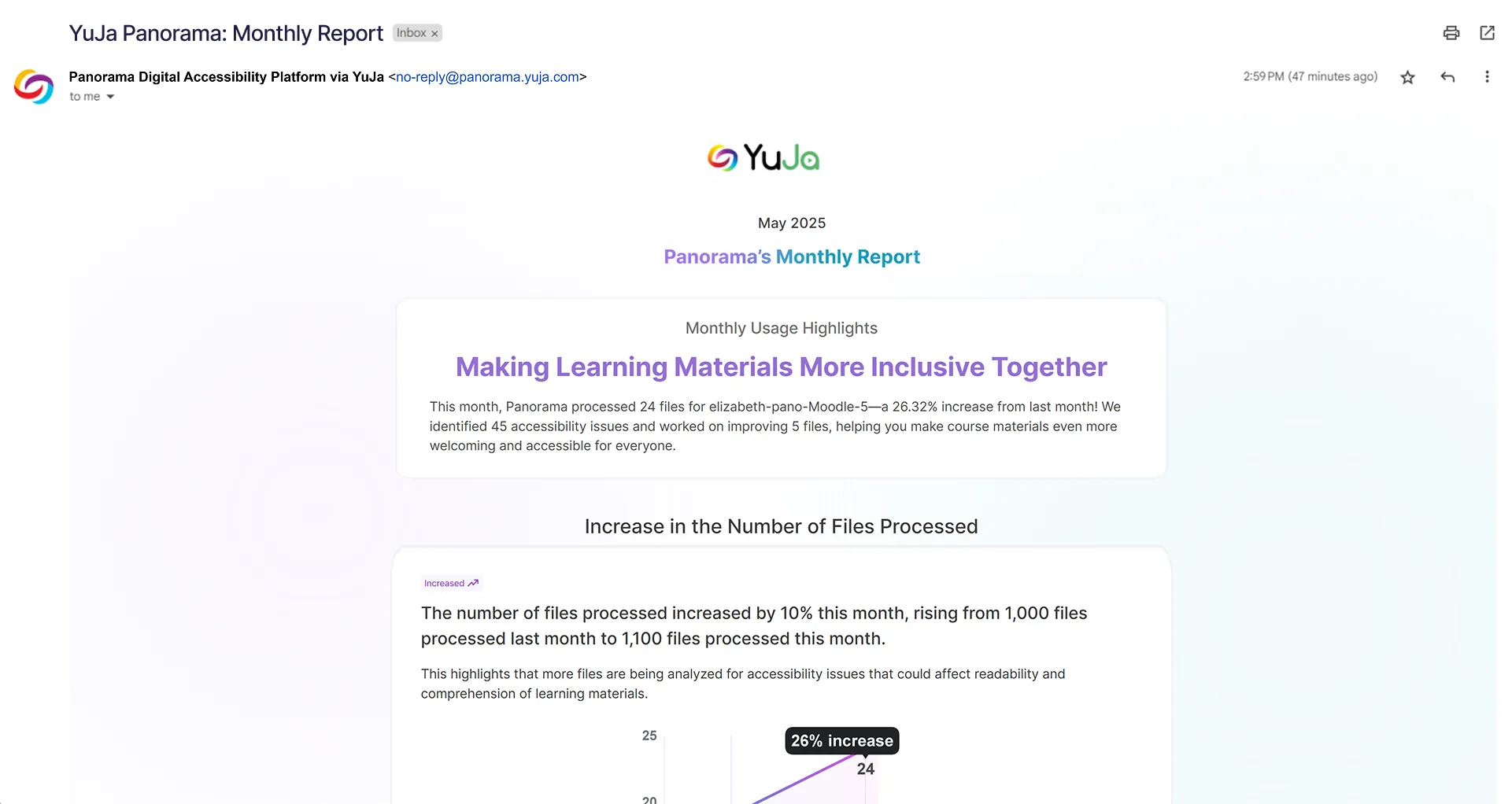
New Monthly Admin Usage Reports Highlight the Most Impactful Statistics
Administrators now receive monthly email reports highlighting key usage metrics and accessibility improvements. These reports automatically identify the most impactful statistics, creating compelling narratives, intuitive graphs, and focused bullet points that highlight meaningful trends.
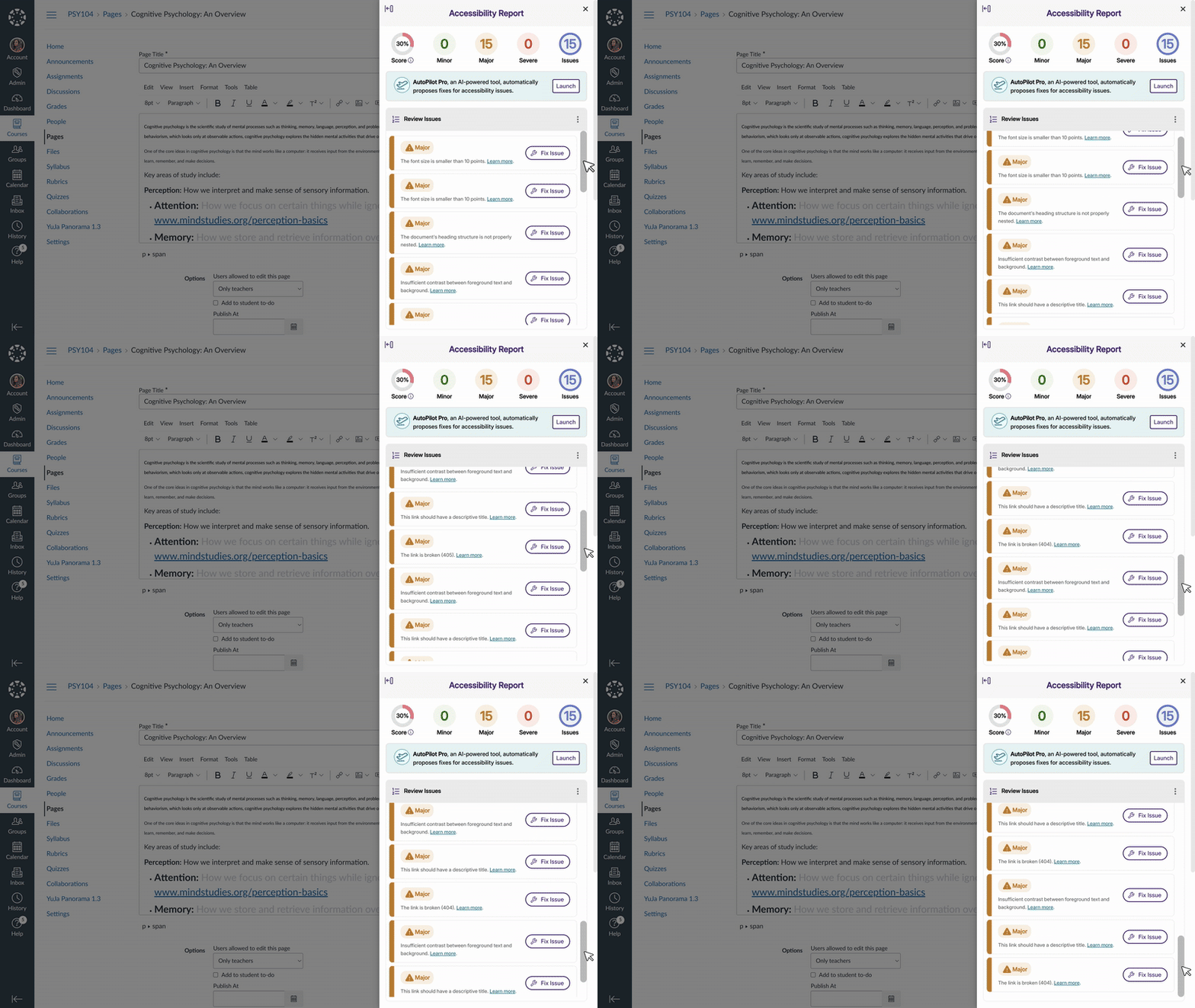
Continuous Scrolling Eliminates Pagination in the WYSIWYG Accessibility Report
The Review Issues section of the Accessibility Report now loads additional issues automatically as you scroll, removing the need to click “Next Page” when reviewing accessibility problems, enabling uninterrupted review of issues in the WYSIWYG editor.
New Issue Type Filter Added to the Accessibility Report
This update enables users to target remediation efforts with a new Issue Type filter in the Accessibility Report. Previously, users could only filter by Severity Type.

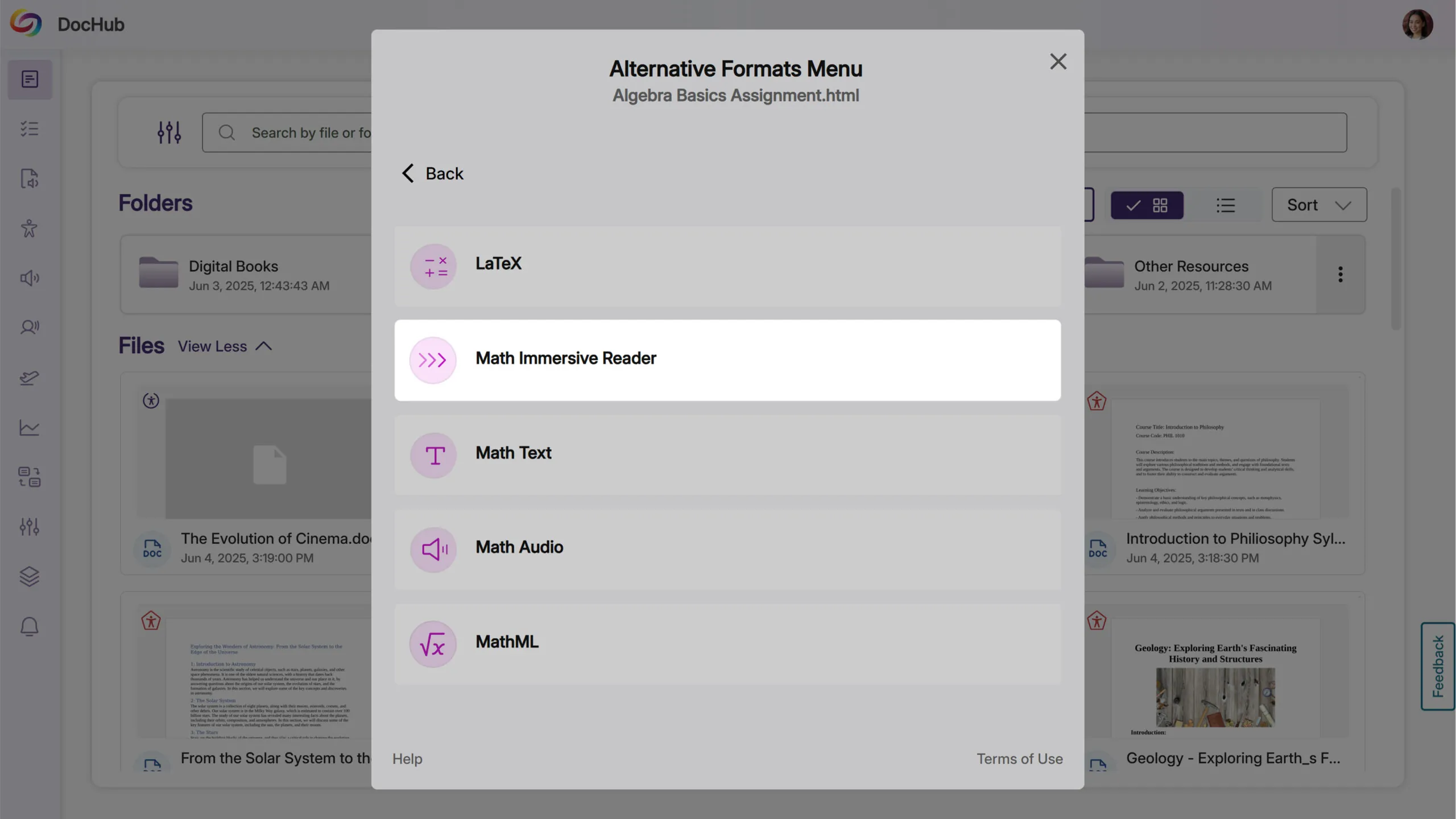
New Math Immersive Reader Available
Building on accessible alternative formats, users can now generate a Math Immersive Reader format for documents containing mathematical expressions, providing an immersive reading experience specifically designed for LaTeX-based math content. This format appears under Math alternative formats and converts mathematical expressions into accessible text for improved comprehension.
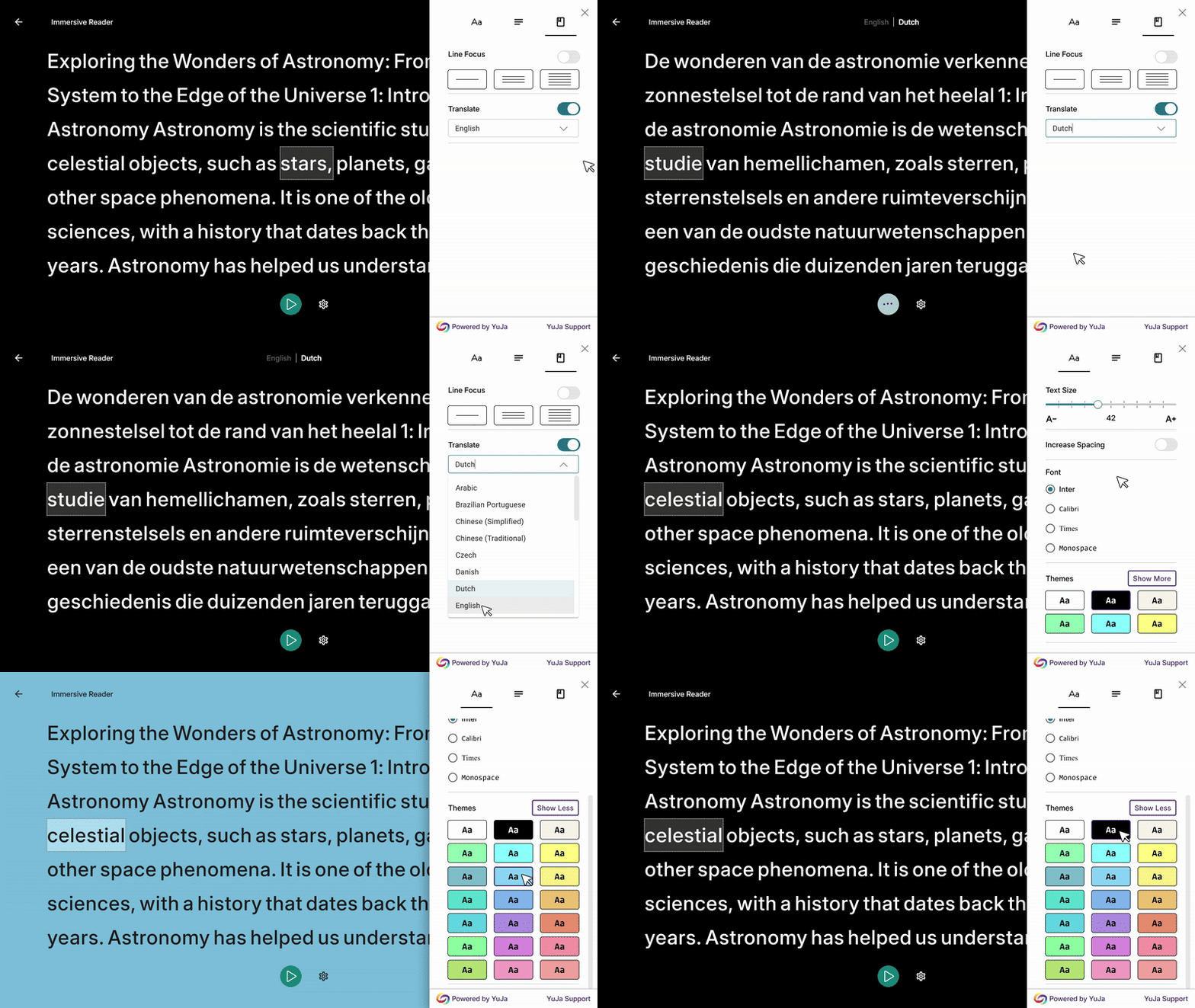
Improved Translation Controls and Additional Themes Added to the Immersive Reader
The Immersive Reader now includes a translation toggle to quickly switch between original and translated text, plus 15 additional color themes for better reading customization.
Caption Checking for Videos Embedded via LTI 1.3
YuJa Panorama now detects missing captions in videos embedded through LTI 1.3 external tools, including content from third-party video platforms and media choosers. This enhancement extends accessibility scanning capabilities to cover more video content types within your LMS courses.
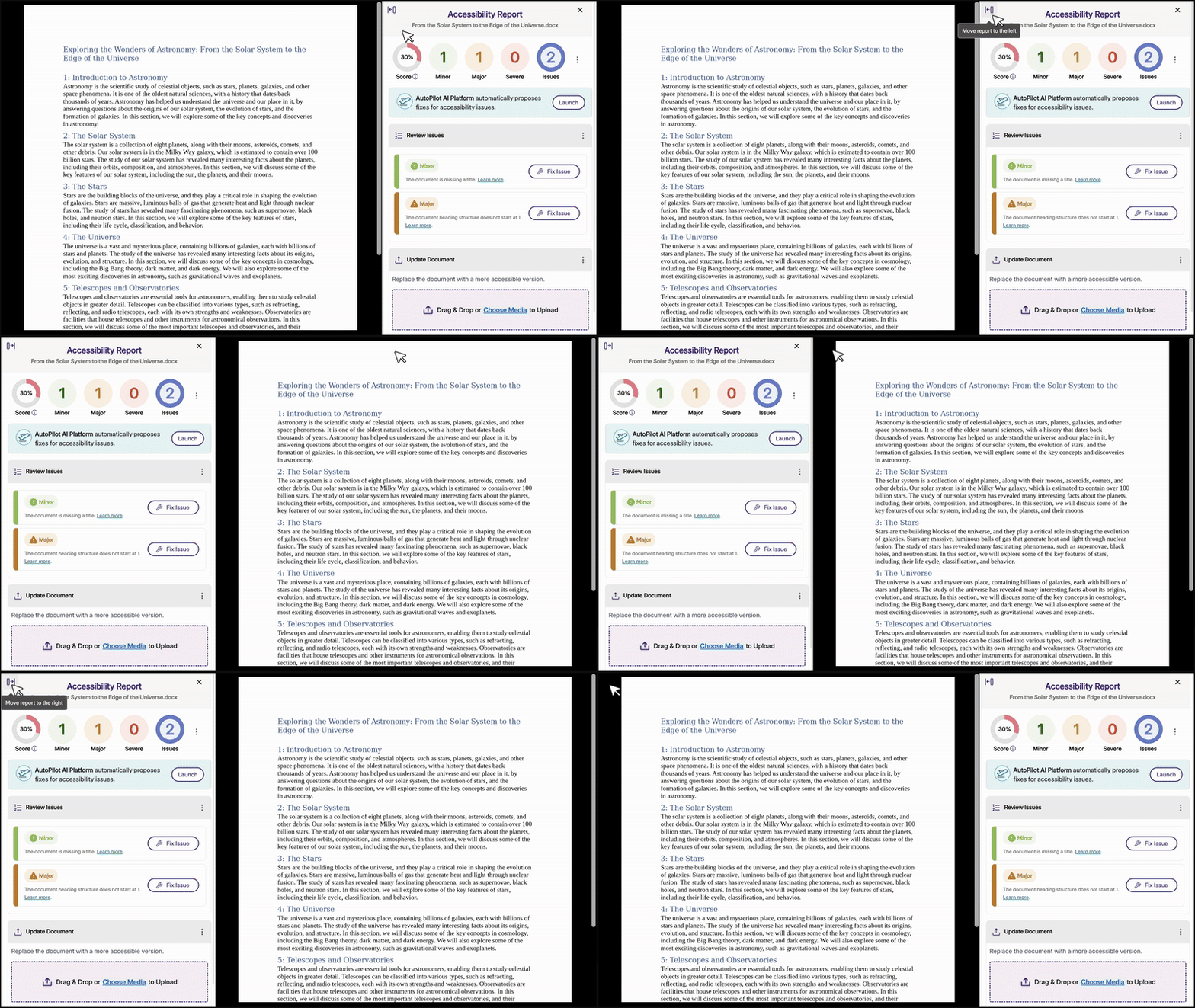
Users Can Now Move the Accessibility Report with a New Toggle Button
You can now move the accessibility report to either side of your screen using a new toggle button available in both file and HTML accessibility reports, which helps accommodate different workflow preferences and screen configurations.
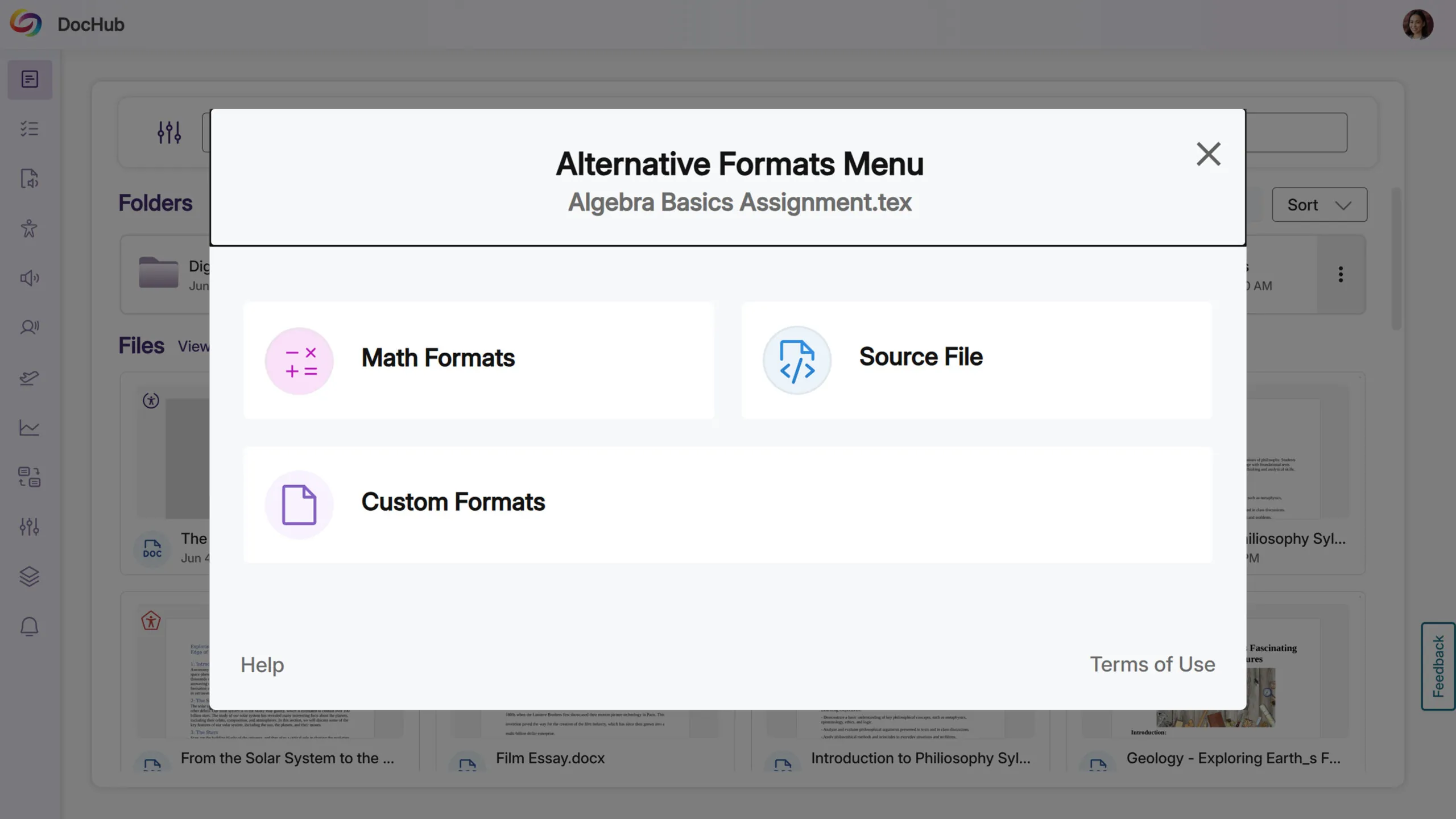
Support for .tex LaTeX File Attachments and Alternative Formats
Math instructors can now upload .tex LaTeX files to generate alternative formats, addressing a common need for accessible math content delivery. YuJa Panorama automatically detects these files when uploaded to the LMS and provides math-specific alternative formats including Math LaTeX, with additional math formats available for enhanced accessibility.
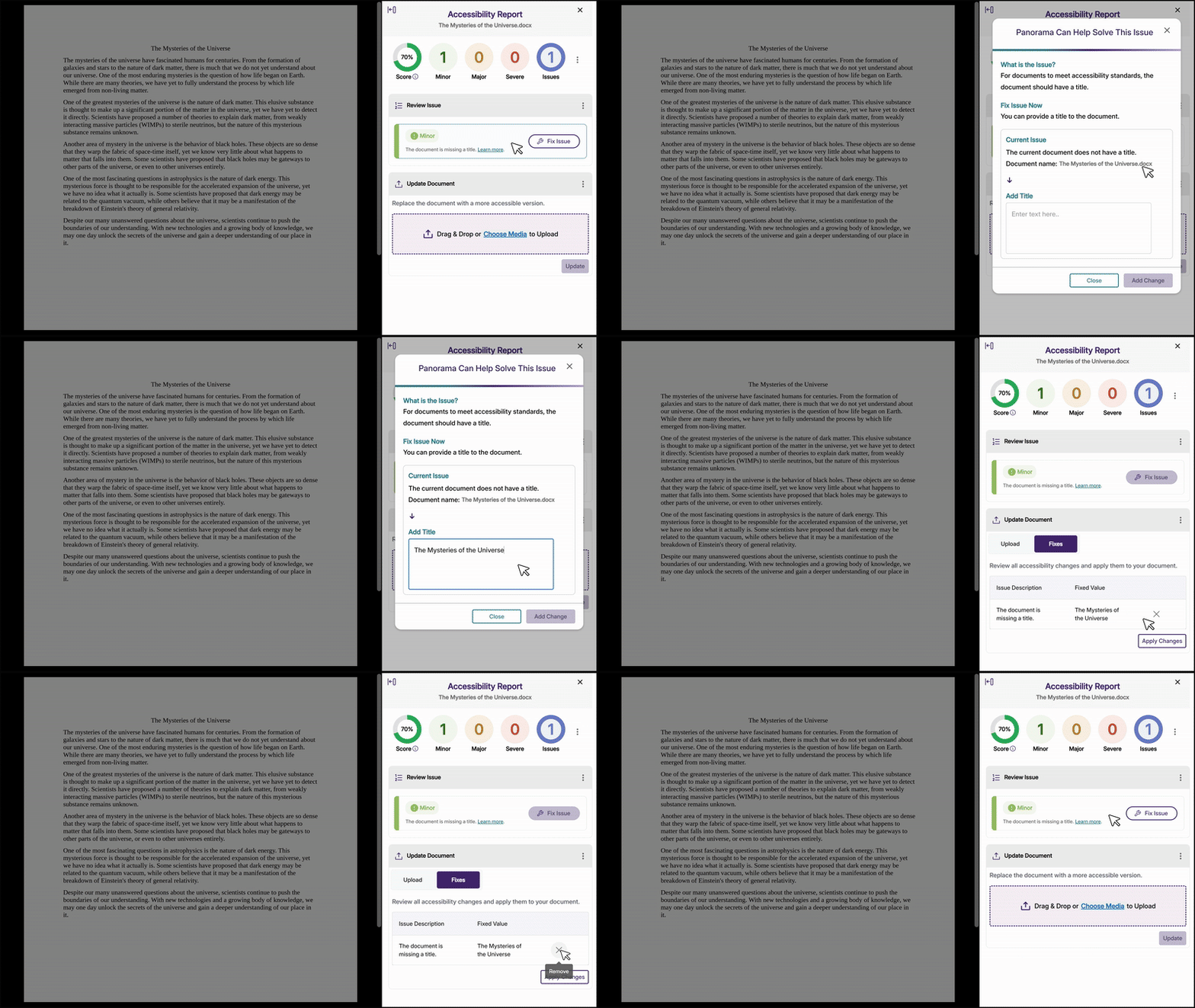
New ‘Undo’ Option Removes Manual Fixes
You can now remove manual fixes from the Applied Fixes table using a remove button, giving you complete control over your remediation workflow. Once a fix is removed, the Fix button becomes available again, allowing you to reapply or modify the solution as needed.
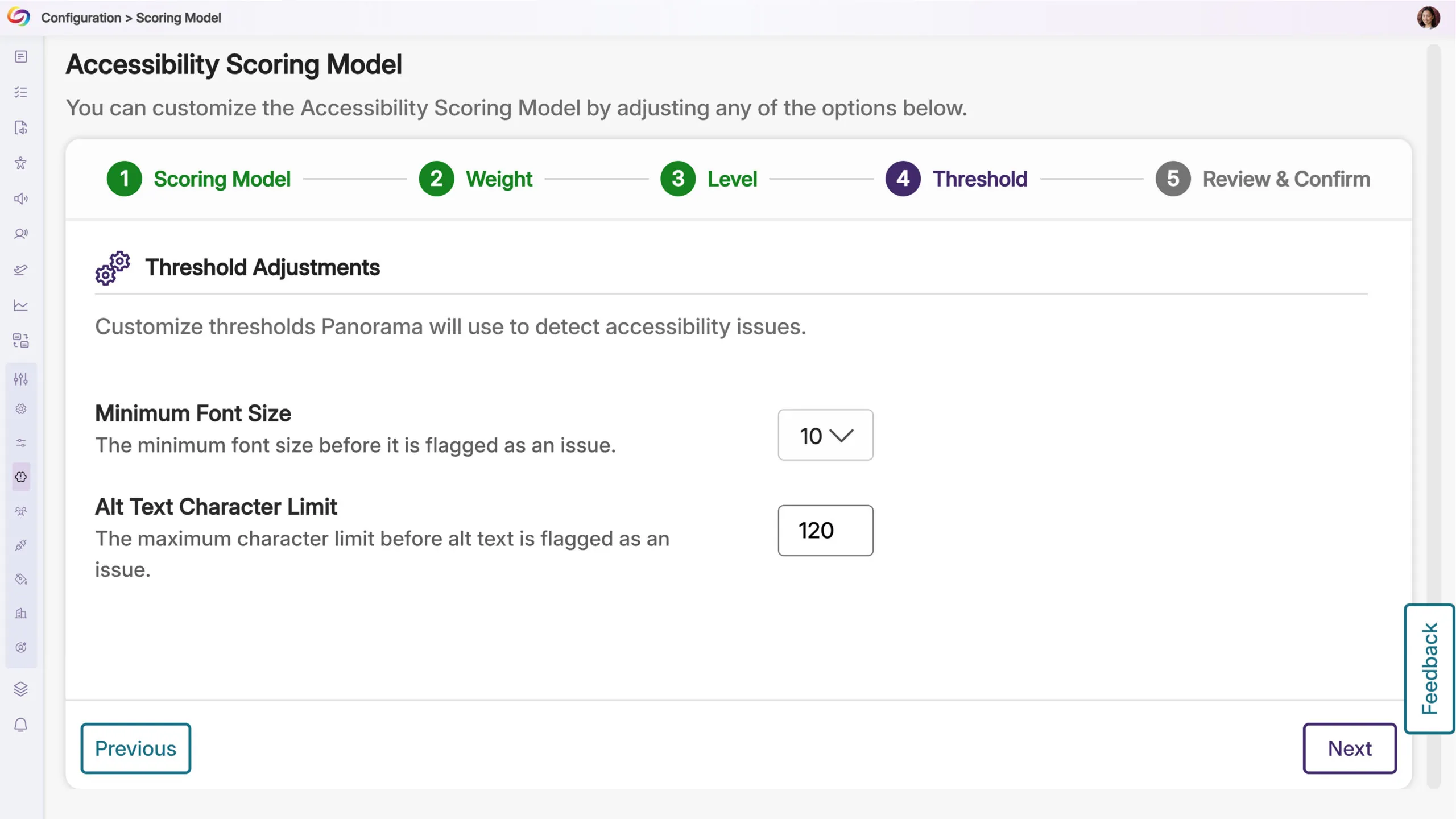
Administrators Can Customize Character Limits for Alternative Text Descriptions
Administrators can now adjust the character limit threshold for alternative text descriptions in the Scoring Model settings to accommodate complex images like graphs, charts, and weather maps that require detailed descriptions. This helps ensure that comprehensive alt text for educational content meets accessibility standards without triggering flags for detailed descriptions.
Automatic Role Mapping for Moodle Users Without Manual LTI Launch
Custom role mappings in Moodle now apply automatically to users, eliminating the previous requirement to manually launch the Panorama External Tool to activate proper permissions. Users will see their correct accessibility reports and format options immediately based on their assigned roles, without additional steps.
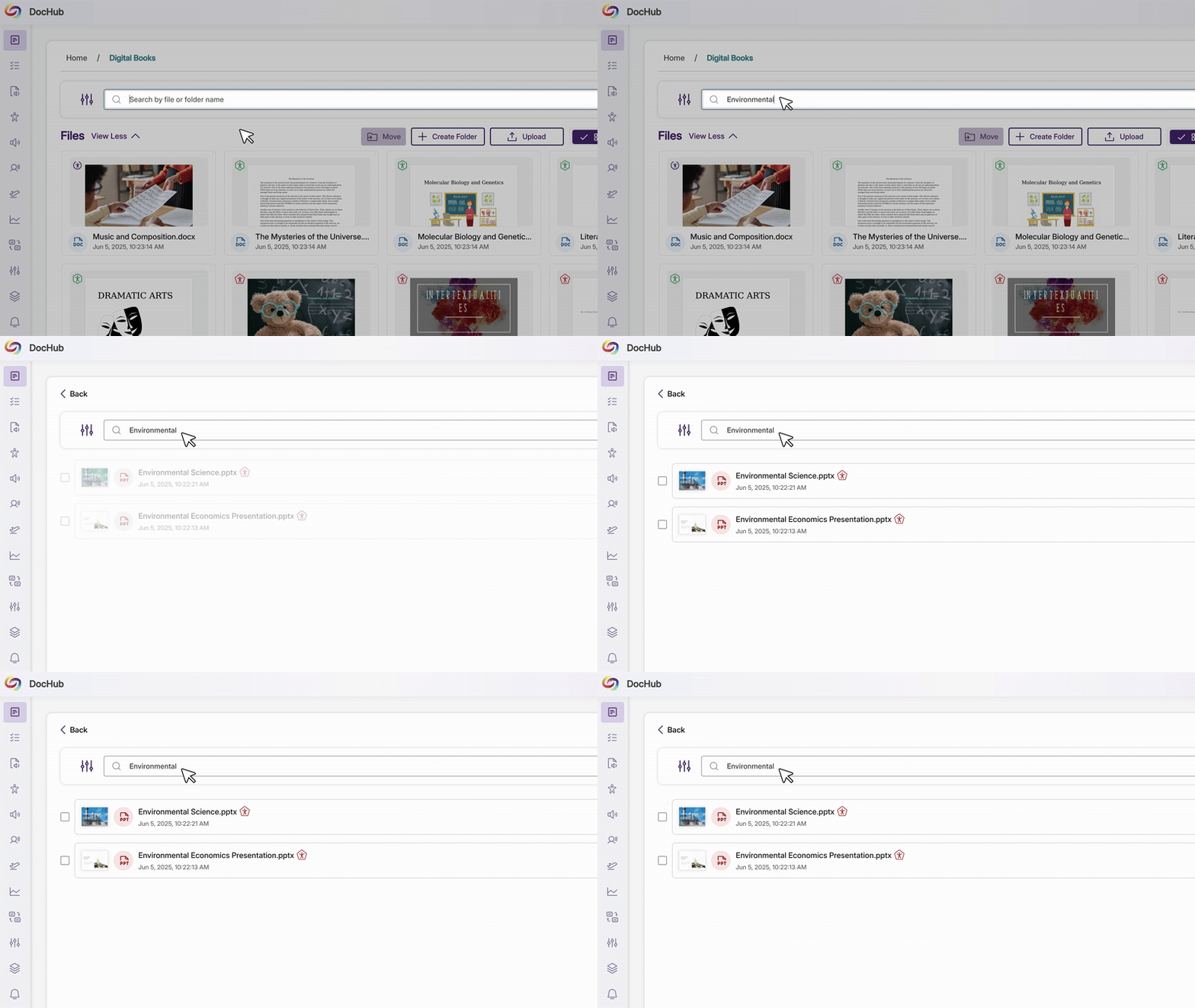
Search Across Your Entire DocHub Account from Any Location for Improved File Discovery
DocHub search now finds files and folders throughout your entire account rather than limiting results to the current folder, eliminating the need to navigate through multiple sub-folders when looking for specific content.
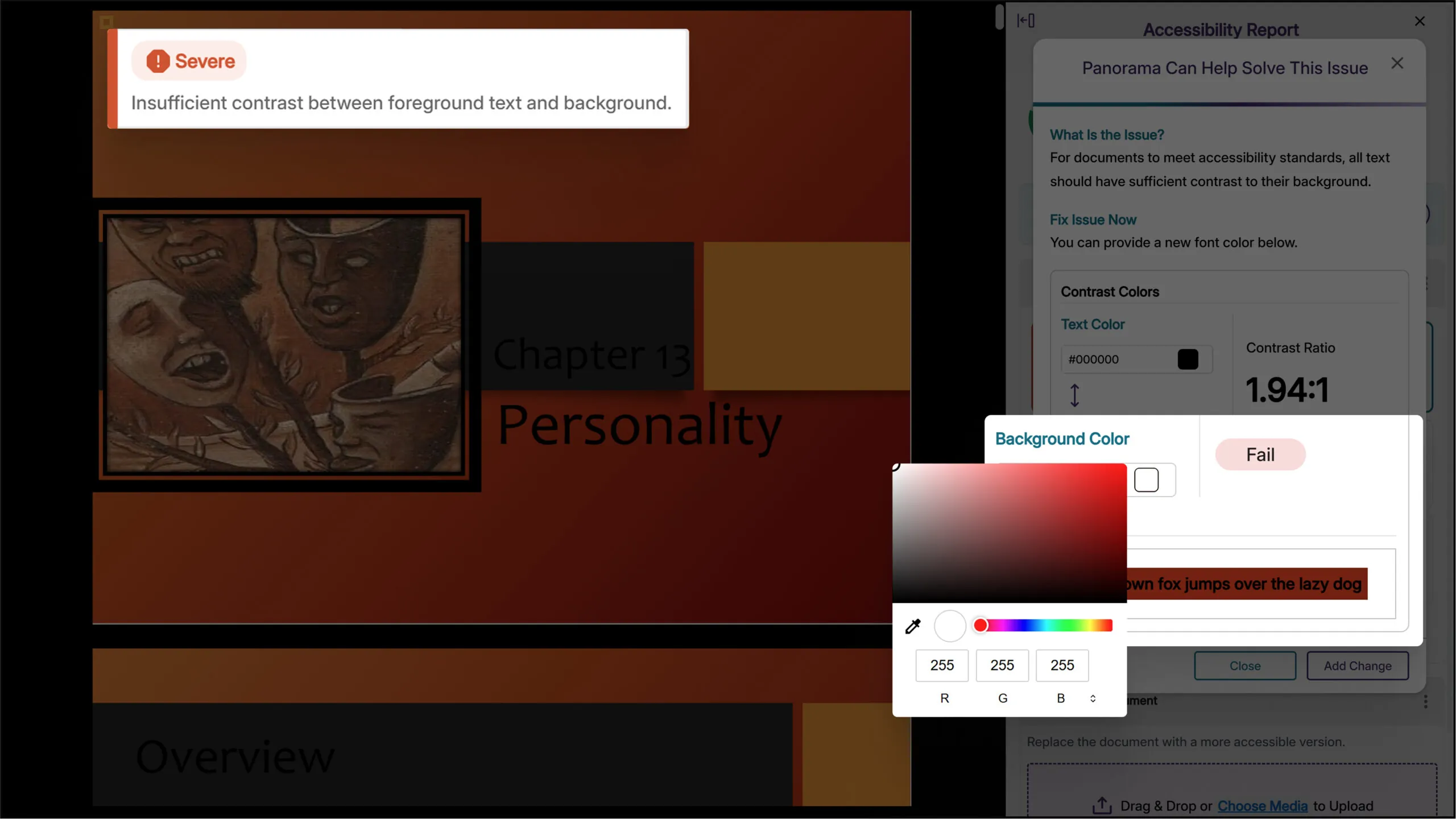
Enhanced Color Contrast Remediation with Background Color Options
The HTML remediation tool now allows you to adjust both text and background colors when fixing contrast issues. Color settings can be modified directly from both the WYSIWYG editor and the accessibility report for seamless contrast remediation.
Improved Alternative Format Display Based on Document Type and Status
Students now see only alternative formats that will work for their document type, preventing failed attempts with encrypted, corrupted, or malformed files. This improvement eliminates frustration by hiding formats that cannot be generated and provides clear messaging when alternative formats are unavailable.
Improved Link Checking Excludes Same-Domain Course Links
Links within your LMS that point to other course content will not be flagged as broken during accessibility scanning. This enhancement eliminates false positive broken link warnings for internal course navigation links, providing more accurate accessibility reports.
Faster Accessibility Report Generation for File Documents
We’ve optimized the report generation process with accessibility reports for file documents now generating faster to reduce wait times when analyzing your content for accessibility issues.
We have successfully pushed an update to all YuJa LMS Accessible Content Designer instances residing in the United States, Canada, European Union, and Australia. This update includes a redesigned theme management workflow for enhanced user experience.
Redesigned Theme Management Workflow Improves User Experience
We’ve redesigned the theme management workflow in LMS Accessibility Designer to provide a more intuitive experience for managing institution and personal themes. Key improvements include enhanced permission controls for institution-level themes, improved search and filtering capabilities, visual feedback for newly added themes, and better page navigation with proper modal interaction handling.

We have successfully pushed an update to all YuJa Verity Testing Proctoring Platform instances residing in the US, Canada, Australia, and the European Union. This update introduces a comprehensive standalone portal with full authentication support, expanded ChromeOS compatibility for lockdown assessments, enhanced administrative controls for proctoring method deployment, improved accessibility features including institution-wide accommodations management and flexible registration options, and more.
Expanded Chromebook Support Now Includes Lockdown Assessments
YuJa Verity now extends its ChromeOS compatibility to include secure lockdown assessments through a specialized extension that provides desktop-level security features. Building on existing Chromebook support for extension assessments, ChromeOS users can now access the full range of proctoring options through managed guest sessions while maintaining institutional security requirements.

Full Authentication Support for Verity Platform Designed for Non-LMS Scenarios
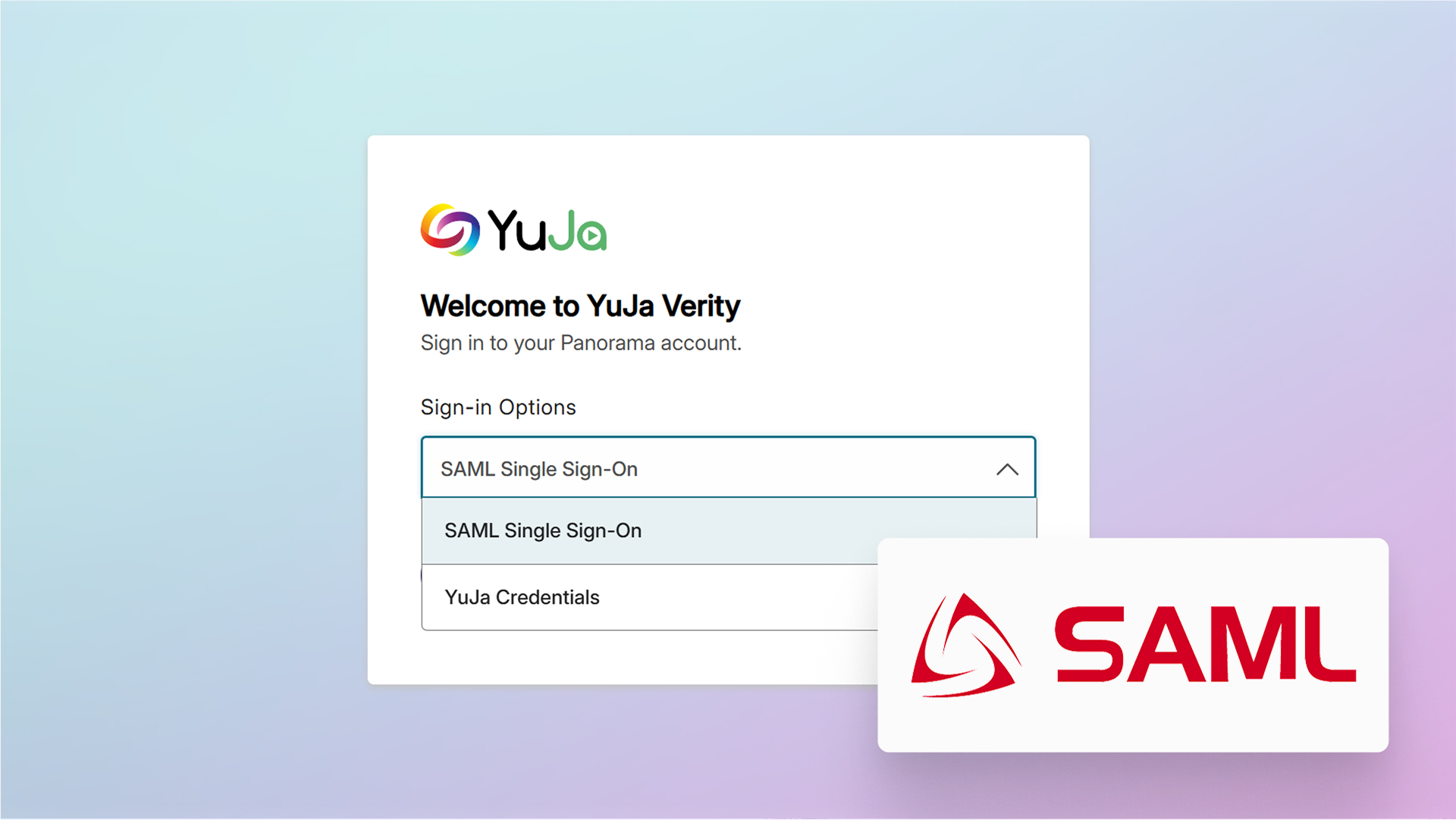
YuJa Verity now offers a comprehensive standalone Platform that operates independently of LMS systems, providing test-takers and administrators with complete access through both manual credentials and SAML Single Sign-On integration. This enhancement includes full user management capabilities with email verification, password reset functionality, institute selection, and configurable SSO settings, enabling institutions to deploy Verity as a complete testing solution beyond traditional LMS integrations while maintaining familiar authentication workflows.
New Proctoring Scope Controls by Course, Course Prefix and Sub-Account
Administrators can now limit the availability of proctoring methods — Live Check-In, Automated, and Live Proctoring — by course prefix or by sub-account through new scope settings in Institution Settings. This gives institutions control over which courses can access proctoring methods, helping ensure the feature is deployed appropriately while automatically handling existing assessments.

New Ability to Create Institution-Wide Accommodations List
Administrators can now create a pre-defined list of test-takers with accommodations that automatically applies to all assessments institution-wide, eliminating the need to manually configure exemptions for each individual assessment while ensuring consistent support for test-takers with special testing needs.

New Monthly Admin Usage Reports to Show the Most Impactful Statistics
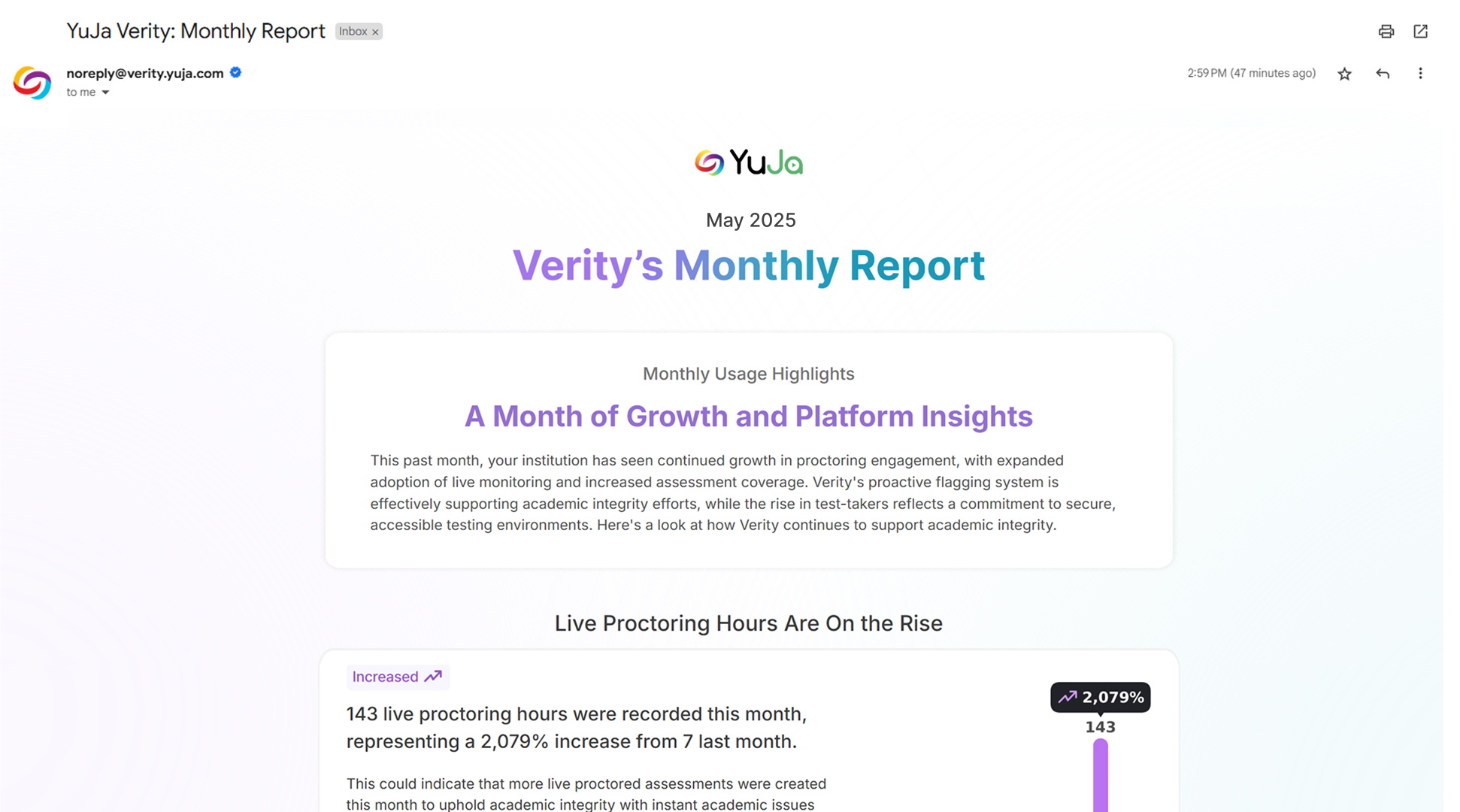
Administrators will now receive visually engaging, HTML-formatted monthly emails that provide intelligent analysis of YuJa Verity use across their institution. These reports automatically identify the most impactful statistics, creating compelling narratives, intuitive graphs, and focused bullet points that highlight meaningful trends.
Ability to Attach “Scrap Page” and Test Notes in the Lockdown App Using the Webcam
Test-takers taking lockdown assessments can now photograph and submit handwritten notes through their webcam, which gives instructors more visibility into the problem-solving process.

Automatic Detection of Incomplete Video Uploads
With this update, YuJa Verity automatically detects and flags incidents when test-takers close browsers or applications before video uploads complete, providing instructors with clear visibility into potential assessment integrity issues. Instructors can now identify incomplete recordings and distinguish between legitimate technical issues and intentional early exits with granular flagging that tracks individual upload streams separately.

Detailed Event Duration Information for Better Assessment Analysis
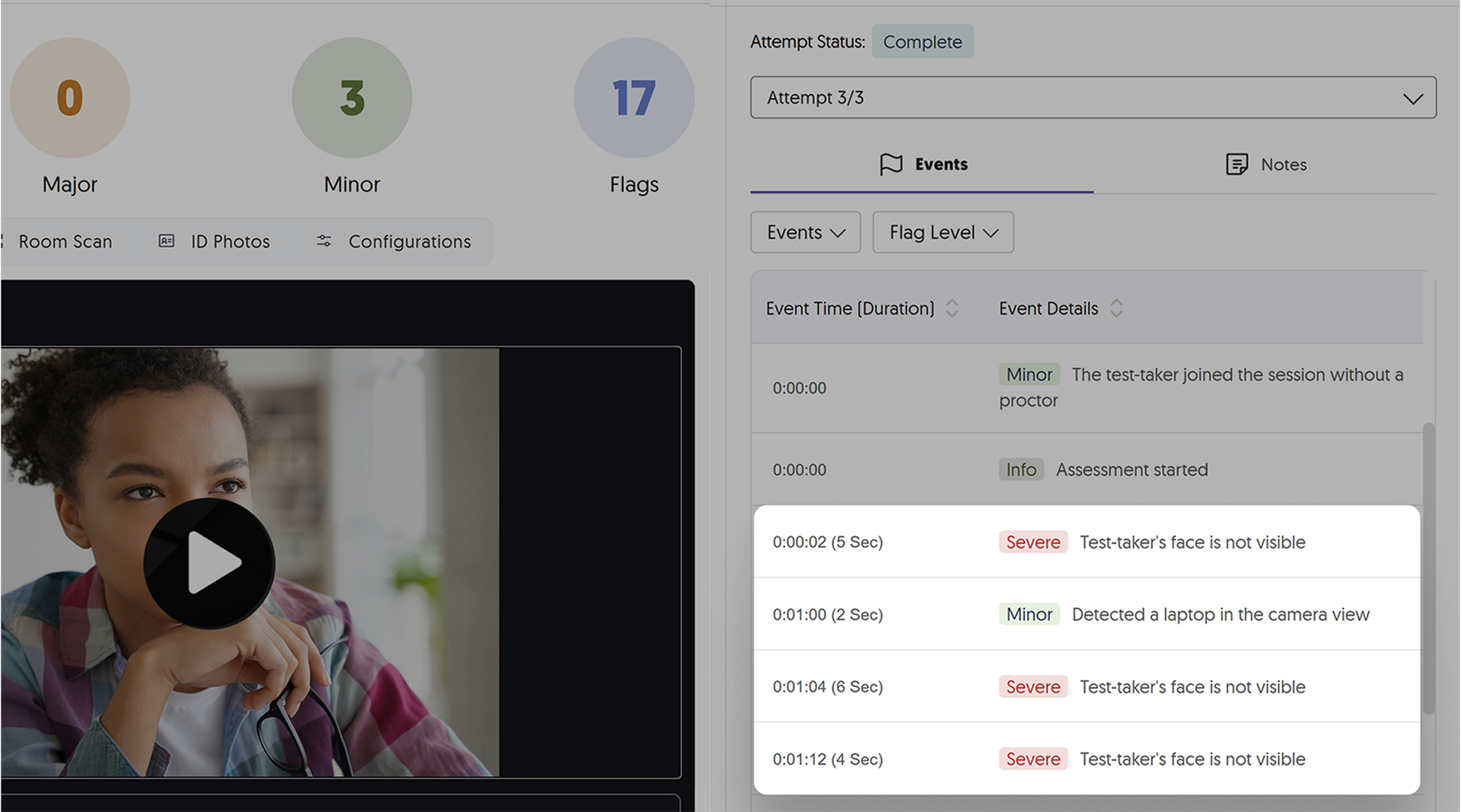
The Verity results page now displays the duration of flagged events alongside their occurrence times, providing instructors with more detailed information about potential integrity issues.
Support for Student Exemptions in Mobile Lockdown
YuJa Verity’s Mobile Lockdown app now supports student exemptions, allowing test-takers with accommodations to be accommodated while still using the secure testing environment. Those with exemptions can take assessments without proctoring configurations or setup requirements, helping ensure accessibility compliance.
Lockdown App No Longer Requires Test-Taker Admin Privileges
Test-takers no longer need administrator privileges to use YuJa Verity Lockdown when IT departments install the MSI version system-wide. This eliminates permission prompts and access barriers during secure testing while maintaining full security restrictions, making lockdown assessments accessible to all students regardless of their system permissions.
Late Registration for Live Proctoring Enabled
Test-takers can now register for live proctoring events after the session has already begun, which accommodates students who have technical difficulties or other delays.
We’ve introduced AI-powered question generation from video content, redesigned the activity creation workflow with upfront type selection, and reorganized the homepage with clearer status-based activity cards. These enhancements streamline the instructor experience from content creation to activity management, making it easier to create engaging polls and track their progress.
New AI-Powered Question Generation from Video Platform Videos
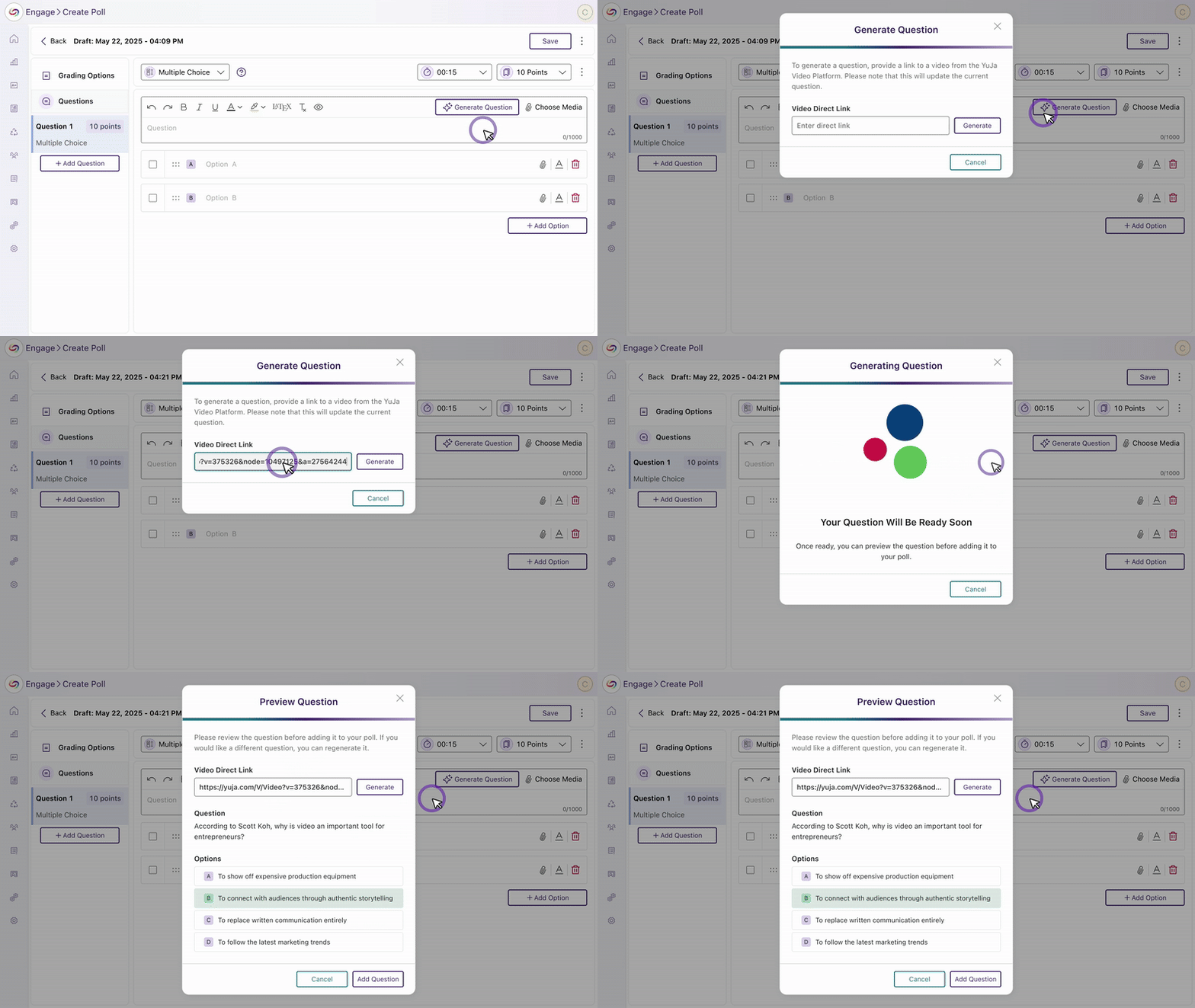
Instructors can now automatically generate questions from YuJa Video Platform content using a new AI integration. Upload a captioned YuJa Enterprise Video Platform video link during poll creation, preview the AI-generated questions, and choose to use them or generate alternatives. The video will be automatically attached to the activity to create a seamless experience.
Redesigned Activity Creation Experience
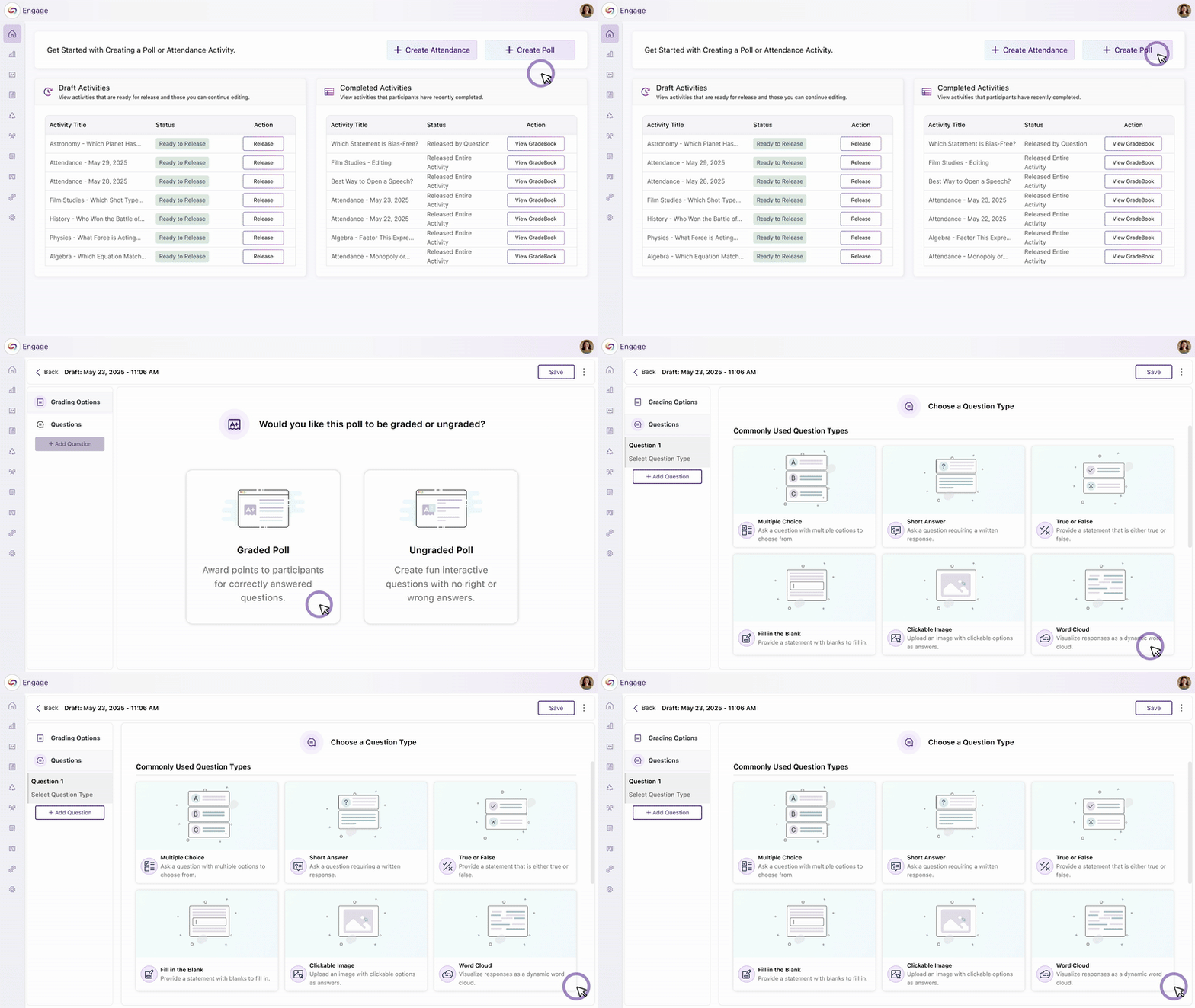
We’ve streamlined the activity creation process with a new interface that lets you select activity types, graded or ungraded, and question types upfront. The workflow includes improved question bank integration and simplified navigation to make it easier to create engaging activities for your students.
Homepage Management Improved with a New Layout
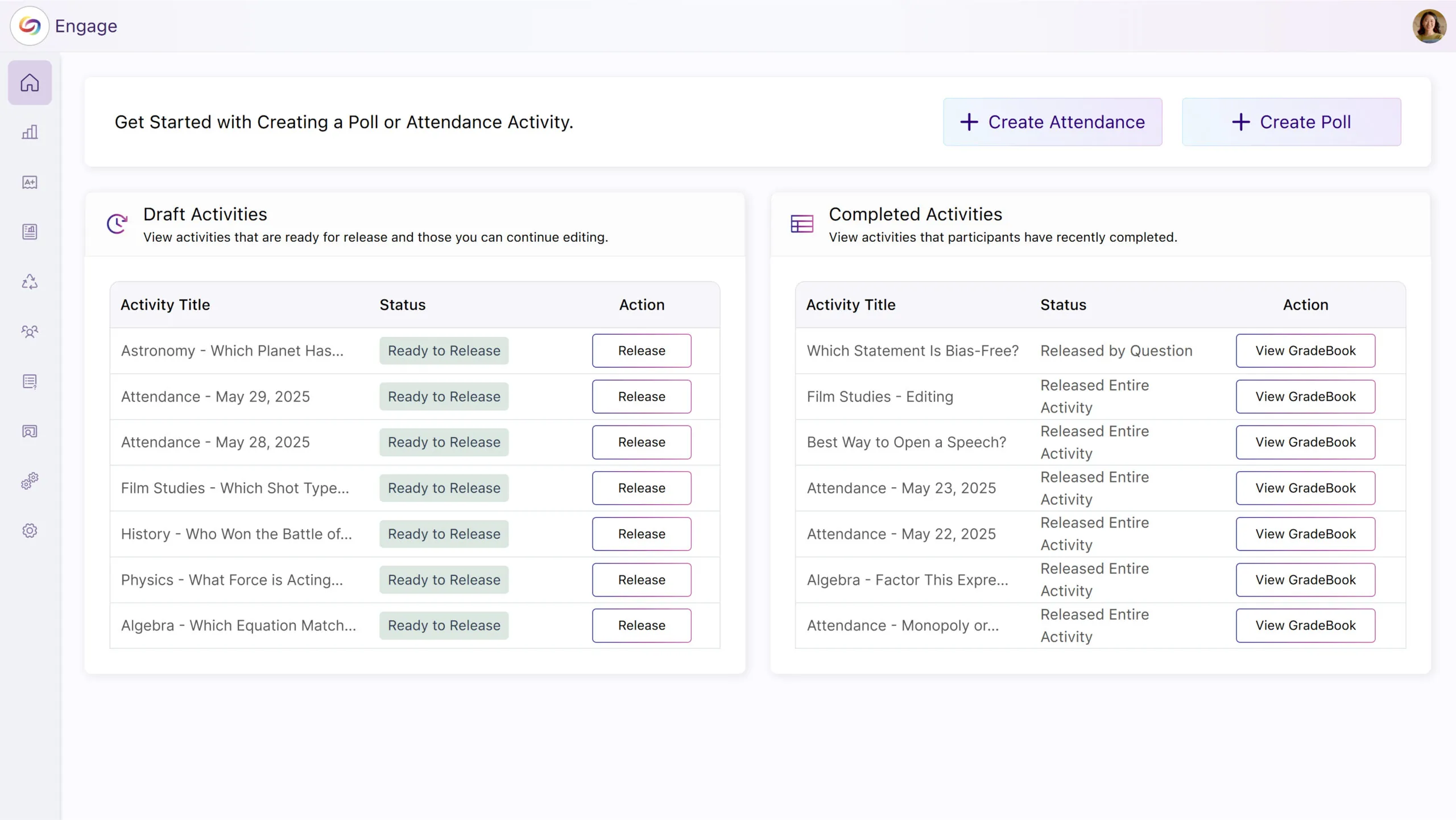
The YuJa Engage homepage has been updated with clearer activity cards organized by status: Live Activities, Draft Activities, and Completed Activities. This improved organization eliminates confusion between recent and active polls while making it easier to find and manage activities.
Join the 1,000+ Organizations Deploying High-Impact Solutions














