

Product Updates
Get the latest platform updates, features, and announcements—all in one place.
Boost Video Accessibility with the GenAI Video PowerPack!
Try Now
Supercharge Your Compliance Efforts with AutoPilot Remediation Max!
Try Now
Strengthen Your PDF Accessibility Efforts with Structural Remediation Max!
Try Now
Don't Miss Any of Our Upcoming Webinars—Save Your Spot!
Register
The YuJa Community is here! Connect, get updates, and access exclusive content.
Join Now

Get the latest platform updates, features, and announcements—all in one place.
We have successfully pushed an update to all YuJa Structural Remediation Max Module instances residing in the United States, Canada, European Union, and Australia. This release provides an option to automatically generate a new tagged structure of your PDF document, visualize a document’s structure with tag trees, a new ability to view the reading order overlaid on the PDF, and an improved user interface that enables viewing the full property panel for tag modification.
This update improves users’ interaction with the tag tree in the PDF Structural Remediation Max Module. Now, when hovering over a parent element in the tag hierarchy, all of its children elements are highlighted simultaneously on the PDF, providing a clearer visual representation of the document’s structure. This helps content creators better understand the relationships between elements. Note: This functionality is available only in newly created PDF reports.
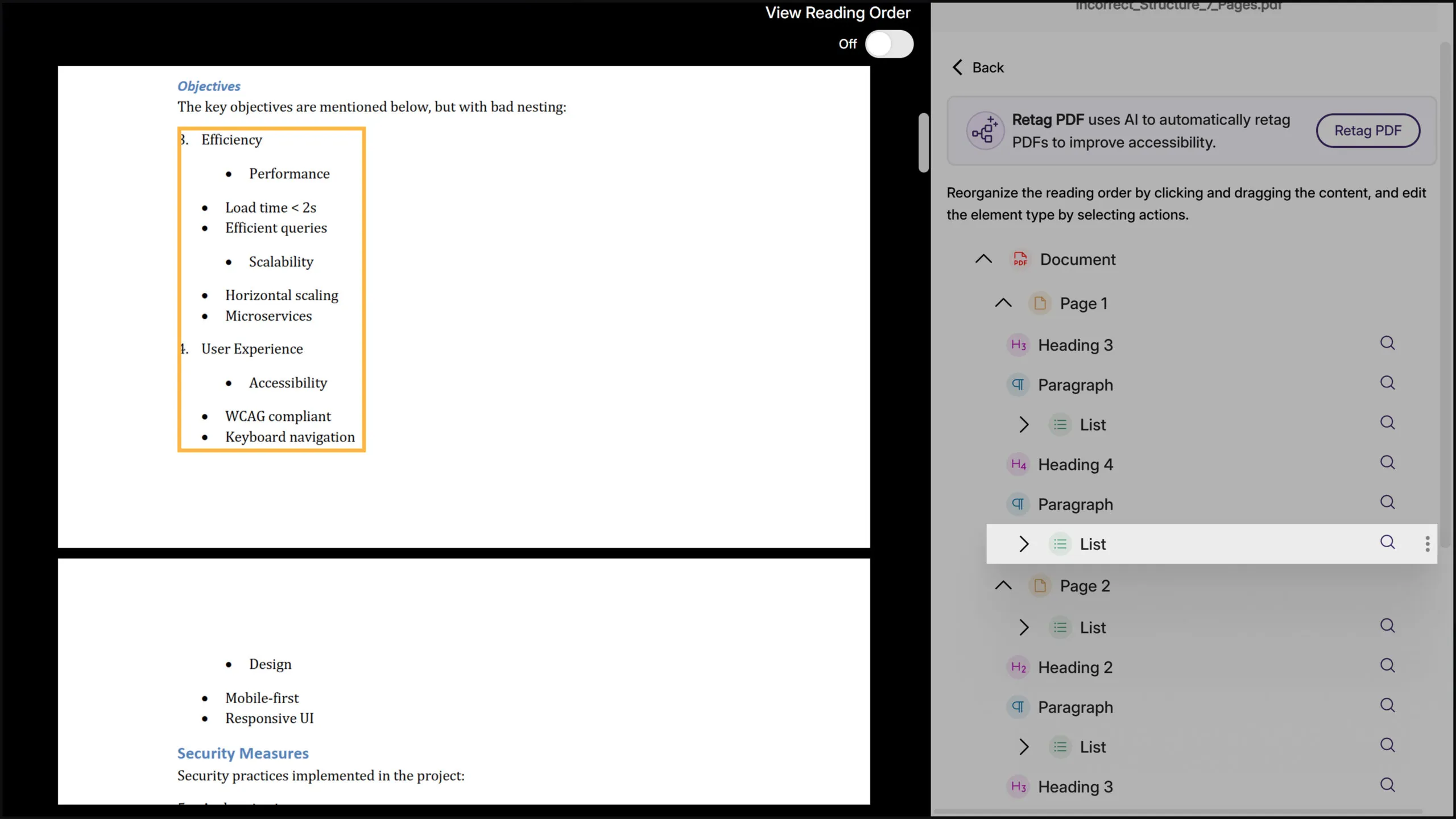
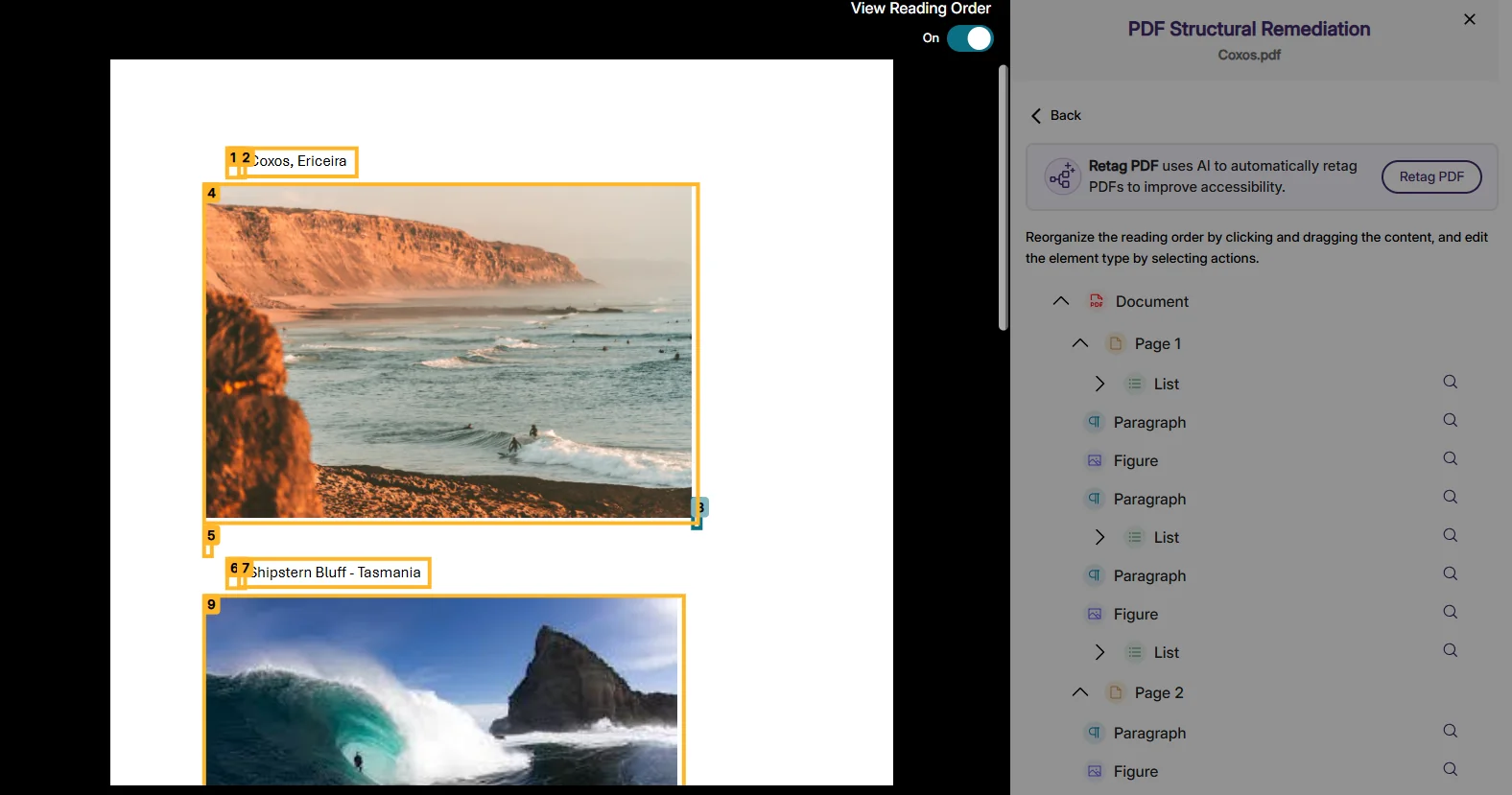
With the toggle of a switch, users can now view the entire reading order of a PDF as an overlay on the page, making it easier to verify and adjust reading order during the remediation process.
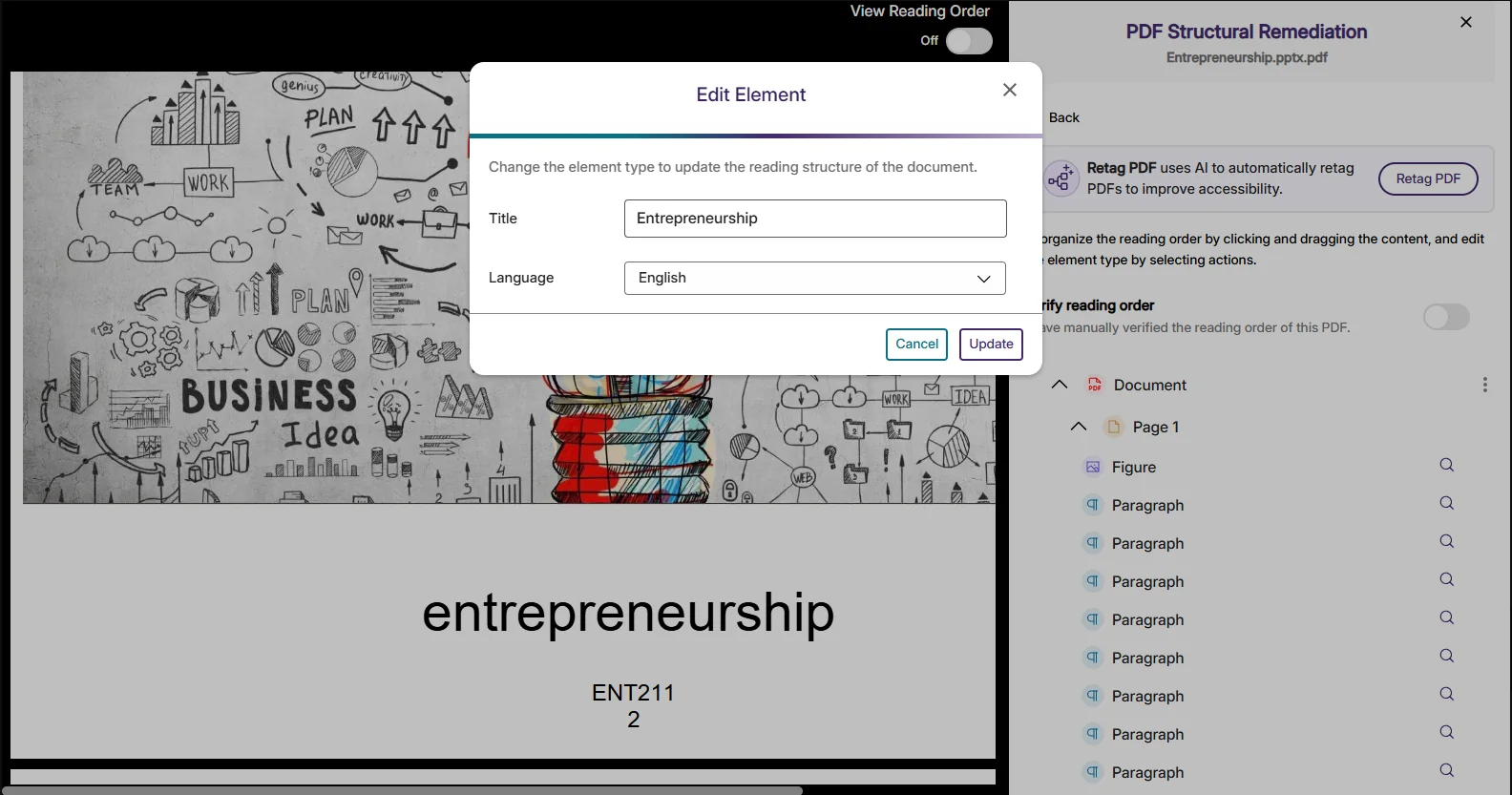
Clicking on any element in a PDF now displays its full properties panel, which eliminates several steps previously required to modify tags during remediation. Document properties like title and language can also be viewed and fixed directly through this enhanced structural remediation interface.
We have successfully pushed an update to all YuJa Panorama LMS Accessibility Platform instances residing in the US, Canada, Australia, Singapore, the Middle East, and the European Union. This update includes expanded support for replacing files in D2L Brightspace, an enhanced Issue Severity Rubric Wizard to streamline changing the issue settings, Gradient Reader settings that are now saved between sessions, and more.
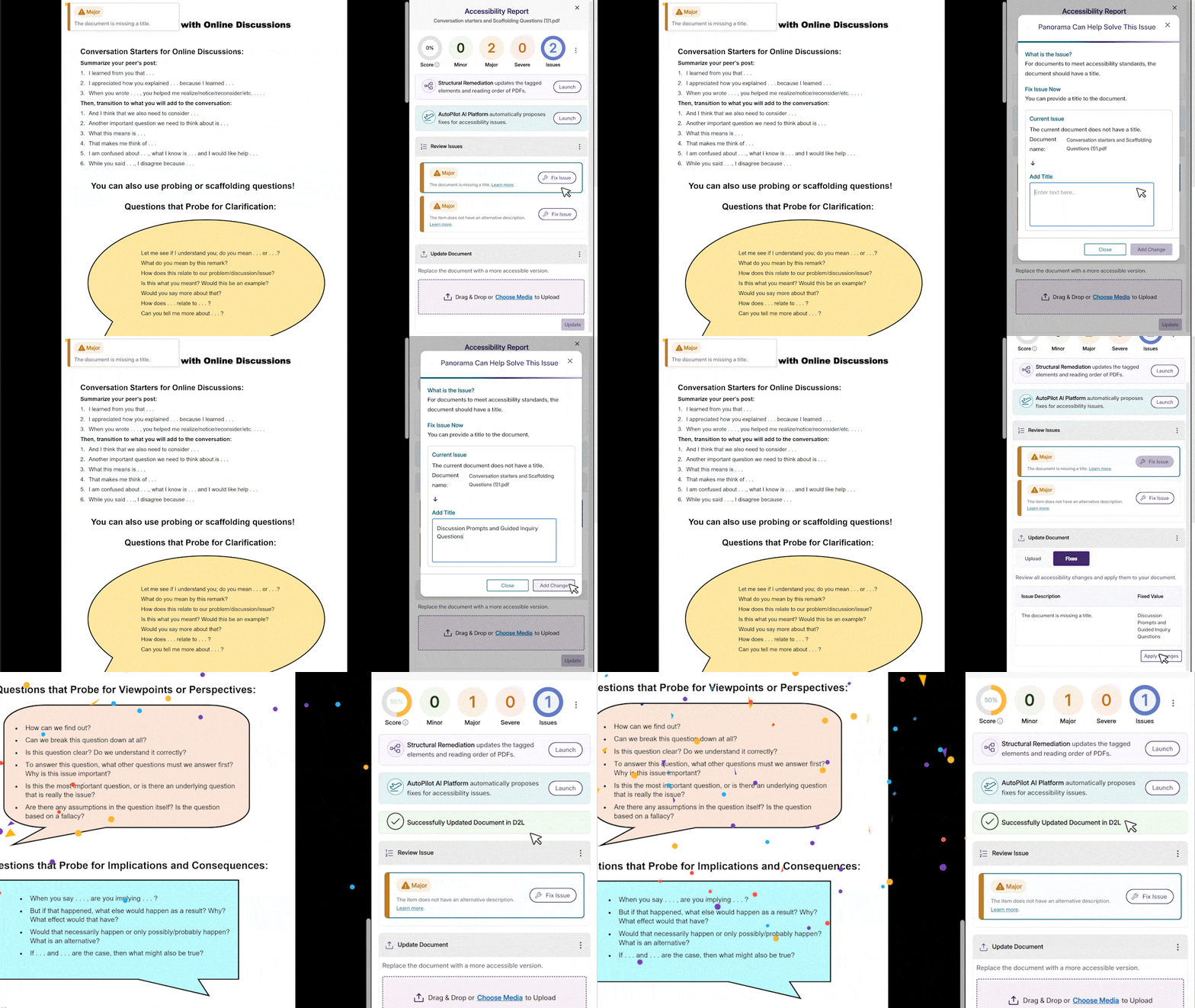
We’ve expanded support for replacing PDFs in D2L Brightspace when making accessibility improvements. This update simplifies file replacement even when addressing metadata changes such as missing titles, alongside visual accessibility improvements.
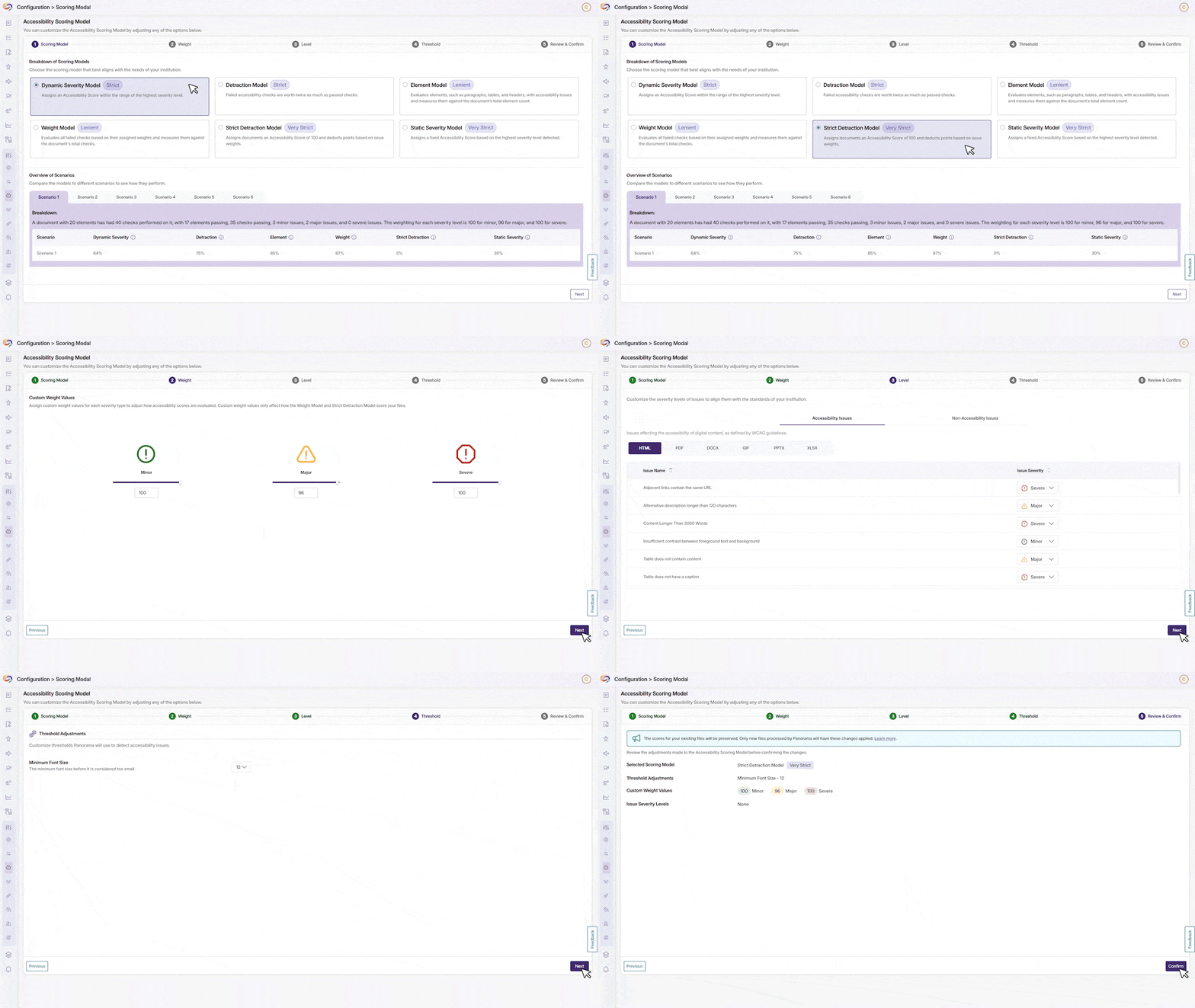
We’ve enhanced the Issue Severity and Rubric Wizard that guides users through configuring assessment parameters for new documents. Administrators can easily adjust settings and see all changes before they confirm the updates. Note: These configuration updates will only be applied to newly analyzed documents.
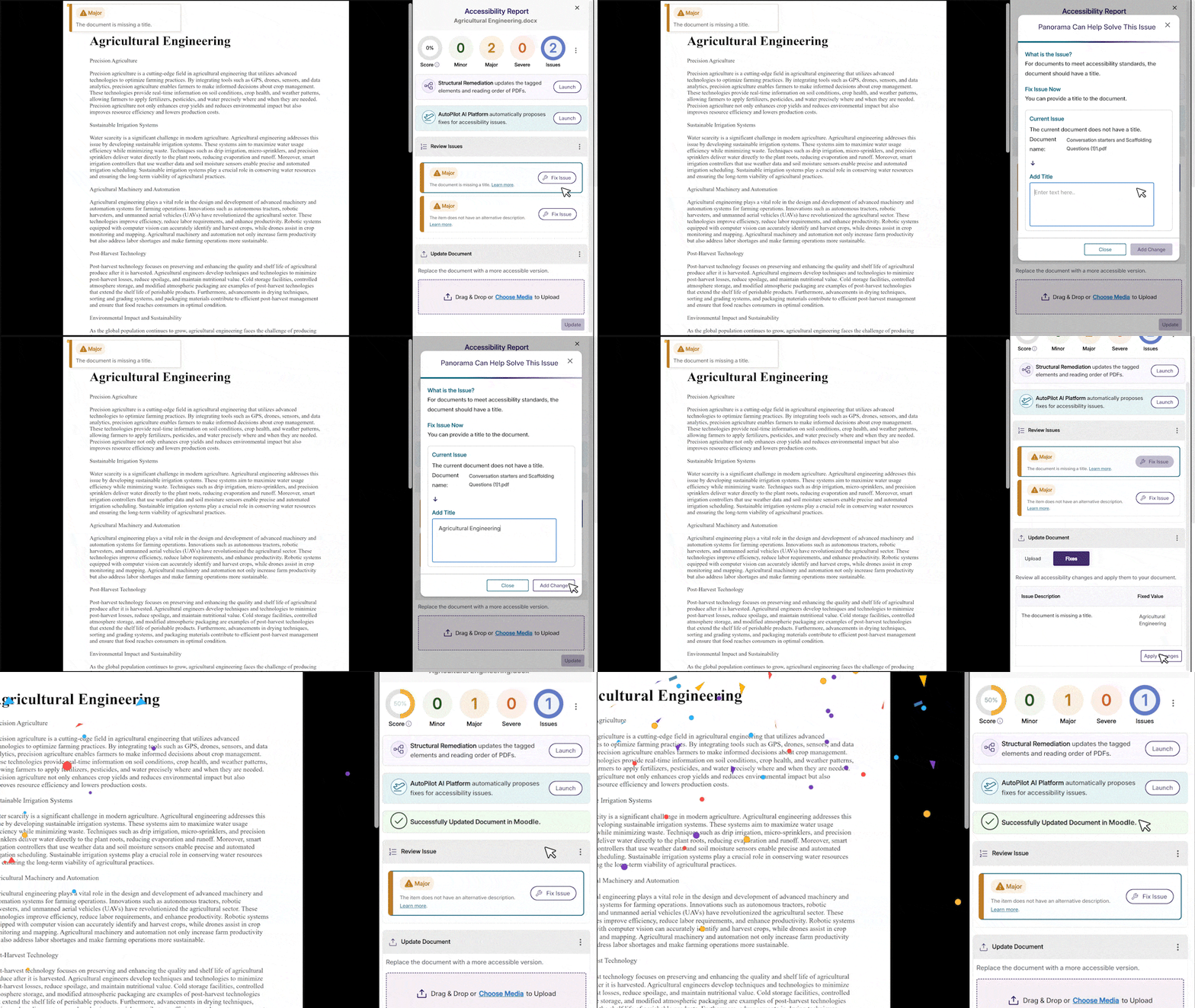
Users can now save their custom color scheme preferences across sessions in the Gradient Reader. Personalized settings will now automatically apply each time they reopen the application.

The Moodle plugin has been enhanced to support HTML content replacement throughout the Moodle environment, including across assignments, books, forums, quizzes, and other content types.
This update enables direct file replacement for improved accessibility across Moodle Assignments, Announcements, and Folder structures. When viewing attachments in these modules, accessibility improvements made through YuJa Panorama will now automatically update the downloadable files.
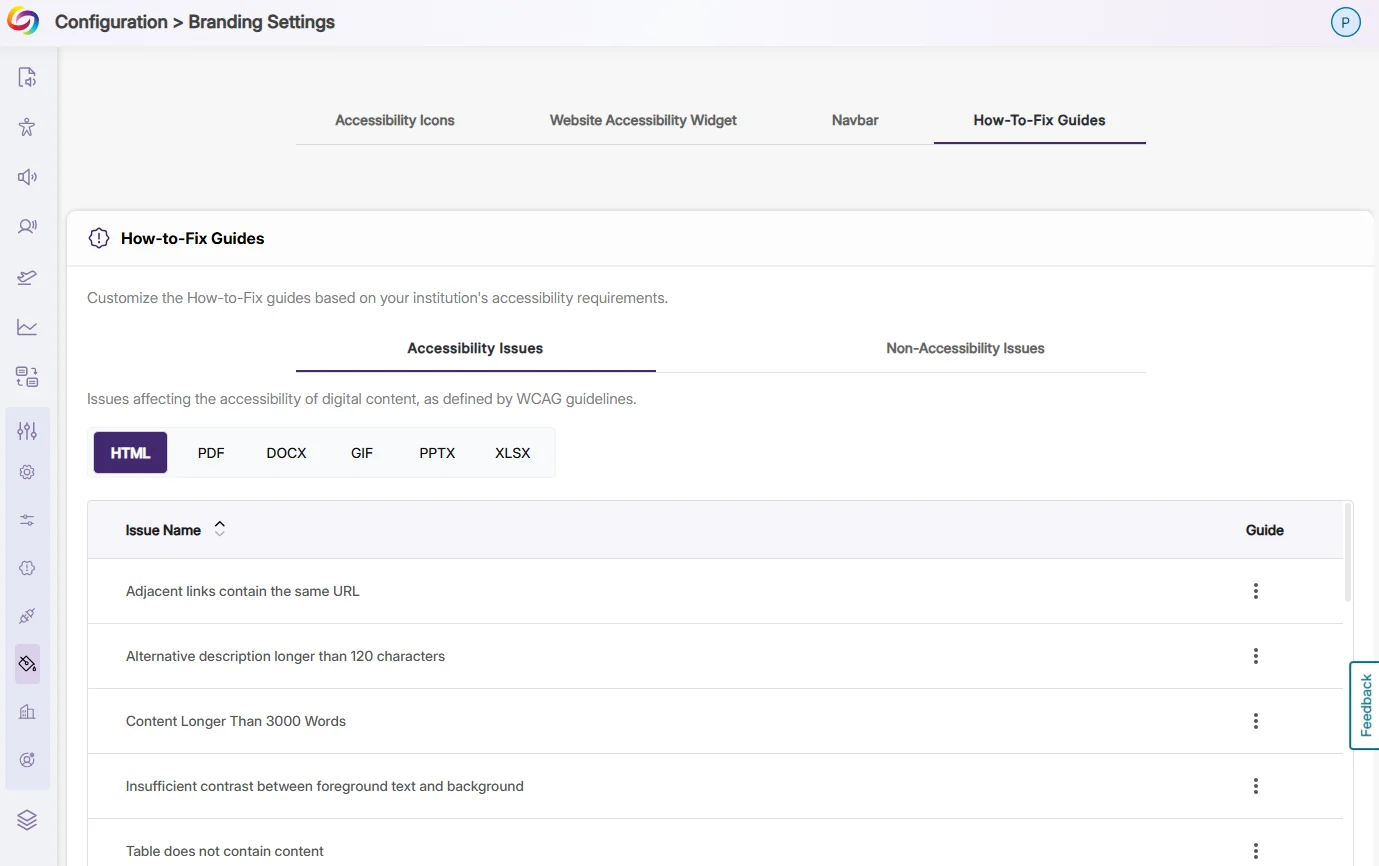
The customization options for issue remediation guides have been moved to the Branding tab for improved visibility. Users can now more easily find and modify instructions that guide users through fixing accessibility issues.
Performance optimizations allow YuJa Panorama to load faster within the LMS for students with limited bandwidth. These improvements maintain full Platform functionality while reducing resource demands in the LMS.
Sub-admins who manage at least one sub-account will now maintain their role permissions during LTI launches without requiring role locking. This enhancement eliminates the need for special configurations to prevent permission downgrades, creating a more consistent administrative experience.
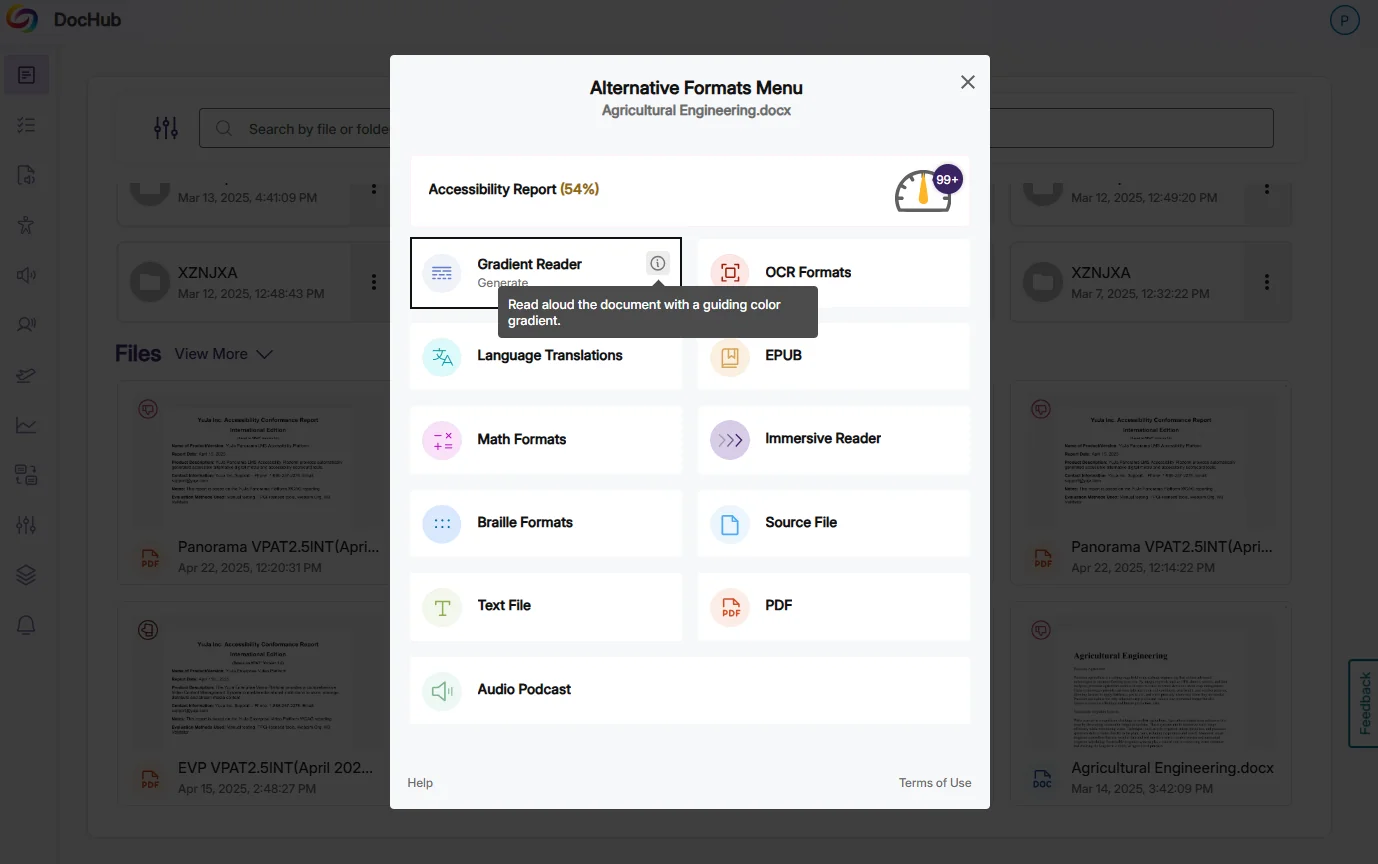
Each alternative format option now has informative tooltips that provide students with clear explanations of when and how to use each format when students hover over the format icon.
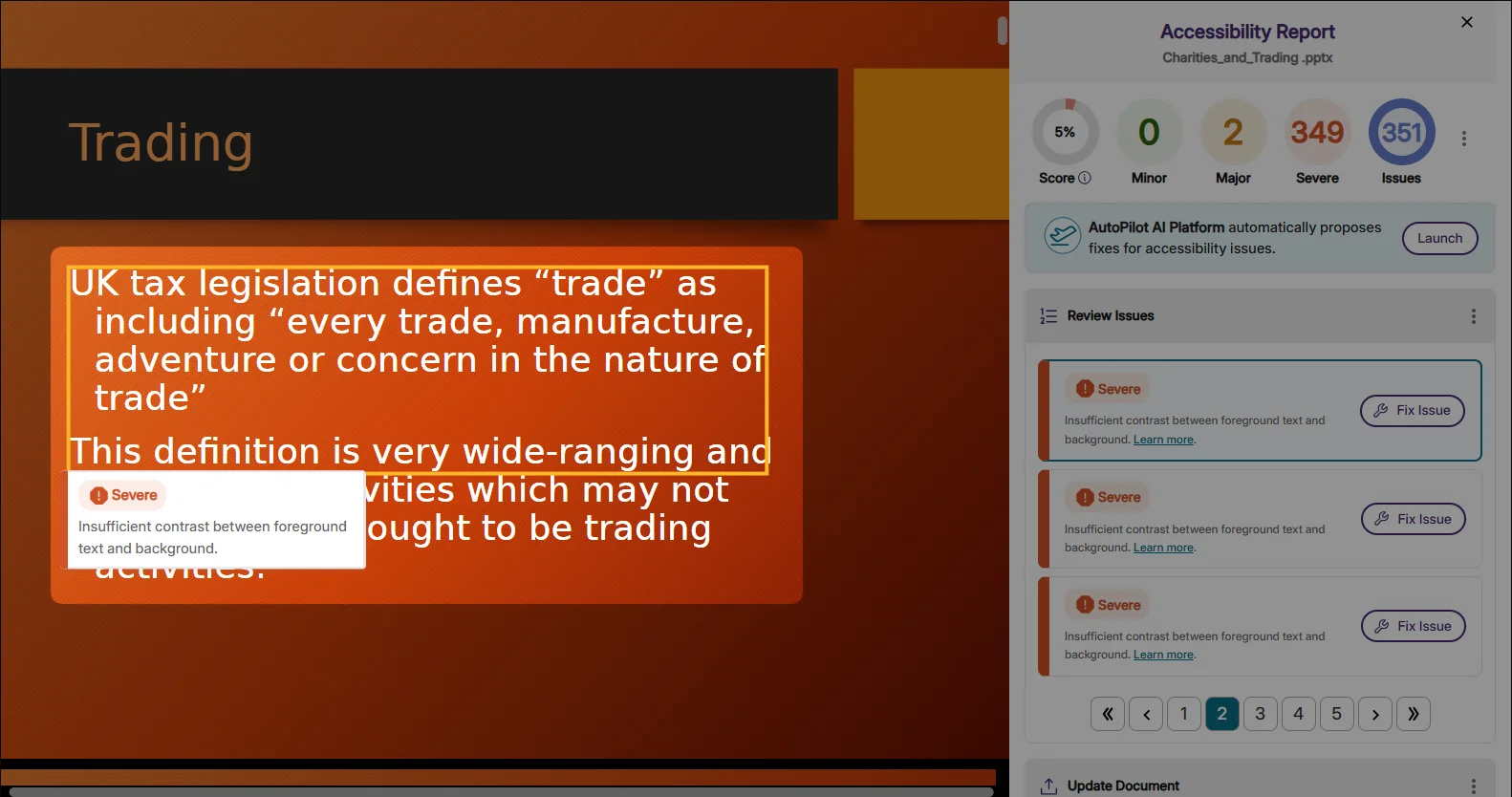
This update improves how YuJa Panorama identifies color contrast issues in Microsoft PowerPoint presentations, including those created with Designer Slides, reducing false positive accessibility flags.
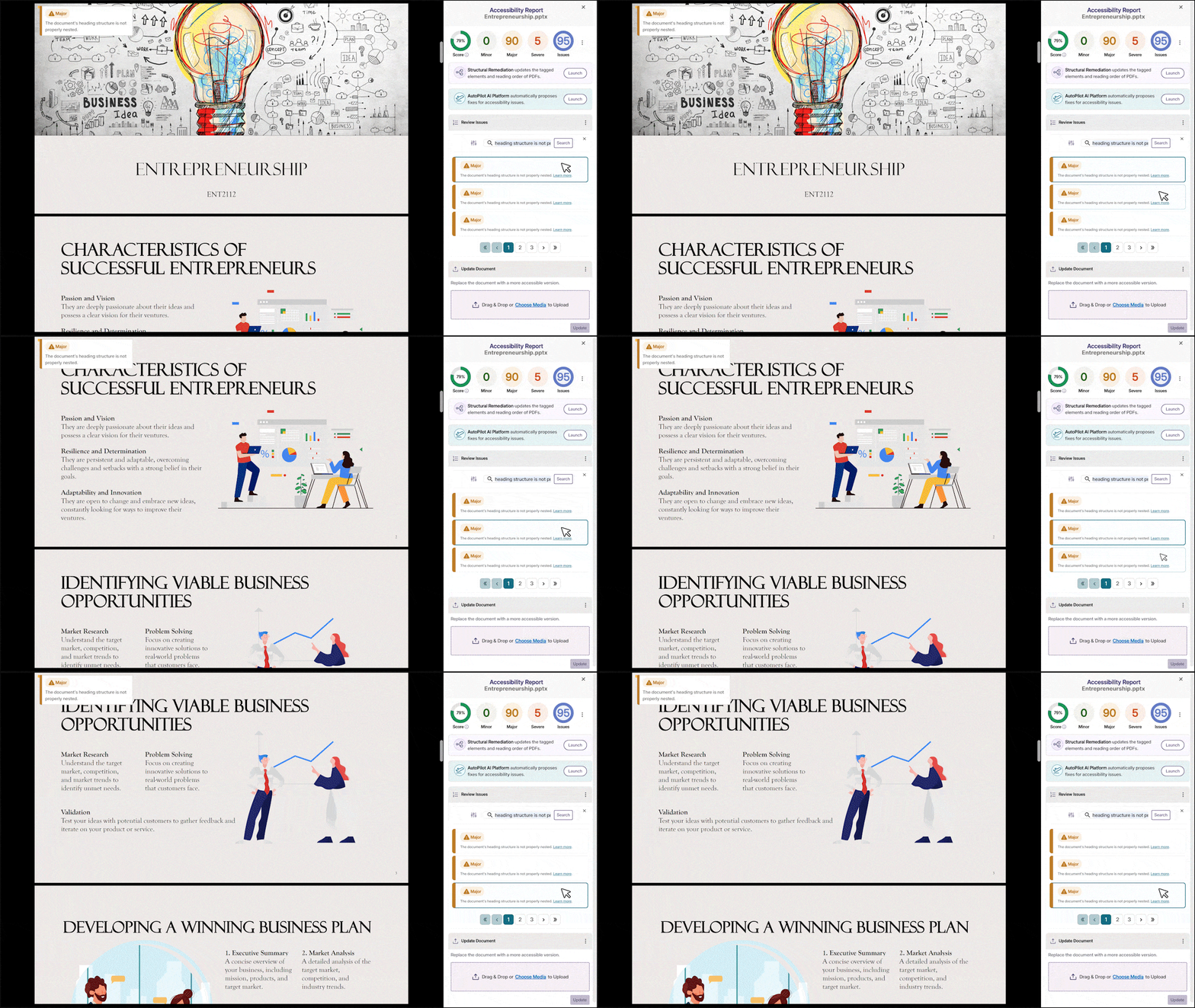
Heading structure issues in PowerPoint files are now flagged on individual slides where they occur rather than being consolidated. This makes it easier to locate and address specific structural issues.
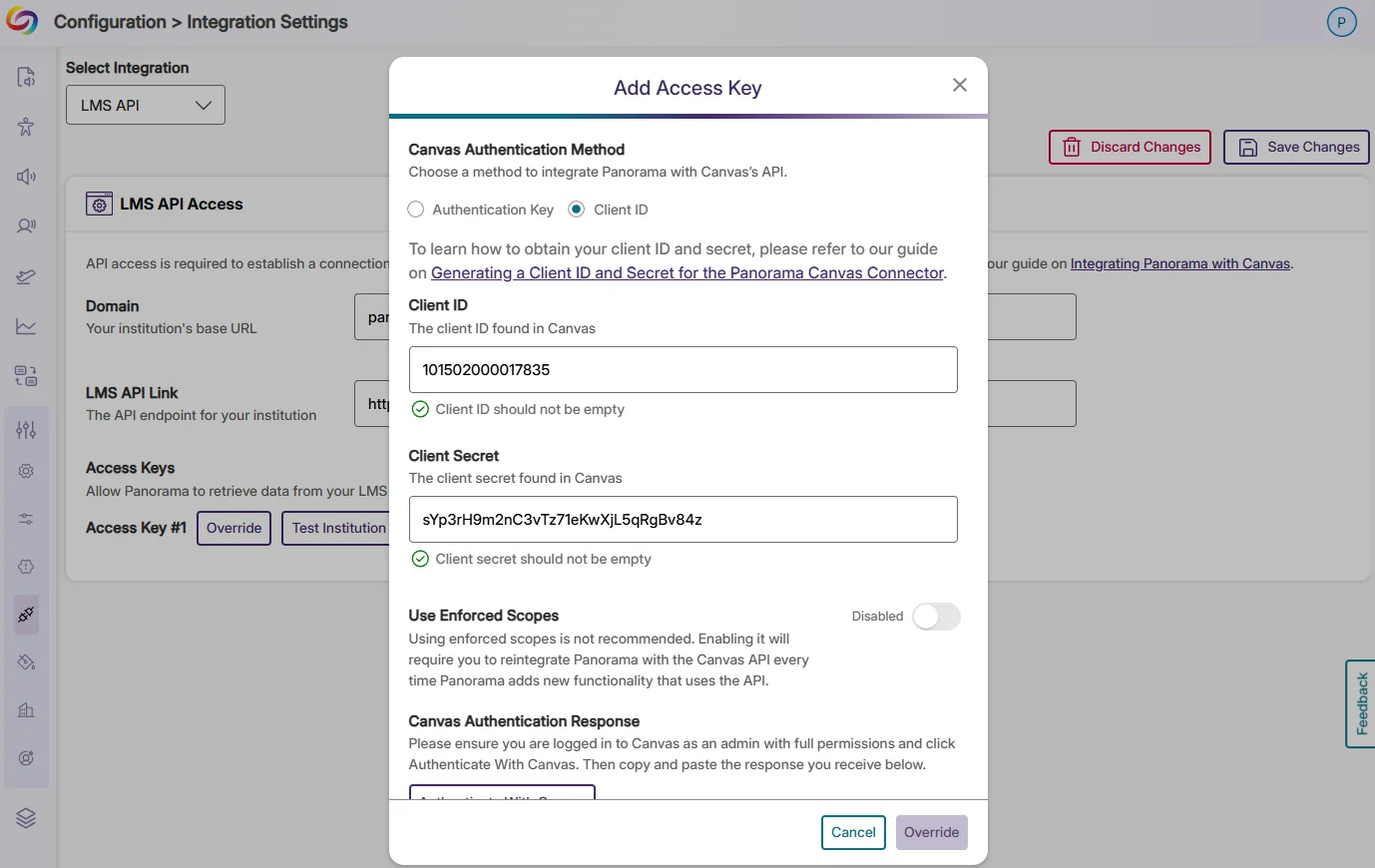
The Canvas API integration now offers an additional method of authentication using a Client ID and Secret, rather than Access Tokens. This allows Administrators to provide Panorama with more granular permissions.
Building on extensions with Canvas and Moodle, we’ve expanded our LMS integration capabilities with a new offering built using the D2L Extension framework. Now, rather than hitting a roadblock when they attempt to access a password-protected assessment without the required browser extension, test-takers will be guided through YuJa Verity setup and then be directed to their quiz.

YuJa Verity’s Quiz Configuration Summary and Verity Results pages now display additional configuration options beyond top-level settings, such as specific detection parameters for video recordings or allowed websites for web traffic monitoring, giving instructors visibility into their proctoring settings. This update makes it easier to verify all enabled restrictions and troubleshoot potential issues.

Proctoring settings now transfer seamlessly when copying or importing courses and assessments in Moodle. This capability ensures all proctoring settings transfer automatically to the new assessment, streamlining course setup and maintaining consistent security protocols.
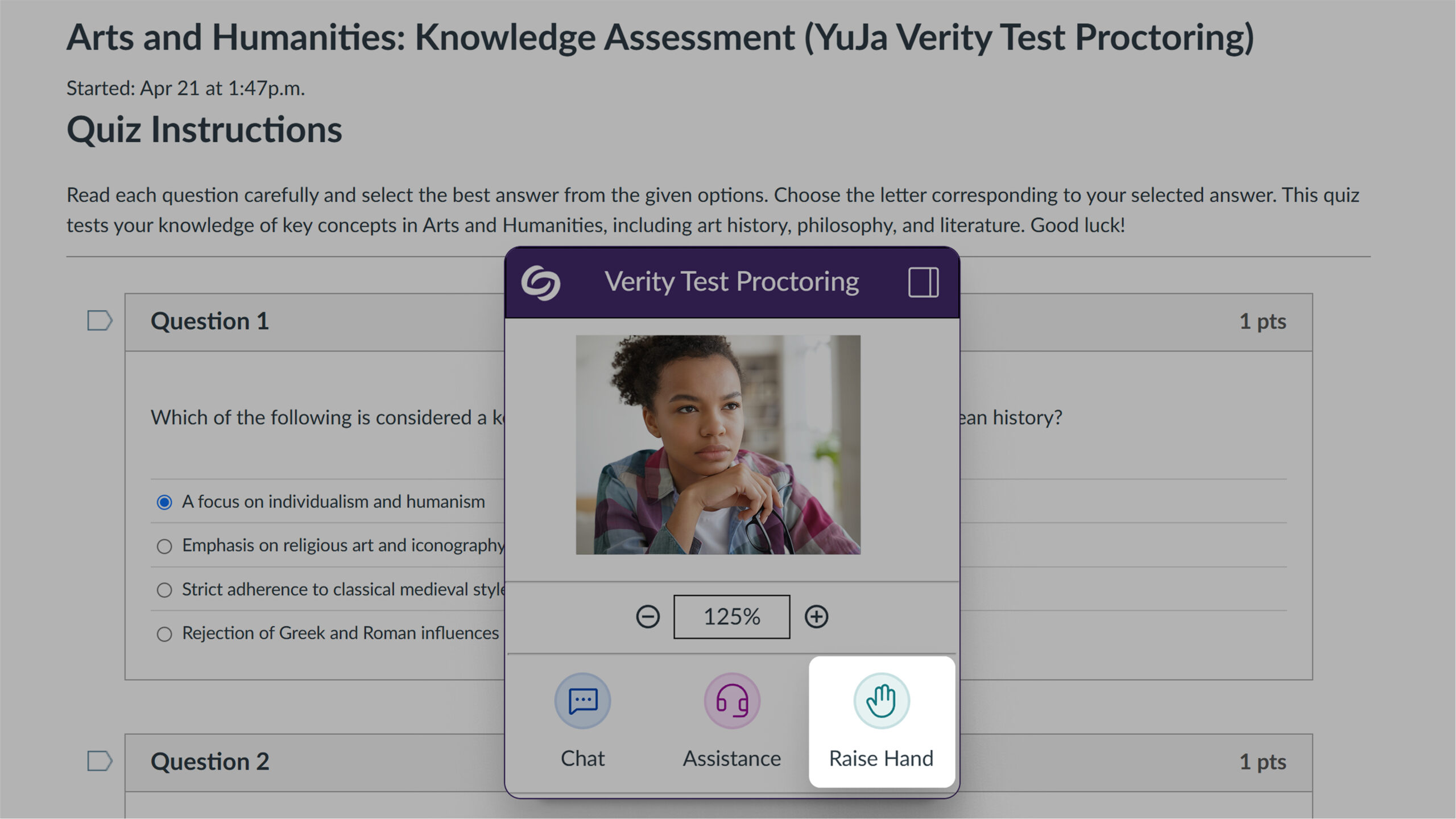
Test-takers can now raise their hand during live proctored assessments. Proctors receive sound notifications when hands are raised and can view all raised hands in a dedicated list, with options to lower individual hands or all hands at once.
Live proctors can now communicate with all test-takers simultaneously through a new “Everyone” tab in the Chat panel. This feature enables announcements, time warnings, and general instructions to make live proctoring more efficient and responsive for both instructors and test-takers.

Administrators can now view institutional reporting, course reporting, and settings filtered by organizational nodes. This update improves access management in shared LMS environments while providing separation of administrative responsibilities.

Links added to question content are now automatically added to the whitelist when using the “Disable New Tabs” or “Close Open Tabs” options in D2L and Canvas Classic Quizzes. This update helps ensure test-takers can access instructor-provided resources without interruption while maintaining assessment security.

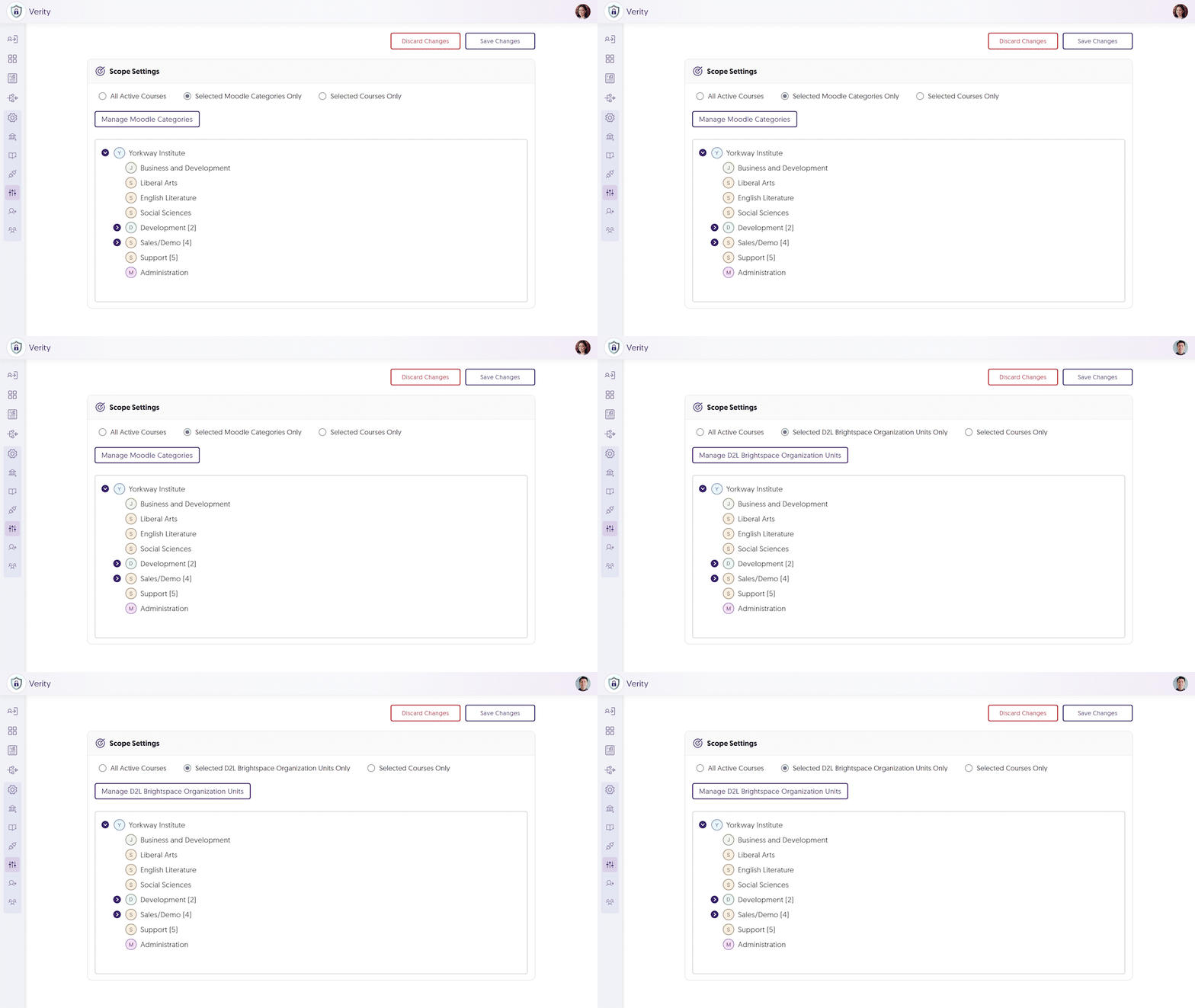
YuJa Verity now provides organizational hierarchy support to Moodle and D2L learning management systems, complementing the existing functionality in other LMS platforms. Administrators can sync category structures from these platforms using the Scope Settings management tool for consistent sub-account visibility and control.
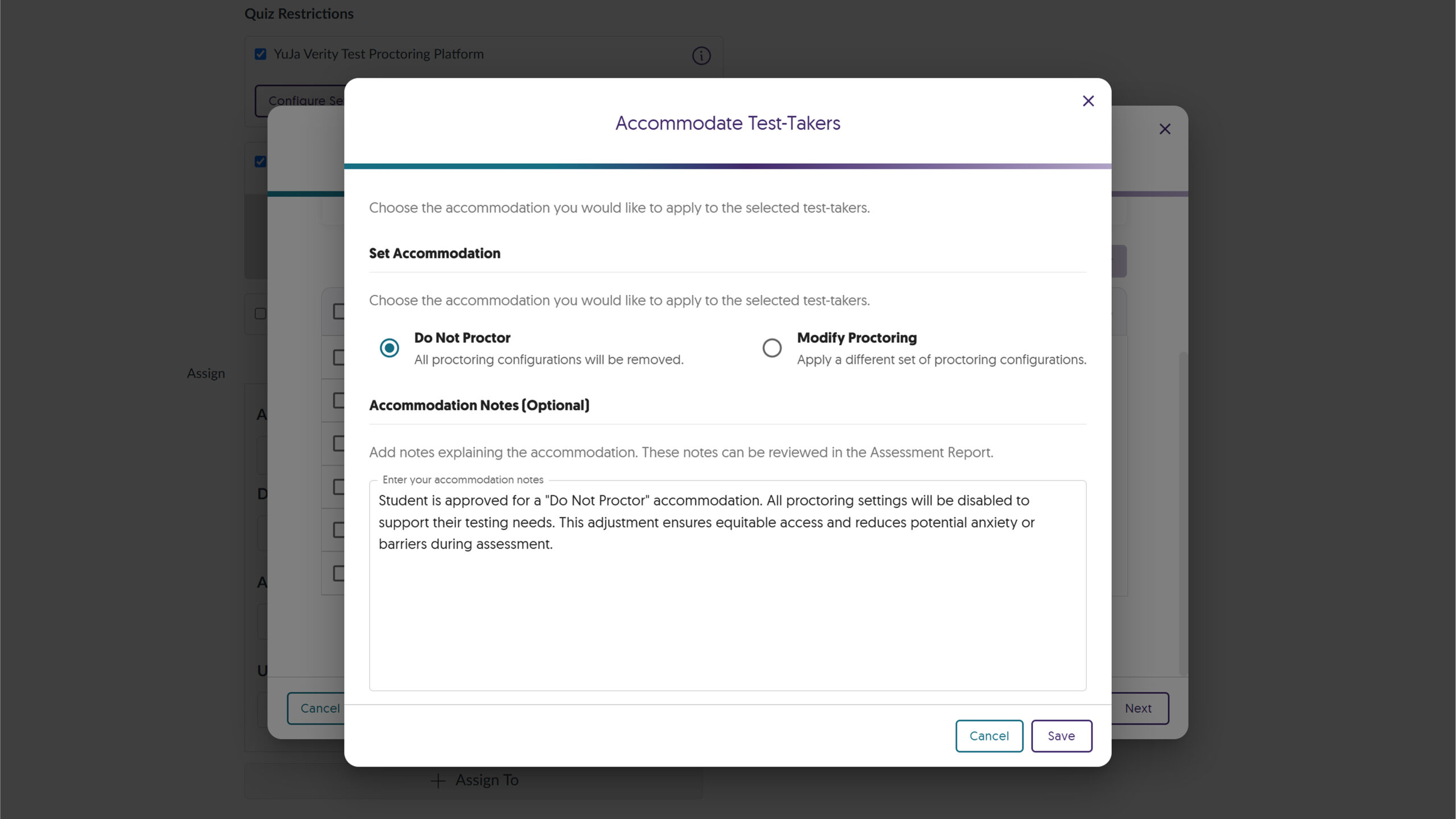
Instructors can now add detailed accommodation notes to individual test-takers directly from the redesigned Accommodations tab. This updated interface streamlines the exemption management process while providing space for instructors to document specific student needs or approved modifications.
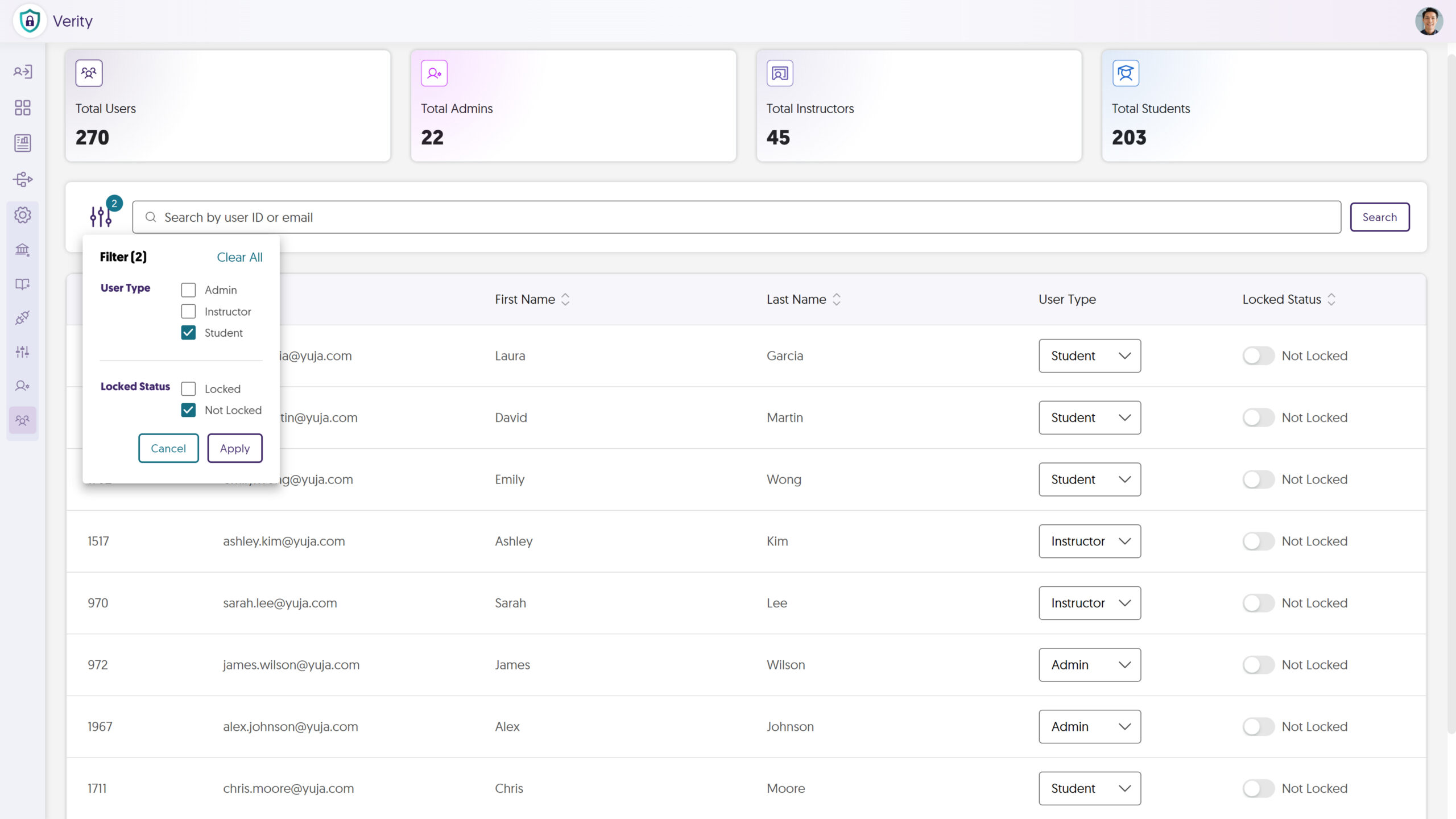
YuJa Verity now has an institutional roster system. Administrators can create, modify, and manage user accounts from a centralized dashboard, with advanced search capabilities and downloadable roster reports.
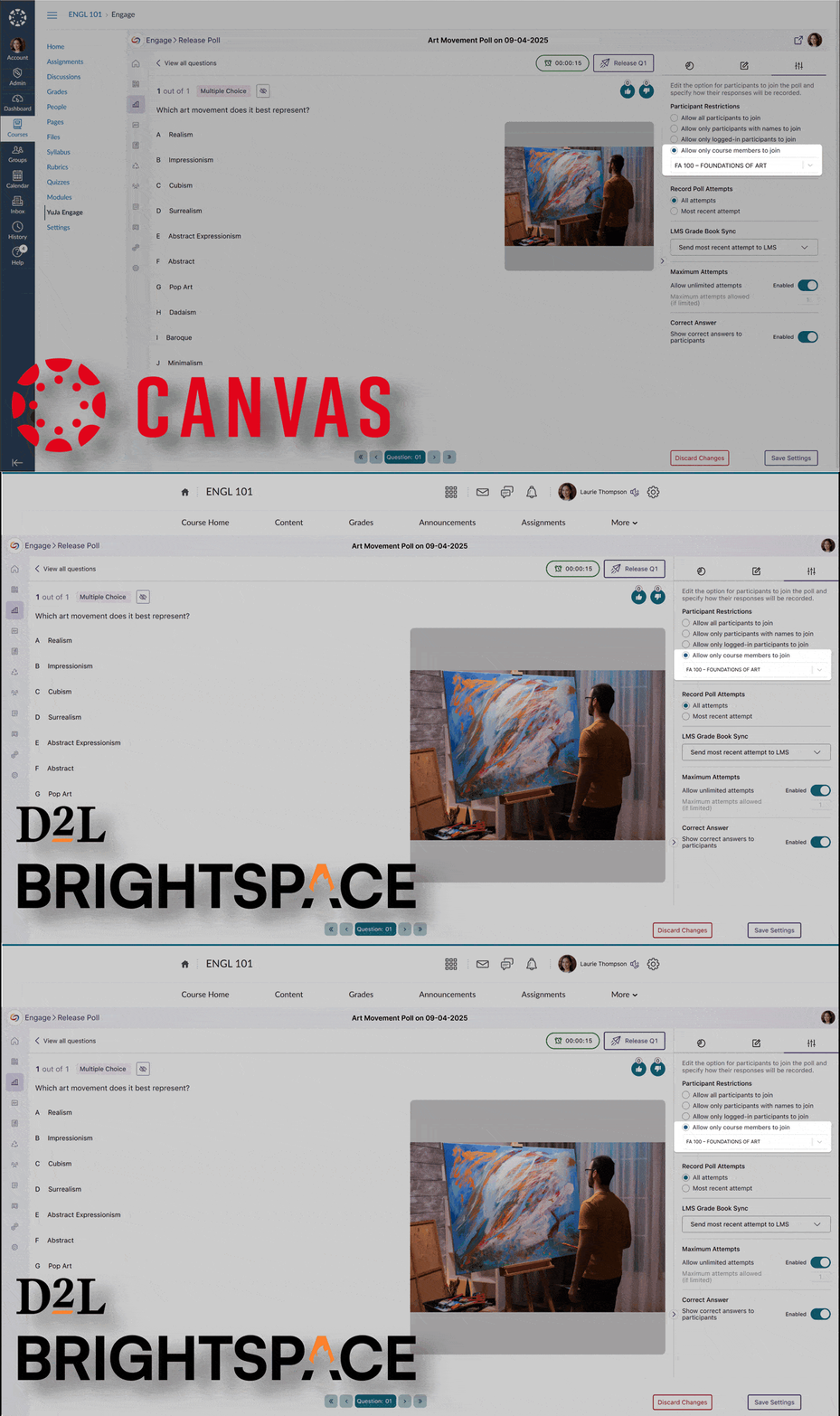
Building on our automatic Blackboard Grade Book sync, we’ve added grade book sync between YuJa Engage and LMS grade books for Canvas and D2L Brightspace. Previously, participants were required to log in to the LMS to take polls and have their results synced. Now, their results are automatically synced to the grade book after completing polls through the YuJa Engage mobile app or website, eliminating the need to log in. To configure this option, simply select “Allow only course members to join under Participant Restrictions,” and assign the poll to your desired course from the drop-down menu.
We’ve added support for custom question-type labels that allow instructors to maintain their preferred terminology when transitioning from other platforms. Instructors can now create familiar activity types such as ‘Icebreaker,’ ‘Retrospective,’ and ‘Brainstorm’ while leveraging YuJa Engage’s powerful short answer functionality.

We’ve improved the mobile experience in YuJa Engage with sticky navigation controls that remain visible at the bottom of the screen while scrolling through poll questions.

We’ve refreshed the YuJa Engage authentication screens with a contemporary design that enhances usability and security. The update introduces institutional branding capabilities that display your organization’s logo during sign-in, improve keyboard navigation accessibility, and provide clearer feedback throughout the authentication process.

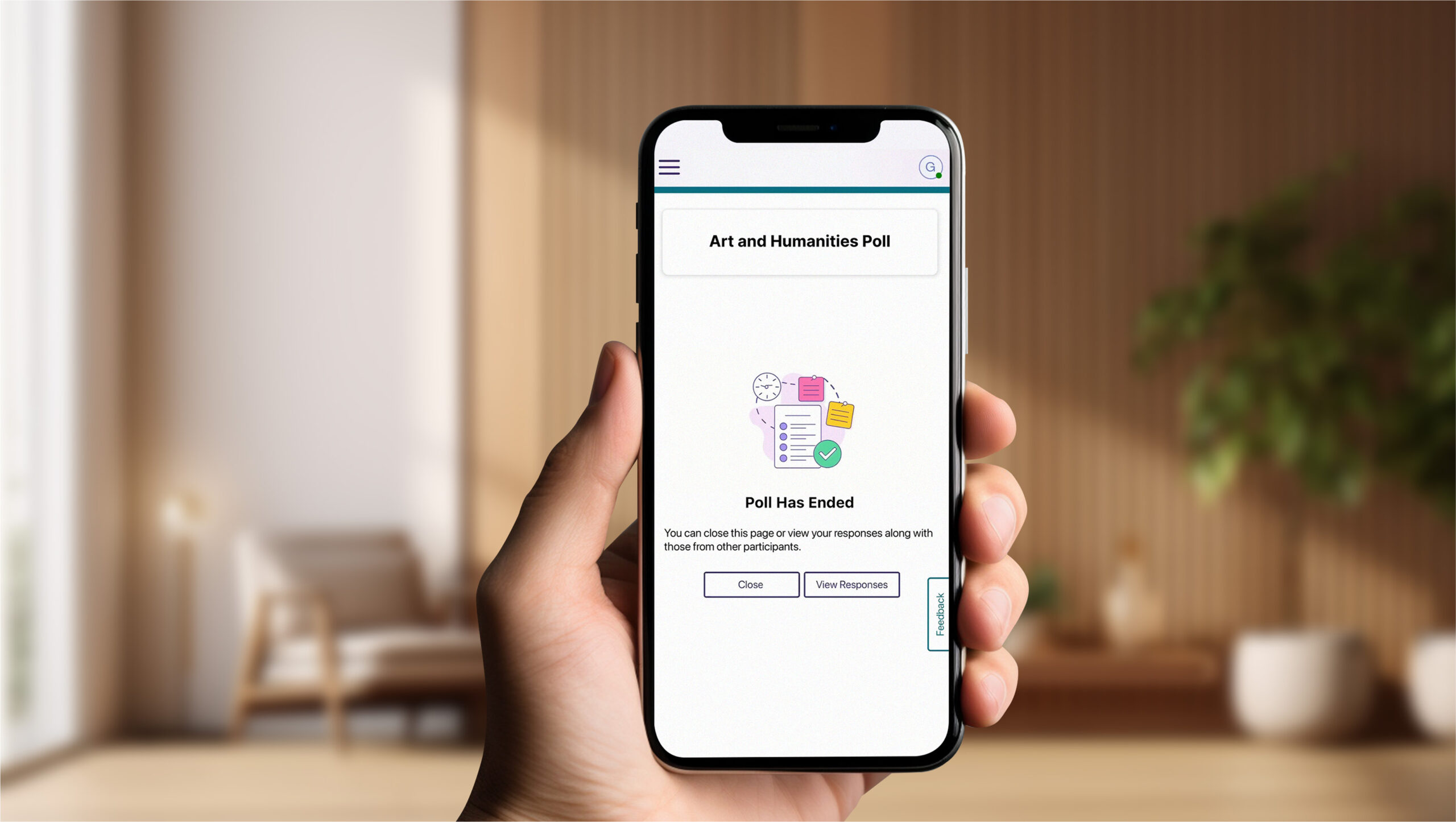
We’ve redesigned the student poll-taking experience in our mobile apps to align with our web interface, providing improved navigation and a more intuitive layout for students participating via smartphones and tablets.
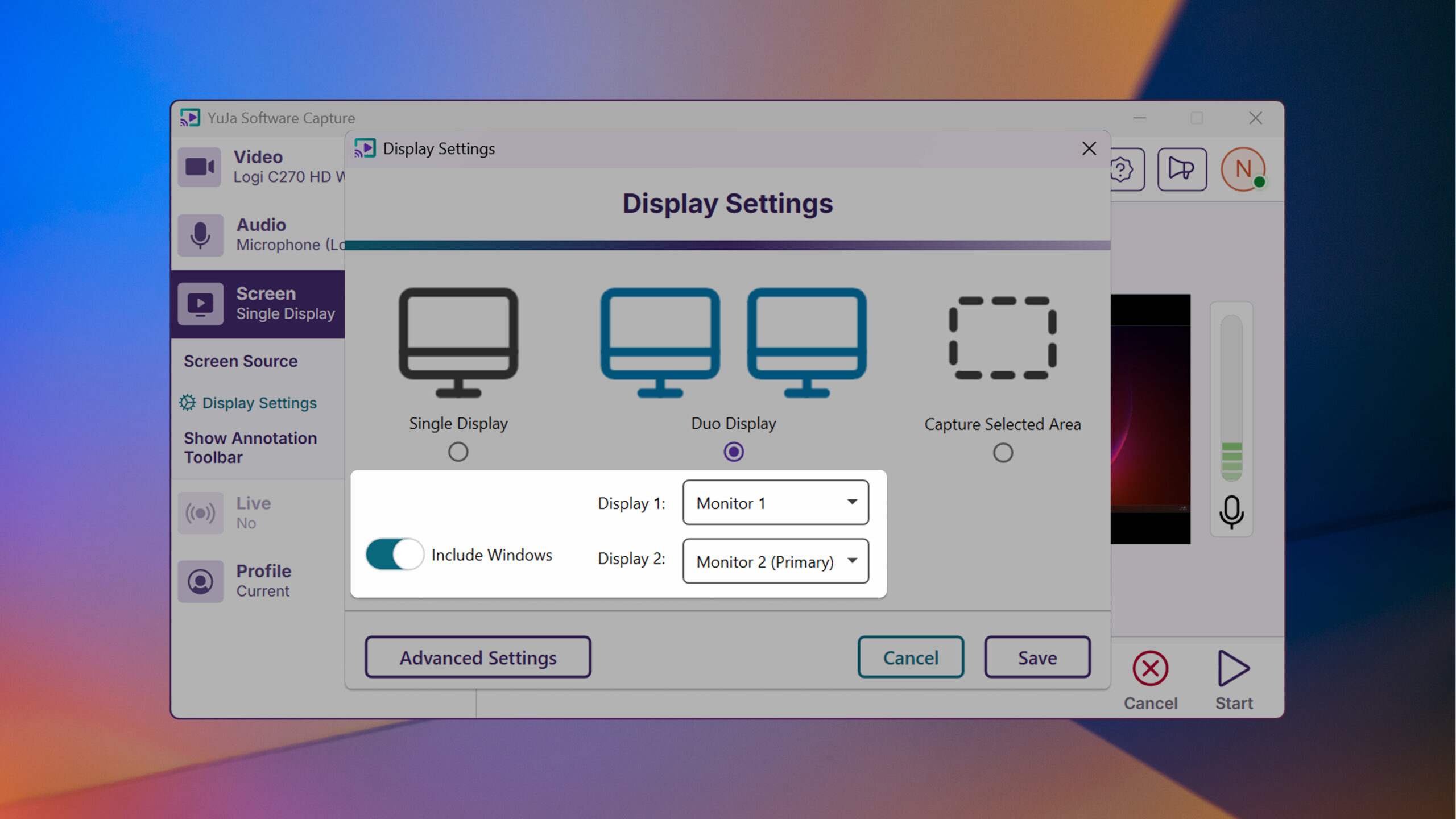
This week, we’re rolling out enhancements across the YuJa Lecture Capture Module. For YuJa Software Capture for PC, we’ve added a targeted application window recording option.
We’ve enhanced YuJa Software Capture with a new window recording option that gives you more flexibility and precision when creating content. In addition to full-screen recording and region selection, you can now capture specific application windows while ignoring other on-screen content for a cleaner, more focused recording experience.
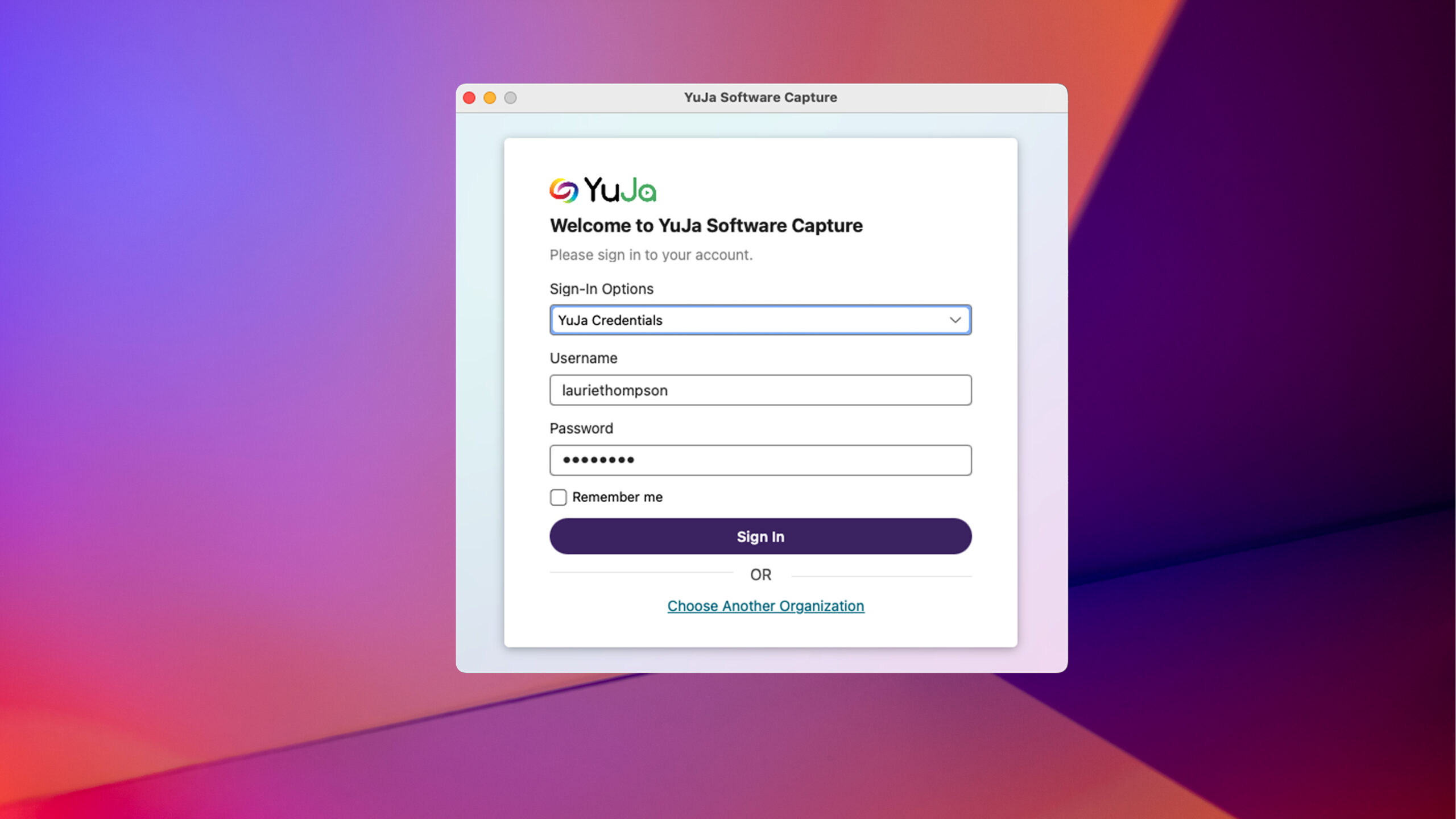
For YuJa Software Capture for Mac, we’ve improved the overall login experience.
YuJa Software Capture has an improved user experience and login interface with field-specific error messaging and a “remember me” option to simplify the login process.
Join the 1,000+ Organizations Deploying High-Impact Solutions














