

Product Updates
Get the latest platform updates, features, and announcements—all in one place.
Boost Video Accessibility with the GenAI Video PowerPack!
Try Now
Supercharge Your Compliance Efforts with AutoPilot Remediation Max!
Try Now
Strengthen Your PDF Accessibility Efforts with Structural Remediation Max!
Try Now
Don't Miss Any of Our Upcoming Webinars—Save Your Spot!
Register
The YuJa Community is here! Connect, get updates, and access exclusive content.
Join Now

Get the latest platform updates, features, and announcements—all in one place.
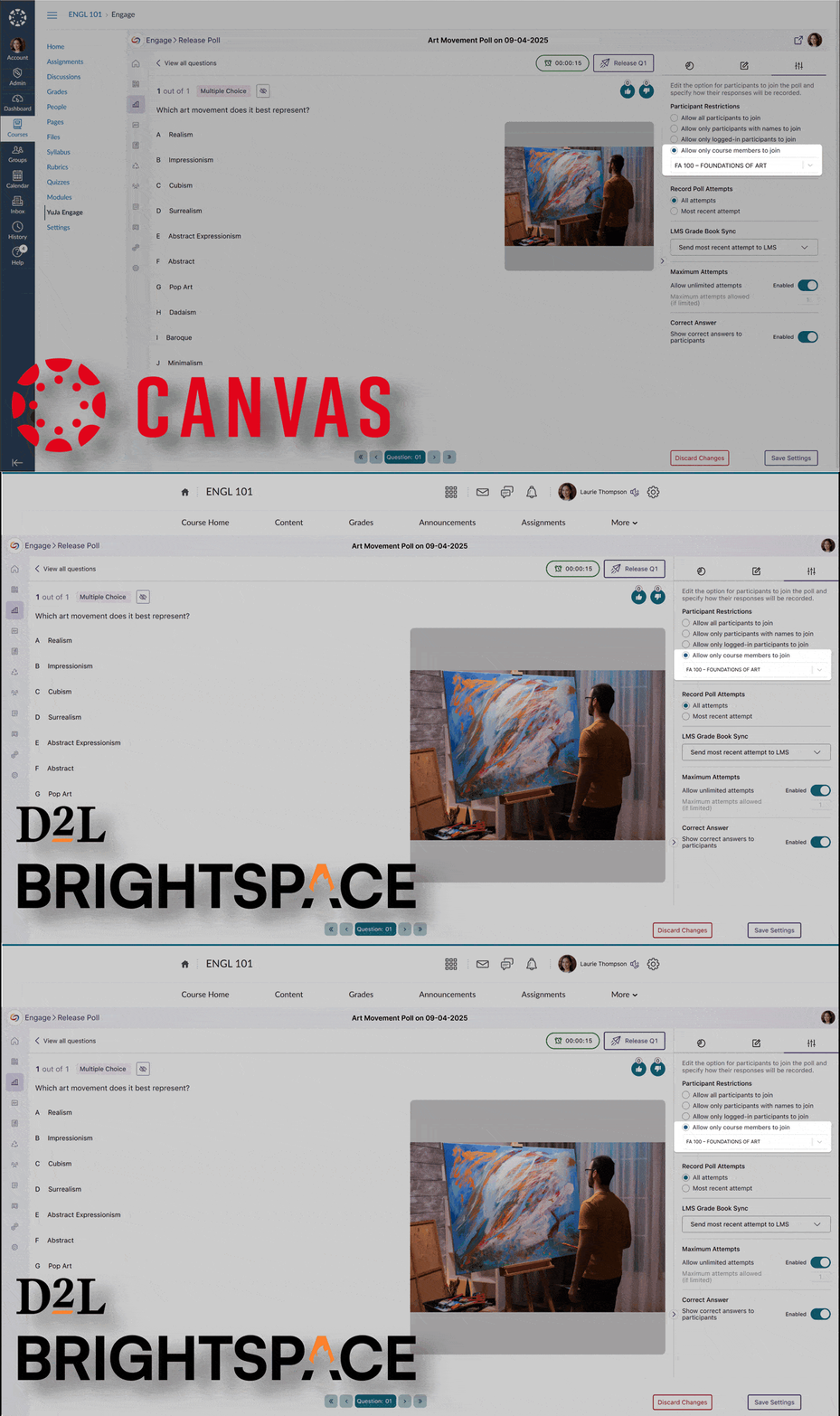
Building on our automatic Blackboard Grade Book sync, we’ve added grade book sync between YuJa Engage and LMS grade books for Canvas and D2L Brightspace. Previously, participants were required to log in to the LMS to take polls and have their results synced. Now, their results are automatically synced to the grade book after completing polls through the YuJa Engage mobile app or website, eliminating the need to log in. To configure this option, simply select “Allow only course members to join under Participant Restrictions,” and assign the poll to your desired course from the drop-down menu.
We’ve added support for custom question-type labels that allow instructors to maintain their preferred terminology when transitioning from other platforms. Instructors can now create familiar activity types such as ‘Icebreaker,’ ‘Retrospective,’ and ‘Brainstorm’ while leveraging YuJa Engage’s powerful short answer functionality.

We’ve improved the mobile experience in YuJa Engage with sticky navigation controls that remain visible at the bottom of the screen while scrolling through poll questions.

We’ve refreshed the YuJa Engage authentication screens with a contemporary design that enhances usability and security. The update introduces institutional branding capabilities that display your organization’s logo during sign-in, improve keyboard navigation accessibility, and provide clearer feedback throughout the authentication process.

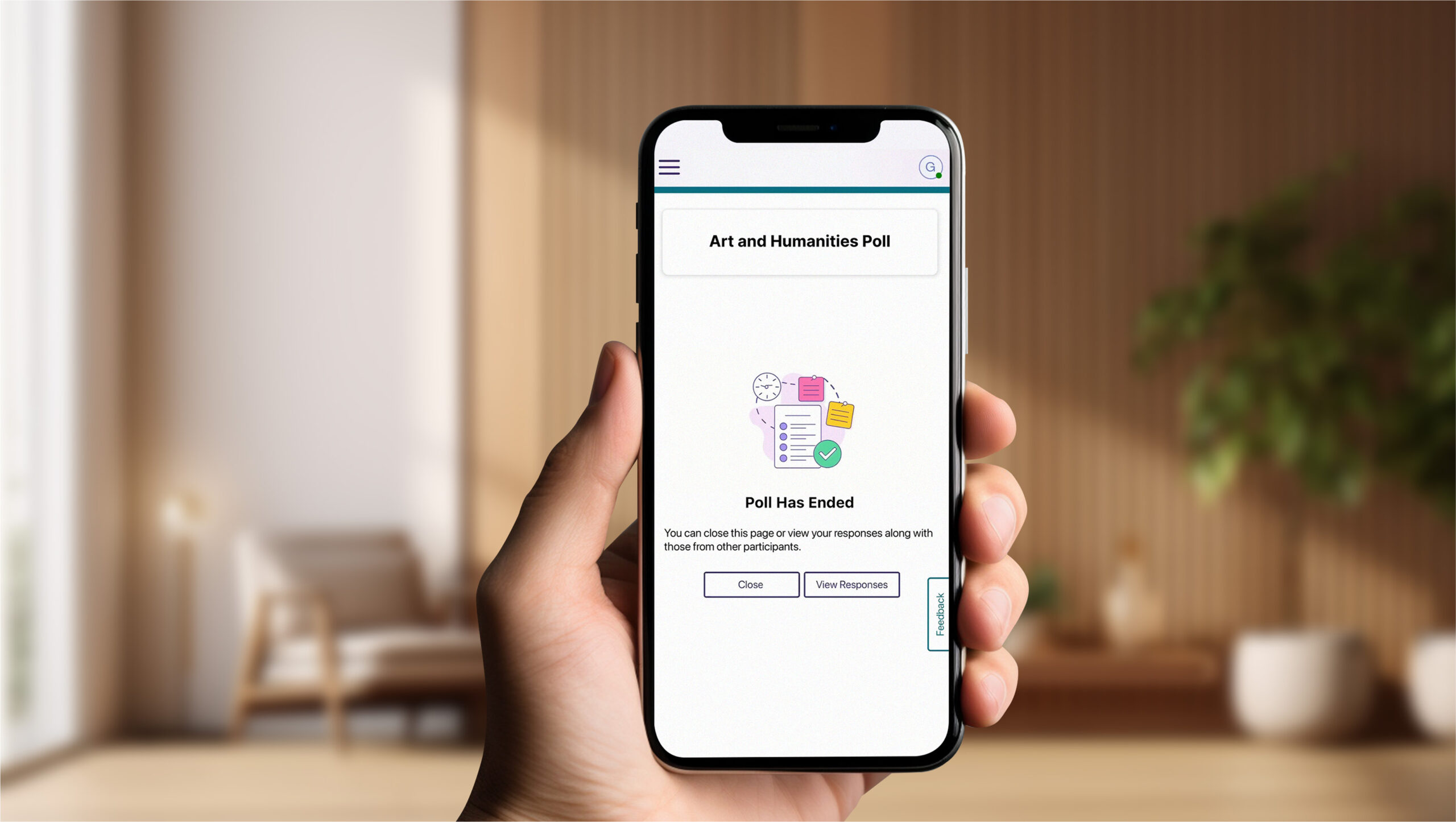
We’ve redesigned the student poll-taking experience in our mobile apps to align with our web interface, providing improved navigation and a more intuitive layout for students participating via smartphones and tablets.
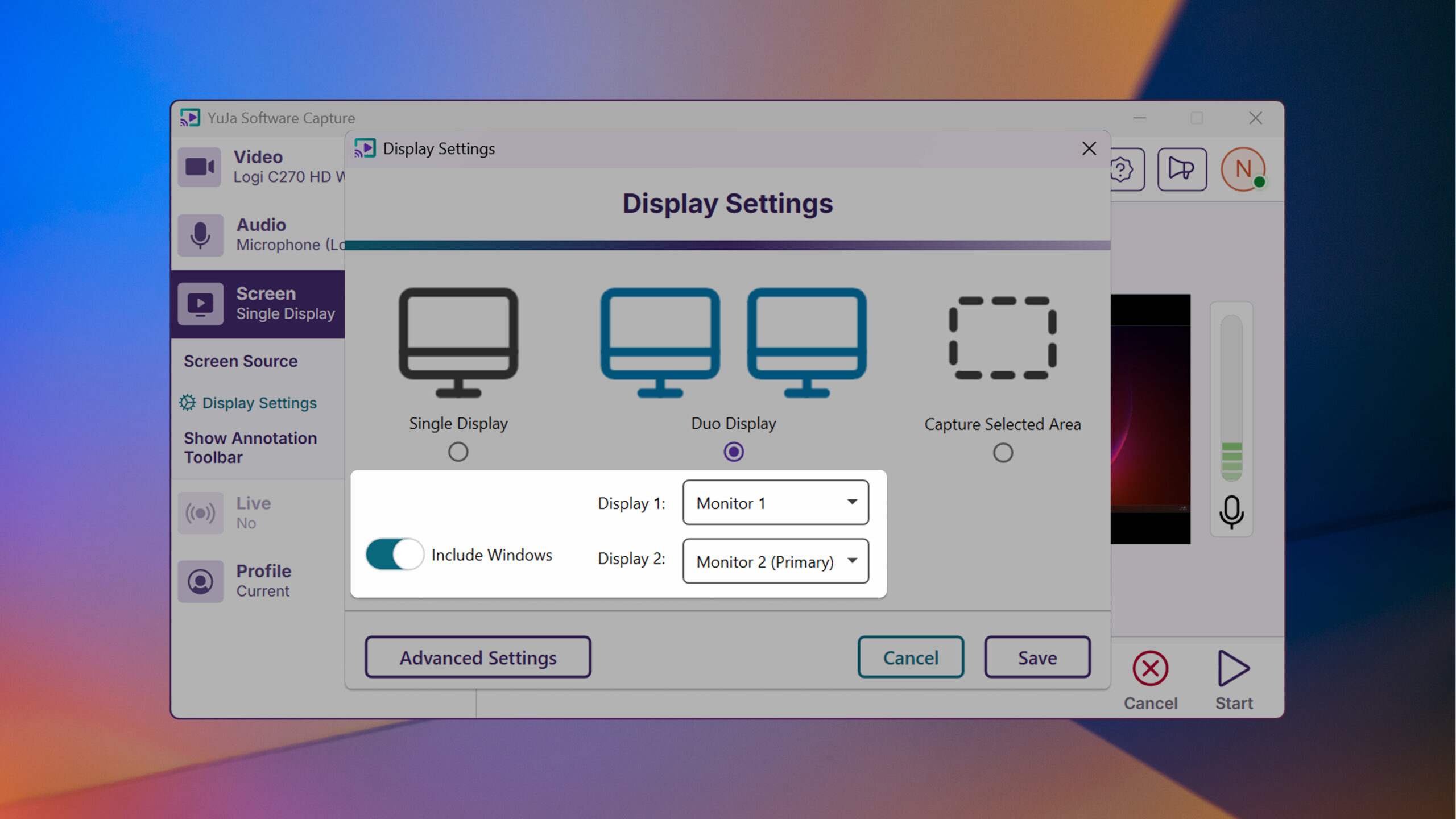
This week, we’re rolling out enhancements across the YuJa Lecture Capture Module. For YuJa Software Capture for PC, we’ve added a targeted application window recording option.
We’ve enhanced YuJa Software Capture with a new window recording option that gives you more flexibility and precision when creating content. In addition to full-screen recording and region selection, you can now capture specific application windows while ignoring other on-screen content for a cleaner, more focused recording experience.
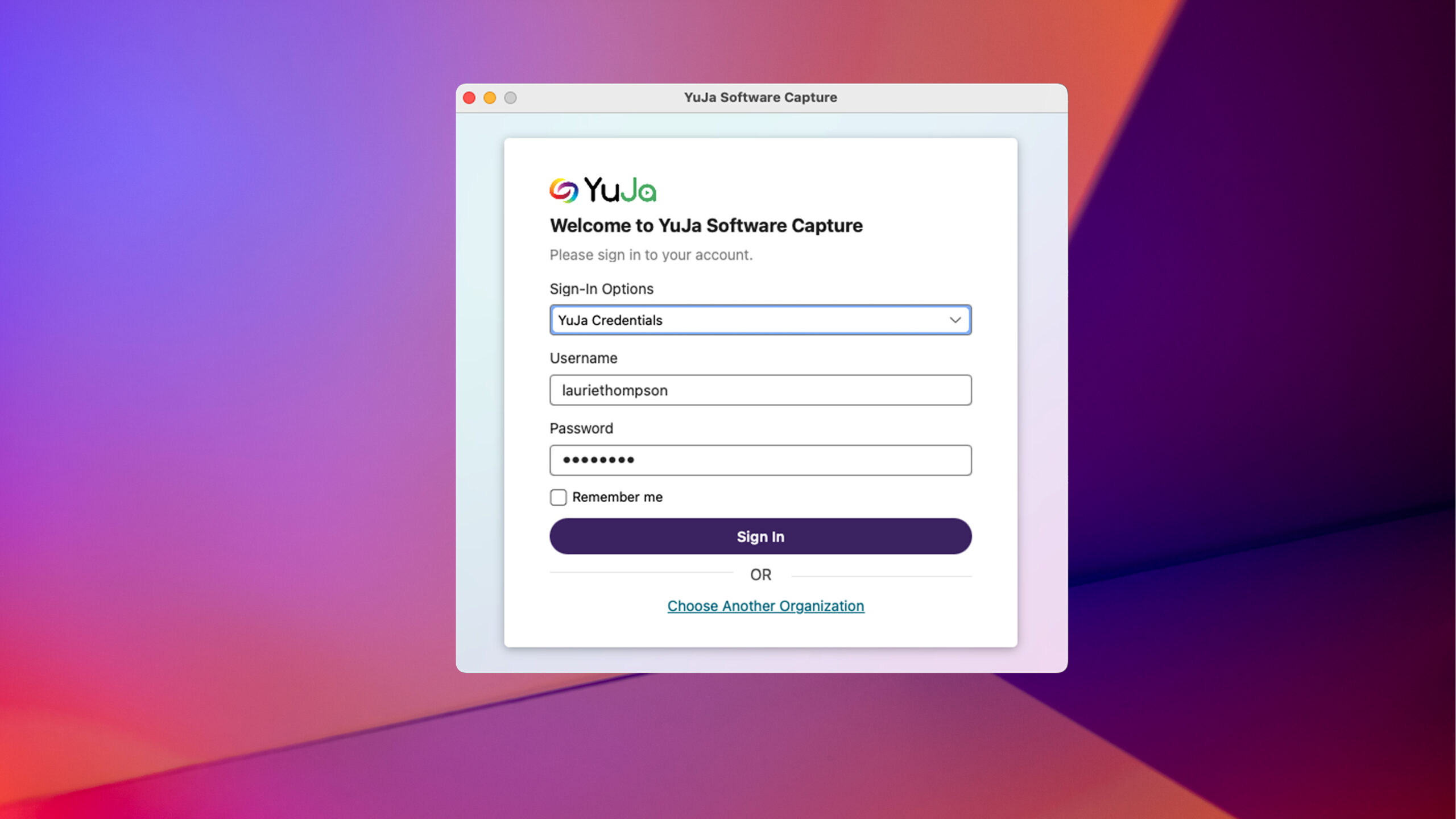
For YuJa Software Capture for Mac, we’ve improved the overall login experience.
YuJa Software Capture has an improved user experience and login interface with field-specific error messaging and a “remember me” option to simplify the login process.
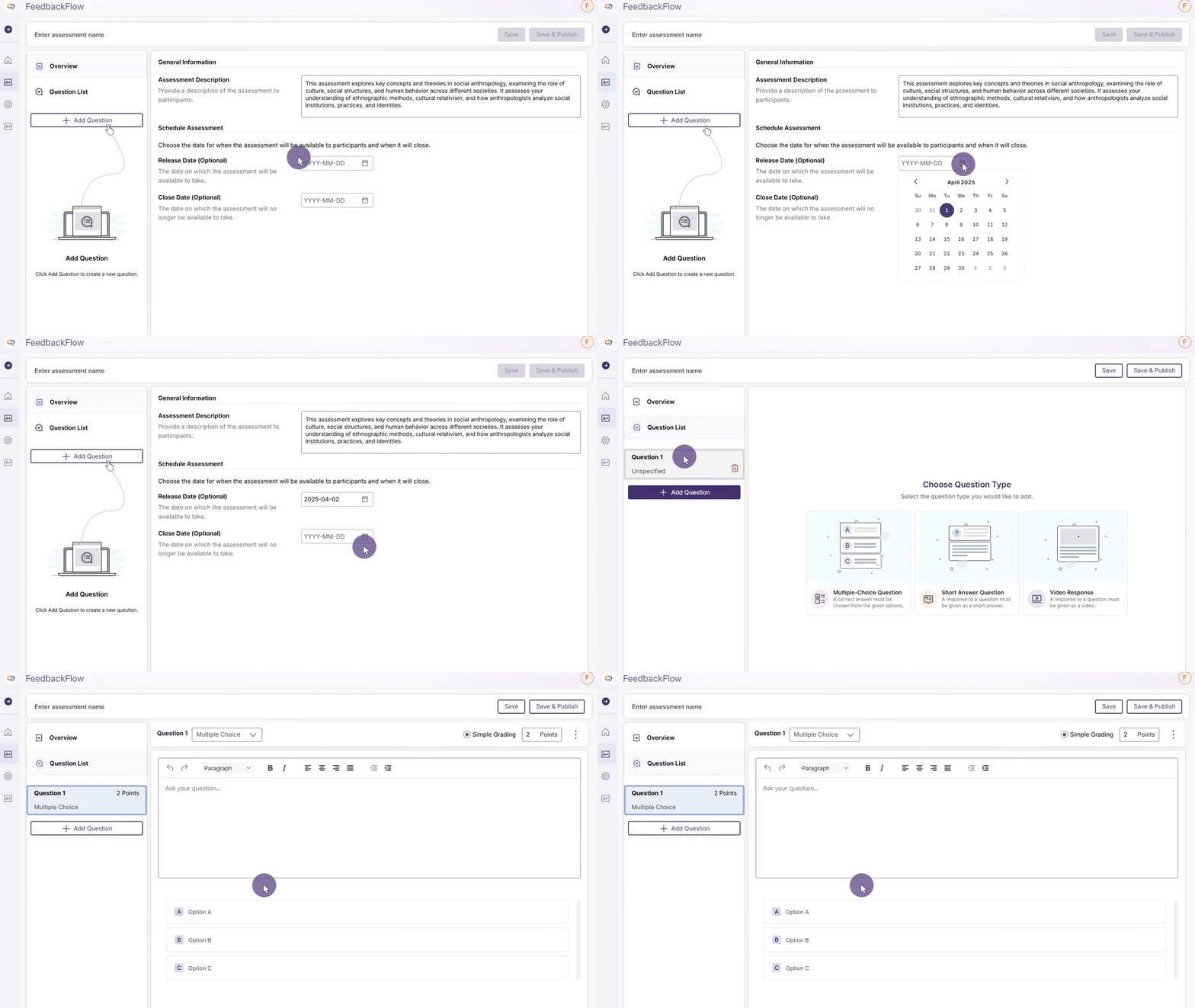
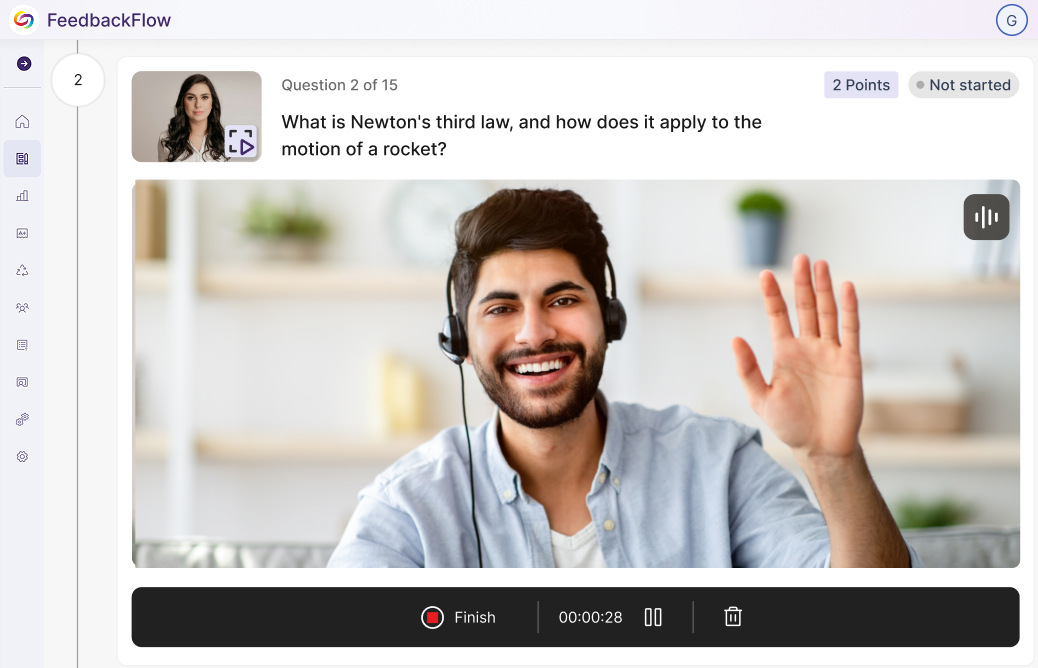
We have successfully pushed an update to all YuJa FeedbackFlow Assessment Platform instances residing in the US, Canada, Australia, and the European Union. This update includes simplified assessment creation to streamline navigation, improved grading-method creation, and a new split-screen assessment interface.

This week, we’re rolling out a major product update across all YuJa Lumina Video Platform instances. This update includes a modernized live-stream player with improved RTMP streaming, new master course and blueprint course quiz-copying functionality, a refined Analytics Bandwidth visuals, and so much more.
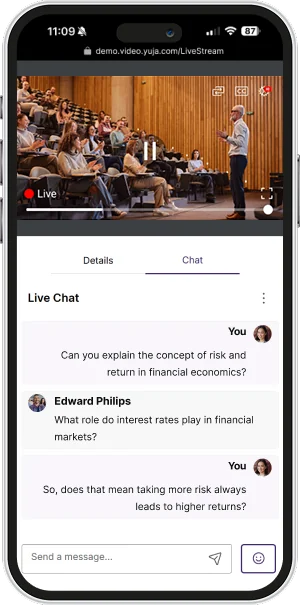
We’ve redesigned our Live Stream Player with a React-based architecture, featuring a modernized interface that enhances functionality and user experience, including stable video delivery, pause and rewind functionality, and improved captioning support.

Other updates include:
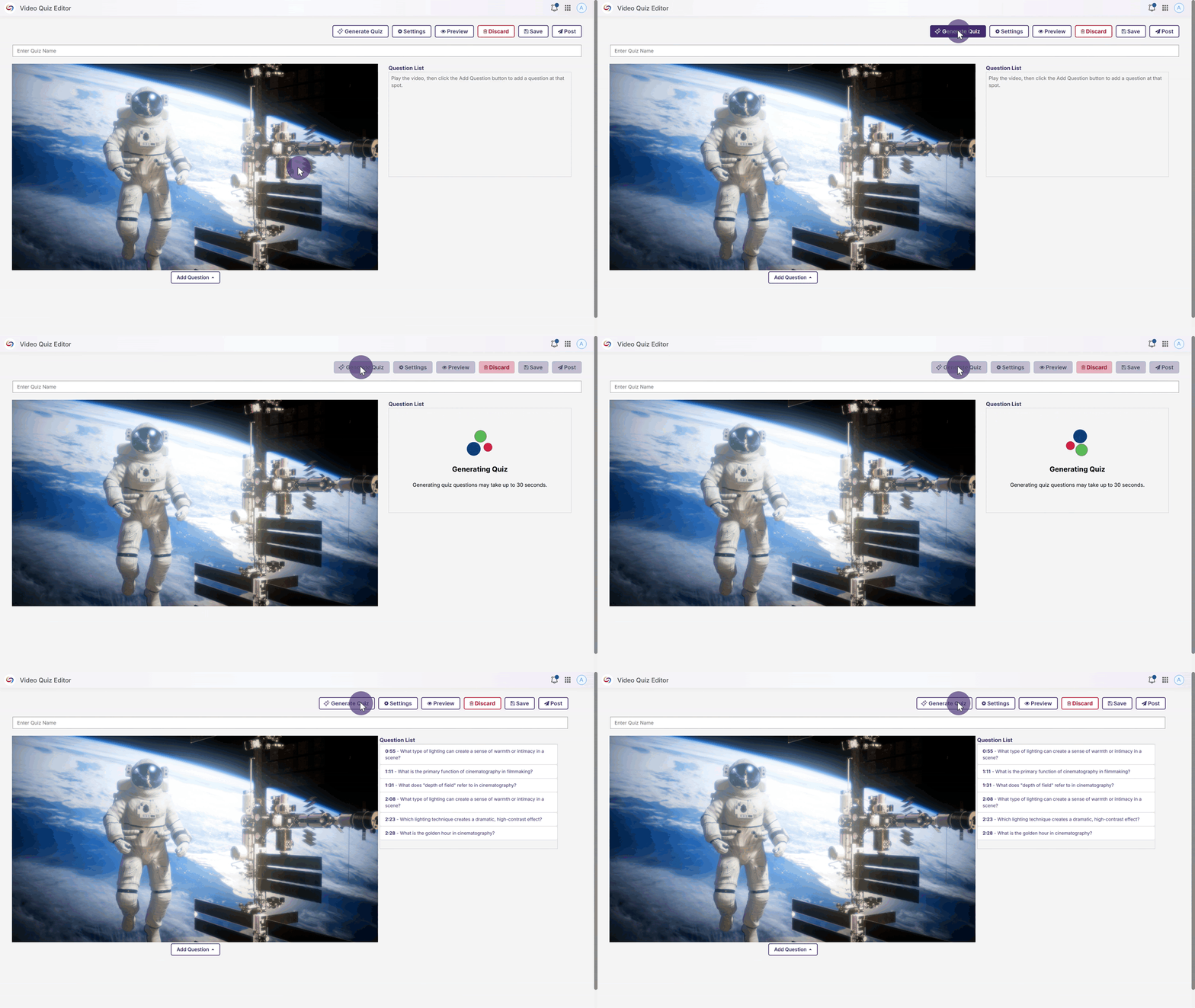
We’ve introduced a new blueprint course functionality that automatically publishes quizzes across copied courses. When enabled, a master, or “blueprint” course, serves as the blueprint for all linked courses, automatically adding quizzes to all copied courses. This eliminates manual republishing when updating content. The feature works with all quiz publishing methods and also applies when unpublishing content.
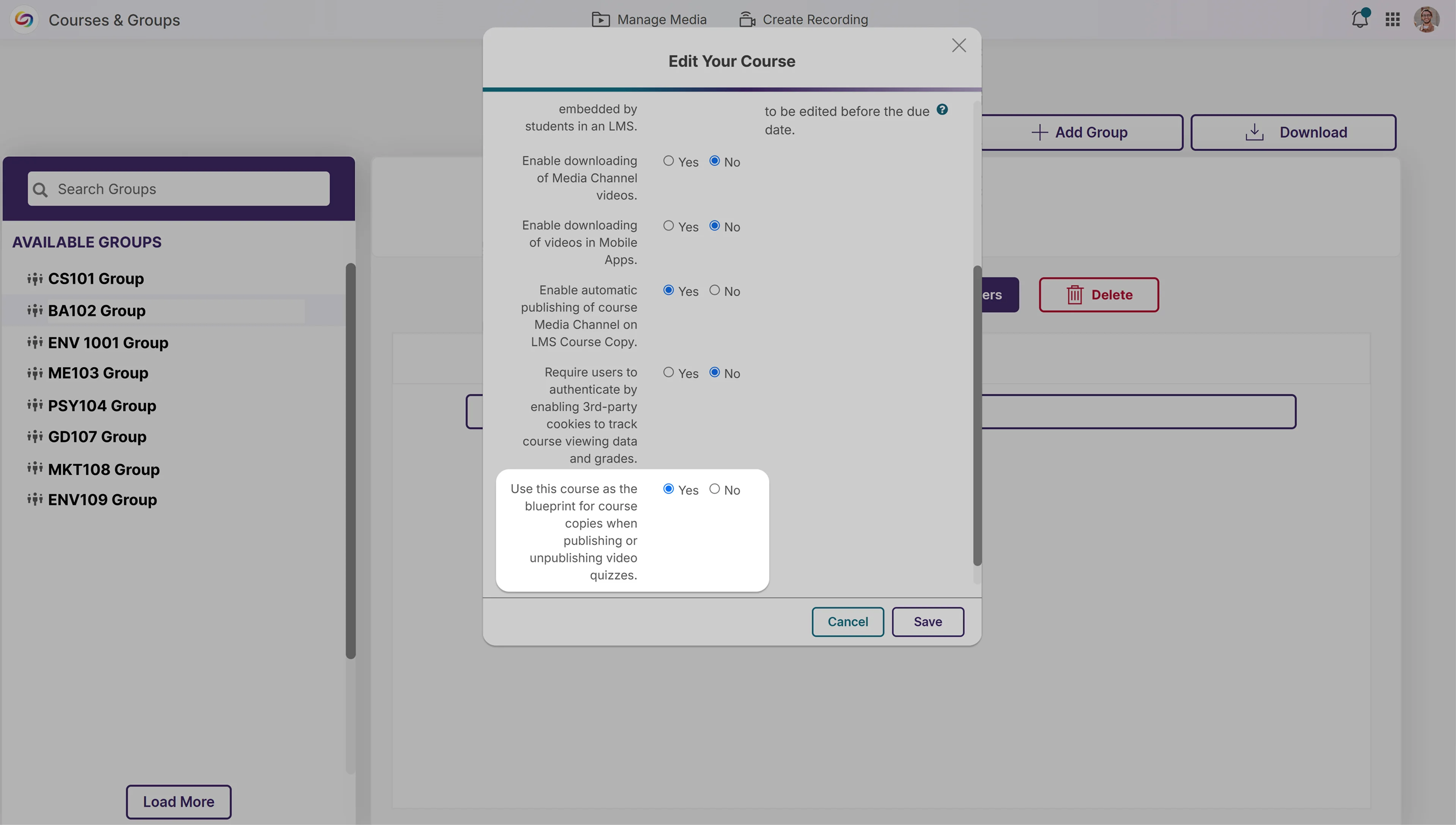
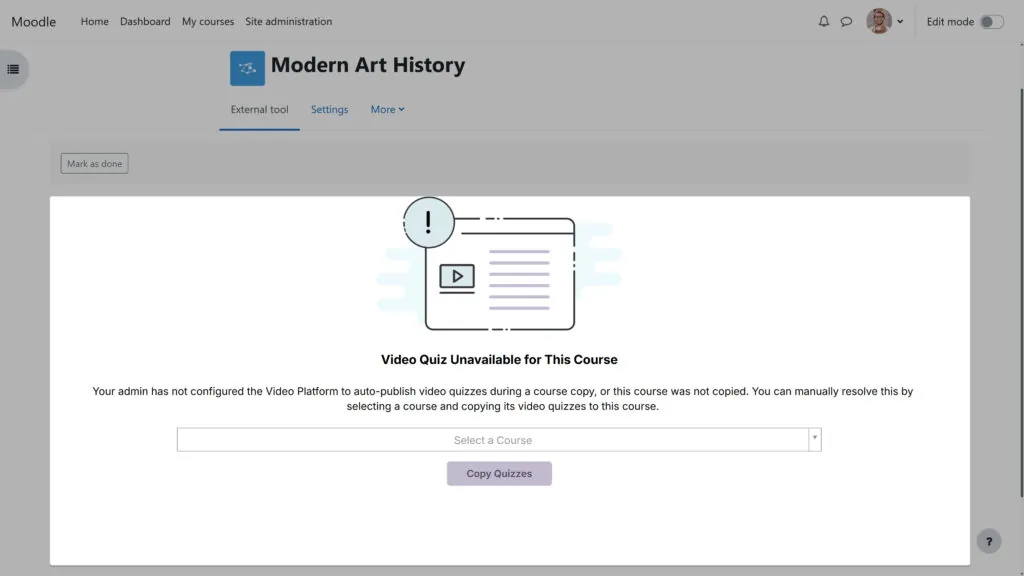
We’ve improved the error messaging for video quiz course copies to provide clearer guidance when issues transpire. Users now get specific information about why a quiz failed to copy and help troubleshoot problems that occur.
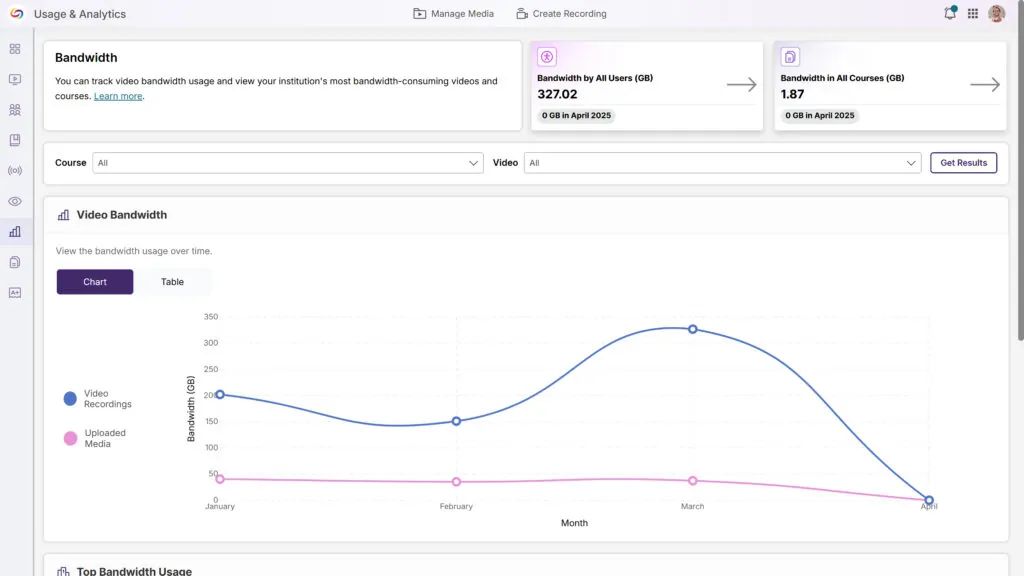
We’ve updated the Analytics Bandwidth tab with a modern interface featuring an enhanced color palette, improved data visualization, and a more intuitive layout. The redesign delivers a cleaner, more accessible experience while maintaining all the robust tracking capabilities you rely on to monitor bandwidth usage across your organization.
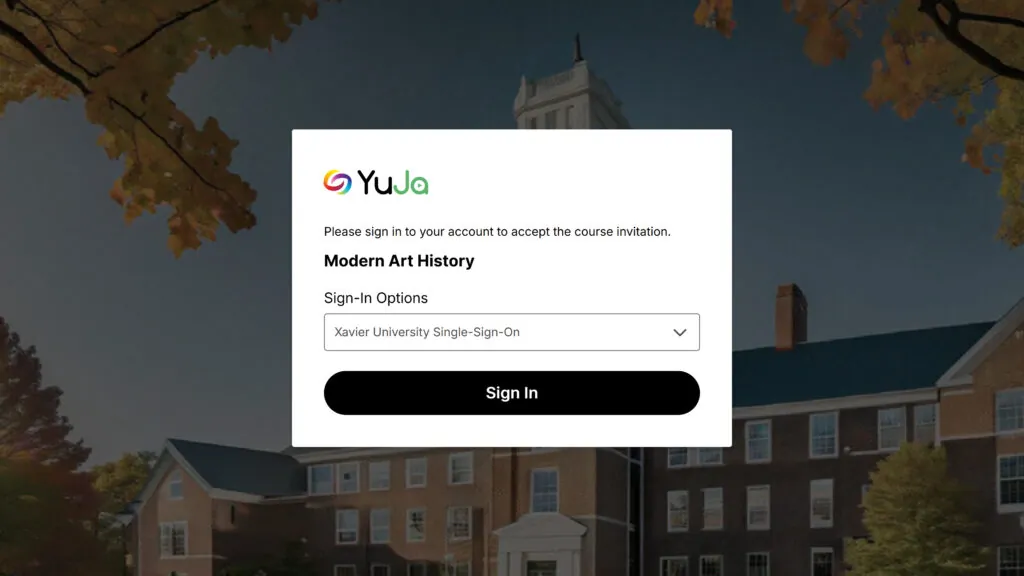
When users are invited to a course via email, they’ll see a redesigned and simplified user interface. When they click the link, they’ll be automatically added to the course.
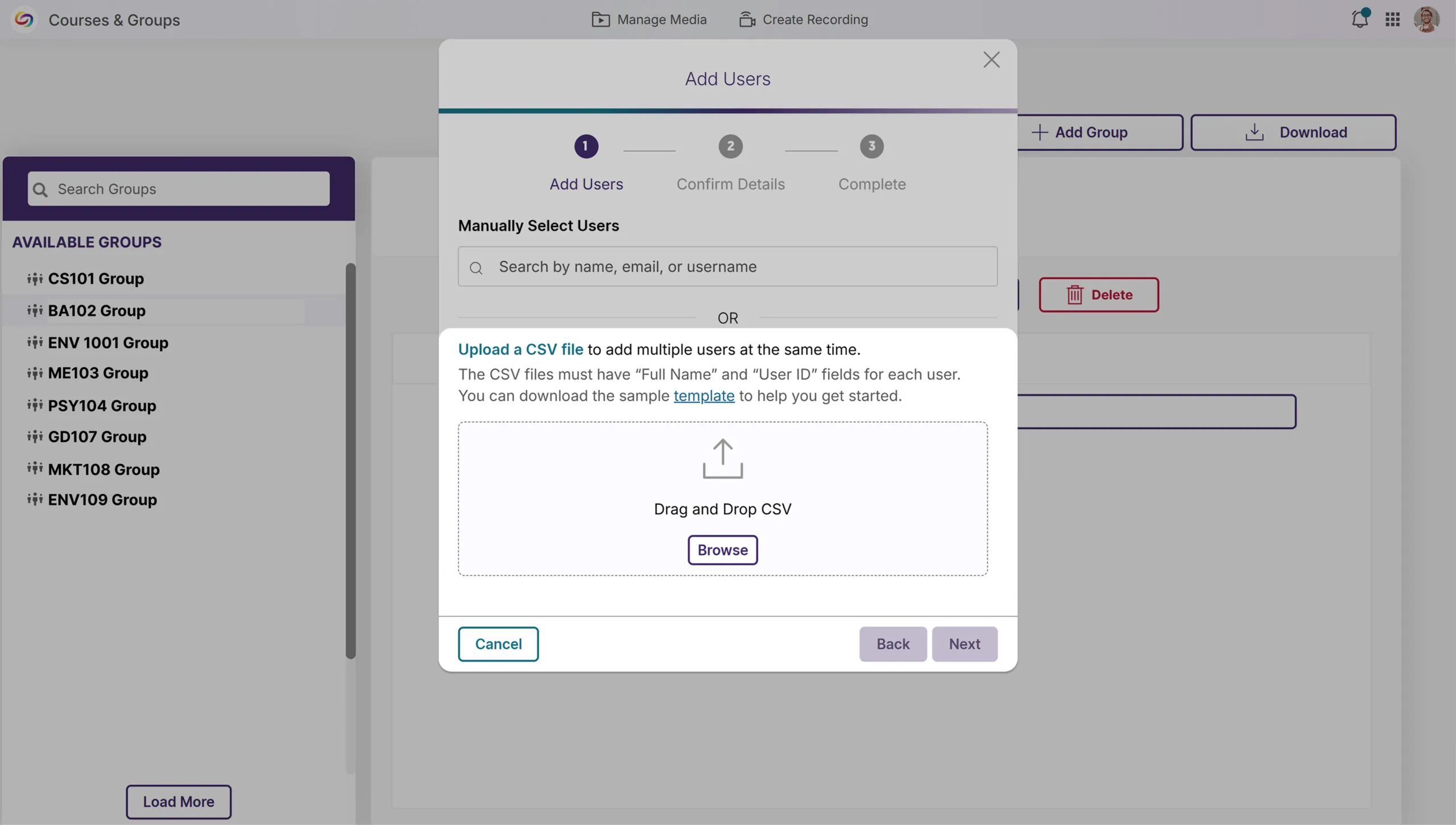
We’ve enhanced Groups management with a new bulk user upload feature, allowing administrators to add multiple users to Groups via CSV file upload. This time-saving functionality mirrors our existing Course Channels workflow, eliminating the need for manual user addition and streamlining permission management for departmental shared folders across your organization.
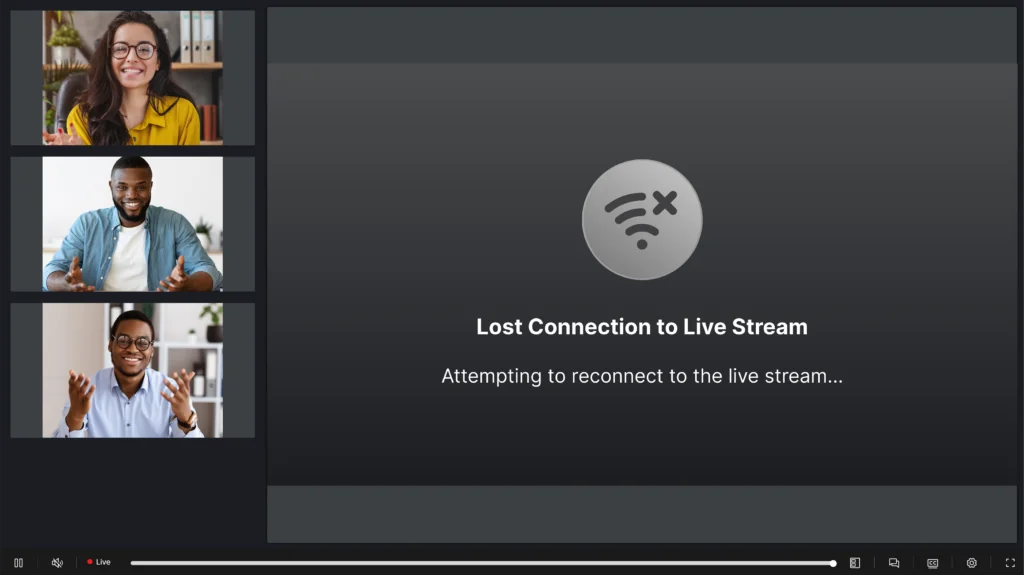
We’ve improved the live-streaming experience with intelligent connection management that maintains stream continuity during network interruptions. When a connection is lost, viewers now see a “Connection lost” notification while the system attempts reconnection. The system automatically resumes the stream if the connection is restored or removes the notification if the interruption persists.
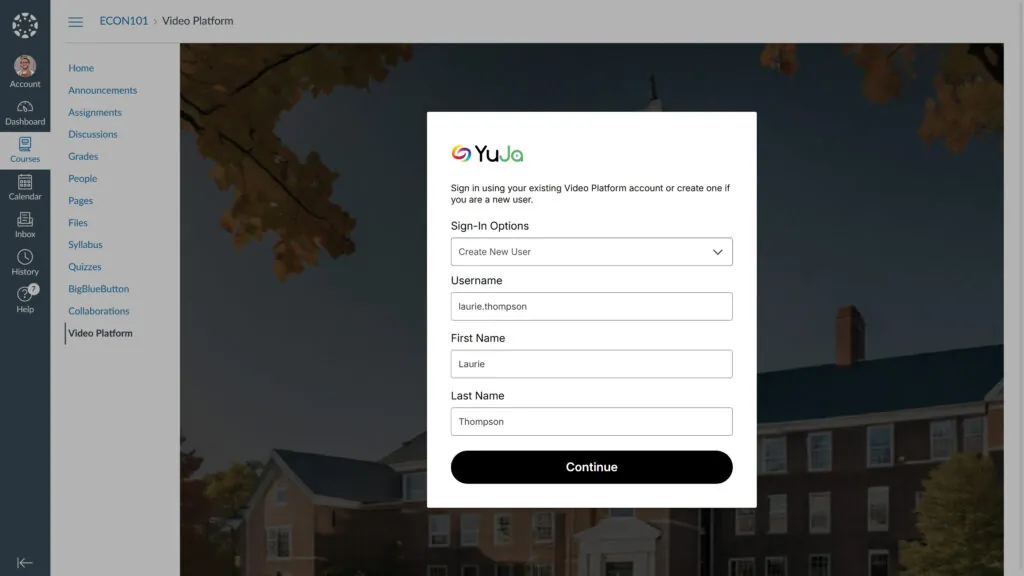
We’ve modernized the manual user provisioning UI in the LMS with a new, more aesthetic page design. The revamped interface enhances the user experience for “Create New User” and “Use Existing Account” workflows while adding multi-factor authenticator validation for existing accounts with MFA enabled.
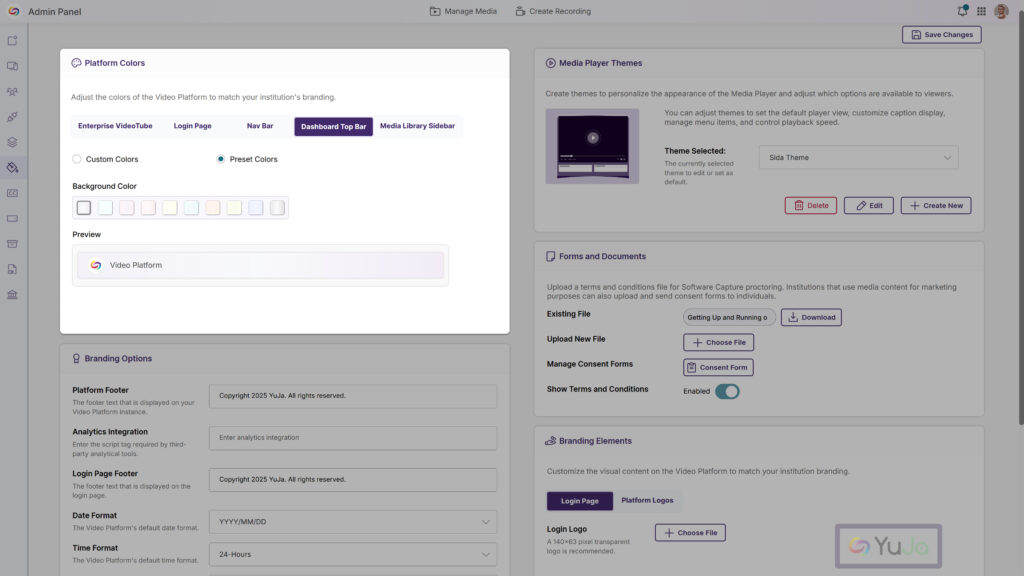
The platform’s top bar can now be customized through the Admin Panel’s Branding settings, including by personalizing background and text color combinations to align with your institution’s branding.
Join the 1,000+ Organizations Deploying High-Impact Solutions














