Product Updates
Get the latest platform updates, features, and announcements—all in one place.
Boost Video Accessibility with the GenAI Video PowerPack!
Try Now
Supercharge Your Compliance Efforts with AutoPilot Remediation Max!
Try Now
Strengthen Your PDF Accessibility Efforts with Structural Remediation Max!
Try Now
Don't Miss Any of Our Upcoming Webinars—Save Your Spot!
Register
The YuJa Community is here! Connect, get updates, and access exclusive content.
Join Now

Get the latest platform updates, features, and announcements—all in one place.
We have successfully pushed an update to all YuJa EqualGround Accessibility Governance Platform instances residing in the US, Canada, Australia, and the European Union. YuJa EqualGround now has a revamped website management interface with bulk actions, a new Issues Report for organization-wide visibility, and enhanced remediation workflows with integrated How-to-Fix guides. Additional improvements include faster processing performance, AutoPilot HTML preview, customizable widget placement, a new DocHub for simplified document management, and more.
Enhanced Website Pages Interface with Streamlined Navigation and Bulk Actions
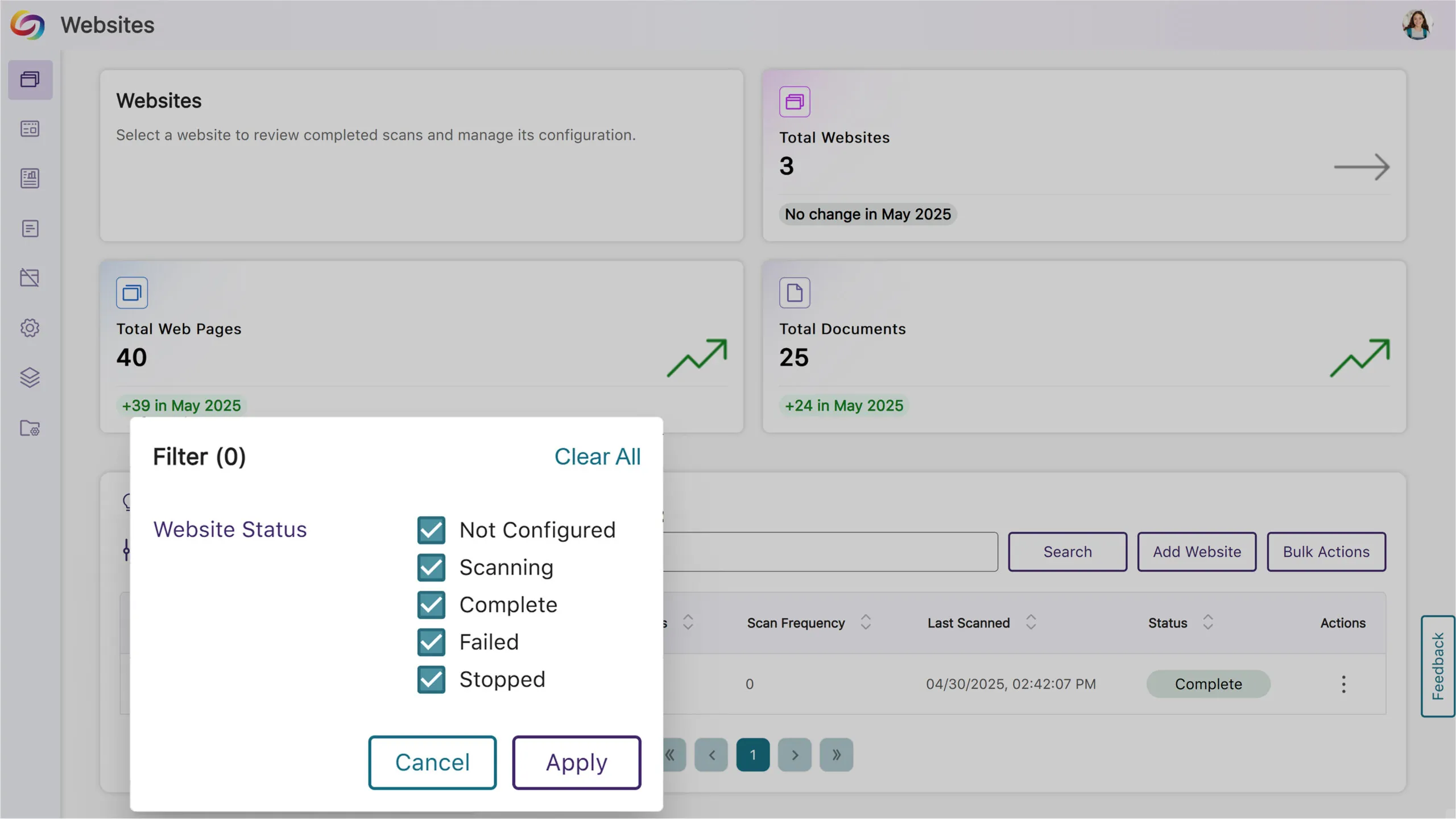
The EqualGround Websites Page has been completely revamped with new management capabilities, robust filtering options and bulk actions that help streamline your workflow when managing multiple websites:
Filter by website status and perform operations on multiple selected websites simultaneously.
The Website Details Page now has dedicated tabs for configurations, actions, and scan history across page groups.
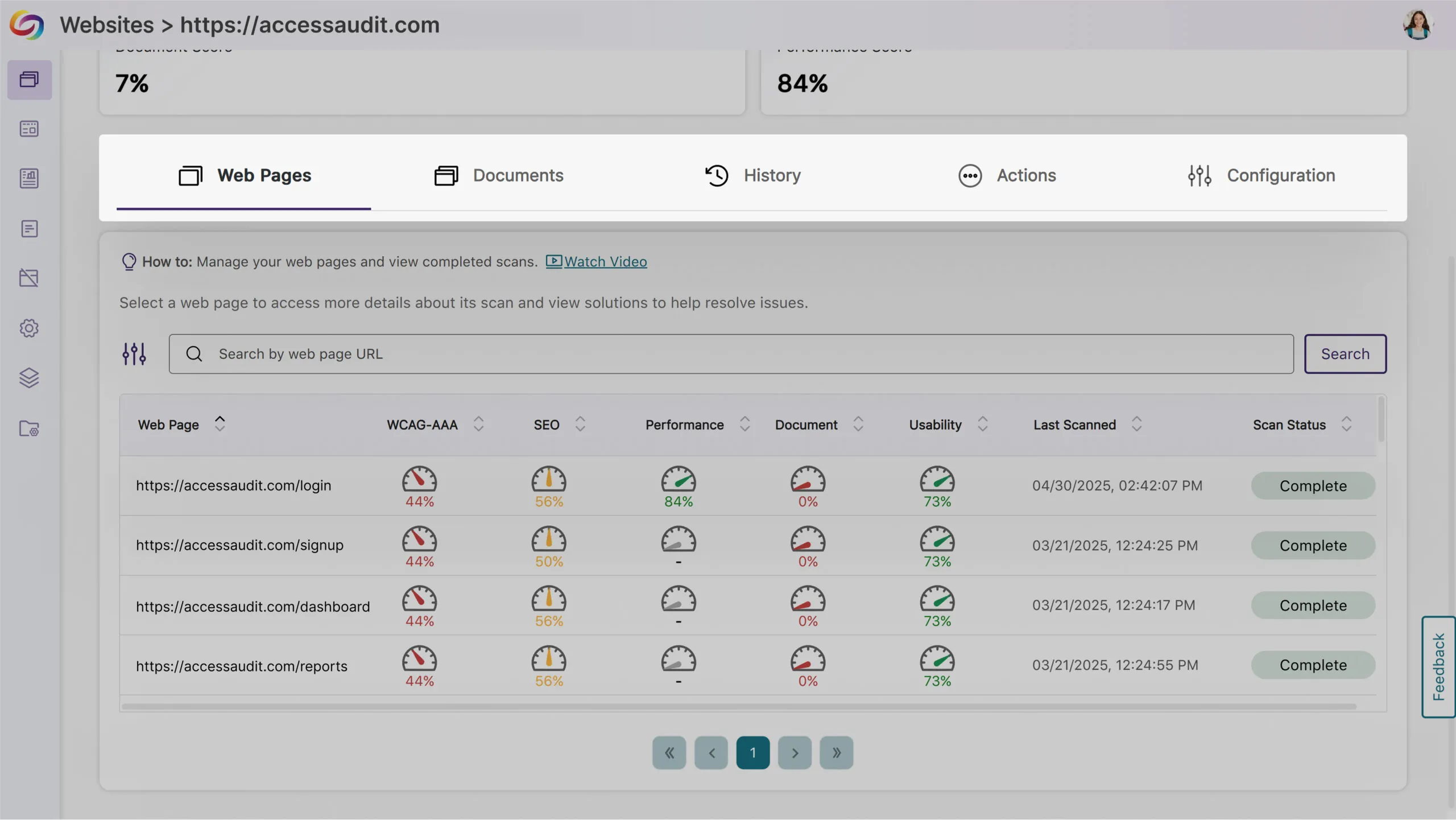
Users can now access the issue panels from the web pages table to simplify management.
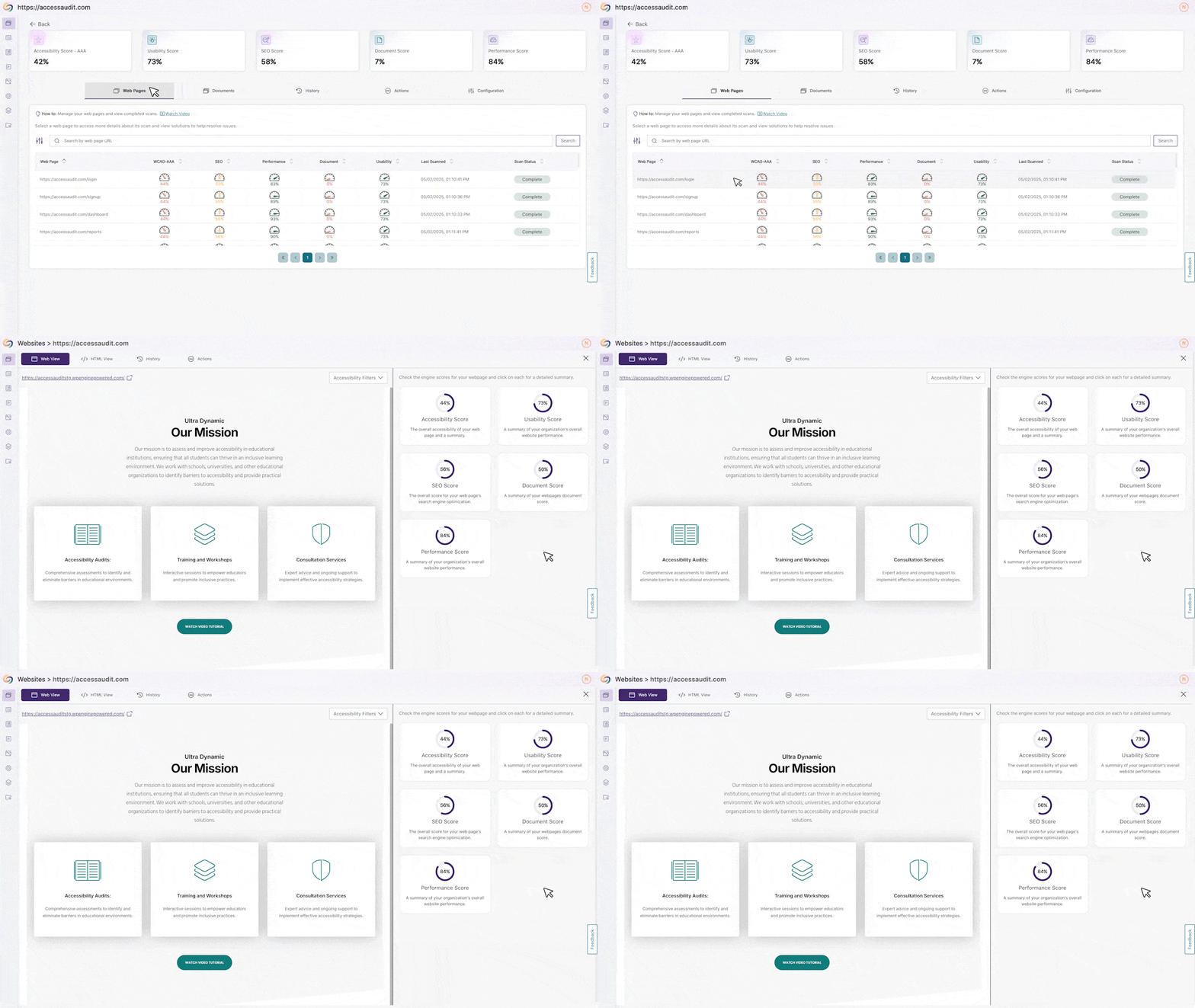
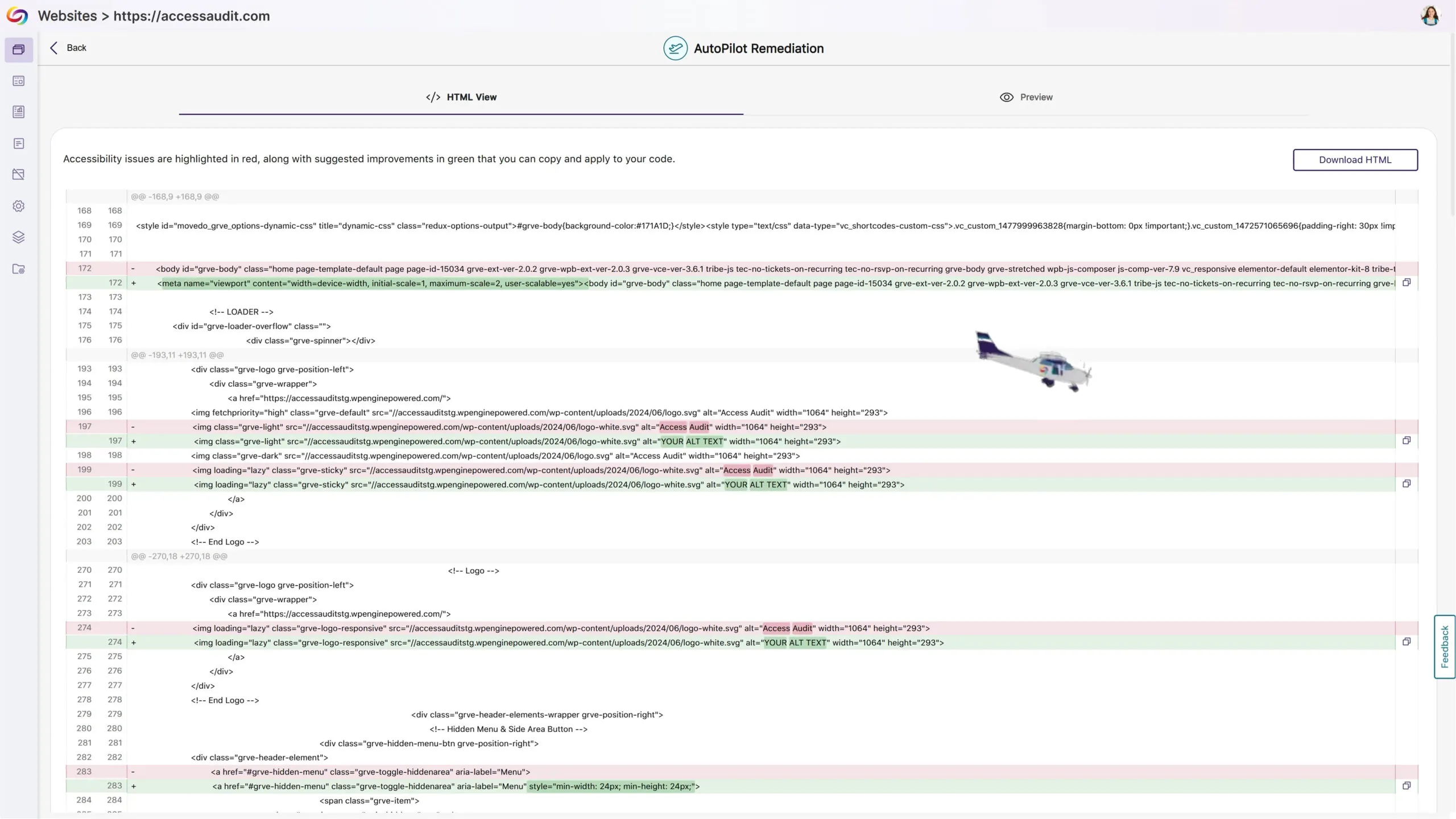
AutoPilot has its own dedicated page for HTML and rendered view access.
WCAG scoring now displays only the most relevant level based on your settings.
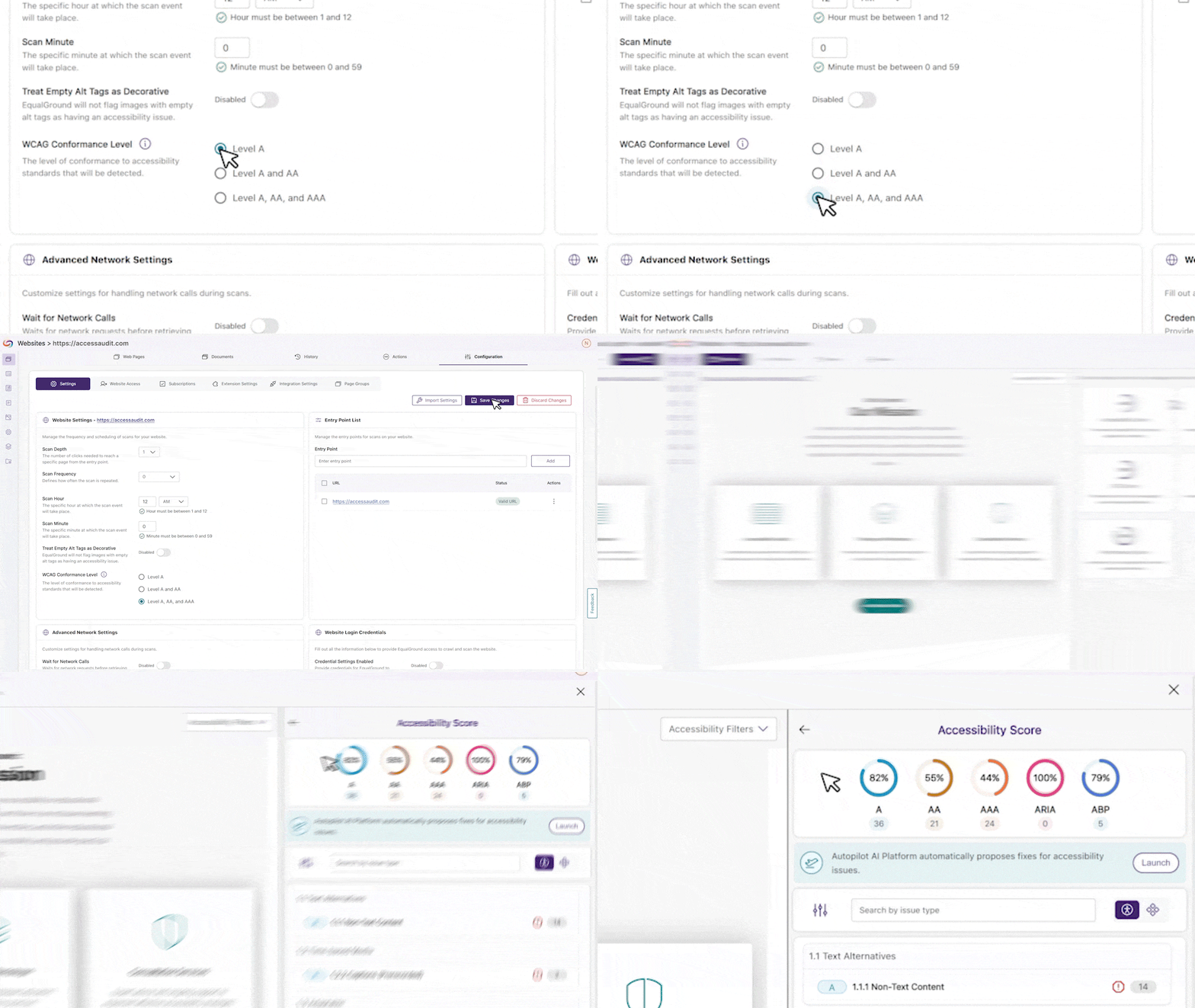
All engine results display together rather than on different pages.
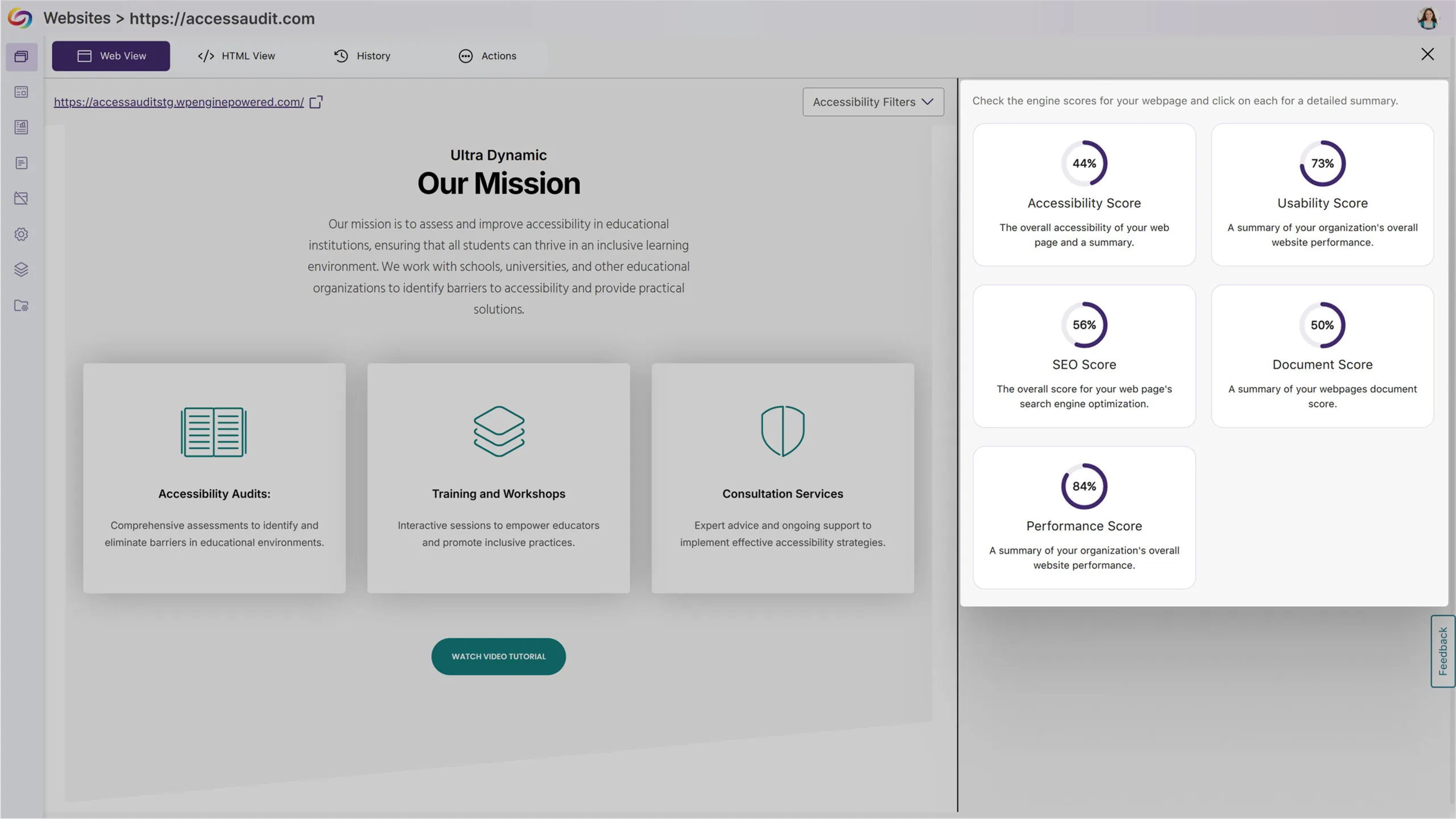
Improved Processing Performance for Faster Website Scanning
We’ve improved the processing speed throughout the Equalground platform, allowing users to identify and remediate accessibility issues more quickly and efficiently.
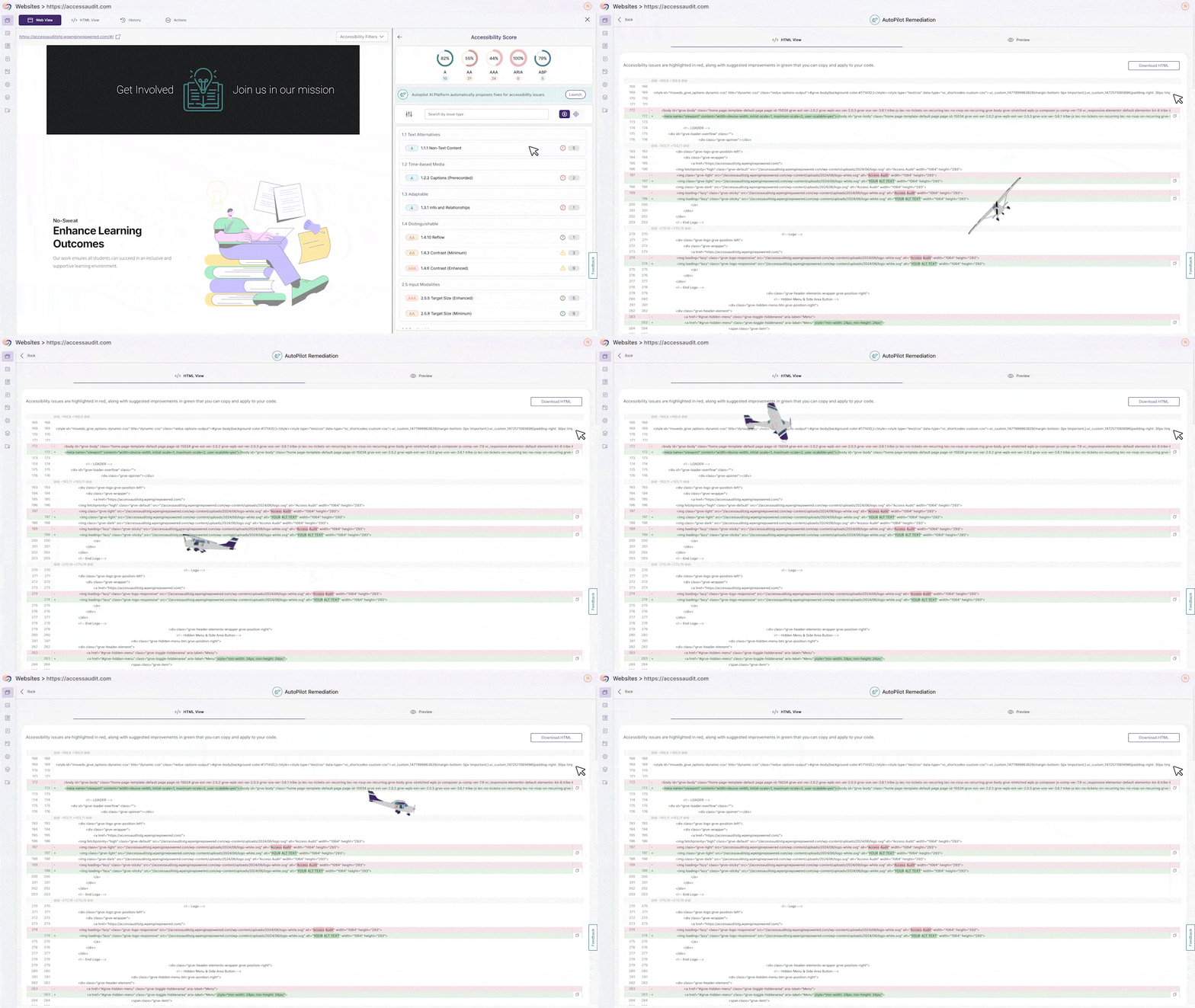
New AutoPilot HTML Preview Feature Added
A new AutoPilot HTML preview feature has been added to EqualGround. This update enables real-time visualization of accessibility fixes before implementation, allowing users to toggle between the HTML code and web view renderings to validate corrections.
Customize the Browser Extension Widget Placement
The EqualGround Browser Extension now gives you control over widget positioning through a new Extension Settings tab in your website configuration. Simply drag the widget to your preferred location and save; your customized placement will persist across all sessions.

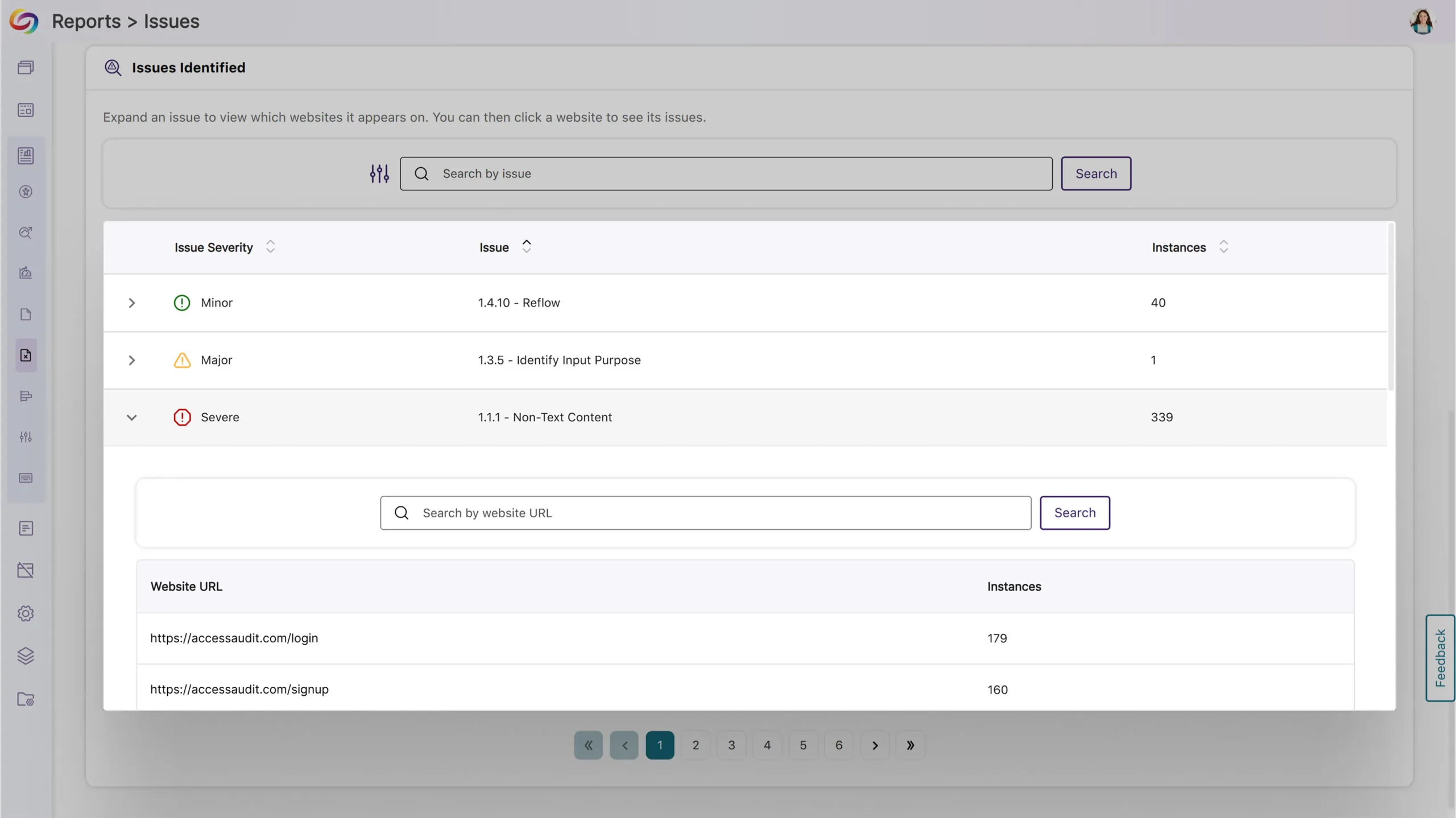
New Issues Report Enables Viewing All Occurrences of an Issue Throughout the Organization
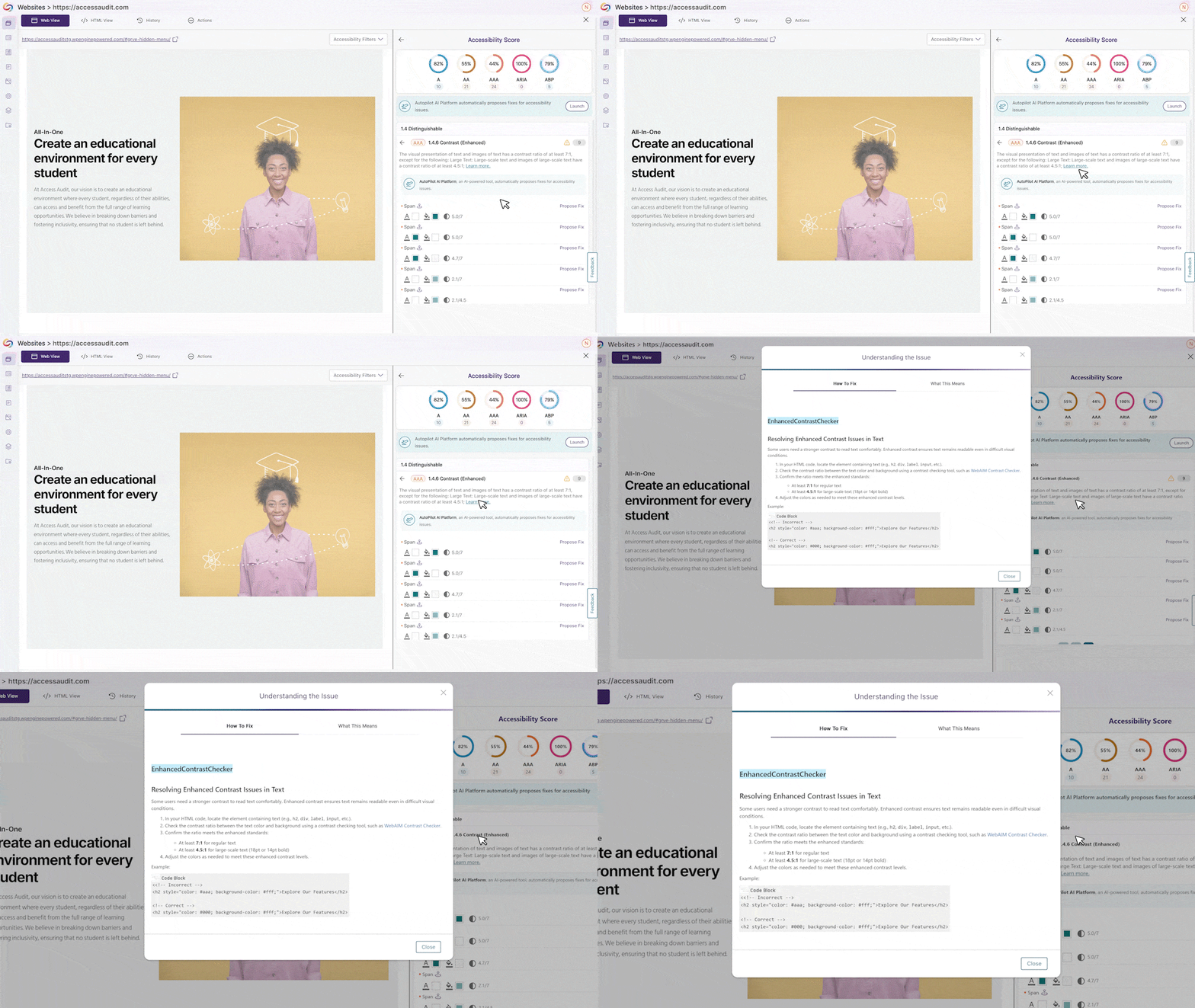
The new Issues Report offers a hierarchical view of accessibility challenges by categorizing issues as severe, major, or minor with comprehensive statistical cards and trend charts. Easily identify problem areas by clicking any issue type to see affected websites, then selecting a website to view specific impacted pages, creating a seamless path from identification to resolution across your entire organization.
Integrated Remediation Guides Help Resolve Accessibility Issues
The EqualGround platform now features integrated How-to-Fix guides that appear directly within the issue context, providing immediate remediation guidance without disrupting your workflow. These guides offer step-by-step instructions, code examples, and accessibility best practices to help users resolve accessibility issues.
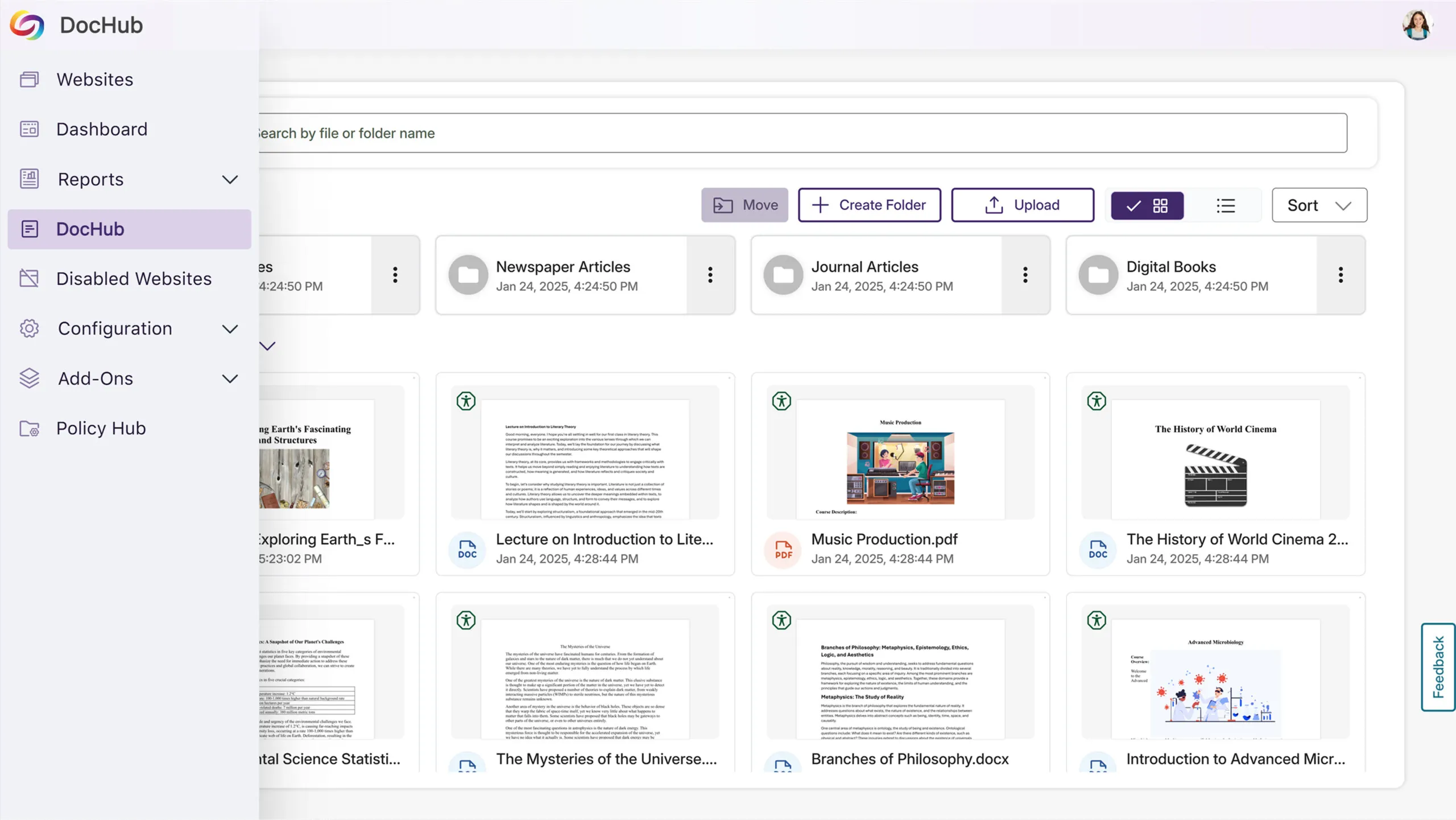
New DocHub Improves Document Management
This update adds a DocHub for simplified and more organized document management. Users can create and navigate customizable folder structures to organize their documents efficiently while managing their accessibility through the same intuitive interface they use for web pages.
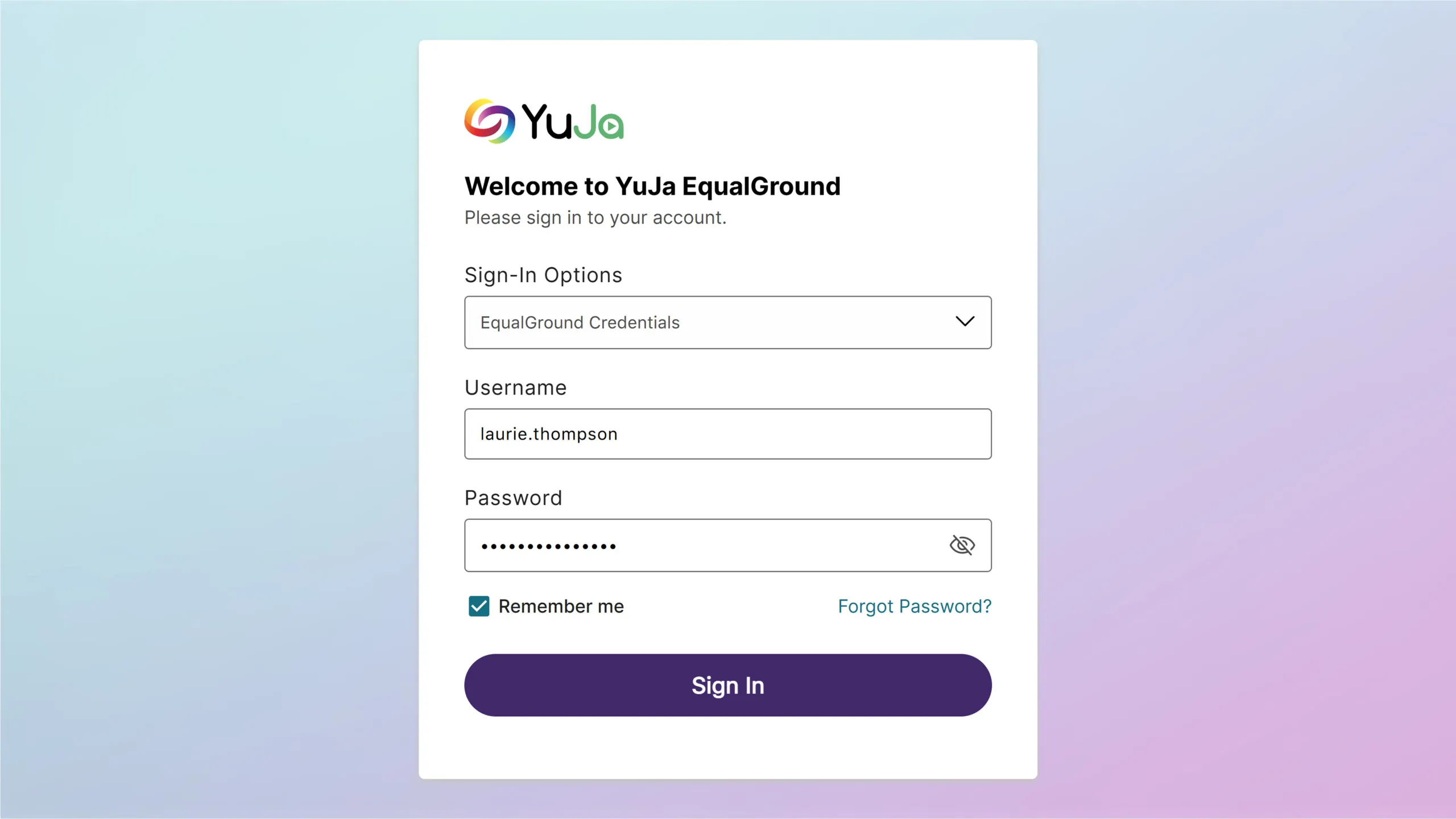
Refreshed Login Page with Custom Branding Options
The refreshed EqualGround login interface now supports complete customization through the Branding Settings panel. Easily modify button colors, upload custom background images, and preview changes to maintain consistent branding across your platform.
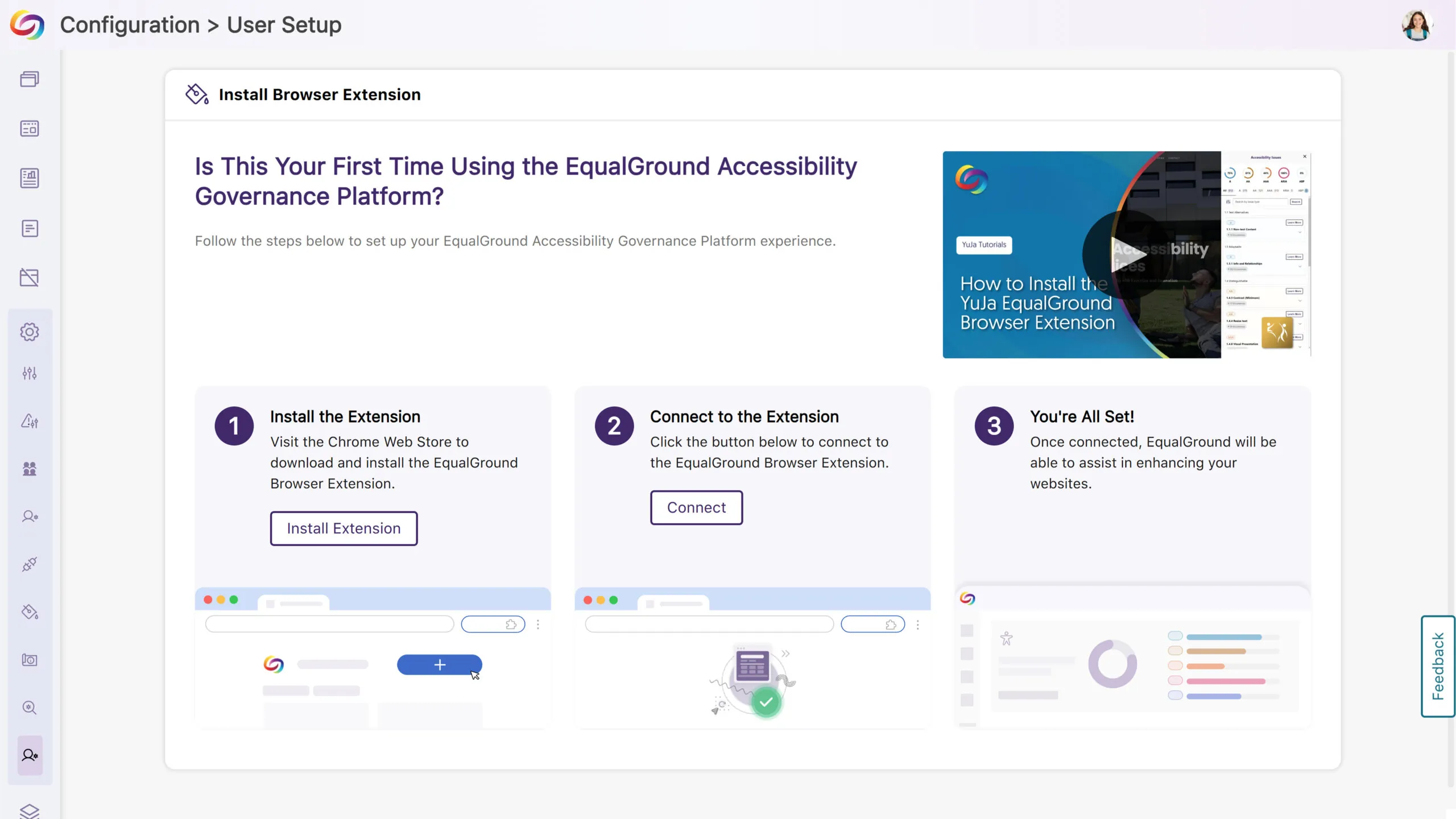
Enhanced New User Setup Experience with Step-by-Step Instructions
The EqualGround browser extension setup process now features updated visual guides that provide clearer step-by-step instructions. Each configuration step is better illustrated to make the setup process more intuitive for new users.
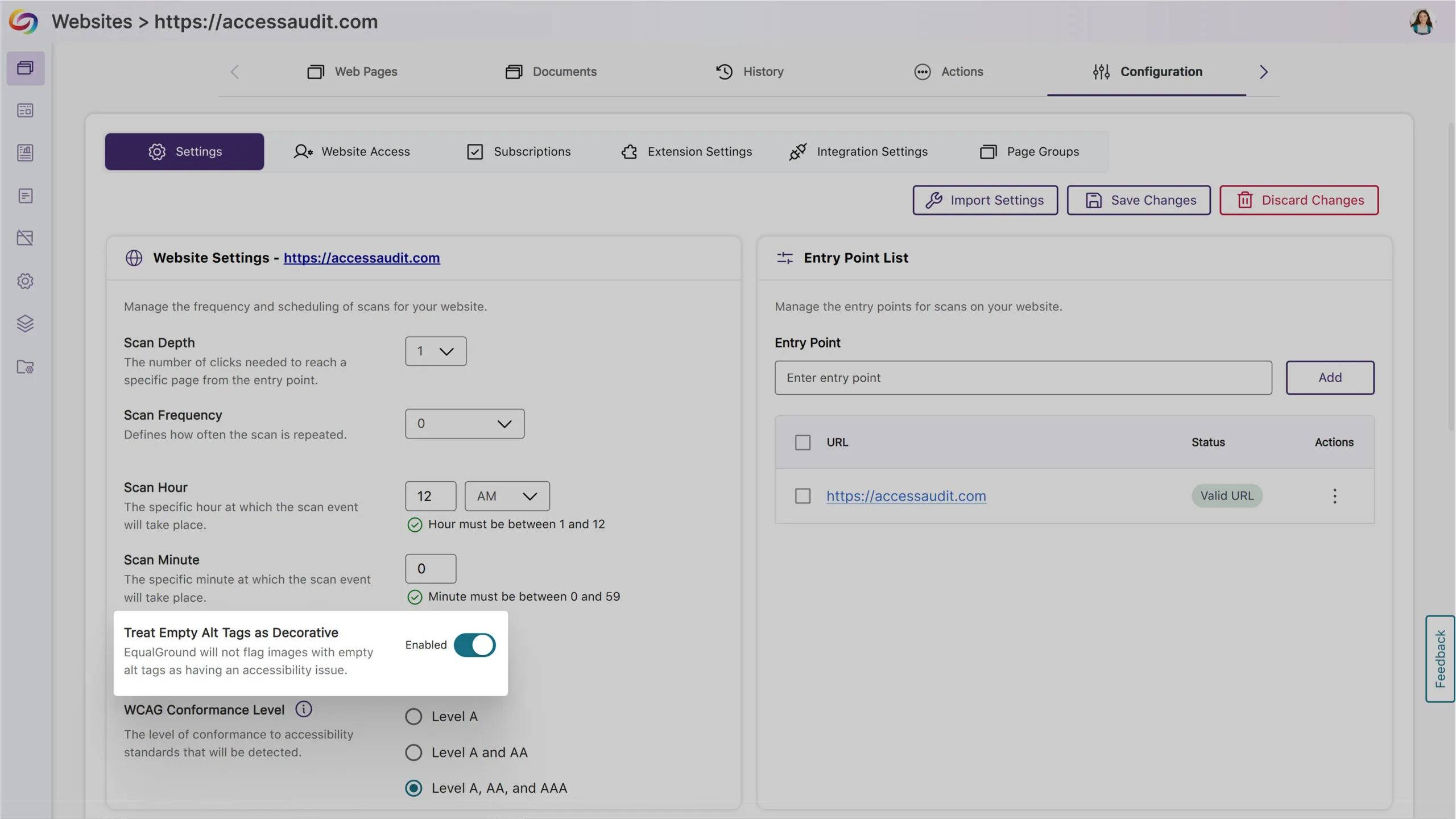
New Option to Automatically Exclude Decorative Images from Being Flagged as Issues
In certain cases, your content may contain images marked as decorative with an empty alt tag (alt=””) or a custom decorative tag. To ensure that these types of images are not flagged as issues, YuJa EqualGround now offers more flexibility for you to treat these images as decorative.
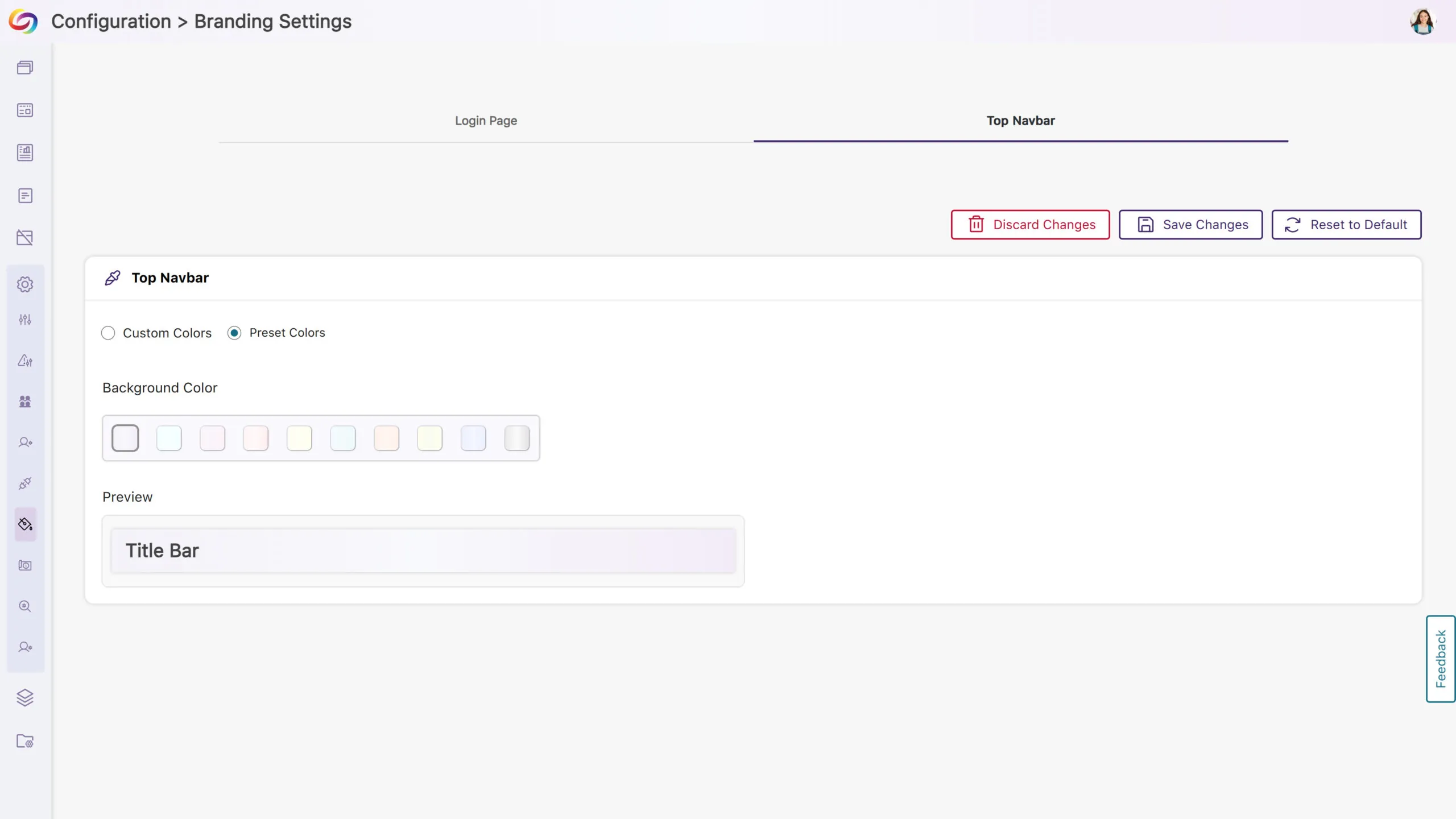
Customizable Top Bar Colors to Match Institutional Branding
Personalize the platform’s appearance with modernized, high-contrast color options to maintain visual accessibility while matching your institution’s branding.
We have successfully pushed an update to all YuJa EqualGround Accessibility Governance Platform instances residing in the US, Canada, Australia, and the European Union. The release introduces an option to assign teams to manage specific page groups, an intuitive approach to start your website scan in minutes with our setup wizard, an option to scan and crawl multiple websites and page groups, and more.
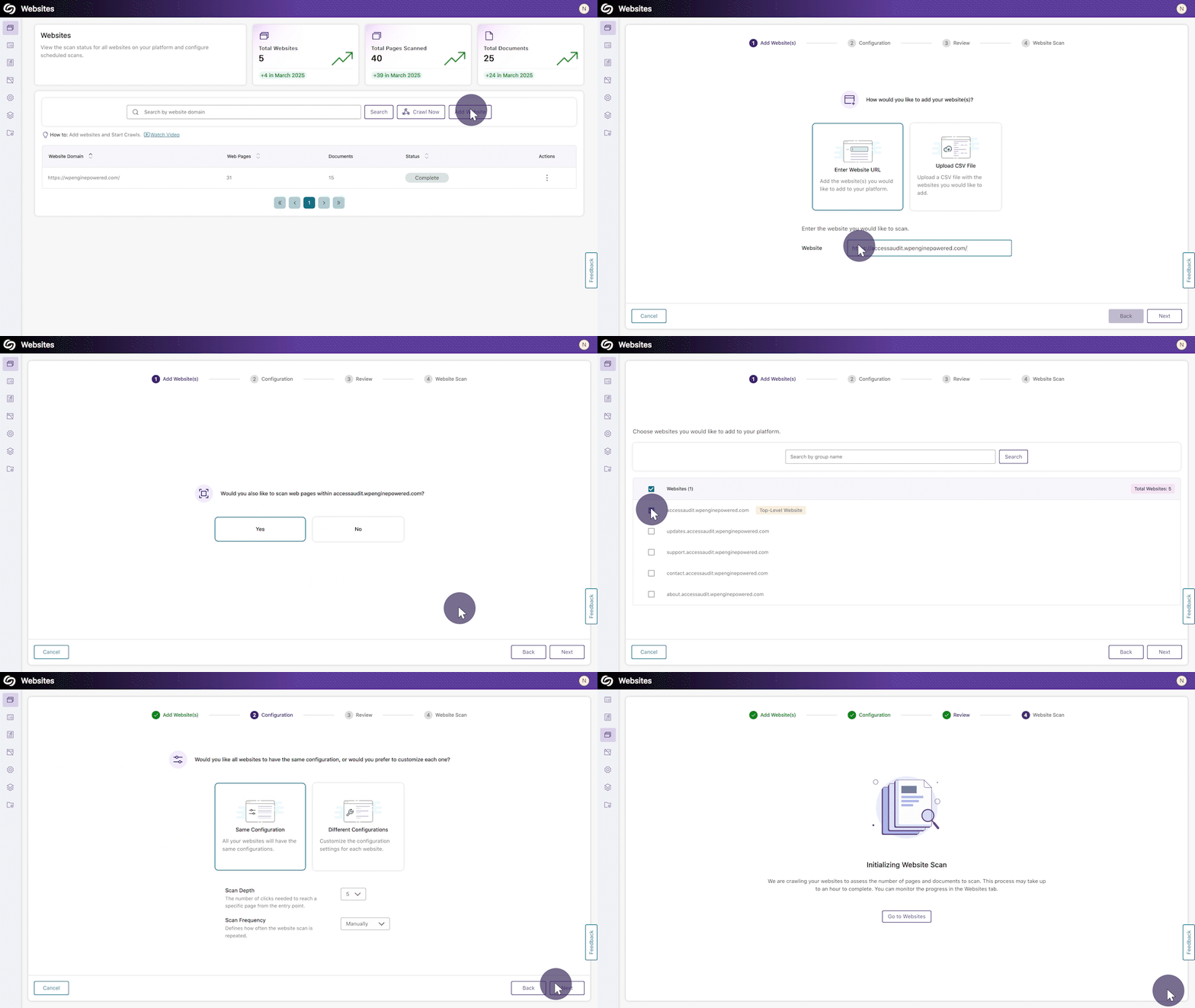
Start Your Website Scan in Minutes With Our Setup Wizard
YuJa EqualGround now features an intuitive setup wizard that streamlines your website scanning experience, guiding you through every essential step in one centralized flow. Within four simple steps, you can add or bulk upload websites to the platform, configure the scan scope and frequency, and initiate a scan to detect accessibility issues across your web pages and documents.
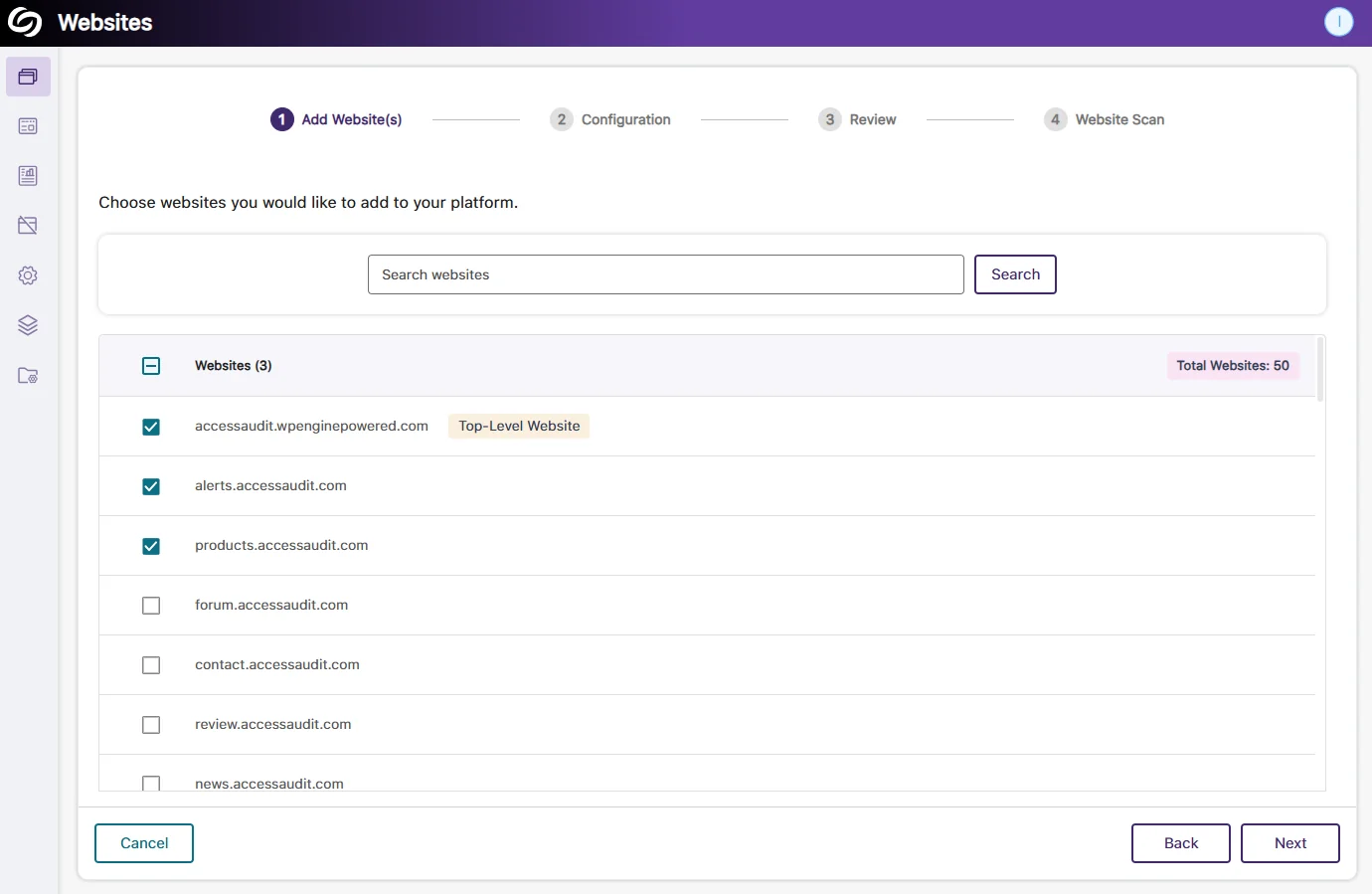
Website Scan Setup: Automatic Detection of All Websites Within the Top-Level Website
Organizations that manage hundreds of websites will no longer have to enter each URL manually. YuJa EqualGround will automatically detect all websites under your top-level website (domain), allowing you to select the publicly accessible websites you want to configure for scans.
Website Scan Setup: Bulk Apply the Same Configuration Across All Websites
When all selected websites require the same configuration for the scan depth and frequency, you can save time by applying the settings to all websites and beginning the scan immediately.
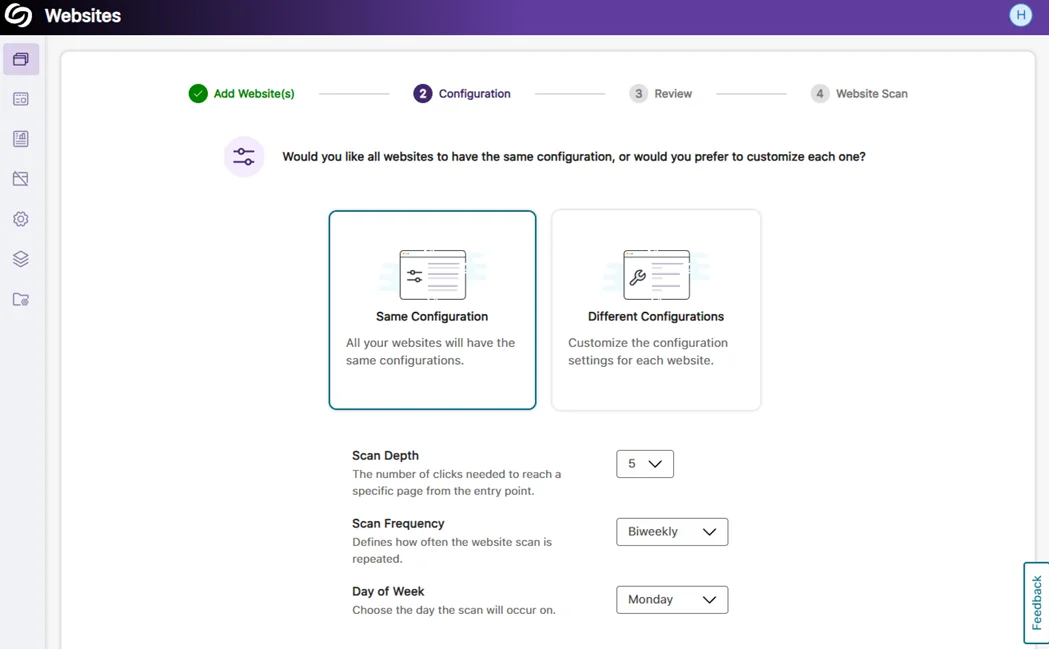
Assign Teams to Manage Specific Page Groups
Building on our previous release, which allowed for assigning teams to manage an entire website, your organization can now designate teams to manage specific website sections by assigning them to page groups. This ensures each team has the necessary permissions, such as configuring scans, viewing accessibility reports, and analyzing web page performance for their assigned page group.
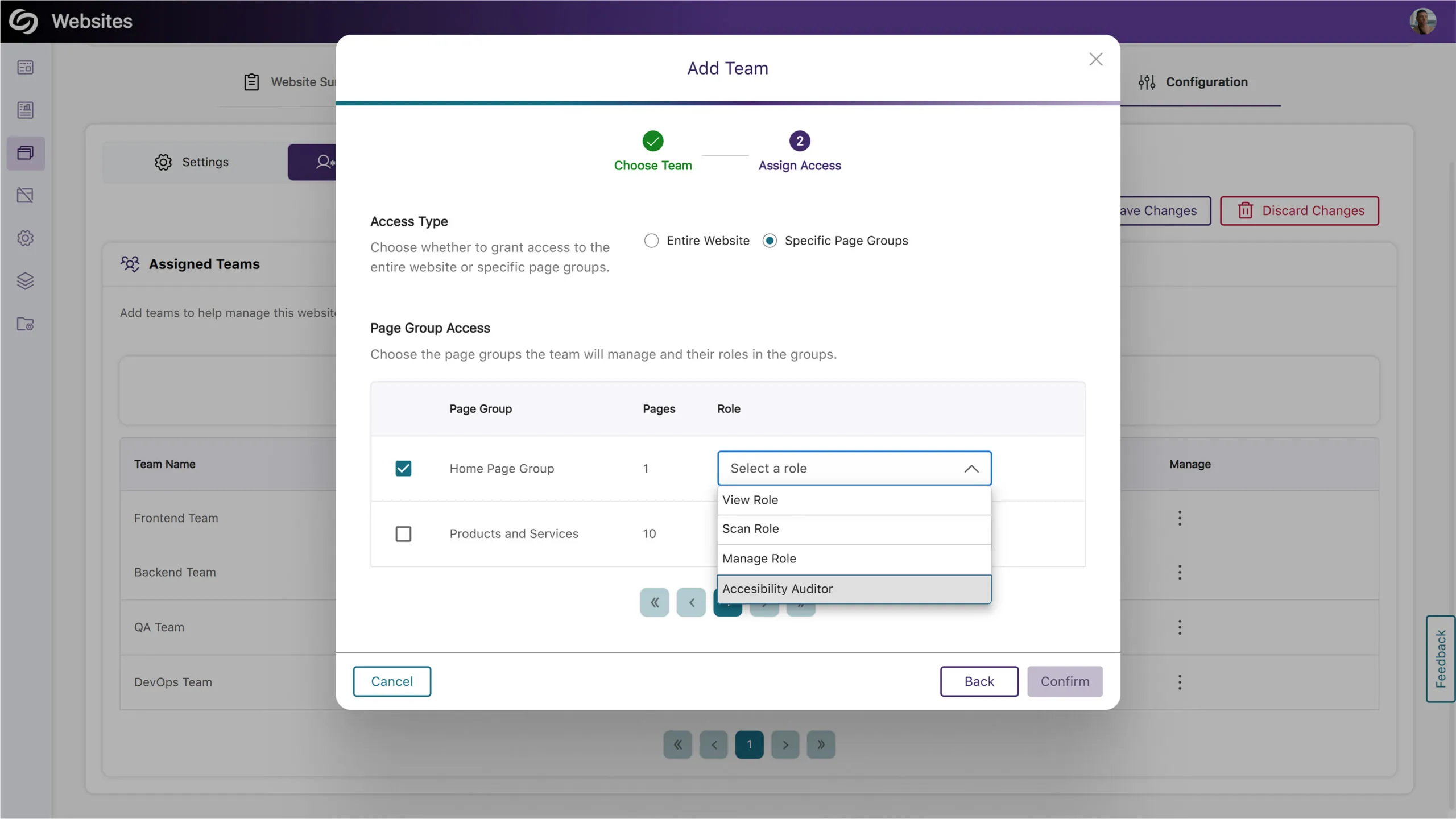
Scan and Crawl Multiple Websites and Page Groups
Institutions with many sites can now choose to crawl or scan multiple websites or page groups rather than individually scanning each one.
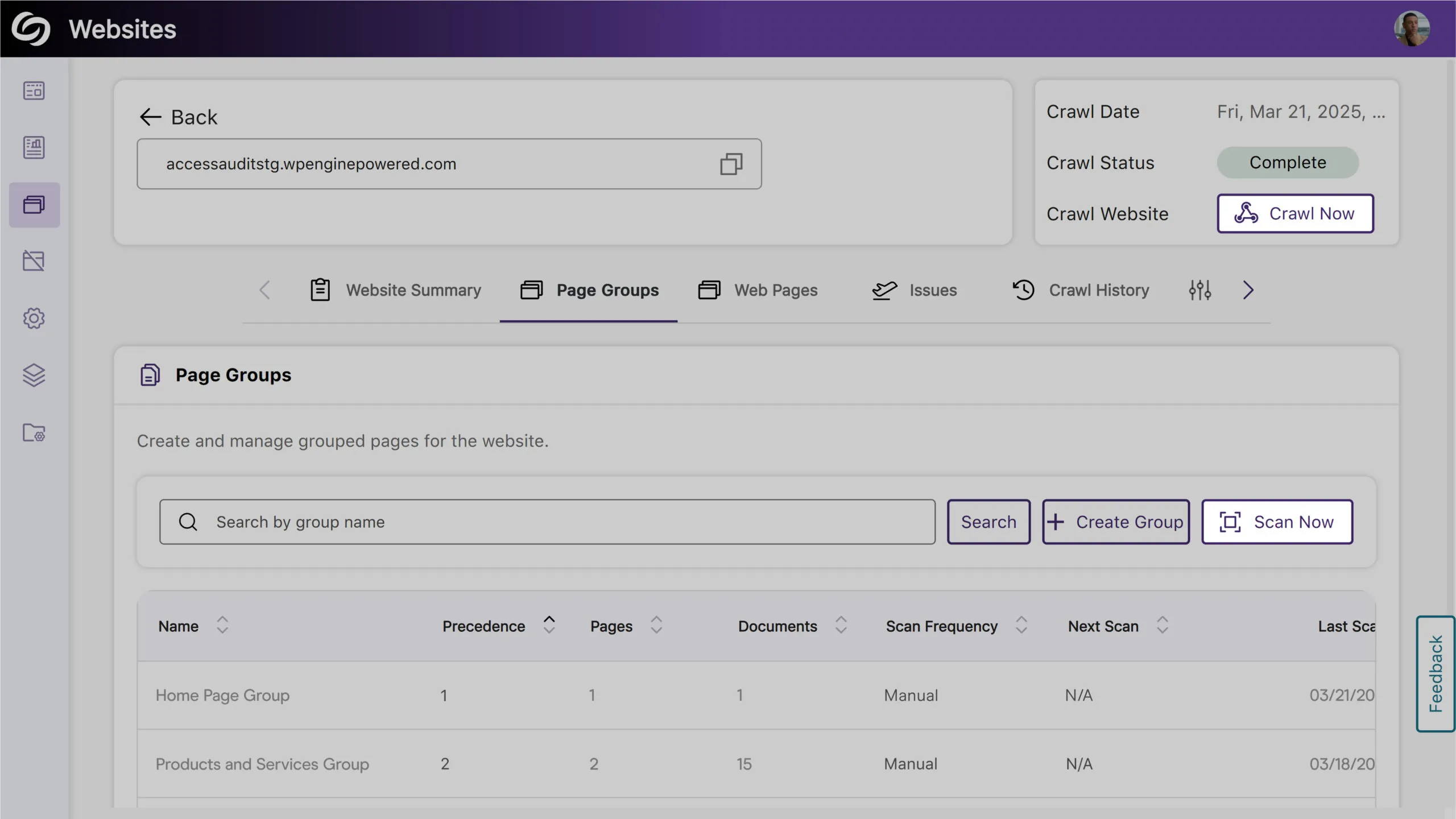
Filter Website Reports by Page Groups
You can now filter reports by selecting a page group, allowing you to focus on specific areas of your website for more detailed insights.
View Issues on Your Site and the Specific Pages Where They Occur
You can now access a detailed list of issues detected on your website in the new Issues tab. This includes the number of occurrences and the specific web pages affected by each issue, allowing you to easily identify areas of concern.
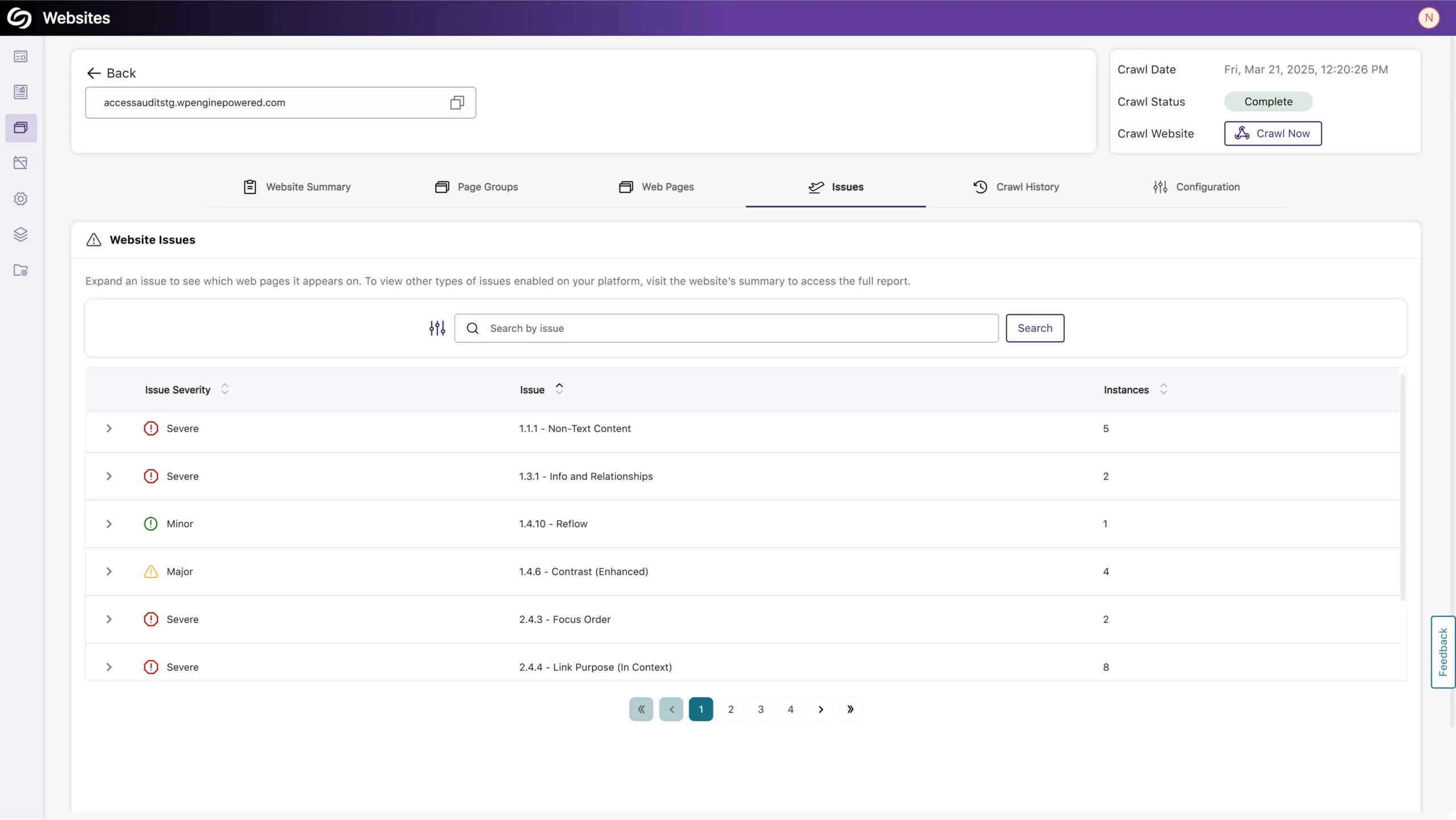
More In-Depth AA and AAA Issue Detection for Web Accessibility
Expanding on our existing accessibility checks, YuJa EqualGround now includes more detections for AA and AAA-related issues. Some of these checks include:
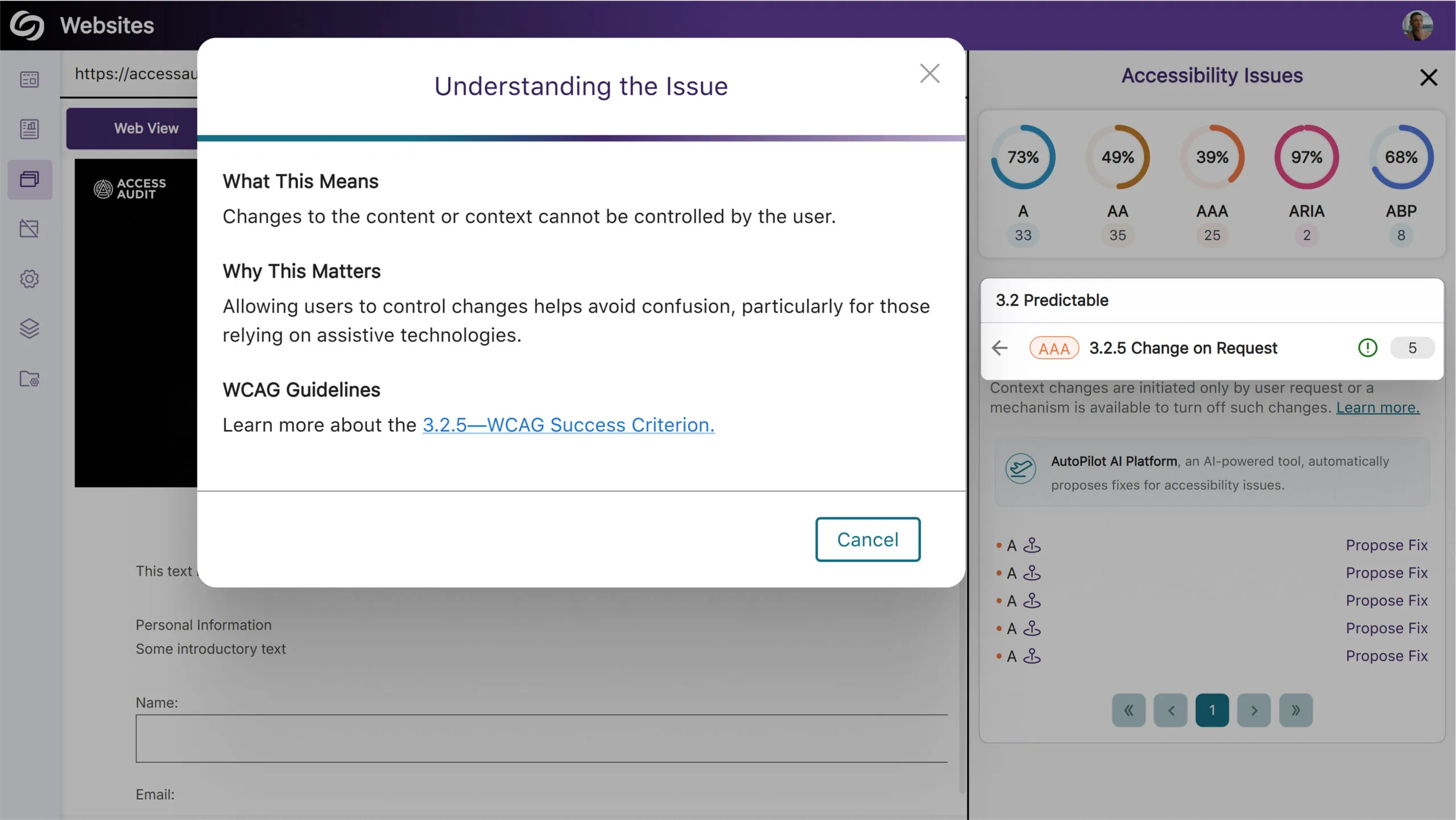
View Full SEO Issue Names in Exported Report
We’ve improved our exported SEO report to display descriptive names for all issue types to help you clearly understand the issues found.
We have successfully pushed an update to all YuJa EqualGround Accessibility Governance Platform instances residing in the US, Canada, Australia, and the European Union. The release introduces groups to organize web pages for independent scanning, an option to create teams and assign them for website management, customize the severity levels of issues, perform website crawls to locate new web pages for accessibility scanning, support for usability and SEO engines in the browser extension, and more.
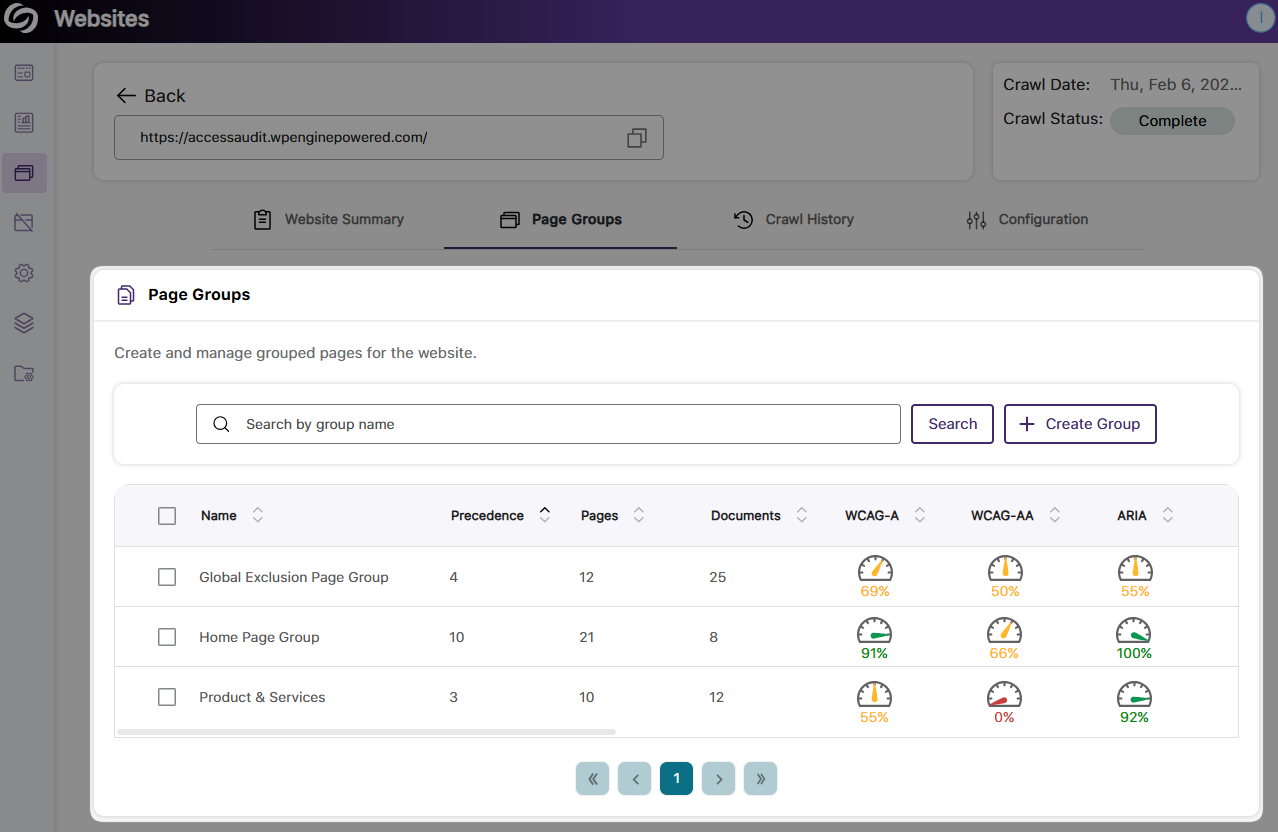
Organize Web Pages into Groups that Can be Independently Scanned
Depending on your organization, your website is often organized into distinct sections, such as events, research, services, etc. To allow YuJa EqualGround to better detect issues in specific areas, you can group pages and schedule or manually scan them independently from the entire website. In future updates, we will allow capabilities to assign users and teams to grouped pages.
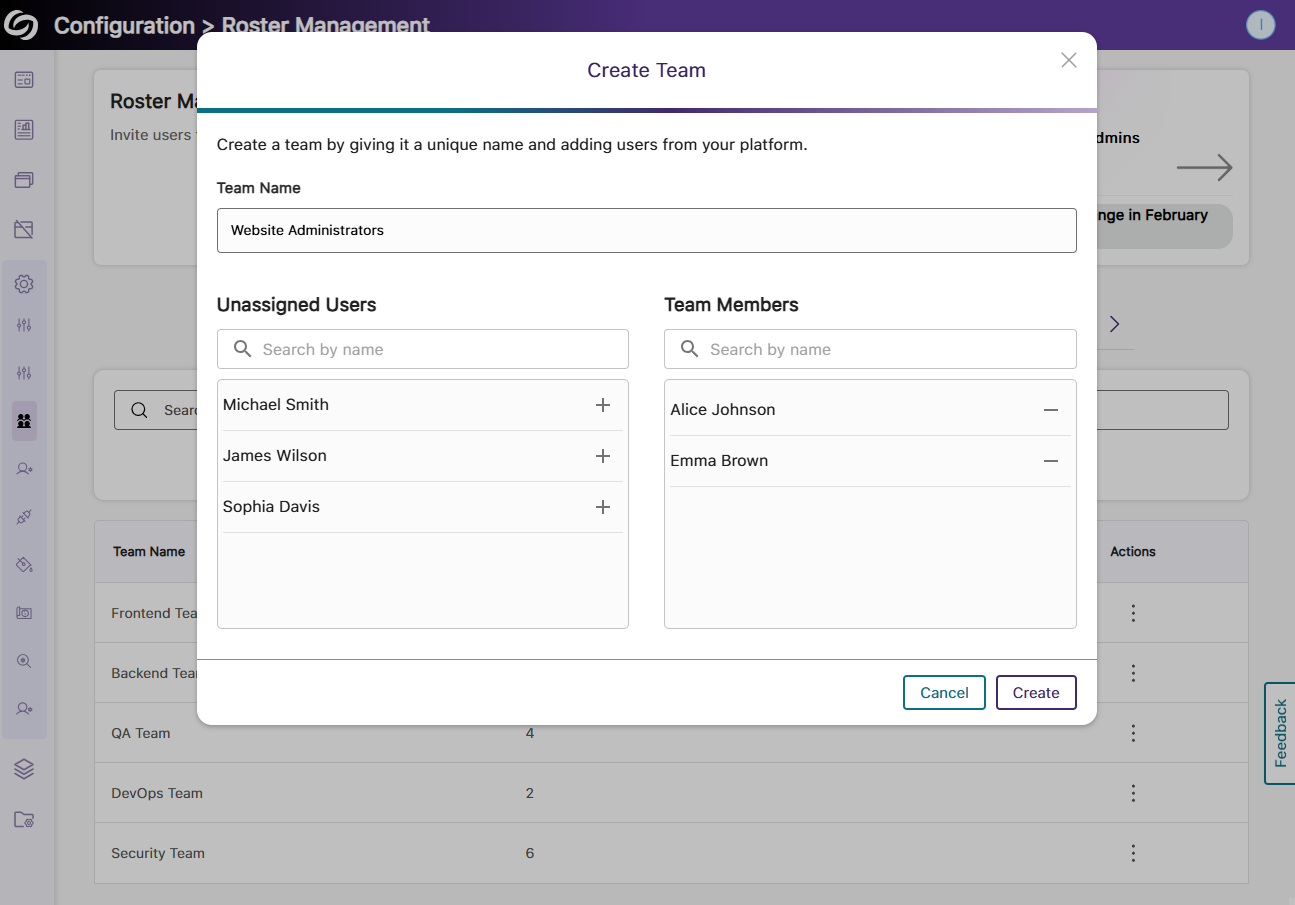
Create Teams and Assign Them to Manage Websites on Your Platform
To create a more organized structure for managing websites on your YuJa EqualGround platform, you can now group users into teams and assign them to specific websites. Each group can then be assigned a role that will give them access to view or manage reports for their respective sites.
Customize the Severity Level of Issues to Align YuJa EqualGround with Your Organization’s Goals
Every organization has unique goals and standards for its audience. To help you more accurately meet these objectives, you can now customize the severity levels of accessibility, SEO, and usability issues—setting them as severe, major, minor, or disabling them entirely if they’re irrelevant to your needs.

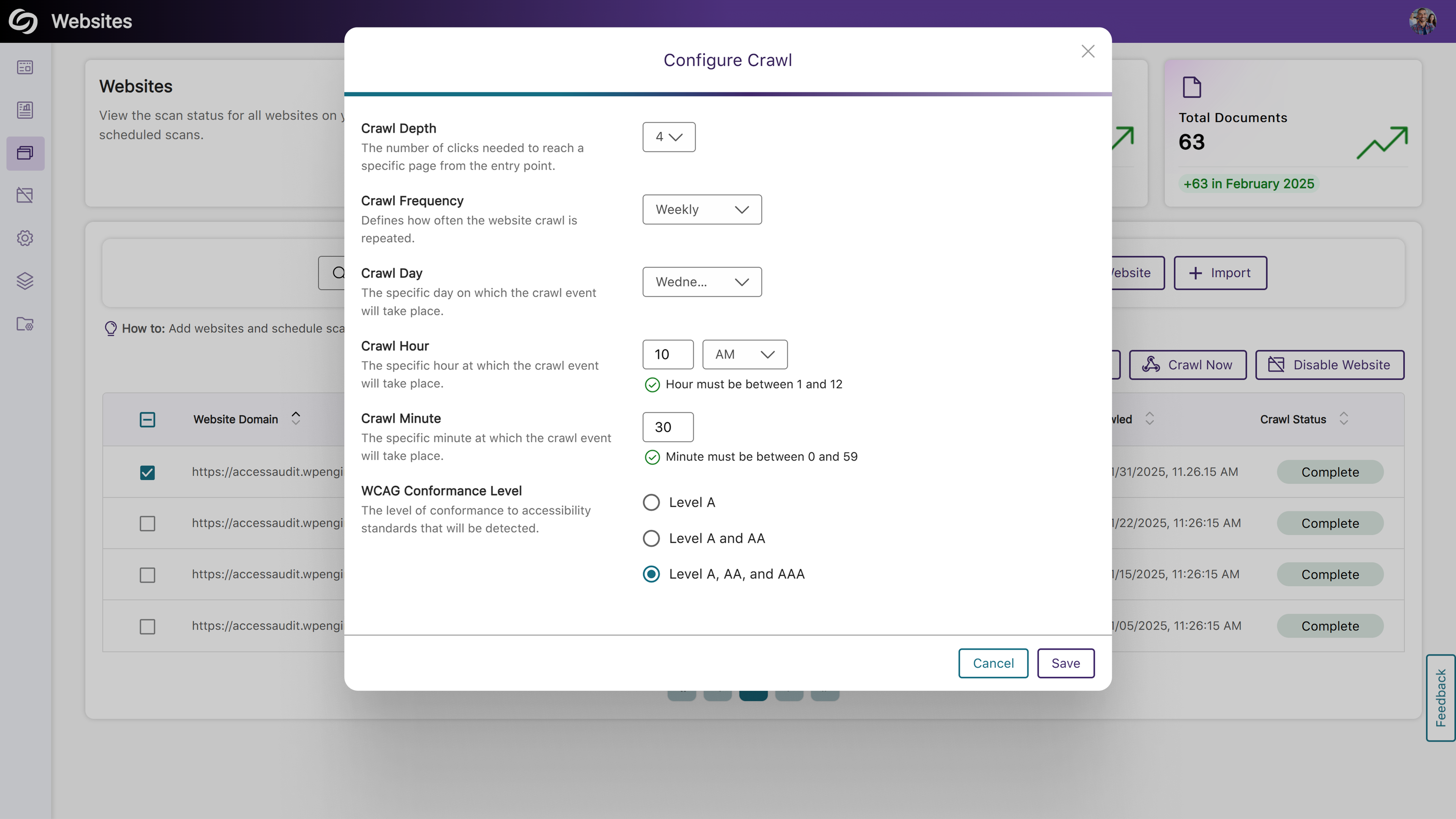
Perform Website Crawls to Locate New Web Pages For Accessibility Scanning
YuJa EqualGround now supports scheduled and manual crawling of websites to detect new pages and documents regularly to ensure they are included in scans. You can customize the crawl by configuring its depth, frequency, and WCAG Conformance Level.
Support for Usability and SEO Engine in the Browser Extension
The YuJa EqualGround Browser Extension has been enhanced with our new Usability Engine, which offers insights into the user-friendliness of your web pages, along with the SEO Engine for analyzing metadata, tags, and links. Simply visit any page on your site, launch your chosen engine, and view detailed issue reports and actionable recommendations for remediation.

Bulk Upload Websites to Your Platform
Instead of adding websites one at a time to your YuJa EqualGround platform, you can now upload a CSV file containing a list of websites and their crawl details. This allows you to schedule crawls and identify pages and documents to be scanned.

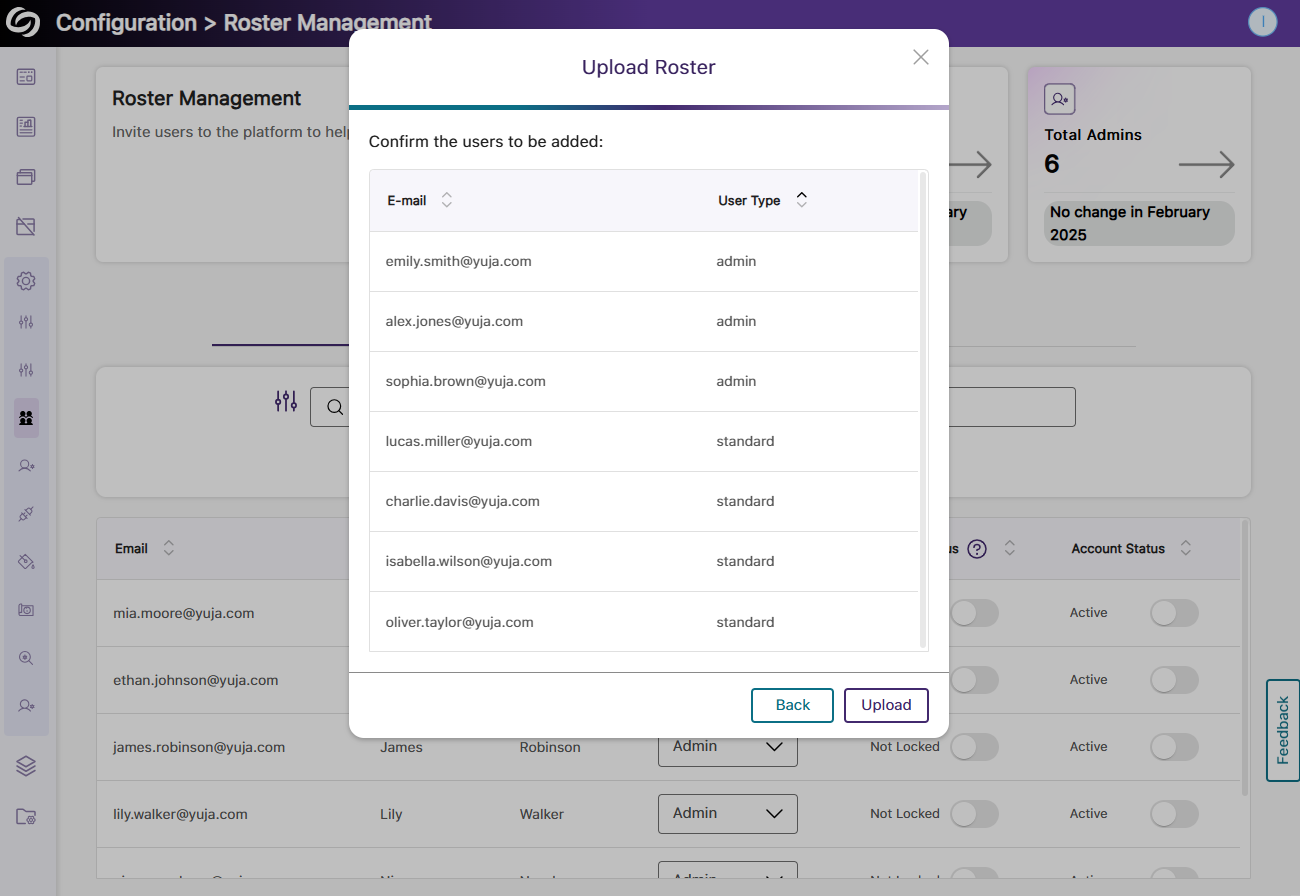
Bulk Add Users to Your Roster Management
Quickly add multiple users to your YuJa EqualGround platform by uploading a CSV file in Roster Management.
More In-Depth ARIA Issue Detection and Recommendations for Best Practices
Expanding on our existing accessibility checks, YuJa EqualGround now includes over 20 new detections for ARIA-related issues and accessibility best practices. Some of these checks include:

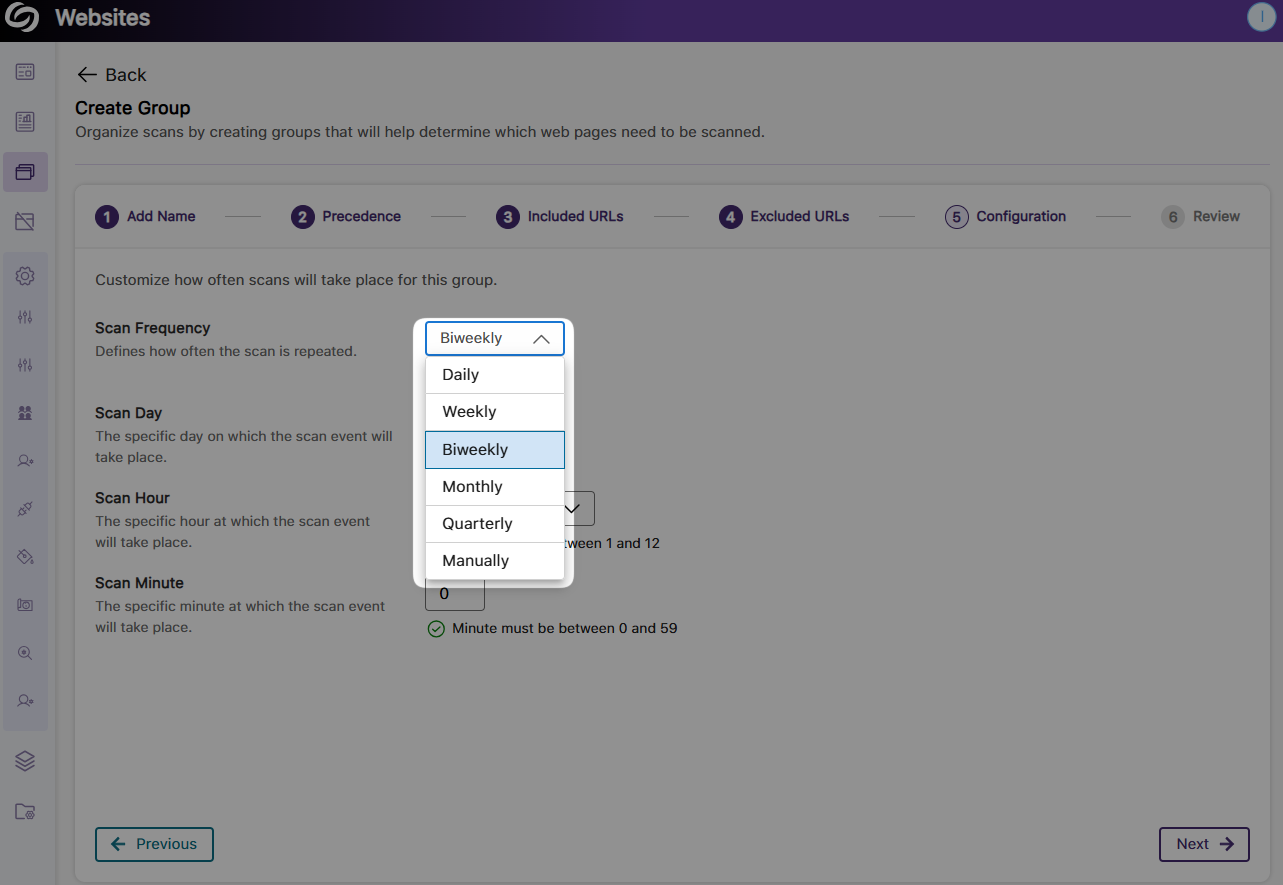
New Scheduling Options for Biweekly and Quarterly Website Scans and Crawls
YuJa EqualGround now supports biweekly and quarterly scan and crawl options when setting up their frequency, providing greater flexibility in scheduling website scans.
New Report Template for Presenting Analytics in Power BI
As a website manager, you can now visualize your report analytics in Power BI using our custom-made template. Simply upload the template alongside your exported JSON report and instantly transform your data into actionable insights.

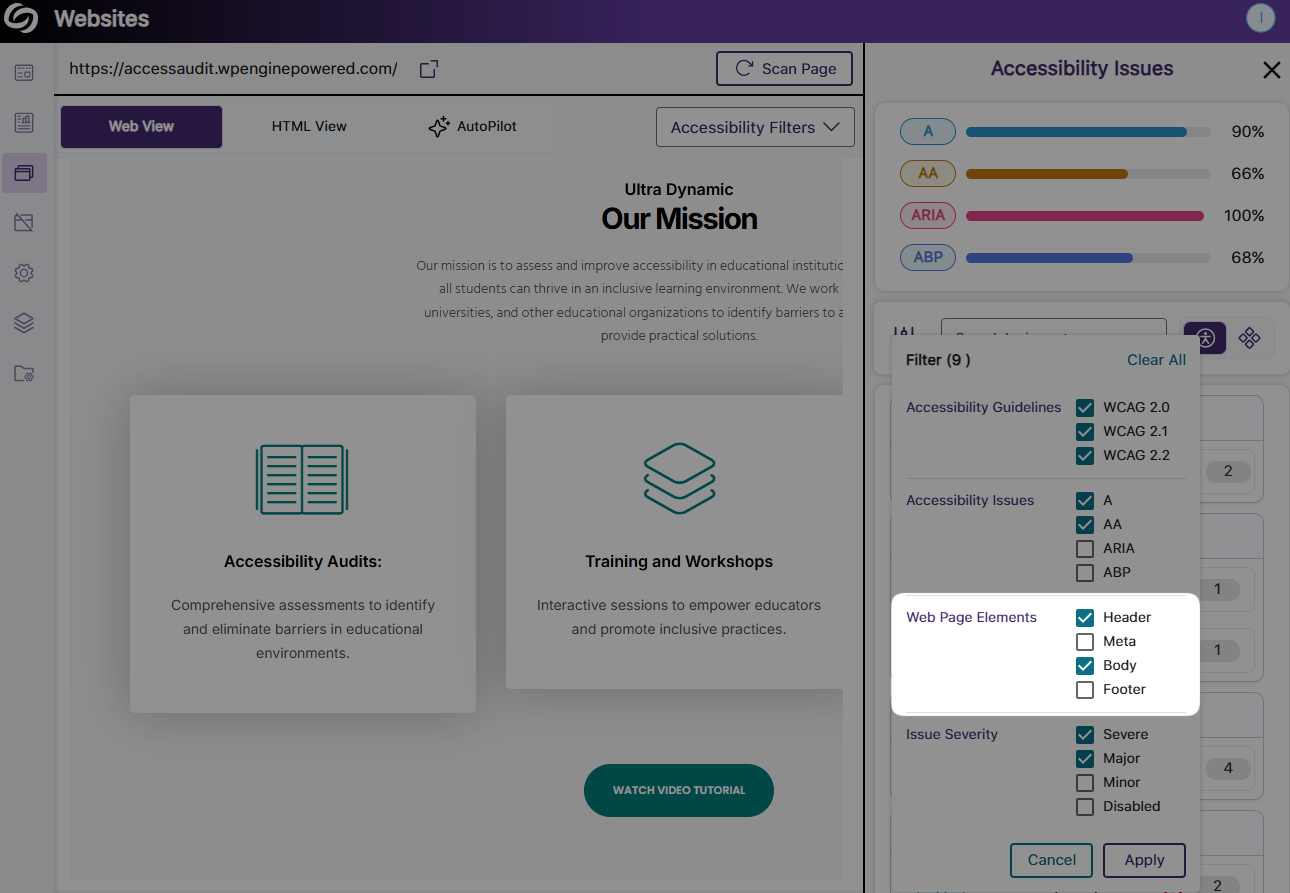
Filter Accessibility Issues Based on Which Element They Appear In
When reviewing your Accessibility Report in web or HTML view, you can now filter issues based on whether they appear in the page’s header, metadata, body, or footer.
Updated Sidebar with Expandable Design on Hover and Animated Iconography
YuJa EqualGround’s sidebar has been redesigned with an expandable navigation that reveals the menu items on hover, along with the new animated icons for a more streamlined navigation.

Enhanced Web Responsiveness for Devices with Smaller Screen Sizes
We’ve optimized the website configuration page with better web responsiveness for smaller screen sizes, ensuring that all menu items are fully displayed and offering smoother navigation across devices.
The release includes a new Policy Hub to create specific rules to retrieve content, media, and documents on websites, a new usability report to view overall scores and scores for individual issues, new checks of personal information and unsafe domains from the usability engine, and information on how usability scores will be improved when each issue is resolved.
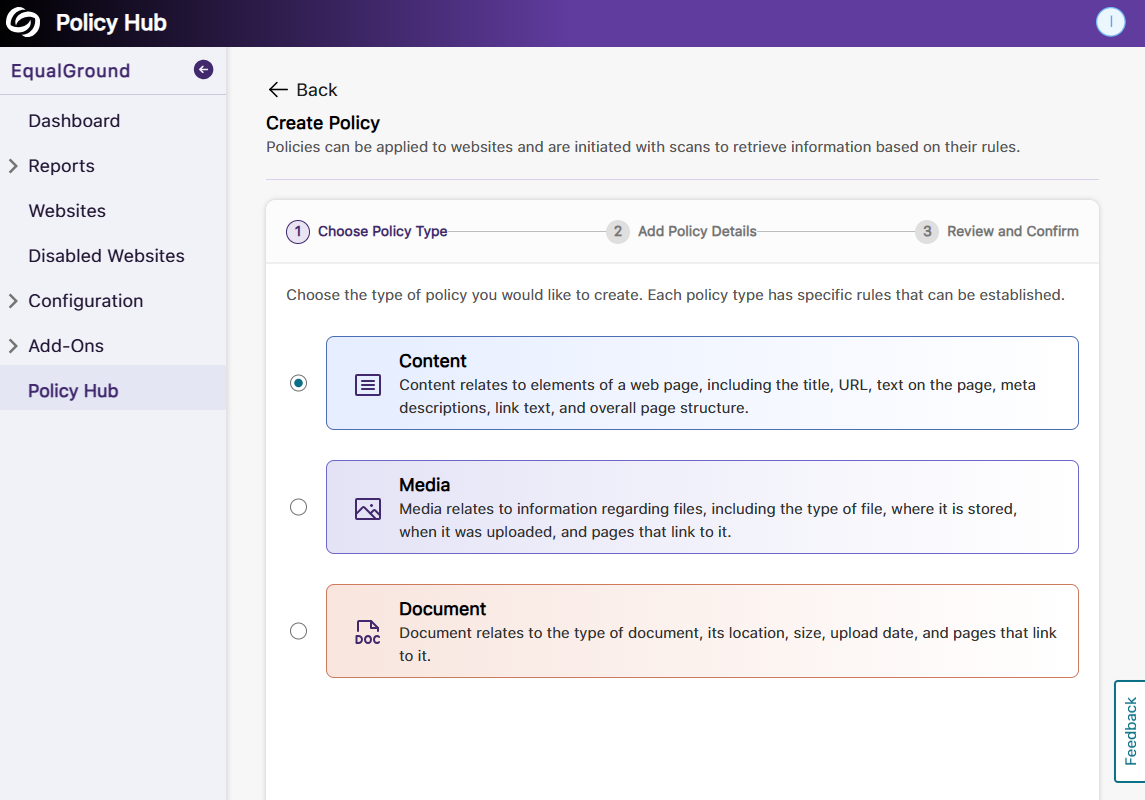
New Policy Hub to Create Specific Rules to Retrieve Information on Website Content, Media, and Documents
Your organization’s website will constantly need to be updated as things change, and it can be tedious to locate all the items that need updating. To help you locate such items, we’re introducing the Policy Hub, which allows for the automatic identification of specific types of content, media, or documents across your web pages. For example, in certain situations where you need to locate specific images to replace on your website, you can create a policy to match the exact image name and find them across all web pages. You can even run multiple policies at once on a website to:
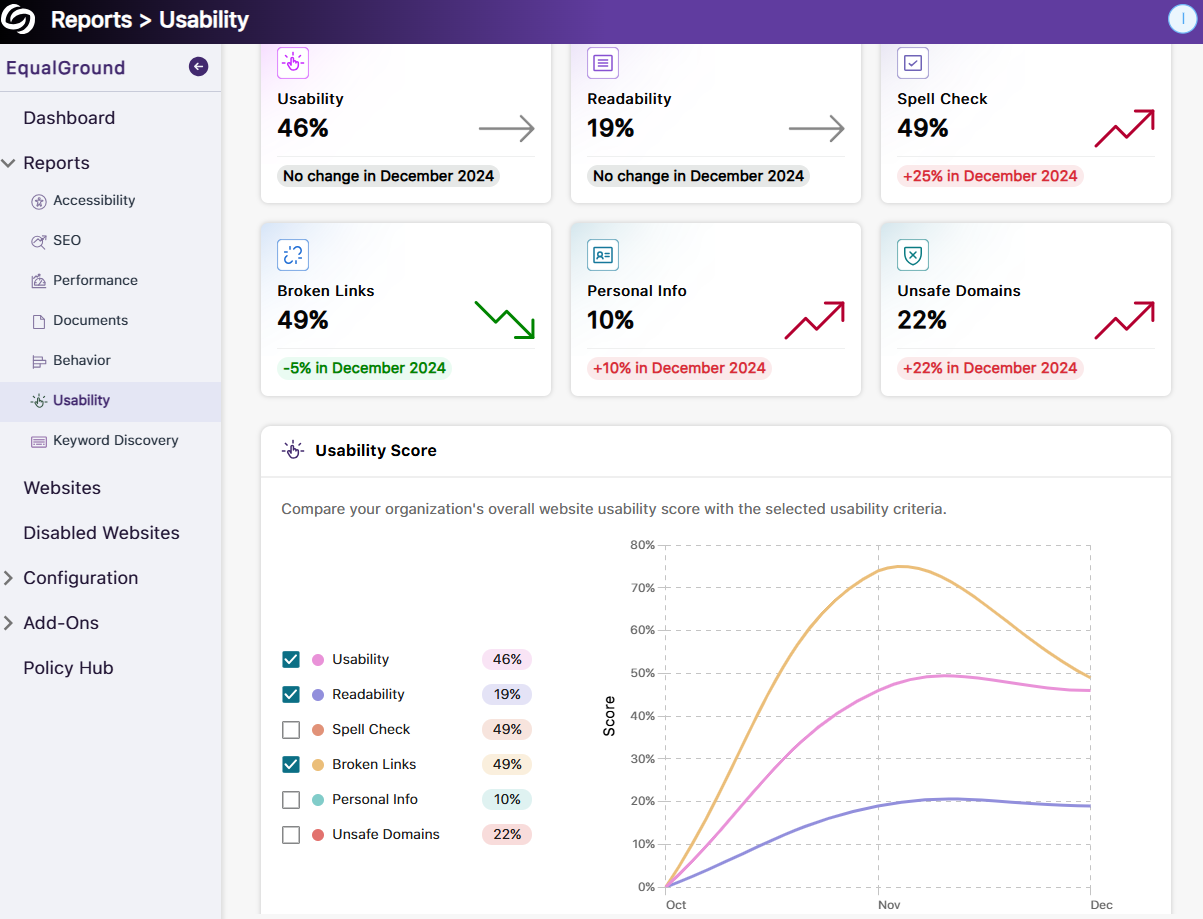
New Usability Report to View Scores for Individual Issues and the Overall Score Over Time
The new Usability Report provides an overview of your organization’s usability scores, along with detailed insights into individual usability criteria. This allows you to monitor usability performance over time and offers actionable insights to improve user interactions and engagement across your sites. Key highlights of the report include:
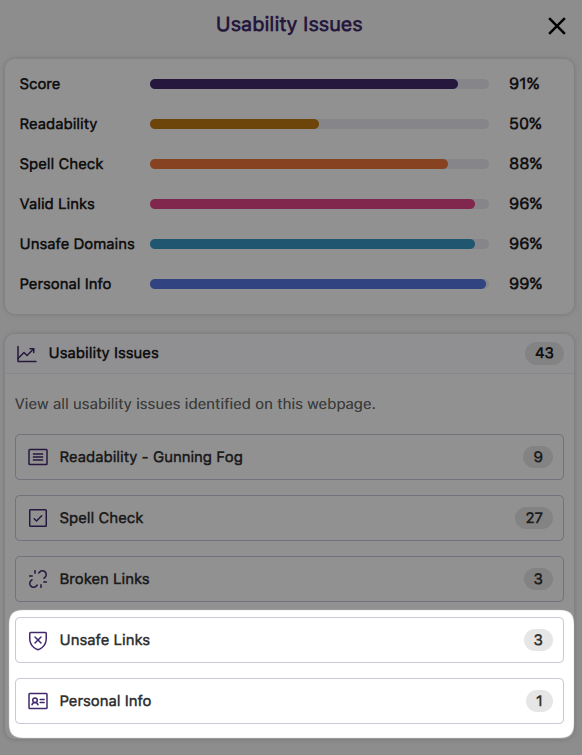
The Usability Engine Provides More Checks to Ensure the Privacy of Content and Safety of Visitors
YuJa EqualGround now includes more advanced checks on your web pages to prevent the public exposure of sensitive data and enhance your visitors’ safety. The new checks include:
For cases where certain information, such as an organization’s email or phone number, needs to be publicly displayed, you can add them to the exclusion list to prevent unnecessary flagging.
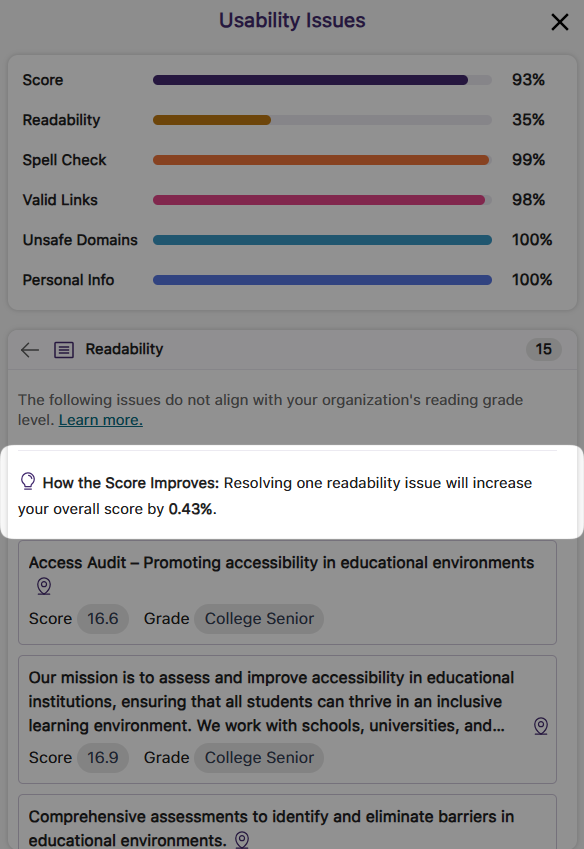
Information on How Your Score Will Improve When Usability Issues Are Resolved
The new usability score improvement indicator lets you know the percentage increase in the overall score when a usability issue is resolved, providing a more accurate forecast of improvements and helping you to prioritize which issue to address first.
The release provides keyword search ranking evaluations, the option to use AutoPilot and Structural Remediation Add-ons for documents, a new Usability Engine to evaluate the text content quality and validity of links, new Behavior Engine to track visitor analytics, a YuJa EqualGround browser extension for web page scanning, the option to specify report access for different roles, a new Accessibility Best Practice metric to enhance web content accessibility, and more.
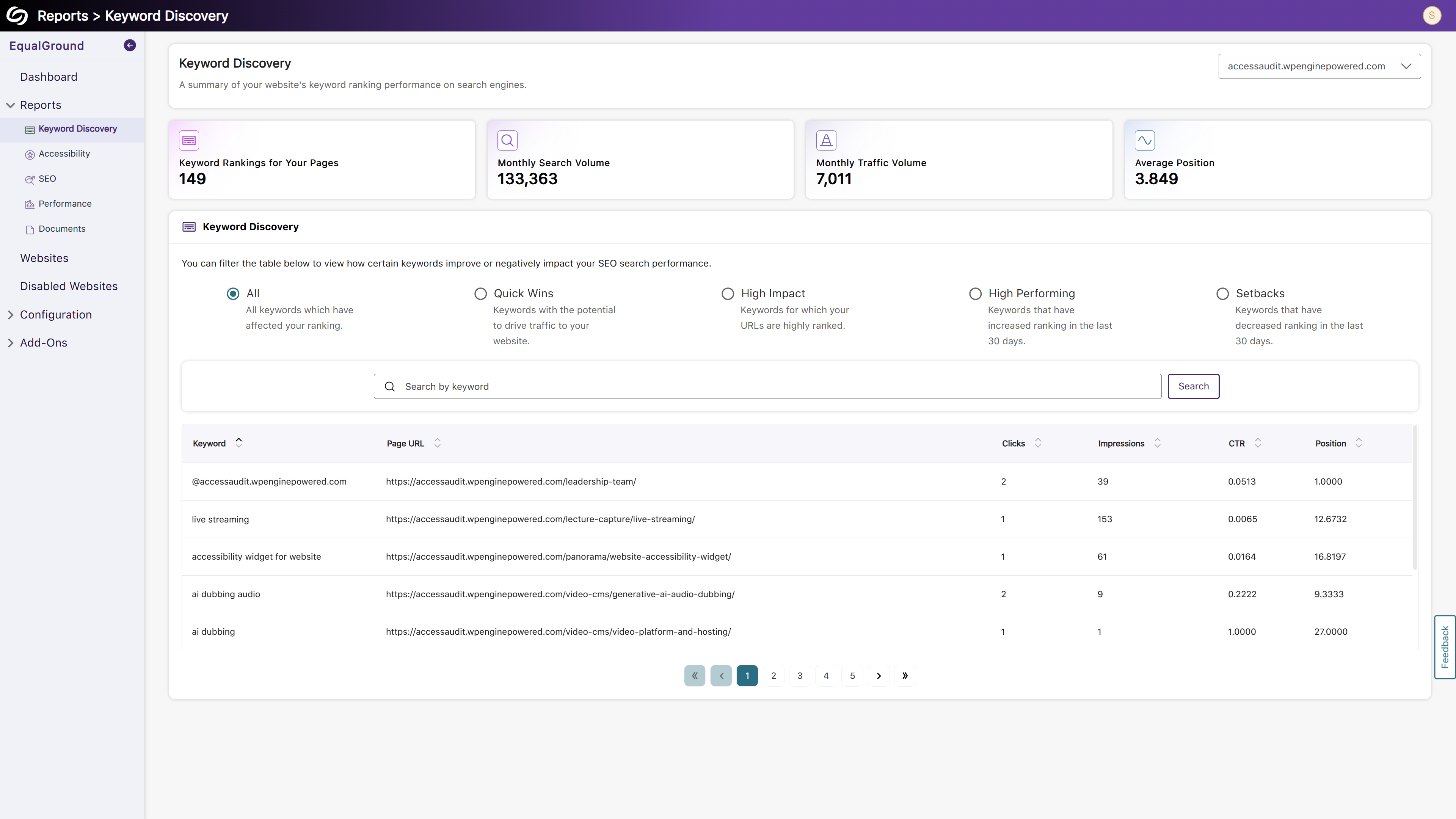
Evaluate How Keywords Affect Website Search Rankings With the Keyword Discovery Report
By integrating Google Search Console with YuJa EqualGround, you can generate the Keyword Discovery report, which helps determine how keywords are affecting website search ranking. The report can be categorized into four distinct groups:
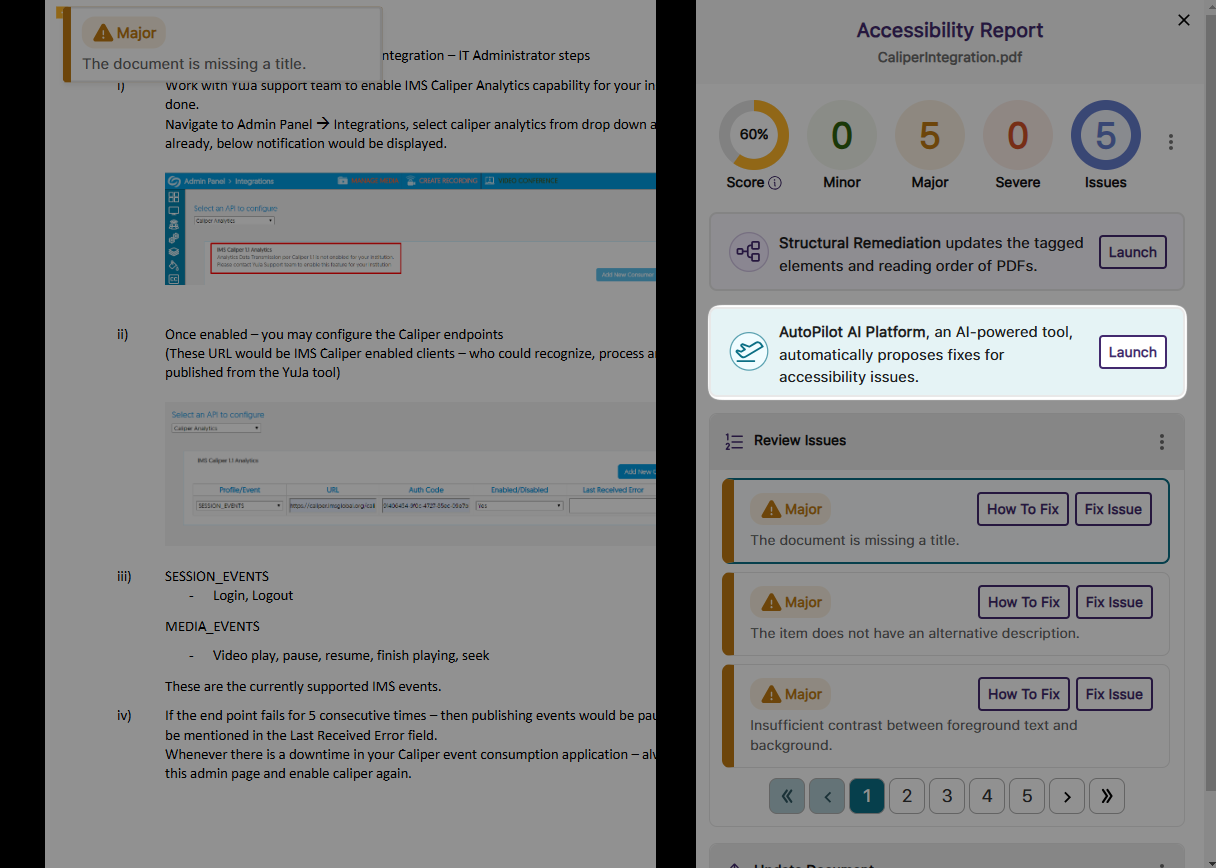
Use AutoPilot to Resolve Accessibility Issues in Documents
When assessing accessibility issues in documents found on your website, AutoPilot can automatically fix supported accessibility issues directly within the original document, ensuring the document does not need to be manually fixed and re-uploaded to your website. AutoPilot can remediate documents in DOCX, PDF, PPTX, and XLSX formats, addressing issues such as:
Insufficient contrast between foreground text and background.
PDFs that are not tagged properly for screen readers to interpret
Difficulty in reading text due to small font sizes.
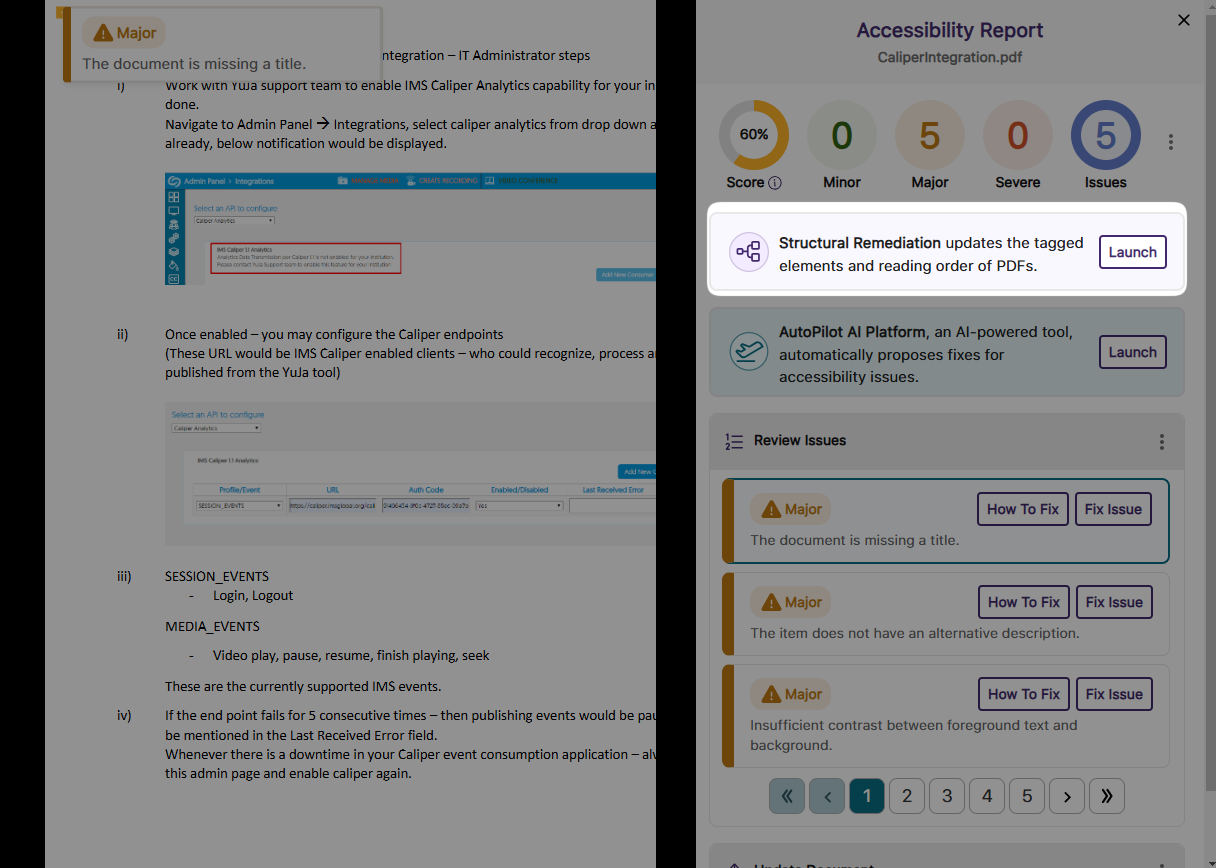
Use Remediation Max for Advanced Structural Remediation of PDFs
Remediation Max provides in-line structural remediation to help fix a wide set of accessibility issues across PDF documents. These issues include:
New Usability Engine to Evaluate the Quality of Text Content and Validity of Links
EqualGround offers a Usability Engine that evaluates websites based on three essential metrics to ensure they are user-friendly for viewers.

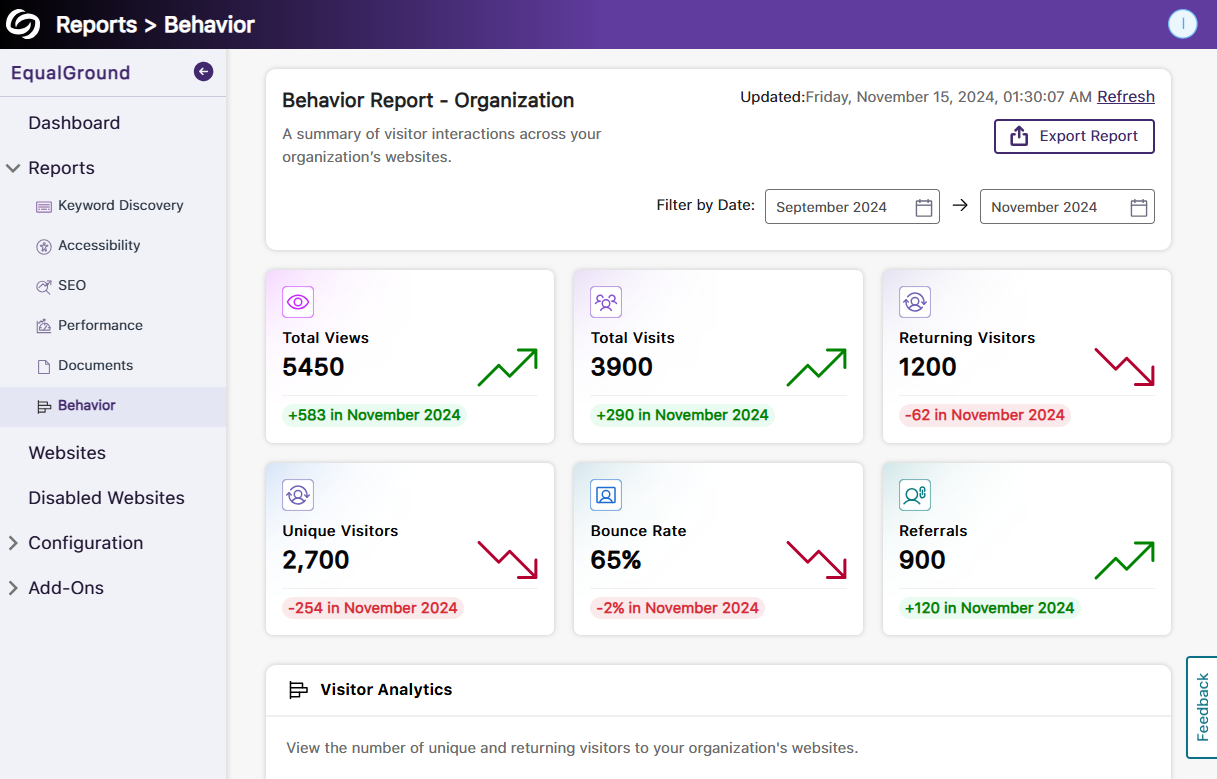
New Behavior Engine to Track Analytics for Website Engagement
The Behavior Engine monitors several key metrics to analyze visitors to your website. These issues include:
Download the YuJa EqualGround Browser Extension to Run WCAG and ARIA Checks for Web Pages
With the launch of the new browser extension, you no longer need to be on the YuJa EqualGround platform to run your accessibility scans. On YuJa EqualGround, you can access Configurations > User Setup to install the extension and connect it to your platform. Once connected, the accessibility scan can be initiated for your desired web page listing all WCAG and ARIA issues and steps to remediate them.

More Granular Role Management Capabilities for Reports
As an administrator, when creating a role, you can specify particular reports that the role will have access to rather than granting access to all reports. This allows for roles to be specialized in one or more areas of web content improvement.

Follow Our Best Practice Guidelines to Make Your Website More Accessible
In addition to the Accessibility Report’s ability to detect ARIA and WCAG-level issues, YuJa EqualGround is offering more ways to enhance web content accessibility by providing a score based on our recommended Accessibility Best Practices. These best practices include detecting issues such as:
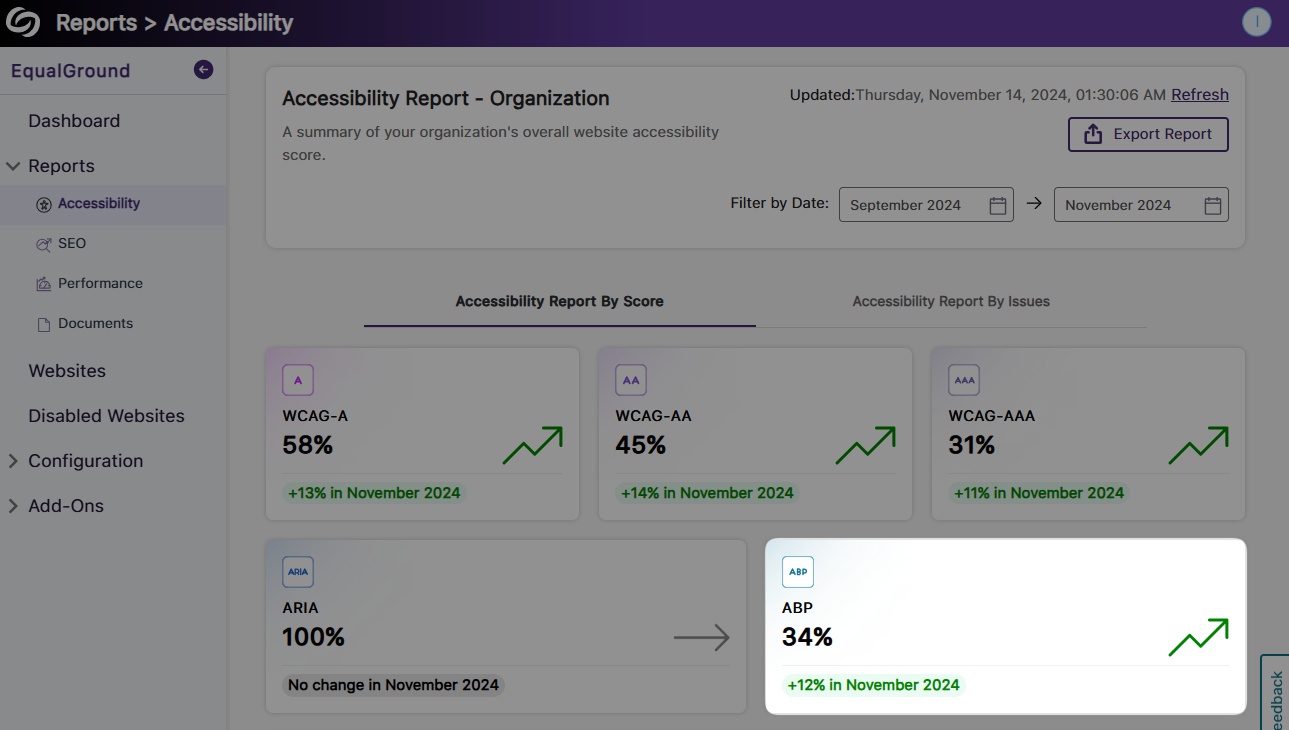
More In-Depth SEO Crawling by Including Six New Areas of Improvements
We have improved our SEO crawling engine to include six new areas where we verify that your website adheres to the latest SEO best practices. The SEO crawler will check for:
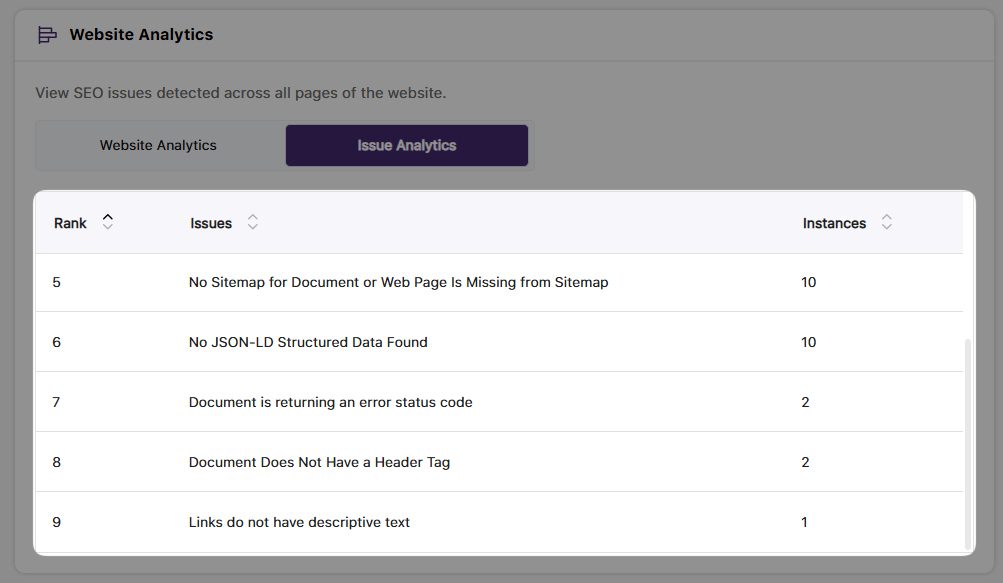
Choose the WCAG Conformance Level Your Organization Requires
Your organization can now select the desired level of WCAG conformance to ensure that their websites meet accessibility standards. In the Website Settings, you can choose whether your organization prefers Level A, Level A and AA, or Level A, AA, and AAA accessibility standards for detecting issues.

More In-Depth Detection of WCAG and ARIA Accessibility Issues
We have added more than a dozen accessibility checks for WCAG and ARIA-related issues. Some of these issues include:
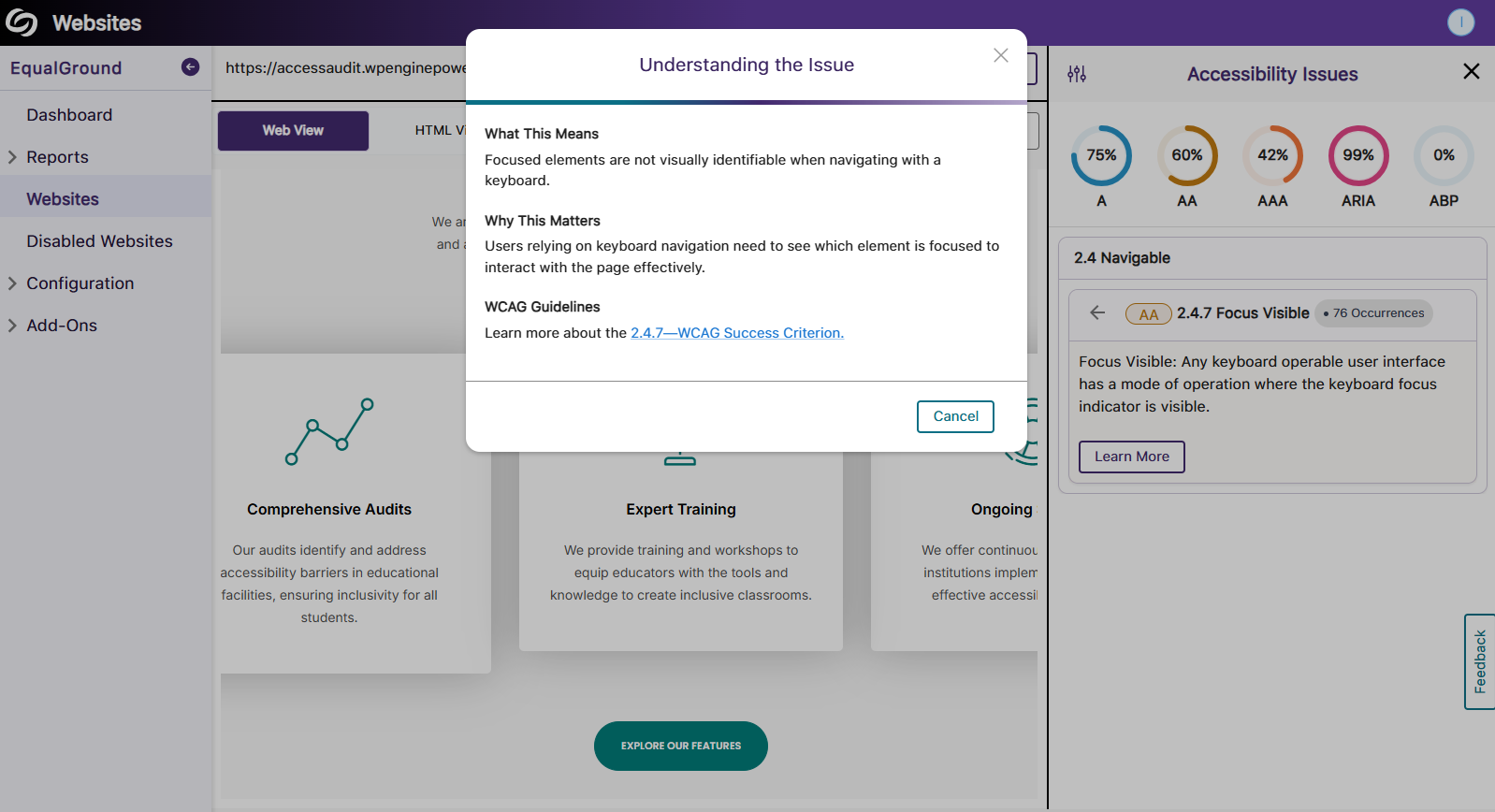
New Filters to Organize Accessibility Issues by Their Components or WCGAG Criterion
We have provided two new filters to the Accessibility Issues panel, allowing you to select whether to view issues by their WCAG criterion or to group issues by their component. The WCAG criterion filter will highlight the issue detected, along with the items affected by the issue. In the new component view, you will be able to see all issues within a related category in one view, including all link, checkbox, list, and button issues displayed in their respective viewport.

Join the 1,000+ Organizations Deploying High-Impact Solutions