

Product Updates
Get the latest platform updates, features, and announcements—all in one place.
Boost Video Accessibility with the GenAI Video PowerPack!
Try Now
Supercharge Your Compliance Efforts with AutoPilot Remediation Max!
Try Now
Strengthen Your PDF Accessibility Efforts with Structural Remediation Max!
Try Now
Don't Miss Any of Our Upcoming Webinars—Save Your Spot!
Register
The YuJa Community is here! Connect, get updates, and access exclusive content.
Join Now

Get the latest platform updates, features, and announcements—all in one place.
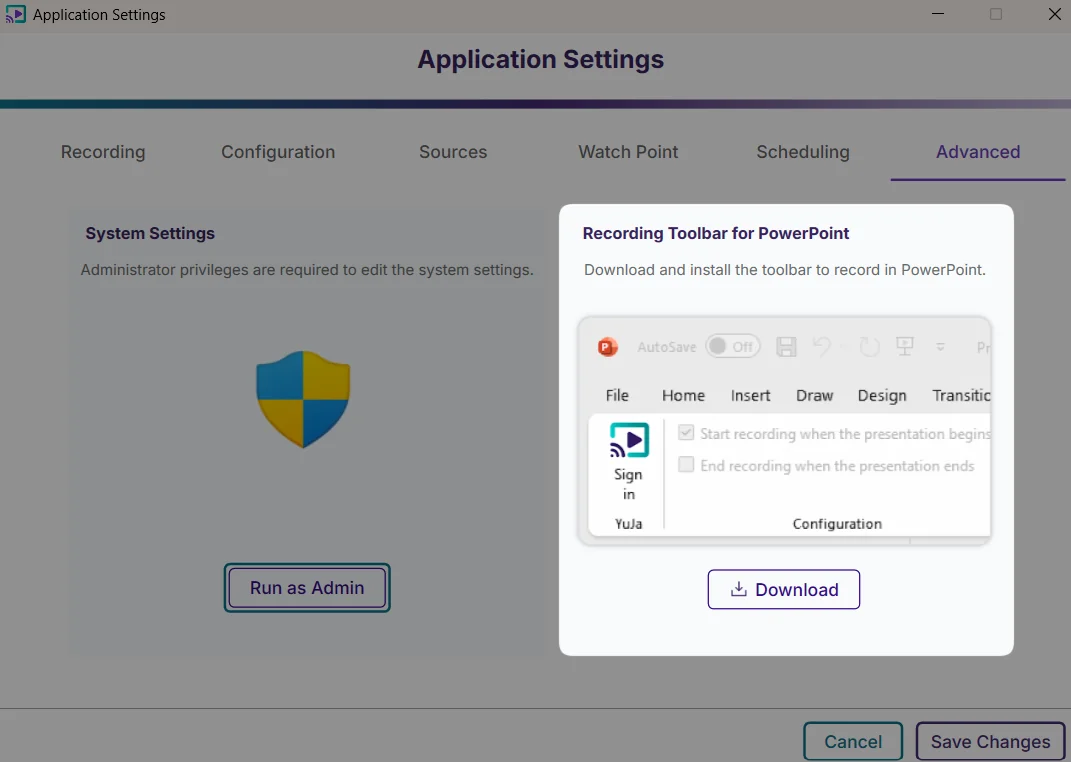
One-Click Download and Installation for the PowerPoint Add-On
Previously, you were required to download and then install the PowerPoint add-on. Now, simply click the “Download” button, and Software Capture will automatically download and install the add-on.
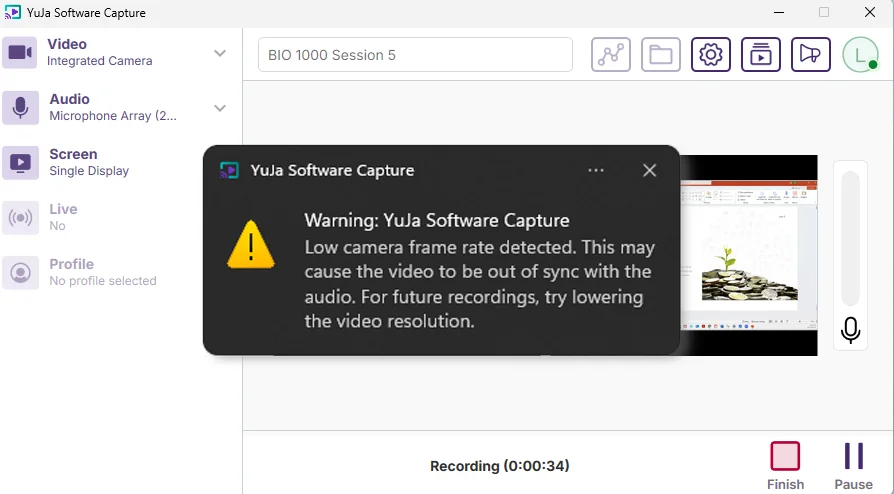
Notification Alerts for Low Video Frame Rate During Recordings
The recording toolbar will now display a timer showing elapsed recording time to provide visibility into session duration without accessing the confidence monitor.
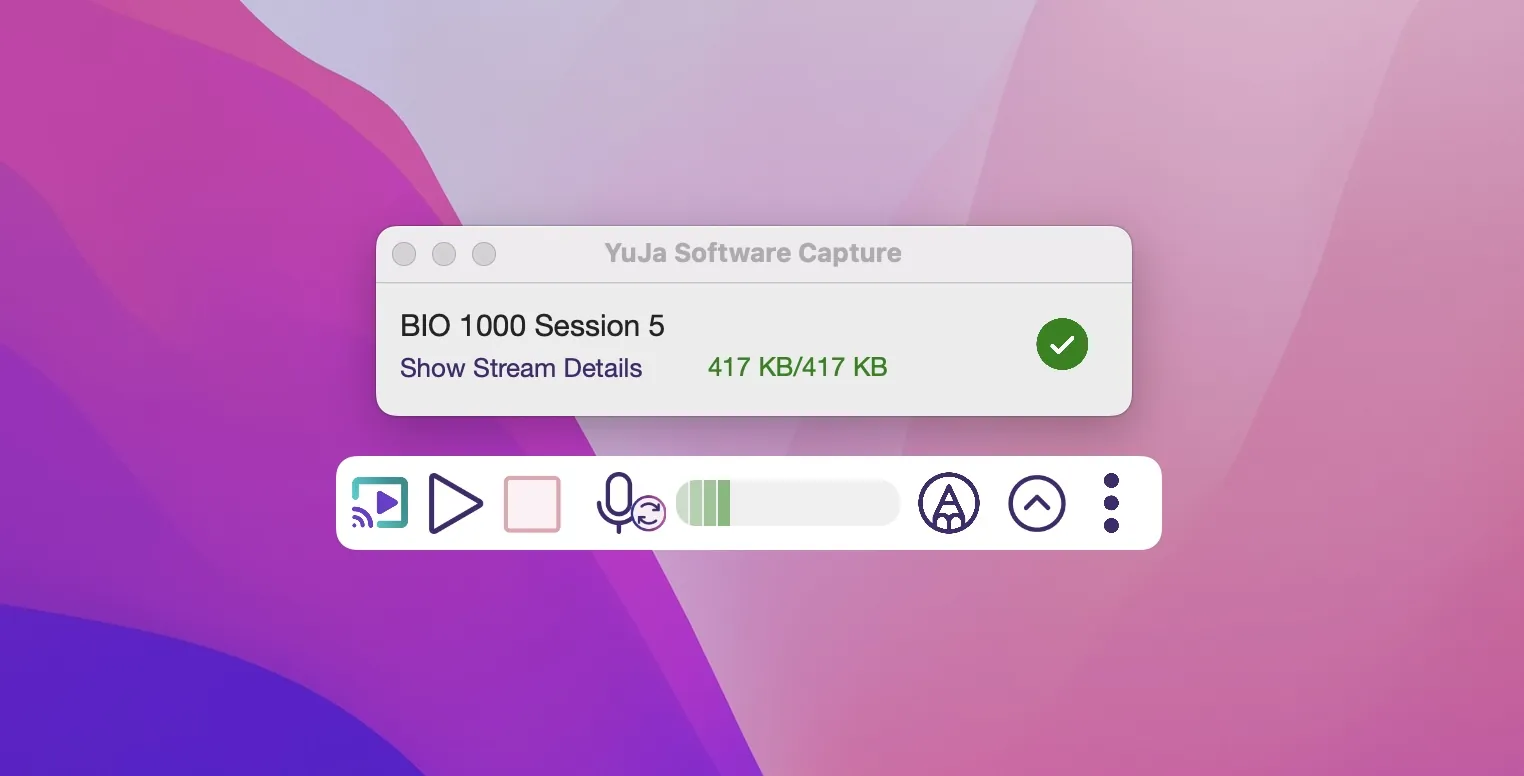
Fixed an Issue with the Mini Toolbar Hiding the Upload Status of Recordings
Previously, turning on the Mini Toolbar hid the recording’s upload status. We have fixed this issue, allowing you to see the upload progress even when the Mini Toolbar is enabled.
Over the next few weeks, the YuJa Lumina Video Platform will see improvements to course management, analytics capabilities, and administrative workflows. Key highlights include automated quiz publishing for seamless LMS integration, enhanced video engagement analytics with per-section heat map visualization, and streamlined administrative tools for usage reporting and integration management.
Heat Map Analytics Will Support Per-Section and Sub-Course Data Visualization
The video engagement heat map will now include per-section and sub-course analysis capabilities, allowing administrators to view detailed interaction patterns for specific course sections or sub-courses through an integrated dropdown menu. This enhancement will provide granular insights into student video engagement across different sections within the same course in your LMS, enabling more targeted instructional decisions and comprehensive analytics reporting.

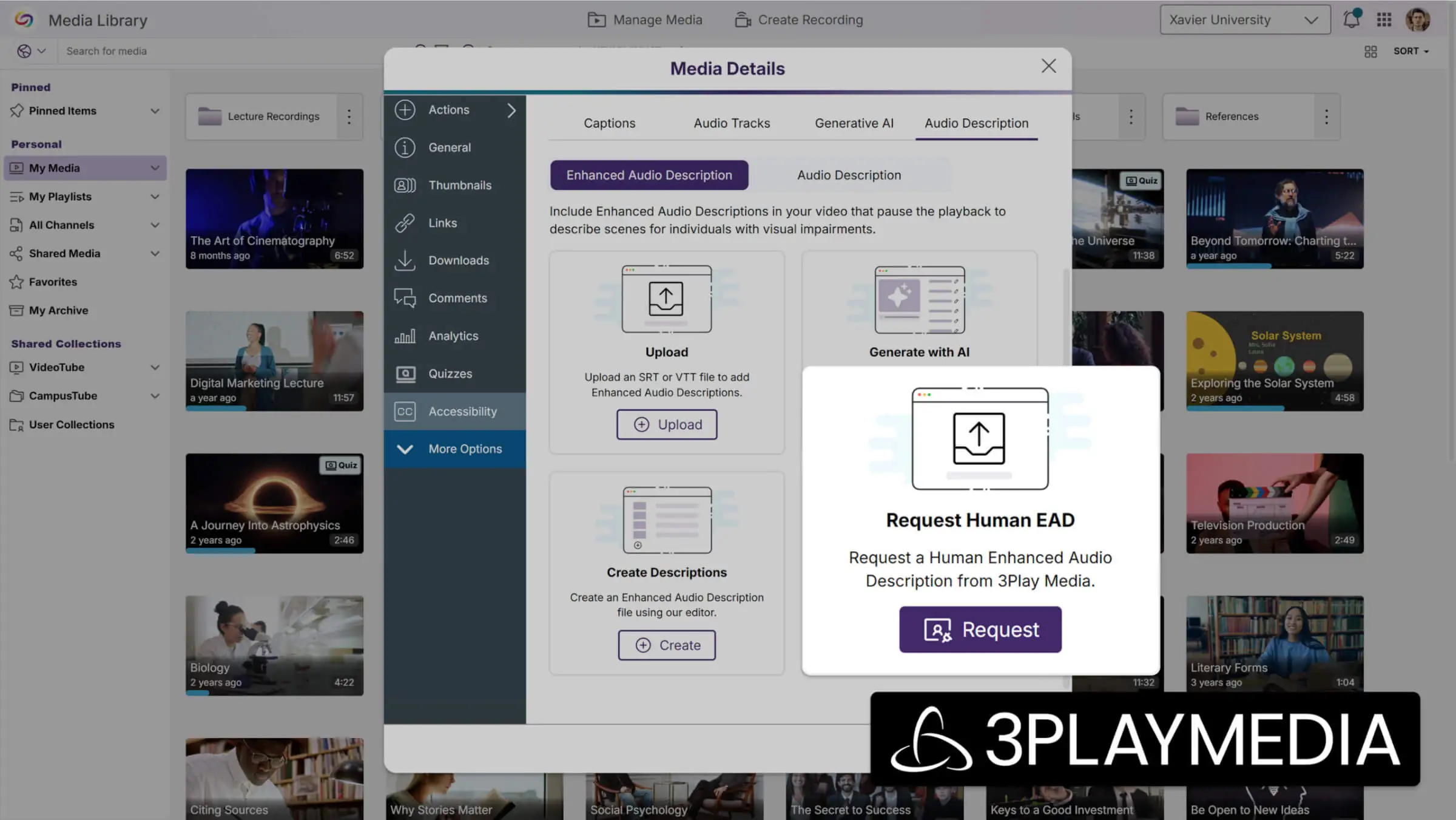
Support for Human-Generated Enhanced Audio Descriptions with Partnership with 3Play Media
Instructors can now request human-generated Enhanced Audio Descriptions through their existing 3Play Media integration, providing professional-quality accessibility content within 24 hours. This feature expands audio description options beyond AI-generated content to ensure the highest quality accessibility standards for critical video materials.
Migrated Quiz Links Now Support Automatic Grade Sync
Quiz links that have been migrated from other video products to YuJa through the link replacement tools will now automatically sync grades when students access them. This helps ensure grade tracking for converted quizzes without requiring manual course association from administrators.
Monthly Usage Reports Will Be Accessible In the Admin Portal
Administrators will be able to view historical monthly usage reports directly within the admin portal, with automatic pop-up notifications displaying the previous month’s data upon first login each month. The dedicated Usage Reports section will provide easy access to past reports through a dropdown menu, with new monthly options added automatically over time.

Captioning Integration Setup Streamlines Provider Configuration Management
All captioning provider integration pages will now feature an enhanced interface that simplifies the setup and management of multiple caption providers through improved modal workflows. The streamlined configuration process includes robust validation to prevent incomplete setups, ensuring reliable captioning services across 3Play Media, Rev, AST, Verbit, and Cielo24 integrations.

LMS Integration Pages Will See Interface Updates With Enhanced Configuration Control
Admin pages used to connect YuJa to LMSs have been improved to make the setup process more organized. The new interface organizes LTI and API settings in a cleaner, more intuitive layout, which helps administrators manage multiple LMS connections more efficiently.

Hardware Hub Profile Device Management Expands to Support All Connected Devices
Hardware Hub profiles will now support adding any connected device, including NDI cameras and other specialized equipment, rather than being limited to the previous three PCI devices and Line In Audio. The updated interface provides a comprehensive connected devices table that allows users to view, add, and remove any USB or NDI device from their profile, providing greater flexibility for diverse recording setups.
This YuJa FeedbackFlow Assessment Platform release will feature improved grouped assessment capabilities and student submission options. Key updates will include complete collaborative learning workflows with automatic LTI integration, in-assessment rubric access for improved student understanding, and expanded media file upload support for diverse assignment types.
Grouped Assessments Enable Comprehensive Collaborative Learning Workflows
FeedbackFlow will now support grouped assessments with complete instructor management tools, streamlined student collaboration features, and automatic LTI integration. This comprehensive update transforms collaborative learning by providing seamless group creation, intelligent workflow management, and synchronized grading across all participants.
Key enhancements include:
Automatic LTI Course Member Mapping: When launching grouped assessments, LTI course members will be automatically mapped to YuJa to ensure complete roster synchronization with expandable group member lists and automatic grade distribution across all group members.

Streamlined Student Experience: Students will be able to join or create groups directly within assessments, with intelligent workflow direction and seamless submission sharing that preserves previously submitted responses for collaborative editing.
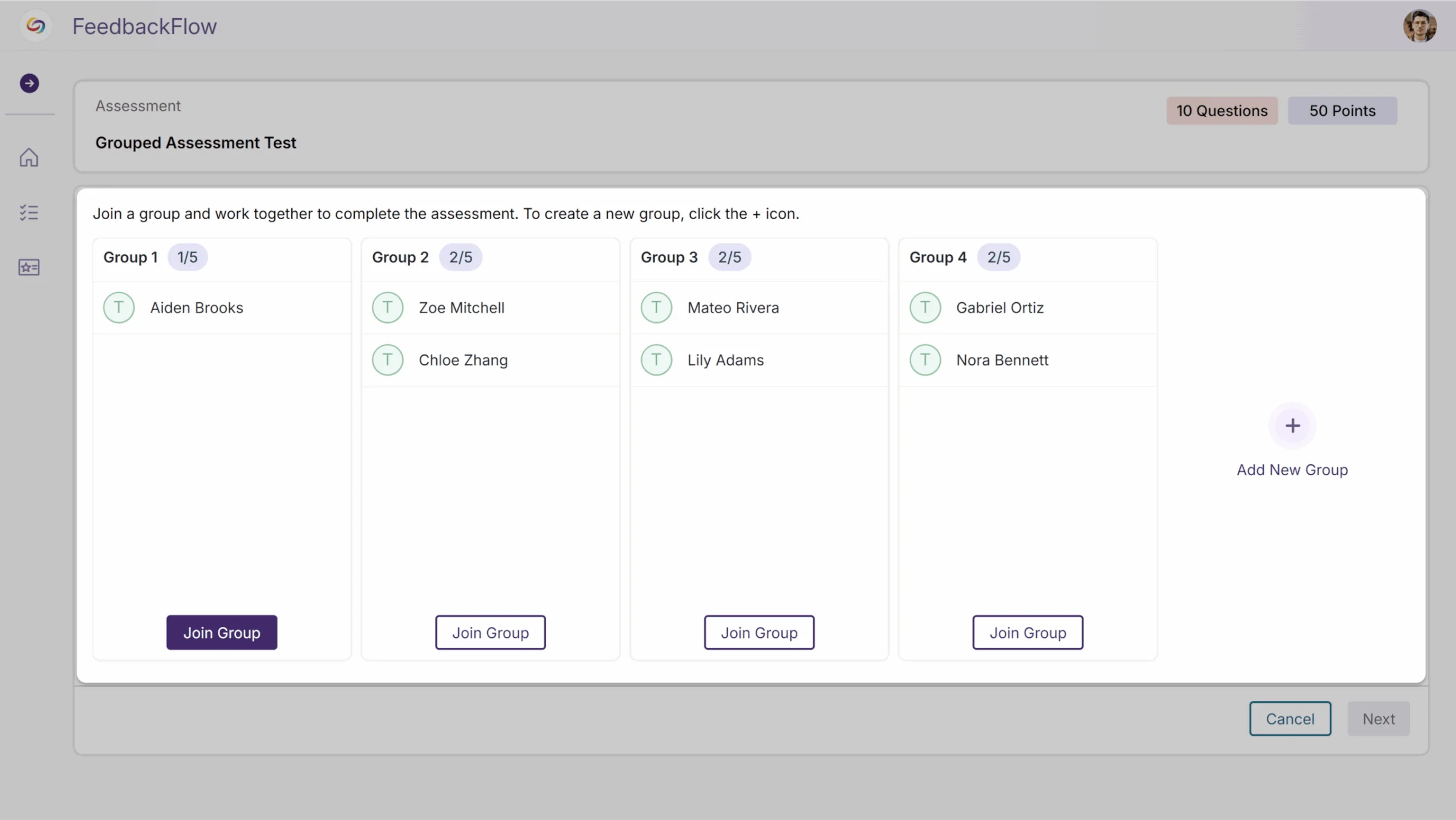
Comprehensive Instructor Management: Enhanced group management capabilities will now include manual student assignment or automatic random grouping, with streamlined publishing workflows and easy access to view and edit groups across multiple courses.

Rubric Access During Assessments Enhances Student Understanding
Students will now be able to view rubrics while taking assessments through a button displayed beside each question. Clicking the button will open a read-only modal that displays the complete rubric for that specific question, allowing students to better understand grading criteria and expectations during the assessment process.

Media File Upload Support Enhances Assignment Response Options
Students will be able to upload media files, including PDFs, Word documents, and PowerPoint presentations, as assignment responses in FeedbackFlow, which will provide greater flexibility for assignment types and richer student submissions beyond traditional text-based responses.

This release will enhance the GenAI Video PowerPack experience with an interactive demo platform and improved chapter visualization.
GenAI Video Powerpack – Try YuJa’s GenAI Video PowerPack Tools
A new interactive demo platform will allow users to experience the full range of AI-powered video tools, including GenAI Video Quizzing, GenAI Video Chaptering, GenAI Language Dubbing, Enhanced Audio Descriptions, Ask YuJa AI, and Sentiment AI. Users can explore pre-generated examples or upload their own videos to see personalized enhancements in action across all available tools.

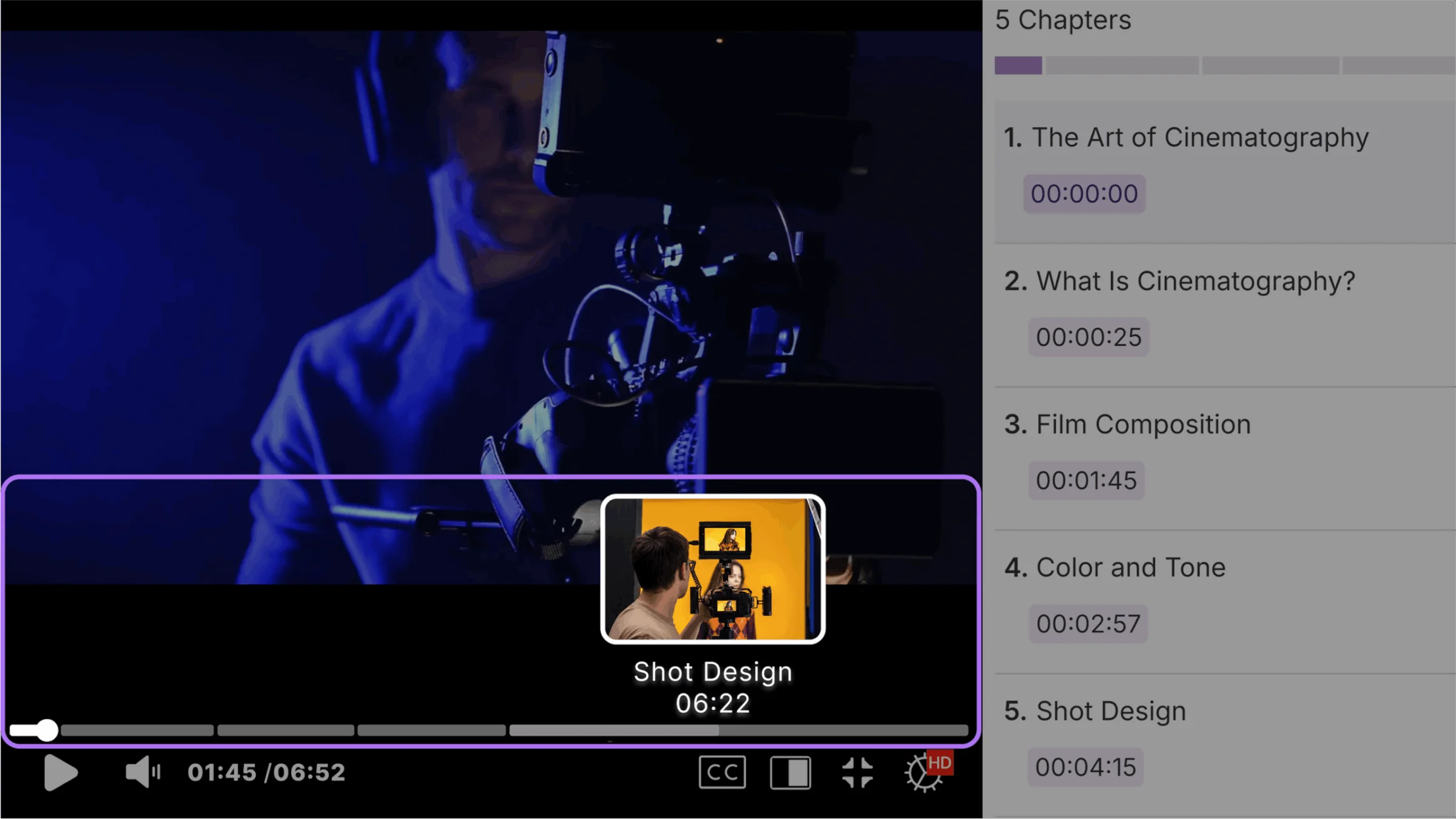
GenAI Video Chaptering- AI-Generated Chapters Now Display on Video Timeline for Enhanced Navigation
AI-generated video chapters will now appear directly on the video timeline with interactive segment previews and clickable navigation points. Users can hover over timeline segments to see chapter titles and timestamps, while clicking any segment instantly seeks to that specific content section.
We’ll be rolling out updates to all YuJa EqualGround Accessibility Governance Platform instances over the next few weeks. This release introduces comprehensive asset tracking through the new Inventory tab, enhanced Policy Engine capabilities with complex rule logic and streamlined website assignment, and improved issue management with visual badges for new problems and detailed fix explanations.
New Inventory Tab Provides Comprehensive Asset Tracking Across Website Pages
Organizations will now be able to monitor all web assets, including images, videos, CSS files, and JavaScript resources, through the new Inventory tab, which automatically catalogs every asset discovered during website scans. Administrators can expand table rows to view exactly which pages contain specific resources, helping teams maintain better oversight of their digital assets and identify optimization opportunities.

The Policy Engine Will Support Complex Rule Logic
YuJa EqualGround’s Policy Engine will enable administrators to create content detection rules using flexible AND/OR logic connectors when combining criteria, with a visual logic preview showing how the implemented conditions will function during scans.

Enhanced Policy-to-Website Assignment Streamlines Workflow Management
Administrators will be able to link policies to specific websites through an intuitive interface that pre-populates available sites and includes search functionality for quick selection. The enhanced workflow includes table-based management and a review page to confirm policy assignments, creating a more streamlined experience for managing policy applications across multiple websites.

Distinguish New Issues from Previously Detected Problems with Visual Badges
Accessibility issues that are discovered during scans now display a “New” badge to help administrators differentiate fresh problems from previously identified issues.

Expanded Issue Explanations Clarify Accessibility Fix Requirements
Proposed fixes for accessibility issues will now include detailed “Why This Matters” explanations and specific WCAG references to help administrators understand the importance and compliance requirements of each issue.

Identify New and Modified Content with Enhanced Page Tracking
Web page and document tables now include a Date Added column that identifies newly discovered content and previously scanned pages with recent modifications, so administrators can focus their accessibility reviews on fresh content and updated pages that may require immediate attention.

Exclude Cookie Popups from Accessibility Issue Detection
YuJa EqualGround can now automatically dismiss cookie consent pop-ups to ensure accessibility issues are only detected within the actual website content.

Score Calculation Breakdowns Provide Details for Accessibility, Metrics
Administrators will be able to view comprehensive calculation breakdowns for accessibility scores through expandable category sections that display total checks performed, severity distributions, and occurrence counts. Each organization has unique requirements for how accessibility issues should be weighted and scored, and detailed breakdowns help teams understand how YuJa EqualGround’s customizable scoring models align with their specific priorities and institutional standards.

Control Dynamic URL Scanning During Website Crawls
Administrators can now choose whether to include URLs with query parameters during website crawling. This toggle helps organizations manage crawl scope by focusing on static pages or including dynamically generated content based on their specific scanning needs.

Bulk Scanning Will Be Available for Multiple Page Groups
Organizations can now select and scan multiple page groups simultaneously, eliminating the need to initiate individual scans for each group. The enhanced interface maintains the “Scan” option when multiple groups are selected, streamlining accessibility assessment workflows for websites with complex organizational structures.

Access Historical Usage Reports Directly in the Admin Portal
Administrators will be able to access all previous monthly usage email reports within YuJa EqualGround’s admin portal and receive an automatic pop-up with the latest usage data on their first login each month.

Join the 1,000+ Organizations Deploying High-Impact Solutions














