Product Updates

Get the latest platform updates, features, and announcements—all in one place.

  • January 19, 2024

    YuJa Himalayas Data Archiving Platform Update – “Banyan” Released to CAN, AU and EU Zones

    We have successfully pushed an update to all YuJa Himalayas Data Archiving Platform instances residing in Canada, Australia, and the European Union. This update provides the ability for search results to show cold-archived content, minor UI and Accessibility Improvements to the dashboard, and optimizations to the Delete Transcode policy.
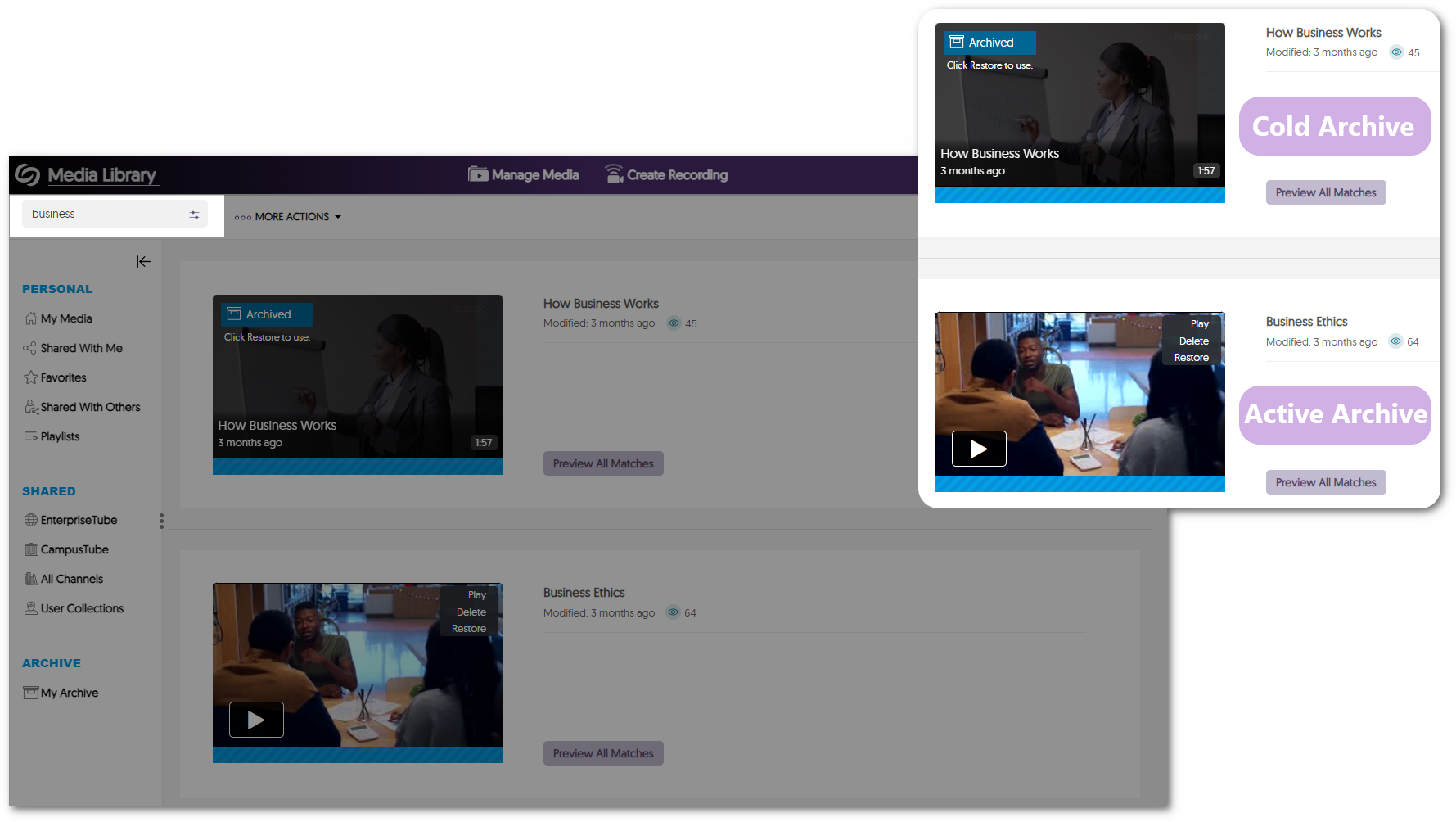
    1. Cold-Archived Content Now Appears in Visual Search Results The Video Platform’s search bar will now show results for Active and Himalayas Cold Archived content. This enables institutions to seamlessly find content across storage tiers with a single search. Search results are shown for cold and active archived content.
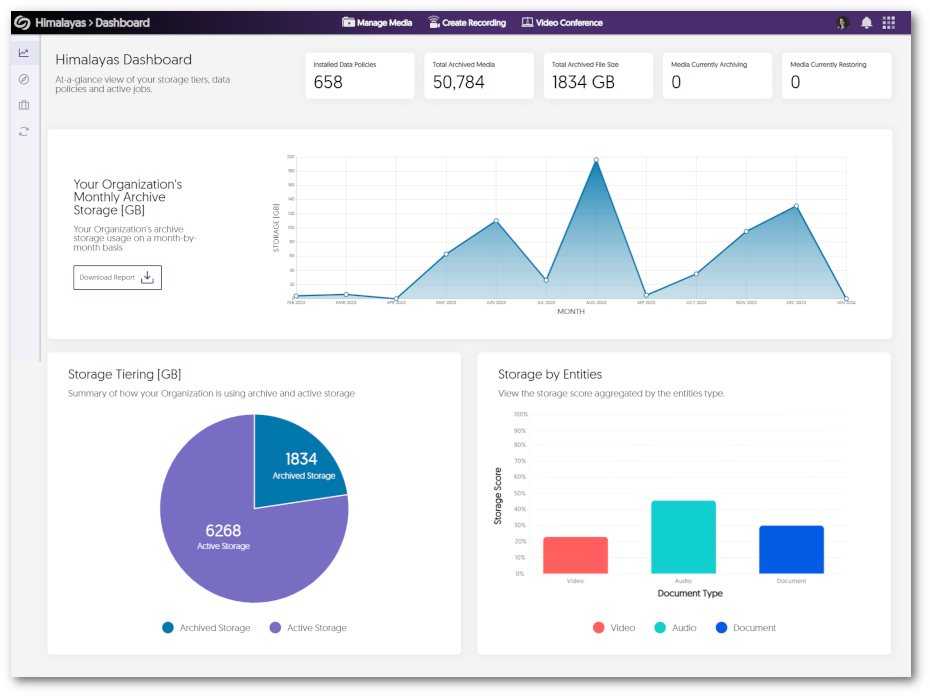
    2. Minor UI and Accessibility Improvements to the Dashboard We have made minor adjustments to center the elements and text within the dashboard and enhanced the dashboard’s responsiveness by providing graphs that adapt to various screen sizes. Himalayas Dashboard shows graphs for monthly archive storage, archived storage vs active storage, and stored by type.
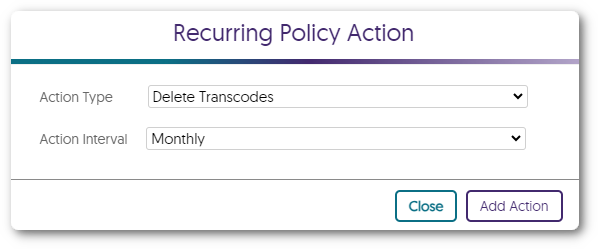
    3. Optimized Delete Transcode Policy The Delete Transcode policy has been updated to not remove transcodes for videos viewed within the last 30 days or have not been on the Video Platform for more than 30 days. Delete Transcode policy
  • January 12, 2024

    YuJa Verity Test Proctoring Platform – “Quartz” Released to US, CAN, AUS, and EU Zones

    We have successfully pushed an update to all instances residing in the United States, Canada, Australia, and the European Union. This update includes text and audio chat for the Live Proctoring, a new accessible design for Verity’s proctor settings, new restrictions to disable right-clicking and printing, the option to enforce screen recording, view website links visited by students, a redesign of the Verity Browser Extension, updated list view of Profiles, and overall usability enhancements.
     
    1. Verity Live: Integrated Text Chat for Automated Browser Extension and Lockdown App Proctoring For live proctoring sessions, proctors and students can communicate with each other through our built-in chat feature. Chat messages between a proctor and a student.
    2. Verity Live: Audio Chat for Automated and Lockdown App Proctoring Proctors and students can communicate with each other during a live assessment by establishing a two-way audio connection. Icon of two people talking with headsets.
    3. New Accessible Design for Verity’s Proctor Settings We have redesigned the Verity proctor settings to better suit smaller screens. By designing smaller UI elements and reorganizing each proctor setting, instructors can easily view and navigate to their desired settings on any screen size. Verity Options menu.
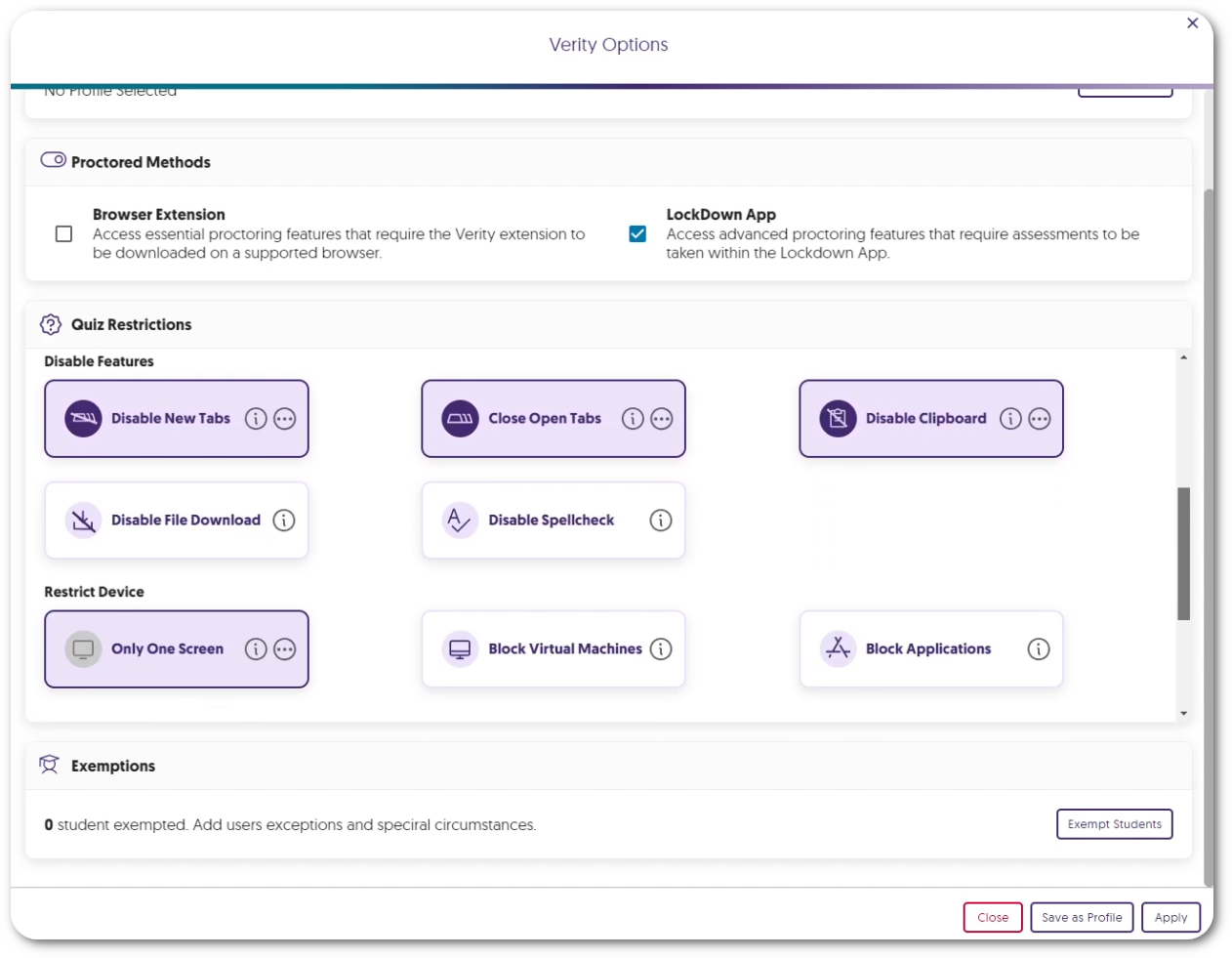
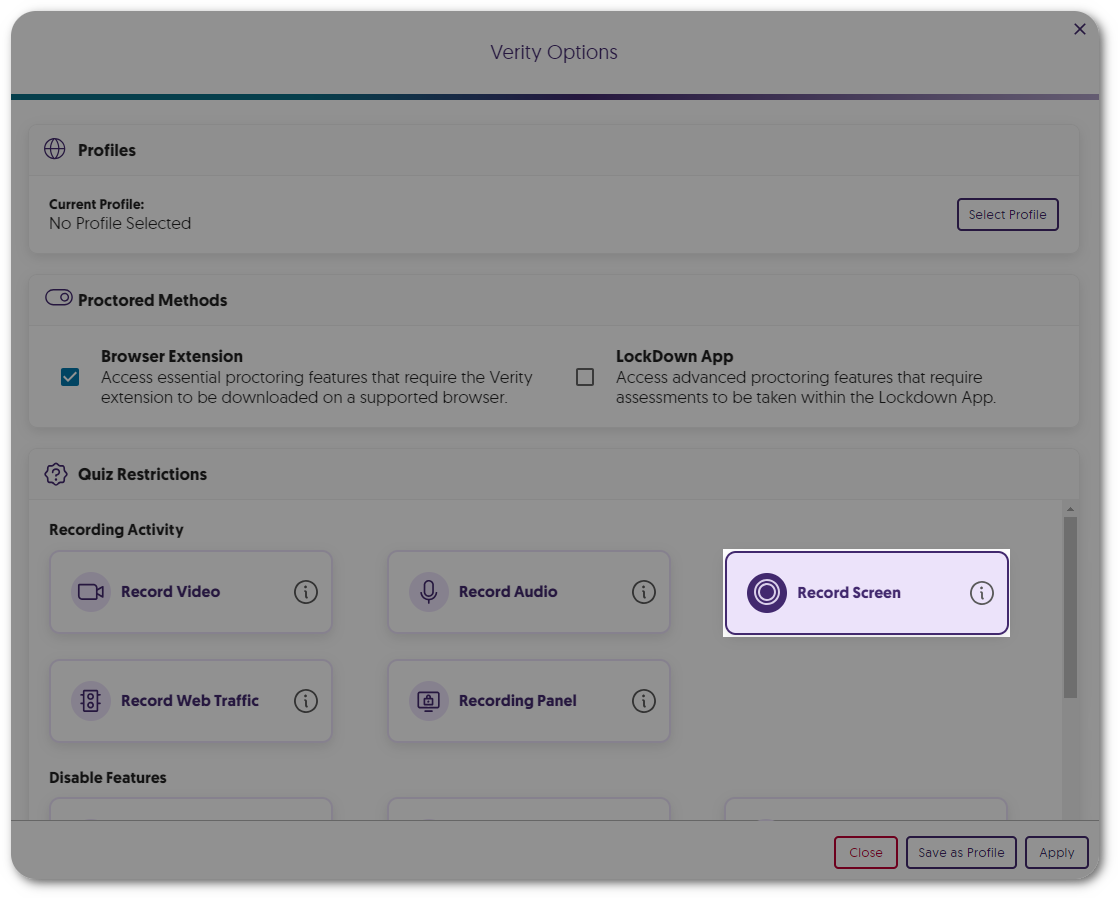
    4. Screen Recording Is Now an Optional Proctor Setting Instructors can enable our screen recording feature on a per-assessment basis to provide proctoring features that are only necessary for paper-based assessments within a remote environment. Record Screen option within Quiz Restrictions.
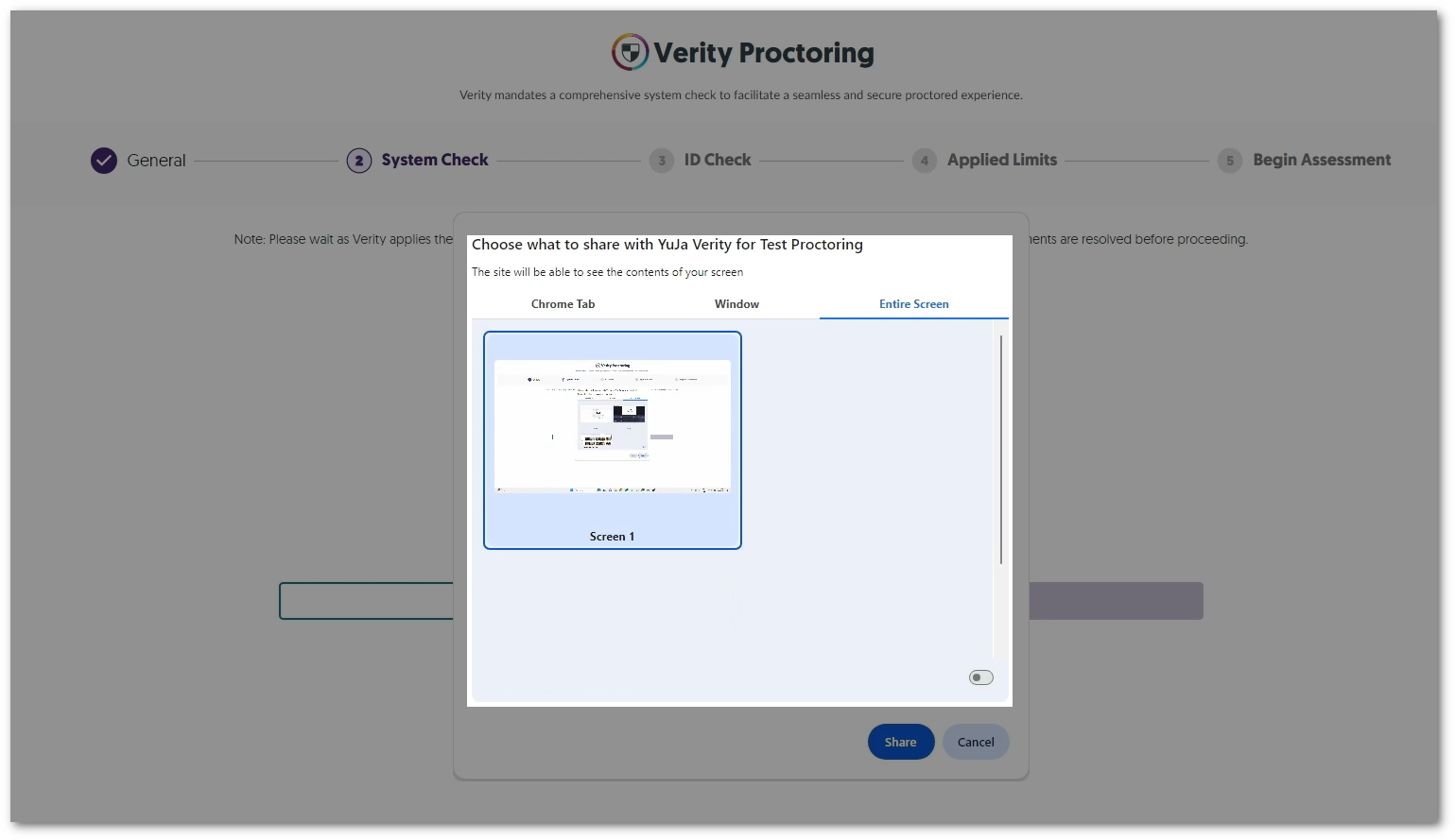
    5. Enhanced System Check to Enforce Screen Recording To increase security measures, the Verity System Check will now require students to share their entire screen instead of having the option to share a tab or window for recording. The Windows option to select the screen to record.
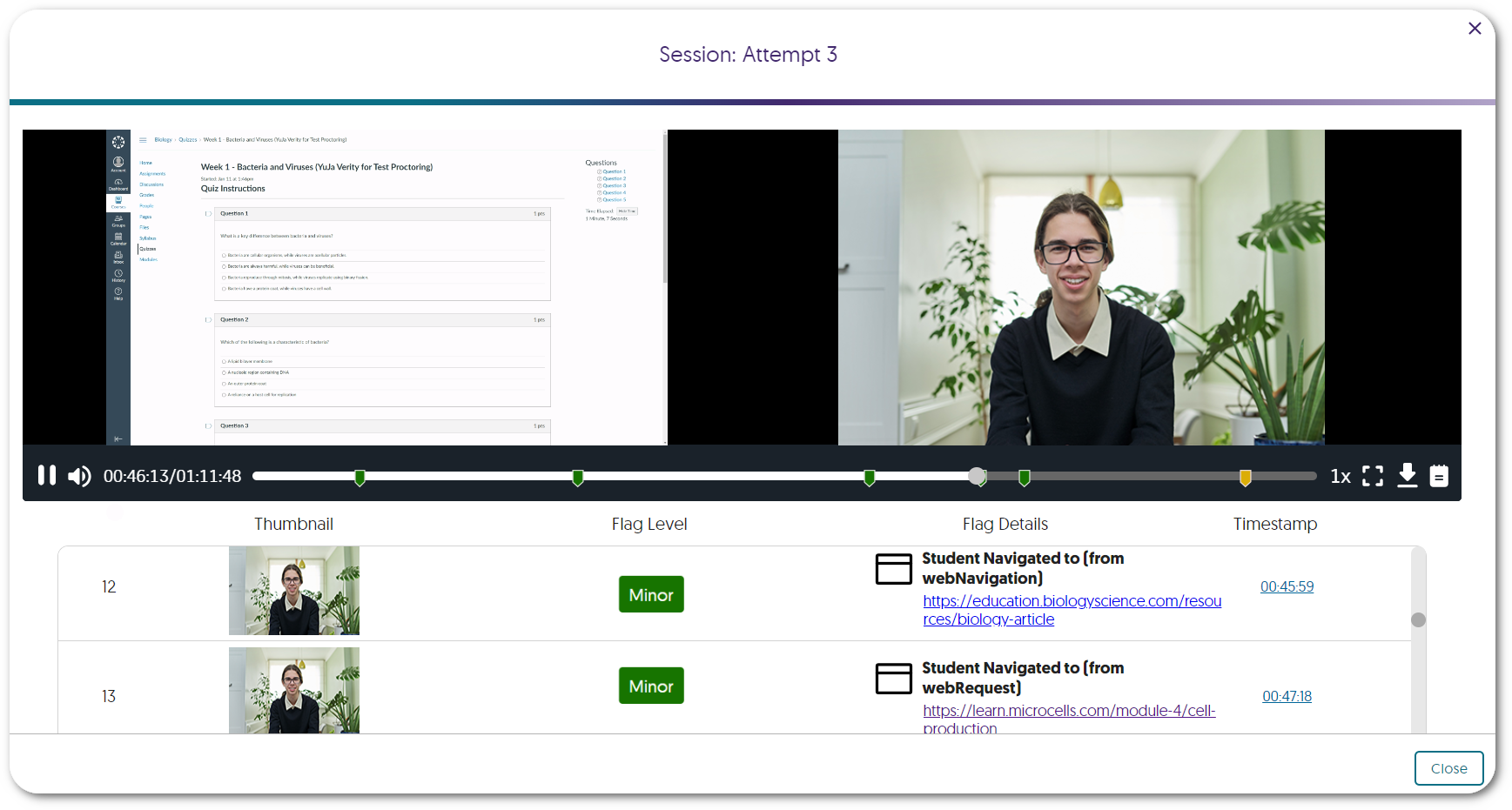
    6. Review a List of Websites Visited by Students Instructors can enable Record Web Traffic to track and review specific websites visited by each student during an assessment. Websites a student has visited can be seen in the Verity Results table.
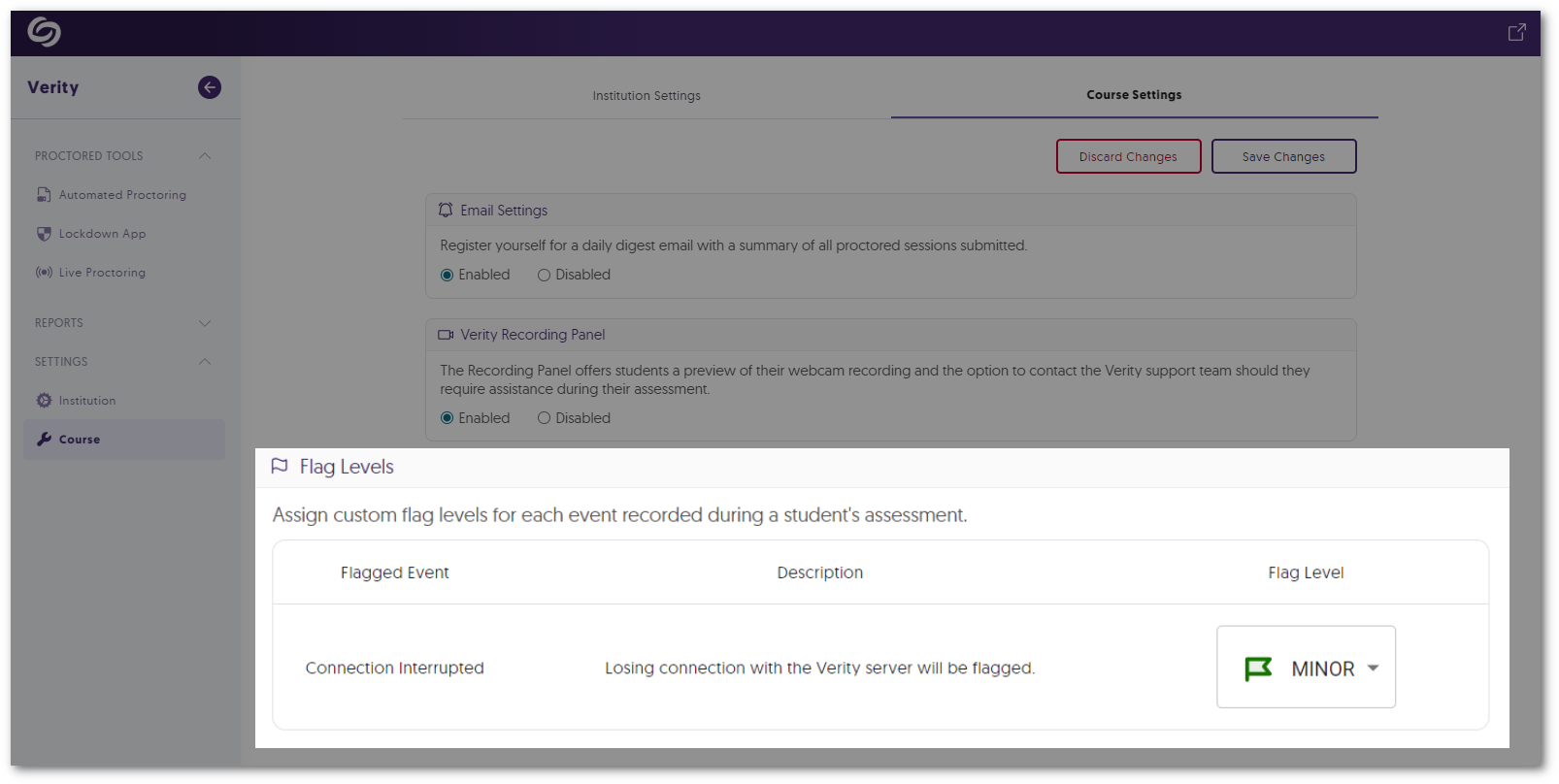
    7. Flagged Event for Server Disconnections In cases where a student’s device may become disconnected from Verity’s servers, such as losing internet connection, Verity will flag the issue for instructors to review. Verity's Course Settings option to adjust the flag level of Connection Interrupted.
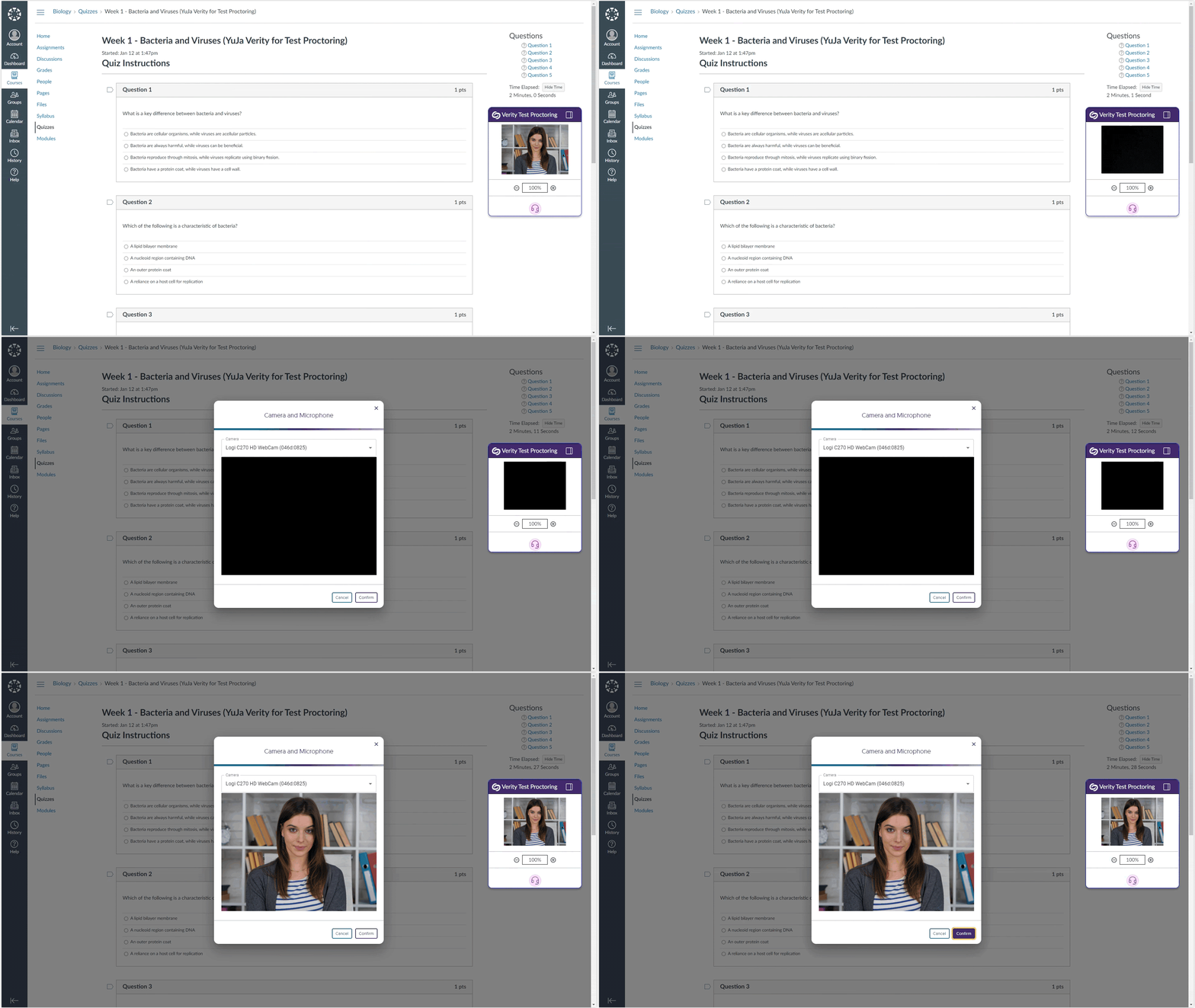
    8. Automated Proctoring: Flagged Event for When Webcam Feed Goes Dark If Verity cannot detect a student’s environment for reasons such as a covered webcam, the event will be flagged for instructors to review. Video feed for an assessment goes black. The option to re-enable their camera appears.
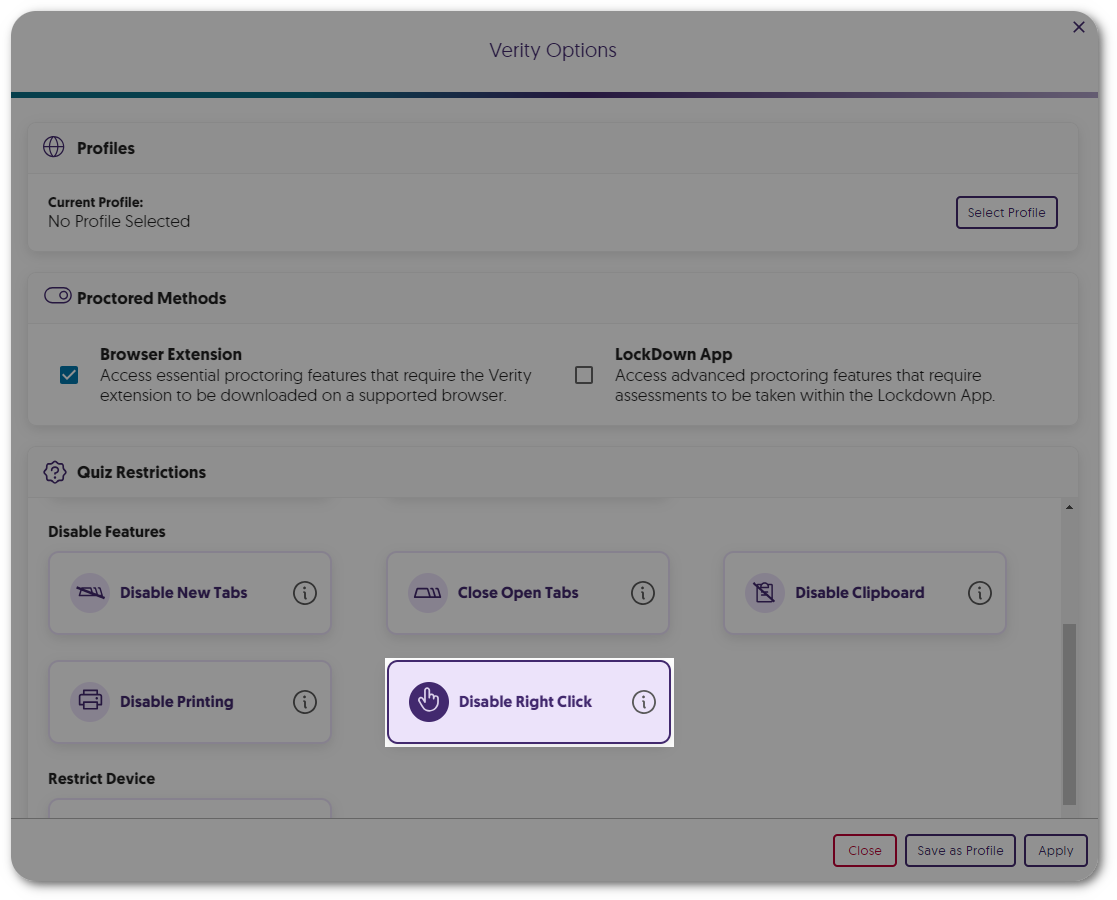
    9. New Automated Proctor Setting: Disable Right-Click Similar to our built-in feature to disable right-click in the Lockdown App, instructors can now prevent students from using the right-click function during their Automated assessments. Verity Quiz Restriction to disable right-click.
    10. New Automated Proctor Setting: Disable Printing Instructors can now prevent students from using the print function during their Automated assessments. Verity Quiz Restriction to disable print.
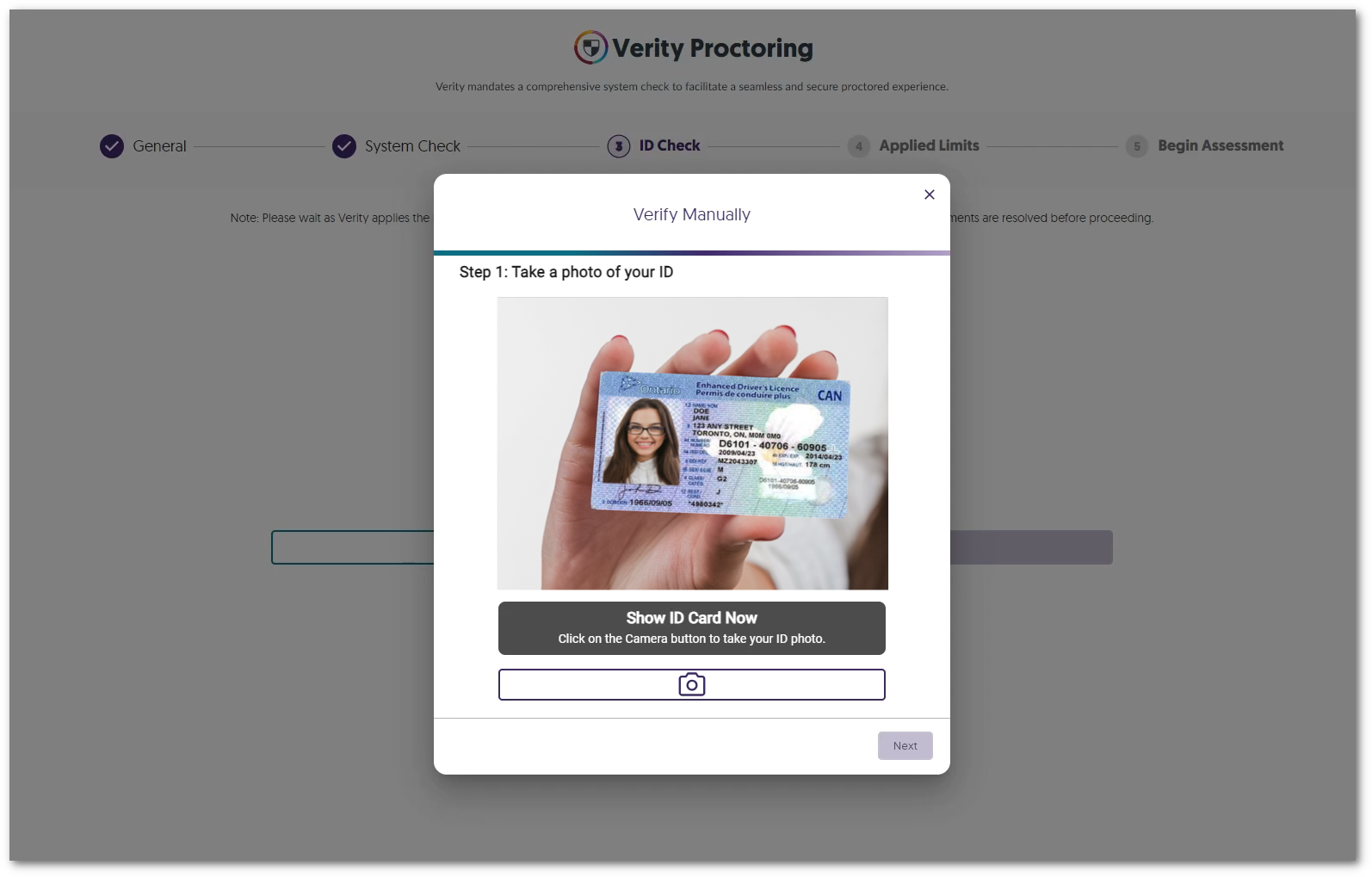
    11. Choose to Enable Manual ID Verification Instructors can select manual ID verification in favor of AI-enhanced verification when reviewing student IDs. A student is holding their card up to the camera to manually take a picture.
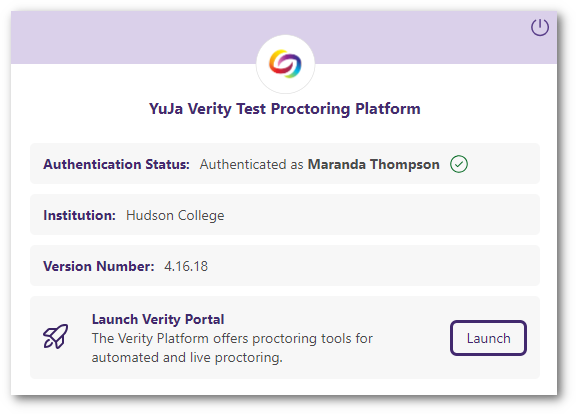
    12. Launch the Verity Portal from the Redesigned Browser Extension We have provided a more modern look to the Verity Browser Extension and have included direct access to the Verity Portal through the new Launch Portal button. Verity's new browser extension UI features a button to launch the Verity portal.
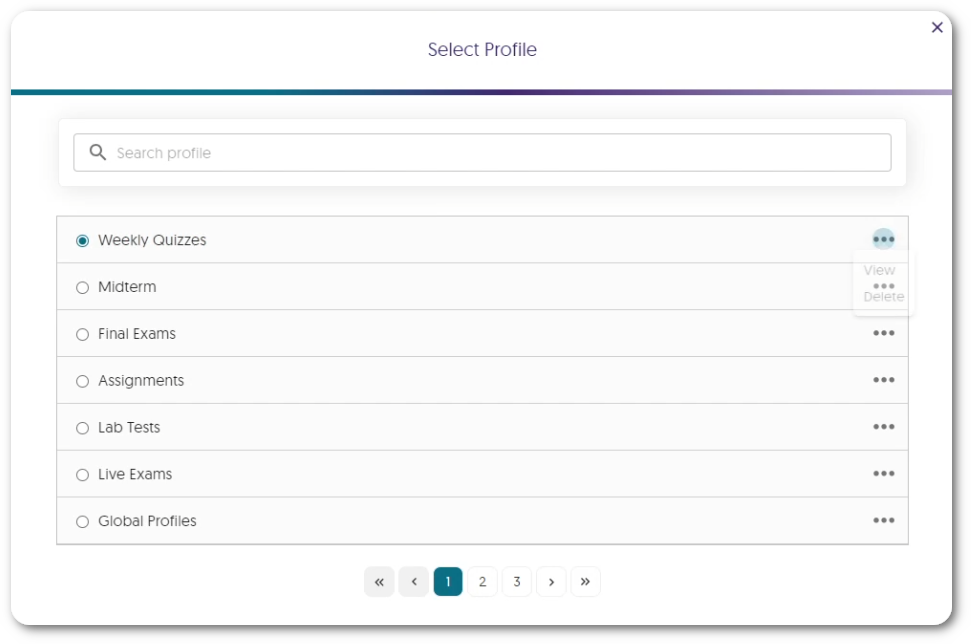
    13. Search for Profiles Within the New List View Instructors can access a dedicated window to view and select profiles, which includes a searchable list to quickly find their desired profile. A list view of profiles created.
    14. Overall Usability Enhancements Verity is committed to providing the best experience for instructors and students, which is why we’ve been hard at work providing some usability enhancements, such as:
      • The new Exemptions UI provides an at-a-glance view of the number of students who have been exempted from Verity.
      • The System Check will automatically skip steps that are not required.
  • January 7, 2024

    YuJa GenAI Video Power Pack Update – January 2024

    We have successfully pushed an update to all Enterprise Video Platform instances residing in Canada, Australia, and the European Union. This update includes new generative AI capabilities for dubbing audio.
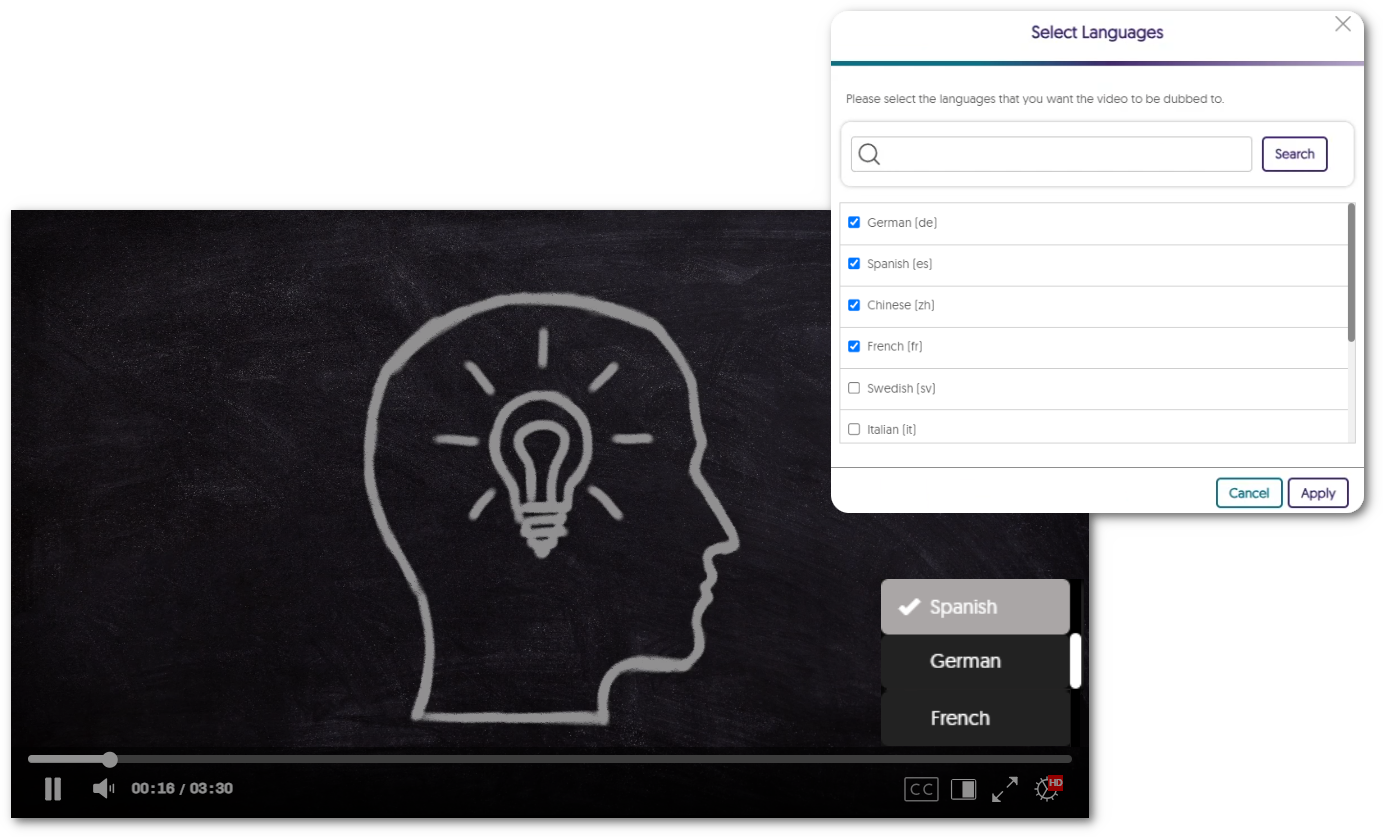
    1. New Generative AI Capability – Add AI-Generated Multi-Lingual Dubbing to Create Language Tracks  Content Creators can use AI credits to auto-generate audio language tracks for their videos. This enables an English speaker’s audio to be presented to a viewer as an audio track in French, German, Spanish, or any of our dozen available languages. A modal in list view to select various languages.
  • December 29, 2023

    YuJa Enterprise Video Platform Mobile App – “Archer” Released to iOS and Android App Store

    We have successfully pushed a new YuJa Enterprise Video Platform Mobile App to the iOS and Android App Stores. This brand-new mobile app, for both iOS and Android, features a new My Media tab for users to access their content, a redesigned Media Player with added functionality, a refreshed Course Channels view, and so much more. We are just getting started with adding new capabilities to our new mobile app. Please note that our old Mobile App will no longer be available by the end of January.

    1. A Brand-New Mobile App for iOS and Android We have fully redesigned the Mobile App from the ground-up to be faster, more modern, and compatible with new devices. Available for both iOS and Android, our new Mobile App features a modernized UI and performance enhancements to greatly improve the user experience. YuJa Video Media Channels page, featuring 9 media files.
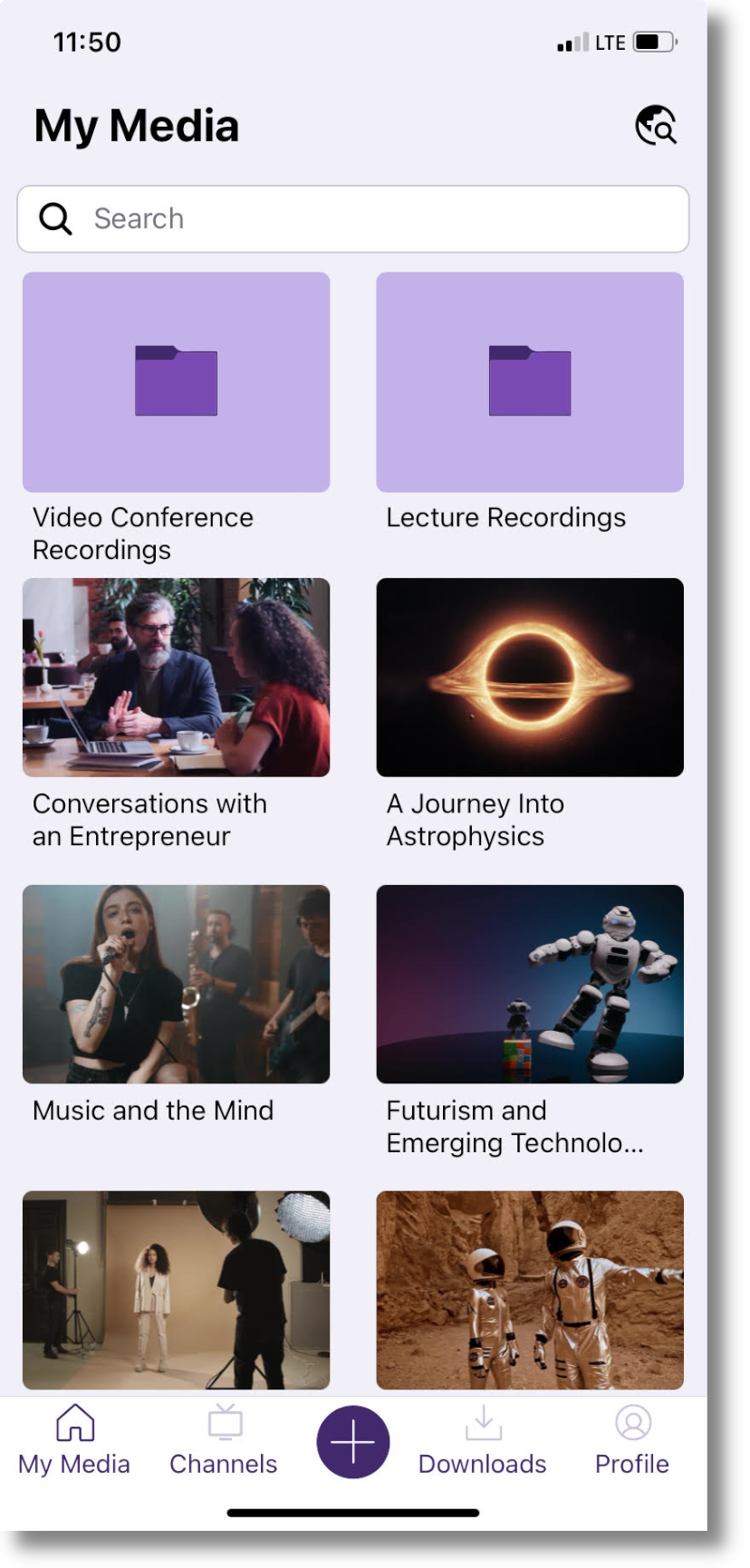
    2. Access Your My Media Library On the Go Access a My Media tab that provides users with the ability to view all content in their collection as well as upload new media. The new YuJa Video My Media page, featuring folders and videos.
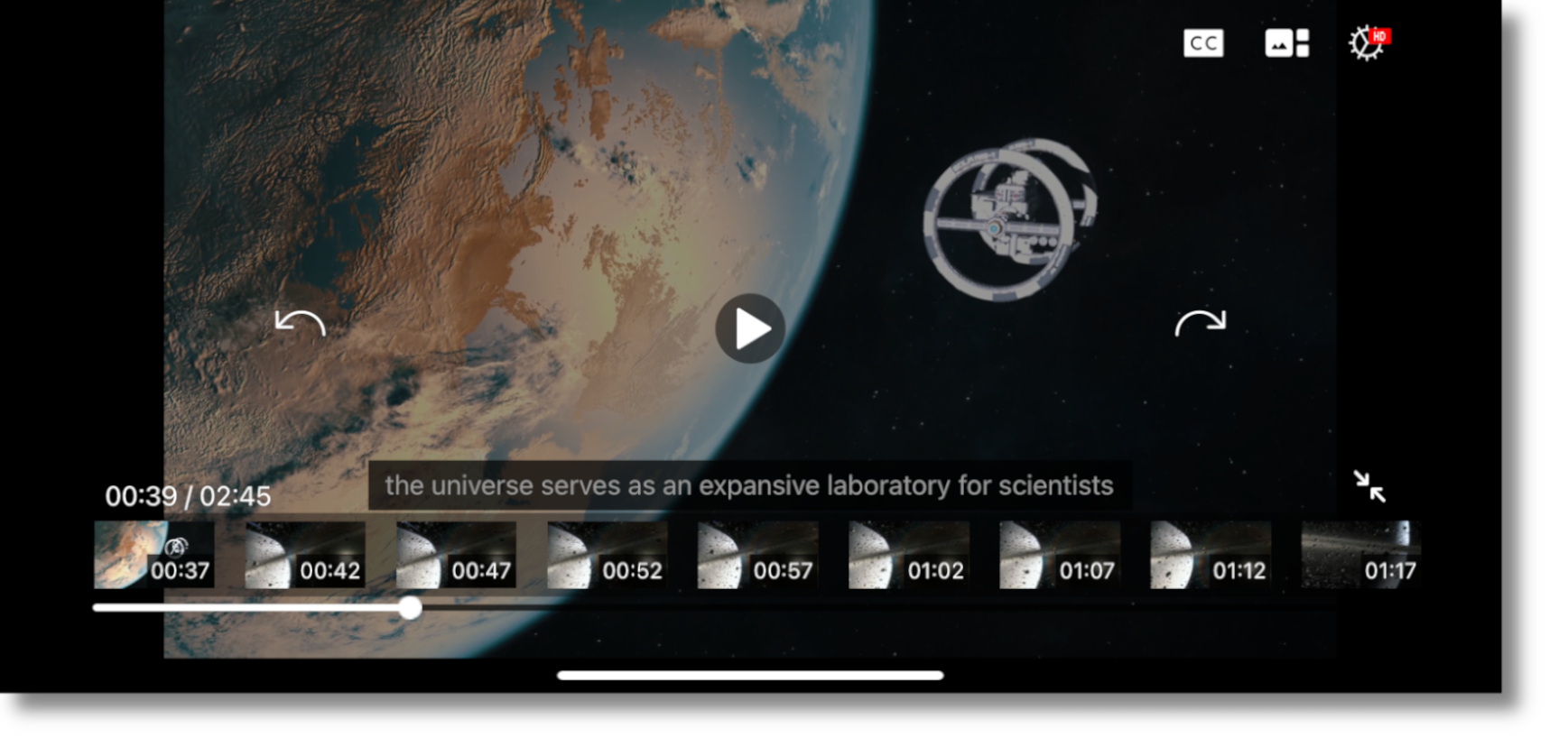
    3. New Video Player Features Added Functionality and a Fresh UI Our new Video Player includes added functionality to take full advantage of the features already available to users in the HTML5-based web app. This includes the ability to view multi-stream videos, toggle on captions and subtitles, move 10 seconds forward or backwards, and more. Additionally, the UI has been fully redesigned and features a sleek look with modernized icons. The new YuJa Video Player, featuring a video about space, with captions and thumbnails turned on.
    4. A New Way to View Course Channels We are introducing a new Channels view, where all videos within a Channel will be visible to ensure that users can easily access all content published to their courses. The new YuJa Video Channels page.
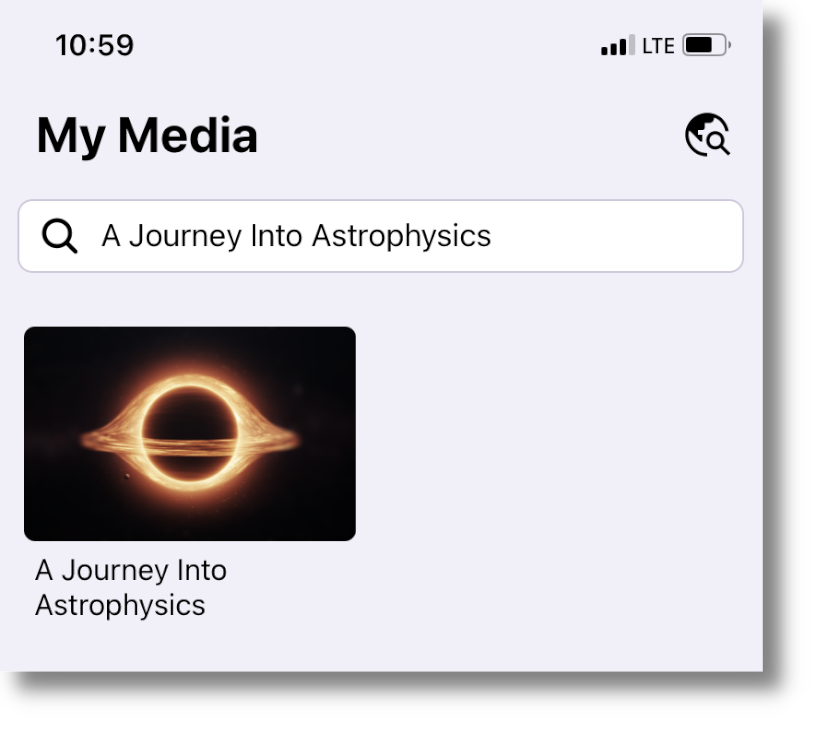
    5. My Media Now Supports Robust Global Search A new global search functionality on the My Media page enables users to search and access all of their media content. The YuJa Video global search feature. "A Journey Into Astrophysics" is typed into the search field, and the video has been located.

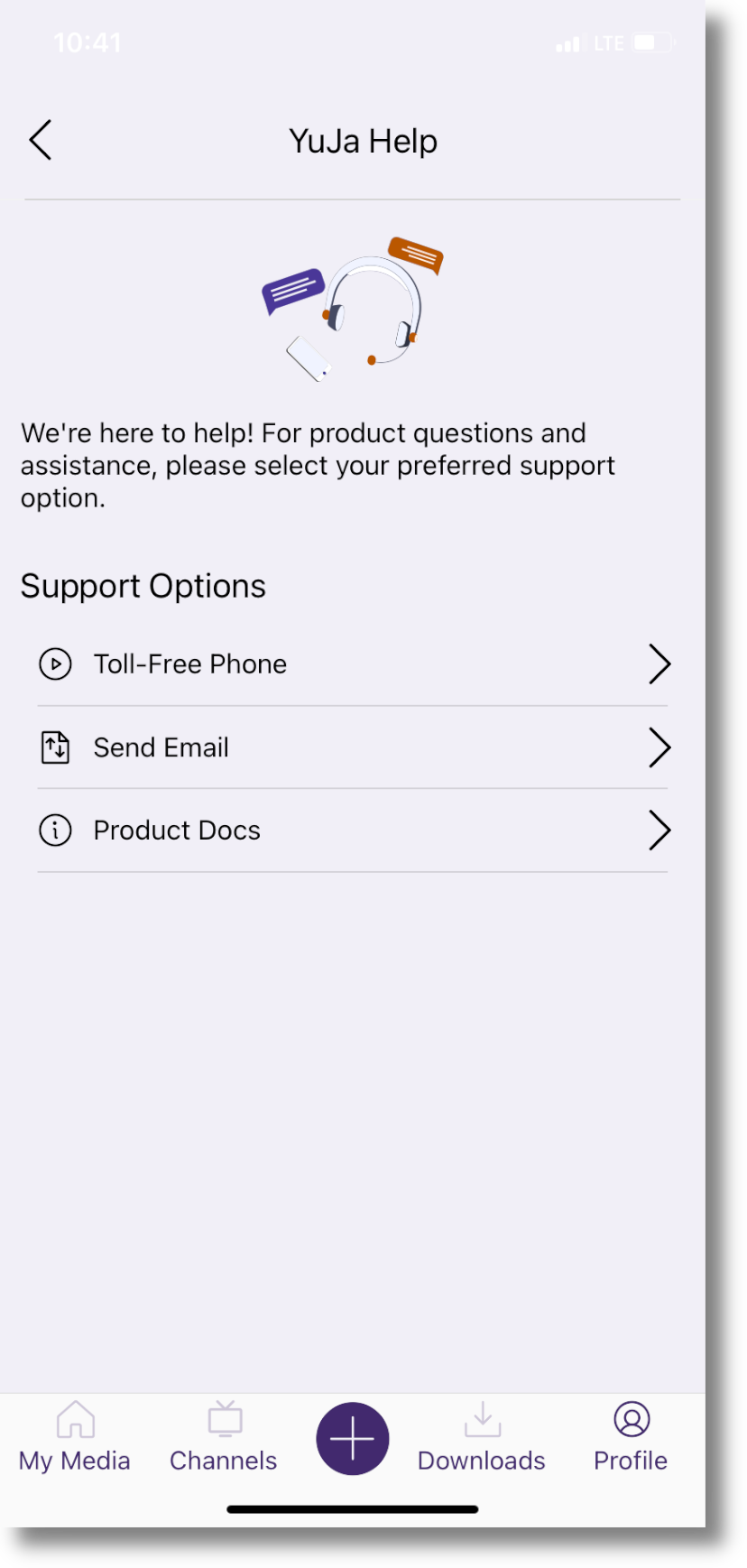
    6. New In-App Support Page to Address User Queries and Concerns We have introduced an in-app support page to address all user queries and concerns regarding our products and services. YuJa Help will allow users to call our toll-free support line, send us an email, and access product documentation, all in one place. The new YuJa Help support page, which allows users to call us toll-free, send us an email, or review our product docs.

    7. Users Can Now Open Links and Access Various Document Types In our previous app, users were only able to access and watch videos. We have now added functionality so users can open hyperlinks, as well as access PDFs, Excel spreadsheets, Word documents, PowerPoint presentations, and more. A PowerPoint presentation titled Fashion Studies open in the YuJa Video app.
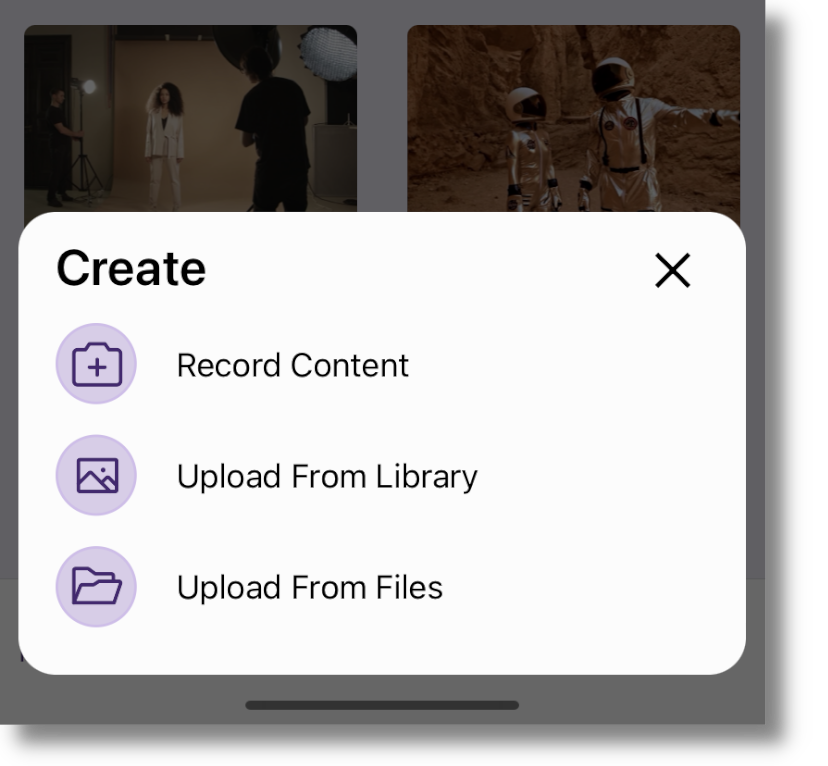
    8. New Recording Workflow for Increased Efficiency with Support for Files App We created a new recording workflow that allows users to easily navigate to their camera and create audio and video recordings, which can then be uploaded directly to their My Media Library or posted on Course Channels. The new YuJa Video recording workflow, featuring the ability to Record Content, Upload From Library, and Upload From Files.
    9. Track App Issues in Real-Time for Quick Resolutions To provide our users with faster device compatibility, YuJa Engineers now receive action logs to help us track and diagnose app issues, which we aim to resolve within 30 days.
    10. Improved Mobile Download Flow for Added Convenience Our improved mobile download flow makes it easier than ever to download content. This includes a dedicated Downloads page, which allows users to conveniently track and manage their downloaded content. The new Downloads tab, where users can track and manage their downloaded content.
  • December 23, 2023

    YuJa LMS Accessible Design Add-On Platform – December 2023

    We have successfully pushed an update to all YuJa LMS Accessible Design Add-On Platform instances residing in the United States, Canada, European Union, and Australia. This release provides new elements, support for theme colors, spacing, and sizing of elements, and the option to save designs as templates.
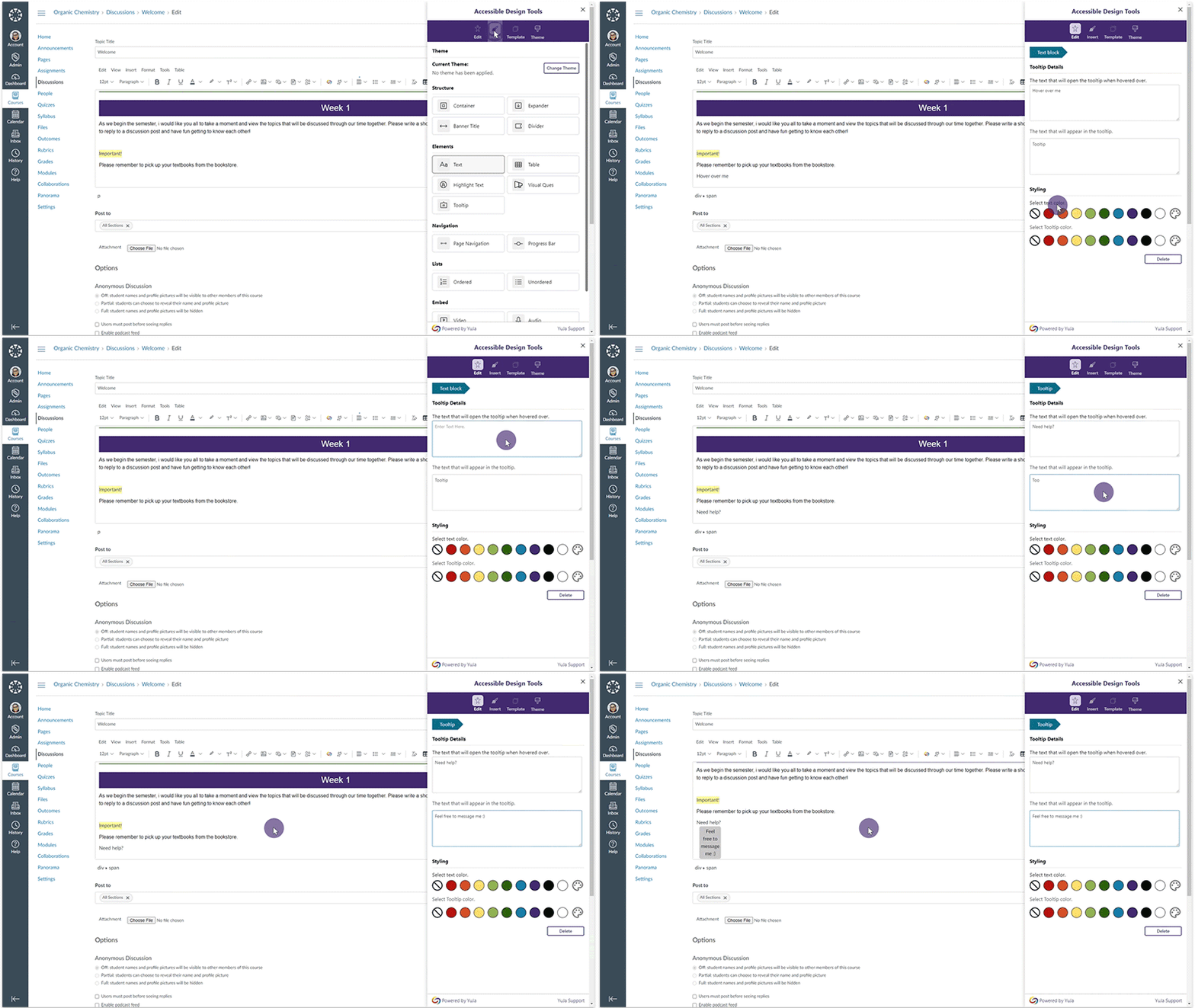
    1. New Accessible Design Tool Elements We’ve expanded our Accessible Design Tool to incorporate more elements when creating pages. Creators can now embed media content, create tooltips, highlight text, and so much more. To view all available features the Design Tool offers, visit our guide on the Accessible Design Tool Overview. The Tooltip element is selected and added into an editable HTML area within Canvas.
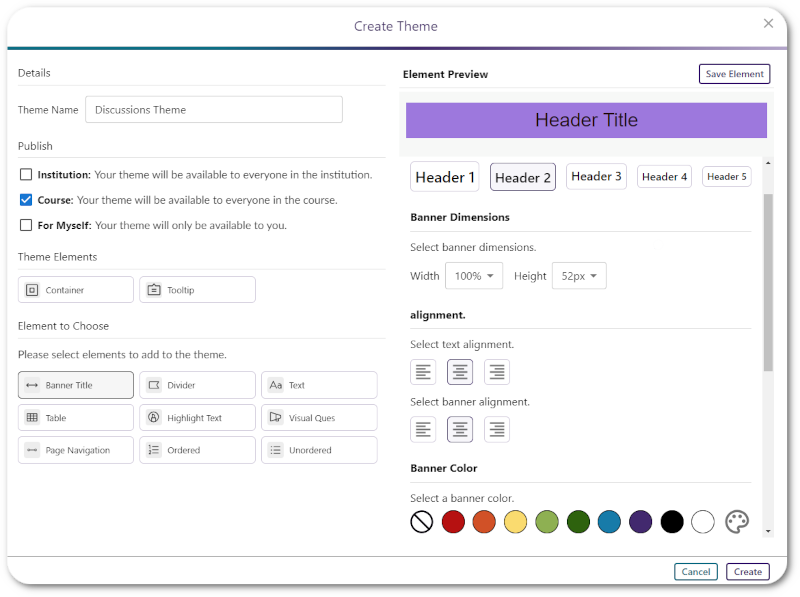
    2. WYSIWYG Design Tool Now Support Themes Based on Color, Spacing and Sizing Elements Our previous release introduced the Design tool, which lets LMS users add customizable elements inside HTML editable areas. We now offer the option to save an element’s color, spacing, and sizing to create its personalized style. Elements can then be grouped into a Theme that can be saved and used when creating new designs. A modal allowing users to select an element and then style its sizing, alignment, and colors.
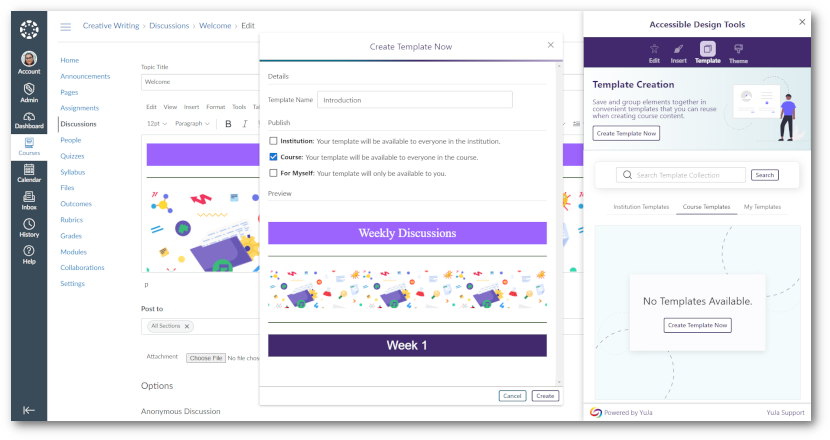
    3. WYSIWYG Design Tool: Save Designs as Templates Have you created a design that you’re really proud of and would like to use again? If so, save it as a template and reuse it in other areas of the LMS. A modal for naming templates, selecting publishing location, and previewing before saving.

Join the 1,000+ Organizations Deploying High-Impact Solutions

A collection of logos representing various organizations and institutions that use YuJa’s platform.