Product Updates

Get the latest platform updates, features, and announcements—all in one place.

  • February 24, 2023

    YuJa Enterprise Video Platform – Update RC20230224 Released to CAN, AU and EU Zones

    We have successfully pushed an update to all Enterprise Video Platform instances residing in Canada, Australia, and the European Union. This release provides our users with updates to delay a Video Platform release cycle, add non-video content to the EnterpriseTube, enable automatic human captioning, add custom resolutions to images, faster load times for the Media Library, the option to suspend users, download audit logs, disable speed controls for video quizzes, live caption usage, and over 200+ improvements and optimizations. This update will be released to US zones next Friday.
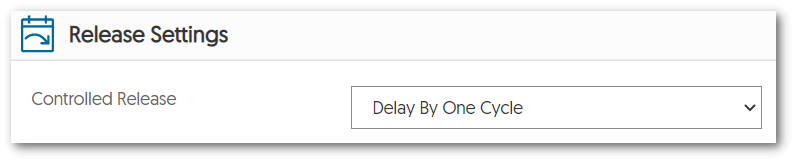
    1. “Blue-Green Version Self-Selection”: Ability to Delay a Video Platform Update by One Release Cycle Originally dubbed our “Blue-Green Version Self-Selection” to complement our Continuous Update Architecture, institutions can now opt to delay their Video Platform by one release cycle. By providing the flexibility to align version updates to an institution’s academic calendar, admins may choose to remain on an older version of the Video Platform.
      To learn more about this feature, please visit our guide on Delaying a Video Platform Release Cycle. Release Settings panel showing Delay By One Cycle selected from the Controlled Release drop-down menu.
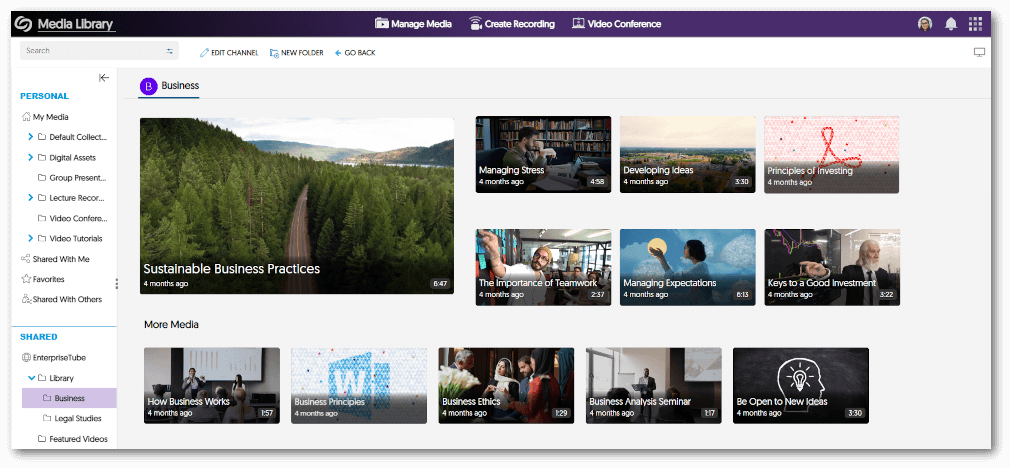
    2. EnterpriseTube Now Supports Non-Video Content In expanding the content available for users to publish on EnterpriseTube, we have added support for documents such as PDFs, text files, Word documents, and Excel spreadsheets. Future releases will focus on adding support for additional media content, such as images. A folder within the EnterpriseTube featuring a gallery view of videos and documents.
    3. Automatic Course-Level Human Caption Requests Institutions that are required to provide a human-captioning accommodation for a particular set of student(s), may now setup their course to automatically send videos for human captioning. To learn how to request human captioning for your course, please visit our guide on Enabling Automatic Course-Level Human Captioning. The Course-Level Human Captioning settings features options to select a language and turnaround time for when captions should be completed.
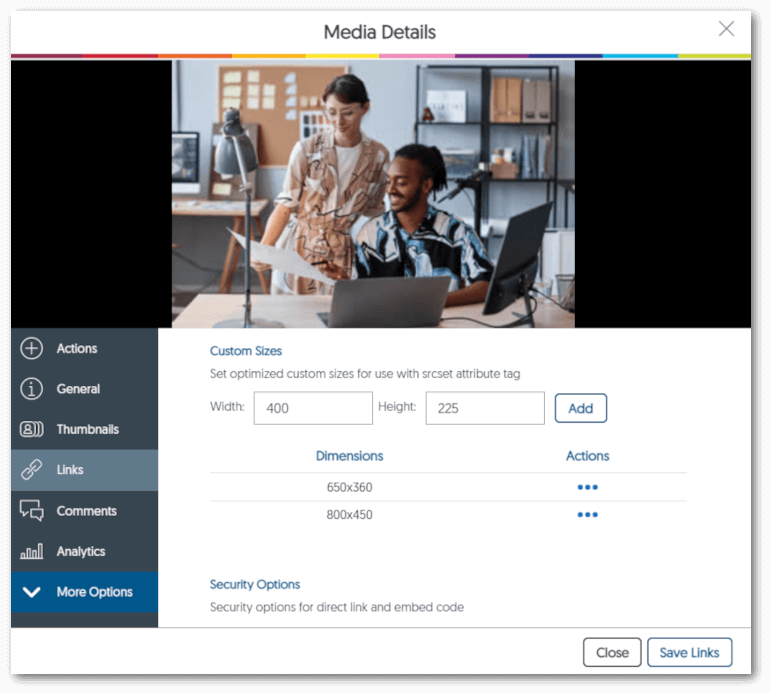
    4. Accelerated Image Loading with Support for Industry-Standard SRCSET Capability Content Creators can now predefine resolutions for images using the industry-standard srcset. By using the srcset, users can create responsive images to help save bandwidth by only displaying the correct resolution for their screen. Whether that be on mobile or computer devices, Content Creators can let the browser decide which predefined resolution is best for the user’s viewing experience. To learn how to add custom sizes for images, please visit our support guide on Adding Custom Sizes for Images. The links tab within Media Details for an image. Features various widths and heights for the image.
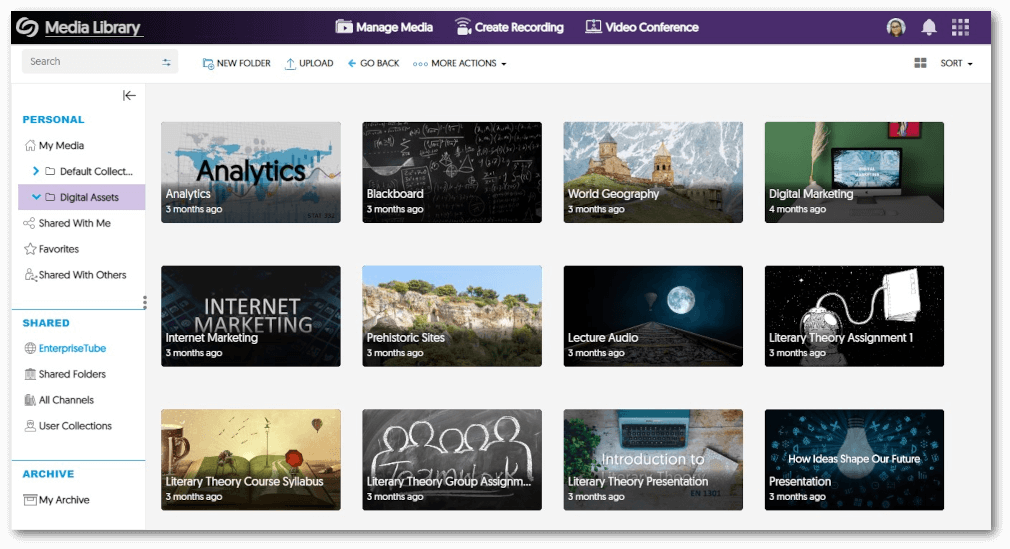
    5. New Design for My Media Enables Faster Load Times for Media Library Users with large volumes of images in their Media Library will notice significantly faster response times when navigating their content. My Media collection featuring image assets.
    6. Suspend Users After a Specified Number of Days Admins can automatically suspend users who have not accessed the Video Platform after a specified number of days. To learn how to use this feature, please visit our guide on Changing the Account Status of Users. The Additional Options panel within the Video Platform features the setting to suspend users after a set number of days.
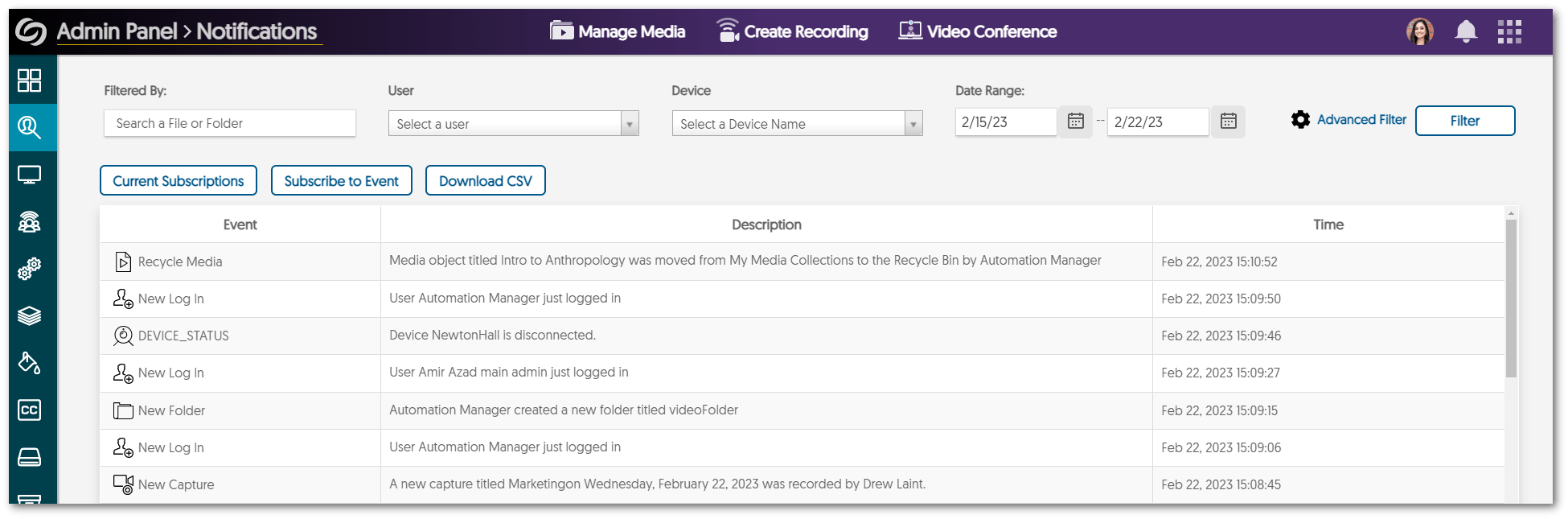
    7. Download Filtered Audit Logs Admins can now download a filtered list of audit events for use in third-party analysis tools to gauge activity on particular events on their Video Platform instance. The audit log show various events occuring on the Video Platform such as new folder being created and logins. The feature is shown inside the notification tabs in the Admin Panel.
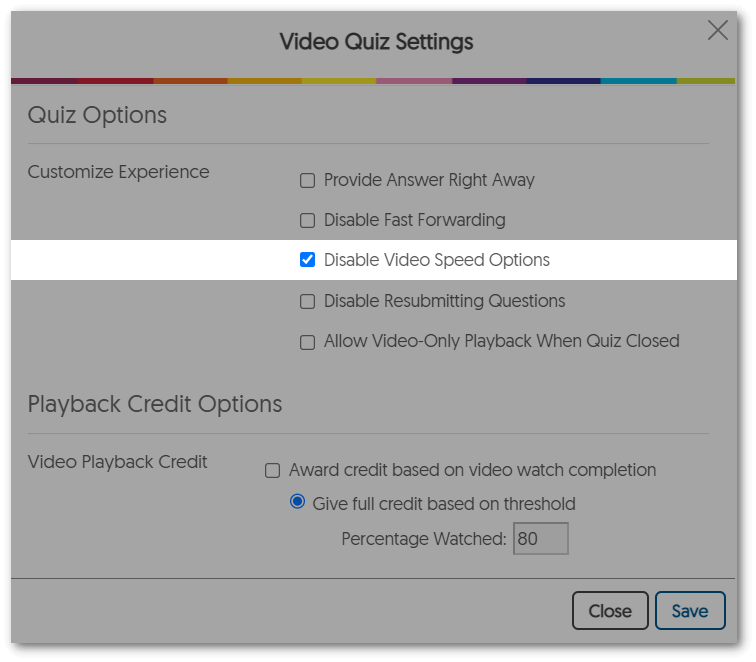
    8. Disable Speed Controls for Video Quizzes To ensure that students pay full attention to video quizzes, instructors can now disable video-speed options to prevent students from watching video quizzes at an increased speed. Video Quiz settings features the Disable Video Speed Options setting within Quiz Options.
    9. Video Ownership Changes Also Change Associated Video Quiz Owner Content Creators who wish to change the ownership of a video will now have any associated video quizzes moved to the new owner as well.
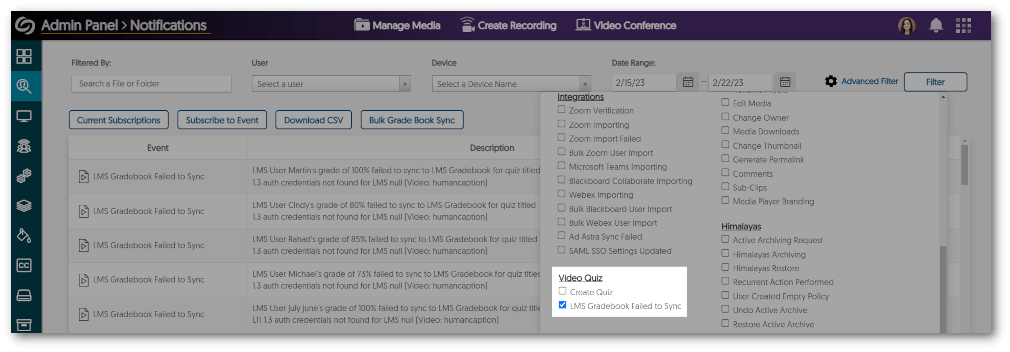
    10. Video Quiz Sync Reports with Bulk LMS Gradebook Re-Send In providing admins with greater insight into their video quiz integration, a report containing a list of completed video quizzes that still need to be synced to the Learning Management System grade book can be generated. Admins can then attempt to synchronize the grades to the LMS using our new Bulk Grade Book Sync option located within the interface.
      The impetus of this feature was a customer situation where their Learning Management System had an outage and a large number of video quizzes could not be synced and were also hard to pinpoint which ones needed re-synchronization. The advanced filter in the notifications tab now features a new setting under Video quiz titled LMS Gradebook Failed to Sync.
    11. Metadata Tags Copy Over to Newly Saved Videos and Duplicated Media Content Creators who wish to duplicate or save their media as a new video using the Video Editor will also have their metadata tags copied.
    12. Enhanced Thumbnail Status for Browser Capture The status of Browser Capture recordings is accurately updated in real-time allowing Content Creators to view whether their recording is in progress, uploading, or has been uploaded to the Video Platform. Thumbnail status of a video stating that the Video is being processed in the background.
    13. Optimized Handling for Sub-Admins of Devices Tab within Admin Panel We have optimized handling to only allow sub-admins access to view and manage Device Schedules within their assigned sub-organization.
    14. View Live Caption Usage Admins can now access an overview of live ASR caption usage. We also improved the look-and-feel of all captioning usage summary interfaces. A summary usage of live captions being used. Live caption minutes left are shown for Software Capture, Hardware Hub, and Live Streams.
    15. Improved Permissions-Based Consistency for Actions in Search Results Previously, users searching for media content would be presented with inconsistent actions they could perform for media within their search results (e.g., Play, Share, Publish, etc.). We have now improved upon this feature to allow admins, instructors, and students to receive consistent actions based on their roles and permissions for specific content.
  • February 21, 2023

    Software Capture for PC – Update v12.0.0.0 Released to CAN, AU, and EU Zones

    We have successfully pushed an update for Software Capture for PC binary to all instances residing in the Canada, Australia, and the European Union (the US zone update will happen next Friday). This update provides our users with the new Microsoft Media Foundation engine, improved compatibility for DirectShow capture cards, improved workflow for profile creation, new architecture for Remote Profile Management, horizontal and vertical orientation for cameras, updating the engine for proctoring, the ability to publish recordings into multiple channels, audio gain adjustments, and other optimizations.
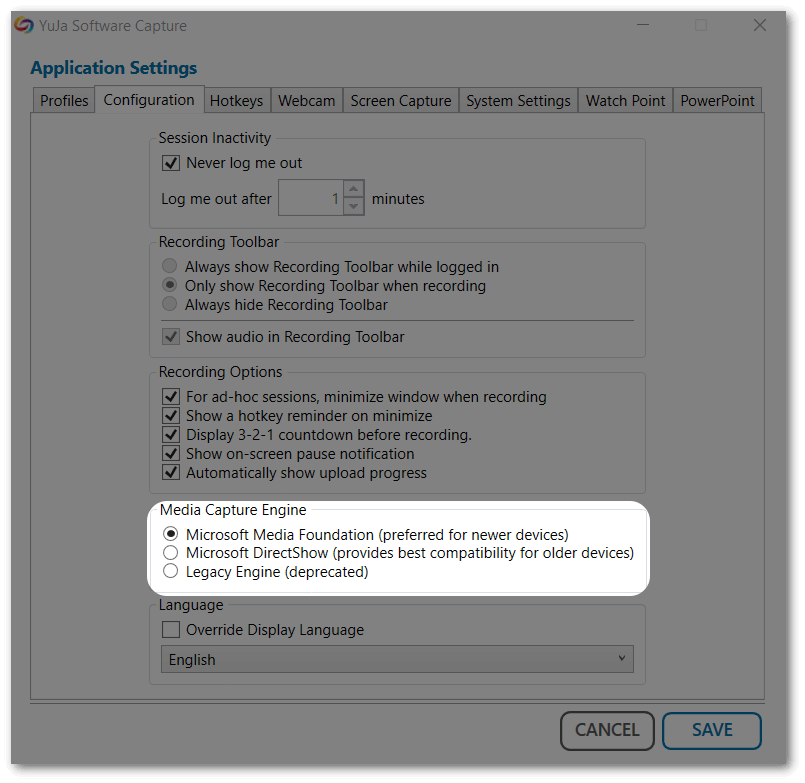
    1. New Microsoft DirectShow Engine Bridge for Enhanced Device Compatibility In a previous release, we introduced a Microsoft Media Foundation-based Capture Engine, which takes advantage of advanced GPUs and instruction sets. In this release, we are introducing a DirectShow Capture Engine Bridge, which interconnects with the existing capabilities of Media Foundation, as well as enhancing compatibility with older devices that only have DirectShow device drivers. Our field analysis over the last 12 months indicates that the vast majority of issues with the Software Capture stem from device driver incompatibilities related to DirectShow. We encourage you to test your devices with the latest Software Capture and provide us with any feedback for use in subsequent enhancements and patches. Application Settings for YuJa Software Capture highlighting Media Capture Engines.
    2. Improved Compatibility for Capture Cards Users who were experiencing issues with certain capture cards (e.g., Magewell, Matrox, etc.), can now switch to the Microsoft DirectShow engine within their configuration settings, for enhanced compatibility.
    3. Enhanced Workflow for Profile Creation Profiles can be created and edited without closing the Confidence Monitor. Additionally, users will be pleased to know that a restart of the Software Capture application will no longer be required for profile changes to take effect.
    4. New Architecture for Remote Profile Management We have redesigned the underlying architecture of Remote Profile Management for the Software Capture application as a part of our ongoing efforts to provide a more reliable experience to our users. In doing so, we have expanded the remote profile management, which was introduced in the previous release, to include most of the features that would otherwise only be configurable directly from the Software Capture application.
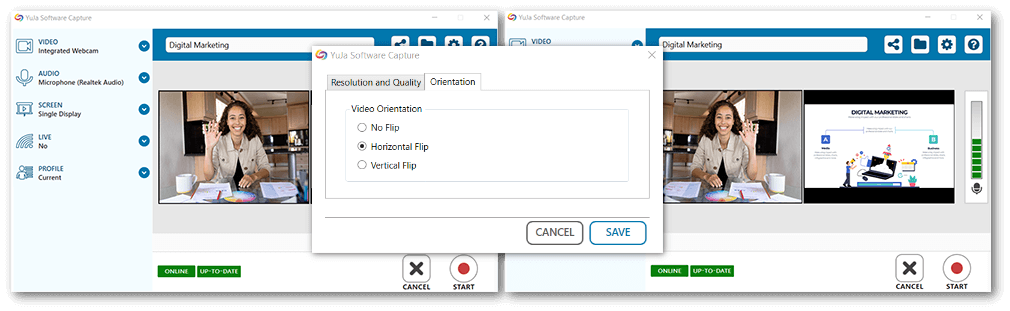
    5. Horizontal and Vertical Orientation for Webcams By enabling the new Microsoft Media Foundation engine within Configuration settings, users will be able to adjust the horizontal and vertical orientations for their webcams. Two different Confidence Monitors, each showing a horizontal flip.
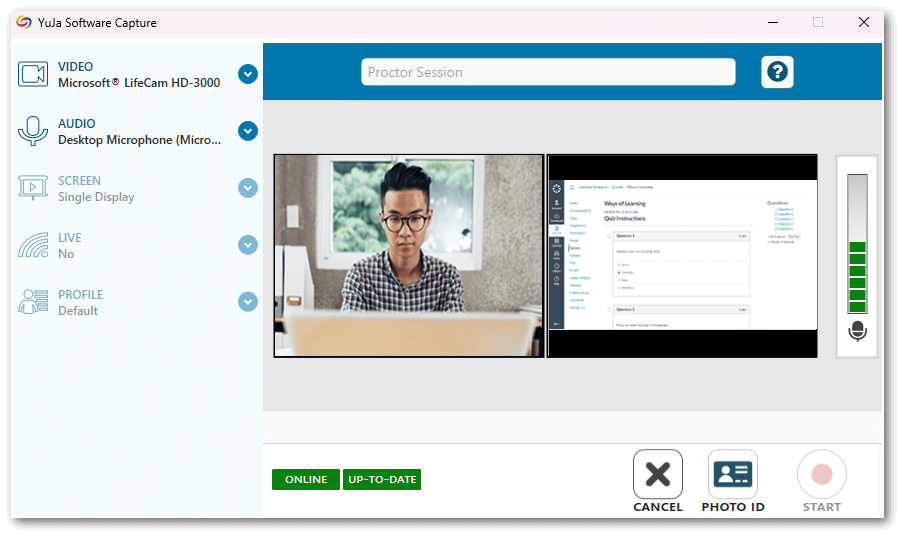
    6. New Recording Engine for Proctoring Our proctoring users will be pleased to know that we have implemented the new Microsoft Media Foundation engine, introduced in this release, to our Software Capture proctoring experience. Not only will this allow users to view higher-quality playbacks, but it will also address many issues which resulted in crash reports.Confidence Monitor UI for proctoring.
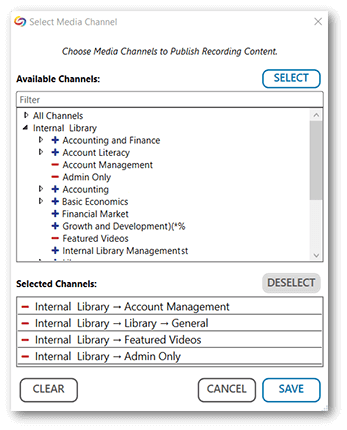
    7. Publish Recordings into Multiple Channels Content Creators may now publish recordings to multiple channels simultaneously by taking advantage of our new tree-structured layout. Use the search filter feature to navigate through an organized list of channels and subchannels and select as many locations as desired to add to the publication list. With no limits on how many locations can be selected, Content Creators will be able to reach all desired audiences easily. The media channel window for YSC features various channels to select from in a tree-view list.
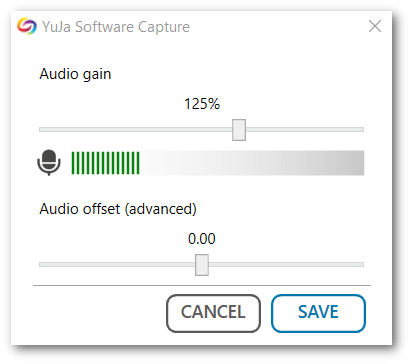
    8. Adjust Audio Gain from the Software Capture Application We have provided users the ability to adjust the gain of their microphone from within the Software Capture application. The audio gain panel for the YuJa Software Capture application.
    9. Optimization and Bug Fixes We have optimized the performance of the YuJa Software Capture application and made several bug fixes to improve the user experience. Highlighting some of these optimizations and fixes are:
      • The Software Capture application will provide feedback when audio and video sources do not match the selected profile’s settings. 
      • Computers will no longer enter sleep mode during a recording.
      • Resolved multiple stability issues for the PowerPoint Add-in. 
  • February 8, 2023

    YuJa Engage Student Response System – Update RC20230208 to US, CAN, and EU Zones

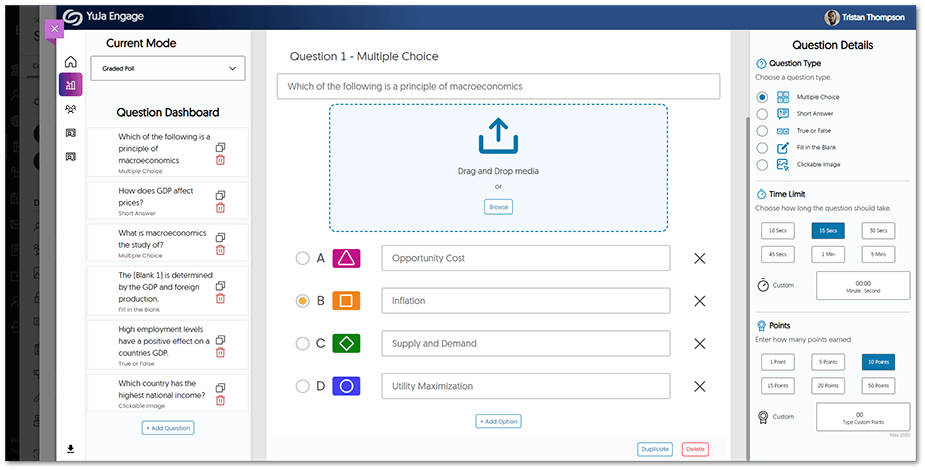
    We have successfully pushed an update to all YuJa Engage Student Response System instances residing in the United States, Canada, and the European Union. This release provides our users with Blackboard Ultra LTI 1.3 integration, Gradebook integration for Blackboard Ultra and Canvas, an improved UI design for viewing published polls, and overall improvements to the platform.
    1. Blackboard Ultra LTI 1.3 Integration for Student Response System Blackboard Ultra admins may integrate YuJa Engage for their institution to allow polls and surveys to be created and published directly to desired courses. Students may then access YuJa Engage, participate in polls and surveys, and have their grades synced to the LMS Gradebook. To learn more about our Blackboard Ultra integration, please visit our support guide on Integrating the YuJa Engage Platform for Blackboard Ultra LTI 1.3. YuJa Engage poll creation is shown within the Blackboard Ultra LMS.
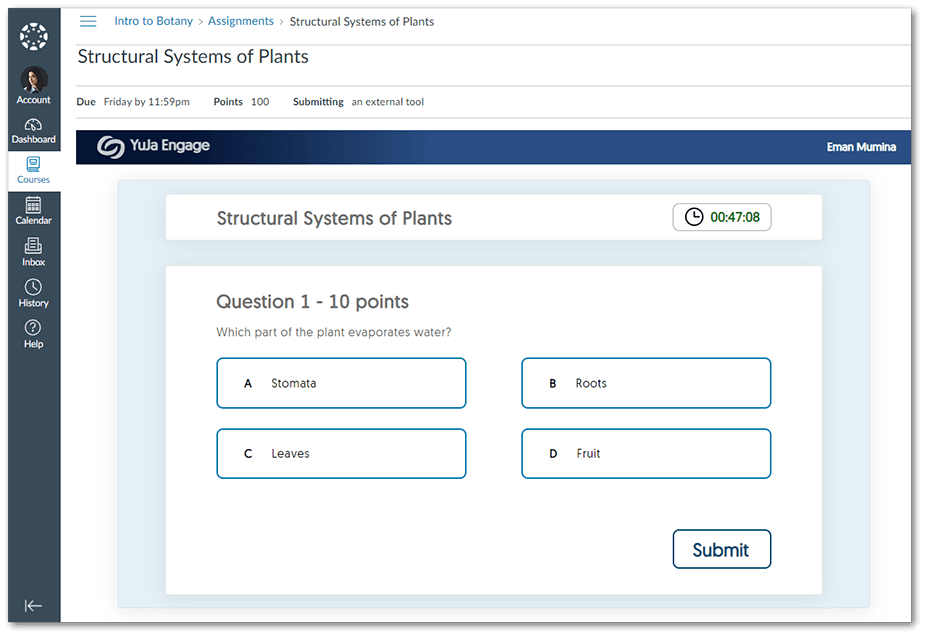
    2. Polls Can Now be Synced with Blackboard Ultra and Canvas Gradebooks YuJa Engage now offers Gradebook synchronization for Blackboard Ultra and Canvas users. Instructors can publish polls directly to courses for students to take within the LMS and then view the results for each student within their LMS Gradebook. To learn more about this feature, please visit our guide for Blackboard Ultra or Canvas Gradebook synchronization. The Student view of a student participating in an Engage Poll within the Canvas LMS.
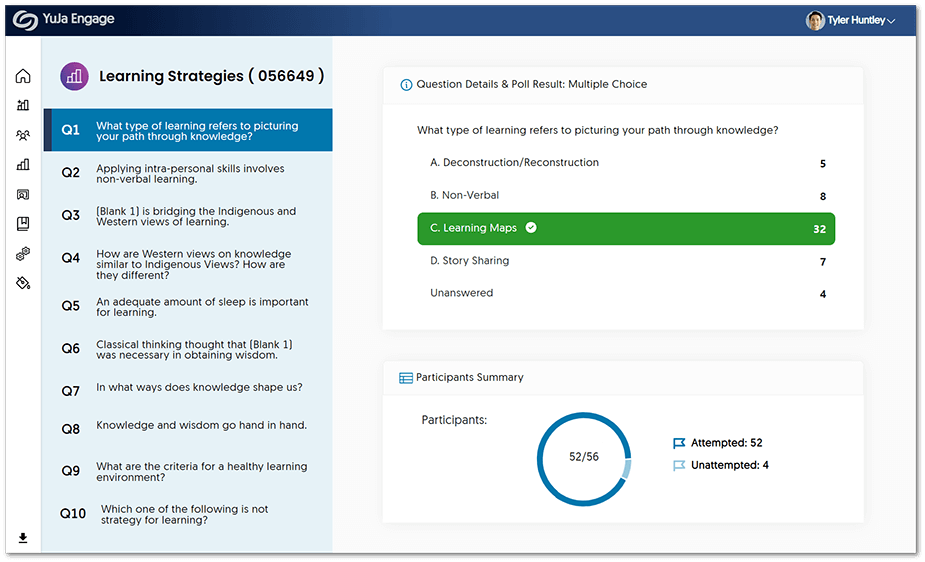
    3. Enhanced User Experience for Published Polls We have updated the UI to provide a modern look for instructors to view published polls results. Instructors can simply select the desired poll and view a list of questions and their corresponding poll results, as well as a Participant Summary. Reviewing a published poll within YuJa Engage shows a list of questions, along with question details and participant summary.
    4. Bug Fixes and Optimizations We have optimized the performance of YuJa Engage and made several bug fixes to improve the user experience. Highlighting some of these optimizations and fixes are:

      • The Support Center panel in the Creator dashboard now offers additional options to contact tech support.
      • Resolved an issue for users not being able to be added by their phone number.
      • Enhanced the mobile browser responsiveness for Poll participants. 
      • Updated UI responsiveness for images being inserted into Polls.
  • February 8, 2023

    YuJa Video Conference Platform – Update RC20230113 Released to US, CAN, and EU Zones

    We have successfully pushed an update to all Video Conference Platform instances residing in the United States, Canada, and the European Union. This update provides our users with an increased number of video participants, audio sharing, a profanity filter for live chats, and faster response times for the Video Conference web application.
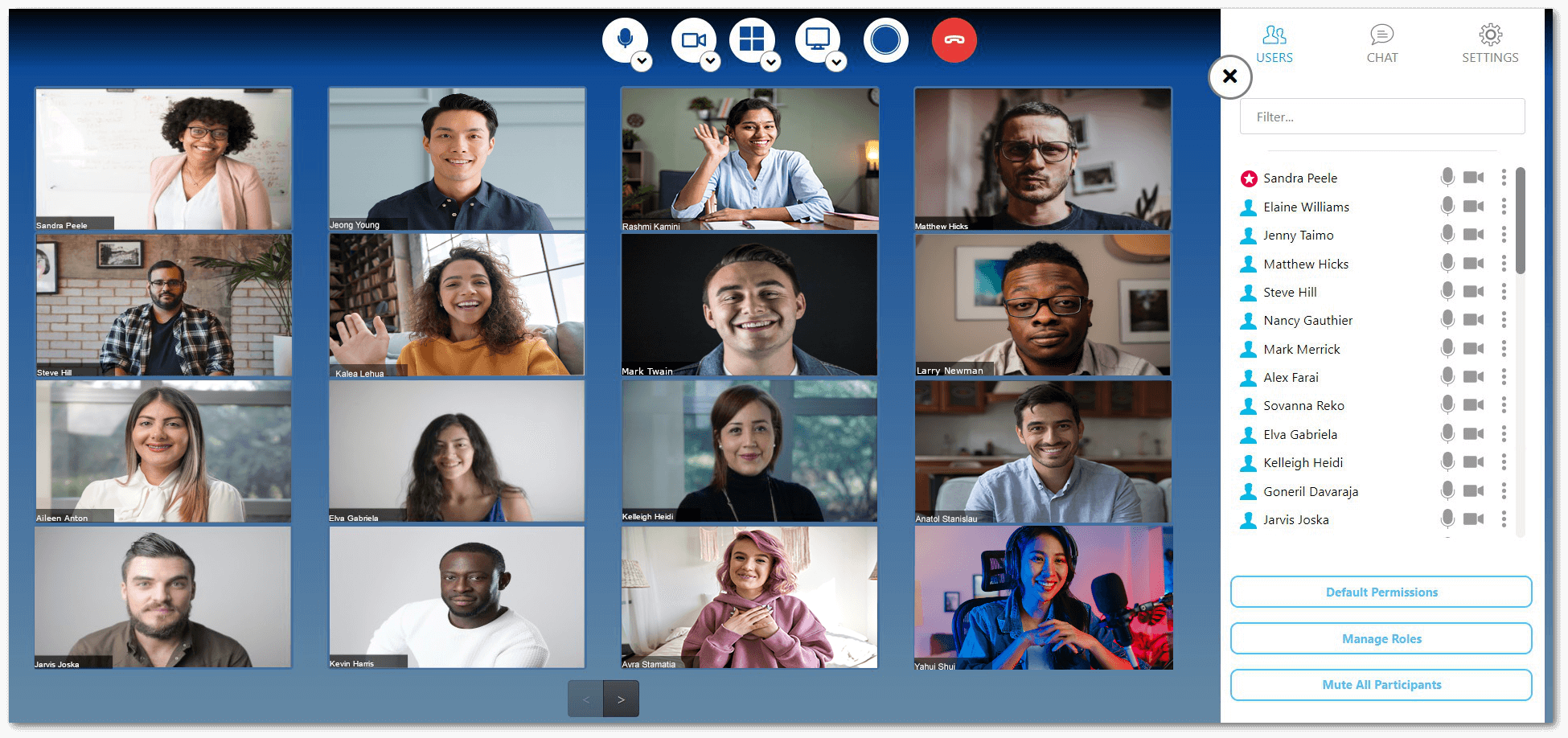
    1. Increased Number of Video Participants to 140 In continuing to enhance the overall collaborative experience, we have increased the number of simultaneous video participants to 140 and dial-in users to eight. We intend to incrementally increase video participants in future updates to attain 200 on-video participants.Video Conference Galley View
    2. Share System Audio in a Screen Share As an integral part of sharing, Video Conference sharing now allows Presenters to share their audio source when presenting a screen.
    3. Live Chat Profanity Filter To provide a clean and professional experience to our users, the live chat profanity filter will automatically detect and censor inappropriate language during live sessions.  
    4. Performance Improvements Owners and presenters will notice faster front-end webapp response times when using the Video Conference application.
  • January 31, 2023

    YuJa Panorama for Digital Accessibility – Minor Update RC20230131 Released to US, CAN, and EU Zones

    We have successfully pushed an update to all YuJa Panorama for Digital Accessibility instances residing in the United States, Canada, and the European Union. This minor update provides our users with improvements to our new LTI app and standalone Panorama Portal, released in December. Users can expect enhanced responsiveness in the Panorama Portal, custom role mapping in D2L Brightspace, improved text and language support, and downloadable XLSX reports across the Panorama platform.
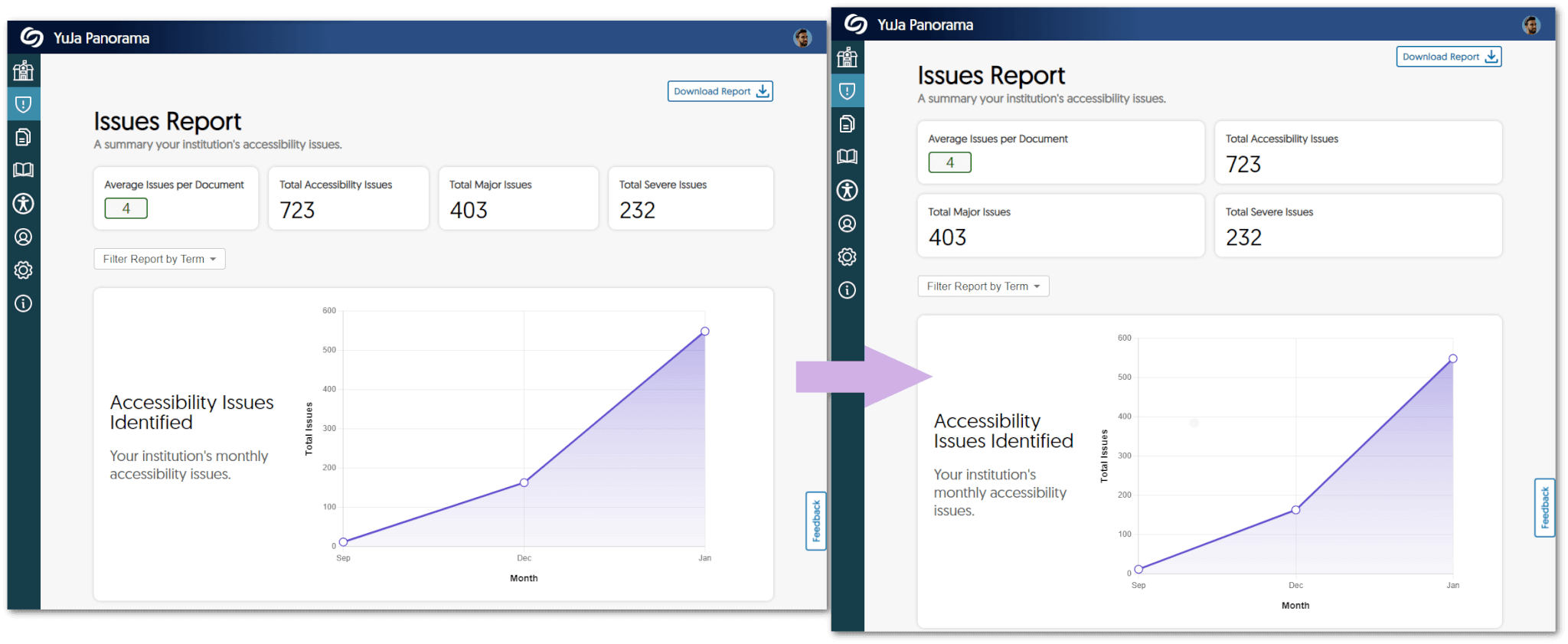
    1. Increased Responsiveness of the Panorama Portal Users will notice instant UI improvements across the Panorama Portal, which will now automatically fit any screen size and can be manually resized to provide users with a seamless experience.
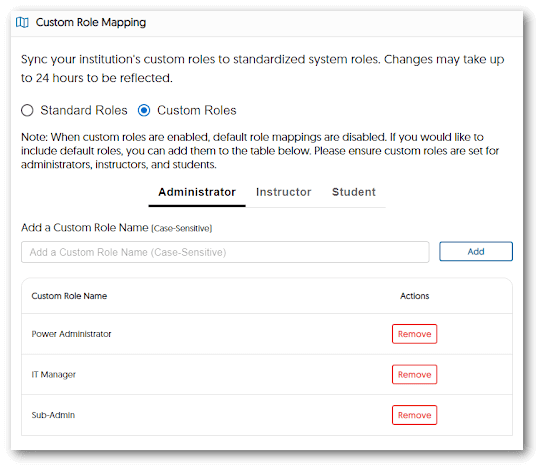
    2. Custom Role Mapping Available For D2L Brightspace Institutions using D2L Brightspace can now add their custom role list for administrators, instructors, and students to standardized system roles. Please note that when custom roles are enabled, default roles are disabled, and changes may take up to 24 hours to be reflected. The Custom Role Mapping window open inside D2L Brightspace featuring Custom Role Names.
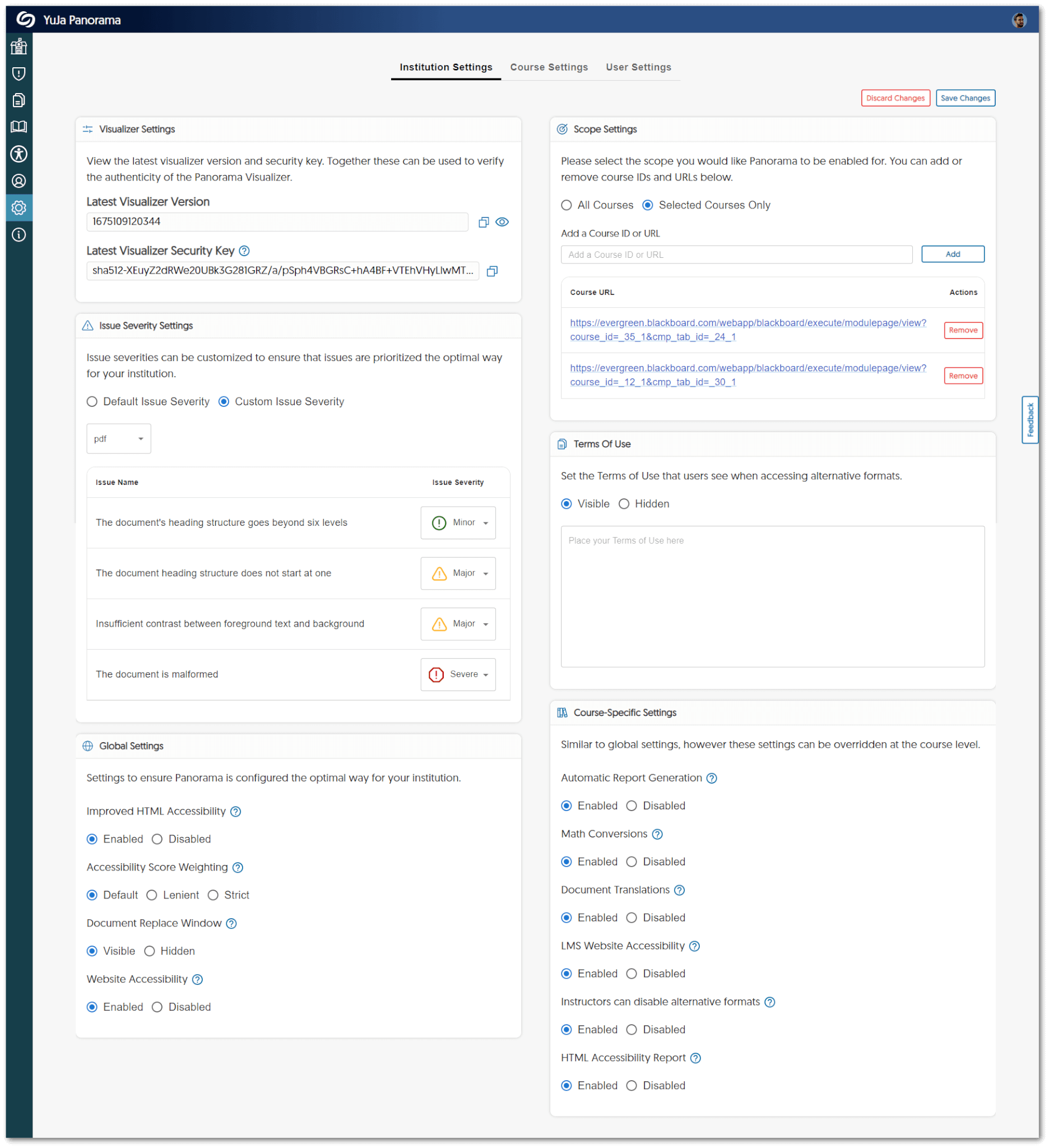
    3. New Accessible Layout for Institution Settings We have updated the panels for Institution Settings to provide a two-column view for admins to access quickly. The new two-column view shown in the Panorama Settings panel.
    4. Improved UI Text We have standardized all text across the LTI app and the Panorama Portal to provide users with clear information about their institution and courses.
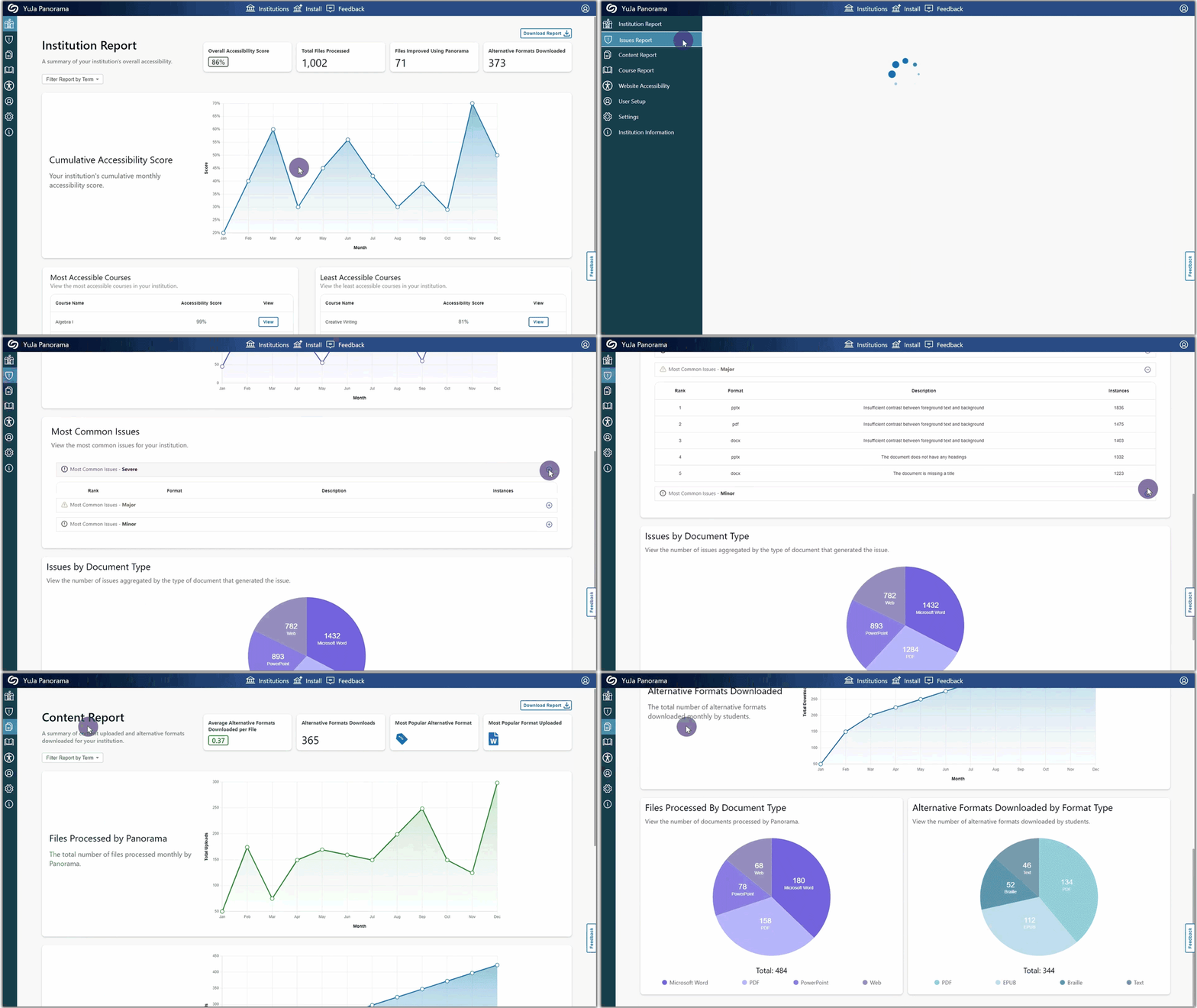
    5. Download Content Report Data Admins can now download a summary of their Content Report from the Panorama Portal.
    6. All Downloadable Reports are Available in XLSX All reports will be available to download as XLSX files to help admins and instructors identify trends and organize data.
    7. Spanish and French Language Support for the Panorama Portal The entirety of the Panorama Portal now has language support for Spanish and French.

Join the 1,000+ Organizations Deploying High-Impact Solutions

A collection of logos representing various organizations and institutions that use YuJa’s platform.