

Product Updates
Get the latest platform updates, features, and announcements—all in one place.
Attending EDUCAUSE? Join us for FREE food, drinks, and prizes!
RSVP Now

Get the latest platform updates, features, and announcements—all in one place.
Over the next several weeks, we’re rolling out updates across all YuJa Panorama LMS Accessibility Platform instances. This release will introduce AI-powered alternative text suggestions for documents, enhanced PDF remediation, expanded accessibility checks for PDFs, automatic course scanning for Blackboard, and more.
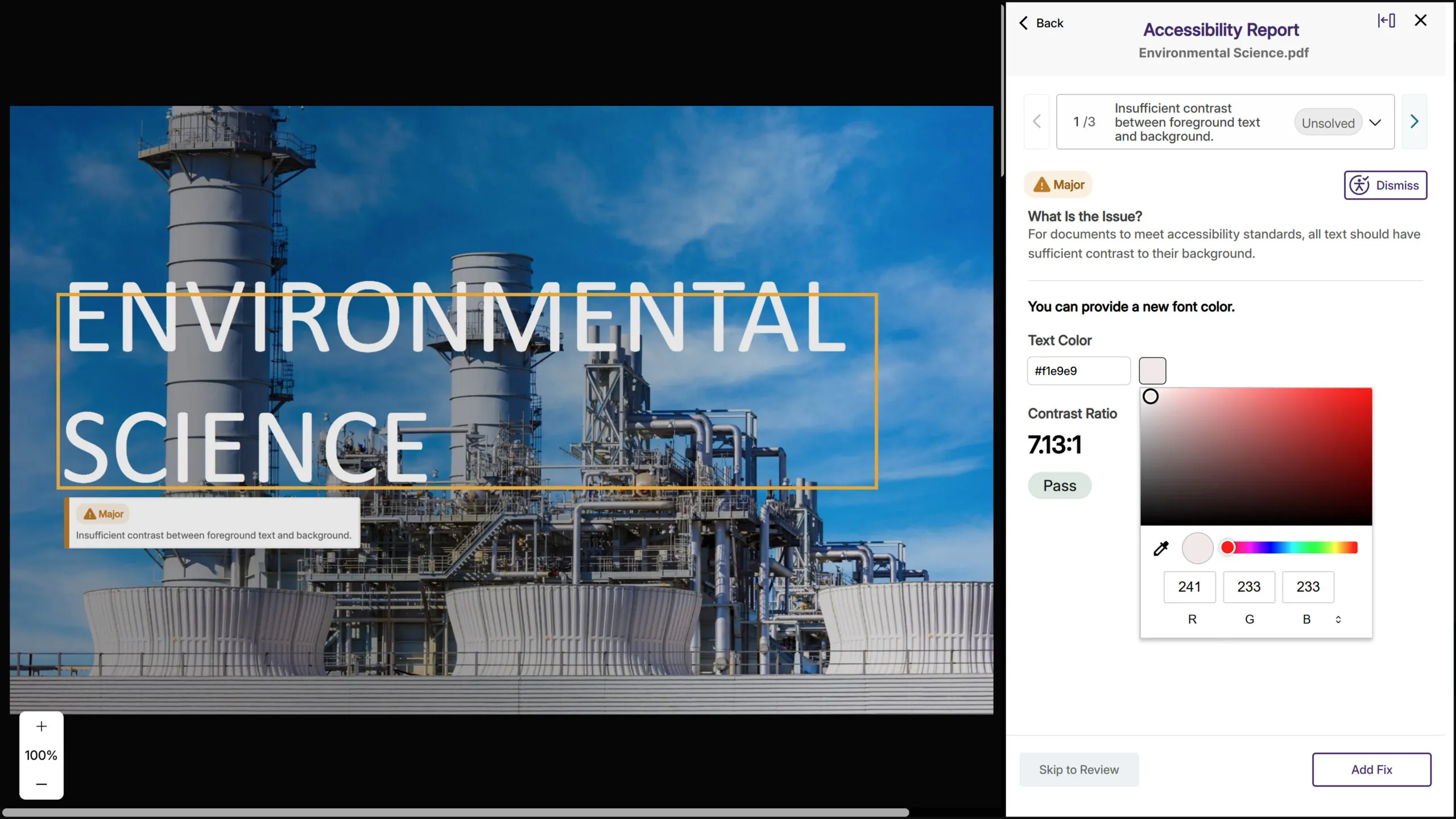
AI-Based Color Contract Issue Remediation for PDFs While Maintaining Layout and Structural Fidelity
Following significant advancements during its beta period, YuJa Panorama now provides fully supported and highly reliable color contrast remediation directly inside PDF files. The upgraded engine can intelligently adjust colors within the PDF content itself, while maintaining layout, typography, and structural fidelity. This allows YuJa Panorama to correct contrast issues at the source without disrupting formatting or requiring any external editing tools. The result is a smoother, more automated, and consistently accurate remediation experience across nearly every PDF scenario.
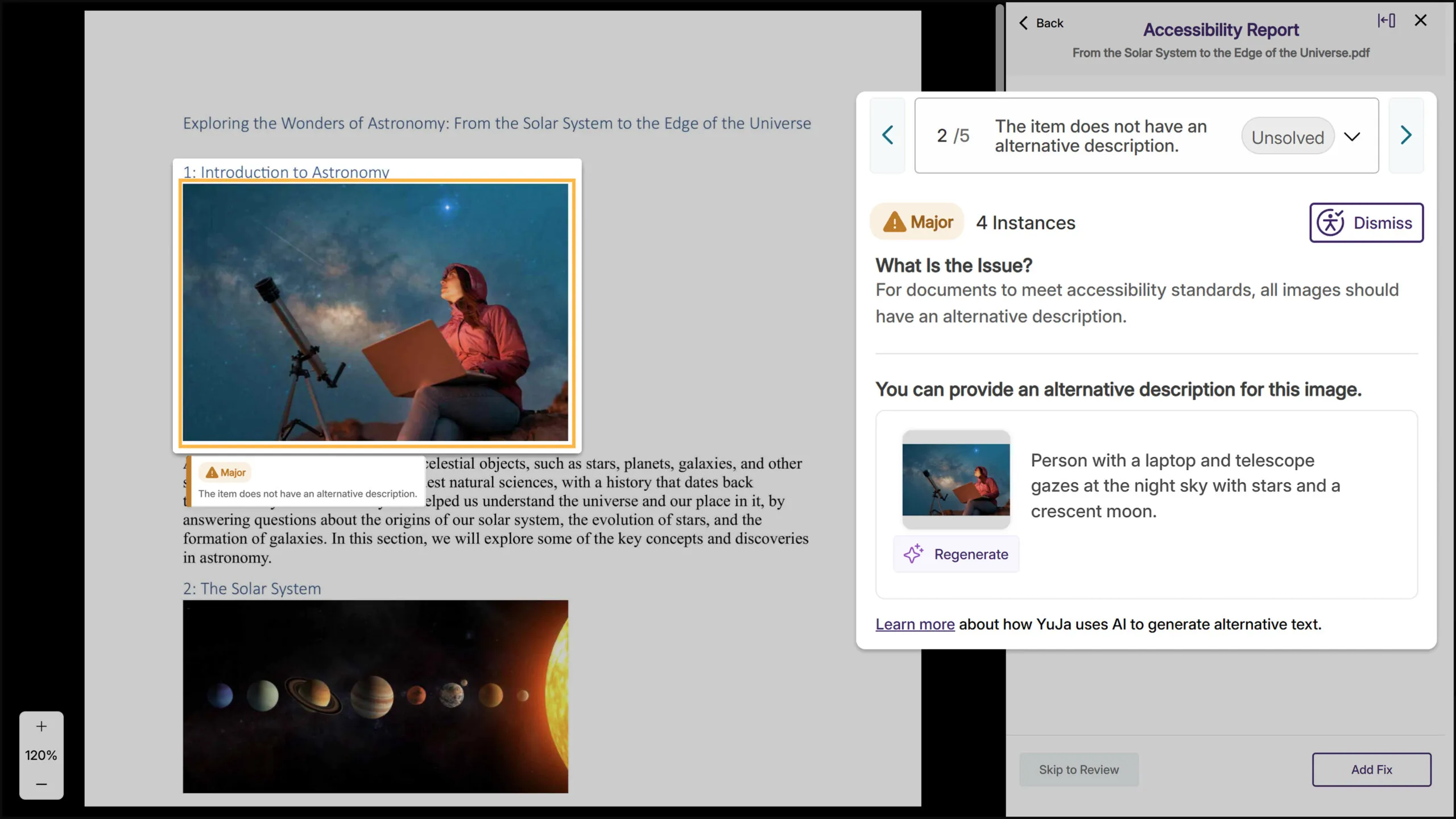
AI-Generated Alt Text Suggestions Speed Up Image Remediation Across All Major Document Formats
YuJa Panorama will now generate alternative text suggestions for images across all document types, including PDF, Word, PowerPoint, Excel, and HTML. When you encounter a missing image description, click “Suggest Alternative Text” to get an AI-powered starting point, then refine it as needed. This reduces the time spent writing alt text from scratch while keeping instructors in control of the final description.
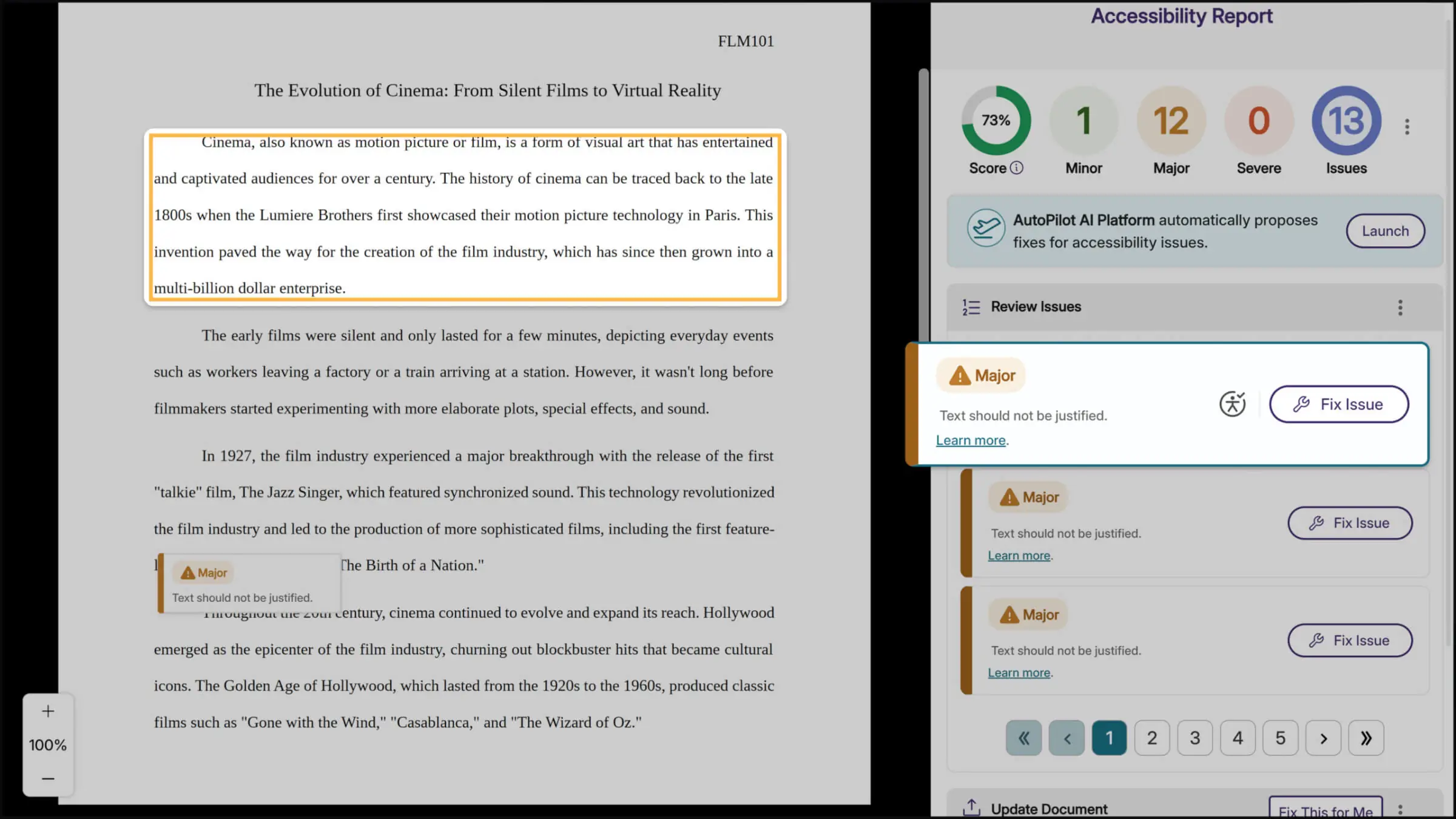
Improved, Context-Aware Highlighting of Accessibility Issues Directly on the Document
Accessibility previews now benefit from a more advanced matching approach that interprets document structure with greater resilience to format changes. The upgraded system aligns visual regions in a more context-aware way, producing bounding boxes that track the true location of issues far more reliably. As a result, accessibility problems are easier to pinpoint even in documents that undergo heavy format transformations.
Faster Accessibility Report Loading for Large PDFs
Large PDF files will load significantly faster in the accessibility report, reducing wait times when reviewing documents with extensive content or numerous accessibility issues. This performance improvement will help you work more efficiently without affecting alternative format generation or issue remediation.
Expanded Dismissal Options for Accessibility Issues
Instructors will now be able to dismiss a broader range of accessibility issues directly from the report for greater control over the remediation process. Previously, only certain issues could be dismissed, whereas now, nearly all issues will include the dismissal option, making it easier to skip remediation when an issue doesn’t apply to specific content.

Automatic Course Scanning for Blackboard
Blackboard administrators can now enable automatic scanning for new courses, eliminating the previous requirement for users to manually visit each course with the browser extension before YuJa Panorama could analyze it. This configurable feature will ensure comprehensive accessibility coverage across your institution by automatically detecting and scanning new courses, so you won’t miss courses that instructors or students haven’t yet accessed.
AutoPilot Metrics Added to Monthly Reports
Monthly usage reports will now include dedicated metrics for AutoPilot and Structural Remediation when these features are enabled at your institution. These new sections will help administrators track adoption and measure the impact of these remediation tools, while providing clearer visibility into how automated accessibility improvements support your compliance goals.

Enable Manual Login Credentials for LTI and SSO Users
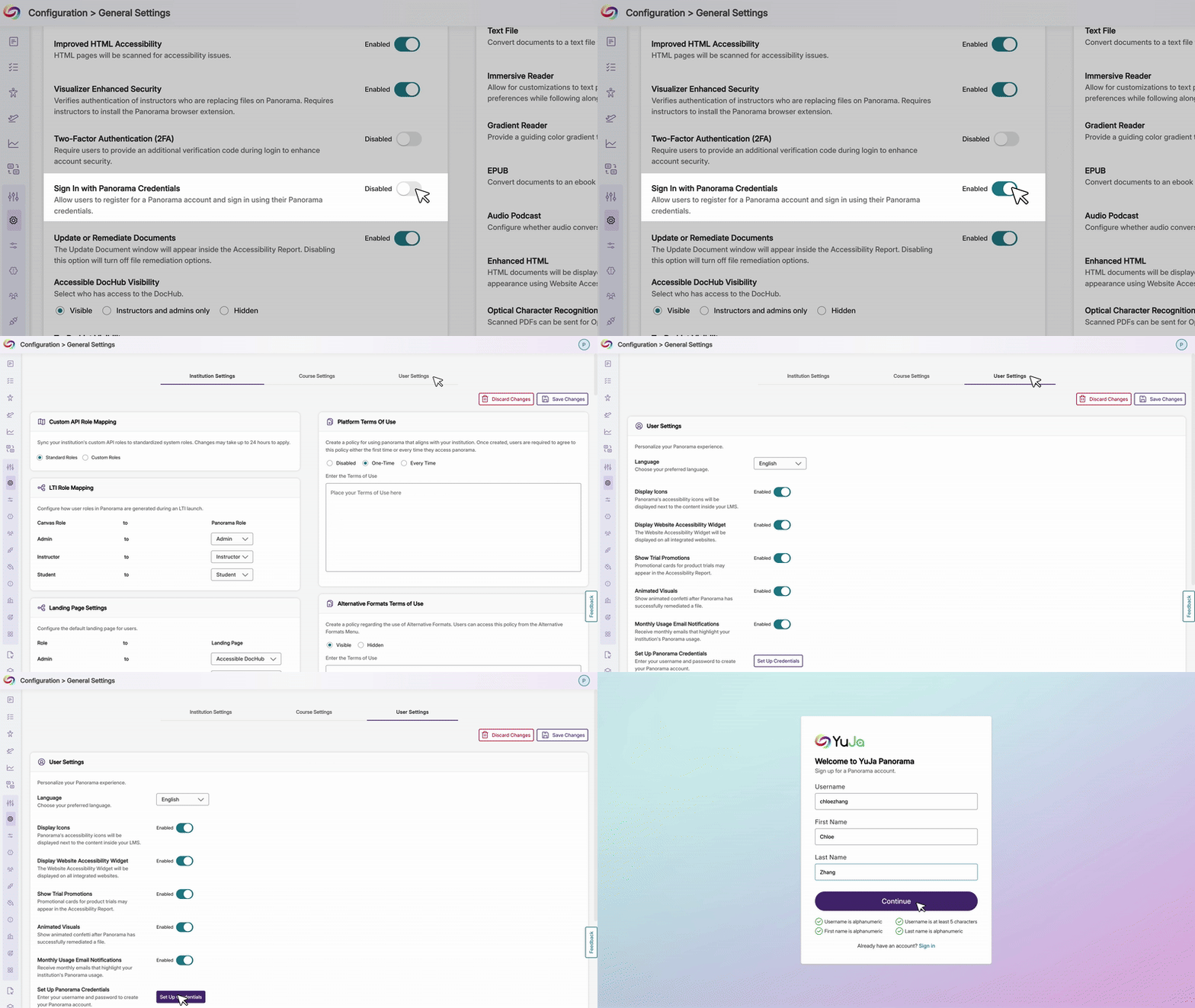
Users who originally joined through LTI or SSO can now add manual YuJa Panorama credentials to their existing accounts when administrators allow it. Previously, manual credentials were limited to new account creation. With this enhancement, users gain greater flexibility to sign in directly through the Panorama portal outside the LMS or SSO flow, while administrators retain full control through the option to enable or disable manual credential setup.
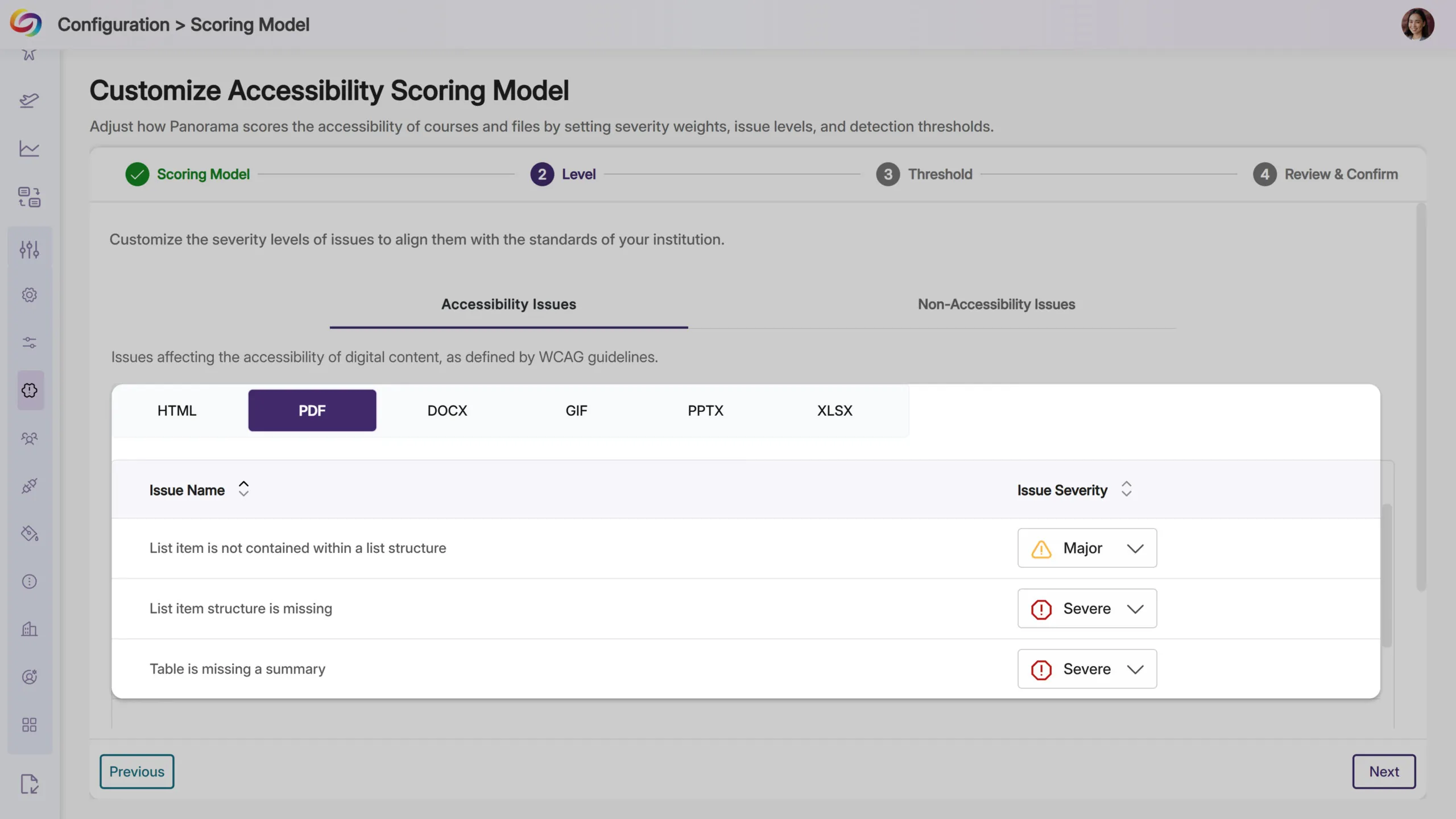
New PDF Accessibility Checks Detect Table and List Structure Issues
YuJa Panorama will now identify additional accessibility issues in PDF documents, including missing table summaries, list items outside proper list structures, and missing list item structure. These checks will help ensure PDF content meets accessibility standards for data tables and lists, making documents more navigable for screen reader users.
Link Text Accessibility Checks Will Be Expanded to PDF Files
YuJa Panorama will now detect link text issues in PDF documents, including empty links and non-descriptive hyperlink text, such as “click here” or “read more.” These checks help ensure all links provide meaningful context for screen reader users, extending accessibility coverage that was previously available only for other document types.

Refreshed Email Design Provides a Modernized Experience
All emails from Panorama, including registration, monthly usage reports, trial notifications, and course remediation updates, will now feature a modernized design that’s easier to read and navigate.

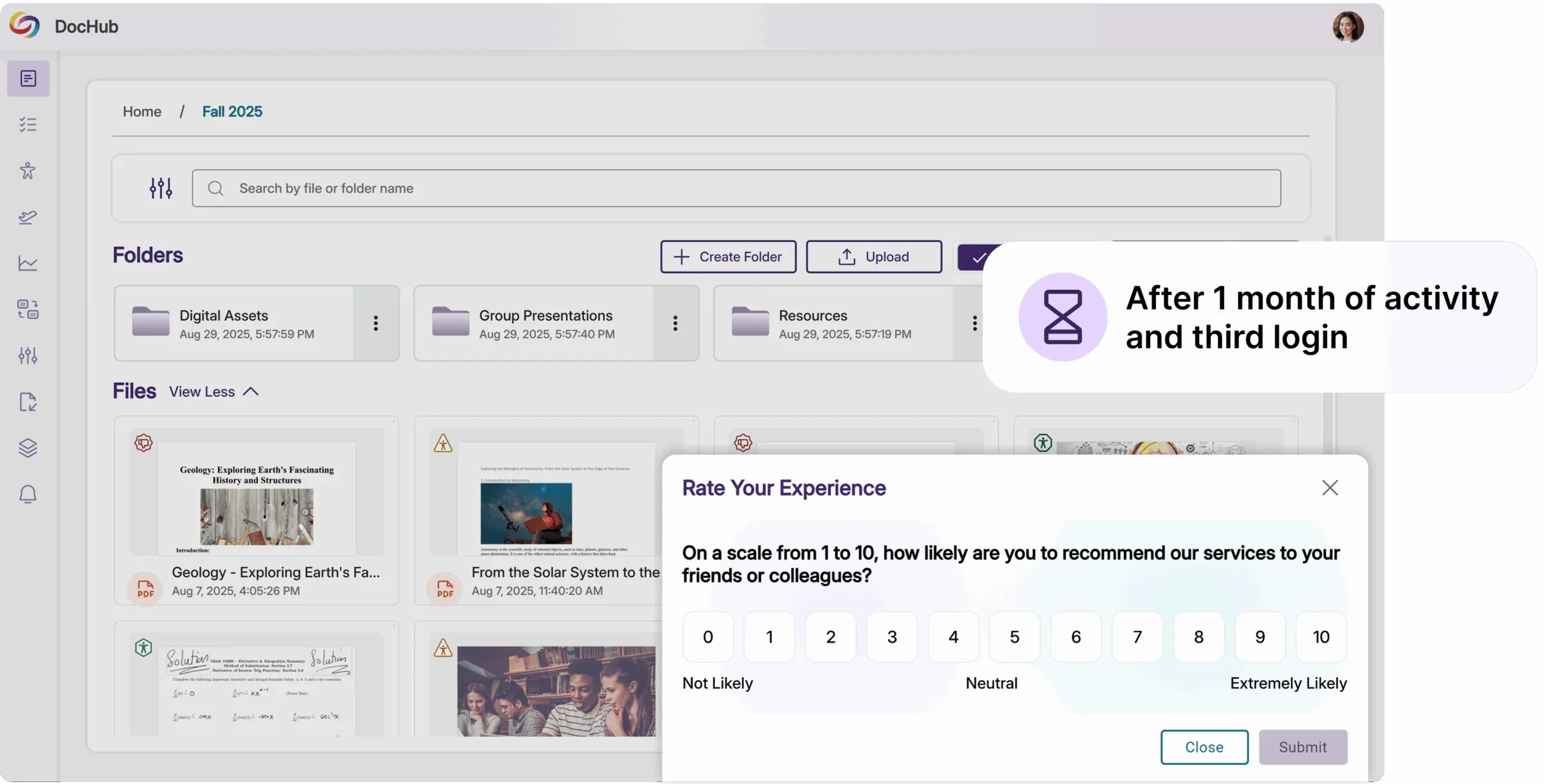
NPS Survey Timing Improved
NPS surveys now appear after a user’s third login and one month of activity, ensuring feedback is based on meaningful platform experience rather than first impressions.
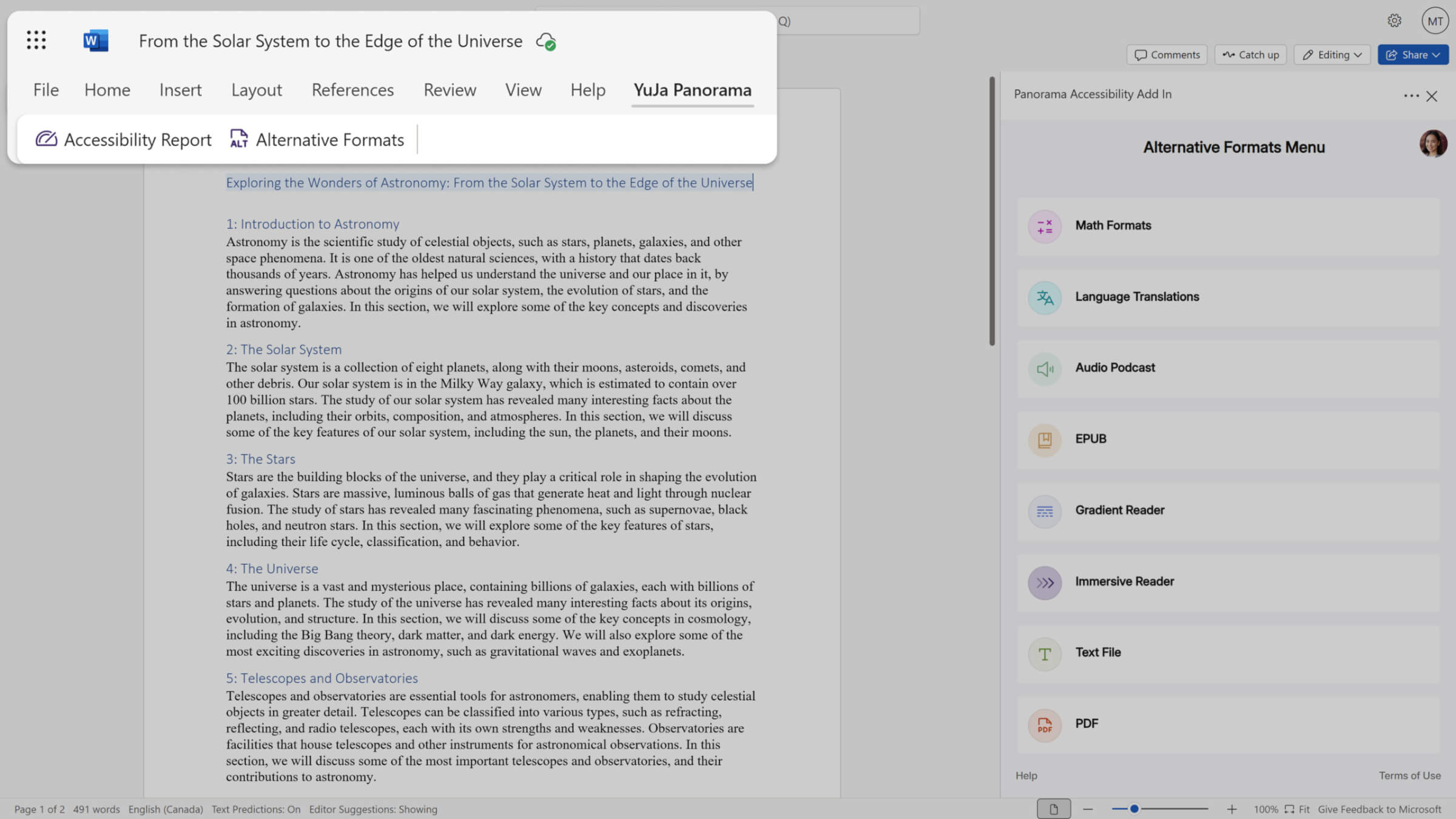
We’re rolling out updates to YuJa Panorama’s Structural Remediation capabilities over the next few weeks. This release will expand the Microsoft Word add-in to Mac and Office Online with full remediation and visual issue highlighting, introduce comprehensive usage reporting that tracks PDF tagging activity and calculates time saved, and add dedicated Structural Remediation and AutoPilot metrics to monthly usage reports.
Word Add-in Expands to Mac and Office Online with Full Remediation
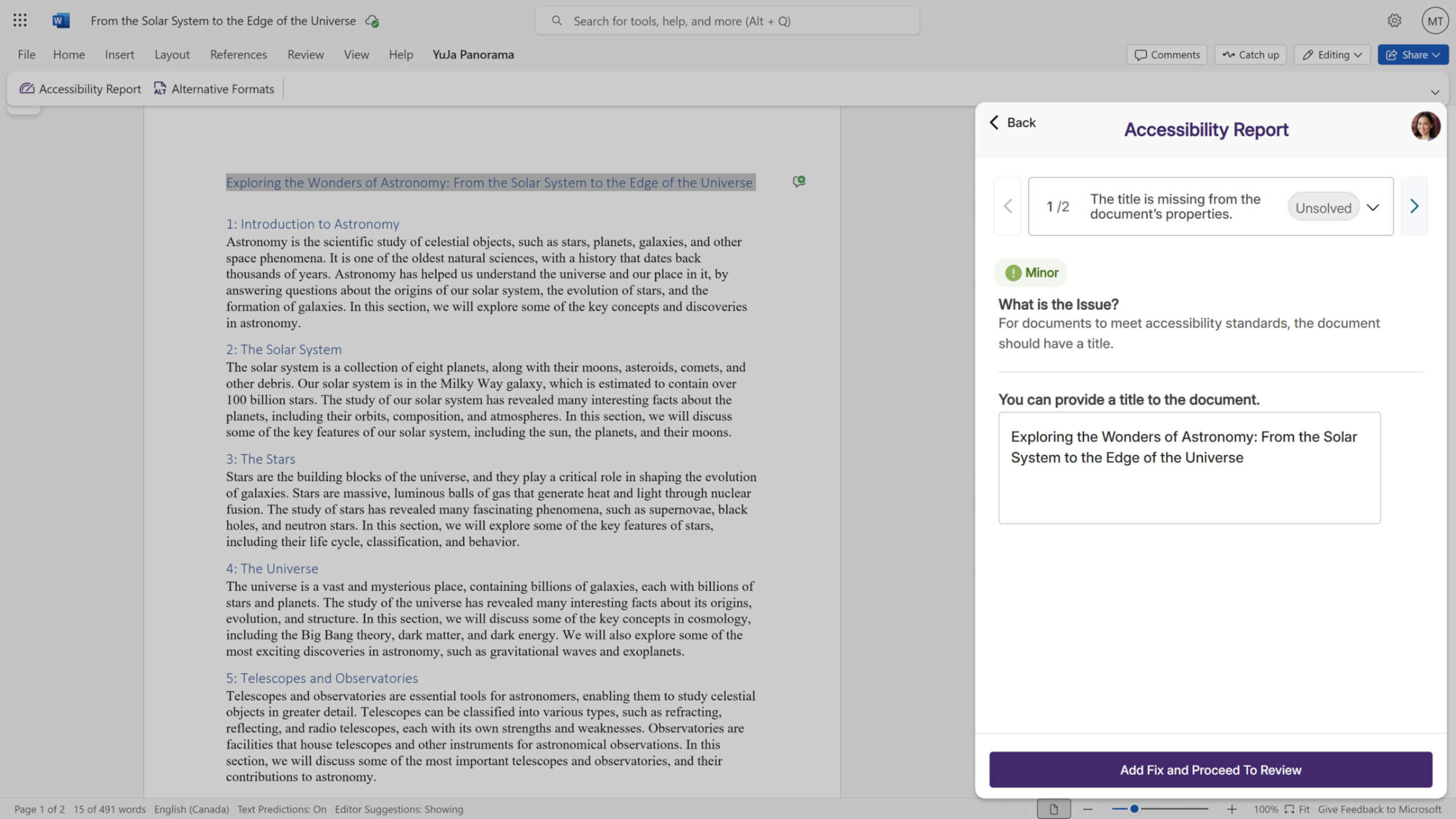
The Structural Remediation Microsoft Word add-in now offers complete remediation capabilities across all platforms:
Mac and Office Online support: Use the add-in on Mac devices and Microsoft Office Online, not just Windows.
Visual issue highlighting: Accessibility issues are now highlighted directly in your Word document as they’re detected.
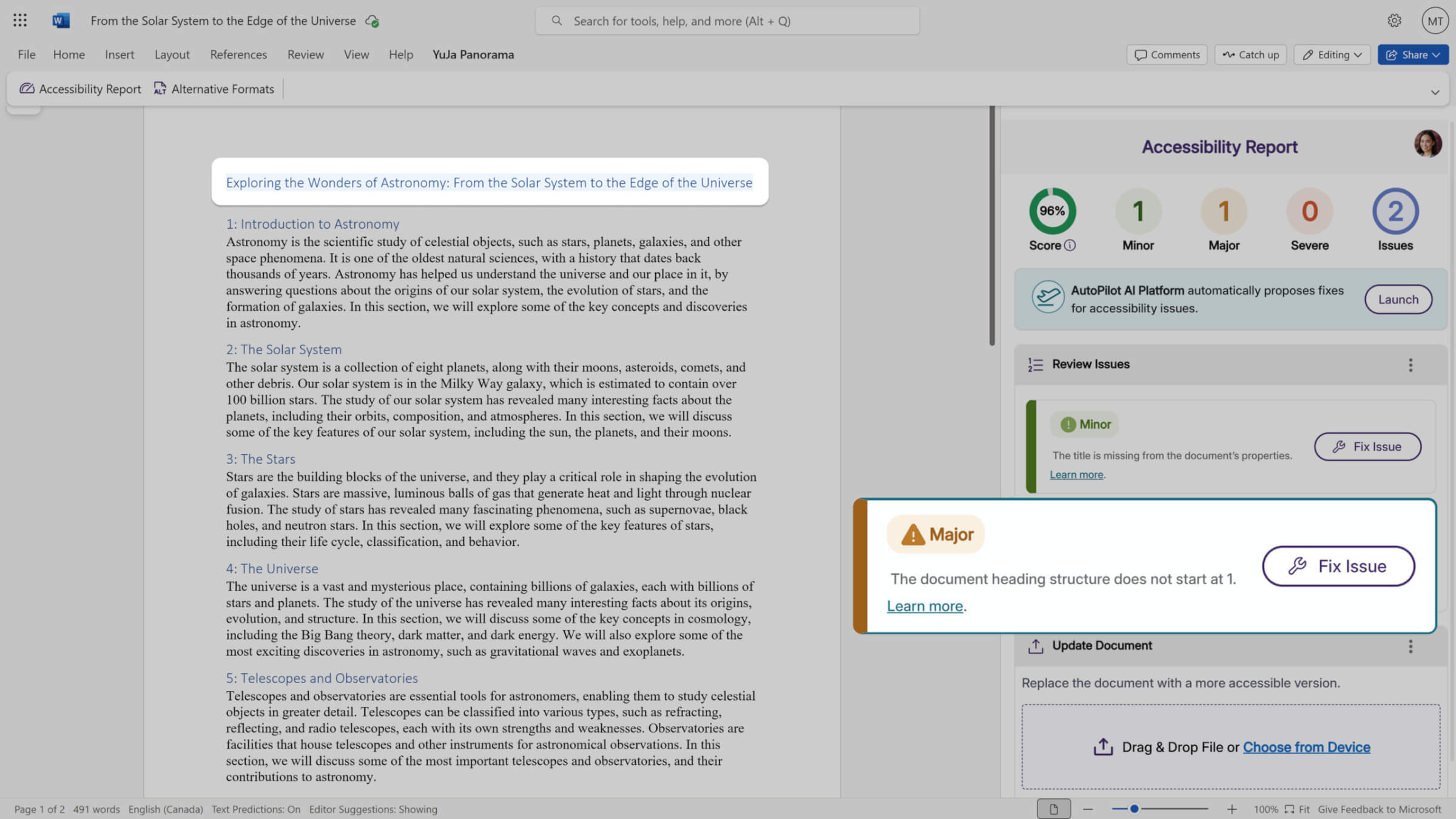
In-document remediation: Fix issues without leaving Microsoft Word. YuJa Panorama remediates the document and replaces it with the improved version automatically.
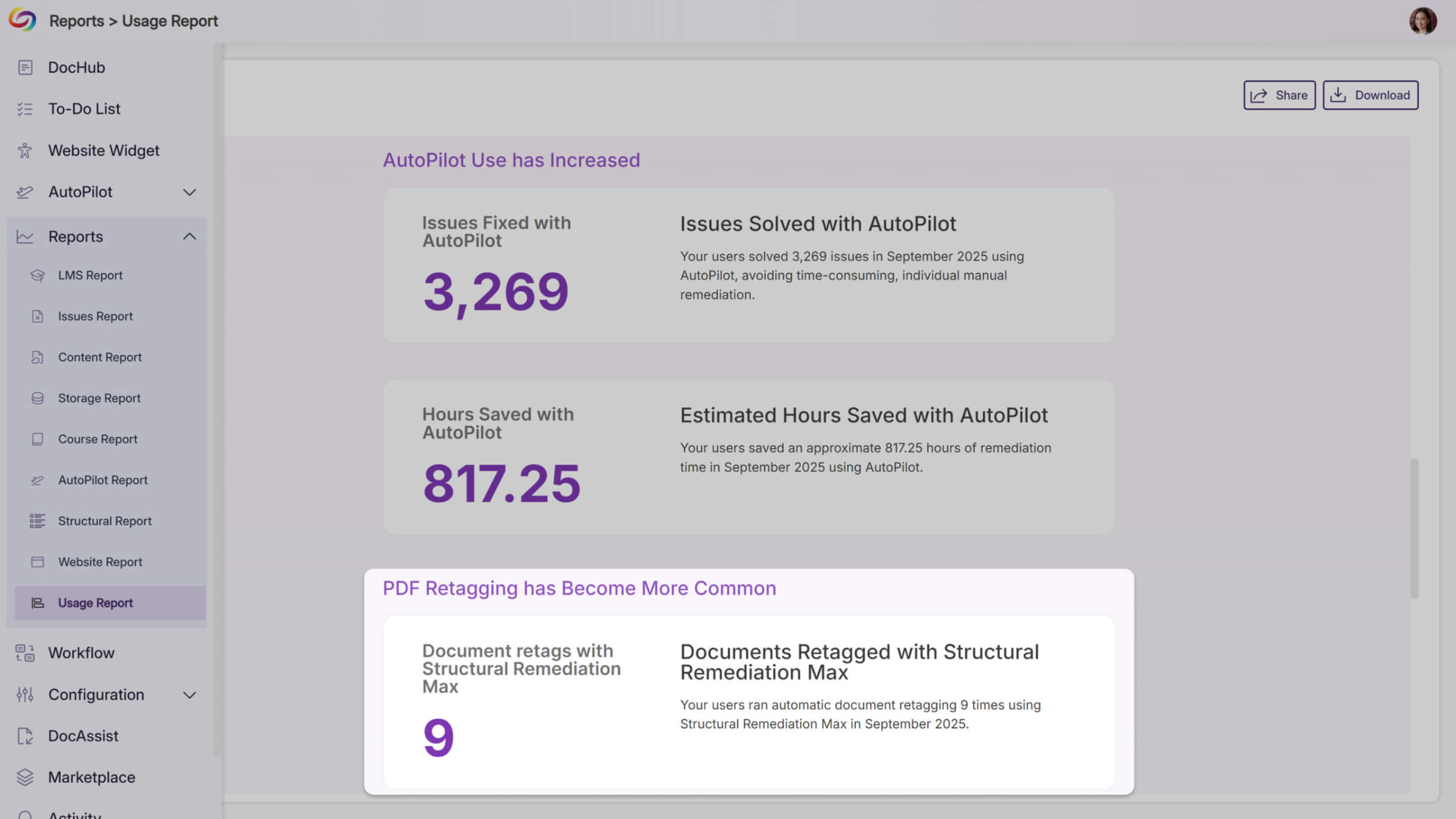
Structural Remediation Metrics Added to Monthly Reports
Monthly usage reports will now include dedicated metrics for AutoPilot and Structural Remediation when these features are enabled at your institution. These new sections will help administrators track adoption and measure the impact of these remediation tools, while providing clearer visibility into how automated accessibility improvements support your compliance goals.
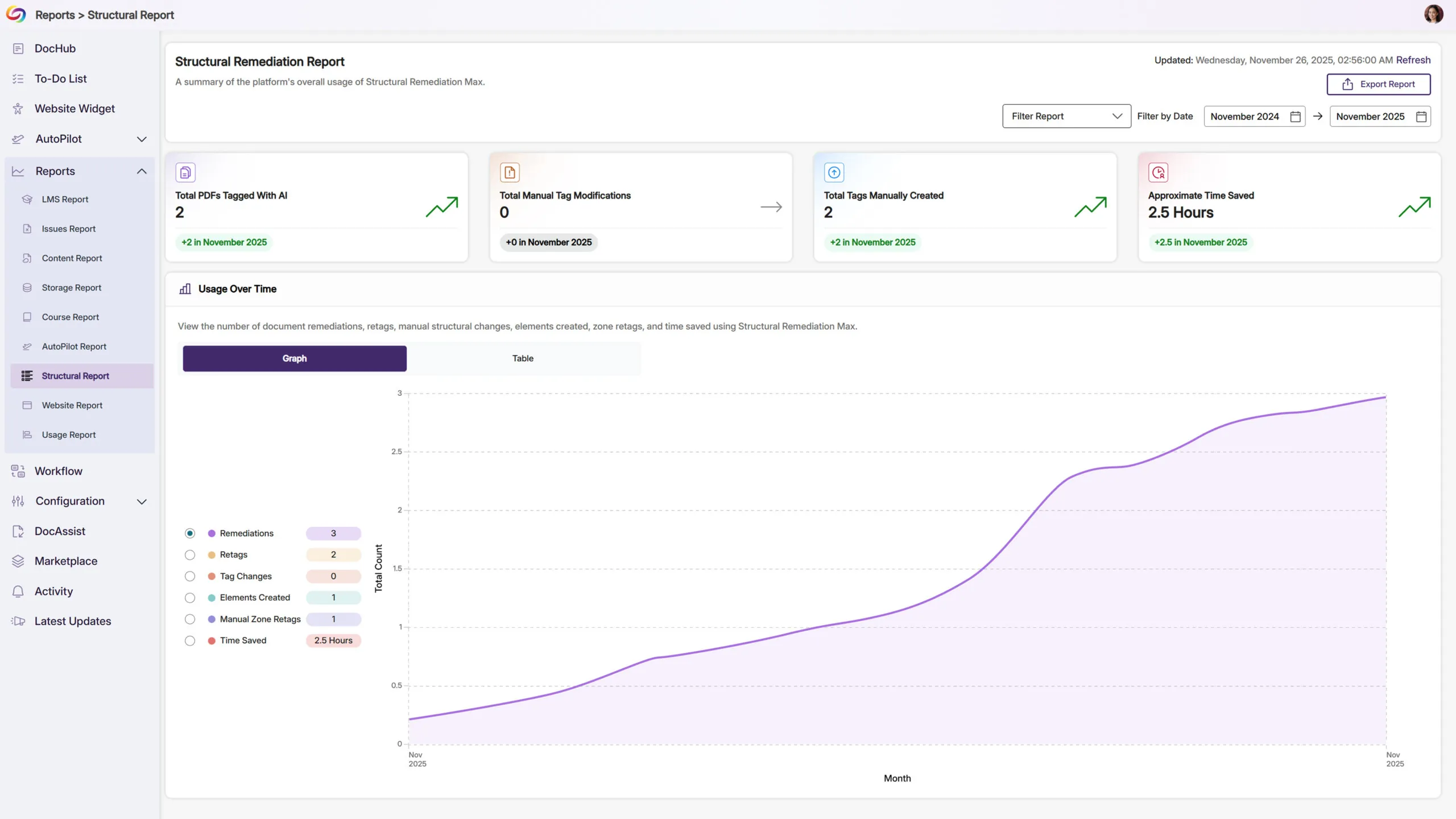
New Structural Remediation Reports Track Usage and Efficiency
A new Structural Remediation section in the reporting sidebar will show detailed metrics on PDF tagging activity, including AI-powered document retags, manual tag changes, added elements, and zone retags. The report also calculates estimated hours saved based on your team’s remediation work, helping you demonstrate the efficiency gains from using Structural Remediation Max.
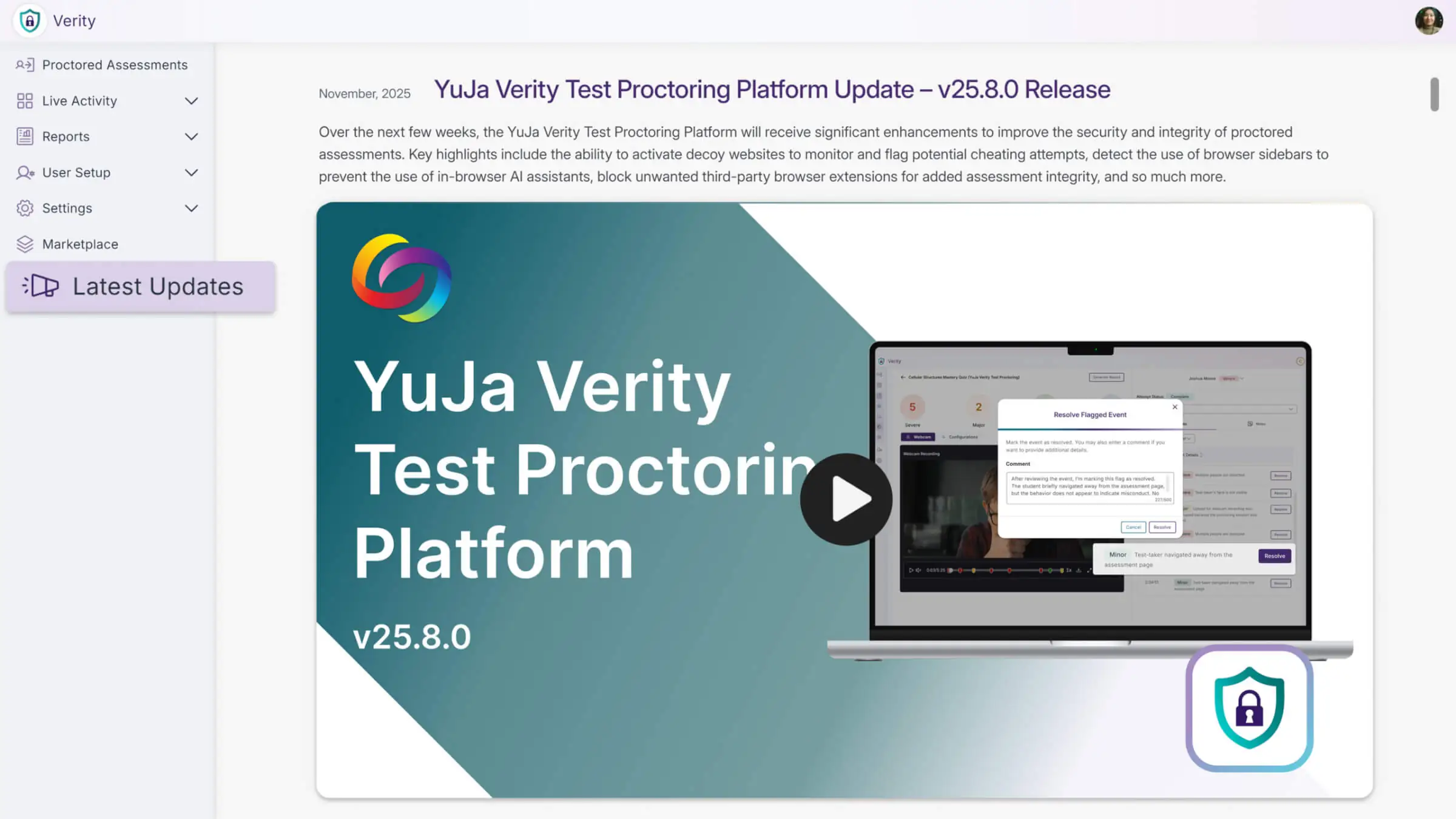
Over the next few weeks, the YuJa Verity Test Proctoring Platform will receive significant enhancements to improve the security and integrity of proctored assessments. Key highlights include the ability to activate decoy websites to monitor and flag potential cheating attempts, detect the use of browser sidebars to prevent the use of in-browser AI assistants, block unwanted third-party browser extensions for added assessment integrity, and so much more.
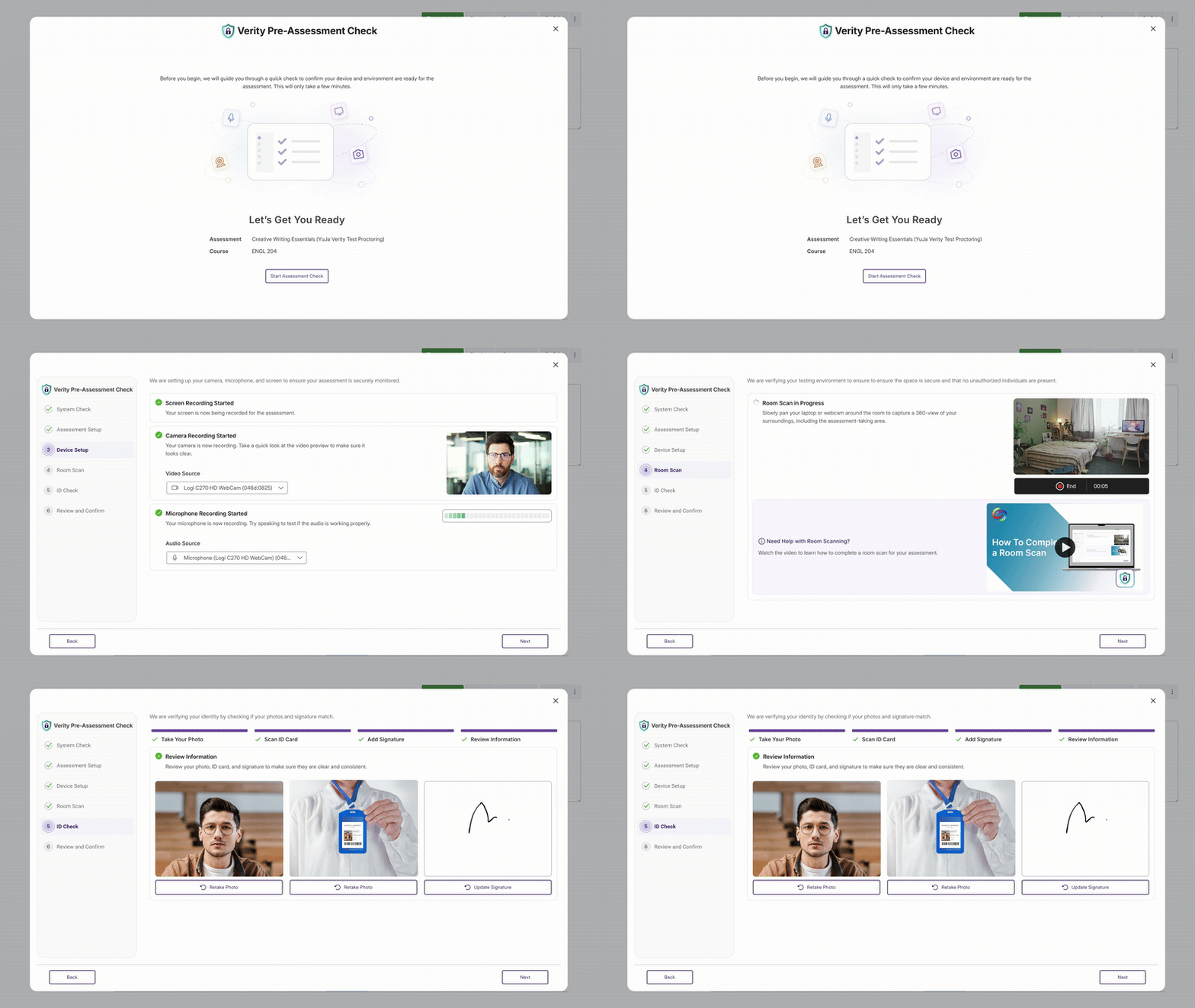
A Refreshed Readiness Check UI for a Smoother, More Continuous Setup Process
Those using the Verity browser extension will notice that we’ve redesigned the Readiness Check UI to provide test-takers with a smoother setup process, eliminating interruptive modals and consolidating proctoring setup steps into one unified flow. This streamlined workflow makes it easier than ever to ensure that a test-taker’s device, environment, and permissions are properly configured before their assessment begins, providing a continuous guided setup that is more scalable for future enhancements.
Activate Decoy Websites to Monitor and Flag Potential Cheating Attempts
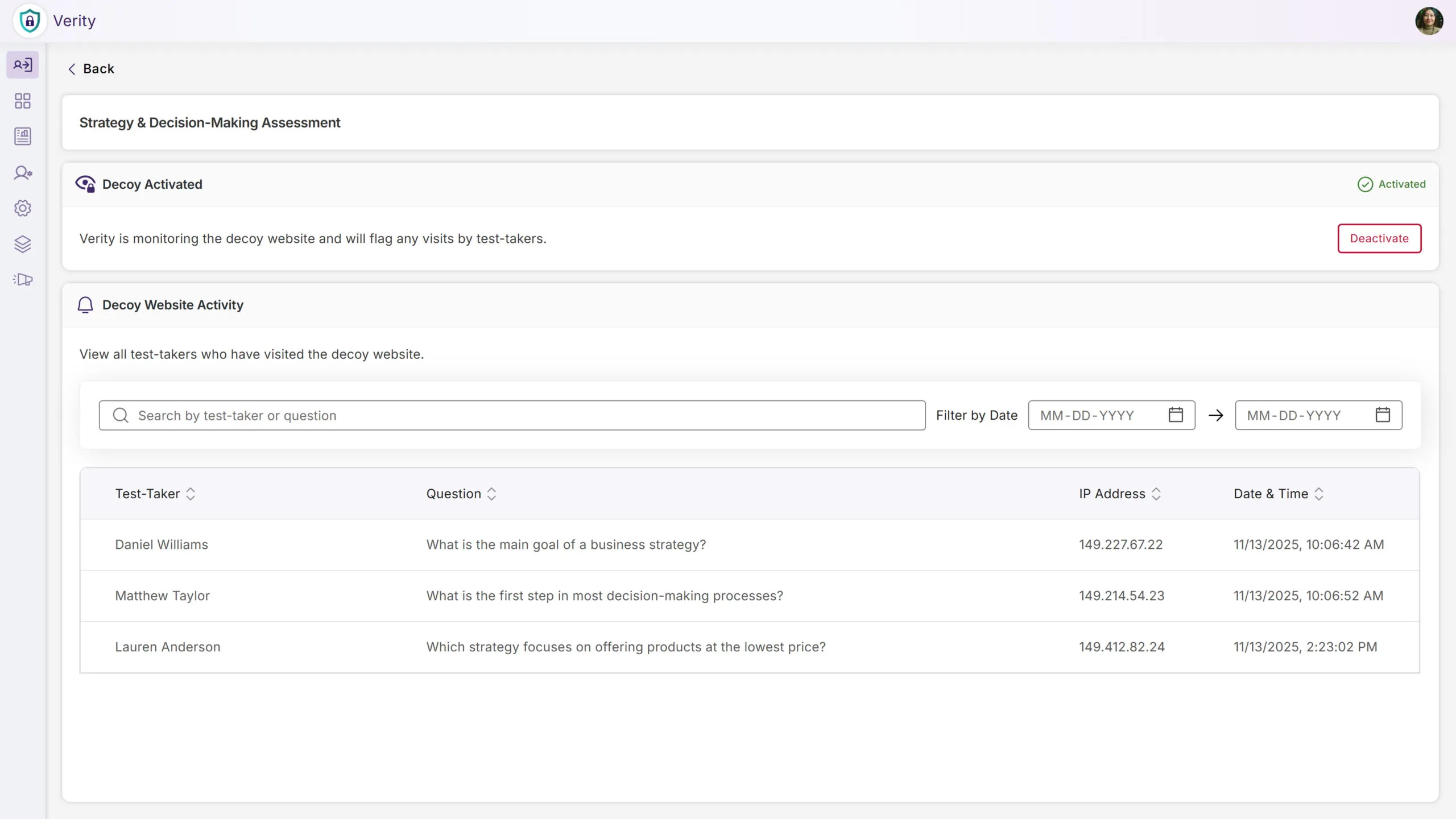
We’ll now create decoy websites seeded with fake assessment answers that are detectable through leading search engines. If test-takers access one of our decoy sites when searching for answers online, we’ll flag the potential cheating attempt as suspicious behavior. This works in conjunction with our other proctoring tools to help deter or eliminate academic dishonesty and ensure assessment integrity.
Ability to Flag the Use of In-Browser AI Tools During Proctored Exams
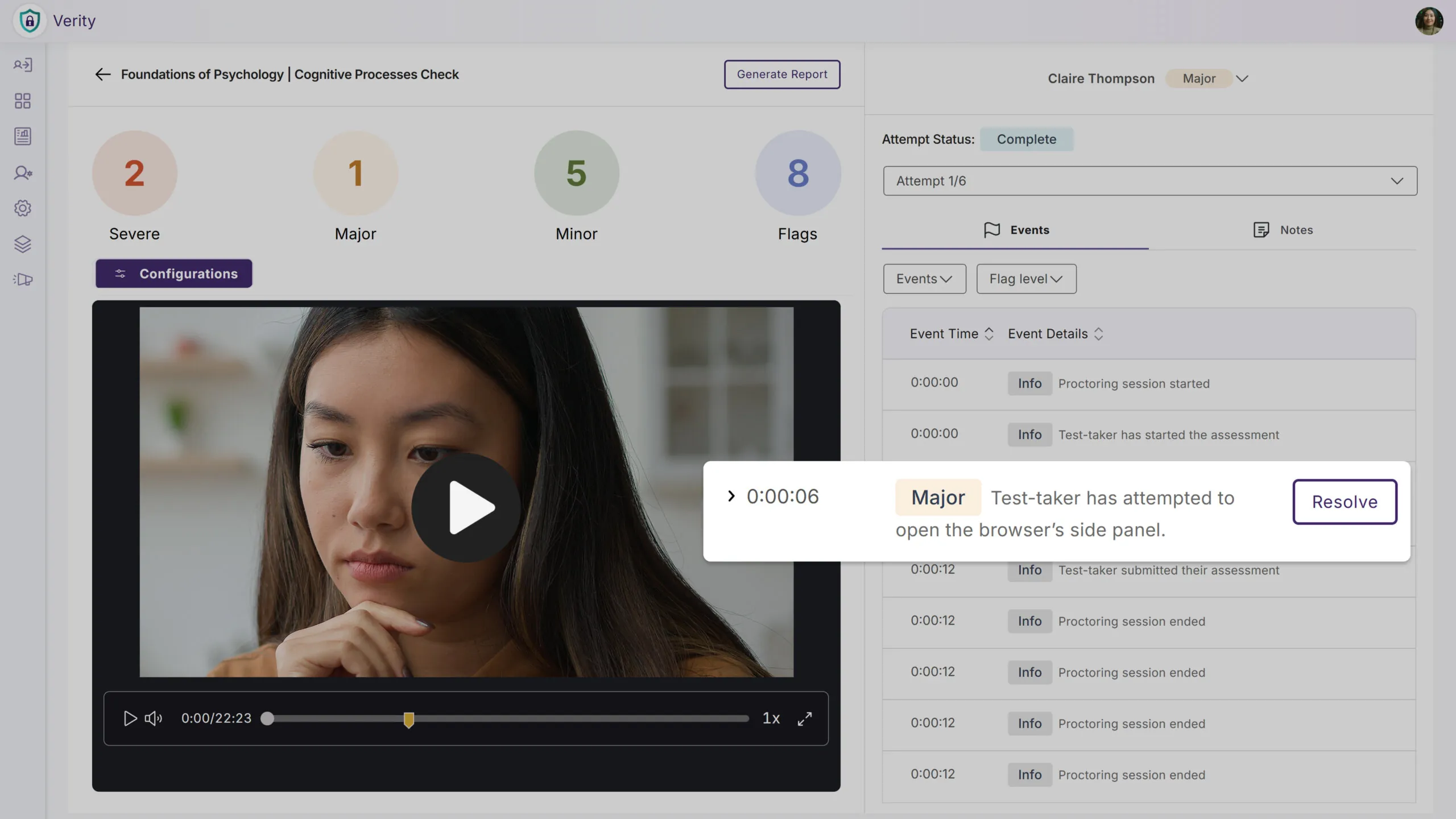
To reduce the number of cheating attempts and ensure stronger academic integrity, we’re introducing a new feature that detects the use of browser sidebars, allowing institutions to deter test-takers from accessing generated answers and summaries from in-browser AI assistants, including ChatGPT, Copilot, Gemini, and more. Any detected use of browser sidebars will be flagged as a violation.
AI Monitoring to Ensure Active and Reliable Proctoring on Older Devices
We’ve expanded our proctoring capabilities to provide consistent, accurate proctoring for every test-taker, regardless of their hardware limitations. When older devices struggle to support on-device monitoring, processing now automatically shifts to our secure Proctoring Cloud, maintaining the same level of assessment integrity you’re used to without unnecessary performance issues or interruptions. This establishes a safeguard to the proctored experience and allows test-takers to focus on their assessments.
Prevent Mobile Devices From Auto-Locking During Live Assessments
We’ve enhanced the mobile assessment experience by eliminating false flags caused by device inactivity, providing a more consistent experience for both proctors and test-takers. This further improves the accuracy of mobile proctoring and ensures that devices remain securely within the proctored environment for the duration of the assessment.
New System Resources Check to Detect and Prevent High CPU/Memory Usage for Improved Performance
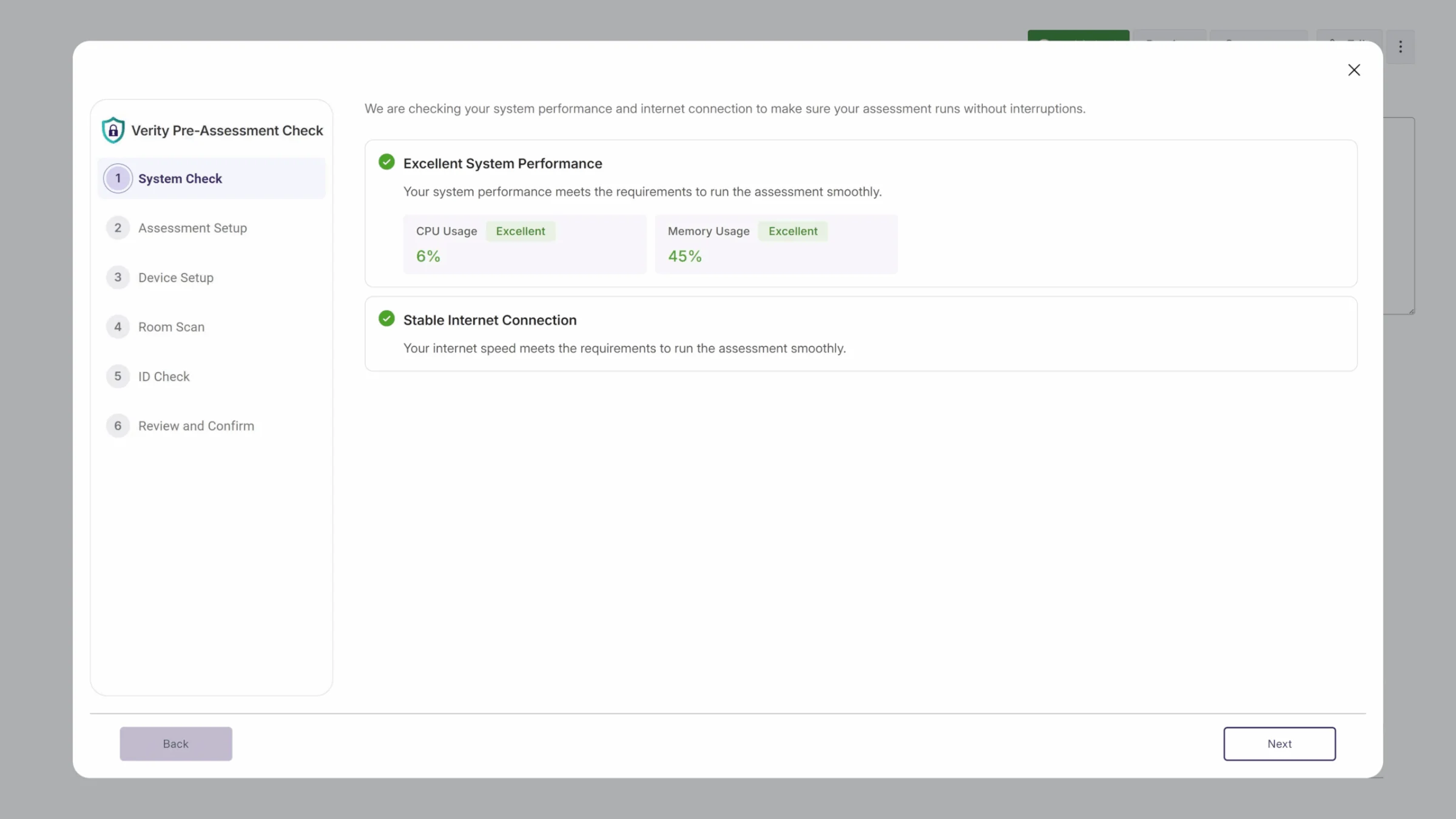
To give instructors greater visibility of potential device performance issues, we’ll now check to ensure that a test-taker has the recommended system resources to ensure an optimal proctoring experience. In the event of a failed System Resources check, test-takers will be provided guidance on how to improve device performance before the assessment.
Full Configuration Visibility With Platform Badges for Clearer Proctoring Setup
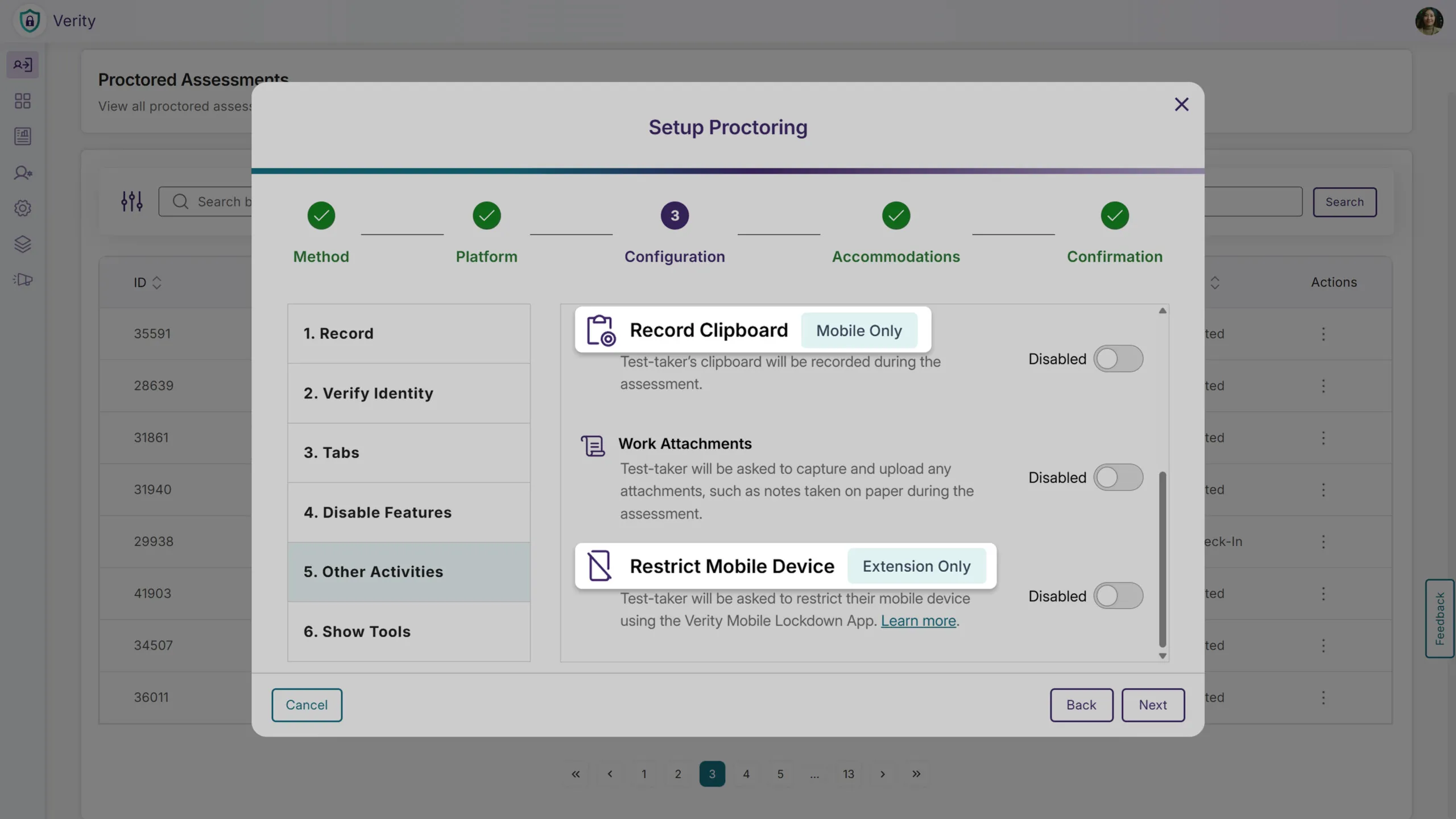
We’ve added platform badges to the Proctoring Setup page when the Mobile Lockdown App is enabled alongside the Browser Extension or Desktop Lockdown Module. Previously, the UI only displayed configurations that applied to both platforms, which limited visibility into the full range of available restrictions. Now, all proctoring configurations are visible, and the new badges clearly indicate which settings apply only to specific platforms. This added transparency helps instructors understand how each configuration behaves across devices and make intentional choices that align with their assessment goals.
Block Third-Party Browser Extensions for Added Assessment Integrity
To help maintain exam integrity, instructors now have the ability to block third-party browser extensions during the proctoring setup process, and any blocked extensions enabled by a test-taker will be flagged. Alternatively, certain extensions can be added to the Allow list, giving instructors even greater control over proctored assessments. As with other proctoring settings, test-takers can be exempted from these restrictions. Any extensions critical to accessibility can therefore be clearly permitted to reduce test-taker anxiety and maintain a fair assessment environment.
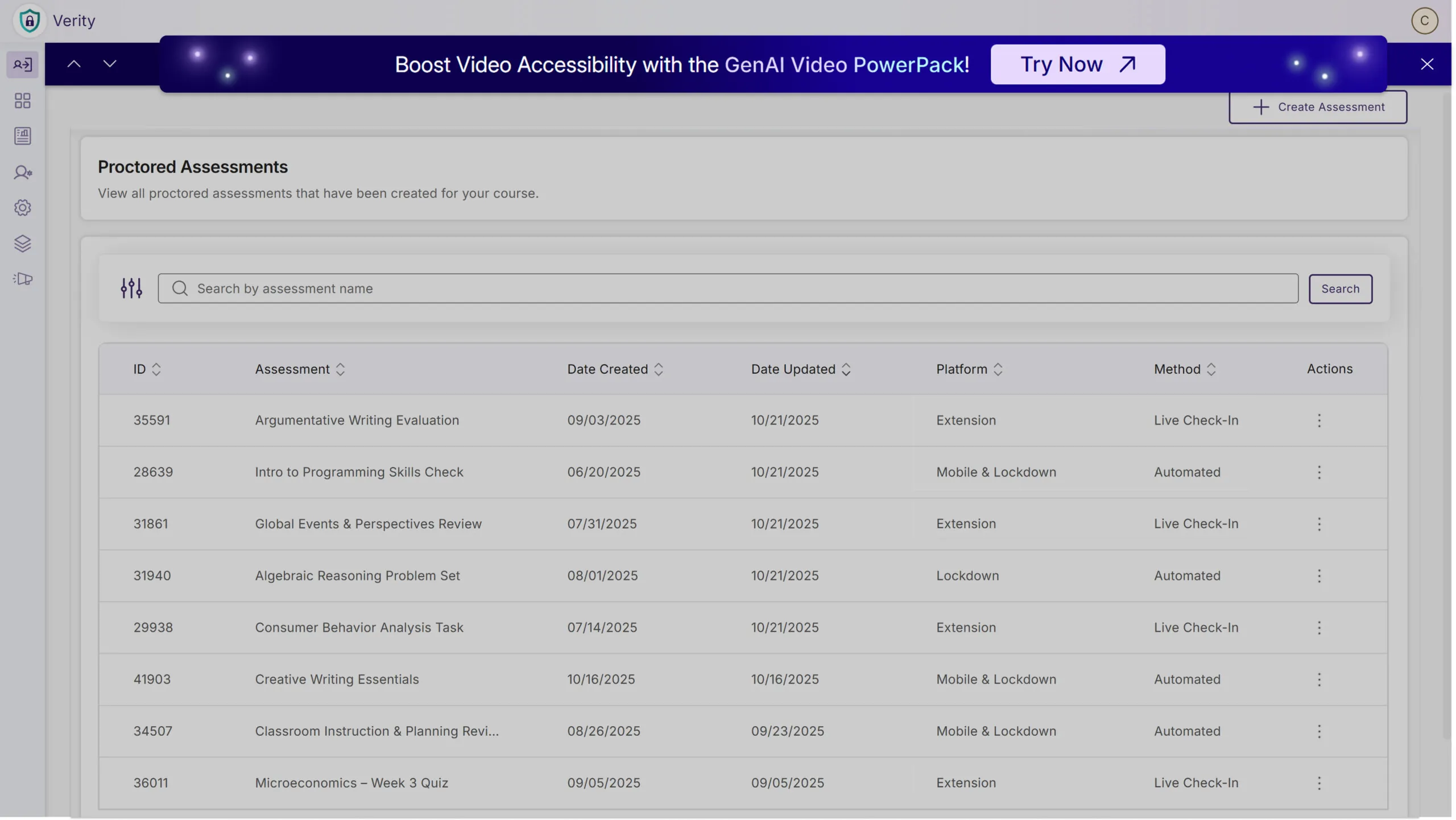
Event Banners to Provide Visibility Into Upcoming Webinars and Product Announcements
Switching gears, administrators can now view event banners directly within Verity to provide institutions with important announcements and new opportunities to register for upcoming webinars. With insights from experienced product experts, discover new features or shortcuts to improve efficiency and stay informed on the industry’s latest trends. And don’t worry: event banners can be dismissed for current sessions to avoid repeated interruptions.
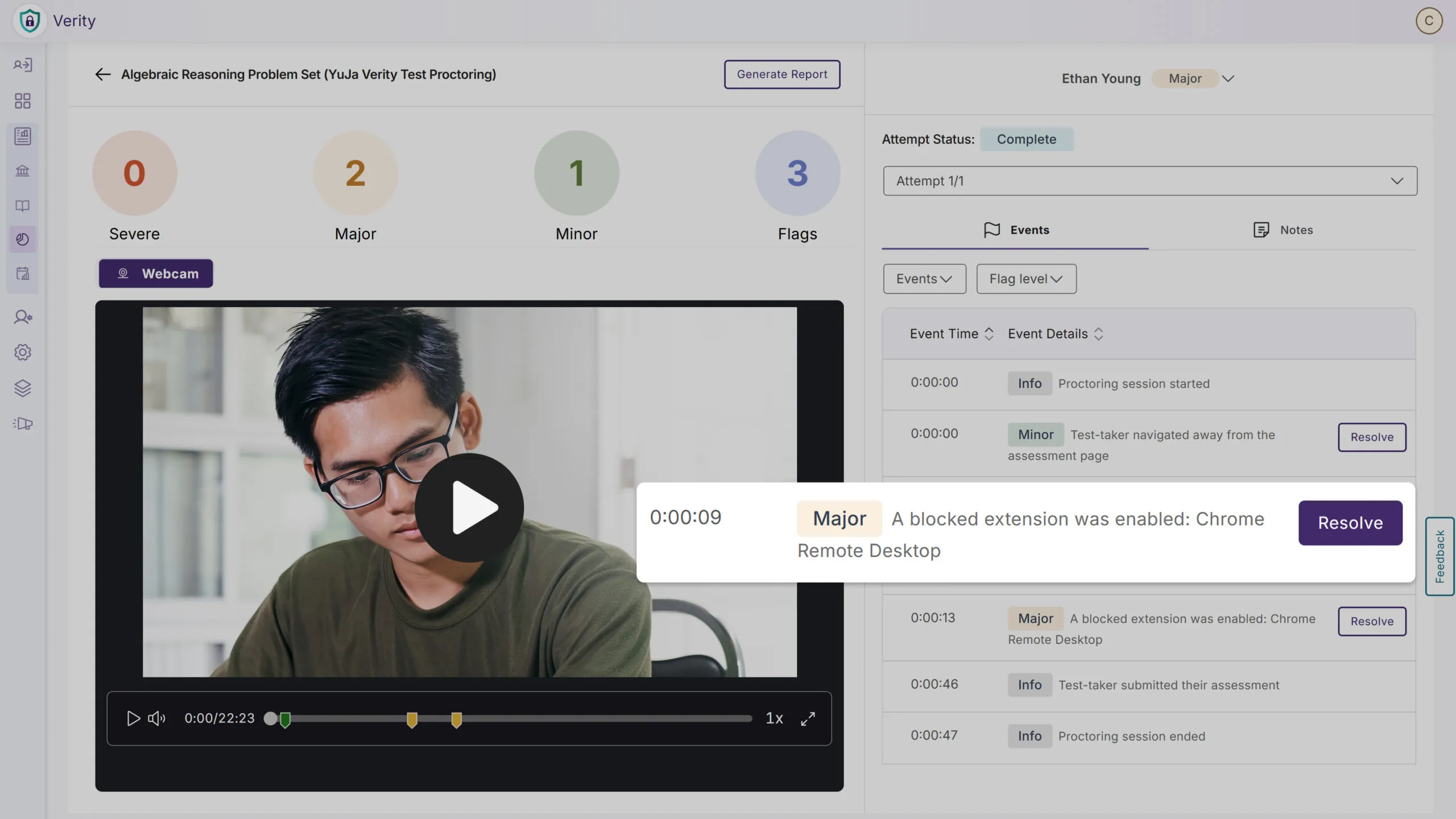
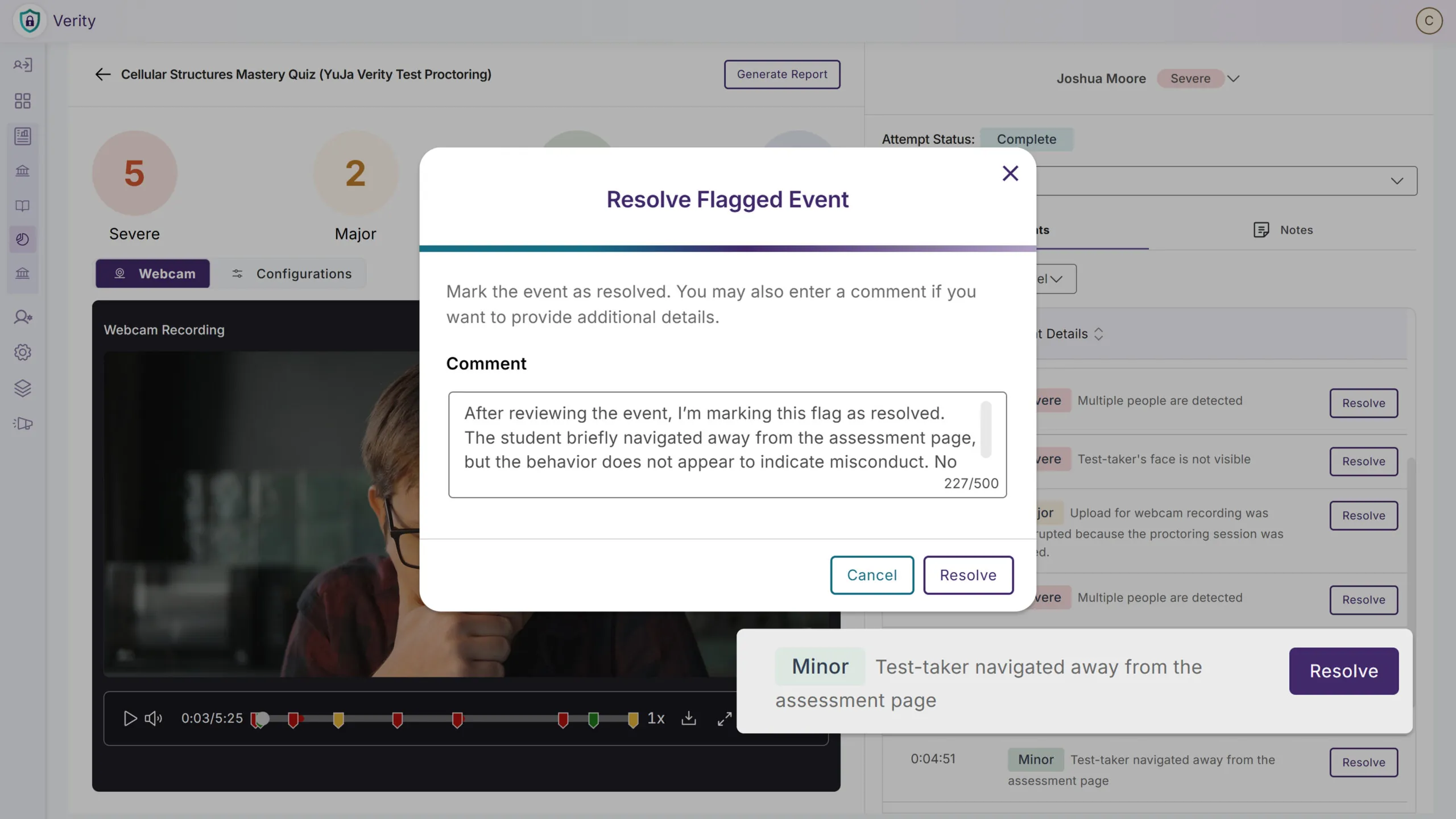
Manually Adjust Flagged Events to Reduce the Number of Violations
We’ve enhanced the proctoring interface to allow instructors to fine-tune flagged events to reduce the number of assessment violations. This can help minimize false positives, such as those triggered by unavoidable behavior, to prevent test-takers from potentially being misled and make reports more accurate. Any manually adjusted flagged events are still added to audit logs to ensure transparency, provide accountability, and maintain trust in the proctoring process.
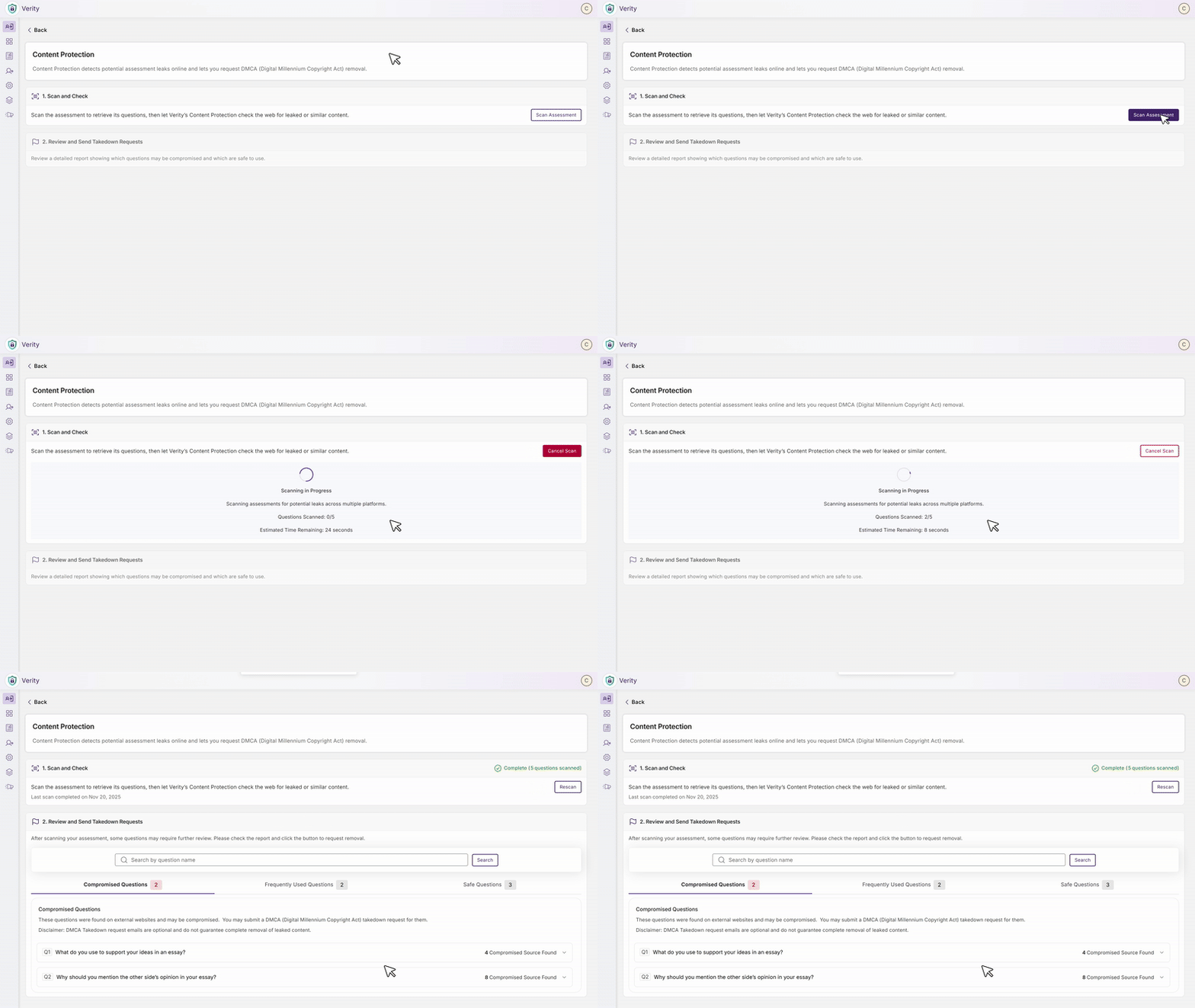
Scan Assessments to See if Questions Have Leaked Online
Instructors can now scan assessment questions to quickly determine whether they have been posted online or shared on third-party sites. This helps ensure that test-takers don’t gain an unfair advantage by accessing leaked materials, protecting the integrity of proctored assessments. Our new tool acts as a proactive security check that allows instructors to change or modify compromised questions before an assessment is ever administered. Taking this a step further, we’ll even assist you with submitting a request for a DMCA takedown to remove access to the leaked content.
Release Notes Will Now Be Available in the Sidebar for Key Announcements
Admins will be now able to access the latest platform updates and feature announcements directly through a dedicated Release Notes tab in the sidebar, eliminating the need to navigate to external resources to stay informed about new product capabilities and improvements.
Over the next few weeks, the YuJa Lumina Video Platform will receive significant enhancements to interactive learning and analytics capabilities. Key highlights include a new interactive Video Branching feature that enables choose-your-own-adventure learning experiences with a visual canvas editor and path analytics, customizable analytics reports that allow administrators and instructors to generate insights with flexible date ranges and content filtering, and expanded monthly usage reports with comprehensive engagement metrics.
Create Immersive, Choose-Your-Own-Path Experiences – Use Interactive Video That Puts Learners in Control of Their Learning Journey
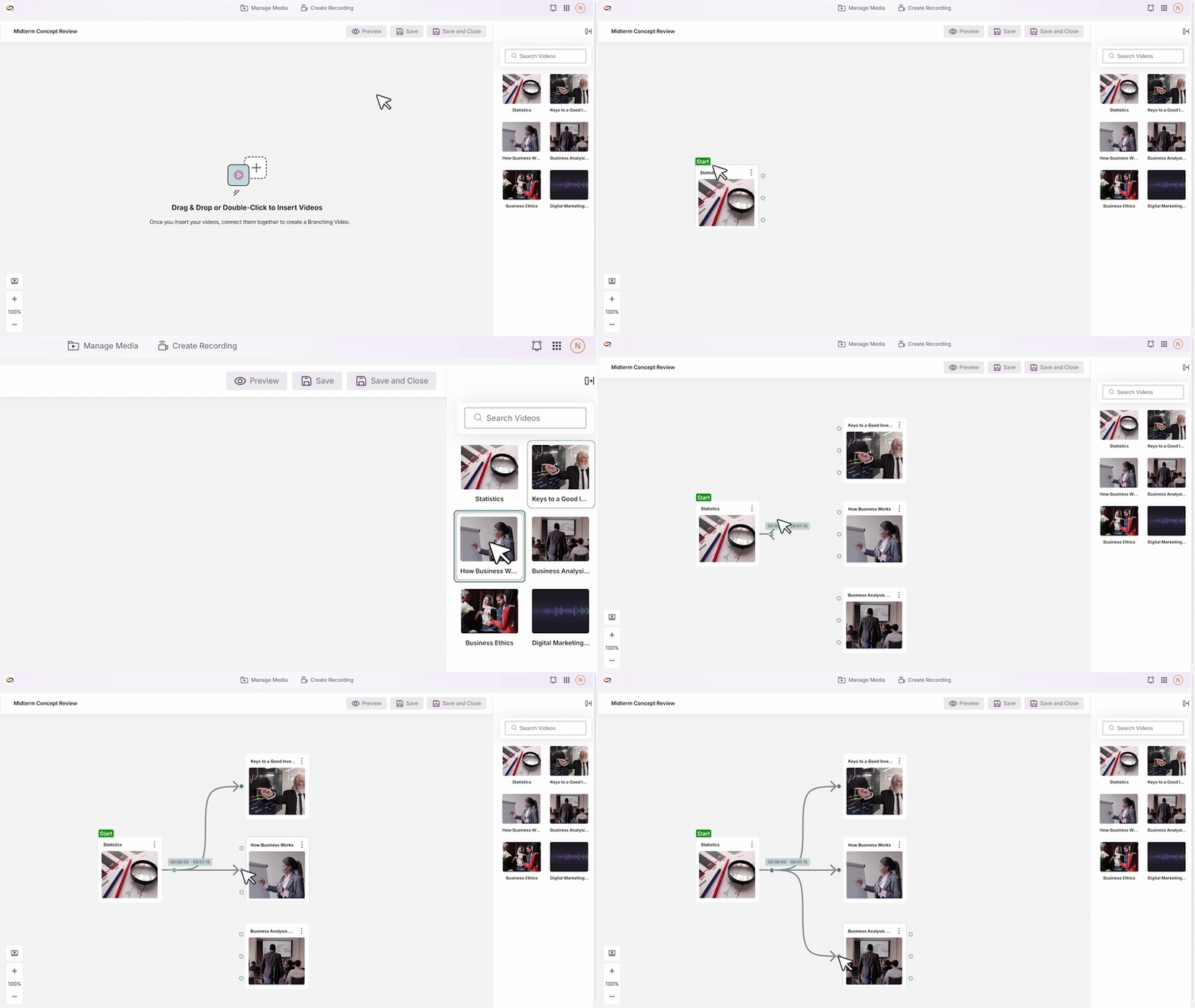
Instructors will now be able to create interactive branching videos that allow students to make choices throughout playback, choosing their own learning paths based on responses or decisions. Key capabilities will include:
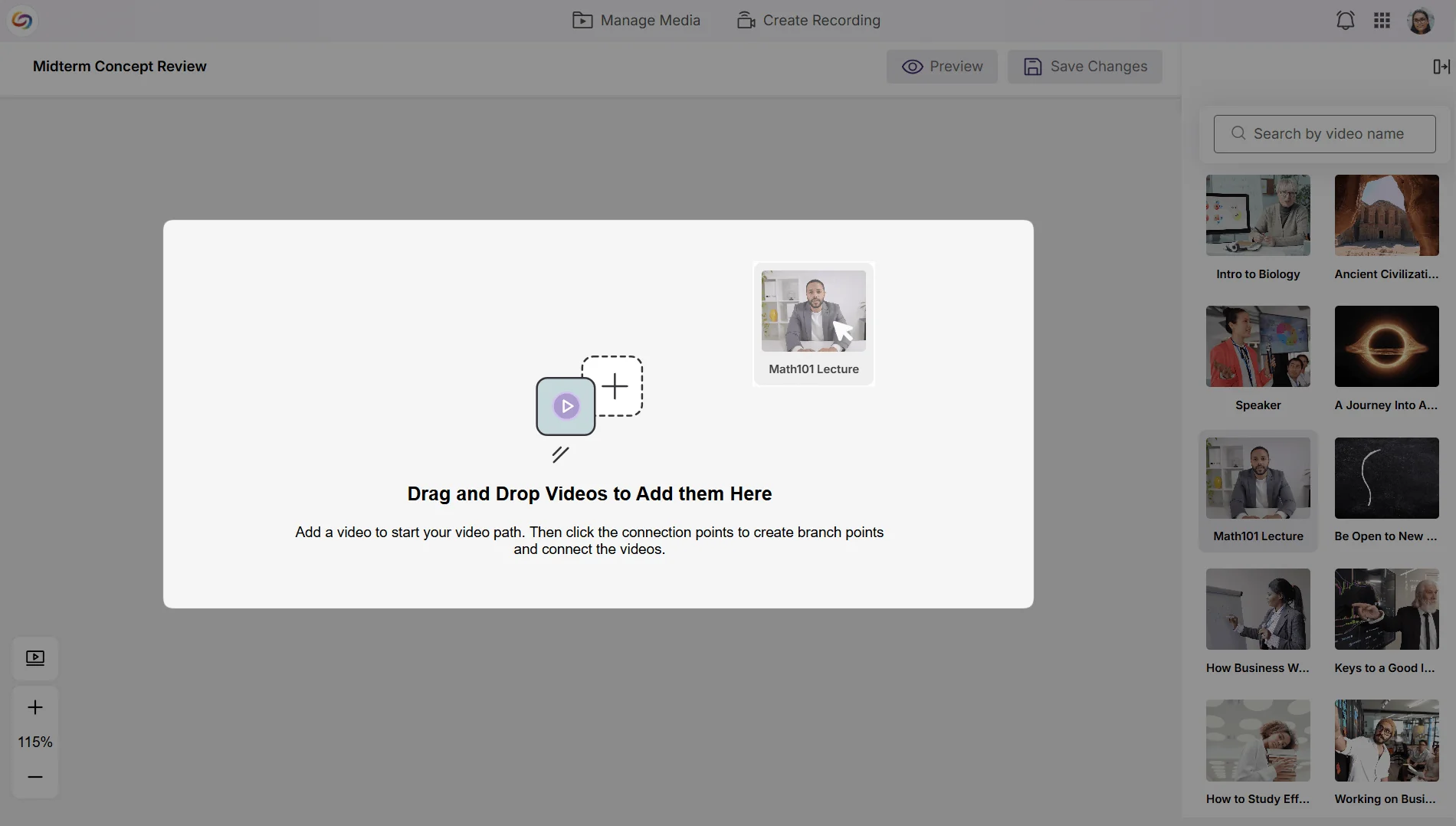
Visual Canvas Editor: A drag-and-drop interface that enables instructors to build complex interactive scenarios by connecting videos from your media library.
Flexible Branch Points: The ability to add up to three decision points per video, each offering up to three branch options.
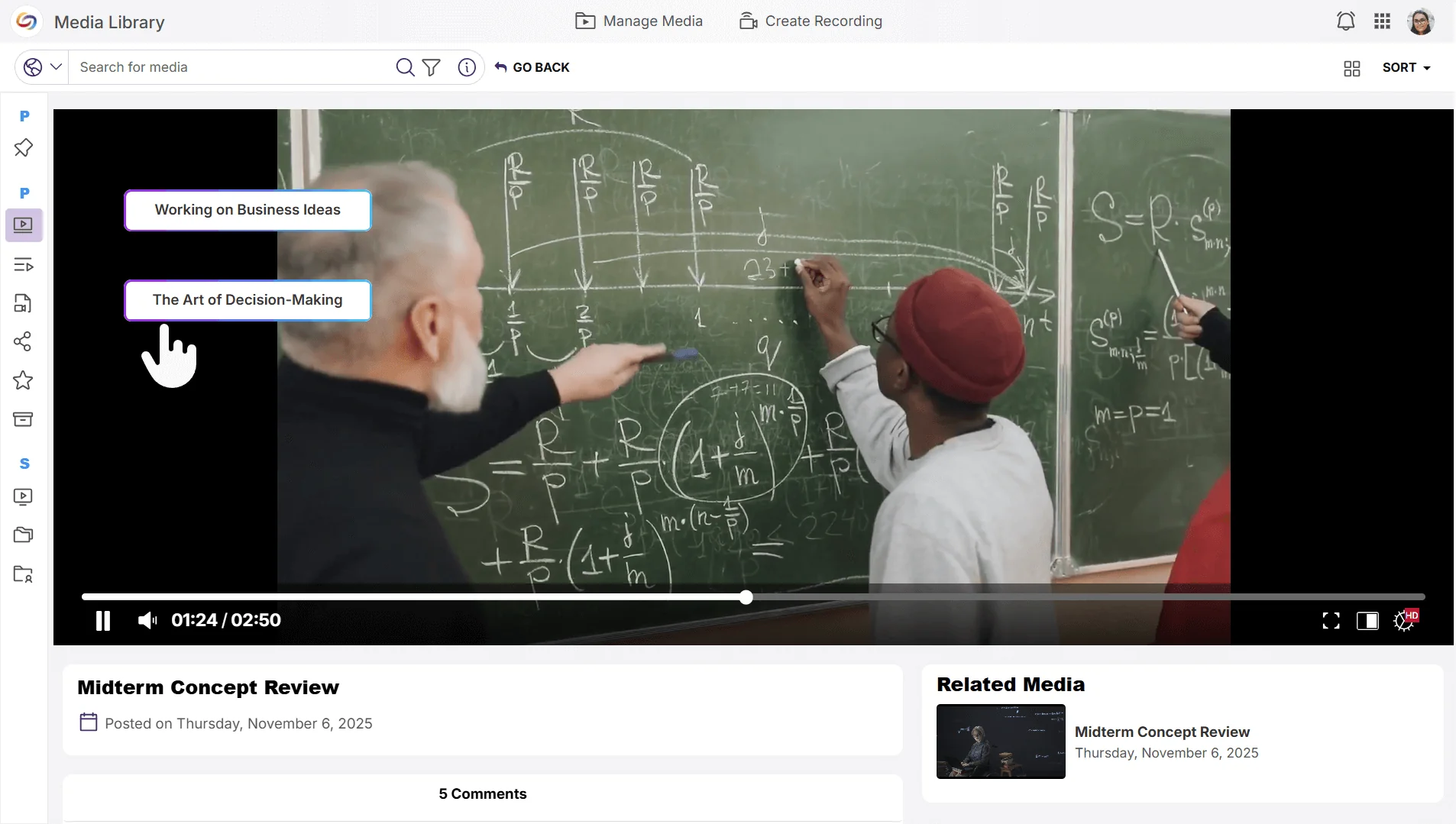
Seamless Playback: Students will be able to interact with branch-point buttons that transition to the next video segment based on their selections.
Customizable Analytics Reports Enable Data-Driven Decision-Making
Instructors will now be able to create personalized analytics reports with custom date ranges and content-specific filtering to gain deeper insights into video engagement. Already available to admins and sub-admins, instructors will now be able to analyze their content performance while administrators access institution-level reporting across courses, users, and individual videos.
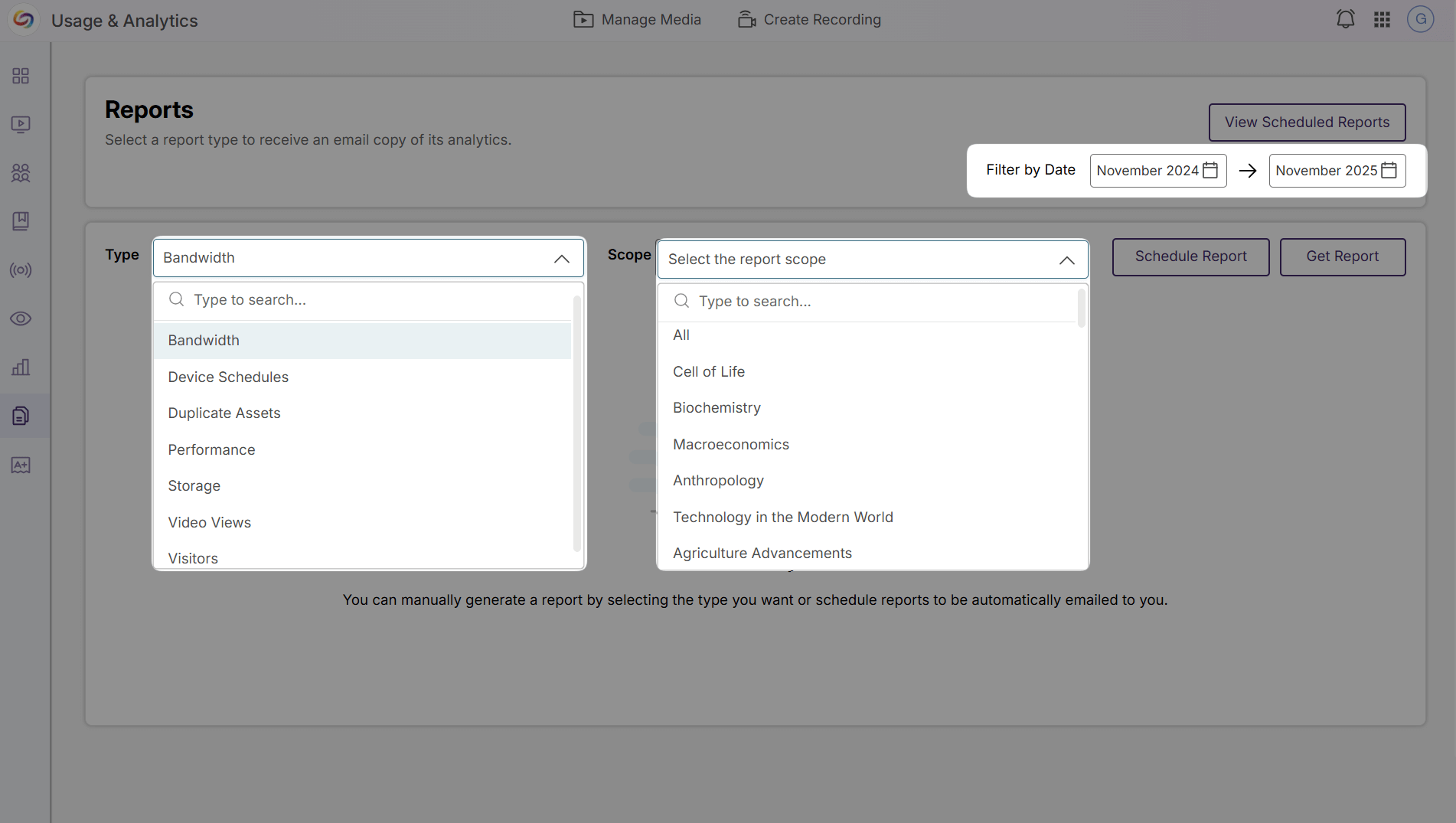
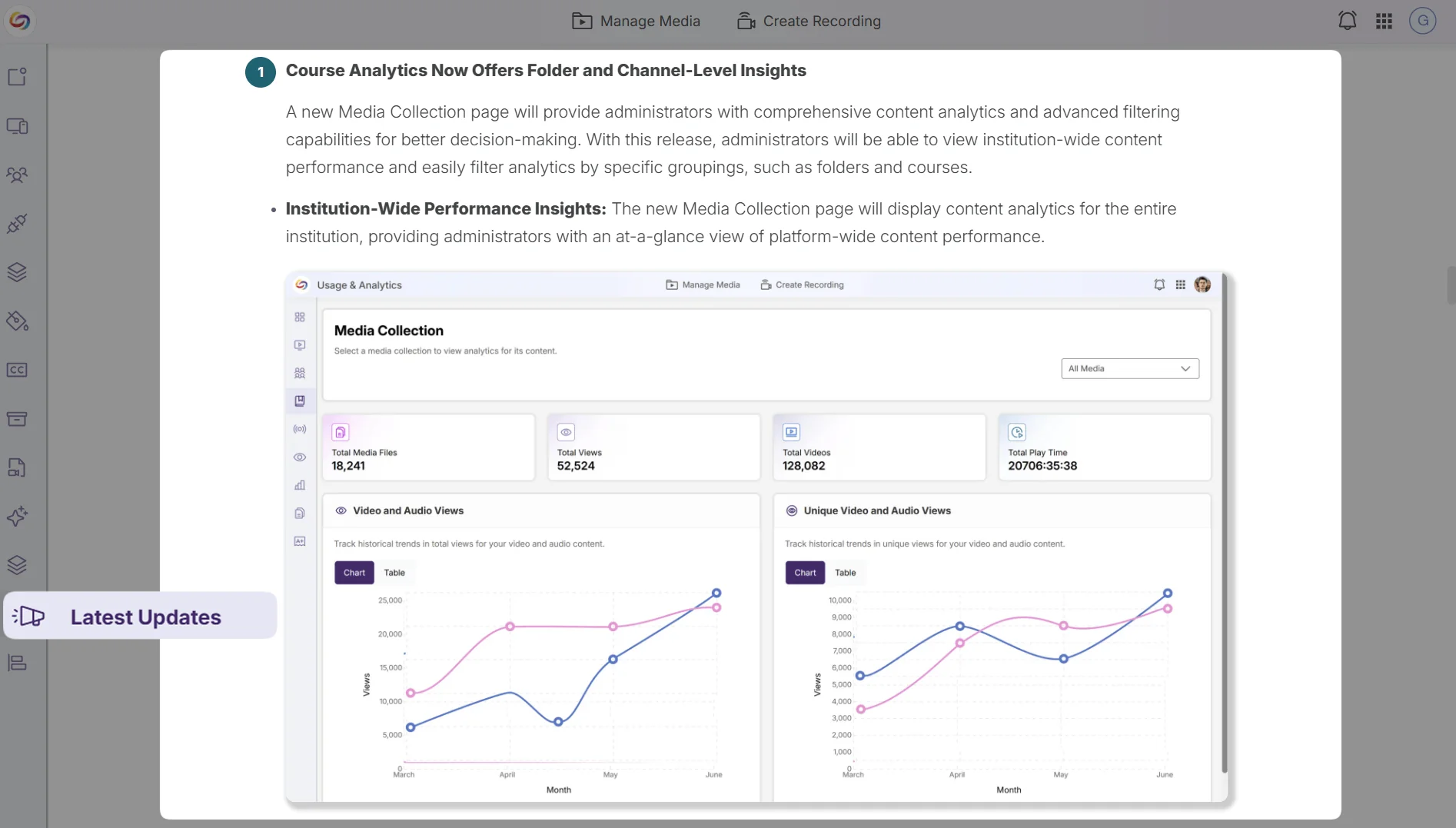
Release Notes Will Now Be Available in the Admin Panel
Administrators will be able to access the latest platform updates and feature announcements through a dedicated Release Notes tab in the Admin Panel sidebar, eliminating the need to navigate to external resources to stay informed about new capabilities and improvements.
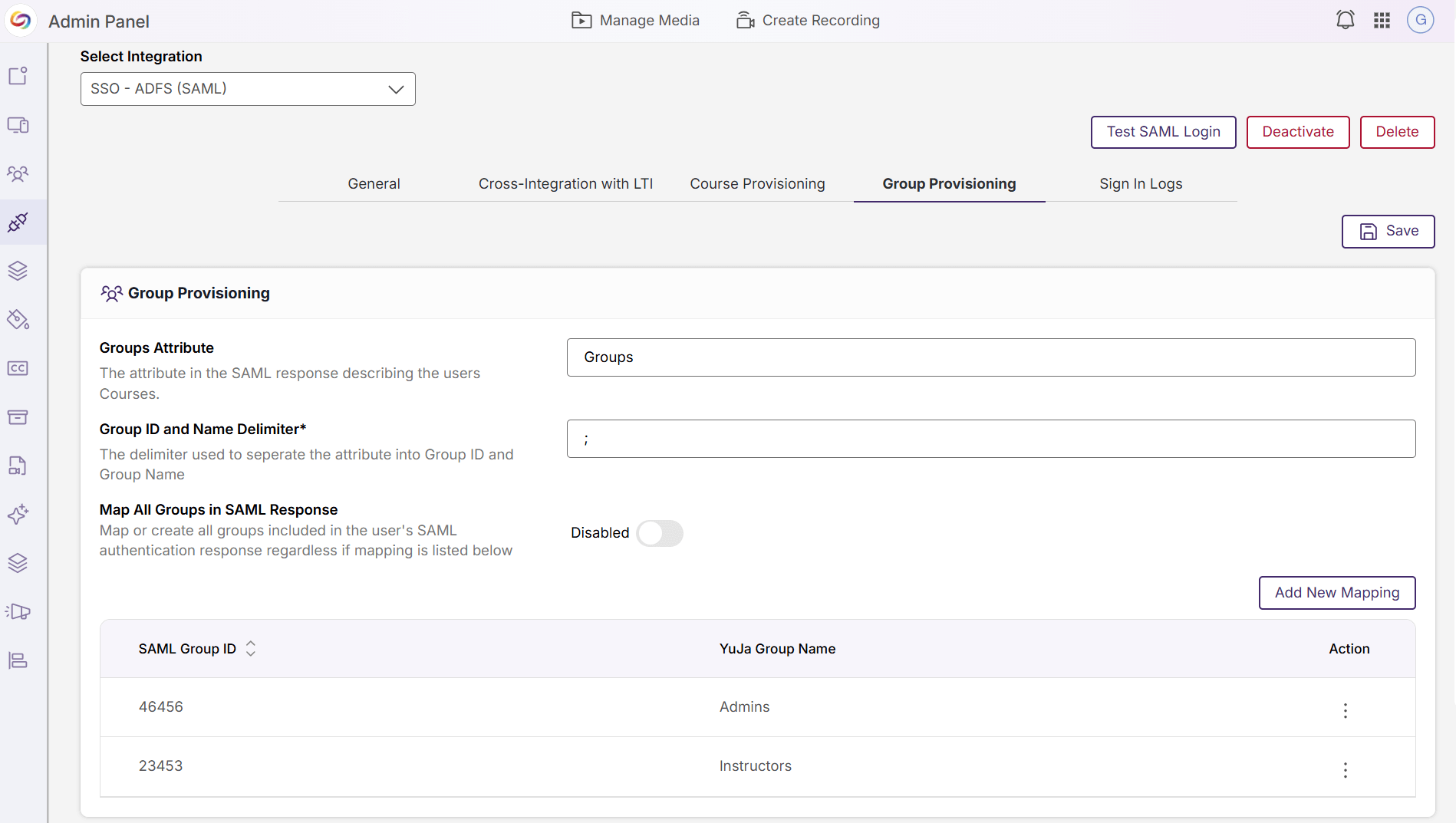
Integration Management Pages Redesigned for Improved Usability
The Admin Panel’s integration configuration pages have been redesigned with an updated interface for SSO/SAML settings, video-conferencing connections, scheduling integrations, and analytics configurations, providing administrators with a more intuitive and consistent experience when managing platform integrations.
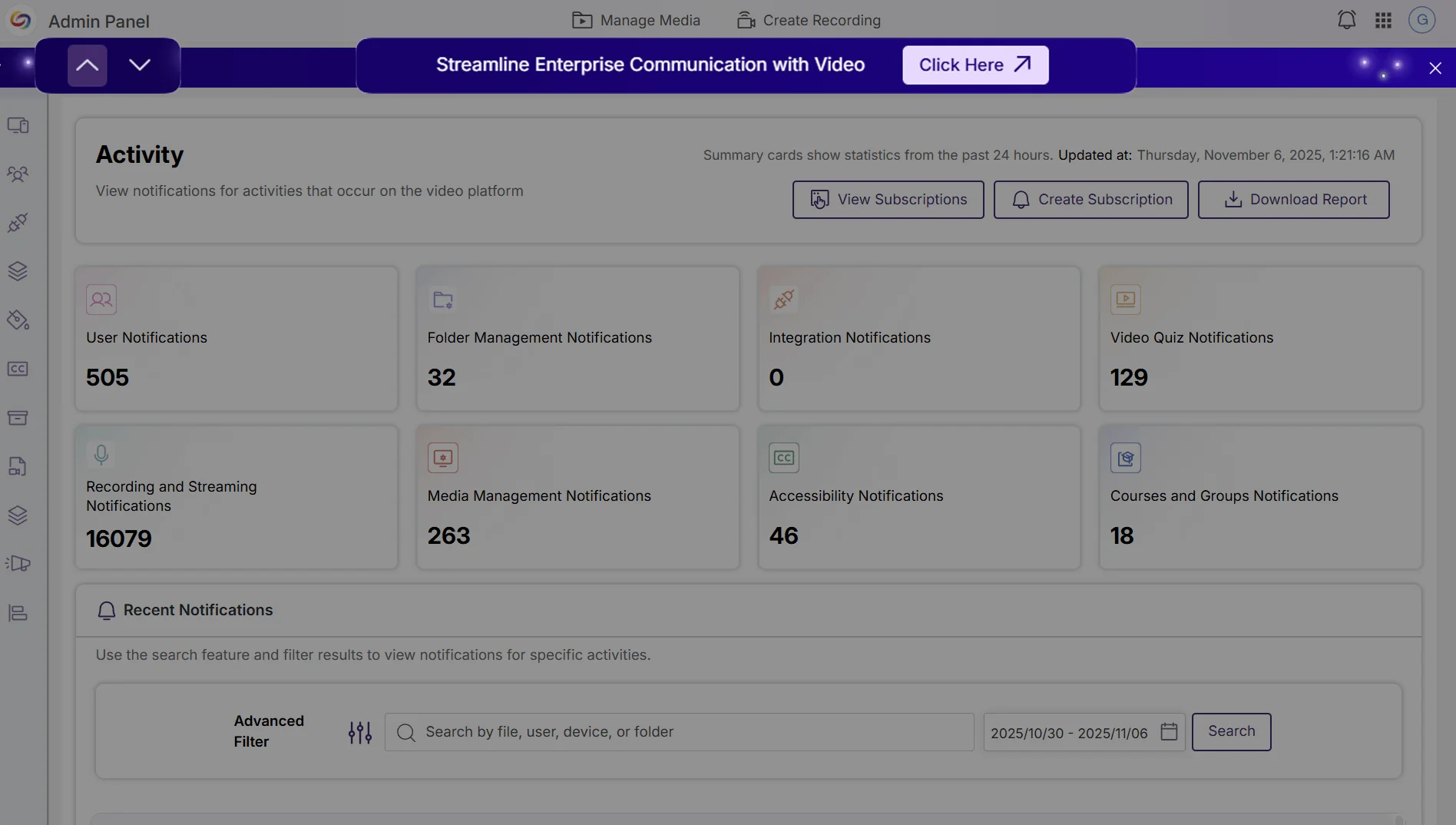
Event Banners Provide Visibility Into Upcoming Webinars and Product Announcements
Administrators can now view upcoming webinar events and important announcements through event banners in the Admin Panel. Multiple active banners can be navigated with arrows or dismissed for the current session to avoid repeated interruptions.
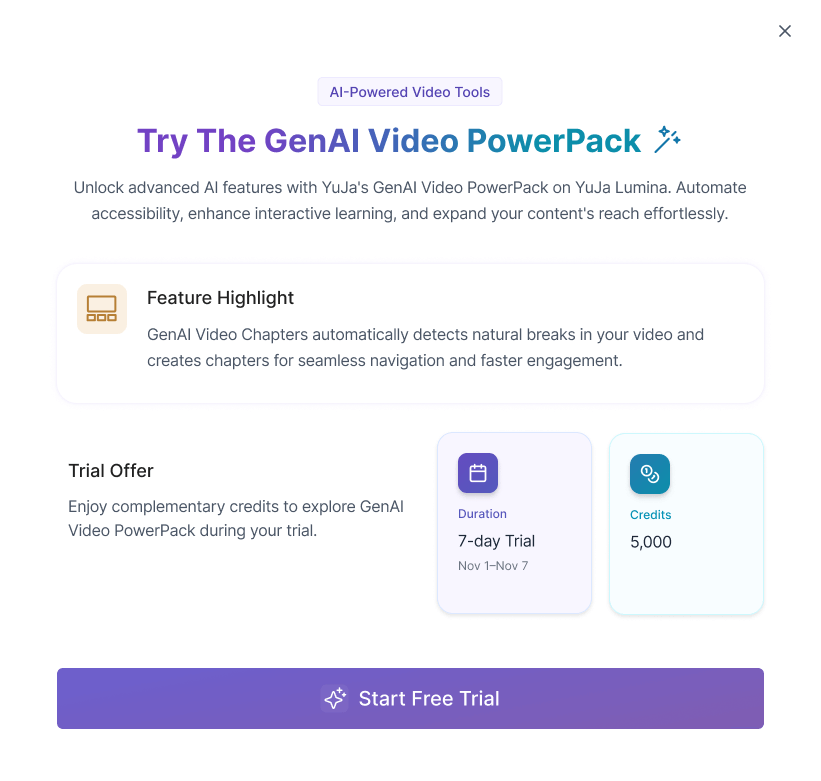
Administrators can now request a limited, seven-day trial of the GenAI Video PowerPack.
Try Out GenAI Video PowerPack Features
Administrators will be able to request access to try out the GenAI Video PowerPack capabilities directly through the platform, allowing institutions to evaluate AI-powered video tools, including GenAI Video Quizzes, GenAI Video Chaptering, Ask YuJa AI, Enhanced Audio Description, and Sentiment AI, before committing to a full implementation.
Join the 1,000+ Organizations Deploying High-Impact Solutions
