

Product Updates
Get the latest platform updates, features, and announcements—all in one place.
Boost Video Accessibility with the GenAI Video PowerPack!
Try Now
Supercharge Your Compliance Efforts with AutoPilot Remediation Max!
Try Now
Strengthen Your PDF Accessibility Efforts with Structural Remediation Max!
Try Now
Don't Miss Any of Our Upcoming Webinars—Save Your Spot!
Register
The YuJa Community is here! Connect, get updates, and access exclusive content.
Join Now

Get the latest platform updates, features, and announcements—all in one place.
YuJa Structural Remediation v26.6.0
Over the next few weeks, YuJa Structural Remediation is rolling out new remediation options and enhanced text remediation to help users refine their documents after using the OCR engine.
Automated and Guided Structural Remediation Support Added for New PDF Issues
YuJa Structural Remediation is introducing checkers and both automated and guided remediation support for the following new PDF issues:
The document does not have any headings: Users can use YuJa AutoPilot to automatically add any missing headings to their document.
The document’s heading structure is not properly nested: Users can use YuJa AutoPilot to automatically fix heading hierarchy issues so no headings are skipped.
The document’s heading structure goes beyond six levels: Users can use both YuJa AutoPilot and guided inline remediation to help ensure that they only have heading levels 1 – 6 in their document.
The document heading structure does not start at one: Users can use both YuJa AutoPilot and guided inline remediation to help ensure heading levels in their document start at 1.
Table does not have a header: Users can use both YuJa AutoPilot and guided inline remediation to add headers to all tables in their document.
The form field does not have a tooltip description: Users can use YuJa AutoPilot and guided inline remediation to add tooltips or explicit labels to form fields.
Table does not contain content: Tables without any body content or have the wrong structure will be flagged. Users can use YuJa AutoPilot and guided inline remediation to add content to their tables, and fix any invalid table structures.
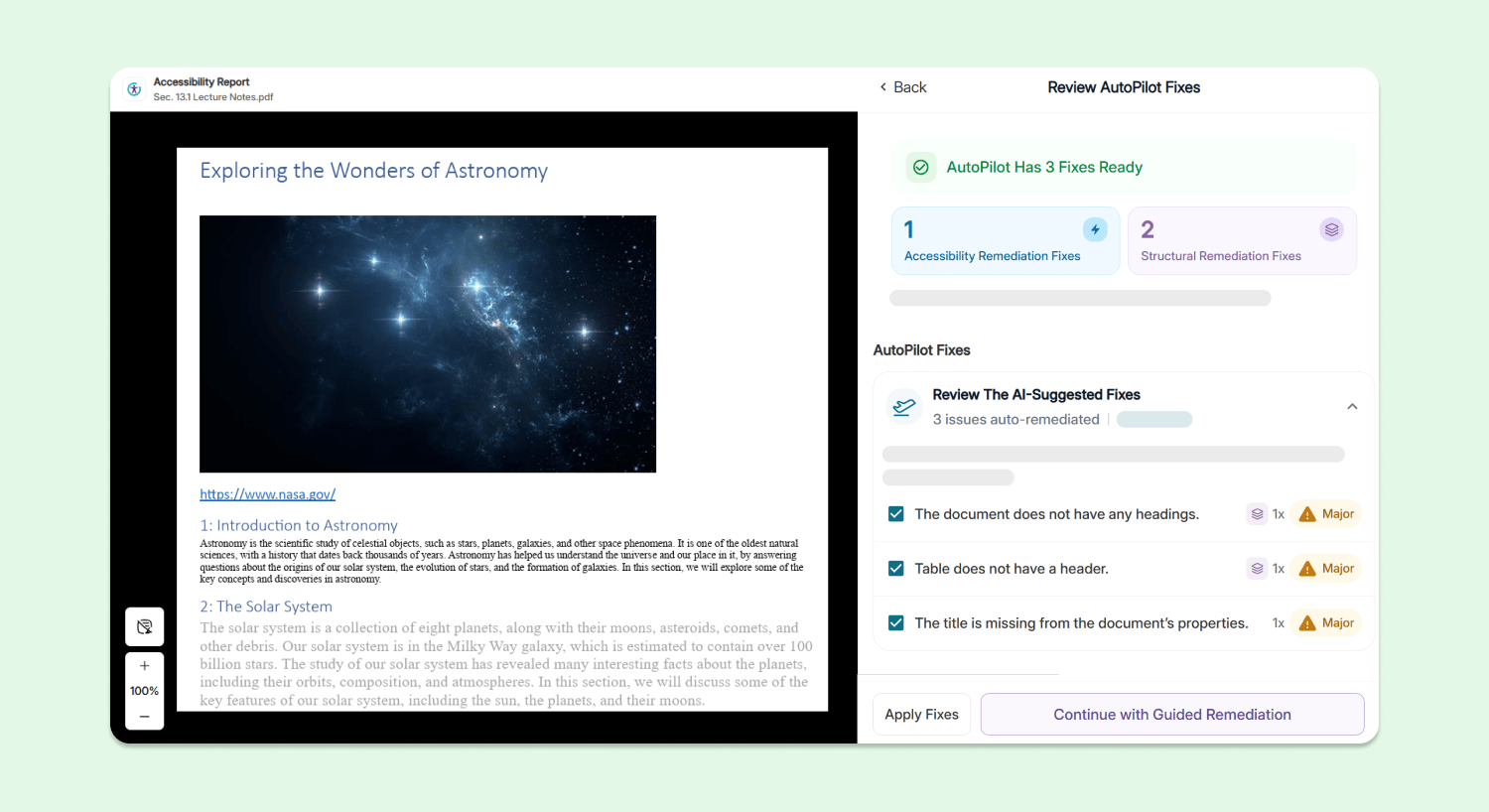
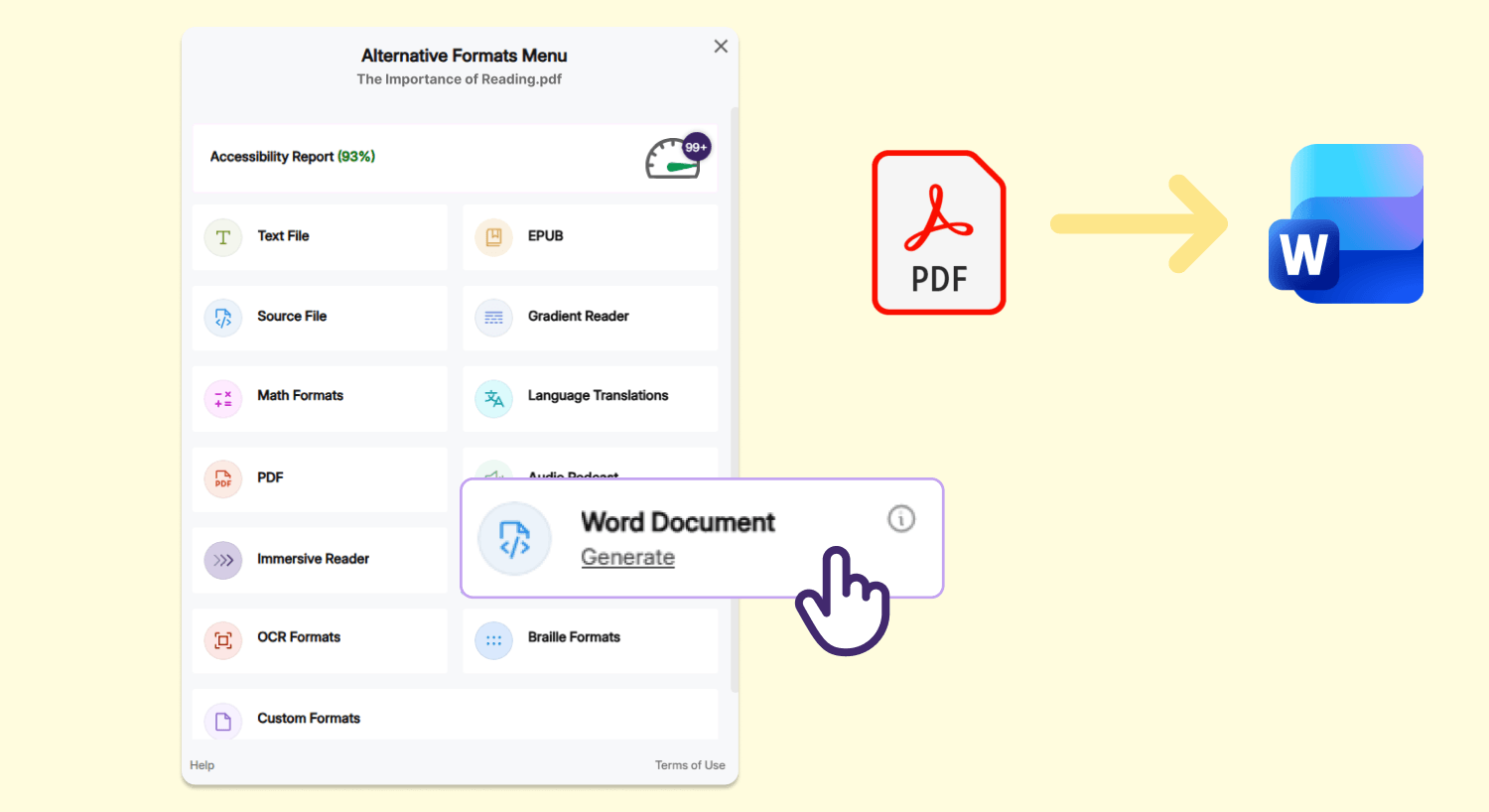
Convert Scanned and Untagged PDFs into Accessible Microsoft Word Documents Using YuJa Panorama’s Advanced OCR and Document Construction Engines
Users can now convert their scanned and untagged PDF documents into accessible Microsoft Word DOCX documents using YuJa Panorama’s Alternative Formats menu, allowing them to start making edits immediately to their file that was previously in an uneditable format.
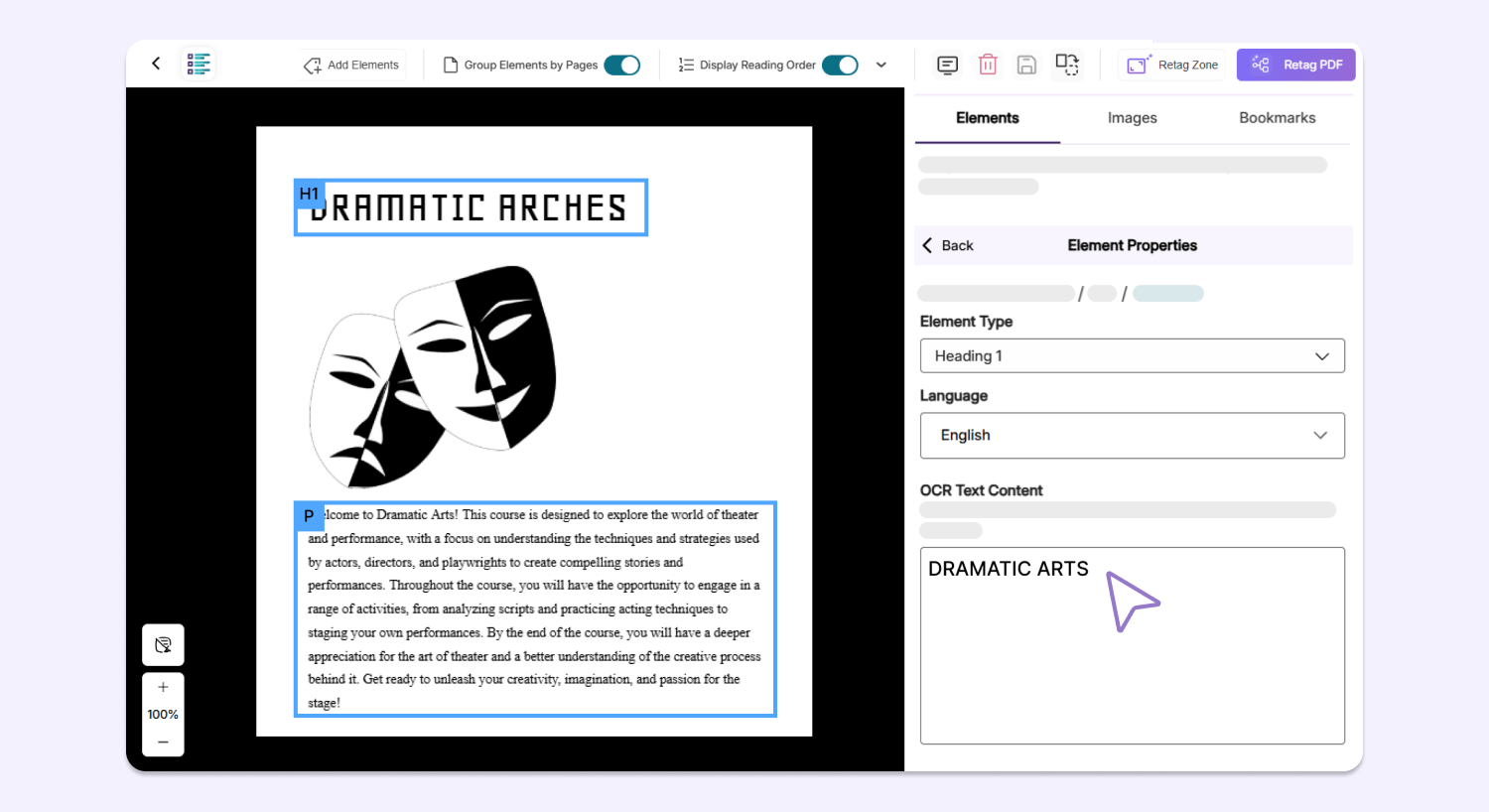
Enhanced Remediation Flexibility Using Editable OCR Text
After scanning a document using YuJa Structural Remediation, users can now manually edit plain text produced by the OCR engine on any overlaid PDF, allowing them to fix any potential typos or incorrect text on the spot to improve the accuracy and readability of their document.
Over the next few weeks, we’ll be introducing new features in YuJa Verity version 26.6.0 to improve assessment integrity using AI-infused detection, gain clearer insights using upgraded analytics, manage configurations and roster settings, streamline existing workflows, and so much more.
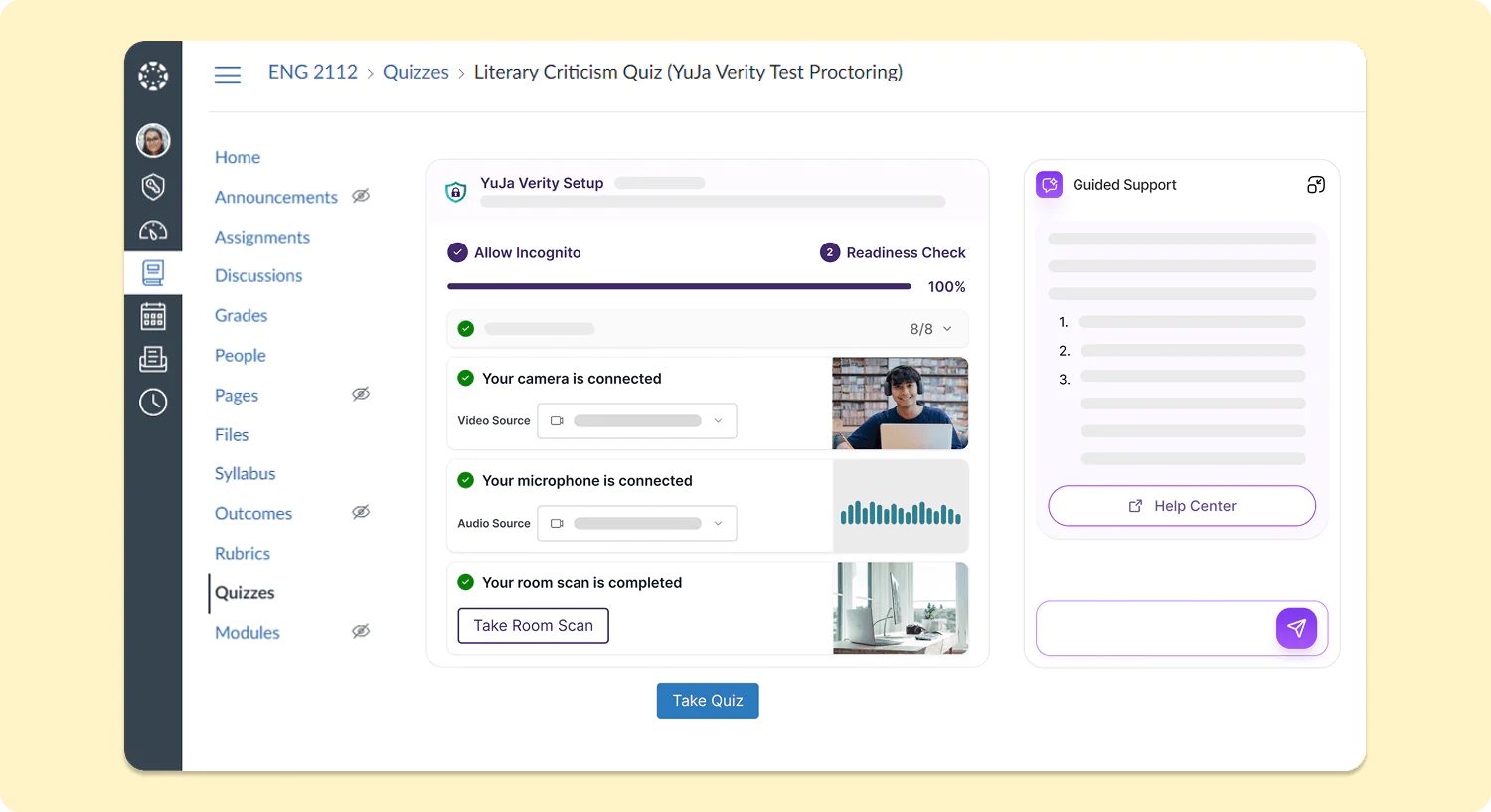
New Assessment Launch Experience for Students Simplifies Pre-Assessment Setup
The workflow for test-takers starting a proctored assessment in all major LMSs will be upgraded to significantly reduce the number of steps required before starting their assessments. With the new inline assessment launch experience embedded within the existing LMS workflow, test-takers will be able to access their assessments with greater ease across every LMS, both for the YuJa Verity browser extension and the YuJa Verity Lockdown App.
Recognize Academic Integrity Violations with AI-Based Pattern Analysis for YuJa Verity Assessments
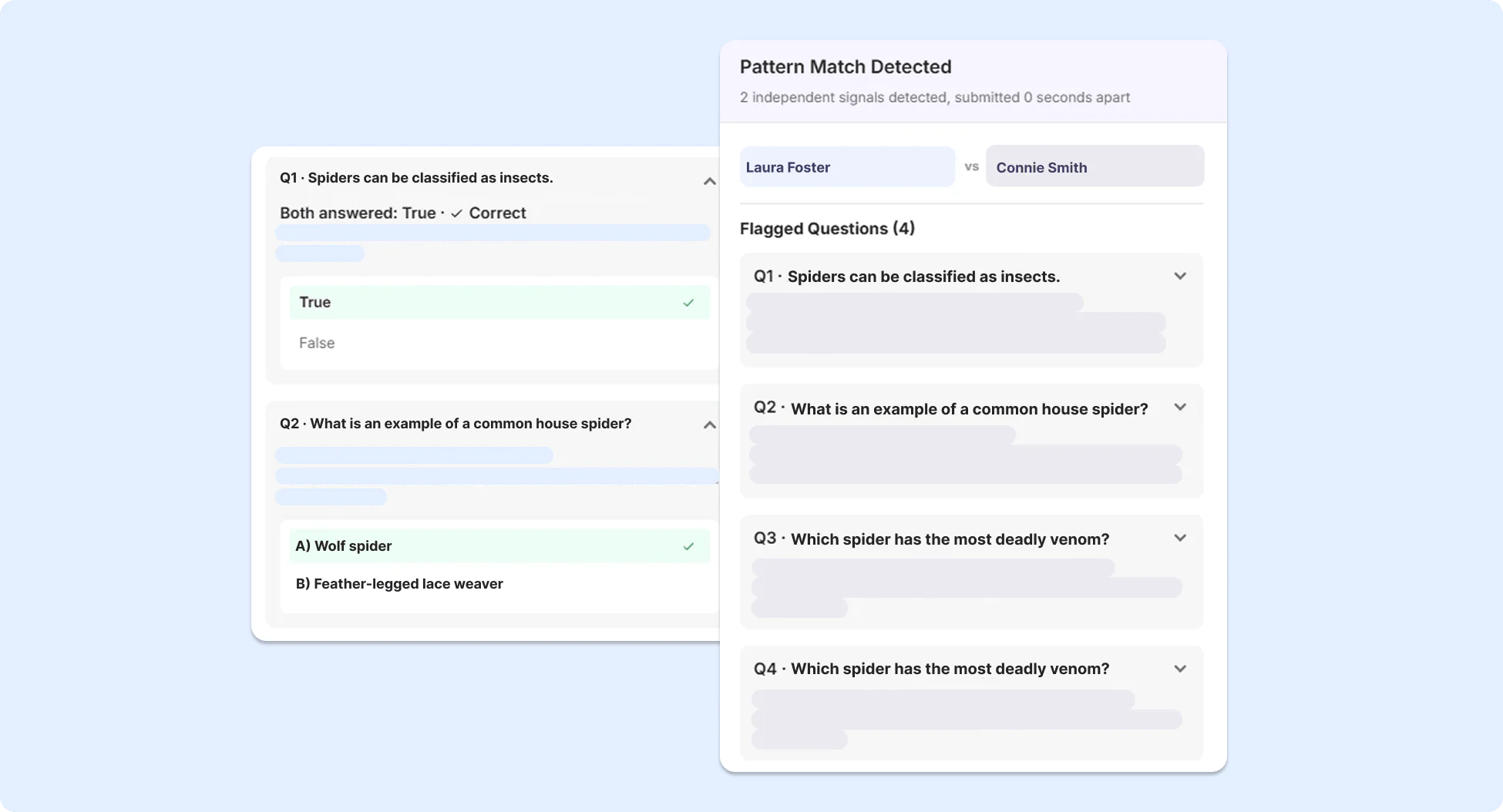
To detect potential unauthorized collaboration between students for proctored assessments, advanced AI-based pattern analysis has been added to YuJa Verity to identify patterns indicative of potential academic misconduct, using information such as submission timing, IP address, location data, and response similarity across participants.
Prevent Unauthorized Access to Assessments with Smarter, More Accurate AI ID Verification
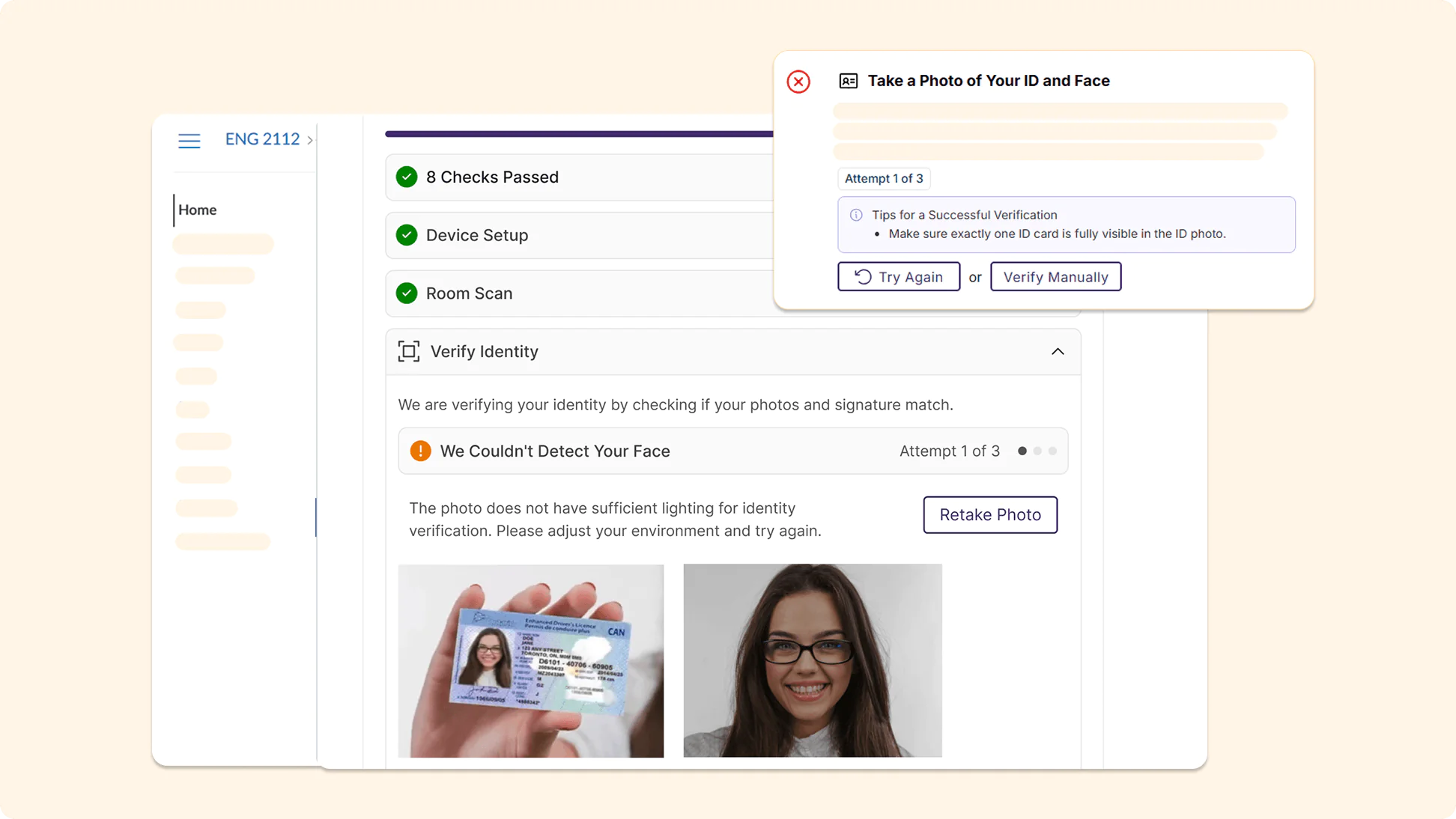
AI ID verification in YuJa Verity has been significantly upgraded, providing more accurate identity checks to prevent unauthorized individuals from accessing assessments. More guidance is provided to test-takers when verification fails, helping them resolve any potential issues during their Pre-Assessment Check.
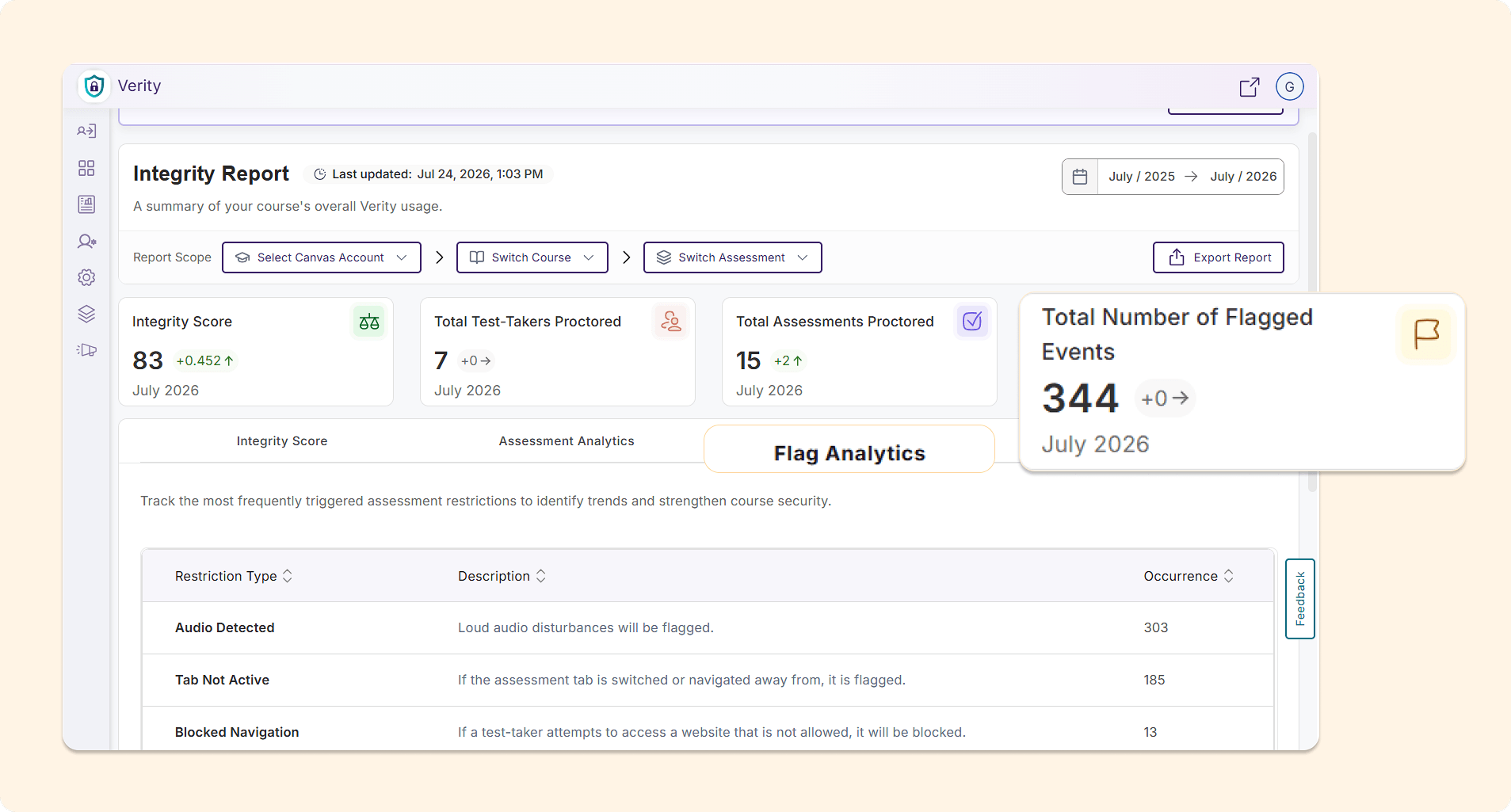
Measure Institutional Academic Integrity Performance with the New AI-Infused Integrity Report
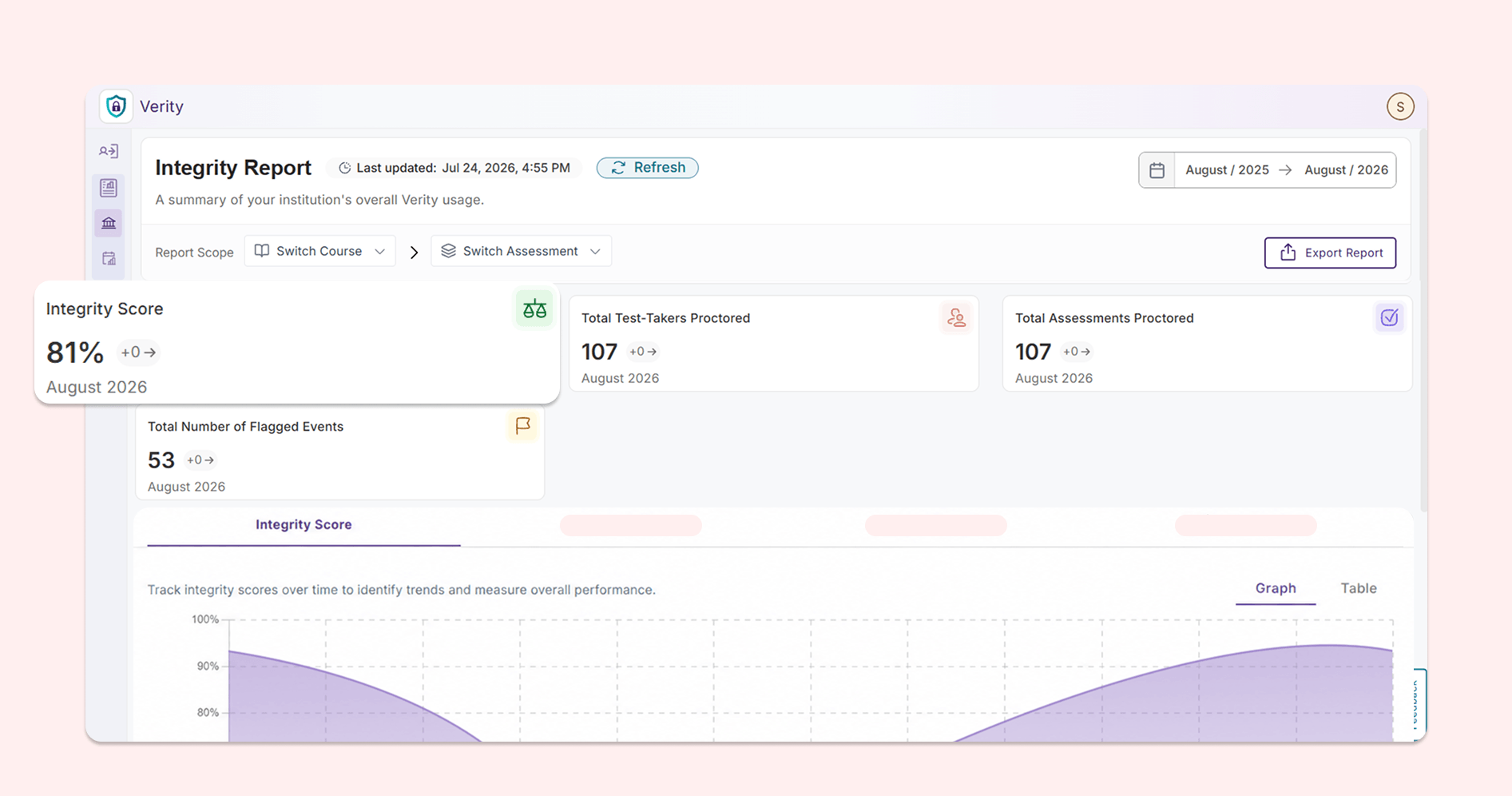
Reports in YuJa Verity have been refreshed as a new, modernized Integrity Report that helps instructors understand the performance of test-takers across both courses and their institution at a glance. The Post-Assessment Results page in YuJa Verity has been upgraded with a new modernized look to help instructors better understand and interpret test-taker performance.
Integrity Score: Users can track the overall performance of the institution over time, helping them quickly distinguish any areas of concern.
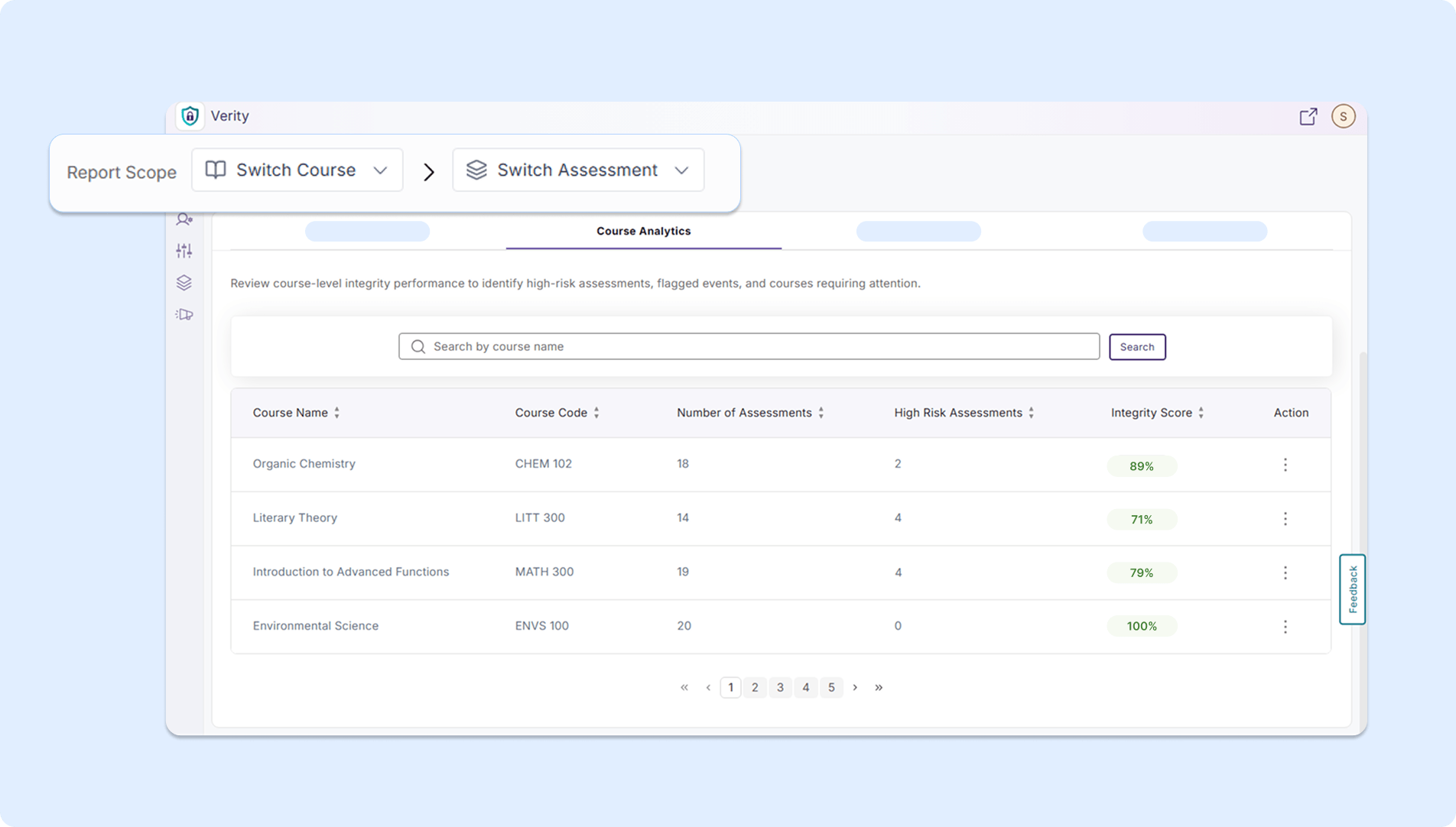
Course Analytics: Users can review integrity scores at the course level and identify any high-risk assessments.
Flag Analytics: Users can track the proctoring restrictions that are most frequently violated in their institution to develop strategies to strengthen the security of their assessments.
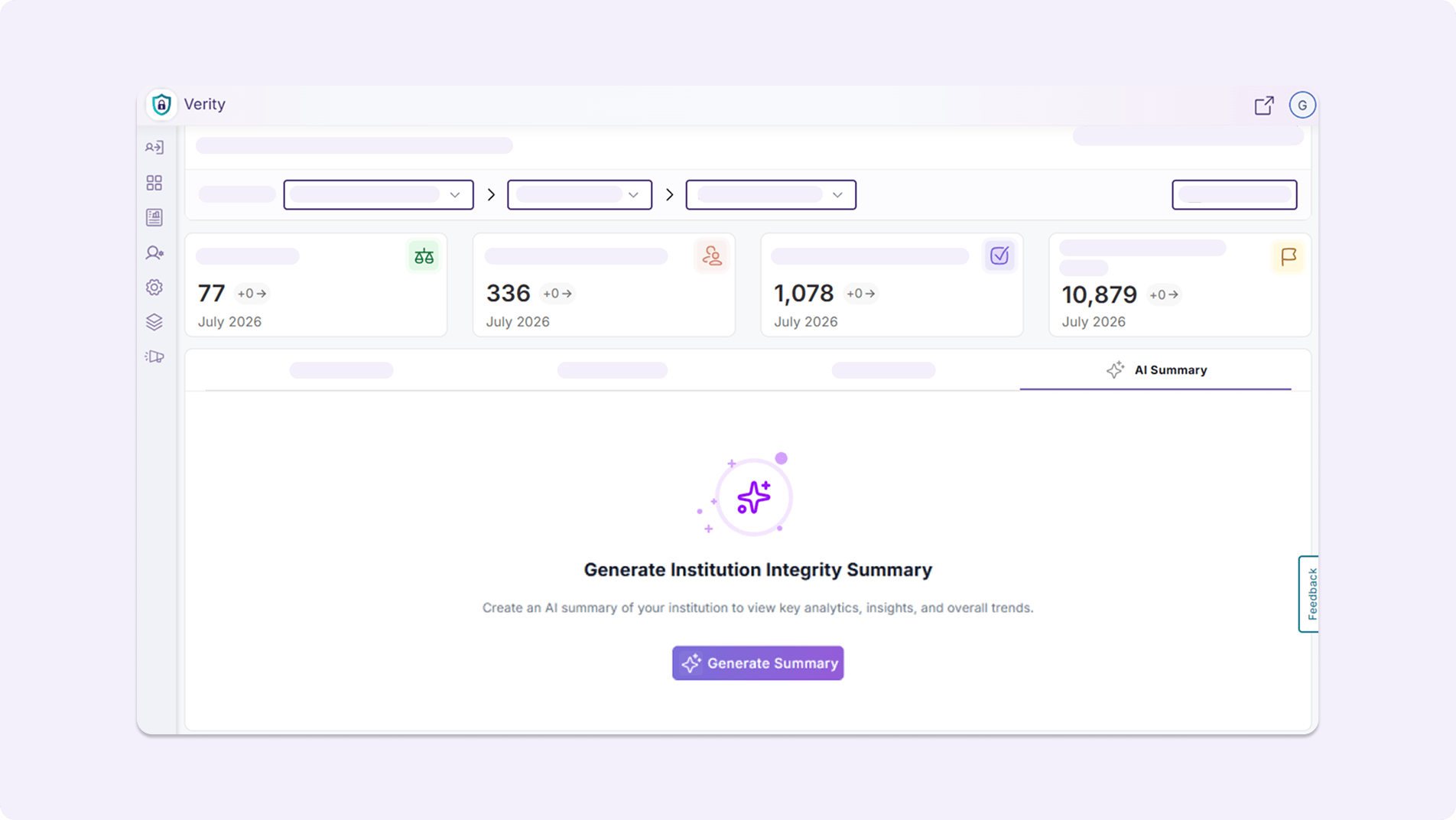
AI Summary: Users can generate AI-powered summary analytics, helping them quickly identify courses for improvement, key trends and integrity observations, and possible next steps.
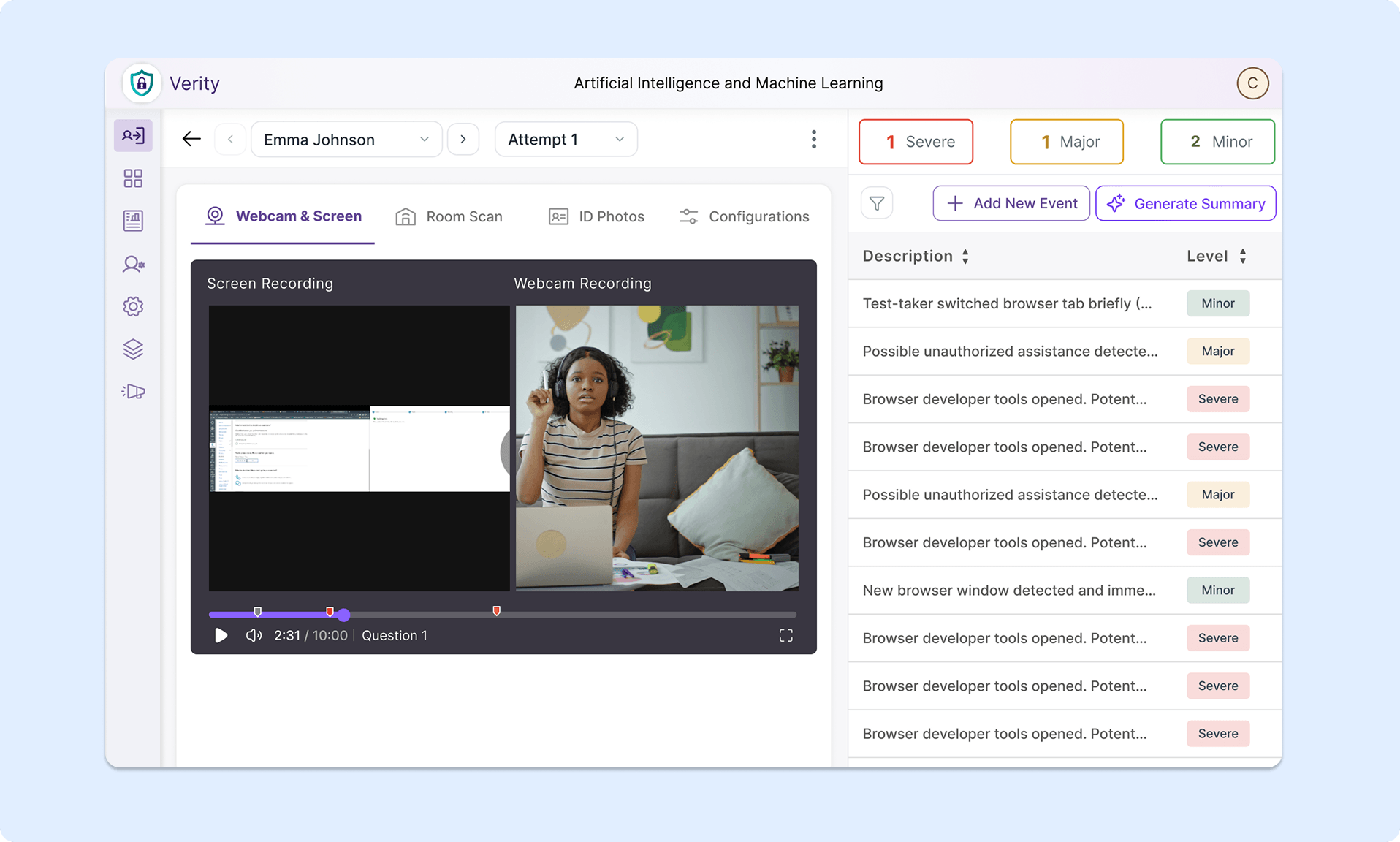
Assessment Results Page: The Assessment Results Page now has a fresh look and improved usability.
Manage Proctoring Profiles Directly From Settings Menu
Administrators can now manage proctoring profiles at the institution, sub-account, course, and individual levels, all from the Settings menu.
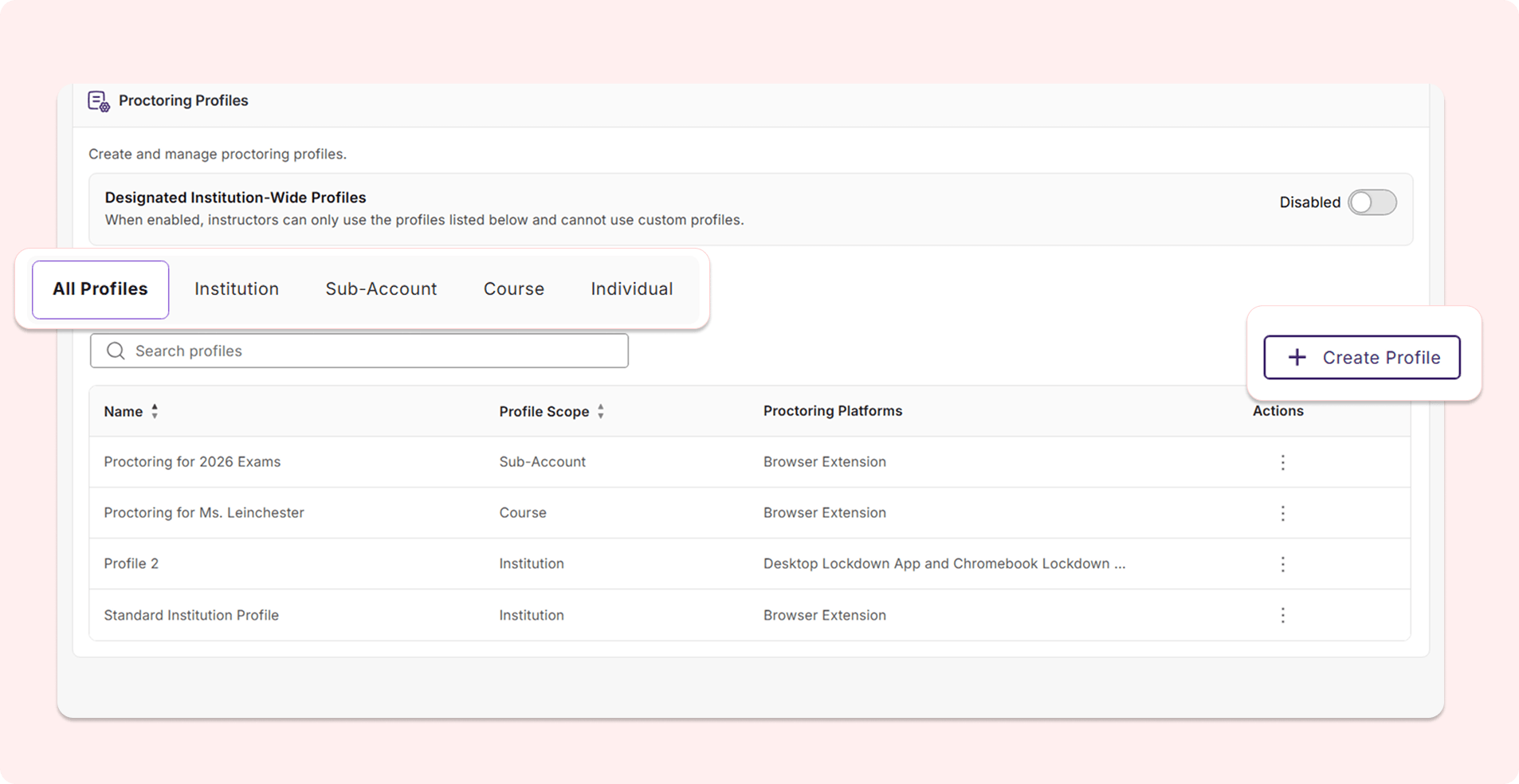
Users can:
View existing profiles: Users can see which proctoring profiles have been created at each level and review the specific proctoring configurations that have been selected.
Create new profiles: Users can directly create a new proctoring profile for each level from the interface without needing to open a new assessment workflow. Users can also now create proctoring profiles for sub-accounts associated with their LMS role, offering additional granular role-based controls that match their existing workflows.
Designate institution-wide profiles: Users can enable institution-wide profiles using a toggle to ensure that instructors are only permitted to use the proctoring profiles listed on this page instead of their own custom profiles. This new toggle eliminates the need for users to navigate to the general Settings page to choose an institution-wide profile.
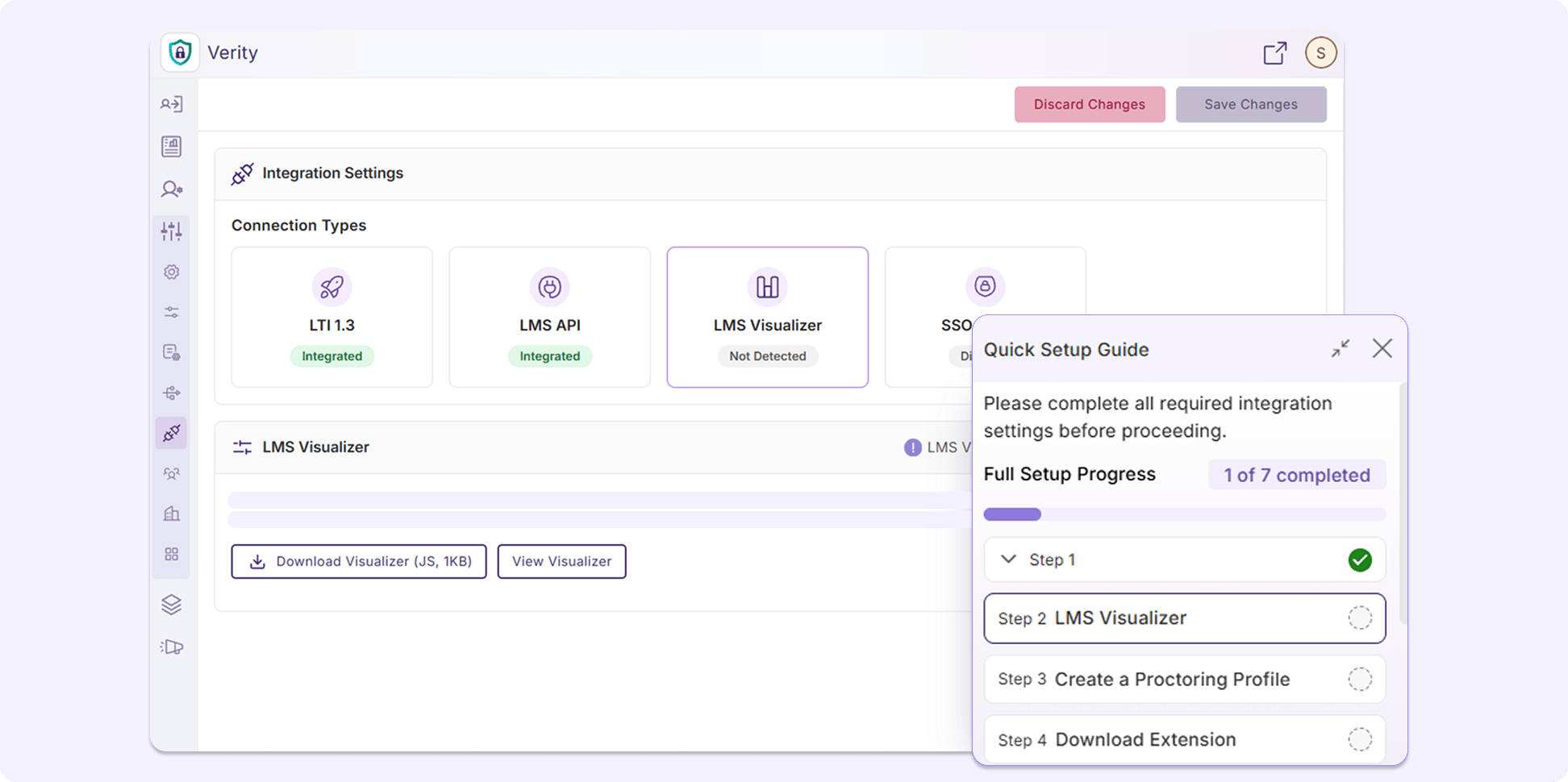
New Interactive Setup Guide Introduces Administrators to YuJa Verity
YuJa Verity now provides an interactive Setup Guide that takes administrators through setting up their integration via LTI 1.3 and API, setting up the LMS Visualizer, and taking and reviewing quizzes, allowing first-time institutions to gain a better understanding of YuJa Verity’s features and workflows prior to their first assessment.
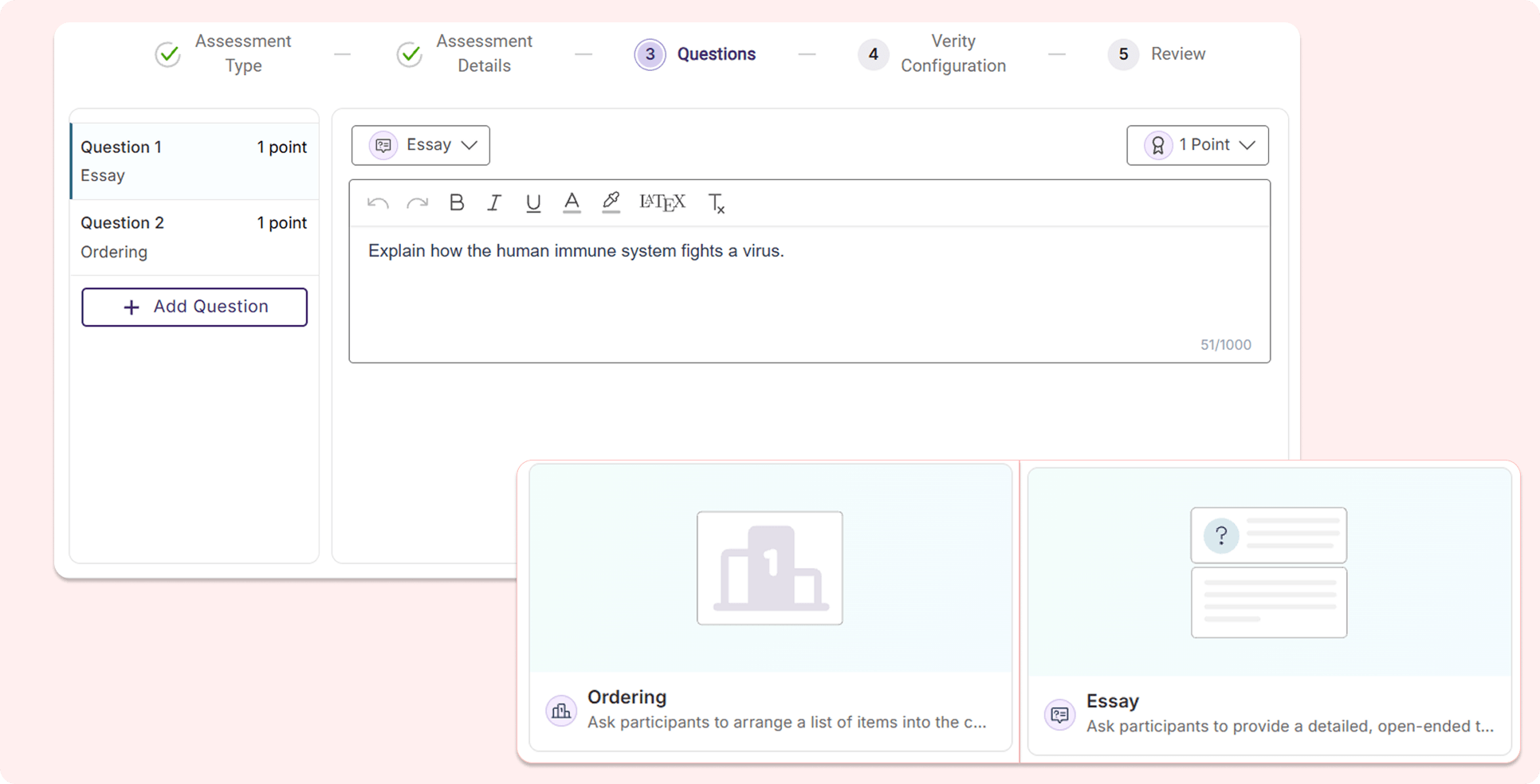
New Question Types Added to the YuJa Verity Assessment Builder For Expanded Flexibility
The YuJa Verity Assessment Builder is introducing two new question types: Ordering and Essay, allowing instructors to have more flexibility when building their assessments.
Ordering: Test-takers will be required to order the answer options in the correct sequence.
Essay: Instructors can add essay questions to assessments, prompting test-takers to respond with open-ended written answers.
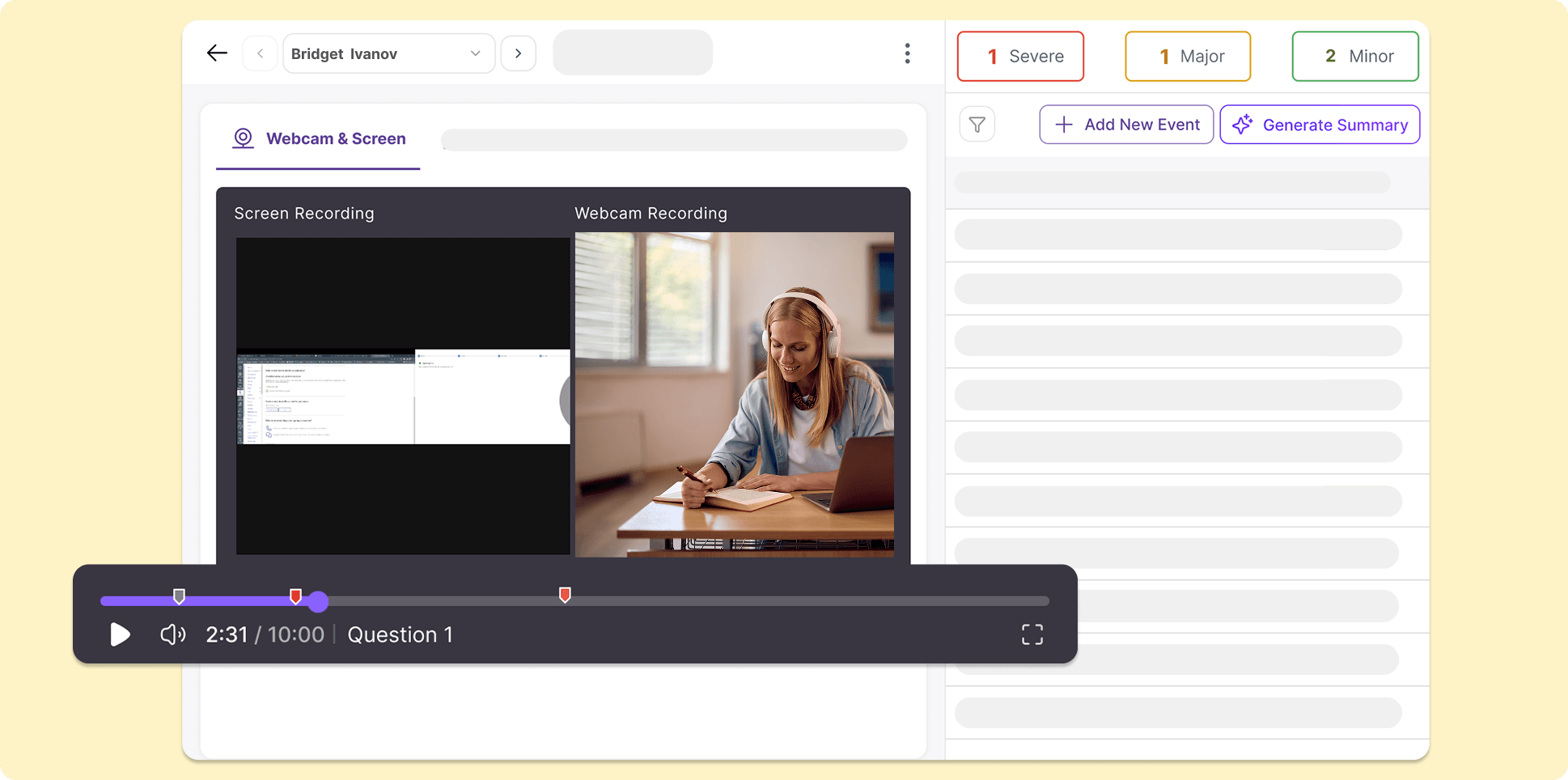
Chaptered Playback Recording By Question Number to Accelerate Evaluation Processes
The YuJa Verity Assessment Builder now tracks when each question is answered in the playback recording using visual timestamps with the question number. The playback progress bar will automatically divide into sections based on when a test-taker attempts to answer a new question, helping instructors quickly navigate through the recording to evaluate test-taker performance for specific questions.
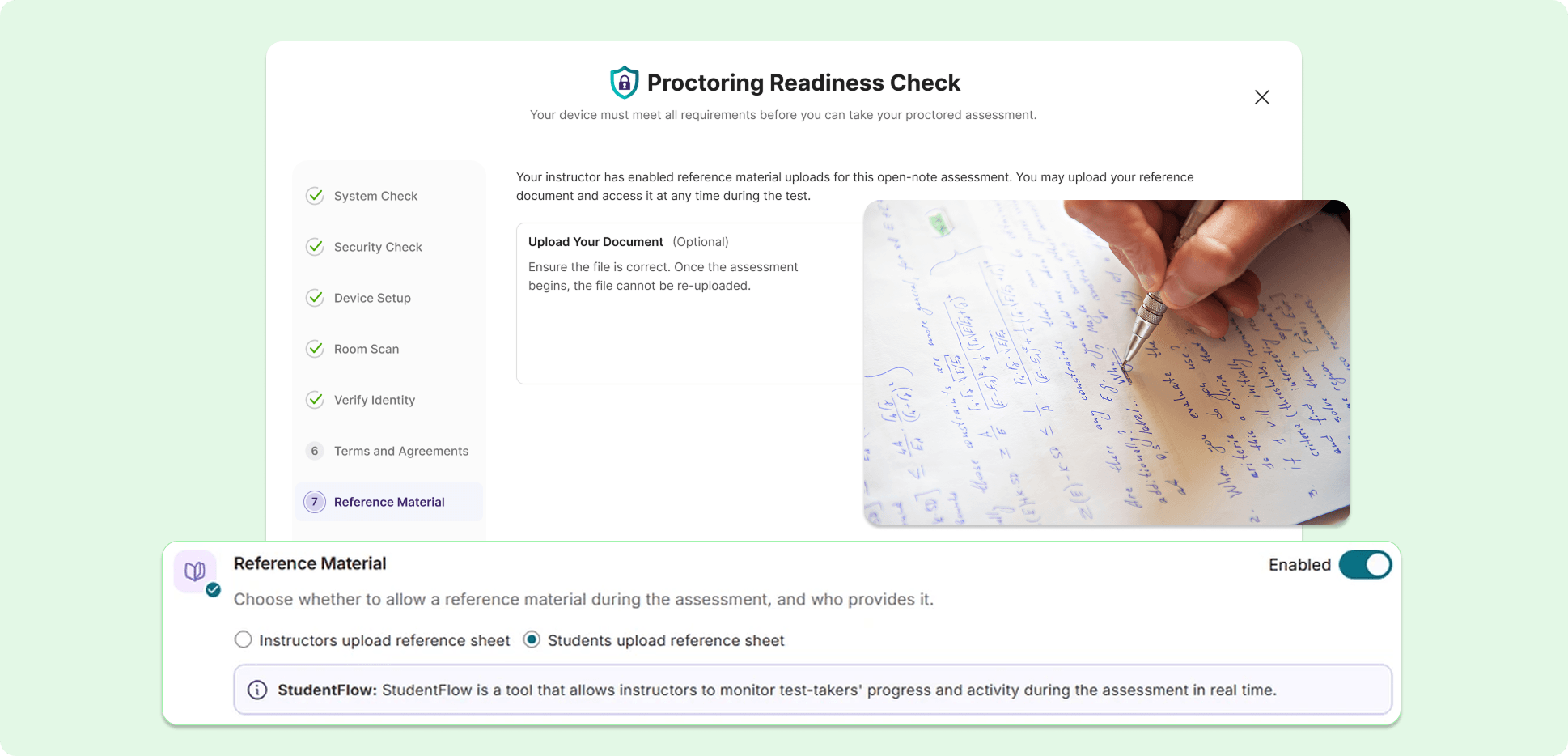
Streamline the Post-Assessment Review Process with Improved Reference Material Workflow
The workflow for test-takers to use reference material during a proctored assessment has been improved to provide more transparency and efficiency for both test-takers and instructors evaluating the assessment.
Key features include:
Permit reference material uploads: From the Proctoring Setup page, instructors can choose to upload reference material or allow test-takers to upload their own.
New submission process for test-takers: Test-takers can now submit their reference material during their Pre-Assessment Check for instructors to review, helping establish more transparency and security for proctored assessments.
Review submitted reference material: Reference material submitted and used by test-takers during an assessment will be displayed in their Post-Assessment Report page, helping instructors quickly cross-reference information to streamline their evaluation process.
Introducing a New, Organized Audit Log for Administrators
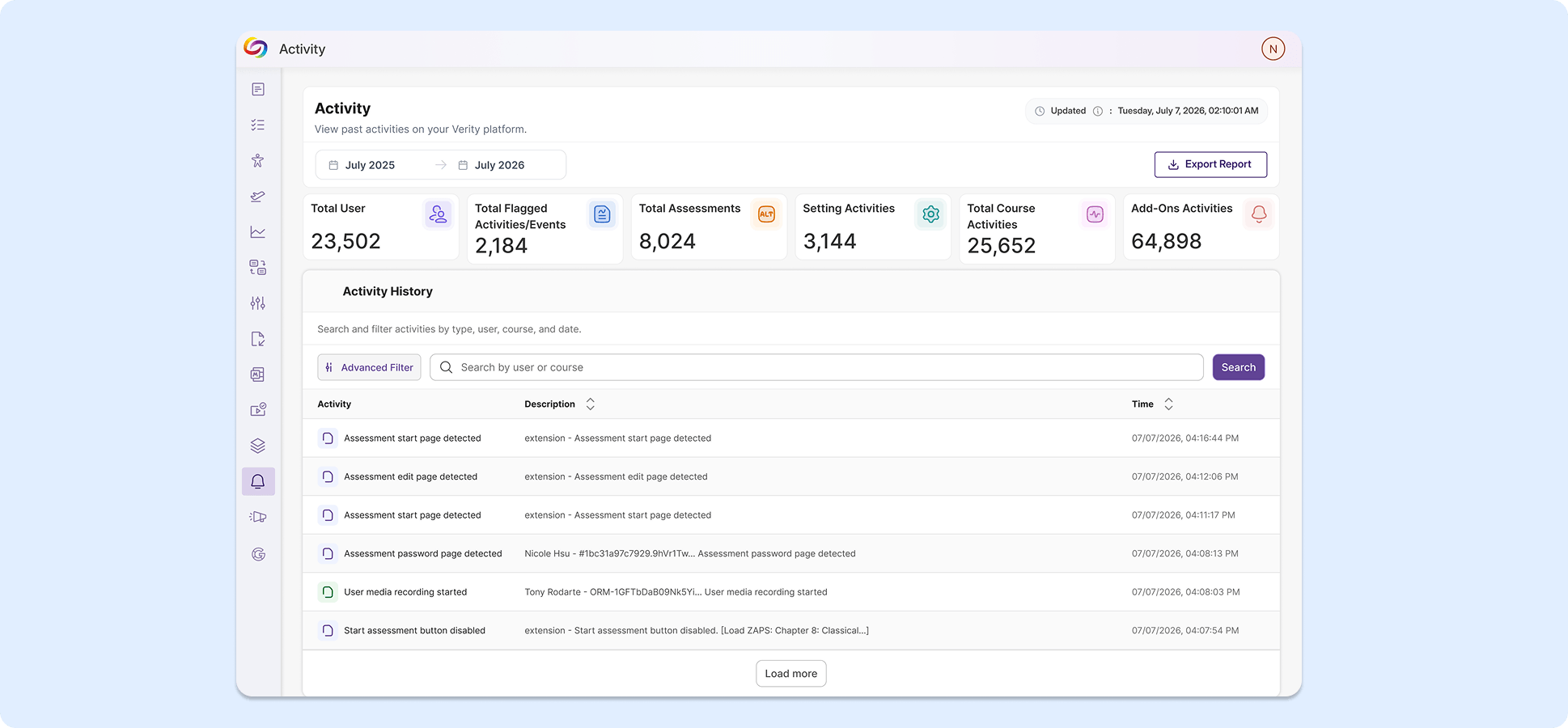
We’re introducing an administrator-specific audit log for tracking institution-wide actions and events in the platform. User activities are placed in a clean table with symbols for each event type detected, reducing visual clutter. Administrators can also use the advanced filter to search for specific events.
Administrative Settings Pages Now Have a New Look for Smoother Navigation and Improved Consistency
Multiple administration pages now have modernized designs to introduce more succinct descriptions, simplified layouts, and better consistency across the overall user experience. Pages with refreshed UI include the Admin Panel, Configurations, Course Settings, and Institution Settings.
Start Recording After Assessments Begin to Limit Unnecessary Footage During Post-Assessment Review
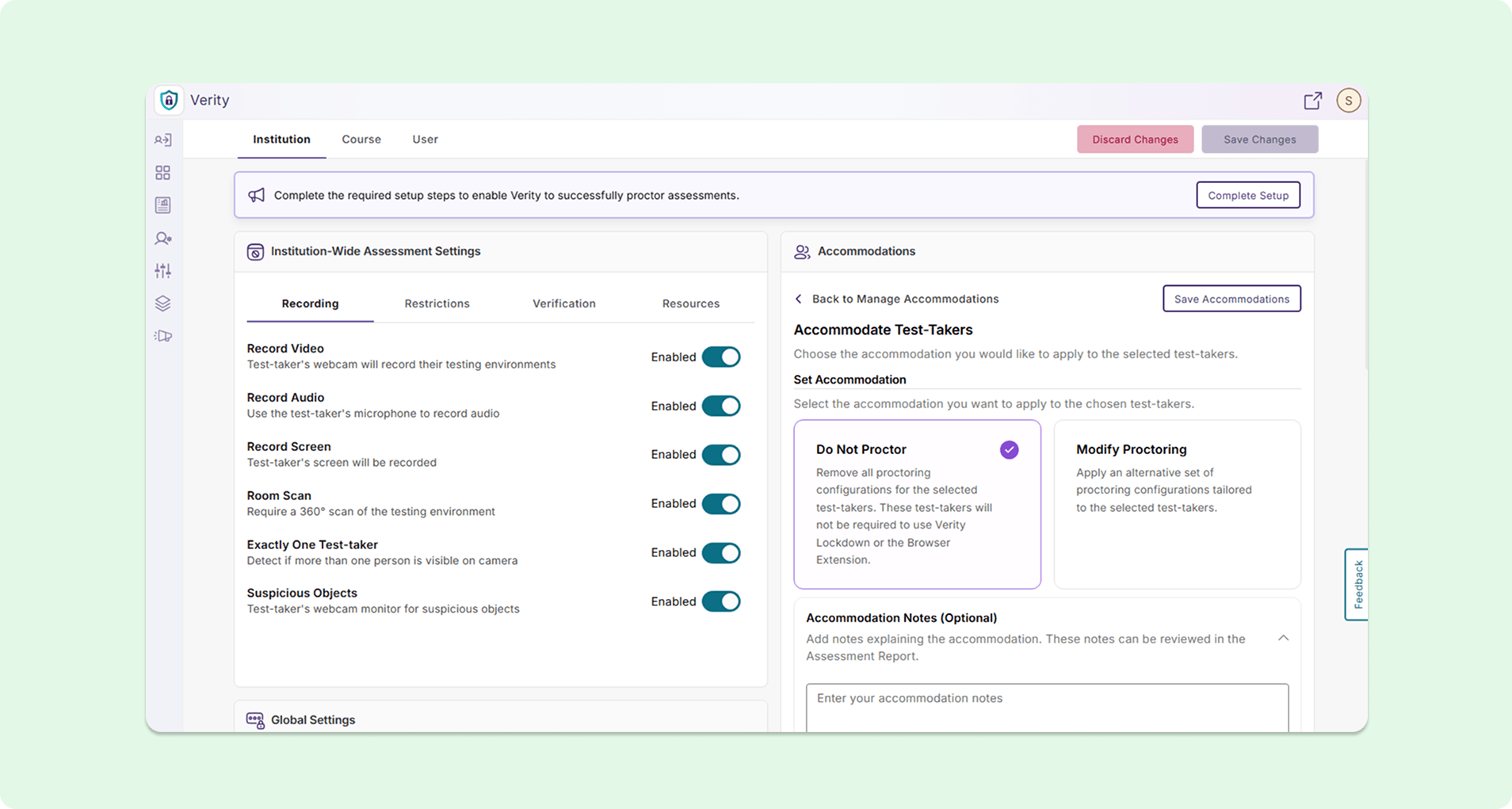
Administrators can now enable a “Start Recording After Assessment Begins” option in the Institution Settings page, effectively disabling recording of any kind during the System Check process. Instructors can review recordings and evaluate test-takers faster without needing to watch through the system setup process prior to the assessment.
Assign Students to LMS Courses Directly in YuJa Verity
Instructors can now assign students to LMS courses directly using Roster Management on the Settings page without needing to configure course settings in their LMS, eliminating the need to navigate between different platforms.
Over the next few weeks, the YuJa Lumina Video Platform will be rolling out several new updates, including a brand new Video Editor, a deeper integration with YuJa Panorama, additional languages for auto-captioning, and several UI enhancements.
An Upgraded Video Editor for Smoother, Easier Editing and All Your Video Accessibility Needs
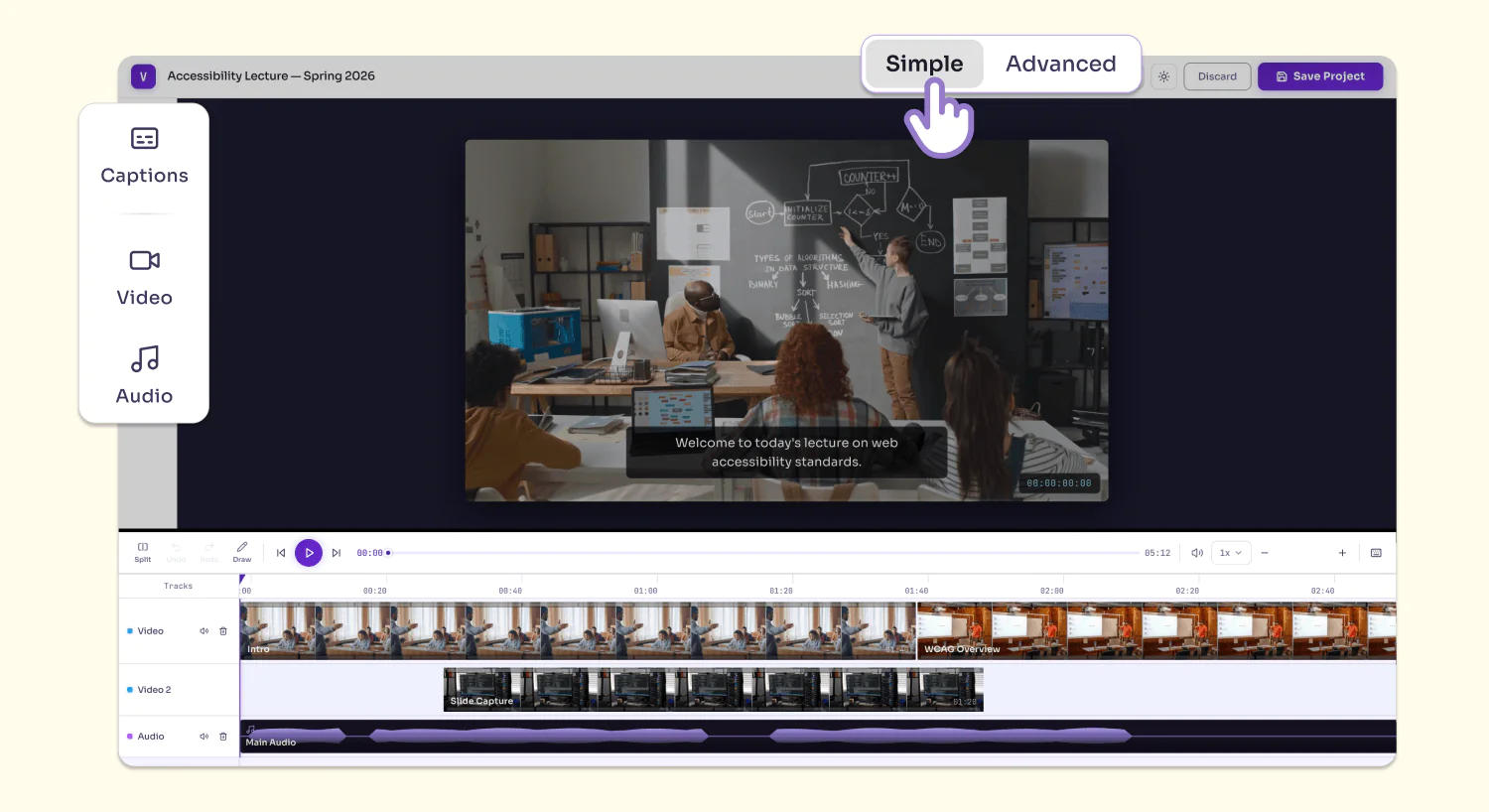
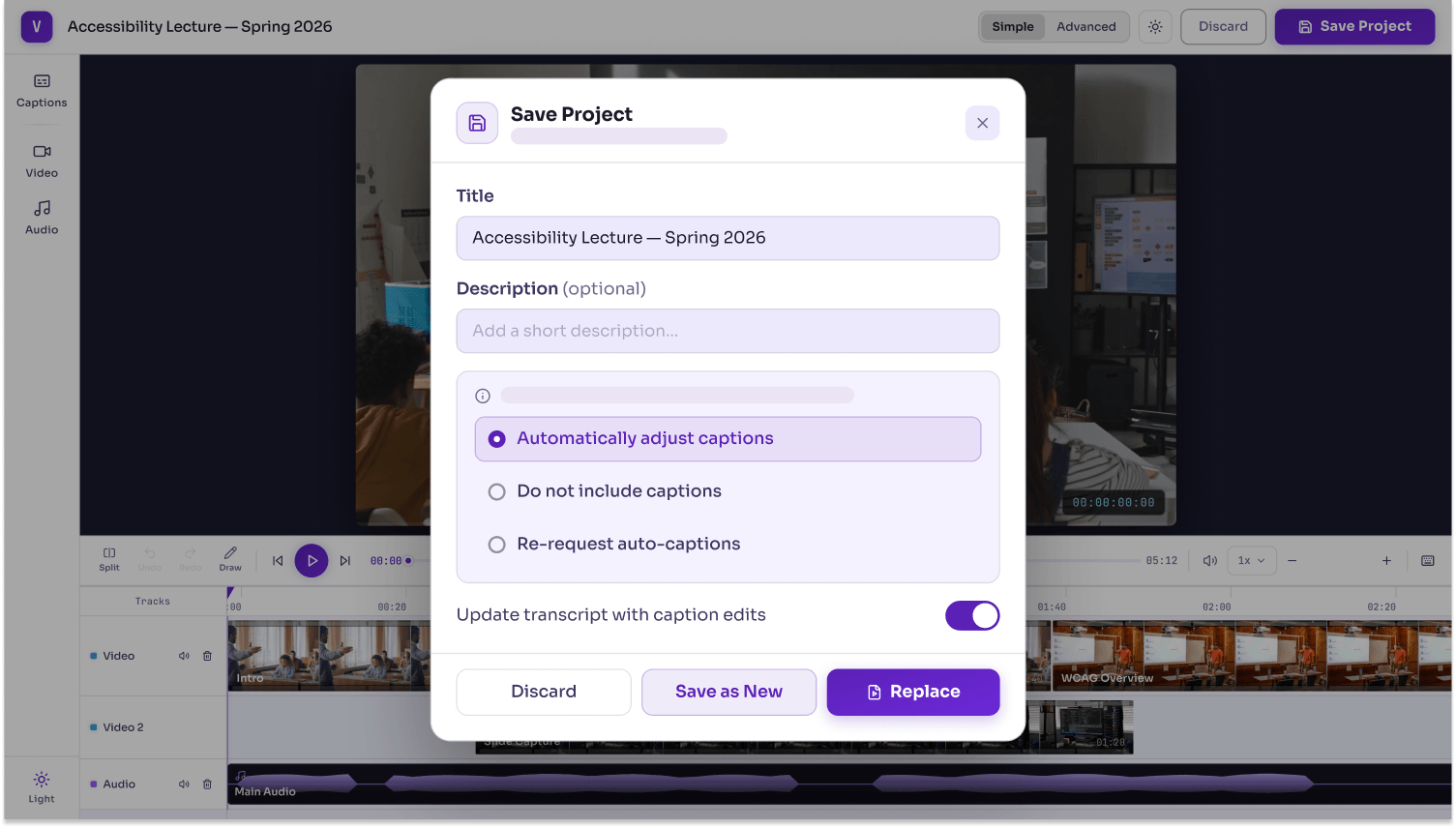
YuJa Lumina’s Video Editor has received a major upgrade with a brand-new design that incorporates improved video editing and video accessibility workflows, all in one consolidated and intuitive interface. Key features include:
Simple editing mode: Users can access basic video and audio editing tools to split, trim, annotate, add, and remove clips, allowing them to make quick and easy edits for day-to-day editing needs. Users can also edit captions for their videos.
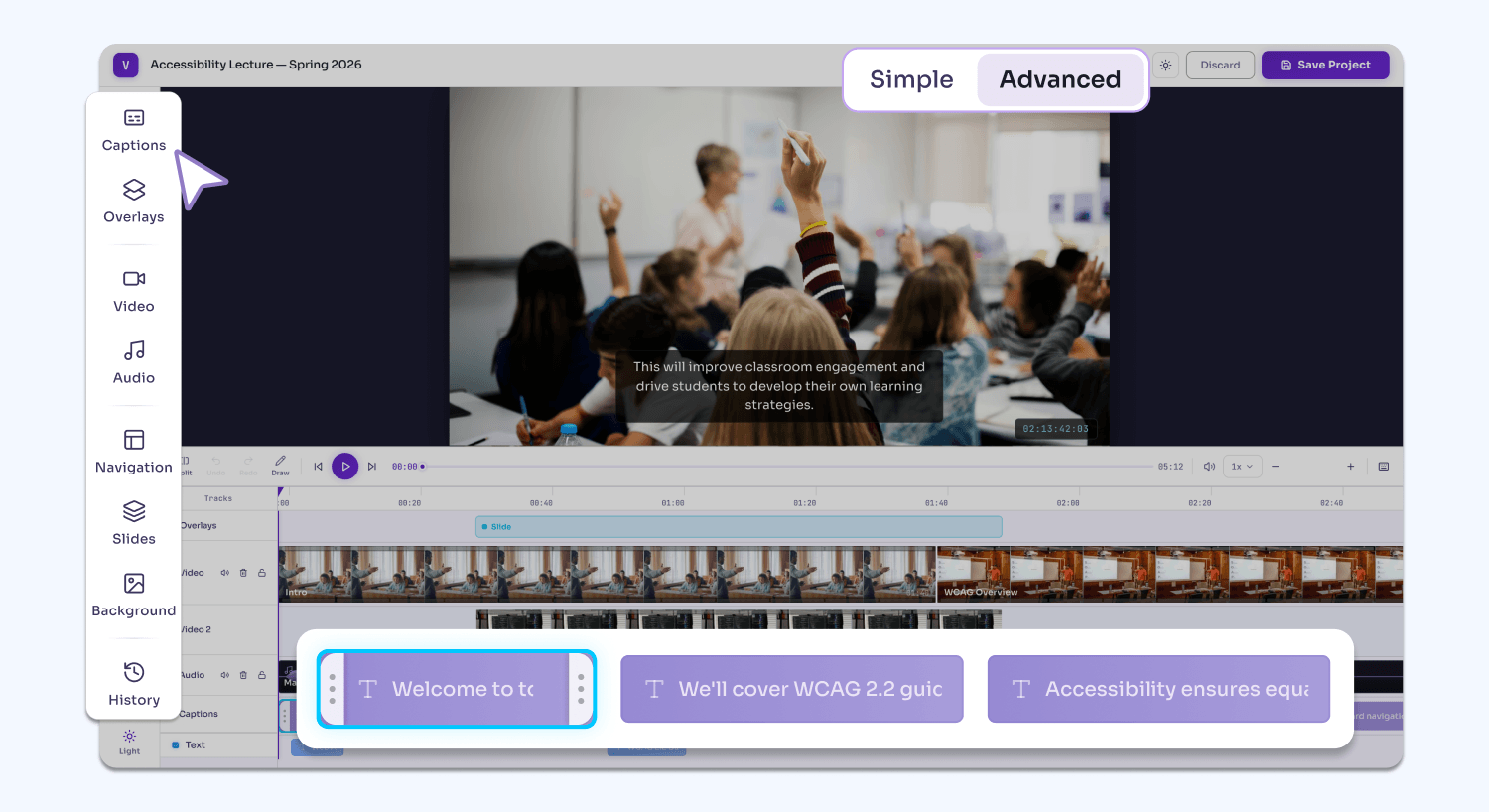
Advanced editing mode: On top of all the features available in Simple mode, users can use the Video Editor’s extended list of features in Advanced mode, including adding text overlays, watermarks, backgrounds, slideshows, and blurs to their video. They can also leverage advanced AI-engines to automatically generate chapters/indexes while still maintaining full control over manual edits.
Automatic transcript updates: When the video is exported, users have the option to automatically update the video transcript with their new chapters.
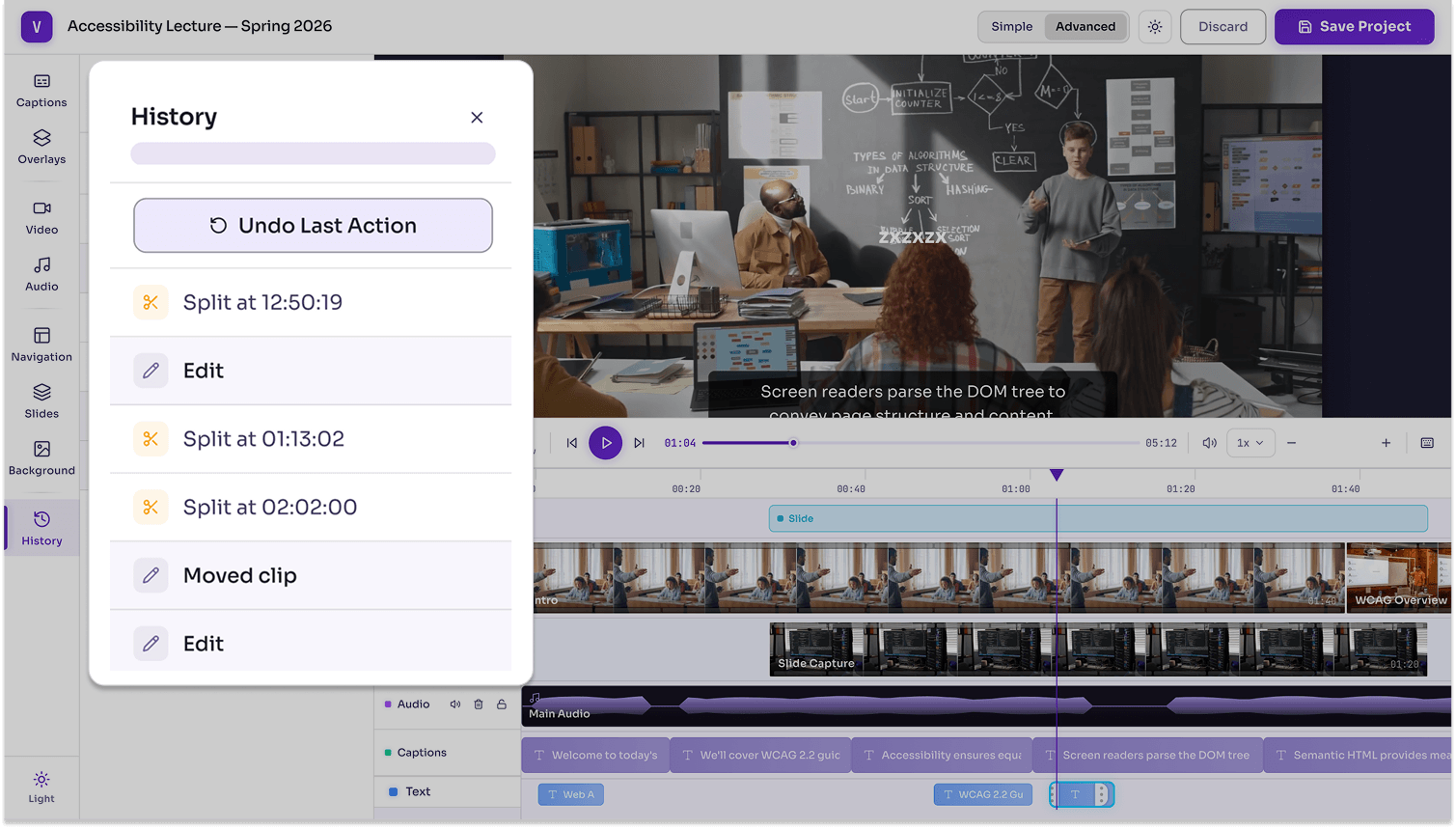
Version history: Users can easily revert their actions and return to previous versions of their project, ensuring that each action is properly saved for potential restoration.
Reach Compliance Faster at No Cost with YuJa Panorama’s Document Remediation in Your Media Library
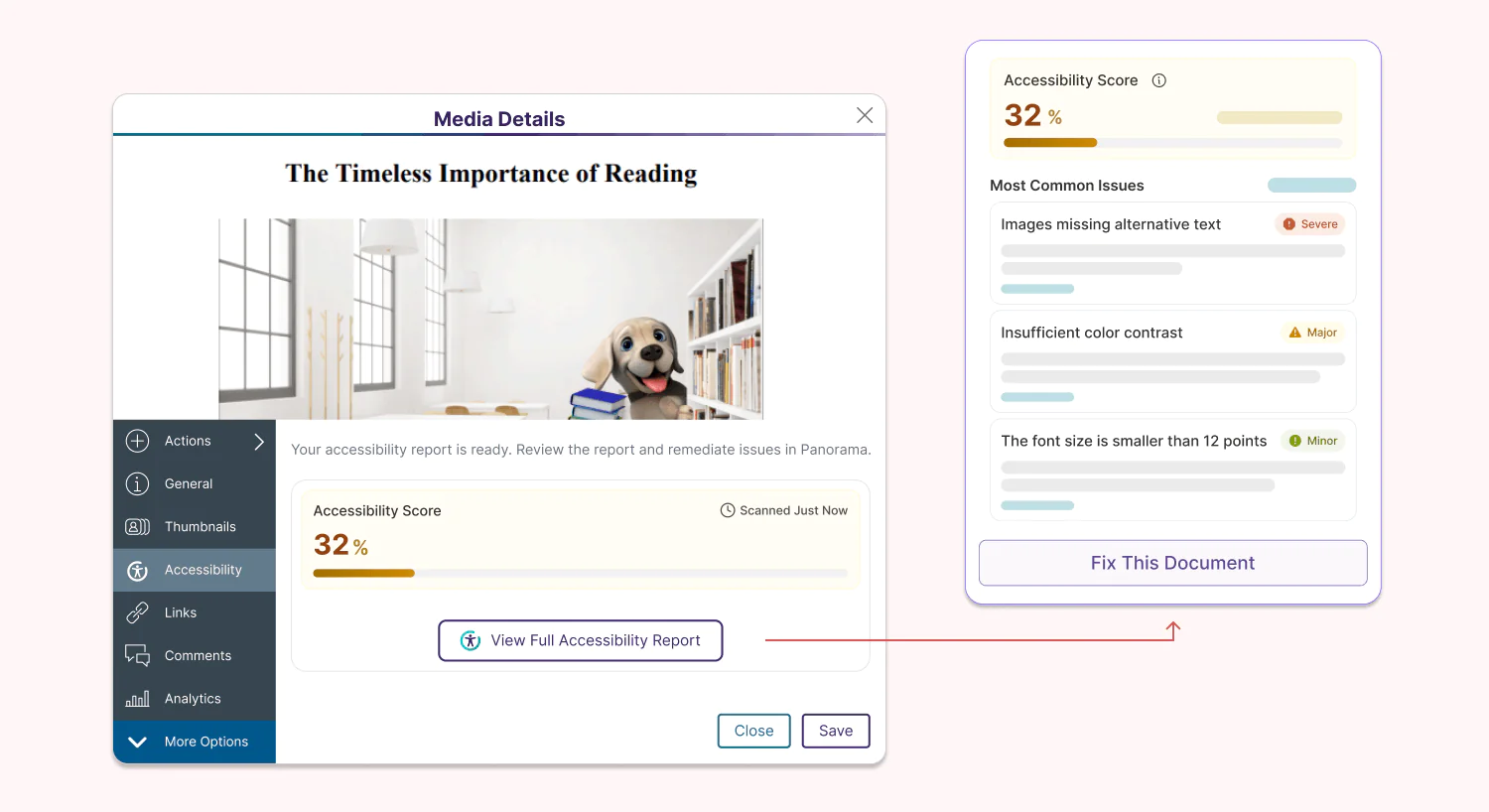
Administrators can now enable YuJa Panorama’s Accessibility Report for up to 10 documents uploaded in their YuJa Lumina Media Library for free, helping them reach the accessibility compliance initiatives of their institution, regardless of whether it is video-based or document-based content. For institutions that have YuJa Panorama, usage will be tied to their credit limit in YuJa Panorama, and they will also be able to leverage automation to fulfill and enhance their remediation workflows using YuJa AutoPilot and YuJa Structural Remediation.
Support More Audiences with New Hawaiian Caption Generation for Your Videos
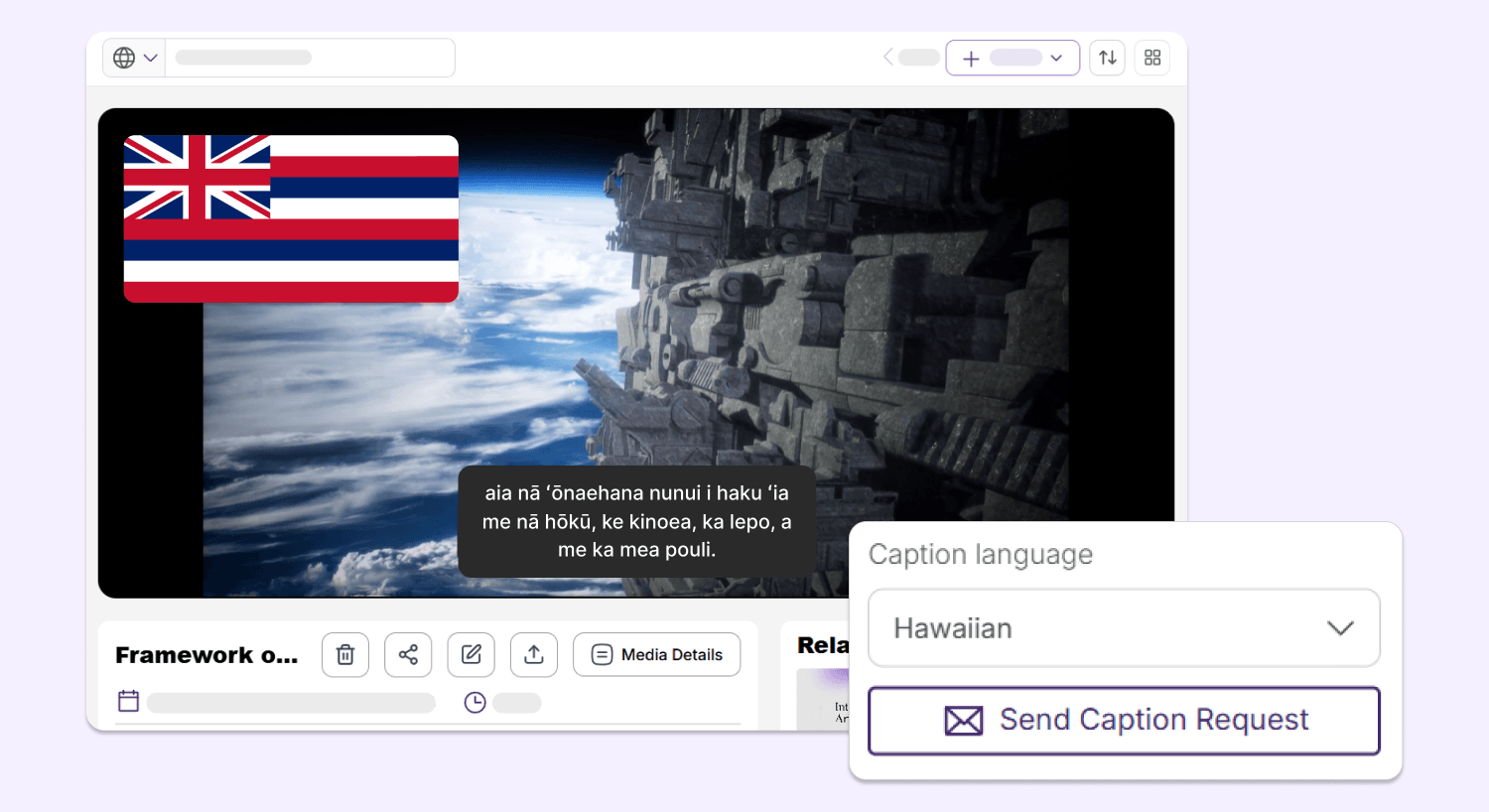
YuJa Lumina can now generate video captions in Hawaiian, helping users from diverse backgrounds better understand their video-based content while meeting accessibility needs.
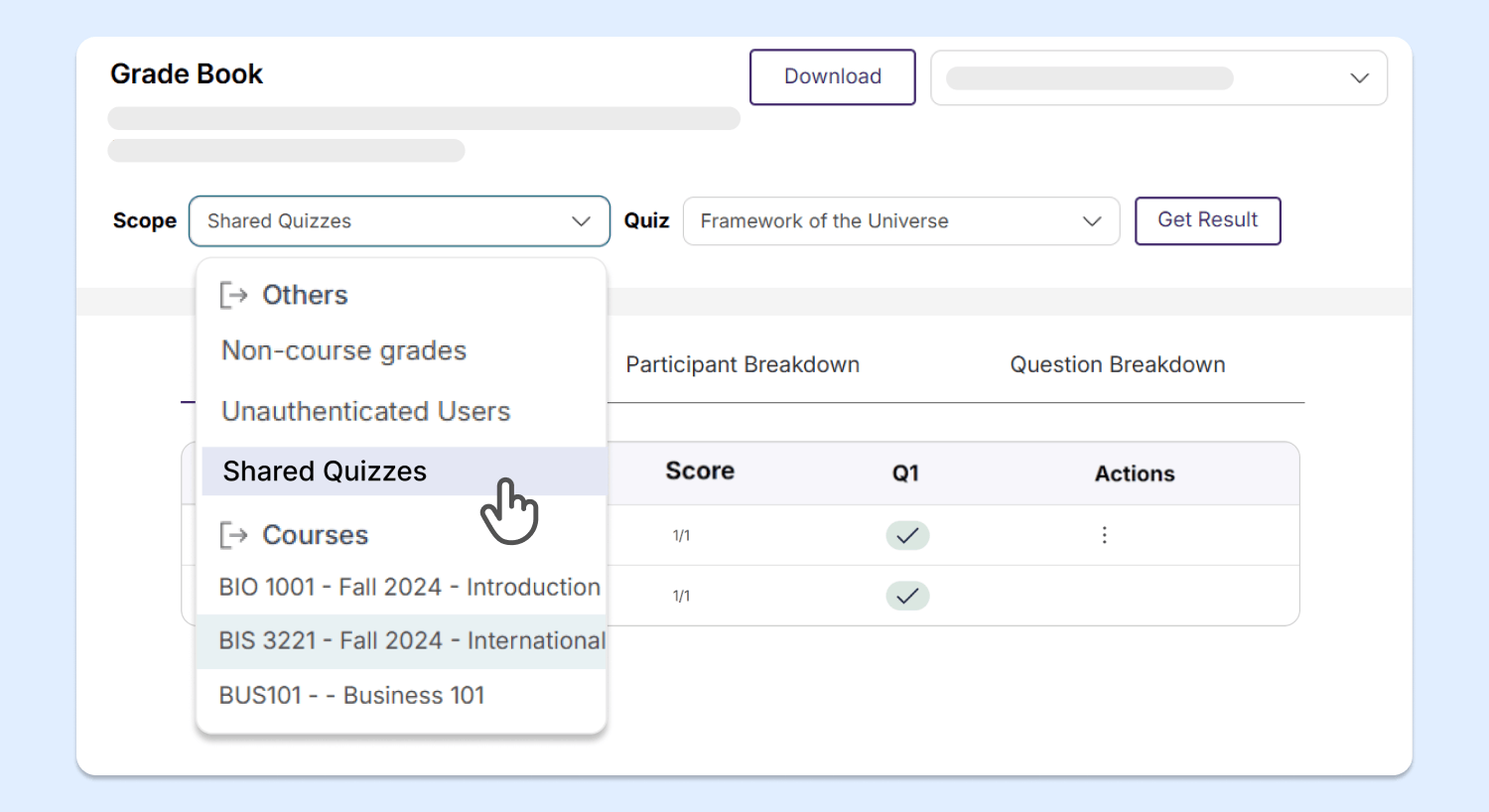
Enhanced Gradebook Sharing Enables Access to Video Quiz Results for Both Unenrolled and Enrolled Students
With YuJa Lumina’s new and improved gradebook structure, users can now easily access the results of video quizzes that are shared with them from courses that they are not enrolled in, saving instructors time and effort from needing to manually add users to those courses.
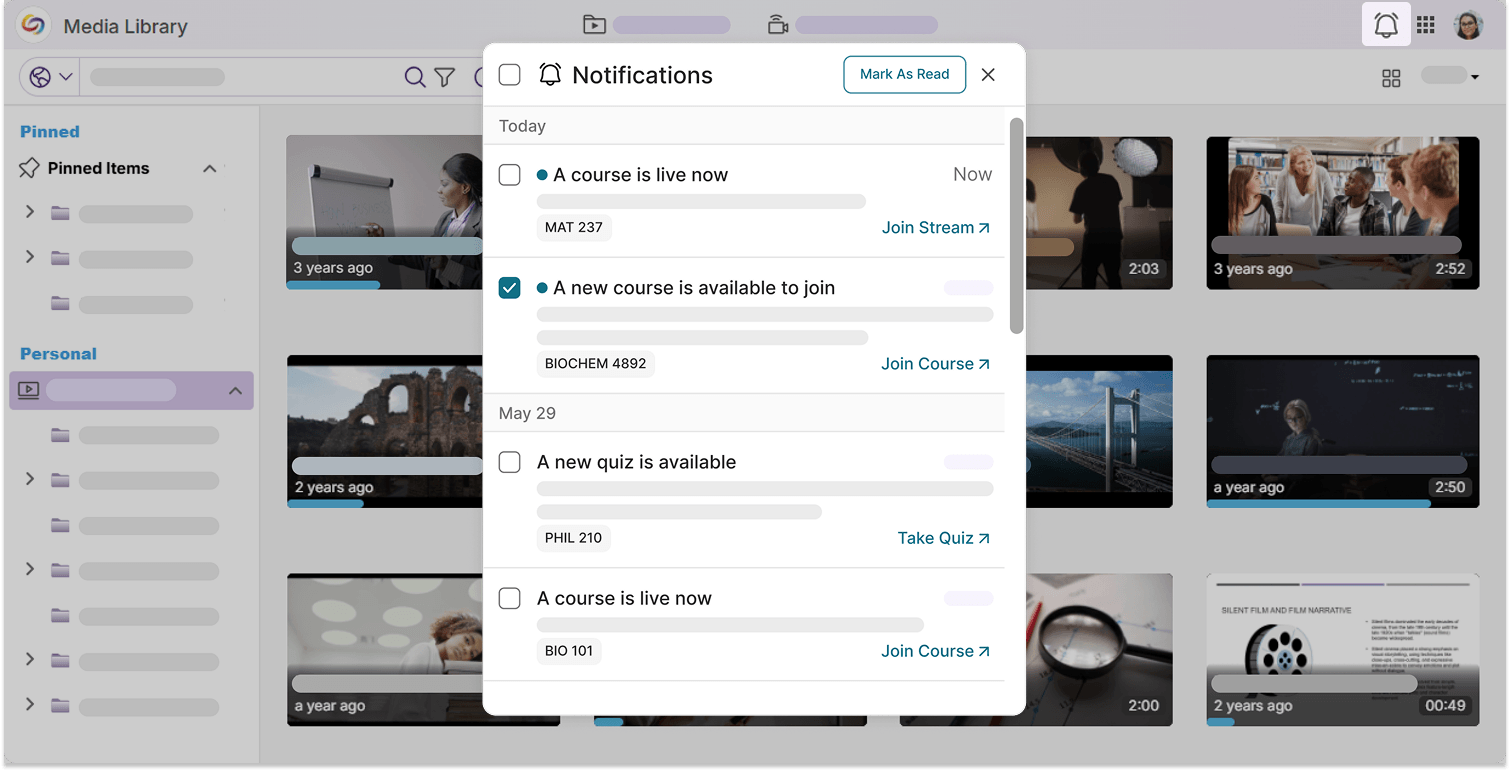
Upgraded Notifications Panel Helps You Keep Up with All Your Upcoming Events
Notifications in YuJa Lumina have been organized into a neater, more modernized layout. With embedded redirect links, you can check out your upcoming video quizzes, course enrollments, and live streams right away from the notifications panel.
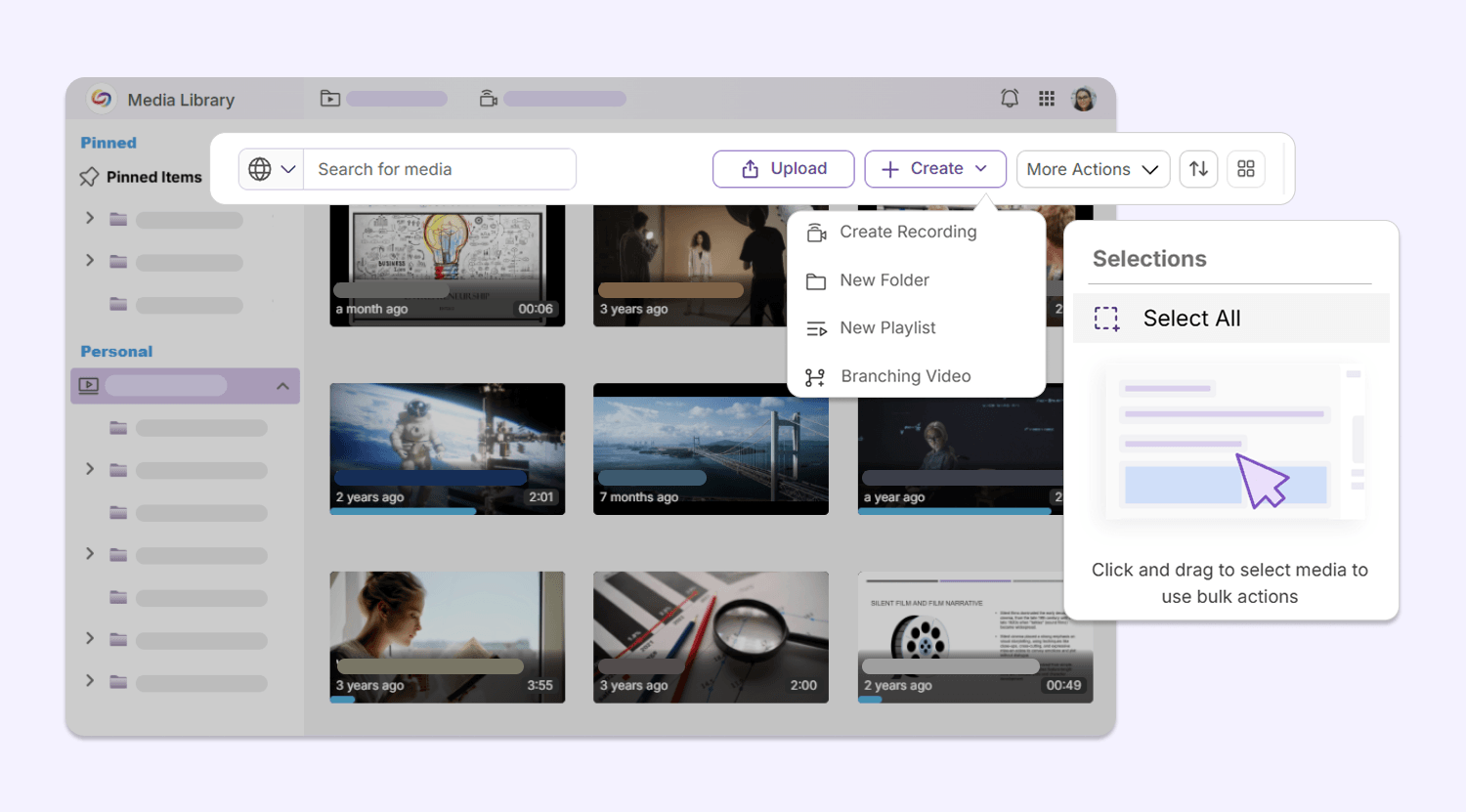
Enhanced Menu Designs Provide a More Consistent User Experience
Multiple menu interfaces throughout YuJa Lumina have been upgraded to a sleek, modern design, including:
Media Library secondary menu bar: The secondary menu bar in the Media Library has been upgraded with a set of new icons, helping users navigate their library, upload new content, and conduct bulk actions with ease.
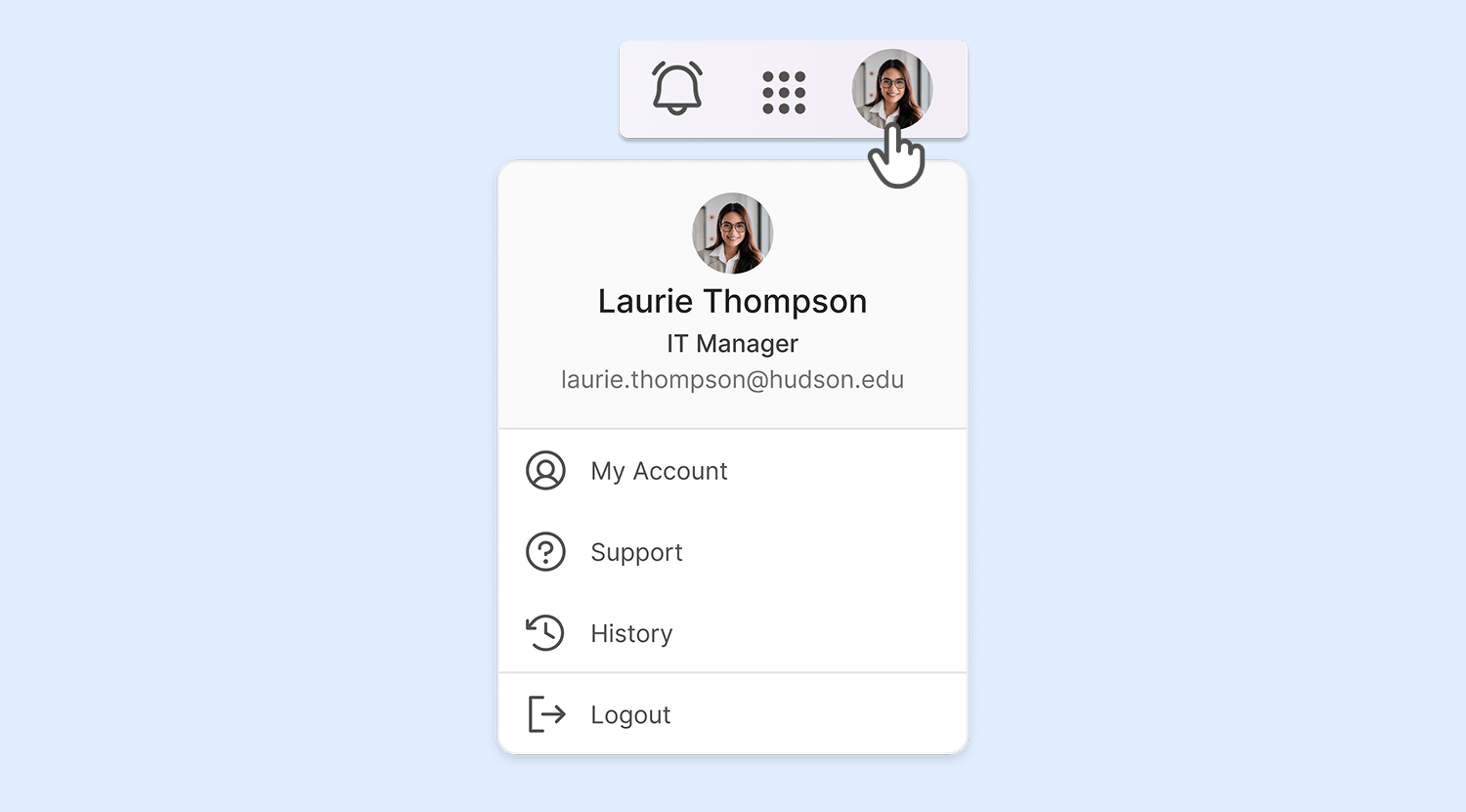
My Account menu: The My Account menu design has been modernized with a new look, introducing a more streamlined design for users accessing their configurations.
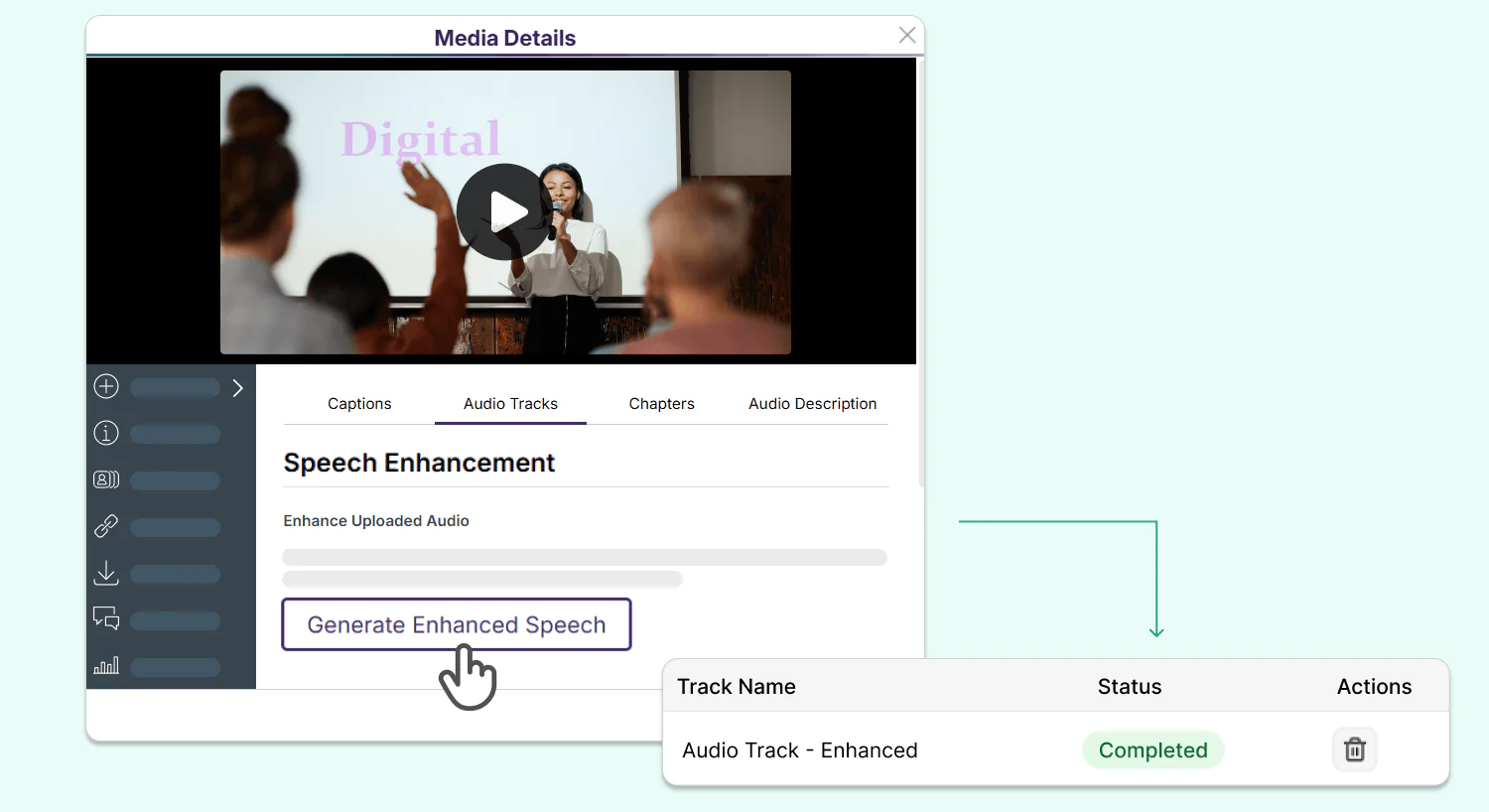
Over the next few weeks, speech enhancement will be introduced to the YuJa GenAI PowerPack, enabling users to generate clear, crisp audio that emphasizes speech and reduces background noise for their video and audio content.
Advanced Speech Enhancement Reduces Background Noise and Improves Voice Clarity in Video and Audio Content
The YuJa GenAI PowerPack is introducing AI Speech Enhancement for all video and audio content in your Media Library, helping you reduce noise clutter and better understand spoken content in clips with loud background music or sound effects. Generate a clearer audio track for your media content with one click and replace your original audio track, all from the Media Details panel.
Over the next few weeks, the YuJa EqualGround Accessibility Governance Platform is rolling out a major wave of updates, including a reimagined reporting experience, a brand new Quick Wins dashboard, expanded CMS remediation support, bulk AutoPilot remediation, and much more.
Automatic Write Back Functionality Eliminates Repetitive Manual Workflows for Your CMS and Google Workspace Integrations
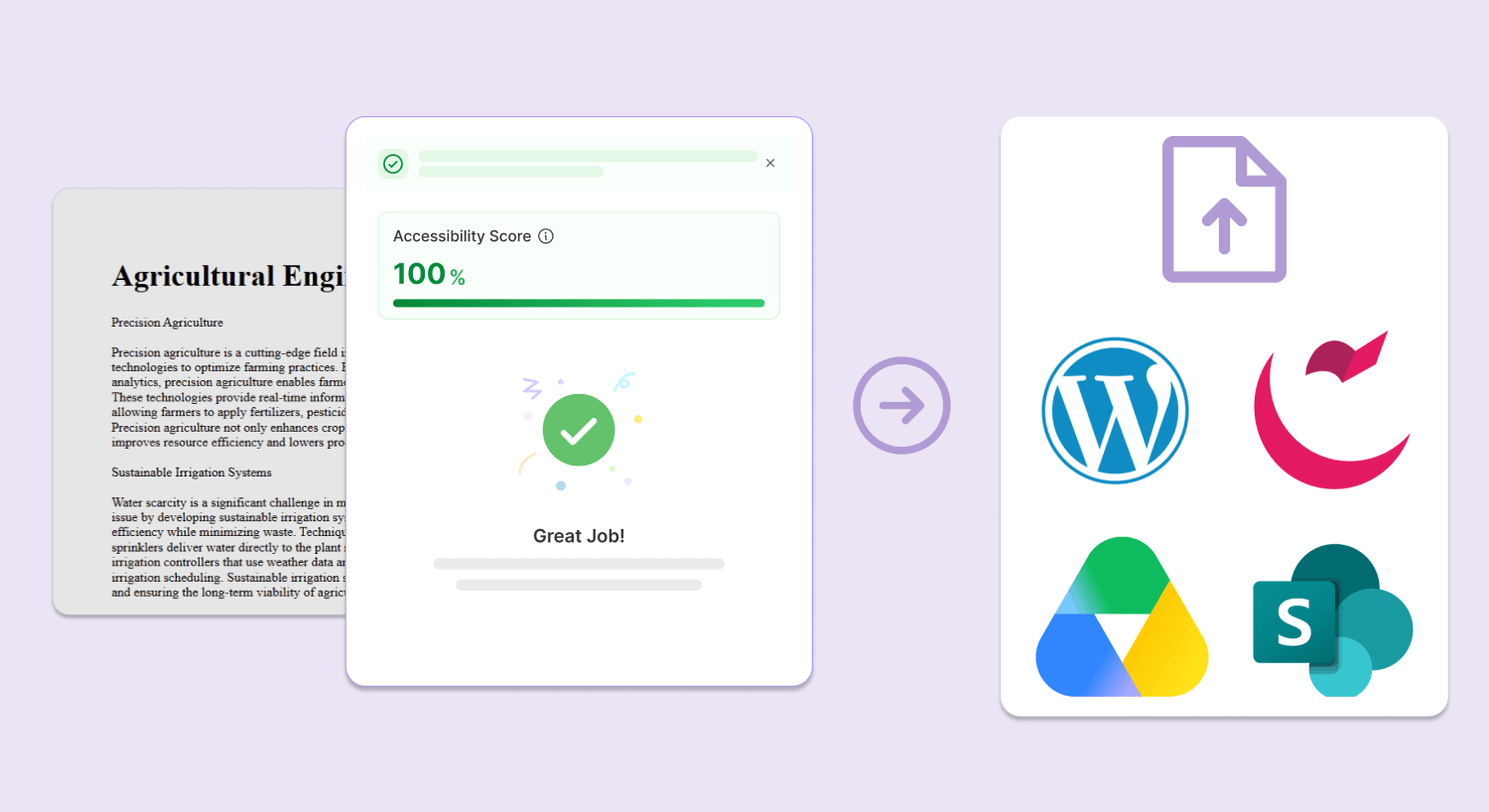
You can now fix a range of accessibility issues in the pages and documents hosted in Cascade CMS, Google Workspace, SharePoint, and WordPress, all without leaving the YuJa EqualGround interface.
Key features include:
Automatic CMS write back for your documents: Any changes made to documents embedded in your CMS or Google Workspace using the Accessibility Report in YuJa EqualGround will be automatically applied to your original source file, eliminating the need for any manual reuploads.
Automatically apply changes to your CMS pages: Any structural and HTML changes made to your page in YuJa EqualGround will be automatically reflected in your CMS so you don’t have to copy and paste any code changes. You can also see how your changes affect the accessibility score of the page in real time using the Rescan button.
Instantly Improve Site-Wide Accessibility Using Targeted Quick Wins
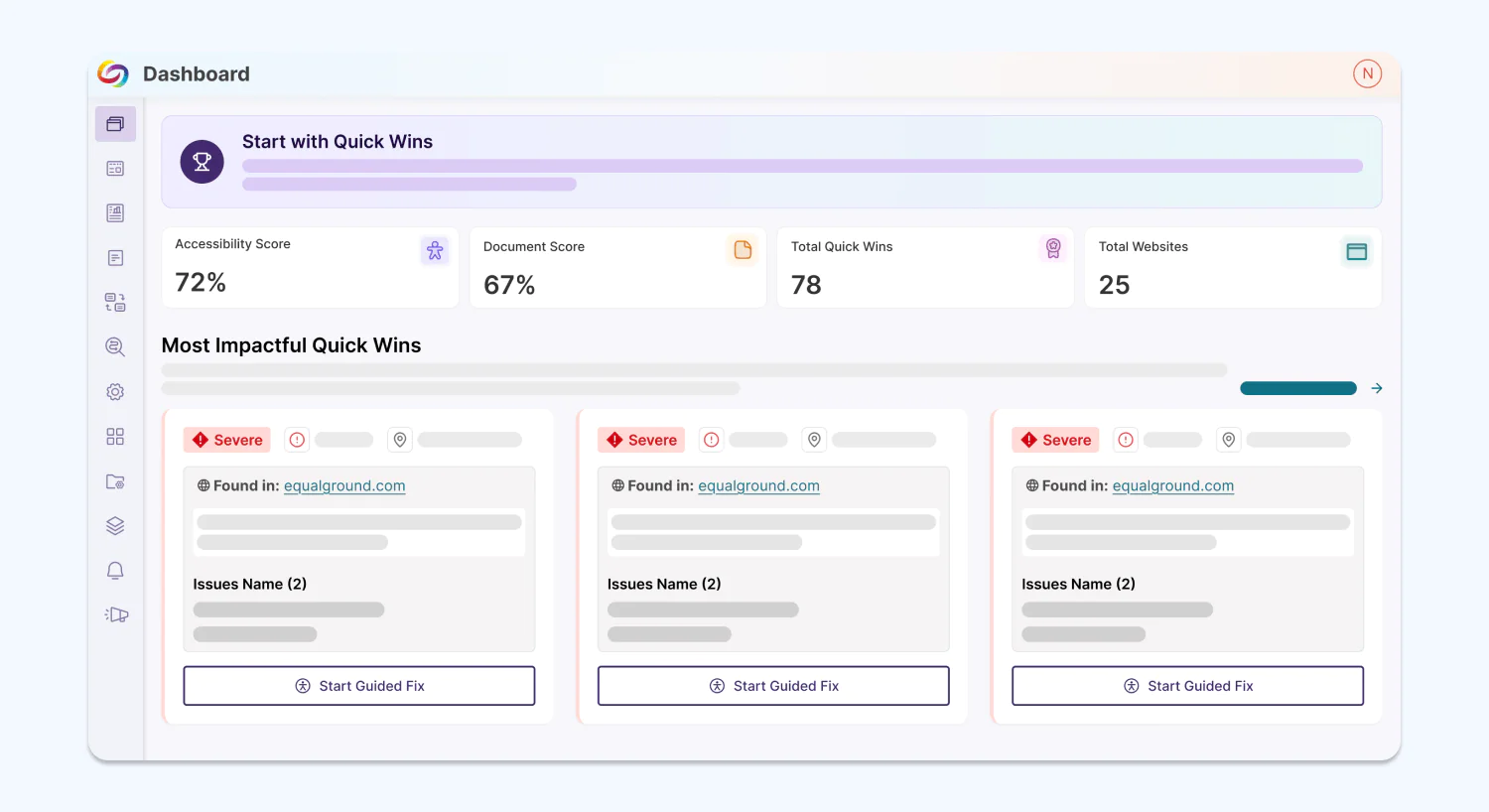
YuJa EqualGround is introducing the Quick Wins Dashboard, which allows users to immediately identify the biggest accessibility barriers on their websites and fix issues across their web assets.
From the dashboard, users can:
Start remediating with Guided Fixes: Users can copy and paste YuJa EqualGround’s suggested fixes for each issue and see details like the total number of affected pages and the violated WCAG criteria.
Verify that changes are live: The dashboard allows users to quickly rescan all pages affected by the issue to see if the change has been applied.
See all Quick Wins: The dashboard will show up to the top 100 most impactful Quick Wins. To see more, users can click a button to be directed to all Quick Wins.
Automatically Remediate Documents at Once with Bulk AutoPilot
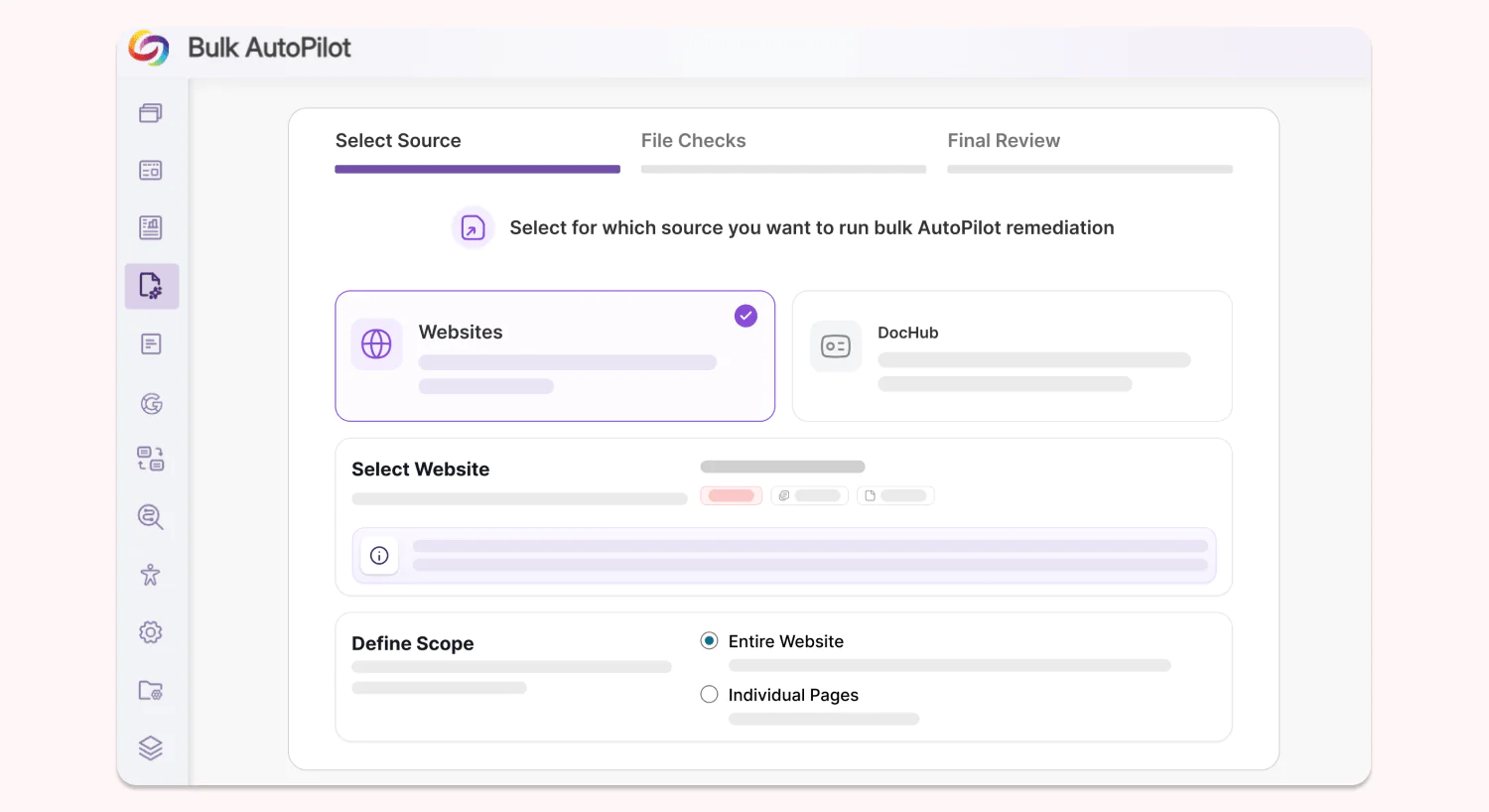
Institutions can now automate multiple document remediations across websites, SharePoint sites, and DocHub libraries in a single batch using Bulk AutoPilot. Users can remediate the whole site/library, individual pages/folders, and choose the type of issue that they want to target, having full control over their AutoPilot remediation workflows.
Get Better Insights from an Upgraded Reporting Interface, Now with AI-Powered Analysis
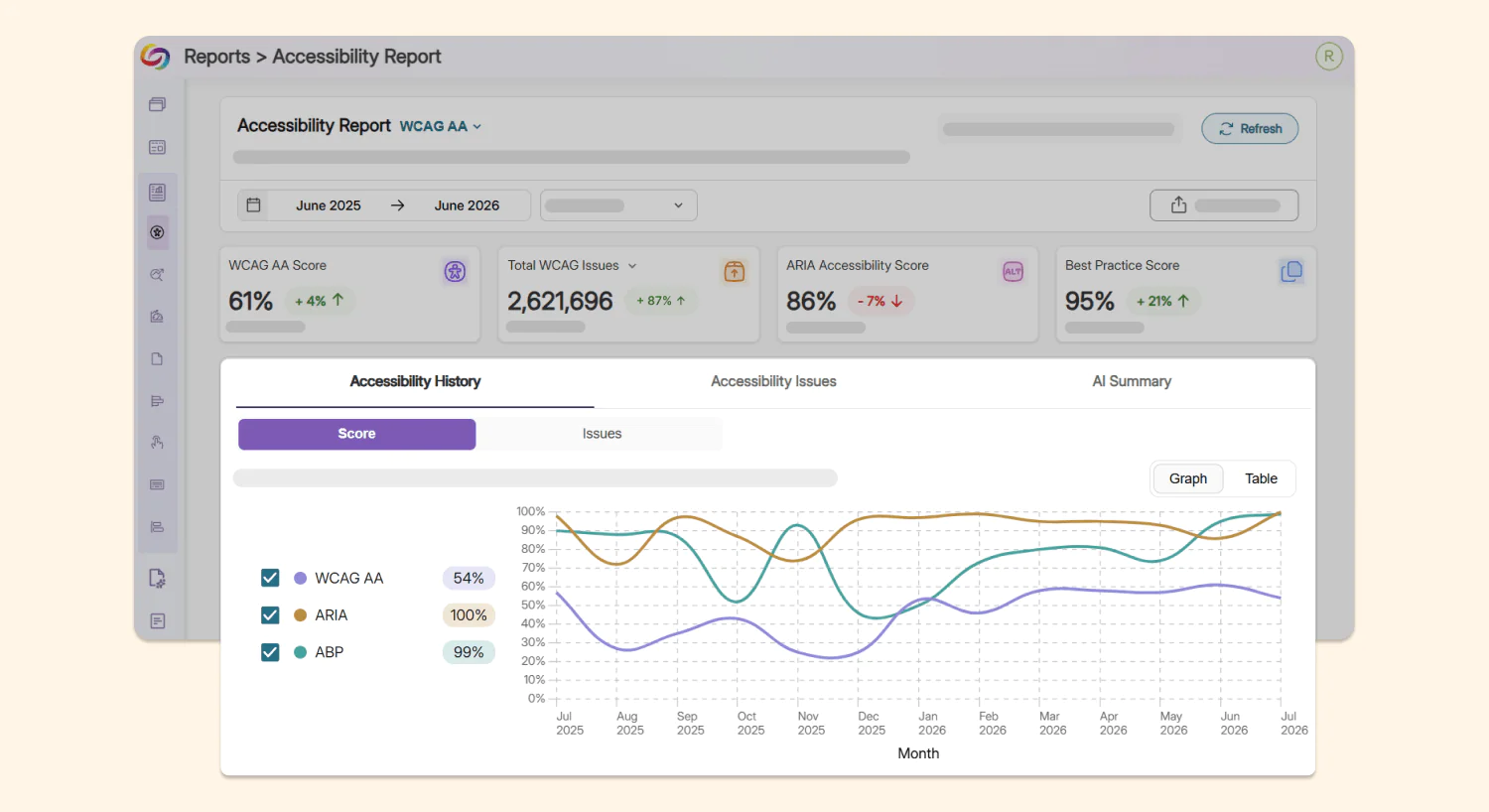
YuJa EqualGround’s reports have been redesigned across all five report types: Accessibility, SEO, Performance, Usability, and Document for a cleaner, more consistent and practical user experience. Each report now contains:
Historical trends: Users can see the historical trends of their compliance level via score and via issues in visual graphs, allowing them to easily curate their compliance strategy.
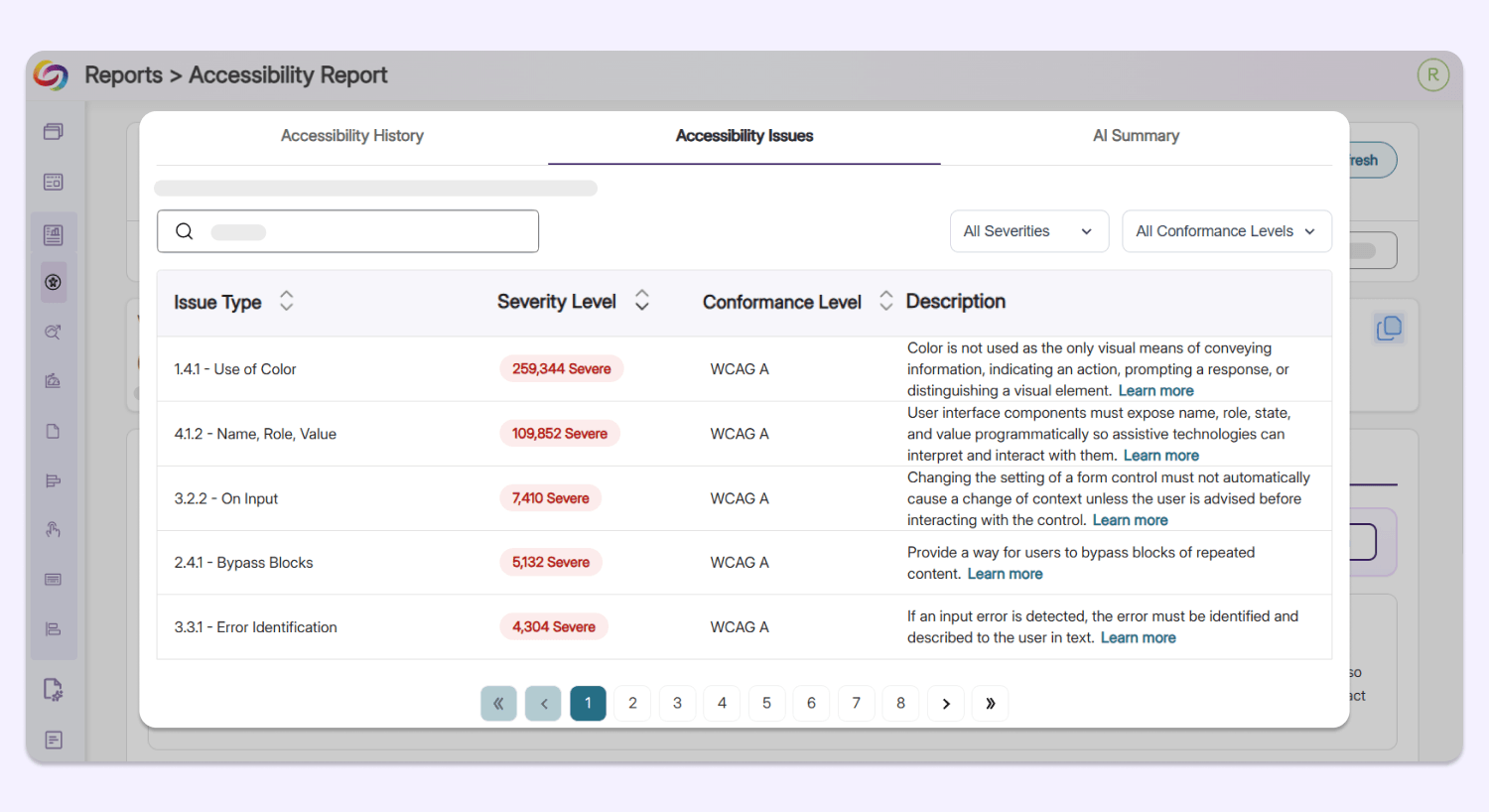
Issues breakdown: Organized in a neat table view, YuJa EqualGround shows the issue type, the severity level, the conformance level, and a short description of each issue identified on the user’s web assets, allowing users to identify major barriers instantly.
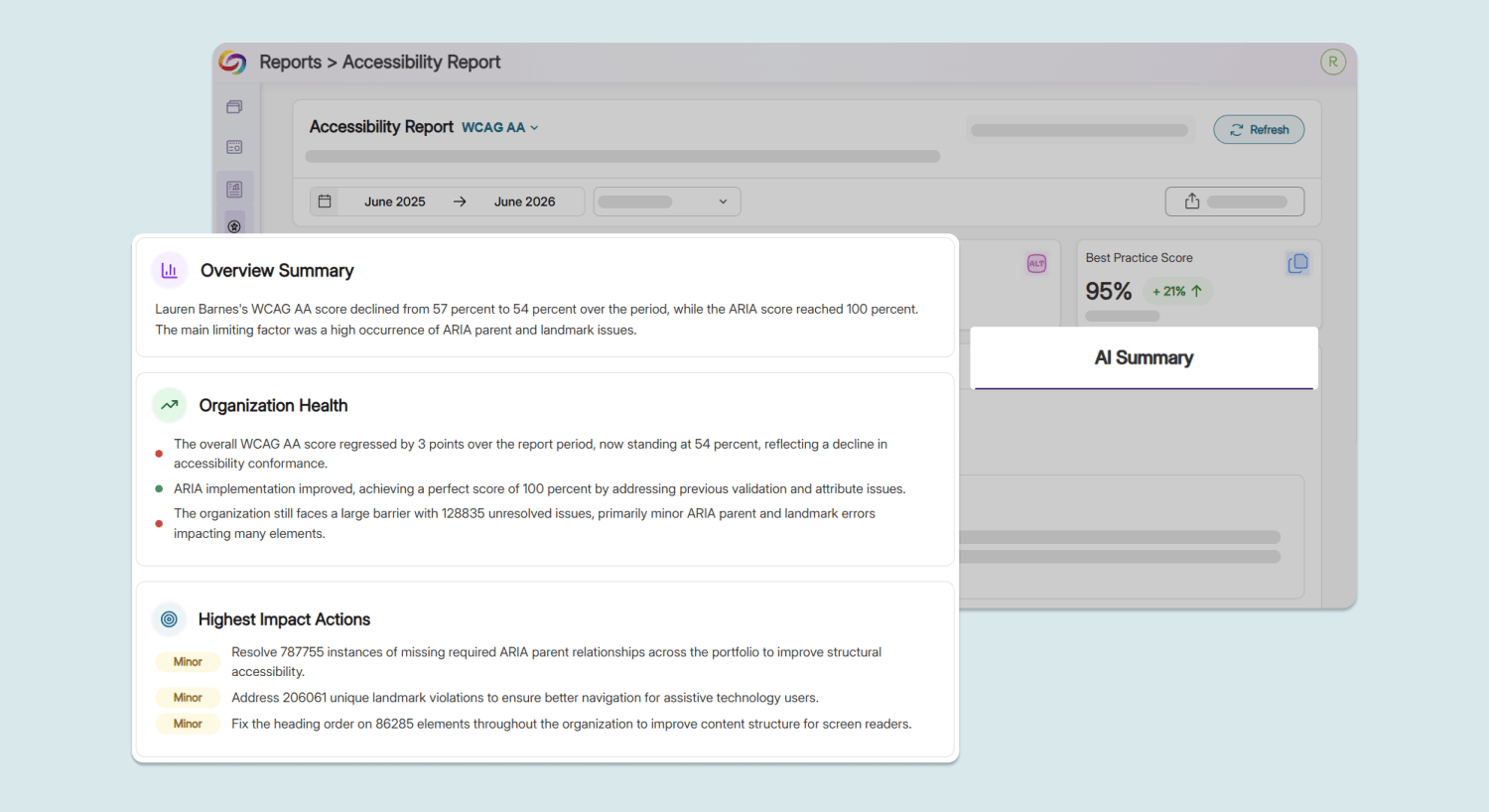
AI-powered summary: A brand new AI Summary tab will automatically analyze and explain the overall accessibility health of the user’s website, highlighting the higher priority issues to address so users spend less time interpreting data and more time acting on it.
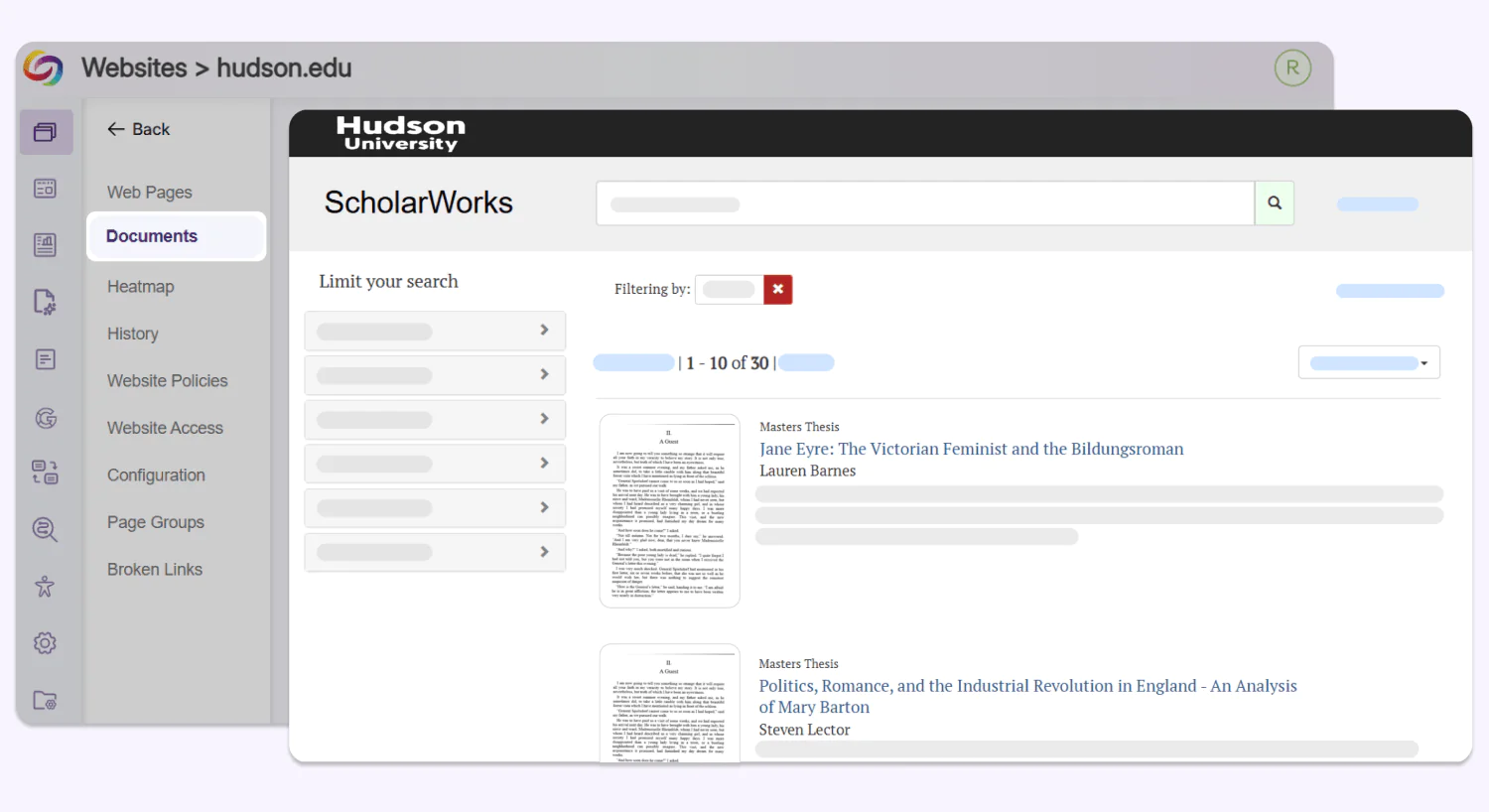
New Integration with ScholarWorks Empowers Accessibility Remediation for Academic Documents
Institutions can now connect YuJa EqualGround with ScholarWorks via API to scan academic papers, theses, and other scholarly content in their academic repository. Setup takes minutes, and newly found documents show up right in the Documents tab, ready for remediation.
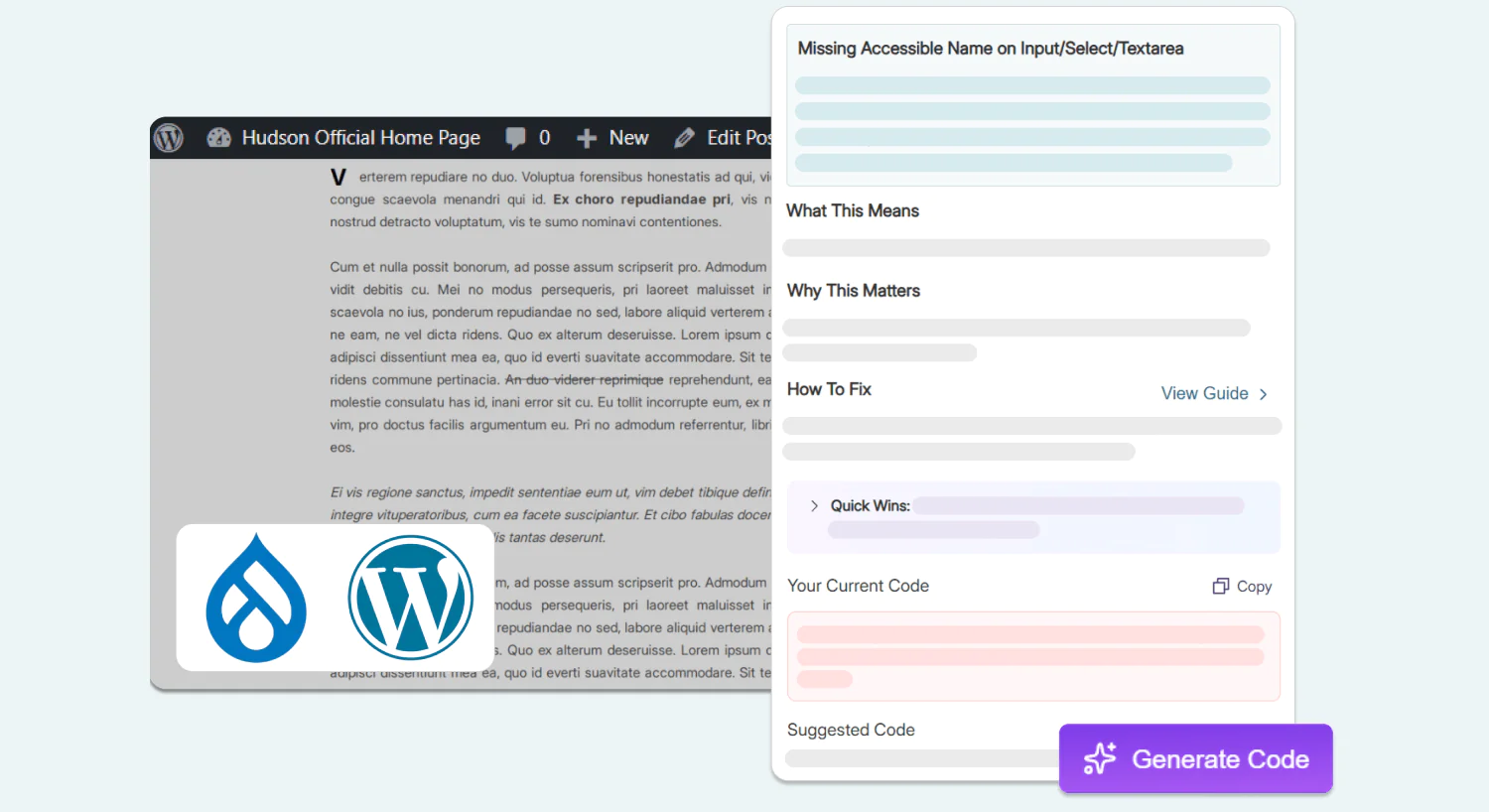
Remediate Assets Faster with AI Content Generation, Now in the Browser Extension, WordPress, and Drupal
AI-powered content-generation support has been extended to the YuJa EqualGround browser extension, WordPress, and Drupal, helping users improve the accessibility of their site by automatically adding descriptions like alt text and ARIA labels on the spot.
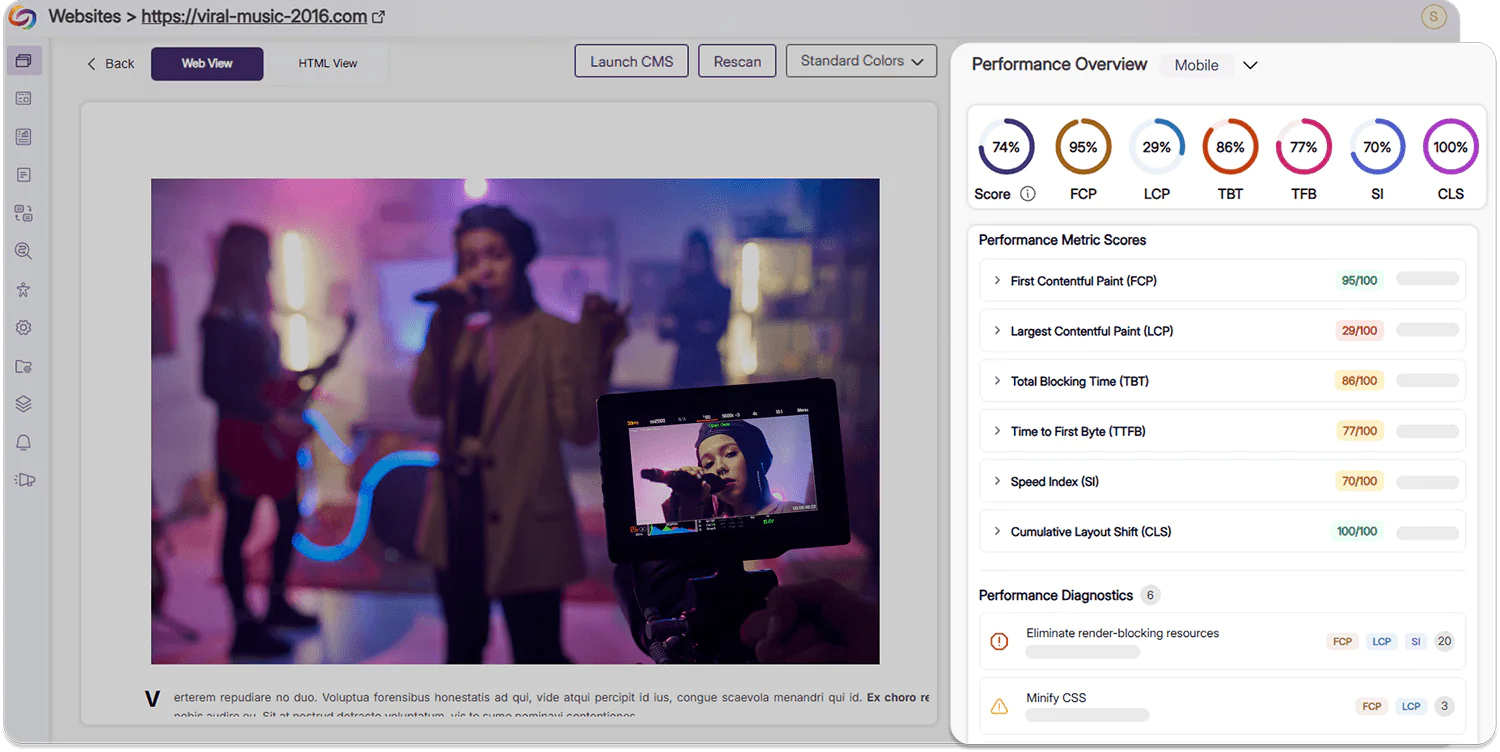
Upgraded Performance Report Facilitates a Painless and Transparent User Experience For All Audiences
The Performance Report in YuJa EqualGround has been expanded to provide more context, usability, and guidance for users to improve their website. The report now includes:
New support for mobile performance: Users can now see advanced performance metric scores and diagnostic statistics for both desktop and mobile experiences. With this addition, users can ensure that their website can be easily accessed by a broader selection of audiences using diverse platforms.
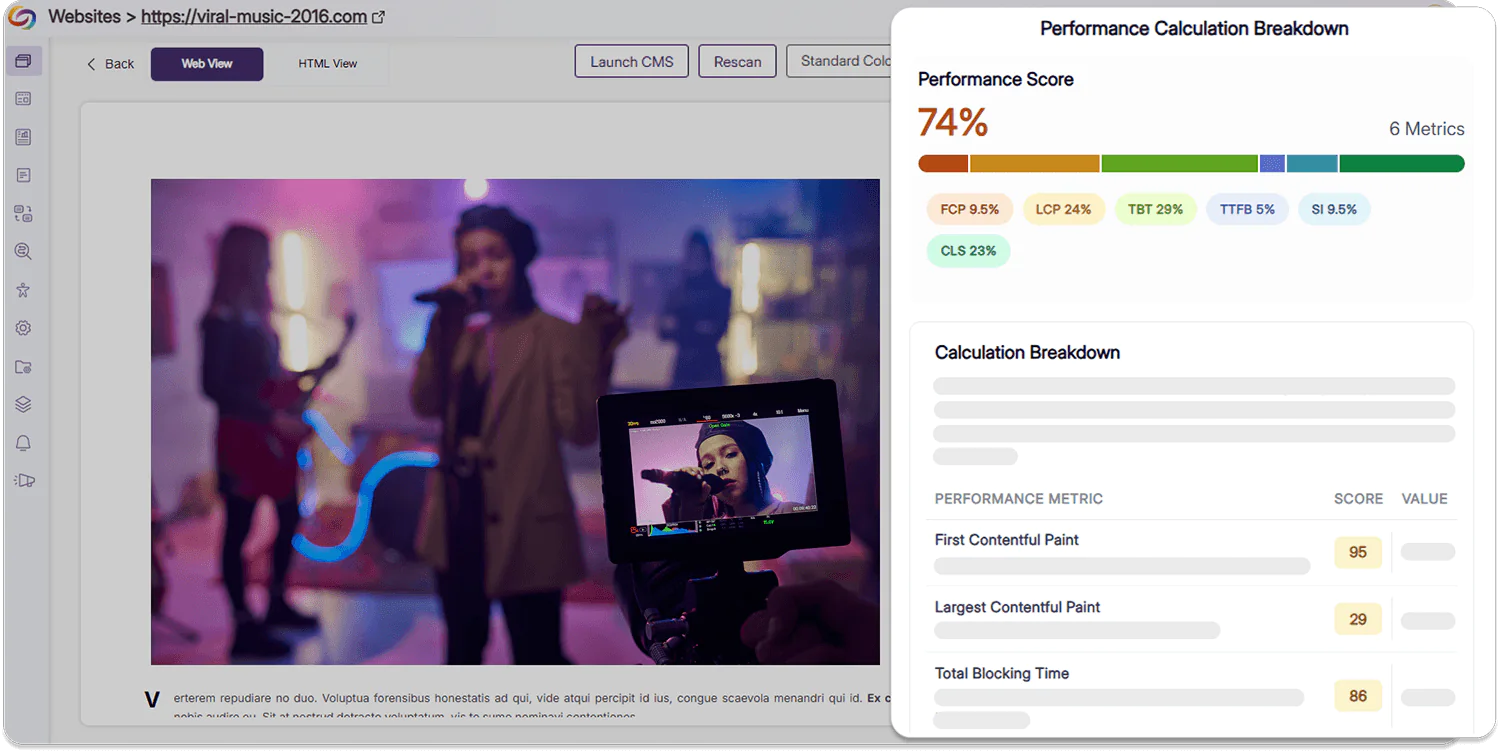
Clear breakdowns of your performance score: Users can now view a color-coded visualization of their performance score and an exact breakdown of how their score is calculated using various metrics in order to make targeted improvements.
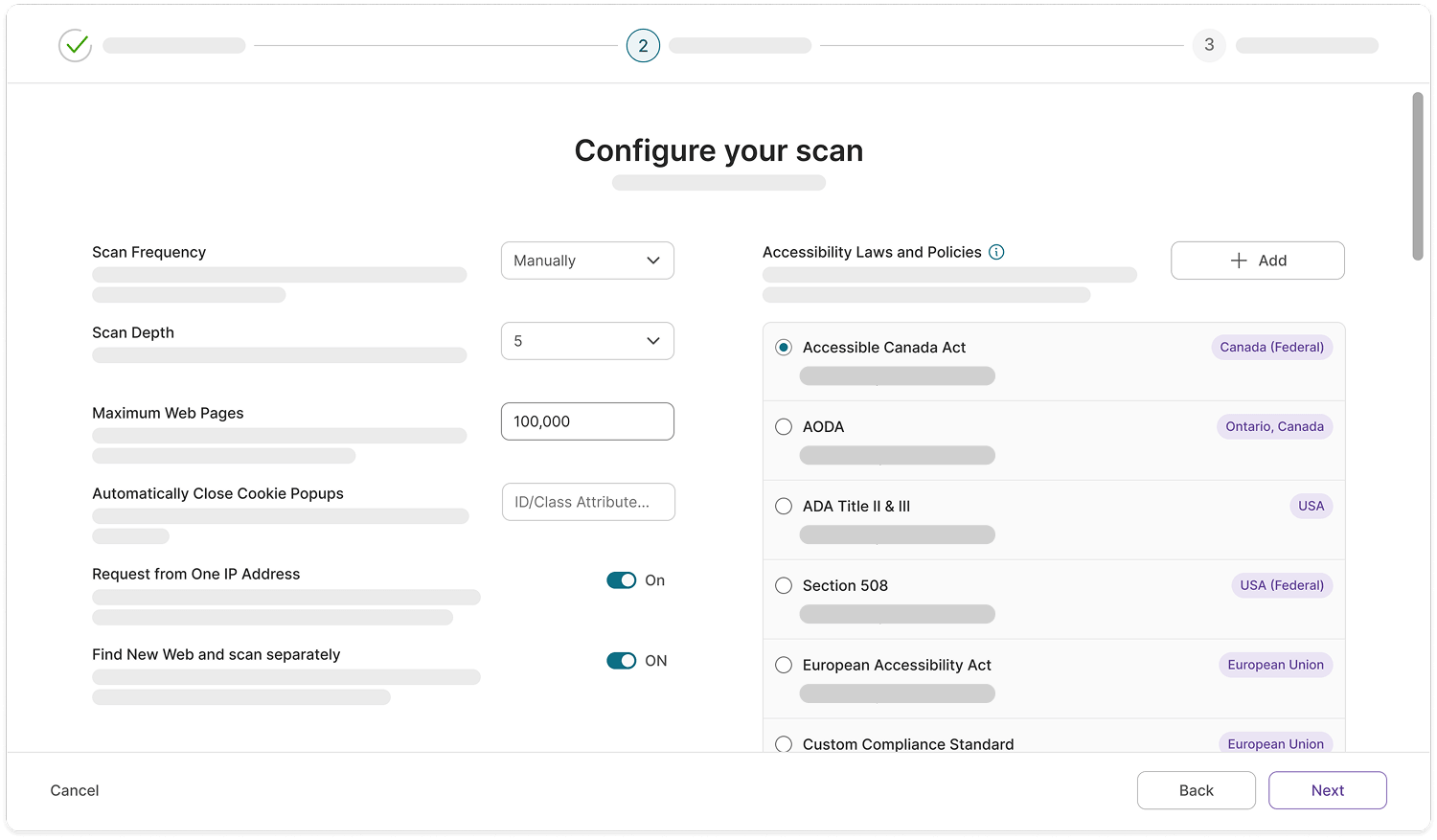
A Smoother, Easier Workflow to Add and Configure Your Web Assets
A redesigned layout will be added to the Configuration tab, making website settings easier to locate, navigate, and adjust. The workflow for adding new websites in YuJa EqualGround has also been upgraded to introduce additional clarity into setting up configurations such as required log in credentials, accessibility conformance levels, and IP address requests.
Track Both Accessibility Compliance and Engagement in One Centralized Location While Remediating Your Page
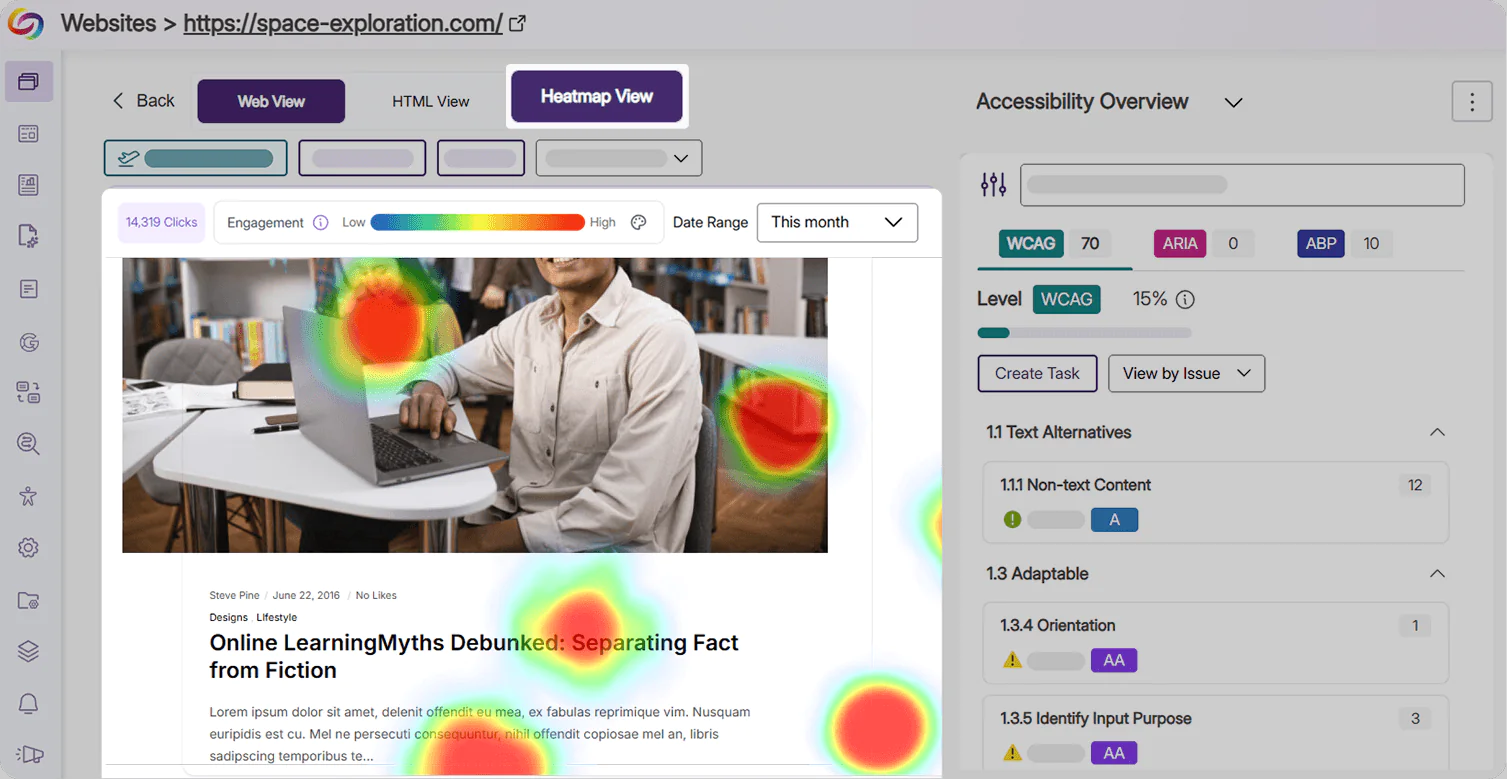
Users can now easily track heatmap statistics and review how external users are engaging with their website directly in the Issues Panel. Users can now also add heatmap tracking to their page from this workflow, eliminating the need to configure any scripts.
A Simplified View for All WCAG Accessibility Standards
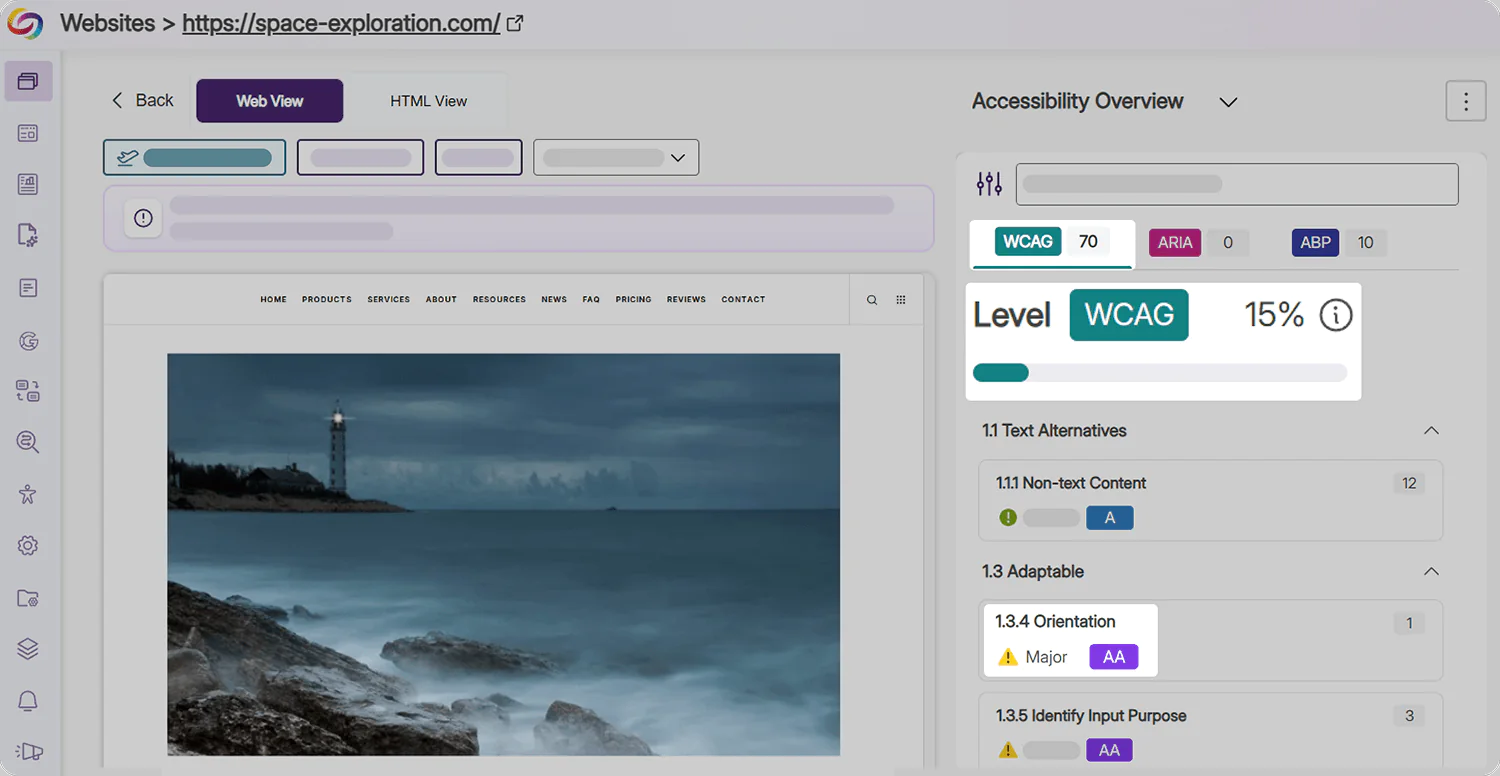
All WCAG issues (Levels A, AA, and AAA) are now displayed together in a single view in the Issues Panel with badges for each issue type to indicate the severity level. With a single percentage denoting their accessibility compliance, users have a clearer understanding of where their website stands, and barriers that they should target first.
Export Accessibility Reports in Excel Format for Cross-Platform Analysis
Accessibility Reports can now be exported directly to a spreadsheet in Microsoft Excel or Google Sheets, making it easy to share clear, readable findings with colleagues who have both technical and non-technical skills. Exports are available at the organization and website level, and provide quick summaries, issue, and score breakdowns for your assets.
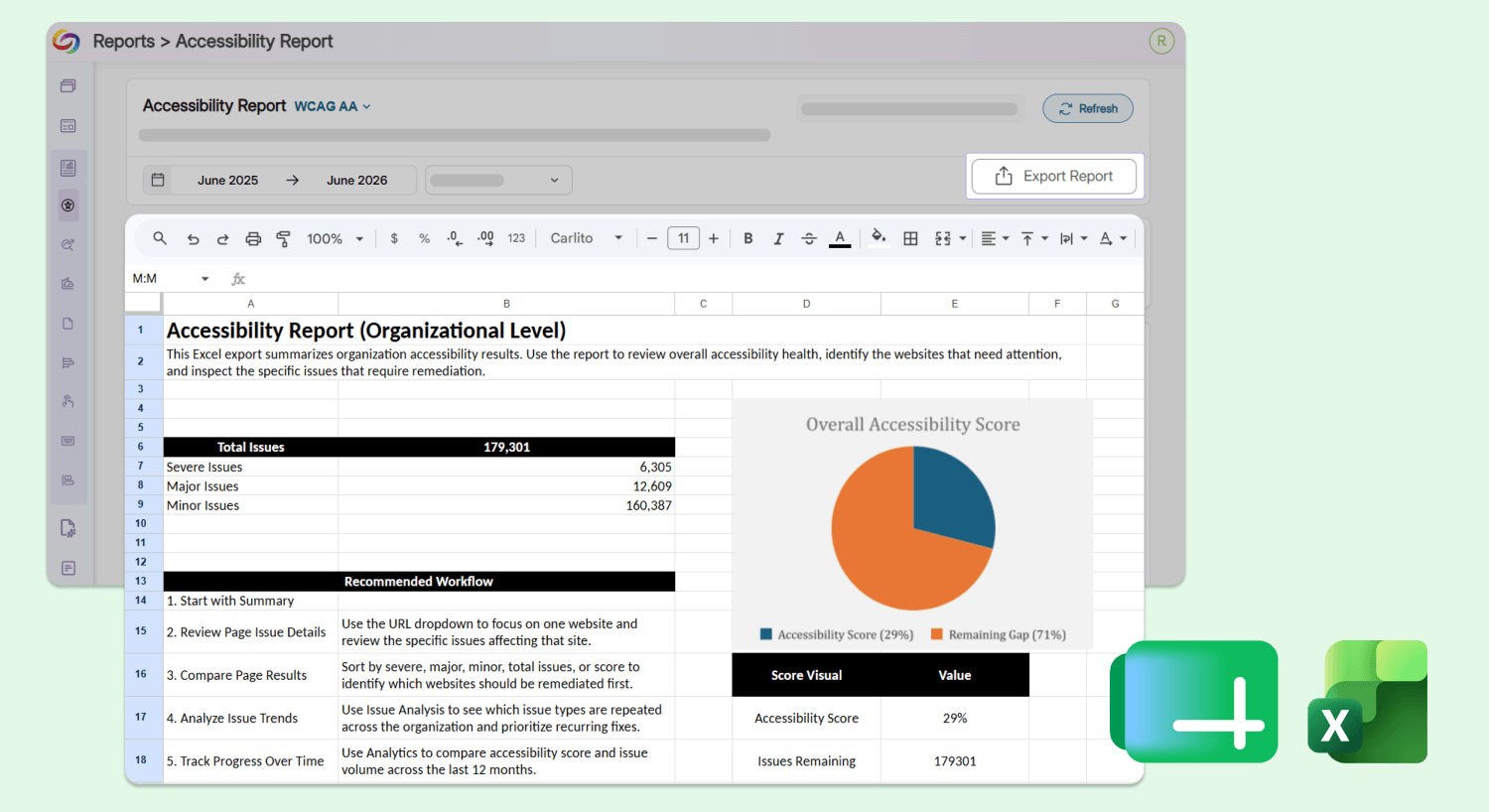
The report contains the following tabs:
Accessibility report summary: Users can view their organization’s accessibility statistics, including the total number of issues ranked by severity and a suggested workflow for remediation.
Issue breakdown: Users can view a breakdown of all issues found on a website that require remediation, including their severity level, type, description, associated WCAG principle, and the number of occurrences.
Score breakdown: Users can track the historical trend of their website’s accessibility score over the specified number of previous months.
Issues count: Users can track the total number of accessibility issues identified each month over the last few months.
Scan and Remediate Documents from External Subdomains Using an Improved Document Discovery Workflow
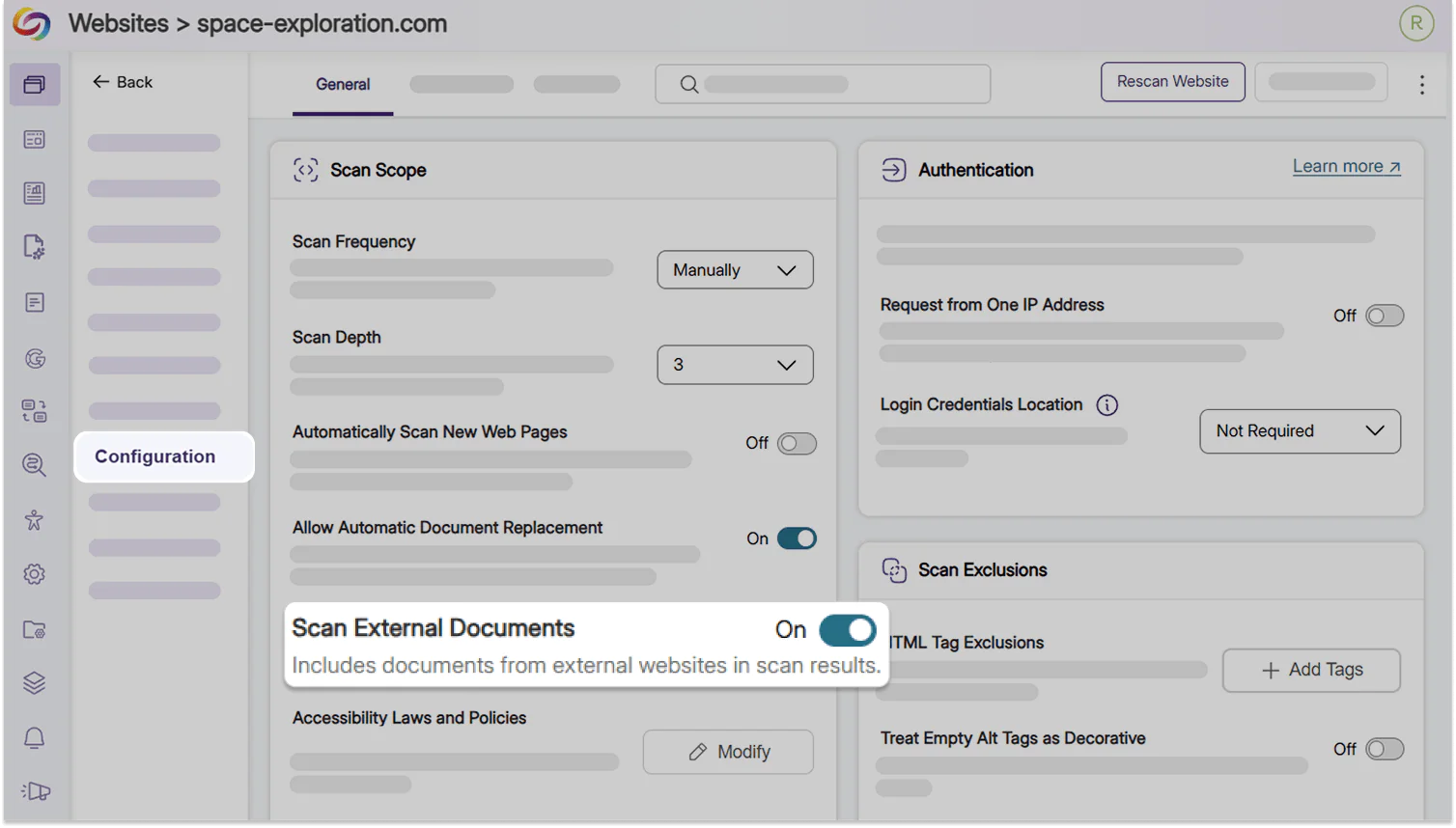
YuJa EqualGround can now discover and scan documents hosted on related subdomains and entry points when documents are hosted outside of the primary website, so institutions get a complete, accurate picture of their accessibility progress and ensure that all of their documents are remediated.
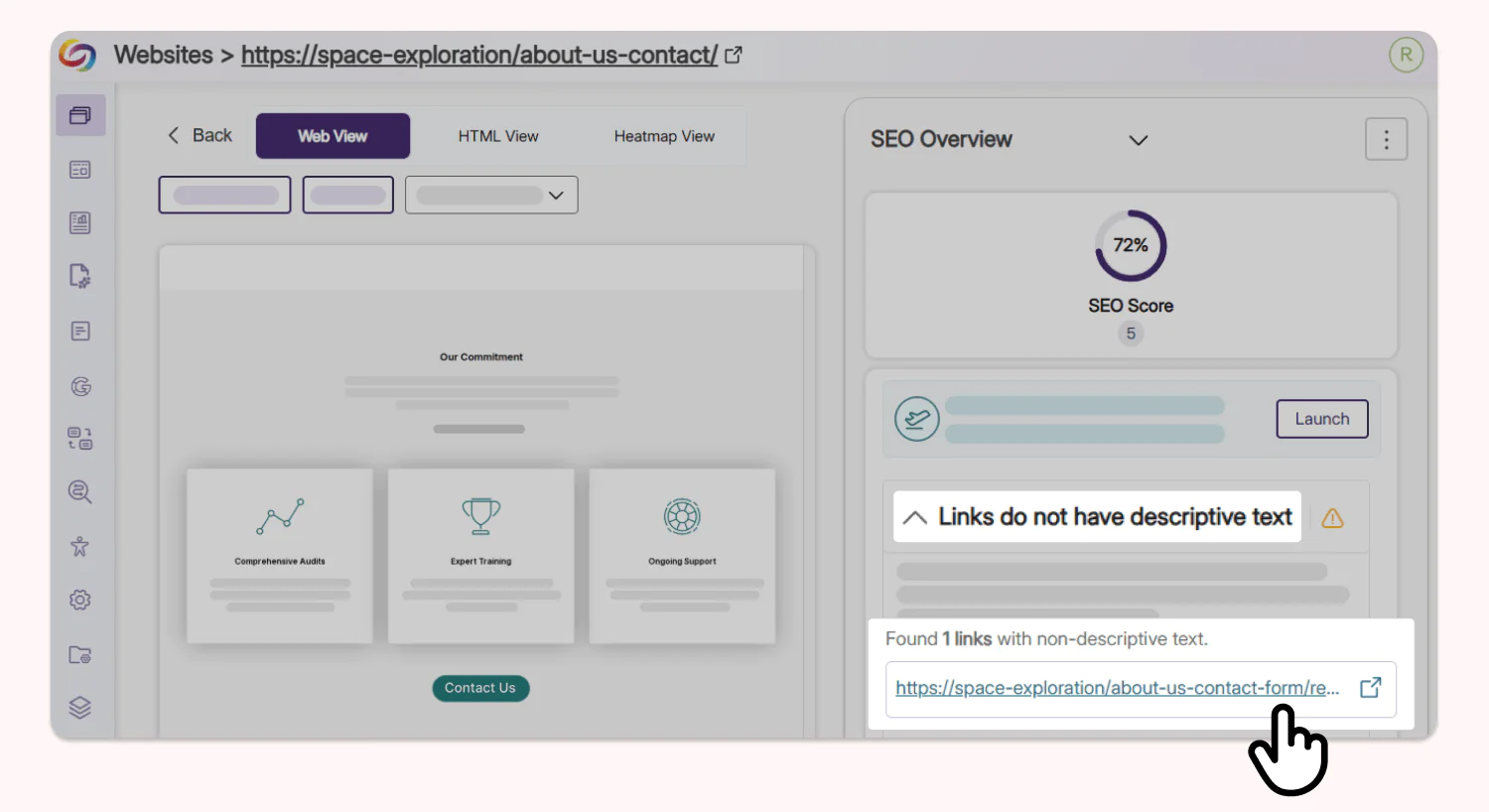
Find and Fix Unclear Link Text in One Click
Undescriptive links flagged by the YuJa EqualGround SEO Report are now clickable, directing users to the target landing page immediately so users can quickly add an effective description to remediate the issue without needing to search their codebase.
Join the 1,000+ Organizations Deploying High-Impact Solutions
